<?xml version="1.0"?>

<feed xmlns="http://www.w3.org/2005/Atom">

    <title>ESP for Beginners</title>
    <link href="https://www.espforbeginners.com/atom" />
    <link type="application/atom+xml" rel="self" href="https://www.espforbeginners.com/atom.xml" />
    <updated>2026-04-19T12:02:37+00:00</updated>
    <id>https://www.espforbeginners.com/atom.xml</id>
    <author>
        <name>ESP for Beginners</name>
    </author>
        <entry>
        <id>https://www.espforbeginners.com/guides/choosing-home-automation-system/</id>
        <link type="text/html" rel="alternate" href="https://www.espforbeginners.com/guides/choosing-home-automation-system/" />
        <title>How to Choose a Home Automation System: A Comprehensive Guide</title>
        <published>2025-06-01T00:00:00+00:00</published>
        <updated>2024-01-07T18:13:50+00:00</updated>
        <author>
            <name>ESP for Beginners</name>
        </author>
        <summary type="html">Discover key aspects to consider when choosing a home automation system perfect for your needs....</summary>
        <content type="html"><![CDATA[
                <!DOCTYPE html PUBLIC "-//W3C//DTD HTML 4.0 Transitional//EN" "http://www.w3.org/TR/REC-html40/loose.dtd">
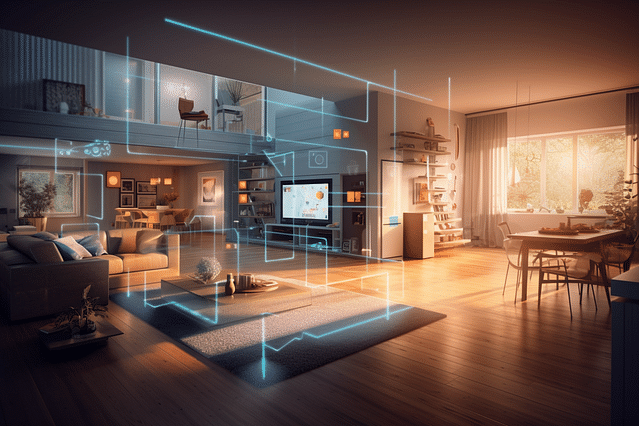
<html><body><div style="--aspect-ratio:640/426;" class="mb-4"><img src="https://espforbeginners.gumlet.io/?w=640&amp;h=426&amp;s=ab07d0dabe056576aae0483eae18e9b9" loading="lazy" class="visibility-auto" title="" srcset="https://espforbeginners.gumlet.io/?w=320&amp;h=213&amp;mode=crop&amp;crop=smart&amp;s=0cb10ba2adfa91c61ee14be5dda2148e 320w,https://espforbeginners.gumlet.io/?w=480&amp;h=319&amp;mode=crop&amp;crop=smart&amp;s=77aa3e97cf47fc6b1c28ab75e752ad88 480w,https://espforbeginners.gumlet.io/?w=640&amp;h=426&amp;mode=crop&amp;crop=smart&amp;s=36e3ff631496d4a1bc8144f6479d0f37 640w" sizes="(max-width: 360px) 320px, max-width: 640px) 480px, 640px"></div><h1>How to Choose a Home Automation System: A Comprehensive Guide</h1>

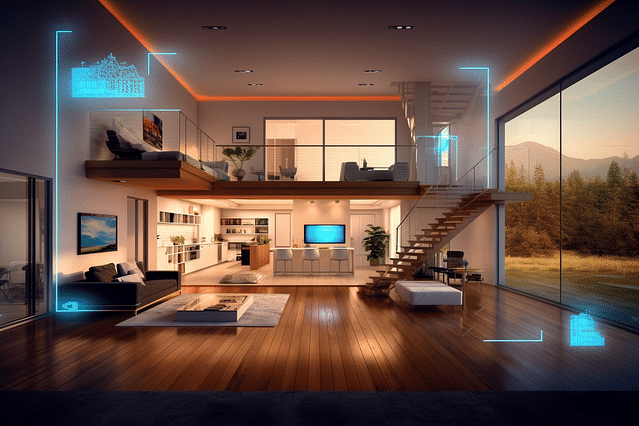
<p>Ever walked into a room and wished the lights would turn on automatically? Or have you dreamed of controlling your home&acirc;&#128;&#153;s temperature with just a few taps on your smartphone? Welcome to the world of home automation!</p>

<h3>Choosing the Right System</h3>

<p>In this guide, we'll explore the amazing things a home automation system can do for you. From playing your favorite songs with a simple voice command, to keeping your home secure while you're away, we&acirc;&#128;&#153;ll cover everything you need to know to pick the perfect system that fits your needs like a glove. Get ready to step into the future of home living!</p>

<h2>Understanding Home Automation Systems</h2>

<p>Imagine you could make your house listen and respond to what you say, like turning lights on with just your voice, or setting the temperature without getting up from your cozy couch. That's what home automation systems are all about. Let's dive in to understand how they make your home smarter and your life easier.</p>

<h3>What is a Home Automation System?</h3>

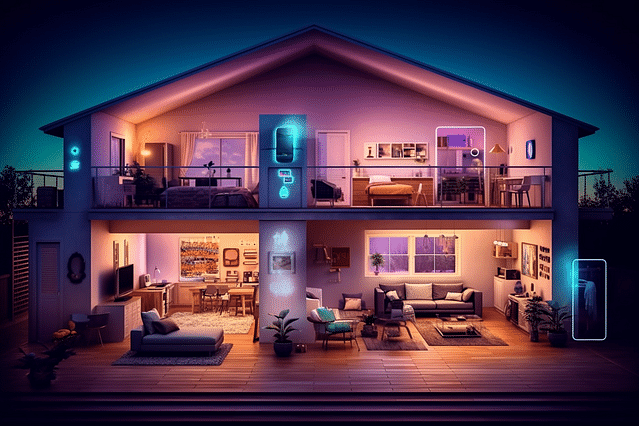
<p>A home automation system is like a helpful friend who takes care of your house for you. It uses technology to do things automatically. For example, it can turn on lights, lock doors, and even make your coffee, all without you having to do it yourself. This system connects to devices in your home so they can talk to each other and do tasks on their own or when you tell them to.</p>

<h3>The Benefits of a Home Automation System</h3>

<p>Home automation has some cool benefits that make life better. It can save you time because you don't have to do as many chores. It also saves energy because things like lights and thermostats are only on when needed. This means your energy bill can be smaller. It&acirc;&#128;&#153;s like having a personal helper who's always there to make sure your home is comfy, safe, and just the way you like it.</p>

<h3>Common Features of a Home Automation System</h3>

<p>Most home automation systems have features that are super helpful. For starters, many control lighting, so you never have to walk into a dark home. They can adjust the temperature, play music, and keep an eye on your home with security cameras. They also often work with smart speakers, so you can tell your house what to do without lifting a finger. These features are not just fancy; they make everyday tasks quicker, safer, and even a little bit fun.</p>

<h2>Factors to Consider When Choosing a Home Automation System</h2>

<p>When looking at home automation systems, it can be exciting to think about all the possibilities. But before you jump in, there are some important things to think through. We'll guide you on what to consider to make the best choice for your home.</p>

<h3>Evaluate Your Current Home Needs and Lifestyle</h3>

<p>Think about what you do every day. Do you work long hours and need a system that can do things while you're away? Or maybe you have a big family, and safety is your top priority. Let's break it down:</p>

<ul>
<li><strong>Daily Routines</strong>: Does your home need to wake up before you do, turning on lights and heating up the coffee?</li>
<li><strong>Family Size</strong>: Do you need a system that can handle many people coming and going?</li>
<li><strong>Safety</strong>: Are you looking for features like smoke detectors and security cameras?</li>
</ul>

<h3>Your Budget Considerations</h3>

<p>Money matters, right? You don't want to empty your wallet on a system with fancy features you'll never use. Think of:</p>

<ul>
<li><strong>Initial Costs</strong>: The price of buying and putting in the system.</li>
<li><strong>Monthly Fees</strong>: Some systems have monthly costs for extra services.</li>
<li><strong>Future Savings</strong>: Will this system help cut down your energy bills?</li>
</ul>

<h3>The Type of Home Automation System Technology</h3>

<p>Now it's tech talk time! There are different types, and each does things a bit differently:</p>

<ul>
<li><strong>Wired vs. Wireless</strong>: Do you want something that's all set up with wires, or a system that works over Wi-Fi?</li>
<li><strong>Smart Assistants</strong>: Are you okay with just voice commands, or do you want something more?</li>
<li><strong>Protocols</strong>: This is like the secret language that your automation devices speak. Some common ones are Z-Wave and Zigbee.</li>
</ul>

<h3>System Compatibility with Your Devices</h3>

<p>This is all about getting along with what you already have. You don't want a system that won't chat with your current gadgets. Keep in mind:</p>

<ul>
<li><strong>Smartphone Control</strong>: Can you use your phone to control everything?</li>
<li><strong>Brand Loyalty</strong>: Do you have a favorite brand, and does the new system work with it?</li>
<li><strong>Device Overlap</strong>: Make sure you don&acirc;&#128;&#153;t buy something that does the same thing as a device you already own.</li>
</ul>

<h3>Long-Term Scalability and Upgrade Possibilities</h3>

<p>Finally, think about the future. Homes change, and so do your needs. Look for systems that:</p>

<ul>
<li><strong>Grow With You</strong>: You might start small, but can you add more features later?</li>
<li><strong>Latest Updates</strong>: Can the system easily get updates to stay modern?</li>
<li><strong>Tech Support</strong>: Will there be help available if you want to expand or if something goes wrong?</li>
</ul>

<p>Choosing the right home automation system takes a bit of thought, but it's worth it. Take your time, use our guide, and you'll find the perfect match for your home sweet automated home!</p>

<h2>Exploring Different Types of Home Automation Systems</h2>

<p>Home automation systems can make life easier and more fun. They are like friendly robots that can control things in your house, such as the lights, the temperature, or even play your favorite music with just a spoken command or a tap on your smartphone. But did you know there are different types of systems? Let&acirc;&#128;&#153;s explore what they are and how they&acirc;&#128;&#153;re different from one another!</p>

<h3>Wired vs. Wireless Home Automation Systems</h3>

<p><strong>Wired systems</strong> need cables to connect all your gadgets. Imagine them like invisible threads that stretch from one device to another across your house. These systems are really good at making sure things don't stop working just because of a bad wireless signal. But, they can be tricky to set up, especially in a home that's already built.</p>

<p>On the other side, <strong>wireless systems</strong> are like playing catch with the internet. They toss information through the air from your devices to a home automation hub. No wires needed! They&acirc;&#128;&#153;re great because you can add new gadgets without worrying about cables. But sometimes, like when you're playing catch and someone walks between you and your friend, your wireless signal might get blocked or slow down.</p>

<h3>Cloud-Based vs. Local Home Automation Systems</h3>

<p>Imagine having a treasure chest in the sky&acirc;&#128;&#148;that's what a <strong>cloud-based system</strong> is like. It keeps all your home automation commands and information safe on the internet. This means you can control your house from anywhere in the world as long as you have internet access.</p>

<p>Meanwhile, <strong>local systems</strong> are like having a treasure chest in your own room. Everything is stored and managed inside your home, and it's not relying on the internet. It's fast and private, but if you want to control your house while you're away, it might not be as easy as with a cloud-based system.</p>

<h3>Proprietary vs. Open-Source Home Automation Systems</h3>

<p><strong>Proprietary systems</strong> are like toys that only work with certain other toys from the same brand. The company that makes them has special rules on how you can use them, and usually, you can only add gadgets or services that they say 'yes' to. This might make things simpler, but it can also limit your choices.</p>

<p><strong>Open-source systems</strong>, on the other hand, are like building blocks that let you create all sorts of things. They're made in a way that anyone can play with them, change them, and even improve them. This means you have way more choices, and you can often use them with lots of different brands and gadgets. But, it might take a little more know-how to set everything up just right.</p>

<p>Picking a home automation system is all about what's most important to you, whether it's making sure everything works together smoothly, having control while you're halfway around the world, keeping your commands private, or having endless possibilities at your fingertips.</p>

<h2>How to Install a Home Automation System</h2>

<p>Home automation systems can make your life easier and your home smarter. But before jumping in, it's important to understand how installation works. Let's walk through the installation process, compare doing it yourself versus hiring a pro, and cover the maintenance and upgrades you'll need to know about.</p>

<h3>Understanding the Installation Process</h3>

<p>Installing a home automation system starts with a plan. First, think about what you want to control - lights, temperature, security, or maybe everything! Then, you'll usually follow these steps:</p>

<ol>
<li><strong>Choose Your Devices</strong>: Pick smart devices that work together.</li>
<li><strong>Get the Right Tools</strong>: Usually, simple tools like screwdrivers are enough.</li>
<li><strong>Set Up the Hub</strong>: This is the brain that talks to all your smart devices.</li>
<li><strong>Connect the Devices</strong>: Follow the instructions to hook everything up to the hub.</li>
<li><strong>Install the Software</strong>: Put the app on your phone or tablet to control everything.</li>
<li><strong>Test It Out</strong>: Make sure each device is working and connected.</li>
</ol>

<h3>DIY vs. Professional Installation: Pros and Cons</h3>

<p><strong>DIY Installation:</strong></p>

<p><strong>Pros:</strong>
- <strong>Save Money</strong>: Doing it yourself means not paying for professional help.
- <strong>Learn Your System</strong>: By installing it, you&acirc;&#128;&#153;ll know your system really well.
- <strong>Fun Project</strong>: If you like tech, you'll enjoy doing it yourself.</p>

<p><strong>Cons:</strong>
- <strong>Time-Consuming</strong>: It can take a lot of time to do it right.
- <strong>Risk of Mistakes</strong>: Without experience, you might run into trouble.
- <strong>No Professional Support</strong>: You&acirc;&#128;&#153;re on your own if something goes wrong.</p>

<p><strong>Professional Installation:</strong></p>

<p><strong>Pros:</strong>
- <strong>Expertise</strong>: Pros know how to install systems fast and correctly.
- <strong>Convenience</strong>: You can relax while someone else does the work.
- <strong>Support</strong>: You often get help and advice after installation too.</p>

<p><strong>Cons:</strong>
- <strong>Cost</strong>: It's usually more expensive than doing it yourself.
- <strong>Scheduling</strong>: You have to plan around the installer's timetable.
- <strong>Less Personal Control</strong>: You might not learn as much about your system.</p>

<h3>Maintenance and Upgrades: What You Should Know</h3>

<p>Your smart home system needs care to keep it running well. Here's what to remember:</p>

<ul>
<li><strong>Stay Updated</strong>: Software and firmware updates keep things secure and add new features.</li>
<li><strong>Regular Checks</strong>: Test your devices regularly to catch any issues early.</li>
<li><strong>Cleanup</strong>: Keep sensors and devices clean and free from dust.</li>
<li><strong>Future-Proofing</strong>: Think ahead about new gadgets you may want to add.</li>
<li><strong>Professional Help</strong>: For big upgrades or problems, consider calling in an expert.</li>
</ul>

<p>Remember, maintaining your system can be easy when you stay on top of it. Enjoy your smarter home, and have fun exploring all the things it can do!</p>

<h2>Tips for Getting the Most out of Your Home Automation System</h2>

<p>Making your house smarter can be really cool and helpful. By using a home automation system, you can make your home do lots of things on its own &acirc;&#128;&#147; like turning lights on and off, adjusting the temperature, or even playing music when you want it. But there's more to these smart systems than just setting them up. To really get the most out of them, you need to know a few tricks.</p>

<h3>Maximizing Efficiency with Automation Rules and Scenes</h3>

<p>Think of your home as a smart robot that can do tasks for you. To make it work better, you need to create <strong>rules</strong> and <strong>scenes</strong>. A rule is like a command that tells your house what to do when something happens. For example, you can create a rule that turns off all the lights when you leave the house.</p>

<p>A scene is a bunch of these rules that work together. It's like a movie scene where lots of things happen at once. You might create a "Good Morning" scene that opens the blinds, starts your coffee maker, and plays your favorite song to wake you up. Here's how you can set these up:</p>

<ol>
<li><strong>Pick a task you do often</strong>: Start with something you do a lot, like waking up or coming home.</li>
<li><strong>Decide what you want to happen</strong>: Choose what you want your house to do for this task. Think about the lights, thermostat, or any other smart device you have.</li>
<li><strong>Set up the rule or scene</strong>: Use your home automation system's app to make the rule or scene. Follow the instructions in the app to choose what triggers the action and what the action should be.</li>
</ol>

<h3>Ensuring Security for Your Home Automation System</h3>

<p>Your smart home is also a safe home. But, just like you lock your doors, you need to protect your home automation system from intruders online. Here's how you can keep it safe:</p>

<ol>
<li><strong>Use strong passwords</strong>: Make sure your Wi-Fi and all smart devices have tough passwords that are hard to guess.</li>
<li><strong>Keep everything up-to-date</strong>: When your smart device or system has an update, do it right away. These updates can fix any security issues.</li>
<li><strong>Control who has access</strong>: Only let people you trust use your home automation system. Be careful about who you give your passwords to.</li>
</ol>

<h3>Integrating Other Smart Devices and Appliances</h3>

<p>Your home automation system gets even better when you connect it to other smart gadgets and appliances. It's like making new friends for your smart home. Things like smart fridges, ovens, and even water sprinklers can join in. To do this:</p>

<ol>
<li><strong>Check compatibility</strong>: Before you buy a new device, make sure it can talk to your home automation system. They need to speak the same language.</li>
<li><strong>Use the right app</strong>: Some devices come with their own app. You might need to use this app first to get it connected to your Wi-Fi and then link it to your home automation system.</li>
<li><strong>Test it out</strong>: Once you have connected a new device, try it out a few times to see how it works with your system. Sometimes you might need to adjust settings or create new rules and scenes.</li>
</ol>

<p>Follow these tips, and you'll turn your smart home into a super-smart home! It's all about making life easier and having fun with technology.</p>

<h2>Reviewing Top Home Automation System Brands</h2>

<p>Welcome to our guide where we're diving into some of the coolest helpers in your house &acirc;&#128;&#147; home automation systems! These are like your very own robot assistants that do things for you to make life easier. Let's take a look at the big names that can turn your home into a smart home.</p>

<h3>Google Home Automation System</h3>

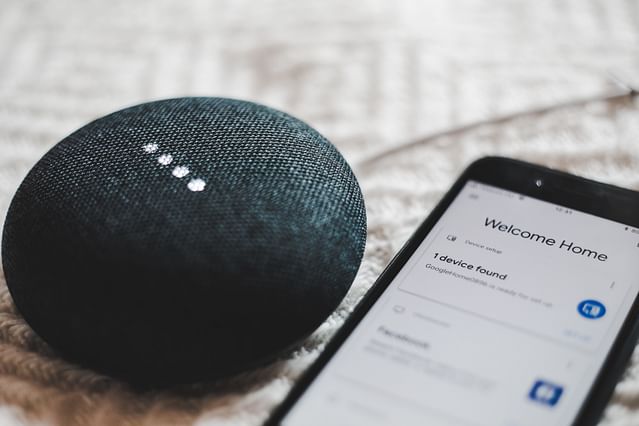
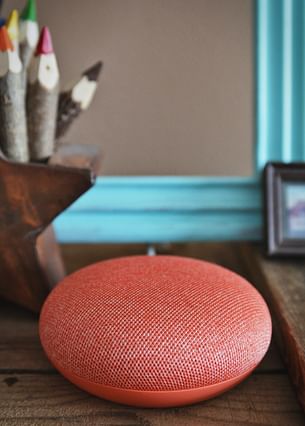
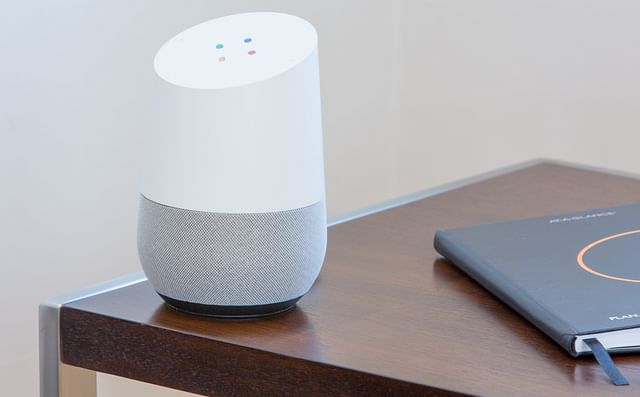
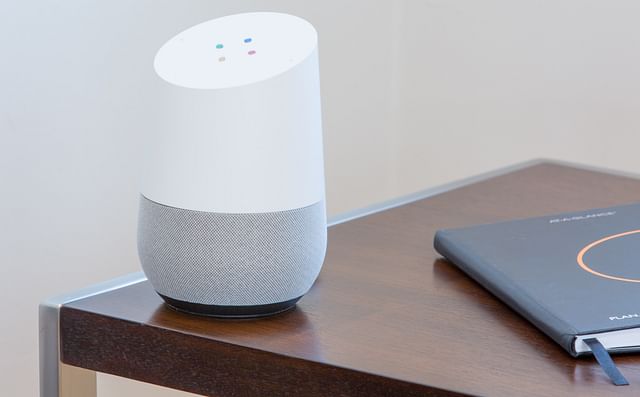
<p><strong>Google Home Automation System</strong> is like having a friend who knows everything. Just say "Hey Google," and ask it to do things like turning off lights or playing your favorite song. It works with lots of other smart devices and can answer your questions, tell you the weather, and even remind you of important stuff like your homework!</p>

<h3>Amazon Alexa Home Automation System</h3>

<p>Next up is <strong>Amazon Alexa Home Automation System</strong>. Alexa is like your personal DJ, chef helper, and news reporter all in one! You can talk to Alexa through speakers called Echo. Ask Alexa to do things like shop online, make a timer for your pizza, or lock the doors. It's super helpful and easy to use.</p>

<h3>Apple HomeKit</h3>

<p>If you're all about Apple, then <strong>Apple HomeKit</strong> is your go-to. With your iPhone or iPad, control things like your heating or cooling, lights, and even your garage door. It's secure and private, and you can even use your voice with Siri, Apple's voice helper. Plus, HomeKit puts all your smart device controls in one app!</p>

<h3>Samsung SmartThings Home Automation System</h3>

<p><strong>Samsung SmartThings Home Automation System</strong> is another awesome option. If you have a Samsung phone or tablet, this can connect all your smart gadgets. Turn on the TV, see who&acirc;&#128;&#153;s at the door, or get your coffee started before you even get out of bed. SmartThings has its own app and works well with loads of different devices, so you're covered.</p>

<p>So there you have it &acirc;&#128;&#148; the top brands that can make your home smarter and your daily tasks a piece of cake. Choose the one that fits what you need and start living in the future now!</p>

<h2>Conclusion: Deciding on the Best Home Automation System for You</h2>

<p>Choosing the best home automation system for you can be really exciting! It's a big decision that can make your home smarter and your life easier. To help you decide, let's go back over some of the most important things you should think about.</p>

<h3>Recapping Key Points to Consider</h3>

<p>Before you pick your home automation system, remember to:</p>

<ul>
<li><strong>Think about compatibility:</strong> Make sure the system works with the gadgets you already have or plan to buy.</li>
<li><strong>Consider the ease of use:</strong> Pick a system that's simple to use, so you and everyone in your home can enjoy it without getting frustrated.</li>
<li><strong>Look for flexibility:</strong> Your system should be able to grow with your needs, letting you add more smart devices later on.</li>
<li><strong>Check for security:</strong> Keep your personal info safe by choosing a system with strong security features.</li>
<li><strong>Set a budget:</strong> Know how much you want to spend to avoid any surprise costs down the road.</li>
</ul>

<h3>Preparing for a Future With Home Automation</h3>

<p>It's also a good idea to think ahead when you're setting up your smart home. Technology keeps getting better, and new gadgets come out all the time. So, it's smart to pick a system that will still work well in the future. This way, you can add new smart things to your home without having to start over with a whole new system.</p>

<p>And, remember to have fun with it! Home automation is all about making your life more fun and relaxed. Play around with your new smart gadgets and find out all the cool stuff they can do.</p>

<p>By keeping these tips in mind, you'll be all set to make a choice that's just right for your home and family. Now, go out there and make your home smart in your own amazing way!</p>
</body></html>

            ]]></content>
    </entry>
        <entry>
        <id>https://www.espforbeginners.com/guides/home-automation-in-apartments/</id>
        <link type="text/html" rel="alternate" href="https://www.espforbeginners.com/guides/home-automation-in-apartments/" />
        <title>Home Automation in Apartments: Enhancing Small Living Spaces</title>
        <published>2025-05-25T00:00:00+00:00</published>
        <updated>2024-01-07T18:11:22+00:00</updated>
        <author>
            <name>ESP for Beginners</name>
        </author>
        <summary type="html">Learn about the top smart devices for apartments and how to use them to simplify your life....</summary>
        <content type="html"><![CDATA[
                <!DOCTYPE html PUBLIC "-//W3C//DTD HTML 4.0 Transitional//EN" "http://www.w3.org/TR/REC-html40/loose.dtd">
<html><body><div style="--aspect-ratio:640/426;" class="mb-4"><img src="https://espforbeginners.gumlet.io/?w=640&amp;h=426&amp;s=ab07d0dabe056576aae0483eae18e9b9" loading="lazy" class="visibility-auto" title="" srcset="https://espforbeginners.gumlet.io/?w=320&amp;h=213&amp;mode=crop&amp;crop=smart&amp;s=0cb10ba2adfa91c61ee14be5dda2148e 320w,https://espforbeginners.gumlet.io/?w=480&amp;h=319&amp;mode=crop&amp;crop=smart&amp;s=77aa3e97cf47fc6b1c28ab75e752ad88 480w,https://espforbeginners.gumlet.io/?w=640&amp;h=426&amp;mode=crop&amp;crop=smart&amp;s=36e3ff631496d4a1bc8144f6479d0f37 640w" sizes="(max-width: 360px) 320px, max-width: 640px) 480px, 640px"></div><h1>Home Automation in Apartments: Enhancing Small Living Spaces</h1>

<p>Have you ever wondered how you can make your apartment not just a place to sleep, but a smart assistant that responds to your needs? With technology evolving every day, the dream of having an automated home is not just for big houses anymore. Apartments, no matter their size, can be transformed into smart little havens too!</p>

<h3>What is Home Automation?</h3>

<p>Home automation is like giving your home a brain! It involves using gadgets and technology to control things like lights, temperature, and even your coffee maker, right from your smartphone or a voice command. Imagine walking into your apartment and the lights turn on automatically, your favorite music starts playing, and your heater has already made the room cozy for you. That's the magic of home automation &acirc;&#128;&#147; and it's not just cool, it's super handy!</p>

<p>Join us on this journey as we explore how to enhance your apartment life with home automation for a space that's not only smarter but more comfortable and convenient. Whether you're a tech pro or new to the gadget game, we've got you covered from A to Z!</p>

<h2>The Basics of Home Automation</h2>

<p>Welcome to the world where your home can listen and respond to your needs, almost like a helpful friend. This is what home automation is all about. Let's dive into the nuts and bolts of making your apartment smarter and your daily life a little easier.</p>

<h3>What is Home Automation?</h3>

<p>Imagine waking up in the morning, and your house already knows it's time to start your day. The lights gently turn on, your favorite morning tune starts to play, and the coffee maker begins brewing your perfect cup. That's home automation! It's like having tiny robots doing things for you around the house. They can control your lights, music, temperature and even your security system. All this happens through gadgets and a special kind of wi-fi that lets these devices talk to each other and to you, through your phone or voice commands.</p>

<h3>Benefits of Home Automation in Apartments</h3>

<p>Living in an apartment doesn't mean you have to miss out on the cool perks of home automation. Firstly, you could save money on your electricity bills because your lights and heating will only be on when you need them. Next, it's about convenience &acirc;&#128;&#147; imagine locking your doors or turning off all the lights with just one tap on your phone &acirc;&#128;&#147; goodbye, worries about forgetting to turn something off! Plus, home automation can make your place safer with smart locks and cameras you can check from anywhere. It&acirc;&#128;&#153;s like having eyes and ears at home even when you're out.</p>

<h3>Challenges of Implementing Home Automation in Apartments</h3>

<p>But, it's not always super easy to make your apartment smart. If you rent, you might need to check with your landlord about what changes you can make. Things like drilling holes or changing locks might not be allowed. You also have to think about internet - all these smart devices need a strong wi-fi signal to work well. And let&acirc;&#128;&#153;s not forget, these gadgets cost money, so you'll need to think about what you really need and what fits in your budget. Lastly, setting everything up to work together nicely can be tricky, but don't worry, there are lots of helpful guides and experts out there.</p>

<p>Remember, turning your home into a smart home should make life more fun and less stressful. Take your time to learn about your options and enjoy the journey to a more convenient and connected home.</p>

<h2>Best Smart Devices for Apartments</h2>

<p>Making your apartment smarter with gadgets can save you time, money, and make life a lot more fun. Think of your apartment as a friend that can listen to you and help out. Here's a list of smart devices that can do just that.</p>

<h3>Smart Lighting: Brighten Your Apartment Intelligently</h3>

<p>Imagine your lights turn on just by asking them or they change color to match your mood. That's what smart lighting can do! You can use your phone to control the lights, set them to turn on or off when you're not home, or even make them brighter or dimmer as you like. This way, you don't waste electricity and your home always looks welcoming.</p>

<h3>Smart Thermostats: Optimize your Energy Usage</h3>

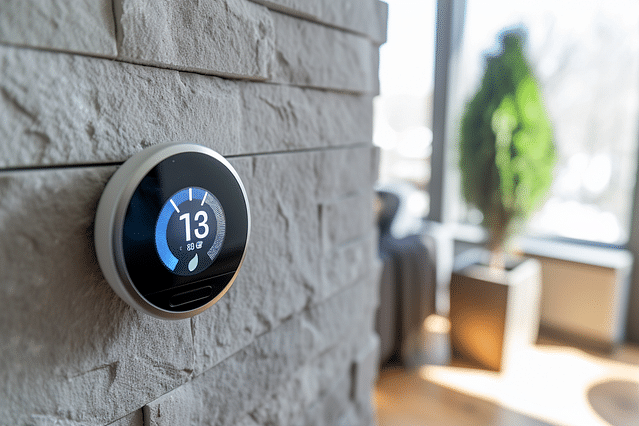
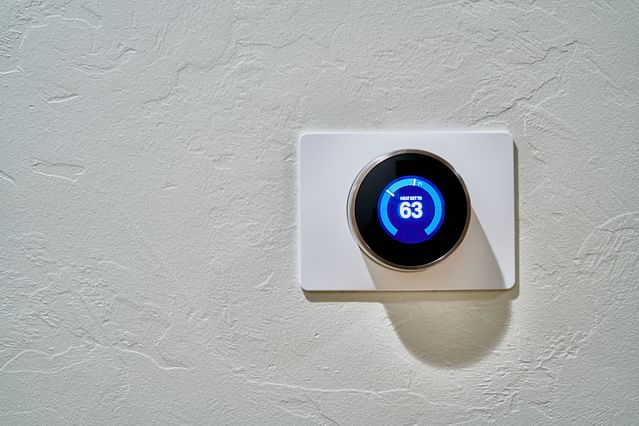
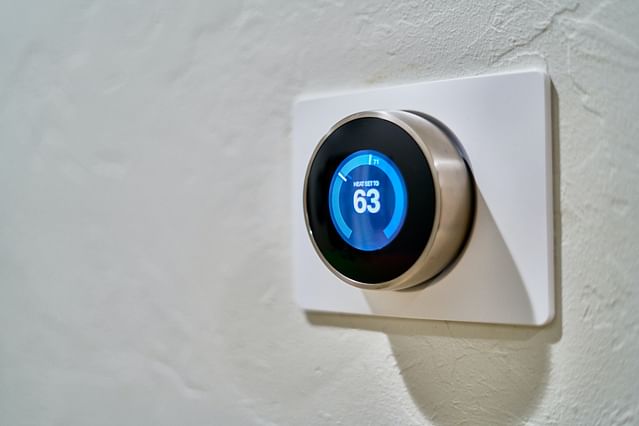
<p>Smart thermostats are like brainy temperature controllers. They learn what you like and make sure your place is cool or cozy just when you need it. Plus, they can save you money by adjusting the temperature when you're out. No more paying to heat or cool an empty apartment!</p>

<h3>Smart Plugs: Control All Devices Remotely</h3>

<p>A smart plug is a little gadget you put between your device and the wall socket. By using an app on your phone, you can turn things on or off, even when you're not there. You forgot to turn off the iron? No worries. Just use your phone!</p>

<h3>Smart Security Devices: Keeping Your Apartment Secure</h3>

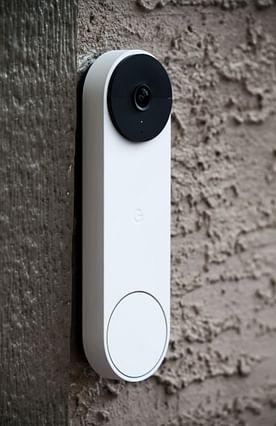
<p>Feeling safe is important, and smart security gadgets are like having a guard that never sleeps. They can be cameras, door sensors, or alarms that you can check on your phone. Some even allow you to talk through them, so you can tell the delivery guy where to leave your package.</p>

<h3>Smart Speakers and Home Hubs: Command Center of Your Apartment</h3>

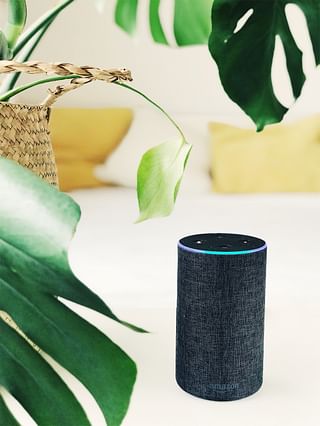
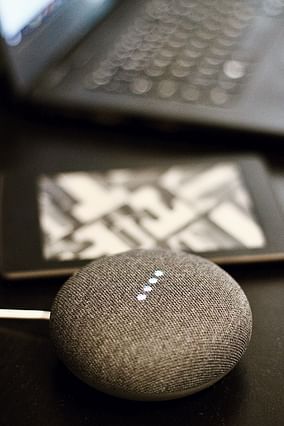
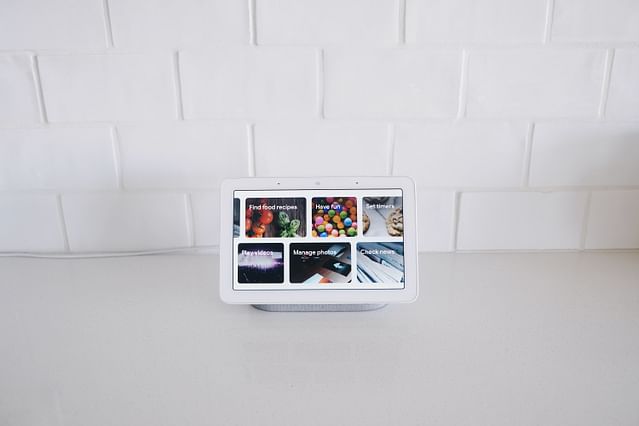
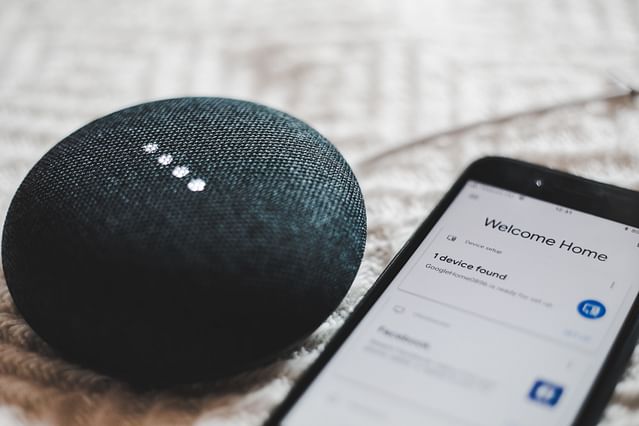
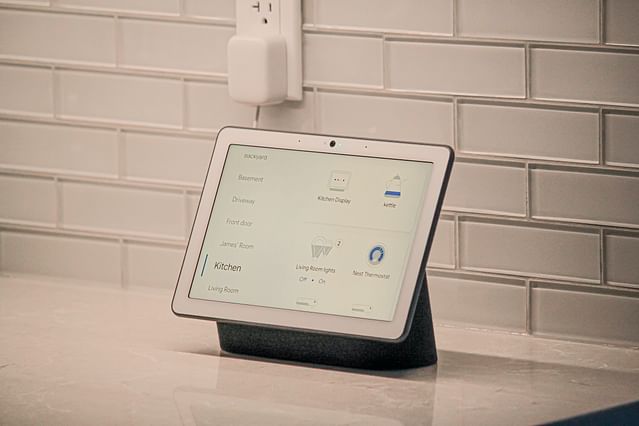
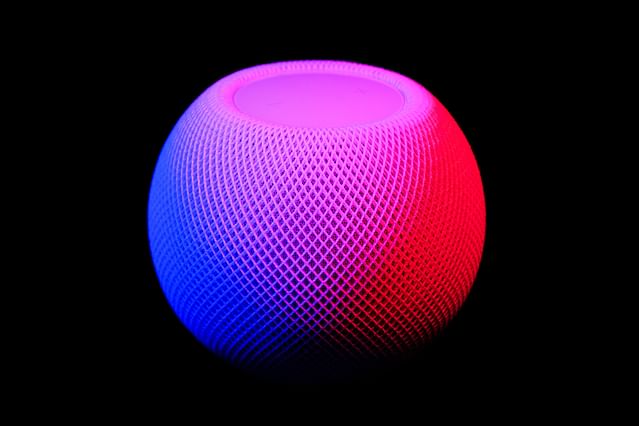
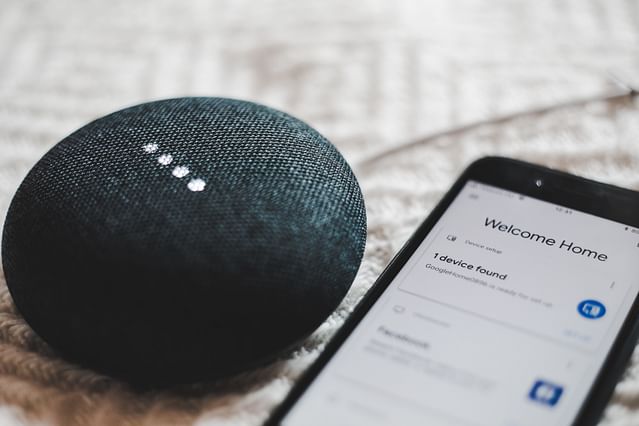
<p>Smart speakers and home hubs are like having an assistant at home. You can ask them questions, tell them to play music, or control all your other smart devices with them. They are the bosses of your smart apartment, making sure everything runs smoothly just by using your voice.</p>

<p>By picking the right gadgets, you can turn your apartment into a smart home that makes life easier, safer, and way more fun. Happy smart living!</p>

<h2>How to Choose the Right Smart Devices</h2>

<p>Looking to make your home smarter with some cool new gadgets? Great! But with so many smart devices out there, picking the right ones can be tricky. Don't worry, I'm here to help you figure out which smart devices are perfect for you. Just like picking out a new pair of shoes, you need to find the devices that fit your lifestyle just right. Let's dive in!</p>

<h3>Understanding Your Personal Needs</h3>

<p>Before you rush out and buy all the smart things, take a moment to think about what you really need. &eth;&#159;&curren;&#148; Do you want to turn off the lights without getting out of bed? Or maybe you dream of a house that plays your favorite songs whenever you want? Whatever your heart desires, make a list of what's important to you. This way, you'll only look at devices that make your day-to-day life easier and more fun.</p>

<h3>Compatibility of the Devices</h3>

<p>Now, here's a tricky part: making sure your devices speak the same language. &eth;&#159;&#146;&not; Just like people in different countries use different languages, smart devices use different ways to communicate. Some devices work with Apple's HomeKit, some with Amazon's Alexa, and others with Google Assistant. Always check if the new device you're eyeing can chat easily with the ones you already have at home. This will save you a lot of headaches!</p>

<h3>Evaluating Your WiFi Strength and Broadband Speed</h3>

<p>Imagine inviting friends over to watch a movie, and it keeps buffering &acirc;&#128;&#148; annoying, right? Just like that, smart devices need strong WiFi and fast internet to work well. It's like giving them a good pair of running shoes so they can get stuff done quicker. &eth;&#159;&#143;&#131;&acirc;&#128;&#141;&acirc;&#153;&#130;&iuml;&cedil;&#143;&eth;&#159;&#146;&uml; Check your WiFi signal in all the rooms where you want to use your smart devices. If it's weak, you might need to get a booster. Also, look at your internet speed; if it's slow, those smart gadgets might not work their best.</p>

<h3>Budget Considerations</h3>

<p>Let's talk about money. &eth;&#159;&#146;&cedil; Buying smart devices is a bit like buying snacks at a movie theater &acirc;&#128;&#148; it can add up quickly! Set a budget for how much you want to spend so you don't end up with a cool but empty wallet. There are devices for all kinds of budgets, so pick the ones that give you the most bang for your buck. And remember, sometimes it's smarter to save up for something really good than to buy a bunch of cheap things that might not last.</p>

<p>There you go! With these thoughts in mind, you're all set to find the smart devices that are just right for you and your home. Happy shopping! &eth;&#159;&#155;&#146;&eth;&#159;&#146;&iexcl;&eth;&#159;&#143;&nbsp;</p>

<h2>Tips to Set Up Home Automation in an Apartment</h2>

<p>Are you living in an apartment and dreaming of turning it into a smart home? You're in the right place! Setting up home automation in an apartment might sound tricky due to limited space and rental agreements, but don't worry. Here, we are going to guide you through three key steps to make your apartment smart without any headaches.</p>

<h3>Creating the Smart Layout with Space Constraints</h3>

<p>Let's first think about the space you have. Apartments usually have less room than houses, so we need to be clever about where we put our smart devices.</p>

<ul>
<li><strong>Visualize Your Space</strong>: Grab a piece of paper and draw a simple map of your apartment. Mark the spots where you spend most of your time, like the couch or your bed.</li>
<li><strong>Choose the Right Devices</strong>: Stick to compact and wireless gadgets which are easier to place and move around. For instance, a small smart speaker can fit on a bookshelf.</li>
<li><strong>Use Multipurpose Gadgets</strong>: Opt for devices that serve more than one purpose. A smart light bulb, for example, can give you both lighting and a speaker to play music.</li>
</ul>

<h3>Dealing with Installation Challenges</h3>

<p>Since you're in an apartment, you might not be allowed to drill holes or change the wiring. But no worries, there are ways around this.</p>

<ul>
<li><strong>Go for No-Drill Options</strong>: Look for gadgets that can stick to surfaces or sit on a shelf or table. Command strips can be your best friend for mounting things without damage.</li>
<li><strong>Check for Portability</strong>: It&acirc;&#128;&#153;s great when you can take your devices with you if you move. Battery-powered devices are handy because you won't need any cords.</li>
<li><strong>Communicate with Your Landlord</strong>: If you really need something installed, talk to your landlord. Maybe you can work something out if it&acirc;&#128;&#153;ll make the apartment better.</li>
</ul>

<h3>Integrating Different Devices Seamlessly</h3>

<p>You might end up with different devices from different brands. Getting them to work together smoothly is the secret sauce of home automation.</p>

<ul>
<li><strong>Choose a Common Platform</strong>: Use a central system like Google Home or Amazon Alexa to control different devices with one app.</li>
<li><strong>Look for Compatibility</strong>: Before buying a new gadget, make sure it works with your platform. This will save you a lot of headaches.</li>
<li><strong>Stay on Wi-Fi</strong>: Devices that use Wi-Fi usually play nice together. Avoid gadgets that need special hubs to work &acirc;&#128;&#147; unless you're okay with extra setup.</li>
</ul>

<p>By following these tips, you'll soon have a smart apartment that's as connected as you are. You'll be controlling your lights, music, and maybe even your coffee maker from the palm of your hand!</p>

<h2>Making the Most of Home Automation</h2>

<p>Welcome to the world of home automation! This is like having a helpful friend in your house that takes care of things for you, even when you're not around. Let's talk about how we can make this friend do the best job for you. It's all about making your life easier, keeping you safe, saving you money, and giving you control wherever you are.</p>

<h3>Simplify Your Everyday Tasks</h3>

<p>Picture this: You wake up in the morning, and your coffee is already made. The blinds in your bedroom slowly let in the sunshine to help you start your day. This isn't a dream&acirc;&#128;&#148;you can make this happen with home automation!</p>

<ul>
<li><strong>Smart Scheduling:</strong> Set up schedules for things you do every day, like turning on the lights at night.</li>
<li><strong>Voice Commands:</strong> Talk to your home! Tell it to play music, turn off the TV, or ask for the weather forecast.</li>
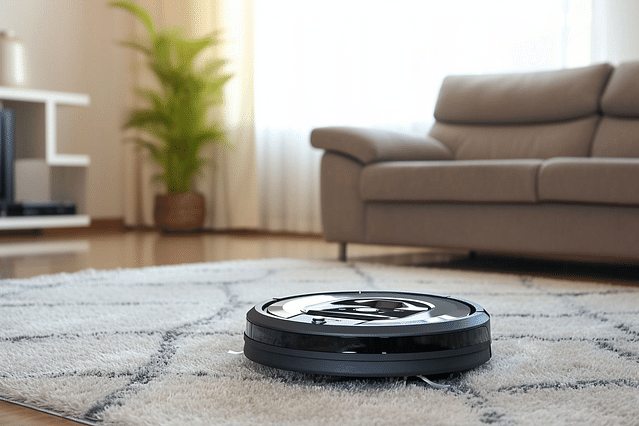
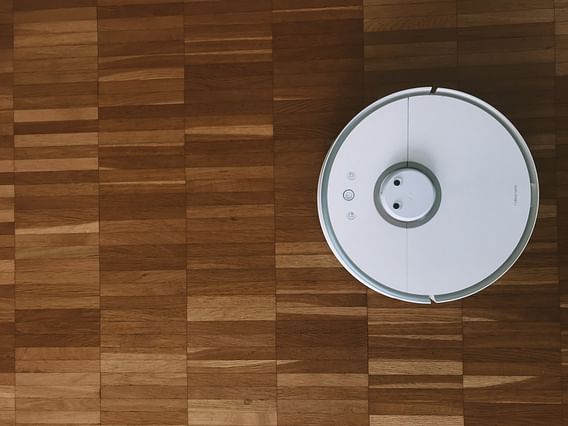
<li><strong>Automated Cleaning:</strong> Robots can vacuum for you. Just set them up and let them go to work.</li>
</ul>

<p>By automating simple things, you have more time to relax and do fun stuff instead of chores.</p>

<h3>Enhancing Safety and Security</h3>

<p>Your home can keep an eye out for you, making sure you're safe.</p>

<ul>
<li><strong>Security Cameras:</strong> Watch over your house from anywhere in the world.</li>
<li><strong>Smart Locks:</strong> No more fumbling for keys! Unlock your door with a code or your phone.</li>
<li><strong>Alerts:</strong> Get a message if there's smoke or if a door opens when you&acirc;&#128;&#153;re not home.</li>
</ul>

<p>With these gadgets, you'll feel like a superhero keeping your home safe.</p>

<h3>Efficient Energy Use for Lowering Bills</h3>

<p>Nobody likes big bills. Home automation helps you save energy and money.</p>

<ul>
<li><strong>Thermostats:</strong> Control the temperature of your home to use less heating and air conditioning.</li>
<li><strong>Smart Lights:</strong> Use energy-saving bulbs that turn off when not needed.</li>
<li><strong>Energy Monitoring:</strong> Check on how much electricity you're using and where you can cut back.</li>
</ul>

<p>You can be a money-saving wizard by controlling how much energy you use.</p>

<h3>Remote Apartment Management through Smartphone</h3>

<p>Imagine running your home while you're at school or hanging out with friends. You can!</p>

<ul>
<li><strong>Apps:</strong> Use simple apps on your phone to control everything.</li>
<li><strong>Notifications:</strong> Your phone tells you if something needs your attention at home.</li>
<li><strong>Remote Access:</strong> Let friends in by unlocking the door with your phone, even when you're miles away.</li>
</ul>

<p>No matter where you go, your home is at your fingertips, just like magic.</p>

<h2>Future of Home Automation in Apartments</h2>

<p>As we look into the crystal ball of technology, the future of home automation in apartments shines brightly. This is a world where your home not only understands your needs but also anticipates them, making life easier, safer, and more fun. Let's dive into this exciting future!</p>

<h3>Expected Technological Advancements</h3>

<p>In the coming years, home automation tech is set to leap forward. You can expect even smarter devices that talk to each other seamlessly. Imagine your alarm clock not only waking you up but also telling your coffee maker to start brewing your morning cup. Or your fridge keeping track of your food and adding items to your shopping list when you run low. These gadgets will also be more energy-efficient, helping you save on bills and be kind to the planet.</p>

<h3>Role of AI and Machine Learning in Home Automation</h3>

<p>Artificial intelligence (AI) and machine learning are going to be the brains behind your automated home. They'll learn your routines like when you usually turn on the lights, what temperature you like, and even play your favorite music when you walk in after a long day. This smart tech means your home will constantly improve at taking care of you. Don't worry, it's all very friendly&acirc;&#128;&#148;think of it as your home looking out for you, like a good friend would.</p>

<h3>How Home Automation Could Redefine Apartment Living</h3>

<p>Home automation could make living in apartments more amazing than ever. With limited space, smart storage solutions could move your bed into the ceiling when you're not using it, giving you lots of room for yoga or dance parties. Security systems will not only keep you safe but also accept packages for you and even water your plants. Apartment living will be less about the space you have and more about how cleverly that space can adapt to make every day a bit more wonderful.</p>

<p>By wrapping our heads around these futuristic ideas, we can see how the intersection of technology and our living spaces can make life not just simpler, but also more joyful. The future is smart, and our homes are on the fast track to getting there.</p>
</body></html>

            ]]></content>
    </entry>
        <entry>
        <id>https://www.espforbeginners.com/guides/augmented-reality-home-automation/</id>
        <link type="text/html" rel="alternate" href="https://www.espforbeginners.com/guides/augmented-reality-home-automation/" />
        <title>The Future Is Here: Using Augmented Reality in Home Automation</title>
        <published>2025-05-18T00:00:00+00:00</published>
        <updated>2024-01-07T16:28:46+00:00</updated>
        <author>
            <name>ESP for Beginners</name>
        </author>
        <summary type="html">Experience the future of home automation using Augmented Reality....</summary>
        <content type="html"><![CDATA[
                <!DOCTYPE html PUBLIC "-//W3C//DTD HTML 4.0 Transitional//EN" "http://www.w3.org/TR/REC-html40/loose.dtd">
<html><body><div style="--aspect-ratio:640/426;" class="mb-4"><img src="https://espforbeginners.gumlet.io/?w=640&amp;h=426&amp;s=ab07d0dabe056576aae0483eae18e9b9" loading="lazy" class="visibility-auto" title="" srcset="https://espforbeginners.gumlet.io/?w=320&amp;h=213&amp;mode=crop&amp;crop=smart&amp;s=0cb10ba2adfa91c61ee14be5dda2148e 320w,https://espforbeginners.gumlet.io/?w=480&amp;h=319&amp;mode=crop&amp;crop=smart&amp;s=77aa3e97cf47fc6b1c28ab75e752ad88 480w,https://espforbeginners.gumlet.io/?w=640&amp;h=426&amp;mode=crop&amp;crop=smart&amp;s=36e3ff631496d4a1bc8144f6479d0f37 640w" sizes="(max-width: 360px) 320px, max-width: 640px) 480px, 640px"></div><h1>The Future Is Here: Using Augmented Reality in Home Automation</h1>

<p>Have you ever imagined controlling your home with just a wave of your hand, like a magician casting a spell? Or what about having walls that give you the weather forecast while you're choosing what to wear? Well, it might sound like something from a sci-fi movie, but it's now becoming a reality! Augmented Reality (AR) technology is stepping out of the world of video games and movies and into our homes, bringing home automation to a whole new level.</p>

<h3>The Magic of AR in Your Living Room</h3>

<p>AR gives us the power to see and interact with digital information overlaid on the real world. This can totally change how we use devices at home. In this blog post, we're going to explore the wonders of using AR in home automation. Imagine pointing your phone at your coffee maker and seeing a virtual menu pop up to select your brew, or voice-activated lights that not only switch on and off but also show you energy consumption in a colorful display. It all seems pretty cool, right?</p>

<p>Join us as we dive into the exciting possibilities that AR brings to our daily lives, making mundane tasks easier and way more fun. Let's unwrap the future together and find out how AR is turning ordinary homes into smart tech heavens where everything is at our fingertips. Welcome to the future &acirc;&#128;&#147; it's here, and it's amazing.</p>

<h2>Understanding Augmented Reality</h2>

<p>Welcome to the magical world of augmented reality or AR for short! Imagine you could see your favorite cartoon character dancing on your desk or get directions floating in front of you on the street. That's what AR is all about&acirc;&#128;&#148;mixing computer stuff with the real world!</p>

<h3>What is Augmented Reality?</h3>

<p>Augmented reality is like a secret layer of information and graphics that gets put on top of the real world. When you look through a special AR device, like a smartphone or glasses, you see the world with some extra, digital details added. For example, if you're playing an AR game on your phone, you might see a dragon sitting on your sofa, but it's only there in the screen&acirc;&#128;&#148;not for real!</p>

<p>So, AR is different from virtual reality (VR). VR has you dive into a completely computer-made world, but AR keeps you grounded in the real world, just with some cool additions.</p>

<h3>The History and Evolution of Augmented Reality</h3>

<p>Now, let's hop into our time machine and see how AR came to be. The first ideas of mixing real and virtual started way back in the 1960s with a gadget called the "Sword of Damocles." It looked pretty funny because it was so big and heavy that it had to hang from the ceiling!</p>

<p>Fast forward to the 1990s, and AR got a bit more serious. Scientists used it to help with complicated things like airplane assembly and surgery practice. It was still pretty bulky and not something you could carry around.</p>

<p>Then came the 21st century&acirc;&#128;&#148;phones got smart, and AR got portable. Suddenly, you could have AR in your pocket! In 2016, a game called "Pok&Atilde;&copy;mon GO" got everyone walking around trying to catch virtual critters in the real world. That's when lots of people saw how fun AR can be.</p>

<p>AR has grown a lot since then. Doctors use it to plan surgeries, teachers use it to show cool history stuff, and businesses use it to show you what furniture looks like in your house before you buy it. And that's just the start&acirc;&#128;&#148;AR is getting better every day, making the world an even more exciting place!</p>

<p>Remember, with AR, your world becomes the backdrop for all sorts of amazing things. It's like putting on magic glasses and seeing a layer of wonders right in front of you!</p>

<h2>Augmented Reality and Home Automation: A Perfect Blend</h2>

<p>Have you ever watched a sci-fi movie and wished you could control things in your home just by waving your hands or talking to them? Well, that world is actually not far from reality! <strong>Augmented Reality</strong>, or AR for short, is like a magic lens that you can look through to see your real-life room, but with digital things added to it. Now, combine this cool tech with <strong>Home Automation</strong>, which is like giving your house a brain to control all the lights, TVs, and other gadgets, and you've got a perfectly blended peanut butter and jelly sandwich of the future tech world!</p>

<h3>How Does Augmented Reality Complement Home Automation?</h3>

<p>Think of AR as your super-smart friend who helps you understand and run your automated home easier. Forget about tapping on your phone or shouting commands to thin air. With AR, you can put on some special glasses or use your smartphone to see your home's invisible automation controls appear right before your eyes, just floating in the air! You could point at your lamp and see a little button appear that lets you turn it on or off. It's like being a wizard in your own living room!</p>

<h3>Benefits of Using Augmented Reality in Home Automation</h3>

<p>Using AR with your automated home is like having cheat codes for real life. Here are some awesome perks:</p>

<ul>
<li><strong>Super Easy Controls</strong>: No need to memorize how every device works. Just look at something, and AR will show you the buttons you need.</li>
<li><strong>Cool Factor</strong>: Impress your friends by controlling your home in the most high-tech ways imaginable.</li>
<li><strong>Fewer Oops Moments</strong>: AR can show you what's on or off, so you won't leave something running by mistake.</li>
<li><strong>Learning is Fun (and Quick!)</strong>: New to home automation? AR makes it a breeze to learn what each part of your smart home does without digging through manuals.</li>
<li><strong>Be a Better Host</strong>: Set the scene for a movie night or dinner party with quick, AR-assisted adjustments to lighting and music.</li>
</ul>

<p>It's like giving your home a fun and friendly interface that even guests or kids can use without getting confused. Augmented reality is not just making home automation cool; it's making it something everyone can enjoy - easily and with a touch of futuristic flair!</p>

<h2>Popular Applications of Augmented Reality in Home Automation</h2>

<p>Augmented Reality (AR) isn't just for games or cool tech demos&acirc;&#128;&#148;it's also making our homes smarter and our lives easier! Imagine being able to control your home with just a wave of your hand or by looking at something. That's exactly what AR is doing for home automation. Let's explore some neat ways AR is used to manage things around the house!</p>

<h3>Augmented Reality for Smart Openings and Closures</h3>

<p>Have you ever dreamt of doors and windows that open with a magic command? With AR, this is becoming real! AR apps can show you a virtual remote control when you point your phone at a door or window. With a simple tap on your screen, you can open or shut them without touching anything. It's like having a wand to control your home!</p>

<h3>AR-driven Home Security Systems</h3>

<p>Keeping our homes safe is super important, and AR is here to help! Some security systems let you place virtual cameras and alarms around a digital model of your home. You can check these right from your smartphone or tablet. AR makes it feel like you're watching everything in person, even if you're far away. It's a bit like being a superhero with eyes everywhere, guarding your fortress!</p>

<h3>Smart Lighting Control with Augmented Reality</h3>

<p>Turning lights on and off is much more fun with AR. Point your phone at a lamp or ceiling light, and you'll get controls to dim, change colors, or turn them off. Perfect for setting the mood for a movie night or making a bedtime story magical. You can play with your home's lighting like it's a rainbow at your fingertips!</p>

<p>In each of these examples, AR takes the usual home automation gadgets and adds a layer of simplicity and fun. It turns your phone into a magic remote control for your house! Isn't that cool? Now, let's keep discovering the wonders of AR in our daily lives.</p>

<h2>Setting Up Your Augmented Reality Home Automation System</h2>

<p>Welcome to the thrilling world of Augmented Reality (AR) where your home comes alive at the tip of your fingers! If you're ready to turn your living space into a smart, tech-savvy haven, you're in the right place. We'll take you through the basics of setting up your AR home automation system in simple steps.</p>

<h3>Essential Pieces of Equipment</h3>

<p>Before we dive into turning your home into a futuristic paradise, let's chat about the gears you'll need. Think of this as your superhero toolkit for the AR world!</p>

<ul>
<li><strong>Smartphone/Tablet</strong>: The key to controlling your AR system is through a device you probably already have &acirc;&#128;&#148; your phone or tablet. This is your magic wand to interact with your home.</li>
<li><strong>AR Glasses (optional)</strong>: For a hands-free experience, AR glasses can make you feel like a tech wizard, letting you see and control your home through your visions.</li>
<li><strong>Smart Home Devices</strong>: These are the building blocks of your setup. Smart lights, locks, thermostats, and cameras&acirc;&#128;&#148;each with their special powers to make your life easier.</li>
<li><strong>Router</strong>: A super-strong internet connection is a must. It's the river that lets all your smart devices talk to each other swiftly.</li>
</ul>

<h3>Top AR Home Automation Apps and Software</h3>

<p>Your AR experience is powered by apps &acirc;&#128;&#148; they're the brain of the operation. Here are some champions in the field:</p>

<ul>
<li><strong>ARHome</strong>: A fan-favorite that lets you control everything with just a swipe or a tap on your screen.</li>
<li><strong>SmartThings</strong>: This app is like a universal remote, connecting multiple devices together. It's great for new AR adventurers.</li>
<li><strong>HoloLens</strong>: If you're into advanced control and have the gear, this software can make your home interaction super sci-fi.</li>
</ul>

<h3>Installation and Setup Tips</h3>

<p>Okay, let's roll up our sleeves and get to work setting up your system with some handy advice:</p>

<ul>
<li><strong>Read The Manuals</strong>: Every heroic quest begins with knowledge. The instructions are your treasure map, so follow them closely.</li>
<li><strong>Start Simple</strong>: Begin with one or two devices. You don't want to summon a tornado on your first magic spell, do you?</li>
<li><strong>App Sync</strong>: Make sure your devices and apps are on the same Wi-Fi network. They need to speak the same language to work together.</li>
<li><strong>Updates</strong>: Keep your devices and apps up to date. It's like keeping your sword sharp to fight dragons or bugs (software bugs, that is).</li>
<li><strong>Safety Check</strong>: Always check that everything is secure. Strong passwords and privacy settings are your shield against the dark arts of the web.</li>
</ul>

<p>With these tips and tools, you're all set to bring some AR magic into your home! Go forth and automate!</p>

<h2>The Future of Augmented Reality in Home Automation</h2>

<p>Welcome to our exciting journey into the world of Augmented Reality (AR) and Home Automation! This is where you'll see how our homes could look like in the not-so-distant future&acirc;&#128;&#148;living spaces where technology not just listens but also visualizes our needs. Get ready to turn on the lights with just a glance or rearrange your furniture with a simple swipe in the air!</p>

<h3>Latest Trends in AR and Home Automation</h3>

<p>Imagine putting on a pair of glasses and suddenly, you can see a virtual lamp on your table, or a new shade of paint on your walls. That's what's starting to happen today with AR in home automation.</p>

<p><strong>Smart Control at a Glance:</strong> Now, we have smart glasses and mobile apps that let you control things around your house! Want to dim the lights or see how your room looks with a new TV? You can do it just by looking at them and tapping on your phone's screen.</p>

<p><strong>Visual Instructions for Repairs:</strong> Ever needed to fix something but couldn't understand the manual? With AR, you can watch virtual step-by-step guides right over the actual thing you're fixing. It's like having a helper showing you exactly what to do!</p>

<p><strong>Design and Decoration:</strong> Feel like changing your room's decor? Apps already exist that let you see your room with different furniture, paint, and designs. You can try out ten different couches without moving a single one!</p>

<h3>Potential Future Developments</h3>

<p>The sky is the limit for what AR can do in our homes. Let's take a peek at some possibilities that are just around the corner:</p>

<p><strong>Learning and Adapting to You:</strong> Imagine a home that not only listens but also learns. Future AR could detect when you're having trouble finding a switch in the dark and light your way next time, or suggest that new coffee table that's the perfect size for your space.</p>

<p><strong>Seamless Integration:</strong> In the future, AR won't require special glasses or phones&acirc;&#128;&#148;it will be a part of your home! You might have smart windows that display the weather or your schedule for the day, all tailored to what you like.</p>

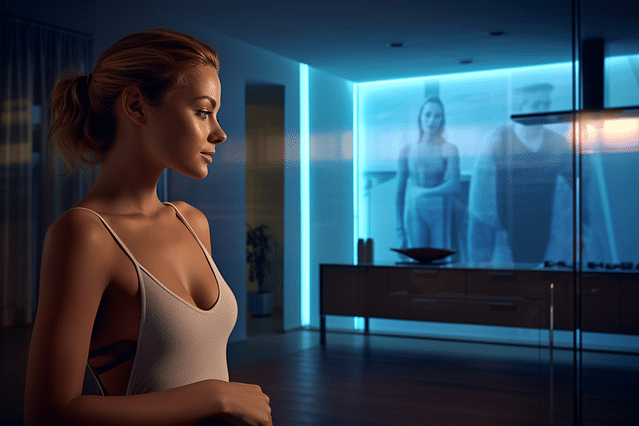
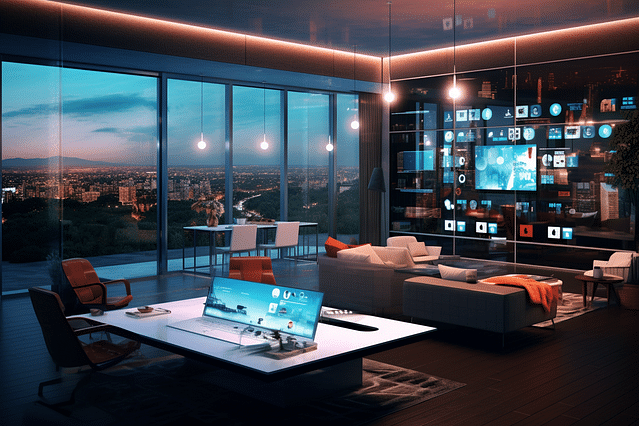
<p><strong>Interactive Walls and Surfaces:</strong> What if any wall in your house could become a TV, a painting, or even a window to a virtual world? They could show art, play videos, or provide a digital escape.</p>

<hr>

<p>With AR and Home Automation blending together, your house won't just be a place you live in&acirc;&#128;&#148;it'll be a space that understands and evolves with you. We're on the brink of a future where technology makes our lives more convenient, more comfortable, and way more fun. Stay tuned as we continue to explore the potential of these exciting innovations!</p>

<h2>Preparing for an Augmented Reality Future</h2>

<p>The world is changing faster than ever before, and technology is a big part of that change. Augmented Reality (AR) is a cool new technology that mixes the real world with computer stuff, like video game graphics. Imagine seeing directions pop up on the road while you're walking, or a recipe showing step-by-step instructions on your kitchen counter &acirc;&#128;&#147; that's the power of AR! Now, let's chat about how you can stay updated with AR and how you can use it in your home to make life more fun and easier.</p>

<h3>How to Keep Up with the Advances in AR and Home Automation</h3>

<p>Staying up-to-date with AR and home automation is like trying to keep track of the newest toys. Both are getting better every day, and it's exciting to see what's next! Here are some tips to stay in the loop:</p>

<ul>
<li><p><strong>Follow Tech Blogs and Magazines:</strong> There are lots of websites and magazines out there that talk about the newest tech stuff. They can help you learn more about AR and home automation.</p></li>
<li><p><strong>Join Online Communities:</strong> There are groups on the internet where people chat about technology. They share news, ideas, and help each other out. It's like a club for tech lovers!</p></li>
<li><p><strong>Attend Tech Fairs and Expos:</strong> Sometimes, there are big events where companies show off their latest gadgets. Going to these can give you a sneak peek at the newest AR and smart home toys.</p></li>
<li><p><strong>Experiment and Play:</strong> The best way to learn is by trying things yourself. You can get AR apps on your phone or tablet and see what they can do. And if you already have smart devices at home, play around with them to see what cool things you can do.</p></li>
</ul>

<p>Remember, the key is to be curious and not be afraid to try new things. Who knows what cool stuff you'll find!</p>

<h3>Incorporating Augmented Reality Into Your Current Home Automation Setup</h3>

<p>Now, if you already have some smart devices at home, you might wonder how to add a sprinkle of AR magic to them. Here's how to do it:</p>

<ul>
<li><p><strong>Upgrade Your Apps:</strong> Many smart home apps are starting to use AR. Look for updates or new apps that help you control your home devices in fun and interactive ways.</p></li>
<li><p><strong>Buy AR-Ready Gadgets:</strong> Some gadgets are made to work with AR. When you're looking to add new tech to your home, check if they have AR features.</p></li>
<li><p><strong>Mix and Match:</strong> Sometimes, you can use different apps and devices together to create your own AR effects. Get creative and see what you can make!</p></li>
<li><p><strong>Education and Learning:</strong> Learn about how AR works with smart home devices. There are online courses and videos that can show you cool ways to mix AR with home automation.</p></li>
</ul>

<p>By keeping an eye on what's new and being willing to play around with your gadgets, you can create a home that's not just smart, but magical with AR! &eth;&#159;&#140;&#159;</p>

<h2>Challenges and Solutions in Implementing Augmented Reality for Home Automation</h2>

<p>Imagine your home responding to your needs without touching anything. That's what augmented reality (AR) can do for home automation. But, it can be tricky to get it just right. Let's explore the problems and figure out how to solve them, so you can turn your home into a magical space where everything feels like it's from the future!</p>

<h3>What are the Common Issues with AR in Home Automation?</h3>

<h4>Understanding AR technology</h4>

<p>First up, AR is super cool, but it's pretty new for many folks. It mixes computer stuff with the real world, and sometimes, that mix-up can lead to confusion.</p>

<h4>Cost and Complexity</h4>

<p>Next, getting AR to work at home can be expensive and complex. You need special gadgets and they often come with a hefty price tag.</p>

<h4>Compatibility</h4>

<p>AR needs to talk to your home devices. But sometimes, they don't speak the same language, which means they don't work together very well.</p>

<h4>User Experience</h4>

<p>Getting AR to be simple and fun can be hard. If it&acirc;&#128;&#153;s too tricky, you might end up frustrated instead of amazed.</p>

<h4>Privacy Concerns</h4>

<p>Lastly, AR has to see and understand your space. That means cameras and sensors which can lead to worries about who else might be watching.</p>

<h3>Overcoming the Challenges with AR in Home Automation</h3>

<h4>Education and Simplicity</h4>

<p>First thing's first: Let&acirc;&#128;&#153;s make AR super easy to understand. Simple guides and friendly instructions can go a long way.</p>

<h4>Cost-Effective Solutions</h4>

<p>Keep an eye out for budget-friendly AR gadgets. As more people use AR, the cost should start to drop. Plus, DIY solutions could save the day.</p>

<h4>Universal Standards</h4>

<p>It's like making a smoothie &acirc;&#128;&#147; all fruits need to blend well. Similarly, we want AR and home devices to work seamlessly. This means creating standards so all devices can communicate without a hitch.</p>

<h4>Streamlined Interfaces</h4>

<p>We'll design AR apps to be more like a fun game and less like doing homework. The easier it is to use, the better your experience will be.</p>

<h4>Security Measures</h4>

<p>Safety first! We need to ensure that all that AR tech in your home is secure. Strong passwords, encrypted signals, and clear privacy policies will help keep your home safe and private.</p>

<p>By looking at these challenges and working on creative solutions, we can make AR in home automation not just a cool idea, but a wonderful reality.</p>
</body></html>

            ]]></content>
    </entry>
        <entry>
        <id>https://www.espforbeginners.com/guides/smart-air-purifiers-home-automation/</id>
        <link type="text/html" rel="alternate" href="https://www.espforbeginners.com/guides/smart-air-purifiers-home-automation/" />
        <title>Smart Air Purifiers and Home Automation: Breathe Easier at Home</title>
        <published>2025-05-11T00:00:00+00:00</published>
        <updated>2024-01-07T18:06:26+00:00</updated>
        <author>
            <name>ESP for Beginners</name>
        </author>
        <summary type="html">Learn how smart air purifiers integrated with home automation improve your home&#039;s air quality....</summary>
        <content type="html"><![CDATA[
                <!DOCTYPE html PUBLIC "-//W3C//DTD HTML 4.0 Transitional//EN" "http://www.w3.org/TR/REC-html40/loose.dtd">
<html><body><div style="--aspect-ratio:640/426;" class="mb-4"><img src="https://espforbeginners.gumlet.io/?w=640&amp;h=426&amp;s=ab07d0dabe056576aae0483eae18e9b9" loading="lazy" class="visibility-auto" title="" srcset="https://espforbeginners.gumlet.io/?w=320&amp;h=213&amp;mode=crop&amp;crop=smart&amp;s=0cb10ba2adfa91c61ee14be5dda2148e 320w,https://espforbeginners.gumlet.io/?w=480&amp;h=319&amp;mode=crop&amp;crop=smart&amp;s=77aa3e97cf47fc6b1c28ab75e752ad88 480w,https://espforbeginners.gumlet.io/?w=640&amp;h=426&amp;mode=crop&amp;crop=smart&amp;s=36e3ff631496d4a1bc8144f6479d0f37 640w" sizes="(max-width: 360px) 320px, max-width: 640px) 480px, 640px"></div><h1>Smart Air Purifiers and Home Automation: Breathe Easier at Home</h1>

<h2>Breathe Easier with Smart Technology at Your Fingertips</h2>

<p>Have you ever walked into a room and felt like you could actually breathe easier? Imagine if your home could always feel that refreshing. With air that's clean and pure, your home turns into a comforting sanctuary. This isn't just a dream anymore! Today, we're diving into the world of <strong>Smart Air Purifiers and Home Automation</strong>, a game-changer for anyone looking to enhance their living space. If you've ever been curious about how these nifty devices can connect with other smart home technology to give you cleaner air with minimal fuss, stick around. We're about to explore everything from what smart air purifiers are, to how they can seamlessly fit into your life and make breathing at home as effortless as a fresh mountain breeze.</p>

<h2>Understanding Air Purification and Its Importance</h2>

<p>Clean air is something we all need, just like clean water. But sometimes, the air inside our homes isn't as clean as we think. That's where air purification comes in. An air purifier is like a vacuum cleaner for the air. It helps to suck up the things in the air that could make us sneeze, cough, or even feel sick&acirc;&#128;&#147;like dust, pet hair, and pollen. Think of it like a superhero for your lungs, making the air in your home safer and more comfy to breathe.</p>

<h3>Why is Air Purification Necessary For Your Home?</h3>

<p>Have you ever noticed dust floating in a beam of sunlight? That's just a tiny part of what's in the air. Our homes can be full of tiny unwanted particles that we don't even see. Some common unwelcome guests in our air include:</p>

<ul>
<li><strong>Dust and Dirt:</strong> Just like on the ground, but tiny enough to float around.</li>
<li><strong>Pollen:</strong> This comes from plants and can make allergies act up.</li>
<li><strong>Pet Dander:</strong> Tiny flakes of skin from our furry friends.</li>
<li><strong>Smoke:</strong> From cooking, candles, or even fireplaces.</li>
</ul>

<p>These particles can make the air feel stuffy and can cause allergies or asthma to get worse. With a good air purifier, we can filter out many of these little pests and make our home air much fresher.</p>

<h3>The Impact of Indoor Air Quality on Health</h3>

<p>Breathing in pure air can make a big difference in how we feel. When the air indoors is dirty, it can cause all kinds of health issues, especially for kids or people who have asthma or allergies. Here are a few problems that bad indoor air can cause:</p>

<ul>
<li><strong>Allergies:</strong> Sneezing, itchy eyes, and a runny nose can be a real pain.</li>
<li><strong>Asthma:</strong> For people with asthma, dirty air can make breathing really hard.</li>
<li><strong>Long-term Health Problems:</strong> If we breathe in bad air for a long time, it might lead to other health issues down the road, like heart disease or respiratory illnesses.</li>
</ul>

<p>But there's good news! By using air purifiers and keeping our homes clean, we can improve the air quality, making it safer for us and our families. This means we can all breathe easy and stay healthy.</p>

<h2>The Evolution of Air Purifiers: A Brief Overview</h2>

<p>Air purifiers have been helping us breathe cleaner air for many years. They started out simple but now they are pretty smart! Let's dive into how they have changed over time.</p>

<h3>The Traditional Air Purifiers: How do They Work?</h3>

<p>In the past, air purifiers were kind of like vacuum cleaners for the air. They would suck in dirty air, trap the bad particles in a filter, and then blow out cleaner air. These traditional purifiers use filters which can catch tiny particles like dust, pollen, and sometimes even smoke. They are pretty good at making the air in your room cleaner!</p>

<h3>Understanding the Shift Toward Smart Air Purifiers</h3>

<p>Lately, air purifiers have gotten an upgrade. They've become smarter! What does this mean? Well, smart air purifiers can do things like figure out how polluted the air is and then adjust how hard they work to clean it. They can also be controlled with a phone or a tablet, so you can turn them on and off or change their settings without even being in the same room. This shift towards smart purifiers is because people love gadgets that make life easier and also because we now have the technology to make these smart machines.</p>

<h3>Benefits of Using Smart Air Purifiers</h3>

<p>Why are smart air purifiers so cool? They can make our lives a lot easier and also save energy. They work only as hard as they need to, so they don't use too much electricity. Plus, you can schedule them to clean the air right before you get home, so you walk into a room that has fresh air waiting for you. Some smart purifiers can even tell you what kind of pollutants are in the air, so you know exactly what they're getting rid of! All this helps our health, our wallets, and the planet.</p>

<h2>The Concept of Home Automation</h2>

<p>Imagine walking into your home, and it's like you have a magic wand. With just a simple command or click, your lights turn on exactly how you like, your favorite music starts to play, and even the temperature is just perfect. That's what we call home automation. It's like having a helpful buddy that makes your house smart and your life a lot easier. Let's dive in and learn more about it!</p>

<h3>What is Home Automation?</h3>

<p>Home automation is like giving your house a brain! It involves using technology to control different gadgets and features in your home automatically or remotely. From lighting to security systems, and from thermostats to music speakers, you can control all these things with your computer, smartphone, or a special remote control. It's all about making your home smarter, so it can do things for you without you having to lift a finger.</p>

<h3>Identifying the Key Advantages of Home Automation</h3>

<p>There are lots of pretty cool reasons to make your home smart with automation. For starters, it can make your life much more comfortable. Imagine adjusting the temperature or closing the blinds without getting up from your cozy couch - it's just that convenient!</p>

<p>Then there's the safety part. Home automation can help keep an eye on things. It can alert you if there's a fire, a break-in, or even if you forgot to lock a door. It gives you peace of mind, knowing that your home is looking after you and your loved ones.</p>

<p>Also, who doesn't like saving money? With smart gadgets around, you can save on energy bills. Lights can turn off when you're not in the room, and the thermostat can make sure you're not heating an empty house.</p>

<h3>Popular Home Automation Systems in the Market</h3>

<p>Now that we know why home automation is super handy, let's check out some popular systems that people are using. There are systems like Amazon Alexa, Google Home, and Apple HomeKit that are really popular. They let you do all sorts of things, like play music, search the internet, or even order pizza using your voice!</p>

<p>Then, there are specialized systems like Nest for heating and cooling, Ring doorbells for security, and Philips Hue for lighting. These systems can work on their own or can even team up with the systems from Amazon, Google, or Apple to give you a home that's smart and connected all the way through!</p>

<p>So, whether you're just starting to make your home a bit more intelligent or you're looking to upgrade to the next level of home automation, there's something out there for everyone. And the best part? It's easier to get started than you might think!</p>

<h2>Integration of Smart Air Purifiers and Home Automation</h2>

<p>Making your home smarter can be really exciting! One cool thing you can do is connect a smart air purifier with your home automation system. What's that, you ask? Well, it's like giving your house a big brain that helps your devices talk to each other and work together.</p>

<h3>Working Principle of Integrated Smart Air Purifier with Home Automation</h3>

<p>Imagine you have a little robot friend that helps keep the air in your house clean. Now, also imagine you have a magical wand that lets you control all the electronics in your house. What if your robot friend and the magical wand could talk to each other? That's kind of what happens when you integrate your smart air purifier with home automation.</p>

<p>When they work together, the wand tells your robot friend when to start cleaning the air based on things like what time it is, if you're at home, or even if you start cooking! The robot listens to the wand and does its job, so you always have fresh air without having to think about it. It's like they're on the same team, and you're the coach!</p>

<h3>Why Integrate Your Smart Air Purifier with Home Automation?</h3>

<p>So, why would you want to make your air purifier smart and part of your home team? There are a bunch of reasons!</p>

<ol>
<li><strong>You can be lazy:</strong> Well, not lazy exactly, but you won't have to remember to turn it on or off. Your home system can do that for you.</li>
<li><strong>Save money:</strong> If your air purifier only runs when it needs to, you can save on electricity, which means saving money (and who doesn't like that?).</li>
<li><strong>Stay comfy:</strong> If you have allergies or just like breathing clean air, connecting to home automation means you'll always have the best air possible without even thinking about it.</li>
<li><strong>Feel fancy:</strong> Let's be honest, it's just really cool to have a smart home. You can show off to your friends how you can control things with your phone or even voice commands!</li>
</ol>

<p>By making your devices work together, home feels a bit more magical and a lot more comfortable. Ready to give it a try?</p>

<h2>Step-by-Step Guide to Integrating Smart Air Purifier with Home Automation</h2>

<p>In this guide, you will learn how to blend the powers of a smart air purifier with your home automation system. Think of it as making your home not just smarter, but fresher too! You'll be able to control the air you breathe with just a few taps on your phone or even with your voice. Let's walk through the process step by step, so you can enjoy cleaner air effortlessly.</p>

<hr>

<h3>Choosing the Right Smart Air Purifier for Your Home</h3>

<p>First things first, you need to pick a smart air purifier that's just right for you. Think about these important details:</p>

<ul>
<li><strong>Size Matters:</strong> Make sure it can clean the air in a room of your size.</li>
<li><strong>Filter Fun:</strong> Look for HEPA filters or other types that catch the teeny-tiny bad stuff you can't see.</li>
<li><strong>Smart Features:</strong> Check if it can connect to Wi-Fi and talk to other smart gadgets you may have.</li>
</ul>

<hr>

<h3>Setting Up the Home Automation System</h3>

<p>Now onto the cool part: setting up your home automation system. If you already have one, give yourself a high-five! If not, here's what you'll need to do:</p>

<ul>
<li><strong>Pick a Hub:</strong> This is like the brain of your smart home. It connects all your smart gadgets together.</li>
<li><strong>Install the App:</strong> Your hub has an app that goes on your phone or tablet. Get it, and follow the steps to start your smart home journey.</li>
</ul>

<hr>

<h3>Pairing Your Smart Air Purifier with the Automation System</h3>

<p>It's time to make a new tech friendship: pairing your smart air purifier with your home automation system. Here's how:</p>

<ul>
<li><strong>Follow the Instructions:</strong> Every gadget has "how to connect" instructions. Find them and start pairing.</li>
<li><strong>Use the App:</strong> Your hub's app will guide you through making sure your air purifier is talking nicely to your system.</li>
</ul>

<hr>

<h3>Maximizing the Benefit of Your Automated Smart Air Purifier</h3>

<p>You've done the techie stuff, now reap the benefits:</p>

<ul>
<li><strong>Schedule for Freshness:</strong> Set times for your purifier to run. Maybe when you&acirc;&#128;&#153;re not home, so you come back to clean air.</li>
<li><strong>Voice Commands Are Cool:</strong> Connect it to a voice assistant and say, "Turn on my air purifier," and it will!</li>
<li><strong>Monitor Your Air:</strong> Some smart purifiers tell you the quality of your air. Use that info to stay extra healthy.</li>
</ul>

<p>And that's it! Follow these steps, and your home will not only be automated but also filled with clean, fresh air in no time. Enjoy breathing easy and controlling it all from the palm of your hand. &eth;&#159;&#140;&iquest;&eth;&#159;&#146;&uml;</p>

<h2>Case Studies: Improved Air Quality Through Smart Air Purifiers and Home Automation</h2>

<p>Many of us worry about the air we breathe, especially if we live in busy cities or areas with lots of pollution. It can be tough to keep the air clean inside our homes, but smart air purifiers and home automation can be a big help. Here, we'll look at two stories where people just like you have used these tools to make their homes healthier and more comfortable.</p>

<h3>: Case Study 1: Breathe Easy in a City Apartment</h3>

<p><strong>Situation:</strong> Meet Alex. Alex lives in a crowded city with lots of traffic. The air outside isn't very clean, and this dirty air was getting into Alex's apartment. Alex was worried because they knew breathing in this air all the time could be bad for their health.</p>

<p><strong>Solution:</strong> To fix this problem, Alex got a smart air purifier. This special machine cleans the air inside by pulling in dirty air, trapping the bad stuff like dust and pollution, and then pushing out cleaner air. The cool part? Alex can control this purifier from their phone! So, before they even get home from work, they can tell the purifier to start cleaning the air.</p>

<p><strong>Result:</strong> Now, Alex's apartment has much cleaner air. They don't have to breathe in the city pollution when they're home. Plus, Alex is happy because they can always tell their smart purifier when to turn on and off. Their home is a healthier place, and they feel better every day.</p>

<h3>: Case Study 2: Enhancing Air Quality in a Suburban Home</h3>

<p><strong>Situation:</strong> Here's Sarah and their family. They live in a house in the suburbs with a lovely garden. But they started to notice that during the spring, the family would sneeze a lot and have watery eyes. It was allergy season, and the pollen from outside was coming into their home.</p>

<p><strong>Solution:</strong> They decided to try home automation. They installed smart air purifiers in their home and connected them to many sensors that measure air quality. Whenever the sensors notice that the pollen levels are too high, they tell the purifiers to work harder to clean the air.</p>

<p><strong>Result:</strong> This automated system made a huge difference for Sarah and their family. The air in their home stays fresh, and the sensors and purifiers work together to keep the allergy-causing pollen away. The family can enjoy the comfort of their home all year round without those pesky allergies!</p>

<p>Both Alex and Sarah show us how using smart technology makes it easier to keep the air clean in our homes. Whether it's a city apartment or a suburban house, smart air purifiers and home automation can help us breathe better and live healthier.</p>

<h2>Frequently Asked Questions About Smart Air Purifiers and Home Automation</h2>

<p>Welcome! Are you curious about making the air in your home cleaner with smart gadgets, and how those connect to the other tech you might have? You've come to the right place! Here, we'll tackle some common questions about smart air purifiers and the wonders of home automation. Let's dive in and learn how to make your home smarter and air fresher, step by step.</p>

<h3>Can I Integrate Other Appliances with My Home Automation System?</h3>

<p>Absolutely! Your home automation system is like the brain of your house. It can connect to lots of different appliances, just like how you can play with different apps on a smartphone.</p>

<p>Think of things like lights, thermostats, or even your fridge. They can all team up with your home automation system. This means you can control them all from one spot&acirc;&#128;&#148;through a phone, a tablet, or even voice commands. Neat, right? Just check if an appliance has 'smart' or 'Wi-Fi' in its name, and chances are, it'll fit right into your home automation family.</p>

<h3>How to Clean and Maintain Smart Air Purifiers?</h3>

<p>Keeping smart air purifiers clean is a bit like taking care of a pet &acirc;&#128;&#147; it doesn't take too much work, but you need to do it regularly.</p>

<p>First off, follow the instructions in the manual that came with your purifier because each one is a bit different. Generally, you'll want to replace or clean filters every few months. Think of the filter like a net that catches unwanted stuff from the air. Occasionally, the outside of your purifier also needs a wipe with a soft, dry cloth to keep it dust-free.</p>

<p>Remember, your air purifier works best when it's clean, so a little TLC will go a long way!</p>

<h3>Are Smart Air Purifiers Worth the Investment?</h3>

<p>When you're deciding if a smart air purifier is a good buy, think about how nice it would be to breathe clean air at home. These smart devices can zap away dirt, dust, and germs. Plus, you can control them from your phone or other devices which is super convenient.</p>

<p>They might cost a bit more upfront, but they can help people with allergies feel better and make everyone's air cleaner. If that's important to you, then yes, they're definitely worth considering as a smart addition to your home!</p>

<p>Remember, home is where you breathe easy, and a smart air purifier can help make that true. So, why not make the air in your home as clean as a whistle, all with the ease of modern technology?</p>

<h2>Wrapping Up: Breathe Easier at Home</h2>

<p>In this post, we've talked a lot about how smart air purifiers can really change the air you breathe at home. Now, let's tie everything together and help you decide if combining smart air purifiers with home automation is worth the leap.</p>

<h3>Final Thoughts: Is It Worth Bridging Smart Air Purifiers and Home Automation?</h3>

<p>After exploring the ins and outs of smart air purifiers and how they can link up with other smart devices in your home, the big question is&acirc;&#128;&#148;should you do it?</p>

<p><strong>Pros of Smart Air Purifiers:</strong>
- <strong>Less Worry:</strong> These advanced gadgets can adjust themselves or even tell you when the air quality dips or when the filter needs a change.
- <strong>Remote Control:</strong> With a smartphone, you can control your air purifier from anywhere!
- <strong>Healthy Living:</strong> Smart purifiers are pretty good at zapping away things like dust, pollen, and germs, so the air at home is cleaner and safer.</p>

<p><strong>Pros of Adding Home Automation:</strong>
- <strong>Super Convenient:</strong> Imagine walking into a room and the air purifier starts because your smart home knows you're there.
- <strong>Energy Savings:</strong> You can set things up so your purifier only works hard when it needs to, saving you some bucks on electricity.
- <strong>Full House Comfort:</strong> If you have other smart gadgets, your air purifier can work with them to make your home the ultimate comfort zone.</p>

<p>So, what's the verdict? If you love tech and want to make your home smarter, cleaner, and more comfy, then yes&acirc;&#128;&#148;bringing together smart air purifiers and home automation is a cool move. It's an investment that can save time, health, and money in the long run.</p>

<p>Remember, a home that's smart about air is a home where you can breathe easier and feel great. And that's what really matters.</p>
</body></html>

            ]]></content>
    </entry>
        <entry>
        <id>https://www.espforbeginners.com/guides/waking-up-gently-with-home-assistant/</id>
        <link type="text/html" rel="alternate" href="https://www.espforbeginners.com/guides/waking-up-gently-with-home-assistant/" />
        <title>Wake Up Gently with Home Assistant: How to Automate Your Morning Light</title>
        <published>2025-05-04T00:00:00+00:00</published>
        <updated>2024-01-07T16:22:58+00:00</updated>
        <author>
            <name>ESP for Beginners</name>
        </author>
        <summary type="html">Learn how to create a gentle wake-up routine by automating your morning lights....</summary>
        <content type="html"><![CDATA[
                <!DOCTYPE html PUBLIC "-//W3C//DTD HTML 4.0 Transitional//EN" "http://www.w3.org/TR/REC-html40/loose.dtd">
<html><body><div style="--aspect-ratio:640/426;" class="mb-4"><img src="https://espforbeginners.gumlet.io/?w=640&amp;h=426&amp;s=ab07d0dabe056576aae0483eae18e9b9" loading="lazy" class="visibility-auto" title="" srcset="https://espforbeginners.gumlet.io/?w=320&amp;h=213&amp;mode=crop&amp;crop=smart&amp;s=0cb10ba2adfa91c61ee14be5dda2148e 320w,https://espforbeginners.gumlet.io/?w=480&amp;h=319&amp;mode=crop&amp;crop=smart&amp;s=77aa3e97cf47fc6b1c28ab75e752ad88 480w,https://espforbeginners.gumlet.io/?w=640&amp;h=426&amp;mode=crop&amp;crop=smart&amp;s=36e3ff631496d4a1bc8144f6479d0f37 640w" sizes="(max-width: 360px) 320px, max-width: 640px) 480px, 640px"></div><h1>Wake Up Gently with Home Assistant: How to Automate Your Morning Light</h1>

<p>Have you ever been jolted awake by a loud alarm, wishing instead for a softer, more peaceful start to your day? Imagine if, instead of that startling beep, you could wake up as if the sun were gently rising, filling your room with a warm and soothing light. That's not just a dream anymore! In this post, we'll explore how you can automate your morning routine using something called Home Assistant to create a gentle "sunrise" right in your bedroom. Let's turn those rough mornings into a smooth and refreshing start, guiding you step by step into a brighter day!</p>

<h3>What is Home Assistant?</h3>

<p>Before we dive into the nuts and bolts of automating your morning lights, let's quickly talk about what Home Assistant is. Home Assistant is a powerful tool that helps you control all the smart devices in your house from one place. Think of it as a magical remote that not only turns devices on and off but can also make them work together, like having your lights slowly brighten to wake you up with the "sunrise" we're about to create. And the best part? It's easier than you might think. Let's get your mornings transformed, shall we?</p>

<h2>Introduction to Home Assistant and Morning Light Automation</h2>

<p>Welcome to the world of smart homes where everything is just a click away, even turning your morning lights on! This guide is perfect for anyone who wants to make their mornings brighter with a little tech magic.</p>

<h3>What is Home Assistant?</h3>

<p>Home Assistant is like a super-smart helper for your house. Imagine a tiny wizard that can control your lights, air conditioning, and even your coffee maker. It's a free and open-source software that you can install on a little computer. Once you set it up, it can talk to all the smart gadgets in your home. With Home Assistant, you can create your own rules, like "turn the light on at 7 AM," and it does just that, every day!</p>

<h3>Why automate your morning lights?</h3>

<p>Have you ever woken up and stumbled around in the dark? Or maybe you've flipped on a light, only to be blinded by how bright it is. Ouch! Automating your morning lights is like having a personal sunrise inside your room. It gently wakes you up with soft light, so you can start your day in a good mood. Plus, it's super handy because you never have to think about turning the lights on or off &acirc;&#128;&#147; it's all done for you. It saves time, energy, and can even make your morning routine a lot more fun!</p>

<h2>Setting Up Home Assistant for Light Automation</h2>

<p>Making your house smarter is a fun project, and a great place to start is with light automation. Imagine your lights turning on by themselves every morning to wake you up gently! Home Assistant can help you do just that. Let's walk through what you need to keep in mind, the steps to get it all set up, and how to fix any common snags along the way.</p>

<h3>What to Consider for Morning Light Automation Setup?</h3>

<p>Before jumping into setting everything up, there are a few things you might want to think about:</p>

<ul>
<li><strong>Your Schedule</strong>: What time do you usually wake up? Your lights should follow your routine.</li>
<li><strong>Light Intensity</strong>: Bright lights might be too harsh in the morning. Consider starting with a soft glow.</li>
<li><strong>Room Selection</strong>: Which rooms do you want the lights to come on? Maybe just the bedroom, or all the way to the kitchen.</li>
<li><strong>Type of Bulbs</strong>: Make sure you have smart bulbs that can connect to Home Assistant.</li>
<li><strong>Other Devices</strong>: Do you have any motion sensors or other smart devices you want to work with the lights?</li>
<li><strong>Safety and Sleep</strong>: It's important that your setup doesn't disrupt your sleep or pose any safety issues.</li>
</ul>

<h3>How to Set Up Your Home Assistant for Morning Light Automation?</h3>

<p>Setting up your Home Assistant for morning light automation is like teaching your home to wake up with you. Here&acirc;&#128;&#153;s a straightforward way to do it:</p>

<ol>
<li><strong>Install Home Assistant</strong>: Follow the official instructions to get Home Assistant up and running.</li>
<li><strong>Add Your Smart Bulbs</strong>: Go into the Home Assistant dashboard and add your smart bulbs by following the prompts.</li>
<li><strong>Create Automation</strong>:

<ul>
<li>Go to the "Configuration" tab.</li>
<li>Click "Automations" and then "Add Automation".</li>
<li>Use the user-friendly wizard to create a new automation.</li>
</ul></li>
<li><strong>Set the Trigger</strong>:

<ul>
<li>Select a time for the automation to start, like 7:00 AM.</li>
</ul></li>
<li><strong>Choose the Action</strong>:

<ul>
<li>Set the action to turn on the lights.</li>
<li>You can adjust brightness or color if your bulbs support it.</li>
</ul></li>
<li><strong>Save and Test</strong>: Save your automation and test it to make sure it works as expected.</li>
</ol>

<h3>Common Issues During Setup and How to Solve Them</h3>

<p>Sometimes, setting up Home Assistant might not go as smoothly as expected, but don&acirc;&#128;&#153;t worry, here are some common problems and quick fixes:</p>

<ul>
<li><strong>Bulbs Not Connecting</strong>: Check your WiFi connection and make sure the bulbs are compatible with Home Assistant.</li>
<li><strong>Automations Not Running</strong>: Double-check the time and conditions you've set. Make sure your Home Assistant server time is correct.</li>
<li><strong>Lights Too Bright or Dim</strong>: Tweak the brightness settings in your automation until it feels just right for your morning routine.</li>
<li><strong>Home Assistant Not Responsive</strong>: This might be due to a number of issues. Restart Home Assistant, and if that doesn't help, check online communities for advice.</li>
</ul>

<p>There you have it, your step-by-step guide to setting up morning light automation with Home Assistant. With a little patience and experimentation, you'll be waking up to a home that's synced perfectly with your morning vibe!</p>

<h2>Creating your morning light automation sequence</h2>

<p>Waking up can be tough, but imagine if your room filled with a gentle, warm light, like a sunrise inside your home. That's what a morning light automation sequence can do! Let's learn how to create the perfect wake-up environment with smart lights.</p>

<h3>How to design your morning light sequence?</h3>

<p>Designing a morning light sequence is like creating your own personal sunrise. First, choose what time you want to wake up. Then, set your smart lights to start with a soft, dim glow. Gradually, over 30 minutes or so, make them brighter and maybe change the color to a sunshine yellow.</p>

<p>Here's how to start:</p>

<ol>
<li><strong>Pick your wake-up time:</strong> Decide when you want the light to reach its brightest.</li>
<li><strong>Start dim:</strong> Set the lights to begin at the lowest brightness about 30 minutes before your wake-up time.</li>
<li><strong>Get warmer:</strong> Choose a warm color that reminds you of the sunrise.</li>
<li><strong>Brighten slowly:</strong> Increase the light's brightness slowly to mimic the natural sunrise.</li>
</ol>

<h3>Practical tips for a gentle awakening with automated lights</h3>

<p>To make your morning even better, try these tips:</p>

<ul>
<li><strong>Consistency is key:</strong> Set your lights to wake you up at the same time every day, even on weekends.</li>
<li><strong>Natural tones:</strong> Pick colors like soft oranges, reds, and yellows.</li>
<li><strong>Test and adjust:</strong> Try your light sequence for a few days. If it's too bright or too dim, adjust it until it feels just right.</li>
</ul>

<h3>Best smart lights for morning light automation</h3>

<p>Not all smart lights are made the same. Some are better for this cool sunrise trick. Look for lights that:</p>

<ul>
<li><strong>Have color-changing abilities:</strong> You'll want to be able to choose sunrise colors.</li>
<li><strong>Can be programmed:</strong> They should let you set times and brightness levels.</li>
<li><strong>Are reliable:</strong> You don't want your lights to fail during your perfect sunrise.</li>
</ul>

<p>Some popular options include Philips Hue, LIFX, and Yeelight. They all work great and have apps that make programming your sunrise a breeze.</p>

<p>By following these steps and tips, you'll transform mornings from groggy to great! With a fantastic light sequence and the right smart lights, you'll start each day on a bright note.</p>

<h2>Integrating other smart devices to your morning light automation</h2>

<p>Making your mornings brighter and more comfortable isn't just about setting the right lights. It's also about how everything else in your room works together with your lights. When you combine other smart gadgets, like speakers, coffee makers, and curtains, it&acirc;&#128;&#153;s like having your own assistant to start the day perfectly. Let's dive into how these smart devices can team up with your morning light automation.</p>

<h3>The role of smart speakers in light automation</h3>

<p>Smart speakers are like the quarterbacks of smart homes. Think of your smart speaker as a friend who can do things for you without you having to move a muscle. You can say "Good morning!" and your speaker could turn on the lights, tell you the weather, and even play your favorite wake-up music. This makes it super easy to start your day on the right note with just a simple voice command.</p>

<h3>How to sync your smart coffee maker with your morning light sequence?</h3>

<p>What's better than waking up to lights that gently nudge you awake? How about the smell of fresh coffee too? You can make this happen by syncing your smart coffee maker with your morning light sequence. Most smart coffee makers have apps that allow you to set a brewing schedule. All you need to do is set the coffee maker's alarm to match your light automation timing. That way, when your lights start glowing, your coffee starts brewing. It's like your lights tell your coffee maker, "Hey, they're up! Start the coffee!"</p>

<h3>Incorporating smart curtains/blinds into your morning routine</h3>

<p>Imagine your room's curtains opening up to a bright new day, just like in a movie. Smart curtains or blinds make this a reality. These smart window dressings can be set to open at the same time your morning lights come on. So, as your room fills with light from your lamps, natural light can join in, too. With a phone or a smart speaker, you can schedule your smart curtains to slide open, welcoming you to a new day. It's like having the sun itself say, "Good morning!"</p>

<h2>Maintaining and Troubleshooting Your Morning Light Automation</h2>

<p>In our busy lives, we all love a little help from technology. With morning light automation, we wake up to a gentle light instead of a loud alarm. It's almost like having the sun greet you good morning! But to keep this friendly sun shining, we need to know how to look after it and fix common problems. Let's dive in!</p>

<h3>How to Maintain Your Morning Light Automation Setup?</h3>

<p>Keeping your automated morning light in tip-top shape is easy! Here's how:</p>

<ul>
<li><strong>Keep it clean</strong>: Just like anything in your home, your automated light gets dusty. Wipe it down with a soft cloth regularly to keep it shining bright.</li>
<li><strong>Check for updates</strong>: If your device connects to Wi-Fi, it may need updates. These updates can give you new features and fix bugs. Make sure to install them when they pop up.</li>
<li><strong>Power check</strong>: Make sure your light's power source is stable. If it runs on batteries, check them every few months to see if they need changing.</li>
<li><strong>App checks</strong>: If you use an app to control your light, make sure the app is always up to date. Apps get updates to work better and more securely.</li>
</ul>

<p>By following these easy steps, your morning light automation will keep helping you start your day right, every day.</p>

<h3>Troubleshooting Common Problems in Morning Light Automation</h3>

<p>Sometimes, even the best gadgets get a little grumpy. If your morning light isn't working right, try these quick fixes:</p>

<ul>
<li><strong>Light won't turn on</strong>: Check if it's plugged in or if the batteries need to be replaced. If it's connected, try unplugging and plugging it back in to reset it.</li>
<li><strong>Light turns on at the wrong time</strong>: Check the settings in your app or light. You may have set the wake-up time incorrectly. Fix the time, and you should be good to go.</li>
<li><strong>App won't connect to the light</strong>: Make sure your Wi-Fi is working. If it is, try closing and reopening the app. If that doesn't work, restart your light and phone.</li>
<li><strong>Light isn't fading in slowly</strong>: The light should mimic a sunrise. If it's not, check the settings. You might need to adjust how long it takes for the light to reach full brightness.</li>
</ul>

<p>If these tips don't work, check the manual that came with your light or contact the manufacturer. They are there to help you get your morning sunshine back!</p>

<h2>Concluding Thoughts: The Impact of Light Automation on Your Morning Routine</h2>

<p>Good morning routines can really set the tone for a great day. And with light automation, mornings might start to look brighter&acirc;&#128;&#148;literally! But what does this mean for you? Let's sum it all up and think about where we can go next.</p>

<h3>How you can further optimize your morning light automation?</h3>

<p>If you've already started using light automation, there's always room to make it better! Maybe you can adjust the brightness to match the natural light outside. Or, you could set different colors for different activities&acirc;&#128;&#148;like cool blues for waking up and warm oranges for breakfast time. Timing is key, too. If you nail the perfect schedule, your body clock will thank you.</p>

<h3>Analysing the positive effect of morning light automation on your routine</h3>

<p>So, how has tossing the old alarm clock for light automation helped you? Well, instead of a loud noise jerking you awake, light can do it gently. This could mean you start the day feeling more rested and less grumpy. Plus, it's pretty handy that your lights know when to wake up, even if you forget to set an alarm. It's about making mornings easier, and who wouldn't want that?</p>

<h3>Future of home automation - what's next?</h3>

<p>Light automation is just the beginning. Imagine your home knowing just what you need, when you need it. We might see fridges that order milk before you run out, or mirrors that show you the weather while you brush your teeth. The future is all about smart homes that know you just as well as you know them, making life smoother, one automated step at a time.</p>
</body></html>

            ]]></content>
    </entry>
        <entry>
        <id>https://www.espforbeginners.com/guides/home-automation-for-art-enthusiasts/</id>
        <link type="text/html" rel="alternate" href="https://www.espforbeginners.com/guides/home-automation-for-art-enthusiasts/" />
        <title>Home Automation for Art Enthusiasts: Protecting and Highlighting Your Collection</title>
        <published>2025-04-27T00:00:00+00:00</published>
        <updated>2024-01-07T18:01:19+00:00</updated>
        <author>
            <name>ESP for Beginners</name>
        </author>
        <summary type="html">Discover how home automation can help protect your art and highlight your collection....</summary>
        <content type="html"><![CDATA[
                <!DOCTYPE html PUBLIC "-//W3C//DTD HTML 4.0 Transitional//EN" "http://www.w3.org/TR/REC-html40/loose.dtd">
<html><body><div style="--aspect-ratio:640/426;" class="mb-4"><img src="https://espforbeginners.gumlet.io/?w=640&amp;h=426&amp;s=ab07d0dabe056576aae0483eae18e9b9" loading="lazy" class="visibility-auto" title="" srcset="https://espforbeginners.gumlet.io/?w=320&amp;h=213&amp;mode=crop&amp;crop=smart&amp;s=0cb10ba2adfa91c61ee14be5dda2148e 320w,https://espforbeginners.gumlet.io/?w=480&amp;h=319&amp;mode=crop&amp;crop=smart&amp;s=77aa3e97cf47fc6b1c28ab75e752ad88 480w,https://espforbeginners.gumlet.io/?w=640&amp;h=426&amp;mode=crop&amp;crop=smart&amp;s=36e3ff631496d4a1bc8144f6479d0f37 640w" sizes="(max-width: 360px) 320px, max-width: 640px) 480px, 640px"></div><h1>Home Automation for Art Enthusiasts: Protecting and Highlighting Your Collection</h1>

<p>Have you ever dreamt of showcasing your treasured art collection just like a professional gallery does, with perfect lighting and environment, but right in the comfort of your own home? Whether you're an avid art enthusiast with priceless pieces or a budding collector with a growing array of artwork, home automation has the power to transform your living space into a sophisticated gallery.</p>

<h3>Why Home Automation?</h3>

<p>In today&acirc;&#128;&#153;s world, technology is not just about convenience, it&acirc;&#128;&#153;s about creating the ideal atmosphere for every part of your life. Home automation can help protect your precious artwork from the damaging effects of humidity, light, and temperature. But that&acirc;&#128;&#153;s not all! It also offers a creative way to reveal your collection's true beauty, making every piece pop and giving your guests a lasting impression.</p>

<p>Imagine walking into your home as the lights gently guide your eyes to your favorite painting, or sensors automatically adjust the room's climate to preserve your precious sculptures. In this post, we'll lead you through the best home automation tips and tricks tailored for art lovers. You'll learn how to safeguard your collection and display it in its best light&acirc;&#128;&#148;quite literally!</p>

<hr>

<p><strong>Note:</strong> Markdown formatting such as <code>[h2 goes here]</code> or <code>[h3 goes here]</code> didn't seem necessary within the story-telling so these were replaced with actual content headings. If you need purely markdown structures with placeholders, please let me know, and I can adjust the content accordingly.</p>

<h2>Understanding Home Automation</h2>

<p>Home automation might sound like something from a sci-fi movie, but it's actually part of our lives today. Let's break it down so that it's super simple to understand.</p>

<h3>What is Home Automation?</h3>

<p>Home automation is like giving your house a brain! It lets you control things around your home &acirc;&#128;&#147; like lights, thermostats, and locks &acirc;&#128;&#147; with just a touch of a button or a voice command. Imagine telling your house to turn on the AC before you get home, and voila, you walk into a cool home on a hot day!</p>

<h3>The Importance of Home Automation for Art Enthusiasts</h3>

<p>If you love art, you'll love home automation. Think about displaying your art in the best light, literally. With home automation, you can control the lights surrounding your art pieces to make them look their brightest or set a mood. Also, keeping your precious art safe is easier, as you can have cameras and sensors guarding them. Neat, right?</p>

<h3>Current Trends in Home Automation</h3>

<p>Now, let's peek into what's hot in the home automation world! Lately, there's been a lot of talking about 'smart speakers' and 'smart displays' that not only play your favorite music or show you recipes but also control your entire smart home. People are also getting into 'smart gardens' that take care of your plants for you. And let's not forget the 'smart security' systems that make sure your home is safe and sound, even when you're away. Super cool stuff!</p>

<h2>Utilizing Home Automation for Art Protection</h2>

<p>When you have beautiful art in your home, it's not just about how it looks on the wall. You also want to make sure it stays safe and in great condition for a long time. With cool tech stuff called "home automation," taking care of your art can be easier and smarter than ever before! Let's dive into how you can use this technology to protect your art from damage, keep it secure, and make sure it lasts.</p>

<h3>Climate Control Solutions for Art Preservation</h3>

<p><strong>Keeping the Weather in Check for Your Art</strong></p>

<p>Did you know that too much heat, cold, or dampness can harm your paintings or sculptures? Well, you don't have to worry about that if you have a smart home. You can use something called "climate control" to keep the temperature and humidity just right for your art.</p>

<p>With climate control, you can have a special thermostat that talks to your phone, so you can set the perfect environment for your art. It's like giving your art its own comfy little weather bubble!</p>

<h3>Art Security Enhancement with Smart Sensors</h3>

<p><strong>Smart Gadgets That Keep an Eye on Your Art</strong></p>

<p>Your art is precious, and you want to make sure only you and your friends can enjoy it&acirc;&#128;&#148;not someone sneaky trying to take it away. That's where smart sensors come into the picture!</p>

<p>These little devices can be stuck to your walls or put near your art. They can sense if someone is moving your art or if something odd is happening around it. If they spot trouble, they'll send a message right to your phone to let you know. Just imagine having a tiny security guard just for your art!</p>

<h3>Automation for Fire and Water Damage Prevention</h3>

<p><strong>A Safety Net Against Art's Worst Enemies</strong></p>

<p>Fire and water can be really mean to your art. But guess what? Your smart home can help guard against these dangers too! You can use things like smoke detectors and water leak sensors that are so smart; they will alert you super-fast if there's a sign of fire or a leak.</p>

<p>If the sensors detect something's wrong, they don't just tell you about it&acirc;&#128;&#148;they can also tell your home to do things like turn off the water or switch on the lights so you can see your way out. It's like having a superhero team keep an eye on your art!</p>

<hr>

<p>By using home automation, you're not just making your life easier; you're giving your art the best care possible. And that's pretty awesome, because then your art can look great and stay safe, all at the same time!</p>

<h2>Enhancing Your Art Display with Home Automation</h2>

<p>Art is not just about the paintings or sculptures themselves; it's about how you present them. With cool tech like home automation, you can make your art look even more amazing and keep it safe at the same time. Let's explore some neat ways you can use automation to show off your art like a pro!</p>

<h3>Automated Lighting: Highlighting Your Artwork's Best Features</h3>

<p>Imagine a light that knows exactly how to make your artwork look its best. That's where automated lighting comes in! These smart lights can adjust their brightness and color to shine just the right way. This means your art will always look stunning, whether it's day or night. Lights turning on by themselves when someone enters the room? Absolutely! Your art will always be in the spotlight, just as it deserves.</p>

<h3>Using Automated Window Shades for Proper Art Display</h3>

<p>Sunlight is great, but too much can be bad for your art. With automated window shades, you don't have to worry about that. These shades can open and close on their own or with the tap of a button. You can let in just enough natural light to gently illuminate your art without harming it. Or let the system decide when it's time to block out the sun to keep your pieces as bright and colorful as the day you got them.</p>

<h3>The Role of Smart Speakers in Art Galleries</h3>

<p>Smart speakers do more than play music. In an art gallery, they can be your personal tour guide. Just say "Hey, tell me about this painting," and the smart speaker can share a fun story or cool facts about it. They can create a whole atmosphere with sound, making your art more than just a visual feast. Maybe it's the sound of the ocean for a seascape painting, or city noise for an urban photograph. Who needs a regular gallery when you can have a smart one that talks back?</p>

<h2>Top Home Automation Products for Art Enthusiasts</h2>

<p>If you love art, you want to show it off in the best way while keeping it safe, right? Well, that's where smart home tech comes in! With the right gadgets, you can control the temperature, protect your artwork, and light up your gallery just like a pro. Here are some top picks to make your art collection stand out and stay secure.</p>

<h3>Best Climate Control Devices in 2021</h3>

<p>Imagine having a mini-weather station just for your home! <strong>Smart climate control devices</strong> are just that. They help keep the temperature and humidity just perfect for your art. In 2021, gadgets like the <strong>Nest Thermostat</strong> are super popular because they're easy to use and you can control them with your phone or voice. It's like telling your house to keep your art cozy, and it listens!</p>

<h3>Most Reliable Security Systems for Art Collections</h3>

<p>Now, for the serious business of keeping your art safe. You wouldn't want someone to take your treasures, right? That's where <strong>smart security systems</strong> come in. Think of them as your own team of security guards. Products like <strong>SimpliSafe</strong> and <strong>Ring Alarm</strong> are like eyes that never blink. They watch over your art all day and night, and if something seems wrong, they tell you through an alert.</p>

<h3>Top-Rated Automated Lighting Systems for Galleries</h3>

<p>Last but not least, lighting! Good lighting can make your art look like a million bucks. With <strong>automated lighting systems</strong> like <strong>Philips Hue</strong> or <strong>Lutron</strong>, you can control the lights with a tap on your phone. Want to highlight that amazing painting? Just dim the lights around it and boom, it's the star of the show. These systems also help you save energy, so it's good for your pocket too.</p>

<p>Now you know some of the coolest tools to help your art live its best life. With these <strong>home automation products</strong>, you can sit back, relax, and enjoy your collection without worrying about a thing.</p>

<h2>Installing and Maintaining Your Home Automation System</h2>

<p>Having a home automation system is like having a helpful friend who takes care of things for you at home, like turning off the lights or keeping your favorite art collection safe. But before you can relax and let your new friend do the work, you need to set everything up. Here's how to get started, put everything together, and keep it all working smoothly.</p>

<h3>Where to Start: Choosing the Right Tech for Your Art Collection</h3>

<p>Choosing the right gadgets for your art collection is important. You want things that are easy to use and do a really good job of protecting and showing off your art. Start by making a list of what you need. Do you want lights that show your art in the best way? Or sensors that will tell you if something's too hot or too humid? Maybe you want cameras to keep an eye on things when you're not there. Look for devices that match what you want to do, and check if they work together nicely. Kind of like making sure they all speak the same language.</p>

<h3>Installation Process of Home Automation Devices</h3>

<p>Now that you&acirc;&#128;&#153;ve picked out your cool new gadgets, it's time to put them in place. Follow these steps to make the installation process smooth:</p>

<ol>
<li><strong>Read the Instructions:</strong> Every device comes with a guide. It's like a treasure map that leads you to a perfectly working device. Take a few minutes to read it, so you don&acirc;&#128;&#153;t miss any important steps.</li>
<li><strong>Gather Your Tools:</strong> Some devices might need special tools to install. Make sure you have a screwdriver, drill, or whatever else it might say in the guide.</li>
<li><strong>Place Devices Strategically:</strong> Think about where to put each device. If it's a light, where will it make your art look the best? If it's a sensor or a camera, where will it be most useful?</li>
<li><strong>Connect to Power:</strong> Devices need energy to work. Plug them into an outlet or make sure they have fresh batteries.</li>
<li><strong>Sync with Your Network:</strong> Most devices need to be connected to your home Wi-Fi. This lets them talk to your phone or computer, so you can control them from anywhere.</li>
<li><strong>Test Everything:</strong> Once everything is plugged in and connected, give it all a test to see if it's working the way you expect.</li>
</ol>

<h3>Maintaining and Updating Your Smart Home Devices</h3>

<p>Keep your devices happy and healthy with a little bit of regular care. Here's how:</p>

<ul>
<li><strong>Check for Updates:</strong> Developers are always making their software better. Look for updates and install them to make sure your devices have the latest features and security.</li>
<li><strong>Clean Your Devices:</strong> Dust and dirt can mess with your tech. A gentle wipe now and then keeps everything clean and working right.</li>
<li><strong>Replace Batteries:</strong> If your device uses batteries, change them before they run out. It's like feeding your devices so they don't get too hungry and stop working.</li>
<li><strong>Quick Check-Ups:</strong> Look at your devices often and make sure everything looks okay. If something seems wrong, check the guide or get help from the company that made it.</li>
</ul>

<p>Remember, taking care of your home automation system is just like looking after a garden. With a little bit of regular attention, it can make your home a really special place.</p>

<h2>Future of Home Automation in Art Preservation and Display</h2>

<p>Home automation is like having a super-smart helper in your house! It can do things like turn off your lights, play music, and even control the temperature, all by itself. Now, this helper is getting ready to take care of art, like paintings and sculptures, to make sure they stay safe and look amazing for a long time. Let's explore the cool stuff happening and what we might see in the future!</p>

<h3>Latest Developments in Home Automation Technologies</h3>

<p>Recent times have brought some cool new gadgets to home automation that can be super helpful for art lovers. For example, imagine lights that know when it&acirc;&#128;&#153;s sunny outside and adjust themselves so your favorite paintings are lit just right, keeping them from fading. There are also sensors that can tell if the air is too humid or dry, which is important because too much moisture or dryness can damage art. Plus, there are smart frames that let you change the art on your wall with just a tap on your phone. Neat, right?</p>

<h3>Predictions on How AI Will Transform Art Displays</h3>

<p>AI, or artificial intelligence, is like a robot brain that&acirc;&#128;&#153;s getting really good at making decisions. In the future, AI might help show art in awesome ways at home. Imagine walking into a room and the pictures on the wall change to match your mood because the AI knows what you like. It could even teach you about the art, telling stories behind each piece. This could make your home feel like your own personal, smart art gallery!</p>

<h3>The Environmental Impact of Home Automations</h3>

<p>When we use technology to control things in our homes, we have to think about our planet too. The good news is that these smart home gadgets can be eco-friendly. For instance, they can make sure we only use the light or heat we need, which saves energy. This means we're not just making our homes cooler; we're also helping Earth by using less power. Also, by taking better care of our art with this technology, we don&acirc;&#128;&#153;t need to replace it as often, and that&acirc;&#128;&#153;s a win for the environment too!</p>

<h2>Final Thoughts: Is Home Automation Right for Your Art Collection?</h2>

<p>So, you've learned a bunch about how technology can help take care of your art collection. Now, let's think about if home automation is a smart choice for you.</p>

<h3>Assessing the Cost vs. Benefit of Home Automation</h3>

<p>When it comes to adding cool tech to protect your art, it's kind of like deciding if you want to buy a fancy bike helmet. Is it worth the money? Will it really keep your precious pieces safe and sound? You've got to weigh the price tag against the peace of mind you'll get.</p>

<pre><code class="language-markdown">Imagine your art like a treasure; you might spend a bit more to keep that treasure safe, right? Well, home automation can be that extra protection. It keeps an eye on things like temperature and light, which can mess with your art if they're not just right. If you've got lots of art, or maybe a few really special pieces, investing in home automation could be like getting a big, strong safe for your treasure.
</code></pre>

<h3>Navigating the Learning Curve: Is High-Tech Art Display for You?</h3>

<p>Now, fancy gadgets aren't always super easy to use right away. Think about the first time you tried to play a video game or use a smartphone. It takes a bit of time to get the hang of it.</p>

<pre><code class="language-markdown">High-tech art displays and fancy home systems can be the same. You'll need to learn some new tricks, like how to set them up and fix little hiccups when they happen. But don't worry! Lots of these systems are made to be as easy as can be. Once you've learned the ropes, it'll be a piece of cake. And think about this: Being able to change how your art looks with just a tap on a phone or a clap of your hands is pretty cool, right?
</code></pre>

<h3>Taking the Long-View: Sustainability of Art Preservation Technologies</h3>

<p>Using tech to look after your art isn't just about being fancy; it's about thinking ahead. Will these gizmos help keep your art looking great for years to come?</p>

<pre><code class="language-markdown">Here's the deal: Good art preservation tech doesn't just stop your art from getting damaged; it also means you're using resources wisely. These systems often use less energy and can help you save on costs in the long run, because preventing damage is usually cheaper than fixing it. And being kind to the planet while you're at it is always a good move!
</code></pre>

<p>So, are you ready to give your art collection the high-tech treatment? Consider the costs, learn a thing or two about the tech, and choose a setup that will make sure your art stays awesome for a long, long time.</p>
</body></html>

            ]]></content>
    </entry>
        <entry>
        <id>https://www.espforbeginners.com/guides/wellness-tech-smart-home/</id>
        <link type="text/html" rel="alternate" href="https://www.espforbeginners.com/guides/wellness-tech-smart-home/" />
        <title>Incorporating Wellness Tech into Your Smart Home</title>
        <published>2025-04-20T00:00:00+00:00</published>
        <updated>2024-01-07T17:58:46+00:00</updated>
        <author>
            <name>ESP for Beginners</name>
        </author>
        <summary type="html">Learn about wellness tech options and how to integrate them into your smart home system....</summary>
        <content type="html"><![CDATA[
                <!DOCTYPE html PUBLIC "-//W3C//DTD HTML 4.0 Transitional//EN" "http://www.w3.org/TR/REC-html40/loose.dtd">
<html><body><div style="--aspect-ratio:640/426;" class="mb-4"><img src="https://espforbeginners.gumlet.io/?w=640&amp;h=426&amp;s=ab07d0dabe056576aae0483eae18e9b9" loading="lazy" class="visibility-auto" title="" srcset="https://espforbeginners.gumlet.io/?w=320&amp;h=213&amp;mode=crop&amp;crop=smart&amp;s=0cb10ba2adfa91c61ee14be5dda2148e 320w,https://espforbeginners.gumlet.io/?w=480&amp;h=319&amp;mode=crop&amp;crop=smart&amp;s=77aa3e97cf47fc6b1c28ab75e752ad88 480w,https://espforbeginners.gumlet.io/?w=640&amp;h=426&amp;mode=crop&amp;crop=smart&amp;s=36e3ff631496d4a1bc8144f6479d0f37 640w" sizes="(max-width: 360px) 320px, max-width: 640px) 480px, 640px"></div><h1>Incorporating Wellness Tech into Your Smart Home</h1>

<h2>Welcome to the World of Wellness Tech!</h2>

<p>Have you ever imagined living in a house that takes care of not just your comfort but also your health? What if I told you your home could help you sleep better, breathe cleaner air, and even remind you to drink water? Welcome to the future, because it's here, and it's called wellness tech!</p>

<h3>What is Wellness Tech for Smart Homes?</h3>

<p>Wellness technology is like having a caring friend built into your house. It's all the cool gadgets and systems you can add to your smart home that help you stay healthy and happy. From fancy lights that help you wake up naturally to smart thermostats that make sure you&acirc;&#128;&#153;re always comfy, wellness tech is changing the game for how we live.</p>

<p>Join us on a journey through the exciting world of wellness technology for your smart home. We'll explore all the ways you can make your house not just smart, but super smart&acirc;&#128;&#148;and good for your wellbeing too! So, grab a smoothie, sit back, and get ready to turn your living space into a wellness haven.</p>

<h2>Understanding Wellness Tech: An Overview</h2>

<p>In a world where we're all trying to be healthier and happier, technology is stepping up to help. This is where "Wellness Tech" comes in. Let's dive into what it is, why it matters, and the cool trends shaping its future.</p>

<h3>What is Wellness Tech?</h3>

<p>Wellness Tech is like a good friend who wants you to feel great. It's all the gadgets, apps, and systems designed to help you take care of your health. These can be smartwatches that count your steps, apps that remind you to drink water, or online programs that help you relax and sleep better. The big idea is to use technology to make it easier for us to live healthier lives every day.</p>

<h3>Why is Wellness Tech Important?</h3>

<p>Taking care of ourselves can be tough with so much going on. Wellness Tech is important because it gives us extra help. It can remind us to move more, eat better, and take time to unwind. Plus, some Wellness Tech can keep an eye on how our bodies are doing, like measuring our heart rate or sleep quality. This helps us understand our bodies better and make smart choices for our health.</p>

<h3>Current Trends in Wellness Tech</h3>

<p>Wellness Tech is always changing and getting better. Right now, there are a few trends that are super popular:</p>

<ol>
<li><strong>Wearables</strong>: Think smartwatches and fitness trackers. They're getting smarter and can do things like track your oxygen levels or even how stressed you are.</li>
<li><strong>Mental Health Apps</strong>: These apps help with stress, anxiety, and sleep. They teach relaxation techniques, provide calming sounds, or guide you through meditations.</li>
<li><strong>Home Fitness Equipment</strong>: With gyms closing during the pandemic, more people are bringing the gym home. Smart equipment like connected bikes and treadmills let you join virtual classes right from your living room.</li>
<li><strong>Personalized Nutrition</strong>: Apps and gadgets that analyze your DNA or track what you eat are getting popular. They give advice tailored just for you, so you can eat better for your unique body.</li>
</ol>

<p>By keeping an eye on these trends, you can find new ways to bring a little more wellness into your life with the help of tech!</p>

<h2>Exploring Different Types of Wellness Tech</h2>

<p>Welcome to the world of wellness tech! This is where gadgets and technology team up to help us live healthier and happier lives. Let's dive in and discover the cool tools that keep track of our fitness, help us sleep better, control the air around us, and even understand our emotions.</p>

<h3>Fitness and Health Trackers</h3>

<p>Imagine having a tiny coach who's with you all the time, cheering you on to move more and eat better. That's what fitness and health trackers do! They're like smartwatches or bands you wear on your wrist that count your steps, measure your heart rate, and sometimes even track how many calories you burn. They connect to your phone so you can see all the numbers and celebrate when you hit your goals.</p>

<h3>Sleep Aid Technology</h3>

<p>Now let's talk about sleep, which is super important for a healthy life. Sleep aid technology comes in different shapes, like special lights that help you wake up gently, apps that play soothing sounds, or even smart mattresses that adjust to make you more comfortable. These cool tools work together to help you fall asleep faster and get a really good night's rest.</p>

<h3>Air Quality and Climate Controllers</h3>

<p>Breathing clean air and being comfy where you live or work can make a big difference in your wellness. Air quality and climate controllers are gadgets that help manage the air you breathe and the temperature around you. Air purifiers clean the dust and germs from the air, and smart thermostats learn your favorite temperature so you're always feeling just right.</p>

<h3>Emotion-Sensing Technology</h3>

<p>Last but not least, let's peek at some futuristic stuff&acirc;&#128;&#148;emotion-sensing technology! These amazing devices can figure out how you're feeling just by looking at your face or listening to your voice. They can tell if you're stressed and suggest things like calming music or a relaxing activity. It's like having a friend who always knows when you need a little comfort.</p>

<p>That's our quick tour through some super cool wellness tech! These gadgets are here to help you take great care of yourself, so you feel awesome every day.</p>

<h2>Benefits of Integrating Wellness Tech into Your Smart Home</h2>

<p>Creating a smart home isn't just about controlling your lights or thermostat with your phone. By adding wellness tech, you do a big favor for your health as well! Here are some cool perks of bringing wellness technology into your home.</p>

<h3>Enhanced Health Monitoring</h3>

<p>&eth;&#159;&#145;&uml;&acirc;&#128;&#141;&acirc;&#154;&#149;&iuml;&cedil;&#143; Keeping an eye on your health can be easy and automatic. Imagine having a gadget that can check your heart rate, stress levels, or even your blood pressure without you doing much. It&acirc;&#128;&#153;s like having a tiny doctor right in your home! This can be really handy for people who need to watch their health closely or just anyone who wants to stay on top of their wellness game.</p>

<h3>Improved Sleep Quality</h3>

<p>&eth;&#159;&#146;&curren; Your smart home can make sure you get the best sleep ever. How? Think about a bed that adjusts itself to make you super comfortable, or lights that dim and change color to help your body realize it's bedtime. Plus, there are smart gadgets that can play calming sounds or even watch your sleep patterns to suggest what you can do for a dreamy night's sleep.</p>

<h3>Mood Management and Enhancement</h3>

<p>&eth;&#159;&#152;&#138; Ever felt grumpy for no reason? Well, your smart home might help you with that. Special lights can mimic natural sunlight to boost your mood, especially in the winter. And then there are smart speakers that can play your favorite tunes to cheer you up or help you relax. It&acirc;&#128;&#153;s like creating your own little world that makes you feel good.</p>

<h3>Environment Control for Overall Wellbeing</h3>

<p>&eth;&#159;&#143;&iexcl; Imagine living in a place that knows just what you need to feel great. It could be air purifiers that clean the air you breathe or humidifiers that add just the right amount of moisture for comfort. Or think about a smart thermostat that always keeps the room at your perfect temperature. All these gadgets talk to each other to create a space that&acirc;&#128;&#153;s just right for your health and happiness.</p>

<p>Integrating wellness tech into your smart home means more than just cool gadgets&acirc;&#128;&#148;it's about taking care of you in the smartest way possible!</p>

<h2>How to Incorporate Wellness Tech into Your Smart Home</h2>

<p>Creating a smart home that takes care of your well-being sounds super cool, doesn't it? But before you start, there's a little homework to do to make sure everything works like a dream team. Let's get you on track with some easy peasy tips!</p>

<h3>Compatibility Checks: Does Your Tech Play Nicely Together?</h3>

<p>Imagine you're the coach of a soccer team. You want all your players to pass the ball smoothly to each other, right? The same goes for your wellness gadgets!</p>

<ul>
<li><strong>Read the Labels</strong>: Check if the tech you're buying says it's compatible with other devices you have at home.</li>
<li><strong>Look for Friends, Not Foes</strong>: Some brands play better with certain smart home platforms. Make a list of your favorites and stick to them.</li>
<li><strong>Test Before You Rest</strong>: Once you have your devices, do a little test run to make sure they actually talk to each other nicely.</li>
</ul>

<h3>Location Specifics: Where to Install Your Wellness Tech?</h3>

<p>Putting your tech in the right spot is like finding the perfect place to chill in the park. Everything just feels right.</p>

<ul>
<li><strong>Sleepy Time Tech</strong>: Place sleep trackers near the bed. They're like a quiet friend watching over your snooze time.</li>
<li><strong>Fresh Air Fans</strong>: Air purifiers and humidifiers love hanging out in places where you spend a lot of time &acirc;&#128;&#147; like your living room.</li>
<li><strong>Bright Light Corner</strong>: Light therapy devices? They work best in a cozy corner where you can relax and soak in the good vibes.</li>
</ul>

<h3>Connectivity Essentials: Integrating with Alexa, Google, or Apple HomeKit</h3>

<p>Getting your wellness tech to listen to you is like teaching your pet new tricks &acirc;&#128;&#147; with the right treats, they'll follow your lead!</p>

<ul>
<li><strong>Speak the Same Language</strong>: Choose devices that already know how to chat with Alexa, Google Assistant, or Siri.</li>
<li><strong>Download the Right App</strong>: Each platform has its own app. Like a magic wand, the right app can control all your gadgets.</li>
<li><strong>Set the Scene</strong>: Use your phone or voice to create routines. "Movie Night" could dim the lights and turn on the air purifier, all in one go!</li>
</ul>

<p>And just like that, you're ready to weave some wellness tech magic into your smart home. Keep it simple, and make it fun &acirc;&#128;&#147; that's the ticket to a happy, tech-savvy haven!</p>

<h2>Considerations When Buying Wellness Tech</h2>

<p>When you're thinking about getting new wellness tech, like a smartwatch or a fitness tracker, it's important to make a good choice. You want something that will help you stay healthy and happy. Let's talk about some things you should think about before you buy.</p>

<h3>Safety and Security Features</h3>

<p>It's really important that your wellness tech is safe to use and keeps your information private. Look for devices that have ways to protect your personal data, like passwords or encryption. This means they jumble up your info so only people with the right 'key' can read it. Also, make sure the device itself is made of safe materials and won't hurt you if you wear it all the time.</p>

<h3>Ease of Use and Interface</h3>

<p>You want your new gadget to be easy to use, right? It should have clear instructions and simple menus so you can find what you need without getting a headache. The screen should be easy to read and the buttons big enough to push without fuss. If you can try it out before you buy it, that's even better. You'll know if you like how it feels and works.</p>

<h3>Maintenance and Support</h3>

<p>Think about what happens if your device breaks or you can't figure out how to use a feature. Look for products that come with good customer support. This means the company will help you solve problems. Also, check what kind of maintenance your tech needs. Can you update it easily? Is it hard to clean? These small things can make a big difference in how much you enjoy using your wellness tech.</p>

<h3>Budget and Cost</h3>

<p>Lastly, money matters. You don't want to spend too much, but you also want good quality. Think about how much you're willing to pay for your wellness tech. Remember to check if there are any extra costs, like subscriptions or accessories you have to buy later. And don't forget to compare prices from different stores or online to find the best deal.</p>

<p>Choosing the right wellness tech is all about finding something that fits your life and your pocket. Take your time, think about these points, and you'll be on your way to making a smart, healthy choice.</p>

<h2>Reviewing Popular Wellness Tech Products for Smart Homes</h2>

<p>Welcome to our cozy corner of the internet where we chat about cool gadgets and tech that can make our homes smarter and our lives healthier! Today, we're taking a deep dive into some of the best wellness tech products you can use in your smart home. Whether you're a fitness fanatic, a sleep seeker, or an air purist, there's something exciting for you. So, let's jump right in and discover how these nifty devices can help you live your best life!</p>

<h3>Top-Rated Fitness and Health Trackers</h3>

<p>Getting fit and staying healthy just got a lot easier! <strong>Fitness and health trackers</strong> are like tiny coaches that wrap around your wrist. They keep an eye on things like how many steps you walk, how well your heart is pumping, and even how many zzz's you catch at night.</p>

<ol>
<li><strong>SuperStep Count 5000</strong>: Imagine a gadget that counts every step you take and cheers you on. The SuperStep Count 5000 does just that! It's like having a tiny cheerleader with you all day.</li>
<li><strong>Heart Hero Monitor</strong>: Want to make sure your heart is as strong as a superhero's? The Heart Hero Monitor keeps track of your heartbeat and lets you know if you're in your super zone.</li>
<li><strong>DreamySleep Band</strong>: Your nights can be as healthy as your days with the DreamySleep Band. It watches your sleep closely and gives you tips on how to snooze better and wake up feeling like a star!</li>
</ol>

<h3>Most Effective Sleep Aid Devices</h3>

<p>Good sleep is like a big, warm hug for your body and brain, and we all need that! <strong>Sleep aid devices</strong> are the secret pals that help you slip into dreamland and stay there peacefully until morning.</p>

<ol>
<li><strong>SnoozeMaster 3000</strong>: Struggling to catch those dreams? The SnoozeMaster 3000 is a special light and sound machine that can make your bedroom feel like the comfiest sleep cave ever.</li>
<li><strong>PillowTalk Speaker</strong>: Ever wish your pillow could tell you a bedtime story? The PillowTalk Speaker is a soft little speaker that plays gentle tunes or sounds that help your eyelids get heavier.</li>
<li><strong>ZzzzNightlight</strong>: Afraid of the dark or just need a bit of light? The ZzzzNightlight isn't just a cute nightlight; it's also smart enough to turn itself off when it knows you've drifted off to sleep.</li>
</ol>

<h3>Top Performing Air Quality and Climate Controllers</h3>

<p>Did you know that the air in your home can be full of tiny, invisible stuff that isn&acirc;&#128;&#153;t great to breathe? <strong>Air quality and climate controllers</strong> are like invisible superheroes. They swoop in to clean up the air and make your home feel just right.</p>

<ol>
<li><strong>ClearAir Pro</strong>: Breathe easy with the ClearAir Pro. It sucks up all the yucky stuff from the air so you can take in nothing but fresh, clean breaths.</li>
<li><strong>TempMaster 2000</strong>: Ever wish you could live in a place that's always the perfect temperature? The TempMaster 2000 makes that wish come true by keeping your home just as warm or as cool as you like.</li>
<li><strong>HumidiHero</strong>: Some days the air in your home could be as dry as a desert or as damp as a jungle. The HumidiHero finds the best balance, adding a little water to the air or taking some out, so you can feel comfy all day long.</li>
</ol>

<p>So, there you go! These are some awesome gadgets that can turn your home into a smart, super-wellness zone. Whether it's steps, sleep, or clean air, we&acirc;&#128;&#153;ve got the tech to keep you on track for a healthy, happy life. Stay tuned for more fun chats about tech that can make everyday life a breeze!</p>

<h2>Moving Forward With Wellness Tech in Your Smart Home</h2>

<p>These days, keeping healthy isn't just about eating your greens and going for a jog. With clever gadgets and smart tech, we can turn our homes into wellness sanctuaries! Let's explore how cutting-edge wellness tech can zap your smart home to the future, helping you feel your best every day.</p>

<h3>Future Trends in Wellness Tech</h3>

<p>Have you ever imagined a home that knows exactly what you need to stay healthy? It's not just a dream! In the near future, we might find our homes filled with tech that tracks our health, like mirrors that watch our skin for signs of needing vitamins, or carpets that double as yoga coaches. These devices could talk to each other, too, making sure the air, light, and sound in our homes are just right for us to feel great.</p>

<h3>Creating a Seamless Health and Wellness Lifestyle</h3>

<p>But how do we bring all these gadgets together? It's like making a health smoothie &acirc;&#128;&#147; blend together exercise, sleep, and good food with tech, and you get a lifestyle that takes care of you without any bumps. Imagine if your watch told your fridge you went on a run, and then your fridge suggested a yummy, healthy snack? Or your bed noticed you didn't sleep well, so it told your lights to dim a little earlier tonight. That's a seamless health and wellness lifestyle, and it's not as far off as you think!</p>

<h3>Embracing a Futuristic Wellness-centric Home</h3>

<p>A home that keeps us healthy sounds pretty cool, right? To make this dream a reality, we'll embrace our homes being filled with sensors, gadgets, and smarts that focus on keeping us well. It'll be like having a little robot buddy in every corner, always ready with a helpful tip or a hand in keeping you fit and happy. So, put on your future goggles and get ready to step into a world where health is at the heart of every home.</p>

<p>Keep your eyes peeled for these smart innovations, and don't forget &acirc;&#128;&#147; wellness tech isn't just about the gadgets. It's about making a happy, healthy you!</p>

<p>Certainly! Here's the requested blog post section, formatted in markdown and crafted to be engaging and understandable at a 7th-grade reading level.</p>

<hr>

<h2>Conclusion: Embarking on the Journey Towards a Healthier Smart Home</h2>

<p>Congratulations on making it to the end! You've learned a lot about how to make your home smart and healthy. Remember, turning your house into a healthier smart home is like going on an adventure. There might be twists and turns, but it's exciting and totally worth it.</p>

<h3>Step by Step, You&acirc;&#128;&#153;ll Get There!</h3>

<p>Just like in video games, you don&acirc;&#128;&#153;t need to do everything at once. Start with small steps. Get a smart light that can dim down at night to help you sleep better. Or, maybe a smart thermostat that makes sure your home is always cozy without wasting energy. Each little change you make is a big win for your health and the planet!</p>

<h3>Learn and Grow!</h3>

<p>On this journey, you'll learn lots. You'll find out about cool gadgets that can help clean the air or tell you when it's time to get up and move around. Always stay curious and keep learning. The more you know, the healthier and smarter your home will be.</p>

<h3>Share the Adventure!</h3>

<p>Don&acirc;&#128;&#153;t forget to tell your friends and family about what you&acirc;&#128;&#153;re doing. Maybe they&acirc;&#128;&#153;ll want to make their homes healthier and smarter too. Share what works, and even share what doesn&acirc;&#128;&#153;t. It&acirc;&#128;&#153;s all about helping each other to live better.</p>

<p>You've got this! Start your healthier smart home journey today, and enjoy every step of the way!</p>

<hr>

<p>This markdown content provides clear, simple steps and encourages the reader to take action in an uplifting and non-intimidating manner.</p>
</body></html>

            ]]></content>
    </entry>
        <entry>
        <id>https://www.espforbeginners.com/guides/solar-power-home-automation/</id>
        <link type="text/html" rel="alternate" href="https://www.espforbeginners.com/guides/solar-power-home-automation/" />
        <title>How to Use Solar Power in Your Home Automation System</title>
        <published>2025-04-13T00:00:00+00:00</published>
        <updated>2024-01-07T16:15:50+00:00</updated>
        <author>
            <name>ESP for Beginners</name>
        </author>
        <summary type="html">Discover the benefits and know-how on integrating solar power into your smart home automation....</summary>
        <content type="html"><![CDATA[
                <!DOCTYPE html PUBLIC "-//W3C//DTD HTML 4.0 Transitional//EN" "http://www.w3.org/TR/REC-html40/loose.dtd">
<html><body><div style="--aspect-ratio:640/426;" class="mb-4"><img src="https://espforbeginners.gumlet.io/?w=640&amp;h=426&amp;s=ab07d0dabe056576aae0483eae18e9b9" loading="lazy" class="visibility-auto" title="" srcset="https://espforbeginners.gumlet.io/?w=320&amp;h=213&amp;mode=crop&amp;crop=smart&amp;s=0cb10ba2adfa91c61ee14be5dda2148e 320w,https://espforbeginners.gumlet.io/?w=480&amp;h=319&amp;mode=crop&amp;crop=smart&amp;s=77aa3e97cf47fc6b1c28ab75e752ad88 480w,https://espforbeginners.gumlet.io/?w=640&amp;h=426&amp;mode=crop&amp;crop=smart&amp;s=36e3ff631496d4a1bc8144f6479d0f37 640w" sizes="(max-width: 360px) 320px, max-width: 640px) 480px, 640px"></div><h1>How to Use Solar Power in Your Home Automation System</h1>

<h2>Harnessing the Sun's Power for Smarter Living</h2>

<p>Have you ever wondered how to make your smart home even smarter and eco-friendlier? Imagine your home not only reacting to your every need but also running on the clean, green energy of the sun! In this blog post, we'll explore the ins and outs of integrating solar power into your home automation system. From cutting down on electricity bills to helping the planet, there's a bright side to solar that extends well beyond daylight. So, grab your favorite snack, get comfy, and let's dive into the world of solar-powered home automation, making your home a beacon of modern, sustainable living. Keep turning the pages, and you'll soon know exactly how to use solar power in your home automation system from A to Z.</p>

<h2>The Growing Trend of Solar Energy and Home Automation</h2>

<p>Today, people are getting smarter about saving energy and making their homes cool with new tech. It's like giving your house a brain! You can control lights, heat, and even TVs with a touch on your phone or a simple voice command. Plus, more families are catching onto using sunlight to power their homes, cutting down on bills, and helping our planet. Let's dive into what home automation is all about and how solar power keeps our lights on without hurting the Earth.</p>

<h3>What is Home Automation?</h3>

<p>Imagine if your home could take care of things for you - like setting your alarm, turning off lights when you leave, or keeping your home just the right temperature. That's home automation! It connects gadgets in your home to the internet, making it easy to control them from anywhere. It's like a remote control for your whole house. Some people call it a "smart home." It's all about making everyday tasks simpler, saving you time, and making life just a little bit more fun.</p>

<h3>Understanding Solar Energy Generation</h3>

<p>When we talk about solar power, we're talking about taking light from the sun and turning it into electricity we can use. It's like how plants use sunlight to grow, but instead, we're making power. We use special panels, called solar panels, that you can put on your roof. These panels catch the sun's rays and turn them into electricity. This electricity can be used right away, stored in batteries for when the sun's not shining, or even sold back to the electric company. It's clean because we're not burning anything or creating pollution. And the best part? The energy from the sun is totally free once you've set up your panels!</p>

<p>By bringing together nifty home automation and the power of the sun, we're stepping into a future that's not only smart but also kind to Mother Earth. This growing trend is all about using tech to use less energy and save more money, all while keeping our planet green and healthy.</p>

<h2>Benefits of Using Solar Power for Your Home Automation System</h2>

<p>Switching to solar power for your home automation system comes with some shiny advantages. Think of solar energy like a superhero for your wallet, your house worth, and our planet. Now, let's dive into the specifics!</p>

<h3>Cost Savings on Energy Bills</h3>

<p>Imagine keeping more of your pocket money each month. Solar energy does that for you! By getting your home automation system to work with the sun, you don't have to depend as much on expensive energy from the power company. This means after you set up your solar system, your energy bills can shrink, sometimes a lot! It's like giving your home a budget-friendly diet.</p>

<h3>Increases Property Value</h3>

<p>Homes with solar panels are like the popular kids in school; everybody wants them! When you add solar power to your house, its value can go up. This is great news if you ever want to sell your home. People often look for homes that can help them save money in the long run, and a solar-powered home does just that. It's like giving your house a superpower that makes it worth more!</p>

<h3>Reduces Carbon Footprint</h3>

<p>Using solar power is like giving the Earth a big hug. Regular electricity can come from burning stuff like coal or gas, which sends out carbon dioxide. That's like the Earth's bad breath, and it's not good for our air or climate. But solar energy is clean and green. It comes straight from the sun, with no dirty stuff going into the air. So, by using solar for your home automation system, you're helping keep the planet cool and happy. It's like being a superhero for Mother Nature!</p>

<h2>Essential Components of a Solar-Powered Home Automation System</h2>

<p>Making your home smarter with automation is pretty cool, but doing it with solar power is even cooler - and good for the planet too! To set up a system like this, you'll need a few key parts. Let's check them out!</p>

<h3>Solar Panels</h3>

<p>Think of solar panels as your power-making buddies. They sit in the sun and turn sunlight into electricity - that's their superpower. You want to make sure they're facing the sunny side and that nothing's blocking them from soaking up those rays!</p>

<h3>Energy Storage System</h3>

<p>So you've got power during the day, but what about at night or when it's cloudy? That's where batteries, or an energy storage system, come into play. These are like big power banks for your house. They store energy when there's extra power, so you can use it later when you need it.</p>

<h3>The Role of Inverters</h3>

<p>Now, the power from the sun isn't ready to use straight away. It's kind of wild and needs to be tamed. That's where inverters step in. They take the solar energy and change it into a type that's safe and ready to power your home and your cool gadgets.</p>

<h3>The Importance of Solar Charge Controller</h3>

<p>Last but not least, meet the solar charge controller. This little device is super smart. It makes sure your batteries charge properly and don't get too full or too empty. Think of it like a traffic cop for your power, directing it where to go and keeping everything running smoothly.</p>

<p>And there you have it - a solar-powered home automation system that's like having your own mini power station. Cool, right?</p>

<h2>Steps to Integrate Solar Power into Your Home Automation System</h2>

<p>Getting started with solar power for your home automation system is a big step towards a cleaner, more efficient home. But don't worry! Let's walk through the steps together so you can feel confident about every part of the process.</p>

<h3>Evaluate Your Solar Potential and Energy Requirement</h3>

<h4>Check Your Sunlight:</h4>

<p>The first thing you need to do is look at how much sunlight your home gets. You can do this by checking out solar maps online or asking a professional for help. More sunlight means more energy for your home!</p>

<h4>Understand Your Power Use:</h4>

<p>Next, figure out how much power you usually use. Look at your energy bills or use an energy monitor to get a good idea. Knowing this will help you choose the right size solar system for your house.</p>

<h3>Choose the Right Solar Equipment</h3>

<h4>Solar Panels:</h4>

<p>Solar panels are the most important part of your solar system. You'll want panels that get the most energy from the sun. There are different types, so research or ask an expert which one is best for your home.</p>

<h4>Batteries and Inverters:</h4>

<p>Batteries store the energy you don't use right away, and inverters change the solar power into electricity for your house. Make sure these match your solar panels and your home's energy needs.</p>

<h3>Installation and Connection - DIY or Professional?</h3>

<h4>DIY Installation:</h4>

<p>If you're good with tools and following instructions, you might be able to install your solar system yourself. But, remember that it involves electrical work, so you have to be very careful.</p>

<h4>Hire a Professional:</h4>

<p>Most people choose to hire a pro. They know exactly what to do and can make sure everything is safe and works well. Plus, they can answer any questions you have along the way.</p>

<h3>Pairing Your Solar System with Home Automation Devices</h3>

<h4>Smart Home Integration:</h4>

<p>Now for the fun part! Connect your solar system to your home automation devices. Use smart plugs, lights, and thermostats that can talk to your solar system.</p>

<h4>Control and Monitor:</h4>

<p>With everything connected, you can control your home's energy with a smartphone or computer. You can see how much power you're making and using, and even set things to run when the sun is shining the most!</p>

<p>By following these clear steps, you'll be able to enjoy a smarter, solar-powered home in no time. Ready to let the sunshine in?</p>

<h2>Practical Applications of Solar Power in Home Automation</h2>

<p>Solar power isn't just for saving on electricity bills! It's becoming a smart addition to home automation, making houses more eco-friendly and high-tech at the same time. In this section, we'll explore how solar energy can power up different home automation systems to keep your home secure, well-lit, and comfortably warm or cool.</p>

<h3>Solar-Powered Security Systems</h3>

<p>Keeping your home safe is super important, and solar power can help. <strong>Solar-powered security systems</strong> use sunlight to charge batteries during the day. This means even when the power goes out, your security cameras, alarms, and sensors keep running. It's like having a security guard that gets its energy from the sun, making sure your home is watched over day and night. Plus, no worries about high power bills from your security system!</p>

<h3>Smart Solar Lighting Systems</h3>

<p>Imagine your lights knowing when to turn on and off without you flipping a switch. Well, with <strong>smart solar lighting systems</strong>, this is totally possible. These systems use solar panels to collect energy from the sun. The energy is stored and then used to power your lights. Sensors can tell when it's getting dark outside and turn your lights on just when you need them. Some smart lights even adjust brightness based on how much natural light is in the room. It's like having a smart helper that uses sunshine to keep your home lit up just right.</p>

<h3>Solar-Powered Temperature Control</h3>

<p>Want your home to be the perfect temperature all the time? <strong>Solar-powered temperature control</strong> systems can make that happen. These systems use solar panels to power things like fans and air conditioners. Instead of using lots of electricity from the grid, they use the sun's energy to keep you cool in summer and warm in winter. This way, you're comfortable no matter what the weather is like outside, and you're using the power of the sun to save energy and money. It's like nature's thermostat, working to keep your house just how you like it, without costing the earth.</p>

<h2>Maintenance and Upgrading of a Solar-Powered Home Automation System</h2>

<p>Taking care of your solar-powered home automation system is like looking after a garden - it needs regular attention to flourish! To keep your system running smoothly, there are a few important things to do: clean your solar panels, update your devices, and know when to upgrade. Let's learn how!</p>

<h3>Regular Check-ups and Cleaning of Solar Panels</h3>

<p>Imagine your solar panels as big, shiny windows that turn sunlight into electricity for your home. But if they get dirty, they can't get as much sunlight, which means less power for your cool gadgets. To keep the power flowing:</p>

<ul>
<li><strong>Take a Peek:</strong> Every few months, have a look at your panels. Dirt, leaves, or even bird droppings can cover them up.</li>
<li><strong>Gentle Cleaning:</strong> Give them a gentle wash with water and a soft brush, just like washing a car. Be careful not to scratch the panels.</li>
<li><strong>Safety First:</strong> If your panels are up high, it's best to have a grown-up or a professional do the cleaning. Safety is way more important than a bit of dirt!</li>
</ul>

<h3>Keeping Up-to-date with Software on Your Devices</h3>

<p>Just like video games get updates to fix bugs or add new stuff, your home automation gadgets need updates too. Here's how to keep them in top shape:</p>

<ul>
<li><strong>Automatic Updates:</strong> Turn on automatic updates if you can - it's like having a helpful elf that fixes and improves things while you're asleep!</li>
<li><strong>Check for Updates:</strong> Sometimes, check if your devices have any new updates. It's like checking for hidden treasure that makes your devices work better!</li>
<li><strong>Stay Secure:</strong> Updates can also protect your devices from sneaky hackers, so it's really important to keep your software fresh.</li>
</ul>

<h3>When to Consider System Updates or Upgrades</h3>

<p>After a while, even the coolest tech can get a bit old-fashioned. Knowing when to upgrade is key:</p>

<ul>
<li><strong>Feeling Slow?</strong> If things start running slowly or not working right, it might be time for something new.</li>
<li><strong>New Inventions:</strong> Stay on the lookout for new and improved technology that could make your home even cooler or more eco-friendly.</li>
<li><strong>Expert Advice:</strong> Talk to a home automation expert once in a while. They can tell if you just need a small update or a big upgrade to keep your home smart and solar-charged!</li>
</ul>

<p>By doing these simple things, you'll keep your solar-powered home automation system super happy and healthy!</p>

<h2>Local and Federal Incentives for Solar Power Home Automation</h2>

<p>Switching your home to solar power can be exciting! It's good for the planet, and it can help you save money on your energy bills. But, there's something else that's cool about going solar: you can get special perks called incentives. Incentives are like little rewards from the government that make it easier and cheaper to get started. We're going to talk about two big types of incentives that can really help: the Solar Investment Tax Credit (ITC) from the federal government, and local incentives that vary depending on where you live.</p>

<h3>Understanding Solar Investment Tax Credit (ITC)</h3>

<p>Think of the ITC as a big thank-you card from the U.S. government. When you buy and set up a new solar power system, the ITC lets you take off a certain percentage of that cost from your taxes. It's like getting a discount for doing something good.</p>

<p>Here's how it works: If you put solar panels on your house, you can reduce the amount of tax you owe by 26% of the cost of your solar system. For example, if your new solar setup costs $10,000, you could pay $2,600 less in taxes. Remember, the ITC won't always stay the same - it can change over the years, and sometimes the benefit might go down or go away completely, so it's a good idea to check on it if you're thinking about going solar.</p>

<p>Double-check with your parents and a tax person to see how the ITC could work for your family. They'll help make sure you get all the savings you should.</p>

<h3>State and Local Solar Incentives</h3>

<p>Now, let's chat about the solar incentives that come from your own backyard. Depending on where you live, your state or even your city might have extra rewards like discounts, tax breaks, or little payments for the energy you add to the power grid.</p>

<p>These local incentives are like a patchwork quilt - every piece is a little different. Some places might help you pay for the solar panels, while others might let you pay less in property taxes because you chose to go green. Plus, there might be special deals if you're buying a home with solar power already in it.</p>

<p>It's important to do some detective work or ask an adult to help you find out what's available where you live. Websites, local government offices, or companies that sell solar panels can be a treasure map to these incentives. The sooner you find out, the better, because these perks might not last forever.</p>

<p>And that's the sunny side of solar power home automation! By understanding and using these incentives, you can save money and be a hero for our planet. Isn't that bright news?</p>

<h2>Wrap-up: The Future of Solar Power and Home Automation</h2>

<p>As we look into the future, it's bright - especially when we think about solar power and home automation. Our homes are getting smarter and working harder to save energy. This means we have more time to enjoy life and less to worry about our electric bills or hurting the planet. Let's dig into some really cool things that might happen soon and how choosing solar power is like giving Earth a big high-five.</p>

<h3>Potential Innovations and Technologies on the Horizon</h3>

<p>Imagine a world where your windows help power your home. Or picture a fridge that tells you how to use less electricity. This isn't a sci-fi movie - it's the kind of future we're heading towards!</p>

<p>Engineers and inventors are busy bees. They're thinking up ways to make solar panels thinner, paint that can capture sunlight, and even shingles for your roof that make energy. Smart homes will talk to each other, figuring out when to use power and when to save it.</p>

<p>It's not just about gadgets and gizmos, though. There's some seriously smart software being made that'll make energy-saving choices for us. Soon, we might have homes that are almost like helpful friends, always looking out for us and the planet.</p>

<h3>How Going Solar Supports Sustainable Living</h3>

<p>Putting solar panels on your house isn't just a cool thing to do - it's also super good for the Earth. When you use the sun's power, you're not burning gas or coal. This means you're making less pollution, which the Earth really likes. It's like you're creating clean energy for free, right from your very own roof!</p>

<p>Solar power also means less stress on our power plants. So, in the big picture, when lots of people go solar, we don't need as many power plants. This saves open spaces and keeps the air cleaner everywhere - not just at your house.</p>

<p>Going solar isn't just a quick trend; it's a long-term friendship with the world. Plus, as more people join in, it gets cheaper and better for everyone. It's like planting a tree that keeps growing and giving back, year after year.</p>

<p>So, as we look forward, solar power and home automation aren't just about cool tech. They're about making sure our home - the big blue one we all share - stays beautiful and safe for everyone. And that's a future worth getting excited about!</p>
</body></html>

            ]]></content>
    </entry>
        <entry>
        <id>https://www.espforbeginners.com/guides/benefits-of-smart-home-knx-system/</id>
        <link type="text/html" rel="alternate" href="https://www.espforbeginners.com/guides/benefits-of-smart-home-knx-system/" />
        <title>What Are the Benefits of a Smart Home KNX System</title>
        <published>2025-04-06T00:00:00+00:00</published>
        <updated>2024-01-07T16:12:48+00:00</updated>
        <author>
            <name>ESP for Beginners</name>
        </author>
        <summary type="html">Understand the benefits of a Smart Home KNX system and why you might want to use one....</summary>
        <content type="html"><![CDATA[
                <!DOCTYPE html PUBLIC "-//W3C//DTD HTML 4.0 Transitional//EN" "http://www.w3.org/TR/REC-html40/loose.dtd">
<html><body><div style="--aspect-ratio:640/426;" class="mb-4"><img src="https://espforbeginners.gumlet.io/?w=640&amp;h=426&amp;s=ab07d0dabe056576aae0483eae18e9b9" loading="lazy" class="visibility-auto" title="" srcset="https://espforbeginners.gumlet.io/?w=320&amp;h=213&amp;mode=crop&amp;crop=smart&amp;s=0cb10ba2adfa91c61ee14be5dda2148e 320w,https://espforbeginners.gumlet.io/?w=480&amp;h=319&amp;mode=crop&amp;crop=smart&amp;s=77aa3e97cf47fc6b1c28ab75e752ad88 480w,https://espforbeginners.gumlet.io/?w=640&amp;h=426&amp;mode=crop&amp;crop=smart&amp;s=36e3ff631496d4a1bc8144f6479d0f37 640w" sizes="(max-width: 360px) 320px, max-width: 640px) 480px, 640px"></div><h1>What Are the Benefits of a Smart Home KNX System</h1>

<h2>Welcome to the World of Smart Homes!</h2>

<p>Have you ever dreamed of living in a home that seems to know exactly what you need before you even think about it? Imagine walking into a room and the lights automatically turn on to your favorite brightness level. Or picture waking up to the perfect, cozy temperature on a chilly morning without ever touching the thermostat. This isn't a scene from a sci-fi movie - it's the reality of living in a smart home with a KNX system!</p>

<h3>What is a Smart Home KNX System?</h3>

<p>A Smart Home KNX system is like the brain of your house. It connects all the devices and gadgets in your home, so they can talk to each other and work together. Kind of like how your school's basketball team passes the ball to each other to score a point, your smart devices pass information to make your home more comfortable, energy-efficient, and secure. Let's plug into the benefits of a Smart Home KNX system and find out how it can make your life smoother, safer, and maybe even a little bit cooler!</p>

<h2>Understanding Smart Home Automation</h2>

<p>Welcome to the future right in your living room! Smart home automation is like having a magic wand that lets you control things around your house just by pressing a button or saying a command. Imagine telling your lights to dim for movie time, or your thermostat to make things extra cozy before you get home. Awesome, right? But before we dive into waving our magic wands, let's get to know one of the brainy systems behind the magic: the KNX system.</p>

<h3>What is a Smart Home KNX System?</h3>

<p>A KNX system is like the big boss of smart home systems. It's a network that connects different home devices so they can talk to each other. Think of it like a team of superheroes, where each hero (or home device) has special powers (or functions), but when they work together under the KNX system, they become even more powerful. This system is super smart because it can be programmed to do things automatically. So, you could have your blinds roll up with the sunrise, or your lights turn on when you walk into a room, all without lifting a finger!</p>

<h3>The Evolution of Home Automation</h3>

<p>Let's hop into our time machine and zip back to the first days of home automation. It started with simple inventions like the washing machine or the refrigerator. These were big deals because they made home chores easier. Over time, technology got even smarter, and we began to see things like remote controls and garage door openers - tiny steps that led to today's smart homes.</p>

<p>Now, fast forward to now, where we have all kinds of nifty gadgets and systems that can do a ton of things all by themselves, making our lives a lot easier and our homes a lot smarter. We went from having to do everything by hand, to having the ability to control our homes from the other side of the world with just our smartphones. How cool is that? And the best part is, it's only getting better from here!</p>

<h2>Key Benefits of the Smart Home KNX System</h2>

<p>Smart homes are like magic houses from the future. With the KNX system, they can be even cooler and safer for everyone. KNX is like a brain for your house that helps all the electronic stuff talk to each other. Let's check out some amazing things KNX systems can do to make life better.</p>

<h3>Enhanced Energy Efficiency</h3>

<p>Imagine if your house knew how to save energy all by itself. The KNX system can help with that! It can turn off lights when you leave a room and control heating and air conditioning so that you're comfortable without wasting electricity. It's like having a smart helper who always remembers to turn things off to save money on your bills.</p>

<h3>Personalized Environment Control</h3>

<p>You know how you like your room to be just the right temperature and brightness? Well, the KNX system makes that super easy. You can set it up to make your home feel just right for you, like picking your favorite light level and having the temperature cool or cozy, depending on what you like. It's like your home knows exactly what makes you comfy!</p>

<h3>Increased Security and Safety</h3>

<p>Keeping our homes safe is super important, right? The KNX system has got your back. It can connect to your doors, cameras, and alarms to make sure your home is secure. So even if you're away, you can feel safe knowing your house is keeping an eye out for any trouble.</p>

<h3>Easy to Use and Integrate</h3>

<p>Now, you might think all this tech stuff is hard to use, but not with KNX. It's made to be super simple. You can control everything from a phone or a tablet, like a remote control for your house! And the best part? It works with lots of devices you might already have. So adding new cool gadgets to your home is as easy as pie.</p>

<h2>Diving Deeper into the Advantages of a Smart Home KNX System</h2>

<p>With a Smart Home KNX system, you get to enjoy a house that's not just smart, but clever in saving energy, easy to use, and keeps your family safe. Now, let's take a closer look at these awesome benefits!</p>

<h3>How does a Smart Home KNX System Improve Energy Efficiency?</h3>

<p>Imagine your home knows when to turn off the lights when no one's in the room or adjust the heater before you even think about it. Well, that's what a <strong>Smart Home KNX system</strong> does! It connects all your devices and makes them work together to save energy.</p>

<p>For example, it can:
- <strong>Dim the lights</strong> or switch them off when it's sunny outside
- <strong>Control the heating and cooling</strong> systems, so they're used only when needed
- <strong>Monitor how much energy</strong> your appliances use, helping you see where you can save</p>

<p>This way, your home only uses energy when it really needs to, kind of like turning off the tap while brushing your teeth to save water!</p>

<h3>What Makes KNX System User-Friendly?</h3>

<p>You might think a system this smart must be tricky to use, right? But nope, the KNX system is <strong>super user-friendly!</strong> This is why:</p>

<ul>
<li>It has a <strong>simple control panel</strong> that lets you manage all your devices from one place</li>
<li>You can even use your <strong>smartphone or tablet</strong> to control it, which is as easy as playing a game on your device</li>
<li>The system can be programmed to <strong>learn your routine</strong> and make adjustments for you</li>
</ul>

<p>In short, if you can use a remote or a smartphone, you can easily control your KNX smart home.</p>

<h3>Exploring the Safety Features of a KNX System</h3>

<p>Safety is super important, and a KNX system has lots of features to help keep you safe. Here's what it can do:</p>

<ul>
<li><strong>Smoke and fire detection</strong>: It can send you an alert if it senses smoke or heat that suggests a fire could start.</li>
<li><strong>Security alerts</strong>: If an uninvited guest comes by while you're not home, the system can tell you right away.</li>
<li><strong>Safe lighting</strong>: It can turn on lights at night so you can walk around without bumping into things.</li>
</ul>

<p>By being smart about safety, the KNX system helps everyone in the family feel more secure at any time of the day or night.</p>

<p>So, with a KNX system, your home isn't just a place to live; it's a smart partner that helps you save energy, makes life easier, and keeps your family safe. Isn't that neat?</p>

<h2>Ensuring your KNX System's Optimal Performance</h2>

<p>Imagine your KNX system like a helpful robot in your smart home. It helps turn on the lights, control the temperature, and do a bunch of other cool stuff automatically. But just like any robot, it needs a little bit of care to keep it running smoothly. Let's jump in and see how we can make sure your KNX system stays in tip-top shape!</p>

<h3>Maintaining Your Smart Home KNX System</h3>

<p>Keeping your KNX system working well isn't hard. Think of it like watering a plant. You don't do it all the time, but doing it regularly is important. Checkup on your system by making sure all the devices talk to each other nicely. If something's not working, don't panic! Sometimes, just like with friends, they need a little help to communicate better. And don't forget to give your system updates, kind of like teaching your robot new tricks. It'll help keep things running without a hitch.</p>

<h3>Customizing the KNX System to Fit your Needs</h3>

<p>Your smart home should be as unique as you are. Customizing your KNX system is like picking out the perfect outfit for your home. You can change how it works to suit your daily life better. Do you need to wake up and have your house warm and cozy? Or would you like your lights to turn on just as the sun sets? You can set your KNX system to do all this and more. The best part? You can keep changing it until it's just right.</p>

<h3>Looking Forward: Upgrading your KNX System in the Future</h3>

<p>Tech stuff is always getting faster, smarter, and cooler. So, it's a good idea to keep an eye on ways to make your KNX system even better in the future. Think of it like a game where you're always reaching new levels. When new gadgets come out, you might want to add them to your home. Or maybe there will be new features that can let your KNX system do things you didn't even think of before. Stay curious, and always be ready for fun new updates that'll make your smart home even smarter.</p>

<p>Remember, friends, keeping your KNX system happy means your smart home stays a happy place, too. It's all about a little maintenance, some personalization, and looking forward to cool upgrades. Now, go enjoy that friendly home-robot of yours!</p>

<h2>Making the Decision: Is a Smart Home KNX System Right for You?</h2>

<p>Deciding on whether to transform your home into a smart home is a big step. There are lots of things to think about, like the kind of technology to use. Have you heard of a KNX system? It's like the brain of a smart home, helping all the gadgets talk to each other. Let's explore what it means to have a KNX system, the things you should think about before getting one, and if it's a good value for your money.</p>

<h3>Understanding the Investment in a KNX System</h3>

<p>First off, investing in a KNX system isn't just buying a cool gadget; it's about making your house smarter. Imagine pressing a button and the lights dim, the blinds close, and your favorite song starts playing. Pretty neat, yes? But, it includes stuff like cables, sensors, and controllers that get installed in your home. Think of it as like getting a new friend who is really smart and looks after your house.</p>

<h3>Factors to Consider Before Investing in a KNX System</h3>

<p>Before you dive in, here are some things to think about:</p>

<ul>
<li><strong>Your Budget</strong>: Yes, a KNX system is awesome, but can you afford it? It's not just the system but also the installation costs.</li>
<li><strong>Your Home</strong>: Do you live in an apartment, a new house, or an old building? Some homes are easier to fit a KNX system into than others.</li>
<li><strong>Your Needs</strong>: What do you want your smart home to do? If all you need is a smart lamp, then maybe a full system isn't necessary.</li>
<li><strong>Future Plans</strong>: Are you planning to stay in your current home for a long time or sell it soon? Installing a KNX system could increase your home's value.</li>
</ul>

<h3>Evaluating the Return on Investment of a Smart Home KNX System</h3>

<p>Now, let's talk about whether it's worth it - that's your return on investment (ROI). A smart home might save you money on energy because lights turn off automatically when no one's in the room, and you can control the heating better. Plus, the 'cool factor' might make your home more valuable if you decide to sell one day.</p>

<p>But, it's not just about money. It's about the comfort, convenience, and feeling of safety you get with a smart home. So, if having a home that listens to you and saves you time makes you happy, then a KNX system could be a smart choice for you!</p>
</body></html>

            ]]></content>
    </entry>
        <entry>
        <id>https://www.espforbeginners.com/guides/home-automation-for-physically-challenged/</id>
        <link type="text/html" rel="alternate" href="https://www.espforbeginners.com/guides/home-automation-for-physically-challenged/" />
        <title>Home Automation for Physically Challenged Individuals: A Comprehensive Guide</title>
        <published>2025-03-30T00:00:00+00:00</published>
        <updated>2024-01-07T16:10:56+00:00</updated>
        <author>
            <name>ESP for Beginners</name>
        </author>
        <summary type="html">Discover how home automation can improve the lives of individuals with physical challenges....</summary>
        <content type="html"><![CDATA[
                <!DOCTYPE html PUBLIC "-//W3C//DTD HTML 4.0 Transitional//EN" "http://www.w3.org/TR/REC-html40/loose.dtd">
<html><body><div style="--aspect-ratio:640/426;" class="mb-4"><img src="https://espforbeginners.gumlet.io/?w=640&amp;h=426&amp;s=ab07d0dabe056576aae0483eae18e9b9" loading="lazy" class="visibility-auto" title="" srcset="https://espforbeginners.gumlet.io/?w=320&amp;h=213&amp;mode=crop&amp;crop=smart&amp;s=0cb10ba2adfa91c61ee14be5dda2148e 320w,https://espforbeginners.gumlet.io/?w=480&amp;h=319&amp;mode=crop&amp;crop=smart&amp;s=77aa3e97cf47fc6b1c28ab75e752ad88 480w,https://espforbeginners.gumlet.io/?w=640&amp;h=426&amp;mode=crop&amp;crop=smart&amp;s=36e3ff631496d4a1bc8144f6479d0f37 640w" sizes="(max-width: 360px) 320px, max-width: 640px) 480px, 640px"></div><h1>Home Automation for Physically Challenged Individuals: A Comprehensive Guide</h1>

<h2>Making Everyday Tasks Easier with Home Automation</h2>

<p>Have you ever thought about how turning on the lights, adjusting the thermostat, or even opening the curtains could be a tough task for some people? For individuals with physical challenges, these simple actions can be a bit tricky. But guess what? There's some amazing technology out there that can help make life much easier!</p>

<h3>Discover the Magic of Home Automation</h3>

<p>Welcome to our guide on home automation for physically challenged individuals. Here, we'll explore smart gadgets and systems that can do incredible things. Imagine being able to control your home's lights, temperature, and even your TV with just your voice or a push of a button. Or what about doors that open automatically for you? We're going to cover all this and more, so you can see how home automation can bring comfort and independence into the lives of those who need it the most.</p>

<p>Stay tuned as we dive into this amazing world and find out how technology can make everyday tasks a breeze!</p>

<h2>Understanding Home Automation</h2>

<p>When we talk about home automation, we're referring to the cool, high-tech ways our homes can work by themselves to make our lives easier and more comfortable. This means that with just a touch on our smartphones or a simple voice command, we can control many things in our house - from lights to music, heating, and even security systems.</p>

<h3>What is Home Automation?</h3>

<p>Home automation is like giving your house a brain that helps it do things automatically. It's all about turning a regular home into a smart home. With home automation, you can control various devices and gadgets around your house from anywhere. Imagine being able to turn on your air conditioning from your phone before you get home or having your lights turn off on their own when you leave the room. That's home automation in action!</p>

<h3>The History of Home Automation</h3>

<p>Believe it or not, the idea of home automation has been around for quite a long time. It started many years ago with simple inventions, like washing machines and dishwashers, which made household chores easier. Over time, technology got even better, and in the late 20th century, more advanced systems started to pop up. They allowed people to control their home's functions with remotes or panels on the wall. Now, thanks to the internet and smart technology, we can control our homes in ways that the early inventors never even dreamed of!</p>

<h3>Importance of Home Automation for Physically Challenged Individuals</h3>

<p>Home automation isn't just about convenience for everyone - it can be life-changing for people with physical challenges. For someone who finds it tough to move around, things like turning on lights or opening windows can be difficult. But with home automation, they can easily control these tasks with a voice command or a tap on their phone. This kind of technology gives them a lot more independence, making daily life a whole lot easier and safer. Home automation isn't just cool, it's a helping hand for those who need it the most.</p>

<h2>Types of Home Automation Systems</h2>

<p>Home automation is like giving your house a brain and muscles to think and do tasks on its own! Depending on how you want to set up your smart home, there are different kinds of systems to pick from. Let's take a look at three main types!</p>

<h3>Wired Home Automation Systems</h3>

<p>Wired home automation systems are like a network of invisible wires that connect all your smart devices. These wires run inside your walls, from your smart oven in the kitchen to the smart lights in your bedroom. It's a very reliable system because the connection doesn't get easily lost, and it's great for when you're building a new home or don't mind a little bit of remodeling. However, once these systems are in place, they're not so easy to change or upgrade, so you should plan carefully what you want to control in your home.</p>

<h3>Wireless Home Automation Systems</h3>

<p>Imagine if your smart devices could talk to each other through the air! That's what wireless home automation systems do. They use technologies like Wi-Fi, Bluetooth, Zigbee, or Z-Wave. These systems are super flexible because you can add new devices anytime and move them around without worrying about wires. You can start with just a smart speaker or a smart light and grow your system from there. Just be mindful of the range and strength of your wireless signals, and make sure your home doesn't have too many "dead spots" where the signal can't reach.</p>

<h3>Power Line Home Automation Systems</h3>

<p>Power line home automation is like sending secret messages through the power lines already in your home. Devices send signals to each other over the same wires that give them electricity. It's a cool option because you don't need to add any new wires, and it can work well in older homes. However, these systems might face interference from other electrical appliances, and they aren't always as fast as the other two systems when it comes to sending messages back and forth.</p>

<p>Each of these systems has its pros and cons, and the right one for you depends on your home, your tech-savviness, and how big your dreams for your smart home are!</p>

<h2>Home Automation Technologies Beneficial to Physically Challenged Individuals</h2>

<p>Home automation technologies have made life easier and more convenient for many people. Especially for individuals with physical challenges, these technologies are not just about convenience but essential for everyday living. Below, we'll explore the devices and systems that help those with physical limitations to control their environments and maintain independence.</p>

<h3>Smart Home Devices and Their Functions</h3>

<p>Smart home devices are like helpful friends that can control things around your house for you. Imagine having a friend who can turn on the lights, adjust the thermostat, or even lock the doors with just a simple voice command or a touch on a smartphone. That's what smart home devices can do!</p>

<ul>
<li><p><strong>Voice-Controlled Assistants</strong>: Devices like Amazon Alexa or Google Home can act as your personal assistant. You can ask them to play music, tell you the weather, and control other smart devices with your voice.</p></li>
<li><p><strong>Smart Lights</strong>: These are lights you can dim or turn on and off without needing to touch a switch. You can control them from your phone or with voice commands.</p></li>
<li><p><strong>Smart Thermostats</strong>: These let you adjust the temperature of your home without getting up. You can set schedules or change settings from anywhere with your smartphone.</p></li>
<li><p><strong>Smart Locks and Doorbells</strong>: With smart locks, you can lock and unlock your doors using your phone. Smart doorbells show you who's at the door and can even talk to them without getting up.</p></li>
<li><p><strong>Smart Appliances</strong>: This includes things like refrigerators, ovens, and washing machines that you can control and monitor through an app.</p></li>
</ul>

<h3>How Assistive Technologies Work</h3>

<p>Assistive technologies are special tools designed to help people with disabilities. They can make life a lot easier by helping you do things that might be difficult or impossible otherwise.</p>

<ul>
<li><p><strong>Touch-Free Controls</strong>: For people who find it hard to use their hands, touch-free controls can be a game-changer. These can include eye-tracking systems that let you control things with your eyes, or motion sensors that respond to other body movements.</p></li>
<li><p><strong>Custom Remote Controls</strong>: These are remotes made to work with a person's specific needs. They might be really big, have extra buttons, or even work with just your breath.</p></li>
<li><p><strong>Environmental Control Units (ECUs)</strong>: These systems let you control multiple devices in your home from one place. If you have limited mobility, an ECU system can give you control over your TV, lights, and even your bed position.</p></li>
<li><p><strong>Adaptive Switches</strong>: Sometimes buttons or touchscreens are hard to use, so adaptive switches let you interact with devices in different ways. They could be big buttons or switches you can hit with an elbow or knee.</p></li>
</ul>

<p>Assistive technologies and smart home devices can work together to create an environment that responds to the needs of physically challenged individuals. By simplifying daily tasks, they boost independence and improve quality of life.</p>

<h2>Setting up Home Automation for Physically Challenged Individuals</h2>

<p>Home automation can make life a lot easier, especially for individuals who face physical challenges. With the right technology, you can control things around your home just by using your voice or a smartphone. Let's get started on how to make your home more accessible and comfy!</p>

<h3>Inspection and Assessment of Your Home</h3>

<p>Before jumping into buying gadgets, it's important to take a good look at your home. Every house is different, and so are the needs of people who live in it. Here's how to assess your place:</p>

<ul>
<li><strong>Walk Through:</strong> Pretend you're a detective and look for spots in your house that can be tough to reach or use.</li>
<li><strong>Make a List:</strong> Note down anything that could be easier - like turning on lights or opening curtains.</li>
<li><strong>Ask for Help:</strong> Sometimes it's a good idea to get advice from a pro. They can suggest things you might not have thought of.</li>
</ul>

<h3>Essential Devices Required for Home Automation</h3>

<p>Now comes the cool part - picking the gadgets that will turn your home into a smart home. You will need:</p>

<ul>
<li><strong>Smart Speakers or Assistants:</strong> These are like your personal helpers that listen and respond to your voice.</li>
<li><strong>Smart Lights:</strong> So you can switch on/off lights without stretching for a switch.</li>
<li><strong>Smart Plugs:</strong> Plug these into outlets, and suddenly you can turn off your TV or fan with a phone tap.</li>
<li><strong>Smart Thermostats:</strong> Keep your home warm or cool without getting up.</li>
<li><strong>Smart Door Locks and Security Cameras:</strong> For peace of mind and easy access without physical keys.</li>
</ul>

<h3>Step-by-step Process of Setting Up</h3>

<p>Setting up isn't too tricky, and you can do it bit by bit. Here's the basic idea:</p>

<ol>
<li><strong>Start Small:</strong> Maybe try one room or one device at first.</li>
<li><strong>Read Instructions:</strong> Each gadget comes with instructions. It's like baking - follow the recipe!</li>
<li><strong>Download Apps:</strong> If your device needs an app, grab your phone, and download it.</li>
<li><strong>Sync Devices:</strong> Get your smart devices talking to each other. For example, make sure your smart speaker can control your lights.</li>
<li><strong>Test It Out:</strong> Give it a go - try asking your smart speaker to do something and see what happens.</li>
<li><strong>Adjust As Needed:</strong> Maybe the lights are too bright or the temperature isn't right. Tweak it until it feels cozy.</li>
</ol>

<p>Home automation can be like having a superpower for individuals with physical challenges. With a bit of planning and the right tools, a home can become a place where everything feels easy-peasy!</p>

<h2>The Impact of Home Automation on The Life of Physically Challenged Individuals</h2>

<p>Imagine living in a house that listens to your commands and does things for you - that's what home automation is like. For people with disabilities or physical challenges, this technology can be super helpful. It changes everyday tasks from being tough to being easy-peasy. Let's talk about how smart homes can make a huge difference.</p>

<h3>Empowering Individuals Through Automation</h3>

<p>Did you know that your home can turn lights on and off just by you telling it to? Or that doors can open themselves? This is all thanks to home automation. It's like having an extra pair of helpful hands for people who can't move around easily. It helps them do everyday things by themselves, which can make them feel really good and strong because they don't always have to ask for help.</p>

<h3>Increased Safety and Security</h3>

<p>Smart homes are also like having a superhero watchdog that never sleeps. They have cameras, alarms, and sensors that can tell if something is wrong, like if there's smoke or if a door is opened when it shouldn't be. This means that people with disabilities can feel super safe, knowing the house is keeping an eye on things for them.</p>

<h3>Boosting Independence Through Home Automation</h3>

<p>Home automation means that people with physical challenges can do a lot more on their own. They can control things like TVs, thermostats, and even cookers with just a voice command or a tap on a tablet. This lets them manage their homes just the way they like, without waiting for someone to help. It's all about giving them the freedom to live their lives their way, which is pretty awesome!</p>

<h2>Real-Life Examples of Home Automation for Physically Challenged Individuals</h2>

<p>Home is where we all want to feel safe, comfortable and independent. For physically challenged individuals, smart technology in the form of home automation has been changing lives. Let's explore some real-life examples and learn how technology is making day-to-day tasks easier for those with physical disabilities.</p>

<h3>Case Studies of Successful Home Automation Applications</h3>

<p><strong>Voice-Activated Assistants</strong><br>
Imagine not being able to reach the light switch or control the thermostat because of a physical limitation. Voice-activated assistants like Amazon Alexa or Google Home have become the hands and feet for individuals facing such challenges. There's John, a man with limited mobility due to an accident. By using simple voice commands, he can turn his lights on and off, change the temperature, and even lock his doors, all from his wheelchair.</p>

<p><strong>Automatic Door Openers</strong><br>
Meet Emily, a wheelchair user who installed automatic door openers in her home. She used to rely on others to help her get through doorways, but now, with a simple push of a button, doors magically open, granting her the freedom to move independently in her own space.</p>

<p><strong>Smart Security Systems</strong><br>
Consider the story of David, who has a physical disability that makes it difficult for him to move quickly. With a smart security system, he can monitor his home through cameras, get alerts on his phone, and even speak with visitors through a smart doorbell without ever having to physically approach the door.</p>

<h3>Lessons Learned from Real-Life Examples</h3>

<p>Through the stories of John, Emily, and David, we see common lessons that teach us a lot about the power of home automation:</p>

<p><strong>Independence is Priceless</strong><br>
The biggest takeaway from these examples is the sense of independence that home automation brings to physically challenged individuals. Simple tasks that many take for granted can often be daunting without the right tools.</p>

<p><strong>Customization is Key</strong><br>
No two individuals are the same, and thus, their needs will differ. Customizing home automation solutions is crucial to suit specific needs and challenges.</p>

<p><strong>Technology is a Bridge, not a Barrier</strong><br>
Often, technology can seem intimidating, but these real-life examples show that it can serve as a bridge to a more manageable and enjoyable life at home. Instead of being a barrier, technology becomes an empowering tool for those with physical challenges.</p>

<p>In conclusion, when used thoughtfully, home automation technology can transform the homes of physically challenged individuals into spaces of independence and ease. These stories prove that the right technology can indeed make a big difference.</p>

<h2>Challenges and Solutions to Home Automation for Physically Challenged Individuals</h2>

<p>Home automation can be a game-changer for physically challenged individuals, making everyday tasks easier and improving their quality of life. However, setting up a smart home can come with its own set of challenges. Let's take a closer look at some of these challenges, and then explore the solutions to make sure everyone can benefit from home automation.</p>

<h3>Common Challenges Faced in Home Automation</h3>

<ol>
<li><p><strong>Complexity of Setup</strong>: For some, the technical aspects of setting up smart devices can be overwhelming. Installing apps, pairing devices, and ensuring everything runs smoothly may not be so simple.</p></li>
<li><p><strong>Accessibility of Devices</strong>: Not all smart devices are designed with disabled individuals in mind. Tiny buttons, touchscreens, or voice commands may not be usable for everyone.</p></li>
<li><p><strong>Cost of Equipment</strong>: Home automation technology can be expensive. Essential tools and devices can add up and might not be affordable for everyone.</p></li>
<li><p><strong>Reliability of Technology</strong>: Sometimes, tech can be temperamental. Devices might disconnect or not work as expected, which can be more than just annoying for someone relying on it for basic needs.</p></li>
<li><p><strong>Compatibility Issues</strong>: With so many brands and systems available, it's possible to end up with devices that don't work well together, making the smart home experience fragmented and frustrating.</p></li>
</ol>

<h3>Finding Solutions to the Challenges</h3>

<ol>
<li><p><strong>Seek Expert Help</strong>: There are services and professionals who can help set up smart homes, making the process less stressful. Look for companies or individuals with experience in setting up home automation for physically challenged users.</p></li>
<li><p><strong>Look for Accessible Features</strong>: Search for devices specifically designed or with features that cater to physical challenges, like voice-controlled systems or switches with large, easy-to-press buttons.</p></li>
<li><p><strong>Explore Funding and Discounts</strong>: There may be grants, discounts, or funding available for those with disabilities to purchase home automation tech. Check with local charities, non-profits, or government programs.</p></li>
<li><p><strong>Invest in Reliable Brands</strong>: Go for tried and tested brands known for their reliability to ensure your smart devices don't let you down when you need them most.</p></li>
<li><p><strong>Choose Compatible Systems</strong>: Stick to devices that are known to work well together or that are part of an established ecosystem to ensure a seamless smart home experience. Look for "Works with..." labels when purchasing new devices.</p></li>
</ol>

<p>By understanding the challenges and knowing where to find solutions, physically challenged individuals can create a smart home environment that supports their needs, allowing them to live more independently and comfortably.</p>

<h2>The Future of Home Automation for the Physically Challenged</h2>

<p>Home automation has changed a lot over the years, and it is particularly helpful for people with physical challenges. In this section, we're going to look at what the future holds for home automation. This isn't just about having the latest gadgets - it's about making life easier and more independent for those who need some extra help.</p>

<h3>Upcoming Trends in Home Automation</h3>

<p>Imagine walking into a room, and the lights turn on to your favorite brightness all by themselves. Or picture being able to tell your home to start cooking dinner without having to lift a finger. These ideas might sound like they're from a science fiction movie, but they're just part of the exciting trends that are on the way in home automation.</p>

<p><strong>Voice Control Gets Smarter</strong>: One of the biggest trends is smarter voice control. In the future, voice assistants will be able to understand you even better and can do more complicated tasks.</p>

<p><strong>Robots As Helpers</strong>: There are also robots that can help with chores! These robots can fold laundry, sweep floors, and maybe one day, they could fetch you a drink when you're thirsty.</p>

<p><strong>Wearable Tech</strong>: Another thing to look forward to is wearable technology. This could be a bracelet that you wear, which lets you control things in your home from anywhere, anytime.</p>

<p><strong>Smart Sensors Everywhere</strong>: Homes will have lots of sensors that know when you're in a room. They might adjust lighting, temperature, or music depending on what you're doing.</p>

<h3>How Future Developments Can Solve Current Limitations</h3>

<p>Right now, there are some things that home automation can't do, or maybe it's too expensive for lots of people to have. In the future, that's going to change.</p>

<p><strong>Easier to Use</strong>: Some people find the technology we have today tricky to figure out. Future gadgets and systems are going to be way easier to use, so everyone can benefit from them, no matter how tech-savvy they are.</p>

<p><strong>More Personalized</strong>: In the future, home automation will be able to learn what you like and don't like. It will get to know your routines and preferences, so it can help you better.</p>

<p><strong>Costs Will Go Down</strong>: Right now, fancy home automation can be expensive. But as more people start using it, the cost is going to come down, making it easier for everyone to get.</p>

<p><strong>Better Integration</strong>: Often, one gadget doesn't talk very well to another. In the future, all parts of home automation will work together smoothly, which means you won't have to buy everything from one company or be stuck with gadgets that don't work well together.</p>

<p>Home automation is going to keep getting better and more helpful, especially for people with physical challenges. With smarter technology and better accessibility, the future looks bright - and super convenient!</p>
</body></html>

            ]]></content>
    </entry>
        <entry>
        <id>https://www.espforbeginners.com/guides/work-at-home-schooling-automation/</id>
        <link type="text/html" rel="alternate" href="https://www.espforbeginners.com/guides/work-at-home-schooling-automation/" />
        <title>Automating Your Work-at-Home Schooling Setup</title>
        <published>2025-03-23T00:00:00+00:00</published>
        <updated>2024-01-07T17:48:36+00:00</updated>
        <author>
            <name>ESP for Beginners</name>
        </author>
        <summary type="html">Learn how automation can help facilitate your work-at-home schooling setup....</summary>
        <content type="html"><![CDATA[
                <!DOCTYPE html PUBLIC "-//W3C//DTD HTML 4.0 Transitional//EN" "http://www.w3.org/TR/REC-html40/loose.dtd">
<html><body><div style="--aspect-ratio:640/426;" class="mb-4"><img src="https://espforbeginners.gumlet.io/?w=640&amp;h=426&amp;s=ab07d0dabe056576aae0483eae18e9b9" loading="lazy" class="visibility-auto" title="" srcset="https://espforbeginners.gumlet.io/?w=320&amp;h=213&amp;mode=crop&amp;crop=smart&amp;s=0cb10ba2adfa91c61ee14be5dda2148e 320w,https://espforbeginners.gumlet.io/?w=480&amp;h=319&amp;mode=crop&amp;crop=smart&amp;s=77aa3e97cf47fc6b1c28ab75e752ad88 480w,https://espforbeginners.gumlet.io/?w=640&amp;h=426&amp;mode=crop&amp;crop=smart&amp;s=36e3ff631496d4a1bc8144f6479d0f37 640w" sizes="(max-width: 360px) 320px, max-width: 640px) 480px, 640px"></div><h1>Automating Your Work-at-Home Schooling Setup</h1>

<h2>Navigating the New Normal: Automation in Home-School Environments</h2>

<p>Have you ever felt overwhelmed trying to juggle your work-from-home schedule with your child's online schooling? You're not alone! Many parents have stepped into the dual roles of remote workers and home-school facilitators. But what if there was a way to simplify your days and help everything run more smoothly? This is where the magic of automation comes in!</p>

<p>In our latest post, "Automating Your Work-at-Home Schooling Setup," we'll explore nifty tools and simple strategies that can take some weight off your shoulders. From setting automatic reminders for your child's schoolwork to syncing your work calendar with their virtual lesson times, we're diving into how technology can be your co-pilot in this home-schooling adventure.</p>

<p>By the end of this post, you'll have actionable tips for creating a more streamlined, stress-free environment where both you and your child can thrive. Let's transform chaos into calm with a sprinkle of automation, shall we?</p>

<h2>Understanding Work-at-Home Schooling</h2>

<p>With more and more families considering different ways to balance work and education, work-at-home schooling has become a hot topic. Let's dive into what it really means and the challenges it brings.</p>

<h3>What is Work-at-Home Schooling?</h3>

<p>Work-at-home schooling is a modern way of learning where kids get their education at home while one or both parents work from home too. It's like a mix of home-schooling, where kids learn outside of regular schools, and remote work, where parents do their jobs without going into an office.</p>

<p>Imagine sitting at your kitchen table. On one side, mom or dad is on their laptop, typing away or on a call for work. On the other side, you've got your books and tablet open, learning about math or reading a story. That's work-at-home schooling! It's all about doing schoolwork and office work together in the same space.</p>

<h3>The Challenges of Work-at-Home Schooling</h3>

<p>While work-at-home schooling can sound fun, it does come with its own set of hurdles. Picture trying to focus on a tricky math problem while your parent is in a loud work meeting right next to you. It can be distracting, can't it?</p>

<p>Here are some common challenges:</p>

<ul>
<li><p><strong>Distractions:</strong> Both parents and kids might find it harder to focus with all the home noises and activities going on around them.</p></li>
<li><p><strong>Space:</strong> You might not have enough room for everyone to work comfortably. Someone might end up at the couch or even working from their bed!</p></li>
<li><p><strong>Schedule Juggling:</strong> Balancing work deadlines and school assignments can be like trying to keep a bunch of plates spinning without letting any fall.</p></li>
<li><p><strong>Tech Troubles:</strong> Everyone needs a computer or tablet, right? But what if you don't have enough devices for everyone, or the internet starts acting up?</p></li>
<li><p><strong>Missing Social Time:</strong> Kids usually make friends and chat a lot at school. At home, they might miss hanging out with other kids their age.</p></li>
</ul>

<p>Work-at-home schooling is a whole new adventure for families. It's full of opportunities to learn and grow, but it's also a puzzle where you have to fit all the pieces of family, work, and education together in the best way possible.</p>

<h2>Importance of Automation in Work-at-Home Schooling</h2>

<p>In the busy world we live in, managing work and schooling at home can be quite a task. That's where automation comes to the rescue. Automation is about making things easier and getting them done without having to work harder. For parents and children involved in home schooling while also working from home, introducing automation can be a game-changer. Let's look into what automation means and how it can help you stay on top of your game!</p>

<h3>What Does Automation Mean in the Context of Home Schooling?</h3>

<p>When we talk about automation in home schooling, we mean setting up things so that they happen on their own, just like magic. Kind of like when you have a playlist play your favorite songs one after the other without you having to pick them each time. In home schooling, this might mean having lessons ready on a computer so that when it's time to learn, everything you need is just a click away. You can also set up reminders for when it's time to start learning or take a break. It's like having an extra helper who doesn't need to take a break!</p>

<h3>Benefits of Automating Your Home Schooling Routine</h3>

<p>There are lots of amazing things that happen when you start automating your home schooling routine. Here are some of them:</p>

<ol>
<li><strong>Save Time:</strong> Automation means you spend less time prepping and more time learning or getting other work done.</li>
<li><strong>Stay Organized:</strong> It helps keep your school day running smoothly because everything happens when it's supposed to.</li>
<li><strong>Reduce Stress:</strong> When you don't have to remember a million things, it makes the day less stressful for both parents and kids.</li>
<li><strong>Consistent Learning:</strong> With automation, you can make sure that learning happens consistently, even on those busy or tough days.</li>
<li><strong>Boost Learning:</strong> Kids might be more excited to learn when they use cool automated tools. It can make learning feel like a fun game!</li>
</ol>

<p>Embracing automation can make your work-at-home schooling experience way more enjoyable and effective. By streamlining your routine, you and your kids have more time to learn, grow, and maybe even sneak in a bit of fun!</p>

<h2>Steps to Automate Your Work-at-Home Schooling Setup</h2>

<p>Welcome to the world of home schooling! Let's talk about how to make your life easier by automating some of the work. Automation means setting things up so they happen on their own, saving you time and energy. And who doesn't want more time for fun stuff?</p>

<h3>Identifying Repetitive Tasks</h3>

<p>To start, we need to find tasks we do over and over again. Think about your school day. Do you send out reminders for classes? Check if homework is done? These tasks are perfect for automation. Write down everything that you do more than once or twice. We'll use this list to figure out what we can automate to make your day smoother.</p>

<h3>Choosing the Right Tools for Automation</h3>

<p>Now that we have a list, let's find the best tools to help us. There are lots of apps and programs that can do tasks for us. Look for tools that are easy to use and fit what you need to do. Some popular choices are scheduling apps for reminders and to-do list apps for tracking assignments. Pick the ones that are just right for your work-at-home school setup.</p>

<h3>Implementing Educational Software</h3>

<p>Education software is made to help with learning and teaching. It can be a big part of automating your home school. There are programs for practicing math, learning languages, and even virtual science labs. These can automatically check answers and track progress. This means you spend less time grading and more time teaching. Check out different educational software and add the ones that match what you're teaching into your daily plan.</p>

<p>With these steps, you'll be on your way to a work-at-home school setup that almost runs itself. So roll up your sleeves, let's automate, and you can have more time for the fun parts of teaching and learning!</p>

<h2>Popular Automation Tools for Home Schooling</h2>

<p>As more parents choose to homeschool their children, it's important to find the right tools to make learning fun and effective. Today, we'll explore some popular automation tools that can make homeschooling a breeze. From online platforms filled with courses to smart systems that keep track of learning, we've got a lot to cover. Let's get started!</p>

<h3>Review of Top E-Learning Platforms</h3>

<p>When you homeschool, finding great online courses is like finding treasure. E-learning platforms are websites where kids can watch videos, do activities, and learn at their own pace. Some top platforms include:</p>

<ul>
<li><strong>Khan Academy</strong>: Offers lots of free courses in math, science, and more, and it keeps track of your progress.</li>
<li><strong>Coursera</strong>: It's like a digital school with courses from universities around the world, but some courses cost money.</li>
<li><strong>Duolingo</strong>: Learning languages can be super fun with Duolingo's games and challenges.</li>
</ul>

<p>All of these platforms are easy to use and have tons of subjects to choose from. Pick one that looks interesting and give it a try!</p>

<h3>Benefits of Using Learning Management Systems (LMS)</h3>

<p>You might be asking, "What's an LMS?" Well, it's like a digital classroom. It helps parents and kids:</p>

<ul>
<li><strong>Stay organized</strong>: Keep all your lessons and homework in one place.</li>
<li><strong>Track progress</strong>: It's easy to see what you've learned and what's up next.</li>
<li><strong>Share resources</strong>: Find and use lots of cool learning materials that others have shared.</li>
<li><strong>Customize learning</strong>: You can make the system fit what you like to learn and how you learn best.</li>
</ul>

<p>An LMS is like your home base for homeschooling. It holds everything you need, making life simpler for both kids and parents.</p>

<h3>Integrating Virtual Assistant Platforms</h3>

<p>Imagine having a helper that's awake 24/7 and doesn't get tired. That's what a virtual assistant platform can be for homeschooling. You can use virtual assistants like:</p>

<ul>
<li><strong>Amazon Alexa</strong>: Ask Alexa to quiz you on history facts or help with math problems.</li>
<li><strong>Google Assistant</strong>: Get help with research or set reminders for your study schedule.</li>
<li><strong>Siri</strong>: Use Siri to read out your study notes while you're doing other things.</li>
</ul>

<p>You can connect these assistants to other tools you use for learning, and they can make your day more fun and efficient. Just say "Hey" to your assistant and start talking!</p>

<hr>

<p>With these amazing automation tools, homeschooling can be easier and more exciting than ever before. Dive into e-learning platforms, organize with an LMS, and chat with a virtual assistant to make the best out of your homeschool experience. Happy learning!</p>

<h2>Tips for a Smooth Transition to an Automated Home Schooling Format</h2>

<p>Moving to automated home schooling can be exciting! It means you can use technology to help your child learn in a cool, new way. But it's important to make sure this change isn't too much, too fast. You want your child to feel like a tech-whiz, not a tech-worrier!</p>

<h3>Gradual Introduction of Automation Tools to Avoid Overwhelm</h3>

<p>Start with just one or two new techy tools so your child doesn't feel swamped. Imagine learning to swim; you wouldn't dive into the deep end on your first day! Instead, you'd dip your toes in and gradually wade deeper. It's the same with tech tools. Once you see that your child is comfy with the first gadgets, you can slowly add more to the mix.</p>

<h3>Ensuring Child's Comfort with Technological Tools</h3>

<p>Just like wearing a favorite pair of sneakers, your child should feel good and confident using tech tools. Sometimes it can be tricky, so patience is key. Show them how each tool works and go through it step by step. You can even make it fun&acirc;&#128;&#148;like a game where they learn new 'powers' with each tool they master! This way, they'll be ready to tackle homework with a tech-savvy grin.</p>

<h3>Regular Evaluation of the Automated Process</h3>

<p>You don't plant a seed and forget about it; you check on it to help it grow. The same goes with automated schooling. Keep an eye on how things are going with the new tools. Are they helping? Do they make things tricky sometimes? Talk with your child about it. Maybe they have ideas on making it better. By checking in often, you can help make sure the tech is making learning as awesome as it should be.</p>

<h2>Real-Life Success Stories of Automating Work-at-Home Schooling</h2>

<p>In the world today, lots of families are trying something called "homeschooling." That's when kids learn at home instead of going to a regular school. But here's the cool part - technology is making this much easier! Let's explore some true stories of families who found smart ways to make learning at home a big win.</p>

<h3>How Automation Turned Homeschooling Challenges Into Success</h3>

<p>Imagine having a robot helper for school. Well, it's not exactly a robot, but it's pretty close! Some families use computer programs that can plan out your whole school week. They keep track of when you start and finish lessons, and even grade some of your work. Isn't that neat?</p>

<p>There was a family, the Smiths, who had a tough time keeping up with all the math, reading, and science lessons for their three kids. Then they found a great app that helped them make a schedule, and it reminded them when it was time to start each subject. The kids knew exactly what to do and when to do it, and the Smiths felt like they had an extra pair of hands!</p>

<p>Another family, the Garcias, used a special website where the children could watch educational videos and take quizzes. The computer kept score and even gave them fun stickers and awards when they did well. This made learning feel like playing a game, and the kids totally loved it!</p>

<h3>Impact of Automation on Parents&acirc;&#128;&#153; Work-From-Home Experience</h3>

<p>Now, let's talk about moms and dads. Working from home and teaching kids at the same time can be really tough. But guess what? The same tools that help kids learn can make parents' lives easier too.</p>

<p>Take Mrs. Johnson, for example. She had important work calls and reports to do for her job. By using a learning app for her son, she didn't have to stop working to explain every little thing. The app had all the instructions for math problems and writing exercises. Mr. Johnson could focus on his conference calls while their son learned about fractions and adjectives.</p>

<p>And then there's Mr. Patel. He set up email alerts that told him how his daughter was doing with her online lessons. He didn't have to stand over her shoulder all day. Instead, he could check his email during his breaks and see the progress she was making.</p>

<p>By automating school tasks, parents can pay attention to their work and not worry too much about missing out on helping with school. It's like having a magic button that makes sure everyone in the house can do what they need to do, all at the same time. How awesome is that?</p>

<p>Remember, whether you're a kid or a parent, a little bit of technology can go a long way in making every day a little bit easier and a lot more fun!</p>

<h2>Final Thoughts: Embracing Automation in Home Schooling</h2>

<p>As we wrap up this discussion, it's exciting to see how automation can make learning at home even better. When we use smart tools, we can help kids learn in a way that's fun, efficient, and really smart! Let's look at how automation might just be the secret ingredient to top-notch home schooling and how you can keep making your home classroom better every day.</p>

<h3>Future of Work-at-Home Schooling: Is Automation the Key?</h3>

<p>Think about all the cool gadgets we use every day &acirc;&#128;&#147; smartphones, tablets, and even talking speakers! These things can also help with school at home. Automation means letting computers or machines do tasks for us, like grading quizzes or even setting a study schedule. This makes more time for fun learning activities and can help parents who are helping their kids learn at home not feel so busy all the time.</p>

<p>But there's more! Kids getting used to automation now is a sneak peek at how their future jobs might look like. Lots of jobs will use automation, so learning with it now is like training for a superhero job in the future! It's pretty much saying &acirc;&#128;&#156;yes&acirc;&#128;&#157; to being super ready for awesome jobs when they grow up.</p>

<h3>Overcoming Limitations and Continuously Improving Your Home Schooling Setup</h3>

<p>No one's perfect, and sometimes, we run into little bumps when teaching kids at home. Maybe it's finding the best way to explain something tricky, or fitting teaching into a super busy day. Here's where automation can come to the rescue again! There are apps and online tools that can step in and help explain tough stuff, keep track of learning goals, and even remind us when it's time to take a break or move to the next subject.</p>

<p>By always looking out for new gadgets and apps, and trying out different ways to use them, home schooling can get better and better. Imagine having a robot helper that can read out loud for story time, or an app that turns math problems into a video game. As we find and use these cool tools, we turn those little bumps into a smooth road to learning fun.</p>

<p>So, embracing automation in home schooling isn't just about making things easier now. It's about setting up kids for a bright future and making sure the learning journey is always getting better! Keep exploring, keep improving, and watch as home schooling becomes an adventure with automation as your trusty sidekick.</p>
</body></html>

            ]]></content>
    </entry>
        <entry>
        <id>https://www.espforbeginners.com/guides/party-planning-home-automation/</id>
        <link type="text/html" rel="alternate" href="https://www.espforbeginners.com/guides/party-planning-home-automation/" />
        <title>Celebration and Home Automation: Simplifying Party Planning</title>
        <published>2025-03-16T00:00:00+00:00</published>
        <updated>2024-01-07T17:46:22+00:00</updated>
        <author>
            <name>ESP for Beginners</name>
        </author>
        <summary type="html">Make party planning easier through home automation solutions....</summary>
        <content type="html"><![CDATA[
                <!DOCTYPE html PUBLIC "-//W3C//DTD HTML 4.0 Transitional//EN" "http://www.w3.org/TR/REC-html40/loose.dtd">
<html><body><div style="--aspect-ratio:640/426;" class="mb-4"><img src="https://espforbeginners.gumlet.io/?w=640&amp;h=426&amp;s=ab07d0dabe056576aae0483eae18e9b9" loading="lazy" class="visibility-auto" title="" srcset="https://espforbeginners.gumlet.io/?w=320&amp;h=213&amp;mode=crop&amp;crop=smart&amp;s=0cb10ba2adfa91c61ee14be5dda2148e 320w,https://espforbeginners.gumlet.io/?w=480&amp;h=319&amp;mode=crop&amp;crop=smart&amp;s=77aa3e97cf47fc6b1c28ab75e752ad88 480w,https://espforbeginners.gumlet.io/?w=640&amp;h=426&amp;mode=crop&amp;crop=smart&amp;s=36e3ff631496d4a1bc8144f6479d0f37 640w" sizes="(max-width: 360px) 320px, max-width: 640px) 480px, 640px"></div><h1>Celebration and Home Automation: Simplifying Party Planning</h1>

<p>Have you ever found yourself running around like a headless chicken trying to get everything ready for a party? Don't worry, you're not alone! &eth;&#159;&#143;&#131;&eth;&#159;&#142;&#137; Planning a celebration can be super fun, but often it's a little bit overwhelming, too. Between making sure your home looks welcoming and ensuring that the snacks don't run out, it can feel like your to-do list is never-ending.</p>

<p>But what if I told you there&acirc;&#128;&#153;s a secret helper that can take a load off your shoulders? It&acirc;&#128;&#153;s called <strong>home automation</strong>. In this post, we&acirc;&#128;&#153;re going to chat all about how smart gadgets and gizmos can transform your party planning from stressful to stress-free. Get ready to find out how you can throw the ultimate bash without breaking a sweat!</p>

<h2>Understanding the Concept of Home Automation</h2>

<p>Imagine your house knew what you wanted and did it for you: lights turn on when you enter a room, your favorite music starts playing when you get home, and your thermostat adjusts to keep you cozy. This is what home automation can do. It's like giving your home a brain that makes life easier and saves energy.</p>

<h3>What is Home Automation?</h3>

<p>Home automation is like giving your house a superpower. It means setting up systems and gadgets in your home that you can control without being right next to them. Instead of walking around to lock doors or switch off lights, you just press a button or give a voice command, and it's done. It's all about making regular tasks happen automatically or with less effort from you.</p>

<p>Think of it as teaching your home to do chores for you. By connecting different devices, like lights, thermostats, and security cameras, your house can do things automatically based on what you like, making your life more comfortable.</p>

<h3>How Does Home Automation Work?</h3>

<p>Home automation works like a team of tiny helpers that talk to each other through the internet. First, you have smart devices, which are the things in your home that you can control with your smartphone or voice. These could be light bulbs, door locks, or cameras.</p>

<p>These devices connect to a home network, usually your Wi-Fi, so they can send information back and forth. When you tell your smart speaker to dim the lights, it's sending a message over the network to the smart light bulbs.</p>

<p>But what's really cool is that you can set rules for what your devices do and when they do it. This means you can set your lights to turn on at sunset automatically or your air conditioner to start when the room gets too warm. It's like creating a set of magic spells for your house to follow!</p>

<p>By understanding and setting up home automation, you can turn your living space into a smart, responsive home that makes life easier and more fun.</p>

<h2>Home Automation and Party Planning: The Connection</h2>

<p>Have you ever planned a party and wished you could snap your fingers to get everything ready? Well, home automation might be the next best thing! It's like having a helpful little robot buddy to make party planning a breeze. Let's dive into how smart gadgets can take some of the party stress off of your shoulders.</p>

<h3>How Can Home Automation Simplify Party Planning?</h3>

<p>Think about all the things you need to do to get a party started. You need music, lights, maybe even a movie playing in the background, right? Home automation lets you control all those things from your phone or voice commands. No need to run around flicking switches!</p>

<p><strong>Music &amp; Ambience:</strong> With smart speakers, say the word, and your favorite playlist fills the room. Dim the lights to match the mood without touching a switch.</p>

<p><strong>Temperature Control:</strong> Keep the room cool or cozy without interrupting your party prep. A smart thermostat can adjust the heat or A/C with a tap on your screen.</p>

<p><strong>Security:</strong> Wondering if your guests have arrived? Smart doorbells can tell you who's at the door. Some even let you talk to your friends outside through a speaker.</p>

<p><strong>Cooking:</strong> Smart kitchen gadgets can make sure your food is cooked perfectly, even while you're hanging out with your guests.</p>

<h3>What are the Key Benefits of Using Home Automation for Party Planning?</h3>

<ol>
<li><p><strong>Time-Saving:</strong> Automation does the work for you, freeing up your time to focus on fun things, like party games or chatting with friends.</p></li>
<li><p><strong>Stress-Free:</strong> When you're not worried about the little tasks, you're more relaxed. A relaxed host means a happy party!</p></li>
<li><p><strong>Safety:</strong> Leaving appliances on can be a worry, but with smart devices, you can check and control them from anywhere - peace of mind!</p></li>
<li><p><strong>Efficiency:</strong> You can set everything to switch off when the party ends. Save energy without needing to remember to shut everything down.</p></li>
<li><p><strong>Wow Factor:</strong> Impress your guests with a high-tech, smoothly run party experience. They&acirc;&#128;&#153;ll be talking about it for weeks!</p></li>
</ol>

<p>Home automation links up with party planning to make your life easier. It's all about using technology to have more fun and less fuss. Happy partying, the smart way! &eth;&#159;&#142;&#137;</p>

<h2>Essential Home Automation Tools for Party Planning</h2>

<p>Planning a party at home can be a lot of fun! With cool gadgets and tech, you can make your home the perfect party place. Let's look at some smart tools that will totally wow your friends and make your planning way easier.</p>

<h3>Automated Lighting for Parties</h3>

<p>Imagine lights that change color to match your party theme or dim down when it's time to relax. With automated lighting, you can control all of this from your phone or even set it up so it happens automatically. Super cool, right? You can make your home look like a disco or a cozy lounge without even flipping a switch!</p>

<h3>Smart Entertaining Systems (Music and TV)</h3>

<p>Music and TV are super important for parties. A smart entertainment system lets you play tunes or show videos from your phone, tablet, or laptop. Want to play dance music or put on a funny movie for your friends? You can do it all easily with a few taps on your screen, and the party will keep rocking without skipping a beat!</p>

<h3>Automated Climate Control for Comfort</h3>

<p>No one likes being too hot or too cold, especially when they're trying to have fun. With automated climate control, like a smart thermostat, your home can always feel just right. You can set it to cool down before everyone arrives or warm up when it's chilly outside. This way, you and your guests are comfy no matter what.</p>

<h3>Smart Kitchen Appliances for Party Preparation</h3>

<p>Last but not least, let&acirc;&#128;&#153;s talk about the kitchen! Preparing snacks and meals can take a lot of time. But, with smart kitchen appliances, like an automated oven or a fridge that can remind you about your shopping list, you won't have to worry. You can preheat the oven from your phone or get a text when you're running out of ice. It's like having a kitchen assistant who's always there to help.</p>

<p>So there you have it! With these smart home automation tools, party planning can be a breeze, letting you focus on the fun and your friends. Who knew tech could make parties even better? &eth;&#159;&#142;&#137;</p>

<h2>How to Set Up a Smart Home for Party Planning</h2>

<p>Getting ready for a party can be both exciting and a bit stressful. But what if you could make things easier with a smart home setup? Imagine lights that change color to match the mood, speakers that play music as soon as you walk into a room, and a smart assistant ready to help with recipes and reminders. Here is how you can make your home party-ready with some smart gadgets!</p>

<h3>Step-by-step guide on setting up a smart home</h3>

<ol>
<li><strong>Start with a Smart Assistant</strong>: This is like the brain of your smart home. Devices like Amazon Echo or Google Home can control other smart devices with your voice.</li>
<li><strong>Install Smart Lights</strong>: You can buy smart bulbs that fit into your existing lamps and light fixtures. Connect them to your smart assistant and control their color and brightness with your voice or phone.</li>
<li><strong>Set Up Smart Speakers</strong>: Place smart speakers in the rooms where your party will be. This way, you can play music everywhere and even control it with your voice!</li>
<li><strong>Get a Smart Thermostat</strong>: Keep your guests comfy by controlling the temperature from your phone. A smart thermostat can help you adjust the heat or air conditioning without leaving the dance floor.</li>
<li><strong>Smart Plugs for Decor</strong>: Plug your party decorations into smart plugs. That way, you can turn them on or off with your phone or set a timer for them to switch off automatically.</li>
<li><strong>Test Your Setup</strong>: A few days before the event, test all your devices to make sure they work together smoothly. This will help you avoid any tech hiccups during the party.</li>
</ol>

<h3>Necessary tools and gadgets for a smart party</h3>

<p>For the perfect smart party, consider getting these tools and gadgets:</p>

<ul>
<li><strong>Smart Assistant</strong>: Amazon Echo or Google Home for taking voice commands and controlling other devices.</li>
<li><strong>Smart Bulbs</strong>: Philips Hue or LIFX bulbs that can change colors and dim for the perfect party atmosphere.</li>
<li><strong>Smart Speakers</strong>: Sonos or Bose speakers for high-quality audio that can sync with your smart home system.</li>
<li><strong>Smart Thermostat</strong>: Nest or Ecobee to easily adjust your home's temperature for your guests' comfort.</li>
<li><strong>Smart Plugs</strong>: TP-Link or Wemo plugs to control non-smart decorations or appliances through your phone.</li>
<li><strong>Smart Lock</strong>: August or Schlage smart lock, so you can let in late guests without leaving the dance floor.</li>
</ul>

<p>Remember, you don't need to buy everything at once. Start with a couple of essentials and build your smart home over time. With these steps and gadgets, your smart home will be the life of the party!</p>

<p>Keep it simple, keep it smart, and get ready to host an unforgettable smart home party!</p>

<h2>Real Life Examples of Home Automation for Parties</h2>

<p>Imagine you&acirc;&#128;&#153;re planning to throw a party for your friends. Now, think about how cool it would be if your house could help you with the prep! With today&acirc;&#128;&#153;s smart technology, home automation can save you lots of time and stress. We'll look at real-life stories where tech turned party planning into a piece of cake.</p>

<h3>Cases where home automation greatly facilitated party planning</h3>

<p><strong>Set the scene with lighting</strong>: Sarah wanted a disco theme for her birthday bash. Instead of manually setting up colored lights, she programmed her smart lighting system to flash in sync with the music. A big win for party vibes!</p>

<p><strong>Cooking without the chaos</strong>: When Jake hosted a dinner party, his smart oven cooked the roast to perfection while he mingled with guests. No need to run back and forth to the kitchen - the oven alerted him on his phone when dinner was ready to be served.</p>

<p><strong>Smart speakers keep the tunes coming</strong>: Mia used her voice-activated speakers to play music at her pool party. Whenever someone had a song request, they just shouted it out, and the playlist updated automatically. No DJ needed!</p>

<p><strong>Climate control</strong>: On a hot summer day, Evan's smart thermostat made sure the house stayed cool for his game night, automatically adjusting the temperature when it detected more people in the room.</p>

<h3>Review of gadget performance and ease of use in party planning</h3>

<p><strong>Voice control is a hit</strong>: Party hosts found voice-controlled devices to be ultra convenient. Need more ice? Ask your smart fridge to make more. Suddenly want a fan? Tell your smart home assistant to turn it on. It&acirc;&#128;&#153;s like having an extra pair of hands!</p>

<p><strong>App management is a breeze</strong>: With smart home apps, you can manage everything from your phone. Lucy set her smart plugs to turn on fairy lights at sunset, creating instant ambience without touching a switch.</p>

<p><strong>Learning curve worth the time</strong>: There's a bit of learning at the start, but once you've got the hang of smart gadgets, planning parties can become way easier. Users enjoyed being able to focus more on their guests and less on the logistics.</p>

<p>Remember, home automation isn&acirc;&#128;&#153;t just about the cool factor &acirc;&#128;&#147; it&acirc;&#128;&#153;s about making life easier. Next time you plan a party, imagine how these gadgets could help you throw the event of the year!</p>

<h2>Cost Analysis of Home Automation Solutions for Parties</h2>

<p>When planning a party at home, you might think about music, lights, and maybe even a fancy thermostat to keep everyone comfy. But these things can do even cooler stuff when they're part of a home automation system. Let's talk about what these systems cost and if they're worth your pocket money.</p>

<h3>Breakdown of Typical Costs of Home Automation Systems</h3>

<p>So you're considering making your home smarter for your next party. Cool! Here's what you might spend money on:</p>

<ul>
<li><strong>Smart Lights:</strong> These are lights you can control with your phone or voice. You can change colors and set the mood for your party. They usually start at around $20 per bulb.</li>
<li><strong>Smart Speakers:</strong> These are like your own personal DJ. You can tell them to play music, and some even have lights and can act as a home assistant. Prices can range from $50 to over $300.</li>
<li><strong>Smart Thermostats:</strong> Keep your party at the perfect temperature without running back and forth to the thermostat. These can cost between $100 to $250.</li>
<li><strong>Smart Plugs:</strong> Plug in decorations or a disco ball and turn them on and off from your phone. These can be as cheap as $10 each.</li>
</ul>

<p>Remember, you might need a hub (like a brain for all your smart devices) which can add to the cost, and some devices need professional installation.</p>

<h3>Cost Vs. Efficiency: Is Investing in Home Automation Worth It?</h3>

<p>So now you're thinking, "Should I spend my money on this?" Here's the deal:</p>

<ol>
<li><strong>Time-Saving:</strong> Changing lighting and music with a few taps on your smartphone is much faster than doing it the old-fashioned way.</li>
<li><strong>Cool Factor:</strong> It's pretty awesome to tell your home what to do and it actually listens.</li>
<li><strong>Energy Saving:</strong> Smart devices can actually save money in the long run because they're usually more energy-efficient.</li>
</ol>

<p>But remember, if you just want to throw a single party, it might be a bit much to invest in a whole home automation system. If you plan to use it every day, then it could be a smart move for both your wallet and your home's 'IQ'.</p>

<p>In the end, it's all about what works for you, your home, and your parties. If you love tech and plan to use these gadgets a lot, investing in home automation might be a party hit and a good long-term choice!</p>

<h2>Future of Party Planning: Advances in Home Automation</h2>

<p>Hey there! Are you ready to find out how cool tech stuff can make planning parties super fun and easy in the future? Let's dive into the world of home automation and see what's coming up!</p>

<h3>Upcoming Trends in Home Automation</h3>

<p>Imagine walking into a home where everything is connected and smart. <strong>Home automation</strong> is making that dream come true, and it's getting better all the time! Here's what's coming:</p>

<ul>
<li><strong>Smart Lighting:</strong> Lights that change colors and dim on their own to match the mood of your party!</li>
<li><strong>Voice Assistants:</strong> Imagine asking a virtual helper, like Siri or Alexa, to play your favorite tunes without lifting a finger.</li>
<li><strong>Robot Helpers:</strong> These might soon serve snacks and drinks, so you won't have to keep running to the kitchen.</li>
<li><strong>Integrated Entertainment Systems:</strong> TVs and speakers that connect and create an awesome dance floor or movie theater vibe right in your living room.</li>
<li><strong>Automated Invitations:</strong> Systems that not only send invites but also keep track of RSVPs and even allergies or food preferences.</li>
</ul>

<p>Isn't that just amazing? Now, let's talk about how all these cool gadgets will change the way we plan parties.</p>

<h3>How Will These Advances Impact Party Planning?</h3>

<p>With all these smart tech toys, planning a party is going to be a breeze, and here's why:</p>

<ul>
<li><strong>Less Stress:</strong> Forget about juggling a million things. Your smart home will handle the lights, music, and more, so you can chill.</li>
<li><strong>Customized Experiences:</strong> Your home will know how to make each party unique, whether it's for a birthday, Halloween, or a fancy dinner.</li>
<li><strong>More Fun, Less Work:</strong> With robots and voice assistants to help, you'll spend more time with friends and less time sweating over the small stuff.</li>
<li><strong>Safety and Comfort:</strong> Smart security cameras and sensors will make sure your party is safe and that everyone feels comfy.</li>
</ul>

<p>In short, home automation is going to make party planning super cool, easy, and fun. Imagine more laughs and less running around &acirc;&#128;&#148; that's the future for you!</p>

<p>So, as you can see, technology isn't just for work or playing games. It's about making real life, like parties, better for everyone. Can't wait to see how it all turns out! &eth;&#159;&#142;&#137;</p>

<h2>Final Thoughts</h2>

<p>Wrapping it all up, we've journeyed through the exciting world of home automation and how it can transform the way we plan and enjoy parties. By using smart devices, we can not only add convenience to our lives but also bring a wow factor to any gathering.</p>

<h3>Key Takeaways on Home Automation and Party Planning</h3>

<p>Home automation is like having a personal assistant&acirc;&#128;&#148;you get to control various elements around your home with just the tap of a button or a simple voice command. For party planning, this technology takes your event to the next level.</p>

<ul>
<li><strong>Smart Lights:</strong> Set the mood with different colors and control them remotely.</li>
<li><strong>Smart Speakers:</strong> Play music or create a party playlist that's controllable without moving an inch.</li>
<li><strong>Voice Commands:</strong> Keep your hands free for hosting duties while managing your smart home.</li>
</ul>

<p>Think about all the compliments you'll get when your guests see how smoothly you can run a party!</p>

<h3>Steps to Begin Your Home Automation Journey</h3>

<p>If you're ready to dive into the smart home world, here's how to get started:</p>

<ol>
<li><strong>Do Your Research:</strong> Read about different products and find what fits your needs.</li>
<li><strong>Start Small:</strong> You don't need to buy everything at once. Maybe begin with smart lights or a smart speaker.</li>
<li><strong>Plan a Budget:</strong> Figure out how much you want to spend before you go shopping.</li>
<li><strong>Easy Setup:</strong> Look for products that are user-friendly and easy to install.</li>
<li><strong>Compatibility:</strong> Ensure your chosen gadgets work well together and with your smartphone or other controlling devices.</li>
</ol>

<p>Don't forget to have fun along the way. Enjoy the process of making your home smarter and your parties the talk of the town!</p>

<p>Remember, the point is to make life more fun and less stressful. Happy automating! &eth;&#159;&#142;&#137;</p>

<pre><code class="language-markdown">## Final Thoughts

Wrapping it all up, we've journeyed through the exciting world of home automation and how it can transform the way we plan and enjoy parties. By using smart devices, we can not only add convenience to our lives but also bring a wow factor to any gathering.

### Key Takeaways on Home Automation and Party Planning

Home automation is like having a personal assistant&acirc;&#128;&#148;you get to control various elements around your home with just the tap of a button or a simple voice command. For party planning, this technology takes your event to the next level. 

- **Smart Lights:** Set the mood with different colors and control them remotely.
- **Smart Speakers:** Play music or create a party playlist that's controllable without moving an inch.
- **Voice Commands:** Keep your hands free for hosting duties while managing your smart home.

Think about all the compliments you'll get when your guests see how smoothly you can run a party!

### Steps to Begin Your Home Automation Journey

If you're ready to dive into the smart home world, here's how to get started:

1. **Do Your Research:** Read about different products and find what fits your needs.
2. **Start Small:** You don't need to buy everything at once. Maybe begin with smart lights or a smart speaker.
3. **Plan a Budget:** Figure out how much you want to spend before you go shopping.
4. **Easy Setup:** Look for products that are user-friendly and easy to install.
5. **Compatibility:** Ensure your chosen gadgets work well together and with your smartphone or other controlling devices.

Don't forget to have fun along the way. Enjoy the process of making your home smarter and your parties the talk of the town!

Remember, the point is to make life more fun and less stressful. Happy automating! &eth;&#159;&#142;&#137;
</code></pre>
</body></html>

            ]]></content>
    </entry>
        <entry>
        <id>https://www.espforbeginners.com/guides/digital-home-library-automation/</id>
        <link type="text/html" rel="alternate" href="https://www.espforbeginners.com/guides/digital-home-library-automation/" />
        <title>From Print to Digital: Automating Your Home Library</title>
        <published>2025-03-09T00:00:00+00:00</published>
        <updated>2024-01-07T17:40:55+00:00</updated>
        <author>
            <name>ESP for Beginners</name>
        </author>
        <summary type="html">Embrace the shift to digital reading by automating your home library....</summary>
        <content type="html"><![CDATA[
                <!DOCTYPE html PUBLIC "-//W3C//DTD HTML 4.0 Transitional//EN" "http://www.w3.org/TR/REC-html40/loose.dtd">
<html><body><div style="--aspect-ratio:640/426;" class="mb-4"><img src="https://espforbeginners.gumlet.io/?w=640&amp;h=426&amp;s=ab07d0dabe056576aae0483eae18e9b9" loading="lazy" class="visibility-auto" title="" srcset="https://espforbeginners.gumlet.io/?w=320&amp;h=213&amp;mode=crop&amp;crop=smart&amp;s=0cb10ba2adfa91c61ee14be5dda2148e 320w,https://espforbeginners.gumlet.io/?w=480&amp;h=319&amp;mode=crop&amp;crop=smart&amp;s=77aa3e97cf47fc6b1c28ab75e752ad88 480w,https://espforbeginners.gumlet.io/?w=640&amp;h=426&amp;mode=crop&amp;crop=smart&amp;s=36e3ff631496d4a1bc8144f6479d0f37 640w" sizes="(max-width: 360px) 320px, max-width: 640px) 480px, 640px"></div><h1>From Print to Digital: Automating Your Home Library</h1>

<h2>Welcome to the Digital Age of Books!</h2>

<p>Are you tired of searching through piles of books to find the one you want to read? Maybe you've even thought, "There has to be an easier way to keep track of all my books!" Well, you're in luck because we're diving into the exciting world of turning your physical book collection into a sleek, digital library right at home!</p>

<h3>Why Switch to a Digital Library?</h3>

<p>Shifting from print to digital doesn't just save space; it opens up a whole new way to enjoy reading. You can carry your entire library in your pocket, find any book with a quick search, and even make notes without scribbling in the margins. Ready to take the leap into the future of reading? Let's automate your home library together, step by step, in a way that's easy and fun!</p>

<h2>Understanding the Shift from Print to Digital Reading</h2>

<p>In today's world, we're seeing more people reading books on screens instead of paper. This big change, from printed books to ebooks and online articles, is happening for several reasons. Let's explore why digital reading is on the rise, the perks of choosing screens over pages, and how technology is making it all happen super fast.</p>

<h3>Why is Digital Reading Becoming More Popular?</h3>

<p>Imagine you can carry a whole library in your pocket &acirc;&#128;&#147; that's what digital reading offers! More and more people are switching to digital because it's just so convenient. You can download books in seconds and read them anywhere, whether you're on a bus or waiting in line for a snack. Plus, with the internet, you can read not just books but also blogs, news articles, and even school stuff, all on one device.</p>

<h3>What are the Advantages of Digital Over Print Books?</h3>

<p>Digital books come with a bunch of cool perks. They're often cheaper than print books, and you don't need to worry about running out of space on your shelves. Digital reading also saves trees - no paper needed. You can even adjust the text size and style to make reading easier on your eyes, which you can't do with a printed book. And let's not forget, with digital, you can search for specific words or phrases super quick &acirc;&#128;&#147; no more flipping pages to find what you're looking for!</p>

<h3>How is Automation Part of This Shift?</h3>

<p>Automation is tech-speak for having machines and computers do tasks that people used to do. In reading, automation means we now have smart software that can recommend books just for you, based on what you've liked before. It can also sort and organize your ebooks without you lifting a finger. Plus, publishing books digitally is much faster because computers help to edit and format them, meaning you get to read the latest books sooner! Automation is like having a robot librarian that's always ready to help out, making digital reading even more effortless and fun.</p>

<p>With each of these factors in play, it's no wonder we're seeing a shift from print to digital reading. It's all about making reading easy, accessible, and enjoyable for everyone, no matter where you are or what device you have!</p>

<h2>Steps to Automating Your Home Library</h2>

<p>Have you ever wanted your very own library that's both super cool and super smart? Well, automating your home library can be just that! Before we jump into the steps, imagine this: finding any book you want with just a click. Pretty awesome, right? Now, let's walk through the steps to make this dream library a reality!</p>

<h3>Step 1: Planning the Transition</h3>

<p>Starting off, sit down with a yummy snack and think about how you want your digital library to look. Ask yourself, what kinds of books do you read? How many books do you want to switch to digital? Do you want to share them with friends and family? This step is all about making a checklist of what's important to you in your new high-tech library.</p>

<h3>Step 2: Selecting the Right Digital Reading Devices</h3>

<p>Not all gadgets are the same, so finding the perfect one for reading your books is super important. Think about the size - do you want something small like a phone, or bigger like a tablet? Also consider how easy it is on your eyes. Some devices are designed to feel just like reading a real book, without the harsh light. Choose the device that feels best for you!</p>

<h3>Step 3: Choosing a Suitable Ebook Format</h3>

<p>Books come in different "e-styles" or formats, like PDFs or ePubs. Some are great because you can change the font size, and others are better for pictures. Think about what each format offers and match it to what you like to read. For example, if you love comics, you'll want a format that makes the pictures look super sharp!</p>

<h3>Step 4: Digitizing Your Existing Printed Books</h3>

<p>This step is like giving your old books a new life in the digital world. There are services out there that can do this for you, or you can go DIY with a scanner at home. Just remember, it can take a bit of time, so maybe start with your favorites!</p>

<h3>Step 5: Organizing Your Digital Library</h3>

<p>Finally, think about how you want to find your books in a snap. You could sort them by genre, author, or even how much you love them. Use library management software to make everything neat and tidy. This way, you will know where every story lives in your cool new digital library.</p>

<p>And there you go! Five simple steps to take your bookshelves into the future. Happy reading!</p>

<h2>Best Practices for Maintaining a Digital Library</h2>

<p>Imagine your digital library is like a garden. Just like plants need watering and care, your digital books require some attention to keep them in good shape! Here's how to keep your digital library thriving and make sure you can always enjoy your favorite books with ease.</p>

<h3>Keeping Your Digital Books Updated</h3>

<p>Think of updating your digital books like giving them a refresh. Sometimes, authors or publishers might fix mistakes, add new information, or just make the book nicer to read. Here's how you can stay up-to-date:</p>

<ol>
<li><strong>Check for Updates</strong>: Most reading devices or apps will tell you when updates are available.</li>
<li><strong>Automatic Updates</strong>: Turn on automatic updates in your reading app if you can. This way, you won't have to remember to do it yourself.</li>
<li><strong>Regular Reviews</strong>: Every once in a while, look through your library and see if any books need an update. You can usually find this option in the settings of your e-reader or reading app.</li>
</ol>

<h3>Regularly Backing Up Your Library</h3>

<p>Backing up is like making a safety copy of all your books. If something goes wrong with your e-reader or computer, you won't lose your precious library. Here are some backup tips:</p>

<ol>
<li><strong>Use Cloud Services</strong>: Services like Google Drive or Dropbox can store copies of your books.</li>
<li><strong>External Storage</strong>: You can also use things like USB drives or external hard drives to keep your backups.</li>
<li><strong>Set a Schedule</strong>: Decide on times to back up your library and stick to it, like once a month.</li>
</ol>

<h3>Effective Methods for Cataloging Digital Books</h3>

<p>Cataloging is all about organizing your library so you can find any book you want without a hassle. Let's make your library neat and tidy:</p>

<ol>
<li><strong>Folders and Tags</strong>: Create folders for different genres or authors. Use tags to mark books you've read or favorites.</li>
<li><strong>Library Management Software</strong>: Programs like Calibre can help you sort and view your books easily.</li>
<li><strong>Update Metadata</strong>: Make sure each book's info (like its title, author, and summary) is correct. This helps when you&acirc;&#128;&#153;re searching for a specific book.</li>
</ol>

<h3>Tips to Protect Your Digital Reading Devices</h3>

<p>Taking care of your reading devices means they'll last longer and your books will be safe. Here are some ways to keep your devices in top shape:</p>

<ol>
<li><strong>Keep Them Clean</strong>: Wipe down your devices to keep them dust and dirt free.</li>
<li><strong>Protective Cases</strong>: Use a case to shield your device from bumps and scratches.</li>
<li><strong>Safe Charging Practices</strong>: Don't leave your device charging all the time, and use the proper charger for it.</li>
<li><strong>Avoid Extreme Temperatures</strong>: Electronics don't like it too cold or too hot. Keep them in a comfortable environment.</li>
</ol>

<p>Remember, taking care of your digital library is just like looking after a collection of treasures. Follow these steps, and you'll be sure to enjoy your books for many years to come! &eth;&#159;&#147;&#154;&acirc;&#156;&uml;</p>

<p>(Note: For markdown formatting, you can paste the above content in your markdown file, and it will show the headings and bullet points as formatted. Remember to fill in the short introduction in the place [Short, introduction to this section goes here.])</p>

<h2>Explore the Benefits of an Automated Home Library</h2>

<p>Imagine having a magical bookshelf in your home that holds not just dozens or hundreds, but thousands of books &acirc;&#128;&#147; all at your fingertips. This is the reality of an automated home library! Let's dive into how this digital book wonder can make your reading experience better.</p>

<h3>Convenience of Accessing Books Anywhere, Anytime</h3>

<p>Remember when you had to go to the bookshelf, search through piles of books to find the one you wanted, and then make sure you returned it to the right spot? With an automated home library, those days are gone! &eth;&#159;&#147;&#154;&acirc;&#156;&uml;</p>

<p>Here's the deal: An automated library is like having a book genie with you all the time. You can pull out your phone, tablet, or e-reader, tap a few times, and voil&Atilde;&nbsp; &acirc;&#128;&#147; the book you want to read is right there on your screen. Whether you&acirc;&#128;&#153;re at home in your cozy nook or halfway around the world, your entire library comes with you. No more waiting to get back home to start the next chapter of your adventure.</p>

<h3>Savings on Space and Money</h3>

<p>Traditional bookshelves can take up a lot of room. And let's be honest, books can be pricey, right? But with an automated home library, you can say goodbye to overflowing shelves and hello to extra cash in your pocket.</p>

<p>An automated library keeps your books in a digital space, meaning your living space is no longer 'book cluttered'. Plus, with free titles and lower-cost digital books, you can read more while spending less. It's like having the world's biggest bookstore in your pocket without needing to spend a dime on gas or a bigger shelf!</p>

<h3>Impact on Environment</h3>

<p>Did you know that making books from paper uses a lot of water and trees? And transporting books from place to place creates pollution, too. But when you switch to an automated home library, you're giving the Earth a high-five. &eth;&#159;&#140;&#141;</p>

<p>Your choice to go digital means fewer trees are cut down for paper. And because there's no need for delivery trucks to bring your books from the store to your door, the air gets a little cleaner. It's a win-win: You get to read to your heart's content while helping our planet stay green and beautiful. Isn't that pretty awesome?</p>

<p>So come on, let's get your reading adventure started with an automated home library &acirc;&#128;&#147; where convenience, savings, and caring for our world come together in one happy place for book lovers like you! &eth;&#159;&#147;&#150;&eth;&#159;&#146;&#150;</p>

<h2>Challenges of Moving to a Digital Library</h2>

<p>Moving from shelves filled with books to a library on your computer or tablet can be a big change. When we switch to a digital library, we might face some new problems. Let's talk about these challenges and think about what we can do to solve them.</p>

<h3>Dealing with Digital Eye Strain</h3>

<p>When you read on a screen for a long time, your eyes can get tired. This tiredness is called digital eye strain. You might feel like your eyes are dry, sore, or itchy. You might even get a headache. But don't worry, there are some simple things you can do to help your eyes. Try to take quick breaks every 20 minutes. During these breaks, look at something far away for about 20 seconds. This is called the 20-20-20 rule. It's like giving your eyes a little vacation. Also, make sure your screen isn't too bright or too dark. And sometimes, wearing glasses that block blue light can help your eyes feel better.</p>

<h3>Staying Focused While Reading Digitally</h3>

<p>Sticking to one thing and not getting distracted can be hard when you're reading on a device. There's always a chance to click on something else, like a video or a game. To stay on track, try to shut down other programs and tabs on your device, so it's just you and your book. You might also want to set a timer to read for a certain amount of time. When the timer goes off, you can take a break before diving back into your digital pages.</p>

<h3>Handling Technical Issues</h3>

<p>Reading digitally can come with its own set of tech troubles. Sometimes the app you're using might freeze or crash. Other times, you might have trouble downloading a book or even finding a strong enough internet connection. These glitches can be annoying, but don't give up! Restarting your device often fixes a lot of problems. If that doesn't work, you might need to update the app or check for help online. Keep the customer support info for your reading app close by, so you can reach out for help if something gets too tricky to fix on your own.</p>

<p>Remember, even though these challenges can be a hassle, overcoming them means you have a whole world of books right at your fingertips!</p>

<h2>Conclusion: Is a Home Library Automation Right for You?</h2>

<p>Choosing whether to automate your home library is a big decision. Let's take a moment to think about the good and not-so-good parts of having a digital library, and then decide what's best for you. Is it all about holding a book in your hands, or is it the convenience of a digital copy? Or maybe, it's a little bit of both?</p>

<h3>Weighing the Pros and Cons of a Digital Library</h3>

<p><strong>Pros:</strong>
- <strong>Space-Saver</strong>: If you don't have room for shelves and shelves of books, digital books live in your device and take no physical space.
- <strong>Easy to Manage</strong>: Find any book in seconds, without having to search through piles.
- <strong>Portable</strong>: Carry your entire library in your pocket &acirc;&#128;&#147; perfect for when you&acirc;&#128;&#153;re on the move.</p>

<p><strong>Cons:</strong>
- <strong>Requires Technology</strong>: You'll need a device like a tablet or e-reader, which can be expensive.
- <strong>No Book Feel</strong>: You miss out on the feeling of paper and the satisfaction of flipping through pages.
- <strong>Battery Life</strong>: Your reading time depends on your device's battery; when it&acirc;&#128;&#153;s out of power, you can't read.</p>

<h3>Making the Decision: Print, Digital, or a Mix of Both?</h3>

<p><strong>Print Books</strong>
- Feel the weight in your hands and turn each page with anticipation.
- No batteries required &acirc;&#128;&#147; read anytime, anywhere.
- Create a cozy environment with bookshelves.</p>

<p><strong>Digital Books</strong>
- Save space and trees with electronic versions.
- Adjust the font and size for comfortable reading.
- Access thousands of titles within clicks.</p>

<p><strong>A Mix of Both</strong>
- Keep special editions or favorites in print for the full sensory experience.
- Use digital for everyday reading, travel, and study purposes.
- Balance tradition with technology to fit your lifestyle and preferences.</p>

<p>Think about what makes you happiest when it comes to reading and organizing your books. If you love technology and hate clutter, going digital might be for you. But if you're all about the experience of a traditional book, you might want to stick with print. Or, like many readers, you might find joy in having a bit of both. It's all about what works best for you!</p>
</body></html>

            ]]></content>
    </entry>
        <entry>
        <id>https://www.espforbeginners.com/guides/dogs-and-home-automation/</id>
        <link type="text/html" rel="alternate" href="https://www.espforbeginners.com/guides/dogs-and-home-automation/" />
        <title>Effective Home Security: Combining Dogs and Home Automation</title>
        <published>2025-03-02T00:00:00+00:00</published>
        <updated>2024-01-07T17:43:26+00:00</updated>
        <author>
            <name>ESP for Beginners</name>
        </author>
        <summary type="html">Explore the benefits of combining traditional (dog) and modern (automation) methods for home security....</summary>
        <content type="html"><![CDATA[
                <!DOCTYPE html PUBLIC "-//W3C//DTD HTML 4.0 Transitional//EN" "http://www.w3.org/TR/REC-html40/loose.dtd">
<html><body><div style="--aspect-ratio:640/426;" class="mb-4"><img src="https://espforbeginners.gumlet.io/?w=640&amp;h=426&amp;s=ab07d0dabe056576aae0483eae18e9b9" loading="lazy" class="visibility-auto" title="" srcset="https://espforbeginners.gumlet.io/?w=320&amp;h=213&amp;mode=crop&amp;crop=smart&amp;s=0cb10ba2adfa91c61ee14be5dda2148e 320w,https://espforbeginners.gumlet.io/?w=480&amp;h=319&amp;mode=crop&amp;crop=smart&amp;s=77aa3e97cf47fc6b1c28ab75e752ad88 480w,https://espforbeginners.gumlet.io/?w=640&amp;h=426&amp;mode=crop&amp;crop=smart&amp;s=36e3ff631496d4a1bc8144f6479d0f37 640w" sizes="(max-width: 360px) 320px, max-width: 640px) 480px, 640px"></div><h1>Effective Home Security: Combining Dogs and Home Automation</h1>

<p>Have you ever wondered if there's a foolproof way to keep your home safe? It's a common concern&acirc;&#128;&#148;we all want to protect our family and precious belongings. What if I told you that the secret to boosting your home security might just be a wagging tail and a bit of smart technology? That's right! By teaming up loyal pups with cutting-edge home automation, you can create a powerful defense against intruders.</p>

<p>In this post, we'll explore how these two elements work together to keep your home safe. From the keen senses of a trusty dog to the customizable features of home automation systems, you're about to learn how combining old-fashioned and high-tech security measures can bring peace of mind. Whether you're at home or away, discover how this dynamic duo works round the clock for your safety. Let's dive into the world of effective home security with the help of man's best friend and smart technology!</p>

<h2>Understanding the Importance of Home Security</h2>

<p>Everyone wants to feel safe in their own home. That's where we relax, spend time with family, and make memories. But to do all that with peace of mind, we need to know we're protected from dangers like burglaries or accidents. That's where home security comes in. It's not just about locks and alarms&acirc;&#128;&#148;it's about feeling safe and secure.</p>

<h3>Why is home security crucial?</h3>

<p>Think of your home like a superhero's fortress. It's your personal space where you should always feel safe. But just like a superhero, you need to be ready to protect your fortress from intruders. Home security helps to keep bad guys out. This can mean burglars who want to steal stuff or people who might want to harm you.</p>

<p>But it's not just about keeping out intruders. Good home security can also warn you about dangers like fires or gas leaks, which can be just as scary and harmful as burglars. And let's not forget, if you ever go on vacation, having a secure home means you can relax and enjoy your time away without worrying about what's happening back at the ranch.</p>

<h3>How has home security evolved over the years?</h3>

<p>Long ago, home security was pretty simple. People used strong doors with big locks. Some had a guard dog. But as technology grew smarter, so did home security.</p>

<p>Nowadays, there are systems that can do amazing things. They can sense if a window or door opens when it&acirc;&#128;&#153;s not supposed to. They can show you who's at your door, even if you're not at home. Cameras can now detect motion and send you a video right to your phone.</p>

<p>Home security systems have also become much smarter at talking to us. They can send alerts directly to our phones, call the police or fire department, and even let us control them from anywhere in the world with just a tap on a screen.</p>

<p>So, as the world changes and technology gets better, our homes become safer, and we become happier. Isn&acirc;&#128;&#153;t that a wonderful thing?</p>

<h2>Role of Dogs in Home Security</h2>

<p>Have you ever felt safer just by having your furry friend nearby? Dogs aren't just great companions &acirc;&#128;&#147; they can also help keep your home secure. From their sharp senses to their loyal nature, dogs play a key role in protecting our homes. Let's dive into how they help us stay safe.</p>

<h3>How can dogs contribute to home security?</h3>

<p>Dogs have amazing senses that make them perfect for keeping an eye (or a nose!) on your home. They can hear sounds that we can't, and their sense of smell is top-notch. Plus, they're pretty good at telling if someone is a friend or a stranger. Here&acirc;&#128;&#153;s how they help:</p>

<ul>
<li><strong>Barking:</strong> When your dog barks, it&acirc;&#128;&#153;s often to tell you something&acirc;&#128;&#153;s up. This can scare away people who shouldn&acirc;&#128;&#153;t be around your house.</li>
<li><strong>Alertness:</strong> Dogs are naturally curious and will check out anything unusual. They'll let you know if something's not right.</li>
<li><strong>Protection:</strong> Some dogs will stand between you and danger. They are loyal and want to keep you safe.</li>
</ul>

<h3>What types of dogs are best for home security and why?</h3>

<p>When it comes to picking a pup that's good at keeping watch, some are naturals. Here are a few:</p>

<ul>
<li><strong>German Shepherds:</strong> They are smart and strong. They were even used by police and soldiers because of their bravery.</li>
<li><strong>Doberman Pinschers:</strong> These dogs are fast and have a powerful bark. Just seeing one can make people think twice.</li>
<li><strong>Bullmastiffs:</strong> They are big and have a look that says &acirc;&#128;&#156;don't mess with me,&acirc;&#128;&#157; but they're also very loyal.</li>
</ul>

<p>These dogs have the right mix of courage, loyalty, and smarts that make them excellent for guarding your home.</p>

<h3>Training your dog for home security</h3>

<p>Teaching your dog to guard the house is a process. Here are some easy steps to get started:</p>

<ol>
<li><strong>Obedience training:</strong> This is a must. Your dog needs to listen and follow your commands.</li>
<li><strong>Socialization:</strong> Get your dog used to being around different people and situations so they know what&acirc;&#128;&#153;s normal and what&acirc;&#128;&#153;s not.</li>
<li><strong>Alerting you:</strong> Help your dog learn to come find you when something unusual happens.</li>
<li><strong>Guard training:</strong> You may want to get help from a professional to teach your dog more advanced skills.</li>
</ol>

<p>Remember, while dogs are great at helping with security, they&acirc;&#128;&#153;re part of the family first. Always be kind and patient as you train them. With the right training and care, your dog can be both your best friend and your home's best defender!</p>

<h2>Embracing Modern Home Automation Systems</h2>

<p>Home automation may sound like something from a sci-fi movie, but it's actually a cool part of our lives today! Imagine your house listening to what you say and doing things for you &acirc;&#128;&#147; like locking doors, turning on lights, and even making sure you're safe. That's what modern home automation systems can do. Let's find out more about how they help us, especially with security.</p>

<h3>What constitutes home automation for security?</h3>

<p>Home automation for security means your house gets some smart gadgets and tech to keep you safe. For example, this can be smart locks that you control with your phone or cameras that let you see who's knocking at the door, even if you're not home. Door and window sensors can tell you if someone's trying to get in, and there's even stuff like motion detectors that will switch on the lights if they sense something moving in the dark.</p>

<h3>Benefits of home automation in security.</h3>

<p>So, why make your home smart with automation for security?</p>

<ul>
<li><strong>Safety:</strong> First up, these systems keep you safe. They work day and night, always watching out for any trouble.</li>
<li><strong>Control:</strong> You get to control your home security from anywhere. If you forgot to lock up, just tap your phone, and it's done.</li>
<li><strong>Saves time:</strong> No need for double-checking everything before you leave the house. Your smart home has got it covered.</li>
<li><strong>Peace of mind:</strong> You can relax, knowing that your home is looking out for you and your family, even when you're all out for the day.</li>
</ul>

<h3>Choosing the right home automation system.</h3>

<p>Picking the right system for your home is super important. Here's how to choose a good one:</p>

<ol>
<li><strong>Know what you need:</strong> Think about what you want to protect in your home and start from there.</li>
<li><strong>Easy to use:</strong> You want a system that's simple to use so that you'll actually use it!</li>
<li>Works well with others:** If you already have some smart gadgets, make sure the new system can work with them.</li>
<li><strong>Good reviews:</strong> Check online for what others are saying and see which systems get the thumbs up.</li>
<li><strong>Help and support:</strong> Make sure there's good customer service in case you have questions or something goes wrong.</li>
</ol>

<p>Making your home smart with automation, especially for security, can be really handy and give you a lot more comfort about your family's safety. Plus, it's pretty cool to feel like you're living in the future!</p>

<h2>Combining Dogs and Home Automation: A Comprehensive Approach</h2>

<p>When we think about home automation, we usually think about making life easier for ourselves. But what about our furry friends? By bringing together dogs and home automation, we can make our homes smarter and our dogs happier. This is a match made in heaven where technology meets tail wags. Let&acirc;&#128;&#153;s explore how dogs and smart homes can work together to create a fantastic environment for everyone involved.</p>

<h3>The Synergistic Effect of Dogs and Home Automation</h3>

<p>You might wonder, how can dogs and gadgets get along? Home automation is not just good for people; it's great for dogs too. Imagine a pet door that opens only for your dog, feeders that give the right amount of food at the right time, or cameras that let you check in on your pup while you're away. When dogs and home tech work together, you get a super team. Your dog stays happy and healthy, and you worry less. This teamwork is what we call a synergistic effect &acirc;&#128;&#147; it's when two things work together and create something better than they could alone.</p>

<h3>Steps to Integrating Your Dog with Home Automation</h3>

<p>Let&acirc;&#128;&#153;s make your home a doggy paradise with some tech! Here&acirc;&#128;&#153;s how to do it:</p>

<ol>
<li><strong>Know Your Dog's Needs:</strong> Before buying any gadgets, think about what your dog needs. Does he get bored easily? Does she need a strict meal schedule?</li>
<li><strong>Choose the Right Tools:</strong> Look for devices that match your dog&acirc;&#128;&#153;s needs. A smart feeder can help with meal times, while an interactive camera can play with your dog when she's alone.</li>
<li><strong>Set Up a Routine:</strong> Home automation can keep a perfect schedule. Use it to set up daily routines for feeding, playing, or even turning the lights on and off.</li>
<li><strong>Keep it Safe:</strong> Make sure all devices are safe for pets. No small parts they can chew off, and nothing they can get stuck in.</li>
<li><strong>Train Your Dog:</strong> Teach your dog how to interact with the new devices. Show them that the robotic vacuum is a friend, not a foe!</li>
<li><strong>Monitor and Adjust:</strong> Watch how your dog and the tech get along. Sometimes you might need to make changes. It's okay &acirc;&#128;&#147; learning goes both ways.</li>
</ol>

<h3>Case Studies: Successful Combinations of Dogs and Home Automation</h3>

<p>Ready for some heartwarming stories? Many pet parents have made life easier with tech. Here&acirc;&#128;&#153;s a look at a few cases:</p>

<ul>
<li><strong>Baxter and the Smart Door:</strong> Baxter is a terrier who loves to play in the yard. His owner installed a smart pet door that opens only for him. No more running to the door every time Baxter wants in or out.</li>
<li><strong>Luna&acirc;&#128;&#153;s Lunchtime:</strong> Luna, a poodle, used to gobble up her food too fast. Her owners got a smart feeder that gives small portions throughout the day. Now, Luna eats at a healthier pace.</li>
<li><strong>Rocky's Rendezvous:</strong> Rocky is a rescue with separation anxiety. His family set up a camera that lets them talk to him and dispense treats. Rocky feels less lonely, and his family feels better too.</li>
</ul>

<p>By combining our love for dogs with smart home technology, we create a world where pets are safer, happier, and maybe even a little spoiled &acirc;&#128;&#147; and that's okay! With a bit of knowledge and the right tools, you can make your automated home a tail-wagging wonderland!</p>

<h2>Potential Challenges and Solutions</h2>

<p>Sometimes, using technology at home can be a bit tricky, not just for us, but for our furry friends too! Let's look at some common bumps on the road you might face when making your home smarter and how you can smooth them out.</p>

<h3>Training Your Dog to Work with Automation Systems</h3>

<p>Introducing new gadgets can be confusing for your dog. Dogs might not understand why things are moving or making noise without a human touch. Here's how to help your dog get used to these new changes:</p>

<ol>
<li><strong>Start Slow:</strong> Begin with one automated device at a time. Too many new things all at once can be overwhelming.</li>
<li><strong>Associate with Positives:</strong> When your dog behaves well around the new device, give them treats. This way, they'll make happy connections with the change.</li>
<li><strong>Routine is Key:</strong> Dogs love routine. Try to use the automated devices at the same time each day so your dog knows what to expect.</li>
<li><strong>Stay Patient:</strong> Learning takes time. Give your pet plenty of love and patience as they adjust to the new technology.</li>
</ol>

<h3>Maintaining and Updating Your System Appropriately</h3>

<p>Keeping your automation system in tip-top shape is important. If it's not working right, it can be frustrating for you and confusing for your dog. Here's how to stay on top of it:</p>

<ol>
<li><strong>Regular Check-ups:</strong> Just like a car, your system needs to be checked regularly. Fix any problems as soon as you notice them.</li>
<li><strong>Stay Updated:</strong> Software updates can add new features and fix bugs. Make sure to install updates when they&acirc;&#128;&#153;re available.</li>
<li><strong>Keep it Clean:</strong> Devices can gather dust and pet hair. Keep them clean for the best performance.</li>
<li><strong>Know Who to Call:</strong> Sometimes, you might need help from the experts. Have a go-to professional who you can call if things get too complicated.</li>
</ol>

<p>By tackling these challenges, you and your dog can live happily in a home that's both smart and pet-friendly!</p>

<h2>Conclusion: Balancing Traditional and Modern Techniques</h2>

<p>When it comes to keeping our homes safe, it&acirc;&#128;&#153;s like making a special recipe with two main ingredients: traditional methods and modern technology. Just like any good chef knows, it&acirc;&#128;&#153;s important to find the right balance!</p>

<h3>Key Takeaways for Effective Home Security</h3>

<p><strong>Locks and Keys: Keep it Classic</strong>
- Always lock your doors and windows.
- Consider a deadbolt for extra strength.</p>

<p><strong>Lights and Eyes: The Power Duo</strong>
- Use outdoor lights to make it hard for sneaky visitors to hide.
- If you have neighbors, be friends! They can help watch your place when you&acirc;&#128;&#153;re not around.</p>

<p><strong>Alarms and Gadgets: Smart and Sharp</strong>
- Think about getting an alarm system to scare off intruders and alert you.
- Smart cameras let you check on your house from your phone, anywhere you are.</p>

<p><strong>Good Habits: Your Secret Weapon</strong>
- Make sure to lock up even if you are just stepping out for a bit.
- Don&acirc;&#128;&#153;t tell everyone on social media when you&acirc;&#128;&#153;re away from home.</p>

<p>Remember, the best plan is one that uses a bit of the old-school ways <em>and</em> the fancy new tools.</p>

<h3>Future Trends in Home Security: What to Expect</h3>

<p><strong>Smart Homes Get Smarter</strong>
- Homes will learn your routines and spot anything out of the ordinary.</p>

<p><strong>Robots on Patrol</strong>
- Robots could roam around your house, keeping an eye on things.</p>

<p><strong>Biometrics: You Are the Key</strong>
- Instead of keys, your fingerprint or face might unlock your door.</p>

<p><strong>Drones for Defense</strong>
- Security drones could fly around your property, giving you a bird&acirc;&#128;&#153;s-eye view.</p>

<p>As we look ahead, our homes will get even better at protecting themselves and us. It&acirc;&#128;&#153;s like they&acirc;&#128;&#153;ll have superpowers! But don&acirc;&#128;&#153;t forget, even the coolest gadgets work best with a pinch of common sense.</p>

<p>By mixing the old-school tricks with the flashy new tech in the right amounts, we create a super strong shield around our homes. And that&acirc;&#128;&#153;s the recipe for peaceful living! &eth;&#159;&#143;&iexcl;&eth;&#159;&#148;&#146;&acirc;&#156;&uml;</p>
</body></html>

            ]]></content>
    </entry>
        <entry>
        <id>https://www.espforbeginners.com/guides/smart-kitchen-appliances-home-automation/</id>
        <link type="text/html" rel="alternate" href="https://www.espforbeginners.com/guides/smart-kitchen-appliances-home-automation/" />
        <title>Smart Kitchen Appliances and Home Automation: A Comprehensive Guide</title>
        <published>2025-02-23T00:00:00+00:00</published>
        <updated>2024-01-07T17:38:21+00:00</updated>
        <author>
            <name>ESP for Beginners</name>
        </author>
        <summary type="html">Enhance your culinary experiences with smart kitchen appliances in your automated home....</summary>
        <content type="html"><![CDATA[
                <!DOCTYPE html PUBLIC "-//W3C//DTD HTML 4.0 Transitional//EN" "http://www.w3.org/TR/REC-html40/loose.dtd">
<html><body><div style="--aspect-ratio:640/426;" class="mb-4"><img src="https://espforbeginners.gumlet.io/?w=640&amp;h=426&amp;s=ab07d0dabe056576aae0483eae18e9b9" loading="lazy" class="visibility-auto" title="" srcset="https://espforbeginners.gumlet.io/?w=320&amp;h=213&amp;mode=crop&amp;crop=smart&amp;s=0cb10ba2adfa91c61ee14be5dda2148e 320w,https://espforbeginners.gumlet.io/?w=480&amp;h=319&amp;mode=crop&amp;crop=smart&amp;s=77aa3e97cf47fc6b1c28ab75e752ad88 480w,https://espforbeginners.gumlet.io/?w=640&amp;h=426&amp;mode=crop&amp;crop=smart&amp;s=36e3ff631496d4a1bc8144f6479d0f37 640w" sizes="(max-width: 360px) 320px, max-width: 640px) 480px, 640px"></div><h1>Smart Kitchen Appliances and Home Automation: A Comprehensive Guide</h1>

<hr>

<h2>Welcome to the Future of Cooking and Living!</h2>

<p>Have you ever wondered what it's like to live in a home where your kitchen knows you just as well as your best friend does? Imagine a world where your blender greets you with a perfect smoothie or where your oven preheats itself just before you start cooking dinner. Smart kitchen appliances and home automation are not just cool gadgets from a sci-fi movie&acirc;&#128;&#148;they're real, and they're here to make your life easier, healthier, and more fun!</p>

<h3>Making Your Kitchen Smarter</h3>

<p>In this blog post, we're going to explore the exciting universe of smart kitchen gadgets and home automation systems. You'll learn how these innovative tools can help you save time, reduce waste, and even improve your cooking skills. Whether you're a tech enthusiast or just someone looking to simplify meal prep, stick around! We're about to take a deep dive into the world of automated homes and intelligent kitchen appliances. Let's make your home smarter and your life simpler!</p>

<hr>

<h2>Understanding Home Automation</h2>

<p>Home automation sounds like something from a sci-fi movie, but it's actually very common in houses today! Let's learn what it is, how it works, and why it can be really helpful.</p>

<h3>What is Home Automation?</h3>

<p>Think of home automation as giving your house a brain that helps it do things automatically. It's all about turning your home into a smart home. This means you can control lights, the TV, thermostats, and even your toaster with a device like a smartphone or voice commands. It's like having lots of little helpers in your home to make life easier!</p>

<h3>How does Home Automation work?</h3>

<p>Imagine you have a bunch of invisible wires connecting all your gadgets and appliances to one main system. Home automation works by using a network, kind of like the internet, to link everything together. You give a command, and ta-da! The system sends a message to the gadget to do what you asked. It's like playing a massive game of telephone, but with your household gadgets!</p>

<h3>The Benefits of Home Automation</h3>

<p>There's more to home automation than just showing off to your friends. It&acirc;&#128;&#153;s got some real benefits that can make your day-to-day life way better.</p>

<h4>Energy &amp; Efficiency</h4>

<p>Picture this: your home knows you're away and turns down the heating to save energy. Or it turns off all the lights when you go to bed. Cool, right? By managing your energy use better, you save money on those pesky bills and help the planet a little bit too!</p>

<h4>Comfort &amp; Convenience</h4>

<p>Being comfortable at home is key. What if you could start warming up your house while you're still on your way home? Home automation lets you do that, along with things like setting up the perfect movie ambiance with the push of a button. It's all about making everything as easy as pie.</p>

<h4>Safety &amp; Security</h4>

<p>Your home's brain can also help keep you safe. It can watch out for smoke or unexpected visitors and alert you on your phone, regardless of where you are. Cameras, alarms, and locks can all be part of the system, giving you peace of mind that your home and family are protected.</p>

<hr>

<p>By wrapping the wonders of technology in the comfort of your home, home automation offers a blend of benefits that make life more relaxed, your home more energy-efficient, and gives you a sense of security. It&acirc;&#128;&#153;s all about living smarter, not harder!</p>

<h2>Introduction to Smart Kitchen Appliances</h2>

<p>Welcome to the world of modern cooking! Smart kitchen appliances are the new helpers in our homes that can make cooking and managing the kitchen a lot easier. Imagine telling your oven to start preheating while you're still on the couch, or your fridge suggesting a recipe based on what's inside. That&acirc;&#128;&#153;s what smart kitchen appliances can do! Now, let's dive into the details.</p>

<h3>What are Smart Kitchen Appliances?</h3>

<p>Smart kitchen appliances are like your everyday kitchen tools, but with a touch of magic. They come with special features that let them connect to the internet and talk to your phone. This means you can control them without even being in the kitchen! They include things like fridges, ovens, and dishwashers that can think for themselves and help you out.</p>

<h3>Need for Smart Kitchen Appliances</h3>

<p>So why should we think about getting these high-tech helpers? First, they save time. No more waiting around to turn on the stove or check the fridge. They can also save energy, which is good for our planet and our bills. Plus, they're really good at helping us not waste food. They know what's in our fridge and can remind us to use things before they go bad. Super smart, right?</p>

<h3>How Do Smart Kitchen Appliances Work?</h3>

<p>These clever kitchen friends work using something called "the Internet of Things". This lets them talk to other smart things, like your phone or tablet. You can ask them to do things using your voice or an app. Some even learn what you like, so they get better at helping you over time. They can sense things too, like how hot the oven is, or if there's milk left in your fridge. They take this information and use it to do their jobs even better.</p>

<p>Smart kitchen appliances are making kitchens more fun and less work. And that's just the beginning! Keep reading to learn more about how these smart appliances are changing the way we cook and live.</p>

<h2>Most Popular Smart Kitchen Appliances</h2>

<p>Kitchen gadgets have come a long way, and now our kitchens are getting smarter too! These high-tech appliances can make your life easier and save you time. Let's take a look at some of the most popular smart kitchen appliances that are becoming a must-have in modern homes.</p>

<h3>Smart Refrigerators</h3>

<p>Imagine a fridge that can keep track of what's inside it, suggest recipes, and even order groceries for you! Smart refrigerators come with touch screens, internet connectivity, and lots of cool features:</p>

<h4>Benefits of Smart Refrigerators</h4>

<ul>
<li><strong>Grocery Management</strong>: These fridges can keep an eye on your food and let you know when something is running low or going bad.</li>
<li><strong>Recipe Suggestions</strong>: They can suggest recipes based on the ingredients you have, saving you from the "what's for dinner?" puzzle.</li>
<li><strong>Energy Efficiency</strong>: Smart fridges often have energy-saving modes to help reduce the power they use.</li>
</ul>

<h3>Smart Cooktops and Ovens</h3>

<p>Cooking can be a lot of fun, especially when your cooktop or oven is smart. These appliances can connect to apps and even respond to voice commands!</p>

<h4>Advantages of Smart Cooktops and Ovens</h4>

<ul>
<li><strong>Precise Cooking</strong>: They give you better control over temperature, which means your meals get cooked just right.</li>
<li><strong>Remote Control</strong>: Start preheating your oven while you're still at the store, or lower the temperature from another room.</li>
<li><strong>Cooking Assistance</strong>: Some can guide you through recipes, making it easier to cook like a pro.</li>
</ul>

<h3>Smart Dishwashers</h3>

<p>Cleaning up after eating isn't anyone's favorite job. That's where smart dishwashers come in to save the day&acirc;&#128;&#148;with features that take the hassle out of cleaning dishes.</p>

<h4>The Pros of Smart Dishwashers</h4>

<ul>
<li><strong>Efficient Cycles</strong>: They can sense how dirty your dishes are and pick the best cleaning cycle, saving water and energy.</li>
<li><strong>Quiet Operation</strong>: Many smart dishwashers are designed to run quietly, so they won't disturb you if you want some peace and quiet.</li>
<li><strong>Control from Afar</strong>: Start or schedule a wash cycle from your phone, whether you're relaxing on the couch or out for a jog.</li>
</ul>

<p>Smart kitchen appliances are here to stay, and they're all about making your daily life simpler and your cooking more enjoyable. With these cool gadgets, your kitchen can be just as smart as the rest of your home!</p>

<h2>Integrating Smart Kitchen Appliances into Home Automation Systems</h2>

<p>Making your kitchen smart can be super cool and super convenient. Imagine telling your coffee maker to start brewing your coffee from bed or having your oven preheat while you're finishing off your TV show. Neat, right? But to make all your kitchen gadgets work together like a dream team, you need to be sure they can talk to each other. Here&acirc;&#128;&#153;s how you do it!</p>

<h3>Understand the Compatibility of your Devices</h3>

<p>First things first, check if your kitchen devices are friends with each other. It's like making sure your new puppy gets along with your old cat. Some gadgets use a common language, like Wi-Fi, Bluetooth, or something called 'Z-Wave' or 'Zigbee'. Look at the labels or the manuals to spot these words. Also, check if they can connect to smart home systems like Alexa, Google Assistant, or Apple HomeKit.</p>

<h3>Setting Up Your Smart Kitchen - Step by Step Guide</h3>

<p>Alright, let's set up your kitchen clubhouse with these steps:</p>

<ol>
<li><strong>Make a list:</strong> Write down all your smart devices.</li>
<li><strong>Check the Wi-Fi:</strong> Strong Wi-Fi is a must. It&acirc;&#128;&#153;s like the secret sauce for better communication.</li>
<li><strong>Download the apps:</strong> Each device might have its own app. Grab your phone or tablet and download them from your app store.</li>
<li><strong>Create accounts:</strong> You'll probably need to make accounts for each device's app.</li>
<li><strong>Plug in and turn on:</strong> Get your devices set up with power and turn them on.</li>
<li><strong>Connect to Wi-Fi:</strong> Use the apps to hook your devices to your home Wi-Fi network.</li>
<li><strong>Test them:</strong> Try giving each device a simple command to make sure they're listening.</li>
<li><strong>Link to your home system:</strong> If you have Alexa or another system, open its app and add your devices.</li>
<li><strong>Group your devices:</strong> Some apps let you group devices by room. This makes it easier to control everything.</li>
</ol>

<h3>How to Use Smart Kitchen Appliances in Home Automation</h3>

<p>Now for the fun part! Using your smart kitchen helpers:</p>

<ul>
<li><strong>Timers are your best friend:</strong> Set your appliances to start or stop whenever you want.</li>
<li><strong>Check-in from anywhere:</strong> Use your phone to peek at how your food is doing or change the temperature on the fly.</li>
<li><strong>Voice commands make you feel like a boss:</strong> Tell your assistant to preheat the oven while you're busy mixing cookie dough.</li>
<li><strong>Get alerts and stay safe:</strong> Your smart devices can ping your phone if something's done or if something's wrong.</li>
</ul>

<p>Remember, like teaching your dog new tricks, getting used to your smart kitchen takes a little time. But once you've got it down, you'll wonder how you ever lived without it!</p>

<h2>Essential Tips for Using Smart Kitchen Appliances Effectively</h2>

<p>Smart kitchen appliances are super cool gadgets that help make cooking and managing your kitchen easier. But to get the most out of them, you need to know some handy tips. Let's dive into a few important things you should do to use smart kitchen appliances effectively.</p>

<h3>Keeping Your Smart Devices Up-to-Date</h3>

<p>Imagine you have a robot friend that helps you cook. Now, if your robot friend learns new recipes or gets better at cooking, you'd want it to, right? That's why keeping your smart kitchen appliances updated is like giving your robot friend a cookbook or cooking lessons. Updates can add new features, improve how your appliances work, and even fix any sneaky bugs.</p>

<p>Here's how to keep them updated:</p>

<ul>
<li><strong>Check for Updates:</strong> Sometimes, your smart device will tell you when it's time for an update. Make sure you pay attention to these notifications.</li>
<li><strong>Use the App:</strong> Most smart kitchen devices have a special app. Open the app regularly and look for an 'Update' button or section.</li>
<li><strong>Keep them Connected:</strong> Your smart devices need to be connected to the internet to get updates. Ensure they're always connected to your Wi-Fi at home.</li>
</ul>

<h3>Essential Maintenance Tips</h3>

<p>Taking care of your smart kitchen helpers is like making sure your bike is ready to ride. If you look after it, it won't let you down when you need it!</p>

<p>Here's what to do:</p>

<ul>
<li><strong>Clean Regularly:</strong> Just like any kitchen tool, smart devices need to be kept clean. Wipe them down and keep them free of cooking mess.</li>
<li><strong>Check the Parts:</strong> If your smart appliance has removable parts, take them out once in a while and give them a good cleaning.</li>
<li><strong>Follow the Manual:</strong> Each device comes with a guide or manual. It's like a treasure map for taking care of your appliance. Make sure to read and follow it.</li>
</ul>

<h3>Enhancing Your Kitchen Experience with Smart Technology</h3>

<p>Introducing smart devices into your kitchen is kind of like getting a kitchen assistant. They're here to help you and make things fun!</p>

<p>To enjoy the full benefits:</p>

<ul>
<li><strong>Use Voice Commands:</strong> Talk to your appliances if they have voice control. It's not only cool but also hands-free, which is perfect when your hands are messy.</li>
<li><strong>Set Timers and Alarms:</strong> Use the smart functions to set timers and alarms. It's like having a reminder so you won't burn your cookies!</li>
<li><strong>Try Out Different Features:</strong> Play around with different settings and features. You might find fun ways to cook your food or new tools you didn't know about.</li>
</ul>

<p>Remember, smart kitchen appliances are tools to help make your life simpler and your cooking better. Keep them updated, take good care of them, and experiment with all the cool features they offer. Happy cooking!</p>

<h2>Real-Life Examples of Smart Kitchen in Home Automation</h2>

<p>Home automation is all about making your life easier, and when it comes to the heart of the home &acirc;&#128;&#147; the kitchen &acirc;&#128;&#147; things are getting super smart and convenient. Let's look at some real kitchens where smart tech is making cooking and managing the kitchen a piece of cake!</p>

<h3>Case Study 1: The Voice-Controlled Culinary Haven</h3>

<p>Imagine you walk into your kitchen, and instead of flipping through a cookbook or tapping on a screen, you simply say "Hey Kitchen, what can I make with chicken and rice?" and your smart kitchen comes up with a recipe, tells you the steps, and even preheats the oven. This isn't a scene from a sci-fi movie&acirc;&#128;&#148;it's real life!</p>

<p>In this smart kitchen, everything from the refrigerator to the oven can be controlled with just your voice. The fridge keeps track of what's inside and can suggest recipes based on the ingredients you have. Need to preheat the oven? Just ask out loud. It's perfect for multitaskers who can keep chopping veggies while commanding appliances. This kitchen is a great example of how technology is making cooking more manageable and fun.</p>

<h3>Case Study 2: The Connected Chef's Delight</h3>

<p>In another home, a foodie has set up their kitchen to be their assistant chef. Equipped with smart appliances that are all connected to a single app, managing the kitchen has never been smoother.</p>

<p>The app tells them when the dishwasher needs more rinse aid, alerts them if the fridge door is left open, and even lets them start their coffee machine from bed so they wake up to the aroma of fresh coffee. It's like having a helpful ghost in the kitchen, only it's just smart technology at work. This kitchen shows that with the right tools, you can streamline your cooking experience and have more time to enjoy your meals.</p>

<p>These are just a couple of the smart kitchens out there. They are shining examples of how a bit of tech can go a long way in making everyday tasks a little bit easier and a lot more enjoyable. So, the next time you think about home automation, don't forget the possibilities for the kitchen!</p>

<h2>Frequently Asked Questions</h2>

<p>Sometimes you might have questions about the cool tech stuff for your home, like smart kitchen appliances. Here, I'll help answer some common things people wonder about.</p>

<h3>Are smart kitchen appliances worth it?</h3>

<p>Absolutely! Smart kitchen appliances can make cooking and managing your kitchen easier and more fun. They usually connect to your phone or tablet, letting you control them with just a tap or a voice command. This can save you time and even help you cook better.</p>

<h3>Can all appliances be smart?</h3>

<p>Not all appliances are smart right now, but many can be! Things like refrigerators, ovens, and dishwashers often have smart versions. Sometimes, you can even add smart features to older appliances with special gadgets.</p>

<h3>What should I consider before buying a smart kitchen appliance?</h3>

<p>Think about a few things before you buy a smart appliance. First, check if it works with your phone or if you need something else to control it. Then, think about what features are important to you. Do you want it to make shopping lists, or maybe help you cook by following a recipe? Last, make sure you have a good WiFi connection, because smart appliances need the internet to work their magic.</p>

<h3>Are smart appliances safe?</h3>

<p>Yes, they're designed to be safe. But like anything that connects to the internet, you should use a strong password and keep the software updated. This helps protect your smart appliance from any tricky people who might try to cause trouble. Remember to read the manual or guide that comes with your appliance to keep it both safe and secure.</p>

<h2>Conclusion: The Future of Smart Kitchen and Home Automation</h2>

<p>The kitchen of the future is not just about fancy gadgets but about making our lives easier, healthier, and more connected. As technology advances, our homes - especially our kitchens - are becoming smarter and more automated. Let's look at what the future may hold for smart kitchens, and share some final thoughts on home automation and smart appliances.</p>

<h3>Predicted Trends for Smart Kitchens</h3>

<p>Smart kitchens are expected to get even smarter. Here's how:</p>

<ul>
<li><strong>Voice Control and AI Integration</strong>: Imagine telling your oven to preheat while you're still finishing your grocery shopping. Thanks to voice assistants and AI, this could become a regular task.</li>
<li><strong>Personalized Experience</strong>: Smart kitchens will likely learn your cooking habits and suggest recipes based on your health goals and what you have in the fridge.</li>
<li><strong>Energy Efficiency</strong>: Look forward to appliances that save energy and money by running at non-peak hours or when they sense lower utility rates.</li>
<li><strong>Collaborative Robots</strong>: 'Cobots' may soon assist you in the kitchen, helping with everything from chopping to cleaning up.</li>
</ul>

<h3>Final Thoughts on Home Automation and Smart Appliances</h3>

<p>Smart homes and appliances are all about making our lives more streamlined. Home automation:</p>

<ul>
<li><strong>Saves Time</strong>: With machines taking over repetitive tasks, we can focus on more important things like family or hobbies.</li>
<li><strong>Enhances Security</strong>: Features like smart locks and cameras make homes safer.</li>
<li><strong>Offers Convenience</strong>: Control your home's functions from anywhere in the world.</li>
</ul>

<p>At the end of the day, the future of smart kitchens and home automation looks bright. It promises not only a revolution in how we cook and live but also in how we conserve energy and resources. As the technology evolves, we are on the cusp of creating homes that aren't just places to live but partners in our day-to-day lives.</p>
</body></html>

            ]]></content>
    </entry>
        <entry>
        <id>https://www.espforbeginners.com/guides/sports-fans-home-automation/</id>
        <link type="text/html" rel="alternate" href="https://www.espforbeginners.com/guides/sports-fans-home-automation/" />
        <title>Sports Fan&#039;s Guide to Home Automation</title>
        <published>2025-02-16T00:00:00+00:00</published>
        <updated>2024-01-07T17:35:56+00:00</updated>
        <author>
            <name>ESP for Beginners</name>
        </author>
        <summary type="html">Tailor your smart home experience to the needs and wants of a sports fan....</summary>
        <content type="html"><![CDATA[
                <!DOCTYPE html PUBLIC "-//W3C//DTD HTML 4.0 Transitional//EN" "http://www.w3.org/TR/REC-html40/loose.dtd">
<html><body><div style="--aspect-ratio:640/426;" class="mb-4"><img src="https://espforbeginners.gumlet.io/?w=640&amp;h=426&amp;s=ab07d0dabe056576aae0483eae18e9b9" loading="lazy" class="visibility-auto" title="" srcset="https://espforbeginners.gumlet.io/?w=320&amp;h=213&amp;mode=crop&amp;crop=smart&amp;s=0cb10ba2adfa91c61ee14be5dda2148e 320w,https://espforbeginners.gumlet.io/?w=480&amp;h=319&amp;mode=crop&amp;crop=smart&amp;s=77aa3e97cf47fc6b1c28ab75e752ad88 480w,https://espforbeginners.gumlet.io/?w=640&amp;h=426&amp;mode=crop&amp;crop=smart&amp;s=36e3ff631496d4a1bc8144f6479d0f37 640w" sizes="(max-width: 360px) 320px, max-width: 640px) 480px, 640px"></div><h1>Sports Fan's Guide to Home Automation</h1>

<h2>Welcoming Convenience to Your Game Day Experience</h2>

<p>Are you a sports enthusiast who loves cheering for your favorite team from the comfort of your own home? Imagine if you could make your home sports-viewing experience even cooler and more convenient. Home automation is like having an assistant who takes care of things so you can focus on the game. From adjusting the lighting to match your team's colors to ensuring the perfect room temperature, smart technology can transform your home into the ultimate fan zone. Whether you&acirc;&#128;&#153;re hosting friends for the big game or enjoying the match solo, let's explore how home automation can elevate your sports fanatic status to the next level!</p>

<h3>Creating the Perfect Atmosphere for Game Day</h3>

<p>Let&acirc;&#128;&#153;s dive into how you can use home automation to create a vibrant, energetic setting that captures the thrill of the stadium right in your living room. Get ready for handy tips and ideas that are not only cool but also easy to set up!</p>

<h2>Introduction to Home Automation</h2>

<p>Welcome to the world of convenience and cool tech! Home automation is like having a magic wand for your house. Just imagine, with a little tap or voice command, your home can do amazing things for you. From turning on lights to making sure your home is nice and warm before you step in, it's all possible with home automation. Now, let&acirc;&#128;&#153;s dive into what this really means and why sports fans will love it!</p>

<h3>What is Home Automation?</h3>

<p>Home automation is like giving your house a brain that helps it do things automatically. Think of it this way: instead of you having to get up to turn off a light, your house knows when to do it for you. Some call it a smart home. It means connecting devices and appliances in your home to the internet. That way, you can control them from your phone, tablet, or even with your voice. Pretty cool, right? It's all about making your daily life easier and more fun!</p>

<h3>Benefits of Home Automation for Sports Fans</h3>

<p>If you love sports, then home automation is like your personal assistant to make game day awesome. Never miss a moment of the game because you can control your TV, lights, and even the room temperature without leaving your comfy spot. Imagine your lights changing color to match your favorite team's colors whenever a game is on. Or your speaker could automatically play your team&acirc;&#128;&#153;s anthem when they score a goal or touchdown. And the best part&acirc;&#128;&#148;you can do all this while still keeping your eyes on the game. That's how home automation scores big points with sports fans!</p>

<h2>Customizing the Sports Fan Experience with Home Automation</h2>

<p>Imagine watching your favorite sports game while everything around you adjusts to make your experience super cool, without you having to lift a finger. That's what home automation can do for sports fans! From setting the perfect lighting to feeling like you're right in the stadium, let's talk about how smart tech in your home can make game days unforgettable.</p>

<h3>How can Home Automation Improve the Sports Viewing Experience?</h3>

<p><strong>Turning Your Living Room into a Stadium</strong> &eth;&#159;&#143;&#159;&iuml;&cedil;&#143;</p>

<p>Home automation lets you create a vibe that's just like being at the game. With smart lights, you can have your room light up in your team's colors every time they score.</p>

<p><strong>Sound That Puts You in the Game</strong> &eth;&#159;&#148;&#138;</p>

<p>Clear and crisp sound systems can make you feel the cheer of the crowd and the action on the field right from your couch. A smart home can adjust the volume to match the intensity of the game, all by itself!</p>

<p><strong>Never Miss a Moment</strong> &eth;&#159;&#147;&ordm;</p>

<p>Smart TVs and streaming devices can work together so you can move from room to room and still keep watching. You won't have to miss that critical play even if you need to grab some more snacks.</p>

<p><strong>Cool Tech for Comfort</strong> &eth;&#159;&#140;&iexcl;&iuml;&cedil;&#143;</p>

<p>Sitting comfortably? Home automation can make sure the temperature is just right, whether it's making it warm and cozy for a winter game or cooling down during a summer match.</p>

<h3>Are there Specific Home Automation Technologies for Sports Fans?</h3>

<p><strong>Smart Speakers and Voice Commands</strong> &eth;&#159;&#151;&pound;&iuml;&cedil;&#143;</p>

<p>You can tell your smart speaker to change the channel, bring up the score, or even order some pizza and drinks. Talk about VIP treatment!</p>

<p><strong>Apps and Integrations</strong> &eth;&#159;&#147;&plusmn;</p>

<p>There are special apps that connect everything in your home. They let you control TVs, lights, and even blinds. So, when it's game time, one tap sets everything up for you.</p>

<p><strong>High-Tech Projectors and Screens</strong> &eth;&#159;&#142;&not;</p>

<p>Get that front-row experience with projectors that give you a huge, high-definition view of the game. It's like having the big screen from the sports bar in your own home!</p>

<p>Home automation isn't just a fancy way to turn on your lights. For sports fans, it's a game-changer. It can make you feel like you're at the stadium, surrounded by the action, even though you might just be chilling in your PJs. Cool, right?</p>

<h2>Key Home Automation Devices for Sports Fans</h2>

<p>If you love sports, you probably enjoy watching the big game with friends and family. Home automation can take that experience to the next level! Imagine sitting in your comfy chair, talking to your house, and getting everything set just right without missing a play. In this section, we're diving into the coolest gadgets that every sports fan should have in their home.</p>

<h3>Smart TVs and Streaming Devices</h3>

<p>To catch every moment of the game in high definition, a <strong>Smart TV</strong> is essential. It connects to the internet, so you can stream your favorite sports without needing a cable subscription. Pair it with a <strong>streaming device</strong> like a Roku, Apple TV, or Amazon Fire Stick, and you've got access to all the sports networks and apps you can dream of. Keyword here is 'choice' &acirc;&#128;&#147; so you'll never run out of games to watch.</p>

<h3>Home Theatre Systems</h3>

<p>There's nothing like feeling the roar of the crowd right in your living room. A <strong>Home Theatre System</strong> can bring the excitement of the stadium to you. These systems come with surround sound speakers that make you feel like you're in the middle of the action. Imagine hearing the swoosh of the basketball net from every angle!</p>

<h3>Voice Assistant Devices</h3>

<p>Shouting at the TV is old news. Now, you can shout at a <strong>Voice Assistant Device</strong> like Amazon Echo, Google Home, or Apple HomePod to control your TV, find out the latest scores, or even order more snacks without lifting a finger. Just say the word, and consider it done. It's like having a personal referee for your home electronics.</p>

<h3>Automated Lighting Systems</h3>

<p>Set the mood for the big game with <strong>Automated Lighting Systems</strong>. With just a tap on your smartphone or a voice command, you can dim the lights for that perfect viewing experience, or light up your team's colors to celebrate a touchdown. It's all about giving you the ambiance of a stadium with the comfort of your couch.</p>

<h3>Smart Temperatures Control</h3>

<p>Never too hot, never too cold &acirc;&#128;&#147; <strong>Smart Temperature Control</strong> makes sure your home is just right. Devices like the Nest Thermostat adjust the temperature automatically, so whether it's winter or summer, you'll be too busy cheering to notice. Plus, being smart means they save on energy bills, which is a score for your wallet!</p>

<h3>Smart Party Gadgets (e.g., Automated Beer Dispensers)</h3>

<p>Lastly, every sports fan knows that snacks and drinks are part of the fun. <strong>Smart Party Gadgets</strong> like <strong>Automated Beer Dispensers</strong> let you pour a perfect pint without missing a beat. And hey, no more pausing the game to grab a drink! Other gadgets like smart popcorn makers or Bluetooth-enabled grills make sure you're fueled up and ready to cheer.</p>

<p>And there you have it, sports buffs&acirc;&#128;&#148;everything you need to create the ultimate fan zone right in your home. Now, go set up your space, invite over some friends, and get ready to enjoy the game in style and smartness! &eth;&#159;&#143;&#136;&eth;&#159;&#142;&#137;</p>

<h2>Setting Up Your Home Automation System</h2>

<p>Imagine walking into your house after a long day, and with just the sound of your voice or the press of a button, your favorite sports channel turns on, the lights dim to the perfect level, and the thermostat adjusts to keep you cozy. That is what a home automation system can do for you! It's like having a tiny helper in your house, making things comfortable and fun, especially on game days. Let's make that imagination a reality by setting up a system designed to make watching sports an amazing experience.</p>

<h3>What should I Consider when Designing a Sports-Centric Home Automation System?</h3>

<p>Before you start buying gadgets, think about what you need.</p>

<ol>
<li><strong>Big Screen Experience</strong>: Make sure you have a good TV or projector that works with home automation.</li>
<li><strong>Sound System</strong>: Get an audio setup that makes you feel like you're in the stadium.</li>
<li><strong>Lighting</strong>: Choose smart lights that can change colors to match your team and dim when the game starts.</li>
<li><strong>Comfort</strong>: Set up a smart thermostat to keep your room at the ideal temperature.</li>
<li><strong>Easy Control</strong>: Decide on a system that lets you control everything easily, so you don't miss any action.</li>
<li><strong>Budget</strong>: Remember how much money you want to spend. Some systems can be pricey!</li>
</ol>

<h3>How to install a home automation system?</h3>

<p>Installing your new tech should be simple. If you follow these steps, you won't get lost:</p>

<ol>
<li><strong>Choose the Main Hub</strong>: This hub is like the brain for your home automation system. Pick one that's compatible with all your gadgets.</li>
<li><strong>Smart Devices</strong>: Now, get the smart TV, speakers, lights, and thermostat. Make sure they all work with your hub.</li>
<li><strong>Set Up</strong>: Hook up all your devices. It&acirc;&#128;&#153;s often as easy as plugging them in and connecting to Wi-Fi.</li>
<li><strong>Install Apps</strong>: Download the apps on your phone or tablet for each device and your hub.</li>
<li><strong>Test It Out</strong>: Try turning things on and off from your phone to make sure it all works together.</li>
</ol>

<p>If things get tricky, you can always ask for help from a friend or a professional.</p>

<h3>Tips for Optimizing Your Sports Viewing Experience through Home Automation</h3>

<p>Now, let's make game day epic with these tips:</p>

<ol>
<li><strong>Set Scenes</strong>: Create a "Game Time" scene that adjusts everything just how you like it&acirc;&#128;&#148;lights, temperature, and TV&acirc;&#128;&#148;with one tap.</li>
<li><strong>Voice Commands</strong>: Use your voice to change channels or volume without having to fumble for the remote.</li>
<li><strong>Get Alerts</strong>: Set your system to let you know when your favorite games are starting.</li>
<li><strong>Automate Snacks</strong>: Believe it or not, you can get a smart popcorn maker or a fridge that alerts you when you're low on drinks.</li>
<li><strong>Share Control</strong>: Make sure everyone in your family knows how to use the system so they can enjoy it too!</li>
</ol>

<p>With your home automation system in place, every match, game, and race can be more thrilling than ever. Go ahead, cheer on your team in the comfort of your high-tech, sports-optimized haven!</p>

<h2>Maintaining Your Home Automation System</h2>

<p>Having a smart home is super cool, isn't it? You can turn on lights, change TV channels, and even set your thermostat just by using your voice or a smartphone app. But just like your pet or your garden, your home automation system needs a little TLC (that's tender loving care) to keep it working its best. Let's dive into some easy steps to make sure your smart home stays smart, especially when you have friends over for the big game, or when something doesn't go quite right.</p>

<h3>How to Ensure Your Automation Devices Are Always Ready for the Big Game?</h3>

<p>Imagine this: Your friends are over, the snacks are out, and the big game is about to start. You press a button to turn on the TV and... nothing happens. Bummer, right? But don't worry! Here are some tips to keep your automation devices in tip-top shape for those big moments:</p>

<ul>
<li><strong>Check Batteries Regularly:</strong> Some devices, like your remote, need batteries. Mark your calendar to check them every few months.</li>
<li><strong>Software Updates:</strong> Just like your phone, your smart devices need updates. Usually, they update automatically, but sometimes they need a little nudge. Check if there's a 'Check for Updates' button in the app.</li>
<li><strong>Test Before the Big Day:</strong> A day before your event, do a quick run-through. Turn on the TV, adjust the thermostat, and check the speakers. If everything works, great! If not, you've got time to fix it.</li>
<li><strong>Stay Connected:</strong> Sometimes, devices can disconnect from your Wi-Fi. Make sure your internet is working and your devices show up in your home automation app.</li>
<li><strong>Have a Back-Up Plan:</strong> Always have a simple, old-school way to do things just in case. Like having a regular TV remote nearby.</li>
</ul>

<h3>Common Troubleshooting Tips for Home Automation</h3>

<p>Alright, so something went wrong and your smart home feels a bit silly now. It's okay! Most problems have easy fixes. Here's what you can do:</p>

<ul>
<li><strong>The Classic Off and On:</strong> Yep, it's clich&Atilde;&copy; but works like a charm. Turn your device off, wait a minute, and turn it back on.</li>
<li><strong>Check Those Cables:</strong> Cords get loose sometimes. Check all the plugs to make sure they're snug and secure.</li>
<li><strong>App Troubles?:</strong> If the app is being stubborn, try closing it completely and reopening it.</li>
<li><strong>Forgotten Friends:</strong> If your device has been forgotten by your phone or assistant, just reintroduce them by adding the device again through the app.</li>
<li><strong>Talk To the Experts:</strong> When things get too tricky, your device's customer service can be super helpful.</li>
</ul>

<p>Remember, keeping your home automation system happy is all about regular check-ups and not being afraid to try simple fixes. With these tips, your smart home will be the MVP (Most Valuable Player) on game day! &eth;&#159;&#143;&#136;&eth;&#159;&#143;&iexcl;</p>

<h2>Exploring Advanced Home Automation Features for Sports Fans</h2>

<p>Are you a sports fan who loves to catch every action-packed moment from the comfort of your home? Well, home automation is taking the sports viewing experience to a whole new level! With cool gadgets and smart technology, you can feel like you're right in the stadium from your couch. Let's dive into how advanced home automation features can turn your home into the ultimate sports fan-zone!</p>

<h3>How can AI Enhance the Sports Viewing Experience?</h3>

<p>Imagine this: Your TV knows you so well, it can pick the perfect sports game for you to watch. That's the magic of AI, or Artificial Intelligence. Here's what it can do:</p>

<ul>
<li><strong>Smart Recommendations:</strong> AI learns what sports, teams, and players you like. Then, it suggests live games and highlights just for you.</li>
<li><strong>Voice Control:</strong> Shout out to your AI assistant to change the channel, record a game, or even order snacks without lifting a finger&acirc;&#128;&#148;super handy if you don't want to miss a moment of the action!</li>
<li><strong>Real-Time Stats:</strong> Want to know more about a player or a play? AI can bring up stats and trivia on your screen while you're watching.</li>
<li><strong>Automated Environment:</strong> Your lights can dim and the temperature can adjust automatically at game time to create that stadium ambience.</li>
</ul>

<h3>Future of Home Automation for Sports Fans</h3>

<p>The future looks bright, like a stadium light, for sports fans who love home automation. Here's a sneak peek:</p>

<ul>
<li><strong>Virtual Reality (VR) Integration:</strong> One day, with a VR headset, you might be able to 'sit' courtside or behind the goal, all from your living room.</li>
<li><strong>Drones for Snacks:</strong> Imagine flying a drone to the fridge to grab a cold drink, so you won't ever have to miss a play.</li>
<li><strong>Smart Seats:</strong> Seats that move and vibrate, mimicking the roar of the crowd and the excitement of a goal could bring the game to life.</li>
<li><strong>Holographic Players:</strong> Players could show up in your living room, giving you a 3D highlight reel after the game.</li>
</ul>

<p>With these advancements in home automation, sports fans can look forward to an even more immersive and personalized experience while cheering on their favorite teams!</p>

<p>Remember, whether it's through cutting-edge AI or cool new gadgets, the goal is to make watching sports as enjoyable and thrilling as it can be, right from your cozy spot at home. Go team! &eth;&#159;&#143;&#136;&eth;&#159;&#143;&#128;&acirc;&#154;&frac34;&eth;&#159;&#143;&#146;</p>

<h2>Conclusion: Enjoying the Ultimate Sports Fan Experience</h2>

<p>In our journey through the vast possibilities of home automation for sports fans, we've seen some amazing ways to enhance the game-watching experience from the comfort of our homes. Let's sum up what we've learned and get ready to make every match unforgettable.</p>

<h3>Key Takeaways for Sports Fans from Home Automation</h3>

<p>Let's remember the coolest points about home automation for sports lovers:</p>

<ul>
<li><strong>Smart Lighting</strong>: Set your lights to team colors and make your living space part of the game.</li>
<li><strong>Voice Control</strong>: Shout out commands to change channels or check scores without taking your eyes off the action.</li>
<li><strong>Automated Alerts</strong>: Get real-time updates on game stats or when the game starts, so you never miss a moment.</li>
<li><strong>Integrated Sound Systems</strong>: Feel like you're at the stadium with surround sound that puts you in the middle of all the excitement.</li>
<li><strong>Smart Thermostats</strong>: Keep the room as cool or warm as you need it to be, adding comfort to your sports experience.</li>
</ul>

<h3>Final Thoughts on Home Automation for Sports Fans</h3>

<p>Using home automation, we can truly step up our game as sports fans. Imagine never missing a goal, touchdown, or home run because your smart home keeps you updated. Imagine feeling the rush of the crowd from your living room because your sound system rocks! That's the magic we're talking about.</p>

<p>By embracing these technologies, we can make watching sports at home a blast. Start with one or two smart features, and before you know it, you might turn your place into the ultimate sports haven. Get ready to cheer on your favorites like never before! &eth;&#159;&#142;&#137;&eth;&#159;&#143;&#159;&iuml;&cedil;&#143;&eth;&#159;&#147;&ordm;&eth;&#159;&#143;&#128;&eth;&#159;&#143;&#136;&acirc;&#154;&frac34;</p>
</body></html>

            ]]></content>
    </entry>
        <entry>
        <id>https://www.espforbeginners.com/guides/compact-spaces-home-automation/</id>
        <link type="text/html" rel="alternate" href="https://www.espforbeginners.com/guides/compact-spaces-home-automation/" />
        <title>Home Automation for Compact Spaces: A Comprehensive Guide</title>
        <published>2025-02-09T00:00:00+00:00</published>
        <updated>2024-01-07T17:33:23+00:00</updated>
        <author>
            <name>ESP for Beginners</name>
        </author>
        <summary type="html">Maximize compact living conditions with smart home technologies....</summary>
        <content type="html"><![CDATA[
                <!DOCTYPE html PUBLIC "-//W3C//DTD HTML 4.0 Transitional//EN" "http://www.w3.org/TR/REC-html40/loose.dtd">
<html><body><div style="--aspect-ratio:640/426;" class="mb-4"><img src="https://espforbeginners.gumlet.io/?w=640&amp;h=426&amp;s=ab07d0dabe056576aae0483eae18e9b9" loading="lazy" class="visibility-auto" title="" srcset="https://espforbeginners.gumlet.io/?w=320&amp;h=213&amp;mode=crop&amp;crop=smart&amp;s=0cb10ba2adfa91c61ee14be5dda2148e 320w,https://espforbeginners.gumlet.io/?w=480&amp;h=319&amp;mode=crop&amp;crop=smart&amp;s=77aa3e97cf47fc6b1c28ab75e752ad88 480w,https://espforbeginners.gumlet.io/?w=640&amp;h=426&amp;mode=crop&amp;crop=smart&amp;s=36e3ff631496d4a1bc8144f6479d0f37 640w" sizes="(max-width: 360px) 320px, max-width: 640px) 480px, 640px"></div><h1>Home Automation for Compact Spaces: A Comprehensive Guide</h1>

<pre><code class="language-markdown"># Home Automation for Compact Spaces: A Comprehensive Guide

Ever felt like your small apartment or tiny room was too cramped to join the smart home revolution? Think again! In this comprehensive guide, we'll show you how home automation can be a game-changer, even for the coziest of spaces.

Living in a compact space doesn't mean you have to miss out on the latest tech trends. In fact, with a few clever gadgets and some know-how, you can turn your snug abode into a smart haven that's just as connected as any spacious home.

From mastering multifunctional devices to optimizing your limited square footage, we're here to walk you through everything you need to know about automating your petite pad. By the end of this guide, you'll be ready to embrace the wonders of home automation, making your life easier, more efficient, and a whole lot smarter. So, let's dive in and transform your compact space into a futuristic oasis!
</code></pre>

<h2>Introduction to Home Automation for Compact Spaces</h2>

<p>Living in a small space like an apartment or a tiny house can be cozy and charming, but it can also mean less room for gadgets and gizmos. That's where home automation comes in&acirc;&#128;&#148;turning your tiny place into a smart hub! Imagine controlling your lights, temperature, and even your coffee maker with just your voice or a tap on your phone. Let's break it down into easy chunks to help you understand how awesome this can be for your compact living space.</p>

<h3>What is Home Automation in Compact Spaces?</h3>

<p>Home automation in compact spaces means making your small home smart. It's like giving your home a brain! This brain can control different devices in your house so you don't have to do everything manually. For example, with home automation:</p>

<ul>
<li>Lights can turn off by themselves when you leave a room.</li>
<li>Your thermostat can adjust to the perfect temperature before you get home.</li>
<li>You can even check if you forgot to lock your door from anywhere using your phone.</li>
</ul>

<p>It's all about making life easier and saving space, without needing a bunch of switches or remotes cluttering up your cozy corner.</p>

<h3>Why is Home Automation Beneficial in Compact Spaces?</h3>

<p>When you live in a snug place, every bit of convenience helps. Home automation can actually make your space feel bigger by removing clutter. Here&acirc;&#128;&#153;s how it can help:</p>

<ul>
<li><strong>Saves Space</strong>: Instead of needing a spot for tons of different controls, one device like a smartphone or tablet can control everything.</li>
<li><strong>Saves Time</strong>: With automation, you can do things faster, like turning off all the lights at once when you're in a hurry.</li>
<li><strong>Keeps You Safe</strong>: Smart locks and cameras can make your tiny home a fortress.</li>
<li><strong>Save Energy</strong>: Smart thermostats and lights that shut off automatically keep your bills down.</li>
<li><strong>Makes Life Fun</strong>: Want to impress your friends with your place? Imagine having a movie night and controlling all the lights and sounds with your voice!</li>
</ul>

<p>In short, home automation for compact spaces is all about making the most of what you have and turning your home into a hassle-free, super cool living space.</p>

<h2>Choosing the Best Home Automation Devices</h2>

<p>When looking to make your home smart, picking out the perfect home automation devices can feel like a big task. It's super important to find gadgets that not only do what you want but also fit nicely in your space&acirc;&#128;&#148;especially if you have a smaller home or apartment. Let me take you step by step to help you choose wisely and make your compact space a smart one!</p>

<h3>How to Choose the Right Home Automation Devices for Your Compact Space?</h3>

<p><strong>Think About Your Space</strong>
Before you begin, look around your home. How much space do you have? If you have a cozy room, you'll want devices that are small but mighty.</p>

<p><strong>Know What You Need</strong>
Ask yourself what you want to control in your home. Lights? The temperature? Maybe your TV? Write down your top priorities so you can find devices that match what you're looking for.</p>

<p><strong>Wireless is Wonderful</strong>
In smaller spaces, you don't want lots of wires hanging around. Choosing wireless devices can save space and reduce clutter.</p>

<p><strong>Go for Multi-Function Devices</strong>
Devices that do more than one thing can save you space. For instance, a smart speaker can play music, control other smart devices, and even tell you the weather!</p>

<p><strong>Check for Compatibility</strong>
Make sure that any new device you get plays nicely with the other tech you have at home. If everything can talk to each other, it makes your life easier.</p>

<h3>What are the Essential Home Automation Devices Suitable for Compact Spaces?</h3>

<p><strong>Smart Bulbs for Bright Ideas</strong>
Smart bulbs are great for small spaces. You can control them with your voice or a phone app, change their colors, and even set timers for when they turn on or off.</p>

<p><strong>Smart Plugs for Instant Upgrades</strong>
Plug these into your outlets, and voila! Any old lamp or appliance can be turned on or off just by using your phone or voice commands.</p>

<p><strong>Smart Thermostats for Cozy Comfort</strong>
No matter the size of your home, a smart thermostat can help you control the temperature without taking up any extra room. Plus, they can save you money on your energy bills!</p>

<p><strong>Smart Speakers for Hands-Free Help</strong>
A smart speaker can answer questions, play music, and control other devices without you needing to lift a finger. And they're usually small enough to fit on a shelf or table without taking up much space.</p>

<p><strong>Security Cameras for Small Spaces</strong>
Even if you don't have a lot of room, keeping an eye on your place is easy with compact security cameras. Some can even alert you to any unusual activity on your phone.</p>

<p>By thinking about your space, what you need, and picking devices that are wireless, multi-functional, and compatible, you'll be well on your way to having a home that's not only smart but also perfect for your compact living area. Happy automating!</p>

<h2>Top Home Automation Devices for Compact Spaces</h2>

<p>Living in a small space doesn't mean you need to miss out on the latest in smart home technology! In fact, there are lots of clever devices designed to fit perfectly into compact areas, making your life easier and more comfortable. From lighting to security and climate control, let's discover the coolest, space-saving gadgets you can use to turn your petite place into a smart home paradise.</p>

<h3>Review: Top Smart Lights for Small Rooms</h3>

<p><strong>Smart lights</strong> are a brilliant way to get started with home automation, especially if you're dealing with limited space. They are simple to install and can totally change the mood in a room with just a tap on your phone or a voice command.</p>

<ul>
<li><strong>Philips Hue Mini Starter Kit</strong> is great for beginners. It includes a few bulbs that give you different shades of white light and fits lamps you might already have.</li>
<li><strong>LIFX Mini</strong> is a tiny bulb that packs a punch with a rainbow of color choices. No hub required, just screw it in, connect to Wi-Fi, and you're set!</li>
<li><strong>TP-Link's Kasa Smart Wi-Fi Light Bulb</strong> is a wallet-friendly option that lets you control lights from anywhere using your phone. Super easy for when you leave home and forget to turn them off.</li>
</ul>

<h3>Review: Best Compact Smart Home Security Devices</h3>

<p>Next, let's talk about keeping your small space safe. <strong>Compact smart home security devices</strong> are key to peace of mind without taking up too much room.</p>

<ul>
<li><strong>Ring Indoor Cam</strong> is a small camera with big features. You can watch live video feed on your phone and get alerts if something odd happens.</li>
<li><strong>SimpliSafe 5 Piece Wireless Home Security System</strong> doesn't need much space and you can install it yourself. It includes a base station, keypad, and sensors for entry detection.</li>
<li><strong>Wyze Cam Pan</strong> is a tiny camera that can turn 360 degrees so you can see every corner of a room. Plus, its motion tracking can follow moving things around.</li>
</ul>

<h3>Review: Favoured Smart Climate Control Tools for Compact Spaces</h3>

<p>Lastly, staying comfortable in a small room means having the right temperature and air quality. <strong>Smart climate control tools</strong> are not just smart, they're also small and quiet.</p>

<ul>
<li><strong>Google Nest Thermostat E</strong> has a sleek design and learns your schedule to help save on energy bills. It's smart enough to turn itself down when you're away.</li>
<li><strong>Eve Room</strong> is perfect for monitoring air quality. It fits anywhere and helps you keep the air in your room fresh and healthy.</li>
<li><strong>Dyson Pure Cool Me</strong> is a personal purifying fan that's compact enough for your desk or bedside. It blows clean, cool air right at you and captures dust and allergens too.</li>
</ul>

<p>A smart home can make a big difference, even in the smallest spaces. With all these nifty devices, you can enjoy the convenience and comfort of home automation, no matter the size of your home!</p>

<h2>Installing Home Automation Devices in Compact Spaces</h2>

<p>Making your small home or apartment smart with automation is a great idea. You can control lights, music, and even the temperature with a simple tap on your phone. But when space is tight, installation can be tricky. Don't worry! We'll show you how to install home automation devices in compact spaces, step by step.</p>

<h3>Step-by-step Guide to Install Home Automation Devices</h3>

<ol>
<li><strong>Planning is Key:</strong> Grab a notepad! Write down what devices you want to install and where they should go. Think about the easiest spots to reach for everyday use.</li>
<li><strong>Gather Your Tools:</strong> Most devices come with instructions and the tools you&acirc;&#128;&#153;ll need. Usually, a screwdriver and some batteries are enough.</li>
<li><strong>Follow Instructions:</strong> Open up the manual. Each device has its own steps. Take it slow and follow the guide one step at a time.</li>
<li><strong>Place Smartly:</strong> Stick or screw the device in an easy-to-reach spot. This is super important in small spaces. You don't want to climb over furniture every time!</li>
<li><strong>Connect to Wifi:</strong> Most smart devices need wifi. Use your phone or computer to connect them to your home network.</li>
<li><strong>Test It Out:</strong> Time to see if it works. Turn it on and off a few times. Make sure everything is ticking along nicely.</li>
</ol>

<h3>Common Challenges in Installation and How to Overcome Them</h3>

<ul>
<li><strong>Limited Space:</strong> If there's not much room, choose small devices. Also, wireless options can save you from having to deal with lots of cables.</li>
<li><strong>Finding Power Outlets:</strong> Sometimes there aren't enough outlets. You can use smart power strips to plug in multiple devices in one spot.</li>
<li><strong>Signal Interference:</strong> Thick walls or big furniture might block signals. Keep devices away from these obstacles. Sometimes, using a wifi extender can help the signal reach further.</li>
<li><strong>Too Technical:</strong> If the manual sounds like a different language, look for help online. There are videos and forums where people share easy tips.</li>
<li><strong>Safety First:</strong> Compact spaces can get cluttered. Keep cables tidy and out of the way to avoid trips and spills.</li>
</ul>

<p>Remember, turning your home into a smart space should be fun. Take your time, read the instructions, and you'll have a clever, compact space in no time! &eth;&#159;&#143;&nbsp;&acirc;&#156;&uml;</p>

<h2>Maintaining Your Home Automation Systems</h2>

<p>Having smart devices at home can be super cool and convenient. But just like a car, they need a bit of care to keep running smoothly. Let's go through some easy steps to make sure your home automation systems keep doing their magic for a long time.</p>

<h3>Routine Check-ups for Your Home Automation System</h3>

<p>Think of your home automation system as a friendly robot that needs a check-up now and then.</p>

<ul>
<li><strong>Update Software</strong>: Just like how a phone needs updates, so does your home automation system. Keep the software up to date for all your devices.</li>
<li><strong>Regular Testing</strong>: Test your devices to make sure they're in tip-top shape. If you have sensors or alarms, do a test run to ensure they're working properly.</li>
<li><strong>Clean Devices</strong>: Keep your devices clean from dust and debris. A soft cloth is usually all you need to keep them looking good.</li>
<li><strong>Check Connections</strong>: Wires and wireless connections can get a little funky sometimes. Make sure everything is connected as it should be.</li>
</ul>

<h3>How to Ensure the Longevity of Your Home Automation Devices?</h3>

<p>Ensuring your smart devices last a long time is all about taking care of the little things.</p>

<ul>
<li><strong>Avoid Overloads</strong>: Don't put too much stress on your devices. If they're meant to handle one task at a time, it's best to keep it that way.</li>
<li><strong>Use Surge Protectors</strong>: Surges in power can be mean to your devices. A surge protector can be like a shield, keeping your devices safe from high voltage that can damage them.</li>
<li><strong>Keep Them Dry</strong>: Water and electronics are not best friends. Keep your devices away from water to help them live longer.</li>
<li><strong>Stay Informed</strong>: Sometimes manufacturers share tips on taking care of their products. Keep an eye out for those nuggets of wisdom!</li>
</ul>

<p>By following these simple tips, you can make sure that your home automation systems are not just smart but also durable and reliable, ready to make your life easier for a long time!</p>

<h2>Advanced Home Automation Concepts for Compact Spaces</h2>

<p>Living in a small space doesn't mean you can't have big ideas when it comes to automation. Compact living areas like studio apartments, tiny homes, or even just smaller rooms can be transformed into smart, efficient spaces with the right technology. Let's dive into how you can turn your cozy corner into a futuristic hub without needing loads of room.</p>

<h3>How to Build a Fully Automated Compact Living Space?</h3>

<p><strong>Think Smart, Starting Small:</strong> When space is precious, start by choosing smart gadgets that serve more than one purpose. For example, a smart light bulb can not only change colors to set the mood but can also adjust brightness based on the time of day or whether you're home.</p>

<p><strong>The Magic of Multipurpose Furniture:</strong> There are beds that can transform into desks, sofas that turn into storage units&acirc;&#128;&#148;the list goes on. Pair these space-savers with automation tech&acirc;&#128;&#148;like beds that lift up with a simple voice command, revealing storage underneath.</p>

<p><strong>Get a Central Control Hub:</strong> A smart speaker or display acts as the brain of your automated home. With voice commands, you can control lights, play music, and even order groceries&acirc;&#128;&#148;all without leaving your spot.</p>

<p><strong>Automation in Layers:</strong> Start with the basics like smart plugs and switches. Then, you can add layers to your system, such as sensors that turn off everything when no one is in the room or smart thermostats that adjust the temperature based on your habits.</p>

<p><strong>Keep It Wireless:</strong> Wires can get messy, and in small spaces, they can be a headache. Opt for wireless gadgets where possible to keep things tidy and hassle-free.</p>

<h3>Exploring High-end Home Automation Technologies for Compact Spaces</h3>

<p><strong>The Wonders of Wall Tech:</strong> There are now smart walls and tiles that can act as touchscreens or control panels for your home. Imagine changing the lighting or checking the weather by tapping on the wall!</p>

<p><strong>Hidden Home Theatres:</strong> With projectors that drop down from the ceiling and screens that roll up when not in use, you can have a movie night without a huge TV taking up space.</p>

<p><strong>Smart Surfaces:</strong> Modern technology allows surfaces like countertops to become charging pads or control centers. Place your smartphone on your kitchen countertop, and it begins to charge automatically.</p>

<p><strong>Sound Innovation:</strong> High-quality, multi-directional speakers can be embedded into your living spaces. These ensure you get the best sound for your music or movies without bulky speakers taking up shelf space.</p>

<p><strong>Personal Assistant Robots:</strong> While a bit on the fancier end, small personal assistant robots can perform tasks like cleaning, setting alarms, and even ordering food for you, making life in a compact space not just more manageable, but also more exciting.</p>

<p>Remember, the key to a well-automated compact space is choosing technologies that fit your lifestyle and space. Start small, think smart, and before you know it, you'll be living in a home that's not just automated, but also a perfect fit for your life.</p>

<h2>Safety Precautions and Privacy Considerations</h2>

<p>When we make our homes smarter, we're giving gadgets and technology a chance to be a part of our daily lives. Just like we lock our doors, we also need to make sure our smart devices are safe and that nobody can peek into our private moments. Let's talk about how we can keep our home automation systems secure and protect our privacy.</p>

<h3>Ensuring Your Home Automation Systems are Safe and Secure</h3>

<p>Smart home gadgets are super cool and can make our lives much easier, but they need to be handled with care to stay safe. Here's how to do that:</p>

<ul>
<li><strong>Update Often</strong>: Just like we grow and learn, our smart gadgets need updates to improve. These updates often fix any security bugs, so make sure your devices are running the latest software version.</li>
<li><strong>Strong Passwords</strong>: Pick passwords that are hard to guess for your Wi-Fi and devices. Mix letters, numbers, and symbols to make it tough for anyone trying to sneak into your smart home network.</li>
<li><strong>Network Safety</strong>: Use a secure Wi-Fi network for your home automation gadgets. Sometimes it's a good idea to have a separate network just for them.</li>
<li><strong>Stay Smart with Permissions</strong>: If your smart device wants to access something, like your camera or microphone, think about if it really needs it to work well.</li>
</ul>

<h3>Privacy Concerns with Home Automation Technologies and How to Address Them</h3>

<p>Having smart devices at home is like having tiny helpers all around us. But sometimes, we worry they might share our secrets. Here's what you can do to keep your private life private:</p>

<ul>
<li><strong>Know What You Share</strong>: Understand what kind of information your devices are collecting. Look at the settings to see what they're keeping track of.</li>
<li><strong>Control Sharing</strong>: If a device wants to share your info with others, you can often say no. Check the privacy settings to make sure you're only sharing what you're okay with.</li>
<li><strong>Be Device-Wise</strong>: Some gadgets are more private than others. Read reviews and find the ones that protect your information the best.</li>
<li><strong>Talk to Your Family</strong>: Make sure everyone at home knows how to use the smart devices safely and respects each other's privacy.</li>
</ul>

<p>By staying on top of these things, you can enjoy a high-tech home that's also safe and private. Happy smart living! &eth;&#159;&#143;&nbsp;&acirc;&#156;&uml;</p>

<h2>Conclusion: Fully Utilize Your Compact Space with Home Automation</h2>

<p>In this blog post, we've dived deep into the smart ways you can make the most out of every inch of your compact living space with home automation. Now, let&acirc;&#128;&#153;s wrap things up by recapping the benefits and peeking into the future of home automation, making sure you are ready for the newest trends!</p>

<h3>Revisiting the Benefits of Home Automation in Compact Spaces</h3>

<p>Home automation is not just cool tech; it's a smart strategy to enhance your living space, especially if it's on the smaller side. Here are some big advantages that we explored:</p>

<ul>
<li><p><strong>Space Efficiency:</strong> Automated furniture and appliances can be controlled to tuck away when not in use, which means more room to move and groove.</p></li>
<li><p><strong>Energy Conservation:</strong> Smart lighting and thermostats adjust themselves based on when you're home, saving you money on those bills.</p></li>
<li><p><strong>Convenience and Comfort:</strong> With a tap on your phone or a voice command, your home can adjust to your needs without you having to lift a finger.</p></li>
<li><p><strong>Enhanced Safety:</strong> Automated security systems keep an eye on your home so that you can sleep tight without worries.</p></li>
</ul>

<p>By tapping into home automation, you are not just making your compact space more livable; you&acirc;&#128;&#153;re upgrading your lifestyle.</p>

<h3>Future Trends in Home Automation for Compact Spaces</h3>

<p>As you think ahead, the future looks even brighter for home automation. Here's what's on the horizon:</p>

<ul>
<li><p><strong>Sleeker Designs:</strong> Expect to see more stylish and compact devices that blend in with your d&Atilde;&copy;cor while saving space.</p></li>
<li><p><strong>Intuitive Interfaces:</strong> The future holds user-friendly systems that learn your habits and preferences, making manual controls almost obsolete.</p></li>
<li><p><strong>Interconnected Ecosystems:</strong> All your smart devices will work together seamlessly, providing an even more streamlined living experience.</p></li>
<li><p><strong>Affordability:</strong> As technology advances, smart home features will become more affordable, allowing more people to automate their homes.</p></li>
</ul>

<p>Home automation is a journey, and we're just at the beginning. By embracing these upcoming trends, you'll be able to enjoy your small space to the fullest!</p>

<p>Keep an eye on these exciting developments, and don't miss the chance to transform your compact space into a futuristic, cozy, and efficient home.</p>
</body></html>

            ]]></content>
    </entry>
        <entry>
        <id>https://www.espforbeginners.com/guides/privacy-in-home-automation/</id>
        <link type="text/html" rel="alternate" href="https://www.espforbeginners.com/guides/privacy-in-home-automation/" />
        <title>Privacy and Home Automation: What You Need to Know</title>
        <published>2025-02-02T00:00:00+00:00</published>
        <updated>2024-01-07T17:30:30+00:00</updated>
        <author>
            <name>ESP for Beginners</name>
        </author>
        <summary type="html">Discover how to maintain privacy while enjoying the advantages of home automation....</summary>
        <content type="html"><![CDATA[
                <!DOCTYPE html PUBLIC "-//W3C//DTD HTML 4.0 Transitional//EN" "http://www.w3.org/TR/REC-html40/loose.dtd">
<html><body><div style="--aspect-ratio:640/426;" class="mb-4"><img src="https://espforbeginners.gumlet.io/?w=640&amp;h=426&amp;s=ab07d0dabe056576aae0483eae18e9b9" loading="lazy" class="visibility-auto" title="" srcset="https://espforbeginners.gumlet.io/?w=320&amp;h=213&amp;mode=crop&amp;crop=smart&amp;s=0cb10ba2adfa91c61ee14be5dda2148e 320w,https://espforbeginners.gumlet.io/?w=480&amp;h=319&amp;mode=crop&amp;crop=smart&amp;s=77aa3e97cf47fc6b1c28ab75e752ad88 480w,https://espforbeginners.gumlet.io/?w=640&amp;h=426&amp;mode=crop&amp;crop=smart&amp;s=36e3ff631496d4a1bc8144f6479d0f37 640w" sizes="(max-width: 360px) 320px, max-width: 640px) 480px, 640px"></div><h1>Privacy and Home Automation: What You Need to Know</h1>

<h1>Privacy and Home Automation: What You Need to Know</h1>

<p>Have you ever wondered who could be listening when you ask your smart speaker to play your favorite song, or who could be watching when your smart camera is on? In today's world, where turning off lights or checking who's at the door can be done with just a voice command or a swipe on your phone, it's important to think about how these cool gadgets might affect your privacy. Home automation is super handy, but it also brings up some questions about our personal information and who has access to it. Let's take a journey into the world of smart homes and learn all about keeping your information safe while enjoying the convenience of modern technology.</p>

<h2>Understanding Home Automation</h2>

<p>Welcome to the world of home automation, a magical place where your house listens and responds to your needs almost like a good friend!</p>

<h3>What is Home Automation?</h3>

<p>Home automation is like giving your home a brain and some extra hands. Imagine being able to tell your lights to turn off, your music to play, or your heat to turn up without moving a muscle. That's what home automation does. It connects the devices and appliances in your house to a network, which is usually your Wi-Fi. Once they're connected, you can control them from a phone, a tablet, or even your voice! It's all about making your home smarter, safer, and more fun to live in.</p>

<h3>The Growth and Trends in Home Automation</h3>

<p>Home automation isn't just a cool thing for tech lovers; it's becoming more popular every day for lots of people. This is partly because gadgets are getting smarter and cheaper, so more folks can try them out. Big brands are creating all sorts of devices that can talk to each other, making automation easier than ever. Plus, people love how these smart devices can help save energy, cut down on bills, and make life more comfortable. From smart thermostats that learns your favorite temperature to doorbells that show you who's there, home automation is growing fast and it's here to stay!</p>

<h2>The Intersection of Privacy and Home Automation</h2>

<p>Welcome to the world of smart homes, where your fridge can talk to your phone, and your doorbell knows who's knocking! But wait, let's talk about something important: your privacy. Imagine if someone could listen to your private conversations or know when you're not home. That's why privacy in home automation isn't just useful; it's a must-have.</p>

<h3>Why Privacy Matters in Home Automation</h3>

<p>Imagine sharing a secret with your friend, but someone else is listening. That doesn't feel good, right? Now think about all the smart gadgets in your house &acirc;&#128;&#148; like voice assistants, smart cameras, and even smart locks. They make life easier, but they also collect a lot of information about you. This info includes when you're home, what you like to eat, and who you talk to. That's personal stuff!</p>

<p>Privacy is important because it keeps that info safe. It means you get to decide who can know about your daily routines and personal habits. When privacy is taken care of in home automation, you can enjoy the cool features of your smart home without worrying about who else is watching or listening.</p>

<h3>Common Privacy Concerns in Home Automation</h3>

<p>Now, let's peek at some things that might make you go, "Hmm..." when it comes to privacy and those smart gadgets:</p>

<ol>
<li><strong>Who's There?</strong>: Devices like smart doorbells and cameras are awesome because they keep an eye on your house, but if they're not secure, others might peek in too.</li>
<li><strong>Chatty Gadgets</strong>: Your voice assistant loves chatting with you, from playing music to finding recipes. But where do all the recordings go? Some folks worry that their conversations aren't as private as they'd like.</li>
<li><strong>Data Leaks</strong>: Smart devices collect data like your favorite shows and shopping lists. Keeping this data safe is crucial because no one wants their private stuff shared without their permission.</li>
<li><strong>Software Updates</strong>: Just like your phone, smart devices need updates. But if these updates don't happen, it's like leaving your front door open with a sign that says "Come on in!"</li>
</ol>

<p>By knowing these concerns, you can be a savvy smart homeowner. Secure your devices, use strong passwords, and enjoy the magic of home automation without giving up your privacy.</p>

<h2>Privacy Issues Specific to Home Automation</h2>

<p>When we enjoy the convenience of home automation, we often forget there's a hidden cost: our privacy. Let's talk about some of the ways our smart homes might know a little too much about us.</p>

<h3>Data Collection by Home Automation Devices</h3>

<p>Imagine your home gadgets could talk. What stories could they tell? Smart devices in our homes are always watching, listening, and most importantly, remembering. They take notes on when we wake up (thanks to our smart coffee maker), what songs we like (cheers, smart speakers), and even when we usually come home (a nod to our smart locks).</p>

<p><strong>Why does this matter?</strong> Well, all that information can tell a lot about who we are. And sometimes, this data can be shared or sold to companies that want to sell us more stuff. Think of it like this: these home gadgets are like little detectives with notepads, jotting down every move we make. We need to make sure they know how to keep a secret.</p>

<h3>The Risk of Hacking in Home Automation</h3>

<p>Then, there's the darker side of tech: hacking. It's like someone picking the lock to our digital lives. Home automation systems connect to the internet, which means they can be like doors that aren't always totally secure.</p>

<p>Hackers could sneak through these doors, taking control of our smart thermostats, lights, or even security cameras. Picture a stranger turning up your heating to make your bills higher or watching you through your camera. Not cool, right?</p>

<p><strong>What can we do?</strong> There are smart ways to protect ourselves, like using strong passwords, being careful about which devices we connect to the internet, and making sure our home network is as guarded as a dragon's cave.</p>

<p>In short, while home automation is super handy, we need to be smart about smart tech. It's all about balancing the cool stuff it can do with keeping our private lives, well, private.</p>

<h2>Legal Aspects of Privacy in Home Automation</h2>

<p>When we fill our homes with smart devices, we get a lot of cool features and conveniences. But there's something we should all think about: how much personal information are these gadgets collecting, and who's making sure that data stays safe? Let's dive into some important rules and laws that are here to help protect our privacy.</p>

<h3>Existing Privacy Laws and Home Automation</h3>

<p>Home automation is amazing because it can make our lives so much easier. Imagine your lights turning on just as you get home, or your heater turning up before you even get out of bed. But, these smart devices also know a lot about us &acirc;&#128;&#147; like when we're home and even what we like to eat!</p>

<p>To keep our information safe, there are laws in different places around the world. These laws say that companies making these smart devices have to follow certain rules. They shouldn't be too nosy, and if they collect information about us, they need to keep it safe and private. It's kind of like how a secret between friends should stay a secret.</p>

<p>In the United States, there are laws like the "Electronic Communications Privacy Act" and the "Children&acirc;&#128;&#153;s Online Privacy Protection Act" that help protect our digital secrets. Although these laws aren't new and weren't made just for home automation, they do give us some level of protection.</p>

<h3>The Role of GDPR in Home Automation</h3>

<p>If you live in Europe or even if you've just heard about privacy stuff recently, you might have come across these four letters: GDPR. That stands for the "General Data Protection Regulation." It's a big, important law in the European Union that started in 2018.</p>

<p>The GDPR is like a superhero for privacy. It says that we, the people, should be in control of our own information. Companies that make smart home devices have to be super clear about what information they are taking and what they'll do with it. If they don't follow the rules, they could get into big trouble, like paying a lot of money as a penalty.</p>

<p>For us, it means that we have the right to ask companies to show us what data they have about us and to fix it if it's wrong. We can even tell them to completely forget all the information they've collected on us&acirc;&#128;&#148;kind of like magic erasing our digital footprints from their systems.</p>

<p>So, even though home automation is super cool, it's good to know that there are laws to keep our personal stuff safe and sound. Remember to always stay informed and be careful about what information you share with your smart devices.</p>

<h2>Tips for Protecting Your Privacy in Home Automation</h2>

<p>Welcome to our guide on keeping your privacy safe while enjoying the perks of home automation! As our homes get smarter, they should also stay secure. Let's dive into how you can protect yourself and your family from privacy risks.</p>

<h3>Best Practices for Secure Home Automation Setup</h3>

<p><strong>Start with a Strong Password</strong>
When you set up a new device, change the default password to something only you will know. Make it a mix of letters, numbers, and symbols&acirc;&#128;&#148;kind of like a secret code!</p>

<p><strong>Keep Your Software Updated</strong>
Just like you get a flu shot to keep away the flu, your devices need updates to stay safe. Always install the latest updates for your gadgets.</p>

<p><strong>Use a Secure Wi-Fi Network</strong>
Your Wi-Fi is like the doorway to your home automation. Make sure it has a good lock! Use strong encryption, like WPA3, to help keep out visitors you didn't invite.</p>

<p><strong>Think Before You Share</strong>
If your device asks to share information, stop and think: "Do I really need to share this?" If not, keep your details to yourself.</p>

<p><strong>Disconnect When Not In Use</strong>
Some devices don't need to be online all the time. By disconnecting them, you can give them a little privacy break.</p>

<h3>Choosing Home Automation Devices with Privacy in Mind</h3>

<p><strong>Read Reviews and Privacy Policies</strong>
Look for what other people are saying about a device's privacy. Does it share data with others? The privacy policy can be long, but it's good to know how your info is used.</p>

<p><strong>Look for Devices with Privacy Seals or Certifications</strong>
Some products have special badges that show they care about your privacy. Look for those when you shop.</p>

<p><strong>Prefer Trusted Brands</strong>
Big, well-known brands often have more to lose if they don't protect your privacy. So, they might work harder to keep it safe.</p>

<p><strong>Understand the Features and Permissions</strong>
Learn what a device does with your data. If it wants to access stuff not needed for it to work, maybe it's being a bit nosy.</p>

<p>Remember, tech is here to make life easier, not to share your secrets. Keep these tips in mind to enjoy your home automation without worry!</p>

<h2>Future of Home Automation and Privacy</h2>

<p>As more gadgets and appliances get smart, there's a big question on everyone's mind: "Are these gizmos safe to use when it comes to my personal info?" Let's dive into what's happening in the world of home automation, and how staying private is a big deal.</p>

<h3>How Manufacturers are Responding to Privacy Concerns</h3>

<p>Imagine your home is like a fortress, and your personal info is the treasure inside. You don't want any sneaky knights getting in! Well, the folks making smart devices know this, and they're trying pretty hard to make sure your treasure stays safe.</p>

<p><strong>Stronger Shields:</strong> Companies are building stronger protections into their gadgets. This is like upgrading from a wooden shield to a steel one. They want any bad guys to bounce right off.</p>

<p><strong>Clear Signs:</strong> When you open up a box of a new smart thing, you'll often find a note from the company. It'll tell you exactly how they plan to look after your privacy. It's sort of like a king announcing his plans to keep the kingdom safe.</p>

<p><strong>Software Guardians:</strong> Regular updates for smart devices are a bit like knights training to stay sharp. These updates fix any weak spots and make sure your devices are ready to defend themselves against new types of attacks.</p>

<h3>Emerging Technologies for Improved Privacy in Home Automation</h3>

<p>We've talked about what companies are doing now, but what about the future? Let's put on our wizard hats and predict!</p>

<p><strong>Smart Magic Wands:</strong> In the future, there might be a smart magic wand (also known as advanced technology) that lets you control privacy settings across all your devices with just a few taps. Easy-peasy!</p>

<p><strong>Privacy Shields:</strong> Imagine a shield that not only keeps out the bad, but also is super smart about letting in the good. That means your devices will be choosy about what information they share and who they share it with.</p>

<p><strong>Learning Locks:</strong> Smart devices might get so good at learning what's normal in your home that they'll spot something strange faster than a cat spots a laser pointer. This way, they'll be able to lock down your info before anything fishy happens.</p>

<p>So, are you ready for the future where your house not only listens to you but also keeps your secrets safe? It sounds pretty cool, and with all the work companies are doing, it's getting closer every day!</p>
</body></html>

            ]]></content>
    </entry>
        <entry>
        <id>https://www.espforbeginners.com/guides/multi-generation-home-automation/</id>
        <link type="text/html" rel="alternate" href="https://www.espforbeginners.com/guides/multi-generation-home-automation/" />
        <title>Multi-Generation Home Automation: A Complete Guide</title>
        <published>2025-01-26T00:00:00+00:00</published>
        <updated>2024-01-07T17:28:06+00:00</updated>
        <author>
            <name>ESP for Beginners</name>
        </author>
        <summary type="html">Leverage home automation to meet the needs of all generations living under one roof....</summary>
        <content type="html"><![CDATA[
                <!DOCTYPE html PUBLIC "-//W3C//DTD HTML 4.0 Transitional//EN" "http://www.w3.org/TR/REC-html40/loose.dtd">
<html><body><div style="--aspect-ratio:640/426;" class="mb-4"><img src="https://espforbeginners.gumlet.io/?w=640&amp;h=426&amp;s=ab07d0dabe056576aae0483eae18e9b9" loading="lazy" class="visibility-auto" title="" srcset="https://espforbeginners.gumlet.io/?w=320&amp;h=213&amp;mode=crop&amp;crop=smart&amp;s=0cb10ba2adfa91c61ee14be5dda2148e 320w,https://espforbeginners.gumlet.io/?w=480&amp;h=319&amp;mode=crop&amp;crop=smart&amp;s=77aa3e97cf47fc6b1c28ab75e752ad88 480w,https://espforbeginners.gumlet.io/?w=640&amp;h=426&amp;mode=crop&amp;crop=smart&amp;s=36e3ff631496d4a1bc8144f6479d0f37 640w" sizes="(max-width: 360px) 320px, max-width: 640px) 480px, 640px"></div><h1>Multi-Generation Home Automation: A Complete Guide</h1>

<p>Have you ever walked into a room and the lights turned on by themselves? Or maybe you&acirc;&#128;&#153;ve talked to a small device that played your favorite song just by asking for it? Welcome to the world of home automation, where your house listens and responds to your needs! But did you know that home automation isn't just for the tech-savvy young adults? It's actually helpful for all ages, from little kids to your grandparents.</p>

<p>In this guide, we're going to explore how multi-generation home automation can make life easier and more fun for everyone in your family. Whether it's making sure your kids do their homework, helping your parents with their daily tasks without climbing stairs, or even just making movie night extra special, smart homes are not just cool gadgets&acirc;&#128;&#148;they&acirc;&#128;&#153;re tools that can benefit the whole family.</p>

<p>So, let&acirc;&#128;&#153;s dive into the futuristic world of multi-generation home automation and find out how technology can connect not just devices, but also the hearts of every family member!</p>

<h2>Understanding Multi-Generational Home Automation</h2>

<p>Imagine all the different gadgets in your house could talk to each other, and you could control them all with just a tap on your smartphone or a simple voice command. That's pretty much what multi-generational home automation is all about. It's like having a super-smart home that makes life easier for everyone in the family, from kids to grandparents. Let's dig in and see how it works and why it's so handy these days.</p>

<h3>What is Multi-Generational Home Automation?</h3>

<p>Multi-generational home automation is like a big, friendly robot that helps every person in your household no matter how young or old. It's a system that connects all the smart devices in your home&acirc;&#128;&#148;things like lights, thermostats, door locks, and even your fridge&acirc;&#128;&#148;so they can work together. It's designed to be easy enough so everyone can use it, whether it's your little sister who loves playing with new gadgets or your grandpa who might not be that tech-savvy.</p>

<p>Here's what it includes:</p>

<ul>
<li><strong>Smart Thermostats</strong>: Control the temperature from anywhere, so your home is always comfy.</li>
<li><strong>Smart Lights</strong>: Turn lights on and off with your voice or a smartphone, and never worry about leaving lights on again.</li>
<li><strong>Smart Locks</strong>: Lock your doors with a tap on your phone, so it's never a problem if you forget your keys.</li>
<li><strong>Voice Assistants</strong>: Like having a helper who listens and does things for you when you ask &acirc;&#128;&#147; play music, set alarms, or call a friend.</li>
</ul>

<h3>Why is It Important in Today's Digital Age?</h3>

<p>In today's fast-moving world where almost everyone has a smartphone or a computer, multi-generational home automation is like a secret weapon for your family. It's important because:</p>

<ul>
<li><strong>Safety</strong>: It can keep your house safe. Lights can turn on automatically to make it look like you're home, and you can check your locks from anywhere.</li>
<li><strong>Convenience</strong>: It saves time. No more walking around the house to check if all the doors are locked or appliances are turned off.</li>
<li><strong>Save Money</strong>: You can save on bills. Set your lights and heating just right so you don't use more energy than you need.</li>
</ul>

<p>All in all, multi-generational home automation is about making life simpler and better for the whole family. It means your house is not just smart; it's intelligent, and it takes care of things so you can focus on spending time together and enjoying each other's company.</p>

<h2>The Benefits of Home Automation for Multi-Generational Families</h2>

<p>Are you living with kids, parents, and maybe even grandparents all under one roof? If you are, you know how busy and chaotic it can get. It's like trying to juggle lots of balls in the air at the same time! But guess what? Home automation can be a real game changer for families like yours. Let's dive in and see how!</p>

<h3>Convenience and Time-Saving Features</h3>

<p>Imagine you had a magic wand that could do chores for you. Home automation is kind of like that! With the touch of a button on a phone or a simple voice command, you can control lights, music, and even the temperature in your house. No more running up and down stairs to check if you've turned off everything before leaving the house.</p>

<p>For busy parents, this is super helpful because it means more time for fun with the kids. And for grandparents who find it hard to move around, these smart features can make life a whole lot easier.</p>

<h3>Enhanced Security and Safety</h3>

<p>Keeping everyone safe in your home is super important, right? Home automation lets you do that even better. It can include smart locks that you can control from anywhere. If your kid forgets their key, they can still get in safely with a code.</p>

<p>There are also cameras and alarms that you can check from your phone. So, if Grandma hears a strange noise at night, you can quickly see what's going on from your bedroom or even if you're away from home. It's like having your own superhero team looking out for your family!</p>

<h3>Energy Efficiency and Cost Savings</h3>

<p>Do you know how sometimes we forget to switch off the lights or the AC? Home automation helps with that too. It's not just good for the planet; it saves you money! Smart thermostats learn your routine and adjust to make sure you're not heating or cooling an empty house. Plus, with energy reports, you can see where you're using the most energy and figure out how to cut down on costs.</p>

<p>In short, home automation offers a big helping hand. For a family with kids, parents, and grandparents, it means less stress, more safety, and savings. Pretty neat, huh?</p>

<p>Absolutely, let's craft those sections for your blog post. Remember, as we go along, we'll keep the language simple and the tone friendly!</p>

<h2>Key Home Automation Features for Each Generation</h2>

<p>Home automation is like having a super-smart helper at home that can do things for you without you even having to ask. Everyone, from kids to grandparents, can benefit from this technology, making life easier and more fun. Let's explore which features are super handy for each generation!</p>

<h3>Useful Smart Home Features for Children and Teenagers</h3>

<p>For the young ones and the teens, home automation can be like a cool friend that knows all the tricks.</p>

<ul>
<li><strong>Smart Lights</strong>: Imagine telling a light to turn on or change color with just your voice. For kids scared of the dark or teens who love setting their room's mood, this is perfect!</li>
<li><strong>Voice Assistants</strong>: Need help with homework or setting an alarm for school? Just ask the voice assistant, and you'll get answers and reminders without having to type anything.</li>
<li><strong>Smart Plugs</strong>: These little gadgets can turn off the gaming console or TV when it's time for bed or study, even if someone forgets.</li>
</ul>

<h3>Home Automation Features that Benefit Adults</h3>

<p>For adults, it's all about making everyday tasks simpler and saving time.</p>

<ul>
<li><strong>Thermostats</strong>: No more being too hot or too cold. Smart thermostats adjust the temperature just how you like it, and they even save energy, which means saving money too!</li>
<li><strong>Home Security Cameras</strong>: Keep an eye on the house while you're away. It's like having your own security guard to let you know everything is safe.</li>
<li><strong>Smart Appliances</strong>: Think about a fridge that reminds you to buy milk or an oven that preheats while you're still getting ready to cook. Handy, right?</li>
</ul>

<h3>Essential Home Automation Technologies for the Elderly</h3>

<p>For our beloved elders, safety and ease are key.</p>

<ul>
<li><strong>Medical Alert Systems</strong>: In case of a fall or emergency, these systems can call for help without the need to reach for a phone.</li>
<li><strong>Motion Sensors</strong>: Lights that turn on automatically when you walk by mean no fumbling for switches in the dark, reducing the risk of trips and falls.</li>
<li><strong>Voice-Activated Systems</strong>: For those with arthritis or mobility issues, being able to control the TV, lights, or make phone calls just by speaking is a game changer.</li>
</ul>

<p>Home automation brings something special for each generation, ensuring safety, comfort, and a touch of magic in our daily lives.</p>

<h2>Setting Up Multi-Generational Home Automation</h2>

<p>Everyone's home is their castle, and in a multi-generational house where kids, parents, and grandparents live under one roof, comfort becomes a bit of a group project. Smart home gadgets can help make life easier for everyone, but setting them up thoughtfully is key. Let's get every family member smiling with a home that almost runs itself.</p>

<h3>Assessing the Needs of Each Family Member</h3>

<p>Before you start buying gadgets, think about what each person in the house needs. Little Johnny might love some smart lights for his bedtime stories, while Grandma may need voice-controlled devices so she doesn't have to get up to adjust the thermostat. Talk to everyone and make a list. Remember, what's handy for a teenager might not work for a toddler or someone with limited mobility.</p>

<h3>Choosing the Right Home Automation Devices</h3>

<p>With your list ready, it's time to shop! But not so fast &acirc;&#128;&#147; make sure you pick devices that are simple to use and understand. No one wants a gizmo with a hundred buttons! Look for labels like 'user-friendly' or 'easy setup'. And if Dad's not great with technology, maybe skip the high-tech security system that needs an app just to open the front door.</p>

<h3>Integrating Different Home Automation Systems</h3>

<p>So, you've got a mix of smart speakers, lights, and locks. Now, how do they all work together? Find systems that 'talk' to each other. This means they can be connected and controlled from one place &acirc;&#128;&#147; like a smartphone or a central hub. It's like having a universal remote for your whole house. This step saves everyone from the headache of juggling multiple apps and controls.</p>

<hr>

<p>By looking after each family member's needs, choosing user-friendly devices, and making sure they all connect smoothly, you'll create a smart home that takes care of the family, from the youngest to the eldest. Now, that's smart living!</p>

<h2>Top Home Automation Devices for Multi-Generational Homes</h2>

<p>When your home is filled with people from different generations, it's important to find ways to make life easier and more comfortable for everyone. From grandparents to grandkids, home automation devices can help. Let's look at some of the best gadgets that can turn your house into a smart home where everyone feels at home.</p>

<h3>Smart Thermostats and Lighting</h3>

<p><strong>Smart Thermostats</strong> make it super easy to control the temperature of your house. With just a tap on your phone or even a voice command, you can make sure the living room is cozy for movie night or cool enough for a good night's sleep. Plus, these gadgets can save energy, which means lower bills. That's smart for your wallet and the planet!</p>

<p><strong>Smart Lighting</strong> is another bright idea. You can change the brightness and even the color of the lights in your home using your phone or voice. If grandma needs more light to read her book, you can make it happen from another room. And when it's bedtime for the little ones, you can dim the lights without making a peep. It's like having superpowers for your home!</p>

<h3>Smart Security Systems</h3>

<p>Feeling safe at home is important for everyone, no matter how old they are. <strong>Smart Security Systems</strong> include things like cameras you can check from your phone, doorbells that let you see and talk to the person at the door, and alarms that send alerts if something fishy is happening. You can be on a trip miles away and still keep an eye on your home. It's like having eyes and ears everywhere, keeping your family safe.</p>

<h3>Virtual Assistants and Smart Speakers</h3>

<p>"Hey there, can you help me?" That's something you might say to <strong>Virtual Assistants</strong> in your home. These are like little helpers inside speakers that can play music, answer questions, or tell you the weather&acirc;&#128;&#148;all with just your voice. You can ask them to play grandma's favorite song or to remind you when it's time to take your dog for a walk.</p>

<p>For kids doing homework, these <strong>Smart Speakers</strong> can be like tiny tutors, answering questions like "What's the capital of Spain?" or "How do I spell 'responsibility'?" They're also great for setting timers for baking cookies or for reminding you when your favorite TV show is about to start.</p>

<p>And that's just the start. These devices make life simpler and can help everyone in the house, from the youngest to the oldest, live better together. They're like the invisible glue that helps stick the family moments and daily routines together, making your multi-generational home smarter and brighter.</p>

<h2>Tips for Managing and Maintaining Your Home Automation System</h2>

<p>Keeping your home automation system running smoothly is like taking care of a garden. You need to check on it, understand how it works, and make sure everything is up-to-date. Below are some tips to help you keep your home automation in top shape so that it can make your life easier and more comfortable.</p>

<h3>Regular Updates and System Checks</h3>

<p><strong>Keep it Fresh</strong>: Like you regularly update the apps on your phone, your home automation system also needs the latest software to work best. Make sure to install updates when they come out. This can fix any little issues and give you new features to play with.</p>

<p><strong>Check-up Time</strong>: Once a month, pretend you're a detective and look for anything that seems off. Are the lights responding when you ask? Is the thermostat following your schedule? If not, it might be time for a little tune-up.</p>

<h3>Creating User-Friendly Interfaces for All Ages</h3>

<p><strong>Easy-Peasy</strong>: Make sure that everyone from your little brother to your grandma can use the home automation system. Use simple words and clear buttons on touchscreens or apps. And, place physical controls like switches in easy-to-reach spots.</p>

<p><strong>Be a Guide</strong>: Teach your family how to use the system. Show them the basic stuff like turning lights on and off or setting the alarm. Maybe even make a cheat sheet with step-by-step instructions.</p>

<h3>Troubleshooting Common Home Automation Issues</h3>

<p><strong>Uh-Oh, What's That?</strong>: Sometimes things don't work the way they should. If a device isn't listening or a command doesn't happen, first try turning it off and on. Yes, really&acirc;&#128;&#148;it can work wonders!</p>

<p><strong>Ask for Help</strong>: If restarting doesn't fix it, look for help online. There are lots of friendly people on forums and videos that probably had the same problem and figured it out.</p>

<p><strong>Know When to Call a Pro</strong>: If you're stuck, sometimes it's best to call someone who's an expert in home automation. They can make tricky stuff seem easy and get things back to normal quickly.</p>

<p>By following these tips, you'll ensure your smart home stays helpful and doesn't turn into a house of confusion. Remember, a little bit of care can make your tech-savvy home sparkle!</p>

<h2>The Future of Home Automation for Multi-Generational Homes</h2>

<p>Have you ever wondered what it'd be like to live in a "smart" house where everything works together to make life easier for everyone? Well, that future isn't so far away! Homes are getting smarter, especially for families where grandparents, parents, and kids all live under one roof &acirc;&#128;&#147; we call these multi-generational homes. Let's dive into what's coming up in the exciting world of home automation!</p>

<h3>New Trends and Technologies on the Horizon</h3>

<p>Guess what? Homes are about to get even smarter! Think about voice-activated gadgets that not only play your favorite songs but can also tell you if grandma took her medicine or remind your kids to do their homework. Here's what's coming:</p>

<ul>
<li><strong>Smart Sensors Everywhere</strong>: Future homes might have tiny sensors in every room. They can tell if you're there and adjust the lights or temperature just how you like it &acirc;&#128;&#147; neat, right?</li>
<li><strong>Robots as Helpers</strong>: Imagine having a robot friend that can help with chores or keep grandpa company. These friendly robots are on their way!</li>
<li><strong>Health Monitors</strong>: Certain devices might be able to keep an eye on everyone's health, making sure everyone is fit and happy.</li>
<li><strong>Energy-Saving Tech</strong>: New gadgets are also looking out for our planet, helping homes use less water and electricity. This keeps the Earth and your wallet happy!</li>
</ul>

<h3>Preparing Your Home Automation System for the Future</h3>

<p>So, how do you make sure your home is ready for all these cool things? Here are some tips:</p>

<ul>
<li><strong>Stay Flexible</strong>: Choose systems that can easily be updated. This means you won't have to start from scratch when new technologies pop up.</li>
<li><strong>Think Universal</strong>: Pick gadgets that work well for both young folks and the elderly. Things should be simple to use and helpful for everyone.</li>
<li><strong>Strong Network</strong>: Make sure your Wi-Fi is strong throughout your house because all these smart devices need a good connection to talk to each other.</li>
<li><strong>Security First</strong>: With more smart devices, you need to be super safe online, so no one sneaks a peek into your private life.</li>
<li><strong>Learn and Adapt</strong>: Finally, keep learning about what's new in technology. It's changing fast, and staying in the know is the best way to be ready.</li>
</ul>

<p>Smart homes are getting smarter, and with a little planning, your home can be ready for all the amazing changes that are coming. Get excited, because the future is looking pretty awesome!</p>
</body></html>

            ]]></content>
    </entry>
        <entry>
        <id>https://www.espforbeginners.com/guides/renters-home-automation/</id>
        <link type="text/html" rel="alternate" href="https://www.espforbeginners.com/guides/renters-home-automation/" />
        <title>Renters and Home Automation: A Comprehensive Guide</title>
        <published>2025-01-19T00:00:00+00:00</published>
        <updated>2024-01-07T17:25:43+00:00</updated>
        <author>
            <name>ESP for Beginners</name>
        </author>
        <summary type="html">Discover rental-friendly smart devices and how to use them....</summary>
        <content type="html"><![CDATA[
                <!DOCTYPE html PUBLIC "-//W3C//DTD HTML 4.0 Transitional//EN" "http://www.w3.org/TR/REC-html40/loose.dtd">
<html><body><div style="--aspect-ratio:640/426;" class="mb-4"><img src="https://espforbeginners.gumlet.io/?w=640&amp;h=426&amp;s=ab07d0dabe056576aae0483eae18e9b9" loading="lazy" class="visibility-auto" title="" srcset="https://espforbeginners.gumlet.io/?w=320&amp;h=213&amp;mode=crop&amp;crop=smart&amp;s=0cb10ba2adfa91c61ee14be5dda2148e 320w,https://espforbeginners.gumlet.io/?w=480&amp;h=319&amp;mode=crop&amp;crop=smart&amp;s=77aa3e97cf47fc6b1c28ab75e752ad88 480w,https://espforbeginners.gumlet.io/?w=640&amp;h=426&amp;mode=crop&amp;crop=smart&amp;s=36e3ff631496d4a1bc8144f6479d0f37 640w" sizes="(max-width: 360px) 320px, max-width: 640px) 480px, 640px"></div><h1>Renters and Home Automation: A Comprehensive Guide</h1>

<h2>Welcome to the Future of Renting!</h2>

<p>Have you ever imagined living in a home where lights turn on with a simple voice command, or your thermostat smartly adjusts to your perfect temperature? The world of smart homes isn't just for homeowners anymore; renters can join the fun too! In this comprehensive guide, we&acirc;&#128;&#153;ll walk you through the exciting world of home automation for renters.</p>

<h3>The Magic of Home Automation for Renters</h3>

<p>Imagine coming home from a long day, and with a quick tap on your phone, your favorite music starts to play, and your living room lights dim to a relaxing glow. Sounds like a dream, right? Well, good news, it's not just for dreamers anymore! Home automation is here to turn these dreams into reality for everyone, including renters. Let's dive in and find out how you can transform your rental into a smart haven!</p>

<h2>Understanding Home Automation</h2>

<p>Home automation sounds like a fancy term, but it's actually a super cool way to make your house smart! Imagine being able to control lights, your TV, and even your toaster all from your phone or with your voice. That's what home automation is all about. It's like giving your home a brain and it can make life easier, safer, and even save money on bills.</p>

<h3>What is Home Automation?</h3>

<p>Home automation lets you control your home's features without being right in front of them. It's like having a magic remote for your whole house! You can adjust things like heating or air conditioning, switch lights on or off, and lock your doors&acirc;&#128;&#148;all from a smartphone app or through talking to a smart speaker like Amazon's Alexa or Google Assistant. It's not just for fancy homes; anyone can make their place a little bit smarter.</p>

<h3>Why is Home Automation High-demand Among Renters?</h3>

<p>Renters love home automation for a bunch of reasons. First, who doesn't want to live in a smart, modern home? It makes everyday tasks super easy. Plus, it can help save money. If you forgot to turn off the AC before heading out, no problem! Just grab your phone and adjust it from wherever you are. Also, home automation can help keep your place safe with smart locks and security cameras that you control from anywhere.</p>

<h3>Common Misconceptions about Home Automation for Renters</h3>

<p>Some folks think that home automation is only for people who own their homes, but that's not true. Even as a renter, you can get in on the fun! There are plenty of gadgets that don't need permanent installation, so you can take them with you when you move. Others worry that it's too complicated or too expensive, but there are options for every budget and if you can use a smartphone, you can handle home automation. And remember, this tech can even save you money by helping to cut down on energy use!</p>

<h2>Home Automation Advantages for Renters</h2>

<p>Home automation isn't just for homeowners; renters can also enjoy the perks of smart technology. Whether you&acirc;&#128;&#153;re living in an apartment, a condo, or any rented space, smart gadgets can significantly enhance your living experience. Below are some benefits that you might really appreciate.</p>

<h3>Enhanced Security Features</h3>

<p>When you're renting a place, feeling safe is super important. Home automation can make that easier for you through smart security features:</p>

<ul>
<li><strong>Smart Locks</strong>: Lose your keys a lot? No worries! Smart locks let you lock and unlock your door with a code or even your phone. Plus, you can give temporary access to friends without making new keys.</li>
<li><strong>Security Cameras</strong>: Keep an eye on your place even when you're not there with smart cameras. You can check the live feed on your phone anytime, anywhere.</li>
<li><strong>Motion Sensors</strong>: You can place motion detectors around your home. If they sense something moving when they shouldn't be, you can get an alert on your phone.</li>
</ul>

<h3>Energy Efficiency Gains</h3>

<p>Saving energy is good for the planet and your wallet, and smart home devices help a lot with that:</p>

<ul>
<li><strong>Smart Thermostats</strong>: These adjust the temperature based on when you&acirc;&#128;&#153;re home or away, so you don&acirc;&#128;&#153;t waste energy heating or cooling an empty place.</li>
<li><strong>Smart Lights</strong>: You can turn your lights on and off with your phone, or set them to a schedule. This means no more accidentally leaving lights on!</li>
</ul>

<h3>Enhanced Control and Convenience</h3>

<p>Smart home technology can make life way easier, giving you control over your home with just a tap on your phone:</p>

<ul>
<li><strong>Voice Assistants</strong>: Imagine just speaking to turn on the TV, set reminders, or play music. Voice assistants like Alexa or Google Home can make that happen.</li>
<li><strong>Smart Appliances</strong>: From smart coffee makers that have your coffee ready when you wake up to smart ovens that you can preheat on your way home&acirc;&#128;&#148;smart appliances save you time and hassle.</li>
</ul>

<p>So, if you&acirc;&#128;&#153;re renting and want to upgrade your living, consider home automation. It's a cool way to boost security, save money, and simplify your daily routine!</p>

<h2>Essential Home Automation Gadgets for Renters</h2>

<p>Are you renting a home and want to make it smarter and more comfortable? Great news! There are lots of gadgets that can help you do that without making permanent changes to your place. Let's explore some of the best home automation gadgets that are renter-friendly.</p>

<h3>Smart Lighting Solutions</h3>

<p>Imagine being able to control the lights in your home from your smartphone, or setting them to turn on or off at certain times. Smart lighting solutions make this possible and installation is a snap. You don't need any special tools. Just replace your current bulbs with smart light bulbs, connect them to an app on your phone, and you're all set!</p>

<h3>Intelligent Thermostats</h3>

<p>Staying comfy and saving money on energy is a win-win, right? Intelligent thermostats can learn your schedule and adjust the temperature in your home to keep it just right. With an easy setup, you can control the thermostat from anywhere using your mobile device. And don't worry, most of these can be installed without making changes to your rental home's existing HVAC system.</p>

<h3>Security Cameras and Doorbells</h3>

<p>Safety first! You can keep an eye on your home with smart security cameras and doorbells. These devices usually come with an app that sends alerts to your phone if they detect motion or someone at the door. The best part is that many models are designed to work without permanent installation, so you won't have to drill any holes or rewire anything.</p>

<h3>Wireless Plug Adapters</h3>

<p>Turn just about any old gadget into a smart one with wireless plug adapters. These adapters plug into your existing outlets, and then you plug your lamps, fans, or even coffee makers into them. With your phone, you can turn these devices on or off, or even set schedules. It's like giving your home a tech upgrade without any heavy lifting!</p>

<h3>Smart Locks</h3>

<p>Ever get halfway to work and realize you forgot to lock your door? Smart locks can be a game-changer. You can lock or unlock your door with your phone, and some even let you create temporary keys for visitors. Plus, many smart locks fit over your existing deadbolt, which means installing one is a breeze and there are no holes or permanent changes needed.</p>

<p>With these gadgets, turning your rental into a smart home is easy and worry-free. You'll enjoy the benefits of a connected home without the hassle of permanent installations or alterations. So why wait? Start making your home smarter today!</p>

<h2>Rental-Friendly Installation of Home Automation Devices</h2>

<p>Are you living in a rental space and want to make your home smarter without upsetting your landlord? No problem! You can easily add smart gadgets without drilling holes or rewiring the house. Let's dive into how you can install home automation devices in a way that's friendly to your rental space.</p>

<h3>Preparing for Installation</h3>

<p>Before you start, it&acirc;&#128;&#153;s super important to plan your installation so you can keep your landlord happy and get your security deposit back when you move out. Here&acirc;&#128;&#153;s what you should do:</p>

<ul>
<li><strong>Get Permission:</strong> Have a chat with your landlord or property manager. Make sure they&acirc;&#128;&#153;re okay with you adding smart devices. It's a good idea to get their approval in writing.</li>
<li><strong>Read the Manuals:</strong> Every device is different. Make sure you read the user manuals so you know what you're doing when you start to install them.</li>
<li><strong>Gather Tools:</strong> Usually, you only need simple tools like a screwdriver. But check what your device requires before starting.</li>
<li><strong>Check Wi-Fi:</strong> Most smart devices need a Wi-Fi connection to work. Make sure your internet is reliable in all the spots where you want to place your devices.</li>
</ul>

<h3>Basic Installation Procedures for Common Devices</h3>

<p>Now, let's look at how to install some common smart home devices. Always remember, we want no damage and easy removal.</p>

<ul>
<li><strong>Smart Lights:</strong> Instead of changing fixtures, use smart light bulbs. They fit into your existing lamps and light sockets.</li>
<li><strong>Smart Plugs:</strong> These go right into your existing outlets and make any plugged-in appliance smart. Just plug and play!</li>
<li><strong>Smart Thermostats:</strong> Some brands design their thermostats for easy installation and removal. Make sure to keep the old thermostat to put back when you leave.</li>
<li><strong>Command Strips:</strong> Use these to attach devices like smart cameras or sensors to the wall without leaving marks.</li>
</ul>

<h3>Professional Installation: When and Why You Might Need It</h3>

<p>Sometimes, you might want to add a fancy gadget that's a bit tricky to install. Here's when you might need a pro:</p>

<ul>
<li><strong>Complex Systems:</strong> If you're looking at a whole-home system that needs special wiring, it's better to get a professional.</li>
<li><strong>Safety Devices:</strong> Things like smoke detectors should be professionally installed to make sure they work right.</li>
<li><strong>Renting Long-Term:</strong> If you&acirc;&#128;&#153;re staying for a long time and your landlord agrees, a professional can make sure everything's installed perfectly.</li>
</ul>

<p>Remember, always keep the original parts (like outlet covers and light fixtures) in a safe place. When it&acirc;&#128;&#153;s time to move out, you can put everything back the way it was, no stress!</p>

<p>Installing smart home devices in your rental can be easy, just make sure to plan, prepare and proceed with respect to your rental agreement. Happy automating!</p>

<p>Absolutely, here&acirc;&#128;&#153;s how you could structure the blog post markdown:</p>

<pre><code class="language-markdown">## Guidelines for Renters Investing in Home Automation

Home automation can make your life super easy and fun. But when you're renting a place, you need to play by some rules before you turn your apartment into a smart home. Let's make sure you know exactly how to do this without stepping on any toes.

### Discussing with the Landlord or Property Manager

Before you start buying cool gadgets, have a chat with your landlord or property manager. It's important because they own the place and might have rules about changing things around. Just explain your ideas and how it won't cause damage or leave marks if you move out. Remember, getting a thumbs up from them means no trouble later!

### Choosing the Right Home Automation Devices

Now, let&acirc;&#128;&#153;s talk about picking gadgets! Look for devices that are easy to install and remove. Think things like smart lights, smart plugs, or a smart thermostat. These can be super simple to set up and usually don't need you to mess with the wiring or drill holes. Plus, you can take them with you if you move. Win-win!

### Understanding the Limitations

OK, here&acirc;&#128;&#153;s the deal&acirc;&#128;&#148;some things might just be off-limits. This usually means anything that needs you to make big changes, like hardwiring stuff, or installing a permanent system. Always remember rule number one: check with the landlord first. Also, think about your WiFi - is it strong enough for all these gadgets? Just keep in mind what you can and can't do, and you'll be good to go.

With these tips in mind, you&acirc;&#128;&#153;re all set to make your rental space smart without any hassle. Enjoy your cool, connected home!
</code></pre>

<p>When crafting this content, use language that is approachable and clear. Engage your readers with an enthusiastic tone, ensuring that the advice provided is both practical and considerate of the unique position renters are in with regard to making modifications to their living spaces.</p>

<h2>Frequently Asked Questions on Home Automation for Renters</h2>

<p>Are you living in a rental and curious about making your place smarter? Maybe you're wondering if it's possible to have a smart home as a renter, or if it's worth the investment. Well, you're in luck! This section will guide you through some common questions tenants have when it comes to home automation. Let's dive in!</p>

<h3>Can I take my Smart Home Devices when I Move?</h3>

<p><strong>Absolutely!</strong> Most smart home devices are easy to set up and even easier to take with you. From smart bulbs and plugs to Wi-Fi cameras, these gadgets are designed to be portable. Just remember to keep all the original fixtures and fittings safe, so you can put them back when it's time to move out. This way, it's as simple as unplugging your devices and packing them up for your next adventure.</p>

<h3>What If My Landlord Doesn't Allow Device Installation?</h3>

<p><strong>No worries!</strong> There are plenty of non-permanent options for renters. Look for smart home devices that don't need a hardwired installation. Items like smart lights, wireless security cameras, and smart assistants can be set up without drilling holes or changing the wiring of the property. It's always a good idea to chat with your landlord before making any changes, just to be safe. They might even be open to smart upgrades that could increase the property's value!</p>

<h3>How Affordable is a Home Automation Setup for Renters?</h3>

<p><strong>Great news&acirc;&#128;&#148;it can be very budget-friendly!</strong> Starting with a small setup won't break the bank. You could begin with a few basic items like smart bulbs and smart plugs, and then expand over time. There are also lots of affordable brands out there. Remember, the cost depends on how many devices you want and their features, but getting started with home automation doesn&acirc;&#128;&#153;t have to cost a lot. Plus, these gadgets can often help save money on your energy bill, which is a bonus for both your wallet and the environment.</p>

<p>Now that you've got some answers, why not start exploring the world of home automation? It's a smart move, even for renters!</p>

<h2>Final Thoughts on Home Automation for Renters</h2>

<p>When it's time to go back to the basics and wrap everything up, it's important to think about what we've learned. Home automation can be super cool and helpful, but is it the right fit for your rental home? Let's make sure we've got all the pieces of the puzzle before you jump in.</p>

<h3>Deciding Whether Home Automation is Right for You</h3>

<p>Thinking about making your rental home smart? Great! Before you start, ask yourself a few questions. Do you love having the latest tech to make your life easier? Are you okay with spending some money to get these cool gadgets? It's also key to make sure your landlord is cool with it, because you don't want to run into any trouble.</p>

<p>Remember, not everyone needs a house that can talk back to them or lights that change color with your mood. If you're someone who loves simple living and isn't too bothered by getting up to flick the switch or turn the key, then high-tech smart home features might not be your cup of tea. And that's totally okay!</p>

<h3>Taking the First Steps into a Smart Rental Home</h3>

<p>Ready to dip your toes into the world of smart homes? Neat! You can start with small steps. Look for gadgets that don't need you to drill holes or make big changes. Think smart plugs, wireless lights, or even a smart speaker to do simple tasks with just your voice.</p>

<p>Make sure you choose things that you can easily pack up and take with you when you move. This means you get to enjoy the cool new tech without worrying about leaving anything behind. Chat with your landlord and maybe even show them what you plan to do. They might even let you make more permanent changes if they see it could make their property cooler!</p>

<p>That's it! Home automation is all about making your life easier and more fun. So, take your time, do some research, and make sure you pick the right stuff that makes sense for you and your rental. Have fun getting a little more futuristic in your cozy home!</p>

<p>Remember, keep it simple, get permission, and pick up portable gadgets to start your smart home journey. Happy automating!</p>
</body></html>

            ]]></content>
    </entry>
        <entry>
        <id>https://www.espforbeginners.com/guides/home-brew-beer-automation/</id>
        <link type="text/html" rel="alternate" href="https://www.espforbeginners.com/guides/home-brew-beer-automation/" />
        <title>Automating Home Brew Beer with Smart Home Devices</title>
        <published>2025-01-12T00:00:00+00:00</published>
        <updated>2024-01-07T17:22:56+00:00</updated>
        <author>
            <name>ESP for Beginners</name>
        </author>
        <summary type="html">Take your home brew hobby to the next level with automation....</summary>
        <content type="html"><![CDATA[
                <!DOCTYPE html PUBLIC "-//W3C//DTD HTML 4.0 Transitional//EN" "http://www.w3.org/TR/REC-html40/loose.dtd">
<html><body><div style="--aspect-ratio:640/426;" class="mb-4"><img src="https://espforbeginners.gumlet.io/?w=640&amp;h=426&amp;s=ab07d0dabe056576aae0483eae18e9b9" loading="lazy" class="visibility-auto" title="" srcset="https://espforbeginners.gumlet.io/?w=320&amp;h=213&amp;mode=crop&amp;crop=smart&amp;s=0cb10ba2adfa91c61ee14be5dda2148e 320w,https://espforbeginners.gumlet.io/?w=480&amp;h=319&amp;mode=crop&amp;crop=smart&amp;s=77aa3e97cf47fc6b1c28ab75e752ad88 480w,https://espforbeginners.gumlet.io/?w=640&amp;h=426&amp;mode=crop&amp;crop=smart&amp;s=36e3ff631496d4a1bc8144f6479d0f37 640w" sizes="(max-width: 360px) 320px, max-width: 640px) 480px, 640px"></div><h1>Automating Home Brew Beer with Smart Home Devices</h1>

<h2>Crafting the Perfect Pint from Your Phone</h2>

<p>Have you ever imagined turning your kitchen into a personal brewery? Imagine if you could brew your own perfect pint of beer with just a touch of a button. Well, guess what? With smart home devices, this dream isn't too far from reality!</p>

<h3>Brewing Made Simple with Smart Technology</h3>

<p>Smart home devices have changed the way we do almost everything at home &acirc;&#128;&#147; from how we wake up in the morning to how we cook our meals. Now, these nifty gadgets are transforming the age-old tradition of home brewing into a high-tech affair that is both fun and easy. Let's get ready to dive into the world of automating your home brew with the help of smart technology, making it an adventure anyone can embark on. So, grab your pint glass, and let&acirc;&#128;&#153;s step into the future of home brewing together!</p>

<h2>Introduction to Automating Home Brew Beer</h2>

<p>Welcome, fellow homebrewing enthusiasts and curious minds! Are you ready to discover the smart world of brewing beer at home with a modern twist? Imagine having a personal assistant that helps you every step of the way in making that perfect pint. Well, that's what automating your home brew can do for you!</p>

<p>Making beer at home is like a fun science project that you can drink, and by adding automation, it becomes even cooler. Automation is all about using technology to make jobs easier, and when it comes to home brewing, easier means more fun and possibly even tastier beers. So, let's dive in and learn why brewing automation could be your new best friend!</p>

<h3>Why Should You Consider Automating Your Home Brew?</h3>

<p>Have you ever wished you could create a flawless batch of beer every single time? Or maybe you just dream about having more free time while your beer is brewing. That's where automation comes in!</p>

<p>By automating your brewing process, you say goodbye to constantly checking temperatures and times. This means fewer chances for mistakes, and more consistency in your brews. Plus, you get to focus on other fun aspects of brewing, like coming up with your next great recipe idea or just kicking back and relaxing.</p>

<p>Automation isn't just cool, it's also about making your hobby stress-free. So if you want to brew without the worry, then automation might just be your ticket.</p>

<h3>What Can Automation Bring to Home Brewing?</h3>

<p>Think of automation as your DIY secret weapon. It's the power to control every detail without standing over your brew pot every minute. Here's what it brings to the table:</p>

<ol>
<li><p><strong>Precision</strong>: Brewing is an art, but it's also a science. Automation tools help you measure and control your ingredients and processes with professional accuracy. This means your beer turns out just how you wanted it.</p></li>
<li><p><strong>Consistency</strong>: Ever brewed a batch of beer that was absolutely amazing, only to find your next batch didn't taste the same? With automation, you can keep each step the same every time, so your best brew can be your every brew.</p></li>
<li><p><strong>Efficiency</strong>: Who wouldn't want to save time? Automated systems can handle tasks like temperature control and adding ingredients so you can use that time to dream up your next unique brew or just hang out with friends and family.</p></li>
<li><p><strong>Experimentation</strong>: Once you've got the basics down, automation lets you play with the finer details. Try brewing at different temperatures, for different times, or with new combinations of ingredients. You can test what works best without the fuss!</p></li>
</ol>

<p>Ready to step up your brewing game? Automating your homebrew is like turning on the autopilot, leaving you to enjoy the ride and the delicious destination. Let's get started and explore how brewing tech can be your assistant brewmaster!</p>

<h2>Understanding Smart Home Devices</h2>

<p>Welcome to the world of smart home devices! Imagine having a little helper in your house that can make things easier and cooler, all by itself or with a simple tap on your phone. That's what smart home devices are all about!</p>

<h3>What Are Smart Home Devices?</h3>

<p>Smart home devices are like your electronic friends that can control different things around your house. They connect to the internet, which allows you to tell them what to do from anywhere using your phone, tablet, or computer. For example, you could turn off the lights from your bed or start your coffee maker before you even get out of your blanket. Cool, right?</p>

<h3>What You Should Consider When Purchasing Smart Home Devices for Brewing</h3>

<p>Alright, you love brewing and want to mix it with some tech magic? Great! Before you grab your wallet, here's what you should think about:</p>

<ul>
<li><strong>Compatibility:</strong> Make sure the devices work with your phone or other smart home systems you have.</li>
<li><strong>Ease of use:</strong> You want things to be easier, not harder. Pick devices that are simple to set up and use.</li>
<li><strong>Features:</strong> Look for devices that do exactly what you need, like scheduling when your brewing should start.</li>
<li><strong>Reliability:</strong> Read reviews to find devices that are known to work well and keep working.</li>
<li><strong>Cost:</strong> More features usually mean a higher price. Decide what's really worth it for you.</li>
</ul>

<h3>Popular Smart Home Devices for Brewing</h3>

<p>When you're ready to make your brewing smart, there are some popular devices that people love:</p>

<ol>
<li><strong>Smart Plugs:</strong> These let you turn your brewing equipment on or off with your phone.</li>
<li><strong>Smart Temperature Controllers:</strong> Keep your brew at the perfect temperature without having to check it all the time.</li>
<li><strong>Smart Scales:</strong> Get the exact amount of ingredients for your brewing recipe every time.</li>
<li><strong>Smart Water Sensors:</strong> Keep an eye on the moisture levels to help with cleaning or preventing spills.</li>
</ol>

<p>Now you're all set to start your journey with smart home devices in brewing. Imagine the deliciousness you'll create with this awesome tech! &eth;&#159;&#141;&ordm;&acirc;&#156;&uml;</p>

<h2>Step-by-Step Guide on Automating Home Brew with Smart Devices</h2>

<p>Are you a home brew enthusiast looking to simplify your brewing process? By automating your home brewing setup, you can make the process easier and even more fun! We'll guide you through setting up smart devices to help with brewing, monitoring your brew's progress, and share some best practices to get the most out of automation. Grab your brewing kit, and let's get techy!</p>

<h3>Setting up Your Smart Home Devices for Brewing</h3>

<p>First off, you'll need some smart devices that can handle the brewing tasks. Here's how you can set them up:</p>

<ol>
<li><strong>Choose Your Smart Devices</strong>: Pick devices that can connect to the internet, like smart plugs, temperature sensors, and WiFi-enabled brewing systems.</li>
<li><strong>Installation</strong>: Follow the instructions provided with your devices to install them correctly.</li>
<li><strong>Connect to WiFi</strong>: Make sure each device is connected to your home WiFi network. This lets them talk to each other and to you through your phone or computer.</li>
<li><strong>Download Apps</strong>: Most smart devices have their own apps. Download the ones you need and create an account if required.</li>
<li><strong>Pair With Your Device</strong>: Use the app to find and pair with your smart device. Sometimes you press a button on the device to make this happen.</li>
<li><strong>Set Up Automations</strong>: Many apps let you create rules or automations. For brewing, you might want to turn on heating at a certain time or get an alert when your brew reaches the perfect temperature.</li>
</ol>

<h3>How to Monitor Your Brewing Process using Smart Devices</h3>

<p>Watching your brew can be just as fun as tasting it! Here's how to keep an eye on things:</p>

<ol>
<li><strong>Temperature Sensors</strong>: Attach these to your fermenter to make sure your brew is at the right warmth. You can check the temperature on your phone anytime.</li>
<li><strong>Smart Cameras</strong>: Place a camera near your setup to visually check on things from your phone, wherever you are.</li>
<li><strong>Alerts &amp; Notifications</strong>: Set up your apps to send alerts when certain changes happen, like if the temperature goes too high or too low.</li>
</ol>

<p>By monitoring your brew remotely, you can make quick adjustments and ensure everything is on track for a perfect batch.</p>

<h3>Best Practices for Automating Brewing Process</h3>

<p>To get the best results from your automated setup, here are some tips:</p>

<ol>
<li><strong>Consistency is Key</strong>: Use your smart devices to help keep your process consistent. This means your brews will be more reliable and yummier.</li>
<li><strong>Stay Secure</strong>: Make sure your WiFi network is secure to protect against unwanted access to your smart devices.</li>
<li><strong>Plan for Problems</strong>: Have a backup plan in case your smart device or WiFi network goes down. This might mean switching to manual monitoring for a bit.</li>
<li><strong>Cleanliness</strong>: Keep your devices clean, especially those that come in direct contact with your brew.</li>
<li><strong>Record Keeping</strong>: Use your smart devices' apps to keep track of your brewing records. It's handy for repeating successful recipes or troubleshooting.</li>
</ol>

<p>By following these steps and best practices, you can enjoy a more automated home brew process that lets you focus more on the fun parts&acirc;&#128;&#148;like tasting! Happy brewing!</p>

<h2>Troubleshooting Common Issues</h2>

<p>Nobody likes it when things don't work the way they're supposed to, right? Just like when your game doesn't load, or your remote control car won't move, it can be really frustrating. Well, sometimes, the stuff you use every day can have issues too, like your computer or the heater in your room. But don't worry! I'm here to help you figure out how to fix these problems, like a detective solving a mystery. Let's dive in and learn together!</p>

<h3>Understanding and Solving Connection Issues</h3>

<h4>What's the Problem?</h4>

<p>Have you ever tried to watch a video or play an online game and it just keeps loading... and loading... and loading? That's usually a connection problem. It means your device is having trouble talking to the internet.</p>

<h4>Check the Basics</h4>

<p>First things first, let's start with the easy stuff. Make sure your device is actually connected to the WiFi or plugged into the internet. You'd be surprised how often it's just a simple mistake like this!</p>

<h4>Restart Your Router</h4>

<p>Sometimes, all your internet gadgets just need a quick nap. By turning your WiFi router off and then back on, you give it a chance to start fresh. Think of it as a do-over.</p>

<h4>Get Closer to the Source</h4>

<p>If your device is far away from the router, the signal might be weak. Try moving closer to see if it helps. It's like trying to hear someone from across a big field&acirc;&#128;&#148;you'll hear them better if you're closer.</p>

<h4>Still Stuck?</h4>

<p>If none of these tips worked, it might be something a bit trickier. But don't worry. Sometimes, you might need to call someone like your internet provider for more help.</p>

<h3>How to Handle Temperature Regulation Problems</h3>

<h4>Feeling Too Hot or Too Cold?</h4>

<p>We've all been there &acirc;&#128;&#148; one minute you're too hot, the next you're shivering. That could be because the heater or the air conditioner isn't doing its job right.</p>

<h4>Check the Settings</h4>

<p>Grab your thermostat (that's the little box that controls the temperature) and make sure it's set where you want it. If it's a really old one, it might just need new batteries or a little clean.</p>

<h4>Keep it Clean</h4>

<p>Heaters and air conditioners need to breathe, just like you. Make sure nothing is blocking the vents, like furniture or dust. If it's dirty, ask an adult to help you safely clean it.</p>

<h4>Give it Space</h4>

<p>Just like routers, heaters and air conditioners work best when there's space around them. So, if you have a portable heater, don't put it in a crowded spot. It likes its personal space!</p>

<h4>Still Too Chilly or Sweaty?</h4>

<p>It might be time to call in a pro. If your heater or air conditioner is still acting up, it's a good idea to tell an adult so they can call someone who's trained to fix these things.</p>

<p>See, that wasn't too difficult, right? We went through some common issues and how to solve them. Just remember, if things get too tricky, it's always okay to ask for help from someone older or from a professional. They're like the superheroes for these kinds of problems!</p>

<h2>Benefits of Automating Home Brewing Beer</h2>

<p>When you start brewing beer at home, you might find that there's a lot to do! But what if you could make things easier and better with a little bit of tech? Let's dive into how automating your home brew setup can be super helpful.</p>

<h3>Increased Efficiency and Consistency</h3>

<p>Imagine making your favorite cake and it tasting exactly the same every time you bake it. That's what automation does for brewing beer at home. It makes sure that everything happens just right, from how warm the brew is, to when the ingredients get added. You're like a pilot on autopilot, letting the system do all the careful work, so each batch of beer turns out just as yummy as the last one.</p>

<h3>Saving Time and Reducing Effort</h3>

<p>Do you want more time to chill and less time watching over your brewing pot? Automation is like having a little helper. It takes care of the steps that usually take up a lot of your time. You won't have to stand around and check temperatures or stir for hours. This means you can relax, hang out with friends, or plan your next brew while your current batch is being taken care of automatically.</p>

<h3>Enhancing the Home Brewing Experience</h3>

<p>Brewing beer at home is fun, but it's even better when it's not too tough. With automation, you can try out new recipes and not worry about messing up. You'll feel like a pro brewer, and you might even find that you're able to make more beer, or try different styles more often. In the end, automation just makes home brewing an even cooler hobby to have.</p>

<h2>Case studies of Automated Home Brewing</h2>

<p>Home brewing has always been a fun hobby for beer lovers. Now, with the help of technology, we can make it even better. Below, we'll share inspiring stories about people who automated their brewing process. We'll also talk about what didn't work so well for others, so you can learn from their experiences.</p>

<h3>Successful Stories of Home Brewing Automation</h3>

<h4>Making Brewing Easier and More Fun</h4>

<p>Lots of people have found that adding a bit of tech to their brewing can make things much smoother. There are systems that let you control the temperature, the timing, and even the ingredients with just a few clicks on your phone or computer. These gadgets can make sure your beer tastes just right, every single time.</p>

<h4>Cheers to Consistency</h4>

<p>One of the biggest wins of automating your home brewing is getting that perfect taste in every bottle. With technology keeping an eye on your brew, you don't have to worry about making little mistakes that could spoil your batch. We'll look at some happy brewers who now have more time to sit back and enjoy their beer, instead of watching over it like a hawk.</p>

<h4>From Hobby to Business</h4>

<p>For some, what started as a small project in their garage turned into a booming business, all thanks to automation. We'll share how these innovative brewers expanded their operations and now share their delicious creations with more people.</p>

<h3>Lessons Learned from Failed Automation Attempts</h3>

<h4>When Tech Gets Tricky</h4>

<p>Sometimes, bringing in new technology doesn't go as planned. It might be that the equipment is too complex or it doesn't work with the brewer's current setup. We'll cover stories about gadgets that looked cool but ended up causing headaches, and what you can do to avoid these pitfalls.</p>

<h4>The Importance of a Backup Plan</h4>

<p>Every brewer knows that sometimes things just go wrong, no matter how hard you try. Maybe the power goes out, or the Wi-Fi signal drops, and your automated system can't do its job. We'll talk about the importance of having a good old-fashioned manual method as a backup, just in case.</p>

<h4>Learning from Mistakes</h4>

<p>The best brewers learn from their errors and get even better over time. We'll delve into some examples where automation flopped, but the brewers picked themselves up, figured out what went wrong, and ended up with a system that worked even better than before.</p>

<p>By the end of this section, you'll understand the highs and lows of automating home brewing, and hopefully, you'll pick up some tips and inspiration to brew the perfect batch of beer yourself! &eth;&#159;&#141;&raquo;</p>

<h2>Future of Smart Home Devices in Home Brewing</h2>

<p>In the fascinating world of home brewing, technology is bubbling up some exciting changes! Let's dive into how the latest inventions are making it easier than ever to brew beer from the comfort of your home.</p>

<h3>Latest Trends in Home Brewing Automation</h3>

<p>Home brewing enthusiasts, listen up! Automation is changing the game. Imagine your brewing equipment connected to your smartphone, sounds cool, right? Well, that's what's happening now. There are devices that let you control temperature and fermentation times with just a few taps on your screen. And it gets better - some systems even clean themselves after the brewing is done!</p>

<p>What we're seeing is a push towards "set it and forget it" machines. This means you can start your brew, go about your day, and get alerts on your phone about what's happening every step of the way.</p>

<h3>Forecasting Future Innovations in Home Brew Automation</h3>

<p>Thinking about what comes next in home brew automation is like trying to guess the next flavor of the month - exciting and endless! Experts are looking at how we can use voice commands, like with smart home assistants, to talk to our brewing systems. "Hey Brewer, start my pale ale!"</p>

<p>There's also buzz about using artificial intelligence to get the perfect taste. Imagine a system that learns how you like your beer and makes tiny tweaks to get it just right.</p>

<p>Plus, with the rise of the Internet of Things (IoT), where everyday objects are connected to the internet, your entire brewing process could be more integrated than ever. Everything from ordering ingredients to tracking your brewing history could be done through smart devices.</p>

<p>In short, the future of home brewing looks like it will be more connected, more personalized, and, most importantly, easier for all the homebrew hobbyists out there. Cheers to the future - it's looking tasty!</p>

<h2>Conclusion: Taking Home Brewing to the Next Level</h2>

<p>Home brewing is like being a kitchen wizard &acirc;&#128;&#147; you mix things together and create your very own magic potion, also known as delicious beer. But what if you could level up your brewing skills with the help of technology? Let's summarize how automated home brewing can turn you into a beer-making master and outline your next steps to get started.</p>

<h3>Summing up the Potentials of Automated Home Brewing</h3>

<p>You've seen how automated home brewing is changing the game. It's kind of like having an assistant that never gets tired and always follows your directions perfectly. This smart technology can:</p>

<ul>
<li><strong>Monitor your brew:</strong> Keep an eye on your beer as it ferments, without having to check on it all the time.</li>
<li><strong>Control the temperature:</strong> Yeast is like Goldilocks &acirc;&#128;&#147; it doesn't like it too hot or too cold. Automated systems keep the temperature <em>just right</em>.</li>
<li><strong>Maintain perfect timing:</strong> Adding ingredients at the right time can make or break your brew. Smart devices remember so you don't have to.</li>
<li><strong>Simplify the process:</strong> With automation, brewing is less messy and more fun. No more spilling sticky wort everywhere!</li>
</ul>

<p>Using smart devices in your home brewing setup takes away a lot of the guesswork and lets you focus on the creative part &acirc;&#128;&#147; making tasty beer!</p>

<h3>Your Next Steps to Start Brewing with Smart Devices</h3>

<p>Ready to dive into high-tech home brewing? Here's how to start:</p>

<ol>
<li><strong>Learn the Basics:</strong> Understand the steps of making beer before you introduce technology into the mix.</li>
<li><strong>Research Smart Brewing Devices:</strong> Look online for reviews and home brew forums to find the right gadgets for your needs.</li>
<li><strong>Budget Wisely:</strong> Good equipment can be a bit pricey, but remember it's a long-term investment in your hobby. Start small if you need to!</li>
<li><strong>Join a Community:</strong> Connect with other home brewers who use smart devices. Everyone loves to share tips and beer success stories.</li>
<li><strong>Start Experimenting:</strong> Once you've got your gear, start brewing! Keep notes on what works and what doesn't &acirc;&#128;&#147; that's how you'll learn and grow.</li>
</ol>

<p>By following these steps, you'll be on your way to becoming a home brew pro. So, grab your smart device and let's get brewing! &eth;&#159;&#141;&raquo;</p>
</body></html>

            ]]></content>
    </entry>
        <entry>
        <id>https://www.espforbeginners.com/guides/remote-access-smart-home/</id>
        <link type="text/html" rel="alternate" href="https://www.espforbeginners.com/guides/remote-access-smart-home/" />
        <title>Remote Access to Your Smart Home: A Practical Guide</title>
        <published>2025-01-05T00:00:00+00:00</published>
        <updated>2024-01-07T17:20:01+00:00</updated>
        <author>
            <name>ESP for Beginners</name>
        </author>
        <summary type="html">Learn how to set up and secure remote access for your smart home system....</summary>
        <content type="html"><![CDATA[
                <!DOCTYPE html PUBLIC "-//W3C//DTD HTML 4.0 Transitional//EN" "http://www.w3.org/TR/REC-html40/loose.dtd">
<html><body><div style="--aspect-ratio:640/426;" class="mb-4"><img src="https://espforbeginners.gumlet.io/?w=640&amp;h=426&amp;s=ab07d0dabe056576aae0483eae18e9b9" loading="lazy" class="visibility-auto" title="" srcset="https://espforbeginners.gumlet.io/?w=320&amp;h=213&amp;mode=crop&amp;crop=smart&amp;s=0cb10ba2adfa91c61ee14be5dda2148e 320w,https://espforbeginners.gumlet.io/?w=480&amp;h=319&amp;mode=crop&amp;crop=smart&amp;s=77aa3e97cf47fc6b1c28ab75e752ad88 480w,https://espforbeginners.gumlet.io/?w=640&amp;h=426&amp;mode=crop&amp;crop=smart&amp;s=36e3ff631496d4a1bc8144f6479d0f37 640w" sizes="(max-width: 360px) 320px, max-width: 640px) 480px, 640px"></div><h1>Remote Access to Your Smart Home: A Practical Guide</h1>

<pre><code class="language-markdown">## Welcome to Your Smart Home, Wherever You Are!
Have you ever left home and suddenly wondered if you turned off the oven? Or maybe you're cozy in bed and you realize you forgot to lock the front door. With smart home technology, those worries can be a thing of the past. Remote access to your smart home is not just cool, it's practical and can give you peace of mind no matter where you are. 

In this guide, we'll take a closer look at how you can control your home from afar, making life not just easier, but safer and more energy-efficient. From adjusting your thermostat to checking your security cameras, we'll show you the ins and outs of remote smart home management. Are you ready to get savvy with your smart home? Let's dive in!
</code></pre>

<h2>Understanding Remote Access to Your Smart Home System</h2>

<p>Have you ever wanted to turn on the lights at home while still at your office? Or maybe check if you've locked the doors after leaving the house? That's where remote access comes in handy! Let's dive into what it is and how it works, especially for your smart home system.</p>

<h3>What is Remote Access?</h3>

<p>Remote access is like having a magical remote control for your house that works no matter where you are. Imagine being on vacation thousands of miles away and still being able to check your home security cameras or adjust your thermostat with just a few taps on your phone. Essentially, remote access lets you control devices in your house from anywhere in the world as long as you have an internet connection.</p>

<p>It's super useful for peace of mind and convenience. You won't have to worry if you forgot to do something before leaving the house. Plus, it can even help save energy. For example, you can turn off the heating if you realize no one will be home all day, which can help lower your bills.</p>

<h3>How Does Remote Access Work in a Smart Home System?</h3>

<p>So, how does this amazing technology work with your smart home devices? It's simpler than you might think.</p>

<p>First things first, for remote access to work, your smart home devices need to be connected to the internet, usually through Wi-Fi. This connection is what lets you talk to your devices using your smartphone, tablet, or computer from anywhere.</p>

<p>Here's the step-by-step of how it usually works:</p>

<ol>
<li>You open a smart home app on your device.</li>
<li>The app sends your command through the internet to your smart home hub back at the house.</li>
<li>The hub receives the command and sends it to the specific device, like your smart lights.</li>
<li>The lights turn on, and voila! You've just controlled your home remotely.</li>
</ol>

<p>So whether it's lights, locks, cameras, or thermostats, remote access can help you manage it all, and it&acirc;&#128;&#153;s secured with special technology to keep your home safe from unwanted digital visitors.</p>

<p>Remember, to make the most of remote access, you'll need a stable internet connection and devices that support this feature. Once you're set up, you'll be amazed at what you can do, no matter where you are!</p>

<h2>Setting Up Remote Access for Your Smart Home</h2>

<p>Being able to control your smart home from anywhere is like having a magic wand in your pocket. Just tap your phone, and poof! The lights turn off back home. But before you can perform this magic, you need to set up remote access. No worries, we&acirc;&#128;&#153;ll go through the simple steps together.</p>

<h3>Choosing the Right Devices and Applications</h3>

<p>Before we dive into setting things up, let's talk about picking the right tools for the job.</p>

<h4><strong>Find Compatible Smart Devices</strong></h4>

<p>Not all smart devices play well together. Make sure the devices you choose can talk to each other. Look for words like "Works with [Your Smart Home Platform]" on the box or in the online description.</p>

<h4><strong>Pick a Central Hub or App</strong></h4>

<p>Think of a hub or app as the boss of your smart home. It's the place where you tell all your devices what to do. Choose an app or hub that works with most devices. Apps like Google Home or Amazon Alexa are popular bosses!</p>

<h4><strong>Check for Remote Access Features</strong></h4>

<p>Okay, so you want to be a wizard from afar, right? Make sure your devices can be controlled over the internet&acirc;&#128;&#148;not just your home Wi-Fi.</p>

<h3>Step-by-Step Guide to Setting Up Remote Access</h3>

<p>Ready to get started? Here&acirc;&#128;&#153;s your step-by-step guide to becoming a smart home wizard:</p>

<ol>
<li><p><strong>Install Your Smart Home Devices</strong>
First things first, get those gadgets out of the box and set them up following their instructions. Be sure they are connected to your Wi-Fi.</p></li>
<li><p><strong>Download the Right App</strong>
Grab your phone or tablet and download the app that controls your devices. This will be your magic wand!</p></li>
<li><p><strong>Create an Account</strong>
You'll need an account to keep your devices safe. Sign up with an email address and a strong password.</p></li>
<li><p><strong>Add Your Devices to the App</strong>
Follow the app's directions to add your smart devices. This can be as easy as scanning a QR code or just finding the device on the app.</p></li>
<li><p><strong>Configure Remote Access Settings</strong>
In the app, look for a setting like "remote access" or "away from home" and turn it on. This lets you control things when you're not home.</p></li>
<li><p><strong>Test Your Setup</strong>
Time for a test drive! Leave your Wi-Fi range and try turning something on or off from your app. If the magic happens, you did it!</p></li>
<li><p><strong>Enjoy Your Magical Powers</strong>
Now you're all set to control your smart home from wherever you are&acirc;&#128;&#148;no wand required, just your phone.</p></li>
</ol>

<p>Remember, with great power comes great responsibility. Always keep your app updated and your password safe. Happy remote controlling!</p>

<h2>Ensuring Security for Your Smart Home Remote Access</h2>

<p>Smart homes are awesome, right? They let you do things like turn on the lights or check if you locked the front door&acirc;&#128;&#148;all from your phone. But, when you can access your home from anywhere, so can hackers if you're not careful. Let's talk about why smart home security is super important and what you can do to keep your place safe.</p>

<h3>Importance of Smart Home Security</h3>

<p>Imagine if a stranger could get into your phone and start playing with your home's lights, or worse, unlock your doors. That's pretty scary! This is why smart home security is a big deal. You don't want anyone sneaking into your private space without your okay. Plus, it's not just about stopping robbers or pranksters. If your smart home isn't secure, personal info like passwords or email addresses can get stolen too. So, keeping our smart homes secure is like making sure our personal clubhouse has a good lock on the door!</p>

<h3>Best Security Practices for Your Smart Home</h3>

<p>Now, let's make sure your smart home is as secure as your secret diary! Here are some top tips:</p>

<ol>
<li><p><strong>Change Default Settings</strong>: When you get a new smart device, it might have a simple password like 'admin' that anybody could guess. You should change it to something only you know.</p></li>
<li><p><strong>Regular Updates</strong>: Keep your devices up-to-date. Yes, just like apps on your phone, your smart devices need updates to fix any security slips and keep hackers out.</p></li>
<li><p><strong>Strong Passwords</strong>: Make sure your passwords are tough cookies to crack. Use a jumble of letters, numbers, and symbols. And don't use the same password for everything!</p></li>
<li><p><strong>Network Security</strong>: Your smart home is like a fort, and your Wi-Fi network is the gate. Protect it with a strong password and consider a separate network just for your smart devices.</p></li>
<li><p><strong>Two-Factor Authentication</strong>: This is like a special double-check to make sure it's really you. If someone tries to access your system, you'll get a secret code on your phone to confirm it's not a bad guy.</p></li>
<li><p><strong>Check Permissions</strong>: Sometimes we just hit 'okay' on everything. But go through what permissions your smart devices ask for. If your coffee machine wants to access your photos, something might be fishy.</p></li>
</ol>

<p>By keeping an eye on these security steps, you can enjoy all the cool stuff your smart home can do without worrying about the bad stuff. Stay smart and stay safe!</p>

<h2>Troubleshooting Common Issues with Smart Home Remote Access</h2>

<p>Sometimes, accessing your smart home devices from afar can get tricky. Just like any tech, you might run into some issues. But don't worry! We are here to guide you through some common problems and how you can fix them.</p>

<h3>Frequent Challenges and Their Solutions</h3>

<p><strong>1. Problem: Can't connect to the smart home device from your phone or computer.</strong>
<em>Solution: Ensure that both your smart home device and your phone or computer are connected to the internet. It's like making sure two people are in the same room to talk. If one has left the room, they won't hear each other.</em></p>

<p><strong>2. Problem: The app is not working or keeps crashing.</strong>
<em>Solution: Try uninstalling and reinstalling the app. It's kind of like when a game is not playing right, so you take it out and put it back in to start over.</em></p>

<p><strong>3. Problem: Your device is offline or not responding.</strong>
<em>Solution: Check if the device is plugged in and turned on. Sometimes devices like to take a nap, and we just need to wake them up.</em></p>

<p><strong>4. Problem: You've forgotten your password or login details.</strong>
<em>Solution: Use the 'forgot password' feature to reset your credentials. Think of it like finding a hidden key to open a locked door.</em></p>

<p><strong>5. Problem: Slow response times when controlling devices.</strong>
<em>Solution: This might be a Wi-Fi issue. Ensure your Wi-Fi signal is strong where the devices are located, or consider getting a Wi-Fi repeater. It's like making sure you're close enough to someone so they can hear you clearly.</em></p>

<h3>When to Seek Professional Help</h3>

<p><strong>Still Stuck?</strong>
Sometimes, even after trying these solutions, things don't work out. If you:</p>

<ul>
<li>Have tried all the steps above, and your devices still aren't responding.</li>
<li>Are having trouble setting up your smart home devices for the first time.</li>
<li>Keep facing the same problem over and over without any improvement.</li>
</ul>

<p><em>It might be time to call in the pros.</em> Contact the customer support for your smart home devices or reach out to a professional smart home technician. Just like sometimes you need a teacher to explain a tough math problem, sometimes you need an expert to fix tricky tech issues. They have the right tools and know-how to figure out what's wrong and get your smart home system back on track.</p>

<h2>The Future of Remote Access in Smart Homes</h2>

<p>The way we live in our homes is changing fast, thanks to technology. Remote access to smart homes is a cool way to control your house from anywhere! You can do things like turn on the heating or check if you locked the door just with your phone or computer. Let's dive into what's new in this world and take a peek at what's coming next!</p>

<h3>Recent Technological Advancements and Trends</h3>

<p>Technology has come a long way in a short time. Recently, smart homes have gotten even better with new gadgets and improvements:</p>

<ul>
<li><strong>Voice Control</strong>: Now, you can talk to your house! Systems like Amazon Alexa and Google Assistant let you control things with just your voice.</li>
<li><strong>More Connections</strong>: Many devices in homes now connect and talk to each other, from fridges to light bulbs, making life easier and more automated.</li>
<li><strong>Better Security</strong>: Security systems can now let you see who's at the door with video, or even let guests in when you're not home, all through your phone.</li>
<li><strong>Energy Saving</strong>: Smart thermostats learn how you live and help save energy by adjusting the temperature when you're not there.</li>
</ul>

<h3>Predictions for Remote Access and Smart Homes</h3>

<p>What's next for smart homes? Here are some predictions:</p>

<ul>
<li><strong>Smarter Homes</strong>: Homes will learn more about what we like. Imagine your home playing your favorite music when you walk in, because it 'knows' you're there.</li>
<li><strong>Wearable Controls</strong>: In the future, you might control your home with smart watches or even smart clothes!</li>
<li><strong>Health Monitoring</strong>: Your home might help keep an eye on your health, like reminding you to take medicine or even detecting if you've fallen.</li>
<li><strong>Eco-friendly Homes</strong>: Smart homes could get greener, using solar power to run things and even recycling water.</li>
</ul>

<p>The future of smart homes is exciting and full of possibilities. We can't wait to see what happens next in the world of remote access!</p>

<p>Remember, always look out for the latest updates and keep dreaming about the cool things your future smart home might do!</p>
</body></html>

            ]]></content>
    </entry>
        <entry>
        <id>https://www.espforbeginners.com/guides/battery-backup-smart-home/</id>
        <link type="text/html" rel="alternate" href="https://www.espforbeginners.com/guides/battery-backup-smart-home/" />
        <title>Battery Backup for Your Smart Home: A Complete Guide</title>
        <published>2024-12-29T00:00:00+00:00</published>
        <updated>2024-01-07T17:17:52+00:00</updated>
        <author>
            <name>ESP for Beginners</name>
        </author>
        <summary type="html">Keep your smart home running during power outages with a reliable battery backup....</summary>
        <content type="html"><![CDATA[
                <!DOCTYPE html PUBLIC "-//W3C//DTD HTML 4.0 Transitional//EN" "http://www.w3.org/TR/REC-html40/loose.dtd">
<html><body><div style="--aspect-ratio:640/426;" class="mb-4"><img src="https://espforbeginners.gumlet.io/?w=640&amp;h=426&amp;s=ab07d0dabe056576aae0483eae18e9b9" loading="lazy" class="visibility-auto" title="" srcset="https://espforbeginners.gumlet.io/?w=320&amp;h=213&amp;mode=crop&amp;crop=smart&amp;s=0cb10ba2adfa91c61ee14be5dda2148e 320w,https://espforbeginners.gumlet.io/?w=480&amp;h=319&amp;mode=crop&amp;crop=smart&amp;s=77aa3e97cf47fc6b1c28ab75e752ad88 480w,https://espforbeginners.gumlet.io/?w=640&amp;h=426&amp;mode=crop&amp;crop=smart&amp;s=36e3ff631496d4a1bc8144f6479d0f37 640w" sizes="(max-width: 360px) 320px, max-width: 640px) 480px, 640px"></div><h1>Battery Backup for Your Smart Home: A Complete Guide</h1>

<p>Ever been in the middle of a cozy movie night or a busy work-from-home day and &acirc;&#128;&#148; zap! &acirc;&#128;&#148; everything goes dark? Power outages can happen anytime and can be a real bummer, especially when you rely on smart devices to keep your home running smoothly. But don't worry, because we've got your back with a complete guide to battery backup for your smart home.</p>

<p>In this post, we'll explore why having a battery backup system is like having a silent superhero for your smart home &acirc;&#128;&#148; ready to swoop in and save the day when the power goes out.</p>

<p>From understanding the basics to choosing the right backup for your needs, we're here to hold your hand through every step. By the end, you'll be ready to keep your home smart and shining, even when the lights in the neighborhood go out. Let's charge into the world of battery backups together!</p>

<h2>The Importance of Battery Backup for Your Smart Home</h2>

<p>In this day and age, our homes are more connected and smarter than ever. But what happens when the power goes out? That's where a battery backup comes into play, giving you peace of mind and keeping your smart home smart, even when the lights go off. Let's dive in and learn more!</p>

<h3>What is a Smart Home?</h3>

<p>Imagine your house could listen to you, understand your needs, and make life easier. A smart home does just that! It's a place filled with gadgets like thermostats that adjust themselves, lights that turn off when you leave a room, and doorbells that show you who's knocking&acirc;&#128;&#148;even when you're not home. These smart devices connect to the internet, so you can control them with your voice, phone, or computer. It's like having a little helper in every gadget.</p>

<h3>Why Need Battery Backup for a Smart Home?</h3>

<p>Your smart home relies on power to keep your gadgets awake and alert. Without it, they can't help you. A battery backup is like a superhero for your house&acirc;&#128;&#148;it steps in when the power steps out. It means your security cameras keep an eye on things, your climate stays comfy, and you don't miss a beat&acirc;&#128;&#148;or a TV show!&acirc;&#128;&#148;just because it's stormy outside. It's all about keeping your home smart, safe, and snug around the clock.</p>

<h3>What Happens During Power Outages?</h3>

<p>When the power says "goodbye," your smart home might get a little confused. Lights can't turn on, Wi-Fi goes poof, and your smart fridge might stop knowing what's inside. It feels like your home's brain has taken a break. With a battery backup, though, the brain keeps working. Your internet stays up, your alarms stay alert, and your lights stay on. It's the difference between a regular home and your smart home staying super smart&acirc;&#128;&#148;even during the darkest nights or the wildest winds.</p>

<p>By understanding the importance of a battery backup, your smart home stays functional and effective, ensuring that even in unexpected situations, you're always in control.</p>

<h2>Selecting the Right Battery Backup for Your Smart Home</h2>

<p>Having a smart home is like living in the future. But what happens when the power goes out? Your smart gadgets might not work. That's why you need a battery backup. It will keep your smart home running, even when the power stops. Let's help you pick the best battery backup to keep your lights on!</p>

<h3>What to Consider When Choosing a Battery Backup?</h3>

<p>When you're shopping for a battery backup, it's like trying to find the perfect backpack. It has to fit everything you need, be comfy to carry, and look good! Here's your checklist:</p>

<ul>
<li><strong>Size Matters</strong>: How big are your power needs? It's like packing a lunch&acirc;&#128;&#148;if you have lots of devices, you need a bigger "lunchbox," or battery.</li>
<li><strong>How Long it Lasts</strong>: Think about how long you want your devices to keep working without power. If it's just for a short blackout, you don't need as much juice.</li>
<li><strong>Extra Features</strong>: Some backups can do more than just power stuff. They might have screens to show you info or ways to charge them with the sun.</li>
<li><strong>Price Tag</strong>: Just like candy bars, they come in all prices. Pick one that gives you what you need without breaking the piggy bank.</li>
</ul>

<h3>Top Ranked Battery Backup Systems for Your Home</h3>

<p>There are champions in the battery backup world just like in sports. Here are some top players:</p>

<ol>
<li><strong>The Big Power Pro</strong>: This one's like the heavyweight champion. It can keep lots of devices on for a long time.</li>
<li><strong>The Middleweight Fighter</strong>: Not too big, not too small&acirc;&#128;&#148;just right for most homes.</li>
<li><strong>The Lightweight Buddy</strong>: Perfect if you only have a few things to keep running or a smaller space.</li>
</ol>

<p>These champs are loved by many and have won lots of awards. Check 'em out!</p>

<h3>Cost-effective Battery Backup Solutions for Your Smart Home</h3>

<p>You want to save money, right? But you also want a backup that works well. Here's the scoop on finding a good deal:</p>

<ul>
<li><strong>Look for Sales</strong>: Like waiting for your favorite game to go on sale, keep an eye on deals for battery backups.</li>
<li><strong>Second-Hand Can Be Cool</strong>: Sometimes, people sell backups they barely used. It's like finding almost new sneakers at a thrift shop!</li>
<li><strong>Simple Works Too</strong>: You might not need all the bells and whistles. A simpler backup might do the trick and save you cash.</li>
</ul>

<p>By thinking of what you need, checking out the best ones, and being smart with your money, you can choose a battery backup that's just right for your smart home!</p>

<h2>Installation of Battery Backup System into Your Smart Home</h2>

<p>When the power goes out, it's more than just the lights that turn off in a smart home. Your smart devices stop working too! A battery backup system can keep everything running smoothly until the power comes back on. But should you hire a professional or do it yourself? And how exactly do you install one? Let's find out!</p>

<h3>Professional Installation vs DIY</h3>

<p><strong>Hiring a Professional:</strong>
When it comes to installing a battery backup system, hiring a professional can be a good choice if you're not confident about doing it yourself. They have the experience and know exactly what to do. Here's why you might choose a pro:</p>

<ul>
<li><strong>Safety First:</strong> Dealing with electricity can be dangerous. Pros know how to handle it safely.</li>
<li><strong>Time Saver:</strong> They can get the job done quickly, so you can sit back and relax.</li>
<li><strong>Peace of Mind:</strong> You know it's set up right, and there's usually a warranty.</li>
</ul>

<p><strong>Doing It Yourself (DIY):</strong>
If you're good at following instructions and have some basic knowledge about tools and electronics, you might want to try installing the system yourself. Here's why DIY can be great:</p>

<ul>
<li><strong>Saving Money:</strong> You won't have to pay for labor, just the system.</li>
<li><strong>Learning Experience:</strong> You'll gain new skills and know your home better.</li>
<li><strong>Flexibility:</strong> Work on it whenever you want, taking as much time as you need.</li>
</ul>

<h3>How to Install a Battery Backup System: Step-by-Step Guide</h3>

<p>Installing a battery backup system can seem overwhelming, but by breaking it down into steps, it can be a lot simpler. Here's a guide to help you through the process.</p>

<ol>
<li><p><strong>Choose the Right System:</strong> Make sure the battery backup can handle the load of your smart devices and has good reviews.</p></li>
<li><p><strong>Gather Your Tools:</strong> Usually, you'll need screwdrivers, drill, wire cutters, and safety gear like gloves and goggles.</p></li>
<li><p><strong>Turn Off the Power:</strong> Safety first! Always turn off the main power supply before you begin any electrical work.</p></li>
<li><p><strong>Install the Inverter:</strong> The inverter changes the battery DC power to AC for your home. Typically, it's mounted on the wall.</p></li>
<li><p><strong>Connect the Battery:</strong> Follow the manufacturer's instructions to connect the battery safely to the inverter.</p></li>
<li><p><strong>Setup the Charging System:</strong> This might be solar panels or a connection to your mains power. It ensures your batteries charge up.</p></li>
<li><p><strong>Test the System:</strong> Once everything is connected, turn the power back on and see if the system runs smoothly.</p></li>
<li><p><strong>Safety Checks:</strong> Do a final check for any exposed wires or loose connections to make sure everything is safe.</p></li>
</ol>

<p>Remember, each system might have different requirements, so it's really important to read the instruction manual that comes with your battery backup system. If you're ever in doubt, don't be afraid to call a professional for help.</p>

<p>And there you have it! Whether you choose a pro or DIY, installing a battery backup system can be a smart move that keeps your home powered up, even when the grid is down.</p>

<h2>Maintenance and Safety of Your Battery Backup System</h2>

<p>Battery backup systems give you peace of mind by keeping your devices powered during outages. But just like a pet or a garden, they need a little care to stay in good shape. Let's dive into how you can maintain your battery backup system and handle it safely.</p>

<h3>How to Maintain Your Battery Backup System?</h3>

<p>Maintaining your battery backup system is like keeping your bike in tip-top shape&acirc;&#128;&#148;it runs better and lasts longer. Here&acirc;&#128;&#153;s how to do it:</p>

<ol>
<li><p><strong>Check the Charge</strong>: Make sure your system is always charged. Just like how you check your phone's battery, peek at your backup system&acirc;&#128;&#153;s charge level regularly.</p></li>
<li><p><strong>Keep It Clean</strong>: Dust and dirt can be sneaky enemies. Wipe down your system with a dry cloth to keep it clean. Think of it as dusting off your favorite bookshelf.</p></li>
<li><p><strong>Stay Cool</strong>: Batteries like to stay cool. So, find a spot away from direct sunlight and away from heat sources, just like how you'd pick a shady spot to chill on a sunny day.</p></li>
<li><p><strong>Tight Connections</strong>: Ensure all cables and connections are snug and secure. It&acirc;&#128;&#153;s like making sure your shoelaces are tied before a run.</p></li>
<li><p><strong>Regular Testing</strong>: Test your system now and then. It's like a fire drill for your backup battery&acirc;&#128;&#148;you want to make sure it knows what to do when it counts.</p></li>
<li><p><strong>Professional Check-Up</strong>: Sometimes it&acirc;&#128;&#153;s best to call in a pro. Have a technician come by and give your system a check-up, much like visiting the doctor for a yearly physical.</p></li>
</ol>

<h3>Safety Measures While Handling Battery Backup</h3>

<p>Handling your battery backup system safely is super important&acirc;&#128;&#148;like wearing a helmet while skateboarding. Here's what you should keep in mind:</p>

<ol>
<li><p><strong>Read the Manual</strong>: Like reading the rules before playing a game, always read the manufacturer's instructions first.</p></li>
<li><p><strong>Wear Protection</strong>: Put on safety gloves and glasses when you mess with the battery. Think of it as your superhero gear.</p></li>
<li><p><strong>Proper Lifting</strong>: These batteries can be heavy. Lift with your legs, not your back, sort of like when you're picking up a big backpack.</p></li>
<li><p><strong>No Water</strong>: Keep liquids away from the battery system. It's just like how you wouldn't bring a toaster into the bath with you. Water and electricity don&acirc;&#128;&#153;t mix!</p></li>
<li><p><strong>Away from Kids and Pets</strong>: Put the backup in a place where your little brother, or your curious cat, can't get to it. It&acirc;&#128;&#153;s like keeping candy out of reach&acirc;&#128;&#148;safety first!</p></li>
<li><p><strong>Smoke-Free Zone</strong>: Keep your system in a place where there's no smoking. It's not just better for your health; it&acirc;&#128;&#153;s also better for the battery.</p></li>
</ol>

<p>By following these simple care and safety tips, your battery backup system will be like a trusty friend&acirc;&#128;&#148;reliable and ready when you need it.</p>

<h2>Troubleshooting Common Battery Backup Issues</h2>

<p>Sometimes, the things that keep our gadgets running - like battery backups - have their off days, too. If you've hit a snag with your battery backup, don't worry! Just like a puzzle, every problem has a solution, and I'm here to help you find it. Let&acirc;&#128;&#153;s look at how to fix common issues and figure out when it might be time to call in the pros.</p>

<h3>How to Solve Common Battery Backup Problems?</h3>

<p>Having trouble with your battery backup? Here are some easy fixes to try:</p>

<ul>
<li><p><strong>Isn't Turning On?</strong>
First thing, check if it's plugged in. Yep, it sounds simple, but sometimes that's all it is! If it's plugged in and still no go, make sure the outlet works by plugging in something else.</p></li>
<li><p><strong>Beeping Sounds?</strong>
Beeps are like Morse code for battery backups, a way they tell us something's up. One quick fix is to make sure it's not overloaded with too many devices. You can also try turning it off and on again to reset it.</p></li>
<li><p><strong>Battery Not Lasting Long?</strong>
Think of your battery like a superhero. Over time, even superheroes get a bit less strong. Batteries do, too. If yours isn't holding a charge like it used to, it might be time for a new battery.</p></li>
<li><p><strong>Wonky Lights?</strong>
Flashing or off lights on the device can be a hint. Check the manual (it's like a cheat sheet) to see what the lights mean. Sometimes, just giving it a good rest (unplugging it for a bit) can help.</p></li>
<li><p><strong>Weird Noises?</strong>
If it's making a sound like it swallowed a frog, it could be the fan inside. Making sure it's not dusty and giving it a clean can sometimes be the trick!</p></li>
</ul>

<h3>When to Seek Professional Help?</h3>

<p>Some battery backup hiccups are tougher, like the high-level challenges in a video game, and might need an expert&acirc;&#128;&#153;s help. Here&acirc;&#128;&#153;s when to call for backup:</p>

<ul>
<li><p><strong>Home Run Troubles:</strong> If you've tried all the easy fixes and your battery backup still acts like it's on a bad day, it might be time to call the manufacturer or a professional.</p></li>
<li><p><strong>Safety First:</strong> If you see smoke, smell something burning, or the battery backup is unusually hot, stay safe and get professional help. It's like seeing smoke in the kitchen - you wouldn't just stand there, right?</p></li>
<li><p><strong>Warranty Wisdom:</strong> Always check your warranty before you try to be the hero. If it's still under warranty, the pros can handle it, often at no cost to you.</p></li>
</ul>

<p>Remember, if you're not sure about something or it feels like the problem is too big, reaching out for professional help is the wisest move. Stay safe and keep your gear in good shape by knowing when to call in the experts.</p>

<h2>The Future of Battery Backup Systems</h2>

<p>As we look ahead into the exciting future of technology, one of the stars of the show is the battery backup system. These systems are like superheroes for our gadgets. They make sure that even when the power goes out, our devices keep on ticking. Let's dive into the latest trends and the green revolution happening in this field!</p>

<h3>Latest Trends in Battery Backup Technology</h3>

<p>Battery backup systems have gotten some serious upgrades lately. Imagine having a battery system that's not only powerful but also smart! That's what's happening right now. These new systems can talk to your gadgets and decide how to use power in the best way.</p>

<p>For instance, smart batteries can figure out the best time to charge up, like when electricity is cheapest. They can also send power to the most important devices first &acirc;&#128;&#148; just in case there's not enough juice to go around.</p>

<p>Another cool trend is wireless charging. No more fumbling with cords! Devices can now charge just by being near a charging station. And these aren't your average batteries; they're like the marathon runners of the battery world, storing energy for longer so you're never left in the dark.</p>

<h3>Sustainable and Eco-friendly Battery Backup Solutions</h3>

<p>Now, let's chat about keeping Mother Earth happy with batteries. We all know that batteries can be bad for the environment, but not these new, eco-friendly superheroes! They're made with materials that are much kinder to our planet.</p>

<p>Plus, some backup systems are teaming up with renewable energy sources like solar panels. This means that instead of using electricity from sources that can hurt the environment, they use the sun's power &acirc;&#128;&#148; which is like an unlimited battery in the sky.</p>

<p>In the world of eco-friendly solutions, recycling is also a big deal. The goal is to make sure that when a battery's life is over, its materials can be used again in new batteries. This way, we're not just throwing away old batteries and causing more harm to the environment.</p>

<p>The future looks bright for battery backup systems. They're getting smarter, lasting longer, and doing their part to protect our beautiful planet. Can't wait to see what's next on the horizon!</p>
</body></html>

            ]]></content>
    </entry>
        <entry>
        <id>https://www.espforbeginners.com/guides/music-lovers-home-automation/</id>
        <link type="text/html" rel="alternate" href="https://www.espforbeginners.com/guides/music-lovers-home-automation/" />
        <title>Home Automation for Music Lovers: A Comprehensive Guide</title>
        <published>2024-12-22T00:00:00+00:00</published>
        <updated>2024-01-07T17:15:11+00:00</updated>
        <author>
            <name>ESP for Beginners</name>
        </author>
        <summary type="html">Sophisticate your music listening experience using home automation....</summary>
        <content type="html"><![CDATA[
                <!DOCTYPE html PUBLIC "-//W3C//DTD HTML 4.0 Transitional//EN" "http://www.w3.org/TR/REC-html40/loose.dtd">
<html><body><div style="--aspect-ratio:640/426;" class="mb-4"><img src="https://espforbeginners.gumlet.io/?w=640&amp;h=426&amp;s=ab07d0dabe056576aae0483eae18e9b9" loading="lazy" class="visibility-auto" title="" srcset="https://espforbeginners.gumlet.io/?w=320&amp;h=213&amp;mode=crop&amp;crop=smart&amp;s=0cb10ba2adfa91c61ee14be5dda2148e 320w,https://espforbeginners.gumlet.io/?w=480&amp;h=319&amp;mode=crop&amp;crop=smart&amp;s=77aa3e97cf47fc6b1c28ab75e752ad88 480w,https://espforbeginners.gumlet.io/?w=640&amp;h=426&amp;mode=crop&amp;crop=smart&amp;s=36e3ff631496d4a1bc8144f6479d0f37 640w" sizes="(max-width: 360px) 320px, max-width: 640px) 480px, 640px"></div><h1>Home Automation for Music Lovers: A Comprehensive Guide</h1>

<h2>Welcome to the Symphony of Smart Living</h2>

<p>Have you ever dreamed of your home responding to your every mood with the perfect soundtrack? Imagine walking through the door after a long day and your favorite chill-out playlist starts playing automatically, or hosting a party where the music moves from room to room with your guests. This isn't a scene from a futuristic movie&acirc;&#128;&#148;it's the reality of home automation for music lovers!</p>

<h3>Unleashing the Power of Music with Smart Technology</h3>

<p>In this guide, we're going to explore the exciting world of home automation tailored for those who breathe melodies and live for the beat. Home automation isn't just about convenience; it's about creating an atmosphere that reflects your personal style and love for music. Whether you're a tech-savvy audiophile or just starting to dabble in the realm of smart homes, this comprehensive guide will help you turn up the volume on your home's musical capabilities. So, grab your favorite headphones (or turn on your best speakers) and let's dive into the rhythm of home automation for music lovers!</p>

<h2>Introduction to Home Automation for Music Lovers</h2>

<p>Welcome, music enthusiasts! If you love jamming to your favorite tunes and enjoy the idea of a smart, connected home, you're in for a treat. Imagine controlling your musical world with just your voice or a simple tap on your smartphone. That's what home automation can offer you. Let's dive into what home automation is and how it can transform your music listening experience into something straight out of a sci-fi movie!</p>

<h3>What is home automation?</h3>

<p>Home automation sounds like a fancy term, but it's just a cool way of saying that the gadgets in your home can talk to each other and you can control them without having to be right next to them. Think of home automation as giving your house a brain and the ability to do things on its own, or when you ask it to.</p>

<p>For example, with home automation, you can have smart lights that turn on or off when you tell them to, or a smart thermostat that adjusts the temperature just how you like it. It's like having a bunch of little helpers around the house that are ready to do your bidding.</p>

<h3>How can home automation improve your music experience?</h3>

<p>Now, let's talk about the magic part &acirc;&#128;&#147; how home automation can amp up your music experience. Imagine walking into a room and just saying "Play my chill playlist," and the room instantly fills with your favorite relaxing tunes. Or picture having a party and moving from room to room while your music follows you without skipping a beat. Cool, right?</p>

<p>Home automation lets you control speakers, choose songs, and set the volume, all without lifting a finger. Smart devices can even suggest music based on what you like or the mood you're in. Plus, you can set up cool scenes, like "Movie Night," and with one command, dim the lights, and start an epic soundtrack. With home automation and music combined, you've got a personal DJ ready to make every moment at home full of awesome sound.</p>

<h2>Benefits of Automating Music at Home</h2>

<p>Imagine having your favorite tunes play throughout your house with just a tap on your phone or a voice command. Sounds like a dream, right? Well, automating music at home can turn this into reality! Let&acirc;&#128;&#153;s dive into how making this move can amp up your music game.</p>

<h3>Enhanced Listening Experience</h3>

<p>Music has the power to lift our moods and set the atmosphere. With home automation, you can create personalized playlists that greet you when you come home, or wake you up in the morning. Imagine stepping into the shower and your favorite energizing songs start playing, or a calming melody helps you unwind at night. With high-quality sound systems and smart technology, listening to music becomes more immersive and enjoyable, no matter where you are in your home.</p>

<h3>Place-and-Play Convenience</h3>

<p>Gone are the days of fiddling with cables or tuning radio stations. With automated music systems, you can start playing your favorite songs in just seconds. It's like having your own DJ who knows exactly what you want to listen to. You can control everything from your smartphone or with voice commands. So, whether you're cooking in the kitchen or relaxing in the living room, great music is always at your fingertips.</p>

<h3>Multi-Room Sync and Control</h3>

<p>Do you want to keep listening to your music as you move from one room to another? No problem! Multi-room sync means your songs can follow you around the house. With a few taps, you can have the same tune playing in the living room, kitchen, and even the bathroom, all perfectly in sync. Or, if different family members have different tastes, each person can play their own jams in separate rooms. That's the magic of having a smart, connected home.</p>

<h3>Increased Home Value</h3>

<p>Smart homes are in demand, and having a fully automated music system is a cool feature that can boost the value of your home. It&acirc;&#128;&#153;s a modern touch that can impress buyers, making your home stand out in the market. Think of it as an investment in the enjoyment of your home and its future worth.</p>

<h3>Energy Efficiency and Sustainability</h3>

<p>Last but not least, automating music at home can help save energy. How? These systems often use speakers and devices that consume less power, especially when compared to traditional home audio systems. Plus, they can turn off automatically when not in use, so you're not wasting electricity. It's a small step towards a more sustainable lifestyle, letting you enjoy all your musical escapades without a heavy eco-footprint.</p>

<p>Automating your home's music system is a game-changer, bringing joy, convenience, and even savings into your daily life. So why wait? Make your home smarter and your music listening smoother! &eth;&#159;&#142;&para;</p>

<h2>Essential Home Automation Tools for Music Lovers</h2>

<p>If you love music and you want to make listening to your favorite tunes easier and more fun at home, then home automation tools are your new best friends! Think of home automation as having a personal assistant who takes care of playing music for you, just the way you like it. Let's dive into the gadgets that can help you manage music around the house with just a simple command or a tap on your phone.</p>

<h3>Smart Home Hubs</h3>

<p>Imagine having a magic box that connects all your music devices together. That's what a <strong>smart home hub</strong> is! It's like the quarterback of a football team, making sure all the players work together smoothly. With a smart home hub, you can connect your speakers, lights, and even your coffee maker to create the perfect music listening environment. Just tell your hub what to do, and it'll handle the rest&acirc;&#128;&#148;think of it as your very own orchestra conductor for your home gadgets.</p>

<h3>High-Quality Speakers</h3>

<p>What's a music lover's home without some awesome speakers? <strong>High-quality speakers</strong> make sure that every note and beat of your favorite song is crystal clear. They come in all shapes and sizes, so whether you're throwing a big party or just relaxing after school, there's a speaker that fits every need. Pair them with your smart home hub and start listening to music in style and utmost quality!</p>

<h3>Voice Assistants</h3>

<p>Ever wished you could just say the name of a song and have it play instantly? That's what <strong>voice assistants</strong> do! They are like your personal DJ, always ready to take your music requests. Devices like Amazon's Alexa, Google Assistant, or Apple&acirc;&#128;&#153;s Siri can find your favorite songs, adjust the volume, and even tell you fun facts about the artist&acirc;&#128;&#148;all just by using your voice.</p>

<h3>Mobile Apps for Control</h3>

<p>You've got the power of your music right in your pocket with <strong>mobile apps for control</strong>. Whether you're lounging on the couch or in the middle of cleaning, you can change songs, create playlists, or adjust the volume without missing a beat. These apps work great with your smart home hub and make it super simple to control all your music and other smart devices from one place.</p>

<h3>Smart Plugs and Power Strips</h3>

<p>Last but not least, <strong>smart plugs and power strips</strong> are like the secret sauce to your home music setup. They let you turn regular speakers and other music gadgets into smart devices that you can control with your hub or mobile app. Want to start your turntable from the kitchen before you reach the living room? Plug it into a smart plug, and you can fire it up with just a tap on your phone or a voice command.</p>

<p>In conclusion, if you're a music lover looking to jazz up your home with some smart technology, these tools are your ticket to a hassle-free, musical paradise. Gather these gadgets and let the symphony of home automation take your love of music to the next level! &eth;&#159;&#142;&para;</p>

<h2>Recommended Home Automation Systems for Music</h2>

<p>We all love having music in our homes&acirc;&#128;&#148;it can make doing chores more fun, help us relax, or get a party started. But with today's technology, it's even more awesome because you can control everything right from your phone or with just your voice. Let's take a look at some of the best home automation systems that can make listening to your favorite tunes a breeze.</p>

<h3>Amazon Echo and Alexa</h3>

<p>If you're someone who says "Alexa, play some music" quite often, then the Amazon Echo is for you. It's like a smart speaker that does what you tell it to. You can ask Alexa to play songs, artists, or albums from Amazon Music, Spotify, and other services. You can even ask for a specific genre or let Alexa surprise you with something new. Plus, if you have more than one Echo, you can play music all over your house!</p>

<h3>Google Home and Google Assistant</h3>

<p>Google Home is another great speaker that listens to you. Just say "Hey Google" and you can ask it to play music from services like YouTube Music, Google Play Music, Spotify, and more. And like Alexa, if you feel like dancing in every room, you can set up multiple Google Home devices to fill your home with music.</p>

<h3>Apple HomeKit and Siri</h3>

<p>For those who love Apple products, the Apple HomeKit combined with Siri is perfect. It's not just one product&acirc;&#128;&#148;it's a system that works with different devices. Siri is like your own DJ who can play music from Apple Music or iTunes on command. You can say "Hey Siri, play my Chill Vibes playlist" and Siri will get it going. This setup works especially well if you have an Apple HomePod or any other compatible speaker.</p>

<h3>Sonos Wireless Sound System</h3>

<p>Sonos is the choice for music lovers who really care about sound quality. It's not tied to just one voice assistant&acirc;&#128;&#148;you can choose between Alexa or Google Assistant. Sonos lets you play different songs in different rooms or the same tune everywhere. The Sonos app helps you to manage all your services in one place, like Spotify, Apple Music, or Pandora. It's simple to use and awesome to hear.</p>

<p>With these systems, you can step into the future of home music. Just pick one that works best with the gadgets you already love using and get ready for some serious toe-tapping!</p>

<h2>Setting Up Your Automated Music Ecosystem</h2>

<p>Are you ready to enjoy your favorite tunes without lifting a finger? Setting up your automated music ecosystem is like making a new musical friend who knows exactly what you like to listen to. Let's make sure you're all set to create your very own concert at home!</p>

<h3>What to Prepare?</h3>

<p>Before you start, it's important to make sure you have a few things ready. Just like when you pack for a trip, you'll need some essentials:</p>

<ol>
<li><strong>Music Streaming Account</strong>: Choose where your music will come from. This could be Spotify, Apple Music, or any other music streaming service you like.</li>
<li><strong>Smart Devices</strong>: These are things like smart speakers (like Amazon Echo or Google Home) or a smartphone with a speaker. Make sure they can connect to the internet.</li>
<li><strong>Apps and Software</strong>: Download the necessary apps for your smart devices and music streaming service.</li>
<li><strong>A Good WiFi Connection</strong>: Just like how you need a good road for a smooth car ride, you'll need a strong WiFi signal for uninterrupted music.</li>
<li><strong>Power Sources</strong>: Be sure your devices are charged or plugged in so they don't turn off in the middle of a song.</li>
</ol>

<h3>Step-by-Step Setup Instructions</h3>

<p>Now that you've got everything you need, let's walk through how to set it up step by step:</p>

<ol>
<li><strong>Activate Your Devices</strong>: Turn on your smart devices and make sure they're connected to your WiFi.</li>
<li><strong>Log into Your Music Service</strong>: Open the app for your music streaming service and sign in.</li>
<li><strong>Connect Your Devices</strong>: In the app, look for a setting that lets you connect or link to a new device. Follow the prompts to link your smart devices.</li>
<li><strong>Test It Out</strong>: Try playing a song through the app and see if you can hear it on your smart speaker.</li>
<li><strong>Automate It</strong>: Explore options in your app to create playlists, set up voice commands, or schedule times for music to play automatically.</li>
</ol>

<h3>Troubleshooting Common Issues</h3>

<p>Sometimes things don&acirc;&#128;&#153;t go as smoothly as planned, but don&acirc;&#128;&#153;t worry! Here&acirc;&#128;&#153;s how to fix some common hiccups:</p>

<ul>
<li><strong>Music Isn't Playing</strong>: Make sure the volume is up and your device isn't muted. Check if your WiFi is working by testing it on another device like a phone or computer.</li>
<li><strong>Devices Won't Connect</strong>: Double-check that both your smart device and smartphone are connected to the same WiFi network. Restart both devices and try connecting again.</li>
<li><strong>Commands Aren't Recognized</strong>: Speak clearly and use the right phrases that your smart speaker is programmed to understand. Check the help section of your smart device app for the correct voice commands.</li>
</ul>

<p>With these easy steps, you'll have your magical music world up and running. If you hit a snag, remember, there's always a way to fix it, and soon you'll be back to enjoying your favorite melodies effortlessly! &eth;&#159;&#142;&para;</p>

<h2>Tips to Improve Your Automated Music Experience</h2>

<p>Creating the perfect automated music experience is like making a fantastic new friend who knows just what tunes to play to make your day. Let's find out how to make that musical buddy even better!</p>

<h3>Sound Optimization Tips</h3>

<p>Imagine if every song sounded like it was being played live right in front of you. That's the goal of sound optimization! Here are some simple ways to make sure you're getting the best sound quality:</p>

<ul>
<li><strong>Place your speakers properly</strong>: Not too close, not too far. Just right means you'll catch every note.</li>
<li><strong>Adjust the bass and treble</strong>: Like turning the flavor up on your favorite dish, tweaking these settings can make a big difference.</li>
<li><strong>Update your gear's software</strong>: Just like games get updates to fix bugs, your music devices need updates too!</li>
<li><strong>Choose high-quality music streams</strong>: Better quality music streams can make it feel like your favorite band is right there with you.</li>
</ul>

<h3>Adding Music Automation to Routines</h3>

<p>Music isn't just for dancing. It can wake us up, help us relax, or even remind us to water the plants. Try these ideas:</p>

<ul>
<li><strong>Morning alarm tunes</strong>: Wake up to your favorite song instead of that annoying beep.</li>
<li><strong>Chill beats for work time</strong>: Set a playlist to start when it's time to focus.</li>
<li><strong>Party playlist for the weekends</strong>: Have your system play energetic music to get you in the mood for fun!</li>
</ul>

<h3>Experimenting with Voice Commands</h3>

<p>Speaking to our tech gadgets can be super fun. Plus, it's like being in a sci-fi movie! Most smart music systems understand simple commands. Here are some to try:</p>

<ul>
<li><strong>"Play my morning playlist"</strong>: Start the day with your go-to songs.</li>
<li><strong>"Turn up the volume"</strong>: When your hands are busy, just ask your device to pump up the jams.</li>
<li><strong>"What song is this?"</strong>: Found something catchy? Your smart device can tell you all about it.</li>
</ul>

<h3>Keeping Your System Secure</h3>

<p>Keeping your music system safe is like locking your diary. You wouldn't want strangers peeking in! Here are some security tips:</p>

<ul>
<li><strong>Regular password updates</strong>: Change your passwords often to keep your accounts secure.</li>
<li><strong>Enable two-factor authentication</strong>: It's like a secret handshake for your music service.</li>
<li><strong>Check your device settings</strong>: Make sure you're not accidentally sharing your music library with the whole world.</li>
</ul>

<p>By following these tips, your automated music experience can be safer, smarter, and sound even better. Get ready to enjoy every beat to its fullest! &eth;&#159;&#142;&para;</p>

<h2>Conclusion: Tapping Into the Future of Audio</h2>

<p>As we wrap up our journey exploring the beats of the future, let's turn up the volume on what lies ahead. Advances in technology are remixing the way we experience music, making every day more rhythmic and harmonious.</p>

<h3>Advances in Home Automation for Music</h3>

<p>Imagine walking into your house after a long day and your favorite song starts playing&acirc;&#128;&#148;like magic. This isn't a scene from a sci-fi movie; it's what home automation for music is all about. Smart speakers and systems can now learn what tunes you love and even play songs that match your mood. You can control everything without lifting a finger. All you need to say is "play some music," and voil&Atilde;&nbsp;, your home turns into a concert just for you. Devices can talk to each other, so your music can follow you from room to room. And the best part? Setting this up is getting easier and more affordable every day.</p>

<h3>Where is Automated Music Technology Headed?</h3>

<p>We're just scratching the surface of what's possible with automated music technology. In the future, expect to see smarter systems that know your schedule and tastes so well, they'll play the perfect song for any moment without you having to tell them. Also, as more gadgets around the house get connected, your music won't just be in one place&acirc;&#128;&#148;it'll be a part of your whole living space. You might even find yourself waking up to a gentle melody that gets louder as your coffee brews. Plus, with advancements in artificial intelligence, new music could be created just for you, right on the spot. It's an exciting time for music lovers. The rhythm of the future is coming, and it sounds incredible.</p>
</body></html>

            ]]></content>
    </entry>
        <entry>
        <id>https://www.espforbeginners.com/guides/smart-pool-home-automation/</id>
        <link type="text/html" rel="alternate" href="https://www.espforbeginners.com/guides/smart-pool-home-automation/" />
        <title>Maintaining a Smart Pool with Home Automation</title>
        <published>2024-12-15T00:00:00+00:00</published>
        <updated>2024-01-07T17:12:20+00:00</updated>
        <author>
            <name>ESP for Beginners</name>
        </author>
        <summary type="html">Dive into the benefits and comfort of maintaining your pool with home automation....</summary>
        <content type="html"><![CDATA[
                <!DOCTYPE html PUBLIC "-//W3C//DTD HTML 4.0 Transitional//EN" "http://www.w3.org/TR/REC-html40/loose.dtd">
<html><body><div style="--aspect-ratio:640/426;" class="mb-4"><img src="https://espforbeginners.gumlet.io/?w=640&amp;h=426&amp;s=ab07d0dabe056576aae0483eae18e9b9" loading="lazy" class="visibility-auto" title="" srcset="https://espforbeginners.gumlet.io/?w=320&amp;h=213&amp;mode=crop&amp;crop=smart&amp;s=0cb10ba2adfa91c61ee14be5dda2148e 320w,https://espforbeginners.gumlet.io/?w=480&amp;h=319&amp;mode=crop&amp;crop=smart&amp;s=77aa3e97cf47fc6b1c28ab75e752ad88 480w,https://espforbeginners.gumlet.io/?w=640&amp;h=426&amp;mode=crop&amp;crop=smart&amp;s=36e3ff631496d4a1bc8144f6479d0f37 640w" sizes="(max-width: 360px) 320px, max-width: 640px) 480px, 640px"></div><h1>Maintaining a Smart Pool with Home Automation</h1>

<p>Have you ever wished that your swimming pool could take care of itself? Imagine a pool that adjusts its own temperature, cleans itself, and even knows when to let you know it needs something. With the magic of home automation, this isn't just a dream&acirc;&#128;&#148;it's possible right now!</p>

<p>In today's world, home automation is like having a helpful robot friend that can manage all the tricky parts of maintaining a pool. This means more time for you to enjoy the cool water on a hot day, and less time worrying about all the maintenance chores. In this blog post, we'll dive into how smart tech can keep your pool perfect with ease. So grab your swimsuit and let's take the plunge into the world of smart pools!</p>

<h2>Introduction to Smart Pool Maintenance</h2>

<p>Welcome to the world of smart pool maintenance! If you own a pool or are thinking of getting one, you've landed in the right place. We're going to dive into what makes a pool "smart", explore the cool tech of home automation, and discover how it can make taking care of your pool a breeze. So grab your floaties, and let's get started!</p>

<h3>What is a smart pool?</h3>

<p>Imagine telling your pool to clean itself and it actually does it. That's a smart pool for you! It's a regular swimming pool that has been upgraded with technology that lets you control and monitor things like cleaning, temperature, and even lighting. This all happens through the magic of the internet, which lets your pool talk to a smart device like your phone or tablet. Just tap the screen, and voil&Atilde;&nbsp; &acirc;&#128;&#147; your pool listens to your command!</p>

<h3>What is home automation?</h3>

<p>Home automation is like having a magic wand for your house. You wave it &acirc;&#128;&#147; or more like press a button on your phone or tablet &acirc;&#128;&#147; and lights turn on, doors lock, and your favorite music starts playing. It does this with the help of smart gadgets that connect to the internet, letting them communicate with each other and follow your orders. With home automation, you can make your home do lots of things automatically, which can save you time and make life a whole lot easier.</p>

<h3>How can home automation benefit pool maintenance?</h3>

<p>Home automation can be a pool owner's best friend. By connecting smart devices to your pool, you can control all parts of pool maintenance with just a few simple clicks. So, what does this mean for you? It means you can clean your pool, check the water chemistry, and even heat your pool without having to lift a finger. Is it getting cloudy outside? Your smart system can cover the pool for you. And if you're on vacation, you can still make sure your pool stays sparkling clean from anywhere in the world. Smart pool maintenance is all about enjoying your pool with less work and more fun.</p>

<h2>Essential Factors to Consider with Smart Pool</h2>

<p>When you think about having a smart pool, it's like having a super cool robot as a friend that helps take care of your pool! But to get the best out of this friendship, you need to consider a few important things. Let's dig into what you've got to keep in mind to have a happy and smart swimming buddy!</p>

<h3>How can climate affect smart pool?</h3>

<p>Imagine if you wore a winter jacket in the middle of the summer&acirc;&#128;&#148;sounds pretty uncomfortable, right? Well, pools kind of feel the same way about the weather. The climate you live in can make a big difference in how your smart pool works. If it's super sunny and hot out, your pool might need to drink more water (think of it like sweating) and could need extra chemicals to stay clean. But if it's usually chilly, your smart pool might need special gear to keep it warm and cozy. So, it's kind of like dressing your pool for the weather!</p>

<h3>What are regular tasks needed in smart pool maintenance?</h3>

<p>No one likes doing chores, but if you want to keep swimming in clear, sparkly water, there are some pool tasks that can't be skipped. Luckily, a smart pool can do a lot of them by itself! It&acirc;&#128;&#153;s like having a robot vacuum, but for your pool. Your smart pool can check if the water's pH level is just right, if there&acirc;&#128;&#153;s enough chlorine to keep the germs away, and even sweep up to keep it looking neat and tidy. However, even smart pools need a little help from us humans sometimes. You might need to help it out by tossing in some extra chemicals from time to time or giving it a once-over to make sure everything looks good.</p>

<h3>What types of pool structures are best suited for automation?</h3>

<p>Just like some cars are easier to turn into self-driving vehicles, some pools make better buddies for automation than others. In-ground pools are like the honor students of smart pool automation because they have all the bells and whistles that make it easier to automate. They can have built-in sensors and places to fit all the cool gadgets that make them smart. Above-ground pools can also join the smart pool club, but they might need extra accessories or special setups to get there. It&acirc;&#128;&#153;s all about figuring out what works best with your pool&acirc;&#128;&#153;s personality!</p>

<h2>Gateways to Home Automation in Pool Maintenance</h2>

<p>Home automation is becoming a big part of how we take care of our houses, and that includes pools! With smart technology, you can keep your pool clean, safe, and ready for a swim anytime. Let's dive into the world of smart pool systems and how to pick the perfect one for you.</p>

<h3>What are the available smart pool systems in the market?</h3>

<p>Imagine having a little helper that takes care of your pool while you relax. That's what smart pool systems do! They are like robots that can check the water, clean the pool, and even manage the chemicals for you. Here are some types that you might find:</p>

<ul>
<li><strong>Automatic Pool Cleaners:</strong> These are like underwater vacuum cleaners. They scoot around the bottom of the pool and suck up dirt and leaves.</li>
<li><strong>Smart Pool Monitors:</strong> Think of these as your pool's doctors. They keep an eye on things like pH levels and chlorine to make sure the water is healthy.</li>
<li><strong>Remote Control Systems:</strong> With these, you can control your pool&acirc;&#128;&#153;s pump, heater, and lights from your phone!</li>
<li><strong>Smart Pool Alarms:</strong> Safety first! These alarms will let you know if someone or something goes into the pool when it&acirc;&#128;&#153;s not supposed to.</li>
</ul>

<h3>How to choose the most suitable home automation for your pool?</h3>

<p>Picking the right smart system for your pool is like choosing a new game to play. You want one that fits your needs and is fun to use. Here&acirc;&#128;&#153;s what to think about:</p>

<ul>
<li><strong>Size of Your Pool:</strong> If you have a big pool, you'll need a system that can handle more water.</li>
<li><strong>Budget:</strong> Some systems can be pricey, so think about how much you want to spend.</li>
<li><strong>Features:</strong> Decide what&acirc;&#128;&#153;s important to you. Do you need something super easy to use? Or do you want all the bells and whistles like app controls and alerts?</li>
<li><strong>Ease of Installation:</strong> Are you a DIY kind of person, or would you rather have someone else set it up? Look for a system that matches your style.</li>
<li><strong>Reviews:</strong> Check out what other people are saying. If a lot of folks are happy with a system, it might be a good one to try.</li>
</ul>

<p>Remember, the right home automation will make maintaining your pool much easier, giving you more time to enjoy the water with your friends and family!</p>

<h2>Step-By-Step Process on Automating Your Pool Maintenance</h2>

<p>Taking care of your pool can be a lot of work, but it doesn't have to be! With some clever automation, you can keep your pool clean and ready for swimming without spending all your time on maintenance. Let's go through the steps you need to take to get your pool to take care of itself as much as possible.</p>

<h3>How to determine which pool tasks to automate?</h3>

<p>First things first, you need to figure out what you can let robots and machines take care of for you.</p>

<ul>
<li><strong>Cleaning</strong>: Robots can skim leaves off the surface and vacuum the bottom of the pool.</li>
<li><strong>Chemical balance</strong>: There are systems that test your water and automatically add the right chemicals.</li>
<li><strong>Circulation</strong>: Timers can turn your pumps and filters on and off to keep the water moving when it needs to.</li>
</ul>

<p>Think about the tasks you do often and which ones take up the most time. Those are usually the best ones to automate. You should also think about safety and make sure the tasks you automate won't cause any harm if they're done without you watching.</p>

<h3>How to set up your home automation system?</h3>

<p>Now that you know what tasks you want to automate, let's set up your system.</p>

<ol>
<li><strong>Choose a controller</strong>: This is like the brain of your automation system. You can control it with your phone or computer.</li>
<li><strong>Pick your devices</strong>: Get the automatic cleaners, chemical balancing systems, and timers for your pumps.</li>
<li><strong>Install your devices</strong>: Follow the instructions to put everything in the right place and make sure they're working.</li>
<li><strong>Connect to the controller</strong>: Use an app or program to link all your devices to the controller.</li>
<li><strong>Test it out</strong>: Run everything for a little while to make sure it all works together nicely.</li>
</ol>

<p>If anything seems too tricky to set up by yourself, you might want to call in a pro to help.</p>

<h3>How to optimize the system according to the pool&acirc;&#128;&#153;s needs?</h3>

<p>Lastly, you don't want to just set everything up and forget it. You need to make sure your system is doing the best job it can.</p>

<ul>
<li><strong>Adjust the schedule</strong>: Change when things turn on and off to fit when you use the pool.</li>
<li><strong>Monitor the system</strong>: Keep an eye on how clean the water is and if the chemical levels are good. You may need to tweak things a bit.</li>
<li><strong>Regular checks</strong>: Even automated systems need a human touch now and then. Give your pool and equipment a check-up to catch any problems.</li>
</ul>

<p>Remember, the goal is to make your pool fun and fuss-free. With these steps, you should be well on your way to enjoying a clean pool any time you want with much less work!</p>

<h2>Top Benefits of Using Home Automation in Pool Maintenance</h2>

<p>Having a pool at home is like having a little slice of vacation right in your backyard. But let's face it, keeping it sparkling clean can sometimes feel like a full-time job. That's where home automation comes in to make a splash. This fancy tech can do a lot of the work for you, so you can spend more time swimming and less time skimming. Let's dive into how using home automation can really upgrade your pool maintenance game.</p>

<h3>What are the efficiency gains from an automated pool maintenance system?</h3>

<p>When you switch to an automated pool maintenance system, you're basically hiring a smart, tireless robot to take care of your pool. This tech-savvy helper can keep your pool water just right by checking and adjusting things like pH and chlorine levels automatically. No more guessing games!</p>

<p>It can also control the filters and pumps, turning them on and off as needed. That means your pool stays clean without you running around flipping switches. Plus, because everything's working only when it should, you're saving energy. Translation? Less work for you and fewer surprises in your energy bill.</p>

<h3>How does home automation enhance pool safety?</h3>

<p>Home automation is a bit like having a lifeguard who never takes a break. It can include features like alarms and pool covers that move on their own. If you have little kids or pets around, these can be real lifesavers. For example, automated pool covers can block access to the water when you're not around, and alarms can let you know if someone decides to go for an unsupervised dip.</p>

<p>Also, those same automated systems that keep your pool clean can help prevent stuff like algae growth. Clean pools aren't just nicer to swim in; they're safer, too, because there's less chance for slippery surfaces or yucky bacteria.</p>

<h3>How cost-effective is using a home automation system for pool maintenance?</h3>

<p>We all know saving time is great, but what's even better is saving money. Home automation for pool maintenance might seem like a big investment at first, but it pays off. Here's how:</p>

<ol>
<li><strong>Energy Savings:</strong> The smart system can be more energy-efficient than old-school, manual controls, meaning lower utility bills.</li>
<li><strong>Chemical Savings:</strong> By fine-tuning chemical use, you're not overdoing it (which can be costly) and you're not underdoing it (which can lead to expensive repairs or cleaning sessions later on).</li>
<li><strong>Longevity:</strong> Keeping your pool in tip-top shape can extend its life, preventing the need for major repairs or resurfacing.</li>
</ol>

<p>Overall, a bit of tech upfront can mean less cash out of pocket over time. Plus, think of all that extra coin you'll have for fun pool floaties!</p>

<p>So there you have it. Home automation for pool maintenance can make your life easier, keep everyone safer, and even save you a pretty penny. Time to make a splash with some tech!</p>

<h2>Frequently Asked Questions about Smart Pool Maintenance</h2>

<p>Taking care of a pool can sound like a lot of work, but with today's technology, it can be pretty simple! You might have questions about how reliable and easy-to-use smart pool maintenance systems are, and whether they fit your pool type and home. Here, we'll go through some common questions to help you out.</p>

<h3>Is home automation reliable for maintaining my pool?</h3>

<p>Absolutely! Smart pool maintenance systems are designed to make your life easier. They can automatically check and adjust things like your pool's pH level and chlorine, keep the water clean, and even manage the pool's heating system. These systems use sensors and internet technology to keep an eye on your pool 24/7. That means you spend less time testing the water and more time enjoying your swim!</p>

<h3>How much tech knowledge do I need to use a smart pool maintenance system?</h3>

<p>You don't need to be a tech whiz to use a smart pool system. These systems are user-friendly, often coming with a simple app for your phone or tablet. With a few taps, you can check on your pool or change settings. The apps usually have easy-to-follow instructions, so you'll know what to do from day one. And if you do run into trouble, customer support is just a call or click away.</p>

<h3>Are there custom options for different types of pools and homes?</h3>

<p>Yes, there are. Smart pool maintenance systems come in different shapes and sizes. Whether you have a small above-ground pool or a big in-ground one, you can find a system that works for you. They also offer various features that can be tailored to your specific needs, like pool covers for those chilly days or lights for night swimming. So, no matter your pool or home style, there's a smart system out there that's just right for you.</p>

<h2>Conclusion: Making the Smart Move for Your Pool</h2>

<p>Congratulations, pool owner! You have just explored lots of cool and smart ways to take care of your pool. Let's take a moment to review what we've learned about smart pool maintenance and discover how to smoothly switch to using smart devices to make your pool care easier and more fun.</p>

<h3>Review of key points about smart pool maintenance</h3>

<p>First off, remember that smart pool maintenance means using technology to keep your pool clean and safe. We talked about things like:</p>

<ul>
<li><strong>Automatic pool cleaners</strong>: These helpful robots cruise around your pool, scooping up dirt and debris so you don't have to.</li>
<li><strong>Smart chemical monitors</strong>: These gadgets keep an eye on your pool's water and tell you when it's time to adjust things to keep it perfect for swimming.</li>
<li><strong>Energy-efficient equipment</strong>: This includes pumps and filters that use less power to do their job, so they're nicer to the planet and your wallet.</li>
</ul>

<p>Using these tools can save you time, protect the environment, and maybe even save you money on your energy bills!</p>

<h3>Personalized advice for making the transition to home automation.</h3>

<p>Moving to a smart pool might sound tricky, but it's actually pretty straightforward. Here's a helpful tip:</p>

<ul>
<li><strong>Start small</strong>: You don't have to buy every smart gadget all at once. Pick one, like an automatic cleaner, and see how it works for you. If you like it, consider adding more smart devices over time.</li>
</ul>

<p>As you add more smart devices, you'll create a network that all works together, making your pool maintenance nearly effortless. Plus, with smart technology, you can often control everything right from your phone!</p>

<p>Remember, every pool and family is unique, so take a moment to think about what will make your pool care easier and more fun. Making the smart move to a high-tech pool can free up more of your time to splash around and enjoy those sunny days!</p>
</body></html>

            ]]></content>
    </entry>
        <entry>
        <id>https://www.espforbeginners.com/guides/disaster-preparedness-home-automation/</id>
        <link type="text/html" rel="alternate" href="https://www.espforbeginners.com/guides/disaster-preparedness-home-automation/" />
        <title>Disaster Preparedness with Home Automation</title>
        <published>2024-12-08T00:00:00+00:00</published>
        <updated>2024-01-07T17:09:21+00:00</updated>
        <author>
            <name>ESP for Beginners</name>
        </author>
        <summary type="html">Improve your home’s resilience to emergencies with smart home automation....</summary>
        <content type="html"><![CDATA[
                <!DOCTYPE html PUBLIC "-//W3C//DTD HTML 4.0 Transitional//EN" "http://www.w3.org/TR/REC-html40/loose.dtd">
<html><body><div style="--aspect-ratio:640/426;" class="mb-4"><img src="https://espforbeginners.gumlet.io/?w=640&amp;h=426&amp;s=ab07d0dabe056576aae0483eae18e9b9" loading="lazy" class="visibility-auto" title="" srcset="https://espforbeginners.gumlet.io/?w=320&amp;h=213&amp;mode=crop&amp;crop=smart&amp;s=0cb10ba2adfa91c61ee14be5dda2148e 320w,https://espforbeginners.gumlet.io/?w=480&amp;h=319&amp;mode=crop&amp;crop=smart&amp;s=77aa3e97cf47fc6b1c28ab75e752ad88 480w,https://espforbeginners.gumlet.io/?w=640&amp;h=426&amp;mode=crop&amp;crop=smart&amp;s=36e3ff631496d4a1bc8144f6479d0f37 640w" sizes="(max-width: 360px) 320px, max-width: 640px) 480px, 640px"></div><h1>Disaster Preparedness with Home Automation</h1>

<h1>Disaster Preparedness with Home Automation</h1>

<p>Have you ever worried about how you would keep your family safe if a natural disaster hit your home? It's a scary thought, isn't it? Well, guess what? With today&acirc;&#128;&#153;s technology, preparing for emergencies can be a whole lot less frightening. Home automation isn't just about turning lights on and off from your smartphone anymore. It's also about making sure you and your loved ones stay secure when disaster strikes.</p>

<p>In this blog post, we're going to walk through the wonders of home automation and how it can help you be ready for anything Mother Nature throws your way. From alerting you about extreme weather to shutting down your home's utilities to prevent damage, smart technology is the new sidekick in disaster preparedness. So, sit tight, and let's explore how you can make your home smarter and safer, step by step.</p>

<h2>Understanding Disaster Preparedness</h2>

<p>Disaster Preparedness might sound like a big deal, but it's really about being ready for any emergencies, like big storms or earthquakes. Think of it like having an umbrella in your backpack just in case it rains. Let's break it down and learn what this truly means and why it's super important.</p>

<h3>What is Disaster Preparedness?</h3>

<p>Have you ever made a list before going to the grocery store to make sure you don&acirc;&#128;&#153;t forget anything? That&acirc;&#128;&#153;s kind of what Disaster Preparedness is about. It&acirc;&#128;&#153;s like making a plan in case something unexpected happens, so you&acirc;&#128;&#153;re not caught off guard.</p>

<p>In simple words, <strong>Disaster Preparedness</strong> is all about knowing what to do if a disaster happens. This might include:</p>

<ul>
<li>Having a family meeting spot decided in advance.</li>
<li>Keeping a kit with things like flashlights, water, and food that lasts a long time.</li>
<li>Knowing how to get in touch with your family if the phones aren&acirc;&#128;&#153;t working.</li>
</ul>

<p>It's like having a 'Disaster Game Plan&acirc;&#128;&#153; so that you and your loved ones stay safe and don't worry too much when things go wrong.</p>

<h3>Why is Disaster Preparedness important?</h3>

<p>Think about how you feel when you study for a test ahead of time. You're less nervous, right? That&acirc;&#128;&#153;s the same reason <strong>Disaster Preparedness</strong> is super important&acirc;&#128;&#148;it helps us feel less scared and more in control.</p>

<ul>
<li>When we're ready for a disaster, we can make sure everyone stays as safe as possible.</li>
<li>It means less chaos and confusion because we&acirc;&#128;&#153;ve got our steps all figured out.</li>
<li>Also, being prepared can sometimes mean we avoid getting hurt.</li>
</ul>

<p>It's kind of like wearing a helmet when you go biking. Hopefully, you won't fall, but if you do, you're really glad you have your helmet on! So, being prepared for disasters is about making sure we have our 'safety gear' ready, just in case the unexpected happens.</p>

<h2>Introduction to Home Automation</h2>

<p>Welcome to your smart home journey! Imagine living in a house where your curtains open automatically to wake you up with sunshine, where music starts playing when you enter the room, and your lights turn off with a simple voice command as you head to bed. That's the magic of home automation, and you're about to learn all about it!</p>

<h3>What is Home Automation?</h3>

<p>So, what exactly is home automation? Well, think of it as giving your home a brain! Home automation is like making your house smart, so it can do things for you without you even asking. It involves technology that controls and manages the different gadgets and appliances in your home. With home automation, you can turn on your lights, lock your doors, control your thermostat, and much more&acirc;&#128;&#148;sometimes all with just a smartphone app or your voice. It's like having an assistant for your house who's always there to help out.</p>

<h3>Benefits of Using Home Automation</h3>

<p>Now, you might be thinking, "This sounds cool, but why would I want my home to be automated?" Great question! Home automation comes with lots of awesome benefits. For one, it can make your life way easier. No more getting up to turn off lights or check if you locked the door; your smart home can do it for you. It's also super helpful for saving energy because you can turn off appliances when they're not in use with a quick tap on your phone. And if that's not enough, it can even keep your home safer. With automated security systems, you can monitor things at home from anywhere in the world. Home automation is all about making your home more comfortable, convenient, and secure for you and your family.</p>

<h2>Enhancing Disaster Preparedness with Home Automation</h2>

<p>Being prepared for disasters means planning ahead. With technology, we can make our homes smarter and safer. Home automation can help us better prepare for unexpected events, like extreme weather or power outages. Let's explore how these clever tools can give us peace of mind when it comes to disaster preparedness.</p>

<h3>How can Home Automation Improve Preparedness for Disasters?</h3>

<p>Imagine if your house could help look after you during a disaster. That's what home automation can do! It's like having a helping hand that's always ready. Smart devices can:</p>

<ul>
<li><strong>Alert you:</strong> Send messages to your phone if something's wrong, like smoke or a water leak.</li>
<li><strong>Keep you safe:</strong> Automatically lock doors or light up paths to exits if needed.</li>
<li><strong>Control power:</strong> Manage electricity to keep essential appliances running.</li>
<li><strong>Keep you informed:</strong> Tell you what's happening outside, so you can make smart choices.</li>
</ul>

<p>With these gadgets, your house not only warns you about dangers but also assists you in staying safe.</p>

<h3>Essential Home Automation Tools for Disaster Preparedness</h3>

<p>To make your home disaster-ready, some tools are super helpful. Check these out:</p>

<ul>
<li><strong>Smart Smoke Detectors:</strong> These are like lookouts that yell, "Hey, there's smoke!" even if you're not home.</li>
<li><strong>Water Sensors:</strong> These little spies can detect leaks or floods and alert you before things get messy.</li>
<li><strong>Automatic Shutoff Valves:</strong> Stop the water or gas to protect your place if sensors find a leak.</li>
<li><strong>Smart Lights:</strong> They light up escape routes or stay on when power fails.</li>
<li><strong>Smart Plugs/Batteries:</strong> Keep important things running, like fridges or phones, during a blackout.</li>
<li><strong>Backup Generators:</strong> These are big power buddies that take over if the electricity goes out.</li>
</ul>

<p>Remember, a smart home can be a safer home, especially when you're planning for the unexpected.</p>

<h2>Steps to Configure Your Home Automation for Disaster Prevention</h2>

<p>Home automation is super helpful for making life easier, and guess what? It can also protect your home from disasters like storms or fires. Let's find out how you can set up your home automation system to help prevent disasters.</p>

<h3>Choose the Appropriate Home Automation System</h3>

<p>First things first, you gotta pick the right system for your home. Look for stuff like:</p>

<ul>
<li><strong>Compatibility</strong>: Make sure it works with your phone or any other devices you want to control it with.</li>
<li><strong>Features</strong>: Look for systems that can warn you about things like smoke, water leaks, or when doors are open.</li>
<li><strong>Ease of Use</strong>: Get something that's simple to set up and use. You don't want to be lost trying to make it work!</li>
<li><strong>Reliability</strong>: You want a system that will work all the time, not just when it feels like it.</li>
</ul>

<p>Do some research and maybe ask friends what they use. It's like choosing a puppy &acirc;&#128;&#148; you want the one that's right for you!</p>

<h3>Configuring Alerts for Evolving Conditions</h3>

<p>Now it's time to make your system smart!</p>

<ul>
<li><strong>Set up Notifications</strong>: Your system can send messages to your phone. If it senses something like smoke or a big storm, it can tell you right away.</li>
<li><strong>Monitor Weather</strong>: Some systems can check the weather and warn you if something bad is on the way.</li>
<li><strong>Smart Detectors</strong>: Things like smart smoke detectors or water sensors can help catch problems before they get worse.</li>
</ul>

<p>Remember, your phone is your friend here. Make sure it's all connected so you stay informed.</p>

<h3>Utilizing Automation for Home Safety Measures</h3>

<p>Your system can do more than just tell you about danger; it can jump into action!</p>

<ul>
<li><strong>Automatic Shutoffs</strong>: You can have things like water valves that turn off if there's a leak to prevent flooding.</li>
<li><strong>Secure the Home</strong>: Your doors can lock or lights can flash to ward off intruders.</li>
<li><strong>Emergency Lighting</strong>: Set up lights to guide you out safely if there's an emergency in the dark.</li>
</ul>

<p>Think of your home automation as a superhero team that's always ready to protect your home!</p>

<p>By setting up your system with these steps, you'll sleep a little easier knowing your house is looking out for you.</p>

<h2>Case Studies: Home Automation in Real Disaster Situations</h2>

<p>Imagine your house could automatically protect itself against floods and fires. Sounds like something from a superhero movie, right? Well, with home automation, this is not just a dream&acirc;&#128;&#148;it's becoming a reality. In this section, we'll share some real-life stories about how smart homes have used their superpowers to prevent and deal with disasters.</p>

<h3>Flood Prevention with Home Automation</h3>

<p>Water can be a sneaky enemy. It can slowly creep into places you wouldn&acirc;&#128;&#153;t expect and cause a lot of damage. But what if your house was always on guard, watching for any signs of a possible flood? Home automation can do just that! Let's look at a real-life story.</p>

<p>In one case, a family had sensors installed in their basement. These sensors are like water detectives. When a pipe started leaking, the sensors noticed it right away and sent an alert to the family&acirc;&#128;&#153;s phones. Because they found out so quickly, they were able to fix the leak before it turned into a flood. Not only that, their smart home system automatically shut off the water supply to prevent more water from coming in. Thanks to their home automation system, the family avoided what could have been a very wet disaster.</p>

<h3>Fire Prevention and Control: How Home Automation can Help</h3>

<p>Fires can be scary and dangerous. But imagine if your home was always looking out for signs of a fire, ready to jump into action to keep you safe. With home automation, this is totally possible.</p>

<p>Take the story of a smart home that sensed smoke in the kitchen. Within seconds, the home&acirc;&#128;&#153;s automation system did a bunch of things to help. First, it turned on a fan to help get rid of the smoke. Next, it sent an alert to the family's smartphones so they knew about the problem immediately. And if the situation got worse, the system was ready to call the fire department all on its own. Because the system acted so fast, the small problem in the kitchen didn&acirc;&#128;&#153;t turn into a big, fiery problem for the whole house.</p>

<p>In both of these stories, home automation is like a superhero for the house. By being super aware and quick to act, it can help stop disasters like floods and fires from hurting your home.</p>

<h2>Future of Disaster Preparedness: Smart Homes</h2>

<p>Imagine your home helping keep you safe during an emergency. The smart homes of the future could do just that! Let's explore how the latest technologies will make homes smarter and safer when disasters strike.</p>

<h3>Next-Generation Home Automation Features for Increased Safety</h3>

<p>Smart homes are about to get even smarter! In the near future, new home automation features will help protect you and your family. Here's what's coming:</p>

<p><strong>Smart Detectors:</strong> Future homes will have detectors that sense more than just smoke. They'll be able to detect floods, earthquakes, and other dangers, letting you know right away.</p>

<p><strong>Automatic Shut-Offs:</strong> If danger is detected, like a gas leak or a water pipe bursting, the system will automatically shut off the supply to prevent more damage or danger.</p>

<p><strong>Robust Backup Systems:</strong> These homes will have backup power systems that kick in during blackouts, so things like lights, heating, and your fridge will keep working.</p>

<p><strong>Emergency Communication:</strong> Your house will be able to send emergency messages to you and to services like the fire department, even if the usual systems are down.</p>

<h3>The Role of AI in Enhanced Disaster Preparedness</h3>

<p>Artificial Intelligence (AI) isn't just for games and homework; it&acirc;&#128;&#153;s going to play a big role in keeping you safe at home too!</p>

<p><strong>Learning From Patterns:</strong> AI will learn the usual patterns of your home and detect when something is off. It could help spot flood risks or notice if a storm has damaged part of your house.</p>

<p><strong>Making Quick Decisions:</strong> In case of emergencies, AI can make decisions super fast, like closing windows before a storm strikes or turning off the water to stop a flood.</p>

<p><strong>Staying Informed:</strong> AI can keep an eye on weather and news updates, making sure you know about disaster warnings the moment they're available.</p>

<p><strong>Helping Responders:</strong> It can also give emergency responders real-time info about your home, like which rooms people are in, to help them in rescue missions.</p>

<p>By combining home automation and AI, our future homes won't just be a cozy place to live; they'll be personal guardians, always looking out for our safety.</p>

<h2>Final Thoughts &acirc;&#128;&#147; Making Your Home a Safe Haven</h2>

<p>Creating a home that feels like a safe haven is something we all want. You should feel snug and secure the moment you step through your front door. But sometimes, we add cool gadgets and smart devices that can make our lives easier without thinking about how they can also keep us safe. In this final section, let's figure out how to make our homes smart and secure, so they serve as our personal sanctuaries.</p>

<h3>Balancing Convenience with Safety in Home Automation</h3>

<p>Imagine you've got a bunch of smart devices at home. You know, things like lights that turn on with a voice command, or a thermostat that adjusts the temperature all by itself. That's home automation, and it's super handy! <strong>But,</strong> we also want to make sure it's safe.</p>

<p><strong>First,</strong> choose smart devices from trusted brands. They should have good security features that protect your privacy. <strong>Next,</strong> keep your gadgets secure by using strong and unique passwords, and change them from time to time.</p>

<p><strong>Also,</strong> think about how these devices can help you in sticky situations. For example, smart locks can let you control who comes in and out, even when you're not home. And you can set up your lights to turn on and off at different times, so it looks like you're home even when you're on vacation.</p>

<p><strong>Remember,</strong> having these cool tools is about making your life both easier <strong>and</strong> safer.</p>

<h3>Best Practices for Combining Home Automation with Disaster Preparedness</h3>

<p>Disasters don't knock on the door before entering; they just barge in. It can be rough, but our smart home gadgets can give us a hand. Let's look at some best practices to get our home automation ready for tough times.</p>

<p><strong>First up,</strong> smart smoke detectors and water sensors are like watchful eyes. They alert you on your phone if there's smoke or a leak, even when you're away. This quick alert can save you from big damage because you can act fast.</p>

<p><strong>Then,</strong> if you live in a place with lots of storms, smart plugs can help protect your electronics. If there's a power surge, they can turn off your devices right away to keep them safe.</p>

<p><strong>Also,</strong> don't forget about a good old emergency plan. Have your smart home devices be a part of that plan. For example, they can light your way to safety if you need to get out fast in the dark.</p>

<p>By combining home automation with disaster planning, you're making sure you've got the upper hand against any surprises. Stay safe, and make your home the cozy, safe haven it should be!</p>
</body></html>

            ]]></content>
    </entry>
        <entry>
        <id>https://www.espforbeginners.com/guides/laundry-routine-home-automation/</id>
        <link type="text/html" rel="alternate" href="https://www.espforbeginners.com/guides/laundry-routine-home-automation/" />
        <title>Streamlining Your Laundry Routine with Home Automation</title>
        <published>2024-12-01T00:00:00+00:00</published>
        <updated>2024-01-07T17:06:47+00:00</updated>
        <author>
            <name>ESP for Beginners</name>
        </author>
        <summary type="html">Make laundry day hassle-free with smart home technology....</summary>
        <content type="html"><![CDATA[
                <!DOCTYPE html PUBLIC "-//W3C//DTD HTML 4.0 Transitional//EN" "http://www.w3.org/TR/REC-html40/loose.dtd">
<html><body><div style="--aspect-ratio:640/426;" class="mb-4"><img src="https://espforbeginners.gumlet.io/?w=640&amp;h=426&amp;s=ab07d0dabe056576aae0483eae18e9b9" loading="lazy" class="visibility-auto" title="" srcset="https://espforbeginners.gumlet.io/?w=320&amp;h=213&amp;mode=crop&amp;crop=smart&amp;s=0cb10ba2adfa91c61ee14be5dda2148e 320w,https://espforbeginners.gumlet.io/?w=480&amp;h=319&amp;mode=crop&amp;crop=smart&amp;s=77aa3e97cf47fc6b1c28ab75e752ad88 480w,https://espforbeginners.gumlet.io/?w=640&amp;h=426&amp;mode=crop&amp;crop=smart&amp;s=36e3ff631496d4a1bc8144f6479d0f37 640w" sizes="(max-width: 360px) 320px, max-width: 640px) 480px, 640px"></div><h1>Streamlining Your Laundry Routine with Home Automation</h1>

<h2>Make Laundry Day Less of a Chore</h2>

<p>Does the thought of laundry day make you want to hide under the covers? It's like the never-ending story where clothes keep piling up, no matter what. But what if there was a way to make this chore a little less... well, chore-like? Enter the futuristic world of home automation! &eth;&#159;&#140;&#159;</p>

<p>In this blog post, we're going to dive into the wonderful ways that technology can help simplify your laundry routine. From smart washers to clever folding techniques, we'll cover it all. So, sit back, relax, and get ready to revolutionize the way you tackle laundry. Your socks (and sanity) will thank you!</p>

<h2>Understanding Home Automation Systems</h2>

<p>Have you ever dreamed of living in a smart, magical house where everything works with the push of a button or a voice command? Well, this dream is becoming a reality with home automation systems! Let's dive in to understand what home automation is, why it's getting so popular, and the awesome benefits it brings to your life.</p>

<h3>What is Home Automation?</h3>

<p>Home automation is like giving your house a brain! It connects gadgets and appliances in your home to a central system, which you can control with your phone, tablet, or voice. Imagine turning on lights, locking doors, or setting the perfect room temperature without even being there &acirc;&#128;&#147; that's home automation for you!</p>

<h3>Why is Home Automation Becoming Popular?</h3>

<p>Imagine if your home knew exactly what you needed and when! More and more people are getting excited about home automation because it makes life easier, safer, and even saves money. As technology gets smarter and more affordable, many are jumping on the chance to upgrade their living spaces into smart homes.</p>

<h3>Benefits of Using Home Automation Systems</h3>

<p>There are plenty of cool perks when you turn your home into a smart home:</p>

<ul>
<li><strong>Control at Your Fingertips:</strong> Manage your home from anywhere in the world. Forgot to turn off the lights? No problem, you can do that from your phone!</li>
<li><strong>Energy Savings:</strong> Smart gadgets can help cut down on electricity use, which means smaller bills and a happier planet.</li>
<li><strong>Safety and Security:</strong> With automated locks and security cameras, keep your home safe and sound, and get alerts if anything unusual happens.</li>
<li><strong>Convenience and Comfort:</strong> Imagine waking up to a warm cup of coffee already brewed or walking into a perfectly cooled room on a hot day&acirc;&#128;&#148;home automation makes it happen.</li>
</ul>

<p>By now, you can see why home automation systems are like having a fairy godmother for your house, making life easier, safer, and more fun!</p>

<h2>The Impact of Home Automation on Daily Chores</h2>

<p>In today's fast-paced world, everyone is looking for ways to make life a little easier. That's where home automation comes into play. It's a fancy term for giving your house special technology to do tasks for you. Think of it as giving your home superpowers to help with your daily chores!</p>

<h3>How Can Home Automation Simplify Daily Tasks?</h3>

<p>Home automation can turn your house into a helpful friend that takes some chores off your plate. Here's how:</p>

<p><strong>Smart Lights:</strong> With a quick tap on your phone or a short voice command, you can turn lights off and on. No more running around the house flicking switches!</p>

<p><strong>Robotic Vacuum Cleaners:</strong> Imagine sitting back while a little robot moves around, sucking up dust and keeping your floors clean. It's like a pet that cleans up after itself!</p>

<p><strong>Smart Thermostats:</strong> These clever gadgets adjust the temperature for you, keeping your house cozy or cool and even saving you money on your energy bill.</p>

<p><strong>Automated Kitchen Appliances:</strong> Love to come home to a hot meal? Programmable cookers can have dinner ready when you walk in the door.</p>

<p><strong>Voice-Controlled Assistants:</strong> Have you ever wanted an assistant? Voice-controlled devices can make calls, play music, tell you the weather, and even order groceries, just by asking them nicely.</p>

<p>By using home automation, you can make more time for fun things&acirc;&#128;&#148;like spending time with family and friends or just relaxing after a long day.</p>

<h3>Why Laundry Day Presents Challenges</h3>

<p>Laundry might seem simple, but it can be a big headache. Here's why:</p>

<p><strong>Sorting Woes:</strong> Before you even start, you have to sort out colors from whites. If you get it wrong, your favorite white shirt might turn pink!</p>

<p><strong>Time-Consuming:</strong> Washing, drying, folding, and putting away laundry takes a lot of time&acirc;&#128;&#148;it can eat up your whole day off.</p>

<p><strong>Lost Socks Mystery:</strong> No matter what you do, socks always seem to disappear, leaving you with lonely, mismatched ones. Such a mystery!</p>

<p><strong>Stubborn Stains:</strong> Some stains just don't want to leave your clothes. They stick around, and sometimes you have to wash things more than once to get rid of them.</p>

<p><strong>Constantly Piling Up:</strong> Just when you think you're done, there's more laundry to do. It's a never-ending cycle!</p>

<p>But don't worry, home automation is coming to the rescue here too! There are smart washers and dryers that can help make laundry day easier by letting you know when they're done, and some can even order detergent for you when you're running low. This means you can spend less time dealing with the chore and more time doing things that make you happy.</p>

<h2>Benefits of Automating Your Laundry Routine</h2>

<p>Have you ever thought about how much time you spend doing laundry? It might surprise you! Automating your laundry routine can be a game-changer. Let's dive into how it can make your life easier.</p>

<h3>The Convenience of Automating Your Laundry Routine</h3>

<p>Imagine having a little helper that takes care of your clothes washing without you having to lift a finger. That's what automating your laundry routine can feel like! With smart washing machines and dryers, you can:</p>

<ul>
<li><strong>Start your laundry remotely</strong>: Use your phone to start a wash while you're away, so it's ready for the dryer when you get home.</li>
<li><strong>Schedule your laundry times</strong>: Set your machines to run at low-peak hours to save on energy bills.</li>
<li><strong>Get notified when it's done</strong>: No more guessing if the cycle is over&acirc;&#128;&#148;you'll get an alert right on your device.</li>
</ul>

<h3>How Automation Saves Energy During Laundry</h3>

<p>Not only is automating your laundry super convenient, but it also helps the planet. Here's how:</p>

<ul>
<li><strong>Optimized cycles</strong>: Smart machines can adjust the amount of water and energy used based on the load size.</li>
<li><strong>Energy-efficient scheduling</strong>: Doing laundry during off-peak energy hours means you're using electricity when it's cheaper and more abundant.</li>
<li><strong>Reduced waste</strong>: Automation means precise detergent usage, leading to less waste and pollution.</li>
</ul>

<h3>Case Study: Results of an Automated Laundry Routine</h3>

<p>Picture this: The Smith family used to spend 2 hours every Sunday doing laundry. They switched to an automated laundry system, and here's what happened:</p>

<ul>
<li><strong>Time savings</strong>: They cut their laundry time in half, saving around an hour each week.</li>
<li><strong>Reduced energy bills</strong>: Their smart scheduling during off-peak hours knocked 10% off their energy bills.</li>
<li><strong>Happiness boost</strong>: They spent less time sorting and folding and more time enjoying their weekend!</li>
</ul>

<p>Automating your laundry could give you back time for what you love, save money, and help the Earth too. It sounds like a win-win-win situation, doesn't it?</p>

<h2>Integration of Home Automation Tools in Laundry</h2>

<p>Welcome to the world of laundry made easy! Home automation tools are like little helpers that take care of your clothes while you do other fun stuff. Let's dive into how these smart tools can change laundry day for the better.</p>

<h3>Tools Available for Laundry Automation</h3>

<p>Are you ready to make your washing machine and dryer smart? There are cool gadgets and apps out there that can help. Some can tell you when your laundry is done with a beep on your phone. Others can even order detergent for you when you're running low. Isn't that neat? Imagine sitting down to watch a movie and getting a ping that your socks are washed and ready to be toasty on your feet!</p>

<h3>How to Choose the Right Home Automation Tools for Your Laundry</h3>

<p>Picking the best tools for your laundry room is like choosing the perfect ice cream flavor&acirc;&#128;&#148;it should make you happy! Think about what you need. Do you want to know when your laundry is done or do you need something to help you sort your clothes? Make sure whatever you choose works with your phone and your washing machine. It's like making a new friend that needs to get along with your existing buddies.</p>

<h3>Setting Up Your Home Automation System</h3>

<p>Once you've got your shiny new tools, it's time to set them up! Don't worry, it's usually as simple as downloading an app and following the steps. If it's a smart plug, you just plug it into the wall, connect your washer, and voil&Atilde;&nbsp;&acirc;&#128;&#148;smarter laundry! If there are any hiccups, just check the instructions or get some help online. Before you know it, you'll be sending laundry commands like a pro from your couch.</p>

<p>Remember, the goal is to have more fun and spend less time worrying about laundry. With these smart home automation tips, your laundry days are sure to get a whole lot brighter! &eth;&#159;&sect;&ordm;&acirc;&#156;&uml;</p>

<h2>Step-by-Step Guide to Automating Your Laundry Routine</h2>

<p>Laundry is a task that everyone has to do, but it doesn't have to be a chore that takes up your whole weekend. By automating your laundry routine, you can save time and make your life a little easier. Here's a friendly guide to show you how to streamline your laundry process from start to finish.</p>

<h3>Understanding Your Laundry Needs</h3>

<p>Before you jump into automation, think about what you need. Ask yourself:</p>

<ul>
<li>How often do you do laundry?</li>
<li>What types of clothes and fabrics are you washing?</li>
<li>Are there times when you need to wash something quickly?</li>
</ul>

<p>By knowing the answers to these questions, you can decide what kind of smart appliances and settings will work best for you.</p>

<h3>Selecting and Installing Smart Laundry Appliances</h3>

<p>Now it's time to pick the appliances that will do the heavy lifting for you. Look for smart washing machines and dryers with features like:</p>

<ul>
<li>Remote control through a smartphone app.</li>
<li>Schedule setting so you can set when your laundry starts.</li>
<li>Notifications to let you know when your laundry is done.</li>
</ul>

<p>Make sure you get these installed properly &acirc;&#128;&#148; you might need a professional for this part.</p>

<h3>Configuring Schedules and Preferences</h3>

<p>With smart appliances in place, you can set them up to run on your schedule. Use the smartphone app to:</p>

<ul>
<li>Program what time your laundry will start.</li>
<li>Choose the right settings for different clothes (like delicate or heavy-duty cycles).</li>
<li>Save your preferences so it's all automatic next time.</li>
</ul>

<h3>Ensuring Optimal Use and Maintenance</h3>

<p>To keep everything running smoothly:</p>

<ul>
<li>Clean your appliances according to the manufacturer's instructions.</li>
<li>Regularly check for updates in your smart appliance app.</li>
<li>Keep an eye on your laundry supplies with automatic reordering if your appliance supports it.</li>
</ul>

<p>Remember, technologies are there to make life easier. Enjoy the extra time you've saved by automating your laundry routine!</p>

<h2>Common Questions About Home Automation and Laundry</h2>

<p>Home automation is becoming a helpful friend in our daily lives, especially when it's time to do laundry. You might have some questions about making laundry day easier with a little tech help. Let's take a walk through some common questions you might have.</p>

<h3>Is Home Automation Worth the Investment for Laundry?</h3>

<p><strong>The Short Answer:</strong> Absolutely!</p>

<p><strong>But Let's Dig a Bit Deeper:</strong></p>

<p>Imagine pressing a button, and voila, your clothes start washing while you're chilling with a book or playing with your kids. Home automation for laundry adds convenience and saves you time. It can manage your washing cycles, send you reminders, and even save energy, which can also reduce your bills. So, think of it as a small robot helper who makes sure your laundry's done right and on time, without you having to keep an eye on it.</p>

<h3>How Does Home Automation Improve the Washing and Drying Process?</h3>

<p><strong>Here's the Magic:</strong></p>

<ol>
<li><p><strong>Customization:</strong> Set how you want your clothes washed, like delicate or heavy-duty, and home automation remembers and does it for you.</p></li>
<li><p><strong>Scheduling:</strong> Pick a time for your laundry to start, even if you're not home. That means you could have it running while you're at work, and it's ready to dry when you get back.</p></li>
<li><p><strong>Smart Detergent Use:</strong> Some fancy machines know just how much soap to use, so no more guessing and wasting detergent.</p></li>
<li><p><strong>Efficiency:</strong> Many smart washers and dryers are energy-efficient, so they're good for the planet and your wallet.</p></li>
<li><p><strong>Notifications:</strong> Get an alert on your phone when your laundry's done. No more forgetting and leaving damp clothes to get all smelly.</p></li>
</ol>

<h3>How Difficult is it to Set Up a Home Automation System for Laundry?</h3>

<p><strong>Good News! It's Usually Pretty Easy:</strong></p>

<ol>
<li><p><strong>Plug and Play:</strong> Many smart washers and dryers come ready to connect to your WiFi right out of the box.</p></li>
<li><p><strong>Apps Galore:</strong> Download the manufacturer's app on your phone and follow simple instructions to pair it with your machine.</p></li>
<li><p><strong>Help's Available:</strong> If it does get tricky, most companies offer help online or a customer service number to call.</p></li>
</ol>

<p>Remember, you don't need to be super tech-savvy to get started. Once you're set up, it's usually just a few taps on your phone and the rest is automated - literally doing your laundry while you live your life. How cool is that?</p>
</body></html>

            ]]></content>
    </entry>
        <entry>
        <id>https://www.espforbeginners.com/guides/smart-nursery-home-automation/</id>
        <link type="text/html" rel="alternate" href="https://www.espforbeginners.com/guides/smart-nursery-home-automation/" />
        <title>Building a Smart Nursery with Home Automation</title>
        <published>2024-11-24T00:00:00+00:00</published>
        <updated>2024-01-07T17:03:58+00:00</updated>
        <author>
            <name>ESP for Beginners</name>
        </author>
        <summary type="html">Ensure your little one&#039;s comfort and safety with the help of home automation....</summary>
        <content type="html"><![CDATA[
                <!DOCTYPE html PUBLIC "-//W3C//DTD HTML 4.0 Transitional//EN" "http://www.w3.org/TR/REC-html40/loose.dtd">
<html><body><div style="--aspect-ratio:640/426;" class="mb-4"><img src="https://espforbeginners.gumlet.io/?w=640&amp;h=426&amp;s=ab07d0dabe056576aae0483eae18e9b9" loading="lazy" class="visibility-auto" title="" srcset="https://espforbeginners.gumlet.io/?w=320&amp;h=213&amp;mode=crop&amp;crop=smart&amp;s=0cb10ba2adfa91c61ee14be5dda2148e 320w,https://espforbeginners.gumlet.io/?w=480&amp;h=319&amp;mode=crop&amp;crop=smart&amp;s=77aa3e97cf47fc6b1c28ab75e752ad88 480w,https://espforbeginners.gumlet.io/?w=640&amp;h=426&amp;mode=crop&amp;crop=smart&amp;s=36e3ff631496d4a1bc8144f6479d0f37 640w" sizes="(max-width: 360px) 320px, max-width: 640px) 480px, 640px"></div><h1>Building a Smart Nursery with Home Automation</h1>

<h2>Welcome to the Future of Baby Nurseries!</h2>

<p>Have you ever wondered what it would be like to have a helping hand in the nursery at all hours of the day? As a parent, you work hard to make sure your little one is comfortable, safe, and happy. But what if technology could make this job a little easier? Well, that's where building a smart nursery with home automation comes in!</p>

<h3>Why Consider a Smart Nursery?</h3>

<p>Imagine not having to get out of bed to check if the baby's room is too warm, or if the diaper pale is starting to smell. What if you could soothe your baby back to sleep with a lullaby without leaving your bed? That's the magic of a smart nursery. With home automation, you can control lights, sounds, and even the room temperature, all with the tap of your finger on your smartphone or tablet. Join us as we explore the amazing benefits and how-to's of creating a beautiful, high-tech haven for your little treasure.</p>

<h2>Understanding the Role of Home Automation in a Nursery</h2>

<p>When we get ready for a new baby, we want everything to be perfect. One way to make sure the nursery is as comfortable and safe as possible is by using home automation. Let's explore how smart tech can be a big help in a little one's room!</p>

<h3>What is home automation?</h3>

<p>Home automation is like having a tiny helper who's always there to turn things on and off for you. Imagine being able to control the lights, play lullabies, or check the room's temperature from your phone or a remote. That's what home automation does! It connects different gadgets in your home to the internet so you can manage them without having to touch them.</p>

<h3>Why is home automation relevant in a nursery?</h3>

<p>Having a baby means lots of extra work, and anything that can make life simpler is a big win! Home automation helps you take care of your nursery with less running around. You can adjust the lighting to help your little one sleep better or play soothing music without disturbing their dreams. Plus, it's great for keeping an eye on the temperature &acirc;&#128;&#148; babies can't tell us if they're too hot or cold, but a smart thermostat can make sure the room is just right for them.</p>

<h3>Are smart nurseries safe?</h3>

<p>Parents always want to know their baby is safe and sound. Smart nurseries can help with that by letting you check on your baby with a camera or even alerting you if there's a problem, like if the room is too warm or too cold. But, like anything online, we have to make sure it's secure. Always use strong passwords and keep your home network safe. It's also a good idea to check reviews and pick trusted brands when you're buying smart devices. By being careful, you can make a smart nursery that's not only handy but also safe for your little one.</p>

<h2>Essential Elements of a Smart Nursery</h2>

<p>When you&acirc;&#128;&#153;re getting ready for a new baby, you want to make sure the nursery is a safe and comfortable place. But apart from cute toys and a cozy crib, adding some smart devices can really help. Let's look at the gadgets that can turn a regular nursery into a smart nursery.</p>

<h3>What are the essential smart devices for a nursery?</h3>

<p>Imagine if things in your baby's room could talk to you and help you out. That&acirc;&#128;&#153;s what smart devices do! Here&acirc;&#128;&#153;s a list you might consider:</p>

<ul>
<li><strong>Smart Baby Monitors</strong>: These let you watch and listen to your baby from another room, or even from outside your house on your phone.</li>
<li><strong>Smart Thermostats</strong>: Keep the room at the perfect temperature without getting up to check.</li>
<li><strong>Smart Lights</strong>: Change the brightness or color of the light without reaching for a switch &acirc;&#128;&#147; some you can control with your voice!</li>
<li><strong>Sound Machines</strong>: Help your baby sleep with calming sounds, and you can turn them on or off using your phone.</li>
<li><strong>Smart Humidifiers</strong>: These can make the air just right, stopping it from being too dry, and you can adjust it from your couch!</li>
</ul>

<h3>How do these devices enhance child safety and comfort?</h3>

<p>Smart devices are like extra eyes, ears, and hands that help you keep your baby happy and safe.</p>

<ul>
<li><strong>Monitors</strong> let you see and hear your little one without sneaking into the room and maybe waking them up.</li>
<li>With <strong>thermostats</strong>, the room stays warm or cool enough for a cozy sleep.</li>
<li><strong>Lights</strong> can dim for bedtime and get brighter for playtime, without disturbing your baby.</li>
<li><strong>Sound machines</strong> can cover other noises that might wake your baby, like dogs barking or trucks driving by.</li>
<li><strong>Humidifiers</strong> keep the air nice so your baby doesn&acirc;&#128;&#153;t get a dry throat or skin.</li>
</ul>

<h3>What are the cost implications of building a smart nursery?</h3>

<p>Thinking about money, smart devices can be a bit of an investment &acirc;&#128;&#147; they usually cost more than regular ones. But you don't have to buy everything at once:</p>

<ul>
<li>Start with the most important items, like a <strong>baby monitor</strong> or <strong>smart lights</strong>.</li>
<li>Look for deals or bundles to save money.</li>
<li>Remember, some of these can be used as your baby grows up or even around the house, not just in the nursery.</li>
</ul>

<p>In the end, the peace of mind and the extra help these devices provide might just be worth the extra cost. After all, they&acirc;&#128;&#153;re there to make your life a little easier and keep your baby safe and snug.</p>

<h2>Setting Up Your Smart Nursery</h2>

<p>Are you ready to make your baby's room super cool and modern? By setting up a smart nursery, you can make the room safe, comfortable, and fun for your little one. Let's make that happen!</p>

<h3>What are the first steps in setting up a smart nursery?</h3>

<p>Before you start buying gadgets, make a plan. Think about what you need and where you'll put everything.</p>

<ol>
<li><strong>Choose Smart Devices</strong>: Decide which smart devices you want. Popular choices include smart cameras, lights, and thermostats.</li>
<li><strong>Check Your Wi-Fi</strong>: Ensure your Wi-Fi is reliable and reaches the nursery well.</li>
<li><strong>Safety First</strong>: Always pick devices that are safe for babies. Look for baby-safe features and secure ones that can't be pulled down.</li>
</ol>

<p>Now, buy what you've picked out and get ready to put your smart nursery together!</p>

<h3>How do you sync the automation devices?</h3>

<p>To make your smart devices work together, follow these simple steps:</p>

<ol>
<li><strong>Install Apps</strong>: Most smart devices have apps. Download them onto your phone or tablet.</li>
<li><strong>Create an Account</strong>: Sign up for an account in each app if needed.</li>
<li><strong>Follow Instructions</strong>: The app will guide you on how to connect the device to your Wi-Fi.</li>
<li><strong>Group Devices</strong>: Use apps like Google Home or Amazon Alexa to control all devices from one place.</li>
</ol>

<p>Voila! Now you can turn lights on or watch the camera from your phone!</p>

<h3>Troubleshooting common setup issues</h3>

<p>Sometimes things don't go as planned, but don't worry! Here's how to fix common issues:</p>

<ol>
<li><strong>Device Not Connecting</strong>: Check your Wi-Fi signal and try again. Restart the device and update the app.</li>
<li><strong>App Issues</strong>: If an app isn't working right, restart your phone or tablet.</li>
<li><strong>Automation Confusion</strong>: If devices aren't talking to each other, check that they're compatible and reset them.</li>
<li><strong>Contact Support</strong>: If all else fails, the device's customer support can be super helpful.</li>
</ol>

<p>Remember, setting up your smart nursery should be fun, not stressful. Take your time and enjoy making a cool, cozy space for you and your baby!</p>

<h2>Ensuring Safety with Smart Nursery Technology</h2>

<p>Welcoming a new baby into your home is exciting, but as a parent or guardian, you&acirc;&#128;&#153;ll want to make sure they are safe at all times. Smart nursery technology can help you do just that. In this section, we'll guide you through the important features that can keep your baby safe, how to protect your smart nursery gadgets from hackers, and the good and not-so-good points of using smart technology to watch over your child.</p>

<h3>Which home automation features are vital for safety?</h3>

<p>When setting up a smart nursery, it's important to pick features that make the room safe for your baby. Here are some must-haves:</p>

<ul>
<li><strong>Smart Baby Monitors:</strong> These gadgets let you listen to and watch your baby even when you're not in the same room.</li>
<li><strong>Smart Night Lights:</strong> They can change brightness or color to show you the room's temperature or to act as a night-time path light.</li>
<li><strong>Smart Thermostats:</strong> Keeping the room at the right temperature is easier with a thermostat that adjusts automatically.</li>
<li><strong>Smart Smoke and Carbon Monoxide Detectors:</strong> They can notify you on your phone if there's smoke or dangerous gas, even if you're not home.</li>
</ul>

<p>Remember, the goal is to create a safe and comfortable space for your little one to grow and thrive.</p>

<h3>Securing your smart nursery from cyber threats</h3>

<p>Smart gadgets are cool, but just like your computer, they can be at risk from hackers. Here&acirc;&#128;&#153;s how you can keep your smart nursery secure:</p>

<ul>
<li><strong>Regular Updates:</strong> Always install the latest updates for your devices to fix any security holes.</li>
<li><strong>Strong Passwords:</strong> Use tough-to-guess passwords, and don&acirc;&#128;&#153;t share them with others.</li>
<li><strong>Two-Factor Authentication:</strong> If your device offers it, turn this on to add an extra layer of security.</li>
<li><strong>Secure Home Network:</strong> Make sure your home Wi-Fi network is protected with strong encryption and a secure password.</li>
</ul>

<p>Staying on top of these tips can keep your smart nursery gadgets safe from unwanted visitors.</p>

<h3>Keeping an eye on your child with smart technology: Pros and Cons</h3>

<p>Smart technology can be really handy when watching over your baby. Let&acirc;&#128;&#153;s look at the pros and cons.</p>

<p><strong>Pros:</strong>
- <strong>Always in the Know:</strong> You can check in on your baby using your phone or computer, anytime, anywhere.
- <strong>Alerts &amp; Notifications:</strong> Get instant updates if there&acirc;&#128;&#153;s noise or movement in the baby's room, so you can act quickly if needed.
- <strong>Sleep Tracking:</strong> Some devices can even track how well your baby is sleeping, which can help you spot any issues.</p>

<p><strong>Cons:</strong>
- <strong>Over-reliance:</strong> It&acirc;&#128;&#153;s easy to become too dependent on gadgets and forget to trust your instincts.
- <strong>Privacy Concerns:</strong> Having cameras and microphones in your baby's room might make you worry about privacy.
- <strong>Tech Problems:</strong> Sometimes, technology fails, and if your device stops working, you might not be able to monitor your baby until it's fixed.</p>

<p>Using smart technology wisely can make parenting a bit easier, giving you peace of mind while ensuring your baby&acirc;&#128;&#153;s safety. Just remember to balance tech use with personal interaction and care.</p>

<h2>Benefits of a Smart Nursery for Parents</h2>

<p>Setting up a nursery for your little one is an exciting journey. It's the place where your baby will dream, play, and grow. Making it a 'smart' nursery can add a layer of ease and safety, taking some stress off your shoulders. Let's dive into how a smart nursery can be a great helper for busy parents.</p>

<h3>How does a smart nursery make parenting easier?</h3>

<p>Imagine if you could keep an eye on your baby without needing to peek into the nursery every time. That's what smart monitors let you do! You can watch your baby right from your phone, no matter where you are in your home. And it gets even better &acirc;&#128;&#147; smart nurseries often have gadgets that can measure the room's temperature to make sure it's just cozy enough.</p>

<p>What about bedtime? Well, smart nurseries can help with that too. Smart lights can dim gradually telling your baby it's time to sleep, while smart sound machines can play lullabies or soothing noises to help your little one drift off to dreamland.</p>

<p>Also, smart sensors can alert you if something's not right, like if a window opens unexpectedly. This means parents can feel more relaxed, knowing that they&acirc;&#128;&#153;ll be informed about anything unusual.</p>

<h3>Does smart technology contribute towards a child's development?</h3>

<p>You might wonder if all this tech is good for your baby. Actually, smart technology, when used right, can be pretty helpful. While nothing replaces the loving care of a parent, smart devices can help create an environment that supports a child's growth.</p>

<p>For example, some smart toys and games are designed to help babies learn new shapes and sounds. Smart story-telling devices can encourage listening skills and feed their hungry imaginations. Plus, the correct use of smart technology can introduce little ones to the wonders of technology early on&acirc;&#128;&#148;setting a foundation for learning more as they grow.</p>

<p>Remember, while smart nurseries add convenience and safety, it's the heartwarming moments and one-on-one time you spend with your baby that matter most. Smart tech is just a friendly sidekick in the amazing adventure of parenting.</p>

<h2>Advanced Home Automation for Nurseries</h2>

<p>Home automation isn't just about controlling your lights, heating, or security with a smartphone anymore. It's also about making life easier for parents. Now, even a baby's nursery can be smart! Imagine being able to check on your little one, adjust the temperature, or even play a lullaby&acirc;&#128;&#148;all without leaving your bed. It's called advanced home automation for nurseries, and it's all about keeping babies safe and comfortable while making parents' lives just a bit easier.</p>

<h3>Can you integrate the nursery automation to a whole house system?</h3>

<p>Imagine you've got your hands full with toys, laundry, or maybe even another child. It would be super helpful if you could just say a command out loud or tap your phone to take care of the nursery, right? Well, great news! Nursery automation systems can totally fit into your whole house system. This means you can have one system that controls everything in your house, including the nursery. With a few taps on a phone or tablet, or even a simple voice command, you can dim the lights, adjust the room's temperature, or even turn on a white-noise machine in the nursery. The best part? This is all pretty easy to set up, making sure everything works together like a team.</p>

<h3>What advancements are on the horizon for smart nurseries?</h3>

<p>The future looks amazing for nurseries that are as smart as a whip! One cool thing coming up is that cribs could rock your baby back to sleep automatically when they start to fuss. There might be smart diapers that alert you on your phone when they're wet. Or even wallpaper that changes color to create a calming environment. Plus, cameras and sensors will get even smarter. They'll be able to tell you if baby is just rolling over or really needs you. Some advancements might feel like they're from a sci-fi movie, but they're all about making sure babies &acirc;&#128;&#148; and their parents &acirc;&#128;&#148; get more sleep and less worry. These high-tech helpers are on the way, so stay tuned!</p>

<h2>Reviewing Top Home Automation Systems for Smart Nurseries</h2>

<p>Looking to create a modern, smart nursery for your little one? You're in the right place! We're going to take a close look at the top home automation systems that can make life with your new baby even more wonderful. We'll compare features, focus on safety, and see what other parents think.</p>

<h3>Comparing popular brands and their features</h3>

<p>There are lots of smart systems out there, but which one is right for your nursery? Let's check out some popular brands. Some systems let you control the lights and play music with just your voice. Others allow you to keep an eye on your baby using smart cameras. We'll look at how these cool features can help make your nursery smart and why parents love them.</p>

<h3>Which brands are renowned for their safety measures?</h3>

<p>Safety is super important, especially when it comes to our kids. We'll see which brands parents trust the most. We'll look at which systems have the best safe-to-use gadgets for a baby's room. Some brands have special features like temperature control or air quality monitoring, giving you peace of mind.</p>

<h3>Making an informed buying decision by analyzing user reviews</h3>

<p>Knowing what other parents think can help a lot! They've already tried these systems and can share their experiences. We'll sift through user reviews to understand the pros and cons of each brand. Are the devices easy to use? Do they actually make life simpler? We'll find out what parents are saying to help you make the best choice for your smart nursery.</p>

<h2>Case Studies of Successful Smart Nursery Setups</h2>

<p>Setting up a nursery for your little one is an exciting journey. Today, many parents are turning their baby's room into a 'smart nursery'. Wondering what that's all about? You've come to the right place! Let's take a walk through some stories of parents who have done just that and what we can learn from them.</p>

<h3>Real-world examples of smart nurseries</h3>

<p>Imagine walking into a room where a gentle lullaby starts playing automatically, the lights dim to a soothing glow, and the temperature is just perfect for a baby's nap. That's what a smart nursery looks like! For instance, take Sarah's nursery setup. She installed a smart baby monitor that not only lets her keep an eye on her little one from her phone but also tracks sleep patterns. Then there's the smart diaper pail that tells you when it's full. And don't forget the smart nightlight that changes colors and brightness with just a tap on her smartphone.</p>

<h3>Lessons learned from these case studies</h3>

<p>Each of these real-world setups has offered valuable insights. Parents like Sarah learned that it's important to start simple and add devices that truly make things easier. Overloading the nursery with too much tech can be overwhelming, and not everything labelled 'smart' is a necessity. It's all about finding the right balance, and ensuring that tech supports your and your baby's needs.</p>

<h3>Expert tips for newcomers to the world of smart nurseries</h3>

<p>If you're just dipping your toes into this tech-savvy parenting world, here are some expert tips for you:</p>

<p><strong>1. Safety First:</strong> Always prioritize your baby's safety. Choose products from reputable companies and check for safety certifications.</p>

<p><strong>2. Easy Does It:</strong> Start with one or two smart devices. Maybe a monitor and a smart light, then build from there.</p>

<p><strong>3. Think Long-Term:</strong> Invest in tech that grows with your child. Some smart monitors and cameras are useful even for toddlers.</p>

<p><strong>4. Comfort is Key:</strong> The room is for the baby, so ensure whatever technology you add contributes to their comfort and wellbeing.</p>

<p>Embarking on a smart nursery journey can make parenting a little easier and a lot more fun. With these successful stories and tips, you're well on your way to making a nursery that's not just about the gadgets but about creating a happy, healthy space for your baby.</p>

<h2>Key Takeaways and Final Thoughts</h2>

<p>Before we wrap up, let's quickly remember all the cool things we learned and a few final nuggets of advice to keep your smart nursery top-notch!</p>

<h3>Recalling why a smart nursery is a worthy investment</h3>

<p>Investing in a smart nursery is all about making life with your little one easier, safer, and more enjoyable. Smart nurseries can help you keep an eye on your baby with high-tech monitors. You can also make the room comfy with smart thermostats. Even changing the lighting or playing lullabies can be done with a tap on your phone! It's really helpful for busy parents because you can keep doing your stuff while still taking great care of your baby.</p>

<h3>Tips for maintaining and updating your smart nursery</h3>

<p>To make sure your smart nursery stays helpful, there are a few things you can do. First, always keep your gadgets' software up to date. This means your devices will work better and stay safe from any bad internet bugs. Also, it's a good idea to often check that everything is working right, like making sure the camera's view isn't blocked or that the smart lights still turn on and off as they should.</p>

<p>If you hear about a new gadget or a cool update, think about whether it could make your smart nursery even better. But always check if it's safe and right for your baby's room. Remember, the nursery should be a peaceful place for your baby, so only pick updates that make it a better space.</p>

<p>And that's a wrap! By remembering these simple tips, your smart nursery will continue to be a magical place where your baby can grow and you can rest easy. Keep it smart, keep it safe, and most importantly, have fun with it!</p>
</body></html>

            ]]></content>
    </entry>
        <entry>
        <id>https://www.espforbeginners.com/guides/home-theater-automation/</id>
        <link type="text/html" rel="alternate" href="https://www.espforbeginners.com/guides/home-theater-automation/" />
        <title>Creating a Home Theater with Automation: The Ultimate Guide</title>
        <published>2024-11-17T00:00:00+00:00</published>
        <updated>2024-01-07T18:54:28+00:00</updated>
        <author>
            <name>ESP for Beginners</name>
        </author>
        <summary type="html">Design the home theater of your dreams by leveraging home automation technology....</summary>
        <content type="html"><![CDATA[
                <!DOCTYPE html PUBLIC "-//W3C//DTD HTML 4.0 Transitional//EN" "http://www.w3.org/TR/REC-html40/loose.dtd">
<html><body><div style="--aspect-ratio:640/426;" class="mb-4"><img src="https://espforbeginners.gumlet.io/?w=640&amp;h=426&amp;s=ab07d0dabe056576aae0483eae18e9b9" loading="lazy" class="visibility-auto" title="" srcset="https://espforbeginners.gumlet.io/?w=320&amp;h=213&amp;mode=crop&amp;crop=smart&amp;s=0cb10ba2adfa91c61ee14be5dda2148e 320w,https://espforbeginners.gumlet.io/?w=480&amp;h=319&amp;mode=crop&amp;crop=smart&amp;s=77aa3e97cf47fc6b1c28ab75e752ad88 480w,https://espforbeginners.gumlet.io/?w=640&amp;h=426&amp;mode=crop&amp;crop=smart&amp;s=36e3ff631496d4a1bc8144f6479d0f37 640w" sizes="(max-width: 360px) 320px, max-width: 640px) 480px, 640px"></div><h1>Creating a Home Theater with Automation: The Ultimate Guide</h1>

<h2>Welcome to Your Dream Home Theater!</h2>

<p>Have you ever imagined having a movie theater right inside your own home? Where you can just flop onto your couch, grab a bowl of popcorn, and watch your favorite movies without any hassle? Well, that dream is totally achievable, and we're here to guide you through it!</p>

<h3>Why Home Theaters are Awesome</h3>

<p>Home theaters are the perfect blend of comfort and excitement. They let you enjoy the thrill of the big screen matched with the snugness of your home. Today, with a little bit of technology magic called automation, creating your personal cinema space is easier than ever before.</p>

<p>In this ultimate guide, we'll walk you through every step of creating an automated home theater that not only looks and sounds incredible but is super easy to use. So, grab your director's chair, because you're about to make movie magic right in your living room!</p>

<p>Ready to dive in? Lights, camera, action! &eth;&#159;&#142;&not;</p>

<h2>Introduction to Home Theater Automation</h2>

<p>Imagine a movie theater right in your own home, where with just the push of a button, the lights dim, the screen comes alive, and you're transported into a cinematic experience. Welcome to the world of home theater automation&acirc;&#128;&#148;a magical blend of technology and home entertainment.</p>

<h3>What is Home Theater Automation?</h3>

<p>Home theater automation is like giving your home its own brain to control your movie experience. It is a smart system that can do things like turn on your projector or TV, pull down a screen, adjust the volume on your speakers, and dim the lights all on its own. Everything can be set up to work together, and you can control it from one device, like a remote or even your smartphone!</p>

<h3>Benefits of Automating Your Home Theater</h3>

<p>Automating your home theater is not just cool; it's also super helpful! Here are a few benefits:</p>

<ul>
<li><strong>Convenience:</strong> You can start watching a movie with just one click, without having to adjust everything manually.</li>
<li><strong>Movie Magic:</strong> It feels like you're in a real cinema, creating an amazing movie experience right at home.</li>
<li><strong>Save Time:</strong> No more fussing with different remotes or systems, it's all streamlined for you.</li>
<li><strong>Energy Saving:</strong> Lights and devices can turn off automatically when you're done, so you save on your electricity bill.</li>
<li><strong>Customized Settings:</strong> You can create the perfect movie environment that's just right for you and change it up as you please.</li>
</ul>

<p>By automating your home theater, every movie night can be a seamless, stress-free experience that leaves you and your family with more time to enjoy the show!</p>

<h2>Planning Your Automated Home Theater</h2>

<p>Creating an automated home theater can be like directing your own movie, where you're both the star and the audience! It's all about having the best spot to watch movies and shows, with the magic of technology making everything work together at the push of a button. But before you jump into this exciting project, let's walk through some important steps to make sure your home theater is a blockbuster hit!</p>

<h3>Understanding Your Space</h3>

<p>First things first, let's talk about the 'where.' Every home theater starts with picking the right room. It can be your living room, basement, or even a spare bedroom. The size and shape of your room will decide a lot of things, like how big a screen you can have, where you'll put your speakers, and how many popcorn buckets you can fit in!</p>

<p><strong>Tip:</strong> Try to choose a room where you can control the light and won't be interrupted by noisy appliances or traffic.</p>

<h3>Choosing the Right Equipment</h3>

<p>Now, let's get into the 'what.' A home theater is nothing without cool gadgets, right? We're talking about a big TV or projector, speakers, streaming devices, and maybe a gaming console for some extra fun. But don't worry about having to get everything at once. Start with what you need to enjoy your favorite movie, and you can always add more gadgets later.</p>

<p><strong>Tip:</strong> Look for equipment that can easily connect and talk to each other. That way, you can run your whole theater with just one remote or even your smartphone!</p>

<h3>Considering Lighting and Acoustics</h3>

<p>Appearance and sound are super important. You don't want to watch a movie where you can barely see the hero or a spooky scene is ruined by the dishwasher rumbling in the background. For lighting, think about blackout curtains or shades to prevent glares on your screen. As for sound, it's all about where you place your speakers and maybe adding some sound-absorbing panels to stop echoes.</p>

<p><strong>Tip:</strong> Test your speaker placement by playing some music and walking around the room. Make sure you can hear it well from different spots.</p>

<h3>Budgeting for an Automated Home Theater</h3>

<p>Money talk &acirc;&#128;&#148; not the most fun, but super important. Home theaters can range from modest setups that won't make your wallet cry to big-ticket splurges that feel like you own a movie theater. Decide on how much you want to spend first and remember that you can build your theater piece by piece. Keep an eye out for sales and bundles that might save you some cash.</p>

<p><strong>Tip:</strong> Set aside a part of your budget for surprise costs, like extra cables or a surge protector to keep your equipment safe.</p>

<p>Remember, planning is key, so take your time to think about what makes a great movie experience for you. That way, you can create an automated home theater that&acirc;&#128;&#153;s a perfect fit for your home and your cinematic dreams! &eth;&#159;&#141;&iquest;&acirc;&#156;&uml;</p>

<h2>Essential Components of an Automated Home Theater</h2>

<p>Setting up an automated home theater is like making a personal movie palace. It's where you cuddle up with popcorn to watch movies or binge-watch your favorite shows. To make it awesome, you'll need some key parts. Let's check them out!</p>

<h3>Home Theater Projection Systems</h3>

<p>Your home theater's heart is the <strong>projection system</strong>. Think of it as your personal movie screen. You want a projector that can show bright and clear images, so when you're watching a movie, the colors pop, and the action feels like it's happening right in front of you. It's not just about size but also about quality, so look for a projector that can handle HD or even 4K movies.</p>

<h3>Automated Lighting Systems</h3>

<p>Mood is everything! With <strong>automated lighting systems</strong>, you can dim the lights without leaving your cozy seat. Imagine the lights slowly turning down as the movie starts - that's what this system can do. Plus, you can program them to change based on what you're watching, which makes it even cooler.</p>

<h3>Surround Sound Systems</h3>

<p>Sound is super important in a home theater. <strong>Surround sound systems</strong> make you feel like you're in the middle of the action. With speakers placed around the room, every explosion and whisper surrounds you, making everything much more real and exciting!</p>

<h3>Home Theater Seating</h3>

<p>Let's talk about comfort. <strong>Home theater seating</strong> can include big, comfy chairs that might even recline. Some chairs have cup holders for your drinks, and others might even vibrate with the movie's action! It's all about having a great time while you're kicking back and relaxing.</p>

<h3>Climate Control Systems</h3>

<p>Last but not least, you don't want to freeze or sweat during your movie experience, right? That's where <strong>climate control systems</strong> come in. They keep the room at just the right temperature. You can use a remote or your smartphone to adjust the temperature so that it's perfect for you, no matter how intense the movie gets.</p>

<p>And there you have it! With these key components, your automated home theater will be the envy of the neighborhood, and you'll be the host with the most for movie nights.</p>

<h2>Choosing the Right Home Automation Technology</h2>

<p>When you start making your home smart, picking the right gadgets can feel like a big homework assignment. But don't worry, it's easier than it sounds! Let's break down the choices and find the best technology to make your home both smart and comfy.</p>

<h3>Popular Home Automation Systems</h3>

<p>Imagine having a little helper in your home that can do things like turn off the lights, play music, or even make your coffee. That's what home automation systems can do! Here are some big names you may hear:</p>

<ul>
<li><strong>SmartThings</strong>: It's like a universal remote for your house! You connect lots of different smart devices to it and make them work together.</li>
<li><strong>Wink</strong>: Another super-helpful system that lets you control all kinds of gadgets from one app.</li>
<li><strong>Amazon Alexa</strong>: Not just for asking fun questions! Alexa can control tons of smart home devices, so you just need to ask with your voice.</li>
</ul>

<p>The key is to pick the one that supports the gadgets you want and has features you like. Make sure it's easy for you to use, so you can have fun with your smart home, not get frustrated.</p>

<h3>The Role of Voice Control in Home Theaters</h3>

<p>Have you ever been all cozy on the couch and didn't want to get up to switch off the lights? Voice control is like having a magic wand! With it, you can:</p>

<ul>
<li>Say "dim the lights" to create that perfect movie-watching atmosphere.</li>
<li>Tell your TV to pause if you need to grab a snack, without searching for the remote.</li>
<li>Even ask to turn up the volume if the movie gets super exciting!</li>
</ul>

<p>Voice control in home theaters is all about making your chill time even chiller.</p>

<h3>Importance of a Good Network Connection</h3>

<p>Imagine you're playing an online game, and right when you're winning &acirc;&#128;&#147; lag! That's why a strong network is super important; it keeps everything running smoothly. For smart homes, your network is like the roads in a city. If the roads are good, traffic (or in this case, your smart tech) can move easily.</p>

<p>A good network means:</p>

<ul>
<li>Your music won't stop right in the middle of a dance party.</li>
<li>Your online video workout won't freeze, just as you're getting into the groove.</li>
<li>Your smart doorbell will let you see who's there without taking ages to load the video.</li>
</ul>

<p>So, make sure you've got a strong WiFi network at home. It's the secret sauce to make sure all your smart gadgets work the way they're supposed to.</p>

<hr>

<p>With these tips, you're ready to turn your home into a smart haven. Go grab the tech that fits your life and welcome to the future of comfy living!</p>

<h2>Installation Process for a Home Theater Automation System</h2>

<p>Getting a home theater automation system can feel like you&acirc;&#128;&#153;re bringing the future into your living room. It might sound super fancy, but don't worry, the installation process can be broken down into simple steps. Whether you&acirc;&#128;&#153;re into the latest action movies or you love binge-watching cozy shows, setting up your system to do it all with the push of a button is exciting. Let's dive into what it takes to make your dream home theater a reality.</p>

<h3>Steps in Building Your Home Theater</h3>

<p>Building a home theater that feels like your personal cinema involves a few important steps. Let&acirc;&#128;&#153;s walk through them:</p>

<ol>
<li><strong>Plan Your Space</strong>: Figure out where your home theater will go. This could be a spare room, basement, or a corner of your living room.</li>
<li><strong>Get the Right Equipment</strong>: List out what you need: a big TV or projector, comfy seats, surround sound speakers, and maybe even a popcorn machine!</li>
<li><strong>Choose Your Control System</strong>: Pick out a home theater control system that's easy for everyone to use.</li>
<li><strong>Set Up the Video and Audio</strong>: Place your TV or projector and speakers in the best spots where everyone can see and hear.</li>
<li><strong>Connect Your Components</strong>: Hook up all your devices like the Blu-ray player, streaming box, and video game console to your control system.</li>
<li><strong>Test it Out</strong>: Grab some snacks and do a trial run of your movie night to make sure everything works perfectly.</li>
</ol>

<h3>Professional vs. DIY Installation</h3>

<p>When it comes to installation, you've got choices: Do It Yourself (DIY) or get a Professional to do it. Here&acirc;&#128;&#153;s how they stack up:</p>

<p><strong>DIY Installation</strong>:
- <strong>Pros</strong>: Save money, learn new skills, and get bragging rights for setting up your own system.
- <strong>Cons</strong>: It can be tricky, time-consuming, and if something goes wrong, you might need to call in a pro anyway.</p>

<p>To DIY, you&acirc;&#128;&#153;ll need patience, the right tools, and maybe a helpful YouTube tutorial or two.</p>

<p><strong>Professional Installation</strong>:
- <strong>Pros</strong>: Quick and usually hassle-free. Pros have the skills to handle complicated setups and they might even offer guarantees.
- <strong>Cons</strong>: It'll cost you more than doing it yourself.</p>

<p>A professional can take care of everything without you lifting a finger, but remember, that comes with a price tag.</p>

<p>Deciding between DIY and professional really depends on your skills, budget, and how much time you want to commit. Either way, you'll be on the path to enjoying a super cool home theater experience.</p>

<h2>Troubleshooting Common Home Theater Automation Issues</h2>

<p>Sometimes, our home theater systems give us a bit of trouble. But don't worry! With a few simple steps, we can fix most issues and get back to enjoying our favorite movies and shows.</p>

<h3>Overcoming Audio-Visual Sync Issues</h3>

<p>Ever notice the sound from your movies is a little ahead or behind the picture? It's annoying, right? But here's what you can do to fix it:</p>

<h4>1. Check Your Equipment Settings</h4>

<p>Most of the time, audio-visual sync problems happen because the settings on our equipment aren't quite right. Peek into the menu settings of your TV, soundbar, or home theater receiver. Look for an option called 'audio delay' or 'lip sync' and adjust it until the sound matches up with the picture.</p>

<h4>2. Update Your System</h4>

<p>Sometimes old software can cause problems. Make sure all parts of your home theater system are up-to-date with the latest updates from the manufacturer.</p>

<h4>3. Try Different Connections</h4>

<p>If the first two steps didn't help, try using a different type of cable to connect your devices. For example, if you're using HDMI, try an optical cable instead.</p>

<h3>Solving Network Connectivity Problems</h3>

<p>A home theater isn't much fun if it can't connect to the internet, is it? Here's what to do if you're having troubles:</p>

<h4>1. Restart Your Router</h4>

<p>This is the tried and tested first step. Turn off your router, wait for a bit, then turn it back on. Sometimes this is enough to fix network issues.</p>

<h4>2. Check Your Wi-Fi Signal</h4>

<p>Make sure your home theater devices are getting a strong signal. Too far away from the Wi-Fi router? Walls and floors can block the signal, too. Consider moving the router closer to your devices or buying a Wi-Fi extender.</p>

<h4>3. Wired Over Wireless</h4>

<p>If Wi-Fi isn't doing the job, try using a wired connection. An Ethernet cable directly connected to your device can be more reliable than a wireless signal.</p>

<p>Remember, staying calm and following these steps can solve most home theater issues. So, take a deep breath, and let's get your home theater running smoothly again!</p>

<h2>Conclusion: Enjoying Your Automated Home Theater</h2>

<p>Having an automated home theater can make your movie nights extra special. It's like having your very own movie theater, right in your living room! Imagine, with just a click of a button, the lights dim, the screen comes down, and your favorite movie starts to play. It's a great way to relax and have fun with family and friends. But, to keep the good times rolling, you need to take care of your home theater. Also, keep an eye on the new cool things that might come in the future. Let&acirc;&#128;&#153;s talk about how you can do both.</p>

<h3>Maintaining Your Home Theater System</h3>

<p>Keeping your home theater system in tip-top shape is easier than you think! Firstly, don&acirc;&#128;&#153;t forget to check all the cables and connections from time to time to make sure they're snug and not dusty. Secondly, give your projector or TV screen a gentle wipe to keep the picture crystal clear. Thirdly, updating your system's software will keep it running smoothly and might even give you new features to play with.</p>

<p>It doesn't take a lot, but these simple steps will mean you can enjoy your amazing home theater without any glitches getting in the way of your movie fun.</p>

<h3>The Future of Home Theater Automation</h3>

<p>The future of home theater automation is super exciting! Imagine walking into a room and the system knows just by your phone in your pocket that it's movie time. Or maybe in the future, you won't even need remotes because your voice will be enough to control everything. The lights, sound, and even your popcorn machine could all work together without you lifting a finger!</p>

<p>There's always something new on the horizon and keeping an eye out for these updates means your home theater can get even cooler as time goes by.</p>

<p>Remember, enjoying your automated home theater is all about having fun and being comfortable, so sit back, relax, and let technology do the work for you!</p>
</body></html>

            ]]></content>
    </entry>
        <entry>
        <id>https://www.espforbeginners.com/guides/home-gym-automation/</id>
        <link type="text/html" rel="alternate" href="https://www.espforbeginners.com/guides/home-gym-automation/" />
        <title>Automating Your Gym at Home with Smart Devices</title>
        <published>2024-11-10T00:00:00+00:00</published>
        <updated>2024-01-07T18:51:52+00:00</updated>
        <author>
            <name>ESP for Beginners</name>
        </author>
        <summary type="html">Tailor your home gym environment with smart devices and home automation....</summary>
        <content type="html"><![CDATA[
                <!DOCTYPE html PUBLIC "-//W3C//DTD HTML 4.0 Transitional//EN" "http://www.w3.org/TR/REC-html40/loose.dtd">
<html><body><div style="--aspect-ratio:640/426;" class="mb-4"><img src="https://espforbeginners.gumlet.io/?w=640&amp;h=426&amp;s=ab07d0dabe056576aae0483eae18e9b9" loading="lazy" class="visibility-auto" title="" srcset="https://espforbeginners.gumlet.io/?w=320&amp;h=213&amp;mode=crop&amp;crop=smart&amp;s=0cb10ba2adfa91c61ee14be5dda2148e 320w,https://espforbeginners.gumlet.io/?w=480&amp;h=319&amp;mode=crop&amp;crop=smart&amp;s=77aa3e97cf47fc6b1c28ab75e752ad88 480w,https://espforbeginners.gumlet.io/?w=640&amp;h=426&amp;mode=crop&amp;crop=smart&amp;s=36e3ff631496d4a1bc8144f6479d0f37 640w" sizes="(max-width: 360px) 320px, max-width: 640px) 480px, 640px"></div><h1>Automating Your Gym at Home with Smart Devices</h1>

<hr>

<h1>Automating Your Gym at Home with Smart Devices</h1>

<p>Have you ever wished your home gym could be a bit more, well, smart? Imagine walking into your workout space and the lights automatically adjust to the perfect brightness, upbeat music starts to play, and your equipment is ready to track every rep and set without you lifting a finger - except for the weights, of course! In a world where convenience is king, turning your home gym into a tech-savvy fitness haven might just be the motivation boost you need.</p>

<h3>Unlocking the Power of Smart Gym Equipment</h3>

<p>You might be wondering, "What's all the fuss about smart gym equipment?" It's simple really &acirc;&#128;&#147; it's all about making your fitness routine as streamlined and efficient as possible. With smart devices, you're not just working out, you're upgrading your workout. And hey, it's not just about flexing your muscles, it's about flexing your gym's technology, too!</p>

<h3>Getting Started with Automation in Your Home Gym</h3>

<p>Don't worry, setting up smart devices in your home gym isn't like trying to solve a Rubik's Cube blindfolded. It's actually pretty straightforward. We're here to guide you through choosing the right gadgets that will not only fit into your fitness space but will also bring out the best in your exercise routine. From smart mirrors to Bluetooth-enabled dumbbells, we'll cover the A to Z of gym automation so you'll be all set to workout smarter, not harder.</p>

<hr>

<p>[Short, introduction to this section goes here.]: Have you ever thought about making your home gym smarter and more automated? Let's explore how smart devices can enhance your workout experience!</p>

<h2>Introduction to Home Gym Automation</h2>

<p>Getting fit and staying healthy are goals many of us share. But with our busy schedules, it's not always easy to find the time to go to the gym. That's where home gyms come in handy. Now, imagine if your home gym could do smart things, like adjusting the settings on your workout machines or tracking your fitness progress without you having to do much. That's what home gym automation is all about! Let's dive in and learn about this cool technology that's changing the way we work out at home.</p>

<h3>What is home gym automation?</h3>

<p>Home gym automation involves using technology to make your workouts easier and more efficient. This means your exercise machines can be set up to adjust themselves automatically to fit your workout plan. Picture a treadmill that starts with your favorite warm-up setting as soon as you step on it, or a weight machine that knows how much you lifted last time and sets itself up for you today. Home gym automation also includes apps and devices that track your performance and help you stay on top of your fitness goals without manual input. It's like having a personal assistant for your workouts!</p>

<h3>Why is automating your home gym beneficial?</h3>

<p>Let's face it &acirc;&#128;&#147; working out takes effort, and sometimes it can be tough to stay motivated. Automating your home gym has lots of perks that can help with that. First, it saves you time. No more adjusting machines manually for each exercise &acirc;&#128;&#147; they can be programmed to do that for you. Second, it keeps you safe because the equipment can be set to match your abilities, reducing the risk of injury. Third, it's super convenient. You get your personalized workout with just a few taps on your smartphone. And lastly, it's motivating! With all the tracking and customized settings, you can easily see your progress, which is a great way to keep yourself pumped up for your next workout. So, embracing the techy side of exercising can really give your home workouts a boost!</p>

<h2>Understanding Smart Devices for Gym Automation</h2>

<p>When you walk into a modern gym today, you might notice it's not just weights and treadmills anymore. There are screens, gadgets, and gear that look super high-tech. This is all thanks to smart devices, which are changing the way we exercise. Let's break down what these devices are, how they make gym time easier, and the kinds of smart gadgets you might find in your local fitness center.</p>

<h3>What are smart devices?</h3>

<p>Smart devices are like your very own gym buddies that live inside of electronics. They are pieces of technology that can connect to the internet or other devices. Imagine being able to talk to your gym equipment, and it talks back (in a way). These devices can check how you're doing with your workout, remember your favorite settings, and even give you some friendly advice on how to exercise better.</p>

<h3>How do smart devices work in gym automation?</h3>

<p>In a gym, smart devices work almost like magic. They can be part of the machines, like treadmills or exercise bikes, or they can be separate gadgets that you wear or use. Here's how they do their smart work: they collect information. When you're sweating it out, they are watching (not with eyes, but with sensors and software) and recording things like your heart rate and how much you're lifting. Then, they use this data to adjust your workout or give you reports on your progress. It's like having a tiny coach inside each machine!</p>

<h3>What are the different types of smart devices for gyms?</h3>

<p>There are all sorts of smart devices you might find at the gym:</p>

<ul>
<li><strong>Wearable Fitness Trackers</strong>: These are like digital watches or bands that you wear on your wrist. They can count your steps, measure your heart rate, and even tell you how well you slept last night.</li>
<li><strong>Smart Gym Equipment</strong>: These are the usual gym machines, but smarter. They can adjust their settings automatically to fit your weight and the type of exercise you're doing, remember your preferred workouts, or sync with your fitness tracker.</li>
<li><strong>Mobile Apps</strong>: There are apps for your phone or tablet that can coach you through your workouts, track your progress over time, and even provide a virtual workout partner.</li>
<li><strong>Virtual Reality (VR) Fitness</strong>: Believe it or not, you can put on VR goggles and be transported to a digital world where you can bike through the mountains or take a yoga class on the beach.</li>
</ul>

<p>Smart devices in gyms are all about making your workout as personalized and effective as possible. They're the difference between a good workout and a great one, because they help you understand your body better and make reaching your fitness goals a bit easier.</p>

<h2>Top Smart Devices for Your Home Gym</h2>

<p>Getting fit at home is easier and more fun than ever before! With smart devices, you can turn a corner of your room into a high-tech gym. From smart fitness equipment that guides you through workouts, to health monitors that keep track of your progress, and speakers that get you in the groove, there's a lot to explore. Let's dive into some of the coolest gadgets you can add to your home gym.</p>

<h3>Smart Fitness Equipment</h3>

<p>Smart fitness equipment is like having your own personal trainer at home. Here are some examples:</p>

<ul>
<li><strong>Smart treadmills and bikes</strong> sync with online classes. They show you stats like how fast you're going and how hard you're working.</li>
<li><strong>Resistance training machines</strong> connect to apps, so you can watch your strength improve over time.</li>
<li><strong>Yoga mats with sensors</strong> guide you through poses and give feedback.</li>
</ul>

<p>This equipment often comes with screens where you can follow along with workouts or compete with friends, making exercise super fun and effective!</p>

<h3>Smart Health Monitoring Devices</h3>

<p>Staying healthy isn't just about working out. It's also knowing how your body's doing. That's where smart health monitoring devices come in. They can track stuff like:</p>

<ul>
<li><strong>Heart rate monitors</strong> strap to your chest or wrist and show how hard your heart's working.</li>
<li><strong>Fitness trackers</strong> count your steps, calculate calories burned, and watch your sleep.</li>
<li><strong>Smart scales</strong> don't just tell your weight; they can measure body fat percentage and even water weight!</li>
</ul>

<p>With these gadgets, you can see your health stats anytime, which is super helpful for staying on track with your goals.</p>

<h3>Smart Speakers and Displays</h3>

<p>Music and motivation can take your workout to the next level. That's why smart speakers and displays are great:</p>

<ul>
<li><strong>Smart speakers</strong> play your favorite pump-up tunes with a voice command.</li>
<li><strong>Smart displays</strong> can show workout videos, timer, or even cheer you on with virtual trainers.</li>
</ul>

<p>Just say "Hey [smart device name], play my workout playlist," and you'll have a high-energy beat to keep you moving. And with their assistant features, you can set reminders for workouts or find out how many calories are in your post-exercise snack.</p>

<p>By adding these smart devices to your home gym, you'll not only make your workouts more interactive but also keep a closer eye on your health and fitness journey. So why not start building your smart home gym today?</p>

<h2>How to Automate Your Home Gym With Smart Devices</h2>

<p>Turning your home gym into a smart gym can make your workouts more fun and hassle-free. Smart devices can track your progress, set the mood with music or lighting, and even keep your equipment in tip-top shape. Let&acirc;&#128;&#153;s dive into how you can automate your gym step-by-step, and also how to keep it running smoothly.</p>

<h3>Step-by-step guide to automating your home gym</h3>

<p><strong>1. Choose the Right Devices:</strong> 
First off, decide which smart devices will help you most. This could be a smartwatch for tracking workouts, smart weights that record your lifts, or a fitness tracker for counting steps and calories.</p>

<p><strong>2. Set Up Smart Speakers or Displays:</strong>
With a smart speaker or display, you can control your gym with just your voice. Tell it to play music, set timers, or even walk you through a workout.</p>

<p><strong>3. Install Smart Lighting:</strong>
Smart light bulbs can brighten up when it's time to work out and dim when it's time to cool down. You can choose fun colors too!</p>

<p><strong>4. Connect Everything:</strong>
Get all your devices talking to each other. Use an app on your phone to control everything from one place.</p>

<p><strong>5. Create Routines:</strong>
Now for the fun part! Create routines that might turn on the lights, start your favorite playlist, and get your equipment ready all with one command.</p>

<p><strong>6. Safety First:</strong>
Make sure all your devices are set up safely. Secure mounts and check that wires are tucked away neatly.</p>

<p>Follow these steps, and you'll have a home gym that knows you and your workout routine well, making exercising simpler and more enjoyable.</p>

<h3>Maintenance tips for your automated gym</h3>

<p><strong>Keep Devices Clean:</strong>
Sweat and dust can cause problems. Wipe down your devices after each session with a soft cloth.</p>

<p><strong>Check for Updates:</strong>
Just like your phone, your devices need updates. Keep them up-to-date to make sure they work well and stay secure.</p>

<p><strong>Regular Inspections:</strong>
Every so often, take a look at all your equipment and devices to make sure they're in good shape. If something's not right, fix it before it gets worse.</p>

<p><strong>Manage Batteries:</strong>
Many smart devices run on batteries. Check them regularly and recharge or replace as needed.</p>

<p>By keeping everything clean, up-to-date, and in good working order, your smart home gym will be a place where you can focus on getting fitter, faster, and stronger without any extra fuss.</p>

<h2>Practical Examples of Home Gym Automation</h2>

<p>Home gyms are becoming super cool with the latest technology! It's like having a personal trainer and a whole gym all to yourself without leaving your house. Let me show you some exciting ways people are making their workouts automatic and smart.</p>

<h3>Case Study 1: Home Gym Automation with Smart Fitness Equipment</h3>

<p><strong>Meet Jenny:</strong> Jenny loves to exercise, but she's also super busy. So, she decided to set up her home gym with some smart gear.</p>

<p><strong>What she got:</strong> Jenny got a smart treadmill that can connect to the internet. It talks to her app and changes the speed and incline just like her gym classes. Plus, she added a smart bike that lets her join live spinning classes from home. Both pieces of equipment track her progress and give her high-fives when she hits new goals.</p>

<p><strong>Cool bonus:</strong> When Jenny says, "Start my workout playlist," her smart speaker plays energetic music without her touching a thing. This gets her pumped up and ready to move!</p>

<p><strong>Result:</strong> Jenny's workouts are more fun, and she doesn't waste time fiddling with settings. It's all automatic, and she stays motivated with all the digital cheers she gets!</p>

<h3>Case Study 2: Home Gym Automation with Health Monitors and Smart Speakers</h3>

<p><strong>Meet Kevin:</strong> Kevin is trying to get fit and loves numbers and facts about his health. He turned his room into a mini health lab!</p>

<p><strong>What he did:</strong> Kevin wears a fitness tracker that checks his heart rate and steps. But that's not all! He set up a smart scale that tells him his weight and body fat percentage just by standing on it. This scale sends all the info to his phone, so he can see how he's doing.</p>

<p><strong>Smart speaker magic:</strong> Kevin also uses a smart speaker. He can ask it how many calories he burned or get a quick rundown on his progress without looking at his phone. It's like asking a buddy about his gym stats.</p>

<p><strong>Result:</strong> With all these gadgets, Kevin doesn't have to guess about his health. He feels like a scientist, and it's all super easy to use. Plus, his smart speaker even reminds him when to drink water. How cool is that?</p>

<p>By looking at Jenny and Kevin's stories, we can see how a little bit of technology makes staying healthy fun and simple. It's like having gym buddies who are robots!</p>

<h2>Cost and Considerations for Home Gym Automation</h2>

<p>When you think about turning your home gym into a super cool, automated space, you might wonder, "How much is this going to cost me?" and "What should I think about before I get started?" Let's walk through these questions together, so you can get a better idea of what to expect.</p>

<h3>Estimating the cost of home gym automation</h3>

<p>First off, the cost of automating your home gym can be as low or as high as you'd like, depending on what you want to do. If you just want to put in a machine that counts your reps, it might not cost that much. But, if you want a gym that feels like something from a sci-fi movie, with robotic trainers and smart machines that adjust to your body, the price tag can get pretty big.</p>

<p>Here's how we can break it down:</p>

<ul>
<li><strong>Basic Automation:</strong> This could include simple tools like smart scales or wearable fitness trackers. They can track your progress and give you some neat graphs on your phone. You might spend around $100-300 on these.</li>
<li><strong>Medium Automation:</strong> Now we're talking about things like smart mirrors that show workouts or equipment that sync up with apps to track your exercises. These gadgets can range from $500 to a few thousand dollars.</li>
<li><strong>High-End Automation:</strong> For those who want the ultimate home gym, you'll be looking at advanced equipment like AI personal trainers or fully automated workout stations. These can easily cost several thousand dollars.</li>
</ul>

<p>Remember, these are just rough numbers to get you started. The actual cost will depend on what brands you go for and how many gadgets you want.</p>

<h3>Factors to consider when automating your home gym</h3>

<p>Thinking about turning your home gym into a high-tech workout paradise? Awesome! But before diving in, here are some things to keep in mind:</p>

<ul>
<li><strong>Space:</strong> How big is your gym area? You need to make sure there's enough room for all this cool tech and that you can move around safely.</li>
<li><strong>Goals:</strong> What do you want to achieve with your gym? If you just like to stay active, maybe simple tools will do. But if you're training for something big or have specific health needs, you might want higher-end gadgets.</li>
<li><strong>Compatibility:</strong> Make sure the tech you buy works with the stuff you already have. It's like making sure all the puzzle pieces fit together.</li>
<li><strong>Ease of Use:</strong> You want to exercise, not take a tech class, right? Pick gadgets that are easy to use, so you spend more time sweating and less time scratching your head.</li>
<li><strong>Future-Proof:</strong> Technology changes fast. Try to get stuff that won't be outdated too quickly, so you won't need to keep buying new gear every year.</li>
</ul>

<p>By thinking about these factors, you'll be way ahead in creating a home gym that's just right for you and won't break the bank. Good luck, and have fun building your futuristic fitness space!</p>

<h2>Future of Home Gym Automation</h2>

<p>Exercising at home is becoming more and more popular. Who doesn't love the idea of getting fit and strong without even leaving the house? But it gets even better&acirc;&#128;&#148;imagine your home gym knows exactly what you need and helps you work out. That's what we call home gym automation, and it's quickly becoming the future of fitness. Let's explore the latest gadgets that are already hitting the gyms and the amazing developments we might see soon.</p>

<h3>Emerging Trends in Smart Devices for Gym</h3>

<p>Smart devices for gym are like having a tiny coach inside your equipment. These smart gadgets are making it easier and fun to work out at home:</p>

<ul>
<li><strong>Smart Mats</strong>: Imagine a yoga mat that can tell you if your poses are correct. These high-tech mats have sensors that can give you feedback on your yoga or Pilates form, right on your smartphone.</li>
<li><strong>Wearable Fitness Trackers</strong>: These little devices go on your wrist and keep track of your steps, heart rate, and even your sleep. This way, you'll know exactly how active you are each day.</li>
<li><strong>Interactive Strength Training</strong>: There are now weights and workout machines that can sync with apps to track your progress and adjust your routine to keep challenging you as you get stronger.</li>
<li><strong>Virtual Classes</strong>: You don't have to go to a gym class to experience it live anymore. With smart screens and streaming services, you can jump into a cardio or dance class from your living room.</li>
</ul>

<h3>Potential Future Developments in Home Gym Automation</h3>

<p>While we already have some pretty cool tech for workouts, there's so much more that could happen in the future:</p>

<ul>
<li><strong>Virtual Reality (VR) Workouts</strong>: Imagine putting on a headset and suddenly, you're cycling through the mountains or running through a forest. VR could make your workout an exciting adventure.</li>
<li><strong>Artificial Intelligence (AI) Personal Trainers</strong>: What if your home gym equipment could learn about you and design workouts perfect for your body? That's what AI trainers could do, possibly even giving you advice just like a real personal trainer.</li>
<li><strong>Smart Mirrors</strong>: These mirrors could show you your form and track your progress, making sure you're doing each exercise perfectly and safely.</li>
<li><strong>Automated Nutrition Assistance</strong>: Maybe in the future, your gym equipment could also suggest what you should eat after your workout, helping you recover faster and build muscle.</li>
</ul>

<p>By mixing smart devices and technology, home gym automation can make working out at home personalized, effective, and a lot more exciting. Keep an eye out for these trends because the future of fitness is just around the corner!</p>

<h2>Conclusion</h2>

<p>In our exploration of how technology can transform your workouts at home, we've seen that bringing automation into your home gym isn't just a fun idea&acirc;&#128;&#148;it's a smart way to make exercise a regular part of your routine. Let's quickly go over what we learned and wrap up our thoughts on home gym automation.</p>

<h3>Recap of home gym automation with smart devices</h3>

<p>We started by looking at the different types of smart devices that can enhance your workout routine. We saw how <strong>smart speakers</strong> can be your workout buddy, playing energizing music, and how voice commands make it super easy to control them without breaking a sweat. Then, there were the <strong>smart watches</strong> and <strong>fitness trackers</strong> that keep an eye on our heart rate and track our progress.</p>

<p>We didn't stop there! We introduced <strong>smart lights</strong> that adjust the ambiance of the room to keep you focused and motivated. We also discussed <strong>smart machines,</strong> like treadmills and bikes, which can track your performance and give you feedback in real time. And we can't forget the <strong>smart scales</strong> that help you monitor your fitness journey by measuring not just weight but body composition.</p>

<p>Lastly, we talked about how <strong>apps and virtual assistants</strong> can personal operations by helping you set goals, plan workouts, and even provide virtual coaching.</p>

<h3>Final thoughts on automating your gym at home</h3>

<p>Making the decision to automate your home gym is like picking a personal trainer who knows exactly what you need. It's all about making things simpler, personalized, and way more fun. You'll likely find yourself looking forward to working out and sticking to your fitness goals with these techy helpers.</p>

<p>Remember, you don't need to buy all the gadgets at once. Start with one or two that excite you most and build from there. The key is to use technology as a tool to support your motivation and to keep you on track.</p>

<p>Whether it's through tracking your progress, adding a soundtrack to your session, or keeping your workout space just right, a little bit of automation adds a whole lot of motivation. So, give it a try and see how technology can help you sweat smarter, not harder!</p>
</body></html>

            ]]></content>
    </entry>
        <entry>
        <id>https://www.espforbeginners.com/guides/smart-kitchen-gadgets-home-automation/</id>
        <link type="text/html" rel="alternate" href="https://www.espforbeginners.com/guides/smart-kitchen-gadgets-home-automation/" />
        <title>Smart Kitchen Gadgets and Home Automation: The Ultimate Guide</title>
        <published>2024-11-03T00:00:00+00:00</published>
        <updated>2024-01-07T18:49:07+00:00</updated>
        <author>
            <name>ESP for Beginners</name>
        </author>
        <summary type="html">Learn how smart kitchen gadgets can enhance your cooking and make your smart home even smarter....</summary>
        <content type="html"><![CDATA[
                <!DOCTYPE html PUBLIC "-//W3C//DTD HTML 4.0 Transitional//EN" "http://www.w3.org/TR/REC-html40/loose.dtd">
<html><body><div style="--aspect-ratio:640/426;" class="mb-4"><img src="https://espforbeginners.gumlet.io/?w=640&amp;h=426&amp;s=ab07d0dabe056576aae0483eae18e9b9" loading="lazy" class="visibility-auto" title="" srcset="https://espforbeginners.gumlet.io/?w=320&amp;h=213&amp;mode=crop&amp;crop=smart&amp;s=0cb10ba2adfa91c61ee14be5dda2148e 320w,https://espforbeginners.gumlet.io/?w=480&amp;h=319&amp;mode=crop&amp;crop=smart&amp;s=77aa3e97cf47fc6b1c28ab75e752ad88 480w,https://espforbeginners.gumlet.io/?w=640&amp;h=426&amp;mode=crop&amp;crop=smart&amp;s=36e3ff631496d4a1bc8144f6479d0f37 640w" sizes="(max-width: 360px) 320px, max-width: 640px) 480px, 640px"></div><h1>Smart Kitchen Gadgets and Home Automation: The Ultimate Guide</h1>

<h2>Welcome to the Future of Cooking and Living!</h2>

<p>Have you ever wished your kitchen could do some of the work for you? Imagine walking into your home and your kitchen already knows it's time to start cooking dinner. With smart kitchen gadgets and home automation, this isn't just a dream anymore&acirc;&#128;&#148;it's becoming reality!</p>

<h3>Smart Kitchen Gadgets: The Helpers You Didn't Know You Needed</h3>

<p>From refrigerators that can order groceries when you run out, to coffee makers that brew your morning cup just the way you like it as soon as your alarm goes off, smart kitchen gadgets are all about making life easier. We'll explore the coolest gadgets out there that can help transform your kitchen into a high-tech haven.</p>

<h3>Home Automation: Your House&acirc;&#128;&#154; Smarter Than Ever</h3>

<p>But why stop at the kitchen? Home automation lets you control almost every aspect of your home with just your voice or a smartphone app. Adjust the thermostat, dim the lights, or play your favorite music with a simple command. It's like having a personal assistant for your entire home! Join us as we dive into the world of smart homes and find out how these technologies can simplify your daily routine.</p>

<h2>The Dawn of Smart Kitchens in Home Automation</h2>

<p>Kitchens have always been the heart of the home, a place where we cook, eat, and gather with family and friends. But what if we could make our kitchen smarter and our lives easier? Welcome to the dawn of smart kitchens in home automation&acirc;&#128;&#148;a world where your kitchen appliances can talk to each other, and you can control them with just a tap on your smartphone.</p>

<h3>The Evolution of Kitchens into Smart Kitchens</h3>

<p>Let's take a little trip back in time. Kitchens started out simple - you'd have a stove, a refrigerator, maybe a toaster. You did all the work, like cooking and washing dishes. But as time zipped by, things began to get <em>super</em> smart.</p>

<p>First, we got devices that made things a little easier, like dishwashers and microwaves. Then, with the magic of the internet and technology that's always getting better, we reached a whole new level. Imagine refrigerators that can tell you what groceries you're running low on or ovens that start preheating while you're still at the grocery store. This is what we call a smart kitchen.</p>

<p>These smart kitchens have gadgets that can listen to your voice commands, or even send you a text! They can be connected to the internet and controlled through apps. This means less work and more play for us. It's a big change from the old days, making our kitchen time fun and cool.</p>

<h3>Why are Smart Kitchens Crucial in Home Automation?</h3>

<p>So, why are we making such a big deal about smart kitchens? Because they are super important in the world of home automation. Home automation is like giving your home a brain, and it makes everything work together like a team.</p>

<p>Smart kitchens are a big part of this because they help us in many ways. They save time, because no one wants to wait around for water to boil when you could be doing something fun. They save energy, so we can make our planet happier. And they can make sure things are safe, like turning the stove off if you forget (Oops!).</p>

<p>But the best part? They make our lives more comfortable. With a smart kitchen, you can spend less time worrying about cooking and cleaning and more time with your family or doing what you love.</p>

<p>And because everyone eats and most of us cook, having a smart kitchen means everyone gets to benefit from this awesome technology. It's like having a helper in the kitchen all the time, making sure everything is just right. That's why smart kitchens are such an important piece of the home automation puzzle.</p>

<p>Sure, let's draft these sections in a friendly, approachable manner.</p>

<hr>

<h2>An Insight into Smart Kitchen Gadgets</h2>

<p>Kitchens have always been the heart of our homes, but nowadays, they're getting a clever upgrade. We're talking about smart kitchen gadgets! These are like the cool helpers that make cooking fun and easy. Imagine you have a friend in the kitchen who does some of your work for you&acirc;&#128;&#148; that's what these gadgets are all about. They're smart, they're nifty, and they're here to help us whip up delicious meals without a fuss. Let's dive right in and get to know these modern kitchen heroes.</p>

<h3>The Role of Smart Kitchen Gadgets in a Modern Kitchen</h3>

<p>In any modern kitchen, smart gadgets are like the star players of a superhero team. They make life easier by doing things like:</p>

<ul>
<li><strong>Timing Perfectly</strong>: They can tell you when your chicken is just right.</li>
<li><strong>Following Commands</strong>: Some gadgets listen and do what you say, like turning on your coffee maker with just your voice.</li>
<li><strong>Being Super Helpers</strong>: They keep track of your recipes or even help you figure out what's for dinner.</li>
</ul>

<p>These gadgets are all about saving time, making cooking less of a chore, and having fun in the kitchen. Whether you are a cooking pro or just starting out, there&acirc;&#128;&#153;s a smart gadget out there to help you become the chef you want to be.</p>

<h3>Top 10 Smart Kitchen Gadgets to Look Out For</h3>

<p>Let's check out some of the coolest smart kitchen gadgets that you might want to add to your collection:</p>

<ol>
<li><strong>Smart Fridge</strong>: This fridge knows what&acirc;&#128;&#153;s inside it and can suggest recipes based on your ingredients.</li>
<li><strong>Digital Assistant</strong>: A voice-activated device that can set timers, play music, or even order groceries for you.</li>
<li><strong>Smart Oven</strong>: It preheats on its own and lets you watch your cookies bake on your phone so they come out perfect every time.</li>
<li><strong>Smart Scale</strong>: This scale doesn&acirc;&#128;&#153;t just weigh your ingredients; it can also tell you how much you need for your recipe.</li>
<li><strong>Bluetooth Thermometer</strong>: Stick it in your meat or fish, and get a ping on your phone when it&acirc;&#128;&#153;s done.</li>
<li><strong>WiFi-Enabled Slow Cooker</strong>: Start and control your dinner from anywhere with your smartphone.</li>
<li><strong>Touchscreen Coffee Maker</strong>: Customize your morning brew strength, timing, and even save your coffee preferences.</li>
<li><strong>Automated Pan Stirrer</strong>: This gadget stirs your sauces for you, so you can step away without worry.</li>
<li><strong>Electric Steam Mop</strong>: Clean up any spills or messes on the kitchen floor with a steam mop that&acirc;&#128;&#153;s tough on dirt but gentle on floors.</li>
<li><strong>App-Controlled Lighting</strong>: Set the mood or get better lighting for cooking with smart lights you can control from your phone.</li>
</ol>

<p>So, there you have it&acirc;&#128;&#148;your kitchen can be a place of amazing technology that helps you cook better and enjoy your time making meals. Isn't it exciting to think about what your next kitchen adventure will be with these savvy gadgets by your side?</p>

<hr>

<p>Remember to always write the blog post with the target audience in mind, ensuring that the language is accessible and the content is informative yet engaging.</p>

<h2>The Connection Between Smart Kitchen Gadgets and Home Automation</h2>

<p>Have you ever thought about making your kitchen a bit more like those cool sci-fi movies with high-tech gadgets everywhere? Smart kitchen gadgets are one step in that direction and they're neat tools that can talk to each other and make life easier. They're part of a bigger family called home automation, which means making your house do things on its own, like turning on lights or locking doors with a simple voice command or a tap on a phone app.</p>

<h3>How Can Smart Kitchen Gadgets Enhance Your Home Automation?</h3>

<p>Imagine you're baking cookies and suddenly need to dash out to meet your friends. But what about the oven? With a smart oven, you could just tell it to turn off using your smartphone. That's how smart kitchen gadgets talk to your home automation system. They help you control things from wherever you are. This not only can save energy by turning appliances off when not needed, but also makes sure you don&acirc;&#128;&#153;t come back to burnt cookies!</p>

<p>Not just with ovens, though. There are fridges that send you a photo of their insides so you'll know if you need more milk when you're at the store. Or coffee makers that start brewing the moment your morning alarm rings. Smart kitchen gadgets can make everyday tasks simpler and add an extra layer of convenience to your automated home.</p>

<h3>Integrating Smart Kitchen Gadgets into your Home Automation System</h3>

<p>So, you've got a few smart kitchen gadgets. Great! But how do you make them all work together? That's what integration is all about. The first thing is to make sure they all speak the same language, which usually means connecting them to a common home automation platform or hub.</p>

<p>Once you've done that, you create 'scenes' or set up 'routines'. For instance, a morning routine might open your smart blinds, turn on your coffee maker, and read out the day&acirc;&#128;&#153;s weather forecast, all triggered by your alarm going off. You set these up in your home automation system's app, and voil&Atilde;&nbsp;, your kitchen is working seamlessly with the rest of your smart home!</p>

<p>Remember, when you add smart gadgets to your kitchen, you're not just making your kitchen smarter, you're making your whole home smarter and your life a tiny bit easier.</p>

<p>These sections lead your readers through the concept of integrating technology into the kitchen and how it ties into the overall idea of a connected, automated home. The language is simple, friendly, and hopeful, making it accessible to a broad audience including younger readers.</p>

<h2>User-Friendly Guide to Using Smart Kitchen Gadgets</h2>

<p>Hey there! So, you've got yourself a new smart kitchen gadget&acirc;&#128;&#148;how exciting! These gadgets can be super helpful in the kitchen, making cooking fun and easy. But before you can become a master chef with your new tech, there are a few things to learn. No worries! This guide will walk you through everything step-by-step.</p>

<h3>Installation and Set-up of Smart Kitchen Gadgets</h3>

<h4>Getting Started</h4>

<p>When you unbox your new gadget, there's usually a manual or a setup guide right there to help you start. Give it a quick read&acirc;&#128;&#148;it's full of helpful tips. Then, find a good spot in the kitchen for your new helper&acirc;&#128;&#148;somewhere it can plug in and has space to work its magic.</p>

<h4>Connect to Wi-Fi (If Needed)</h4>

<p>Some smart gadgets need to connect to your home Wi-Fi. This lets them do cool things like check recipes online or get commands from your phone. Make sure to have your Wi-Fi password ready, and follow the steps to get connected.</p>

<h4>Download the App</h4>

<p>Many smart kitchen devices come with an app. These apps let you control your gadget from your phone or tablet. Search for the app in the app store, download it, and create an account if needed. The app will guide you through connecting your new gadget to it.</p>

<h3>Maintaining Your Smart Kitchen Gadgets for Optimal Performance</h3>

<h4>Keep It Clean</h4>

<p>Just like any kitchen tool, keeping your gadget clean is super important. Wipe it down after every use and follow any cleaning instructions. This keeps it working well and ready to help you again next time.</p>

<h4>Software Updates</h4>

<p>Sometimes your gadget will need an update, kind of like your phone does. These updates can make it work better or add new features. Check the app or your gadget's screen for any update alerts, and install them when needed.</p>

<h4>Charging or Power Management</h4>

<p>If your gadget has a battery, make sure to charge it regularly. If it stays plugged in, check that the cord is in good shape and it's plugged in securely. This helps your gadget stay ready at all times.</p>

<h3>Troubleshooting Common Problems with Smart Kitchen Gadgets</h3>

<h4>When Something Doesn't Work</h4>

<p>If your gadget is not acting right, the first step is easy&acirc;&#128;&#148;just turn it off and on again. This can solve a lot of little glitches.</p>

<h4>App Issues</h4>

<p>If the app is being tricky, check for any updates you might have missed. If that doesn't help, try logging out of the app and logging back in.</p>

<h4>Connection Problems</h4>

<p>For Wi-Fi issues, check if other devices can connect to your Wi-Fi. If they can't, the problem might be with your Wi-Fi, not the gadget. If only the gadget is having trouble, you might need to reconnect it to your Wi-Fi.</p>

<p>Remember, your smart gadgets are here to make cooking easier and more enjoyable. With these tips, you'll be all set to use them in the best way possible. Happy cooking!</p>

<h2>Future Prospects of Smart Kitchens and Home Automation</h2>

<p>Imagine your kitchen knows exactly when to start brewing your coffee or your fridge can order milk before you even know you're out. This isn't a scene from a sci-fi movie; it's the future of smart kitchens and home automation. Let's dive into what's coming up and how you can keep up with the latest trends.</p>

<h3>The Future Trends in Home Automation and Smart Kitchen</h3>

<p><strong>Personalized Experiences:</strong> In the future, your kitchen will know you better than you think. It'll learn what you like to eat and suggest recipes based on what's in the fridge. It can even help you stick to a diet or eating plan, offering healthy alternatives.</p>

<p><strong>Voice and Gesture Control:</strong> The days of poking buttons might be coming to an end. Soon, you'll control everything in your kitchen with just your voice or a wave of your hand. Imagine turning on the oven while you're still chopping vegetables, without touching a thing.</p>

<p><strong>Energy Efficiency:</strong> Smart kitchens will help save the planet too! Future devices will use less power and water. They might even talk to each other to share energy, like using the heat from your oven to warm up water for dishes later.</p>

<p><strong>Safety Features:</strong> New tech will make kitchens safer. Think about a stove that turns off automatically when you forget, or alerts that tell you if you leave the fridge open.</p>

<h3>How to Stay Updated with Latest Smart Kitchen Innovations</h3>

<p><strong>Follow Tech Blogs &amp; Websites:</strong> There are loads of cool websites that tell you all about new gadgets and tech. Checking them regularly means you won't miss out on the latest news.</p>

<p><strong>Social Media &amp; Online Communities:</strong> Follow famous makers of kitchen gadgets on social media. They often share info about new stuff there first. Plus, you can join online groups where people chat about home automation and share tips.</p>

<p><strong>Tech Expos &amp; Trade Shows:</strong> These are like huge fairs where companies show off their latest products. If you can't visit in person, you can often watch videos or read up about them online.</p>

<p><strong>Subscribe to Newsletters:</strong> Many websites have newsletters. Subscribe to them, and you'll get updates straight to your email. It's a super easy way to stay informed.</p>

<p><strong>Experiment with New Gadgets:</strong> If you love trying new things, buy some smart kitchen gadgets and have fun with them. The best way to learn is by doing, and you'll soon become a smart kitchen pro.</p>

<p>With these exciting developments, the kitchen of the future will not only cook your meals but will also make managing your home and lifestyle easier and more enjoyable. So, stay curious, keep learning and be ready to embrace the smart revolution in your own home!</p>

<h2>Final Thoughts: Are Smart Kitchens Worth the Investment?</h2>

<p>In our journey through the world of smart kitchens, we've learned a lot about the cool gadgets that can make cooking and managing your kitchen a breeze. But now comes the big question: Is it worth turning your kitchen into a "smart" one? Let's break it down.</p>

<h3>The Advantages and Disadvantages of Smart Kitchen Appliances</h3>

<p><strong>Pros:</strong></p>

<ul>
<li><strong>Convenience:</strong> Imagine telling your oven to preheat while you're still cuddled up on your couch. Smart kitchen appliances often come with features that make cooking and cleaning a lot more convenient.</li>
<li><strong>Energy Savings:</strong> Many smart appliances are designed to be energy-efficient, which means they can help save on power bills.</li>
<li><strong>Safety Features:</strong> Forgot to turn off the stove? Some smart appliances can alert you or even turn themselves off if you leave them on by accident.</li>
<li><strong>Fun to Use:</strong> Let's be honest, using voice commands or apps to control your kitchen appliances can be pretty cool.</li>
</ul>

<p><strong>Cons:</strong></p>

<ul>
<li><strong>Cost:</strong> Smart appliances usually come with a heftier price tag compared to their non-smart counterparts.</li>
<li><strong>Complexity:</strong> If you're not too tech-savvy, setting up and using these gadgets might feel a bit overwhelming.</li>
<li><strong>Dependence on Tech:</strong> Smart kitchen appliances rely on technology like Wi-Fi, so if your internet is down, you might not be able to use some of the smart features.</li>
<li><strong>Maintenance:</strong> Sometimes, smart gadgets can break down, and fixing them might be pricier and more complicated than traditional appliances.</li>
</ul>

<h3>Weighing the Costs and Benefits: Is a Smart Kitchen Right for You?</h3>

<p>Deciding if a smart kitchen is a good fit for you is a big decision. Here's a simple way to think about it:</p>

<ul>
<li><strong>Budget:</strong> If you have the money to spend on high-tech gadgets, and you're excited by the idea of a kitchen that does more, it might be a thrilling investment.</li>
<li><strong>Lifestyle:</strong> For those who love tech and are always looking for ways to make life more efficient, a smart kitchen could be a perfect match.</li>
<li><strong>Comfort with Technology:</strong> If using apps and smart devices feels like a breeze to you, you'll probably enjoy what a smart kitchen offers.</li>
<li><strong>Home Cook Frequency:</strong> If you spend a lot of time in the kitchen, these cool tools could become your best friends.</li>
</ul>

<p>In the end, whether smart kitchens are worth it comes down to your personal needs, your budget, and just how much you love the idea of living in a kitchen that feels like it's from the future. If those things line up, the world of smart kitchen technology awaits you with open arms!</p>
</body></html>

            ]]></content>
    </entry>
        <entry>
        <id>https://www.espforbeginners.com/guides/voice-assistant-home-automation/</id>
        <link type="text/html" rel="alternate" href="https://www.espforbeginners.com/guides/voice-assistant-home-automation/" />
        <title>Voice Assistant and Home Automation: A Comprehensive Guide</title>
        <published>2024-10-27T00:00:00+00:00</published>
        <updated>2024-01-07T18:46:32+00:00</updated>
        <author>
            <name>ESP for Beginners</name>
        </author>
        <summary type="html">From setup to daily use, discover how to make the most of voice assistants in your smart home....</summary>
        <content type="html"><![CDATA[
                <!DOCTYPE html PUBLIC "-//W3C//DTD HTML 4.0 Transitional//EN" "http://www.w3.org/TR/REC-html40/loose.dtd">
<html><body><div style="--aspect-ratio:640/426;" class="mb-4"><img src="https://espforbeginners.gumlet.io/?w=640&amp;h=426&amp;s=ab07d0dabe056576aae0483eae18e9b9" loading="lazy" class="visibility-auto" title="" srcset="https://espforbeginners.gumlet.io/?w=320&amp;h=213&amp;mode=crop&amp;crop=smart&amp;s=0cb10ba2adfa91c61ee14be5dda2148e 320w,https://espforbeginners.gumlet.io/?w=480&amp;h=319&amp;mode=crop&amp;crop=smart&amp;s=77aa3e97cf47fc6b1c28ab75e752ad88 480w,https://espforbeginners.gumlet.io/?w=640&amp;h=426&amp;mode=crop&amp;crop=smart&amp;s=36e3ff631496d4a1bc8144f6479d0f37 640w" sizes="(max-width: 360px) 320px, max-width: 640px) 480px, 640px"></div><h1>Voice Assistant and Home Automation: A Comprehensive Guide</h1>

<h2>Welcome to the World of Smart Living!</h2>

<p>Have you ever dreamed of living in a home that listens to you and does things for you without you even lifting a finger? Imagine just by using your voice, you could turn on the lights, play your favorite music, or even make coffee! This isn't a scene from a futuristic movie&acirc;&#128;&#148;it's reality, thanks to voice assistants and home automation.</p>

<h3>Understanding Voice Assistants and Home Automation</h3>

<p>In this comprehensive guide, we're going to explore how voice assistants like Amazon's Alexa, Google Assistant, and Apple's Siri help us control our homes with simple voice commands. We'll start at the very beginning, explaining what voice assistants are, and then dive into how they can make your home smarter and your life easier. From turning on your AC before you get home to making sure your doors are locked at night, we've got you covered from A to Z!</p>

<p>So, if you're curious about turning your house into a smart home, or just want to know more about what your voice assistant can do, keep reading. We're about to embark on an exciting journey into the world of voice-activated living!</p>

<h2>Understanding Voice Assistants and Home Automation</h2>

<p>Home automation and voice assistants are cool technologies that make life easier and more fun. Imagine telling your house to turn on the lights or play your favorite song, and it just happens! That's what we're going to talk about. So sit back, relax, and let's dive into the world of smart homes and the friendly voices that control them.</p>

<h3>What is a Voice Assistant?</h3>

<p>A voice assistant is like a helpful friend who's always there when you need them. You've probably heard of Siri, Alexa, or Google Assistant. What these buddies do is pretty amazing&acirc;&#128;&#148;they listen to you when you speak and follow your commands. Say "Hey, play some music," or "What's the weather like?" and they'll get to work, giving you tunes or telling you if you need an umbrella for the day.</p>

<h3>What is Home Automation?</h3>

<p>Home automation is like giving your home superpowers. It's when you have technology that can control things in your house without you needing to touch anything. Lights, thermostats, TVs, and even your coffee maker can turn on and off by themselves at just the right time. Smart home automation makes life more comfortable because your home does things for you, like turning on the heat before you wake up or locking the doors at night.</p>

<h3>How do Voice Assistants and Home Automation Work Together?</h3>

<p>Imagine if your helpful friend, the voice assistant, had the power to control your superpowered home. That's how voice assistants and home automation work together. You give a command, like "Dim the lights," and your voice assistant makes it happen by talking to your home's smart devices. They're the perfect team! It's like having a magic wand&acirc;&#128;&#148;just say what you want, and poof, it's done. This duo makes it feel like you're living in the future, and the best part is it's all happening now!</p>

<h2>Choosing the Right Voice Assistant for Home Automation</h2>

<p>Setting up your smart home can be super exciting! One of the first things you'll need is a voice assistant. This is like picking your very own robot buddy that listens to you and helps you control things around the house&acirc;&#128;&#148;like turning on the lights or playing music. It's like magic, but you know, with technology!</p>

<h3>Overview of Popular Voice Assistants</h3>

<p>In the world of voice assistants, there are a few big names you might have heard of. Imagine them as different characters, each with their own special skills:</p>

<ul>
<li><p><strong>Alexa</strong>: She's super popular, kind of like the star athlete of the group. Made by Amazon, Alexa works with tons of gadgets and can do lots of cool tricks.</p></li>
<li><p><strong>Google Assistant</strong>: This one is like the smart kid in class who knows a bit of everything. Google's buddy is great at answering questions and helping you with everyday tasks.</p></li>
<li><p><strong>Siri</strong>: Everyone knows Siri because she lives in iPhones and other Apple stuff. She's like the friendly neighbor who&acirc;&#128;&#153;s always there for a quick chat.</p></li>
<li><p><strong>Cortana</strong>: Microsoft created Cortana, and she's like the new kid on the block. She's really good at helping with Microsoft stuff, like your computer activities.</p></li>
</ul>

<p>Choose a voice assistant like picking a new friend&acirc;&#128;&#148;who do you want to hang out with every day?</p>

<h3>Key Considerations When Choosing a Voice Assistant</h3>

<p>Picking your voice assistant is a big deal. Here's what to think about:</p>

<ul>
<li><p><strong>Compatibility</strong>: It's like making sure your friend gets along with your other friends and your family. The voice assistant should work well with the gadgets you already have.</p></li>
<li><p><strong>Privacy</strong>: This is about trust. Some assistants are better at keeping secrets (your data) than others. Check out how each one handles your information.</p></li>
<li><p><strong>Understanding You</strong>: You want a buddy that gets you, right? See which assistant understands your voice the best. Sometimes they struggle with accents or words.</p></li>
<li><p><strong>Learning Skills</strong>: Over time, voice assistants learn new tricks. Find out which one keeps getting smarter and can do new things that you'll like.</p></li>
</ul>

<h3>Voice Assistants and Home Automation: Compatibility Questions</h3>

<p>This is where we check if your robot buddy plays nice with your smart home gear. Ask yourself:</p>

<ul>
<li><p><strong>"What smart home devices do I already have?"</strong>: List them. You need to make sure your voice assistant can talk to these devices. If it can't, it's like inviting someone to a party, but they don't speak the same language as the other guests.</p></li>
<li><p><strong>"What am I planning to add in the future?"</strong>: Think ahead! Choose an assistant that can grow with your smart home.</p></li>
<li><p><strong>"Does the voice assistant support my favorite services?"</strong>: Music, shopping lists, news&acirc;&#128;&#148;make sure your assistant can handle the services you love using.</p></li>
</ul>

<p>Imagine your smart home as a soccer team. Your voice assistant is the captain. It needs to work well with the team, know the plays (your commands), and win the game (make your life easier). Choose wisely, and you'll have an awesome smart home experience!</p>

<p>Remember, it's just like finding a new friend. Pick the one that fits with your life, keeps getting better, and always puts a smile on your face. &eth;&#159;&#152;&#138;</p>

<h2>Setting Up Your Voice Assistant for Home Automation</h2>

<p>Wouldn't it be cool if you could turn your lights on with just your voice? Or what if you could play your favorite music without touching a button? Well, you can! All you need is a voice assistant for your home. Let's walk through how to get your voice assistant ready so you can control things in your house just by talking.</p>

<h3>Step-By-Step Installation Guide</h3>

<p>Getting your voice assistant up and running is like putting together a simple puzzle - you just follow the steps, and before you know it, you'll be chatting with your new helper! Here's what to do:</p>

<ol>
<li><strong>Unbox Your Device</strong>: Open up the package and take out your voice assistant.</li>
<li><strong>Find a Home for It</strong>: Pick a spot in your house where you like to hang out. It could be the living room, kitchen, or bedroom.</li>
<li><strong>Plug It In</strong>: Connect your voice assistant to power. There&acirc;&#128;&#153;s usually a little plug in the box.</li>
<li><strong>Download the App</strong>: Grab a phone or tablet, go to the app store, and download the app for your voice assistant.</li>
<li><strong>Connect to WiFi</strong>: Open the app and it will tell you how to hook your voice assistant up to your home's WiFi network. Just follow the steps.</li>
<li><strong>Sign In or Sign Up</strong>: You might need to create an account or sign in if you already have one.</li>
<li><strong>Talk to It</strong>: Say the wake word (like "Hey" or "Ok" followed by the assistant's name) and ask a question to see if it responds.</li>
</ol>

<h3>How to Connect Your Voice Assistant to Smart Home Devices</h3>

<p>Now, it's time to make friends between your voice assistant and your smart gadgets. Here&acirc;&#128;&#153;s how you do it:</p>

<ol>
<li><strong>Check Compatibility</strong>: Make sure your smart devices can talk to your voice assistant. The box or instructions usually tell you if they can.</li>
<li><strong>App Time Again</strong>: Go back to that app you used to set up your voice assistant.</li>
<li><strong>Add Devices</strong>: Look for a part in the app that says something like "Add Device" or "Set Up Device". Click that.</li>
<li><strong>Follow Instructions</strong>: The app will give you steps to add each device. It might ask you to tap a button on the smart device or type in a code.</li>
<li><strong>Name Your Devices</strong>: Giving your devices easy names makes them simpler to control. Instead of saying "turn on the light," you can say "turn on the kitchen light."</li>
</ol>

<h3>Ensuring the Security of Your Smart Home</h3>

<p>Your smart home is like a digital fort, and you want to keep the bad guys out. Here's how to keep it safe:</p>

<ol>
<li><strong>Use Strong Passwords</strong>: When you set up your accounts, pick really good passwords that are hard to guess. Mix up letters, numbers, and special characters.</li>
<li><strong>Keep Software Updated</strong>: Always say 'yes' to updates for your voice assistant and smart devices. These updates have important security fixes.</li>
<li><strong>WiFi Security</strong>: Make sure your WiFi network has a strong password, too. This is like the main gate to your digital castle.</li>
<li><strong>Control Access</strong>: Only let your family or people you trust use your voice assistant and smart devices.</li>
<li><strong>Be Smart About Commands</strong>: Be careful about using your voice assistant for private stuff. It's better not to have it do things like unlock doors if you can.</li>
</ol>

<p>And there you have it! Follow these steps, and your house will be smart and secure. Talk to your voice assistant and ask it to do things around the house. It&acirc;&#128;&#153;s like having a tiny robot friend who's always there to help!</p>

<h2>Maximizing the Potential of Your Voice Assistant and Home Automation</h2>

<p>Voice assistants like Alexa, Google Assistant, and Siri can be like having a super-smart helper right in your home. They can turn lights on, play your favorite music, or even tell you a joke! But to really get the most out of your voice assistant and home gadgets, you should know the best ways to talk to it and how to fix little problems when they pop up. Let's jump right in!</p>

<h3>Useful Commands for Everyday Use</h3>

<ul>
<li><strong>"Turn on the lights."</strong> This command works like magic to brighten up your room without you having to flick a switch!</li>
<li><strong>"Play some music."</strong> Feeling like dancing? Just ask your assistant to play some tunes and your living room can turn into a dancefloor.</li>
<li><strong>"What's the weather today?"</strong> Before you head out, ask about the weather so you know if you need a jacket or sunglasses.</li>
<li><strong>"Set a timer for 10 minutes."</strong> Cooking pasta or need a reminder? Setting a timer is super easy with your voice assistant.</li>
</ul>

<p>Remember, your assistant is there to make life simpler, so try asking it to do things you do every day!</p>

<h3>Troubleshooting Common Voice Assistant Problems</h3>

<p>Sometimes, your voice assistant might get a little confused. Don't worry; here's how you can help it get back on track:</p>

<ul>
<li><strong>"Sorry, I didn't catch that."</strong> If your assistant says this, try speaking more clearly and slowly.</li>
<li><strong>"I can't connect to the internet."</strong> Check to make sure your WiFi is working. If it is, maybe turning your voice assistant off and then back on again can help.</li>
<li><strong>"I'm having trouble understanding right now."</strong> This could mean it's noisy in your room or your assistant needs a quick break. Pause for a moment, then try asking again.</li>
</ul>

<p>If these quick fixes don't work, you might need to check the app on your phone for more help.</p>

<h3>Tips and Tricks for More Efficient Home Automation</h3>

<p>With a few smart tips, you can make your home automation even cooler:</p>

<ul>
<li><strong>Group your devices.</strong> You can tell your assistant to "Turn off all the lights downstairs" if you've set up a group for downstairs lights.</li>
<li><strong>Make routines.</strong> Wake up to news, weather, and your favorite song by setting a "Good morning" routine.</li>
<li><strong>Use the 'Away' mode.</strong> Keep your house safe by using the 'Away' mode to turn lights on and off, making it look like someone's home.</li>
</ul>

<p>Get creative with your commands and routines, and you'll feel like your home is right out of a sci-fi movie! Remember, with a little practice and patience, you and your voice assistant will become an awesome team.</p>

<h2>Future of Voice Assistants in Home Automation</h2>

<p>Home automation is getting smarter every day, and voice assistants are at the heart of this change. Imagine telling your house to turn on the lights, play your favorite song, or even order your groceries&acirc;&#128;&#148;it's all becoming possible with the help of voice assistant technology. Let's explore how voice assistants are evolving, the role of AI, and the hurdles they might face in the smart home of the future.</p>

<h3>Latest Developments in Voice Assistant Technology</h3>

<p>Voice assistants are getting better at understanding us. With <strong>new updates</strong>, they can recognize different voices and even accents, making them more personal and useful for everyone in the family. Some cool new features also include being able to <strong>understand context</strong>; so if you ask a follow-up question, it knows what you're talking about. Companies are also working on making voice assistants <strong>speak more naturally</strong>&acirc;&#128;&#148;less like a robot and more like a friend.</p>

<h3>How AI is Shaping the Future of Home Automation</h3>

<p>Artificial Intelligence, or AI for short, is like the brain for voice assistants. It helps them <strong>learn from conversations</strong> and get smarter over time. With AI, they can start to predict what we need before we even ask. They might suggest turning on the heater on a cold day or remind you about your mom's birthday. AI also means voice assistants can control more things around the house, making life easier and much more fun.</p>

<h3>Potential Challenges for Voice Assistants in Home Automation</h3>

<p>Even though voice assistants are becoming an important part of our homes, there are challenges they must overcome. <strong>Privacy</strong> is a big one&acirc;&#128;&#148;keeping our information safe and making sure the assistant only listens when we want it to. There's also the challenge of <strong>working with different devices</strong>. Every smart device speaks its own language, and voice assistants need to understand all of them to be really helpful. Lastly, they need to be <strong>reliable</strong>; no one wants a voice assistant that makes mistakes, especially when it's in charge of your home.</p>

<p>Voice assistants are not just gadgets anymore&acirc;&#128;&#148;they're helpers that are becoming more and more a part of our daily lives. Keep an eye on this space because things are changing fast, and the possibilities are exciting!</p>
</body></html>

            ]]></content>
    </entry>
        <entry>
        <id>https://www.espforbeginners.com/guides/smart-window-treatments-home-automation/</id>
        <link type="text/html" rel="alternate" href="https://www.espforbeginners.com/guides/smart-window-treatments-home-automation/" />
        <title>Smart Window Treatments and Home Automation: A Guide to a Dynamic Look</title>
        <published>2024-10-20T00:00:00+00:00</published>
        <updated>2024-01-07T18:44:43+00:00</updated>
        <author>
            <name>ESP for Beginners</name>
        </author>
        <summary type="html">Add a touch of modern elegance to your house with smart window treatments integrated into your home automation....</summary>
        <content type="html"><![CDATA[
                <!DOCTYPE html PUBLIC "-//W3C//DTD HTML 4.0 Transitional//EN" "http://www.w3.org/TR/REC-html40/loose.dtd">
<html><body><div style="--aspect-ratio:640/426;" class="mb-4"><img src="https://espforbeginners.gumlet.io/?w=640&amp;h=426&amp;s=ab07d0dabe056576aae0483eae18e9b9" loading="lazy" class="visibility-auto" title="" srcset="https://espforbeginners.gumlet.io/?w=320&amp;h=213&amp;mode=crop&amp;crop=smart&amp;s=0cb10ba2adfa91c61ee14be5dda2148e 320w,https://espforbeginners.gumlet.io/?w=480&amp;h=319&amp;mode=crop&amp;crop=smart&amp;s=77aa3e97cf47fc6b1c28ab75e752ad88 480w,https://espforbeginners.gumlet.io/?w=640&amp;h=426&amp;mode=crop&amp;crop=smart&amp;s=36e3ff631496d4a1bc8144f6479d0f37 640w" sizes="(max-width: 360px) 320px, max-width: 640px) 480px, 640px"></div><h1>Smart Window Treatments and Home Automation: A Guide to a Dynamic Look</h1>

<hr>

<h1>Smart Window Treatments and Home Automation: A Guide to a Dynamic Look</h1>

<p>Have you ever looked at your windows and wished they could adjust to the sunlight on their own? Or dreamed of waking up as your shades quietly open to the gentle morning light? With smart window treatments and home automation, that futuristic comfort is a reality! In this guide, we'll take you through everything you need to know to transform your home with these innovative technologies. Get ready to control the light, set the mood, and save on energy bills, all at the touch of a button. Let's dive into the dynamic world of smart window solutions!</p>

<h2>Understanding Smart Window Treatments</h2>

<p>Welcome to the world of smart home technology! Have you ever thought about making your windows smarter? Well, that's where smart window treatments come in. Let's dive in and learn all about them!</p>

<h3>What are Smart Window Treatments?</h3>

<p>Smart window treatments are like magical curtains or blinds that listen to what you say! Imagine telling your window shades to go up or down without touching them&acirc;&#128;&#148;that's what these smart gadgets do. They can work with remote controls, apps on your phone, or even your voice. They're super smart because they can also learn what you like and do it automatically, like closing at bedtime.</p>

<h3>Benefits of Smart Window Treatments</h3>

<p>Using smart window treatments is like having a helpful friend in your home. They make life easier and comfier. Here's why they're awesome:</p>

<ol>
<li><strong>Convenience:</strong> You can control them from anywhere, even from your bed or when you're not home!</li>
<li><strong>Energy Saving:</strong> They can help keep your home cool or warm, saving you money on power.</li>
<li><strong>Safety:</strong> No cords mean they're safer for kids and pets.</li>
<li><strong>Privacy and Security:</strong> You can open or close them anytime, keeping your home private and secure.</li>
<li><strong>Sleep Better:</strong> With timers, they can close at night so you can have a good night's sleep in the dark.</li>
</ol>

<h3>Different Types of Smart Window Treatments</h3>

<p>There are many types of smart window goodies. Some common ones include:</p>

<ul>
<li><strong>Smart Blinds:</strong> These can tilt, open, or close with a button press or voice command.</li>
<li><strong>Smart Shades:</strong> They roll up and down and can sometimes have cool features, like letting a little light in while still giving privacy.</li>
<li><strong>Smart Curtains:</strong> These work on a track and can glide open or shut on their own.</li>
</ul>

<p>Each type comes in different colors and materials, so they can match your home's look. Also, some can be powered by batteries, while others need to be plugged in or can even use sunlight power!</p>

<h3>Choosing the Right Smart Window Treatment for Your Home</h3>

<p>Picking the right smart window treatment is like choosing the perfect hat&acirc;&#128;&#148;it has to fit just right and look great! Keep these tips in mind:</p>

<ol>
<li><strong>Match Your Style:</strong> What's your room's look? Pick window treatments that match.</li>
<li><strong>Think About the Setup:</strong> Do you want something easy like batteries, or is plugging in okay for you?</li>
<li><strong>Consider the Features:</strong> Do you need them to work with your smart home system? Make a list of what matters to you.</li>
<li><strong>Budget:</strong> Figure out how much you want to spend. Prices can vary a lot.</li>
</ol>

<p>Remember to also ask for help at the store or search online to find the perfect match for your windows.</p>

<p>By understanding smart window treatments and considering these tips, you can make your home not just smart, but brilliant! Happy window decorating!</p>

<h2>The Intersection of Window Treatments and Home Automation</h2>

<p>Imagine your home could automatically open your blinds to wake you up with natural light each morning or close your curtains to keep you cool on a hot day. That's where window treatments and home automation come together to make your life easier and your home smarter. Let's explore what this all means!</p>

<h3>What is Home Automation?</h3>

<p>Home automation is like giving your house a brain. It lets you control things around your house, like lights, thermostats, and locks, with a phone or voice command. It's all about making your daily routine simple so you can focus on fun stuff instead of turning off every single light before bed.</p>

<h3>Why Combine Window Treatments with Home Automation?</h3>

<p>Why stop at just controlling lights and locks? With home automation, your windows get smart too! Combining window treatments with home automation means you can adjust your blinds or curtains without getting up. Just think about having the perfect room temperature all the time or never forgetting to close the blinds at night. It's not just convenient; it can also save energy and give you better privacy.</p>

<h3>How Do Automated Window Treatments Work?</h3>

<p>Automated window treatments are like your regular blinds or curtains but with a superpower. They connect to your home automation system so you can move them up or down using a remote control, a smartphone app, or even your voice. Schedule them to move at certain times, or set them to react to things like the sun's position, which is pretty neat!</p>

<h3>Essential Components for Integrating Window Treatments into Home Automation</h3>

<p>To get your windows talking to your smart home, you need a few key pieces:</p>

<ol>
<li><p><strong>Motorized Blinds or Curtains</strong>: These are your window treatments that have a built-in motor.</p></li>
<li><p><strong>Smart Home Hub</strong>: This is the brain that connects all your smart devices together.</p></li>
<li><p><strong>Control Device</strong>: Something like a remote, smartphone, or tablet lets you send commands to your window treatments.</p></li>
<li><p><strong>Sensors and Triggers</strong>: These can tell your smart home what's happening (like if it's super sunny) so your blinds or curtains can react on their own.</p></li>
</ol>

<p>By putting all these together, your smart home can handle your window treatments for you. Say goodbye to getting up to close the blinds, and hello to automatic comfort and style!</p>

<h2>Step-by-Step Guide to Integrating Smart Window Treatments into Your Home Automation System</h2>

<p>Welcome to your guide on making your windows smarter! Imagine your curtains or blinds going up and down all by themselves, just like magic. That's what smart window treatments can do! We'll walk through how to add them to your home automation system, step by step!</p>

<h3>3: Evaluating Current Window Treatment and Home Automation Setup</h3>

<p>Before we start, we need to check what you have right now. Do you already have some kind of blinds or curtains? Great! Are they manual or motorized? Manual means you have to pull them with your hands, and motorized means they move with a button press. Now, do you have a system that controls other smart devices in your home? It might be a smart hub or an app on your phone. It's like the boss of all your smart gadgets.</p>

<h3>3: Deciding on the Suitable Smart Window Treatment</h3>

<p>Now it's time to choose your new smart buddy for your windows. There are lots of options out there. If you like your room bright as the sun in the morning, you might want light-filtering shades. If you love sleeping in the dark, blackout shades are the way to go. These smart treatments can fit what you need and work with your home boss system. Remember to pick the ones that say 'smart' or 'wifi-enabled'!</p>

<h3>3: Installation Process for Smart Window Treatments</h3>

<p>Alright, let's get our hands busy! Installing these smart treats for your windows can be simple, but sometimes you might need extra help. First, we take down the old ones and put up the new smart ones. Make sure they're secure and powered if they need it. Then, push a button or follow the instructions to make them move. If you're not sure about doing this yourself, don't worry! You can always ask for a professional to come and help.</p>

<h3>3: Attuning Your Smart Window Treatments with Home Automation System</h3>

<p>The last step is like teaching your new smart shades to talk to your home's boss system. You'll probably use an app to introduce them to each other. Follow the instructions to connect your smart window treatments to the system. You might be asked to press buttons on the treatments or enter some information on your app. Once they are connected, you can tell your home boss system when to open and close the window treatments, or even set a schedule!</p>

<p>And that's it! You're all set! Now, you can relax and let your smart windows take care of themselves, giving you more time to do what you love. Isn't that awesome?</p>

<h2>Commonly Asked Questions On Smart Window Treatments and Home Automation</h2>

<p>Smart window treatments and home automation are becoming more and more popular. People love how they make life easier. But, you might have some questions about how they work. Don't worry! We'll go through some of the most common questions one by one.</p>

<h3>What happens if there's a power cut?</h3>

<p>When the electricity goes away, you might think your smart window treatments will stop working. But the good news is, many smart window treatments have a backup. They come with batteries or a way to pull them up and down by hand. So, even if the power goes out, you'll still be able to let the sunshine in or keep your privacy.</p>

<h3>Can Smart Window Treatments be manually controlled?</h3>

<p>Yes, they can! Smart window treatments are very clever. They work with remotes, apps, or even your voice. But sometimes, you might want to move them by hand. And you can! Most smart window treatments are designed so you can still pull them up or down yourself if you want to. It's nice to have the power to choose, isn't it?</p>

<h3>Are Smart Window Treatments energy efficient?</h3>

<p>Smart window treatments can be great for saving energy. They can close to keep your house cool on a hot, sunny day or open up to let in warm sunlight when it's cold. Some can even do this all by themselves at the best times to help you save on heating and cooling. This means they're not just smart; they're also kind to your wallet and the planet.</p>

<h3>How secure are Smart Window Treatments?</h3>

<p>Keeping safe is super important. Smart window treatments can help with that. They can move on their own to make it look like someone is home, even when you're not. Plus, they work well with other smart home security systems. But remember, having them connected to the internet means you should use strong passwords and keep your devices updated to avoid any tricky hackers.</p>

<p>There you have it! Some of the top questions about smart window treatments and home automation answered. These cool gadgets make life a little bit easier and a lot more fun. Now you know how they work even when the power's out, that you've got control, how they save energy, and keep you secure.</p>

<h2>Future Trends in Smart Window Treatments and Home Automation</h2>

<p>As our homes get smarter, window treatments and home automation are moving in exciting directions. Let's look at what the future might hold, from talking to our windows to keeping our energy bills low. These are trends that could change our homes very soon!</p>

<h3>Increased Use of Voice Commands</h3>

<p>"Hey, window, let in some light!" Imagine adjusting your blinds or curtains just by asking. Voice commands are becoming more popular, and smart window treatments are no exception. In the near future, we'll see more people using their voices to control their windows. It's all about making life easier&acirc;&#128;&#148;no more getting up to pull a cord or twist a rod; just say the word!</p>

<h3>Advanced Energy-Saving Features</h3>

<p>Saving energy is good for our wallets and our planet. Smart windows are getting even better at helping with this. They can learn your habits and the weather to adjust themselves just right. For example, they could close to keep your house cool on a hot day, which means less work for your air conditioner and more savings for you.</p>

<h3>Improved Home Security with Intelligent Window Treatments</h3>

<p>Smart windows can help keep us safe, too. Imagine a window covering that could alert you if someone tries to peek inside or if it senses something's wrong. This is smart home security getting even smarter. We'll see window treatments that work with other home security gadgets to protect our homes better than ever.</p>

<h3>Expanding Product and Integration Options</h3>

<p>Finally, there will be more and more choices when it comes to smart window treatments. There will be different styles and designs to match your home, and they'll play nicely with other smart home devices. Want your smart lights and windows to work together? No problem. The idea is to have a home where everything works together, making life smoother and more enjoyable.</p>

<p>The future of smart homes is bright, and window treatments are a big part of it. Get ready to talk to your windows, save on energy, feel safer, and have a fully connected smart home experience!</p>

<h2>Wrapping Up</h2>

<p>In our journey through the innovative world of smart window treatments and home automation, we've covered a lot of ground. Now, as we draw to a close, let's revisit some of the key points we've learned about making your living space smarter, where to find these smart products, and how to get the help you might need with setting them up.</p>

<h3>Embracing the Future with Smart Window Treatments and Home Automation</h3>

<p>Smart window treatments and home automation are no longer sci-fi fantasies; they're real, accessible, and can make a significant difference in how you experience your home. With the power to control natural light, privacy, and even energy use through smart blinds or curtains, these advancements are not just about adding convenience but also about embracing a future that cares about efficiency and the environment. So, go ahead and make the leap; your future self will thank you for it!</p>

<h3>Where to Buy Smart Window Treatments and Home Automation Accessories</h3>

<p>When you're ready to start shopping for these smart home wonders, where should you look? From online retailers to specialized smart home stores, there are many places to find the perfect fit for your home. Look for retailers that have good ratings, customer feedback, and a wide variety of options. Some stores even offer virtual assistants to help guide you through your purchase online, making it even easier to find exactly what you need.</p>

<h3>Installation Assistance and Customer Support Opportunities</h3>

<p>If the thought of installing smart window treatments or setting up home automation systems feels overwhelming, don't worry&acirc;&#128;&#148;you're not alone. Many vendors offer installation services to help you get started, and some even provide ongoing support to ensure your smart home runs smoothly. From detailed instruction manuals to customer support hotlines and in-home consultations, there are numerous resources available to make the transition to a smart home as seamless as possible.</p>

<p>Remember, adopting smart home technology is a step forward into a more convenient and efficient lifestyle. With these handy tips and the right support, you'll be living in your futuristic, connected home in no time!</p>
</body></html>

            ]]></content>
    </entry>
        <entry>
        <id>https://www.espforbeginners.com/guides/fitness-tech-home-automation/</id>
        <link type="text/html" rel="alternate" href="https://www.espforbeginners.com/guides/fitness-tech-home-automation/" />
        <title>Fitness Tech and Home Automation: Enhancing Your Workout Routine</title>
        <published>2024-10-13T00:00:00+00:00</published>
        <updated>2024-01-07T18:42:51+00:00</updated>
        <author>
            <name>ESP for Beginners</name>
        </author>
        <summary type="html">Discover how home automation can transform your fitness routine for a healthier, more balanced life....</summary>
        <content type="html"><![CDATA[
                <!DOCTYPE html PUBLIC "-//W3C//DTD HTML 4.0 Transitional//EN" "http://www.w3.org/TR/REC-html40/loose.dtd">
<html><body><div style="--aspect-ratio:640/426;" class="mb-4"><img src="https://espforbeginners.gumlet.io/?w=640&amp;h=426&amp;s=ab07d0dabe056576aae0483eae18e9b9" loading="lazy" class="visibility-auto" title="" srcset="https://espforbeginners.gumlet.io/?w=320&amp;h=213&amp;mode=crop&amp;crop=smart&amp;s=0cb10ba2adfa91c61ee14be5dda2148e 320w,https://espforbeginners.gumlet.io/?w=480&amp;h=319&amp;mode=crop&amp;crop=smart&amp;s=77aa3e97cf47fc6b1c28ab75e752ad88 480w,https://espforbeginners.gumlet.io/?w=640&amp;h=426&amp;mode=crop&amp;crop=smart&amp;s=36e3ff631496d4a1bc8144f6479d0f37 640w" sizes="(max-width: 360px) 320px, max-width: 640px) 480px, 640px"></div><h1>Fitness Tech and Home Automation: Enhancing Your Workout Routine</h1>

<h1>Fitness Tech and Home Automation: Enhancing Your Workout Routine</h1>

<h2>Welcome to the World of Smart Fitness!</h2>

<p>Have you ever found yourself wishing for an easier way to stick to your workout routine? Or maybe you've dreamed of having a personal trainer right in your home, without the high costs. Nowadays, fitness tech and home automation are making these wishes a reality!</p>

<h3>Embarking on a Fitness Journey with a Tech Twist</h3>

<p>In this post, we'll guide you through the exciting blend of exercise and technology. Whether you're a beginner or a fitness fanatic, we'll show you how the latest gadgets and smart home features can transform the way you work out. Get ready to sweat smarter, not harder!</p>

<h2>Understanding the Intersection of Fitness Tech and Home Automation</h2>

<p>Welcome! Today we're going to explore how the cool gadgets you use to exercise are starting to chat with the smart devices in your home. Imagine your treadmill talking to your lights or your fitness app switching on your air conditioner. Let's dive into what fitness tech and home automation are, and how they're working together to make your life easier and healthier!</p>

<h3>What is Fitness Tech?</h3>

<p>Fitness tech, or fitness technology, is all the modern tools and gadgets that help make your workouts fun and track your progress. Think of your smartwatch that counts your steps, the app on your phone that records your running route, or the digital jump rope that tells you how many jumps you've done. These smart devices are like your workout buddies, cheering you on and keeping you on track with your fitness goals.</p>

<h3>What is Home Automation?</h3>

<p>Home automation is like giving your home a brain. It allows you to control your lights, temperature, security systems, and even your kitchen appliances with a smartphone or voice commands. Imagine lying on the sofa and being able to turn off the lights without moving an inch, or having your home warm up just before you get back from a chilly run. Home automation is all about making your life at home more comfortable and convenient.</p>

<h3>How Does Fitness Tech Integrate with Home Automation?</h3>

<p>Okay, so how do these two cool things work together? It's like peanut butter and jelly! When fitness tech and home automation team up, they create a smart environment that helps you workout better. For example, your fitness tracker might notice that you're getting hot during your workout and tell your smart thermostat to lower the temperature. Or, after you've finished a cycling session with your smart bike, your smart speaker could play a playlist to help you cool down. By integrating with each other, fitness tech and home automation can give you a perfectly personalized post-workout experience, right in your own home.</p>

<p>And there you have it! Fitness tech and home automation teaming up to make your home the best personal gym ever. Isn't technology awesome?</p>

<h2>The Impact of Home Automation on Personal Fitness</h2>

<p>Imagine living in a house that helps you stay fit and healthy. This is not a far-off dream&acirc;&#128;&#148;it's becoming a reality with home automation. Home automation systems can now do a lot more than just manage your lighting or heating. They can assist you in your personal fitness journey, too! Let's walk through what this looks like.</p>

<h3>Benefits of using home automation for fitness</h3>

<p><strong>Train with Comfort and Convenience</strong><br>
Home automation can make working out from home super easy. With a simple voice command or a tap on your smartphone, you can adjust room temperature, play your favorite workout tunes, or even time your exercise routines.</p>

<p><strong>Stay Motivated</strong><br>
Sometimes it's hard to stick to a fitness plan. But what if your smart home could give you reminders or encouragement? Home automation allows you to set reminders to work out and can even show you your progress over time.</p>

<p><strong>Data at Your Fingertips</strong><br>
Fitness is about keeping track of what you do. Many home automation systems connect with fitness gadgets and apps. They can track things like how many steps you take, your heart rate, and even your sleep quality, so you can see how you're doing.</p>

<h3>Challenges of home automation in fitness routines</h3>

<p><strong>Cost of Equipment</strong><br>
One of the biggest challenges is the cost. Home automation gadgets can be expensive, and setting up a smart fitness space might be a big investment.</p>

<p><strong>Privacy Concerns</strong><br>
Your fitness data is personal. When using smart devices, there is a risk that your data could be shared without your permission. It's important to use devices that keep your information secure.</p>

<p><strong>Over-Reliance on Technology</strong><br>
There's also a chance you might rely too much on your smart home to keep you active. Remember, technology should be a helper, not a replacement for your motivation or hard work.</p>

<h3>How has home automation changed the fitness industry?</h3>

<p><strong>New Ways to Exercise</strong><br>
Companies that make fitness equipment are now designing products that connect with home automation systems. This means you can have gym-like experiences without leaving your house.</p>

<p><strong>Lots of Choices</strong><br>
From smart yoga mats to mirrors that show you workouts, there's a big variety of products out there. This has changed the way people think about and choose their fitness routines.</p>

<p><strong>Personalized Experience</strong><br>
With all this smart tech, you can get a fitness experience tailored just for you. Your goals, progress, and preferences can shape how you work out, making it more effective and fun.</p>

<p>Home automation has changed how we think about staying fit. It's made exercise more accessible, personalized, and integrated into our daily lives. With these exciting changes come both opportunities and obstacles, but the journey towards a healthier lifestyle at home sure looks bright!</p>

<h2>Essential Fitness Tech Gadgets for Home Automation</h2>

<p>In our fast-paced world, it's super important to stay fit and healthy. But, sometimes going to the gym is not easy or fun. Lucky for us, there are awesome fitness tech gadgets that can help us exercise right at home! These gadgets are like having a mini-gym we can use any time. Now, let's dive into the best ones, how they can help you stay healthy, and how they work with other cool smart home stuff you might have.</p>

<h3>The Best Fitness Tech Gadgets for Home Use</h3>

<p>There are so many gadgets out there, but we want to focus on the ones that are super helpful and easy to use. Here are the stars of home exercise:</p>

<ul>
<li><strong>Smart Yoga Mats:</strong> They light up to show you where to put your hands and feet. It's like playing a game of Twister, but for yoga!</li>
<li><strong>Resistance Band Kits with Bluetooth:</strong> They can tell your phone how much you're stretching them, so you can see if you're improving.</li>
<li><strong>Virtual Reality (VR) Fitness Games:</strong> Put on a VR headset and box or dance in a video game &acirc;&#128;&#147; you'll have so much fun, you won't even realize you're working out!</li>
</ul>

<h3>How These Devices Aid in Fitness and Health</h3>

<p>These gadgets are super cool, not just because they're fun to use, but because they actually help you get fit. Here's how:</p>

<ul>
<li><strong>They Motivate You:</strong> It's like having a personal trainer or a cheerleader in your home. They keep you going even when you're feeling lazy.</li>
<li><strong>They Track Your Progress:</strong> You can see how much better you're getting over time, which is so important to keep you moving forward.</li>
<li><strong>They Make Exercise Fun:</strong> This is a big one. If working out feels like playing, you'll want to do it all the time!</li>
</ul>

<h3>Considering Compatibility with Existing Home Automation Systems</h3>

<p>Before you go out and get these gadgets, don't forget to think about how they'll work with the smart things you already have at home, like:</p>

<ul>
<li><strong>Smart Speakers:</strong> Can you control your gadgets with voice commands?</li>
<li><strong>Smartphones and Tablets:</strong> Make sure the gadget's app works with the type of phone or tablet you have.</li>
<li><strong>Smart Home Hubs:</strong> If you have a system that controls all your smart home stuff, it's super helpful if your new fitness gadget can join in the fun too.</li>
</ul>

<p>Fitness tech gadgets for your home can really help you stay fit and they're a great addition to any smart home. Just remember to find ones that play well with the devices you already own, and you'll be on your way to a healthier, happier you!</p>

<h2>Setting Up Your Automated Home Fitness Space</h2>

<p>Getting fit at home is super cool and really convenient. Imagine having a space where you can sweat it out any time you want, and it's all set up with awesome fitness tech that feels like your personal robot trainer! Let&acirc;&#128;&#153;s walk through how to set up this high-tech exercise spot in your own home.</p>

<h3>Choosing the ideal space for fitness at home</h3>

<p><strong>Pick a Spot:</strong> Step one is to find the perfect place in your home. You want a spot with enough room to move around without bumping into things. Maybe it&acirc;&#128;&#153;s an extra bedroom, a part of your basement, or even a section of your living room.</p>

<p><strong>Think Comfort:</strong> Make sure it feels good. You don&acirc;&#128;&#153;t want it too hot or too cold. Good airflow is a must, and some natural light could be really nice. If it&acirc;&#128;&#153;s peaceful and quiet, that's a bonus!</p>

<p><strong>Floor It Right:</strong> The type of floor is important too. Hard floors can be tough on your knees, so consider some mats or specialty flooring to keep your joints happy.</p>

<h3>Necessary adjustments for incorporating fitness tech</h3>

<p><strong>Power Up:</strong> Tech stuff needs power. Check that you have enough outlets for treadmills, bikes, or smart screens. You might need some extension cords, but keep them neat so you don't trip.</p>

<p><strong>Stay Connected:</strong> Make sure your Wi-Fi is strong in your fitness space. A lot of fitness gadgets need internet to track your workouts and keep things fun and interactive.</p>

<p><strong>Space for Tech:</strong> As you bring in gadgets like smart watches, heart rate monitors, or fitness trackers, you&acirc;&#128;&#153;ll need a little spot to store them. A simple shelf or table nearby will do the trick.</p>

<h3>Safety measures to consider</h3>

<p><strong>Clear the Area:</strong> Keep your space free of clutter. You don't want to trip on anything when you're moving and grooving.</p>

<p><strong>Equipment Space:</strong> Give your gear some breathing room. Make sure things like treadmills or bikes have enough space around them just in case you step off awkwardly.</p>

<p><strong>First Aid Kit:</strong> Have a first aid kit close by. If you get a scrape or pull something, you will be prepared to take care of it right away.</p>

<p><strong>Hydration Station:</strong> Set up a little spot for water so you can stay hydrated. A small table or a cooler can be really handy.</p>

<p>Creating a home fitness space is awesome. With the right spot, some cool tech, and safe practices, you&acirc;&#128;&#153;ll be on your way to being fit and fabulous at home!</p>

<h2>Future Trends in Fitness Tech and Home Automation</h2>

<p>The world of fitness and home automation is evolving quickly. With new gadgets and apps, staying healthy and managing our homes is becoming easier and more fun. Let's look at what's happening and what might come next in fitness tech and smart homes.</p>

<h3>Current Trends in Home Fitness Technology</h3>

<p>Right now, home fitness technology is all about making exercise convenient and exciting. Think of your very own virtual trainer with smart exercise machines. These machines can track how much weight you lift and count your moves. They often connect to apps that show your progress on your phone or tablet.</p>

<p>Smartwatches and fitness trackers are also super popular. They count your steps, check your heart rate, and even remind you when to get up and stretch. Some can even tell you if you're getting a good night's sleep!</p>

<h3>Predicted Advancements in Fitness Tech and Home Automation</h3>

<p>In the future, expect your fitness tech to get even smarter. We're talking about machines that know just what you need to stay fit and suggest personalized workouts. Imagine a treadmill that adjusts its speed based on how tired you feel.</p>

<p>Home automation is also set to take big leaps. Your fridge might tell you when you're out of milk and order some more. Or maybe your bathroom mirror will show your daily health stats, like a high-tech doctor right in your home.</p>

<h3>Potential Impacts on Our Daily Fitness Routines</h3>

<p>All these cool gadgets might change the way we work out. Soon, we might not have to think about planning our exercises. Our fitness devices could do it for us, designing routines that fit our schedules and goals.</p>

<p>Plus, with all these devices talking to each other in our smart homes, staying healthy could become part of our everyday habits. Lights could dim to help us sleep better, and our kitchen appliances could help us make healthier food choices.</p>

<p>Staying fit and managing our homes is gearing up to become more tuned in to what we need. There's plenty to be excited about, and these trends are just the beginning of a healthier, more automated lifestyle.</p>

<h2>Start Your Fitness Tech and Home Automation Journey</h2>

<p>Are you ready to dive into the world of fitness tech and smart home devices? It's an exciting journey that can make your life easier, healthier, and a lot more fun. In this guide, we'll take you through everything you need to know to pick the right gadgets, hook them up to your home automation system, and keep them working smoothly over time. Let's get started!</p>

<h3>Guidelines for selecting the right fitness tech</h3>

<p>Picking out the perfect fitness tech is like choosing a new friend to help you on your fitness journey. Here's what to keep in mind:
- <strong>Know Your Goals:</strong> What do you want to achieve with your fitness tech? Are you looking to lose weight, build muscle, or just stay active? Your goals will guide your choice.
- <strong>Check Compatibility:</strong> Make sure the tech you're eyeing works with your smartphone or any other device you plan to use it with.
- <strong>Consider Comfort and Design:</strong> Choose something you'll feel good and comfortable using. It has to fit your style and be convenient to use.
- <strong>Read Reviews:</strong> Look for feedback from other users. They'll tell you if it's awesome or if it has issues that might bug you too.
- <strong>Think About Battery Life:</strong> You don't want your new fitness buddy dying on you mid-workout, so pick something with a battery that lasts as long as you need it to.</p>

<h3>Steps to integrating fitness tech into home automation</h3>

<p>Making your fitness tech work with your smart home system can seem like magic. But you can do it in a few simple steps:
- <strong>Pick a Central Hub:</strong> This is like the brain of your smart home. Devices talk to this hub so they can work together.
- <strong>Connect to Wi-Fi:</strong> Make sure your fitness gadgets can connect to your home Wi-Fi. This is how they'll talk to your hub and other devices.
- <strong>Use the Right Apps:</strong> Many fitness devices have their own apps. Sometimes, you can also link them to general home automation apps for full control.
- <strong>Set Routines:</strong> With everything hooked up, create routines. For example, have the lights dim when you start your evening yoga session through your fitness app.
- <strong>Test and Tweak:</strong> Try out your setup. If something's not right, play around with the settings until you're happy with how it all works together.</p>

<h3>Tips for maintaining and upgrading your fitness tech over time</h3>

<p>Keeping your fitness tech in top shape means you'll always be ready for a workout. Here's how to do it:
- <strong>Keep It Clean:</strong> Sweat and dirt can mess things up, so clean your gadgets as recommended by the manufacturer.
- <strong>Update Regularly:</strong> Software updates often have new features and important security fixes. Keep your tech up to date.
- <strong>Charge It Right:</strong> Follow the charging instructions to make sure your device's battery stays healthy for as long as possible.
- <strong>Stay Informed:</strong> Tech changes fast! Keep an eye on new releases and updates that might give you an even better experience.
- <strong>Recycle or Sell Old Tech:</strong> When it's time to upgrade, recycle your old gear or sell it to help pay for the new stuff.</p>

<p>Remember, whether it's wearing a fitness tracker or setting up a high-tech workout space at home, it's all about making the journey to better health fun and convenient. Let's get moving!</p>
</body></html>

            ]]></content>
    </entry>
        <entry>
        <id>https://www.espforbeginners.com/guides/facial-recognition-home-automation/</id>
        <link type="text/html" rel="alternate" href="https://www.espforbeginners.com/guides/facial-recognition-home-automation/" />
        <title>Facial Recognition in Home Automation: An In-Depth Guide</title>
        <published>2024-10-06T00:00:00+00:00</published>
        <updated>2024-01-07T18:40:53+00:00</updated>
        <author>
            <name>ESP for Beginners</name>
        </author>
        <summary type="html">Learn about the use of facial recognition in home automation for a more secure and convenient living....</summary>
        <content type="html"><![CDATA[
                <!DOCTYPE html PUBLIC "-//W3C//DTD HTML 4.0 Transitional//EN" "http://www.w3.org/TR/REC-html40/loose.dtd">
<html><body><div style="--aspect-ratio:640/426;" class="mb-4"><img src="https://espforbeginners.gumlet.io/?w=640&amp;h=426&amp;s=ab07d0dabe056576aae0483eae18e9b9" loading="lazy" class="visibility-auto" title="" srcset="https://espforbeginners.gumlet.io/?w=320&amp;h=213&amp;mode=crop&amp;crop=smart&amp;s=0cb10ba2adfa91c61ee14be5dda2148e 320w,https://espforbeginners.gumlet.io/?w=480&amp;h=319&amp;mode=crop&amp;crop=smart&amp;s=77aa3e97cf47fc6b1c28ab75e752ad88 480w,https://espforbeginners.gumlet.io/?w=640&amp;h=426&amp;mode=crop&amp;crop=smart&amp;s=36e3ff631496d4a1bc8144f6479d0f37 640w" sizes="(max-width: 360px) 320px, max-width: 640px) 480px, 640px"></div><h1>Facial Recognition in Home Automation: An In-Depth Guide</h1>

<h2>Welcome to the Future of Home Comfort!</h2>

<p>Have you ever imagined walking into your house and having it recognize your face, like an old friend greeting you after a long day? Well, that future is here right now! Facial recognition is not just for sci-fi movies anymore. It's becoming a big part of smart homes, making our lives easier and our homes more cozy.</p>

<h3>What's Facial Recognition All About?</h3>

<p>Facial recognition is a cool type of technology that can identify or confirm someone's identity just by looking at their face. It's like how you recognize your friends and family when you see them, but this time, it's a computer doing the recognizing.</p>

<h3>Home Automation and You!</h3>

<p>Home automation is like giving your house a brain that can do things for you, like turning on the lights, changing the temperature, or even playing your favorite tunes. Now, add facial recognition to that mix and voil&Atilde;&nbsp;! You have a smart home that knows who you are and can change things around just to make you more comfortable.</p>

<p>So, let's hold hands and dive deep into the world of home automation with facial recognition. We'll explore how it's changing the way we live and why it might just be the smartest addition to your home yet!</p>

<h2>Understanding Facial Recognition and Home Automation</h2>

<p>Welcome! Ever watched a movie where someone walks into a room and everything turns on by itself? That's a bit like what we're talking about today, but it's real and it's called home automation. Plus, we're going to add a cool twist: facial recognition. So, let's dive in and make sense of these high-tech wonders!</p>

<h3>The Basics of Facial Recognition Technology</h3>

<p>Facial recognition is a super smart way for computers to recognize people's faces. It's like teaching a robot to know who you are by looking at you. Here's how it works:</p>

<ol>
<li><strong>Capture</strong>: The camera takes a picture or video of your face.</li>
<li><strong>Analyze</strong>: Special software checks out specific parts of your face &acirc;&#128;&#148; like the distance between your eyes or the shape of your nose.</li>
<li><strong>Compare</strong>: The software then matches these details with faces it already knows from pictures in its database.</li>
<li><strong>Identify</strong>: If the software finds a match, it says "Aha! I know you!"</li>
</ol>

<p>It&acirc;&#128;&#153;s used everywhere - from unlocking phones with a glance to helping police find lost people.</p>

<h3>The Basics of Home Automation Systems</h3>

<p>Home automation is like giving your house a brain. It helps you control stuff around your home without you even needing to be there. Lights, thermostats, door locks &acirc;&#128;&#148; you name it. Here's what makes it tick:</p>

<ul>
<li><strong>Devices</strong>: These are things like smart bulbs or smart locks.</li>
<li><strong>Controllers</strong>: These can be remotes, your phone, or even your voice.</li>
<li><strong>Sensors</strong>: These help devices know when to act, like when someone enters a room.</li>
<li><strong>Internet</strong>: Devices and controllers need to talk to each other, and they use the internet for that.</li>
</ul>

<p>Setting up a home automation system means you can turn on the heat, lights, or music before you even step through the door!</p>

<h3>The Integration of Facial Recognition in Home Automation</h3>

<p>Now, let's mix facial recognition with home automation. What you get is a smart home that knows who you are and what you like. It uses cameras to see your face and once it knows it&acirc;&#128;&#153;s you, it can do cool stuff like:</p>

<ul>
<li><strong>Personalized Welcome</strong>: Turn on your favorite music or the AC the moment you walk in.</li>
<li><strong>Security</strong>: If it sees a stranger, it can send you an alert or lock the doors.</li>
<li><strong>Convenience</strong>: Set different profiles for family members, so the house &acirc;&#128;&#152;reacts&acirc;&#128;&#153; to each person differently.</li>
</ul>

<p>Imagine your home not just doing things automatically, but doing them just the way you like because it recognizes you. That's home automation with facial recognition for you - smart, secure, and personalized!</p>

<h2>The Effectiveness of Facial Recognition in Home Automation</h2>

<p>In today's smart homes, facial recognition is like having a friend who always knows your face and opens the door for you. But how well does this technology work? And what cool things can it do? Let's dive into the world of facial recognition at home!</p>

<h3>Measuring the Accuracy of Facial Recognition in Home Systems</h3>

<p>When we talk about facial recognition, we're talking about a smart system that can tell who you are just by looking at your face. It's like how your friend can recognize you from across the playground. For home systems, we check how good they are by seeing how often they're right about who's at the door. They need to tell apart family members from strangers and even twins! But just like people, these systems aren't perfect. Sometimes, they might need help with better lighting or might get confused if you wear a Halloween mask.</p>

<h3>The Security Advantages of Facial Recognition in Home Automation</h3>

<p>Now, why is it cool to have facial recognition for keeping your home safe? Imagine your home could spot someone it doesn't know and then send you a message, like a secret note, to tell you there's a stranger. Or it could keep doors locked for people it doesn't recognize. That's like having a smart guard that only lets in friends and family. It's a big help for protecting your house from people who shouldn't be there.</p>

<h3>The Convenience Factor: How Facial Recognition Enhances Home Automation</h3>

<p>Facial recognition can also make your home feel like a magical place. It's like having a helper that knows you're home and gets things ready just the way you like. It can turn on your favorite show, adjust the lights, or make the room warmer when it sees you're chilly. You don't have to push buttons or shout at a speaker. Your home just knows it's you and makes things comfy, leaving you more time to play or chill.</p>

<p>Facial recognition in smart homes is both super handy and a cool way to keep your place secure. As this smart helper gets better at knowing who you are, your home will feel even more like a special hideout that's all about you and your comfort.</p>

<h2>Practical Applications of Facial Recognition in Home Automation</h2>

<p>Facial recognition technology is like teaching your house to recognize who's who. Just like your friend can spot you in a crowd, facial recognition helps your home know it's you walking through the door! This smart tech can be a big help in making our homes safer and more comfortable. Let's explore some cool ways it's being used in home automation.</p>

<h3>Facial Recognition in Smart Home Security Systems</h3>

<p>Imagine your door could give you a high-five! Well, not quite, but with facial recognition, doors can do something pretty awesome: they can unlock only for people it knows. This means no more fumbling for keys or worrying if you forgot to lock up &acirc;&#128;&#148; the door just knows you're allowed in. And if a stranger shows up? The system can alert you, so you're always in the loop about who's at your doorstep.</p>

<h3>Personalizing Home Settings with Facial Recognition</h3>

<p>Your face is like a magic wand for your house. When the house sees you, it can turn on your favorite lights, set the thermostat just how you like it, and even play your go-to music playlist. It's as if your home is reading your mind, making things just right for you without having to push a single button. And when different people in the house use their "magic wands," the house adjusts to their preferences too!</p>

<h3>Implementing Facial Recognition in Smart Home Appliances</h3>

<p>Now, fancy fridges and other smart appliances can be part of the facial recognition family as well. Picture this: you walk up to your fridge, and it knows it's you &acirc;&#128;&#148; maybe it'll show your calendar, your favorite recipes, or just how much milk is left. All because it saw your face. And those smart ovens? They can start preheating the moment you step into the kitchen. It's like having a kitchen assistant who knows exactly what you want.</p>

<p>By adding facial recognition to our home gadgets, we're making our homes more than just places to live &acirc;&#128;&#148; we're creating smart spaces that know us and help us out. Isn't technology cool?</p>

<h2>The Potential Drawbacks and Criticisms of Facial Recognition in Home Automation</h2>

<p>Home automation is pretty amazing because it lets us do things around our house, like locking doors or turning lights on, just by using our faces. But, like anything else, it&acirc;&#128;&#153;s not perfect. There are some things about putting facial recognition into our homes that might make us think twice. Now, let's talk about what some of those things could be.</p>

<h3>Privacy Concerns Regarding Facial Recognition Technology</h3>

<p>When we talk about facial recognition at home, <strong>privacy</strong> pops up as a big worry. Imagine if someone could grab a picture of your face without you knowing and see if you were at home? Or worse, what if companies or even strangers could find out more about you just by using your face? That's kind of scary, right? Being super careful with any gadget that knows what we look like is important so our personal life doesn't become everybody's business.</p>

<h3>The Risk of False Positives and False Negatives</h3>

<p>Now, let's chat about <strong>false positives and false negatives.</strong> These are just fancy terms for when the face-recognizing tech gets it wrong. A <strong>false positive</strong> is like when your smart door thinks your neighbor is you and lets them in (oops!). A <strong>false negative</strong> is when you&acirc;&#128;&#153;re standing at your door after a long day, and it just won't open because it doesn't realize it's you (how annoying!). We really need the tech to get it right every time because mistakes can be a big deal when it's about keeping our homes safe.</p>

<h3>Dependability of Facial Recognition in Different Light Conditions and Angles</h3>

<p>Last thing &acirc;&#128;&#147; facial recognition should work all the time, right? Whether it's bright and sunny or dark and stormy, or even if you&acirc;&#128;&#153;re not looking straight at it, it should know it's you. But that's tricky! <strong>Different light conditions and angles</strong> can throw off the tech. If you&acirc;&#128;&#153;ve ever tried to unlock your phone in bed with just one eye open, you'll get what I mean. Sometimes, the angle is off or the lighting is weird, and it just doesn&acirc;&#128;&#153;t work. That's a real headache when you&acirc;&#128;&#153;re carrying groceries and trying to open your front door!</p>

<p>So, while having a home that recognizes you is like living in the future, we&acirc;&#128;&#153;ve got to make sure it's smart in all the right ways. It's all about balancing the cool stuff with being safe and keeping our personal stuff, well, personal.</p>

<h2>The Future of Facial Recognition in Home Automation</h2>

<p>Imagine walking into your home and everything automatically adjusts to your liking without touching a button. That's the magic of facial recognition merging with home automation! As this technology grows, our houses can become even smarter and more personal. Let's take a peek at what's coming!</p>

<h3>Technological Advancements and Their Impact on Facial Recognition</h3>

<p>Facial recognition has grown leaps and bounds. It's like teaching a computer to recognize faces just like people do. New breakthroughs have made it faster, smarter, and more reliable. Now, it can learn different faces and even tell how you feel. Imagine your home knowing you're chilly and turning up the heat without you saying a word. That's the sort of future these advancements could create!</p>

<h3>Legislation and Standards Affecting Facial Recognition</h3>

<p>With great power comes a need for rules. Governments are working on laws to protect our privacy and make sure this technology is used for good. There are standards, too, which are like recipes that guide how facial recognition should be used safely. These laws and standards help keep our personal info safe and ensure our smart homes respect our privacy.</p>

<h3>Prediction for Future Uses of Facial Recognition in Home Automation</h3>

<p>Soon, our homes might recognize us and our friends at the doorstep, making keys a thing of the past. Your home might greet you with your favorite song or dim the lights for movie time right when you're ready to relax. The possibilities are exciting, like something out of a science fiction story! And as our homes get smarter, our lives could get a little easier and a lot more fun.</p>

<h2>Choosing the Right Facial Recognition Home Automation System</h2>

<p>When you decide to make your home smarter and safer with a facial recognition home automation system, it's a bit like finding the perfect new friend for your house. This new buddy should know who's who, welcome your family, and look out for strangers. Let's figure out how to pick the best system for your home!</p>

<h3>Key Features to Look for in a System</h3>

<p>First, think about what makes a great system. You'll want to look for:</p>

<ul>
<li><strong>Accuracy</strong>: How well does it recognize faces?</li>
<li><strong>Speed</strong>: How fast does it work?</li>
<li><strong>Ease of Use</strong>: Is it simple to set up and manage?</li>
<li><strong>Compatibility</strong>: Does it work with other smart devices you have?</li>
<li><strong>Security</strong>: How does it protect your info and keep hackers away?</li>
<li><strong>Updates and Support</strong>: Can you easily get help and new features?</li>
</ul>

<h3>Consider Your Home's Specific Needs</h3>

<p>Every home is different, like snowflakes! So, you should think about:</p>

<ul>
<li><strong>Family Size</strong>: More people could mean you need a more powerful system.</li>
<li><strong>Visitors</strong>: Do you often have friends over? The system should handle guests well.</li>
<li><strong>Pets</strong>: You don't want it to mix up Fluffy with a person!</li>
<li><strong>House Size</strong>: Larger homes might need more equipment to cover all areas.</li>
</ul>

<h3>Cost vs Quality: Making the Right Investment</h3>

<p>Finally, spend your money wisely.</p>

<ul>
<li><strong>Budget</strong>: Know how much you want to spend.</li>
<li><strong>Value</strong>: Look for systems that offer good features for the price.</li>
<li><strong>Long-Term</strong>: Will it save you time and money in the long run?</li>
<li><strong>Warranty</strong>: Does it come with a safety net if things go wrong?</li>
</ul>

<p>Choosing the right facial recognition system is about balancing what you need with what you can afford. Think carefully, take your time, and you'll find the perfect match for your home!</p>
</body></html>

            ]]></content>
    </entry>
        <entry>
        <id>https://www.espforbeginners.com/guides/accessibility-home-automation/</id>
        <link type="text/html" rel="alternate" href="https://www.espforbeginners.com/guides/accessibility-home-automation/" />
        <title>Accessibility and Home Automation: A Comprehensive Guide</title>
        <published>2024-09-29T00:00:00+00:00</published>
        <updated>2024-01-07T18:38:55+00:00</updated>
        <author>
            <name>ESP for Beginners</name>
        </author>
        <summary type="html">Enhance the quality of life for people with disabilities using smart home technology....</summary>
        <content type="html"><![CDATA[
                <!DOCTYPE html PUBLIC "-//W3C//DTD HTML 4.0 Transitional//EN" "http://www.w3.org/TR/REC-html40/loose.dtd">
<html><body><div style="--aspect-ratio:640/426;" class="mb-4"><img src="https://espforbeginners.gumlet.io/?w=640&amp;h=426&amp;s=ab07d0dabe056576aae0483eae18e9b9" loading="lazy" class="visibility-auto" title="" srcset="https://espforbeginners.gumlet.io/?w=320&amp;h=213&amp;mode=crop&amp;crop=smart&amp;s=0cb10ba2adfa91c61ee14be5dda2148e 320w,https://espforbeginners.gumlet.io/?w=480&amp;h=319&amp;mode=crop&amp;crop=smart&amp;s=77aa3e97cf47fc6b1c28ab75e752ad88 480w,https://espforbeginners.gumlet.io/?w=640&amp;h=426&amp;mode=crop&amp;crop=smart&amp;s=36e3ff631496d4a1bc8144f6479d0f37 640w" sizes="(max-width: 360px) 320px, max-width: 640px) 480px, 640px"></div><h1>Accessibility and Home Automation: A Comprehensive Guide</h1>

<hr>

<h1>Accessibility and Home Automation: A Comprehensive Guide</h1>

<p>Have you ever wished you could control things in your house with just your voice or a simple touch? Imagine if turning on lights, locking doors, or even making coffee could be done without moving from your cozy spot on the couch. This isn't a scene from a sci-fi movie&acirc;&#128;&#148;it's all possible today with home automation!</p>

<p>In this comprehensive guide, we're diving into the world of home automation and its benefits for accessibility. Whether you or someone you know has mobility challenges, or if you're just curious about how technology can make life easier, you're in the right place. We'll explore what home automation is, the types of devices you can use, and how they can make everyday tasks simple and stress-free. So, let's get started and turn your home into a smart, accessible haven!</p>

<hr>

<h2>Understanding Home Automation</h2>

<p>Home automation may sound like something from a science fiction movie, but it's actually a part of everyday life for many people. Let's learn what it is and how it has changed over time.</p>

<h3>What is Home Automation?</h3>

<p>Home automation is like giving your house a brain that helps it do things for you. Imagine being able to turn lights on and off, play music, or even make your house warmer or cooler with just your voice or a simple tap on your phone. That's what home automation does!</p>

<p>It's all about making the devices and systems in your home work together automatically. You can set rules, like having the lights turn off when you leave the room, or schedules, like setting your coffee maker to start brewing coffee before you wake up. It makes your life easier and can even save you money on bills!</p>

<h3>The Evolution of Home Automation</h3>

<p>Home automation didn't happen overnight. It's been a journey. In the old days, the closest thing to home automation might have been a clapper light switch or a timer on the oven. Now, we have smart devices and systems that can talk to each other.</p>

<p>The journey began with simple gadgets in the 1900s, and by the late 20th century, we had remote controls and basic programmable devices. With the internet and smartphones, things really took off. We can now control our home appliances from anywhere in the world.</p>

<p>As technology got better, so did home automation. It became smarter, more affordable, and easier for everyone to use. Tiny computers can now fit in your light bulbs, and sensors can tell when you're home or away. It's a big change from the simple tools we started with, and it's exciting to think about what might come next!</p>

<h2>The Intersection of Accessibility and Home Automation</h2>

<p>Imagine having a home that not only keeps you cozy and saves you time by doing cool things on its own, like turning lights on or playing your favorite tunes, but also makes life easier when moving around or doing everyday tasks is a bit of a challenge. This is where accessibility and home automation join hands.</p>

<h3>How Home Automation Enhances Accessibility</h3>

<p>Home automation is like having a helpful buddy who's always there to lend a hand. It's all about making things in your house work automatically so you can relax and not worry about the small stuff. Now, if you find it hard to reach for light switches because they're too high, or if getting up to adjust the thermostat is a task, home automation comes to the rescue.</p>

<ul>
<li><strong>Voice Commands</strong>: Just say what you need, like "Turn on the lights," and your smart home listens and does it for you.</li>
<li><strong>Remote Control Access</strong>: Use a smartphone or a tablet to control your house. Tap on the screen to lock doors or see who's ringing the doorbell without having to move.</li>
<li><strong>Custom Routines</strong>: Set up your home to do things by itself at certain times. For instance, doors could lock at bedtime without you touching a thing.</li>
</ul>

<p>Overall, home automation takes away a lot of the little challenges and makes your home friendlier to live in, especially for those who might have special needs.</p>

<h3>Real-world Examples of Accessible Home Automation</h3>

<p>Let's look at some ways people are using smart tech at home to make life smoother:</p>

<ol>
<li><strong>Automatic Door Openers</strong>: These are like magic doors that open up when you arrive with arms full of groceries - no hands needed!</li>
<li><strong>Voice-Activated Lights and Thermostats</strong>: Tell your home to get warmer or to dim the lights, and it happens like a charm. It's especially helpful for folks who use wheelchairs or just can't move around easily.</li>
<li><strong>Security Cameras and Smart Locks</strong>: Check who's at the door or unlock it from your cozy spot on the sofa. It's secure and easy, giving you peace of mind.</li>
</ol>

<p>These are just a few examples of how hooking up simple tech in your home can break down barriers and add a big scoop of convenience to day-to-day living.</p>

<p>Home automation doesn't just make homes smart&acirc;&#128;&#148;it makes them kind and considerate to everyone's needs, creating a space that's welcoming and easy for all. It truly is a shining example of technology bringing people together and making home sweet home even sweeter.</p>

<h2>Essential Home Automation Technologies for Accessibility</h2>

<p>Creating a home that is easy for everyone to use and enjoy is super important. For people who have trouble moving around or who want things to be simple, home automation can be a big help. These nifty gadgets and systems make it easier to control things in your house, from turning on the lights to keeping your home safe. In this section, we'll explore some of the coolest technologies that make homes more accessible.</p>

<h3>Voice Control Systems</h3>

<p>Imagine turning things on and off just by talking! That's what voice control systems are all about. You can tell a smart device, like Amazon Echo or Google Home, to play your favorite tunes, turn the TV on, or ask what the weather's like&acirc;&#128;&#148;all without lifting a finger. For people who find it hard to move around or use their hands, speaking to a gadget can make all the difference.</p>

<h3>Automated Door and Window Controls</h3>

<p>Doors and windows that open and close by themselves sound like magic, right? Well, with automated controls, it's totally possible. These systems let you open a door, window, or even blinds with a remote, an app on your phone, or even a voice command. It's not just cool&acirc;&#128;&#148;it helps people who find it tough to push or pull things. No more wrestling with doors or windows!</p>

<h3>Accessibility-Focused Home Security Systems</h3>

<p>Keeping safe at home should be easy for everyone. Security systems made for accessibility don't have complicated buttons or settings. Instead, they use features like voice commands, easy-to-read screens, and automatic alerts to let you know if something's up. So, if someone who finds it hard to move or see wants to keep their home safe, these systems are a great fit.</p>

<h3>Smart Lighting and Temperature Control</h3>

<p>Last but not least, we all need good lighting and a cozy room, right? Smart lights and thermostats make controlling these a breeze. No more getting up to flip a switch or twist a thermostat dial. Instead, use an app or your voice to make your room brighter or set the perfect temperature. It's a simple way to make your space comfortable for everyone.</p>

<p>With all these awesome tech tools, making a home that&acirc;&#128;&#153;s easy and great for everyone is totally doable. Whether it&acirc;&#128;&#153;s through a simple command or the touch of a button, accessibility is the name of the game, making everyone's life easier and more enjoyable.</p>

<h2>Assessing Your Home Automation Needs</h2>

<p>Before diving into the world of home automation, it's smart to think about what you really need. Just like planning a fun day out, you should figure out where you want to go and what you'll need for the trip. Let's walk through the basics so you can make the best choices for your smart home!</p>

<h3>Identifying Your Accessibility Requirements</h3>

<p>Imagine you have a magic wand that can make everyday tasks easier. That's kind of what home automation can be like, especially if you or someone in your family needs a helping hand due to a disability or just to make life more comfortable. Think about the areas where you could use an extra boost. Is turning on lights difficult? Can't reach high places or simply prefer not to climb a step ladder? Write all these down. The goal is to have a clear picture of what you need so your smart home devices can do their very best to lend a hand.</p>

<h3>Budgeting for Home Automation</h3>

<p>Now, it's like we're planning our budget for that day out. We'd love to do everything, but we often have to pick the best activities that fit our wallet. With smart devices, this is even more important because there are lots of cool gadgets out there, but they can add up quickly in cost. Start by deciding how much you're willing to spend. It might mean starting small, like with a few smart light bulbs, and then adding more devices later. Always keep an eye out for sales or package deals &acirc;&#128;&#147; they can be great for stretching your smart home budget further!</p>

<h3>Strategic Placement of Automation Devices</h3>

<p>Just like putting furniture in the right spots makes a room nice to use, placing smart devices strategically makes them more effective. You wouldn't put a lamp in a cupboard, right? So think about where you spend the most time and need the most help. That might be voice-activated light switches in the hallway or motion sensors that turn on night lights so you won't need to fumble for switches in the dark. Consider where these devices will work best for you, and don't forget to make sure they can 'talk' to each other easily for the best performance.</p>

<p>By understanding what you truly need, setting a budget, and thinking smartly about where to put everything, your transition to a smart, automated home will be as smooth as can be. It's about making your day-to-day life easier and more enjoyable. So, take that first step, and make your home work for you!</p>

<h2>How to Set Up a Home Automation System for Accessibility</h2>

<p>Making your home smarter can be very helpful, especially if you or someone you love needs extra help because of an accessibility concern. A home automation system can turn the lights on for you, control the temperature, and even make sure your doors are locked. Let's go step-by-step to set up a home automation system that is easy for everyone to use.</p>

<h3>Choosing the Right Home Automation System</h3>

<p>When you&acirc;&#128;&#153;re looking for a home automation system, you want one that is easy to use and matches your needs. Think about:</p>

<ul>
<li><strong>Compatibility</strong>: Will it work with the devices you already have, like your smartphone or tablet?</li>
<li><strong>Ease of use</strong>: Is the system simple to understand and operate?</li>
<li><strong>Features</strong>: Does it have the things you need, like voice control or remote access?</li>
<li><strong>Support</strong>: Is help available if you get stuck during setup or use?</li>
</ul>

<p>You can start by making a list of what you need the system to do, and then look for one that checks all those boxes.</p>

<h3>Installation Guidance for Home Automation Devices</h3>

<p>Here&acirc;&#128;&#153;s how you can get your devices up and running without too much trouble:</p>

<ol>
<li><strong>Read the Instructions</strong>: Every device is a little different, so check the manual first.</li>
<li><strong>Start Simple</strong>: Pick a place to start where adding a smart device will make a big difference. This might be smart light bulbs or a smart thermostat.</li>
<li><strong>Follow the Steps</strong>: The instructions usually have a step-by-step guide. It's often as simple as plugging in the device and connecting it to your Wi-Fi.</li>
<li><strong>Get Help if Needed</strong>: Don't be afraid to ask for help from a friend, family member, or professional if things are not going smooth.</li>
</ol>

<p>Remember, taking your time is fine. Getting things set up correctly is more important than rushing.</p>

<h3>Making the Most of Your Home Automation System</h3>

<p>Now it's time to enjoy your smart home! Here's how:</p>

<ul>
<li><strong>Explore</strong>: Play with the settings and options. You can often adjust things to better fit your life.</li>
<li><strong>Set Up Routines</strong>: Many systems let you create 'routines' that can do several things at once, like turning off all the lights when you say "goodnight."</li>
<li><strong>Stay Up-to-Date</strong>: Keep your devices updated with the latest software to make sure you have the newest features and security.</li>
</ul>

<p>Home automation can make life easier and help everyone feel more comfortable at home. With the right system, installation, and use, you can have a home that takes care of you as much as you take care of it.</p>

<h2>The Future of Home Automation and Accessibility</h2>

<p>Imagine walking into a home that not only knows your favorite song but also dims the lights just the way you like and even reminds you to water the plants. This is becoming a reality as we step into the future of home automation, especially for making life easier for everyone, including people with disabilities.</p>

<h3>Emerging Trends in Home Automation for Accessibility</h3>

<p>Home automation is becoming smarter, with new gadgets popping up like mushrooms after the rain. Some cool stuff is happening, like:</p>

<ul>
<li><strong>Voice Control:</strong> Just say the word and things happen - like magic! Lights turn on, your favorite show starts playing, and doors lock themselves.</li>
<li><strong>Smart Sensors:</strong> These little helpers can tell when you're in the room and adjust everything to suit you, without you doing anything!</li>
<li><strong>Robot Helpers:</strong> Yes, robots are real, and they can do more than vacuum your floors. They might even be able to fetch things for you or help you move around the house.</li>
<li><strong>Custom Routines:</strong> Your smart home can learn your schedule and do things exactly when you need them, like brewing your coffee just as you wake up.</li>
</ul>

<h3>The Role of Artificial Intelligence in Home Automation</h3>

<p>Artificial Intelligence, or AI, is like the brain behind your smart home. Imagine having a super-smart friend in your home who:</p>

<ul>
<li><strong>Learns Your Habits:</strong> AI watches what you like and then makes your home just right for you without you having to lift a finger.</li>
<li><strong>Makes Decisions for You:</strong> If it's really hot outside, AI can turn on the AC before you even know you're sweating.</li>
<li><strong>Keeps You Safe:</strong> AI can keep an eye out for strange noises or movements and alert you if anything is up, keeping you and your home safe.</li>
</ul>

<h3>Prospective Challenges and Solutions</h3>

<p>With all these gadgets and smarts, you might wonder if there are any bumps in the road. Well, like any good adventure, there are challenges, but we also have ideas for solutions:</p>

<ul>
<li><strong>Privacy Concerns:</strong> With all this tech listening and watching, we need to keep things safe and private. Solutions like better security software can help keep our home's secrets.</li>
<li><strong>Tech Getting Along:</strong> Sometimes, one piece of tech doesn't like to work with another. We need to create a common language so all tech can be friends and work together.</li>
<li><strong>Costs:</strong> All this cool tech can be pricey, but as more people use it, prices should go down. Plus, there might be ways to get help with the costs for people who need it most.</li>
</ul>

<p>In the end, the future of home automation is bright and full of possibilities. It's like having a personal assistant for your home that makes life smoother, safer, and more fun for everyone!</p>

<p>Remember, home automation isn't just about convenience; it's about making homes more accessible and comfortable for everyone, and that's a future we can all look forward to.</p>

<h2>Final Thoughts on Accessibility and Home Automation</h2>

<p>Home automation isn't just a cool trend; it's a significant step forward in making daily life easier, especially for those with accessibility needs. By using smart technologies, we can control various aspects of our homes, which can make a world of difference for independence and quality of life. Let's delve into how home automation impacts us, when it's a good idea to call in the pros, and what the future holds with ongoing tech improvements.</p>

<h3>The Impact of Home Automation on Everyday Lives</h3>

<p>Imagine not having to get up to turn off the lights or asking for help to adjust the thermostat. Home automation makes this possible. It means that people with physical limitations, the elderly, or anyone who wants to simplify their life can control things like lights, locks, and appliances with a simple voice command or a tap on a smartphone. It keeps everyone more secure and comfy in their homes. Plus, it can even help save money on energy bills!</p>

<h3>When to Seek Professional Guidance for Home Automation</h3>

<p>When flicking switches becomes a high-tech setup, sometimes we need a little help. It's smart to call a pro if you're not sure which devices work best with your home, if you're worried about setting things up correctly, or if you want to do something really advanced. Professionals can give advice, install the tech neatly, and make sure everything runs smoothly. That way, you won't have to scratch your head over manuals or worry about whether you've made the right choices for your smart home.</p>

<h3>Continuing Technological Advancements in Home Automation</h3>

<p>Technology is like a non-stop train; it always moves forward. Home automation is getting even more advanced with things like artificial intelligence (AI) and learning thermostats. This means our homes will get better at knowing what we want before we even ask. Expect to see more gadgets and systems that learn your habits and preferences to make life even more convenient. And as technology gets smarter, it opens up new doors for accessibility, making independence more attainable for everyone.</p>

<p>Remember, home automation is about making your life easier and your home more comfortable and accessible. Keep an eye on new tech that can help you, and don't hesitate to ask for professional advice when you need it. The future of living smart is bright, and it's just going to keep getting better!</p>
</body></html>

            ]]></content>
    </entry>
        <entry>
        <id>https://www.espforbeginners.com/guides/smart-furnace-filters-home-automation/</id>
        <link type="text/html" rel="alternate" href="https://www.espforbeginners.com/guides/smart-furnace-filters-home-automation/" />
        <title>Smart Furnace Filters and Home Automation: A Guide to Cleaner Air</title>
        <published>2024-09-22T00:00:00+00:00</published>
        <updated>2024-01-07T18:36:44+00:00</updated>
        <author>
            <name>ESP for Beginners</name>
        </author>
        <summary type="html">Improve your home&#039;s air quality and reduce allergens with smart furnace filters in home automation....</summary>
        <content type="html"><![CDATA[
                <!DOCTYPE html PUBLIC "-//W3C//DTD HTML 4.0 Transitional//EN" "http://www.w3.org/TR/REC-html40/loose.dtd">
<html><body><div style="--aspect-ratio:640/426;" class="mb-4"><img src="https://espforbeginners.gumlet.io/smart-furnace-filter.png?w=640&amp;h=426&amp;s=93d52b1b1a896a12e5cb1084fc454781" loading="lazy" class="visibility-auto" title="" srcset="https://espforbeginners.gumlet.io/smart-furnace-filter.png?w=320&amp;h=213&amp;mode=crop&amp;crop=smart&amp;s=09d819a59d731625961763e507d20564 320w,https://espforbeginners.gumlet.io/smart-furnace-filter.png?w=480&amp;h=319&amp;mode=crop&amp;crop=smart&amp;s=d2b0364ece912e5761039fd8093a6546 480w,https://espforbeginners.gumlet.io/smart-furnace-filter.png?w=640&amp;h=426&amp;mode=crop&amp;crop=smart&amp;s=8bf75edeb2187a74f2a96ce2e54edfed 640w" sizes="(max-width: 360px) 320px, max-width: 640px) 480px, 640px"></div><h1>Smart Furnace Filters and Home Automation: A Guide to Cleaner Air</h1>

<p>Have you ever wondered how you could make the air in your home cleaner without having to think about it every day? We all want to breathe easy, knowing our families are inhaling the best air possible. Imagine if your home could handle this automatically! Smart furnace filters and home automation might just be the answer you're looking for.</p>

<p>In this blog post, we&acirc;&#128;&#153;ll walk you through the world of high-tech furnace filters and how they fit into a smart home system to keep your air clean. You'll learn what makes a furnace filter 'smart', how they can connect to your home's automation, and the benefits they offer for both your health and convenience. So, grab a cup of tea, get comfy, and join us as we take a deep dive into the future of breathing healthier air at home!</p>

<h2>Understanding Furnace Filters and Their Importance</h2>

<p>When it's cold outside and we switch on our furnaces to stay warm, there's an unseen hero at work: the furnace filter. Not only does it help keep the warm air flowing, but it also makes sure the air we breathe is clean. Let's dive in and explore what furnace filters are, why they matter for air quality, and how often they need a change.</p>

<h3>What are Furnace Filters?</h3>

<p>Imagine a goalie in a soccer game, catching balls that shouldn't get into the net. Furnace filters are similar &acirc;&#128;&#148; they are special screens that catch dust, dirt, and little particles you don't want in your air. They're usually found in the air ducts of home heating systems, and they're made out of fibrous materials. These materials can trap yucky things from the air, like pet hair, dust mites, and even pollen.</p>

<h3>Why are They Vital for Air Quality?</h3>

<p>Breathing in good, clean air is important for keeping us healthy and happy. Furnace filters help with that by catching all the bad stuff before it spreads through our homes. If these filters didn't catch dust and other particles, our air would get dirty and might even make allergies worse. It's like having a little superhero that makes sure we're only breathing in the good stuff.</p>

<h3>How Often Should Furnace Filters be Changed?</h3>

<p>Just like you wouldn't want a soccer goalie that's too tired to block the balls, you don't want a filter that's too dirty to clean the air. It's important to change your furnace filters regularly to keep the air clean and your furnace working right. Most experts say to change them every 90 days, but if you have pets or allergies, you might want to change them more often, like every 60 days. It's a simple job that makes a big difference!</p>

<p>Remember, keeping your furnace filters clean is a win for keeping the air in your home fresh and for making sure your furnace stays a strong, helpful part of your home team.</p>

<h2>The Emergence of Smart Furnace Filters</h2>

<p>Imagine living in a world where your home takes care of you, making sure you breathe clean air without you even thinking about it. This is not just a dream anymore, thanks to the emergence of smart furnace filters! These are not your average filters; they are more like little helpers that make your home smarter and safer. Let's dive into what these smart furnace filters are and why they're so cool.</p>

<h3>What are Smart Furnace Filters?</h3>

<p>Smart furnace filters are just like the usual filters for your home heating system, but with a twist&acirc;&#128;&#148;they're connected to the internet. That means they can talk to your smartphone or smart home system. These filters keep an eye on the air passing through your heating system and let you know when it's time to replace them. Think of them as a guard that watches over the air your family breathes, making sure it's clean and healthy.</p>

<h3>Key Advantages of Smart Furnace Filters</h3>

<p>Smart furnace filters come with a bunch of perks that make them a smart choice for any home. Here's why they're so great:</p>

<ol>
<li><strong>Stay in the Know:</strong> You won't have to guess when to change your filter; these smart devices will remind you. No more calendars or guesswork needed.</li>
<li><strong>Air Quality Monitoring:</strong> Some smart filters can even check the quality of your indoor air, telling you more about what you're breathing in.</li>
<li><strong>Efficiency is Key:</strong> Keeping your filter changed regularly means your heating system works better, and that can save you money on energy bills.</li>
<li><strong>Allergy Relief:</strong> For anyone with allergies, these filters are a game-changer. They can reduce the nasty stuff in the air that makes you sneeze and sniffle.</li>
</ol>

<h3>Top Brands of Smart Furnace Filters</h3>

<p>A few top brands are leading the charge in smart furnace filter technology. Here's who's making waves:</p>

<ul>
<li><strong>Filtrete:</strong> Filtrete is known for its smart air filters that are compatible with a variety of HVAC systems and can be monitored through an app on your phone.</li>
<li><strong>3M:</strong> 3M, the company behind Filtrete, also offers a range of smart filtration solutions designed to fit numerous living spaces and needs.</li>
<li><strong>Honeywell:</strong> A giant in home comfort, Honeywell has smart home-ready filters that work with their ecosystem to keep your air clean.</li>
</ul>

<p>Embracing smart furnace filters could be a breath of fresh air for your home! These nifty gadgets not only make managing your indoor air quality easier, but they also take a step towards making your home more intelligent. Now that's smart living!</p>

<h2>How Smart Furnace Filters Support Home Automation</h2>

<p>In today's world, our homes are getting smarter every day, making our lives easier and more comfortable. And guess what? Even something as simple as a furnace filter can be a part of this smart revolution! Let's dive into how smart furnace filters fit into this puzzle and make our homes cozier and more high-tech.</p>

<h3>Defining Home Automation</h3>

<p>So, what's home automation? Imagine your house could take care of things for you, like turning the lights on when the sun sets, adjusting the temperature just right when you get home, or even making sure you're breathing clean air without you lifting a finger. Home automation does just that! It's all about connecting devices in your home so they can talk to each other, and you can control them easily, usually through an app or a voice command.</p>

<h3>Integration of Smart Furnace Filters in Home Automation</h3>

<p>Now, let's slot smart furnace filters into the home automation framework. A smart furnace filter is like your regular filter but with a brain. It can tell you when it's too dirty and needs a change, just by sending a message to your phone. When it's part of a home automation system, it links up with other smart devices. For example, it could work together with your smart thermostat to make sure your heating system runs efficiently, or it can alert your smart home hub if the air quality drops, which could trigger an air purifier to turn on. It's all about making sure you get warm, clean air while saving energy and effort.</p>

<h3>The Role of AI and IoT in Smart Furnace Filters Automation</h3>

<p>But how do smart furnace filters get so smart? That's where AI (Artificial Intelligence) and IoT (Internet of Things) jump in! AI is like the brain that learns and makes decisions. In the case of a furnace filter, AI might learn your home's air quality patterns and adjust itself for the best performance. IoT is what connects your smart filter to the internet and lets it talk to you and other smart devices in the house. Together, AI and IoT make your furnace filter a team player in your home automation game, helping you breathe easier without having to think about it.</p>

<p>And that's the scoop on how smart furnace filters are part of the bigger picture of home automation. They're not just about trapping dust; they're key players in keeping your home smart and snug. Now, isn't that a breath of fresh air?</p>

<h2>Impact of Smart Furnace Filters on Air Quality</h2>

<p>Having clean air in your home is really important for your health and comfort. One of the cool tools to help keep your air clean is a smart furnace filter. Let's find out how they work and why they're a smart choice!</p>

<h3>How Do Smart Furnace Filters Improve Air Quality?</h3>

<p>Imagine having a super-smart friend who always knows when to clean your room's air. That's kind of what a smart furnace filter does with your home's air! These filters are hooked up to your heating and cooling system, and they catch tiny things you don't want to breathe, like dust, pet dander, and other particles. They even send you alerts to your phone or computer to tell you when they need to be replaced. So, you always have a helper to keep the air fresh and clean.</p>

<h3>Impact on Allergen and Pollutant Levels</h3>

<p>Smart furnace filters are like superheroes for your nose and lungs. They're really good at trapping things in the air that can cause allergies, like pollen, mold, and pet hair. Plus, they help reduce other bad stuff like smoke or chemicals that might sneak in from outside. With fewer allergens and pollutants floating around, the air in your home can be much friendlier, especially for people with allergies or asthma.</p>

<h3>Benefits for Health and Well-being</h3>

<p>Breathing in clean air is like giving a high-five to your health. When smart furnace filters do their job, you might notice you're not sneezing or coughing as much. They also help you feel more comfy and cozy at home since you're not breathing in yucky air. That's great for your overall well-being because when you breathe better, you can feel more relaxed and happy too!</p>

<p>Remember, even though these filters are smart, they still need a human (like you!) to check in on them and replace them when they tell you it's time. Keep up with those alerts, and enjoy the breath of fresh air!</p>

<h2>Steps to Install and Operate Smart Furnace Filters</h2>

<p>Smart furnace filters are a great way to keep your home's air clean while making it easy to monitor the air quality. Installing them can seem tricky, but don't worry! Let's walk through the process together, step by step. We'll start with what you need to do before installing, then how to actually put in the new smart filter, and finally, how to set it up so it works automatically and with your other smart devices.</p>

<h3>Preliminary Steps before Installation</h3>

<p>Before we dive into the actual installation of your smart furnace filter, let's get everything ready. Here's what to do:</p>

<ol>
<li><strong>Check Your Furnace Model</strong>: Not all smart filters fit every furnace, so it's important to know your furnace model. This will help you buy the right filter.</li>
<li><strong>Buy the Right Filter</strong>: Once you know your model, purchase the correct smart filter that fits perfectly and is compatible with your system.</li>
<li><strong>Gather Your Tools</strong>: You might need a screwdriver and maybe some other basic tools. Have them handy so you're not searching for tools midway through.</li>
<li><strong>Power Off</strong>: Safety first! Always turn off your furnace before you start working on it to avoid any electrical hazards.</li>
</ol>

<h3>Installing Your New Smart Furnace Filter</h3>

<p>Now you're ready to put your new filter in place. Here's how:</p>

<ol>
<li><strong>Open the Furnace Panel</strong>: Carefully open the panel that covers the space where the filter goes. Remember, each furnace can be a little different &acirc;&#128;&#147; some panels might have screws, while others just pop off.</li>
<li><strong>Remove the Old Filter</strong>: Take out the old filter and make a note of the direction of the airflow arrow on it. This tells you which way the new filter should face.</li>
<li><strong>Insert the Smart Filter</strong>: Slide the new smart filter into place, making sure it's facing the right direction &acirc;&#128;&#147; the arrow on the filter should point in the same direction as the airflow.</li>
<li><strong>Secure the Panel</strong>: Once the filter is in, close up the panel and secure it as it was before.</li>
</ol>

<h3>Setting Up Automation and Synchronization</h3>

<p>With the physical installation done, let's make your smart filter smart!</p>

<ol>
<li><strong>Download the App</strong>: If your smart filter comes with an app, download it to your smartphone or tablet. This is where you can monitor and control the filter.</li>
<li><strong>Connect to Wi-Fi</strong>: Follow the app's instructions to connect your smart filter to your home Wi-Fi network. This will allow you to control the filter remotely.</li>
<li><strong>Automate</strong>: In the app, you can usually set schedules for when the filter should run more or less, depending on your needs.</li>
<li><strong>Sync With Smart Home Devices</strong>: If you have other smart home devices, like thermostats or assistants like Amazon's Alexa or Google Home, you can often sync your filter with them for even more control.</li>
</ol>

<p>That's it! You've done it. Just remember, if you feel unsure about any of these steps, it's okay to ask for help from a professional. Be proud of making your home's air cleaner and smarter. Now sit back, relax, and breathe easy knowing your smart furnace filter is doing its job.</p>

<h2>Conclusion</h2>

<p>We've talked a lot about smart furnace filters today. Let's wrap things up by reminding ourselves of the good these filters do and why keeping them in shape matters.</p>

<h3>The benefits and the importance of maintenance</h3>

<p>Smart furnace filters are like superheroes for your home. They fight off dirt, dust, and other air invaders that can make you sneeze and cough. By capturing all that yucky stuff, they help everyone breathe easier, especially if you have allergies or asthma. Plus, your furnace runs smoother and lasts longer with a clean filter&acirc;&#128;&#148;it's like giving your furnace a superpower boost!</p>

<p>But heroes can't do their job without a little help. These filters need checking and changing regularly. Think of it like a superhero needing their suit to be in top condition. A clean furnace filter means better air and a furnace that can do its job without working too hard.</p>
</body></html>

            ]]></content>
    </entry>
        <entry>
        <id>https://www.espforbeginners.com/guides/wearable-tech-home-automation/</id>
        <link type="text/html" rel="alternate" href="https://www.espforbeginners.com/guides/wearable-tech-home-automation/" />
        <title>Integrating Wearable Tech into Home Automation</title>
        <published>2024-09-15T00:00:00+00:00</published>
        <updated>2024-01-07T18:34:41+00:00</updated>
        <author>
            <name>ESP for Beginners</name>
        </author>
        <summary type="html">Discover how wearable technology can be leveraged to control and manage your home automation system....</summary>
        <content type="html"><![CDATA[
                <!DOCTYPE html PUBLIC "-//W3C//DTD HTML 4.0 Transitional//EN" "http://www.w3.org/TR/REC-html40/loose.dtd">
<html><body><div style="--aspect-ratio:640/426;" class="mb-4"><img src="https://espforbeginners.gumlet.io/?w=640&amp;h=426&amp;s=ab07d0dabe056576aae0483eae18e9b9" loading="lazy" class="visibility-auto" title="" srcset="https://espforbeginners.gumlet.io/?w=320&amp;h=213&amp;mode=crop&amp;crop=smart&amp;s=0cb10ba2adfa91c61ee14be5dda2148e 320w,https://espforbeginners.gumlet.io/?w=480&amp;h=319&amp;mode=crop&amp;crop=smart&amp;s=77aa3e97cf47fc6b1c28ab75e752ad88 480w,https://espforbeginners.gumlet.io/?w=640&amp;h=426&amp;mode=crop&amp;crop=smart&amp;s=36e3ff631496d4a1bc8144f6479d0f37 640w" sizes="(max-width: 360px) 320px, max-width: 640px) 480px, 640px"></div><h1>Integrating Wearable Tech into Home Automation</h1>

<hr>

<h1>Integrating Wearable Tech into Home Automation</h1>

<p>Have you ever imagined your watch turning off the lights as you fall asleep? Or maybe your fitness band adjusting your room temperature based on your body's needs? Welcome to the world of wearable tech and home automation! These aren't scenes from a sci-fi movie; they are real possibilities today.</p>

<p>In this post, we'll dive into how your favorite wearable gadgets, like smartwatches and fitness trackers, can work together with the smart devices in your home. We'll explore everything from setting up the tech to making your life more comfortable and convenient. So, sit back as we take you through the journey of making your home smarter with the help of wearables!</p>

<hr>

<p>[h2]How Wearable Tech Enhances Home Automation</p>

<p>Think of wearable tech as a helpful little assistant always on your wrist or body. It knows what you need, often before you do. Wearables go beyond just telling the time or tracking your steps&acirc;&#128;&#148;they can control the tech in your home too!</p>

<hr>

<p>[h3]Getting Started with Wearable Tech in Your Smart Home</p>

<p>Ready to turn your living space into a smart hub with the help of wearable technology? It's easier than you think! We'll guide you through the basics of connecting your wearables to other smart devices and setting up your space for seamless interaction.</p>

<hr>

<h2>Understanding Wearable Technology</h2>

<p>Wearable technology is super cool! Just imagine little gadgets you can wear like clothes or watches that can do a ton of things like check your heartbeat or let you talk to your friends. It's like being a spy or a superhero! This section will explain all about these awesome devices.</p>

<h3>What is Wearable Technology?</h3>

<p>Wearable technology is a fancy term for small computers or advanced electronic gadgets that you can wear on your body. They're like little helpers that stay with you all the time and can do things like count how many steps you take, help you find your way, or even let you read messages without looking at your phone. They usually connect to your smartphone or the internet and can be super stylish!</p>

<h3>Types of Wearable Devices</h3>

<p>There are lots of different wearables out there. Here are a few:</p>

<ul>
<li><p><strong>Smartwatches</strong>: These are like mini-computers you can wear on your wrist. They can tell time (of course!), but they can also send texts, track your fitness, and play music.</p></li>
<li><p><strong>Fitness Trackers</strong>: These are focused on health and activity. They can count your steps, figure out how many calories you burned, measure your heart rate, and even see how well you sleep.</p></li>
<li><p><strong>Smart Glasses</strong>: These make you look super smart and techy! They can show you directions right in front of your eyes or take photos with just a wink.</p></li>
<li><p><strong>Wearable Cameras</strong>: Love taking pictures? With these, you can record your day or capture moments without using your hands.</p></li>
<li><p><strong>Smart Clothing</strong>: Imagine a jacket that can warm up by itself or socks that track your running speed. That's smart clothing for you!</p></li>
</ul>

<h3>The Power of Wearable Technology: An Overview</h3>

<p>Wearable technology is powerful because it's always with you and can do so many things. It can keep an eye on how healthy you are, make it easier to communicate, and even help keep you safe. Companies are making wearables smarter every day, making life a little easier and a lot more fun for everyone!</p>

<p>So that's a quick guide to wearable technology. Whether you're a tech guru or just curious, wearables have something cool to offer you!</p>

<h2>The Basics of Home Automation</h2>

<p>Imagine if your house knew when you were coming home and could turn on the lights and heat for you. Or what if your alarm clock could tell your coffee maker to start brewing coffee the moment you wake up? That's what home automation can do! Let's dive in and learn more.</p>

<h3>What is Home Automation?</h3>

<p>Home automation is like giving your house a brain. It's a cool way to connect different gadgets and appliances in your home so they can talk to each other and to you. You can control them with your voice, a phone app, or sometimes automatically. It's all about making your life easier and your home smarter. Imagine being able to turn off all the lights just by saying "goodnight" to your house!</p>

<h3>Key Components of a Home Automation System</h3>

<p>To make a smart home work, you need a few important things:</p>

<ul>
<li><strong>A Brain or Hub:</strong> This is the heart of your smart home. It sends messages to all the smart devices to tell them what to do.</li>
<li><strong>Smart Devices:</strong> These are like the body parts that listen to the brain. They can be things like lights, thermostats, or security cameras.</li>
<li><strong>A Network:</strong> This is like the nerves that carry messages. It's usually your home Wi-Fi that helps the devices and the hub talk to each other.</li>
<li><strong>Controls:</strong> Just like you use your hands and voice to do things, you can control your smart home with remotes, your smartphone, or voice commands.</li>
</ul>

<h3>Advantages of Home Automation</h3>

<p>Home automation is not just fancy and cool; it makes your life better by:</p>

<ul>
<li><strong>Saving Time:</strong> Do more fun stuff instead of walking around turning off lights or locking doors.</li>
<li><strong>Saving Money:</strong> Your home can be smart about saving energy, like lowering the heat when you're not there.</li>
<li><strong>Keeping You Safe:</strong> With smart alarms and cameras, your home can help keep an eye out for trouble.</li>
<li><strong>Making Things Easy:</strong> Use your voice or a tap on your phone to control your house.</li>
</ul>

<p>Isn't it amazing what technology can do? Home automation is like having a personal assistant for your home that's always ready to help.</p>

<h2>Merging Wearable Tech and Home Automation</h2>

<p>Imagine your watch talking to your house and telling it what to do. Sounds like the future, right? Well, this is what happens when wearable tech meets home automation &acirc;&#128;&#147; a super team that can make your life easier and a lot more fun. Wearable tech, like smartwatches and fitness bands, can now communicate with the smart systems in your home. Here's how it all works together.</p>

<h3>The Role of Wearable Tech in Home Automation</h3>

<p>Wearable technology, like the watch on your wrist or the band around your arm, is pretty smart. It can tell how many steps you take, how well you sleep, and it can also play music. But that's not all! Now, wearables can even control things in your house. They can turn on lights, adjust your thermostat, or even lock your doors. It's like having a magic wand on your wrist!</p>

<h3>How to Sync Wearable Devices with Home Automation System</h3>

<p>Syncing your wearable device with your home automation system is like teaching them to talk to each other. To start, you'll want to make sure your wearable device and your home system can be friends (compatible). Then, you'll usually use an app on your phone to introduce them. Follow the steps in the app to connect your wearable to your smart home gadgets. Once that's done, you can control parts of your home right from your wearable!</p>

<h3>Examples of Wearable Devices Controlling Home Automation</h3>

<p>Let's look at some cool examples. You could have a smartwatch that turns on your lights when you get home. How about a fitness band that starts your coffee maker when your morning alarm goes off? Or even glasses that can close your smart blinds with a simple voice command? These are just a few ways wearable devices are getting in on the home automation action!</p>

<p>And remember, as this tech gets better, your wearables will be doing even more to help around the house &acirc;&#128;&#147; just like your very own robot assistant, but on your wrist!</p>

<h2>Advantages of Using Wearable Tech in Home Automation</h2>

<p>Home automation is like giving your house a brain and muscles so it can do things for you. Wearable tech, like smartwatches or fitness bands, can be a magic wand to control your smart home more easily. Let's dive into how wearable technology can make using home automation even better.</p>

<h3>Ease of Access</h3>

<p>Imagine if you could talk to your house or tap a button on your wrist to get things done. Wearable tech lets you do just that! It's super handy when your hands are full or you just don't feel like getting up to flip a switch. You can turn on the lights, adjust your thermostat, or even play music with a simple voice command or a gentle tap on your wearable device. It's like having superpowers at your fingertips!</p>

<h3>Increased Efficiency and Functionality</h3>

<p>With wearable tech, you can make your smart home even smarter. These gadgets are great at talking to your home automation system. This means your home can automatically do things based on what you're doing. If your fitness band knows you just woke up, it can tell your coffee maker to start brewing. Or if it knows you're working out, it can set the air conditioner to cool you down. Everything works together smoothly, making your day-to-day life a breeze!</p>

<h3>Enhanced Safety and Security</h3>

<p>Keep your home and loved ones safe without even thinking about it. Wearable tech works like a watchful eye that&acirc;&#128;&#153;s always looking out for you. If you have a smartwatch, it can alert you if someone is at the door, or if something is not right in your home, like if smoke is detected. And if there's an emergency, you can quickly send out an alert or call for help right from your wrist. It's peace of mind that goes wherever you go.</p>

<h2>Setting Up Your Wearable Tech for Home Automation</h2>

<p>Wearable tech, like smartwatches and fitness bands, is not just for telling time or tracking your steps anymore. You can also use them to control different gadgets around your house! Let's walk through how to turn your wearable device into a remote control for your home.</p>

<h3>Equipment Needed</h3>

<p>Before you can start controlling your home with your wearable, make sure you have the right tools:</p>

<ul>
<li><strong>A Wearable Device</strong>: This could be a smartwatch or a fitness band that can connect to the internet or your phone.</li>
<li><strong>A Smartphone or Tablet</strong>: You'll likely need one to download an app that will help your wearable communicate with your home devices.</li>
<li><strong>Smart Home Devices</strong>: These are the gadgets you want to control, like smart lights, thermostats, or security cameras.</li>
<li><strong>The Right Apps</strong>: You'll need specific apps that work with both your wearable and your smart home devices.</li>
<li><strong>A Stable Wi-Fi Connection</strong>: Ensure your home Wi-Fi is strong so your wearable and smart devices can talk without interruption.</li>
</ul>

<h3>Step-by-Step Guide on Setup Process</h3>

<p>Setting up your wearable for home automation is usually straightforward. Here's how you can do it:</p>

<ol>
<li><strong>Charge Your Devices</strong>: Start with fully charged wearables and smart devices.</li>
<li><strong>Install Necessary Apps</strong>: Download the apps you need on your smartphone or tablet. Look for ones that mention 'home automation' or 'smart home.'</li>
<li><strong>Sync Your Wearable with Your Phone</strong>: Usually, you'll open the app on your phone and follow the instructions to connect to your wearable.</li>
<li><strong>Connect Your Smart Home Devices</strong>: Use the same app to add your smart devices. There might be a plus sign (+) or an 'add device' option to help you out.</li>
<li><strong>Test the Connection</strong>: Try controlling a smart device from your wearable to see if everything is working well. For example, turn a light on or off right from your wrist!</li>
</ol>

<h3>Troubleshooting Tips for Common Issues</h3>

<p>Sometimes, technology can be a bit stubborn. If you're having trouble, here are some tips:</p>

<ul>
<li><strong>Can't Connect</strong>: Make sure your Wi-Fi is on and working. Try moving closer to your router, or restart the Wi-Fi on your devices.</li>
<li><strong>App Won't Sync</strong>: Make sure you're using the latest version of the app. You can also try uninstalling and reinstalling the app.</li>
<li><strong>Wearable Doesn't Control Devices</strong>: Ensure that you've allowed the wearable app to manage your smart devices. Check in the app's settings to grant necessary permissions.</li>
<li><strong>Commands Are Ignored</strong>: If the wearable doesn't seem to be giving commands to your devices, double-check if you've selected the correct device in the app.</li>
</ul>

<p>Remember, if you ever feel stuck, most apps have a 'Help' or 'Support' section where you can find more detailed guidance.</p>

<p>With your wearable all set up for home automation, you're ready to bring magic to your fingertips &acirc;&#128;&#147; or, well, your wrist!</p>

<h2>The Future of Wearable Tech in Home Automation</h2>

<p>Wearable tech is getting smarter and making our lives easier, especially in our homes. Imagine turning on lights or setting an alarm with a simple tap on your smartwatch. The future of wearable tech in home automation looks bright and could change the way we live our daily lives.</p>

<h3>Emerging Trends</h3>

<p>One of the biggest trends we're seeing is <strong>integration</strong>. This means your wearable devices can talk to the devices in your home. For example, you could have a fitness tracker that not only counts your steps but also can adjust the temperature in your house when it senses you're getting hot.</p>

<p>Another trend is <strong>voice control</strong>. With this, you can talk to your wearable device like you would with a friend. Ask it to dim the lights or play your favorite song without ever having to press a button.</p>

<p>Lastly, there's a move towards <strong>personalization</strong>. Your wearable device might learn your routine and automatically do things like making your coffee in the morning or setting the perfect mood lighting for movie night.</p>

<h3>Potential Innovations</h3>

<p>In the future, we could see things like <strong>smart clothes</strong>. Imagine a shirt that doesn't just look good but can also control your smart home devices! Or how about <strong>jewelry</strong> that not only sparkles but also lets you answer phone calls from your wrist.</p>

<p>We might also get to see <strong>more sensors</strong> in wearable tech. These sensors could check things like the air quality around you and adjust your home's air filter to give you the freshest air possible.</p>

<p>Another innovation could be <strong>better batteries</strong>. Wearable devices that last longer mean you can stay connected with your smart home without worrying about charging every day.</p>

<h3>Expert Predictions</h3>

<p>Experts believe wearables could become like <strong>remote controls</strong> for our homes. They think we'll see more wearable gadgets that are not just about health but about making home life more comfortable and safe.</p>

<p>Some believe that wearable tech will be able to <strong>predict</strong> what we need. It could learn our habits so well that it knows when it's time for a break and can create a relaxing atmosphere at home without us having to ask.</p>

<p>Experts also predict that security will get a boost from wearables. Things like smart locks that you can control from your smart ring or bracelet could make keys a thing of the past.</p>

<p>The future of wearable tech in home automation is full of possibilities. It's all about making life simpler and giving us more time to enjoy the things we love. Who knows, in a few years, we might look back and wonder how we ever lived without our smart wearables making our homes work like magic.</p>

<h2>Final Thoughts on Integrating Wearable Tech into Home Automation</h2>

<p>Integrating wearable technology into your home automation setup can be like adding a superpower to your daily life. Before we wrap up, let's review a few key points to remember and look at how you can keep up with the ever-changing world of tech.</p>

<h3>Important Considerations</h3>

<p>When you're thinking about mixing wearable devices with your home automation, safety comes first. Always make sure your gadgets and your home systems are secure. This means setting strong passwords and keeping your software up to date.</p>

<p>Next, think about compatibility. The devices you wear should work smoothly with your home automation system. Imagine your smartwatch talking to your smart thermostat. It's like they're best friends who help each other keep your home cozy.</p>

<p>Lastly, don't forget about battery life. If your wearable device's battery keeps running out, it won't be much help. Look for devices that last a long time on a charge so you can count on them throughout your day.</p>

<h3>Making the Most of Your Wearable Devices</h3>

<p>To really get the most value from your wearable tech, customize it to meet your needs. If fitness is your thing, set up your device to monitor your steps and heart rate, and then connect it to your smart home to adjust lighting and temperature after a workout.</p>

<p>Think of convenience, too. For easy mornings, program your smartwatch to start your coffee maker while you're still stretching in bed. The goal is to make your daily routines simpler and more enjoyable.</p>

<h3>Continuous Learning in a Rapidly Advancing Tech World</h3>

<p>Tech keeps changing, and it's important to stay in the know. Keep your eyes on tech news to be aware of the latest gadgets and software updates. Join online forums or local tech groups where people share tips and tricks.</p>

<p>Remember, learning is a journey, not a race. Take small steps to understand new features and think about how they can improve your life. Sometimes, just one new trick can make a huge difference in how you use technology at home.</p>

<p>As you can see, blending wearable tech with home automation opens up a world of possibilities. Keep these tips in mind, and you'll be all set to make your life a little bit easier, safer, and a lot more fun.</p>
</body></html>

            ]]></content>
    </entry>
        <entry>
        <id>https://www.espforbeginners.com/guides/smart-bulbs-home-automation/</id>
        <link type="text/html" rel="alternate" href="https://www.espforbeginners.com/guides/smart-bulbs-home-automation/" />
        <title>Complete Guide to Smart Light Bulbs and Home Automation</title>
        <published>2024-09-08T00:00:00+00:00</published>
        <updated>2024-01-07T18:32:35+00:00</updated>
        <author>
            <name>ESP for Beginners</name>
        </author>
        <summary type="html">Illuminate your home&#039;s potential with smart light bulbs. Learn how to integrate them into your automation system....</summary>
        <content type="html"><![CDATA[
                <!DOCTYPE html PUBLIC "-//W3C//DTD HTML 4.0 Transitional//EN" "http://www.w3.org/TR/REC-html40/loose.dtd">
<html><body><div style="--aspect-ratio:640/426;" class="mb-4"><img src="https://espforbeginners.gumlet.io/?w=640&amp;h=426&amp;s=ab07d0dabe056576aae0483eae18e9b9" loading="lazy" class="visibility-auto" title="" srcset="https://espforbeginners.gumlet.io/?w=320&amp;h=213&amp;mode=crop&amp;crop=smart&amp;s=0cb10ba2adfa91c61ee14be5dda2148e 320w,https://espforbeginners.gumlet.io/?w=480&amp;h=319&amp;mode=crop&amp;crop=smart&amp;s=77aa3e97cf47fc6b1c28ab75e752ad88 480w,https://espforbeginners.gumlet.io/?w=640&amp;h=426&amp;mode=crop&amp;crop=smart&amp;s=36e3ff631496d4a1bc8144f6479d0f37 640w" sizes="(max-width: 360px) 320px, max-width: 640px) 480px, 640px"></div><h1>Complete Guide to Smart Light Bulbs and Home Automation</h1>

<h2>Welcome to a Brighter World of Smart Lighting</h2>

<p>Have you ever snuggled into bed, only to realize you left the kitchen light on? Or wished you could set the mood with just the tap of a finger? Say hello to the convenience and wonder of smart light bulbs and home automation! In this complete guide, we'll take you step-by-step through everything you need to know about smart lighting. From choosing the right bulbs to setting up your own automated home system, we've got you covered. So, let's brighten up your day and dive into the world of smart light bulbs!</p>

<h2>Introduction to Smart Light Bulbs</h2>

<p>Gone are the days of basic light bulbs that just turn on and off with a simple flip of the switch. Today, we're entering a bright new world of lighting with something called smart light bulbs. These aren't your ordinary bulbs&acirc;&#128;&#148;they can do some pretty cool things that might make you say, "Wow!" In this post, we'll explore what these smart bulbs are, how they work their magic, and why having them in your home is not just cool but also super handy!</p>

<h3>What are Smart Light Bulbs?</h3>

<p>So, what's the deal with smart light bulbs? Imagine a light bulb that listens to you, changes color, and can be controlled from anywhere with just your phone or your voice. That's what we're talking about! Smart light bulbs are high-tech bulbs that connect to the internet and can be managed in ways that regular bulbs can't. Depending on the type you get, you can make your room look like a disco or a cozy cave. They're just like the regular bulbs in terms of fitting into lamps and light fixtures, but that's where the similarities end.</p>

<h3>How Do Smart Light Bulbs Work?</h3>

<p>You might wonder how these bulbs get so smart. Well, they've got a tiny computer inside that talks to your smartphone or smart home system through Wi-Fi or Bluetooth. This lets you control the bulb using an app or your home's smart hub. You can turn the lights on or off, dim them, change colors, set schedules, and even make them work with other smart gadgets you have at home&acirc;&#128;&#148;all without touching a light switch!</p>

<h3>Benefits of Using Smart Light Bulbs</h3>

<p>Smart light bulbs come with a bunch of perks. First up, they're mega convenient. No more getting up to switch off the light after you're all comfy in bed! They're also great for saving energy because you can make sure they're off when you don't need them, even if you're not home. Plus, they're fun for setting the mood with different colors and brightness levels, and they can make your home safer by turning lights on and off to make it look like someone's home even when you're on a vacation. Neat, right?</p>

<p>And that's your quick intro to the world of smart light bulbs&acirc;&#128;&#148;tiny tech marvels that offer you convenience, control, and cool lighting options right at your fingertips!</p>

<h2>Choosing the Right Smart Light Bulbs</h2>

<p>Lighting can transform the look and feel of any space, and smart light bulbs are like magic little globes that let you change colors, brightness, and even schedule when they turn on and off all from your phone or voice command. But, with so many options out there, how do you pick the right ones for your home? Let's figure it out together!</p>

<h3>Factors to Consider When Buying Smart Light Bulbs</h3>

<p>When you're out there trying to decide which smart bulb to bring into your home, think about these things:</p>

<ul>
<li><strong>Compatibility:</strong> Make sure the bulbs work with your smart home system. If you have Alexa, Google Home, or Apple HomeKit, check if the bulb can "talk" to them.</li>
<li><strong>Brightness and Color:</strong> Consider how bright you want your bulbs. Brightness is measured in lumens&acirc;&#128;&#148;the higher the lumens, the brighter the light! Also, do you like to set the mood with colors? Look for bulbs that have color-changing features.</li>
<li><strong>Energy Efficiency:</strong> LED smart bulbs save more energy compared to traditional bulbs. Look at the wattage and energy-saving features to cut down on your electricity bills.</li>
<li><strong>Features:</strong> Some bulbs can do cool things like play music, change colors with your TV, or even notify you when you get a text message. Decide what features are fun or useful for you.</li>
<li><strong>Ease of Use:</strong> They should be easy to set up and use with an app on your phone or tablet for full control.</li>
</ul>

<h3>Popular Brands of Smart Light Bulbs</h3>

<p>A few of the many brands that light up the smart bulb world are:</p>

<ul>
<li><strong>Philips Hue:</strong> Super popular and comes with tons of features. It's known for high quality, but usually costs a bit more.</li>
<li><strong>LIFX:</strong> Offers bulbs with incredibly vivid colors and high brightness, and it doesn't require a hub.</li>
<li><strong>Wyze Bulb:</strong> Great for budget-conscious shoppers, Wyze bulbs are cheap but cheerful.</li>
<li><strong>Sengled:</strong> Another budget-friendly option that provides various smart lighting solutions.</li>
<li><strong>TP-Link's Kasa:</strong> Known for easy setup and no need for a separate hub.</li>
</ul>

<p>Do a bit of homework and find which brand fits your needs and plays nice with your gadgets at home.</p>

<h3>Cost of Smart Light Bulbs</h3>

<p>The price tag on smart bulbs can range from:</p>

<ul>
<li><strong>Budget-Friendly:</strong> Starting as low as $10 per bulb for simpler, white-only varieties.</li>
<li><strong>Mid-Range:</strong> Around $20 to $40, you can get bulbs with more features, like different shades of white or multiple colors.</li>
<li><strong>High-End:</strong> If you want the bulbs with all the bells and whistles, you might be looking at $50 or more per bulb.</li>
</ul>

<p>Remember, sometimes you're paying for the name, features, or the ecosystem. Cost doesn't always equal quality, but it can be a good indicator of the product's lifespan and performance.</p>

<p>Happy lighting! Choose the bulbs that'll brighten your world just the way you like it. &eth;&#159;&#140;&#159;</p>

<h2>Setting Up Your Smart Light Bulbs</h2>

<p>So, you bought some smart light bulbs? Great choice! These cool bulbs can change colors, turn on and off with your voice, and even play music. But first, we need to set them up and get them working. Let's walk through the steps together.</p>

<h3>How to Install Smart Light Bulbs</h3>

<p>Installing your new smart light bulbs is easy. You won't need any tools, just your hands and your phone.</p>

<ol>
<li><strong>Choose the Right Spot:</strong> Pick a place for your smart bulb. It can be a lamp or a ceiling light - anywhere you would normally put a light bulb.</li>
<li><strong>Take Out the Old Bulb:</strong> Make sure the light switch is off. Carefully remove the old bulb by turning it counterclockwise.</li>
<li><strong>Put in the Smart Bulb:</strong> Now put your new smart bulb in the socket. Turn it clockwise until it is snug. Don't over-tighten it.</li>
<li><strong>Turn on the Light:</strong> Flip the light switch to 'on'. Your smart bulb will light up!</li>
</ol>

<p>That's it! You've installed a smart bulb. But to make it really smart, we need to connect it to the internet through your Wi-Fi.</p>

<h3>Connecting Smart Light Bulbs to Wi-Fi</h3>

<p>Connecting your smart bulbs to Wi-Fi lets you do all the fun stuff, like controlling them with your phone or your voice. Follow these steps and you'll be set up in no time.</p>

<ol>
<li><strong>Get the App:</strong> Every smart bulb has an app. Find the one that matches your bulb brand in the App Store or Google Play. Download and open it.</li>
<li><strong>Create an Account:</strong> You may need to make an account with the app. Just put in your email and choose a password.</li>
<li><strong>Turn on Bluetooth:</strong> Your phone needs to talk to the bulb. Make sure Bluetooth is turned on in your phone's settings.</li>
<li><strong>Add a Bulb:</strong> The app will have a button to add a new bulb. Tap it and follow the instructions. It might ask you to choose your Wi-Fi network and enter your Wi-Fi password.</li>
<li><strong>Name Your Bulb:</strong> Give your bulb a name so you can find it easily later. Maybe "Bedroom Lamp" or "Kitchen Light."</li>
</ol>

<p>Done! Your bulb is now a full member of the internet family. You can tell it what to do from your phone, and if it&acirc;&#128;&#153;s really smart, it can do tricks like change color or set a mood.</p>

<p>Remember these steps, and you can add as many smart bulbs to your home as you like. Just repeat the process for each new one. Enjoy your new smart lights! &eth;&#159;&#142;&#137;</p>

<h2>Integrating Smart Light Bulbs into Home Automation</h2>

<p>Turning your house into a smart home can be super fun and convenient. Imagine being able to control your lights with just your voice or a tap on your phone. In this guide, we're going to look at how you can make your light bulbs smart and connect them to your home automation system.</p>

<h3>What is Home Automation?</h3>

<p>Home automation is like giving your house a brain that helps it do things automatically. It's when you connect devices and appliances in your home to a network (usually the internet), so they can talk to each other and you can control them remotely.</p>

<p>Think of it as teaching your home to do things for you, like turning off all lights when you say "Goodnight," heating up the house before you arrive from school, or even alerting you if there's someone at the door.</p>

<h3>How to Connect Smart Light Bulbs to Your Home Automation System</h3>

<p>To get started, you'll need some smart light bulbs. These are special bulbs that can connect to the internet. Here's how to set them up:</p>

<ol>
<li><strong>Choose Smart Bulbs</strong>: Pick smart light bulbs that work with your home automation system.</li>
<li><strong>Install the Bulbs</strong>: Screw in your smart bulbs just like normal bulbs.</li>
<li><strong>Connect to a Network</strong>: Use your smartphone to connect each bulb to your home Wi-Fi network. You may need to download an app to do this.</li>
<li><strong>Link to Your System</strong>: Follow the app instructions to link your bulbs to your home automation system.</li>
<li><strong>Test it Out</strong>: Try turning lights on and off with your app to make sure everything is working.</li>
</ol>

<h3>Smart Light Bulbs and Voice Control Integration</h3>

<p>Now, for the coolest part: talking to your lights! Lots of smart light bulbs can be controlled by your voice. To do this, you'll need a voice assistant like Amazon Alexa, Google Assistant, or Siri.</p>

<p>Here's how you can set it up:</p>

<ol>
<li><strong>Choose a Voice Assistant</strong>: Decide which one you'd like to use. Some bulbs only work with certain assistants.</li>
<li><strong>Enable the Skill or Action</strong>: In your voice assistant's app, find the skill or action needed to control your smart bulbs and enable it.</li>
<li><strong>Sync Devices</strong>: Sometimes you'll need to sync devices or discover new devices with your voice assistant. Just follow the prompts in the app to do this.</li>
<li><strong>Start Talking</strong>: Say things like &acirc;&#128;&#156;Turn on the kitchen light&acirc;&#128;&#157; or &acirc;&#128;&#156;Change the living room lights to blue&acirc;&#128;&#157; and watch your home respond.</li>
</ol>

<p>With these easy steps, you'll be able to turn your house into a smart space that listens to you and makes life more comfy and cool. Enjoy lighting up your world with just your voice or a swipe on your screen!</p>

<h2>Advanced Uses of Smart Light Bulbs</h2>

<p>Smart light bulbs are really cool gadgets that do more than just light up a room. They can change colors, dim on command, and even talk to your phone! Let&acirc;&#128;&#153;s dive into some of the cool things you can do with these high-tech bulbs.</p>

<h3>Setting Up Light Schedules</h3>

<p>Imagine your lights knowing when to turn on and off without you telling them each time. That's what light schedules are for. It&acirc;&#128;&#153;s like teaching your lights to follow your routine. Here's how to set it up:</p>

<ol>
<li>Get an app that works with your smart bulbs.</li>
<li>Choose the bulb you want to schedule in the app.</li>
<li>Pick a time for the lights to turn on, like when you wake up.</li>
<li>Set a time for the lights to go off, like bedtime.</li>
<li>You can even set different schedules for weekends and weekdays!</li>
</ol>

<p>Now, your lights will know exactly when to shine and when to rest, just like you.</p>

<h3>Creating Custom Lighting Scenes</h3>

<p>Ever dreamed of making your room look like a sunset? Or maybe you want a party vibe with lots of colors. That's where lighting scenes come in!</p>

<ol>
<li>Open your smart bulb app.</li>
<li>Look for the 'Scenes' or 'Mood' section.</li>
<li>Choose a pre-set scene or make your own.</li>
<li>Select colors and brightness to create the perfect atmosphere.</li>
<li>Save the scene, so you can use it anytime.</li>
</ol>

<p>With custom scenes, you can transform your room to match how you feel or what you&acirc;&#128;&#153;re doing.</p>

<h3>Energy Saving Tips with Smart Light Bulbs</h3>

<p>Saving energy is good for your wallet and the planet. Smart bulbs are already energy efficient, but here's how you can save even more:</p>

<ol>
<li>Dim the lights when you don&acirc;&#128;&#153;t need them bright. Less light uses less energy.</li>
<li>Use motion sensors to turn off lights in empty rooms.</li>
<li>Take advantage of natural sunlight during the day.</li>
<li>Keep your bulb's firmware updated for the best performance.</li>
<li>Use the scheduling feature to avoid leaving lights on when they&acirc;&#128;&#153;re not needed.</li>
</ol>

<p>Smart light bulbs are amazing helpers in saving energy. You just need to use their features smartly!</p>

<p>With these advanced uses of smart light bulbs, you can make your home not just brighter, but also smarter and more energy-efficient. Have fun playing around with all the options!</p>

<h2>Troubleshooting Common Smart Light Bulb Issues</h2>

<p>Smart light bulbs are like magic&acirc;&#128;&#148;until they're not. Sometimes they flicker, they might not turn on, or they just won't listen to your commands. But don't worry! Like most magic tricks gone wrong, there's usually a simple fix. Let's take a look at some common issues and how you can solve them. We'll make sure your smart light bulbs are back to their bright and responsive selves in no time!</p>

<h3>Connectivity Problems with Smart Light Bulbs</h3>

<p><strong>What's the Issue?</strong><br>
Ever tried to turn on your light from your phone, but nothing happens? That's a connectivity issue. Your smart bulb needs to connect, or "talk," to your phone or smart home system, but sometimes it's like they're not speaking the same language.</p>

<p><strong>How to Fix It:</strong><br>
1. Check if the bulb is screwed in tightly. Loose bulbs might not power up properly.
2. Ensure your WiFi is up and running. If it's not, your bulb can't connect.
3. Move your router closer to the bulb or consider getting a WiFi extender if you've got a big house.
4. Try turning the light off and on again. Yes, the classic move!
5. Sometimes, removing the bulb from your app and adding it back again can fix the problem.</p>

<h3>Resolving Dimming Issues</h3>

<p><strong>What's the Issue?</strong><br>
Dimming issues are when your smart bulb doesn't adjust its brightness the way it should. It might stay too bright or too dim, no matter what you do.</p>

<p><strong>How to Fix It:</strong><br>
1. Check if your bulb is dimmable. Not all smart bulbs can change brightness.
2. Make sure you're using the right app or voice command to adjust the brightness.
3. Update the bulb's firmware. Think of it as teaching your bulb new dimming tricks.
4. If you have a dimming switch, it might not be compatible with your bulb. Look for a switch that's designed to work with smart bulbs.</p>

<h3>Dealing with Compatibility Issues</h3>

<p><strong>What's the Issue?</strong><br>
Compatibility issues are like trying to fit a square peg in a round hole. Your smart bulb might not work well with your other smart home devices, or maybe it's not supported by your current home system.</p>

<p><strong>How to Fix It:</strong><br>
1. Check the bulb's product details to see what systems it works with. Look for names like "Works with Alexa" or "Google Assistant compatible."
2. If you're using a hub to connect multiple devices, ensure your smart bulb is compatible with that hub.
3. Sometimes, you might need to use a specific app for your bulb to talk nicely with your other devices.
4. If all else fails, consider reaching out to the bulb's manufacturer or looking for online forums where others might have shared a solution.</p>

<p>Remember, smart bulbs are here to make life easier, not harder. With a bit of troubleshooting, you'll be set for a bright future. Happy illuminating!</p>

<h2>The Future of Smart Light Bulbs and Home Automation</h2>

<p>As we look ahead, our homes are getting smarter and more connected. Light bulbs that you can control with your voice or smartphone are just the beginning. Let's explore how these smart light bulbs and home automation might change, and how you can be ready for these cool updates!</p>

<h3>Upcoming Trends in Home Lighting and Automation</h3>

<p>Imagine telling your room to brighten up and it just happens&acirc;&#128;&#148;that's where we're headed! <strong>Smart light bulbs</strong> are getting even more intelligent. They may soon know when you're close to home and turn on by themselves, making sure you'll never walk into a dark house again.</p>

<ul>
<li><p><strong>Color Changes for Your Mood</strong>: In the future, light bulbs could change colors to match how you&acirc;&#128;&#153;re feeling. If you're studying, they might turn blue for calm focus. Or, if it's party time, they might flash different colors!</p></li>
<li><p><strong>Super Smart Sensors</strong>: Lights could work with sensors to do awesome things. For example, if it's sunny outside, they might dim down because there's already natural light.</p></li>
<li><p><strong>Saving Energy</strong>: New trends will also look at saving power. Imagine light bulbs that work on very little energy or even get power from something cool like solar panels on your roof.</p></li>
<li><p><strong>Talking to Other Devices</strong>: Lights could talk more with other gadgets in your home. Your alarm clock might tell your lights to slowly start brightening to wake you up gently.</p></li>
</ul>

<h3>Preparing Your Home for Future Updates</h3>

<p>Getting your home ready for these cool new changes isn't as hard as it might sound. Here are some steps to make sure your home can keep up with the latest trends:</p>

<ul>
<li><p><strong>Check Your Wi-Fi</strong>: Smart bulbs need good Wi-Fi to talk to you and each other. Make sure your internet connection is strong all around your house.</p></li>
<li><p><strong>Think About Compatibility</strong>: When buying new gadgets, check if they can work with what you already have. This is like making sure you have the right pieces to complete a puzzle.</p></li>
<li><p><strong>Stay Updated</strong>: Always say 'yes' when your smart bulbs or apps ask for updates. These updates can have important fixes and new features.</p></li>
<li><p><strong>Choose Easy to Use Apps</strong>: Pick light bulbs that have simple apps. This will make it easier to control them and add new features when they're available.</p></li>
</ul>

<p>By keeping these points in mind, you'll be all set for the exciting future of smart lighting and home automation. Think about it like training for a race &acirc;&#128;&#147; a little prep now, and you'll be speedily enjoying the benefits later!</p>
</body></html>

            ]]></content>
    </entry>
        <entry>
        <id>https://www.espforbeginners.com/guides/panic-room-home-automation/</id>
        <link type="text/html" rel="alternate" href="https://www.espforbeginners.com/guides/panic-room-home-automation/" />
        <title>How to Set Up a Panic Room with Home Automation</title>
        <published>2024-09-01T00:00:00+00:00</published>
        <updated>2024-01-07T18:30:05+00:00</updated>
        <author>
            <name>ESP for Beginners</name>
        </author>
        <summary type="html">Find out how home automation can enhance the safety features of a panic room....</summary>
        <content type="html"><![CDATA[
                <!DOCTYPE html PUBLIC "-//W3C//DTD HTML 4.0 Transitional//EN" "http://www.w3.org/TR/REC-html40/loose.dtd">
<html><body><div style="--aspect-ratio:640/426;" class="mb-4"><img src="https://espforbeginners.gumlet.io/?w=640&amp;h=426&amp;s=ab07d0dabe056576aae0483eae18e9b9" loading="lazy" class="visibility-auto" title="" srcset="https://espforbeginners.gumlet.io/?w=320&amp;h=213&amp;mode=crop&amp;crop=smart&amp;s=0cb10ba2adfa91c61ee14be5dda2148e 320w,https://espforbeginners.gumlet.io/?w=480&amp;h=319&amp;mode=crop&amp;crop=smart&amp;s=77aa3e97cf47fc6b1c28ab75e752ad88 480w,https://espforbeginners.gumlet.io/?w=640&amp;h=426&amp;mode=crop&amp;crop=smart&amp;s=36e3ff631496d4a1bc8144f6479d0f37 640w" sizes="(max-width: 360px) 320px, max-width: 640px) 480px, 640px"></div><h1>How to Set Up a Panic Room with Home Automation</h1>

<hr>

<h2>Making Your Safe Space Smarter: The Basics of Automated Panic Rooms</h2>

<p>Have you ever thought about what you would do if you suddenly needed a safe place in your home? It's not a pleasant thing to imagine, but it's important to be prepared. That's where the idea of a panic room comes in, which is a secure area where you and your loved ones can retreat during an emergency. But in today's high-tech world, a panic room can be so much more than just a locked door. Home automation has taken safety to a new level.</p>

<h3>What is an Automated Panic Room?</h3>

<p>An automated panic room combines the security of a traditional panic room with the latest smart technology. Think about your favorite sci-fi movie where the hero whips out their phone, taps a button, and a door slides open to reveal a hidden fortress, full of gadgets and gizmos. Now, imagine that level of control and security in your own home. This section of our blog will guide you step-by-step through the essentials of transforming a standard room into a state-of-the-art automated safe haven. Let's dive into the world of home automation and learn how easy it is to boost your peace of mind with a modern twist on the panic room.</p>

<hr>

<h2>Understanding the Purpose of a Panic Room</h2>

<p>Have you ever watched a movie where someone hides in a super secure room during an emergency? That's what we call a "panic room." Let's dive into what these rooms are all about and why more and more people are thinking about having one in their house.</p>

<h3>What is a Panic Room?</h3>

<p>Imagine you have a special room in your home that's like a safe for people. A panic room, also known as a safe room, is a place designed to keep you and your family secure in case of an emergency. This could be during a break-in, natural disaster, or any other immediate danger.</p>

<p>Think of it as a safety box that you can go into. It has strong walls, a door that's tough to break open, and usually no windows to get in from the outside. Inside, you might find things like food, water, a first aid kit, and a way to call for help. So, if anything scary is happening outside, you can stay protected in your panic room until it's safe again.</p>

<h3>The Increasing Importance of a Panic Room in Modern Homes</h3>

<p>Nowadays, people are thinking more about keeping their homes safe. Say there's a big storm, or someone tries to get into your house uninvited&acirc;&#128;&#148;having a panic room gives a safe spot pronto. It's not just for people with big, fancy houses, either. Anyone who wants that extra peace of mind can have a panic room.</p>

<p>We're living in times where we hear about emergencies more often, from weather events getting wilder to news stories about safety concerns. This is why more folks are seeing the value in having a special, secure spot at home. Some new houses even come with a panic room already built-in.</p>

<p>With technology getting better and better, these rooms can have all kinds of cool features too. You can have alarms, cameras, and even control the room with your phone! So, not only is a panic room good for making you feel safe, but it's also becoming a smart, techie part of modern houses.</p>

<p>And that's the scoop on panic rooms! They're secure, private spaces where you can keep away from danger and feel safe, and more homes are starting to have them for extra protection.</p>

<h2>Key Features of an Automated Panic Room</h2>

<p>Imagine your home is a superhero, and it has its own special shield &acirc;&#128;&#147; that's your automated panic room! It's a safe spot where you and your family can hide away if any danger comes knocking. But what makes this room so super? Let's check out all the cool gadgets and smart features it has!</p>

<h3>Automated Security Measures</h3>

<p>When you think of a secure room, locks and keys might pop into your mind. But an automated panic room is like a lock on steroids! It's got doors that lock all by themselves. Just with the press of a button, whoosh - they're shut tight and super strong. Plus, it can also tell if someone who shouldn&acirc;&#128;&#153;t be there is trying to get in. It's like having a smart guard dog that barks to let you know, but instead of barking, it might set off an alarm or send a message to your phone.</p>

<h3>Smart Environmental Controls</h3>

<p>Living in a protected room doesn't mean you can't be comfy. This room is smart enough to keep the air just right &acirc;&#128;&#147; not too hot, not too cold. If the air outside gets smoky or dirty, no worries! The panic room has filters to make sure you're breathing clean air. It's almost like a little bubble that keeps you safe from the world outside, even if that world is a bit messy.</p>

<h3>Communication and Surveillance Systems</h3>

<p>So now you're in this safe room, but you still want to know what's going on outside, right? That's where cool cameras and gadgets come in. They let you peek outside without opening the door. Plus, if you need to call for help or just let someone know you're okay, this room has its own way to send messages or make calls. It's kind of like having your own mission control center in a space rocket!</p>

<p>Each part of your automated panic room is like a superhero gear, working together to keep you and your family safe and sound. Isn't that pretty awesome?</p>

<h2>Step-by-Step Guide to Set Up a Panic Room with Home Automation</h2>

<p>Sometimes, we all think about keeping our families and ourselves safe. One way to do that is by setting up a special room in your home where you can go if you're ever in danger. This is called a "panic room." Today's technology can make panic rooms even safer. Let's talk about how to create a panic room with smart tech to keep you extra secure!</p>

<h3>Locating and Designing your Panic Room</h3>

<p>Choosing the right spot for your panic room is super important. To start, find a space that&acirc;&#128;&#153;s hard for strangers to find but easy for you to get to quickly. Basements or rooms without windows can be good choices. Your panic room should have strong walls and a sturdy door. Inside, you want enough space to fit your family and essential supplies like food, water, and first-aid kits.</p>

<h3>Incorporating Home Automation into Security</h3>

<p>Now for the cool tech part! Home automation can help keep your panic room safe. This can mean setting up things like a door that locks itself or an alarm that tells you if someone is trying to get in. You might also want cameras that you can check from your phone to see what's happening outside the panic room. And don't forget, you can control all of this with a simple touch on your phone or tablet!</p>

<h3>Integrating Smart Environmental Controls</h3>

<p>Staying comfortable in your panic room is important, too. Smart environmental controls let you change the temperature, air quality, and even the lights in the room, all by using your phone. These systems can also set off an alarm if they notice smoke or carbon monoxide, so you know your air is always safe to breathe.</p>

<h3>Setting Up Automated Communication and Surveillance Systems</h3>

<p>Communication is key when you're in a panic room. You'll want to set up a system that lets you talk to the outside world even if the power is out or the phone lines are down. Think about a backup power source and a secure phone or radio system. For keeping an eye on things, consider modern surveillance systems. They let you see and record what's happening outside your panic room without having to open the door and peek out.</p>

<p>Remember, building a safe and high-tech panic room doesn't have to be super complicated. With a little planning and the right smart devices, you can create a safe space that will make you feel much more secure in your home.</p>

<h2>Precautions and Maintenance for an Automated Panic Room</h2>

<p>When you have an automated panic room, it's like having a superhero hideout in your home! It's a safe space where you can go if there's ever any danger. But, just like a superhero needs to keep their gadgets in top shape, you need to make sure your panic room is ready at all times. Let's go over some key things you can do to keep your panic room super safe and super secret.</p>

<h3>Regular Systems Check and Upgraded Security Measures</h3>

<p>Just like you get a check-up at the doctor, your panic room needs check-ups, too! You should regularly check all the cool tech and systems to make sure everything works. Here's a quick list of what to keep an eye on:</p>

<ul>
<li><strong>Door locks:</strong> Make sure they lock tight and don't get stuck.</li>
<li><strong>Cameras:</strong> Check if they show clear pictures and there are no blind spots.</li>
<li><strong>Alarms:</strong> Test them to see they are loud and attention-grabbing.</li>
<li><strong>Communication tools:</strong> Try out phones or radios to see if you can talk to the outside world.</li>
</ul>

<p>Sometimes, new gadgets and security updates come out. Talk to your panic room company about staying updated with the latest security measures. This will make your safe space even safer!</p>

<h3>Emergency Drills and Familiarization</h3>

<p>Practice makes perfect! Have emergency drills with your family so that everyone knows what to do if they need to use the panic room. Walk through these steps often:</p>

<ul>
<li><strong>Quick Moves:</strong> Learn the fastest way to get to the panic room from different places in your house.</li>
<li><strong>Routine:</strong> Go inside, lock the door, and check communication tools.</li>
<li><strong>Stay Calm:</strong> Practice staying calm and thinking clearly, even if it's just pretend for now.</li>
</ul>

<p>Knowing what to do can make a big difference in a real emergency!</p>

<h3>Keeping Your Panic Room a Secret</h3>

<p>Shhh! Your panic room is like a secret fort. Only tell people who absolutely need to know about it, like your family or someone you really trust. Here's how to keep it a secret:</p>

<ul>
<li><strong>Don't Brag:</strong> It might be tempting to tell your friends about your cool panic room, but it's safer if fewer people know.</li>
<li><strong>Hide the Entrance:</strong> If you can, make the entrance to the panic room blend in with your house so it's not obvious.</li>
<li><strong>Be Discreet:</strong> When you're checking or fixing things in the panic room, do it quietly and without drawing attention.</li>
</ul>

<p>Remember, the less people know about your panic room, the more secure and effective it'll be. Keep it under wraps!</p>

<p>By following these simple steps, you can make sure your automated panic room is a hidden hero, ready to protect you and your family whenever it's needed. Stay safe and keep your superhero lair in top-notch condition!</p>

<h2>Cost Analysis: Is a Home Automated Panic Room Worth It?</h2>

<p>Thinking of adding a panic room to your house? You might be wondering if it's worth the money. Let's break down the costs and benefits to see if a home automated panic room is a good investment for you.</p>

<h3>Initial Setup and Maintenance Cost</h3>

<p>Setting up a home automated panic room can be expensive. You'll need to pay for:</p>

<ul>
<li><strong>Construction</strong>: Changing a room into a secure space can cost a lot. Think about strong materials for walls, a heavy door that locks securely, and possibly bulletproof glass.</li>
<li><strong>Technology</strong>: Automated panic rooms often have cameras, alarms, and communication systems. These can add up quickly.</li>
<li><strong>Installation</strong>: You might need specialists to install everything correctly, which means extra labor costs.</li>
</ul>

<p>Keep in mind, there will also be ongoing costs to keep your panic room in good shape, like:</p>

<ul>
<li><strong>Maintenance</strong>: The high-tech gadgets in your panic room need to be checked to make sure they work when you need them.</li>
<li><strong>Upgrades</strong>: Over time, technology gets better, and you might want to add new features to your panic room.</li>
</ul>

<h3>Benefit-to-Risk Ratio</h3>

<p>Is a panic room worth it? Consider:</p>

<ul>
<li><strong>Safety</strong>: If you live in an area with high crime rates, a panic room could be a big plus. It's a safe place if there's ever a break-in.</li>
<li><strong>Peace of Mind</strong>: Knowing you have a secure spot can make you feel safer.</li>
<li><strong>Resale Value</strong>: Some buyers like homes with extra security features, which could make your house worth more.</li>
</ul>

<p>But, remember:</p>

<ul>
<li><strong>Use</strong>: Ask yourself how likely it is that you'll actually need to use the panic room.</li>
<li><strong>Costs vs. Safety</strong>: Might there be cheaper ways to make your home safe?</li>
</ul>

<h3>A Look at Panic Room Insurance Coverage</h3>

<p>Sometimes, your home insurance might help pay for your panic room. Here's what to think about:</p>

<ul>
<li><strong>Check Your Policy</strong>: Some insurance companies like safety features because they can lower the chance of costly claims. They might offer a discount for homes with panic rooms.</li>
<li><strong>Talk to Your Agent</strong>: Get all the info on what your insurance covers. This can help you decide if a panic room makes sense financially.</li>
</ul>

<p>By looking at these points, you can decide if a panic room fits your budget and gives you the safety you're looking for.</p>

<h2>Exploring Popular Panic Room Automation Technologies</h2>

<p>Panic rooms, also known as safe rooms, are special spots in your home where you can go if you ever feel in danger. They're built to be strong and keep you safe. But did you know that with some clever gadgets, you can make your panic room even safer and smarter? Let's talk about the cool technology that can be added to your panic room to make it super high-tech!</p>

<h3>An Examination of Top Home Automation Systems</h3>

<p>Think of home automation systems like robot butlers. They can do things like turn off lights, lock doors, and even control the temperature, all without you needing to lift a finger! There are a few super popular systems that a lot of people use in their houses:</p>

<ol>
<li><strong>Smart Hub Systems</strong> - These act like the brain of your panic room. They connect all your gadgets so they can talk to each other and work together.</li>
<li><strong>Smart Locks and Access Controls</strong> - These keep the bad guys out. You can control who can get into your panic room with codes, fingerprints, or even your phone!</li>
<li><strong>Surveillance Cameras</strong> - These are your eyes when you can't be there. You can peek into your panic room from anywhere using your phone or computer to make sure everything is okay.</li>
<li><strong>Environmental Control</strong> - These let you set the perfect temperature and even make sure the air you breathe is clean, all while you're tucked away in your safe spot.</li>
</ol>

<h3>Tips to Choose the Right Automation For Your Panic Room</h3>

<p>Picking the right gadgets for your panic room is super important. You want to make sure you get the best stuff that works for you. Here are some tips to help you choose:</p>

<ol>
<li><strong>Know Your Needs</strong> - Do you want to see who's outside with cameras? Do you want to talk to people outside safely with an intercom? Make a list of what you want your panic room to do.</li>
<li><strong>Think Security First</strong> - Your panic room's main job is to keep you safe. Choose technology that's tough to hack and has good reviews for keeping people secure.</li>
<li><strong>Pick Easy-to-Use Stuff</strong> - In an emergency, you don't want to fumble with complicated gadgets. Go for simple-to-use technology that you can handle even when you're nervous.</li>
<li><strong>Plan for Power Outages</strong> - What if the power goes out? Make sure you have backup batteries or another plan so your panic room keeps working even if the lights go off.</li>
</ol>

<h3>Possible Future Additions: What's New in Home Automation?</h3>

<p>Wouldn't it be amazing if you could tell your panic room to get ready just by talking to it? Well, the future of home automation has some pretty wild ideas! Here's what might be coming:</p>

<ol>
<li><strong>Voice Control</strong> - Soon, you might be able to tell your panic room what to do with just your voice. How cool is that?</li>
<li><strong>Robot Guards</strong> - While this sounds like something from a sci-fi movie, robot security could be a thing one day, patrolling around to keep you extra safe.</li>
<li><strong>Smart Walls</strong> - Imagine walls that can change to be stronger if someone tries to break in. The future might have this kind of super material.</li>
<li><strong>Health Monitoring</strong> - One day, your panic room might even help check if you're okay, like how fast your heart is beating, to make sure you stay super healthy in a stressful situation.</li>
</ol>

<p>So, there you have it! With all these neat technologies, your panic room won't just be a room&acirc;&#128;&#148;it'll be like your own personal superhero hideout!</p>
</body></html>

            ]]></content>
    </entry>
        <entry>
        <id>https://www.espforbeginners.com/guides/smart-home-hub-beginners-guide/</id>
        <link type="text/html" rel="alternate" href="https://www.espforbeginners.com/guides/smart-home-hub-beginners-guide/" />
        <title>Smart Home Hub: A Comprehensive Beginner&#039;s Guide</title>
        <published>2024-08-25T00:00:00+00:00</published>
        <updated>2024-01-07T18:28:10+00:00</updated>
        <author>
            <name>ESP for Beginners</name>
        </author>
        <summary type="html">Step into the world of smart home automation and learn about the critical role of a smart home hub....</summary>
        <content type="html"><![CDATA[
                <!DOCTYPE html PUBLIC "-//W3C//DTD HTML 4.0 Transitional//EN" "http://www.w3.org/TR/REC-html40/loose.dtd">
<html><body><div style="--aspect-ratio:640/426;" class="mb-4"><img src="https://espforbeginners.gumlet.io/?w=640&amp;h=426&amp;s=ab07d0dabe056576aae0483eae18e9b9" loading="lazy" class="visibility-auto" title="" srcset="https://espforbeginners.gumlet.io/?w=320&amp;h=213&amp;mode=crop&amp;crop=smart&amp;s=0cb10ba2adfa91c61ee14be5dda2148e 320w,https://espforbeginners.gumlet.io/?w=480&amp;h=319&amp;mode=crop&amp;crop=smart&amp;s=77aa3e97cf47fc6b1c28ab75e752ad88 480w,https://espforbeginners.gumlet.io/?w=640&amp;h=426&amp;mode=crop&amp;crop=smart&amp;s=36e3ff631496d4a1bc8144f6479d0f37 640w" sizes="(max-width: 360px) 320px, max-width: 640px) 480px, 640px"></div><h1>Smart Home Hub: A Comprehensive Beginner's Guide</h1>

<hr>

<h1>Smart Home Hub: A Comprehensive Beginner's Guide</h1>

<p>Have you ever wished you could turn off the lights without getting out of bed or adjust the thermostat from your couch? Well, it's not just a dream anymore! With a smart home hub, controlling your house can be as easy as tapping on your smartphone. Welcome to the future, right in your living room!</p>

<p>This guide is the ultimate beginner's walkthrough to understanding what a smart home hub is, why you might need one, and how to choose the perfect one for your home. We'll take you through the basics, without any confusing jargon, and make sure you have all the information you need. So, let's get started and turn your home into a smart home wizard!</p>

<hr>

<h2>Introduction: The World of Smart Home Automation</h2>

<p>Welcome to the fascinating world of smart home automation! This is the place where your home comes alive and learns to take care of itself&acirc;&#128;&#148;and you. Imagine walking into your house after a long day, and the lights turn on just how you like them, your favorite music starts to play, and the thermostat adjusts to your perfect temperature&acirc;&#128;&#148;all without lifting a finger. That's the magic we're talking about!</p>

<h3>What is a Smart Home?</h3>

<p>A smart home is like a brainy house that uses technology to do things for you. It's filled with gadgets that can talk to each other, and you control them with a tap on your phone or even your voice. You know how you use a remote to control your TV? Imagine if almost everything in your house had a "remote"&acirc;&#128;&#148;your lights, door locks, heating, and even your toaster. These smart devices can do their jobs automatically or when you tell them to.</p>

<h3>Why should you consider automating your home?</h3>

<p>You might wonder, "Why should I make my home smart?" Well, it's all about making your life easier and more fun. With a smart home, you can save energy because lights and heating turn off when you don't need them. It's also about being super safe; you can check on your house from anywhere with your phone to make sure everything's okay. Plus, it saves you time&acirc;&#128;&#148;no more running around your house to switch things off or on. You can relax, and let your house do the work. Isn't that cool?</p>

<h2>Understanding the Smart Home Hub: The Heart of Home Automation</h2>

<p>Imagine if all the smart devices in your home could talk to each other. Like your lights saying "hi" to your thermostat or your front door lock giving a heads-up to your security camera. That's what a Smart Home Hub does&acirc;&#128;&#148;it's like the group chat for all your smart home buddies!</p>

<h3>Defining a Smart Home Hub</h3>

<p>A Smart Home Hub is like the boss of a smart home. It's a device or software that connects all your smart home gadgets so they can work together. Think of it as a translator that helps your light bulbs understand your smoke detector. It's what makes your home <em>smart</em> because without it, your devices can't really talk to each other.</p>

<h3>Why is a Smart Home Hub critical?</h3>

<p>Without a Smart Home Hub, your smart devices are kind of like strangers at a party&acirc;&#128;&#148;they're there, but they're not really mingling. The hub brings them together, making sure they can talk to one another and work as a team. This teamwork makes your life easier because you can control everything from one app or voice command, rather than a bunch of different ones. Plus, it helps your devices do more useful stuff, like turning off all your lights when you lock your front door.</p>

<h3>How does a Smart Home Hub work?</h3>

<p>The hub is like the stage director of a play, telling everyone where to go and what to do. When you want to change the temperature in your house, you tell the hub through an app or voice command. The hub then sends the message to your smart thermostat. The thermostat gets the message and adjusts the temperature, just like you wanted. The same goes for all your other smart devices&acirc;&#128;&#148;the hub sends the command, and the devices follow the order. It's all about teamwork!</p>

<h2>Various Types of Smart Home Hubs</h2>

<p>Imagine your house could listen to you, turn the lights on for you, play your favorite music, or even keep your house at the perfect temperature. That's what a smart home hub can help you do! A smart home hub is like a conductor of an orchestra, making sure all your smart devices work together in harmony. Let's explore the different types of smart home hubs and find out how they can turn your house into a smart home.</p>

<h3>Standalone Smart Home Hubs</h3>

<p>Think of standalone smart home hubs like superheroes. They don't need anyone else to be awesome. These hubs are individual devices designed to control a wide range of smart products from different brands. They can talk to your light bulbs, your thermostat, and even your coffee maker, no matter who made them. With these hubs, you get a lot of flexibility, and they are perfect if you like mixing and matching gadgets from different places.</p>

<h3>Ecosystem-based Smart Home Hubs</h3>

<p>Now, imagine you have a favorite sports team. Ecosystem-based smart home hubs are like choosing to have all your smart devices from that one favorite team. These hubs are made to control devices all within the same family or ecosystem, like Google Nest products or Apple HomeKit devices. They work really well together, but they don't always play nice with other brands. This is great if you like to stick to one brand and want to make sure everything works smoothly without much fuss.</p>

<h3>Software-based Smart Home Hubs</h3>

<p>Lastly, software-based smart home hubs are not things you can touch. They live in your smartphone or tablet as apps. These apps can control your smart devices without needing a physical hub in your home. They're super handy if you're always on your phone and want to keep things simple. However, your phone needs to be in good shape, as it's doing all the hard work to manage your smart devices.</p>

<p>Each type of smart home hub has its superpowers. Whether you choose a standalone hero, a team player from the same brand, or a virtual helper in your phone, your smart home hub is there to make life a little bit easier and a lot more fun!</p>

<h2>Choosing the Right Smart Home Hub for You</h2>

<p>Smart homes are all the rage, and at the center of it all is a smart home hub. But with so many choices out there, how do you pick the perfect one? Let's dive in and discover the key points to consider, compare some top choices, and make sure your new hub plays nicely with all your devices!</p>

<h3>What factors should you consider?</h3>

<p>When picking a smart home hub, think about these important details:</p>

<ul>
<li><strong>Compatibility</strong>: Make sure the hub works with the smart devices you already have or plan to buy.</li>
<li><strong>Connectivity</strong>: Look for hubs that support Wi-Fi, Bluetooth, and other protocols like Z-Wave or Zigbee.</li>
<li><strong>Ease of Use</strong>: You'll want a hub that's simple to set up and manage. A user-friendly app is a big plus!</li>
<li><strong>Voice Control</strong>: If you love using voice commands, choose a hub compatible with assistants like Amazon Alexa or Google Assistant.</li>
<li><strong>Price</strong>: Set a budget and find the best hub within your price range. Remember, the most expensive option isn't always the best for your needs.</li>
</ul>

<h3>Comparing the top Smart Home Hubs in the market</h3>

<p>Now, let's peek at some popular hubs:</p>

<ul>
<li><strong>Amazon Echo</strong>: A favorite for fans of Alexa. It controls many devices and answers all your questions.</li>
<li><strong>Google Nest Hub</strong>: Perfect for people who rely on Google services. It also gives you visuals on a handy screen.</li>
<li><strong>Samsung SmartThings Hub</strong>: Great for a variety of devices and known for its strong automation features.</li>
<li><strong>Apple HomePod mini</strong>: A must-have for those in the Apple ecosystem. It plays nicely with Siri and other Apple devices.</li>
</ul>

<p>Each of these has its pros and cons, so think about what matters most to you.</p>

<h3>Understanding compatibility with other smart devices</h3>

<p>The key to a seamless smart home experience is making sure all your gadgets can talk to each other. Here's how to check compatibility:</p>

<ul>
<li><strong>Look for Labels</strong>: Search for terms like "Works with Amazon Alexa" or "Compatible with Google Home."</li>
<li><strong>Check the Specs</strong>: Read product descriptions carefully to see which hubs they connect with.</li>
<li><strong>Use the Hub's App</strong>: Many hub apps have a list of compatible devices that you can browse before making a decision.</li>
</ul>

<p>Remember, the right smart home hub for you is the one that fits your lifestyle and brings your home's tech together!</p>

<h2>Setting up your Smart Home Hub</h2>

<p>Getting your smart home hub up and running can feel like a big task, but don&acirc;&#128;&#153;t worry! We&acirc;&#128;&#153;ll guide you through each step so you can start enjoying your smart home gadgets in no time.</p>

<h3>Basic steps in setting up your Hub</h3>

<ol>
<li><p><strong>Choose the Perfect Spot</strong>: Find a central location in your home for your hub. It should be close to your Wi-Fi router for a strong connection.</p></li>
<li><p><strong>Plug It In</strong>: Connect your smart home hub to power. Use the cable that came in the box and plug it into an outlet.</p></li>
<li><p><strong>Download the App</strong>: Smart hubs usually have a mobile app. Go to your phone's app store, download the hub&acirc;&#128;&#153;s app, and open it.</p></li>
<li><p><strong>Create an Account</strong>: If you&acirc;&#128;&#153;re new to the hub, you'll need to make an account. Just follow the app's instructions to sign up.</p></li>
<li><p><strong>Connect to Wi-Fi</strong>: The app will ask to connect to your Wi-Fi network. Choose your network and enter the password.</p></li>
<li><p><strong>Install Updates</strong>: Sometimes, your hub will need an update. If it does, the app will tell you. Updating may take a few minutes.</p></li>
<li><p><strong>Add Smart Devices</strong>: Now you can start adding your smart devices. The app will show you how to add each one.</p></li>
<li><p><strong>Test It Out</strong>: Control a device through your hub to make sure everything is working. Try turning on a smart light or adjusting your smart thermostat.</p></li>
</ol>

<h3>Troubleshooting Common Issues</h3>

<ul>
<li><p><strong>Wi-Fi Won&acirc;&#128;&#153;t Connect</strong>: Make sure you entered the correct password. If it still doesn&acirc;&#128;&#153;t work, try moving your hub closer to the router.</p></li>
<li><p><strong>App Isn&acirc;&#128;&#153;t Working</strong>: Double-check that your phone&acirc;&#128;&#153;s operating system is up to date. If it is, try removing and reinstalling the app.</p></li>
<li><p><strong>Devices Not Responding</strong>: Ensure your smart devices are compatible with the hub. Also, check if they&acirc;&#128;&#153;re plugged in and turned on.</p></li>
<li><p><strong>Updates Not Installing</strong>: If an update fails, try restarting your hub. Unplug it, wait for a minute, and plug it back in.</p></li>
<li><p><strong>Hub Not Recognizing Devices</strong>: If your hub doesn&acirc;&#128;&#153;t find a device, reset the device. Then, try adding it again following the app&acirc;&#128;&#153;s guide.</p></li>
</ul>

<p>Remember, every smart home hub is a bit different, so if you run into troubles, it's a smart idea to check the manual or the company&acirc;&#128;&#153;s website for specific help.</p>

<h2>The Future of Smart Home Hubs</h2>

<p>Smart home hubs are like the brains of your house. They help all your smart gadgets work together. As technology gets better, these hubs will do even more to make your home smarter and your life easier.</p>

<h3>Latest advancements in Smart Home Hub technology</h3>

<p>Imagine your smart home hub getting smarter each day! The newest ones are learning to understand you better. They're also getting better at talking to more types of devices. This means your smart lights, thermostats, and speakers can all understand each other better because of the hub.</p>

<p>Some smart home hubs can even learn your routine. They might turn on the lights just before you wake up, or play your favorite music when you come home. They work with voice commands, too. So you can just tell your hub what you want, and it does it.</p>

<p>And the tech doesn't stop there. Many hubs now have better security, protecting your home from hackers. They're also designed to update themselves over the internet, which means they can keep getting new features without you having to buy a new one.</p>

<h3>Preparing for future updates and upgrades</h3>

<p>To make sure you're ready for all these cool changes, there are a few things you can do:</p>

<ul>
<li><p><strong>Stay informed</strong>: Keep an eye on the latest smart home news. This way, you will know when new updates or features are coming.</p></li>
<li><p><strong>Choose wisely</strong>: When you're buying new smart gadgets, try to get ones that say they can receive updates over the internet.</p></li>
<li><p><strong>Strong Wi-Fi</strong>: Make sure your Wi-Fi is strong throughout your house, so all your devices can talk to the hub without any problems.</p></li>
<li><p><strong>Think ahead</strong>: If you can, choose a smart home hub that's known for getting regular updates. This means it's more likely to stay up-to-date with the newest tech trends.</p></li>
</ul>

<p>By doing these things, your smart home hub will be ready for the future, and so will you!</p>

<h2>Conclusion: Step into a Smarter Home</h2>

<p>Making your home smart is like giving it a brain that helps everything work together in harmony. A smart home can make your life easier and more fun! Let's look back at what we learned and think about what you can do next on your smart home journey.</p>

<h3>Recap: The role of a Smart Home Hub</h3>

<p>We've talked about how a <strong>Smart Home Hub</strong> is like the boss of a smart home. It's what all your smart devices&acirc;&#128;&#148;like lights, locks, and thermostats&acirc;&#128;&#148;talk to. When you tell your hub to do something, like turn off the lights, it makes sure your lights get the message and turn off. Think of it as the heart of your smart home&acirc;&#128;&#148;it keeps everything connected and running smoothly.</p>

<h3>The next steps in your smart home journey</h3>

<p>Now that you understand the Smart Home Hub, you might be wondering, "What's next?" It's time to think about how you want your smart home to grow. Do you want to play music with just your voice? Or maybe have lights that turn on as soon as you walk in? You can start small with just one or two smart devices and add more when you're ready.</p>

<p>Remember to always choose devices that are compatible with your Smart Home Hub. And don't rush&acirc;&#128;&#148;part of the fun is learning what works best for you and your home. Your smart home journey is unique, so take it step by step!</p>
</body></html>

            ]]></content>
    </entry>
        <entry>
        <id>https://www.espforbeginners.com/guides/hydroponics-home-automation/</id>
        <link type="text/html" rel="alternate" href="https://www.espforbeginners.com/guides/hydroponics-home-automation/" />
        <title>Hydroponics and Home Automation: A Perfect Partnership</title>
        <published>2024-08-18T00:00:00+00:00</published>
        <updated>2024-01-07T16:48:01+00:00</updated>
        <author>
            <name>ESP for Beginners</name>
        </author>
        <summary type="html">Learn how to integrate hydroponics system with home automation for efficient indoor farming....</summary>
        <content type="html"><![CDATA[
                <!DOCTYPE html PUBLIC "-//W3C//DTD HTML 4.0 Transitional//EN" "http://www.w3.org/TR/REC-html40/loose.dtd">
<html><body><div style="--aspect-ratio:640/426;" class="mb-4"><img src="https://espforbeginners.gumlet.io/?w=640&amp;h=426&amp;s=ab07d0dabe056576aae0483eae18e9b9" loading="lazy" class="visibility-auto" title="" srcset="https://espforbeginners.gumlet.io/?w=320&amp;h=213&amp;mode=crop&amp;crop=smart&amp;s=0cb10ba2adfa91c61ee14be5dda2148e 320w,https://espforbeginners.gumlet.io/?w=480&amp;h=319&amp;mode=crop&amp;crop=smart&amp;s=77aa3e97cf47fc6b1c28ab75e752ad88 480w,https://espforbeginners.gumlet.io/?w=640&amp;h=426&amp;mode=crop&amp;crop=smart&amp;s=36e3ff631496d4a1bc8144f6479d0f37 640w" sizes="(max-width: 360px) 320px, max-width: 640px) 480px, 640px"></div><h1>Hydroponics and Home Automation: A Perfect Partnership</h1>

<h2>Hydroponics and Home Automation: A Perfect Partnership</h2>

<p>Have you ever wondered if you could grow fresh veggies right in your own home, without needing a big backyard or dealing with messy soil? Well, that's where hydroponics comes in&acirc;&#128;&#148;it lets you grow plants using just water and nutrients! But wait, it gets even cooler when you mix in home automation. Imagine having a smart garden that takes care of itself while you relax! Let's dive into how this amazing duo of hydroponics and home automation can turn you into a gardening superhero, all from the comfort of your living room.</p>

<h3>Introduction: Getting Your Green Thumb On</h3>

<p>Remember when you were a kid and thought about the future? You might have dreamed of robots, flying cars, and living on other planets. Fast forward to today, and while we may not be living on Mars just yet, we do have some pretty awesome tech that can make our lives a lot easier&acirc;&#128;&#148;and that includes in the world of gardening! In this post, we'll explore how hydroponics can team up with home automation to create a match made in heaven for plant lovers and tech enthusiasts alike. So, buckle up, because we're about to embark on a high-tech gardening adventure that's not only fun but also super easy to understand.</p>

<h2>Understanding Hydroponics: The Future of Indoor Farming</h2>

<p>Indoor farming is like growing a garden inside your house, but more high-tech! Hydroponics is one way to do this, and it's really cool because it doesn't use soil. Instead, plants get their nutrients directly from water, which is a super efficient way to grow food. Now, let's dive in to learn more about hydroponics and see why it's an important method for growing our food in the future.</p>

<h3>What is Hydroponics and Why it Matters?</h3>

<p>Hydroponics is a way of growing plants without using dirt. Yep, that's right &acirc;&#128;&#147; no soil at all! Plants are placed in water mixed with special nutrients that they need to grow. This is a big deal because it means we can grow plants almost anywhere, even places where the soil isn't good for farming or there's not much space.</p>

<p>Why does hydroponics matter? Well, our world is getting more crowded, and we need smart ways to grow more food in smaller areas. Plus, hydroponics can use less water than traditional farming, which is great for our planet!</p>

<h3>The Key Benefits of Hydroponic Farming</h3>

<p>Hydroponic farming isn't just cool; it's super beneficial! Here are some key perks:</p>

<ul>
<li><strong>Saves Space</strong>: Since you don't need soil, you can grow plants closer together and stack them up high &acirc;&#128;&#147; like shelves in a bookcase!</li>
<li><strong>Saves Water</strong>: Hydroponic systems use less water because it's recycled around the plants. So, less water wasted!</li>
<li><strong>Grow Anywhere</strong>: You can set up a hydroponic farm indoors, outdoors, in a city, or even in a desert!</li>
<li><strong>Big Harvests</strong>: Plants grow faster and healthier when they don't have to search through soil for nutrients because the nutrients are right in the water.</li>
<li><strong>Fewer Pests</strong>: Without soil, there are usually fewer bugs and weeds to worry about.</li>
</ul>

<h3>Different Types of Hydroponic Systems</h3>

<p>There's not just one way to grow plants with hydroponics. There are actually several methods, and here are a few popular ones:</p>

<ul>
<li><strong>Wick System</strong>: Like a candle wick that pulls up wax, this simple system draws nutrient-rich water up to the plants.</li>
<li><strong>Deep Water Culture</strong>: Plants float on water while their roots dip in to get a non-stop supply of nutrients.</li>
<li><strong>Nutrient Film Technique</strong>: Picture a little stream of watery food flowing under the plants. Roots dip in and take what they need.</li>
<li><strong>Ebb and Flow</strong>: This system fills up with nutrient water and then drains it away, kind of like the ocean tide coming in and going out. Plants get flooded with nutrients and then have time to soak in air.</li>
<li><strong>Aeroponics</strong>: Plant roots hang in the air and get misted with a nutrient spray. It's like they're getting a nutrient spa treatment!</li>
</ul>

<p>Hydroponics is like a science fiction movie come to life right in our own backyards and buildings. It's a smart way to grow lots of yummy food in places you might not expect. So now that you know about hydroponics, you're on your way to being a future-farming expert!</p>

<h2>Demystifying Home Automation: Making Life Convenient</h2>

<p>Have you ever watched those movies where homes do everything by themselves? Lights turn on as you walk in, music starts with just a voice command, and your coffee is ready before you even get out of bed. Well, that magic is called home automation, and it's not just for movie characters&acirc;&#128;&#148;it's real, and it's here to make our lives simpler. Let's take a closer look.</p>

<h3>What is Home Automation?</h3>

<p>Imagine you have a little helper that controls things in your house so you don't have to. This helper doesn't get tired or forget things&acirc;&#128;&#148;it's like a computer for your home. Home automation is this cool system where you can control your home's lights, temperature, security systems, and even electronics, all with just a touch or a voice command. It's like giving your house a brain that listens and does what you tell it to!</p>

<h3>The Role of Smart Technology in Home Automation</h3>

<p>Now, you might wonder, how does all this magic happen? The answer is smart technology. Smart tech is like the secret sauce in home automation. It includes things like your smartphone, smart speakers, and gadgets that talk to each other over the internet. This is how your voice command asking for music in the kitchen reaches a speaker that knows what to do. Smart tech makes sure your home can hear you, understand you, and respond to make things work just as you want them to.</p>

<h3>How Home Automation Improves Daily Life</h3>

<p>So, why is home automation cool for us? Because it can make our daily life way easier and even save money. For example, smart lights can turn off on their own when you're not in the room, helping you save on electricity bills. A smart thermostat can keep your home the perfect temperature without wasting energy. And with home automation, you don't have to worry about forgetting to lock your door or turn off the stove&acirc;&#128;&#148;you can check and control these things from anywhere with your phone. It's all about living smarter, not harder!</p>

<p>Home automation wraps convenience and futuristic fun all into one. It's turning houses into smart homes, and it's all about using technology to live better and more comfortably. Isn't it amazing what technology can do?</p>

<h2>The Advantages of Integrating Hydroponics and Home Automation</h2>

<p>Imagine having a garden inside your house where plants grow in water, not soil, and you can take care of it just using your phone or computer. That's what happens when you mix hydroponics with home automation! This combo can help your indoor garden become super efficient, easy for you to look after from anywhere, and can save you lots of time and energy. Let's dive into how these cool technologies work together to make growing plants at home a breeze.</p>

<h3>Increased Efficiency in Indoor Farming</h3>

<p>Hydroponics is like a space-age way to grow plants. Instead of soil, plants get their nutrients from water, which means they can grow faster and healthier. But when you add home automation to hydroponics, it's like giving your plants a smart assistant! Sensors can check on things like water levels, nutrients, and light. Then, machines can adjust everything so your plants always have what they need, right when they need it. This means your indoor garden can grow lots of plants in a small space, without wasting anything. It's like having a super garden!</p>

<h3>Access and Control on the Go</h3>

<p>Ever wish you could take care of your plants while sitting on the couch or even when you're not at home? With home automation, you can! Let's say you're on a trip and you want to make sure your plants are getting enough water. With a few taps on your smartphone or tablet, you can check in on your plants and even change their water or food settings. It's like having a remote control for your garden. This way, you're always just a click away from your plants, making sure they're happy and healthy.</p>

<h3>Saving Time and Energy with Automation</h3>

<p>Combining hydroponics with home automation doesn't just make your indoor garden smart; it also makes your life easier. Think about all the time you spend watering plants, checking the soil, and making sure they get enough light. Now, imagine if machines did all that for you. You'd save so much time! Also, automation can help save energy. Lights can turn off when the plants have had enough sun for the day, and water pumps can run only when needed. So, you're not just saving your own energy &acirc;&#128;&#147; you're saving electricity too. It's a win-win!</p>

<p>Growing plants at home can be super fun, and with hydroponics and automation, it's easier and smarter than ever before. Happy gardening!</p>

<h2>Step-by-Step Guide to Combine Hydroponics with Home Automation</h2>

<p>Welcome to the world of high-tech gardening! Combining hydroponics with home automation can make growing plants indoors easier and more fun. Just imagine: your plants getting exactly what they need, when they need it, all with minimal effort on your part. This guide will take you through the process, step by step, to set up your own automated hydroponic garden. Let's get started!</p>

<h3>What You'll Need for Your Automated Hydroponics System</h3>

<p>First things first, let's talk about the tools and gadgets you'll need to get your high-tech garden growing. Here's a simple list:</p>

<ul>
<li><strong>Hydroponic System</strong>: This is where your plants will live and grow. There are many types, like deep water culture or drip systems. Choose one that fits your space and the plants you want to grow.</li>
<li><strong>Water Pump</strong>: To move water and nutrients to your plants.</li>
<li><strong>Air Pump and Air Stone</strong>: To add oxygen to your water, which is super important for plant roots.</li>
<li><strong>Grow Lights</strong>: If you don't get a lot of sun at home, you'll need these lights to keep your plants happy.</li>
<li><strong>Home Automation Hub</strong>: This is the brain of your operation. It connects to the Internet and lets you control everything from your phone or computer.</li>
<li><strong>Sensors</strong>: You'll want sensors for checking the water level, temperature, light, and humidity to keep your garden just right.</li>
<li><strong>Smart Plugs</strong>: These are for turning your pumps and lights on and off.</li>
<li><strong>Nutrients</strong>: Your plants will need these to grow big and strong.</li>
</ul>

<h3>Setting Up Your Home Automation System</h3>

<p>Now it's time to set up your home automation hub. Here's how to do it:</p>

<ol>
<li><strong>Pick a Hub</strong>: There are lots of options like SmartThings or Wink. Pick one that feels easy for you to use.</li>
<li><strong>Install the App</strong>: Most hubs have an app; put it on your smartphone or tablet.</li>
<li><strong>Connect Your Devices</strong>: Hook up your smart plugs, sensors, and any other devices to your hub through the app. Follow the steps it gives you.</li>
<li><strong>Test It Out</strong>: Try turning things on and off with your app to make sure everything's talking nicely to each other.</li>
</ol>

<h3>Integrating the Hydroponics System with Home Automation</h3>

<p>Alright, now you're going to connect your hydroponics system to your shiny new home automation system:</p>

<ol>
<li><strong>Plug In</strong>: Connect your water pump and grow lights to the smart plugs.</li>
<li><strong>Set the Schedule</strong>: Use the app to set times for your lights and pump to turn on and off. Plants love routines!</li>
<li><strong>Attach Sensors</strong>: Place your sensors in or near your hydroponics system and hook them up to your hub.</li>
<li><strong>Monitor and Adjust</strong>: Keep an eye on the readings from your sensors. Use the app to make changes to the environment if needed. For example, if the temperature gets too hot, you might turn on a fan.</li>
</ol>

<p>Combining hydroponics with home automation can seem like a lot at first, but it's really just putting together some cool gadgets and letting them do the work for you. With this guide and a little bit of patience, you'll be on your way to growing an amazing indoor garden! Happy planting!</p>

<p>(Note: Please replace the section numbers (3:) with the appropriate numbers if they are part of a larger piece.)</p>

<h2>Practical Tips to Maintain Your Automated Hydroponics Setup</h2>

<p>Having an automated hydroponics system at home is like having a futuristic garden that can grow plants super-fast. But just like a real garden, it needs some TLC (tender loving care) to keep it running smoothly. Here&acirc;&#128;&#153;s how you can take care of your hydroponics system so it works like a charm, every day!</p>

<h3>Regular Monitoring and System Checks</h3>

<p>Just like you need a regular check-up to stay healthy, your hydroponics system needs check-ups too! Every day, take a little time to look at your plants and the system. Are the plants looking happy and green? Is there water moving like it should? Make sure everything looks, sounds, and feels right. If you hear a strange noise or see a leak, it&acirc;&#128;&#153;s time to fix it.</p>

<p>Remember to also check things you might not see right away, like water pH and nutrient levels. Plants need the water to be just right, not too sour and not too bitter&acirc;&#128;&#148;think of it like making the perfect lemonade for your plants!</p>

<h3>Updating and Upgrading Your Home Automation System</h3>

<p>Think about when you get a new game and it needs an update to work better. Your automated system is like that too! Sometimes the company that made it will come out with updates. These updates help your system work better and keep your plants growing strong.</p>

<p>Also, if you see a shiny new gadget or tool that can make your hydroponics garden even more awesome, go for it! Upgrading parts of your system can make it easier to use and give you even more fantastic veggies or beautiful flowers.</p>

<h3>Understanding and Responding to Hydroponics Data</h3>

<p>Your system is smart and gathers lots of info about your garden. This might be things like how much water your plants drink or what kind of nutrients they are getting. Learning to understand this data helps you become a gardening superhero.</p>

<p>If you see something off, like your plants aren&acirc;&#128;&#153;t getting enough of a certain nutrient, you can swoop in and save the day. By adjusting the water or adding a bit more food for your plants, you help them grow up strong. It&acirc;&#128;&#153;s kind of like making sure a pet has the right food to be healthy and happy.</p>

<p>By keeping these tips in mind and caring for your automated hydroponics setup, you&acirc;&#128;&#153;ll have a thriving garden that&acirc;&#128;&#153;s not only cool to show off but also grows some pretty amazing stuff!</p>

<p>Remember, always keep an eye out, stay up-to-date with new tech and updates, and learn to speak the language of your hydroponics data. Happy gardening! &eth;&#159;&#140;&plusmn;</p>

<h2>Future Trends: Where this Powerful Partnership is headed</h2>

<p>As we peek into the future, there's an exciting world waiting for us where our homes and how we grow our food are about to get even smarter. We'll explore some of the cool advancements that are coming up, and how they can make our world a better place to live in.</p>

<h3>Advancements in Smart Hydroponics Technology</h3>

<p>Imagine having a mini farm right in your kitchen that takes care of itself! That's what smart hydroponics technology is all about. It's a way to grow plants without soil, using water and nutrients instead. In the future, these systems will get even cleverer. They'll be able to tell you when your plants need food or more light, just like a garden that talks to you! And the best part? You won't need a green thumb to grow your favorite herbs or veggies; the tech will handle everything for you.</p>

<h3>The Growing Role of AI and Machine Learning in Home Automation</h3>

<p>Home automation is like having a little helper at home that turns lights on or off and makes sure your home is warm or cool enough. But guess what? This helper is about to get a superpower boost from AI (Artificial Intelligence) and machine learning. These are like the brains that make computers smart. Homes will learn your habits, so if you always have a cup of tea at 7 AM, your smart home might start boiling the water for you at 6:55 AM. It's all about making homes that know you well and make life even easier.</p>

<h3>How Hydroponics and Home Automation Contribute to Sustainable Living</h3>

<p>Now, let's talk about why these fancy gadgets aren't just cool, but also good for our planet. Hydroponics saves a ton of water compared to regular farming, and it can be done right where people live &acirc;&#128;&#147; even in cities. This means we can grow food locally, without having to move it over long distances, which is great for reducing pollution. As for home automation, it helps use energy in our homes more efficiently. Lights and heating systems that turn off when not needed mean we don't waste resources. Together, hydroponics and home automation aren't just about convenience; they're about living in a way that's kinder to Earth.</p>
</body></html>

            ]]></content>
    </entry>
        <entry>
        <id>https://www.espforbeginners.com/guides/sleep-home-automation/</id>
        <link type="text/html" rel="alternate" href="https://www.espforbeginners.com/guides/sleep-home-automation/" />
        <title>Home Automation for Better Sleep: A Comprehensive Guide</title>
        <published>2024-08-18T00:00:00+00:00</published>
        <updated>2024-01-07T18:26:06+00:00</updated>
        <author>
            <name>ESP for Beginners</name>
        </author>
        <summary type="html">Discover sleep-enhancing automation tips and smart devices for a better night&#039;s sleep....</summary>
        <content type="html"><![CDATA[
                <!DOCTYPE html PUBLIC "-//W3C//DTD HTML 4.0 Transitional//EN" "http://www.w3.org/TR/REC-html40/loose.dtd">
<html><body><div style="--aspect-ratio:640/426;" class="mb-4"><img src="https://espforbeginners.gumlet.io/?w=640&amp;h=426&amp;s=ab07d0dabe056576aae0483eae18e9b9" loading="lazy" class="visibility-auto" title="" srcset="https://espforbeginners.gumlet.io/?w=320&amp;h=213&amp;mode=crop&amp;crop=smart&amp;s=0cb10ba2adfa91c61ee14be5dda2148e 320w,https://espforbeginners.gumlet.io/?w=480&amp;h=319&amp;mode=crop&amp;crop=smart&amp;s=77aa3e97cf47fc6b1c28ab75e752ad88 480w,https://espforbeginners.gumlet.io/?w=640&amp;h=426&amp;mode=crop&amp;crop=smart&amp;s=36e3ff631496d4a1bc8144f6479d0f37 640w" sizes="(max-width: 360px) 320px, max-width: 640px) 480px, 640px"></div><h1>Home Automation for Better Sleep: A Comprehensive Guide</h1>

<h2>Welcome to Better Zzz's with Home Automation!</h2>

<p>Ever find yourself tossing and turning at night, counting sheep and STILL not falling asleep? You're not alone! Getting good sleep can be tricky, but guess what? Your home can actually help you catch those Zzz's! &eth;&#159;&#140;&#153;&acirc;&#156;&uml;</p>

<h3>A Smart Home for Sweet Dreams</h3>

<p>Welcome to our guide on "Home Automation for Better Sleep." Today, we're diving into how the smart gadgets you already love can do more than just play music or turn on the lights. They can be your best buddies in getting that dreamy sleep you've been longing for. Ready to transform your home into a sleep sanctuary? Let's get started on this snooze-fest journey! &eth;&#159;&#155;&#140;&eth;&#159;&#146;&curren;</p>

<h2>Understanding Home Automation</h2>

<p>Home automation might sound like something from a sci-fi movie, but it's actually all about making your house smarter and your life easier. Imagine being able to control your lights, temperature, and even your coffee maker all from your smartphone or a voice command. That's what home automation can do!</p>

<h3>Overview of Home Automation</h3>

<p>Home Automation is like giving your house a brain! It lets you control lots of different things in your home with just the touch of a button or a simple voice command. There are gadgets and systems you can use to turn off your lights, lock your doors, or even control your TV without having to move more than a finger. This can make life more convenient, safe, and can even save you money on bills by only using energy when you need it.</p>

<h3>The Connection between Home Automation and Sleep</h3>

<p>Did you know that the smart gadgets in your home can help you sleep better? It's true! Home automation can do things like make sure your room is the perfect temperature for sleeping or use special lights that slowly dim to tell your body it's time to rest. Some smart beds can even track how well you're sleeping and adjust to make you more comfortable. With home automation, you could wake up feeling more rested every day!</p>

<h2>The Role of Home Automation in Sleep Enhancement</h2>

<p>Getting a good night's sleep is super important for staying healthy and happy. But sometimes, falling asleep or staying asleep is harder than it sounds. Luckily, home automation is like having a helpful buddy who can make sleeping easier for you. Let&acirc;&#128;&#153;s dive into how this happens.</p>

<h3>How Does Home Automation Improve Sleep?</h3>

<p>Imagine you're cozied up in bed and you realize you forgot to turn off the lights. With home automation, you can turn them off right from your bed using your phone, a remote, or even your voice. No getting up required!</p>

<p>But it's not just about turning off lights. Home automation can:</p>

<ul>
<li><strong>Lower the temperature:</strong> Many people sleep better in a cooler room without having to pile on tons of blankets.</li>
<li><strong>Close the blinds:</strong> You can make your room as dark as you like, just by telling your home automation system to lower the blinds or curtains.</li>
<li><strong>Play soothing sounds:</strong> If quiet noises or gentle music help you drift off, home automation can play these sounds for you at bedtime.</li>
<li><strong>Wake you up gently:</strong> Instead of a loud alarm, home automation can wake you up by slowly turning on lights or raising the room temperature.</li>
</ul>

<h3>The Science of Sleep and Automation</h3>

<p>Our bodies are pretty smart! They follow a natural clock called the circadian rhythm that tells us when to wake up and when to feel sleepy. Light and temperature affect this rhythm a lot.</p>

<p>Scientists say that when your room mimics the setting sun by becoming darker and cooler, it signals your body that it's time for sleep. Plus, getting up to manually adjust things can wake you up more, making it harder to fall back asleep.</p>

<p>Home automation takes care of these things for you, so your body can get ready for sleep naturally. It keeps your room perfect for sleeping without you having to do much at all. With home automation, you can just relax and let sleep come to you.</p>

<p>Isn't it cool how technology can help you have sweet dreams? Now, let's make sure your bedroom is a sleep-friendly zone with a little high-tech help! &eth;&#159;&curren;&#150;&eth;&#159;&#146;&curren;</p>

<h2>Exploring Various Home Automation Devices for Better Sleep</h2>

<p>Today, a good night's sleep is just a gadget away. Home automation devices have stepped up to make sure we drift off easily and wake up refreshed. Let's look into some of these sleep-friendly helpers!</p>

<h3>Smart Lights and Their Impact on Sleep</h3>

<p>Imagine lights that dim on their own, telling your body it's time to rest. Smart lights can do that! By mimicking the setting sun, they help your brain understand it's bedtime. Plus, some can filter out blue light, which often keeps us awake. With smart lights, you can say goodnight to counting sheep.</p>

<h3>The Use of Smart Thermostats for Optimal Sleep Environment</h3>

<p>The temperature of your room can be the difference between tossing and turning and snoozing peacefully. Smart thermostats adjust to the perfect temp without you getting up. Just set your ideal sleeping temperature, and the thermostat does the rest. Stay cozy under your blankets and let the smart tech maintain the chill.</p>

<h3>The Effects of Smart Beds and Pillows on Sleep Quality</h3>

<p>Fancy a bed that knows just how firm it should be? Smart beds can adjust their firmness for you. Some even track how you sleep and give tips for a better snooze. Smart pillows meanwhile can play relaxing sounds and monitor your snoring. With these smart sleepy-time pals, you're in for a dreamy night.</p>

<h2>Real-life Applications of Home Automation for Sleep</h2>

<p>Imagine having a helper at home that makes sure everything is just perfect for a good night's sleep. That's what home automation can be like! It's like having a smart friend who knows exactly what you need to sleep better, from the right room temperature to calming sounds. Let's dive into how home automation can make our sleep time really awesome.</p>

<h3>Case Study: Improved Sleep through Home Automation</h3>

<p>Meet Alex. Alex had trouble falling asleep and staying asleep. The room was either too hot or too cold, street noises kept waking Alex up, and the light from street lamps was just too bright. So, Alex tried home automation. Here's what happened:</p>

<ul>
<li><strong>Temperature Control</strong>: Alex set up a smart thermostat that adjusts the room's temperature for the perfect sleep environment.</li>
<li><strong>Sound Management</strong>: Through smart speakers, Alex played white noise to block out loud sounds from the street.</li>
<li><strong>Light Adjustment</strong>: Smart curtains closed on their own when it was time for bed, and the smart lights dimmed to tell Alex's body it was time to wind down.</li>
</ul>

<p>With these new helpers, Alex slept better and woke up feeling refreshed!</p>

<h3>Practical Tips for Using Home Automation to Enhance Sleep</h3>

<p>If you want to sleep like a baby, just like Alex, here are some tips:</p>

<ol>
<li><strong>Set a Sleep Schedule</strong>: Use your home automation system to create a schedule that dims the lights and adjusts the room temperature when it's bedtime.</li>
<li><strong>Keep It Quiet</strong>: A smart home can play soothing sounds or white noise using smart speakers to help you drown out any disturbing noises.</li>
<li><strong>Wake Up Gently</strong>: Instead of a loud alarm clock, set your smart lights to mimic a sunrise. This gentle wake-up method can help you start the day on the right foot.</li>
<li><strong>Limit Distractions</strong>: Your smart gadgets can turn off notifications on your phone or other devices at bedtime, so you aren't disturbed by pings and buzzes.</li>
</ol>

<p>Try these steps and see if you can turn your bedroom into a sleep haven with the magic of home automation!</p>

<h2>Recommendations for Home Automation Devices</h2>

<p>Home automation devices can make your life way easier and even help you sleep better at night. Let's look at some cool gadgets like smart lights, thermostats, and beds that can turn your bedroom into a cozy, sleep-friendly haven.</p>

<h3>Choosing the Right Smart Light for Better Sleep</h3>

<p>Did you know the kind of light in your bedroom can affect how well you sleep? Smart lights are amazing because you can change their colors and how bright they are from just your phone. For sleeping, you want to pick a smart light that can:</p>

<ul>
<li><strong>Dim down</strong>: Bright lights before bed can make it hard for you to fall asleep. Choose a smart light that can dim to a soft glow.</li>
<li><strong>Change colors</strong>: Blue light is like a big cup of coffee for your brain. It can keep you awake! So, find a light that can switch to warm colors like red or orange that help you get ready to snooze.</li>
<li><strong>Set a schedule</strong>: Pick a smart light that lets you set a time to turn off after you're in dreamland. This way, you can save energy too!</li>
</ul>

<h3>Selecting an Efficient Smart Thermostat for Your Sleep Environment</h3>

<p>A smart thermostat is like a little wizard for your house. It makes sure your bedroom isn't too hot or too cold when you're trying to sleep. Look for a smart thermostat that can:</p>

<ul>
<li><strong>Learn your schedule</strong>: It's pretty cool, but some can learn when you usually go to bed and adjust the room to be the perfect temperature.</li>
<li><strong>Control from anywhere</strong>: Forgot to set the temperature before you left the house? No problem. You can set it from your phone.</li>
<li><strong>Save energy</strong>: It's not just about being comfy. A good smart thermostat can save energy, so your bills aren't scary.</li>
</ul>

<h3>Identifying the Best Smart Beds and Pillows for Your Needs</h3>

<p>Now let's talk about where you sleep &acirc;&#128;&#147; your bed! Smart beds and pillows come with all sorts of neat tricks to help you sleep better, like:</p>

<ul>
<li><strong>Adjusting firmness</strong>: Some smart beds let you change how hard or soft they are. This way, you can find the perfect setting that makes you feel like you're sleeping on a cloud.</li>
<li><strong>Tracking your sleep</strong>: These beds can also tell you how well you're sleeping by tracking your movements at night. It's like having a sleep detective.</li>
<li><strong>Warm up or cool down</strong>: Some smart pillows and beds can even warm up or cool down. So if you're always too hot or too cold, this could be just right for you.</li>
</ul>

<p>By picking the right smart devices, your bedroom will be the perfect place to catch some Z's. Sweet dreams!</p>

<h2>Future Trends in Home Automation for Sleep Enhancement</h2>

<p>Have you ever dreamed about your home helping you get a better night's sleep? Well, technology is making that dream come true! Home automation isn't just about turning lights on and off anymore. It's getting smarter, especially for helping you snooze better. Let's explore some cool new gadgets and ideas that are on the horizon for making our bedrooms the best place to catch some zzz's.</p>

<h3>Upcoming Innovations in Sleep-focused Home Automation</h3>

<p>Imagine lying down in bed, and everything just sets itself up for the perfect sleep. That's where future home automation comes in. Here are a few innovations that might be coming to a bedroom near you:</p>

<ul>
<li><strong>Smart Beds</strong>: These are not just comfy; they're clever! They can adjust firmness based on your sleep style and even warm up your feet to help you fall asleep faster.</li>
<li><strong>Sleep Trackers</strong>: These gadgets will get better at learning your sleep patterns and working with other smart devices to create the ultimate sleep environment.</li>
<li><strong>Gentle Wake-up Lights</strong>: No more noisy alarms! Future wake-up lights will mimic sunrise, helping you wake up naturally.</li>
<li><strong>Automated Temperature Controls</strong>: Imagine your room always being the perfect temperature when it's time for bed. That's what future thermostats will do&acirc;&#128;&#148;without you having to press a button.</li>
<li><strong>Sound Systems</strong>: They&acirc;&#128;&#153;ll play soothing sounds to drown out noise from the street, and when it's time to wake up, they'll fade out the lullabies and gently pull you back to reality.</li>
</ul>

<h3>How Future Home Automation Developments Could Affect Sleep Quality</h3>

<p>Getting a good night's rest might get a lot easier with these home automation upgrades:</p>

<ul>
<li><strong>Less Stress</strong>: With gadgets taking care of the little things, like turning off the lights, you can relax and not worry about forgetting to set up your sleep space.</li>
<li><strong>Just Right Environment</strong>: Your room will always feel cozy, no matter the season. If it's too hot or too cold, home automation will fix it before it bothers your dreams.</li>
<li><strong>Better Sleep Insights</strong>: Understanding how you sleep can help you sleep better, and smarter devices will provide more accurate feedback so you can make tiny tweaks for big sleep improvements.</li>
<li><strong>Personalized Settings</strong>: In the future, everyone in your home could have their sleep settings saved, so the room adjusts automatically whether it's your turn or your sibling's to get some shut-eye.</li>
</ul>

<p>The world of home automation is getting geared up to send us all to dreamland easily and quickly. So keep an eye out&acirc;&#128;&#148;better sleep could be just a gadget away!</p>

<h2>Conclusion: Embrace the Power of Home Automation for Sleep Quality</h2>

<p>Good sleep is like a superpower. It makes you feel awesome and ready for anything. Imagine if your home could help you sleep better? That's what home automation does! It's like having a helpful robot that makes your bedroom perfect for sleep.</p>

<h3>Summarizing the Benefits of Home Automation for Sleep</h3>

<p>Home automation is really cool for a bunch of reasons. First off, it can control the lights, making them dimmer when it's bedtime so your eyes can start getting sleepy. It can also make sure the temperature in your room is just right - not too hot or too cold. Plus, it can play soft and relaxing sounds that help you drift off to dreamland. And guess what? You can control all these things from your phone or even just by talking out loud! It makes going to bed feel like a fun game.</p>

<h3>Next Steps to Implement Home Automation for Better Sleep</h3>

<p>Excited to try this out? Awesome! Here's what you can do next:</p>

<ol>
<li><strong>Make a List</strong>: Write down what you need for a good night's sleep. It could be a cooler room, dark curtains, or some calm music.</li>
<li><strong>Check Your Budget</strong>: Decide how much you can spend on making your bedroom a sleep haven.</li>
<li><strong>Research Gadgets</strong>: Look for gadgets like smart bulbs, thermostats, and speakers that fit your budget.</li>
<li><strong>Set it Up</strong>: Get your gadgets and set them up in your room. Don't worry, many come with easy instructions!</li>
<li><strong>Test Your Setup</strong>: Try out your new home automation before bedtime to make sure everything works just right.</li>
<li><strong>Adjust as Needed</strong>: If something doesn't feel perfect, it's okay to make changes until it's just right.</li>
</ol>

<p>Home automation can do wonders for your sleep, making your nights peaceful and your mornings bright. Ready to leap into better sleep with the help of tech? Go for it&acirc;&#128;&#148;you deserve it!</p>
</body></html>

            ]]></content>
    </entry>
        <entry>
        <id>https://www.espforbeginners.com/guides/holiday-light-displays/</id>
        <link type="text/html" rel="alternate" href="https://www.espforbeginners.com/guides/holiday-light-displays/" />
        <title>Holiday Light Displays with Home Automation</title>
        <published>2024-08-11T00:00:00+00:00</published>
        <updated>2024-01-07T16:45:19+00:00</updated>
        <author>
            <name>ESP for Beginners</name>
        </author>
        <summary type="html">Set up impressive holiday light displays with the help of home automation....</summary>
        <content type="html"><![CDATA[
                <!DOCTYPE html PUBLIC "-//W3C//DTD HTML 4.0 Transitional//EN" "http://www.w3.org/TR/REC-html40/loose.dtd">
<html><body><div style="--aspect-ratio:640/426;" class="mb-4"><img src="https://espforbeginners.gumlet.io/?w=640&amp;h=426&amp;s=ab07d0dabe056576aae0483eae18e9b9" loading="lazy" class="visibility-auto" title="" srcset="https://espforbeginners.gumlet.io/?w=320&amp;h=213&amp;mode=crop&amp;crop=smart&amp;s=0cb10ba2adfa91c61ee14be5dda2148e 320w,https://espforbeginners.gumlet.io/?w=480&amp;h=319&amp;mode=crop&amp;crop=smart&amp;s=77aa3e97cf47fc6b1c28ab75e752ad88 480w,https://espforbeginners.gumlet.io/?w=640&amp;h=426&amp;mode=crop&amp;crop=smart&amp;s=36e3ff631496d4a1bc8144f6479d0f37 640w" sizes="(max-width: 360px) 320px, max-width: 640px) 480px, 640px"></div><h1>Holiday Light Displays with Home Automation</h1>

<h2>Get Ready to Shine: Your Home Automation Guide to Holiday Light Displays</h2>

<p>Ever wonder how some houses seem to have the most amazing holiday light displays? You know, the ones that make you say "Wow!" the second you see them? It's like they've got a magic touch, turning their home into a winter wonderland. Well, get ready to be part of the magic because in this blog post, we're going to show you how! &eth;&#159;&#143;&nbsp;&acirc;&#156;&uml;</p>

<p>We'll dive into the world of home automation and how it can make creating those dazzling light displays as easy as pie. Whether you're tech-savvy or just starting out, we'll take you through it step by step, from choosing the right lights to setting them up to dance along with your favorite holiday tunes. So grab a cup of hot cocoa, sit back, and let's get those lights shining bright!</p>

<h2>Introduction to Home Automation</h2>

<p>Home automation might sound like something from a futuristic movie, but it's actually something you can use today! It's all about making the gadgets in your house work automatically, so you have more time to do the fun stuff. Let's dive into what home automation is and how it can make your home's light displays a whole lot cooler.</p>

<h3>What is Home Automation?</h3>

<p>Imagine if your house knew you were coming home and turned on the lights for you. Or if your curtains closed themselves when it got too sunny. That&acirc;&#128;&#153;s what home automation does! It's like giving your house a brain to control lights, thermostats, and even your fridge, often through a smartphone or voice commands. So, instead of getting up to flick a switch, you just tell your house what to do, and it listens!</p>

<h3>Benefits of Using Home Automation for Light Displays</h3>

<p>Home automation can turn your home into a magical place, especially with lights. First off, it's super handy. You can control all your lights from your phone or with your voice, even when you're not home. Planning a party? Set your lights to dance to the music. Want to save money? The lights can turn off automatically when no one&acirc;&#128;&#153;s in the room. Home automation also keeps you safe by turning on lights at night or when you're away on holiday, making it look like someone&acirc;&#128;&#153;s home. Fancy, right?</p>

<h2>Choosing Your Home Automation System</h2>

<p>Are you ready to make your home smarter? A home automation system is like giving your house a brain! It can control lights, temperature, music, and even security systems. But picking the right one can be a bit tricky. Let's dive in and find the perfect smart buddy for your home!</p>

<h3>Considering Your Needs</h3>

<p>Before you jump into buying a home automation system, think about what you really need. Do you want to play music with just your voice? Or are you looking to save energy with smart thermostats and lights? Maybe you need a system that keeps you safe with smart locks and alarms. Make a list of what's important to you. Just like picking a snack, you wouldn't grab an apple when you really want a cookie, right?</p>

<h3>Exploring Available Home Automation Systems</h3>

<p>Now that you know what you want, let's explore what's out there. Think of this like a treasure hunt! There are lots of systems, each with cool features. Some systems work well with other gadgets you might already have. You might find systems that are super easy to run with a smartphone app, or ones that can learn your routines and adjust themselves. Take time to look around, watch some videos, or even ask friends and family about their systems. It's like getting a peek at all the toys in the toy box before picking your favorite.</p>

<h3>Cost vs Features: Making an Informed Decision</h3>

<p>Money matters, and so do features. This step is all about balance. A system with lots of features might cost more. Think about which features you're likely to use. It's like buying a pack of crayons. If you're only going to draw with blue and red, do you need the 64-pack with the built-in sharpener? Sometimes, a smaller pack is just right. Compare prices and features of different home automation systems. Read reviews, and consider future costs, too, like if you need to replace something or pay a monthly fee. It's like planning your allowance&acirc;&#128;&#148;make sure you get the most fun for your money!</p>

<p>Remember, choosing a home automation system should be exciting, not stressful. Take your time, do your homework, and soon you'll have a home that's as smart as it is cozy. Happy automating!</p>

<h2>Preparing Your Home for Automation</h2>

<h3>Assessing Your Current Electrical System</h3>

<p>Before diving into the exciting world of home automation, it's important to make sure that your house is ready for all these new gadgets and systems. The first check is your electrical system. Think of it like making sure the foundation of your house is strong before adding any new floors.</p>

<p>How do you do that? Start by looking at your main electrical panel -- this is the heart of your home's electricity. Make sure it's not too old, and has some room for new circuits, because smart devices need power. If your panel is full or outdated, you might need help from an electrician.</p>

<p>Next up, check your outlets. Smart devices often need three-prong outlets or even USB outlets. And don't forget about stable WiFi &acirc;&#128;&#147; almost all smart devices talk to each other through wireless internet. So, make sure your WiFi reaches every corner of your home.</p>

<p>Lastly, think about your home&acirc;&#128;&#153;s age. Older homes might have wiring that's not up to date, and this could be risky when you add more power load with automation devices. It's best to ask an electrician to check if everything is safe and ready to go.</p>

<h3>Necessary Upgrades for Your Home Automation</h3>

<p>You've checked your electrical setup and now you might have a list of upgrades. Many smart home devices use a technology called Z-Wave or Zigbee, which helps them to communicate with each other without using WiFi. For using these devices, you might need a hub that speaks their language.</p>

<p>If your home automation plan includes lots of gadgets, consider a bigger upgrade like a smart electric panel. This cool panel lets you control even non-smart devices from your phone.</p>

<p>Some devices might need special types of switches or thermostats to work with your heating and cooling systems. These kinds of upgrades help your home run more smoothly and save energy, which is great for both the planet and your wallet!</p>

<p>Remember, with technology becoming a part of our homes, having strong cybersecurity is important, too. Just like locking your windows and doors, you'll want to protect your WiFi network and smart devices from any unwanted visitors.</p>

<p>By checking your electrical system and making the necessary upgrades, you&acirc;&#128;&#153;re laying down the tracks for a smooth and fun ride into the land of home automation. Your house is not just a home; it's about to become a smart home!</p>

<h2>Creating a Dazzling Holiday Light Show</h2>

<p>When the holiday season rolls around, one of the most magical things you can do is create a holiday light show. Whether it&acirc;&#128;&#153;s for your home, school, or community, a stunning display of lights can spread cheer and bring everyone together. Let's talk about how you can make your very own light show that will have everyone talking.</p>

<h3>Planning Your Light Show</h3>

<p>First things first, you need a plan! Think about what kind of show you want. Will it be timed to music, or will the lights just twinkle on their own? Decide where you'll set up your show. Remember, the best light shows have a mix of lights on the ground and up high for everybody to see. Make a drawing or map of where each light or decoration will go.</p>

<ul>
<li><strong>Pick a Theme</strong>: Are you dreaming of a winter wonderland or a wild display of colorful lights? Picking a theme will guide you in choosing your lights and decorations.</li>
<li><strong>Set a Budget</strong>: Lights and decorations can get pricey, so decide how much you want to spend.</li>
<li><strong>Measure Your Space</strong>: Knowing how much room you have is super important. You don't want to buy too many lights or too few!</li>
<li><strong>Choose a Date</strong>: Decide when you will start and stop showing your light display. This helps you be a good neighbor and lets everyone know when to come see your lights.</li>
</ul>

<h3>Choosing Lights for Your Show</h3>

<p>Lights are the stars of your light show, so it's important to pick the right ones for your dazzling display.</p>

<ul>
<li><strong>LED vs Incandescent</strong>: LED lights are cool to the touch and use less energy, so they can save you money in the long run. Incandescent lights are the traditional ones and usually cost less upfront.</li>
<li><strong>Colors and Effects</strong>: Do you want lights that change color, flash, or stay solid? There&acirc;&#128;&#153;s lots to choose from!</li>
<li><strong>Safety First</strong>: Always check that the lights are safe for outdoor use and are in good condition.</li>
</ul>

<h3>Tips for Arranging Your Lights</h3>

<p>Putting up your lights can be really fun, but you need to know the best way to arrange them.</p>

<ul>
<li><strong>Start With the Biggest Features</strong>: You might have a tree, a fence, or your house&acirc;&#128;&#153;s walls as part of your display. Begin with these!</li>
<li><strong>Layering</strong>: Place some lights closer to the street and others farther back. This makes your show look full and exciting.</li>
<li><strong>Less Can Be More</strong>: You don't have to cover every inch with lights. Sometimes a few well-placed lights look better than too many.</li>
<li><strong>Safety</strong>: Make sure your lights are hung securely and that cords are not a tripping hazard.</li>
</ul>

<p>Remember to enjoy the process and have fun with it. Creating a holiday light show is all about bringing joy and light into the night sky. So grab your planner, think about your favorite colors and effects, and get ready to brighten up the holiday season!</p>

<h2>Setting Up Your Automated Holiday Light Display</h2>

<p>Getting your home to light up on its own can seem like magic! But it's all thanks to a little something called home automation. Let's go step by step and get your holiday lights twinkling without you even having to flip a switch.</p>

<h3>Connecting Your Lights to Your Home Automation System</h3>

<p>First things first, we need to connect your holiday lights to your home automation system. It's like introducing two friends so they can chat with each other. Make sure you have:</p>

<ul>
<li>Smart holiday lights or a smart plug</li>
<li>A home automation system, like Alexa or Google Home</li>
</ul>

<ol>
<li>Plug your lights into the smart plug.</li>
<li>Use your home system's app on your phone or tablet to find the smart plug.</li>
<li>Give your smart plug a cool name, like "Holiday Magic."</li>
<li>Test it by turning the lights on and off with your app.</li>
</ol>

<p>Easy, right? Now your lights and your system are buddies!</p>

<h3>Scheduling Light Displays with Home Automation</h3>

<p>Now that your lights are connected, let's tell them when to party and when to rest. With scheduling:</p>

<ol>
<li>Go into your app.</li>
<li>Look for a schedule option&acirc;&#128;&#148;it's usually under "Settings" or "Timer."</li>
<li>Choose what time you want the lights to turn on, like when it gets dark.</li>
<li>Set a time for the lights to turn off, maybe when you go to bed.</li>
<li>Save your settings, and voil&Atilde;&nbsp;!</li>
</ol>

<p>Your lights will now follow this schedule every day. Like clockwork!</p>

<h3>Safety Tips for Home Automated Holiday Lights</h3>

<p>Safety is super important, especially with electricity. Here's how to stay safe:</p>

<ul>
<li><strong>Water and Electricity Don't Mix</strong>: Keep plugs and wires away from water and snow.</li>
<li><strong>Check the Ratings</strong>: Use lights that are okay for outdoor use if they'll be outside.</li>
<li><strong>Don't Overload Sockets</strong>: Too many plugs in one outlet can be dangerous.</li>
<li><strong>Inspect Your Lights</strong>: Look for damage before you hang them up.</li>
<li><strong>Turn Them Off</strong>: If there's going to be a big storm or if you go out of town, it might be smart to turn off your lights.</li>
</ul>

<p>Now your holiday light display is all set up, scheduled, and safe. Sit back, enjoy the glow, and have a warm cup of hot chocolate. Happy holidays!</p>

<h2>Maintenance and Troubleshooting</h2>

<p>Taking good care of your home automation system helps to keep it running smoothly, just like watering a plant helps it grow. Sometimes, things might go wrong, like a light not turning on or your system not listening to your commands. Don't worry! We will go through how to regularly check your system and what to do if you run into some common problems.</p>

<h3>Regular Maintenance for Your Home Automation System</h3>

<p><strong>Keep It Clean:</strong> First things first, keep your devices clean. Dust and dirt can cause trouble, so give them a gentle wipe now and then.</p>

<p><strong>Update Regularly:</strong> Your system might have updates, like when a game gets an extra level. Make sure you install these to keep everything working well.</p>

<p><strong>Check Connections:</strong> Make sure all your wires and connections are snug and secure. A loose wire can make things not work.</p>

<p><strong>Test Batteries:</strong> Lots of devices use batteries. When they get low, things may act up. Test them often and replace them if needed.</p>

<p><strong>Stay Secure:</strong> Keep your system safe by having good passwords. Change them sometimes to keep things extra safe.</p>

<p><strong>Reach Out:</strong> If you're not sure what to do, don't be shy. Ask for help from the company that made your system, or maybe a friend who knows about these things.</p>

<h3>Troubleshooting Common Light Display Issues</h3>

<p><strong>Lights Not Turning On:</strong> If your lights won't turn on, make sure the switch is on. Then, check if the bulb is good by putting it in another lamp. If it still doesn't work, it's time for a new bulb.</p>

<p><strong>Wrong Colors:</strong> Sometimes, lights that can change colors get mixed up. Try turning them off and back on. If they still look like a rainbow gone wild, look in the app for your lights and adjust the settings.</p>

<p><strong>Flashing or Flickering:</strong> Flickering lights can be like a tiny lightning storm in your room. It might be the bulb, so try a new one. If it still looks like a storm, the wiring might need a friend to look at it.</p>

<p><strong>Not Responding to Commands:</strong> Your light might be ignoring you because it didn't hear you well. Check if your system is online and listening. Speak clearly and try again. Sometimes, just like people, it needs to hear things a couple of times.</p>

<p>Remember, taking care of your home automation system is a bit like looking after a pet. It needs attention, but it also makes life more fun. When it has a problem, a little bit of troubleshooting can fix it right up!</p>

<h2>Conclusion</h2>

<p>We've unearthed a lot about the magic of automated holiday light displays and glimpsed into the future of home automation. Let's wrap up what we've learned and dream a bit about what's to come.</p>

<h3>The Joy of Automated Holiday Light Displays</h3>

<p>Automated holiday light displays bring a sparkle to our eyes and joy to our neighborhoods. With just a few clicks or taps on a smartphone, our homes turn into a festive showcase, charming everyone who passes by. It&acirc;&#128;&#153;s amazing how strings of lights, synced with music or programmed to create a stunning visual dance, can spread so much happiness.</p>

<p>Thanks to a small investment in controllers and smart lights, plus some creative planning, we now can share the holiday spirit without a fuss. Gone are the days of climbing ladders in the cold to turn lights on or off. Now we sit back, enjoy our hot cocoa, and watch our twinkling creations work like holiday magic! It&acirc;&#128;&#153;s easy, safe, and eco-friendly.</p>

<h3>Future Possibilities with Home Automation</h3>

<p>But let's not stop there! The future of home automation is bright&acirc;&#128;&#148;like LED bright. Soon, our entire homes will be as smart as our holiday lights. Imagine a house that knows when you wake up and automatically brews your coffee, warms up the bathroom tiles, and plays your favorite tunes to start your day off right.</p>

<p>New advances in technology will connect our appliances, entertainment systems, and security measures into one seamless, automated experience. And the best part? You&acirc;&#128;&#153;ll be in control, no matter where you are, using just your voice or a simple app. The comfort, convenience, and energy savings are just the beginning.</p>

<p>In the end, whether we&acirc;&#128;&#153;re decorating for the holidays or upgrading our homes, automation is all about making life a little bit easier and a whole lot more delightful. Let's look forward to a future where every day can have a touch of that holiday light display magic.</p>

<p>So, whether we are lighting up our homes for the festive season or setting the scene for everyday living, embracing smart technology truly lights the way to an exciting and efficient future.</p>
</body></html>

            ]]></content>
    </entry>
        <entry>
        <id>https://www.espforbeginners.com/guides/budget-home-automation/</id>
        <link type="text/html" rel="alternate" href="https://www.espforbeginners.com/guides/budget-home-automation/" />
        <title>Home Automation on a Budget: Getting Started Guide</title>
        <published>2024-08-11T00:00:00+00:00</published>
        <updated>2024-01-07T18:24:25+00:00</updated>
        <author>
            <name>ESP for Beginners</name>
        </author>
        <summary type="html">Find the best budget-friendly home automation solutions for getting started on your smart home journey....</summary>
        <content type="html"><![CDATA[
                <!DOCTYPE html PUBLIC "-//W3C//DTD HTML 4.0 Transitional//EN" "http://www.w3.org/TR/REC-html40/loose.dtd">
<html><body><div style="--aspect-ratio:640/426;" class="mb-4"><img src="https://espforbeginners.gumlet.io/?w=640&amp;h=426&amp;s=ab07d0dabe056576aae0483eae18e9b9" loading="lazy" class="visibility-auto" title="" srcset="https://espforbeginners.gumlet.io/?w=320&amp;h=213&amp;mode=crop&amp;crop=smart&amp;s=0cb10ba2adfa91c61ee14be5dda2148e 320w,https://espforbeginners.gumlet.io/?w=480&amp;h=319&amp;mode=crop&amp;crop=smart&amp;s=77aa3e97cf47fc6b1c28ab75e752ad88 480w,https://espforbeginners.gumlet.io/?w=640&amp;h=426&amp;mode=crop&amp;crop=smart&amp;s=36e3ff631496d4a1bc8144f6479d0f37 640w" sizes="(max-width: 360px) 320px, max-width: 640px) 480px, 640px"></div><h1>Home Automation on a Budget: Getting Started Guide</h1>

<hr>

<h2>Stepping into Smart Living Without Breaking the Bank</h2>

<p>Have you ever watched one of those futuristic movies with homes that do just about anything at the touch of a button and wished you could live like that, too? But then, you check your wallet and think, "Nope, that's not for me"? Well, guess what - turning your house into a smart home doesn't have to cost a fortune!</p>

<p>In our "Home Automation on a Budget: Getting Started Guide," we'll show you how you can step into the world of convenience, fun, and savings that smart homes offer, all without needing a movie star's bank account. From choosing the right gadgets to setting them up, we've got the tips and tricks that'll help you smarten up your space smartly. Let's dive in and transform your living space into a smart home that even your wallet will approve of!</p>

<hr>

<h2>Understanding Home Automation</h2>

<p>Home automation may sound like something from a futuristic movie, but it's actually something you can have in your own house right now! Let's dive into this amazing world and find out what it's all about.</p>

<h3>What is Home Automation?</h3>

<p>Think of home automation as giving your house a brain that can make certain things happen all by itself. It's like having invisible helpers who can turn on the lights, set the temperature, and even lock your doors! This all works through technology that's connected to the internet, which means you can talk to your house through a phone app or a smart speaker to tell it what to do. Home automation makes everyday tasks simpler, and it can even make your house safer and help save on energy bills.</p>

<h3>Why would one consider automating their home?</h3>

<p>You might wonder, why let your house do these things on its own when you've been doing them by hand all your life? Well, automating your home brings a bunch of cool benefits:</p>

<ul>
<li><p><strong>Convenience</strong>: With automation, your home takes care of repetitive tasks for you. Imagine your home waking up before you do: the coffee starts brewing, the curtains open, and your favorite morning tune starts to play&acirc;&#128;&#148;all without you lifting a finger!</p></li>
<li><p><strong>Safety</strong>: You can have cameras and alarms that work together to keep an eye out for any uninvited guests, giving you peace of mind whether you are cozy in bed or away on vacation.</p></li>
<li><p><strong>Energy Savings</strong>: Smart gadgets can learn your schedule and preferences, adjusting things like heating and lighting only when needed, which means less wasted energy and more savings on bills.</p></li>
<li><p><strong>Accessibility</strong>: For people with mobility challenges or disabilities, home automation is more than just handy&acirc;&#128;&#148;it can be a game-changer, giving them independence and control over their environment.</p></li>
</ul>

<p>With these perks, it's easy to see why turning your house into a smart home could be a smart move!</p>

<h2>Starting Your Home Automation Journey: The Basics</h2>

<p>Welcome to the exciting world of home automation! If you're looking to give your home a touch of the future, you came to the right place. We'll guide you through the basics to help get you started. It's easier than you think, and you don&acirc;&#128;&#153;t have to break the bank to begin.</p>

<h3>What are the minimum requirements for a smart home?</h3>

<p>To transform your regular home into a smart home, you'll need a few key ingredients. Think of it like baking a cake, but instead of sugar and flour, you're using smart devices and internet connections.</p>

<p>Firstly, you'll need:</p>

<ul>
<li><strong>A good internet connection:</strong> This is your flour. Without it, nothing can mix together.</li>
<li><strong>A smartphone or tablet:</strong> Consider this your sugar, sweetening the deal because it'll be your primary control for your smart devices.</li>
<li><strong>Smart devices:</strong> These are the eggs in our cake &acirc;&#128;&#147; without them, your smart home can't take shape. Start with basic items like a smart bulb or a smart plug.</li>
<li><strong>A central hub or app:</strong> Many smart devices come with a hub or an app that acts like the oven, helping you to control everything from one place.</li>
</ul>

<h3>How to set up a basic automated home on a budget</h3>

<p>Building your automated home doesn't mean spending lots of money. Here's how you can do it while watching your wallet:</p>

<ul>
<li><strong>Start small:</strong> You don't have to buy everything at once. Begin with a smart plug or a couple of smart bulbs. This way, you get a taste of what a smart home feels like without the big expense.</li>
<li><strong>Use what you have:</strong> If you have a smartphone or tablet, you already have a way to control your smart devices. You might not need a separate hub right away.</li>
<li><strong>Look for deals:</strong> Big sales events are a great time to pick up smart home gadgets. Also, you can often find bundles that save you money.</li>
<li><strong>DIY when you can:</strong> There are lots of resources online that can teach you how to make traditional items smart. Sometimes all you need is a little know-how and you can save a bunch.</li>
<li><strong>Think compatibility:</strong> Make sure the devices you choose work well together. It's like making friends &acirc;&#128;&#147; you want them all to get along!</li>
</ul>

<p>Remember, starting your home automation journey is just like following a recipe. Once you have all your ingredients lined up, you'll be ready to mix them into something amazing. Happy automating!</p>

<h2>Essential Devices for Your Budget-Friendly Automated Home</h2>

<p>Creating a smart home doesn't mean spending a fortune. With the right gadgets, you can make your house cozy, safe, and smart, while keeping your wallet happy. Let's explore some devices that will help you begin your automated home journey without breaking the bank.</p>

<h3>Budget-friendly smart home hubs: Which to choose?</h3>

<p>A smart home hub is like a team captain. It helps all your smart devices work together. You can think of it as a translator that helps your smart lights, thermostat, and security cameras understand each other and do teamwork.</p>

<ul>
<li><strong>Amazon Echo Dot</strong>: This little gadget works with Alexa and controls many smart home gadgets. It's budget-friendly and can even play music or tell you the weather.</li>
<li><strong>Google Nest Mini</strong>: Another small but mighty option that works with Google Assistant. You can ask it questions, tell it to play songs, and it'll help control your other smart devices too.</li>
<li><strong>Samsung SmartThings Hub</strong>: This one can connect to a wide range of devices and is super handy if you want to have different brands in your smart home.</li>
</ul>

<p>Remember to think about what devices you already have or plan to get, as that can influence which hub is best for you.</p>

<h3>Affordable smart lighting solutions for starters</h3>

<p>Smart lighting can do more than just turn on and off from your phone. You can change colors for a party vibe or dim them for a movie night &acirc;&#128;&#147; all without getting up from the couch.</p>

<ul>
<li><strong>Wyze Bulb</strong>: They are super easy to use and don't need a hub, so they're great if you're just starting.</li>
<li><strong>Philips Hue White A19 Starter Kit</strong>: It's a bit more expensive, but you get a few bulbs and a hub to control them, which can be a good investment.</li>
<li><strong>Sengled Smart Light Bulb Starter Kit</strong>: A wallet-friendly option that also comes with its hub and a few bulbs to get you going.</li>
</ul>

<p>Lighting is one of the simplest ways to start your smart home adventure, and it's amazing how much a little light control can add to the mood of your home.</p>

<h3>Economical smart security systems for beginners</h3>

<p>Keeping your home safe is super important. Luckily, smart security systems can help you feel more secure without costing a ton of money.</p>

<ul>
<li><strong>Wyze Cam Pan</strong>: This camera can move around to follow the action and even has night vision. Plus, it's affordable.</li>
<li><strong>Blink Outdoor</strong>: If you want to keep an eye on the outside of your house, this is a great wireless option that won't have you emptying your savings account.</li>
<li><strong>Ring Alarm Kit</strong>: This is a whole system that comes with door and window sensors, and you can control it all from your phone.</li>
</ul>

<p>Even as a beginner, you can find security systems that are not too pricey, easy to set up, and give you peace of mind.</p>

<p>Remember, starting your smart home is a journey. You don't have to get everything at once. Pick one area, like a hub, lights or security, and start there. As long as you set a budget and stick to it, you'll be on your way to a cool, connected home that's also wallet-friendly. Happy automating!</p>

<h2>Setting Up Your Budget Home Automation</h2>

<p>Creating a smart home might sound fancy and expensive, but it doesn't have to be. With a little bit of planning and some smart shopping, you can automate your home on a budget. Here's how you can set up a home with modern conveniences without breaking the bank.</p>

<h3>Steps to set up your affordable smart lighting system</h3>

<p>Smart lighting can be both cool and useful. With smart bulbs, you can control your lights with your voice or smartphone. Here's how to set up a smart lighting system without spending too much:</p>

<ol>
<li><strong>Choose Your Bulbs:</strong> Look for budget-friendly smart bulbs that are compatible with your current light fixtures.</li>
<li><strong>Pick a Control Method:</strong> Decide if you want to control your lights with a smartphone app, voice commands, or both. Some systems may require a hub.</li>
<li><strong>Installation:</strong> Screw the bulbs into your light fixtures just like regular ones and make sure the power is on.</li>
<li><strong>Connect to Wi-Fi:</strong> Follow the instructions that come with the bulbs to connect them to your Wi-Fi network.</li>
<li><strong>Download the App:</strong> Get the app associated with your smart bulbs onto your smartphone or tablet.</li>
<li><strong>Setup and Customize:</strong> Use the app to name your bulbs, group them by room, and set up schedules or scenes for different times of the day.</li>
</ol>

<p>With these steps, you can go from regular lighting to smart lighting, all while keeping your wallet happy.</p>

<h3>How to set up budget-friendly smart security systems?</h3>

<p>Keeping your home safe doesn't mean you have to spend a ton of money on complex systems. Here's a simple guide to setting up a smart security system on a budget:</p>

<ol>
<li><strong>Assess Your Needs:</strong> Decide what parts of your home you want to monitor. Front door? Windows? The entire perimeter?</li>
<li><strong>Pick Your Devices:</strong> Look for budget-friendly options like smart cameras, door/window sensors, and smart locks that offer good value for money.</li>
<li><strong>Easy Installation:</strong> Many budget devices are built for DIY installation. Follow the step-by-step guide that comes with your devices.</li>
<li><strong>Connect to Your Network:</strong> Hook up your devices to your home Wi-Fi network so they can send you updates and alerts.</li>
<li><strong>Download the Security App:</strong> Install the app provided by your security device manufacturer to monitor your home from anywhere.</li>
<li><strong>Customize Alerts:</strong> Set up the app so that you get notifications that make sense for you &acirc;&#128;&#148; like when someone is at the door or if a window opens when it shouldn&acirc;&#128;&#153;t.</li>
</ol>

<p>By following these steps, you can create a smart security system that's not only easy on your wallet but also gives you peace of mind.</p>

<h2>A walk-through on integrating devices for your Automated Home</h2>

<p>When you want your house to be smart, like having lights that turn on when you enter a room or a thermostat that knows when to make things toasty or cool, you'll be setting up an automated home. This can be super fun, but also a bit like putting together a big puzzle. Let's go through how you can get all your smart devices to work together beautifully and some tips for when things get tricky.</p>

<h3>How to integrate multiple devices for optimal automation?</h3>

<p>Getting different smart devices to work together is like making a team where everyone knows their job. Here&acirc;&#128;&#153;s how you can do it:</p>

<p><strong>Start with a plan:</strong> Think about what you want to automate in your home. Do you want to control the lights, the temperature, or maybe have a smart security system? Write this down to keep track.</p>

<p><strong>Choose a central hub:</strong> Most of the time, you&acirc;&#128;&#153;ll need a brain for your smart home. This is a central hub that all your devices connect to. It's like a manager in the office that knows what everyone should be doing.</p>

<p><strong>Pick compatible devices:</strong> When you buy your devices, like smart bulbs or thermostats, check if they can talk to your central hub. It's like making sure everyone speaks the same language.</p>

<p><strong>Set it up step by step:</strong> Start with one device, set it up and make sure it works. Then, add another one. It's better to go slow and get it right than to rush and get all tangled up.</p>

<p><strong>Test and tweak:</strong> After you add a new device, test to make sure everything is running smoothly. Sometimes, you might need to adjust settings to get it just right.</p>

<h3>Common challenges in device integration and how to overcome them</h3>

<p>Sometimes, getting all these smart devices to work together can be tough. Here are some common snags and how to fix them:</p>

<p><strong>Compatibility troubles:</strong> If you have devices that don't want to talk to each other, you might need a translator. This can be a special app or a different hub that works with more devices.</p>

<p><strong>Wi-Fi woes:</strong> Smart devices love Wi-Fi like fish love water. If your Wi-Fi is patchy, your devices might not work well. Think about getting a stronger router or Wi-Fi extenders to boost the signal around your house.</p>

<p><strong>Software differences:</strong> Different devices might need different apps or software. Keep them updated and if you can, try to use devices that all work with the same app to make life easier.</p>

<p><strong>Too many devices:</strong> If you have a lot of devices, sometimes they get confused and don't know whose turn it is to work. You might need to set up rules or routines that tell each device what to do and when.</p>

<p>Remember, setting up an automated home is like baking a cake&acirc;&#128;&#147;follow the recipe (your plan), use ingredients that go well together (compatible devices), and don't be afraid to try again if it doesn't turn out perfect the first time. Happy automating!</p>

<h2>Maintaining and Upgrading Your Automated Home System</h2>

<p>Home is where the heart is, and an automated home can make the heart of your technology pulse with convenience and joy. But just like a beautiful garden, your smart home needs care to keep it running smoothly. Here's how to maintain your gadgets and think about upgrades when the time comes.</p>

<h3>Basic Upkeep of Your Budget-Friendly Automated Home</h3>

<p>Keeping your automated home humming doesn't have to empty your wallet. Here's a simple checklist to follow:</p>

<ul>
<li><strong>Regularly Clean Your Devices</strong>: Just like keeping your room tidy, your home automation gadgets need cleaning too. Dust them off gently and keep them clean to ensure they work well.</li>
<li><strong>Software Updates</strong>: Your smart devices are like mini-computers. They need updates to stay secure and work properly. Always say 'yes' when they ask for an update.</li>
<li><strong>Check Your Connections</strong>: Sometimes, wires wiggle loose or Wi-Fi gets wobbly. Check that all your connections are snug and your internet is zippy.</li>
<li><strong>Battery Checks</strong>: If your device runs on batteries, check them every few months. Swap them out for fresh ones so you don't have any surprise 'nap times' for your gadgets.</li>
</ul>

<p>Remember, good care keeps your tech-happy and your wallet happier by avoiding costly repairs.</p>

<h3>Upgrading Your System: When and What to Consider</h3>

<p>Upgrades can be exciting! But before you jump in, think about these points:</p>

<ul>
<li><strong>Is It Necessary?</strong>: Ask yourself if your current setup is misbehaving or just old. If it's still doing its job, you might not need an upgrade just yet.</li>
<li><strong>New Features</strong>: Look at what the new version offers. Shiny new features can be tempting, but consider if they will genuinely improve your home life.</li>
<li><strong>Compatibility</strong>: Make sure your new fancy gadgets will play nice with your current system. It's like making sure new friends get along with your old ones.</li>
<li><strong>Budget</strong>: Keep an eye on your piggy bank. Sometimes, newer isn't always better if it means breaking your budget. Plan your upgrades wisely.</li>
</ul>

<p>Upgrading can be like getting a new toy: exciting and refreshing. But always upgrade with a plan in mind, and your automated home will be a smart and happy place!</p>

<p>When it comes to maintaining and upgrading, regular attention and thoughtful choices will keep your automated home system both functional and up-to-date. Happy smart home living!</p>

<h2>Conclusion: Embrace the Future</h2>

<p>Getting your home ready for the future doesn't have to break the bank. With a little creativity and some smart shopping, you can start turning your house into a smart home today! Let's remember what we've learned about getting started without spending too much.</p>

<h3>Recap on Starting Your Home Automation on a Budget</h3>

<p>We talked about the first steps to take when automating your home. You learned that it's important to set a budget and stick to it. We explored how you can begin with basic, affordable smart devices like bulbs and plugs, and we saw that using apps on your phone can control these devices. Remember, it's okay to start small and grow your smart home system over time.</p>

<h3>Next Steps Toward Your Complete Smart Home Automation</h3>

<p>Once you're comfortable with your first smart devices, you can consider adding more. Look for items that work well together and make your life easier. Maybe a smart thermostat is your next buy, or perhaps a smart security camera. As you add new pieces, your smart home will become more connected and more convenient. Take it step by step &acirc;&#128;&#147; there's no rush to have it all at once. Enjoy the journey of creating a home that's as smart as it is welcoming!</p>

<p>Remember, the smart home of the future is in your hands. Start small, think big, and have fun with it!</p>
</body></html>

            ]]></content>
    </entry>
        <entry>
        <id>https://www.espforbeginners.com/guides/ar-home-automation/</id>
        <link type="text/html" rel="alternate" href="https://www.espforbeginners.com/guides/ar-home-automation/" />
        <title>Augmented Reality and Home Automation: The Future of Smart Living</title>
        <published>2024-08-04T00:00:00+00:00</published>
        <updated>2024-01-07T16:42:44+00:00</updated>
        <author>
            <name>ESP for Beginners</name>
        </author>
        <summary type="html">Experience the merger of augmented reality and home automation for a futuristic living....</summary>
        <content type="html"><![CDATA[
                <!DOCTYPE html PUBLIC "-//W3C//DTD HTML 4.0 Transitional//EN" "http://www.w3.org/TR/REC-html40/loose.dtd">
<html><body><div style="--aspect-ratio:640/426;" class="mb-4"><img src="https://espforbeginners.gumlet.io/?w=640&amp;h=426&amp;s=ab07d0dabe056576aae0483eae18e9b9" loading="lazy" class="visibility-auto" title="" srcset="https://espforbeginners.gumlet.io/?w=320&amp;h=213&amp;mode=crop&amp;crop=smart&amp;s=0cb10ba2adfa91c61ee14be5dda2148e 320w,https://espforbeginners.gumlet.io/?w=480&amp;h=319&amp;mode=crop&amp;crop=smart&amp;s=77aa3e97cf47fc6b1c28ab75e752ad88 480w,https://espforbeginners.gumlet.io/?w=640&amp;h=426&amp;mode=crop&amp;crop=smart&amp;s=36e3ff631496d4a1bc8144f6479d0f37 640w" sizes="(max-width: 360px) 320px, max-width: 640px) 480px, 640px"></div><h1>Augmented Reality and Home Automation: The Future of Smart Living</h1>

<h2>Welcome to a Smarter Home</h2>

<p>Have you ever imagined turning your house into something straight out of a sci-fi movie? What if your sunglasses could show you who's at the door or your mirror could suggest what to wear based on the weather? This isn't just make-believe; it's becoming real with augmented reality (AR) and home automation. This blend of technology is transforming houses into smart living spaces where everything you need is just a tap or voice command away. In this blog post, we'll explore how AR and home automation are joining forces to create the future of smart living. So, grab your favorite smart device, get comfy, and let's dive into a world where your home not only understands you but also anticipates your needs.</p>

<h2>Understanding Augmented Reality and Home Automation</h2>

<p>In our world today, we use cool technology to make our lives easier and more fun. Let&acirc;&#128;&#153;s take a look at two of these neat tools: Augmented Reality and Home Automation.</p>

<h3>What is Augmented Reality?</h3>

<p>Augmented Reality, or AR for short, is like magic glasses that show you a blend of the real world and computer stuff mixed together. If you've ever played a game on your phone that puts cartoon monsters in your park, or you've used a filter that gives you funny ears on a video app, you've used AR! It adds virtual things&acirc;&#128;&#148;like images and sounds&acirc;&#128;&#148;right on top of what you're really seeing.</p>

<h3>What is Home Automation?</h3>

<p>Home Automation is like having a fairy godmother for your house. Lights turn on by themselves when you walk into a room, music starts playing when you want it to, and you can even see who's at your door with a video, all from your phone or tablet! This happens through smart gadgets that can talk to each other and to you, making your home smarter and your life easier.</p>

<h3>How Augmented Reality and Home Automation Work Together?</h3>

<p>Now, imagine mixing AR, our magic glasses, with Home Automation, our fairy godmother's magic. It&acirc;&#128;&#153;s as if you can see through walls! You might point your phone or tablet at your lamp, and it could show you a menu to change the light's color or brightness without touching it. Or you can look at your thermostat through your phone, and fun controls pop up that only you can see. This way, AR helps you control your smart home in a cool and interactive way. You get to feel like a tech wizard in your own living room!</p>

<p>So, as you can see, AR uses the power of tech to create magical images and sounds, while Home Automation turns your home into a smart, helpful friend. Together, they make life not just easier, but a lot more fun!</p>

<h2>Benefits of Merging Augmented Reality and Home Automation</h2>

<p>Imagine if you could not just control your home with a tap on your phone, but actually see and interact with your home's smart devices as if they were right in front of you. That's the magic that happens when augmented reality (AR) meets home automation. Let's explore why this combo is like peanut butter and jelly.</p>

<h3>Enhanced Control Over Home Devices</h3>

<p>Think about using a remote control but way cooler. By merging AR with home automation, you can use your smartphone or smart glasses to see your devices through the camera and control them by simply pointing and clicking. No need to juggle between different apps for different devices. Just look, tap, and voil&Atilde;&nbsp; - your smart home responds.</p>

<h3>Immersive Home Automation Experience</h3>

<p>AR makes controlling your smart home feel like a game. Instead of staring at a boring app, you can walk around your house and see a virtual overlay on real-world items. This means turning on lights, adjusting the thermostat, or watering the garden by interacting with fun, virtual objects that float in your living space.</p>

<h3>Increased Efficiency and Accessibility</h3>

<p>When AR and home automation work together, it's easier and faster to get things done. Finding and controlling devices becomes a breeze, which is super helpful for people with disabilities or those who aren't tech-savvy. Plus, it can help everyone save energy by making it simpler to turn off devices when they're not in use, right from an AR headset or phone screen.</p>

<p>By enhancing control, creating fun experiences, and upping efficiency and accessibility, the blending of augmented reality and home automation is pretty amazing. It's like having superpowers for your home!</p>

<h2>Examples of Augmented Reality in Home Automation</h2>

<p>Augmented reality (AR) is like a magic window to the digital world. It adds layers of digital information on top of the real world we see around us. And guess what? It's not just for games or fun apps anymore. AR is making our homes smarter and our lives easier. Let's peek into how AR is spicing up home automation, giving you control over your home like never before.</p>

<h3>Augmented Reality in Lighting Control</h3>

<p>Imagine pointing your phone at a lamp and it changes color or dims just how you like it! With AR, you can control the lights in your home in a whole new way. By merging AR with lighting control apps, you can see how different lighting might look in your space before making changes. It's like having a remote control that not only works with the tap of a button but also lets you visualize the result in real life!</p>

<h3>AR for Home Security Systems</h3>

<p>Keeping your home safe is super important. Augmented Reality is stepping up the game in home security. With AR, you can scan a room using the camera on your smartphone or tablet, and get live views of your security cameras without needing multiple screens. You could even get alerts on your device that show you exactly where in your home there might be a problem. It's like having your own security guard who shows you exactly where to look!</p>

<h3>AR in Smart Thermostats and HVAC Systems</h3>

<p>Feeling too hot or too cold is never fun. That's where smart thermostats and Heating, Ventilation, and Air Conditioning (HVAC) systems come in. They help keep the temperature just right. With AR, adjusting your home's temperature can be a breeze. Imagine visualizing the airflow in your home and seeing how changing the thermostat would affect the temperature in different areas. AR can make that happen, giving you the power to find the perfect temperature for every room with just a swipe or a tap.</p>

<p>AR in home automation isn't just cool; it's making everyday tasks easier and more fun. From lighting to security, to staying comfy, augmented reality is helping us to control our homes more efficiently and in ways we never thought possible!</p>

<h2>Future Prospects of AR in Home Automation</h2>

<p>Augmented Reality (AR) is like magic glasses that can show you things that aren't really there. Home automation is like having a smart house that can do things for you, like turning lights on and off. Now, imagine mixing these two together to create a future where everything in your home is even smarter and easier to use. Let's talk about how this could change the way we live.</p>

<h3>Seamless User Interface with AR+AI</h3>

<p>Think of a remote control that is so easy to use, it's like you don't even have to think about it. That's what happens when we mix AR with AI, which stands for Artificial Intelligence. It's like adding a super-smart brain to your magic glasses. With AR and AI together, you can just look at your coffee machine, and it might start brewing your favorite coffee without you pressing any buttons! This makes using all the smart things in your house super simple and quick.</p>

<h3>Personalised Home Automation Experiences</h3>

<p>Everyone is different, and we all like things our own way. Personalised home automation means your smart house knows exactly what you like. Maybe your sister loves bright lights, but you prefer them dim. The house can change the lights to be just right for whoever is in the room. With AR, you could even see a preview of how your room will look before the lights change. This personal touch can make everyone feel more at home.</p>

<h3>Augmented Reality And IoT: A Power Combo</h3>

<p>IoT stands for the Internet of Things, which is like a team of all the smart devices in your home that talk to each other through the internet. Augmented Reality can be the coach of this team, helping them work together better. So, when you're wearing your magic glasses, you could see information floating above your toaster about when it's going to pop or see how much energy your whole house is using just by looking at your smart meter. This combo can make living in a smart home not just cool, but also very helpful in saving energy and making life easier.</p>

<p>Remember, in the future, AR in home automation isn't just about cool tricks or fancy visuals. It's about making our homes understand and help us better in our everyday lives. And that's something pretty exciting to look forward to.</p>

<h2>Getting Started with AR and Home Automation</h2>

<p>Welcome to the exciting world of Augmented Reality (AR) and Home Automation! This technology can make your home smarter and your life easier. Let's look at how you can get started by understanding the basics, picking the best apps, and handling any possible hiccups.</p>

<h3>Essential Requirements for AR in Home Automation</h3>

<p>Before diving into AR and home automation, you need a few key things. First, you need a <strong>smart device</strong>, like a phone or tablet with a camera. This helps the AR part work by showing you digital images over real-life things. Then, your home needs <strong>smart devices</strong> like light bulbs, thermostats, or locks that can connect to the internet. This is how you'll control them with your smart device. Lastly, make sure you have a <strong>good WiFi connection</strong> at home to keep everything online and talking to each other without interruption.</p>

<h3>Choosing the Right AR Home Automation Apps</h3>

<p>Finding the right app to control your smart home is like picking the best remote for your TV. Look for an app that supports the <strong>smart devices you already have</strong>. The app should be <strong>easy to use</strong> &acirc;&#128;&#148; with simple menus and clear instructions so you won't get frustrated. Some apps also give you cool ways to <strong>visualize changes</strong> in your home with AR, like seeing how a light's color can change a room's mood before you even buy the bulb!</p>

<h3>Dealing with Potential Risks and Challenges</h3>

<p>Using AR and smart tech is awesome but there are a few things to watch out for. Sometimes, like people, smart devices have trouble talking to each other. This can happen if they're <strong>not compatible</strong> or if your WiFi has a bad day. Another thing to think about is <strong>privacy</strong>. You want to keep your home safe, so make sure your smart devices and apps have strong <strong>passwords</strong> and get regular <strong>updates</strong> to protect against hackers. And always have a backup plan &acirc;&#128;&#148; it's smart to know how to work your devices the old-fashioned way, just in case your smart tech takes a nap.</p>

<p>Remember, AR and home automation should make your life easier, not harder. Take it step by step, and you'll have a high-tech home that's just right for you!</p>

<h2>Conclusion: Is AR the Future of Home Automation?</h2>

<p>As we reach the end of our journey exploring augmented reality, or AR, in the world of home automation, let's pause and take a moment to reflect on what we've learned and look ahead to what the future may hold. It seems that AR has the potential to completely change how we interact with the tech in our homes. But let's break this down into a few key points to see if AR really is the future of smart living.</p>

<h3>Sustainability of AR in Home Automation</h3>

<p>Imagine you can control your home with just a pair of glasses or a smartphone - that's AR in action! Instead of having lots of physical devices and controls, AR can simplify things. It can show you how to save energy or remind you to turn off the lights. Because it's so smart, AR can help us use less stuff, which is super good for our planet. And the best part? It keeps getting better and smarter, making our homes more eco-friendly without any extra work from us.</p>

<h3>Market Predictions for AR Home Automation</h3>

<p>People who know a lot about the future of technology think that AR will become a big deal in homes really soon. They're guessing that many more companies will start making AR products, and soon lots of people will want to have them in their homes. This means that the money we spend on cool AR gadgets for homes is likely to increase a lot in the next few years. As more people learn about AR and start to use it, the market should grow big and fast!</p>

<h3>Embracing AR for Smart Living</h3>

<p>So, is it time to welcome AR into our homes? It looks like it! AR makes life easier and more fun. It's like having a smart friend right there to help you out when you need it. You can see how your new furniture might look in your living room or get tips for fixing something without reading a bunch of instructions. It's all about living smarter, not harder, and that's something we can all get excited about.</p>

<p>In conclusion, AR is shaping up to be a key player in the future of home automation. It's eco-friendly, it's getting more popular day by day, and it's making our lives simpler and smarter. So, it looks like AR and smart homes are going to be best friends for a long time to come!</p>
</body></html>

            ]]></content>
    </entry>
        <entry>
        <id>https://www.espforbeginners.com/guides/calming-atmosphere-home-automation/</id>
        <link type="text/html" rel="alternate" href="https://www.espforbeginners.com/guides/calming-atmosphere-home-automation/" />
        <title>Home Automation for a Calming Atmosphere: The Complete Guide</title>
        <published>2024-08-04T00:00:00+00:00</published>
        <updated>2024-01-07T18:21:50+00:00</updated>
        <author>
            <name>ESP for Beginners</name>
        </author>
        <summary type="html">Promote a calming environment at home using home automation....</summary>
        <content type="html"><![CDATA[
                <!DOCTYPE html PUBLIC "-//W3C//DTD HTML 4.0 Transitional//EN" "http://www.w3.org/TR/REC-html40/loose.dtd">
<html><body><div style="--aspect-ratio:640/426;" class="mb-4"><img src="https://espforbeginners.gumlet.io/?w=640&amp;h=426&amp;s=ab07d0dabe056576aae0483eae18e9b9" loading="lazy" class="visibility-auto" title="" srcset="https://espforbeginners.gumlet.io/?w=320&amp;h=213&amp;mode=crop&amp;crop=smart&amp;s=0cb10ba2adfa91c61ee14be5dda2148e 320w,https://espforbeginners.gumlet.io/?w=480&amp;h=319&amp;mode=crop&amp;crop=smart&amp;s=77aa3e97cf47fc6b1c28ab75e752ad88 480w,https://espforbeginners.gumlet.io/?w=640&amp;h=426&amp;mode=crop&amp;crop=smart&amp;s=36e3ff631496d4a1bc8144f6479d0f37 640w" sizes="(max-width: 360px) 320px, max-width: 640px) 480px, 640px"></div><h1>Home Automation for a Calming Atmosphere: The Complete Guide</h1>

<h2>Welcome to the World of Home Automation!</h2>

<p>Have you ever walked into a room and instantly felt at ease, as if everything was set up just to soothe your senses? Imagine if your home could greet you like that every day! In this guide, we're going to explore the magic of home automation and how it can create a calming atmosphere just for you.</p>

<h3>Home Automation: Your Peaceful Sanctuary Awaits</h3>

<p>Creating a haven of tranquility in your own home is not as complicated as it sounds. With the touch of a button or a simple voice command, you can adjust lighting, play relaxing music, or even set the perfect temperature. We'll show you how home automation can turn your home into a stress-free zone, where you can unwind and recharge after a busy day. Get ready to transform your living space into a peaceful sanctuary! &eth;&#159;&#143;&iexcl;&acirc;&#156;&uml;</p>

<h2>Introduction to Home Automation</h2>

<p>Welcome to the amazing world of home automation! Have you ever dreamed of a house that listens to your commands? Imagine the lights turning on just by saying "hello" or the curtains closing by themselves when the sun sets. That's what home automation can do for you, making life a whole lot easier and even a bit magical.</p>

<h3>What is Home Automation?</h3>

<p>Home automation might sound like something from a fancy sci-fi movie, but it's actually something you can have right now. It means turning your regular home into a smart home. But what's a smart home? It's a place where devices and appliances can do things automatically or be controlled easily from afar, usually with a smartphone or voice command. Think of it like giving your house a super-smart brain that can handle tasks without you having to lift a finger!</p>

<h3>How Does Home Automation Work?</h3>

<p>So, how does this magic happen? Home automation works through a combination of the internet, special devices, and sometimes, even your voice. There's usually a central system, kind of like the boss, that sends out messages to your devices like: "Hey, turn on the lights!" or "It's time to heat up the room!" These devices are connected to the internet so they can listen to the boss system and do what it says. And the best part? You can be the boss just by tapping on your smartphone or by asking your speaker to do something, like playing your favorite song or locking the doors. It's that simple!</p>

<h2>Importance of a Calming Atmosphere at Home</h2>

<p>Have you ever walked into a room and felt instantly relaxed? That's the magic of a calming atmosphere at home. It's not just about having a pretty space &acirc;&#128;&#147; it's about creating an environment that helps you feel peaceful and happy. In this part of our post, we'll look at why it's good to have a calm home environment and what happens when we live in a stressful place.</p>

<h3>Benefits of a Calm Home Environment</h3>

<p>A calm home can be your safe haven from the hustle and bustle of the outside world. Here are some reasons why a peaceful home is awesome:</p>

<ul>
<li><strong>Better sleep:</strong> A calm bedroom helps your mind relax, making it easier for you to fall asleep and wake up feeling refreshed.</li>
<li><strong>More focus:</strong> With fewer distractions, you can concentrate better on homework, reading, or any task.</li>
<li><strong>Happiness boost:</strong> When you're in a peaceful place, it's easier to feel happy and worry less.</li>
<li><strong>Healthy relationships:</strong> When everyone's less stressed, it's easier to get along and have fun together.</li>
</ul>

<h3>How a Stressful Environment Affects You</h3>

<p>Now, let's talk about what can happen if your home isn't so chill:</p>

<ul>
<li><strong>Trouble sleeping:</strong> Noisy or hectic rooms can make it tough to get a good night's sleep.</li>
<li><strong>Feeling tense:</strong> Too much clutter or noise can make you feel like you can't relax.</li>
<li><strong>Hard to focus:</strong> If there's a lot going on at home, your brain might get distracted and make it difficult to do your best work.</li>
<li><strong>More arguments:</strong> Stress can lead to snapping at each other and having fights, even over little things.</li>
</ul>

<p>So, having a calm home environment isn't just nice &acirc;&#128;&#147; it's important for feeling good, sleeping well, and getting along with family. In the next sections, we'll give you tips on how to create your own peaceful space!</p>

<h2>How Home Automation Enhances Serenity</h2>

<p>Home automation isn't just a cool addition to your house &acirc;&#128;&#147; it's a fantastic way to make your home a more peaceful and relaxing place. Let's discover how smart gadgets can create an atmosphere that's perfect for unwinding after a long day.</p>

<h3>Lighting Automation for Relaxing Ambiance</h3>

<p>Imagine walking into a room that lights up in soft, warm colors that instantly make you feel calm. That's what lighting automation can do! You can set your lights to change to soothing shades and dim them down to just the right brightness to help you chill out.</p>

<pre><code class="language-markdown">With smart lights, you can:
- Set schedules for lights to change at certain times.
- Control lights with your phone or voice commands.
- Choose colors that make you feel relaxed.
</code></pre>

<h3>Temperature Control for Optimal Comfort</h3>

<p>The right temperature can make a big difference in how comfortable you feel at home. With home automation, you can set your thermostat to adjust the temperature so it's just perfect when you step through the door. No more too hot or too cold &acirc;&#128;&#147; just your ideal cozy setting.</p>

<pre><code class="language-markdown">Smart thermostats allow you to:
- Adjust the temperature from anywhere using your phone.
- Set up automatic schedules for different times of the day.
- Save energy while keeping your home super comfy.
</code></pre>

<h3>Sound Automation for Tranquility</h3>

<p>Noise can be distracting, but the right sounds can be super relaxing. With sound automation, you can play nature sounds, calming music, or white noise around your home. It's like having your own personal retreat for your ears!</p>

<pre><code class="language-markdown">Sound automation lets you:
- Play relaxing playlists automatically.
- Control speakers in different rooms.
- Set timers for sounds to help you sleep or focus.
</code></pre>

<h3>Scent Diffusers: Automated Aromatherapy at Home</h3>

<p>Last, but not least, imagine your home filled with your favorite scents without even lifting a finger. Automated scent diffusers can puff out lovely smells, like lavender or eucalyptus, making your house smell amazing and helping you to feel serene.</p>

<pre><code class="language-markdown">Scent diffusers can:
- Be programmed to switch on at the best times for you.
- Help reduce stress with calming aromas.
- Make your home inviting for both you and your guests.
</code></pre>

<p>Using home automation, you can create a peaceful sanctuary. It isn't just about having a smart home; it's about making your home a welcoming, serene place where you can truly relax.</p>

<h2>Step-by-step on Automating your Home for a Calm Atmosphere</h2>

<p>Have you ever wanted to walk into your home and feel an instant wave of calm wash over you? With a little tech magic, you can automate your home to create just that feeling! Here's a simple guide to get you started.</p>

<h3>Choosing your Home Automation System</h3>

<p>The first step is to pick out a home automation system that's right for you. Think of this system like a friendly robot that helps you control your house. You want it to be easy to use and to have all the features that are important to you.</p>

<p>Here's what to consider:</p>

<ul>
<li><strong>Compatibility:</strong> Make sure it works with the devices you already have or plan to buy.</li>
<li><strong>Ease of Use:</strong> You should be able to figure out how to use it without pulling your hair out.</li>
<li><strong>Budget:</strong> Find one that does what you need without costing a fortune.</li>
</ul>

<p>Do a little homework, read reviews, or ask friends for recommendations. Once you have your system, you&acirc;&#128;&#153;re ready for the next step!</p>

<h3>Setting Up your Home Automation</h3>

<p>Now, it&acirc;&#128;&#153;s time to set up your system. If it feels scary, don't worry. Here are the basic things to do:</p>

<ul>
<li><strong>Install the Hub:</strong> This is the brain of your system. Find a good spot for it, plug it in, and connect it to your WiFi.</li>
<li><strong>Download the App:</strong> Use your phone or tablet to get the app that controls everything.</li>
<li><strong>Pair Your Devices:</strong> One by one, add your smart devices to the system by following the app&acirc;&#128;&#153;s instructions.</li>
</ul>

<p>Remember to test each device after setting it up to make sure everything is running smoothly.</p>

<h3>Essential Features and Settings for a Calm Atmosphere</h3>

<p>Now the fun part begins - creating that calm atmosphere in your home! Here's what you can do:</p>

<ul>
<li><strong>Mood Lighting:</strong> Set your lights to a warm, soft glow in the evening.</li>
<li><strong>Relaxing Sounds:</strong> Have your smart speakers play gentle music or nature sounds when you come home.</li>
<li><strong>Soothing Scenes:</strong> Create 'scenes' or 'routines' in your app, like dimming the lights and closing the blinds at sunset.</li>
<li><strong>Temperature Control:</strong> Keep your home at a cozy temperature automatically.</li>
</ul>

<p>By automating these elements, you'll make your home a sanctuary of tranquility. Enjoy your peace-filled home!</p>

<h2>Top 5 Home Automation Tools for the Best Calming Atmosphere</h2>

<p>Home is where the heart is, and it should also be where relaxation happens easily. With the fast-paced rhythm of life, creating a calming atmosphere at home can feel like a big task. But, with the help of home automation tools, you can easily transform your living space into a tranquil oasis. Let's dive into the top 5 home automation tools that not only make your life easier but also help you unwind.</p>

<h3>Review 1: [Philips Hue Smart Lighting]</h3>

<p>Nothing sets the mood quite like lighting. Philips Hue offers smart bulbs, light strips, and lamps that can change colors and brightness to fit whatever vibe you're going for. With just a few taps on your smartphone, you can dim the lights for a cozy movie night or pick a calming blue tone for a peaceful reading session. Plus, you can schedule the lights to simulate a sunset, slowly dimming as you get ready for bed.</p>

<h3>Review 2: [Google Nest Thermostat]</h3>

<p>Controlling the temperature in your home is key to comfort. The Google Nest Thermostat lets you set the perfect temperature right from your phone, or it can learn your routine and adjust on its own&acirc;&#128;&#148;cooling down when it's time to sleep or warming up before you get home from work. It's easy to use, saves energy, and keeps your space feeling just right.</p>

<h3>Review 3: [Sonos Sound System]</h3>

<p>For many, calming sounds or music can make all the difference. The Sonos Sound System lets you fill your home with your favorite soothing tunes or nature sounds without any clunky equipment. You can control different speakers in different rooms, all from your smartphone or voice commands. Plus, the sound quality is top-notch, which is perfect for unwinding after a long day.</p>

<h3>Review 4: [iRobot Roomba Vacuum]</h3>

<p>A clean home is a calming home, but cleaning itself? Not so much. That's where the iRobot Roomba comes in. This little robot vacuum zooms around your home on its own, picking up dirt and dust. It's especially nice to have it run while you're doing other relaxing activities, so you can have a clean floor without lifting a finger.</p>

<h3>Review 5: [LIFX Smart Aroma Diffuser]</h3>

<p>The scent can be a powerful tool in creating a calming atmosphere. The LIFX Smart Aroma Diffuser lets you choose from different scents and control the intensity with your smartphone. Whether you love lavender, jasmine, or a woodsy pine, filling your home with pleasant smells can help you relax and feel more at peace.</p>

<p>With these five home automation tools, you're well on your way to creating a calming atmosphere in your own home. Just remember to take a deep breath and enjoy the peace and quiet your smart home can provide.</p>

<h2>Tips on Maximizing your Home Automation for a Calmer Home</h2>

<p>Making your home a peaceful haven can be simple with a few smart home tweaks. Think of your house like a buddy helping you to relax. With the right settings, it can almost feel like magic. Let's dig into some top tips to turn your home into a zen zone!</p>

<h3>Optimize Lighting Settings</h3>

<p><strong>Bright Idea:</strong> Control your home's vibe with lighting. During the day, set lights to mimic sunlight and keep you energized. As evening comes, switch to a warm glow to help you wind down. It's like telling your body, "Hey, it's chill time!"</p>

<p><strong>How-To:</strong> Use smart bulbs or smart switches that you can adjust from an app or a voice-controlled device. Set schedules for your lights to change automatically or create scenes like "Movie Night" with dimmed lights.</p>

<h3>Automating for a Peaceful Sleep</h3>

<p><strong>Goodnight, House:</strong> Help your mind get ready for dreamland by automating your bedroom. Your smart home can lower the blinds, dim the lights, and even play soft, soothing sounds.</p>

<p><strong>Pro Tip:</strong> Set a 'sleep routine' that starts an hour before bed. Use calming colors like blues or purples for your lights, and make sure all noisy gadgets are turned off. Automate your thermostat to cool the room for a comfy sleep.</p>

<h3>Setting up an Aromatherapy Schedule</h3>

<p><strong>Scent-Sational:</strong> Your nose knows how to make you feel good. With smart diffusers, you can set a schedule to fill your home with relaxing scents at the right time.</p>

<p><strong>Easy Steps:</strong> Find a smart diffuser you can control from your phone. Then, add oils like lavender or chamomile to create a spa-like atmosphere. Set it to start before you come home or during your bedtime routine for that "ahh" moment.</p>

<p>Remember, the key to a calmer home is making your tech work for you. Play around with these ideas, and soon you'll have a personalized oasis of calm. Happy relaxing!</p>

<h2>Common Questions about Home Automation for a Calming Atmosphere</h2>

<p>Creating a relaxing vibe at home is super important for chilling out after a busy day. Lots of folks think about home automation to make their space more cozy and calming. You might have some questions about how this all works &acirc;&#128;&#147; and that's okay! Let's walk through some common questions about making your home smarter and more relaxing.</p>

<h3>Is Home Automation Complicated?</h3>

<p>You might hear "home automation" and think it's something only super tech-savvy people can handle, but that's not true! Essentially, home automation just means connecting gadgets in your house so they can talk to each other and do things automatically. Imagine walking into a room and the lights dimming just right, or playing your favorite chill playlist without lifting a finger. Sure, setting it up might take a little learning, but once you have it all in place, it can make life way easier. And don't worry, there are lots of tools and apps out there designed to be user-friendly, so anyone can give it a go.</p>

<h3>What if there&acirc;&#128;&#153;s a power outage?</h3>

<p>Power outages can be a pain, but your home automation can still cope. Most smart devices will remember your settings even when the power goes out, so when it comes back, they'll go back to doing their thing. Still, some features like Wi-Fi might take a bit to get back online. But, no biggie, it&acirc;&#128;&#153;s like when your Internet takes a moment to start up again after being turned off. Plus, for those bigger concerns, you can use things like backup batteries and generators to keep key devices running.</p>

<h3>Can Home Automation Save Energy?</h3>

<p>Totally! Saving energy is actually one of the best things about home automation. Think about it &acirc;&#128;&#147; lights that only turn on when you need them, or a thermostat that adjusts to save heat when you're not home. Devices that can manage their own energy use are pretty smart! When your home only uses power for what and when you need, you're not just making your space more relaxing, you're also being kind to the planet and your wallet. It's a win-win-win!</p>

<p>Remember, with a little bit of set-up and some basic know-how, home automation can seriously up your home's cozy factor and make your life a bit simpler &acirc;&#128;&#147; all while saving some energy too.</p>

<h2>Conclusion: Create a Calm Atmosphere through Home Automation</h2>

<p>Creating a peaceful home is one of the best things we can do for our wellbeing. With the smart tools and gadgets available today, achieving a calm atmosphere is easier than ever before. Let's wrap up what we've covered and think about the next steps on this exciting journey.</p>

<h3>Your Journey to a More Serene Home</h3>

<p>Your journey to a more serene home environment begins with understanding what calm means to you. Is it walking into a softly lit room after a long day at work? Or maybe it's waking up to your favorite soothing music. Home automation can make these experiences a regular part of your day-to-day life.</p>

<p>Start with small steps. Pick one room where you spend a lot of time and think about how you can make it more relaxing. You might choose smart light bulbs that adjust color and brightness or a smart speaker to play calming sounds. Each change you make adds up to a big difference in how you feel at home.</p>

<p>Remember to set your home automation systems to work for you when you need them. You can create schedules or use sensors and triggers to make things happen just at the right time. This way, your home helps you unwind without you having to even lift a finger.</p>

<h3>Continued Learning and Innovation in Home Automation</h3>

<p>Home automation is always getting better. New gadgets and updates to existing products mean we can always find new ways to add peace and tranquility to our homes. Keep your eyes open for the latest home automation news and try not to be afraid to try out new things.</p>

<p>As technology evolves, new features might give you even more control over your environment. Maybe there will be innovations that we haven't even thought about yet! The key is to keep learning and be ready to bring those new ideas into your home.</p>

<p>By staying informed and open to change, you can continue to fine-tune your space. Your serene home of today might look different tomorrow, and that's exciting. So, keep exploring, and enjoy the peaceful sanctuary you create with every new addition to your home automation setup.</p>

<p>And that's it! You now have the tools and insights to start turning your home into the zen-like retreat you've always dreamed of. Remember, creating a calm atmosphere is not just about the tech&acirc;&#128;&#148;it's about making your home a reflection of the peace you want to see in your world.</p>
</body></html>

            ]]></content>
    </entry>
        <entry>
        <id>https://www.espforbeginners.com/guides/wellness-home-automation/</id>
        <link type="text/html" rel="alternate" href="https://www.espforbeginners.com/guides/wellness-home-automation/" />
        <title>In-Home Wellness and Home Automation: A Comprehensive Guide</title>
        <published>2024-07-28T00:00:00+00:00</published>
        <updated>2024-01-07T18:18:44+00:00</updated>
        <author>
            <name>ESP for Beginners</name>
        </author>
        <summary type="html">Leverage the power of home automation to boost your in-home wellness routines....</summary>
        <content type="html"><![CDATA[
                <!DOCTYPE html PUBLIC "-//W3C//DTD HTML 4.0 Transitional//EN" "http://www.w3.org/TR/REC-html40/loose.dtd">
<html><body><div style="--aspect-ratio:640/426;" class="mb-4"><img src="https://espforbeginners.gumlet.io/?w=640&amp;h=426&amp;s=ab07d0dabe056576aae0483eae18e9b9" loading="lazy" class="visibility-auto" title="" srcset="https://espforbeginners.gumlet.io/?w=320&amp;h=213&amp;mode=crop&amp;crop=smart&amp;s=0cb10ba2adfa91c61ee14be5dda2148e 320w,https://espforbeginners.gumlet.io/?w=480&amp;h=319&amp;mode=crop&amp;crop=smart&amp;s=77aa3e97cf47fc6b1c28ab75e752ad88 480w,https://espforbeginners.gumlet.io/?w=640&amp;h=426&amp;mode=crop&amp;crop=smart&amp;s=36e3ff631496d4a1bc8144f6479d0f37 640w" sizes="(max-width: 360px) 320px, max-width: 640px) 480px, 640px"></div><h1>In-Home Wellness and Home Automation: A Comprehensive Guide</h1>

<hr>

<h1>In-Home Wellness and Home Automation: A Comprehensive Guide</h1>

<h3>Have you ever dreamed of living in a home that takes care of your well-being almost like magic?</h3>

<p>Imagine stepping through your front door and into a world where the lights, temperature, and even the scent in the air are set just right to relax you after a long day. Or picture waking up to gentle sunlight as your blinds roll up automatically, synced with your alarm clock. This isn't a scene from a sci-fi movie; it's the reality of in-home wellness combined with home automation!</p>

<p>In our busy lives, taking care of our health and wellness often slips through the cracks. But what if your home could help with that? With the touch of a button or a simple voice command, technology can support a healthier lifestyle, making it easier for you to focus on what truly matters.</p>

<p>From smart thermostats regulating the temperature to intelligent lighting that adjusts to the time of day, and even kitchen gadgets that help you whip up nutritious meals, this comprehensive guide will cover all the amazing ways in-home wellness can be enhanced through home automation. Sit back, relax, and let's dive into the future of living well at home!</p>

<hr>

<h2>Understanding the Concept of In-Home Wellness</h2>

<p>In-home wellness is a way to help you feel your best without even having to step outside your door. It's all about taking care of your health and happiness at home. Let's dive in to find out more about it!</p>

<h3>What is In-Home Wellness?</h3>

<p>In-home wellness is like having a tiny health spa right in your own house! Imagine doing things like yoga in your living room, whipping up a healthy green smoothie in your kitchen, or even getting a relaxing massage in your own quiet space. It's all about doing stuff that makes you feel calm, happy, and healthy without having to go anywhere else.</p>

<p>One part of in-home wellness might be exercise, where you could follow a video or use an app to get moving. Another part could be taking care of your mind, like doing some breathing exercises or meditation to help you feel peaceful inside. It also includes eating fresh, healthy food that you cook right at home, sleeping well, and maybe even growing a little garden of plants that make you smile.</p>

<h3>Why is In-Home Wellness Important?</h3>

<p>In-home wellness is super important because it's all about taking care of you in the best possible way. When you focus on wellness at home, you can help stop sickness before it starts, which is way better than having to fix problems after they pop up.</p>

<p>Another cool thing about in-home wellness is it's just so convenient. No need to plan a special trip to a gym or wellness center. It gives you the power to make healthy choices any time you want. Plus, it can be easier on your wallet because you're using your own space and things you already have.</p>

<p>And don't forget, feeling good at home can make a huge difference in your day. When you start your morning with a little stretching or spend a few minutes being quiet and calm, you can handle the rest of your day way better. It's like giving your body and mind a big high-five!</p>

<p>Taking care of yourself at home is a simple, powerful way to feel amazing. Ready to start your own in-home wellness journey? Let's go!</p>

<h2>The Role of Home Automation in Enhancing In-Home Wellness</h2>

<p>In our busy world, our homes have become more than just places to sleep and eat. They're our sanctuaries, a place where we can relax and be ourselves. And with the help of home automation, our homes are getting even smarter, helping us feel better in our own space. Let's explore how!</p>

<h3>What is Home Automation?</h3>

<p>Imagine if your home knew exactly what you needed and when you needed it. That's what home automation does! It's like giving your house a brain. With home automation, you can control things like lights, heating, and even music with just your voice, a phone app, or sometimes even a schedule that you set up. It's all about making your home work for you without you having to lift a finger.</p>

<h3>How Can Home Automation Impact In-Home Wellness?</h3>

<p>Your home can do so much to make you feel good. Here's how home automation steps in:</p>

<ol>
<li><p><strong>Mood Lighting</strong>: Your lights can change color or dim to help you relax or wake up feeling refreshed.</p></li>
<li><p><strong>Comfortable Temperatures</strong>: Your home can stay cool during a hot day or warm when it's chilly outside, just right for keeping you comfy.</p></li>
<li><p><strong>Clean Air</strong>: Some smart gadgets can check the air in your house and clean it up if it's not nice to breathe.</p></li>
<li><p><strong>Safety</strong>: Feeling safe is a big deal for being well. Home automation can make sure your doors are locked and that you know who's at the door.</p></li>
<li><p><strong>Helping With Routines</strong>: Whether it's time to exercise, take medicine, or water the plants, home automation can remind you what you need to do.</p></li>
</ol>

<p>By taking care of these things, home automation helps you stress less. And with less stress, you're one step closer to feeling your best right at home!</p>

<h2>Harnessing the Power of Home Automation for Physical Wellness</h2>

<p>Today, we're going to explore how your home can help keep you fit and healthy. Imagine having a personal trainer and a health coach right in your house. That's what home automation can do for you! Let's dive into how smart gadgets can make exercise fun and remind you to eat and drink right.</p>

<h3>Optimizing your Fitness Routine with Smart Devices</h3>

<p>It's like having a tiny gym buddy who never gets tired! Smart devices, like watches and exercise equipment, can talk to you and each other. They keep an eye on how much you move and what kind of exercises you do. Let's say you have a smartwatch; it can tell you when to start running and when to rest. It's super cool because it's like playing a video game, but instead of sitting down, you're getting stronger and faster!</p>

<p>Smart devices can also challenge you to beat your last score. They remember your workouts and encourage you to do just a little bit better each time. It's like having a friend who's always cheering you on.</p>

<h3>Automated Nutrition and Hydration Reminders</h3>

<p>You know how important it is to drink water and eat healthy foods, right? Well, home automation is here to help with that, too. It can be tough to remember to drink enough water during the day or to grab a healthy snack when you're busy having fun or doing homework. But smart devices in your home can remind you.</p>

<p>Imagine a water bottle that lights up to tell you it's time to take a sip or a fridge that knows when you should have a snack. These reminders are friendly nudges, kind of like when your mom tells you it's time to have a fruit instead of a candy bar.</p>

<p>And guess what? These smart gadgets don't just remind you; they keep track of what you're eating and drinking. This helps you see if you're getting the right stuff to stay healthy and full of energy. With these cool tools, taking care of yourself becomes easy and fun!</p>

<p>So, getting fit and eating right is a lot easier when your home is working with you. Let's make the most of these smart helpers and take your physical wellness to the next level!</p>

<h2>Prioritizing Mental Wellness with Home Automation</h2>

<p>In our busy lives, it's important to take care of our minds. A happy and relaxed mind is a big part of staying healthy. One way to help our mental wellness is by making our homes more relaxing and stress-free. That's where home automation comes in! Imagine walking into a room that automatically lights up softly and plays your favorite calming music. Or going to bed in a room that helps you fall asleep peacefully. Isn't that cool? Here's how you can make it happen with smart home tools!</p>

<h3>3: Creating Ambient Environments with Smart Lighting and Music</h3>

<p>Have you ever noticed how a bright, harsh light can make you feel jittery, while soft, warm light can help you calm down? With smart lighting, you can have the perfect light in your room, any time! You can set it up so that when you come home, your lights change to colors that make you feel relaxed. You can even have them dim down slowly to help you wind down for the evening.</p>

<p>But wait, there's more! What about music? Music has a magical power to change how we feel. With home automation, you can make music play automatically when you need it. Picture this: you step into your room and your favorite chill-out tunes start playing. It's like your home knows just what you need to unwind!</p>

<h3>3: Enhancing Sleep Quality with Automated Bedroom Functions</h3>

<p>Sleep is super important for feeling good, but sometimes it's hard to get a good night's rest. Here's where your smart home can sing you a lullaby (not really, but it can do almost everything else!). You can program your bedroom to help you sleep better. How?</p>

<p>Imagine your blinds closing on their own as bedtime comes. Your lights dimming slowly to tell your body "it's time to sleep". Even the temperature can adjust to be just right for cozy blankets. All of this can happen without you lifting a finger. It's like your bedroom becomes a dreamland conductor, making sure every piece is in place for a perfect sleep harmony.</p>

<p>You can even set some smart beds to gently wake you up in the morning by lifting the headrest or warming up the bed. Wake up as if you're rising with the sun, not a noisy alarm clock. Now, that's what sweet dreams are made of!</p>

<p>By using smart home gadgets in these ways, you can help your mind take a break and make your home a peaceful place. It's all about using technology to make your day-to-day life better and your mind happier!</p>

<h2>The Top Smart Home Devices for Boosting In-Home Wellness</h2>

<p>Making our homes smarter can help us feel better, both body and mind. Imagine living in a house that knows just what you need to be healthy and happy. Sounds pretty great, right? Let's take a look at some of the top smart home devices that can give your wellness a boost!</p>

<h3>The Best Home Automation Devices for Physical Wellness</h3>

<p>To keep your body in tip-top shape, there are some cool gadgets that you can add to your home:</p>

<ol>
<li><p><strong>Smart Thermostats</strong>: Keeping the perfect temperature at home can help you feel more comfortable and even sleep better. Devices like the Nest Learning Thermostat learn what temperatures you like and when you need them, saving you energy and making your space just right.</p></li>
<li><p><strong>Air Purifiers</strong>: Devices like the Dyson Air Purifier can make the air in your home cleaner, which is great for your lungs, especially if you have allergies or asthma.</p></li>
<li><p><strong>Fitness Equipment</strong>: Smart fitness devices, such as the Peloton bike or the Mirror workout system, bring a high-tech gym experience right into your home. They track your progress and adjust to help you get the best workout.</p></li>
</ol>

<h3>Top-rated Smart Devices for Mental and Emotional Wellness</h3>

<p>For a healthy mind and happy feelings, check out these smart devices:</p>

<ol>
<li><p><strong>Smart Lighting</strong>: Lights like Philips Hue can change colors and brightness to create a calming atmosphere. You can even set them to copy the rise and fall of the sun, gently waking you up or helping you wind down for bed.</p></li>
<li><p><strong>Sound Systems</strong>: A smart speaker system like Sonos can play soothing music or natural sounds to relax your mind. It can easily be controlled with your voice or a smartphone app.</p></li>
<li><p><strong>Meditation and Sleep Aids</strong>: Gadgets like the Muse headband or the Dodow sleep aid can guide you through meditation or help you get a better night's sleep with light and sound patterns, leading to greater peace of mind.</p></li>
</ol>

<p>Smart home devices aren't just cool to have, they can actually help you feel your best. Explore these options, find what's right for you, and turn your home into a wellness sanctuary!</p>

<h2>The Road to a Healthier Future: Smart Homes and In-Home Wellness</h2>

<p>Imagine coming home to a house that knows exactly how to take care of you. It dims the lights to relax your eyes, plays soothing music for your ears, and sets the temperature just right for comfort. This is not a far-off dream; smart homes are making it a reality! Smart homes don't just make life easier; they also focus on your wellness. Let's explore what the future holds and how you can get your home ready for it.</p>

<h3>Predicted Trends in Home Automation and Wellness</h3>

<p>A smart home is like a caring friend, always looking out for your well-being. In the future, this friend could get even smarter. Here's what we might see:</p>

<ul>
<li><strong>Health-Monitoring Floors:</strong> Imagine if your floor could track how you walk and notice if something is off with your balance. This could be a real game-changer for keeping an eye on your health.</li>
<li><strong>Smart Kitchens:</strong> Your fridge might suggest recipes based on what's inside and even warn you if you're running low on something you need.</li>
<li><strong>Mood-Enhancing Lights:</strong> Lights that adjust their color and brightness could help change the mood of the room to make you feel better.</li>
<li><strong>Air and Water Purification Systems:</strong> Clean air and water are essential, and smart systems could make sure they're always perfect for you.</li>
<li><strong>Fitness-Motivation Mirrors:</strong> Imagine a mirror that not only shows your reflection but also encourages you to stay fit and shows exercises right on its surface!</li>
</ul>

<h3>Preparing your Home for the Future of In-Home Wellness</h3>

<p>Getting your home ready for these cool features doesn't have to be tough. Here's how to start:</p>

<ol>
<li><p><strong>Wi-Fi Upgrade:</strong> For all these smart devices to work, you'll need strong Wi-Fi. Consider getting a mesh network that covers your entire home, so there are no "dead" spots where devices can't connect.</p></li>
<li><p><strong>Smart Hub:</strong> Think of a smart hub as the brain of your home. It's where all devices connect and talk to each other. Picking one can help make everything work together smoothly.</p></li>
<li><p><strong>Security:</strong> With more smart devices, you'll need to protect your home from hackers. Strong passwords and a secure network can help keep your private information safe.</p></li>
<li><p><strong>Energy-Saving Features:</strong> Being smart means being kind to our planet too. Look for devices that save energy, like smart thermostats and LED bulbs.</p></li>
</ol>

<p>By looking ahead and making these smart choices, we can help our homes take better care of us and our health. It's not just about fancy gadgets; it's about a healthier, happier future for everyone.</p>

<h2>Conclusion: Marrying Home Automation and Wellness for a Healthier Life at Home</h2>

<p>If you've come this far, great job! You've learned a lot about making your home smarter and healthier. Let's take a moment to wrap up everything we've talked about.</p>

<h3>The Big Picture: A Smarter, Healthier Home</h3>

<p>When we combine home automation with wellness, something magical happens. Your home does more than just keep you safe and comfortable&acirc;&#128;&#148;it starts to care for your health. It's like having a little helper who turns down the lights when it's time to relax, adjusts the temperature for a comfy sleep, or even reminds you to take a break and breathe.</p>

<h3>Everyday Benefits for You and Your Family</h3>

<p>Imagine having a home that helps you live better every day. It gives you clean air to breathe, makes sure you drink enough water, and encourages you to move around more. Your smart home isn't just about cool gadgets; it's about making good habits easier for you and your family.</p>

<h3>Steps to Get Started on Your Healthy Home Automation Journey</h3>

<p>Ready to make your home smart and healthy? Here are some simple steps to get started:</p>

<ol>
<li><p><strong>Learn</strong> - Discover what smart home devices are out there. Look for gadgets that can handle tasks automatically, like turning off lights or setting the temperature.</p></li>
<li><p><strong>Plan</strong> - Think about what healthy habits you want to support. Maybe it's better sleep, eating well, or getting exercise.</p></li>
<li><p><strong>Choose</strong> - Pick devices that match your health goals. For example, get a smart thermostat to help with sleep or a water filter that reminds you to stay hydrated.</p></li>
<li><p><strong>Set Up</strong> - Install your devices and set them up to work together. Many can be controlled with your phone or voice.</p></li>
<li><p><strong>Enjoy</strong> - Watch as your home starts to help you live a healthier life, and celebrate the small wins every day!</p></li>
</ol>

<h3>Final Thoughts on Health and Home Automation</h3>

<p>It's amazing to think that your home can do more than just keep you warm and dry. With a little bit of tech, it can boost your wellness, too. So why not use these smart tools to help you and your loved ones live healthier lives at home? Remember, taking that first step on your healthy home automation journey can lead to a happier and healthier future for everyone under your roof.</p>
</body></html>

            ]]></content>
    </entry>
        <entry>
        <id>https://www.espforbeginners.com/guides/child-safety-home-automation/</id>
        <link type="text/html" rel="alternate" href="https://www.espforbeginners.com/guides/child-safety-home-automation/" />
        <title>Child Safety and Home Automation: A Comprehensive Guide</title>
        <published>2024-07-28T00:00:00+00:00</published>
        <updated>2024-01-07T16:40:20+00:00</updated>
        <author>
            <name>ESP for Beginners</name>
        </author>
        <summary type="html">Explore how home automation can enhance child safety at home....</summary>
        <content type="html"><![CDATA[
                <!DOCTYPE html PUBLIC "-//W3C//DTD HTML 4.0 Transitional//EN" "http://www.w3.org/TR/REC-html40/loose.dtd">
<html><body><div style="--aspect-ratio:640/426;" class="mb-4"><img src="https://espforbeginners.gumlet.io/?w=640&amp;h=426&amp;s=ab07d0dabe056576aae0483eae18e9b9" loading="lazy" class="visibility-auto" title="" srcset="https://espforbeginners.gumlet.io/?w=320&amp;h=213&amp;mode=crop&amp;crop=smart&amp;s=0cb10ba2adfa91c61ee14be5dda2148e 320w,https://espforbeginners.gumlet.io/?w=480&amp;h=319&amp;mode=crop&amp;crop=smart&amp;s=77aa3e97cf47fc6b1c28ab75e752ad88 480w,https://espforbeginners.gumlet.io/?w=640&amp;h=426&amp;mode=crop&amp;crop=smart&amp;s=36e3ff631496d4a1bc8144f6479d0f37 640w" sizes="(max-width: 360px) 320px, max-width: 640px) 480px, 640px"></div><h1>Child Safety and Home Automation: A Comprehensive Guide</h1>

<h2>Embracing Technology for Your Family's Protection</h2>

<p>Have you ever worried about your kids' safety when you're not home? Or maybe you've thought about how you can make your house safer and smarter? Well, you're not alone. As a parent or guardian, your little ones' safety is always a top priority, and home automation gadgets can be superheroes in this modern world.</p>

<h3>What Is Home Automation and How Does It Keep Kids Safe?</h3>

<p>Home automation sounds like fancy tech talk, doesn't it? But it's really just a simple way to make your home work automatically to help you out. Think of it as giving your house a brain to turn lights on and off, lock doors, or even let you peek in to see what's happening when you're away&acirc;&#128;&#148;all with the touch of a button on your smartphone. This isn't just cool; it's a set of super-tools to keep your kids safe.</p>

<p>In this comprehensive guide, we'll explore the amazing world of home automation for child safety. From cameras that let you see your children from anywhere to alarms that alert you if something's not right, we're going to cover all the bases. You'll learn how easy it is to get started and how these tools can give you peace of mind. So, let's dive into the future of home safety and make protecting your family as easy as pie! &eth;&#159;&#143;&nbsp;&eth;&#159;&#148;&#146;&eth;&#159;&#145;&sect;&eth;&#159;&sect;&#145;</p>

<h2>Understanding the Importance of Child Safety at Home</h2>

<p>It's super important to make sure that our homes are safe for children. A home should be a place where kids can explore, play, and learn without getting hurt. Let's talk about what can be dangerous to kids in our homes and why we need to be extra careful, especially now that we have so many gadgets and cool tech stuff around.</p>

<h3>What are the potential dangers to children at home?</h3>

<p>Kids are curious by nature, which is great, but it also means they can get into tricky situations. Think about things like:</p>

<ul>
<li><strong>Sharp objects</strong>: Knives and scissors can be fascinating to little ones, but they're also really dangerous if they're not handled safely.</li>
<li><strong>Small items</strong>: Toys with tiny parts, or small objects like coins and batteries, can be a choking hazard if kids put them in their mouths.</li>
<li><strong>Cleaning supplies</strong>: Those bottles under the sink can look like fun, but they're full of chemicals that are harmful if swallowed or touched.</li>
<li><strong>Hot things</strong>: Ovens, irons, and even hair straighteners can cause burns if a child gets too close.</li>
<li><strong>Stairs and windows</strong>: Falls can happen if kids climb on furniture near windows or tumble down stairs.</li>
<li><strong>Pools or bathtubs</strong>: Water can be risky because it's possible to drown in even a small amount.</li>
</ul>

<h3>Why is child safety crucial in today&acirc;&#128;&#153;s technology-driven world?</h3>

<p>Nowadays, we've got more tech in our homes than ever. While it's cool to have, it's another thing we need to keep safe from kids. Here's why:</p>

<ul>
<li><strong>Gadgets and wires</strong>: Little fingers can get caught in moving parts or electric outlets, and cords can be tripping hazards or something a child might chew on.</li>
<li><strong>Screen time</strong>: Spending too much time in front of screens can affect a child's sleep or how they do in school.</li>
<li><strong>Online safety</strong>: The internet can be a great place to learn, but it's also full of strangers and not-so-nice content that kids shouldn't see.</li>
</ul>

<p>Keeping children safe at home is all about thinking ahead and being careful with what we leave around. It's about creating a space where kids can discover the world safely and have fun without getting into danger. And when technology is involved, it's all about balance and keeping an eye on what kids are doing online and offline.</p>

<h2>An Introduction to Home Automation</h2>

<p>Home automation sounds like something from a science fiction movie, right? But it's not! It's all about making your house smart so it can do things to make your life easier and more fun. Imagine you could tell your lights to turn on just by talking to them, or your heating knows when you're about to come home and makes everything cozy for you. That's what home automation does &acirc;&#128;&#147; it gives your home a brain and some cool superpowers!</p>

<h3>What does home automation mean?</h3>

<p>Home automation is a super fancy way of describing making your home smart. This means you can control things like lights, the TV, or even your coffee maker with a smartphone, a computer, or a voice command. So, you could be sitting on the couch and make the lights dimmer without getting up, just by using your phone or asking your smart speaker to do it for you. It's like having a personal genie for your house, but instead of magic, it uses technology!</p>

<h3>How has home automation evolved over the years?</h3>

<p>Back in the old days, the most advanced home tech was probably a garage door that opened with a remote. Today, we have homes that know when you're there and can change the room temperature or start playing your favorite music without you touching anything. Home automation has grown from simple remote controls to homes that can think for themselves! This happened because computers got smaller and smarter, and the internet started connecting everything. Now we're living in a time where our homes are starting to feel like they're from the future.</p>

<h2>Main Features of Home Automation Beneficial to Child Safety</h2>

<p>Imagine your home becoming a superhero, always ready to take care of your family, especially the little ones. That's what home automation features can do for child safety. Let's dive into some of the cool gadgets that can help to keep your kids safe and sound.</p>

<h3>Smart Door Locks</h3>

<p>Smart door locks are like magic keys that help to keep the bad guys out and let the good guys in without needing a real key. You can lock and unlock your doors with your phone, set special codes for family, and even get alerts when someone opens the door. It's like having a guard on duty 24/7 to keep your kids safe.</p>

<h3>Security Cameras</h3>

<p>Security cameras act as your eyes when you're not around. You can watch a live feed on your phone to check on the kids, or record what happens when you're away. It's like being a ninja and a babysitter at the same time, always watching over your little ones.</p>

<h3>Motion Sensors</h3>

<p>Motion sensors are like secret agents that can detect if someone or something is moving around where they shouldn't be. If your kids are playing in a room, the sensors can send you a message if someone else comes in. Or, they can make sure that your kids aren't wandering around places they shouldn't be, like a basement or a tool shed.</p>

<h3>Smart Lights</h3>

<p>Smart lights are like glow worms that you can control with your voice or phone. They can turn on when someone walks in the room, or you can set them up to go on and off at certain times to make it look like someone's home, even when you're out. Plus, it's really helpful for making sure your kids aren't scared of the dark, because who likes the boogeyman, right?</p>

<p>Home automation is all about making your home smarter to help you keep your family safe. With these gadgets in place, you can worry less and enjoy more family fun time!</p>

<h2>How Home Automation Enhances Child Safety</h2>

<p>Keeping kids safe at home is a top priority for every parent and caregiver. With the help of home automation, you can make sure your little ones are safe and sound, even when you're not right there with them. This technology lets you watch over your kids, control who can get into your house, and even spot anything out of the ordinary happening. In this section, we'll walk through some cool gadgets that can help make your home a safer place for children.</p>

<h3>Supervising through Security Cameras</h3>

<p>Security cameras are like your extra set of eyes, especially when you can't be everywhere at once. You can put these cameras in different parts of your home, like the playroom, the backyard, or the front porch. With a smartphone or tablet, you can easily take a peek to make sure your kids are playing nicely and not getting into trouble. And the best part? You can do this from anywhere, whether you're in another room or out at the grocery store!</p>

<h3>Controlling Access with Smart Door Locks</h3>

<p>Have you ever worried about your kids opening the door for strangers? Smart door locks are here to help. They let you lock and unlock your doors from your phone. You can even set them up to only open when you say so. That means no unexpected visitors when you're not around. You can also give special codes to family and friends who need to come in and check on the kids, which is way safer than hiding a key under the mat!</p>

<h3>Detecting Unusual Activity with Motion Sensors</h3>

<p>Motion sensors are pretty neat because they can tell you when something's moving around in your house. You can put these sensors in places where your kids aren't supposed to go, like the medicine cabinet or the cleaning supply closet. If the sensor detects movement, it can send an alert to your phone. This way, you'll know right away if your kids might be getting into something they shouldn&acirc;&#128;&#153;t be.</p>

<h3>Ensuring Visibility with Smart Lighting</h3>

<p>Good lighting is super important for keeping your kids safe, especially at night. With smart lighting, you can control the lights in your home directly from your phone or set them to turn on automatically when it gets dark. This means no more worrying about your child being scared of the dark or stumbling over something on the way to the bathroom. Plus, if you're away and the lights come on at the usual time, it makes it look like someone is home, which is an extra security bonus!</p>

<h2>Practical Recommendations for Implementing Home Automation</h2>

<p>Home automation can make life easier and safer. It can help you control the lights, adjust the thermostat, or even keep an eye on your kids. But before you start, there are some things to think about. Here's a guide to help you set up home automation in the best way.</p>

<h3>What should you consider before setting up home automation?</h3>

<p>Before you jump into turning your house into a smart home, think about these points:</p>

<ul>
<li><strong>Your Needs</strong>: What do you want to get from home automation? It could be saving energy, keeping your home secure, or just the cool factor of having a smart home.</li>
<li><strong>Your Budget</strong>: Decide how much you can spend. You don't have to buy everything at once. You can start small and add more over time.</li>
<li><strong>Compatibility</strong>: Make sure the devices you buy work well together. It's like making sure all the pieces of a puzzle fit.</li>
<li><strong>Ease of Use</strong>: Choose devices that are simple to use. If it's too complicated, you might not get the most out of it.</li>
<li><strong>Security</strong>: You are connecting devices to the internet, so security is important. Look for devices with good security features to keep your home safe.</li>
</ul>

<h3>Which automation devices are best for child safety?</h3>

<p>When you have kids, their safety is the top priority. Here are some devices that can help:</p>

<ul>
<li><strong>Smart Locks</strong>: They can secure your doors and let you control who comes in and out with just your phone.</li>
<li><strong>Cameras</strong>: You can watch over your kids' play areas from your phone or tablet, no matter where you are.</li>
<li><strong>Motion Sensors</strong>: Put these in dangerous areas, like the kitchen or stairs, and get alerts if your kids go there.</li>
<li><strong>Window and Door Sensors</strong>: Get a ping on your phone if a window or door opens when it shouldn't.</li>
</ul>

<h3>How can you ensure the child safety features are working correctly?</h3>

<p>To keep your kids safe and sound, do these checks:</p>

<ul>
<li><strong>Regular Testing</strong>: Test your devices often. Just like checking a smoke detector, you want to know they work before you need them.</li>
<li><strong>Updates</strong>: Keep your software up to date. Updates usually fix bugs and keep your devices safe from hackers.</li>
<li><strong>Alerts</strong>: Set up phone alerts to tell you when something's not right. That way, you find out fast and can fix it.</li>
<li><strong>Instructions</strong>: Make sure everyone in the house knows how the devices work. It's like teaching your family a safety drill.</li>
</ul>

<p>Home automation is a good helper, but always double-check to make sure everything is working the way it should.</p>

<h2>The Future of Child Safety with Home Automation</h2>

<p>As more smart gadgets pop up in homes, parents are finding cool new ways to keep their kids safe. Imagine a house that helps watch over your little ones, even when your hands are full. That's what the future of child safety looks like with home automation. Let's dive into the latest trends and how tech can make homes safer for kids.</p>

<h3>What are the upcoming trends in home automation for child safety?</h3>

<p>Smart homes are getting even smarter, especially when it comes to looking after children. Here's what's on the horizon:</p>

<ul>
<li><strong>Smart Locks and Alarms</strong>: These gadgets will make sure doors are locked, and they'll beep if someone tries to sneak out&acirc;&#128;&#148;or in. No more worrying if the kids will wander off!</li>
<li><strong>Childproofing Gadgets</strong>: Future devices might automatically turn off power outlets or keep dangerous cupboards locked. No tiny fingers in places they shouldn't be!</li>
<li><strong>Wearable Safety Devices</strong>: Picture smartwatches made for kids that send you their location or let you call them if needed. Handy, right?</li>
<li><strong>Baby Monitors 2.0</strong>: Newer versions will not only let you watch and listen to your sleeping baby but also check the room's air quality or tell you if they're too hot or cold.</li>
</ul>

<h3>How is technology shaping the future of home safety?</h3>

<p>Tech isn't just for fun and games; it's becoming a big helper in keeping families out of harm's way. Here's how:</p>

<ul>
<li><strong>Smarter Detection</strong>: Smoke and carbon monoxide detectors are getting an upgrade. They can now send alerts straight to your phone, even if you're not at home.</li>
<li><strong>Emergency Response</strong>: Home automation systems can be linked to emergency services. So, if something bad happens, help is called automatically.</li>
<li><strong>Personalized Safety Plans</strong>: Based on who's home, the system adjusts. Got a toddler around? Tech can make sure the home is extra safe for them.</li>
</ul>

<p>In a nutshell, the future of child safety with home automation is all about creating a home that not only keeps your children safe but also gives you peace of mind. It's an exciting time where our homes will take care of us more than ever before!</p>
</body></html>

            ]]></content>
    </entry>
        <entry>
        <id>https://www.espforbeginners.com/guides/vacation-proof-home-automation/</id>
        <link type="text/html" rel="alternate" href="https://www.espforbeginners.com/guides/vacation-proof-home-automation/" />
        <title>Vacation-Proof Your Home with Automation</title>
        <published>2024-07-21T00:00:00+00:00</published>
        <updated>2024-01-07T18:16:22+00:00</updated>
        <author>
            <name>ESP for Beginners</name>
        </author>
        <summary type="html">Prepare your home for your absence. Learn how automation can help maintain your home while you&#039;re on vacation....</summary>
        <content type="html"><![CDATA[
                <!DOCTYPE html PUBLIC "-//W3C//DTD HTML 4.0 Transitional//EN" "http://www.w3.org/TR/REC-html40/loose.dtd">
<html><body><div style="--aspect-ratio:640/426;" class="mb-4"><img src="https://espforbeginners.gumlet.io/?w=640&amp;h=426&amp;s=ab07d0dabe056576aae0483eae18e9b9" loading="lazy" class="visibility-auto" title="" srcset="https://espforbeginners.gumlet.io/?w=320&amp;h=213&amp;mode=crop&amp;crop=smart&amp;s=0cb10ba2adfa91c61ee14be5dda2148e 320w,https://espforbeginners.gumlet.io/?w=480&amp;h=319&amp;mode=crop&amp;crop=smart&amp;s=77aa3e97cf47fc6b1c28ab75e752ad88 480w,https://espforbeginners.gumlet.io/?w=640&amp;h=426&amp;mode=crop&amp;crop=smart&amp;s=36e3ff631496d4a1bc8144f6479d0f37 640w" sizes="(max-width: 360px) 320px, max-width: 640px) 480px, 640px"></div><h1>Vacation-Proof Your Home with Automation</h1>

<pre><code class="language-markdown">## Introduction: Embrace Peace of Mind While You Travel
Have you ever headed out on vacation, only to be struck by the nagging feeling that you forgot to do something important at home? Maybe you can't remember if you left a window open, or if you set your alarm. Worrying about the little things can really take the fun out of your trip. Luckily, home automation is here to save the day!

### What is Home Automation?
Home automation might sound fancy, but it's all about making your home smarter and your life easier. Imagine being able to control things like your lights, thermostat, and security system all from your smartphone. Whether you're lounging on a beach or hiking in the mountains, with a few taps, you can make sure everything at home is just the way it should be.

In this blog post, we'll dive into the world of home automation. We'll explore how it can help you relax and enjoy your time away, knowing that your home is safe and sound. Let's get started on making your next vacation the most stress-free one yet!
</code></pre>

<h2>Understanding Home Automation</h2>

<p>Welcome to the world where your home takes care of itself! Imagine your lights turning on as you come home, your favorite music playing the moment you step in, and your thermostat adjusting to just the right temperature without you lifting a finger. That's home automation for you!</p>

<h3>What is Home Automation?</h3>

<p>Home automation is like giving your house a brain that helps it do things automatically. It's all about making the devices and appliances in your house work together to make your life easier. You can control things like lights, thermostats, and even your coffee maker with your phone or just your voice!</p>

<h3>The Benefits of Automating Your Home</h3>

<p>Automating your home is not just cool; it's super helpful! Here are some awesome things it can do:</p>

<ul>
<li><strong>Save energy:</strong> Things turn off when you don't need them, so you save on your energy bills.</li>
<li><strong>More free time:</strong> Your smart home does things for you, so you can relax more.</li>
<li><strong>Safety:</strong> Your home can alert you if there's a problem, like smoke or a door open.</li>
<li><strong>Comfort:</strong> Your home knows how you like it, from the temperature to the lighting.</li>
</ul>

<h3>How Does Home Automation Work?</h3>

<p>Here's the magic behind the scenes: devices in your home like your lights and thermostat connect to the internet. This is often called the "Internet of Things" or IoT. You can then send them instructions from your phone, tablet or voice assistant, and they'll do what you say.</p>

<p>Some systems use sensors to notice what's going on and make decisions. For example, a light sensor could turn on the outdoor lights when the sun goes down. Or a motion sensor could tell your music to play when it senses you've entered the room. It's like your home has eyes and ears and knows just what to do!</p>

<p>And that's home automation in a nutshell. It's smart, simple, and all about making your everyday life a bit easier.</p>

<h2>Preparing Your Home for Vacation with Automation</h2>

<p>Going on vacation should be relaxing, but worrying about your home can be a downer. That's where home automation comes in! It's a smart way to keep your house running smoothly while you're away. Let's dive into how you can automate different parts of your home to enjoy that stress-free holiday you deserve.</p>

<h3>Automating Your Lighting System</h3>

<p>Making it look like someone is home can keep burglars away. With automated lights, you can set them to turn on and off at certain times, or even control them remotely with your smartphone. It's like having a magic wand for your lights. No more dark house, and no more worries!</p>

<h3>Automating Your HVAC System</h3>

<p>Whether it's hot or cold outside, your home should be just right when you return. An automated HVAC (heating, ventilation, and air conditioning) system can adjust the temperature for you. Set it to eco-mode while you're away to save money, and schedule it to get your home comfy just before you get back. It's like having a little temperature fairy looking after your house.</p>

<h3>Automating Your Security System</h3>

<p>Keep your castle safe with an automated security system. Cameras, door locks, and alarms can all be set up to protect your home. You can get alerts on your phone if there's any funny business, and you can even watch live video feeds from the beach! It's having your own security guard in your pocket.</p>

<h3>Automating Your Water System</h3>

<p>Last thing you want to come back to is a flooded home. Automate your water system to detect leaks and shut off water if a pipe bursts. You can also set your sprinklers to keep your garden green without wasting water. It's like having a smart gardener who also watches out for leaks.</p>

<h2>Popular Home Automation Systems for Vacation-Proofing</h2>

<p>When you're getting ready to enjoy a lovely vacation, worrying about your home's safety can be a buzzkill. But guess what? Home automation systems are here to save the day! They're like helpful robots that keep an eye on your house when you're away, making sure everything stays secure and comfy. Now, let's dive into the world of these cool gadgets that can turn your home into a smart fortress.</p>

<h3>Review of Top Rated Home Automation Systems</h3>

<p>Planning a vacation? Great! But before you pack your bags, let's explore some top-notch home automation systems that can look after your home like a pro.</p>

<ul>
<li><strong>Smart Locks:</strong> These locks are the gatekeepers of your castle. You can lock and unlock your doors from anywhere using your phone. Super handy, right? Brands like August and Schlage are big hits!</li>
<li><strong>Security Cameras:</strong> Want eyes on your home when you're away? Security cameras from Nest or Arlo can make it happen. You can peek into your home from your phone, just to check things are A-OK.</li>
<li><strong>Smart Lights:</strong> You can turn the lights on or off from a sandy beach if you like! It might trick those pesky burglars into thinking you're at home. Philips Hue lights are one cool example.</li>
<li><strong>Thermostats:</strong> Nest and ecobee offer thermostats that let you control the temperature of your home sweet home from anywhere. Keeping things cool or cozy is easier than ever.</li>
</ul>

<h3>Pros and Cons of Different Home Automation Systems</h3>

<p>Everything has its ups and downs, and home automation systems are no different. Here's the lowdown:</p>

<p><strong>Pros:</strong>
- <strong>Security:</strong> They're like a personal security guard for your home.
- <strong>Convenience:</strong> Control everything with just a tap on your phone.
- <strong>Energy Saving:</strong> No more wasted electricity, since you can turn things off even when you're not around.</p>

<p><strong>Cons:</strong>
- <strong>Cost:</strong> Some systems might make your wallet a bit lighter.
- <strong>Complexity:</strong> They can be tricky to set up if you're not super tech-savvy.
- <strong>Reliance on Wi-Fi:</strong> If your Wi-Fi decides to take a break, some of your gadgets might too.</p>

<h3>Cost Analysis of Home Automation Systems</h3>

<p>Let's talk money. Home automation ranges from super affordable to "Whoa, that's pricey!" Before you decide to buy, consider:</p>

<ul>
<li><strong>Initial Costs:</strong> Buying the gadgets themselves.</li>
<li><strong>Installation:</strong> Some you can set up yourself, while others might need a pro.</li>
<li><strong>Monthly Fees:</strong> Occasionally, there&acirc;&#128;&#153;s a little extra cost each month for special features.</li>
</ul>

<p>Remember, sometimes you get what you pay for. A cheaper system might not have all the bells and whistles, but it can still do a pretty good job. Investing in a more expensive system could give you more peace of mind with high-end features.</p>

<p>By choosing the right system for your needs and budget, you can relax on your vacation, knowing that your home is as smart as it can be!</p>

<h2>Step-by-Step Guide to Vacation-Proof Your Home</h2>

<p>Going on vacation should be relaxing, but worrying about your home can make it hard to enjoy your time away. With a good home automation system, you can go on your trip knowing your house is safe and everything is under control. Let's learn how to choose, set up, and check your home automation to make sure your home is vacation-proof.</p>

<h3>How to Choose the Right Automation System for Your Home</h3>

<p>When picking a home automation system, think about what you need it to do. You might want lights that turn on and off to make it look like someone is home, or a thermostat that keeps the temperature just right. Look for a system that fits your budget and has good reviews for being reliable and easy to use.</p>

<ul>
<li><strong>Ease of use:</strong> You want a system that's simple to control, even when you're not home.</li>
<li><strong>Features:</strong> Think about what features are important for your peace of mind.</li>
<li><strong>Compatibility:</strong> Make sure it works with your phone or any other device you plan to control it with.</li>
<li><strong>Customer support:</strong> Good support can help if you run into trouble when setting things up.</li>
</ul>

<h3>Setting Up Your Home Automation for Vacation Mode</h3>

<p>Now that you have the right system, it's time to set it up for when you're away. Here's how:</p>

<ol>
<li><strong>Program your lights:</strong> Set them to turn on and off at normal times to make your home look lived in.</li>
<li><strong>Adjust the thermostat:</strong> Keep your home at a safe temperature to save on energy and protect your pipes or plants.</li>
<li><strong>Secure your doors and windows:</strong> If your system includes security, check that all locks and alarms are working.</li>
</ol>

<p>Testing everything before you leave can help avoid problems.</p>

<h3>Checklist for Home Automation Before Leaving for Vacation</h3>

<p>Before you head out, run through this checklist to make sure everything is set:</p>

<ul>
<li>[ ] <strong>Lights schedule:</strong> Double-check that your lights will turn on and off like they should.</li>
<li>[ ] <strong>Thermostat settings:</strong> Make sure it's set to keep your home safe from too much heat or cold.</li>
<li>[ ] <strong>Alarm system:</strong> Ensure it's armed and working.</li>
<li>[ ] <strong>Cameras:</strong> If you have them, check the angles and that they're recording.</li>
<li>[ ] <strong>Door and window locks:</strong> Confirm that they're all secured.</li>
</ul>

<p>Take a moment to go through your automation system's app or control panel to ensure all settings are just how you want them. Now, you can relax and enjoy your vacation without worrying about your home!</p>

<h2>Maintaining and Troubleshooting Your Home Automation System</h2>

<p>Having a smart home can be super cool and convenient. It's like having a mini robot that helps you out around the house. But just like any helper, sometimes it needs a little bit of care to keep it working its best. In this section, we're going to look at how to keep your home automation system happy, how to fix common problems, and when it's time to call in the experts.</p>

<h3>Regular Upkeep of Your Home Automation System</h3>

<p>To keep your smart home smart, you've got to give it a little TLC. Here are the main things you should do regularly:</p>

<ul>
<li><p><strong>Check for updates:</strong> Just like keeping your phone's apps up-to-date, make sure your home automation devices have the latest software. This keeps them working smoothly and adds new features.</p></li>
<li><p><strong>Clean your devices:</strong> Dust and dirt can mess with your gadgets. Give them a gentle wipe down now and then.</p></li>
<li><p><strong>Test the batteries:</strong> If something's battery-powered, test it every so often. Weak batteries can cause all sorts of weird problems.</p></li>
<li><p><strong>Review your settings:</strong> Once in a while, check your settings to make sure everything's still the way you want it.</p></li>
</ul>

<h3>Common Problems and Solutions with Home Automation Systems</h3>

<p>Sometimes, things just go wonky and your smart home starts acting a little dumb. Don't worry, here's what you can do:</p>

<ul>
<li><p><strong>The device won't respond:</strong> Try turning it off and on again. Really, it works a lot of the time!</p></li>
<li><p><strong>Something's not connecting:</strong> If a device isn't talking to the rest, make sure it's within maximum connecting distance and there's nothing blocking the signal.</p></li>
<li><p><strong>Commands aren't recognized:</strong> Speak clearly and try rephrasing, or check if the device needs to learn your voice again.</p></li>
</ul>

<h3>When to Call a Home Automation Professional</h3>

<p>There are times when a problem is too big for the old turn-it-off-and-on trick. Here's when you might need a pro:</p>

<ul>
<li><p><strong>Repeated failures:</strong> If the same issue keeps popping up even after you've tried to fix it, it might be time for expert help.</p></li>
<li><p><strong>Major upgrades or installations:</strong> When you're adding something big or fancy to your system, getting professional help can make sure it's done right.</p></li>
<li><p><strong>Safety concerns:</strong> If you suspect a device is a safety hazard, like it's overheating or sparking, call a professional right away. Better safe than sorry!</p></li>
</ul>

<p>Remember, your smart home is there to help make life easier. With a bit of care, you can keep it doing just that. And if things get tricky, it's okay to ask for help from the smart home pros.</p>

<h2>Returning from Vacation &acirc;&#128;&#147; What to Do</h2>

<p>Coming home from a vacation should be relaxing and stress-free. If you're just back from a fun trip, you'll want to get your house back to everyday life as smoothly as possible. Here are some simple steps to help you settle back in easily.</p>

<h3>Turning Off Vacation Mode in Your Automation System</h3>

<p>If you have a smart home system, you probably set it to 'Vacation Mode' before you left. This mode keeps your home safe and can even save you money while you're away. But now that you're back, it's time to switch it off.</p>

<p><strong>Here&acirc;&#128;&#153;s how you do it:</strong></p>

<ul>
<li>Open your smart home app on your phone or tablet.</li>
<li>Look for a button that says something like 'Modes' or 'Settings.'</li>
<li>Find 'Vacation Mode' and turn it off.</li>
<li>Switch your thermostat, lights, and any other connected devices back to your normal settings.</li>
</ul>

<p>Now your house can go back to its regular routine, just like you!</p>

<h3>Checking Your Home After Vacation</h3>

<p>Even when you're careful, things can happen to your home while you're gone. It's a good idea to check everything to make sure it's just how you left it.</p>

<p><strong>Remember to check:</strong></p>

<ul>
<li>Doors and windows to ensure they're locked.</li>
<li>Appliances, to confirm they&acirc;&#128;&#153;re working okay.</li>
<li>Your mailbox, in case it&acirc;&#128;&#153;s full (you don't want it to overflow!).</li>
<li>Plants to make sure they don't need water.</li>
<li>The fridge, to throw away any food that might have gone bad.</li>
</ul>

<p>By doing these checks, you'll feel better knowing everything at home is safe and sound.</p>

<h3>Optimizing Your Home Automation Post Vacation</h3>

<p>Just because vacations over, doesn't mean your smart home can't keep making life easier. Think about what worked while you were away and what could be better.</p>

<p><strong>Ideas to improve your smart home might include:</strong></p>

<ul>
<li>Adjusting the schedule for your lights, so they turn on just before you get home.</li>
<li>Updating your thermostat settings to match the current season or your daily routine.</li>
<li>Checking batteries in all devices to ensure they don't suddenly stop working.</li>
<li>Adding or changing automation tasks to make your day-to-day life even smoother.</li>
</ul>

<p>Taking a little time to make these changes can make a big difference. Your smart home will not only welcome you back but also make every day a bit more like a holiday!</p>

<p>By following these simple steps, you won't just be unpacking your suitcases, but also ensuring a happy, smart home that's glad you're back. Happy settling in!</p>

<h2>Conclusion: Embrace Peace of Mind with Home Automation</h2>

<p>As we wrap up our journey exploring the wonders of home automation, let's take a moment to reflect on the key takeaways and peek into what the future holds.</p>

<h3>Recap: Why Home Automation is Essential for Vacation-Proofing Your Home</h3>

<p>Remember why we got excited about home automation in the first place? It's like having a superhero for your house, keeping an eye on things when you can't. With gadgets and gizmos that can control lights, lock doors, and even make sure your plants get watered, home automation helps you relax while you're sipping a cool drink on the beach miles away.</p>

<p>Think of it as a security guard, a housekeeper, and a personal assistant all in one, working to keep your home safe and running smoothly. No more worrying about whether you left the oven on or the garage open. With a simple tap on your phone, you can check on your home, giving you that "all is well" feeling.</p>

<h3>Looking Ahead: Future of Home Automation in Vacation Homes</h3>

<p>The future is looking bright and smart &acirc;&#128;&#147; just like our homes are becoming. Home automation is only going to get cooler and more helpful. Soon, your vacation home might not only be safe and secure but could also learn your preferences to make your stay even more enjoyable. We're talking about things like:</p>

<ul>
<li>Intelligent fridges that can order groceries for you when they know you're coming.</li>
<li>Smart showers that remember exactly how hot you like your water.</li>
<li>AI-powered systems that can suggest fun activities based on the weather and your interests.</li>
</ul>

<p>The possibilities are endless, and they all have one goal: to give you the most relaxed, stress-free vacation experience. So, let's get excited about a future where our vacation homes are not just places to stay, but safe, smart, and personalized havens that make every getaway unforgettable.</p>
</body></html>

            ]]></content>
    </entry>
        <entry>
        <id>https://www.espforbeginners.com/guides/smart-bathroom-upgrades/</id>
        <link type="text/html" rel="alternate" href="https://www.espforbeginners.com/guides/smart-bathroom-upgrades/" />
        <title>Smart Bathroom Upgrades with Home Automation</title>
        <published>2024-07-21T00:00:00+00:00</published>
        <updated>2024-01-07T16:38:05+00:00</updated>
        <author>
            <name>ESP for Beginners</name>
        </author>
        <summary type="html">Discover how home automation can revolutionize your bathroom experience....</summary>
        <content type="html"><![CDATA[
                <!DOCTYPE html PUBLIC "-//W3C//DTD HTML 4.0 Transitional//EN" "http://www.w3.org/TR/REC-html40/loose.dtd">
<html><body><div style="--aspect-ratio:640/426;" class="mb-4"><img src="https://espforbeginners.gumlet.io/?w=640&amp;h=426&amp;s=ab07d0dabe056576aae0483eae18e9b9" loading="lazy" class="visibility-auto" title="" srcset="https://espforbeginners.gumlet.io/?w=320&amp;h=213&amp;mode=crop&amp;crop=smart&amp;s=0cb10ba2adfa91c61ee14be5dda2148e 320w,https://espforbeginners.gumlet.io/?w=480&amp;h=319&amp;mode=crop&amp;crop=smart&amp;s=77aa3e97cf47fc6b1c28ab75e752ad88 480w,https://espforbeginners.gumlet.io/?w=640&amp;h=426&amp;mode=crop&amp;crop=smart&amp;s=36e3ff631496d4a1bc8144f6479d0f37 640w" sizes="(max-width: 360px) 320px, max-width: 640px) 480px, 640px"></div><h1>Smart Bathroom Upgrades with Home Automation</h1>

<h2>Welcome to the Future of Bathrooms!</h2>

<p>Have you ever wished your bathroom could be a bit more... intelligent? Imagine stepping into a shower that knows just how hot you like your water, or having a mirror that gives you the latest news while you brush your teeth. Well, it's not just wishful thinking anymore!</p>

<h3>Smart Bathroom Upgrades: The Comfort of Convenience</h3>

<p>Transforming your bathroom with home automation isn't just cool; it's super convenient. Smart bathroom upgrades can make your mornings easier, your nights more comfortable, and your bathroom cleaner, safer, and more energy-efficient. So, get ready to dive into the world of home automation and discover how you can upgrade your bathroom from simple to smart with just a few changes!</p>

<h2>Understanding Home Automation</h2>

<p>Home automation sounds pretty futuristic, but it's all about making your house work automatically to make your life easier. Think of it like giving your home a brain that can help with everyday tasks, even when you're not there to tell it what to do.</p>

<h3>What is Home Automation?</h3>

<p>Home automation is when you use technology to handle tasks around the house. This can be anything from turning lights on by themselves, to setting your heating to warm up the house before you get back from school. It's like having lots of little helpers that you can't see, making sure everything in your home is just the way you like it.</p>

<h3>How Does Home Automation Work?</h3>

<p>Home automation works by using a network of devices connected to the Internet. You can think of these devices as pieces of a puzzle. When they all work together, they can do some pretty cool things. Here's how it goes:</p>

<ol>
<li><strong>Smart Devices</strong>: These are things like lights, thermostats, and locks that you can talk to with your phone or a special remote.</li>
<li><strong>Sensors</strong>: These are like the eyes and ears for your smart home. They notice things like movement or temperature.</li>
<li><strong>Controllers</strong>: Imagine having a magic wand to control everything. Well, controllers like your smartphone or tablet, act as that wand.</li>
<li><strong>Internet</strong>: All these gadgets talk to each other through the Internet, kinda like how you chat with your friends online.</li>
</ol>

<h3>Why is it Important in the Bathroom?</h3>

<p>The bathroom may seem like a strange place for high-tech gadgets, but it's actually really handy! Think about stepping into a warm shower without waiting for the water to heat up, or a mirror that doesn't fog up. With home automation, your bathroom can have lights that dim down for a relaxing bath, or even a smart toilet that cleans itself after you're done. It's about making your bathroom time easier, safer, and more fun.</p>

<h2>Home Automation Devices for Your Bathroom</h2>

<p>Turning your ordinary bathroom into a smart bathroom can make your mornings easier and more fun! With home automation devices, you can control many things like how warm your shower is or even when the toilet flushes, all from your smartphone or with your voice. Let's take a look at some cool gadgets that can turn your bathroom into a high-tech haven.</p>

<h3>Smart Showers</h3>

<p>Imagine starting your shower from bed so it's the perfect temperature when you step in &acirc;&#128;&#147; that's what smart showers can do! Smart showers let you control the water temperature, pressure, and sometimes even play music or change the lighting. They can save water too, by shutting off when you're not under the shower head. It's like having a personal waterfall that knows exactly what you like.</p>

<h3>Automated Toilet Systems</h3>

<p>Toilets just got a lot smarter. Automated toilet systems can have built-in night lights, seat warmers, and automatic lids that open and close for you. Some even clean themselves or have a bidet function that washes you with water. Plus, they are good for the environment because they use less water than regular toilets. You'll feel like you have a robot butler right in your bathroom!</p>

<h3>Smart Mirrors</h3>

<p>Smart mirrors are not just for checking your hair. They can show you the news or weather, play videos, and even give you tips on brushing your teeth. They often come with touchless controls, so you don't have to worry about getting the mirror dirty. A smart mirror can be like having a little helper in the bathroom to make sure you start your day off right.</p>

<h3>Digital Taps</h3>

<p>With digital taps, you can wave goodbye to wasting water and the hassle of finding the perfect temperature. These faucets turn on with just a wave of your hand and give you water at your chosen temperature. Some even keep track of how much water you use and help you save more. Say hello to clean hands and a cleaner planet with these super-nifty gadgets!</p>

<p>Remember, when you're making your bathroom smarter, it's all about adding comfort, saving time, and conserving water. These gadgets are here to help you do just that. Happy automating!</p>

<h2>Benefits of Bathroom Home Automation</h2>

<p>Home automation is adding smart technology to your home, letting you control things easily, kind of like having a magic wand for your house! When you bring this cool tech to your bathroom, you get lots of perks. Let's check them out!</p>

<h3>Enhances Comfort and Convenience</h3>

<p>Imagine telling your shower to start warming up before you even get out of bed. That's comfort! Or having lights that only turn on when you walk in. That's convenience! Bathroom home automation means you can control things like the temperature, lighting, and even play music with just your voice or a tap on your smartphone. It's like having a tiny helper in the bathroom making sure everything is just the way you like it.</p>

<h3>Increases Water and Energy Efficiency</h3>

<p>We all want to save our planet, right? Well, smart bathrooms help with that too! Automated faucets and showers can control how much water you use and lower it without you even noticing. Plus, smart lights and energy-efficient heaters only work when you need them. This means less waste and more savings on your bills &acirc;&#128;&#147; a win for you and the Earth!</p>

<h3>Boosts Safety</h3>

<p>Bathrooms can be slippery and sometimes dangerous. But with smart tech, they can be a lot safer. Think about lights that turn on by themselves at night, so you don't stumble in the dark. Or floors that can warm up to keep you from slipping. And, if you have older folks at home, there are even systems that can call for help if someone falls. Staying safe just got a whole lot easier!</p>

<h3>Adds Value to Your Home</h3>

<p>Who doesn't want their home to be worth more? When you install smart gadgets in your bathroom, you&acirc;&#128;&#153;re not just making it cooler, you're also increasing its value. People love modern, updated homes, and a smart bathroom can be a big selling point. So if you ever decide to move out, you could end up getting a better deal just because of your high-tech bathroom!</p>

<hr>

<p>Remember, when crafting content, don't forget to use relevant keywords naturally, keep paragraphs short, and break down information into bullet points or numbered lists where possible to improve readability. Good luck with your blog post!</p>

<h2>Implementing Home Automation in Your Bathroom</h2>

<p>Wouldn't it be awesome if your bathroom could be a bit more, well, smart? Imagine stepping into a shower that already knows your perfect temperature or a mirror that gives you the morning news. It's like turning your bathroom into a little helper that's all about making your life easier. So, how do you get started on this cool journey? Let's walk through the steps together!</p>

<h3>Assess Your Current Bathroom Structure</h3>

<p>First things up, we've got to check out what your bathroom looks like right now. Is it big, is it small, does it have a window? This is kind of like becoming a detective in your own home. You want to spot things like where the outlets are and if there's good Wi-Fi signal&acirc;&#128;&#148;because let's face it, smart devices love the internet just as much as we do! Taking a good look at your bathroom will help you figure out what smart goodies you can fit in there without a hitch.</p>

<h3>Plan Your Smart Bathroom Design</h3>

<p>Okay, now that you know what you're working with, it's time to get creative! Picture your dream bathroom. Maybe it's a speaker that plays your favorite tunes or lights that dim down for a relaxing bath time. You've got to think about what you want and where it'll all go. It's like drawing a treasure map, but instead of X marking the spot, you're planning where to put all your shiny new gadgets.</p>

<h3>Choosing the Right Home Automation Devices</h3>

<p>Here's the fun part &acirc;&#128;&#148; shopping time! But before you start buying all the cool tech you see, let's talk about picking the right stuff. You'll want gadgets that can handle a splash or two (because, you know, it's a bathroom) and ones that talk to each other nicely (so everything works together smoothly). And don't forget to look for devices that are easy peasy to use, because nobody wants to wrestle with complicated gizmos early in the morning.</p>

<h3>Installation Process for Home Automation Devices</h3>

<p>Now, let's roll up our sleeves and get those devices up and running. If you're pretty handy, you might want to take a shot at installing them yourself. Just like following a recipe, you'll follow the instructions that come with the devices. But hey, if that sounds like a big headache, you can always call in a pro. They'll have those gadgets installed in a jiffy, leaving you more time to enjoy your super smart bathroom.</p>

<p>And there you have it! Step by step, you'll turn your ordinary bathroom into a smart space that's all about making your days easier. From morning showers to brushing your teeth at night, it's like having a little robot sidekick right there with you. Happy automating!</p>

<h2>Maintaining Your Home Automated Bathroom</h2>

<p>Taking care of your home automated bathroom helps it stay smart! Just like looking after a pet, there are some simple things you can do to keep everything working smoothly. Let&acirc;&#128;&#153;s go through them together.</p>

<h3>Regular Checks and Updates</h3>

<p>The brain of your smart bathroom is its software. To keep it sharp, you need to check for updates. Think of updates like vitamins for your bathroom's brain. They can fix little issues and add new, cool features. It's pretty easy &acirc;&#128;&#147; most of the time, you can send updates to your bathroom devices through an app on your phone or computer. Remember to do these checks maybe once a month, just like checking a plant to make sure it's growing right.</p>

<h3>Coping with Power Outages and System Failures</h3>

<p>Sometimes, the power might go out, or something in the system might break. Don't worry, it's like when the TV stops working, and you just need to reset it. First, find out if your smart bathroom can remember its settings after it turns back on. If it can, that's awesome! If not, you might need to set it up again, like the first day you got it.</p>

<p>It's good to have a little plan, like a treasure map, so you know what to do if the power goes out. This can include having flashlights nearby or even writing down steps to reset your devices. That way, you won't be surprised or confused if it happens.</p>

<h3>Cleaning Your Smart Bathroom Devices</h3>

<p>Now let's talk about keeping your smart bathroom shiny and clean. You know how you brush your teeth to keep your smile looking good? It's the same for smart bathroom devices. You have to clean them, but carefully, so you don't hurt their special parts. Use a soft, damp cloth to wipe them. Don't use harsh cleaners or a lot of water. And, make sure everything is dry before you use them again. This keeps your smart bathroom happy and healthy!</p>

<p>There you have it &acirc;&#128;&#147; some simple ways to help your automated bathroom stay smart and friendly. Remember, if you look after it, it will look after you!</p>

<h2>The Future of Bathroom Home Automation</h2>

<p>Home automation is like having a magic house that can do things for you automatically! Now, imagine if your bathroom was magical too. There are new "smart" bathroom gadgets that will come soon to make our lives even easier and more fun. Let's take a peek into the future and see what's in store!</p>

<h3>Smart Technologies on the Horizon</h3>

<p>Imagine stepping into a bathroom where the lights turn on just for you, the toilet seat warms up before you sit down, and the shower knows exactly how hot you like your water. These are some of the smart technologies that we might see very soon:</p>

<ul>
<li><strong>Mirrors with a Memory:</strong> A mirror that not only shows your reflection but also tells you the weather and the news while you brush your teeth.</li>
<li><strong>Voice-Controlled Showers:</strong> Showers that start with just a simple voice command, "Hey Shower, start my morning routine!"</li>
<li><strong>Self-Cleaning Toilets:</strong> Toilets that clean themselves (how cool is that?) and even tell you if you need to be healthier, just by checking what&acirc;&#128;&#153;s inside after each flush.</li>
</ul>

<p>These are just a few of the exciting things that could make our bathroom time super cool and super smart!</p>

<h3>Potential Challenges and Solutions</h3>

<p>With new technology, sometimes there can be little bumps on the road. Let's talk about some things that might make using our new smart bathrooms a bit tricky:</p>

<ul>
<li><strong>Cost:</strong> Smart bathrooms might be expensive, but over time, they can save us money by using less water and electricity.</li>
<li><strong>Privacy:</strong> With gadgets listening and watching, it's important that they keep our information safe. So, companies are working on making sure everything is super secure.</li>
<li><strong>Tech Issues:</strong> Sometimes technology doesn't work right. If a smart toilet gets confused, having a backup manual option or good customer support can be really helpful.</li>
</ul>

<p>By thinking about these issues now, we can find good solutions and make sure everyone can enjoy a smart bathroom without worries.</p>

<h3>Making the Most out of your Smart Bathroom</h3>

<p>To have the best time in your smart bathroom, here are a few tips:</p>

<ul>
<li><strong>Learn About Your Gadgets:</strong> Take some time to learn what your smart bathroom can do. This way, you can use all its cool features.</li>
<li><strong>Customize Settings:</strong> Set up your gadgets to do exactly what you want, like warming up the toilet seat just for you.</li>
<li><strong>Stay Updated:</strong> Just like learning at school, your bathroom gadgets need updates to learn new things and fix any bugs.</li>
</ul>

<p>Embracing the future of bathroom automation can be exciting and fun. By preparing for challenges and learning how our smart bathrooms work, we can make sure to get the best out of them every day!</p>

<h2>Conclusion: Revolutionize Your Bathroom Experience with Home Automation</h2>

<p>Making your bathroom smart can seem like stepping into a future world. With home automation, you can make your bathroom more fun, easier to use, and even save money on water and electricity.</p>

<h3>The Convenience of a Smart Bathroom</h3>

<p>Imagine walking into your bathroom and your favorite playlist starts playing, the lights dim to a calming blue, and the shower starts warming up, all without touching a thing. That's the kind of magic home automation brings to your daily routines. Simple voice commands or a tap on your smartphone can control everything, making your bathroom definitely the smartest room in the house.</p>

<h3>Enhanced Comfort and Customization</h3>

<p>Your bathroom can be your personal spa. You can customize the settings for the perfect shower temperature, adjust the lighting for a relaxing bath, or even set up a smart mirror that can give you the weather forecast or news while you brush your teeth. Home automation makes it easy to create the perfect environment for your mood or needs at any given time.</p>

<h3>Improved Safety and Accessibility</h3>

<p>For families with kids, the elderly, or anyone with mobility issues, a smart bathroom can make life much safer and more comfortable. Automated lights can help prevent trips and falls at night, and voice-controlled devices mean no more reaching or stretching to change settings, reducing the risk of accidents.</p>

<h3>Eco-friendly Benefits</h3>

<p>Being kind to the environment is also a big advantage of a smart bathroom. Smart showers and faucets can help you save water, while automated lights and energy-efficient appliances reduce your overall energy consumption. It's not just good for the planet; it'll save you money on your utility bills, too.</p>

<h3>It's a Smart Move</h3>

<p>Stepping into a smart bathroom doesn't have to be daunting. It's an investment in comfort, convenience, and eco-friendliness. Don't forget, it can also add value to your home if you ever decide to sell it. Integrating technology into your bathroom is definitely a smart move. So, why not take your bathroom into the 21st century and enjoy the little luxuries that home automation offers?</p>
</body></html>

            ]]></content>
    </entry>
        <entry>
        <id>https://www.espforbeginners.com/guides/diy-smart-home-installation/</id>
        <link type="text/html" rel="alternate" href="https://www.espforbeginners.com/guides/diy-smart-home-installation/" />
        <title>Smart Home Installation: A DIY Guide</title>
        <published>2024-07-14T00:00:00+00:00</published>
        <updated>2024-01-07T16:35:10+00:00</updated>
        <author>
            <name>ESP for Beginners</name>
        </author>
        <summary type="html">Take matters into your own hands with this comprehensive DIY guide to smart home installation....</summary>
        <content type="html"><![CDATA[
                <!DOCTYPE html PUBLIC "-//W3C//DTD HTML 4.0 Transitional//EN" "http://www.w3.org/TR/REC-html40/loose.dtd">
<html><body><div style="--aspect-ratio:640/426;" class="mb-4"><img src="https://espforbeginners.gumlet.io/?w=640&amp;h=426&amp;s=ab07d0dabe056576aae0483eae18e9b9" loading="lazy" class="visibility-auto" title="" srcset="https://espforbeginners.gumlet.io/?w=320&amp;h=213&amp;mode=crop&amp;crop=smart&amp;s=0cb10ba2adfa91c61ee14be5dda2148e 320w,https://espforbeginners.gumlet.io/?w=480&amp;h=319&amp;mode=crop&amp;crop=smart&amp;s=77aa3e97cf47fc6b1c28ab75e752ad88 480w,https://espforbeginners.gumlet.io/?w=640&amp;h=426&amp;mode=crop&amp;crop=smart&amp;s=36e3ff631496d4a1bc8144f6479d0f37 640w" sizes="(max-width: 360px) 320px, max-width: 640px) 480px, 640px"></div><h1>Smart Home Installation: A DIY Guide</h1>

<h2>Welcome to the Future of Home Comfort!</h2>

<p>Have you ever wished your house could do things for you? Like turning on the lights before you even ask or adjusting the thermostat to make sure you're always comfy? Well, with smart home technology, your home can start taking care of you! It might sound like something out of a science fiction movie, but it's real, and you can make it happen in your own home.</p>

<h3>Getting Started with Smart Home Tech</h3>

<p>In this blog post, we're going to show you how easy it can be to install smart home devices all by yourself, without needing to call in the experts. Whether you're a complete beginner or already have some tech skills, we'll take you step by step through everything you need to know to make your house smart. From choosing the right gadgets to getting them talking to each other, let's get started on making your home smarter and your life a little easier!</p>

<h2>Understanding Smart Home</h2>

<p>Welcome to the world of smart homes! Think of your home as a student who has been studying really hard and now has become super smart. That's a smart home &acirc;&#128;&#147; a place where gadgets and appliances can talk to each other, to you, and even make decisions to help you out. Now, let's explore what exactly a smart home is and why it might be pretty cool to live in one.</p>

<h3>What is a Smart Home?</h3>

<p>Imagine walking into your house, and it's like you have a helpful invisible genie. You say, "It's movie time," and <em>poof!</em> the lights dim, the TV turns on to your favorite movie, and the lock on the front door makes sure everything is secure. That's a smart home for you!</p>

<p>In technical talk, a smart home is a cozy spot where devices and appliances can be automatically controlled remotely from anywhere with an internet connection using a mobile or other networked device. Devices in a smart home are interconnected through the internet, allowing the user to control functions such as security access to the home, temperature, lighting, and a home theater remotely.</p>

<h3>Benefits of a Smart Home</h3>

<p>Now that we know what a smart home is, let's dive into the perks of living in one.</p>

<p><strong>Convenience</strong> is a giant plus. Many smart home functions are just super handy. For example, you can turn on your heating or air conditioning while you're on your way home from school or work, so your home is just the right temperature when you walk through the door.</p>

<p><strong>Safety</strong> jumps up a notch too. You can have cameras to check on things at home, or smart doorbells that let you see who's at your door, all through your phone, even if you're not there!</p>

<p><strong>Saving money</strong> is something else smart homes are great at. They can be energy efficient, turning off lights and power to appliances when not needed. This isn't just good for your wallet, but it's also great for our planet.</p>

<p><strong>Accessibility</strong> is a big benefit, especially for elderly or disabled individuals. Smart homes can make it easier to control things around the house and can help people live more independently.</p>

<p>So, with a smart home, you can stay comfy, save some cash, and even help out the Earth. It's like having a magic house that takes care of you!</p>

<h2>Preparing for Your Smart Home Installation</h2>

<p>Getting ready to set up your smart home can be fun and exciting! It's like giving your home a superpower &acirc;&#128;&#147; the power to listen and do things for you. But before we dive into making your home super smart, we need to do a little homework to make sure everything runs smoothly. Here's how we can get started:</p>

<h3>Assessing Your Home's Internet Connectivity</h3>

<p>First things first, smart homes need the internet almost like we need air to breathe. Without good internet, your smart home devices might not work right, just like how you'd feel super sluggish without enough air. So, let's check:</p>

<ol>
<li><strong>Speed:</strong> Is your internet fast like a cheetah or slow like a sloth? Fast is what we want. You can test this online with a free speed test.</li>
<li><strong>Coverage:</strong> Does your WiFi reach all corners of your home? If not, you might need an extender so your smart devices don't go offline in "dead spots."</li>
<li><strong>Upgrade:</strong> If your internet feels like it's from the dinosaur age, it might be time to call your provider and ask for an upgrade. Tell them you need it to be zippy for your smart home gadgets.</li>
</ol>

<h3>Understanding Your Smart Home Needs</h3>

<p>Let's play a game of pretend. Imagine how you want your future smart home to work. Do you want to turn on lights with just your voice? Or have a robot vacuum clean up without you moving a finger? Here's how to figure out your needs:</p>

<ol>
<li><strong>List Down:</strong> Write all the cool things you want your smart home to do.</li>
<li><strong>Prioritize:</strong> Decide what's super important and what's just "nice to have." This helps if you need to stick to a budget.</li>
<li><strong>Research:</strong> Look up what devices can do the tasks you want. It's a bit like choosing teammates for a game &acirc;&#128;&#147; you want the best players to help you win.</li>
</ol>

<h3>Choosing Your Smart Home System</h3>

<p>Picking your smart home system is like choosing a new friend. You want one that you get along with and understands you. There are a lot of systems out there, so here's how to pick:</p>

<ol>
<li><strong>Compatibility:</strong> Make sure the system works well with the devices you want in your home. Like making sure your friend likes to play the same games as you.</li>
<li><strong>Ease of Use:</strong> Choose a system that is easy for everyone in your family to use. It should be more like playing tag, not like doing really hard math homework.</li>
<li><strong>Support:</strong> Check if the system has good help and support. It's nice to know you have someone to call if things get tricky.</li>
</ol>

<p>With these three steps, your smart home set up will be ready to roll! Just remember to take it one step at a time, and before you know it, you'll be living in the home of the future.</p>

<h2>Turning Your Home into a Smart Home: Step by Step</h2>

<p>Have you ever dreamed about your home doing things for you? Like turning off lights, playing your favorite songs, or even making coffee without you lifting a finger? Well, turning your house into a smart home can do just that! It might sound like something from the future, but it's actually easy to do today. Follow these simple steps, and before you know it, your home will be doing cool things for you.</p>

<h3>Installing and Setting up a Smart Hub</h3>

<p>A smart hub is like the brain of your smart home. It connects all your smart gadgets so they can talk to each other and to you. Here's how to set one up:</p>

<ol>
<li>Pick a smart hub. There are lots out there, so choose one that works with the devices you want or already have.</li>
<li>Find the best spot. Your hub needs to be central so it can hear all your smart devices. Near your WiFi router is a good place.</li>
<li>Download the app. Your hub comes with an app for your smartphone. Download it and create an account.</li>
<li>Follow the app's setup. The app will guide you to connect your hub to your WiFi network. Just follow the steps, and you'll be all set!</li>
</ol>

<h3>Connecting Smart Home Devices</h3>

<p>Now that you have a hub, it's time to add some smart gadgets:</p>

<ol>
<li>Start with a few. Maybe try smart bulbs or plugs; they're easy to use.</li>
<li>Power them on. Plug in your device or switch them on.</li>
<li>Connect them to your hub. Use the smart hub&acirc;&#128;&#153;s app to find and add your new devices. Often you just have to tap a few buttons on the app.</li>
<li>Give it a test. Try turning off your new smart bulb with the app. It's like magic!</li>
</ol>

<h3>Setting Up Your Smart Home Network</h3>

<p>Your smart gadgets and your hub need to talk to each other through the internet to work. This is your smart home network. Here&acirc;&#128;&#153;s what you do:</p>

<ol>
<li>Secure your WiFi. Make sure you have a strong password so no one else can access your smart home.</li>
<li>Name your devices. When you add a device to your app, give it a name like "Living Room Light." This helps you keep track of what's what.</li>
<li>Group devices. If you have a few devices in one room, you can group them in the app. Then you can do things like turning off all the lights in the living room at once.</li>
<li>Set up routines. Many apps let you set up actions for certain times. For example, you can make your lights turn off at bedtime.</li>
</ol>

<p>By following these steps, you'll have a smart home up and running in no time. And remember, start small, take it step by step, and have fun entering the world of smart living!</p>

<h2>Troubleshooting Common Issues</h2>

<p>Sometimes, things don't go as planned with our gadgets and gear. But don't worry! We'll go through some common hiccups and how to fix them. From getting disconnected to dealing with power issues, you'll learn how to get your devices back to working smoothly in no time.</p>

<h3>Solving Connectivity Problems</h3>

<p>Having trouble with your internet or gadgets not talking to each other? It's annoying when things don't connect. Here's what you can do:</p>

<ol>
<li><strong>Check your Wi-Fi</strong>: Make sure you're close enough to your router and the signal is strong.</li>
<li><strong>Restart your device</strong>: Sometimes turning it off and on again really does the trick.</li>
<li><strong>Cables and Connections</strong>: If you're using cables, check if they're plugged in right or try a different port.</li>
<li><strong>Update your software</strong>: Outdated software can cause issues, so make sure everything's up to date.</li>
</ol>

<h3>Restoring Device Factory Settings</h3>

<p>If your device acts up and nothing else works, a reset might be in order. This is like giving your device a fresh start. Here's how:</p>

<ol>
<li><strong>Backup your stuff</strong>: Before you reset, save your photos, messages, and apps somewhere safe.</li>
<li><strong>Find the reset option</strong>: Look in your device's settings for 'reset' or 'restore factory settings'.</li>
<li><strong>Follow instructions</strong>: Your device will guide you through. It may take a few minutes.</li>
<li><strong>Start fresh</strong>: Once reset, you can set up your device like it's brand new!</li>
</ol>

<h3>Managing Power Outage and Recovery</h3>

<p>Lights out? No problem. If your power goes off, here's what to do when it comes back on:</p>

<ol>
<li><strong>Check your breakers</strong>: Sometimes the problem is just a tripped breaker.</li>
<li><strong>Turn devices on slowly</strong>: Don't rush to switch everything on at once. Give your system a chance to stabilize.</li>
<li><strong>Check your device clocks</strong>: Power outages often reset clocks, so adjust them if needed.</li>
<li><strong>Restart your devices</strong>: If something's not working right, a restart might fix it after a power disturbance.</li>
</ol>

<p>And there you have it! With these tips, you should be all set to tackle common tech troubles. Keep them handy, and you'll feel like a tech wizard in no time.</p>

<h2>Smart Home: Frequently Asked Questions</h2>

<p>Smart homes are super cool! They let you turn on your lights, play music, and even lock your doors with just your voice or phone. But you might be wondering - what happens when things don't go quite right? Don't worry; we've got some answers to the most common head-scratchers right here.</p>

<h3>What if my WiFi is Unstable?</h3>

<p>No one likes it when the internet goes down, especially when you need it to control your smart home gadgets. But no sweat! Here's a quick fix: try using devices that don't rely fully on WiFi. Some items use something called a 'hub' that talks to your gadgets even when the internet is taking a nap. And remember, regular WiFi check-ups are like healthy snacks for your internet connection. Keep it strong with a good router and maybe some WiFi extenders if your house is big.</p>

<h3>Can I Expand My Smart Home System in the Future?</h3>

<p>Totally! Starting small is fine. Maybe you just have a smart speaker or a cool new smart bulb. Guess what? You can add more stuff later. More lights, cameras, even smart fridges - you name it. Just make sure everything can play nice together. Look for smart things that say they're 'compatible' or use common standards like Zigbee or Z-Wave.</p>

<h3>Is My Smart Home Secure?</h3>

<p>This is super important because keeping your home safe is just as important as making it smart. Yes, your smart home can be secure if you're careful. Always use strong passwords that are hard to guess. Update your gadgets with the latest software, just like you help your smartphone learn new tricks with updates. And think about a secure WiFi network, maybe one just for your smart stuff. That's like having a secret handshake only you and your smart home know.</p>

<p>Remember, the world of smart homes is always changing and getting better, just like how you learn and grow every day. Keep these tips in mind, and you'll be a smart home superstar in no time!</p>

<h2>Maintaining and Upgrading Your Smart Home</h2>

<p>Welcome to the world of smart homes! Just like your garden or car, your smart home needs regular care to work its best. Keeping it updated and knowing when it's time for an upgrade are part of the journey. Let's dive in and learn how to keep your smart home at the top of its game!</p>

<h3>How to Keep Your Smart Home System Updated</h3>

<p><strong>Stay Updated:</strong> Think of updates as your smart devices getting smarter. Most of the time, they fix bugs or add new, exciting features. Here&acirc;&#128;&#153;s how to do it:</p>

<ul>
<li><strong>Check for Updates:</strong> Make a habit of checking for updates in each device's app or settings menu.</li>
<li><strong>Set Automatic Updates:</strong> If possible, turn on automatic updates so your smart devices can improve while you sleep.</li>
<li><strong>Stay Informed:</strong> Join newsletters or follow social media pages of your smart devices&acirc;&#128;&#153; brands to know when big updates are coming.</li>
</ul>

<p><strong>Be Smart With Updates:</strong> Always read what&acirc;&#128;&#153;s in the update. If it&acirc;&#128;&#153;s something important like a security fix, do it right away.</p>

<h3>When to Consider a System Upgrade</h3>

<p><strong>Bigger and Better:</strong> As your life changes, so might your smart home needs. Maybe you've got a smart speaker and now you want smart lights that work with it. Here's when to consider an upgrade:</p>

<ul>
<li><strong>Outgrowing Your Old System:</strong> When your current devices can&acirc;&#128;&#153;t handle your growing needs, it might be time for an upgrade.</li>
<li><strong>New Features:</strong> If a new device has features that make you think, &acirc;&#128;&#156;I need that!&acirc;&#128;&#157; then go for it.</li>
<li><strong>Speed and Reliability:</strong> If your gadgets are lagging or not as reliable anymore, a newer model could solve those problems.</li>
</ul>

<p><strong>Plan Your Upgrades:</strong> Don&acirc;&#128;&#153;t rush. Think about what you really need and make a list. Look for deals during holidays and make the most of your budget.</p>

<h3>Dealing with Obsolete Devices</h3>

<p><strong>What&acirc;&#128;&#153;s Obsolete?</strong> Sometimes, gadgets stop getting updates and can&acirc;&#128;&#153;t keep up with new technology. This is when they become obsolete&acirc;&#128;&#148;kind of like an old toy that's not played with anymore.</p>

<ul>
<li><strong>Recycle or Sell:</strong> If your device is too old, recycle it, or if it still works, sell it or give it away to someone who might need it.</li>
<li><strong>Look for Trade-In Programs:</strong> Some companies let you trade your old device for a discount on a new one.</li>
<li><strong>Make It a Learning Experience:</strong> Use your old devices to learn more about how they work; it&acirc;&#128;&#153;s fun to tinker!</li>
</ul>

<p>Maintaining your smart home doesn't have to be hard. Just remember to update regularly, know when it's time for an upgrade, and find smart ways to deal with old devices. Keep these tips in mind, and you&acirc;&#128;&#153;ll enjoy a smart home that's both functional and up-to-date. Happy smart home living!</p>

<h2>Conclusion</h2>

<p>In wrapping up our journey into the exciting world of smart technology, it's become clear that embracing a smart home is not just about being trendy&acirc;&#128;&#148;it's about making our lives easier, safer, and more enjoyable.</p>

<h3>Embrace the Future with a Smart Home</h3>

<p>A smart home might seem like something from a sci-fi movie, but it's very much a reality. Imagine walking into your house with the lights turning on automatically, your favorite music starting to play, and your thermostat setting itself to the perfect temperature. That's not just convenient, it's smart living. With smart homes, you can control almost everything from your phone or with voice commands. So, if you're thinking about making your home a bit smarter, remember, it's not just an upgrade, it's a step into the future of home living.</p>

<h3>Continuous Learning in Smart Tech</h3>

<p>Smart tech is always getting smarter, thanks to the never-ending improvements and innovations. This means you have a chance to learn new things too. For instance, you'll learn how to set up and control your new smart devices. And as technology evolves, there will always be new features and gadgets to explore. But don't worry, it's all designed to be user-friendly, and there's plenty of help available online. So, as you get more comfortable with your smart tech, you'll find yourself learning and growing along with it.</p>

<p>To sum it up, smart tech is not just a fad; it's the way forward. By making your home smart and staying curious about new tech, you'll not only make life easier but also keep yourself at the cutting edge of modern living. Go ahead, take the leap into smart technology and enjoy the benefits that come with it!</p>
</body></html>

            ]]></content>
    </entry>
        <entry>
        <id>https://www.espforbeginners.com/guides/smart-home-cyber-security/</id>
        <link type="text/html" rel="alternate" href="https://www.espforbeginners.com/guides/smart-home-cyber-security/" />
        <title>Smart Home Cyber Security: Protecting Your Automated Home from Digital Threats</title>
        <published>2024-07-07T00:00:00+00:00</published>
        <updated>2024-01-07T16:32:01+00:00</updated>
        <author>
            <name>ESP for Beginners</name>
        </author>
        <summary type="html">Learn security best practices to protect your smart home from cyber threats....</summary>
        <content type="html"><![CDATA[
                <!DOCTYPE html PUBLIC "-//W3C//DTD HTML 4.0 Transitional//EN" "http://www.w3.org/TR/REC-html40/loose.dtd">
<html><body><div style="--aspect-ratio:640/426;" class="mb-4"><img src="https://espforbeginners.gumlet.io/?w=640&amp;h=426&amp;s=ab07d0dabe056576aae0483eae18e9b9" loading="lazy" class="visibility-auto" title="" srcset="https://espforbeginners.gumlet.io/?w=320&amp;h=213&amp;mode=crop&amp;crop=smart&amp;s=0cb10ba2adfa91c61ee14be5dda2148e 320w,https://espforbeginners.gumlet.io/?w=480&amp;h=319&amp;mode=crop&amp;crop=smart&amp;s=77aa3e97cf47fc6b1c28ab75e752ad88 480w,https://espforbeginners.gumlet.io/?w=640&amp;h=426&amp;mode=crop&amp;crop=smart&amp;s=36e3ff631496d4a1bc8144f6479d0f37 640w" sizes="(max-width: 360px) 320px, max-width: 640px) 480px, 640px"></div><h1>Smart Home Cyber Security: Protecting Your Automated Home from Digital Threats</h1>

<hr>

<h1>Smart Home Cyber Security: Protecting Your Automated Home from Digital Threats</h1>

<p>Have you ever wondered what could happen if someone got unauthorized access to your smart home devices? In today's world, with a tap on our smartphones, we can control almost everything in our homes &acirc;&#128;&#147; from thermostats and lights to security cameras and refrigerators. It's super cool, isn't it? But, as our homes get smarter, we also open the door to new types of threats &acirc;&#128;&#147; digital ones.</p>

<p>In this blog post, we're going to dive into the world of smart home cyber security. We'll explore simple steps you can take to keep your automated home safe from hackers and digital dangers. Think of it as your personal guide to building a digital fence around your smart fortress!</p>

<hr>

<h3>Introduction to Smart Home Cyber Security</h3>

<p>Imagine coming home on a chilly evening and your house already knows it's time to crank up the heat without you telling it to. Or your lights turn off automatically when you leave the room, saving energy and money. Smart homes can be amazingly convenient and efficient. But as we connect more devices to the Internet, we also give hackers more opportunities to sneak into our private lives.</p>

<p>Smart home cyber security is all about protecting your smart home gadgets from these unwanted intruders. Just like you wouldn't leave your front door open when you leave the house, you shouldn't leave your digital doors open either. Let's find out together how to lock up tight and enjoy the benefits of a smart home without the worry.</p>

<hr>

<h2>Understanding Smart Home Cyber Security</h2>

<p>Welcome to the world of smart homes! A smart home is filled with gadgets that connect to the internet. Think of lights that turn on with a voice command, thermostats that adjust themselves, and cameras that let you see who's at the door&acirc;&#128;&#148;even when you're not home. But with all this cool tech, we need to talk about something super important: cyber security.</p>

<h3>What is Smart Home Cyber Security?</h3>

<p>Smart home cyber security is like having a strong lock on your internet doors. It's all about keeping the bad guys out of your home gadgets. You know, the ones that connect to the internet, like your smart fridge, lights, or TV.</p>

<p>Cyber security makes sure that only you and the people you trust can access your devices. It involves using special codes (called passwords) that are hard to guess, and sometimes other tricks, like updating your gadgets with new protections that act like a superhero's shield against villains trying to sneak into your digital home.</p>

<h3>Why is Cyber Security Important for Smart Homes?</h3>

<p>Just like you wouldn't want someone breaking into your house and taking your things, you also don't want people sneaking into your smart devices. When bad people get into your smart home, they can do nasty stuff like watching you through your cameras, turning off your heat in the winter, or even stealing your personal information.</p>

<p>Cyber security is important because it helps keep your private life private. It means you can enjoy your smart popcorn maker without worrying about someone messing with it. Plus, when your smart home is safe, it's like everyone inside is safe too. It's like having a superhero for your house, making sure that nothing bad happens to you or your cool tech toys.</p>

<h2>The Vulnerabilities of a Smart Home</h2>

<p>Imagine your home as a big puzzle. Every smart device you add is a piece of that puzzle. It's fun and convenient to have smart gadgets, like voice assistants to play music or smart locks to keep your doors secure. But just like a puzzle, if one piece isn't safe, the whole picture could be at risk. A smart home might make life easier, but it also needs to be protected from attackers who sneak online looking for ways to cause trouble.</p>

<h3>Common Cyber Threats for Smart Homes</h3>

<p>Think of your smart home like a superhero's headquarters. Just as villains try different ways to break in, there are cyber threats trying to mess with your gadgets. Here are some of the villains to watch out for:</p>

<ul>
<li><strong>Hackers:</strong> They are like the sneaky thieves who try to break into your smart home's "secret fortress." They use tricks to take control of your devices.</li>
<li><strong>Viruses and Malware:</strong> These are like tiny bugs that get inside your gadgets and cause them to act strangely or break down.</li>
<li><strong>Phishing:</strong> This is when the bad guys pretend to be someone you trust to trick you into giving them your secret passwords or information.</li>
<li><strong>Unsecured Wi-Fi:</strong> This is like leaving your front door open. If your Wi-Fi isn't locked down, anyone nearby might wander in and connect to your devices.</li>
</ul>

<p>By knowing who might attack, you can learn how to keep them out.</p>

<h3>The Impact of a Cyber Attack on Your Smart Technology</h3>

<p>If one of the cyber villains finds a way into your smart home, it can be more than just annoying; it can cause real problems. Here's what might happen:</p>

<ul>
<li><strong>Privacy Goes Poof:</strong> Just like a magician makes things disappear, a cyber attack might make your privacy vanish. Hackers could watch through your cameras or listen with your microphones.</li>
<li><strong>Control Confusion:</strong> If bad guys take over your smart devices, they might control them in ways you don't want. Imagine your lights turning on and off by themselves or your thermostat going crazy with the temperature.</li>
<li><strong>Money Problems:</strong> Sometimes an attack can hit your virtual wallet. If a bad guy gets access to your smart device that has your credit card info, they might go on a shopping spree.</li>
<li><strong>Trust Issues:</strong> If your smart home is attacked, you might start to feel like you can't trust your cool gadgets anymore.</li>
</ul>

<p>Keeping your smart home safe is like being a superhero for your own house. You'll need the right tools and knowledge to fight off the bad guys and keep everything running smoothly.</p>

<h2>Smart Home Cyber Security Best Practices</h2>

<p>Keeping our smart home devices safe is just like making sure our doors are locked at night. In the world of the internet, we have special locks and checks to keep our tech safe from intruders. By following these simple steps, you can help keep your smart devices secure and your personal information safe.</p>

<h3>Regular Software Updates: The First Line of Defense</h3>

<p>Imagine your smart device is like a superhero. To keep fighting off bad guys, it needs new tools and armor. That's what software updates do. They add new features and fix any weak spots that hackers might try to break into. To make sure your device is always ready for action:</p>

<ul>
<li><strong>Check for updates:</strong> Look in the device settings to see if you're running the latest software.</li>
<li><strong>Turn on auto-updates:</strong> If there's an option to update automatically, switch it on. It's like having a superhero suit that repairs itself!</li>
<li><strong>Stay informed:</strong> Keep an eye out for news about updates or security alerts for your devices.</li>
</ul>

<h3>The Role of Strong, Unique Passwords</h3>

<p>Passwords are like secret handshakes for your devices. But if everyone knows the handshake, it's not a secret anymore. Using a strong, unique password is like creating a handshake that only you and your device know. Here's how to make a good one:</p>

<ul>
<li><strong>Be creative:</strong> Use a mix of letters, numbers, and symbols to make the password tough to guess.</li>
<li><strong>Avoid easy passwords:</strong> Stay away from simple passwords like "password" or "1234".</li>
<li><strong>Use different passwords:</strong> Make sure each device has its own password. It's like not using the same key for your house, car, and diary.</li>
</ul>

<h3>Importance of Two-Factor Authentication</h3>

<p>Sometimes, even the best passwords can be guessed or stolen. That's where two-factor authentication (2FA) comes in. Think of it as a double check. If someone tries to log in to your device, 2FA asks for another piece of information, like a code sent to your phone. It's like a doorman who asks for ID before letting someone in. To use 2FA:</p>

<ul>
<li><strong>Enable it:</strong> Check the security settings on your devices and accounts to turn on 2FA.</li>
<li><strong>Keep your phone handy:</strong> Be ready to get a text message or notification with a special code when you log in.</li>
<li><strong>Use 2FA apps:</strong> Some apps generate codes for 2FA, giving you another layer of protection.</li>
</ul>

<p>By following these steps, you're not just making your devices safer &acirc;&#128;&#148; you're helping to make the whole neighborhood of smart homes safer for everyone.</p>

<h2>Advanced Security Measures for Your Smart Home</h2>

<p>Making sure your smart home is safe is like making sure your front door is locked tight. Just like you wouldn't want someone sneaking into your house, you don't want anyone poking around your home network. Let's explore some ways to keep everything secure, from your Wi-Fi to your smart fridge.</p>

<h3>The Advantage of a Secure Home Network</h3>

<p>Think of your home network as the main road that connects all of your smart devices. Like any road, you'd want to have security checkpoints to make sure only the good guys can travel on it. By setting up strong passwords, changing them regularly, and making sure your router is up-to-date, you create a big, sturdy gate that's hard for intruders to open. Locking down your network keeps your personal stuff safe and your smart home running smoothly.</p>

<h3>The Role of a Virtual Private Network (VPN)</h3>

<p>Now imagine if you could make your car invisible every time you drove on that road. That's what a VPN does for you on the internet. It hides your home network when you're online, making it tough for snoopy people to see what you're doing or where you're going. It's like a cloak of invisibility for your internet traffic, and it's super helpful when you're doing important stuff online that you want to keep extra safe.</p>

<h3>Leveraging Antivirus &amp; Antimalware Systems</h3>

<p>We all know about colds and how germs can spread, right? Well, computers and smart devices can get "sick" too, by catching viruses or malware. That's why it's important to have a strong antivirus or antimalware system. It's like giving your gadgets a shield and a sword to fight off those nasty bugs. Keeping your devices healthy means they can keep taking good care of you and your home. Plus, nobody wants a smart toaster that starts playing tricks on them!</p>

<p>By putting these advanced security measures in place, your smart home will not only be smart but also safe and sound. It's all about being one step ahead and keeping those digital doors locked tight.</p>

<h2>Selecting Smart Devices with Enhanced Security Features</h2>

<p>When picking out new technology for your home, safety should be on top of your list. Smart devices, like the ones that turn lights on with a voice command or let you check who's at the door from your phone, need to keep your information secure. Let's go through what features make a smart device safe and why it's important to choose gadgets that work well together and follow rules for keeping your data safe.</p>

<h3>What to Look for in a Secure Smart Device?</h3>

<p>When searching for a smart device that takes good care of your privacy, here are a few key things to look for:</p>

<ul>
<li><strong>Updates</strong>: Just like your phone, smart devices need updates. These updates often include protections against new types of attacks. Go for devices that update automatically.</li>
<li><strong>Strong Passwords</strong>: Choose devices that let you set up a password that's just yours. A strong password is like a secret handshake with your device that only you know.</li>
<li><strong>Encryption</strong>: This is a kind of secret code. It turns your information into something only the device can understand. Make sure your device has it so that your privacy stays intact, even if the data is stolen or intercepted.</li>
<li><strong>Two-factor Authentication (2FA)</strong>: This is like a double-check process. It adds an extra step to make sure it's really you using the device or accessing your data.</li>
<li><strong>Reputation</strong>: Look up what other people say about the device's security. Companies that are known for keeping devices safe are usually a better bet.</li>
</ul>

<h3>The Significance of Device Compatibility and Security Standards</h3>

<p>Having all your smart devices working together smoothly is not just convenient, it's also safer. When devices can properly talk to one another, they can help protect each other. For example, if a suspicious activity is detected, your smart lock might alert your security system. Here's why it's crucial to consider this:</p>

<ul>
<li><strong>Compatibility</strong>: When devices can connect and work with others easily, setting up security features becomes less complicated, and they are more likely to be used correctly.</li>
<li><strong>Security Standards</strong>: These are kind of like rules that manufacturers follow to make sure that their devices are safe. Look for devices that say they meet high security standards. This means they&acirc;&#128;&#153;ve been tested and proved to handle privacy well.</li>
</ul>

<p>Selecting smart devices doesn't just add convenience to your life; it should also bring peace of mind. By focusing on strong security features and ensuring compatibility with security standards, you help create a safer, more secure environment at home.</p>

<h2>Assessing the Cyber Security Health of Your Smart Home</h2>

<p>Just like we go to the doctor to make sure we're healthy, your smart home needs regular check-ups too! With so many gadgets connected to the internet, from tech-savvy thermostats to chatty voice assistants, they can get sick from viruses or hackers. Don't worry; you can be the smart home doctor with a cyber security audit. Here's how to begin:</p>

<h3>How to Conduct a Cyber Security Audit?</h3>

<p><strong>Step 1: List All Devices</strong>
First, you'll want to write down every smart gadget you have. That includes phones, gaming consoles, smart TVs, and even your fridge if it's connected to the internet!</p>

<p><strong>Step 2: Update Everything</strong>
Make sure all your devices have the latest updates. Just like your body needs good food, your devices need the latest software to fight off bugs (the computer kind!).</p>

<p><strong>Step 3: Password Check-Up</strong>
Are your passwords strong and unique like superheroes? If not, it's time to change them. Remember, 'password123' is a no-go!</p>

<p><strong>Step 4: Who's Talking?</strong>
Check what each device is sharing with the world. Turn off any unnecessary sharing, so it's like closing your curtains to nosy neighbors.</p>

<p><strong>Step 5: Stay Alert</strong>
Just like crossing the street, you've got to look both ways. Install a security system to keep an eye on incoming and outgoing traffic.</p>

<p><strong>Step 6: Practice Good Habits</strong>
Teach everyone in the house to be smart, like not clicking on strange links. It's like reminding them to wash their hands.</p>

<h3>Signs Your Smart Home May be Compromised</h3>

<p><strong>Weird Messages</strong>
Getting strange texts or emails from your vacuum? That's a clue something's up.</p>

<p><strong>Slow Internet</strong>
If your Wi-Fi is crawling like a snail, someone else might be using it.</p>

<p><strong>Strange Behavior</strong>
Devices turning on and off by themselves isn't a ghost &acirc;&#128;&#147; it could be a hacker.</p>

<p><strong>Unknown Devices</strong>
If you see gadgets connected to your Wi-Fi that you don't recognize, that's like finding a stranger in your backyard.</p>

<p><strong>Thermostat Temper Tantrums</strong>
If your thermostat is setting its own temperatures, it might be under someone else's control.</p>

<p>By following these steps and watching out for these signs, you'll help keep your smart home happy and healthy. Remember, taking care of your smart gadgets is like brushing your teeth: do it regularly, and you'll prevent a lot of trouble!</p>

<h2>Implementing a Comprehensive Cyber Security Plan for Your Smart Home</h2>

<p>As more of our home devices connect to the internet, from fridges to light bulbs, it's super important to keep everything safe from hackers. Just like you lock your doors to keep burglars out, you need to protect your smart home from digital threats. Let's make sure your smart gadgets are as secure as can be with a solid cyber security plan.</p>

<h3>Checklist for Protecting Your Smart Homes from Digital Threats</h3>

<p>Before anything else, let's start with a simple checklist to guard your smart home:</p>

<ol>
<li><strong>Secure Wi-Fi Network</strong>: Give your Wi-Fi a strong password. Think of it as the key to your digital door.</li>
<li><strong>Router Settings</strong>: Update your router to the latest security settings. Ask an adult if you need help with this.</li>
<li><strong>Device Passwords</strong>: Change any default passwords on your devices to something only you know.</li>
<li><strong>Updates</strong>: Keep all your smart devices updated. Just like homework, it's best not to put off updates.</li>
<li><strong>VPN</strong>: Use a Virtual Private Network (VPN) when you can. It's like a secret tunnel for your data.</li>
<li><strong>Smart Speaker Caution</strong>: Be careful with what you say to smart speakers. Sometimes, they can share your info without meaning to.</li>
<li><strong>Network Monitoring</strong>: Use apps or tools to keep an eye on who's talking to your devices.</li>
</ol>

<h3>Ongoing Cyber Security Maintenance Tips</h3>

<p>Keeping your smart home safe is an ongoing job:</p>

<ul>
<li><strong>Regular Checkups</strong>: Just like a car, take time to check your devices and update them.</li>
<li><strong>Stay Informed</strong>: Learn about new threats just like you would read about weather warnings.</li>
<li><strong>Two-Factor Authentication</strong>: Use it if you can. It's like a double lock on your accounts.</li>
<li><strong>Secure Personal Data</strong>: Keep personal stuff like your birthday or pet's name private. Hackers can use these!</li>
<li><strong>Backup Data</strong>: Make copies of important things. If something goes wrong, you'll still have your stuff.</li>
<li><strong>Smart Habits</strong>: Think before you click on links or share your home's details. It's better to be safe than sorry.</li>
</ul>

<p>Remember, making your smart home secure isn't a one-time thing. It's all about staying alert and taking care of your digital space every day. Stay smart and stay safe!</p>

<h2>Conclusion: Building a Safe and Secure Smart Home</h2>

<p>When it comes to creating a smart home that's not only clever but safe too, there's a lot to think about. But don't worry, we're right here with you! Think of this journey like baking a cake - we've mixed all our ingredients together by choosing our devices, and now it&acirc;&#128;&#153;s time to make sure our creation stays fresh and yum. Let's wrap up with our top tips.</p>

<h3>Review and Revise Your Cyber Security Strategy Regularly</h3>

<p>Think of your cyber security like a diary. You would not write in it once and then never look at it again, right? You need to check in with it often, scribble updates, and erase things that no longer make sense. Just like we grow and change, so do online risks. What worked a year ago might not be the best shield today.</p>

<p>So, sit down with a nice drink every few months and ask yourself:</p>

<ul>
<li>Have I added any new gadgets to my smart home?</li>
<li>Are all my security programs up-to-date?</li>
<li>Could I make any of my passwords stronger?</li>
</ul>

<p>It's just like cleaning your room, only it's protecting your digital stuff. Plus, it gets easier every time you do it!</p>

<h3>Staying Updated with Smart Home Cyber Security Trends</h3>

<p>Keeping up with trends is not just for fashion or TikTok dances! It's important for your smart home's safety too. By staying in the know, you're less likely to be caught by surprise if a bad guy finds a new way to be sneaky.</p>

<p>Here's how to stay fashion-forward in smart home security:</p>

<ul>
<li>Read blogs or articles about smart home tech (just like you're doing now - good job!)</li>
<li>Sign up for newsletters from trusted tech experts.</li>
<li>Attend a workshop or webinars if you can.</li>
</ul>

<p>It's like having a buddy who tells you what's cool before everyone else knows. Be that buddy for your smart home!</p>

<p>Remember, the goal isn't just to add the latest gadgets to your home, but to make sure they're safe and protected. By doing regular check-ups on your cyber security plans and keeping up with new trends, you can help keep the digital part of your house just as cozy and secure as the rest. Happy smart home living!</p>
</body></html>

            ]]></content>
    </entry>
        <entry>
        <id>https://www.espforbeginners.com/guides/home-automation-for-freelancers/</id>
        <link type="text/html" rel="alternate" href="https://www.espforbeginners.com/guides/home-automation-for-freelancers/" />
        <title>Home Automation for Freelancers: Enhancing Productivity at Home</title>
        <published>2024-06-30T00:00:00+00:00</published>
        <updated>2024-01-07T18:09:09+00:00</updated>
        <author>
            <name>ESP for Beginners</name>
        </author>
        <summary type="html">Discover how freelancers can use home automation to boost their productivity....</summary>
        <content type="html"><![CDATA[
                <!DOCTYPE html PUBLIC "-//W3C//DTD HTML 4.0 Transitional//EN" "http://www.w3.org/TR/REC-html40/loose.dtd">
<html><body><div style="--aspect-ratio:640/426;" class="mb-4"><img src="https://espforbeginners.gumlet.io/?w=640&amp;h=426&amp;s=ab07d0dabe056576aae0483eae18e9b9" loading="lazy" class="visibility-auto" title="" srcset="https://espforbeginners.gumlet.io/?w=320&amp;h=213&amp;mode=crop&amp;crop=smart&amp;s=0cb10ba2adfa91c61ee14be5dda2148e 320w,https://espforbeginners.gumlet.io/?w=480&amp;h=319&amp;mode=crop&amp;crop=smart&amp;s=77aa3e97cf47fc6b1c28ab75e752ad88 480w,https://espforbeginners.gumlet.io/?w=640&amp;h=426&amp;mode=crop&amp;crop=smart&amp;s=36e3ff631496d4a1bc8144f6479d0f37 640w" sizes="(max-width: 360px) 320px, max-width: 640px) 480px, 640px"></div><h1>Home Automation for Freelancers: Enhancing Productivity at Home</h1>

<hr>

<h2>Welcome to the World of Smart Freelancing!</h2>

<p>Are you tired of little distractions and chores eating up your precious work-from-home time? We&acirc;&#128;&#153;ve all been there! <em>What if you could manage your time better, get more done, and perhaps even make your home a little smarter?</em> Well, you're in luck because home automation isn't just a fancy buzzword&acirc;&#128;&#148;it's a freelancer's secret ally.</p>

<p>In this blog post, we'll dive into the amazing benefits of home automation for freelancers like you! From having your coffee ready when you start your day to setting the perfect lighting to keep you focused&acirc;&#128;&#148;home automation tools can do it all. So, buckle up as we explore how to boost your productivity and make your home a more efficient workplace.</p>

<hr>

<h2>Understanding Home Automation</h2>

<p>Home automation might sound like something from a sci-fi movie, but it's actually part of our everyday lives now! Let's dive in and learn how it works and why it's super helpful, especially for freelancers.</p>

<h3>What is Home Automation?</h3>

<p>Think about all the gadgets you have at home. Now, imagine if they could talk to each other and to you, do things automatically, and make life easier. That's what home automation is all about!</p>

<p><strong>Home automation</strong> is like giving your house a brain that helps control all the electronic stuff. This can be:</p>

<ul>
<li>Lights that turn on or off when you want.</li>
<li>Heating or air conditioning that adjusts to your perfect temperature.</li>
<li>Doors that lock themselves at night.</li>
</ul>

<p>All of this is to make your home smarter, safer, and more like a super-helper that listens to what you want. Cool, right?</p>

<h3>Why is Home Automation Important for Freelancers?</h3>

<p>If you're a freelancer, you probably work from home a bunch. So, you know it's key to have a place where you can focus and get work done. That's where home automation shines!</p>

<p>For freelancers, <strong>home automation</strong> can mean:</p>

<ul>
<li>Not getting up to fiddle with the thermostat or lights, so you stay in the "work zone".</li>
<li>Having cameras and smart locks to keep your home office secure.</li>
<li>Getting alerts if something needs your attention, without it being a distraction.</li>
</ul>

<p>By automating your home, you can save time and stress. Plus, it lets you create the perfect work vibe so you can be a rockstar at whatever you do. Who wouldn't love that?</p>

<h2>How Home Automation Enhances Productivity</h2>

<p>Imagine your house helping you do your work without you even asking. That's what home automation is like! It's like having a helpful friend who turns off the lights, plays your favorite tunes, and even makes your coffee &acirc;&#128;&#147; all by itself. This friend makes sure you can focus on your work without getting up to handle little tasks. This is how home automation can give your productivity a big boost.</p>

<h3>The Connection Between Home Automation and Productivity</h3>

<p>Think of home automation as your own personal assistant. It's a bunch of devices in your house that can talk to each other and do things automatically. This could be things like smart lights, thermostats, and even your coffee maker.</p>

<p>Now, how does this help you get more done? Easy! When you don't have to worry about small tasks like adjusting the thermostat or turning off the lights, you can keep your mind on your work. Plus, these smart gadgets can make sure that you're working in the best environment &acirc;&#128;&#147; like making sure the room has good light and is not too hot or too cold. This can help you work better and quicker without even thinking about it.</p>

<h3>Typical Productivity Challenges for Freelancers and How Home Automation Helps</h3>

<p>If you work from home, you know there are a million little distractions. Maybe it's too quiet, or maybe there's too much noise. Or you remember you need to do something just as you sit down to work, like watering the plants. These tiny breaks in your focus can make a big dent in your productivity.</p>

<p>Guess what? Home automation can tackle these problems for you. It can play music or create white noise to help you concentrate. It can water your plants on a schedule. By handling these small things, you get to keep your flow and get more stuff done.</p>

<h3>Case Studies of Improved Productivity Through Home Automation</h3>

<p>Here's where we get to see home automation in action! There are real stories of people just like you and me who have changed the way they work, thanks to smart home tech.</p>

<p>For instance, Sarah is a writer who used to get distracted by household chores. Now, her smart home devices clean the floor while she writes. And then there's Tom, a graphic designer who found that smart bulbs that change color help him stay creative and focused.</p>

<p>These stories show that a little help from home automation can lead to big changes in how much we can achieve. Isn't it cool to think a smart home can be part of your team?</p>

<h2>Best Home Automation Tools for Freelancers</h2>

<p>Working from home as a freelancer can be both a dream and a challenge. With so many things to manage, from your schedule to your workspace, it's important to find ways to make your day easier. That's where home automation comes in! It's like having an extra set of hands to help you with your tasks. Let's dive into some of the best tools to keep your freelance life running smoothly.</p>

<h3>Comparing Top Home Automation Platforms</h3>

<p>When you think of smart homes, you might picture a house that listens and does everything you say. And you're not wrong! Home automation platforms are the brains of a smart home. They connect and control the gadgets around your house. Imagine telling your home to turn on the lights and play your favorite music right when you walk in &acirc;&#128;&#147; that's what these platforms can do!</p>

<p>Two of the biggest names in the game are Amazon's Alexa and Google's Home. Alexa is like a super-smart friend who can not only control lights and music but also help with your shopping list. Google Home is like having Google search in a speaker &acirc;&#128;&#147; it answers questions, controls gadgets, and can help with your day-to-day tasks.</p>

<p>Choosing the right one depends on what you need. If you love shopping on Amazon or you have an Echo device, Alexa might be your best pal. But if you're all about Google services and love asking lots of questions, then Google Home could be your go-to.</p>

<h3>Tools for Automating Your Home Office</h3>

<p>Now let's talk about making your home office the best it can be. You've got tools that can turn on your computer when you say "good morning," or smart lights that dim when it's time to focus. Think of smart plugs &acirc;&#128;&#147; they're like magic outlets that can turn any old lamp or fan into a smart device, all controlled by your voice or phone!</p>

<p>Wi-Fi enabled light bulbs can change colors to keep your mood just right. And smart thermostats keep your workspace cozy without you having to get up. Cameras and smart locks help you keep an eye on the front door, so you&acirc;&#128;&#153;re not distracted by who's coming and going.</p>

<h3>Budget Friendly Home Automation Tools for Freelancers</h3>

<p>You might be thinking, "But isn't all this smart stuff expensive?" Well, it doesn't have to be! There are plenty of budget-friendly options for freelancers who are watching their pennies.</p>

<p>For starters, look for sales and combo packs. Companies often bundle up smart home devices at discounted rates. You can also start small with just one smart plug or bulb to see how you like it.</p>

<p>Another tip is to go for less-known brands that are compatible with the big platforms like Alexa or Google Home. They often work just as well but come with a smaller price tag.</p>

<p>Remember, your time is valuable as a freelancer, and home automation tools are like investing in a personal assistant. By saving time on small tasks, you can focus more on your work and less on managing your space. Happy automating!</p>

<h2>How to Set Up Your Automated Home Office</h2>

<p>Working from home is becoming more and more popular, and setting up a home office that runs smoothly can help you get your work done without any stress. If you like the idea of your lights turning on by themselves before you start working or your coffee machine making your morning cup without you even having to ask, then creating an automated home office might be just what you need. Let's dive into how you can make your home office work like magic!</p>

<h3>Important Considerations When Setting Up Your Home Automation Systems</h3>

<p>Before you start buying gadgets and gizmos, there are a few things you should think about:</p>

<ul>
<li><strong>What's Your Budget?</strong> - Decide how much money you can spend. There are solutions for every pocket, but knowing your limit helps to choose wisely.</li>
<li><strong>Which Tasks Do You Want Automated?</strong> - List what you would like to automate, like turning on the lights, adjusting the temperature, or managing your schedule.</li>
<li><strong>Compatibility</strong> - Make sure the devices you want to purchase can talk to each other. It's like making sure all your friends can come to your party.</li>
<li><strong>Security</strong> - Choose devices with good security features to protect your privacy and keep your office safe.</li>
<li><strong>Ease of Use</strong> - Pick systems that are easy to use so you won't have to spend hours trying to figure them out.</li>
</ul>

<h3>Step by Step Guide to Automating Your Home Office</h3>

<ol>
<li><p><strong>Start with a Hub</strong>
Find a smart hub that connects all your devices. Think of it as the captain of your home automation ship.</p></li>
<li><p><strong>Pick Your Devices</strong>
Choose devices based on your important tasks list. This could be anything from smart bulbs to voice assistants.</p></li>
<li><p><strong>Install Your Devices</strong>
Follow the instructions that come with your devices to get them set up. Sometimes it's as easy as plugging them in and turning them on.</p></li>
<li><p><strong>Connect to Your Hub</strong>
Use an app or software to connect your devices to your hub. It's like introducing your coffee machine to your smart hub and telling them to be friends.</p></li>
<li><p><strong>Set Your Preferences</strong>
Tell your devices when to do things and how you like them done. For example, "Turn on the lights at 8 AM" or "Make the room cooler when I say 'I'm hot.'"</p></li>
<li><p><strong>Test Your Setup</strong>
Check that everything works. If your coffee doesn't start when it should or your lights won't blink, you may need to troubleshoot.</p></li>
<li><p><strong>Make Adjustments</strong>
Live with your automated office for a few days and take notes on what you want to adjust. Maybe you want your lights to turn on a bit earlier, or you decide you need a smart speaker closer to your desk.</p></li>
<li><p><strong>Keep Updating</strong>
Technology keeps changing, so keep an eye out for new updates or devices that can make your home office even better.</p></li>
</ol>

<p>With your automated home office set up, you can focus on being amazing at your job while your home office takes care of the little things. Enjoy your new, smart work-life!</p>

<h2>Tips and Tricks for Optimal Home Automation</h2>

<p>Home automation can make your life a lot easier by handling everyday tasks for you. It's kind of like having a helpful robot friend! To make the most out of this technology, here are some smart ways to get your home automation working at its best, making sure things run smoothly, and avoiding common slip-ups.</p>

<h3>Maximizing Home Automation for Increased Productivity</h3>

<p>To really get your productivity zooming, think about what you do every day. Can any of these tasks be done by home automation? Here's how to pump up the volume on your home's smartness:</p>

<ol>
<li><strong>Create Smart Routines</strong>: Use your home automation system to set up daily routines. For example, your curtains could open to wake you up gently with the morning sun.</li>
<li><strong>Connect Devices</strong>: Make sure all your gadgets talk to each other. If your coffee maker knows your alarm clock went off, it can start brewing your coffee right away!</li>
<li><strong>Use Voice Commands</strong>: It's like magic! Tell your home to turn on the lights or play your favorite song. No need to push buttons or flip switches.</li>
</ol>

<h3>Regular Maintenance for Your Home Automation Systems</h3>

<p>Just like taking care of a garden, your home automation system needs regular check-ups to keep it growing strong:</p>

<ol>
<li><strong>Software Updates</strong>: Keep the brains of your system smart by updating the software. It's like reading a book to learn new things.</li>
<li><strong>Test Your Devices</strong>: Every so often, pretend it's a drill and see if all your gadgets are working correctly. It's better to find out now rather than when you really need them.</li>
<li><strong>Keep It Clean</strong>: Dust off your sensors and cameras. They need to see and feel things without any dirt in the way.</li>
</ol>

<h3>Common Home Automation Mistakes to Avoid</h3>

<p>Sometimes, even with the coolest tech, things can go a little wonky. Here are some mistakes you'll want to steer clear of:</p>

<ol>
<li><strong>Overcomplicating Things</strong>: It should make life easier, not harder. Don't add so many gadgets that you need a map to find your way around.</li>
<li><strong>Forgetting the Wi-Fi</strong>: If your Wi-Fi is weak or keeps dropping out, your smart devices might get a bit drowsy and not work as well.</li>
<li><strong>Ignoring Security</strong>: Keep your system safe like you would a treasure chest. Use strong passwords and don't tell everyone how it all works.</li>
</ol>

<p>By following these tips and tricks, you'll have a comfy, cozy, and super smart home that runs like a well-oiled machine! &eth;&#159;&#143;&nbsp;&acirc;&#156;&uml;</p>

<h2>The Future of Home Automation for Freelancers</h2>

<p>Nowadays, many people are working from home as freelancers. Just like a magic wand can make things happen in fairy tales, home automation is becoming that magic wand in real life! It's helping people, especially those who work for themselves, by making everyday tasks easier. Let's explore what's new and cool in home automation and how it might change the lives of freelancers in the future.</p>

<h3>Latest Trends in Home Automation</h3>

<p>Imagine telling your home to do things and it actually does them! That's not sci-fi; it's what's happening now with home automation. Here's what's trendy:</p>

<ol>
<li><strong>Smart Speakers:</strong> These speakers are not just for playing music; they can also control lights, thermostats, and even order groceries.</li>
<li><strong>Robotic Helpers:</strong> Cleaning robots can now mop and vacuum without you moving a muscle.</li>
<li><strong>Connected Appliances:</strong> Refrigerators that track food expiry dates and ovens that preheat themselves are real now!</li>
<li><strong>Energy Savers:</strong> Devices that turn off when not needed help you save money on electricity bills.</li>
</ol>

<p>These trends are not only cool but they also make your home smart and can save you a lot of time. This is particularly handy for freelancers who can then use that time for their work.</p>

<h3>How Will Future Home Automation Technologies Affect Freelancers?</h3>

<p>The future of home automation looks bright and freelancers have a lot to gain:</p>

<ul>
<li><strong>Better Time Management:</strong> Future gadgets will take over even more chores, giving freelancers extra hours to focus on work or take a much-needed break.</li>
<li><strong>Work Environment Control:</strong> Imagine an office that sets the light and temperature just how you like it. That'll help you stay comfy and maybe work better.</li>
<li><strong>Security:</strong> Future smart homes can be safer, making sure freelancers can work with peace of mind that their stuff is secure.</li>
<li><strong>Health Monitoring:</strong> Some gadgets could keep an eye on your health, reminding you to stretch or take a break, which is great for those who tend to overwork.</li>
</ul>

<p>The bottom line is that home automation could make freelancers' lives a lot easier, helping handle the boring stuff while they create awesome work. Who wouldn't love a personal assistant that doesn't need a salary? That's home automation for freelancers!</p>

<h2>Conclusion: Embracing Home Automation as a Freelancer</h2>

<p>As we've ventured through the exciting world of home automation, it's been like going on a treasure hunt in our own living spaces. We've discovered how smart gadgets can not only make our homes cooler but also help us freelancers save time and focus better.</p>

<h3>Recap of Key Takeaways</h3>

<p>Before we say goodbye to this adventure, let's quickly jog our memory on what we learned:</p>

<ul>
<li><strong>Home automation rocks for freelancers:</strong> We found out that having a home that listens and acts on our commands means we can work without pesky interruptions (like getting up to turn off the lights).</li>
<li><strong>It's all about convenience:</strong> With the right setup, we can create more time for work (and play!) by letting our homes do the managing.</li>
<li><strong>Saving money is a bonus:</strong> Energy-efficient devices that can shut off on their own help keep our bills low, so we have more money for the fun stuff.</li>
</ul>

<h3>Your Next Steps in Home Automation</h3>

<p>Feeling inspired and ready to take the plunge into home automation? Here's what you can do next:</p>

<ol>
<li><strong>Start Small:</strong> Choose one area that bugs you the most &acirc;&#128;&#148; maybe it's forgetting to turn off the lights. Find a smart device to fix just that and see how it goes.</li>
<li><strong>Learn as You Go:</strong> Home automation is a big field. As you get more comfortable, you can always add more devices and make your home smarter.</li>
<li><strong>Get Help, If Needed:</strong> Talking to friends or hiring an expert to aid in setting up complex systems can save you time and headaches.</li>
<li><strong>Think of Your Needs:</strong> Not every cool gadget will be useful for you. Pick ones that match your daily routines and freelance lifestyle.</li>
<li><strong>Security First:</strong> Always make sure your smart home devices are secure to protect your work and personal data.</li>
</ol>

<p>By taking these steps, you'll not only up your home game but also make your freelance life a breeze. Embrace the magic of home automation and let your home take care of you, while you take care of business! &eth;&#159;&#143;&iexcl;&acirc;&#156;&uml;</p>
</body></html>

            ]]></content>
    </entry>
        <entry>
        <id>https://www.espforbeginners.com/guides/home-automation-raspberry-pi-3/</id>
        <link type="text/html" rel="alternate" href="https://www.espforbeginners.com/guides/home-automation-raspberry-pi-3/" />
        <title>Home Automation with Raspberry Pi 3: A Comprehensive Guide</title>
        <published>2024-06-23T00:00:00+00:00</published>
        <updated>2024-01-07T16:25:36+00:00</updated>
        <author>
            <name>ESP for Beginners</name>
        </author>
        <summary type="html">Explore the capabilities of Raspberry Pi 3 in setting up an efficient home automation system....</summary>
        <content type="html"><![CDATA[
                <!DOCTYPE html PUBLIC "-//W3C//DTD HTML 4.0 Transitional//EN" "http://www.w3.org/TR/REC-html40/loose.dtd">
<html><body><div style="--aspect-ratio:640/426;" class="mb-4"><img src="https://espforbeginners.gumlet.io/?w=640&amp;h=426&amp;s=ab07d0dabe056576aae0483eae18e9b9" loading="lazy" class="visibility-auto" title="" srcset="https://espforbeginners.gumlet.io/?w=320&amp;h=213&amp;mode=crop&amp;crop=smart&amp;s=0cb10ba2adfa91c61ee14be5dda2148e 320w,https://espforbeginners.gumlet.io/?w=480&amp;h=319&amp;mode=crop&amp;crop=smart&amp;s=77aa3e97cf47fc6b1c28ab75e752ad88 480w,https://espforbeginners.gumlet.io/?w=640&amp;h=426&amp;mode=crop&amp;crop=smart&amp;s=36e3ff631496d4a1bc8144f6479d0f37 640w" sizes="(max-width: 360px) 320px, max-width: 640px) 480px, 640px"></div><h1>Home Automation with Raspberry Pi 3: A Comprehensive Guide</h1>

<h2>Welcome to the World of Home Automation!</h2>

<p>Have you ever wanted your home to be as smart as your phone? Imagine walking into a room and the lights turn on automatically, or playing your favorite song with just a simple voice command. Nowadays, making your home smart isn't just a cool thing to do - it's also really fun! And guess what? You don&acirc;&#128;&#153;t need to spend a fortune or be a tech wizard to get started.</p>

<h3>Turning Your Home Into a Smart Hub with Raspberry Pi 3</h3>

<p>In this comprehensive guide, we're going to explore how you can use a small computer called Raspberry Pi 3 to create an amazing automated home system. You'll learn step by step how to control different devices in your house, all by yourself! We'll make sure everything is super easy to understand, so even if you're new to this, you'll become a home automation hero in no time! So, are you ready to dive into the exciting world of home automation? Let's get started!</p>

<h2>Introduction to Raspberry Pi 3 and Home Automation</h2>

<p>Have you ever wondered how tiny computers and smart technology can work together to make your home smarter? That's exactly what we're going to explore with Raspberry Pi 3 and home automation. Let's dive in!</p>

<h3>What is Raspberry Pi 3?</h3>

<p>Imagine a small, affordable computer that fits in the palm of your hand. That's Raspberry Pi 3! It's like a tiny brain that you can program to do lots of different things. It has cool features like USB ports to connect your mouse and keyboard, an HDMI port to plug in a monitor, and Wi-Fi built right in so it can talk to the internet. Raspberry Pi 3 is super popular with people who like making gadgets or learning about computers and coding because it's fun and doesn't cost a lot of money.</p>

<h3>What is Home Automation?</h3>

<p>Home automation is like giving your house a brain. It lets you control things in your home &acirc;&#128;&#147; like lights, thermostats, or security cameras &acirc;&#128;&#147; from your phone or computer, even when you're not there. It's all about making your home smarter and your life easier. Imagine being able to turn off all the lights and lock the doors with just one button when you go to bed - that's home automation!</p>

<h3>Why Combine Raspberry Pi 3 with Home Automation?</h3>

<p>Putting Raspberry Pi 3 together with home automation is like creating a superhero team where everyone has a special power. Raspberry Pi 3 is a master of control and can talk to other smart devices in your home. With home automation, your gadgets get smarter and can work together. You can make a system that knows when to turn on the heat, starts your coffee maker in the morning, or sends you a message when someone is at the door. This combo is not only fun to play with but can also save you time and even money on your electric bill. Plus, you can brag to your friends about your super smart home!</p>

<h2>Setting up Raspberry Pi 3 for Home Automation</h2>

<p>So, you've got a Raspberry Pi 3 and you're ready to turn your home into a super cool automated wonderland! That's awesome! What's next? Let's take it step by step to turn that little board into a powerful home automation system.</p>

<h3>Building Your Raspberry Pi 3</h3>

<p>First up, we've got to build our Raspberry Pi 3. Don't worry, it sounds more complicated than it is. Here's what you'll need:</p>

<ul>
<li><strong>Raspberry Pi 3</strong> - This is the brain of your home automation system.</li>
<li><strong>MicroSD Card</strong> - Think of it as the memory where we'll install the operating system.</li>
<li><strong>Power Supply</strong> - This will keep your Raspberry Pi powered up.</li>
<li><strong>MicroSD Card Reader</strong> - You'll use this to set up the MicroSD card on your computer.</li>
<li><strong>Case</strong> (optional) - To protect your Raspberry Pi from dust and damage.</li>
</ul>

<p>Now, follow these steps:</p>

<ol>
<li>Place the Raspberry Pi board into its case, if you have one.</li>
<li>Carefully insert the MicroSD card into the slot on the Raspberry Pi.</li>
<li>Connect the power supply, but don't plug it into the outlet just yet.</li>
</ol>

<p>There! The physical setup is done. Wasn't too hard, right?</p>

<h3>Choose the Right Operating System for Your Project</h3>

<p>Next, we need to pick an operating system (OS). This is like choosing the type of brain for our Raspberry Pi. For home automation, you'll want an OS that's stable, user-friendly, and compatible with other smart devices. Here are a couple you might consider:</p>

<ul>
<li><strong>Raspbian</strong>: This is the official Raspberry Pi OS and it&acirc;&#128;&#153;s a good place to start. It's user-friendly and full of features.</li>
<li><strong>OpenHABian</strong>: If you're really focused on home automation, this OS is made just for that. It can work with tons of gadgets you might want to control in your home.</li>
</ul>

<p>To install the OS:</p>

<ol>
<li>Download the OS image file from its respective website.</li>
<li>Use software like BalenaEtcher to write the image file to your MicroSD card through the card reader.</li>
<li>Once the image is written, safely eject the card, insert it back into your Raspberry Pi, and you're good to go.</li>
</ol>

<h3>Configuring Your Raspberry Pi 3</h3>

<p>Alright, now that we've chosen our OS and installed it, it's time to make it work just right. After you plug in your Raspberry Pi and power it up, follow these steps to configure it:</p>

<ol>
<li><strong>Connect to Wi-Fi</strong>: You'll probably use wireless, so make sure to connect your Raspberry Pi to your home Wi-Fi network.</li>
<li><strong>Update Software</strong>: Keeping the software up-to-date is key to a smooth-running system. You might use a command like <code>sudo apt-get update</code> to update your OS.</li>
<li><strong>Install Home Automation Software</strong>: If you haven't chosen OpenHABian and you're using another OS, now's the time to install software for managing your home devices.</li>
</ol>

<p>And there you have it! Your Raspberry Pi 3 is now set up and ready to get into some serious home automation action. Think about what devices you want to control &acirc;&#128;&#147; lights, temperature, security &acirc;&#128;&#147; the sky's the limit!</p>

<h2>Connecting Raspberry Pi 3 to Home Devices</h2>

<p>Have you ever thought about making your own smart home? It might sound super technical, but it's something you can do yourself! One way to start is by using a tiny computer called Raspberry Pi 3. It's small, affordable, and pretty powerful! Let's dive into how you can connect your Raspberry Pi 3 to things in your house, like lights, fans, or even your coffee machine!</p>

<h3>Selecting and Setting up Compatible Home Devices</h3>

<p>Before we start connecting stuff, we need to choose which home devices will work with the Raspberry Pi 3. Not all gadgets are ready to talk to our Raspberry Pi, so look for ones that say they can connect to the internet or are labeled 'smart'. Devices like smart bulbs, smart plugs, and smart thermostats usually play nice with Raspberry Pi.</p>

<p>Once you have your cool smart devices, you need to set them up. Usually, this means downloading an app on your phone and following the steps it tells you. Make sure that your device is connected to the same Wi-Fi network as your Raspberry Pi 3. That's like putting them both in the same room so they can chat with each other.</p>

<h3>How to Control Home Devices with Raspberry Pi 3?</h3>

<p>Now for the fun part - making your Raspberry Pi 3 the boss of your smart devices. You can do this by using special programs or 'scripts'. Think of these scripts like secret commands that tell your devices what to do.</p>

<p>First, you'll need to do a bit of learning. Programs that work great for controlling smart home devices are Python and Node.js. Don't worry, there are lots of tutorials out there for beginners. Once you get the hang of it, you can write a script that turns on your lights or starts brewing your morning coffee with a simple click or voice command.</p>

<p>Remember, take it one step at a time and have fun experimenting. Making mistakes is just part of learning. Soon, you'll have a super cool smart home, all thanks to your Raspberry Pi 3!</p>

<p>So, put on your creative hat, and let's turn your home into a smart tech paradise!</p>

<h2>Building Home Automation Systems with Raspberry Pi 3</h2>

<p>Making your house smarter might sound like something from a sci-fi movie, but it's actually something you can do yourself. A tiny computer called a Raspberry Pi 3 is a great tool to start with. It can help you control different things in your home, like lights and music. Let's learn how to turn your home into a super-smart space!</p>

<h3>Lighting Control System</h3>

<p>Imagine turning your lights on and off without getting out of your cozy bed! With Raspberry Pi 3, you can make this happen. This is how you create a Lighting Control System:</p>

<ol>
<li><strong>Choose Smart Bulbs</strong>: First, pick light bulbs that can connect to the internet.</li>
<li><strong>Code a Bit</strong>: Then, on your Raspberry Pi, use simple programs that let you control the bulbs.</li>
<li><strong>Easy Access</strong>: Finally, you can use your phone or tablet to control the lights!</li>
</ol>

<p>Safety First: Always ask an adult to help with the electrical stuff!</p>

<h3>Home Security System</h3>

<p>Keep your home safe by turning your Raspberry Pi 3 into a security guard. Here's how you can set up a Home Security System:</p>

<ol>
<li><strong>Camera Ready</strong>: Hook up a camera to your Raspberry Pi.</li>
<li><strong>Watch from Anywhere</strong>: Set it up so you can see the camera on your phone or computer, even if you're not home.</li>
<li><strong>Get Notified</strong>: Get the Raspberry Pi to send you a message if it sees anything strange.</li>
</ol>

<p>Be Sure: Talk to your family about privacy before setting up cameras.</p>

<h3>Thermostat Control</h3>

<p>Want your room to always feel just right? Use Raspberry Pi 3 to make a smart Thermostat Control that can:</p>

<ol>
<li><strong>Sense Temperature</strong>: Use a sensor that tells you how hot or cold it is.</li>
<li><strong>Smart Changes</strong>: Make a program that changes the temperature to what you like.</li>
<li><strong>Remote Adjust</strong>: Change the setting from your phone to warm up the room before you even get home!</li>
</ol>

<p>Remember: Extra gadgets may be needed to control your home heating or AC.</p>

<h3>Multi-room Audio System</h3>

<p>Play your favorite tunes all around your home with a Multi-room Audio System with Raspberry Pi 3. Here's what you do:</p>

<ol>
<li><strong>Speakers Everywhere</strong>: Put speakers where you want to hear music.</li>
<li><strong>Connect the Dots</strong>: Use the Raspberry Pi to connect all the speakers together.</li>
<li><strong>Music on Command</strong>: Control what music plays in each room right from your phone or computer!</li>
</ol>

<p>Friendly Tip: Start with one room and then add more to make sure everything works well together!</p>

<p>There you have it&acirc;&#128;&#148;a home that listens, warms up to you, and even keeps an eye out while you're away, all thanks to Raspberry Pi 3!</p>

<h2>Useful Tips for Efficient Home Automation with Raspberry Pi 3</h2>

<p>Home automation might seem complex but it can be made a lot simpler with a tiny computer called Raspberry Pi 3. By following some handy tips, your home could be running on its own in no time! Let's dive in on how to make the most out of your Raspberry Pi for automating your home.</p>

<h3>Best Practices for Raspberry Pi 3 Home Automation</h3>

<p>First things first, let's make sure you're setting up your Raspberry Pi 3 for success. Here are some tips to get you started:</p>

<ul>
<li><strong>Start Small</strong>: Begin with a simple project, like controlling the lights. This helps you learn without feeling overwhelmed.</li>
<li><strong>Plan Ahead</strong>: Think about what you want to automate in your home. Write it down and sketch out how it might all connect together.</li>
<li><strong>Keep It Tidy</strong>: Organize your wires and components in a box or a board. Neatness means fewer mistakes and less chance of things disconnecting.</li>
<li><strong>Use the Right Tools</strong>: Make sure you have the necessary software. Programs like Home Assistant can help manage your devices.</li>
<li><strong>Stay Updated</strong>: Keep the software on your Raspberry Pi 3 current to make sure everything runs smoothly and securely.</li>
<li><strong>Backup Regularly</strong>: Save copies of your codes and configurations. If something breaks, you'll be glad you did!</li>
</ul>

<p>By following these steps, setting up your home automation will be much easier. Plus, you'll be able to grow your system over time without complications.</p>

<h3>Troubleshooting Common Issues</h3>

<p>Sometimes, you might bump into problems with your Raspberry Pi 3 home automation system. Here's how to fix some common issues:</p>

<ul>
<li><strong>Network Trouble</strong>: If your device isn't connecting, check your internet connection. Sometimes, restarting your router can fix this.</li>
<li><strong>Software Glitches</strong>: When a program isn't working right, first try to reboot your Raspberry Pi. If that doesn&acirc;&#128;&#153;t help, you may need to look for help online or reinstall the software.</li>
<li><strong>Device Not Responding</strong>: If a smart device isn't doing what it should, double-check its connection to the Raspberry Pi. Make sure power is on and it&acirc;&#128;&#153;s properly linked to the network.</li>
<li><strong>Slow Performance</strong>: If your home automation is running slow, your Raspberry Pi might be doing too much. Try to use fewer resources or it might be time for an upgrade.</li>
</ul>

<p>And remember, if you're ever really stuck, there are tons of friendly experts online who love helping out with Raspberry Pi projects. So, don&acirc;&#128;&#153;t be shy to ask for help!</p>

<p>Exploring Raspberry Pi 3 for home automation can be a fun and rewarding hobby. With these best practices and troubleshooting tips, you'll be well on your way to an efficient and smart home.</p>

<h2>Future of Home Automation with Raspberry Pi 3</h2>

<p>The Raspberry Pi 3 is a tiny computer that's making a big impact on home automation. It's like the brain of your home, helping gadgets talk to each other to make your life easier. For example, it can help your lights turn on when it's dark or make sure your house is warm when you get home. Let's explore what's possible now and how it might get even better!</p>

<h3>Advanced Automations and Integrations Possible</h3>

<p>Nowadays, the Raspberry Pi 3 can do some pretty cool things around your house. You can use it to control your lights, play music, or even keep your home safe with security cameras. It's kind of like having a helpful little robot that does things for you.</p>

<p>The best part? You can teach it new tricks! With something called "coding," you can set up different tasks that work together. Imagine your curtains opening by themselves in the morning or getting a message when there's someone at the door. These advanced automations are possible with the Raspberry Pi 3, and they can make your daily life a lot smoother.</p>

<h3>How Can Raspberry Pi 3 Improve in the Future for Home Automation?</h3>

<p>The Raspberry Pi 3 is already pretty great, but just like us, it can learn and get better over time. In the future, it could have stronger "brains," which means it could think faster and handle even more tasks. It might also talk to more devices, even things that we don't normally think of as "smart," like your toaster or your bed.</p>

<p>We could also see it get easier to use, so even if you're not a computer whiz, you could still set up your home automation. With these kinds of improvements, your Raspberry Pi 3 could help make sure your house is just right for you, always cozy and welcoming. It's like having a friend at home who knows exactly what you need.</p>

<h2>Conclusion: Unlock Your Home&acirc;&#128;&#153;s Potential with Raspberry Pi 3</h2>

<p>In this journey we've explored the tiny yet powerful tool called Raspberry Pi 3 and how it can turn your simple home into a smart one. It's amazing to think that such a small device can do such big things!</p>

<h3>Recap: Why Use Raspberry Pi 3 for Home Automation?</h3>

<p>The Raspberry Pi 3 is a superhero in the world of home automation for several reasons:</p>

<ul>
<li><strong>It's affordable</strong>: You don&acirc;&#128;&#153;t have to spend a lot of money to start making your home smarter.</li>
<li><strong>It's versatile</strong>: You can use it for all kinds of projects, like controlling lights, managing security cameras, or even watering your plants!</li>
<li><strong>It's for everyone</strong>: It doesn't matter if you're a tech wizard or new to gadgets, Raspberry Pi 3 is user-friendly.</li>
</ul>

<p>By choosing Raspberry Pi 3, you're taking a great first step in upgrading your home without breaking the bank.</p>

<h3>Next Steps for Your Home Automation Journey</h3>

<p>Ready to get started? Here&acirc;&#128;&#153;s what you need to do next:</p>

<ol>
<li><strong>Learn more about Raspberry Pi 3</strong>: Read up on how it works and what it can do.</li>
<li><strong>Decide on a project</strong>: Pick something fun and useful for your first project.</li>
<li><strong>Gather your tools</strong>: Get a Raspberry Pi 3, any other gadgets you might need, and set aside some time to play around.</li>
<li><strong>Ask for help if you need it</strong>: There&acirc;&#128;&#153;s a huge community of Raspberry Pi fans out there ready to give you a hand.</li>
<li><strong>Have fun</strong>: Remember, this is about making your life easier and enjoying the process of creating something cool!</li>
</ol>

<p>So why wait? Start your home automation adventure today and see how the Raspberry Pi 3 can make your home more comfortable, more secure, and just plain smarter. Happy tinkering!</p>
</body></html>

            ]]></content>
    </entry>
        <entry>
        <id>https://www.espforbeginners.com/guides/sensor-based-home-automation/</id>
        <link type="text/html" rel="alternate" href="https://www.espforbeginners.com/guides/sensor-based-home-automation/" />
        <title>Sensor-Based Home Automation: Improving Home Safety and Comfort</title>
        <published>2024-06-16T00:00:00+00:00</published>
        <updated>2024-01-07T18:03:16+00:00</updated>
        <author>
            <name>ESP for Beginners</name>
        </author>
        <summary type="html">Understand how various sensors can be utilized for a safer and comfortable home....</summary>
        <content type="html"><![CDATA[
                <!DOCTYPE html PUBLIC "-//W3C//DTD HTML 4.0 Transitional//EN" "http://www.w3.org/TR/REC-html40/loose.dtd">
<html><body><div style="--aspect-ratio:640/426;" class="mb-4"><img src="https://espforbeginners.gumlet.io/?w=640&amp;h=426&amp;s=ab07d0dabe056576aae0483eae18e9b9" loading="lazy" class="visibility-auto" title="" srcset="https://espforbeginners.gumlet.io/?w=320&amp;h=213&amp;mode=crop&amp;crop=smart&amp;s=0cb10ba2adfa91c61ee14be5dda2148e 320w,https://espforbeginners.gumlet.io/?w=480&amp;h=319&amp;mode=crop&amp;crop=smart&amp;s=77aa3e97cf47fc6b1c28ab75e752ad88 480w,https://espforbeginners.gumlet.io/?w=640&amp;h=426&amp;mode=crop&amp;crop=smart&amp;s=36e3ff631496d4a1bc8144f6479d0f37 640w" sizes="(max-width: 360px) 320px, max-width: 640px) 480px, 640px"></div><h1>Sensor-Based Home Automation: Improving Home Safety and Comfort</h1>

<h2>Sensor-Based Home Automation: Improving Home Safety and Comfort</h2>

<p>Have you ever left your house and then panicked, wondering if you turned off the oven? Or maybe you&acirc;&#128;&#153;ve wished for a warm, cozy room to come home to on a cold winter day? In today's fast-paced world, it&acirc;&#128;&#153;s easy to worry about the safety and comfort of our homes. Wouldn't it be amazing if your house could take care of these things for you? Welcome to the world of sensor-based home automation, where smart technology meets everyday living.</p>

<h3>Making Homes Smarter and Safer</h3>

<p>Sensor-based home automation does exactly what it sounds like &acirc;&#128;&#148; it uses sensors to make your home smart. These tiny tech heroes can detect things like movement, temperature, and even smoke, helping to keep you safe and making your home super comfortable. Let's explore how these systems work and the benefits they bring, making life easier and worry-free. From turning off that forgotten oven to setting the perfect room temperature before you even step through the door, home automation is here to upgrade your living experience. Ready to dive in? Let&acirc;&#128;&#153;s get started!</p>

<h2>Understanding Home Automation</h2>

<p>Welcome! Have you ever imagined your house working by itself? Like the lights turning on with a simple clap or your doors locking on their own at bedtime? That&acirc;&#128;&#153;s what home automation is all about. Let's dive in and understand what it can do for you.</p>

<h3>What is Home Automation?</h3>

<p>Home automation is like giving your house a brain. This brain can control almost everything in your home, from lights and thermostats to security cameras and door locks. It's a fantastic way to make your home smart. With home automation, you can program your devices or control them from a smartphone or tablet, no matter where you are. Just think of it like having a personal assistant for your home, one that's always ready to help out with doing tasks and keeping things running smoothly.</p>

<h3>How Does Home Automation Improve Safety and Comfort?</h3>

<p>Home automation isn't just cool; it's also a serious boost to the safety and comfort of your home.</p>

<ul>
<li><p><strong>Safety:</strong> Imagine you're on vacation and you suddenly worry, did I lock the door? With home automation, you can check on your phone and relax knowing that your doors are locked and your home is safe. Cameras and motion sensors can alert you to any unexpected guests, while smoke and carbon monoxide detectors can notify you instantly if there's trouble, helping to keep your home and family safe.</p></li>
<li><p><strong>Comfort:</strong> Coming home to a perfectly warm or cool house, without having to leave the heater or air conditioner on all day, is what home automation offers. It learns your routines and adjusts to make sure you're always comfortable. You can even set the mood with smart lighting that dims or changes color for movie nights or parties.</p></li>
</ul>

<p>Home automation is all about making your life simpler, safer, and cozier. It's technology that cares for you and your home. Isn't it wonderful to live in a time where your home can take care of itself and you?</p>

<h2>The Role of Sensors in Home Automation</h2>

<p>Home automation is like giving your house a brain and a set of senses. This brain can make decisions and control different parts of your house. Sensors are the senses of your home, gathering information so that the brain - the home automation system - can make smart choices about lights, heating, security, and more.</p>

<h3>What are Sensor-Based Home Automation Systems?</h3>

<p>Sensor-based home automation systems are super clever setups in your house that use tiny gadgets, called sensors, to figure out what's happening around. These sensors can detect things like movement, light, temperature, or even if a door is opened or closed. They collect this info and send it to the system's brain to help control things in your home automatically, like flicking on the lights when you walk into a room or turning off the AC when it's cool outside.</p>

<h3>Different Types of Sensors used in Home Automation</h3>

<p>There are lots of different sensors that make our homes smart. Motion sensors can detect if someone is moving around, perfect for turning on lights or setting off alarms. Temperature sensors keep an eye on how hot or cold it is, so your heating or cooling can turn on exactly when you need it. Door and window sensors can tell if someone opens them, which is great for security. Smoke and carbon monoxide sensors can sniff out danger and alert you if there's a fire or a gas leak. These handy little gadgets help your home respond to all sorts of situations.</p>

<h3>How Do Sensors Improve Home Safety Measures?</h3>

<p>Sensors are like watchful eyes that help keep your home safe. Because they can detect danger or unexpected changes in your home, they can quickly notify you or even the authorities if something's wrong. If there's a break-in, door and window sensors can trigger an alarm. Smoke and carbon monoxide sensors alert you to fires or dangerous gases, so you can get out quickly or call for help. By having sensors around, you have extra layers of protection that keep you and your family safer every day.</p>

<h2>Comprehensive Guide to Sensor-Based Home Automation Systems</h2>

<p>Welcome to the world of home automation! Your house can now do smart things like adjust the heat before you get home or warn you if there&acirc;&#128;&#153;s unwanted motion in the house. Let&acirc;&#128;&#153;s explore how it all works with the help of sensors.</p>

<h3>Temperature Sensors in Home Automation</h3>

<p>Imagine walking into a room that&acirc;&#128;&#153;s always the perfect temperature. That's what temperature sensors do in home automation. They check how warm or cold your rooms are and can tell your heating or cooling system to turn on or off. This way, you're comfy at all times, and you could even save money on your energy bills!</p>

<h3>Motion Sensors in Home Automation</h3>

<p>Have you ever wished the lights would turn on just by walking into a room? That's where motion sensors come in. They detect if someone is moving around. If you get up for a midnight snack, the lights can turn on to light the way. These sensors are also good for security because they can alert you if there's unexpected movement in your home when you're away.</p>

<h3>Humidity Sensors in Home Automation</h3>

<p>No one likes a stuffy room. Humidity sensors help keep the air in your home just right &acirc;&#128;&#147; not too dry and not too damp. They can control dehumidifiers or humidifiers, so your home feels more comfortable. Plus, they can help prevent moldy walls by keeping the moisture level just right.</p>

<h3>Smoke and Fire Sensors in Home Automation</h3>

<p>Staying safe at home means being ready for the worst, like fires. Smoke and fire sensors are super important because they can quickly tell you if there's smoke or fire in your home. They are always on the lookout and can alert you with loud alarms or even send messages to your phone if there's trouble.</p>

<h3>Water Leak Sensors in Home Automation</h3>

<p>Leaks can be sneaky and cause a lot of damage if not caught early. Water leak sensors are placed in areas where leaks might happen, like under the sink or by the washing machine. They detect water where it shouldn't be and can send you an alert. This way, you can fix the leak before it turns into a big problem.</p>

<p>With these sensors, your home doesn't just keep you comfortable and safe, it also becomes really smart!</p>

<h2>Advantages of Sensor-Based Home Automation</h2>

<p>Home automation has become a game-changer for how we live our lives. Imagine your home taking care of itself, turning off lights when you aren't in the room or adjusting the thermostat to save on heating costs. That's the magic of sensor-based home automation. Let's explore how it can make life easier and safer for you.</p>

<h3>Real-Time Monitoring and Control</h3>

<p>Have you ever left home and wondered if you turned off the oven or locked the front door? Sensor-based home automation systems are like having superpowers that help you check and control your home no matter where you are. With real-time monitoring, you can see exactly what's happening at home from your smartphone. And the best part? You can control things like lights, thermostats, and even your coffee maker with just a few taps. It's like having a remote control for your whole house!</p>

<h3>Energy Efficiency and Cost Savings</h3>

<p>Saving energy is good for the planet and your wallet. Sensor-based home automation makes saving easier than ever. These smart systems can learn when you use the most energy and help you cut down on waste. For example, motion sensors can turn off lights when no one's in the room, and smart thermostats can adjust the temperature when you're away. This not only helps the earth but also reduces your energy bills, so you can save money for things you enjoy more than paying utility bills.</p>

<h3>Enhanced Safety and Security</h3>

<p>Safety comes first, and sensor-based home automation systems provide an extra layer of security. Sensors can alert you if there's smoke or if someone enters your home when they shouldn't. Smart locks can keep doors secure without the need for keys, and you can give access to friends and family from your phone. Plus, if you're on vacation, you can make it look like someone's home by scheduling lights or TVs to turn on and off. It's a bit like having a caring guardian angel looking out for your home.</p>

<h2>The Future of Sensor-Based Home Automation</h2>

<p>Welcome to the exciting world where homes are smart and life is a whole lot easier! Imagine walking into a room and the lights turn on automatically or the temperature adjusts just the way you like it. This isn't a scene from a sci-fi movie; it's the future of sensor-based home automation, and guess what? It's happening right now!</p>

<h3>Emerging Trends in Home Automation</h3>

<p><strong>Hands-Free Control</strong>: One of the coolest trends is controlling your home without lifting a finger. Say "hello" to voice commands and motion sensors! These gadgets can tell when you enter a room and respond by turning on the lights or playing your favorite tunes.</p>

<p><strong>Smart Energy Saving</strong>: We all want to save money and help the planet, right? Future homes will be super smart about energy. Sensors will learn your habits, like what time you usually wake up, and they'll use that info to manage your heating or air conditioning, making sure you're comfy while saving on bills.</p>

<p><strong>Enhanced Security</strong>: Home automation is also getting serious about keeping you safe. New sensors can detect if a window breaks or if someone's snooping around where they shouldn't be, and instantly send alerts to your phone or even the police!</p>

<h3>Innovative Sensor Technologies for Home Automation</h3>

<p><strong>Touchless Tech</strong>: Imagine controlling things in your home just by waving your hand. That's what touchless sensors do. They can tell when you're near and react to your gestures. It's like having magic at your fingertips!</p>

<p><strong>Environment Monitors</strong>: Tiny sensors are getting better at figuring out if there's too much humidity, smoke, or even bad smells in your home. They can then tell your smart home system to fix the issue. Awful odors or dangerous gases won't stand a chance!</p>

<p><strong>Health Helpers</strong>: Home sensors won't just care for your house, they'll care for you too! From tracking how well you sleep to reminding you to get up and move around, these smart devices will look out for your well-being.</p>

<p>The future of home automation is all about being intuitive, efficient, and&acirc;&#128;&#148;most importantly&acirc;&#128;&#148;making life more enjoyable and safe for you. With these new technologies, your home is not just a living space; it's becoming a smart partner in your everyday life!</p>

<h2>Choosing the Right Sensor-Based Home Automation System</h2>

<p>Making your home "smart" can be super exciting! It's like giving your house a brain. This brain can make things happen in your home automatically. For example, your lights can turn on when you walk into a room or your thermostat can set itself to make sure you're always cozy. Let's look at how you can pick the perfect smart system for your home.</p>

<h3>Factors to Consider When Choosing a Home Automation System</h3>

<p>Before you dive in and buy a bunch of gadgets, stop and think about these important things:</p>

<ul>
<li><p><strong>Compatibility</strong>: Your new devices should all be able to talk to each other. Imagine if you spoke French, but your smart light only understood Spanish &acirc;&#128;&#147; wouldn't work too well, right? Check if the devices work with systems like Google Assistant, Amazon Alexa, or Apple HomeKit.</p></li>
<li><p><strong>What You Need</strong>: Ask yourself, 'What do I want to automate?' Do you just want smart lights, or do you dream of an oven that preheats on your way home? Make a list of what's important to you.</p></li>
<li><p><strong>Ease of Use</strong>: You&acirc;&#128;&#153;re choosing smart home devices to make life easier, not harder. The system should be simple to set up and use &acirc;&#128;&#147; no headaches!</p></li>
<li><p><strong>Cost</strong>: Decide on a budget. The fanciest system isn't always the best. Start small and you can always add more gadgets later.</p></li>
<li><p><strong>Security</strong>: This is a big one! Make sure your smart system is safe from hackers. Look for products with good security features.</p></li>
</ul>

<h3>Recommended Sensor-Based Home Automation Products</h3>

<p>Now for the fun part! Here are some cool smart home products you might want to check out:</p>

<ul>
<li><p><strong>Smart Lights</strong>: <em>Philips Hue</em> lights are great. You can change colors and set the mood right from your phone. Plus, they work with many systems.</p></li>
<li><p><strong>Smart Plugs</strong>: <em>TP-Link Kasa Smart Wi-Fi Plug</em> lets you turn regular appliances into smart ones. Control your coffee maker or lamp with just a tap!</p></li>
<li><p><strong>Smart Thermostats</strong>: The <em>Nest Thermostat</em> can learn your schedule and save energy. It keeps your home comfortable without you having to fiddle with it.</p></li>
<li><p><strong>Smart Cameras</strong>: <em>Arlo Pro</em> cameras help keep an eye on your home, day or night. They're wireless and easy to set up.</p></li>
<li><p><strong>Smart Doorbells</strong>: <em>Ring Video Doorbell</em> is a neat gadget. See who's at your door, even if you're not home.</p></li>
</ul>

<p>Remember, the best smart home is the one that fits your life perfectly. So take your time, do a little homework, and get ready for a home that's as smart as you are!</p>
</body></html>

            ]]></content>
    </entry>
        <entry>
        <id>https://www.espforbeginners.com/guides/home-automation-mesh-networks/</id>
        <link type="text/html" rel="alternate" href="https://www.espforbeginners.com/guides/home-automation-mesh-networks/" />
        <title>Home Automation with Mesh Networks: A Comprehensive Guide</title>
        <published>2024-06-09T00:00:00+00:00</published>
        <updated>2024-01-07T16:20:42+00:00</updated>
        <author>
            <name>ESP for Beginners</name>
        </author>
        <summary type="html">Unleash the power of mesh networks to improve your home automation setup....</summary>
        <content type="html"><![CDATA[
                <!DOCTYPE html PUBLIC "-//W3C//DTD HTML 4.0 Transitional//EN" "http://www.w3.org/TR/REC-html40/loose.dtd">
<html><body><div style="--aspect-ratio:640/426;" class="mb-4"><img src="https://espforbeginners.gumlet.io/?w=640&amp;h=426&amp;s=ab07d0dabe056576aae0483eae18e9b9" loading="lazy" class="visibility-auto" title="" srcset="https://espforbeginners.gumlet.io/?w=320&amp;h=213&amp;mode=crop&amp;crop=smart&amp;s=0cb10ba2adfa91c61ee14be5dda2148e 320w,https://espforbeginners.gumlet.io/?w=480&amp;h=319&amp;mode=crop&amp;crop=smart&amp;s=77aa3e97cf47fc6b1c28ab75e752ad88 480w,https://espforbeginners.gumlet.io/?w=640&amp;h=426&amp;mode=crop&amp;crop=smart&amp;s=36e3ff631496d4a1bc8144f6479d0f37 640w" sizes="(max-width: 360px) 320px, max-width: 640px) 480px, 640px"></div><h1>Home Automation with Mesh Networks: A Comprehensive Guide</h1>

<h2>Welcome to the World of Smart Homes!</h2>

<p>Ever imagine living in a home that listens to your every command and helps you out like a personal assistant? Whether it's turning on the lights with just your voice or having your coffee ready the moment you wake up, home automation makes this all possible. And guess what's at the heart of it all? Mesh networks!</p>

<p>In this comprehensive guide, we'll dive into the exciting world of home automation through the power of mesh networks. Perfect for tech enthusiasts or anyone looking to give their home a smart upgrade, our guide will walk you through everything you need to know&acirc;&#128;&#148;from the basics of how mesh networks empower your smart devices to work together, to how to choose the right gadgets for your smart home paradise. Let's get started on making your home smarter and your life a little easier!</p>

<h2>Understanding Home Automation</h2>

<p>Home automation might sound like something from a sci-fi movie, but it's real and it's here! It's all about making your house smart so it can do things for you without you even having to ask.</p>

<h3>What is Home Automation?</h3>

<p>Imagine if your home could take care of itself. Lights turn off when you leave a room, your favorite music starts playing when you enter the house, and the thermostat adjusts itself to keep you comfy. That's what home automation does. It's like giving your home a brain that helps you control various gadgets and systems around the house with a simple tap on your smartphone or even a voice command.</p>

<h3>The Evolution and Benefits of Home Automation</h3>

<p>Home automation isn't something new. It's been evolving for years. Early on, it was simple things like garage door openers and programmable thermostats. But now, technology has grown leaps and bounds! Today, home automation can save you time (no more running around to switch off everything before bed), save energy (no wasted electricity when nobody's in the room), and even keep you safe (with smart locks and security cameras).</p>

<h3>Components and Terminology of a Home Automation System</h3>

<p>To get your home automation going, here are some bits and pieces you'll get to know:</p>

<ul>
<li><strong>Smart Hub</strong>: This is the boss that tells all your devices what to do and when to do it.</li>
<li><strong>Sensors</strong>: These are the lookouts that keep an eye on things like movement, temperature, or light.</li>
<li><strong>Actuators</strong>: Muscle for your smart home. Think of things like smart locks or automated blinds that actually move and do things.</li>
<li><strong>Controllers</strong>: Your magic wands! They can be voice assistants, apps on your phone, or even remote controls.</li>
</ul>

<p>Now, when someone talks about 'scenes' or 'routines,' they mean setting up actions that happen under certain conditions, like turning down the lights and playing soft music when it's bedtime. That's home automation in a nutshell &acirc;&#128;&#147; making your home work for you so you can relax and enjoy the cool stuff it can do.</p>

<h2>Introduction to Mesh Network</h2>

<p>Welcome to the amazing world of mesh networks! Just like a spider's web is all connected, a mesh network connects all your devices together in a special way. This makes sure they can talk to each other really well, without any of them feeling left out. It&acirc;&#128;&#153;s like a team where everyone shares and stays in touch so things work better. Now, let&acirc;&#128;&#153;s take a closer look at what a mesh network is, how it works, and why it&acirc;&#128;&#153;s super cool for controlling stuff in your house.</p>

<h3>What is Mesh Network?</h3>

<p>A mesh network is like a friendly neighborhood for your devices. Imagine every device in this neighborhood can chat with the others, not just with the ones next door but also with those further away. It's different from the old-school way where one big device, like a boss, would send messages to the smaller devices. In a mesh network, every device is both a messenger and a receiver, passing along information. This helps make sure the message gets to where it needs to go, even if it's far away or hidden around corners.</p>

<h3>How Does a Mesh Network Work?</h3>

<p>Now, how does this magical network do its thing? Well, it's pretty clever. Each device in the network talks to the ones close to it, like whispering a secret. If a device needs to send a message really far, the devices in the middle help out by passing the message along until it reaches the right place. It's like playing telephone, but super-smart and without the giggles or mixed-up words. Because each device helps, it's tough for a message to get lost, which makes everything really reliable.</p>

<h3>Advantages of Using Mesh Network In Home Automation</h3>

<p>Using a mesh network to connect your smart home devices has a bunch of perks. First off, it's strong and flexible. If one device takes a nap (goes offline), the other devices simply choose a different path to keep the messages moving. Also, the more devices you add, the better it gets, kind of like adding more players to your team. It's also super easy to set up. You can usually just plug in your devices and they start chatting right away. Finally, because the messages can zigzag through different paths, your smart lights, thermostats, and speakers all work together smoothly, even if your house is big or has thick walls that usually block signals. Cool, right?</p>

<h2>Implementing Mesh Networks in Home Automation</h2>

<p>If you're looking to make your home smarter, a mesh network might just be what you need! Imagine tiny little radios communicating with each other to cover your entire home, making sure your smart devices are always connected. It's like building a spider web of Wi-Fi that covers every corner. Let's explore how a mesh network can help with home automation and how it compares to traditional Wi-Fi networks.</p>

<h3>Mesh Network Vs Traditional Network: An Overview</h3>

<p>So, what's a mesh network anyway? Picture a net where each thread is a connection between Wi-Fi points - that's basically a mesh network! Each point talks to the other points nearby, creating a strong and wide network. Traditional networks are more like a wheel with spokes: one central router with devices connected like the points on the edge. The problem? If you're too far from the router or there are walls in the way, the signal might be weak or you might lose it completely.</p>

<h4>Key Differences:</h4>

<ul>
<li><strong>Reach:</strong> Mesh networks cover more area without losing signal strength.</li>
<li><strong>Setup:</strong> Mesh networks are usually easier to set up; just plug and play!</li>
<li><strong>Expansion:</strong> Want to cover more areas? Just add another mesh point.</li>
</ul>

<p>Mesh networks are perfect for home automation because they give a reliable connection to your smart home devices, like thermostats, lights, and security systems. No more getting up to find the best spot for Wi-Fi!</p>

<h3>Step-By-Step Guide to Start a Mesh Network for Home Automation</h3>

<p>Ready to get started? Follow these simple steps:</p>

<ol>
<li><strong>Choose Your Mesh Kit:</strong> Pick a mesh network kit from a trusted brand that fits your home size and budget.</li>
<li><strong>Find the Perfect Spot:</strong> Place your main mesh device in a central location. This is like picking the best spot for a plant so it gets enough sunlight!</li>
<li><strong>Set Up Your Main Device:</strong> Plug in your main device and connect it to your internet.</li>
<li><strong>Download the App:</strong> Most mesh systems have an app. Download it and follow the instructions to set up your network.</li>
<li><strong>Add Mesh Points:</strong> Place additional mesh points around your home for a wider reach. They should be close enough to the main device to talk to it.</li>
<li><strong>Test Your Network:</strong> Walk around with a device to make sure you have a strong signal everywhere.</li>
<li><strong>Connect Smart Devices:</strong> Start connecting your smart home devices to your new mesh network and control them easily!</li>
</ol>

<h3>Common Challenges and Troubleshooting Tips</h3>

<p>Sometimes, things don't go as planned. Here's what you can do:</p>

<h4>Challenges:</h4>

<ul>
<li><strong>Connection Drops:</strong> If a device keeps losing connection, it might be too far from a mesh point or there's something blocking the signal.</li>
<li><strong>Slow Speeds:</strong> If your smart devices seem slow, too many devices might be using the network at once or you might need more mesh points.</li>
</ul>

<h4>Tips:</h4>

<ul>
<li><strong>Reposition Mesh Points:</strong> Move your mesh points around a bit. Sometimes, even a small change can make a big difference.</li>
<li><strong>Update Your Devices:</strong> Keep your mesh devices and smart devices updated with the latest software.</li>
<li><strong>Restart Your Network:</strong> Turning your mesh network off and on again can solve mysterious tech problems.</li>
</ul>

<p>Mesh networks can really boost your smart home experience by keeping all your gadgets connected smoothly. Just like any technology, there might be a few hiccups, but with these tips, you'll be in control of a super-smart, responsive home in no time!</p>

<h2>Choosing the Right Home Automation Devices for Your Mesh Network</h2>

<p>Imagine you want to create a super cool, smart home where everything works together like a team. A mesh network can help you with that! It's like a spider web that connects all your smart devices, allowing them to "talk" to each other. But before you start buying devices, there are a few things to think about to make sure you pick the right ones for your smart home dream.</p>

<h3>Key Factors to Consider when Choosing Devices</h3>

<p>First, you need to think about <strong>what you want the device to do</strong>. Do you want a smart light that changes colors? Or a thermostat that knows when you're home? Each device has its own special talent, so pick one that solves your needs.</p>

<p>Then, think about the <strong>range</strong>. Your device needs to be able to "shout" to other devices in the network from wherever it is in your house. If it's too far away, it might not connect properly.</p>

<p><strong>Power</strong> is also important. Some devices use batteries, and others need a power outlet. Battery-powered devices are easy to move around, but you'll need to remember to change the batteries. Devices that need plugging in won't run out of power, but you have to make sure there's an outlet nearby.</p>

<p>Lastly, check if it's <strong>easy to use and set up</strong>. If it's complicated, it might be more frustrating than fun, and we don't want that!</p>

<h3>Top Recommended Devices for Mesh Networks</h3>

<p>Some devices are like the most popular kids in school; they just work well with everyone. Smart speakers, like the Amazon Echo or Google Nest, are great at being in charge and can control other devices. Smart thermostats like the Ecobee or Nest Thermostat also play nicely on a mesh network.</p>

<p>Smart bulbs from Philips Hue or LIFX can brighten up your day and are designed to work seamlessly with a mesh system. And don't forget about smart plugs from companies like TP-Link or Wemo that can make almost any old device a part of the team by just plugging it in!</p>

<h3>Device Integration and Compatibility with Mesh Network</h3>

<p>But having all these cool devices is not enough if they can't work together. It's like having a team where no one knows what the others are doing. So, you have to make sure the devices you choose can speak the same language as your mesh network.</p>

<p>Devices that use Wi-Fi, Zigbee, or Z-Wave are usually good at this. Always check the product information to see if it says "Works with..." your mesh network system, whether it's Amazon Alexa, Google Home, SmartThings, or something else.</p>

<p>In short, think about what you need from your device, whether it can reach other devices, if it's easy to get power, and if setup is simple. And most importantly, double-check that it can work happily with all your other smart devices. Happy building your smart home!</p>

<h2>Ensuring Security and Privacy in Home Automation with Mesh Networks</h2>

<p>When we turn our houses into smart homes, we enjoy the cool perks of controlling our lights, thermostats, and even our coffee makers with just our voices or a tap on our phones. But have you ever wondered if someone else could take control of these gadgets in your home? That's where the need to keep everything safe and private comes in, especially when you're using mesh networks that connect all your devices together like a web.</p>

<h3>The Relevance of Security in Home Automation</h3>

<p>Imagine this: you have a smart lock on your front door that you can open with your phone. Super cool, right? But what if someone else could unlock your door without even stepping into your house? Not so cool then. That's why security is super important in home automation. It keeps bad people from messing with your stuff. When you protect your smart home, you make sure that only you and the people you trust can control it.</p>

<h3>Tips for Enhancing Security of Your Mesh Networked Home Automation System</h3>

<p>Now, let's talk about how you can make your smart home safer. If you're using a mesh network &acirc;&#128;&#147; think of it like a fish net where each thread is a connection between devices &acirc;&#128;&#147; here are some tips to keep your smart home secure:</p>

<ol>
<li><p><strong>Use Strong Passwords</strong>: Start with the basics. Make sure your Wi-Fi and all devices have passwords that are tough to guess. Mix up letters, numbers, and symbols to make it extra strong.</p></li>
<li><p><strong>Keep Everything Updated</strong>: Just like you get shots to keep you healthy, your smart devices need updates to stay secure. Always install the latest updates for your gadgets and your mesh network's software.</p></li>
<li><p><strong>Use a Secure Wi-Fi Network</strong>: This is like putting a good lock on your door. Having a secure Wi-Fi network means it's harder for intruders to connect to your smart home devices.</p></li>
<li><p><strong>Regularly Check Device Connections</strong>: Take a look at which devices are talking to each other. If you see something you don't recognize, it might be an intruder, so it's time to investigate.</p></li>
<li><p><strong>Change Default Settings</strong>: Many smart devices come with settings already in place, which can be easy for hackers to guess. Change these to something only you know.</p></li>
</ol>

<p>By following these steps, you can have a cool smart home that's also a safe one, keeping your lights on, doors locked, and coffee brewing just for you and your family.</p>

<h2>Future of Home Automation with Mesh Networks</h2>

<p>Imagine living in a house that almost thinks for itself. The lights turn on just before you walk into a room, the temperature is always perfect, and your favorite music starts playing when you come home. This isn't a dream; it's the future of home automation, and it's becoming more real every day, especially with the help of mesh networks.</p>

<p>Mesh networks are like spiderwebs that connect all your smart gadgets together so they can talk to each other and to you, without needing to go through one central hub. This means if one gadget has an issue, the others keep working smoothly. Let's explore what's new and exciting in this world and how smart brains (AI) and web-connected devices (IoT) are making these systems even cooler.</p>

<h3>Latest Trends and Innovations</h3>

<p>Nowadays, there are some really nifty things happening with home automation. For example, devices don't just do their own thing anymore; they work together like a team. Your alarm clock can tell your coffee machine to start brewing and your blinds to open as it wakes you up. Or, if you have a smart doorbell, it can tell your TV to show you who's at the door, even if you're in the middle of your favorite show.</p>

<p>Mesh networks are getting better at making sure all your devices can hear each other loud and clear, all over your home, so you have fewer "dead spots" where gadgets can't connect.</p>

<p>Another big thing is that you can control your house from anywhere now. Left for vacation and forgot to switch off the lights? No problem; just use an app on your phone to turn them off from the beach!</p>

<h3>The Impact of AI and IoT on Mesh Networked Home Automation Systems</h3>

<p>Artificial Intelligence (AI) and the Internet of Things (IoT) are like the brain and the senses for your smart home. With AI, your home can learn about you and start to make smart choices. For instance, it might notice you always turn the heating down at night, so it starts doing that for you automatically. It can also help keep your home safe by spotting things that don't seem right, like if a window opens when no one's home.</p>

<p>IoT is what connects all your appliances and gadgets to the Internet and to each other. This means they can send information back and forth, making sure your home adjusts to your needs without you having to lift a finger. For example, your wearable fitness tracker can tell your lights to dim and your smart speaker to play some calming music when it notices you're ready for bed.</p>

<p>With mesh networks, AI, and IoT working together, your home not only becomes super smart but also more reliable. Even if one device stops working, the others can still communicate, so your smart home keeps humming along. This teamwork means your future smart home could be more helpful, more comfortable, and even save energy, making life easier and greener. So get ready, because the home of the future is just around the corner!</p>
</body></html>

            ]]></content>
    </entry>
        <entry>
        <id>https://www.espforbeginners.com/guides/drone-based-home-security/</id>
        <link type="text/html" rel="alternate" href="https://www.espforbeginners.com/guides/drone-based-home-security/" />
        <title>Drone-Based Home Security: Integrating Drones into Your Home Automation</title>
        <published>2024-06-02T00:00:00+00:00</published>
        <updated>2024-01-07T16:18:07+00:00</updated>
        <author>
            <name>ESP for Beginners</name>
        </author>
        <summary type="html">Discover a new perspective in home security using drones integrated with home automation....</summary>
        <content type="html"><![CDATA[
                <!DOCTYPE html PUBLIC "-//W3C//DTD HTML 4.0 Transitional//EN" "http://www.w3.org/TR/REC-html40/loose.dtd">
<html><body><div style="--aspect-ratio:640/426;" class="mb-4"><img src="https://espforbeginners.gumlet.io/?w=640&amp;h=426&amp;s=ab07d0dabe056576aae0483eae18e9b9" loading="lazy" class="visibility-auto" title="" srcset="https://espforbeginners.gumlet.io/?w=320&amp;h=213&amp;mode=crop&amp;crop=smart&amp;s=0cb10ba2adfa91c61ee14be5dda2148e 320w,https://espforbeginners.gumlet.io/?w=480&amp;h=319&amp;mode=crop&amp;crop=smart&amp;s=77aa3e97cf47fc6b1c28ab75e752ad88 480w,https://espforbeginners.gumlet.io/?w=640&amp;h=426&amp;mode=crop&amp;crop=smart&amp;s=36e3ff631496d4a1bc8144f6479d0f37 640w" sizes="(max-width: 360px) 320px, max-width: 640px) 480px, 640px"></div><h1>Drone-Based Home Security: Integrating Drones into Your Home Automation</h1>

<hr>

<h2>A New Era of Home Security: Are Drones the Answer?</h2>

<p>Have you ever worried about the safety of your home while you were away? Or perhaps you've wondered if there's a better way to check on a strange sound in the middle of the night without leaving the comfort of your bed? In the quest for peace of mind, technology is stepping up, and it's taking to the skies within our homes. Welcome to the age of drone-based home security!</p>

<h3>High-Tech Peace of Mind with Drones</h3>

<p>Imagine having a set of eyes that can fly around your property, giving you live updates and deterring unwelcome visitors - all without you needing to step outside. This isn't science fiction; it's the reality of integrating drones into your home automation system. In this article, we're going to explore how these high-flying helpers can become part of your home's defense. So, strap in and prepare to discover how drone technology is revolutionizing the way we protect our homes.</p>

<hr>

<h2>Understanding Drone-Based Home Security</h2>

<p>Welcome! Today, we're going to explore a really cool way to keep homes safe: drone-based home security. Let's dive in and learn all about how drones can watch over our houses, making sure everything's A-OK.</p>

<h3>Defining Drone-Based Home Security</h3>

<p>Imagine a small, flying robot that can zip around your house, checking for anything out of the ordinary - that's what we're talking about with drone-based home security! These aren't your ordinary drones for taking pretty pictures; they're like high-tech guards. They can have cameras and sensors on them that help them spot if something's wrong, like an uninvited person in your yard. If they see something, they can alert you or a security company. Pretty neat, right?</p>

<h3>The Evolution of Home Security Systems</h3>

<p>Long ago, keeping a home safe was simple - maybe you had a big dog or a sturdy lock. But as time went on, people started getting creative. They wanted smarter ways to protect their homes. We've had alarm systems that beep loudly if someone opens a door they shouldn't, and cameras that let you see who's at your doorstep.</p>

<p>Now, we've reached a point where even those cameras are getting an upgrade. They're taking to the skies with drones! This change is all about making security faster, smarter, and everywhere all at once. Instead of just one camera at your door, a drone can be your eyes in the sky, checking every corner of your home. It's like a big technological leap, going from a simple alarm clock to a super-smart phone alarm that can do a million things!</p>

<h2>Advantages of Integrating Droids into Your Home Automation</h2>

<p>Imagine having a little helper around your house that makes everything safer, faster, and way easier. We're talking about droids - the friendly robots that can be part of your home automation system. Let's dig into the cool benefits they bring.</p>

<h3>Improving Household Surveillance</h3>

<p><strong>Keeping an Eye Out For You</strong>
Droids can be your personal security guards. They've got cameras for eyes and can patrol your house, even when you're not there. If they spot anything weird, they can alert you. That means you can relax, knowing your home is being watched over. Plus, these droids don't get tired or need breaks, so they're on the job 24/7.</p>

<h3>Enhancing Emergency Responses</h3>

<p><strong>Fast Help When You Need It</strong>
What if something goes wrong, like a fire breaks out or someone falls? Droids come to the rescue! They can quickly detect fires, gas leaks, or if grandma has taken a tumble. They'll call for help faster than you can say "emergency" and might even save lives by being so speedy.</p>

<h3>Increasing Convenience and Ease of Use</h3>

<p><strong>Making Life Easier</strong>
Ever wish you had an extra hand? Droids are like your personal assistants. They can do things like turn lights on before you get to a room, play your favorite tunes, or remind you about your friend's birthday. They're designed to work with your smart home devices, making your life a breeze. Plus, you can talk to them just like a buddy, and they'll understand what you need. How cool is that?</p>

<h2>How Drone-Based Home Security Systems Work</h2>

<p>Drones are like small, flying robots that can help keep your home safe. They use cameras and smart technology to watch over your house from the sky. Let's find out how these high-flying helpers do their job!</p>

<h3>Components of a Drone-Based Security System</h3>

<p>A drone security system has some cool parts that work together:</p>

<ul>
<li><strong>The Drone</strong>: This is your eye in the sky. It has propellers to fly and a camera to see everything.</li>
<li><strong>The Control Unit</strong>: This is the drone's brain. It tells the drone where to go and what to do.</li>
<li><strong>Sensors</strong>: Just like your ears and nose, sensors help the drone notice if something is different around your house.</li>
<li><strong>The Software</strong>: This is like a set of rules for the drone. The software helps the drone understand what the sensors are telling it.</li>
<li><strong>The Base Station</strong>: It's the home where the drone sleeps and recharges its batteries.</li>
</ul>

<h3>Understanding the Automation Process</h3>

<p>When we say the drone is automated, it's like saying it can do its job all by itself, without a person telling it what to do every time. Here's how it works:</p>

<ol>
<li><strong>Wake Up</strong>: If the sensors hear a strange noise or see someone where they shouldn't be, they wake up the drone.</li>
<li><strong>Mission Time</strong>: The software gives the drone a mission, like "Go check out the backyard!"</li>
<li><strong>Fly and Look</strong>: The drone flies around, using its camera to see what's happening.</li>
<li><strong>Send a Report</strong>: If the drone sees something important, it sends a video to your phone or computer so you can see it too.</li>
<li><strong>Go Home</strong>: After its mission, the drone flies back to its base station to rest and get ready for the next job.</li>
</ol>

<h3>Working Process of a Drone in Situations A, B, or C</h3>

<p>Let's see what the drone does in different situations:</p>

<h4>Situation A: Detecting Intrusions</h4>

<p>If someone who shouldn't be there enters your yard, the drone will:</p>

<ol>
<li>Take off and head to where the person is.</li>
<li>Record them with its camera to show you later.</li>
<li>Stay at a safe distance and keep an eye on them until they leave.</li>
</ol>

<h4>Situation B: Recording Memories</h4>

<p>Sometimes, you might want the drone to record a family picnic or game. Then, it can:</p>

<ol>
<li>Fly above you and take pictures or videos.</li>
<li>Move around to get the best shots.</li>
<li>Land back at its station when it's done.</li>
</ol>

<h4>Situation C: Staying Within the Boundaries</h4>

<p>Your drone knows where your property ends. It will:</p>

<ol>
<li>Fly only within the areas you've told it to. It won't go into your neighbor's yard.</li>
<li>Use 'virtual fences' to remember where it can and can't go.</li>
<li>Always respect your privacy and your neighbors'.</li>
</ol>

<p>Drones are smart helpers that let you relax, knowing they're watching over your home. Isn't that a cool way to feel safer?</p>

<h2>Choosing the Right Drone for Your Home Security</h2>

<p>Have you ever thought about using a drone to keep your home safe? Drones can be like your eyes in the sky, watching over your house to make sure everything is okay. But picking the right security drone is like choosing a good friend - you need to find one that you can trust and does a great job. Below, we'll talk about what to look for in a drone and show you some of the best ones out there for keeping your home safe.</p>

<h3>Features to Consider When Buying a Security Drone</h3>

<p>When you're on the lookout for a security drone, there are a few important things to keep in mind:</p>

<p><strong>Camera Quality:</strong> This is super important! Good camera quality means you can see clear pictures and videos from way up high.</p>

<p><strong>Battery Life:</strong> You want a drone that can stay up in the air for a long time without needing to charge every few minutes.</p>

<p><strong>Range:</strong> This is how far your drone can fly away from you. A bigger range is good if you have a big space to watch.</p>

<p><strong>Night Vision:</strong> Bad guys could come at night, right? So, it would be smart to have a drone that can see in the dark.</p>

<p><strong>Alerts and Live Streaming:</strong> Some drones can send messages to your phone if they spot something strange. Or even let you watch live what the drone is seeing.</p>

<p><strong>Durability and Weather Resistance:</strong> Your drone should be tough. It has to handle wind and rain if it's going to be outside a lot.</p>

<p><strong>Ease of Use:</strong> Lastly, you don't want a drone that's too tricky to use. It should be simple so anyone can handle it.</p>

<h3>Top Rated Drones for Home Security</h3>

<p>Now let's zip into some of the coolest drones that can help protect your house:</p>

<p><strong>The Guard Dog:</strong> This drone is known for its strong camera and long-lasting battery. It can zip around for up to 30 minutes and send you live videos.</p>

<p><strong>Eagle Eye:</strong> The Eagle Eye has a super long range. It can fly around a big park and still send back clear pictures, even when it's super far from home.</p>

<p><strong>Night Hawk:</strong> Like its name, Night Hawk is awesome for nighttime security. It can see in the dark with special night vision cameras.</p>

<p><strong>Weather Warrior:</strong> This tough drone can fly through rain and wind, and still work like nothing's wrong.</p>

<p>By keeping these features in mind and checking out these top-rated security drones, you'll be able to pick a great flying buddy that keeps your home safe from the sky!</p>

<h2>Legal and Privacy Concerns in Drone-Based Home Security</h2>

<p>Home security is really important. It's all about feeling safe and knowing your space is private. Nowadays, people are trying new things to protect their homes, like using drones! But with cool tech like this come big questions and rules about what's okay and what's not. Let's talk about that.</p>

<h3>Understanding the Legal Landscape</h3>

<p>When it comes to legal stuff about drones, it's a bit like a giant puzzle. Every place has its own rules. Imagine if you had a toy drone; the rules for where you can fly it and what you can do with it are going to change, depending on where you live.</p>

<p>For home security drones, it's super important to know these rules &acirc;&#128;&#147; like how high they can fly, or if they're allowed to take videos of your neighbor's yard (hint: that's usually a no-no). Before you even think about getting a drone to watch over your house, doing your homework on these laws will save you from headaches later.</p>

<h3>Addressing Privacy Implications</h3>

<p>Now, think about walking around your room and someone can see you from the sky! Sounds like something from a spy movie, right? Well, that's kind of what we need to avoid when using drones for home security. Privacy is like an invisible bubble around us that we don't want popped.</p>

<p>If you're using a drone to keep an eye on things, be kind and think of others. Make sure your drone's camera isn't peeking into places it shouldn't. Talk to your neighbors about what you're doing and promise to respect their space. Keeping everyone in the loop makes the neighborhood friendlier, and it also keeps you away from privacy complaints.</p>

<p>Remember, drones can be awesome helpers, but like superheroes, they need to use their powers for good &acirc;&#128;&#147; keeping people safe while respecting their privacy bubbles.</p>

<h2>Future Trends in Drone-Based Home Security</h2>

<p>Drones are becoming more popular every day, not only for fun or for taking fancy pictures but for keeping our homes safe, too. Just like a superhero from the future, drones could be flying around ensuring everything's A-okay at home! Let's explore what amazing things might be coming soon in the world of drones that could help us feel even safer.</p>

<h3>Anticipating Technological Advances</h3>

<p>Imagine your very own flying robot friend that can zoom around your home! That's kind of what the future of drone technology looks and sounds like. These drone buddies might have super sharp eyes (cameras) that can see things we can't, like heat signatures or in the dark. They could also get really smart, learning the normal stuff that happens around your house, so they can tell if something odd is going on. Plus, they might even know how to fix themselves if they get a little beat up from flying around. Cool, right?</p>

<h3>Predicted Impact on Home Security Strategies</h3>

<p>So, what happens when these drones start flying around our homes in the future? Well, for starters, they could change how we keep our homes safe. They could be our lookouts, always on guard, ready to send us a message if they see anything weird. Instead of having security cameras stuck in one spot, these drones could roam around, giving us a live view of everything that's happening. This means we can enjoy a game or a nice dinner without worrying about checking if the doors are locked because our drone friend is on it! Plus, they might even scare away burglars without us having to do anything. How awesome is that?</p>
</body></html>

            ]]></content>
    </entry>
        <entry>
        <id>https://www.espforbeginners.com/guides/smart-showers-home-automation/</id>
        <link type="text/html" rel="alternate" href="https://www.espforbeginners.com/guides/smart-showers-home-automation/" />
        <title>Smart Showers and Home Automation: Increasing Comfort and Efficiency</title>
        <published>2024-05-26T00:00:00+00:00</published>
        <updated>2024-01-07T17:55:57+00:00</updated>
        <author>
            <name>ESP for Beginners</name>
        </author>
        <summary type="html">Discover how smart showers can enhance your bathroom experience in a home automation setup....</summary>
        <content type="html"><![CDATA[
                <!DOCTYPE html PUBLIC "-//W3C//DTD HTML 4.0 Transitional//EN" "http://www.w3.org/TR/REC-html40/loose.dtd">
<html><body><div style="--aspect-ratio:640/426;" class="mb-4"><img src="https://espforbeginners.gumlet.io/?w=640&amp;h=426&amp;s=ab07d0dabe056576aae0483eae18e9b9" loading="lazy" class="visibility-auto" title="" srcset="https://espforbeginners.gumlet.io/?w=320&amp;h=213&amp;mode=crop&amp;crop=smart&amp;s=0cb10ba2adfa91c61ee14be5dda2148e 320w,https://espforbeginners.gumlet.io/?w=480&amp;h=319&amp;mode=crop&amp;crop=smart&amp;s=77aa3e97cf47fc6b1c28ab75e752ad88 480w,https://espforbeginners.gumlet.io/?w=640&amp;h=426&amp;mode=crop&amp;crop=smart&amp;s=36e3ff631496d4a1bc8144f6479d0f37 640w" sizes="(max-width: 360px) 320px, max-width: 640px) 480px, 640px"></div><h1>Smart Showers and Home Automation: Increasing Comfort and Efficiency</h1>

<hr>

<h1>Smart Showers and Home Automation: Increasing Comfort and Efficiency</h1>

<p>Have you ever wished for a warm shower to be ready right when you wake up, without having to wait for the water to heat up? Well, guess what? With the magic of home automation, your wish can come true! Smart showers are one of the coolest new trends in making our homes more comfortable and efficient.</p>

<p>In this blog post, we're going to explore everything you need to know about smart showers. We&acirc;&#128;&#153;ll see how they work, why they&acirc;&#128;&#153;re so handy, and how home automation can take your shower experience to the next level. From the perfect temperature every time, to saving water and energy, smart showers could be your next home upgrade!</p>

<h2>So, get ready to dive into the world of high-tech hygiene where convenience and conservation meet. Let's make your morning routine something to look forward to!</h2>

<h2>Introduction to Smart Showers in Home Automation</h2>

<p>Welcome to the fascinating world of smart home technology! Imagine being able to control many things in your home with just your voice or a phone app. That's what home automation is all about: making your daily life easier and more comfortable. In this part of our journey, we'll dive into what a smart shower is and how it fits into the big picture of home automation.</p>

<h3>What is Home Automation?</h3>

<p><strong>Home automation</strong> is like having a magical assistant for your house. It lets you control your lights, temperature, and even your coffee maker with simple commands. Using a phone, tablet, or computer, you can tell your home what to do, no matter if you are curled up on the couch or away on vacation. It's all about having a "smart home" that listens to you and helps save your energy and time.</p>

<h3>What is a Smart Shower?</h3>

<p>A <strong>smart shower</strong> is a super cool part of home automation that brings the magic to your bathroom. Imagine stepping into a shower that already knows just how hot you like the water and can even play your favorite songs while you sing along. That&acirc;&#128;&#153;s what a smart shower can do! It connects to the internet like a phone and can be controlled remotely. With a smart shower, you can start your shower from bed and step into the perfect temperature&acirc;&#128;&#148;no more fiddling with knobs and no more surprises with cold water splashes!</p>

<h2>Advantages of Using Smart Showers</h2>

<p>Taking a shower can be one of the most relaxing parts of your day. But what if your showers could be even better? This is where smart showers come in! Let's talk about how smart showers can make your bathroom experience more comfortable, help save water, and even lower your energy bills.</p>

<h3>Enhancing Comfort in Your Bathroom Routine</h3>

<p>Imagine stepping into a shower that's already set to your perfect temperature. Sounds nice, right? Smart showers can do just that. With a smart shower, you can:</p>

<ul>
<li><strong>Start your shower with your phone:</strong> No more waiting for the water to warm up. Just use your phone to get it started before you even step in the bathroom.</li>
<li><strong>Personalize your settings:</strong> Like your showers hot and your family likes them warm? A smart shower can remember everyone's favorite temperature.</li>
<li><strong>Make adjustments with ease:</strong> Too hot or too cold? Some smart showers have voice control, so you don't have to fiddle with knobs &acirc;&#128;&#147; just ask for the temperature you want!</li>
</ul>

<h3>Increasing Efficiency in Water Use</h3>

<p>Taking care of our planet is important, and smart showers help us do just that by using water wisely. They come with:</p>

<ul>
<li><strong>Water-saving features:</strong> Smart showers often include a 'pause' function, so you can stop the water flow when you're soaping up without losing your perfect temperature.</li>
<li><strong>Eco-friendly modes:</strong> Some models have eco modes that use less water, saving this precious resource and your money.</li>
<li><strong>Usage reports:</strong> Many smart showers can even tell you how much water you're using, so you can see where you might cut back.</li>
</ul>

<h3>Boosting Your Home's Energy Efficiency</h3>

<p>Who doesn't want to save money on energy bills? With a smart shower, you can be friendlier to your wallet and the environment.</p>

<ul>
<li><strong>Heat only what you need:</strong> By giving you control over the temperature and flow, you won't waste energy heating up more water than necessary.</li>
<li><strong>Pair with home systems:</strong> Some smart showers can work with your home's heating system to use less energy.</li>
<li><strong>Efficient use habits:</strong> The reports from your smart shower aren't just for water. They can also show you how much energy you're using, helping you to use less.</li>
</ul>

<p>Upgrading to a smart shower isn't just about having cool gadgets in your bathroom. It's about making your morning routine more comfortable, doing good for the earth, and even saving some cash on your bills. It's a win all around!</p>

<h2>Features and Functions of Smart Showers</h2>

<p>Smart showers are like your traditional shower, but with a cool tech twist! They're designed to make showering easier, safer, and more fun. Let's learn about some of their awesome features!</p>

<h3>Digital Temperature Control</h3>

<p>Imagine stepping into your shower and getting the perfect water temperature every single time. That's what digital temperature control is all about! With just a push of a button or a touch on a screen, you can set the exact degrees you want. No more fiddling with knobs trying to get the temperature right. Plus, it's super safe because you won't accidentally make the water too hot or too cold.</p>

<h3>Voice Command Features</h3>

<p>Talking to your shower might sound like something from a sci-fi movie, but it's totally real with smart showers. You can say things like "start shower" or "set temperature to warm" and your shower will listen and do it for you. It's really handy, especially if your hands are full or you just don't feel like reaching for the controls.</p>

<h3>Shower Analysis and Reports</h3>

<p>Curious about how much water you use or how long your showers usually take? Some smart showers can track that info and give you reports. This way, you can see if you're using a lot of water and maybe find ways to save some. It's like having a mini science lab in your bathroom that helps you and the planet.</p>

<h3>Smart Leak and Flow Detection</h3>

<p>Leaks can be a big problem because they waste water and can be expensive to fix. Luckily, smart showers are pretty smart about leaks too. They can tell if there's a leak somewhere and let you know right away. Also, they keep an eye on how much water is flowing through the pipes to help prevent any surprises on your water bill. It's a great way to be sure your shower is working perfectly and not wasting any water.</p>

<h2>Installing a Smart Shower in Your Automated Home</h2>

<p>Have you ever thought about making your mornings a bit more magical? Imagine stepping into a shower that's already warmed up just for you, with your favorite tunes playing, and even the lights dimmed to your preference. That's what a smart shower can do! In this guide, we're going to walk you through how to choose, install, and hook up a smart shower into your high-tech home.</p>

<h3>Finding the Right Smart Shower for Your Home</h3>

<p>Before diving into the world of cables and connections, the first step is picking the right smart shower. Think of it like choosing a new friend for your bathroom. Here's what you should look for:</p>

<ul>
<li><strong>Compatibility</strong>: Make sure the smart shower you pick works well with other devices in your home, like your smartphone or smart home hub.</li>
<li><strong>Features</strong>: Decide on the cool things you want your shower to have, like voice control, preset temperatures, or water-saving options.</li>
<li><strong>Design</strong>: Choose a shower that looks good in your bathroom and fits nicely. It's like picking out the perfect outfit&acirc;&#128;&#148;looks and fit matter!</li>
<li><strong>Budget</strong>: Smart showers come in different prices. Set a budget so your wallet stays as happy as you'll be with your new shower.</li>
</ul>

<h3>The Installation Process of a Smart Shower</h3>

<p>Installing a smart shower is a bit like putting together a model airplane; you need to follow the steps carefully:</p>

<ol>
<li><strong>Unbox the Smart Shower</strong>: Open up the box your new shower came in and make sure you have all the pieces.</li>
<li><strong>Remove the Old Shower</strong>: If you have an old shower, you&acirc;&#128;&#153;ll need to take it out. This part might require a wrench, and remember, righty-tighty, lefty-loosey!</li>
<li><strong>Install the New Smart Shower</strong>: Follow the instructions that came with your smart shower. Usually, it&acirc;&#128;&#153;ll tell you how to connect the water pipes and where to attach the shower to the wall.</li>
<li><strong>Connect to Power</strong>: Some smart showers need electricity for those snazzy features. If you're not sure how to do this safely, ask an adult or call a professional.</li>
<li><strong>Test It Out</strong>: Turn on the water and give it a try. Make sure there&acirc;&#128;&#153;s no leaking and that everything&acirc;&#128;&#153;s running smoothly.</li>
</ol>

<h3>Integrating Your Smart Shower into a Home Automation System</h3>

<p>Once your smart shower is in place, it's time to make it part of your home's brain&acirc;&#128;&#148;that's your home automation system. Here's how to get your new buddy talking to the rest of the house:</p>

<ul>
<li><strong>Follow App Instructions</strong>: Use the app that comes with your smart shower to connect it to your home network (just like when you connect a new phone to your Wi-Fi).</li>
<li><strong>Choose Settings</strong>: Set up your personal preferences, like your favorite shower temperature, or schedule it to warm up before you even get out of bed.</li>
<li><strong>Connect to Other Devices</strong>: Link your smart shower to other gadgets like smart lights or speakers for the ultimate experience.</li>
<li><strong>Test Runs</strong>: Have a few test showers to make sure everything works as you like. Adjust settings as needed until it&acirc;&#128;&#153;s just right.</li>
</ul>

<p>And that's how you bring a splash of smart tech to your morning routine! Remember, take things step-by-step, and don&acirc;&#128;&#153;t be afraid to ask for help if you need it. Enjoy your smarter showers!</p>

<h2>Troubleshooting Common Smart Shower Problems</h2>

<p>Smart showers are super cool gadgets for your bathroom. They let you control temperature, water flow, and sometimes even play music with a smartphone or voice commands! But, like all tech stuff, they can have a few hiccups now and then. Don't worry if something's not right. We're gonna go through some common problems and how to fix them so you can get back to singing in the shower in no time!</p>

<h3>Dealing with Connection Issues</h3>

<h4>Check Your Wi-Fi</h4>

<p>Sometimes, your smart shower might not listen to you because it can't talk to your Wi-Fi. Make sure your router is on and other devices are working fine. If not, try turning the router off and on again - it's a classic move but often does the trick!</p>

<h4>Re-Pair Your Devices</h4>

<p>If the Wi-Fi's alright, maybe your smart shower got disconnected from your phone or smart home system. Go into the settings of your smart shower app and follow the steps to connect it again. It's like introducing them all over again so they become friends.</p>

<h4>Reset Your Smart Shower</h4>

<p>Still no luck? Sometimes the best way is to start fresh. Look for a reset button on your smart shower or check the manual to see how to reset it. This usually gets things talking again.</p>

<h3>Resolving Leaks and Blockages</h3>

<h4>Find the Source</h4>

<p>First things first, where's that water coming from? Check around the showerhead, handles, and the hose. If you see a leak, it's time to play detective and find exactly where it's coming from.</p>

<h4>Tighten Things Up</h4>

<p>Grab your trusty wrench and gently tighten any connections that look loose. Careful, though - turning it too hard can make things worse. Nice and snug is what we're aiming for.</p>

<h4>Clear Any Blockages</h4>

<p>Water not flowing right? The showerhead might be blocked. Unscrew it and take a look. If you see gunk or mineral build-up, give it a good clean with some vinegar. It's like giving your showerhead a refreshing spa day!</p>

<h3>Updating Your Smart Shower's Software</h3>

<h4>Use the App</h4>

<p>To keep your smart shower smart, it needs the latest brainpower - that means updating its software. Use the smart shower&acirc;&#128;&#153;s app on your phone. There should be a section for updates or settings. Tap around until you find it, then hit update and wait a bit.</p>

<h4>Follow Instructions</h4>

<p>Sometimes the app will have special instructions. Just follow them one by one. Think of it as helping your shower learn new tricks.</p>

<h4>Be Patient</h4>

<p>Updates can take a little time. So, grab a coffee or a cookie and let the shower do its thing. Once it's done, it should be working better than ever!</p>

<p>And there you have it. With these tips, most of the time, you can solve these issues all by yourself. If things still seem wonky after all of your detective work, it's probably time to call in a real life professional &acirc;&#128;&#147; don&acirc;&#128;&#153;t feel bad, showers can be tricky and sometimes need an extra hand! Happy showering!</p>

<h2>The Future of Smart Showers and Home Automation</h2>

<p>Home automation is changing how we live, step by step, or maybe we should say splash by splash! That's right, even our showers are getting smarter. Let's dive into the future of smart showers and see how they will make our mornings better.</p>

<h3>Upcoming Innovations in Smart Shower Technology</h3>

<p>Imagine stepping into a shower that knows exactly how warm you like the water and can even play your favorite songs! The next wave of smart showers is looking to do just that. Here's what's coming:</p>

<ul>
<li><strong>Personalized Water Temperatures:</strong> Future smart showers will remember your perfect water temperature, so no more fiddling with the knobs!</li>
<li><strong>Water and Energy Saving:</strong> These showers can help the planet by controlling how much water is used, making sure that not a drop is wasted.</li>
<li><strong>LED Color Therapy:</strong> Get ready for showers that offer colorful lights to match your mood &acirc;&#128;&#147; a spa-like experience at home!</li>
<li><strong>Remote Control:</strong> You'll be able to start your shower with a smartphone app or voice command, so it's ready when you are.</li>
<li><strong>Health Monitoring:</strong> Yes, your shower might even check on your health, measuring things like your heart rate or how much stress you're feeling.</li>
</ul>

<h3>The Role of Virtual Assistants in Bathroom Automation</h3>

<p>Virtual assistants like Alexa, Google Assistant, and Siri have already found their way into our living rooms and kitchens. But they're going to be our bathroom buddies too! Here are some cool things they'll help with:</p>

<ul>
<li><strong>Voice Commands:</strong> Just tell your virtual assistant to start the shower, set a timer, or change the water temperature, all without lifting a finger.</li>
<li><strong>Scheduling Showers:</strong> Your assistant can help schedule your showers so you can maximize your time &acirc;&#128;&#147; sleep in a bit longer or fit in a quick morning workout.</li>
<li><strong>Entertainment and Information:</strong> Ask your assistant to play music, news, or even your favorite podcast to keep you informed and entertained while you scrub.</li>
</ul>

<p>Smart showers and bathroom automation are not just about convenience, they are about making our homes more responsive to our needs and helping us start our day right. So, whether you are tech-savvy or just looking for a little more comfort, the future of shower technology is sure to make a splash!</p>

<pre><code class="language-markdown">## Conclusion: Embrace the Benefits of Smart Showers in Home Automation

In today's world, technology has made our lives simpler and more enjoyable. With smart showers, we can experience a bathroom that responds to our needs and saves us time and money. Let's see how we can adapt to a lifestyle that is both more comfortable and efficient through the magic of home automation.

### Adapting to a More Comfortable and Efficient Lifestyle through Automation

Imagine stepping into a shower that's already the perfect temperature. You didn't have to twist any knobs or wait for the water to warm up - your smart shower did it all for you. But it's not just about comfort. These showers are designed to make sure you're not wasting water, which means your bills could get lower.

They can be controlled from your phone or with your voice. It's almost like having a helpful friend in the bathroom with you. Plus, if you're into saving the environment, you'll be happy to know that less water use means a happier planet.

In a world where everything is getting smarter, from our phones to our refrigerators, why not our showers too? Smart showers fit perfectly into a home that's all about making life easier. So, let's welcome them with open arms into our homes and enjoy the warm, efficient embrace of home automation.
</code></pre>
</body></html>

            ]]></content>
    </entry>
        <entry>
        <id>https://www.espforbeginners.com/guides/home-automation-for-kids/</id>
        <link type="text/html" rel="alternate" href="https://www.espforbeginners.com/guides/home-automation-for-kids/" />
        <title>Simple Home Automation for Kids: A Guide for Parents</title>
        <published>2024-05-19T00:00:00+00:00</published>
        <updated>2024-01-07T17:53:28+00:00</updated>
        <author>
            <name>ESP for Beginners</name>
        </author>
        <summary type="html">Learn how smart home technology can make your home safer and more convenient for kids....</summary>
        <content type="html"><![CDATA[
                <!DOCTYPE html PUBLIC "-//W3C//DTD HTML 4.0 Transitional//EN" "http://www.w3.org/TR/REC-html40/loose.dtd">
<html><body><div style="--aspect-ratio:640/426;" class="mb-4"><img src="https://espforbeginners.gumlet.io/?w=640&amp;h=426&amp;s=ab07d0dabe056576aae0483eae18e9b9" loading="lazy" class="visibility-auto" title="" srcset="https://espforbeginners.gumlet.io/?w=320&amp;h=213&amp;mode=crop&amp;crop=smart&amp;s=0cb10ba2adfa91c61ee14be5dda2148e 320w,https://espforbeginners.gumlet.io/?w=480&amp;h=319&amp;mode=crop&amp;crop=smart&amp;s=77aa3e97cf47fc6b1c28ab75e752ad88 480w,https://espforbeginners.gumlet.io/?w=640&amp;h=426&amp;mode=crop&amp;crop=smart&amp;s=36e3ff631496d4a1bc8144f6479d0f37 640w" sizes="(max-width: 360px) 320px, max-width: 640px) 480px, 640px"></div><h1>Simple Home Automation for Kids: A Guide for Parents</h1>

<h1>Simple Home Automation for Kids: A Guide for Parents</h1>

<p>Have you ever found yourself running through the house turning off lights, adjusting the thermostat, or even searching for the lost remote&acirc;&#128;&#148;all while your little ones are busy building blanket forts or playing hide and seek? As a parent, wouldn&acirc;&#128;&#153;t it be magical to have a helping hand to ease these daily tasks? Well, the magic is real, and it's called home automation!</p>

<p>In this guide, we'll explore how you can set up simple home automation systems that are not only kid-friendly but also fun and engaging. Whether it's turning lights on with a clap or having a friendly voice assistant tell a bedtime story, home automation can make your life easier and more enjoyable. So, let's dive in and discover the exciting world of home automation that's perfect for the entire family!</p>

<h2>Understanding Home Automation and Its Benefits</h2>

<p>Today, we're diving into a world where everything in your home can work like magic at the push of a button or even a voice command! Welcome to the fabulous world of 'Home Automation'. Let's explore what it is and how it can make life at home easier and more fun, especially for families with kids!</p>

<h3>What is Home Automation?</h3>

<p>Imagine telling your lights to turn on just by saying "lights on," or your doors locking themselves at bedtime without you having to check them. That's home automation! It is like giving your house a brain and the ability to control what happens inside without you doing much. It involves technology that lets you control things around your house &acirc;&#128;&#148; like lighting, temperature, and even your coffee maker &acirc;&#128;&#148; through the internet.</p>

<h3>How Can Home Automation Benefit Families?</h3>

<p>Home automation is not just a cool thing to show off to friends; it's super helpful for families too!</p>

<p><strong>Safety First:</strong> With home automation, you can check if your doors are locked or if you left the oven on from anywhere using your smartphone. Neat, right?</p>

<p><strong>Save Money:</strong> It can help save money on bills. For example, smart lights can turn off when no one is in the room, and smart thermostats can learn the best temperatures for day and night, so you're not wasting energy.</p>

<p><strong>More Family Time:</strong> It also means you spend less time turning things off and on and more time with your family.</p>

<h3>Why Introduce Home Automation to Kids?</h3>

<p>Kids love technology, and showing them how home automation works can be both fun and educational.</p>

<p><strong>Learn Responsibility:</strong> Learning to use smart home gadgets can teach kids about responsibility, like turning off lights when they leave a room.</p>

<p><strong>Tech Skills:</strong> It also gives kids a head start on understanding new technologies which can be an important skill for their future.</p>

<p><strong>Creativity:</strong> Kids can come up with all kinds of fun ideas on how to use home automation, sparking their creativity.</p>

<p>So, bringing home automation into your family can be like gaining a helpful friend around the house, making life safer, saving money, and allowing more time for fun and creativity!</p>

<h2>Choosing the Right Home Automation Gadgets for Kids</h2>

<p>Home automation gadgets can make life easier and a lot more fun, especially for kids! They can play music, turn on the lights, or tell you a joke with just a voice command. But it's important to choose the right ones that are safe and easy for kids to use. Let me guide you through this!</p>

<h3>Favorite Home Automation Gadgets for Kids</h3>

<p>Kids love gadgets that make them feel like they're living in the future! Some popular home automation gadgets that kids adore include:</p>

<ul>
<li><strong>Smart speakers:</strong> Devices like the Amazon Echo Dot Kids Edition or Google's Nest Mini can play music, read stories, and answer questions with just a voice command.</li>
<li><strong>Smart lights:</strong> These are bulbs that you can control with an app or voice to change colors and set timers, perfect for a fun bedtime routine.</li>
<li><strong>Robotic vacuums:</strong> Kids might actually get excited about cleaning if they see a little robot doing it!</li>
</ul>

<p>Remember to keep an eye out for gadgets that are designed specifically for kids, as they often have extra safety features and content just for them.</p>

<h3>Making Safe Choices: What to Look for in Kids Friendly Devices</h3>

<p>When choosing gadgets for kids, it's important to make sure they're not only fun but also safe. Here are a few things to consider:</p>

<ul>
<li><strong>Privacy and security:</strong> Look for devices with strong security features to protect against hacking.</li>
<li><strong>Durability:</strong> Kids can be a bit clumsy, so find devices that can survive a few knocks and drops.</li>
<li><strong>Age-appropriate content:</strong> Some devices come with parental controls so you can make sure everything they access is suitable for their age.</li>
</ul>

<p>Always check the reviews and ratings for any devices to see what other parents think about them.</p>

<h3>Decision Making: Buying or DIY Home Automation Systems</h3>

<p>You've got two main options when setting up home automation for your kids:</p>

<ol>
<li><strong>Buying ready-made gadgets:</strong> This is the simpler option. You just buy the gadgets, set them up, and they're good to go.</li>
<li><strong>DIY home automation systems:</strong> If you're a bit tech-savvy and want a project, you can create a custom system. This can be cheaper and you can tailor it exactly to what your kids would love.</li>
</ol>

<p>Deciding between buying or DIY depends on how much time and tech knowledge you have. Whichever you choose, the most important thing is that it works for your family and brings a little extra joy and convenience to your home.</p>

<h2>Teaching Kids about Home Automation</h2>

<p>Home automation is like giving your house superpowers. With a little help from technology, your home can turn lights on by itself or keep your room at the perfect temperature. Isn't that cool? Now, how about we get our young friends in on the fun? This section will help you teach kids about home automation in a fun and easy way.</p>

<h3>How to Introduce Home Automation to Kids?</h3>

<p>The first step is making home automation fun and relatable. Start by showing them the magic! For example, clap your hands and have the lights turn on through a smart device. Or play hide-and-seek with a robot vacuum. Explain that these gadgets are like their favorite superheroes&acirc;&#128;&#148;they use their powers to make our lives easier and more fun!</p>

<h3>The Role of Parents in Kids' Learning about Technology</h3>

<p>As a parent, you are the guide on your kid's tech adventure. Think of yourself as the superhero sidekick! Your job is to be there with answers when they wonder, "How does it do that?" Be patient and learn together. Let them push buttons and ask questions. Remember, every "oops" moment is a chance to learn and giggle about it together.</p>

<h3>Fun and Engaging Ways to Teach Home Automation to Kids</h3>

<p>Games and stories are an awesome way to teach kids about smart homes. Why not create a scavenger hunt where they need to use smart devices to find clues? Or maybe write a story where a smart speaker solves a mystery? You can also let them draw a "dream smart home" and talk about how all the gadgets help people. With these activities, they'll be tech wizards before you know it!</p>

<h2>Home Automation Rules and Safety Measures for Kids</h2>

<p>Home automation can make our houses smart, but we need to be extra smart about keeping our kids safe when they use this cool technology. Let's go over some ground rules and safety tips to make sure our little ones can enjoy the high-tech benefits without any trouble.</p>

<h3>Setting Up Rules for Home Automation Usage for Kids</h3>

<p>Just like with any game, having clear rules makes everything more fun and safe. For home automation, think about these pointers:</p>

<ul>
<li><strong>Age-Appropriate Access</strong>: Decide what your kids can and can't do. Maybe your teen can adjust the thermostat, but your toddler should only get to play with the light switches with you around.</li>
<li><strong>Keep It Simple</strong>: Show them how to use the basics like turning lights on and off or playing their favorite songs. No need to dive into the more complex stuff.</li>
<li><strong>Safety First</strong>: Make sure they know what is off-limits, like the security system or smart locks.</li>
</ul>

<p>Remember, the goal is to make sure your kids can use home automation safely and responsibly.</p>

<h3>Safety Measures When Kids Use Home Automation</h3>

<p>Think of safety measures as invisible cushions that can protect your kids when they're diving into the world of tech:</p>

<ul>
<li><strong>Password Protect</strong>: To prevent accidental 'oopsies,' put passwords on things you don't want the kids to mess with.</li>
<li><strong>Regular Check-Ins</strong>: Just like you ask them about their day at school, ask how they're doing with the tech. It keeps them aware that you're looking out for their safety.</li>
<li><strong>Educate about Privacy</strong>: Teach your kids about the importance of not shouting out passwords or personal information to voice assistants.</li>
</ul>

<p>It's like teaching them to cross the road&acirc;&#128;&#148;look both ways and make sure it&acirc;&#128;&#153;s safe.</p>

<h3>Supervising Kid's Interaction with Technology</h3>

<p>Keeping an eye on your kids doesn't mean you have to hover over them all the time. Here's how you can supervise from a distance:</p>

<ul>
<li><strong>Monitoring Apps</strong>: Use apps that give you a summary of what technology your kids are using. It's like a report card but for home tech use!</li>
<li><strong>Time Limits</strong>: Set times when they can and can't use devices. It's like a playtime schedule for electronics.</li>
<li><strong>Family Time</strong>: Spend some device-free time together. It's the perfect opportunity to connect without screens and buttons.</li>
</ul>

<p>Supervising your kids' tech interaction is like being the coach of a sports team. You guide them, encourage them, and make sure they play by the rules.</p>

<p>By combining these rules and safety measures with loving supervision, you're setting up your kids for a fun and safe experience with home automation. It's all about balancing the wonders of technology with the wellbeing of our families.</p>

<h2>Enhancing Children's Experience with Home Automation</h2>

<p>Home automation isn't just for adults; it can create a magical and supportive environment for kids too! From making daily tasks more fun to helping with learning, smart homes can be a big part of a child's life. Let's explore how technology in the house can be more than just handy gadgets, but also a buddy for your child's growth and learning.</p>

<h3>How Can Home Automation Aid in Child Development?</h3>

<p>Imagine a house that reacts to your child's voice or actions. Pretty cool, right? Home automation can do that and it's a great way to help children learn. They can talk to voice assistants like Alexa or Google Home to ask questions and get answers, which is like having a fun quiz game at their fingertips. Plus, using tech can help kids become comfortable with gadgets they'll use in the future.</p>

<h3>Making Daily Routines Easy and Fun with Home Automation</h3>

<p>Morning battles? Bedtime struggles? Home automation can help. How? Picture this: your child wakes up to their favorite song playing instead of a noisy alarm. Lights automatically turn on, changing colors, making getting ready more like a game. At bedtime, a smart device can turn lights down and read a bedtime story, making the routine something children can look forward to.</p>

<h3>Building a Future-Ready Child with Home Automation</h3>

<p>Kids who grow up with home automation are learning skills they'll use later on. They learn to talk to devices, understand commands, and even problem-solve when a gadget doesn't do what they want. And the best part is, they're learning without even knowing it. They're just having fun and becoming tech-savvy at the same time, which will help them in a world where tech is everywhere.</p>

<p>Home automation turns a house into a learning playground, helping kids every day. This is not only fun for them but it's also setting them up for a bright future in our digital world.</p>

<h2>Real-Life Stories and Experiences</h2>

<p>Life is full of stories, and when it comes to parenting, every day feels like a new chapter. In this section, we're going to dive into the real-life experiences of parents just like you. These tales are not just about the struggles and joys of raising kids, but also about the clever solutions they've found to make their lives a little bit easier. So, grab a cozy seat, and let's share some heartwarming and inspiring stories together.</p>

<h3>Shared Experiences of Parents</h3>

<p>Parents have a lot in common, no matter where they're from. They all want the best for their children and often face similar challenges. Sharing stories can help you feel understood and less alone in your journey. Here, we'll tell you about the funny, messy, and tender moments parents have had. Parents from different walks of life will open up about their everyday life, the obstacles they've tackled, and the small victories they've celebrated. Get ready to nod in agreement and maybe even have a laugh or two as you relate to these shared adventures in parenting.</p>

<h3>Success Stories: When Home Automation Helps in Parenting</h3>

<p>Sometimes, a little bit of technology can go a long way, especially for busy parents. Home automation has changed the game for many moms and dads out there. In this part, we're shining a spotlight on success stories where smart gadgets and home automation systems have made parenting a bit smoother. Maybe it's a smart monitor that helped a new parent catch some extra sleep or voice-controlled lights that made bedtime less scary for a toddler. These success stories show how a touch of innovation can bring peace of mind, comfort, and even joy to families. Let's explore how tech-savvy parents are using home automation to help them master the art of raising kids.</p>
</body></html>

            ]]></content>
    </entry>
        <entry>
        <id>https://www.espforbeginners.com/guides/smart-fireplaces-home-automation/</id>
        <link type="text/html" rel="alternate" href="https://www.espforbeginners.com/guides/smart-fireplaces-home-automation/" />
        <title>Smart Fireplaces and Home Automation: A Comprehensive Guide</title>
        <published>2024-05-12T00:00:00+00:00</published>
        <updated>2024-01-07T17:51:24+00:00</updated>
        <author>
            <name>ESP for Beginners</name>
        </author>
        <summary type="html">Make your fireplace smarter with home automation for increased safety and efficiency....</summary>
        <content type="html"><![CDATA[
                <!DOCTYPE html PUBLIC "-//W3C//DTD HTML 4.0 Transitional//EN" "http://www.w3.org/TR/REC-html40/loose.dtd">
<html><body><div style="--aspect-ratio:640/426;" class="mb-4"><img src="https://espforbeginners.gumlet.io/smart-fireplace.png?w=640&amp;h=426&amp;s=c74241ca6b61a2fd976c8212d44bc60b" loading="lazy" class="visibility-auto" title="" srcset="https://espforbeginners.gumlet.io/smart-fireplace.png?w=320&amp;h=213&amp;mode=crop&amp;crop=smart&amp;s=5d62f3cedb7bca1ac96dea7518f4c11a 320w,https://espforbeginners.gumlet.io/smart-fireplace.png?w=480&amp;h=319&amp;mode=crop&amp;crop=smart&amp;s=bb4b93ecb29b5ef2a6094d6bb5ed66f1 480w,https://espforbeginners.gumlet.io/smart-fireplace.png?w=640&amp;h=426&amp;mode=crop&amp;crop=smart&amp;s=c5fca03e95ac891ff34d114013b937a6 640w" sizes="(max-width: 360px) 320px, max-width: 640px) 480px, 640px"></div><h1>Smart Fireplaces and Home Automation: A Comprehensive Guide</h1>

<p>As the days start to get chilly, nothing beats the cozy feeling of a warm fire. But did you know you can have that warmth without the hassle of traditional fireplaces? That's what smart fireplaces are all about. They're a blend of classic comfort with modern technology. In this post, we're going to explore what smart fireplaces are and why they might just be the perfect addition to your home.</p>

<h3>What is a Smart Fireplace?</h3>

<p>Imagine being able to snuggle up by a fire with just the tap of a button - that's the convenience a smart fireplace offers. A <strong>smart fireplace</strong> is an electric or gas fireplace that you can control remotely. This means you don't have to get up to start it or adjust the heat; you can do all that from your phone or a remote. They can even be programmed to turn on or off at certain times. Smart fireplaces come in all shapes and sizes, and they can fit any room in your home.</p>

<h3>Benefits of Using a Smart Fireplace</h3>

<p>There are plenty of reasons why smart fireplaces are gaining popularity. Here are a few:</p>

<ol>
<li><strong>Ease of Use</strong>: With a smart fireplace, getting your room toasty is as easy as tapping on your smartphone. No more dealing with wood, matches, or fire starters.</li>
<li><strong>Safety First</strong>: Unlike traditional fireplaces, smart fireplaces often come with safety features that prevent overheating and ensure they're super safe for your home.</li>
<li><strong>No Mess</strong>: No ash, no soot, no problem! Smart fireplaces leave none of the mess that comes with burning wood.</li>
<li><strong>Energy Efficiency</strong>: Many smart fireplaces are designed to heat your space without using a lot of electricity, helping you stay warm while keeping energy costs down.</li>
<li><strong>Stylish</strong>: They're not just smart; they look good too! Smart fireplaces have sleek designs that can elevate the look of any room.</li>
</ol>

<p>By the end of this article, you'll have a full understanding of smart fireplaces and may even consider making the switch! Let's get started and dive deeper into the world of cozy, convenient warmth.</p>

<h2>The Role of Home Automation in Fireplaces</h2>

<p>Imagine walking into your home on a chilly day, and just by saying a word or tapping your phone, your fireplace cheerfully sparks to life, warming up the room and waiting for you to get cozy. That's not a scene from a sci-fi movie &acirc;&#128;&#147; it's what home automation can do for fireplaces nowadays!</p>

<h3>How Does Home Automation Work with Fireplaces?</h3>

<p>Home automation lets you control your fireplace without needing to poke at the logs or flip a manual switch. It's like having a magic wand that lights your fire!</p>

<p><strong>Here's how it works:</strong></p>

<ul>
<li><strong>Smart Thermostats:</strong> Just like how a thermostat controls your home's temperature, a smart one can talk to your fireplace. It can turn the fireplace on when it gets chilly and turn it off when it's toasty.</li>
<li><strong>Remote Controls:</strong> With a special remote or even your phone, you can start the fireplace. This remote can be an app or a separate device just for your fireplace.</li>
<li><strong>Voice Commands:</strong> If you have a smart speaker like Alexa or Google Home, you can ask it nicely to control your fireplace. It's as simple as saying, "Hey [Smart Device], turn on the fireplace!"</li>
</ul>

<p>It's not only cool; it also means you can have the fire going just in time for when you walk through the door, without ever touching a match.</p>

<h3>Safety Aspects of Home Automation in Fireplaces</h3>

<p>We all know fire is hot stuff - literally. So, making sure it's safe is super important. Luckily, home automation can help with that!</p>

<p><strong>Smart safety features include:</strong></p>

<ul>
<li><strong>Auto Shut-Off:</strong> Sometimes we forget things. If you forgot to turn off the fireplace, home automation won't. It can be programmed to turn off after a certain time or if the room gets too hot.</li>
<li><strong>Alerts &amp; Monitoring:</strong> Your phone can get messages if the fireplace is on for too long or if something's not quite right. You can check it from anywhere, even if you're out grabbing groceries.</li>
<li><strong>Child Locks:</strong> Curious kids and fire aren't a good mix. Home automation can include locks that stop little fingers from accidentally starting the fireplace.</li>
</ul>

<p>By making sure your automated fireplace has these safety features, you're adding a layer of protection for your home and family. So, not only can making your fireplace smart be really convenient, but it can also help keep everyone safe. Isn't that cool and warm at the same time?</p>

<p>With these handy home automation tools, your fireplace can be a source of comfort rather than a chore. Plus, it's like having a guardian angel watching over the heart of your home, keeping you both warm and safe.</p>

<h2>Types of Smart Fireplaces</h2>

<p>When it's cold outside, there's nothing better than cozying up next to a warm fire. But did you know that fireplaces can be smart, just like phones and TVs? That's right! Smart fireplaces can make warming up your home easier and safer. Let's take a look at the different types you can choose from.</p>

<h3>Gas Smart Fireplaces</h3>

<p>Gas smart fireplaces are super convenient. With a click of a button on your remote or smartphone, you can have flames dancing in no time! They don't need you to light a match or wait for wood to catch fire. Some can even change flame color or control the temperature, making your room feel just right. And the best part? No need to clean up ash or soot afterward.</p>

<h3>Electric Smart Fireplaces</h3>

<p>If you want a cozy fire but don't want to deal with gas, electric smart fireplaces are for you. They are really easy to use and can fit almost anywhere in your house &acirc;&#128;&#147; all you need is a power outlet. You get to enjoy a fire-like experience without real flames, which is great if you have little kids or pets. Some models have cool features, like timers and different light settings, to create the perfect mood.</p>

<h3>Wood-burning Smart Fireplaces</h3>

<p>Do you love the crackle and smell of a real wood-burning fire? Wood-burning smart fireplaces give you that traditional experience, but with modern technology to make it safer and easier to use. Imagine being able to control the airflow to the fire from your phone to keep the flames just right. Some even let you know when to add more wood or when it's time to clean up. It's like having an old-fashioned fireplace with a smart twist!</p>

<p>Each type of smart fireplace has its own perks and personality. Whether you like the sound of gas, the simplicity of electric, or the charm of wood, there's a smart fireplace out there that's perfect for your home.</p>

<h2>Comparing Traditional Fireplaces with Smart Fireplaces</h2>

<p>When it's cold outside, there's nothing like the warm glow of a fireplace. But not all fireplaces are the same! Nowadays, we have the choice between the cozy traditional fireplaces and the modern smart fireplaces. So let's dive in and compare these two to see which one might be best for you.</p>

<h3>Efficiency Comparison: Traditional vs. Smart Fireplaces</h3>

<p><strong>Traditional Fireplaces:</strong></p>

<p>Traditional fireplaces use wood logs. They look great and give us that classic, crackling sound. But, they're not very efficient. Why? Most of the heat goes up the chimney instead of warming up the room. Also, you have to keep adding more logs to keep the fire going.</p>

<p><strong>Smart Fireplaces:</strong></p>

<p>Smart fireplaces, on the other hand, use electricity or gas. They're called "smart" because they give you control over the heat settings, and you can even turn them off with a remote or your phone! Smart fireplaces are good at keeping the heat in the room, which means they use less energy to make you feel warm and toasty.</p>

<h3>Safety Comparison: Traditional vs. Smart Fireplaces</h3>

<p><strong>Traditional Fireplaces:</strong></p>

<p>With a traditional fireplace, you have to be really careful. There's an open flame, so you need to keep an eye on it. You also have to make sure the chimney is clean to avoid fires. Plus, you should have a screen in front of the fireplace to stop sparks from jumping out onto the carpet or furniture.</p>

<p><strong>Smart Fireplaces:</strong></p>

<p>Smart fireplaces are generally safer. Since there's no real fire, there's no risk of sparks or chimney fires. Many smart fireplaces even have built-in safety features that turn the fireplace off if it gets too hot, or if something's not right. This means you can relax more and worry less about safety when you're warming up.</p>

<p>So, which one will you choose? The traditional fireplace with its natural charm or the smart fireplace with its modern convenience and safety? Think about what matters most to you, and you'll find the perfect cozy fire for your home.</p>

<h2>Selecting the Right Smart Fireplace for Your Home</h2>

<p>When the weather gets chilly, there's nothing quite like the warm glow of a fireplace to make your home feel cozy. But what about adding a bit of modern convenience to this age-old comfort? That's where smart fireplaces come in! With a smart fireplace, you can enjoy the warmth and ambiance without the hassles of traditional fireplaces. Now, how do you choose the perfect one for your home? Let's walk through this together!</p>

<h3>Factors to Consider When Buying a Smart Fireplace</h3>

<p>Before you rush to buy a smart fireplace, think about these points:</p>

<ul>
<li><strong>Size and Space</strong>: Measure the spot where you want your smart fireplace to go. Make sure there's enough room for it to fit snugly and safely.</li>
<li><strong>Heating Power</strong>: Think about how much space you want to heat up. A larger room will need a fireplace with more heating power.</li>
<li><strong>Style</strong>: Fireplaces come in all sorts of designs. Pick one that looks good with your room's decor.</li>
<li><strong>Features</strong>: Some smart fireplaces let you control the heat and flames with a remote or even your phone! Decide which features are a must for you.</li>
<li><strong>Safety</strong>: If you have little kids or pets at home, look for fireplaces with safety features like automatic shut-off or cool-to-the-touch glass.</li>
<li><strong>Budget</strong>: Smart fireplaces come with different price tags. Work out how much you can spend before you start shopping.</li>
</ul>

<h3>Top Smart Fireplace Brands to Consider</h3>

<p>There are quite a few brands that make smart fireplaces, but here are a few you might want to look at:</p>

<ul>
<li><strong>Dimplex</strong>: Known for quality and innovative designs, Dimplex offers energy-efficient smart fireplaces in a variety of styles.</li>
<li><strong>Napoleon</strong>: Offering both indoor and outdoor models, Napoleon fireplaces are stylish and come with cool tech features.</li>
<li><strong>Heat &amp; Glo</strong>: If you're after a range of options with modern features, Heat &amp; Glo has a smart fireplace for almost any requirement.</li>
</ul>

<p>Remember to read reviews and check out the warranty for any brand you're thinking about. This way, you'll be sure you're getting a great product that will keep you and your family warm and cozy for many winters to come!</p>

<h2>Incorporating your Smart Fireplace into the Home Automation System</h2>

<p>Getting your smart fireplace hooked up with your home automation system is like giving it a magic wand. Now, it can listen to your commands and work together with other smart gadgets in your home. Let's walk through the steps on how to connect and control your smart fireplace without breaking a sweat.</p>

<h3>Steps to Connect Your Smart Fireplace to Home Automation</h3>

<ol>
<li><p><strong>Check Compatibility:</strong> First off, make sure your smart fireplace can chat with your home automation system. They need to speak the same language, like Wi-Fi, Bluetooth, or another smart-home language like Zigbee or Z-Wave.</p></li>
<li><p><strong>Gather the Right Tools:</strong> You might need a smartphone, a specific app, or additional devices like a smart home hub. Grab these so you're ready to roll.</p></li>
<li><p><strong>Follow the Instructions:</strong> Your smart fireplace will come with a manual or an app with step-by-step instructions. Follow these closely, and it'll be a breeze.</p></li>
<li><p><strong>Connect to Wi-Fi:</strong> Usually, you'll need to connect your smart fireplace to your home Wi-Fi network. So, remember your Wi-Fi password!</p></li>
<li><p><strong>Link to Home Automation System:</strong> Use your home automation app to add your smart fireplace. Look for the "Add Device" option and select your fireplace from the list.</p></li>
<li><p><strong>Test the Connection:</strong> Once connected, give it a little test run. Try turning it on or off through the app to make sure everything is working.</p></li>
</ol>

<h3>Controlling Your Smart Fireplace Using Home Automation</h3>

<p>Now that your smart fireplace is part of your home automation family, here's how you can boss it around - nicely, of course!</p>

<ol>
<li><p><strong>Through an App:</strong> Your phone or tablet becomes your remote control. Open your home automation app and tap away. You can turn your fireplace on or off, adjust the temperature, and set schedules.</p></li>
<li><p><strong>Voice Commands:</strong> If you have a voice assistant like Alexa or Google Assistant, you can simply tell your fireplace what to do. Say things like "Hey Google, turn on the fireplace," and voil&Atilde;&nbsp;!</p></li>
<li><p><strong>Set Schedules:</strong> Want to wake up or come home to a cozy room? Use your app to set times for your fireplace to turn on and off automatically.</p></li>
<li><p><strong>Remote Access:</strong> Not home? No problem. You can control your smart fireplace from anywhere as long as you're connected to the internet.</p></li>
<li><p><strong>Integrate with Other Devices:</strong> Have fun and get creative by linking your fireplace to other smart home devices. Imagine your lights dimming as the fireplace kicks on for movie night.</p></li>
</ol>

<p>Remember, always play it safe. Follow any safety guidelines provided by the manufacturer, and enjoy the warmth and convenience of your new smart, automated friend!</p>

<h2>Troubleshooting Common Smart Fireplace Issues</h2>

<p>Having a cozy fire without the fuss of real logs is what makes smart fireplaces a top choice for modern homes. But, sometimes, even the smartest fireplaces can have a bad day. Not to worry! Let's walk through some common issues and fixes to keep the warmth flowing without any chills.</p>

<h3>Common Problems with Smart Fireplaces and Their Solutions</h3>

<h4>Smart Fireplace Won't Start</h4>

<ul>
<li><strong>Check the Power</strong>: Make sure your fireplace is plugged in and the outlet is working. Try plugging something else into the outlet to test it.</li>
<li><strong>Remote Control Troubles</strong>: If the fireplace is controlled by a remote, ensure the batteries aren't dead. Sometimes, it's as simple as swapping them out.</li>
<li><strong>Reset the System</strong>: Like a computer, sometimes your fireplace just needs a restart. Find the reset button and give it a push. This can clear up any glitches.</li>
</ul>

<h4>The Heat Isn't Strong Enough</h4>

<ul>
<li><strong>Clean the Filters</strong>: Dust can clog up filters making your fireplace work harder. Give them a gentle clean and see if the heat improves.</li>
<li><strong>Check for Obstructions</strong>: Make sure nothing's blocking the vents, inside or out.</li>
</ul>

<h4>The Fireplace is Making Strange Noises</h4>

<ul>
<li><strong>Tighten Loose Parts</strong>: Some noise can come from a loose panel or a screw. With the fireplace off, check for anything that needs tightening.</li>
<li><strong>Fan Issues</strong>: If it's a whirring sound, the fan might need a clean or it could be wearing out.</li>
</ul>

<h3>When to Call a Professional for your Smart Fireplace</h3>

<p>While many issues have a simple fix, there are times when you should leave it to the pros, such as:</p>

<ul>
<li><strong>Electrical Problems</strong>: If you suspect the issue is with your home's electricity rather than the fireplace, it's time to call an electrician.</li>
<li><strong>Persistent Issues</strong>: If the same problem keeps happening, even after you tried to fix it, you might need a professional's help.</li>
<li><strong>Warranty Concerns</strong>: If your fireplace is still under warranty, tampering with it might void the warranty. Better call for authorized service.</li>
<li><strong>Installation Troubles</strong>: If you've just got your smart fireplace and it's not working right, the installation might be at fault. Get in touch with the installer or a licensed technician.</li>
</ul>

<p>Troubleshooting smart fireplace issues often require simple solutions. But remember, safety first! If you're not sure, or if the problem seems serious, always call a professional. It's the smart way to enjoy your smart fireplace.</p>

<h2>Future of Smart Fireplaces and Home Automation</h2>

<p>In the coming years, fireplaces and home automation are going to get even smarter! Just like how our phones can do so much more now, our fireplaces and homes are going to be packed with new features that make our lives easier and help the environment too. Let's take a look at what's in store!</p>

<h3>Latest Trends in Smart Fireplaces and Home Automation</h3>

<p><strong>Voice Control:</strong> Imagine just saying "Hey Fireplace, start a cozy fire!" and it happens. That's where we're heading. Fireplaces will listen to your voice and do what you ask, just like smart speakers do today.</p>

<p><strong>App Integration:</strong> You'll be able to control your fireplace from your phone, no matter where you are. Too cold at home? Start the fireplace before you even get there!</p>

<p><strong>Cool Designs:</strong> Fireplaces will not just be about warmth but also about style. They'll have LED lights and customizable designs to match any room.</p>

<p><strong>Safety Features:</strong> They'll be even safer, with sensors to prevent accidents. This means fireplaces will be smart enough to turn off if something's not right.</p>

<p><strong>Energy Efficiency:</strong> New fireplaces will use less energy, which saves you money and is better for the planet.</p>

<h3>The Impact of Smart Fireplaces on Sustainable Living</h3>

<p>Smart fireplaces are not just about being cool and convenient, they're also about helping the Earth. Here's how:</p>

<p><strong>Less Pollution:</strong> Since they can adjust how much heat they put out, they burn less fuel, which means less smoke and better air for everyone.</p>

<p><strong>Smart Thermostats:</strong> Smart fireplaces can work with smart thermostats to heat your home in the most efficient way possible, so you use less energy.</p>

<p><strong>Renewable Energy:</strong> Some new fireplaces might even use renewable energy sources, like solar power, which is a big win for the environment.</p>

<p><strong>Better Insulation:</strong> With better technology, fireplaces can keep the heat in your home without letting it escape outside. That means your home stays warm without having to burn more fuel.</p>

<p>The future of smart fireplaces and home automation looks bright, warm, and eco-friendly. We can't wait to see what's next!</p>

<p>Now, isn't it exciting to think about having a smart fireplace in your home soon?</p>
</body></html>

            ]]></content>
    </entry>
        <entry>
        <id>https://www.espforbeginners.com/guides/retro-gaming-on-smart-home-tech/</id>
        <link type="text/html" rel="alternate" href="https://www.espforbeginners.com/guides/retro-gaming-on-smart-home-tech/" />
        <title>A Guide to Using Retro Game Emulators with Smart Home Technology and Automation</title>
        <published>2024-05-05T00:00:00+00:00</published>
        <updated>2024-01-07T16:07:48+00:00</updated>
        <author>
            <name>ESP for Beginners</name>
        </author>
        <summary type="html">Enjoy retro gaming on modern smart home technology. This guide teaches you how to fuse the past and the future....</summary>
        <content type="html"><![CDATA[
                <!DOCTYPE html PUBLIC "-//W3C//DTD HTML 4.0 Transitional//EN" "http://www.w3.org/TR/REC-html40/loose.dtd">
<html><body><div style="--aspect-ratio:640/426;" class="mb-4"><img src="https://espforbeginners.gumlet.io/retro-gaming.png?w=640&amp;h=426&amp;s=9689b4dbd71bfc4029642bb290e691f4" loading="lazy" class="visibility-auto" title="" srcset="https://espforbeginners.gumlet.io/retro-gaming.png?w=320&amp;h=213&amp;mode=crop&amp;crop=smart&amp;s=af52f6450271d8f1bc3bb35a441fc1ba 320w,https://espforbeginners.gumlet.io/retro-gaming.png?w=480&amp;h=319&amp;mode=crop&amp;crop=smart&amp;s=1d016fdb95c2d4cd36109ae1d865bc77 480w,https://espforbeginners.gumlet.io/retro-gaming.png?w=640&amp;h=426&amp;mode=crop&amp;crop=smart&amp;s=2989e4ab16a568287e875e077618142b 640w" sizes="(max-width: 360px) 320px, max-width: 640px) 480px, 640px"></div><h1>A Guide to Using Retro Game Emulators with Smart Home Technology and Automation</h1>

<p>Have you ever found yourself lost in memories of the good ol' days, playing your favorite classic games? &eth;&#159;&#142;&reg; Imagine if you could dive back into those pixel-filled worlds without digging out old, dusty consoles. Better yet, what if you could launch those games with just your voice, right from your comfy living room couch? That's exactly what we're diving into today!</p>

<p>In this blog post, we'll take you step-by-step through the exciting world of retro game emulators and how they can work seamlessly with smart home technology and automation. From setting up your system to saying "Hey, play my childhood favorite," you'll be a time-traveling gamer in no time. Ready to level-up your home entertainment? Let's press start!</p>

<h2>Understanding Retro Game Emulators and Smart Home Technology</h2>

<p>Welcome to the exciting world where old-school video games meet modern smart homes! Let me take you on a journey from understanding what a game emulator is to seeing how it can become a part of your smart home experience.</p>

<h3>What are Retro Game Emulators?</h3>

<p>Imagine being able to play those video games you loved as a kid on your new computer or phone. That's what a retro game emulator does! It's like a time machine for video games. An emulator is a piece of software that makes your modern device act like an old video game system. So, if you want to play those classic games from the 80s or 90s, you don't need the original game console; the emulator lets your device pretend to be that console. It's a fun way to remember the good old days of gaming.</p>

<h3>The Evolution of Smart Home Technology</h3>

<p>Now, let's talk about smart homes. Not too long ago, the idea of talking to your house to turn off the lights or set an alarm seemed like something out of a sci-fi movie. But today, it's totally normal! Smart home technology has grown so much. It's all about making your home work for you, automatically. By connecting devices like lights, thermostats, and security systems to the internet, you can control them from your phone or through voice commands. It's like giving your home a brain that understands what you need and helps you out.</p>

<h3>How Retro Gaming meets Smart Home Automation?</h3>

<p>You might be wondering, what do old video games have to do with my smart home? Well, it's all about fun and convenience. People have found cool ways to merge retro gaming with their smart home setups. For example, you could use voice commands to start an emulator and jump right into playing a game. Or, you could have a room that automatically sets the mood - with the right lighting and sound - every time you want to play a game. It's about making the experience of playing those classic games even better, by combining it with the smart technology we have today.</p>

<p>Remember, both retro gaming and smart homes are about enjoying the best of what technology can offer. Why not mix them together for an awesome experience?</p>

<h2>The Essentials of Connecting Retro Game Emulators with Smart Home Devices</h2>

<p>Retro gaming is super cool, and so is making your home smart. But you know what's even cooler? Combining the two! With a bit of know-how, you can play your favorite old-school games using emulators on your smart home devices. Doesn't that sound fun? Let's dive in to learn how to make this awesome setup work!</p>

<h3>Understanding the Process of Connection</h3>

<p>First things first, what's an emulator? Think of it like a time machine for games. It's a program that lets your modern device act like an old video game console. So, how do we get this time machine to talk to your smart home gadgets? It's like teaching two different languages to understand each other.</p>

<p>The process is usually simple:</p>

<ol>
<li>Download the emulator software on your smart device.</li>
<li>Make sure your smart device and the emulator can see each other. This is usually done over a Wi-Fi network.</li>
<li>Use a special app or just the settings in your device to pair them up, like introducing two new friends.</li>
</ol>

<p>Remember, the steps can be different depending on your devices and emulators, so always check the instructions provided with your emulator.</p>

<h3>Necessary Equipment for Connection</h3>

<p>Before you begin, make sure you have:</p>

<ul>
<li><strong>A Smart Home Device:</strong> This could be something like a smart TV or a voice-controlled smart speaker.</li>
<li><strong>A Compatible Emulator:</strong> Not all emulators work with every smart device. Find one that fits like a puzzle piece with your gadget.</li>
<li><strong>A Good Wi-Fi Connection:</strong> Like a bridge, Wi-Fi connects your emulator and your smart device.</li>
<li><strong>Any Extra Cables or Controllers:</strong> Sometimes, you'll need a special cable or a game controller to play comfortably.</li>
</ul>

<p>Gather all this gear, and you'll be ready to go!</p>

<h3>Troubleshooting Common Connection Issues</h3>

<p>Run into a problem? Don't worry; it happens! Here are some common hiccups and how to fix them:</p>

<ul>
<li><strong>Wi-Fi Woes:</strong> If your Wi-Fi is acting up, try turning it off and on again. Also, moving closer to your Wi-Fi router can help a lot.</li>
<li><strong>Emulator Errors:</strong> If the emulator doesn't want to start, double-check that it's compatible with your smart device and that you followed the setup instructions right.</li>
<li><strong>Gadget Glitches:</strong> Sometimes the problem is with the smart device itself. Make sure it's updated with the latest software.</li>
</ul>

<p>Remember, if it still doesn't work, asking for help online or from a tech-savvy friend is a great idea - no need to go at it alone!</p>

<p>And there you go, you're now ready to relive the magic of old-school gaming on your shiny new smart home devices. Happy gaming!</p>

<h2>The Compatibility Aspect: Retro Emulators for Different Operating Systems</h2>

<p>Playing classic games on modern devices is a fun way to remember the good old days. But not all devices work the same way, which is why we need different emulators for different types of systems like Android, iOS, and Windows. In this part, we'll look closely at which emulators work best for each of these operating systems, so you can play your favorite retro games no matter what device you have.</p>

<h3>Retro Game Emulators for Android Devices</h3>

<p>If you have an Android phone or tablet, you're in luck! There are lots of emulators you can download from the Google Play Store. These special apps let you play games from consoles like the NES, SNES, and Game Boy. There's an emulator called "My Boy!" for Game Boy Advance games and "MegaN64" for Nintendo 64 classics. Just remember, the games should be ones you already own!</p>

<h3>Retro Game Emulators for iOS Devices</h3>

<p>For those with iPhones or iPads, getting retro emulators is a bit trickier because of stricter rules on the App Store. But don't worry, there are still ways to play old games! There are apps like "Provenance" and "Delta" that you can install using methods like "sideloading", which means putting apps on your device in a different way than using the App Store. You will need to follow special instructions to get these emulators on your iOS device.</p>

<h3>Retro Game Emulators for Windows Devices</h3>

<p>Windows computers have a great selection of emulators, and since they're usually more powerful than phones or tablets, they can even handle games from newer consoles like the PlayStation or Xbox. Popular emulators like "PCSX2" for PlayStation 2 games and "Dolphin" for GameCube and Wii games work well on Windows. Just download the emulators from their official sites, set them up, and start playing!</p>

<p>Remember to make sure you're allowed to use the games you download - it's important to respect the creators and the law!</p>

<h2>Using Retro Emulators with Popular Smart Home Automation Systems</h2>

<p>Imagine playing your favorite old-school video games just by talking to your smart home system. Sounds cool, right? Well, it's possible with retro emulators and some know-how! In this post, we're going to walk through how to get your beloved classic games up and running with the top home automation systems: Amazon Alexa, Google Home, and Apple HomeKit.</p>

<h3>Integrating Retro Emulators with Amazon Alexa</h3>

<p>Integrating your retro emulator with Amazon Alexa lets you start your gaming adventures with just a simple voice command. Here is how you can make it happen:</p>

<ol>
<li><strong>Choose a Compatible Emulator</strong>: Not all emulators work seamlessly with Alexa. Do some research to find one that does.</li>
<li><strong>Set Up a Routine in Alexa</strong>: Create a new routine in the Alexa app. You'll need to use a smart plug or a device that can receive commands from Alexa to power on your emulator system.</li>
<li><strong>Voice Command Setup</strong>: Decide on a voice command like "Alexa, it's game time," which Alexa will recognize to start your emulator.</li>
<li><strong>Enjoy Your Games</strong>: Now, whenever you say your command, Alexa will help you jump into retro gaming fun.</li>
</ol>

<h3>Merging Retro Gaming with Google Home</h3>

<p>Google Home can be just as game-friendly if you know the steps to blend your emulator experience with it:</p>

<ol>
<li><strong>Select a Google-Compatible Emulator</strong>: Look for emulators that you can link to Google Home for a seamless experience.</li>
<li><strong>Connect with Google Assistant</strong>: Use the Google Home app to link your emulator with Google Assistant. You might need a device like a Chromecast or a smart plug to make this connection.</li>
<li><strong>Voice Controls</strong>: Set up a voice command in the app, such as "Hey Google, let's play some classic games."</li>
<li><strong>Play Away</strong>: With everything set up, your gaming nostalgia is only a voice command away with Google Home!</li>
</ol>

<h3>Syncing Retro Emulation with Apple HomeKit</h3>

<p>For those in the Apple ecosystem, pairing retro emulators with Apple HomeKit can bring convenience and fun. Here's how to integrate:</p>

<ol>
<li><strong>Find an Apple-Friendly Emulator</strong>: You'll need an emulator that can interact with Apple HomeKit. Some research will help you find the right one.</li>
<li><strong>Use HomeKit Accessories</strong>: You may need a smart outlet or another accessory that is compatible with HomeKit to manage your emulator system.</li>
<li><strong>Set Your Commands</strong>: Through the Home app, set up a scene or automation that starts your emulator when you say something like "Hey Siri, it's game time."</li>
<li><strong>Game with Ease</strong>: Once you've got it all set, you're ready to ask Siri to start your retro gaming session at any time.</li>
</ol>

<p>Remember, each smart home system has its own steps and requirements, but once you've got it set up, playing classic games can be as easy as saying a few words.</p>

<h2>Advanced Tips and Tricks for a Perfect Gaming Experience</h2>

<p>Looking for ways to upgrade your gaming sessions? Great! You've come to the right place. Whether you're into the latest games or the charm of retro classics, there are always tricks to enhance your experience. Let's dive into some advanced tips to make your gaming smoother and more fun!</p>

<h3>Optimization Tips for a Smooth Retro Gaming Experience</h3>

<p>Retro games are timeless, but sometimes they can be a bit tricky to run on modern systems. Here's how to get them running smoothly:</p>

<ul>
<li><p><strong>Check Compatibility:</strong> Before playing, make sure that your system supports the game. For older games, you might need an emulator - a software that mimics old consoles.</p></li>
<li><p><strong>Update Your Software:</strong> Keep your emulator and game software updated. This can fix bugs and improve performance.</p></li>
<li><p><strong>Adjust Settings:</strong> Play around with your emulator settings. Things like frame skip and sound settings can make a big difference.</p></li>
<li><p><strong>Hardware Matters:</strong> Consider investing in a good controller that works well with retro games. It'll give you that authentic feel.</p></li>
</ul>

<h3>Secret Tricks to Boost Game Performance</h3>

<p>Now, let's take your gaming to the next level with some secret tricks:</p>

<ul>
<li><p><strong>Overclock Your System:</strong> Overclocking is like giving your system a speed boost. But be cautious - overclocking can make things run hot, so good cooling is essential.</p></li>
<li><p><strong>Upgrading Components:</strong> Sometimes, adding more RAM or updating your graphics card can give you that extra edge in performance.</p></li>
<li><p><strong>Background Apps:</strong> Close any programs running in the background. These can slow down your game by taking up memory and processing power.</p></li>
<li><p><strong>Custom Modifications:</strong> Look for mods - these are custom modifications made by players - that can improve game performance. Just make sure they're from a trusted source!</p></li>
</ul>

<p>Implementing these recommendations can help you enjoy a better, more responsive gaming experience. Happy gaming!</p>

<h2>The Future of Retro Gaming in the Smart Home Ecosystem</h2>

<p>Retro gaming is like taking a fun trip back in time. Think of old-school video games that your parents or even older siblings loved to play. Now, these games are coming back, but this time, they're playing on smart gadgets in people's homes. Let's see how this blend of old-school fun and new tech magic is changing things.</p>

<h3>Trends Shaping the Future of Retro Gaming</h3>

<p><strong>Mini Consoles:</strong> These are tiny versions of classic game systems, and they're super popular. Lots of people love to collect and play them.</p>

<p><strong>Digital Stores for Old Games:</strong> Imagine an online shop where you can get lots of old games. More and more of these are opening up, which means finding your favorite childhood game is just a click away.</p>

<p><strong>Retro Games on Modern Devices:</strong> Your smart home gadgets, like a smart TV, can now play those old games you love. It's like having a secret game console hidden inside!</p>

<p><strong>Playing Together Online:</strong> Back in the day, you had to be in the same room to play games with friends. Now, you can play retro games together, even if you are in different places. How cool is that?</p>

<h3>Challenges and Opportunities in Retro Gaming on Smart Platforms</h3>

<p><strong>Compatibility:</strong> Sometimes, old games don't work well on new systems. Making them play nice together is a bit tricky but important.</p>

<p><strong>Controller Issues:</strong> Old games often need special controllers. Figuring out how to use them with smart devices is a puzzle that needs solving.</p>

<p><strong>Easy Access:</strong> There should be a super simple way to find and play these games on smart devices. That's a big chance for techy folks to make things better.</p>

<p><strong>New Features:</strong> Imagine playing an old game but with new tricks like saving your game anywhere or having better graphics. There are lots of chances to make retro gaming even more awesome.</p>

<h3>Predictions for Retro Gaming Evolution in Smart Homes</h3>

<p><strong>Voice Commands:</strong> One day, you might start a game just by asking your smart speaker. "Hey, play my favorite space adventure game from the '90s!" And, poof, it starts!</p>

<p><strong>Gesture Controls:</strong> Why press buttons when you can just wave your hands around? Someday, smart home sensors could let you control retro games with cool hand movements.</p>

<p><strong>More Integration:</strong> In the future, retro gaming might be built right into your smart home. You'd be able to play a classic game on your fridge screen while waiting for your cookies to bake!</p>

<p>Retro gaming is not just about the past; it's stepping into the future with all the new tech in smart homes. From playing on tiny consoles to controlling games with your voice, there's a lot to get excited about. Keep an eye on these trends, because we're heading for a fun ride down memory lane with a tech twist!</p>

<h2>Top Retro Game Emulators for Modern, Smart Gaming</h2>

<p>Have you ever wanted to play the games you loved as a kid on your new, shiny computer or phone? Well, you're in luck! Retro game emulators make this totally possible. They are like time machines for your tech, letting you play old-school games on modern devices. In this post, we'll tell you all about the best emulators that can help you relive those glory days of gaming.</p>

<h3>Review of Top Game Emulators</h3>

<h4><strong>NES - Nestopia UE</strong></h4>

<p>First up is Nestopia UE, a great emulator if you're looking to play Nintendo Entertainment System (NES) games. It's easy to use, has a bunch of cool features, and you can play games with super-sharp graphics that still feel like the good old days.</p>

<h4><strong>SNES - SNES9x</strong></h4>

<p>For Super Nintendo games, SNES9x is the way to go. It runs smoothly on most computers, and you also get to save your game anytime - no more starting over every time you have to stop playing! It's kind of like having a superpower your younger self always wished for.</p>

<h4><strong>Game Boy - Visual Boy Advance</strong></h4>

<p>Visual Boy Advance lets you play Game Boy, Game Boy Color, and Game Boy Advance games right on your computer. It's like having all three Game Boys in one, and it even lets you fast-forward through slow parts of the games!</p>

<h4><strong>Sega Genesis - Kega Fusion</strong></h4>

<p>If Sega games were your thing, Kega Fusion has got you covered. It supports not just Sega Genesis but also Game Gear, Sega CD, and other Sega systems. So you can have a blast with Sonic and his friends just like old times!</p>

<h3>Insights on How to Choose the Best Emulator for Your Needs</h3>

<p>Choosing the perfect emulator can be a bit like picking out the best ice cream flavor - there are lots of good ones, but you want the one that's just right for you. Here's what to think about:</p>

<ul>
<li><strong>Compatibility:</strong> Make sure the emulator works well with your device, whether it's a computer or a phone.</li>
<li><strong>Game Support:</strong> Check if it can play all the games you love. There's no point if it can't play your favorites, right?</li>
<li><strong>Features:</strong> Look for cool extras like saving options, enhanced graphics, or multiplayer modes.</li>
<li><strong>Ease of Use:</strong> You want to be playing games, not wrestling with complicated settings, so pick one that's simple to set up and start.</li>
<li><strong>Legality:</strong> Lastly, it's important to use emulators responsibly. Make sure you own the games you play and stay on the right side of the law.</li>
</ul>

<p>Now that you know all about emulators, go ahead and bring your childhood back to life. Happy gaming!</p>
</body></html>

            ]]></content>
    </entry>
        <entry>
        <id>https://www.espforbeginners.com/guides/nfc-tags-home-automation/</id>
        <link type="text/html" rel="alternate" href="https://www.espforbeginners.com/guides/nfc-tags-home-automation/" />
        <title>A Guide to NFC Tags and Home Automation</title>
        <published>2024-04-28T00:00:00+00:00</published>
        <updated>2024-01-07T16:04:52+00:00</updated>
        <author>
            <name>ESP for Beginners</name>
        </author>
        <summary type="html">Learn how NFC tags can be used to trigger various functions in your smart home....</summary>
        <content type="html"><![CDATA[
                <!DOCTYPE html PUBLIC "-//W3C//DTD HTML 4.0 Transitional//EN" "http://www.w3.org/TR/REC-html40/loose.dtd">
<html><body><div style="--aspect-ratio:640/426;" class="mb-4"><img src="https://espforbeginners.gumlet.io/woman-holding-phone.png?w=640&amp;h=426&amp;s=1a405f73deccb9c20f3ef6b3dd8accac" loading="lazy" class="visibility-auto" title="" srcset="https://espforbeginners.gumlet.io/woman-holding-phone.png?w=320&amp;h=213&amp;mode=crop&amp;crop=smart&amp;s=29d896f4f91ddf677a907e3679325e93 320w,https://espforbeginners.gumlet.io/woman-holding-phone.png?w=480&amp;h=319&amp;mode=crop&amp;crop=smart&amp;s=bf6cff57496e116ca0be8b5d4e6bda79 480w,https://espforbeginners.gumlet.io/woman-holding-phone.png?w=640&amp;h=426&amp;mode=crop&amp;crop=smart&amp;s=25f1964e9aa6205a87fcc8dc60283744 640w" sizes="(max-width: 360px) 320px, max-width: 640px) 480px, 640px"></div><h1>A Guide to NFC Tags and Home Automation</h1>

<p>Have you ever wished you could turn your home into a smart home, just like in the movies? Well, guess what - it's totally possible, and it's easier than you might think! In this post, we're going to dive into the magical world of NFC tags and explore how they can help you automate your home.</p>

<h3>What Are NFC Tags?</h3>

<p>NFC stands for Near Field Communication, a super cool technology that lets gadgets communicate with each other when they are close together. NFC tags are tiny chips that you can stick pretty much anywhere. They can tell your smartphone to do all sorts of things, from turning on the lights to playing your favorite song. The best part? You don't need to be a tech genius to use them!</p>

<p>So, are you ready to make your home smarter and your life a little bit easier? Let's get started and turn your home into a futuristic paradise!</p>

<h2>Understanding NFC Technology</h2>

<p>Near Field Communication, or NFC, is like a magical technology all around us. It allows our devices, like phones and tablets, to talk to each other just by touching them together or bringing them super close. It's the secret sauce behind things like mobile payments and quick Bluetooth pairing. Now, let's dive into this tech and see what it's all about!</p>

<h3>What is NFC?</h3>

<p>NFC stands for Near Field Communication. It's a way for devices to share information with each other without having to send data through the internet or wires. Think of it like a high-five: when two people high-five, they briefly touch and share a moment. NFC is like that but with devices and information instead of people and high-fives!</p>

<h3>How does NFC work?</h3>

<p>NFC works by using a tiny piece of hardware in your device that can send and receive information. This bit of tech only works over very short distances - up to about 4 inches (10 centimeters). When you bring two NFC-enabled devices close together, they use radio waves to send information back and forth. It's quick, easy, and doesn't need a lot of power, which is why it's great for things like paying with your phone.</p>

<h3>Different types of NFC tags</h3>

<p>NFC tags are little stickers that can store information and talk to your NFC-enabled devices. There are a few different types:</p>

<ol>
<li><strong>Type 1 and Type 2 Tags</strong> - These can store a small amount of info, and are usually used for things like business cards or smart posters.</li>
<li><strong>Type 3 Tags</strong> - These are a bit faster and can hold more data, perfect for things like train tickets or library books.</li>
<li><strong>Type 4 Tags</strong> - The most flexible of the bunch, these can keep a lot of info and are super secure. They're great for payments and identification purposes.</li>
</ol>

<p>Each type has its special talents, but they all exist to make our high-tech lives a little easier and more fun!</p>

<h2>What is home automation?</h2>

<p>Home automation is all about making your house do things automatically. With modern technology, your home can control various items around the house, like lights, thermostats, and locks without you having to lift a finger. It's a bit like programming a robot to do chores for you. The best part? You can give these commands through your smartphone or voice! Home automation doesn't just make life easier; it also helps save energy and can even keep your home safe.</p>

<h3>Key components of home automation</h3>

<p>To turn your living space into a smart home, you'll need some essential pieces:</p>

<ol>
<li><p><strong>Smart Devices</strong>: These are the gadgets that do the actual work, such as smart bulbs, smart plugs, thermostats, and door locks.</p></li>
<li><p><strong>Sensors</strong>: These little helpers detect things like motion, temperature, or whether a door is open or closed, and then tell your smart devices what to do.</p></li>
<li><p><strong>Controllers</strong>: Think of these as the brains of the operation. This can be anything from a smartphone app, a smart speaker like Amazon Echo or Google Home, or a central smart home hub that sends out your commands to the devices.</p></li>
<li><p><strong>Network</strong>: Most smart home devices need to be connected to the internet so they can communicate with each other and with your controllers. This is usually done through your home Wi-Fi.</p></li>
</ol>

<p>Put all these components together, and you have a home that listens and responds to your needs. It's like having a personal assistant who is always on duty, making sure your home runs smoothly.</p>

<h2>NFC Tags and Home Automation: The Connection</h2>

<p>Imagine your house knowing what you want before you even say it. That's a little bit like what happens with NFC tags and home automation. NFC stands for "Near Field Communication." These tags are tiny gadgets that can tell your smart home system to do things just by being close to them. It's like having a magic wand in your pocket!</p>

<h3>Why use NFC tags in home automation?</h3>

<p>NFC tags are like shortcuts for your smart home. When you tap your phone or another NFC-enabled device to one of these tiny tags, cool things can happen automatically! You could stick one near your front door. When you get home and tap it with your phone, it could turn on the lights, play your favorite song, or even start heating up water for a cup of tea. Using NFC tags, you can make your home do all sorts of things without touching a bunch of buttons or yelling at a voice assistant.</p>

<h3>Potential benefits of NFC tags in smart homes</h3>

<p>Now, why are these little tags so awesome for your smart home? First off, they're super easy to program. With a few taps on your smartphone, you can tell each tag exactly what to do. They also don't need any wires or batteries, so you can put them anywhere.</p>

<p>Here are a few more cool things about NFC tags in smart homes:</p>

<ul>
<li><p><strong>Simplicity:</strong> Instead of opening an app, just tap your phone on a tag, and boom, the lights dim for movie night.</p></li>
<li><p><strong>Customization:</strong> Each tag can have a different job. One could lock your doors, while another sets an alarm.</p></li>
<li><p><strong>Creativity:</strong> You can put them in secret spots, like under the table. Tap the spot, and your smart home reacts!</p></li>
<li><p><strong>Efficiency:</strong> Say goodbye to using lots of energy. The tags help your home only do what you need when you need it.</p></li>
<li><p><strong>Security:</strong> Some tags can make sure only you and your family can control your home, keeping everything safe.</p></li>
</ul>

<p>So isn't that cool? Home automation with NFC tags is all about making life easier and your home smarter. Just tap and go!</p>

<h2>Setting Up NFC Tags for Home Automation</h2>

<p>Ever wanted your home to respond to a simple tap of your phone? With NFC tags and home automation, you can do exactly that! NFC, which stands for Near Field Communication, is a cool technology that lets your smartphone talk to things around your house. Let's make your home smarter by setting up some NFC tags!</p>

<h3>Required Equipments for Setting Up</h3>

<p>Before you start turning your home into a tech wonderland, you're going to need a few things:</p>

<ol>
<li><strong>NFC Tags</strong>: These are little stickers that can talk to your phone. You can buy them online or in some tech stores.</li>
<li><strong>Smartphone with NFC Capability</strong>: Your phone needs to be able to chat with the NFC tags. Most modern smartphones can do this, so you're probably good to go!</li>
<li><strong>Home Automation Apps</strong>: There are apps for your phone that can tell your devices at home what to do. Some popular ones are Tasker for Android or Shortcuts for iOS.</li>
<li><strong>Smart Home Devices</strong>: These are the gadgets around your house that can be controlled with your phone. Think about stuff like smart lights, thermostats, or speakers.</li>
</ol>

<h3>Step-by-step Guide to Setup NFC Tags in Home Automation</h3>

<p>Now you've got your gear ready, setting things up is like building a lego castle - just follow the steps and you'll create something awesome!</p>

<ol>
<li><p><strong>Decide the Tasks</strong>: Think about what you want to happen when you tap your NFC tag. Maybe you want the lights to dim and your favorite song to play?</p></li>
<li><p><strong>Program the NFC Tag</strong>: Use your home automation app on your smartphone to set up the actions you want. Then, write these instructions onto your NFC tag - it's kind of like teaching it a trick.</p></li>
<li><p><strong>Place Your NFC Tag</strong>: Stick the tag where it'll be handy. Right by the front door or on your nightstand could be good spots, depending on what the tag does.</p></li>
<li><p><strong>Test It Out</strong>: Tap your phone to the NFC tag and see the magic happen! If it doesn't work the first time, no sweat - just give it another try.</p></li>
<li><p><strong>Make Tweaks</strong>: Sometimes things work better after a little tweaking. Adjust your settings in the home automation app if needed.</p></li>
</ol>

<p>That's it! Now when you tap that tag, your home reacts just how you want it. Welcome to the future - you're going to love living in it!</p>

<h2>Creative Uses of NFC Tags in Home Automation</h2>

<p>Home automation is like giving your house a brain to make it work for you automatically. NFC tags are small, smart stickers that can let you control different parts of your home with just a tap of your phone. Here are some cool ways to use NFC tags around your house to make life easier and more fun!</p>

<h3>Examples of NFC tag uses for lighting control</h3>

<p>Imagine walking into your room and turning on the lights with a magic touch! That's what NFC tags can do. Stick an NFC tag near your door, tap it with your phone, and watch as the lights turn on or off. It's that simple! You can even set different scenes, like a movie mode that dims the lights or a party mode that turns them into fun colors.</p>

<h3>Using NFC tags for controlling integrations in living room</h3>

<p>Your living room is where you relax. NFC tags can help you make it even better! Stick an NFC tag on your coffee table or couch. One tap could start playing your favorite music, turn on the TV, or even control your smart blinds. Set things up to match your chill time, movie night, or even exercise routine, all controlled by just tapping an NFC tag.</p>

<h3>NFC tags for bedroom automation: Examples</h3>

<p>Your bedroom should be the most comfortable place. With NFC tags, you can create shortcuts for your bedtime routine. Stick a tag by your bed, and one tap could turn off the main lights, turn on a cozy lamp, and play some soft music to help you fall asleep. In the morning, another tap could open the blinds and play an energizing playlist to start your day right.</p>

<h3>Possible uses of NFC tags in kitchen automation</h3>

<p>The kitchen is often the heart of the home, and NFC tags can make it smarter! Put a tag on your fridge to track your grocery list. Another tag can be used to set a timer for your oven. Or tap a tag to get your favorite cooking playlist to start playing through your smart speakers. With NFC tags, your kitchen can automagically get ready for you to cook up a storm!</p>

<h2>Troubleshooting Common NFC Tag Issues</h2>

<p>NFC tags can sometimes make our lives a lot easier by making it super quick to share information or do certain tasks with a simple tap. But what happens when they don't work the way they're supposed to? Let's look at some common issues you might face with NFC tags and find out how to fix them.</p>

<h3>Common Problems with NFC Tags</h3>

<h4>1. Not Being Detected by the Phone</h4>

<p>Have you ever tapped your NFC tag and... nothing happens? It's like your phone just doesn't see it. This can be a real head-scratcher!</p>

<h4>2. Read/Write Errors</h4>

<p>Another frustrating issue is when your phone detects the NFC tag, but it's like the two are speaking different languages. You may get an error when trying to read from or write to the tag.</p>

<h4>3. Physical Damage to Tags</h4>

<p>NFC tags are pretty sturdy, but they can still get damaged. If they get bent or scratched up too much, they might not work well or at all.</p>

<h3>Practical Solutions for Troubleshooting</h3>

<h4>1. Check Compatibility and Settings</h4>

<p>Not all phones are best friends with NFC tags. Make sure your phone and the tag are compatible. Also, peek into your phone's settings to ensure NFC is turned on.</p>

<h4>2. Get the Position Right</h4>

<p>Sometimes, it's all about how you position your phone against the NFC tag. Try moving your phone around a bit - slow and steady - until they properly connect.</p>

<h4>3. Keep Your Tags Safe</h4>

<p>To keep tags working for a long time, protect them! Keep them in a safe place where they won't get bent or scratched. They're tough, but a little care can go a long way.</p>

<p>Remember, NFC tags are meant to make things easier. With a bit of troubleshooting, they'll be back at it in no time, and you'll be tapping away with joy again!</p>

<h2>Looking Ahead: The Future of NFC in Home Automation</h2>

<p>Home automation is like giving your house a brain of its own, so it can do things for you without you even asking. NFC stands for Near Field Communication, which is a way for your gadgets to talk to each other when they're close together. It's the same kind of magic that lets you pay with your phone at the store! Now, let's explore how this cool tech is making homes smarter and what we can expect in the future.</p>

<h3>Current Trends in NFC and Home Automation</h3>

<p>Right now, NFC is like a secret handshake for your devices. For example, you can unlock a door with a tap or turn on your lights just by walking up to them with your phone. It's getting super popular because it's easy to use: no need to type in passwords or search for an app.</p>

<p>Companies are also starting to put NFC into more things at home:</p>

<ul>
<li><strong>Smart Locks</strong>: Tap your phone like a magic wand and poof, your door unlocks!</li>
<li><strong>Lighting</strong>: Swipe a tag, and your lights know it's party time or bed time.</li>
<li><strong>Kitchen Appliances</strong>: Imagine a coffee maker that starts brewing as soon as your alarm goes off - that's NFC making your morning easier!</li>
</ul>

<p>In short, NFC is already making home automation simpler and more fun. It's like living in the future!</p>

<h3>Projected Advancements in the Near Future</h3>

<p>In the not-so-distant future, NFC could make your whole house smart. Here's what might happen:</p>

<ul>
<li><strong>More Gadgets Will Chat</strong>: Eventually, almost anything you can buy for your home will be able to use NFC to communicate with other gadgets.</li>
<li><strong>Super Personal Settings</strong>: Your house will not only know you're home, but it'll also know if you're cold and turn on the heat or play your favorite music to cheer you up.</li>
<li><strong>No More Remotes</strong>: Imagine controlling everything without a dozen different remotes. Just a tap of your phone, and you're the boss of your TV, speakers, and even your blinds.</li>
</ul>

<p>The best part? As NFC gets even easier to use, you won't need to be a tech wizard to make your home smart. It'll be as simple as sticking a tiny tag on something and saying, "Do this when I tap my phone."</p>

<p>So, stay tuned! The future of NFC in home automation looks fun, easy, and super smart!</p>
</body></html>

            ]]></content>
    </entry>
        <entry>
        <id>https://www.espforbeginners.com/guides/discord-notifications-home-assistant/</id>
        <link type="text/html" rel="alternate" href="https://www.espforbeginners.com/guides/discord-notifications-home-assistant/" />
        <title>How to Set Up Discord Server Notifications for Your Home Assistant Automation</title>
        <published>2024-04-21T00:00:00+00:00</published>
        <updated>2024-01-07T16:02:03+00:00</updated>
        <author>
            <name>ESP for Beginners</name>
        </author>
        <summary type="html">Stay updated on your home&#039;s status with Discord notifications from Home Assistant. Here&#039;s how to set it up....</summary>
        <content type="html"><![CDATA[
                <!DOCTYPE html PUBLIC "-//W3C//DTD HTML 4.0 Transitional//EN" "http://www.w3.org/TR/REC-html40/loose.dtd">
<html><body><div style="--aspect-ratio:640/426;" class="mb-4"><img src="https://espforbeginners.gumlet.io/discord-notifications.png?w=640&amp;h=426&amp;s=e7859ed8bf4eff1cc9e7d0016615c746" loading="lazy" class="visibility-auto" title="" srcset="https://espforbeginners.gumlet.io/discord-notifications.png?w=320&amp;h=213&amp;mode=crop&amp;crop=smart&amp;s=4be1f511414df42010fac86dbfcf547a 320w,https://espforbeginners.gumlet.io/discord-notifications.png?w=480&amp;h=319&amp;mode=crop&amp;crop=smart&amp;s=c0a37342330b1ca5616ea820bac25659 480w,https://espforbeginners.gumlet.io/discord-notifications.png?w=640&amp;h=426&amp;mode=crop&amp;crop=smart&amp;s=056e9e68e288b42f28ec5acad995e2ec 640w" sizes="(max-width: 360px) 320px, max-width: 640px) 480px, 640px"></div><h1>How to Set Up Discord Server Notifications for Your Home Assistant Automation</h1>

<p>Have you ever wished you could get a heads up on your phone or computer about what's going on in your house, just like a message from a friend? What if your home could send you a quick note to let you know the laundry is done or that someone is at the door? Well, with Discord and Home Assistant, you can set up your very own notification system. Wondering how to make this cool idea a reality? You're in luck! In this post, we'll guide you through the simple steps to connect Discord to your Home Assistant, so you can start receiving updates in no time. Let's turn your smart home into a chatty companion!</p>

<h3>Why Discord Notifications?</h3>

<p>Discord isn't just for gaming; it can be a powerful tool for your home automation setup. By using Discord notifications, you can:</p>

<ul>
<li>Keep track of what's happening at home, no matter where you are.</li>
<li>Customize alerts for different activities or devices in your house.</li>
<li>Share updates with your family or housemates in a dedicated Discord channel.</li>
</ul>

<p>Now, let's get into the step-by-step process of setting this up!</p>

<h2>Understanding Discord Server and Home Assistant Aesthetics</h2>

<p>Are you ready to dive into the fun world of Discord servers and make your smart home look and work better than before? Great! Let's explore how Discord can play a part in your smart home automation with Home Assistant.</p>

<h3>What is a Discord Server?</h3>

<p>Imagine you and your friends have a special clubhouse where you can chat, share, and hang out. A <strong>Discord server</strong> is like that clubhouse, but online! On a Discord server, you can talk to friends, send pictures, and even voice chat. It's a place on the internet just for you and other people who like the same things you do. You can join different servers for all kinds of topics like games, TV shows, or hobbies.</p>

<h3>What is Home Assistant automation?</h3>

<p>Now, let's talk about a super helper for your home called <strong>Home Assistant</strong>. It's like having a digital butler. Home Assistant is smart and it helps you control all the things in your house that are connected to the internet - like lights, thermostats, and cameras. You can set up Home Assistant to turn on your lights when it gets dark or even play your favorite music when you come home. That's home automation - making your house do things automatically!</p>

<h3>Why you need Discord notifications for Home Assistant automation?</h3>

<p>Do you want to know when something happens in your house, even when you're not there? <strong>Discord notifications</strong> can tell you! When your Home Assistant does something, like turning on the lights or if someone is at the door, it can send you a message on Discord. Like if you have a camera at your front door, Home Assistant can let you know through Discord when your package arrives. It's a way to keep in touch with your home, no matter where you are!</p>

<p>So, if you love chatting with friends on Discord and want your smart home to be even smarter, combining Discord with Home Assistant could be perfect for you!</p>

<h2>Preparing for the Integration Process</h2>

<p>Before diving into the world of automation and notifications, it's essential to prepare. This section will guide you through setting up Discord server notifications, automating your Home Assistant, and configuring your Discord server. Think of it like getting ready for a trip - you need to pack the right things, plan your route, and make sure your vehicle is ready. Let's get started!</p>

<h3>Requirements for setting up Discord server notifications</h3>

<p>Before you can get those cool notifications popping up on your Discord server, you need to have a few things ready:</p>

<ol>
<li><strong>Discord Account</strong>: You need a Discord account. If you don't have one, head over to Discord's website and sign up for free.</li>
<li><strong>Discord Server</strong>: Create a Discord server by clicking the plus icon on the left sidebar in Discord. If you're not sure how, there are lots of simple guides online.</li>
<li><strong>Bot Permissions</strong>: You'll need to create a bot for Discord that can send messages to your server. Don't worry - creating a bot is like getting a helpful robot friend who's always there to send out alerts for you.</li>
<li><strong>Webhooks</strong>: These are special URLs Discord provides that let apps send messages to your server. Think of them as secret phone lines for your apps to chat with Discord.</li>
<li><strong>Internet Connection</strong>: Ensure your server is connected to the internet because we're dealing with online notifications.</li>
</ol>

<h3>Setting up your Home Assistant automation</h3>

<p>Now, let's get your Home Assistant ready to send out those notifications:</p>

<ol>
<li><strong>Home Assistant Installation</strong>: Make sure you've installed Home Assistant on your device. It's like the brain of your smart home that helps control everything.</li>
<li><strong>Automation Setup</strong>: Within Home Assistant, you'll create a new automation. This is a set of rules that tells Home Assistant when and how to send messages to Discord.</li>
<li><strong>Action Definitions</strong>: Define what will trigger your automation. It could be motion detection, someone ringing your doorbell, or any number of other actions. Then, set up the action to send a message to your Discord server through the webhook.</li>
<li><strong>Testing</strong>: After setting everything up, test it to make sure your notifications are coming through. If you get a message on Discord, you did it right! If not, double-check your settings.</li>
</ol>

<h3>Configuring your Discord server</h3>

<p>Setting up your Discord server correctly is key:</p>

<ol>
<li><strong>Invite Your Bot</strong>: Once your bot is created, you'll need to invite it to join your Discord server. This is similar to inviting a friend into your group chat.</li>
<li><strong>Assign Roles and Permissions</strong>: Make sure your bot has the right permissions so it can send messages in the channels you want those notifications to appear.</li>
<li><strong>Choose the Right Channels</strong>: Decide which channels on your Discord server should get the notifications. You can create a specific channel for automated messages to keep things organized.</li>
<li><strong>Webhook Integration</strong>: Integrate the home assistant webhook into Discord. This is a pretty technical step, but there are many simple, step-by-step guides available to help you through it.</li>
</ol>

<p>By following these steps, you're on your way to a smart home that keeps you connected and informed through Discord. Remember to take it one step at a time and test as you go along to make sure everything is working as it should. Happy automating!</p>

<h2>Integrating Discord Server with Home Assistant Automation</h2>

<p>Home automation is pretty cool, right? It's like having a super-smart house that can do things for you. Sometimes, you might want to get messages about what's going on in your house directly to your phone or computer. That's where Discord comes in. Discord is an app that lets you chat with friends, but it can also send you notifications from your Home Assistant. Let's learn how to hook them up together!</p>

<h3>Step-by-step guide on setting up Discord notifications</h3>

<ol>
<li><strong>Create a Discord Bot</strong>: First, go to the Discord Developer Portal and create a new application. Give it a name like "Home Assistant." Inside the application, create a bot. Remember to keep your bot's token safe - it's like a secret key!</li>
<li><strong>Add the Bot to Your Server</strong>: After creating your bot, you need to invite it to your Discord server. You can do this by creating an invite URL with the right permissions.</li>
<li><strong>Configure Home Assistant</strong>: Now, log into your Home Assistant. Go to "Configuration" and then "Integrations." Add the Discord integration and put in your bot's token.</li>
<li><strong>Set Up Automations</strong>: Decide what you want to be notified about. Is it when the door opens? When a light turns on? In Home Assistant, create a new automation, choose the trigger (like the door opening), and then set the action to send a message to your Discord.</li>
</ol>

<h3>Testing your setup</h3>

<ol>
<li><strong>Send a Test Message</strong>: Once you've set up your automation, it's time to make sure it works. Make the trigger event happen (like opening the door) or you can just manually trigger the automation from Home Assistant.</li>
<li><strong>Check Discord</strong>: Go to the channel where your bot is supposed to send messages. You should see a notification from your bot if everything is set up correctly.</li>
</ol>

<h3>Troubleshooting common issues</h3>

<ul>
<li><strong>No Messages in Discord</strong>: If you don't see any messages, check to make sure your bot token is correct and that the bot has permission to send messages in the channel.</li>
<li><strong>Wrong Notifications</strong>: If you're getting the wrong messages or at the wrong times, double-check your automation triggers and actions.</li>
<li><strong>Bot Offline</strong>: If your bot appears offline, it might be an issue with the token or the bot might not be running. Make sure everything is saved correctly in Home Assistant and the bot is connected.</li>
</ul>

<p>By following these steps and tips, you'll get Home Assistant and Discord talking to each other like best friends, keeping you up-to-date with what's going on at home! Isn't technology amazing?</p>

<h2>Maximizing the Use of Discord Notifications</h2>

<p>Notifications in Discord help you stay in the loop about what's happening. Whether you're chatting with friends, in a work team, or a part of a gaming guild, these notifications are super handy. Let's learn how to make the most out of them!</p>

<h3>Types of notifications you can receive</h3>

<p>In Discord, you can get various types of notifications. <strong>Direct Messages (DMs)</strong> are when someone sends you a message just for you. Then, there are <strong>@mentions</strong>, which are like a nudge from someone who wants your attention in a specific chat. <strong>Server notifications</strong> tell you about new messages in a server you're in. And, if someone says something in a channel where you're active, you'll get <strong>channel notifications.</strong></p>

<h3>Customizing your Discord notification settings</h3>

<p>You can make your Discord notifications work just the way you want! Head over to the <strong>User Settings</strong> by clicking on the gear icon near your name. From there, check out <strong>Notifications</strong>. You can decide if you want to get a beep or a message for new chats, or just for mentions. You can even change these settings for every server you're in by right-clicking on the server icon and choosing <strong>Notification Settings</strong>. This helps you keep nosy notifications at bay and stay focused.</p>

<h3>Ensuring a seamless collaboration between Discord and Home Assistant automation</h3>

<p>For those who love making their home smart with Home Assistant, you can even get Discord to tell you when something happens at home. Like, if your doorbell rings, Discord can send you a message! To make them work together, you should first set up <strong>webhooks</strong> in Discord. Then, in your Home Assistant, you can create some <strong>automation rules</strong>. When something happens, Home Assistant can use the Discord webhook to send a notification to your server. Neat, right?</p>

<p>There you have it, now you're all set to tweak those Discord notifications and keep up with what's important to you!</p>

<h2>Privacy and Security Concerns</h2>

<p>When we're online, keeping our private information safe is super important. This goes for chatting with friends on Discord or setting up smart devices in our homes. Let's make sure you know how to keep everything secure.</p>

<h3>Managing User Permissions on Your Discord Server</h3>

<p>Imagine you have a special clubhouse. You wouldn't let just anyone in, right? Same with your Discord server. You can decide who gets to do what:</p>

<ol>
<li><strong>Roles and Powers:</strong> Create roles like 'Admin' or 'Moderator' and decide what each role can do. This helps keep control.</li>
<li><strong>Invite Carefully:</strong> Only invite people you trust. It's like only giving keys to friends you know won't throw a wild party at your home.</li>
<li><strong>Keep an Eye on Things:</strong> Check in on what's happening in your server regularly. If something seems off, you can fix it quickly!</li>
</ol>

<h3>Protecting Your Home Assistant Automation Data</h3>

<p>Your Home Assistant is like a clever robot that makes your house super smart. But it needs to keep secrets too:</p>

<ol>
<li><strong>Strong Passwords:</strong> Use tricky passwords that can't be guessed easily. It's like having a great lock on your door.</li>
<li><strong>Updates Are Key:</strong> Always keep your software up to date. It's like making sure your robot's armor is the best it can be to protect against intruders.</li>
<li><strong>Be Network Savvy:</strong> Connect your Home Assistant to a safe network. It's safer than talking about secrets where others can overhear.</li>
</ol>

<h3>Best Practices for Maintaining Security</h3>

<p>Staying secure online is a bit like being a superhero. You always need to be ready:</p>

<ol>
<li><strong>Passwords Are Your Shield:</strong> Use different, complicated passwords for each thing you sign into.</li>
<li><strong>Update, Update, Update:</strong> Always install updates for apps and devices. It's like keeping your superhero suit in top condition.</li>
<li><strong>Be Internet Smart:</strong> Don't click on strange links or download unknown files. It's like not eating candy from someone you don't know.</li>
</ol>

<p>Remember, taking these steps can keep you and your cool online stuff as safe as possible! &eth;&#159;&#155;&iexcl;&iuml;&cedil;&#143;</p>

<h2>Frequently Asked Questions</h2>

<p>Got questions about Discord notifications? No problem! Let's dive into some of the most common ones and find the answers you're looking for.</p>

<h3>Can I receive Discord notifications on multiple devices?</h3>

<p>Absolutely, you can! If you love staying connected and you've got Discord on more than one device, like your phone, tablet, and laptop, you can get notifications on all of them. Just make sure you're logged into your Discord account on each device, and you've got notifications turned on in the app's settings. This way, no matter which gadget you're using, you won't miss a beat!</p>

<h3>I'm having trouble receiving Discord notifications. What should I do?</h3>

<p>Uh-oh! If notifications seem to be playing hide and seek, don't worry, we can fix it. Firstly, check if you've accidentally muted the server or the channel. If not, peek into your notification settings in Discord to make sure everything's set up right. Still no luck? Make sure your device's Do Not Disturb mode is off and your app is up to date. Last but not least, a classic restart of your device or a quick re-login to Discord can sometimes kick those notifications back into gear!</p>

<h3>How can I disable Discord notifications from Home Assistant automation?</h3>

<p>Feeling a bit overwhelmed with all those Home Assistant pings? We can tone that down. To stop Discord notifications from your Home Assistant automation, you'll need to dive into your Home Assistant setup. Go to the automation that's sending notifications to Discord, and you can either tweak its settings - like changing when it notifies you - or turn it off completely. Remember, this might be a bit techy, so take your time and follow the steps carefully, and you will have a quieter Discord in no time.</p>

<p>Remember to stay relaxed and have fun with Discord! If you run into more questions, the friendly Discord community is always there to help.</p>
</body></html>

            ]]></content>
    </entry>
        <entry>
        <id>https://www.espforbeginners.com/guides/home-stereo-system-automation/</id>
        <link type="text/html" rel="alternate" href="https://www.espforbeginners.com/guides/home-stereo-system-automation/" />
        <title>How to Implement Stereo System Automation in Your Home</title>
        <published>2024-04-14T00:00:00+00:00</published>
        <updated>2024-01-07T15:59:24+00:00</updated>
        <author>
            <name>ESP for Beginners</name>
        </author>
        <summary type="html">Enjoy streamlined music listening across your home with stereo system automation....</summary>
        <content type="html"><![CDATA[
                <!DOCTYPE html PUBLIC "-//W3C//DTD HTML 4.0 Transitional//EN" "http://www.w3.org/TR/REC-html40/loose.dtd">
<html><body><div style="--aspect-ratio:640/426;" class="mb-4"><img src="https://espforbeginners.gumlet.io/home-stereo-system.png?w=640&amp;h=426&amp;s=70c32607267889a7f055b87378ec2660" loading="lazy" class="visibility-auto" title="" srcset="https://espforbeginners.gumlet.io/home-stereo-system.png?w=320&amp;h=213&amp;mode=crop&amp;crop=smart&amp;s=f1c7992835de6566a370a8ebeec09b31 320w,https://espforbeginners.gumlet.io/home-stereo-system.png?w=480&amp;h=319&amp;mode=crop&amp;crop=smart&amp;s=db674613881add43d0c7ff0c73b767fc 480w,https://espforbeginners.gumlet.io/home-stereo-system.png?w=640&amp;h=426&amp;mode=crop&amp;crop=smart&amp;s=e1d56a27157116dfc812dd68d1ab9665 640w" sizes="(max-width: 360px) 320px, max-width: 640px) 480px, 640px"></div><h1>How to Implement Stereo System Automation in Your Home</h1>

<p>Have you ever dreamed of walking into your home to the sweet sounds of your favorite tunes without even lifting a finger? Or imagine throwing a party where the music magically follows you from room to room, perfectly matching the vibe of the evening without you needing to play DJ. Stereo system automation can make this dream a reality, and guess what? It's not as complicated as it sounds!</p>

<p>In this guide, we're going to show you how to make your home sound like a concert hall or a cozy jazz club with the magic of automation. You'll learn about the gadgets you need, the set-up steps, and some handy tips to make sure everything works like a charm. So, let's get your home grooving with a smart stereo system that caters to your every audio whim!</p>

<h2>Understanding Stereo System Automation</h2>

<p>When we listen to music at home, we often use a stereo system with speakers. Now, imagine if your stereo could understand when you walk into a room and then start playing your favorite songs without you even asking. That's what stereo system automation does - it makes listening to music super easy!</p>

<h3>What is Stereo System Automation?</h3>

<p>Stereo system automation is like having a tiny smart helper inside your stereo. It can turn your music on or off, change the volume, or pick a new song for you, all by itself. Sometimes, you can even tell it what to do using your voice or a smartphone app!</p>

<h4>How Does it Work?</h4>

<p>The "brain" of the automated stereo is often a computer or a special device that can be programmed. It connects to your stereo and other smart devices in your house. When you set it up, you can tell it what to do, like "play energetic music when I get home from school." It listens and remembers your rules, making your music time fun and simple.</p>

<h3>Why opt for Stereo System Automation?</h3>

<p>Choosing stereo system automation is like picking the fastest bike in the store. It helps you:</p>

<h4>Convenience</h4>

<p>You don't have to push buttons or use remote controls. Your stereo system knows what you want, and it does everything for you. Now, you can dance to your tunes without any hassle!</p>

<h4>Personalization</h4>

<p>Your stereo can get to know you better than your best friend! It learns your music tastes and can even suggest new songs you might like. It's like a personal DJ that knows exactly what you want to hear.</p>

<h4>Energy-Saving</h4>

<p>Automated systems are smart about using power. They can turn off when no one's in the room. So, you save energy and help keep our planet green.</p>

<h4>Security</h4>

<p>Some stereo systems can make it seem like someone's home by playing music at certain times. This can help keep your house safe by tricking burglars into thinking you're there.</p>

<p>Overall, stereo system automation makes jamming to your favorite beats a breeze. Plus, it's a great way to show off your cool, high-tech house to friends!</p>

<h2>The Basics of Home Stereo System Automation</h2>

<p>Home stereo system automation might sound really high-tech, but it's all about making it easier for you to enjoy your favorite tunes at home without fussing with a bunch of buttons and wires. Imagine walking into your room and with just a tap on your smartphone, your favorite playlist starts playing through speakers in the ceiling. Sounds cool, right? Let's break down what you need and how it all works.</p>

<h3>Equipment Necessary for Stereo System Automation</h3>

<p>First things first, you'll need some gadgets to get your home stereo automated:</p>

<ol>
<li><strong>Smart Speakers:</strong> These are speakers that connect to the internet and can be controlled with your phone or voice.</li>
<li><strong>A Control Device:</strong> This could be your smartphone, tablet, or a dedicated touch panel that tells your speakers what to do.</li>
<li><strong>A Home Network:</strong> You'll need good WiFi at home so that your speakers and control device can talk to each other.</li>
<li><strong>Automation Software or App:</strong> This is a program on your control device that lets you easily manage your music and speakers.</li>
</ol>

<p>Sometimes, you might also need a central hub that connects all your devices, but many smart speakers can work without one.</p>

<h3>How Does Stereo System Automation Work?</h3>

<p>Alright, you've got your gear, but how do these things give you music with just a tap or a shout? Here's the simple version:</p>

<ol>
<li><strong>Communication:</strong> Your control device uses your home WiFi to send a message to your speakers. It's like sending a text that says "Play my 'Chill Vibes' playlist."</li>
<li><strong>Reception:</strong> The speaker gets the message and knows what you want it to do.</li>
<li><strong>Action:</strong> The speaker starts playing the music from an online service or your own digital library.</li>
</ol>

<p>But what's really awesome is that you can set schedules (like waking up to music), control the volume, or even have different tunes in each room - all without touching the speakers themselves. It's like having a super smart DJ in your house who always knows what you want to hear!</p>

<p>Remember, the magic is all in the connection between your gadget (phone or tablet), the WiFi, and the smart speakers. When they all work together, it's like your house listens to you and plays music all by itself!</p>

<h2>Step-by-Step Guide to Implement Stereo System Automation</h2>

<p>Installing an automated stereo system can make listening to your favorite tunes a breeze. Let's break down how you can make this magic happen in your home, from figuring out how much you can spend to enjoying your new system.</p>

<h3>Planning Your Budget and System Requirements</h3>

<p>Before diving into the world of stereo systems, it's important to know how much money you have to work with. This is called planning your budget. How much you can spend will help decide what kind of equipment you can get.</p>

<p>After setting your budget, think about what you want your system to do. Do you want to fill your entire house with music, or just have a nice setup in one room? How about being able to play different songs in each room? Knowing your needs will help you choose the right equipment.</p>

<h3>Selecting the Right Equipment for Your Home</h3>

<p>Now that you know your budget and requirements, it's time to pick out your gear. Start with the main components like speakers and a receiver - a device that sends sound to your speakers. Make sure they match what you planned earlier.</p>

<p>Don't forget about compatibility! Check if your devices can talk to each other. That's important for automation, which means they can control themselves or be controlled by things like your phone or a voice assistant. Go for the equipment that can easily connect to your existing devices and home network.</p>

<h3>Installation Process of Stereo System Automation</h3>

<p>After all your gear is picked out, it's installation time! You can call a professional or try doing it yourself - if you're the hands-on type and familiar with tech.</p>

<p>Here's a simple way to start:</p>

<ol>
<li><p><strong>Place Your Speakers:</strong> Think about where you'll put your speakers for the best sound. Living room corners or walls are usually good spots.</p></li>
<li><p><strong>Connect Your Receiver:</strong> This is the 'brain' of your system. Plug all your audio sources, like a CD player or a turntable, into the receiver.</p></li>
<li><p><strong>Power It Up:</strong> Once everything is plugged in, turn on your system to make sure all parts are chatting with each other nicely. If they're not, check all the connections again.</p></li>
<li><p><strong>Set Up Automation:</strong> If you want to control your system with your phone or voice, install the apps or software that lets you do that. Test it out to make sure you can play music, change the volume, and switch songs without touching anything but your phone or speaking a command.</p></li>
</ol>

<p>Congrats! You're now ready to kick back and enjoy your automated stereo system, making your home filled with the music you love with just a tap or a word.</p>

<p>Remember, setting up a stereo system isn't too hard if you take it step by step. And if you ever get stuck, there's no shame in asking for help or hiring a pro. Happy listening!</p>

<h2>Ensuring Seamless Integration</h2>

<p>Welcome to the tech-friendly guide to connecting all your gadgets smoothly! Have you ever felt like a DJ at a switchboard, trying to get all your devices to work together without any hiccups? Well, not anymore! Below, we'll share some easy-peasy lemon squeezy tips to make sure all your tech buddies play nice with each other.</p>

<h3>Tips For Connecting Multiple Devices</h3>

<p>First things first, let's get all your devices on the same page:</p>

<ul>
<li><strong>Start Simple</strong>: Begin by plugging one device into another, like connecting a keyboard to your computer. It's like introducing two friends at a party!</li>
<li><strong>Check Compatibility</strong>: Make sure your devices are meant to be together. It's like making sure your puzzle pieces fit!</li>
<li><strong>Use Hub Stations</strong>: To avoid a tangle of wires, use a USB hub or a docking station. Think of it as a school where all gadgets meet and get along.</li>
<li><strong>Update Software</strong>: Keep your devices' software up to date, just like learning the latest dance moves to stay cool.</li>
<li><strong>Sync Up</strong>: If possible, try syncing your devices, so they can communicate more smoothly. It's like teaching them the same language!</li>
</ul>

<p>Now, let's untangle the mystery of wireless connections!</p>

<h3>How to Manage Wireless Connectivity?</h3>

<p>Wi-Fi is like an invisible thread that connects all your wireless gadgets. Here's how to keep that thread strong and clear:</p>

<ul>
<li><strong>Strong Wi-Fi Signal</strong>: Place your router in the center of your space for the best signal, like putting a lantern in the middle of a campsite.</li>
<li><strong>Password Protection</strong>: Always use a password on your Wi-Fi to keep it safe from intruders. It's like putting a lock on your diary!</li>
<li><strong>Limit Interference</strong>: Keep your router away from other electronics that can mess with your signal, like microwaves. It's like finding a quiet place to chat with a friend.</li>
<li><strong>Guest Network</strong>: If you have friends over and they need Wi-Fi, set up a guest network. It's like giving them a special key to your place.</li>
<li><strong>Regular Reboots</strong>: Sometimes, just turning your router off and on can fix issues. It's like a nap that refreshes your Wi-Fi.</li>
</ul>

<p>By keeping these points in mind, not only will you reduce headaches, but you'll also get all your electronic pals talking to each other in no time. That's a win for everyone! &eth;&#159;&#142;&#137;</p>

<h2>Dealing with Troubleshooting and Maintenance</h2>

<p>Whenever we have something technical like an automated stereo system, sometimes things can go wrong. That's okay, though! Part of keeping our cool gadgets working great is knowing a bit about troubleshooting and maintenance. Let's look at some common issues that might pop up and how you can fix them. Plus, we'll talk about how to take care of your system so it lasts a really long time.</p>

<h3>Common Problems and How to Fix Them</h3>

<p>Uh-oh, your stereo system isn't acting right? Check out these usual troublemakers:</p>

<p><strong>Speakers aren't making sound</strong>: Make sure all the cables are snugly plugged in. Cables can be sneaky and slip out when you're not looking!</p>

<p><strong>Music sounds fuzzy</strong>: This could mean your speaker is dusty. Wipe it down with a soft cloth. If that doesn't help, the audio file might be low quality. Try a different song or streaming service.</p>

<p><strong>Remote control is being stubborn</strong>: First, try changing the batteries. If it's still not listening to you, make sure nothing is blocking the signal between the remote and the system.</p>

<p><strong>System won't turn on</strong>: Give the power cord a check - it might have wiggled loose. Also, peek at your circuit breaker or fuse box - maybe you just need to flip a switch!</p>

<p>If these tips don't solve the problem, it might be time to call in a professional or look at the manual that came with your system for more help.</p>

<h3>How to Ensure Longevity of Your Automated Stereo System?</h3>

<p>Want your stereo system to be your musical buddy for years to come? Show it some love with these tips:</p>

<p><strong>Keep it clean</strong>: Dust isn't just yucky - it can mess up your system's parts. Use a soft cloth to gently clean your equipment.</p>

<p><strong>Protect it from the sun and heat</strong>: Like ice cream on a sunny day, your stereo system doesn't do well with too much heat. Keep it in a spot away from direct sunlight and away from heaters.</p>

<p><strong>Be gentle with it</strong>: When you're plugging in cables or moving your system, do it softly. Rough treatment can cause damage.</p>

<p><strong>Check-ups are good</strong>: Once in a while, look over your system for any wear and tear. Catching a little issue early can prevent a big problem later.</p>

<p><strong>Power surges are bad news</strong>: Use a surge protector to keep your system safe from unexpected power spikes that can come from storms or other electrical surprises.</p>

<p>Taking good care of your automated stereo system is like taking care of a pet. Give it attention, keep it clean, and protect it from the meanies like heat and power surges, and you'll have a trusty music friend who's always ready to party - or just chill - whenever you are.</p>

<h2>Exploring Advanced Features and Add-ons</h2>

<p>When you're ready to take your system to the next level, you might want to consider some cool advanced features and add-ons. These extras can make your system not just better, but smarter and more fun to use. Let's explore how you can turn up the tech with smart home compatibility and additional features!</p>

<h3>How to Make the System Smart Home Compatible?</h3>

<p>Turning your system into a smart home powerhouse is easier than you might think. Imagine controlling everything with just your voice or a tap on your smartphone! Here's how you can make it happen:</p>

<ol>
<li><strong>Choose Smart Devices</strong>: Look for gadgets that say "smart" or "Wi-Fi enabled". These are built to connect to the internet and work together.</li>
<li><strong>Get a Hub</strong>: A smart home hub is like the boss of your smart devices. It lets them talk to each other and to you, through an app or voice control.</li>
<li><strong>Pick a Voice Assistant</strong>: Voice assistants like Amazon Alexa, Google Assistant, or Siri can be your own digital butler. They listen to your commands and get things done.</li>
<li><strong>Connect and Set Up</strong>: Follow the instructions to hook up your devices to the hub and the internet. You might need to download a special app to help you out.</li>
<li><strong>Test It Out</strong>: Play around with your new setup. Try turning lights on and off or check the weather with your voice. The more you practice, the better you'll get.</li>
</ol>

<p>Remember, always check if your devices can work together before buying anything new. That way, you can avoid any "they don't get along" problems.</p>

<h3>What Additional Features You Can Consider?</h3>

<p>After making your home smarter, think about adding features to make it even more amazing. Consider these cool add-ons:</p>

<ul>
<li><strong>Energy-Savings</strong>: Look for tools that help save energy, like smart thermostats. They learn your schedule and adjust the temperature so you're comfy and saving money.</li>
<li><strong>Security Boosters</strong>: Keep your home safe with smart locks and security cameras. You can see who's at the door, even if you're not home!</li>
<li><strong>Health Helpers</strong>: Air quality monitors and water purifiers can make sure what you breathe and drink is clean and safe.</li>
<li><strong>Entertainment Extras</strong>: Wireless speakers and smart lights can set the mood with music and colors that change with the beat.</li>
</ul>

<p>With these upgrades, your system won't just be a bunch of gadgets, but a helpful friend that makes life at home easier, safer, and more fun. Ready to dive in?</p>

<h2>The Future of Home Stereo System Automation</h2>

<p>Welcome to our journey through the exciting world of home stereo system automation! With technology moving so fast, our music systems are becoming smarter and more connected than ever before. Let's dive into the latest trends and find out how you can keep your setup up-to-date in the future.</p>

<h3>Emerging Trends in Stereo System Automation</h3>

<p>Imagine telling your speaker to play your favorite song, and it just starts playing it - that's where we're headed, only it's getting better every day! Here are a few cool things happening in the world of stereo systems:</p>

<ul>
<li><p><strong>Voice Control</strong>: Just like your smartphone's assistant, stereo systems are now responding to your voice. You can ask them to play music, turn up the volume, or even tell you the name of the song that's playing.</p></li>
<li><p><strong>Smart Integrations</strong>: Stereo systems are becoming part of the smart home family. This means you can control them with your phone, your watch, or even program them to work with your lights and alarm clock.</p></li>
<li><p><strong>High-Quality Streaming</strong>: More and more, these stereo systems support high-quality music streaming, so you can listen to your tunes just like the artists intended, with crystal clear sound.</p></li>
<li><p><strong>Multi-Room Audio</strong>: Want to play the same song in every room of the house? Or different songs in different rooms? That's what multi-room audio is all about. Now, you can keep the vibe going no matter where you are at home.</p></li>
</ul>

<h3>How to Upgrade Your System in Future?</h3>

<p>Upgrading your home stereo system doesn't have to be hard. Here's how you can keep up with the future:</p>

<ol>
<li><p><strong>Check for Software Updates</strong>: Often, new features can be added to your system with a simple software update. Make sure you have the latest version.</p></li>
<li><p><strong>Look for Modularity</strong>: Choose stereo systems that let you add new components as you go. This way, you can improve your system over time without replacing everything.</p></li>
<li><p><strong>Go Wireless</strong>: Wires can be messy. Wireless speakers and systems not only look cleaner but also give you more flexibility to place them anywhere without worrying about cable length.</p></li>
<li><p><strong>Focus on Compatibility</strong>: Make sure your new gadgets can talk to each other. Look for systems that support popular standards and protocols so you can easily integrate them with your existing smart home setup.</p></li>
<li><p><strong>Keep an Eye on Reviews</strong>: Stay informed by reading reviews and following tech news. This will help you to invest in technology that's likely to stay up-to-date for longer.</p></li>
</ol>

<p>With these tips and insights into the latest trends, you'll be well-equipped to navigate the future of home stereo system automation. Enjoy the music and the tech that brings it to life!</p>
</body></html>

            ]]></content>
    </entry>
        <entry>
        <id>https://www.espforbeginners.com/guides/eco-friendly-home-automation/</id>
        <link type="text/html" rel="alternate" href="https://www.espforbeginners.com/guides/eco-friendly-home-automation/" />
        <title>Greenify Your House: Eco-Friendly Home Automation Tips</title>
        <published>2024-04-07T00:00:00+00:00</published>
        <updated>2024-01-07T15:56:09+00:00</updated>
        <author>
            <name>ESP for Beginners</name>
        </author>
        <summary type="html">Discover how to make your home more eco-friendly using smart home technology....</summary>
        <content type="html"><![CDATA[
                <!DOCTYPE html PUBLIC "-//W3C//DTD HTML 4.0 Transitional//EN" "http://www.w3.org/TR/REC-html40/loose.dtd">
<html><body><div style="--aspect-ratio:640/426;" class="mb-4"><img src="https://espforbeginners.gumlet.io/eco-home-automation.png?w=640&amp;h=426&amp;s=7e4a775882dc4aa6a5fe163a3a2274d7" loading="lazy" class="visibility-auto" title="" srcset="https://espforbeginners.gumlet.io/eco-home-automation.png?w=320&amp;h=213&amp;mode=crop&amp;crop=smart&amp;s=d9660c10e5349a299dad4043915e149f 320w,https://espforbeginners.gumlet.io/eco-home-automation.png?w=480&amp;h=319&amp;mode=crop&amp;crop=smart&amp;s=11939837036fa50d82ece8de082d477f 480w,https://espforbeginners.gumlet.io/eco-home-automation.png?w=640&amp;h=426&amp;mode=crop&amp;crop=smart&amp;s=eb9299d8dbbbac4aaf2de77251740d90 640w" sizes="(max-width: 360px) 320px, max-width: 640px) 480px, 640px"></div><h1>Home Automation for Eco-Warriors: Reducing Your Carbon Footprint</h1>

<p>Have you ever wondered how much energy you use every day just by living in your home? Lights, heating, cooling, and all those electronic gadgets can add a lot to our energy bills and - even worse - to our planet's health. But what if you could make your home smarter and greener at the same time?</p>

<p>In today's world, being an 'Eco-Warrior' is more than just recycling or using a reusable shopping bag. It's about making every part of our lives more sustainable, especially our homes. That's where home automation comes in! This magical combo of technology and eco-friendliness can help you reduce your carbon footprint, save money, and make your daily life way easier.</p>

<p>In this blog post, we're going to dive into the world of home automation for eco-conscious individuals like you. So, grab your cape (we know you have one!), and let's explore how smart gadgets can transform you into a superhero for the planet, starting right in your living room!</p>

<h2>Introduction to Home Automation</h2>

<p>Welcome to the amazing world of home automation! This is where your home gets super smart and can do all sorts of cool tasks for you without you even asking. Imagine walking into a room and the lights turn on by themselves, or your favorite music starts playing when you come back from school. That's what home automation is all about - making your house work for you, so you can sit back and enjoy the magic.</p>

<h3>What is Home Automation?</h3>

<p>Home automation is like giving your house a brain of its own. It's a system where all the electronic devices in your home connect together and you can control them with a phone, computer, or even your voice. Think of it as setting up a team of helpers that can control things like your lights, thermostat, TV, and even your fridge. The cool part? You can tell them what to do from anywhere - whether you're lying in bed or hanging out at your friend's place.</p>

<h3>Why should you consider Home Automation?</h3>

<p>Now, you might be thinking, "Why should I turn my home into a robot?" Well, there are some pretty awesome reasons. First off, it can save you a lot of time. With home automation, tasks that usually take a while, like turning off all the lights before bed, become super fast and easy. Another big plus is saving money. Your home can learn to be smart about using energy, which means lower bills for your family. Safety is another win - you can check on your house from wherever you are, making sure everything's okay. And let's not forget fun - home automation lets you create a living space that's completely yours, doing what you want, when you want it. Isn't that cool?</p>

<h2>The Relationship Between Home Automation and Eco-Friendliness</h2>

<p>Have you ever thought about how the cool gadgets that control your home might also be good for the Earth? Home automation isn't just about making life easier; it's also about being friendly to the environment. Let's explore how smart homes and green living fit together like puzzle pieces!</p>

<h3>How does Home Automation help the environment?</h3>

<p>Imagine if your house knew exactly how to use energy wisely. That's what home automation does! It makes sure that lights turn off when no one's in the room, and it can adjust the thermostat to save on heating and cooling. You can even control it all with just a few taps on your smartphone.</p>

<p>Smart devices also help cut down on electricity use. For example, smart light bulbs use way less power than the old kind. Plus, they last longer, so we don't have to throw out bulbs as often. This leads to less waste in landfills.</p>

<p>But that's not all. Home automation can monitor how much water we use. So, it can help us not to waste it too. Imagine a sprinkler system that knows when the lawn has had enough to drink. Or a leak detector that warns you to fix a drip before it turns into a flood. This saves water and helps keep our planet blue and green.</p>

<h3>What are eco-friendly home automation devices?</h3>

<p>Eco-friendly home automation devices are like the superheroes of smart homes. They're specially designed to use less energy and help you live a greener life.</p>

<p>One hero in the lineup is the <strong>smart thermostat</strong>. It learns your schedule and tweaks the temperature to keep you comfy without wasting heat or air conditioning.</p>

<p>Then there's the <strong>smart plugs</strong>. With them, you can control appliances right from your phone. You can make sure everything's turned off when you're not using it, which saves power.</p>

<p>Also, let's not forget <strong>smart lights</strong>. They not only use less energy, but you can also control them from anywhere. So, even if you forget to turn off the lights before leaving, a tap on your phone can fix that.</p>

<p>Not to leave out the <strong>smart irrigation systems</strong> for your garden. These systems make sure your plants get the water they need - no more, no less. This means you're not only saving water but also helping your plants to grow happy and healthy.</p>

<p>So, there you have it! With home automation, you're making life easier and doing a favor for the Earth. It's a win-win situation!</p>

<h2>How Home Automation Reduces Your Carbon Footprint</h2>

<p>We often hear about "going green" and "saving the planet." But did you know that the smart gadgets in your home can help with that? That's right, turning your house into a smart home can actually be good for Earth! Home automation lets you control things like lights, thermostats, and appliances super easily. And the coolest part? It can save a lot of energy. Let's talk about how that works!</p>

<h3>How does Home Automation save energy?</h3>

<p>Imagine if you could tell your house to turn off all the lights after you leave, or turn down the heating when no one's home. Home automation does exactly that! With it, you'll have smart gadgets that know when to turn on and off.</p>

<p>For example, <strong>smart thermostats</strong> learn your schedule and adjust the temperature when you're out, so you're not heating an empty house. <strong>Smart lights</strong> can switch off automatically when a room is not in use. There's also <strong>smart plugs</strong> that can cut power to devices that aren't being used.</p>

<p>All these smart devices talk to each other and make sure that no energy is wasted. It's like having lots of little helpers saving energy around your home without you even lifting a finger!</p>

<h3>How does energy saving translate to a reduced carbon footprint?</h3>

<p>Now, you might be asking, "What's a carbon footprint anyway?" It's a way to measure how much we contribute to greenhouse gases that affect climate change. Usually, the more energy we use, especially from sources like coal, oil, and natural gas, the bigger our carbon footprint becomes.</p>

<p>When home automation systems save energy, they help us use less of these not-so-green sources. This means we're putting less of those pesky greenhouse gases into the air. Think of it as a diet for the planet - we're trimming down the amount of energy we use, which keeps the Earth healthier.</p>

<p>Plus, saving energy not only helps the planet but can also save you some money on your bills. So it's a win for your wallet and the world!</p>

<p>With home automation, we're not just making our lives easier; we're helping to keep our skies blue and our forests green. Who knew being tech-savvy could also mean being eco-friendly?</p>

<h2>Top Eco-Friendly Home Automation Devices</h2>

<p>Today, making your home smarter can also mean making it more eco-friendly. With the right devices, you can save energy, cut down on waste, and even save some money along the way. Let's explore some of the top gadgets that can turn your living space into a green powerhouse.</p>

<h3>Eco-friendly smart thermostats</h3>

<p>Imagine a thermostat that learns your schedule and adjusts the temperature for you. No more wasting energy heating an empty house! Eco-friendly smart thermostats are designed to help you control your home's climate efficiently. They can sense when you're away, learn your heating and cooling preferences, and even let you adjust the temperature from your smartphone. By using less energy, they help both the planet and your wallet.</p>

<h3>Energy-saving smart lights</h3>

<p>Say goodbye to leaving lights on by accident. Energy-saving smart lights are not just convenient; they are a brilliant way to save electricity. These lights can be turned off and on from anywhere, using your phone or voice commands. You can set them to dim automatically when you don't need full brightness and schedule them to turn off when you're not at home. This means less energy waste and a lighter electric bill.</p>

<h3>Water efficient smart irrigation systems</h3>

<p>Keeping your garden green shouldn't mean wasting water. Water-efficient smart irrigation systems make sure your plants get just the right amount of water at the best time of day. You can control these systems from your phone and customize watering schedules based on weather forecasts to prevent overwatering. This way, you save water, help the environment, and ensure your garden is as healthy as can be.</p>

<p>Using these smart eco-friendly devices at home is a step towards a healthier planet - and they make life a little easier too. With these gadgets, you're not just upgrading your home; you're also contributing to a sustainable future.</p>

<h2>Case Studies of Home Automation for Eco-Warriors</h2>

<p>If you're someone who really cares about the environment, you might be interested in how technology can help you live a greener life. That's where home automation comes in - it's like giving your house a smart brain that can help save energy, which is good for the planet! Let's take a look at some real-life examples of people using home automation to become eco-warriors.</p>

<h3>Case Study 1: An eco-warrior lifestyle with home automation</h3>

<p>Meet Alex. Alex really wants to make a difference for the environment. Alex decided to turn his home into a smart, energy-saving haven. He started with simple things like smart light bulbs that turn off when no one is in the room. Then, he added a smart thermostat that learns his family's habits and adjusts the temperature to save energy. Alex's home now runs on solar power, and his smart system manages when to use the solar energy or store it. Thanks to home automation, his electricity bill has gone down, and he feels good knowing he's doing something to help our planet!</p>

<h3>Case Study 2: The carbon footprint impact of home automation</h3>

<p>Sara is also an eco-warrior. She worries about her carbon footprint - how much carbon dioxide she adds to the atmosphere, which can affect climate change. So, she decided to use home automation to tackle this problem. Sara uses smart plugs that track how much energy her appliances use. She found out that her old fridge was using a lot of power, so she replaced it with an energy-efficient model. Her smart home system also helps her decide the best time to use her washing machine and dishwasher, usually when there's less demand for power. This means she's using cleaner, greener energy. Sara is happy because she knows she's making her home more eco-friendly and reducing her carbon footprint with the magic of home automation.</p>

<h2>Transforming Your Home into an Eco-Friendly Smart Home</h2>

<p>Upgrading your home with smart technology isn't just cool, it's also a great way to make it more eco-friendly. Think of your home like a smart robot that knows how to save energy and cut down on waste. Ready to get started? Let's turn your home into an energy-saving superhero!</p>

<h3>Step by Step to Setup Your Home Automation</h3>

<p><strong>1. Plan Your Goals:</strong> Before you buy anything, think about why you want a smart home. Do you want to save money on electricity? Use less water? Make sure your goals are clear.</p>

<p><strong>2. Start Small:</strong> Don't try to do everything at once. Begin with something simple, like smart bulbs that you can control with your phone. This way, you can learn how they work without getting overwhelmed.</p>

<p><strong>3. Choose a Hub:</strong> Your smart devices need a brain to tell them what to do. This is your smart home hub. Pick one that works with lots of devices and is easy to use.</p>

<p><strong>4. Pick Eco-Friendly Gadgets:</strong> Look for smart gadgets that save energy. Things like smart thermostats, smart plugs, and energy-efficient lights are great choices.</p>

<p><strong>5. Set It Up:</strong> Follow the instructions to connect your smart gadgets to the hub. Sometimes this is as simple as downloading an app and scanning a code.</p>

<p><strong>6. Test It:</strong> Try out your new gadgets to make sure they work the way you want. You might need to adjust some settings at the beginning.</p>

<p><strong>7. Expand Slowly:</strong> Once you're happy with your first smart devices, you can add more little by little. Keep your goals in mind to stay eco-friendly as you go!</p>

<h3>Tips to Maximize Your Home Automation's Eco-Efficiency</h3>

<p><strong>1. Monitor Your Usage:</strong> Use apps to keep an eye on how much energy and water you're using. This way, you can see where you can save.</p>

<p><strong>2. Automatic Savings:</strong> Set up your devices to turn off or lower their energy use when you're not home. For example, your thermostat can turn down the heat or AC when you're out.</p>

<p><strong>3. Be Smart with Sensors:</strong> Use motion sensors to control lights and electronics. This means they'll only be on when you need them.</p>

<p><strong>4. Go Solar:</strong> If you can, adding solar panels makes your smart home even greener. Plus, you might save a lot of money on your power bill in the long run.</p>

<p><strong>5. Keep Learning:</strong> Technology keeps getting better. Stay open to new gadgets or updates that might help your home save even more energy.</p>

<p>Remember, turning your home into an eco-friendly smart home is like training a pet. It takes a little time and effort, but it's super rewarding. You're not just making life easier; you're also helping our planet!</p>

<h2>The Future of Home Automation and Sustainability</h2>

<p>Home automation is like giving your house a brain. This brain makes your house smarter by controlling lights, temperature, and more without you having to lift a finger. But it's not just about being cool or convenient. It's also about taking better care of our planet. Let's dive into what's coming up and how it can help us live greener lives.</p>

<h3>Emerging home automation technologies for a greener future</h3>

<p>Imagine if your house could help save the environment. That's what the latest home gadgets aim to do. They're not just fancy controls for your lights or thermostat. These new tools can learn how you live and make energy-saving decisions for you. For example, there are windows that can change how much sunlight they let in, to keep your house cool without using the air conditioner. Or shower heads that help you use less water without you noticing any difference. It's all about making your home more efficient without giving up the things that make you comfortable.</p>

<h3>How IoT (Internet of Things) is influencing sustainable home automation</h3>

<p>The Internet of Things, or IoT, is a big word for a simple idea. It means everyday items, like toasters or doorbells, can talk to the internet and to each other. When it comes to making homes more sustainable, IoT is a game-changer. For example, a smart meter can talk to your dishwasher and tell it to run only when there's less demand for power. Or sensors can detect when nobody's in a room and turn off the lights. This kind of teamwork from your home devices can lead to big energy savings. IoT makes it easier for your home to take care of the environment, even when you're not thinking about it.</p>

<h2>Conclusion</h2>

<p>In wrapping up our journey through home automation and its green superpowers, let's pause and reflect on what we've discovered.</p>

<h3>The impact of home automation on your carbon footprint</h3>

<p>Home automation is like having a superhero for the planet right in your own home. It's all about using really clever gadgets that can control things like lights, heating, and even your fridge, from anywhere. The super part? These gadgets help cut down energy use which not only saves you money but also means less harmful stuff gets sent into the air we breathe. It's a win-win for you and Earth!</p>

<h3>Recap: The goal of eco-warriors through home automation</h3>

<p>Eco-warriors are people who really want to protect our planet, and they've found a powerful friend in home automation. Their goal is simple but big: to make houses more energy-smart, reduce waste, and give our planet a helping hand. By using home automation, eco-warriors are showing everyone that even small changes at home can lead to giant leaps for our environment. It's all about enjoying the cool things our homes can do while keeping Earth healthy and happy.</p>

<p>And there you have it! You now know how home automation can make a big difference in our quest to be eco-friendly. Embracing this tech can truly make our homes allies in fighting climate change and protecting our beautiful planet for future generations.</p>
</body></html>

            ]]></content>
    </entry>
        <entry>
        <id>https://www.espforbeginners.com/guides/siri-voice-control-home-automation/</id>
        <link type="text/html" rel="alternate" href="https://www.espforbeginners.com/guides/siri-voice-control-home-automation/" />
        <title>Voice Control for Everything: How to Use Siri with Any Appliance in Your House</title>
        <published>2024-03-31T00:00:00+00:00</published>
        <updated>2024-01-07T15:53:14+00:00</updated>
        <author>
            <name>ESP for Beginners</name>
        </author>
        <summary type="html">Command your smart appliances using Siri - find out how in our comprehensive guide....</summary>
        <content type="html"><![CDATA[
                <!DOCTYPE html PUBLIC "-//W3C//DTD HTML 4.0 Transitional//EN" "http://www.w3.org/TR/REC-html40/loose.dtd">
<html><body><div style="--aspect-ratio:640/426;" class="mb-4"><img src="https://espforbeginners.gumlet.io/woman-using-siri.png?w=640&amp;h=426&amp;s=bb3d1cedf2b2d3c098d24e29dfb20126" loading="lazy" class="visibility-auto" title="" srcset="https://espforbeginners.gumlet.io/woman-using-siri.png?w=320&amp;h=213&amp;mode=crop&amp;crop=smart&amp;s=80d04f69dab86110c1c55e662ae8117a 320w,https://espforbeginners.gumlet.io/woman-using-siri.png?w=480&amp;h=319&amp;mode=crop&amp;crop=smart&amp;s=ae76b97f51169630e72b6134c4ad65c9 480w,https://espforbeginners.gumlet.io/woman-using-siri.png?w=640&amp;h=426&amp;mode=crop&amp;crop=smart&amp;s=36239bd214261c21c1a7e755790dce88 640w" sizes="(max-width: 360px) 320px, max-width: 640px) 480px, 640px"></div><h1>Voice Control for Everything: How to Use Siri with Any Appliance in Your House</h1>

<p>Ever wished you could just talk to your toaster or ask your fridge for a weather update? Well, guess what? That dream is a lot closer to reality than you might think! In this post, we're going to show you how Siri, Apple's helpful voice assistant, isn't just for sending messages or setting alarms on your iPhone. In fact, Siri can be your trusty helper for controlling almost any appliance in your house.</p>

<h3>Unleashing Siri's Superpowers at Home</h3>

<p>Think of Siri as a genie in your smartphone, just waiting for your commands to work magic on your home devices. From switching on your lights to preheating your oven, Siri has got the skills to make your house smart and your life easier. And the best part? You don't need to be a tech wizard to set it all up! So sit back, relax, and let's turn your home into a voice-controlled wonderland with Siri.</p>

<h2>Understanding Siri and Home Automation</h2>

<p>Home automation has become a big part of our lives, and Siri, Apple's voice assistant, is right at the center of it, helping to make things easier. Let's dive into what Siri is and how it helps us control smart home devices.</p>

<h3>What is Siri?</h3>

<p>Siri is like a helpful friend who lives in your Apple devices - your iPhone, iPad, Apple Watch, Mac, and HomePod. You can ask her questions or tell her what to do, and she'll help you out. For example, you can say, "Hey Siri, what's the weather today?" and she'll give you the weather forecast. Or maybe you forgot to set an alarm. Just say, "Hey Siri, wake me up at 7 AM," and consider it done!</p>

<p>Think of Siri as your personal assistant. She's really smart because she can understand what you're saying, think about what you need, and then take action to help you out.</p>

<h3>How does Siri work with smart home devices?</h3>

<p>Now, connecting Siri to your home's smart devices makes her even more powerful. Smart home devices are things like lights, locks, thermostats, and cameras that connect to the internet. By using Siri, you can control these devices with just your voice.</p>

<p>Let's say you're cozy in bed and you realize you left the living room lights on. No problem! Just say, "Hey Siri, turn off the living room lights," and like magic, the lights go off. Or maybe it's chilly, and you want to turn the heat up without getting up. Tell Siri, "Hey Siri, set the thermostat to 70 degrees," and your house gets warmer.</p>

<p>To make this work, your smart devices talk to Siri through a framework called HomeKit. Companies that make smart devices use HomeKit so their products can communicate with Apple devices. Once everything is set up, you can ask Siri to do all sorts of things, making your home smarter and your life easier.</p>

<p>Remember, before Siri and your smart home gadgets can chat, you'll have to set everything up in the Home app on your Apple device. But don't worry, it's usually pretty straightforward, and then you're all set to start living in a home that's not just smart, but Siri-smart!</p>

<h2>Setting Up Siri for Home Automation</h2>

<p>Home automation is like giving your house a brain of its own, and Siri is like a friend who talks to it for you. Setting up Siri to manage your smart home gadgets can make life easier and fun. Let's walk through how to get Siri ready to control your home devices, like turning off lights or adjusting the thermostat, with just your voice.</p>

<h3>Checking Device Compatibility with Siri</h3>

<p>First things first, we've got to make sure the gadgets you have at home can chit-chat with Siri. Most smart devices will say right on the box if they work with Siri. You can also look for "Works with Apple HomeKit" because that's Siri's circle of friends when it comes to smart devices. If you're shopping online, check the product details. Keep in mind, if a device isn't friends with Siri, it won't listen to her, and you won't be able to tell it what to do with your voice.</p>

<h3>Configuring Siri on iOS Devices</h3>

<p>Before Siri can help around the house, you'll need to set her up on your iPhone or iPad. This is like giving her the keys to your place. Go to your device's settings - you know, the little gear icon. Then scroll down and tap 'Siri &amp; Search'. Make sure all the switches are on, especially the 'Listen for "Hey Siri"' and 'Press Side Button for Siri'. This lets you talk to Siri without even lifting a finger. Giving her voice recognition is like teaching her to recognize your voice. Just follow the on-screen instructions.</p>

<h3>Connecting Siri to Your Home Network</h3>

<p>For Siri to chat with your smart devices, they all need to be on the same Wi-Fi network - like how your friends need to be at the same party to talk to each other. To do this, your devices will have their own app or settings that let you connect them to Wi-Fi. Make sure your iPhone or iPad is connected to the same network. Next, you'll usually add your devices to the Home app on your iOS device. Open the Home app, press the plus sign, and tap 'Add Accessory'. Scan the QR code on the device, or enter the code from its manual, and you're set! Now, you can ask Siri to dim the lights, turn up the heat, or play your favorite jam without lifting a finger.</p>

<h2>How to Use Siri with Different Appliances</h2>

<p>Using Siri, Apple's voice assistant, to control your home appliances can be super easy and fun! Imagine just talking to your house like it's a friend - and it listens to you! Let's learn how you can tell Siri to do things like turning on lights or adjusting the temperature, just by using your voice.</p>

<h3>Controlling Your Smart Lights with Siri</h3>

<p><strong>Turn your home into a magic place with these words!</strong></p>

<p>To control your smart lights, first make sure they're hooked up with HomeKit (that's Apple's smart home system). Then, you can start saying things like:</p>

<ul>
<li>"Hey Siri, turn on the living room lights."</li>
<li>"Hey Siri, dim the kitchen lights to 50%."</li>
<li>"Hey Siri, change the bedroom lights to blue."</li>
</ul>

<p>With these simple voice commands, you're like a wizard changing the look and feel of your home!</p>

<h3>Managing Your Smart Thermostat with Siri</h3>

<p><strong>Stay comfy with just a shout-out!</strong></p>

<p>For adjusting the temperature without getting off your cozy couch, just make sure your smart thermostat works with HomeKit. Then, you can say:</p>

<ul>
<li>"Hey Siri, set the home temperature to 72 degrees."</li>
<li>"Hey Siri, make it warmer downstairs."</li>
<li>"Hey Siri, what's the thermostat set to?"</li>
</ul>

<p>Siri will make sure your house is always as warm or as cool as you want it.</p>

<h3>Operating Your Smart Locks with Siri</h3>

<p><strong>Lock your doors with nothing but your voice!</strong></p>

<p>Smart locks are super handy for keeping your home safe. To control them with Siri:</p>

<ol>
<li>Pair your smart locks with HomeKit.</li>
<li>Then ask Siri to:

<ul>
<li>"Hey Siri, lock the front door."</li>
<li>"Hey Siri, did I lock the back door?"</li>
<li>"Hey Siri, unlock the door for my friend."</li>
</ul></li>
</ol>

<p>Remember, you might need to set up special permissions for unlocking.</p>

<h3>Running Your Smart Home Security System with Siri</h3>

<p><strong>Keep your home safe with a simple command.</strong></p>

<p>To use Siri with your smart home security, you plug it into HomeKit, just like lights or locks. Then, you can tell Siri to:</p>

<ul>
<li>"Hey Siri, turn on the security system."</li>
<li>"Hey Siri, is the security camera on?"</li>
<li>"Hey Siri, show me the camera in the baby's room."</li>
</ul>

<p>That way, you can check on your home, pets, or family members really easily, just by asking!</p>

<p>And there you have it! Controlling your home with Siri isn't just smart - it makes life smoother and just a bit more magical.</p>

<h2>Advanced Siri Commands for Home Automation</h2>

<p>Let's make our smart homes even smarter! If you have ever wanted your home to respond to your voice like a spaceship does in sci-fi movies, you're in luck. With Siri, Apple's voice assistant, you can control many appliances and gadgets in your home. Not just that, but you can set up and customize commands to make it super easy and convenient. Buckle up as we dive into some advanced Siri commands for home automation!</p>

<h3>Customizing Commands for Better Convenience</h3>

<p>Customizing commands with Siri is like teaching her your secret handshake. Imagine you could say "Goodnight, Siri" and have her turn off all the lights, lock your doors, and set your alarm for the morning - all of this with just two simple words.</p>

<p>To customize Siri commands:</p>

<ol>
<li>Open the 'Shortcuts' app on your iPhone or iPad.</li>
<li>Tap on the '+' sign to create a new shortcut.</li>
<li>Add actions by tapping the 'Add Action' button and selecting from the list what you want Siri to do.</li>
<li>Once you've set the actions, hit 'Next' and name your shortcut. This name is what you'll tell Siri to perform the actions, so make it something easy to remember.</li>
</ol>

<p>Voil&Atilde;&nbsp;! Now Siri knows exactly what to do when you say your personalized command.</p>

<h3>Setting Up Routines with Siri</h3>

<p>Routines are like telling Siri your schedule so she can help without you reminding her every time. It's like having a smart personal assistant who knows exactly what you need throughout your day.</p>

<p>Here's how to set up a routine with Siri:</p>

<ol>
<li>Decide on a part of your day you'd like to automate, like waking up or coming home from work.</li>
<li>Figure out what tasks you want Siri to handle, like adjusting the thermostat or turning on lights.</li>
<li>Go to the 'Shortcuts' app again and create a new shortcut.</li>
<li>Add each task as an action to the shortcut.</li>
<li>After adding actions, save your new routine with a name that fits the time of day or the event, like "Morning Routine" or "I'm Home."</li>
</ol>

<p>Whenever you tell Siri that phrase, she will start the routine and take care of all the tasks you've set up. It's pretty cool, right?</p>

<p>Using these advanced commands and routines, you'll be able to turn your house into a smart home that listens and responds to your voice, making every day a little easier and a lot more futuristic!</p>

<h2>Troubleshooting Common Issues with Siri and Home Automation</h2>

<p>Sometimes, even the smartest assistants like Siri can get a little confused, especially when working with home automation gadgets. Just like any good friend, Siri might need a little help from you to get back on track. If you're having trouble getting Siri to play nicely with your smart home devices, don't worry! We'll guide you through some common issues and how to fix them. Hang on tight, and let's dive into the world of troubleshooting!</p>

<h3>What to Do When Siri Can't Recognize Your Command</h3>

<p>"<code>Hey Siri, turn on the living room lights!</code>" Have you ever said something like that and Siri just doesn't seem to understand? Don't sweat it! Here's what you can do:</p>

<ul>
<li><strong>Check Your Phrasing:</strong> Make sure you're speaking clearly and using the right words that Siri recognizes. Siri can be quite picky!</li>
<li><strong>Update Your Devices:</strong> Make sure your iPhone, iPad, or whatever device you're using Siri on is updated to the latest software version.</li>
<li><strong>Teach Siri:</strong> Sometimes, you might need to teach Siri about your specific device names. Go to the Home app and double-check the names of your devices.</li>
</ul>

<h3>Solving Connectivity Issues between Siri and Your Devices</h3>

<p>If Siri's playing the silent treatment and not communicating with your smart devices, it's time to play detective:</p>

<ul>
<li><strong>Check Your Network:</strong> Ensure your devices are all on the same Wi-Fi network. They need to 'talk' on the same 'line' to work together.</li>
<li><strong>Restart Your Devices:</strong> Turn off your smart device and your Apple device, then turn them back on. Sometimes, they just need a quick nap to work properly.</li>
<li><strong>Double-Check Compatibility:</strong> Not all smart devices like to work with Siri. Make sure your devices are compatible with Apple HomeKit.</li>
</ul>

<h3>Resetting Siri and Smart Devices When Necessary</h3>

<p>If you've tried everything and Siri is still not cooperating, it might be time for a reset:</p>

<ul>
<li><strong>Reset Siri:</strong> Go to your settings and turn Siri off, and then back on. This can often fix a software hiccup.</li>
<li><strong>Factory Reset for Smart Devices:</strong> This is the "turn it off and on again" of the smart device world. Check the manual for how to reset your device, but remember, this will often erase all settings.</li>
<li><strong>Get Help from Support:</strong> If you're stuck, Apple support and the support team for your smart device can often provide that extra bit of help you need.</li>
</ul>

<p>Remember, technology can be a little tricky at times, but with a little patience and some troubleshooting, you and Siri will be running your smart home like pros in no time!</p>

<h2>Maximizing the Use of Siri for Home Automation</h2>

<p>Welcome to the world where your voice can control your home! Have you ever wanted to turn on the lights or adjust the thermostat with just a simple command? Well, thanks to Siri and home automation, this is now super easy to do. Let's take a walk through some of the cool advantages of using Siri to control your smart home, and then let's chat about how to keep everything secure.</p>

<h3>The Advantages of Using Siri for Home Automation</h3>

<p><strong>Why is Siri awesome for controlling your smart home? Let's count the ways:</strong></p>

<ul>
<li><strong>Convenience:</strong> With Siri, you can manage your home devices without lifting a finger. Just say the word, and Siri follows your command. Want to dim the lights? Just ask Siri.</li>
<li><strong>Accessibility:</strong> Anyone in your home, including guests or individuals with physical limitations, can control devices using just their voice.</li>
<li><strong>Energy Savings:</strong> Siri can help you save energy. Say you forgot to turn off the AC before leaving. No worries, ask Siri to do it from your phone!</li>
<li><strong>Customization:</strong> Set up custom scenes like "Good Morning" or "Movie Time" and with one command, Siri can make lots of things happen all at once.</li>
</ul>

<p>Using Siri for home automation doesn't just make life easier and more fun; it's like having a helpful buddy right there, ready to assist at all times.</p>

<h3>Keeping Your Home Automation System Secure with Siri</h3>

<p><strong>Here's how to make sure your smart home is safe and sound:</strong></p>

<ul>
<li><strong>Update Regularly:</strong> Keep Siri and your devices up to date with the latest software. Updates often include security fixes.</li>
<li><strong>Use Strong Passwords:</strong> Your Wi-Fi and all smart device apps should have strong, unique passwords. It's like having a good lock on your front door.</li>
<li><strong>Monitor Access:</strong> Keep an eye on who has access to control your home through Siri. Make sure only people you trust can give commands.</li>
<li><strong>Secure Personal Data:</strong> Be careful what you connect to Siri. Sensitive data should stay separate to reduce risks.</li>
</ul>

<p>By following these tips, you can enjoy the awesomeness of Siri-controlled automation without worrying about security. It's all about staying smart while your home gets smarter!</p>

<p>And that's it! You're on your way to making the most out of Siri for a smart, secure, and oh-so-cool automated home experience.</p>

<h2>Future of Siri in Home Automation</h2>

<p>Home automation is like having a magical house that listens to what you say and does it for you. So imagine telling your house to dim the lights or play your favorite song. Apple's Siri is one of those smart helpers that can do this and lots more. As technology gets better, Siri could become even more amazing at controlling our homes. Let's peek into what might come next for Siri and how you can stay on top of these cool changes.</p>

<h3>Predicted Developments for Siri and Smart Home Devices</h3>

<p>Imagine talking to your house and it understands you better than ever before. In the future, Siri could get so smart that it will know exactly what you want, sometimes even before you say it! Here are some ideas of what could happen down the line:</p>

<ol>
<li>Smarter Conversations: Siri might learn to chat with you just like a real person, understanding more complex instructions.</li>
<li>More Devices to Control: In the future, there might be even more things in your house that Siri can control. Not just lights and music, but maybe even things like making you a cup of coffee!</li>
<li>Personalized Routines: Siri could get to know your schedule really well, so it might suggest things like turning on the heater before you even feel cold.</li>
<li>Better Security: Siri could also help keep your home safe by being on the lookout for any unusual activity and alerting you if something seems wrong.</li>
</ol>

<h3>How to Keep Updated with Siri's New Features for Home Automation</h3>

<p>Staying in the know about Siri's latest tricks is pretty easy. Here's how you can stay ahead of the game:</p>

<ol>
<li>Official Apple Updates: Keep an eye on the news from Apple. They love to share new stuff about their products.</li>
<li>Tech News Websites and Blogs: There are lots of cool websites and blogs that talk about the latest in tech. They'll often share news about Siri and home automation.</li>
<li>Social Media Follows: You can also follow tech experts or Apple's official accounts on social media to get quick updates.</li>
<li>Community Forums: Joining forums where people talk about Apple products can be a great way to learn from others and get tips and tricks for using Siri in new ways.</li>
</ol>

<p>That's what's on the horizon for Siri in home automation, and how you can make sure you're always using the most cutting-edge features to make your home smarter and your life easier. Keep talking to Siri, and before you know it, your house will feel like it's from the future!</p>
</body></html>

            ]]></content>
    </entry>
        <entry>
        <id>https://www.espforbeginners.com/guides/ring-camera-home-assistant/</id>
        <link type="text/html" rel="alternate" href="https://www.espforbeginners.com/guides/ring-camera-home-assistant/" />
        <title>Using Ring Cameras in a Home Assistant Automation System</title>
        <published>2024-03-24T00:00:00+00:00</published>
        <updated>2024-01-07T15:50:24+00:00</updated>
        <author>
            <name>ESP for Beginners</name>
        </author>
        <summary type="html">Learn how to enhance your home security with Ring cameras and Home Assistant Automation....</summary>
        <content type="html"><![CDATA[
                <!DOCTYPE html PUBLIC "-//W3C//DTD HTML 4.0 Transitional//EN" "http://www.w3.org/TR/REC-html40/loose.dtd">
<html><body><div style="--aspect-ratio:640/426;" class="mb-4"><img src="https://espforbeginners.gumlet.io/home-security-camera.png?w=640&amp;h=426&amp;s=90005e273a3332a1354a73395a1d9984" loading="lazy" class="visibility-auto" title="" srcset="https://espforbeginners.gumlet.io/home-security-camera.png?w=320&amp;h=213&amp;mode=crop&amp;crop=smart&amp;s=83011d32ea946f878750367b5d860750 320w,https://espforbeginners.gumlet.io/home-security-camera.png?w=480&amp;h=319&amp;mode=crop&amp;crop=smart&amp;s=bcf6d7d3323ff34f4f02eb3284862823 480w,https://espforbeginners.gumlet.io/home-security-camera.png?w=640&amp;h=426&amp;mode=crop&amp;crop=smart&amp;s=3bf07fe61e75586eb35602af2a624bd3 640w" sizes="(max-width: 360px) 320px, max-width: 640px) 480px, 640px"></div><h1>Using Ring Cameras in a Home Assistant Automation System</h1>

<p>Ever wondered if you could have eyes on your home, even when you're not there? Imagine being able to see who's at the door, check if a package was delivered, or just ensure everything is safe and sound, with just a few taps on your smartphone. Well, with Ring cameras and a Home Assistant automation system, this isn't just possible, it's pretty easy to set up!</p>

<p>In this post, we're going to guide you through incorporating Ring cameras into your Home Assistant setup. We'll cover why this is a great idea, what you'll need to get started, and give you a step-by-step introduction to meshing these smart home technologies together. So whether you're a home automation novice or a savvy tech enthusiast, this guide will have something for you. Let's turn your home into a modern, security-enhanced fortress!</p>

<h2>Introduction to Home Automation Systems</h2>

<p>Welcome to the world of convenience, safety, and super-smart living! Imagine being able to control your home's lights, temperature, and even security with just a few touches on your phone. That's what home automation is all about. In this section, we'll explore the magic behind these smart systems, understand their parts, and learn how they can make our homes more secure.</p>

<h3>What is a Home Automation System?</h3>

<p>A home automation system is like a digital butler. Remember how butlers in old movies could do almost anything? Just like that, this system manages parts of your home automatically or with a simple command from you. You can turn things on or off, adjust them, and monitor them without having to be there. It's smart living using technology to make daily tasks a breeze.</p>

<h3>Different Components of a Home Automation System</h3>

<p>Think of a home automation system as a team, where each player has a special role. Here are some key players:</p>

<ul>
<li><strong>Smart Thermostat:</strong> This gadget learns your temperature likes and dislikes and adjusts your home's warmth or coolness just the way you like it.</li>
<li><strong>Smart Lights:</strong> These bulbs can change brightness and color. Control them with a switch, a phone, or even your voice!</li>
<li><strong>Smart Cameras:</strong> Keep an eye on your home from anywhere. These cameras let you watch live videos of your house right from your phone.</li>
<li><strong>Smart Locks:</strong> Forget keys; these locks open with codes or smartphones. You'll never get locked out again!</li>
<li><strong>Smart Alarms:</strong> These alarm systems can tell if something's wrong, like a break-in or fire, and alert you or the authorities.</li>
</ul>

<p>There are even more parts, like smart appliances and voice assistants, that can be part of this team.</p>

<h3>How do Home Automation Systems Improve Home Security?</h3>

<p>Home automation systems are not just about being cool; they're also about keeping you safe. Here's how:</p>

<ul>
<li><strong>Always Watching:</strong> Smart cameras and sensors can keep an eye on your place 24/7. They can even tell the difference between a pet and a person, so you get alerts only when needed.</li>
<li><strong>Control from Anywhere:</strong> Forgot to lock the door? No problem! With smart locks, you can lock up from anywhere using your phone.</li>
<li><strong>Scare Away Trouble:</strong> Smart lights can turn on and off to make it look like someone's home, even when you're on vacation, which can keep burglars away.</li>
<li><strong>Quick Alerts:</strong> If an alarm detects something like smoke or a break-in, it can tell you and the authorities super-fast, so help arrives sooner.</li>
</ul>

<p>By now, you might be thinking that a home automation system is like having a superhero for your home. It's all about making your home smarter, safer, and more efficient so you can relax and enjoy life's other adventures!</p>

<h2>Exploring the Ring Cameras</h2>

<p>Welcome to the world of Ring Cameras! These smart devices are changing the way we keep an eye on our homes. Let's dive into what they are, the cool features they offer, and the different types you can pick from!</p>

<h3>What is a Ring Camera?</h3>

<p>A Ring Camera is a modern security camera made by Ring, a company that loves to make our homes safer. Think of it like a smart friend who watches over your house when you can't. You can put these cameras inside or outside your home, and they connect to the internet so you can see what they see, right from your phone or computer.</p>

<h3>Features of Ring Cameras</h3>

<p>Ring Cameras come with lots of handy features. Here are some:</p>

<ul>
<li><strong>Live View</strong>: Watch what's happening in real time.</li>
<li><strong>Motion Detection</strong>: They tell you when they see movement.</li>
<li><strong>Night Vision</strong>: They can see even when it's dark out.</li>
<li><strong>Two-Way Talk</strong>: Talk to the person on the other side of the camera.</li>
<li><strong>HD Video Quality</strong>: Super clear pictures make it easy to see details.</li>
<li><strong>Cloud Recording</strong>: Save videos to watch later (this might cost extra).</li>
</ul>

<h3>Ring Camera Models and respective features</h3>

<p>There are several types of Ring Cameras, each with its own special features. Let's check out a few:</p>

<ul>
<li><p><strong>Ring Indoor Cam</strong>: Perfect for inside your home. It's little but powerful and comes with Live View and Two-Way Talk.</p></li>
<li><p><strong>Ring Stick Up Cam</strong>: You can put this one almost anywhere, inside or out. It has Motion Detection and Night Vision too.</p></li>
<li><p><strong>Ring Floodlight Cam</strong>: Bright lights and a camera in one. It scares away uninvited guests and lets you see the whole scene.</p></li>
<li><p><strong>Ring Spotlight Cam</strong>: It's like a little guard with a spotlight. Perfect for outdoor use, giving you HD video and a siren alarm if you need it.</p></li>
</ul>

<p>Each model has something cool to offer, depending on what you need. So now that you know what Ring Cameras can do, you can think about which model is the perfect fit for your home!</p>

<h2>Understanding Home Assistant Automation</h2>

<p>Home Assistant is a smart tool that helps you control all the gadgets in your home, like lights, thermostats, and cameras. Imagine having a magic wand that can tell everything in your house what to do and when to do it - that's Home Assistant automation.</p>

<h3>What is Home Assistant Automation?</h3>

<p>Home Assistant Automation is like giving your house a brain. It lets you set up rules for what your smart devices should do all on their own. For example, you can make the lights turn off when everyone leaves the room, or have the music start playing when you come home. It's all about making your daily routines easier without you having to push buttons all the time.</p>

<h3>Main features of Home Assistant Automation</h3>

<p>The cool thing about Home Assistant Automation is it has lots of features to play with:</p>

<ul>
<li><strong>Schedules:</strong> You can set times for things to happen, like warming up the house before you wake up.</li>
<li><strong>Triggers:</strong> Things start happening when something else happens, like turning on the porch light when the sun goes down.</li>
<li><strong>Actions:</strong> This is what you want to happen, like sending a message if a window opens when you're not home.</li>
<li><strong>Conditions:</strong> These are like rules that decide if an action should happen or not, like only turning on the sprinklers if it hasn't rained.</li>
</ul>

<h3>How does Home Assistant Automation enhance home security?</h3>

<p>Home Assistant can help keep your home safe, too. You can do things like getting alerts if someone rings your doorbell while you're at the grocery store, or if a camera sees something move in the backyard. It can turn lights on and off to make it look like someone's home, or automatically lock the doors when you say "Goodnight" to your voice assistant. It's like having a guard who's always watching over your house.</p>

<p>By setting up these smart rules, you can relax knowing that your house is taking care of itself and keeping you safe.</p>

<h2>Integration of Ring Cameras in Home Assistant Automation System</h2>

<p>Home automation makes life a lot easier, and adding your Ring Cameras to the mix can improve your home security. Today, we're going to go through how to hook up your Ring Cameras to Home Assistant, making sure you don't miss a beat  -  or a visitor!</p>

<h3>Prerequisites for integrating Ring Cameras into Home Assistant</h3>

<p>Before we start adding your Ring Cameras to Home Assistant, we need to make sure everything is ready. Here's what you'll need:</p>

<ul>
<li>A <strong>Home Assistant setup</strong> that's up and running. You can use a Raspberry Pi, a dedicated computer, or even run it on the cloud.</li>
<li>A <strong>Ring account</strong> with your cameras already set up and working.</li>
<li><strong>Internet access</strong> because we'll be connecting to online services.</li>
<li>The <strong>Ring integration</strong> component in Home Assistant which we can easily download and install.</li>
<li>Make sure your <strong>smartphone</strong> or <strong>computer</strong> is handy, so you can use it to manage settings and check on things.</li>
</ul>

<h3>Guide to integrate your Ring Camera with the Home Assistant</h3>

<p>Now, let's connect your Ring Cameras to Home Assistant step by step:</p>

<ol>
<li><strong>Log into Home Assistant</strong>: Open your Home Assistant on your computer or smartphone and log in.</li>
<li><strong>Open Configuration</strong>: Go to the "Configuration" menu in Home Assistant. This is where we can add new devices and services.</li>
<li><strong>Add Integration</strong>: Click on "Integrations" and then on the plus sign to add a new one. Search for "Ring" in the list of available integrations.</li>
<li><strong>Enter your Ring Account Details</strong>: You'll be asked to enter your Ring account information. This lets Home Assistant talk to your cameras.</li>
<li><strong>Confirm Setup</strong>: After signing in, confirm any settings if needed, and your Ring Cameras should show up in Home Assistant!</li>
</ol>

<p>Sometimes things pop up automatically and you're done. Easy peasy!</p>

<h3>Troubleshooting common problems during integration</h3>

<p>But what if it didn't go as smooth as butter? Here are a few common hitches and how to fix them:</p>

<ul>
<li><strong>Can't find the Ring integration</strong>: Make sure your Home Assistant is up to date. Sometimes, older versions don't have all the goodies.</li>
<li><strong>Wrong account details</strong>: Double-check your Ring username and password. It's easy to mix them up or misspell something.</li>
<li><strong>No devices showing up</strong>: Make sure your Ring Cameras are online and working properly. Try using them with the Ring app to check.</li>
<li><strong>Errors during setup</strong>: If you see any error messages, write them down or take a screenshot. Often, the answer to the problem is in the message itself!</li>
</ul>

<p>If you try all these steps and still run into walls, the Home Assistant community is super helpful and there are lots of people who can give advice. Don't be shy to ask for help  -  that's what makes home automation so fun, we're all in this together!</p>

<p>Remember, like learning to ride a bike, it might take a couple of tries to get things perfect, but once you do, it's smooth sailing. Now go enjoy your newly automated, super secure home! &eth;&#159;&#143;&nbsp;&eth;&#159;&#148;&#146;</p>

<h2>Advantages of Using Ring Cameras in your Home Assistant Automation System</h2>

<p>Are you thinking about adding Ring cameras to your Home Assistant automation system? That's a great idea! Cameras are like the eyes of your smart home, and they can actually make your life a whole lot easier and safer. Let's walk through some of the big benefits you can expect when you use Ring cameras with your Home Assistant setup.</p>

<h3>Increased Home Security</h3>

<p>First off, having Ring cameras around is like having your own security guards. They're always on the lookout! If someone comes to your door or moves around your house, these cameras can see it all. They can even tell you when there's something happening with alerts. You can relax knowing your home is being watched over, whether you're there or not.</p>

<h3>Remote Accessibility</h3>

<p>Guess what? You don't need to be at home to see what's going on there anymore. With Ring cameras, you can check on your house from your phone or computer, no matter where you are. It's like having a remote control for your home's security. You can see live video, talk to people at your door, and check if you closed the garage, all from the other side of town or even the other side of the world!</p>

<h3>Advanced Control Options</h3>

<p>When you connect Ring cameras to Home Assistant, you get some cool extra buttons to push. Seriously, you can set up things like motion-sensitive lights or alarms that trip when someone's in a place they shouldn't be. You can even connect your cameras to other devices and make them work together. Want to start recording when your smart lock opens? You can set that up.</p>

<h3>Customization and Flexibility</h3>

<p>Finally, with Ring and Home Assistant, you get to be the boss and tailor everything to your needs. You can set up specific zones to monitor, decide when your cameras should send you alerts, and create special routines for different times of the day. It's all about making a system that's just right for your home and your lifestyle.</p>

<p>Adding Ring cameras to your Home Assistant system is about more than just new gadgets - it's about making your home smarter and safer. You're taking a big step towards peace of mind and convenience. So why wait? Get started and see the difference it makes for yourself!</p>

<h2>Real-life Applications and Practical Tips</h2>

<p>In this part, we're going to look at how people are using cool tech stuff in their houses. Everyone loves stories, so we have some real examples of how Ring Cameras and Home Assistant can work together to make life easier. Plus, I'll give you some tips to get the most out of your gadgets, and how to keep them running smoothly.</p>

<h3>Case studies of using Ring Cameras in a Home Assistant Automation System</h3>

<p>Let's talk about how this tech pair can be super useful. Imagine you've got a Ring Camera set up at home. It's a camera that can tell you when someone's at the door, and you can even talk to them through it. Now, imagine pairing that with Home Assistant - this is like the brain for your smart home. It can control lights, alarms, and even your thermostat. Here are some stories from people just like you:</p>

<ul>
<li><p><strong>Jamie's Story</strong>: Jamie set up her Ring Camera to work with Home Assistant so that whenever someone rings her doorbell, the lights in her home office turn on. This way she never misses a delivery, even when she's rocking out with headphones on.</p></li>
<li><p><strong>Alex's Vacation Mode</strong>: Alex programmed his Ring and Home Assistant to pretend he's home even when he's on vacation. If the camera detects someone at the door, Home Assistant turns on a bunch of lights and plays music. It's like throwing a ghost party!</p></li>
</ul>

<h3>Tips to maximize your Ring Camera and Home Assistant Automation</h3>

<p>Now, here's how you can make your Ring Camera and Home Assistant do some awesome things together:</p>

<ol>
<li><p><strong>Get to Know the Modes</strong>: Ring has different modes like 'Home' and 'Away'. Use these to tell your Home Assistant how to behave, like turning off all the cameras when you're home so you can roam freely without being watched.</p></li>
<li><p><strong>Practice Safety First</strong>: Set up 'secure actions'. Like if the camera sees a person it doesn't know while you're sleeping, it could turn on all the lights or make a loud noise to scare away uninvited guests.</p></li>
<li><p><strong>Smart Lighting</strong>: Connect your camera to smart lights. If movement is detected at night, boom - the lights come on. No more stumbling in the dark for you!</p></li>
</ol>

<h3>Maintaining and updating your integrated system</h3>

<p>Keeping your Ring and Home Assistant working together seamlessly isn't hard, but it does need regular check-ins:</p>

<ul>
<li><p><strong>Software Updates</strong>: Make sure to keep both the Ring's and your Home Assistant's software up to date. New updates can fix bugs and add new, cool features.</p></li>
<li><p><strong>Testing, Testing</strong>: Every so often, test your system. Like, pretend you're a visitor and see if your smart home reacts the way you want it to.</p></li>
<li><p><strong>Stay Charged</strong>: If your Ring device is battery powered, keep those batteries charged up so you don't lose your eyes at the front door.</p></li>
</ul>

<p>And there you have it! You're now ready to turn your place into a smart home fortress, and you've got the know-how to keep it that way.</p>

<h2>Conclusion - Taking Your Home Security to the Next Level</h2>

<p>Keeping our homes safe is super important. After learning about smart devices, like Ring cameras and how they work with Home Assistant, you're on the right path to making your home more secure. Let's wrap up what we've talked about and look ahead at what's coming.</p>

<h3>Summarising Benefits of Using Ring Cameras in Home Assistant</h3>

<p>Using Ring cameras with Home Assistant adds an extra layer of security to your home. You can watch your cameras from anywhere, get alerts, and even talk through them if you have to. It's like having a guard who never sleeps! Your camera is always on the lookout, and Home Assistant makes it simple to control. You can feel safer, knowing your home is being watched over.</p>

<h3>Future Developments and Advancements to Look Forward To</h3>

<p>The cool thing about technology is that it keeps getting better. New updates for Ring and Home Assistant could mean even smarter cameras, better video quality, and more ways to protect your home. We might even see cameras that can tell if it's just the neighbor's cat sneaking around or something more important to check on.</p>

<h3>Tips to Stay Updated With Latest Improvements</h3>

<p>Staying on top of the latest news about Ring cameras and Home Assistant is easy. You can:</p>

<ol>
<li>Sign up for newsletters from tech websites.</li>
<li>Follow their social media for updates.</li>
<li>Join online communities, like forums or Facebook groups, where people who use Ring and Home Assistant share tips.</li>
<li>Always keep your devices updated with the latest software so you have the newest features.</li>
</ol>

<p>By following these tips, you'll keep your home security game strong and be the first to know about exciting changes that can make your system even better. Stay smart and secure!</p>
</body></html>

            ]]></content>
    </entry>
        <entry>
        <id>https://www.espforbeginners.com/guides/vr-home-automation/</id>
        <link type="text/html" rel="alternate" href="https://www.espforbeginners.com/guides/vr-home-automation/" />
        <title>Home Automation with Virtual Reality: A Glimpse into the Future</title>
        <published>2024-03-17T00:00:00+00:00</published>
        <updated>2024-01-07T15:47:29+00:00</updated>
        <author>
            <name>ESP for Beginners</name>
        </author>
        <summary type="html">Experience the future of home automation today by incorporating virtual reality into your smart home....</summary>
        <content type="html"><![CDATA[
                <!DOCTYPE html PUBLIC "-//W3C//DTD HTML 4.0 Transitional//EN" "http://www.w3.org/TR/REC-html40/loose.dtd">
<html><body><div style="--aspect-ratio:640/426;" class="mb-4"><img src="https://espforbeginners.gumlet.io/woman-with-vr-glasses.png?w=640&amp;h=426&amp;s=91e4bc2fc1663c0a80e43a6a335aacd8" loading="lazy" class="visibility-auto" title="" srcset="https://espforbeginners.gumlet.io/woman-with-vr-glasses.png?w=320&amp;h=213&amp;mode=crop&amp;crop=smart&amp;s=9e24594859137b01c8147c71867adcca 320w,https://espforbeginners.gumlet.io/woman-with-vr-glasses.png?w=480&amp;h=319&amp;mode=crop&amp;crop=smart&amp;s=f711f6d201a538797e099f5637cef83c 480w,https://espforbeginners.gumlet.io/woman-with-vr-glasses.png?w=640&amp;h=426&amp;mode=crop&amp;crop=smart&amp;s=cd5651d4404c2c6d32afd40653475b66 640w" sizes="(max-width: 360px) 320px, max-width: 640px) 480px, 640px"></div><h1>Home Automation with Virtual Reality: A Glimpse into the Future</h1>

<p>Have you ever watched a sci-fi movie and wished you could control your house with just a wave of your hand or a simple voice command? Imagine stepping into your living room, putting on a cool pair of virtual reality (VR) glasses, and suddenly, you're like the captain of a spaceship, commanding everything from the lights to the temperature with a single gesture or word. Sounds like a dream, right? Well, the future is closer than you think!</p>

<h3>Exploring the Magic of VR in Home Automation</h3>

<p>In this blog post, we're diving into an amazing world where technology turns your home into a smart, responsive environment. We'll explore how virtual reality is unlocking new possibilities for home automation, making daily tasks easier, more enjoyable, and definitely more futuristic. So if you're curious about turning your living space into a high-tech haven, stick around as we guide you through this incredible journey from A to Z!</p>

<h2>Understanding Virtual Reality and Home Automation</h2>

<p>Today, we're on a cool adventure to explore two awesome tech ideas: virtual reality (VR) and home automation. It's like giving your home a superhero upgrade with special powers! So, strap in and get ready to learn how these technologies are changing the way we play games and live in our homes.</p>

<h3>What is Virtual Reality?</h3>

<p>Imagine putting on special goggles that take you to a world filled with dragons or send you to the moon. That's what virtual reality is like! VR is a way to experience a whole new world while staying in your room. It uses computers, sensors, and headsets to create a fake, yet super realistic world. It's not just for fun and games, though. VR helps doctors learn surgery, lets architects design buildings, and even lets you visit a museum without leaving your couch!</p>

<h3>What is Home Automation?</h3>

<p>You know how in cartoons, houses can sometimes do things by themselves, like turning on lights or making breakfast? Home automation is kind of like that, but for real. It's when your house is smart enough to do things without you telling it to. For example, your lights turn on when it gets dark or your air conditioner starts cooling just before you get home. It uses gadgets and apps so you can control your home from anywhere with your phone or computer. It's all about making your life easier and saving energy.</p>

<h3>The Intersection of VR and Home Automation: A Brief Overview</h3>

<p>Now, let's put on our imagination hats and think about what happens when we mix VR with home automation. You could put on a VR headset and feel like you're at a concert while actually sitting in your living room. Or, while you're away, you could use VR to check on your house and even feed your pet fish! This mix of VR and home automation means you can be in two places at once, without any magic. It's like having a superpower where you're super present and super helpful, all thanks to technology. Isn't that amazing?</p>

<p>So that's a wrap on VR and home automation! They're like peanut butter and jelly - separately great, but together, they're an awesome sandwich of the future. Let's get ready for a world where our homes not only make life easier but more fun thanks to VR!</p>

<h2>Breaking Down the Benefits of VR in Home Automation</h2>

<p>Have you ever wondered how virtual reality (VR) could change the way we live in our homes? VR is not just for playing games; it's also making our houses smarter and more comfortable. Let's dive into some amazing benefits that VR technology brings to home automation, making life at home easier, safer, and more fun!</p>

<h3>Enhancing User Experience</h3>

<p>Imagine putting on a VR headset and walking through your dream home before it's even built, or redecorating your living room with just a few clicks and swipes. VR makes these cool things possible by creating a virtual world where you can test out new designs and changes without buying a single can of paint. You get to see and feel what your home could look like, making decisions exciting and simple.</p>

<h3>Boosting Home Security with VR</h3>

<p>Keeping your home safe is super important. VR can take home security to the next level. How? By letting you actually 'be there' without being there. You can put on your VR gear and look around your house as if you were home. Spot a problem? You can deal with it right away. Plus, you can train for emergencies in a VR setting, so you're ready for anything that comes your way.</p>

<h3>Energy Efficiency Optimized by VR</h3>

<p>No one likes big electric bills, right? Well, VR can help with that. By simulating how energy flows in your home, VR can show you the best ways to save power. You could see how sunlight moves through your rooms during the day or how heat escapes in winter. With that information, you can make smart choices like where to put solar panels or when to crank up the heater, cutting down on waste and saving you cash.</p>

<h3>Remote Monitoring and Control</h3>

<p>Finally, VR lets you check on your home from anywhere. Out of town? No problem. With VR, you can look inside your home as if you were there. Turn off that light you forgot or adjust the thermostat if the weather changes. It's all about making sure you have full control of your house, even when you're miles away.</p>

<p>Virtual reality is making home automation more interactive, fun, and practical. From designing your perfect living space to making sure your home is as safe and energy-efficient as possible, VR's benefits are pretty awesome. Plus, being able to look after your home from wherever you are? That's peace of mind in a high-tech package.</p>

<h2>Implementing Virtual Reality into Your Smart Home</h2>

<p>Virtual reality (VR) isn't just for games anymore! It's a cool technology that can make your smart home even smarter and more fun. In this post, we'll walk through how to blend VR into your home, talk about the best gadgets, and tackle some tricky parts you might come across. Let's dive in!</p>

<h3>Step-by-step Guide to Incorporate VR</h3>

<ol>
<li><strong>Know Your Space</strong>: Find a spot in your house where you can use VR safely. You'll need some room to move around without bumping into furniture.</li>
<li><strong>Choose a VR System</strong>: Pick a VR device that matches what you want to do and how much you want to spend. We'll cover some good choices next!</li>
<li><strong>Set Up Your Hardware</strong>: Unbox your VR gear and follow the instructions to connect it to your computer or game console. Make sure everything like the headset, sensors, and controllers are working right.</li>
<li><strong>Install VR Software</strong>: Download the necessary apps or software for the VR device. This often comes from the device's official store or website.</li>
<li><strong>Connect to Other Smart Devices</strong>: If you have smart lights or speakers, you can often sync them with your VR system for an awesome experience. Check if your VR system has an app that lets you control everything.</li>
<li><strong>Test it Out</strong>: Put on your headset and start off with a simple VR game or tour to get used to the new world you're stepping into.</li>
<li><strong>Safety First</strong>: Always remember to take breaks and keep your play area clear to avoid any mishaps.</li>
</ol>

<h3>Top VR Devices Suitable for Home Automation</h3>

<ul>
<li><strong>Oculus Quest 2</strong>: This all-in-one headset doesn't need a computer, which makes it super easy to use anywhere in your home.</li>
<li><strong>HTC Vive</strong>: Great for a full room experience; it's perfect if you have a space dedicated solely to VR.</li>
<li><strong>Sony PlayStation VR</strong>: A good choice if you already own a PlayStation console. It connects seamlessly with other Sony devices.</li>
<li><strong>Samsung Gear VR</strong>: This one's for those who prefer using their Samsung smartphone for VR experiences.</li>
</ul>

<p>When choosing, remember to check if the device can integrate with your home's other smart devices, like lights or thermostats.</p>

<h3>Challenges to Consider and How to Overcome Them</h3>

<p><strong>Feeling Dizzy?</strong> - VR can sometimes make you feel dizzy or sick. To fix this, take regular breaks and choose games or apps that are easier on your tummy.</p>

<p><strong>Tech Hiccups?</strong> - Sometimes devices refuse to talk to each other. When this happens, double-check all connections, restart your devices, and make sure software is up to date.</p>

<p><strong>Budget Bumps</strong> - VR can be pricey. Look for bundles, second-hand devices, or start with just a basic unit and add more parts over time.</p>

<p>Remember, diving into VR is all about having fun and exploring new worlds right from the comfort of your home. Take it one step at a time and you'll be a VR whiz before you know it!</p>

<h2>Real-world Applications of VR in Home Automation</h2>

<p>Imagine being able to see your dream home come to life before it's even built or controlling your entire house with just a flick of your virtual wrist. That's not just fantasy - virtual reality (VR) is making these cool ideas a reality in home automation today! Let's dig into some exciting examples and explore how different places are getting smart with VR tech.</p>

<h3>Case Studies of Successfully Implemented VR in Home Automation</h3>

<h4>Designing Your Space</h4>

<p>A home interior company used VR to help customers design their own homes. Before any real work started, people could put on VR headsets and "walk" through their future living room or kitchen. They could change the color of walls, try out different furniture, and even check if a new fridge would fit, all using VR. This made designing homes fun and much less stressful!</p>

<h4>Smart Control</h4>

<p>Another case study involves a smart home system that uses VR to control everything around your house. Instead of using a regular remote or phone app, homeowners use VR gloves and glasses. They can "touch" the virtual lights or TV in the VR world to turn them on or off in the real world. Cool, right?</p>

<h3>Different Sectors Embracing this Technology Fusion</h3>

<h4>Real Estate Showings</h4>

<p>VR isn't just for setting up your home; it's also revolutionizing the way we buy and sell property. Real estate agents are now offering virtual tours, where buyers can visit a home from the comfort of their own couch. No more driving around town all day - a VR headset can take you house hunting across the globe!</p>

<h4>Education and Training</h4>

<p>Builders and architects are using VR to teach students and new employees about home automation. They get virtual hands-on training without the risk of making mistakes on real, expensive equipment. It's all about learning in a safe virtual world before jumping into the real one.</p>

<h4>Entertainment and Relaxation</h4>

<p>Lastly, home entertainment is getting a VR makeover. Imagine changing your living room into a peaceful beach or a cool concert with just a press of a button. VR in home automation can create these experiences, making our downtime at home an exciting adventure.</p>

<p>VR is not just for playing games; it's quickly changing how we live and interact with our homes. It's making home automation easier to understand, more fun, and way more interactive. Keep your eyes peeled, because VR will only get cooler and more popular from here!</p>

<h2>The Future of Virtual Reality in Home Automation</h2>

<p>Imagine you could control your house with just a wave of your hand or a simple voice command. Soon, this could be everyday life, thanks to Virtual Reality (VR)! VR isn't just for games anymore - it's heading to our homes. Let's explore how VR might change the way we live.</p>

<h3>Predicted Technological Advancements</h3>

<p>In the near future, expect VR to become more than just fancy goggles. Think of <strong>gloves that let you feel objects</strong> in the VR world, or <strong>sensors around your house</strong> that help the VR understand where everything is. You could have a virtual control panel floating in your living room, where you can turn off the lights or set an alarm with a simple tap in the air. Technology is getting smarter and faster, so pretty soon your home could be like a Sci-Fi movie, but real!</p>

<h3>Prospective Challenges and Possibilities</h3>

<p>Technology is super cool, but it doesn't always work perfectly on the first try. There might be <strong>bumps in the road</strong> with VR in home automation. For example, if the VR system doesn't understand you correctly, you could end up with a hot room instead of a hot pizza! However, the possibilities are exciting. <strong>Saving energy</strong> could be easier - imagine your home knowing when to dim the lights to save power, all by itself. Or VR could make your home safer, like warning you if you forgot to lock the door. Even though there might be a few challenges, the chances to make our homes smarter and our lives easier are huge!</p>

<h3>Role of VR in the Evolution of Smart Homes</h3>

<p>Smart homes are already pretty amazing, with lights that turn on when you walk in and fridges that can order milk for you. But VR is going to take it to a whole new level! It will be like having a super-smart helper in your home, <strong>making things easier and more fun</strong>. Want to change the color of your room for a party with just a tap? VR can help with that. Need to fix a leaky faucet? Put on your VR headset, and you could have a virtual plumber show you how. The future smart home will not just be about being smart, but about making you feel like a wizard in your own house. Cool, right?</p>

<p>With VR, the home of the future is just around the corner - exciting, full of possibilities, and ready to make daily life feel like an adventure!</p>

<h2>Final thoughts: Is the future with VR here?</h2>

<p>It's thrilling to think about virtual reality (VR) as part of our daily lives, especially in how we manage our homes. But you might be wondering: is the future really here? Let's dive into some concerns and exciting possibilities with VR in home automation.</p>

<h3>Addressing Common Concerns About VR in Home Automation</h3>

<p>You might have heard about VR and think it's just for games. But, it's becoming so much more! In our homes, VR can help us control lights, temperatures, and even security systems. I know, you might be worried about how complicated it might be or if it's safe to use. Here's the good news: VR tools are getting easier to use every day, and they're designed with our safety in mind. Making sure VR is simple and secure is super important to the smart folks who create these technologies.</p>

<h3>Realizing the Full Potential of a VR-operated Smart Home</h3>

<p>Imagine putting on VR goggles and seeing your home come to life in front of your eyes. You could rearrange furniture, change the lighting, or even see how new wall colors look, all before making any real-world changes. With a VR-operated smart home, this is all possible. You're in the driver's seat, with a full view of your home and the power to control it. Is it a bit like magic? Maybe! But it's also the smart use of technology to make our lives better. We're just beginning to unlock what VR can do for us at home, and the future sure looks bright - and smart!</p>

<p>By embracing VR, our homes can become more connected, efficient, and personalized. So, yes, it looks like the future with VR is not just coming; it's already here, ready to make our homes smarter and our lives a little easier. And that's something to be excited about!</p>
</body></html>

            ]]></content>
    </entry>
        <entry>
        <id>https://www.espforbeginners.com/guides/home-automation-pet-care/</id>
        <link type="text/html" rel="alternate" href="https://www.espforbeginners.com/guides/home-automation-pet-care/" />
        <title>Home Automation and Pet Care: Tips and Tricks</title>
        <published>2024-03-10T00:00:00+00:00</published>
        <updated>2024-01-07T15:44:39+00:00</updated>
        <author>
            <name>ESP for Beginners</name>
        </author>
        <summary type="html">Discover how to make pet care easier with home automation....</summary>
        <content type="html"><![CDATA[
                <!DOCTYPE html PUBLIC "-//W3C//DTD HTML 4.0 Transitional//EN" "http://www.w3.org/TR/REC-html40/loose.dtd">
<html><body><div style="--aspect-ratio:640/426;" class="mb-4"><img src="https://espforbeginners.gumlet.io/pet-with-smart-device.png?w=640&amp;h=426&amp;s=93a727986510e218a30c011d47b6ef5d" loading="lazy" class="visibility-auto" title="" srcset="https://espforbeginners.gumlet.io/pet-with-smart-device.png?w=320&amp;h=213&amp;mode=crop&amp;crop=smart&amp;s=372cf06f46b0eb204c24a26e19fba0c7 320w,https://espforbeginners.gumlet.io/pet-with-smart-device.png?w=480&amp;h=319&amp;mode=crop&amp;crop=smart&amp;s=f3d24d4caab665d98ae4c601c12050ca 480w,https://espforbeginners.gumlet.io/pet-with-smart-device.png?w=640&amp;h=426&amp;mode=crop&amp;crop=smart&amp;s=532523d6054f1e0890be99c6dec3e36d 640w" sizes="(max-width: 360px) 320px, max-width: 640px) 480px, 640px"></div><h1>Home Automation and Pet Care: Tips and Tricks</h1>

<p>Ever come home to find your playful pup has turned the living room into a scene from a mystery movie, with cushions thrown around like confetti? Or maybe you've worried about your cat eating on time when your workday stretched longer than expected. If that rings a bell, you're not alone! Pet owners often feel the pinch of caring for their furry friends while managing a busy life.</p>

<p>But what if technology could lend a hand? Welcome to the world of home automation and how it can transform pet care. In this blog post, we'll uncover some simple yet powerful tips and tricks to keep your pets happy, healthy, and safe while you're out hustling. So, get ready to discover how a little tech savvy can bring big benefits to you and your beloved companions!</p>

<h2>What is Home Automation in Pet Care?</h2>

<p>Home automation sounds like something straight out of a futuristic movie, but it's here, and it's fantastic for pet parents! It's all about using technology - like smart gadgets - to do everyday tasks around the house without you needing to be there to push the buttons. For pets, this means feeding, playing, or even keeping an eye on them can be done remotely, giving you peace of mind and your pets a fun, carefree day!</p>

<h3>Why Consider Home Automation for Your Pet?</h3>

<p>Imagine having a little helper at home that makes sure your pet is fed at the right time or a camera that lets you check in and say hello to your fuzzy buddy from anywhere. Home automation makes these things possible and can even help keep your pets out of trouble. It's like having an extra set of hands devoted to making sure your pet is looked after, even when life gets hectic.</p>

<p>So, are you ready to dive in and explore how technology can make pet care a breeze? Keep reading to find the best home automation tricks for keeping your pet happy and your home in one piece!</p>

<h2>Understanding Home Automation and Its Role in Pet Care</h2>

<p>Home automation is like giving your house a brain and a set of helping hands. It lets your home do cool things on its own, like turning lights on or off and adjusting the thermostat - all without you having to lift a finger!</p>

<h3>What is Home Automation?</h3>

<p>Imagine if your house knew what you wanted and did it for you. With home automation, this is possible! <strong>Home automation</strong> is when you use devices and software to control things around the house automatically or remotely. These devices are usually connected to the internet, which means you can tell them what to do from anywhere using a smartphone or computer. It's like making your home smarter!</p>

<h4>Examples of Home Automation:</h4>

<ul>
<li><strong>Lights:</strong> You can set them to turn on when it gets dark or off when you're not home.</li>
<li><strong>Thermostats:</strong> They can adjust the temperature to be just right when you're there and save energy when you're not.</li>
<li><strong>Security Cameras:</strong> You can watch what's happening at home when you're away.</li>
</ul>

<p>This smart setup makes life easier and can also be great for taking care of pets!</p>

<h3>Why is Home Automation Beneficial for Pet Care?</h3>

<p>When you have pets, you want to make sure they're happy and safe, even when you can't be there with them. Home automation can help a lot with this.</p>

<h4>Here's how:</h4>

<ul>
<li><strong>Feeding Time:</strong> Automatic feeders can give your furry friend the right amount of food on schedule.</li>
<li><strong>Comfort:</strong> Adjusting the temperature can make sure your pet is comfy, whether it's a hot day or a chilly evening.</li>
<li><strong>Safety:</strong> Cameras let you peek at your pets to make sure they're fine, and smart locks can keep them safely inside.</li>
</ul>

<p>Using home automation for pet care means your pets are taken care of, and you can relax knowing they're okay. It's like having an extra set of hands at home dedicated to making sure your pets are always happy and healthy!</p>

<h2>Innovative Home Automation Devices for Pet Care</h2>

<p>Taking care of our furry friends is important to us, but sometimes, life gets busy. Luckily, technology has stepped in to lend a hand! Let's explore some amazing gadgets that can help us care for our pets, even when we're not around.</p>

<h3>Automatic Pet Feeders and their benefits</h3>

<p><strong>What are Automatic Pet Feeders?</strong><br>
Imagine a magical bowl that fills up with food on its own, so your pet never misses a meal, even if you're running late. That's what an automatic pet feeder is! It's a device that gives your pet the right amount of food at the times you set.</p>

<p><strong>Benefits for You and Your Pet</strong><br>
- <strong>No More Worries</strong>: If you have to work late, you can relax knowing your pet won't go hungry.
- <strong>Perfect Portions</strong>: These feeders can help keep your pet's weight in check by giving them the exact amount needed.
- <strong>Time Saver</strong>: You can skip the daily measuring and pouring and have more playtime instead!</p>

<h3>Smart Pet Doors: What are they and how do they work?</h3>

<p><strong>Understanding Smart Pet Doors</strong><br>
A smart pet door is like a VIP entry for your pet. It opens only for your furry friend, using a special tag on their collar or their microchip.</p>

<p><strong>The Cool Tech Behind Them</strong><br>
- <strong>Selective Entry</strong>: Only your pet can come in or go out, keeping other animals out.
- <strong>Safety Locks</strong>: You can set it to lock at night, so your pet stays safe inside.
- <strong>Freedom for Pets</strong>: Your pets can enjoy some fresh air whenever they want without waiting for you to open the door.</p>

<h3>Pet Monitors: Keeping an eye on your pet's activities and health</h3>

<p><strong>Pet Monitors: High-Tech Paw-sitters</strong><br>
Pet monitors are the eyes and ears you leave at home. They are cameras and activity trackers that keep tabs on your pet's day and health.</p>

<p><strong>Ways They Make Life Better</strong><br>
- <strong>See What They're Up To</strong>: Live streams let you watch your pet, so you don't miss out on their cute moments.
- <strong>Talk to Them</strong>: Some monitors have speakers, so you can say hello and calm them down if they're feeling lonely.
- <strong>Stay on Top of Health</strong>: Track their activity and habits to catch any changes that might need a vet's attention.</p>

<p>Who knew technology could make pet care so easy and fun? With these devices, your pet stays happy and healthy, and you get peace of mind. It's a win-win!</p>

<h2>How to Set Up Home Automation for Pet Care</h2>

<p>Taking care of your furry friends is important, but sometimes, life can get super busy. With home automation, you can make sure your pets are fed, cozy, and safe, even when you're not home. Let's learn how to make your home pet-friendly with some cool tech!</p>

<h3>Steps to Automating Your Pet Care Routine</h3>

<h4><strong>1. Automatic Pet Feeders</strong></h4>

<p>Buy an automatic pet feeder that can schedule meal times for your pets. You can set it to give food two or three times a day, or whatever your pet needs. Make sure to choose one that fits your pet's type of food, like kibble or wet food.</p>

<h4><strong>2. Smart Water Bowls</strong></h4>

<p>Keep your pets hydrated with a smart water bowl. These bowls can refill water automatically, and some even filter the water so it's always fresh.</p>

<h4><strong>3. Interactive Pet Cameras</strong></h4>

<p>Install a pet camera to watch and talk to your pets from your phone. Some cameras even let you toss treats to your pet!</p>

<h4><strong>4. Climate Control</strong></h4>

<p>Set up a smart thermostat to keep your home's temperature just right for your pets, whether it's warm and cozy or nice and cool.</p>

<h4><strong>5. Automatic Litter Boxes and Potty Solutions</strong></h4>

<p>For cats, consider an automatic litter box that cleans itself. For dogs, there are smart doggy doors that open when your dog wants to go outside.</p>

<h4><strong>6. Routine Checks and Alarms</strong></h4>

<p>Use smart sensors to make sure things are safe at home. If anything goes wrong, like a water leak or an open window, you can get an alert on your phone.</p>

<h4><strong>7. Set Schedules and Routines</strong></h4>

<p>Most smart devices can be programmed with a schedule. Take some time to set these up, so everything happens at the right time each day.</p>

<p>Now that you have a plan, let's talk about what to do if something doesn't work the way you expected.</p>

<h3>Troubleshooting Common Home Automation Issues</h3>

<h4><strong>Issue #1: Device Not Responding</strong></h4>

<ul>
<li><strong>Quick Fix</strong>: Check if the device is plugged in and turned on. Sometimes, just unplugging it and plugging it back in can solve the problem.</li>
</ul>

<h4><strong>Issue #2: Connectivity Problems</strong></h4>

<ul>
<li><strong>Quick Fix</strong>: Make sure your Wi-Fi is working. If the device can't talk to your Wi-Fi, it won't work. You might need to move your router or get a Wi-Fi extender to make the signal stronger.</li>
</ul>

<h4><strong>Issue #3: App Not Syncing</strong></h4>

<ul>
<li><strong>Quick Fix</strong>: If your app isn't showing the right info, try refreshing it, logging out and logging back in, or uninstalling and reinstalling the app.</li>
</ul>

<h4><strong>Issue #4: Scheduled Tasks Not Running</strong></h4>

<ul>
<li><strong>Quick Fix</strong>: Check the schedules in your device's app to make sure the times and routines are set correctly. Don't forget about changes like daylight savings!</li>
</ul>

<h4><strong>Issue #5: Notifications Too Sensitive or Not Sensitive Enough</strong></h4>

<ul>
<li><strong>Quick Fix</strong>: Adjust the settings in your smart devices. If your camera alerts you every time a leaf falls, you might want to make it less sensitive.</li>
</ul>

<p>Remember, even with the best gadgets, things sometimes go sideways. If you're stuck, check the device's manual or customer support for help. Your pets are counting on you to keep their home smart and comfy!</p>

<h2>The Future of Home Automation in Pet Care</h2>

<p>Imagine a house that not only takes care of you but also looks after your furry friends when you're not home. That's where we're heading with the future of home automation in pet care. Home automation is all about making our homes smarter and our lives easier. And, good news for pet lovers, it's also about to make life more comfortable and fun for our pets!</p>

<h3>Upcoming Trends in Home Automation for Pet Care</h3>

<p><strong>Smart Feeders and Water Bowls:</strong> These gadgets can be set up to give your pets the right amount of food and fresh water on a schedule, even when you're away. Plus, some can even let you see your pets through a webcam and talk to them!</p>

<p><strong>Pet Doors that Learn:</strong> Some doors can now learn who is allowed to go in and out by scanning a microchip on your pet's collar. This means your dog or cat can wander outside safely, while raccoons and other unwanted guests stay out.</p>

<p><strong>Toys That Play Back:</strong> There will be more toys that can move and make sounds on their own to keep your pets busy. They could even be controlled by you with an app, so you can play with your pet from anywhere!</p>

<p><strong>Health Monitors:</strong> These smart devices will keep an eye on your pet's health, tracking things like heart rate, activity levels, and even sleeping patterns. If something seems off, it could send a message to your phone.</p>

<h3>Advancements in Technology that Could Benefit Pet Owners</h3>

<p><strong>Automatic Health Alerts:</strong> Imagine a collar that checks if your pet is feeling okay and sends you a text if it needs to see a vet. This tech isn't just cool - it could be a lifesaver.</p>

<p><strong>Pet Communication Devices:</strong> Scientists are working on technology that could one day help you understand what your pet's barks, purrs, or body language means. Who wouldn't want to know what their pet is thinking?</p>

<p><strong>Eco-Friendly Pet Tech:</strong> As we all try to take better care of our planet, we will see more eco-friendly gadgets for pets. Think biodegradable litter boxes or energy-saving pet cameras.</p>

<p><strong>Home Assistants for Pets:</strong> Soon, voice assistants might do more than just play music or tell you the weather; they could interact with your pet, provide treats, or even help with training by giving commands.</p>

<p>As technology gets even better, there's a lot to look forward to for our pets (and for us, too!). So, get ready to sit back and watch as our homes become the ultimate fun and safe spot for our beloved companions.</p>

<h2>Case Studies and Reviews: Home Automation Pet Care Devices</h2>

<p>Taking care of pets is a big responsibility, and sometimes, life gets so busy that it can be hard to keep up with their needs. Thanks to technology, home automation devices for pets have become a great help for pet owners. These gadgets can feed your pets, play with them, or even let you talk to them when you're not at home.</p>

<h3>Real-life Examples of Effective Home Automation Pet Care</h3>

<p>Imagine you're at work and suddenly remember that you forgot to feed your cat before you left. In the past, you'd worry all day long! But now, with smart feeders, you can just use your phone to give your cat the food it needs with a simple tap on the screen. Or if your dog gets lonely when you're not around, there's now toys that can move and interact with your dog to keep them busy till you get back.</p>

<p><strong>Example 1:</strong> John has a dog named Sparky. He used to rush home during lunch breaks to feed Sparky. But after getting a smart pet feeder, John can now schedule meal times for Sparky and even feed him with a click on his phone. Sparky always gets his meals on time!</p>

<p><strong>Example 2:</strong> Sarah has a camera with a speaker at home so she can watch and talk to her cat, Whiskers, while she's at work. She loves that she can tell Whiskers she'll be home soon and even catch funny moments to share with her friends.</p>

<p>These stories show how home automation tools are changing the way people care for their pets, making it easier to make sure they're happy and healthy, even with a busy schedule.</p>

<h3>Top Rated Home Automation Devices for Pets in 2022</h3>

<p>With so many gadgets out there, which ones are the best for your furry friends? Let's look at some top picks that pet owners have loved in 2022!</p>

<ol>
<li><p><strong>Smart Pet Feeders:</strong> Devices like the PetSafe Smart Feed Automatic Dog and Cat Feeder make feeding your pets a breeze. This feeder can schedule multiple meals a day and even work with your phone!</p></li>
<li><p><strong>Interactive Pet Cameras:</strong> The Furbo Dog Camera is a big hit! Not only can it let you see and talk to your pets, but it can also toss treats to them. It's like being there, even when you're not.</p></li>
<li><p><strong>Automated Pet Toys:</strong> The Wickedbone Smart Bone is like a robot friend for your dog. It can roll around and play with your dog when you're too busy.</p></li>
</ol>

<p>These devices have gotten lots of good reviews for making pet care fun and less of a worry. It's clear that this kind of tech is not just fancy stuff  -  it really helps in everyday life!</p>

<p>Remember, the key is to find the right device that fits your pet's needs and makes your life easier. And who knows? Maybe these smart tools will give you a little more time to relax and snuggle with your furry friend at the end of the day.</p>

<h2>Safety Measures While Using Home Automation for Pet Care</h2>

<p>When you blend home automation with pet care, it's like having a super helpful assistant who never gets tired! But even superheroes have their kryptonite - there are certain things our high-tech helpers can't do. So before we set up these gadgets for our furry, feathery, or scaly friends, let's learn about how to keep them safe.</p>

<h3>Understanding the Limits of Automation</h3>

<p>Imagine having a robot friend who can feed your goldfish or play a video for your parakeet. Sounds cool, right? But even robots have their "oops" moments. First, they don't have eyes or a brain like ours, so they can't always tell if your pet is not eating or if something strange is happening. &eth;&#159;&curren;&#150;</p>

<p><strong>Here's what to remember:</strong></p>

<ul>
<li><strong>Robots don't replace humans</strong> - Your pet still needs your cuddles and "Good boy!" or "Good girl!" no matter how many machines you have.</li>
<li><strong>Check-ups are important</strong> - Always check that the robot is doing its job right, like giving the right amount of food or keeping the water clean.</li>
<li><strong>Tech can't handle everything</strong> - If your pet gets sick or feels lonely, only a human like you can help them feel better.</li>
</ul>

<h3>Essential Precautions when Automating Pet Care Activities</h3>

<p>Now let's ensure our pet pals are happy with their new robot buddies. We have to set some ground rules and keep an eye on things:</p>

<ul>
<li><strong>Stay informed</strong> - Read the manuals of your devices so you know what they can and can't do.</li>
<li><strong>Keep things simple</strong> - Start with easy tasks, like filling the water bowl, before asking the robots to do more.</li>
<li><strong>Safety checks</strong> - Secure cords and plug points to stop your curious critter from getting a shock or a nibble on something they shouldn't.</li>
<li><strong>Have a backup plan</strong> - Sometimes, power goes out, or Wi-Fi goes on a holiday. Make sure you have a backup plan like a neighbor or a friend who can step in.</li>
</ul>

<p>By understanding the limits of our techy tools and following these simple precautions, we can make sure our pets are cared for and joyful, leaving us with peace of mind and a happy home!</p>
</body></html>

            ]]></content>
    </entry>
        <entry>
        <id>https://www.espforbeginners.com/guides/samsung-bixby-home-automation/</id>
        <link type="text/html" rel="alternate" href="https://www.espforbeginners.com/guides/samsung-bixby-home-automation/" />
        <title>Samsung Bixby and Home Automation: The Complete Guide</title>
        <published>2024-03-03T00:00:00+00:00</published>
        <updated>2024-01-07T15:41:10+00:00</updated>
        <author>
            <name>ESP for Beginners</name>
        </author>
        <summary type="html">Leverage Samsung&#039;s powerful voice assistant, Bixby, to enhance your smart home system....</summary>
        <content type="html"><![CDATA[
                <!DOCTYPE html PUBLIC "-//W3C//DTD HTML 4.0 Transitional//EN" "http://www.w3.org/TR/REC-html40/loose.dtd">
<html><body><div style="--aspect-ratio:640/426;" class="mb-4"><img src="https://espforbeginners.gumlet.io/voice-assistent-in-kitchen.png?w=640&amp;h=426&amp;s=d6103a95751ee8d5560adfcb13122991" loading="lazy" class="visibility-auto" title="" srcset="https://espforbeginners.gumlet.io/voice-assistent-in-kitchen.png?w=320&amp;h=213&amp;mode=crop&amp;crop=smart&amp;s=0adf62642a68b6ea9f3149a8fd509bbb 320w,https://espforbeginners.gumlet.io/voice-assistent-in-kitchen.png?w=480&amp;h=319&amp;mode=crop&amp;crop=smart&amp;s=06f30b5d0933a0a1f7a9c6d7a443d5cf 480w,https://espforbeginners.gumlet.io/voice-assistent-in-kitchen.png?w=640&amp;h=426&amp;mode=crop&amp;crop=smart&amp;s=29d3aee9a38859a438d5f3691d9f6afb 640w" sizes="(max-width: 360px) 320px, max-width: 640px) 480px, 640px"></div><h1>Samsung Bixby and Home Automation: The Complete Guide</h1>

<p>Have you ever imagined living in a home where everything is connected and smart? Where you could turn on the lights, play your favorite music, or even adjust the thermostat with just your voice? Well, this isn't just a scene from a sci-fi movie anymore - it's real, and it's called home automation. In the heart of this technological wonderland is Samsung Bixby, your personal assistant that can help you control your smart home easily. If you want to know how to turn your house into a smart home with the help of Bixby, you're in the right place. This guide will take you step by step through everything you need to know about Samsung Bixby and home automation - from A to Z!</p>

<h2>Understanding Samsung Bixby and Home Automation</h2>

<p>Welcome to the world of smart technology where your voice can control almost everything at home! Let's dive into Samsung's cool tool, Bixby, and explore how it turns your home into a smart haven.</p>

<h3>What is Samsung Bixby?</h3>

<p>Imagine having a helpful friend who listens to you and does things for you without any fuss - that's Samsung Bixby for you. Bixby is a virtual assistant, like a personal helper who lives inside your Samsung phone or other Samsung devices. Just like you might ask a family member to help turn off the lights, you can ask Bixby to do it - and much more - using just your voice. You can control your phone, send messages, or check the weather without having to type a single word.</p>

<h3>How Does Bixby Work in Home Automation?</h3>

<p>Now, let's bring Bixby into your home - not just your phone. With home automation, Bixby can control smart gadgets all over your house. How cool is that? You can tell Bixby to dim the lights, play your favorite songs on smart speakers, or turn up the heat with a smart thermostat. It's like having magic words!</p>

<p>Bixby works with a bunch of different devices that are connected through the Internet. This way, they can all talk to each another. When you speak to Bixby, it sends your command to the right gadget, and like a well-trained pet, the gadget listens and does what you asked.</p>

<p>So, with just a simple "Hi Bixby," your home listens to you and makes life a lot easier and more fun. You can have a dance party with the lights blinking to the beat or create a cozy atmosphere with soft lighting and gentle music - all with a simple voice command.</p>

<p>Using Bixby for home automation is like stepping into the future. You'll wonder how you ever got by without it!</p>

<h2>Setting Up Samsung Bixby for Home Automation</h2>

<p>Are you ready to make your home smarter with Samsung Bixby? Great! Here's how to set it up:</p>

<ol>
<li><strong>Get a Samsung Device</strong>: First things first, you'll need a Samsung device like a smartphone or tablet that has Bixby built-in.</li>
<li><strong>Sign in to Your Samsung Account</strong>: Open the Bixby app on your device and sign in with your Samsung account. If you don't have one, you'll need to create it.</li>
<li><strong>Start Bixby Voice</strong>: To activate Bixby, press and hold the Bixby button on your device or say "Hi, Bixby." You might have to set up your voice with Bixby so it knows it's you talking.</li>
<li><strong>Follow the Instructions</strong>: Bixby will offer a tutorial. Follow the on-screen instructions to learn how to use your voice to talk to Bixby.</li>
</ol>

<p>With these easy steps, Bixby is now ready to help you. But that's not all! Let's get your smart home gadgets connected too.</p>

<h3>Connecting Bixby with your Smart Home Devices</h3>

<p>It's time to bring your home to life with Bixby's help:</p>

<ol>
<li><strong>Open Bixby Home</strong>: Swipe to the right on your Samsung device's home screen to open Bixby Home.</li>
<li><strong>Go to Quick Commands</strong>: From the Bixby Home screen, tap on the three dots in the top right corner, then select "Quick commands."</li>
<li><strong>Add a Device</strong>: Select "Add" and then choose "Device." This lets you add smart home devices that you want to control with Bixby.</li>
<li><strong>Connect to SmartThings</strong>: If you haven't yet, download the Samsung SmartThings app and connect it to your smart home devices.</li>
<li><strong>Sync Devices</strong>: Make sure your devices are all linked and showing up in the SmartThings app. Then, go back to Bixby, and it should find these devices automatically.</li>
<li><strong>Start Talking</strong>: Now, tell Bixby what to do, like "Turn on the lights" or "Play my favorite song." Bixby is now your smart home assistant!</li>
</ol>

<p>And that's it! With Samsung Bixby set up and connected to your smart home devices, you're all set to enjoy a comfy and high-tech home. Have fun with your new smart assistant!</p>

<h2>Advanced Features of Samsung Bixby in Home Automation</h2>

<p>Samsung Bixby isn't just a plain voice assistant; it's like a smart friend who can help you control and automate your home. It's packed with advanced features to make your daily routine easier and more fun. Let's peek into how Bixby can work magic in your home!</p>

<h3>Bixby Routines: Automating your Home</h3>

<p><strong>What are Bixby Routines?</strong><br>
Imagine you could tell your home to get ready for bed, and all by itself, it turns down the lights and locks the doors. That's what Bixby Routines can do! It's a super cool tool that lets you set up your own rules for how your home behaves.</p>

<p><strong>How Does It Work?</strong><br>
First, you decide what you want to start the routine, like saying "Goodnight" to Bixby or even when the sun goes down. Then, you choose what you want to happen, like dimming the lights or turning off the TV. Bixby takes care of the rest! It's like setting up dominoes; once you start them off, they do their thing.</p>

<p><strong>Create Routines Easily</strong><br>
Setting up a Bixby Routine is a breeze. You can choose from preset routines or make your own right on your Samsung phone. Plus, you can change them anytime you want if you figure out a better way to run your day!</p>

<h3>Controlling Household Appliances with Bixby</h3>

<p><strong>What Can You Control?</strong><br>
Your home is full of gadgets and appliances, and Bixby can control loads of them! From your fridge to your washing machine, just say the word, and Bixby will jump into action to help out.</p>

<p><strong>Voice Commands are Simple</strong><br>
Want to start your coffee maker from bed or crank up your air conditioner before you get home? Just tell Bixby what you need, and it will send the message to your smart devices. It's like having a remote control for your house - no buttons required!</p>

<p><strong>It's Smart and Learns Over Time</strong><br>
One more thing - Bixby is smart and gets smarter. It learns about your routines and preferences, so over time, it knows just how you like your home to be. It's always on the lookout for ways to make life smoother for you.</p>

<p>Ready to step into the future with Samsung Bixby? You'll be amazed at how it can transform your home automation experience. Let's get started!</p>

<h2>Making the Most of Bixby Commands</h2>

<p>Welcome to the world of Bixby, Samsung's own voice assistant that can make your life easier in many ways. Just like having a helpful friend in your phone or smart device, Bixby listens and responds to your commands. In this post, we're going to look at how Bixby understands what we say and then we'll dive into some super handy commands for controlling your smart home. Let's get started!</p>

<h3>Understanding Bixby Command Structure</h3>

<p>Bixby commands might seem like magic, but there's a simple structure to how they work. Think of it like giving a friend instructions. First, you say 'Hi Bixby' to get its attention. Then, you tell Bixby what to do or what information you need.</p>

<p><strong>Here's how a command breaks down:</strong></p>

<ol>
<li><strong>Wake Word:</strong> Like calling a friend's name, you start with "Hi Bixby."</li>
<li><strong>Action:</strong> Tell Bixby what to do, like "turn on" or "open."</li>
<li><strong>Subject:</strong> This is the thing you want Bixby to focus on, like "lights" or "music."</li>
<li><strong>Qualifier:</strong> Sometimes, you need to be more specific by adding more details, like "in the living room" or "jazz music."</li>
</ol>

<p><strong>Example:</strong> "Hi Bixby, turn on the lights in the living room."</p>

<p>It's as simple as that! You just have to speak clearly, and Bixby will do its best to help you out.</p>

<h3>Examples of Useful Bixby Commands for Home Automation</h3>

<p>If you have smart devices at home, Bixby can be like your own personal wizard, controlling things with just your voice. Here are some magic spells - I mean, Bixby commands - that can make managing your home a breeze:</p>

<ol>
<li><strong>Turning On the Lights:</strong> "Hi Bixby, turn on the kitchen lights." This can light up the room as soon as you walk in with your hands full of groceries.</li>
<li><strong>Playing Music:</strong> "Hi Bixby, play my morning playlist in the bathroom." Start your day with some tunes while you get ready.</li>
<li><strong>Setting the Temperature:</strong> "Hi Bixby, set the thermostat to 72 degrees." Keep your home just the way you like it, without touching a thing.</li>
<li><strong>Locking the Doors:</strong> "Hi Bixby, lock the front door." For those nights when you're already cozy in bed and you can't remember if you locked up.</li>
</ol>

<p>Remember, the key is to make sure Bixby knows exactly what you want. With the right words, your home can almost run itself!</p>

<p>So, why not give these commands a try and see how Bixby can help make your home smarter and your life easier?</p>

<h2>Troubleshooting Common Bixby Issues in Home Automation</h2>

<p>Sometimes, using Bixby to run your smart home can hit a snag. If you're having trouble getting Bixby to recognize your commands, or if it's having trouble talking to your other smart devices, don't worry! Most problems have simple fixes. Let's go over what you can do to get your smart home running smoothly again.</p>

<h3>What to do if Bixby is not Recognizing Commands</h3>

<p>If Bixby isn't understanding you, try these steps:</p>

<ol>
<li><strong>Speak Clearly</strong>: Talk to Bixby like you're talking to a friend. Make sure you're not too far away from your device, and there's no loud noise around.</li>
<li><strong>Check for Updates</strong>: Sometimes, Bixby needs the latest software to understand you better. Look in your device settings for any updates.</li>
<li><strong>Reset Bixby</strong>: If updates don't help, try resetting Bixby. This can sometimes clear up any little mistakes Bixby has learned.</li>
<li><strong>Re-train Voice Recognition</strong>: Go to Bixby's settings and re-teach it how your voice sounds. This can really help if you've got a unique way of talking.</li>
</ol>

<h3>Fixing Connectivity Issues with Bixby and Smart Home Devices</h3>

<p>If Bixby isn't playing nice with your other smart home devices, here's what to do:</p>

<ol>
<li><strong>Check Wi-Fi</strong>: Make sure all your devices, including Bixby, are connected to Wi-Fi. If the signal is weak, try moving closer to your router.</li>
<li><strong>Restart Devices</strong>: Sometimes, just turning your devices and Bixby off and on again can fix a lot of problems.</li>
<li><strong>Re-link Devices</strong>: Go into the Bixby settings and unlink then link back your smart device. It's like introducing them all over again.</li>
<li><strong>Check Compatibility</strong>: Some devices might not work well with Bixby. Check the device manual or online to see if it should work with Bixby.</li>
</ol>

<p>By following these simple steps, you'll likely solve most issues you encounter with Bixby in your smart home. If you're still having troubles, you might want to check online for help or reach out to customer support. Happy automating!</p>

<h2>Comparing Samsung Bixby with Other Voice Assistants</h2>

<p>Voice assistants are like helpful friends who live in our devices. They listen to us and do tasks for us, like playing music or reminding us about appointments. Samsung's voice assistant is called Bixby. Let's see how Bixby stacks up against other big names in the voice assistant world: Amazon Alexa and Google Assistant.</p>

<h3>Samsung Bixby vs Amazon Alexa</h3>

<p><strong>Amazon Alexa</strong> is a popular voice assistant you might know from the Amazon Echo smart speakers. Here's a simple breakdown of how Bixby is different from Alexa:</p>

<ul>
<li><p><strong>Device Availability:</strong> Alexa is mostly found in Amazon's products, like the Echo. Bixby, on the other hand, is in Samsung phones and some home appliances.</p></li>
<li><p><strong>Skills vs Routines:</strong> Alexa has something called skills, which are like little apps that let Alexa do more stuff. Bixby doesn't have skills but uses something called routines, letting it change settings on your phone or do multiple tasks with just one command.</p></li>
<li><p><strong>Shopping:</strong> Shopping is super easy with Alexa because it's connected to Amazon. So, if you need to buy something, you can just tell Alexa. Bixby can help you shop too, but it's not connected to Amazon like Alexa is.</p></li>
<li><p><strong>Smart Home Control:</strong> Both Bixby and Alexa can control smart home devices. The difference? Well, Alexa works with a wider range of smart home gadgets compared to Bixby.</p></li>
</ul>

<h3>Samsung Bixby vs Google Assistant</h3>

<p>Now let's compare Bixby with <strong>Google Assistant</strong>, which is like the smart genius you can find in Android devices and Google Home speakers. Here are some key things to know about how they're different:</p>

<ul>
<li><p><strong>Search Intelligence:</strong> Google Assistant is known for being really good at answering all sorts of questions. That's because it uses Google's huge search engine. Bixby is smart too, but Google Assistant has the edge when it comes to knowing lots of stuff.</p></li>
<li><p><strong>Language Support:</strong> Google Assistant can understand and speak lots of languages. Bixby is learning more languages, but right now, Google Assistant can chat in more languages than Bixby.</p></li>
<li><p><strong>Device Ecosystem:</strong> If you have lots of different smart devices in your home, Google Assistant might be better at connecting and working with all of them. That's because many brands make sure their products work with Google Assistant.</p></li>
<li><p><strong>Personalization:</strong> Both Bixby and Google Assistant can learn about you and what you like to do. They get better at helping you the more you use them!</p></li>
</ul>

<p>Remember that the best voice assistant for you might be the one that works with the devices you already have. So whether you're team Bixby, Alexa, or Google Assistant, choose the one that makes your day easier and more fun!</p>

<h2>The Future of Samsung Bixby and Home Automation</h2>

<p>Home automation is all about making your house smart so it can do cool things automatically. Samsung's Bixby is like a brainy assistant that's learning new tricks to control your home more cleverly. Let's peer into what the future looks like with Bixby and how it's getting smarter every day.</p>

<h3>Upcoming Features in Samsung Bixby for Home Automation</h3>

<p><strong>Smart Conversations:</strong> Think of chatting with a friend who remembers everything. Bixby is getting better at remembering what you say so it can help you more.</p>

<p><strong>Personalized Routines:</strong> Bixby will learn about your day and start to do things just the way you like, all by itself. Think morning news, your favorite music, or making your living room light just right.</p>

<p><strong>Better Device Support:</strong> More gadgets in your home will be friends with Bixby. Your TV, fridge, or even your blinds could work together smoothly.</p>

<p><strong>Home Security:</strong> Bixby might help keep your house safe by connecting to cameras and sensors, sending you alerts if it spots something fishy.</p>

<p><strong>Energy Saving:</strong> It could also save you money by learning to use less power around your home when you don't need it.</p>

<h3>The Role of AI and Machine Learning in Samsung Bixby's Development</h3>

<p><strong>Smarter Bixby:</strong> Artificial Intelligence (AI) means Bixby is learning to think like a human brain. It's getting smarter at understanding and helping you.</p>

<p><strong>Learning Your Habits:</strong> Machine Learning lets Bixby learn from what you do. It'll start to know what you like, just like a friend who knows your favorite ice cream flavor.</p>

<p><strong>Fewer Mistakes:</strong> Bixby is like a student  -  the more it learns, the fewer mistakes it makes. That means it'll get your commands right more often.</p>

<p><strong>Language Learning:</strong> Bixby will become a language whiz, understanding and speaking more like a real person.</p>

<p><strong>Adjusting to Your Home:</strong> AI helps Bixby adjust to your home and manage your devices better, making automation really feel automatic.</p>

<p>The future with Samsung Bixby looks exciting, doesn't it? As Bixby gets to know you and your home better, your life could get a whole lot easier and more fun!</p>
</body></html>

            ]]></content>
    </entry>
        <entry>
        <id>https://www.espforbeginners.com/guides/animal-proofing-home-automation/</id>
        <link type="text/html" rel="alternate" href="https://www.espforbeginners.com/guides/animal-proofing-home-automation/" />
        <title>Animal-Proofing Your Home with Automation</title>
        <published>2024-02-25T00:00:00+00:00</published>
        <updated>2024-01-07T15:38:17+00:00</updated>
        <author>
            <name>ESP for Beginners</name>
        </author>
        <summary type="html">Keep your pets safe and your furniture intact with these smart home solutions....</summary>
        <content type="html"><![CDATA[
                <!DOCTYPE html PUBLIC "-//W3C//DTD HTML 4.0 Transitional//EN" "http://www.w3.org/TR/REC-html40/loose.dtd">
<html><body><div style="--aspect-ratio:640/426;" class="mb-4"><img src="https://espforbeginners.gumlet.io/black-dog-laying-on-couch.png?w=640&amp;h=426&amp;s=6ccf4feff2fc369689b91a19a4c34d3d" loading="lazy" class="visibility-auto" title="" srcset="https://espforbeginners.gumlet.io/black-dog-laying-on-couch.png?w=320&amp;h=213&amp;mode=crop&amp;crop=smart&amp;s=cd7de6f46d978bfc746506c957154906 320w,https://espforbeginners.gumlet.io/black-dog-laying-on-couch.png?w=480&amp;h=319&amp;mode=crop&amp;crop=smart&amp;s=4defd50b2f8eafd3e9fb9b5d1ca49c0c 480w,https://espforbeginners.gumlet.io/black-dog-laying-on-couch.png?w=640&amp;h=426&amp;mode=crop&amp;crop=smart&amp;s=0d877688c7488e085540b055501e8046 640w" sizes="(max-width: 360px) 320px, max-width: 640px) 480px, 640px"></div><h1>Animal-Proofing Your Home with Automation</h1>

<p>Have you ever come home to find a surprise visitor, like a squirrel in your living room or a raccoon in the pantry? Wildlife is wonderful, but not when it's turning your home into a playground! Keeping these uninvited guests out can be a tricky task, but that's where smart technology comes in handy. Today, we're diving into the world of "Animal-Proofing Your Home with Automation" - a guide to using the latest gadgets to keep critters at bay. Whether you're dealing with crafty critters or just want to keep your home safe and secure, stick with us! We'll show you how clever technology can help protect your space from the animal kingdom's little adventurers.</p>

<h2>Understanding The Need for Animal-Proofing with Automation</h2>

<p>Keeping animals away from places they shouldn't be can be quite a challenge. That's where animal-proofing comes in! Now, this is not about stopping your cat from curling up on your keyboard; we're talking about keeping wild or outdoor animals from causing trouble in places like your home or garden. Animal-proofing is when people make changes to their houses or other areas to stop animals from entering or damaging them. Just like people lock their doors to keep out unwelcome guests, animal-proofing helps to keep out unwelcome furry or feathery critters. And guess what? There's a cool, modern way to do this: automation. It's like using smart tech to make your home less inviting to animals without even having to think about it.</p>

<h3>What Does Animal-Proofing Mean?</h3>

<p>Animal-proofing is like building a secret force field around your home or certain areas to keep animals out. It's not about being mean to animals; it's about keeping everyone happy and safe. No one wants a squirrel party in the attic, right? It's kind of like making your house speak the language of "No Trespassing" in animal-speak. Homeowners might use different tools to do this, like fences, nets, or special seals around windows and doors.</p>

<h3>Why is Animal-Proofing Crucial for Your Home?</h3>

<p>Imagine coming home to find that raccoons have thrown a feast in your kitchen, or squirrels have turned your attic into a dance floor! These cute but wild visitors can chew through wires, ruin gardens, and leave a big mess. Worse, they can carry germs that might make people sick. Animal-proofing is important to save you from headaches, keep your home in good shape, and protect everyone from health risks. It's about living in harmony with nature by setting clear boundaries.</p>

<h3>What Makes Automation an Effective Solution for Animal-Proofing?</h3>

<p>Automation is like having a wise wizard guarding your house. Using technology, you can set up systems that scare off animals or block them from entering with no effort from you. Think of automatic lights that flash on when a critter scampers by, or gates that close if an animal tries to sneak in. This isn't just easier than doing everything by hand; it's also working 24/7. Whether you're asleep or out and about, your automated animal-proofing is always on guard. This saves you time and worry, letting you live your life with one less thing on your to-do list. Plus, techy solutions can be super smart about not harming the animals while keeping them at a safe distance from your lettuce or laundry room!</p>

<h2>Evaluating the Perks of Automated Systems for Animal-Proofing</h2>

<p>In the world around us, technology keeps getting smarter to make our lives easier and safer - even for our furry friends! When we talk about animal-proofing, we are really discussing how to keep pets safe and out of trouble at home. Let's look at some amazing benefits of automatic systems that take care of this important job.</p>

<h3>Ease of Operation</h3>

<p>Imagine if keeping your pets safe was as easy as pushing a button. That's the beauty of automated systems! They are designed to be super simple to use. Often, all you need to do is set them up once and they'll do the rest. No more worries about complicated gadgets or needing to be a tech wizard - it's a hassle-free solution for pet owners.</p>

<h3>Real-Time Monitoring</h3>

<p>We can't always be at home watching over our pets, but automated systems can! These systems can watch what's going on in real-time, which means they can spot if Mr. Whiskers is somewhere he shouldn't be. You'll have peace of mind knowing that even when you're away, your pet is under a watchful eye, and you can even get alerts to tell you what's happening.</p>

<h3>Remote Control Accessibility</h3>

<p>What if you could manage your pet's safety from anywhere? With remote control accessibility, you can! Whether you're at work, on vacation, or just out for groceries, you can use your phone or another device to control the system. It's like having a magic wand right in your pocket that helps keep your pets out of trouble.</p>

<h3>Tailored System Programming for Pet Safety</h3>

<p>Every pet is a bit different, just like us. So, wouldn't it be great if animal-proofing systems could be customized for your pet's unique needs? Well, you're in luck! You can program these automated systems to match your pet's size, habits, and even their level of naughtiness. This way, your furry friends are safe, comfortable, and free to enjoy their home without getting into places they shouldn't be.</p>

<h2>Top Automated Solutions for Animal-Proofing Your Home</h2>

<p>Sometimes, keeping your furry friends safe at home while not letting wild critters in can feel like a full-time job. Luckily, technology is here to make it easier for you! We're going to explore some amazing automated solutions that can help make your home animal-proof. Whether you have a curious cat or a daring dog, these tools will give you peace of mind and keep your pets happy.</p>

<h3>Smart Pet Doors</h3>

<p>Imagine a door that knows your pet and opens only for them - that's a smart pet door! These doors work with a sensor or microchip that you put on your pet's collar. When your pet wants to go out or come back in, the door reads the sensor and unlocks, letting only your pet pass through. It's like they have their own key! This way, raccoons, squirrels, and other unwanted guests can't sneak in.</p>

<h3>Automated Feeding Systems</h3>

<p>Does your pet wake you up early in the morning for food? An automated feeding system can help. You can set it to give food at the same time every day. This is great for keeping your pet on a regular eating schedule and for making sure they don't eat too much or too little. Also, it stops other animals from eating your pet's food since it only dispenses at certain times.</p>

<h3>Intelligent Pet Monitors</h3>

<p>Want to keep an eye on your pets when you're not home? Intelligent pet monitors are like high-tech babysitters. They can watch your pets, and some even let you talk to them through a speaker. This way, if your furry friend is up to no good or seems lonely, you can let them hear your voice. Plus, the monitors can alert you if they detect something unusual, like your pet being somewhere they shouldn't be.</p>

<h3>Tech-Enabled Pet Training Systems</h3>

<p>Training your pet is important for their safety and your sanity. Tech-enabled pet training systems can help with this. They often use apps and devices to make training more fun and effective. With these systems, you can set up invisible boundaries in your home, so your pet knows where they can and can't go. You can also track their progress and find out the best ways to teach them new tricks.</p>

<p>By using these solutions, you'll be giving both you and your pets a more comfortable and secure home environment. You can rest easy knowing that your pets are protected and that other animals won't be causing trouble inside your home.</p>

<h2>Guide to Choosing the Right Automated Product for Your Home</h2>

<p>When it comes to making your home smarter and more convenient, automated products can be a game-changer. But with so many options available, picking the right one can feel overwhelming. Don't worry! We're here to guide you through the process, step-by-step, so you can make the best choice without the headache.</p>

<h3>Assessing Your Specific Needs</h3>

<p>Before diving into the sea of automated products, take a moment to think about what you really need. Do you want to control your lights with your voice, or are you looking to keep your home safe with smart security? Maybe you're interested in a gadget that helps manage your energy usage. Make a list of things that matter most to you in your daily life. This will help you narrow down the type of product you should be looking for.</p>

<h3>Checking Product Reviews</h3>

<p>Now that you know what you need, it's time to do some homework. Look for online reviews of the products that catch your eye. People who have already bought and used them can give you the real scoop on how well they work. Search for reviews on different websites and forums to get a variety of opinions. Pay attention to both the good and the bad points. Don't just focus on the stars; read the why behind them.</p>

<h3>Budget Consideration</h3>

<p>While you might want the fanciest gadget out there, your wallet might not agree. That's why it's important to think about how much you're willing to spend. Set a budget before you start looking, and try to stick to it. Remember, the most expensive option isn't always the best. Sometimes, a less pricey product can do everything you need and then some.</p>

<h3>After Service and Warranty Check</h3>

<p>Last but not least, don't forget to check the kind of support you'll get once you buy the product. A good warranty can save you a lot of stress and money if something goes wrong. Find out how long the warranty lasts and what it covers. Also, look into the company's customer service. Can you easily get help if you need it? Reading about other people's service experiences can be super helpful.</p>

<p>Choosing the right automated product for your home is all about doing a bit of research and knowing what you want. By following these simple steps, you'll be well on your way to finding a gadget that fits your life perfectly. Happy hunting!</p>

<h2>Step-by-Step Setup of Automated Animal-Proofing System</h2>

<p>Are you tired of uninvited critters making their way into your garden or home? An automated animal-proofing system can be your tech-savvy shield against these little intruders. Let's walk through how to set one up, step by step. Don't worry; it's so easy a 7th grader could do it!</p>

<h3>Initiating the Setup</h3>

<p>To kick things off, you'll need to:</p>

<ol>
<li>Open the box your animal-proofing system came in.</li>
<li>Take out all the items and lay them on a flat surface.</li>
<li>Check for a manual or instructions sheet - this is your guide.</li>
<li>Gather some basic tools you might need, like a screwdriver.</li>
<li>Choose the spot where you want to place your devices. This can be near the doors, windows, or any area outside where animals sneak in.</li>
</ol>

<h3>Installing the Selected Products</h3>

<p>Next, we start putting things into place:</p>

<ol>
<li>If your product sticks to surfaces, peel off the back and press it firmly where you want it.</li>
<li>For devices that need screws, use your screwdriver to fix them securely.</li>
<li>Place sensors down low, because most critters aren't that tall.</li>
<li>If there are batteries, make sure they go in the right way.</li>
</ol>

<h3>Syncing the Devices with Your Home Network</h3>

<p>Now, let's get techie:</p>

<ol>
<li>Download the app on your phone or tablet that works with your new system.</li>
<li>Turn on the devices by following the instructions  -  usually, there's a button.</li>
<li>Open the app and look for a 'Add new device' or similar button.</li>
<li>Follow the app's steps to connect each device to your home Wi-Fi network.</li>
</ol>

<h3>Fine-Tuning the Automation Settings</h3>

<p>Almost done! Let's make sure it works just right:</p>

<ol>
<li>In the app, locate the settings or preferences section.</li>
<li>Adjust how sensitive the devices are  -  you don't want them going off for leaves or rain.</li>
<li>Set up alerts, so you get a message if the system detects an animal.</li>
<li>Test it out. Try walking past the sensors to see if you get an alert.</li>
</ol>

<p>And there you have it! With these simple steps, you've upped your home's defenses against furry invaders. Keep an eye on the app and adjust the settings as needed, and enjoy your critter-free zone!</p>

<h2>Managing and Maintaining Your Automated Animal-Proofing System</h2>

<p>Keep your animal-proofing system working its best! Like any helpful tool, it needs some care to keep doing a great job. Let's go through how to keep it in tip-top shape together!</p>

<h3>Regular Software Updates</h3>

<p>Just like keeping your phone's apps up to date, your animal-proofing system needs software updates too! These updates make sure the system keeps running smoothly and stays smart enough to keep those pesky animals away. So, check for updates often and install them when they're ready.</p>

<h3>Battery Replacements</h3>

<p>Your system runs on power, and for many, that means batteries. Batteries don't last forever, so you'll need to change them once in a while. You might need to do this once a year or more depending on how much the system is used. Wait too long, and your garden may get some uninvited animal guests!</p>

<h3>Regular Checkups for Damage Control</h3>

<p>Sometimes things can bump, scratch, or even bite your system. To keep it from getting hurt, give it a quick check often. Look for anything odd, like cracks or bite marks. Finding problems early can save you a lot of headaches (and money) later on.</p>

<h3>Cleaning and Servicing Protocols</h3>

<p>Dirt can be a big problem for your system - it can make it less sensitive or even cause false alarms. That's why it's important to clean it regularly. Use a soft cloth to gently wipe the sensors and other parts. If your system can get wet, sometimes water and a mild soap are okay to use too. And if cleaning isn't enough, you might need to get it serviced by a pro to keep everything running just right.</p>

<p>Remember, keeping your animal-proofing system happy means it will keep your home happy and animal-free!</p>

<h2>Top Tips for Enhancing Your Automated Animal-Proofing System</h2>

<p>When we love our furry friends, we want to keep them safe and out of trouble. An automated animal-proofing system can help protect your pet and keep them away from areas where they shouldn't be. But, there's always room for improvement! Here are some top tips to make your system even better.</p>

<h3>Integrating with Smart Home Ecosystem</h3>

<p>Have you ever seen those houses where lights turn on by themselves, or music starts playing when someone enters the room? That's a smart home. And guess what? You can make your animal-proofing system smart, too!</p>

<p><strong>Connect with Cool Gadgets</strong>: Hook up your animal-proofing system to other gadgets like smart cameras, lights, and sensors. This way, you can watch over your pet from your phone or tablet!</p>

<p><strong>Smartphone Alerts</strong>: Set up your system to send you a message if something's up with your pet. This helps you react quickly to protect them.</p>

<p><strong>Control with Your Voice</strong>: Use voice assistants like Alexa or Google Assistant to control your system with just your voice. It's like being a wizard for your pet!</p>

<h3>Partnering with Professional Monitoring Services</h3>

<p>Sometimes, we can't be around all the time to check on our pets. That's where professionals come in.</p>

<p><strong>24/7 Watchers</strong>: These services keep an eye on your pet around the clock. If there's an issue, they'll know about it and can help.</p>

<p><strong>Extra Help in Emergencies</strong>: Let's say there's a fire, or your pet escapes. Professional services can quickly respond, which can keep your pet out of danger.</p>

<p><strong>Peace of Mind</strong>: Knowing someone else is also watching can make you feel more relaxed and secure.</p>

<h3>Enhancing System with Additional Accessories</h3>

<p>Think of your animal-proofing system like a toy set. You can add more pieces for more fun and protection.</p>

<p><strong>Extra Barriers</strong>: Add more gates or invisible fences to keep your pet away from places like the kitchen or the stairs.</p>

<p><strong>Durable Collars</strong>: Get a collar that lasts long and fits well, so your system can do its job without hassle.</p>

<p><strong>Battery Backups</strong>: Power outages happen, but with a backup battery, your system will keep running even if the lights go out.</p>

<h3>Training Your Pet to Adjust with Automated System</h3>

<p>Just like us, pets need to learn how to use new things. With patience and treats, you can teach your pet to get along with the new system.</p>

<p><strong>Start Slow</strong>: Introduce your pet to the new system bit by bit. Don't rush it!</p>

<p><strong>Positive Rewards</strong>: When your pet does well with the system, give them a treat or some cuddles. They'll associate the system with good things.</p>

<p><strong>Consistency is Key</strong>: Keep the training regular and consistent. This helps your pet understand what to expect.</p>

<p>With these tips, your automated animal-proofing system will be top-notch. Remember, the goal is to create a safe and happy space for your pets. Happy proofing!</p>

<h2>Concluding Thoughts on Animal-Proofing Your Home with Automation</h2>

<p>Let's wrap up our exciting journey through the world of animal-proofing our homes with smart automation! We've explored lots of ideas and gadgets that can help us keep both our furry friends and our homes safe and sound. But, where do things go from here? And, what does this mean for our pets and the way our homes stay shipshape? Let's take a quick peek!</p>

<h3>The Future of Animal-Proofing</h3>

<p>Looking ahead, animal-proofing with automation is set to get even more amazing! Imagine your home being super smart, with gadgets that not only keep raccoons out of your trash but also give your kitty the perfect amount of playtime while you're at work. We're talking about things like doors that only open for your pets and invisible barriers that stop them from going into off-limits areas. This means you can relax knowing your pet is having a blast and your home is protected from any animal accidents.</p>

<h3>The Impact on Pet Safety and Home Maintenance</h3>

<p>Now, let's talk about how these cool inventions make a difference for our pet pals and our homes. First up, pet safety! With automated feeders, your pet never misses a meal, and smart collars can keep track of their health. Your pets are safer, and you can breathe easier.</p>

<p>For home maintenance, automation is a game-changer! Say goodbye to the days of cleaning up after your pet's messes or worrying about them scratching up your furniture. With tech like self-cleaning litter boxes and pet-friendly robotic vacuums, your home stays clean with much less work from you.</p>

<p>In a nutshell, turning your home into an animal-proof smart hub not only makes life fun for your pets but keeps your home looking great, making life a bit easier for everyone!</p>
</body></html>

            ]]></content>
    </entry>
        <entry>
        <id>https://www.espforbeginners.com/guides/smart-plugs-home-automation/</id>
        <link type="text/html" rel="alternate" href="https://www.espforbeginners.com/guides/smart-plugs-home-automation/" />
        <title>How to Use Smart Plugs in Home Automation</title>
        <published>2024-02-18T00:00:00+00:00</published>
        <updated>2024-01-07T15:35:28+00:00</updated>
        <author>
            <name>ESP for Beginners</name>
        </author>
        <summary type="html">Start your journey to a smart home by learning how to use smart plugs for automation....</summary>
        <content type="html"><![CDATA[
                <!DOCTYPE html PUBLIC "-//W3C//DTD HTML 4.0 Transitional//EN" "http://www.w3.org/TR/REC-html40/loose.dtd">
<html><body><div style="--aspect-ratio:640/426;" class="mb-4"><img src="https://espforbeginners.gumlet.io/smart-wall-plug.png?w=640&amp;h=426&amp;s=96648bd186b36617c08aa6975f349df1" loading="lazy" class="visibility-auto" title="" srcset="https://espforbeginners.gumlet.io/smart-wall-plug.png?w=320&amp;h=213&amp;mode=crop&amp;crop=smart&amp;s=13ea3b40bec128cf523a40ff554a1cf4 320w,https://espforbeginners.gumlet.io/smart-wall-plug.png?w=480&amp;h=319&amp;mode=crop&amp;crop=smart&amp;s=a038e7e6120bd95c7af76b958bb95363 480w,https://espforbeginners.gumlet.io/smart-wall-plug.png?w=640&amp;h=426&amp;mode=crop&amp;crop=smart&amp;s=8d7e41dcaf4d3fa3f0f8eca77981c118 640w" sizes="(max-width: 360px) 320px, max-width: 640px) 480px, 640px"></div><h1>How to Use Smart Plugs in Home Automation</h1>

<p>Picture this: you're all cozy in your bed, about to drift off to sleep, when you suddenly remember that the lamp in the living room is still on. Now you must get up and switch it off, right? Not anymore! Imagine being able to turn off that lamp with just a tap on your smartphone or even a simple voice command. That's where smart plugs come into play!</p>

<h3>What Exactly Are Smart Plugs?</h3>

<p>Smart plugs are like magic little helpers that turn your ordinary appliances into smart devices. They plug into your regular electrical outlets, and then you plug your lamp, coffee maker, or TV into them. With a smart plug, you can control these appliances from anywhere, using your phone or voice.</p>

<p>Ready to turn your home into a smart home? Keep reading to learn how smart plugs can make your life easier and your home smarter!</p>

<h2>Understanding Home Automation and Smart Plugs</h2>

<p>In today's world, technology lets us control our homes in ways that were once just a dream. Home automation and smart plugs are part of this magic, turning our homes into smart hubs at our fingertips. Let's dive in to see what these technologies are all about and how they make life easier.</p>

<h3>What is Home Automation?</h3>

<p>Home automation is like giving your home a brain that helps it do things automatically. Imagine walking into a room, and the lights turn on by themselves, or your heater starts warming your room just before you wake up  -  that's home automation. It connects devices in your home to a central system, which then controls everything without you having to lift a finger. It's all about making your daily routines simpler and your home smarter.</p>

<h3>What are Smart Plugs and How do They Work?</h3>

<p>Imagine turning a regular lamp into a smart lamp that listens to your commands. That's exactly what a smart plug can do. It's a small gadget that plugs into your wall outlet. Then, you plug any appliance into the smart plug. Now, that appliance is connected to the internet, and you can control it from your phone, tablet, or even with your voice. It's like giving any old appliance a touch of modern smart life!</p>

<h3>Benefits of Using Smart Plugs in Home Automation</h3>

<p>Smart plugs are tiny wizards for your home. They save you time because you can turn things on or off without being there. Save money by making sure things aren't running when they don't need to be. And it's safer, too  -  imagine being able to double-check that you turned off the iron, even if you've already left the house. Plus, they're easy to use. You don't need to be a tech whiz to set them up, and they make your home feel like it's from the future.</p>

<p>With home automation and smart plugs, you can enjoy a house that works for you, saving you time and energy for the more important things in life.</p>

<h2>Setting up Your Smart Plug for Home Automation</h2>

<p>Turning your house into a smart home can be as simple as plugging in a gadget. Smart plugs are awesome little devices that make it easy to control your electronics through your phone or voice commands. Let's get started on how to pick one, set it up, and solve any hiccups along the way.</p>

<h3>Choosing the Right Smart Plug for Your Home</h3>

<p>Picking out a smart plug should be fun, not stressful! Start by thinking about what you want to control - like lights or a TV. Check if your smart plug needs a hub or if it works with your Wi-Fi. Also, make sure it fits where you want to use it and that it's compatible with any smart home systems you might already have, like Amazon Alexa or Google Home. Safety first, so be sure to look for plugs that have a good security record and won't overheat.</p>

<h3>Step-by-Step Guide to Set Up Your Smart Plug</h3>

<p>Okay, you've got your smart plug. Yay! Now, let's set it up:</p>

<ol>
<li>Find the perfect spot: Choose an outlet that's easy to get to and has good Wi-Fi signal.</li>
<li>Plug it in: Just like plugging in a toaster, plug your smart plug into the outlet.</li>
<li>Get the app: Download the smart plug's app onto your smartphone.</li>
<li>Connect to Wi-Fi: Open the app and follow the instructions to connect your smart plug to your home Wi-Fi network. Usually, you just need your Wi-Fi password for this.</li>
<li>Name your plug: Give your smart plug a name that's easy to remember, like "Living Room Light."</li>
<li>Test it out: Use the app to turn something on and off. It's like magic!</li>
</ol>

<h3>Troubleshooting Common Setup Problems</h3>

<p>Don't worry if things don't go smoothly the first time. Here are some quick fixes:</p>

<ul>
<li><strong>Wi-Fi Woes</strong>: If the plug won't connect to Wi-Fi, make sure you're not too far from the router or that your network isn't down.</li>
<li><strong>App Issues</strong>: Trouble with the app? Check for updates in your phone's app store or try uninstalling and reinstalling the app.</li>
<li><strong>No Power</strong>: If the smart plug isn't working, ensure it's firmly plugged into the outlet and the outlet itself has power.</li>
<li><strong>Still Stuck?</strong>: Sometimes just starting over can help. Unplug the smart plug, wait a few seconds, and try again.</li>
</ul>

<p>With these tips, your smart plug should have you living in the future in no time. Enjoy controlling your home with just a tap or a shout!</p>

<h2>Integrating Smart Plugs with Other Smart Devices</h2>

<p>Imagine you have a magic wand that can control the electronic devices in your home with just a simple command. That's kind of what a smart plug does when it works with other smart gadgets! It's a plug that you insert into an outlet, which you can then control with your phone or voice. Think of it like adding brains to your lamps, fans, or even your coffee maker. Now, let's explore how this amazing little device plays along with the other smart tools in your house.</p>

<h3>Home Automation Ecosystems and Smart Plugs</h3>

<p><strong>What's a Home Automation Ecosystem?</strong>
A home automation ecosystem is like a team where every player - the smart devices - works together smoothly. Smart plugs are team members that can be controlled to turn on and off whatever is plugged into them.</p>

<p><strong>How Do Smart Plugs Fit In?</strong>
Think of smart plugs as the helpers that make non-smart devices act smart. They join your home's Wi-Fi network and listen for your commands. By using a smartphone app or talking to your smart speaker, you can tell the smart plugs to control your devices, like turning on a lamp or starting a fan.</p>

<h3>How to Connect Smart Plugs with Smart Speakers</h3>

<p><strong>What's a Smart Speaker?</strong>
A smart speaker is a speaker that listens and talks back. You can ask it to play music, tell you the weather, or even control your smart home devices.</p>

<p><strong>Making the Connection</strong>
To get your smart plug and smart speaker to work together, you have to introduce them to each other:</p>

<ol>
<li>Plug in your smart plug.</li>
<li>Install the smart plug's app on your phone and set it up.</li>
<li>Open your smart speaker's app and find the option to add new devices.</li>
<li>Follow the instructions to connect your smart plug with your smart speaker.
Now, just by saying something like, "Hey, turn on the living room lamp," your smart speaker will send a message to the smart plug to get the job done.</li>
</ol>

<h3>Linking Smart Plugs to Smart Lighting Systems</h3>

<p><strong>Smart Lighting Systems, Explained</strong>
Smart lighting is like having a light switch in your phone or voice. You can dim lights, change colors, or turn them on and off without ever touching a switch.</p>

<p><strong>How to Connect Them to Smart Plugs</strong></p>

<ol>
<li>Start with a smart plug and smart light that are both ready to use.</li>
<li>Make sure your smart light is plugged into your smart plug.</li>
<li>Use a smartphone app to link your smart plug to your smart lighting system.</li>
<li>Set up scenes or schedules if you want - a "Goodnight" scene might turn off all lights connected to smart plugs.</li>
</ol>

<p>And there you have it! Smart plugs can make old devices smart and help them talk to your other smart gadgets. Now your whole home can work together like a well-orchestrated symphony, all with a little help from technology.</p>

<h2>Practical Applications of Smart Plugs in Home Automation</h2>

<p>Home automation is making everyday life easier and smarter. One of the coolest helpers in this high-tech revolution are smart plugs. Let's look at how these nifty devices can do more than just turn stuff on and off. They save energy, keep our homes safe, and make daily routines a breeze.</p>

<h3>Energy Management and Smart Plugs</h3>

<p>Smart plugs are great for managing how much electricity your home uses. Imagine your coffee maker or TV turning off when you don't need them, without you doing a thing. That's what smart plugs can do! They work with an app on your phone. You just tell the app when to switch your devices on and off. This way, you're not using power when you don't need to. Smart plugs can even learn your schedule and do it all automatically. This helps the planet and your wallet!</p>

<h3>Safety Features of Using Smart Plugs</h3>

<p>Now for safety - smart plugs are superheroes here, too! They make sure things aren't on when they shouldn't be, like your iron or space heater. That means less worry about starting a fire. Plus, you can make it look like you're home when you're not, by turning lights on and off at different times. This can scare away any unwelcome visitors looking for an empty house. Smart plugs are like having a guard who's always on duty.</p>

<h3>Examples of Everyday Use of Smart Plugs</h3>

<p>Let's talk about some everyday magic you can do with smart plugs. Ready?</p>

<ol>
<li>Morning Brew: Wake up to the aroma of fresh coffee. Your coffee machine can start brewing even before you leave your bed.</li>
<li>Cozy Evenings: On a chilly evening, use your phone to make your electric blanket toasty before hopping in.</li>
<li>Vacation Mode: Control your lights from a beach far away, so it looks like you're home, keeping your house safer.</li>
</ol>

<p>There's loads more you can do. Be creative, and let smart plugs make your home smarter and your life easier!</p>

<h2>Maintain and Upgrade Your Smart Plug System</h2>

<p>Smart plugs are really cool gadgets that make it easy for you to turn almost any device into a smart one! Just like with anything you use a lot, you need to take care of them, and sometimes, you might want them to do new things. That's what we'll talk about here: how to keep them working great and how you can make your smart plug setup even better.</p>

<h3>Regular Functions and Maintenance of Smart Plugs</h3>

<p>To make sure your smart plugs keep doing their job well, you want to check on them sometimes. It's like watering a plant - pretty easy, but important. Here's what you can do:</p>

<ul>
<li><strong>Check the connection</strong>: Make sure your smart plugs are snug in their sockets and that your Wi-Fi is good to go.</li>
<li><strong>Keep them clean</strong>: Dust them off so they stay looking nice and work properly.</li>
<li><strong>Update the app</strong>: If the app that controls your plugs gets an update, download it. It's like teaching your smart plugs new tricks!</li>
</ul>

<p>Doing these things can make your smart plugs last longer and work better.</p>

<h3>Upgrading Your Smart Plug Setup: What You Need to Know</h3>

<p>Just like swapping out an old toy for a newer, cooler version, you might want to upgrade your smart plugs. If you've got an older model, new smart plugs can do more and work better. When looking to upgrade:</p>

<ul>
<li><strong>Check compatibility</strong>: Make sure the new smart plugs will work with your phone or smart home system.</li>
<li><strong>Look for new features</strong>: Newer models might have energy tracking or work without a Wi-Fi connection.</li>
<li><strong>Read reviews</strong>: See what other people say to figure out if the new plug is worth it.</li>
</ul>

<p>Upgrading means you can have the latest and greatest features.</p>

<h3>Expanding Your Home Automation with Smart Plugs</h3>

<p>If you're loving what smart plugs do, why not add some more? By having more of them, you can control more things in your house. Here's how you make your home even smarter:</p>

<ul>
<li><strong>Plan your needs</strong>: Think about which devices you want to make smart. Your lamp? Coffee machine? Christmas tree lights?</li>
<li><strong>Stay consistent</strong>: Try to use the same brand so everything works smoothly together.</li>
<li><strong>Think about routines</strong>: Some smart plugs can be set to turn on or off at certain times. So, you can wake up to a hot cup of coffee every morning!</li>
</ul>

<p>The more smart plugs you have, the cooler things you can do in your home with just a tap on your phone or a voice command. Just remember to keep it simple and fun!</p>

<p>And there you have it - with these tips, your smart plugs will be part of your family, always listening and ready to lend a hand at just the right time!</p>

<h2>Wrapping It Up: Making Your Home Smarter with Smart Plugs</h2>

<p>When we think about smart homes, we might picture a house that does everything for us - like a personal robot. But really, making your home smart is about simple changes that can make life easier. One super helpful change is using smart plugs. Let's dive into how these neat gadgets are changing the way we live.</p>

<h3>The Impact of Smart Plugs on Modern Homes</h3>

<p>Smart plugs are like magic little helpers that make any of your regular appliances or gadgets smarter. By simply plugging them into the wall and connecting them to a smart plug, ordinary things like lamps, fans, or coffee makers can be controlled from your phone or even with your voice! This means you can turn devices on and off without having to be near them.</p>

<p>These plugs can also help save energy. How? Well, they can turn off things that use power even when they're not being used. Plus, they can be scheduled. Imagine your lights turning on just before you get home from school, or your coffee maker starting right before your alarm goes off. Houses with smart plugs are not only cool; they're also very efficient!</p>

<h3>Do Smart Plugs Guarantee a Smart Home?</h3>

<p>While smart plugs are awesome, they don't make a home "smart" by themselves. Think of them as one piece of a big puzzle. A truly smart home usually has different gadgets that work together. Like a smart thermostat to control the heat, smart lights that change color and brightness, and maybe even a smart doorbell to see who's visiting.</p>

<p>Smart plugs are a great starting point, though. They're easy to use and can give you a peek into what living in a smart home is like. Remember, even though they can do a lot, you need other smart products and a good setup to have a full smart home experience.</p>

<p>To wrap it up, smart plugs can make a real difference in making your home cooler and your life a bit easier. They're a step towards living in a future where everything works together seamlessly, giving you more time to chill out and enjoy the smart life!</p>
</body></html>

            ]]></content>
    </entry>
        <entry>
        <id>https://www.espforbeginners.com/guides/amazon-fire-tv-smart-home/</id>
        <link type="text/html" rel="alternate" href="https://www.espforbeginners.com/guides/amazon-fire-tv-smart-home/" />
        <title>How to Use Amazon Fire TV with Your Smart Home System</title>
        <published>2024-02-11T00:00:00+00:00</published>
        <updated>2024-01-07T15:33:17+00:00</updated>
        <author>
            <name>ESP for Beginners</name>
        </author>
        <summary type="html">Maximize your entertainment experience by integrating Amazon Fire TV into your smart home setup....</summary>
        <content type="html"><![CDATA[
                <!DOCTYPE html PUBLIC "-//W3C//DTD HTML 4.0 Transitional//EN" "http://www.w3.org/TR/REC-html40/loose.dtd">
<html><body><div style="--aspect-ratio:640/426;" class="mb-4"><img src="https://espforbeginners.gumlet.io/amazon-smart-home.png?w=640&amp;h=426&amp;s=72ee5228c328df5fbed524e193c0bb25" loading="lazy" class="visibility-auto" title="" srcset="https://espforbeginners.gumlet.io/amazon-smart-home.png?w=320&amp;h=213&amp;mode=crop&amp;crop=smart&amp;s=fd2f47b19acd1d69643c85681e7ade9a 320w,https://espforbeginners.gumlet.io/amazon-smart-home.png?w=480&amp;h=319&amp;mode=crop&amp;crop=smart&amp;s=b0a83ef2d779a50ff1b219f5059e38c0 480w,https://espforbeginners.gumlet.io/amazon-smart-home.png?w=640&amp;h=426&amp;mode=crop&amp;crop=smart&amp;s=4e314af1823e8fedb5dd3e583f61cde8 640w" sizes="(max-width: 360px) 320px, max-width: 640px) 480px, 640px"></div><h1>How to Use Amazon Fire TV with Your Smart Home System</h1>

<p>Ever thought about telling your house to play your favorite show without even reaching for a remote? It might sound like something from a sci-fi movie, but with Amazon Fire TV and your smart home system, it's quite the reality! In this blog post, we're going to go through the simple steps to get your Amazon Fire TV talking to your smart home system. Imagine controlling your TV with just your voice, or having your lights dim automatically when you start a movie. By the end of this article, you'll know exactly how to make your home smarter and your TV watching experience more magical.</p>

<h2>Understanding Amazon Fire TV and Its Smart Home Capabilities</h2>

<p>Before we jump into the cool stuff about Amazon Fire TV and how it can make your house smarter, let's make sure we cover the basics! Hold tight, we're going on a fun little journey through the world of modern tech and home comfort.</p>

<h3>What is Amazon Fire TV?</h3>

<p>Amazon Fire TV is like a magic box or stick you connect to your television. It turns your average TV into a smart TV! Imagine being able to watch Netflix, Hulu, Amazon Prime Video, and many other streaming services without needing a computer or a separate box. That's what Fire TV does. It comes with a remote that even has voice control. Sweet, right?</p>

<h3>What Makes Amazon Fire TV Compatible with Smart Homes?</h3>

<p>Now here's where it gets even cooler. Amazon Fire TV is friends with Alexa, Amazon's voice assistant. This means you can tell Alexa what you want to watch, and Fire TV will listen! This compatibility makes Fire TV a team player in the smart home league. It connects to the internet and other smart devices in your house, so if you have smart lights or a smart thermostat, they can all work together. It's like having a superpower for controlling your home with just your voice!</p>

<h3>Benefits of Integrating Amazon Fire TV into Your Smart Home System</h3>

<p>Let's talk about the awesome benefits you get when you add Amazon Fire TV to your smart home team:</p>

<ol>
<li><strong>Convenience:</strong> No more searching for remote controls. Speak up and tell your TV what you want!</li>
<li><strong>Control:</strong> With Fire TV as part of your smart home, you can manage other devices with ease. Imagine dimming the lights without getting off your couch.</li>
<li><strong>Cool Factor:</strong> Impress your friends with your tech-savvy home. It's not just futuristic; it's what the cool homes are doing today!</li>
<li><strong>Customization:</strong> Set up routines. For example, say "movie night," and watch how Fire TV dims lights and picks out your favorite film genre.</li>
<li><strong>Smart Home Hub:</strong> In some cases, the Fire TV can act as a smart home hub, which means it helps all different smart gadgets talk to each other seamlessly.</li>
</ol>

<p>With Amazon Fire TV, not only will your chill time be next-level, but you'll also step into the future of easy living. So, why not make your smart home even smarter with a bit of Fire TV magic?</p>

<h2>Preparing Your Smart Home Setup for Amazon Fire TV Integration</h2>

<p>Welcome to the first step in making your home smarter and more fun! Amazon Fire TV can do more than just stream your favorite shows. You can hook it up to other smart devices in your house. Let's make sure you've got everything you need and that all your smart gadgets play nice together for the best experience.</p>

<h3>Necessary Equipment for the Integration</h3>

<p>To get started, you'll need a few key items:</p>

<ul>
<li><strong>Amazon Fire TV or Fire TV Stick</strong>: This is the brain of your entertainment setup.</li>
<li><strong>A TV with HDMI input</strong>: This is the screen where all the magic is displayed.</li>
<li><strong>Reliable Wi-Fi connection</strong>: Like a digital highway, Wi-Fi lets your devices talk to each other.</li>
<li><strong>Compatible smart home devices</strong>: Think lights, thermostats, or cameras you can control with your voice.</li>
<li><strong>Amazon Echo Device (optional)</strong>: If you want superpowers to control things by just speaking, an Echo device is your best friend.</li>
</ul>

<p>Get these gadgets ready, and you're on the right path!</p>

<h3>How to Check if Your Smart Home Devices are Compatible with Amazon Fire TV</h3>

<p>Compatibility is like making sure your friends get along. Here's how to check:</p>

<ol>
<li><strong>Check the List</strong>: Amazon has a list of compatible devices on their website. If your device is on the list, you're good to go!</li>
<li><strong>Look for the "Works with Alexa" logo</strong>: Devices with this logo love to work with Amazon Fire TV.</li>
<li><strong>Read the box or manual</strong>: Sometimes, this info is right on the package or in the instructions that came with the device.</li>
<li><strong>Update your device</strong>: Make sure your smart gadgets have the latest software. It's like teaching them new tricks to work with Fire TV.</li>
</ol>

<h3>Important Setups to Ensure Smooth Integration</h3>

<p>You've got the equipment, and everything's compatible. Great! Here's what to do next:</p>

<ol>
<li><strong>Connect to Wi-Fi</strong>: Like a secret club, all your devices need the Wi-Fi password to join in.</li>
<li><strong>Log in to Your Amazon Account</strong>: Use the same account for Fire TV and your Echo device if you have one. It keeps everyone on the same team.</li>
<li><strong>Place Devices Close</strong>: Not too close, like invading personal space, but close so they can communicate without shouting.</li>
<li><strong>Use the Alexa App</strong>: This app is the master planner. It tells everyone where to be and what to do.</li>
<li><strong>Test the Setup</strong>: Give it a whirl! Try turning on your TV with your voice or dimming the lights. If it works - you did it!</li>
</ol>

<p>Follow these steps, and you'll transform your living room into a magical place where you can leap into movies, music, or your favorite TV shows with a simple voice command. Happy streaming!</p>

<h2>Step by Step Guide to Integrate Amazon Fire TV into Your Smart Home System</h2>

<p>Are you ready to turn your living room into a smart entertainment hub? Let's go step-by-step and make your Amazon Fire TV a key part of your smart home system. It's easier than you think, and I'm here to walk you through it. By the end, you'll be streaming your favorite shows with just your voice!</p>

<h3>Setting Up Your Amazon Fire TV</h3>

<p>Starting off, you've got to get your Amazon Fire TV out of the box and up and running. Here's how to do it:</p>

<ol>
<li><strong>Plug it in</strong>: Find the HDMI port on your TV and plug in the Amazon Fire TV stick. Then connect it to power with the included USB cable and adapter.</li>
<li><strong>Turn on your TV</strong>: Switch your TV to the correct HDMI input. You should see the Fire TV welcome screen.</li>
<li><strong>Pair the remote</strong>: Next, your Fire TV remote should pair automatically. If it doesn't, press and hold the Home button for 10 seconds.</li>
<li><strong>Connect to Wi-Fi</strong>: Use your remote to find your home's Wi-Fi network and enter the password. Now you're online!</li>
<li><strong>Sign in to your Amazon account</strong>: Follow the on-screen instructions to log into your Amazon account. If you don't have one, you'll need to create it.</li>
<li><strong>Follow the on-screen guide</strong>: Amazon has a handy tutorial to teach you how to navigate Fire TV.</li>
</ol>

<p>That's it! Your Amazon Fire TV setup is complete.</p>

<h3>Connecting Amazon Fire TV to Your Smart Home Devices</h3>

<p>Now, let's connect Fire TV with other smart gadgets in your home:</p>

<ol>
<li><strong>Smart speakers for voice control</strong>: If you have an Amazon Echo device, open the Alexa app on your smartphone. Go to 'Devices', then 'Add Device', and pick Amazon Fire TV. Follow the instructions to link them up.</li>
<li><strong>Smart lights</strong>: Want to dim the lights while watching a movie? If you have smart lights, open the Alexa app, go to 'Devices', find your lights, and group them with your Fire TV.</li>
<li><strong>Smart thermostats</strong>: Get the perfect temperature without pausing your show. Find your smart thermostat in the Alexa app and put it in the same group as your Fire TV.</li>
</ol>

<p>By connecting these devices, you can control your entire smart home right from your couch.</p>

<h3>Troubleshooting Common Issues During Integration</h3>

<p>Ran into a snag? No worries. Here's what you can do if something doesn't go as planned:</p>

<ol>
<li><strong>Remote not pairing?</strong>: Try unplugging your Fire TV from power for a few seconds, then plug it back in. Press the Home button on the remote again to try pairing.</li>
<li><strong>Wi-Fi won't connect?</strong>: Double-check your Wi-Fi password. If it's correct and still not working, restart your router.</li>
<li><strong>Devices not linking?</strong>: Make sure all devices are logged into the same Amazon account and are on the same Wi-Fi network.</li>
</ol>

<p>If all else fails, the Amazon Help &amp; Customer Service page is full of more solutions, or you can get in touch with their support team.</p>

<p>You're all set! Enjoy the convenience and fun of your new smart entertainment system with Amazon Fire TV at the heart of it.</p>

<h2>Maximizing Amazon Fire TV Features in Your Smart Home</h2>

<p>Are you ready to make your smart home even smarter? Your Amazon Fire TV isn't just for watching shows and movies. It's a powerful tool that can help you control your smart home devices with ease. Let's dive into how you can talk to your house, command your gadgets, and enjoy a smoother viewing experience with these cool features!</p>

<h3>Exploring Voice Command Features with Amazon Alexa</h3>

<p>Did you know that your voice can be like a magic wand with Amazon Alexa? It's super simple! Just say "Alexa," followed by what you want to do. Want to play music, open an app, or find a movie? Ask Alexa. She's always ready to help. Plus, if you have an Amazon Echo, you can even tell Alexa to do things on your Fire TV from another room. How cool is that?</p>

<h3>How to Control Smart Home Devices Using Amazon Fire TV</h3>

<p>Imagine turning off the lights without getting up from your cozy couch spot. With Amazon Fire TV, you can! Here's what you need to do:</p>

<ol>
<li>Link your smart home devices to Alexa through the Alexa app.</li>
<li>Use your Amazon Fire TV remote to press the microphone button.</li>
<li>Give a command like "Turn off the living room lights" or "Set the thermostat to 70 degrees."</li>
</ol>

<p>Just like that, you're the boss of your smart home!</p>

<h3>Tips and Tricks for Enhancing User Experience</h3>

<p>Want to make the most of your Amazon Fire TV? Here are some fun tips:</p>

<ul>
<li><strong>Organize Your Apps</strong>: Keep your favorite apps at the front. Just highlight one, press the three-line button on your remote, and move it to the top.</li>
<li><strong>Use Your Phone as a Remote</strong>: Download the Fire TV app on your phone. It's handy when the couch seems to swallow up your remote.</li>
<li><strong>Parental Controls</strong>: Set these up to keep the kids' viewing safe and appropriate.</li>
</ul>

<p>Now that you've got the scoop on some awesome Amazon Fire TV features, why not try them out? Have fun transforming your smart home into an even smarter one!</p>

<h2>Maintaining and Troubleshooting Amazon Fire TV in Your Smart Home System</h2>

<p>Getting the most out of your Amazon Fire TV in a smart home setup involves keeping it running smoothly. Just like taking care of a pet, regular check-ups and knowing what to do when things go awry is key to a happy relationship with your device. Let's dive into how to keep your Fire TV happy and what to do if it starts acting up!</p>

<h3>Regular Maintenance Tips for Amazon Fire TV</h3>

<p>To keep your Fire TV binge-ready:</p>

<ol>
<li><strong>Keep It Updated</strong>: Just like you learn new things, your Fire TV needs to learn updates too. Regular updates mean better performance and new features. You can check for updates in the settings menu.</li>
<li><strong>Clear the Clutter</strong>: Your Fire TV has a limited amount of space, and just like a closet, it's good to clear out things you don't need. Uninstall apps you're not using and clear the cache to free up space.</li>
<li><strong>Restart Regularly</strong>: Sometimes, all your Fire TV needs is a quick nap. Restarting it can fix small glitches and make it run more smoothly.</li>
</ol>

<h3>Troubleshooting Common Amazon Fire TV Problems in Smart Home Setups</h3>

<p>Run into a problem? Here's what you can do:</p>

<ol>
<li><strong>Spinning Circle or Buffering</strong>: If your movies are taking forever to start, check your internet connection. It's like making sure the water's flowing before you take a shower.</li>
<li><strong>Fire TV Not Responding</strong>: If your Fire TV doesn't want to listen to your remote, check the batteries first. If that doesn't work, unplug your Fire TV from the power source, wait a minute, and plug it back in.</li>
<li><strong>Weird Errors Popping Up</strong>: If you're seeing messages that don't make sense, it could be a sign that your Fire TV needs an update or a restart. Try both!</li>
</ol>

<h3>Where to Get Help if You Face Technical Issues</h3>

<p>If these steps don't work, don't worry. You can:</p>

<ol>
<li><strong>Use the Help Menu</strong>: Your Fire TV has a help section in the settings. It can answer lots of questions.</li>
<li><strong>Visit the Amazon Support Website</strong>: Amazon has a support website with guides and FAQs. It's like a library full of helpful Fire TV information.</li>
<li><strong>Contact Customer Service</strong>: If you still need a helping hand, Amazon customer service is there to help. It's like calling a teacher when you're stuck on a homework problem.</li>
</ol>

<p>Remember, your Amazon Fire TV is a member of your smart home family, and just like any family member, it needs some care to stay healthy. Follow these tips, and you'll have a trouble-free streaming experience!</p>

<h2>Final Thoughts on Using Amazon Fire TV with Your Smart Home System</h2>

<p>As we wrap up our conversation about integrating Amazon Fire TV with your smart home setup, let's look back at the highlights and peek into the future of how this technology will grow.</p>

<h3>Reviewing the Benefits of Amazon Fire TV in a Smart Home Environment</h3>

<p>Amazon Fire TV isn't just about watching your favorite shows or movies. It's a hub that can bring your smart home to life. Here are some cool things you can do when you combine Amazon Fire TV with your smart home:</p>

<ol>
<li><strong>Voice Control Fun</strong>: With Alexa, you can tell your Fire TV what to do. No more hunting for the remote under the couch!</li>
<li><strong>Smart Home Scenes</strong>: Imagine this - you say, "It's movie time," and your Fire TV turns on, the lights dim, and the popcorn maker starts popping. That's the magic of smart home scenes!</li>
<li><strong>Security Cameras on Screen</strong>: Hear a strange noise outside? Ask Alexa to show your front door camera on your TV without leaving your comfy couch.</li>
</ol>

<h3>Future Trends: Amazon Fire TV and Smart Home Tech</h3>

<p>What's next for Amazon Fire TV in the world of smart homes? Let's take a sneak peek:</p>

<ol>
<li><strong>Smarter Integration</strong>: Amazon Fire TV will likely get better at talking to other smart gadgets. Your fridge, washing machine, and even your toaster might join the conversation!</li>
<li><strong>Personalized Suggestions</strong>: In the future, your Fire TV might know you so well that it will suggest shows when you're feeling down or need a good laugh.</li>
<li><strong>More Control</strong>: We can also expect to see new ways of controlling our devices. Maybe we'll use gestures, winks, or even just our thoughts to flip through channels.</li>
</ol>

<p>As technology gets smarter, our homes will also become more connected. Amazon Fire TV is just a piece of the puzzle, but it's a piece that's making our lives a lot easier and more fun. So, let's stay tuned for an exciting future in smart home entertainment!</p>
</body></html>

            ]]></content>
    </entry>
        <entry>
        <id>https://www.espforbeginners.com/guides/roomba-home-automation/</id>
        <link type="text/html" rel="alternate" href="https://www.espforbeginners.com/guides/roomba-home-automation/" />
        <title>Integrating a Roomba in Your Home Automation System</title>
        <published>2024-02-04T00:00:00+00:00</published>
        <updated>2024-01-07T15:30:40+00:00</updated>
        <author>
            <name>ESP for Beginners</name>
        </author>
        <summary type="html">Discover how to make vacuum cleaning effortless by integrating a Roomba into your smart home....</summary>
        <content type="html"><![CDATA[
                <!DOCTYPE html PUBLIC "-//W3C//DTD HTML 4.0 Transitional//EN" "http://www.w3.org/TR/REC-html40/loose.dtd">
<html><body><div style="--aspect-ratio:640/426;" class="mb-4"><img src="https://espforbeginners.gumlet.io/roomba-on-rug.png?w=640&amp;h=426&amp;s=023b8776311382d012b9a6931ef04c73" loading="lazy" class="visibility-auto" title="" srcset="https://espforbeginners.gumlet.io/roomba-on-rug.png?w=320&amp;h=213&amp;mode=crop&amp;crop=smart&amp;s=447269d5cd8d3cae3a81bf304e1a0035 320w,https://espforbeginners.gumlet.io/roomba-on-rug.png?w=480&amp;h=319&amp;mode=crop&amp;crop=smart&amp;s=ca74c57631974dcadf3ab5e9293e3b2a 480w,https://espforbeginners.gumlet.io/roomba-on-rug.png?w=640&amp;h=426&amp;mode=crop&amp;crop=smart&amp;s=1621a99e2039459df40c6067706aa033 640w" sizes="(max-width: 360px) 320px, max-width: 640px) 480px, 640px"></div><h1>Integrating a Roomba in Your Home Automation System</h1>

<p>Have you ever wished your vacuum could start cleaning without you ever lifting a finger? Or maybe you dream about coming home to floors so spotless, they almost sparkle? Well, guess what? With a Roomba and a home automation system, this dream can be your reality!</p>

<p>Imagine controlling your smart vacuum cleaner right from your phone or even with your voice! This kind of magic happens when you integrate a Roomba into your home automation system. You can set schedules, control its functions on-the-go, and even link it to other smart devices for a house that practically takes care of itself. Let's roll up our sleeves and dive into how this little robot can be a big helper in your smart home!</p>

<h2>Understanding Home Automation Systems</h2>

<p>Home automation systems are like having a super-smart assistant that can control different parts of your home, making life easier and more fun. Let's dive in to see what they're all about.</p>

<h3>What is a Home Automation System?</h3>

<p>A home automation system is like having a magical little genie that listens to your commands and makes things happen around the house. You could tell it to turn off the lights, play music, or even make the room warmer, and it just does it. This system connects to various gadgets in your home and lets you control them with a simple tap on your phone or a voice command.</p>

<h3>Main Components of a Successful Home Automation System</h3>

<p>To make a home automation system work like a charm, think of it as a team. Here are the star players:</p>

<ul>
<li><strong>Brains:</strong> This is the heart of the system, often called a hub. It's where all the commands and controls happen.</li>
<li><strong>Communication:</strong> The system talks to all the gadgets through special languages like Wi-Fi, Bluetooth, or other tech languages.</li>
<li><strong>Devices:</strong> These are the things you control, like lights, thermostats, cameras, and speakers.</li>
</ul>

<p>Put them together, and you've got a winning team keeping your home smart and smooth.</p>

<h3>The Role of 'Smart' Devices in Home Automation</h3>

<p>'Smart' devices are like the clever tools in your toolbox for home automation. They're special because they can connect to the internet and talk to your system's brains. You can have:</p>

<ul>
<li><strong>Smart Lights:</strong> Which can change colors or turn on and off when you're away.</li>
<li><strong>Smart Thermostats:</strong> These help save energy by learning when to heat or cool your home.</li>
<li><strong>Smart Locks:</strong> So you can lock or unlock doors with just your phone.</li>
</ul>

<p>With these smart devices, your home becomes a futuristic space that listens and reacts to what you want. And the best part? You can start small, with just one or two devices, and keep adding more to make your home smarter over time!</p>

<h2>What is a Roomba and How Does it Work?</h2>

<p>Welcome to the world of high-tech cleaning! Have you ever wondered what a Roomba is and how it can make your life easier? Well, you're in the right place! Let's dive into the interesting world of Roomba, the robotic vacuum cleaner that's changing the way we tidy up our homes.</p>

<h3>An Introduction to Robotic Vacuum Cleaners</h3>

<p>Picture a small, round device that glides across your floor, sucking up dirt and dust - it's like a little cleaning fairy that works while you relax. This magical helper is called a robotic vacuum cleaner. These smart devices are designed to work on their own, without any help from us humans. They can even recharge themselves when their battery is low. Isn't that neat?</p>

<h3>Key Characteristics of a Roomba</h3>

<p>A Roomba is a type of robotic vacuum cleaner created by a company called iRobot. It stands out because it's smart, round, and fairly flat. Here are some cool things about Roombas:</p>

<ul>
<li><strong>Self-driven</strong>: It moves around your house by itself, deciding which routes to take to clean effectively.</li>
<li><strong>Obstacle Detection</strong>: It's pretty clever; it can sense walls, stairs, and furniture to avoid bumping into them.</li>
<li><strong>Dirt Detection</strong>: Some Roombas have special sensors to find the dirtiest areas and spend extra time cleaning them.</li>
<li><strong>Automatic Docking</strong>: When it needs more juice, the Roomba finds its charging dock and gets ready for its next cleaning adventure.</li>
</ul>

<h3>Technicalities: Understanding Roomba's Operation</h3>

<p>Now, let's get a little technical (but don't worry, it's still easy to understand). The Roomba uses a combination of sensors, software, and even algorithms (like a secret cleaning recipe) to navigate your home. Imagine it has invisible "eyes" and "ears" that help it "see" and "feel" around. It creates a map in its brain to remember where it's been and where it needs to go. This helps it clean your entire floor without missing spots.</p>

<p>The Roomba uses spinning brushes to pull in dirt from the sides and a rolling brush on the bottom to sweep up all the debris into its dustbin. And the best part? It works on all kinds of floors - carpet, hardwood, tile, you name it!</p>

<p>That's pretty much how a Roomba makes your home sparkle without you having to lift a finger. It's like having a mini robot friend who loves to clean! Isn't technology amazing?</p>

<p>Remember, always be nice to your Roomba, and it will be nice to your floors!</p>

<h2>Importance of Integrating Roomba in Your Home Automation System</h2>

<p>Adding a Roomba to your home automation system is like getting a helpful robot friend for your house. It's not just cool technology - it makes your life easier in some pretty big ways.</p>

<h3>Enhancing Convenience through Automation</h3>

<p>Imagine you've got a lot to do. Homework, projects, hanging out with friends, and family time. Now, think about not having to worry about cleaning your floors because a little robot does it for you. That's what a Roomba does when it's part of your home automation system. It's like having a magic wand - just say the word or tap a button on your phone, and <em>poof</em> - your Roomba starts tidying up. You don't need to push around an old-fashioned vacuum. It's all about making life simpler and saving you precious time for fun things.</p>

<h3>Promoting Energy Efficiency</h3>

<p>We all want to use less electricity, right? It's better for the planet and our wallets. Roomba is smart about saving energy. It knows the best way to clean your house without wasting power. It's like Roomba has a map of your home in its little robot brain. So, when you link it to your home automation system, it turns on only when you need it. It won't run all day, just when the job needs doing. This way, you're being kind to Earth and keeping your energy bills down.</p>

<h3>Ensuring Thorough, Regular Cleaning</h3>

<p>Let's face it, cleaning can be a chore. And it's easy to forget to do it as often as we should. But when Roomba is part of your automated home, it keeps your floors clean without you having to mark it on your calendar. It works like clockwork, cleaning regularly, and it doesn't miss spots. Roomba goes under furniture and all the hard-to-reach places, picking up dust and dirt you might not even see. So, you can breathe easy and enjoy a cleaner home every day. Plus, you don't have to spend your weekends with a vacuum when you'd rather be outside playing or relaxing.</p>

<h2>Step by Step Guide to Integrating Roomba into Your Home Automation System</h2>

<p>Welcome to the world of smart cleaning! If you have a Roomba and want to make it part of your home automation family, you're in the right place. Let's guide you through how to get your Roomba working with the rest of your smart devices. It's simple, and we'll take it step by step.</p>

<h3>Examining the Compatibility of Your Roomba Model with Your Home Automation System</h3>

<p>First things first, we need to make sure your Roomba can talk to your other smart devices. Not all Roombas are ready to join a home automation system. So, here's what to do:</p>

<ol>
<li><strong>Find your Roomba model number.</strong> This is usually under the Roomba or in the manual.</li>
<li><strong>Check if it's Wi-Fi-enabled.</strong> Only Wi-Fi-enabled Roombas can work with smart systems.</li>
<li><strong>Look at your home automation system's compatible devices list.</strong> It's on their website or app.</li>
<li><strong>Double-check with the Roomba app.</strong> It might have a section that tells you about smart home connections.</li>
</ol>

<p>If everything checks out, your Roomba is ready to become part of your smart home team!</p>

<h3>Setting up Your Roomba for Wi-Fi Connectivity</h3>

<p>Now, let's get your Roomba on your home network. It's like inviting a friend over to your Wi-Fi party.</p>

<ol>
<li><strong>Charge your Roomba.</strong> It needs full energy for this!</li>
<li><strong>Download the Roomba app.</strong> You can find it on your phone's app store.</li>
<li><strong>Open the app and create an account.</strong> If you have one, just log in.</li>
<li><strong>Follow the app's steps to connect your Roomba to Wi-Fi.</strong> You'll select your network and type in the password.</li>
</ol>

<p>You did it! Your Roomba is now online and ready for more smart home fun.</p>

<h3>Integrating Roomba with Smart Home Hubs</h3>

<p>Your Roomba can work with smart home hubs like Amazon Alexa or Google Home. Here's how to get them talking:</p>

<ol>
<li><strong>Open your smart home hub's app on your phone.</strong></li>
<li><strong>Look for the &acirc;&#128;&#152;Add device' section.</strong> Here, Roomba will be waiting to join.</li>
<li><strong>Follow the steps to add Roomba.</strong> They're pretty easy to follow.</li>
<li><strong>Ask your smart hub something like, "Find my Roomba."</strong> Just to make sure they're friends now.</li>
</ol>

<p>Now your Roomba can hang out with your other smart devices. Ask it to start cleaning, and watch it go!</p>

<h3>Setting up Cleaning Schedules</h3>

<p>Roombas are great because they can clean when you tell them to. Let's set up a cleaning schedule:</p>

<ol>
<li><strong>Open the Roomba app again.</strong></li>
<li><strong>Find the &acirc;&#128;&#152;Schedule' option.</strong> It's like making a cleaning calendar for your Roomba.</li>
<li><strong>Pick the days and times you want.</strong> Maybe when you're not at home or are asleep.</li>
<li><strong>Save your schedule.</strong> Now, Roomba knows when it's time to clean!</li>
</ol>

<p>And that's it! Your Roomba is now a smart, cleaning whiz in your home automation system. Happy cleaning! &eth;&#159;&#142;&#137;</p>

<h2>Troubleshooting Common Issues in Roomba Integration</h2>

<p>Sometimes when we use smart gadgets like a Roomba, we might run into little bumps on the road. Just like when you're playing a video game and you can't get past that one level. But don't worry! We're here to share some tips and tricks that can help get your Roomba and your automation system to be best friends again, and to make sure your Roomba is cleaning on schedule and staying powered up to keep your space neat and tidy.</p>

<h3>How to Handle Connectivity Issues Between Roomba and the Automation System</h3>

<p>Have you ever tried to talk to your friend but they can't hear you? That's kind of like when your Roomba and your automation system aren't connecting properly. To fix that, let's try some simple steps:</p>

<ol>
<li><strong>Check the Wi-Fi:</strong> Just like your phone, your Roomba needs a good Wi-Fi connection. Make sure your Wi-Fi is working well.</li>
<li><strong>Restart Your Devices:</strong> Sometimes turning things off and on again is like a magic reset button. Try this with your Roomba and router.</li>
<li><strong>Update the Software:</strong> Keep your Roomba's brain smart by updating its software. This can help fix bugs that might be causing the problem.</li>
<li><strong>Check the Range:</strong> Your Roomba might be too far from the router. Bring it closer to make sure the signal is strong.</li>
</ol>

<h3>What to Do When Scheduled Cleaning Isn't Working Correctly</h3>

<p>It's nice when things happen on time, right? If your Roomba isn't starting its cleaning cycle when it's supposed to, here's what you can do:</p>

<ol>
<li><strong>Check the Schedule:</strong> Open up your Roomba's app and make sure the schedule is set up correctly.</li>
<li><strong>Time Zones Matter:</strong> Make sure your Roomba knows what time zone it's in, so it doesn't get confused about when to start cleaning.</li>
<li><strong>Reboot the Roomba:</strong> Giving your Roomba a quick reboot can help it remember its schedule better.</li>
<li><strong>Double-Check Alarms and Timers:</strong> Maybe other alarms or timers are getting in the way. Make sure there's nothing else set that could be causing a mix-up.</li>
</ol>

<h3>Resolving Power Issues and Inefficiencies</h3>

<p>Your Roomba needs energy just like you need breakfast. If it's not getting enough power or runs out of energy too fast, here's what you can check:</p>

<ol>
<li><strong>Charging Station Placement:</strong> Make sure the charging station is in a good spot and the Roomba can reach it easily.</li>
<li><strong>Clean the Roomba:</strong> A dirty Roomba has to work harder. Keep it clean, especially the brushes and wheels.</li>
<li><strong>Battery Care:</strong> Batteries don't last forever. If your Roomba's been with you for a long time, it might need a new battery.</li>
<li><strong>Use Official Parts:</strong> Always use accessories and parts made for your Roomba, so you know they work right.</li>
</ol>

<p>By following these simple steps, you'll be a top-notch Roomba troubleshooter in no time. And remember, sometimes the best solution is just to ask for help, so don't hesitate to contact the Roomba support team if you need more assistance.</p>

<h2>Making the Most Out of Your Roomba in a Home Automation System</h2>

<p>Owning a Roomba, the smart vacuum cleaning robot, can make cleaning your floors a breeze. But did you know that when combined with a home automation system, it can become even smarter and more helpful? In this part of our blog, we'll show you how to get the most out of your Roomba so it can work like a superhero in your home. It's all about making life easier - and a little bit more fun!</p>

<h3>Leveraging Voice Control for Your Roomba</h3>

<p>"Hey gadget, clean my living room!" Imagine saying that and having your floors sparkle without lifting a finger. Well, it's totally possible!</p>

<p>If you have a voice assistant like Amazon Alexa or Google Assistant, you can teach it to talk to your Roomba. Setting it up is usually just a few steps:</p>

<ol>
<li>Install your voice assistant app on your phone.</li>
<li>Find the section for 'smart home devices' and add your Roomba.</li>
<li>Follow the instructions to link them together.</li>
</ol>

<p>Now, with simple commands like "start cleaning" or "go back to the dock," your Roomba will listen and obey. It's like having a magic wand, but for cleaning!</p>

<h3>Setting Advanced Cleaning Features</h3>

<p>Your Roomba isn't just a dust-buster - it's a high-tech helper that can be programmed to do exactly what you need. Here's how to use some of its cool features:</p>

<ul>
<li><strong>Scheduling:</strong> Decide when your Roomba should wake up and get to work. You can set it to clean when you're out so that you come back to a tidy home.</li>
<li><strong>Zones:</strong> Teach your Roomba where it should clean and where it's off-limits. Have a room full of delicate stuff, or a pet area? Set 'Keep Out Zones' to avoid unwanted messes.</li>
<li><strong>Custom Cleaning:</strong> Some rooms are dirtier than others, right? Direct your Roomba to pay extra attention to those high-traffic areas.</li>
</ul>

<p>To set these up, just tap through the options in your Roomba's app. Play around with the settings - your Roomba is smart enough to remember them.</p>

<h3>Maintenance Tips for Roomba in an Automated Setting</h3>

<p>Just like a pet, your Roomba needs some TLC to keep it running smoothly. Here's how to show it some love:</p>

<ul>
<li><strong>Keep It Clean:</strong> Clean out the brushes and dustbin regularly. Your Roomba can't eat up dirt if it's already full.</li>
<li><strong>Update Its Brain:</strong> Just like your phone, your Roomba gets software updates. These can make it smarter, so make sure to download them through the app.</li>
<li><strong>Check the Sensors:</strong> Your Roomba uses sensors to navigate. Keep them dirt-free so it doesn't bump into things.</li>
</ul>

<p>With these tips, your Roomba will stay in top shape, ready to tackle messes at your command. Your smart home assistant will be like Batman and your Roomba like Robin, a dynamic duo fighting the never-ending battle against dust and crumbs! &eth;&#159;&brvbar;&cedil;&eth;&#159;&sect;&sup1;</p>

<h2>Conclusion: Revolutionizing Housekeeping with Roomba and Home Automation</h2>

<p>In today's busy world, cleaning our homes can sometimes feel like a never-ending chore. But with smart gadgets like the Roomba and home automation technology, keeping our spaces tidy can be a lot less work and a lot more fun. Let's take a moment to look back at what we've learned and think about the exciting future of home cleaning.</p>

<h3>Recap of Home Automation and Roomba Integration</h3>

<p>Firstly, we explored how home automation can turn our houses into smart homes. This means we can control devices like lights, thermostats, and even vacuum cleaners with our voices or smartphones. The Roomba, a robotic vacuum cleaner, has become a superstar in home automation. Here's why: it can map your home, clean your floors by itself, and even go back to its charging station when it's done or when its battery is low.</p>

<p>Connecting the Roomba to your home automation system makes things even cooler. You can schedule cleanings, get updates on your cleaning status, or send your Roomba to tidy up messes right when they happen, without lifting a finger!</p>

<h3>The Future of Home Cleaning: What's Next?</h3>

<p>The future looks shiny and tidy, thanks to smart home technology! Imagine robot cleaners that can do more than just vacuum. One day, we might have robots that can wash windows, fold laundry, or even clean up after pets.</p>

<p>As technology gets smarter, so do these devices. They're learning to recognize different types of messes and figuring out the best ways to clean them up. We might also see more robots working together - one vacuuming, another mopping, and another picking up toys or clothes.</p>

<p>In a nutshell, the housekeeping revolution is just getting started. With Roomba and home automation, our homes are becoming more self-caring, giving us more free time to do the things we love with the people we cherish. It's exciting to think about all the possibilities, and we can't wait to see what's coming next in making our homes cleaner and our lives easier.</p>
</body></html>

            ]]></content>
    </entry>
        <entry>
        <id>https://www.espforbeginners.com/guides/smart-garage-setup/</id>
        <link type="text/html" rel="alternate" href="https://www.espforbeginners.com/guides/smart-garage-setup/" />
        <title>How to Set Up a Smart Garage With Home Automation</title>
        <published>2024-01-28T00:00:00+00:00</published>
        <updated>2024-01-07T15:27:37+00:00</updated>
        <author>
            <name>ESP for Beginners</name>
        </author>
        <summary type="html">Learn how to transform your garage into a smart garage with our comprehensive guide....</summary>
        <content type="html"><![CDATA[
                <!DOCTYPE html PUBLIC "-//W3C//DTD HTML 4.0 Transitional//EN" "http://www.w3.org/TR/REC-html40/loose.dtd">
<html><body><div style="--aspect-ratio:640/426;" class="mb-4"><img src="https://espforbeginners.gumlet.io/smart-garage.png?w=640&amp;h=426&amp;s=678d9c6164c960d264106bbf1519baa5" loading="lazy" class="visibility-auto" title="" srcset="https://espforbeginners.gumlet.io/smart-garage.png?w=320&amp;h=213&amp;mode=crop&amp;crop=smart&amp;s=0825daf0c6a2fef6eaa01de6ca7049ab 320w,https://espforbeginners.gumlet.io/smart-garage.png?w=480&amp;h=319&amp;mode=crop&amp;crop=smart&amp;s=f3505105c23dfdd8993d0a7505d0b124 480w,https://espforbeginners.gumlet.io/smart-garage.png?w=640&amp;h=426&amp;mode=crop&amp;crop=smart&amp;s=3bab1ae1902d5478b1b8e0055cf5f149 640w" sizes="(max-width: 360px) 320px, max-width: 640px) 480px, 640px"></div><h1>How to Set Up a Smart Garage With Home Automation</h1>

<p>Have you ever driven off for a fun day out and then worried that you might have left the garage door open? We all know that sinking feeling! Well, what if I told you that with a smart garage setup, you can kiss those worries goodbye for good?</p>

<p>Home automation is like giving your house a brain, one that helps you run things smoothly and makes your life a lot easier. In this post, we're going to delve into how you can turn your regular garage into a smart garage. This means you'll be able to control, secure, and monitor it all with the tap of an app. From opening the door for a delivery when you're not home to making sure it's closed and locked at night, we'll guide you through everything - step by step! Let's roll up our sleeves and get your garage connected!</p>

<h2>Understanding Home Automation and Smart Garages</h2>

<p>Home automation is like giving your house a brain to control all the different things that make your home work, like lights, thermostats, and locks. It's all about making life easier, safer, and more fun.</p>

<h3>What is Home Automation?</h3>

<p>Home automation means making your home smart. Just like a smartphone does more than make calls, a smart home does more than provide a roof over your head. It has special equipment that lets you control things like lights, heating, and alarms with just your voice, a phone app, or a schedule you set up. Imagine telling your house to turn on the lights and play your favorite song when you get home - that's home automation!</p>

<h3>How Does a Smart Garage Fit into Home Automation?</h3>

<p>A smart garage is a really cool part of home automation. It's like putting your garage on autopilot. With a smart garage, your garage door can open by itself when you drive up, or you can check if you forgot to close it right from your phone  -  even if you're already at school or work. And that's just a part of it; you can also let in friends or deliveries without having to give away your keys.</p>

<h3>Benefits of a Smart Garage</h3>

<p>Having a smart garage has lots of perks. First, it's super convenient. No more getting out of your car in the rain to open the garage door. It's safe, too - you can always make sure the door is closed and locked, no matter where you are. Plus, it can even save you money by preventing accidents or thefts before they happen. And the best part? Installing a smart garage isn't hard, and it can make your house seem like a home from the future!</p>

<h2>Steps to Transform Your Garage into a Smart Garage</h2>

<p>Turning your garage into a smart garage can make your life easier and your home more modern. Let's go through how you can make this fun transformation step by step.</p>

<h3>Assessment of Your Current Garage</h3>

<p>Before you dive in, take a good look at your current garage. Ask yourself:</p>

<ul>
<li>How much space do I have?</li>
<li>What do I usually use my garage for?</li>
<li>Are there any electrical outlets, and where are they located?</li>
<li>Is there a strong Wi-Fi signal in my garage?</li>
</ul>

<p>This will help you figure out what's possible and what you might need to change or add.</p>

<h3>Planning Your Smart Garage Setup</h3>

<p>Now it's time to make a plan for your smart garage. You'll want to think about:</p>

<ul>
<li>Safety: Will I need security cameras or smart locks?</li>
<li>Convenience: Do I want to open my garage door with my phone?</li>
<li>Fun stuff: How about a smart speaker to listen to music while you work?</li>
</ul>

<p>Make a list of what you want and draw a simple map of where everything will go.</p>

<h3>Choosing the Right Home Automation Technologies</h3>

<p>There are tons of smart devices out there, so choosing can be tricky! Look for:</p>

<ul>
<li>Compatibility: Do these devices work with your phone or other smart home system?</li>
<li>Reviews: What do other people say about them?</li>
<li>Features: Do they do what you want them to do?</li>
</ul>

<p>Pick the best ones that fit your plan and budget.</p>

<h3>Installing Your Home Automation System</h3>

<p>Now for the fun part - putting it all together! You might need to:</p>

<ul>
<li>Follow the instructions to set up each device.</li>
<li>Make sure all your devices are connected to your Wi-Fi.</li>
<li>Put sensors or cameras up high for the best view.</li>
</ul>

<p>Take your time and don't rush. Safety first!</p>

<h3>Testing Your Smart Garage Setup</h3>

<p>Last step, let's make sure everything works:</p>

<ul>
<li>Try opening your smart garage door with your phone.</li>
<li>Check if the cameras can see clearly.</li>
<li>Make sure the lights turn on and off when you want.</li>
</ul>

<p>Test everything more than once to be sure. Now you're all set with your awesome smart garage!</p>

<p>Remember, each of these steps is important to create a garage that not only looks cool but also works great. You've got this!</p>

<h2>Essential Features of a Smart Garage</h2>

<p>So you want to make your garage smart? That's a great idea! A smart garage can make life easier and your home safer. Let's jump right in and look at the most important parts of a smart garage.</p>

<h3>Smart Garage Door Openers</h3>

<p>Imagine you're cosy in bed and you can't remember if you closed the garage door. With a smart garage door opener, you don't need to worry. Just grab your smartphone, open an app, and check! You can even close it from your phone. Plus, some smart openers will let you know when the door is opened  -  very handy for keeping tabs on your garage when you're not there.</p>

<h3>Security Cameras and Alarm Systems</h3>

<p>In a smart garage, cameras and alarms play a big role. They watch over your garage 24/7, kind of like your own personal security guards. If someone who shouldn't be there comes in, the cameras can spot them, and an alarm can scare them off. You can also check the live feed from the cameras anytime from your phone, which means peace of mind, even when you're away.</p>

<h3>Environmental Controls (Lighting, Temperature)</h3>

<p>Keeping your garage comfy is about more than just space. Smart environmental controls help you manage both lighting and temperature with a touch of a button. Set up schedules to turn lights on at sunset, or use motion sensors so lights come on when you walk in. Plus, you can keep the garage at a perfect temperature by controlling a smart thermostat from your cozy bed or while you're on the go.</p>

<h3>Vehicle and Storage Management</h3>

<p>Last but not least, a cool feature of smart garages is how they help you manage your car and storage. Some smart garages can remind you when it's time for car maintenance, help you track tools, or manage inventory of supplies. This means less time searching for things and more time doing the things you love!</p>

<p>A smart garage makes your life easier and your home safer. From smart door openers to security and environmental controls, and even helping you keep track of your car and storages, these features create a garage that's not just a place to park your car, but a smart addition to your home.</p>

<h2>Advanced Smart Garage Features</h2>

<p>Welcome to the future of home garages  -  a place where convenience meets technology! Let's explore how advanced features can transform your garage into a smart, efficient space.</p>

<h3>Integration with Voice Assistants</h3>

<p>Imagine telling your garage to open without lifting a finger. That's what integration with voice assistants like Amazon's Alexa, Google Assistant, or Apple's Siri can do. You can simply say "Hey Google, open my garage door," and like magic, it opens! This not only adds to the cool factor but it's super helpful when your hands are full of groceries or you're in a hurry.</p>

<h3>Smart Charging Stations for Electric Vehicles</h3>

<p>As electric vehicles become more popular, smart garages are stepping up. They now come with built-in smart charging stations. These aren't just any plugs; they're designed to charge your electric car faster and more safely. Plus, they can be scheduled to charge at specific times to take advantage of lower electricity rates during off-peak hours, saving you money!</p>

<h3>Automated Parking Systems</h3>

<p>Parking can be a hassle, but not with an automated parking system. This high-tech feature actually parks your car for you. Just drive up, get out, and the system takes over, safely and neatly parking your car in the perfect spot. No more worrying about tight spaces or dinging your car's doors. It's like having a valet in your own home!</p>

<p>With these advanced smart garage features, you're not just parking cars and storing boxes. You're stepping into an era where your garage is as smart as the rest of your home. Isn't technology amazing?</p>

<h2>Maintaining and Troubleshooting Your Smart Garage</h2>

<p>Having a smart garage makes life so handy! You can open and close your garage door from anywhere with just your smartphone. But, like with all tech gadgets, sometimes things go wrong. Don't worry! With some simple tips, you can keep your smart garage working smoothly and know exactly what to do if an issue pops up.</p>

<h3>Common Problems with Smart Garages</h3>

<p>Just like any cool tech tool, smart garages can have a few hiccups from time to time. Here's what might happen:</p>

<ul>
<li><strong>Door Won't Open or Close</strong>: Sometimes the garage door just won't budge when you tap your app.</li>
<li><strong>Wrong Signals</strong>: Once in a while, the garage might open or close at random, without you telling it to.</li>
<li><strong>App Woes</strong>: You might find that the app on your phone is acting up, making it tough to control the door.</li>
</ul>

<p>These problems can be a hassle, but luckily, they often have simple fixes.</p>

<h3>Ways to Troubleshoot Connectivity Issues</h3>

<p>Say your smart garage isn't listening to your phone. Here's how you can be a tech detective:</p>

<ul>
<li><strong>Check Your Wi-Fi</strong>: Make sure your home Wi-Fi is working. If other devices have trouble too, the problem might be the Wi-Fi, not the garage.</li>
<li><strong>Reset The System</strong>: Sometimes turning everything off and on again can fix it. Try restarting your router and the smart garage device.</li>
<li><strong>App Updates</strong>: See if there are any updates for your smart garage app. Having the latest version can help.</li>
<li><strong>Re-Pair Devices</strong>: Try pairing your smart garage gadget with your phone again. It's like a fresh start for their friendship.</li>
</ul>

<p>If these steps get things back on track, great! If not, it might be time for backup.</p>

<h3>When to Reach Out to a Professional</h3>

<p>If you've tried to fix things and they're still wonky, it's okay to get some help:</p>

<ul>
<li><strong>Error Messages</strong>: Are you seeing weird codes or messages on the garage system? That's tech talk for "Help!"</li>
<li><strong>Safety Concerns</strong>: If the garage door moves oddly or seems unsafe, stop using it and call a pro.</li>
<li><strong>Complex Issues</strong>: Sometimes problems are just too puzzly. If you're stuck, experts can solve those riddles.</li>
</ul>

<p>Sometimes reaching out to an expert is the best choice to keep your smart garage safe and to make sure it's not out of action for too long. Plus, a professional can give your smart garage a full check-up and prevent future problems.</p>

<p>Remember, taking care of your smart garage is like looking after a pet or a garden - regular check-ups and a bit of TLC will keep it happy and healthy for a long time!</p>

<h2>Conclusion</h2>

<p>Wrapping it up, our journey through the world of smart garages shows that the future is bright and full of possibilities. As technology evolves, so does the comfort and security of our homes. Let's take a peek at what's ahead, and how to make the most out of these amazing advancements.</p>

<h3>The Future of Smart Garages</h3>

<p>The road ahead for smart garages looks exciting! Imagine a garage that not only opens and closes by itself but also charges your car, talks to your other smart devices, and even helps the environment by using solar power. This is not a sci-fi movie - it's what we're heading towards with smart garages!</p>

<h3>Leveraging Your Smart Garage for Home Security and Comfort</h3>

<p>A smart garage is like a trustworthy guard for your home. With cameras and sensors, it can keep an eye on things and tell you if someone comes by, day or night. Plus, it can make life cozier! You could be on your couch, and with just a tap on your phone, the garage can make sure your car is warm and ready to go when it's cold outside.</p>

<h3>Transforming the Rest of Your Home</h3>

<p>But why stop with the garage? You can bring the same smartness to your whole house. Lights that turn off when no one's in the room, thermostats that adjust to your liking, and even fridges that suggest recipes based on what's inside them. Your whole home can be connected, making life simpler and saving you time for the fun stuff.</p>

<p>And there you have it! Smart garages are just the beginning. With a little bit of technology, we can transform not just where we park our cars, but how we live our lives. Are you ready for the journey? Let's go!</p>
</body></html>

            ]]></content>
    </entry>
        <entry>
        <id>https://www.espforbeginners.com/guides/esphome-debugging-configurations/</id>
        <link type="text/html" rel="alternate" href="https://www.espforbeginners.com/guides/esphome-debugging-configurations/" />
        <title>Debugging ESPHome Configurations</title>
        <published>2024-01-21T00:00:00+00:00</published>
        <updated>2024-01-07T15:25:09+00:00</updated>
        <author>
            <name>ESP for Beginners</name>
        </author>
        <summary type="html">Learn how to debug and troubleshoot common issues in ESPHome....</summary>
        <content type="html"><![CDATA[
                <!DOCTYPE html PUBLIC "-//W3C//DTD HTML 4.0 Transitional//EN" "http://www.w3.org/TR/REC-html40/loose.dtd">
<html><body><div style="--aspect-ratio:640/426;" class="mb-4"><img src="https://espforbeginners.gumlet.io/debugging-esphome-config.png?w=640&amp;h=426&amp;s=4d9886a96c698255e3623e3de8addca6" loading="lazy" class="visibility-auto" title="" srcset="https://espforbeginners.gumlet.io/debugging-esphome-config.png?w=320&amp;h=213&amp;mode=crop&amp;crop=smart&amp;s=bfddc1ec6754ed5deee789a9f9c63f96 320w,https://espforbeginners.gumlet.io/debugging-esphome-config.png?w=480&amp;h=319&amp;mode=crop&amp;crop=smart&amp;s=f5b35d84c25adf5fd5b03178534efbf6 480w,https://espforbeginners.gumlet.io/debugging-esphome-config.png?w=640&amp;h=426&amp;mode=crop&amp;crop=smart&amp;s=f7f63060d708f89c8a495f2507e10334 640w" sizes="(max-width: 360px) 320px, max-width: 640px) 480px, 640px"></div><h1>Debugging ESPHome Configurations</h1>

<p>Have you ever spent hours trying to set up your smart home device just to find out it's not working as expected? It can be really frustrating, can't it? Well, you're not alone. Many people face challenges when configuring their devices with ESPHome. But don't worry, we're here to help!</p>

<p>In this post, we're going to take a deep dive into the world of ESPHome configurations. We'll start from the basics and by the end of this journey, you'll have all the tools and knowledge you need to troubleshoot any issues that come your way. Whether you're new to smart home technology or an experienced enthusiast, this guide will make debugging ESPHome a breeze. So, let's roll up our sleeves and get to the bottom of those pesky problems!</p>

<h2>Understanding ESPHome Configurations</h2>

<p>ESPHome is a handy tool for creating smart devices that connect with your home network. It's like giving a brain to lights, switches, or sensors so that you can control them from your phone or computer. Let's dive in and understand more about ESPHome and how you can set it up!</p>

<h3>What is ESPHome?</h3>

<p>ESPHome is a system that lets you control your do-it-yourself smart devices from a central system, which is often called Home Assistant. Think of it like teaching your gadgets to talk to each other in a secret language. This way, you can make a light turn on when a door opens, without even touching a switch!</p>

<h3>How does ESPHome work?</h3>

<p>ESPHome works by loading a special program onto a small computer called an ESP8266 or ESP32. This is like giving your device a mini-brain. Once the program is loaded, your device learns how to connect to your Wi-Fi and talk to Home Assistant. Now it's smart, and you can tell it what to do, like turning on at sunset or giving a signal when the mail arrives!</p>

<h3>The Basics of ESPHome Configurations</h3>

<p>Configurations for ESPHome are like instructions you give to the device. Written in a simple code language called YAML, these instructions are very clear and easy to understand. You'll tell the device its name, what Wi-Fi to join, and what jobs it has, like measuring temperature or keeping an eye on a door. Once you have your instructions ready, ESPHome takes them, turns them into the mini-brain program, and sets your device up to do just what you asked!</p>

<h2>Common Issues in ESPHome</h2>

<p>When you're setting up or using ESPHome, things might not always go the way you want. Some issues can pop up, and knowing what they are can help you fix them quickly. Let's look at some common problems you might face with ESPHome, from connection troubles to configuration mishaps.</p>

<h3>ESPHome Connection Problems</h3>

<p>Have you ever tried to connect to your ESPHome device and found that it just won't talk to you? This can be really annoying, but don't worry, you're not alone. Connection issues can be caused by a few things like:</p>

<ul>
<li><strong>Wi-Fi Troubles</strong>: If your device can't find or connect to Wi-Fi, double-check your network name and password.</li>
<li><strong>IP Address Confusion</strong>: Sometimes your device gets a new IP address, and your computer doesn't realize it. Make sure they're on the same page.</li>
<li><strong>Cable Connections</strong>: If you're using a cable, is it plugged in right? Is it broken? Double-check to be sure.</li>
</ul>

<h3>ESPHome Configuration Error</h3>

<p>When ESPHome doesn't understand what you want it to do, it's often because of a mistake in the configuration file. This is like giving someone directions to your house, but leaving out a turn. Here's what could be wrong:</p>

<ul>
<li><strong>Typos</strong>: Even a small typo can throw everything off. Check your spelling!</li>
<li><strong>Wrong Indentation</strong>: ESPHome needs things lined up in a specific way. Make sure your indents are correct.</li>
<li><strong>Unsupported Features</strong>: Sometimes we ask ESPHome to do something it can't. Make sure all your commands are something ESPHome knows how to do.</li>
</ul>

<h3>Issues with ESPHome NodeMCU Configuration</h3>

<p>The NodeMCU is a popular board used with ESPHome. It's like the brain of your smart device. But sometimes, it can get a little mixed up too. Here's what to watch out for:</p>

<ul>
<li><strong>Wrong Board Selection</strong>: If you picked the wrong type of board in your configuration, the NodeMCU won't understand what to do.</li>
<li><strong>GPIO Conflicts</strong>: The NodeMCU has these things called GPIO pins where you connect sensors and buttons. Make sure two things aren't trying to use the same pin.</li>
<li><strong>Power Problems</strong>: If your NodeMCU isn't getting enough power, it might act weird. Make sure it's plugged in properly and your power source is strong enough.</li>
</ul>

<p>Remember, with a bit of patience and some careful checking, you can solve these ESPHome issues and get back to creating your smart home gadgets!</p>

<h2>Debugging Techniques for ESPHome</h2>

<p>Sometimes things go wrong when you're working with ESPHome. Don't worry! With some nifty tricks, you can figure out the problem and get things working smoothly. Let's find out how to spot and fix those tricky issues!</p>

<h3>How to Use ESPHome Logging</h3>

<p>Imagine you have a super detective friend who helps you solve mysteries. In the world of ESPHome, this friend is called 'logging'. It keeps track of all the clues by recording what goes on.</p>

<p>To use logging, you'll need to connect to your ESPHome device using a USB cable and a program on your computer that lets you talk to the device. This program is often called a 'serial monitor'. Once you're connected, you'll start to see messages that tell you what the device is doing or if it's run into any trouble. Look for clues in these messages to help you solve your problem!</p>

<h3>Understanding and Troubleshooting ESPHome Error Messages</h3>

<p>Sometimes ESPHome will send you a message that's like a puzzle. It's telling you that something's not quite right. These messages can look scary, but they're just trying to help. The key is to read them carefully and find the important bits.</p>

<p>The error message usually has two parts: a code that looks like a secret agent number, and some talking that tries to explain the issue. Use both of these pieces to figure out what's wrong. Maybe you accidentally told ESPHome to do something impossible, or it's missing a piece it needs to work. Once you find the clue in the message, you can start fixing the problem.</p>

<h3>Using ESPhome's Node Status Page for Debugging</h3>

<p>Your ESPHome device has a special page, a bit like a health report card, that can tell you how it's doing. It's called the Node Status Page. You can visit this page using a web browser on a computer or phone that's connected to the same network as your ESPHome device.</p>

<p>On this page, you'll see all kinds of helpful info, like if your device is happy and online, or if it's feeling a bit sick and disconnected from the network. This page can also show you how much memory it's using or if it's too hot. Seeing all this can help you figure out how to get your ESPHome device back to feeling great!</p>

<p>Remember, dealing with ESPHome can be like putting together a puzzle. Sometimes, you need to try a few pieces before you find the right one. With these debugging techniques, you'll become a great tech detective in no time!</p>

<h2>Debugging Techniques for ESPHome</h2>

<p>Sometimes things go wrong when you're working with ESPHome. Don't worry! With some nifty tricks, you can figure out the problem and get things working smoothly. Let's find out how to spot and fix those tricky issues!</p>

<h3>How to Use ESPHome Logging</h3>

<p>Imagine you have a super detective friend who helps you solve mysteries. In the world of ESPHome, this friend is called 'logging'. It keeps track of all the clues by recording what goes on.</p>

<p>To use logging, you'll need to connect to your ESPHome device using a USB cable and a program on your computer that lets you talk to the device. This program is often called a 'serial monitor'. Once you're connected, you'll start to see messages that tell you what the device is doing or if it's run into any trouble. Look for clues in these messages to help you solve your problem!</p>

<h3>Understanding and Troubleshooting ESPHome Error Messages</h3>

<p>Sometimes ESPHome will send you a message that's like a puzzle. It's telling you that something's not quite right. These messages can look scary, but they're just trying to help. The key is to read them carefully and find the important bits.</p>

<p>The error message usually has two parts: a code that looks like a secret agent number, and some talking that tries to explain the issue. Use both of these pieces to figure out what's wrong. Maybe you accidentally told ESPHome to do something impossible, or it's missing a piece it needs to work. Once you find the clue in the message, you can start fixing the problem.</p>

<h3>Using ESPhome's Node Status Page for Debugging</h3>

<p>Your ESPHome device has a special page, a bit like a health report card, that can tell you how it's doing. It's called the Node Status Page. You can visit this page using a web browser on a computer or phone that's connected to the same network as your ESPHome device.</p>

<p>On this page, you'll see all kinds of helpful info, like if your device is happy and online, or if it's feeling a bit sick and disconnected from the network. This page can also show you how much memory it's using or if it's too hot. Seeing all this can help you figure out how to get your ESPHome device back to feeling great!</p>

<p>Remember, dealing with ESPHome can be like putting together a puzzle. Sometimes, you need to try a few pieces before you find the right one. With these debugging techniques, you'll become a great tech detective in no time!</p>

<h2>Advanced ESPHome Troubleshooting Techniques</h2>

<p>Sometimes, things go wrong with our ESPHome devices. But don't worry! Even if you're not a tech wizard, you can still troubleshoot like one. We're going to teach you a few advanced techniques to help get your ESPHome devices back on track. Whether it's erasing old settings, using a special mode for fixing issues, or updating to solve problems, we've got you covered. So grab your gear, and let's get started!</p>

<h3>How to Clear ESPHome Configurations</h3>

<p>Imagine your ESPHome device is like a backpack. Over time, you fill it with all sorts of things: snacks, notebooks, and gadgets. But sometimes, you need to empty it out to find what's making it too heavy or to make room for new stuff. Clearing the ESPHome configurations is kind of like that. It's a way for us to start fresh.</p>

<p>To clear out the old settings, here's what to do:
1. Connect to your ESPHome device with your computer.
2. Open the ESPHome tool you usually use.
3. Look for an option to erase or reset the device.
4. Follow the prompts to remove the old configurations.</p>

<p>This is like emptying out that backpack, so you're ready to fill it with new, better things.</p>

<h3>Using ESPHome's Safe Mode for Troubleshooting</h3>

<p>When there's a tricky problem, and you're not sure what's wrong, ESPHome's Safe Mode is like a detective's special tool. It helps you figure out what the issue is without all the extra stuff getting in the way.</p>

<p>To use Safe Mode:
1. Turn on your ESPHome device.
2. If the device keeps restarting itself or can't run normally, it might automatically go into Safe Mode.
3. If it doesn't, you might need to manually tell it to enter Safe Mode by using the ESPHome tool.
4. Once in Safe Mode, it's easier to spot the problem and fix it, just like a detective solving a mystery.</p>

<h3>Updating the ESPHome Firmware for Debugging</h3>

<p>Keeping your ESPHome device up to date is like making sure your car gets regular check-ups. Sometimes, just updating to the newest software, called "firmware," can fix bugs and improve performance.</p>

<p>To update your ESPHome device's firmware:
1. Go to your ESPHome tool where you see your devices listed.
2. Find the device that's having trouble.
3. Click on the update option - this is usually a button or a link.
4. Let the tool do its work. It's like giving your device a new set of instructions to work better.</p>

<p>After the update, your ESPHome device should be ready to perform at its best, just like a car that's just had a tune-up!</p>

<p>Remember, even if these techniques seem a bit scary, they're just like learning to ride a bike or bake a cake. Once you get the hang of it, it becomes easy and fun. So let's get those devices working perfectly again!</p>

<h2>Case Studies: Real-Life ESPHome Troubleshooting</h2>

<p>Troubleshooting can sometimes feel like detective work. It's all about finding clues and solving puzzles. When your smart home gadgets act up, it can be tricky to figure out why. In these real-life case studies, we'll look at how different folks fixed their ESPHome devices when they hit a snag.</p>

<h3>Case Study 1: Solving Connection Issues</h3>

<p>Imagine you've set up your new smart light, but it just won't connect. Frustrating, right? In our first story, we meet Jamie. Jamie's smart light wouldn't talk to the Wi-Fi. After some head-scratching, Jamie found out that the light was too far from the router. By moving the router closer, or the light within range, Jamie got the two chatting in no time. Sometimes, it's as simple as improving your device's Wi-Fi signal!</p>

<h3>Case Study 2: Correcting ESPHome Configuration Errors</h3>

<p>Next, we have Alex, who was setting up a smart sensor. Alex followed the instructions but kept getting error messages. Looking closely, Alex noticed a small mistake in the configuration file - a typo! After correcting the spelling and uploading the file again, the sensor started to work perfectly. It reminds us that the devil's in the details - double-checking your work can save the day.</p>

<h3>Case Study 3: Updating ESPHome Firmware to Resolve Problems</h3>

<p>Our last case features Sam, who had an older smart fan that was acting up. Despite trying everything, the fan wouldn't respond. That's when Sam decided to update the device's ESPHome firmware. By downloading the latest firmware and following the update steps, Sam gave the fan a new lease on life. Just like apps on your phone, keeping your device's software up-to-date can iron out lots of kinks.</p>

<h2>Tips for Avoiding ESPHome Configuration Issues</h2>

<p>When setting up or tinkering with ESPHome, the smart home enthusiast's tool of choice, it's important to make sure everything works smoothly. By following best practices and doing regular maintenance, you can keep your ESPHome configurations humming along nicely. Let's walk through some tips and tools that will help you avoid common bumps in the road.</p>

<h3>Best Practices for Configuring ESPHome</h3>

<p>To set the stage for success, here are some best practices to follow:</p>

<ol>
<li><strong>Read the Documentation</strong>: Start with the ESPHome documentation. It has everything you need to know.</li>
<li><strong>Keep It Simple</strong>: Start with a basic configuration and gradually add more features.</li>
<li><strong>Use the Wizard</strong>: The ESPHome setup wizard is your friend. It helps you create a basic configuration without errors.</li>
<li><strong>Validate Your Configurations</strong>: Always validate your configuration files with the built-in checker before uploading them.</li>
<li><strong>Stay Up to Date</strong>: Keep your ESPHome software up to date for the latest features and fixes.</li>
</ol>

<h3>Maintaining Your ESPHome System</h3>

<p>Keep your system in top shape by:</p>

<ol>
<li><strong>Regular Updates</strong>: Periodically update your ESPHome devices to the latest firmware.</li>
<li><strong>Backup Your Configurations</strong>: Save copies of your configuration files just in case you need to go back to an earlier version.</li>
<li><strong>Monitor for Issues</strong>: Use the ESPHome dashboard to keep an eye on your devices and look out for any unusual behaviors.</li>
</ol>

<h3>Essential Tools for ESPHome Troubleshooting and Debugging</h3>

<p>If you run into trouble, these tools will be your treasure chest:</p>

<ol>
<li><strong>The ESPHome Dashboard</strong>: It shows the status of your devices and lets you upload new firmware.</li>
<li><strong>Logs</strong>: Check the ESPHome logs for error messages - they usually tell you exactly what's wrong.</li>
<li><strong>Online Communities</strong>: Join forums or Discord channels where ESPHome enthusiasts share solutions.</li>
</ol>

<p>By following these tips and using these tools, you'll be well on your way to a hassle-free ESPHome experience. Happy automating!</p>

<h2>Conclusion</h2>

<p>We've explored the exciting world of ESPHome, but remember, every adventure comes with its own challenges and surprises. As we wrap up, let's ensure that you're geared up for the journey ahead with smart strategies and a helpful community by your side.</p>

<h3>Embrace The Learning Curve</h3>

<p>Don't worry if everything about ESPHome seems a bit overwhelming at first. Like learning to ride a bike, it gets easier with practice. Give yourself the time to try, make mistakes, and learn from them. With each step, you'll get better and soon, controlling your smart home devices will be as easy as pie!</p>

<h3>Stay Updated with ESPHome Developments</h3>

<p>ESPHome is always getting better, with new features and updates that make it even cooler. To get the most out of it, keep an eye out for these updates. You can do this by frequently visiting the ESPHome website or joining forums and newsletters. This way, you won't miss out on any new tricks ESPHome has up its sleeve.</p>

<h3>Seek Community Support When In Doubt</h3>

<p>Sometimes, you might run into a tricky problem or just need some advice. That's totally okay! There's a whole community of ESPHome fans out there who have probably faced the same challenges. Don't be shy to ask for help. Join online forums, social media groups, or local meetups where you can share experiences and get the support you need. Remember, the smartest people ask for help when they need it!</p>

<p>And there you have it - your guide to navigating the world of ESPHome. With a willingness to learn, staying informed, and tapping into the community for support, you'll become an ESPHome pro in no time. Happy automating!</p>
</body></html>

            ]]></content>
    </entry>
        <entry>
        <id>https://www.espforbeginners.com/guides/esphome-advanced-scripting/</id>
        <link type="text/html" rel="alternate" href="https://www.espforbeginners.com/guides/esphome-advanced-scripting/" />
        <title>ESPHome Advanced Scripting</title>
        <published>2024-01-14T00:00:00+00:00</published>
        <updated>2024-01-07T15:22:09+00:00</updated>
        <author>
            <name>ESP for Beginners</name>
        </author>
        <summary type="html">Unlock the potential of your devices with advanced ESPHome scripting....</summary>
        <content type="html"><![CDATA[
                <!DOCTYPE html PUBLIC "-//W3C//DTD HTML 4.0 Transitional//EN" "http://www.w3.org/TR/REC-html40/loose.dtd">
<html><body><div style="--aspect-ratio:640/426;" class="mb-4"><img src="https://espforbeginners.gumlet.io/smart-home-outside.png?w=640&amp;h=426&amp;s=52d3eba565f2236454e4df6a38cab65d" loading="lazy" class="visibility-auto" title="" srcset="https://espforbeginners.gumlet.io/smart-home-outside.png?w=320&amp;h=213&amp;mode=crop&amp;crop=smart&amp;s=f165fbaea09c5911c8e7c8fc6b05bbf7 320w,https://espforbeginners.gumlet.io/smart-home-outside.png?w=480&amp;h=319&amp;mode=crop&amp;crop=smart&amp;s=3a877a20f1b8ff04d255bcabe8dd2f13 480w,https://espforbeginners.gumlet.io/smart-home-outside.png?w=640&amp;h=426&amp;mode=crop&amp;crop=smart&amp;s=ab5f00c7a58307b423d78e7bb885c9e1 640w" sizes="(max-width: 360px) 320px, max-width: 640px) 480px, 640px"></div><h1>Unleash the Power of Your Smart Home with ESPHome Advanced Scripting</h1>

<p>Have you ever wished you could make your smart home devices work exactly the way you want? Maybe you've imagined customizing your lights, sensors, or other gadgets to react perfectly to your daily routine. With ESPHome Advanced Scripting, that power is in your hands!</p>

<h2>What is ESPHome Advanced Scripting?</h2>

<p>ESPHome Advanced Scripting isn't just about turning your devices on and off; it's about teaching them new tricks! By using more advanced scripts, you can create custom behaviors, automate complex tasks, and really get your smart home to understand your needs. Don't worry if this sounds complicated or techie - we've got your back! In this blog post, we'll walk you through the basics of advanced scripting with ESPHome, ensuring that even a 7th grader could become a smart home wizard. Ready to dive in? Let's go!</p>

<h3>How does ESPHome Scripting Improve Device Performance?</h3>

<p>By using ESPHome scripting, your devices can become smarter and faster. It's like giving them a map to get to the treasure without taking any wrong turns. The scripts make sure devices don't waste time checking in with the internet for instructions because they already know exactly what to do. This means they can respond quicker when you turn them on or adjust settings, and it's also good for their health  -  without extra work, they can last longer and have fewer problems.</p>

<h2>Required Tools for Advanced ESPHome Scripting</h2>

<p>When you want to get started with advanced ESPHome scripting, it's like getting ready for a super cool science project. You'll need some specific tools to make your project a success. Think of these tools as your superhero gadgets. Let's dive into what you need!</p>

<h3>Necessary Hardware for ESPHome Scripting</h3>

<p>First up, we need the right hardware. This is the physical stuff you can touch:</p>

<ul>
<li><strong>ESP8266 or ESP32</strong>: These are tiny brains of your project, kind of like mini-computers that will run your scripts.</li>
<li><strong>USB to Serial Adapter</strong>: This helps your main computer talk to the ESP chip. It's like a translator between them.</li>
<li><strong>Breadboard and Jumper Wires</strong>: These let you connect everything together without soldering. You can think of them as Lego blocks for electronics.</li>
<li><strong>Power Supply</strong>: You'll need a way to give your project power, just like how a phone needs charging.</li>
<li><strong>Sensors and Actuators</strong>: These can be things like temperature sensors or motors, which let your project interact with the world.</li>
</ul>

<p>Remember to always check your equipment is compatible with ESPHome and it has all the necessary connections for your devices.</p>

<h3>Software Requirements for Advanced Scripting</h3>

<p>Next on our list is software - this is the invisible magic that brings your project to life:</p>

<ul>
<li><strong>ESPHome</strong>: This is the heart of the show; it's the software you'll write your scripts in. You can download it for free.</li>
<li><strong>Text Editor</strong>: You'll write your scripts using a text editor - it's like your digital notebook. VS Code is a popular one, but there's also Atom or Sublime Text.</li>
<li><strong>Python</strong>: ESPHome runs on Python, so you'll need this programming language on your computer. Think of it as learning the language your ESP chip understands.</li>
<li><strong>Home Assistant (Optional)</strong>: If you want to control your devices like magic with automation, Home Assistant can be your wand.</li>
</ul>

<p>Remember to download these from official sources and keep them up to date, so everything runs smoothly. With these tools in your belt, you're ready to start creating some awesome ESPHome projects!</p>

<h2>Getting Started with ESPHome Advanced Scripting</h2>

<p>To turn the ordinary items in your home into smart gadgets, ESPHome is an amazing helper. Think of it as a wizard that tells little chips called ESPs how to bring your home to life. But to do so, we need to learn a few magic spells or, for us, some scripting tips and tricks. Don't worry, I'll guide you through every step, from setting it up to writing your first script!</p>

<h3>Installing and Setting Up ESPHome</h3>

<p>First things first, we need to install ESPHome. This is like setting up our magic station. You can do this on a computer or even on a tiny Raspberry Pi. There are a few steps:</p>

<ol>
<li><strong>Choose your platform</strong>: ESPHome can be added to the Home Assistant 'Hass.io' or installed in a stand-alone way.</li>
<li><strong>Installation</strong>: Depending on your choice, you either add the ESPHome add-on to Home Assistant or follow the installation instructions on the ESPHome website.</li>
<li><strong>Configuration</strong>: Once installed, you open it and start a new configuration for your device.</li>
<li><strong>Connecting to WiFi</strong>: You will also need to tell your ESP how to talk to the internet by giving it your WiFi details.</li>
</ol>

<p>And that's it! Your ESPHome is now set and ready for the magic of scripting to begin.</p>

<h3>An Overview of ESPHome Scripting Language</h3>

<p>ESPHome uses a scripting language called YAML. Think of it as a way to write down instructions so that ESPHome can understand them. YAML is not too hard; it's mostly words with some punctuation, like a recipe for a cake.</p>

<p>Here's what you need to know:</p>

<ul>
<li><strong>Simple structure</strong>: YAML has a very simple structure that's based on lists and key-value pairs.</li>
<li><strong>Indentation matters</strong>: Just like in a recipe, the steps need to be in order. Indentation (using spaces at the start of a line) is how you organize it in YAML.</li>
<li><strong>No fancy code</strong>: You don't need to learn complex programming languages. If you can make a to-do list, you can write YAML.</li>
</ul>

<p>YAML tells ESPHome what components you have, like lights or sensors, and how they should behave.</p>

<h3>Common Scripting Syntax and Commands</h3>

<p>To start casting your savvy spells, you'll need to get used to some common words and commands, just like learning the basics of any language.</p>

<ul>
<li><strong>Entities</strong>: These are the things you want to control, like 'light' or 'sensor.'</li>
<li><strong>Actions</strong>: What do you want things to do? Turn on? Measure something? Actions help you control your entities.</li>
<li><strong>Conditions</strong>: Sometimes, you want actions to happen only when certain things are true, like only turning on a light at night.</li>
</ul>

<p>Here's how simple commands look in YAML:</p>

<pre><code class="language-yaml">light:
  - platform: YOUR_LIGHT_TYPE
    name: "Living Room Light"

switch:
  - platform: YOUR_SWITCH_TYPE
    name: "Coffee Machine"
</code></pre>

<p>This is just the start; as you get the hang of it, you can make more complex scripts that can have your home responding to the weather, the time of day, or even if you're home or away!</p>

<p>Now that you know how to get started with the magic of ESPHome, get creative and see what spells you can cast on your smart home!</p>

<h2>Tips and Techniques for Efficient ESPHome Scripting</h2>

<p>Creating scripts for ESPHome can be fun and very rewarding. With the right tips and techniques, you can make your scripts run smoothly and solve problems faster. In this section, we'll explore some helpful hints for getting the most out of your ESPHome scripting experience, from tracking down pesky bugs to improving the speed and functionality of your scripts.</p>

<h3>Debugging Your ESPHome Scripts</h3>

<p>Say you wrote a script, but it's not working right. Don't worry! Debugging is like being a detective for your code. It means looking for clues and figuring out what's gone wrong.</p>

<ol>
<li><p><strong>Use the Logs:</strong> ESPHome has a log that tells you what it's doing and shows when something goes wrong. You can see these messages by plugging your device into your computer and watching the logs as it runs your script.</p></li>
<li><p><strong>Check Your YAML Syntax:</strong> ESPHome uses YAML configuration files. Sometimes a small mistake, like a missing space or wrong indentation, can cause errors. Make sure everything is lined up and in the right place.</p></li>
<li><p><strong>Test in Pieces:</strong> If you have a long script, test it one part at a time. This way, you can find out exactly which part is causing the problem.</p></li>
<li><p><strong>Ask for Help:</strong> Don't forget about the ESPHome community! There are many people online who can help answer your questions. Just be sure to share your code and explain what you've already tried.</p></li>
</ol>

<h3>Optimizing Your Scripts for Better Performance</h3>

<p>Once your script is working right, you might want to make it even better. Here are some tips to help your scripts run faster and use less power.</p>

<ol>
<li><p><strong>Avoid Unnecessary Work:</strong> Don't make your script do more than it needs to. For example, if you only need to check the temperature every hour, don't read the sensor every minute.</p></li>
<li><p><strong>Use Sleep Mode:</strong> If your device runs on batteries, use sleep modes to save power. This means your device takes a little nap when it's not doing anything.</p></li>
<li><p><strong>Optimize WiFi Usage:</strong> Connecting to WiFi uses a lot of energy. Try to connect, send your information, and then disconnect as quickly as possible to save power.</p></li>
</ol>

<h3>Useful ESPHome Scripting Libraries</h3>

<p>Libraries are pre-written pieces of code that you can use in your scripts. They make it easier to do complex things without having to write all the code yourself. Here are some libraries you might find handy.</p>

<ol>
<li><p><strong>Home Assistant API:</strong> This library helps your ESPHome script talk to Home Assistant. It's great for making smart home devices that work with Home Assistant's platform.</p></li>
<li><p><strong>Time Library:</strong> Keeping track of time is important for many scripts. This library can help your ESPHome device know the time, so it can do things like turn on the lights at sunset.</p></li>
<li><p><strong>Sensor Libraries:</strong> There are lots of libraries for different types of sensors. Whether you're measuring temperature, humidity, or motion, there's probably a library to help your script read that information.</p></li>
</ol>

<p>Remember, just like a good story, every script has a beginning, a middle, and an end. Start by planning what you want to do, write your script, and then test and improve it. With these tips and the help of libraries, your ESPHome scripting adventures are sure to be successful!</p>

<h2>Advanced ESPHome Scripting Applications</h2>

<p>Have you ever wished your smart devices could do exactly what you want? Well, with ESPHome scripting, they can! ESPHome is like a magic wand for your smart devices, letting you write spells - or scripts - to make your devices do cool new tricks. Let's dive into how you can improve your gadgets and look at some common ways people are already making their smart homes even smarter.</p>

<h3>Improving Your Devices with ESPHome Scripts</h3>

<p>Think of ESPHome scripts as special instructions you write to tell your smart devices how to act. If you've ever felt limited by what your devices can do, or wish they worked together better, ESPHome scripts are for you. For example, you could write a script that turns on your lights, plays your favorite song, and even brews your coffee in the morning - all at the same time. It's like teaching your smart home new skills, so it can make your day-to-day life even more awesome.</p>

<h3>Common Advanced Scripting Use Cases</h3>

<p>Many people have discovered creative ways to use scripts to upgrade their homes. Here are some ideas that are popular:</p>

<ul>
<li><strong>Setting Scenes:</strong> You know in movies how the lighting always seems perfect? You can script your lights to set a mood for dinner or movie time.</li>
<li><strong>Smart Alarms:</strong> Instead of a normal alarm, how about your lights slowly turning on to wake you up gently, like the sunrise?</li>
<li><strong>Energy Saving:</strong> Why waste power? Write a script that turns off everything when you're not home.</li>
<li><strong>Holiday Magic:</strong> Ever seen those houses with lights that dance to music? You can program your decorations for the holidays.</li>
</ul>

<p>Scripts can make regular tasks simple and bring a little bit of magic into your home. You don't have to be a wizard, either. With a bit of learning, anyone can make these scripts work for them!</p>

<h2>Troubleshooting Common ESPHome Scripting Issues</h2>

<p>Sometimes when you're working with ESPHome, things don't go as planned. Your script may not run as expected, or you might run into problems that seem unique to your device. But don't worry! We're going to look at how to solve some common issues that you might come across.</p>

<h3>Resolving Script Execution Errors</h3>

<p>When your ESPHome script isn't running correctly, it can be frustrating. Here's how to get back on track:</p>

<ol>
<li><strong>Check for Typos:</strong> A small typo can cause big problems. Look over your script carefully for any mistakes.</li>
<li><strong>Review the Logs:</strong> ESPHome provides logs that can give you clues. Look for error messages that tell you what went wrong.</li>
<li><strong>Update ESPHome:</strong> Sometimes, the issue is due to an outdated version. Make sure you have the latest version of ESPHome installed.</li>
<li><strong>Ask the Community:</strong> If you're stuck, there's a good chance someone else has had the same issue. Search online forums or ask for help - there's a friendly community out there ready to assist.</li>
</ol>

<p>Remember, everyone makes mistakes, and it's all part of the learning process!</p>

<h3>Overcoming Device-Specific Scripting Challenges</h3>

<p>Different devices can have their own quirks which make scripting a unique challenge. Try these tips to overcome them:</p>

<ol>
<li><strong>Read the Documentation:</strong> Manufacturers usually provide information that can be vital for scripting. Make sure you've read all the details available for your device.</li>
<li><strong>Seek Out Similar Projects:</strong> Look for scripts others have shared online that were made for the same or similar devices, and see how they tackled the problem.</li>
<li><strong>Adjust for Power Requirements:</strong> Some devices need more power to function correctly. Verify that your device is getting the right amount of power it needs.</li>
<li><strong>Test with Simple Scripts:</strong> Start with a simple script to ensure basic functionality before moving to more complex tasks. This can help isolate the issue.</li>
<li><strong>Reset the Device:</strong> When all else fails, sometimes resetting the device to its factory settings can clear up scripting issues.</li>
</ol>

<p>Conquering device-specific challenges can be a bit like a puzzle, but with some patience and research, you'll be able to find a solution that works. Keep experimenting and learning, and you'll become an ESPHome scripting pro in no time!</p>

<h2>Contributing to the ESPHome Scripting Community</h2>

<p>Are you having fun creating cool projects with ESPHome? If you are, you just might want to share that excitement with others. Contributing to the ESPHome scripting community is not only generous but also super rewarding. Let's talk about how you can share your scripts with others and learn even more from fellow enthusiasts!</p>

<h3>Sharing Your Scripts With Other Users</h3>

<p>Hey there, smart home tinkerer! Sharing your ESPHome scripts is like sharing a little bit of magic. When you create something that controls your lights or tracks the temperature, other people might find it useful too. So, why not spread the joy?</p>

<p>Here's how you can do it:</p>

<ul>
<li><strong>Documentation</strong>: Start by writing simple instructions. These should explain what your script does and how to use it. Think of it as explaining a game to a friend. Keep it easy!</li>
<li><strong>Code Sharing Platforms</strong>: Websites like GitHub are like playgrounds for sharing code. You can put your script there so any person around the world can try it out. It's like giving away a piece of a treasure map for others to follow.</li>
<li><strong>Community Forums</strong>: There are special places on the internet where people who love ESPHome hang out. Share your scripts in these forums and ask for feedback. It's like showing your artwork in class and seeing what everyone thinks.</li>
<li><strong>Be Open to Feedback</strong>: Sometimes, people will give you ideas on how to make your script even better. Listen to them, and your script could turn into a super script!</li>
</ul>

<p>Remember, sharing is caring. So why keep all the cool stuff you do to yourself?</p>

<h3>Learning from the ESPHome Scripting Community</h3>

<p>Learning from the ESPHome community is like finding hidden tips in your favorite game. There's always something new and exciting to learn. Here's how you can soak up all that knowledge:</p>

<ul>
<li><strong>Read Other Scripts</strong>: Dive into scripts that others have shared. It's like reading a cookbook to discover new recipes. You might find a better way to do something or an idea you've never thought of.</li>
<li><strong>Ask Questions</strong>: If you read something that doesn't make sense, just ask! The community is full of helpful people who love to explain things. It's like raising your hand in class because you know someone has the answer.</li>
<li><strong>Join Projects</strong>: Sometimes people look for help with big projects. Joining in can teach you a lot, kinda like being on a sports team. You play together, and you learn together.</li>
<li><strong>Share What You Learn</strong>: When you figure out something new, share it with the community. It's like finding a shortcut in a video game and telling your friends so you can all finish faster.</li>
</ul>

<p>Never stop learning because the ESPHome scripting community is a place where the learning never ends. Imagine it like a giant puzzle where everyone is working together to see the big picture.</p>

<p>And that's how you can both share and grow in the ESPHome scripting community. Isn't it awesome being part of a team like that? Now, go on and get your hands dirty with some code! &acirc;&#140;&uml;&iuml;&cedil;&#143;&eth;&#159;&#143;&nbsp;&eth;&#159;&#146;&iexcl;</p>
</body></html>

            ]]></content>
    </entry>
        <entry>
        <id>https://www.espforbeginners.com/guides/esphome-thermostat/</id>
        <link type="text/html" rel="alternate" href="https://www.espforbeginners.com/guides/esphome-thermostat/" />
        <title>Building an ESPHome Thermostat</title>
        <published>2024-01-07T00:00:00+00:00</published>
        <updated>2024-01-07T15:19:15+00:00</updated>
        <author>
            <name>ESP for Beginners</name>
        </author>
        <summary type="html">Build a smart thermostat with ESPHome....</summary>
        <content type="html"><![CDATA[
                <!DOCTYPE html PUBLIC "-//W3C//DTD HTML 4.0 Transitional//EN" "http://www.w3.org/TR/REC-html40/loose.dtd">
<html><body><div style="--aspect-ratio:640/426;" class="mb-4"><img src="https://espforbeginners.gumlet.io/smart-thermostat-at-home.png?w=640&amp;h=426&amp;s=c36df34d9a398a7704919b4a93245f5a" loading="lazy" class="visibility-auto" title="" srcset="https://espforbeginners.gumlet.io/smart-thermostat-at-home.png?w=320&amp;h=213&amp;mode=crop&amp;crop=smart&amp;s=5d28457a7e34d2515af9108dda6c3276 320w,https://espforbeginners.gumlet.io/smart-thermostat-at-home.png?w=480&amp;h=319&amp;mode=crop&amp;crop=smart&amp;s=b13209ee5e7d3e9b4a3003560d9f9999 480w,https://espforbeginners.gumlet.io/smart-thermostat-at-home.png?w=640&amp;h=426&amp;mode=crop&amp;crop=smart&amp;s=747fabb64b40e1978ebe0a3c25811053 640w" sizes="(max-width: 360px) 320px, max-width: 640px) 480px, 640px"></div><h1>Building an ESPHome Thermostat</h1>

<p>Have you ever wished you could control the temperature of your home with just a tap on your smartphone? It's not just a wish anymore; with a DIY ESPHome thermostat, it's a cool reality you can create in your own living room!</p>

<p>In this post, we're going to walk you through the fascinating world of smart home technology. We'll show you how to build your very own thermostat that you can control with your phone. It might sound like something only a tech wizard could do, but don't worry - we've got you covered. We'll explain everything step-by-step, from A to Z, making sure you have all the details you need.</p>

<p>Whether you're someone who loves to tinker with gadgets, or you just want to save some cash on home automation, this guide is meant for you. So, grab your tools, and let's get comfortable both with the temperature and our exciting ESPHome project!</p>

<h2>Understanding ESPHome and Its Capabilities</h2>

<p>Welcome to the world of ESPHome, where making smart devices is fun and accessible for everyone. Let's explore how ESPHome works and what it can do, especially for your smart thermostat at home.</p>

<h3>What is ESPHome?</h3>

<p>ESPHome is like a friendly wizard for your DIY smart home projects. It is a system that helps you tell small computer chips, called ESP8266 and ESP32, what to do without needing to be a programming genius. Think of ESPHome as a bridge that connects your clever ideas to these tiny brains, so they can control gadgets around your house.</p>

<p>Imagine you have a toy robot. You want it to move, but you don't know the robot language. That's where ESPHome comes in. It helps you write a note, in an easy language, telling the robot what to do. Then, ESPHome translates it and makes sure the robot follows your commands.</p>

<p>With ESPHome, you can make light switches chat with your phone, set up a camera to watch over your pet, or have your coffee ready when you wake up. And the best part? You do this by writing down simple instructions in a file, and ESPHome takes care of the rest.</p>

<h3>Why Use ESPHome for Your Smart Thermostat?</h3>

<p>When it comes to keeping your house just right - not too hot, not too cold - a smart thermostat can be your best friend. But why use ESPHome for this?</p>

<p>First, ESPHome makes it super simple to create your own smart thermostat. With a little guidance, you can tell your heating and cooling system when to turn on and off, just by using your phone or even your voice.</p>

<p>Second, ESPHome is like a teacher that helps your thermostat learn new skills. Want it to send you a friendly message when it's time to change the filter? Or how about telling it to work with other smart devices to save energy? With ESPHome, you can do all that and more.</p>

<p>And the coolest part? You get to be the boss. Instead of buying a smart thermostat that can only do what it's told, with ESPHome, you create the rules. This means your thermostat listens to you and your needs, helping to keep your home cozy and your bills low.</p>

<p>With ESPHome, anyone can turn their home into a smart home dream. So grab your idea hat, and let's make your smart thermostat smarter!</p>

<h2>Gathering the Necessary Materials</h2>

<p>Before diving into our project, let's make sure you have everything you need. Just like a chef gathers ingredients before cooking, it's important to gather all your materials before starting a project. This will save you time and frustration in the long run.</p>

<h3>What Hardware Do You Need?</h3>

<p>First things first: hardware. These are the physical items your project can't do without. Think of them as the building blocks.</p>

<ul>
<li><strong>Computer or Device</strong>: This is your main tool. Make sure it's ready to go and has enough power for what you need to do.</li>
<li><strong>Storage</strong>: Like a backpack for your digital stuff. You might need a USB drive or an external hard drive to keep all your work safe.</li>
<li><strong>Printer (if necessary)</strong>: Some projects need things printed out. If that's the case, check your printer has ink and paper.</li>
</ul>

<h3>Specific Tools Required for the Project?</h3>

<p>Now, let's talk about the specific tools. These are like the special gadgets a superhero might use - they make sure you can do your job properly.</p>

<ul>
<li><strong>Software</strong>: These are special programs for your computer that help you create things. For example, if you're writing, you might need a word processing program.</li>
<li><strong>Internet Connection</strong>: Lots of projects need the internet. Make sure yours is fast and reliable so you don't hit any snags.</li>
<li><strong>Safety Equipment</strong>: If your project involves something like building or cooking, always remember to stay safe with the right gear, like gloves or goggles!</li>
</ul>

<p>Gathering all this before you start will help keep your project fun and stress-free!</p>

<h2>Steps to Set Up the ESPHome on Your Device</h2>

<p>Setting up ESPHome might seem like rocket science, but it's actually pretty straightforward. In this part of the blog, we'll go through the simple steps to get ESPHome up and running on your device. Ready? Let's dive in!</p>

<h3>How to Download and Install ESPHome?</h3>

<p>First things first, we need to get ESPHome onto your device. Here's how to do it:</p>

<ol>
<li><strong>Find the Right Version</strong>: Head over to the ESPHome website or your device's app store, and look for the latest version of ESPHome.</li>
<li><strong>Download</strong>: Once you've found it, hit the download button. Make sure to choose the version that matches your computer's operating system (like Windows, Mac, or Linux).</li>
<li><strong>Install</strong>: After the download is complete, open the file you downloaded and follow the on-screen instructions to install. It's usually a matter of clicking 'Next' a few times and then 'Finish'.</li>
<li><strong>Verify Installation</strong>: To check if everything worked, open your command line or terminal and type <code>esphome version</code>. If it shows a version number, congrats! You've installed ESPHome.</li>
</ol>

<h3>Basics of Configuring ESPHome?</h3>

<p>Now that ESPHome is installed, it's time to tell it what to do:</p>

<ol>
<li><strong>Create a New Configuration File</strong>: Open your text editor and create a new file. Save this with a <code>.yaml</code> extension - for example, <code>living_room_light.yaml</code>.</li>
<li><strong>Write Your Configuration</strong>: This is where you tell ESPHome about your device and what you want it to do. Here's a very basic example:</li>
</ol>

<pre><code class="language-yaml">esphome:
  name: living_room_light
  platform: ESP32
  board: nodemcu-32s

wifi:
  ssid: "YourWiFiNetworkName"
  password: "YourWiFiPassword"

# Enable logging
logger:

# Enable Home Assistant API
api:

ota:
</code></pre>

<ol start="3">
<li><strong>Check Your Code</strong>: After you've written your configuration, it's always good to double-check for any typos or errors. ESPHome has a handy verification tool you can use.</li>
<li><strong>Upload to Your Device</strong>: Once you're sure your configuration is good, connect your device to your computer and upload the code with ESPHome.</li>
</ol>

<p>And that's it! You've just configured ESPHome. With your device now set up, you can start playing around and adding more complex configurations. Remember, practice makes perfect. Happy automating!</p>

<h2>Building the Thermostat: A Step-by-Step Guide</h2>

<p>Have you ever wanted to control the temperature in your home with your very own thermostat? It's not as hard as it might sound! In this step-by-step guide, I will show you how to build a thermostat that is smart and easy to use. You will learn to make something that keeps your house just the way you like it - not too hot and not too cold.</p>

<h3>Installing the Temperature Sensor</h3>

<p>The temperature sensor is like the thermostat's nose. It sniffs out the air to find out if it's warm or cool. Here's how to get it set up:</p>

<ol>
<li><strong>Find the Perfect Spot</strong>: Choose a place in your home that isn't too drafty or close to other things that make heat (like ovens or heaters).</li>
<li><strong>Safety First</strong>: Make sure the power in your home is turned off while you work. Safety is super important!</li>
<li><strong>Connect the Wires</strong>: Your temperature sensor will have wires that need to be connected to your heating and cooling system. Follow the instructions that come with your sensor.</li>
<li><strong>Secure the Sensor</strong>: Mount the sensor on the wall with screws, making sure it's nice and straight so it can work correctly.</li>
</ol>

<h3>Connecting Your Thermostat to ESPHome</h3>

<p>Now that the sensor is in, let's make your thermostat smart. ESPHome is a program that lets your thermostat connect to the internet. This means you can control your home temperature from your phone or computer!</p>

<ol>
<li><strong>Download ESPHome</strong>: Put ESPHome onto your computer. You can get it from the ESPHome website.</li>
<li><strong>Create a Configuration File</strong>: This is like a set of instructions for your thermostat. Fill in the details about your temperature sensor and your home WiFi.</li>
<li><strong>Upload the File</strong>: Connect your computer to your thermostat using a USB cable, and put your new configuration file onto the thermostat.</li>
<li><strong>Test It Out</strong>: Once everything is uploaded, you can see if it's working right. Check ESPHome to see if it shows the temperature readings.</li>
</ol>

<h3>Troubleshooting Common Issues</h3>

<p>Sometimes things don't go as planned. That's okay! Here are some tips if you run into trouble:</p>

<ul>
<li><strong>The Sensor Won't Read Temperatures</strong>: Check all your wire connections to make sure they're tight. Also, double-check that you've installed the sensor in a good location.</li>
<li><strong>Can't Connect to ESPHome</strong>: Make sure your WiFi is working and you've entered the correct password. Also, check that you're using the right cable for your thermostat.</li>
<li><strong>Weird Temperature Changes</strong>: If the temperature keeps going up and down, make sure your sensor isn't in direct sunlight or close to anything that can change the temperature like a window or a lamp.</li>
</ul>

<p>Building your own thermostat can be fun and it's a cool project that can save you money. With this guide, you're on your way to making your home just right. Good luck!</p>

<h2>Customizing Your ESPHome Thermostat</h2>

<p>When you set up an ESPHome thermostat in your home, you've taken a big step towards making your home smarter and more comfortable. But did you know you can make your thermostat even cooler? That's right! You can make it look the way you want, and you can even talk to it! Let me show you how to give your ESPHome thermostat a personal touch.</p>

<h3>How to Customize the Thermostat Interface?</h3>

<p>So, you want your thermostat to match your style, right? Customizing the interface is fun and easy. First, you'll need to dive into the ESPHome's configuration file. Don't worry, it's just like writing down instructions for your thermostat.</p>

<p>Here's a simple way to change the look:</p>

<ol>
<li><strong>Find the Display Section</strong>: In the configuration file, look for the 'display' section. This is where you tell your thermostat what to show on its screen.</li>
<li><strong>Play with Colors and Fonts</strong>: You can change the colors, fonts, and even what information you want to see. Want the temperature in big, bold numbers? You got it! Prefer a sleek, minimalist design? You can do that too!</li>
<li><strong>Save and Upload</strong>: After you make your changes, save the file and upload it to your thermostat. That's like sending your new design to your thermostat.</li>
</ol>

<p>Remember to always back up your original configuration file before making changes, just in case you want to start over.</p>

<h3>Making Your Thermostat Voice-Controlled?</h3>

<p>Talking to your gadgets is not just for secret agents in movies. You can control your ESPHome thermostat with your voice too! To do this, you'll need the help of a smart assistant like Google Assistant or Amazon Alexa.</p>

<p>Here's what to do:</p>

<ol>
<li><strong>Connect to a Smart Assistant</strong>: Make sure you've got a Google Home or Amazon Echo set up in your house. They're like your helpers who listen to your voice commands.</li>
<li><strong>Link Your Thermostat</strong>: Use the smart assistant's app on your phone to add a new device. Find and select your ESPHome thermostat from the list and follow the prompts to link it up.</li>
<li><strong>Start Chatting</strong>: Once it's all set up, you can start giving your thermostat voice commands. Try saying things like "Hey Google, set the temperature to 72 degrees" or "Alexa, what's the thermostat temperature?"</li>
</ol>

<p>That's all it takes! Now, your ESPHome thermostat listens and responds to you, making your life a bit more like a sci-fi movie.</p>

<p>And don't forget, safety first: Always make sure your ESPHome device is secure and has the latest updates to protect it from any unwanted hackers. Happy customizing!</p>

<h2>Optimizing Your Smart Thermostat for Energy Efficiency</h2>

<p>Making your home energy efficient is not just good for your wallet, but it's also great for the planet! One smart way to manage your home's energy use is by using a Smart Thermostat. Let's explore how a Smart Thermostat, like the ESPHome Thermostat, can help you save energy and some additional tips to make the most out of your device.</p>

<h3>How Can ESPHome Thermostat Help in Energy Conservation?</h3>

<p>The ESPHome Thermostat is like a brainy helper for your home heating and cooling system. It's designed to adjust the temperature automatically based on your habits and preferences, making your home comfortable only when it needs to be. Here are some cool things it can do:</p>

<ul>
<li><strong>Learn Your Schedule</strong>: The ESPHome Thermostat can learn when you're usually at home and when you're away. This means it can lower the heat or turn off the air conditioning when no one's there, saving energy.</li>
<li><strong>Control From Anywhere</strong>: Forgot to change the setting before a trip? No problem! With an ESPHome Thermostat, you can adjust your home's temperature from your phone, even if you're miles away.</li>
<li><strong>Adapt to the Weather</strong>: It's smart! The ESPHome Thermostat can check the weather forecast and adjust itself so you won't use the heat on a sunny day or the air con when a cool breeze is on the way.</li>
</ul>

<h3>Additional Tips to Save Energy Using Smart Thermostat</h3>

<p>To get even better at saving energy with your smart thermostat, check out these handy tips:</p>

<ul>
<li><strong>Set the Right Temperature</strong>: Find a comfortable setting that's not too hot or too cold, and stick with it. Small adjustments can add up to big savings over time.</li>
<li><strong>Use Energy-Saving Features</strong>: Many Smart Thermostats have special features like 'Eco Mode' that help you save even more energy. Make sure to use them!</li>
<li><strong>Regular Maintenance</strong>: Keep your heating and cooling system in tip-top shape by cleaning and maintaining it regularly. It means your Smart Thermostat doesn't have to work as hard.</li>
<li><strong>Insulate Your Home</strong>: Good insulation helps keep the heat in during winter and out during summer. This way, your Smart Thermostat has an easier job, and you'll use less energy.</li>
</ul>

<p>By using an ESPHome Thermostat and following these simple tips, you'll be an energy-saving superstar! Your Smart Thermostat isn't just smart because of its features; it's smart because it makes you a smarter energy consumer. Go ahead and give it a try, and watch your energy bills shrink!</p>

<h2>Maintaining Your ESPHome Thermostat</h2>

<p>Making sure your ESPHome thermostat keeps running perfectly is a bit like taking care of a friendly robot - you've got to check in on it and occasionally teach it new tricks!</p>

<h3>Regular Checks to Ensure Optimal Performance</h3>

<p>Imagine your ESPHome thermostat is like a bicycle. Before you ride, you check the tires, brakes, and gears, right? That way, you know you'll have a safe trip. It's the same with your thermostat:</p>

<ul>
<li><strong>Check the Connection:</strong> Just like making sure your bike's chain is on right, check your thermostat's connection to your WiFi. If it's weak, it might miss important info like weather updates.</li>
<li><strong>Sensor Check-Up:</strong> Think of sensors like the wheels on your bike. If they're not right, the ride is bumpy. Make sure temperature and humidity sensors in your thermostat are clean and unblocked so they can tell the real climate of your home.</li>
<li><strong>Give it a Clean:</strong> Your bike goes fast when it's clean, right? Dust off your thermostat - it likes to be clean, too!</li>
<li><strong>Look for Alerts:</strong> Sometimes your bike bell rings to let you know to watch out. Your thermostat might have alerts or errors showing on the screen; don't ignore them!</li>
</ul>

<h3>How to Upgrade ESPHome Firmware?</h3>

<p>You know how video games get updates with new levels or fixes? Firmware is like that for your thermostat - it's its special software. Here's how you keep it up-to-date:</p>

<ol>
<li><strong>Head to the Website:</strong> Use a computer and go to the ESPHome website. Find the latest firmware for your thermostat model - it's like picking the right game update.</li>
<li><strong>Download and Unzip:</strong> Click the download button, and when it's done, you need to 'unzip' the file. Think of it like opening a pack of game cards.</li>
<li><strong>Connect to ESPHome:</strong> Use a USB cable to link your thermostat to your computer - like plugging in your game console.</li>
<li><strong>Update with ESPHome Flasher:</strong> Use a special program called ESPHome Flasher to send the update from your computer to your thermostat.</li>
<li><strong>Restart:</strong> After flashing, your thermostat will restart - it's learning the new tricks you just taught it!</li>
</ol>

<p>Remember, updates can give your thermostat new features or fix bugs, so it's smart to check for updates regularly - just like checking for game patches that make everything work better and maybe even more fun!</p>

<h2>Concluding Thoughts on Building an ESPHome Thermostat</h2>

<p>Building your own ESPHome thermostat can be a fun and rewarding experience. Not only do you get the satisfaction of creating something useful with your own hands, but you also learn a lot in the process. Let's wrap up our discussion by looking at the perks of going DIY with your smart thermostat and tackling some common bumps in the road.</p>

<h3>Advantages of DIY Smart Thermostat</h3>

<h4>Keep Control in Your Hands</h4>

<p>With a DIY ESPHome thermostat, <em>you</em> are in charge. You can customize it just the way you want, adding features that matter to you and skipping ones that don't. You aren't limited to what big brands think you need.</p>

<h4>Learning Opportunity</h4>

<p>Creating your own thermostat is a great way to learn about electronics and programming. These skills can be super useful for other projects or even at school!</p>

<h4>Save Money</h4>

<p>Most of the time, building something yourself can be cheaper than buying a pre-made version. By picking out parts and doing the work, you can have a smart thermostat without the smart price.</p>

<h4>Fun Project</h4>

<p>Imagine the pride you'll feel when you tell your friends and family that the cool gadget controlling the temperature is something you built. It's a great way to spend your time and show off your tech skills!</p>

<h3>Potential Challenges and How to Overcome Them</h3>

<h4>Getting the Parts Right</h4>

<p>Gathering all the components for your thermostat can be tricky. You'll need sensors, a controller, and other tiny bits and pieces. Make sure to double-check your shopping list, and consider buying extra in case something doesn't work right.</p>

<h4>The Learning Curve</h4>

<p>There's a lot to learn, from the basics of wiring to writing code. If you're just starting, it can feel overwhelming. The key is to take it slow and use online resources or communities to help when you get stuck.</p>

<h4>Technical Bugs</h4>

<p>Creating tech from scratch often means running into little glitches and bugs. When this happens, don't panic. Use online forums, ask for help, discuss with friends, or take a break and come back fresh. Sometimes a little time away from a problem helps you see the solution.</p>

<h4>Time Commitment</h4>

<p>Building your own thermostat isn't something you can rush. It will take time and patience to get it just right. Make sure to set aside enough time so you're not feeling rushed.</p>

<p>In the end, building an ESPHome thermostat is about more than just saving money or staying warm. It's about learning, having fun, and creating something that's uniquely yours. Embrace the challenges and enjoy every step of the journey!</p>
</body></html>

            ]]></content>
    </entry>
        <entry>
        <id>https://www.espforbeginners.com/guides/raspberry-pi-5-launces-october-2023/</id>
        <link type="text/html" rel="alternate" href="https://www.espforbeginners.com/guides/raspberry-pi-5-launces-october-2023/" />
        <title>Get Ready for Raspberry Pi 5 - The Newest Model launches in October 2023</title>
        <published>2023-10-08T00:00:00+00:00</published>
        <updated>2023-10-08T14:34:16+00:00</updated>
        <author>
            <name>ESP for Beginners</name>
        </author>
        <summary type="html">Get an in-depth look at the soon-to-be-released Raspberry Pi 5. This blog post covers everything from upgraded performance features to enhanced connectivity options. Ideal for home automation and DIY projects, see what makes the Raspberry Pi 5 a must-have for tech enthusiasts....</summary>
        <content type="html"><![CDATA[
                <!DOCTYPE html PUBLIC "-//W3C//DTD HTML 4.0 Transitional//EN" "http://www.w3.org/TR/REC-html40/loose.dtd">
<html><body><div style="--aspect-ratio:640/426;" class="mb-4"><img src="https://espforbeginners.gumlet.io/harrison-broadbent-raLeFIxXgDY-unsplash.jpg?w=640&amp;h=426&amp;s=3dfc8cd1f022f419ffeff4f1ebf41fc4" loading="lazy" class="visibility-auto" title="" srcset="https://espforbeginners.gumlet.io/harrison-broadbent-raLeFIxXgDY-unsplash.jpg?w=320&amp;h=213&amp;mode=crop&amp;crop=smart&amp;s=dce4930697807284598f154873d3f493 320w,https://espforbeginners.gumlet.io/harrison-broadbent-raLeFIxXgDY-unsplash.jpg?w=480&amp;h=319&amp;mode=crop&amp;crop=smart&amp;s=081429508f0a9c9a066d3ea3580d174a 480w,https://espforbeginners.gumlet.io/harrison-broadbent-raLeFIxXgDY-unsplash.jpg?w=640&amp;h=426&amp;mode=crop&amp;crop=smart&amp;s=c5b42c400855a4b94a8209bd7bbda671 640w" sizes="(max-width: 360px) 320px, max-width: 640px) 480px, 640px"></div><h1>Get Ready for Raspberry Pi 5 - The Newest Model launches in October 2023</h1>

<p>Have you been eagerly waiting for the newest model of Raspberry Pi? The wait is almost over as Raspberry Pi 5 is set to launch at the end of October (2023). With its impressive features and continued focus on affordability, many home automation enthusiasts and technology enthusiasts alike are excited to see what it's capable of.</p>

<p>In this blog post, we'll cover the specs and features that make Raspberry Pi 5 a must-have for anyone interested in DIY projects and home automation.</p>

<h2>Upgraded performance</h2>

<p>Raspberry Pi 5 promises to be a powerhouse, featuring a 2.4GHz quad-core 64-bit Arm Cortex-A76 CPU and VideoCore VII GPU for graphical performance. This means that it will be faster and more efficient than the previous models. The dual 4Kp60 HDMI display output is another exciting feature that allows for dual monitors and a display resolution of up to 4K.</p>

<h2>Better connectivity</h2>

<p>In addition to these impressive features, the Raspberry Pi 5 comes with dual-band 802.11ac Wi-Fi&Acirc;&reg;, Bluetooth 5.0, Gigabit Ethernet with PoE+ support, so you can connect to your internet and other devices effortlessly. These features make this model convenient and versatile enough for use in any automation or DIY project.</p>

<h2>The RP1 I/O controller</h2>

<p>RP1 is the I/O controller that has been under development since 2016 and provides two USB 3.0 and two USB 2.0 interfaces, a Gigabit Ethernet controller, and more. DA9091 is the power-management IC that integrates eight switch-mode power supplies to generate various voltages required by the board along with an RTC and a PC-style power button. These features simplify the setup process and make Raspberry Pi 5 more beginner-friendly.</p>

<h2>Active cooling opportunities for extra performance</h2>

<p>First up, let's talk about the aesthetics of the new Raspberry Pi 5. It is visually similar to its predecessor, but don't let that fool you. The new model is packed with multiple usability and thermal-management features, such as an integrated fan. This fan will ensure that the device stays cool, even under heavy load. Additionally, for those who use the Raspberry Pi for overclocking or other power-intensive tasks, an Active Cooler can be added to provide extra cooling.</p>

<h2>Raspberry Pi OS is now the sole-supported OS</h2>

<p>The Raspberry Pi 5 will launch with a new version of Raspberry Pi OS based on Debian Bookworm. This will be the sole supported first-party operating system for Raspberry Pi 5. As always, there will be plenty of third-party operating systems and software options available for those who want to explore further.</p>

<h2>Many, many new accessories</h2>

<p>The updated Raspberry Pi offers a higher power supply, with a 27W USB-C power supply that operates at 5V/5A (25W). This provides extra power for downstream USB devices and 5W of extra on-board power budget. This means that the device will be more stable and reliable, even under heavy usage. For those who require a camera or display connection, FPC cables are available to convert from the higher-density mini to the lower-density standard format.</p>

<h3>M.2 HATs</h3>

<p>Additionally, the new Raspberry Pi 5 will offer a PoE+ HAT with an L-shaped form factor and M.2 HATs in early 2024. These new features will allow for more connectivity options and use cases. For those who are new to Raspberry Pi, a new edition of the Raspberry Pi Beginner's Guide is available for purchase, which includes all the information you need to get started with your new device.</p>

<h3>RTC Battery</h3>

<p>One thing that many Raspberry Pi users have been asking for is a real-time clock (RTC) battery. Thankfully, Raspberry Pi 5 will offer just that, with a $5 RTC battery that can be used to power the real-time clock when disconnected from the main supply. This is a useful addition for those who require time-keeping accuracy.</p>

<h2>Conclusion</h2>

<p>Raspberry Pi 5 is going to be an excellent addition to any home automation enthusiast's toolkit with its impressive features and specs. With the release of an enhanced version of Raspberry Pi OS, it will be fully supported with optimized performance.</p>
</body></html>

            ]]></content>
    </entry>
        <entry>
        <id>https://www.espforbeginners.com/guides/esphome-using-sensors/</id>
        <link type="text/html" rel="alternate" href="https://www.espforbeginners.com/guides/esphome-using-sensors/" />
        <title>Using Sensors with ESPHome</title>
        <published>2023-08-18T00:00:00+00:00</published>
        <updated>2023-07-14T08:34:21+00:00</updated>
        <author>
            <name>ESP for Beginners</name>
        </author>
        <summary type="html">Unleash the full potential of your IoT devices by integrating sensors with ESPHome. Our guide walks you through the process of connecting and configuring various types of sensors to create a more interactive and responsive environment....</summary>
        <content type="html"><![CDATA[
                <!DOCTYPE html PUBLIC "-//W3C//DTD HTML 4.0 Transitional//EN" "http://www.w3.org/TR/REC-html40/loose.dtd">
<html><body><div style="--aspect-ratio:640/426;" class="mb-4"><img src="https://espforbeginners.gumlet.io/esp32-5.jpg?w=640&amp;h=426&amp;s=757cc1fc8eccaac29f8564a70d347085" loading="lazy" class="visibility-auto" title="" srcset="https://espforbeginners.gumlet.io/esp32-5.jpg?w=320&amp;h=213&amp;mode=crop&amp;crop=smart&amp;s=c0f726f07f472899778c194a514bbe2f 320w,https://espforbeginners.gumlet.io/esp32-5.jpg?w=480&amp;h=319&amp;mode=crop&amp;crop=smart&amp;s=5bd2ad363a70d37241207a4413960363 480w,https://espforbeginners.gumlet.io/esp32-5.jpg?w=640&amp;h=426&amp;mode=crop&amp;crop=smart&amp;s=d12000b86904ecad5056050784407ced 640w" sizes="(max-width: 360px) 320px, max-width: 640px) 480px, 640px"></div><h1>Using Sensors with ESPHome</h1>

<p>Have you ever wondered what makes your smart home "smart"? Well, the secret lies in a nifty little thing called sensors. These unsung heroes quietly gather information, working behind the scenes to make your home intelligent and intuitive. Today, we're going to talk about how to use sensors with a powerful tool named ESPHome and take a deep dive into creating a smarter living space.</p>

<h2>Unravelling the Magic of Sensors</h2>

<p>Sensors are the eyes and ears of your smart home. They gauge things like temperature, light, and motion to allow your devices to react and adapt intelligently. When integrated with ESPHome, it becomes the ultimate duo for a supremely smart and convenient home. But don't just take my word for it, let's unpack this exciting topic together.</p>

<h2>The Power of ESPHome</h2>

<p>ESPHome is an amazing tool that serves as the backbone of your smart home. It allows your devices to communicate and interact, giving you a seamless, automated living experience. But, how can we maximize its potential with sensors? Stay tuned as we unravel this exciting journey from the basics, to the advanced, and everything in between. Let's turn your home from just "smart" to "brilliantly smart".</p>

<p>Remember, every bit of information in this blog post is tailored for easy understanding. It's simple, clear, and straightforward, suitable even for a 7th-grader. So, sit back, relax, and let's take this fascinating ride together.</p>

<h2>Introduction to ESPHome</h2>

<p>In the exciting world of home automation, there's a powerful tool that stands out called ESPHome. With the rise of the Internet of Things (IoT), being able to control different aspects of your home remotely has never been more accessible. But before we dive into the specifics, let's go over a couple of key terms.</p>

<h3>What is ESPHome?</h3>

<p>ESPHome is an amazing piece of software that allows you to control various devices, specifically those based around the ESP8266 and ESP32 micro-controller units or MCUs. These are tiny computers that are low cost and best suited for 'smart' projects. ESPHome provides a simple, yet powerful platform to program, manage, and control these devices directly from your home automation platform of choice, such as Home Assistant.</p>

<p>This user-friendly system achieves this through an intuitive platform. It doesn't require a complex understanding of programming languages. You create a simple configuration file in YAML, a plain text format for data serialization. This file specifies what needs to be on the chip, and in seconds, ESPHome turns this file into a custom firmware, which can be uploaded to integrate the device into your home network.</p>

<h3>Why is ESPHome Preferred for Use with Sensors?</h3>

<p>Now that we've answered 'What is ESPHome?', let's get into why it's an excellent choice for working with sensors in a home automation setup.</p>

<p>First and foremost, ESPHome is incredibly versatile. Due to its device-agnostic design, it can interface with a vast range of sensors, making it immensely flexible for home automation purposes.</p>

<p>Secondly, ESPHome supports Over-the-Air updates (OTA). This means after the first manual installation, you can update your devices wirelessly, which is both convenient and time-saving when managing numerous sensors dispersed throughout your home.</p>

<p>Lastly, the ESPHome platform is designed to offer seamless integration with popular home automation platforms such as Home Assistant, making the management of your smart home sensors an easy and streamlined process.</p>

<p>Stay tuned as we dig even deeper into the benefits of ESPHome in the following sections!</p>

<h2>Choosing the Right Sensors for ESPHome</h2>

<p>Choosing the right sensors for ESPHome is like selecting the best team members for a game: they need to work well together and meet the requirements of the game. In this section, we'll navigate the different types of sensors, explore the ones that are most compatible with ESPHome, and outline what to consider when choosing your sensors.</p>

<h3>Understanding the Different Types of Sensors</h3>

<p>Just like the many flavors of ice cream, sensors come in various types, each designed to detect specific conditions. The most common types include temperature sensors for reading heat levels, humidity sensors for moisture content, and motion sensors for tracking movement. Knowing what each sensor does will help you pick the right one for your ESPHome project.</p>

<h3>Most Compatible Sensors with ESPHome</h3>

<p>ESPHome is like a friendly neighborhood, it gets along well with many sensors. However, some are more compatible than others. This compatibility often relies on how easy a sensor is to set up and use with ESPHome. Some of the most compatible sensors include the DHT22 temperature and humidity sensor, the PIR motion sensor, and the BH1750 light sensor. Not only are they compatible, but also reliable and easy to set up.</p>

<h3>Factors to Consider when Choosing Sensors</h3>

<p>Picking a sensor isn't just about compatibility and type. In some cases, it might be like buying a pair of shoes: you have to consider its size -&gt; will it fit in your ESPHome setup?. The environment - will it withstand your environment's conditions?, the accuracy - you surely won't like a sensor that gives false readings, right?, and of course, the cost - you wouldn't want a sensor that breaks your budget. By considering these factors, you're assured of finding the right sensor for your ESPHome project.</p>

<h2>Setting Up ESPHome for Sensors</h2>

<p>ESPHome is an awesome system that allows you to control your sensors using simple yet powerful configurations. It can seem intimidating at first, but don't worry! We'll walk you through a simple guide to get you started.</p>

<h3>Materials Needed for Setup</h3>

<p>The first step towards setting up ESPHome for sensors is to gather everything we need. Here's a quick list of the materials you'll need:</p>

<ul>
<li>An ESPHome compatible sensor</li>
<li>A computer with internet access</li>
<li>USB cable compatible with your sensor</li>
<li>WiFi connection</li>
</ul>

<h3>Step-by-Step Guide to Install ESPHome</h3>

<p>Now that we have everything needed, let's move on to the actual installation process of ESPHome. Are you ready? Let's go!</p>

<ol>
<li><p><strong>Download ESPHome.</strong> Visit the official <a href="https://esphome.io/">ESPHome website</a> to download the latest version of ESPHome for your operating system.</p></li>
<li><p><strong>Install ESPHome.</strong> After the download, install ESPHome. During this process, you may be asked to accept terms and conditions. Make sure you read them before clicking 'accept'.</p></li>
<li><p><strong>Connect your Sensor.</strong> Now, connect your sensor to the computer using your USB cable. Ensure the sensor is adequately powered on.</p></li>
<li><p><strong>Configure ESPHome.</strong> Open ESPHome, and you'll see a field to input data. You need to feed in data specific to your sensor. Details can be found in the sensor's manual or online.</p></li>
<li><p><strong>Upload your Configuration.</strong> Once the data is filled in, click &acirc;&#128;&#152;Upload'. Wait for the upload process to complete, which may take a few minutes.</p></li>
</ol>

<h3>Connecting ESPHome to WiFi</h3>

<p>To top it off, we will now connect our sensor to the WiFi. This will allow us to control our sensor remotely.</p>

<ol>
<li><p><strong>Open ESPHome.</strong> If it isn't open already, open ESPHome on your computer.</p></li>
<li><p><strong>Select your Device.</strong> Within ESPHome, you should see a list of devices. Find and select your sensor.</p></li>
<li><p><strong>Click on 'WiFi Settings'.</strong> On the right pane, under 'device info', click on 'WiFi settings'.</p></li>
<li><p><strong>Enter WiFi Details.</strong> Here, enter your WiFi network's name (SSID) and password. Click 'OK' or 'Connect'.</p></li>
<li><p><strong>Wait for Connection.</strong> Now, let ESPHome do its thing. Once connected, you'll see a 'connected' message with the IP address of the device.</p></li>
</ol>

<p>Congratulations! You've successfully set up ESPHome for sensors. You're now ready to control your sensor and delve into the exciting world of home automation.</p>

<h2>Connecting Sensors to ESPHome</h2>

<p>Encryption and connections sound complex, right? Well, don't fret! We're going to guide you step-by-step on how you can easily connect sensors to ESPHome. Grab your sensors and let's get them connected!</p>

<h3>General Steps for Sensor Connection</h3>

<p>We are going to start with the basic steps in connecting sensors to ESPHome. This is something like a general guide that can be used for any sensor:</p>

<ol>
<li>The first thing you need to do is <strong>power off</strong> your ESPHome. You can't connect anything to it while it's powered on.</li>
<li>Locate the sensors' connection points on your ESPHome. Tip! They're usually marked.</li>
<li>Connect your sensor to the ESPHome using the right wire or connector. Make sure you connect the right points.</li>
<li>After you've made sure the connections are firm, <strong>power on</strong> your ESPHome.</li>
</ol>

<p>Easy, right? But, Hi! Don't start your high-fives yet. Some sensors have their specific connection procedures.</p>

<h3>Sensor-Specific Connection Procedures</h3>

<p>Wait a minute! Not all the sensors can be connected using the general steps. Some sensors may require specific procedures. You need to check the sensors' manual for any specific instructions. Here's a general guide:</p>

<ol>
<li>Find your sensor's manual or find its instructions online.</li>
<li>Read the specific instructions on how to connect your sensor to ESPHome.</li>
<li>Follow those specific steps carefully.</li>
</ol>

<p>Following the instructions to the letter makes sure that your sensor works perfectly with your ESPHome.</p>

<h3>How to Troubleshoot Connection Issues</h3>

<p>First off, it's totally normal to face some issues during the connection process. But hey, that's why this guide exists, to help you navigate around those problems and get you back enjoying your sensor connections with ESPHome. Here are some easy troubleshooting steps you can take:</p>

<ol>
<li>Check your connections: Sometimes the problem is simply a loose connection. Unplug and re-plug the wires making sure they're not loose.</li>
<li>Check for damaged wires: Wires can get damaged and cause connection problems. Check if your wires are intact. If they are damaged, replace them.</li>
<li>Refer to your sensor's manual: If you've checked everything and can't find the problem, it may be something specific to your sensor. The manual should provide some troubleshooting tips.</li>
</ol>

<p>There you go! Remember, the key to successful sensor connections is being patient and following instructions. So, happy connecting!</p>

<h2>Configuring Sensors with ESPHome</h2>

<p>Are you a fan of home automation? If so, ESPHome will no doubt be your best friend. This platform makes automating your home fun and incredibly easy. Today, we will take a deep dive into a critical part of this platform - configuring sensors. We'll walk through the whole process, making it as straightforward as possible.</p>

<h3>Overview of ESPHome Sensor Configuration</h3>

<p>With ESPHome, it's remarkably simple to configure and incorporate sensors into your home automation network. Whether it's temperature, humidity, or motion sensors, ESPHome can handle them all. This platform uses YAML files, similar to those in Home Assistant, to identify and manage your sensors. Applying YAML configurations, you can quickly define your sensors and their attributes, such as the sensor's name, its pin configuration, updates interval, and so on. But don't worry if YAML sounds gibberish, we are going to make it fun and straightforward!</p>

<h3>Step-by-Step Configuration of Typical Sensors</h3>

<p>Embarking on a configuration journey with ESPHome might seem daunting, but fear not! We've broken the process down into these easy-to-follow steps:</p>

<ol>
<li><strong>Setup of ESPHome</strong>: Install ESPHome on your automation platform (Home Assistant, for instance), then create a new device and select the appropriate ESP device type.</li>
<li><strong>Define Your Sensors</strong>: Within the configuration file, use YAML to identify your sensors. Highlight the sensor type, the GPIO pin it's connected to, its name, unit of measurement, and update interval.</li>
<li><strong>Validate Your Configuration</strong>: Ensure your configuration is error-free by clicking on "Validate."</li>
<li><strong>Upload Configuration</strong>: Once validated, upload the configuration to your device. It's as simple as clicking "Upload."</li>
<li><strong>Monitor Your Sensors</strong>: Now you can monitor and control your sensors directly from your device.</li>
</ol>

<p>You've just configured your typical sensors  - Phew, that was easy, right?</p>

<h3>Tips for Avoiding Configuration Mistakes</h3>

<p>Everyone makes mistakes, especially when dealing with something new. Here are some vital tips to help you avoid common pitfalls:</p>

<ul>
<li><strong>Know Your Pins</strong>: Always double-check the pin number you're connecting your sensor to on your ESP device. Incorrect pin assignments make sensors unresponsive.</li>
<li><strong>Regularly Validate Configuration</strong>: As tedious as it might seem, frequently validate your configuration to catch any errors.</li>
<li><strong>Use Descriptive Names</strong>: Naming your sensors descriptively helps avoid confusion in the future.</li>
<li><strong>Mind Your Spacing</strong>: YAML files are space-sensitive. Maintain proper indentation to avoid introducing unseen errors.</li>
</ul>

<p>With these simple guides, we believe your sensor configuration journey with ESPHome wouldn't only be a success, but also a fun ride. Automation, here we come!</p>

<h2>Interpreting Data from Sensors using ESPHome</h2>

<p>ESPHome is a fantastic tool that helps you manage your home automation sensors. But, just having data isn't enough; understanding it is the key to creating an excellent domestic automation system. In this section, we'll guide you through interpreting sensor data and ensure its accuracy.</p>

<h3>Understanding Sensor Data Outputs</h3>

<p>So, you have installed your sensors and connected them to ESPHome, and now you're getting reams of data. But what does it all mean? Understanding the output of your sensor data is the first step to making use of this information.</p>

<p>Each sensor produces different kinds of data. For instance, a temperature sensor outputs temperature values, usually in Celsius or Fahrenheit. In contrast, a humidity sensor may output relative humidity percentages. It's essential to know what kind of data your sensor is outputting and what its values signify. For instance, a relative humidity of 75% indicates a pretty muggy day!</p>

<p>Always refer to the sensor's documentation for precise details on data outputs. This information will aid in making sense of the numbers you're looking at and allow you to take appropriate actions based on the data.</p>

<h3>Ensuring Your Sensor Data Is Accurate</h3>

<p>Now, just getting readouts from your sensors isn't enough; you have to make sure the data that you're getting is accurate. But how can you do this?</p>

<p>First, compare the data you're getting from your sensor with a trusted source. For instance, you can compare a temperature sensor's readings with a trusted thermometer. Are the values similar? If they're wildly different, then your sensor might be out of calibration or faulty.</p>

<p>Next, keep an eye on the consistency of your data. Are you getting erratic readings, or do your readings make sense over some time? If your sensor reports inconsistent data, it may need recalibration or replacement.</p>

<p>Remember to periodically check the physical state of your sensors. Are they clean and free of dust and grime? Dirt can affect a sensor's accuracy. Make sure your sensors are maintained well for consistent, accurate readouts.</p>

<p>To sum it up, interpreting data from sensors using ESPHome involves understanding the kind of data your sensors output and ensuring their readings' accuracy. Doing these things will help you make the most out of your home automation system.</p>

<p>Remember that practice makes perfect. So keep experimenting, stay curious, and keep having fun automating your home!</p>

<h2>Real-World Applications of Sensors with ESPHome</h2>

<p>ESPHome is a powerful tool that brings versatility to sensors, opening a world of real-world applications. It's not just for tech enthusiasts but has practical uses for everyone. Let's have a look at some amazing uses of sensors with ESPHome.</p>

<h3>Home and Commercial Automation</h3>

<p>Have you ever wished for a smart home or office where lights turn off when you're not in the room, or the AC adjusts according to the room's temperature? That's where sensors with ESPHome come into play.</p>

<p>They input the surrounding data, process it, and output the control signals to achieve automation. Be it lighting control, air conditioning, or automatic door systems, sensors backed by ESPHome can streamline home and commercial automation, making our lives more comfortable and hassle-free.</p>

<h3>Weather Stations and Environmental Monitoring</h3>

<p>Ever heard about a weather station at your home? Yes, it's possible with sensors and ESPHome. These sensors detect changes in environmental conditions, such as temperature, humidity, and pressure, allowing you to monitor and predict weather changes right from the comfort of your home.</p>

<p>Similarly, for environmental monitoring, sensors with ESPHome can help measure air quality, radiation levels, soil conditions, and much more. It's a fantastic tool for those who care about their environment and prefer to stay informed and prepared.</p>

<h3>Security and Safety Solutions</h3>

<p>We all want our homes and offices to be safe. Sensors with ESPHome significantly enhance security and safety solutions.</p>

<p>From fire alarms that detect smoke to security systems that sense movement or glass breakage, these sensors provide immediate alerts, ensuring you don't miss any potentially dangerous situation. Moreover, they can be integrated into existing security systems to make them smarter and more responsive.</p>

<p>So, whether you're an individual homeowner, a businessman, or someone who loves to stay informed about the environment, sensors with ESPHome have real-world applications that can simplify life and provide added security.</p>
</body></html>

            ]]></content>
    </entry>
        <entry>
        <id>https://www.espforbeginners.com/guides/esphome-smart-light-switch/</id>
        <link type="text/html" rel="alternate" href="https://www.espforbeginners.com/guides/esphome-smart-light-switch/" />
        <title>Creating a Smart Light Switch with ESPHome</title>
        <published>2023-08-11T00:00:00+00:00</published>
        <updated>2023-07-14T08:34:21+00:00</updated>
        <author>
            <name>ESP for Beginners</name>
        </author>
        <summary type="html">Transform your living space with our DIY guide to creating a Smart Light Switch using ESPHome. Step into the future of home automation and experience control at your fingertips....</summary>
        <content type="html"><![CDATA[
                <!DOCTYPE html PUBLIC "-//W3C//DTD HTML 4.0 Transitional//EN" "http://www.w3.org/TR/REC-html40/loose.dtd">
<html><body><div style="--aspect-ratio:640/426;" class="mb-4"><img src="https://espforbeginners.gumlet.io/esp32-4.jpg?w=640&amp;h=426&amp;s=730c0fa04a68811f279565b15a6845b8" loading="lazy" class="visibility-auto" title="" srcset="https://espforbeginners.gumlet.io/esp32-4.jpg?w=320&amp;h=213&amp;mode=crop&amp;crop=smart&amp;s=5bbfd0479596d344ff74c8dd8dfd16c9 320w,https://espforbeginners.gumlet.io/esp32-4.jpg?w=480&amp;h=319&amp;mode=crop&amp;crop=smart&amp;s=d77a00efe6b7d26ea54231a7292afaf5 480w,https://espforbeginners.gumlet.io/esp32-4.jpg?w=640&amp;h=426&amp;mode=crop&amp;crop=smart&amp;s=43ae6c5d3062415fa3b463807588e7c9 640w" sizes="(max-width: 360px) 320px, max-width: 640px) 480px, 640px"></div><h1>Creating a Smart Light Switch with ESPHome</h1>

<p>Have you ever wanted to make your home a little smarter, but didn't know where to start? Or maybe you're just enthusiastic about DIY electronics projects and are looking to take on a new challenge. Either way, you're in the right place! In this blog post, we're going to guide you through the process of creating your own smart light switch using ESPHome.</p>

<p>Now, before we dive in, let's clear up what ESPHome is for those who may be new to this term. ESPHome is a system that allows you to control your ESP8266/ESP32 modules with simple yet powerful configurations and control them remotely through Home Automation systems.</p>

<p>The great thing about this project is that not only will you learn about programming and electronics, but you'll also end up with a handy device that can bring a touch of modern convenience to your home. And don't worry if it sounds complicated - we've broken everything down into easy-to-follow steps, so even beginners can follow along. Now, let's get started and turn the light switch on for your new DIY project!</p>

<h2>Introduction to Smart Light Switches</h2>

<p>Ever wondered about those fancy switches that you can control even when you're not physically near them? Yep, we are talking about smart light switches. Not only can they be controlled remotely, but they also offer a host of cool features that make them a part of our modern, technologically advanced homes.</p>

<h3>What is a Smart Light Switch?</h3>

<p>A smart light switch is a little different from your regular wall switches. In essence, it's a network-enabled stand-in for the regular light switch. This means it is connected to the internet and can be operated remotely using either your smartphone or voice-controlled smart assistant, such as Google Home or Amazon Alexa. Pretty cool, huh?</p>

<p>Not just that, smart light switches give you that extra bit of convenience and energy efficiency. They can program your home lighting based on your routines, or adjust according to the amount of daylight outside. Plus, even when you're out on vacation, you can switch your lights on to make it appear someone's home.</p>

<h3>How Does a Smart Light Switch Work?</h3>

<p>So now the question is, how do these smart light switches work? Just like a traditional light switch, a smart switch controls the flow of electricity powering a light bulb. The real catch, however, lies in its ability to communicate with other devices and services over Wi-Fi.</p>

<p>When you press a physical button or use an app on your phone to send a command, the switch either breaks or completes the circuit to turn the light on or off. But since it's connected via Wi-Fi, the smart switch listens for remote commands as well, meaning you can manipulate your home lighting without even touching the light switch.</p>

<p>And that's just the start of the vast world of possibilities smart light switches offer. Up next, we'll delve deeper into the different types, their benefits, and how you can get one installed in your home.</p>

<h2>Preparing Your Materials</h2>

<p>Before you can build a smart light switch, you first need to gather the required materials. Having all the right tools and components on hand before you start will make the process smoother and more enjoyable.</p>

<h3>What materials do I need to build a Smart Light Switch?</h3>

<p>Building a smart light switch isn't as daunting as it might seem. Here's what you'll need:</p>

<ol>
<li>A Wi-Fi Module:This is the heart of our smart switch. The module connects our device to the internet, which lets us control it remotely.</li>
<li>A Relay Module:The relay acts like a regular light switch. It lets the Wi-Fi module control the flow of electricity.</li>
<li>A Power Supply:To power the above components.</li>
<li>An Enclosure:This protects the components, and lets mount them on a wall.</li>
<li>Basic Tools:A soldering iron for connecting the component wires, a set of screwdrivers and wire strippers, and safety goggles for personal protection.</li>
</ol>

<h3>Where can I source these materials?</h3>

<p>Thankfully, all the components required are readily available and affordable. Here are some suggestions to source them:</p>

<ol>
<li><p><strong>Online Marketplaces</strong> - Websites like Amazon, eBay, and AliExpress have a variety of vendors selling components at competitive prices.</p></li>
<li><p><strong>Electronics stores</strong> - Brick and mortar electronics stores often have components available, and can provide direct advice.</p></li>
<li><p><strong>Direct from Manufacturer</strong> - Some component manufacturers sell directly to consumers through their websites.</p></li>
</ol>

<p>Always remember to shop around to get the best deal, and check seller reviews to ensure you're buying from a reliable source. Happy building!</p>

<p>Remember, safety comes first! Always follow safety guidelines when working with electricity and soldering, and never hesitate to seek professional help if you're unsure.</p>

<h2>Setting up ESPHome</h2>

<p>ESPHome is an exciting tool that allows users to control and automate their smart devices at home. Getting started with it is pretty straightforward. Here you will learn what ESPHome is, why it's important, and the simple steps to install and configure it.</p>

<h3>What is ESPHome and why is it important?</h3>

<p>ESPHome is a user-friendly integration for your smart devices. It's a system that manages and controls each device directly from your Home Assistant Dashboard. It abolishes the need for additional hubs, making smart home management less complex.</p>

<p>But why is it important? Well, the beauty of ESPHome lies in its simplicity. It helps you to eliminate the spaghetti of different APIs, platforms, and devices, merging them all into one platform. This makes your smart home easier to manage. Also, it makes customizing your devices a breeze  -  really important if you want your smart home to operate uniquely for you!</p>

<h3>How to install and configure ESPHome?</h3>

<p>Installing and setting up ESPHome is as easy as 1-2-3. Here are the steps:</p>

<ol>
<li><p><strong>Installation:</strong> First, you need to install ESPHome on your device. Visit the <a href="https://esphome.io/">ESPHome</a> website and download the latest version of the software compatible with your device.</p></li>
<li><p><strong>Configuration:</strong> After the installation, the next step is to configure ESPHome. Start by creating a new file in the dashboard with a <code>.yaml</code> extension. This is your configuration file. This file will contain the unique setup details for your device.</p></li>
<li><p><strong>Compile and Upload:</strong> Once your configuration is completed, compile the file, and upload it to your device. ESPHome will now be running on your device.</p></li>
</ol>

<p>And you're done! Good job! Now you can control your smart devices right from your Home Assistant Dashboard. Mastering ESPHome could take a bit of practice. But once you get the hang of it, you'll realize it's a game-changer for your smart home management! Remember, every smart home is unique, and so is every ESPHome setup. Good luck with yours!</p>

<h2>Configuring Home Assistant for Your Smart Switch</h2>

<p>In this section, we'll tackle the task of setting up your Home Assistant for the Smart Switch. By the end of this reading, you will have gained knowledge and understanding on how to go about it, ensuring that you can comfortably control your smart home devices. Let's dive in.</p>

<h3>An Introduction to Home Assistant</h3>

<p>Home Assistant is an open-source home automation software that puts local control and privacy first. Designed with simplicity in mind, this software allows you to control all of your smart home devices from a single, unified platform. Think of it as the primary station that coordinates different smart devices - like your smart switch - in your house.</p>

<p>It's your trustworthy assistant that ensures all your smart gadgets work in sync for the most efficient home automation experience. Home Assistant is built robustly; hence, it's compatible with a host of IoT devices. It sports a user-friendly interface that makes navigation and configuration a breeze even for beginners.</p>

<p>The best part? It leaves the control of your data in your hands, meaning you don't have to worry about your information leaking to third parties.</p>

<h3>How to Integrate ESPHome with Home Assistant?</h3>

<p>Now that you have the mountain-top view of Home Assistant let's delve into how to integrate ESPHome with it. ESPHome is a system that allows controlling your ESP8266/ESP32 modules from Home Assistant with ease. It uses simple configuration files to manage your devices and allows you to integrate them seamlessly into Home Assistant.</p>

<p>Here are the basic steps to follow:</p>

<ol>
<li><p><strong>Installation of ESPHome:</strong> Start by installing ESPHome on your system. You can do this through its dedicated command-line interface (CLI) or via Home Assistant's add-on store.</p></li>
<li><p><strong>Creating a New Node &amp; Updating Firmware:</strong> Next, create a new ESPHome node and update your respective device's firmware. Remember, nodes refer to the various smart devices you wish to control using Home Assistant.</p></li>
<li><p><strong>Setting Up and Activating ESPHome Integration in Home Assistant:</strong> Once your device updates successfully with the new firmware, you need to set up ESPHome integration in Home Assistant and activate it.</p></li>
<li><p><strong>Adding Your Devices:</strong> You're now ready to add your devices. Simply go to the Configuration page on Home Assistant, click on Integrations, locate ESPHome, and add your devices.</p></li>
<li><p><strong>Enjoy Seamless Control:</strong> With your devices added and integration up and running, you can now control your smart devices from your Home Assistant dashboard seamlessly.</p></li>
</ol>

<p>-&gt; Remember, every device you add requires an ESPHome node. Make sure to have one set up for every new gadget you wish to connect.</p>

<p>And there you have it! You've now configured your Home Assistant for your smart switch and integrated ESPHome. You're now ready to step into the future of home automation. Happy controlling!</p>

<h2>Building the Smart Light Switch</h2>

<p>In this section, we're going to dive into the fascinating world of creating your own smart light switch. Trust me; it's easier than you think! By the time we're done, you'll have created one you're proud of!</p>

<h3>Step by Step Process of Building a Smart Light Switch</h3>

<p>Let's break down the construction of your smart light switch step by step.</p>

<ol>
<li><strong>Plan:</strong> Lay out a blueprint for your smart light switch. Decide where you want to install it and what features you want it to have.</li>
<li><strong>Get your materials:</strong> You'll need a few key pieces, like a microcontroller, a relay module and a WiFi module.</li>
<li><strong>Assemble:</strong> Start by connecting the relay module to the microcontroller. Then, connect the WiFi module. Follow your plan, and take your time.</li>
<li><strong>Code:</strong> Program the microcontroller. Don't worry; there's a ton of guides online to help you.</li>
<li><strong>Test:</strong> Connect your switch to a light and give it a test run. If it works, congratulations! If not, don't worry. We learn more from our failures than our successes.</li>
<li><strong>Installation:</strong> Once everything's working, install your switch in your desired location.</li>
</ol>

<p>Can't wait to see what you create!</p>

<h3>Common Mistakes to Avoid While Building Your Switch</h3>

<p>It's alright to make mistakes while learning. But let's save some time by avoiding the usual errors:</p>

<ul>
<li><strong>Rushing through the process:</strong> Be patient and take your time. It's not a race.</li>
<li><strong>Not testing enough:</strong> Make sure to test your switch often during the build process. Catching mistakes early saves a lot of headaches later.</li>
<li><strong>Ignoring the quality of components:</strong> Low-quality parts might break easily and could even be a potential safety risk.</li>
<li><strong>Overcomplicating things:</strong> Keep it simple. You don't need an ultimate smart light switch right off the bat. Start small and add more features as you gain confidence.</li>
</ul>

<p>Remember, every mistake is a learning opportunity, so don't be too hard on yourself!</p>

<h2>Testing Your Smart Light Switch</h2>

<p>In this section, you'll learn everything you need to master the art of testing your new Smart Light Switch. We'll get started with the safe testing methods. Then, we'll follow that up with some solutions to common issues that often come up during testing. Remember, understanding these steps is crucial for using your smart switch like a pro!</p>

<h3>How to safely test your new Smart Light Switch?</h3>

<p>Testing your newly installed Smart Light Switch safely should always be your first priority. Here's a simple way to do it:</p>

<ol>
<li><strong>Double-Check the Installation:</strong> Make sure the switch is correctly installed. If you're unsure, refer back to the installation guide or consult a professional.</li>
<li><strong>Power On:</strong> Turn on the power source for the switch. Typically, this would be your home's main electrical panel.</li>
<li><strong>Test the Switch:</strong> Now, try turning the switch on and off. The connected light should respond accordingly.</li>
<li><strong>App Test:</strong> If your switch has a connected app, open it on your phone or tablet. Use the app to turn the switch on and off to check the response.</li>
</ol>

<p>Remember, safety always comes first. If you aren't confident in handling electrical items, there's no shame in getting help from a professional.</p>

<h3>Troubleshooting Common Issues</h3>

<p>Like any tech gadget, your Smart Light Switch might occasionally throw a tantrum. Don't worry! Here are some common issues and their quick-fix solutions:</p>

<ul>
<li><strong>Switch Not Responding:</strong> If your switch is not responding, it might be due to a weak network connection. Check your Wi-Fi signal and confirm the switch is connected.</li>
<li><strong>App Control not Working:</strong> If the switch isn't responding via the app, try updating the app or rebooting your device. In some cases, re-connecting the switch with the app can help too.</li>
<li><strong>Switch Disconnecting Often:</strong> If your switch disconnects often, it could be too far from the Wi-Fi router. Try moving the router closer or use a Wi-Fi extender.</li>
</ul>

<p>Remember, if issues continue, it's best to contact customer service or a professional. Happy smart living!</p>

<h2>Maximizing the Benefits of Your Smart Light Switch</h2>

<p>Stepping into the world of smart home technology? One of the easiest ways to get started is with a <strong>smart light switch</strong>. Once you've set up your new gadget, you'll want to make the most of its features. Here's how you can do just that.</p>

<h3>Innovative Ways of Using Your New Smart Light Switch</h3>

<p>A smart light switch gives you much more than on-off control - it's a versatile tool that lets you bring smart technology into your daily life. Let's explore some creative ways to reap the benefits.</p>

<ol>
<li><strong>Voice control</strong>: If your hands are full, or if you're all tucked in for the night, just call out to your smart device and voila, your lights respond!</li>
<li><strong>Scheduled lighting</strong>: Heading out of town? Schedule your lights to turn on and off at certain times. This can make it appear like you're home, even when you're not.</li>
<li><strong>Energy saving</strong>: With a smart light switch, you can track energy usage. Use this data to adjust your habits and potentially save on your energy bill.</li>
<li><strong>Customized scenes</strong>: Some smart switches let you create 'scenes' - pre-set light intensities for different times or activities. Make one for movie nights, one for a dinner party, and one for late-night reading!</li>
</ol>

<h3>Tips to Ensure the Long Life of Your Smart Light Switch</h3>

<p>While smart light switches are designed to last, here are some handy tips to ensure their longevity.</p>

<ol>
<li><strong>Proper Installation</strong>: Make sure you follow the installation guide to the letter. If you're not confident doing it yourself, call in a professional.</li>
<li><strong>Regular Software Updates</strong>: Like all smart devices, keep your light switch's software up to date. This not only keeps the switch operating smoothly but also safeguards against potential security threats.</li>
<li><strong>Clean Carefully</strong>: Use a dry cloth to clean your smart switch. Avoid using water or spray cleaners which could seep inside the device and cause damage.</li>
<li><strong>Overloading</strong>: Avoid connecting your smart switch to devices that draw massive power loads such as heaters or air conditioners. Overloading can reduce the life of your switch.</li>
</ol>

<p>Now that you're equipped with these tips and tricks, your smart light switch can serve you better and last longer. Ready to light up your smart home journey?</p>

<h2>Conclusion</h2>

<p>In a blink, we've traversed through the length and breadth of one amazing journey. Spaces both known and new we've delved into, where we dug into the nuts and bolts of creating a smart light switch and went over its possible future with ESPHome.</p>
</body></html>

            ]]></content>
    </entry>
        <entry>
        <id>https://www.espforbeginners.com/guides/top-10-esphome-sensor-examples/</id>
        <link type="text/html" rel="alternate" href="https://www.espforbeginners.com/guides/top-10-esphome-sensor-examples/" />
        <title>The Top 10 ESPHome Sensor Connection Examples</title>
        <published>2023-08-10T00:00:00+00:00</published>
        <updated>2023-08-03T11:18:03+00:00</updated>
        <author>
            <name>ESP for Beginners</name>
        </author>
        <summary type="html">Explore the world of home automation with ESPHome! Learn about the different types of sensors you can connect to your ESP32 or ESP8266 devices and how to do so using this powerful tool.
...</summary>
        <content type="html"><![CDATA[
                <!DOCTYPE html PUBLIC "-//W3C//DTD HTML 4.0 Transitional//EN" "http://www.w3.org/TR/REC-html40/loose.dtd">
<html><body><div style="--aspect-ratio:640/426;" class="mb-4"><img src="https://espforbeginners.gumlet.io/esp-sensors-laid-out.jpg?w=640&amp;h=426&amp;s=1044bc1791286320f53915e28beebde4" loading="lazy" class="visibility-auto" title="" srcset="https://espforbeginners.gumlet.io/esp-sensors-laid-out.jpg?w=320&amp;h=213&amp;mode=crop&amp;crop=smart&amp;s=9a92bf01e9f674ea294616a8d7256e8b 320w,https://espforbeginners.gumlet.io/esp-sensors-laid-out.jpg?w=480&amp;h=319&amp;mode=crop&amp;crop=smart&amp;s=69deb0295f1dcee4e968713fef50d434 480w,https://espforbeginners.gumlet.io/esp-sensors-laid-out.jpg?w=640&amp;h=426&amp;mode=crop&amp;crop=smart&amp;s=8387f5f218e783361fba07d8788250d9 640w" sizes="(max-width: 360px) 320px, max-width: 640px) 480px, 640px"></div><h1>The Top 10 ESPHome Sensor Connection Examples</h1>

<p>ESPHome is an incredible tool for anyone interested in home automation. It offers a flexible platform to connect, control, and automate a wide range of sensors. From temperature to motion sensors, ESPHome provides a streamlined way to integrate these components into your home automation devices.</p>

<p>Here are the top 10 examples of how you can use ESPHome to connect different types of sensors.</p>

<h2>1. Temperature &amp; Humidity Sensors</h2>

<p>Temperature monitoring is an important factor to consider when home automation is the goal. Together, ESPHome and a device like the <a href="https://amzn.to/3Kr8Dk2">DHT22</a> work in harmony to make monitoring temperatures an easy task. It's a great start to completing your home setup efficiently and quickly.</p>

<p>With convenient access to detailed temperature readings, the possibilities are endless! Connecting this sort of system to your environment has never been simpler. You could customize various parts of your living space to perfectly maintain sure temperature levels indoors all year long with such sensors playing a crucial role.</p>

<p>Here's a code snippet:</p>

<pre><code>sensor:
  - platform: dht
    pin: D2
    temperature:
      name: "Living Room Temperature"
    humidity:
      name: "Living Room Humidity"
    update_interval: 60s
</code></pre>

<p>Using ESPHome, you can very easily expose a sensor called "Living Room Temperature" that displays the current temperature. Because a DHT sensor usually has both a temperature and humidity sensor, you can also easily register this humidity sensor and expose it to read the current humidity levels of your living room.</p>

<p>Don't have a DHT sensor but still want to read the humidity levels of a room in your house? No problem! The DHT configuration also supports sensors such as AMS2301/AM2302 and RHT03.</p>

<p>For more information, head over to the <a href="https://esphome.io/components/sensor/dht.html">DHT sensor documentation</a>.</p>

<h2>2. Motion Sensors</h2>

<p>Motion sensors like the <a href="https://amzn.to/3qiYbo7">PIR sensor</a> can be used for security systems or automated lighting. Luckily for us, Passive Infrared (PIR) Sensors are supported by the ESPHome platform and quite easy to set up.</p>

<p>Here's how you can set it up:</p>

<pre><code>binary_sensor:
  - platform: gpio
    pin: D1
    name: "PIR Sensor"
    device_class: motion
</code></pre>

<p>As you can see, we need to use a binary_sensor for this. This roughly translates to: Movement detected, no movement detected, 0 or a 1. If you'd like directions on how to connect a PIR sensor to your NodeMCU or Arduino, have a look at this tutorial: <a href="https://devices.esphome.io/devices/Generic-PIR">Generic PIR</a>.</p>

<p>Binary sensors in ESPHome are not limited to just motion detection. You'll actually find these types of sensors and configurations quite often. These versatile devices can be programmed to fulfill a variety of roles in a home automation setup. For instance, they can be used as door/window sensors, detecting whether they're opened or closed, therefore contributing to a home's security system.</p>

<p>Additionally, with some creativity, binary sensors can be used for less conventional purposes. For example, they can be programmed to detect if your mailbox has been opened and alert you when you've got mail. This flexibility and customization potential make binary sensors an invaluable component in any ESPHome automation system.</p>

<h2>3. CO2 Sensors</h2>

<p>Are you building an indoor air quality device? Then a CO2 sensor is an important part of this device! There are several sensors out there that can monitor CO2 levels in your house, but I'll focus on the <a href="https://amzn.to/44TFerd">MH-Z19</a> in this section. Most configurations are quite similar to the one I'm sharing here though.</p>

<p>You can monitor indoor air quality by using CO2 sensors such as the MH-Z19:</p>

<pre><code>uart:
  rx_pin: GPIO3
  tx_pin: GPIO1
  baud_rate: 9600

sensor:
  - platform: mhz19
    co2:
      name: "MH-Z19 CO2 Value"
    temperature:
      name: "MH-Z19 Temperature"
    update_interval: 60s
    automatic_baseline_calibration: false
</code></pre>

<p>This configuration consists of two parts: The UART bus configuration and the actual sensor configuration. A UART bus is a way to send and receive information. It helps microcontrollers communicate with other parts of a system. The data is sent without a clock signal, which makes it fast and reliable. Start and stop bits are added to make sure the data is accurate. In ESPHome setups, the UART bus allows the microcontroller to talk to the MH-Z19 CO2 sensor.</p>

<p>Several other CO2 sensors work with a similar configuration: <a href="https://esphome.io/components/sensor/t6615.html">T6613/15</a>, and <a href="https://esphome.io/components/sensor/zyaura.html">ZyAura devices</a>. The configuration of these sensors looks a lot like this configuration, with the only difference being that the platform is different and these devices have different sensors built-in. The T6613/15, for example, has no temperature sensor, while the ZyAura devices have a CO2, temperature, and humidity sensor.</p>

<p>Visit the <a href="https://esphome.io/components/sensor/mhz19.html">MH-Z19 sensor guide</a> for more information on calibrating this sensor and additional configuration settings.</p>

<h2>4. Proximity Sensors</h2>

<p>The Ultrasonic Distance Sensor allows you to use simple ultrasonic sensors like the <a href="https://amzn.to/44T60jh">HC-SR04</a> with ESPHome to measure distances. These sensors are great for measuring objects up to two meters away, and they have some cool features. With this sensor, you can send a trigger pulse and get an echo pulse back to calculate the distance. Plus, there's an option to set a timeout if no object is detected.</p>

<p>Here's an example configuration:</p>

<pre><code>sensor:
  - platform: ultrasonic
    trigger_pin: D1
    echo_pin: D2
    name: "Ultrasonic Sensor"
</code></pre>

<p>To get started, you'll need to specify the trigger and echo pins, as well as give your sensor a name. You can also customize the update interval if needed. For more advanced settings, you can adjust the timeout or pulse duration. Overall, this sensor is easy to use and can add a new dimension to your projects. So why not give it a try and see what you can measure with the Ultrasonic Distance Sensor?</p>

<p>You can find more settings to configure on the <a href="https://esphome.io/components/sensor/ultrasonic.html">Ultrasonic Distance Sensor</a> page.</p>

<h2>5. Light Sensors</h2>

<p>The <a href="https://amzn.to/3OcCFt6">BH1750</a> Ambient Light Sensor is a fantastic addition to your ESPHome setup. With the bh1750 sensor platform, you can effortlessly integrate your BH1750 ambient light sensor (datasheet) into your projects. To get started, simply set up the <a href="">I&Acirc;&sup2;C bus</a> in your configuration.</p>

<p>Here's an example configuration entry to help you get going:</p>

<pre><code>sensor:
  - platform: bh1750
    name: "BH1750 Illuminance"
    address: 0x23
    update_interval: 60s
</code></pre>

<p>In this configuration, you have the flexibility to customize various settings. The name field allows you to give a unique name to the sensor. Additionally, you can manually specify the address of the sensor and set the update_interval to control how frequently the sensor is checked.</p>

<p>You can find extra information on the default values and required properties for this sensor on the <a href="https://esphome.io/components/sensor/bh1750.html">documentation page</a>.</p>

<h2>6. Pressure Sensors</h2>

<p>The <a href="https://amzn.to/3YlwOpP">BMP280</a> Temperature+Pressure Sensor is a powerful tool for measuring temperature and pressure. With the bmp280 sensor platform and ESPHome, you can easily integrate the BMP280 sensor into your projects. Setting up the <a href="">I&Acirc;&sup2;C bus</a> is necessary to get started.</p>

<p>To configure the sensor, use the following example:</p>

<pre><code>sensor:
  - platform: bmp280
    temperature:
      name: "Outside Temperature"
      oversampling: 16x
    pressure:
      name: "Outside Pressure"
    address: 0x77
    update_interval: 60s
</code></pre>

<p>We've already seen most of these configuration settings in the other examples, so I'll skip over most of them and highlight the "oversampling" property. The oversampling controls how often a measurement is done before it reports the value. So when you see the sensor saying it's 20 degrees, it'll have measured the temperature 16 times to get an accurate reading.</p>

<p>On the <a href="https://esphome.io/components/sensor/bmp280.html">documentation page</a>, you'll find all oversampling options to use. You can get less accurate readings more quickly or take your time and get a very accurate reading. It's up to you and your needs.</p>

<p>Get ready to explore endless possibilities with the BMP280 Temperature+Pressure Sensor and unleash your creativity!</p>

<h2>7. Gas Sensors</h2>

<p>The <a href="https://amzn.to/3q7Vi9L">BME680</a> Temperature+Pressure+Humidity+Gas Sensor is a powerful tool that allows you to measure temperature, pressure, humidity, and gas levels with ease. By using the bme680 sensor platform with ESPHome, you can seamlessly integrate this sensor into your projects.  To get started, simply set up the <a href="">I&Acirc;&sup2;C bus</a> configuration, and you'll be ready to go!</p>

<p>Let's look at an example configuration:</p>

<pre><code>sensor:
  - platform: bme680
    temperature:
      name: "BME680 Temperature"
      oversampling: 16x
    pressure:
      name: "BME680 Pressure"
    humidity:
      name: "BME680 Humidity"
    gas_resistance:
      name: "BME680 Gas Resistance"
    address: 0x77
    update_interval: 60s
</code></pre>

<p>You'll notice the oversampling property that we've already looked at for the pressure sensor. It uses the same values you'll already be familiar with. Other than that, the configuration is quite straightforward and will look very much like the other examples we've already looked at. This is what I like so much about ESPHome.</p>

<p>You can have a look at some of the optional properties to configure on the <a href="https://esphome.io/components/sensor/bme680.html">bme680 sensor</a> page. So, why wait? Get your hands on the BME680 sensor and unlock a whole new world of possibilities for your projects!</p>

<h2>8. Vibration Sensors</h2>

<p>Are you tired of missing out on important notifications from your appliances just because they're not "smart"? Don't worry, I've got an exciting solution for you!</p>

<p>Introducing the <a href="https://amzn.to/3Yieq16">SW-420</a> vibration sensor - your secret weapon to transform any appliance into a smart one! Imagine attaching the SW-420 to the back of your washer and dryer, and being notified remotely whenever there's activity in your laundry room. But it doesn't stop there! This concept can be extended to other appliances too.</p>

<p>All you need for the vibration sensor to work is a binary_sensor configuration. Remember that one? "There is vibration" or "There is no vibration", the 0 and 1. Let's look at an example:</p>

<pre><code>binary_sensor:
 - platform: gpio
   pin: GPIO13
   name: "washer"
   device_class: vibration
   filters:
   - delayed_on: 10ms
   - delayed_off: 5min
</code></pre>

<p>This binary sensor has a delay built-in, so you're not getting notified when there isn't a vibration for a few seconds, for example during a washing cycle. This binary sensor will wait for 5 minutes before reporting the sensor as being "off", so you can be sure that the reading is not a fluke, but the washer is off.</p>

<p>This configuration is part of a "LaundryBot" project on GitHub and comes with a really easy-to-follow tutorial, so I encourage you to give this project a try and make your dumb appliances smart: <a href="https://github.com/rmooreID/Home-Assistant-Appliance-Monitor/">LaundryBot</a>.</p>

<h2>9. Sound Sensors</h2>

<p><a href="https://amzn.to/3QoTHa5">Sound sensors</a> are a little like vibration sensors because they're binary sensors. These sensors will only have 2 states: "There is sound" and "There is no sound". This can be a great addition to your home security system because it could detect glass breaking or doors opening.</p>

<p>An example configuration for this type of sensor look like this:</p>

<pre><code><br>binary_sensor:
 - platform: gpio
   pin: GPIO13
   name: "Sound sensor"
   device_class: sound
   filters:
   - delayed_off: 1min
</code></pre>

<p>This configuration will notify you right away when a sound has been detected but will wait for a minute before letting you know it's quiet again. You can use this configuration for any sound sensor that has a digital output (HIGH/LOW).</p>

<p>With sound sensors, you can make a lot of creative automation. For example, you can set up a smart alert system that toggles lights or sends a notification when the sensor detects sounds. Think of a baby crying detector that sends you an alert, or an automation that switches on the lights when it hears your alarm clock in the morning.</p>

<p>Every sound in your home can potentially serve as a trigger for unique automations.</p>

<h2>10. Power Sensors</h2>

<p>Last but not least, power sensors. The <a href="https://amzn.to/3DE4lSC">CS5460A</a> sensor platform enables you to utilize the CS5460A AC voltage, current, and power meter chip with ESPHome.  To establish communication between your device and the CS5460A, you need to include an SPI bus in your configuration with the appropriate PINs assigned for the MOSI, MISO, and CLK lines. These correspond to the SDI, SDO, and SCLK pins on the CS5460A, respectively.</p>

<p>Meanwhile, the CS (chip-select) pin of the CS5460A can be connected to any available GPIO or wired to ground if the CS5460A is the sole device connected to your device's SPI bus. The RESET pin can also be controlled by a GPIO or wired to VCC. This is an example configuration:</p>

<pre><code>spi:
  clk_pin: 18
  mosi_pin: 23
  miso_pin: 19

sensor:
  - platform: cs5460a
    current:
      name: "Kitchen current (RMS)"
      filters:
        delta: 0.1
    power:
      name: "Kitchen power"
      filters:
        delta: 5
    voltage:
      name: "Mains voltage (RMS)"
      filters:
        delta: 5
    samples: 1600
    current_gain: 0.01
    voltage_gain: 0.000573
    pulse_energy: 1 Wh
    cs_pin: 33
</code></pre>

<p>With this configuration, you can measure all types of electrical currents. Be careful when working with electricity though, as it could be incredibly dangerous if you don't know what you're doing.</p>

<p>If you've looking for more information about configuring this sensor, have a look at <a href="https://esphome.io/components/sensor/cs5460a.html">the documentation</a>.</p>
</body></html>

            ]]></content>
    </entry>
        <entry>
        <id>https://www.espforbeginners.com/guides/esphome-ota-updates/</id>
        <link type="text/html" rel="alternate" href="https://www.espforbeginners.com/guides/esphome-ota-updates/" />
        <title>Over-the-Air (OTA) Updates with ESPHome</title>
        <published>2023-08-04T00:00:00+00:00</published>
        <updated>2023-07-14T08:34:21+00:00</updated>
        <author>
            <name>ESP for Beginners</name>
        </author>
        <summary type="html">Discover the ease of Over-the-Air (OTA) updates with ESPHome in our comprehensive guide. Say goodbye to physical connections for firmware updates, and embrace the convenience of wireless technology....</summary>
        <content type="html"><![CDATA[
                <!DOCTYPE html PUBLIC "-//W3C//DTD HTML 4.0 Transitional//EN" "http://www.w3.org/TR/REC-html40/loose.dtd">
<html><body><div style="--aspect-ratio:640/426;" class="mb-4"><img src="https://espforbeginners.gumlet.io/esp32-2.jpg?w=640&amp;h=426&amp;s=458633c8558001448525fba8b0e9c07a" loading="lazy" class="visibility-auto" title="" srcset="https://espforbeginners.gumlet.io/esp32-2.jpg?w=320&amp;h=213&amp;mode=crop&amp;crop=smart&amp;s=f980623cc0ef6467e292ffe39b459e05 320w,https://espforbeginners.gumlet.io/esp32-2.jpg?w=480&amp;h=319&amp;mode=crop&amp;crop=smart&amp;s=94b9d46d33526ff5f66297d9f85f554a 480w,https://espforbeginners.gumlet.io/esp32-2.jpg?w=640&amp;h=426&amp;mode=crop&amp;crop=smart&amp;s=97416a8f4ef98bee1ee12a09c5dfc1ed 640w" sizes="(max-width: 360px) 320px, max-width: 640px) 480px, 640px"></div><h1>Over-the-Air (OTA) Updates with ESPHome</h1>

<p>Ever wished for a magic button that could instantly update the firmware of all your IoT devices without plugging in? Yes, Your dream is the reality of Over-the-Air (OTA) updates! OTA makes the once complex process of updating IoT devices as simple as the click of a button. But, how does it work?</p>

<p>This blog will walk you through the magic behind OTA updates using ESPHome. This powerful tool takes all the heavy lifting off your shoulders, making the process incredibly efficient and accessible. From the essentials to the advanced, we will cover all that you need to know about OTA updates with ESPHome. So whether you're an IoT newbie or a seasoned pro, this post is sure to add to your knowledge toolbox.</p>

<p>Curious yet? Let's unlock the magic of OTA updates. Buckle up and tag along!</p>

<h2>Introduction to Over-the-Air (OTA) Updates</h2>

<p>Welcome to the world of Over-the-Air (OTA) Updates! In this guide, we're going to take a close look at OTA Updates, what they are, how they work, and why they are important. Whether you're an enthusiast, a newbie, or someone who just wants to learn something new, this guide will help you gain a better understanding of OTA updates.</p>

<h3>What are Over-the-Air (OTA) Updates?</h3>

<p>Lucy in the Sky with Diamonds? Not quite! Over-the-Air or OTA updates are a way for devices to receive new software updates wirelessly, without needing to be physically connected to a computer. Whether it's your smartphone, smart TV, or even your car, manufacturers and software providers can send you updates over your internet connection. These updates can include things like bug fixes, new features, or improvements to the device's performance.</p>

<h3>How do OTA Updates work?</h3>

<p>Now that we know what OTA Updates are, let's delve into how they work. It's almost like magic! But in reality, it's a simple process.</p>

<ol>
<li>The device checks with the manufacturer's server to see if there's an update available.</li>
<li>If an update is available, the device downloads the update over the internet.</li>
<li>Once the download is complete, the device will install the update, usually requiring a restart.</li>
</ol>

<p>So, in a nutshell, THAT is how OTA Updates work! Pretty straightforward, isn't it? But remember this is a very simplified explanation. The whole process is secured with encryption and protocols to ensure your device stays safe during the update.</p>

<p>In the next section, we'll dive deeper into the benefits of OTA Updates and why they are so vital for our devices. Stay tuned!</p>

<h2>Understanding ESPHome</h2>

<p>In this section, we will delve into the world of ESPHome, its function, and how it can play a significant role in building Internet of Things (IoT) Projects.</p>

<h3>What is ESPHome?</h3>

<p>ESPHome is a fantastic tool designed to help you programmatically design and manage your ESP8266 or ESP32 devices, directly from your home control hub. In simpler terms, it's like your personal assistant that helps you manage and control all your different smart devices using simple yet powerful configurations.</p>

<h3>Benefits of Using ESPHome in IoT Projects</h3>

<p>So, why should you consider using ESPHome in your IoT projects? There are quite a few reasons!</p>

<ol>
<li><strong>Ease of use:</strong> You can control all your devices from a single place with only the basic knowledge of YAML.</li>
<li><strong>Versatility:</strong> Whether it's sensors, lights, switches or any other form of ESP devices - ESPHome can handle them all.</li>
<li><strong>Easy integration:</strong> ESPHome seamlessly integrates with popular platforms like Home Assistant. So, you can manage your home automation effortlessly.</li>
<li><strong>Open-source:</strong> Last but not least, ESPHome is an open-source project, meaning you can contribute and be part of a community of passionate developers.</li>
</ol>

<p>Stay tuned for more interesting insights and deep-dive guides to make the best of your IoT project journey with ESPHome!</p>

<h2>Setting Up Your ESPHome for OTA Updates</h2>

<p>Over-The-Air (OTA) updates are a fantastic feature that allows you to update the code running on your ESPHome devices without needing to physically connect them to your computer. It's a real lifesaver, especially when your devices are installed in hard-to-reach places. Now, let's embark on an easy, step-by-step journey to set up your ESPHome for OTA updates.</p>

<h3>Preparing Your ESPHome Device</h3>

<p>Before we dive into the configuration steps for OTA updates, your ESPHome device needs to be properly set up. Let's get this sorted.</p>

<ol>
<li><p><strong>Checking Your Device:</strong> Make sure your device is powered on and operating correctly. Remember, it's essential to ensure your device has an uninterrupted power supply during the entire process.</p></li>
<li><p><strong>Updating Your ESPHome Firmware:</strong> Check if your ESPHome firmware is up-to-date. If it isn't, do an update first. An outdated firmware might not support the features required for OTA updates.</p></li>
<li><p><strong>Connecting to Your Network:</strong> Ensure your ESPHome device is successfully connected to your Wi-Fi network. This connection is necessary as OTA updates happen over Wi-Fi.</p></li>
</ol>

<h3>Configuration Steps for OTA Updates</h3>

<p>You're doing great! Now that your ESPHome device is ready, let's move forward with configuring OTA Updates.</p>

<ol>
<li><p><strong>Accessing Your ESPHome Configuration File:</strong> Start by opening the YAML configuration file for your ESPHome device. This file contains all the information that ESPHome needs to run your device.</p></li>
<li><p><strong>Adding the OTA Component:</strong> In the YAML file, you need to add an <code>ota:</code> section. This section tells ESPHome to enable OTA updates on your device. Remember to save your changes.</p></li>
<li><p><strong>Compiling and Uploading the New Firmware:</strong> Now, compile your new firmware and upload it to your device over the USB connection. Once this upload is complete, your ESPHome device will reboot and be ready to receive OTA updates.</p></li>
<li><p><strong>Testing Your OTA Updates:</strong> It's always a smart move to test if everything worked out as expected. Try editing something small in your YAML file, then upload the changes using the OTA update method. If the changes apply successfully, congratulations! Your ESPHome device is now set up for OTA updates.</p></li>
</ol>

<p>Remember, with the convenience of OTA updates comes the responsibility of maintaining a stable and secure Wi-Fi network. But don't worry, with everything set up correctly, your ESPHome device updates will be a breeze. Keep tinkering, and happy automating!</p>

<h2>Performing Over-the-Air Updates in ESPHome</h2>

<p>Upgrading your ESPHome devices has never been easier with Over-the-Air (OTA) updates. This system allows you to send new updates directly to your device without the need for physical access. Given its convenience, it is essential to know how to correctly set up and execute OTA updates. In this section, we will guide you through making your first OTA update and troubleshooting common issues you might encounter.</p>

<h3>Making the First OTA Update</h3>

<p>Making the first OTA update might seem daunting, but the process is pretty straightforward. Initially, ensure you have the latest version of ESPHome installed on your machine. Afterwards, you simply need to combine your ESP device with your local network and then configure ESPHome to allow OTA updates. Once this is all set up, you can initiate the update via the ESPHome command-line interface or GUI, and the software will take care of the rest. Remember to keep your device powered on during the entire update process.</p>

<h3>Troubleshooting OTA Updates in ESPHome</h3>

<p>Like any technology, OTA updates in ESPHome don't always go according to plan. Thankfully, most issues can be traced back to a few common causes, which we'll show you how to fix. The most frequent hiccups come from network issues, inadequate power supply to the ESP device, or errors in the update file itself.</p>

<p>If the update fails to initialize, it's worth checking whether your device is correctly hooked up to your network. For power-related problems, ensure your device has a steady power source throughout the update. And if the update file is faulty, ensure the file integrity before attempting an update. By troubleshooting these areas, you can navigate your way out of most OTA update pitfalls.</p>

<h2>Conclusion: Harnessing the Power of OTA with ESPHome</h2>

<p>The landscape of IoT (Internet of Things) is rapidly evolving, and with it comes the necessity for efficient and seamless updates. Over-The-Air (OTA) updates address this need by allowing direct, wireless updates to architecture like ESPHome. Here, we look back at the key takeaways from our journey understanding OTA and ESPHome and take a peek at the future developments to keep an eye on.</p>

<h3>Key Takeaways</h3>

<p>At its core, OTA essentially serves as a bridge for delivering updates or configuration changes directly to devices like ESPHome. There are several noteworthy points we've highlighted in our discussion:</p>

<ol>
<li>The integrated OTA feature allows seamless and wireless updates to ESPHome devices. This eliminates the need for manual intervention, a significant game-changer considering the number of devices deployed in an IoT setup.</li>
<li>ESPHome's OTA update system is secure, ensuring maintenance of device integrity.</li>
<li>Setting up OTA updates is relatively simple, making it a perfect choice even for beginners venturing into IoT.</li>
</ol>

<p>Remember, the best way to harness the power of OTA with ESPHome is by understanding its principles, mechanisms, and potential pitfalls.</p>

<h3>Future Outlook for OTA Updates in ESPHome</h3>

<p>It's impressive to see how much impact IoT has made in just a few years. As we look to what lies ahead, it's clear that OTA updates within ESPHome will continue to play an increasingly crucial role.</p>

<ol>
<li>The development community behind ESPHome is keen to consistently improve the system, hinting at a future equipped with more user-friendly options and enhanced capabilities.</li>
<li>Advanced security measures will become a defining pillar for OTA, paving the way to more secure IoT environments.</li>
<li>The growth of IoT will demand broader and more efficient OTA capabilities to manage massive device networks.</li>
</ol>

<p>In conclusion, the power of OTA with ESPHome is undeniable. Whether you're a seasoned developer or a young hobbyist, understanding and implementing OTA updates can redefine how you interact with your IoT setup.</p>
</body></html>

            ]]></content>
    </entry>
        <entry>
        <id>https://www.espforbeginners.com/guides/what-is-12c-bus-esp32-esp8266/</id>
        <link type="text/html" rel="alternate" href="https://www.espforbeginners.com/guides/what-is-12c-bus-esp32-esp8266/" />
        <title>What is an I²C Bus on an ESP32 and ESP8266?</title>
        <published>2023-08-03T00:00:00+00:00</published>
        <updated>2023-08-03T10:09:32+00:00</updated>
        <author>
            <name>ESP for Beginners</name>
        </author>
        <summary type="html">Struggling to understand what the I²C bus does on your ESP32 or ESP8266? Here&#039;s a friendly introduction that will help you get up to speed with this common communication protocol.
...</summary>
        <content type="html"><![CDATA[
                <!DOCTYPE html PUBLIC "-//W3C//DTD HTML 4.0 Transitional//EN" "http://www.w3.org/TR/REC-html40/loose.dtd">
<html><body><div style="--aspect-ratio:640/426;" class="mb-4"><img src="https://espforbeginners.gumlet.io/esp32.jpg?w=640&amp;h=426&amp;s=e269b60299acfeb29652d514c1e49855" loading="lazy" class="visibility-auto" title="" srcset="https://espforbeginners.gumlet.io/esp32.jpg?w=320&amp;h=213&amp;mode=crop&amp;crop=smart&amp;s=3bce62c1dcee09fabd6af552839170d4 320w,https://espforbeginners.gumlet.io/esp32.jpg?w=480&amp;h=319&amp;mode=crop&amp;crop=smart&amp;s=5925f50604dac0029c0da413c3144a53 480w,https://espforbeginners.gumlet.io/esp32.jpg?w=640&amp;h=426&amp;mode=crop&amp;crop=smart&amp;s=baa060396897d469a238fdedcd54ffdc 640w" sizes="(max-width: 360px) 320px, max-width: 640px) 480px, 640px"></div><h1>What is an I&sup2;C Bus on an ESP32 and ESP8266?</h1>

<p>The I&sup2;C (Inter-Integrated Circuit) is a communication protocol used to connect different electronic components, like sensors and microcontrollers, on the same circuit board. It was invented by Philips Semiconductor (now NXP Semiconductors) and is widely used for attaching lower-speed peripheral ICs to processors and microcontrollers. It's pronounced I-squared-C or I-two-C. Essentially, it enables easy and efficient communication between different parts of an electronic device.</p>

<h2>How can you configure an I&sup2;C Bus on an ESP32 or ESP8266?</h2>

<p>You can configure the I&sup2;C Bus quite easily using ESPHome for use with sensors. I'll spare you the technical details about this process, but you're more than welcome to have a look yourself at <a href="https://esphome.io/components/i2c">The I&sup2;C Bus in ESPHome</a>.</p>

<p>Here's an example configuration you can use for your I&sup2;C Bus on a ESP32 device:</p>

<pre><code>i2c:
  sda: 21
  scl: 22
  scan: true
  id: bus_a
</code></pre>

<p>And If you've got an ESP8266 device instead, you can use this configuration:</p>

<pre><code>i2c:
  sda: 4
  scl: 5
  scan: true
</code></pre>

<p>You might notice the missing id in the configuration for the ESP8266. This field is optional because this device only supports 1 I&sup2;C Bus. The ESP32 supports 2 buses, so by using the id, you can differentiate between the two configured buses.</p>

<p>If you're not looking to change any of the default values in your configuration, you can also specify just specify the i2c block without any additional information:</p>

<pre><code>i2c:
</code></pre>

<p>The default values will now be used. You can find the default values here: <a href="https://esphome.io/components/i2c#configuration-variables">Default configuration values</a>.</p>

<h2>How do you use the I&sup2;C Bus with a sensor?</h2>

<p>We've found out that the ESP32 supports 2 buses, so its configuration will look a little different than the ESP8266. Let's have a look:</p>

<pre><code>i2c:
  - id: bus_a
    sda: 13
    scl: 16
    scan: true
  - id: bus_b
    sda: 14
    scl: 15
    scan: true

sensor:
- platform: bme680
  i2c_id: bus_b
  address: 0x76
</code></pre>

<p>This configuration shows 2 buses being configured for an ESP32, each sensor has its own unique id, so we can easily reference it in the sensor configuration. As you can see in the sensor configuration for the "bme680" platform, we can add a reference to the I&sup2;C Bus we'd like to use for this sensor using the "i2c_id" property.</p>

<p>So what does this look like for an ESP8266 device that only supports a single I&sup2;C Bus? Let's have a look:</p>

<pre><code> i2c:
- sda: 4
    scl: 5
    scan: true

sensor:
- platform: bme680
  address: 0x76
</code></pre>

<p>Since the ESP8266 only supports 1 I&sup2;C Bus, you don't have to specify an id, as it'll be the only one and that's why you also won't have to specify it in the configuration of the sensor. It'll just pick the one configured bus.</p>
</body></html>

            ]]></content>
    </entry>
        <entry>
        <id>https://www.espforbeginners.com/guides/esphome-deep-sleep/</id>
        <link type="text/html" rel="alternate" href="https://www.espforbeginners.com/guides/esphome-deep-sleep/" />
        <title>Setting up Deep Sleep with ESPHome</title>
        <published>2023-07-28T00:00:00+00:00</published>
        <updated>2023-07-14T08:34:21+00:00</updated>
        <author>
            <name>ESP for Beginners</name>
        </author>
        <summary type="html">Unlock the power of energy efficiency with our comprehensive guide on setting up Deep Sleep in ESPHome. Learn how to maximize your IoT device&#039;s battery life and create a more sustainable smart home environment....</summary>
        <content type="html"><![CDATA[
                <!DOCTYPE html PUBLIC "-//W3C//DTD HTML 4.0 Transitional//EN" "http://www.w3.org/TR/REC-html40/loose.dtd">
<html><body><div style="--aspect-ratio:640/426;" class="mb-4"><img src="https://espforbeginners.gumlet.io/microcontroller-with-sensor-1.png?w=640&amp;h=426&amp;s=6730cc8129862ad0e93755da4b10b8b7" loading="lazy" class="visibility-auto" title="" srcset="https://espforbeginners.gumlet.io/microcontroller-with-sensor-1.png?w=320&amp;h=213&amp;mode=crop&amp;crop=smart&amp;s=973f1490217fca93d75bca678282e382 320w,https://espforbeginners.gumlet.io/microcontroller-with-sensor-1.png?w=480&amp;h=319&amp;mode=crop&amp;crop=smart&amp;s=d6d196b9b9cc25cf5fb305635fcd8106 480w,https://espforbeginners.gumlet.io/microcontroller-with-sensor-1.png?w=640&amp;h=426&amp;mode=crop&amp;crop=smart&amp;s=b8e99132354cbfd8645a83919f8bf3c8 640w" sizes="(max-width: 360px) 320px, max-width: 640px) 480px, 640px"></div><h1>Setting up Deep Sleep with ESPHome</h1>

<p>Have you ever wondered how to prolong the battery life of your IoT devices? You're not alone. One effective solution is to employ the deep sleep functionality, especially with ESPHome devices.</p>

<h3>What is ESPHome?</h3>

<p>ESPHome is a system that allows managing and configuring the ESP8266 and ESP32 microcontrollers with ease. It's a popular choice among developers for home automation systems. 
+</p>

<h3>Why Opt for Deep Sleep?</h3>

<p>Deep sleep is a mode where your device uses minimal power - similar to when you put your laptop on sleep mode. This can significantly extend battery life, making it perfect for IoT devices which often need to run on battery power for extended periods.</p>

<p>In the upcoming sections, we'll dive into the details, showing you how to set up Deep Sleep with ESPHome. Whether you're a seasoned developer or you're just getting started with IoT devices, we'll make sure this guide is easy to follow and understand. Join us on this informative journey, and let's save those batteries together!</p>

<h2>Understanding the Importance of Power Conservation</h2>

<p>Let's dive into a simple yet vital topic - power conservation. But why is it so crucial? And what does it mean when it comes to ESPHome devices? We'll explore these questions and more in this section.</p>

<h3>Why is Power Conservation Essential for ESPHome Devices?</h3>

<p>In a world where energy efficiency is crucial, power conservation has become an unavoidable necessity. And when it comes to ESPHome devices, it's no different. ESPHome devices are often tiny machines with limited power resources. Keeping these devices running at all times can be a challenge, and inefficient power utilization can mean more frequent recharges, reduced lifespan, and even device failures.</p>

<p>Power conservation, therefore, plays a significant role in ensuring that the devices run efficiently, reduce energy waste, and prolong battery life. By being smart about power use, we can ensure our ESPHome devices last longer, perform better and contribute to a more sustainable environment.</p>

<h3>How Does Deep Sleep Contribute to Power Conservation?</h3>

<p>Deep sleep is a power-saving mode that significantly reduces the power consumption of ESPHome devices, particularly those running 24/7. When a device enters deep sleep, most of its functions are put to "sleep," except for the bare minimum needed to keep the device functioning.</p>

<p>When it wakes up, it returns to full functionality in a split second, but in the meantime, it has consumed significantly less power. This cycle repeats, leading to significant power savings over time.</p>

<p>This mode makes a massive difference in power-hungry applications and environments where power resources are limited or expensive to replace. By understanding and implementing a deep sleep mode correctly, we can help our devices use less power and make the most out of their battery lives.</p>

<p>That's the beauty of power conservation - it doesn't just help the device; it helps everyone.</p>

<h2>Exploring ESPHome's Deep Sleep Functionality</h2>

<p>Have you ever wondered how low-powered devices, like those based on <a href="https://esphome.io/">ESPHome</a>, manage to work for months, even years, on a single battery charge? The secret lies in a special feature called 'Deep Sleep'. Let's dive deeper into this fantastic functionality, its working, and which devices can use it.</p>

<h3>What is Deep Sleep in ESPHome?</h3>

<p>Deep Sleep, in the context of <a href="https://esphome.io/">ESPHome</a>, is a power-saving mode that's quite similar to you taking a nap. When your ESPHome device doesn't have anything to do, instead of just sitting idle and wasting energy, it goes into 'Deep Sleep'. This mode drastically reduces its power usage, thereby extending battery life.</p>

<h3>How Does ESPHome's Deep Sleep Function Work?</h3>

<p>ESPHome's Deep Sleep function works by shutting off the device's circuitry - that is, anything that consumes power when the device isn't performing any tasks. It's like when you turn off the lights in your house when you go to sleep at night. The only part that stays awake is the built-in timer. This timer is set for a specific period, and when the time's up, it'll wake the device up, just like your alarm clock!</p>

<p>Don't worry; important functions like memory aren't lost during deep sleep. As soon as the device wakes up, it resumes from where it left off, just like you would after a nap!</p>

<h3>Which ESPHome Devices can Use the Deep Sleep Function?</h3>

<p>Any ESPHome device powered by the ESP8266 or ESP32 chipset can take advantage of the Deep Sleep function - these include popular devices such as the <a href="https://amzn.to/3OcaKJZ">NodeMCU</a>, and the <a href="https://amzn.to/43oIbyu">Wemos D1 Mini</a>. Therefore, if you're working on a battery-powered project that needs to last for a while without needing constant recharging, choosing an ESPHome device with either of these chipsets is a good start.</p>

<p>Isn't it amazing how a small device can be smart enough to save energy and still perform its functions perfectly? That's the power of ESPHome's Deep Sleep Function for you!</p>

<h1>Setting up ESPHome for Deep Sleep</h1>

<p>Sleep deprivation can indeed drive the strongest of us to madness but relaxing a little bit on that pillow is not something anyone should complain about. It's the same with our tiny tech buddies, like our ESPHome devices. Just like us, even these little devices need to take a deep sleep to wake up refreshed and ready to work again.</p>

<p>Let's dive in to learn about the prerequisites, the step-by-step setup guide and some common issues you may encounter along the way.</p>

<h3>What are the Requirements for Setting up Deep Sleep?</h3>

<p>Before we start, let's quickly check off our toolkit items! Setting up Deep Sleep in ESPHome requires a few specific things:</p>

<ol>
<li>An ESP device (like ESP32 or ESP8266).</li>
<li>ESPHome installed and configured on the ESP device.</li>
<li>A device to program the ESP device (like a computer with suitable software).</li>
</ol>

<p>Are all boxes ticked? Perfect! Let's dive into the setting up process.</p>

<h3>Step-by-step Guide to Enable Deep Sleep in ESPHome</h3>

<ol>
<li><p><strong>Choose the sleep duration:</strong> Decide how long you want your ESP device to sleep. For example, you might decide it needs to sleep for 30 seconds after completing a task.</p></li>
<li><p><strong>Add a deep_sleep component:</strong> In your ESPHome configuration file (usually named <code>config.yaml</code>), add a <code>deep_sleep</code> component with an <code>id</code>. Here's an example:</p>

<pre><code class="language-yaml">deep_sleep:
  id: deep_sleep_1
  run_duration: 30s
  sleep_duration: 60min
</code></pre></li>
<li><p><strong>Upload the configuration file:</strong> After saving your configuration file, upload it to your ESP device using ESPHome.</p></li>
<li><p><strong>Test your setup:</strong> Now your device should work for 30 seconds then go to deep sleep mode for 60 minutes, saving power and increasing longevity.</p></li>
</ol>

<p>Remember, practice makes perfect. Don't shy away from doing this a couple of times if you don't nail it straight away.</p>

<h3>Common Issues and Their Solutions While Setting up Deep Sleep</h3>

<p>But oh dear, Murphy's law often catches up to us and something might go wrong in the process. Don't worry, we got you covered.</p>

<p><strong>Problem:</strong> The ESP device does not enter deep sleep.</p>

<p><strong>Solution:</strong> Double-check your configurations, particularly the <code>run_duration</code> and <code>sleep_duration</code> values. Ensure the ESPHome has correctly uploaded onto your device.</p>

<p><strong>Problem:</strong> The ESP device wakes up instantly after going to sleep.</p>

<p><strong>Solution:</strong> This problem could be due to a hardware issue, usually tied to the RESET pin. For ESP32 devices, ensure that the D0 pin is connected to the RST pin.</p>

<p>Always remember every problem has a solution. And if you can't find it, the vast community of fellow tech-enthusiasts is always eager to help out. Sweet dreams for your ESP device!</p>

<h2>Best Practices for Using Deep Sleep with ESPHome</h2>

<p>Are you looking to increase the battery life of your ESPHome device? Deep Sleep mode could be your secret weapon! With this setting, your device takes a little snooze, using less power and thereby offers a significant boost to your battery life. But what's the best way to make Deep Sleep work for you? Join us as we walk through all you need to know.</p>

<h3>How to Optimize Deep Sleep Settings for Maximum Power Conservation?</h3>

<p>Maximizing Deep Sleep settings could dramatically increase your power conservation. Here's how you can optimize them:</p>

<ol>
<li><p><strong>Select appropriate timing</strong>: Aim for longer Deep Sleep cycles. The longer the device is in Deep Sleep, the less power it uses.</p></li>
<li><p><strong>Turn off unnecessary components</strong>: Only keep the essential features running. Turning off WiFi, for example, can save a significant amount of energy.</p></li>
<li><p><strong>Use external wake up sources</strong>: Sensor-based wake-ups can also help conserve power. This means your device only wakes when there's something to do. Smart, right?</p></li>
</ol>

<p>Remember, every ESPHome device is different, so you might need to do some testing to find your power sweet spot.</p>

<h3>Things to Avoid When Using Deep Sleep Mode</h3>

<p>Deep Sleep sounds pretty great, doesn't it? It is, but there are still a few pitfalls to avoid:</p>

<ol>
<li><p><strong>Continuous data logging</strong>: Constantly recording data uses a lot of energy, which defeats the purpose of Deep Sleep mode. Only log what's essential.</p></li>
<li><p><strong>Inconsistent wake times</strong>: Erratic wake and sleep times can confuse your device, leading to malfunction. Sticking to a consistent schedule is key.</p></li>
<li><p><strong>Frequent resetting</strong>: This consumes a lot of energy and should be avoided where possible.</p></li>
</ol>

<h3>Tips and Tricks to Enhance ESPHome Deep Sleep Performance</h3>

<p>Want to get even more out of your ESPHome device? Try these top tips:</p>

<ol>
<li><p><strong>Fine-tune settings</strong>: Tweak your settings to match your specific needs. A small adjustment can make a big difference.</p></li>
<li><p><strong>Update firmware</strong>: Ensure your device is always running the latest firmware. Updates often provide enhanced power-saving features.</p></li>
<li><p><strong>Battery choice</strong>: Choosing the right battery can also help you preserve energy. Look for batteries with longer life, or consider add-on power packs.</p></li>
</ol>

<p>With these tips and best practices in hand, you're equipped to optimize the power usage of your ESPHome device. It's as simple as fine-tuning your settings, avoiding common pit-falls and tailoring your system to work for your needs. Enjoy the energy savings that Deep Sleep mode can bring!</p>

<h2>Evaluating the Impact of Deep Sleep Mode</h2>

<p>Deep sleep mode is an essential feature that most devices integrate. It's like a power nap for your gadgets - it conserves energy while ensuring the device's optimal performance. Understanding the depth of its impact is critical, and that's exactly what we'll explore in this section.</p>

<h3>How to Measure the Power Conservation After Enabling Deep Sleep?</h3>

<p>Measuring power conservation isn't like checking your watch for time - there's no direct read-out. But don't worry, I'm going to walk you through it in simple steps.</p>

<p>First, you'll need a device that can measure the power drawn from your electronic device, like a wattmeter. Once you have that, monitor and record the power usage while your device is both in and out of deep sleep mode. You compare these values to calculate the drop in power usage when the device is in deep sleep. And voila, you've determined its power conservation!</p>

<h3>Real-Life Examples of Deep Sleep Impact on ESPHome Devices</h3>

<p>For you to appreciate the impact of the deep sleep mode, let's look at some real-life examples with ESPHome devices, which are popular picks among tech enthusiasts.</p>

<p>Imagine a scenario where an ESPHome device functions without ever going into deep sleep mode. The device would constantly drain power, resulting in a shorter lifespan and frequent charging episodes, nobody wants that.</p>

<p>Now, let's flip the situation. Once deep sleep mode kicks in, ESPHome devices get that much-needed rest. This sudden pause in operation significantly curbs the power drain. The device now runs for a longer time, reducing your charging woes.</p>

<p>So, with deep sleep mode enabled, your ESPHome devices are no longer power hogs, but energy-saving champions! You are not only reducing energy consumption but also contributing to the longevity of your devices. Isn't that a win-win?</p>

<p>Stay tuned, as we continue examining the benefits and noteworthy features of deep sleep mode in devices.</p>
</body></html>

            ]]></content>
    </entry>
        <entry>
        <id>https://www.espforbeginners.com/guides/esphome-home-assistant-integration/</id>
        <link type="text/html" rel="alternate" href="https://www.espforbeginners.com/guides/esphome-home-assistant-integration/" />
        <title>ESPHome and Home Assistant Integration</title>
        <published>2023-07-21T00:00:00+00:00</published>
        <updated>2023-07-14T08:34:21+00:00</updated>
        <author>
            <name>ESP for Beginners</name>
        </author>
        <summary type="html">Effortlessly integrate your ESPHome devices with Home Assistant using our detailed step-by-step guide. Start enjoying seamless control and interaction between your IoT devices and your favorite home automation platform today....</summary>
        <content type="html"><![CDATA[
                <!DOCTYPE html PUBLIC "-//W3C//DTD HTML 4.0 Transitional//EN" "http://www.w3.org/TR/REC-html40/loose.dtd">
<html><body><div style="--aspect-ratio:640/426;" class="mb-4"><img src="https://espforbeginners.gumlet.io/microcontroller-with-sensor-2.png?w=640&amp;h=426&amp;s=62519b4f72191812d134362f3c64bc1b" loading="lazy" class="visibility-auto" title="" srcset="https://espforbeginners.gumlet.io/microcontroller-with-sensor-2.png?w=320&amp;h=213&amp;mode=crop&amp;crop=smart&amp;s=8ec62304c2bfce10bb4dfb33b61b16b3 320w,https://espforbeginners.gumlet.io/microcontroller-with-sensor-2.png?w=480&amp;h=319&amp;mode=crop&amp;crop=smart&amp;s=23ad1282c8c1a2892c342a01783f1e5a 480w,https://espforbeginners.gumlet.io/microcontroller-with-sensor-2.png?w=640&amp;h=426&amp;mode=crop&amp;crop=smart&amp;s=f1a4e7f92663832d1fd48e2c5b0d580c 640w" sizes="(max-width: 360px) 320px, max-width: 640px) 480px, 640px"></div><h1>ESPHome and Home Assistant Integration: A Simple Guide</h1>

<p>Ever wondered how to make your smart home even smarter? Integrating ESPHome with Home Assistant might be the answer you're looking for!</p>

<p>ESPHome and Home Assistant, when used together, can take your home automation to the next level. But what exactly are they? ESPHome allows you to create and control your own smart home devices, while Home Assistant is a powerful open-source software for home automation. When integrated, you can create a more seamless, connected, and intuitive smart home experience.</p>

<p>In this guide, we'll show you step-by-step how to integrate ESPHome with Home Assistant. We'll explain how to connect your ESPHome devices to Home Assistant, how to use Home Assistant to control your devices, and we'll even provide tips to troubleshoot common issues.</p>

<p>Whether you're new to home automation or you're looking to expand your current setup, this guide will provide you with the knowledge to create a well-integrated smart home system. Are you ready to take the leap into more advanced home automation? Let's dive in and get started with ESPHome and Home Assistant Integration!</p>

<h2>Understanding ESPHome and Home Assistant</h2>

<p>ESPHome and Home Assistant are two vital components when setting up your smart home. By understanding how they function, you can save yourself a great deal of time and frustration.</p>

<h3>What is ESPHome?</h3>

<p>Put simply, ESPHome is a system that allows you to control and automate your ESP8266 and ESP32 boards. These boards are tiny, cheap computers that connect wirelessly to the internet. You can fix them onto different devices around your home, like your lighting, and control them remotely to create a smart environment.</p>

<p>ESPHome speaks the language of your ESP boards. You tell ESPHome what you want each board to do, and it transforms your wishes into code the boards can understand. Once that's done, you upload that code onto the boards, and they'll start performing the actions you requested.</p>

<h3>Why Use Home Assistant for Smart Home Automation?</h3>

<p>While ESPHome talks to your ESP boards, you still need a way to tell ESPHome what to do. This is where Home Assistant steps in.</p>

<p>Home Assistant is an open-source home automation platform. It allows you to control all your home automation devices from one place. Rather than having to use multiple apps for different smart devices, you just have to use Home Assistant. It's like a universal remote control for your smart home.</p>

<p>Why is Home Assistant a good choice for smart home automation? For one, it's extremely flexible. As an open-source platform, developers from all over the world can create and share innovations that increase your home's functionality. If you can think of a smart home feature, there's probably an add-on for it in Home Assistant.</p>

<p>In addition, Home Assistant is highly secure. Your data is stored on your own devices, not in the cloud somewhere. You won't find any trackers or advertisements in Home Assistant, either. Last but not least, Home Assistant is exceptionally beginner-friendly. Even if you're not tech-savvy, you'll pick it up in no time.</p>

<p>In short, Home Assistant makes your ESPHome smart devices easy to control and automate. It's the command center for your smart home.</p>

<h2>Advantages of ESPHome and Home Assistant Integration</h2>

<p>Integrating ESPHome with Home Assistant comes with numerous benefits that significantly enhance your home automation experience. Not only does it simplify the control of devices, but also takes the complexity out of the automation process while ensuring maximum compatibility with numerous devices. Here's how this integration amplifies your home automation game.</p>

<h3>Ease of Device Control</h3>

<p>With ESPHome and Home Assistant working together, controlling your home automation devices has never been simpler! ESPHome provides an intuitive interface you can use to manage everything, from your smart light bulbs to your thermostats, right at your fingertips. The control panel offered by ESPHome, when integrated with Home Assistant, keeps all of your devices in one place, making it quick and easy to manage all your devices.</p>

<h3>Simplified Home Automation Process</h3>

<p>One of the greatest benefits of ESPHome and Home Assistant integration is the simplification it brings to your home automation process. Whether you're setting a timer for your coffee maker or scheduling your lights to turn off at night, this integration makes the process a breeze. Say goodbye to complex codes and enjoy the simplicity of creating automation rules with just a few clicks.</p>

<h3>Enhanced Device Compatibility</h3>

<p>The beauty of ESPHome is its flexibility to work well with an extensive range of smart devices - and this capacity is even amplified when it's integrated with Home Assistant. You'll be surprised at how seamlessly this duo can support and connect to your existing and future devices. Now, you can forget about compatibility issues and start capitalizing on your smart home's full potential.</p>

<h2>Step-by-Step Guide on ESPHome &amp; Home Assistant Integration</h2>

<p>In this section, we're going to learn how to integrate your ESPHome devices with Home Assistant. We'll guide you through the step-by-step process, making it as simple as possible. Bring your devices and your enthusiasm, and let's get started!</p>

<h3>Installing Home Assistant on your device</h3>

<p>Before we start, we need to make sure that Home Assistant is correctly installed on your device. Home Assistant is a powerful open-source home automation platform that focuses on privacy and local control. Not sure how to install Home Assistant? Don't worry; here's a simplified guide:</p>

<ol>
<li>First, head over to the Home Assistant's official website and download the Home Assistant Operating System.</li>
<li>Once downloaded, flash the software on your device. This could be a Raspberry Pi or any other device you've got available.</li>
<li>After finishing the installation process, you'll be able to boot up your device and Home assistant will automatically start.</li>
</ol>

<p>Remember, if you run into any problems during the installation, there are numerous resources available online to help you out.</p>

<h3>Setting Up Your ESPHome Devices</h3>

<p>After installing Home Assistant, the next step is setting up your ESPHome devices. ESPHome is a system to control your ESP8266/ESP32 modules using simple yet powerful configuration files and control them remotely through Home Automation systems.</p>

<p>I've written a very extensive guide about setting up devices in Home Assistant using the ESPHome add-on, which I think is the easiest way to get started with ESPHome. For the extensive walk-through, look at: <a href="/guides/how-to-install-basic-esphome-home-assistant/">How to build a home automation device with ESPHome and Home assistant?</a></p>

<h2>Troubleshooting Common Issues in ESPHome &amp; Home Assistant Integration</h2>

<p>When it comes to integrating ESPHome with Home Assistant and making a smart home smarter, everything doesn't always go to plan. In this section, let's explore some common issues you might encounter during ESPHome &amp; Home Assistant integration, and unearth the solutions to ensure a seamless process.</p>

<h3>What to Do When ESPHome Devices Cannot Connect to Home Assistant?</h3>

<p>Oh no, are your ESPHome devices shown as "unavailable" in Home Assistant? Don't panic just yet! This is a common glitch many users come across. Here are a few steps to solve this:</p>

<ol>
<li><p><strong>Check the Wi-Fi and router configuration</strong>: Double-check that your ESP device is in the Wi-Fi range and that the Router's set-up does not block the device.</p></li>
<li><p><strong>Examine the device status via ESPHome dashboard</strong>: The ESPHome dashboard provides real-time data about your devices. This could show if your device is having trouble connecting to the network.</p></li>
<li><p><strong>Inspect Home Assistant error logs</strong>: Home Assistant logs errors that may contain clues to what's going wrong.</p></li>
</ol>

<p>Remember, troubleshooting is just about investigating different elements one by one until you find the answer.</p>

<h3>How to Resolve "Configuration Not Found" Error?</h3>

<p>You came across the "Configuration Not Found" Error in your Home Assistant? The good news there are a few simple steps to troubleshoot this:</p>

<ol>
<li><p><strong>Review your configuration.yaml file</strong>: Make sure the paths specified in this file are absolutely correct. A wrong or misplaced path often results in the "Configuration Not Found" error.</p></li>
<li><p><strong>Investigate for syntax errors</strong>: Sometimes, the smallest of misses such as a misplaced semicolon or an incorrect indentation can throw an error in YAML files. Go through your file again or use a YAML validator online to find such errors.</p></li>
</ol>

<p>Remember, in the end, patience and careful investigation are the best troubleshooters. Don't dodge these issues, confront them, and ensure a smooth integration of ESPHome with Home Assistant.</p>

<h2>Optimizing Your ESPHome &amp; Home Assistant Setup</h2>

<p>If you've joined the smart home revolution, you're probably already familiar with ESPHome and Home Assistant. These handy tools can transform your home into a smart, integrated system. But, are you getting the most from your setup? In this section, we'll explore ways to enhance your usage with best practices for integration and advanced configuration options for power users.</p>

<h3>Best Practices for Efficient Integration</h3>

<p>Integrating ESPHome with Home Assistant can exponentially enhance your smart home experience. But how do you do it smoothly and efficiently? Here are some best-practice tips:</p>

<ol>
<li><p><strong>Update Regularly:</strong> Keep your ESPHome and Home Assistant updated to the latest versions. This ensures you have all the nifty features and bug fixes that can make integration smoother.</p></li>
<li><p><strong>Use Unique Entity IDs:</strong> Entities in Home Assistant have unique Entity IDs. Make sure you use unique IDs to avoid any confusion or miscommunication between devices.</p></li>
<li><p><strong>Organize with Groups:</strong> Grouping similar devices together in Home Assistant can make management easier. For example, all living room devices could be grouped together.</p></li>
<li><p><strong>Use Automations Smartly:</strong> Automations can significantly automate routine tasks. Take some time to identify repetitive tasks in your smart home routine that can be automated.</p></li>
</ol>

<p>Remember, efficient integration can take some trial and error and a lot of customization based on your specific needs.</p>

<h3>Advanced Configuration Options for Power Users</h3>

<p>If you're an experienced user looking to squeeze out every drop of functionality from your ESPHome and Home Assistant setup, this part of the section is for you. Here are some advanced configuration tips:</p>

<ol>
<li><p><strong>Change the ESPHome Log Level:</strong> The default log level in ESPHome is <code>DEBUG</code>. Switching it to <code>VERBOSE</code> will offer much more information, helping you problem-solve more efficiently.</p></li>
<li><p><strong>Use Custom Component Repositories:</strong> Home Assistant allows you to add custom component repositories. This lets you incorporate third-party components to extend functionality.</p></li>
<li><p><strong>Use MQTT Broker:</strong> Using an MQTT broker can help you manage your devices more effectively, providing better reliability and control.</p></li>
<li><p><strong>Apply Node Red Automations:</strong> Node-Red offers a visual way of creating complex automations in Home Assistant bringing more possibilities.</p></li>
</ol>

<p>Remember, these advanced configuration options will require some coding skills and a deeper understanding of your ESPHome and Home Assistant system. But don't be daunted! These strategies can help you unlock even more potential from your smart home setup.</p>

<h2>Real-world Examples of ESPHome and Home Assistant Integration</h2>

<p>In our technological era, home automation reigns supreme - think, controlling your devices all from your smartphone! Now, isn't that a dream come true? Today, we're going to explore this exciting reality with some real-world examples of how you can revamp your home using ESPHome and Home Assistant.</p>

<h3>Unique Home Automation Ideas using ESPHome and Home Assistant</h3>

<p>Do you realise that perfect home automation is at your fingertips- yes, you heard it right! Integrating ESPHome with Home Assistant can transform your regular abode into a smart one. Imagine having smart lights that adjust as per your mood, curtains that draw themselves back at your command, and so much more. The ideas are endless! Below are some fun and unique ways you can use these technologies. Feel free to implement these ideas and watch your living space transform into a convenience hub!</p>

<ul>
<li><strong>Automated Facade</strong>: Create a house that wakes up and sleeps with you! Have your lights, blinds, and temperature control self-adjust, reflecting your daily routine.</li>
<li><strong>Baby Monitor Safety upgrades</strong>: Use ESPHome and Home Assistant to upgrade your baby monitors. Keep tabs on humidity and temperature in your baby's room for that extra peace of mind.</li>
</ul>

<p>Remember, the more you experiment, the more unique ideas you will come up with!</p>

<h3>Success Stories and Lessons Learned</h3>

<p>Many folks out there, just like you, have taken the plunge and transformed their homes using ESPHome and Home Assistant. Here are a few success stories to inspire you.</p>

<ul>
<li><strong>The Smart Greenhouse</strong>: One of our users managed to automate their greenhouse irrigation, humidity control, and temperature monitoring using these technologies. Saving their time, conserving water, and maximizing plant growth!</li>
<li><strong>The Tech-Savvy Senior</strong>: An elderly user with mobility issues fully automated her house to make her daily routine easier and hassle-free.</li>
</ul>

<p>However, it's crucial to learn from other people's experiences - the highs and the lows. So here are some lessons learned.</p>

<ul>
<li><strong>Compatibility Important</strong>: Always check your devices for compatibility with ESPHome and Home Assistant before purchase.</li>
<li><strong>Test Run</strong>: Do a test run with a few devices before going all out. It will help you understand and iron out any issues beforehand.</li>
</ul>

<p>Now that you're equipped with ideas, success stories, and lessons learned, you're ready to embark on your home automation journey. Good luck!</p>
</body></html>

            ]]></content>
    </entry>
        <entry>
        <id>https://www.espforbeginners.com/guides/esphome-getting-started/</id>
        <link type="text/html" rel="alternate" href="https://www.espforbeginners.com/guides/esphome-getting-started/" />
        <title>Getting Started with ESPHome</title>
        <published>2023-07-14T00:00:00+00:00</published>
        <updated>2023-07-14T08:34:21+00:00</updated>
        <author>
            <name>ESP for Beginners</name>
        </author>
        <summary type="html">Dive into the world of IoT with our beginner-friendly guide to ESPHome. Get hands-on with your first ESP32/ESP8266 device setup and unlock limitless possibilities in smart home automation....</summary>
        <content type="html"><![CDATA[
                <!DOCTYPE html PUBLIC "-//W3C//DTD HTML 4.0 Transitional//EN" "http://www.w3.org/TR/REC-html40/loose.dtd">
<html><body><div style="--aspect-ratio:640/426;" class="mb-4"><img src="https://espforbeginners.gumlet.io/microcontroller-with-sensor.png?w=640&amp;h=426&amp;s=8a2c569cfcb5f6e266112530692e9bb6" loading="lazy" class="visibility-auto" title="" srcset="https://espforbeginners.gumlet.io/microcontroller-with-sensor.png?w=320&amp;h=213&amp;mode=crop&amp;crop=smart&amp;s=0ba6aa34941b698d9136454f64a73072 320w,https://espforbeginners.gumlet.io/microcontroller-with-sensor.png?w=480&amp;h=319&amp;mode=crop&amp;crop=smart&amp;s=39e58c1370b644b5c70c0e6963ae8d30 480w,https://espforbeginners.gumlet.io/microcontroller-with-sensor.png?w=640&amp;h=426&amp;mode=crop&amp;crop=smart&amp;s=3adb59fd6d4bffd7b8866380dd4024f7 640w" sizes="(max-width: 360px) 320px, max-width: 640px) 480px, 640px"></div><h1>Getting Started with ESPHome: Your Beginner's Guide</h1>

<p>Have you ever dreamt of creating your own smart home devices but felt overwhelmed by the complex coding and electronic jargon? Don't worry, you're not alone. That's where ESPHome comes in!</p>

<p>ESPHome is a user-friendly system that allows you to control and automate devices in your home without having to be an electronics guru or a programming genius. This incredible tool makes it simple to design and control devices, from smart light switches to temperature sensors, right from your smartphone!</p>

<p>In this beginner's guide to ESPHome, we'll break down everything you need to know to get started, in simple, easy-to-understand steps. We'll cover how to set up ESPHome, how to connect it to your devices, and even provide some fun project ideas for you to try out.</p>

<p>Whether you're a tech-savvy enthusiast looking for a new project or a complete beginner to the world of smart home technology, this guide is for you. By the end, you'll have all the tools and knowledge you need to bring your home into the 21st century. Are you ready to dive in? Let's get started with ESPHome!</p>

<h2>Understanding ESPHome Fundamentals</h2>

<p>ESPHome is a fantastic tool that has brought simplicity to the chaotic world of DIY home automation and IoT devices. In this section, we will explore deeper into what ESPHome is, why ESP32/ESP8266 are significant, and the benefits of using ESPHome.</p>

<h3>What is ESPHome?</h3>

<p>ESPHome is a simple and efficient system to control ESP8266 and ESP32 modules. ESPHome allows you to do advanced things on ESP devices without a deep understanding of programming. It works with the Home Assistant home automation system, letting you create powerful and complex IoT automation.</p>

<h3>The Significance of ESP32/ESP8266 in ESPHome</h3>

<p>These two chipsets are significant in ESPHome's operations because of their compatibility and functionality. ESP32 and ESP8266 are low-cost, low-energy chips that are perfect for smart home devices. They come with built-in Wi-Fi, which makes them ideal for creating IoT devices. In combination with ESPHome, these chips allow you to easily create and customize IoT devices for your specific needs.</p>

<h3>The Benefits of Using ESPHome</h3>

<p>There are plenty of benefits to using ESPHome. It's straightforward, so even if you're not a programming wizard, you can create complex IoT devices. ESPHome also offers a seamless integration with Home Assistant, meaning your smart devices will always work together well.</p>

<p>Another advantage of ESPHome is its active community. Thanks to the large number of people using and developing for ESPHome, you can usually find the solution to any problems you encounter, and you'll always be up-to-date with the latest features and improvements.</p>

<p>In summary, ESPHome provides simplicity, flexibility, and a strong community to help you on your journey into DIY smart home devices.</p>

<h2>Setting Up ESPHome with ESP32/ESP8266</h2>

<p>Welcome! Let's talk about setting up ESPHome with ESP32/ESP8266. It may seem tricky at first, but don't worry! We'll break it down step-by-step, ensuring that it's as simple as possible. Even if you haven't done anything like this before, we'll make sure you can follow along. Ready? Let's get started!</p>

<h3>Preparing for the Setup</h3>

<p>Before we leap into the setup, we need to make sure we're ready. Preparation is key to making sure everything runs smoothly. You'll need an ESP32/ESP8266 device and a device to setup the ESPHome software, like a computer. Make sure to have a steady internet connection as well!</p>

<h3>Step-by-step Guide to Setting up ESPHome with ESP32/ESP8266</h3>

<p>With everything prepared, it's time for the fun part. Now, we can start the actual setup! Don't worry, we've broken down everything in simple steps. This guide will help you set up ESPHome with your ESP32/ESP8266 device in no time:</p>

<ol>
<li><strong>Download and Install ESPHome:</strong> You can download ESPHome software directly from <a href="https://esphome.io/guides/getting_started_command_line.html">the main website</a>. Make sure to download the correct version for your computer's operating system.</li>
<li><strong>Connect your ESP32/ESP8266 device to your computer:</strong> Use a suitable cable to make the connection. Your computer should be able to recognize your ESP32/ESP8266 device.</li>
<li><strong>Start ESPHome and Configure your Device:</strong> Open ESPHome on your computer and follow the step-by-step instructions to configure your device. Keep your device connected during the whole setup process.</li>
<li><strong>Deploy your Configuration:</strong> After completing the setup in ESPHome, deploy your configuration to the ESP32/ESP8266 device. ESPHome offers a straightforward process to do this.</li>
</ol>

<h3>Common Setup Issues and How to Resolve Them</h3>

<p>Sometimes, things might not go as planned. But don't worry, we've got you covered there as well! Here are some common issues that you might encounter during the setup process, and how to resolve them.</p>

<ol>
<li><strong>ESPHome doesn't recognize the ESP32/ESP8266 device:</strong> Ensure the device is properly connected to your computer. Try using a different cable if necessary, to rule out any cable issues.</li>
<li><strong>Unable to deploy the configuration:</strong> Make sure your internet connection is stable. Restarting your router or computer might sometimes help.</li>
</ol>

<p>Remember, every problem has a solution. At the end, it's all about trying, learning, and most importantly, having fun while doing it. Good luck with your setup!</p>

<h2>Using ESPHome With ESP32/ESP8266</h2>

<p>Let's dive right into an intriguing world where technology meets creativity: using ESPHome with ESP32 and ESP8266. In simple terms, ESPHome is a system that allows you to control your ESP8266 or ESP32 modules in a highly customizable way. Whether you're a seasoned pro or a curious beginner, this guide is for you!</p>

<h3>Basic Functionalities of ESPHome With ESP32/ESP8266</h3>

<p>To start with, let's cover the nuts and bolts. The basic functionalities of ESPHome with ESP32/ESP8266 include input/output control, sensor data reading, and network capabilities. With a few simple commands, you can toggle on or off your device, measure temperature, or even control it remotely to your liking! Isn't that amazing?</p>

<h3>Advanced Features you should Know</h3>

<p>Ready to level up? Let's now walk through some remarkable advanced features. ESPHome with ESP32/ESP8266 are not just famous for basic controls but also known for its support to advanced features like Over-The-Air (OTA) updates, native API, and support for Home Assistant for robust automation. Speak about convenience and sophisticated technology all in one pack!</p>

<h3>Tips and Tricks For Using ESPHome Efficiently</h3>

<p>Finally, there are some handy "insider" tips and tricks to make your ESPHome experience even better. For instance, did you know you can use templates in your configurations? Or that you can adjust the logging level to suit your needs? I'll be sharing all these secrets and more, so buckle up and enjoy the ride in turning your smart device project into a masterpiece!</p>

<p>Remember, the path to becoming an ESPHome wizard with ESP32/ESP8266 may not be a sprint, but a marathon. Practice and patience will bring out the magic. Happy experimenting!</p>

<h2>Maintaining and Troubleshooting ESPHome With ESP32/ESP8266</h2>

<p>In this part of the article, we dive into the basics of keeping your ESPHome systems running smoothly using ESP32/ESP8266. We'll cover routine maintenance tips, offer solutions to common problems, and guide you on when and how to seek professional help.</p>

<h3>Routine Maintenance Tips for ESPHome With ESP32/ESP8266</h3>

<p>Regular system maintenance is key to keep your ESPHome devices performing at their peak. Not sure where to begin? No worries, here are a few simple but effective routines you can follow:</p>

<ol>
<li><strong>Keep the Firmware Updated</strong>: Make regular checks for firmware updates and install them immediately. Updates often fix bugs and improve performance.</li>
<li><strong>Check the Internet Connection</strong>: Ensure your ESP32/ESP8266 device is always connected to a stable and secure Internet connection.</li>
<li><strong>Regular System Checks</strong>: Check the system regularly for any abnormalities or errors. Address issues as soon as you notice them.</li>
<li><strong>Clean Your Device</strong>: Dust and dirt can cause a device to overheat, which might lead to system failure. Keep your device clean and dust-free.</li>
</ol>

<p>These simple routines can make a significant difference in the way your ESPHome with ESP32/ESP8266 runs.</p>

<h3>Solutions to Common Problems within ESPHome With ESP32/ESP8266</h3>

<p>Problems can sometimes arise when running ESPHome with ESP32/ESP8266. Here's a quick guide on how to remedy the most common ones:</p>

<p><strong>Problem</strong>: Device not starting
<strong>Solution</strong>: Check the power supply. If that's not the issue, potential hardware failure might be the culprit.</p>

<p><strong>Problem</strong>: Device disconnecting from WiFi
<strong>Solution</strong>: Try rebooting your router. If the problem persists, check the WiFi signal strength in the area where you have installed your device; you might need a signal booster.</p>

<p><strong>Problem</strong>: Frequent system crashes
<strong>Solution</strong>: This might be due to an overheating issue. Make sure your device is in a well-ventilated area away from direct sunlight.</p>

<p>Remember, it's always a good idea to consult the device's manual or support documentation for any specific troubleshooting guides.</p>

<h3>When and How to Seek Professional Help</h3>

<p>If you've followed the maintenance advice and tried troubleshooting and still have issues, don't panic. That's where professionals come in! If you're unsure of what's going wrong or can't fix the problem, it's a good time to contact professional support. You can typically find their contact info in the product manual or on the product's support web page.
Certain issues, like hardware malfunctions or complex software issues, will likely require a professional's attention. By keeping your device regularly maintained and troubleshooting where possible, you can help ensure your ESPHome system with ESP32/ESP8266 remains a productive and reliable part of your smart home.</p>

<h2>Case Study: Success Stories with ESPHome and ESP32/ESP8266</h2>

<p>ESPHome and ESP32/ESP8266 have been used to simplify and streamline various projects. This case study features two unique success stories that highlight the flexibility and convenience of these technologies.</p>

<h3>Success Story 1: "Automated Home Gardening System"</h3>

<p>The first success story revolves around an individual who used ESPHome in conjunction with ESP8266 to create an automated home gardening system. Beyond just switching the lights on and off, the home gardening system takes care of watering, humidity control, and even nutrient supply. And the best part? It can all be managed via a smartphone app. Key to this achievement was the ease of integrating ESPHome with the existing home automation system. Talk about having a green thumb!</p>

<h3>Success Story 2: "Triple Secure Home Lock System"</h3>

<p>In this second success story, an innovative homeowner combined ESPHome and ESP32 to design an advanced home lock system. The Triple secure system uses PIN code, fingerprint, and a mobile app for authentication, making it a nightmare for intruders. This project might sound like a complex feat, but using ESPHome and ESP32, it was done without a single line of code! This depicts how simple-to-use yet powerful these technologies can be. People are using these solutions to solve everyday problems and you can too!</p>

<h2>Final Thoughts on Getting Started with ESPHome</h2>

<p>Bazinga! You've made it to the end of this introduction to ESPHome. Before we wrap things up, let's revisit some key takeaways we've learned through this journey. Furthermore, let's also discuss how you can continue your exploration into the wonders of ESPHome.</p>

<h3>Recap: Key Takeaways from the Process</h3>

<ol>
<li><p><strong><em>Understand the basics: ESPHome.</em></strong> We began by understanding what ESPHome is and how it's a great open-source tool to create custom firmwares for your ESP8266/ESP32 boards and sensors.</p></li>
<li><p><strong><em>Installation and Set-up.</em></strong> Understanding the process to set up ESPHome on different systems was another important takeaway. While there might be different steps, the final goal remains the same - a correctly installed ESPHome.</p></li>
<li><p><strong><em>Beginning with ESPHome.</em></strong> We concluded our learning process by creating our first simple project. This process packed in important lessons, especially on the nodemcu platform and adding a sensor.</p></li>
<li><p><strong><em>Tackling problems:</em></strong> Remember, encountering issues is part of the journey! Troubleshooting is an essential part of learning. The "could not install platform" error we discussed is just one many we may face. Never fear; the internet is full of fellow explorers willing to lend a hand.</p></li>
</ol>

<h3>Continuing Your Journey with ESPHome</h3>

<p>Completing this initial stage is only the beginning of your journey with ESPHome. It's a realm of endless possibilities waiting for you to explore them. Here are some tips to forge ahead:</p>

<ul>
<li><p><strong><em>Experiment with different sensors:</em></strong> ESPHome supports a wide range of both digital and analog sensors. Push your boundaries, try different sensors, and see how they react.</p></li>
<li><p><strong><em>Join online communities:</em></strong> There are numerous online communities and forums where you can find new project ideas, solutions to problems, or simply meet other ESPHome enthusiasts.</p></li>
<li><p><strong><em>Learn from projects:</em></strong> There are countless projects available online. Step outside your comfort zone and take on a challenging project.</p></li>
</ul>

<p>No journey is without its challenges. But remember, each stumbling block is a stepping stone towards mastering ESPHome. Happy exploring!</p>
</body></html>

            ]]></content>
    </entry>
        <entry>
        <id>https://www.espforbeginners.com/guides/smart-home-homeowners-insurance-maximizing-home-insurance-benefits-automation/</id>
        <link type="text/html" rel="alternate" href="https://www.espforbeginners.com/guides/smart-home-homeowners-insurance-maximizing-home-insurance-benefits-automation/" />
        <title>Smart Home and Homeowners Insurance: Maximizing Your Home Insurance Benefits with Automation</title>
        <published>2023-06-11T00:00:00+00:00</published>
        <updated>2023-04-10T18:20:50+00:00</updated>
        <author>
            <name>ESP for Beginners</name>
        </author>
        <summary type="html">Save on homeowners insurance and maximize your benefits with smart home automation! Learn how to use smart devices to enhance the security and safety of your home, which can lead to lower insurance premiums and increased coverage. Discover how to integrate your smart home devices with your home insurance policy for added protection and cost savings....</summary>
        <content type="html"><![CDATA[
                <!DOCTYPE html PUBLIC "-//W3C//DTD HTML 4.0 Transitional//EN" "http://www.w3.org/TR/REC-html40/loose.dtd">
<html><body><div style="--aspect-ratio:640/426;" class="mb-4"><img src="https://espforbeginners.gumlet.io/home-insurance.jpg?w=640&amp;h=426&amp;s=d1c6e8b12b8dfc338ce49bb2faf7d683" loading="lazy" class="visibility-auto" title="" srcset="https://espforbeginners.gumlet.io/home-insurance.jpg?w=320&amp;h=213&amp;mode=crop&amp;crop=smart&amp;s=496d2cc566f3d4dfc562d67f401dc3fd 320w,https://espforbeginners.gumlet.io/home-insurance.jpg?w=480&amp;h=319&amp;mode=crop&amp;crop=smart&amp;s=ed2b6f5eab290babf6eeee06207a73af 480w,https://espforbeginners.gumlet.io/home-insurance.jpg?w=640&amp;h=426&amp;mode=crop&amp;crop=smart&amp;s=f79f364b306fedc2de88de4b8572e1b7 640w" sizes="(max-width: 360px) 320px, max-width: 640px) 480px, 640px"></div><h1>Smart Home and Homeowners Insurance: Maximizing Your Home Insurance Benefits with Automation</h1>

<p>If you're a homeowner, you already know that homeowners insurance is a necessary expense. But did you know that you can save money on your homeowners insurance and get more coverage with the help of smart home automation?</p>

<p>By integrating smart home devices like security systems, smoke detectors, and water sensors, you can enhance the safety and security of your home. Not only does this increase your peace of mind, but it can also help you lower your insurance premiums and maximize your benefits.</p>

<p>Here's how you can use smart home automation to get the most out of your homeowners insurance policy:</p>

<h2>1. Install a home security system</h2>

<p>A home security system is one of the most effective ways to deter burglars and protect your home. With a smart home security system, you can monitor your home from anywhere using your smartphone or tablet. You can receive real-time alerts if there is any suspicious activity, and you can even control your security system remotely.</p>

<p>By installing a home security system, you can lower your insurance premiums by up to 20%. Make sure to choose a system that is compatible with your insurance policy, and don't forget to let your insurance provider know that you have installed a security system. They may offer additional discounts.</p>

<h2>2. Add smoke detectors and carbon monoxide detectors</h2>

<p>Smoke detectors and carbon monoxide detectors are essential for protecting your home and your family from dangerous fires and gas leaks. With smart smoke detectors and carbon monoxide detectors, you can receive instant alerts on your smartphone if there is any smoke or gas detected in your home.</p>

<p>Not only do smart detectors increase the safety of your home, but they can also help you save money on your insurance policy. Some insurance providers offer discounts of up to 10% for having smoke detectors and carbon monoxide detectors installed.</p>

<h2>3. Install water sensors</h2>

<p>Water damage is one of the most common and costly types of damage to homes. With smart water sensors, you can detect leaks and floods in your home before they become a major problem. Some systems even allow you to shut off the water supply remotely to prevent further damage.</p>

<p>By installing water sensors, you can reduce the risk of water damage and potentially lower your insurance premiums. Some insurance providers offer discounts of up to 5% for having water sensors installed.</p>

<h2>4. Integrate your smart home devices with your insurance policy</h2>

<p>Integrating your smart home devices with your insurance policy can help you maximize your benefits and ensure that you have adequate coverage. Some insurance providers offer discounts for using smart home technology, and they may even provide additional coverage for certain types of damage.</p>

<p>Make sure to review your policy to see if your smart home devices are eligible for discounts or additional coverage. If not, consider switching to an insurance provider that offers these benefits.</p>

<p>In conclusion, smart home automation can help you save money on your homeowners insurance and provide added protection for your home and your family. By installing a home security system, smoke detectors, carbon monoxide detectors, and water sensors, and integrating your smart home devices with your insurance policy, you can maximize your benefits and ensure that you have adequate coverage.</p>
</body></html>

            ]]></content>
    </entry>
        <entry>
        <id>https://www.espforbeginners.com/guides/smart-home-family-safety-protecting-loved-ones-automation/</id>
        <link type="text/html" rel="alternate" href="https://www.espforbeginners.com/guides/smart-home-family-safety-protecting-loved-ones-automation/" />
        <title>Smart Home and Family Safety: Protecting Your Loved Ones with Automation</title>
        <published>2023-06-08T00:00:00+00:00</published>
        <updated>2023-04-10T18:20:09+00:00</updated>
        <author>
            <name>ESP for Beginners</name>
        </author>
        <summary type="html">Ensure the safety of your loved ones with smart home automation! Learn how to use smart devices to create a safe home environment for your family. Discover smart solutions for smoke and carbon monoxide detection, water leak monitoring, and emergency alerts. Get tips on setting up custom automation routines for family safety and peace of mind....</summary>
        <content type="html"><![CDATA[
                <!DOCTYPE html PUBLIC "-//W3C//DTD HTML 4.0 Transitional//EN" "http://www.w3.org/TR/REC-html40/loose.dtd">
<html><body><div style="--aspect-ratio:640/426;" class="mb-4"><img src="https://espforbeginners.gumlet.io/water-in-barrel.jpg?w=640&amp;h=426&amp;s=d248b3c857d4129135ccc33069dc6122" loading="lazy" class="visibility-auto" title="" srcset="https://espforbeginners.gumlet.io/water-in-barrel.jpg?w=320&amp;h=213&amp;mode=crop&amp;crop=smart&amp;s=8db893f994f793398a1c0176725d2f41 320w,https://espforbeginners.gumlet.io/water-in-barrel.jpg?w=480&amp;h=319&amp;mode=crop&amp;crop=smart&amp;s=7059ca1e794e7a5d4576bcab876a6a72 480w,https://espforbeginners.gumlet.io/water-in-barrel.jpg?w=640&amp;h=426&amp;mode=crop&amp;crop=smart&amp;s=16cbff85e7c4c31874da47c9feb583f9 640w" sizes="(max-width: 360px) 320px, max-width: 640px) 480px, 640px"></div><h1>Smart Home and Family Safety: Protecting Your Loved Ones with Automation</h1>

<p>When it comes to protecting your loved ones, safety should always be a top priority. Smart home automation technology offers many tools and solutions that can help you create a safer home environment for your family. With the right devices and setup, you can monitor your home, detect emergencies, and receive alerts even while you're away. In this article, we'll explore the different ways you can use smart home automation to ensure the safety of your family.</p>

<h2>Smoke and Carbon Monoxide Detection</h2>

<p>Smoke detectors and carbon monoxide detectors are essentials in any home. They alert you when they detect smoke or carbon monoxide in the air, giving you time to evacuate or take action to prevent further damage. Smart smoke and carbon monoxide detectors take things a step further by sending you alerts on your smartphone or other devices, even if you're away from home. Some smart detectors can even communicate with each other, so if one detector goes off, all of the other detectors in your home will also sound an alarm.</p>

<p>One option for a smart smoke and carbon monoxide detector is the Nest Protect. This device constantly monitors your home and is able to distinguish between levels of danger, allowing it to give you a warning before it activates the alarm. You can also set up custom alerts and receive notifications on your phone, so you can take action no matter where you are.</p>

<h2>Water Leak Monitoring</h2>

<p>Water leaks are another potential danger in any home. Even small leaks can lead to significant damage over time, and large leaks can cause major flooding and expensive repairs. Smart water leak detectors can help you detect leaks early on, so you can stop them before they cause serious damage. They can also alert you if there's a sudden increase in water flow, which may indicate a burst pipe or other serious issue.</p>

<p>One option for smart water leak detection is the Honeywell Lyric Wi-Fi Water Leak and Freeze Detector. This device can detect water leaks, as well as changes in temperature and humidity that may indicate a potential freeze. It can alert you via smartphone notifications or text messages so you can take action before it's too late. You can also set up custom alerts for specific areas of your home, such as the basement or laundry room.</p>

<h2>Emergency Alerts</h2>

<p>Emergency alerts are crucial for any home, especially if you have elderly or disabled family members who may need help in case of an emergency. With a smart home automation setup, you can receive alerts for various emergencies, such as medical emergencies, break-ins, or fires. You can also set up custom routines that activate certain devices, such as lights or cameras, in the event of an emergency.</p>

<p>One option for emergency alerts is the Samsung SmartThings Hub. This hub can connect with a variety of smart devices, such as motion sensors and door locks, and can send you notifications if something unusual is detected. You can also set up custom routines in the SmartThings app, such as turning on all the lights in the house if a smoke detector goes off.</p>

<h2>Custom Automation Routines</h2>

<p>With smart home automation technology, you can create custom routines that automate various tasks in your home. These routines can be used to help ensure the safety and security of your home and family. For example, you can set up a routine that turns on lights in the house at random intervals while you're away on vacation, giving the impression that someone is home. Or you can set up a routine that automatically locks your doors and turns off your lights at bedtime.</p>

<p>The possibilities for custom automation routines are endless, and you can set them up to suit your specific needs and routines. You can use devices like smart plugs, outlets, and light switches to automate different parts of your home, and control them all through a single app.</p>

<h2>Conclusion</h2>

<p>Smart home automation technology can provide many solutions for ensuring the safety and security of your family. From smoke and carbon monoxide detectors to water leak monitors and emergency alerts, there are many devices and tools available that can help protect your home from a variety of dangers. With custom routines and automation, you can also set up your home to operate efficiently and securely, giving you peace of mind and saving you time and energy in the long run.</p>
</body></html>

            ]]></content>
    </entry>
        <entry>
        <id>https://www.espforbeginners.com/guides/nuc-vs-raspberry-pi-home-assistant/</id>
        <link type="text/html" rel="alternate" href="https://www.espforbeginners.com/guides/nuc-vs-raspberry-pi-home-assistant/" />
        <title>Intel Nuc vs Raspberry Pi for Home Assistant</title>
        <published>2023-06-05T00:00:00+00:00</published>
        <updated>2023-06-05T19:52:50+00:00</updated>
        <author>
            <name>ESP for Beginners</name>
        </author>
        <summary type="html">Discover the ultimate comparison guide for Intel Nuc and Raspberry Pi as home automation hubs running Home Assistant. Learn about their performance, setup, power consumption, and scalability to choose the perfect fit for your smart home....</summary>
        <content type="html"><![CDATA[
                <!DOCTYPE html PUBLIC "-//W3C//DTD HTML 4.0 Transitional//EN" "http://www.w3.org/TR/REC-html40/loose.dtd">
<html><body><div style="--aspect-ratio:640/426;" class="mb-4"><img src="https://espforbeginners.gumlet.io/raspberry-pi-13.jpg?w=640&amp;h=426&amp;s=0c1bb017af360a33d1a2b9b183f0c3c5" loading="lazy" class="visibility-auto" title="" srcset="https://espforbeginners.gumlet.io/raspberry-pi-13.jpg?w=320&amp;h=213&amp;mode=crop&amp;crop=smart&amp;s=36f257cfef2f9d928d4930ad25581f6c 320w,https://espforbeginners.gumlet.io/raspberry-pi-13.jpg?w=480&amp;h=319&amp;mode=crop&amp;crop=smart&amp;s=0e6f53bb761370db43fde410a0a12906 480w,https://espforbeginners.gumlet.io/raspberry-pi-13.jpg?w=640&amp;h=426&amp;mode=crop&amp;crop=smart&amp;s=65be423b59e33ed71f656d4fdf60d387 640w" sizes="(max-width: 360px) 320px, max-width: 640px) 480px, 640px"></div><h1>Intel Nuc vs Raspberry Pi for Home Assistant</h1>

<p>Hello there, and welcome to my exploration into the world of home automation! If you're like me and you've ever wished for a personal assistant that manages your home's lights, temperatures, and even appliances, then you're in the right place. Home automation, with the help of platforms like Home Assistant, makes this all possible. The hardware, or "brains", behind these operations can vary, and today I'm looking at two popular options: Intel Nuc and Raspberry Pi.</p>

<h2>What is a Raspberry Pi?</h2>

<p>First, let's talk about the Raspberry Pi. Picture a tiny, wallet-sized computer that, despite its size, packs a surprising punch. This is the Raspberry Pi. Coming in different versions, the Raspberry Pi can handle many tasks, from running a media center to powering a home automation system. But, like all things, it has its strengths and weaknesses.</p>

<p>For home automation, one of the big pluses of the Raspberry Pi is its price. It's a budget-friendly option that makes it easy to get started. Plus, it's a very hands-on device - you can learn a lot about computers and coding along the way. However, it's not as powerful as some other options, and if you plan on running a large number of devices or complex automations, it might start to struggle.</p>

<h2>What is an Intel Nuc?</h2>

<p>Now, let's move on to the Intel Nuc. It's essentially a compact desktop computer. Unlike the Raspberry Pi, it comes in a box almost ready to go. You'll just need to install the operating system (like Home Assistant) yourself. It's more powerful than the Raspberry Pi, capable of running multiple programs at once without breaking a sweat.</p>

<p>The Intel Nuc shines when it comes to performance. If you're planning on a large home automation system with many devices and complex automations, it won't let you down. But, this power comes at a cost, both in terms of price and energy use.</p>

<h2>Performance Comparison</h2>

<p>When it comes to performance, the Intel Nuc outpaces the Raspberry Pi. With more CPU power, RAM, and storage, the Intel Nuc can handle more devices and complex automations without slowing down. The Raspberry Pi, while a strong performer for its size and cost, may not keep up with larger systems.</p>

<h3>Raspberry Pi Performance</h3>

<p>The latest model of the Raspberry Pi, the Raspberry Pi 4 Model B is equipped with a 1.5 GHz quad-core processor and comes with options for 2GB, 4GB, or 8GB of RAM. It uses a micro SD card for storage.</p>

<p>This setup is generally capable of running Home Assistant and managing a modest home automation system. You'll be able to control lights, switches, sensors, and other devices, and implement automations based on time, sensor readings, and so on.</p>

<p>However, the Raspberry Pi might struggle when the number of devices increases or the complexity of the automations grows. If you have many devices sending data frequently, or if you're processing video from security cameras, the CPU and RAM may become bottlenecks.</p>

<h3>Intel Nuc Performance</h3>

<p>The Intel NUC is a line of mini PCs with a wide range of models and configurations. Even the less powerful models tend to outperform the Raspberry Pi. They feature more powerful processors - typically Core i3, i5, or i7 - and support for more RAM (up to 64GB in some models). They also use SSDs for storage, which are faster and more reliable than the micro SD cards used by the Raspberry Pi.</p>

<p>These capabilities mean that an Intel NUC can handle a larger and more complex home automation system. It can manage more devices, process more data, and run more complex automations. It's also better equipped to handle tasks that require a lot of data processing, like video surveillance.</p>

<p>However, keep in mind that this improved performance comes with a higher price tag and increased power consumption. So, it's about balancing the needs of your home automation system with your budget and energy usage.</p>

<p>It's also worth noting that the performance of both devices can be influenced by the efficiency of your automations and how well you maintain the system. Even a powerful device can be slowed down by poorly designed automations or unnecessary tasks. Regularly checking your system logs, keeping your software up to date, and optimizing your automations can all help to improve performance.</p>

<h2>Setup and Maintenance</h2>

<p>Both devices are pretty straightforward to set up, though the Intel Nuc is a bit easier out of the box. Maintenance-wise, both will require updates and occasional troubleshooting, but nothing too taxing.</p>

<h3>Raspberry Pi Setup and Maintenance</h3>

<p>To set up a Raspberry Pi with Home Assistant, you first need to download the correct image of Home Assistant for your Raspberry Pi model. Then, you write this image onto a micro SD card, which you insert into your Raspberry Pi. After connecting your Raspberry Pi to power and internet, you can access the Home Assistant interface from a browser on the same network.</p>

<p>Maintenance of a Raspberry Pi running Home Assistant includes tasks like keeping the Home Assistant software up to date, which is made simple through the Home Assistant interface. However, Raspberry Pis use SD cards as their primary storage, which can wear out over time, particularly if you write a lot of data. So, you need to keep backups and be prepared to replace the SD card eventually.</p>

<p>Also, Raspberry Pis can struggle with heat if they are working hard, especially in a warm environment, so a case with good ventilation or even a fan can be useful.</p>

<h3>Intel Nuc Setup and Maintenance</h3>

<p>For an Intel Nuc, the process starts out similar. You download the correct image of Home Assistant and write it onto a USB stick this time. Then, you plug this stick into the Intel Nuc and use it to install Home Assistant onto the Nuc's internal storage.</p>

<p>Once Home Assistant is installed, the maintenance is pretty similar to Raspberry Pi. You need to keep the software up to date, which is straightforward via the Home Assistant interface. Intel Nucs use more traditional storage methods, like SSDs, which are generally more reliable and longer-lasting than SD cards. However, as with any computer, they can still fail, so keeping backups is essential.</p>

<p>One thing to note about Intel Nucs is that, being more powerful machines, they can generate more heat than Raspberry Pis. Many Nuc models have built-in fans to manage this heat, but they still need to be kept in a well-ventilated area.</p>

<p>In both cases, a good practice is to regularly check the system logs for any errors or issues. Both Home Assistant and the operating system provide logs that can help you diagnose and fix problems.</p>

<h2>Power Consumption</h2>

<p>In terms of energy use, the Raspberry Pi is the clear winner. It uses very little power, making it a green choice. The Intel Nuc, on the other hand, draws more power, which could impact your energy bills over time.</p>

<p>A Raspberry Pi, depending on the model and the load, typically draws between 1-3 watts in idle mode and up to 5-7 watts under heavy load. For example, a Raspberry Pi 4 Model B idles around 2.7 W and can consume around 7.6 W under maximum load.</p>

<p>On the other hand, an Intel NUC's power consumption is significantly higher. Again, depending on the model and load, it can range from about 10 watts at idle up to 30 or more watts under load. Some higher-performance models can consume more.</p>

<p>Keep in mind that these numbers are estimates, and actual power consumption will depend on the specific model of the device, what tasks it's performing, and other factors such as connected peripherals. For accurate numbers, I recommend checking the manufacturer's specifications and looking for more recent data.</p>

<h2>Scalability</h2>

<p>Scalability refers to how well these devices can handle growth in your home automation system. As you add more smart devices and automations, you need more processing power. Here, the Intel Nuc comes out on top. Its superior CPU and RAM mean it can handle a larger system more effectively than the Raspberry Pi.</p>

<p>However, you can always add more Raspberry Pi's and create a Kubernetes cluster to use the computing power of multiple devices to run your entire Home Assistant set-up. However, this makes the setup a lot more complicated, so there are trade-offs.</p>

<h2>Cost Comparison</h2>

<p>Upfront, the Raspberry Pi is much cheaper. But, remember to consider long-term costs. If you outgrow the capabilities of the Raspberry Pi, you may need to upgrade, which means additional expense. The Intel Nuc, while pricier, could end up being the more cost-effective choice in the long run, particularly for larger or more complex systems.</p>

<h2>Conclusion</h2>

<p>So, which one is right for you? It depends on your needs. If you're just starting out or have a small system, the Raspberry Pi is a budget-friendly way to dive into home automation. But, if you have a larger home or want to run complex automations, the Intel Nuc might be worth the investment. Personally, I started with a Raspberry Pi, but as my system grew, I switched to an Intel Nuc.</p>
</body></html>

            ]]></content>
    </entry>
        <entry>
        <id>https://www.espforbeginners.com/guides/smart-home-pet-care-automation-simplifies-pet-ownership/</id>
        <link type="text/html" rel="alternate" href="https://www.espforbeginners.com/guides/smart-home-pet-care-automation-simplifies-pet-ownership/" />
        <title>Smart Home and Pet Care: Simplifying Pet Ownership with Automation</title>
        <published>2023-06-05T00:00:00+00:00</published>
        <updated>2023-04-10T18:19:26+00:00</updated>
        <author>
            <name>ESP for Beginners</name>
        </author>
        <summary type="html"> Make pet ownership easier and more convenient with smart home automation! Learn how to use smart devices to care for your pets, from automated pet feeders and waterers to smart pet doors and trackers. Discover how to create a pet-friendly home environment, monitor your pet&#039;s activities remotely, and streamline your pet care routines with smart home technology....</summary>
        <content type="html"><![CDATA[
                <!DOCTYPE html PUBLIC "-//W3C//DTD HTML 4.0 Transitional//EN" "http://www.w3.org/TR/REC-html40/loose.dtd">
<html><body><div style="--aspect-ratio:640/426;" class="mb-4"><img src="https://espforbeginners.gumlet.io/cat-in-doorway.jpg?w=640&amp;h=426&amp;s=962c425e8a95b4f82ffd3f7056d8a608" loading="lazy" class="visibility-auto" title="" srcset="https://espforbeginners.gumlet.io/cat-in-doorway.jpg?w=320&amp;h=213&amp;mode=crop&amp;crop=smart&amp;s=42babe946b81f923cc5f9bb09a029d04 320w,https://espforbeginners.gumlet.io/cat-in-doorway.jpg?w=480&amp;h=319&amp;mode=crop&amp;crop=smart&amp;s=c8279e3cce643b53f3a984c1ed842374 480w,https://espforbeginners.gumlet.io/cat-in-doorway.jpg?w=640&amp;h=426&amp;mode=crop&amp;crop=smart&amp;s=11380f07728b974b0445707655802cbd 640w" sizes="(max-width: 360px) 320px, max-width: 640px) 480px, 640px"></div><h1>Smart Home and Pet Care: Simplifying Pet Ownership with Automation</h1>

<p>Pets are an integral part of our lives, and as pet owners, it is our responsibility to take care of our furry friends. However, keeping up with their needs can be challenging, especially if you have a busy lifestyle. Fortunately, with the advancement of technology, it's now easier to care for our pets with the help of smart home automation.</p>

<p>In this post, we'll dive into how you can use smart devices to simplify pet ownership, from automated pet feeders and waterers to smart pet doors and trackers. We'll also explore how to create a pet-friendly home environment, monitor your pet's activities remotely, and streamline your pet care routines with smart home technology.</p>

<h2>Automated Pet Feeders and Waterers</h2>

<p>One of the primary concerns of pet owners is ensuring that their pets get the right amount of food at the right time. With automated pet feeders, you'll never have to worry about rushing home to feed your pets or waking up in the middle of the night to give them their food. All you need to do is program the feeder to dispense the right amount of food at the right time, and you're all set. You can also choose to set up a feeding schedule that matches your pet's feeding habits, ensuring that they are consistently fed at the same time every day.</p>

<p>Similarly, automated pet waterers can help ensure that your pets have access to fresh water all day long. These waterers will automatically refill when the water level is low, allowing your pets to stay hydrated even if you're not around.</p>

<h2>Smart Pet Doors</h2>

<p>Pet owners often worry about their pets being trapped outside the house, especially if they need to leave for extended periods. With smart pet doors, you can give your pets the freedom to come and go as they please while still keeping your home secure.</p>

<p>Smart pet doors have sensors that will only allow pets with the right information to enter the house. This way, you can be sure that other animals, such as stray cats, don't enter your home. You can also set up schedules for when the door is open and when it is locked to ensure that your pets are not outside during times that are not safe.</p>

<h2>Smart Pet Trackers</h2>

<p>Do you ever worry about losing your pets? Smart pet trackers can help you keep tabs on your pet's location, both inside and outside the house. These trackers come in the form of a collar or a tag and will provide real-time location tracking so you'll always know where your pet is.</p>

<p>Some smart pet trackers also come with additional features, such as activity tracking, which can help you monitor your pet's exercise levels and ensure that they are getting enough physical activity.</p>

<h2>Pet-Friendly Home Environment</h2>

<p>Creating a pet-friendly environment is also essential. Pets can be easily stressed out by unfamiliar surroundings or unpleasant odors, so it's essential to make your home as comfortable as possible for them. Here are some tips to create a pet-friendly home environment:</p>

<ul>
<li>Use pet-friendly cleaning products to ensure that your home is free of harmful chemicals.</li>
<li>Designate a pet area or a designated pet zone where your pet can play and relax.</li>
<li>Choose furniture that is easy to clean, resistant to scratches, and comfortable for your pet.</li>
<li>Install a pet bed in a comfortable location.</li>
</ul>

<h2>Monitoring Your Pet Remotely</h2>

<p>Smart home automation allows you to monitor your pet's activity even when you're not at home. You can use a smart camera to check in on your pet throughout the day and ensure that they are safe and happy. Some smart cameras come with additional features such as two-way communication, which enables you to speak to your pet remotely.</p>

<p>Additionally, some pet feeders and waterers can also be controlled remotely via a mobile app, allowing you to adjust the amount of food and water dispensed even when you're not at home.</p>

<h2>Streamlining Your Pet Care Routines</h2>

<p>Finally, smart home automation devices can help you streamline your pet care routines. By automating your pet's feeding schedule or ensuring they have access to fresh water at all times, you can free up more time to spend with your pets. Some devices can even send you notifications when you need to attend to your pet's needs, making it easy to manage multiple pets at once.</p>

<h2>Conclusion</h2>

<p>Smart home automation devices can be an excellent investment for pet owners who want to simplify their pet care routines. By using smart devices like automated pet feeders and waterers, smart pet doors, and smart pet trackers, you can create a pet-friendly environment, monitor your pet's activities remotely, and streamline your pet care routines. These devices can help alleviate stress on busy pet owners while ensuring that their pets are happy, healthy, and well-cared for.</p>
</body></html>

            ]]></content>
    </entry>
        <entry>
        <id>https://www.espforbeginners.com/guides/smart-home-sustainability-saving-energy-reducing-carbon-footprint-automation/</id>
        <link type="text/html" rel="alternate" href="https://www.espforbeginners.com/guides/smart-home-sustainability-saving-energy-reducing-carbon-footprint-automation/" />
        <title>Smart Home and Sustainability: Saving Energy and Reducing Your Carbon Footprint with Automation</title>
        <published>2023-05-30T00:00:00+00:00</published>
        <updated>2023-04-10T18:18:24+00:00</updated>
        <author>
            <name>ESP for Beginners</name>
        </author>
        <summary type="html"> Embrace sustainability with smart home automation! Discover how to use smart devices to save energy, reduce your carbon footprint, and create a greener home. Learn how to automate energy-saving routines, monitor your energy usage, and optimize your home&#039;s environmental impact with smart home technology for a more sustainable lifestyle....</summary>
        <content type="html"><![CDATA[
                <!DOCTYPE html PUBLIC "-//W3C//DTD HTML 4.0 Transitional//EN" "http://www.w3.org/TR/REC-html40/loose.dtd">
<html><body><div style="--aspect-ratio:640/426;" class="mb-4"><img src="https://espforbeginners.gumlet.io/vertical-garden.jpg?w=640&amp;h=426&amp;s=f6dc3208a48b7413240c4a3e8b2b0a7c" loading="lazy" class="visibility-auto" title="" srcset="https://espforbeginners.gumlet.io/vertical-garden.jpg?w=320&amp;h=213&amp;mode=crop&amp;crop=smart&amp;s=d3d033aca2fcecaddfef576897a7d344 320w,https://espforbeginners.gumlet.io/vertical-garden.jpg?w=480&amp;h=319&amp;mode=crop&amp;crop=smart&amp;s=f929836f1853db74c0398be99589de71 480w,https://espforbeginners.gumlet.io/vertical-garden.jpg?w=640&amp;h=426&amp;mode=crop&amp;crop=smart&amp;s=dfcacd8bf3f9a002e47d292f0f89c7b7 640w" sizes="(max-width: 360px) 320px, max-width: 640px) 480px, 640px"></div><h1>Smart Home and Sustainability: Saving Energy and Reducing Your Carbon Footprint with Automation</h1>

<p>In recent years, sustainability has become an increasingly important topic for homeowners. People are more aware of their carbon footprint and the impact that their daily habits have on the environment. Fortunately, today's technology has given homeowners new tools to create a greener home - smart home automation!</p>

<p>Smart home automation enables homeowners to embrace sustainability by reducing energy waste and automating energy-saving routines. By using the following tips and tricks, homeowners can significantly reduce their carbon footprint and create a more sustainable lifestyle at home.</p>

<h2>1. Install a Smart Thermostat</h2>

<p>Smart thermostats are one of the most popular smart home automation devices for a reason - they offer a significant reduction in energy usage and cost. Smart thermostats learn your schedule and preferences, automatically adjusting your home's temperature to optimize comfort levels while reducing energy use.</p>

<p>Additionally, many smart thermostats now come with occupancy sensors. These sensors detect whether anyone is home and will automatically adjust the temperature to save energy when the house is empty. This feature leads to an average of 10% savings on heating and cooling bills.</p>

<h2>2. Automate Your Lighting</h2>

<p>Automated lighting is another smart home automation system that can make an enormous difference in energy usage. Automated lighting systems, such as Philips Hue, are programmable and will turn on and off automatically based on your chosen preferences.</p>

<p>For example, you can set your living room lights to turn off automatically when the room is empty or turn on your outdoor lights when you come home from work. By automating your lighting, you ensure that energy is never wasted on unnecessary or forgotten lights.</p>

<h2>3. Monitor Energy Usage</h2>

<p>Monitoring home energy usage is an essential step in creating a sustainable home. By understanding when and where energy is being used, homeowners can identify areas of waste and reduce their energy consumption.</p>

<p>A smart energy monitor, such as Sense or Smappee, enables homeowners to track their home energy usage in real-time. These systems provide detailed energy usage information down to the appliance level, making it easy to identify which devices are using the most energy.</p>

<h2>4. Automate Household Chores</h2>

<p>Smart technology can automate a range of household chores, reducing time, energy, and water usage. For example, a smart dishwasher can sense when the dishes are dirty and run the most energy-efficient cycle. Smart washing machines and dryers can also detect when clothes are dry, avoiding energy waste from running a cycle unnecessarily.</p>

<p>Robotic vacuums, such as the iRobot Roomba, can automatically clean floors without any assistance. While smart irrigation systems can monitor local weather to optimize watering schedules, reducing water usage in the process.</p>

<h2>5. Integrate Solar Power</h2>

<p>Solar power is becoming increasingly accessible and affordable, and when combined with smart home automation technology, homeowners can maximize their energy savings. By installing solar panels and smart inverters, homeowners can produce and manage their energy, leading to significant cost savings.</p>

<p>Smart energy management systems, such as Tesla's Powerwall, can store excess solar power, provide backup power during outages, and enable homeowners to monitor their energy production in real-time. By integrating solar power, homeowners can significantly reduce their carbon footprint and create a sustainable energy solution.</p>

<h2>Conclusion</h2>

<p>Sustainability is an essential and relevant topic, and it is our responsibility as homeowners to minimize our impact on the environment. Smart home automation provides the tools necessary to optimize energy usage, automate household chores, and reduce waste, enabling homeowners to achieve their sustainable living goals. By embracing smart technology and making these small changes, we can all contribute to a more sustainable future.</p>
</body></html>

            ]]></content>
    </entry>
        <entry>
        <id>https://www.espforbeginners.com/guides/diy-smart-home-automation-building-your-own-custom-smart-home-system/</id>
        <link type="text/html" rel="alternate" href="https://www.espforbeginners.com/guides/diy-smart-home-automation-building-your-own-custom-smart-home-system/" />
        <title>DIY Smart Home Automation: Building Your Own Custom Smart Home System</title>
        <published>2023-05-27T00:00:00+00:00</published>
        <updated>2023-04-10T18:18:00+00:00</updated>
        <author>
            <name>ESP for Beginners</name>
        </author>
        <summary type="html">Get creative and build your own custom smart home system with DIY home automation! Learn how to create your own smart home ecosystem using open-source platforms, DIY smart devices, and custom automation projects. Discover the satisfaction of building and customizing your smart home from scratch, and unleash your creativity to create a unique and personalized smart home experience....</summary>
        <content type="html"><![CDATA[
                <!DOCTYPE html PUBLIC "-//W3C//DTD HTML 4.0 Transitional//EN" "http://www.w3.org/TR/REC-html40/loose.dtd">
<html><body><div style="--aspect-ratio:640/426;" class="mb-4"><img src="https://espforbeginners.gumlet.io/raspberry-pi-arduino-devices.jpg?w=640&amp;h=426&amp;s=15ddaed38a51bcfe9b4c84e8278465cb" loading="lazy" class="visibility-auto" title="" srcset="https://espforbeginners.gumlet.io/raspberry-pi-arduino-devices.jpg?w=320&amp;h=213&amp;mode=crop&amp;crop=smart&amp;s=45796619b228589b6b784418c05ea745 320w,https://espforbeginners.gumlet.io/raspberry-pi-arduino-devices.jpg?w=480&amp;h=319&amp;mode=crop&amp;crop=smart&amp;s=d7f5e595524627b8e2c23e2e5a3ab2fe 480w,https://espforbeginners.gumlet.io/raspberry-pi-arduino-devices.jpg?w=640&amp;h=426&amp;mode=crop&amp;crop=smart&amp;s=0243a4fe33cdb137e480352fea362808 640w" sizes="(max-width: 360px) 320px, max-width: 640px) 480px, 640px"></div><h1>DIY Smart Home Automation: Building Your Own Custom Smart Home System</h1>

<p>Are you tired of spending hundreds of dollars on pre-made smart home systems that don't quite fit your needs? Why not try building your own custom smart home system using DIY home automation?</p>

<p>With DIY home automation, you have complete control over what devices you use, how they're configured, and how they interact with each other. The possibilities are endless, and you can create a unique and personalized smart home experience that can't be found anywhere else.</p>

<h2>How do you get started with home automation?</h2>

<p>To get started with DIY home automation, you'll need to choose an open-source platform to build your smart home ecosystem on. Platforms like Home Assistant and OpenHAB are popular choices since they offer a wide range of customization options, support for many types of devices, and active communities of users and developers.</p>

<p>Once you've chosen your platform, you can start building your custom smart home system by adding DIY smart devices. DIY smart devices are often cheaper than pre-made alternatives, and you can customize them to your specifications using off-the-shelf components and easy-to-follow tutorials.</p>

<p>Some popular DIY smart devices you can build include:</p>

<ul>
<li>Smart switches and outlets: Control your lights and appliances using your smartphone.</li>
<li>Smart thermostats: Set your home's temperature based on your schedule and preferences.</li>
<li>Smart door locks: Monitor and control access to your home remotely.</li>
<li>Smart cameras: Keep an eye on your home and receive notifications if there's any unexpected activity.</li>
</ul>

<p>Once you have your DIY smart devices set up, you can start creating custom automation projects to make your smart home even smarter. Automation projects can automate repetitive tasks, simplify your life, and even save energy and money. Here are some automation ideas to get you started:</p>

<ul>
<li>Turn on your lights when you enter a room and turn them off when you leave.</li>
<li>Set your thermostat to turn off when you leave the house and turn on when you're on your way home.</li>
<li>Open your blinds automatically in the morning and close them at night.</li>
<li>Receive a notification on your phone when your kids arrive home from school.</li>
<li>Turn off all your lights with a single command when it's time for bed.</li>
</ul>

<p>There's no limit to what you can automate with DIY home automation. You can create custom automation projects that fit your unique lifestyle and preferences, and make your smart home work for you.</p>

<p>In conclusion, DIY home automation offers a fun, affordable, and customizable way to build your own smart home. By using open-source platforms, DIY smart devices, and custom automation projects, you can create a smart home ecosystem that fits your needs perfectly. So why not give it a try and experience the satisfaction of building and customizing your smart home from scratch?</p>
</body></html>

            ]]></content>
    </entry>
        <entry>
        <id>https://www.espforbeginners.com/guides/smart-home-security-protecting-your-home-and-loved-ones-with-automation/</id>
        <link type="text/html" rel="alternate" href="https://www.espforbeginners.com/guides/smart-home-security-protecting-your-home-and-loved-ones-with-automation/" />
        <title>Smart Home Security: Protecting Your Home and Loved Ones with Automation</title>
        <published>2023-05-24T00:00:00+00:00</published>
        <updated>2023-04-10T18:17:23+00:00</updated>
        <author>
            <name>ESP for Beginners</name>
        </author>
        <summary type="html">Keep your home and loved ones safe with smart home security automation! Learn how to set up smart cameras, doorbells, locks, and sensors to enhance the security of your home. Discover how to monitor and control your security devices remotely, receive real-time alerts, and integrate your security system with other smart home devices for a comprehensive home security solution....</summary>
        <content type="html"><![CDATA[
                <!DOCTYPE html PUBLIC "-//W3C//DTD HTML 4.0 Transitional//EN" "http://www.w3.org/TR/REC-html40/loose.dtd">
<html><body><div style="--aspect-ratio:640/426;" class="mb-4"><img src="https://espforbeginners.gumlet.io/phone-alert.jpg?w=640&amp;h=426&amp;s=b33ada70598fa1429c77112832d47757" loading="lazy" class="visibility-auto" title="" srcset="https://espforbeginners.gumlet.io/phone-alert.jpg?w=320&amp;h=213&amp;mode=crop&amp;crop=smart&amp;s=e118367e0503a607ae34530b84585d78 320w,https://espforbeginners.gumlet.io/phone-alert.jpg?w=480&amp;h=319&amp;mode=crop&amp;crop=smart&amp;s=58d5cfd6973c2326fa48c01c87c7a517 480w,https://espforbeginners.gumlet.io/phone-alert.jpg?w=640&amp;h=426&amp;mode=crop&amp;crop=smart&amp;s=253f9e4fbae9e88945be5ec238fa9bb6 640w" sizes="(max-width: 360px) 320px, max-width: 640px) 480px, 640px"></div><h1>Smart Home Security: Protecting Your Home and Loved Ones with Automation</h1>

<p>The rise of smart home technology has brought about a wave of new possibilities for homeowners, including the ability to increase the security of their homes through automation. By integrating smart security devices into your home, you can monitor and control your security system remotely, receive real-time alerts, and even integrate your security system with other smart home devices for a comprehensive and interconnected security solution.</p>

<p>Here are some of the most popular smart security devices for your home.</p>

<h2>Smart Cameras</h2>

<p>One of the most popular smart security devices is the smart camera. With a smart camera, you can monitor your home from anywhere, at any time. You can check in on your pets, ensure that your children have arrived home safely from school, or simply keep an eye on your property while you're away. With high-resolution video and night vision capabilities, smart cameras can capture crystal-clear footage, even in low-light conditions.</p>

<p>When selecting a smart camera, consider features such as motion detection, sound detection, and two-way audio. Motion detection enables the camera to detect movement, while sound detection allows the camera to pick up on unusual noises, such as glass breaking or doors opening. Two-way audio enables you to communicate with anyone near the camera.</p>

<h2>Smart Doorbells</h2>

<p>Another popular smart security device is the smart doorbell. With a smart doorbell, you can see and speak to visitors at your front door, whether you're at home or away. When someone rings the doorbell, you'll receive a notification on your phone, and you can then view a live video feed of your front doorstep. This enables you to speak to the visitor remotely, whether it's a delivery person dropping off a package or a potential intruder trying to gain access to your home.</p>

<h2>Smart Locks</h2>

<p>Smart locks are another great addition to any smart home security system. With a smart lock, you can lock and unlock your doors remotely, without the need for keys. You can also assign specific access codes to family members, friends, or service providers, and receive notifications when someone enters or leaves your home. Smart locks can enhance your home security by eliminating the risk of lost or stolen keys, and by providing a record of who has accessed your home and when.</p>

<h2>Smart Sensors</h2>

<p>Smart sensors are a versatile and cost-effective way to increase the security of your home. There are several types of smart sensors available, including door and window sensors, motion sensors, and water leak sensors. Door and window sensors can alert you when someone opens a door or window, while motion sensors can detect movement in a room or hallway. Water leak sensors can detect the presence of water in areas such as your basement or laundry room, enabling you to take action before the water causes damage.</p>

<h2>Remote Monitoring and Control</h2>

<p>To get the most out of your smart security devices, it's important to choose a system that enables you to monitor and control your devices remotely. Most smart security systems come with a smartphone app that you can use to view live video feeds, adjust settings, and receive real-time alerts. This enables you to keep tabs on your home security no matter where you are, providing peace of mind and a greater sense of security.</p>

<h2>Integration with Other Smart Home Devices</h2>

<p>Finally, consider integrating your smart security system with other smart home devices for a more comprehensive and interconnected security solution. For example, you could use your smart doorbell to turn on your smart lights when someone approaches your front door, or use your smart sensors to trigger an alarm if someone enters your home without authorization. The possibilities are endless, and the result is a smart home security system that's customized to your needs.</p>

<p>In conclusion, smart home security automation is a powerful tool for protecting your home and loved ones. By integrating smart cameras, doorbells, locks, and sensors into your home, you can increase your home security and monitor your security system remotely. With the ability to receive real-time alerts and integrate with other smart home devices, you can enjoy a comprehensive and interconnected security solution that provides peace of mind and greater security.</p>
</body></html>

            ]]></content>
    </entry>
        <entry>
        <id>https://www.espforbeginners.com/guides/smart-home-productivity-boosting-efficiency-automation/</id>
        <link type="text/html" rel="alternate" href="https://www.espforbeginners.com/guides/smart-home-productivity-boosting-efficiency-automation/" />
        <title>Smart Home and Productivity: Boosting Your Efficiency with Automation</title>
        <published>2023-05-21T00:00:00+00:00</published>
        <updated>2023-04-10T18:16:27+00:00</updated>
        <author>
            <name>ESP for Beginners</name>
        </author>
        <summary type="html">Supercharge your productivity with smart home automation! Learn how to automate your home office, streamline your workflow, and optimize your productivity with smart devices like smart desks, smart lights, and smart assistants. Get tips on setting up custom automation routines, integrating your calendar and to-do list, and creating a productive environment with smart home technology to enhance your work-from-home experience....</summary>
        <content type="html"><![CDATA[
                <!DOCTYPE html PUBLIC "-//W3C//DTD HTML 4.0 Transitional//EN" "http://www.w3.org/TR/REC-html40/loose.dtd">
<html><body><div style="--aspect-ratio:640/426;" class="mb-4"><img src="https://espforbeginners.gumlet.io/standing-desk.jpg?w=640&amp;h=426&amp;s=ec13dc3d7ada887ca4fab89c1b534240" loading="lazy" class="visibility-auto" title="" srcset="https://espforbeginners.gumlet.io/standing-desk.jpg?w=320&amp;h=213&amp;mode=crop&amp;crop=smart&amp;s=7dd91bada4318c628662bcfb6d8bfe59 320w,https://espforbeginners.gumlet.io/standing-desk.jpg?w=480&amp;h=319&amp;mode=crop&amp;crop=smart&amp;s=108f2e4ea0ec668c0224b7e6e2f7cd20 480w,https://espforbeginners.gumlet.io/standing-desk.jpg?w=640&amp;h=426&amp;mode=crop&amp;crop=smart&amp;s=607b864d0748a10d9c3c2dc217de629b 640w" sizes="(max-width: 360px) 320px, max-width: 640px) 480px, 640px"></div><h1>Smart Home and Productivity: Boosting Your Efficiency with Automation</h1>

<p>Working from home can be a great way to stay productive and save time on commuting. However, it can also come with some challenges, such as distractions, disruptions, and a lack of structure. Fortunately, with the help of smart home automation, you can overcome these obstacles and create a more efficient and effective work environment.</p>

<p>In this article, we will explore some of the best ways to use smart home technology to supercharge your productivity, including smart desks, smart lights, and smart assistants. We will also share tips on how to set up custom automation routines, integrate your calendar and to-do list, and create a productive environment that enhances your work-from-home experience.</p>

<h2>Smart Desks</h2>

<p>One of the most important components of a productive home office is a good desk. But why settle for a traditional desk when you can have a smart desk? These innovative devices offer a variety of features that can help you stay on task, stay organized, and even stay healthy.</p>

<p>For example, some smart desks come with built-in sensors that track your movements and remind you to stand up and stretch every hour or so. This can help reduce the risk of repetitive strain injuries and improve your overall well-being.</p>

<p>Other smart desks offer adjustable height settings that allow you to switch from sitting to standing in just a few seconds. This can help improve your posture, reduce fatigue, and increase your energy levels.</p>

<p>Finally, some smart desks come with built-in charging stations and cable management systems that help keep your devices and cords organized and within reach. This can save you time and frustration and allow you to focus more on your work.</p>

<h2>Smart Lights</h2>

<p>Another important element of a productive home office is good lighting. But rather than relying on traditional bulbs and switches, why not upgrade to smart lights? These devices can help you create the perfect lighting environment for every task and mood.</p>

<p>For example, some smart lights come with adjustable color settings that allow you to switch from warm to cool light depending on your needs. This can help improve your focus, reduce eye strain, and enhance your overall comfort.</p>

<p>Other smart lights offer scheduling and automation features that allow you to set up custom lighting routines based on your schedule and preferences. This can help you save energy and reduce the need for manual adjustments throughout the day.</p>

<p>Finally, some smart lights can be integrated with sensors and other smart devices to create a truly connected home environment. For example, you can set up your lights to turn on automatically when you enter the room, or to dim when you start watching a movie.</p>

<h2>Smart Assistants</h2>

<p>Last but not least, don't forget about the power of smart assistants! These devices can help you stay on top of your schedule, communicate with your colleagues, and access a wealth of information and services without ever leaving your desk.</p>

<p>For example, you can use a smart assistant to set reminders, make phone calls, send emails, and even place orders online. You can also use it to access your favorite apps and services, such as weather reports, news updates, and productivity tools.</p>

<p>One of the best things about smart assistants is their ability to integrate with other smart devices and platforms. For example, you can use your assistant to control your smart lights, adjust your smart desk, and even start your coffee maker.</p>

<h2>Setting Up Custom Automation Routines</h2>

<p>Now that you have an idea of some of the best smart home devices for boosting productivity, it's time to start integrating them into your routine. But how do you get started? Here are some tips to help you set up custom automation routines that work for you:</p>

<ul>
<li><p>Define your goals: What are you trying to achieve with your automation routines? Do you want to reduce distractions, save time, or improve your health? Knowing your goals can help you choose the right devices and strategies.</p></li>
<li><p>Identify your pain points: What are the biggest challenges you face in your workday? Are you easily distracted by noise or interruptions? Do you struggle with sitting for long periods? Identifying your pain points can help you prioritize your automation efforts.</p></li>
<li><p>Choose your devices: Based on your goals and pain points, choose the smart home devices that will help you achieve your desired results. For example, if you need to reduce distractions, you might choose smart curtains that block out noise and light. If you need to improve your health, you might choose a smart desk that reminds you to stand up and stretch.</p></li>
<li><p>Define your routines: Once you have your devices in place, define the automation routines that will support your goals and address your pain points. For example, you might set up a routine that turns on your smart lights and starts your coffee maker when you wake up, or a routine that adjusts your smart desk and lighting based on your calendar events.</p></li>
</ul>

<h2>Integrating Your Calendar and To-Do List</h2>

<p>Another effective way to boost productivity with smart home technology is to integrate your calendar and to-do list with your devices. By doing so, you can ensure that you never miss an important deadline or appointment and that you always have a clear sense of what needs to be done.</p>

<p>For example, you can use your smart assistant to read your upcoming calendar events and remind you of your to-do list items. You can also set up your smart lights to change color based on your schedule, or your smart desk to adjust its height based on your calendar events.</p>

<h2>Creating a Productive Environment</h2>

<p>Finally, don't underestimate the importance of creating a productive environment in your home office. This means removing distractions, minimizing clutter, and creating a space that inspires focus and creativity.</p>

<p>Here are some tips to help you create a productive environment with smart home technology:</p>

<ul>
<li><p>Use smart curtains or blinds to block out noise and light.</p></li>
<li><p>Use smart air purifiers or humidifiers to improve air quality and reduce allergy symptoms.</p></li>
<li><p>Use smart speakers or headphones to listen to your favorite music or white noise.</p></li>
<li><p>Use smart plants or wall art to add some greenery and inspiration to your space.</p></li>
</ul>

<p>By following these tips and using the right smart home devices, you can create a highly efficient and effective work-from-home environment. Whether you're a freelancer, remote worker, or entrepreneur, smart home automation can help you stay focused, stay organized, and achieve your goals with ease. So why not give it a try? Your productivity will thank you!</p>
</body></html>

            ]]></content>
    </entry>
        <entry>
        <id>https://www.espforbeginners.com/guides/smart-home-health-and-wellness-improving-your-well-being-with-automation/</id>
        <link type="text/html" rel="alternate" href="https://www.espforbeginners.com/guides/smart-home-health-and-wellness-improving-your-well-being-with-automation/" />
        <title>Smart Home Health and Wellness: Improving Your Well-Being with Automation</title>
        <published>2023-05-18T00:00:00+00:00</published>
        <updated>2023-04-10T18:16:02+00:00</updated>
        <author>
            <name>ESP for Beginners</name>
        </author>
        <summary type="html">Prioritize your health and wellness with smart home automation! Discover how to use smart devices to monitor and optimize your sleep, exercise, and overall well-being. Learn how to set up smart alarms, track your fitness goals, and create a healthy home environment with smart home technology for a happier, healthier lifestyle....</summary>
        <content type="html"><![CDATA[
                <!DOCTYPE html PUBLIC "-//W3C//DTD HTML 4.0 Transitional//EN" "http://www.w3.org/TR/REC-html40/loose.dtd">
<html><body><div style="--aspect-ratio:640/426;" class="mb-4"><img src="https://espforbeginners.gumlet.io/fitness-tracker.jpg?w=640&amp;h=426&amp;s=3db59c826d840905d62d8b800667ac73" loading="lazy" class="visibility-auto" title="" srcset="https://espforbeginners.gumlet.io/fitness-tracker.jpg?w=320&amp;h=213&amp;mode=crop&amp;crop=smart&amp;s=6284a2cea67792595bc48bbdb7ae1501 320w,https://espforbeginners.gumlet.io/fitness-tracker.jpg?w=480&amp;h=319&amp;mode=crop&amp;crop=smart&amp;s=e20a9a08347eb2ca649e58bbac82a71b 480w,https://espforbeginners.gumlet.io/fitness-tracker.jpg?w=640&amp;h=426&amp;mode=crop&amp;crop=smart&amp;s=677a920b00f62800624f0fd48a048613 640w" sizes="(max-width: 360px) 320px, max-width: 640px) 480px, 640px"></div><h1>Smart Home Health and Wellness: Improving Your Well-Being with Automation</h1>

<p>We all want to live a healthier, happier life, but we often struggle to find the time and motivation to take care of ourselves. Fortunately, smart home technology can help us prioritize our health and wellness goals with minimal effort. In this post, we'll explore how to use smart devices to optimize your sleep, exercise, and overall well-being.</p>

<h2>Create a Healthy Home Environment</h2>

<p>First of all, let's focus on the basics: creating a healthy home environment. A good night's sleep and clean air can make a huge difference in your overall health and happiness. So, invest in a smart air purifier and monitor the air quality in your home. You can also control the temperature and humidity with a smart thermostat to ensure optimal conditions for sleep.</p>

<h2>Smart Alarms for Better Sleep</h2>

<p>Speaking of sleep, most of us struggle to wake up feeling rested and refreshed. Smart alarms can help improve your sleep habits by simulating natural light and gradually waking you up in the morning. Some smart alarms also come with sleep tracking features that monitor your sleep quality and provide insights into your habits over time.</p>

<h2>Smart Fitness Tracking</h2>

<p>Smart home technology can also help you achieve your fitness goals with ease. Wearable fitness trackers are a popular way to monitor your activity levels, but did you know that you can also use smart devices at home to track your progress? Smart scales can provide you with detailed information about your body composition, while smart home gym equipment can track your reps, sets, and progress over time.</p>

<h2>Healthy Eating Habits with Smart Kitchen</h2>

<p>Another important aspect of your well-being is your diet. Smart kitchen devices can help you make healthier choices by providing healthy recipes and tracking your food intake. Some smart kitchen appliances can even cook your meals for you, saving you time and effort while ensuring that you're eating nutritious meals.</p>

<h2>Mental Health and Relaxation</h2>

<p>Finally, let's not forget about mental health and relaxation. Smart meditation apps can guide you through mindfulness exercises and help you reduce stress and anxiety. Smart lighting systems can create a relaxing ambiance in your home, and some even come with features that mimic natural light patterns to support your circadian rhythm.</p>

<h2>Conclusion</h2>

<p>In conclusion, smart home technology can provide many benefits for your health and well-being. By investing in smart devices that help you create a healthy home environment, track your fitness progress, and promote relaxation, you can achieve your wellness goals with minimal effort. With the convenience of automation, you can prioritize your health and feel great without sacrificing your time and energy.</p>
</body></html>

            ]]></content>
    </entry>
        <entry>
        <id>https://www.espforbeginners.com/guides/smart-home-garden-enhancing-outdoor-living-space-automation/</id>
        <link type="text/html" rel="alternate" href="https://www.espforbeginners.com/guides/smart-home-garden-enhancing-outdoor-living-space-automation/" />
        <title>Smart Home Garden: Enhancing Your Outdoor Living Space with Automation</title>
        <published>2023-05-15T00:00:00+00:00</published>
        <updated>2023-04-10T18:15:32+00:00</updated>
        <author>
            <name>ESP for Beginners</name>
        </author>
        <summary type="html"> Extend your smart home automation to your outdoor living space with smart gardening solutions! Learn how to automate your garden irrigation, lighting, and environmental monitoring for a lush and thriving outdoor oasis. Get tips on using smart sensors, timers, and weather-based automation to optimize your garden&#039;s health and beauty with minimal effort....</summary>
        <content type="html"><![CDATA[
                <!DOCTYPE html PUBLIC "-//W3C//DTD HTML 4.0 Transitional//EN" "http://www.w3.org/TR/REC-html40/loose.dtd">
<html><body><div style="--aspect-ratio:640/426;" class="mb-4"><img src="https://espforbeginners.gumlet.io/patio-during-day.jpg?w=640&amp;h=426&amp;s=906e0c9cd331b00ae3b96d1fb32cc4a5" loading="lazy" class="visibility-auto" title="" srcset="https://espforbeginners.gumlet.io/patio-during-day.jpg?w=320&amp;h=213&amp;mode=crop&amp;crop=smart&amp;s=8c65e4818a22045107bc311f3f674aa4 320w,https://espforbeginners.gumlet.io/patio-during-day.jpg?w=480&amp;h=319&amp;mode=crop&amp;crop=smart&amp;s=8f58b7bcf48fedc955c8498f835e21cc 480w,https://espforbeginners.gumlet.io/patio-during-day.jpg?w=640&amp;h=426&amp;mode=crop&amp;crop=smart&amp;s=ea95144b75a26f73917fe1f9a111a477 640w" sizes="(max-width: 360px) 320px, max-width: 640px) 480px, 640px"></div><h1>Smart Home Garden: Enhancing Your Outdoor Living Space with Automation</h1>

<p>Are you looking to extend your smart home automation to your outdoor living space? If yes, then you are in luck! Smart gardening solutions are available that can help you automate your outdoor space for a thrilling oasis with minimal effort. In this post, we will discuss smart gardening solutions that can enable you to automate your garden irrigation, lighting, and environmental monitoring. Let's get started.</p>

<h2>Smart Garden Irrigation</h2>

<p>Do you hate manually watering your garden, or are you often away from home? If yes, then automating your garden irrigation can make your gardening duties easier. With smart garden irrigation systems, you can water your garden automatically without the need to be physically present. Smart irrigation systems work using a combination of sensors, timers, and environmental factors. They are configured to water your garden automatically based on soil moisture levels, time of day, and weather conditions.</p>

<p>To automate your garden irrigation, you will need to install in-ground irrigation systems or use hose-end sprinklers. In-ground irrigation systems are more expensive but provide better coverage and tend to be more sustainable. Hose-end sprinklers, on the other hand, are less expensive, easier to install and provide localized watering.</p>

<p>Whichever type of irrigation system you decide to use, you will need to install a smart irrigation controller. Smart irrigation controllers enable you to set irrigation schedules, detect rain and soil moisture, and automatically adjust watering times based on weather conditions. When looking for a smart irrigation controller, go for those with weather-based intelligence.</p>

<h2>Smart Garden Lighting</h2>

<p>Smart garden lighting can help you illuminate your outdoor living space for a dramatic effect. With smart garden lighting, you can set lighting schedules, detect motion, and adjust lighting brightness based on environmental conditions. Smart garden lighting typically uses LED bulbs, which are energy-efficient and can last for up to 25,000 hours.</p>

<p>To automate your garden lighting, you will need to install garden lighting fixtures, wiring, and a smart lighting controller. Smart lighting controllers enable you to set lighting schedules, detect motion, and adjust lighting brightness based on environmental conditions. You will need to connect your smart lighting controller to a smart home hub or assistant, such as Google Assistant, Amazon Alexa, or Apple HomeKit, to control your smart garden lighting using voice commands.</p>

<h2>Smart Garden Environmental Monitoring</h2>

<p>Smart garden environmental monitoring can provide you with real-time updates of your garden's environmental conditions such as temperature, humidity, and soil moisture. With smart garden environmental monitoring, you can detect water leaks, check soil pH, and detect weather changes that may affect your garden.</p>

<p>To automate your garden environmental monitoring, you will need to install smart sensors in your garden. Smart sensors are typically placed underground or on garden fixtures and use Wi-Fi or Bluetooth to send data to your smart home hub or assistant. You can receive real-time updates of your garden's environmental conditions on your smartphone, tablet, or computer.</p>

<h2>Conclusion</h2>

<p>In conclusion, smart home garden automation can help you enhance your outdoor living space for a lush and thriving outdoor oasis. With smart irrigation systems, lighting, and environmental monitoring, you can automate your gardening duties and get real-time updates on your garden's conditions. When choosing smart garden solutions, it's essential to consider your garden's needs and choose products that are compatible with your smart home hub or assistant. With these tips, you are now ready to automate your garden!</p>
</body></html>

            ]]></content>
    </entry>
        <entry>
        <id>https://www.espforbeginners.com/guides/smart-home-climate-control-optimizing-homes-comfort-energy-efficiency-automation/</id>
        <link type="text/html" rel="alternate" href="https://www.espforbeginners.com/guides/smart-home-climate-control-optimizing-homes-comfort-energy-efficiency-automation/" />
        <title>Smart Home Climate Control: Optimizing Your Home&#039;s Comfort and Energy Efficiency with Automation</title>
        <published>2023-05-12T00:00:00+00:00</published>
        <updated>2023-04-10T18:14:44+00:00</updated>
        <author>
            <name>ESP for Beginners</name>
        </author>
        <summary type="html">Achieve optimal comfort and energy efficiency with smart home climate control! Learn how to automate your home&#039;s heating, ventilation, and air conditioning (HVAC) system with smart thermostats, sensors, and zoning solutions. Discover how to set up personalized climate schedules, control your HVAC remotely, and save on energy costs while maximizing your home&#039;s comfort with smart home automation....</summary>
        <content type="html"><![CDATA[
                <!DOCTYPE html PUBLIC "-//W3C//DTD HTML 4.0 Transitional//EN" "http://www.w3.org/TR/REC-html40/loose.dtd">
<html><body><div style="--aspect-ratio:640/426;" class="mb-4"><img src="https://espforbeginners.gumlet.io/greenhouse.jpg?w=640&amp;h=426&amp;s=d11cb6671643b9cf702f8eec382db392" loading="lazy" class="visibility-auto" title="" srcset="https://espforbeginners.gumlet.io/greenhouse.jpg?w=320&amp;h=213&amp;mode=crop&amp;crop=smart&amp;s=765b32043df30e946c500d26147f7d63 320w,https://espforbeginners.gumlet.io/greenhouse.jpg?w=480&amp;h=319&amp;mode=crop&amp;crop=smart&amp;s=9efa961c6fbd610c1a1ad93563fa6496 480w,https://espforbeginners.gumlet.io/greenhouse.jpg?w=640&amp;h=426&amp;mode=crop&amp;crop=smart&amp;s=75cc8f85c4e82b6949296149d6b56c6a 640w" sizes="(max-width: 360px) 320px, max-width: 640px) 480px, 640px"></div><h1>Smart Home Climate Control: Optimizing Your Home's Comfort and Energy Efficiency with Automation</h1>

<p>In recent years, smart home technology has revolutionized the way we live in and interact with our homes. One of the areas where smart home automation has made a significant impact is in climate control. With the help of smart thermostats, sensors, and zoning solutions, it is now possible to achieve optimal comfort and energy efficiency in your home.</p>

<p>In this post, we'll explore how to automate your home's heating, ventilation, and air conditioning (HVAC) system with smart home technology. We'll also show you how to set up personalized climate schedules, control your HVAC remotely, and save on energy costs while maximizing your home's comfort with smart home automation.</p>

<h2>Why Automate Your Home's Climate Control?</h2>

<p>Automating your home's climate control has its benefits. One of the most significant benefits is comfort. With smart home automation, you can set your home's temperature to your preference automatically. This means you no longer have to manually change your thermostat throughout the day. You can also set up personalized schedules, so your home's temperature changes based on your daily routine.</p>

<p>Another significant benefit of smart home climate control is energy efficiency. According to the US Department of Energy, heating and cooling account for 48% of the energy use in a typical US home. By optimizing your home's climate control with smart home technology, you can reduce your energy consumption and save on energy costs.</p>

<p>Now that we've established why you should automate your home's climate control let's look at the various smart home solutions that can help you achieve optimal comfort and energy efficiency.</p>

<h2>Smart Thermostats</h2>

<p>A smart thermostat is an excellent starting point for smart home climate control. These devices allow you to control your home's temperature remotely and set up personalized schedules. Some smart thermostats can also learn your temperature preferences and automatically adjust the temperature based on your behavior over time.</p>

<p>There are many smart thermostats on the market, including the popular Nest Learning Thermostat, Ecobee SmartThermostat, and Honeywell Home T9. When choosing a smart thermostat, look for features like geofencing, which uses your phone's location to adjust the temperature when you leave or return home.</p>

<h2>Sensors</h2>

<p>Smart sensors are another critical component of smart home climate control. These devices measure temperature, humidity, and occupancy, among other things, and can adapt your home's environment to your needs. For example, if you're not in a particular room, the sensor can turn off the heating or cooling to save energy.</p>

<p>Smart sensors work in conjunction with your smart thermostat and can provide more granular data to fine-tune your climate control. There are various types of sensors on the market, such as the Nest Temperature Sensor or the Ecobee SmartSensor.</p>

<h2>Zoning Solutions</h2>

<p>Zoning allows you to divide your home into separate temperature zones, each with its thermostat. This way, you can set different temperatures in different areas of your home, depending on your preferences. Zoning is particularly useful if you have a large home or if you have specific rooms that require a different temperature than the rest of your home.</p>

<p>Several smart home zoning solutions allow you to control the temperature in specific areas of your home independently. These solutions can be either installed during new construction or retrofitted into existing homes. Some examples of smart home zoning solutions are the Ecovent and Keen Home Smart Vents.</p>

<h2>How to Set up Smart Home Climate Control</h2>

<p>The first step to setting up smart home climate control is to choose the right smart thermostat for your home. Once you've chosen a smart thermostat, you'll need to install it according to the manufacturer's instructions. Make sure you connect your smart thermostat to your Wi-Fi network, so you can control it remotely.</p>

<p>Next, consider adding smart sensors to your system. Smart sensors provide more granular data to adjust your home's climate control system more precisely. You can place sensors in different areas of your home to gather data on temperature, humidity, and occupancy.</p>

<p>Finally, if you're looking to create separate temperature zones in your home, consider a smart zoning solution. Smart zoning systems allow you to control the temperature in each zone independently. These systems can be either installed during new construction or retrofitted into existing homes.</p>

<h2>Conclusion</h2>

<p>Smart home climate control is an excellent way to achieve optimal comfort and energy efficiency in your home. By automating your home's heating, ventilation, and air conditioning system with smart thermostats, sensors, and zoning solutions, you can set up personalized climate schedules, control your HVAC remotely, and save on energy costs while maximizing your home's comfort.</p>

<p>When setting up your smart home climate control system, choose a smart thermostat that fits your needs, add smart sensors to fine-tune your system, and consider a zoning solution to create separate temperature zones in your home. With the right setup, you'll be well on your way to enjoying the benefits of smart home climate control!</p>
</body></html>

            ]]></content>
    </entry>
        <entry>
        <id>https://www.espforbeginners.com/guides/smart-home-lighting-enhancing-your-homes-ambiance-and-energy-efficiency-with-automation/</id>
        <link type="text/html" rel="alternate" href="https://www.espforbeginners.com/guides/smart-home-lighting-enhancing-your-homes-ambiance-and-energy-efficiency-with-automation/" />
        <title>Smart Home Lighting: Enhancing Your Home&#039;s Ambiance and Energy Efficiency with Automation</title>
        <published>2023-05-09T00:00:00+00:00</published>
        <updated>2023-04-10T18:13:57+00:00</updated>
        <author>
            <name>ESP for Beginners</name>
        </author>
        <summary type="html"> Set the perfect ambiance and save energy with smart home lighting! Learn how to enhance your home&#039;s lighting with smart bulbs, switches, and sensors. Discover how to create custom lighting scenes, automate lighting schedules, and control your lights remotely for convenience, comfort, and energy savings with smart home automation....</summary>
        <content type="html"><![CDATA[
                <!DOCTYPE html PUBLIC "-//W3C//DTD HTML 4.0 Transitional//EN" "http://www.w3.org/TR/REC-html40/loose.dtd">
<html><body><div style="--aspect-ratio:640/426;" class="mb-4"><img src="https://espforbeginners.gumlet.io/ambient-lighting.jpg?w=640&amp;h=426&amp;s=0e95b9b80d856397de6ba8bc9347c1f9" loading="lazy" class="visibility-auto" title="" srcset="https://espforbeginners.gumlet.io/ambient-lighting.jpg?w=320&amp;h=213&amp;mode=crop&amp;crop=smart&amp;s=d68952c23260dcc0eb7ae3bb78475c79 320w,https://espforbeginners.gumlet.io/ambient-lighting.jpg?w=480&amp;h=319&amp;mode=crop&amp;crop=smart&amp;s=e41a12e579d1d4251452e739fae7fc45 480w,https://espforbeginners.gumlet.io/ambient-lighting.jpg?w=640&amp;h=426&amp;mode=crop&amp;crop=smart&amp;s=d0a769c6000317fa94f3872c01b3df30 640w" sizes="(max-width: 360px) 320px, max-width: 640px) 480px, 640px"></div><h1>Smart Home Lighting: Enhancing Your Home's Ambiance and Energy Efficiency with Automation</h1>

<p>Lighting is a crucial aspect of your home's ambiance and functionality. It sets the mood, highlights the decor, and even affects your well-being. With smart home automation, you can take your home lighting to the next level by customizing it to suit your preferences, optimizing it for energy efficiency, and automating it for convenience and comfort. In this guide, we'll explore the benefits and best practices of smart home lighting and show you how to enhance your home's lighting with smart bulbs, switches, and sensors.</p>

<h2>Why Smart Home Lighting Matters</h2>

<p>Smart home lighting is more than just a trendy tech feature. It has real benefits for your home and lifestyle, including:</p>

<ol>
<li><p>Customization: With smart lighting, you can create custom lighting scenes for different occasions, such as movie night, romantic dinner, or party time. You can also adjust the color temperature and brightness level to match your preferences or to promote better sleep and productivity.</p></li>
<li><p>Energy efficiency: Smart lighting can help you save energy and lower your electricity bills by optimizing your lighting usage based on your occupancy, natural light, and time of day. You can set up automation rules to turn off lights when you leave the room, dim lights during peak sunlight hours, or switch to low-energy bulbs for non-essential areas.</p></li>
<li><p>Convenience: Smart lighting allows you to control your lights with your voice, phone, or smart home hub, so you can turn on/off lights from anywhere, schedule lighting routines, or integrate your lighting with other smart home devices such as security cameras, thermostats, or motion sensors.</p></li>
<li><p>Safety: Smart lighting can enhance your home's safety and security by deterring burglars, illuminating dark areas, or alerting you to potential hazards such as gas leaks, fire alarms, or water leaks.</p></li>
</ol>

<h2>Smart Bulbs vs. Switches vs. Sensors</h2>

<p>Before we dive into the nitty-gritty of smart lighting setup and automation, let's clarify some key terms and concepts related to smart bulbs, switches, and sensors.</p>

<p>Smart bulbs are LED light bulbs that can be controlled wirelessly via Bluetooth, Wi-Fi, or a dedicated hub. They can change color, dim, and have various color temperature options. Smart bulbs are easy to install, but they require a steady power supply and might not work with existing dimmer switches.</p>

<p>Smart switches are wired devices that replace your traditional light switches and allow you to control your lights via a mobile app, voice command, or scheduled automation. They work with your existing wires and switches and can be installed by a professional electrician or DIY enthusiast. Smart switches are more reliable and scalable than smart bulbs but require neutral wires and knowledge of electrical wiring.</p>

<p>Smart sensors are devices that detect motion, daylight, or other environmental factors and trigger your lights accordingly. They can save energy and enhance your home's safety and convenience by turning off lights when no one is in the room, or by turning on lights when you enter a dark area. Smart sensors can be standalone devices, or integrated with other smart home devices such as cameras, doorbells, or thermostats.</p>

<h2>Smart Lighting Best Practices</h2>

<p>Now that you know the difference between smart bulbs, switches, and sensors, let's explore some best practices and tips for setting up and automating smart lighting.</p>

<ol>
<li><p>Start small: Don't try to automate your entire home lighting system at once. Start with one room or area and experiment with different types of smart bulbs, switches, or sensors. Once you get the hang of it, you can scale up to other rooms or floors.</p></li>
<li><p>Focus on functionality: Think about the primary purpose of each room and how lighting can enhance or hinder that purpose. For example, a kitchen needs bright task lighting for cooking, while a bedroom needs soft ambient lighting for sleeping.</p></li>
<li><p>Create lighting scenes: Use smart bulbs or switches to create custom lighting scenes for different activities, such as reading, working, or relaxing. You can use a mobile app or voice command to activate the scene, and even set a timer or schedule for it.</p></li>
<li><p>Use sensors to save energy: Install smart sensors in rooms that are frequently used but often empty, such as bathrooms, hallways, or living rooms. Set up automation rules to turn off lights after a certain period of inactivity, or dim lights based on ambient light levels.</p></li>
<li><p>Integrate with other smart home devices: Use smart home hubs, such as Amazon Echo or Google Nest, to integrate your lighting with other smart devices such as security cameras, thermostats, or door locks. This can create a seamless and secure smart home ecosystem that enhances your lifestyle and peace of mind.</p></li>
</ol>

<h2>Conclusion</h2>

<p>Smart home lighting can transform your home's ambiance and energy efficiency by providing customized, convenient, and safe lighting solutions. Whether you prefer smart bulbs, switches, or sensors, you can find a smart lighting setup that suits your needs and budget. By following our best practices and tips, you can create the perfect lighting scenes, save energy, and automate your lighting for maximum comfort and convenience. So why wait? Invest in smart home lighting today and see the light!</p>
</body></html>

            ]]></content>
    </entry>
        <entry>
        <id>https://www.espforbeginners.com/guides/smart-home-entertainment-transforming-your-home-into-an-entertainment-hub-with-automation/</id>
        <link type="text/html" rel="alternate" href="https://www.espforbeginners.com/guides/smart-home-entertainment-transforming-your-home-into-an-entertainment-hub-with-automation/" />
        <title>Smart Home Entertainment: Transforming Your Home into an Entertainment Hub with Automation</title>
        <published>2023-05-06T00:00:00+00:00</published>
        <updated>2023-04-10T18:13:18+00:00</updated>
        <author>
            <name>ESP for Beginners</name>
        </author>
        <summary type="html">Elevate your home entertainment experience with smart home automation! Learn how to transform your home into an entertainment hub with smart TVs, media players, and audio systems. Discover how to automate your home theater, create custom scenes for movie nights, and control your entertainment devices with a single app or voice command for a seamless and immersive entertainment experience....</summary>
        <content type="html"><![CDATA[
                <!DOCTYPE html PUBLIC "-//W3C//DTD HTML 4.0 Transitional//EN" "http://www.w3.org/TR/REC-html40/loose.dtd">
<html><body><div style="--aspect-ratio:640/426;" class="mb-4"><img src="https://espforbeginners.gumlet.io/smart-tv-and-remote.jpg?w=640&amp;h=426&amp;s=0689f4455a7766d761fd7647aab9f7a9" loading="lazy" class="visibility-auto" title="" srcset="https://espforbeginners.gumlet.io/smart-tv-and-remote.jpg?w=320&amp;h=213&amp;mode=crop&amp;crop=smart&amp;s=a3b2d078fe277af81aad80f3af4acaad 320w,https://espforbeginners.gumlet.io/smart-tv-and-remote.jpg?w=480&amp;h=319&amp;mode=crop&amp;crop=smart&amp;s=c5cb657a9f593064d40c153b4fd9d0f8 480w,https://espforbeginners.gumlet.io/smart-tv-and-remote.jpg?w=640&amp;h=426&amp;mode=crop&amp;crop=smart&amp;s=da40f38d5beba82108e4183fca18d1a4 640w" sizes="(max-width: 360px) 320px, max-width: 640px) 480px, 640px"></div><h1>Smart Home Entertainment: Transforming Your Home into an Entertainment Hub with Automation</h1>

<p>With the rise of smart home automation, the possibilities of transforming your home into an entertainment hub are endless. Today, we'll explore how to elevate your home entertainment experience with smart TVs, media players, and audio systems. You'll learn how to automate your home theater, create custom scenes for movie nights, and control your entertainment devices with a single app or voice command for a seamless and immersive entertainment experience.</p>

<h2>Smart TVs: Bringing the Cinema Experience to Your Living Room</h2>

<p>Gone are the days of traditional TV viewing. Smart TVs are the way to go to bring the cinema experience to your living room. They offer a wide range of features, such as internet connectivity, voice control, and access to streaming services, making them the ultimate entertainment device.</p>

<p>With your smart TV, you can create custom viewing profiles for each member of your family, with their favorite channels, streaming services, and even personalized recommendations. You can also control your TV with your voice, which is great for when you're busy cooking or doing chores and don't have a remote control on hand.</p>

<p>But a smart TV isn't complete without the right content to watch. With access to streaming services like Netflix, Hulu, and Amazon Prime Video, you'll have an endless supply of movies and TV shows at your fingertips. Plus, with the rise of 4K and HDR content, you can enjoy a more immersive viewing experience with vibrant colors and detail.</p>

<h2>Media Players: The All-in-One Solution for Content Consumption</h2>

<p>If your TV isn't a smart TV, you can still enjoy the benefits of smart home entertainment with media players like Amazon Fire TV Stick, Roku, or Apple TV. These devices connect to your TV via HDMI and offer access to various streaming services and apps.</p>

<p>The advantage of having a media player is that you can easily switch between different streaming services and apps without having to switch outputs on your TV. You can also use your phone or tablet as a remote control, which is great for when you can't find the remote in your couch cushions.</p>

<h2>Audio Systems: Elevating Your Sound Experience</h2>

<p>No entertainment experience is complete without great sound. With a smart home audio system, you can immerse yourself in a 360-degree sound field and elevate your sound experience to the next level.</p>

<p>There are two types of smart home audio systems: soundbars and multi-room speakers. Soundbars are a popular choice for homes with limited space, offering great sound quality and a sleek design. Multi-room speakers, on the other hand, allow you to sync your music across different rooms in your house, creating a seamless entertainment experience.</p>

<p>Both soundbars and multi-room speakers can be controlled with a single app, such as Google Home or Amazon Alexa, or with your voice. You can even create custom scenes for different entertainment activities, such as "movie night" or "dinner party," and have your audio system adjust accordingly.</p>

<h2>Home Theater Automation: The Ultimate Entertainment Experience</h2>

<p>If you're serious about transforming your home into an entertainment hub, home theater automation is the way to go. With home theater automation, you can control all your entertainment devices with a single app or voice command and create custom scenes for different activities.</p>

<p>For example, you could create a "movie night" scene that turns on your TV, dims your lights, and sets your audio system to surround sound mode, all with a single command. Or you could create a "dinner party" scene that plays background music on your multi-room speaker system and turns on your smart lighting to create a warm and inviting ambiance.</p>

<p>With home theater automation, you can also integrate your smart home security system to receive alerts if someone tries to enter your house during a movie or if your smoke detector goes off. This added peace of mind means you can relax and enjoy your entertainment experience without worrying about anything else.</p>

<h2>Conclusion</h2>

<p>Smart home entertainment is all about creating a seamless and immersive entertainment experience that's tailored to your needs. With smart TVs, media players, and audio systems, you can enjoy a wide range of content and control your entertainment devices with ease. And with home theater automation, you can take your entertainment experience to the next level by creating custom scenes and integrating your smart home security system. So what are you waiting for? Start transforming your home into an entertainment hub today!</p>
</body></html>

            ]]></content>
    </entry>
        <entry>
        <id>https://www.espforbeginners.com/guides/hayward-omnilogic-google-home/</id>
        <link type="text/html" rel="alternate" href="https://www.espforbeginners.com/guides/hayward-omnilogic-google-home/" />
        <title>How to Integrate Hayward OmniLogic with Google Home</title>
        <published>2023-05-03T00:00:00+00:00</published>
        <updated>2023-05-04T13:27:46+00:00</updated>
        <author>
            <name>ESP for Beginners</name>
        </author>
        <summary type="html">Learn how to control your Hayward OmniLogic pool system with just your voice by integrating it with Google Home. Follow these simple steps to get started today!...</summary>
        <content type="html"><![CDATA[
                <!DOCTYPE html PUBLIC "-//W3C//DTD HTML 4.0 Transitional//EN" "http://www.w3.org/TR/REC-html40/loose.dtd">
<html><body><div style="--aspect-ratio:640/426;" class="mb-4"><img src="https://espforbeginners.gumlet.io/dan-lefebvre-mAwE-fqgDXc-unsplash.jpg?w=640&amp;h=426&amp;s=9707c56dc685495045c3cf4280ab34e6" loading="lazy" class="visibility-auto" title="" srcset="https://espforbeginners.gumlet.io/dan-lefebvre-mAwE-fqgDXc-unsplash.jpg?w=320&amp;h=213&amp;mode=crop&amp;crop=smart&amp;s=1272ba6eae53bc6dcdf7cef24ba4553a 320w,https://espforbeginners.gumlet.io/dan-lefebvre-mAwE-fqgDXc-unsplash.jpg?w=480&amp;h=319&amp;mode=crop&amp;crop=smart&amp;s=54d17b8d166e30abbf65c8ef1775ca8f 480w,https://espforbeginners.gumlet.io/dan-lefebvre-mAwE-fqgDXc-unsplash.jpg?w=640&amp;h=426&amp;mode=crop&amp;crop=smart&amp;s=39fede5c7577ff3261abae66dc7d077d 640w" sizes="(max-width: 360px) 320px, max-width: 640px) 480px, 640px"></div><h1>How to Integrate Hayward OmniLogic with Google Home</h1>

<p>If you're looking for a way to control your Hayward OmniLogic pool system with just your voice, you're in luck. With the power of Google Home, you can now easily command your pool system without ever having to lift a finger. In this post, we'll show you how to integrate your Hayward OmniLogic with Google Home to enjoy the convenience of home automation at its finest.</p>

<p>Firstly, you'll need to ensure that you have both the Google Home app and the Hayward OmniLogic app installed on your device. Once you're all set up, follow these steps to get started:</p>

<h2>Step 1: Set up your Hayward OmniLogic account</h2>

<p>Before you can integrate your pool system with Google Home, you'll need to set up an account with Hayward OmniLogic. Once you have successfully created an account, make sure your OmniLogic account is active and connect your pool system to the internet.</p>

<h2>Step 2: Connect your Hayward OmniLogic account to your Google Home</h2>

<p>Next, you'll need to connect your Hayward OmniLogic account to your Google Home. Open the Google Home app, tap on the "Add" button, and select "Set up device." From there, choose "Have something already set up?" and select Hayward OmniLogic from the list of available options. Follow the prompts to link your account to Google Home.</p>

<h2>Step 3: Control your Hayward OmniLogic pool system with Google Home</h2>

<p>After successfully linking your Hayward OmniLogic account to Google Home, you can command your pool system using voice commands. Simply say "Hey Google, turn on the pool heater" or "Hey Google, turn off the pool lights," and Google Home will execute your command.</p>

<h2>Benefits of Hayward OmniLogic with Google Home integration</h2>

<p>Integrating your Hayward OmniLogic with Google Home offers a number of benefits. With voice command, you can control your pool system without having to leave the comfort of your chair. Moreover, the integration provides added convenience when entertaining guests or spending time with family.</p>

<p>In conclusion, integrating your Hayward OmniLogic with Google Home is a simple process that offers a wide range of benefits. By following these simple steps, you can enjoy the ultimate convenience of home automation in your own backyard.</p>
</body></html>

            ]]></content>
    </entry>
        <entry>
        <id>https://www.espforbeginners.com/guides/smart-home-automation-budget-affordable-solutions-smarter-home/</id>
        <link type="text/html" rel="alternate" href="https://www.espforbeginners.com/guides/smart-home-automation-budget-affordable-solutions-smarter-home/" />
        <title>Smart Home Automation on a Budget: Affordable Solutions for a Smarter Home</title>
        <published>2023-05-03T00:00:00+00:00</published>
        <updated>2023-04-10T18:12:41+00:00</updated>
        <author>
            <name>ESP for Beginners</name>
        </author>
        <summary type="html">You don&#039;t have to break the bank to enjoy the benefits of smart home automation! Discover affordable solutions for building a smarter home on a budget, from budget-friendly smart devices to DIY automation projects. Get tips on how to save money while upgrading your home with smart technology and maximizing the value of your home automation setup....</summary>
        <content type="html"><![CDATA[
                <!DOCTYPE html PUBLIC "-//W3C//DTD HTML 4.0 Transitional//EN" "http://www.w3.org/TR/REC-html40/loose.dtd">
<html><body><div style="--aspect-ratio:640/426;" class="mb-4"><img src="https://espforbeginners.gumlet.io/coins-in-cup.jpg?w=640&amp;h=426&amp;s=9f082cfa08acb7ee2d2349a887e4de35" loading="lazy" class="visibility-auto" title="" srcset="https://espforbeginners.gumlet.io/coins-in-cup.jpg?w=320&amp;h=213&amp;mode=crop&amp;crop=smart&amp;s=fd6828ad1cc2e47dfe49526f52455856 320w,https://espforbeginners.gumlet.io/coins-in-cup.jpg?w=480&amp;h=319&amp;mode=crop&amp;crop=smart&amp;s=7cef27570b7e8289505ba8893dad29a7 480w,https://espforbeginners.gumlet.io/coins-in-cup.jpg?w=640&amp;h=426&amp;mode=crop&amp;crop=smart&amp;s=b1549df5ec38ad3d03e7052b0d419ece 640w" sizes="(max-width: 360px) 320px, max-width: 640px) 480px, 640px"></div><h1>Smart Home Automation on a Budget: Affordable Solutions for a Smarter Home</h1>

<p>Smart home automation is a rapidly growing industry and for good reason. It makes our lives easier, more efficient, and adds a touch of luxury to our homes. However, the cost of building a smart home can be a hurdle for many homeowners. But don't worry, there are affordable solutions for building a smarter home on a budget. In this post, we'll share budget-friendly smart devices and DIY automation projects to help you upgrade your home with smart technology without breaking the bank.</p>

<h2>1. Smart Plugs</h2>

<p>Smart plugs are a simple and cost-effective way to automate your home. They're easy to install and allow you to control your devices remotely or with voice commands. Simply plug the smart plug into your outlet and then plug your device into the smart plug. You can then control the smart plug and the device it's connected to with your smartphone, Alexa, or Google Assistant. Smart plugs are great for lamps, fans, coffee makers or any other small appliances that you want to automatically turn on or off. They typically cost around $20-$30 each.</p>

<h2>2. Smart Light Bulbs</h2>

<p>Smart light bulbs are another affordable way to automate your home lighting. They usually cost around $10-$20 per bulb and are easy to set up. Simply screw the smart bulb into your existing lamp or light fixture and download the companion app. You can then control the light bulb with your smartphone or voice commands. You can even schedule your lights to turn on or off at specific times or use them to create scenes, such as dimming the lights for movie night.</p>

<h2>3. DIY Smart Thermostat</h2>

<p>A smart thermostat is a great way to save money on your heating and cooling bills. However, buying a smart thermostat can cost upwards of $200. Instead, you can build your own smart thermostat using a Raspberry Pi and a few other components. The total cost of the project will be around $50. You'll need to have some basic programming skills, but there are plenty of tutorials online to guide you through the process.</p>

<h2>4. DIY Smart Sprinkler System</h2>

<p>If you have a lawn or garden, a smart sprinkler system can save you money on water bills and keep your plants healthy. A professionally installed smart sprinkler system can cost thousands of dollars, but you can build your own for a fraction of the cost. You'll need a Raspberry Pi, some solenoid valves, and PVC piping. Again, you'll need some basic programming skills to set it up, but there are many tutorials available online to guide you through the process.</p>

<h2>5. Smart Home Security System</h2>

<p>Home security is an essential part of any smart home. While a professionally installed security system can cost thousands of dollars, there are affordable DIY options available as well. You can purchase smart cameras and sensors that are easy to install and can be controlled with your smartphone. Many of these devices also have advanced features such as facial recognition or motion detection. A basic DIY home security system can cost around $200, which is significantly less than a professional installation.</p>

<h2>6. Voice Assistants</h2>

<p>Voice assistants like Amazon's Alexa or Google Assistant are affordable devices that can be used to control your entire smart home. You can use voice commands to turn on lights, adjust the thermostat, play music, and much more. There are even affordable smart speakers that have voice assistants built-in, such as the Amazon Echo Dot or Google Nest Mini. These devices usually cost around $50 or less and are a great starting point for building a smart home.</p>

<h2>Conclusion</h2>

<p>Building a smart home doesn't have to be expensive. By using budget-friendly smart devices and DIY automation projects, you can automate your home without breaking the bank. Smart plugs, smart light bulbs, and voice assistants are all affordable options that can make a big difference. If you're feeling more adventurous, you can try building your own smart thermostat or sprinkler system. With a little bit of creativity and some basic programming skills, you can have a fully automated smart home without spending a fortune.</p>
</body></html>

            ]]></content>
    </entry>
        <entry>
        <id>https://www.espforbeginners.com/guides/raspberry-pi-touch-screen-home-automation/</id>
        <link type="text/html" rel="alternate" href="https://www.espforbeginners.com/guides/raspberry-pi-touch-screen-home-automation/" />
        <title>Raspberry Pi Touch Screen Home Automation: A Complete Guide</title>
        <published>2023-05-03T00:00:00+00:00</published>
        <updated>2023-05-04T10:16:32+00:00</updated>
        <author>
            <name>ESP for Beginners</name>
        </author>
        <summary type="html">Learn how to use a Raspberry Pi touch screen for home automation and take control of your smart home....</summary>
        <content type="html"><![CDATA[
                <!DOCTYPE html PUBLIC "-//W3C//DTD HTML 4.0 Transitional//EN" "http://www.w3.org/TR/REC-html40/loose.dtd">
<html><body><div style="--aspect-ratio:640/426;" class="mb-4"><img src="https://espforbeginners.gumlet.io/raspberry-pi-11.jpg?w=640&amp;h=426&amp;s=4de0bd758c75c71d8cd2e2344e60a5df" loading="lazy" class="visibility-auto" title="" srcset="https://espforbeginners.gumlet.io/raspberry-pi-11.jpg?w=320&amp;h=213&amp;mode=crop&amp;crop=smart&amp;s=89625b71910bf8cba095102b1bfa358c 320w,https://espforbeginners.gumlet.io/raspberry-pi-11.jpg?w=480&amp;h=319&amp;mode=crop&amp;crop=smart&amp;s=98c2a6353c2e90f05706f1e194030ef7 480w,https://espforbeginners.gumlet.io/raspberry-pi-11.jpg?w=640&amp;h=426&amp;mode=crop&amp;crop=smart&amp;s=5cece197598a9ab2c1f56ec122680cda 640w" sizes="(max-width: 360px) 320px, max-width: 640px) 480px, 640px"></div><h1>Raspberry Pi Touch Screen Home Automation: A Complete Guide</h1>

<p>Have you ever wanted to explore the world of home automation? Are you intrigued by how you can use technology to simplify everyday tasks? If so, you're in the right place! In this guide, we'll explore how a Raspberry Pi touch screen can be used to automate your home.</p>

<h2>What is a Raspberry Pi?</h2>

<p>Before we dive in, let's get some basics out of the way. Raspberry Pi is a series of small, affordable, and highly customizable computers used by many people for a variety of projects. One of the most popular uses for the Raspberry Pi is home automation. By attaching a touch screen to your Raspberry Pi, you can create an intuitive interface that makes it easy to control your smart home devices.</p>

<h2>How do you use a touch screen with a Raspberry Pi?</h2>

<p>The first step to getting started with Raspberry Pi touch screen home automation is to gather your supplies. Here's what you'll need:</p>

<ul>
<li>Raspberry Pi computer</li>
<li>Micro SD card</li>
<li>Power supply</li>
<li>Touch screen display</li>
<li>HDMI cable</li>
<li>Keyboard and mouse (optional)</li>
</ul>

<p>Once you have all the necessary supplies, the next step is to install the operating system on your Raspberry Pi. There are many operating systems to choose from, but we recommend the Raspberry Pi OS. It's designed specifically for the Raspberry Pi and comes with all the necessary drivers and software pre-installed.</p>

<p>After installing the operating system, it's time to connect your touch screen display to your Raspberry Pi. This is a straightforward process that involves attaching the display to the GPIO pins on your Raspberry Pi and connecting the HDMI cable to the display and your Raspberry Pi.</p>

<p>Now that you have your touch screen display up and running, it's time to start exploring the world of home automation. You can do so using a variety of programming languages, but we recommend starting with Python.</p>

<p>Python is easy to learn, and there are many libraries available that make it easy to control your smart home devices. One popular library is called "gpiozero," which allows you to interact with the GPIO pins on your Raspberry Pi.</p>

<p>For example, you can use gpiozero to control your smart lights, thermostat, security system, and more. With a few lines of Python code, you can turn on your lights, adjust the temperature, or even lock your doors.</p>

<p>To get started with Python and gpiozero, we recommend checking out some online tutorials or taking an online course. The more you learn, the more you can do with your Raspberry Pi touch screen home automation project.</p>

<p>In conclusion, a Raspberry Pi touch screen is an excellent tool for home automation. With a little bit of setup and some Python programming, you can control and automate your smart home devices in a way that meets your needs. We hope this guide has provided a good starting point for your home automation journey.</p>
</body></html>

            ]]></content>
    </entry>
        <entry>
        <id>https://www.espforbeginners.com/guides/home-electrical-automation-systems/</id>
        <link type="text/html" rel="alternate" href="https://www.espforbeginners.com/guides/home-electrical-automation-systems/" />
        <title>Understanding Home Electrical Automation Systems: A Comprehensive Guide</title>
        <published>2023-05-02T00:00:00+00:00</published>
        <updated>2023-05-04T11:14:42+00:00</updated>
        <author>
            <name>ESP for Beginners</name>
        </author>
        <summary type="html">Learn how home electrical automation systems can improve your daily routine and save you money on your energy bills. Find top-rated devices and tips on getting started with our guide....</summary>
        <content type="html"><![CDATA[
                <!DOCTYPE html PUBLIC "-//W3C//DTD HTML 4.0 Transitional//EN" "http://www.w3.org/TR/REC-html40/loose.dtd">
<html><body><div style="--aspect-ratio:640/426;" class="mb-4"><img src="https://espforbeginners.gumlet.io/ben-kolde-xdLXPic3Wfk-unsplash.jpg?w=640&amp;h=426&amp;s=d732bb8b8985e6ea3e2bd5628c237624" loading="lazy" class="visibility-auto" title="" srcset="https://espforbeginners.gumlet.io/ben-kolde-xdLXPic3Wfk-unsplash.jpg?w=320&amp;h=213&amp;mode=crop&amp;crop=smart&amp;s=bc3ef3b24eb9b073a1cd2c6e44cc00ac 320w,https://espforbeginners.gumlet.io/ben-kolde-xdLXPic3Wfk-unsplash.jpg?w=480&amp;h=319&amp;mode=crop&amp;crop=smart&amp;s=c2b666220fac622fb7084fe994a9929a 480w,https://espforbeginners.gumlet.io/ben-kolde-xdLXPic3Wfk-unsplash.jpg?w=640&amp;h=426&amp;mode=crop&amp;crop=smart&amp;s=ddf17d7822ca7ebaf4e3cf56af46c83f 640w" sizes="(max-width: 360px) 320px, max-width: 640px) 480px, 640px"></div><h1>Understanding Home Electrical Automation Systems: A Comprehensive Guide</h1>

<p>Home electrical automation systems can make your life easier, and even save you money on your energy bills. If you're new to home automation, you might be wondering what it is, and how it works. In this guide, we'll take a look at the basics of home electrical automation systems and what you need to know to get started.</p>

<h2>What is Home Electrical Automation?</h2>

<p>Home electrical automation is a system of devices and software that allows you to control various electrical appliances and systems in your home. These systems can include lighting, thermostats, garage doors, security cameras, and more. The goal of home automation is to simplify your life by making it easier to manage all these systems from one location, often using your smartphone or another device.</p>

<h2>How Home Electrical Automation Works</h2>

<p>Home electrical automation systems are made up of several components, including sensors, hubs, and controllers. Sensors detect changes in the environment, such as motion or temperature changes, and send signals to the hub. The hub is the device that connects all the sensors and controllers in the system, and allows you to manage them from one location. The controllers let you interact with the devices in the system. For example, you can use a controller to turn lights on or adjust the temperature of your thermostat.</p>

<h2>Benefits of Home Electrical Automation</h2>

<p>One of the biggest benefits of home electrical automation is convenience. Instead of having to manually turn lights on and off, adjust your thermostat, or open and close your garage door, you can do all of these things from a single device. Home automation also allows you to create schedules for your devices, so your lights can turn on and off at specific times, and your thermostat can adjust the temperature according to your schedule.</p>

<p>Home electrical automation systems can also save you money on your energy bills. By setting your devices to turn off when you're not home, or adjusting the temperature of your thermostat when you don't need it, you can reduce your energy usage, resulting in lower bills.</p>

<h2>Top-Rated Devices for Home Electrical Automation</h2>

<p>There are several top-rated devices for home electrical automation, including:</p>

<ul>
<li><a href="https://store.google.com/us/product/nest_learning_thermostat_3rd_gen">Nest Thermostat</a></li>
<li><a href="https://www.philips-hue.com/en-us">Philips Hue Smart Bulbs</a></li>
<li><a href="https://www.ecobee.com/">Ecobee Smart Thermostat</a></li>
<li><a href="https://ring.com/">Ring Doorbell</a></li>
</ul>

<h2>Getting Started with Home Electrical Automation</h2>

<p>To get started with home electrical automation, you'll need to do some research to find the right devices for your needs and budget. Once you've chosen your devices, you'll need to set them up, which can often be done using a smartphone app. Most devices also come with detailed instructions to help guide you through the installation process.</p>

<h2>Conclusion</h2>

<p>Home electrical automation systems are an excellent way to simplify your life and save you money on your energy bills. By using sensors, hubs, and controllers, you can manage all your home's devices from a single location. If you're interested in home electrical automation, consider researching some of the top-rated devices and getting started with your own system today.</p>
</body></html>

            ]]></content>
    </entry>
        <entry>
        <id>https://www.espforbeginners.com/guides/insteon-home-automation/</id>
        <link type="text/html" rel="alternate" href="https://www.espforbeginners.com/guides/insteon-home-automation/" />
        <title>Insteon Home Automation: Everything You Need to Know</title>
        <published>2023-05-01T00:00:00+00:00</published>
        <updated>2023-05-04T10:16:32+00:00</updated>
        <author>
            <name>ESP for Beginners</name>
        </author>
        <summary type="html">Looking for a reliable and affordable home automation system? Check out Insteon. With voice control, remote access, and easy installation, Insteon is the perfect choice for any smart home enthusiast. Learn all about Insteon home automation and how it can improve your life today!...</summary>
        <content type="html"><![CDATA[
                <!DOCTYPE html PUBLIC "-//W3C//DTD HTML 4.0 Transitional//EN" "http://www.w3.org/TR/REC-html40/loose.dtd">
<html><body><div style="--aspect-ratio:640/426;" class="mb-4"><img src="https://espforbeginners.gumlet.io/andres-urena-qSw5XKtUyus-unsplash.jpg?w=640&amp;h=426&amp;s=9f26895c1d1d716b2fba1f930810fd3b" loading="lazy" class="visibility-auto" title="" srcset="https://espforbeginners.gumlet.io/andres-urena-qSw5XKtUyus-unsplash.jpg?w=320&amp;h=213&amp;mode=crop&amp;crop=smart&amp;s=ae72f1394e9b3a4a9022124eaacefb1c 320w,https://espforbeginners.gumlet.io/andres-urena-qSw5XKtUyus-unsplash.jpg?w=480&amp;h=319&amp;mode=crop&amp;crop=smart&amp;s=d508a61a3f4fa1016e54c116c7ec4c25 480w,https://espforbeginners.gumlet.io/andres-urena-qSw5XKtUyus-unsplash.jpg?w=640&amp;h=426&amp;mode=crop&amp;crop=smart&amp;s=e3a8eaf6141c3b5385af0355a9e83821 640w" sizes="(max-width: 360px) 320px, max-width: 640px) 480px, 640px"></div><h1>What is Insteon Home Automation?</h1>

<p>Insteon is a brand name of smart home automation products that allow you to control your house from your phone, tablet, or voice-activated devices like Amazon Echo or Google Home. With Insteon, you can easily automate lights, door locks, thermostats, and more, making your life more convenient and comfortable.</p>

<p>Insteon's products use both wireless and powerline communication technology, which means that they physically send signals over your home's electrical wiring, minimizing the need for additional wiring to be installed. This also makes Insteon's technology more reliable than Wi-Fi-only systems, which can be subject to interference or signal loss.</p>

<h2>What Devices Can Insteon Control?</h2>

<p>Insteon's product line includes a variety of devices that can be controlled via its app, either remotely or by voice command:</p>

<ul>
<li>Light bulbs and light switches</li>
<li>Dimmer switches</li>
<li>Outlets and plug-in modules</li>
<li>Thermostats</li>
<li>Door and window sensors</li>
<li>Motion sensors</li>
<li>Leak detectors</li>
<li>Garage door opener modules</li>
<li>Fans</li>
</ul>

<h2>How Do I Set Up Insteon Home Automation?</h2>

<p>Setting up your Insteon home automation system is easy, even if you're not particularly tech-savvy. All you need to do is follow these simple steps:</p>

<ol>
<li><p>Purchase one of the Insteon home automation starter kits, which will include a hub and a set of devices to get you started.</p></li>
<li><p>Plug in the Insteon hub to your home's router using the included ethernet cable.</p></li>
<li><p>Download the Insteon app on your smartphone or tablet.</p></li>
<li><p>Using the app, follow the step-by-step instructions to connect your Insteon devices to the hub.</p></li>
<li><p>Once your devices are connected, you can customize your automation settings, including scheduling, dimming and energy savings.</p></li>
</ol>

<h2>Why Choose Insteon Home Automation?</h2>

<p>There are several reasons why Insteon is an excellent choice for your smart home needs:</p>

<ol>
<li><p>Reliability: As previously mentioned, Insteon's powerline communication technology makes it more reliable than Wi-Fi-only systems since it's less susceptible to interference or signal loss.</p></li>
<li><p>Affordability: Insteon's products are typically more affordable than other branded home automation systems, making it easy and cost-effective to start automating your home.</p></li>
<li><p>Flexibility: Whether you want to automate just a few lights or your entire home, Insteon has flexible options to fit your needs and budget.</p></li>
<li><p>Compatibility: Insteon products can be used with Amazon Echo, Google Home, Apple Watch, and other smart home assistants, providing more options for control.</p></li>
<li><p>Customer Support: If you need assistance, Insteon's customer support team is easy to reach via phone, email, or social media, and can help you troubleshoot any issues quickly.</p></li>
</ol>

<h2>Conclusion</h2>

<p>Insteon Home Automation is a reliable, affordable, and easy-to-use smart home automation system that can improve your life by giving you more control over your home's lighting and devices. With simple installation, customization options, and compatible products, Insteon is a great choice for anyone looking to make their home smarter and more comfortable.</p>
</body></html>

            ]]></content>
    </entry>
        <entry>
        <id>https://www.espforbeginners.com/guides/smart-home-voice-control-simplify-home-automation-voice-assistants/</id>
        <link type="text/html" rel="alternate" href="https://www.espforbeginners.com/guides/smart-home-voice-control-simplify-home-automation-voice-assistants/" />
        <title>Smart Home Voice Control: Simplifying Your Home Automation with Voice Assistants</title>
        <published>2023-04-30T00:00:00+00:00</published>
        <updated>2023-04-10T18:12:05+00:00</updated>
        <author>
            <name>ESP for Beginners</name>
        </author>
        <summary type="html">Take your home automation to the next level with voice control! Learn how to integrate voice assistants like Amazon Alexa, Google Assistant, and Apple Siri into your smart home setup. Discover how to control your smart devices, set up voice commands, and create personalized automation routines using voice assistants for a seamless and convenient smart home experience....</summary>
        <content type="html"><![CDATA[
                <!DOCTYPE html PUBLIC "-//W3C//DTD HTML 4.0 Transitional//EN" "http://www.w3.org/TR/REC-html40/loose.dtd">
<html><body><div style="--aspect-ratio:640/426;" class="mb-4"><img src="https://espforbeginners.gumlet.io/amazon-alexa-and-monstera.jpg?w=640&amp;h=426&amp;s=bdd6c0e2c95aab6ef2d0cc6e75d3d553" loading="lazy" class="visibility-auto" title="" srcset="https://espforbeginners.gumlet.io/amazon-alexa-and-monstera.jpg?w=320&amp;h=213&amp;mode=crop&amp;crop=smart&amp;s=1e6a0055965cbacc2cc42f1f9df13b50 320w,https://espforbeginners.gumlet.io/amazon-alexa-and-monstera.jpg?w=480&amp;h=319&amp;mode=crop&amp;crop=smart&amp;s=198d617edcf8ef0142517e21647952e8 480w,https://espforbeginners.gumlet.io/amazon-alexa-and-monstera.jpg?w=640&amp;h=426&amp;mode=crop&amp;crop=smart&amp;s=b1060e08eca44f64b116b70e7c77ef87 640w" sizes="(max-width: 360px) 320px, max-width: 640px) 480px, 640px"></div><h1>Smart Home Voice Control: Simplifying Your Home Automation with Voice Assistants</h1>

<p>As home automation technology continues to evolve, voice control has emerged as a powerful tool for simplifying and streamlining your smart home experience. With voice assistants like Amazon Alexa, Google Assistant, and Apple Siri, you can control your smart devices using nothing but your voice. In this post, we'll explore how to integrate voice control into your home automation setup, create personalized automation routines, and get the most out of your smart home devices.</p>

<h2>Why use voice control?</h2>

<p>Voice control allows you to operate your smart home devices without needing to physically interact with them. Whether you're cooking in the kitchen or relaxing on the couch, you can simply speak a command to control your lights, thermostat, security system, and other smart devices. This makes your smart home more convenient and accessible, allowing you to enjoy the benefits of home automation without having to remember which app to open or which button to press.</p>

<h2>Integrating voice assistants into your smart home setup</h2>

<p>The first step to using voice control in your smart home is to choose a compatible voice assistant. The three most popular options are Amazon Alexa, Google Assistant, and Apple Siri. Each assistant has its own strengths and weaknesses, so it's important to choose the one that best fits your needs.</p>

<p>Once you've selected your voice assistant, the next step is to integrate it with your smart home devices. Most smart home devices are compatible with multiple voice assistants, so you can choose the one that works best for you. To connect your devices with your voice assistant, you'll need to follow the manufacturer's instructions and enable the skill or service for your specific device.</p>

<h2>Setting up voice commands</h2>

<p>Once your voice assistant is linked to your smart home devices, you can start setting up voice commands. Voice commands are simple phrases that you can speak to your voice assistant to control your smart devices. For example, saying "turn off the lights" could trigger your voice assistant to turn off all the smart lights in your home.</p>

<p>To set up voice commands, you'll need to open the settings for your voice assistant and create a new routine or command. You can usually choose a trigger phrase, such as "Hey, Google" or "Alexa, turn on the TV," and then assign specific actions to that command. You can also customize your voice commands by adding conditions like time of day or device status.</p>

<h2>Creating personalized automation routines</h2>

<p>One of the most powerful features of voice assistants is the ability to create personalized automation routines. Automation routines allow you to schedule tasks or trigger actions based on specific conditions. For example, you could create a routine to turn off all the lights at 10 PM every night, or trigger your thermostat to lower the temperature when you say "movie time."</p>

<p>To create a routine, you'll need to open the settings for your voice assistant and choose the option to create a new routine. You can then add specific conditions, actions, and triggers to your routine. Some popular automation routines include setting the mood for a party, turning on the lights when you arrive home, and setting up a bedtime routine that turns off all the lights and lowers the temperature.</p>

<h2>Getting the most out of your smart home devices</h2>

<p>Voice control is just one way to use your smart home devices to make your life easier and more convenient. There are many other ways to optimize your smart home setup, from using smart sensors to automate your lighting to setting up security cameras to monitor your home when you're away.</p>

<p>Ultimately, the key to getting the most out of your smart home devices is to experiment and find what works best for you. Try different voice commands, create personalized automation routines, and explore new ways to use your smart devices to simplify your daily routine. With a little experimentation and creativity, you can create a truly personalized and efficient smart home experience.</p>
</body></html>

            ]]></content>
    </entry>
        <entry>
        <id>https://www.espforbeginners.com/guides/domotics-automation/</id>
        <link type="text/html" rel="alternate" href="https://www.espforbeginners.com/guides/domotics-automation/" />
        <title>Domotics Automation: A Complete Guide to Smart Home Automation Systems</title>
        <published>2023-04-30T00:00:00+00:00</published>
        <updated>2023-05-04T10:16:32+00:00</updated>
        <author>
            <name>ESP for Beginners</name>
        </author>
        <summary type="html">Learn all about Domotics automation, the best smart home automation systems, and how they can improve your quality of life. Find the perfect home automation devices to make life easier and more convenient....</summary>
        <content type="html"><![CDATA[
                <!DOCTYPE html PUBLIC "-//W3C//DTD HTML 4.0 Transitional//EN" "http://www.w3.org/TR/REC-html40/loose.dtd">
<html><body><div style="--aspect-ratio:640/426;" class="mb-4"><img src="https://espforbeginners.gumlet.io/smart-lighting-11.png?w=640&amp;h=426&amp;s=c370e210b92896ab3af7ae4c3939b594" loading="lazy" class="visibility-auto" title="" srcset="https://espforbeginners.gumlet.io/smart-lighting-11.png?w=320&amp;h=213&amp;mode=crop&amp;crop=smart&amp;s=3862b63590da85bd09ba9e82d5770055 320w,https://espforbeginners.gumlet.io/smart-lighting-11.png?w=480&amp;h=319&amp;mode=crop&amp;crop=smart&amp;s=904c6a16f4a213e123f52a882d111bf6 480w,https://espforbeginners.gumlet.io/smart-lighting-11.png?w=640&amp;h=426&amp;mode=crop&amp;crop=smart&amp;s=27852ec1b193352ffd597a9e52d17bad 640w" sizes="(max-width: 360px) 320px, max-width: 640px) 480px, 640px"></div><h1>Domotics Automation: A Complete Guide to Smart Home Automation Systems</h1>

<p>Have you ever dreamed of a home that runs itself? Where you can control everything from the lights to the temperature with just a few taps on your phone? Thanks to domotics automation, that dream is now a reality.</p>

<p>In this guide, we'll take you through everything you need to know about domotics automation, the best smart home automation systems, and how they can improve your quality of life. We'll even show you how to find the perfect home automation devices to make life easier and more convenient.</p>

<h2>What is Domotics Automation?</h2>

<p>Domotics automation, also known as home automation, involves the use of smart devices and systems to automate various aspects of your home. From lighting and temperature control to home security and entertainment, domotics automation allows you to use technology to make your life easier and more comfortable.</p>

<p>There are two main types of home automation systems: centralized and decentralized. Centralized systems involve a central unit that controls all the devices in your home. Decentralized systems, on the other hand, involve individual devices that can be controlled independently.</p>

<h2>Benefits of Domotics Automation</h2>

<p>There are many benefits to domotics automation, including:</p>

<ul>
<li><p>Energy savings: Smart thermostats and lighting systems can help you save on your energy bills by automatically adjusting settings based on your preferences and usage patterns.</p></li>
<li><p>Convenience: With smart home automation, you can control various aspects of your home from a single device - your phone. This means you can adjust the temperature, turn off lights, and even lock doors from anywhere with an internet connection.</p></li>
<li><p>Security: Smart home security systems allow you to monitor your home from anywhere, receive alerts if there is any suspicious activity, and even remotely lock or unlock your doors.</p></li>
<li><p>Entertainment: With smart home automation, you can control your home's entertainment system to stream music and movies seamlessly across multiple rooms.</p></li>
</ul>

<h2>Best Smart Home Automation Systems</h2>

<p>There are many smart home automation systems on the market, but not all are created equal. Here are some of the best home automation systems that you should consider investing in:</p>

<ol>
<li><p><strong>Amazon Echo</strong> - The Amazon Echo is a smart speaker that comes with Alexa, Amazon's intelligent personal assistant. It can be used to control various aspects of your home, such as your lighting, thermostat, and even your security system.</p></li>
<li><p><strong>Google Home</strong> - Google Home is another popular smart speaker that comes with Google Assistant. Like the Amazon Echo, it can control various aspects of your home.</p></li>
<li><p><strong>Samsung SmartThings</strong> - Samsung SmartThings is a centralized home automation system that allows you to control all your smart home devices from a single app.</p></li>
<li><p><strong>Apple HomeKit</strong> - Apple HomeKit is designed for iOS users and allows you to control various home automation devices using your iPhone or iPad.</p></li>
</ol>

<h2>Finding the Perfect Home Automation Devices</h2>

<p>There are many different home automation devices to choose from, so how do you know which ones are right for you?</p>

<p>Here are some factors to consider when choosing home automation devices:</p>

<ul>
<li><p>Compatibility: Make sure the devices you choose are compatible with your home automation system.</p></li>
<li><p>Price: Home automation devices can vary widely in price, so consider your budget when making a decision.</p></li>
<li><p>Functionality: Consider what you want to achieve with your home automation system and look for devices that can help you achieve those goals.</p></li>
<li><p>User-friendliness: Look for devices that are easy to set up and use, to avoid frustration and ensure a smooth experience.</p></li>
</ul>

<p>Conclusion</p>

<p>Domotics automation is the future of home living. With so many smart home devices and systems to choose from, now is the perfect time to automate your home and enjoy all the benefits that smart technology has to offer. So what are you waiting for? Start exploring the world of domotics automation today!</p>
</body></html>

            ]]></content>
    </entry>
        <entry>
        <id>https://www.espforbeginners.com/guides/tapo-automation/</id>
        <link type="text/html" rel="alternate" href="https://www.espforbeginners.com/guides/tapo-automation/" />
        <title>How to Simplify Your Home with Tapo Automation</title>
        <published>2023-04-29T00:00:00+00:00</published>
        <updated>2023-05-04T10:16:32+00:00</updated>
        <author>
            <name>ESP for Beginners</name>
        </author>
        <summary type="html">Learn how to automate your home with Tapo Automation. Save time, energy and money with Tapo home automation devices such as smart plugs, switches and cameras....</summary>
        <content type="html"><![CDATA[
                <!DOCTYPE html PUBLIC "-//W3C//DTD HTML 4.0 Transitional//EN" "http://www.w3.org/TR/REC-html40/loose.dtd">
<html><body><div style="--aspect-ratio:640/426;" class="mb-4"><img src="https://espforbeginners.gumlet.io/interior-of-smart-home-14.png?w=640&amp;h=426&amp;s=1719489e38d9101691b6f910a32f8439" loading="lazy" class="visibility-auto" title="" srcset="https://espforbeginners.gumlet.io/interior-of-smart-home-14.png?w=320&amp;h=213&amp;mode=crop&amp;crop=smart&amp;s=eff7b2ca2c5ee9703eeb965d6c8536b0 320w,https://espforbeginners.gumlet.io/interior-of-smart-home-14.png?w=480&amp;h=319&amp;mode=crop&amp;crop=smart&amp;s=03168c5d7bffa1345ea432621f14db77 480w,https://espforbeginners.gumlet.io/interior-of-smart-home-14.png?w=640&amp;h=426&amp;mode=crop&amp;crop=smart&amp;s=40215ebb0c05537d27f60858610881d9 640w" sizes="(max-width: 360px) 320px, max-width: 640px) 480px, 640px"></div><h1>How to Simplify Your Home with Tapo Automation</h1>

<p>If you're looking for ways to simplify your home and save time, energy and money, Tapo home automation is a solution you should consider. Tapo Automation specializes in creating smart home devices that can help you take control of your home from anywhere, anytime.</p>

<p>In this article, we'll introduce you to Tapo Automation and its products, and show you how you can use them to automate your home and make your daily routine much easier.</p>

<h2>What is Tapo Automation?</h2>

<p>Tapo Automation is a company that offers a range of smart home devices, including smart plugs, switches, and cameras. Their products can be controlled through the Tapo app, which is available for Android and iOS devices.</p>

<p>Tapo Automation aims to create a smart home ecosystem that allows homeowners to control everything from a single app. Their products make it easy to manage your home's energy usage, security, and other aspects of home automation.</p>

<h2>How to Use Tapo Automation</h2>

<p>Using Tapo Automation is incredibly easy. All you have to do is download the Tapo app from the App Store or Google Play, and then connect your Tapo devices to your home's Wi-Fi network. Once your devices are connected, you'll be able to control them from the Tapo app.</p>

<p>Tapo Automation products work with both Amazon Alexa and Google Assistant. This means that you can control your Tapo Automation devices using voice commands, which makes managing your home even easier.</p>

<h2>Tapo Automation Products</h2>

<p>Tapo Automation offers a range of smart home devices, including:</p>

<h3>1. Smart Wi-Fi Plug</h3>

<p>The Tapo Smart Wi-Fi Plug is a smart plug that allows you to turn devices on and off remotely. It also works with Amazon Alexa and Google Assistant, so you can control your devices with voice commands.</p>

<h3>2. Smart Wi-Fi Switch</h3>

<p>The Tapo Smart Wi-Fi Switch allows you to turn your lights on and off remotely. It also works with Amazon Alexa and Google Assistant, so you can control your lights with voice commands.</p>

<h3>3. Smart Wi-Fi Camera</h3>

<p>The Tapo Smart Wi-Fi Camera is a home security camera that allows you to monitor your home remotely. It has a built-in motion detector and can send alerts to your phone if it detects any suspicious activity.</p>

<h2>Why You Should Use Tapo Automation</h2>

<p>Using Tapo Automation to automate your home has several benefits:</p>

<h3>1. Convenience</h3>

<p>Tapo Automation devices make it easy to control your devices from anywhere, at any time. You can turn your lights on and off, or check your home security camera while you're away from home.</p>

<h3>2. Energy Efficiency</h3>

<p>Tapo Automation devices allow you to manage your home's energy usage more efficiently. You can turn off devices when they're not in use, which helps to save energy and lower your electricity bills.</p>

<h3>3. Home Security</h3>

<p>Tapo Automation devices, such as the Smart Wi-Fi Camera, can help improve your home security. You can monitor your home while you're away and receive alerts if any suspicious activity occurs.</p>

<p>In conclusion, Tapo Automation offers an easy and convenient way to automate your home and simplify your daily routine. With Tapo smart home devices, you can save time, money, and energy. So, if you're looking for an effective way to manage your home, give Tapo Automation a try.</p>
</body></html>

            ]]></content>
    </entry>
        <entry>
        <id>https://www.espforbeginners.com/guides/one-touch-home-automation/</id>
        <link type="text/html" rel="alternate" href="https://www.espforbeginners.com/guides/one-touch-home-automation/" />
        <title>Get Your Dream Home with One Touch Home Automation</title>
        <published>2023-04-28T00:00:00+00:00</published>
        <updated>2023-05-04T12:04:37+00:00</updated>
        <author>
            <name>ESP for Beginners</name>
        </author>
        <summary type="html">Upgrade your lifestyle with One Touch Home Automation. Achieve convenience at your fingertips and make your dream home a reality with the latest home automation technology....</summary>
        <content type="html"><![CDATA[
                <!DOCTYPE html PUBLIC "-//W3C//DTD HTML 4.0 Transitional//EN" "http://www.w3.org/TR/REC-html40/loose.dtd">
<html><body><div style="--aspect-ratio:640/426;" class="mb-4"><img src="https://espforbeginners.gumlet.io/abstract-server-painting-2.png?w=640&amp;h=426&amp;s=f40fe94c3cb92d55e6be4dc182bb2ebb" loading="lazy" class="visibility-auto" title="" srcset="https://espforbeginners.gumlet.io/abstract-server-painting-2.png?w=320&amp;h=213&amp;mode=crop&amp;crop=smart&amp;s=99d97ceb3b7797fe55fb745ea4f0dcf2 320w,https://espforbeginners.gumlet.io/abstract-server-painting-2.png?w=480&amp;h=319&amp;mode=crop&amp;crop=smart&amp;s=cc33063ede918f4570ad68b4ca830aa8 480w,https://espforbeginners.gumlet.io/abstract-server-painting-2.png?w=640&amp;h=426&amp;mode=crop&amp;crop=smart&amp;s=c12c9bcaa2cedb0cc521d027fff587fe 640w" sizes="(max-width: 360px) 320px, max-width: 640px) 480px, 640px"></div><h1>Get Your Dream Home with One Touch Home Automation</h1>

<p>As technology continues to evolve, home automation becomes increasingly popular, making our lives easier and more convenient. Today, we'll be discussing the benefits of one touch home automation and how it can transform your home.</p>

<h2>What is One Touch Home Automation?</h2>

<p>One touch home automation refers to the ability to control all your home's smart devices with a tap of a finger, making daily tasks more convenient and efficient than ever before. The concept is straightforward: with a single app, you can control your lighting, heating, air conditioning, security cameras, and even your kitchen appliances, all from a centralized hub.</p>

<h2>What Are the Benefits of One Touch Home Automation?</h2>

<p>Let's explore some benefits of One Touch Home Automation.</p>

<h3>1. Convenience</h3>

<p>One of the most significant benefits of one touch home automation is convenience. With one tap on your smartphone or tablet, you can turn off the lights, adjust the temperature, or monitor your home's security system. Imagine arriving home to a well-lit, comfortable space with your favorite music playing in the background, all set up and ready to go in just a few quick touches.</p>

<h3>2. Energy Efficiency</h3>

<p>Home automation devices have come a long way in terms of energy efficiency, which means you can save on your energy bills. A smart thermostat, for example, can learn your temperature preferences and automatically adjust your heating and cooling system to suit your needs, saving energy while still keeping you comfortable.</p>

<h3>3. Enhanced Security</h3>

<p>Home automation can enhance your home's security by providing you with instant access to your property's surveillance cameras and door locks. You no longer need to worry about forgetting to arm your security system or locking your doors because you can do it all with one tap from your smartphone.</p>

<h3>4. Increases Home Value</h3>

<p>Home automation is a high-tech feature that can increase the value of your home. If you're planning to sell your home at some point, investing in a home automation system is an excellent way to increase its resale value and attract tech-enabled homebuyers.</p>

<h3>5. Customization</h3>

<p>One of the biggest advantages of one touch home automation is that it can be customized to your unique needs. You can set up your smart devices to work together seamlessly and to fit your lifestyle. For instance, you can program your blinds to open and close automatically at specific times of the day, or set up a motion sensor that turns on your hallway lights as you walk by.</p>

<h2>Conclusion</h2>

<p>One touch home automation is an excellent way to upgrade your daily life, adding convenience, saving money, and improving security in your home. With the latest technology at your fingertips, you can transform your home into a smart sanctuary, making your dream home a reality.</p>
</body></html>

            ]]></content>
    </entry>
        <entry>
        <id>https://www.espforbeginners.com/guides/savant-apple-homekit/</id>
        <link type="text/html" rel="alternate" href="https://www.espforbeginners.com/guides/savant-apple-homekit/" />
        <title>Savant vs Apple HomeKit: Which is the Better Home Automation System for You?</title>
        <published>2023-04-28T00:00:00+00:00</published>
        <updated>2023-05-04T13:13:03+00:00</updated>
        <author>
            <name>ESP for Beginners</name>
        </author>
        <summary type="html">Looking to ramp up your home automation game? Read on to discover the differences between two of the leading home automation systems on the market - Savant and Apple HomeKit....</summary>
        <content type="html"><![CDATA[
                <!DOCTYPE html PUBLIC "-//W3C//DTD HTML 4.0 Transitional//EN" "http://www.w3.org/TR/REC-html40/loose.dtd">
<html><body><div style="--aspect-ratio:640/426;" class="mb-4"><img src="https://espforbeginners.gumlet.io/happy-tablet-user-2.png?w=640&amp;h=426&amp;s=62a450e77336ee487b8bac29818e64ed" loading="lazy" class="visibility-auto" title="" srcset="https://espforbeginners.gumlet.io/happy-tablet-user-2.png?w=320&amp;h=213&amp;mode=crop&amp;crop=smart&amp;s=0a889fce7cfec1f05bec9b889a4012e3 320w,https://espforbeginners.gumlet.io/happy-tablet-user-2.png?w=480&amp;h=319&amp;mode=crop&amp;crop=smart&amp;s=73e01aade7b6c92ea90f4ca61060a516 480w,https://espforbeginners.gumlet.io/happy-tablet-user-2.png?w=640&amp;h=426&amp;mode=crop&amp;crop=smart&amp;s=b3688d2112d320d07e981ba7796ce71c 640w" sizes="(max-width: 360px) 320px, max-width: 640px) 480px, 640px"></div><h1>Savant vs Apple HomeKit: Which is the Better Home Automation System for You?</h1>

<p>If you're looking to make your home smarter, there are plenty of home automation systems on the market. Among the most well-known are Savant and Apple HomeKit. But how do these two systems compare, and which one is right for you?</p>

<h2>What are the benefits of using Savant?</h2>

<p>First, let's take a closer look at Savant. This system promises to be the ultimate control system for your home, combining audio, video, lighting, and more into one seamless platform.</p>

<p>With Savant, you can use a single app to control all of your devices, and you can even automate certain functions to make your life easier. Savant is known for its intuitive interface, which makes it easy to use for both tech-savvy and non-technical users.</p>

<h2>What are the benefits of using Apple HomeKit?</h2>

<p>Now, let's turn to Apple HomeKit. Apple's home automation platform works with a variety of devices, from smart locks to light bulbs to thermostats. Like Savant, it allows you to control all of your devices with a single app.</p>

<p>One of the key benefits of HomeKit is its integration with Siri, Apple's voice-activated assistant. With Siri, you can control your devices using voice commands, which is a convenient feature for those times when you don't want to pull out your phone or tablet.</p>

<h2>Which is the better option?</h2>

<p>So, which is the better option for your smart home needs? There are a few key differences to consider. Savant is more expensive than HomeKit, with pricing starting at around $1,500. That being said, it offers a more comprehensive suite of features, including advanced audio and video options.</p>

<p>HomeKit, on the other hand, is a more affordable option, with devices starting at around $50. It's also more widely compatible, working with devices from a variety of manufacturers. If you're an Apple user, you may find that HomeKit's voice control feature is particularly appealing.</p>

<p>Ultimately, the choice between Savant and HomeKit will depend on your specific needs and preferences. Do you need a comprehensive home automation system that can control all of your devices? If so, Savant may be the right choice for you. Or maybe you're more interested in a more affordable, easy-to-use system. In that case, HomeKit could be the better option.</p>

<p>No matter which system you choose, home automation is a great way to simplify your life and make your home more comfortable and convenient. With either Savant or HomeKit, you'll be able to control your lights, entertainment systems, and other devices with ease.</p>
</body></html>

            ]]></content>
    </entry>
        <entry>
        <id>https://www.espforbeginners.com/guides/smart-home-for-beginners-guide-to-home-automation/</id>
        <link type="text/html" rel="alternate" href="https://www.espforbeginners.com/guides/smart-home-for-beginners-guide-to-home-automation/" />
        <title>Smart Home for Beginners: A Comprehensive Guide to Getting Started with Home Automation</title>
        <published>2023-04-27T00:00:00+00:00</published>
        <updated>2023-04-10T18:11:27+00:00</updated>
        <author>
            <name>ESP for Beginners</name>
        </author>
        <summary type="html">New to home automation? This comprehensive guide will help you get started with smart home technology. Learn the basics of home automation, including smart hubs, smart devices, and automation routines. Get practical tips on choosing the right devices, setting up your smart home network, and automating common tasks to make your home smarter and more efficient....</summary>
        <content type="html"><![CDATA[
                <!DOCTYPE html PUBLIC "-//W3C//DTD HTML 4.0 Transitional//EN" "http://www.w3.org/TR/REC-html40/loose.dtd">
<html><body><div style="--aspect-ratio:640/426;" class="mb-4"><img src="https://espforbeginners.gumlet.io/google-nest-app.jpg?w=640&amp;h=426&amp;s=69ba2a89bd258e60bcd4b42808c0e780" loading="lazy" class="visibility-auto" title="" srcset="https://espforbeginners.gumlet.io/google-nest-app.jpg?w=320&amp;h=213&amp;mode=crop&amp;crop=smart&amp;s=cd6a74b6d77aadbddd9e674e5657577f 320w,https://espforbeginners.gumlet.io/google-nest-app.jpg?w=480&amp;h=319&amp;mode=crop&amp;crop=smart&amp;s=9167de95e5ffda1c33d2aa61312bc944 480w,https://espforbeginners.gumlet.io/google-nest-app.jpg?w=640&amp;h=426&amp;mode=crop&amp;crop=smart&amp;s=7181b5c8241b6ed514fcb4e91e0364da 640w" sizes="(max-width: 360px) 320px, max-width: 640px) 480px, 640px"></div><h1>Smart Home for Beginners: A Comprehensive Guide to Getting Started with Home Automation</h1>

<p>As technology continues to advance, the concept of the smart home has become increasingly popular. With home automation, you can control various aspects of your home, such as lighting, temperature, and security, all from one central device. Are you interested in getting started with home automation? This comprehensive guide will help you learn the basics of home automation and give you practical tips on how to set up your smart home.</p>

<h2>Smart Hubs</h2>

<p>The first step in home automation is to choose a smart hub. A smart hub is a device that connects all your smart devices to one central location, making it easier to control them. There are several types of smart hubs available, but the most common are Amazon Echo, Google Nest, and Apple HomePod.</p>

<p>Amazon Echo: If you're an Amazon Prime member, the Amazon Echo might be the best smart hub for you. It's easy to set up and can connect to a variety of smart devices, including lights, thermostats, and security systems. The Amazon Echo can also perform voice-activated tasks, such as setting reminders, making calls, and ordering groceries.</p>

<p>Google Nest: The Google Nest is another popular smart hub that integrates with other Google devices, such as Chromecast and Nest cameras. It's designed to work with a wide range of smart devices, from light bulbs to thermostats, and can understand voice commands.</p>

<p>Apple HomePod: If you're an Apple user, the Apple HomePod is the best smart hub for you. It can connect to various smart devices, including smart thermostats and lights. It's also integrated with Siri, which means you can use voice commands to control your smart home.</p>

<h2>Smart Devices</h2>

<p>Once you've chosen your smart hub, it's time to start adding smart devices to your home. There are several types of smart devices in the market, but the most common ones include:</p>

<p>Smart Light Bulbs: Smart light bulbs can easily replace regular bulbs and connect to your smart hub. With smart light bulbs, you can control the brightness and color of your lights, set up timers, and even use voice commands to turn them on or off.</p>

<p>Smart Thermostats: Smart thermostats can regulate the temperature in your home and can learn your preferences over time. With a smart thermostat, you can schedule temperature changes, turn on/off the heat or air conditioning, and monitor your energy usage.</p>

<p>Smart Plugs: Smart plugs can turn ordinary appliances into smart appliances. By plugging in appliances such as coffee makers, lamps, and fans into a smart plug, you can control them with your smart hub. You can turn them on or off, set up schedules, and monitor their energy usage.</p>

<p>Smart Locks: Smart locks can be controlled remotely, which means you don't need to worry about lost or forgotten keys. With a smart lock, you can create "virtual" keys for people who need access to your home, such as cleaners or babysitters. You can also monitor who enters or leaves your home with a smart lock.</p>

<h2>Automation Routines</h2>

<p>Once you've added smart devices to your home, you can start automating common tasks to make your home more efficient. Here are some automation routines you can try:</p>

<p>Wake Up Routine: Create an automation routine that turns on the lights in your bedroom, adjusts the temperature, and plays your favorite music when your alarm goes off.</p>

<p>Goodbye Routine: Create an automation routine that turns off all lights, locks the front door, and adjusts the temperature when you leave your home.</p>

<p>Movie Night Routine: Create an automation routine that dims the lights in your living room, turns on the TV, and adjusts the volume when you say "Movie Night" to your smart hub.</p>

<h2>Conclusion</h2>

<p>Home automation can make your life easier and more efficient. By choosing a smart hub, adding smart devices, and automating common tasks, you can turn your home into a smart home. Remember to start small and gradually build your smart home over time. With the right devices and routines, home automation can simplify your life in ways you never thought possible.</p>
</body></html>

            ]]></content>
    </entry>
        <entry>
        <id>https://www.espforbeginners.com/guides/kraus-hi-tech-home-automation/</id>
        <link type="text/html" rel="alternate" href="https://www.espforbeginners.com/guides/kraus-hi-tech-home-automation/" />
        <title>Kraus Hi Tech Home Automation: The Ultimate Guide</title>
        <published>2023-04-26T00:00:00+00:00</published>
        <updated>2023-05-04T11:26:42+00:00</updated>
        <author>
            <name>ESP for Beginners</name>
        </author>
        <summary type="html">Looking for the ultimate guide on Kraus Hi Tech Home Automation? Look no further! In this article, we&#039;ll cover everything you need to know about Kraus Hi Tech Home Automation and how it can revolutionize your home....</summary>
        <content type="html"><![CDATA[
                <!DOCTYPE html PUBLIC "-//W3C//DTD HTML 4.0 Transitional//EN" "http://www.w3.org/TR/REC-html40/loose.dtd">
<html><body><div style="--aspect-ratio:640/426;" class="mb-4"><img src="https://espforbeginners.gumlet.io/home-automation-in-office-3.png?w=640&amp;h=426&amp;s=d511ac97dd944b3bd3095fc7173ab642" loading="lazy" class="visibility-auto" title="" srcset="https://espforbeginners.gumlet.io/home-automation-in-office-3.png?w=320&amp;h=213&amp;mode=crop&amp;crop=smart&amp;s=46e0228cd99a4c7a7a1da31be1ef7050 320w,https://espforbeginners.gumlet.io/home-automation-in-office-3.png?w=480&amp;h=319&amp;mode=crop&amp;crop=smart&amp;s=5e34fc6bed8bac9eb7289613be33efc4 480w,https://espforbeginners.gumlet.io/home-automation-in-office-3.png?w=640&amp;h=426&amp;mode=crop&amp;crop=smart&amp;s=aaf8ab37442218c31eb7426fae7f078e 640w" sizes="(max-width: 360px) 320px, max-width: 640px) 480px, 640px"></div><h1>Kraus Hi Tech Home Automation: The Ultimate Guide</h1>

<h2>Kraus Hi Tech Home Automation: The Ultimate Guide</h2>

<p>Are you looking for the latest in home automation technology? If so, you've probably heard of Kraus Hi Tech Home Automation. But what is it, and how can it improve your home and your life? In this article, we'll explore everything you need to know about Kraus Hi Tech Home Automation.</p>

<h2>What is Kraus Hi Tech Home Automation?</h2>

<p>Kraus Hi Tech Home Automation is a cutting-edge home automation system that enables you to control all of your home's smart devices from a single app on your phone or tablet. With Kraus Hi Tech Home Automation, you can control your lights, thermostat, security cameras, and more with just a few taps on your phone.</p>

<p>One of the things that sets Kraus Hi Tech Home Automation apart from other home automation systems is its advanced AI technology. This AI technology learns your preferences over time and can automatically adjust your home's settings to suit your needs.</p>

<h2>The Benefits of Kraus Hi Tech Home Automation</h2>

<p>So, why should you consider installing Kraus Hi Tech Home Automation in your home? Here are just a few of the benefits:</p>

<h3>1. Convenience</h3>

<p>With Kraus Hi Tech Home Automation, you'll never have to fumble with light switches or thermostats again. You can control everything from your phone or tablet, making it easy to adjust your home's settings from anywhere.</p>

<h3>2. Energy Savings</h3>

<p>Kraus Hi Tech Home Automation can help you save money on your energy bills by automatically adjusting your home's temperature and lighting based on your preferences and habits. Plus, the system's advanced AI technology can help you identify areas where you're using excess energy and recommend ways to cut back.</p>

<h3>3. Improved Security</h3>

<p>Kraus Hi Tech Home Automation can also help you keep your home safe and secure. From remote security cameras to smart locks and doorbells, the system has everything you need to keep your home safe and sound.</p>

<h3>4. Increased Home Value</h3>

<p>Adding Kraus Hi Tech Home Automation to your home can also increase its resale value. Buyers are increasingly looking for homes with smart technology, and Kraus Hi Tech Home Automation is one of the most advanced and sought-after systems on the market.</p>

<h2>Getting Started with Kraus Hi Tech Home Automation</h2>

<p>Ready to get started with Kraus Hi Tech Home Automation? Here's what you need to do:</p>

<ol>
<li>Contact a Kraus Hi Tech Home Automation dealer and schedule a consultation. They'll work with you to determine which system is right for your home and lifestyle.</li>
<li>Have the system installed by a professional. This ensures that it's set up correctly and that you're getting the most out of all of its features.</li>
<li>Download the Kraus Hi Tech Home Automation app and start exploring all of the system's features!</li>
</ol>

<h2>Conclusion</h2>

<p>Kraus Hi Tech Home Automation is an innovative, state-of-the-art home automation system that can make your life easier, safer, and more energy-efficient. By providing convenient access to your home's smart devices, Kraus Hi Tech Home Automation helps you manage your life with ease. So if you're in the market for a new home automation system, be sure to consider Kraus Hi Tech Home Automation!</p>
</body></html>

            ]]></content>
    </entry>
        <entry>
        <id>https://www.espforbeginners.com/guides/home-assistant-alexa-automation/</id>
        <link type="text/html" rel="alternate" href="https://www.espforbeginners.com/guides/home-assistant-alexa-automation/" />
        <title>The Ultimate Guide to Using Home Assistant with Alexa for Smart Home Automation</title>
        <published>2023-04-25T00:00:00+00:00</published>
        <updated>2023-05-04T11:24:07+00:00</updated>
        <author>
            <name>ESP for Beginners</name>
        </author>
        <summary type="html">Discover how you can make the most out of your smart home automation using Home Assistant and Alexa in this comprehensive guide. Learn about their features, compatibility, and benefits for your home....</summary>
        <content type="html"><![CDATA[
                <!DOCTYPE html PUBLIC "-//W3C//DTD HTML 4.0 Transitional//EN" "http://www.w3.org/TR/REC-html40/loose.dtd">
<html><body><div style="--aspect-ratio:640/426;" class="mb-4"><img src="https://espforbeginners.gumlet.io/happy-tablet-user-1.png?w=640&amp;h=426&amp;s=8133c01e8d8c7e8d91e8f8f4fbefa77f" loading="lazy" class="visibility-auto" title="" srcset="https://espforbeginners.gumlet.io/happy-tablet-user-1.png?w=320&amp;h=213&amp;mode=crop&amp;crop=smart&amp;s=0ed460a2ef75e9456d4bf206ce3d1217 320w,https://espforbeginners.gumlet.io/happy-tablet-user-1.png?w=480&amp;h=319&amp;mode=crop&amp;crop=smart&amp;s=f4a7f41c0466ff477580d76e2fdb714b 480w,https://espforbeginners.gumlet.io/happy-tablet-user-1.png?w=640&amp;h=426&amp;mode=crop&amp;crop=smart&amp;s=9c5634e9c2a567794ba2753fc13bdaf4 640w" sizes="(max-width: 360px) 320px, max-width: 640px) 480px, 640px"></div><h1>The Ultimate Guide to Using Home Assistant with Alexa for Smart Home Automation</h1>

<p>If you're looking to take your smart home automation to the next level, chances are you've already heard of Home Assistant and Alexa. Combining these two technologies can result in a seamless experience for controlling every aspect of your smart home.</p>

<p>In this guide, we'll cover everything you need to know about using Home Assistant with Alexa, including setting up devices, creating routines, and optimizing your smart home.</p>

<h2>What is Home Assistant?</h2>

<p>Home Assistant is a popular open-source home automation platform that allows users to control and automate various devices from a central interface. It's designed to integrate with a wide range of smart home devices and platforms, giving you complete control over your home automation system.</p>

<p>One of the main benefits of using Home Assistant is its flexibility. With the ability to customize and extend the platform using add-ons and integrations, you can easily tailor your smart home setup to suit your needs.</p>

<h2>What is Alexa?</h2>

<p>Alexa is Amazon's virtual assistant that powers the Echo line of smart speakers and other smart home devices. With Alexa, you can use voice commands to control your smart home, play music, set alarms, and much more.</p>

<p>By integrating Home Assistant with Alexa, you can control your smart home using voice commands, creating a hands-free and intuitive experience.</p>

<h2>How to Set Up Home Assistant with Alexa</h2>

<p>To get started, you'll need to set up Home Assistant and Alexa. Follow these steps:</p>

<ol>
<li><p>Set up Home Assistant: There are different ways to set up Home Assistant, including using a Raspberry Pi, virtual machine, or installation on a NAS. Follow the instructions on the official Home Assistant website to set up your preferred option.</p></li>
<li><p>Set up Alexa: If you don't already have an Alexa-enabled device, purchase one. Next, download the Alexa app on your smartphone and sign in with your Amazon account.</p></li>
<li><p>Enable the Home Assistant Skill: In the Alexa app, search for the Home Assistant skill and enable it. Link your Home Assistant account and authorize the skill.</p></li>
<li><p>Discover Devices: In the Alexa app, go to Devices &gt; Discover. Alexa will search for devices connected to Home Assistant and add them to your list of smart home devices.</p></li>
</ol>

<h2>Using Home Assistant with Alexa</h2>

<p>With Home Assistant and Alexa set up, you can start using voice commands to control your smart home devices. Here are some examples of what you can do:</p>

<ul>
<li>Turn on/off lights</li>
<li>Adjust thermostat</li>
<li>Lock/unlock doors</li>
<li>Play music</li>
<li>Set alarms</li>
<li>Create routines</li>
</ul>

<p>Creating routines is an especially useful feature. With routines, you can automate multiple actions with a single voice command, saving you time and effort. For example, you can create a "Goodnight" routine that turns off all lights, locks doors, and sets the temperature to your preferred level.</p>

<h2>Benefits of Using Home Assistant with Alexa</h2>

<p>Using Home Assistant with Alexa has several benefits for your smart home, including:</p>

<ul>
<li><p>Hands-free control: With voice commands, you can control your smart home devices without having to use your hands, making it easier and more convenient.</p></li>
<li><p>Customization: With Home Assistant's flexibility and add-ons, you can create a customized smart home setup that suits your specific needs.</p></li>
<li><p>Centralized control: Home Assistant provides a central hub for controlling all your smart home devices, making it easier to manage multiple devices.</p></li>
<li><p>Scalability: As your smart home grows and you add more devices, Home Assistant makes it easy to integrate and control them.</p></li>
</ul>

<h2>Conclusion</h2>

<p>Integrating Home Assistant with Alexa is a powerful way to create a seamless, intuitive smart home experience. Whether you're looking for hands-free control, customization, or centralized management, using these two technologies together can help you achieve your goals.</p>

<p>By following the steps outlined in this guide, you'll be well on your way to mastering the art of using Home Assistant with Alexa for smart home automation.</p>
</body></html>

            ]]></content>
    </entry>
        <entry>
        <id>https://www.espforbeginners.com/guides/omni-home-automation/</id>
        <link type="text/html" rel="alternate" href="https://www.espforbeginners.com/guides/omni-home-automation/" />
        <title>Understanding Omni Home Automation</title>
        <published>2023-04-25T00:00:00+00:00</published>
        <updated>2023-05-04T10:16:32+00:00</updated>
        <author>
            <name>ESP for Beginners</name>
        </author>
        <summary type="html">Looking to create a smart home? Learn everything about Omni home automation and how it can change your life for the better. Read on to know more....</summary>
        <content type="html"><![CDATA[
                <!DOCTYPE html PUBLIC "-//W3C//DTD HTML 4.0 Transitional//EN" "http://www.w3.org/TR/REC-html40/loose.dtd">
<html><body><div style="--aspect-ratio:640/426;" class="mb-4"><img src="https://espforbeginners.gumlet.io/happy-tablet-user-3.png?w=640&amp;h=426&amp;s=27c2661d27fedef139479719c07414a2" loading="lazy" class="visibility-auto" title="" srcset="https://espforbeginners.gumlet.io/happy-tablet-user-3.png?w=320&amp;h=213&amp;mode=crop&amp;crop=smart&amp;s=0ecb4e633f46f2a770d4dcc0d9a1c19f 320w,https://espforbeginners.gumlet.io/happy-tablet-user-3.png?w=480&amp;h=319&amp;mode=crop&amp;crop=smart&amp;s=d014d04ccb3d7d057573a8ee825d3150 480w,https://espforbeginners.gumlet.io/happy-tablet-user-3.png?w=640&amp;h=426&amp;mode=crop&amp;crop=smart&amp;s=37c81bcc74a3be1f178cbfa50d76f056 640w" sizes="(max-width: 360px) 320px, max-width: 640px) 480px, 640px"></div><h1>Understanding Omni Home Automation</h1>

<p>If you are looking for a complete and integrated smart home automation system, look no further than Omni! With its sophisticated technology, top-notch features, and user-friendly interface, it is the perfect fit for anyone who wants to create an intelligent and automated home.</p>

<p>But what exactly is Omni Home Automation, and how does it work? In this post, we'll take a closer look at this incredible technology and explore its benefits, features, and how to get started.</p>

<h2>What is Omni Home Automation?</h2>

<p>Omni Home Automation is a smart home automation system that includes products such as lighting, climate control, security, and audio/video control. It is designed to automate and control all aspects of your home, bringing convenience, comfort, and security to your daily life.</p>

<p>Omni Home Automation uses a central controller that connects with the different devices and gadgets throughout the house. It is easy to set up, configure, and customize, allowing you to tailor your smart home to your specific needs.</p>

<h2>Benefits of Omni Home Automation</h2>

<p>With Omni Home Automation, you can enjoy a range of benefits, such as:</p>

<ul>
<li><p>Convenience: With the power to control all aspects of your home from one central location, you can easily manage your daily routine and avoid the hassle and stress of manual tasks.</p></li>
<li><p>Security: Omni Home Automation provides robust security features, including surveillance cameras, motion sensors, and automated locks, to keep you and your family safe and secure.</p></li>
<li><p>Energy Efficiency: With its smart climate control system, you can save energy and reduce your electricity bill by optimizing your home's heating and cooling systems.</p></li>
<li><p>Entertainment: Omni Home Automation allows you to streamline your entertainment systems, such as televisions and music, for a better watching and listening experience.</p></li>
</ul>

<h2>Features of Omni Home Automation</h2>

<p>Omni Home Automation offers a wide range of features, including:</p>

<ul>
<li><p>Mobile App: The Omni Home Automation mobile app allows you to control your home automation system from your smartphone or tablet, no matter where you are.</p></li>
<li><p>Voice Control: You can also use voice assistants like Alexa and Google Assistant to control your smart home using your voice.</p></li>
<li><p>Automation and Scheduling: You can create custom automation and scheduling rules to automate your home's routine tasks.</p></li>
<li><p>Remote Access: Omni Home Automation allows you to access your home automation system from anywhere, giving you complete control over your home.</p></li>
<li><p>Custom Scenes: You can create custom scenes that set a particular mood or ambiance in your home, such as movie nights, dinner parties, or relaxing evenings.</p></li>
</ul>

<h2>How to Get Started with Omni Home Automation</h2>

<p>Getting started with Omni Home Automation is easy! Simply follow these steps:</p>

<ol>
<li><p>Assess Your Home: Determine which devices and gadgets you want to connect to your Omni Home Automation system.</p></li>
<li><p>Choose Your Kit: Omni Home Automation offers different kits for different home sizes and budgets. Choose the one that suits you best.</p></li>
<li><p>Install the Devices: Follow the instructions to install and set up the devices, including the central controller and other peripherals.</p></li>
<li><p>Configure and Customize: Use the Omni Home Automation mobile app to configure and customize your home automation system according to your preferences.</p></li>
<li><p>Enjoy Your Smart Home: Sit back, relax, and enjoy the convenience, comfort, and security of your new smart home.</p></li>
</ol>

<h2>Conclusion</h2>

<p>Omni Home Automation is a smart home automation system that offers convenience, security, and energy efficiency for your home. With its user-friendly interface, top-notch features, and easy setup, it is the perfect choice for anyone looking to create an intelligent home. Now that you know everything about Omni Home Automation, it's time to take the first step and start building your smart home today!</p>
</body></html>

            ]]></content>
    </entry>
        <entry>
        <id>https://www.espforbeginners.com/guides/home-automation-for-renters-customizing-your-rental-home-with-smart-technology/</id>
        <link type="text/html" rel="alternate" href="https://www.espforbeginners.com/guides/home-automation-for-renters-customizing-your-rental-home-with-smart-technology/" />
        <title>Home Automation for Renters: Customizing Your Rental Home with Smart Technology</title>
        <published>2023-04-24T00:00:00+00:00</published>
        <updated>2023-04-10T18:10:48+00:00</updated>
        <author>
            <name>ESP for Beginners</name>
        </author>
        <summary type="html">Customize your rental home with smart home technology! Learn how to implement smart home solutions in a rented property, from smart plugs and lights to smart security and entertainment devices. Get tips on how to enhance your living experience, increase energy efficiency, and add convenience to your rental home with smart home automation....</summary>
        <content type="html"><![CDATA[
                <!DOCTYPE html PUBLIC "-//W3C//DTD HTML 4.0 Transitional//EN" "http://www.w3.org/TR/REC-html40/loose.dtd">
<html><body><div style="--aspect-ratio:640/426;" class="mb-4"><img src="https://espforbeginners.gumlet.io/string-lights.jpg?w=640&amp;h=426&amp;s=b417362c3c28ec566522c13911c12d66" loading="lazy" class="visibility-auto" title="" srcset="https://espforbeginners.gumlet.io/string-lights.jpg?w=320&amp;h=213&amp;mode=crop&amp;crop=smart&amp;s=fc9e60305c3b9f6da8373b6fc0332b71 320w,https://espforbeginners.gumlet.io/string-lights.jpg?w=480&amp;h=319&amp;mode=crop&amp;crop=smart&amp;s=876bc3e142776da7371722f0d0870d00 480w,https://espforbeginners.gumlet.io/string-lights.jpg?w=640&amp;h=426&amp;mode=crop&amp;crop=smart&amp;s=e7f2691c0cdec4b862d9f57862670a0d 640w" sizes="(max-width: 360px) 320px, max-width: 640px) 480px, 640px"></div><h1>Home Automation for Renters: Customizing Your Rental Home with Smart Technology</h1>

<p>As a renter, it can be frustrating not to be able to make modifications to your living space, especially when it comes to implementing smart home technology. However, the good news is that there are many smart home solutions that you can implement in your rental home without making significant alterations or risking your security deposit. In this article, we'll explore some of the top ways to customize your rental home with smart technology and how to do it without breaking the rules or damaging any property.</p>

<h2>1. Smart plugs</h2>

<p>Smart plugs are an easy and affordable way to add smart home capabilities to your rental home. Essentially, smart plugs allow you to control the power supply to devices plugged into them via a smartphone app, voice control, or a scheduling system. This means that you can turn on and off lights, coffee makers, and other appliances without having to physically access the plug/socket. Some smart plugs also come with energy monitoring features that allow you to track your electricity consumption and potentially save money on your utility bills. Best of all, smart plugs can be used for almost any device, so you can customize your smart home to your liking.</p>

<h2>2. Smart lighting</h2>

<p>Smart lighting is another simple and effective way to customize your rental home with smart technology. With the help of smart bulbs and switches, you can control the color, intensity, and timing of your lights from your smartphone or voice-activated assistant. You can also set up schedules or scenes to automatically turn on and off specific lights at specific times to create the perfect atmosphere in your home. Some smart lighting systems even come with motion detection technology, which is especially useful for automatically turning on lights in hallways, bathrooms, and other rooms where it's easy to forget to turn off the lights.</p>

<h2>3. Smart security devices</h2>

<p>Security is always an important concern for renters. Fortunately, there are many smart security devices that you can install in your rental home without making any permanent modifications or violating any lease agreements. For example, you can install smart doorbells with video cameras that allow you to monitor who's at the door, even if you're not home. You can also set up smart locks that can be controlled via an app or Bluetooth, eliminating the need for physical keys altogether. Some smart security systems can also include motion sensors, outdoor cameras, and alarm systems to help you feel more secure and deter potential burglars.</p>

<h2>4. Smart entertainment devices</h2>

<p>Smart entertainment devices can be a great way to enhance your living experience in your rental home. These devices can range from smart speakers that allow you to listen to music, podcasts, or audiobooks hands-free to smart TVs that can be controlled via a remote, app, or voice commands. You can also invest in smart AV receivers or media players that allow you to stream music, movies, or TV shows from your smartphone or computer to your home theater system wirelessly. Smart entertainment devices can make your downtime more enjoyable and hassle-free, and best of all, they don't require any permanent modifications to your rental property.</p>

<h2>5. Smart thermostats</h2>

<p>Smart thermostats are a great way to increase energy efficiency in your rental home and save money on heating and cooling costs. Many of these devices allow you to program temperature schedules, so you can automatically adjust the temperature when you're away or asleep. Some smart thermostats can also learn your preferences over time and adjust the temperature accordingly. You can control your thermostat from your smartphone or voice commands, and some models even suggest energy-saving tips and track your energy usage over time. Best of all, smart thermostats can be easily installed and uninstalled from your rental home without causing any damage to the property.</p>

<h2>Conclusion</h2>

<p>As you can see, there are many ways to customize your rental home with smart technology without breaking any rules or damaging any property. From smart plugs and lighting to security systems and entertainment devices, there are many options to choose from that will enhance your living experience, increase your energy efficiency, and add convenience to your daily routine. If you're interested in smart home automation, start small and work your way up from there. By implementing a few smart devices, you can take the first step towards creating a more comfortable, efficient, and personalized living space.</p>
</body></html>

            ]]></content>
    </entry>
        <entry>
        <id>https://www.espforbeginners.com/guides/best-smart-lights-for-home-assistant/</id>
        <link type="text/html" rel="alternate" href="https://www.espforbeginners.com/guides/best-smart-lights-for-home-assistant/" />
        <title>The Best Smart Lights for Home Assistant: Illuminating Your Smart Home</title>
        <published>2023-04-24T00:00:00+00:00</published>
        <updated>2023-05-04T10:16:32+00:00</updated>
        <author>
            <name>ESP for Beginners</name>
        </author>
        <summary type="html">Find the best smart lights compatible with Home Assistant and elevate your smart home experience with our comprehensive guide....</summary>
        <content type="html"><![CDATA[
                <!DOCTYPE html PUBLIC "-//W3C//DTD HTML 4.0 Transitional//EN" "http://www.w3.org/TR/REC-html40/loose.dtd">
<html><body><div style="--aspect-ratio:640/426;" class="mb-4"><img src="https://espforbeginners.gumlet.io/home-automation-in-office-7.png?w=640&amp;h=426&amp;s=1bfcdc974254c158a6e883be5f785393" loading="lazy" class="visibility-auto" title="" srcset="https://espforbeginners.gumlet.io/home-automation-in-office-7.png?w=320&amp;h=213&amp;mode=crop&amp;crop=smart&amp;s=5c16383d9d3f17630f3c987e456c9c5b 320w,https://espforbeginners.gumlet.io/home-automation-in-office-7.png?w=480&amp;h=319&amp;mode=crop&amp;crop=smart&amp;s=abb272cfcb27e460377dde5ff4b9a3f7 480w,https://espforbeginners.gumlet.io/home-automation-in-office-7.png?w=640&amp;h=426&amp;mode=crop&amp;crop=smart&amp;s=86e60d11f002564ddb8e94f018700f67 640w" sizes="(max-width: 360px) 320px, max-width: 640px) 480px, 640px"></div><h1>The Best Smart Lights for Home Assistant: Illuminating Your Smart Home</h1>

<p>As smart homes gain popularity, the demand for smart lights is only growing. The benefits of smart light automation are undeniable: energy savings, customization, and convenience. When it comes to integrating smart lights with smart home assistants, Home Assistant is a popular choice. But which smart lights work best with Home Assistant? In this article, we'll recommend the best smart lights for your Home Assistant setup.</p>

<h2>What is Home Assistant?</h2>

<p>Home Assistant is a free, open-source software platform for home automation. It allows you to centralize the control of all your smart devices in one app. Its compatibility with a wide range of devices makes it a popular choice for smart home enthusiasts who want to customize and automate their homes. Home Assistant can control smart thermostats, locks, cameras, and much more.</p>

<h2>What to Look for in Smart Lights Compatible with Home Assistant Integration</h2>

<p>When choosing smart lights for your Home Assistant setup, consider the following features:</p>

<ul>
<li><p><strong>Compatibility</strong>: Ensure that the smart lights you are purchasing are compatible with Home Assistant. This will ensure that you can integrate your smart lights with other devices in your smart home.</p></li>
<li><p><strong>Brightness and Color Options</strong>: Choose smart lights that offer a range of brightness and color options. This will give you more flexibility to customize your lighting to your liking.</p></li>
<li><p><strong>Connectivity</strong>: Choose smart lights that can connect to your Wi-Fi network. This will allow you to control your lights remotely and automate them with other devices.</p></li>
<li><p><strong>Cost</strong>: Consider the cost of the smart light bulbs. Some smart bulbs may be more expensive than traditional bulbs, so make sure you are getting good value for your money.</p></li>
</ul>

<p>Now, onto our recommendations for the best smart lights for Home Assistant integration:</p>

<h2>Best Smart Light Bulbs for Home Assistant</h2>

<h3>Philips Hue</h3>

<p>The Philips Hue line is one of the most popular smart light systems on the market, and for good reason. The Hue bulbs are easy to install, and the Hue Bridge integrates seamlessly with Home Assistant. With the Philips Hue app, you can control the color, brightness, and temperature of your lights. The app also offers pre-set lighting scenes and the ability to set schedules. Philips Hue offers a wide range of bulbs, including A19, BR30, and PAR16 bulbs.</p>

<h3>Sylvania Smart Plus</h3>

<p>Sylvania Smart Plus bulbs are a great option if you're looking for an affordable smart bulb that integrates with Home Assistant. They are easy to install and connect to your Wi-Fi network. The Sylvania Smart Plus bulbs offer a range of color options and allow you to control your lights remotely with the Sylvania Smart Home app.</p>

<h3>LIFX</h3>

<p>LIFX bulbs are a popular choice for smart home enthusiasts because they offer a wide range of brightness and color options. The LIFX app allows you to control your lights remotely and create custom lighting scenes. The LIFX system integrates with Home Assistant, allowing you to automate your lights with other devices in your smart home.</p>

<h2>Best Smart Light Strips for Home Assistant</h2>

<h3>Philips Hue Lightstrip Plus</h3>

<p>The Philips Hue Lightstrip Plus is a versatile lighting solution that can be placed under cabinets, behind TVs, or anywhere else you want to add ambiance. The Lightstrip Plus integrates with Home Assistant and offers a range of color options. The Hue app allows you to set schedules and create custom lighting scenes.</p>

<h3>Govee Smart LED Strip Lights</h3>

<p>The Govee Smart LED Strip Lights are a budget-friendly option for adding ambiance to your smart home. They connect to your Wi-Fi network and offer a range of color options. The Govee app allows you to control your lights remotely and set schedules. The LED strip lights are easy to install, and the Govee system integrates with Home Assistant.</p>

<h2>Conclusion</h2>

<p>In conclusion, the best smart lights for Home Assistant integration are the ones that offer compatibility, brightness, color options, connectivity, and value. The Philips Hue, Sylvania Smart Plus, and LIFX bulbs are all great choices for integrating with Home Assistant. If you are looking to add ambiance to your smart home, the Philips Hue Lightstrip Plus and Govee Smart LED Strip Lights are both excellent options. With these smart lights, you can illuminate your smart home and elevate your smart home experience.</p>
</body></html>

            ]]></content>
    </entry>
        <entry>
        <id>https://www.espforbeginners.com/guides/picostone-home-automation/</id>
        <link type="text/html" rel="alternate" href="https://www.espforbeginners.com/guides/picostone-home-automation/" />
        <title>Exploring the Benefits of Using Picostone Home Automation Devices for Smart Homes</title>
        <published>2023-04-22T00:00:00+00:00</published>
        <updated>2023-05-04T13:51:16+00:00</updated>
        <author>
            <name>ESP for Beginners</name>
        </author>
        <summary type="html">Discover how Picostone home automation devices can transform your home into a smart home, simplifying your everyday life and improving your overall experience....</summary>
        <content type="html"><![CDATA[
                <!DOCTYPE html PUBLIC "-//W3C//DTD HTML 4.0 Transitional//EN" "http://www.w3.org/TR/REC-html40/loose.dtd">
<html><body><div style="--aspect-ratio:640/426;" class="mb-4"><img src="https://espforbeginners.gumlet.io/raspberry-pi-12.jpg?w=640&amp;h=426&amp;s=4eba5ca539a4bb3332700e461bfd2e74" loading="lazy" class="visibility-auto" title="" srcset="https://espforbeginners.gumlet.io/raspberry-pi-12.jpg?w=320&amp;h=213&amp;mode=crop&amp;crop=smart&amp;s=e933b4a4b738be76dd446cad32bb3089 320w,https://espforbeginners.gumlet.io/raspberry-pi-12.jpg?w=480&amp;h=319&amp;mode=crop&amp;crop=smart&amp;s=1e1592cc1bea861fa6e21de5cf19edf3 480w,https://espforbeginners.gumlet.io/raspberry-pi-12.jpg?w=640&amp;h=426&amp;mode=crop&amp;crop=smart&amp;s=25c8f42c197d9fc4c94fd5235e1c4f9b 640w" sizes="(max-width: 360px) 320px, max-width: 640px) 480px, 640px"></div><h1>Exploring the Benefits of Using Picostone Home Automation Devices for Smart Homes</h1>

<p>As technology continues to advance, the concept of home automation has become increasingly popular among homeowners. Home automation offers a range of benefits, including convenience, security, energy efficiency, and cost savings. One of the leading providers of home automation devices in the market today is Picostone.</p>

<p>If you're considering upgrading to a smart home, this blog post will take a closer look at the benefits of using Picostone home automation devices and how they can simplify your life.</p>

<h2>What Is Picostone?</h2>

<p>Picostone is a home automation company that specializes in intelligent home automation solutions. The company offers a wide range of devices, including smart switches, universal remotes, and smart sensors, that can be controlled through a central hub or mobile app.</p>

<h2>Benefits of Using Picostone Home Automation Devices</h2>

<h2>Convenience</h2>

<p>One of the primary benefits of using Picostone home automation devices is the convenience they offer. With Picostone devices, you can control various aspects of your home from a single device. For instance, you can adjust your thermostat settings, turn off your lights, and even lock your doors from your smartphone or tablet.</p>

<p>Additionally, Picostone devices come with voice control, allowing you to control your home using voice commands. This feature is particularly helpful for those with mobility issues or disabilities.</p>

<h2>Security</h2>

<p>Another benefit of using Picostone home automation devices is the increased security they offer. Picostone devices come with motion sensors that detect movement and trigger an alarm, alerting you of any possible intrusion. Additionally, you can set up geo-fencing, which alerts you when someone enters or exits your home.</p>

<h2>Energy Efficiency</h2>

<p>Picostone devices can also help you save money on your energy bills. With smart thermostats, you can program your HVAC system to automatically adjust the temperature based on your schedule or weather conditions. This means that your home will always be at the optimal temperature, without wasting energy on heating or cooling when you're not home.</p>

<h2>Cost Savings</h2>

<p>Finally, Picostone home automation devices can help you save money in the long run. By automating various aspects of your home, you can reduce the wear and tear on your appliances and extend their lifespan. Additionally, with energy-efficient devices, you can save money on your energy bills each month.</p>

<h2>Conclusion</h2>

<p>Picostone home automation devices offer numerous benefits for those looking to upgrade their home to a smart home. The devices are convenient, secure, energy-efficient, and can help you save money in the long run. If you're considering upgrading to a smart home, Picostone devices are an excellent choice.</p>
</body></html>

            ]]></content>
    </entry>
        <entry>
        <id>https://www.espforbeginners.com/guides/homemate-automation/</id>
        <link type="text/html" rel="alternate" href="https://www.espforbeginners.com/guides/homemate-automation/" />
        <title>The Future is Here: Understanding the Benefits of Home Automation</title>
        <published>2023-04-22T00:00:00+00:00</published>
        <updated>2023-05-04T10:50:17+00:00</updated>
        <author>
            <name>ESP for Beginners</name>
        </author>
        <summary type="html">Looking to make your life easier, more convenient, and more connected? Look no further than the world of home automation. Learn more today!...</summary>
        <content type="html"><![CDATA[
                <!DOCTYPE html PUBLIC "-//W3C//DTD HTML 4.0 Transitional//EN" "http://www.w3.org/TR/REC-html40/loose.dtd">
<html><body><div style="--aspect-ratio:640/426;" class="mb-4"><img src="https://espforbeginners.gumlet.io/modern-minimalist-living-room-3.png?w=640&amp;h=426&amp;s=e2837a0edde613aa917844f09020e85f" loading="lazy" class="visibility-auto" title="" srcset="https://espforbeginners.gumlet.io/modern-minimalist-living-room-3.png?w=320&amp;h=213&amp;mode=crop&amp;crop=smart&amp;s=810c6045bd9fb2efea9a01ad1a938daa 320w,https://espforbeginners.gumlet.io/modern-minimalist-living-room-3.png?w=480&amp;h=319&amp;mode=crop&amp;crop=smart&amp;s=1fc9bc51e779fb6379fd4082a66b793b 480w,https://espforbeginners.gumlet.io/modern-minimalist-living-room-3.png?w=640&amp;h=426&amp;mode=crop&amp;crop=smart&amp;s=611b9c691074662f342ba8cb50ef8ee6 640w" sizes="(max-width: 360px) 320px, max-width: 640px) 480px, 640px"></div><h1>The Future is Here: Understanding the Benefits of Home Automation</h1>

<p>Are you tired of coming home to a freezing, dark, and empty house? Do you ever feel like you're constantly dodging chores, running errands, and completing menial tasks when you should be spending time with your loved ones? If so, you're not alone. Thankfully, homemate automation is here to save the day!</p>

<p>Over the past few years, home automation technology has exploded in popularity. And for good reason. With seamless integration between devices, improved energy efficiency, and greater control over your entire home, it's no wonder that so many people are making the switch.</p>

<h2>What is home automation?</h2>

<p>So, what exactly is home automation? Simply put, it's the use of technology to automate and control various aspects of your home, from lighting and temperature to your security and entertainment systems. By integrating smart devices throughout your home, you can create a connected environment that responds automatically to your needs or commands.</p>

<p>Take lighting, for example. With a smart home lighting system, you can set schedules to turn lights on or off at specific times, adjust the intensity or color of your lights depending on your mood, or even use your voice to turn your lights on or off. This not only saves you time and energy, but it can also enhance your overall experience in your home.</p>

<p>Another popular use of home automation technology is in heating and cooling. By using a smart thermostat, you can set a custom schedule for your heating and cooling preferences, ensuring that your home is always comfortable without wasting energy or money.</p>

<p>But that's just scratching the surface of what homemate automation can do. From automated blinds and shades to smart locks, home security cameras, and even voice-activated assistants like Amazon Alexa or Google Home, the possibilities are endless.</p>

<h2>How do you start with home automation?</h2>

<p>So, if you're ready to take the leap into the world of home automation, where do you start? First, it's important to understand your specific needs and priorities. Are you most interested in energy efficiency? Improved home security? Entertainment and convenience? Once you have a clear idea of what you're looking for, you can start exploring the different options available.</p>

<p>Generally speaking, home automation systems rely on three main components: a smart device or sensor, a hub or controller to communicate with that device, and a smartphone or tablet app that allows you to control the device or system remotely. Some systems, like Amazon Echo or Google Home, go even further by integrating voice commands and third-party apps or services.</p>

<p>Ultimately, the right homemate automation system for you will depend on your budget, your preferences, and your goals for your home. But one thing is for sure - the future is now, and there's never been a better time to make your home smarter, more efficient, and more connected. So what are you waiting for? Get started with homemate automation today and experience the benefits for yourself!</p>
</body></html>

            ]]></content>
    </entry>
        <entry>
        <id>https://www.espforbeginners.com/guides/smart-home-parenting-simplifying-familys-life-automation/</id>
        <link type="text/html" rel="alternate" href="https://www.espforbeginners.com/guides/smart-home-parenting-simplifying-familys-life-automation/" />
        <title>Smart Home and Parenting: Simplifying Your Family&#039;s Life with Automation</title>
        <published>2023-04-21T00:00:00+00:00</published>
        <updated>2023-04-10T18:10:03+00:00</updated>
        <author>
            <name>ESP for Beginners</name>
        </author>
        <summary type="html">Simplify family life with smart home automation! Discover how to use smart home technology to streamline household tasks, manage schedules, and enhance safety for your children. Learn how to set up smart home routines, implement parental controls, and create a family-friendly smart home environment that makes parenting easier and more convenient....</summary>
        <content type="html"><![CDATA[
                <!DOCTYPE html PUBLIC "-//W3C//DTD HTML 4.0 Transitional//EN" "http://www.w3.org/TR/REC-html40/loose.dtd">
<html><body><div style="--aspect-ratio:640/426;" class="mb-4"><img src="https://espforbeginners.gumlet.io/calendar.jpg?w=640&amp;h=426&amp;s=53196c1e7a891f1aeb816845ad1f7c42" loading="lazy" class="visibility-auto" title="" srcset="https://espforbeginners.gumlet.io/calendar.jpg?w=320&amp;h=213&amp;mode=crop&amp;crop=smart&amp;s=819cbcee93b70765fe98e964ba21c101 320w,https://espforbeginners.gumlet.io/calendar.jpg?w=480&amp;h=319&amp;mode=crop&amp;crop=smart&amp;s=ca5f75dfc3a4abaff28635cfd9b782da 480w,https://espforbeginners.gumlet.io/calendar.jpg?w=640&amp;h=426&amp;mode=crop&amp;crop=smart&amp;s=d71c25a8111452ea63e1dd5d9d4c3d05 640w" sizes="(max-width: 360px) 320px, max-width: 640px) 480px, 640px"></div><h1>Smart Home and Parenting: Simplifying Your Family's Life with Automation</h1>

<p>As a parent, you have a lot on your plate. From managing your children's schedules to keeping your home clean and safe, there's always something to do. Fortunately, with the rise of smart home technology, you can simplify your family's life and make parenting easier and more convenient than ever before. In this blog post, we'll explore how to use smart home automation to streamline household tasks, manage schedules, and enhance safety for your children.</p>

<h2>Automating Household Tasks</h2>

<p>One of the most significant benefits of smart home technology is the ability to automate household tasks. From vacuuming the floors to washing the dishes, smart home devices can take care of these tasks for you, leaving you with more time to spend with your family. Here are some examples:</p>

<ol>
<li><p>Robot vacuum. A robot vacuum is an excellent investment for any family. These smart devices can clean your floors while you're at work or out running errands, saving you time and energy. Most robot vacuums can be controlled through an app on your smartphone or connected to a voice assistant like Amazon Alexa or Google Assistant.</p></li>
<li><p>Smart dishwasher. A smart dishwasher is another fantastic device that can save you time and energy. These appliances can automatically adjust the water temperature and cycle time based on the load size and soil level, ensuring that your dishes come out clean every time. Some models even have a smartphone app that lets you schedule wash cycles and monitor their progress.</p></li>
<li><p>Smart thermostat. A smart thermostat is an excellent way to save money on your energy bills while keeping your home comfortable. These devices can automatically adjust the temperature based on your schedule, so you never have to worry about adjusting the thermostat manually.</p></li>
</ol>

<h2>Managing Family Schedules</h2>

<p>In today's fast-paced world, managing your family's schedule can be a daunting task. With smart home automation, you can keep everyone on track and ensure that everyone is where they need to be when they need to be there. Here are some examples:</p>

<ol>
<li><p>Smart calendar. A smart calendar is an essential tool for any family. With a smart calendar, you can keep track of everyone's schedule in one place, and everyone can access it through their smartphone or tablet. You can set reminders for appointments, meetings, and other events, ensuring that no one forgets anything important.</p></li>
<li><p>Voice assistant. A voice assistant like Amazon Alexa or Google Assistant can be a valuable tool for managing your family's schedule. You can use these devices to set reminders, create shopping lists, and even book appointments. Plus, you can control other smart home devices with your voice, making it easier to manage your home and schedule at the same time.</p></li>
<li><p>Smart lights. Smart lights can be programmed to turn on or off at specific times, ensuring that your family never comes home to a dark house. You can also use these devices to create an ambiance in your home for different activities, such as a relaxing evening or a family movie night.</p></li>
</ol>

<h2>Enhancing Child Safety</h2>

<p>Keeping your children safe is always a top priority as a parent. With smart home automation, you can enhance your home's safety and security, giving you peace of mind. Here are some examples:</p>

<ol>
<li><p>Smart locks. Smart locks can be controlled through a smartphone app, allowing you to lock and unlock your doors from anywhere. You can also set up alerts to notify you when a door is unlocked, ensuring that your children are safe at all times.</p></li>
<li><p>Smart cameras. Smart cameras can give you a live feed of what's happening in your home, allowing you to keep an eye on your children while you're away. You can also set up alerts to notify you when there's activity in certain areas of your home.</p></li>
<li><p>Parental controls. Many smart home devices offer parental controls that allow you to restrict access to certain features or apps. For example, you can set up parental controls on your smart speaker or TV to ensure that your children are only accessing age-appropriate content.</p></li>
</ol>

<h2>Creating a Family-Friendly Smart Home Environment</h2>

<p>Finally, it's essential to create a family-friendly smart home environment that everyone can enjoy. Here are some tips:</p>

<ol>
<li><p>Involve your children. Get your children involved in the smart home automation process, explaining how the devices work and how they can help make family life easier. This can also help teach them valuable skills for the future.</p></li>
<li><p>Set up routines. Smart home routines can help you manage your household tasks and schedule more efficiently. For example, you can set up a routine that turns off all the lights and appliances at bedtime.</p></li>
<li><p>Don't overcomplicate things. When implementing smart home technology, keep things simple. Avoid overcomplicating the system, as this can lead to confusion and frustration.</p></li>
</ol>

<p>In conclusion, smart home automation offers a wide range of benefits for parents looking to simplify their family's life. By automating household tasks, managing family schedules, enhancing child safety, and creating a family-friendly smart home environment, you can make parenting easier and more convenient. So why not give it a try and see how smart home technology can improve your family's life?</p>
</body></html>

            ]]></content>
    </entry>
        <entry>
        <id>https://www.espforbeginners.com/guides/home-automation-shop/</id>
        <link type="text/html" rel="alternate" href="https://www.espforbeginners.com/guides/home-automation-shop/" />
        <title>Top Home Automation Shops: Where to Buy Home Automation Devices</title>
        <published>2023-04-21T00:00:00+00:00</published>
        <updated>2023-05-04T10:16:32+00:00</updated>
        <author>
            <name>ESP for Beginners</name>
        </author>
        <summary type="html">Discover the best home automation shops to upgrade your smart home. Find products that fit your budget and provide the convenience and control you crave....</summary>
        <content type="html"><![CDATA[
                <!DOCTYPE html PUBLIC "-//W3C//DTD HTML 4.0 Transitional//EN" "http://www.w3.org/TR/REC-html40/loose.dtd">
<html><body><div style="--aspect-ratio:640/426;" class="mb-4"><img src="https://espforbeginners.gumlet.io/abstract-server-painting-1.png?w=640&amp;h=426&amp;s=beea236c76ee90cda90d5e7973403bfe" loading="lazy" class="visibility-auto" title="" srcset="https://espforbeginners.gumlet.io/abstract-server-painting-1.png?w=320&amp;h=213&amp;mode=crop&amp;crop=smart&amp;s=1596d8f6df3cfbe059771808a2d95247 320w,https://espforbeginners.gumlet.io/abstract-server-painting-1.png?w=480&amp;h=319&amp;mode=crop&amp;crop=smart&amp;s=1eec535dd99fdb854833999c1c63ca97 480w,https://espforbeginners.gumlet.io/abstract-server-painting-1.png?w=640&amp;h=426&amp;mode=crop&amp;crop=smart&amp;s=e77fe38b15358a8a2b9c7e18e8540afe 640w" sizes="(max-width: 360px) 320px, max-width: 640px) 480px, 640px"></div><h1>Top Home Automation Shops: Where to Buy Home Automation Devices</h1>

<p>If you're looking to upgrade your home with smart devices that allow you to control your home's lighting, temperature, security, and more, you'll need to know where to shop for the best home automation devices. In this post, we'll explore the top home automation shops to help you make informed decisions when it comes to choosing devices that fit your budget and needs.</p>

<h2>1. Amazon</h2>

<p>As the largest online retailer, Amazon is a great place to start when looking to buy home automation devices. With its Amazon Echo line of smart speakers, Alexa-enabled smart plugs, smart thermostats, and smart home security systems, Amazon has a huge range of products that cater to every budget and need.</p>

<h2>2. Best Buy</h2>

<p>Best Buy offers a wide range of home automation products, including smart home appliances, security systems, lighting, and home theater systems. They also have a variety of installation and support services, making it an ideal option for those who want professional help setting up their smart home.</p>

<h2>3. Home Depot</h2>

<p>Home Depot is a one-stop-shop for home renovation, and they've recently expanded their smart home section. They offer a range of home automation products such as smart lights, thermostats, and voice-activated assistants, making it a great option for those who want to create an entire smart home.</p>

<h2>4. Lowe's</h2>

<p>Lowe's is another home improvement store with a smart home section. They offer smart home devices ranging from lighting and thermostats to security systems and smart home assistants. Lowe's is also a great option for those who want to install and set up their smart home devices themselves.</p>

<h2>5. SmartThings</h2>

<p>SmartThings is a popular smart home platform that allows you to connect and control your smart home devices. In addition to their hub, they offer a range of smart home products such as sensors, light switches, and security systems. Being able to control your home from a single app makes SmartThings a convenient choice for those who are new to home automation.</p>

<h2>Conclusion</h2>

<p>Home automation can make your life easier and more convenient, but knowing where to shop for the best smart home devices is key. From online retailers to home improvement stores, there are a variety of options available for those looking to upgrade their home. Whether you're on a budget or looking for high-end products, the top home automation shops listed above offer a range of devices to cater to your needs.</p>
</body></html>

            ]]></content>
    </entry>
        <entry>
        <id>https://www.espforbeginners.com/guides/crestron-home-price/</id>
        <link type="text/html" rel="alternate" href="https://www.espforbeginners.com/guides/crestron-home-price/" />
        <title>Understanding the Cost of Installing a Crestron Home Automation System</title>
        <published>2023-04-19T00:00:00+00:00</published>
        <updated>2023-05-04T13:27:46+00:00</updated>
        <author>
            <name>ESP for Beginners</name>
        </author>
        <summary type="html">Learn about the cost and factors that go into installing a Crestron home automation system and enhance your home with smart technology today....</summary>
        <content type="html"><![CDATA[
                <!DOCTYPE html PUBLIC "-//W3C//DTD HTML 4.0 Transitional//EN" "http://www.w3.org/TR/REC-html40/loose.dtd">
<html><body><div style="--aspect-ratio:640/426;" class="mb-4"><img src="https://espforbeginners.gumlet.io/abstract-server-painting-4.png?w=640&amp;h=426&amp;s=92b04126c740b9229f2de19df163dd5e" loading="lazy" class="visibility-auto" title="" srcset="https://espforbeginners.gumlet.io/abstract-server-painting-4.png?w=320&amp;h=213&amp;mode=crop&amp;crop=smart&amp;s=54f3644afce7e987cedfe6f8ff21453f 320w,https://espforbeginners.gumlet.io/abstract-server-painting-4.png?w=480&amp;h=319&amp;mode=crop&amp;crop=smart&amp;s=b9c53c425076306d413ef50d091bfc10 480w,https://espforbeginners.gumlet.io/abstract-server-painting-4.png?w=640&amp;h=426&amp;mode=crop&amp;crop=smart&amp;s=905862825d25005db0970ae380d072cf 640w" sizes="(max-width: 360px) 320px, max-width: 640px) 480px, 640px"></div><h1>Understanding the Cost of Installing a Crestron Home Automation System</h1>

<p>Are you looking to enhance your home with smart technology? A Crestron home automation system may be just what you need. Crestron is a leading company when it comes to home automation systems, offering a wide range of control solutions that streamline your home's devices.</p>

<p>You might be thinking about the installation costs of a Crestron home automation system, but it's important to understand that the cost varies based on several factors. In this blog post, we'll cover these factors to help you understand the cost of installing a Crestron home automation system.</p>

<h2>What is Crestron Home Automation System?</h2>

<p>Crestron is a global leader in control and automation technology, with over 40 years of industry experience. They offer whole-home control solutions that streamline and simplify your home, eliminating the need to juggle remotes or devices. With a Crestron system, you can control everything from home lighting and audio/video to shading and climate, and much more.</p>

<h2>Factors Affecting Installation Costs</h2>

<p>There are several factors that affect the installation costs of a Crestron home automation system. These include:</p>

<h2>1. Square Footage of the Home</h2>

<p>The larger the square footage of your home, the more equipment will be required to provide proper coverage. This means that a larger home will require more equipment and result in higher installation costs.</p>

<h2>2. Number of Devices to Control</h2>

<p>The more devices you want to include in your Crestron system, the more equipment will be necessary. This includes everything from home theater systems to smart thermostats, lighting, audio, and more.</p>

<h2>3. Complexity of the Installation</h2>

<p>A more complex installation includes a custom-designed system that requires extra programming and significant planning. Home automation system installation can be challenging, especially when it comes to integrating the latest trends in home automation.</p>

<h2>4. System Customization</h2>

<p>Crestron offers a wide range of products, and some clients may require customization. If you need a unique or custom-selected product, the cost of your installation will increase.</p>

<h2>Cost of Installing a Crestron Home Automation System</h2>

<p>Now that we have covered the factors that go into the installation cost of a Crestron home automation system, let's dive into the cost itself. The cost of installing a Crestron home automation system will typically range from $15,000 to $200,000 or higher. The final cost will depend on multiple factors addressed earlier.</p>

<h2>Final Thoughts</h2>

<p>It's important to note that the cost should not be your only consideration while deciding to install a Crestron home automation system. In addition to cost, you should also consider the convenience and safety that comes with having a state-of-the-art home automation system. With a Crestron system, you can control everything with just a single touch or by voice commands, saving you time and energy.</p>
</body></html>

            ]]></content>
    </entry>
        <entry>
        <id>https://www.espforbeginners.com/guides/wifi-controlled-home-automation/</id>
        <link type="text/html" rel="alternate" href="https://www.espforbeginners.com/guides/wifi-controlled-home-automation/" />
        <title>Wifi Controlled Home Automation: The Future of Smart Homes</title>
        <published>2023-04-19T00:00:00+00:00</published>
        <updated>2023-05-04T10:16:32+00:00</updated>
        <author>
            <name>ESP for Beginners</name>
        </author>
        <summary type="html">Discover how wifi-controlled home automation is changing the way we live, work, and play. Learn about the latest wifi-controlled home automation devices and how they can be used to make your life easier....</summary>
        <content type="html"><![CDATA[
                <!DOCTYPE html PUBLIC "-//W3C//DTD HTML 4.0 Transitional//EN" "http://www.w3.org/TR/REC-html40/loose.dtd">
<html><body><div style="--aspect-ratio:640/426;" class="mb-4"><img src="https://espforbeginners.gumlet.io/cyberpunk-styling-living-room-4.png?w=640&amp;h=426&amp;s=be96c14a94649681e31deab41260408e" loading="lazy" class="visibility-auto" title="" srcset="https://espforbeginners.gumlet.io/cyberpunk-styling-living-room-4.png?w=320&amp;h=213&amp;mode=crop&amp;crop=smart&amp;s=fd7561a2f8b55a351b8d6ecdb76a48e3 320w,https://espforbeginners.gumlet.io/cyberpunk-styling-living-room-4.png?w=480&amp;h=319&amp;mode=crop&amp;crop=smart&amp;s=c4d17ec7a1807f95c983a81de70ab4cc 480w,https://espforbeginners.gumlet.io/cyberpunk-styling-living-room-4.png?w=640&amp;h=426&amp;mode=crop&amp;crop=smart&amp;s=63fa19d514da5b1d312304fa046d7a08 640w" sizes="(max-width: 360px) 320px, max-width: 640px) 480px, 640px"></div><h1>Wifi Controlled Home Automation: The Future of Smart Homes</h1>

<p>The future of smart homes is here, and it's becoming more integrated with our everyday lives. With the rise of wifi-controlled home automation devices, we can now easily control various aspects of our home with a tap of our phone or tablet. This technology has made it easier for us to automate our homes and enjoy a life of comfort and convenience.</p>

<p>In this article, we will explore wifi-controlled home automation and how it can improve your life. We will discuss the latest home automation devices that can be controlled over wifi, and look at the various ways in which you can customize them to fit your unique needs.</p>

<h2>What is Wifi-Controlled Home Automation?</h2>

<p>Wifi-controlled home automation is a system that allows you to control different aspects of your home remotely. You can use your smartphone, tablet, or computer to control lighting, temperature, security cameras, and even home appliances. With the right wifi-controlled home automation devices and a good internet connection, you can have total control of your home, no matter where you are.</p>

<h2>Why Wifi-Controlled Home Automation is Important?</h2>

<p>Wifi-controlled home automation is important because it makes life easier and more convenient. With these devices, you can control your home's environment and make sure that everything is just right. For instance, you can set the thermostat to the desired temperature, even before you get home. You can also control the lights, so they turn on when you enter your home, creating a warm and inviting atmosphere.</p>

<h2>The Benefits of Wifi-Controlled Home Automation</h2>

<p>There are many benefits to using wifi-controlled home automation devices:</p>

<ol>
<li><p>Customization: Wifi-controlled home automation devices can be customized to fit your unique needs. You can create different scenes, so you can set the mood for different events, and you can even create schedules for your devices to automatically turn on and off at specific times of the day.</p></li>
<li><p>Energy Efficiency: By using wifi-controlled home automation devices, you can save on electricity bills. You can turn off devices that are not in use and also set your thermostat to your preferred temperature, ensuring that your house is energy-efficient.</p></li>
<li><p>Remote Access: With wifi-controlled home automation devices, you have remote access to your home. You can turn off the lights or check security cameras from anywhere in the world, using just your smartphone or tablet.</p></li>
</ol>

<h2>The Best Wifi Controlled Home Automation Devices</h2>

<p>There are many wifi-controlled home automation devices available in the market. Here are some of the best ones:</p>

<ol>
<li><p>Smart Thermostat: A smart thermostat can be controlled over wifi. You can set it to your preferred temperature, and it will automatically adjust the temperature based on your preferences. You can also turn it off when you are not at home.</p></li>
<li><p>Smart Speakers: Smart speakers, like Amazon Echo or Google Home, can be controlled via wifi. You can ask them to play music, turn off the lights, or even tell you the news.</p></li>
<li><p>Smart Plugs: You can plug in any device to a smart plug and control it via wifi. This way you can turn off appliances from anywhere, monitor their energy consumption and even schedule when they turn on and off.</p></li>
</ol>

<h2>Conclusion</h2>

<p>Wifi-controlled home automation is changing the way we live. These devices offer us convenience, customization, and energy efficiency. They allow us to control different aspects of our home remotely, making life easier and more comfortable. By investing in wifi-controlled home automation devices, you can create a smart home that fits your lifestyle.</p>
</body></html>

            ]]></content>
    </entry>
        <entry>
        <id>https://www.espforbeginners.com/guides/alexa-control-4/</id>
        <link type="text/html" rel="alternate" href="https://www.espforbeginners.com/guides/alexa-control-4/" />
        <title>Alexa and Control4: The Ultimate Smart Home Power Duo</title>
        <published>2023-04-18T00:00:00+00:00</published>
        <updated>2023-05-04T13:05:23+00:00</updated>
        <author>
            <name>ESP for Beginners</name>
        </author>
        <summary type="html">Discover how Alexa and Control4 can transform your home and take your smart home game to the next level....</summary>
        <content type="html"><![CDATA[
                <!DOCTYPE html PUBLIC "-//W3C//DTD HTML 4.0 Transitional//EN" "http://www.w3.org/TR/REC-html40/loose.dtd">
<html><body><div style="--aspect-ratio:640/426;" class="mb-4"><img src="https://espforbeginners.gumlet.io/modern-minimalist-living-room-1.png?w=640&amp;h=426&amp;s=f2116ec04e1f454e2a1bc0529306daaa" loading="lazy" class="visibility-auto" title="" srcset="https://espforbeginners.gumlet.io/modern-minimalist-living-room-1.png?w=320&amp;h=213&amp;mode=crop&amp;crop=smart&amp;s=b036792c0df337f24dc4aa82104194f5 320w,https://espforbeginners.gumlet.io/modern-minimalist-living-room-1.png?w=480&amp;h=319&amp;mode=crop&amp;crop=smart&amp;s=be18e5ad6d77a9083497433fcd987591 480w,https://espforbeginners.gumlet.io/modern-minimalist-living-room-1.png?w=640&amp;h=426&amp;mode=crop&amp;crop=smart&amp;s=53b4acc091b59735ac327660cf7becd7 640w" sizes="(max-width: 360px) 320px, max-width: 640px) 480px, 640px"></div><h1>Alexa and Control4: The Ultimate Smart Home Power Duo</h1>

<p>Smart home technology is at the forefront of modern living. Devices like home assistants and smart security systems are becoming increasingly popular, but have you ever considered a system that can control everything from one place? Meet Alexa and Control4. Together, they are the ultimate smart home power duo that can transform your home and take your smart home game to the next level.</p>

<p>If you're ready to enter the world of home automation, then Alexa and Control4 are the two names you need to know. Here's everything you need to know about this dynamic duo.</p>

<h2>What is Alexa?</h2>

<p>Alexa is Amazon's virtual assistant that can perform a variety of tasks through voice commands. With Alexa, users can play music, set alarms, get news updates, and control smart home devices such as lights, thermostats, locks, and more.</p>

<p>To use it, all you need is a smart speaker such as the Amazon Echo. Alexa is constantly evolving with new features being added all the time, making it an indispensable part of any smart home.</p>

<h2>What is Control4?</h2>

<p>Control4 is a complete home automation system that brings all your smart devices and technologies together under one roof. From lighting and temperature control to home theater systems and security, Control4 can handle it all. The platform integrates with over 14,000 devices from more than 300 brands, which means you can tailor your system to your specific needs.</p>

<p>Control4 is also incredibly user-friendly. With its intuitive on-screen interface, you can control your entire home automation system from anywhere in the world via your smartphone, tablet, or laptop.</p>

<h2>Alexa and Control4: The Smart Home Dream Team</h2>

<p>Together, Alexa and Control4 create the ultimate smart home experience. With voice control from Alexa, you can seamlessly integrate your Control4 system and control everything with ease.</p>

<p>For example, you can ask Alexa to turn on the lights or set the temperature, and Control4 will carry out your command. Alexa can also integrate with Control4's security features such as locking doors or checking surveillance cameras.</p>

<p>The combination of Alexa and Control4 provides a seamless user experience and takes home automation to the next level. With these two powerhouses working together, you can create a home that truly works for you.</p>

<h2>Conclusion</h2>

<p>Alexa and Control4 are the perfect combination for anyone looking to create the ultimate smart home. With Alexa's voice control capabilities and Control4's extensive range of compatible devices, your home can become a seamless and effortless place to live.</p>

<p>Investing in a smart home with Alexa and Control4 can give you peace of mind, save you money on energy bills, and make everyday tasks more efficient. Take the first step towards a smarter home and start exploring the possibilities of Alexa and Control4 today.</p>
</body></html>

            ]]></content>
    </entry>
        <entry>
        <id>https://www.espforbeginners.com/guides/omni-automation-hai/</id>
        <link type="text/html" rel="alternate" href="https://www.espforbeginners.com/guides/omni-automation-hai/" />
        <title>Omni Automation HAI: The Ultimate Solution for Your Home Automation Needs</title>
        <published>2023-04-18T00:00:00+00:00</published>
        <updated>2023-05-04T10:16:32+00:00</updated>
        <author>
            <name>ESP for Beginners</name>
        </author>
        <summary type="html">Looking to improve your home automation with Omni Automation HAI? Check out this in-depth guide on how it can revolutionize your smart home setup!...</summary>
        <content type="html"><![CDATA[
                <!DOCTYPE html PUBLIC "-//W3C//DTD HTML 4.0 Transitional//EN" "http://www.w3.org/TR/REC-html40/loose.dtd">
<html><body><div style="--aspect-ratio:640/426;" class="mb-4"><img src="https://espforbeginners.gumlet.io/home-automation-living-room.png?w=640&amp;h=426&amp;s=59b646f1e5d88e87240ea7593c16c722" loading="lazy" class="visibility-auto" title="" srcset="https://espforbeginners.gumlet.io/home-automation-living-room.png?w=320&amp;h=213&amp;mode=crop&amp;crop=smart&amp;s=e8c74746e1f3a04e2592f1f721d72524 320w,https://espforbeginners.gumlet.io/home-automation-living-room.png?w=480&amp;h=319&amp;mode=crop&amp;crop=smart&amp;s=70181d1203ff3667e0d8d571eff44faf 480w,https://espforbeginners.gumlet.io/home-automation-living-room.png?w=640&amp;h=426&amp;mode=crop&amp;crop=smart&amp;s=54e4fb49a0d3338863d944bab4be173f 640w" sizes="(max-width: 360px) 320px, max-width: 640px) 480px, 640px"></div><h1>Omni Automation HAI: The Ultimate Solution for Your Home Automation Needs</h1>

<p>Are you tired of managing multiple devices and applications to control your home automation systems? If so, Omni Automation HAI might be just what you need. This comprehensive system is designed to integrate all of your home automation devices, so you can control everything from a single interface.</p>

<h2>What is Omni Automation HAI?</h2>

<p>Omni Automation HAI is an advanced home automation system that facilitates comprehensive control of your property's various automated devices. The system allows you to integrate and manage your security system, climate control, lighting, and entertainment devices, among others.</p>

<p>What sets Omni Automation HAI apart from other home automation devices is the system's ability to integrate components from different manufacturers. With Omni Automation HAI, consumers can build a complete smart home without being restricted by brand-specific compatibility issues.</p>

<h2>Features of Omni Automation HAI</h2>

<ul>
<li><p>Centralized Control: One of the most significant benefits of this system is the ability to manage all connected devices from a single interface. This means that you can easily control all of your home's automated systems using a single device like your smartphone or tablet.</p></li>
<li><p>Customization: With Omni Automation HAI, your system can be customized to suit your individual needs and preferences. Integrated touchscreens and keypads can be used to customize the system's interface and create custom scripts to manage aspects of your home's automation.</p></li>
<li><p>Voice Activation: Omni Automation HAI provides integration with digital assistants like Amazon Alexa and Google Home. This enables you to control your home automation systems through voice commands.</p></li>
</ul>

<h2>Benefits of Omni Automation HAI</h2>

<ul>
<li><p>Increased Convenience: Managing multiple devices and applications can be time-consuming and frustrating. With Omni Automation HAI, you can control everything from a single interface, making things simpler and more convenient.</p></li>
<li><p>Improved Security: The system is integrated with various security features like motion sensors, door and window sensors, cameras, and alarms. You can arm or disarm your security system with ease using Omni Automation HAI.</p></li>
<li><p>Energy Efficiency: The system helps to optimize energy consumption by managing devices like thermostats and lighting systems. This not only saves energy but also helps to reduce your monthly electricity bills.</p></li>
</ul>

<h2>Conclusion</h2>

<p>Omni Automation HAI is undoubtedly an excellent solution for anyone looking to simplify and manage their home automation systems. With features like centralized control, customization, and voice activation, it makes managing your home automation simple and convenient. Moreover, with its ability to integrate devices from different manufacturers, you can easily create a smart home system tailored to your needs. Whether you're a first-time homeowner or you're looking to upgrade and automate your existing home, Omni Automation HAI is an excellent choice.</p>
</body></html>

            ]]></content>
    </entry>
        <entry>
        <id>https://www.espforbeginners.com/guides/smart-home-pet-owners-creating-pet-friendly-home-automation/</id>
        <link type="text/html" rel="alternate" href="https://www.espforbeginners.com/guides/smart-home-pet-owners-creating-pet-friendly-home-automation/" />
        <title>Smart Home for Pet Owners: Creating a Pet-Friendly Home with Automation</title>
        <published>2023-04-18T00:00:00+00:00</published>
        <updated>2023-04-10T18:09:28+00:00</updated>
        <author>
            <name>ESP for Beginners</name>
        </author>
        <summary type="html">Create a pet-friendly home with smart home automation! Learn how to use smart home technology to make your home safe, comfortable, and convenient for your furry friends. Get tips on smart pet feeders, automated pet doors, and remote pet monitoring to enhance the well-being and care of your pets with smart home automation....</summary>
        <content type="html"><![CDATA[
                <!DOCTYPE html PUBLIC "-//W3C//DTD HTML 4.0 Transitional//EN" "http://www.w3.org/TR/REC-html40/loose.dtd">
<html><body><div style="--aspect-ratio:640/426;" class="mb-4"><img src="https://espforbeginners.gumlet.io/cat-on-desk.jpg?w=640&amp;h=426&amp;s=bcacc68688dc4790bf6ffbef324c40d6" loading="lazy" class="visibility-auto" title="" srcset="https://espforbeginners.gumlet.io/cat-on-desk.jpg?w=320&amp;h=213&amp;mode=crop&amp;crop=smart&amp;s=492f8d39cf5a0b3e28ef38ed1999d5f1 320w,https://espforbeginners.gumlet.io/cat-on-desk.jpg?w=480&amp;h=319&amp;mode=crop&amp;crop=smart&amp;s=205a901a40d47e06d92e154de4f56bbc 480w,https://espforbeginners.gumlet.io/cat-on-desk.jpg?w=640&amp;h=426&amp;mode=crop&amp;crop=smart&amp;s=24f860b81f9372b3ee660a146c26d23c 640w" sizes="(max-width: 360px) 320px, max-width: 640px) 480px, 640px"></div><h1>Smart Home for Pet Owners: Creating a Pet-Friendly Home with Automation</h1>

<p>Our furry friends are an important part of our lives, and we want to make sure that they are comfortable and safe in our homes. With the rise of smart home technology, it's easier than ever to create a pet-friendly home that meets the needs of your four-legged family members.</p>

<p>In this article, we'll explore some of the ways that you can use smart home automation to create a comfortable and convenient home for your pets.</p>

<h2>Smart Pet Feeders</h2>

<p>Feeding time is one of the most important parts of the day for pets, and it's important that they get the right amount of food at the right time. Smart pet feeders can help you keep your pet's feeding schedule consistent, even if you're not at home.</p>

<p>With a smart pet feeder, you can schedule feeding times and portion sizes for your pets, and even dispense medication if needed. Some smart pet feeders even come with built-in cameras, so you can check in on your pets while they eat.</p>

<h2>Automated Pet Doors</h2>

<p>Giving your pets the freedom to come and go as they please is important for their well-being, but it can be difficult to manage if you're not always at home. Automated pet doors can help you solve this problem by giving your pets access to the great outdoors while keeping them safe and secure.</p>

<p>Smart pet doors can be programmed to only open for your pets, and they can also be controlled from your smartphone or other smart home device. This means that you can keep your pets inside when you need to, or provide them with access to the outside world when you're away from home.</p>

<h2>Remote Pet Monitoring</h2>

<p>When you're away from home, it's natural to worry about your pets. Remote pet monitoring can help alleviate some of that worry by allowing you to keep an eye on your pets from anywhere.</p>

<p>With a smart home security camera, you can check in on your pets from your smartphone or other device. Some cameras even come with features that allow you to talk to your pets or dispense treats remotely.</p>

<h2>Pet-Friendly Smart Home Devices</h2>

<p>In addition to dedicated pet-friendly devices, there are also smart home devices that are designed to meet the needs of both you and your pets. Here are a few examples:</p>

<ul>
<li>Smart thermostats: With a smart thermostat, you can keep your home at the perfect temperature for your pets, even when you're not there.</li>
<li>Smart lighting: Smart lighting can be used to create a calming atmosphere for your pets, and can even be set to turn on automatically when you're not at home.</li>
<li>Smart air purifiers: If you or your pets suffer from allergies, a smart air purifier can help keep the air in your home clean and free of allergens.</li>
</ul>

<h2>Conclusion</h2>

<p>Creating a pet-friendly home with smart home automation can help make your life as a pet owner easier and more convenient. From automated pet doors to smart pet feeders, there are a wealth of devices available that can help you keep your pets safe, comfortable, and healthy.</p>

<p>Whether you're looking for a way to keep your pets fed and happy when you're not at home or want to make sure that they have easy access to the outside world, there's a smart home device that can help. So why not explore your options today and start creating the ultimate pet-friendly home?</p>
</body></html>

            ]]></content>
    </entry>
        <entry>
        <id>https://www.espforbeginners.com/guides/home-integration-apple-tv/</id>
        <link type="text/html" rel="alternate" href="https://www.espforbeginners.com/guides/home-integration-apple-tv/" />
        <title>Home Integration with Apple TV</title>
        <published>2023-04-17T00:00:00+00:00</published>
        <updated>2023-05-04T10:16:32+00:00</updated>
        <author>
            <name>ESP for Beginners</name>
        </author>
        <summary type="html">Discover how to integrate your Apple TV with your home automation system for an ultimate entertainment experience....</summary>
        <content type="html"><![CDATA[
                <!DOCTYPE html PUBLIC "-//W3C//DTD HTML 4.0 Transitional//EN" "http://www.w3.org/TR/REC-html40/loose.dtd">
<html><body><div style="--aspect-ratio:640/426;" class="mb-4"><img src="https://espforbeginners.gumlet.io/home-automation-in-office-8.png?w=640&amp;h=426&amp;s=4b0ca3c8a11c3a79faa65cf41f3a41d6" loading="lazy" class="visibility-auto" title="" srcset="https://espforbeginners.gumlet.io/home-automation-in-office-8.png?w=320&amp;h=213&amp;mode=crop&amp;crop=smart&amp;s=9064f4f78002b39e529ee408c5ee91cc 320w,https://espforbeginners.gumlet.io/home-automation-in-office-8.png?w=480&amp;h=319&amp;mode=crop&amp;crop=smart&amp;s=3e502572a484b3b726970393af7ac3ec 480w,https://espforbeginners.gumlet.io/home-automation-in-office-8.png?w=640&amp;h=426&amp;mode=crop&amp;crop=smart&amp;s=1e6b462a4a78617ffec3a269b5516f97 640w" sizes="(max-width: 360px) 320px, max-width: 640px) 480px, 640px"></div><h1>Home Integration with Apple TV</h1>

<p>Are you an Apple fan and an automation enthusiast? Do you want to enjoy your favorite movies, TV shows, and music, all controlled through your home automation system? In this post, we'll show you how to integrate your Apple TV with your home automation set-up.</p>

<h2>How do you get started?</h2>

<p>First, you need to ensure that your Apple TV is connected to your home network. This will make it possible for you to control and stream content to your TV using your home automation device. You can do this by going to the Apple TV's settings and selecting "Network."</p>

<p>Next, you will need to add your Apple TV to your home automation app. This process may differ depending on your app, but it typically involves navigating to the "Devices" section of the app and selecting "Add Device." Follow the on-screen prompts to add your Apple TV.</p>

<p>Once your Apple TV is added, you can start controlling it through your home automation app. With the right set-up, you can control your TV with your voice using Alexa or Google Assistant. You can also set up custom scenes that include your Apple TV, such as "Movie Time" where your TV turns on, lights dim, and your sound system switches to the appropriate input automatically.</p>

<p>With Apple TV, you can also stream music to your home automation speakers. You can do this by adding your speakers to your Apple TV, and then selecting them as the audio output when playing music.</p>

<p>Finally, you can use your home automation app to view and control your Apple TV's power usage. This can help you monitor your energy usage and make adjustments to save money.</p>

<p>In conclusion, integrating your Apple TV with your home automation system allows you to control your entertainment experience and create custom scenes for the ultimate viewing experience. Incorporating Apple TV into your home automation set-up will provide you with endless entertainment possibilities.</p>
</body></html>

            ]]></content>
    </entry>
        <entry>
        <id>https://www.espforbeginners.com/guides/home-assistant-platform/</id>
        <link type="text/html" rel="alternate" href="https://www.espforbeginners.com/guides/home-assistant-platform/" />
        <title>Choosing the Best Home Assistant Platform for Your Smart Home</title>
        <published>2023-04-17T00:00:00+00:00</published>
        <updated>2023-05-04T10:16:32+00:00</updated>
        <author>
            <name>ESP for Beginners</name>
        </author>
        <summary type="html">Looking for a versatile home assistant platform for your smart home? Read on to discover the features of popular home assistant platforms and which one is right for you....</summary>
        <content type="html"><![CDATA[
                <!DOCTYPE html PUBLIC "-//W3C//DTD HTML 4.0 Transitional//EN" "http://www.w3.org/TR/REC-html40/loose.dtd">
<html><body><div style="--aspect-ratio:640/426;" class="mb-4"><img src="https://espforbeginners.gumlet.io/happy-tablet-user-3.png?w=640&amp;h=426&amp;s=27c2661d27fedef139479719c07414a2" loading="lazy" class="visibility-auto" title="" srcset="https://espforbeginners.gumlet.io/happy-tablet-user-3.png?w=320&amp;h=213&amp;mode=crop&amp;crop=smart&amp;s=0ecb4e633f46f2a770d4dcc0d9a1c19f 320w,https://espforbeginners.gumlet.io/happy-tablet-user-3.png?w=480&amp;h=319&amp;mode=crop&amp;crop=smart&amp;s=d014d04ccb3d7d057573a8ee825d3150 480w,https://espforbeginners.gumlet.io/happy-tablet-user-3.png?w=640&amp;h=426&amp;mode=crop&amp;crop=smart&amp;s=37c81bcc74a3be1f178cbfa50d76f056 640w" sizes="(max-width: 360px) 320px, max-width: 640px) 480px, 640px"></div><h1>Choosing the Best Home Assistant Platform for Your Smart Home</h1>

<p>Are you looking to add a home assistant platform to your smart home? With so many options available, it can be overwhelming to choose the right one. In this post, we'll explore the features of some of the most popular home assistant platforms on the market so that you can make an informed decision.</p>

<h2>What is a Home Assistant Platform?</h2>

<p>A home assistant platform is a piece of software that helps you control and manage your smart home devices from a single app. It can automate your devices, create custom routines and scenes, and even control your smart home with your voice.</p>

<h2>Google Assistant</h2>

<p>Google Assistant is one of the most popular home assistant platforms available. It's compatible with a wide range of smart home devices, and it can be used on many different platforms, including phones, speakers, and watches. With Google Assistant, you can control your smart home with your voice, create custom routines, and even set reminders.</p>

<h2>Amazon Alexa</h2>

<p>Another popular home assistant platform is Amazon Alexa. This platform is compatible with a wide range of smart home devices, and it's incredibly versatile. You can use Alexa on your phone, in your car, and even on your smartwatch. With Alexa, you can control your smart home with your voice, create custom routines, and even order products from Amazon.</p>

<h2>Apple HomeKit</h2>

<p>Apple fans will appreciate the seamless integration of Apple HomeKit. With HomeKit, you can easily control your smart home devices with your voice, create custom scenes, and even use Siri on your iPhone, iPad, or Apple Watch to control your devices. If you're already an Apple user, HomeKit is a great choice.</p>

<h2>Samsung SmartThings</h2>

<p>Samsung SmartThings is another popular home assistant platform that is compatible with a wide range of devices. It's particularly good for those who already have Samsung products in their home, as it integrates seamlessly with Samsung TVs, appliances, and other devices. The SmartThings app is easy to use, and you can create custom scenes and routines to control your devices.</p>

<h2>Hubitat Elevation</h2>

<p>If you're looking for a more advanced home assistant platform, Hubitat Elevation is an excellent choice. It's compatible with a wide range of smart home devices, and it offers advanced automation features that allow you to create complex rules and conditions for your devices. With Hubitat Elevation, you can create custom routines, control your devices with your voice, and even receive notifications from your devices.</p>

<h2>Conclusion</h2>

<p>Choosing the right home assistant platform for your smart home is an important decision. Each platform has its own strengths and weaknesses, and it's essential to choose a platform that is compatible with your existing devices and meets your needs. Whether you're an Apple fan or a Google lover, there is a home assistant platform out there that is perfect for your smart home.</p>
</body></html>

            ]]></content>
    </entry>
        <entry>
        <id>https://www.espforbeginners.com/guides/smart-home-accessibility-making-your-home-inclusive-with-automation/</id>
        <link type="text/html" rel="alternate" href="https://www.espforbeginners.com/guides/smart-home-accessibility-making-your-home-inclusive-with-automation/" />
        <title>Smart Home Accessibility: Making Your Home Inclusive with Automation</title>
        <published>2023-04-15T00:00:00+00:00</published>
        <updated>2023-04-10T18:09:01+00:00</updated>
        <author>
            <name>ESP for Beginners</name>
        </author>
        <summary type="html">Embrace inclusivity in your home with smart home accessibility solutions! Learn how to make your home more accessible for people with disabilities or special needs using smart home technology, including smart door openers, voice control, and automation routines. Discover how smart home automation can enhance the independence and quality of life for everyone in your household....</summary>
        <content type="html"><![CDATA[
                <!DOCTYPE html PUBLIC "-//W3C//DTD HTML 4.0 Transitional//EN" "http://www.w3.org/TR/REC-html40/loose.dtd">
<html><body><div style="--aspect-ratio:640/426;" class="mb-4"><img src="https://espforbeginners.gumlet.io/google-nest-speaker.jpg?w=640&amp;h=426&amp;s=8e87d01fdcfea4a28843734943818728" loading="lazy" class="visibility-auto" title="" srcset="https://espforbeginners.gumlet.io/google-nest-speaker.jpg?w=320&amp;h=213&amp;mode=crop&amp;crop=smart&amp;s=e755cab3a9d6d9bf4ca6232763409cb8 320w,https://espforbeginners.gumlet.io/google-nest-speaker.jpg?w=480&amp;h=319&amp;mode=crop&amp;crop=smart&amp;s=d328bfebba69e419eb7fdb0d1332d969 480w,https://espforbeginners.gumlet.io/google-nest-speaker.jpg?w=640&amp;h=426&amp;mode=crop&amp;crop=smart&amp;s=3dc57ad5bf98ff77038cd3efd3fb4976 640w" sizes="(max-width: 360px) 320px, max-width: 640px) 480px, 640px"></div><h1>Smart Home Accessibility: Making Your Home Inclusive with Automation</h1>

<p>The concept of a smart home has become increasingly popular over the years as homeowners continue to look for more ways to improve their living spaces. But have you considered how smart home technology can make your home more accessible and inclusive for people with disabilities or special needs? In this article, we'll explore smart home accessibility solutions that can help enhance the independence and quality of life for everyone in your household.</p>

<h2>Smart Door Openers</h2>

<p>For people with mobility impairments, opening and closing doors can be a challenge. However, with a smart door opener, you can easily control your doors using your smartphone, voice commands, or motion sensors. Smart door openers also make it possible to unlock your door remotely to allow caregivers or helpers to access your home, which is especially helpful for people with limited mobility or visual impairments.</p>

<h2>Voice Control</h2>

<p>Voice control is a convenient feature that allows you to control various aspects of your smart home using voice commands. This feature can be especially useful for people with mobility or visual impairments, who may find it difficult to use traditional controllers or switches. With voice control, you can turn on lights or adjust the temperature without needing to physically interact with any devices. Most smart home systems, such as Google Home or Amazon's Alexa, offer voice control as a built-in feature, so you can easily set it up with your existing devices.</p>

<h2>Automation Routines</h2>

<p>Automation routines can save time and make your life easier by automating daily tasks. For people with disabilities or special needs, automation routines can be a game-changer. For example, you can set up a routine that turns on the lights and adjusts the temperature in a specific room as soon as you enter it. You can also set up routines to remind you to take medication, turn off appliances, or even lock the front door. These routines can be controlled using your smartphone, voice commands, or motion sensors, depending on your preferences.</p>

<h2>Smart Home Devices for People with Special Needs</h2>

<p>If you or someone in your household has special needs, there are several smart home devices that can help make life easier. For example, there are smart watches designed specifically for people with visual or hearing impairments that can display notifications or vibrate to alert the wearer of incoming calls or messages. Smart thermostats can be programmed to adjust the temperature according to individual preferences, which is especially helpful for people with sensory processing disorders. Smart lighting systems can also be adjusted to provide optimal lighting conditions for people with visual impairments or light sensitivities.</p>

<h2>Conclusion</h2>

<p>Smart home technology offers endless possibilities for improving your living space, and it can be especially beneficial for people with disabilities or special needs. From smart door openers to automation routines, there are many features and devices that can make your home more inclusive and accessible. Embrace smart home accessibility solutions today to enhance the independence and quality of life for everyone in your household.</p>
</body></html>

            ]]></content>
    </entry>
        <entry>
        <id>https://www.espforbeginners.com/guides/raspberry-pi-smart-home-zigbee/</id>
        <link type="text/html" rel="alternate" href="https://www.espforbeginners.com/guides/raspberry-pi-smart-home-zigbee/" />
        <title>Build Your Smart Home with Raspberry Pi and Zigbee</title>
        <published>2023-04-15T00:00:00+00:00</published>
        <updated>2023-05-04T13:01:55+00:00</updated>
        <author>
            <name>ESP for Beginners</name>
        </author>
        <summary type="html">Learn how to use Raspberry Pi and Zigbee to create the ultimate smart home experience with this informative guide!...</summary>
        <content type="html"><![CDATA[
                <!DOCTYPE html PUBLIC "-//W3C//DTD HTML 4.0 Transitional//EN" "http://www.w3.org/TR/REC-html40/loose.dtd">
<html><body><div style="--aspect-ratio:640/426;" class="mb-4"><img src="https://espforbeginners.gumlet.io/raspberry-pi-1.jpg?w=640&amp;h=426&amp;s=9ec486818083e3fc5d407f056dd9737a" loading="lazy" class="visibility-auto" title="" srcset="https://espforbeginners.gumlet.io/raspberry-pi-1.jpg?w=320&amp;h=213&amp;mode=crop&amp;crop=smart&amp;s=e012e02f3c274966a65d383c25cf6821 320w,https://espforbeginners.gumlet.io/raspberry-pi-1.jpg?w=480&amp;h=319&amp;mode=crop&amp;crop=smart&amp;s=f55ed2af9c39a530fecbfcf84487878e 480w,https://espforbeginners.gumlet.io/raspberry-pi-1.jpg?w=640&amp;h=426&amp;mode=crop&amp;crop=smart&amp;s=e73bf4f7fa707684f956e97d674b3394 640w" sizes="(max-width: 360px) 320px, max-width: 640px) 480px, 640px"></div><h1>Build Your Smart Home with Raspberry Pi and Zigbee</h1>

<p>Have you been dreaming of a smart home that can automate your daily routines and make your life easier? Look no further than the Raspberry Pi and Zigbee! In this guide, we'll teach you how to use these technologies to build your very own smart home system.</p>

<h2>What is Raspberry Pi?</h2>

<p>Raspberry Pi is a small, affordable computer that can be used to create a wide range of DIY projects. It's perfect for smart home automation because it's easy to use and has a strong community of developers continually improving it.</p>

<p>The Raspberry Pi runs on Raspbian, a Linux-based operating system that is designed for the Pi's hardware. Raspbian is free and open source, making it readily available to anyone looking to build their own automation project.</p>

<h2>What is Zigbee?</h2>

<p>Zigbee is a wireless protocol used for home automation. It allows devices to communicate with each other and be controlled wirelessly. Zigbee devices are energy efficient, easy to install, and can be used in a variety of smart home applications.</p>

<p>Zigbee is widely used in smart home automation because of its reliability and low power consumption. It works well in larger homes because it can easily be extended with additional devices.</p>

<h2>Build Your Smart Home System</h2>

<p>To build your smart home system, you'll need a few things:</p>

<ul>
<li>Raspberry Pi</li>
<li>Zigbee USB dongle</li>
<li>Zigbee enabled devices (e.g., light bulbs, outlets, sensors, etc.)</li>
<li>Computer or mobile device to control your smart home system</li>
</ul>

<h3>Step 1: Set up Raspberry Pi</h3>

<p>To start, you'll need to set up your Raspberry Pi. Follow the detailed tutorials available online to set up Raspbian.</p>

<h3>Step 2: Install the Zigbee USB Dongle</h3>

<p>Connect the Zigbee USB dongle to your Raspberry Pi's USB port. Your Raspberry Pi will recognize the dongle as a new device.</p>

<h3>Step 3: Install the Zigbee Software</h3>

<p>Next, you'll need to install the Zigbee software. There are several software options available online, but we recommend using the Zigbee2MQTT software. It's easy to install and has a lot of useful features.</p>

<h3>Step 4: Pair your Zigbee Devices</h3>

<p>Turn on your Zigbee devices and follow the Zigbee2MQTT pairing instructions. Once paired, your devices will be controllable wirelessly.</p>

<h3>Step 5: Control Your Smart Home</h3>

<p>Finally, use your computer or mobile device to control your smart home system. You can use a variety of apps, such as Home Assistant, to control your devices and create automation routines.</p>

<p>Congratulations! Now you have a fully functional smart home system with Raspberry Pi and Zigbee. You can add more devices and customize your system to fit your lifestyle.</p>

<h2>Conclusion</h2>

<p>Building a smart home with Raspberry Pi and Zigbee is a fun and rewarding project. It's affordable, customizable, and easy to use. With this guide, you can start building your own smart home today.</p>
</body></html>

            ]]></content>
    </entry>
        <entry>
        <id>https://www.espforbeginners.com/guides/google-assistant-controlled-home-automation/</id>
        <link type="text/html" rel="alternate" href="https://www.espforbeginners.com/guides/google-assistant-controlled-home-automation/" />
        <title>How to Build a Smart Home with Google Assistant-Controlled Home Automation Devices</title>
        <published>2023-04-14T00:00:00+00:00</published>
        <updated>2023-05-04T10:16:32+00:00</updated>
        <author>
            <name>ESP for Beginners</name>
        </author>
        <summary type="html">Discover how you can transform your home into your personal smart assistant through Google Assistant-controlled home automation devices. Learn how to set up and use these devices to improve your daily life....</summary>
        <content type="html"><![CDATA[
                <!DOCTYPE html PUBLIC "-//W3C//DTD HTML 4.0 Transitional//EN" "http://www.w3.org/TR/REC-html40/loose.dtd">
<html><body><div style="--aspect-ratio:640/426;" class="mb-4"><img src="https://espforbeginners.gumlet.io/happy-home-automation-user-1.png?w=640&amp;h=426&amp;s=df97ad7445e0cec91796797bc9256c52" loading="lazy" class="visibility-auto" title="" srcset="https://espforbeginners.gumlet.io/happy-home-automation-user-1.png?w=320&amp;h=213&amp;mode=crop&amp;crop=smart&amp;s=f5ac18f903371576349c8950cf2d19ef 320w,https://espforbeginners.gumlet.io/happy-home-automation-user-1.png?w=480&amp;h=319&amp;mode=crop&amp;crop=smart&amp;s=8f6576799c126251c24c5f427fcb8873 480w,https://espforbeginners.gumlet.io/happy-home-automation-user-1.png?w=640&amp;h=426&amp;mode=crop&amp;crop=smart&amp;s=6b3b09bb041af8e4db68625ced71e032 640w" sizes="(max-width: 360px) 320px, max-width: 640px) 480px, 640px"></div><h1>How to Build a Smart Home with Google Assistant-Controlled Home Automation Devices</h1>

<p>Are you tired of mundane tasks around the house? Do you crave more convenience and control over your home? Look no further than Google Assistant-controlled home automation devices. With this advanced technology, you can transform your home into your personal smart assistant.</p>

<h2>What is Google Assistant-controlled home automation?</h2>

<p>But what exactly is Google Assistant-controlled home automation? In a nutshell, it's a system that allows you to control your home devices using voice commands through Google Assistant.</p>

<p>So, how can you set up and use these devices to improve your daily life? Here are the steps to building a smart home with Google Assistant-controlled home automation devices:</p>

<h3>Step 1: Choose Your Devices</h3>

<p>The first step is to choose the devices you want to control with Google Assistant. These could include smart thermostats, lights, locks, and even your TV. Some popular brands with Google Assistant integration include Philips Hue, Nest, and Samsung SmartThings, among others.</p>

<h3>Step 2: Set Up Your Devices</h3>

<p>Once you've chosen your devices, it's time to set them up. The process will vary depending on the device, but most will require you to download the manufacturer's app and connect the device to your home Wi-Fi network. Follow the manufacturer's instructions carefully to ensure a successful setup.</p>

<h3>Step 3: Connect to Google Assistant</h3>

<p>After setting up your devices, you'll need to connect them to Google Assistant. This step involves linking your Google Assistant account with each individual device. Again, the process will vary depending on the device, but typically you'll need to open the Google Assistant app on your phone and follow the prompts to set up device connection.</p>

<h3>Step 4: Use Your Google Assistant</h3>

<p>With everything set up and connected, you can now start using your Google Assistant to control your home devices. Simply activate your Google Assistant by saying "Hey Google" or "OK Google" and begin your command. For example, say "Hey Google, turn off the living room lights" to turn off your connected smart lights.</p>

<p>In addition to voice commands, you can also use the Google Assistant app on your phone or tablet to control your devices remotely. You can also set up routines and commands to automate multiple actions at once.</p>

<p>By following these steps, you can easily build a smart home with Google Assistant-controlled home automation devices. So, why not start today and enjoy the convenience and control that these devices can bring to your home.</p>
</body></html>

            ]]></content>
    </entry>
        <entry>
        <id>https://www.espforbeginners.com/guides/raspberry-pi-home-automation/</id>
        <link type="text/html" rel="alternate" href="https://www.espforbeginners.com/guides/raspberry-pi-home-automation/" />
        <title>Raspberry Pi Home Automation: How to Build Your Own Smart Home System</title>
        <published>2023-04-13T00:00:00+00:00</published>
        <updated>2023-05-04T10:16:32+00:00</updated>
        <author>
            <name>ESP for Beginners</name>
        </author>
        <summary type="html">Learn how to use a Raspberry Pi to create your own home automation system and experience the benefits of a smart home....</summary>
        <content type="html"><![CDATA[
                <!DOCTYPE html PUBLIC "-//W3C//DTD HTML 4.0 Transitional//EN" "http://www.w3.org/TR/REC-html40/loose.dtd">
<html><body><div style="--aspect-ratio:640/426;" class="mb-4"><img src="https://espforbeginners.gumlet.io/raspberry-pi-9.jpg?w=640&amp;h=426&amp;s=a322e283bb46784ab786f721f70ce2b6" loading="lazy" class="visibility-auto" title="" srcset="https://espforbeginners.gumlet.io/raspberry-pi-9.jpg?w=320&amp;h=213&amp;mode=crop&amp;crop=smart&amp;s=f96e3339ee0ea3158b98dd050e910b94 320w,https://espforbeginners.gumlet.io/raspberry-pi-9.jpg?w=480&amp;h=319&amp;mode=crop&amp;crop=smart&amp;s=b8b56c40932b7a90295f19aaf1fb94cb 480w,https://espforbeginners.gumlet.io/raspberry-pi-9.jpg?w=640&amp;h=426&amp;mode=crop&amp;crop=smart&amp;s=50cb9517d6c9c7d75b3db6c832b5f6bf 640w" sizes="(max-width: 360px) 320px, max-width: 640px) 480px, 640px"></div><h1>Raspberry Pi Home Automation: How to Build Your Own Smart Home System</h1>

<p>Are you tired of constantly running around your house to turn off lights, adjust the thermostat, or check if your doors are locked? Say no more! With the help of a Raspberry Pi, you can create your very own home automation system and turn your home into a smart home.</p>

<h2>What is Raspberry Pi and Home Automation?</h2>

<p>Raspberry Pi is a small, affordable computer that can be used for various projects, including home automation. Home automation is the process of automating household tasks by electronically controlling the devices used in everyday life. By using a Raspberry Pi, you can easily automate and control your home devices with just a few clicks.</p>

<h2>Why should you use Raspberry Pi for Home Automation?</h2>

<p>First, Raspberry Pi is incredibly affordable. You can purchase it for a reasonable price and use it to automate your home devices. It's also very compact, which makes it perfect for attaching it to small devices around the house without taking up too much space.</p>

<p>Second, it's easy to set up and use. Even if you're not a tech-savvy person, you can follow the simple instructions and tutorials available online to learn how to use it. With a little bit of research and tinkering, you can create a smart home that suits your needs and desires.</p>

<h2>How to Build a Home Automation System Using Raspberry Pi</h2>

<p>Here are the steps to building your own home automation system with Raspberry Pi.</p>

<h3>Step 1: Assemble your Raspberry Pi</h3>

<p>You'll need to assemble your Raspberry Pi and connect it to the internet. You can install a Raspberry Pi operating system like Raspbian on it, which is based on Debian and optimized for the Raspberry Pi's hardware.</p>

<h3>Step 2: Set up the Home Automation Software</h3>

<p>There are various software applications and programming languages that you can use to automate your home devices. Some of the most popular options include Node-RED, Python, and Home Assistant. You can choose according to your comfort level with coding and the features that you want to implement in your system.</p>

<h3>Step 3: Connect the Devices</h3>

<p>After setting up the software, you'll need to connect your Raspberry Pi to the devices you want to automate. Devices that can be automated using Raspberry Pi include smart bulbs, thermostats, motion sensors, security cameras, and more. You can also use additional hardware components like a breadboard, sensors, relays, and jumper wires to connect the devices to the Raspberry Pi.</p>

<h3>Step 4: Create Automation Rules</h3>

<p>Once you've connected the devices, you'll need to create automation rules using the software. These rules dictate how the devices react to different events and conditions. For example, you can set up rules to turn off the lights when you leave the room or to increase the thermostat temperature when the temperature outside drops.</p>

<h3>Step 5: Test and Adjust</h3>

<p>After creating the automation rules, you'll need to test and adjust them to ensure that they work correctly. You can use the software interface to see the status of your devices in real-time and make changes to the rules as needed.</p>

<h2>Conclusion</h2>

<p>By using a Raspberry Pi, you can create your own home automation system and enjoy the benefits of a smart home. From controlling your home devices with ease to saving energy and money, home automation has endless possibilities. So what are you waiting for? Get started with your Raspberry Pi home automation project today!</p>
</body></html>

            ]]></content>
    </entry>
        <entry>
        <id>https://www.espforbeginners.com/guides/godrej-home-automation/</id>
        <link type="text/html" rel="alternate" href="https://www.espforbeginners.com/guides/godrej-home-automation/" />
        <title>10 Benefits of Godrej Home Automation System for a Smarter Home</title>
        <published>2023-04-11T00:00:00+00:00</published>
        <updated>2023-05-04T10:16:32+00:00</updated>
        <author>
            <name>ESP for Beginners</name>
        </author>
        <summary type="html">Discover the top benefits of Godrej home automation system and how it can make your life easier. Read on to find out how home automation can improve your home and make your life simpler....</summary>
        <content type="html"><![CDATA[
                <!DOCTYPE html PUBLIC "-//W3C//DTD HTML 4.0 Transitional//EN" "http://www.w3.org/TR/REC-html40/loose.dtd">
<html><body><div style="--aspect-ratio:640/426;" class="mb-4"><img src="https://espforbeginners.gumlet.io/happy-tablet-user-1.png?w=640&amp;h=426&amp;s=8133c01e8d8c7e8d91e8f8f4fbefa77f" loading="lazy" class="visibility-auto" title="" srcset="https://espforbeginners.gumlet.io/happy-tablet-user-1.png?w=320&amp;h=213&amp;mode=crop&amp;crop=smart&amp;s=0ed460a2ef75e9456d4bf206ce3d1217 320w,https://espforbeginners.gumlet.io/happy-tablet-user-1.png?w=480&amp;h=319&amp;mode=crop&amp;crop=smart&amp;s=f4a7f41c0466ff477580d76e2fdb714b 480w,https://espforbeginners.gumlet.io/happy-tablet-user-1.png?w=640&amp;h=426&amp;mode=crop&amp;crop=smart&amp;s=9c5634e9c2a567794ba2753fc13bdaf4 640w" sizes="(max-width: 360px) 320px, max-width: 640px) 480px, 640px"></div><h1>10 Benefits of Godrej Home Automation System for a Smarter Home</h1>

<p>If you're looking to bring your home into the 21st century, home automation is the way to go. With advancements in technology, getting a home automation system installed has become easier than ever. One popular name in the home automation industry that's been around for decades is Godrej. With Godrej's home automation system, you can take control of your home with just a few clicks on your smartphone. Here are 10 benefits of a Godrej home automation system for a smarter home:</p>

<h2>1. Security</h2>

<p>One of the biggest benefits of a Godrej home automation system is enhanced security. You can keep an eye on your home, even when you're away, with the help of smart cameras and sensors. You'll get notifications on your smartphone in case of any unusual activity in your home.</p>

<h2>2. Convenience</h2>

<p>With Godrej home automation, you don't have to worry about switching off lights and fans manually. You can do it all with the help of your smartphone from anywhere in the house. You can set schedules for different appliances as per your convenience.</p>

<h2>3. Energy Savings</h2>

<p>Godrej home automation system uses energy-efficient devices that can help you save on electricity bills. You can set timers for your electronic gadgets and switch off the ones you're not using automatically.</p>

<h2>4. Mood Lighting</h2>

<p>With Godrej home automation system, you can set the mood for every occasion with different lighting options. You can choose from a variety of colors and brightness levels to create the perfect atmosphere for every event.</p>

<h2>5. Comfort</h2>

<p>With voice assistants like Amazon Alexa and Google Home, you can control your home automation system with just your voice. You don't have to move from your cozy spot on the couch to change the temperature or switch on the lights.</p>

<h2>6. Safety</h2>

<p>Godrej home automation system also comes with smoke detectors and carbon monoxide detectors that can alert you in case of any emergencies. You'll get notifications on your smartphone so you can take action immediately.</p>

<h2>7. Health</h2>

<p>With Godrej home automation system, you can control the air quality in your home. You can set air purifiers and humidifiers as per your requirement and breathe clean air every day.</p>

<h2>8. Entertainment</h2>

<p>With Godrej home automation system, you can integrate your entertainment devices like TV, speakers, and music systems. You can control the volume and switch between channels with just your smartphone.</p>

<h2>9. Customization</h2>

<p>With a Godrej home automation system, you can customize your system as per your preference. You can add new devices to your system or remove the ones you don't use.</p>

<h2>10. Resale Value</h2>

<p>Having a Godrej home automation system installed can enhance the resale value of your home. Many home buyers look for homes with smart home features, and having a Godrej system installed can make your home stand out.</p>

<p>In conclusion, a Godrej home automation system is an excellent investment that can make your life easier and more comfortable. With its numerous features, you'll have complete control over your home and never have to worry about leaving the lights on again.</p>
</body></html>

            ]]></content>
    </entry>
        <entry>
        <id>https://www.espforbeginners.com/guides/home-assistant-climate-automation/</id>
        <link type="text/html" rel="alternate" href="https://www.espforbeginners.com/guides/home-assistant-climate-automation/" />
        <title>How to Automate Your Home&#039;s Climate with Home Assistant</title>
        <published>2023-04-11T00:00:00+00:00</published>
        <updated>2023-05-04T10:16:32+00:00</updated>
        <author>
            <name>ESP for Beginners</name>
        </author>
        <summary type="html">Discover how to control and manage your home&#039;s climate with Home Assistant automate your home thermostat, HVAC system, and smart curtains with a wide range of compatible devices for energy efficiency and comfort....</summary>
        <content type="html"><![CDATA[
                <!DOCTYPE html PUBLIC "-//W3C//DTD HTML 4.0 Transitional//EN" "http://www.w3.org/TR/REC-html40/loose.dtd">
<html><body><div style="--aspect-ratio:640/426;" class="mb-4"><img src="https://espforbeginners.gumlet.io/interior-of-smart-home-15.png?w=640&amp;h=426&amp;s=3138303c850d868c04fdfd1104f52a7a" loading="lazy" class="visibility-auto" title="" srcset="https://espforbeginners.gumlet.io/interior-of-smart-home-15.png?w=320&amp;h=213&amp;mode=crop&amp;crop=smart&amp;s=0bea67dab44c11b94ee8908b0ddd1764 320w,https://espforbeginners.gumlet.io/interior-of-smart-home-15.png?w=480&amp;h=319&amp;mode=crop&amp;crop=smart&amp;s=a3367926b6aaf4f5c788dd244815a260 480w,https://espforbeginners.gumlet.io/interior-of-smart-home-15.png?w=640&amp;h=426&amp;mode=crop&amp;crop=smart&amp;s=ea1703a525eaf3e6b657411e75b040bd 640w" sizes="(max-width: 360px) 320px, max-width: 640px) 480px, 640px"></div><h1>How to Automate Your Home's Climate with Home Assistant</h1>

<p>Home automation devices have revolutionized how we live our lives by removing the hassle and introducing convenience and efficiency. In the past, several home automation devices were used only for entertainment purposes, security or lighting control. However, with the advancement of technology, now we can integrate home assistants to create a better and comfortable living experience.</p>

<p>One of the essential factors that affect our overall comfort is the climate we live in. Since the majority of our time is spent indoors, it is imperative to manage our home's climate for a comfortable environment. Home automation technology has made this easy with a range of climate automation devices that can be integrated with home assistants such as Alexa, Google Assistant, and Home Assistant. In this article, we will focus on how to automate your home's climate with Home Assistant.</p>

<h2>How to Automate Your Home's Climate with Home Assistant to Home Assistant</h2>

<p>Home Assistant is an excellent platform for people who love to customize and automate their home to their preference. With Home Assistant, you can add as many smart devices as you need, tailor different functionalities, and automate based on your preferences. This platform is open-source, which means it is free to download and use.</p>

<h2>Automate your Thermostat</h2>

<p>A smart thermostat can help you regulate energy consumption, save money, and create a comfortable climate. By using Home Assistant, you can automate your thermostat in a way that keeps the temperature at a comfortable level. You can turn your thermostat off or on, change your thermostat temperature, or set up your thermostat on a schedule that works best for you. You can also use sensors to monitor the air quality in your home, which will help to ensure you feel comfortable.</p>

<h2>Automate your HVAC system</h2>

<p>Your HVAC system is another essential factor that determines your home's comfort. Just like your smart thermostat, you can also automate your HVAC system using Home Assistant. You can set your HVAC system to turn on when the temperature drops below a certain temperature, ensuring that your home is comfortable even when you're not home.</p>

<h2>Automate your Smart Curtains</h2>

<p>If you live in a home with large windows or taller ceilings, you may have installed curtains that can be difficult to adjust manually. However, by using smart curtains that are integrated with Home Assistant, you can automate your curtains for complete comfort control in your house. You can use sensors to detect when to open or close the curtains, depending on the temperature and light outside.</p>

<h2>Conclusion</h2>

<p>Automating your home's climate with Home Assistant is easy, and it creates a convenient way for you to regulate your home's temperature and air quality. If you're interested in creating an energy-efficient home that caters to your comfort needs, then consider integrating Home Assistant with your HVAC system, smart curtains, and thermostat. With a little bit of effort, you can create a personalized and comfortable living space that requires less energy to manage.</p>
</body></html>

            ]]></content>
    </entry>
        <entry>
        <id>https://www.espforbeginners.com/guides/cor-home-automation/</id>
        <link type="text/html" rel="alternate" href="https://www.espforbeginners.com/guides/cor-home-automation/" />
        <title>Cor Home Automation: The Smart Home System You Need</title>
        <published>2023-04-09T00:00:00+00:00</published>
        <updated>2023-05-04T10:16:32+00:00</updated>
        <author>
            <name>ESP for Beginners</name>
        </author>
        <summary type="html">Learn about the Cor home automation system, its features, benefits and how it can improve your home automation setup....</summary>
        <content type="html"><![CDATA[
                <!DOCTYPE html PUBLIC "-//W3C//DTD HTML 4.0 Transitional//EN" "http://www.w3.org/TR/REC-html40/loose.dtd">
<html><body><div style="--aspect-ratio:640/426;" class="mb-4"><img src="https://espforbeginners.gumlet.io/futuristic-living-room-2.png?w=640&amp;h=426&amp;s=a9f73c9a008e6269906249282dde82b9" loading="lazy" class="visibility-auto" title="" srcset="https://espforbeginners.gumlet.io/futuristic-living-room-2.png?w=320&amp;h=213&amp;mode=crop&amp;crop=smart&amp;s=aa268c9fcf6966f4da357246199f483e 320w,https://espforbeginners.gumlet.io/futuristic-living-room-2.png?w=480&amp;h=319&amp;mode=crop&amp;crop=smart&amp;s=b1dccc8041031b113f22534baca0098a 480w,https://espforbeginners.gumlet.io/futuristic-living-room-2.png?w=640&amp;h=426&amp;mode=crop&amp;crop=smart&amp;s=f44c730cab8dd8006af40305f0fc9766 640w" sizes="(max-width: 360px) 320px, max-width: 640px) 480px, 640px"></div><h1>Cor Home Automation: The Smart Home System You Need</h1>

<p>Are you in the market for a comprehensive home automation system that can make your life more convenient and efficient? Look no further than the Cor home automation system. In this article, we will take an in-depth look at the Cor system, its benefits, and why it can be a valuable addition to your home.</p>

<h2>What is the Cor Home Automation System?</h2>

<p>The Cor home automation system is a smart home system designed to provide you with control over all your connected devices from one central hub. With the Cor system, you can control everything from your lights, thermostat, security system, and more.</p>

<p>The Cor system is designed to work with a variety of different devices, making it a versatile choice for homeowners. It's also customizable, so you can set it up to suit your unique needs.</p>

<h2>Features of the Cor Home Automation System</h2>

<p>Here are some of the key features of the Cor home automation system:</p>

<h3>Smart Thermostat</h3>

<p>The Cor system's smart thermostat is a standout feature, as it allows you to control your home's temperature remotely. You can also set schedules to optimize energy usage, saving you money on your utility bill.</p>

<h3>Security System Integration</h3>

<p>With the Cor system, you can integrate your security system, giving you peace of mind knowing that your home is secure. You'll receive notifications anytime your alarm system detects movement, and you can monitor your home's cameras from your smartphone.</p>

<h3>Lighting Control</h3>

<p>The Cor system also provides you with complete control over your home's lighting. You can turn lights on and off remotely, and you can even set them to come on at specific times of the day.</p>

<h2>Benefits of the Cor Home Automation System</h2>

<p>So why should you consider investing in the Cor home automation system? Here are some of the key benefits:</p>

<h3>Improved Convenience</h3>

<p>With the Cor system, you can control all your connected devices from one central hub, making it much more convenient than having to switch between multiple apps.</p>

<h3>Increased Efficiency</h3>

<p>The Cor system's smart thermostat and energy usage reports can help you optimize your energy usage, saving you money on your utility bill in the long run.</p>

<h3>Enhanced Security</h3>

<p>By integrating your security system with the Cor system, you can monitor your home's security from anywhere, giving you peace of mind.</p>

<h2>Conclusion</h2>

<p>If you're looking for a comprehensive home automation system that can make your life more convenient and efficient, the Cor home automation system is an excellent choice. With its smart thermostat, security system integration, and lighting control features, you'll have complete control over your home's connected devices, making your life easier and more comfortable. So why wait? Invest in the Cor home automation system today and start enjoying the benefits of a smart home.</p>
</body></html>

            ]]></content>
    </entry>
        <entry>
        <id>https://www.espforbeginners.com/guides/smart-home-security-enhancing-your-homes-safety-with-automation/</id>
        <link type="text/html" rel="alternate" href="https://www.espforbeginners.com/guides/smart-home-security-enhancing-your-homes-safety-with-automation/" />
        <title>Smart Home Security: Enhancing Your Home&#039;s Safety with Automation</title>
        <published>2023-04-09T00:00:00+00:00</published>
        <updated>2023-04-10T18:08:04+00:00</updated>
        <author>
            <name>ESP for Beginners</name>
        </author>
        <summary type="html">Protect your home and loved ones with smart home security! Discover how to enhance your home&#039;s safety with smart security cameras, door locks, and alarm systems. Learn how to monitor and control your home&#039;s security remotely, receive real-time alerts, and deter potential intruders with smart home automation....</summary>
        <content type="html"><![CDATA[
                <!DOCTYPE html PUBLIC "-//W3C//DTD HTML 4.0 Transitional//EN" "http://www.w3.org/TR/REC-html40/loose.dtd">
<html><body><div style="--aspect-ratio:640/426;" class="mb-4"><img src="https://espforbeginners.gumlet.io/broken-glass.jpg?w=640&amp;h=426&amp;s=acdc4b2b2dda8a355550bbec6e64a631" loading="lazy" class="visibility-auto" title="" srcset="https://espforbeginners.gumlet.io/broken-glass.jpg?w=320&amp;h=213&amp;mode=crop&amp;crop=smart&amp;s=5395c6b285173c08ce52e981903b7204 320w,https://espforbeginners.gumlet.io/broken-glass.jpg?w=480&amp;h=319&amp;mode=crop&amp;crop=smart&amp;s=66fd2140f78bfa5ed8d53312e93c8694 480w,https://espforbeginners.gumlet.io/broken-glass.jpg?w=640&amp;h=426&amp;mode=crop&amp;crop=smart&amp;s=a69216d95eed682c045381928fc3257f 640w" sizes="(max-width: 360px) 320px, max-width: 640px) 480px, 640px"></div><h1>Smart Home Security: Enhancing Your Home's Safety with Automation</h1>

<p>The security of our homes is a top priority for all of us. We want to protect our loved ones and our valuables from harm, and smart home security can help us do just that. With the latest advancements in smart home automation, we can now monitor and control our home's security remotely, receive real-time alerts, and deter potential intruders.</p>

<h2>Smart security cameras</h2>

<p>Smart security cameras are a great way to enhance your home's safety. With these cameras, you can monitor the inside and outside of your home from anywhere in the world. You can view live footage or watch previous recordings to ensure that everything is in order. Smart cameras can even send you alerts if they detect any suspicious activity. This way, you can take action immediately and alert the authorities if necessary.</p>

<h2>Smart door locks</h2>

<p>Smart door locks are another essential part of home security automation. These locks allow you to control who enters your home, even when you're not there. You can create virtual keys for your family members or friends, and revoke them anytime you want. Some smart locks even have features like touchless entry or voice recognition, making it easier for you to enter your home safely.</p>

<h2>Smart alarm systems</h2>

<p>Smart alarm systems are also an effective way to enhance your home's safety. These systems can detect any unauthorized entry, motion, or even carbon monoxide in your home. You can set up these alarms to trigger a loud siren or send you an alert on your phone. Some smart alarm systems can even be connected to your smart security cameras, so you can see what's happening in your home in real-time.</p>

<h2>Smart security systems</h2>

<p>Smart security systems also offer some significant advantages over traditional security systems. For one, you can monitor and control your smart security system remotely from your smartphone or tablet. You don't need to be physically present in your home to check if everything is in order. You can also receive real-time alerts when any suspicious activity is detected. This way, you can take immediate action and safeguard your home and loved ones.</p>

<p>Another significant advantage of smart security systems is that they deter potential intruders. Smart cameras, for instance, are visible and let any potential intruders know that your home is protected. Studies show that homes with visible security cameras are less likely to be targeted by burglars. Smart security systems can also make it look like you're home even when you're not. For instance, you can set up your smart lights to turn on and off at different times, making it look like someone is inside.</p>

<p>Overall, smart home security is an excellent investment for every homeowner. These systems offer enhanced safety, remote monitoring, and real-time alerts, among other benefits. They are also easy to install and use and can provide you with much-needed peace of mind. With smart security systems, you can protect your home and loved ones 24/7, no matter where you are.</p>
</body></html>

            ]]></content>
    </entry>
        <entry>
        <id>https://www.espforbeginners.com/guides/lcars-home-automation/</id>
        <link type="text/html" rel="alternate" href="https://www.espforbeginners.com/guides/lcars-home-automation/" />
        <title>LCARS Home Automation: Bringing Star Trek Technology to Your Home</title>
        <published>2023-04-09T00:00:00+00:00</published>
        <updated>2023-05-04T12:59:28+00:00</updated>
        <author>
            <name>ESP for Beginners</name>
        </author>
        <summary type="html">LCARS home automation is the next level in smart home technology. Learn how to make your home smarter with LCARS....</summary>
        <content type="html"><![CDATA[
                <!DOCTYPE html PUBLIC "-//W3C//DTD HTML 4.0 Transitional//EN" "http://www.w3.org/TR/REC-html40/loose.dtd">
<html><body><div style="--aspect-ratio:640/426;" class="mb-4"><img src="https://espforbeginners.gumlet.io/home-automation-in-office-6.png?w=640&amp;h=426&amp;s=38f54d86c2e6745740058c92ef9b4efb" loading="lazy" class="visibility-auto" title="" srcset="https://espforbeginners.gumlet.io/home-automation-in-office-6.png?w=320&amp;h=213&amp;mode=crop&amp;crop=smart&amp;s=acc31bd7ee9569c4e29befafc2f38a1b 320w,https://espforbeginners.gumlet.io/home-automation-in-office-6.png?w=480&amp;h=319&amp;mode=crop&amp;crop=smart&amp;s=7f2f72e0262c5536634760eee8bd4b1c 480w,https://espforbeginners.gumlet.io/home-automation-in-office-6.png?w=640&amp;h=426&amp;mode=crop&amp;crop=smart&amp;s=f8e388d49144f9d92f7f8978538ffde5 640w" sizes="(max-width: 360px) 320px, max-width: 640px) 480px, 640px"></div><h1>LCARS Home Automation: Bringing Star Trek Technology to Your Home</h1>

<p>If you're a fan of Star Trek, you're probably familiar with the onboard computer system called LCARS (Library Computer Access and Retrieval System). This futuristic technology has become a reality with LCARS home automation, bringing the same level of convenience and sophistication right to your doorstep. In this post, we'll explore LCARS home automation and how it can take your smart home to the next level.</p>

<h2>What is LCARS Home Automation?</h2>

<p>LCARS home automation is a user interface that mimics the LCARS interface seen in the Star Trek universe. This interface is designed to control many different parts of your smart home, including lighting, temperature, security, and entertainment systems, among others.</p>

<h2>How Does LCARS Home Automation Work?</h2>

<p>LCARS home automation uses a central hub, typically a voice-activated device like Amazon Alexa or Google Home, to communicate with your connected smart devices. By using voice commands or a touch screen interface, you can control your smart devices from a single location.</p>

<p>One of the biggest benefits of LCARS home automation is the ability to create customized settings and commands. For example, you can create a "movie night" setting that turns off the lights, dims the living room lamps, and adjusts the temperature. You can also create a "home security" setting that locks doors, turns on security cameras, and sends an alert to your phone if a door or window is opened.</p>

<h2>Benefits of LCARS Home Automation</h2>

<p>One of the biggest benefits of LCARS home automation is the convenience it provides. With a simple voice command, you can turn on your lights, lock your doors, and adjust the temperature in your home. This can save you time and energy while also making your life more comfortable.</p>

<p>LCARS home automation can also help you save money on energy bills. By controlling your thermostat more efficiently, you can reduce your energy usage and save money on your monthly bills. Additionally, LCARS home automation can help to improve the security of your home. With the ability to lock doors and control security cameras, you can have peace of mind knowing that your home is safe and secure, even when you're away.</p>

<h2>Getting Started with LCARS Home Automation</h2>

<p>To get started with LCARS home automation, you'll need to invest in a few key components. First, you'll need a central hub, such as Amazon Alexa or Google Home. Second, you'll need to ensure that your existing smart devices are compatible with LCARS home automation.</p>

<p>Once you have your central hub and compatible devices, you can set up your LCARS home automation system. This typically involves downloading an app and following a few simple setup steps. From there, you can start using voice commands and the touch screen interface to control your smart devices.</p>

<h2>Conclusion</h2>

<p>If you're looking for a way to take your smart home to the next level, LCARS home automation is an excellent choice. With its customizable settings and convenient interface, LCARS home automation can help you to save time, energy, and money while also improving the security and comfort of your home. So why not turn your home into a Star Trek-inspired smart home with LCARS home automation?</p>
</body></html>

            ]]></content>
    </entry>
        <entry>
        <id>https://www.espforbeginners.com/guides/home-assistant-presence-automation/</id>
        <link type="text/html" rel="alternate" href="https://www.espforbeginners.com/guides/home-assistant-presence-automation/" />
        <title>Home Assistant Presence Automation: How to Simplify Your Life</title>
        <published>2023-04-08T00:00:00+00:00</published>
        <updated>2023-05-04T12:56:37+00:00</updated>
        <author>
            <name>ESP for Beginners</name>
        </author>
        <summary type="html">Learn how to automate your home using Home Assistant Presence Automation. This blog post explains what it is, how it works, and provides step-by-step instructions to get you started....</summary>
        <content type="html"><![CDATA[
                <!DOCTYPE html PUBLIC "-//W3C//DTD HTML 4.0 Transitional//EN" "http://www.w3.org/TR/REC-html40/loose.dtd">
<html><body><div style="--aspect-ratio:640/426;" class="mb-4"><img src="https://espforbeginners.gumlet.io/andreea-popa-X8yEM2NCnCM-unsplash.jpg?w=640&amp;h=426&amp;s=08eae088536a4ad82dabd22fe3a80bed" loading="lazy" class="visibility-auto" title="" srcset="https://espforbeginners.gumlet.io/andreea-popa-X8yEM2NCnCM-unsplash.jpg?w=320&amp;h=213&amp;mode=crop&amp;crop=smart&amp;s=06c6ed86d9ce1a7459b9e577ad3cc652 320w,https://espforbeginners.gumlet.io/andreea-popa-X8yEM2NCnCM-unsplash.jpg?w=480&amp;h=319&amp;mode=crop&amp;crop=smart&amp;s=4c26835223c439f1a055922d4315a1a5 480w,https://espforbeginners.gumlet.io/andreea-popa-X8yEM2NCnCM-unsplash.jpg?w=640&amp;h=426&amp;mode=crop&amp;crop=smart&amp;s=0448dc9f2f7beb961c4be4d545ce35a0 640w" sizes="(max-width: 360px) 320px, max-width: 640px) 480px, 640px"></div><h1>Home Assistant Presence Automation: How to Simplify Your Life</h1>

<p>Are you tired of walking into a dark, cold home after a long day at work? Have you ever wished that your home was intelligent enough to automatically adjust your thermostat, turn on the lights, and play your favorite music when you arrive? If so, you might want to consider automating your home with Home Assistant Presence Automation.</p>

<p>In this blog post, we will examine what Home Assistant Presence Automation is, how it works, and the benefits of using it in your home. We will also provide step-by-step instructions for setting it up.</p>

<h2>What is Home Assistant Presence Automation?</h2>

<p>Home Assistant is an open-source platform that allows you to automate your home. With Home Assistant Presence Automation, you can create routines that will trigger specific actions based on your location. For example, you can set up a routine that will turn on the lights, adjust the temperature, and play music as soon as you walk through the door.</p>

<h2>How does Home Assistant Presence Automation work?</h2>

<p>Home Assistant Presence Automation uses the GPS on your mobile device to track your location. When you enter or leave a geofenced area, Home Assistant will trigger a specific action. For example, you can create a geofence around your home. When you enter the geofence, Home Assistant will trigger a routine that turns on the lights, adjusts the thermostat, and plays music.</p>

<p>Home Assistant Presence Automation also has the ability to detect when you arrive at a specific location, such as your office or gym. With this feature, you can create routines that will turn off the lights and lower the thermostat when you leave home, and then turn them back on when you arrive at work.</p>

<h2>Benefits of using Home Assistant Presence Automation</h2>

<p>Home Assistant Presence Automation provides several benefits, including:</p>

<ol>
<li><p>Convenience - With Home Assistant Automation, you no longer have to manually turn on and off devices around your home. Everything will be done automatically using your location as a trigger.</p></li>
<li><p>Energy savings - Home Assistant Presence Automation can help you save money on your utility bills by adjusting your thermostat based on your location. For example, you can set up a routine to turn off the air conditioning when you leave home, and then turn it back on when you arrive.</p></li>
<li><p>Improved security - Home Assistant Presence Automation can help improve the security of your home by turning on lights when you arrive and turning them off when you leave. This can give the impression that someone is home, even if you are away.</p></li>
</ol>

<h2>How to set up Home Assistant Presence Automation</h2>

<p>Setting up Home Assistant Presence Automation is relatively easy. Here are the steps:</p>

<ol>
<li><p>Install Home Assistant on your device.</p></li>
<li><p>Create a geofence around your home or other locations.</p></li>
<li><p>Set up routines based on your location. For example, you can create a routine that will turn on the lights and adjust the thermostat when you arrive home.</p></li>
<li><p>Test your routines to make sure they are working correctly.</p></li>
</ol>

<p>In conclusion, Home Assistant Presence Automation is a great way to automate your home and simplify your life. With a little bit of setup, you can create routines that will turn on and off devices based on your location, providing you with a more convenient and energy-efficient home.</p>
</body></html>

            ]]></content>
    </entry>
        <entry>
        <id>https://www.espforbeginners.com/guides/bravas-home-automation/</id>
        <link type="text/html" rel="alternate" href="https://www.espforbeginners.com/guides/bravas-home-automation/" />
        <title>Bravas Home Automation: Bringing Intelligent Living to Your Home</title>
        <published>2023-04-07T00:00:00+00:00</published>
        <updated>2023-05-04T10:16:50+00:00</updated>
        <author>
            <name>ESP for Beginners</name>
        </author>
        <summary type="html">Learn how Bravas Home Automation can enhance your lifestyle, simplify daily tasks, and provide unmatched convenience and comfort. Find out what makes Bravas a top-tier home automation provider....</summary>
        <content type="html"><![CDATA[
                <!DOCTYPE html PUBLIC "-//W3C//DTD HTML 4.0 Transitional//EN" "http://www.w3.org/TR/REC-html40/loose.dtd">
<html><body><div style="--aspect-ratio:640/426;" class="mb-4"><img src="https://espforbeginners.gumlet.io/interior-of-smart-home-18.png?w=640&amp;h=426&amp;s=b453f4c17335efd379e63792453e681d" loading="lazy" class="visibility-auto" title="" srcset="https://espforbeginners.gumlet.io/interior-of-smart-home-18.png?w=320&amp;h=213&amp;mode=crop&amp;crop=smart&amp;s=d7cc924a85a83c4e4cf8ffea1aeec3fc 320w,https://espforbeginners.gumlet.io/interior-of-smart-home-18.png?w=480&amp;h=319&amp;mode=crop&amp;crop=smart&amp;s=1bb3c24c936ebedf20107746dbafb2cc 480w,https://espforbeginners.gumlet.io/interior-of-smart-home-18.png?w=640&amp;h=426&amp;mode=crop&amp;crop=smart&amp;s=af6efe73d643f847c6f5556754439733 640w" sizes="(max-width: 360px) 320px, max-width: 640px) 480px, 640px"></div><h1>Bravas Home Automation: Bringing Intelligent Living to Your Home</h1>

<p>With the advancement in technology, home automation has become a reality, transforming once static homes into intelligent ones. One of the leading providers of home automation systems is Bravas. Bravas Home Automation offers services ranging from home entertainment systems to security and lighting control. In this post, we will focus on the benefits of Bravas home automation and how it can add value to your home.</p>

<h2>What is Bravas Home Automation</h2>

<p>In simple terms, home automation refers to the use of smart devices to control and manage various systems and appliances in your home. Bravas Home Automation provides solutions that cater to your unique needs and preferences. Their system allows you to customize and control your home from your phone or tablet, making it convenient and easy to manage even when you're not at home.</p>

<h2>Features of Bravas Home Automation</h2>

<ul>
<li><p><strong>Ease of use:</strong> Bravas Home Automation is designed to suit your lifestyle and make managing your home a breeze. The system is user-friendly, making it easy to navigate and customize according to your preferences.</p></li>
<li><p><strong>Energy Efficiency:</strong> With Bravas Home Automation, you can easily switch off appliances remotely, saving you money on energy bills. You can also monitor your energy consumption and identify devices that consume more energy than they should.</p></li>
<li><p><strong>Enhanced Security:</strong> Bravas Home Automation provides a comprehensive security solution that helps you protect your home and loved ones. You can automate your security system and receive real-time notifications on your phone in case of any breach.</p></li>
<li><p><strong>Comfort and Convenience:</strong> With Bravas Home Automation, you can automate your lighting, temperature, and audio systems to suit your lifestyle. You can also create custom scenes and routines to sync with your schedule. For instance, you can set the system to turn on the lights and coffee maker as soon as you wake up in the morning.</p></li>
</ul>

<h2>Why Choose Bravas Home Automation</h2>

<p>Bravas is a renowned brand that specializes in delivering top-notch home automation solutions. With over 100 locations across the USA, Bravas provides customer-centric services that cater to your specific needs. Here are some of the reasons why you should choose Bravas Home Automation:</p>

<ul>
<li><p><strong>Expertise:</strong> Bravas technicians are professionally trained and certified to install and configure home automation systems. You can trust them to deliver a personalized solution that suits your unique needs and preferences.</p></li>
<li><p><strong>Customization:</strong> Bravas Home Automation is customizable to your specific requirements. You can choose from various devices and modules that fit your lifestyle and preferences.</p></li>
<li><p><strong>Reliability:</strong> Bravas Home Automation is a reliable and robust solution that offers you seamless control of your home systems and appliances. You can rely on their system to keep your home safe and secure.</p></li>
<li><p><strong>Guaranteed Satisfaction:</strong> Bravas Home Automation comes with a satisfaction guarantee. They ensure that their customers are happy with the solution provided. In case of any issues, they provide ongoing support to ensure that your home automation system is working correctly.</p></li>
</ul>

<h2>Conclusion</h2>

<p>In conclusion, Bravas Home Automation provides comprehensive solutions that cater to your home automation needs. Their services are designed to enhance your comfort and convenience, and provide unmatched security for your loved ones and home. Whether you're interested in home entertainment systems or smart security, Bravas Home Automation can deliver a personalized solution that fits your lifestyle. Contact Bravas today and experience the intelligence of home automation.</p>
</body></html>

            ]]></content>
    </entry>
        <entry>
        <id>https://www.espforbeginners.com/guides/life-home-integration-remote-programming/</id>
        <link type="text/html" rel="alternate" href="https://www.espforbeginners.com/guides/life-home-integration-remote-programming/" />
        <title>Life, Home Integration, and Remote Programming: A Comprehensive Guide to Home Automation</title>
        <published>2023-04-07T00:00:00+00:00</published>
        <updated>2023-05-04T10:16:32+00:00</updated>
        <author>
            <name>ESP for Beginners</name>
        </author>
        <summary type="html">Discover the benefits of integrating life, home automation, and remote programming. Improve your living experience by controlling and managing your home devices with ease!...</summary>
        <content type="html"><![CDATA[
                <!DOCTYPE html PUBLIC "-//W3C//DTD HTML 4.0 Transitional//EN" "http://www.w3.org/TR/REC-html40/loose.dtd">
<html><body><div style="--aspect-ratio:640/426;" class="mb-4"><img src="https://espforbeginners.gumlet.io/interior-of-smart-home-17.png?w=640&amp;h=426&amp;s=9233ae6ce095bc1f2699f6213709ae68" loading="lazy" class="visibility-auto" title="" srcset="https://espforbeginners.gumlet.io/interior-of-smart-home-17.png?w=320&amp;h=213&amp;mode=crop&amp;crop=smart&amp;s=c73e29b3b9eaf7deaf77c5f7c00c3367 320w,https://espforbeginners.gumlet.io/interior-of-smart-home-17.png?w=480&amp;h=319&amp;mode=crop&amp;crop=smart&amp;s=ad04de51381d987a5d84579a1f8ceeab 480w,https://espforbeginners.gumlet.io/interior-of-smart-home-17.png?w=640&amp;h=426&amp;mode=crop&amp;crop=smart&amp;s=461258af8eeafd104455e4884f02604d 640w" sizes="(max-width: 360px) 320px, max-width: 640px) 480px, 640px"></div><h1>Life, Home Integration, and Remote Programming: A Comprehensive Guide to Home Automation</h1>

<p>Have you ever wished you could control your home appliances and systems with the touch of a button? Thanks to home automation, you can! In this guide, we'll introduce you to the concept of life, home integration, and remote programming and show you how they can transform your living experience.</p>

<h2>What is Home Automation?</h2>

<p>Home automation is the use of technology to control home systems and appliances. These can include lighting, temperature, security, and entertainment systems. With home automation, you can use a single remote or app to manage all these systems.</p>

<h2>Benefits of Home Automation</h2>

<p>The benefits of home automation are numerous. First, it makes your life easier by taking care of the mundane tasks that take up your time and energy. For example, you can program your HVAC system to turn off when you leave the house and turn on when you're on your way home, so you can arrive to a comfortable home.</p>

<p>Home automation also enhances your home security. You can install sensors and cameras that can alert you when there are intruders in your home. This can help you to take action and prevent crimes before they happen.</p>

<h2>Life and Home Integration</h2>

<p>Life and home integration is the concept of bringing your personal life into the home. With life and home integration, you can control and monitor aspects of your life, such as your health and fitness goals, through your home automation devices.</p>

<p>For example, you can connect a fitness tracker to your home automation system to measure your daily activity. You can also set up reminders to take your medication and have your home automation system alert you when it's time to do so.</p>

<h2>Remote Programming</h2>

<p>Remote programming is the ability to control your home automation system from anywhere in the world. This means you can manage your home appliances and systems from your smartphone or tablet when you're away from home.</p>

<p>For example, you can use your smartphone to turn on your lights before you arrive home, or to turn off your HVAC system if you think you forgot to do so before leaving.</p>

<h2>Conclusion</h2>

<p>Home automation has come a long way in recent years, and new technologies are making it easier and more accessible to everyone. With life, home integration, and remote programming, you can control every aspect of your home from anywhere in the world.</p>

<p>At [insert your website name], we're passionate about helping you to discover the benefits of home automation for your home and life. Contact us today to learn more!</p>
</body></html>

            ]]></content>
    </entry>
        <entry>
        <id>https://www.espforbeginners.com/guides/diy-home-automation-building-your-own-smart-devices-for-customized-automation/</id>
        <link type="text/html" rel="alternate" href="https://www.espforbeginners.com/guides/diy-home-automation-building-your-own-smart-devices-for-customized-automation/" />
        <title>DIY Home Automation: Building Your Own Smart Devices for Customized Automation</title>
        <published>2023-04-06T00:00:00+00:00</published>
        <updated>2023-04-10T18:07:32+00:00</updated>
        <author>
            <name>ESP for Beginners</name>
        </author>
        <summary type="html">Unleash your creativity with DIY home automation! Learn how to build your own smart devices for customized automation, from smart switches and sensors to smart mirrors and custom voice assistants. Get step-by-step guides and practical tips for creating unique smart home solutions that cater to your specific needs and preferences....</summary>
        <content type="html"><![CDATA[
                <!DOCTYPE html PUBLIC "-//W3C//DTD HTML 4.0 Transitional//EN" "http://www.w3.org/TR/REC-html40/loose.dtd">
<html><body><div style="--aspect-ratio:640/426;" class="mb-4"><img src="https://espforbeginners.gumlet.io/arduino-uno.jpg?w=640&amp;h=426&amp;s=cf5cf96db86516b84e60ce2c14bc92b4" loading="lazy" class="visibility-auto" title="" srcset="https://espforbeginners.gumlet.io/arduino-uno.jpg?w=320&amp;h=213&amp;mode=crop&amp;crop=smart&amp;s=a50cef2db4333f5b6f83dd8c4aed16ab 320w,https://espforbeginners.gumlet.io/arduino-uno.jpg?w=480&amp;h=319&amp;mode=crop&amp;crop=smart&amp;s=e829ab45908ab61c9335d0794e9216c2 480w,https://espforbeginners.gumlet.io/arduino-uno.jpg?w=640&amp;h=426&amp;mode=crop&amp;crop=smart&amp;s=ae1dd3a2af7901a379f933b9feac5b82 640w" sizes="(max-width: 360px) 320px, max-width: 640px) 480px, 640px"></div><h1>DIY Home Automation: Building Your Own Smart Devices for Customized Automation</h1>

<p>Imagine waking up in the morning and having your coffee ready, your curtains open, and your favorite music playing automatically. Or coming back from work to a perfectly lit and cozy home, with the temperature just right and the TV already on your favorite show. Sounds like a dream, right? Well, with DIY home automation, you can turn this dream into a reality.</p>

<p>Home automation is all about using technology to create a more convenient, comfortable, and efficient living space. It involves connecting various devices and systems in your home, like your lights, thermostats, security cameras, and entertainment systems, and being able to control them remotely or automatically. This can be done through a central hub or app, or using voice commands with a virtual assistant like Alexa or Google Home.</p>

<p>While there are plenty of off-the-shelf home automation products available in the market, building your own smart devices can be a fun, rewarding, and cost-effective alternative. By DIY-ing your home automation, you can customize your setup to fit your specific needs and preferences, experiment with new technologies and ideas, and learn valuable skills along the way.</p>

<p>If you're new to DIY home automation, here are some ideas to get you started:</p>

<h2>Smart Switches and Sensors</h2>

<p>Smart switches and sensors can be used to automate your lights, fans, and other electrical devices. You can replace your traditional switches with smart ones that can be controlled through your phone, set schedules or timers, and even work with voice assistants. Sensors can be used to detect motion or changes in temperature, humidity, or air quality, and trigger specific actions accordingly, like turning on a fan or sending an alert to your phone.</p>

<p>To build a smart switch, you'll need a Wi-Fi connected microcontroller board like ESP8266 or ESP32, a relay module to control the AC voltage, and some basic tools like a soldering iron, wires, and a power supply. You can find plenty of tutorials online that guide you through the circuit design, programming, and testing process.</p>

<h2>Smart Mirrors</h2>

<p>Smart mirrors are an elegant way to upgrade your bathroom or dressing room. They can display useful information like weather, news, or traffic, play music or podcasts, and even stream videos or TV shows. You can build a smart mirror using a two-way mirror, a screen, a microcontroller board, and some software like Home Assistant or MagicMirror. With a bit of coding, you can customize the layout, widgets, and integrations to suit your preferences.</p>

<h2>Custom Voice Assistants</h2>

<p>Virtual assistants like Alexa or Google Home are great, but they can be limited in their capabilities and sometimes compromise your privacy. Building your own voice assistant can give you full control over the functionality and data management, and allow you to experiment with new voice recognition technologies like Mycroft or Snips. You can use a Raspberry Pi or similar board, a microphone array, and some software like Jasper or Rhasspy to create your custom assistant. You can teach it new skills, integrate it with your smart devices, and even make it personalized by adding your own voice.</p>

<h2>Conclusion</h2>

<p>DIY home automation can be a rewarding and exciting hobby that allows you to unleash your creativity, improve your living space, and learn valuable skills. With a bit of research, planning, and experimentation, you can build your own customized smart devices that cater to your unique needs and preferences. Just remember to start with simple projects, be patient with the learning process, and always prioritize safety and security. Happy hacking!</p>
</body></html>

            ]]></content>
    </entry>
        <entry>
        <id>https://www.espforbeginners.com/guides/control4-home-automation-cost/</id>
        <link type="text/html" rel="alternate" href="https://www.espforbeginners.com/guides/control4-home-automation-cost/" />
        <title>How Much Does Control4 Home Automation Cost? A Comprehensive Guide</title>
        <published>2023-04-04T00:00:00+00:00</published>
        <updated>2023-05-04T13:27:46+00:00</updated>
        <author>
            <name>ESP for Beginners</name>
        </author>
        <summary type="html">Discover the cost of Control4 home automation systems and what factors affect the price of these smart home solutions in this comprehensive guide....</summary>
        <content type="html"><![CDATA[
                <!DOCTYPE html PUBLIC "-//W3C//DTD HTML 4.0 Transitional//EN" "http://www.w3.org/TR/REC-html40/loose.dtd">
<html><body><div style="--aspect-ratio:640/426;" class="mb-4"><img src="https://espforbeginners.gumlet.io/home-automation-in-office-8.png?w=640&amp;h=426&amp;s=4b0ca3c8a11c3a79faa65cf41f3a41d6" loading="lazy" class="visibility-auto" title="" srcset="https://espforbeginners.gumlet.io/home-automation-in-office-8.png?w=320&amp;h=213&amp;mode=crop&amp;crop=smart&amp;s=9064f4f78002b39e529ee408c5ee91cc 320w,https://espforbeginners.gumlet.io/home-automation-in-office-8.png?w=480&amp;h=319&amp;mode=crop&amp;crop=smart&amp;s=3e502572a484b3b726970393af7ac3ec 480w,https://espforbeginners.gumlet.io/home-automation-in-office-8.png?w=640&amp;h=426&amp;mode=crop&amp;crop=smart&amp;s=1e6b462a4a78617ffec3a269b5516f97 640w" sizes="(max-width: 360px) 320px, max-width: 640px) 480px, 640px"></div><h1>How Much Does Control4 Home Automation Cost? A Comprehensive Guide</h1>

<p>Are you curious about how much Control4 home automation system costs? Look no further. In this comprehensive guide, we'll break down the cost of Control4's smart home solutions and provide insights into what factors affect the price of these systems.</p>

<h2>Control4 Home Automation Overview</h2>

<p>Control4 is a leading provider of home automation systems. Their smart home solutions allow homeowners to control everything from lighting and temperature to security and entertainment systems. Control4 offers a wide range of products and solutions that can be customized to fit any home's needs.</p>

<h2>Control4 Home Automation Cost</h2>

<p>The cost of a Control4 home automation system can vary greatly depending on several factors, including the size of your home, the number of devices you want to control, and the complexity of your smart home setup.</p>

<p>Control4 offers four main product lines:</p>

<h3>- Control4 Home Automation Starter Kit</h3>

<p>The Control4 Home Automation Starter Kit includes the basic components needed to automate a small home. The cost of this kit is around $1,000-$1,500 and includes a controller, wireless lighting, a thermostat, and a remote control.</p>

<h3>- Control4 Home Automation System</h3>

<p>The Control4 Home Automation System is a highly customizable solution that enables homeowners to fully automate their home. The cost of this system ranges from $5,000-$10,000 and includes a controller, lighting control, security system control, and audio-visual control.</p>

<h3>- Control4 Home Automation System with Additional Features</h3>

<p>If you want more advanced features, such as multi-room audio or video distribution, the cost of the Control4 Home Automation System will go up accordingly. These additional features can add around $5,000-$10,000 to the overall cost of the system.</p>

<h3>- Control4 Home Automation for Luxury Homes</h3>

<p>Finally, Control4 offers a luxury home automation system that is designed for high-end homes and includes features such as automated shades and drapes, customized lighting, and smart controls for pools and spas. The cost of this system can range from $50,000-$100,000, depending on the complexity of the setup.</p>

<h2>Factors Affecting Control4 Home Automation Cost</h2>

<p>Several factors can affect the cost of a Control4 home automation system. Some of these factors include:</p>

<h3>- Home size</h3>

<p>The size of your home is one of the most significant factors affecting the cost of your Control4 home automation system. A larger home will require more devices and a more complex setup, which will increase the overall cost of the system.</p>

<h3>- Number of devices</h3>

<p>The more devices you want to control, the higher the cost of your Control4 home automation system will be. For example, if you want to control your lights, thermostats, security system, and entertainment system, the cost of the system will be higher than if you only want to control your lights and thermostats.</p>

<h3>- Customization</h3>

<p>Customization is another factor that can affect the cost of your Control4 home automation system. If you want to customize your smart home setup with features such as voice control or customized lighting scenes, the cost of the system will be higher.</p>

<h2>Conclusion</h2>

<p>In conclusion, Control4 home automation systems offer a wide range of smart home solutions that can be customized to fit any homeowner's needs. The cost of these systems can vary significantly depending on several factors, including home size, number of devices, and customization. Contact a Control4 dealer to get an estimate for your home automation needs.</p>
</body></html>

            ]]></content>
    </entry>
        <entry>
        <id>https://www.espforbeginners.com/guides/exploring-future-home-automation-emerging-technologies-trends/</id>
        <link type="text/html" rel="alternate" href="https://www.espforbeginners.com/guides/exploring-future-home-automation-emerging-technologies-trends/" />
        <title>Exploring the Future of Home Automation: Emerging Technologies and Trends</title>
        <published>2023-04-03T00:00:00+00:00</published>
        <updated>2023-04-10T18:06:55+00:00</updated>
        <author>
            <name>ESP for Beginners</name>
        </author>
        <summary type="html">Get a glimpse into the future of home automation! Explore the latest emerging technologies and trends in the smart home industry, including artificial intelligence, Internet of Things (IoT) devices, and smart sensors. Discover how these advancements are shaping the future of home automation and what to expect in the coming years....</summary>
        <content type="html"><![CDATA[
                <!DOCTYPE html PUBLIC "-//W3C//DTD HTML 4.0 Transitional//EN" "http://www.w3.org/TR/REC-html40/loose.dtd">
<html><body><div style="--aspect-ratio:640/426;" class="mb-4"><img src="https://espforbeginners.gumlet.io/modern-living-room-cyberpunk.png?w=640&amp;h=426&amp;s=1f5217cc82ff36a276eff0db71dd6142" loading="lazy" class="visibility-auto" title="" srcset="https://espforbeginners.gumlet.io/modern-living-room-cyberpunk.png?w=320&amp;h=213&amp;mode=crop&amp;crop=smart&amp;s=34df9d21f5a23410e64c9cff838af478 320w,https://espforbeginners.gumlet.io/modern-living-room-cyberpunk.png?w=480&amp;h=319&amp;mode=crop&amp;crop=smart&amp;s=557e45d3ed02ae27a968df2ce6edc078 480w,https://espforbeginners.gumlet.io/modern-living-room-cyberpunk.png?w=640&amp;h=426&amp;mode=crop&amp;crop=smart&amp;s=673e5b07bc3922142e32f59a42986120 640w" sizes="(max-width: 360px) 320px, max-width: 640px) 480px, 640px"></div><h1>Exploring the Future of Home Automation: Emerging Technologies and Trends</h1>

<p>The future is now when it comes to home automation. With the rise of smart home devices and the Internet of Things (IoT), homeowners can now control every aspect of their household with just a few taps on their smartphones. But what does the future hold for this booming industry? In this post, we'll explore the emerging technologies and trends in home automation and what we can expect in the years to come.</p>

<h2>Artificial Intelligence (AI)</h2>

<p>One of the most exciting advancements in home automation is the integration of artificial intelligence (AI) into everyday devices. AI-powered virtual assistants like Amazon Alexa and Google Assistant can now control everything from your lights and thermostat to your home security system with just a simple voice command.</p>

<p>As AI technology continues to evolve, we can expect even more personalized and intuitive experiences. For example, imagine being able to program your smart home to anticipate your needs before you even ask for them. With AI, your refrigerator could automatically order groceries when supplies get low, or your coffee maker could start brewing as soon as you wake up.</p>

<h2>Internet of Things (IoT)</h2>

<p>The Internet of Things (IoT) has already revolutionized the way we interact with technology in our daily lives, and home automation is no exception. IoT devices are designed to work together seamlessly, allowing homeowners to create a truly interconnected household.</p>

<p>As IoT technology continues to advance, we can expect even more integration between devices, allowing homeowners to control everything from a single interface. For example, imagine being able to program your thermostat to adjust automatically based on data from your fitness tracker, so that the temperature is always at the optimal level for your comfort and energy efficiency.</p>

<h2>Smart Sensors</h2>

<p>Smart sensors are already becoming a staple of modern homes, with devices like smart thermostats and doorbells becoming increasingly popular. Smart sensors can detect everything from motion and temperature to humidity and air quality, allowing homeowners to optimize their living spaces for maximum comfort and energy efficiency.</p>

<p>As the technology behind smart sensors continues to improve, we can expect even more precise data and accurate readings. This means that homeowners will be able to fine-tune their environments more effectively, reducing waste and improving overall quality of life. For example, imagine being able to program your smart home to detect when you're in a certain room and adjust the lighting and temperature to your preferred settings automatically.</p>

<h2>Wireless Charging</h2>

<p>Wireless charging is already starting to gain traction in modern homes, with many smartphone manufacturers now offering wireless charging capabilities. But what about wireless charging for larger devices, like laptops and tablets?</p>

<p>In the future, we can expect to see more furniture and household items equipped with wireless charging pads. This means that homeowners will be able to charge their devices without the need for cords and cables cluttering up their living spaces. For example, imagine being able to charge your laptop just by placing it on your coffee table, or your tablet by simply leaving it on your nightstand.</p>

<h2>Smart Appliances</h2>

<p>Smart appliances are another exciting area of development in home automation. From smart refrigerators to washer/dryer combos that can be controlled remotely, smart appliances offer convenience and new ways to save time and energy.</p>

<p>As the technology behind smart appliances continues to evolve, we can expect even more features and functionality. For example, imagine being able to program your oven to start preheating at a certain time or having your dishwasher automatically adjust its settings based on the specific load you're washing.</p>

<h2>Conclusion</h2>

<p>The future of home automation is full of exciting possibilities. With emerging technologies like artificial intelligence, the Internet of Things, smart sensors, wireless charging, and smart appliances, homeowners can look forward to a fully integrated and interconnected living experience. As the technology continues to advance, we can expect even more innovative solutions that will help us save time, energy, and money, all while making our lives more convenient and enjoyable.</p>

<p>Whether you're just starting to explore the world of home automation or are a seasoned pro, there's never been a more exciting time to be a part of this cutting-edge industry. So, what are you waiting for? Start exploring the future of home automation today!</p>
</body></html>

            ]]></content>
    </entry>
        <entry>
        <id>https://www.espforbeginners.com/guides/control-4-automation/</id>
        <link type="text/html" rel="alternate" href="https://www.espforbeginners.com/guides/control-4-automation/" />
        <title>Control4 Automation - The Ultimate Guide to Smart Homes</title>
        <published>2023-04-02T00:00:00+00:00</published>
        <updated>2023-05-04T14:20:19+00:00</updated>
        <author>
            <name>ESP for Beginners</name>
        </author>
        <summary type="html">Looking to upgrade to a smarter home? Discover the power of Control4 Automation and learn how it can completely transform your daily life....</summary>
        <content type="html"><![CDATA[
                <!DOCTYPE html PUBLIC "-//W3C//DTD HTML 4.0 Transitional//EN" "http://www.w3.org/TR/REC-html40/loose.dtd">
<html><body><div style="--aspect-ratio:640/426;" class="mb-4"><img src="https://espforbeginners.gumlet.io/happy-home-automation-user-2.png?w=640&amp;h=426&amp;s=698e592b44e17d3714dc67465db5f4bf" loading="lazy" class="visibility-auto" title="" srcset="https://espforbeginners.gumlet.io/happy-home-automation-user-2.png?w=320&amp;h=213&amp;mode=crop&amp;crop=smart&amp;s=9c7334f9482c3507293e5180c232a6f8 320w,https://espforbeginners.gumlet.io/happy-home-automation-user-2.png?w=480&amp;h=319&amp;mode=crop&amp;crop=smart&amp;s=bb30367e37a5ffba6877c1d4aa0cf1f5 480w,https://espforbeginners.gumlet.io/happy-home-automation-user-2.png?w=640&amp;h=426&amp;mode=crop&amp;crop=smart&amp;s=c8f526429c39fa9aeae4fe82cdd99ce6 640w" sizes="(max-width: 360px) 320px, max-width: 640px) 480px, 640px"></div><h1>Control4 Automation - The Ultimate Guide to Smart Homes</h1>

<p>If you're someone who loves technology or enjoys the convenience of everything at your fingertips, you've probably heard of Control4 Automation. This revolutionary system can control pretty much anything in your home, from lighting and sound to security and energy usage.</p>

<p>In this article, we'll provide you with an in-depth guide to Control4 Automation. We'll cover everything from the basics to the more advanced features, as well as the benefits of having this smart technology in your home.</p>

<h2>What is Control4 Automation?</h2>

<p>Control4 Automation is a smart home system that enables you to control all the smart devices in your home from one centralized platform. With this system, you can automate everything from heating and cooling, lighting, security, and entertainment systems.</p>

<p>It's an ideal solution for people who want to live a more convenient life with enhanced control over their home environment.</p>

<h2>How Control4 Automation Works</h2>

<p>Control4 Automation works by seamlessly integrating all the smart devices in your home into one intelligent ecosystem. The system uses a central controller, called the Control4 Home Controller, to connect and control all the devices.</p>

<p>The controller is connected to the internet, which enables you to control your devices from anywhere using the Control4 app on your smartphone or tablet.</p>

<h2>Benefits of Control4 Automation</h2>

<p>There are many benefits to having Control4 Automation in your home. Here are some of the most significant benefits:</p>

<h3>1. Convenience</h3>

<p>With Control4 Automation, you can instantly adjust your home environment without leaving your seat. You can control everything from lighting and temperature to music and security with a single touch on your smartphone.</p>

<h3>2. Energy Efficiency</h3>

<p>You can save energy and money with Control4 Automation by automating your home's lighting, thermostat, and other energy-consuming devices. You can set schedules, monitor usage, and reduce wastage, ultimately decreasing your energy bills.</p>

<h3>3. Enhanced Security</h3>

<p>Control4 Automation makes your home more secure by allowing you to monitor your doors, windows, and other potential entry points. You can integrate your security system with your smart devices to receive alerts and to take action in the event of an emergency.</p>

<h2>Getting Started with Control4 Automation</h2>

<p>Setting up Control4 Automation in your home is straightforward. Here's what you'll need to do:</p>

<h3>1. Plan and Design</h3>

<p>The first step is to plan and design your smart home system. Decide which devices you want to control and how you want to use them to enhance your lifestyle.</p>

<h3>2. Get Equipment</h3>

<p>Next, you'll need to acquire the necessary equipment, which may include a controller, smart devices, and sensors. A professional Control4 Installer can help you select the best options for your home.</p>

<h3>3. Installation and Customization</h3>

<p>Once you have the equipment, it's time to install and customize the system to your preferences. A Control4 Installer can take care of this work for you, ensuring everything is working seamlessly.</p>

<h3>4. Control and Manage</h3>

<p>After installation, you can start using the Control4 app on your smartphone or tablet to control and manage your smart devices. You can control everything from the comfort of your own home or remotely.</p>

<h2>Final Thoughts</h2>

<p>Control4 Automation is undoubtedly changing the world of smart homes, and it's easy to see why. It offers incredible convenience, energy efficiency, and enhanced security, transforming the way people interact with their homes.</p>

<p>We hope this guide has been helpful in understanding Control4 Automation and its benefits. If you're considering setting up Control4 Automation in your home, be sure to consult with a Control4 Installer to ensure a smooth installation process.</p>
</body></html>

            ]]></content>
    </entry>
        <entry>
        <id>https://www.espforbeginners.com/guides/parakeet-home-automation/</id>
        <link type="text/html" rel="alternate" href="https://www.espforbeginners.com/guides/parakeet-home-automation/" />
        <title>How Parakeet Home Automation can Simplify Your Smart Home</title>
        <published>2023-04-01T00:00:00+00:00</published>
        <updated>2023-05-04T10:16:32+00:00</updated>
        <author>
            <name>ESP for Beginners</name>
        </author>
        <summary type="html">Discover the benefits of Parakeet Home Automation for making your smart home even more convenient and efficient with its advanced features....</summary>
        <content type="html"><![CDATA[
                <!DOCTYPE html PUBLIC "-//W3C//DTD HTML 4.0 Transitional//EN" "http://www.w3.org/TR/REC-html40/loose.dtd">
<html><body><div style="--aspect-ratio:640/426;" class="mb-4"><img src="https://espforbeginners.gumlet.io/interior-of-smart-home-10.png?w=640&amp;h=426&amp;s=a10c18cb305452bbc2997ff63f42147e" loading="lazy" class="visibility-auto" title="" srcset="https://espforbeginners.gumlet.io/interior-of-smart-home-10.png?w=320&amp;h=213&amp;mode=crop&amp;crop=smart&amp;s=17bc5b71933d433fef30cfadf5b5a46f 320w,https://espforbeginners.gumlet.io/interior-of-smart-home-10.png?w=480&amp;h=319&amp;mode=crop&amp;crop=smart&amp;s=f37d426ab12b07dd74acf9ab2b66de16 480w,https://espforbeginners.gumlet.io/interior-of-smart-home-10.png?w=640&amp;h=426&amp;mode=crop&amp;crop=smart&amp;s=4e511aba577b27bd24064dca32cdeda3 640w" sizes="(max-width: 360px) 320px, max-width: 640px) 480px, 640px"></div><h1>How Parakeet Home Automation can Simplify Your Smart Home</h1>

<p>If you're a smart home enthusiast, you've probably heard of Parakeet Home Automation - one of the most reliable and advanced home automation solutions available in the market. Parakeet is a cloud-based platform that connects smart devices in your home, making it easier to manage and control your smart home devices. In this blog post, we're going to discuss the benefits of Parakeet Home Automation for making your smart home even more convenient and efficient with its advanced features.</p>

<h2>What is Parakeet Home Automation?</h2>

<p>Parakeet is a powerful home automation platform that enables you to create customized automations and scenes to control your smart devices. The platform supports a wide range of smart devices from recognized brands such as Nest, Philips Hue, Ecobee, SmartThings, and many others. You can control your smart devices remotely using the Parakeet app, smartwatch, or voice assistants like Amazon Alexa or Google Home.</p>

<h2>Simplify your smart home with Parakeet</h2>

<p>One of the biggest benefits of Parakeet Home Automation is the ability to create custom automations and scenes to make your smart home even smarter. With Parakeet, you can automatically turn on/off your lights, lock your doors, and adjust your thermostat based on set schedules or when you enter or leave your home. This not only saves you time but also makes your smart home more energy-efficient.</p>

<h2>Keep your smart home secure</h2>

<p>Parakeet Home Automation also has advanced security features that help keep your smart home secure and safe. For instance, you can set up alerts to notify you when your smart lock is unlocked or when someone enters your home. This way, you can monitor activities in your home and take appropriate action in case of any security breach.</p>

<h2>Easy set up and customization</h2>

<p>Parakeet Home Automation is also easy to set up and customize according to your needs. The platform has a user-friendly interface that makes it easy to create automations and scenes for your smart home. You can use the intuitive drag-and-drop tools to add and customize your devices according to your preferences.</p>

<h2>Conclusion</h2>

<p>Overall, Parakeet Home Automation is a robust and reliable platform that simplifies your smart home and makes it more secure and efficient. With its advanced features, you can easily control and manage your smart devices remotely, customize automations and scenes, and keep your home secure at all times. If you're looking to enhance your smart home experience, Parakeet Home Automation is definitely worth considering.</p>
</body></html>

            ]]></content>
    </entry>
        <entry>
        <id>https://www.espforbeginners.com/guides/smart-home-services-near-me/</id>
        <link type="text/html" rel="alternate" href="https://www.espforbeginners.com/guides/smart-home-services-near-me/" />
        <title>Top Smart Home Services Near Me: Your Ultimate Guide</title>
        <published>2023-03-31T00:00:00+00:00</published>
        <updated>2023-05-04T10:16:32+00:00</updated>
        <author>
            <name>ESP for Beginners</name>
        </author>
        <summary type="html">Find the best smart home services near you and transform your house into a smart home. Home automation has never been easier, with the convenience of smart devices. Let&#039;s explore the top smart home services in your area to simplify your life....</summary>
        <content type="html"><![CDATA[
                <!DOCTYPE html PUBLIC "-//W3C//DTD HTML 4.0 Transitional//EN" "http://www.w3.org/TR/REC-html40/loose.dtd">
<html><body><div style="--aspect-ratio:640/426;" class="mb-4"><img src="https://espforbeginners.gumlet.io/smart-lighting-10.png?w=640&amp;h=426&amp;s=4b4434bf067b46d6cc77265b831d440c" loading="lazy" class="visibility-auto" title="" srcset="https://espforbeginners.gumlet.io/smart-lighting-10.png?w=320&amp;h=213&amp;mode=crop&amp;crop=smart&amp;s=5d65cad1a05dedb6b9547cf318c19892 320w,https://espforbeginners.gumlet.io/smart-lighting-10.png?w=480&amp;h=319&amp;mode=crop&amp;crop=smart&amp;s=5aa392e68dd5bc8ec36a9e3d855d24ec 480w,https://espforbeginners.gumlet.io/smart-lighting-10.png?w=640&amp;h=426&amp;mode=crop&amp;crop=smart&amp;s=964992267e726704c7c1360e90575950 640w" sizes="(max-width: 360px) 320px, max-width: 640px) 480px, 640px"></div><h1>Top Smart Home Services Near Me: Your Ultimate Guide</h1>

<p>Are you tired of running around the house to turn the lights on or off, adjust the thermostat, or close the blinds? Home automation is the future, and it's here now. With the convenience of smart devices, you can control everything in your home from your smartphone or tablet.</p>

<p>If you're wondering where to start, finding the right smart home service near you is the first step. You want to work with a trusted and reliable provider, who can guide you through the installation process and provide ongoing support. In this article, we'll explore the top smart home services in your area.</p>

<h2>1. Best Buy Smart Home Services</h2>

<p>Best Buy Smart Home Services is one of the most popular options for smart home installation. They offer a wide range of services, including consultation, installation, and ongoing support. The Geek Squad agents are highly qualified technicians who can help you with everything from smart lighting to home security. They also offer smart home packages that can save you money on installation costs.</p>

<h2>2. Vivint Smart Home</h2>

<p>Vivint Smart Home is a leading provider of smart home automation systems. They offer a range of devices, including thermostats, cameras, locks, and lighting, that can be controlled through their app. Vivint also offers professional installation and 24/7 monitoring service. They are a great option for those who want a comprehensive and reliable smart home system.</p>

<h2>3. Amazon Smart Home Services</h2>

<p>Amazon Smart Home Services is another popular option for smart home installation. They offer a range of services, including consultation, installation, and ongoing support. Their technicians are highly trained and can help you with everything from setting up a smart speaker to installing smart home security systems. They also offer upfront pricing, so you know exactly how much the services will cost before booking.</p>

<h2>4. ADT Smart Home</h2>

<p>ADT Smart Home is a well-known security company that also offers smart home automation services. They provide a range of devices, including cameras, door locks, and smart thermostats, that can be controlled through their app. ADT Smart Home also offers professional installation and 24/7 monitoring service. They are a great option for those who want to combine home security with smart home automation.</p>

<h2>5. Comcast Xfinity Home</h2>

<p>Comcast Xfinity Home is a popular option for those who want to integrate their smart home automation with cable TV and internet services. They offer a range of devices, including cameras, door locks, and smart thermostats, that can be controlled through their app. Comcast Xfinity Home also provides professional installation and 24/7 monitoring service. If you're already a Comcast customer, this is a great option to simplify your services.</p>

<h2>Conclusion</h2>

<p>As you can see, there are several options for smart home services near you. It's important to do your research and choose the provider that best fits your needs and budget. These providers offer different features, pricing, and installation options, so take your time to compare and choose the best one for your home automation needs. With the right smart home system, you can enjoy the convenience and energy efficiency of a connected home.</p>
</body></html>

            ]]></content>
    </entry>
        <entry>
        <id>https://www.espforbeginners.com/guides/kc868-ag/</id>
        <link type="text/html" rel="alternate" href="https://www.espforbeginners.com/guides/kc868-ag/" />
        <title>About KC868 AG: The Smart Home Automation Gateway for Modern Homes</title>
        <published>2023-03-31T00:00:00+00:00</published>
        <updated>2023-05-04T10:16:32+00:00</updated>
        <author>
            <name>ESP for Beginners</name>
        </author>
        <summary type="html">Learn about KC868 AG, a powerful smart home automation gateway that allows you to fully automate your home with ease. Read our guide to find out more about its features, benefits and how it can revolutionise your smart home experience....</summary>
        <content type="html"><![CDATA[
                <!DOCTYPE html PUBLIC "-//W3C//DTD HTML 4.0 Transitional//EN" "http://www.w3.org/TR/REC-html40/loose.dtd">
<html><body><div style="--aspect-ratio:640/426;" class="mb-4"><img src="https://espforbeginners.gumlet.io/smart-lighting-1.png?w=640&amp;h=426&amp;s=991b3362f28a3d906f3e9dd62b3c4e2a" loading="lazy" class="visibility-auto" title="" srcset="https://espforbeginners.gumlet.io/smart-lighting-1.png?w=320&amp;h=213&amp;mode=crop&amp;crop=smart&amp;s=7e6f7bccbdd155516df1844b0ac197f2 320w,https://espforbeginners.gumlet.io/smart-lighting-1.png?w=480&amp;h=319&amp;mode=crop&amp;crop=smart&amp;s=69c002f3724331ee840a14c80c3ec41d 480w,https://espforbeginners.gumlet.io/smart-lighting-1.png?w=640&amp;h=426&amp;mode=crop&amp;crop=smart&amp;s=876405afc8e889873197251b1b679b31 640w" sizes="(max-width: 360px) 320px, max-width: 640px) 480px, 640px"></div><h1>About KC868 AG: The Smart Home Automation Gateway for Modern Homes</h1>

<p>Are you looking for a reliable way to fully automate your home, from controlling your lights, shades, thermostat, and security systems, to managing your home appliances from anywhere, anytime? Welcome to KC868 AG, the ultimate smart home automation solution for modern homes.</p>

<h2>What is KC868 AG?</h2>

<p>KC868 AG is a powerful smart home automation gateway that allows you to connect and control all your smart home devices and appliances from a single platform, using a smartphone or tablet. It is a modular and scalable system that can be customised to meet your specific needs and preferences, and it integrates seamlessly with other smart home ecosystems like Amazon Alexa, Google Home, and Apple HomeKit.</p>

<h2>What are the features and benefits of KC868 AG?</h2>

<p>KC868 AG comes with a wide range of features and benefits that make it a must-have for anyone seeking to fully automate their homes. Here are some of them:</p>

<h3>1. Easy setup and Installation</h3>

<p>KC868 AG is easy to install and set up, without the need for any professional installation service.</p>

<h3>2. Customisable modules</h3>

<p>KC868 AG is modular in design, with a wide range of customisable modules that allow you to add and control new devices and appliances as you wish.</p>

<h3>3. Remote control</h3>

<p>KC868 AG allows you to control your smart home from anywhere, anytime, using your smartphone or tablet.</p>

<h3>4. Voice control</h3>

<p>KC868 AG is compatible with voice control systems like Amazon Alexa, Google Home, and Apple HomeKit, allowing you to control your smart home using voice commands.</p>

<h3>5. Energy-saving</h3>

<p>KC868 AG comes with sensors that help you to monitor your home's energy consumption, providing you with valuable insights on how to optimise your energy usage and save on your energy bills.</p>

<h3>6. Security</h3>

<p>KC868 AG is a secure system, with data encryption and secure remote access, ensuring that your smart home is always safe and secure.</p>

<h2>How does KC868 AG work?</h2>

<p>KC868 AG works by connecting all your smart home devices, appliances, and systems to a single platform, using a wired or wireless connection. After installing KC868 AG, you can set up and customise your smart home using the KC868 AG app on your smartphone or tablet.</p>

<p>Once your smart home is set up, you can control and manage it remotely, using your smartphone or tablet. You can also integrate KC868 AG with other smart home ecosystems like Amazon Alexa, Google Home, and Apple HomeKit, allowing you to control your smart home using voice commands.</p>

<h2>Conclusion</h2>

<p>KC868 AG is a powerful and reliable smart home automation gateway that can revolutionise your smart home experience. With its wide range of features and benefits, KC868 AG makes it easy to fully automate your home, making it smart, energy-efficient, and secure. If you're thinking of automating your home, KC868 AG should definitely be at the top of your list.</p>
</body></html>

            ]]></content>
    </entry>
        <entry>
        <id>https://www.espforbeginners.com/guides/smart-home-installation-services/</id>
        <link type="text/html" rel="alternate" href="https://www.espforbeginners.com/guides/smart-home-installation-services/" />
        <title>Smart Home Installation Services: All You Need To Know</title>
        <published>2023-03-31T00:00:00+00:00</published>
        <updated>2023-05-04T10:16:32+00:00</updated>
        <author>
            <name>ESP for Beginners</name>
        </author>
        <summary type="html">Looking for smart home installation services? Read this comprehensive guide to know all about smart home technology and how to choose the right installation service provider for a seamless smart home experience....</summary>
        <content type="html"><![CDATA[
                <!DOCTYPE html PUBLIC "-//W3C//DTD HTML 4.0 Transitional//EN" "http://www.w3.org/TR/REC-html40/loose.dtd">
<html><body><div style="--aspect-ratio:640/426;" class="mb-4"><img src="https://espforbeginners.gumlet.io/smart-lighting-2.png?w=640&amp;h=426&amp;s=a6e7e64e2e0750ff239f70277537d598" loading="lazy" class="visibility-auto" title="" srcset="https://espforbeginners.gumlet.io/smart-lighting-2.png?w=320&amp;h=213&amp;mode=crop&amp;crop=smart&amp;s=c64db3e34129e3edd2b5144654f32774 320w,https://espforbeginners.gumlet.io/smart-lighting-2.png?w=480&amp;h=319&amp;mode=crop&amp;crop=smart&amp;s=1e8182d446fd374ee00ea34e3d4fe254 480w,https://espforbeginners.gumlet.io/smart-lighting-2.png?w=640&amp;h=426&amp;mode=crop&amp;crop=smart&amp;s=8e8d9b02ae2710d928c62554fc85ebc1 640w" sizes="(max-width: 360px) 320px, max-width: 640px) 480px, 640px"></div><h1>Smart Home Installation Services: All You Need To Know</h1>

<p>Are you looking to transform your home into a smart home? Smart home technology has become more affordable in recent times and it is now possible to automate many things in your home. However, setting up a smart home can be a daunting task, especially if you have no prior experience with home automation. That is why you need a reliable smart home installation service provider who can help you with the entire process.</p>

<p>In this post, we will cover everything you need to know about smart home installation services, including the benefits of installing smart home devices, types of smart home devices available in the market, and factors to consider when choosing a smart home installation service provider.</p>

<h2>Why You Should Consider Smart Home Installation Services</h2>

<p>Installing smart home devices offers many benefits, which includes convenience, energy efficiency, security, and cost savings. Here are some of the advantages of having a smart home:</p>

<h3>Convenience</h3>

<p>Smart home devices allow you to control various aspects of your home, such as lighting, temperature, and security, all through a single app or voice command. You no longer have to get up from your seat to adjust the thermostat or switch off the lights. With smart home devices, you can do it from your smartphone or with a voice command.</p>

<h3>Energy Efficiency</h3>

<p>Smart home devices help you save energy and reduce your utility bills by automatically adjusting the temperature and lighting based on your preferences. For example, a smart thermostat can detect your presence in a room and adjust the temperature accordingly, while smart bulbs can be programmed to turn off when you leave a room.</p>

<h3>Security</h3>

<p>Smart home devices help you keep your home safe by providing you with real-time alerts and enabling you to monitor your home remotely. Smart security cameras can send you alerts when someone enters your property and you can view live footage from your smartphone.</p>

<h3>Cost Savings</h3>

<p>Smart home devices can save you money in the long run by reducing your utility bills and improving the energy efficiency of your home. They can also help you avoid costly repairs by alerting you to potential issues before they become major problems.</p>

<h2>Types of Smart Home Devices Available</h2>

<p>There are many types of smart home devices available in the market, some of which include:</p>

<h3>Smart Thermostats</h3>

<p>Smart thermostats automatically adjust the temperature to your preferred settings and can be controlled remotely through a smartphone app.</p>

<h3>Smart Lighting</h3>

<p>Smart lighting allows you to control the lights in your home using a smartphone app or voice command. You can also schedule the lights to turn on or off at specific times.</p>

<h3>Smart Security</h3>

<p>Smart security devices include smart locks, cameras, and sensors that help you monitor your home remotely and secure it from potential threats.</p>

<h3>Smart Entertainment</h3>

<p>Smart entertainment devices include smart TVs, speakers, and home theater systems that allow you to enjoy your favorite music and shows with ease.</p>

<h2>How to Choose a Smart Home Installation Service Provider</h2>

<p>When choosing a smart home installation service provider, there are several factors you need to consider to ensure that you get the best service. These factors include:</p>

<h3>Experience and Expertise</h3>

<p>Choose a service provider who has experience in installing smart home devices and has a deep understanding of the technology. Also, make sure that they have the necessary certifications and licenses.</p>

<h3>Customer Reviews</h3>

<p>Check customer reviews and ratings on the service provider's website, social media, and other review sites to get an idea of their customer service and satisfaction.</p>

<h3>Pricing</h3>

<p>Compare pricing and services offered by different service providers to get the best value for your money. However, do not compromise on quality for the sake of a lower price.</p>

<h3>Customer Service</h3>

<p>Choose a service provider who offers excellent customer service and is available to answer your queries and concerns.</p>

<p>In conclusion, smart home installation services offer many benefits to homeowners who want to automate their homes. By choosing the right service provider, you can have a seamless and stress-free smart home experience.</p>
</body></html>

            ]]></content>
    </entry>
        <entry>
        <id>https://www.espforbeginners.com/guides/smart-home-energy-management-saving-money-environment-automation/</id>
        <link type="text/html" rel="alternate" href="https://www.espforbeginners.com/guides/smart-home-energy-management-saving-money-environment-automation/" />
        <title>Smart Home Energy Management: Saving Money and the Environment with Automation</title>
        <published>2023-03-31T00:00:00+00:00</published>
        <updated>2023-04-10T18:06:24+00:00</updated>
        <author>
            <name>ESP for Beginners</name>
        </author>
        <summary type="html">Take control of your home&#039;s energy usage with smart home automation! Discover how to implement energy-saving solutions like smart thermostats, smart plugs, and energy monitoring devices to reduce your utility bills and minimize your environmental impact. Learn how smart home technology can help you save money and create a greener home....</summary>
        <content type="html"><![CDATA[
                <!DOCTYPE html PUBLIC "-//W3C//DTD HTML 4.0 Transitional//EN" "http://www.w3.org/TR/REC-html40/loose.dtd">
<html><body><div style="--aspect-ratio:640/426;" class="mb-4"><img src="https://espforbeginners.gumlet.io/electric-car-charging.jpg?w=640&amp;h=426&amp;s=9d99e3e65c5a1e1181ae0386a5a9ae5d" loading="lazy" class="visibility-auto" title="" srcset="https://espforbeginners.gumlet.io/electric-car-charging.jpg?w=320&amp;h=213&amp;mode=crop&amp;crop=smart&amp;s=850b5defaa0d23930c13cec0a25d2dcd 320w,https://espforbeginners.gumlet.io/electric-car-charging.jpg?w=480&amp;h=319&amp;mode=crop&amp;crop=smart&amp;s=9c893c6b7645a75710dd6b7cdaa56dcc 480w,https://espforbeginners.gumlet.io/electric-car-charging.jpg?w=640&amp;h=426&amp;mode=crop&amp;crop=smart&amp;s=6310d92475a9793ecf48d24b327bdf26 640w" sizes="(max-width: 360px) 320px, max-width: 640px) 480px, 640px"></div><h1>Smart Home Energy Management: Saving Money and the Environment with Automation</h1>

<p>As our lives become increasingly automated, it only makes sense that we would seek out ways to automate our homes as well. Smart home technology is at the forefront of this trend, and one area where it's making a big impact is in home energy management. With the right tools, you can take control of your home's energy usage, reduce your utility bills, and minimize your environmental impact. Here's how.</p>

<h2>Smart Thermostats: Heating and Cooling on Autopilot</h2>

<p>One of the easiest ways to save energy in your home is by automating your heating and cooling system. Smart thermostats like Nest, Ecobee, and Honeywell Lyric can learn your family's schedule and preferences, adjusting the temperature to save energy when you're out of the house and keeping you comfortable when you're home. They can also be programmed to gradually adjust the temperature while you sleep, helping you save money while still providing a comfortable sleeping environment.</p>

<p>Most smart thermostats can be controlled remotely from your phone, so you can turn your heat or AC on/off from anywhere, making it easy to adjust your home's temperature before you arrive or when you're leaving. They can also learn to recognize when you're away from home and adjust the temperature automatically, saving energy when you don't need it.</p>

<h2>Smart Plugs: Control Your Energy Use with a Tap</h2>

<p>Another area of the home where you can save energy with smart technology is with smart plugs. These clever devices allow you to connect any device to them, giving you control over its energy consumption. You can schedule them to turn off at set times or control them remotely with your phone, tablet, or voice-activated assistant. Some models can even monitor your energy usage and help you identify where you can save money.</p>

<p>Smart plugs aren't just useful for lamps and appliances, they can also be used to control bigger energy hogs like washing machines, dryers, and air conditioners. By turning them off when they aren't in use, you can save a significant amount of energy and reduce your utility bills.</p>

<h2>Energy Monitoring Devices: Knowledge is Power</h2>

<p>Want to take your energy savings to the next level? Consider investing in an energy monitoring device like Sense or Neurio. These devices connect to your home's electrical panel and use machine learning algorithms to identify each device in your home and provide you with real-time data on your energy usage. You can see which devices are using the most energy, how much they're using, and when they're being used. Armed with this information, you can make informed decisions about how to reduce your energy usage and save money.</p>

<p>Energy monitoring devices can also provide alerts and notifications when your energy usage is higher than usual, letting you know when it's time to take action. Some devices even integrate with smart home platforms like Alexa or Google Home, making it easy to control your energy usage with your voice.</p>

<h2>Creating a Greener and Smarter Home</h2>

<p>Smart home automation isn't just about making your life more convenient, it's also about making it more energy-efficient and eco-friendly. By using smart thermostats, smart plugs, and energy monitoring devices, you can reduce your utility bills and minimize your environmental impact. With energy prices on the rise and climate change becoming an ever-present threat, taking control of your home's energy consumption is more important than ever. By implementing these energy-saving solutions, you can take the first step towards creating a greener and smarter home.</p>
</body></html>

            ]]></content>
    </entry>
        <entry>
        <id>https://www.espforbeginners.com/guides/savant-smart-home/</id>
        <link type="text/html" rel="alternate" href="https://www.espforbeginners.com/guides/savant-smart-home/" />
        <title>Savant Smart Home: Everything you Need to Know</title>
        <published>2023-03-29T00:00:00+00:00</published>
        <updated>2023-05-04T14:20:19+00:00</updated>
        <author>
            <name>ESP for Beginners</name>
        </author>
        <summary type="html">Discover how Savant Smart Home can enhance your living experience and make your home life easier with our comprehensive guide....</summary>
        <content type="html"><![CDATA[
                <!DOCTYPE html PUBLIC "-//W3C//DTD HTML 4.0 Transitional//EN" "http://www.w3.org/TR/REC-html40/loose.dtd">
<html><body><div style="--aspect-ratio:640/426;" class="mb-4"><img src="https://espforbeginners.gumlet.io/smart-lighting-8.png?w=640&amp;h=426&amp;s=3435a5e4f29488a6cea5d34239a7669a" loading="lazy" class="visibility-auto" title="" srcset="https://espforbeginners.gumlet.io/smart-lighting-8.png?w=320&amp;h=213&amp;mode=crop&amp;crop=smart&amp;s=55a70d28cb68b96454622e1a6f158b62 320w,https://espforbeginners.gumlet.io/smart-lighting-8.png?w=480&amp;h=319&amp;mode=crop&amp;crop=smart&amp;s=55a0d70ddf636ddcf7b04d03ff201045 480w,https://espforbeginners.gumlet.io/smart-lighting-8.png?w=640&amp;h=426&amp;mode=crop&amp;crop=smart&amp;s=d757d03bca0355b4cc3b7fd202168c13 640w" sizes="(max-width: 360px) 320px, max-width: 640px) 480px, 640px"></div><h1>Savant Smart Home: Everything you Need to Know</h1>

<p>Are you looking for ways to make your home smarter and more efficient? Look no further than Savant Smart Home! In this post, we'll cover everything you need to know about Savant Smart Home, including its features, benefits, and why it's the perfect addition to your home.</p>

<h2>What is Savant Smart Home?</h2>

<p>Savant Smart Home is a comprehensive home automation system that allows you to control and manage various aspects of your home with ease. With Savant, you can seamlessly integrate all of your home's systems, from lighting and temperature control to security and entertainment, into one unified experience.</p>

<h2>Features and Benefits of Savant Smart Home</h2>

<h3>One-App Control</h3>

<p>Savant Smart Home comes with one intuitive app that you can use to control all of your home's systems. Whether you want to turn on the lights or adjust the temperature, everything can be done with just a few taps on your smartphone or tablet.</p>

<h3>Personalization</h3>

<p>Savant Smart Home allows you to tailor the automation to your lifestyle. You can create scenes, such as "Movie Night" or "Good Morning", that will set the lighting, sound, and temperature to your preference. The app also has personalization features that can help automate tasks like turning off lights when you leave the house.</p>

<h3>Energy Saving</h3>

<p>Savant Smart Home can help you save energy by adjusting your heating and cooling settings to be more efficient based on your habits. It can also track your energy usage and provide feedback on how to reduce your energy consumption.</p>

<h3>Security</h3>

<p>With Savant Smart Home, you can monitor your home from anywhere at any time. You can access your security cameras and control your alarm system with your smartphone or tablet. The app also sends you notifications if there are any security breaches, such as a door or window being opened unexpectedly.</p>

<h3>Entertainment</h3>

<p>Savant Smart Home allows you to easily control your audio and video systems. You can create playlists and set up custom scenes for your home theater or music room. The app also integrates with popular streaming platforms like Netflix and Spotify.</p>

<h2>Why Choose Savant Smart Home?</h2>

<p>There are many reasons why Savant Smart Home is the best choice for your home automation needs. Here are just a few:</p>

<ul>
<li>Savant's system seamlessly integrates with a variety of devices and platforms, including Amazon Alexa, Sonos, and more.</li>
<li>The one-app control feature makes it easy to manage and control all of your systems from one place.</li>
<li>Savant Smart Home is highly customizable, allowing you to create automated scenes that fit your lifestyle.</li>
<li>The system is easy to install, and Savant offers world-class customer support.</li>
<li>Savant Smart Home is designed to be energy-efficient, which can help you save money on utility bills in the long run.</li>
</ul>

<h2>Conclusion</h2>

<p>Savant Smart Home is the perfect solution for homeowners who want to enjoy the benefits of a fully automated home. With its simple setup, intuitive app, and the ability to integrate with a variety of devices and platforms, Savant Smart Home is the ultimate home automation system. So why wait? Start enjoying the benefits of Savant Smart Home today!</p>
</body></html>

            ]]></content>
    </entry>
        <entry>
        <id>https://www.espforbeginners.com/guides/smart-home-connectivity-integrating-managing-multiple-devices-seamless-automation/</id>
        <link type="text/html" rel="alternate" href="https://www.espforbeginners.com/guides/smart-home-connectivity-integrating-managing-multiple-devices-seamless-automation/" />
        <title>Smart Home Connectivity: Integrating and Managing Multiple Devices for Seamless Automation</title>
        <published>2023-03-28T00:00:00+00:00</published>
        <updated>2023-04-10T18:05:48+00:00</updated>
        <author>
            <name>ESP for Beginners</name>
        </author>
        <summary type="html">Master the art of smart home connectivity! Learn how to integrate and manage multiple smart home devices for seamless automation. Get expert tips on setting up smart home hubs, managing device compatibility, and creating automation routines to streamline your smart home ecosystem and make your life easier....</summary>
        <content type="html"><![CDATA[
                <!DOCTYPE html PUBLIC "-//W3C//DTD HTML 4.0 Transitional//EN" "http://www.w3.org/TR/REC-html40/loose.dtd">
<html><body><div style="--aspect-ratio:640/426;" class="mb-4"><img src="https://espforbeginners.gumlet.io/connectivity-cables.jpg?w=640&amp;h=426&amp;s=f00ac82f37963dcc1fedbe7ed3a9e356" loading="lazy" class="visibility-auto" title="" srcset="https://espforbeginners.gumlet.io/connectivity-cables.jpg?w=320&amp;h=213&amp;mode=crop&amp;crop=smart&amp;s=ae0296eebcda02c00c66b4a06fe5f512 320w,https://espforbeginners.gumlet.io/connectivity-cables.jpg?w=480&amp;h=319&amp;mode=crop&amp;crop=smart&amp;s=52b56ee5c57e5410daa7ce98b1a2995b 480w,https://espforbeginners.gumlet.io/connectivity-cables.jpg?w=640&amp;h=426&amp;mode=crop&amp;crop=smart&amp;s=b97af419ba4843742ed899cd56c11722 640w" sizes="(max-width: 360px) 320px, max-width: 640px) 480px, 640px"></div><h1>Smart Home Connectivity: Integrating and Managing Multiple Devices for Seamless Automation</h1>

<p>Smart home devices are becoming more and more popular as time goes on. With an increasing number of people starting to integrate automation into their daily routines, it's important to have a solid understanding of how to connect and manage multiple devices for seamless automation. In this article, we'll cover everything you need to know about smart home connectivity and managing your devices.</p>

<h2>1. Smart Home Hubs</h2>

<p>Smart home hubs are central devices that control all of your smart home devices. These hubs allow you to easily manage all of your devices through a single interface. When choosing a smart home hub, it's important to consider the connectivity of your devices. Make sure that your devices are compatible with your hub of choice. Some popular smart home hubs include Samsung SmartThings, Amazon Echo, and Google Nest.</p>

<h2>2. Managing Device Compatibility</h2>

<p>One of the most important aspects of managing a smart home is ensuring that all of your devices are compatible with each other. Before you purchase any smart home devices, make sure to do your research to ensure that they will be compatible with your current devices. This will help to ensure that you don't run into any issues when trying to automate your home.</p>

<h2>3. Creating Automation Routines</h2>

<p>Automation routines are an essential part of smart home connectivity. These routines allow you to automate various tasks around your home, such as turning on lights or adjusting your thermostat. When creating automation routines, it's important to consider the different devices that you have in your home. For example, if you have a smart thermostat, you may want to set up an automation routine that turns on the AC when the temperature reaches a certain point.</p>

<h2>4. Managing Security</h2>

<p>One concern that many homeowners have with smart home devices is the security of their information. It's important to take steps to ensure that your smart home devices are secure. This includes using strong passwords, keeping your devices up-to-date with the latest software and firmware updates, and only using reputable devices from trusted manufacturers.</p>

<h2>5. Choosing the Right Devices</h2>

<p>When choosing smart home devices, it's important to choose devices that will provide you with the functionality you need. Make a list of the different devices you need and research the different options available for each device type. For example, if you're looking for a smart lock, research the different features available for smart locks and choose one that offers the features you need.</p>

<h2>6. Integrating Voice Assistants</h2>

<p>Voice assistants such as Amazon Alexa and Google Assistant have become increasingly popular in recent years. These assistants allow you to control your smart home devices with your voice, making it easier to control your devices without having to physically interact with them. When choosing a voice assistant, make sure that it is compatible with your smart home devices.</p>

<h2>7. Managing Multiple Homes</h2>

<p>If you have multiple homes, managing smart home devices can become more complex. However, there are still ways that you can manage multiple homes with smart home devices. One option is to use a hub that allows you to manage multiple homes from a single interface. Alternatively, you can set up separate hubs for each home and manage them separately.</p>

<h2>8. Troubleshooting Common Issues</h2>

<p>Even with the best planning, there may be times when things go wrong with your smart home setup. Common issues include devices not connecting or devices disconnecting after connecting. In these cases, there are a few troubleshooting steps that you can take. First, make sure that you have followed all of the setup instructions for your devices. If this doesn't work, try resetting your device and starting the setup process from scratch.</p>

<h2>Conclusion</h2>

<p>Smart home connectivity is an essential part of creating a seamless automation experience. By following the tips outlined in this article, you can ensure that your smart home setup is secure, compatible, and functional. Remember to do your research before purchasing devices and to plan out your automation routines in advance. With the right approach, you can create a smart home ecosystem that makes your life easier and more efficient.</p>
</body></html>

            ]]></content>
    </entry>
        <entry>
        <id>https://www.espforbeginners.com/guides/schneider-electric-home-automation-cost/</id>
        <link type="text/html" rel="alternate" href="https://www.espforbeginners.com/guides/schneider-electric-home-automation-cost/" />
        <title>Schneider Electric Home Automation Cost: What You Need to Know</title>
        <published>2023-03-28T00:00:00+00:00</published>
        <updated>2023-05-04T10:16:32+00:00</updated>
        <author>
            <name>ESP for Beginners</name>
        </author>
        <summary type="html">Learn about the cost of Schneider Electric home automation systems and how to choose the right one for your home....</summary>
        <content type="html"><![CDATA[
                <!DOCTYPE html PUBLIC "-//W3C//DTD HTML 4.0 Transitional//EN" "http://www.w3.org/TR/REC-html40/loose.dtd">
<html><body><div style="--aspect-ratio:640/426;" class="mb-4"><img src="https://espforbeginners.gumlet.io/smart-lighting-8.png?w=640&amp;h=426&amp;s=3435a5e4f29488a6cea5d34239a7669a" loading="lazy" class="visibility-auto" title="" srcset="https://espforbeginners.gumlet.io/smart-lighting-8.png?w=320&amp;h=213&amp;mode=crop&amp;crop=smart&amp;s=55a70d28cb68b96454622e1a6f158b62 320w,https://espforbeginners.gumlet.io/smart-lighting-8.png?w=480&amp;h=319&amp;mode=crop&amp;crop=smart&amp;s=55a0d70ddf636ddcf7b04d03ff201045 480w,https://espforbeginners.gumlet.io/smart-lighting-8.png?w=640&amp;h=426&amp;mode=crop&amp;crop=smart&amp;s=d757d03bca0355b4cc3b7fd202168c13 640w" sizes="(max-width: 360px) 320px, max-width: 640px) 480px, 640px"></div><h1>Schneider Electric Home Automation Cost: What You Need to Know</h1>

<p>If you're looking to automate your home and improve your quality of life, Schneider Electric is a leading provider of home automation systems. But with so many options out there, how do you know which system is right for you and how much it will cost?</p>

<p>In this article, we'll discuss everything you need to know about the cost of Schneider Electric home automation systems, including the types of systems available, the features they offer, and what you can expect to pay.</p>

<h2>Types of Schneider Electric Home Automation Systems</h2>

<p>Schneider Electric offers a wide range of home automation systems that are designed to meet the needs of different homeowners. Some of the most popular systems include:</p>

<ul>
<li><p>Wiser Air Smart Thermostat: This system allows you to control your home's temperature from anywhere using your smartphone or tablet.</p></li>
<li><p>Wiser Energy Monitor: This system tracks the energy usage of your home and provides insights on how to save money on your energy bills.</p></li>
<li><p>Smart Lighting System: This system allows you to control your home's lighting from your smartphone or tablet, including dimming and mood lighting options.</p></li>
<li><p>Smart Security System: This system includes video cameras, motion sensors, and door/window sensors to help you keep your home and family safe.</p></li>
</ul>

<h2>Features of Schneider Electric Home Automation Systems</h2>

<p>The features of Schneider Electric home automation systems vary depending on the system you choose. However, some common features include:</p>

<ul>
<li><p>Remote control: Most Schneider Electric home automation systems can be controlled using your smartphone or tablet, allowing you to adjust your home's settings from anywhere.</p></li>
<li><p>Energy monitoring: Many systems offer energy monitoring features, which can help you track your energy usage and save money on your utility bills.</p></li>
<li><p>Smart home integration: Some Schneider Electric home automation systems can be integrated with other smart home devices, such as Amazon Alexa or Google Home.</p></li>
</ul>

<h2>Pricing of Schneider Electric Home Automation Systems</h2>

<p>The cost of Schneider Electric home automation systems varies depending on the system you choose and the features you want. Generally, you can expect to pay anywhere from $100 to over $1,000 for a system.</p>

<p>The Wiser Air Smart Thermostat, for example, retails for around $169, while the Smart Security System can cost well over $1,000, depending on the number of cameras and sensors you need.</p>

<p>It's worth noting that the cost of Schneider Electric home automation systems doesn't include installation. You'll need to factor in installation costs, which can vary depending on the complexity of the system and who you hire to install it.</p>

<h2>Choosing the Right Schneider Electric Home Automation System</h2>

<p>Choosing the right Schneider Electric home automation system can seem overwhelming, but it doesn't have to be. Consider your needs and budget when choosing a system, and be sure to read reviews and do your research before making a purchase.</p>

<p>Additionally, it's a good idea to consult with a professional home automation installer to help you choose the right system for your home and ensure it's installed correctly.</p>

<h2>Conclusion</h2>

<p>Schneider Electric home automation systems can help you take control of your home and live a more convenient, energy-efficient lifestyle. By understanding the types of systems available, the features they offer, and the cost of each system, you can make an informed decision and choose the right system for your home.</p>
</body></html>

            ]]></content>
    </entry>
        <entry>
        <id>https://www.espforbeginners.com/guides/home-assistant-hvac-automation/</id>
        <link type="text/html" rel="alternate" href="https://www.espforbeginners.com/guides/home-assistant-hvac-automation/" />
        <title>A Comprehensive Guide to Home Assistant HVAC Automation</title>
        <published>2023-03-26T00:00:00+00:00</published>
        <updated>2023-05-04T10:16:32+00:00</updated>
        <author>
            <name>ESP for Beginners</name>
        </author>
        <summary type="html">Discover how to automate your heating and cooling systems with the help of Home Assistant...</summary>
        <content type="html"><![CDATA[
                <!DOCTYPE html PUBLIC "-//W3C//DTD HTML 4.0 Transitional//EN" "http://www.w3.org/TR/REC-html40/loose.dtd">
<html><body><div style="--aspect-ratio:640/426;" class="mb-4"><img src="https://espforbeginners.gumlet.io/cyberpunk-styling-living-room-3.png?w=640&amp;h=426&amp;s=ec76442c24aaf9ecd8ea9f3d4c85d692" loading="lazy" class="visibility-auto" title="" srcset="https://espforbeginners.gumlet.io/cyberpunk-styling-living-room-3.png?w=320&amp;h=213&amp;mode=crop&amp;crop=smart&amp;s=311c2753c84aa51c35d61442ef9d6731 320w,https://espforbeginners.gumlet.io/cyberpunk-styling-living-room-3.png?w=480&amp;h=319&amp;mode=crop&amp;crop=smart&amp;s=55eeac61a0d4547ae17b7c36451f178c 480w,https://espforbeginners.gumlet.io/cyberpunk-styling-living-room-3.png?w=640&amp;h=426&amp;mode=crop&amp;crop=smart&amp;s=3ed683100874313dd4971bc96c77d958 640w" sizes="(max-width: 360px) 320px, max-width: 640px) 480px, 640px"></div><h1>A Comprehensive Guide to Home Assistant HVAC Automation</h1>

<p>If you are looking for ways to optimize your home automation systems, then automating the heating, ventilation, and air conditioning (HVAC) system is a great place to start. In this article, we will explore how you can use Home Assistant to automate your HVAC system and maximize your home automation experience.</p>

<h2>What is Home Assistant?</h2>

<p>Home Assistant is an open-source software platform that lets you connect and control a wide range of devices and services in your home, from smart lights and thermostats to security cameras and media players. It supports a variety of protocols and systems, including Zigbee, Z-Wave, Wi-Fi, and Apple HomeKit.</p>

<h2>Why Automate Your HVAC System?</h2>

<p>Heating and cooling account for a significant portion of your home energy use. By automating your HVAC system, you can save money on your energy bills and reduce your carbon footprint. You can also enjoy greater comfort and convenience by setting your preferred temperature and schedule with ease.</p>

<h2>Understanding Home Assistant HVAC Automation</h2>

<p>The Home Assistant platform has a built-in component called HVAC that allows you to control and automate your heating and cooling systems. The HVAC component can support several types of HVAC systems, including single-stage, multi-stage, and heat pump systems.</p>

<p>To use Home Assistant HVAC automation, you will need to have:</p>

<ul>
<li>A compatible thermostat that supports remote control and reporting of temperature and humidity levels.</li>
<li>A compatible HVAC system that can be controlled by your thermostat.</li>
</ul>

<p>Once you have these components in place, you can start setting up your HVAC automation.</p>

<h2>Setting Up Your Home Assistant HVAC Automation</h2>

<p>The first step is to add your thermostat to Home Assistant by following the instructions provided by the manufacturer. Once your thermostat is connected to Home Assistant, you can start configuring your HVAC automation settings.</p>

<p>To set up an automation, go to the Home Assistant web interface and follow these steps:</p>

<ol>
<li>Click on <strong>Configuration</strong> in the sidebar.</li>
<li>Click on <strong>Automations</strong> from the drop-down menu.</li>
<li>Click on the <strong>Add Automation</strong> button.</li>
<li>Choose your automation trigger, such as temperature or humidity levels.</li>
<li>Set your desired temperature or humidity levels for your HVAC system.</li>
<li>Choose your automation action, such as turning on or off your HVAC system.</li>
<li>Save your automation.</li>
</ol>

<p>You can set up multiple automations to suit your specific needs, such as setting different temperature and humidity levels for different times of the day or days of the week.</p>

<h2>Advanced Home Assistant HVAC Automation</h2>

<p>If you want to take your Home Assistant HVAC automation to the next level, you can use advanced features like scripts and scenes to create more complex automations.</p>

<p>Scripts allow you to create custom commands and actions for your automation system. For example, you can create a script that turns on all your smart lights and sets your thermostat to a specific temperature when you say "goodnight" to your smart assistant.</p>

<p>Scenes let you combine multiple devices and commands into a single action. For example, you can create a scene that sets your living room lights to a specific color and brightness level, turns on your TV, and sets your HVAC system to your preferred temperature.</p>

<h2>Conclusion</h2>

<p>Automating your HVAC system using Home Assistant can be a great way to save money, increase comfort, and reduce your carbon footprint. With the right components and configuration, you can enjoy a seamless home automation experience that makes your life easier and more efficient. Start exploring the possibilities of Home Assistant HVAC automation today!</p>
</body></html>

            ]]></content>
    </entry>
        <entry>
        <id>https://www.espforbeginners.com/guides/smart-home-outdoors-transforming-outdoor-living-space-automation/</id>
        <link type="text/html" rel="alternate" href="https://www.espforbeginners.com/guides/smart-home-outdoors-transforming-outdoor-living-space-automation/" />
        <title>Smart Home for the Outdoors: Transforming Your Outdoor Living Space with Automation</title>
        <published>2023-03-25T00:00:00+00:00</published>
        <updated>2023-04-10T18:05:15+00:00</updated>
        <author>
            <name>ESP for Beginners</name>
        </author>
        <summary type="html">Extend the convenience of smart home automation to your outdoor living space! Discover how to transform your backyard, patio, or garden with smart outdoor lighting, irrigation systems, and weather monitoring devices. Learn how to create a comfortable, efficient, and automated outdoor living environment with smart home technology....</summary>
        <content type="html"><![CDATA[
                <!DOCTYPE html PUBLIC "-//W3C//DTD HTML 4.0 Transitional//EN" "http://www.w3.org/TR/REC-html40/loose.dtd">
<html><body><div style="--aspect-ratio:640/426;" class="mb-4"><img src="https://espforbeginners.gumlet.io/patio.jpg?w=640&amp;h=426&amp;s=20201675042ddc27aef83aafb52861d8" loading="lazy" class="visibility-auto" title="" srcset="https://espforbeginners.gumlet.io/patio.jpg?w=320&amp;h=213&amp;mode=crop&amp;crop=smart&amp;s=bcdd876ffbee1fd801fb90e4a45c89e8 320w,https://espforbeginners.gumlet.io/patio.jpg?w=480&amp;h=319&amp;mode=crop&amp;crop=smart&amp;s=261e6e09025bc907f7d1868cd95bc408 480w,https://espforbeginners.gumlet.io/patio.jpg?w=640&amp;h=426&amp;mode=crop&amp;crop=smart&amp;s=ae5dee4e0ed65a04568498e9c8c54559 640w" sizes="(max-width: 360px) 320px, max-width: 640px) 480px, 640px"></div><h1>Smart Home for the Outdoors: Transforming Your Outdoor Living Space with Automation</h1>

<p>As the weather warms up and we start to spend more time outdoors, many of us want to extend the convenience of smart home automation to our outdoor living spaces. Smart home technology has revolutionized the way we live indoors, and it can do the same for our outdoor spaces as well.</p>

<p>In this post, we'll explore how to transform your backyard, patio, or garden with smart outdoor lighting, irrigation systems, and weather monitoring devices. We'll also look at how to create a comfortable, efficient, and automated outdoor living environment with smart home technology.</p>

<h2>Smart Outdoor Lighting</h2>

<p>Smart outdoor lighting is an excellent way to enhance the safety, security, and ambiance of your outdoor living space. You can use smart lights to illuminate your pathways, highlight your landscaping, and create a cozy atmosphere for outdoor gatherings.</p>

<p>With smart lighting, you can set schedules and scenes for your outdoor lights, control them with your voice, or use your smartphone to turn them on and off remotely. Some smart lighting systems can also detect motion and adjust their settings based on the time of day or the weather.</p>

<h2>Smart Irrigation Systems</h2>

<p>A smart irrigation system can help you save water, time, and money by automating the watering of your lawn and plants. These systems use sensors to measure the soil moisture levels, weather forecasts, and other factors to determine when and how much to water your plants.</p>

<p>With a smart irrigation system, you can set schedules and customize watering zones for your different plants, trees, and shrubs. You can also monitor your water usage, receive alerts for leaks or other issues, and control your system from your smartphone or voice assistant.</p>

<h2>Weather Monitoring Devices</h2>

<p>A weather monitoring device can help you stay up-to-date with the latest weather conditions and make informed decisions about your outdoor activities. These devices can measure temperature, humidity, wind speed, rainfall, and other weather variables in real-time.</p>

<p>With a weather monitoring device, you can access accurate and detailed weather information from your smartphone or computer. You can also set alerts for severe weather events, track historical weather patterns, and optimize your outdoor activities based on the current conditions.</p>

<h2>Creating a Comfortable, Efficient, and Automated Outdoor Living Environment</h2>

<p>To create a comfortable, efficient, and automated outdoor living environment, you need to integrate all these smart devices into a cohesive system. You can use a smart home hub, like Amazon Echo or Google Nest, to connect and control your smart outdoor devices.</p>

<p>With a smart home hub, you can set up routines and scenes that automate your outdoor living space, so you don't have to manually adjust each device separately. For example, you can create a "dinner party" scene that turns on your smart lights, plays your favorite outdoor music, and adjusts your smart heater to the perfect temperature.</p>

<p>You can also use voice assistants, like Alexa or Google Assistant, to control your outdoor devices with your voice. This way, you can adjust your smart lights, irrigation system, or weather monitor without having to physically interact with each device.</p>

<h2>Conclusion</h2>

<p>Smart home automation isn't just for indoor living spaces. With smart outdoor lighting, irrigation systems, and weather monitoring devices, you can transform your backyard, patio, or garden into a comfortable, efficient, and automated outdoor living environment.</p>

<p>Whether you want to enhance your outdoor safety, save water, or optimize your outdoor activities, smart home technology can help you achieve your goals. By integrating all your smart outdoor devices into a cohesive system and using a smart home hub or voice assistant, you can enjoy the convenience and comfort of smart home automation both indoors and outdoors.</p>
</body></html>

            ]]></content>
    </entry>
        <entry>
        <id>https://www.espforbeginners.com/guides/stringify-smart-home/</id>
        <link type="text/html" rel="alternate" href="https://www.espforbeginners.com/guides/stringify-smart-home/" />
        <title>Stringify Smart Home: The Ultimate Guide For Home Automation Enthusiasts</title>
        <published>2023-03-25T00:00:00+00:00</published>
        <updated>2023-05-04T11:30:39+00:00</updated>
        <author>
            <name>ESP for Beginners</name>
        </author>
        <summary type="html">Learn all about Stringify smart home and how it can help you automate your home in this comprehensive guide. Discover how to connect devices, create custom automation routines, and more!...</summary>
        <content type="html"><![CDATA[
                <!DOCTYPE html PUBLIC "-//W3C//DTD HTML 4.0 Transitional//EN" "http://www.w3.org/TR/REC-html40/loose.dtd">
<html><body><div style="--aspect-ratio:640/426;" class="mb-4"><img src="https://espforbeginners.gumlet.io/home-automation-in-office-3.png?w=640&amp;h=426&amp;s=d511ac97dd944b3bd3095fc7173ab642" loading="lazy" class="visibility-auto" title="" srcset="https://espforbeginners.gumlet.io/home-automation-in-office-3.png?w=320&amp;h=213&amp;mode=crop&amp;crop=smart&amp;s=46e0228cd99a4c7a7a1da31be1ef7050 320w,https://espforbeginners.gumlet.io/home-automation-in-office-3.png?w=480&amp;h=319&amp;mode=crop&amp;crop=smart&amp;s=5e34fc6bed8bac9eb7289613be33efc4 480w,https://espforbeginners.gumlet.io/home-automation-in-office-3.png?w=640&amp;h=426&amp;mode=crop&amp;crop=smart&amp;s=aaf8ab37442218c31eb7426fae7f078e 640w" sizes="(max-width: 360px) 320px, max-width: 640px) 480px, 640px"></div><h1>Stringify Smart Home: The Ultimate Guide For Home Automation Enthusiasts</h1>

<p>If you're looking for an all-in-one automation platform that can bring your smart home devices together, Stringify Smart Home is a great option to consider.</p>

<p>In this guide, you will learn all about Stringify Smart Home and how it can help you automate your home. You'll discover how to connect devices, create custom automation routines, and more!</p>

<h2>What is Stringify Smart Home?</h2>

<p>Stringify is a free automation platform that can connect all your smart home devices and create custom automation routines. The platform provides a graphical interface for linking devices from various brands to create complex home automation sequences. It also supports voice assistants like Amazon Alexa and Google Assistant.</p>

<h2>How to Connect Devices to Stringify Smart Home?</h2>

<p>Getting started with Stringify Smart Home is easy. You just need a smart hub and the Stringify app, which is available on both iOS and Android. Once you install the app and create an account, follow these steps to add devices:</p>

<ol>
<li>Open the app and tap the "+" icon to add a new device.</li>
<li>Select the device brand and model from the list of supported devices.</li>
<li>Follow the on-screen instructions to connect the device to your smart hub.</li>
</ol>

<p>Repeat the above steps for each device you want to add to your Stringify smart home.</p>

<h2>Create Custom Automation Routines</h2>

<p>Stringify Smart Home enables you to create custom automation routines, commonly known as "flows." A flow is a sequence of events that happen when a specific condition is met. For example, you can create a flow that automatically turns off the lights when you leave home.</p>

<p>To create a flow, follow these steps:</p>

<ol>
<li>Open the "Flows" tab in the Stringify app.</li>
<li>Tap the "+" icon to create a new flow.</li>
<li>Select the device(s) you want to include in the flow.</li>
<li>Select the trigger that will activate the flow.</li>
<li>Set the actions you want to happen when the flow is triggered.</li>
</ol>

<h2>Examples of Stringify Smart Home Flows</h2>

<p>Here are some examples of Stringify Smart Home flows you can create:</p>

<ul>
<li>"Good Morning" Flow: Turn on the coffee maker, open the blinds, and start playing your favorite news podcast when you wake up.</li>
<li>"Pet Feeding" Flow: Dispense pet food and fill up the water bowl when you activate the flow with a voice command.</li>
<li>"Movie Time" Flow: Dim the lights, turn on the TV, and start playing your favorite movie when you tell the voice assistant "Movie Time."</li>
</ul>

<h2>Conclusion</h2>

<p>Stringify Smart Home is a powerful automation platform that can help you streamline your home's smart devices. With its easy-to-use interface and support for both niche and mainstream devices, Stringify Smart Home is definitely worth considering as your go-to for home automation.</p>
</body></html>

            ]]></content>
    </entry>
        <entry>
        <id>https://www.espforbeginners.com/guides/homekit-sunrise-automation/</id>
        <link type="text/html" rel="alternate" href="https://www.espforbeginners.com/guides/homekit-sunrise-automation/" />
        <title>How to Use HomeKit Sunrise Automation to Improve Your Morning Routine</title>
        <published>2023-03-24T00:00:00+00:00</published>
        <updated>2023-05-04T11:14:42+00:00</updated>
        <author>
            <name>ESP for Beginners</name>
        </author>
        <summary type="html">Learn how to use HomeKit sunrise automation to improve your sleep quality and jumpstart your morning routine. Discover the best devices to use for easy automation...</summary>
        <content type="html"><![CDATA[
                <!DOCTYPE html PUBLIC "-//W3C//DTD HTML 4.0 Transitional//EN" "http://www.w3.org/TR/REC-html40/loose.dtd">
<html><body><div style="--aspect-ratio:640/426;" class="mb-4"><img src="https://espforbeginners.gumlet.io/futuristic-living-room-1.png?w=640&amp;h=426&amp;s=80b0949efd818ee0b49556db8b55cfed" loading="lazy" class="visibility-auto" title="" srcset="https://espforbeginners.gumlet.io/futuristic-living-room-1.png?w=320&amp;h=213&amp;mode=crop&amp;crop=smart&amp;s=d16687db7847188ecac5b8ad809f3d88 320w,https://espforbeginners.gumlet.io/futuristic-living-room-1.png?w=480&amp;h=319&amp;mode=crop&amp;crop=smart&amp;s=5187e5a1560432385488aeadaf1eef6e 480w,https://espforbeginners.gumlet.io/futuristic-living-room-1.png?w=640&amp;h=426&amp;mode=crop&amp;crop=smart&amp;s=5ec13f151c4573b79902ddf223033a8d 640w" sizes="(max-width: 360px) 320px, max-width: 640px) 480px, 640px"></div><h1>How to Use HomeKit Sunrise Automation to Improve Your Morning Routine</h1>

<p>If you're looking to increase the quality of your morning routine, HomeKit automation is the way to go. Specifically, HomeKit's sunrise automation feature is an excellent way to start your day off on the right foot. In this blog post, we'll go over everything you need to know about using HomeKit sunrise automation.</p>

<h2>What is HomeKit?</h2>

<p>HomeKit is a smart home platform developed by Apple, which allows users to control smart home devices and automate everyday tasks. It's important to note that in order to use HomeKit sunrise automation, you'll need to make sure your devices are HomeKit compatible.</p>

<h2>How does HomeKit sunrise automation work</h2>

<p>So how does HomeKit sunrise automation work? Essentially, HomeKit sunrise automation uses your location data to determine when the sun will rise in your area. Once it does, HomeKit will automatically trigger your smart home devices, such as lights, shades, or coffee makers, in order to help you gradually wake up.</p>

<h2>What are the benefits of HomeKit sunrise automation?</h2>

<p>One of the biggest benefits of HomeKit sunrise automation is that it can help regulate your body's circadian rhythms. By gradually increasing the amount of light in your room as the sun rises, you'll be able to signal to your body that it's time to wake up. This can help improve your sleep quality and make you feel more alert and energized throughout the day.</p>

<p>Setting up HomeKit sunrise automation is actually quite simple. Here are the steps you need to follow:</p>

<ol>
<li>Make sure your devices are HomeKit compatible. Some popular HomeKit compatible devices include the Philips Hue light bulbs, Lutron Serena shades, and the Emberlight smart plug.</li>
<li>Open the Home app on your iPhone or iPad.</li>
<li>Tap on the automation tab at the bottom of the screen.</li>
<li>Tap the plus icon in the top-right corner to create a new automation.</li>
<li>Select the "A Time of Day Occurs" trigger.</li>
<li>Set the trigger to "Sunrise."</li>
<li>Choose which device you want to automate. For example, you may want to automate your bedroom lights to gradually turn on as the sun rises.</li>
<li>Customize any additional settings, such as brightness or color temperature.</li>
<li>Save your automation and enjoy waking up to a brighter, more energized morning.</li>
</ol>

<p>It's worth noting that if you're having trouble with HomeKit sunrise automation, there are a few troubleshooting steps you can take. First, make sure your devices are connected to your home WiFi network. If they're not, you won't be able to trigger them using HomeKit. Additionally, make sure your location services are set to "always" for the Home app.</p>

<p>In conclusion, HomeKit sunrise automation is a great way to improve your morning routine and overall sleep quality. With just a few simple steps, you'll be able to automate your smart home devices to gradually wake you up with the rising sun.</p>
</body></html>

            ]]></content>
    </entry>
        <entry>
        <id>https://www.espforbeginners.com/guides/google-nest-automation/</id>
        <link type="text/html" rel="alternate" href="https://www.espforbeginners.com/guides/google-nest-automation/" />
        <title>Google Nest Automation: Everything You Need to Know</title>
        <published>2023-03-24T00:00:00+00:00</published>
        <updated>2023-05-04T10:16:32+00:00</updated>
        <author>
            <name>ESP for Beginners</name>
        </author>
        <summary type="html">Discover the benefits of Google nest automation and how it can enhance your smart home...</summary>
        <content type="html"><![CDATA[
                <!DOCTYPE html PUBLIC "-//W3C//DTD HTML 4.0 Transitional//EN" "http://www.w3.org/TR/REC-html40/loose.dtd">
<html><body><div style="--aspect-ratio:640/426;" class="mb-4"><img src="https://espforbeginners.gumlet.io/home-automation-in-office-1.png?w=640&amp;h=426&amp;s=a6cce7fe27dfef547e106559a15b1552" loading="lazy" class="visibility-auto" title="" srcset="https://espforbeginners.gumlet.io/home-automation-in-office-1.png?w=320&amp;h=213&amp;mode=crop&amp;crop=smart&amp;s=9b685a834e936bbe472cace08a6b7283 320w,https://espforbeginners.gumlet.io/home-automation-in-office-1.png?w=480&amp;h=319&amp;mode=crop&amp;crop=smart&amp;s=9df5ac44a4a0a62f96111ef75a74d292 480w,https://espforbeginners.gumlet.io/home-automation-in-office-1.png?w=640&amp;h=426&amp;mode=crop&amp;crop=smart&amp;s=ece172ad49af2d1f7db868c9474ed392 640w" sizes="(max-width: 360px) 320px, max-width: 640px) 480px, 640px"></div><h1>Google Nest Automation: Everything You Need to Know</h1>

<p>Home automation has become increasingly popular in recent years and with good reason. It allows homeowners to control and manage various devices in their homes, from lighting and heating to security systems and appliances, from a single platform. The Google Nest Automation system is one of the most prominent smart home automation platforms in the market, and this post will explore everything you need to know about it.</p>

<h2>What is Google Nest?</h2>

<p>Google Nest is a home automation device manufacturer that was acquired by Google in 2014. The company produces smart home devices that incorporate artificial intelligence to enhance their functionality, and the Google Nest Automation platform allows homeowners to control these devices using their smartphones, tablets, or voice commands.</p>

<h2>Benefits of Google Nest Automation</h2>

<p>The Google Nest Automation system offers a plethora of benefits to homeowners. Here are some of the top advantages:</p>

<h3>Convenience</h3>

<p>The Google Nest Automation system makes it easy for homeowners to control various devices in their homes, allowing them to manage all connected devices using one platform. This means that you can control the lighting, temperature, security system, and other smart devices in your home from anywhere you are, at any time.</p>

<h3>Increased Security</h3>

<p>Google Nest Automation features advanced security systems that help you keep your home safe. For instance, you can set up alerts for when someone enters your home and it's an unfamiliar face, and you can view footage of your home at any time, even when you're away.</p>

<h3>Energy Efficiency</h3>

<p>Google Nest Automation allows you to monitor and control the energy usage of smart home devices, such as your smart thermostat. This means that you can optimize the use of energy during peak hours and save on your energy bills.</p>

<h3>Customization</h3>

<p>Google Nest Automation provides a high level of customization when it comes to the automation of your home. You can set up specific commands for your devices, such as turning off the lights when you say "Goodnight" or turning up the temperature when you say "It's cold in here."</p>

<h2>Google Nest Automation Devices</h2>

<p>Google Nest Automation has a range of devices that work together to create a seamless home automation system. Here are some of the most popular Google Nest Automation devices:</p>

<h3>Google Nest Hub Max</h3>

<p>Google Nest Hub Max is a smart display that comes with Google Assistant built-in. It allows homeowners to control various devices in their homes using voice commands or touch.</p>

<h3>Google Nest Learning Thermostat</h3>

<p>Google Nest Learning Thermostat is a smart thermostat that learns your schedule and temperature preferences and adjusts accordingly to save energy.</p>

<h3>Google Nest Cam Indoor</h3>

<p>Google Nest Cam Indoor is an indoor security camera that features 24/7 live streaming and two-way audio.</p>

<h3>Google Nest Protect</h3>

<p>Google Nest Protect is a smoke and carbon monoxide detector that sends alerts to your phone when triggered.</p>

<h2>Conclusion</h2>

<p>Google Nest Automation is a powerful smart home automation platform that offers a wide range of benefits to homeowners. From increased convenience and security to energy efficiency and customization, there are countless reasons to consider investing in this technology. With the range of devices available, you can create the ultimate smart home experience that meets your specific needs and preferences.</p>
</body></html>

            ]]></content>
    </entry>
        <entry>
        <id>https://www.espforbeginners.com/guides/dome-home-automation/</id>
        <link type="text/html" rel="alternate" href="https://www.espforbeginners.com/guides/dome-home-automation/" />
        <title>Everything You Need to Know about Dome Home Automation</title>
        <published>2023-03-23T00:00:00+00:00</published>
        <updated>2023-05-04T13:40:00+00:00</updated>
        <author>
            <name>ESP for Beginners</name>
        </author>
        <summary type="html">Looking to automate your home with dome devices? Find out everything you need to know here, from installation to product reviews....</summary>
        <content type="html"><![CDATA[
                <!DOCTYPE html PUBLIC "-//W3C//DTD HTML 4.0 Transitional//EN" "http://www.w3.org/TR/REC-html40/loose.dtd">
<html><body><div style="--aspect-ratio:640/426;" class="mb-4"><img src="https://espforbeginners.gumlet.io/smart-lighting-1.png?w=640&amp;h=426&amp;s=991b3362f28a3d906f3e9dd62b3c4e2a" loading="lazy" class="visibility-auto" title="" srcset="https://espforbeginners.gumlet.io/smart-lighting-1.png?w=320&amp;h=213&amp;mode=crop&amp;crop=smart&amp;s=7e6f7bccbdd155516df1844b0ac197f2 320w,https://espforbeginners.gumlet.io/smart-lighting-1.png?w=480&amp;h=319&amp;mode=crop&amp;crop=smart&amp;s=69c002f3724331ee840a14c80c3ec41d 480w,https://espforbeginners.gumlet.io/smart-lighting-1.png?w=640&amp;h=426&amp;mode=crop&amp;crop=smart&amp;s=876405afc8e889873197251b1b679b31 640w" sizes="(max-width: 360px) 320px, max-width: 640px) 480px, 640px"></div><h1>Everything You Need to Know about Dome Home Automation</h1>

<p>If you're looking to automate your home, you've likely come across Dome home automation devices. Domed devices, like their name suggests, have a dome shape and connect to your smart home hub or WiFi network. They can control lights, thermostats, locks, and more- all controlled through an app on your phone or tablet.</p>

<p>In this article, we'll dive deeper into Dome home automation. We'll cover what they are, how to install them, and the best products currently on the market.</p>

<h2>What is Dome Home Automation?</h2>

<p>As previously mentioned, Dome home automation devices are smart homes devices that let you automate your home. They allow you to remotely control your home appliances from anywhere in the world using your smartphone or tablet, so you can control your home even when you're away. The devices work seamlessly with other home automation technologies, including popular hubs like Amazon Alexa and Google Home.</p>

<h2>How to Install Dome Home Automation Devices</h2>

<p>Installing a Dome home automation device is simple and straightforward. All you need to do is link the device to your home WiFi network and download the "Dome Home" app to your smartphone or tablet. Once the device is linked to your app, you can set up your automation rules and start controlling it.</p>

<h2>Best Dome Home Automation Devices</h2>

<p>Here are some of the best Dome home automation devices currently available on the market:</p>

<h3>Dome Water Shut Off Valve</h3>

<p>This device is perfect for people who frequently leave their home but don't want to risk water damage while they're out. The Dome Water Shut Off Valve can detect leaks in your home and instantly shut off your water supply, preventing a flood. It's compatible with the majority of popular water valves and can be controlled using the "Dome Home" app.</p>

<h3>Dome Siren</h3>

<p>This powerful, 105 dB siren can be heard from afar and is a great way to alert you to any intruders. It has an adjustable volume and can easily be added to your existing home automation system.</p>

<h3>Dome Smart Home Ultrasonic Water &amp; Freeze Alarm</h3>

<p>This device monitors your home's temperature and humidity levels, alerting you when the weather could cause damage to your pipes. The device also has a 100 dB alarm that will sound when the temperature reaches a certain level. You can monitor your home's to the "Dome Home" app, so you'll always know when your home is safe from potential water damage.</p>

<h2>Conclusion</h2>

<p>Dome home automation is an innovative and easy way to automate your home. Simple installation, seamless integration with other home automation systems, and a variety of products for different needs make Dome a top contender in the home automation space. With the products listed above, you can protect your home from water damage, intruders, and other potential issues with ease.</p>
</body></html>

            ]]></content>
    </entry>
        <entry>
        <id>https://www.espforbeginners.com/guides/arduino-google-home-integration/</id>
        <link type="text/html" rel="alternate" href="https://www.espforbeginners.com/guides/arduino-google-home-integration/" />
        <title>Arduino Google Home Integration: Control Your Smart Home with Voice Commands</title>
        <published>2023-03-23T00:00:00+00:00</published>
        <updated>2023-05-04T11:23:41+00:00</updated>
        <author>
            <name>ESP for Beginners</name>
        </author>
        <summary type="html">Discover how to integrate Arduino with Google Home, and control your smart home devices with voice commands. Make your smart home even smarter with DIY integration!...</summary>
        <content type="html"><![CDATA[
                <!DOCTYPE html PUBLIC "-//W3C//DTD HTML 4.0 Transitional//EN" "http://www.w3.org/TR/REC-html40/loose.dtd">
<html><body><div style="--aspect-ratio:640/426;" class="mb-4"><img src="https://espforbeginners.gumlet.io/abstract-server-painting-3.png?w=640&amp;h=426&amp;s=d75dcb6d35c12a409cdfc43c7a9aff1c" loading="lazy" class="visibility-auto" title="" srcset="https://espforbeginners.gumlet.io/abstract-server-painting-3.png?w=320&amp;h=213&amp;mode=crop&amp;crop=smart&amp;s=b020ddc25ff8db5640d284773f6b9400 320w,https://espforbeginners.gumlet.io/abstract-server-painting-3.png?w=480&amp;h=319&amp;mode=crop&amp;crop=smart&amp;s=c1e938b48716fd82fec42c5731b2d927 480w,https://espforbeginners.gumlet.io/abstract-server-painting-3.png?w=640&amp;h=426&amp;mode=crop&amp;crop=smart&amp;s=6b01526f03127ca48ce928e2cc1c818d 640w" sizes="(max-width: 360px) 320px, max-width: 640px) 480px, 640px"></div><h1>Arduino Google Home Integration: Control Your Smart Home with Voice Commands</h1>

<p>If you're a home automation enthusiast, you've probably heard of Arduino and Google Home devices. Arduino is a microcontroller-based platform that allows you to build all kinds of DIY devices, while Google Home is a popular smart speaker that can control your entire smart home with voice commands.</p>

<p>But did you know that you can integrate Arduino with Google Home, and control your smart home devices with voice commands? In this blog post, we'll show you how to do just that.</p>

<h2>Overview</h2>

<p>The first thing you'll need to do is set up your Google Home device and connect it to your WiFi network. Then, you'll need to create an account on the Arduino Create platform. This platform provides an online code editor, which makes it easy to write, compile, and upload code to your Arduino board.</p>

<p>Once you have your Google Home and Arduino set up, you're ready to start integrating them. There are several ways to do this, but one of the easiest is to use IFTTT (If This Then That). IFTTT is a web-based service that allows you to create automated actions based on triggers and actions. In this case, we'll use IFTTT to create voice commands that trigger actions on your Arduino board.</p>

<h2>Installing the Google Assistant and Arduino Libraries</h2>

<p>Before we get started, we need to install some libraries that will allow us to communicate with both the Google Assistant and the Arduino board. Here's what you need to do:</p>

<ol>
<li><p>Open the Arduino Create platform and click on Libraries in the left-hand menu.</p></li>
<li><p>In the search bar, type "Google Assistant" and click on the "Google Assistant Library" that appears. Then, click the "Add to your libraries" button to install the library.</p></li>
<li><p>Next, type "Arduino IoT Cloud" in the search bar and click on the "Arduino IoT Cloud library" that appears. Then, click the "Add to your libraries" button to install the library.</p></li>
</ol>

<h2>Creating a Google Assistant Applet</h2>

<p>Now that we have the necessary libraries installed, we can create a Google Assistant applet on IFTTT. Here's how to do it:</p>

<ol>
<li><p>Go to IFTTT.com and create an account (if you haven't already).</p></li>
<li><p>Click on "Create" in the top-right corner of the screen and select "Applet."</p></li>
<li><p>For the "This" part of the applet, select "Google Assistant."</p></li>
<li><p>Choose the trigger you want to use. For example, you can say "OK Google, turn on the lights" or "OK Google, set the temperature to 72 degrees."</p></li>
<li><p>For the "That" part of the applet, select "Arduino IoT Cloud."</p></li>
<li><p>Choose the action you want to perform on your Arduino board. For example, you can turn on an LED or control a servo motor.</p></li>
<li><p>Save your applet and turn it on.</p></li>
</ol>

<h2>Uploading the Arduino Sketch</h2>

<p>Finally, we need to upload the Arduino sketch that will allow our board to receive commands from IFTTT. Here's how to do it:</p>

<ol>
<li><p>Go to the Arduino Create platform and create a new sketch.</p></li>
<li><p>Copy and paste the following code into the sketch:</p></li>
</ol>

<pre><code>#include "thingProperties.h"

void setup() {
  initProperties();

  setOnMessage([](ArduinoIoTPayload &amp;payload) {
    if(payload.containsKey("command")) {
      String command = payload["command"];
      if(command == "turn_on") { // replace with your desired command
        // code to turn on device goes here
      }
    }
  });
}

void loop() {
  ArduinoIoT.loop();
}
</code></pre>

<ol start="3">
<li><p>Replace "turn_on" with the command you chose in your IFTTT applet.</p></li>
<li><p>Connect your Arduino board to your computer and click the "Upload &amp; Save" button.</p></li>
<li><p>That's it! Your Arduino board is now ready to receive commands from your Google Home device.</p></li>
</ol>

<h2>Conclusion</h2>

<p>By integrating Arduino with Google Home, you can control your smart home devices with voice commands, making your smart home even smarter. While there are many ways to integrate the two devices, using IFTTT is one of the simplest and easiest methods.</p>

<p>We hope you found this tutorial helpful. If you have any questions or comments, feel free to leave them in the comments section below.</p>
</body></html>

            ]]></content>
    </entry>
        <entry>
        <id>https://www.espforbeginners.com/guides/google-home-automation/</id>
        <link type="text/html" rel="alternate" href="https://www.espforbeginners.com/guides/google-home-automation/" />
        <title>How Google Home Automation Can Change Your Life</title>
        <published>2023-03-22T00:00:00+00:00</published>
        <updated>2023-05-04T10:16:32+00:00</updated>
        <author>
            <name>ESP for Beginners</name>
        </author>
        <summary type="html">Learn all about Google Home Automation and how it can make your life easier. Discover the benefits of using Google Home to streamline your daily routine and control your smart home devices....</summary>
        <content type="html"><![CDATA[
                <!DOCTYPE html PUBLIC "-//W3C//DTD HTML 4.0 Transitional//EN" "http://www.w3.org/TR/REC-html40/loose.dtd">
<html><body><div style="--aspect-ratio:640/426;" class="mb-4"><img src="https://espforbeginners.gumlet.io/happy-tablet-user-2.png?w=640&amp;h=426&amp;s=62a450e77336ee487b8bac29818e64ed" loading="lazy" class="visibility-auto" title="" srcset="https://espforbeginners.gumlet.io/happy-tablet-user-2.png?w=320&amp;h=213&amp;mode=crop&amp;crop=smart&amp;s=0a889fce7cfec1f05bec9b889a4012e3 320w,https://espforbeginners.gumlet.io/happy-tablet-user-2.png?w=480&amp;h=319&amp;mode=crop&amp;crop=smart&amp;s=73e01aade7b6c92ea90f4ca61060a516 480w,https://espforbeginners.gumlet.io/happy-tablet-user-2.png?w=640&amp;h=426&amp;mode=crop&amp;crop=smart&amp;s=b3688d2112d320d07e981ba7796ce71c 640w" sizes="(max-width: 360px) 320px, max-width: 640px) 480px, 640px"></div><h1>How Google Home Automation Can Change Your Life</h1>

<p>Google Home Automation is a game-changer that has transformed the way we interact with our homes. It leverages the power of artificial intelligence and smart home technology to help us streamline our daily routine and make our lives easier. In this post, we'll explain the benefits of using Google Home to control your smart home devices.</p>

<h2>What is Google Home Automation?</h2>

<p>Google Home is a smart speaker with built-in Google Assistant. It is designed to help you manage your daily tasks and control your smart home devices using voice commands. With Google Home, you can play music, set alarms, make phone calls, and control smart home devices like lights, thermostat, and security systems.</p>

<p>Google Home Automation is the integration of Google Home with smart home devices. It allows you to control your smart home devices from anywhere in your home using voice commands or your smartphone. Imagine waking up in the morning and saying "Hey Google, turn on the lights" without ever leaving your bed.</p>

<h2>Benefits of Google Home Automation</h2>

<h3>Convenience</h3>

<p>Google Home Automation is all about convenience. It allows you to control your smart home devices using simple voice commands. You can turn on/off lights, adjust the thermostat, and play music without ever leaving your couch. This means you can spend more time doing the things you love and less time dealing with the hassles of managing your home.</p>

<h3>Energy Efficiency</h3>

<p>Google Home Automation can help you save energy and reduce your monthly bills. With the ability to turn off lights and adjust the thermostat remotely, you can ensure that energy is not wasted when no one is at home. This can help you save hundreds of dollars every year on your energy bills.</p>

<h3>Security</h3>

<p>Google Home Automation can help you keep your home secure. You can connect your smart security system to Google Home and get instant alerts when there is an intrusion. You can also control your smart locks using Google Home to ensure that your home is secure when you are away.</p>

<h3>Compatibility</h3>

<p>Google Home is compatible with a wide range of smart home devices. This means you can easily integrate your existing devices with Google Home and control them using voice commands. You can also use Google Home to check the status of your devices and ensure that everything is working smoothly.</p>

<h2>How to Get Started with Google Home Automation</h2>

<p>Getting started with Google Home Automation is easy. Here are the steps:</p>

<ol>
<li><p>Purchase a Google Home device. You can choose between Google Home Mini, Google Nest Hub, and Google Home Max.</p></li>
<li><p>Set up your Google Home device following the instructions provided.</p></li>
<li><p>Connect your smart home devices to Google Home using the Google Home app.</p></li>
<li><p>Start controlling your smart home devices using voice commands or the Google Home app.</p></li>
</ol>

<p>In summary, Google Home Automation is a powerful tool that can help you simplify your daily routine and make your life easier. With the ability to control your smart home devices using simple voice commands, you can spend more time doing the things you love and less time managing your home.</p>
</body></html>

            ]]></content>
    </entry>
        <entry>
        <id>https://www.espforbeginners.com/guides/securing-your-smart-home-best-practices-for-protecting-your-privacy-and-data/</id>
        <link type="text/html" rel="alternate" href="https://www.espforbeginners.com/guides/securing-your-smart-home-best-practices-for-protecting-your-privacy-and-data/" />
        <title>Securing Your Smart Home: Best Practices for Protecting Your Privacy and Data</title>
        <published>2023-03-22T00:00:00+00:00</published>
        <updated>2023-04-10T18:04:26+00:00</updated>
        <author>
            <name>ESP for Beginners</name>
        </author>
        <summary type="html">Protect your privacy and data in your smart home! Get essential tips and best practices for securing your smart home devices, networks, and data from potential cybersecurity threats. Learn how to safeguard your personal information and maintain the privacy and security of your smart home environment....</summary>
        <content type="html"><![CDATA[
                <!DOCTYPE html PUBLIC "-//W3C//DTD HTML 4.0 Transitional//EN" "http://www.w3.org/TR/REC-html40/loose.dtd">
<html><body><div style="--aspect-ratio:640/426;" class="mb-4"><img src="https://espforbeginners.gumlet.io/hackers.jpg?w=640&amp;h=426&amp;s=cc8806ff79ff47069b8bc685b775530d" loading="lazy" class="visibility-auto" title="" srcset="https://espforbeginners.gumlet.io/hackers.jpg?w=320&amp;h=213&amp;mode=crop&amp;crop=smart&amp;s=ae66bf21bf8ce5710edc052bd8ac0aed 320w,https://espforbeginners.gumlet.io/hackers.jpg?w=480&amp;h=319&amp;mode=crop&amp;crop=smart&amp;s=1445384207bc11ec8acf3786257b05cd 480w,https://espforbeginners.gumlet.io/hackers.jpg?w=640&amp;h=426&amp;mode=crop&amp;crop=smart&amp;s=7d4be687cd892cbe2581a2da138b6f74 640w" sizes="(max-width: 360px) 320px, max-width: 640px) 480px, 640px"></div><h1>Securing Your Smart Home: Best Practices for Protecting Your Privacy and Data</h1>

<p>Smart homes are becoming more popular by the day, with more and more people opting to have a wide range of home automation devices installed in their living spaces. While these devices can certainly make everyday life more convenient, there is a significant downside: potential cybersecurity threats. Smart homes rely on a complex network of interconnected devices, and if one device is compromised, it can put the entire network at risk. Here are some best practices for securing your smart home devices, networks, and data from potential cybersecurity threats.</p>

<h2>Keep your devices updated</h2>

<p>New vulnerabilities and security risks are discovered on a regular basis, and keeping your devices updated ensures that any known security weaknesses are patched as quickly as possible. Almost all smart home devices come with automatic update features, enabling you to keep your smart home devices up to date with the latest security patches. Ensure that your devices are set to automatically update or regularly check for updates so that you don't miss any important updates.</p>

<h2>Secure your Wi-Fi network</h2>

<p>Having a secure and strong Wi-Fi network is vital in ensuring that your smart home devices remain secure. Make sure that your network is password protected, and that the password is strong enough to prevent unauthorized access. Enable WPA2 encryption, which is the latest and strongest encryption available for Wi-Fi networks. Additionally, change your Wi-Fi network name (SSID) and password from the default settings to something more secure.</p>

<h2>Use strong passwords</h2>

<p>One of the easiest ways to prevent unauthorized access to your smart home devices is to use strong and unique passwords. Avoid using default passwords, and ensure that each device has a unique password. Password managers are a great way to manage your passwords and ensure that they are long and complex enough to be secure.</p>

<h2>Be cautious with third-party devices and apps</h2>

<p>Third-party devices and apps can be a great addition to your smart home, but be cautious when using them. Some apps require more access than others, while others may come with little-to-no security. Do your research before installing any third-party apps or devices, and only install apps from known and trusted sources.</p>

<h2>Use two-factor authentication</h2>

<p>Two-factor authentication is an additional layer of security that requires two steps to verify access. This could include using a security token or answering security questions in addition to entering a password. Many smart home devices now support two-factor authentication, so be sure to enable it wherever possible to ensure that only authorized people can access your devices.</p>

<h2>Limit the amount of personal information stored on devices</h2>

<p>Smart home devices may collect and store personal information such as your name, contact details, and even your daily routine. Limit the amount of personal information that you store on your devices, and encrypt any sensitive data that you need to keep. Additionally, always read the privacy policy of your devices before purchasing them to ensure that your data is going to be handled properly.</p>

<h2>Create a separate network for your smart home devices</h2>

<p>Creating a separate network for your smart home devices can help prevent outside access to your primary Wi-Fi network. This means that if one of your smart home devices is compromised, an attacker won't be able to use it to gain access to your other connected devices. You can do this by using a separate router or by creating a guest network with its password that only contains your smart home devices.</p>

<h2>Monitor your network activity</h2>

<p>Regularly monitor your network activity to spot any unusual activity and address it promptly. There are a number of network monitoring tools available that make it easy to detect any unusual activity on your network. Keep an eye on your device notifications and alerts, as they may be a sign that something malicious is happening on your network.</p>

<h2>Adjust your privacy settings</h2>

<p>Most smart home devices come with a range of privacy settings that you can adjust to your liking. For example, you can set the camera on a smart device to always show a red light when it is in use, which tells anyone in the room that the camera is on. Additionally, you can limit the amount and the timing of the data that is being collected, for instance, you can choose to delete the data every few days or weeks.</p>

<h2>Regularly backup your data</h2>

<p>Ensure that you regularly backup your data, so if your smart home network is compromised, you don't lose your important data. Most devices come with automatic backup features, but ensure that backups are stored in a secure location, such as a cloud-based storage that is protected by two-factor authentication and had undergone routine security checks.</p>

<h2>Train yourself and others on cybersecurity best practices</h2>

<p>Good security is a joint effort between you and those who share your home with you. Enlist the help of everyone in your home by regularly reviewing and practicing cybersecurity best practices with them. These practices can include creating strong and unique passwords, locking your devices and network when not in use, and minimizing the amount of personal information stored on your devices. You should also seek out resources to educate yourself about the potential threats to your smart home's security and ways to protect yourself from them.</p>

<h2>Conclusion</h2>

<p>While smart homes offer an extraordinary degree of convenience, they can also be the target of cybercriminals. By taking the time to properly secure your home automation devices, you can ensure that you and your family are safeguarded against potential security breaches. By following the best practices outlined above, you can take control of your smart home's security and ensure that it remains a safe and secure place for years to come.</p>
</body></html>

            ]]></content>
    </entry>
        <entry>
        <id>https://www.espforbeginners.com/guides/esp32-google-assistant-without-ifttt/</id>
        <link type="text/html" rel="alternate" href="https://www.espforbeginners.com/guides/esp32-google-assistant-without-ifttt/" />
        <title>ESP32 Google Assistant Without IFTTT - A Step-by-Step Guide</title>
        <published>2023-03-22T00:00:00+00:00</published>
        <updated>2023-05-04T10:16:32+00:00</updated>
        <author>
            <name>ESP for Beginners</name>
        </author>
        <summary type="html">Learn how to control your home automation devices with Google Assistant and ESP32 without using IFTTT. Follow our easy and detailed guide now....</summary>
        <content type="html"><![CDATA[
                <!DOCTYPE html PUBLIC "-//W3C//DTD HTML 4.0 Transitional//EN" "http://www.w3.org/TR/REC-html40/loose.dtd">
<html><body><div style="--aspect-ratio:640/426;" class="mb-4"><img src="https://espforbeginners.gumlet.io/esp32-2.jpg?w=640&amp;h=426&amp;s=458633c8558001448525fba8b0e9c07a" loading="lazy" class="visibility-auto" title="" srcset="https://espforbeginners.gumlet.io/esp32-2.jpg?w=320&amp;h=213&amp;mode=crop&amp;crop=smart&amp;s=f980623cc0ef6467e292ffe39b459e05 320w,https://espforbeginners.gumlet.io/esp32-2.jpg?w=480&amp;h=319&amp;mode=crop&amp;crop=smart&amp;s=94b9d46d33526ff5f66297d9f85f554a 480w,https://espforbeginners.gumlet.io/esp32-2.jpg?w=640&amp;h=426&amp;mode=crop&amp;crop=smart&amp;s=97416a8f4ef98bee1ee12a09c5dfc1ed 640w" sizes="(max-width: 360px) 320px, max-width: 640px) 480px, 640px"></div><h1>ESP32 Google Assistant Without IFTTT - A Step-by-Step Guide</h1>

<p>If you are looking for a way to integrate your home automation devices with Google Assistant but without using IFTTT, then you have come to the right place. In this post, we will show you how to use the ESP32 microcontroller to control your smart home gadgets with Google Assistant's voice commands. Let's start with a brief introduction of each technology.</p>

<h2>What is ESP32?</h2>

<p>ESP32 is a powerful and versatile microcontroller board that can be programmed to perform various tasks. It has built-in Wi-Fi and Bluetooth capabilities, making it an ideal choice for IoT (Internet of Things) projects. ESP32 comes with two cores, a clock frequency of up to 240 MHz, and a variety of input/output interfaces.</p>

<h2>What is Google Assistant?</h2>

<p>Google Assistant is a virtual assistant developed by Google that can be used to control smart home devices, set reminders, ask questions, and do much more. Google Assistant can be used with various devices such as smartphones, smart speakers, and smart displays.</p>

<h2>Why do we need IFTTT?</h2>

<p>IFTTT (If This Then That) is a web-based service that allows users to connect multiple devices and services together through simple conditional statements called applets. For example, you can create an applet that turns on your smart bulb when you arrive at home. However, IFTTT has some limitations such as delays and device compatibility issues.</p>

<h2>How to Control Home Automation Devices with ESP32 and Google Assistant?</h2>

<p>To control your smart home devices with ESP32 and Google Assistant, you need to follow the steps below:</p>

<p><strong>Step 1: Setting up ESP32</strong></p>

<p>First, you need to set up ESP32 by installing the necessary software. You can follow the instructions provided by the manufacturer or use the Arduino IDE to program the board. Once the board is connected to your local Wi-Fi network, it can receive and respond to HTTP requests.</p>

<p><strong>Step 2: Creating Actions on Google Console</strong></p>

<p>Next, you need to create a project on the Actions on Google Console and enable the Home Graph API. This will allow you to control your devices with Google Assistant and receive voice commands. You can follow the detailed instructions provided by Google to set up your project.</p>

<p><strong>Step 3: Creating Webhooks</strong></p>

<p>After setting up both ESP32 and Google Assistant, you need to create webhooks that can listen to HTTP requests and perform certain actions. You can use platforms such as Node-RED or AWS Lambda to create these webhooks. In this example, we will use Node-RED.</p>

<p><strong>Step 4: Writing the Code</strong></p>

<p>Finally, you need to write the code that connects ESP32 to the webhooks and allows it to perform actions based on the voice commands received from Google Assistant. You can use the sample code provided by Google and modify it according to your requirements.</p>

<h2>Conclusion</h2>

<p>With this easy and detailed guide, you can now control your home automation devices with Google Assistant and ESP32 without using IFTTT. ESP32 provides a powerful and flexible platform to integrate your devices with Google Assistant, and you can avoid the limitations of IFTTT. Try it now and enhance your smart home experience.</p>
</body></html>

            ]]></content>
    </entry>
        <entry>
        <id>https://www.espforbeginners.com/guides/home-assistant-light-automation/</id>
        <link type="text/html" rel="alternate" href="https://www.espforbeginners.com/guides/home-assistant-light-automation/" />
        <title>Home Assistant Light Automation: How to Have a Smarter Home with Smart Lights </title>
        <published>2023-03-21T00:00:00+00:00</published>
        <updated>2023-05-04T10:16:32+00:00</updated>
        <author>
            <name>ESP for Beginners</name>
        </author>
        <summary type="html">Learn how to automate your lights with Home Assistant, and have a smarter home that saves you time, energy, and money. With Home Assistant light automation, you can easily control your lights via voice commands, schedules, and even automate them based on your location. Get started now and turn your smart lights into a smart investment that pays off....</summary>
        <content type="html"><![CDATA[
                <!DOCTYPE html PUBLIC "-//W3C//DTD HTML 4.0 Transitional//EN" "http://www.w3.org/TR/REC-html40/loose.dtd">
<html><body><div style="--aspect-ratio:640/426;" class="mb-4"><img src="https://espforbeginners.gumlet.io/modern-minimalist-living-room-2.png?w=640&amp;h=426&amp;s=fbce76466710223d42ff4c34e1ab721c" loading="lazy" class="visibility-auto" title="" srcset="https://espforbeginners.gumlet.io/modern-minimalist-living-room-2.png?w=320&amp;h=213&amp;mode=crop&amp;crop=smart&amp;s=d89d1848cc416c9ed67c39c3a0f01ee1 320w,https://espforbeginners.gumlet.io/modern-minimalist-living-room-2.png?w=480&amp;h=319&amp;mode=crop&amp;crop=smart&amp;s=df54141c474d806e167351a0769d3c87 480w,https://espforbeginners.gumlet.io/modern-minimalist-living-room-2.png?w=640&amp;h=426&amp;mode=crop&amp;crop=smart&amp;s=1938d9a21917619c211a72fe94775fdc 640w" sizes="(max-width: 360px) 320px, max-width: 640px) 480px, 640px"></div><h1>Home Assistant Light Automation: How to Have a Smarter Home with Smart Lights</h1>

<p>If you're looking for an easy and affordable way to make your home smarter, consider Home Assistant light automation. Not only will this technology help you save money on your energy bills, but it will also make your daily tasks more efficient and convenient.</p>

<p>In this blog post, we'll walk you through the process of creating a Home Assistant light automation system, step-by-step. We'll cover everything from selecting the right smart bulbs to setting up automation rules that will make your lights work for you.</p>

<h2>Why You Need Home Assistant Light Automation</h2>

<p>Home Assistant light automation can help you:</p>

<ul>
<li>Save energy: Lighting is one of the largest energy loads in most homes. By automating your lights, you can easily turn them off when you aren't using them, reducing your energy consumption and your energy bill.</li>
<li>Simplify your daily tasks: With Home Assistant light automation, you can set up custom rules to turn your lights on or off based on your daily schedule. This means your lights will be ready and waiting for you when you wake up, and will automatically turn off when you leave the house.</li>
<li>Enhance security: You can also use Home Assistant light automation to simulate occupancy while you're away from home, making it look like someone is there, even when you're not.</li>
</ul>

<h2>Choosing the Right Smart Bulbs</h2>

<p>To get started with Home Assistant light automation, you'll need to select the right smart bulbs. There are many options on the market, but we recommend choosing a bulb that's compatible with both Home Assistant and your home's network infrastructure.</p>

<p>One popular option is the Philips Hue smart bulb, which can be controlled using Home Assistant and integrates with other smart home devices, such as Amazon Alexa and Google Assistant.</p>

<h2>Setting up Your Home Assistant Light Automation</h2>

<p>Once you've selected your smart bulbs, it's time to set up your Home Assistant light automation system. The process will vary depending on the bulbs you choose, but in general, you'll need to follow these steps:</p>

<ol>
<li><strong>Install Home Assistant:</strong> If you haven't already, you'll need to install Home Assistant on a server or Raspberry Pi in your home.</li>
<li><strong>Pair your smart bulbs:</strong> Follow the instructions provided with your smart bulbs to pair them with your Home Assistant system.</li>
<li><strong>Create your automation rules:</strong> Using Home Assistant's web interface, set up automation rules that dictate when your lights should turn on or off, based on factors such as your location, time of day, or the state of other smart devices in your home.</li>
</ol>

<h2>Customizing Your Automation Rules</h2>

<p>The great thing about Home Assistant light automation is that it's highly customizable. You can create automation rules that fit your unique needs and preferences, whether it's scheduling your lights to turn on at sunset, setting up voice commands to control your lights, or having your lights turn on automatically when you arrive home.</p>

<p>Here are a few examples of how you can customize your Home Assistant light automation:</p>

<ul>
<li><strong>Create custom scenes:</strong> Scenes allow you to create a group of lights that can be turned on or off together with a single command. For example, you could create a "movie night" scene that turns off all the lights except for your TV room.</li>
<li><strong>Use voice commands:</strong> Home Assistant integrates with both Amazon Alexa and Google Assistant, allowing you to control your lights with simple voice commands.</li>
<li><strong>Set up motion sensors:</strong> By pairing your smart bulbs with motion sensors, you can set up lights to turn on automatically when you enter a room, or turn off when you leave.</li>
</ul>

<h2>Conclusion</h2>

<p>Home Assistant light automation is a simple and affordable way to turn your home into a smarter, more energy-efficient space. By following the steps outlined in this blog post, you can have a Home Assistant light automation system up and running in no time, improving your daily life and creating a more comfortable, convenient home environment. So what are you waiting for? Get started today and experience the benefits of smart lighting for yourself.</p>
</body></html>

            ]]></content>
    </entry>
        <entry>
        <id>https://www.espforbeginners.com/guides/best-home-automation-security-system/</id>
        <link type="text/html" rel="alternate" href="https://www.espforbeginners.com/guides/best-home-automation-security-system/" />
        <title>The Best Home Automation Security System: Keep Your Home Safe</title>
        <published>2023-03-21T00:00:00+00:00</published>
        <updated>2023-05-04T10:16:32+00:00</updated>
        <author>
            <name>ESP for Beginners</name>
        </author>
        <summary type="html">Discover the best home automation security system to keep your home safe and secure. Learn about the different types of home security systems and find out which one is right for you....</summary>
        <content type="html"><![CDATA[
                <!DOCTYPE html PUBLIC "-//W3C//DTD HTML 4.0 Transitional//EN" "http://www.w3.org/TR/REC-html40/loose.dtd">
<html><body><div style="--aspect-ratio:640/426;" class="mb-4"><img src="https://espforbeginners.gumlet.io/modern-minimalist-living-room-3.png?w=640&amp;h=426&amp;s=e2837a0edde613aa917844f09020e85f" loading="lazy" class="visibility-auto" title="" srcset="https://espforbeginners.gumlet.io/modern-minimalist-living-room-3.png?w=320&amp;h=213&amp;mode=crop&amp;crop=smart&amp;s=810c6045bd9fb2efea9a01ad1a938daa 320w,https://espforbeginners.gumlet.io/modern-minimalist-living-room-3.png?w=480&amp;h=319&amp;mode=crop&amp;crop=smart&amp;s=1fc9bc51e779fb6379fd4082a66b793b 480w,https://espforbeginners.gumlet.io/modern-minimalist-living-room-3.png?w=640&amp;h=426&amp;mode=crop&amp;crop=smart&amp;s=611b9c691074662f342ba8cb50ef8ee6 640w" sizes="(max-width: 360px) 320px, max-width: 640px) 480px, 640px"></div><h1>The Best Home Automation Security System: Keep Your Home Safe</h1>

<p>Are you looking for the best home automation security system to protect your home and family? With so many options on the market, it can be overwhelming to choose the right one. However, it's crucial to invest in a home security system as it can deter burglars and provide peace of mind while you're away from home. In this post, we'll be discussing various home automation security systems and helping you find the one that suits your needs.</p>

<h2>What is a Home Automation Security System?</h2>

<p>A home automation security system is a device that helps secure your home using smart technology. This system is designed to detect and alert you of any suspicious activity on your property, such as an intruder or fire. It can also help you control your home's lighting, temperature, and other devices, making your life easier and more convenient.</p>

<h2>Types of Home Automation Security Systems</h2>

<p>There are various types of home automation security systems available in the market. Here are the different options to consider:</p>

<h3>1. Monitored Home Security Systems</h3>

<p>A monitored home security system is a high-end security system that is monitored by a professional security company. This company will notify you and the authorities in case of an emergency. This system is perfect for those who travel frequently or want the ultimate protection for their homes.</p>

<h3>2. Unmonitored Home Security Systems</h3>

<p>This type of system is usually DIY, and it alerts you in case of a breach. However, it doesn't provide the same level of protection as a monitored system. Unmonitored systems are cheaper and perfect for those who want a basic security system.</p>

<h3>3. Wireless Home Security Systems</h3>

<p>Wireless security systems are easy to install as they don't need any wiring. They connect to your internet network and can be accessed using your smartphone or tablet. This system is perfect for those living in rented apartments or homes where drilling holes and running wires would be difficult.</p>

<h2>Features to Consider</h2>

<p>Now that you know about the different types of home automation security systems, let's dive into the features to consider before investing in one. Here are a few things to keep in mind:</p>

<h3>1. Smart Home Integration</h3>

<p>Make sure that the security system you choose integrates with your smart home devices like Amazon Alexa, Google Home, or Apple HomeKit. This way, you can control all your smart home devices from one application.</p>

<h3>2. Easy Installation</h3>

<p>Choose a security system that is easy to install, and you can do it yourself. This way, you won't have to spend more money on professional installation.</p>

<h3>3. Mobile App</h3>

<p>Make sure that the security system you choose has an intuitive mobile app. The app should let you control your home security system from anywhere, at any time.</p>

<h2>Our Top Picks for Home Automation Security Systems</h2>

<ol>
<li><p><strong>Ring Alarm 2nd Generation</strong> - This system is budget-friendly and easy to install. It also offers professional monitoring while being compatible with other smart home devices.</p></li>
<li><p><strong>Nest Secure</strong> - With a sleek design and top-notch features, Nest Secure is a great option for those who want style and reliability. The system is also easy to use and can be customized according to your preferences.</p></li>
<li><p><strong>ADT Security Systems</strong> - ADT is a well-established name in the security industry and offers a range of solutions for home security. Their packages include professional monitoring, and their systems are compatible with other smart home devices.</p></li>
</ol>

<h2>Conclusion</h2>

<p>A home automation security system is an important investment that can help keep your home and family safe. With so many options available, it's essential to find the system that suits your needs and budget. We hope this post helps you choose the best home automation security system for your home. Stay safe!</p>
</body></html>

            ]]></content>
    </entry>
        <entry>
        <id>https://www.espforbeginners.com/guides/elan-control-system/</id>
        <link type="text/html" rel="alternate" href="https://www.espforbeginners.com/guides/elan-control-system/" />
        <title>What is Elan Control System? A Comprehensive Guide</title>
        <published>2023-03-20T00:00:00+00:00</published>
        <updated>2023-05-04T14:27:34+00:00</updated>
        <author>
            <name>ESP for Beginners</name>
        </author>
        <summary type="html">Learn about Elan Control System and find out why it is one of the best options for home automation....</summary>
        <content type="html"><![CDATA[
                <!DOCTYPE html PUBLIC "-//W3C//DTD HTML 4.0 Transitional//EN" "http://www.w3.org/TR/REC-html40/loose.dtd">
<html><body><div style="--aspect-ratio:640/426;" class="mb-4"><img src="https://espforbeginners.gumlet.io/przemyslaw-marczynski-04TYM24Wi2c-unsplash.jpg?w=640&amp;h=426&amp;s=41591e229b6225e52d8d075d152736a3" loading="lazy" class="visibility-auto" title="" srcset="https://espforbeginners.gumlet.io/przemyslaw-marczynski-04TYM24Wi2c-unsplash.jpg?w=320&amp;h=213&amp;mode=crop&amp;crop=smart&amp;s=42bc9c203519ea9795c45295527c77f6 320w,https://espforbeginners.gumlet.io/przemyslaw-marczynski-04TYM24Wi2c-unsplash.jpg?w=480&amp;h=319&amp;mode=crop&amp;crop=smart&amp;s=e9a4cbe11aeab0bc0e15f98e75757dbc 480w,https://espforbeginners.gumlet.io/przemyslaw-marczynski-04TYM24Wi2c-unsplash.jpg?w=640&amp;h=426&amp;mode=crop&amp;crop=smart&amp;s=dd1954e69957f62de0cc9c51758a477e 640w" sizes="(max-width: 360px) 320px, max-width: 640px) 480px, 640px"></div><h1>What is Elan Control System? A Comprehensive Guide</h1>

<p>Home automation is the future of modern living. With a few taps on your phone, you can control every aspect of your home, from lighting to temperature to security. There are countless home automation solutions on the market, but one that stands out is the Elan Control System.</p>

<p>In this guide, we'll take a deep dive into the Elan Control System and show you exactly what this system is, how it works, and why it's one of the top options for home automation.</p>

<h2>What is Elan Control System?</h2>

<p>Elan Control System is an advanced home automation system that allows you to control every aspect of your home through a single, easy-to-use platform. With Elan, you can control everything from lighting to security to entertainment, all through a single app on your phone or tablet.</p>

<p>Elan Control Systems come in two options: the Elan g! and Elan Home Systems. Both of the systems are designed to give you the ultimate control over your home. The difference between the two options is that the g! is more DIY, while the Home System is professionally installed.</p>

<h2>How does the Elan Control System work?</h2>

<p>The Elan Control System works by connecting all of your smart devices to a single platform. This platform is controlled through an app on your phone or tablet. Once your devices are connected to the platform, you can use the app to control them all.</p>

<p>The Elan Control System is designed to be user-friendly, making it easy for anyone to control their home automation devices. You can set up scenes to automate tasks, such as turning on the lights when you arrive home or adjusting the temperature when you wake up in the morning.</p>

<h2>Why choose Elan Control System?</h2>

<p>There are many reasons why you should choose the Elan Control System for your home automation needs. Here are just a few:</p>

<h3>Ease of use</h3>

<p>The Elan Control System is designed to be easy to use. You don't need to be a tech expert to set it up or use it. The app is intuitive and simple, making it easy for anyone to control their home automation devices.</p>

<h3>Flexibility</h3>

<p>The Elan Control System is compatible with a wide range of devices, so you can easily connect all of your smart devices to a single platform. This flexibility means that you can use Elan to control everything in your home, from lighting to security to entertainment.</p>

<h3>Customization</h3>

<p>Elan allows you to customize your home automation experience. You can set up scenes to automate tasks, set timers for your devices, and adjust the settings to suit your preferences. This customization means that you can tailor the system to your unique needs.</p>

<h3>Professional installation</h3>

<p>If you opt for the Elan Home Systems option, you can benefit from professional installation. This ensures that your system is set up correctly and that you get the most out of your investment.</p>

<h2>Conclusion</h2>

<p>If you're looking for a comprehensive home automation system that is easy to use and highly customizable, the Elan Control System is one of the top options on the market. With the ability to control every aspect of your home through a single app, you can streamline your home automation experience and make your life easier than ever before.</p>
</body></html>

            ]]></content>
    </entry>
        <entry>
        <id>https://www.espforbeginners.com/guides/ha-home-automation/</id>
        <link type="text/html" rel="alternate" href="https://www.espforbeginners.com/guides/ha-home-automation/" />
        <title>HA Home Automation: Bringing Smart Home Living to Your Fingertips</title>
        <published>2023-03-20T00:00:00+00:00</published>
        <updated>2023-05-04T10:16:32+00:00</updated>
        <author>
            <name>ESP for Beginners</name>
        </author>
        <summary type="html">Learn more about HA home automation and how it&#039;s changing the smart home industry. Discover how you can improve your life with cutting-edge smart home technology and make your home a more comfortable, secure and convenient place to live in today!...</summary>
        <content type="html"><![CDATA[
                <!DOCTYPE html PUBLIC "-//W3C//DTD HTML 4.0 Transitional//EN" "http://www.w3.org/TR/REC-html40/loose.dtd">
<html><body><div style="--aspect-ratio:640/426;" class="mb-4"><img src="https://espforbeginners.gumlet.io/smart-lighting-6.png?w=640&amp;h=426&amp;s=b1b2e1fbd4cd6cb239a7ee92c595989a" loading="lazy" class="visibility-auto" title="" srcset="https://espforbeginners.gumlet.io/smart-lighting-6.png?w=320&amp;h=213&amp;mode=crop&amp;crop=smart&amp;s=b4e640463eb6309a5c212f0d34c97a0f 320w,https://espforbeginners.gumlet.io/smart-lighting-6.png?w=480&amp;h=319&amp;mode=crop&amp;crop=smart&amp;s=54c8455b479e0627225c823aed41e905 480w,https://espforbeginners.gumlet.io/smart-lighting-6.png?w=640&amp;h=426&amp;mode=crop&amp;crop=smart&amp;s=97546fb36f567fed054c1b77bc74e1fd 640w" sizes="(max-width: 360px) 320px, max-width: 640px) 480px, 640px"></div><h1>HA Home Automation: Bringing Smart Home Living to Your Fingertips</h1>

<p>Did you know that there's a revolution in smart home technology that's taking over the world? It's called HA Home Automation, and it's changing the way people live at home. With cutting-edge technology that's changing the way we interact with our homes, HA Home Automation is at the forefront of this transformational change.</p>

<p>In this article, we're going to dive deeper into the world of HA Home Automation. We'll explain what it is, how it works, and some of the ways it can improve your life. We'll also take a closer look at some of the most popular features of HA home automation systems.</p>

<h2>What is HA Home Automation?</h2>

<p>HA Home Automation refers to the use of home automation systems that allow you to control various aspects of your home automatically. It can be used to control anything from heating and lighting to security systems, kitchen appliances, and more.</p>

<p>Home automation technology involves connecting various smart devices and electronic appliances in your home to a central control system. Typically, this happens through a hub or a dedicated control panel, which allows you to interact with your devices through a central interface.</p>

<p>In essence, HA Home Automation provides a way to make your home smarter and more efficient. It lets you automate routine tasks and control various aspects of your home effortlessly.</p>

<h2>How Does HA Home Automation Work?</h2>

<p>HA Home Automation involves connecting various smart devices in your home to a central control system. The control system can be accessed through a web application, a mobile app, voice control, or a dedicated control panel.</p>

<p>There are various types of HA Home Automation systems, each with a different level of complexity. However, most systems typically involve a few common components:</p>

<ol>
<li><strong>Smart Devices</strong> - These are the electronic appliances and devices in your home that can be controlled remotely. They include everything from smart thermostats and lighting systems to smart locks, security cameras, and kitchen appliances.</li>
<li><strong>Communication Protocols</strong> - These are the technologies that enable smart devices to communicate with each other and with the central control system. Examples include Wi-Fi, Bluetooth, and ZigBee.</li>
<li><strong>Control Panel</strong> - This is where you interact with your home automation system. It can be a web application, mobile app, or a dedicated control panel.</li>
</ol>

<h2>Benefits of HA Home Automation</h2>

<p>There are several ways that HA Home Automation can improve your life. Here are some of the most significant benefits:</p>

<ol>
<li><strong>Convenience</strong> - With HA Home Automation, you can control various aspects of your home from a central interface. This means you can automate routine tasks and make your life more convenient.</li>
<li><strong>Energy Efficiency</strong> - HA Home Automation can help you save money on your energy bills by automating your heating, cooling, and lighting systems.</li>
<li><strong>Security</strong> - With HA Home Automation, you can monitor your home remotely and control your security systems from your smartphone.</li>
<li><strong>Accessibility</strong> - HA Home Automation can make your home more accessible to people with disabilities by automating routine tasks.</li>
</ol>

<h2>Conclusion</h2>

<p>HA Home Automation is an exciting technology that's transforming the smart home industry. It offers a range of benefits, from convenience and energy efficiency to security and accessibility. If you're looking to make your home a smarter, more efficient, and more comfortable place to live, then HA Home Automation is definitely worth considering.</p>

<p>At [CompanyName], we offer a range of HA Home Automation systems that can help you get started on your journey to smart home living. Contact us today to learn more about our products and services, and to discover how we can help you make your home a more comfortable, secure, and convenient place to live.</p>
</body></html>

            ]]></content>
    </entry>
        <entry>
        <id>https://www.espforbeginners.com/guides/tata-ez-home-automation/</id>
        <link type="text/html" rel="alternate" href="https://www.espforbeginners.com/guides/tata-ez-home-automation/" />
        <title>Tata&#039;s EZ Home Automation: The Ultimate Solution for Smart Homes</title>
        <published>2023-03-19T00:00:00+00:00</published>
        <updated>2023-05-04T10:16:32+00:00</updated>
        <author>
            <name>ESP for Beginners</name>
        </author>
        <summary type="html">Upgrade your home today with Tata&#039;s EZ Home Automation system. Control your home with ease and comfort while enjoying more security and energy savings....</summary>
        <content type="html"><![CDATA[
                <!DOCTYPE html PUBLIC "-//W3C//DTD HTML 4.0 Transitional//EN" "http://www.w3.org/TR/REC-html40/loose.dtd">
<html><body><div style="--aspect-ratio:640/426;" class="mb-4"><img src="https://espforbeginners.gumlet.io/home-automation-in-office-1.png?w=640&amp;h=426&amp;s=a6cce7fe27dfef547e106559a15b1552" loading="lazy" class="visibility-auto" title="" srcset="https://espforbeginners.gumlet.io/home-automation-in-office-1.png?w=320&amp;h=213&amp;mode=crop&amp;crop=smart&amp;s=9b685a834e936bbe472cace08a6b7283 320w,https://espforbeginners.gumlet.io/home-automation-in-office-1.png?w=480&amp;h=319&amp;mode=crop&amp;crop=smart&amp;s=9df5ac44a4a0a62f96111ef75a74d292 480w,https://espforbeginners.gumlet.io/home-automation-in-office-1.png?w=640&amp;h=426&amp;mode=crop&amp;crop=smart&amp;s=ece172ad49af2d1f7db868c9474ed392 640w" sizes="(max-width: 360px) 320px, max-width: 640px) 480px, 640px"></div><h1>Tata's EZ Home Automation: The Ultimate Solution for Smart Homes</h1>

<p>If you're looking for an easy and effective way to control your home and make your life more comfortable, Tata's EZ Home Automation system is the perfect solution. It allows you to control various home appliances and devices from a single point, making it one of the most convenient home automation systems on the market.</p>

<h2>What is Tata's EZ Home Automation?</h2>

<p>With Tata's EZ Home Automation system, you can control the temperature, lighting, home theater, and security systems in your home with just a few taps on your smartphone or tablet. You do not have to be a technology expert to use Tata's EZ Home Automation system; it is designed to be user-friendly, and the installation process is relatively easy. You can set it up yourself or hire an expert to install it for you.</p>

<h2>What are the benfits of Tata's EZ Home Automation?</h2>

<p>One of the great things about the Tata EZ Home Automation system is the energy savings that it can offer. You can monitor and control your home's energy usage better, which can ultimately reduce the cost of your monthly energy bills. The system allows you to set timers for your home appliances, ensuring they automatically switch off when not in use, saving you money on energy consumption.</p>

<p>Tata's EZ Home Automation system also offers top-notch security features, including motion sensors, door and window sensors, smoke detectors, and security cameras that can be monitored from your mobile device. You can also receive instant alerts in case of any unusual activity in your home, giving you peace of mind when you are away.</p>

<p>Finally, Tata's EZ Home Automation system is designed to be expandable, allowing you to add new home automation devices to your system easily. For instance, you can add more smart plugs, smart lights, and smart locks, which can further improve the functionality of your smart home.</p>

<p>In conclusion, Tata's EZ Home Automation system is an excellent choice if you want to upgrade your home to a smart home but do not want the hassle of a complicated system. Its expandability, security features, energy-saving capabilities, and ease-of-use make it an excellent investment for your home.</p>
</body></html>

            ]]></content>
    </entry>
        <entry>
        <id>https://www.espforbeginners.com/guides/effortless-home-cleaning-smart-home-automation-time-saving-solutions-busy-lifestyles/</id>
        <link type="text/html" rel="alternate" href="https://www.espforbeginners.com/guides/effortless-home-cleaning-smart-home-automation-time-saving-solutions-busy-lifestyles/" />
        <title>Effortless Home Cleaning with Smart Home Automation: Time-Saving Solutions for Busy Lifestyles</title>
        <published>2023-03-19T00:00:00+00:00</published>
        <updated>2023-04-10T18:03:56+00:00</updated>
        <author>
            <name>ESP for Beginners</name>
        </author>
        <summary type="html">Say goodbye to tedious home cleaning tasks with smart home automation! Learn how to implement time-saving solutions like smart vacuums, robot mops, and automated cleaning schedules to keep your home clean and tidy, even with a busy lifestyle. Discover how smart home technology can simplify your cleaning routine....</summary>
        <content type="html"><![CDATA[
                <!DOCTYPE html PUBLIC "-//W3C//DTD HTML 4.0 Transitional//EN" "http://www.w3.org/TR/REC-html40/loose.dtd">
<html><body><div style="--aspect-ratio:640/426;" class="mb-4"><img src="https://espforbeginners.gumlet.io/automatic-vacuum-cleaner.jpg?w=640&amp;h=426&amp;s=b11d0124dd979fd34c245ec1c67afa8e" loading="lazy" class="visibility-auto" title="" srcset="https://espforbeginners.gumlet.io/automatic-vacuum-cleaner.jpg?w=320&amp;h=213&amp;mode=crop&amp;crop=smart&amp;s=a5d95a5397d18d076566e0b550b2ad2f 320w,https://espforbeginners.gumlet.io/automatic-vacuum-cleaner.jpg?w=480&amp;h=319&amp;mode=crop&amp;crop=smart&amp;s=0c88907dce10cb6b3aaf12c4c674bb81 480w,https://espforbeginners.gumlet.io/automatic-vacuum-cleaner.jpg?w=640&amp;h=426&amp;mode=crop&amp;crop=smart&amp;s=e9bd18cf2a21776cb5b8fdc54465ed72 640w" sizes="(max-width: 360px) 320px, max-width: 640px) 480px, 640px"></div><h1>Effortless Home Cleaning with Smart Home Automation: Time-Saving Solutions for Busy Lifestyles</h1>

<p>Do you ever feel like you can't keep up with the cleaning demands of your home? Between work, family, and social obligations, it can be tough to find the time and energy to maintain a clean and tidy living space. However, with smart home automation, you can simplify your cleaning routine and enjoy a cleaner home with less effort. Let's take a look at some of the time-saving solutions you can implement to keep your home sparkling clean.</p>

<h2>Smart Vacuums</h2>

<p>One of the most useful and popular smart home cleaning devices is the smart vacuum. These intelligent devices can clean your floors, carpets, and rugs with minimal effort on your part. They use sensors and mapping technology to navigate through your home and avoid obstacles, and some models even have the ability to empty their dustbin on their own.</p>

<p>When shopping for a smart vacuum, look for models that can be controlled with your smartphone or smart home assistant like Alexa or Google Assistant. This allows you to start and stop your vacuum, set cleaning schedules, and even create maps of your home for more efficient cleaning.</p>

<h2>Robot Mops</h2>

<p>In addition to vacuuming, mopping is another home cleaning task that can be time-consuming and tedious. Robot mops are a great solution for this problem. Similar to smart vacuums, they use sensors and mapping technology to navigate your home and clean your floors. They are often equipped with microfiber or disposable pads that can be changed after each use.</p>

<p>When choosing a robot mop, make sure it's compatible with your flooring type, whether it's hardwood, tile, or linoleum. Some models also have the ability to control the amount of water used, so you can customize your cleaning to your specific needs.</p>

<h2>Automated Cleaning Schedules</h2>

<p>If you want to keep your home clean without even thinking about it, consider setting up automated cleaning schedules. With smart home automation, you can schedule your smart vacuum or robot mop to clean your home at specific times or intervals. For example, you can have your vacuum clean the living room every night at 9 PM or have your robot mop clean the kitchen floor every weekday morning.</p>

<p>To set up automated cleaning schedules, check the instructions for your smart vacuum or robot mop. Most devices come with a companion app that will allow you to set schedules and preferences.</p>

<h2>Smart Home Integration</h2>

<p>Another benefit of smart home automation is its ability to integrate with other smart home devices. For example, you can program your smart vacuum to start cleaning when you leave the house and your smart thermostat to adjust the temperature accordingly. You can also use your smart speaker to control your cleaning devices with voice commands.</p>

<p>To take advantage of smart home integration, look for devices that are compatible with your other smart home devices. Most smart home devices will have a compatibility list on their website.</p>

<h2>Conclusion</h2>

<p>Smart home automation can simplify your cleaning routine and reduce the time and effort you spend maintaining your home. Investing in smart vacuums, robot mops, automated cleaning schedules, and smart home integration can make your home cleaning effortless and stress-free. Consider implementing some of these solutions to keep your home clean and tidy, even with a busy lifestyle.</p>
</body></html>

            ]]></content>
    </entry>
        <entry>
        <id>https://www.espforbeginners.com/guides/niko-home-automation/</id>
        <link type="text/html" rel="alternate" href="https://www.espforbeginners.com/guides/niko-home-automation/" />
        <title>Niko Home Automation: A Comprehensive Guide on How to Simplify Your Life</title>
        <published>2023-03-18T00:00:00+00:00</published>
        <updated>2023-05-04T10:16:50+00:00</updated>
        <author>
            <name>ESP for Beginners</name>
        </author>
        <summary type="html">Discover Niko Home Automation devices and how to make your life easier and more comfortable with smart home automation....</summary>
        <content type="html"><![CDATA[
                <!DOCTYPE html PUBLIC "-//W3C//DTD HTML 4.0 Transitional//EN" "http://www.w3.org/TR/REC-html40/loose.dtd">
<html><body><div style="--aspect-ratio:640/426;" class="mb-4"><img src="https://espforbeginners.gumlet.io/smart-lighting-11.png?w=640&amp;h=426&amp;s=c370e210b92896ab3af7ae4c3939b594" loading="lazy" class="visibility-auto" title="" srcset="https://espforbeginners.gumlet.io/smart-lighting-11.png?w=320&amp;h=213&amp;mode=crop&amp;crop=smart&amp;s=3862b63590da85bd09ba9e82d5770055 320w,https://espforbeginners.gumlet.io/smart-lighting-11.png?w=480&amp;h=319&amp;mode=crop&amp;crop=smart&amp;s=904c6a16f4a213e123f52a882d111bf6 480w,https://espforbeginners.gumlet.io/smart-lighting-11.png?w=640&amp;h=426&amp;mode=crop&amp;crop=smart&amp;s=27852ec1b193352ffd597a9e52d17bad 640w" sizes="(max-width: 360px) 320px, max-width: 640px) 480px, 640px"></div><h1>Niko Home Automation: A Comprehensive Guide on How to Simplify Your Life</h1>

<p>Home automation has revolutionized the way we interact with our homes, providing a means to control the various devices and technologies that make up our day-to-day life. Niko Home Automation is one such option, providing convenience, safety, energy efficiency, and luxury at home. In this article, we will explore Niko Home Automation devices and how they can help you simplify your life.</p>

<h2>What is Niko Home Automation?</h2>

<p>Niko Home Automation is a smart home automation system that makes it easy to control your lights, heating, and other electrical appliances from one central location. The system can be installed in both new and existing homes and can be customized to fit your unique needs.</p>

<h2>How does Niko Home Automation work?</h2>

<p>Niko Home Automation uses a combination of wireless and wired technology to communicate with your home's devices and controls. The system can be operated using a central touchscreen panel, a smartphone app, or voice commands. With Niko Home Automation, you can easily control your home's temperature, lighting, and other devices from one central location, making it easy to manage your home environment.</p>

<h2>Benefits of Niko Home Automation</h2>

<h3>1. Convenience</h3>

<p>Niko Home Automation makes life easier by allowing you to control all of your home's devices from one central location. You can turn on/off your lights, adjust the temperature, or close your curtains without leaving the comfort of your couch. This level of convenience is particularly beneficial for those with mobility issues, as it eliminates the need to move around the house.</p>

<h3>2. Safety</h3>

<p>Niko Home Automation provides an additional level of safety to your home. For example, if you forget to turn off your stove before leaving for vacation, you can do so remotely, preventing any potential disasters. Additionally, you can program your lights to turn on and off while you're away from home, giving the impression that someone is still there.</p>

<h3>3. Energy efficiency</h3>

<p>Niko Home Automation can improve your home's energy efficiency by allowing you to control your lighting and heating remotely. For example, you can set your heating to turn off automatically when you leave the house or program your lights to turn off when not in use. By doing so, you can reduce your energy bills and make your home more eco-friendly.</p>

<h3>4. Luxury</h3>

<p>Niko Home Automation offers a touch of luxury to your home environment. With the ability to control your lights and temperature from one central location, you can create a personalized atmosphere for any occasion. Whether you're entertaining guests, enjoying a romantic night in, or watching a movie, Niko Home Automation can help you set the perfect mood.</p>

<h2>Niko Home Automation Products</h2>

<p>Niko Home Automation offers a wide range of products to help you simplify your life. Here are a few examples:</p>

<h3>1. Niko Home Control</h3>

<p>Niko Home Control is a smart home automation system that allows you to control your lights, heating, and other electrical appliances from one central touchscreen panel. The system can be operated using a smartphone app or voice commands.</p>

<h3>2. Niko Home Control for Air</h3>

<p>Niko Home Control for Air is a smart thermostat that allows you to control your home's temperature remotely. The system can be programmed to turn off when you're not home or adjust the temperature automatically based on your behavior patterns.</p>

<h3>3. Niko Home Control for Lighting</h3>

<p>Niko Home Control for Lighting is a smart lighting system that allows you to control your lights remotely. You can turn your lights on and off, dim them, or program them to turn on automatically when you enter a room.</p>

<h2>Conclusion</h2>

<p>Niko Home Automation is an excellent smart home automation option that offers convenience, safety, energy efficiency, and luxury. With the ability to control your home's devices from one central location, Niko Home Automation makes life easier and more comfortable. Whether you're looking to improve your home's energy efficiency, increase safety, or add a touch of luxury, Niko Home Automation has something to offer. So why wait? Simplify your life today with Niko Home Automation!</p>
</body></html>

            ]]></content>
    </entry>
        <entry>
        <id>https://www.espforbeginners.com/guides/ios-home-automation/</id>
        <link type="text/html" rel="alternate" href="https://www.espforbeginners.com/guides/ios-home-automation/" />
        <title>iOS Home Automation: The Ultimate Guide</title>
        <published>2023-03-17T00:00:00+00:00</published>
        <updated>2023-05-04T10:16:32+00:00</updated>
        <author>
            <name>ESP for Beginners</name>
        </author>
        <summary type="html">Learn how to turn your iPhone and iPad into a powerful home automation tool with our ultimate guide to iOS home automation....</summary>
        <content type="html"><![CDATA[
                <!DOCTYPE html PUBLIC "-//W3C//DTD HTML 4.0 Transitional//EN" "http://www.w3.org/TR/REC-html40/loose.dtd">
<html><body><div style="--aspect-ratio:640/426;" class="mb-4"><img src="https://espforbeginners.gumlet.io/futuristic-living-room-2.png?w=640&amp;h=426&amp;s=a9f73c9a008e6269906249282dde82b9" loading="lazy" class="visibility-auto" title="" srcset="https://espforbeginners.gumlet.io/futuristic-living-room-2.png?w=320&amp;h=213&amp;mode=crop&amp;crop=smart&amp;s=aa268c9fcf6966f4da357246199f483e 320w,https://espforbeginners.gumlet.io/futuristic-living-room-2.png?w=480&amp;h=319&amp;mode=crop&amp;crop=smart&amp;s=b1dccc8041031b113f22534baca0098a 480w,https://espforbeginners.gumlet.io/futuristic-living-room-2.png?w=640&amp;h=426&amp;mode=crop&amp;crop=smart&amp;s=f44c730cab8dd8006af40305f0fc9766 640w" sizes="(max-width: 360px) 320px, max-width: 640px) 480px, 640px"></div><h1>iOS Home Automation: The Ultimate Guide</h1>

<p>Are you looking for a convenient and easy way to control your home automation devices? Look no further than your own iPhone and iPad! With iOS home automation, you can transform your mobile devices into powerful, centralized tools that let you manage your smart home from anywhere, anytime.</p>

<p>In this ultimate guide, we'll introduce you to the world of iOS home automation and explore the most common devices and apps used in home automation. We'll also give you step-by-step instructions on how to set up your iOS device to connect with your smart home devices and control them remotely.</p>

<h2>What is iOS home automation?</h2>

<p>iOS home automation is a technology that enables you to control your smart home devices with your iPhone or iPad. By connecting your iOS device to your home automation system, you can manage various aspects of your living space, such as lighting, temperature, security, entertainment, and more.</p>

<p>With iOS home automation, you can turn your wireless-enabled iPhone or iPad into a remote control for your smart home. From the convenience of your mobile device, you can adjust your lighting, open or close your garage, make your coffee, and even receive alerts when your kids arrive home.</p>

<h2>Key devices for iOS home automation</h2>

<p>Before getting started with your iOS home automation, you'll need to choose the right devices to connect to your mobile device. Here are some of the most common devices used in home automation:</p>

<h3>Smart Thermostats</h3>

<p>Smart thermostats are perhaps the most popular type of home automation device. With a smart thermostat, you can easily manage your home's temperature using your smartphone, tablet, or computer. You can also set up schedules, track energy consumption, and receive alerts for low-battery or system failures.</p>

<h3>Smart lighting</h3>

<p>Smart lighting is another common device in home automation. With smart LED bulbs, you can control the brightness and color of your lights, set timers, and create personalized lighting scenes. You can also integrate your lighting system with other smart home devices for a seamless user experience.</p>

<h3>Smart security systems</h3>

<p>Smart security systems let you monitor and protect your home from anywhere, anytime. With iOS home automation, you can control your security cameras, smart locks, and motion sensors remotely. You can also receive mobile alerts when the system detects any unusual activity, such as a break-in or a fire.</p>

<h2>Key apps for iOS home automation</h2>

<p>In addition to smart home devices, you'll also need to choose the right apps to manage your home automation system from your iPhone or iPad. Here are some of the most popular apps for iOS home automation:</p>

<h3>Apple HomeKit</h3>

<p>Apple HomeKit is an iOS app that lets you control your smart home devices using Siri, Apple's virtual assistant. With HomeKit, you can create scenes, set up automations, and control your devices from anywhere in your home. You can also use HomeKit to connect with other HomeKit-enabled devices, such as smart locks, thermostats, and lighting systems.</p>

<h3>Amazon Alexa</h3>

<p>Amazon Alexa is another popular app for home automation. With Alexa, you can control your smart home devices using voice commands. You can also use the app to set up routines, receive alerts, and automate your home's various functions. Alexa currently supports over 60,000 smart home devices, including smart thermostats, lighting systems, and security cameras.</p>

<h3>Google Assistant</h3>

<p>Google Assistant is Google's answer to Siri and Alexa. With Google Assistant, you can control your smart home devices using your voice or the Google Home app. You can also use the app to set up routines, receive alerts, and connect with other smart home devices. Google Assistant supports a variety of smart home devices from different vendors, including Nest, Philips Hue, and August Home.</p>

<h2>How to set up iOS home automation</h2>

<p>Now that you're familiar with the most common devices and apps used in iOS home automation, let's walk through the steps to set up your system.</p>

<ol>
<li><p>Choose your home automation devices: Start by selecting the right devices for your specific needs and budget. Remember that your devices must be compatible with Apple HomeKit, Alexa, or Google Assistant to be controlled via your mobile device.</p></li>
<li><p>Install your smart home devices: Once you have your devices, follow the manufacturer's instructions to install and connect them to your home network.</p></li>
<li><p>Download and install your preferred iOS app: Depending on the devices you chose, download and install the relevant app on your iOS device.</p></li>
<li><p>Connect your app to your devices: Follow the in-app instructions to connect your mobile device to your home automation system. You may need to enter your device's ID, API key, or access code.</p></li>
<li><p>Customize your settings: Use the app's settings to customize your preferences, such as scheduling, alerts, and notifications. You may also want to create custom scenes or routines to automate various functions in your home.</p></li>
<li><p>Test your system: Finally, test your iOS home automation by trying out different scenarios and adjusting your settings as needed. You can also ask Siri, Alexa, or Google Assistant to control your devices for a hands-free experience.</p></li>
</ol>

<h2>Conclusion</h2>

<p>iOS home automation is a powerful technology that can help you control your smart home devices from anywhere, anytime. By following the steps outlined in this ultimate guide, you can transform your iPhone or iPad into a centralized hub for your smart home. Whether you're looking to save energy, increase security, or just simplify your life, iOS home automation has something for everyone.</p>
</body></html>

            ]]></content>
    </entry>
        <entry>
        <id>https://www.espforbeginners.com/guides/smart-home-entertainment-creating-an-immersive-audio-visual-experience-at-home/</id>
        <link type="text/html" rel="alternate" href="https://www.espforbeginners.com/guides/smart-home-entertainment-creating-an-immersive-audio-visual-experience-at-home/" />
        <title>Smart Home Entertainment: Creating an Immersive Audio-Visual Experience at Home</title>
        <published>2023-03-16T00:00:00+00:00</published>
        <updated>2023-04-10T18:03:27+00:00</updated>
        <author>
            <name>ESP for Beginners</name>
        </author>
        <summary type="html">Elevate your home entertainment with smart home technology! Discover how to create an immersive audio-visual experience at home with smart TVs, soundbars, streaming devices, and smart lighting. Learn how to enhance your movie nights, gaming sessions, and music experiences with smart home entertainment solutions....</summary>
        <content type="html"><![CDATA[
                <!DOCTYPE html PUBLIC "-//W3C//DTD HTML 4.0 Transitional//EN" "http://www.w3.org/TR/REC-html40/loose.dtd">
<html><body><div style="--aspect-ratio:640/426;" class="mb-4"><img src="https://espforbeginners.gumlet.io/sound-bar.jpg?w=640&amp;h=426&amp;s=04c7352574a84ae864060bf947a99afa" loading="lazy" class="visibility-auto" title="" srcset="https://espforbeginners.gumlet.io/sound-bar.jpg?w=320&amp;h=213&amp;mode=crop&amp;crop=smart&amp;s=aba4cbe0111d0d6743a4be1a39bcfab7 320w,https://espforbeginners.gumlet.io/sound-bar.jpg?w=480&amp;h=319&amp;mode=crop&amp;crop=smart&amp;s=1c1331612bfdeaa972ae3c4b1d08a0e5 480w,https://espforbeginners.gumlet.io/sound-bar.jpg?w=640&amp;h=426&amp;mode=crop&amp;crop=smart&amp;s=6b1a918c6db90f9ae248407ebea6f35b 640w" sizes="(max-width: 360px) 320px, max-width: 640px) 480px, 640px"></div><h1>Smart Home Entertainment: Creating an Immersive Audio-Visual Experience at Home</h1>

<p>As technology continues to advance rapidly, it's no surprise that many people are seeking smarter ways to enhance their home entertainment systems. Fortunately, advances in smart home technology have made it possible to create a more immersive audio-visual experience in your own living room - without the need for expensive equipment or complicated installation processes.</p>

<p>Here are some key things you need to know about creating a smart home entertainment experience in your home:</p>

<h2>Smart TVs</h2>

<p>The centerpiece of any smart home entertainment system is a smart TV. These televisions connect to your home's Wi-Fi network, allowing you to access streaming services, social media apps, and even surf the web without the need for a separate device.</p>

<p>When purchasing a smart TV, consider the screen size - ideally, you'll want a larger screen for a more immersive experience. Additionally, look for a TV with high resolution, such as 4K or 8K, to ensure that your viewing experience is as clear and detailed as possible.</p>

<h2>Soundbars</h2>

<p>A soundbar is a type of speaker that connects to your TV to enhance the audio experience. With a soundbar, you'll enjoy clearer, more immersive sound that makes you feel like you're right in the middle of the action.</p>

<p>There are many different soundbars available, ranging from simple models that provide basic sound enhancement to high-end options that offer advanced features like surround sound. When choosing a soundbar, look for one that matches your TV's width and has a high enough RMS power rating to provide good sound quality.</p>

<h2>Streaming Devices</h2>

<p>Streaming devices allow you to stream music, movies, TV shows, and other content directly from the internet to your TV. Some of the most popular streaming devices include Roku, Chromecast, and Amazon Fire TV.</p>

<p>When choosing a streaming device, consider the content you plan to watch - for example, if you're a fan of Amazon Prime Video, you may want to choose a Fire TV. Additionally, look for a device with a fast processor and good Wi-Fi connectivity to ensure smooth streaming without buffering.</p>

<h2>Smart Lighting</h2>

<p>Smart lighting can do much more than just turn your lights on and off. With the right setup, you can synchronize your smart lights with your TV to create a more immersive viewing experience. Lights can automatically dim or change color in response to changes in the on-screen content, creating a more dynamic and engaging experience.</p>

<p>There are many types of smart lights available, ranging from simple, color-changing bulbs to more advanced options that allow for full color customization and synchronization with your other smart home devices.</p>

<h2>Conclusion</h2>

<p>Overall, there are a multitude of ways that you can upgrade your home entertainment system with smart home technology. By investing in a smart TV, soundbar, streaming device, and smart lighting, you can create a more immersive, engaging experience that will make you never want to leave your house.</p>

<p>Whether you're hosting movie nights, gaming sessions, or just listening to music, a well-designed smart home entertainment system can truly elevate your home leisure time to the next level. So if you're ready to take your home entertainment to the next level, start exploring the world of smart home technology today!</p>
</body></html>

            ]]></content>
    </entry>
        <entry>
        <id>https://www.espforbeginners.com/guides/uno-home-automation/</id>
        <link type="text/html" rel="alternate" href="https://www.espforbeginners.com/guides/uno-home-automation/" />
        <title>The Beginner&#039;s Guide to Uno Home Automation</title>
        <published>2023-03-16T00:00:00+00:00</published>
        <updated>2023-05-04T10:16:32+00:00</updated>
        <author>
            <name>ESP for Beginners</name>
        </author>
        <summary type="html">Learn everything you need to know about Uno Home Automation - from what it is, how it works, and the benefits of using it in your home....</summary>
        <content type="html"><![CDATA[
                <!DOCTYPE html PUBLIC "-//W3C//DTD HTML 4.0 Transitional//EN" "http://www.w3.org/TR/REC-html40/loose.dtd">
<html><body><div style="--aspect-ratio:640/426;" class="mb-4"><img src="https://espforbeginners.gumlet.io/smart-lighting-6.png?w=640&amp;h=426&amp;s=b1b2e1fbd4cd6cb239a7ee92c595989a" loading="lazy" class="visibility-auto" title="" srcset="https://espforbeginners.gumlet.io/smart-lighting-6.png?w=320&amp;h=213&amp;mode=crop&amp;crop=smart&amp;s=b4e640463eb6309a5c212f0d34c97a0f 320w,https://espforbeginners.gumlet.io/smart-lighting-6.png?w=480&amp;h=319&amp;mode=crop&amp;crop=smart&amp;s=54c8455b479e0627225c823aed41e905 480w,https://espforbeginners.gumlet.io/smart-lighting-6.png?w=640&amp;h=426&amp;mode=crop&amp;crop=smart&amp;s=97546fb36f567fed054c1b77bc74e1fd 640w" sizes="(max-width: 360px) 320px, max-width: 640px) 480px, 640px"></div><h1>The Beginner's Guide to Uno Home Automation</h1>

<p>If you're looking for ways to improve your home, you might have heard of home automation. One home automation solution that's gaining popularity is Uno Home Automation. But what is Uno Home Automation, and how can it benefit your home?</p>

<p>In this blog post, we'll cover everything you need to know about Uno Home Automation, from its definition to its features and advantages.</p>

<h2>What is Uno Home Automation?</h2>

<p>Uno Home Automation is a smart home automation platform that allows you to control all aspects of your home from one central hub. You can adjust your home's lighting, heating, and air conditioning with ease, control your home's security systems, and automate anything from your coffee machine to your sound system.</p>

<p>The best part is that Uno Home Automation is designed to be user-friendly, making it accessible to everyone, regardless of whether or not you have technical experience.</p>

<h2>How Does Uno Home Automation Work?</h2>

<p>Uno Home Automation utilizes full-stack hardware and software technologies to provide a comprehensive smart home experience. The system is made up of a central hub that connects to individual smart devices within the home. This hub can also be connected to voice assistants like Amazon Alexa and Google Assistant, making it easy to control your home by voice.</p>

<p>Uno Home Automation's app is intuitive and easy to use. You can set routines, create custom schedules, and control the individual devices in your home with just a few taps on your smartphone or tablet.</p>

<h2>The Benefits of Using Uno Home Automation</h2>

<p>Uno Home Automation offers several benefits, including:</p>

<h3>1. Energy Efficiency</h3>

<p>Uno Home Automation can help you save energy by controlling your home's lighting, heating, and cooling systems. The system uses sensors to detect when a room is occupied and adjust the temperature accordingly, ensuring that you're not wasting energy.</p>

<h3>2. Increased Security</h3>

<p>Uno Home Automation includes security features, such as door and window sensors, motion detectors, and cameras, helping you keep your home safe and secure.</p>

<h3>3. Improved Convenience</h3>

<p>Uno Home Automation makes your life easier by allowing you to control all aspects of your home with just a few taps on your smartphone or tablet. You can also automate routines, such as turning on the lights when you enter a room or starting your coffee maker in the morning.</p>

<h2>Conclusion</h2>

<p>Uno Home Automation is an excellent choice for anyone looking to make their home more convenient, energy-efficient, and secure. With its user-friendly interface and a wide range of features, you can customize your experience to your preferences and make your home truly smart.</p>

<p>If you're interested in learning more about Uno Home Automation, be sure to check out the product page on our website.</p>
</body></html>

            ]]></content>
    </entry>
        <entry>
        <id>https://www.espforbeginners.com/guides/yolink-automation/</id>
        <link type="text/html" rel="alternate" href="https://www.espforbeginners.com/guides/yolink-automation/" />
        <title>Yolink Automation: Boost Your Home Automation System with Yolink Devices</title>
        <published>2023-03-16T00:00:00+00:00</published>
        <updated>2023-05-04T10:16:32+00:00</updated>
        <author>
            <name>ESP for Beginners</name>
        </author>
        <summary type="html">Discover how Yolink automation devices can improve your home automation system and provide you with smart and efficient solutions....</summary>
        <content type="html"><![CDATA[
                <!DOCTYPE html PUBLIC "-//W3C//DTD HTML 4.0 Transitional//EN" "http://www.w3.org/TR/REC-html40/loose.dtd">
<html><body><div style="--aspect-ratio:640/426;" class="mb-4"><img src="https://espforbeginners.gumlet.io/dan-lefebvre-mAwE-fqgDXc-unsplash.jpg?w=640&amp;h=426&amp;s=9707c56dc685495045c3cf4280ab34e6" loading="lazy" class="visibility-auto" title="" srcset="https://espforbeginners.gumlet.io/dan-lefebvre-mAwE-fqgDXc-unsplash.jpg?w=320&amp;h=213&amp;mode=crop&amp;crop=smart&amp;s=1272ba6eae53bc6dcdf7cef24ba4553a 320w,https://espforbeginners.gumlet.io/dan-lefebvre-mAwE-fqgDXc-unsplash.jpg?w=480&amp;h=319&amp;mode=crop&amp;crop=smart&amp;s=54d17b8d166e30abbf65c8ef1775ca8f 480w,https://espforbeginners.gumlet.io/dan-lefebvre-mAwE-fqgDXc-unsplash.jpg?w=640&amp;h=426&amp;mode=crop&amp;crop=smart&amp;s=39fede5c7577ff3261abae66dc7d077d 640w" sizes="(max-width: 360px) 320px, max-width: 640px) 480px, 640px"></div><h1>Yolink Automation: Boost Your Home Automation System with Yolink Devices</h1>

<p>If you're interested in home automation, you must have heard of Yolink automation technology. As one of the most popular players in the market of smart home devices, Yolink offers top-tier automation solutions that not only optimize your living habits but also help you save energy and money. In this article, we will explore everything about Yolink automation and how it can take your home automation to the next level.</p>

<h2>What is Yolink Automation?</h2>

<p>Yolink is an advanced automation technology that helps you control all the smart devices in your home centrally. By integrating all your smart devices into a single hub, Yolink automation offers you centralized management that you can control remotely from your smartphone or tablet. With Yolink automation, you can monitor and control every device from one location without having to use multiple apps for each device.</p>

<p>Yolink automation provides a plug and play concept that eliminates the hassle of the complex installation process. You can pair your existing devices with the Yolink hub easily and in just a few steps. Once you sync your devices, you can manage them through Yolink's app or through voice-activated control with Amazon Alexa and Google Assistant.</p>

<h2>The Benefits of Yolink Automation</h2>

<p>Yolink automation offers a range of benefits to homeowners who want to optimize their smart living. Here are some of the most significant benefits of Yolink automation technology.</p>

<h3>Smart Energy Management</h3>

<p>One of the biggest advantages of Yolink automation is that it helps you save energy and money. The Yolink system provides usage reports and energy metrics that you can use to make informed decisions on how to reduce energy consumption. With Yolink automation, you can schedule and automate your devices to turn off when they're not in use, reducing the amount of energy they consume.</p>

<h3>Centralized Control</h3>

<p>Yolink automation offers centralized control of all your smart devices from a single hub. This feature allows you to manage and control all your devices without having to use multiple apps. In addition, Yolink automation enables you to group your devices so you can control them with just one voice command.</p>

<h3>Enhanced Security</h3>

<p>Yolink automation offers enhanced home security through its integrated sensors and cameras. The Yolink hub can connect to a range of smart security devices, including door locks, motion sensors, and cameras, so you can monitor your home when you're away.</p>

<h3>Integration with Other Smart Home Technologies</h3>

<p>Yolink automation is designed to work seamlessly with other smart home technologies, so you can integrate different systems and devices with ease. This integration allows you to automate tasks across different devices and create custom routines that work with your lifestyle.</p>

<h2>Yolink Automation Devices</h2>

<p>Yolink offers a range of automation devices that you can use to enhance your smart home system. Here are some of the most popular Yolink automation devices.</p>

<h3>Yolink Hub</h3>

<p>The Yolink hub acts as the central control system for all your smart devices, allowing you to manage and control all your devices through a single app.</p>

<h3>Yolink Remote</h3>

<p>The Yolink remote is a versatile device that allows you to control your smart devices without using your phone. You can use the Yolink remote to turn devices on and off, dim lights, and even change the color of your smart bulbs.</p>

<h3>Yolink Smart Plug</h3>

<p>The Yolink smart plug allows you to control the power usage of your devices, monitor their energy consumption, and automate the switch-on and switch-off times.</p>

<h3>Yolink Sensor</h3>

<p>The Yolink sensor is a smart device that detects motion and opens and closes doors automatically. You can use the Yolink sensor with your smart camera to monitor your home's security.</p>

<h3>Yolink Switch</h3>

<p>The Yolink switch allows you to control lights and fans through your smartphone or voice control. You can also schedule the switch to turn on and off automatically.</p>

<h2>Conclusion</h2>

<p>Yolink automation is an innovative technology that can take your home automation to the next level. With Yolink automation, you can manage all your smart devices easily and efficiently, save energy and money, and enhance your home's security. Yolink automation's devices are easy to install and compatible with other smart home technologies, making it a versatile and comprehensive solution for smart living. So why wait? Invest in Yolink automation today and join the league of modern smart homeowners!</p>
</body></html>

            ]]></content>
    </entry>
        <entry>
        <id>https://www.espforbeginners.com/guides/zigbee-ha/</id>
        <link type="text/html" rel="alternate" href="https://www.espforbeginners.com/guides/zigbee-ha/" />
        <title>Zigbee Home Automation: The Complete Guide</title>
        <published>2023-03-16T00:00:00+00:00</published>
        <updated>2023-05-04T14:00:27+00:00</updated>
        <author>
            <name>ESP for Beginners</name>
        </author>
        <summary type="html">Discover everything you need to know about Zigbee HA technology. Learn about the benefits, devices, and setup process in this complete guide....</summary>
        <content type="html"><![CDATA[
                <!DOCTYPE html PUBLIC "-//W3C//DTD HTML 4.0 Transitional//EN" "http://www.w3.org/TR/REC-html40/loose.dtd">
<html><body><div style="--aspect-ratio:640/426;" class="mb-4"><img src="https://espforbeginners.gumlet.io/abstract-server-painting-3.png?w=640&amp;h=426&amp;s=d75dcb6d35c12a409cdfc43c7a9aff1c" loading="lazy" class="visibility-auto" title="" srcset="https://espforbeginners.gumlet.io/abstract-server-painting-3.png?w=320&amp;h=213&amp;mode=crop&amp;crop=smart&amp;s=b020ddc25ff8db5640d284773f6b9400 320w,https://espforbeginners.gumlet.io/abstract-server-painting-3.png?w=480&amp;h=319&amp;mode=crop&amp;crop=smart&amp;s=c1e938b48716fd82fec42c5731b2d927 480w,https://espforbeginners.gumlet.io/abstract-server-painting-3.png?w=640&amp;h=426&amp;mode=crop&amp;crop=smart&amp;s=6b01526f03127ca48ce928e2cc1c818d 640w" sizes="(max-width: 360px) 320px, max-width: 640px) 480px, 640px"></div><h1>Zigbee Home Automation: The Complete Guide</h1>

<p>Are you looking for an efficient and reliable home automation solution? Look no further than Zigbee Home Automation. Zigbee is a popular wireless communication protocol designed for connecting and controlling devices in your home.</p>

<p>In this guide, we'll help you understand everything you need to know about Zigbee Home Automation, including its benefits, compatible devices, and setup process.</p>

<h2>What is Zigbee Home Automation?</h2>

<p>Zigbee Home Automation (ZHA) is a wireless communication protocol that allows different smart devices to work together seamlessly. It operates on a mesh network, which means that devices are interconnected and can communicate with each other even if one device fails or is unresponsive.</p>

<p>This technology is available in many smart home devices such as light bulbs, thermostats, sensors, and locks. Additionally, it can be used to control these devices through voice assistants or mobile applications.</p>

<h2>Benefits of Zigbee Home Automation</h2>

<p>One of the biggest advantages of Zigbee is its ability to integrate with other smart home devices, regardless of manufacturer. This means that you can use a single system to control all of your devices, streamlining your home automation system. Furthermore, because its mesh network allows each device to communicate with other devices, it provides a more stable and reliable connection.</p>

<p>Other benefits of Zigbee include energy efficiency, ease of maintenance, and cost-effectiveness - the technology is relatively inexpensive compared to alternative solutions.</p>

<h2>Zigbee-Compatible Devices</h2>

<p>Zigbee Home Automation is built into many smart home devices, such as:</p>

<ul>
<li>Smart lighting systems</li>
<li>Thermostats</li>
<li>Door and window sensors</li>
<li>Smart locks</li>
<li>Leak detectors</li>
<li>Motion sensors</li>
</ul>

<p>Additionally, many popular smart home hubs and controllers support Zigbee technology, including SmartThings, Wink, and Amazon Echo Plus.</p>

<h2>Setting Up Zigbee Home Automation</h2>

<p>To set up a Zigbee network for your home automation system, you'll need a Zigbee hub. This hub acts as a central controller and allows for communication between all of the devices in the network.</p>

<p>Once you have your hub, you can start adding compatible devices to your network. This typically involves scanning for available devices and following prompts to add them to the network. From there, you can use a mobile app or voice assistant to control all of the devices in your system.</p>

<h2>Conclusion</h2>

<p>In conclusion, if you're searching for an easy, reliable, and affordable home automation solution, consider Zigbee Home Automation. With a mesh network to keep communication channels open and a wide variety of compatible devices, Zigbee is the perfect choice for many DIY home automators.</p>
</body></html>

            ]]></content>
    </entry>
        <entry>
        <id>https://www.espforbeginners.com/guides/openhab-home-assistant/</id>
        <link type="text/html" rel="alternate" href="https://www.espforbeginners.com/guides/openhab-home-assistant/" />
        <title>OpenHAB vs Home Assistant: Which One is Best for Your Home Automation Needs?</title>
        <published>2023-03-15T00:00:00+00:00</published>
        <updated>2023-05-04T10:16:32+00:00</updated>
        <author>
            <name>ESP for Beginners</name>
        </author>
        <summary type="html">Learn about the differences between OpenHAB and Home Assistant to decide which one is best for your home automation needs. Discover features, benefits, and potential drawbacks of these popular smart home platforms....</summary>
        <content type="html"><![CDATA[
                <!DOCTYPE html PUBLIC "-//W3C//DTD HTML 4.0 Transitional//EN" "http://www.w3.org/TR/REC-html40/loose.dtd">
<html><body><div style="--aspect-ratio:640/426;" class="mb-4"><img src="https://espforbeginners.gumlet.io/home-automation-in-office-3.png?w=640&amp;h=426&amp;s=d511ac97dd944b3bd3095fc7173ab642" loading="lazy" class="visibility-auto" title="" srcset="https://espforbeginners.gumlet.io/home-automation-in-office-3.png?w=320&amp;h=213&amp;mode=crop&amp;crop=smart&amp;s=46e0228cd99a4c7a7a1da31be1ef7050 320w,https://espforbeginners.gumlet.io/home-automation-in-office-3.png?w=480&amp;h=319&amp;mode=crop&amp;crop=smart&amp;s=5e34fc6bed8bac9eb7289613be33efc4 480w,https://espforbeginners.gumlet.io/home-automation-in-office-3.png?w=640&amp;h=426&amp;mode=crop&amp;crop=smart&amp;s=aaf8ab37442218c31eb7426fae7f078e 640w" sizes="(max-width: 360px) 320px, max-width: 640px) 480px, 640px"></div><h1>OpenHAB vs Home Assistant: Which One is Best for Your Home Automation Needs?</h1>

<p>If you're looking for a smart home automation platform, you've probably come across OpenHAB and Home Assistant. Both are powerful solutions that can help you control your smart devices, automate your home, and monitor your energy usage. But which one is better for your specific needs? In this post, we'll compare OpenHAB and Home Assistant to help you decide.</p>

<h2>What is OpenHAB?</h2>

<p>OpenHAB stands for Open Home Automation Bus. It's a free and open-source platform that allows you to connect and control a wide range of smart home devices. With OpenHAB, you can create rules and automation scenarios to fit your specific needs. You can control your lights, thermostats, blinds, and more with various interfaces, including voice commands, mobile apps, and web interfaces.</p>

<p>One of the key features of OpenHAB is its flexibility. Thanks to its open-source nature, you can use any hardware and software that suits your preferences and budget. You can integrate a wide range of third-party devices and protocols, such as Z-Wave, Zigbee, KNX, and more. OpenHAB also has a large and active community of contributors and users who create add-ons, plugins, and tutorials to extend its capabilities.</p>

<h2>What is Home Assistant?</h2>

<p>Home Assistant is another free and open-source smart home automation platform. It allows you to control and automate your smart devices, monitor your home's energy usage, and create custom alerts and conditions. Home Assistant supports a wide range of devices, including lights, switches, sensors, cameras, and more. You can control your devices with mobile apps, voice commands, and custom dashboards, and even use machine learning algorithms to predict your actions and preferences.</p>

<p>One of the strengths of Home Assistant is its user interface. It's designed to be intuitive and user-friendly, even for beginners. You can customize your dashboard with widgets and themes, and create automation scenarios with a visual editor. Home Assistant has also a large and active community of contributors and users who create integrations, plugins, and tutorials.</p>

<h2>How do they compare?</h2>

<p>When it comes to features and capabilities, OpenHAB and Home Assistant are quite similar. Both platforms support a wide range of devices and protocols, and they can be extended with plugins and add-ons. However, they differ in several aspects that may influence your choice.</p>

<h3>Installation and setup</h3>

<p>OpenHAB has a steeper learning curve when it comes to installation and setup. It requires some technical skills and knowledge, as you need to install and configure various components and bindings manually. On the other hand, Home Assistant comes with a guided setup process that helps you configure your devices and automation quickly.</p>

<h3>User interface</h3>

<p>As mentioned, Home Assistant has a more user-friendly and polished interface than OpenHAB, thanks to its modern design and customizable dashboards. OpenHAB, on the other hand, has a more modular and flexible interface, but it may require more time and effort to configure.</p>

<h3>Community and support</h3>

<p>Both OpenHAB and Home Assistant have an active and helpful community of contributors and users. However, OpenHAB has been around for longer, and it has a larger user base and more third-party integrations and tutorials available.</p>

<h3>Security and privacy</h3>

<p>Both OpenHAB and Home Assistant take security and privacy seriously. They use encryption and authentication protocols to protect your data and devices, and they allow you to control your data locally without relying on cloud services. However, OpenHAB has more options for fine-grained control of your data, while Home Assistant is more focused on ease of use.</p>

<h2>Conclusion</h2>

<p>In conclusion, OpenHAB and Home Assistant are both excellent choices for a smart home automation platform. They offer a wide range of features and options, and they can be customized to fit your specific needs. However, if you're a beginner or you prefer a more user-friendly interface, Home Assistant may be the better choice. If you're an advanced user or you need more flexibility and control, OpenHAB may be the way to go. Whatever you choose, remember to keep your security and privacy in mind and have fun automating your home!</p>
</body></html>

            ]]></content>
    </entry>
        <entry>
        <id>https://www.espforbeginners.com/guides/insteon-technologies/</id>
        <link type="text/html" rel="alternate" href="https://www.espforbeginners.com/guides/insteon-technologies/" />
        <title>Insteon Technologies: The Smart Home Solution for Comfort and Convenience</title>
        <published>2023-03-14T00:00:00+00:00</published>
        <updated>2023-05-04T10:16:32+00:00</updated>
        <author>
            <name>ESP for Beginners</name>
        </author>
        <summary type="html">Learn about Insteon Technologies, the innovative home automation solution for a more comfortable and convenient lifestyle....</summary>
        <content type="html"><![CDATA[
                <!DOCTYPE html PUBLIC "-//W3C//DTD HTML 4.0 Transitional//EN" "http://www.w3.org/TR/REC-html40/loose.dtd">
<html><body><div style="--aspect-ratio:640/426;" class="mb-4"><img src="https://espforbeginners.gumlet.io/cyberpunk-styling-living-room-7.png?w=640&amp;h=426&amp;s=5b1a0ead12386ef0e426b3e35a4a1852" loading="lazy" class="visibility-auto" title="" srcset="https://espforbeginners.gumlet.io/cyberpunk-styling-living-room-7.png?w=320&amp;h=213&amp;mode=crop&amp;crop=smart&amp;s=5929f4d7a86432004820f6551b54d59f 320w,https://espforbeginners.gumlet.io/cyberpunk-styling-living-room-7.png?w=480&amp;h=319&amp;mode=crop&amp;crop=smart&amp;s=d85225f37a8063d6ba31c8d7a743fa0d 480w,https://espforbeginners.gumlet.io/cyberpunk-styling-living-room-7.png?w=640&amp;h=426&amp;mode=crop&amp;crop=smart&amp;s=9b65b76439c11c415febccf9df7d197c 640w" sizes="(max-width: 360px) 320px, max-width: 640px) 480px, 640px"></div><h1>Insteon Technologies: The Smart Home Solution for Comfort and Convenience</h1>

<p>If you're looking for an easy and efficient way to automate your home, Insteon Technologies may be just what you need. Insteon is a smart home automation system that lets you control your lights, thermostat, and other home devices with just a few taps on your smartphone. In this article, we'll explore the features, benefits, and downsides of Insteon Technologies and help you decide if it's the right solution for your home.</p>

<h2>What is Insteon Technologies?</h2>

<p>Insteon is a unique home automation technology that uses both wireless and wired connectivity to connect your home devices. The system utilizes powerlines and radio frequency signals to communicate, which means that even devices that aren't connected to Wi-Fi can be controlled through the Insteon app. Unlike other home automation systems, Insteon uses a dual-mesh network that ensures your commands always get through to your devices, even if one of the network paths gets disrupted.</p>

<h2>Benefits of Insteon Technologies</h2>

<h3>Convenience</h3>

<p>With Insteon, you can control all your home devices from your smartphone, even if you're not at home. You can turn off the lights, adjust the thermostat, or monitor your security cameras with just a few taps, making home automation more convenient than ever.</p>

<h3>Flexibility</h3>

<p>Insteon isn't tied to a single platform or protocol, so it can communicate with a variety of devices and apps. Whether you prefer Amazon Alexa, Google Assistant, or Apple Siri, Insteon can integrate with your favorite voice assistant and give you even more control over your home.</p>

<h3>Reliability</h3>

<p>Insteon uses a dual-mesh network that ensures your commands always get through to your devices, even if one of the network paths gets disrupted. The system also uses patented signal hopping technology that automatically switches to a different frequency when it detects interference, ensuring that your commands always get through.</p>

<h2>Downsides of Insteon Technologies</h2>

<h3>Compatibility Issues</h3>

<p>Although Insteon claims to be compatible with other smart home devices and protocols, some users have reported compatibility issues with certain brands and apps. Before investing in an Insteon system, make sure to check if your existing devices are compatible with the system.</p>

<h3>Expensive</h3>

<p>Insteon isn't the cheapest home automation solution on the market. The starter pack, which includes a hub and two dimmers, costs around $130. If you want to control more devices or add some of Insteon's advanced features, the price can quickly add up.</p>

<h2>Conclusion</h2>

<p>Insteon Technologies offers a unique approach to home automation that combines wireless and wired connectivity for maximum reliability and versatility. While it may not be the cheapest solution on the market, Insteon's convenience, flexibility, and reliability make it a great choice for those looking to automate their homes. Whether you're looking to save energy, increase security, or simply make your life more convenient, Insteon has the features and capabilities to make it happen.</p>
</body></html>

            ]]></content>
    </entry>
        <entry>
        <id>https://www.espforbeginners.com/guides/smart-lights-for-home-with-alexa/</id>
        <link type="text/html" rel="alternate" href="https://www.espforbeginners.com/guides/smart-lights-for-home-with-alexa/" />
        <title>Smart Lights for Home with Alexa: Everything You Need to Know</title>
        <published>2023-03-14T00:00:00+00:00</published>
        <updated>2023-05-04T10:16:32+00:00</updated>
        <author>
            <name>ESP for Beginners</name>
        </author>
        <summary type="html">Get the convenience of voice-controlled lights in your home with Alexa-compatible smart lights. Learn about the best smart lights for home with Alexa and how they work to enhance your daily life....</summary>
        <content type="html"><![CDATA[
                <!DOCTYPE html PUBLIC "-//W3C//DTD HTML 4.0 Transitional//EN" "http://www.w3.org/TR/REC-html40/loose.dtd">
<html><body><div style="--aspect-ratio:640/426;" class="mb-4"><img src="https://espforbeginners.gumlet.io/cyberpunk-styling-living-room-2.png?w=640&amp;h=426&amp;s=2255c250471470accad78d08fa7b5e0e" loading="lazy" class="visibility-auto" title="" srcset="https://espforbeginners.gumlet.io/cyberpunk-styling-living-room-2.png?w=320&amp;h=213&amp;mode=crop&amp;crop=smart&amp;s=d9d0a09873741bab7f760e48df2968fb 320w,https://espforbeginners.gumlet.io/cyberpunk-styling-living-room-2.png?w=480&amp;h=319&amp;mode=crop&amp;crop=smart&amp;s=7f932ac199a3d21e6ae9e182581e17df 480w,https://espforbeginners.gumlet.io/cyberpunk-styling-living-room-2.png?w=640&amp;h=426&amp;mode=crop&amp;crop=smart&amp;s=80ccd5310f5303e02a3d684e3fb8a804 640w" sizes="(max-width: 360px) 320px, max-width: 640px) 480px, 640px"></div><h1>Smart Lights for Home with Alexa: Everything You Need to Know</h1>

<p>If you're someone who is tired of getting up every time you need to turn the lights on or off, switch to smart lights for home with Alexa. From convenience to energy efficiency, these intelligent devices can streamline and enhance your daily routine.</p>

<p>In this post, we'll go over the best Alexa-compatible smart lights on the market and explore how they work with voice commands. We'll also answer common questions about smart lights and offer advice on integrating these devices into your home.</p>

<h2>What are Alexa-compatible Smart Lights?</h2>

<p>Alexa-compatible smart lights are high-tech light bulbs that can be controlled with voice commands using an Amazon Echo or other Alexa-enabled device. By connecting to your home's Wi-Fi network, these lights can be managed remotely using an app or voice commands.</p>

<p>Amazon's Alexa platform has become one of the most popular voice assistants, and its compatibility with smart lights has made it easy to incorporate these devices into the average home. With an Alexa-compatible smart light, all you need to do is tell Alexa to turn the lights on or off, or to dim the lights to a specific level.</p>

<h2>Benefits of Smart Lights for Home with Alexa</h2>

<p>One of the main benefits of using smart lights for home with Alexa is the convenience they provide. If you're watching a movie or in bed and don't feel like getting up to turn the lights off, you can use Alexa to do it for you. This feature is especially useful for people with mobility issues or visual impairments.</p>

<p>Smart lights also offer energy savings since you can set them to turn off automatically when you're not using them. You can also adjust their intensity to change the mood of a room, or put them on a schedule to turn on at a specific time.</p>

<h2>Alexa-Compatible Smart Lights on the Market</h2>

<p>Here are some of the best Alexa-compatible smart lights available on the market:</p>

<ol>
<li><p>Philips Hue: Philips Hue is one of the most popular and versatile smart lights on the market. Compatible with Alexa and other voice assistants, these lights can be controlled remotely, with dimming capabilities for customizable lighting.</p></li>
<li><p>LIFX: LIFX offers a range of Wi-Fi-connected smart lights with Alexa compatibility. They offer multiple colors, extra-bright options, and integration with other smart home apps and devices.</p></li>
<li><p>TP-Link: TP-Link's Kasa smart lights are easy to set up and offer a convenient app for remote control. They work with devices like Alexa, Google Assistant, and IFTTT, and offer a variety of afforable options.</p></li>
</ol>

<h2>Integrating Smart Lights into your Home</h2>

<p>If you're planning to add smart lights to your home, here are a few things to consider:</p>

<ol>
<li>Choose a starter kit or individual bulbs according to your budget.</li>
<li>Make sure you have a stable and reliable Wi-Fi connection to ensure proper connectivity.</li>
<li>Connect the smart light bulbs to your Alexa device and enable the Alexa skill in your Alexa app.</li>
<li>Customize the smart lights according to your preferences, such as brightness, color, and schedule.</li>
</ol>

<h2>Final Thoughts</h2>

<p>Smart lights for home with Alexa offer numerous benefits, from convenience and energy savings to personalized lighting settings. As the world moves towards more intelligent homes, it's worthwhile to consider the benefits of smart lighting. With the right tools, you can improve your daily routine while adding value and sophistication to your home.</p>
</body></html>

            ]]></content>
    </entry>
        <entry>
        <id>https://www.espforbeginners.com/guides/echo-dot-home-automation/</id>
        <link type="text/html" rel="alternate" href="https://www.espforbeginners.com/guides/echo-dot-home-automation/" />
        <title>How to improve your home automation with Echo Dot</title>
        <published>2023-03-14T00:00:00+00:00</published>
        <updated>2023-05-04T13:35:40+00:00</updated>
        <author>
            <name>ESP for Beginners</name>
        </author>
        <summary type="html">Learn how to make your life easier with home automation devices powered by Echo Dot. Find out how you can automate your home with ease....</summary>
        <content type="html"><![CDATA[
                <!DOCTYPE html PUBLIC "-//W3C//DTD HTML 4.0 Transitional//EN" "http://www.w3.org/TR/REC-html40/loose.dtd">
<html><body><div style="--aspect-ratio:640/426;" class="mb-4"><img src="https://espforbeginners.gumlet.io/josh-hemsley-G6cG3yDDVqk-unsplash.jpg?w=640&amp;h=426&amp;s=43fd56b3d6328ff1254748194bbf6edc" loading="lazy" class="visibility-auto" title="" srcset="https://espforbeginners.gumlet.io/josh-hemsley-G6cG3yDDVqk-unsplash.jpg?w=320&amp;h=213&amp;mode=crop&amp;crop=smart&amp;s=4c67f38706da6e91a5e8350e50451a80 320w,https://espforbeginners.gumlet.io/josh-hemsley-G6cG3yDDVqk-unsplash.jpg?w=480&amp;h=319&amp;mode=crop&amp;crop=smart&amp;s=a3fb0c55259ec31aebeb997fda5954c2 480w,https://espforbeginners.gumlet.io/josh-hemsley-G6cG3yDDVqk-unsplash.jpg?w=640&amp;h=426&amp;mode=crop&amp;crop=smart&amp;s=9e4e5cfaf8afec1b903c300a3a535e05 640w" sizes="(max-width: 360px) 320px, max-width: 640px) 480px, 640px"></div><h1>How to improve your home automation with Echo Dot</h1>

<p>Are you tired of manually turning on/off your lights, air conditioner, and other appliances at home? Echo Dot can help improve your home automation and make your life easier.</p>

<p>Echo Dot is a smart device that uses voice recognition to execute your commands. With the device, you can control several devices, including your smart lights, power sockets, thermostat, and even window blinds. In this blog post, we will discuss how you can use the Echo Dot to improve your home automation and make your life much easier.</p>

<h2>Step One: Get Echo Dot Set Up</h2>

<p>Before you begin controlling your connected devices, you need to set up your Echo Dot correctly. You will need to download the Amazon Alexa app onto your phone or tablet. Once installed, open the app and follow the prompts to connect your Echo Dot device to your home network.</p>

<p>Once connected, you can start entering your device details into the app, including the type of devices you want to connect. You can connect different devices such as a smart speaker, smart display, smart security camera, and many others.</p>

<h2>Step Two: Connect Your Devices to Echo Dot</h2>

<p>After setting up your Echo Dot, you can connect your smart devices to it. You can do this through the Alexa app on your phone or tablet. Once connected, you can then control these devices using your voice commands.</p>

<h2>Step Three: Create Routines</h2>

<p>Creating routines is one of the best features of Amazon Alexa. With routines, you can schedule multiple actions to occur at once. For example, you can set up a routine that turns on your lights, opens your blinds, and starts playing your favorite music when you say, "Alexa, good morning."</p>

<p>Creating a routine is simple. Go into the Alexa app and then select "Routines". From there, you can create a new routine and program multiple actions.</p>

<h2>Step Four: Set Up Skills</h2>

<p>Echo Dot also offers a ton of skills that can make life easier for you. Skills are like apps that allow you to do more things with your Echo Dot. There are a variety of different skills available, including smart home skills.</p>

<p>If you want to set up a skill, go to the "Skills and Games" section within the Alexa app. From there, you can browse and enable different skills for your Echo Dot device.</p>

<h2>Final Thoughts</h2>

<p>Improving your home automation with Echo Dot is simple, but there are a few steps to follow to make sure that everything works correctly. Once set up, you'll be happy to know that you can control your smart home devices using your voice, which makes your life much easier.</p>

<p>With Echo Dot, you have access to a range of smart home devices and tools that you can use to automate your home and live a life of convenience and ease. Say goodbye to manually controlling your home devices and say hello to the future of smart home automation.</p>
</body></html>

            ]]></content>
    </entry>
        <entry>
        <id>https://www.espforbeginners.com/guides/lexington-home-automation/</id>
        <link type="text/html" rel="alternate" href="https://www.espforbeginners.com/guides/lexington-home-automation/" />
        <title>How to Transform Your Home into a Smart Home with Lexington Home Automation</title>
        <published>2023-03-13T00:00:00+00:00</published>
        <updated>2023-05-04T10:16:32+00:00</updated>
        <author>
            <name>ESP for Beginners</name>
        </author>
        <summary type="html">Looking to make your home smarter with tech? Discover how to use Lexington home automation devices and transform your home into a connected paradise!...</summary>
        <content type="html"><![CDATA[
                <!DOCTYPE html PUBLIC "-//W3C//DTD HTML 4.0 Transitional//EN" "http://www.w3.org/TR/REC-html40/loose.dtd">
<html><body><div style="--aspect-ratio:640/426;" class="mb-4"><img src="https://espforbeginners.gumlet.io/happy-tablet-user-4.png?w=640&amp;h=426&amp;s=af3f58e1c3811aa7991886ee6b2a5e0a" loading="lazy" class="visibility-auto" title="" srcset="https://espforbeginners.gumlet.io/happy-tablet-user-4.png?w=320&amp;h=213&amp;mode=crop&amp;crop=smart&amp;s=8a34da0f570593ee3ae5f4f1889119a5 320w,https://espforbeginners.gumlet.io/happy-tablet-user-4.png?w=480&amp;h=319&amp;mode=crop&amp;crop=smart&amp;s=a41bb30e3b39484393fbfe2e6f689bc7 480w,https://espforbeginners.gumlet.io/happy-tablet-user-4.png?w=640&amp;h=426&amp;mode=crop&amp;crop=smart&amp;s=1bd59d357342a242c075b91e782525b2 640w" sizes="(max-width: 360px) 320px, max-width: 640px) 480px, 640px"></div><h1>How to Transform Your Home into a Smart Home with Lexington Home Automation</h1>

<p>If you're among the millions of homeowners looking to upgrade their home systems with advanced automation, you might be wondering where to start. Well, you're in the right place. Go no further, as we will show you how you can transform your home's everyday appliances into smart devices using Lexington home automation devices.</p>

<p>Home automation is an excellent way to streamline your daily routine, increase security, and save energy costs simultaneously. With technological advances in the home automation industry, installing a smart home automation system in your house is more affordable and easier than ever before. Let's explore how you can use Lexington home automation devices and transform your house into a modern, connected paradise.</p>

<h2>What is Lexington Home Automation?</h2>

<p>Lexington home automation refers to the use of technology to control your home devices using an internet-enabled device, such as a smartphone or laptop. Lexington Home Automation has become more accessible recently, with the introduction of affordable smart devices that can be controlled from anywhere using voice commands or mobile apps.</p>

<h2>Benefits of Lexington Home Automation</h2>

<ul>
<li><p><strong>Increased Convenience</strong>: With voice or manuale controls, controlling your home devices is easy, and you don't need to move an inch. You can adjust house temperature, turn off lights, or turn on your security system using voice commands.</p></li>
<li><p><strong>Increased Energy Efficiency</strong>: Lexington home automation devices can help you to reduce your energy bill by efficiently managing the energy usage of your devices. You can turn off lights when not in use, control your HVAC or heatin systems, or even use eco-friendly features to drive your electric vehicle.</p></li>
<li><p><strong>Improved Home Security</strong>: Lexington Home Automation allows homeowners to keep track of what's happening in their homes, even when they're away. You can monitor your home's security cameras, receive alerts when an unauthorized person enters your home, and even lock your doors remotely.</p></li>
<li><p><strong>Personalization</strong>: With Lexington home automation, homeowners can now personalize their spaces according to their needs and preferences. You can customize any room's lighting, design heating and cooling solutions, and even make your home entertainment system respond to personalized voice commands.</p></li>
</ul>

<h2>Best Lexington Home Automation Features</h2>

<h3>Amazon Echo</h3>

<p>Amazon Echo is an excellent voice-activated device that acts as your assistant, similar to Siri or Alexa. Echo is the perfect device for home automation lovers, as it allows you to control almost all your home devices by voice control. You can connect Amazon Echo speakers to nearly all your house appliances, such as your TV, door lock, and lights, among many other appliances.</p>

<h3>Nest Learning Thermostat</h3>

<p>The Nest Learning Thermostat is a programmable heating and cooling system designed to learn your daily habits to save on energy. With this device, you can adjust your home's temperature with your mobile phone from anywhere. The Nest thermostat will not only save you money on your electric bill but will also make your indoor environment comfortable and cozy.</p>

<h3>Philips hue</h3>

<p>With Philips hue lights, you can control your home's lighting from your phone or your voice. Philips hue allows you to set the mood with millions of colors that are customizable to your preference. Plus, you can use automation to set timers for your lights.</p>

<h2>Conclusion</h2>

<p>If you're looking to quickly and easily add a touch of modern convenience to your home life, then Lexington home automation is the way to go. Home automation is no longer reserved for tech-savvy or wealthy homeowners. It's now easier than ever before to transform your home into a smart home using Lexington home automation with little money and effort. You can use voice commands to control your home's temperature, lighting, and security using apps or devices such as Amazon Echo, Nest Learning Thermostat, and Philips Hue. So, upgrade your life now!</p>
</body></html>

            ]]></content>
    </entry>
        <entry>
        <id>https://www.espforbeginners.com/guides/zwave-home-automation/</id>
        <link type="text/html" rel="alternate" href="https://www.espforbeginners.com/guides/zwave-home-automation/" />
        <title>What is Z-Wave Home Automation and How Can It Make Your Home Smarter?</title>
        <published>2023-03-13T00:00:00+00:00</published>
        <updated>2023-05-04T14:41:55+00:00</updated>
        <author>
            <name>ESP for Beginners</name>
        </author>
        <summary type="html">Discover how Z-Wave home automation can improve your home and your life. Learn about the benefits of Z-Wave technology, compatible devices, and how to get started with Z-Wave automation....</summary>
        <content type="html"><![CDATA[
                <!DOCTYPE html PUBLIC "-//W3C//DTD HTML 4.0 Transitional//EN" "http://www.w3.org/TR/REC-html40/loose.dtd">
<html><body><div style="--aspect-ratio:640/426;" class="mb-4"><img src="https://espforbeginners.gumlet.io/smart-lighting-4.png?w=640&amp;h=426&amp;s=8489a9d52c98417d2691df2c50a0d3bb" loading="lazy" class="visibility-auto" title="" srcset="https://espforbeginners.gumlet.io/smart-lighting-4.png?w=320&amp;h=213&amp;mode=crop&amp;crop=smart&amp;s=068c71d0ad8ddec2a66ec4680687ea62 320w,https://espforbeginners.gumlet.io/smart-lighting-4.png?w=480&amp;h=319&amp;mode=crop&amp;crop=smart&amp;s=2eb2085b675d39afb6a1385fbea923e7 480w,https://espforbeginners.gumlet.io/smart-lighting-4.png?w=640&amp;h=426&amp;mode=crop&amp;crop=smart&amp;s=94e9328233e92c1ed4c294060a045442 640w" sizes="(max-width: 360px) 320px, max-width: 640px) 480px, 640px"></div><h1>What is Z-Wave Home Automation and How Can It Make Your Home Smarter?</h1>

<p>If you're looking to make your home smarter, you've likely come across the term Z-Wave home automation. But what exactly is Z-Wave, and how can it help you to create a more efficient and comfortable home?</p>

<p>In a nutshell, Z-Wave is a wireless communication protocol that allows smart home devices to communicate with each other. It's one of the most popular home automation standards in use today, with over 2,400 products from 700+ manufacturers that are compatible with the Z-Wave standard.</p>

<p>So what are the benefits of choosing Z-Wave for your home automation needs? Let's take a look.</p>

<h2>Benefits of Z-Wave Home Automation</h2>

<h3>Compatibility</h3>

<p>One of the biggest advantages of Z-Wave is its wide array of compatible devices. From smart locks and thermostats to lighting and security systems, Z-Wave has you covered.</p>

<h3>Interoperability</h3>

<p>Z-Wave also offers interoperability between devices from different manufacturers. This means that your Z-Wave-enabled smart speaker can control your Z-Wave-enabled smart lock, even if they were made by different companies.</p>

<h3>Easy to Use</h3>

<p>Many Z-Wave devices are designed to be user-friendly, with simple setup processes and intuitive control interfaces. This makes it easy for even novice smart home users to get started with Z-Wave automation.</p>

<h3>Secure</h3>

<p>Z-Wave uses advanced encryption algorithms to ensure that your smart home devices are secure and protected from hackers.</p>

<h2>Z-Wave Home Automation Devices</h2>

<p>Now that you know why Z-Wave is such a popular choice for home automation, let's take a closer look at some of the devices that are compatible with the Z-Wave standard.</p>

<h3>Smart Locks</h3>

<p>With a Z-Wave-enabled smart lock, you can lock and unlock your doors remotely, using your smartphone or voice commands. You can also set up customizable access codes for family members, friends, or service providers.</p>

<h3>Smart Thermostats</h3>

<p>A Z-Wave-enabled smart thermostat allows you to control your home's temperature from your smartphone, tablet, or smart speaker. You can also set up custom schedules and monitor your energy usage to save money on your utility bills.</p>

<h3>Smart Lighting</h3>

<p>Z-Wave lighting devices allow you to control your home's lighting remotely, either with your smartphone or through voice commands with a smart speaker. Some devices also offer advanced features like dimming and color changing.</p>

<h3>Smart Security Systems</h3>

<p>A Z-Wave-compatible security system can help you to protect your home from intruders, with features like motion detection, door and window sensors, and alarm notifications sent directly to your phone.</p>

<h2>How to Get Started with Z-Wave Home Automation</h2>

<p>If you're ready to start building your own Z-Wave home automation system, there are a few steps you'll need to follow:</p>

<ol>
<li><p>Choose your Z-Wave hub. This is the central device that will control all of your Z-Wave-enabled smart home devices. Popular options include the Samsung SmartThings hub, the Wink 2 Smart Home hub, and the VeraEdge Home Controller.</p></li>
<li><p>Choose your Z-Wave devices. Decide which devices you want to add to your smart home system, such as smart locks, thermostats, lighting, and security systems. Be sure to choose devices that are compatible with the Z-Wave standard.</p></li>
<li><p>Set up your devices. Follow the manufacturer's instructions for setting up each of your Z-Wave devices. Many devices can be controlled using a mobile app or a voice assistant like Amazon Alexa or Google Assistant.</p></li>
<li><p>Customize your settings. Once you've added your devices to your Z-Wave hub, you can customize your settings to create a smart home experience that's tailored to your preferences.</p></li>
</ol>

<h2>Conclusion</h2>

<p>Z-Wave home automation is a powerful tool that can help you to create a smarter, more efficient home. With its wide array of compatible devices, interoperability, easy-to-use interface, and advanced security features, Z-Wave is a popular choice for smart home enthusiasts. So why not give it a try and start building your own Z-Wave home automation system today?</p>
</body></html>

            ]]></content>
    </entry>
        <entry>
        <id>https://www.espforbeginners.com/guides/moorgen-home-automation/</id>
        <link type="text/html" rel="alternate" href="https://www.espforbeginners.com/guides/moorgen-home-automation/" />
        <title>Moorgen Home Automation: The Complete Guide to a Smart Home</title>
        <published>2023-03-13T00:00:00+00:00</published>
        <updated>2023-05-04T13:07:46+00:00</updated>
        <author>
            <name>ESP for Beginners</name>
        </author>
        <summary type="html">Learn all about Moorgen Home Automation and how it can make your home smarter. Find out why Moorgen is the best brand for home automation and what devices you can use for your smart home setup....</summary>
        <content type="html"><![CDATA[
                <!DOCTYPE html PUBLIC "-//W3C//DTD HTML 4.0 Transitional//EN" "http://www.w3.org/TR/REC-html40/loose.dtd">
<html><body><div style="--aspect-ratio:640/426;" class="mb-4"><img src="https://espforbeginners.gumlet.io/modern-minimalist-living-room-4.png?w=640&amp;h=426&amp;s=053ee1b05f06718a4e748435a08814c3" loading="lazy" class="visibility-auto" title="" srcset="https://espforbeginners.gumlet.io/modern-minimalist-living-room-4.png?w=320&amp;h=213&amp;mode=crop&amp;crop=smart&amp;s=7956b29856850261b8abc8c0dd064440 320w,https://espforbeginners.gumlet.io/modern-minimalist-living-room-4.png?w=480&amp;h=319&amp;mode=crop&amp;crop=smart&amp;s=cf102431193d3e4b926bd155596794ed 480w,https://espforbeginners.gumlet.io/modern-minimalist-living-room-4.png?w=640&amp;h=426&amp;mode=crop&amp;crop=smart&amp;s=9390d591b30304a214f50a30ebeb8185 640w" sizes="(max-width: 360px) 320px, max-width: 640px) 480px, 640px"></div><h1>Moorgen Home Automation: The Complete Guide to a Smart Home</h1>

<p>Are you interested in creating a smart home? Then, Moorgen Home Automation is the perfect solution for you. Moorgen offers various home automation devices and products that can help you utilize technology to make your home more comfortable and efficient.</p>

<p>In this guide, we will discuss everything about Moorgen Home Automation and how using their products can make your home "smart."</p>

<h2>What is Moorgen Home Automation?</h2>

<p>Moorgen Home Automation is a company that sells smart home devices and products. They offer a wide range of products such as smart plugs, smart lights, smart cameras, smart locks, and many more.</p>

<p>Their products are designed to make your life easier, save energy, and improve overall home security. Moorgen Home Automation products work with smart assistants like Amazon Alexa and Google Assistant to provide you with voice control and remote control options.</p>

<h2>Why Choose Moorgen Home Automation?</h2>

<p>There are many home automation brands in the market, but Moorgen stands out from the rest for several reasons:</p>

<ol>
<li><p>Quality: Moorgen Home Automation products are of high quality with a sleek and modern design that will fit any home decor.</p></li>
<li><p>Affordability: Moorgen's products are very affordable, making it possible to create a smart home without breaking the bank.</p></li>
<li><p>Compatibility: Moorgen's products are compatible with other smart home devices and work with popular voice assistants like Amazon Alexa and Google Assistant.</p></li>
<li><p>Easy Installation: Most of Moorgen's smart devices can be installed without professional help. All you need is a Wi-Fi connection and the Moorgen app to set up your devices.</p></li>
</ol>

<h2>What Devices Can You Use for Your Smart Home Setup?</h2>

<p>Moorgen Home Automation offers a variety of smart devices that can be added to your home automation setup. Some popular Moorgen products include:</p>

<ol>
<li><p>Smart Plugs: Moorgen's smart plugs allow you to control devices connected to them, such as lamps, fans, or even a coffee maker.</p></li>
<li><p>Smart Lights: Moorgen's smart LED bulbs offer various color options and can be controlled with the Moorgen app or your voice.</p></li>
<li><p>Smart Cameras: Moorgen's smart cameras offer live-streaming and record the video feed, making them ideal for home security purposes.</p></li>
<li><p>Smart Locks: Moorgen's smart locks allow you to unlock your door with your voice or smartphone, giving you easy access and added security.</p></li>
</ol>

<h2>Conclusion</h2>

<p>Moorgen Home Automation offers affordable, high-quality products that make it easy for you to create a smart home. With Moorgen's products, you can control your home with your smartphone or voice and enjoy a more comfortable and convenient lifestyle. If you want to make your home smarter, Moorgen Home Automation is the perfect choice for you.</p>
</body></html>

            ]]></content>
    </entry>
        <entry>
        <id>https://www.espforbeginners.com/guides/maximizing-home-efficiency-with-smart-home-automation-tips-for-optimal-performance/</id>
        <link type="text/html" rel="alternate" href="https://www.espforbeginners.com/guides/maximizing-home-efficiency-with-smart-home-automation-tips-for-optimal-performance/" />
        <title>Maximizing Home Efficiency with Smart Home Automation: Tips for Optimal Performance</title>
        <published>2023-03-13T00:00:00+00:00</published>
        <updated>2023-04-10T18:02:58+00:00</updated>
        <author>
            <name>ESP for Beginners</name>
        </author>
        <summary type="html">Boost your home&#039;s efficiency with smart home automation! Get expert tips on optimizing your smart home setup for optimal performance, including device placement, scheduling, and automation routines. Learn how to make the most out of your smart devices to enhance your home&#039;s efficiency and convenience....</summary>
        <content type="html"><![CDATA[
                <!DOCTYPE html PUBLIC "-//W3C//DTD HTML 4.0 Transitional//EN" "http://www.w3.org/TR/REC-html40/loose.dtd">
<html><body><div style="--aspect-ratio:640/426;" class="mb-4"><img src="https://espforbeginners.gumlet.io/efficiency-lighting.jpg?w=640&amp;h=426&amp;s=d9a7c64409d29a4cc08a7e0df02ff7dc" loading="lazy" class="visibility-auto" title="" srcset="https://espforbeginners.gumlet.io/efficiency-lighting.jpg?w=320&amp;h=213&amp;mode=crop&amp;crop=smart&amp;s=830307f7b9529c1bb53b31768efb4c0f 320w,https://espforbeginners.gumlet.io/efficiency-lighting.jpg?w=480&amp;h=319&amp;mode=crop&amp;crop=smart&amp;s=65b542cb31f600ab4f8e7683fa9e5c9f 480w,https://espforbeginners.gumlet.io/efficiency-lighting.jpg?w=640&amp;h=426&amp;mode=crop&amp;crop=smart&amp;s=4b144d35806adb651dd862dcb972c328 640w" sizes="(max-width: 360px) 320px, max-width: 640px) 480px, 640px"></div><h1>Maximizing Home Efficiency with Smart Home Automation: Tips for Optimal Performance</h1>

<p>Smart home automation has become increasingly popular in recent years, with more and more people looking to optimize their homes for convenience and efficiency. From voice-controlled speakers to automated lighting systems, there are countless smart devices available that can make life easier and more convenient. However, to truly maximize the efficiency of these devices, there are a few things you should keep in mind.</p>

<h2>Device Placement</h2>

<p>One of the most important things to consider when setting up your smart home automation system is device placement. The way you position your devices can have a big impact on their performance, so try to place them strategically throughout your home. For example, if you have a smart thermostat, you'll want to make sure it's located somewhere central where it can accurately detect the temperature throughout your home. Similarly, if you're using smart speakers, you'll want to place them in areas where they can easily hear your voice commands.</p>

<p>Another thing to keep in mind when it comes to device placement is ensuring that your devices are within range of your wireless network. If you have devices placed too far away from your router, they may not be able to connect reliably.</p>

<h2>Automation Routines</h2>

<p>One of the biggest benefits of smart home automation is the ability to create automation routines. These routines can be customized to suit your needs and can help you save time and energy. For example, you could set up a routine that turns off all the lights in your home when you leave for work, or one that turns on your coffee maker and opens your blinds automatically in the morning.</p>

<p>The key to creating effective automation routines is to think about your daily routine and identify areas where you could save time and energy. Once you've identified these areas, you can set up routines that automate these tasks, freeing up time for other activities.</p>

<h2>Scheduling</h2>

<p>Scheduling is another important aspect of smart home automation that can help you save time and energy. Many smart devices allow you to schedule when they turn on or off, which can be a great way to ensure that your home is energy-efficient.</p>

<p>For example, if you have a smart irrigation system, you can schedule it to water your lawn and garden during the early morning or late evening when temperatures are cooler and there's less evaporation. Similarly, you can schedule your lights to turn off automatically when you know you won't be home for a while.</p>

<h2>Integration</h2>

<p>Finally, it's important to consider how your smart home automation devices work together. Many devices can be integrated with one another, allowing you to create a seamless and efficient system. For example, you could integrate your smart lights with your smart thermostat so that your lights turn off automatically when you leave your home, saving energy.</p>

<p>When choosing smart home automation devices, it's a good idea to look for ones that are designed to work together. This can help ensure that your system is as efficient and effective as possible.</p>

<p>In conclusion, there are many ways to maximize the efficiency of your smart home automation system. From device placement to automation routines, scheduling and integration, there are plenty of strategies you can use to optimize your system's performance. By keeping these tips in mind and choosing high-quality smart devices, you can create a home that's not only convenient, but also energy-efficient and cost-effective in the long run.</p>
</body></html>

            ]]></content>
    </entry>
        <entry>
        <id>https://www.espforbeginners.com/guides/savant-smart/</id>
        <link type="text/html" rel="alternate" href="https://www.espforbeginners.com/guides/savant-smart/" />
        <title>Savant Smart: The Ultimate Home Automation System</title>
        <published>2023-03-10T00:00:00+00:00</published>
        <updated>2023-05-04T10:16:32+00:00</updated>
        <author>
            <name>ESP for Beginners</name>
        </author>
        <summary type="html">Learn about Savant Smart Home Automation system and how it can improve your life with ultimate control and convenience....</summary>
        <content type="html"><![CDATA[
                <!DOCTYPE html PUBLIC "-//W3C//DTD HTML 4.0 Transitional//EN" "http://www.w3.org/TR/REC-html40/loose.dtd">
<html><body><div style="--aspect-ratio:640/426;" class="mb-4"><img src="https://espforbeginners.gumlet.io/interior-of-smart-home-8.png?w=640&amp;h=426&amp;s=09f695766532ce7f7eb148cbd745f5e5" loading="lazy" class="visibility-auto" title="" srcset="https://espforbeginners.gumlet.io/interior-of-smart-home-8.png?w=320&amp;h=213&amp;mode=crop&amp;crop=smart&amp;s=f5131f4908aba0f2c518e05968da644d 320w,https://espforbeginners.gumlet.io/interior-of-smart-home-8.png?w=480&amp;h=319&amp;mode=crop&amp;crop=smart&amp;s=728dfe0e3c3a50e54681e1a391a3c9ee 480w,https://espforbeginners.gumlet.io/interior-of-smart-home-8.png?w=640&amp;h=426&amp;mode=crop&amp;crop=smart&amp;s=a12dd6fc597ca7a0e77b58e9f7b721b4 640w" sizes="(max-width: 360px) 320px, max-width: 640px) 480px, 640px"></div><h1>Savant Smart: The Ultimate Home Automation System</h1>

<p>Are you tired of having to manually adjust every aspect of your home, from your lighting and temperature to your entertainment system and security? Thanks to advances in technology, you can now automate your home with ease.</p>

<p>In this article, we'll take a closer look at Savant Smart, a home automation system that offers ultimate control, convenience and peace of mind.</p>

<h2>What is Savant Smart Home Automation?</h2>

<p>Savant Smart Home Automation is an all-in-one system that allows you to control all the electronic devices in your home from wherever you are in the world. You can use the Savant app to control your lights, temperature, security systems, audio, video and more.</p>

<p>The system provides you with a central hub to control all of your smart home devices, making it easy and convenient to manage your home life.</p>

<h2>What are the benefits of Savant Smart Home Automation?</h2>

<h3>Ultimate Control</h3>

<p>With Savant Smart Home Automation, you have complete control over your smart home devices. You can use the Savant app to control all your devices from your smartphone or tablet, allowing you to turn on lights, adjust the temperature, and even play music from anywhere in the world.</p>

<h3>Convenience</h3>

<p>Savant Smart Home Automation offers convenience like no other. With the touch of a button, you can control every aspect of your home, making it easy to manage your day-to-day life.</p>

<h3>Energy Efficiency</h3>

<p>Savant Smart Home Automation can help you save on your energy bills by automating your lighting and temperature. You can set your system to turn off lights or adjust the temperature when you leave the house, helping you save money on your energy bills.</p>

<h3>Improved Home Security</h3>

<p>Savant Smart Home Automation also offers peace of mind with its advanced security features. You can use the system to monitor your home, receive alerts if there is any suspicious activity, and even control your security systems remotely.</p>

<h2>How to Get Started with Savant Smart Home Automation</h2>

<p>Getting started with Savant Smart Home Automation is easy. You can find certified Savant installers online or in your local area. Once you have installed the system, you can start enjoying all the benefits of a smart home.</p>

<h2>Final Thoughts</h2>

<p>Savant Smart Home Automation is the ultimate home automation system that can help you streamline your life, save energy, and improve your home security. With Savant, you can have the ultimate control and convenience over your home, making home life more enjoyable and stress-free.</p>

<p>If you're ready to take the first step towards a smarter home, look no further than Savant Smart Home Automation.</p>
</body></html>

            ]]></content>
    </entry>
        <entry>
        <id>https://www.espforbeginners.com/guides/home-automation-price/</id>
        <link type="text/html" rel="alternate" href="https://www.espforbeginners.com/guides/home-automation-price/" />
        <title>How much does Home Automation Cost? A Comprehensive Guide</title>
        <published>2023-03-10T00:00:00+00:00</published>
        <updated>2023-05-04T10:16:32+00:00</updated>
        <author>
            <name>ESP for Beginners</name>
        </author>
        <summary type="html">Find out the costs associated with Home Automation and decide if it&#039;s worth your investment. Learn about the different components and features that affect how much you can expect to pay for Home Automation....</summary>
        <content type="html"><![CDATA[
                <!DOCTYPE html PUBLIC "-//W3C//DTD HTML 4.0 Transitional//EN" "http://www.w3.org/TR/REC-html40/loose.dtd">
<html><body><div style="--aspect-ratio:640/426;" class="mb-4"><img src="https://espforbeginners.gumlet.io/cyberpunk-styling-living-room-6.png?w=640&amp;h=426&amp;s=b030fe0af7e11e9cf3314cecf19b865d" loading="lazy" class="visibility-auto" title="" srcset="https://espforbeginners.gumlet.io/cyberpunk-styling-living-room-6.png?w=320&amp;h=213&amp;mode=crop&amp;crop=smart&amp;s=8a616c688aea637df036e8734d9da7d4 320w,https://espforbeginners.gumlet.io/cyberpunk-styling-living-room-6.png?w=480&amp;h=319&amp;mode=crop&amp;crop=smart&amp;s=8d986942634e93f9fcdd6306dbec1502 480w,https://espforbeginners.gumlet.io/cyberpunk-styling-living-room-6.png?w=640&amp;h=426&amp;mode=crop&amp;crop=smart&amp;s=acceccb62975e9ddbef75b49e3ae8706 640w" sizes="(max-width: 360px) 320px, max-width: 640px) 480px, 640px"></div><h1>How much does Home Automation Cost? A Comprehensive Guide</h1>

<p>If you've been researching home automation, you've probably come across a lot of information about how these systems can make your life easier and save you time and energy. But what about the cost? How much does home automation actually cost?</p>

<p>The truth is there is no one answer to this question. The cost of a home automation system can vary widely depending on the size and complexity of your home, the features and components you want to include, and the level of customization you're looking for.</p>

<h2>Basic Components of a Home Automation System</h2>

<p>Before we dive into the cost, let's take a look at the basic components of a home automation system. This will give you a better understanding of what you can expect to pay for each part of your system.</p>

<h3>1. Controller</h3>

<p>The controller is the brain of your home automation system. It allows you to manage all of your automated devices and control them from one central location. Depending on the system you choose, the controller can range from a simple smartphone app to a dedicated touch screen device.</p>

<h3>2. Smart Devices</h3>

<p>Smart devices are the things in your home that you want to automate, such as lights, appliances, thermostats, and door locks. These devices can be controlled through your home automation system, either remotely or on a schedule.</p>

<h3>3. Sensors</h3>

<p>Sensors are used to monitor things like temperature, humidity, and movement. They can detect when someone enters or leaves the room, or when someone opens a window or door. This information can then be used to trigger certain events in your home automation system.</p>

<h3>4. Communication Protocols</h3>

<p>Communication protocols are the ways that all of your devices and sensors talk to each other. Some of the most popular protocols include Z-Wave, Zigbee, and Insteon. Make sure that the components you choose are all compatible with your chosen protocol.</p>

<h2>Factors that Affect the Cost of Home Automation</h2>

<p>Now that you know the basic components of a home automation system, let's talk about the factors that can affect the cost.</p>

<h3>1. Home Size</h3>

<p>The larger your home, the more devices and sensors you will need to cover the entire space. This can significantly increase the cost of your home automation system.</p>

<h3>2. Features</h3>

<p>The more features you want, the more you can expect to pay. For example, if you want to be able to control your entire home theater system through your home automation system, you'll need to invest in additional equipment like a smart remote and an IR blaster. Similarly, if you want your system to be able to detect leaks or other issues in your home's plumbing, you'll need to add water sensors to your system.</p>

<h3>3. Level of Customization</h3>

<p>Some home automation systems offer a lot of customization options, allowing you to create complex routines and schedules. However, this level of customization can come at a higher cost.</p>

<h2>Home Automation Pricing Examples</h2>

<p>To give you a better idea of how much home automation can cost, let's take a look at a few examples.</p>

<h3>Example 1: Basic Home Automation System</h3>

<p>A basic home automation system might include a smart thermostat, a few smart outlets, and a control hub. This type of system will typically cost around $300 - $500.</p>

<h3>Example 2: Mid-Range Home Automation System</h3>

<p>A mid-range home automation system might include additional features like smart locks, smart lighting, and a security system. This type of system can cost between $1,000 and $5,000, depending on the size of your home and the features you choose.</p>

<h3>Example 3: High-End Home Automation System</h3>

<p>A high-end home automation system might include everything from the mid-range system, plus additional features like a home theater system, water sensors, and automated blinds. This type of system can cost upwards of $10,000 or more.</p>

<h2>Is Home Automation Worth the Investment?</h2>

<p>Now that you know how much home automation can cost, you might be wondering if it's worth the investment. The truth is that it depends on your personal needs and preferences.</p>

<p>If you're someone who values convenience and efficiency, home automation can be a great investment for you. It can save you time and energy, and make your home a more comfortable and enjoyable place to live.</p>

<p>On the other hand, if you're not interested in automation or don't like the idea of spending money on it, then it might not be worth the investment for you.</p>

<h2>Conclusion</h2>

<p>Home automation can be a great addition to any home, but it comes at a cost. Before investing in a home automation system, it's important to weigh the costs and benefits and determine if it's worth the investment for you. By understanding the basic components and factors that affect the cost, you can make an informed decision about whether home automation is right for you.</p>
</body></html>

            ]]></content>
    </entry>
        <entry>
        <id>https://www.espforbeginners.com/guides/creating-healthy-home-smart-home-technology-wellness-solutions-living-space/</id>
        <link type="text/html" rel="alternate" href="https://www.espforbeginners.com/guides/creating-healthy-home-smart-home-technology-wellness-solutions-living-space/" />
        <title>Creating a Healthy Home with Smart Home Technology: Wellness Solutions for Your Living Space</title>
        <published>2023-03-10T00:00:00+00:00</published>
        <updated>2023-04-10T18:02:32+00:00</updated>
        <author>
            <name>ESP for Beginners</name>
        </author>
        <summary type="html">Discover how smart home technology can promote a healthy living environment with wellness solutions like air purifiers, smart lighting, and sleep monitoring devices. Learn how to optimize your home for well-being, improve your indoor air quality, and create a healthier living space for you and your loved ones....</summary>
        <content type="html"><![CDATA[
                <!DOCTYPE html PUBLIC "-//W3C//DTD HTML 4.0 Transitional//EN" "http://www.w3.org/TR/REC-html40/loose.dtd">
<html><body><div style="--aspect-ratio:640/426;" class="mb-4"><img src="https://espforbeginners.gumlet.io/air-purifier.jpg?w=640&amp;h=426&amp;s=66c82cd585fa892f63f527284d160370" loading="lazy" class="visibility-auto" title="" srcset="https://espforbeginners.gumlet.io/air-purifier.jpg?w=320&amp;h=213&amp;mode=crop&amp;crop=smart&amp;s=98dabd0df104b2eea62cf4338c18572b 320w,https://espforbeginners.gumlet.io/air-purifier.jpg?w=480&amp;h=319&amp;mode=crop&amp;crop=smart&amp;s=0d3a1c539ce8550174e1e222392c8ab4 480w,https://espforbeginners.gumlet.io/air-purifier.jpg?w=640&amp;h=426&amp;mode=crop&amp;crop=smart&amp;s=e94647e005c61d3bb785fb9f14aedf33 640w" sizes="(max-width: 360px) 320px, max-width: 640px) 480px, 640px"></div><h1>Creating a Healthy Home with Smart Home Technology: Wellness Solutions for Your Living Space</h1>

<p>Smart home technology has come a long way in recent years. It can do far more than just adjust your thermostat and play music. Today, the latest smart home products can help you create a healthy living environment by promoting wellness in your home.</p>

<p>In this post, we'll explore some of the most popular wellness solutions for your smart home, including air purifiers, smart lighting, and sleep monitoring devices. We'll explain how these products work and how they can improve your indoor air quality, optimize your home for well-being, and help you create a healthier living space for you and your loved ones.</p>

<h2>Air Purifiers</h2>

<p>Indoor air quality is a critical aspect of maintaining a healthy living environment. Poor indoor air quality can cause allergies, respiratory problems, and other health issues. Air purifiers can help by filtering out pollutants and allergens. Many smart air purifiers can be controlled with voice commands, making them more convenient than traditional models.</p>

<p>The best way to determine if your air could use improvement is to buy an air quality monitor. Then, you can make data-based decisions on which air purifier model to choose.</p>

<h2>Smart Lighting</h2>

<p>Lighting can play a significant role in promoting wellness at home. Research has shown that exposure to natural light can improve mood, productivity, and even sleep. Smart lighting can help mimic natural light patterns, adjusting throughout the day and night to align with your body's natural rhythm.</p>

<p>With smart light switches, voice commands or an app, you can easily adjust the lights to create the atmosphere you need. You can also invest in smart blinds to keep natural light as a central component in your home.</p>

<h2>Sleep Monitoring Devices</h2>

<p>Getting enough restful sleep is one of the critical factors in maintaining overall health and wellness. Sleep monitoring devices can help you track your sleep patterns, detect issues like snoring, and offer suggestions to improve your sleep hygiene.</p>

<p>There are wearable devices that can monitor your movements during sleep and provide insights into how long and deeply you sleep. Smart beds can do this, too, and adjust positions automatically to help prevent snoring and promote deeper sleep. Furthermore, with smart thermostats, you can adjust nighttime temperatures to promote optimal sleep.</p>

<h2>Conclusion</h2>

<p>Smart home technology offers various wellness solutions that can help you establish a healthy living environment. To optimize your home for wellness, consider investing in air purifiers that will help you breathe fresher air, smart lighting to mimic natural light patterns, and sleep monitoring devices that track your sleep patterns and provide insights to improve your sleep hygiene.</p>

<p>By using a combination of these products, you'll create a living space that not only looks good but also promotes wellness and improves your overall health. Now is the time to consider these improvements so that you're ready to take the next step in your wellness journey.</p>

<p>Start with one device and keep on adding them to see the most benefit.</p>
</body></html>

            ]]></content>
    </entry>
        <entry>
        <id>https://www.espforbeginners.com/guides/hass-home-automation/</id>
        <link type="text/html" rel="alternate" href="https://www.espforbeginners.com/guides/hass-home-automation/" />
        <title>HASS Home Automation: The Ultimate Guide</title>
        <published>2023-03-07T00:00:00+00:00</published>
        <updated>2023-05-04T10:16:32+00:00</updated>
        <author>
            <name>ESP for Beginners</name>
        </author>
        <summary type="html">Learn everything you need to know about HASS Home Automation including what it is, how it works, and why you should consider it for your smart home....</summary>
        <content type="html"><![CDATA[
                <!DOCTYPE html PUBLIC "-//W3C//DTD HTML 4.0 Transitional//EN" "http://www.w3.org/TR/REC-html40/loose.dtd">
<html><body><div style="--aspect-ratio:640/426;" class="mb-4"><img src="https://espforbeginners.gumlet.io/klim-musalimov-nmhZgiSU8_0-unsplash.jpg?w=640&amp;h=426&amp;s=4c174a86ee807f7aae9d1d490d3b0a3c" loading="lazy" class="visibility-auto" title="" srcset="https://espforbeginners.gumlet.io/klim-musalimov-nmhZgiSU8_0-unsplash.jpg?w=320&amp;h=213&amp;mode=crop&amp;crop=smart&amp;s=72e495d1d711413fb29c733dd1210de0 320w,https://espforbeginners.gumlet.io/klim-musalimov-nmhZgiSU8_0-unsplash.jpg?w=480&amp;h=319&amp;mode=crop&amp;crop=smart&amp;s=adb29dc04481dd3b497d1432fc7d890e 480w,https://espforbeginners.gumlet.io/klim-musalimov-nmhZgiSU8_0-unsplash.jpg?w=640&amp;h=426&amp;mode=crop&amp;crop=smart&amp;s=462e4da79baf50ea4522d2d8c2088b01 640w" sizes="(max-width: 360px) 320px, max-width: 640px) 480px, 640px"></div><h1>HASS Home Automation: The Ultimate Guide</h1>

<p>If you are looking for a home automation solution that is customizable and flexible, you may want to consider HASS Home Automation. HASS stands for Home Assistant and it is an open-source platform that allows you to control your smart home devices from a central location. In this guide, we will explore everything you need to know about HASS Home Automation including what it is, how it works, and why you should consider it for your smart home.</p>

<h2>What is HASS Home Automation?</h2>

<p>HASS Home Automation is an open-source platform that was developed to allow users to control their smart home devices from a central location. The platform is designed to be customizable and flexible, which means that you can tailor it to meet your specific needs. HASS Home Automation is compatible with a wide range of smart home devices including lights, thermostats, locks, and more.</p>

<h2>How Does HASS Home Automation Work?</h2>

<p>HASS Home Automation works by connecting your smart home devices to a central hub, which is typically a Raspberry Pi or a computer. Once your devices are connected to the hub, you can control them using the HASS Home Automation platform. The platform provides a user-friendly interface that allows you to control your devices using your smartphone, tablet, or computer. HASS Home Automation also supports voice commands, which means that you can use your voice to control your devices using Alexa or Google Home.</p>

<h2>Why Should You Consider HASS Home Automation?</h2>

<p>There are several reasons why you should consider HASS Home Automation for your smart home.</p>

<h3>Customizability</h3>

<p>One of the biggest advantages of HASS Home Automation is its customizability. Unlike other smart home platforms, HASS Home Automation is completely open-source, which means that you can customize it to meet your specific needs. You can add new features and functionalities or modify existing ones to better suit your requirements.</p>

<h3>Flexibility</h3>

<p>HASS Home Automation is also extremely flexible. The platform is compatible with a wide range of smart home devices, which means that you can use it to control everything from your lights to your thermostat to your security system. Additionally, HASS Home Automation supports a range of communication protocols, which means that you can connect your devices via Wi-Fi, Bluetooth, or even Z-Wave.</p>

<h3>Cost-effectiveness</h3>

<p>Finally, HASS Home Automation is a cost-effective solution for your smart home needs. Since the platform is completely open-source, you do not have to pay any licensing fees to use it. Additionally, the platform is compatible with a wide range of affordable smart home devices, which means that you can build a customized smart home system without breaking the bank.</p>

<h2>Conclusion</h2>

<p>In conclusion, HASS Home Automation is an excellent choice for those who want a customizable, flexible, and cost-effective smart home solution. By using this platform, you can control all of your smart home devices from a central location and customize them to meet your specific needs. If you are considering a smart home system, be sure to include HASS Home Automation in your list of options.</p>
</body></html>

            ]]></content>
    </entry>
        <entry>
        <id>https://www.espforbeginners.com/guides/home-assistant-humidity-automation/</id>
        <link type="text/html" rel="alternate" href="https://www.espforbeginners.com/guides/home-assistant-humidity-automation/" />
        <title>Home Assistant Humidity Automation: Everything You Need to Know</title>
        <published>2023-03-07T00:00:00+00:00</published>
        <updated>2023-05-04T10:16:32+00:00</updated>
        <author>
            <name>ESP for Beginners</name>
        </author>
        <summary type="html">Learn how to automate your home&#039;s humidity level with Home Assistant, the benefits of humidity automation, and the best devices to use for optimal results....</summary>
        <content type="html"><![CDATA[
                <!DOCTYPE html PUBLIC "-//W3C//DTD HTML 4.0 Transitional//EN" "http://www.w3.org/TR/REC-html40/loose.dtd">
<html><body><div style="--aspect-ratio:640/426;" class="mb-4"><img src="https://espforbeginners.gumlet.io/interior-of-smart-home-16.png?w=640&amp;h=426&amp;s=3ae71a9e4d3ac150b5c810c617947d2f" loading="lazy" class="visibility-auto" title="" srcset="https://espforbeginners.gumlet.io/interior-of-smart-home-16.png?w=320&amp;h=213&amp;mode=crop&amp;crop=smart&amp;s=4d0de64dcacd3d79630c65dcb959e2d7 320w,https://espforbeginners.gumlet.io/interior-of-smart-home-16.png?w=480&amp;h=319&amp;mode=crop&amp;crop=smart&amp;s=2d71718c0009c2928713f373f8d38e5a 480w,https://espforbeginners.gumlet.io/interior-of-smart-home-16.png?w=640&amp;h=426&amp;mode=crop&amp;crop=smart&amp;s=340dd8120b3b6d2e90c0d843506e16db 640w" sizes="(max-width: 360px) 320px, max-width: 640px) 480px, 640px"></div><h1>Home Assistant Humidity Automation: Everything You Need to Know</h1>

<p>If you're considering adding a home automation system to your home, you might be wondering about the benefits of automating your home's humidity level. Not only can it improve your indoor air quality, but it can also help prevent mold growth and prevent damage to your home and possessions. Home Assistant is an excellent tool for this purpose: it's a free and open source home automation platform that allows you to control and automate all aspects of your home, including the humidity level.</p>

<p>In this article, we'll explore everything you need to know about Home Assistant humidity automation, including the benefits of humidity automation and the best devices to use for optimal results.</p>

<h2>Why Should You Automate Your Home's Humidity?</h2>

<p>Humidity is the amount of moisture in the air, and it can have a significant impact on your home and your health. High humidity levels can lead to mold growth, which can cause respiratory issues and other health problems. They can also damage your home's walls, floors, and possessions. Low humidity levels, on the other hand, can cause dry skin, respiratory problems, and even damage to your furniture and wood floors.</p>

<p>By automating your home's humidity level, you can ensure that it stays within a healthy range. The ideal humidity level is between 30% and 50% relative humidity. With Home Assistant humidity automation, you can set your desired range, and your system will automatically adjust your home's humidity accordingly.</p>

<h2>How Does Home Assistant Humidity Automation Work?</h2>

<p>Home Assistant humidity automation works by using sensors to monitor the humidity level in your home and adjust your HVAC system or other humidity control devices accordingly. You can use any of the following sensors for this purpose:</p>

<ul>
<li>Temperature and humidity sensors: These sensors measure the temperature and relative humidity of the air in your home.</li>
<li>Smart thermostats: Smart thermostats like the Nest can also monitor and control your home's humidity level in addition to controlling your HVAC system.</li>
<li>Smart humidifiers and dehumidifiers: You can also use smart humidifiers and dehumidifiers that are compatible with Home Assistant to automate your home's humidity level.</li>
</ul>

<p>Once you've installed your sensors and devices, you can use Home Assistant's automation features to control your home's humidity level. You can set up triggers and actions to adjust your HVAC system or humidifiers and dehumidifiers automatically based on your desired humidity range.</p>

<h2>The Best Devices to Use for Home Assistant Humidity Automation</h2>

<p>Here are some of the best devices to use for Home Assistant humidity automation:</p>

<ul>
<li>Nest Learning Thermostat: The Nest Learning Thermostat is one of the most popular smart thermostats on the market, and it's fully compatible with Home Assistant. It can monitor and control your home's humidity level, in addition to adjusting your HVAC system based on your temperature preferences.</li>
<li>Honeywell Lyric T6 Pro Wi-Fi Thermostat: The Honeywell Lyric T6 Pro Wi-Fi Thermostat is another popular smart thermostat that's fully compatible with Home Assistant. It has advanced humidity control features that allow you to set your desired humidity range and adjust your HVAC system accordingly.</li>
<li>Honeywell TrueEASE Humidifier: If you need to add humidity to your home, the Honeywell TrueEASE Humidifier is a great choice. It's compatible with Home Assistant and has an automatic humidity control feature that uses advanced sensors to ensure that your home stays within a healthy humidity range.</li>
<li>Honeywell TrueDRY Dehumidifier: If you need to remove excess moisture from your home, the Honeywell TrueDRY Dehumidifier is a great option. It's fully compatible with Home Assistant and has an automatic humidity control feature that adjusts your dehumidifier based on your desired humidity range.</li>
</ul>

<h2>Conclusion</h2>

<p>Home Assistant humidity automation is an excellent way to ensure that your home stays within a healthy humidity range. By using temperature and humidity sensors, smart thermostats, and smart humidifiers and dehumidifiers, you can automate your home's humidity level and enjoy all the benefits that come with it. Whether you're looking to improve your indoor air quality, prevent mold growth, or protect your home and possessions, Home Assistant humidity automation is a must-have for any smart home.</p>
</body></html>

            ]]></content>
    </entry>
        <entry>
        <id>https://www.espforbeginners.com/guides/mastering-smart-home-voice-control-tips-and-tricks-for-effortless-automation/</id>
        <link type="text/html" rel="alternate" href="https://www.espforbeginners.com/guides/mastering-smart-home-voice-control-tips-and-tricks-for-effortless-automation/" />
        <title>Mastering Smart Home Voice Control: Tips and Tricks for Effortless Automation</title>
        <published>2023-03-07T00:00:00+00:00</published>
        <updated>2023-04-10T18:01:56+00:00</updated>
        <author>
            <name>ESP for Beginners</name>
        </author>
        <summary type="html">Unlock the full potential of your smart home with voice control! Learn essential tips and tricks for seamlessly automating your smart home using voice commands with popular voice assistants like Amazon Alexa, Google Assistant, and Apple Siri, making your daily routines and tasks easier and more convenient....</summary>
        <content type="html"><![CDATA[
                <!DOCTYPE html PUBLIC "-//W3C//DTD HTML 4.0 Transitional//EN" "http://www.w3.org/TR/REC-html40/loose.dtd">
<html><body><div style="--aspect-ratio:640/426;" class="mb-4"><img src="https://espforbeginners.gumlet.io/amazon-alexa.jpg?w=640&amp;h=426&amp;s=d74e9925c3e248ba6a04f08bfde9383e" loading="lazy" class="visibility-auto" title="" srcset="https://espforbeginners.gumlet.io/amazon-alexa.jpg?w=320&amp;h=213&amp;mode=crop&amp;crop=smart&amp;s=b579793e3ced1e3d0d575bc873cb8515 320w,https://espforbeginners.gumlet.io/amazon-alexa.jpg?w=480&amp;h=319&amp;mode=crop&amp;crop=smart&amp;s=52fc01d9b74cb2aaf3aba2e20eeaf322 480w,https://espforbeginners.gumlet.io/amazon-alexa.jpg?w=640&amp;h=426&amp;mode=crop&amp;crop=smart&amp;s=f261acb7b449d32e104311d06c1fc492 640w" sizes="(max-width: 360px) 320px, max-width: 640px) 480px, 640px"></div><h1>Mastering Smart Home Voice Control: Tips and Tricks for Effortless Automation</h1>

<p>The popularity of smart home technology is rapidly growing, allowing homeowners to take control of their environment via smartphones, tablets, and voice assistants. One of the most popular ways to control smart home devices is through voice commands. In this article, we will provide you with essential tips and tricks for seamlessly controlling your smart home devices using voice assistants like Amazon Alexa, Google Assistant, and Apple Siri.</p>

<h2>Set Up Your Smart Home Devices</h2>

<p>Before you can start using voice commands to control your smart home, you must first set up your devices. You will need to download any necessary apps and set up the devices to work with your home network. Follow the manufacturer's instructions to set up each device.</p>

<p>Once your devices have been set up, connect them all to your smart home hub. The hub will allow you to control all of your devices from one central location.</p>

<h2>Set Up Your Voice Assistant</h2>

<p>To use voice commands, you must set up your voice assistant. For Amazon Alexa, download the Amazon Alexa app on your smartphone or tablet, and follow the instructions to set it up. For Google Assistant, download the Google Assistant app, and follow the instructions to set up your device. For Apple Siri, ensure that your device is compatible with the latest version of iOS and enable Siri in the settings.</p>

<p>Once you have set up your voice assistant, link it to your smart home devices. Follow the device manufacturers' instructions to link your devices to your voice assistant.</p>

<h2>Get to Know Your Voice Assistant</h2>

<p>Once your devices and voice assistant have been set up, it's essential to get to know your voice assistant's capabilities. 
For example, you can ask Alexa or Google Assistant to turn your lights on, off, or adjust the brightness or color temperature. You can ask Siri to turn on or off your lights, thermostat, or any other smart device connected to your home network.</p>

<p>Also, explore the skills or third-party apps available for your voice assistant. These skills/ third-party apps provide specialty functions to help you control your home automation better.</p>

<h2>Create Voice Commands and Shortcuts</h2>

<p>The beauty of using a voice assistant for home automation is the ability to create custom voice commands and shortcuts. 
You will need to set up your voice assistant to recognize your custom commands. Most voice assistants allow you to create custom routines that execute several commands with a single voice command.</p>

<p>For example, you can create a routine that turns off all of your home's lights when you say "Goodnight." You could also create a routine that adjusts the lights and temperature to your desired level when you say, "movie time."</p>

<h2>Name Your Devices Correctly</h2>

<p>Ensure that you name your devices correctly for easy voice control. Avoid using complicated or lengthy names as they can be hard for your voice assistant to process.</p>

<p>For example, if your device is connected to your living room lamp, name it "living room lamp" or "living room light" to make it easy for your voice assistant to recognize your commands.</p>

<h2>Add Your Devices to a Group</h2>

<p>Grouping devices can make controlling them more manageable. You can create groups of devices that you control using a single voice command.</p>

<p>For example, you can group all of your living room lights and control them with one command instead of controlling each light individually.</p>

<h2>Keep Your Voice Assistant Up to Date</h2>

<p>Ensure that you keep your voice assistant up to date with the latest firmware updates. 
Updating your voice assistant will give you access to new features, improved performance, and enhanced security, ensuring you get the most out of your smart home automation devices.</p>

<h2>Conclusion</h2>

<p>Using voice assistants like Amazon Alexa, Google Assistant, and Apple Siri is a simple, effective and convenient way to control your smart home devices. With the right setup and knowledge, you can easily control a vast range of devices using voice commands alone.</p>

<p>By leveraging the tips and tricks discussed in this article, you can unlock the full potential of your smart home, making your daily routines and tasks easier and more convenient.</p>
</body></html>

            ]]></content>
    </entry>
        <entry>
        <id>https://www.espforbeginners.com/guides/homey-automation/</id>
        <link type="text/html" rel="alternate" href="https://www.espforbeginners.com/guides/homey-automation/" />
        <title>What is Home Automation and How Can Homey Help You Achieve It?</title>
        <published>2023-03-06T00:00:00+00:00</published>
        <updated>2023-05-04T10:16:32+00:00</updated>
        <author>
            <name>ESP for Beginners</name>
        </author>
        <summary type="html">Discover what home automation is and how Homey makes it a reality. Learn about the benefits of home automation and why Homey stands out in the crowd....</summary>
        <content type="html"><![CDATA[
                <!DOCTYPE html PUBLIC "-//W3C//DTD HTML 4.0 Transitional//EN" "http://www.w3.org/TR/REC-html40/loose.dtd">
<html><body><div style="--aspect-ratio:640/426;" class="mb-4"><img src="https://espforbeginners.gumlet.io/modern-minimalist-living-room-3.png?w=640&amp;h=426&amp;s=e2837a0edde613aa917844f09020e85f" loading="lazy" class="visibility-auto" title="" srcset="https://espforbeginners.gumlet.io/modern-minimalist-living-room-3.png?w=320&amp;h=213&amp;mode=crop&amp;crop=smart&amp;s=810c6045bd9fb2efea9a01ad1a938daa 320w,https://espforbeginners.gumlet.io/modern-minimalist-living-room-3.png?w=480&amp;h=319&amp;mode=crop&amp;crop=smart&amp;s=1fc9bc51e779fb6379fd4082a66b793b 480w,https://espforbeginners.gumlet.io/modern-minimalist-living-room-3.png?w=640&amp;h=426&amp;mode=crop&amp;crop=smart&amp;s=611b9c691074662f342ba8cb50ef8ee6 640w" sizes="(max-width: 360px) 320px, max-width: 640px) 480px, 640px"></div><h1>What is Home Automation?</h1>

<p>Home automation is the process of using technology to create a smart home. This means that you can automate several functions, such as lights, heating, security systems, and entertainment devices. With the help of a home automation system, you can control these functions from your phone or tablet.</p>

<h2>Benefits of Home Automation</h2>

<p>Home automation provides many benefits that can improve your quality of life. For example, you can save time and energy by automating your daily routine. You can also save money on energy bills by using a smart thermostat to regulate your heating and cooling. Additionally, home automation can make your home more secure by allowing you to monitor it from anywhere.</p>

<h2>How Homey Can Help You Achieve Home Automation</h2>

<p>Homey is a home automation device that can help you achieve the smart home of your dreams. With Homey, you can automate your lights, thermostat, security system, and more. Homey can also integrate with other smart home devices, such as Amazon Alexa and Google Home.</p>

<p>One of the key features of Homey is its intuitive app, which allows you to control your home automation system from your phone. You can create customized routines that activate several devices at once, such as turning off all the lights and locking the doors when you leave the house.</p>

<h2>Why Choose Homey?</h2>

<p>There are many home automation devices on the market, but Homey stands out for several reasons. First, Homey is easy to use, even for those who are not tech-savvy. Second, Homey is compatible with over 50,000 devices, including popular brands like Nest, Philips Hue, and Sonos. Finally, Homey provides excellent customer support and regular updates to improve its functionality.</p>

<p>In conclusion, home automation can provide many benefits to your daily life, and Homey can help you achieve it. With its wide range of features and compatibility with other smart home devices, Homey is an excellent choice for anyone looking to create a smart home.</p>
</body></html>

            ]]></content>
    </entry>
        <entry>
        <id>https://www.espforbeginners.com/guides/best-z-wave-security-system/</id>
        <link type="text/html" rel="alternate" href="https://www.espforbeginners.com/guides/best-z-wave-security-system/" />
        <title>Best Z-Wave Security System: Protect Your Home with the Latest Technology</title>
        <published>2023-03-06T00:00:00+00:00</published>
        <updated>2023-05-04T13:29:14+00:00</updated>
        <author>
            <name>ESP for Beginners</name>
        </author>
        <summary type="html">Discover the top Z-Wave security systems to enhance your home security and protect your loved ones. Learn about the features and benefits of the best options available on the market....</summary>
        <content type="html"><![CDATA[
                <!DOCTYPE html PUBLIC "-//W3C//DTD HTML 4.0 Transitional//EN" "http://www.w3.org/TR/REC-html40/loose.dtd">
<html><body><div style="--aspect-ratio:640/426;" class="mb-4"><img src="https://espforbeginners.gumlet.io/bence-boros-anapPhJFRhM-unsplash.jpg?w=640&amp;h=426&amp;s=e1bf313f0ac1c40021962665265766e4" loading="lazy" class="visibility-auto" title="" srcset="https://espforbeginners.gumlet.io/bence-boros-anapPhJFRhM-unsplash.jpg?w=320&amp;h=213&amp;mode=crop&amp;crop=smart&amp;s=9153b8a6eb688f5ff02cd241c5ddc70e 320w,https://espforbeginners.gumlet.io/bence-boros-anapPhJFRhM-unsplash.jpg?w=480&amp;h=319&amp;mode=crop&amp;crop=smart&amp;s=f17410904efbf1db292bc49f94cc0630 480w,https://espforbeginners.gumlet.io/bence-boros-anapPhJFRhM-unsplash.jpg?w=640&amp;h=426&amp;mode=crop&amp;crop=smart&amp;s=e68608ff7da406774a8e09d174e51842 640w" sizes="(max-width: 360px) 320px, max-width: 640px) 480px, 640px"></div><h1>Best Z-Wave Security System: Protect Your Home with the Latest Technology</h1>

<p>As technology continues to advance, home automation has become a popular choice for homeowners to improve their living standards. By integrating smart devices into your home, you can save time, reduce energy costs, and enhance your security.</p>

<p>When it comes to home security, a Z-Wave security system is a perfect example of home automation that you can use to enhance your security, and ease your worries when you are away. You can easily monitor your home's activities from your smartphone, receive alerts when someone enters your home, and inspect the situation in real-time.</p>

<p>Here are the top Z-Wave security systems available on the market, ranked based on features and customer reviews:</p>

<h2>1. Ring Alarm</h2>

<p>Ring Alarm is a popular choice for homeowners due to its ability to seamlessly integrate with other Z-Wave smart devices, such as doorbells and cameras. It comes with a simple, user-friendly mobile app that allows you to monitor your home's activities from anywhere. You can also receive notifications via email, push notifications, or SMS.</p>

<p>The system is designed to work with Alexa, allowing you to control every device in your home with your voice. You can access Alexa through your phone, tablet, or any Alexa-enabled device. With the 24/7 professional monitoring, emergency responders can be notified to act on your behalf in case of a security breach.</p>

<h2>2. Abode Home Security</h2>

<p>Abode Home Security is an award-winning Z-Wave home security system that can be customized to fit your specific needs. It offers various features, including live monitoring, text/email alerts, and quick response. The system can support more than 160 Z-wave devices, allowing you to add more smart devices to your home.</p>

<p>Abode Home Security has a user-friendly mobile app and a web portal that you can use to control and monitor your home's activities. The app is available on both iOS and Android devices, making it convenient to access your security system wherever you are.</p>

<h2>3. SmartThings Home Security</h2>

<p>SmartThings Home Security is a popular Z-Wave security system that provides advanced automation options, such as scheduling and compatibility with third-party devices. The system is very intuitive to use, and you don't need to have any technical skills to install or use it.</p>

<p>The system can be integrated with Amazon Alexa, making it easier to access your home security with voice commands. Additionally, the mobile app is user-friendly and has a sleek interface. You can easily control your door locks, cameras, lighting, and more through the app.</p>

<h2>Conclusion</h2>

<p>Choosing the best Z-Wave security system for your home will depend on your specific needs and budget. Nevertheless, these three options are the best on the market and offer various features to enhance your home security. They allow you to monitor your home's activities in real-time, receive email notifications, control your smart devices, and manage your security system remotely. You no longer have to worry about your home's security when you're away.</p>
</body></html>

            ]]></content>
    </entry>
        <entry>
        <id>https://www.espforbeginners.com/guides/lg-thinq-automation/</id>
        <link type="text/html" rel="alternate" href="https://www.espforbeginners.com/guides/lg-thinq-automation/" />
        <title>LG ThinQ Automation: How to Make Your Home Smarter with LG ThinQ Technology</title>
        <published>2023-03-06T00:00:00+00:00</published>
        <updated>2023-05-04T11:08:29+00:00</updated>
        <author>
            <name>ESP for Beginners</name>
        </author>
        <summary type="html">Learn about LG ThinQ automation technology and how you can make your home smarter with it. Discover how LG ThinQ can streamline your daily tasks and provide convenience and comfort in your home. Read on to find out more....</summary>
        <content type="html"><![CDATA[
                <!DOCTYPE html PUBLIC "-//W3C//DTD HTML 4.0 Transitional//EN" "http://www.w3.org/TR/REC-html40/loose.dtd">
<html><body><div style="--aspect-ratio:640/426;" class="mb-4"><img src="https://espforbeginners.gumlet.io/happy-tablet-user-3.png?w=640&amp;h=426&amp;s=27c2661d27fedef139479719c07414a2" loading="lazy" class="visibility-auto" title="" srcset="https://espforbeginners.gumlet.io/happy-tablet-user-3.png?w=320&amp;h=213&amp;mode=crop&amp;crop=smart&amp;s=0ecb4e633f46f2a770d4dcc0d9a1c19f 320w,https://espforbeginners.gumlet.io/happy-tablet-user-3.png?w=480&amp;h=319&amp;mode=crop&amp;crop=smart&amp;s=d014d04ccb3d7d057573a8ee825d3150 480w,https://espforbeginners.gumlet.io/happy-tablet-user-3.png?w=640&amp;h=426&amp;mode=crop&amp;crop=smart&amp;s=37c81bcc74a3be1f178cbfa50d76f056 640w" sizes="(max-width: 360px) 320px, max-width: 640px) 480px, 640px"></div><h1>LG ThinQ Automation: How to Make Your Home Smarter with LG ThinQ Technology</h1>

<p>Home automation is the way of the future and LG has been at the forefront with its ThinQ technology. LG ThinQ is a smart home platform that allows you to control and automate your home from anywhere, at any time, with a single app. By automating your home with LG ThinQ, you can make your life easier and more convenient while saving time and energy. In this post, we will discuss the benefits of using LG ThinQ automation, how to set it up, and some of the devices that are compatible with it.</p>

<h2>What is LG ThinQ?</h2>

<p>LG ThinQ is a smart home platform that allows for interoperability between a wide range of smart home devices. It uses artificial intelligence and machine learning to provide a personalized experience for each user. You can control all of your LG ThinQ-enabled devices through the LG ThinQ app, which is available for both iOS and Android.</p>

<h2>Benefits of LG ThinQ Automation</h2>

<p>LG ThinQ automation can provide numerous benefits in terms of convenience, comfort, and efficiency. Here are some of the main advantages:</p>

<h3>A More Comfortable Home</h3>

<p>With LG ThinQ automation, you can automate different aspects of your home to make it more comfortable. For example, you can set your air conditioning to turn on before you get home, so your home is at the perfect temperature when you arrive. You can also set your blinds to open and close automatically to let in natural light and control privacy.</p>

<h3>Energy Savings</h3>

<p>LG ThinQ automation can help you save energy by optimizing the use of your devices. You can set your devices to turn off automatically when not in use or create custom schedules to ensure they only operate when needed. By reducing the energy consumption of your home appliances, you can cut down on your electricity bills.</p>

<h3>Convenience</h3>

<p>LG ThinQ automation can make everyday tasks easier by allowing you to control your devices from anywhere. Whether you're at home or on the go, you can use the LG ThinQ app to control your devices. You can also set up routines that trigger multiple devices at once, simplifying your daily routine and freeing up time for more important things.</p>

<h3>Security</h3>

<p>LG ThinQ automation can enhance the security of your home by allowing you to monitor your home remotely. You can set up alerts to notify you if there is unexpected movement in your home, receive notifications if doors or windows are opened or closed and monitor your security cameras remotely.</p>

<h2>How to Get Started with LG ThinQ</h2>

<p>Getting started with LG ThinQ is easy. Here are the steps you should follow:</p>

<h3>1. Download the LG ThinQ app</h3>

<p>The LG ThinQ app is available for free on both the App Store and Google Play. Download and install the app on your smartphone or tablet.</p>

<h3>2. Create an Account</h3>

<p>Once you have installed the app, you will need to create a LG ThinQ account. You can sign up using your email address or your Facebook or Google account.</p>

<h3>3. Add Your Devices</h3>

<p>Next, you will need to add your LG ThinQ-enabled devices to the app. The app will guide you through the process of connecting your devices to the LG ThinQ platform.</p>

<h3>4. Customize Your Settings</h3>

<p>Once your devices are connected, you can customize the settings to suit your preferences. You can set up routines, create custom schedules, and adjust device settings.</p>

<h2>Devices Compatible with LG ThinQ</h2>

<p>LG ThinQ is compatible with a wide range of smart home devices. Here is a list of some of the compatible devices:</p>

<ul>
<li>LG TVs</li>
<li>LG Smart Speakers</li>
<li>LG Air Conditioners</li>
<li>LG Refrigerators</li>
<li>LG Washing Machines and Dryers</li>
<li>LG Robot Vacuum Cleaners</li>
</ul>

<h2>Conclusion</h2>

<p>LG ThinQ automation is a powerful tool that can make your home smarter and more convenient. With LG ThinQ, you can automate your devices, streamline your daily tasks, and enhance the security of your home. By following the steps outlined in this post, you can get started with LG ThinQ today and start enjoying the benefits of a smarter home.</p>
</body></html>

            ]]></content>
    </entry>
        <entry>
        <id>https://www.espforbeginners.com/guides/home-automation-systems/</id>
        <link type="text/html" rel="alternate" href="https://www.espforbeginners.com/guides/home-automation-systems/" />
        <title>Top Home Automation Systems to Consider in 2023</title>
        <published>2023-03-06T00:00:00+00:00</published>
        <updated>2023-05-04T10:16:32+00:00</updated>
        <author>
            <name>ESP for Beginners</name>
        </author>
        <summary type="html">Looking to automate your home in 2023? Check out our list of the top home automation systems available and take the first step towards a smarter home....</summary>
        <content type="html"><![CDATA[
                <!DOCTYPE html PUBLIC "-//W3C//DTD HTML 4.0 Transitional//EN" "http://www.w3.org/TR/REC-html40/loose.dtd">
<html><body><div style="--aspect-ratio:640/426;" class="mb-4"><img src="https://espforbeginners.gumlet.io/abstract-server-painting-1.png?w=640&amp;h=426&amp;s=beea236c76ee90cda90d5e7973403bfe" loading="lazy" class="visibility-auto" title="" srcset="https://espforbeginners.gumlet.io/abstract-server-painting-1.png?w=320&amp;h=213&amp;mode=crop&amp;crop=smart&amp;s=1596d8f6df3cfbe059771808a2d95247 320w,https://espforbeginners.gumlet.io/abstract-server-painting-1.png?w=480&amp;h=319&amp;mode=crop&amp;crop=smart&amp;s=1eec535dd99fdb854833999c1c63ca97 480w,https://espforbeginners.gumlet.io/abstract-server-painting-1.png?w=640&amp;h=426&amp;mode=crop&amp;crop=smart&amp;s=e77fe38b15358a8a2b9c7e18e8540afe 640w" sizes="(max-width: 360px) 320px, max-width: 640px) 480px, 640px"></div><h1>Top Home Automation Systems to Consider in 2023</h1>

<p>Home automation is no longer a futuristic concept reserved for the wealthy. Today, there is a wide range of home automation systems available to everyday consumers at affordable prices. With so many options on the market, it can be difficult to decide which system is the best fit for you. That's why we've put together a list of the top home automation systems to consider in 2023.</p>

<h2>1. Amazon Echo</h2>

<p>The Amazon Echo is a voice-activated smart speaker that can be used to control a wide range of home automation devices. With Alexa, Amazon's virtual assistant, you can turn your lights on and off, set the temperature, and even order groceries with just your voice.</p>

<h2>2. Google Nest</h2>

<p>Google Nest is a smart home automation system that uses Google Assistant to control your home. With a wide range of compatible devices, the Google Nest system can help you control your lights, thermostat, and security system from your phone or tablet.</p>

<h2>3. Samsung SmartThings</h2>

<p>Samsung SmartThings is a home automation hub that connects all of your devices, including your lights, thermostat, and security system, in one central location. With the SmartThings app, you can control your entire home from your phone, making it easy to automate your life.</p>

<h2>4. Apple HomeKit</h2>

<p>Apple HomeKit is a smart home automation system that is compatible with a wide range of Apple devices, including the iPhone, iPad, and Apple Watch. With HomeKit, you can control your lights, thermostat, and other smart home devices from your Apple device, making home automation easy and intuitive.</p>

<h2>5. Wink Hub 2</h2>

<p>The Wink Hub 2 is a smart home automation hub that connects all of your devices in one central location. With a simple and intuitive app, you can control your lights, thermostat, and other smart home devices with ease.</p>

<h2>6. Philips Hue</h2>

<p>Philips Hue is a smart lighting system that allows you to control your lights using your voice or smartphone. With a wide range of compatible bulbs, you can create custom lighting scenes to fit your mood or schedule.</p>

<h2>7. Nest Hello</h2>

<p>Nest Hello is a smart doorbell that allows you to see who is at your door from your smartphone or tablet. With built-in facial recognition, Nest Hello can even recognize friends and family and send you an alert when they arrive.</p>

<h2>8. August Smart Lock Pro</h2>

<p>The August Smart Lock Pro is a smart lock that allows you to lock and unlock your door using your smartphone. With built-in Wi-Fi, you can control your lock from anywhere, making it easy to let guests in even when you're not home.</p>

<h2>Conclusion</h2>

<p>Home automation is becoming more accessible and affordable than ever before. By investing in a home automation system, you can save time, energy, and money while making your home more comfortable and secure. Consider the options on this list and take the first step towards a smarter home in 2023.</p>
</body></html>

            ]]></content>
    </entry>
        <entry>
        <id>https://www.espforbeginners.com/guides/adt-home-automation/</id>
        <link type="text/html" rel="alternate" href="https://www.espforbeginners.com/guides/adt-home-automation/" />
        <title>ADT Home Automation: What You Need to Know</title>
        <published>2023-03-05T00:00:00+00:00</published>
        <updated>2023-05-04T14:27:34+00:00</updated>
        <author>
            <name>ESP for Beginners</name>
        </author>
        <summary type="html">Find out how ADT home automation can improve your life and secure your home with smart technology. Learn about the benefits and features of ADT&#039;s home automation system that can make your life easier and safer....</summary>
        <content type="html"><![CDATA[
                <!DOCTYPE html PUBLIC "-//W3C//DTD HTML 4.0 Transitional//EN" "http://www.w3.org/TR/REC-html40/loose.dtd">
<html><body><div style="--aspect-ratio:640/426;" class="mb-4"><img src="https://espforbeginners.gumlet.io/smart-lighting-7.png?w=640&amp;h=426&amp;s=4da9ca80c56095409ae380b944903343" loading="lazy" class="visibility-auto" title="" srcset="https://espforbeginners.gumlet.io/smart-lighting-7.png?w=320&amp;h=213&amp;mode=crop&amp;crop=smart&amp;s=e1752a3e2e86f5068be839cfcb980c0e 320w,https://espforbeginners.gumlet.io/smart-lighting-7.png?w=480&amp;h=319&amp;mode=crop&amp;crop=smart&amp;s=625fb32068450be3478ad1b17c0724b5 480w,https://espforbeginners.gumlet.io/smart-lighting-7.png?w=640&amp;h=426&amp;mode=crop&amp;crop=smart&amp;s=5d33d39e261487174372b6df64374e05 640w" sizes="(max-width: 360px) 320px, max-width: 640px) 480px, 640px"></div><h1>ADT Home Automation: What You Need to Know</h1>

<p>Home automation has become a popular choice for homeowners who want to enhance their living spaces with intelligent technologies. While there are many options to choose from, ADT home automation stands out from the crowd. With over 140 years of experience in the security industry, ADT is a trusted provider of top-of-the-line home security systems. In this article, we'll explore what ADT home automation is, the benefits it provides, and the features that make it a wise investment for any homeowner.</p>

<h2>What is ADT Home Automation?</h2>

<p>ADT home automation is a smart home system that integrates various technologies to provide security, comfort, and convenience for homeowners. The system is designed to make your life easier by automating everyday tasks such as turning on and off lights, adjusting the thermostat, and locking doors. With ADT home automation, you can control your home from anywhere using your smartphone, tablet, or computer.</p>

<h2>Benefits of ADT Home Automation</h2>

<h3>1. Enhanced Security</h3>

<p>ADT home automation provides top-of-the-line security features to keep your home safe and secure. You can receive real-time alerts on your phone or computer if your security system detects any suspicious activity.</p>

<h3>2. Increased Comfort</h3>

<p>With ADT home automation, you can program your system to adjust your home's temperature, turn on and off lights and lock doors, all from the comfort of your couch or bed.</p>

<h3>3. Convenience</h3>

<p>ADT home automation makes life more convenient by automating everyday tasks. You do not need to worry about forgetting to switch off your lights or thermostat before leaving home. You can control your home from anywhere using your smartphone, tablet, or computer.</p>

<h2>Features of ADT Home Automation</h2>

<h3>1. Security Cameras</h3>

<p>ADT home automation systems come equipped with security cameras that monitor your home 24/7. You can keep an eye on your home while on vacation, at work, or anywhere else.</p>

<h3>2. Door and Window Sensors</h3>

<p>ADT's door and window sensors alert you when someone enters your home when you are not around.</p>

<h3>3. Smart Thermostat</h3>

<p>ADT's smart thermostat adjusts the temperature in your home based on your preferences. You can set your thermostat to automatically lower or raise the temperature based on your schedule.</p>

<h3>4. Smart Lights</h3>

<p>ADT's smart lights turn on and off automatically, based on your preferences. You can even set different lighting schedules for different parts of your home.</p>

<h2>Conclusion</h2>

<p>In conclusion, ADT home automation is an investment in enhancing your comfort level and ensuring your home's safety and security. By automating ordinary tasks, you can enjoy a more convenient life while keeping your home safe. Whether you're at work, vacation or anywhere else, you can control your home remotely from your smartphone, tablet or computer. ADT home automation's advanced security features, smart thermostats, and lights, smart door and window sensors offer you peace of mind, comfort, and convenience you deserve.</p>
</body></html>

            ]]></content>
    </entry>
        <entry>
        <id>https://www.espforbeginners.com/guides/aha-home-automation/</id>
        <link type="text/html" rel="alternate" href="https://www.espforbeginners.com/guides/aha-home-automation/" />
        <title>Transform Your Home with AHA Home Automation Devices</title>
        <published>2023-03-05T00:00:00+00:00</published>
        <updated>2023-05-04T10:52:26+00:00</updated>
        <author>
            <name>ESP for Beginners</name>
        </author>
        <summary type="html">Discover how to improve your daily life with AHA home automation devices. Learn about smart home technology, the benefits of using them, and how to easily integrate them into your home....</summary>
        <content type="html"><![CDATA[
                <!DOCTYPE html PUBLIC "-//W3C//DTD HTML 4.0 Transitional//EN" "http://www.w3.org/TR/REC-html40/loose.dtd">
<html><body><div style="--aspect-ratio:640/426;" class="mb-4"><img src="https://espforbeginners.gumlet.io/oliur-2-1wvS-jZZQ-unsplash.jpg?w=640&amp;h=426&amp;s=0f5c365be4c81b95c8141dea99291c08" loading="lazy" class="visibility-auto" title="" srcset="https://espforbeginners.gumlet.io/oliur-2-1wvS-jZZQ-unsplash.jpg?w=320&amp;h=213&amp;mode=crop&amp;crop=smart&amp;s=b038f5457738d5cb0ed6d01b0532c439 320w,https://espforbeginners.gumlet.io/oliur-2-1wvS-jZZQ-unsplash.jpg?w=480&amp;h=319&amp;mode=crop&amp;crop=smart&amp;s=0e8ecdf63c9cb93c402151e516eb3e80 480w,https://espforbeginners.gumlet.io/oliur-2-1wvS-jZZQ-unsplash.jpg?w=640&amp;h=426&amp;mode=crop&amp;crop=smart&amp;s=af0f8ad221602371b868a61e2b35c452 640w" sizes="(max-width: 360px) 320px, max-width: 640px) 480px, 640px"></div><h1>Transform Your Home with AHA Home Automation Devices</h1>

<p>Are you tired of manually controlling every aspect in your home? AHA home automation devices can make your life more convenient and improve your the way you live. You may wonder, what is AHA home automation and how can it benefit me?</p>

<h2>What is AHA?</h2>

<p>AHA, or Advanced Home Automation, is a system of devices that are designed to control and automate different parts of your home. This technology connects to your home's internet and communicates to the different devices, allowing them to work together in unison. This includes your lights, doors, cameras, thermostat, and even your sound system.</p>

<h2>What are the benefits of AHA?</h2>

<p>There are a few benefits of using AHA home automation devices:</p>

<ol>
<li><p>Convenience: Imagine walking into your home and having the lights turn on automatically, your favorite music playing, and your thermostat at your preferred temperature. AHA home automation devices allow you to customize these settings so that your home is exactly how you want it.</p></li>
<li><p>Security: Cameras can be installed on your property, allowing you to monitor your home while you're away through your mobile device. Furthermore, door locks can be automated to open and close without the need for keys.</p></li>
<li><p>Energy Efficiency: Devices like smart thermostats and smart plugs help you to save energy and reduce your power bills. The smart thermostat knows when to turn on and off depending on your preferences or patterns, while smart plugs turn off devices that are not in use and contribute to standby power consumption.</p></li>
<li><p>Comfort and Entertainment: AHA devices makes sure you're comfortable and entertained by allowing you to control your audio and video equipment in your home with a single app.</p></li>
</ol>

<h2>How do you get started with AHA?</h2>

<p>To get started, there are a few things you should know before you invest in AHA home automation devices. First, they work by using a network of user-friendly systems that communicate with one another. It's important to make sure your home's Wi-Fi is strong so that all the devices can work properly together. Also, having a good wireless router improves connectivity.</p>

<p>Second, it's important to choose devices that are compatible with each other. If they're not, they won't communicate or work together. That said, make sure you're getting devices from the same manufacturer or from different manufacturers that can speak with one another. Devices that are certified with Z-Wave or ZigBee protocols are great alternatives.</p>

<p>Third,  new devices are being developed constantly, and it's important to stay updated. So, before you purchase any device, make sure it's up-to-date and allows for future updates and compatibility.</p>

<p>With these considerations taken, you're ready to expand your home's potential and convenience with AHA home automation devices. By installing these devices you can enjoy all of the benefits of a smart home, and tailor them to fit your unique needs. So why wait? Transform your home today!</p>
</body></html>

            ]]></content>
    </entry>
        <entry>
        <id>https://www.espforbeginners.com/guides/smart-home-automation-aging-in-place-creating-safe-comfortable-home/</id>
        <link type="text/html" rel="alternate" href="https://www.espforbeginners.com/guides/smart-home-automation-aging-in-place-creating-safe-comfortable-home/" />
        <title>Smart Home Automation for Aging in Place: Creating a Safe and Comfortable Home</title>
        <published>2023-03-04T00:00:00+00:00</published>
        <updated>2023-04-10T18:01:21+00:00</updated>
        <author>
            <name>ESP for Beginners</name>
        </author>
        <summary type="html">Learn how to create a safe and comfortable home for aging in place with smart home automation solutions, including fall detection sensors, remote monitoring devices, and smart home health monitors, to promote independent living and peace of mind for seniors....</summary>
        <content type="html"><![CDATA[
                <!DOCTYPE html PUBLIC "-//W3C//DTD HTML 4.0 Transitional//EN" "http://www.w3.org/TR/REC-html40/loose.dtd">
<html><body><div style="--aspect-ratio:640/426;" class="mb-4"><img src="https://espforbeginners.gumlet.io/google-nest.jpg?w=640&amp;h=426&amp;s=b9f535eb2d9372a06fecac15b2d44e58" loading="lazy" class="visibility-auto" title="" srcset="https://espforbeginners.gumlet.io/google-nest.jpg?w=320&amp;h=213&amp;mode=crop&amp;crop=smart&amp;s=4fed464d6d8ae7036b027c10e74bc61a 320w,https://espforbeginners.gumlet.io/google-nest.jpg?w=480&amp;h=319&amp;mode=crop&amp;crop=smart&amp;s=fd22aa081fe666af36ed52ef8d63a1d7 480w,https://espforbeginners.gumlet.io/google-nest.jpg?w=640&amp;h=426&amp;mode=crop&amp;crop=smart&amp;s=670030c07c109a5ed7acf9a4a6d38b08 640w" sizes="(max-width: 360px) 320px, max-width: 640px) 480px, 640px"></div><h1>Smart Home Automation for Aging in Place: Creating a Safe and Comfortable Home</h1>

<p>As we age, our homes may no longer be the safe havens they once were. The risk of accidents and falls increases with age, and medical emergencies can become more common. But with smart home automation solutions, we can create safe and comfortable living environments that allow seniors to age in place with peace of mind and independence.</p>

<p>Here are some smart home automation solutions that can help seniors age in place safely and comfortably:</p>

<h2>1. Fall Detection Sensors</h2>

<p>Falls are a major concern for seniors, and they can result in serious injuries, hospitalization, or even death. Fall detection sensors can help seniors and their families feel more secure by alerting emergency services in the event of a fall, even if the senior is unable to call for help themselves. These sensors can be placed in key areas such as the bathroom, bedroom, and living room, and can detect falls using accelerometers or other motion sensors. Some fall detection devices come with a wearable pendant or bracelet that can be worn at all times to ensure that help is always within reach.</p>

<h2>2. Remote Monitoring Devices</h2>

<p>Remote monitoring devices are another important component of a smart home automation setup for seniors. These devices can keep tabs on medication schedules, provide reminders for doctor's appointments, and monitor vital signs such as heart rate and blood pressure. They can also alert family members or caregivers in case of emergencies, providing added peace of mind for everyone involved.</p>

<h2>3. Smart Home Health Monitors</h2>

<p>Smart home health monitors can track a wide range of health metrics, from weight and blood sugar levels to oxygen saturation and sleep patterns. These devices can help seniors and their families keep track of their physical health over time, enabling them to make proactive changes to their lifestyle and habits in order to stay healthy and independent for as long as possible.</p>

<h2>4. Smart Lighting</h2>

<p>Smart lighting can be a great addition to any smart home, and it can be especially useful for seniors. With smart lighting, seniors can easily control the brightness and color temperature of their lights, making it easier to see and relax. Smart lighting can also be automated to turn on and off at specific times of day, providing added security and peace of mind.</p>

<h2>5. Voice Control Devices</h2>

<p>Voice control devices like Amazon Alexa or Google Home can be a great addition to a senior's smart home automation setup. These devices enable seniors to control their smart home devices using their voice, reducing the need for complex and potentially confusing interfaces. Voice control devices can also be programmed to provide reminders, answer questions, or even call for help in case of an emergency.</p>

<h2>6. Smart Cameras and Security Systems</h2>

<p>Smart cameras and security systems can provide added peace of mind for seniors and their families. These devices can be used to monitor activity inside and outside the home, detecting potential intruders or suspicious activity. Some cameras even come with two-way audio, enabling seniors to communicate with visitors or caregivers even if they're not physically able to answer the door.</p>

<h2>7. Smart Appliances</h2>

<p>Smart appliances can make life easier and safer for seniors by automating tasks like cooking, cleaning, and laundry. For example, smart ovens can be programmed to turn off after a certain amount of time or to adjust the temperature based on a recipe, while smart washing machines can be set to automatically start and stop at specific times. These devices can help seniors save time and energy, while also reducing the risk of accidents or injuries.</p>

<p>Creating a safe and comfortable environment for seniors to age in place is important, but it can also be overwhelming. With so many smart home automation solutions available, it can be difficult to know where to start. Fortunately, there are many resources available to help seniors and their families choose the right devices and configure them properly. By working with home automation experts and trusted caregivers, seniors can enjoy the benefits of smart home automation while maintaining their independence and dignity.</p>
</body></html>

            ]]></content>
    </entry>
        <entry>
        <id>https://www.espforbeginners.com/guides/select-home-automation/</id>
        <link type="text/html" rel="alternate" href="https://www.espforbeginners.com/guides/select-home-automation/" />
        <title>What to Look for When Selecting Home Automation Devices</title>
        <published>2023-03-01T00:00:00+00:00</published>
        <updated>2023-05-04T12:53:49+00:00</updated>
        <author>
            <name>ESP for Beginners</name>
        </author>
        <summary type="html">Learn how to select the best home automation devices for your needs, and improve your lifestyle today with our comprehensive guide....</summary>
        <content type="html"><![CDATA[
                <!DOCTYPE html PUBLIC "-//W3C//DTD HTML 4.0 Transitional//EN" "http://www.w3.org/TR/REC-html40/loose.dtd">
<html><body><div style="--aspect-ratio:640/426;" class="mb-4"><img src="https://espforbeginners.gumlet.io/ivan-bandura-lZCHy8PLyyo-unsplash.jpg?w=640&amp;h=426&amp;s=098a8ae7df7c83e309928b6274ab5bfa" loading="lazy" class="visibility-auto" title="" srcset="https://espforbeginners.gumlet.io/ivan-bandura-lZCHy8PLyyo-unsplash.jpg?w=320&amp;h=213&amp;mode=crop&amp;crop=smart&amp;s=6f48b090f7e095317f62caf82e1edaf3 320w,https://espforbeginners.gumlet.io/ivan-bandura-lZCHy8PLyyo-unsplash.jpg?w=480&amp;h=319&amp;mode=crop&amp;crop=smart&amp;s=dcb11539f0b692afba7c6a2674d1bbab 480w,https://espforbeginners.gumlet.io/ivan-bandura-lZCHy8PLyyo-unsplash.jpg?w=640&amp;h=426&amp;mode=crop&amp;crop=smart&amp;s=ce1a448995a37841e6e8aa498fbd69d2 640w" sizes="(max-width: 360px) 320px, max-width: 640px) 480px, 640px"></div><h1>What to Look for When Selecting Home Automation Devices</h1>

<p>Are you looking for ways to improve your daily life with the help of smart home automation devices? If so, you've come to the right place. In this guide, we'll cover everything you need to know when it comes to selecting the best home automation devices for your needs.</p>

<h2>1. Compatibility</h2>

<p>First and foremost, it's important to ensure that the devices you select are compatible with each other. In order to do so, we recommend sticking to a brand that offers a range of devices that can all be controlled using the same app or hub. This will make it easier to create routines and automate tasks.</p>

<h2>2. Features</h2>

<p>When it comes to features, there are a few things you should look out for. For example, if you're interested in security, you'll want to look for devices that offer motion sensing, cameras, or alarms. If you're looking for convenience, you'll want to look for devices that offer voice control or scheduling capabilities. Make a list of the features that are most important to you and be sure to look for devices that offer them.</p>

<h2>3. Budget</h2>

<p>Before you start selecting devices, it's important to set a budget. Keep in mind that home automation can be expensive, and it's easy to get carried away. Decide how much you're willing to spend, and select devices that fit within your budget. Keep in mind that you can always add more devices later on, so it's okay to start small.</p>

<h2>4. Integration</h2>

<p>If you already have some home automation devices, it's important to ensure that any new devices you select can integrate with them. Look for devices that are compatible with popular smart home ecosystems like Alexa, Google Assistant, or HomeKit.</p>

<h2>5. Reviews</h2>

<p>Finally, be sure to read reviews before making any purchases. Look for devices with high ratings, and read user reviews to see what others are saying about them. This can help you avoid purchasing a device that may be unreliable, difficult to use, or not worth the investment.</p>

<p>With these tips in mind, you'll be well on your way to selecting the best home automation devices for your needs. Whether you're looking for convenience, security, or just want to impress your guests with your high-tech home, there are plenty of devices out there that can help you achieve your goals.</p>
</body></html>

            ]]></content>
    </entry>
        <entry>
        <id>https://www.espforbeginners.com/guides/enhancing-home-security-smart-video-doorbells-step-step-guide/</id>
        <link type="text/html" rel="alternate" href="https://www.espforbeginners.com/guides/enhancing-home-security-smart-video-doorbells-step-step-guide/" />
        <title>Enhancing Home Security with Smart Video Doorbells: A Step-by-Step Guide</title>
        <published>2023-03-01T00:00:00+00:00</published>
        <updated>2023-04-10T18:00:32+00:00</updated>
        <author>
            <name>ESP for Beginners</name>
        </author>
        <summary type="html">Discover how to enhance your home security with smart video doorbells that offer live video streaming, two-way communication, and motion detection, allowing you to monitor and interact with visitors from anywhere using your smartphone or tablet....</summary>
        <content type="html"><![CDATA[
                <!DOCTYPE html PUBLIC "-//W3C//DTD HTML 4.0 Transitional//EN" "http://www.w3.org/TR/REC-html40/loose.dtd">
<html><body><div style="--aspect-ratio:640/426;" class="mb-4"><img src="https://espforbeginners.gumlet.io/video-doorbell.jpg?w=640&amp;h=426&amp;s=bba3e14cfbe11e9eae2b4148432fb219" loading="lazy" class="visibility-auto" title="" srcset="https://espforbeginners.gumlet.io/video-doorbell.jpg?w=320&amp;h=213&amp;mode=crop&amp;crop=smart&amp;s=6151b1f82b4da2fce79cfafac88a7244 320w,https://espforbeginners.gumlet.io/video-doorbell.jpg?w=480&amp;h=319&amp;mode=crop&amp;crop=smart&amp;s=3aed670fcfb7b9065176fdee775b9403 480w,https://espforbeginners.gumlet.io/video-doorbell.jpg?w=640&amp;h=426&amp;mode=crop&amp;crop=smart&amp;s=c3b20b0b52af12f5f2e2a2d30cab16ba 640w" sizes="(max-width: 360px) 320px, max-width: 640px) 480px, 640px"></div><h1>Enhancing Home Security with Smart Video Doorbells: A Step-by-Step Guide</h1>

<p>Home security is one of the top priorities for every homeowner, and with the rise of smart home technology, it has never been easier to keep your home and family safe. One of the most popular devices for enhancing home security is the smart video doorbell. These devices offer live video streaming, two-way communication, and motion detection, allowing you to monitor and interact with visitors from anywhere using your smartphone or tablet. In this step-by-step guide, we will show you how to enhance your home security with smart video doorbells.</p>

<h2>Step 1: Choose the Right Smart Video Doorbell</h2>

<p>The first step to enhancing your home security with a smart video doorbell is to choose the right device. There are many different video doorbells on the market, but not all of them offer the same features or level of security. When choosing a smart video doorbell, consider the following factors:</p>

<ul>
<li>Video Quality: Look for a doorbell that offers high-definition video quality so you can clearly see who is at your door.</li>
<li>Two-Way Communication: A doorbell with two-way communication allows you to speak to visitors from your smartphone or tablet, even if you're not at home.</li>
<li>Motion Detection: Look for a doorbell that offers motion detection so you can be alerted when someone is approaching your door.</li>
<li>Cloud Storage: Cloud storage allows you to access recorded video footage from anywhere, even if your device is stolen or damaged.</li>
<li>Compatibility: Make sure the doorbell you choose is compatible with your existing smart home devices.</li>
</ul>

<p>Some of the most popular smart video doorbells on the market today include the Ring Video Doorbell, Nest Hello, and Arlo Video Doorbell.</p>

<h2>Step 2: Install Your Smart Video Doorbell</h2>

<p>Once you have chosen the right smart video doorbell for your home, it's time to install it. Most video doorbells are designed to replace your existing doorbell, so installation should be relatively straightforward. However, if you're not comfortable working with electrical wiring, it's best to hire a professional to install your doorbell for you.</p>

<p>Before you begin the installation process, make sure to read the manufacturer's instructions carefully and have all the necessary tools on hand. You'll need a screwdriver, drill, and possibly a voltage tester.</p>

<p>To install your smart video doorbell, follow these steps:</p>

<ol>
<li>Turn off the power to your existing doorbell</li>
<li>Remove your old doorbell and disconnect the wires</li>
<li>Attach the mounting plate to your wall using the included screws</li>
<li>Connect the wires from your new doorbell to the wires in your wall</li>
<li>Attach the doorbell to the mounting plate</li>
<li>Turn the power back on</li>
</ol>

<p>Once your smart video doorbell is installed, you can connect it to your home's Wi-Fi network and start using it to enhance your home security.</p>

<h2>Step 3: Set Up Your Smart Video Doorbell</h2>

<p>Setting up your smart video doorbell is an important step in enhancing your home security. Most doorbells come with a companion app that you can download to your smartphone or tablet. This app allows you to access live video streams, view recorded footage, and customize your settings.</p>

<p>To set up your smart video doorbell, follow these steps:</p>

<ol>
<li>Download the companion app to your smartphone or tablet</li>
<li>Create an account using your email address and a secure password</li>
<li>Follow the on-screen instructions to connect your doorbell to your home's Wi-Fi network</li>
<li>Configure your settings, such as motion detection sensitivity and notification preferences</li>
<li>Test your doorbell to make sure everything is working correctly</li>
</ol>

<p>Once your smart video doorbell is set up, you can start using it to monitor and interact with visitors from anywhere using your smartphone or tablet.</p>

<h2>Step 4: Enhance Your Home Security</h2>

<p>Now that your smart video doorbell is installed and set up, it's time to enhance your home security. Here are some tips for getting the most out of your doorbell:</p>

<ol>
<li>Enable Motion Detection: Motion detection is one of the most important features of a smart video doorbell. Make sure to enable this feature and adjust the sensitivity settings to suit your needs.</li>
<li>Customize Your Notifications: Most smart video doorbells allow you to customize your notification preferences, such as the frequency and type of notifications you receive.</li>
<li>Set Up a Schedule: If you don't want to receive notifications all the time, you can set up a schedule so that your doorbell only sends alerts during specific times.</li>
<li>Use Two-Way Communication: Two-way communication allows you to interact with visitors from your smartphone or tablet, even if you're not at home. This can be a great way to deter burglars or other unwanted visitors.</li>
<li>Access Cloud Storage: Cloud storage allows you to access recorded video footage from anywhere, even if your device is stolen or damaged. Make sure to take advantage of this feature to enhance your home security.</li>
</ol>

<p>In conclusion, a smart video doorbell is a great way to enhance your home security and keep your family safe. By following these steps, you can choose the right device, install it, set it up, and get the most out of it. With a smart video doorbell, you can monitor and interact with visitors from anywhere using your smartphone or tablet, and enjoy peace of mind knowing that your home is secure.</p>
</body></html>

            ]]></content>
    </entry>
        <entry>
        <id>https://www.espforbeginners.com/guides/kc-smart-home/</id>
        <link type="text/html" rel="alternate" href="https://www.espforbeginners.com/guides/kc-smart-home/" />
        <title>Why a KC Smart Home is the Smart Choice for Home Automation</title>
        <published>2023-03-01T00:00:00+00:00</published>
        <updated>2023-05-04T10:16:32+00:00</updated>
        <author>
            <name>ESP for Beginners</name>
        </author>
        <summary type="html">Discover the benefits of having a KC smart home with our comprehensive guide to home automation systems and devices....</summary>
        <content type="html"><![CDATA[
                <!DOCTYPE html PUBLIC "-//W3C//DTD HTML 4.0 Transitional//EN" "http://www.w3.org/TR/REC-html40/loose.dtd">
<html><body><div style="--aspect-ratio:640/426;" class="mb-4"><img src="https://espforbeginners.gumlet.io/home-automation-in-office-4.png?w=640&amp;h=426&amp;s=718e34a86e34f74a70a1501840667d53" loading="lazy" class="visibility-auto" title="" srcset="https://espforbeginners.gumlet.io/home-automation-in-office-4.png?w=320&amp;h=213&amp;mode=crop&amp;crop=smart&amp;s=51f01876db0bc7c6470320928ac2977c 320w,https://espforbeginners.gumlet.io/home-automation-in-office-4.png?w=480&amp;h=319&amp;mode=crop&amp;crop=smart&amp;s=128c38ab4a93e46d8fdff7ce55661a55 480w,https://espforbeginners.gumlet.io/home-automation-in-office-4.png?w=640&amp;h=426&amp;mode=crop&amp;crop=smart&amp;s=3ee539682ff54c921cb340fba050a6bd 640w" sizes="(max-width: 360px) 320px, max-width: 640px) 480px, 640px"></div><h1>Why a KC Smart Home is the Smart Choice for Home Automation</h1>

<p>As technology advances, so do our homes. Smart home devices are becoming increasingly popular, and for good reason. They provide us with convenience, energy efficiency, and security. And when it comes to smart homes, KC smart homes are a great choice.</p>

<p>In this article, we'll take a look at what home automation systems and devices are, why you should choose a KC smart home, and the best devices to use in your home.</p>

<h2>What is Home Automation?</h2>

<p>Home automation is the use of technology to control and automate household activities and appliances. It involves devices that are connected to the internet and can be controlled remotely. With home automation, you can control everything from lights and locks to your thermostat and home security system.</p>

<h2>Why Choose a KC Smart Home?</h2>

<p>There are many reasons why a KC smart home is the smarter choice for home automation. One of the most important reasons is that KC smart home devices are specifically designed to work together. This can make it much easier to integrate and manage multiple devices in your home.</p>

<p>KC smart home devices are also known for their reliability and user-friendliness. They are easy to set up and use, and they come with excellent customer support.</p>

<h2>The Best Devices for a KC Smart Home</h2>

<p>There are many different types of devices that you can use in your KC smart home. Here are some of the best devices to consider:</p>

<h3>Smart Thermostat</h3>

<p>A smart thermostat is a device that can be controlled remotely and is designed to learn your habits and adjust the temperature accordingly. This can help save energy and money on your heating and cooling bill.</p>

<h3>Smart Locks</h3>

<p>Smart locks are another great device for a KC smart home. They allow you to control who has access to your home, and you can lock and unlock your doors remotely.</p>

<h3>Smart Security System</h3>

<p>A smart security system is essential for any KC smart home. With a smart security system, you can monitor your home from anywhere using your smartphone or tablet.</p>

<h3>Smart Lighting</h3>

<p>Smart lighting is a great way to save energy and set the mood in your home. With smart lighting, you can control your lights remotely, and even set them to turn on and off automatically.</p>

<h2>Conclusion</h2>

<p>In conclusion, a KC smart home is the smart choice when it comes to home automation. With reliable and user-friendly devices, you can control every aspect of your home with ease. And with the right devices, you can save energy, keep your home secure, and make your life easier and more comfortable.</p>
</body></html>

            ]]></content>
    </entry>
        <entry>
        <id>https://www.espforbeginners.com/guides/improving-home-accessibility-automate-home-for-disabilities/</id>
        <link type="text/html" rel="alternate" href="https://www.espforbeginners.com/guides/improving-home-accessibility-automate-home-for-disabilities/" />
        <title>Improving Home Accessibility: How to Automate Your Home for Individuals with Disabilities</title>
        <published>2023-02-27T00:00:00+00:00</published>
        <updated>2023-04-10T18:00:03+00:00</updated>
        <author>
            <name>ESP for Beginners</name>
        </author>
        <summary type="html">Learn how to make your home more accessible for individuals with disabilities by implementing smart home automation solutions, such as voice-controlled assistants, smart home hubs, and adaptive switches, to enhance their daily living and independence....</summary>
        <content type="html"><![CDATA[
                <!DOCTYPE html PUBLIC "-//W3C//DTD HTML 4.0 Transitional//EN" "http://www.w3.org/TR/REC-html40/loose.dtd">
<html><body><div style="--aspect-ratio:640/426;" class="mb-4"><img src="https://espforbeginners.gumlet.io/remote-control.jpg?w=640&amp;h=426&amp;s=c7dbeef888295d352632e019478135d2" loading="lazy" class="visibility-auto" title="" srcset="https://espforbeginners.gumlet.io/remote-control.jpg?w=320&amp;h=213&amp;mode=crop&amp;crop=smart&amp;s=7516ec24c8fd3a80d0860bb2f0f67df4 320w,https://espforbeginners.gumlet.io/remote-control.jpg?w=480&amp;h=319&amp;mode=crop&amp;crop=smart&amp;s=ebc3a2b47e086937fc1ae4ce39771803 480w,https://espforbeginners.gumlet.io/remote-control.jpg?w=640&amp;h=426&amp;mode=crop&amp;crop=smart&amp;s=b0e905c6a47b3f170aef4001e9997f29 640w" sizes="(max-width: 360px) 320px, max-width: 640px) 480px, 640px"></div><h1>Improving Home Accessibility: How to Automate Your Home for Individuals with Disabilities</h1>

<p>Living with a disability can be a challenge, but with the help of smart home automation, it doesn't have to be. Smart home technology has come a long way in recent years, allowing individuals with disabilities to live more independently and safely. In this article, we'll explore how you can automate your home to create a more accessible living environment for yourself or a loved one.</p>

<h2>Voice-Controlled Assistants</h2>

<p>One of the easiest ways to make your home more accessible is to invest in a voice-controlled assistant like Amazon Echo or Google Home. These devices can be programmed to perform a variety of tasks, such as turning on lights, adjusting the thermostat or opening and closing doors. This is particularly helpful for individuals with mobility or dexterity issues who may struggle with traditional switches or buttons.</p>

<h2>Smart Home Hubs</h2>

<p>If you want to take your smart home automation to the next level, consider investing in a smart home hub like Samsung SmartThings or Wink Hub. These devices act as a central control point for all of your smart home devices, allowing you to control everything from one place.</p>

<p>With a smart home hub, you can automate tasks like turning off lights when you leave a room, adjusting the temperature based on your location or even opening and closing blinds based on the time of day. These tasks may seem small, but they can make a big difference in the daily lives of individuals with disabilities.</p>

<h2>Adaptive Switches</h2>

<p>Adaptive switches are another important tool for individuals with disabilities. These switches are designed to be easy to use, often with larger buttons and reduced pressure requirements. They can be used to control a variety of devices, including lights, fans, and even computer software.</p>

<p>Adaptive switches can also be programmed to perform multiple tasks with a single button press. For example, pressing the switch once could turn on the lights, while pressing it twice could turn on the TV.</p>

<h2>Smart Home Security</h2>

<p>Smart home automation isn't just about convenience - it's also about safety. For individuals with disabilities, smart home security can provide an added layer of protection.</p>

<p>Smart home security systems can be programmed to send alerts to your phone when a door or window is opened, allowing you to monitor your home even when you're away. Some systems even come with video cameras that can be accessed remotely, so you can keep an eye on your home from anywhere.</p>

<h2>Accessibility for All</h2>

<p>Finally, it's important to remember that smart home technology isn't just for individuals with disabilities. By making your home more accessible, you're creating a safer and more inclusive environment for everyone. Smart home automation can benefit individuals of all ages and abilities, from young children to seniors.</p>

<h2>Conclusion</h2>

<p>Smart home technology has the potential to transform the lives of individuals with disabilities. By implementing solutions such as voice-controlled assistants, smart home hubs, adaptive switches and smart home security, you can create a more accessible and independent living environment. It's time to take advantage of the latest advancements in technology and make your home a more inclusive place for everyone.</p>
</body></html>

            ]]></content>
    </entry>
        <entry>
        <id>https://www.espforbeginners.com/guides/residential-home-automation-systems/</id>
        <link type="text/html" rel="alternate" href="https://www.espforbeginners.com/guides/residential-home-automation-systems/" />
        <title>What Are Residential Home Automation Systems: A Comprehensive Guide</title>
        <published>2023-02-25T00:00:00+00:00</published>
        <updated>2023-05-04T10:16:32+00:00</updated>
        <author>
            <name>ESP for Beginners</name>
        </author>
        <summary type="html">Looking to upgrade your home with automation systems? Learn all about residential home automation systems, including their benefits and common devices available in the market....</summary>
        <content type="html"><![CDATA[
                <!DOCTYPE html PUBLIC "-//W3C//DTD HTML 4.0 Transitional//EN" "http://www.w3.org/TR/REC-html40/loose.dtd">
<html><body><div style="--aspect-ratio:640/426;" class="mb-4"><img src="https://espforbeginners.gumlet.io/smart-lighting-11.png?w=640&amp;h=426&amp;s=c370e210b92896ab3af7ae4c3939b594" loading="lazy" class="visibility-auto" title="" srcset="https://espforbeginners.gumlet.io/smart-lighting-11.png?w=320&amp;h=213&amp;mode=crop&amp;crop=smart&amp;s=3862b63590da85bd09ba9e82d5770055 320w,https://espforbeginners.gumlet.io/smart-lighting-11.png?w=480&amp;h=319&amp;mode=crop&amp;crop=smart&amp;s=904c6a16f4a213e123f52a882d111bf6 480w,https://espforbeginners.gumlet.io/smart-lighting-11.png?w=640&amp;h=426&amp;mode=crop&amp;crop=smart&amp;s=27852ec1b193352ffd597a9e52d17bad 640w" sizes="(max-width: 360px) 320px, max-width: 640px) 480px, 640px"></div><h1>What Are Residential Home Automation Systems: A Comprehensive Guide</h1>

<p>Have you ever wished for a smarter home, where lights turn on automatically when you enter, the thermostat adjusts to your preferences, and your home entertainment system is always ready for a movie night? With residential home automation systems, making this a reality has never been easier.</p>

<p>In this guide, we will explore residential home automation systems, including their benefits and common devices available in the market. So whether you're building a new home or want to upgrade your existing one, read on to discover everything you need to know about home automation.</p>

<h2>What Are Residential Home Automation Systems?</h2>

<p>Residential home automation systems are a network of devices that automate and control your home's functions, such as lighting, climate control, security, and entertainment systems. The primary objective of these systems is to make your home more comfortable, energy-efficient, and secure by automating various tasks and routines, such as turning off lights or adjusting the temperature when you leave the room.</p>

<p>Home automation systems consist of various components, including:</p>

<ul>
<li><p>Sensors and controls: These devices detect changes in the environment and adjust the home's systems accordingly. Examples include motion sensors that turn on lights when you enter a room and temperature sensors that adjust the thermostat based on the room's temperature.</p></li>
<li><p>Hubs: The hub is the central device that connects and controls all the other devices. It's the brain of the home automation system and manages all the data and instructions.</p></li>
<li><p>Devices: These are the physical appliances and gadgets that connect to the system, such as smart thermostats, smart lights, smart locks, and home entertainment systems.</p></li>
</ul>

<h2>Benefits of Residential Home Automation Systems</h2>

<p>There are several benefits of integrating home automation systems into your home. Some of the most significant advantages include:</p>

<ul>
<li><p>Increased convenience: Automation systems allow you to control various functions within your home through a single app or device. This makes it easier to manage and monitor your home's functions, saving you time and stress.</p></li>
<li><p>Energy efficiency: Home automation devices help you save energy by turning off lights and appliances when they're not in use. They can also adjust temperature settings to maximize comfort while minimizing energy usage.</p></li>
<li><p>Security: Home automation systems can enhance your home security by allowing you to monitor your home remotely and control door locks, security cameras, and alarms.</p></li>
<li><p>Increased home value: Homes equipped with automation systems have a higher resale value than those without them.  Home buyers are increasingly looking for homes with intelligent and connected technology.</p></li>
</ul>

<h2>Common Types of Residential Home Automation Devices</h2>

<p>Several devices come under residential home automation systems that can be useful for a smarter home. Some of the most common ones include:</p>

<ul>
<li><p>Smart thermostats: These devices learn your temperature preferences and adjust accordingly. They can also be remotely controlled, so you never have to come back to a cold or stuffy home again.</p></li>
<li><p>Smart lights: Smart lighting systems can adjust the brightness and color of your lights, and they also integrate with motion sensors to turn on lights automatically when you enter a room and turn them off when you leave.</p></li>
<li><p>Voice-activated assistants: Devices like Amazon Echo and Google Home allow you to control various functions within your home through voice commands.</p></li>
<li><p>Smart home security systems: These devices let you monitor your home remotely and receive alerts if something's amiss. They can also be programmed to turn on lights and sound alarms to deter intruders.</p></li>
</ul>

<h2>Conclusion</h2>

<p>In conclusion, residential home automation systems are the future of homes. They offer convenience, energy efficiency, security, and increased home value. If you're planning to upgrade your home, consider incorporating these devices. Not only will they improve your quality of life, but they'll also make your home more attractive should you ever decide to sell it.</p>
</body></html>

            ]]></content>
    </entry>
        <entry>
        <id>https://www.espforbeginners.com/guides/best-home-automation-platform/</id>
        <link type="text/html" rel="alternate" href="https://www.espforbeginners.com/guides/best-home-automation-platform/" />
        <title>The Best Home Automation Platforms for Smart Homes</title>
        <published>2023-02-25T00:00:00+00:00</published>
        <updated>2023-05-04T10:16:32+00:00</updated>
        <author>
            <name>ESP for Beginners</name>
        </author>
        <summary type="html">Discover the top home automation platforms and transform your space into a smart home. Read on to find out which platform meets your needs....</summary>
        <content type="html"><![CDATA[
                <!DOCTYPE html PUBLIC "-//W3C//DTD HTML 4.0 Transitional//EN" "http://www.w3.org/TR/REC-html40/loose.dtd">
<html><body><div style="--aspect-ratio:640/426;" class="mb-4"><img src="https://espforbeginners.gumlet.io/abstract-server-painting-3.png?w=640&amp;h=426&amp;s=d75dcb6d35c12a409cdfc43c7a9aff1c" loading="lazy" class="visibility-auto" title="" srcset="https://espforbeginners.gumlet.io/abstract-server-painting-3.png?w=320&amp;h=213&amp;mode=crop&amp;crop=smart&amp;s=b020ddc25ff8db5640d284773f6b9400 320w,https://espforbeginners.gumlet.io/abstract-server-painting-3.png?w=480&amp;h=319&amp;mode=crop&amp;crop=smart&amp;s=c1e938b48716fd82fec42c5731b2d927 480w,https://espforbeginners.gumlet.io/abstract-server-painting-3.png?w=640&amp;h=426&amp;mode=crop&amp;crop=smart&amp;s=6b01526f03127ca48ce928e2cc1c818d 640w" sizes="(max-width: 360px) 320px, max-width: 640px) 480px, 640px"></div><h1>The Best Home Automation Platforms for Smart Homes</h1>

<p>With the increasing reliance on technology, home automation has become increasingly popular in recent years. A smart home can make your daily life much more comfortable and convenient. By implementing home automation devices, you can control all electronics, appliances, and services in your home from one easy-to-use interface.</p>

<p>However, with so many home automation platforms on the market, it can be overwhelming to choose the best one for your needs. Below, we've narrowed down the top home automation platforms to help you make an informed decision.</p>

<h2>1. Amazon Alexa</h2>

<p>Amazon Alexa is one of the most popular home automation platforms, and for good reason. The platform is very user-friendly and compatible with most smart home devices, including smart thermostats, lighting, and security systems. With Alexa, you can easily adjust the temperature, turn off the lights, and arm your security system with just your voice.</p>

<h2>2. Google Home</h2>

<p>Google Home is another popular automation platform that offers a variety of features. It is compatible with a large number of smart devices and offers voice control for all of them. You can also play music, set reminders, and ask questions. Google Home also allows you to create routines to automate certain tasks, such as turning off the lights and arming your security system before bed.</p>

<h2>3. Apple HomeKit</h2>

<p>Apple HomeKit is ideal for Apple users who want to control their smart homes through their iOS devices. The platform is compatible with a wide range of smart home devices and features an enhanced interface that makes it easy to set up routines and automate your home's tasks. Apple HomeKit is also designed to be especially privacy-friendly.</p>

<h2>4. Samsung SmartThings</h2>

<p>Samsung SmartThings is another versatile automation platform that allows you to control your smart home with many Samsung devices. The platform is compatible with a wide range of smart home devices and offers both iOS and Android apps. With SmartThings, you can set up routines and automate your home's tasks. It also has a dedicated security system that can detect intruders and send alerts to your phone.</p>

<h2>5. Hubitat Elevation</h2>

<p>Hubitat Elevation is an excellent option for those who like to tinker with their smart home settings. The platform is designed with advanced users in mind and provides more customization options than most other platforms. With Hubitat, you can create advanced automation rules, custom notifications, and more.</p>

<h2>Conclusion</h2>

<p>In conclusion, choosing the best home automation platform requires consideration of several factors, including compatibility with your smart devices and personal preferences. Amazon Alexa, Google Home, Apple HomeKit, Samsung SmartThings, and Hubitat Elevation are the top home automation platforms and offer many features that make them ideal for any smart home. Consider your needs and preferences, and you'll be able to find the perfect platform for your smart home.</p>
</body></html>

            ]]></content>
    </entry>
        <entry>
        <id>https://www.espforbeginners.com/guides/smart-home-automation-energy-conservation-tips-tricks-lowering-energy-bills/</id>
        <link type="text/html" rel="alternate" href="https://www.espforbeginners.com/guides/smart-home-automation-energy-conservation-tips-tricks-lowering-energy-bills/" />
        <title>Smart Home Automation for Energy Conservation: Tips and Tricks for Lowering Your Energy Bills</title>
        <published>2023-02-24T00:00:00+00:00</published>
        <updated>2023-04-10T17:59:34+00:00</updated>
        <author>
            <name>ESP for Beginners</name>
        </author>
        <summary type="html">Get expert advice on how to use smart home automation to conserve energy and lower your electricity bills, including energy-efficient lighting, smart thermostats, and smart power strips, to reduce your environmental impact and save money....</summary>
        <content type="html"><![CDATA[
                <!DOCTYPE html PUBLIC "-//W3C//DTD HTML 4.0 Transitional//EN" "http://www.w3.org/TR/REC-html40/loose.dtd">
<html><body><div style="--aspect-ratio:640/426;" class="mb-4"><img src="https://espforbeginners.gumlet.io/energy-usage.jpg?w=640&amp;h=426&amp;s=cafa945b245a11a78f0a3de425dd3736" loading="lazy" class="visibility-auto" title="" srcset="https://espforbeginners.gumlet.io/energy-usage.jpg?w=320&amp;h=213&amp;mode=crop&amp;crop=smart&amp;s=b98d18f4b14bcfac22d2bf9811d414d0 320w,https://espforbeginners.gumlet.io/energy-usage.jpg?w=480&amp;h=319&amp;mode=crop&amp;crop=smart&amp;s=810e40f94071df2e70236ad9e59dfea0 480w,https://espforbeginners.gumlet.io/energy-usage.jpg?w=640&amp;h=426&amp;mode=crop&amp;crop=smart&amp;s=52e24638d359be2d262ca40836dd43fc 640w" sizes="(max-width: 360px) 320px, max-width: 640px) 480px, 640px"></div><h1>Smart Home Automation for Energy Conservation: Tips and Tricks for Lowering Your Energy Bills</h1>

<p>Smart Home Automation for Energy Conservation: Tips and Tricks for Lowering Your Energy Bills</p>

<p>Smart home automation is changing the way we live, offering us more convenience, comfort, and control over our homes than ever before. But did you know that smart home automation can also help you conserve energy and reduce your electricity bills? By using energy-efficient devices and smart controls, you can lower your environmental impact and save money at the same time. In this blog post, we'll share some tips and tricks for using smart home automation to improve your energy efficiency.</p>

<h2>1. Upgrade to energy-efficient lighting.</h2>

<p>Lighting accounts for a significant portion of your home's energy usage, and older incandescent bulbs are some of the most inefficient options available. By switching to LED bulbs, you can reduce your lighting energy consumption by up to 90 percent. LED bulbs also last much longer than traditional bulbs, which means you'll save money on replacements over time. You can take this one step further by installing smart lighting controls, which allow you to turn lights on and off remotely or on a schedule.</p>

<h2>2. Install a smart thermostat.</h2>

<p>A programmable thermostat is a great first step toward energy efficiency, but a smart thermostat takes things to the next level. Smart thermostats can learn your schedule and preferences over time, adjusting your home's temperature automatically to save energy when you're away or asleep. They can also be controlled remotely through an app, so you can adjust your thermostat from anywhere. And with integrations with other smart home devices, you can create a truly connected and energy-efficient home.</p>

<h2>3. Invest in smart power strips.</h2>

<p>Many of the electronics in our homes continue to use energy even when they're turned off, a phenomenon called "vampire power". By plugging your devices into smart power strips, you can cut off power to them when they're not in use, saving energy and money. Smart power strips also offer the ability to control your devices remotely, so you can turn them off when you're away from home.</p>

<h2>4. Use smart sensors.</h2>

<p>Smart sensors can detect when rooms are unoccupied and adjust your home's systems accordingly. For example, a smart sensor can detect when you're not in a room and turn off the lights or adjust the temperature accordingly. This can lead to significant energy savings over time and reduce your environmental impact.</p>

<h2>5. Harness the power of solar energy.</h2>

<p>While not strictly a smart home automation feature, solar energy can be integrated into your home automation setup through smart inverters and battery storage. By generating your own electricity from solar panels, you can reduce or eliminate your reliance on the grid and cut your energy bills. Smart inverters and battery storage can help you manage your solar energy usage, so you always have power when you need it.</p>

<p>In conclusion, smart home automation offers a wealth of opportunities for energy conservation and increased efficiency. By upgrading to energy-efficient devices, using smart controls and sensors, and harnessing the power of solar energy, you can lower your energy bills, reduce your environmental impact, and enjoy a more connected and automated home. Smart home automation is the wave of the future, and it's never been easier to get started.</p>
</body></html>

            ]]></content>
    </entry>
        <entry>
        <id>https://www.espforbeginners.com/guides/automatic-house/</id>
        <link type="text/html" rel="alternate" href="https://www.espforbeginners.com/guides/automatic-house/" />
        <title>Transform Your Home into an Automatic House with Smart Home Technologies</title>
        <published>2023-02-24T00:00:00+00:00</published>
        <updated>2023-05-04T10:16:32+00:00</updated>
        <author>
            <name>ESP for Beginners</name>
        </author>
        <summary type="html">Discover how home automation technology can transform your home into a smart and efficient living space. Learn more about the benefits and different options available for creating a fully automated house....</summary>
        <content type="html"><![CDATA[
                <!DOCTYPE html PUBLIC "-//W3C//DTD HTML 4.0 Transitional//EN" "http://www.w3.org/TR/REC-html40/loose.dtd">
<html><body><div style="--aspect-ratio:640/426;" class="mb-4"><img src="https://espforbeginners.gumlet.io/przemyslaw-marczynski-04TYM24Wi2c-unsplash.jpg?w=640&amp;h=426&amp;s=41591e229b6225e52d8d075d152736a3" loading="lazy" class="visibility-auto" title="" srcset="https://espforbeginners.gumlet.io/przemyslaw-marczynski-04TYM24Wi2c-unsplash.jpg?w=320&amp;h=213&amp;mode=crop&amp;crop=smart&amp;s=42bc9c203519ea9795c45295527c77f6 320w,https://espforbeginners.gumlet.io/przemyslaw-marczynski-04TYM24Wi2c-unsplash.jpg?w=480&amp;h=319&amp;mode=crop&amp;crop=smart&amp;s=e9a4cbe11aeab0bc0e15f98e75757dbc 480w,https://espforbeginners.gumlet.io/przemyslaw-marczynski-04TYM24Wi2c-unsplash.jpg?w=640&amp;h=426&amp;mode=crop&amp;crop=smart&amp;s=dd1954e69957f62de0cc9c51758a477e 640w" sizes="(max-width: 360px) 320px, max-width: 640px) 480px, 640px"></div><h1>Transform Your Home into an Automatic House with Smart Home Technologies</h1>

<p>Are you ready to upgrade your home and turn it into an automatic house with smart home technologies? Home automation has become increasingly popular in recent years, as more and more people are looking for ways to make their lives easier and more convenient. With the ability to control various aspects of your home from your smartphone or tablet, home automation has transformed the way we live our lives at home.</p>

<p>In this post, we will dive into the world of home automation and explore the benefits it can bring to your life. We will also take a look at the different options available for creating a fully automated house, so you can decide which one is right for you.</p>

<h2>What is Home Automation?</h2>

<p>Home automation is the integration of smart devices and technologies into a single system that can be controlled from a central hub, such as a smartphone or tablet. These devices can be anything from smart light bulbs and thermostats, to security systems and entertainment systems.</p>

<p>The goal of home automation is to make your home more efficient, convenient, and comfortable. By automating various aspects of your home, you can save time, reduce energy consumption, and improve your overall quality of life.</p>

<h2>Benefits of Home Automation</h2>

<p>There are numerous benefits to automating your home. Here are just a few:</p>

<h3>Increased Convenience and Efficiency</h3>

<p>With home automation, you can control various aspects of your home from a single device, making it easier and more convenient to manage your home. For example, you can turn off all the lights in your home with the click of a button, rather than going room by room to manually turn them off.</p>

<h3>Energy Savings</h3>

<p>Home automation can help you save on your energy bills by automatically adjusting your thermostat and lighting based on your preferences and habits. For example, you can set your thermostat to automatically adjust to a lower temperature when you leave for work in the morning, and turn on the lights in your home only when you are in the room.</p>

<h3>Improved Security</h3>

<p>Home automation can also enhance the security of your home, by allowing you to monitor your home remotely and receive notifications if anything out of the ordinary happens. For example, you can receive a notification if your security system detects motion in your home while you are away.</p>

<h2>Creating an Automatic House</h2>

<p>There are different options for creating a fully automated house, depending on your needs and budget. Here are a few options to consider:</p>

<h3>Smart Hubs</h3>

<p>A smart hub is a central device that connects all of your smart devices and provides a single interface for controlling them. Some of the most popular smart hubs include the Amazon Echo, Google Home, and Apple HomeKit.</p>

<h3>Smart Lights</h3>

<p>Smart light bulbs can be controlled with your smartphone, and can be adjusted for color and brightness. They can also be set to turn on and off at specific times, or in response to motion sensors.</p>

<h3>Smart Thermostats</h3>

<p>A smart thermostat can be controlled with your smartphone, and can automatically adjust your home's temperature based on your preferences and habits. Some of the most popular smart thermostats include Nest and Ecobee.</p>

<h3>Smart Security Systems</h3>

<p>A smart security system can include smart cameras, door locks, and alarm systems that can be controlled with your smartphone. Some popular options include Ring and Nest.</p>

<h2>Conclusion</h2>

<p>In conclusion, home automation offers a wealth of benefits that can improve your quality of life and make your home more efficient and convenient. By investing in smart home technologies, you can transform your home into a fully automated house that is both comfortable and secure. So why wait? Start exploring the world of home automation today, and discover how it can help you live a more connected and efficient life.</p>
</body></html>

            ]]></content>
    </entry>
        <entry>
        <id>https://www.espforbeginners.com/guides/smart-home-system-installation/</id>
        <link type="text/html" rel="alternate" href="https://www.espforbeginners.com/guides/smart-home-system-installation/" />
        <title>5 Steps to Smart Home System Installation That Will Improve Your Life</title>
        <published>2023-02-24T00:00:00+00:00</published>
        <updated>2023-05-04T10:16:32+00:00</updated>
        <author>
            <name>ESP for Beginners</name>
        </author>
        <summary type="html">Get started today with these simple 5 steps for smart home system installation and experience ultimate comfort, convenience, and efficiency in your daily routine....</summary>
        <content type="html"><![CDATA[
                <!DOCTYPE html PUBLIC "-//W3C//DTD HTML 4.0 Transitional//EN" "http://www.w3.org/TR/REC-html40/loose.dtd">
<html><body><div style="--aspect-ratio:640/426;" class="mb-4"><img src="https://espforbeginners.gumlet.io/interior-of-smart-home-5.png?w=640&amp;h=426&amp;s=d234f12568cc2ff8b00d1ebd23585b61" loading="lazy" class="visibility-auto" title="" srcset="https://espforbeginners.gumlet.io/interior-of-smart-home-5.png?w=320&amp;h=213&amp;mode=crop&amp;crop=smart&amp;s=82d12c910ef779f743810c3a4a0e3d3a 320w,https://espforbeginners.gumlet.io/interior-of-smart-home-5.png?w=480&amp;h=319&amp;mode=crop&amp;crop=smart&amp;s=a4b68af8d50280dfa6513062403f9bc7 480w,https://espforbeginners.gumlet.io/interior-of-smart-home-5.png?w=640&amp;h=426&amp;mode=crop&amp;crop=smart&amp;s=f74cba849ffbbdfdec27f1fe0e047e39 640w" sizes="(max-width: 360px) 320px, max-width: 640px) 480px, 640px"></div><h1>5 Steps to Smart Home System Installation That Will Improve Your Life</h1>

<p>If you've ever had to juggle work, social life, family, and household chores, you know how busy life can get. But what if there was a way to make your life easier and more efficient? Enter: Smart home automation.</p>

<p>Smart home systems automate tasks and make your life more comfortable, convenient, and efficient. From turning off the lights when you leave the room to regulating the temperature of your home, smart home systems can do it all. But where do you start with smart home system installation? Read on to discover the five steps to smart home installation that will make your life easier.</p>

<h2>1. Assess Your Home Automation Needs</h2>

<p>Before you invest in a smart home system, assess your needs. What are your pain points, and which tasks do you want to automate? Think about the features you need and the devices that are compatible with your home.</p>

<p>You can choose to start with a small system that automates one or two tasks, upgrade an existing one, or start from scratch. Moreover, you can hire a professional smart home installer to help you assess your needs and install the system for you.</p>

<h2>2. Choose a Smart Home System That Fits Your Needs</h2>

<p>Choose a smart home system that fits your automation needs, budget, and lifestyle. Smart home systems come in different shapes and sizes, from simple and affordable to highly sophisticated and expensive. Consider the features you need, the number of devices you want to automate, and your budget.</p>

<p>Popular smart home systems include Amazon Echo, Google Home, Samsung SmartThings, and Apple HomeKit. These systems work by controlling smart devices via voice command or a mobile app. You can also choose a hub-based system that can control multiple devices from a single platform.</p>

<h2>3. Choose Smart Home Devices That Are Compatible with Your System</h2>

<p>Choose smart home devices that are compatible with your chosen system. Smart devices include lights, thermostats, security cameras, door locks, and appliances. Most smart devices use Wi-Fi, Bluetooth, or Zigbee to communicate with the hub or hubless system.</p>

<p>Consider the functionality of the devices, the quality of the device, and the price. Before you buy any devices, research the device and check for compatibility with your chosen system.</p>

<h2>4. Install and Configure Your Smart Home Devices</h2>

<p>Install and configure your smart devices based on the system's instructions. Most systems come with a step-by-step installation process that includes connecting the devices with the hub or Wi-Fi network and configuring the settings.</p>

<p>If you have purchased a hub-based system, you'll need to connect the hub to your router before installing your devices. If you have a hubless system, you'll need to connect the devices to your Wi-Fi network before configuring the settings.</p>

<h2>5. Test and Enjoy Your Smart Home System</h2>

<p>Test the system and enjoy your new smart home automation system. Check to see that all of your devices are working correctly and that the automation rules are working as expected.</p>

<p>With a smart home system, you can enjoy benefits such as security, energy efficiency, and convenience. You can automate your thermostat, doors, lights, and other devices. Additionally, you can control your home from anywhere using your smartphone or voice command.</p>

<p>In conclusion, a smart home system can make your life more comfortable, convenient, and efficient. It's not just a luxury; it's an investment that pays off. By following the five steps outlined here, you can improve your life today.</p>
</body></html>

            ]]></content>
    </entry>
        <entry>
        <id>https://www.espforbeginners.com/guides/bayithome/</id>
        <link type="text/html" rel="alternate" href="https://www.espforbeginners.com/guides/bayithome/" />
        <title>Bayit Home Automation: Everything You Need to Know</title>
        <published>2023-02-24T00:00:00+00:00</published>
        <updated>2023-05-04T12:33:16+00:00</updated>
        <author>
            <name>ESP for Beginners</name>
        </author>
        <summary type="html">Looking to automate your home with Bayit? Our in-depth guide has everything you need to know about Bayit home automation and how it can improve your life....</summary>
        <content type="html"><![CDATA[
                <!DOCTYPE html PUBLIC "-//W3C//DTD HTML 4.0 Transitional//EN" "http://www.w3.org/TR/REC-html40/loose.dtd">
<html><body><div style="--aspect-ratio:640/426;" class="mb-4"><img src="https://espforbeginners.gumlet.io/interior-of-smart-home-13.png?w=640&amp;h=426&amp;s=7beb1fa913afbd7c9dcb95c1efc54ffc" loading="lazy" class="visibility-auto" title="" srcset="https://espforbeginners.gumlet.io/interior-of-smart-home-13.png?w=320&amp;h=213&amp;mode=crop&amp;crop=smart&amp;s=76b500fead6ca14da0f581716dcd8f33 320w,https://espforbeginners.gumlet.io/interior-of-smart-home-13.png?w=480&amp;h=319&amp;mode=crop&amp;crop=smart&amp;s=5cb8965e61b5628a014acb17372f67b3 480w,https://espforbeginners.gumlet.io/interior-of-smart-home-13.png?w=640&amp;h=426&amp;mode=crop&amp;crop=smart&amp;s=573dc75ec4b5b3dc8d4fb28cc0218396 640w" sizes="(max-width: 360px) 320px, max-width: 640px) 480px, 640px"></div><h1>Bayit Home Automation: Everything You Need to Know</h1>

<p>If you're looking to automate your home, you may have heard about Bayit home automation products. Bayit offers a range of smart home devices, from smart plugs to security cameras, that can help bring your home into the 21st century.</p>

<p>But what is Bayit, exactly? And what can you expect from their products?</p>

<p>In this guide, we'll take a closer look at Bayit's home automation offerings, including what they do, how they work, and why you might want them in your home.</p>

<h2>What Is Bayit Home Automation?</h2>

<p>Bayit is a company that offers a range of smart home devices designed to make your life easier and more convenient. Their products include:</p>

<ul>
<li>Smart plugs: These plugs allow you to control any device that's plugged into them through your smartphone or voice assistant.</li>
<li>Smart bulbs: Bayit's smart bulbs are fully adjustable, allowing you to set the brightness and color temperature to your liking.</li>
<li>Security cameras: Bayit offers both indoor and outdoor security cameras that you can access remotely via your smartphone.</li>
<li>Sensors: Bayit's sensors can detect things like motion, temperature, and humidity, and can trigger other devices to turn on or off in response.</li>
</ul>

<p>All of Bayit's products can be controlled through their mobile app or through voice assistants like Alexa or Google Assistant.</p>

<h2>How Does Bayit Home Automation Work?</h2>

<p>Bayit's home automation products rely on a few different technologies to work their magic. Here are some of the key features:</p>

<ul>
<li>Wi-Fi connectivity: All of Bayit's devices connect to your home's Wi-Fi network, allowing you to control them remotely.</li>
<li>App control: The Bayit mobile app gives you complete control over your devices, allowing you to turn them on or off, adjust settings, and more.</li>
<li>Voice control: Bayit devices are compatible with popular voice assistants like Alexa and Google Assistant, allowing you to control them with your voice.</li>
<li>Automation: Bayit's devices can be set up to work together in automated "scenes," which can be triggered by things like time of day, motion detection, or temperature changes.</li>
</ul>

<h2>Why Use Bayit Home Automation?</h2>

<p>So why might you want to invest in Bayit's home automation products? Here are just a few reasons:</p>

<ul>
<li>Convenience: Bayit's devices allow you to control your home's appliances and electronics from anywhere, making your life more convenient and comfortable.</li>
<li>Energy savings: By automating your home's lighting and appliances, you can potentially save money on your energy bills.</li>
<li>Security: With Bayit's security cameras and sensors, you can keep an eye on your home even when you're away, giving you peace of mind.</li>
<li>Home value: Adding home automation to your home can increase its value and appeal to potential buyers.</li>
</ul>

<h2>Conclusion</h2>

<p>If you're looking to add some automation to your home, Bayit is a great option to consider. Their products are easy to use, versatile, and can help make your life more convenient and enjoyable.</p>

<p>Whether you're looking for smart plugs, security cameras, or anything in between, Bayit has something to offer. So why not give them a try and see how they can improve your life?</p>
</body></html>

            ]]></content>
    </entry>
        <entry>
        <id>https://www.espforbeginners.com/guides/homepod-automation/</id>
        <link type="text/html" rel="alternate" href="https://www.espforbeginners.com/guides/homepod-automation/" />
        <title>The Ultimate Guide to HomePod Automation: Simplify Your Life with Smart Home Technology</title>
        <published>2023-02-23T00:00:00+00:00</published>
        <updated>2023-05-04T10:16:32+00:00</updated>
        <author>
            <name>ESP for Beginners</name>
        </author>
        <summary type="html">Looking to make your life easier with smart home technology? Learn how to use HomePod automation to control all of your devices, from lights to locks and everything in between....</summary>
        <content type="html"><![CDATA[
                <!DOCTYPE html PUBLIC "-//W3C//DTD HTML 4.0 Transitional//EN" "http://www.w3.org/TR/REC-html40/loose.dtd">
<html><body><div style="--aspect-ratio:640/426;" class="mb-4"><img src="https://espforbeginners.gumlet.io/bence-boros-anapPhJFRhM-unsplash.jpg?w=640&amp;h=426&amp;s=e1bf313f0ac1c40021962665265766e4" loading="lazy" class="visibility-auto" title="" srcset="https://espforbeginners.gumlet.io/bence-boros-anapPhJFRhM-unsplash.jpg?w=320&amp;h=213&amp;mode=crop&amp;crop=smart&amp;s=9153b8a6eb688f5ff02cd241c5ddc70e 320w,https://espforbeginners.gumlet.io/bence-boros-anapPhJFRhM-unsplash.jpg?w=480&amp;h=319&amp;mode=crop&amp;crop=smart&amp;s=f17410904efbf1db292bc49f94cc0630 480w,https://espforbeginners.gumlet.io/bence-boros-anapPhJFRhM-unsplash.jpg?w=640&amp;h=426&amp;mode=crop&amp;crop=smart&amp;s=e68608ff7da406774a8e09d174e51842 640w" sizes="(max-width: 360px) 320px, max-width: 640px) 480px, 640px"></div><h1>The Ultimate Guide to HomePod Automation: Simplify Your Life with Smart Home Technology</h1>

<p>Are you tired of constantly switching on and off your lights, adjusting your thermostat, and fumbling with multiple remotes every time you want to watch a film? Luckily, smart home technology has come a long way over the years, and you can now automate most of your home's devices with just your voice. If you're a HomePod user, you're in luck, as Apple's smart speaker offers a range of features that can help make your life much more comfortable. In this guide, we'll show you how to set up HomePod automation and simplify your day-to-day routine.</p>

<h2>What is HomePod Automation?</h2>

<p>HomePod automation is the process of setting up automated tasks on your HomePod. By doing this, you can control several smart home devices with a single voice command. For instance, you can set up a "good night" routine that turns off all your lights, locks your doors, and sets your thermostat to a comfortable temperature. Alternatively, you can set up a "good morning" routine that wakes you up, turns on your lights, and starts your morning news briefing. By setting up these routines, you can simplify your day-to-day life, saving you time and reducing stress.</p>

<h2>What You Need to Get Started with HomePod Automation</h2>

<p>To get started with HomePod automation, you'll need the following:</p>

<ul>
<li>A HomePod or HomePod Mini</li>
<li>An iPhone or iPad running iOS 13 or later</li>
<li>At least one smart home device that's compatible with HomeKit</li>
</ul>

<p>If you're not sure which smart home devices are compatible with HomeKit, you can check Apple's official website for a list of HomeKit accessories.</p>

<h2>Setting Up HomePod Automation</h2>

<p>Setting up HomePod automation is relatively simple, and it can all be done through the Home app on your iPhone or iPad. Here's how to get started:</p>

<ol>
<li>Open the Home app and tap on the "+" icon in the top right corner.</li>
<li>Select "Add Automation" and choose the type of automation you want to create.</li>
<li>Follow the on-screen prompts to set up your automation.</li>
<li>Once you've set up your automation, you can use Siri to trigger it with your voice.</li>
</ol>

<h2>Some Interesting HomePod Automation Ideas</h2>

<p>Now that you know how to set up HomePod automation let's take a look at some interesting automation ideas that can help you simplify your life:</p>

<h3>Movie Time Automation</h3>

<ul>
<li>Turn off your lights</li>
<li>Close your blinds</li>
<li>Turn on your TV and sound system</li>
<li>Set the thermostat to a comfortable temperature</li>
</ul>

<h3>Good Morning Automation</h3>

<ul>
<li>Turn on the lights in your bedroom</li>
<li>Turn on your coffee maker</li>
<li>Turn on your bathroom lights and fan</li>
<li>Play your morning news briefing</li>
</ul>

<h3>Good Night Automation</h3>

<ul>
<li>Turn off all lights</li>
<li>Lock all your doors</li>
<li>Set your thermostat to an energy-saving temperature</li>
<li>Play relaxing music</li>
</ul>

<h2>Conclusion</h2>

<p>HomePod automation can help you automate your daily routines, save time, and reduce stress. It's an excellent way to make your life more comfortable and get the most out of your smart home devices. With the steps outlined here, you should be able to set up HomePod automation in no time. Get creative with your automations and see how many of your daily tasks you can simplify!</p>
</body></html>

            ]]></content>
    </entry>
        <entry>
        <id>https://www.espforbeginners.com/guides/home-automation-security-systems/</id>
        <link type="text/html" rel="alternate" href="https://www.espforbeginners.com/guides/home-automation-security-systems/" />
        <title>Everything You Need to Know About Home Automation Security Systems</title>
        <published>2023-02-22T00:00:00+00:00</published>
        <updated>2023-05-04T14:27:34+00:00</updated>
        <author>
            <name>ESP for Beginners</name>
        </author>
        <summary type="html">Learn how home automation security systems can protect your home and keep your family safe. Find out more about the different types of security systems and how they can be integrated with your smart home technology....</summary>
        <content type="html"><![CDATA[
                <!DOCTYPE html PUBLIC "-//W3C//DTD HTML 4.0 Transitional//EN" "http://www.w3.org/TR/REC-html40/loose.dtd">
<html><body><div style="--aspect-ratio:640/426;" class="mb-4"><img src="https://espforbeginners.gumlet.io/happy-home-automation-user-3.png?w=640&amp;h=426&amp;s=23094e5f492e0da8325883216515e1f9" loading="lazy" class="visibility-auto" title="" srcset="https://espforbeginners.gumlet.io/happy-home-automation-user-3.png?w=320&amp;h=213&amp;mode=crop&amp;crop=smart&amp;s=b398fc79dfeb8be5b5fd34b8f4e8faf0 320w,https://espforbeginners.gumlet.io/happy-home-automation-user-3.png?w=480&amp;h=319&amp;mode=crop&amp;crop=smart&amp;s=f4cfe549e54c228c723f10b8f67d3df0 480w,https://espforbeginners.gumlet.io/happy-home-automation-user-3.png?w=640&amp;h=426&amp;mode=crop&amp;crop=smart&amp;s=a2af7bd9c9cf03f53f88e4ef7743b0ee 640w" sizes="(max-width: 360px) 320px, max-width: 640px) 480px, 640px"></div><h1>Everything You Need to Know About Home Automation Security Systems</h1>

<p>If you're looking for a way to protect your home and keep your family safe, you may want to consider investing in a home automation security system. With a home automation security system, you can rest easy knowing that your home is being monitored and protected around the clock.</p>

<p>There are several different types of home automation security systems to choose from, each with its own unique features and benefits. In this post, we'll take a closer look at these systems, how they work, and why they might be a good fit for your home.</p>

<h2>What are Home Automation Security Systems?</h2>

<p>Home automation security systems are designed to protect your home from various threats, including burglars, fires, and floods. These systems use a combination of devices, such as sensors, cameras, and alarms, to detect and alert you to potential hazards.</p>

<p>One of the biggest advantages of home automation security systems is that they can be integrated with your smart home technology. This means that you can control your security system, along with other aspects of your home, from a single app on your smartphone or tablet.</p>

<h2>Types of Home Automation Security Systems</h2>

<p>There are several different types of home automation security systems to choose from, each with its own unique features and benefits. Here are some of the most popular options:</p>

<h3>Smart Door Locks</h3>

<p>Smart door locks are a great way to beef up your home security. These locks are operated using a keypad or your smartphone, so you don't have to worry about lost keys or unauthorized entry. Some smart door locks can even be set to automatically lock and unlock based on your location.</p>

<h3>Security Cameras</h3>

<p>Security cameras are another popular option for home automation security systems. With security cameras, you can monitor your home from anywhere using your smartphone or tablet. Some cameras even feature motion detection and can alert you to potential intruders.</p>

<h3>Motion Sensors</h3>

<p>Motion sensors are another key component of home automation security systems. These sensors can be used to detect movement in your home and alert you to potential burglars. Some motion sensors can even be linked to your smart lighting system, automatically turning on lights when motion is detected.</p>

<h3>Smoke and Carbon Monoxide Detectors</h3>

<p>Smoke and carbon monoxide detectors are a must-have for any home automation security system. These devices can detect dangerous levels of smoke or gas and alert you to potential fire hazards.</p>

<h2>Conclusion</h2>

<p>In conclusion, home automation security systems are a great way to protect your home from various threats. With a wide range of devices to choose from, you can customize your system to fit your unique needs and preferences. So if you're looking for a way to keep your family safe and secure, be sure to consider investing in a home automation security system.</p>
</body></html>

            ]]></content>
    </entry>
        <entry>
        <id>https://www.espforbeginners.com/guides/iphone-home-automation/</id>
        <link type="text/html" rel="alternate" href="https://www.espforbeginners.com/guides/iphone-home-automation/" />
        <title>Home Automation with iPhone: A Comprehensive Guide</title>
        <published>2023-02-22T00:00:00+00:00</published>
        <updated>2023-05-04T10:16:32+00:00</updated>
        <author>
            <name>ESP for Beginners</name>
        </author>
        <summary type="html">Discover the benefits of using your iPhone to control your smart home with ease. Learn which home automation devices are compatible with your iPhone and how to set them up....</summary>
        <content type="html"><![CDATA[
                <!DOCTYPE html PUBLIC "-//W3C//DTD HTML 4.0 Transitional//EN" "http://www.w3.org/TR/REC-html40/loose.dtd">
<html><body><div style="--aspect-ratio:640/426;" class="mb-4"><img src="https://espforbeginners.gumlet.io/abstract-server-painting-1.png?w=640&amp;h=426&amp;s=beea236c76ee90cda90d5e7973403bfe" loading="lazy" class="visibility-auto" title="" srcset="https://espforbeginners.gumlet.io/abstract-server-painting-1.png?w=320&amp;h=213&amp;mode=crop&amp;crop=smart&amp;s=1596d8f6df3cfbe059771808a2d95247 320w,https://espforbeginners.gumlet.io/abstract-server-painting-1.png?w=480&amp;h=319&amp;mode=crop&amp;crop=smart&amp;s=1eec535dd99fdb854833999c1c63ca97 480w,https://espforbeginners.gumlet.io/abstract-server-painting-1.png?w=640&amp;h=426&amp;mode=crop&amp;crop=smart&amp;s=e77fe38b15358a8a2b9c7e18e8540afe 640w" sizes="(max-width: 360px) 320px, max-width: 640px) 480px, 640px"></div><h1>Home Automation with iPhone: A Comprehensive Guide</h1>

<p>Smart homes are no longer the stuff of science fiction. Thanks to the rise of home automation, homeowners can now control every part of their home, from lighting to the thermostat, with the tap of a finger. And with advances in technology, controlling your home has never been easier - you can now do it all through your iPhone. In this post, we'll show you how you can use your iPhone to control your home automation devices and make your life more convenient.</p>

<h2>The Benefits of Using iPhone for Home Automation</h2>

<p>When it comes to home automation, using your iPhone as a central hub has become increasingly popular. Here are a few benefits of using your iPhone for your smart home:</p>

<ul>
<li>Convenience: Control your home with just a tap on your iPhone, whether you're at home or away.</li>
<li>Integration: Many home automation devices are compatible with Apple's HomeKit system. Using your iPhone as a control center ensures seamless integration with these devices.</li>
<li>Security: Apple's impeccable security measures will keep your home automation system safe from any unauthorized access.</li>
</ul>

<p>Now that you know the benefits of using your iPhone for smart home automation, let's dive into the devices that are compatible with it.</p>

<h2>Devices Compatible with iPhone for Home Automation</h2>

<p>A vast array of home automation products are available on the market, but not all of them work with the iPhone. Here are some of the top home automation devices that are compatible with your iPhone:</p>

<h3>Smart Plug</h3>

<p>A smart plug is a simple way to bring your everyday appliances into your smart home setup. They offer the perfect starting point for anyone looking to automate their home. With an iPhone app, you can control the plug and its connected device remotely.</p>

<h3>Smart Bulbs</h3>

<p>Smart bulbs are an excellent addition to any home automation system. You can turn them on and off with your iPhone, and they can also be voice-controlled through Siri. With smart bulbs, you can easily adjust the color and brightness of your lighting, making it the perfect addition to your home's ambiance.</p>

<h3>Smart Thermostat</h3>

<p>Smart thermostats are a big step up from traditional thermostats, offering more features and automation capabilities. You can connect your smart thermostat to your iPhone, allowing you to control your home's temperature even when you're out of the house.</p>

<h3>Smart Locks</h3>

<p>Smart locks are the ultimate convenience when it comes to home automation. You don't need to worry about carrying keys because you can use your iPhone to lock and unlock the door. You can also grant access to your home remotely without compromising on security.</p>

<h2>Setting Up Home Automation Devices with iPhone</h2>

<p>Once you have your home automation devices, you need to set them up with your iPhone. Here are the general steps:</p>

<ol>
<li>Download the app associated with the device and sign up.</li>
<li>Connect your device to your home Wi-Fi network.</li>
<li>Open the app and pair it with your iPhone using the setup process within the app.</li>
<li>Once the devices are paired up, you can control them from your iPhone.</li>
</ol>

<p>It's important to note that the setup instructions vary depending on the device, but the process is generally similar.</p>

<h2>Conclusion</h2>

<p>In conclusion, the iPhone has become an essential tool for home automation, making a smart home as convenient and accessible as possible. Armed with the right devices and general instructions, you can be on your way to a fully automated home that caters to your every need.</p>
</body></html>

            ]]></content>
    </entry>
        <entry>
        <id>https://www.espforbeginners.com/guides/z-wave-without-hub/</id>
        <link type="text/html" rel="alternate" href="https://www.espforbeginners.com/guides/z-wave-without-hub/" />
        <title>Using Z-Wave Without a Hub: Everything You Need to Know</title>
        <published>2023-02-21T00:00:00+00:00</published>
        <updated>2023-05-04T11:52:13+00:00</updated>
        <author>
            <name>ESP for Beginners</name>
        </author>
        <summary type="html">Discover the flexibility of Z-wave devices and how you can use them without a hub to automate your home. Read on for expert tips on using Z-wave without a hub....</summary>
        <content type="html"><![CDATA[
                <!DOCTYPE html PUBLIC "-//W3C//DTD HTML 4.0 Transitional//EN" "http://www.w3.org/TR/REC-html40/loose.dtd">
<html><body><div style="--aspect-ratio:640/426;" class="mb-4"><img src="https://espforbeginners.gumlet.io/andres-urena-qSw5XKtUyus-unsplash.jpg?w=640&amp;h=426&amp;s=9f26895c1d1d716b2fba1f930810fd3b" loading="lazy" class="visibility-auto" title="" srcset="https://espforbeginners.gumlet.io/andres-urena-qSw5XKtUyus-unsplash.jpg?w=320&amp;h=213&amp;mode=crop&amp;crop=smart&amp;s=ae72f1394e9b3a4a9022124eaacefb1c 320w,https://espforbeginners.gumlet.io/andres-urena-qSw5XKtUyus-unsplash.jpg?w=480&amp;h=319&amp;mode=crop&amp;crop=smart&amp;s=d508a61a3f4fa1016e54c116c7ec4c25 480w,https://espforbeginners.gumlet.io/andres-urena-qSw5XKtUyus-unsplash.jpg?w=640&amp;h=426&amp;mode=crop&amp;crop=smart&amp;s=e3a8eaf6141c3b5385af0355a9e83821 640w" sizes="(max-width: 360px) 320px, max-width: 640px) 480px, 640px"></div><h1>Using Z-Wave Without a Hub: Everything You Need to Know</h1>

<p>If you're looking to automate your home, you've probably heard of Z-wave technology. This wireless communication protocol has quickly become a fan favorite for its range and reliability, making it a go-to for home automation enthusiasts. One of the best things about Z-wave is its versatility - it works with a wide variety of devices and brands.</p>

<p>But what if you're not ready to invest in a hub? There are many reasons why you might not want a dedicated hub, from cost to compatibility concerns. Luckily, you can still enjoy the benefits of Z-wave without a hub.</p>

<p>In this article, we'll go over everything you need to know to start using Z-wave devices without a hub. From setting up your network to choosing compatible products, we'll walk you through the process step by step.</p>

<h2>What is Z-wave?</h2>

<p>As mentioned, Z-wave is a wireless communication protocol that's used for home automation. It works on a low-power mesh network, which means that devices can communicate with each other through intermediate nodes. This network design makes it easier to cover large areas and avoid signal interference.</p>

<p>Z-wave devices are manufactured by over 700 companies, and there are over 2,100 certified products available. This means that no matter what your specific automation needs may be, chances are you can find a Z-wave compatible device that fits the bill.</p>

<h2>Using Z-wave devices without a hub</h2>

<p>While it's highly recommended to use Z-wave devices with a hub, it's not strictly necessary. With the right setup and some patience, you can add devices to your network and control them without a hub.</p>

<p>Here are the steps you need to follow to use Z-wave without a hub:</p>

<ol>
<li><p>Start by selecting a primary controller, which will be the device that manages all the others on the network. There are a variety of options available, including laptops, desktop computers, and even Raspberry Pi devices.</p></li>
<li><p>You'll need to install a Z-wave software package on your primary controller. Some popular options include OpenZWave and the Home Assistant release which can be flashed to any microcomputer such as Raspberry Pi.</p></li>
<li><p>Once you have your controller and software installed, you can start adding devices to your network. Be sure to select products that are Z-wave compatible. The easiest way to tell if a device is Z-wave compatible is to look for the Z-wave logo on its packaging.</p></li>
<li><p>Follow the manufacturer's instructions to add each device to your network. This usually involves putting the device into pairing mode and then initiating the pairing process on your controller.</p></li>
<li><p>Once your devices are paired, you can start automating your home! You'll be able to control each device individually through the software on your primary controller.</p></li>
</ol>

<h2>Pros and Cons of using Z-wave without a hub</h2>

<p>Now that you know how to use Z-wave without a hub, it's worth considering the pros and cons of this approach.</p>

<p>Pros:
- Z-wave devices are highly customizable and can work with many smart home assistants, including Amazon Alexa, Google Assistant, and more. 
- You can save money by avoiding the cost of a dedicated hub. 
- You have complete control over your network, as you're not beholden to any hub-specific rules or limitations.</p>

<p>Cons:
- There's a steeper learning curve when it comes to setting up your Z-wave network without a hub. 
- You may experience slower response times or less overall reliability compared to using a hub. 
- You won't be able to take advantage of some advanced features that are exclusive to hub-to-hub communication.</p>

<h2>Conclusion</h2>

<p>Z-wave technology can be a game-changer when it comes to automating your home. And while using it without a hub may not be the ideal approach for everyone, it's definitely possible. With the right setup and some patience, you can control your devices and enjoy the flexibility of Z-wave without a dedicated hub.</p>

<p>Whether you're a seasoned home automation pro or just getting started, Z-wave is a must-know technology. By implementing just a few Z-wave devices into your network, you can save time, money, and energy while keeping your home running smoothly.</p>
</body></html>

            ]]></content>
    </entry>
        <entry>
        <id>https://www.espforbeginners.com/guides/home-automation-pet-owners-pet-friendly-smart-home/</id>
        <link type="text/html" rel="alternate" href="https://www.espforbeginners.com/guides/home-automation-pet-owners-pet-friendly-smart-home/" />
        <title>Home Automation for Pet Owners: Creating a Pet-Friendly Smart Home Environment</title>
        <published>2023-02-21T00:00:00+00:00</published>
        <updated>2023-04-10T17:59:01+00:00</updated>
        <author>
            <name>ESP for Beginners</name>
        </author>
        <summary type="html">Discover how to create a pet-friendly smart home environment with smart pet feeders, pet cameras, and automated pet doors, that provide convenience, safety, and peace of mind for both you and your furry friends....</summary>
        <content type="html"><![CDATA[
                <!DOCTYPE html PUBLIC "-//W3C//DTD HTML 4.0 Transitional//EN" "http://www.w3.org/TR/REC-html40/loose.dtd">
<html><body><div style="--aspect-ratio:640/426;" class="mb-4"><img src="https://espforbeginners.gumlet.io/happy-pet-indoors.jpg?w=640&amp;h=426&amp;s=74075493fb49dea3111d28406f76edc3" loading="lazy" class="visibility-auto" title="" srcset="https://espforbeginners.gumlet.io/happy-pet-indoors.jpg?w=320&amp;h=213&amp;mode=crop&amp;crop=smart&amp;s=007926f20a79e95ae77ea704178fe6fe 320w,https://espforbeginners.gumlet.io/happy-pet-indoors.jpg?w=480&amp;h=319&amp;mode=crop&amp;crop=smart&amp;s=9fd3a66e543d5b2d6d86c32af158b53a 480w,https://espforbeginners.gumlet.io/happy-pet-indoors.jpg?w=640&amp;h=426&amp;mode=crop&amp;crop=smart&amp;s=825af5c10c29579cbdc5ccb6575700d2 640w" sizes="(max-width: 360px) 320px, max-width: 640px) 480px, 640px"></div><h1>Home Automation for Pet Owners: Creating a Pet-Friendly Smart Home Environment</h1>

<p>Smart home technology has changed the way we interact with our homes. From turning on the lights to adjusting the temperature, these automated systems have made our lives easier and more convenient. But, what about our furry friends? Our pets are an important part of our families and their needs should also be considered when it comes to automated home systems.</p>

<p>That's where pet-friendly smart home devices come in. With the right gadgets, you can create a pet-friendly smart home environment that provides convenience, safety, and peace of mind for both you and your furry friends. Here are a few smart home devices that can make life easier for pet owners.</p>

<h2>Smart Pet Feeders</h2>

<p>One of the challenges of pet ownership is feeding your pets when you're not at home. Smart pet feeders can help solve this problem. These devices are designed to automatically dispense food for your pets based on a schedule that you can customize. Some smart pet feeders even have built-in cameras, so you can see and interact with your pets while you're away.</p>

<p>One example of a smart pet feeder is the PetSafe Smart Feed Automatic Pet Feeder. This device allows you to schedule feedings and portion sizes, as well as monitor your pet's food intake using your smartphone. It also has a built-in microphone and speaker, so you can talk to your pets and hear their responses.</p>

<h2>Pet Cameras</h2>

<p>Speaking of cameras, pet cameras are a great way to keep an eye on your pets when you're away. These devices allow you to view live video feeds of your pets using your smartphone or tablet. Some pet cameras even have two-way audio, so you can talk to your pets and hear their responses.</p>

<p>One popular pet camera is the Furbo Dog Camera. This camera allows you to see, talk to, and even toss treats to your dog from anywhere using your smartphone. It also has a barking alert feature, so you'll be notified if your dog is barking while you're away.</p>

<h2>Automated Pet Doors</h2>

<p>If you have a pet that goes in and out of the house frequently, you may want to consider installing an automated pet door. These doors use sensors to detect when a pet is approaching and open automatically. This allows your pets to come and go as they please, without you having to get up and let them in or out.</p>

<p>One example of an automated pet door is the PetSafe Electronic SmartDoor. This device can be programmed to recognize up to five pets and can be set to lock or unlock at specific times of day. It also comes with a waterproof collar key that your pets wear to activate the door.</p>

<h2>Smart Thermostats</h2>

<p>Finally, smart thermostats are an excellent addition to a pet-friendly smart home. These devices allow you to control the temperature of your home using your smartphone, so you can make sure your pets are comfortable even when you're not there.</p>

<p>One popular smart thermostat is the Nest Learning Thermostat. This device learns your temperature preferences and automatically adjusts the temperature to your liking. It also has an auto-away feature that detects when you're not at home and adjusts the temperature accordingly.</p>

<p>In conclusion, pet-friendly smart home devices can help make your life as a pet owner easier and more convenient. From smart pet feeders to automated pet doors, there are a variety of gadgets available that can help you care for your furry friends when you're not at home. Consider incorporating these devices into your smart home setup to create a more pet-friendly environment.</p>
</body></html>

            ]]></content>
    </entry>
        <entry>
        <id>https://www.espforbeginners.com/guides/automatic-home-control-system/</id>
        <link type="text/html" rel="alternate" href="https://www.espforbeginners.com/guides/automatic-home-control-system/" />
        <title>The Benefits of Automatic Home Control Systems</title>
        <published>2023-02-20T00:00:00+00:00</published>
        <updated>2023-05-04T12:33:16+00:00</updated>
        <author>
            <name>ESP for Beginners</name>
        </author>
        <summary type="html">Learn about the advantages of installing an automatic home control system in your house and how it can improve your daily life....</summary>
        <content type="html"><![CDATA[
                <!DOCTYPE html PUBLIC "-//W3C//DTD HTML 4.0 Transitional//EN" "http://www.w3.org/TR/REC-html40/loose.dtd">
<html><body><div style="--aspect-ratio:640/426;" class="mb-4"><img src="https://espforbeginners.gumlet.io/ben-kolde-xdLXPic3Wfk-unsplash.jpg?w=640&amp;h=426&amp;s=d732bb8b8985e6ea3e2bd5628c237624" loading="lazy" class="visibility-auto" title="" srcset="https://espforbeginners.gumlet.io/ben-kolde-xdLXPic3Wfk-unsplash.jpg?w=320&amp;h=213&amp;mode=crop&amp;crop=smart&amp;s=bc3ef3b24eb9b073a1cd2c6e44cc00ac 320w,https://espforbeginners.gumlet.io/ben-kolde-xdLXPic3Wfk-unsplash.jpg?w=480&amp;h=319&amp;mode=crop&amp;crop=smart&amp;s=c2b666220fac622fb7084fe994a9929a 480w,https://espforbeginners.gumlet.io/ben-kolde-xdLXPic3Wfk-unsplash.jpg?w=640&amp;h=426&amp;mode=crop&amp;crop=smart&amp;s=ddf17d7822ca7ebaf4e3cf56af46c83f 640w" sizes="(max-width: 360px) 320px, max-width: 640px) 480px, 640px"></div><h1>The Benefits of Automatic Home Control Systems</h1>

<p>Are you tired of having to manually adjust the thermostat or turn off lights in every room of your house? Do you want more control and efficiency in your daily home life?</p>

<p>If you answered yes to either of those questions, an automatic home control system might be the right solution for you. In this blog post, we'll discuss the advantages of installing an automatic home control system in your house and how it can improve your daily life.</p>

<h2>What is an Automatic Home Control System?</h2>

<p>First, let's define what an automatic home control system is. These systems, also known as smart home automation systems, use internet-connected devices to control and manage several different features of your home, such as the thermostat, lighting, security, and entertainment systems.</p>

<p>An automatic home control system can be managed through a mobile app or through voice-controlled assistants like Amazon Echo or Google Home. With this technology, you can control various aspects of your home from anywhere in the world.</p>

<h2>Advantages of an Automatic Home Control System</h2>

<h3>Convenience</h3>

<p>One of the most significant advantages of an automatic home control system is increased convenience. With a few taps on your mobile app or a simple voice command, you can turn off the lights, adjust the thermostat, or lock the doors. This technological convenience can save you time and energy while allowing you to multitask and manage your home in new ways.</p>

<h3>Energy Efficiency</h3>

<p>Another advantage of an automatic home control system is increased energy efficiency. Your system can monitor when you are home and when you are not, and adjust the temperature or lighting accordingly. This can lead to energy savings and ultimately reduce your utility bills.</p>

<h3>Enhanced Security</h3>

<p>An automatic home control system can also improve your home security. You can monitor your doors and windows from anywhere and receive alerts if someone tries to break in. Additionally, you can use smart locks to allow access to specific individuals rather than relying on traditional keys.</p>

<h3>Improved Entertainment Systems</h3>

<p>Finally, an automatic home control system can better your entertainment systems. You can control your audio and video systems from your mobile app, reducing the need for multiple remotes and having to search through complicated menus.</p>

<h2>Conclusion</h2>

<p>Overall, installing an automatic home control system can significantly improve your daily life. From the convenience of controlling multiple aspects of your home from one mobile app to enhanced energy efficiency and security, there are many advantages to smart home technology. If you're tired of managing multiple household tasks and want a more efficient, convenient, and secure home, consider installing an automatic home control system.</p>
</body></html>

            ]]></content>
    </entry>
        <entry>
        <id>https://www.espforbeginners.com/guides/nexia-automation/</id>
        <link type="text/html" rel="alternate" href="https://www.espforbeginners.com/guides/nexia-automation/" />
        <title>Everything You Need to Know About Nexia Home Automation System</title>
        <published>2023-02-20T00:00:00+00:00</published>
        <updated>2023-05-04T13:52:41+00:00</updated>
        <author>
            <name>ESP for Beginners</name>
        </author>
        <summary type="html">Read on to learn about Nexia automation system and how it can help you have a more secure, efficient, and comfortable home....</summary>
        <content type="html"><![CDATA[
                <!DOCTYPE html PUBLIC "-//W3C//DTD HTML 4.0 Transitional//EN" "http://www.w3.org/TR/REC-html40/loose.dtd">
<html><body><div style="--aspect-ratio:640/426;" class="mb-4"><img src="https://espforbeginners.gumlet.io/modern-minimalist-living-room-2.png?w=640&amp;h=426&amp;s=fbce76466710223d42ff4c34e1ab721c" loading="lazy" class="visibility-auto" title="" srcset="https://espforbeginners.gumlet.io/modern-minimalist-living-room-2.png?w=320&amp;h=213&amp;mode=crop&amp;crop=smart&amp;s=d89d1848cc416c9ed67c39c3a0f01ee1 320w,https://espforbeginners.gumlet.io/modern-minimalist-living-room-2.png?w=480&amp;h=319&amp;mode=crop&amp;crop=smart&amp;s=df54141c474d806e167351a0769d3c87 480w,https://espforbeginners.gumlet.io/modern-minimalist-living-room-2.png?w=640&amp;h=426&amp;mode=crop&amp;crop=smart&amp;s=1938d9a21917619c211a72fe94775fdc 640w" sizes="(max-width: 360px) 320px, max-width: 640px) 480px, 640px"></div><h1>Everything You Need to Know About Nexia Home Automation System</h1>

<p>If you're considering home automation, then Nexia Home Automation System is one that deserves your attention. It is a smart home system that enables you to connect and manage all your smart devices from one app, even when you're not at home. This means that you can adjust the thermostat, lock your front door, and turn off the lights from wherever you are.</p>

<h2>What is Nexia Automation?</h2>

<p>Nexia is a home automation system that uses Z-Wave communication platform to connect and control smart devices in your home. It enables you to manage and automate devices such as locks, thermostats, lighting, cameras, and more from anywhere, using your smartphone, tablet, or computer.</p>

<h2>How to Set Up Nexia Automation System?</h2>

<p>Setting up Nexia is quite easy and straightforward. To begin with, ensure that your home has a reliable internet connection, and that all the smart devices you want to control are compatible with Nexia. Next, download the Nexia app from the App store or Google playstore and create an account. You can then connect your smart devices to the Nexia hub, which serves as the central communication point for all devices. Once connected, the app will guide you through the processes of setting up and customizing your home automation settings.</p>

<h2>What are the Benefits of Nexia Automation System?</h2>

<p>Nexia Automation System comes with numerous benefits. Firstly, it offers you convenience and peace of mind, since you can remotely manage your smart devices with ease, even when you're not at home. Additionally, it allows you to customize your home automation settings to suit your lifestyle. You can program your thermostat to adjust automatically when you leave the house, set up your lights to come on at specific times or use motion sensors to trigger lights. This can lead to significant energy savings over time.</p>

<p>Another benefit of Nexia is that it enhances your home security. With Nexia, you can monitor your security cameras, lock and unlock doors remotely, and set up alerts that notify you when someone enters your home. This means that you can keep an eye on your home at all times, even when you're away.</p>

<h2>Conclusion</h2>

<p>In conclusion, Nexia automation system is an ideal solution for those seeking a smart home system that is easy to set up and manage. It offers convenience, customization, energy savings, and enhanced home security. Regardless of whether you're looking to automate your entire home or just a few specific devices, Nexia has everything you need to make your home more efficient, comfortable, and secure.</p>
</body></html>

            ]]></content>
    </entry>
        <entry>
        <id>https://www.espforbeginners.com/guides/smart-home-operating-system/</id>
        <link type="text/html" rel="alternate" href="https://www.espforbeginners.com/guides/smart-home-operating-system/" />
        <title>Smart Home Operating Systems Explained: Which One is Right For You?</title>
        <published>2023-02-19T00:00:00+00:00</published>
        <updated>2023-05-04T10:16:32+00:00</updated>
        <author>
            <name>ESP for Beginners</name>
        </author>
        <summary type="html">Learn about the different smart home operating systems available and how to choose the right one for your needs. Improve your home automation experience today!...</summary>
        <content type="html"><![CDATA[
                <!DOCTYPE html PUBLIC "-//W3C//DTD HTML 4.0 Transitional//EN" "http://www.w3.org/TR/REC-html40/loose.dtd">
<html><body><div style="--aspect-ratio:640/426;" class="mb-4"><img src="https://espforbeginners.gumlet.io/smart-lighting-5.png?w=640&amp;h=426&amp;s=1fc384686adc7aaef6e11ccf15128b12" loading="lazy" class="visibility-auto" title="" srcset="https://espforbeginners.gumlet.io/smart-lighting-5.png?w=320&amp;h=213&amp;mode=crop&amp;crop=smart&amp;s=48a8891a9130583b1129c528ca7b1101 320w,https://espforbeginners.gumlet.io/smart-lighting-5.png?w=480&amp;h=319&amp;mode=crop&amp;crop=smart&amp;s=c81fd79059585235d87aeacc190bf959 480w,https://espforbeginners.gumlet.io/smart-lighting-5.png?w=640&amp;h=426&amp;mode=crop&amp;crop=smart&amp;s=f933b1c5f84eccc77780a1d64b801f18 640w" sizes="(max-width: 360px) 320px, max-width: 640px) 480px, 640px"></div><h1>Smart Home Operating Systems Explained: Which One is Right For You?</h1>

<p>Home automation has become increasingly popular over the last few years, with numerous devices and systems available to help make our lives more convenient and efficient. However, with so many options, it can be difficult to choose the right smart home operating system for your needs. In this blog post, we will explore the different smart home operating systems available and help you make an informed decision.</p>

<h2>What is a Smart Home Operating System?</h2>

<p>A smart home operating system is essentially the brain of your smart home. It is the software that runs your devices, connects them together, and enables you to control them from a central hub or app. Some of the most popular smart home operating systems include:</p>

<h3>Amazon Alexa</h3>

<p>Amazon Alexa is one of the most popular smart home operating systems today. It is compatible with a wide range of devices and enables you to control your home with your voice using an Amazon Echo device or the Alexa app. You can use Alexa to control lights, thermostats, locks, and much more.</p>

<h3>Google Assistant</h3>

<p>Google Assistant is another popular smart home operating system that allows you to control your home with your voice via a Google Home device or the Google Assistant app. Similar to Alexa, Google Assistant is compatible with a variety of smart home devices and can be used to control lights, thermostats, and other devices.</p>

<h3>Apple HomeKit</h3>

<p>Apple HomeKit is a smart home operating system developed by Apple and is designed to work seamlessly with iOS devices and other Apple products. It can be used to control accessories such as lights, locks, and thermostats, with the Siri voice assistant acting as a central hub.</p>

<h3>Samsung SmartThings</h3>

<p>Samsung SmartThings is a smart home operating system that is designed to work with a wide range of devices, including Samsung and non-Samsung products. SmartThings has a user-friendly interface, making it easy to control your home from a central hub or the SmartThings app.</p>

<h2>How to Choose the Right Smart Home Operating System</h2>

<p>Choosing the right smart home operating system for your needs will depend on several factors, including compatibility with your devices, ease of use, and personal preference. Here are some things to consider when choosing a smart home operating system:</p>

<ol>
<li><p>Compatibility: Make sure the operating system is compatible with the devices and products that you already own or plan to purchase.</p></li>
<li><p>User interface: Consider the user interface and how easy it is to navigate. Some operating systems may be more user-friendly than others.</p></li>
<li><p>Integration: Look for an operating system that enables easy integration with other devices such as your smartphone or tablet.</p></li>
<li><p>Voice control: If you plan to control your home with your voice, make sure the operating system has a reliable voice control system.</p></li>
</ol>

<h2>Conclusion</h2>

<p>Smart home operating systems are a crucial component of any home automation setup. Whether you choose Amazon Alexa, Google Assistant, Apple HomeKit, or Samsung SmartThings, the most important thing is to choose the system that meets your needs, is easy to use, and is compatible with your devices. With the right smart home operating system, you can enjoy the convenience and efficiency of a fully automated home.</p>
</body></html>

            ]]></content>
    </entry>
        <entry>
        <id>https://www.espforbeginners.com/guides/enhancing-home-safety-with-smart-fire-and-co-detectors-a-comprehensive-guide/</id>
        <link type="text/html" rel="alternate" href="https://www.espforbeginners.com/guides/enhancing-home-safety-with-smart-fire-and-co-detectors-a-comprehensive-guide/" />
        <title>Enhancing Home Safety with Smart Fire and CO Detectors: A Comprehensive Guide</title>
        <published>2023-02-18T00:00:00+00:00</published>
        <updated>2023-04-10T17:58:21+00:00</updated>
        <author>
            <name>ESP for Beginners</name>
        </author>
        <summary type="html">Learn how to enhance home safety with smart fire and carbon monoxide detectors that offer real-time alerts, remote monitoring, and integration with other smart devices, to protect your home and loved ones from potential hazards....</summary>
        <content type="html"><![CDATA[
                <!DOCTYPE html PUBLIC "-//W3C//DTD HTML 4.0 Transitional//EN" "http://www.w3.org/TR/REC-html40/loose.dtd">
<html><body><div style="--aspect-ratio:640/426;" class="mb-4"><img src="https://espforbeginners.gumlet.io/fire-alarm.jpg?w=640&amp;h=426&amp;s=72f05157370cb8dab0ccd0f9208a5d6e" loading="lazy" class="visibility-auto" title="" srcset="https://espforbeginners.gumlet.io/fire-alarm.jpg?w=320&amp;h=213&amp;mode=crop&amp;crop=smart&amp;s=f4869e7c61b8bf53f89bde5ae3f653c1 320w,https://espforbeginners.gumlet.io/fire-alarm.jpg?w=480&amp;h=319&amp;mode=crop&amp;crop=smart&amp;s=45c19f60a92ebe4400978651e229e1f1 480w,https://espforbeginners.gumlet.io/fire-alarm.jpg?w=640&amp;h=426&amp;mode=crop&amp;crop=smart&amp;s=810fbd55a0e4ca9bc4805a21479dddab 640w" sizes="(max-width: 360px) 320px, max-width: 640px) 480px, 640px"></div><h1>Enhancing Home Safety with Smart Fire and CO Detectors: A Comprehensive Guide</h1>

<p>Home safety is a primary concern for every homeowner, and it is crucial to safeguard your home from potential hazards such as fires and carbon monoxide leaks. The good news is that there are smart devices available in the market that can help you enhance your home safety significantly. In this guide, we'll explore how smart fire and CO detectors can help you protect your home and loved ones from potential hazards.</p>

<h2>What are smart fire and CO detectors?</h2>

<p>Smart fire and CO detectors are advanced devices with built-in sensors that can detect smoke, heat, and carbon monoxide levels, respectively. They are connected to Wi-Fi and can communicate with your smartphone or other smart devices in your home network. They offer real-time alerts, remote monitoring, and integration with other smart devices, making them an ideal solution for home safety.</p>

<h2>How do smart fire detectors work?</h2>

<p>Smart fire detectors have sensors that detect smoke and heat in the surrounding environment. When they detect smoke or heat, they send an alert to your smartphone or other smart devices, informing you about a potential fire hazard. They also have built-in sirens that alert everyone in the home about the potential danger.</p>

<h2>How do smart CO detectors work?</h2>

<p>Smart CO detectors have sensors that detect carbon monoxide levels in the surrounding environment. Even low levels of carbon monoxide can cause headaches, dizziness, and other health problems. When smart CO detectors detect a high level of carbon monoxide, they send an alert to your smartphone or other smart devices, informing you about the potential hazard. They also have built-in sirens that alert everyone in the home about the potential danger.</p>

<h2>Benefits of smart fire and CO detectors</h2>

<p>Smart fire and CO detectors offer several benefits, including:</p>

<h3>Real-time alerts</h3>

<p>Smart fire and CO detectors send real-time alerts to your smartphone or other smart devices, informing you about any potential hazards. This allows you to take immediate action, such as evacuating the home or calling the fire department.</p>

<h3>Remote monitoring</h3>

<p>Smart fire and CO detectors can be monitored remotely via your smartphone or other smart devices. This is particularly useful when you are away from home and want to ensure that your home is safe.</p>

<h3>Integration with other smart devices</h3>

<p>Smart fire and CO detectors can be integrated with other smart devices in your home, such as smart locks and smart lights. This means that if a fire or CO hazard is detected, your smart locks can be activated to unlock the doors, and your smart lights can be turned on to facilitate evacuation.</p>

<h2>Top smart fire and CO detectors in the market</h2>

<p>There are several smart fire and CO detectors available in the market. Here are some of the top options to consider:</p>

<h3>1. Nest Protect - Smoke &amp; Carbon Monoxide Alarm</h3>

<p>Nest Protect is an excellent choice for a smart fire and CO detector. It has advanced sensors that can detect smoke, heat, and carbon monoxide levels. It sends real-time alerts to your smartphone and has a built-in siren. It also has a voice alert feature that can inform you about the location and type of hazard detected.</p>

<h3>2. First Alert Onelink Safe &amp; Sound</h3>

<p>First Alert Onelink Safe &amp; Sound is another great option for a smart fire and CO detector. It has advanced sensors that can detect smoke, heat, and carbon monoxide. It sends real-time alerts to your smartphone and has a built-in Alexa-enabled speaker that can play music or audiobooks.</p>

<h3>3. Kidde KN-COSM-IBA Hardwire Combination Smoke/Carbon Monoxide Detector</h3>

<p>Kidde KN-COSM-IBA is a budget-friendly option for a smart fire and CO detector. It has advanced sensors that can detect smoke, heat, and carbon monoxide levels. It sends real-time alerts to your smartphone and has a built-in voice alert feature that informs you about the type and location of hazard detected.</p>

<h2>Conclusion</h2>

<p>Home safety is a critical concern for every homeowner, and smart fire and CO detectors can help you enhance your home safety significantly. They offer real-time alerts, remote monitoring, and integration with other smart devices, making them an ideal solution for home safety. When choosing a smart fire and CO detector, make sure to consider advanced sensors, real-time alerts, and integration with other smart devices.</p>
</body></html>

            ]]></content>
    </entry>
        <entry>
        <id>https://www.espforbeginners.com/guides/best-home-assistant-automations/</id>
        <link type="text/html" rel="alternate" href="https://www.espforbeginners.com/guides/best-home-assistant-automations/" />
        <title>Best Home Assistant Automations: Transforming Your Home into a Smart Hub</title>
        <published>2023-02-17T00:00:00+00:00</published>
        <updated>2023-05-04T10:16:32+00:00</updated>
        <author>
            <name>ESP for Beginners</name>
        </author>
        <summary type="html">Discover the best home assistant automations for turning your home into a smart and efficient hub. Find out how to make your life easier with these simple tips and tricks....</summary>
        <content type="html"><![CDATA[
                <!DOCTYPE html PUBLIC "-//W3C//DTD HTML 4.0 Transitional//EN" "http://www.w3.org/TR/REC-html40/loose.dtd">
<html><body><div style="--aspect-ratio:640/426;" class="mb-4"><img src="https://espforbeginners.gumlet.io/modern-minimalist-living-room-4.png?w=640&amp;h=426&amp;s=053ee1b05f06718a4e748435a08814c3" loading="lazy" class="visibility-auto" title="" srcset="https://espforbeginners.gumlet.io/modern-minimalist-living-room-4.png?w=320&amp;h=213&amp;mode=crop&amp;crop=smart&amp;s=7956b29856850261b8abc8c0dd064440 320w,https://espforbeginners.gumlet.io/modern-minimalist-living-room-4.png?w=480&amp;h=319&amp;mode=crop&amp;crop=smart&amp;s=cf102431193d3e4b926bd155596794ed 480w,https://espforbeginners.gumlet.io/modern-minimalist-living-room-4.png?w=640&amp;h=426&amp;mode=crop&amp;crop=smart&amp;s=9390d591b30304a214f50a30ebeb8185 640w" sizes="(max-width: 360px) 320px, max-width: 640px) 480px, 640px"></div><h1>Best Home Assistant Automations: Transforming Your Home into a Smart Hub</h1>

<p>Have you ever wished you could control all the devices in your home with a simple voice command? With the advent of home automation, this is now possible! Home automation has revolutionized the way we live by making our lives more comfortable, convenient, and energy-efficient. One of the key players in the home automation space is home assistant automations. In this article, we will discuss the best home assistant automations that can help you to take your home automation game to another level.</p>

<h2>What is Home Assistant Automation?</h2>

<p>Home Assistant is a popular open-source home automation platform that allows users to automate their homes' devices and systems. Home Assistant automations are sets of rules that enable the devices in your home to interact with one another and respond to certain triggers.</p>

<p>For instance, you can set up an automation that will turn off all the lights in your living room when you say "good night" or have the TV turn on automatically when you enter the room. Home Assistant automations make it easy to manage and control your smart devices with minimal effort.</p>

<h2>Best Home Assistant Automations</h2>

<p>Let's explore some of the best home assistant automations that can turn your home into a smart hub.</p>

<h3>1. Voice Control</h3>

<p>The most obvious and frequently used automation is voice control. With voice control, you can issue commands to your home assistant to control various devices. For example, you can say "OK Google, turn off the lights" or "Alexa, set the temperature to 72 degrees." You can add any device or appliance that has smart capabilities to be controlled through your home assistant.</p>

<h3>2. Motion Sensor Automation</h3>

<p>Not all automations require a voice command. Motion sensors can also be used to automate certain actions. For instance, you can set up an automation to turn on the hallway lights when you walk in and turn them off when you leave. You can also have the thermostat adjust to your preferred temperature when you enter specific rooms.</p>

<h3>3. Time-based Automation</h3>

<p>Time-based automations are also useful, especially for scheduled events when you want certain things to occur on a predetermined schedule. Setting up time-sensitive automations is easy in Home Assistant. You can use the sunrise or sunset time or specific times of the day to automate various tasks, such as turning on the porch light, opening the blinds, or playing music.</p>

<h3>4. Security and Safety Automations</h3>

<p>Home assistant automations are not just for convenience; they can also be used for security and safety. For example, you can set up an automation to lock all doors, turn off the lights, or alert you if there is any unauthorized access to your home. Additionally, automating smoke detectors can save lives by alerting you immediately of danger.</p>

<h3>5. Notifications Automation</h3>

<p>Home assistant has a notifications automation feature that can send notifications to your phone or email. These notifications can be useful for letting you know if there is a power outage, if the temperature in your home drops below a certain level, or if any of your devices require maintenance.</p>

<h2>Conclusion</h2>

<p>Home Assistant automations can greatly improve your home automation game. By using these simple tips and tricks, you can make your home smarter, more efficient, and more comfortable. The automations mentioned in this article are just a few examples of how you can customize your home assistant to meet your specific needs. With Home Assistant, the possibilities are endless, and you can enjoy the convenience of managing your home with a simple voice command or a click of a button.</p>
</body></html>

            ]]></content>
    </entry>
        <entry>
        <id>https://www.espforbeginners.com/guides/home-assistant-nordpool-automation/</id>
        <link type="text/html" rel="alternate" href="https://www.espforbeginners.com/guides/home-assistant-nordpool-automation/" />
        <title>Using Home Assistant to Automate Your Home&#039;s Energy Usage with Nordpool</title>
        <published>2023-02-16T00:00:00+00:00</published>
        <updated>2023-05-04T10:16:32+00:00</updated>
        <author>
            <name>ESP for Beginners</name>
        </author>
        <summary type="html">Learn how to use Home Assistant and the Nordpool integration to automate your home&#039;s energy usage and save money on your electricity bill....</summary>
        <content type="html"><![CDATA[
                <!DOCTYPE html PUBLIC "-//W3C//DTD HTML 4.0 Transitional//EN" "http://www.w3.org/TR/REC-html40/loose.dtd">
<html><body><div style="--aspect-ratio:640/426;" class="mb-4"><img src="https://espforbeginners.gumlet.io/interior-of-smart-home-13.png?w=640&amp;h=426&amp;s=7beb1fa913afbd7c9dcb95c1efc54ffc" loading="lazy" class="visibility-auto" title="" srcset="https://espforbeginners.gumlet.io/interior-of-smart-home-13.png?w=320&amp;h=213&amp;mode=crop&amp;crop=smart&amp;s=76b500fead6ca14da0f581716dcd8f33 320w,https://espforbeginners.gumlet.io/interior-of-smart-home-13.png?w=480&amp;h=319&amp;mode=crop&amp;crop=smart&amp;s=5cb8965e61b5628a014acb17372f67b3 480w,https://espforbeginners.gumlet.io/interior-of-smart-home-13.png?w=640&amp;h=426&amp;mode=crop&amp;crop=smart&amp;s=573dc75ec4b5b3dc8d4fb28cc0218396 640w" sizes="(max-width: 360px) 320px, max-width: 640px) 480px, 640px"></div><h1>Using Home Assistant to Automate Your Home's Energy Usage with Nordpool</h1>

<p>Home automation has come a long way in recent years and it is now possible to automate many aspects of your home, including your energy usage. With the help of a smart home automation system like Home Assistant and the Nordpool integration, you can easily control your home's energy usage and save money on your electricity bill. In this blog post, we will discuss how you can use Home Assistant and the Nordpool integration to automate your home's energy usage.</p>

<h2>Using Home Assistant to Automate Your Home's Energy Usage with Nordpool to Home Assistant</h2>

<p>Home Assistant is an open-source home automation platform that allows you to control your home's devices and automate tasks. It is compatible with a wide range of devices and integrates with many popular smart home platforms. With Home Assistant, you can easily create automations and control your devices from a single platform.</p>

<h2>Using Home Assistant to Automate Your Home's Energy Usage with Nordpool to Nordpool</h2>

<p>Nordpool is an electricity market for the Nordic countries, offering real-time prices for electricity. With the Nordpool integration in Home Assistant, you can see the real-time prices for electricity in your area and use this information to automate your home's energy usage.</p>

<h2>Setting up the Nordpool Integration in Home Assistant</h2>

<p>Before you can start using the Nordpool integration in Home Assistant, you will need to set it up. The first step is to create an account on the Nordpool website and obtain an API key. Once you have your API key, you can add the Nordpool integration to Home Assistant by following these steps:</p>

<ol>
<li>Go to the Home Assistant Configuration page</li>
<li>Click on Integrations</li>
<li>Click on the + button to add a new integration</li>
<li>Search for Nordpool and select it</li>
<li>Enter your API key and configure the integration settings</li>
</ol>

<p>Once you have added the Nordpool integration to Home Assistant, you will be able to see the real-time prices for electricity in your area.</p>

<h2>Creating Automations with Nordpool</h2>

<p>Now that you have set up the Nordpool integration in Home Assistant, you can use it to create automations that will help you save money on your electricity bill. Here are some ideas for automations that you can create:</p>

<h3>Turn off non-essential devices during peak hours</h3>

<p>You can create an automation that turns off non-essential devices during peak hours when electricity prices are high. For example, you can turn off your electric water heater or air conditioning during peak hours to save money.</p>

<h3>Delay non-essential tasks during peak hours</h3>

<p>You can also create an automation that delays non-essential tasks, such as running the dishwasher or doing laundry, during peak hours when electricity prices are high. This will help you save money on your electricity bill without having to change your routine.</p>

<h3>Turn on essential devices during off-peak hours</h3>

<p>You can create an automation that turns on essential devices, such as your electric car charger or smart thermostat, during off-peak hours when electricity prices are low. This will help you save money on your electricity bill and ensure that you always have enough energy for your essential devices.</p>

<h2>Conclusion</h2>

<p>Using Home Assistant and the Nordpool integration, you can easily automate your home's energy usage and save money on your electricity bill. By creating automations that turn off non-essential devices during peak hours, delay non-essential tasks during peak hours, and turn on essential devices during off-peak hours, you can take full advantage of Nordpool's real-time prices and reduce your energy consumption without sacrificing comfort.</p>
</body></html>

            ]]></content>
    </entry>
        <entry>
        <id>https://www.espforbeginners.com/guides/doorbird-google-home-integration/</id>
        <link type="text/html" rel="alternate" href="https://www.espforbeginners.com/guides/doorbird-google-home-integration/" />
        <title>DoorBird Google Home Integration: How to Control Your DoorBird with Google Assistant</title>
        <published>2023-02-15T00:00:00+00:00</published>
        <updated>2023-05-04T12:53:49+00:00</updated>
        <author>
            <name>ESP for Beginners</name>
        </author>
        <summary type="html">Learn how to integrate your DoorBird intercom system with Google Home and control it with Google Assistant voice commands. Make your smart home even smarter with the DoorBird Google Home integration....</summary>
        <content type="html"><![CDATA[
                <!DOCTYPE html PUBLIC "-//W3C//DTD HTML 4.0 Transitional//EN" "http://www.w3.org/TR/REC-html40/loose.dtd">
<html><body><div style="--aspect-ratio:640/426;" class="mb-4"><img src="https://espforbeginners.gumlet.io/modern-minimalist-living-room-1.png?w=640&amp;h=426&amp;s=f2116ec04e1f454e2a1bc0529306daaa" loading="lazy" class="visibility-auto" title="" srcset="https://espforbeginners.gumlet.io/modern-minimalist-living-room-1.png?w=320&amp;h=213&amp;mode=crop&amp;crop=smart&amp;s=b036792c0df337f24dc4aa82104194f5 320w,https://espforbeginners.gumlet.io/modern-minimalist-living-room-1.png?w=480&amp;h=319&amp;mode=crop&amp;crop=smart&amp;s=be18e5ad6d77a9083497433fcd987591 480w,https://espforbeginners.gumlet.io/modern-minimalist-living-room-1.png?w=640&amp;h=426&amp;mode=crop&amp;crop=smart&amp;s=53b4acc091b59735ac327660cf7becd7 640w" sizes="(max-width: 360px) 320px, max-width: 640px) 480px, 640px"></div><h1>DoorBird Google Home Integration: How to Control Your DoorBird with Google Assistant</h1>

<p>If you're looking for a way to make your home even smarter, integrating your DoorBird intercom system with Google Home and Google Assistant is a great place to start. With this integration, you can control your DoorBird using simple voice commands, adding an extra layer of convenience to your already-smart home. In this post, we'll explore the steps you need to take to set up the DoorBird Google Home integration, including connecting your DoorBird to your Google Home app and linking it with Google Assistant.</p>

<h2>What is Google Home?</h2>

<p>Google Home is a series of smart speakers and displays powered by the Google Assistant. It allows you to control your smart home devices, play music, and get information with just your voice, among other things. With Google Home, you can control all your compatible devices from one central location and create custom routines to automate tasks and improve your daily life.</p>

<h2>What is DoorBird?</h2>

<p>DoorBird is an intercom system that allows you to see and talk to visitors at your front door from anywhere in the world. It lets you unlock your front door remotely and offers motion detection and recording capabilities, making it the perfect security solution for any smart home.</p>

<h2>How to Integrate Your DoorBird with Google Home</h2>

<p>To integrate your DoorBird with Google Home, you'll need to follow these simple steps:</p>

<h3>Step 1: Connect Your DoorBird to Your Wi-Fi Network</h3>

<p>Before you can set up the DoorBird Google Home integration, you need to make sure your DoorBird intercom system is connected to your Wi-Fi network. Follow the manufacturer's instructions to connect it to your network.</p>

<h3>Step 2: Add Your DoorBird to the Google Home App</h3>

<p>Once your DoorBird is connected to your Wi-Fi network, you can add it to the Google Home app. Open the app and tap the "Add" button at the top of the screen. Next, select "Set up device," then "Have something already set up?" and find "DoorBird" in the list of compatible devices. Follow the prompts to link your DoorBird to your Google Home app.</p>

<h3>Step 3: Link Your DoorBird to Google Assistant</h3>

<p>Now that your DoorBird is linked to the Google Home app, you can link it with Google Assistant. Open the Google Assistant app and tap the icon in the top right corner to access your account settings. Next, select "Home Control" from the list of options, then tap the "+" button to add a new device. Find "DoorBird" in the list of devices and follow the prompts to link your DoorBird to Google Assistant.</p>

<h3>Step 4: Start Using Your DoorBird with Google Assistant</h3>

<p>Now that your DoorBird is linked to Google Home and Google Assistant, you can start using it with voice commands. Simply say "Hey Google, show me the front door" or "Hey Google, unlock the front door" to control your DoorBird. You can also set up custom routines to automate tasks, such as turning on the porch light when someone rings the doorbell.</p>

<h2>Conclusion</h2>

<p>Integrating your DoorBird with Google Home and Google Assistant is a great way to add extra convenience to your already-smart home. With just a few simple steps, you can control your DoorBird with voice commands and automate tasks to make your daily life even easier. So why not start enjoying the benefits of the DoorBird Google Home integration today?</p>
</body></html>

            ]]></content>
    </entry>
        <entry>
        <id>https://www.espforbeginners.com/guides/smart-home-security-renters-noninvasive-solutions-securing-rental-home/</id>
        <link type="text/html" rel="alternate" href="https://www.espforbeginners.com/guides/smart-home-security-renters-noninvasive-solutions-securing-rental-home/" />
        <title>Smart Home Security for Renters: Non-Invasive Solutions for Securing Your Rental Home</title>
        <published>2023-02-15T00:00:00+00:00</published>
        <updated>2023-04-10T17:57:40+00:00</updated>
        <author>
            <name>ESP for Beginners</name>
        </author>
        <summary type="html">Get expert tips on smart home security solutions for renters, including non-invasive options like wireless smart cameras, smart doorbells, and smart locks, that can be easily installed and removed without damaging your rental property....</summary>
        <content type="html"><![CDATA[
                <!DOCTYPE html PUBLIC "-//W3C//DTD HTML 4.0 Transitional//EN" "http://www.w3.org/TR/REC-html40/loose.dtd">
<html><body><div style="--aspect-ratio:640/426;" class="mb-4"><img src="https://espforbeginners.gumlet.io/kitchen-with-plants.jpg?w=640&amp;h=426&amp;s=e7569ca5d2aac6910fb6416286c66beb" loading="lazy" class="visibility-auto" title="" srcset="https://espforbeginners.gumlet.io/kitchen-with-plants.jpg?w=320&amp;h=213&amp;mode=crop&amp;crop=smart&amp;s=5c961a917f8b0ce9ec2e9a21432fbf4c 320w,https://espforbeginners.gumlet.io/kitchen-with-plants.jpg?w=480&amp;h=319&amp;mode=crop&amp;crop=smart&amp;s=3a18be9436586b225ff00158f4e5f4b2 480w,https://espforbeginners.gumlet.io/kitchen-with-plants.jpg?w=640&amp;h=426&amp;mode=crop&amp;crop=smart&amp;s=e26fd031c1da5ac21f9aa2850913a150 640w" sizes="(max-width: 360px) 320px, max-width: 640px) 480px, 640px"></div><h1>Smart Home Security for Renters: Non-Invasive Solutions for Securing Your Rental Home</h1>

<p>As a renter, it can be challenging to maintain a high level of home security without risking damage or modifications to your rental property. Landlords and property managers often have strict rules against installing permanent fixtures or drilling holes in walls, floors, and doors. Fortunately, with modern technology, you can achieve smart home security solutions that are non-invasive, easy to install and remove, and won't cost you your security deposit. Here are some tips on how to secure your rental home using smart home devices.</p>

<h2>1. Invest in wireless smart cameras</h2>

<p>One of the easiest and most effective ways to secure your rental property is by installing wireless smart cameras. Smart cameras allow you to monitor your home remotely, receive notifications when there's any activity detected, and even talk to visitors or intruders through a two-way audio system. Many of these cameras are designed with magnetic bases or adhesive strips that allow for easy installation onto any surface without screws or tools. You can also place them in discreet locations, such as behind plants or on bookshelves, to avoid any damage or attention.</p>

<p>There are plenty of smart cameras on the market to choose from, each with different features and prices. Some of the most popular options include the Nest Cam, the Arlo Pro, and the Wyze Cam. When choosing the right camera for your needs, consider factors such as video quality, night vision, motion detection, cloud storage, and mobile app integration.</p>

<h2>2. Get a smart doorbell</h2>

<p>A smart doorbell is another effective way to enhance your home security without making any major installations or alterations. Smart doorbells are equipped with cameras, microphones, and speakers that allow you to see and communicate with anyone who rings your doorbell or approaches your front door. They also send notifications to your smartphone whenever there's any activity detected in your porch or entryway.</p>

<p>Some top-rated smart doorbells on the market include the Ring Video Doorbell, the Nest Hello, and the August Doorbell Cam Pro. You can choose between wired or wireless options, depending on your setup and preferences.</p>

<h2>3. Install smart locks</h2>

<p>If you're looking for a more advanced security solution that also allows for easy installation and removal, consider getting smart locks. Smart locks provide an additional layer of protection by replacing traditional keys and deadbolts with a digital access code or a mobile app. They're designed to fit over existing locks, so you don't have to drill or remove anything to install them. Smart locks also allow you to grant temporary access to guests, friends, or family members by sending them a virtual key via email or text.</p>

<p>Some popular smart lock options include the Schlage Encode, the Kwikset SmartCode, and the August Smart Lock. Just make sure to check with your landlord or property manager before installing the smart lock, as some buildings or communities might have restrictions or specific requirements.</p>

<h2>4. Set up a smart home security system</h2>

<p>If you want to take your home security to the next level, consider getting a smart home security system that integrates multiple devices and sensors. Many of these systems offer easy DIY installation and monitoring, without the need for professional services or contracts. You can choose a system that includes smart cameras, door and window sensors, motion detectors, alarm sirens, and even smoke and CO detectors.</p>

<p>Some popular smart home security systems include SimpliSafe, ADT, and Vivint. Just keep in mind that some systems require a monthly subscription fee to access all the features and benefits.</p>

<h2>5. Use smart home automation to simulate occupancy</h2>

<p>One of the best ways to deter burglars or intruders is by making your home appear occupied even when you're away. With smart home automation, you can easily schedule lights, appliances, and other devices to turn on and off at specific times or based on certain triggers. You can also use voice assistants like Alexa or Google Assistant to control your smart home devices remotely or with voice commands.</p>

<p>Some smart home automation devices that can help you simulate occupancy include smart lights, smart plugs, and smart thermostats. For example, you can set your living room lights to turn on around sunset and turn off around bedtime, or have your TV turn on for a few hours in the evening.</p>

<p>In conclusion, there are many non-invasive smart home security solutions that renters can benefit from. Whether you choose to invest in wireless smart cameras, smart doorbells, smart locks, or a comprehensive smart home security system, make sure to check with your landlord or property manager before making any modifications or installations. With the right devices and strategies, you can secure your rental home without sacrificing your comfort or convenience.</p>
</body></html>

            ]]></content>
    </entry>
        <entry>
        <id>https://www.espforbeginners.com/guides/home-automation-platforms/</id>
        <link type="text/html" rel="alternate" href="https://www.espforbeginners.com/guides/home-automation-platforms/" />
        <title>Best Home Automation Platforms for Simplifying Your Life</title>
        <published>2023-02-15T00:00:00+00:00</published>
        <updated>2023-05-04T10:16:32+00:00</updated>
        <author>
            <name>ESP for Beginners</name>
        </author>
        <summary type="html">Looking for a way to make your home smarter and more efficient? Check out our guide to the best home automation platforms available today....</summary>
        <content type="html"><![CDATA[
                <!DOCTYPE html PUBLIC "-//W3C//DTD HTML 4.0 Transitional//EN" "http://www.w3.org/TR/REC-html40/loose.dtd">
<html><body><div style="--aspect-ratio:640/426;" class="mb-4"><img src="https://espforbeginners.gumlet.io/interior-of-smart-home-18.png?w=640&amp;h=426&amp;s=b453f4c17335efd379e63792453e681d" loading="lazy" class="visibility-auto" title="" srcset="https://espforbeginners.gumlet.io/interior-of-smart-home-18.png?w=320&amp;h=213&amp;mode=crop&amp;crop=smart&amp;s=d7cc924a85a83c4e4cf8ffea1aeec3fc 320w,https://espforbeginners.gumlet.io/interior-of-smart-home-18.png?w=480&amp;h=319&amp;mode=crop&amp;crop=smart&amp;s=1bb3c24c936ebedf20107746dbafb2cc 480w,https://espforbeginners.gumlet.io/interior-of-smart-home-18.png?w=640&amp;h=426&amp;mode=crop&amp;crop=smart&amp;s=af6efe73d643f847c6f5556754439733 640w" sizes="(max-width: 360px) 320px, max-width: 640px) 480px, 640px"></div><h1>Best Home Automation Platforms for Simplifying Your Life</h1>

<p>As technology continues to advance, more and more people are turning to home automation systems to simplify their lives and improve convenience. But with so many different home automation platforms available, it can be tough to know where to start.</p>

<p>That's why we've put together this guide to help you choose the best home automation platform for your needs. Below, we'll go over some of the most popular options and discuss the key features and benefits of each.</p>

<h2>1. Amazon Alexa</h2>

<p>One of the most well-known home automation platforms on the market, Amazon Alexa allows you to control a wide range of devices simply by using voice commands. With Alexa, you can turn on your lights, adjust your thermostat, play music, and even order groceries or takeout. Plus, Alexa is compatible with a huge number of smart home devices, making it a highly versatile and flexible option.</p>

<h2>2. Google Assistant</h2>

<p>Another popular voice-activated platform, Google Assistant integrates with many smart home devices to enable hands-free control via voice commands. With Google Assistant, you can create schedules, set reminders, play music, and much more. Additionally, it seamlessly integrates with Google's other digital services, such as Google Maps and Gmail.</p>

<h2>3. Apple HomeKit</h2>

<p>If you're looking for a home automation platform exclusively for Apple users, HomeKit may be the perfect fit. With Siri integration, HomeKit allows you to control devices using voice commands, and you can also use the Home app on your iPhone or iPad to manage your home automation system. Additionally, HomeKit offers advanced security features to ensure the safety and privacy of your personal data.</p>

<h2>4. Samsung SmartThings</h2>

<p>Samsung SmartThings is a platform that allows you to connect and control a wide range of smart devices, including lights, locks, sensors, and more. With the SmartThings app, you can easily set up and manage your home automation system, and even create custom routines and automations based on your daily schedule.</p>

<h2>5. Wink</h2>

<p>Wink is a simple yet powerful home automation platform that lets you control your smart devices using an intuitive app interface. With support for over 400 different devices, Wink is a highly versatile option that can be used to control everything from lights and locks to thermostats and garage doors. Additionally, Wink offers robust security features to protect your home automation system from hackers and other threats.</p>

<p>So there you have it - our guide to the best home automation platforms currently available. Whether you're looking for voice-activated control or a more traditional app-based system, there's sure to be a platform that meets your needs. So why wait? Start exploring these great options today and take your home automation system to the next level!</p>
</body></html>

            ]]></content>
    </entry>
        <entry>
        <id>https://www.espforbeginners.com/guides/professional-home-automation/</id>
        <link type="text/html" rel="alternate" href="https://www.espforbeginners.com/guides/professional-home-automation/" />
        <title>Why Hiring a Professional for Home Automation is Key to Success</title>
        <published>2023-02-12T00:00:00+00:00</published>
        <updated>2023-05-04T10:16:32+00:00</updated>
        <author>
            <name>ESP for Beginners</name>
        </author>
        <summary type="html">Learn why hiring a professional is crucial for a successful home automation system. Discover the benefits of having a professional handle the installation and setup process....</summary>
        <content type="html"><![CDATA[
                <!DOCTYPE html PUBLIC "-//W3C//DTD HTML 4.0 Transitional//EN" "http://www.w3.org/TR/REC-html40/loose.dtd">
<html><body><div style="--aspect-ratio:640/426;" class="mb-4"><img src="https://espforbeginners.gumlet.io/abstract-server-painting-2.png?w=640&amp;h=426&amp;s=f40fe94c3cb92d55e6be4dc182bb2ebb" loading="lazy" class="visibility-auto" title="" srcset="https://espforbeginners.gumlet.io/abstract-server-painting-2.png?w=320&amp;h=213&amp;mode=crop&amp;crop=smart&amp;s=99d97ceb3b7797fe55fb745ea4f0dcf2 320w,https://espforbeginners.gumlet.io/abstract-server-painting-2.png?w=480&amp;h=319&amp;mode=crop&amp;crop=smart&amp;s=cc33063ede918f4570ad68b4ca830aa8 480w,https://espforbeginners.gumlet.io/abstract-server-painting-2.png?w=640&amp;h=426&amp;mode=crop&amp;crop=smart&amp;s=c12c9bcaa2cedb0cc521d027fff587fe 640w" sizes="(max-width: 360px) 320px, max-width: 640px) 480px, 640px"></div><h1>Why Hiring a Professional for Home Automation is Key to Success</h1>

<p>Are you considering adding home automation to your living space? Home automation systems can simplify your life, eliminate tedious tasks, and increase the value of your home. However, investing in a home automation system can be an intimidating task for some. That's why it's important to hire a professional for the job.</p>

<p>A professional home automation installation company has the experience, skills, and knowledge of everything necessary to make your home automation experience a success. In this article, we'll be discussing some of the reasons why hiring a professional for home automation is key to success.</p>

<h2>1. Experience and Expertise</h2>

<p>A professional home automation company has the experience and expertise necessary to handle different types of home automation systems and troubleshoot any issues that arise. A DIY enthusiast may not have the right technical skills to diagnose and repair complex home automation system issues. Home automation professionals understand technology and know-how different products work together. They also keep up-to-date with all the latest technologies and devices to ensure that your system is up to date and can integrate with the latest devices on the market.</p>

<h2>2. Customization</h2>

<p>A professional home automation company can provide you with a customized automation system tailored to meet your unique needs and budget. They can work with you to determine what devices and features you need and then design a system that meets those needs. They will also install and configure the system to ensure that everything works seamlessly and efficiently.</p>

<h2>3. Quality Products and Installation</h2>

<p>A professional home automation system installer only uses high-quality products that are durable and reliable. They are skilled in finding the best quality products in the market. The installation process is also done professionally to guarantee that the system is installed correctly. Incorrect installation can cause system failures or leaks which can damage your property, cause electrical hazards and can even risk your loved ones' lives.</p>

<h2>4. System Integration</h2>

<p>One of the significant benefits of a home automation system is integration. A professional home automation system installer can integrate all your devices so that they work together efficiently and seamlessly. With the integration of different devices, your home becomes more streamlined, and you can enjoy convenience and comfort.</p>

<h2>5. Ongoing Support and Maintenance</h2>

<p>A professional home automation company will provide you with ongoing support and maintenance services. They offer lifetime warranties on some of their products, so if there are any issues with your system, the professional can troubleshoot or fix it for free or at a fraction of the cost. They'll also provide regular maintenance to ensure that your system continues to operate at an optimal level and stays up-to-date with new software and devices.</p>

<p>In conclusion, a professional home automation company has the experience, expertise, and necessary skills to handle the installation and configuration process. They also provide ongoing support and maintenance, ensuring a successful and enjoyable home automation experience. Invest wisely and let a professional handle your home automation setup. It's an investment that you won't regret.</p>
</body></html>

            ]]></content>
    </entry>
        <entry>
        <id>https://www.espforbeginners.com/guides/loxone-automation/</id>
        <link type="text/html" rel="alternate" href="https://www.espforbeginners.com/guides/loxone-automation/" />
        <title>Exploring the Benefits of Loxone Automation for Your Smart Home</title>
        <published>2023-02-12T00:00:00+00:00</published>
        <updated>2023-05-04T10:16:32+00:00</updated>
        <author>
            <name>ESP for Beginners</name>
        </author>
        <summary type="html">Discover the convenience and benefits of Loxone automation for your home. Learn how integrating Loxone products into your smart home can improve your lifestyle and daily routines....</summary>
        <content type="html"><![CDATA[
                <!DOCTYPE html PUBLIC "-//W3C//DTD HTML 4.0 Transitional//EN" "http://www.w3.org/TR/REC-html40/loose.dtd">
<html><body><div style="--aspect-ratio:640/426;" class="mb-4"><img src="https://espforbeginners.gumlet.io/smart-lighting-1.png?w=640&amp;h=426&amp;s=991b3362f28a3d906f3e9dd62b3c4e2a" loading="lazy" class="visibility-auto" title="" srcset="https://espforbeginners.gumlet.io/smart-lighting-1.png?w=320&amp;h=213&amp;mode=crop&amp;crop=smart&amp;s=7e6f7bccbdd155516df1844b0ac197f2 320w,https://espforbeginners.gumlet.io/smart-lighting-1.png?w=480&amp;h=319&amp;mode=crop&amp;crop=smart&amp;s=69c002f3724331ee840a14c80c3ec41d 480w,https://espforbeginners.gumlet.io/smart-lighting-1.png?w=640&amp;h=426&amp;mode=crop&amp;crop=smart&amp;s=876405afc8e889873197251b1b679b31 640w" sizes="(max-width: 360px) 320px, max-width: 640px) 480px, 640px"></div><h1>Exploring the Benefits of Loxone Automation for Your Smart Home</h1>

<p>If you're interested in home automation, then you may have come across Loxone automation. Loxone is a smart home automation system that allows you to control all the devices in your home with just a few clicks. From lighting to security systems, heating, ventilation, and air conditioning (HVAC), Loxone can control everything. In this article, we'll explore the benefits of Loxone automation and why it's an excellent option for your smart home.</p>

<h2>What is Loxone Automation?</h2>

<p>Loxone is a company that specializes in home automation. The company was founded in Austria in 2009 and has since expanded globally. Loxone offers a range of smart home automation products that allow you to control everything in your home from one central hub. This hub is called the Loxone Miniserver, which is the brain of the system. The Miniserver communicates with all the other Loxone products, allowing you to control them through an app or web interface.</p>

<h2>Benefits of Loxone Automation</h2>

<h2>Convenience</h2>

<p>The primary benefit of Loxone automation is convenience. With Loxone, you can control all the devices in your home from one central hub. You no longer have to worry about switching between different apps to turn on your lights, adjust your thermostat, or control your security systems. Loxone makes your life easy and stress-free.</p>

<h2>Energy Efficiency</h2>

<p>Loxone automation can also help you save money on your energy bills. With Loxone, you can program your lighting, heating, and cooling to adjust automatically based on your preferences. For instance, you can set the temperature to drop when you leave for work and increase when you return. This automation not only saves energy, but it also helps to reduce your carbon footprint.</p>

<h2>Enhanced Security</h2>

<p>Loxone automation can also improve the security of your home. With Loxone, you can install sensors that detect movements, water leaks, and smoke. If there's any unusual activity in your home, you'll receive alerts on your smartphone or email. You can also control your security systems remotely using the Loxone app. This provides added protection and peace of mind.</p>

<h2>Customization</h2>

<p>Finally, Loxone automation is highly customizable. You can configure the system to suit your unique needs and preferences. You can decide which devices to automate, how they interact, and when to activate them. With Loxone, you have complete control over your home automation system.</p>

<h2>Conclusion</h2>

<p>Loxone automation offers numerous benefits for your home. From convenience to energy efficiency, enhanced security, and customization, Loxone can help you create a smart home that meets your unique needs and lifestyle. If you're looking for a reliable and comprehensive home automation system, Loxone is an excellent option to consider.</p>
</body></html>

            ]]></content>
    </entry>
        <entry>
        <id>https://www.espforbeginners.com/guides/digital-home-automation/</id>
        <link type="text/html" rel="alternate" href="https://www.espforbeginners.com/guides/digital-home-automation/" />
        <title>What is Digital Home Automation and How Does it Work?</title>
        <published>2023-02-12T00:00:00+00:00</published>
        <updated>2023-05-04T10:16:32+00:00</updated>
        <author>
            <name>ESP for Beginners</name>
        </author>
        <summary type="html">Discover the benefits and functionalities of digital home automation systems and learn how to improve your living life with the latest technologies in home automation devices....</summary>
        <content type="html"><![CDATA[
                <!DOCTYPE html PUBLIC "-//W3C//DTD HTML 4.0 Transitional//EN" "http://www.w3.org/TR/REC-html40/loose.dtd">
<html><body><div style="--aspect-ratio:640/426;" class="mb-4"><img src="https://espforbeginners.gumlet.io/home-automation-living-room.png?w=640&amp;h=426&amp;s=59b646f1e5d88e87240ea7593c16c722" loading="lazy" class="visibility-auto" title="" srcset="https://espforbeginners.gumlet.io/home-automation-living-room.png?w=320&amp;h=213&amp;mode=crop&amp;crop=smart&amp;s=e8c74746e1f3a04e2592f1f721d72524 320w,https://espforbeginners.gumlet.io/home-automation-living-room.png?w=480&amp;h=319&amp;mode=crop&amp;crop=smart&amp;s=70181d1203ff3667e0d8d571eff44faf 480w,https://espforbeginners.gumlet.io/home-automation-living-room.png?w=640&amp;h=426&amp;mode=crop&amp;crop=smart&amp;s=54e4fb49a0d3338863d944bab4be173f 640w" sizes="(max-width: 360px) 320px, max-width: 640px) 480px, 640px"></div><h1>What is Digital Home Automation and How Does it Work?</h1>

<p>Are you tired of managing your home manually? With the advent of digital home automation, there is no longer a need for you to worry about turning off the lights, locking your doors, or managing your energy consumption. Digital home automation is a set of technologies that allow us to automate our daily tasks using the latest gadgets and smart devices.</p>

<h2>What is digital home automation?</h2>

<p>So, what exactly is digital home automation and how does it work? In simple terms, digital home automation is the use of technology to control the different systems in our homes, such as lighting, heating, ventilation, and air conditioning (HVAC), entertainment, and security. This can also include the management of energy consumption through the use of smart meters and other devices.</p>

<h2>What are the benefits of digital home automation?</h2>

<p>One of the main benefits of digital home automation is convenience. With the help of smart devices, you can manage your home from anywhere, at any time, using your smartphone or other connected devices. For example, you can turn off the lights from your office, monitor your home security cameras while on vacation, or set the temperature of your living room before arriving home.</p>

<p>In addition to convenience, another advantage of digital home automation is energy efficiency. With the latest technologies, you can track your energy consumption and save money on your monthly energy bills. For example, you can program your thermostat to turn off heating or air conditioning when you are not at home, or set your lights to turn off automatically when you leave a room.</p>

<h2>How does digital home automation work?</h2>

<p>So, how does digital home automation work? It typically involves the installation of smart devices in your home, such as sensors, smart bulbs, smart locks, and other connected gadgets. These devices are then connected to a central hub, which acts as the brain of your home automation system. The hub communicates with the different devices and allows you to control them using your smartphone or other connected devices.</p>

<h2>Which devices to use for digital home automation?</h2>

<p>When it comes to choosing digital home automation devices for your home, there are many options available, ranging from basic systems to advanced setups. Some of the most popular systems include Google Home, Amazon Echo, and Apple HomeKit. These devices allow you to control your smart home using voice commands, which is especially useful when you have your hands full.</p>

<p>In conclusion, digital home automation is a set of technologies that allow us to manage our homes using the latest gadgets and smart devices. By automating our daily tasks, we can save time, improve our energy efficiency, and enhance our overall living experience. So, if you want to take advantage of the latest home automation devices and technologies, consider upgrading to a digital home automation system today!</p>
</body></html>

            ]]></content>
    </entry>
        <entry>
        <id>https://www.espforbeginners.com/guides/schneider-knx-lighting-control-system/</id>
        <link type="text/html" rel="alternate" href="https://www.espforbeginners.com/guides/schneider-knx-lighting-control-system/" />
        <title>Why Choose Schneider KNX Lighting Control System for Your Smart Home</title>
        <published>2023-02-12T00:00:00+00:00</published>
        <updated>2023-05-04T10:29:10+00:00</updated>
        <author>
            <name>ESP for Beginners</name>
        </author>
        <summary type="html">Discover the benefits of using Schneider KNX Lighting Control System in your smart home and learn how it can make your life easier...</summary>
        <content type="html"><![CDATA[
                <!DOCTYPE html PUBLIC "-//W3C//DTD HTML 4.0 Transitional//EN" "http://www.w3.org/TR/REC-html40/loose.dtd">
<html><body><div style="--aspect-ratio:640/426;" class="mb-4"><img src="https://espforbeginners.gumlet.io/interior-of-smart-home-2.png?w=640&amp;h=426&amp;s=ff44115fb558379d824b97dd38d0ffb3" loading="lazy" class="visibility-auto" title="" srcset="https://espforbeginners.gumlet.io/interior-of-smart-home-2.png?w=320&amp;h=213&amp;mode=crop&amp;crop=smart&amp;s=30a7436f92c5e49b5c6c6fcc47228e89 320w,https://espforbeginners.gumlet.io/interior-of-smart-home-2.png?w=480&amp;h=319&amp;mode=crop&amp;crop=smart&amp;s=26cf8d7e3749b414cf6617001e4e307b 480w,https://espforbeginners.gumlet.io/interior-of-smart-home-2.png?w=640&amp;h=426&amp;mode=crop&amp;crop=smart&amp;s=04f821243a578dd4891a3856d6797a42 640w" sizes="(max-width: 360px) 320px, max-width: 640px) 480px, 640px"></div><h1>Why Choose Schneider KNX Lighting Control System for Your Smart Home</h1>

<p>Smart home automation has revolutionized the way we live by introducing cutting-edge technology that makes everyday tasks easier. Home automation devices are designed to simplify our lives, providing better security, comfort and energy efficiency. With the wide range of smart home products available in the market, choosing the right one can be challenging. In this article, you will discover why Schneider KNX Lighting Control System is the best choice for your smart home.</p>

<h2>What is Schneider KNX Lighting Control System?</h2>

<p>Schneider KNX Lighting Control System is a state-of-the-art lighting control system that makes it easy to control your home's lighting using your smartphone or tablet. Schneider Electric is a global leader in energy management and automation, and their KNX Lighting Control System is designed to make your life easier and more comfortable.</p>

<h2>Why Choose Schneider KNX Lighting Control System?</h2>

<p>Here are the reasons why Schneider KNX Lighting Control System is the best choice for your smart home:</p>

<h3>Easy Installation and Set-Up</h3>

<p>Schneider KNX Lighting Control System is easy to install and set up. It uses wired communication, which means that you don't have to worry about connectivity issues or Wi-Fi dead spots. The system is also modular, which means that you can add or remove components to suit your needs.</p>

<h3>Intuitive and User-Friendly Interface</h3>

<p>The Schneider KNX Lighting Control System comes with an intuitive and user-friendly interface that makes it easy to control your home's lighting. You can easily create scenes, assign different lighting levels, and control your lights using your smartphone or tablet.</p>

<h3>Energy Efficiency</h3>

<p>Schneider KNX Lighting Control System is designed to be energy-efficient, which means that you can reduce your energy bills while still enjoying the benefits of smart lighting. The system allows you to control the intensity and timing of the lighting, making it easy to adjust the lighting based on your needs.</p>

<h3>Customization</h3>

<p>Schneider KNX Lighting Control System is highly customizable, allowing you to tailor the lighting system to your specific needs. You can adjust the lighting in each room according to your preferences, create custom scenes, and automate your lighting to turn on and off at specific times.</p>

<h3>Compatibility with Other Devices</h3>

<p>The Schneider KNX Lighting Control System is compatible with other smart home devices, including Amazon Alexa, Google Assistant, and Samsung SmartThings. This makes it easy to integrate the lighting system with your existing smart home ecosystem.</p>

<h3>Increased Security</h3>

<p>Schneider KNX Lighting Control System can also make your home safer. The system allows you to program your lighting to turn on and off at specific times, making it appear as if someone is home even when you're away.</p>

<h2>Conclusion</h2>

<p>Schneider KNX Lighting Control System is a versatile, user-friendly, and energy-efficient system that makes it easy to control your home's lighting. Its customizable features, compatibility with other devices, and increased security features make it an ideal choice for homeowners looking for a sophisticated lighting system. By choosing Schneider KNX Lighting Control System for your smart home, you'll experience the ultimate convenience and comfort.</p>
</body></html>

            ]]></content>
    </entry>
        <entry>
        <id>https://www.espforbeginners.com/guides/customizing-your-smart-home-automated-scenes-triggers/</id>
        <link type="text/html" rel="alternate" href="https://www.espforbeginners.com/guides/customizing-your-smart-home-automated-scenes-triggers/" />
        <title>Customizing Your Smart Home: How to Create Automated Scenes and Triggers for Smart Devices</title>
        <published>2023-02-12T00:00:00+00:00</published>
        <updated>2023-04-10T17:57:03+00:00</updated>
        <author>
            <name>ESP for Beginners</name>
        </author>
        <summary type="html">Learn how to customize your smart home automation setup by creating automated scenes and triggers for your smart devices, such as setting up &quot;Good Morning&quot; or &quot;Good night&quot; scenes, to automate multiple actions with a single command or trigger....</summary>
        <content type="html"><![CDATA[
                <!DOCTYPE html PUBLIC "-//W3C//DTD HTML 4.0 Transitional//EN" "http://www.w3.org/TR/REC-html40/loose.dtd">
<html><body><div style="--aspect-ratio:640/426;" class="mb-4"><img src="https://espforbeginners.gumlet.io/puzzle-missing-piece.jpg?w=640&amp;h=426&amp;s=b4d2dc45a2eaf3a7437ed52232d13155" loading="lazy" class="visibility-auto" title="" srcset="https://espforbeginners.gumlet.io/puzzle-missing-piece.jpg?w=320&amp;h=213&amp;mode=crop&amp;crop=smart&amp;s=34720861f4f36e81a92f87565d8ff3cb 320w,https://espforbeginners.gumlet.io/puzzle-missing-piece.jpg?w=480&amp;h=319&amp;mode=crop&amp;crop=smart&amp;s=99df695313012ac6e5b0460f0b951883 480w,https://espforbeginners.gumlet.io/puzzle-missing-piece.jpg?w=640&amp;h=426&amp;mode=crop&amp;crop=smart&amp;s=2c472a79087317be4ba601f57b57efe0 640w" sizes="(max-width: 360px) 320px, max-width: 640px) 480px, 640px"></div><h1>Customizing Your Smart Home: How to Create Automated Scenes and Triggers for Smart Devices</h1>

<p>Creating automated scenes and triggers for your smart devices is a great way to customize your smart home automation setup. With these scenes and triggers, you can automate multiple actions with a single command or trigger. This can save you time and make your life more efficient while also adding a level of convenience to your home.</p>

<h2>What are automated scenes and triggers?</h2>

<p>An automated scene is a set of actions that can be triggered by a single command or action. For example, you could set up a "Good Morning" scene that turns on the lights, opens the blinds, starts the coffee maker, and plays your favorite music, all with a single command. Triggers are events that cause automation to occur. These can include things like motion detection, time of day, or even the weather.</p>

<h2>Setting up scenes and triggers</h2>

<p>To set up scenes and triggers for your smart home devices, you'll need a smart home hub or automation platform that allows for scene and trigger creation. Some popular examples include SmartThings, Wink, and Home Assistant. Once you have your hub or platform set up, you'll be able to start creating your automated scenes and triggers.</p>

<h2>Creating scenes</h2>

<p>To create a scene, you'll need to define the actions that you want to occur when that scene is triggered. For example, you may want to start by creating a "Good Morning" scene that turns on your bedroom light, opens your blinds, and starts your coffee maker. To do this, you'll need to create a new scene within your hub or platform and give it a name.</p>

<p>Once you've named your scene, you'll need to choose the devices that you want to include in the scene. These can include any smart home devices that are compatible with your hub or platform, such as lights, shades, coffee makers, or music players. Once you've chosen your devices, you'll need to select the actions that you want to occur when the scene is triggered. For example, you may want your bedroom light to turn on to a specific color and brightness, your blinds to open to a specific level, and your coffee maker to start brewing. You can customize each action to your preferences.</p>

<h2>Creating triggers</h2>

<p>Creating triggers works similarly to creating scenes. You'll need to choose the device or devices that you want to use for your trigger and choose the event that will trigger your automation. For example, you may want to create a trigger that turns on your living room lamp when motion is detected in the room. You could also create a trigger that adjusts your thermostat when the temperature drops below a certain level.</p>

<h2>Benefits of scenes and triggers</h2>

<p>There are many benefits to setting up automated scenes and triggers in your smart home. Here are a few of the most significant:</p>

<h3>Convenience</h3>

<p>Automated scenes and triggers make it easy to control multiple devices with a single command. This can save you time and effort, especially if you have several devices that you use frequently.</p>

<h3>Energy savings</h3>

<p>Automated triggers can help you save energy by turning off lights or adjusting the temperature when you're not in the room.</p>

<h3>Improved security</h3>

<p>Automated triggers can also be used to improve your home's security. For example, you may want to create a trigger that turns on your outdoor lights when motion is detected outside your home.</p>

<h3>Customization</h3>

<p>By setting up scenes and triggers, you can customize your home automation setup to meet your specific needs and preferences. You can create scenes and triggers that cater to your daily routine or adjust to changes in your schedule.</p>

<h2>Conclusion</h2>

<p>Automated scenes and triggers are a great way to customize your smart home automation setup. By setting up these scenes and triggers, you can automate multiple actions with a single command or trigger, saving you time and effort. Whether you want to create a "Good Morning" scene or a trigger that adjusts your thermostat, automated scenes and triggers can help you make the most of your smart home devices.</p>
</body></html>

            ]]></content>
    </entry>
        <entry>
        <id>https://www.espforbeginners.com/guides/home-building-automation/</id>
        <link type="text/html" rel="alternate" href="https://www.espforbeginners.com/guides/home-building-automation/" />
        <title>How Home Building Automation Can Make Your Life Easier</title>
        <published>2023-02-11T00:00:00+00:00</published>
        <updated>2023-05-04T10:16:32+00:00</updated>
        <author>
            <name>ESP for Beginners</name>
        </author>
        <summary type="html">Discover how home building automation can help you streamline your daily routine and improve your quality of life. Read on to learn more!...</summary>
        <content type="html"><![CDATA[
                <!DOCTYPE html PUBLIC "-//W3C//DTD HTML 4.0 Transitional//EN" "http://www.w3.org/TR/REC-html40/loose.dtd">
<html><body><div style="--aspect-ratio:640/426;" class="mb-4"><img src="https://espforbeginners.gumlet.io/interior-of-smart-home-6.png?w=640&amp;h=426&amp;s=2d55066de0dfa6dda01c289270a823a4" loading="lazy" class="visibility-auto" title="" srcset="https://espforbeginners.gumlet.io/interior-of-smart-home-6.png?w=320&amp;h=213&amp;mode=crop&amp;crop=smart&amp;s=e6d47669086b8781fecd24b45f6d1a6d 320w,https://espforbeginners.gumlet.io/interior-of-smart-home-6.png?w=480&amp;h=319&amp;mode=crop&amp;crop=smart&amp;s=f9a5d347651f7a7edc03e8b4c95dc862 480w,https://espforbeginners.gumlet.io/interior-of-smart-home-6.png?w=640&amp;h=426&amp;mode=crop&amp;crop=smart&amp;s=6fec4f16421081c6667f95f4cbcedd1e 640w" sizes="(max-width: 360px) 320px, max-width: 640px) 480px, 640px"></div><h1>How Home Building Automation Can Make Your Life Easier</h1>

<p>Home automation is the future. It has the power to revolutionize the way we live, work, and interact with our homes. Automation can take care of the boring and time-consuming tasks in our daily lives, giving us more time to focus on the tasks that really matter.</p>

<p>One area where home automation is particularly useful is in the building automation space. If you're building a new home from scratch or planning a renovation, integrating home automation systems can help you create a more efficient and comfortable space. In this blog post, we'll take a closer look at home building automation and how it can make your life easier.</p>

<h2>What is Home Building Automation?</h2>

<p>Home building automation refers to the integration of smart technologies and devices into a home's construction or renovation. Instead of installing smart devices and gadgets after the home is built, home automation is built into the very infrastructure of the home. This can include everything from smart thermostats, lighting, security systems, and entertainment systems.</p>

<p>In essence, home building automation makes a home work smarter, not harder. It integrates various devices and systems to create an intelligent home that can be controlled via a centralized system. This means you can control your home's various systems and devices from your smartphone, tablet, or computer, no matter where you are in the world.</p>

<h2>Benefits of Home Building Automation</h2>

<p>There are many benefits of integrating home building automation into your home. Here are just a few:</p>

<h3>1. Increased Energy Efficiency</h3>

<p>Home building automation systems can automatically adjust the temperature, lighting, and other systems to save energy and reduce your carbon footprint.</p>

<h3>2. Improved Security</h3>

<p>Home automation systems can include advanced security features such as cameras, door locks, and alarms systems.</p>

<h3>3. Enhanced Comfort</h3>

<p>An automated home can maintain a comfortable temperature, adjust lighting to the perfect level, and stream music and video throughout the house.</p>

<h3>4. Increased Home Value</h3>

<p>Adding home automation systems to your home can increase its resale value. Today's homebuyers expect homes to be equipped with smart technologies.</p>

<h3>5. Greater Convenience</h3>

<p>With home automation, you can control your home's various systems and devices from one centralized location, making it easier to manage your space.</p>

<h2>Conclusion</h2>

<p>Home building automation is the way of the future. It can make your home run more efficiently and make your life more comfortable. If you're building or renovating your home, consider integrating home automation systems to make your life easier and more enjoyable.</p>
</body></html>

            ]]></content>
    </entry>
        <entry>
        <id>https://www.espforbeginners.com/guides/smart-home-on-raspberry-pi/</id>
        <link type="text/html" rel="alternate" href="https://www.espforbeginners.com/guides/smart-home-on-raspberry-pi/" />
        <title>How to Set Up a Smart Home System on Raspberry Pi: A Complete Guide</title>
        <published>2023-02-11T00:00:00+00:00</published>
        <updated>2023-05-04T12:53:49+00:00</updated>
        <author>
            <name>ESP for Beginners</name>
        </author>
        <summary type="html">Learn how to set up a smart home system on Raspberry Pi, including which devices to buy and software to use. Find out how to automate lights, thermostats, and more with this complete guide....</summary>
        <content type="html"><![CDATA[
                <!DOCTYPE html PUBLIC "-//W3C//DTD HTML 4.0 Transitional//EN" "http://www.w3.org/TR/REC-html40/loose.dtd">
<html><body><div style="--aspect-ratio:640/426;" class="mb-4"><img src="https://espforbeginners.gumlet.io/raspberry-pi-7.jpg?w=640&amp;h=426&amp;s=aef4283a3e5b55a372aeeeb109d4034b" loading="lazy" class="visibility-auto" title="" srcset="https://espforbeginners.gumlet.io/raspberry-pi-7.jpg?w=320&amp;h=213&amp;mode=crop&amp;crop=smart&amp;s=c9ec9cb7060c1149829b4ea68048ba96 320w,https://espforbeginners.gumlet.io/raspberry-pi-7.jpg?w=480&amp;h=319&amp;mode=crop&amp;crop=smart&amp;s=ceeaa4897da2e49c0ec9020dec624896 480w,https://espforbeginners.gumlet.io/raspberry-pi-7.jpg?w=640&amp;h=426&amp;mode=crop&amp;crop=smart&amp;s=928b57f57b244f73c040a33971534886 640w" sizes="(max-width: 360px) 320px, max-width: 640px) 480px, 640px"></div><h1>How to Set Up a Smart Home System on Raspberry Pi: A Complete Guide</h1>

<p>If you're interested in setting up a smart home, you may be wondering if it's possible to do so on a budget. Fortunately, with a few pieces of hardware and some software, you can create a smart home system on Raspberry Pi. In this article, we'll show you how.</p>

<h2>What is Raspberry Pi?</h2>

<p>Raspberry Pi is a series of small, affordable computers that can be used for a variety of projects, including running a smart home. They are powerful enough to run complex software, but small enough to fit in the palm of your hand.</p>

<h2>Requirements</h2>

<p>To start building your smart home system on Raspberry Pi, you will need:</p>

<ul>
<li>A Raspberry Pi computer (we recommend the latest Raspberry Pi 4 Model B with 4GB RAM).</li>
<li>A microSD card (at least 16GB).</li>
<li>A power supply module (Micro-USB, 5V, 3A).</li>
<li>An Ethernet cable or Wi-Fi adapter.</li>
<li>Smart home devices that you want to connect.</li>
</ul>

<h2>Installing Raspberry Pi OS</h2>

<p>The first thing you need to do is install the Raspberry Pi OS to your microSD card. You can download the OS image from the official Raspberry Pi website and install it using a tool like the Raspberry Pi Imager.</p>

<h2>Setting up the Raspberry Pi</h2>

<p>Once you have installed the OS, insert the microSD card into the Raspberry Pi and connect all other required components like HDMI monitor, keyboard, Ethernet cable or Wi-Fi adapter, and power supply module.</p>

<p>Next, follow the on-screen instructions to set up your Raspberry Pi and connect it to your home Wi-Fi network.</p>

<h2>Choosing a Smart Home Software Solution</h2>

<p>The next step is to choose a smart home software solution that will run on your Raspberry Pi. Here are three popular options:</p>

<h3>1. Home Assistant</h3>

<p>Home Assistant is an open-source, Python-based home automation platform. It offers support for a wide range of smart home devices and allows you to automate your entire home.</p>

<h3>2. OpenHAB</h3>

<p>OpenHAB is a free and open-source home automation platform that is designed to be vendor and technology-agnostic. It can handle a variety of smart home devices and offers support for custom automation.</p>

<h3>3. Node-RED</h3>

<p>Node-RED is a flow-based programming tool that allows you to create custom automation workflows for your smart home. It offers a visual user interface and integration with over 2,000 third-party plugins.</p>

<h2>Connecting Smart Devices to Raspberry Pi</h2>

<p>The final step is to connect your smart home devices to your Raspberry Pi. This step will vary depending on the device, so be sure to refer to the manufacturer's instructions.</p>

<p>In general, you will need to do the following:</p>

<ol>
<li>Install the device's mobile app or desktop software.</li>
<li>Connect the device to your home Wi-Fi network.</li>
<li>Add the device to your chosen smart home software solution.</li>
</ol>

<h2>Conclusion</h2>

<p>Setting up a smart home system on Raspberry Pi is a cheap and easy way to automate your home. By following the steps outlined in this article, you can create a powerful smart home system that will save you time and money.</p>
</body></html>

            ]]></content>
    </entry>
        <entry>
        <id>https://www.espforbeginners.com/guides/home-automation-home-assistant/</id>
        <link type="text/html" rel="alternate" href="https://www.espforbeginners.com/guides/home-automation-home-assistant/" />
        <title>What is Home Assistant: A Comprehensive Review</title>
        <published>2023-02-10T00:00:00+00:00</published>
        <updated>2023-05-04T10:41:20+00:00</updated>
        <author>
            <name>ESP for Beginners</name>
        </author>
        <summary type="html">Discover everything you should know about home automation Home Assistant and how it can help you transform your home....</summary>
        <content type="html"><![CDATA[
                <!DOCTYPE html PUBLIC "-//W3C//DTD HTML 4.0 Transitional//EN" "http://www.w3.org/TR/REC-html40/loose.dtd">
<html><body><div style="--aspect-ratio:640/426;" class="mb-4"><img src="https://espforbeginners.gumlet.io/interior-of-smart-home-1.png?w=640&amp;h=426&amp;s=4a485671e48b45aca065c10c29d6a1f1" loading="lazy" class="visibility-auto" title="" srcset="https://espforbeginners.gumlet.io/interior-of-smart-home-1.png?w=320&amp;h=213&amp;mode=crop&amp;crop=smart&amp;s=596ddc76110746963ad32ce57498cfec 320w,https://espforbeginners.gumlet.io/interior-of-smart-home-1.png?w=480&amp;h=319&amp;mode=crop&amp;crop=smart&amp;s=63e35d5e5ab3db87b1c7495f8dcb5506 480w,https://espforbeginners.gumlet.io/interior-of-smart-home-1.png?w=640&amp;h=426&amp;mode=crop&amp;crop=smart&amp;s=029764f112d8dc952b938fcc7d4ea6b3 640w" sizes="(max-width: 360px) 320px, max-width: 640px) 480px, 640px"></div><h1>What is Home Assistant: A Comprehensive Review</h1>

<p>If you're looking to upgrade your home with the latest in automation technology, then you've probably come across Home Assistant. Home Assistant is an open-source automation software running on Python 3 that lets you control all of your home's devices from a single interface, making it much easier to manage. In this post, we'll cover everything you need to know about Home Assistant to help you decide if it's the right automation software for your smart home needs.</p>

<h2>What is Home Assistant?</h2>

<p>Home Assistant is a free, open-source software for home automation that allows you to control all your smart devices with just one platform. It combines all the individual apps needed by a smart home device and lets you configure and control them from a single, easy-to-use web interface or app, making it much more convenient.</p>

<p>It's compatible with over 1,400 different devices, and you can use it with almost any smart home device. Whether you're looking to automate your lights, thermostat, or home security, Home Assistant promises to do it all.</p>

<p>One of the significant advantages of Home Assistant is its vast community. The community is vast and robust, with over 3,500 different integrations and plugins, ensuring that the software remains relevant and up-to-date as new devices and technologies emerge.</p>

<h2>What are the features of Home Assistant?</h2>

<p>Home Assistant comes packed with a myriad of features that guarantee efficiency, security, and convenience. Some of the standout features of Home Assistant include:</p>

<ul>
<li><p><strong>Automation</strong>: You can use Home Assistant to automate your home through smart sensors, triggers, and actions, which is one of the core purposes of home automation.</p></li>
<li><p><strong>Remote access</strong>: Home Assistant allows you to access your smart home devices from anywhere in the world as long as your phone and smart home devices are connected to the internet.</p></li>
<li><p><strong>Compatibility</strong>: It is compatible with various devices and platforms.</p></li>
<li><p><strong>Data privacy</strong>: Home Assistant ensures that all data and information it collects from your smart home devices is secured and remains private.</p></li>
<li><p><strong>Customization</strong>: You can customize and configure Home Assistant's interface to suit your preferences and specific needs.</p></li>
</ul>

<h2>How can I get started with Home Assistant?</h2>

<p>To begin using Home Assistant, you'll need to:</p>

<ol>
<li><p>Download and install the Home Assistant software on your preferred hardware platform.</p></li>
<li><p>Integrate all your smart devices into Home Assistant using the available plugins and integrations.</p></li>
<li><p>Customize your interface to suit your needs and preferences.</p></li>
<li><p>Start automating your home as you see fit, through the main dashboard screen where all your devices will appear.</p></li>
</ol>

<h2>Conclusion</h2>

<p>Home Assistant is an excellent option for anyone looking for an all-in-one solution to smart home automation. It's free, open source, and compatible with a wide range of smart home devices. Its vast community support ensures that the software remains up-to-date and relevant as new devices and technologies emerge. With Home Assistant, you can automate your home, making it more convenient, secure, and efficient.</p>
</body></html>

            ]]></content>
    </entry>
        <entry>
        <id>https://www.espforbeginners.com/guides/home-assistant-dimmer-automation/</id>
        <link type="text/html" rel="alternate" href="https://www.espforbeginners.com/guides/home-assistant-dimmer-automation/" />
        <title>How to Automate Your Lighting with a Home Assistant Dimmer</title>
        <published>2023-02-10T00:00:00+00:00</published>
        <updated>2023-05-04T10:16:32+00:00</updated>
        <author>
            <name>ESP for Beginners</name>
        </author>
        <summary type="html">Learn about home assistant dimmer automation and how to improve your home&#039;s lighting with smart technology. Get started with our step-by-step guide....</summary>
        <content type="html"><![CDATA[
                <!DOCTYPE html PUBLIC "-//W3C//DTD HTML 4.0 Transitional//EN" "http://www.w3.org/TR/REC-html40/loose.dtd">
<html><body><div style="--aspect-ratio:640/426;" class="mb-4"><img src="https://espforbeginners.gumlet.io/interior-of-smart-home-15.png?w=640&amp;h=426&amp;s=3138303c850d868c04fdfd1104f52a7a" loading="lazy" class="visibility-auto" title="" srcset="https://espforbeginners.gumlet.io/interior-of-smart-home-15.png?w=320&amp;h=213&amp;mode=crop&amp;crop=smart&amp;s=0bea67dab44c11b94ee8908b0ddd1764 320w,https://espforbeginners.gumlet.io/interior-of-smart-home-15.png?w=480&amp;h=319&amp;mode=crop&amp;crop=smart&amp;s=a3367926b6aaf4f5c788dd244815a260 480w,https://espforbeginners.gumlet.io/interior-of-smart-home-15.png?w=640&amp;h=426&amp;mode=crop&amp;crop=smart&amp;s=ea1703a525eaf3e6b657411e75b040bd 640w" sizes="(max-width: 360px) 320px, max-width: 640px) 480px, 640px"></div><h1>How to Automate Your Lighting with a Home Assistant Dimmer</h1>

<p>If you're looking to take your home automation to the next level, automation of your lighting is a great place to start. Not only does it offer convenience, but it can also help reduce energy costs and increase your home's security.</p>

<p>One popular device for achieving this is a home assistant dimmer switch. In this post, we'll explore what a home assistant dimmer is, how it works, and provide a step-by-step guide to automate your lighting.</p>

<h2>What is a Home Assistant Dimmer?</h2>

<p>A home assistant dimmer is a smart switch that allows you to dim and control your lights from your smartphone or smart speaker. It communicates with your home assistant hub, such as Google Assistant or Amazon Alexa, to create a seamless experience for controlling your lighting.</p>

<h2>How Does a Home Assistant Dimmer Work?</h2>

<p>A home assistant dimmer works by replacing your traditional light switch with a smart switch. Once installed, it will communicate with your home assistant hub over Wi-Fi or Bluetooth to control your lights.</p>

<p>Some home assistant dimmers also come with additional features such as motion sensing, so your lights turn on automatically when you enter a room.</p>

<h2>How to Automate Your Lighting with a Home Assistant Dimmer</h2>

<p>Now that you understand what a home assistant dimmer is and how it works, let's go through the steps to automate your lighting.</p>

<h3>Step 1: Choose Your Home Assistant Hub</h3>

<p>The first step is to choose your home assistant hub. Popular options include Google Assistant, Amazon Alexa, and Apple HomeKit. Make sure the home assistant dimmer you choose is compatible with your chosen hub.</p>

<h3>Step 2: Choose Your Home Assistant Dimmer</h3>

<p>Next, choose the home assistant dimmer you want to use. Make sure it's compatible with both your home assistant hub and the type of bulb you're using.</p>

<h3>Step 3: Install the Home Assistant Dimmer</h3>

<p>Now it's time to install the home assistant dimmer. If you're not comfortable doing this yourself, hire a licensed electrician to help with the installation.</p>

<h3>Step 4: Connect the Home Assistant Dimmer to Your Home Assistant Hub</h3>

<p>Once the home assistant dimmer is installed, you'll need to connect it to your home assistant hub. Follow the manufacturer's instructions for this step.</p>

<h3>Step 5: Set Up Automations</h3>

<p>Finally, it's time to set up automations. This will allow your home assistant dimmer to turn on and off automatically based on certain triggers, such as time of day or motion sensor activity.</p>

<p>To set up automations, follow the instructions provided by your home assistant hub. This will vary depending on the hub you've chosen.</p>

<h2>Conclusion</h2>

<p>Automating your lighting with a home assistant dimmer is a simple and effective way to improve your home automation experience. It offers convenience, energy savings, and increased home security. Follow our step-by-step guide to get started today!</p>
</body></html>

            ]]></content>
    </entry>
        <entry>
        <id>https://www.espforbeginners.com/guides/google-home-automation-and-smart-thermostats/</id>
        <link type="text/html" rel="alternate" href="https://www.espforbeginners.com/guides/google-home-automation-and-smart-thermostats/" />
        <title>Google Home Automation and Smart Thermostats: A Homeowner&#039;s Guide to an Efficient Home</title>
        <published>2023-02-10T00:00:00+00:00</published>
        <updated>2023-05-04T10:22:01+00:00</updated>
        <author>
            <name>ESP for Beginners</name>
        </author>
        <summary type="html">Learn all about Google Home automation and smart thermostats and how they can help you create a more efficient home. Find out how these technologies work, their benefits, and how you can start using them today!...</summary>
        <content type="html"><![CDATA[
                <!DOCTYPE html PUBLIC "-//W3C//DTD HTML 4.0 Transitional//EN" "http://www.w3.org/TR/REC-html40/loose.dtd">
<html><body><div style="--aspect-ratio:640/426;" class="mb-4"><img src="https://espforbeginners.gumlet.io/home-automation-living-room.png?w=640&amp;h=426&amp;s=59b646f1e5d88e87240ea7593c16c722" loading="lazy" class="visibility-auto" title="" srcset="https://espforbeginners.gumlet.io/home-automation-living-room.png?w=320&amp;h=213&amp;mode=crop&amp;crop=smart&amp;s=e8c74746e1f3a04e2592f1f721d72524 320w,https://espforbeginners.gumlet.io/home-automation-living-room.png?w=480&amp;h=319&amp;mode=crop&amp;crop=smart&amp;s=70181d1203ff3667e0d8d571eff44faf 480w,https://espforbeginners.gumlet.io/home-automation-living-room.png?w=640&amp;h=426&amp;mode=crop&amp;crop=smart&amp;s=54e4fb49a0d3338863d944bab4be173f 640w" sizes="(max-width: 360px) 320px, max-width: 640px) 480px, 640px"></div><h1>Google Home Automation and Smart Thermostats: A Homeowner's Guide to an Efficient Home</h1>

<p>Smart homes are becoming increasingly popular among homeowners. With convenience, energy efficiency, and security being at the forefront of people's minds, it's no wonder why home automation is on the rise. In this article, we'll dive into the world of Google Home automation and smart thermostats. We'll explore how they work, their benefits, and how you can use them to create a more efficient home.</p>

<h2>What is Google Home Automation?</h2>

<p>Google Home automation is a smart home automation system that uses Google Assistant as the central hub to control your smart home devices. This system allows you to control your smart home devices using voice commands through a smart speaker or a smartphone app. Google Home automation devices work with a wide range of smart home devices, including smart lights, smart locks, smart thermostats, and more.</p>

<h2>What are Smart Thermostats?</h2>

<p>Smart thermostats are a type of home automation technology that allows you to control your home's HVAC system using your smartphone or voice commands. They can be programmed to adjust temperatures automatically or based on your preferences and behaviors. They can also learn and adapt to your habits over time to create a more efficient and comfortable home environment.</p>

<h2>The Benefits of Google Home Automation and Smart Thermostats</h2>

<h3>Energy Efficiency</h3>

<p>One of the main benefits of Google Home automation and smart thermostats is energy efficiency. Smart thermostats can regulate the temperature in your home according to your preferences, helping you save energy and reduce your energy bills. With Google Home automation, you can automate your smart home devices, such as lights and appliances, to turn off when not in use. This can help you save even more energy and reduce your carbon footprint.</p>

<h3>Convenience</h3>

<p>Google Home automation and smart thermostats also offer convenience. With voice commands, you can adjust your home's temperature, turn on lights, and control other smart home devices. This makes it easy to control your home even when you're not there. You can also set up schedules, routines, and automation, making it easier to manage your home's devices without having to constantly manually adjust them.</p>

<h3>Comfort</h3>

<p>Smart thermostats can help you create a more comfortable home environment. They can learn your habits and preferences and adjust the temperature accordingly. This means that you can come home to a comfortable home without having to manually adjust the thermostat.</p>

<h2>How to Get Started with Google Home Automation and Smart Thermostats</h2>

<p>Getting started with Google Home automation and smart thermostats is easy. First, you'll need to purchase a smart thermostat that is compatible with Google Home. There are many options on the market, such as the Nest Learning Thermostat, Ecobee Smart Thermostat, and Honeywell Home T9. Once you have your smart thermostat, you'll need to install it and connect it to your Google Assistant. From there, you can start controlling your home's temperature with your voice or app.</p>

<h2>Conclusion</h2>

<p>Google Home automation and smart thermostats can help you create a more energy-efficient, convenient, and comfortable home environment. With their many benefits, it's no wonder why smart home technology is on the rise. By following the steps above, you can start using Google Home automation and smart thermostats in your home today!</p>
</body></html>

            ]]></content>
    </entry>
        <entry>
        <id>https://www.espforbeginners.com/guides/eco-friendly-home-automation-how-to-create-a-sustainable-and-energy-efficient-smart-home/</id>
        <link type="text/html" rel="alternate" href="https://www.espforbeginners.com/guides/eco-friendly-home-automation-how-to-create-a-sustainable-and-energy-efficient-smart-home/" />
        <title>Eco-Friendly Home Automation: How to Create a Sustainable and Energy-Efficient Smart Home</title>
        <published>2023-02-09T00:00:00+00:00</published>
        <updated>2023-04-10T17:56:31+00:00</updated>
        <author>
            <name>ESP for Beginners</name>
        </author>
        <summary type="html">Discover eco-friendly home automation solutions, such as smart thermostats, smart plugs, and energy monitoring devices, to create a sustainable and energy-efficient smart home that reduces your carbon footprint and saves you money on utility bills....</summary>
        <content type="html"><![CDATA[
                <!DOCTYPE html PUBLIC "-//W3C//DTD HTML 4.0 Transitional//EN" "http://www.w3.org/TR/REC-html40/loose.dtd">
<html><body><div style="--aspect-ratio:640/426;" class="mb-4"><img src="https://espforbeginners.gumlet.io/natural-sunlight.jpg?w=640&amp;h=426&amp;s=07cf8dfd9ea945b708c676cf45f5c13c" loading="lazy" class="visibility-auto" title="" srcset="https://espforbeginners.gumlet.io/natural-sunlight.jpg?w=320&amp;h=213&amp;mode=crop&amp;crop=smart&amp;s=b8965072912110d5b8a0bf9d51dd5688 320w,https://espforbeginners.gumlet.io/natural-sunlight.jpg?w=480&amp;h=319&amp;mode=crop&amp;crop=smart&amp;s=bf84556d7deb175c5d98afdaf0a635f7 480w,https://espforbeginners.gumlet.io/natural-sunlight.jpg?w=640&amp;h=426&amp;mode=crop&amp;crop=smart&amp;s=b6d635fb782082123931f53f616cdf8e 640w" sizes="(max-width: 360px) 320px, max-width: 640px) 480px, 640px"></div><h1>Eco-Friendly Home Automation: How to Create a Sustainable and Energy-Efficient Smart Home</h1>

<p>As the world becomes more environmentally conscious, sustainable homes are becoming increasingly popular. One way to make your home more sustainable is by incorporating eco-friendly home automation solutions. In this post, we'll explore several ways home automation can help you create a green, energy-efficient smart home.</p>

<h2>Smart Thermostats</h2>

<p>One of the easiest ways to save energy and reduce your carbon footprint is by using a smart thermostat. Smart thermostats can automatically adjust the temperature in your home based on your schedule and personal preferences. When you're away from home, they can turn off the AC or heat, saving energy and money. When you come back, they can turn everything back on and get your home to the right temperature before you even walk in the door.</p>

<p>Some smart thermostats even use motion sensors and location tracking to detect when you're away from home, so you don't have to manually adjust the temperature yourself. These thermostats are a great way to reduce energy consumption and can save you up to 15% on cooling and heating bills.</p>

<h2>Smart Plugs</h2>

<p>Smart plugs are an easy and affordable way to create energy savings at home. Simply plug your devices into these smart plugs, and you can control them from your phone or voice-activated assistants like Amazon Alexa or Google Home. They can be set to turn off entirely or enter a low-power standby mode when not in use. This ensures that your devices aren't consuming energy unnecessarily, saving you money on your electricity bills.</p>

<h2>Energy Monitoring Devices</h2>

<p>Energy monitoring devices track your energy usage and give you visibility into your home's energy consumption. They can be installed on your electricity meter or connected to your smart home network. With real-time energy data, you can see which appliances or devices are consuming the most energy and adjust your usage accordingly. Many energy monitoring devices can even provide tailored recommendations for reducing energy consumption, helping you save money on your utility bills.</p>

<h2>Smart Lighting</h2>

<p>Smart lighting systems can also help reduce your home's energy consumption. With these systems, you can schedule your lights to turn on at specific times, or use motion sensors to automatically turn them on when someone enters a room. They can also be dimmed, and some smart lighting systems offer "modes" that adjust the color temperature of the bulbs depending on the time of day, which can help regulate your body's natural sleep cycles</p>

<h2>Energy-Efficient Appliances</h2>

<p>When shopping for home automation devices or new appliances, it's important to look for products with energy-efficient ratings. Many products are now designed to consume less energy without sacrificing performance. For example, fridges with Energy Star ratings are made to use less energy than non-rated counterparts without impacting their cooling efficiency. Using both old and energy-inefficient appliances can account for up to 30% of your energy bill, so purchasing new ones can save you a lot of money in the long run.</p>

<h2>Conclusion</h2>

<p>Incorporating eco-friendly home automation solutions can help you create a sustainable and energy-efficient smart home that reduces your carbon footprint and saves you money on utility bills. With smart thermostats, smart plugs, energy monitoring devices, energy-efficient appliances, and smart lighting systems, you can create a smart home that is both convenient and environmentally friendly. Give it a try, and see how home automation and sustainability can work together.</p>

<hr>
</body></html>

            ]]></content>
    </entry>
        <entry>
        <id>https://www.espforbeginners.com/guides/philips-hue-automations/</id>
        <link type="text/html" rel="alternate" href="https://www.espforbeginners.com/guides/philips-hue-automations/" />
        <title>Philips Hue Automations: Streamline Your Smart Home Experience</title>
        <published>2023-02-09T00:00:00+00:00</published>
        <updated>2023-05-04T11:55:14+00:00</updated>
        <author>
            <name>ESP for Beginners</name>
        </author>
        <summary type="html">Discover the endless possibilities of Philips Hue automations and make your smart home experience more convenient and customized. Get started with this comprehensive guide....</summary>
        <content type="html"><![CDATA[
                <!DOCTYPE html PUBLIC "-//W3C//DTD HTML 4.0 Transitional//EN" "http://www.w3.org/TR/REC-html40/loose.dtd">
<html><body><div style="--aspect-ratio:640/426;" class="mb-4"><img src="https://espforbeginners.gumlet.io/home-automation-in-office-7.png?w=640&amp;h=426&amp;s=1bfcdc974254c158a6e883be5f785393" loading="lazy" class="visibility-auto" title="" srcset="https://espforbeginners.gumlet.io/home-automation-in-office-7.png?w=320&amp;h=213&amp;mode=crop&amp;crop=smart&amp;s=5c16383d9d3f17630f3c987e456c9c5b 320w,https://espforbeginners.gumlet.io/home-automation-in-office-7.png?w=480&amp;h=319&amp;mode=crop&amp;crop=smart&amp;s=abb272cfcb27e460377dde5ff4b9a3f7 480w,https://espforbeginners.gumlet.io/home-automation-in-office-7.png?w=640&amp;h=426&amp;mode=crop&amp;crop=smart&amp;s=86e60d11f002564ddb8e94f018700f67 640w" sizes="(max-width: 360px) 320px, max-width: 640px) 480px, 640px"></div><h1>Philips Hue Automations: Streamline Your Smart Home Experience</h1>

<p>If you're looking for the perfect way to elevate your smart home game, Philips Hue automations may be precisely what you need. Not only do these automations streamline everyday experiences, keep your home safer and more energy-efficient, but they also provide you with the ultimate luxury: a fully customized smart home that caters to your unique preferences and routines.</p>

<p>But what are Philips Hue automations? Essentially, with a Philips Hue lighting setup, you can create custom "scenes," where various lights can be programmed to operate together to set specific moods or achieve practical purposes. Automations can also be triggered by different events, such as your arrival or departure, or even the weather.</p>

<p>So, how can you best utilize Philips Hue automations to optimize your home's functionality? Here are some essential tips and tricks.</p>

<h2>1. Start Simple</h2>

<p>Before getting too complex in your automations, it's best to start with a basic setup and build upon it as you see fit. Begin by identifying your priorities, such as energy savings, mood lighting, or security, and create scenes based on those objectives. For example, you may want to start by programming your lights to dim as you get ready for bed or turn on gradually when you wake up in the morning.</p>

<h2>2. Utilize Custom Triggers</h2>

<p>One of the most significant benefits of Philips Hue automations is the ability to create custom triggers for your scenes. For example, you could set your lights to turn on automatically when you enter the room or have your lights automatically adjust based on the time of day. You'll need to pair the Hue setup with a compatible smart home hub, such as Amazon Alexa, Google Assistant, or Apple HomeKit to set these triggers.</p>

<h2>3. Experiment with Routines</h2>

<p>Routines are similar to scenes, but they're designed to automate more complex behaviors. For example, you could create a routine that turns on your porch lights when you arrive home, but only if it's dark outside. You can also add conditions to your routines, such as temperature, time of day, or specific days of the week.</p>

<h2>4. Take Advantage of Third-Party Apps</h2>

<p>Philips Hue lights can be customized even further with the use of third-party automation apps, such as Hue Essentials or iConnectHue. These apps offer additional control and functionality, allowing you to create even more complex automations and routines.</p>

<h2>5. Have Fun with It</h2>

<p>Finally, don't forget to have fun with your Philips Hue automations. These convenient and customizable tools are perfect for experimenting and exploring new possibilities. Play around with different colors, moods, and settings, and make your home work for you in exciting new ways.</p>

<p>In summary, Philips Hue automations provide an endless array of possibilities for customizing and streamlining your smart home experience. By starting simple and experimenting with different scenes, triggers, and routines, you can create the ultimate in-home environment that caters to your every need. So go ahead, dive in, and enjoy all the benefits of a fully automated and customized smart home.</p>
</body></html>

            ]]></content>
    </entry>
        <entry>
        <id>https://www.espforbeginners.com/guides/smart-home-security-on-a-budget-affordable-diy-solutions-for-protecting-your-home/</id>
        <link type="text/html" rel="alternate" href="https://www.espforbeginners.com/guides/smart-home-security-on-a-budget-affordable-diy-solutions-for-protecting-your-home/" />
        <title>Smart Home Security on a Budget: Affordable DIY Solutions for Protecting Your Home</title>
        <published>2023-02-06T00:00:00+00:00</published>
        <updated>2023-04-10T17:56:01+00:00</updated>
        <author>
            <name>ESP for Beginners</name>
        </author>
        <summary type="html">Learn how to implement affordable DIY smart home security solutions, including budget-friendly smart cameras, sensors, and alarms, to protect your home and loved ones without breaking the bank, and enjoy peace of mind on a budget....</summary>
        <content type="html"><![CDATA[
                <!DOCTYPE html PUBLIC "-//W3C//DTD HTML 4.0 Transitional//EN" "http://www.w3.org/TR/REC-html40/loose.dtd">
<html><body><div style="--aspect-ratio:640/426;" class="mb-4"><img src="https://espforbeginners.gumlet.io/coins-in-pot.jpg?w=640&amp;h=426&amp;s=1a2b366eb7cf1f260f01cfdc66ed3fe4" loading="lazy" class="visibility-auto" title="" srcset="https://espforbeginners.gumlet.io/coins-in-pot.jpg?w=320&amp;h=213&amp;mode=crop&amp;crop=smart&amp;s=540db62d527c3a9940715087c88120e7 320w,https://espforbeginners.gumlet.io/coins-in-pot.jpg?w=480&amp;h=319&amp;mode=crop&amp;crop=smart&amp;s=bc2162918d4267d8c06f5c507c32cc1c 480w,https://espforbeginners.gumlet.io/coins-in-pot.jpg?w=640&amp;h=426&amp;mode=crop&amp;crop=smart&amp;s=75a55ca01bf4f00d6fdb1750e8f1c2a1 640w" sizes="(max-width: 360px) 320px, max-width: 640px) 480px, 640px"></div><h1>Smart Home Security on a Budget: Affordable DIY Solutions for Protecting Your Home</h1>

<p>Smart home security systems can be quite expensive, which deters many homeowners from investing in them. However, with the rise of smart technology, there are now many affordable options available. In this article, we'll showcase some of the best smart home security solutions that won't break the bank.</p>

<h2>1. Smart Cameras</h2>

<p>Smart cameras are an excellent investment for anyone looking to bolster their home security. They're a great tool for monitoring who's coming and going from your home and keeping an eye on your property. There are many affordable options available, ranging from indoor cameras to outdoor cameras with night vision capabilities.</p>

<p>Some of our favorite budget-friendly smart cameras include the Wyze Cam V3, the Blink Mini, and the Yi Dome Camera. Each of these options comes in at under $50 and offers high-quality video footage and reliable monitoring.</p>

<h2>2. Smart Sensors</h2>

<p>In addition to cameras, sensors are another valuable tool for home security. These devices can detect motion, sound, and even changes in temperature. When placed correctly, sensors can provide alerts when someone enters a room or when a door or window is opened.</p>

<p>One of the best affordable options for smart sensors is the Ecolink Z-Wave Plus DWZWAVE2.5-ECO Door/Window Sensor. This device is easy to install and comes in at under $20, making it an excellent choice for anyone on a budget.</p>

<h2>3. Smart Alarms</h2>

<p>Smart alarms are an essential tool for keeping your home secure. They can scare away potential intruders and alert you and your neighbors if anything suspicious is detected. Many smart alarms are highly customizable, with features like adjustable volume levels and smartphone control.</p>

<p>One of our favorite budget-friendly options for a smart alarm is the Kangaroo Home Security Motion Sensor. This device comes in at under $30, making it an excellent choice for anyone on a tight budget. It's easy to install and can be set up in just a few minutes.</p>

<h2>4. Smart Locks</h2>

<p>Smart locks are another excellent investment for anyone looking to boost their home security. These locks can be controlled remotely, and many come equipped with features like keyless entry and customizable access codes. Some even come equipped with cameras and sensors.</p>

<p>While smart locks can be quite expensive, there are plenty of affordable options available. One of the best budget-friendly smart locks is the August Smart Lock. This device comes in at under $100 and offers keyless entry and smartphone control.</p>

<h2>Conclusion</h2>

<p>While home security can be expensive, it doesn't have to be. With the rise of affordable smart technology, there are now many cost-effective solutions available for homeowners looking to keep their property safe. By investing in tools like smart cameras, sensors, alarms, and locks, you can bolster your home security without breaking the bank.</p>
</body></html>

            ]]></content>
    </entry>
        <entry>
        <id>https://www.espforbeginners.com/guides/home-automation-system-price/</id>
        <link type="text/html" rel="alternate" href="https://www.espforbeginners.com/guides/home-automation-system-price/" />
        <title>The Cost of Home Automation Systems: Choosing the Right One for You</title>
        <published>2023-02-06T00:00:00+00:00</published>
        <updated>2023-05-04T10:16:32+00:00</updated>
        <author>
            <name>ESP for Beginners</name>
        </author>
        <summary type="html">Curious about home automation system prices? Learn about the factors that impact the cost, and get tips for choosing the right system for your needs and budget....</summary>
        <content type="html"><![CDATA[
                <!DOCTYPE html PUBLIC "-//W3C//DTD HTML 4.0 Transitional//EN" "http://www.w3.org/TR/REC-html40/loose.dtd">
<html><body><div style="--aspect-ratio:640/426;" class="mb-4"><img src="https://espforbeginners.gumlet.io/cyberpunk-styling-living-room-7.png?w=640&amp;h=426&amp;s=5b1a0ead12386ef0e426b3e35a4a1852" loading="lazy" class="visibility-auto" title="" srcset="https://espforbeginners.gumlet.io/cyberpunk-styling-living-room-7.png?w=320&amp;h=213&amp;mode=crop&amp;crop=smart&amp;s=5929f4d7a86432004820f6551b54d59f 320w,https://espforbeginners.gumlet.io/cyberpunk-styling-living-room-7.png?w=480&amp;h=319&amp;mode=crop&amp;crop=smart&amp;s=d85225f37a8063d6ba31c8d7a743fa0d 480w,https://espforbeginners.gumlet.io/cyberpunk-styling-living-room-7.png?w=640&amp;h=426&amp;mode=crop&amp;crop=smart&amp;s=9b65b76439c11c415febccf9df7d197c 640w" sizes="(max-width: 360px) 320px, max-width: 640px) 480px, 640px"></div><h1>The Cost of Home Automation Systems: Choosing the Right One for You</h1>

<p>Home automation systems have become increasingly popular in recent years, with more and more homeowners looking to automate various aspects of their homes. From controlling the temperature and lighting to securing your home, home automation systems can provide a wide range of benefits. One of the biggest questions people have when it comes to home automation is how much it costs.</p>

<p>In this blog post, we'll take a look at the factors that impact the cost of home automation systems and provide tips for choosing the right system for your needs and budget.</p>

<h2>Factors That Impact Home Automation System Prices</h2>

<p>Before we dive into the specific costs of home automation systems, it's important to understand the factors that can impact those costs. Some of the factors that can impact the price of a home automation system include:</p>

<ul>
<li><p>The size of your home: The larger your home is, the more devices you'll need to automate, which can increase the overall cost of the system.</p></li>
<li><p>The features you want: Home automation systems can range from basic systems that control a few devices to more advanced systems that can do everything from monitoring your energy usage to controlling your entire home theater setup.</p></li>
<li><p>Brand and quality: Like most things, the brand and quality of the devices you choose can impact the cost. While some brands may offer cheaper options, they may not be as reliable or offer as many features as higher-end brands.</p></li>
</ul>

<h2>Cost Considerations for Home Automation Systems</h2>

<p>The cost of a home automation system can vary greatly depending on the factors listed above. According to HomeAdvisor, the average cost for a basic home automation system is around $600, while more advanced systems can cost upwards of $5,000 or more.</p>

<p>Some of the costs you'll want to consider when budgeting for a home automation system include:</p>

<ul>
<li><p>The cost of the devices: Depending on the features you want and the brand you choose, the cost of the devices can vary greatly.</p></li>
<li><p>Installation costs: Unless you're experienced with home automation systems, you'll likely want to hire a professional to install the devices. Installation costs can range from a few hundred to several thousand dollars.</p></li>
<li><p>Maintenance costs: Over time, your home automation system may require maintenance or repairs. Make sure to budget for these potential costs.</p></li>
</ul>

<h2>Choosing the Right Home Automation System for You</h2>

<p>With so many home automation systems on the market, it can be difficult to know which one to choose. Here are a few tips for selecting the right system for your needs and budget:</p>

<ol>
<li><p>Identify your needs: What devices do you want to automate? What features are important to you? Make a list of your must-haves and use that list to guide your decision-making process.</p></li>
<li><p>Do your research: Read reviews, compare prices, and talk to other homeowners who have experience with home automation systems.</p></li>
<li><p>Consider working with a professional: A professional can help you select the right devices and ensure they're installed correctly.</p></li>
<li><p>Plan for the future: While it's important to budget for the initial cost of the system, make sure to also consider the long-term costs, such as maintenance and upgrades.</p></li>
</ol>

<h2>Conclusion</h2>

<p>The cost of a home automation system can vary greatly depending on the factors we've discussed, but it's important to remember that investing in a system can provide numerous benefits. By carefully considering your needs and budget, and doing the necessary research, you can select a home automation system that will improve your quality of life and help you save money on energy bills in the long run.</p>
</body></html>

            ]]></content>
    </entry>
        <entry>
        <id>https://www.espforbeginners.com/guides/home-automation-jordan/</id>
        <link type="text/html" rel="alternate" href="https://www.espforbeginners.com/guides/home-automation-jordan/" />
        <title>Everything You Need to Know About Home Automation in Jordan</title>
        <published>2023-02-04T00:00:00+00:00</published>
        <updated>2023-05-04T10:16:32+00:00</updated>
        <author>
            <name>ESP for Beginners</name>
        </author>
        <summary type="html">Discover the latest trends in home automation in Jordan and learn how to simplify your life with smart devices. Read our comprehensive guide on home automation in Jordan today....</summary>
        <content type="html"><![CDATA[
                <!DOCTYPE html PUBLIC "-//W3C//DTD HTML 4.0 Transitional//EN" "http://www.w3.org/TR/REC-html40/loose.dtd">
<html><body><div style="--aspect-ratio:640/426;" class="mb-4"><img src="https://espforbeginners.gumlet.io/happy-home-automation-user-2.png?w=640&amp;h=426&amp;s=698e592b44e17d3714dc67465db5f4bf" loading="lazy" class="visibility-auto" title="" srcset="https://espforbeginners.gumlet.io/happy-home-automation-user-2.png?w=320&amp;h=213&amp;mode=crop&amp;crop=smart&amp;s=9c7334f9482c3507293e5180c232a6f8 320w,https://espforbeginners.gumlet.io/happy-home-automation-user-2.png?w=480&amp;h=319&amp;mode=crop&amp;crop=smart&amp;s=bb30367e37a5ffba6877c1d4aa0cf1f5 480w,https://espforbeginners.gumlet.io/happy-home-automation-user-2.png?w=640&amp;h=426&amp;mode=crop&amp;crop=smart&amp;s=c8f526429c39fa9aeae4fe82cdd99ce6 640w" sizes="(max-width: 360px) 320px, max-width: 640px) 480px, 640px"></div><h1>Everything You Need to Know About Home Automation in Jordan</h1>

<p>Are you tired of living in a home that's not intuitive and responsive to your needs? Look no further than home automation - a system designed to make your life simpler and more comfortable. In Jordan, home automation is evolving at an incredible pace, with the latest technologies providing more intuitive controls for your home devices and appliances. Here's everything you need to know about home automation in Jordan.</p>

<h2>What is Home Automation?</h2>

<p>Home automation is a system that allows you to control different devices and appliances in your home from a single location. The devices can range from lighting to temperature control, audio, and video systems, and even security systems. With a home automation system in place, you can automate various functions in your home and control them remotely using a smartphone or tablet.</p>

<h2>Benefits of Home Automation in Jordan</h2>

<ol>
<li><p>Convenience: Home automation simplifies daily tasks in your home and saves time by doing them for you. With the touch of a button, you can switch off all the lights and turn down the temperature in your home before leaving for work.</p></li>
<li><p>Energy Efficiency: With automated temperature controls and lighting systems, home automation can help you save energy and lower your utility bills, which is especially important in Jordan where electricity is a major expense.</p></li>
<li><p>Security: Home automation systems often include security features such as cameras, motion sensors, and alarms which can help improve your home security and give you peace of mind.</p></li>
<li><p>Comfort: With automated temperature and audio controls, you can have the perfect ambiance and temperature in your home without having to adjust things manually.</p></li>
</ol>

<h2>Home Automation Devices in Jordan</h2>

<p>The home automation market in Jordan is growing rapidly, and there are a variety of devices available for purchase. Some of the most popular ones include:</p>

<ol>
<li><p>Smart Speakers: These speakers have built-in virtual assistants such as Amazon Alexa, Google Home, and Apple HomePod. You can control your home devices and appliances using voice commands.</p></li>
<li><p>Smart Lighting: These bulbs can be controlled remotely using a smartphone, voice commands or a smart speaker. In Jordan, colored lights are popular, and you can easily change the color of your lights to suit your mood.</p></li>
<li><p>Smart Locks: These locks provide enhanced security for your home, and you can even give access to your home remotely using your smartphone.</p></li>
<li><p>Smart Thermostats: These devices learn your habits and can adjust the temperature in your home accordingly to save energy and improve your comfort.</p></li>
</ol>

<h2>Choosing the Right Home Automation Devices in Jordan</h2>

<p>When choosing home automation devices for your Jordanian home, there are a few factors to consider:</p>

<ol>
<li><p>Compatibility: Make sure the devices are compatible with your home's electrical systems.</p></li>
<li><p>Features: Consider the features of the device and how they would help you simplify your life.</p></li>
<li><p>Cost: Come up with a budget and make sure that the devices you choose are within that range.</p></li>
</ol>

<h2>Conclusion</h2>

<p>Home automation is gaining more popularity in Jordan and is expected to become even more popular in the coming years. It offers numerous benefits to make your life simpler, more comfortable, and enjoyable. With the right devices and a good installation process, home automation will transform your daily routine. Upgrade your home automation game today and make your life even more convenient.</p>
</body></html>

            ]]></content>
    </entry>
        <entry>
        <id>https://www.espforbeginners.com/guides/linux-home-automation/</id>
        <link type="text/html" rel="alternate" href="https://www.espforbeginners.com/guides/linux-home-automation/" />
        <title>Linux Home Automation: A Comprehensive Guide</title>
        <published>2023-02-04T00:00:00+00:00</published>
        <updated>2023-05-04T10:16:32+00:00</updated>
        <author>
            <name>ESP for Beginners</name>
        </author>
        <summary type="html">Learn how to automate your smart home with Linux. Discover the best Linux-based platforms and devices for home automation. Improve your quality of life and save energy with our ultimate Linux home automation guide....</summary>
        <content type="html"><![CDATA[
                <!DOCTYPE html PUBLIC "-//W3C//DTD HTML 4.0 Transitional//EN" "http://www.w3.org/TR/REC-html40/loose.dtd">
<html><body><div style="--aspect-ratio:640/426;" class="mb-4"><img src="https://espforbeginners.gumlet.io/modern-minimalist-living-room-2.png?w=640&amp;h=426&amp;s=fbce76466710223d42ff4c34e1ab721c" loading="lazy" class="visibility-auto" title="" srcset="https://espforbeginners.gumlet.io/modern-minimalist-living-room-2.png?w=320&amp;h=213&amp;mode=crop&amp;crop=smart&amp;s=d89d1848cc416c9ed67c39c3a0f01ee1 320w,https://espforbeginners.gumlet.io/modern-minimalist-living-room-2.png?w=480&amp;h=319&amp;mode=crop&amp;crop=smart&amp;s=df54141c474d806e167351a0769d3c87 480w,https://espforbeginners.gumlet.io/modern-minimalist-living-room-2.png?w=640&amp;h=426&amp;mode=crop&amp;crop=smart&amp;s=1938d9a21917619c211a72fe94775fdc 640w" sizes="(max-width: 360px) 320px, max-width: 640px) 480px, 640px"></div><h1>Linux Home Automation: A Comprehensive Guide</h1>

<p>If you're looking to build a smart home automation system, Linux might be the platform you're looking for. It's free, open-source, and flexible enough to work with a range of devices. In this guide, we'll cover everything you need to know about Linux home automation.</p>

<h2>What is Linux Home Automation?</h2>

<p>Linux is an operating system that can be used for a variety of applications, including home automation. It provides a stable, reliable, and secure platform on which you can run your smart home devices. Linux can be installed on anything from a small Raspberry Pi to a powerful server, making it ideal for home automation.</p>

<h2>Linux Home Automation Platforms</h2>

<p>There are several Linux-based platforms that you can use for home automation. Here are some of the most popular ones:</p>

<h3>Home Assistant</h3>

<p>Home Assistant is an open-source home automation platform that can be installed on a Raspberry Pi or a server. It supports a wide range of devices and protocols, and provides a user-friendly interface to manage your smart home.</p>

<h3>openHAB</h3>

<p>openHAB is another open-source home automation platform that supports a variety of devices and protocols. It can be installed on a Raspberry Pi or a server and provides a powerful rule engine to automate your smart home.</p>

<h3>Domoticz</h3>

<p>Domoticz is a lightweight and easy-to-use home automation platform that supports a variety of devices and protocols. It can be installed on a Raspberry Pi or a server and provides a user-friendly interface to manage your smart home.</p>

<h2>Linux Home Automation Devices</h2>

<p>There are several devices that you can use with a Linux-based home automation system. Here are some of the most popular ones:</p>

<h3>Raspberry Pi</h3>

<p>The Raspberry Pi is a small, affordable computer that can be used as a home automation hub. It runs on Linux and supports a range of devices and protocols. You can install various home automation software on a Raspberry Pi, making it a versatile and cost-effective solution for home automation.</p>

<h3>Smart Plugs</h3>

<p>Smart plugs can be used to control your electrical appliances remotely. They can be connected to a Linux-based home automation system, allowing you to automate your home and save energy.</p>

<h3>Smart Thermostats</h3>

<p>A smart thermostat can be used to control your heating and cooling systems remotely. They can be integrated with a Linux-based home automation system, enabling you to monitor and manage your home's temperature from anywhere.</p>

<h2>Conclusion</h2>

<p>Linux is an excellent platform for home automation. It's free, open-source, and flexible enough to work with a range of devices. In this guide, we've covered some popular Linux-based platforms and devices that you can use for home automation. By automating your home with Linux, you can improve your quality of life and save energy.</p>
</body></html>

            ]]></content>
    </entry>
        <entry>
        <id>https://www.espforbeginners.com/guides/smart-home-solutions-bathroom-upgrade-morning-routine-smart-devices/</id>
        <link type="text/html" rel="alternate" href="https://www.espforbeginners.com/guides/smart-home-solutions-bathroom-upgrade-morning-routine-smart-devices/" />
        <title>Smart Home Solutions for the Bathroom: Upgrade Your Morning Routine with Smart Devices</title>
        <published>2023-02-03T00:00:00+00:00</published>
        <updated>2023-04-10T17:55:23+00:00</updated>
        <author>
            <name>ESP for Beginners</name>
        </author>
        <summary type="html">Discover how to transform your bathroom into a smart and efficient space with smart devices, such as smart mirrors, smart scales, and automated faucets, to enhance your morning routine, save time, and elevate your daily self-care rituals....</summary>
        <content type="html"><![CDATA[
                <!DOCTYPE html PUBLIC "-//W3C//DTD HTML 4.0 Transitional//EN" "http://www.w3.org/TR/REC-html40/loose.dtd">
<html><body><div style="--aspect-ratio:640/426;" class="mb-4"><img src="https://espforbeginners.gumlet.io/morning-routine.jpg?w=640&amp;h=426&amp;s=f5b216363b08547aa868f58910f64ac6" loading="lazy" class="visibility-auto" title="" srcset="https://espforbeginners.gumlet.io/morning-routine.jpg?w=320&amp;h=213&amp;mode=crop&amp;crop=smart&amp;s=81a33599c7f96e621bd06b9defdf5463 320w,https://espforbeginners.gumlet.io/morning-routine.jpg?w=480&amp;h=319&amp;mode=crop&amp;crop=smart&amp;s=89c5d82c7a22026131eae293c9fdf740 480w,https://espforbeginners.gumlet.io/morning-routine.jpg?w=640&amp;h=426&amp;mode=crop&amp;crop=smart&amp;s=bf6a330c07190eb79a0493bd3131d28d 640w" sizes="(max-width: 360px) 320px, max-width: 640px) 480px, 640px"></div><h1>Smart Home Solutions for the Bathroom: Upgrade Your Morning Routine with Smart Devices</h1>

<p>The bathroom is one of the most frequently used rooms in our homes, yet it is often overlooked when it comes to smart home technology. With the right smart devices, your bathroom can be transformed into a space that is not only more efficient but more enjoyable to use too. In this article, we will explore some of the top smart home solutions for the bathroom, including smart mirrors, smart scales, and automated faucets.</p>

<h2>Smart Mirrors: The Ultimate Grooming Tool</h2>

<p>One of the most exciting smart devices for the bathroom is the smart mirror. Smart mirrors allow you to do much more than just reflect your image. They can display the time, weather, and news updates, and they can even act as a personal assistant. Some smart mirrors feature voice control, allowing you to adjust the lighting, set reminders, and control other smart devices in your home without lifting a finger.</p>

<p>One popular smart mirror is the HiMirror Mini Premium X, which uses facial recognition technology to analyze your skin and make personalized skincare recommendations. It also has built-in speakers and Google Assistant, allowing you to play music, check your schedule, and control your smart home devices from the comfort of your bathroom.</p>

<p>Other popular smart mirrors include the iHome Vanity Mirror with Alexa, which features built-in Alexa voice control, and the Simplehuman Sensor Mirror, which has a high-definition LED light ring that simulates natural sunlight for the perfect makeup application.</p>

<h2>Smart Scales: Track Your Health Goals</h2>

<p>For those who are health-conscious, a smart scale can be a great addition to your bathroom. Smart scales can track your weight, body fat percentage, and other metrics, sending the data to your smartphone or another device. This is a great way to monitor your health goals and stay motivated on your fitness journey.</p>

<p>One popular smart scale is the Fitbit Aria Air, which can track up to eight users and syncs with the Fitbit app to provide detailed insights into your weight trends and body composition. Another top pick is the Withings Body+ Smart Body Composition Wi-Fi Scale, which can track up to 17 different body metrics and features a color-coded feedback system to help you understand your progress.</p>

<h2>Automated Faucets: Hygiene and Convenience</h2>

<p>If you are looking for a way to make your bathroom more hygienic and convenient, consider installing an automated faucet. Automated faucets use motion sensors to turn on and off, eliminating the need to touch dirty handles and reducing the spread of germs. They can also help to conserve water by only turning on when needed and automatically shutting off when not in use.</p>

<p>One popular option is the Delta Faucet Essa Single-Handle Touch Kitchen Sink Faucet, which features a touch sensor that allows you to turn the water on and off with just a tap. It also has a high-arc spout that provides ample space for washing your face and hands. Another great option is the Moen Arbor Motionsense Touchless Kitchen Faucet, which features dual motion sensors that detect your presence and turn on the water automatically.</p>

<h2>Smart Bath Mats: Prevent Slips and Falls</h2>

<p>Finally, a smart bath mat can be a great way to prevent slips and falls in the bathroom. Smart bath mats use sensors to detect when someone is standing on them, and they can alert you if someone falls or slips. Some models also track your weight and foot pressure to provide insights into your posture and balance.</p>

<p>One popular model is the Dr. Home Smart Bath Mat, which features five pressure sensors and connects to a smartphone app to provide detailed data on your posture, balance, and foot pressure. Another top pick is the Yolife Smart Bath Mat, which features a built-in scale that can track your weight and body fat, as well as provide accurate water temperature and humidity readings.</p>

<h2>Conclusion</h2>

<p>In conclusion, there are many smart home solutions for your bathroom that can help to save time, improve your health and wellness, and enhance your daily routines. From smart mirrors that act as personal assistants to automated faucets that promote hygiene and convenience, these devices can help transform your bathroom into a smart and efficient space.</p>
</body></html>

            ]]></content>
    </entry>
        <entry>
        <id>https://www.espforbeginners.com/guides/luxury-home-automation/</id>
        <link type="text/html" rel="alternate" href="https://www.espforbeginners.com/guides/luxury-home-automation/" />
        <title>Luxury Home Automation: What it is and Why You Need it</title>
        <published>2023-01-31T00:00:00+00:00</published>
        <updated>2023-05-04T10:16:32+00:00</updated>
        <author>
            <name>ESP for Beginners</name>
        </author>
        <summary type="html">Upgrade your lifestyle with luxury home automation. Learn what it is, how it works, and why it&#039;s worth the investment....</summary>
        <content type="html"><![CDATA[
                <!DOCTYPE html PUBLIC "-//W3C//DTD HTML 4.0 Transitional//EN" "http://www.w3.org/TR/REC-html40/loose.dtd">
<html><body><div style="--aspect-ratio:640/426;" class="mb-4"><img src="https://espforbeginners.gumlet.io/home-automation-in-office-6.png?w=640&amp;h=426&amp;s=38f54d86c2e6745740058c92ef9b4efb" loading="lazy" class="visibility-auto" title="" srcset="https://espforbeginners.gumlet.io/home-automation-in-office-6.png?w=320&amp;h=213&amp;mode=crop&amp;crop=smart&amp;s=acc31bd7ee9569c4e29befafc2f38a1b 320w,https://espforbeginners.gumlet.io/home-automation-in-office-6.png?w=480&amp;h=319&amp;mode=crop&amp;crop=smart&amp;s=7f2f72e0262c5536634760eee8bd4b1c 480w,https://espforbeginners.gumlet.io/home-automation-in-office-6.png?w=640&amp;h=426&amp;mode=crop&amp;crop=smart&amp;s=f8e388d49144f9d92f7f8978538ffde5 640w" sizes="(max-width: 360px) 320px, max-width: 640px) 480px, 640px"></div><h1>Luxury Home Automation: What it is and Why You Need it</h1>

<p>As smart home technology continues to advance, luxury home automation is becoming increasingly popular. This high-end technology lets homeowners take control of every aspect of their homes, from lighting and temperature to security and entertainment.</p>

<p>So, what exactly is luxury home automation and why should you consider investing in it for your home?</p>

<h2>What is Luxury Home Automation?</h2>

<p>Luxury home automation is a comprehensive system that allows homeowners to automate and control various functions of their homes with the touch of a button. This includes lighting, temperature, security, entertainment, and more. With a luxury home automation system, you can create custom settings that reflect your lifestyle and preferences.</p>

<p>Luxury home automation also includes voice control capabilities, allowing you to use voice commands to control your home. Simply say "Hey Siri" or "Alexa," and you can turn off the lights, adjust the temperature, or play your favorite music.</p>

<h2>Why Invest in Luxury Home Automation?</h2>

<p>There are many benefits to investing in luxury home automation, including:</p>

<h3>1. Enhanced Convenience</h3>

<p>Luxury home automation makes it easy to control your home, providing a level of convenience that's hard to beat. With everything integrated into one system, you can easily adjust your lighting, turn on your favorite music, and even control your blinds with the touch of a button.</p>

<h3>2. Increased Security</h3>

<p>Luxury home automation also includes top-of-the-line security features to keep you and your family safe. From smart cameras that can detect intruders to motion sensors that turn on lights when someone enters a room, you can rest assured that your home is secure.</p>

<h3>3. Energy Efficiency</h3>

<p>With a luxury home automation system, you can also save money on energy bills by automating your lights, HVAC system, and other appliances. This ensures that you're only using the energy you need, and nothing more.</p>

<h3>4. Increased Home Value</h3>

<p>Investing in luxury home automation can also increase the value of your home. With more people looking for smart technology in their homes, installing a luxury home automation system can make your home more attractive to potential buyers.</p>

<h2>Final Thoughts</h2>

<p>Luxury home automation is the perfect choice for homeowners who want to upgrade their lifestyle and enjoy the convenience, security, and energy efficiency that comes with smart home technology. If you're interested in adding luxury home automation to your home, be sure to work with a reputable installer who can help you design a system that meets your unique needs and preferences.</p>
</body></html>

            ]]></content>
    </entry>
        <entry>
        <id>https://www.espforbeginners.com/guides/wled-home-assistant-automation/</id>
        <link type="text/html" rel="alternate" href="https://www.espforbeginners.com/guides/wled-home-assistant-automation/" />
        <title>How to Set Up WLED with Home Assistant Automation</title>
        <published>2023-01-31T00:00:00+00:00</published>
        <updated>2023-05-04T12:33:16+00:00</updated>
        <author>
            <name>ESP for Beginners</name>
        </author>
        <summary type="html">Learn how to set up WLED with Home Assistant automation to create beautiful and dynamic lighting effects in your smart home....</summary>
        <content type="html"><![CDATA[
                <!DOCTYPE html PUBLIC "-//W3C//DTD HTML 4.0 Transitional//EN" "http://www.w3.org/TR/REC-html40/loose.dtd">
<html><body><div style="--aspect-ratio:640/426;" class="mb-4"><img src="https://espforbeginners.gumlet.io/home-automation-graphic.png?w=640&amp;h=426&amp;s=5a81fbb6179d15bdc0cf061e862a8bb8" loading="lazy" class="visibility-auto" title="" srcset="https://espforbeginners.gumlet.io/home-automation-graphic.png?w=320&amp;h=213&amp;mode=crop&amp;crop=smart&amp;s=499344ff38ae99a82789288256d6e204 320w,https://espforbeginners.gumlet.io/home-automation-graphic.png?w=480&amp;h=319&amp;mode=crop&amp;crop=smart&amp;s=7936330b2abaa6bf68526c8c24612731 480w,https://espforbeginners.gumlet.io/home-automation-graphic.png?w=640&amp;h=426&amp;mode=crop&amp;crop=smart&amp;s=8bdab7dddf87154d3119d9f41600a15b 640w" sizes="(max-width: 360px) 320px, max-width: 640px) 480px, 640px"></div><h1>How to Set Up WLED with Home Assistant Automation</h1>

<p>If you're looking to create beautiful and dynamic lighting effects in your smart home, WLED is a great option. WLED is an open-source LED controller firmware that can work with a variety of smart home automation platforms, including Home Assistant. In this guide, we'll walk you through how to set up WLED with Home Assistant automation.</p>

<h2>What is WLED?</h2>

<p>WLED is a free, open-source firmware that allows you to control RGB LED lights from a variety of manufacturers using a web interface. WLED supports a wide range of LED strip types and allows you to create customizable lighting effects that can be synchronized with music or other audio sources.</p>

<h2>What is Home Assistant?</h2>

<p>Home Assistant is an open-source home automation platform that can be used to control various smart devices in your home. It supports a wide range of devices, including lights, switches, thermostats, and security cameras. Home Assistant allows you to automate various tasks, create scenes that can be activated with a single command, and also integrates with other third-party platforms like Amazon Alexa and Google Assistant.</p>

<h2>Setting up WLED with Home Assistant</h2>

<p>To get started, you'll need to have a WLED-compatible LED strip and controller. You'll also need to have Home Assistant set up and running on a Raspberry Pi or other compatible device. Here are the steps to follow to get started:</p>

<ol>
<li>Install the WLED add-on in Home Assistant. You can do this by going to the Home Assistant dashboard, selecting "Supervisor" in the sidebar, and then clicking on "Add-on Store." Search for "WLED" and then click on "Install."</li>
<li>Connect your WLED-compatible LED strip and controller to your Wi-Fi network by following the instructions provided with the controller.</li>
<li>Open the WLED web interface by typing the IP address of your WLED controller into your web browser. You should see the main WLED control screen.</li>
<li>Click on the "Integration" tab in the WLED control screen and then select the "Home Assistant (MQTT)" option.</li>
<li>Follow the instructions provided to configure WLED with Home Assistant. You'll need to enter the MQTT server information, which you can find in the Home Assistant dashboard under "Configuration" &gt; "Integrations" &gt; "MQTT."</li>
<li>Once you've completed the setup, you should see your WLED LED strip show up in the Home Assistant dashboard. You can now start creating automations and scenes to control your lights.</li>
</ol>

<h2>Conclusion</h2>

<p>With WLED and Home Assistant, you can create beautiful and dynamic lighting effects in your smart home that can be synced with music or other audio sources. Setting up WLED with Home Assistant is a simple process that can be accomplished in just a few steps. Once you've got everything set up, you'll be able to enjoy the benefits of smart lighting automation in your home.</p>
</body></html>

            ]]></content>
    </entry>
        <entry>
        <id>https://www.espforbeginners.com/guides/effortless-home-gardening-automate-your-garden-with-smart-gardening-tools-and-devices/</id>
        <link type="text/html" rel="alternate" href="https://www.espforbeginners.com/guides/effortless-home-gardening-automate-your-garden-with-smart-gardening-tools-and-devices/" />
        <title>Effortless Home Gardening: Automate Your Garden with Smart Gardening Tools and Devices</title>
        <published>2023-01-31T00:00:00+00:00</published>
        <updated>2023-04-10T17:54:44+00:00</updated>
        <author>
            <name>ESP for Beginners</name>
        </author>
        <summary type="html">Learn how to automate your garden with smart gardening tools and devices, such as automated watering systems, smart sprinklers, and plant sensors, to maintain healthy plants and optimize your gardening efforts with minimal effort....</summary>
        <content type="html"><![CDATA[
                <!DOCTYPE html PUBLIC "-//W3C//DTD HTML 4.0 Transitional//EN" "http://www.w3.org/TR/REC-html40/loose.dtd">
<html><body><div style="--aspect-ratio:640/426;" class="mb-4"><img src="https://espforbeginners.gumlet.io/container-gardening.jpg?w=640&amp;h=426&amp;s=13c6a364229464bba1a09fd72733d011" loading="lazy" class="visibility-auto" title="" srcset="https://espforbeginners.gumlet.io/container-gardening.jpg?w=320&amp;h=213&amp;mode=crop&amp;crop=smart&amp;s=e198aab9a753ce467736ad76338a1125 320w,https://espforbeginners.gumlet.io/container-gardening.jpg?w=480&amp;h=319&amp;mode=crop&amp;crop=smart&amp;s=584a297af5a80df4a1b1c7a40e25d7c9 480w,https://espforbeginners.gumlet.io/container-gardening.jpg?w=640&amp;h=426&amp;mode=crop&amp;crop=smart&amp;s=affde869775a3f5f4191b6be78788df4 640w" sizes="(max-width: 360px) 320px, max-width: 640px) 480px, 640px"></div><h1>Effortless Home Gardening: Automate Your Garden with Smart Gardening Tools and Devices</h1>

<p>Gardening can be a relaxing and rewarding hobby, but it can also be time-consuming and require a lot of effort. As a home automation expert, I believe that automation can greatly improve the gardening experience by taking care of the more tedious tasks and allowing you to focus on the more enjoyable aspects of gardening. In this blog post, I will share some smart gardening tools and devices that you can use to automate your garden and make your gardening efforts more efficient and effortless.</p>

<h2>Automated Watering Systems</h2>

<p>Watering your plants can take up a lot of your time, especially if you have a large garden. Automated watering systems can help you water your plants more efficiently, and with less effort. There are many types of automated watering systems available, but some of the most popular ones are drip irrigation systems and sprinkler systems.</p>

<p>Drip irrigation systems are a great option for gardens with plants that require a specific amount of water, as they provide a slow and steady stream of water directly to the plant's roots. They are also very water-efficient, as they can reduce water usage by up to 70%. To set up a drip irrigation system, you will need a supply line, drip tubing, and drip emitters. You can use a timer to schedule when the system turns on and off, or you can use a moisture sensor to automatically adjust the watering schedule based on the soil moisture level.</p>

<p>Sprinkler systems, on the other hand, are a great option for gardens with plants that require a lot of water, or for gardens where you want to water a large area at once. Smart sprinkler systems can be programmed to water your garden based on weather conditions, soil moisture levels, and plant type. You can also control them remotely using your smartphone, so you can make adjustments to your watering schedule even when you're not at home.</p>

<h2>Smart Plant Sensors</h2>

<p>One of the most important factors in growing healthy plants is monitoring soil moisture levels. Smart plant sensors can help you do this effortlessly by providing you with real-time data on your plant's environment. These sensors can measure soil moisture levels, temperature, humidity, and light intensity.</p>

<p>With this information, you can make informed decisions about when to water your plants, when to fertilize them, and when to move them to a different location in your garden. Some smart plant sensors even come with a companion app that provides you with customized watering and care recommendations based on your plant's needs.</p>

<h2>Smart Gardening Apps</h2>

<p>There are many gardening apps available that can help you automate your gardening efforts. These apps can provide you with customized plant care tips, track your gardening tasks, and even help you identify plants and pests.</p>

<p>One popular gardening app is Garden Answers, which uses image recognition technology to identify plants and pests. Simply take a picture of the plant or pest, and the app will provide you with information on how to care for the plant or how to get rid of the pest.</p>

<p>Another popular gardening app is My Garden, which allows you to manage all of your gardening tasks in one place. You can create a virtual garden, track your plant growth, and receive personalized plant care tips.</p>

<h2>Smart Garden Accessories</h2>

<p>In addition to automated watering systems, smart plant sensors, and gardening apps, there are many other smart garden accessories that can help you automate your gardening efforts. These accessories include:</p>

<ul>
<li>Smart garden lights that automatically turn on and off based on the time of day or ambient light levels.</li>
<li>Smart garden cameras that allow you to monitor your garden remotely using your smartphone or tablet.</li>
<li>Smart garden speakers that allow you to play music or nature sounds to help your plants grow.</li>
</ul>

<h2>Conclusion</h2>

<p>Automating your garden with smart gardening tools and devices can take a lot of the effort and guesswork out of gardening. By using automated watering systems, smart plant sensors, gardening apps, and other smart garden accessories, you can maintain healthy plants and optimize your gardening efforts with minimal effort. Whether you're a seasoned gardener or a beginner, I hope this post has given you some ideas on how to make your gardening experience more efficient and enjoyable.</p>
</body></html>

            ]]></content>
    </entry>
        <entry>
        <id>https://www.espforbeginners.com/guides/home-assistant-knx-automation/</id>
        <link type="text/html" rel="alternate" href="https://www.espforbeginners.com/guides/home-assistant-knx-automation/" />
        <title>How to Build an Efficient Home Automation System Using KNX with Home Assistant</title>
        <published>2023-01-30T00:00:00+00:00</published>
        <updated>2023-05-04T11:42:12+00:00</updated>
        <author>
            <name>ESP for Beginners</name>
        </author>
        <summary type="html">Discover how to optimize your home automation with KNX technology and the Home Assistant platform, and transform your house into a smart home of the future....</summary>
        <content type="html"><![CDATA[
                <!DOCTYPE html PUBLIC "-//W3C//DTD HTML 4.0 Transitional//EN" "http://www.w3.org/TR/REC-html40/loose.dtd">
<html><body><div style="--aspect-ratio:640/426;" class="mb-4"><img src="https://espforbeginners.gumlet.io/abstract-server-painting.png?w=640&amp;h=426&amp;s=b9ee2ef9fba61ae652455a65b4fc5408" loading="lazy" class="visibility-auto" title="" srcset="https://espforbeginners.gumlet.io/abstract-server-painting.png?w=320&amp;h=213&amp;mode=crop&amp;crop=smart&amp;s=6ef2453f42c316a4d770a0ad6f366a8b 320w,https://espforbeginners.gumlet.io/abstract-server-painting.png?w=480&amp;h=319&amp;mode=crop&amp;crop=smart&amp;s=5d9169225f92db12f9756a7a1989bb3b 480w,https://espforbeginners.gumlet.io/abstract-server-painting.png?w=640&amp;h=426&amp;mode=crop&amp;crop=smart&amp;s=b7b5761c4a8d2f118e39f1ecae04750d 640w" sizes="(max-width: 360px) 320px, max-width: 640px) 480px, 640px"></div><h1>How to Build an Efficient Home Automation System Using KNX with Home Assistant</h1>

<p>Home automation is becoming increasingly popular with homeowners and renters alike. With ever-advancing technology, it's now easier than ever to control and monitor your home remotely and in real-time.</p>

<p>If you are looking for an easy, efficient, and secure way to transform your home into a smart, automated hub of the future, KNX technology paired with Home Assistant is the way to go.</p>

<p>In this guide, we will discuss everything you need to know to build an efficient home automation system that will help you streamline and automate your everyday tasks. We will explain KNX technology, and how you can use the Home Assistant platform to integrate your KNX devices and create an efficient smart home.</p>

<h2>What Is KNX Technology?</h2>

<p>KNX technology is a standard for home automation that enables the communication of home devices with each other. Unlike other standards, KNX is an open-source technology that lets different devices like lights, blinds, and HVAC work together.</p>

<p>One great thing about KNX is that it can be integrated with almost any other system, making it a reliable solution for any smart home. KNX devices share a common language, and they can work together even if they are from different manufacturers.</p>

<h2>What Is Home Assistant?</h2>

<p>Home Assistant is an open-source home automation platform that provides a more extensive, reliable approach to smart home automation. It is written in Python and can run on various platforms, including Raspberry Pi.</p>

<p>Home Assistant is one of the most popular open-source automation platforms out there. It's an excellent solution that allows you to integrate your smart home devices easily. Home Assistant supports a wide range of devices, including KNX controls.</p>

<h2>How to Set up KNX with Home Assistant</h2>

<p>Setting up KNX with Home Assistant is pretty straightforward. The following are some of the steps you need to follow:</p>

<h3>Step 1: Create a Home Assistant Configuration File</h3>

<p>To create a Home Assistant configuration file, you have to open your Home Assistant installation directory and make a copy of the default configuration file. Rename the copy to something meaningful like "KNX.yaml".</p>

<h3>Step 2: Add KNX Configuration</h3>

<p>Once you have created your configuration file, you have to add your KNX integration. In your configuration file, add the following lines:</p>

<pre><code>knx:
  tunneling:
    host: 192.168.178.20
    port: 3671
</code></pre>

<p>Replace the host and port with your KNX IP address and port.</p>

<h3>Step 3: Restart Home Assistant</h3>

<p>Restart your Home Assistant to apply the changes.</p>

<h3>Step 4: Add KNX Devices</h3>

<p>To add KNX devices, go to the Home Assistant web interface, click Configuration, then Integration, then click the "+" icon to add a new integration. Choose "KNX", enter your KNX credentials, and click "submit".</p>

<p>Once you have added your KNX integration in Home Assistant, you will see all the KNX devices listed. You can now use KNX to automate your smart home.</p>

<h2>Final Thoughts</h2>

<p>Home automation is the future of smart living, and KNX technology and Home Assistant are two of the best platforms for creating an efficient and secure smart home. By following the instructions above, you can integrate your KNX devices with Home Assistant and create a customized, efficient, and personalized smart home that will enhance your life.</p>

<p>So, if you are looking for ways to upgrade your home and improve your life, you should think about smart home automation and KNX technology. They will revolutionize the way you live and make your home a better place to be.</p>
</body></html>

            ]]></content>
    </entry>
        <entry>
        <id>https://www.espforbeginners.com/guides/nfc-home-automation-android/</id>
        <link type="text/html" rel="alternate" href="https://www.espforbeginners.com/guides/nfc-home-automation-android/" />
        <title>NFC Home Automation with Android: Everything You Need to Know</title>
        <published>2023-01-29T00:00:00+00:00</published>
        <updated>2023-05-04T13:27:46+00:00</updated>
        <author>
            <name>ESP for Beginners</name>
        </author>
        <summary type="html">Learn how to control your smart home devices using NFC and your Android smartphone. Discover the benefits, limitations, and available options....</summary>
        <content type="html"><![CDATA[
                <!DOCTYPE html PUBLIC "-//W3C//DTD HTML 4.0 Transitional//EN" "http://www.w3.org/TR/REC-html40/loose.dtd">
<html><body><div style="--aspect-ratio:640/426;" class="mb-4"><img src="https://espforbeginners.gumlet.io/modern-minimalist-living-room-3.png?w=640&amp;h=426&amp;s=e2837a0edde613aa917844f09020e85f" loading="lazy" class="visibility-auto" title="" srcset="https://espforbeginners.gumlet.io/modern-minimalist-living-room-3.png?w=320&amp;h=213&amp;mode=crop&amp;crop=smart&amp;s=810c6045bd9fb2efea9a01ad1a938daa 320w,https://espforbeginners.gumlet.io/modern-minimalist-living-room-3.png?w=480&amp;h=319&amp;mode=crop&amp;crop=smart&amp;s=1fc9bc51e779fb6379fd4082a66b793b 480w,https://espforbeginners.gumlet.io/modern-minimalist-living-room-3.png?w=640&amp;h=426&amp;mode=crop&amp;crop=smart&amp;s=611b9c691074662f342ba8cb50ef8ee6 640w" sizes="(max-width: 360px) 320px, max-width: 640px) 480px, 640px"></div><h1>NFC Home Automation with Android: Everything You Need to Know</h1>

<p>If you're looking for ways to automate your home and make your life easier, you've probably heard of NFC home automation. NFC, or Near Field Communication, is a technology that allows two devices to communicate with each other when they're in close proximity. In the context of home automation, NFC can be used to control your smart home devices using your Android smartphone. In this blog post, we'll go over everything you need to know about NFC home automation with Android.</p>

<h2>Why Use NFC Home Automation?</h2>

<p>NFC home automation has several benefits that make it a popular choice among homeowners. The biggest benefit is convenience. With NFC, you can control your smart home devices with a simple tap of your smartphone. This is much faster and easier than using an app or a remote control. Additionally, NFC is secure and reliable. Since NFC requires close proximity to work, it's much harder for hackers to intercept your commands. Finally, NFC is energy-efficient and doesn't require an internet connection, which means you can control your devices even when you're offline.</p>

<h2>How to Set Up NFC Home Automation with Android</h2>

<p>To set up NFC home automation with your Android smartphone, you'll need three things: an NFC-enabled smartphone, an NFC tag, and a smart home device that's compatible with NFC. You can buy NFC tags online or at your local electronics store. Once you have all three items, follow these steps to set up NFC home automation:</p>

<ol>
<li>Open the NFC app on your Android smartphone.</li>
<li>Tap the option to add a new tag.</li>
<li>Hold your smartphone close to the NFC tag so that it can read it.</li>
<li>Assign a command to the NFC tag. For example, you can set it to turn on the lights or adjust the temperature.</li>
<li>Hold your smartphone close to the smart home device that you want to control.</li>
<li>Tap the NFC tag to execute the command. The smart home device should respond accordingly.</li>
</ol>

<h2>Limitations of NFC Home Automation</h2>

<p>While NFC home automation is convenient and secure, it does have a few limitations. First, NFC has a limited range, which means you'll need to be in close proximity to your smart home devices in order to control them. Additionally, not all smart home devices are compatible with NFC, so you may need to purchase new devices in order to use NFC home automation. Finally, there's a limit to the number of commands you can assign to an NFC tag, so you'll need to be strategic in how you use them.</p>

<h2>Available Options for NFC Home Automation</h2>

<p>Fortunately, there are several options available for NFC home automation with Android. Some smart home devices, such as Philips Hue lights and Nest Thermostats, are compatible with NFC out of the box. Other devices, such as smart locks and garage door openers, can be made compatible with NFC by purchasing additional hardware. Finally, there are several apps available on the Google Play Store that allow you to customize your NFC commands and control a wide variety of smart home devices.</p>

<h2>Conclusion</h2>

<p>NFC home automation with Android is a convenient and secure way to control your smart home devices. While it has a few limitations, the benefits of NFC home automation make it a popular choice among homeowners. Whether you're looking to control your lights, your thermostat, or your security system, NFC home automation is a great way to make your life easier and more efficient.</p>
</body></html>

            ]]></content>
    </entry>
        <entry>
        <id>https://www.espforbeginners.com/guides/z-wave-hub/</id>
        <link type="text/html" rel="alternate" href="https://www.espforbeginners.com/guides/z-wave-hub/" />
        <title>All You Need to Know About Z-Wave Hubs for Your Home Automation System</title>
        <published>2023-01-29T00:00:00+00:00</published>
        <updated>2023-05-04T10:16:32+00:00</updated>
        <author>
            <name>ESP for Beginners</name>
        </author>
        <summary type="html">Learn about the benefits of using a Z-Wave hub for your home automation system, and the top options available on the market. Make your smart home dreams a reality with this powerful tool....</summary>
        <content type="html"><![CDATA[
                <!DOCTYPE html PUBLIC "-//W3C//DTD HTML 4.0 Transitional//EN" "http://www.w3.org/TR/REC-html40/loose.dtd">
<html><body><div style="--aspect-ratio:640/426;" class="mb-4"><img src="https://espforbeginners.gumlet.io/cyberpunk-styling-living-room-1.png?w=640&amp;h=426&amp;s=5d8253fa8572b3d84d56888ae3e84c18" loading="lazy" class="visibility-auto" title="" srcset="https://espforbeginners.gumlet.io/cyberpunk-styling-living-room-1.png?w=320&amp;h=213&amp;mode=crop&amp;crop=smart&amp;s=4ae670250eeb1469aa09e8ec89150588 320w,https://espforbeginners.gumlet.io/cyberpunk-styling-living-room-1.png?w=480&amp;h=319&amp;mode=crop&amp;crop=smart&amp;s=9267aac386c0a3cbf23ca63bd305b777 480w,https://espforbeginners.gumlet.io/cyberpunk-styling-living-room-1.png?w=640&amp;h=426&amp;mode=crop&amp;crop=smart&amp;s=9241b0c137b9eca5ed4e9aa0bc684d20 640w" sizes="(max-width: 360px) 320px, max-width: 640px) 480px, 640px"></div><h1>All You Need to Know About Z-Wave Hubs for Your Home Automation System</h1>

<p>If you're looking to take your home automation setup to the next level, you've probably heard about Z-Wave hubs. A Z-Wave hub is a key component of any smart home system, allowing you to control and automate all of your home's connected devices from a single, centralized hub. But what exactly is a Z-Wave hub, how does it work, and which ones are the best options for your needs? In this post, we'll answer all of your questions about Z-Wave hubs and help you choose the right one for your home automation system.</p>

<h2>What Is a Z-Wave Hub?</h2>

<p>A Z-Wave hub, also known as a Z-Wave controller, is a device that connects all of the smart devices in your home automation system and allows you to automate their functions. It acts as the brain of your smart home, enabling you to control and manage all of your connected devices from a single app. A Z-Wave hub communicates with each connected device through wireless signals, creating a wireless mesh network that enables you to control your devices remotely.</p>

<h2>Why Do You Need a Z-Wave Hub?</h2>

<p>A Z-Wave hub is a critical component of any home automation system, as it allows you to integrate all of your connected devices into a single, cohesive system. Without a hub, you would need to control each device individually through its own dedicated app. With a hub, all of your devices can be controlled through a single app, and you can create automated routines that trigger multiple devices to perform specific actions at specific times.</p>

<h2>Benefits of Z-Wave Hubs</h2>

<ul>
<li>Centralized control: With a Z-Wave hub, you can control and manage all of your connected devices from a single app, rather than juggling multiple apps for each device.</li>
<li>Automation: A hub enables you to create automated routines that trigger multiple devices to perform specific actions at specific times, such as turning off all lights and locking doors at bedtime.</li>
<li>Expandability: Z-Wave is a widely adopted standard, so you can add new devices to your system over time as your needs change, and they will easily integrate with your existing system.</li>
<li>Improved security: A Z-Wave hub can provide additional security features, such as enabling you to remotely monitor and control access to your home, as well as receive real-time alerts about potential security breaches.</li>
</ul>

<h2>Top Z-Wave Hub Options</h2>

<p>With so many Z-Wave hubs on the market, it can be a challenge to choose the best one for your needs. Here are some of the top options to consider:</p>

<ul>
<li><strong>Samsung SmartThings Hub</strong>: This hub is a popular choice due to its affordability, compatibility, and ease of use.</li>
<li><strong>Hubitat Elevation</strong>: This hub is known for its local processing capabilities, which means it can operate even without an active internet connection.</li>
<li><strong>HomeSeer HomeTroller</strong>: This hub is a premium option that offers advanced features and compatibility with hundreds of devices and plugins.</li>
<li><strong>VeraPlus</strong>: This hub is known for its plug-and-play setup and easy-to-use interface.</li>
</ul>

<h2>Conclusion</h2>

<p>In summary, a Z-Wave hub is an essential component of any home automation system, as it enables you to integrate all of your connected devices and control them from a single app. With a hub, you can create automated routines, expand your system over time, and improve the security of your home. If you're looking for a Z-Wave hub, consider the Samsung SmartThings Hub, Hubitat Elevation, HomeSeer HomeTroller, or VeraPlus - all great options for different needs and budgets.</p>
</body></html>

            ]]></content>
    </entry>
        <entry>
        <id>https://www.espforbeginners.com/guides/creating-smart-accessible-home-best-smart-home-devices-elderly-disabled/</id>
        <link type="text/html" rel="alternate" href="https://www.espforbeginners.com/guides/creating-smart-accessible-home-best-smart-home-devices-elderly-disabled/" />
        <title>Creating a Smart and Accessible Home: Best Smart Home Devices for Elderly or Disabled Individuals</title>
        <published>2023-01-28T00:00:00+00:00</published>
        <updated>2023-04-10T17:54:04+00:00</updated>
        <author>
            <name>ESP for Beginners</name>
        </author>
        <summary type="html">Get expert recommendations on smart home devices that can enhance accessibility and safety for elderly or disabled individuals, including smart door locks, video doorbells, smart lighting, and voice-controlled assistants, to improve their quality of life at home....</summary>
        <content type="html"><![CDATA[
                <!DOCTYPE html PUBLIC "-//W3C//DTD HTML 4.0 Transitional//EN" "http://www.w3.org/TR/REC-html40/loose.dtd">
<html><body><div style="--aspect-ratio:640/426;" class="mb-4"><img src="https://espforbeginners.gumlet.io/elderly-people.jpg?w=640&amp;h=426&amp;s=2049831c53185a00c0a41761482eab83" loading="lazy" class="visibility-auto" title="" srcset="https://espforbeginners.gumlet.io/elderly-people.jpg?w=320&amp;h=213&amp;mode=crop&amp;crop=smart&amp;s=09b44821aacc52783d90cea3db012f72 320w,https://espforbeginners.gumlet.io/elderly-people.jpg?w=480&amp;h=319&amp;mode=crop&amp;crop=smart&amp;s=cb33b4410362cbf14e5b2add0b9f204f 480w,https://espforbeginners.gumlet.io/elderly-people.jpg?w=640&amp;h=426&amp;mode=crop&amp;crop=smart&amp;s=5a0907fd5c3b9b9d691858acaf07272f 640w" sizes="(max-width: 360px) 320px, max-width: 640px) 480px, 640px"></div><h1>Creating a Smart and Accessible Home: Best Smart Home Devices for Elderly or Disabled Individuals</h1>

<p>Smart home technology has been changing the way we live, and it can be especially beneficial for elderly or disabled individuals. Smart home devices offer numerous benefits, from enhancing accessibility and safety to increasing comfort and convenience. In this article, we'll explore some of the best smart home devices for elderly or disabled individuals to help them maintain their independence and improve their overall quality of life at home.</p>

<h2>1. Smart Door Locks</h2>

<p>Smart door locks are an excellent way to enhance accessibility, safety, and convenience for elderly or disabled individuals. These locks are designed to be opened with a click of a button, eliminating the need for keys. They offer options for remote access, meaning caregivers or family members can open doors from afar to assist the elderly or disabled individual. Some of these smart locks can also automatically unlock doors when someone approaches or automatically lock doors when a person leaves, adding an extra layer of security to the house. Smart locks can even be integrated with voice assistants like Amazon Alexa or Google Assistant, enabling hands-free control.</p>

<h2>2. Video Doorbells</h2>

<p>Video doorbells are another smart device that can significantly enhance safety and convenience for elderly or disabled individuals. These are doorbells with built-in cameras that can show who is standing outside the door, without the need for the person to physically check the peephole or open the door. Video doorbells also provide real-time video communication, allowing the person inside the house to talk to visitors from afar, even if they're in another room or unable to reach the door quickly. Some video doorbells can even recognize visitors and send notifications to the homeowner's phone, adding an extra layer of security.</p>

<h2>3. Smart Lighting</h2>

<p>Smart lighting is another device that can significantly enhance the comfort and accessibility of the home, especially for elderly or disabled individuals with mobility or vision issues. These lights can be turned on, off or dimmed with a voice command or a smartphone app, eliminating the need to navigate the house in darkness. Smart lighting can also be set up to turn on automatically when someone enters a room, and sensor lighting can detect motion, so the lights turn on automatically when a person enters the room. Automated lighting is also incredibly beneficial for individuals who have limited mobility, as they can use a voice command or a motion sensor to turn on lights rather than having to get up or reach for a switch. Several smart lighting systems allow homeowners to customize the color and intensity of the lights, making it easier for elderly or disabled individuals to see and operate daily tasks like reading or preparing meals.</p>

<h2>4. Voice-Controlled Assistants</h2>

<p>Voice-controlled assistants such as Amazon Alexa or Google Assistant can be used to control smart home devices, including those mentioned above. These devices are hands-free, so they're an ideal choice for elderly or disabled individuals who may have mobility or dexterity issues. They can accomplish a range of tasks like turning on lights, closing curtains, setting schedules, and even answering phone calls. These sound assistants are highly beneficial and make daily tasks much more straightforward and easier to manage for elderly or disabled individuals.</p>

<h2>5. Smart Thermostats</h2>

<p>Smart thermostats are smart home devices designed to control house temperature, including heating systems and air conditioning units. Smart thermostats work to create consistent temperatures throughout the home while monitoring humidity levels, air quality, and energy usage. Most smart thermostats adjust to the household's behavior, so they learn the homeowner's schedule and preferences, creating personalized temperature settings that can increase energy efficiency and reduce bills.</p>

<h2>Conclusion</h2>

<p>Smart home devices offer several benefits that can help elderly or disabled individuals maintain their independence, comfort, and safety. Smart door locks increase accessibility, video doorbells provide added security, smart lighting enhances comfort, voice-controlled assistants provide hands-free assistance, and smart thermostats control temperature and energy efficiency. It's essential to choose the right technology devices based on the needs, preferences, and limitations of elderly or disabled individuals. When properly selected and installed, smart home devices can significantly enhance the quality of life for elderly or disabled individuals and ensure they maintain their independence.</p>
</body></html>

            ]]></content>
    </entry>
        <entry>
        <id>https://www.espforbeginners.com/guides/smart-home-companies-near-me/</id>
        <link type="text/html" rel="alternate" href="https://www.espforbeginners.com/guides/smart-home-companies-near-me/" />
        <title>Smart Home Companies Near Me: A Guide to Finding the Best Providers</title>
        <published>2023-01-26T00:00:00+00:00</published>
        <updated>2023-05-04T14:36:02+00:00</updated>
        <author>
            <name>ESP for Beginners</name>
        </author>
        <summary type="html">Looking for smart home companies near you? Learn how to find the best providers for your home automation needs with this comprehensive guide....</summary>
        <content type="html"><![CDATA[
                <!DOCTYPE html PUBLIC "-//W3C//DTD HTML 4.0 Transitional//EN" "http://www.w3.org/TR/REC-html40/loose.dtd">
<html><body><div style="--aspect-ratio:640/426;" class="mb-4"><img src="https://espforbeginners.gumlet.io/happy-tablet-user-4.png?w=640&amp;h=426&amp;s=af3f58e1c3811aa7991886ee6b2a5e0a" loading="lazy" class="visibility-auto" title="" srcset="https://espforbeginners.gumlet.io/happy-tablet-user-4.png?w=320&amp;h=213&amp;mode=crop&amp;crop=smart&amp;s=8a34da0f570593ee3ae5f4f1889119a5 320w,https://espforbeginners.gumlet.io/happy-tablet-user-4.png?w=480&amp;h=319&amp;mode=crop&amp;crop=smart&amp;s=a41bb30e3b39484393fbfe2e6f689bc7 480w,https://espforbeginners.gumlet.io/happy-tablet-user-4.png?w=640&amp;h=426&amp;mode=crop&amp;crop=smart&amp;s=1bd59d357342a242c075b91e782525b2 640w" sizes="(max-width: 360px) 320px, max-width: 640px) 480px, 640px"></div><h1>Smart Home Companies Near Me: A Guide to Finding the Best Providers</h1>

<p>Are you ready to bring your home into the 21st century? Smart home technology can revolutionize the way you live, allowing you to automate tasks, control devices remotely, and even save money on your energy bill. But with so many smart home companies out there, it can be hard to know where to start.</p>

<p>In this guide, we'll walk you through the process of finding the best smart home companies near you. Whether you're looking for a full-service provider or just a few smart devices to get started, we've got you covered.</p>

<h2>What to Look for in a Smart Home Company</h2>

<p>Before you start your search for smart home companies, it's important to understand what to look for in a provider. Here are a few key factors to consider:</p>

<h3>Product selection</h3>

<p>Make sure the company offers the types of smart home devices you're looking for, whether that's smart lights, thermostats, security systems, or something else entirely.</p>

<h3>Compatibility</h3>

<p>If you already have smart devices in your home, make sure the company you choose works with them. Look for companies that offer compatibility with popular platforms like Amazon Alexa, Google Assistant, and Apple HomeKit.</p>

<h3>Installation</h3>

<p>Some smart home devices are easy to install yourself, while others require professional installation. Make sure the company you choose offers installation services if needed.</p>

<h3>Customer support</h3>

<p>Make sure the company offers good customer support in case you run into any issues with your smart home devices. Look for providers with a good reputation for customer service.</p>

<h3>Pricing</h3>

<p>Smart home devices can be expensive, so make sure the company you choose offers fair pricing. Look for companies that offer financing options or discounts for buying multiple devices.</p>

<h2>How to Find Smart Home Companies Near You</h2>

<p>Now that you know what to look for in a smart home company, it's time to start your search. Here are a few ways to find smart home companies near you:</p>

<h3>Google search</h3>

<p>Start by searching for "smart home companies near me" on Google. This will bring up a list of providers in your area. Make sure to read reviews and check out their websites for more information.</p>

<h3>Referrals</h3>

<p>Ask friends, family, or neighbors who have smart home devices which company they use. Personal recommendations can be a great way to find a provider you can trust.</p>

<h3>Smart home device manufacturers</h3>

<p>If you already have a specific smart device in mind, check out the manufacturer's website for a list of recommended installers or service providers in your area.</p>

<h3>Home automation forums</h3>

<p>Look for online forums or social media groups dedicated to home automation. People in these communities can often recommend smart home companies in your area.</p>

<p>Once you've found a few potential smart home companies, make sure to do your research. Read reviews, check out their websites, and compare pricing and product offerings. With a little bit of effort, you can find the best smart home provider for your needs and start enjoying the benefits of home automation.</p>
</body></html>

            ]]></content>
    </entry>
        <entry>
        <id>https://www.espforbeginners.com/guides/adt-automation/</id>
        <link type="text/html" rel="alternate" href="https://www.espforbeginners.com/guides/adt-automation/" />
        <title>Transform Your Home with ADT Automation: A Comprehensive Guide</title>
        <published>2023-01-25T00:00:00+00:00</published>
        <updated>2023-05-04T10:16:32+00:00</updated>
        <author>
            <name>ESP for Beginners</name>
        </author>
        <summary type="html">Discover how ADT automation can revolutionize your home experience. Learn the benefits of ADT automation systems and how to choose the right one for your needs....</summary>
        <content type="html"><![CDATA[
                <!DOCTYPE html PUBLIC "-//W3C//DTD HTML 4.0 Transitional//EN" "http://www.w3.org/TR/REC-html40/loose.dtd">
<html><body><div style="--aspect-ratio:640/426;" class="mb-4"><img src="https://espforbeginners.gumlet.io/interior-of-smart-home-5.png?w=640&amp;h=426&amp;s=d234f12568cc2ff8b00d1ebd23585b61" loading="lazy" class="visibility-auto" title="" srcset="https://espforbeginners.gumlet.io/interior-of-smart-home-5.png?w=320&amp;h=213&amp;mode=crop&amp;crop=smart&amp;s=82d12c910ef779f743810c3a4a0e3d3a 320w,https://espforbeginners.gumlet.io/interior-of-smart-home-5.png?w=480&amp;h=319&amp;mode=crop&amp;crop=smart&amp;s=a4b68af8d50280dfa6513062403f9bc7 480w,https://espforbeginners.gumlet.io/interior-of-smart-home-5.png?w=640&amp;h=426&amp;mode=crop&amp;crop=smart&amp;s=f74cba849ffbbdfdec27f1fe0e047e39 640w" sizes="(max-width: 360px) 320px, max-width: 640px) 480px, 640px"></div><h1>Transform Your Home with ADT Automation: A Comprehensive Guide</h1>

<p>Are you tired of the inconvenience of traditional home management? Do you want to make your home safer, smarter, and more efficient? You need ADT automation!</p>

<p>ADT automation is a revolutionary home management system that allows you to control everything inside your home from your smartphone or tablet. Whether you want to switch on the lights, adjust the temperature, or monitor your security cameras, ADT automation gives you complete control.</p>

<p>In this comprehensive guide, we'll explore the benefits of ADT automation systems and how you can choose the right one for your needs.</p>

<h2>What is ADT Automation?</h2>

<p>ADT Automation is a cutting-edge system that connects your home devices through a single platform. This system allows you to control your home security, lighting, temperature, and other home devices from anywhere.</p>

<p>ADT Automation provides you with the peace of mind that comes from knowing your home is always safe and secure. With this system, you can monitor your home 24/7 with remote access to security cameras, motion sensors, and more.</p>

<h2>Benefits of ADT Automation</h2>

<ol>
<li><p>Safety and Security: ADT Automation enhances your home's security by providing 24/7 monitoring and alerts in case of any break-ins or suspicious activities.</p></li>
<li><p>Energy Efficiency: ADT Automation systems help you conserve energy by intelligently controlling your home's heating and cooling systems.</p></li>
<li><p>Convenience: You can get a personalized experience as ADT Automation allows you to manage and control all your devices from one place.</p></li>
<li><p>Inflation Control: ADT Automation system can control home devices, such as lights and temperature, that can potentially raise your energy bills.</p></li>
</ol>

<h2>Finding the Right ADT Automation for Your Needs</h2>

<p>ADT Automation systems come in different variations, with different functionalities depending on your needs. You can choose the right system that suits your habits, preferences, and budget.</p>

<ol>
<li><p>The ADT Command: This system is recommended for homeowners who need a sophisticated security system that can integrate with various smart home devices.</p></li>
<li><p>ADT Pulse: This system offers a broad range of home automation features, including energy management systems, video monitoring and control, and even home automation systems for full-home automation.</p></li>
<li><p>ADT Control: This system is best if you need a reliable, budget-friendly home automation system that doesn't require monthly monitoring fees.</p></li>
</ol>

<p>In conclusion, ADT Automation is the ultimate solution you've been looking for to manage your home, make your life easier, and provide you with the peace of mind that comes with a secure home. Choose the right ADT Automation system and start enjoying the benefits of home automation.</p>
</body></html>

            ]]></content>
    </entry>
        <entry>
        <id>https://www.espforbeginners.com/guides/crestron-automation/</id>
        <link type="text/html" rel="alternate" href="https://www.espforbeginners.com/guides/crestron-automation/" />
        <title>How Crestron Automation Can Make Your Home Smart and Efficient</title>
        <published>2023-01-25T00:00:00+00:00</published>
        <updated>2023-05-04T10:16:32+00:00</updated>
        <author>
            <name>ESP for Beginners</name>
        </author>
        <summary type="html">Learn how Crestron automation can transform your home into a smart and efficient space. Read on to discover the benefits of Crestron automation for your home....</summary>
        <content type="html"><![CDATA[
                <!DOCTYPE html PUBLIC "-//W3C//DTD HTML 4.0 Transitional//EN" "http://www.w3.org/TR/REC-html40/loose.dtd">
<html><body><div style="--aspect-ratio:640/426;" class="mb-4"><img src="https://espforbeginners.gumlet.io/smart-lighting-7.png?w=640&amp;h=426&amp;s=4da9ca80c56095409ae380b944903343" loading="lazy" class="visibility-auto" title="" srcset="https://espforbeginners.gumlet.io/smart-lighting-7.png?w=320&amp;h=213&amp;mode=crop&amp;crop=smart&amp;s=e1752a3e2e86f5068be839cfcb980c0e 320w,https://espforbeginners.gumlet.io/smart-lighting-7.png?w=480&amp;h=319&amp;mode=crop&amp;crop=smart&amp;s=625fb32068450be3478ad1b17c0724b5 480w,https://espforbeginners.gumlet.io/smart-lighting-7.png?w=640&amp;h=426&amp;mode=crop&amp;crop=smart&amp;s=5d33d39e261487174372b6df64374e05 640w" sizes="(max-width: 360px) 320px, max-width: 640px) 480px, 640px"></div><h1>How Crestron Automation Can Make Your Home Smart and Efficient</h1>

<p>As the demand for home automation grows, more and more companies are entering the market with innovative and advanced products. One of the top players in the field is Crestron, a company that has been producing high-quality automation systems for over 50 years. In this post, we will take a look at what Crestron automation is and how it can make your home smart and efficient.</p>

<h2>What is Crestron Automation?</h2>

<p>Crestron automation is a comprehensive home automation solution that allows you to control various devices and systems in your home from a central hub. With Crestron automation, you can control everything from lighting and temperature to audio and video systems, security cameras, and more.</p>

<p>Crestron automation is designed to provide a seamless and intuitive experience to users. The system is highly customizable and can be tailored to the specific needs and requirements of each homeowner. Crestron automation offers a range of control options, including touchscreens, remotes, and mobile apps, so you can control your home from anywhere, at any time.</p>

<h2>Benefits of Crestron Automation</h2>

<p>Crestron automation offers a wide range of benefits to homeowners, including:</p>

<h3>Increased Convenience</h3>

<p>With Crestron automation, you can control all of the systems in your home from a single place. This means that you can adjust the temperature, turn on/off lights, and even lock doors without having to walk around the house. Crestron automation also allows you to create custom scenes, which can be activated with a single touch. For example, you can program a "bedtime" scene that turns off all the lights in your home, lowers the temperature, and locks the doors.</p>

<h3>Improved Energy Efficiency</h3>

<p>Crestron automation can help you save energy and reduce your carbon footprint. With the system, you can control the lighting and temperature in your home, which can significantly reduce your energy consumption. Crestron automation also allows you to monitor your energy usage and make adjustments to further optimize your energy efficiency.</p>

<h3>Enhanced Security</h3>

<p>Crestron automation offers a range of security features that can help you protect your home and keep your family safe. The system allows you to monitor your home from anywhere, using your mobile app or web portal. You can view live footage from your security cameras, receive alerts when someone enters your home, and even remotely lock your doors.</p>

<h3>Increased Home Value</h3>

<p>Home automation systems like Crestron automation can add value to your home. Automation is an increasingly popular feature that many homebuyers are looking for in a new home. By investing in Crestron automation, you can make your home more attractive to potential buyers and increase its resale value.</p>

<h2>Conclusion</h2>

<p>Crestron automation is an excellent choice for homeowners who are looking for a comprehensive and customizable home automation solution. With its range of features and benefits, Crestron automation can make your home smart and efficient, while also improving your quality of life. If you are interested in installing Crestron automation in your home, contact a professional installer today.</p>
</body></html>

            ]]></content>
    </entry>
        <entry>
        <id>https://www.espforbeginners.com/guides/elevating-your-home-office-smart-home-automation-solutions-for-boosting-productivity/</id>
        <link type="text/html" rel="alternate" href="https://www.espforbeginners.com/guides/elevating-your-home-office-smart-home-automation-solutions-for-boosting-productivity/" />
        <title>Elevating Your Home Office: Smart Home Automation Solutions for Boosting Productivity</title>
        <published>2023-01-25T00:00:00+00:00</published>
        <updated>2023-04-10T17:53:32+00:00</updated>
        <author>
            <name>ESP for Beginners</name>
        </author>
        <summary type="html">Discover how to optimize your home office with smart home automation solutions, including smart lighting, smart plugs, and smart assistants, to create a productive and efficient workspace that enhances your workflow and maximizes your productivity....</summary>
        <content type="html"><![CDATA[
                <!DOCTYPE html PUBLIC "-//W3C//DTD HTML 4.0 Transitional//EN" "http://www.w3.org/TR/REC-html40/loose.dtd">
<html><body><div style="--aspect-ratio:640/426;" class="mb-4"><img src="https://espforbeginners.gumlet.io/home-office.jpg?w=640&amp;h=426&amp;s=5bc99e5626b8c63b3c4c4d8539057a3e" loading="lazy" class="visibility-auto" title="" srcset="https://espforbeginners.gumlet.io/home-office.jpg?w=320&amp;h=213&amp;mode=crop&amp;crop=smart&amp;s=2199a86b75db98bdd499d767250baf07 320w,https://espforbeginners.gumlet.io/home-office.jpg?w=480&amp;h=319&amp;mode=crop&amp;crop=smart&amp;s=ac57e25300b13692ecf309cf6af42603 480w,https://espforbeginners.gumlet.io/home-office.jpg?w=640&amp;h=426&amp;mode=crop&amp;crop=smart&amp;s=0094177e508a3e974a804343a8196d9f 640w" sizes="(max-width: 360px) 320px, max-width: 640px) 480px, 640px"></div><h1>Elevating Your Home Office: Smart Home Automation Solutions for Boosting Productivity</h1>

<p>The COVID-19 pandemic has resulted in an unprecedented shift towards remote work arrangements. With more people working from home, it's becoming increasingly important to create a workspace that's both functional and efficient. One way to achieve this is through home automation. In this post, we'll explore how you can use smart home automation solutions to optimize your home office for productivity.</p>

<h2>Smart Lighting</h2>

<p>Good lighting is essential to creating a productive workspace, but it's not just about brightness. The color temperature of light can have a significant impact on our productivity and well-being. Smart lighting systems like Philips Hue and LIFX allow you to adjust the color temperature of your light bulbs to suit your needs. You can set your lights to emulate natural light, which has been shown to improve mood and productivity, or switch to a warmer hue during the evening when you're winding down.</p>

<p>Smart lighting also allows for scheduling and automation. You can set your lights to turn on at specific times, such as when you start work in the morning, and turn off automatically when you finish for the day. This prevents the need for manual control, which can disrupt your workflow and prevent you from fully focusing on your work.</p>

<h2>Smart Plugs</h2>

<p>Many of us have multiple devices that we use for work, such as our laptop, phone, printer, and scanner. Managing all of these devices can be a hassle, especially when they're all plugged into different outlets. Smart plugs like the TP-Link Kasa Smart Wi-Fi Plug allow you to control all of your devices from one central location. You can turn off all of your devices at once when you finish for the day, or set them to turn on automatically before you start work.</p>

<p>Smart plugs also allow for remote control, which is useful if you need to turn on a device while you're away from your home office. You can use your smartphone to turn on your printer or scanner before you head back to the office, ensuring that you have everything you need for your workday.</p>

<h2>Smart Assistants</h2>

<p>Smart assistants like Amazon Alexa or Google Home allow for voice control of your home automation devices. This means you can adjust your lighting, turn on your devices, or even make notes and reminders by simply speaking out loud. This is particularly useful if you're in the middle of a task and don't want to stop to adjust your devices.</p>

<p>Smart assistants can also help with keeping track of your schedule. You can set reminders for deadlines or meetings and have your smart assistant notify you when they're coming up. This way, you won't miss important events or be caught off guard by an upcoming deadline.</p>

<h2>Conclusion</h2>

<p>Optimizing your home office for productivity doesn't have to be a difficult or expensive process. Smart home automation solutions like smart lighting, smart plugs, and smart assistants can help you create a functional and efficient workspace that enhances your workflow and maximizes your productivity. By using these solutions, you can take control of your workspace and create the ideal environment for your workday.</p>
</body></html>

            ]]></content>
    </entry>
        <entry>
        <id>https://www.espforbeginners.com/guides/home-control/</id>
        <link type="text/html" rel="alternate" href="https://www.espforbeginners.com/guides/home-control/" />
        <title>How to Simplify Your Life with Smart Home Control</title>
        <published>2023-01-24T00:00:00+00:00</published>
        <updated>2023-05-04T10:16:32+00:00</updated>
        <author>
            <name>ESP for Beginners</name>
        </author>
        <summary type="html">Learn how to control your home with ease using our top home control recommendations. Simplify your life, save time and energy, and increase your home&#039;s efficiency!...</summary>
        <content type="html"><![CDATA[
                <!DOCTYPE html PUBLIC "-//W3C//DTD HTML 4.0 Transitional//EN" "http://www.w3.org/TR/REC-html40/loose.dtd">
<html><body><div style="--aspect-ratio:640/426;" class="mb-4"><img src="https://espforbeginners.gumlet.io/cyberpunk-styling-living-room-2.png?w=640&amp;h=426&amp;s=2255c250471470accad78d08fa7b5e0e" loading="lazy" class="visibility-auto" title="" srcset="https://espforbeginners.gumlet.io/cyberpunk-styling-living-room-2.png?w=320&amp;h=213&amp;mode=crop&amp;crop=smart&amp;s=d9d0a09873741bab7f760e48df2968fb 320w,https://espforbeginners.gumlet.io/cyberpunk-styling-living-room-2.png?w=480&amp;h=319&amp;mode=crop&amp;crop=smart&amp;s=7f932ac199a3d21e6ae9e182581e17df 480w,https://espforbeginners.gumlet.io/cyberpunk-styling-living-room-2.png?w=640&amp;h=426&amp;mode=crop&amp;crop=smart&amp;s=80ccd5310f5303e02a3d684e3fb8a804 640w" sizes="(max-width: 360px) 320px, max-width: 640px) 480px, 640px"></div><h1>How to Simplify Your Life with Smart Home Control</h1>

<p>If you're looking for ways to control your home with ease and simplify your life, smart home control could be the perfect solution. With various home automation devices and integrations available, smart home control offers the ultimate convenience, allowing you to manage various aspects of your home with a touch of a button or even a voice command. In this blog post, we'll explore the top home control recommendations that can help you benefit from the convenience and comfort of smart home control.</p>

<h2>What is Home Control?</h2>

<p>Home control is the use of technology to manage and automate various aspects of your home. It gives you the power to control your home from wherever you are, using your smartphone, voice-activated devices, or dedicated control panels. Home control technology is designed to work seamlessly together to make your life easier, and it offers a wide range of options for customization and personalization.</p>

<h2>Why is Home Control Important?</h2>

<p>Smart home control offers a lot of benefits over traditional home management methods. With smart home control, you can:</p>

<ul>
<li>Simplify your life: Effortlessly control various aspects of your home, from lighting and climate control to entertainment systems and security, all in one place. Imagine being able to control everything in your home using just your voice or handheld device.</li>
<li>Save time and energy: Smart home devices can automate many tasks, such as turning off lights, adjusting the thermostat, and even starting your coffee maker in the morning, making your life easier and more efficient.</li>
<li>Enhance your home's efficiency: Home automation devices can help you reduce your energy consumption, save money on your utility bills, and even increase your home's resale value.</li>
</ul>

<h2>Top Home Control Recommendations</h2>

<ol>
<li>Smart Thermostats: A smart thermostat allows you to manage your home's temperature from anywhere, using your smartphone or voice commands. This can help you save money on your utility bills and increase your home's energy efficiency.</li>
<li>Smart Lighting: Smart lighting systems can be programmed to turn on or off automatically and can even be controlled remotely using your smartphone. This can help you save energy and reduce your carbon footprint.</li>
<li>Smart Security Systems: Smart security systems offer several advanced features such as video monitoring, voice-activated commands, and smart locks that can be controlled remotely. These systems can enhance your home's security and offer greater peace of mind.</li>
<li>Smart Home Hubs: A smart home hub connects all your smart home devices and allows you to control them from a single platform. These hubs offer a lot of convenience and are compatible with several popular smart home devices.</li>
</ol>

<p>In conclusion, home control is an excellent way to simplify your life and enhance your home's efficiency. Smart home devices can help you save time, money, and energy, allowing you to focus on the things that matter most. By investing in home control devices such as smart thermostats, lighting systems, security systems, and hubs, you can upgrade your home and enjoy the ultimate convenience and comfort of smart home living.</p>
</body></html>

            ]]></content>
    </entry>
        <entry>
        <id>https://www.espforbeginners.com/guides/home-assistant-doorbell-automation/</id>
        <link type="text/html" rel="alternate" href="https://www.espforbeginners.com/guides/home-assistant-doorbell-automation/" />
        <title>Automating Your Doorbell with Home Assistant: A Complete Guide</title>
        <published>2023-01-23T00:00:00+00:00</published>
        <updated>2023-05-04T10:16:50+00:00</updated>
        <author>
            <name>ESP for Beginners</name>
        </author>
        <summary type="html">Learn how to automate your doorbell with Home Assistant and take control of your home automation like never before. Discover the best devices and setup tips in this comprehensive guide....</summary>
        <content type="html"><![CDATA[
                <!DOCTYPE html PUBLIC "-//W3C//DTD HTML 4.0 Transitional//EN" "http://www.w3.org/TR/REC-html40/loose.dtd">
<html><body><div style="--aspect-ratio:640/426;" class="mb-4"><img src="https://espforbeginners.gumlet.io/smart-lighting-3.png?w=640&amp;h=426&amp;s=430752ccd5e627d7534c9e6df9a0e380" loading="lazy" class="visibility-auto" title="" srcset="https://espforbeginners.gumlet.io/smart-lighting-3.png?w=320&amp;h=213&amp;mode=crop&amp;crop=smart&amp;s=65c1b84aae629bb6387dc42dd62ef2b2 320w,https://espforbeginners.gumlet.io/smart-lighting-3.png?w=480&amp;h=319&amp;mode=crop&amp;crop=smart&amp;s=afaac493d536be26961df6510972116c 480w,https://espforbeginners.gumlet.io/smart-lighting-3.png?w=640&amp;h=426&amp;mode=crop&amp;crop=smart&amp;s=91a8c02a4b6c28592dad2a37dd9f47d6 640w" sizes="(max-width: 360px) 320px, max-width: 640px) 480px, 640px"></div><h1>Automating Your Doorbell with Home Assistant: A Complete Guide</h1>

<p>As the world becomes increasingly technologically advanced, the demand for home automation devices continues to grow. One area that is often overlooked is doorbell automation. Fortunately, with the help of Home Assistant, you can easily automate your doorbell and take full control of your home automation system.</p>

<p>In this comprehensive guide, we will take you through everything you need to know about automating your doorbell with Home Assistant. From setting up your device to choosing the best automation options, we've got you covered.</p>

<h2>Why Automate Your Doorbell?</h2>

<p>The first question you may be asking is: why bother automating your doorbell? After all, isn't it just a device that lets you know when someone is at the door?</p>

<p>While that may be the case, doorbell automation offers a range of benefits that can make your life easier and improve your home security. For example, with automated doorbells, you can:</p>

<ul>
<li>Monitor your home remotely: With the right setup, you can view your doorbell camera remotely and receive real-time notifications when someone is at the door.</li>
<li>Control your doorbell from your smartphone: If you're away from home, you can use your smartphone to answer the doorbell and speak to visitors via two-way audio.</li>
<li>Integrate your doorbell with other smart devices: You can set your doorbell to activate other smart devices such as lights or door locks when someone rings the bell, making your home more secure and convenient.</li>
</ul>

<h2>Choosing the Right Doorbell Automation Device</h2>

<p>Now that you understand the benefits of doorbell automation, it's time to choose the right device for your needs. Here are some of the top options available:</p>

<ul>
<li>Ring Doorbell: Ring is one of the most popular doorbell automation brands, offering a range of devices with different features and price points.</li>
<li>Nest Hello: Nest Hello is another popular option, offering HD video, two-way audio, and facial recognition technology.</li>
<li>Skybell HD: Skybell HD is a great mid-range option with 1080p HD video and customizable motion detection settings.</li>
<li>SimpliSafe Doorbell Pro: The SimpliSafe Doorbell Pro is a newer addition to the market, offering 1080p HD video, two-way audio, and customizable motion detection settings.</li>
</ul>

<h2>Setting Up Your Doorbell Automation with Home Assistant</h2>

<p>Once you have chosen your doorbell automation device, it's time to set it up with Home Assistant. Here are the basic steps:</p>

<ol>
<li>Install and set up Home Assistant: If you haven't already, you'll need to install Home Assistant on a device such as a Raspberry Pi or a spare computer.</li>
<li>Add your doorbell device to Home Assistant: Depending on the brand of your doorbell device, you will need to add it as a new integration in Home Assistant.</li>
<li>Configure your doorbell settings: Next, you will need to configure your doorbell settings, such as the motion detection settings and notification settings.</li>
<li>Integrate your doorbell with other devices: Finally, you can integrate your doorbell with other smart devices, such as your home security system or smart lock.</li>
</ol>

<h2>Best Practices for Doorbell Automation with Home Assistant</h2>

<p>To ensure that your doorbell automation runs smoothly and efficiently, here are some key best practices to keep in mind:</p>

<ul>
<li>Set up reliable notifications: Make sure you receive reliable notifications when someone rings the doorbell, by testing your system regularly and ensuring that your notification settings are correct.</li>
<li>Choose the right automation options: Tailor your automation settings to suit your needs, for example, setting your lights to turn on automatically when someone rings the bell or adjusting the motion detection settings to avoid false alarms.</li>
<li>Maintain your system: Regularly check and maintain your doorbell automation system to ensure it is running smoothly and effectively.</li>
</ul>

<h2>Conclusion</h2>

<p>As you can see, doorbell automation is an essential part of any home automation system, offering a range of benefits that can improve both your life and your home security. With the help of Home Assistant, you can easily set up and control your doorbell automation, and take full control of your home automation. So why wait? Start exploring the world of doorbell automation today!</p>
</body></html>

            ]]></content>
    </entry>
        <entry>
        <id>https://www.espforbeginners.com/guides/enhancing-home-security-smart-sensors-diy-guide-motion-contact-more/</id>
        <link type="text/html" rel="alternate" href="https://www.espforbeginners.com/guides/enhancing-home-security-smart-sensors-diy-guide-motion-contact-more/" />
        <title>Enhancing Home Security with Smart Sensors: A DIY Guide to Motion Sensors, Contact Sensors, and More</title>
        <published>2023-01-22T00:00:00+00:00</published>
        <updated>2023-04-10T17:52:47+00:00</updated>
        <author>
            <name>ESP for Beginners</name>
        </author>
        <summary type="html">Learn how to integrate smart sensors, such as motion sensors, contact sensors, and door/window sensors, into your home automation setup to enhance your home security, trigger automated actions, and receive real-time alerts for peace of mind....</summary>
        <content type="html"><![CDATA[
                <!DOCTYPE html PUBLIC "-//W3C//DTD HTML 4.0 Transitional//EN" "http://www.w3.org/TR/REC-html40/loose.dtd">
<html><body><div style="--aspect-ratio:640/426;" class="mb-4"><img src="https://espforbeginners.gumlet.io/security-camera-outside.jpg?w=640&amp;h=426&amp;s=a795be9e6ffde8523bc3699266d9091c" loading="lazy" class="visibility-auto" title="" srcset="https://espforbeginners.gumlet.io/security-camera-outside.jpg?w=320&amp;h=213&amp;mode=crop&amp;crop=smart&amp;s=c27450a466829ff7b4fcac131f3033f5 320w,https://espforbeginners.gumlet.io/security-camera-outside.jpg?w=480&amp;h=319&amp;mode=crop&amp;crop=smart&amp;s=1b468d472475b993267e04a24416a74c 480w,https://espforbeginners.gumlet.io/security-camera-outside.jpg?w=640&amp;h=426&amp;mode=crop&amp;crop=smart&amp;s=b3e76c31e5478c55f7688d15e1b0eebd 640w" sizes="(max-width: 360px) 320px, max-width: 640px) 480px, 640px"></div><h1>Enhancing Home Security with Smart Sensors: A DIY Guide to Motion Sensors, Contact Sensors, and More</h1>

<p>Smart home technology has come a long way in recent years, and one of the most popular applications is home security. With the help of smart sensors, you can keep your home and loved ones safe, even when you're not there. In this DIY guide, we'll explore various types of smart sensors you can integrate into your home automation setup to enhance your home security, trigger automated actions, and receive real-time alerts for peace of mind.</p>

<h2>Types of Smart Sensors for Home Security</h2>

<p>There are several types of smart sensors available on the market that you can use to enhance your home security. Here are some of the most common ones:</p>

<ol>
<li>Motion Sensors</li>
</ol>

<p>Motion sensors are ideal for detecting movement around your home. They use infrared technology to sense changes in temperature caused by movement, and can immediately trigger an alarm or send a notification to your phone or other connected devices. You can place these sensors in hallways, entryways, and other high-traffic areas to keep an eye on any unwelcome visitors entering your home.</p>

<ol start="2">
<li>Contact Sensors</li>
</ol>

<p>Contact sensors are designed to detect when a door or window is opened or closed. They work by using a magnetic field, with one part of the sensor on the door or window, and the other part on the frame. Whenever the door or window is opened or closed, the magnetic field is disrupted, and the sensor sends a signal to your smart home hub or security system.</p>

<ol start="3">
<li>Door/Window Sensors</li>
</ol>

<p>If you want to keep an extra layer of security on your doors and windows, door/window sensors are a great choice. These sensors are similar to contact sensors but come with an adhesive backing so you can easily attach them to the window frame or door. They also have a longer range of detection, usually up to several inches, so you can detect when someone is trying to break in through force.</p>

<ol start="4">
<li>Glass Break Sensors</li>
</ol>

<p>Glass break sensors sense when a window is broken or shattered, emitting an alarm or sending an alert as soon as it happens. These types of sensors work by detecting the sound and waveform produced by the breaking glass. They're an excellent addition to your home security setup, particularly if you live in a high-crime area.</p>

<ol start="5">
<li>Water Leak Sensors</li>
</ol>

<p>Water leak sensors help prevent significant water damage to your home by detecting leaks before they become a more significant problem. These sensors are particularly useful for those who live in areas that experience heavy rainfall or have a history of pipe leaks.</p>

<h2>Integrating Smart Sensors with Your Home Automation Setup</h2>

<p>Once you've chosen the type of sensor you want to use, the next step is to integrate it with your home automation setup. Most smart sensors are compatible with popular platforms like Amazon Alexa, Google Assistant, or Apple HomeKit. You'll need to set up an account with the manufacturer and download their app to connect the sensor to your automation hub.</p>

<p>Once you've connected your sensor, you can program it to trigger an action based on certain events. For example, if your motion sensor detects movement, you can set it up to turn on the lights in the house, switch on an audio alarm, or notify your phone via text message or app notification. You can also integrate the sensors with other smart devices in your home, such as smart locks or smart thermostats.</p>

<h2>Tips for Optimizing Your Smart Sensors</h2>

<p>To get the most out of your home automation setup, there are some best practices to keep in mind.</p>

<ol>
<li><p>Choose the Right Location for Your Sensors: To get the best performance from your sensors, you need to place them in the right location. For instance, motion sensors should be placed at a height of seven to eight feet above the ground and angled downwards for maximum coverage. Contact sensors work best on doors and windows' frames, where they can detect even the slightest change in magnetic fields.</p></li>
<li><p>Test Your Sensors Regularly: Smart sensors are an essential part of your home security system, so it's essential to test them regularly to ensure they're working correctly. You can do this by tripping the sensor manually and confirming that it triggers the expected response.</p></li>
<li><p>Keep Your Sensors Clean: Dust, grime, and other debris can interfere with sensors' ability to function correctly. Regularly dust and clean your sensors to keep them in good condition.</p></li>
<li><p>Use the Right Batteries: Most smart sensors are battery-operated, so it's essential to use the right type of batteries recommended by the manufacturer. You don't want your sensors to stop working because they have dead batteries.</p></li>
</ol>

<h2>Final Thoughts</h2>

<p>Smart sensors are an affordable and effective way to enhance your home security and provide you with peace of mind. With the right sensors in place and a well-designed home automation setup, you can be sure that your home and possessions are secure, even when you're not there. Remember to choose the right sensors, place them in the right location, and test them regularly to ensure they're always working correctly.</p>
</body></html>

            ]]></content>
    </entry>
        <entry>
        <id>https://www.espforbeginners.com/guides/crestron-smart-home-cost/</id>
        <link type="text/html" rel="alternate" href="https://www.espforbeginners.com/guides/crestron-smart-home-cost/" />
        <title>Understanding Crestron Smart Home Cost: Is It Worth The Investment?</title>
        <published>2023-01-22T00:00:00+00:00</published>
        <updated>2023-05-04T10:20:18+00:00</updated>
        <author>
            <name>ESP for Beginners</name>
        </author>
        <summary type="html">Learn about the factors that affect Crestron smart home cost and whether it&#039;s worth the investment for your home automation needs....</summary>
        <content type="html"><![CDATA[
                <!DOCTYPE html PUBLIC "-//W3C//DTD HTML 4.0 Transitional//EN" "http://www.w3.org/TR/REC-html40/loose.dtd">
<html><body><div style="--aspect-ratio:640/426;" class="mb-4"><img src="https://espforbeginners.gumlet.io/cyberpunk-styling-living-room-6.png?w=640&amp;h=426&amp;s=b030fe0af7e11e9cf3314cecf19b865d" loading="lazy" class="visibility-auto" title="" srcset="https://espforbeginners.gumlet.io/cyberpunk-styling-living-room-6.png?w=320&amp;h=213&amp;mode=crop&amp;crop=smart&amp;s=8a616c688aea637df036e8734d9da7d4 320w,https://espforbeginners.gumlet.io/cyberpunk-styling-living-room-6.png?w=480&amp;h=319&amp;mode=crop&amp;crop=smart&amp;s=8d986942634e93f9fcdd6306dbec1502 480w,https://espforbeginners.gumlet.io/cyberpunk-styling-living-room-6.png?w=640&amp;h=426&amp;mode=crop&amp;crop=smart&amp;s=acceccb62975e9ddbef75b49e3ae8706 640w" sizes="(max-width: 360px) 320px, max-width: 640px) 480px, 640px"></div><h1>Understanding Crestron Smart Home Cost: Is It Worth The Investment?</h1>

<p>As home automation continues to grow in popularity, more and more homeowners are considering investing in a Crestron smart home system. However, one of the biggest factors that can impact their decision is the cost.</p>

<p>In this post, we will discuss the factors that affect Crestron smart home cost so you can determine whether it's worth the investment for your home automation needs.</p>

<h2>What is Crestron Smart Home?</h2>

<p>Before we dive into the cost, let's first define what a Crestron smart home is. Crestron is a leading provider of smart home automation solutions. A Crestron smart home system allows you to control and automate various aspects of your home, including lighting, temperature, entertainment, security, and more.</p>

<h2>Factors That Affect Crestron Smart Home Cost</h2>

<p>The cost of a Crestron smart home system can vary depending on several factors. Here are some of the main factors that can impact the cost:</p>

<h3>1. Size of the Home</h3>

<p>The size of your home is one of the biggest factors that can affect the cost of a Crestron smart home system. The larger your home, the more devices you'll need, which can add to the overall cost.</p>

<h3>2. Complexity of the System</h3>

<p>The complexity of your home automation system can also impact the cost. The more devices you want to automate and the more intricate the system, the more expensive it will be.</p>

<h3>3. Integration with Existing Systems</h3>

<p>If you already have other systems in your home that you want to integrate with your Crestron smart home system, this can add to the cost. For example, if you have existing entertainment systems that you want to integrate with your Crestron system, it may require additional equipment and labor.</p>

<h3>4. Professional Installation</h3>

<p>While it is possible to install a Crestron smart home system yourself, it's not recommended. Professional installation is highly recommended to ensure the system is set up correctly and to avoid potential issues down the line. The cost of professional installation can add to the overall cost of the system.</p>

<h3>5. Accessories and Add-Ons</h3>

<p>Finally, the cost of a Crestron smart home system can also depend on the accessories and add-ons you choose to include. For example, you may want to include motorized shades or smart locks, which can add to the overall cost.</p>

<h2>Is a Crestron Smart Home System Worth the Investment?</h2>

<p>Now that you know what factors can affect the cost of a Crestron smart home system, you may be wondering whether it's worth the investment. Here are some things to consider:</p>

<h3>1. Convenience and Comfort</h3>

<p>One of the biggest benefits of a Crestron smart home system is the convenience and comfort it provides. With the ability to control and automate various aspects of your home, you can save time and effort while also enjoying a more comfortable living environment.</p>

<h3>2. Energy Efficiency</h3>

<p>Another benefit of a Crestron smart home system is the potential for energy savings. By automating your lighting, temperature, and other systems, you can reduce your energy usage and lower your monthly bills.</p>

<h3>3. Increased Home Value</h3>

<p>Investing in a Crestron smart home system can also increase the value of your home. Smart home systems are becoming increasingly popular, and having one installed can make your home more attractive to potential buyers.</p>

<h2>Conclusion</h2>

<p>Overall, the cost of a Crestron smart home system can vary depending on several factors. While it may be a significant investment, the benefits of convenience, comfort, energy efficiency, and increased home value may make it worth it for your home automation needs.</p>
</body></html>

            ]]></content>
    </entry>
        <entry>
        <id>https://www.espforbeginners.com/guides/syska-home-automation/</id>
        <link type="text/html" rel="alternate" href="https://www.espforbeginners.com/guides/syska-home-automation/" />
        <title>Syska Home Automation: Transforming Your Home into a Smart Heaven</title>
        <published>2023-01-21T00:00:00+00:00</published>
        <updated>2023-05-04T13:59:36+00:00</updated>
        <author>
            <name>ESP for Beginners</name>
        </author>
        <summary type="html">Looking to make your home a smart heaven? Check out Syska Home Automation, the best solution for all your automation needs. Read on and learn more!...</summary>
        <content type="html"><![CDATA[
                <!DOCTYPE html PUBLIC "-//W3C//DTD HTML 4.0 Transitional//EN" "http://www.w3.org/TR/REC-html40/loose.dtd">
<html><body><div style="--aspect-ratio:640/426;" class="mb-4"><img src="https://espforbeginners.gumlet.io/interior-of-smart-home-12.png?w=640&amp;h=426&amp;s=fba4ccdc211a2534bed5775c02d5c5b4" loading="lazy" class="visibility-auto" title="" srcset="https://espforbeginners.gumlet.io/interior-of-smart-home-12.png?w=320&amp;h=213&amp;mode=crop&amp;crop=smart&amp;s=ce22096e3bd3282bf09b3e60e280827b 320w,https://espforbeginners.gumlet.io/interior-of-smart-home-12.png?w=480&amp;h=319&amp;mode=crop&amp;crop=smart&amp;s=1edd9b553482d6c6fd3c86f43bac593d 480w,https://espforbeginners.gumlet.io/interior-of-smart-home-12.png?w=640&amp;h=426&amp;mode=crop&amp;crop=smart&amp;s=761efc067e955ee85aae21ed353de5b2 640w" sizes="(max-width: 360px) 320px, max-width: 640px) 480px, 640px"></div><h1>Syska Home Automation: Transforming Your Home into a Smart Heaven</h1>

<p>If you're like most homeowners, you're probably always looking for ways to improve the functionality, convenience, and energy efficiency of your home. With the emergence of home automation technology, you can now easily control various aspects of your home remotely, including lighting, security systems, entertainment, and heating/cooling systems.</p>

<p>One of the leading providers of home automation solutions in India is Syska Home Automation. The company offers a wide range of products and services designed to make your home smarter, more energy-efficient, and more secure. In this blog post, we'll take a closer look at Syska Home Automation and their products.</p>

<h2>What is Syska Home Automation?</h2>

<p>Syska Home Automation is a leading provider of smart home solutions that allow homeowners to control various aspects of their homes using their smartphones, tablets, or voice assistants. The company offers a wide range of products, including smart bulbs, smart plugs, smart cameras, smart locks, and smart switches, among others.</p>

<p>With Syska Home Automation, you can easily automate your home's lighting, heating/cooling, security, and entertainment systems. For example, you can remotely turn on/off your lights, set the temperature of your home, and view live video footage from your security cameras.</p>

<h2>Benefits of using Syska Home Automation</h2>

<ul>
<li><p>Energy efficiency: With Syska's smart plugs and bulbs, you can easily monitor and control your home's energy consumption.</p></li>
<li><p>Convenience: You can control different aspects of your home using a single app, making it easy to manage your home's various systems.</p></li>
<li><p>Security: Syska Home Automation offers various security solutions, including smart locks and cameras, that allow you to keep your home safe and secure.</p></li>
<li><p>Entertainment: With Syska's smart speakers, you can easily stream music from popular music platforms such as Amazon Music, Spotify, and Gaana.</p></li>
</ul>

<h2>Popular Syska Home Automation products</h2>

<h3>1. Syska Smart LED bulb</h3>

<p>The Syska Smart LED bulb allows you to control your home's lighting remotely using your smartphone or voice assistant. You can easily set the brightness and color temperature of the bulb using the Syska app. The bulb is also energy-efficient, helping you save on electricity bills.</p>

<h3>2. Syska Wifi Smart Plug</h3>

<p>The Syska Wifi Smart Plug allows you to turn on/off your home's appliances remotely using your smartphone or voice assistant. You can easily schedule the plug to turn on/off at specific times, helping you save on electricity bills.</p>

<h3>3. Syska Smart Video Doorbell</h3>

<p>The Syska Smart Video Doorbell allows you to see and speak to visitors at the front door using your smartphone. The doorbell also has a motion detector that sends alerts to your phone when someone approaches your front door.</p>

<h2>How to get started with Syska Home Automation</h2>

<p>To get started with Syska Home Automation, you'll need to purchase their products from their website or a local distributor. After that, you'll need to download the Syska app, which is available on both Android and iOS. The app will guide you through the setup process, which usually takes only a few minutes.</p>

<h2>Conclusion</h2>

<p>If you're looking to make your home smarter, more energy-efficient, and more convenient, then you should definitely consider Syska Home Automation. The company offers a wide range of products and services designed to transform your home into a smart heaven. With their products, you can easily control the various aspects of your home remotely.</p>
</body></html>

            ]]></content>
    </entry>
        <entry>
        <id>https://www.espforbeginners.com/guides/top-home-automation-companies/</id>
        <link type="text/html" rel="alternate" href="https://www.espforbeginners.com/guides/top-home-automation-companies/" />
        <title>Top Home Automation Companies: Which Ones Should You Consider for Your Smart Home?</title>
        <published>2023-01-21T00:00:00+00:00</published>
        <updated>2023-05-04T10:16:32+00:00</updated>
        <author>
            <name>ESP for Beginners</name>
        </author>
        <summary type="html">Discover the top home automation companies to consider when creating a smart home that will make your life easier and more comfortable. Our list provides a wide range of options to fit different needs and budgets....</summary>
        <content type="html"><![CDATA[
                <!DOCTYPE html PUBLIC "-//W3C//DTD HTML 4.0 Transitional//EN" "http://www.w3.org/TR/REC-html40/loose.dtd">
<html><body><div style="--aspect-ratio:640/426;" class="mb-4"><img src="https://espforbeginners.gumlet.io/happy-home-automation-user-2.png?w=640&amp;h=426&amp;s=698e592b44e17d3714dc67465db5f4bf" loading="lazy" class="visibility-auto" title="" srcset="https://espforbeginners.gumlet.io/happy-home-automation-user-2.png?w=320&amp;h=213&amp;mode=crop&amp;crop=smart&amp;s=9c7334f9482c3507293e5180c232a6f8 320w,https://espforbeginners.gumlet.io/happy-home-automation-user-2.png?w=480&amp;h=319&amp;mode=crop&amp;crop=smart&amp;s=bb30367e37a5ffba6877c1d4aa0cf1f5 480w,https://espforbeginners.gumlet.io/happy-home-automation-user-2.png?w=640&amp;h=426&amp;mode=crop&amp;crop=smart&amp;s=c8f526429c39fa9aeae4fe82cdd99ce6 640w" sizes="(max-width: 360px) 320px, max-width: 640px) 480px, 640px"></div><h1>Top Home Automation Companies: Which Ones Should You Consider for Your Smart Home?</h1>

<p>Are you considering adding automation to your home? With the number of devices and companies out there, it can be overwhelming to figure out which ones to choose. Luckily, we've compiled a list of the top home automation companies for you to consider.</p>

<h2>1. <strong>Amazon</strong></h2>

<p>Amazon Alexa is the most popular voice assistant on the market and a must-have for any smart home. With over 100,000 compatible devices, Alexa can easily integrate with other home automation systems, giving you the ability to control your lights, security cameras, and even your TV with just your voice.</p>

<h2>2. <strong>Samsung</strong></h2>

<p>Samsung SmartThings offers a comprehensive automation system that connects all your smart devices with one app. You can easily monitor and control your home with their hub device, which can connect with over 200 other compatible devices.</p>

<h2>3. <strong>Google</strong></h2>

<p>Google Nest provides a user-friendly ecosystem that integrates well with Google Assistant. Their products include smart thermostats, security cameras, and doorbells that can all be controlled from your smartphone.</p>

<h2>4. <strong>Apple</strong></h2>

<p>Apple HomeKit is a great option for those in the Apple ecosystem, as it provides an easy way to control everything from your iPhone or iPad. You can control your lights, door locks, and temperature through Siri voice commands.</p>

<h2>5. <strong>Crestron</strong></h2>

<p>Crestron provides advanced home automation solutions that can be tailored to fit any home. From lighting and climate control to home theaters and security systems, they have it all.</p>

<h2>6. <strong>Vivint</strong></h2>

<p>Vivint offers a full-service approach to home automation, giving you the option to have professionals install and monitor your system for you. They offer everything from security cameras to smart locks and lighting, all controlled through their app.</p>

<h2>7. <strong>Lutron</strong></h2>

<p>Lutron specializes in lighting control and is a great option for those looking to automate their home's lighting system. They offer a variety of options, from simple dimmer switches to complete smart lighting solutions.</p>

<p>No matter which of these top home automation companies you choose, one thing is for sure - you'll be making your life easier by adding automation to your home. From controlling your lights with your voice to making sure your doors are locked at night, home automation can simplify your life and give you peace of mind.</p>

<p>So go ahead and take the plunge - your future smart home will thank you!</p>
</body></html>

            ]]></content>
    </entry>
        <entry>
        <id>https://www.espforbeginners.com/guides/internet-of-things-home-automation/</id>
        <link type="text/html" rel="alternate" href="https://www.espforbeginners.com/guides/internet-of-things-home-automation/" />
        <title>The Role of Internet of Things (IoT) in Home Automation</title>
        <published>2023-01-20T00:00:00+00:00</published>
        <updated>2023-05-04T10:16:32+00:00</updated>
        <author>
            <name>ESP for Beginners</name>
        </author>
        <summary type="html">Discover the latest home automation devices and how IoT technology can make your life easier by automating your home with cutting edge technology....</summary>
        <content type="html"><![CDATA[
                <!DOCTYPE html PUBLIC "-//W3C//DTD HTML 4.0 Transitional//EN" "http://www.w3.org/TR/REC-html40/loose.dtd">
<html><body><div style="--aspect-ratio:640/426;" class="mb-4"><img src="https://espforbeginners.gumlet.io/home-automation-living-room.png?w=640&amp;h=426&amp;s=59b646f1e5d88e87240ea7593c16c722" loading="lazy" class="visibility-auto" title="" srcset="https://espforbeginners.gumlet.io/home-automation-living-room.png?w=320&amp;h=213&amp;mode=crop&amp;crop=smart&amp;s=e8c74746e1f3a04e2592f1f721d72524 320w,https://espforbeginners.gumlet.io/home-automation-living-room.png?w=480&amp;h=319&amp;mode=crop&amp;crop=smart&amp;s=70181d1203ff3667e0d8d571eff44faf 480w,https://espforbeginners.gumlet.io/home-automation-living-room.png?w=640&amp;h=426&amp;mode=crop&amp;crop=smart&amp;s=54e4fb49a0d3338863d944bab4be173f 640w" sizes="(max-width: 360px) 320px, max-width: 640px) 480px, 640px"></div><h1>The Role of Internet of Things (IoT) in Home Automation</h1>

<p>As the world becomes increasingly interconnected, home automation technology has been revolutionized by the advent of the Internet of Things (IoT). IoT is a technology that connects internet-enabled devices to communicate with each other, share data and automate various home functions.</p>

<p>With the rising cost of energy bills, home automation technology presents an opportunity to reduce energy consumption and lower the cost of utility bills while improving the daily lives of homeowners.</p>

<p>In this post, we will discuss the role of IoT in home automation and explore the latest devices that can make your home smarter.</p>

<h2>The Role of Internet of Things (IoT) in Home Automation to Home Automation</h2>

<p>Home automation is the use of technology and appliances to monitor and control various electrical devices in your home. This technology can be used for lighting, heating, air conditioning, home security, entertainment, and many other functions. By automating the devices in your home, you can free up your time for more important things, save money on energy bills, and even improve your home security.</p>

<h2>The Evolution of IoT Devices</h2>

<p>IoT devices have evolved greatly in recent years, and the latest devices are more capable than ever before. They can be connected to your home Wi-Fi network and accessed from anywhere using your smartphone or tablet. These devices also come with advanced features like voice recognition and the ability to learn your habits and preferences over time.</p>

<h2>Latest IoT Devices for Home Automation</h2>

<ol>
<li><p>Smart Thermostats: A smart thermostat is a device that automatically adjusts your home temperature based on your preferences and schedule. You can also control the temperature using your smartphone or tablet. Smart thermostats can save homeowners a lot of money on heating and cooling bills.</p></li>
<li><p>Smart Lighting: Smart lighting systems offer a host of benefits for homeowners. They can be programmed to turn on or off at specific times of the day, dimmed or brightened, and even changed to different colors. They can be operated using a remote control or your smartphone.</p></li>
<li><p>Security Cameras: Smart security cameras can be used to monitor your home while you are away. They can be accessed using your smartphone or tablet and provide a live feed of what is happening in your home. Some cameras even come with advanced features like facial recognition technology and night vision.</p></li>
<li><p>Smart Locks: Smart locks are a great way to improve your home security. They allow you to control who has access to your home using your smartphone or tablet. Some locks even come with advanced features like voice recognition and facial recognition technology.</p></li>
</ol>

<h2>How IoT Technology is Changing Home Automation</h2>

<p>IoT technology is changing the way we interact with our homes. With the latest IoT devices, homeowners can automate their home functions, control their appliances from their smartphones, and even learn their habits and preferences over time. IoT devices also have the ability to share data with other devices and learn from each other to create an intuitive and personalized experience for homeowners.</p>

<h2>Conclusion</h2>

<p>In conclusion, IoT technology is revolutionizing the way we interact with our homes. With the latest IoT devices, we can automate our home functions, control our appliances from our smartphones, and even learn our habits and preferences over time. Home automation technology presents an opportunity to reduce energy consumption and lower cost of utility bills while improving our daily lives. So why not make your home smarter with IoT home automation devices?</p>
</body></html>

            ]]></content>
    </entry>
        <entry>
        <id>https://www.espforbeginners.com/guides/raspi-home-automation/</id>
        <link type="text/html" rel="alternate" href="https://www.espforbeginners.com/guides/raspi-home-automation/" />
        <title>9 Incredible Ways to Automate Your Home Using Raspberry Pi</title>
        <published>2023-01-20T00:00:00+00:00</published>
        <updated>2023-05-04T10:16:32+00:00</updated>
        <author>
            <name>ESP for Beginners</name>
        </author>
        <summary type="html">Learn how to automate your home using Raspberry Pi with our step-by-step guide. From lighting to security, we cover it all to make your life easier and more convenient....</summary>
        <content type="html"><![CDATA[
                <!DOCTYPE html PUBLIC "-//W3C//DTD HTML 4.0 Transitional//EN" "http://www.w3.org/TR/REC-html40/loose.dtd">
<html><body><div style="--aspect-ratio:640/426;" class="mb-4"><img src="https://espforbeginners.gumlet.io/raspberry-pi-4.jpg?w=640&amp;h=426&amp;s=303d8e42e1d14cd5716894d517ea3931" loading="lazy" class="visibility-auto" title="" srcset="https://espforbeginners.gumlet.io/raspberry-pi-4.jpg?w=320&amp;h=213&amp;mode=crop&amp;crop=smart&amp;s=d99475610914141f85790b4faa2cc6e1 320w,https://espforbeginners.gumlet.io/raspberry-pi-4.jpg?w=480&amp;h=319&amp;mode=crop&amp;crop=smart&amp;s=932cda2b95ad1aa4ac23eabb8c5e2c68 480w,https://espforbeginners.gumlet.io/raspberry-pi-4.jpg?w=640&amp;h=426&amp;mode=crop&amp;crop=smart&amp;s=f3b7f5ff6b0df25c60526151ad5cd25b 640w" sizes="(max-width: 360px) 320px, max-width: 640px) 480px, 640px"></div><h1>9 Incredible Ways to Automate Your Home Using Raspberry Pi</h1>

<p>If you're familiar with home automation, you've probably heard of Raspberry Pi. This tiny computer is incredibly versatile and can be used to automate nearly anything around your home. In this blog post, we'll explore some of the best ways to automate your home using Raspberry Pi.</p>

<h2>1. Smart Lighting</h2>

<p>Lighting is one of the easiest and most common home automation tasks. With Raspberry Pi, you can create custom lighting programs that can be triggered by various events, such as time or motion. You can also integrate voice assistants, like Google Assistant or Alexa, to control your smart lights without ever touching a switch.</p>

<h2>2. Home Security</h2>

<p>Raspberry Pi can be used to create a DIY home security system that rivals commercial products. By combining a few Raspberry Pi devices with cameras, sensors, and other components, you can monitor your home from anywhere. You can even create custom alerts that notify you when someone enters your home or a suspicious event occurs.</p>

<h2>3. Temperature Control</h2>

<p>Smart thermostats are becoming increasingly popular, and for a good reason. Raspberry Pi can be used to create custom temperature control systems that learn your habits and preferences over time. With a little bit of programming, you can also create temperature schedules that automatically adjust based on the time of day or weather conditions.</p>

<h2>4. Media Center</h2>

<p>If you're tired of using multiple remotes or switching HDMI cables every time you want to watch something, Raspberry Pi can be an excellent solution. With a simple media center setup, you can stream all of your favorite shows and movies from one device. Better yet, you can even control it with voice commands.</p>

<h2>5. Smart Sprinklers</h2>

<p>If you have a sprinkler system, Raspberry Pi can be used to make it even smarter. You can create custom watering schedules that automatically adjust based on the weather conditions or soil moisture levels. You can also integrate real-time weather data to make sure your plants are getting the optimal amount of water.</p>

<h2>6. Home Automation Dashboard</h2>

<p>With a little bit of programming and the right software, Raspberry Pi can be used to create a customizable home automation dashboard. You can display all of your home automation data in one place, such as the temperature, humidity, and energy usage. Better yet, you can even add custom controls that allow you to trigger different events with the click of a button.</p>

<h2>7. Garage Door Control</h2>

<p>If you're tired of getting out of your car to open the garage door, Raspberry Pi can be used to automate it. With a few simple components and some programming, you can control your garage door with your smartphone or even voice commands.</p>

<h2>8. Smart Doorbell</h2>

<p>Smart doorbells are becoming increasingly popular, and for a good reason. With a Raspberry Pi, you can create a custom smart doorbell that not only rings but also sends you a live video stream of your front door. You can even set up custom notifications that alert you whenever someone rings the bell.</p>

<h2>9. Custom Home Assistant</h2>

<p>With even more programming, you can use Raspberry Pi to build your own custom home assistant. This device can integrate with your other home automation devices and can be used to trigger custom events or automate certain tasks. With a little bit of creativity, the possibilities are endless.</p>

<h2>Conclusion</h2>

<p>As you can see, Raspberry Pi is an incredibly versatile tool that can be used to automate nearly anything around your home. Whether you're looking to make your life more convenient or your home more secure, Raspberry Pi can help. With a little bit of programming and tinkering, you can create a custom home automation setup that perfectly suits your needs.</p>
</body></html>

            ]]></content>
    </entry>
        <entry>
        <id>https://www.espforbeginners.com/guides/effortless-home-climate-control-beginners-guide-smart-thermostats-energy-savings/</id>
        <link type="text/html" rel="alternate" href="https://www.espforbeginners.com/guides/effortless-home-climate-control-beginners-guide-smart-thermostats-energy-savings/" />
        <title>Effortless Home Climate Control: A Beginner&#039;s Guide to Smart Thermostats and Energy Savings</title>
        <published>2023-01-19T00:00:00+00:00</published>
        <updated>2023-04-10T17:51:59+00:00</updated>
        <author>
            <name>ESP for Beginners</name>
        </author>
        <summary type="html">Discover the benefits of smart thermostats for home climate control and energy savings, and learn how to install and set up a smart thermostat for effortless temperature management, remote access, and energy-efficient scheduling....</summary>
        <content type="html"><![CDATA[
                <!DOCTYPE html PUBLIC "-//W3C//DTD HTML 4.0 Transitional//EN" "http://www.w3.org/TR/REC-html40/loose.dtd">
<html><body><div style="--aspect-ratio:640/426;" class="mb-4"><img src="https://espforbeginners.gumlet.io/thermostat.jpg?w=640&amp;h=426&amp;s=d3602d3b124b1c5eab927b27b77309ad" loading="lazy" class="visibility-auto" title="" srcset="https://espforbeginners.gumlet.io/thermostat.jpg?w=320&amp;h=213&amp;mode=crop&amp;crop=smart&amp;s=5075a1569c409d0ed55bb86c44f56ee9 320w,https://espforbeginners.gumlet.io/thermostat.jpg?w=480&amp;h=319&amp;mode=crop&amp;crop=smart&amp;s=d96e2a69d5b3807635cdc7ca0054ea9e 480w,https://espforbeginners.gumlet.io/thermostat.jpg?w=640&amp;h=426&amp;mode=crop&amp;crop=smart&amp;s=4c3b6adf4bd2318327be40c09e77f152 640w" sizes="(max-width: 360px) 320px, max-width: 640px) 480px, 640px"></div><h1>A Beginner's Guide to Smart Thermostats and Energy Savings'</h1>

<p>Smart thermostats are one of the most popular and effective ways to create a comfortable and energy-efficient home environment. With a smart thermostat, you can easily control the temperature of your home from your phone or computer, schedule temperature changes to save energy, and set up automatic adjustments based on your daily routines and preferences.</p>

<p>In this beginner's guide, we'll explore the benefits of smart thermostats and energy savings, and walk you through the process of installing and setting up a smart thermostat in your home.</p>

<h2>Why Choose a Smart Thermostat?</h2>

<p>Smart thermostats are much more than just fancy programmable thermostats - they are intelligent devices that learn from your behavior, adapt to your preferences, and provide insights into your energy use. Here are some key reasons why you should consider a smart thermostat:</p>

<ol>
<li><p>Energy Savings: One of the main benefits of a smart thermostat is that it can help you save energy and reduce your heating and cooling bills. By setting up automatic schedules, smart thermostats can typically save up to 23% on heating and cooling costs, according to a report by the U.S. Department of Energy.</p></li>
<li><p>Easy Control: With a smart thermostat, you can easily control your home's temperature from anywhere, anytime. Whether you're at home or away, you can adjust the temperature using your smartphone or computer, so you always come home to a comfortable environment.</p></li>
<li><p>Comfortable Home: Smart thermostats also provide more precise temperature control than traditional thermostats, which can result in a more comfortable home environment. You can set up different temperature settings for different rooms or zones, and adjust the temperature based on your preferences.</p></li>
<li><p>Eco-Friendly: By reducing your energy usage, smart thermostats can also help you reduce your carbon footprint and make your home more eco-friendly. Some models even provide insights into your energy usage, so you can see how your energy-saving efforts are paying off.</p></li>
</ol>

<h2>How to Install a Smart Thermostat</h2>

<p>Now that you know the benefits of a smart thermostat, let's dive into the installation process. While every smart thermostat is different, most models follow a similar installation process. Here are some general steps to follow:</p>

<ol>
<li><p>Turn Off Power: Before you begin, turn off the power to your HVAC system at the circuit breaker to avoid any electrical shock or damage.</p></li>
<li><p>Remove Old Thermostat: Remove the cover from your old thermostat and disconnect the wires. Then, remove the mounting plate from the wall.</p></li>
<li><p>Install New Mounting Plate: Attach the new mounting plate to the wall using the screws provided. Make sure that it's level and secure.</p></li>
<li><p>Connect Wires: Connect the wires to your new thermostat according to the manufacturer's instructions. Most models will require you to connect the wires to specific terminals, so make sure to double-check before securing them in place.</p></li>
<li><p>Attach Thermostat: Attach the thermostat to the mounting plate and turn on the power. Follow the manufacturer's instructions to connect your thermostat to your Wi-Fi network and set up any desired features or schedules.</p></li>
<li><p>Test It Out: Once everything is installed and set up, test out your new smart thermostat by adjusting the temperature and checking the temperature readings.</p></li>
</ol>

<h2>Tips for Setting Up Your Smart Thermostat</h2>

<p>Now that your smart thermostat is installed, it's time to set it up for maximum efficiency and energy savings. Here are some tips to get you started:</p>

<ol>
<li><p>Set a Schedule: Use your smart thermostat's scheduling feature to set up automatic temperature adjustments based on your daily routines. For example, lower the temperature during the day when you're at work or school, and increase it in the evening when you're at home.</p></li>
<li><p>Use Eco Mode: Many smart thermostats have an "Eco" mode or "Away" mode that will automatically adjust the temperature to save energy when you're not home. Make sure to turn this feature on when you leave for an extended period.</p></li>
<li><p>Experiment with Zoning: If your smart thermostat supports it, experiment with setting up different temperature zones for different rooms or areas of your home. This can help you save even more energy and increase your comfort level.</p></li>
<li><p>Monitor Your Energy Usage: Many smart thermostats provide insights into your energy usage, so take advantage of this feature to see how your new device is helping you save money and reduce your environmental impact.</p></li>
</ol>

<h2>Conclusion</h2>

<p>Overall, a smart thermostat is a great investment for anyone looking to improve their home's climate control, energy efficiency, and overall comfort level. By following this guide, you should be able to install and set up your new device with ease, and start enjoying the many benefits of a smart home.</p>
</body></html>

            ]]></content>
    </entry>
        <entry>
        <id>https://www.espforbeginners.com/guides/dali-home-automation/</id>
        <link type="text/html" rel="alternate" href="https://www.espforbeginners.com/guides/dali-home-automation/" />
        <title>What is DALI Home Automation? Benefits and Devices Explained</title>
        <published>2023-01-19T00:00:00+00:00</published>
        <updated>2023-05-04T10:16:32+00:00</updated>
        <author>
            <name>ESP for Beginners</name>
        </author>
        <summary type="html">Learn about DALI home automation, its benefits and the devices you can use to improve your home automation experience. Explore the world of smart lighting, motorized blinds, and more....</summary>
        <content type="html"><![CDATA[
                <!DOCTYPE html PUBLIC "-//W3C//DTD HTML 4.0 Transitional//EN" "http://www.w3.org/TR/REC-html40/loose.dtd">
<html><body><div style="--aspect-ratio:640/426;" class="mb-4"><img src="https://espforbeginners.gumlet.io/interior-of-smart-home-19.png?w=640&amp;h=426&amp;s=c921781c5b39f8c072fa660d6e0a6161" loading="lazy" class="visibility-auto" title="" srcset="https://espforbeginners.gumlet.io/interior-of-smart-home-19.png?w=320&amp;h=213&amp;mode=crop&amp;crop=smart&amp;s=697ce7a95f536a2d21f037e673d3b694 320w,https://espforbeginners.gumlet.io/interior-of-smart-home-19.png?w=480&amp;h=319&amp;mode=crop&amp;crop=smart&amp;s=33ba694c3d6cac739d809b464bda4faa 480w,https://espforbeginners.gumlet.io/interior-of-smart-home-19.png?w=640&amp;h=426&amp;mode=crop&amp;crop=smart&amp;s=e447a9dabb7a63854e25cee8dbfddc35 640w" sizes="(max-width: 360px) 320px, max-width: 640px) 480px, 640px"></div><h1>What is DALI Home Automation? Benefits and Devices Explained</h1>

<p>DALI (Digital Addressable Lighting Interface) is a type of home automation system that's designed to control smart lighting. DALI lighting is especially useful for controlling larger lighting installations in big buildings such as offices, shopping centers, and public spaces, but it's also a great choice for home automation.</p>

<p>DALI home automation works by assigning specific digital addresses to each lighting component so that each one can be individually controlled. This means each light can be dimmed, brightened, and even colored to create the perfect atmosphere in any space.</p>

<p>So, what are the benefits of DALI home automation? Here are just a few:</p>

<h2>Energy Savings</h2>

<p>One of the biggest benefits of DALI home automation is its ability to help you reduce energy consumption. By controlling the lighting levels in each room, you can optimize your energy use, helping you to save money on your electricity bills.</p>

<h2>Improved Comfort and Convenience</h2>

<p>DALI home automation also offers improved comfort and convenience. With a touch of a button or a simple voice command, you can adjust the lighting in any room to just the right level to suit your mood or task at hand. Plus, you can control everything from one central hub, making it easy to manage your entire home automation setup with ease.</p>

<h2>Enhanced Security</h2>

<p>Lighting can do much more than just create a pleasant ambiance or brighten up a room. It can also provide added security to your home. With DALI home automation, you can set up specific lighting patterns to make it appear like someone is at home when you're away, which can deter burglars and keep your home safe.</p>

<h2>Devices That Work with DALI Home Automation</h2>

<p>There's a range of devices you can use in conjunction with your DALI home automation system. Here are just a few examples:</p>

<ul>
<li>Smart Lighting: There are countless smart lighting devices that can work with your DALI system, including Philips Hue, LIFX, and GE.</li>
<li>Motorized Blinds: Motorized blinds can be integrated with your DALI home automation setup to give you complete control over the light entering your home.</li>
<li>Smart Thermostats: Smart thermostats like the Nest can be used to control not only your heating and cooling but also your home's lighting levels.</li>
<li>Motion Sensors: Motion sensors can be used to automatically turn lights on and off when you enter or leave a room.</li>
</ul>

<h2>Conclusion</h2>

<p>Overall, DALI home automation is an excellent choice for those who want complete control over their lighting and energy use. With DALI, you can improve your home's comfort, convenience, and security while saving money on your electricity bills. Additionally, the range of devices that work with DALI means you can create a truly customized home automation system that suits your unique needs and preferences.</p>
</body></html>

            ]]></content>
    </entry>
        <entry>
        <id>https://www.espforbeginners.com/guides/homekit-light-automation/</id>
        <link type="text/html" rel="alternate" href="https://www.espforbeginners.com/guides/homekit-light-automation/" />
        <title>A Guide to HomeKit Light Automation: Benefits, Devices, and Set-Up</title>
        <published>2023-01-18T00:00:00+00:00</published>
        <updated>2023-05-04T13:53:56+00:00</updated>
        <author>
            <name>ESP for Beginners</name>
        </author>
        <summary type="html">Learn how to automate your lights with HomeKit and the best devices to use. Save time, energy, and money with easy set-up instructions....</summary>
        <content type="html"><![CDATA[
                <!DOCTYPE html PUBLIC "-//W3C//DTD HTML 4.0 Transitional//EN" "http://www.w3.org/TR/REC-html40/loose.dtd">
<html><body><div style="--aspect-ratio:640/426;" class="mb-4"><img src="https://espforbeginners.gumlet.io/smart-lighting-8.png?w=640&amp;h=426&amp;s=3435a5e4f29488a6cea5d34239a7669a" loading="lazy" class="visibility-auto" title="" srcset="https://espforbeginners.gumlet.io/smart-lighting-8.png?w=320&amp;h=213&amp;mode=crop&amp;crop=smart&amp;s=55a70d28cb68b96454622e1a6f158b62 320w,https://espforbeginners.gumlet.io/smart-lighting-8.png?w=480&amp;h=319&amp;mode=crop&amp;crop=smart&amp;s=55a0d70ddf636ddcf7b04d03ff201045 480w,https://espforbeginners.gumlet.io/smart-lighting-8.png?w=640&amp;h=426&amp;mode=crop&amp;crop=smart&amp;s=d757d03bca0355b4cc3b7fd202168c13 640w" sizes="(max-width: 360px) 320px, max-width: 640px) 480px, 640px"></div><h1>A Guide to HomeKit Light Automation: Benefits, Devices, and Set-Up</h1>

<p>HomeKit light automation is an amazing tool that makes your life easier, more efficient, and intelligent. Not only do you save time and energy, but you also get to optimize your home environment without any fuss. In this guide, we'll take a look at what HomeKit light automation is, and how to set it up to get the most out of it. We'll also show you some of the best HomeKit compatible devices and how they can enhance your overall experience.</p>

<h2>What is HomeKit Light Automation?</h2>

<p>HomeKit is a software framework developed by Apple that allows you to control and manage smart home devices from your iPhone, iPad, or Apple Watch. With HomeKit, you can create automation routines so that you can control your devices with voice commands, set triggers, or even use them in combination with other devices, scenes, or scheduling. This means that you can automate your lights turning on and off at certain times, when you enter or leave a room, or at a specific light intensity. You can also control your lights remotely, either from your Home app or through Siri voice commands. HomeKit light automation is incredibly user-friendly and is perfect for those who want to get started with home automation.</p>

<h2>Benefits of HomeKit Light Automation</h2>

<p>There are many advantages to using HomeKit light automation. Perhaps the biggest benefit of automation routines is energy savings. When you configure your lights to turn on and off at specific times, you can save on your electricity bill by reducing the amount of time your lights are in use. It's also a way to keep your home safe when you're away on vacation. Another advantage is that you can customize the color and brightness of your lights based on your mood or preference. This could be dimming the lights for a romantic dinner or setting bright lights for a home workout.</p>

<h2>Devices Compatible with HomeKit Light Automation</h2>

<ol>
<li><p>Philips Hue: Philips Hue light bulbs are one of the best home automation systems for lighting. With HomeKit, you can change the color and intensity of your lights and create scenes that reflect your mood.</p></li>
<li><p>LIFX: LIFX offers high-quality smart bulbs that are HomeKit compatible. You can set up and manage multiple bulbs easily from your iPhone or iPad, and create personalized moods, effects, scenes or schedules for your lights.</p></li>
<li><p>Eve: Eve Lightstrip is another favorite lighting system. You can control your Eve Lightstrip through the Home app, Siri, or Eve app, change colors, brightness and create your own scenes for a more personalized experience.</p></li>
</ol>

<h2>Setting up HomeKit Light Automation</h2>

<p>To set up HomeKit Light Automation, follow these steps:</p>

<ol>
<li>Open the Home app on your iPhone, iPad, or iPod touch.</li>
<li>Tap on the '+' sign to add a new accessory.</li>
<li>Choose the type of device you want to add (when adding a light, select the light option).</li>
<li>Follow the instructions for pairing your device with the Home app.</li>
<li>You can now customize your light automation settings for the specific device you have added.</li>
</ol>

<p>In conclusion, HomeKit Light Automation is a must-have for those who want to experience a more intelligent and energy-efficient lifestyle. You can tailor it to your routine, create custom scenes and schedules, and control your devices from anywhere. By following the given set-up procedures and getting the devices recommended above, you're a step closer to making your home more convenient and comfortable for you.</p>
</body></html>

            ]]></content>
    </entry>
        <entry>
        <id>https://www.espforbeginners.com/guides/home-automation-with-google-home/</id>
        <link type="text/html" rel="alternate" href="https://www.espforbeginners.com/guides/home-automation-with-google-home/" />
        <title>The Ultimate Guide to Home Automation with Google Home</title>
        <published>2023-01-16T00:00:00+00:00</published>
        <updated>2023-05-04T10:35:54+00:00</updated>
        <author>
            <name>ESP for Beginners</name>
        </author>
        <summary type="html">Learn how to make your life easier and more convenient by using Google Home for home automation. Discover the possibilities of smart home technology and the benefits of integrating Google Home into your home automation setup....</summary>
        <content type="html"><![CDATA[
                <!DOCTYPE html PUBLIC "-//W3C//DTD HTML 4.0 Transitional//EN" "http://www.w3.org/TR/REC-html40/loose.dtd">
<html><body><div style="--aspect-ratio:640/426;" class="mb-4"><img src="https://espforbeginners.gumlet.io/modern-minimalist-living-room-1.png?w=640&amp;h=426&amp;s=f2116ec04e1f454e2a1bc0529306daaa" loading="lazy" class="visibility-auto" title="" srcset="https://espforbeginners.gumlet.io/modern-minimalist-living-room-1.png?w=320&amp;h=213&amp;mode=crop&amp;crop=smart&amp;s=b036792c0df337f24dc4aa82104194f5 320w,https://espforbeginners.gumlet.io/modern-minimalist-living-room-1.png?w=480&amp;h=319&amp;mode=crop&amp;crop=smart&amp;s=be18e5ad6d77a9083497433fcd987591 480w,https://espforbeginners.gumlet.io/modern-minimalist-living-room-1.png?w=640&amp;h=426&amp;mode=crop&amp;crop=smart&amp;s=53b4acc091b59735ac327660cf7becd7 640w" sizes="(max-width: 360px) 320px, max-width: 640px) 480px, 640px"></div><h1>The Ultimate Guide to Home Automation with Google Home</h1>

<p>Home automation has revolutionized the way we live our lives. With the advent of smart home technology, we can now control all aspects of our home, from the lighting to the thermostat, with just a few taps on our mobile device. One of the most popular smart home devices on the market today is Google Home. With Google Home, you can control your smart home using just your voice. In this article, we'll take a deep dive into home automation with Google Home and show you how to get started.</p>

<h2>What is Google Home?</h2>

<p>Google Home is a voice-activated speaker that enables you to control your smart home devices and access Google Assistant. It has a sleek design, and it comes in various colors and sizes, including the Nest Mini, Nest Hub, Nest Hub Max, and Google Home Max. The Google Assistant is powered by Google's AI technology, which allows it to understand natural language and recognize your voice.</p>

<h2>How Does Google Home Work?</h2>

<p>Google Home connects to your home Wi-Fi network and communicates with your smart home devices through the internet. You can use Google Home to control your smart devices, ask it questions, and play music or audio books. You can also set up routines, which enable you to automate tasks by combining different actions. For example, by saying "Ok Google, good morning," Google Home can turn on the lights, turn on the coffee maker, and read the news.</p>

<h2>What Can You Do with Google Home and Home Automation?</h2>

<p>Google Home can control a wide range of smart home devices, including lights, plugs, thermostats, locks, and cameras. You can use Google Home to control your smart devices individually or by creating groups. For example, you can create a "living room" group and control all the smart devices in the living room with just one command. Here are some examples of things you can do with Google Home and home automation:</p>

<h3>1. Control the Lighting</h3>

<p>With Google Home and smart lights, you can switch your lights on and off, adjust the brightness, and change the color. You can also create schedules and routines that turn the lights on and off at specific times of the day.</p>

<h3>2. Control Your Thermostat</h3>

<p>With Google Home and a smart thermostat, you can change the temperature in your home with just your voice. You can also set schedules and control the temperature remotely using your mobile device.</p>

<h3>3. Lock and Unlock Doors</h3>

<p>With Google Home and a smart lock, you can lock and unlock your doors with just your voice. You can also check the status of your lock and open it remotely using your mobile device.</p>

<h3>4. Control Your Camera</h3>

<p>With Google Home and a smart camera, you can view live footage from your camera using just your voice. You can also control the camera and perform tasks like turning it on or off by using voice commands.</p>

<h3>5. Play Music or Audio Books</h3>

<p>With Google Home and its built-in speaker, you can play music or audio books from a wide range of sources, including Google Play Music, Pandora, Spotify, and YouTube Music. You can also use voice commands to control your music playback.</p>

<h2>Benefits of Google Home and Home Automation</h2>

<p>There are many benefits to using Google Home and home automation. Here are some of the most significant benefits:</p>

<h3>1. Increased Convenience and Comfort</h3>

<p>With Google Home and home automation, you can control all aspects of your home with just your voice. You don't have to get up to switch off the lights, adjust the temperature, or lock the doors. This increases the convenience and comfort of your home and eliminates the need to perform any tedious tasks.</p>

<h3>2. Energy Savings</h3>

<p>With smart thermostats, you can save energy by controlling the temperature in your home more efficiently. You can set schedules that turn the temperature down when you're not home, and turn it back up when you return.</p>

<h3>3. Improved Safety and Security</h3>

<p>With smart locks and cameras, you can improve the safety and security of your home. You can monitor your home remotely and receive alerts when someone enters or leaves your home. You can also lock and unlock your doors remotely, which can be helpful if you need to let in a delivery person or a family member.</p>

<h3>4. Increased Property Value</h3>

<p>Home automation can increase the value of your property by making it more attractive to potential buyers. Smart homes are viewed as more modern and sophisticated than traditional homes, and can be a selling point to buyers.</p>

<h2>Conclusion</h2>

<p>Google Home is an incredibly powerful smart home device that can make your life more convenient and comfortable. Home automation with Google Home allows you to control all aspects of your home using just your voice, and you can do it from anywhere in the world. By integrating Google Home into your home automation setup, you can enjoy all the benefits of smart home technology and streamline your life. So, what are you waiting for? Start exploring the possibilities of home automation with Google Home today!</p>
</body></html>

            ]]></content>
    </entry>
        <entry>
        <id>https://www.espforbeginners.com/guides/control-your-home-with-raspberry-pi/</id>
        <link type="text/html" rel="alternate" href="https://www.espforbeginners.com/guides/control-your-home-with-raspberry-pi/" />
        <title>Control Your Home with Raspberry Pi: An Ultimate Guide</title>
        <published>2023-01-16T00:00:00+00:00</published>
        <updated>2023-05-04T10:23:07+00:00</updated>
        <author>
            <name>ESP for Beginners</name>
        </author>
        <summary type="html">Learn how to use Raspberry Pi to automate your home and make your life easier. Our blog post guides you through the process of setting up Raspberry Pi, adding compatible devices to your home network, and creating custom automation scripts....</summary>
        <content type="html"><![CDATA[
                <!DOCTYPE html PUBLIC "-//W3C//DTD HTML 4.0 Transitional//EN" "http://www.w3.org/TR/REC-html40/loose.dtd">
<html><body><div style="--aspect-ratio:640/426;" class="mb-4"><img src="https://espforbeginners.gumlet.io/raspberry-pi-9.jpg?w=640&amp;h=426&amp;s=a322e283bb46784ab786f721f70ce2b6" loading="lazy" class="visibility-auto" title="" srcset="https://espforbeginners.gumlet.io/raspberry-pi-9.jpg?w=320&amp;h=213&amp;mode=crop&amp;crop=smart&amp;s=f96e3339ee0ea3158b98dd050e910b94 320w,https://espforbeginners.gumlet.io/raspberry-pi-9.jpg?w=480&amp;h=319&amp;mode=crop&amp;crop=smart&amp;s=b8b56c40932b7a90295f19aaf1fb94cb 480w,https://espforbeginners.gumlet.io/raspberry-pi-9.jpg?w=640&amp;h=426&amp;mode=crop&amp;crop=smart&amp;s=50cb9517d6c9c7d75b3db6c832b5f6bf 640w" sizes="(max-width: 360px) 320px, max-width: 640px) 480px, 640px"></div><h1>Control Your Home with Raspberry Pi: An Ultimate Guide</h1>

<p>Home automation is rapidly growing in popularity, as more and more households are discovering the convenience and security that automated devices can offer. From smart lights and locks to security cameras and thermostats, home automation devices are becoming increasingly sophisticated and accessible. And at the heart of many of these systems is a small but powerful computer called Raspberry Pi.</p>

<p>If you're looking to control your home with Raspberry Pi, you've come to the right place. In this ultimate guide, we'll take you through everything you need to know about using Raspberry Pi to automate your home and make your life easier. From setting up your Raspberry Pi to adding compatible devices to your home network and creating custom automation scripts, we've got you covered.</p>

<h2>What is Raspberry Pi?</h2>

<p>Raspberry Pi is a small but powerful computer that is designed to make computing more accessible and affordable for everyone. Originally developed in the UK to teach schoolchildren about computing and programming, Raspberry Pi has since become a popular tool for hobbyists, makers, and enthusiasts all over the world.</p>

<p>Raspberry Pi comes in a variety of models, from the entry-level Raspberry Pi Zero to the more powerful Raspberry Pi 4. All models include a CPU, RAM, and input/output (I/O) options such as USB, HDMI, and Ethernet. With the right tools and know-how, Raspberry Pi can be used for a wide range of tasks, from running desktop applications to controlling robots.</p>

<h2>Setting up Raspberry Pi for Home Automation</h2>

<p>Before you can start using Raspberry Pi to control your home, you'll need to set it up. Here's what you'll need to do:</p>

<ol>
<li><p>Install an operating system: Raspberry Pi can run a variety of operating systems, including Raspberry Pi OS (formerly called Raspbian), Ubuntu, and others. You'll need to choose an operating system and install it onto a microSD card, which you'll then insert into your Raspberry Pi.</p></li>
<li><p>Connect to your home network: Once you've booted up Raspberry Pi, you'll need to connect it to your home network. You can do this using Ethernet or Wi-Fi, depending on the model of Raspberry Pi you're using.</p></li>
<li><p>Install necessary software: In order to control your home with Raspberry Pi, you'll need to install some software. You can use open-source software like Home Assistant or Node-RED to get started.</p></li>
</ol>

<h2>Adding Compatible Devices to Your Home Network</h2>

<p>Once you've set up Raspberry Pi, you'll need to add compatible devices to your home network in order to control them. Here are some of the most popular types of home automation devices that can be controlled with Raspberry Pi:</p>

<ul>
<li><p>Smart lights: Philips Hue, LIFX, and other smart light brands can be connected to Raspberry Pi using software like Home Assistant.</p></li>
<li><p>Smart locks: You can use Raspberry Pi to control smart locks like August and Yale, allowing you to lock and unlock your doors remotely.</p></li>
<li><p>Security cameras: With Raspberry Pi and a compatible camera, you can create a DIY security camera system that can be monitored and controlled remotely.</p></li>
<li><p>Thermostats: Raspberry Pi can be used to control smart thermostats like Nest, allowing you to adjust your home's temperature from anywhere.</p></li>
</ul>

<h2>Creating Custom Automation Scripts</h2>

<p>One of the most powerful things about using Raspberry Pi to control your home is the ability to create custom automation scripts. With the right knowledge and tools, you can write scripts that automate almost any task in your home.</p>

<p>For example, you could write a script that automatically turns off all the lights in your home when you go to bed, or that turns on your coffee maker when you wake up in the morning. The possibilities are endless, and once you've mastered the basics of scripting on Raspberry Pi, you can create truly impressive automation systems that make your life easier and more convenient.</p>

<h2>Conclusion</h2>

<p>Raspberry Pi is a powerful tool for home automation, and with the right setup and knowledge, you can use it to create a fully automated and convenient home environment. Whether you're new to Raspberry Pi or an experienced user, this guide should help you get started with controlling your home with Raspberry Pi. So what are you waiting for? Start exploring the world of home automation today!</p>
</body></html>

            ]]></content>
    </entry>
        <entry>
        <id>https://www.espforbeginners.com/guides/simplify-daily-routines-create-custom-home-automation-routines-smart-home/</id>
        <link type="text/html" rel="alternate" href="https://www.espforbeginners.com/guides/simplify-daily-routines-create-custom-home-automation-routines-smart-home/" />
        <title>How to Create Custom Home Automation Routines for Your Smart Home</title>
        <published>2023-01-16T00:00:00+00:00</published>
        <updated>2023-04-10T17:51:26+00:00</updated>
        <author>
            <name>ESP for Beginners</name>
        </author>
        <summary type="html">Learn how to set up custom home automation routines for your smart home devices, such as morning or bedtime routines, to automate repetitive tasks and simplify your daily routines, making your life more efficient and convenient....</summary>
        <content type="html"><![CDATA[
                <!DOCTYPE html PUBLIC "-//W3C//DTD HTML 4.0 Transitional//EN" "http://www.w3.org/TR/REC-html40/loose.dtd">
<html><body><div style="--aspect-ratio:640/426;" class="mb-4"><img src="https://espforbeginners.gumlet.io/smart-home.jpg?w=640&amp;h=426&amp;s=00d07b60c673d34d68aff015aa5916d4" loading="lazy" class="visibility-auto" title="" srcset="https://espforbeginners.gumlet.io/smart-home.jpg?w=320&amp;h=213&amp;mode=crop&amp;crop=smart&amp;s=f8ecc3f3e51e7ac6330775f3b44db296 320w,https://espforbeginners.gumlet.io/smart-home.jpg?w=480&amp;h=319&amp;mode=crop&amp;crop=smart&amp;s=0a8834c565c7e7444a558780c82bd946 480w,https://espforbeginners.gumlet.io/smart-home.jpg?w=640&amp;h=426&amp;mode=crop&amp;crop=smart&amp;s=dc84c0134ad8bf7c1f0787aace62a673 640w" sizes="(max-width: 360px) 320px, max-width: 640px) 480px, 640px"></div><h1>How to Create Custom Home Automation Routines for Your Smart Home</h1>

<p>Home automation has become increasingly popular in recent years, and for good reason. With smart home devices, you can automate repetitive tasks and simplify your daily routines, making your life more efficient and convenient. But did you know that you can create custom automation routines for your smart home devices? In this post, we'll show you how to set up custom home automation routines to automate tasks that align with your personal preferences and daily routines.</p>

<h2>What are home automation routines?</h2>

<p>Home automation routines, also known as scenes, are a group of preset actions that can be triggered by a single command. This command can be triggered by a voice assistant like Amazon's Alexa, Google Home or Apple's Siri, or via a smartphone app. Home automation routines can be used to control multiple devices in your home at once, including lighting, heating and cooling, and entertainment systems.</p>

<h2>Creating a custom morning routine</h2>

<p>One of the most popular custom home automation routines is a morning routine. You can program your smart home devices to trigger a specific set of actions every morning, saving you time and effort.</p>

<p>For example, you can set your smart blinds to open at a specific time, your coffee machine to start brewing, your bedroom lights to gradually turn on to simulate a sunrise, and your smart speaker to play your favorite morning playlist. With a morning routine, you won't have to fumble with different devices every morning to get your day started.</p>

<h2>Creating a custom bedtime routine</h2>

<p>Similar to a custom morning routine, a bedtime routine can help simplify your evening routine. You can program your smart home devices to trigger a specific set of actions every night, saving you time and effort.</p>

<p>For example, you can set your curtains to close, your bedroom lights to slowly dim, your smart thermostat to adjust the temperature to your perfect sleeping temperature, and your smart speaker to play calming music or white noise. With a bedtime routine, you can unwind and relax without having to stress about turning off different devices before bed.</p>

<h2>Creating a custom away routine</h2>

<p>If you travel often or spend a lot of time away from home, you can set up an automation routine to give your home the appearance that it is still occupied. By doing so, you can deter potential intruders and keep your home safe.</p>

<p>For example, you can program your smart lights to turn on and off at specific times, your smart blinds to open and close to simulate someone at home, and your smart speaker to play background noise or music. By creating a custom away routine, you can enjoy your time away without worrying about the security of your home.</p>

<h2>Creating custom automation routines with IFTTT</h2>

<p>IFTTT (If This Then That) is a popular web-based service that allows you to automate tasks between different apps and devices based on a set of rules. With IFTTT, you can interact with a wide range of smart home products, including lighting systems, thermostats, and security cameras.</p>

<p>With IFTTT, you can create a custom home automation routine that combines multiple actions from different devices. For example, you can set your smart speaker to turn on your air conditioner when the temperature reaches a certain level or set your smart thermostat to trigger your smart lights to turn on when you enter a room.</p>

<h2>Conclusion</h2>

<p>Custom home automation routines can help simplify your daily routines, making your life more efficient and convenient. With smart home devices, you can automate repetitive tasks and customize your smart home to suit your preferences. By creating custom routines, you can enjoy a home that adjusts to your needs without having to lift a finger.</p>
</body></html>

            ]]></content>
    </entry>
        <entry>
        <id>https://www.espforbeginners.com/guides/smart-home-installation-services-near-me/</id>
        <link type="text/html" rel="alternate" href="https://www.espforbeginners.com/guides/smart-home-installation-services-near-me/" />
        <title>How to Choose the Best Smart Home Installation Services Near You</title>
        <published>2023-01-16T00:00:00+00:00</published>
        <updated>2023-05-04T10:16:32+00:00</updated>
        <author>
            <name>ESP for Beginners</name>
        </author>
        <summary type="html">Looking for smart home installation services near you? Check out this guide to find out how to choose the best service provider for your needs....</summary>
        <content type="html"><![CDATA[
                <!DOCTYPE html PUBLIC "-//W3C//DTD HTML 4.0 Transitional//EN" "http://www.w3.org/TR/REC-html40/loose.dtd">
<html><body><div style="--aspect-ratio:640/426;" class="mb-4"><img src="https://espforbeginners.gumlet.io/home-automation-in-office-4.png?w=640&amp;h=426&amp;s=718e34a86e34f74a70a1501840667d53" loading="lazy" class="visibility-auto" title="" srcset="https://espforbeginners.gumlet.io/home-automation-in-office-4.png?w=320&amp;h=213&amp;mode=crop&amp;crop=smart&amp;s=51f01876db0bc7c6470320928ac2977c 320w,https://espforbeginners.gumlet.io/home-automation-in-office-4.png?w=480&amp;h=319&amp;mode=crop&amp;crop=smart&amp;s=128c38ab4a93e46d8fdff7ce55661a55 480w,https://espforbeginners.gumlet.io/home-automation-in-office-4.png?w=640&amp;h=426&amp;mode=crop&amp;crop=smart&amp;s=3ee539682ff54c921cb340fba050a6bd 640w" sizes="(max-width: 360px) 320px, max-width: 640px) 480px, 640px"></div><h1>How to Choose the Best Smart Home Installation Services Near You</h1>

<p>If you're looking to make your home smarter, you're not alone. Smart home technology is becoming increasingly popular, with people all over the world turning to devices that can automate processes, increase energy efficiency, and even improve security.</p>

<p>But before you can start enjoying the benefits of smart home technology, you need to find a reputable smart home installation service provider. Here are some tips to help you choose the best smart home installation services near you:</p>

<h2>1. Look for a company with experience</h2>

<p>When it comes to smart home installation, experience matters. Look for a service provider that has been in the business for a while and has a proven track record of success.</p>

<h2>2. Check references</h2>

<p>Don't be afraid to ask for references. A reputable smart home installation service provider should be happy to provide you with references from satisfied customers.</p>

<h2>3. Look for certifications</h2>

<p>There are a number of certifications that smart home installation service providers can earn, such as CEDIA or Control4. While these certifications aren't necessary, they do show that the provider has gone through training and is committed to staying up-to-date with the latest smart home technology.</p>

<h2>4. Consider cost</h2>

<p>Smart home installation services can be expensive, so make sure you're getting a fair price. Compare quotes from different service providers and don't be afraid to negotiate.</p>

<h2>5. Look for a provider that offers ongoing support</h2>

<p>Smart home technology is constantly evolving, so it's important to choose a service provider that offers ongoing support. This way, you can ensure that your smart home system is always up-to-date and working properly.</p>

<p>By following these tips, you can find a reputable smart home installation service provider near you. So why wait? Start enjoying the benefits of smart home technology today!</p>
</body></html>

            ]]></content>
    </entry>
        <entry>
        <id>https://www.espforbeginners.com/guides/automatic-things-at-home/</id>
        <link type="text/html" rel="alternate" href="https://www.espforbeginners.com/guides/automatic-things-at-home/" />
        <title>10 Automatic Things at Home That You Didn&#039;t Know You Needed</title>
        <published>2023-01-15T00:00:00+00:00</published>
        <updated>2023-05-04T11:12:36+00:00</updated>
        <author>
            <name>ESP for Beginners</name>
        </author>
        <summary type="html">Discover the top 10 automatic things you can have at home to make your life easier. Improve your home with these smart devices that you may not know existed!...</summary>
        <content type="html"><![CDATA[
                <!DOCTYPE html PUBLIC "-//W3C//DTD HTML 4.0 Transitional//EN" "http://www.w3.org/TR/REC-html40/loose.dtd">
<html><body><div style="--aspect-ratio:640/426;" class="mb-4"><img src="https://espforbeginners.gumlet.io/smart-lighting-10.png?w=640&amp;h=426&amp;s=4b4434bf067b46d6cc77265b831d440c" loading="lazy" class="visibility-auto" title="" srcset="https://espforbeginners.gumlet.io/smart-lighting-10.png?w=320&amp;h=213&amp;mode=crop&amp;crop=smart&amp;s=5d65cad1a05dedb6b9547cf318c19892 320w,https://espforbeginners.gumlet.io/smart-lighting-10.png?w=480&amp;h=319&amp;mode=crop&amp;crop=smart&amp;s=5aa392e68dd5bc8ec36a9e3d855d24ec 480w,https://espforbeginners.gumlet.io/smart-lighting-10.png?w=640&amp;h=426&amp;mode=crop&amp;crop=smart&amp;s=964992267e726704c7c1360e90575950 640w" sizes="(max-width: 360px) 320px, max-width: 640px) 480px, 640px"></div><h1>10 Automatic Things at Home That You Didn't Know You Needed</h1>

<p>Are you tired of doing the same household chores over and over again? What if we told you that you can enjoy a more convenient and luxurious lifestyle at home without lifting a finger? Home automation technology is changing the way we live, bringing efficiency and comfort into our homes. In this article, we'll introduce you to 10 automatic things at home that you didn't know you needed!</p>

<h2>1. Smart Thermostats</h2>

<p>Are you tired of adjusting your thermostat every few hours and want to save energy? A smart thermostat can do the work for you! Smart thermostats are programmable and can learn your temperature preferences over time. With a smart thermostat, you can control your home's temperature using your smartphone. You can even set the temperature for different rooms in your house!</p>

<h2>2. Robot Vacuum Cleaners</h2>

<p>Cleaning your house can take so much time and effort. A robot vacuum cleaner can automatically clean your floors while you relax! Robot vacuum cleaners use sensors to navigate around your home and clean every corner. You can even schedule cleaning times and set virtual boundaries to prevent the vacuum from reaching certain areas.</p>

<h2>3. Automated Blinds and Curtains</h2>

<p>Take control of your home's natural lighting with automated blinds and curtains! Automated blinds and curtains are perfect for hard-to-reach windows. You can set a schedule for when your blinds or curtains open and close. You can even use voice control or a smartphone app to adjust them.</p>

<h2>4. Smart Locks</h2>

<p>Are you tired of carrying around keys or forgetting to lock your doors? A smart lock can make life easier and more secure. With a smart lock, you can lock or unlock your door using your smartphone, voice, or a keypad. You can even give family members or guests temporary access codes.</p>

<h2>5. Smart Doorbells</h2>

<p>Never miss a visitor at your door with a smart doorbell! Smart doorbells have a built-in camera, allowing you to see who is at your doorstep using your smartphone. You can even talk to the person through your phone's speaker. Some smart doorbells also have motion sensors that can alert you if someone is lurking around your front door.</p>

<h2>6. Automatic Plant Watering Systems</h2>

<p>Do you have a green thumb but struggle to water your plants regularly? An automatic plant watering system can help! These systems can be customized to your plants' specific needs. You can even water your plants remotely using your smartphone.</p>

<h2>7. Smart Garbage Cans</h2>

<p>Say goodbye to overflowing garbage cans with smart garbage cans! Smart garbage cans can automatically compact trash, saving you space and hassle. Some even have odor control features that keep unpleasant smells at bay.</p>

<h2>8. Smart Switches and Outlets</h2>

<p>Turn your ordinary appliances into smart devices with smart switches and outlets! Smart switches and outlets can be controlled using your phone, voice, or a smart home hub. You can even turn off devices when they're not in use, saving energy and money.</p>

<h2>9. Smart Pet Feeders</h2>

<p>Don't worry about feeding your pets on time with a smart pet feeder! Smart pet feeders can dispense food on a schedule or on demand. You can even control the portion size and receive notifications when your pet has been fed.</p>

<h2>10. Smart Smoke Alarms</h2>

<p>Protect your home from fire hazards with smart smoke alarms! Smart smoke alarms can detect smoke and carbon monoxide and alert you using your phone. You can even silence false alarms or turn off the alarm using your phone.</p>

<p>In conclusion, home automation technology is changing the way we live, making our lives easier, more comfortable, and more secure. The 10 automatic things at home that we've listed are just the tip of the iceberg. If you're interested in bringing the future into your home, consider investing in home automation technology today!</p>
</body></html>

            ]]></content>
    </entry>
        <entry>
        <id>https://www.espforbeginners.com/guides/best-smart-home-remote-control/</id>
        <link type="text/html" rel="alternate" href="https://www.espforbeginners.com/guides/best-smart-home-remote-control/" />
        <title>The Best Smart Home Remote Control: A Comprehensive Guide</title>
        <published>2023-01-14T00:00:00+00:00</published>
        <updated>2023-05-04T13:58:03+00:00</updated>
        <author>
            <name>ESP for Beginners</name>
        </author>
        <summary type="html">Find the perfect remote control for your smart home with our top picks for the best smart home remote controls on the market today. Our guide includes a deep dive into the features and benefits of each remote control, essential information to help you make the right decision for your smart home setup....</summary>
        <content type="html"><![CDATA[
                <!DOCTYPE html PUBLIC "-//W3C//DTD HTML 4.0 Transitional//EN" "http://www.w3.org/TR/REC-html40/loose.dtd">
<html><body><div style="--aspect-ratio:640/426;" class="mb-4"><img src="https://espforbeginners.gumlet.io/smart-lighting-6.png?w=640&amp;h=426&amp;s=b1b2e1fbd4cd6cb239a7ee92c595989a" loading="lazy" class="visibility-auto" title="" srcset="https://espforbeginners.gumlet.io/smart-lighting-6.png?w=320&amp;h=213&amp;mode=crop&amp;crop=smart&amp;s=b4e640463eb6309a5c212f0d34c97a0f 320w,https://espforbeginners.gumlet.io/smart-lighting-6.png?w=480&amp;h=319&amp;mode=crop&amp;crop=smart&amp;s=54c8455b479e0627225c823aed41e905 480w,https://espforbeginners.gumlet.io/smart-lighting-6.png?w=640&amp;h=426&amp;mode=crop&amp;crop=smart&amp;s=97546fb36f567fed054c1b77bc74e1fd 640w" sizes="(max-width: 360px) 320px, max-width: 640px) 480px, 640px"></div><h1>The Best Smart Home Remote Control: A Comprehensive Guide</h1>

<p>Are you tired of using multiple apps and devices to control your smart home devices? A smart home remote control can offer you a streamlined solution, allowing you to effortlessly manage all your connected devices from a single device.</p>

<p>In this comprehensive guide, we will be giving you our top picks for the best smart home remote controls available on the market today. We'll be exploring the essential features of each remote control, outlining their pros and cons, and providing recommendations on which remote controls are most suitable for specific smart home setups.</p>

<h2>What is Smart Home Remote Control?</h2>

<p>A smart home remote control is a device that allows homeowners to control all their home's smart devices with a single device. It simplifies smart home management and eliminates the need to switch between different applications to manage all the devices.</p>

<p>A smart home remote control can be a handheld device, a wall-mounted device, or even an application installed on your smartphone. For a seamless smart home experience, it's essential to choose a smart home remote control that's compatible with your connected devices.</p>

<h2>Features to Consider</h2>

<p>Before buying a smart home remote control, it's essential to consider the features that matter most to you. Here are some essential features to consider when choosing your smart home remote control:</p>

<h3>Compatibility</h3>

<p>The most important feature to consider when purchasing a smart home remote control is compatibility with your connected devices. Different remote control models may only work with specific smart devices, so it's essential to check the compatibility list before making a purchase.</p>

<h3>User Interface</h3>

<p>A user-friendly interface is crucial, allowing easy access to all the essential features. Look for a remote control with intuitive controls and an easy-to-navigate dashboard that displays all the connected devices and their statuses.</p>

<h3>Mobile App Integration</h3>

<p>Most smart home remote controls come with mobile app integration, making it easy to control your smart home devices from your smartphone. For added convenience, look for a remote control with both an app and a physical component.</p>

<h2>Our Top Picks for The Best Smart Home Remote Controls</h2>

<h3>1. Logitech Harmony Elite</h3>

<p>The Logitech Harmony Elite is a top-tier smart home remote control that can control up to 15 connected devices. Compatible with over 270,000 devices, this remote control offers ultimate compatibility with almost every smart home device.</p>

<p>The remote control comes with an intuitive color touchscreen, allowing you to easily control all your connected devices from one place. The device also includes voice controls and a convenient app for added convenience.</p>

<h3>2. Caavo Control Center</h3>

<p>The Caavo Control Center is an excellent choice for those who prefer an all-in-one smart home remote control. The device can control up to four smart devices, including game consoles, streaming devices, and even cable TV.</p>

<p>The remote control comes with voice controls and an easy-to-use application that allows you to navigate all your connected devices with ease. The Caavo Control Center also has Google Assistant integration, making it easy to control your smart home devices through voice commands.</p>

<h3>3. Sevenhugs Smart Remote X</h3>

<p>The Sevenhugs Smart Remote X offers an intuitive and customizable experience, allowing you to control all your smart home devices from a single device. The device uses unique technology that allows it to instantly recognize the device it's being pointed at, providing detailed information on the screen.</p>

<p>The Smart Remote X comes with a sleek design that allows it to fit in with any d&Atilde;&copy;cor. The remote control also includes voice assistant capabilities, making it easy to navigate through your connected devices with voice commands.</p>

<h2>Conclusion</h2>

<p>A smart home remote control is essential for a streamlined smart home experience. With so many smart home remote control options available, it's essential to consider compatibility, user interface, and mobile app integration to ensure it's the right fit for your smart home setup.</p>

<p>We hope our guide has provided you with all the essential information you need to choose the best smart home remote control for your needs. Have fun shopping for your perfect remote control!</p>
</body></html>

            ]]></content>
    </entry>
        <entry>
        <id>https://www.espforbeginners.com/guides/google-home-esp8266-without-ifttt/</id>
        <link type="text/html" rel="alternate" href="https://www.espforbeginners.com/guides/google-home-esp8266-without-ifttt/" />
        <title>How to Use Google Home with ESP8266 (Without IFTTT)</title>
        <published>2023-01-13T00:00:00+00:00</published>
        <updated>2023-05-04T10:16:32+00:00</updated>
        <author>
            <name>ESP for Beginners</name>
        </author>
        <summary type="html">Learn how to connect your ESP8266 devices with Google Home without relying on IFTTT, and take your home automation to the next level....</summary>
        <content type="html"><![CDATA[
                <!DOCTYPE html PUBLIC "-//W3C//DTD HTML 4.0 Transitional//EN" "http://www.w3.org/TR/REC-html40/loose.dtd">
<html><body><div style="--aspect-ratio:640/426;" class="mb-4"><img src="https://espforbeginners.gumlet.io/esp8266.jpg?w=640&amp;h=426&amp;s=b041a942474487b4e7b8bcf9303248dd" loading="lazy" class="visibility-auto" title="" srcset="https://espforbeginners.gumlet.io/esp8266.jpg?w=320&amp;h=213&amp;mode=crop&amp;crop=smart&amp;s=a04ac3ebb726154b3b955102a1ed36ee 320w,https://espforbeginners.gumlet.io/esp8266.jpg?w=480&amp;h=319&amp;mode=crop&amp;crop=smart&amp;s=9db35a4967222237e7e0c2b75d047d8c 480w,https://espforbeginners.gumlet.io/esp8266.jpg?w=640&amp;h=426&amp;mode=crop&amp;crop=smart&amp;s=f6c961fdf2171a022e244e733b334a69 640w" sizes="(max-width: 360px) 320px, max-width: 640px) 480px, 640px"></div><h1>How to Use Google Home with ESP8266 (Without IFTTT)</h1>

<p>If you are looking for a way to integrate your ESP8266 device with Google Home without IFTTT, you are in the right place. In this post, we will guide you through the process of setting up your ESP8266 with Google Home, and show you how to control your home automation devices with voice commands.</p>

<h2>What is Google Home?</h2>

<p>Google Home is a smart speaker that allows you to control your home automation devices using voice commands. This device comes with Google Assistant, which is an artificial intelligence-powered virtual assistant that uses natural language processing to understand and respond to your voice commands.</p>

<p>With Google Home, you can control your home automation devices such as lights, thermostats, and even your TV using voice commands. Plus, you can use it to get answers to questions, listen to the news, and stream music.</p>

<h2>What is ESP8266?</h2>

<p>ESP8266 is a low-cost Wi-Fi microchip with full TCP/IP stack and microcontroller capabilities. It allows you to control your home automation devices using Wi-Fi connectivity. This device is widely used in Internet of Things (IoT) applications, and it can be easily programmed using Arduino's programming environment.</p>

<p>With ESP8266, you can easily control your home automation devices using simple Wi-Fi commands sent from your smartphone or computer. This gives you complete control over your devices from anywhere in your home.</p>

<h2>Why Use Google Home with ESP8266?</h2>

<p>Using Google Home with ESP8266 can take your home automation to the next level by enabling voice control of your devices. This means that you can control your devices with voice commands, making your home a more convenient and comfortable place to live in.</p>

<p>Unlike IFTTT, which is a cloud-based service that can be slow or unavailable at times, using Google Home with ESP8266 allows you to control your devices using your local Wi-Fi network. This means that you don't have to rely on an external service to control your home automation devices, and you can enjoy faster and more reliable control.</p>

<h2>How to Use Google Home with ESP8266 (Without IFTTT)</h2>

<p>To use Google Home with ESP8266 without IFTTT, you will need to integrate your devices using the Google Assistant API. Here are the steps to follow:</p>

<ol>
<li>Create a Developer Project and Credentials on Google Console</li>
</ol>

<p>To use the Google Assistant API, you will need to set up a developer project on Google Console and create credentials. Go to the Google Console and create a new project. Once you have created the project, navigate to the APIs &amp; Services section and select Credentials. Create a new API key and note it down for later use.</p>

<ol start="2">
<li>Set up the Google Assistant SDK on Your Raspberry Pi</li>
</ol>

<p>To control your ESP8266 devices using Google Home, you will need to set up the Google Assistant SDK on your Raspberry Pi. Follow these steps to set up the SDK:</p>

<ul>
<li>Install Raspbian on your Raspberry Pi if you haven't already.</li>
<li>Create a new project in your Google Console (as outlined above) and enable the Google Assistant API.</li>
<li>Download and install the Google Assistant SDK and related dependencies on your Raspberry Pi using the following commands:</li>
</ul>

<pre><code>sudo apt-get update
sudo apt-get install python3 python3-dev python3-venv     \
     portaudio19-dev libffi-dev libssl-dev libmpg123-dev
python3 -m venv env
env/bin/python -m pip install --upgrade pip setuptools   \
     google-assistant-sdk[samples] \
     google-auth-oauthlib[tool]
</code></pre>

<ul>
<li>Run the following command to authorize the Google Assistant API:</li>
</ul>

<pre><code>google-oauthlib-tool --scope https://www.googleapis.com/auth/assistant-sdk-prototype \
      --save --headless --client-secrets /path/to/client_secret_client-id.json
</code></pre>

<ul>
<li>The CLI gives you a URL for you to open in the browser and authenticate. Once you've done this, you're authenticated and can start to use the SDK &amp; API. Test your authentication by running same code:</li>
</ul>

<pre><code>googlesamples-assistant-pushtotalk --project-id my-dev-project --device-model-id my-model
</code></pre>

<ol start="3">
<li>Integrate ESP8266 with Google Assistant API</li>
</ol>

<p>Once you have set up the Google Assistant SDK, you will need to integrate your ESP8266 device with the Google Assistant API. Here are the steps to follow:</p>

<ul>
<li>Program your ESP8266 device to control your home automation devices using Wi-Fi commands.</li>
<li>Create a new Flask server using Python on your Raspberry Pi, which will handle the communication between the Google Assistant API and your ESP8266 device. Make sure to open the required ports on your router to allow external access to your Raspberry Pi.</li>
<li><p>Create a new Action on Actions Console and set it up with the following details:</p>

<ul>
<li>Invocation name: Choose a unique name for your Action.</li>
<li>Intentos: Create new intents that match the voice commands you will use to control your ESP8266 device.</li>
<li>Fulfillment: Connect your Action to your Flask server using its external IP address (which can be obtained using services like WhatIsMyIP.com).</li>
</ul></li>
</ul>

<ol start="4">
<li>Test Your Integration</li>
</ol>

<p>You can now test your integration by saying "OK Google, talk to [your invocation name]" to your Google Home device. This will activate your Action, and you can then issue voice commands to control your home automation devices.</p>

<h2>Conclusion</h2>

<p>Integrating Google Home with ESP8266 can take your home automation to the next level, and enable you to control your devices using only your voice. By following the steps outlined in this post, you can easily set up your ESP8266 device with Google Home without IFTTT. Plus, you can enjoy faster and more reliable control of your devices without relying on external services.</p>
</body></html>

            ]]></content>
    </entry>
        <entry>
        <id>https://www.espforbeginners.com/guides/mastering-home-entertainment-automation-ultimate-smart-home-theater-experience/</id>
        <link type="text/html" rel="alternate" href="https://www.espforbeginners.com/guides/mastering-home-entertainment-automation-ultimate-smart-home-theater-experience/" />
        <title>Mastering Home Entertainment Automation: Create the Ultimate Smart Home Theater Experience</title>
        <published>2023-01-13T00:00:00+00:00</published>
        <updated>2023-04-10T17:50:55+00:00</updated>
        <author>
            <name>ESP for Beginners</name>
        </author>
        <summary type="html">Discover the latest home automation solutions for creating a seamless smart home theater experience, including automated TV and soundbar controls, smart remotes, and voice commands, and enjoy immersive entertainment at the touch of a button....</summary>
        <content type="html"><![CDATA[
                <!DOCTYPE html PUBLIC "-//W3C//DTD HTML 4.0 Transitional//EN" "http://www.w3.org/TR/REC-html40/loose.dtd">
<html><body><div style="--aspect-ratio:640/426;" class="mb-4"><img src="https://espforbeginners.gumlet.io/home-theater.jpg?w=640&amp;h=426&amp;s=08711685fc41c4a5acd4165c9728dba6" loading="lazy" class="visibility-auto" title="" srcset="https://espforbeginners.gumlet.io/home-theater.jpg?w=320&amp;h=213&amp;mode=crop&amp;crop=smart&amp;s=8b6f064ec0b26e7339c2d7a231eb99eb 320w,https://espforbeginners.gumlet.io/home-theater.jpg?w=480&amp;h=319&amp;mode=crop&amp;crop=smart&amp;s=11bbcbacae60a1a5713ff54a35cd6c6b 480w,https://espforbeginners.gumlet.io/home-theater.jpg?w=640&amp;h=426&amp;mode=crop&amp;crop=smart&amp;s=04f743da182cd61315038b6f12225c3a 640w" sizes="(max-width: 360px) 320px, max-width: 640px) 480px, 640px"></div><h1>Mastering Home Entertainment Automation: Create the Ultimate Smart Home Theater Experience</h1>

<p>Home entertainment is a crucial part of any smart home, and it's becoming even more prevalent as streaming services like Netflix and Hulu continue to grow in popularity. With the latest home automation solutions, though, you can take your smart home theater setup to the next level, creating a seamless, immersive experience that rivals that of any commercial theater. In this article, we'll explore the latest home automation solutions for creating the ultimate smart home theater experience, including automated TV and soundbar controls, smart remotes, and voice commands.</p>

<h2>Automated TV and Soundbar Controls</h2>

<p>One of the most frustrating aspects of home entertainment is having to juggle multiple remotes just to turn everything on and get it playing. With automated TV and soundbar controls, though, you can eliminate this inconvenience entirely. Many modern TVs and soundbars come with automation capabilities built in, allowing you to control them with a single remote or even with voice commands.</p>

<p>If you have a smart home automation hub, you can also set up routines that automate the process of turning everything on and off. For example, you could create a routine that turns on the TV and soundbar, switches to the correct input, and starts playing your favorite streaming service as soon as you say, "Alexa, start movie night."</p>

<h2>Smart Remotes</h2>

<p>Smart remotes take things a step further by combining multiple remotes into a single device. With a smart remote, you can control your TV, soundbar, gaming console, and other entertainment devices all from one place. There are several features that make smart remotes particularly useful:</p>

<ul>
<li><p>Customizable buttons: Many smart remotes allow you to customize the buttons to match your preferences, so you can quickly and easily access your favorite features.</p></li>
<li><p>Touchscreens: Some smart remotes feature touchscreen displays that let you navigate through menus and control your entertainment devices directly.</p></li>
<li><p>Integration with other smart devices: Many smart remotes can also control other smart devices in your home, such as your lights and thermostat.</p></li>
</ul>

<h2>Voice Commands</h2>

<p>Finally, voice commands offer the ultimate in convenience and ease of use. If you have a smart speaker with voice assistant capabilities, such as an Amazon Echo or Google Home, you can control your home theater setup with simple voice commands. For example, you could say, "Alexa, turn on the TV," and your TV would turn on, switch to the correct input, and start playing your favorite streaming service.</p>

<p>Voice commands can also be used in conjunction with other automation solutions, such as routines and smart remotes. For example, you could create a routine that turns on your TV and soundbar and starts playing your favorite movie when you say, "Alexa, movie time." Or, you could use a smart remote with voice control to quickly and easily access the features you need.</p>

<h2>Conclusion</h2>

<p>With the latest home automation solutions, you can create the ultimate smart home theater experience, complete with automated TV and soundbar controls, smart remotes, and voice commands. These solutions not only make it easier to control your entertainment devices, but they can also help you create a truly immersive experience that rivals that of any commercial theater. So why settle for a subpar home entertainment setup? Check out the latest home automation solutions and start creating the ultimate smart home theater today.</p>
</body></html>

            ]]></content>
    </entry>
        <entry>
        <id>https://www.espforbeginners.com/guides/home-automation-with-esp32/</id>
        <link type="text/html" rel="alternate" href="https://www.espforbeginners.com/guides/home-automation-with-esp32/" />
        <title>Home Automation with ESP32: How to Make Your Home Smarter</title>
        <published>2023-01-12T00:00:00+00:00</published>
        <updated>2023-05-04T10:16:32+00:00</updated>
        <author>
            <name>ESP for Beginners</name>
        </author>
        <summary type="html">Discover how you can automate your home using the versatile ESP32 microcontroller. Improve your quality of life and save money with smart home automation....</summary>
        <content type="html"><![CDATA[
                <!DOCTYPE html PUBLIC "-//W3C//DTD HTML 4.0 Transitional//EN" "http://www.w3.org/TR/REC-html40/loose.dtd">
<html><body><div style="--aspect-ratio:640/426;" class="mb-4"><img src="https://espforbeginners.gumlet.io/esp32.jpg?w=640&amp;h=426&amp;s=e269b60299acfeb29652d514c1e49855" loading="lazy" class="visibility-auto" title="" srcset="https://espforbeginners.gumlet.io/esp32.jpg?w=320&amp;h=213&amp;mode=crop&amp;crop=smart&amp;s=3bce62c1dcee09fabd6af552839170d4 320w,https://espforbeginners.gumlet.io/esp32.jpg?w=480&amp;h=319&amp;mode=crop&amp;crop=smart&amp;s=5925f50604dac0029c0da413c3144a53 480w,https://espforbeginners.gumlet.io/esp32.jpg?w=640&amp;h=426&amp;mode=crop&amp;crop=smart&amp;s=baa060396897d469a238fdedcd54ffdc 640w" sizes="(max-width: 360px) 320px, max-width: 640px) 480px, 640px"></div><h1>Home Automation with ESP32: How to Make Your Home Smarter</h1>

<p>Smart home automation has revolutionized the way we live. With the advent of affordable microcontrollers like the ESP32, it is now possible to automate your home without breaking the bank. In this post, we'll explore how you can use the ESP32 microcontroller to make your home smarter and more efficient.</p>

<h2>What is the ESP32?</h2>

<p>The ESP32 is a low-cost, low-power consumption microcontroller that is widely used for IoT projects. It has Wi-Fi and Bluetooth capabilities, making it perfect for smart home projects. The ESP32 is also highly versatile, with a wide range of sensors, inputs, and outputs, making it ideal for home automation.</p>

<h2>Getting Started with ESP32 Home Automation</h2>

<p>Before you can start automating your home with the ESP32, you need to understand the basics of electronics and programming. However, you don't need to be an expert. There are plenty of resources available online that can help you get started.</p>

<p>Once you have your ESP32 microcontroller and some basic electronics tools, the first step is to set up your development environment. There are many free and open-source development environments available, but we recommend using the Arduino IDE, as it is user-friendly and widely used in the DIY community.</p>

<h2>Automating Your Home with ESP32</h2>

<p>Once you have your ESP32 set up and your development environment ready, it's time to start automating your home. There are many ways you can use the ESP32 for home automation, depending on your needs and goals.</p>

<p>For example, you can use the ESP32 to control your lights, switches, and other appliances. You can also use it to monitor and control your home's temperature, humidity, and air quality. With the right sensors and programming, you can even set up automatic watering systems for your plants and gardens.</p>

<h2>The Benefits of Home Automation with ESP32</h2>

<p>Home automation with ESP32 offers many benefits. First, it makes your home more efficient and convenient. You can control your appliances and systems remotely, saving time and energy. You can also automate your home to respond to specific conditions, such as turning on the lights when you walk into a room.</p>

<p>Second, home automation with ESP32 can save you money. By automating your home's heating, cooling, and lighting systems, you can reduce your energy bills and carbon footprint.</p>

<p>Finally, home automation with ESP32 can improve your quality of life. With automated systems in place, you can focus on the important things in your life, such as spending time with your family and pursuing your hobbies and interests.</p>

<h2>Conclusion</h2>

<p>Home automation with ESP32 is an exciting and rewarding way to make your home smarter and more efficient. By using the versatile ESP32 microcontroller, you can automate your home to save time, money, and energy. Whether you're a DIY enthusiast or a homeowner looking to improve your quality of life, home automation with ESP32 is a great way to get started.</p>
</body></html>

            ]]></content>
    </entry>
        <entry>
        <id>https://www.espforbeginners.com/guides/google-home-automation-routines/</id>
        <link type="text/html" rel="alternate" href="https://www.espforbeginners.com/guides/google-home-automation-routines/" />
        <title>Everything You Need to Know About Google Home Automation Routines</title>
        <published>2023-01-12T00:00:00+00:00</published>
        <updated>2023-05-04T12:39:13+00:00</updated>
        <author>
            <name>ESP for Beginners</name>
        </author>
        <summary type="html">Learn how to set up and use Google Home Automation Routines for a more convenient and comfortable smart home experience. Discover the possibilities of home automation, from controlling your lights to adjusting your thermostat, all through simple voice commands with Google Home....</summary>
        <content type="html"><![CDATA[
                <!DOCTYPE html PUBLIC "-//W3C//DTD HTML 4.0 Transitional//EN" "http://www.w3.org/TR/REC-html40/loose.dtd">
<html><body><div style="--aspect-ratio:640/426;" class="mb-4"><img src="https://espforbeginners.gumlet.io/abstract-server-painting.png?w=640&amp;h=426&amp;s=b9ee2ef9fba61ae652455a65b4fc5408" loading="lazy" class="visibility-auto" title="" srcset="https://espforbeginners.gumlet.io/abstract-server-painting.png?w=320&amp;h=213&amp;mode=crop&amp;crop=smart&amp;s=6ef2453f42c316a4d770a0ad6f366a8b 320w,https://espforbeginners.gumlet.io/abstract-server-painting.png?w=480&amp;h=319&amp;mode=crop&amp;crop=smart&amp;s=5d9169225f92db12f9756a7a1989bb3b 480w,https://espforbeginners.gumlet.io/abstract-server-painting.png?w=640&amp;h=426&amp;mode=crop&amp;crop=smart&amp;s=b7b5761c4a8d2f118e39f1ecae04750d 640w" sizes="(max-width: 360px) 320px, max-width: 640px) 480px, 640px"></div><h1>Everything You Need to Know About Google Home Automation Routines</h1>

<p>If you're looking for an easy and convenient way to manage your smart home devices, Google Home Automation Routines might just be the answer. With this feature, you can create custom routines that will automate tasks and actions, making your day-to-day life more streamlined and convenient.</p>

<h2>What do you need?</h2>

<p>To get started, you'll need a few things. First, you need a Google Home device, such as Google Home, Google Home Mini, or Google Home Max. Second, you need to have compatible smart home devices, such as smart lights, smart blinds, or smart thermostats. Once you have these things, you can start creating and setting up your routines.</p>

<h2>How do you get started?</h2>

<p>The first step is to open the Google Home app on your phone or tablet and tap on the "Routines" tab. Here, you'll see a list of pre-configured routines, but you can also create your own by tapping the plus sign in the bottom right corner. You'll then be asked to choose triggers for your routine, such as a specific time of day or a voice command from you.</p>

<p>Once you've chosen your triggers, you can then select the actions you want your routine to perform. For example, you might want your lights to turn on, your coffee maker to start brewing, or your thermostat to adjust to a certain temperature. You can add as many actions as you like and then save your routine.</p>

<p>One of the great things about Google Home Automation Routines is that you can customize them to suit your needs and preferences. For example, you could create a "Good morning" routine that turns on your bedside lamp, starts your coffee maker, and gives you a weather report for the day. Or you could create a "Movie night" routine that turns off your lights and lowers the volume on your music system.</p>

<p>In addition to creating your own routines, you can also explore the pre-configured ones that Google has already set up. These include "Bedtime," which can turn off your lights and start playing relaxing music, and "Leaving home," which can lock your doors and turn off your lights.</p>

<p>So, if you're looking for an easy and convenient way to manage your smart home devices, Google Home Automation Routines can be a great option. With just a few clicks, you can set up custom routines that will make your day-to-day life more streamlined and comfortable. Start exploring the possibilities of home automation and transform your home into a smarter, more convenient space.</p>
</body></html>

            ]]></content>
    </entry>
        <entry>
        <id>https://www.espforbeginners.com/guides/echo-home-automation/</id>
        <link type="text/html" rel="alternate" href="https://www.espforbeginners.com/guides/echo-home-automation/" />
        <title>The Best Ways to Use the Amazon Echo for Home Automation</title>
        <published>2023-01-12T00:00:00+00:00</published>
        <updated>2023-05-04T11:28:58+00:00</updated>
        <author>
            <name>ESP for Beginners</name>
        </author>
        <summary type="html">Learn how to make the most of your Amazon Echo for home automation with our in-depth guide. From smart lights to thermostats, we&#039;ve got you covered!...</summary>
        <content type="html"><![CDATA[
                <!DOCTYPE html PUBLIC "-//W3C//DTD HTML 4.0 Transitional//EN" "http://www.w3.org/TR/REC-html40/loose.dtd">
<html><body><div style="--aspect-ratio:640/426;" class="mb-4"><img src="https://espforbeginners.gumlet.io/bence-boros-anapPhJFRhM-unsplash.jpg?w=640&amp;h=426&amp;s=e1bf313f0ac1c40021962665265766e4" loading="lazy" class="visibility-auto" title="" srcset="https://espforbeginners.gumlet.io/bence-boros-anapPhJFRhM-unsplash.jpg?w=320&amp;h=213&amp;mode=crop&amp;crop=smart&amp;s=9153b8a6eb688f5ff02cd241c5ddc70e 320w,https://espforbeginners.gumlet.io/bence-boros-anapPhJFRhM-unsplash.jpg?w=480&amp;h=319&amp;mode=crop&amp;crop=smart&amp;s=f17410904efbf1db292bc49f94cc0630 480w,https://espforbeginners.gumlet.io/bence-boros-anapPhJFRhM-unsplash.jpg?w=640&amp;h=426&amp;mode=crop&amp;crop=smart&amp;s=e68608ff7da406774a8e09d174e51842 640w" sizes="(max-width: 360px) 320px, max-width: 640px) 480px, 640px"></div><h1>The Best Ways to Use the Amazon Echo for Home Automation</h1>

<p>If you're looking to automate your home and make your life easier, the Amazon Echo is a great device to start with. This smart speaker connects to your home Wi-Fi network and can control a range of devices that are compatible with it. In this post, we'll cover the best ways to use the Amazon Echo for home automation and make your life easier.</p>

<h2>What is the Amazon Echo?</h2>

<p>The Amazon Echo is a smart speaker that can play music, answer questions, and control home automation devices. The Echo is powered by Amazon's intelligent personal assistant, Alexa, which can be activated by a wake word or by pressing a button on the device.</p>

<h2>How can the Amazon Echo be used for Home Automation?</h2>

<p>The Amazon Echo is compatible with a number of home automation devices, including smart lights, thermostats, and security cameras. Here's how you can use the Echo to control these devices:</p>

<h3>Smart Lights</h3>

<p>Smart lights are one of the most popular home automation devices, as they allow you to control the lights in your home with your voice or a smartphone app. If you have smart lights installed in your home, you can use Amazon Echo to turn them on or off, dim them, or change their color.</p>

<p>To control your smart lights with Amazon Echo, you'll need to connect them to your Echo through a smart home platform like Philips Hue, LIFX, or Wemo. Once your smart lights are connected, you can control them simply by saying "Alexa, turn on the living room lights."</p>

<h3>Smart Thermostats</h3>

<p>Another popular home automation device that works with Amazon Echo is the smart thermostat. Smart thermostats allow you to control the temperature of your home with your voice or a smartphone app, which can help you save money on your energy bills.</p>

<p>If you have a smart thermostat installed in your home, you can use Amazon Echo to adjust the temperature or turn your heating or air conditioning on or off. To control your smart thermostat with Amazon Echo, you'll need to connect it to your Echo through a smart home platform like Nest, Ecobee, or Honeywell.</p>

<h3>Security Cameras</h3>

<p>Security cameras are an essential part of any home automation system, as they allow you to monitor your home from anywhere in the world. If you have a security camera system installed in your home, you can use Amazon Echo to view live feeds or footage from your cameras.</p>

<p>To use Amazon Echo with your security cameras, you'll need to connect them to your Echo through a smart home platform like Arlo, Ring, or Nest. Once your cameras are connected, you can ask Alexa to show you the feed from your cameras on your Echo Show or Echo Spot.</p>

<h2>Conclusion</h2>

<p>The Amazon Echo is a powerful device that can help you automate your home and simplify your life. Whether you're looking to control your lights, adjust your thermostat, or monitor your home with security cameras, the Echo has you covered. By using the tips in this post, you can take full advantage of the Amazon Echo and make your home smarter and more convenient than ever before.</p>
</body></html>

            ]]></content>
    </entry>
        <entry>
        <id>https://www.espforbeginners.com/guides/home-automation-weston/</id>
        <link type="text/html" rel="alternate" href="https://www.espforbeginners.com/guides/home-automation-weston/" />
        <title>Home Automation in Weston: Everything You Need to Know</title>
        <published>2023-01-11T00:00:00+00:00</published>
        <updated>2023-05-04T10:16:32+00:00</updated>
        <author>
            <name>ESP for Beginners</name>
        </author>
        <summary type="html">Looking to automate your home in Weston? We&#039;ve got you covered! Learn all about the benefits and options available for home automation in Weston....</summary>
        <content type="html"><![CDATA[
                <!DOCTYPE html PUBLIC "-//W3C//DTD HTML 4.0 Transitional//EN" "http://www.w3.org/TR/REC-html40/loose.dtd">
<html><body><div style="--aspect-ratio:640/426;" class="mb-4"><img src="https://espforbeginners.gumlet.io/smart-lighting-10.png?w=640&amp;h=426&amp;s=4b4434bf067b46d6cc77265b831d440c" loading="lazy" class="visibility-auto" title="" srcset="https://espforbeginners.gumlet.io/smart-lighting-10.png?w=320&amp;h=213&amp;mode=crop&amp;crop=smart&amp;s=5d65cad1a05dedb6b9547cf318c19892 320w,https://espforbeginners.gumlet.io/smart-lighting-10.png?w=480&amp;h=319&amp;mode=crop&amp;crop=smart&amp;s=5aa392e68dd5bc8ec36a9e3d855d24ec 480w,https://espforbeginners.gumlet.io/smart-lighting-10.png?w=640&amp;h=426&amp;mode=crop&amp;crop=smart&amp;s=964992267e726704c7c1360e90575950 640w" sizes="(max-width: 360px) 320px, max-width: 640px) 480px, 640px"></div><h1>Home Automation in Weston: Everything You Need to Know</h1>

<p>Home automation has revolutionized the way people interact with their homes, making living easier and more convenient than ever before. And if you live in Weston, you're in luck! There are a wide range of home automation options available to you that can make life at home simpler and more enjoyable.</p>

<p>In this post, we'll take a closer look at everything you need to know about home automation in Weston, including the benefits, types of automation, and some of the top devices available on the market today.</p>

<h2>The Benefits of Home Automation in Weston</h2>

<p>One of the biggest advantages to implementing home automation in your Weston home is the enhanced convenience it provides. With automated functions like lighting, temperature control, and home security, you don't need to worry about remembering to turn things on or off, or even to close the garage door on your way out.</p>

<p>Beyond convenience, home automation can also lead to significant energy savings. By automating your lighting and HVAC systems, you can make sure they're only being used when absolutely necessary, which can lead to lower energy bills and a more sustainable home.</p>

<h2>Types of Home Automation</h2>

<p>There are many different types of home automation, so it's important to understand the different options available to you before making a purchase. Here are a few of the most common types of home automation:</p>

<h3>Lighting Automation</h3>

<p>Lighting automation allows you to automate your home's lighting system, letting you set different schedules or even control your lights remotely using your smartphone. This is a great way to ensure that you're not wasting energy by keeping lights on when no one is in the room, as well as to give the impression that you're home even when you're away.</p>

<h3>Temperature Control</h3>

<p>Temperature control allows you to set your home's temperature remotely or on a schedule, so you don't need to worry about adjusting the thermostat manually. This can lead to significant energy savings, as you can ensure that your heating or cooling system is only in use when you need it.</p>

<h3>Home Security</h3>

<p>Home security automation allows you to keep an eye on your home from anywhere, at any time. With automated security features like door locks, window sensors, and security cameras, you can rest easy knowing that your home is safe and secure, even when you're away.</p>

<h2>Top Home Automation Devices</h2>

<p>Now that you know about the benefits and types of home automation, it's time to take a closer look at some of the top devices available on the market today. Here are a few of our favorites:</p>

<h3>Nest Learning Thermostat</h3>

<p>The Nest Learning Thermostat is one of the most popular temperature control devices on the market today. With its intuitive learning capabilities, it can help you save money on energy costs by automatically adjusting your home's temperature based on your usage patterns.</p>

<h3>Philips Hue Smart Lighting System</h3>

<p>With the Philips Hue smart lighting system, you can automate your home's lighting to fit your schedule and preferences. The system can be controlled remotely using your smartphone, and can even be set to change colors based on your mood or activity.</p>

<h3>Ring Video Doorbell</h3>

<p>The Ring Video Doorbell is a great option for home security automation. With a wide-angle camera and two-way audio, you can see and speak to anyone who comes to your door - even if you're not home.</p>

<h2>Conclusion</h2>

<p>Home automation in Weston has come a long way in recent years, and there's never been a better time to embrace its many benefits. By automating your home's functions, you can enjoy a more convenient, energy-efficient, and secure living space. So why wait? Start exploring your home automation options today!</p>
</body></html>

            ]]></content>
    </entry>
        <entry>
        <id>https://www.espforbeginners.com/guides/433mhz-home-automation/</id>
        <link type="text/html" rel="alternate" href="https://www.espforbeginners.com/guides/433mhz-home-automation/" />
        <title>The Benefits of Using 433MHz Home Automation Devices</title>
        <published>2023-01-10T00:00:00+00:00</published>
        <updated>2023-05-04T11:01:56+00:00</updated>
        <author>
            <name>ESP for Beginners</name>
        </author>
        <summary type="html">Learn about the advantages of using 433MHz home automation devices for a smarter and more convenient home....</summary>
        <content type="html"><![CDATA[
                <!DOCTYPE html PUBLIC "-//W3C//DTD HTML 4.0 Transitional//EN" "http://www.w3.org/TR/REC-html40/loose.dtd">
<html><body><div style="--aspect-ratio:640/426;" class="mb-4"><img src="https://espforbeginners.gumlet.io/interior-of-smart-home-18.png?w=640&amp;h=426&amp;s=b453f4c17335efd379e63792453e681d" loading="lazy" class="visibility-auto" title="" srcset="https://espforbeginners.gumlet.io/interior-of-smart-home-18.png?w=320&amp;h=213&amp;mode=crop&amp;crop=smart&amp;s=d7cc924a85a83c4e4cf8ffea1aeec3fc 320w,https://espforbeginners.gumlet.io/interior-of-smart-home-18.png?w=480&amp;h=319&amp;mode=crop&amp;crop=smart&amp;s=1bb3c24c936ebedf20107746dbafb2cc 480w,https://espforbeginners.gumlet.io/interior-of-smart-home-18.png?w=640&amp;h=426&amp;mode=crop&amp;crop=smart&amp;s=af6efe73d643f847c6f5556754439733 640w" sizes="(max-width: 360px) 320px, max-width: 640px) 480px, 640px"></div><h1>The Benefits of Using 433MHz Home Automation Devices</h1>

<p>If you're looking to enhance your home with automation devices, you'll come across different types of technologies that you can use. One popular technology is 433MHz. It's a standard frequency used for wireless communication. In this post, we'll look at the benefits of using 433MHz home automation devices.</p>

<h2>1. Greater Range</h2>

<p>One advantage of using 433MHz home automation devices is that they offer a greater range compared to other frequencies. This is because 433MHz frequency signals are able to penetrate through walls and other obstructions more easily. This means you can control devices in your home without being in the same room or even same floor.</p>

<h2>2. Cost-effective</h2>

<p>Another advantage of 433MHz home automation devices is that they are relatively cheap compared to other smart home devices. This makes them an affordable option for those looking to automate their homes on a budget. These devices can range from $5 to $50, making it easy to upgrade your home slowly and steadily.</p>

<h2>3. Easy to Install</h2>

<p>433MHz home automation devices are relatively easy to install. Many of these devices are available as DIY kits.This means you don't need to hire a professional installer to set up your home automation system. Additionally, as they use a wireless frequency, you don't need to worry about running wires through your walls and ceilings, thus making installation relatively easy.</p>

<h2>4. Interoperability</h2>

<p>Many 433MHz home automation devices are interoperable with other home automation systems. This means that these devices can work seamlessly with other devices in your home like Amazon Alexa, Google Home, smart thermostats, etc. This means you can combine multiple devices into one system, making your home automation system more powerful and convenient.</p>

<h2>5. Practicality</h2>

<p>Not every automation device requires a Wi-Fi connection. The 433MHz signal works without the need for an internet connection. This means you can control devices with your smartphone or remote control even when your internet is down. This is an added benefit of using 433MHz home automation devices, especially if you live in an area with unreliable internet service.</p>

<h2>Conclusion</h2>

<p>433MHz home automation devices are a great option for automating your home. They are cost-effective, easy to install, and have a broader range compared to other frequencies. With their interoperability with other devices and their practicality, they can enhance your home's functionality. So, if you're looking to upgrade your home with automation devices, consider giving 433MHz home automation devices a try.</p>
</body></html>

            ]]></content>
    </entry>
        <entry>
        <id>https://www.espforbeginners.com/guides/smart-gateway-automation-hub/</id>
        <link type="text/html" rel="alternate" href="https://www.espforbeginners.com/guides/smart-gateway-automation-hub/" />
        <title>Smart Gateway Automation Hub: The Key to a Fully Automated Smart Home</title>
        <published>2023-01-10T00:00:00+00:00</published>
        <updated>2023-05-04T10:16:32+00:00</updated>
        <author>
            <name>ESP for Beginners</name>
        </author>
        <summary type="html">Learn how a smart gateway automation hub can take your smart home to the next level! Discover the best hubs for your home automation needs....</summary>
        <content type="html"><![CDATA[
                <!DOCTYPE html PUBLIC "-//W3C//DTD HTML 4.0 Transitional//EN" "http://www.w3.org/TR/REC-html40/loose.dtd">
<html><body><div style="--aspect-ratio:640/426;" class="mb-4"><img src="https://espforbeginners.gumlet.io/happy-tablet-user-1.png?w=640&amp;h=426&amp;s=8133c01e8d8c7e8d91e8f8f4fbefa77f" loading="lazy" class="visibility-auto" title="" srcset="https://espforbeginners.gumlet.io/happy-tablet-user-1.png?w=320&amp;h=213&amp;mode=crop&amp;crop=smart&amp;s=0ed460a2ef75e9456d4bf206ce3d1217 320w,https://espforbeginners.gumlet.io/happy-tablet-user-1.png?w=480&amp;h=319&amp;mode=crop&amp;crop=smart&amp;s=f4a7f41c0466ff477580d76e2fdb714b 480w,https://espforbeginners.gumlet.io/happy-tablet-user-1.png?w=640&amp;h=426&amp;mode=crop&amp;crop=smart&amp;s=9c5634e9c2a567794ba2753fc13bdaf4 640w" sizes="(max-width: 360px) 320px, max-width: 640px) 480px, 640px"></div><h1>Smart Gateway Automation Hub: The Key to a Fully Automated Smart Home</h1>

<p>If you are looking for a fully automated smart home, investing in a smart gateway automation hub is a must. A smart hub acts like the central nervous system of your smart home, connecting all your wireless devices and making them work together. In this blog post, we will dive into the world of smart gateway automation hubs and explore how they can take your home automation to the next level.</p>

<h2>What is a Smart Gateway Automation Hub?</h2>

<p>A smart gateway automation hub is a device that connects different smart home devices and makes them work together as a single ecosystem. It acts as the central control panel of your smart home, allowing you to control all your smart devices from a single point of access.</p>

<p>Smart gateway automation hubs work by using wireless communication protocols such as Wi-Fi, Bluetooth, Zigbee, and Z-Wave. They usually come with mobile apps that allow you to control and monitor your smart home remotely. The apps allow you to set schedules, automate tasks, and control your devices from anywhere.</p>

<h2>The Benefits of a Smart Gateway Automation Hub:</h2>

<p>Investing in a smart gateway automation hub offers several benefits:</p>

<h3>1. Convenience</h3>

<p>With a smart hub, you can streamline your smart home devices in one place. Instead of using different devices to control your smart home, the hub creates a single command center. You can use your mobile app to control and manage all your devices from anywhere, anytime.</p>

<h3>2. Energy Efficiency</h3>

<p>Smart gateway automation hubs can help you save energy by automating the use of your devices. They allow you to create schedules that turn off lights, thermostats, and appliances when not in use, helping you to conserve energy.</p>

<h3>3. Security</h3>

<p>Smart hubs offer 24/7 home security monitoring, giving you peace of mind knowing that your home is secure. They can detect unexpected activity and send alerts to your phone, allowing you to take necessary action in case of an emergency.</p>

<h2>The Best Smart Gateway Automation Hubs:</h2>

<p>Here are some of the best smart gateway automation hubs in the market:</p>

<h3>1. Samsung SmartThings Hub</h3>

<p>The Samsung SmartThings Hub is a popular smart hub that lets you connect hundreds of devices, including smart lights, locks, and thermostats. It uses a wireless communication protocol called Zigbee, which is known for its long-range capabilities.</p>

<h3>2. Amazon Echo Show</h3>

<p>The Amazon Echo Show is another popular smart hub that combines home automation controls with voice-activated Alexa capabilities. It also features an HD screen that can display videos and notifications.</p>

<h3>3. Wink Hub 2</h3>

<p>The Wink Hub 2 is a versatile smart hub that can work with a variety of wireless protocols, including Wi-Fi, Bluetooth, Z-Wave, and Zigbee. It has a sleek design and is compatible with a wide range of third-party smart home devices.</p>

<h2>Conclusion:</h2>

<p>In summary, investing in a smart gateway automation hub is essential for taking your smart home to the next level. It offers convenience, energy efficiency, and security, making your life easier and more enjoyable. Look for a smart hub that supports the wireless protocol used by your devices and has a mobile app that makes controlling your devices easy and straightforward. We hope this guide helps you choose the perfect smart gateway automation hub for your home automation needs.</p>
</body></html>

            ]]></content>
    </entry>
        <entry>
        <id>https://www.espforbeginners.com/guides/building-diy-smart-home-security-system-tips-tricks-protecting-home/</id>
        <link type="text/html" rel="alternate" href="https://www.espforbeginners.com/guides/building-diy-smart-home-security-system-tips-tricks-protecting-home/" />
        <title>Building Your DIY Smart Home Security System: Tips and Tricks for Protecting Your Home</title>
        <published>2023-01-10T00:00:00+00:00</published>
        <updated>2023-04-10T17:50:06+00:00</updated>
        <author>
            <name>ESP for Beginners</name>
        </author>
        <summary type="html">Get expert advice on building your own smart home security system with smart cameras, sensors, and alarms, and learn how to enhance the safety of your home and loved ones with automated security features and remote monitoring options....</summary>
        <content type="html"><![CDATA[
                <!DOCTYPE html PUBLIC "-//W3C//DTD HTML 4.0 Transitional//EN" "http://www.w3.org/TR/REC-html40/loose.dtd">
<html><body><div style="--aspect-ratio:640/426;" class="mb-4"><img src="https://espforbeginners.gumlet.io/home-security.jpg?w=640&amp;h=426&amp;s=96cb809d9261e09b23a833ee5c055d41" loading="lazy" class="visibility-auto" title="" srcset="https://espforbeginners.gumlet.io/home-security.jpg?w=320&amp;h=213&amp;mode=crop&amp;crop=smart&amp;s=9339b7f1e635cc5afac7f10d918decd7 320w,https://espforbeginners.gumlet.io/home-security.jpg?w=480&amp;h=319&amp;mode=crop&amp;crop=smart&amp;s=8807220230c0cc704188b92e5360d055 480w,https://espforbeginners.gumlet.io/home-security.jpg?w=640&amp;h=426&amp;mode=crop&amp;crop=smart&amp;s=f9f6ceee0756a448b066206a053ee9ae 640w" sizes="(max-width: 360px) 320px, max-width: 640px) 480px, 640px"></div><h1>Building Your DIY Smart Home Security System: Tips and Tricks for Protecting Your Home</h1>

<p>In today's world, home security is more important than ever. But with the advent of smart home technology, protecting your home and loved ones has become easier and more efficient than ever before. In this blog post, we'll explore how you can build your DIY smart home security system using smart cameras, sensors, and alarms, and learn how to enhance the safety of your home with automated security features and remote monitoring options.</p>

<h2>Smart Cameras: The Eyes and Ears of Your Smart Home Security System</h2>

<p>When it comes to home security, smart cameras are a must-have. These devices are designed to keep an eye on your property, detect suspicious activity, and even alert you in case of a break-in. There are plenty of smart cameras available on the market, but for the best results, we recommend investing in cameras that offer high-resolution video recording, motion detection, and night vision capabilities. Some of the most popular options include the Nest Cam, Amazon Cloud Cam, and Arlo Pro.</p>

<p>Once you've purchased your smart cameras, you'll need to install them in strategic locations around your home. Inside your front and back doors are great options, as well as any vulnerable spots where burglars may try to gain entry, such as windows or a garage entrance. You can also place cameras on your property outdoor to monitor the perimeter of your house. Make sure to follow the manufacturer's instructions for installation and setup, and secure the cameras properly so they can't be easily tampered.</p>

<h2>Smart Sensors: The Key to Detecting Intruders</h2>

<p>Smart sensors are another essential component of your DIY smart home security system. These devices detect movement, temperature changes, and other changes in your environment that may signal a break-in. Some sensors are designed to trigger an alarm, while others send an alert to your smartphone or other device, so you can take immediate action. Popular sensors include door and window sensors, motion sensors or sound sensors.</p>

<p>To install door and window sensors, you'll need to place these sensors on the frames of the doors or windows. When the doors or windows are closed or opened, the sensors will detect changes in magnetic fields (or ultrasonic differences in the ambient sound for sound sensors), and will trigger an alert if someone tries to open the locked door or window. Motion sensors can be mounted on the ceiling or on walls, and some models offer pet immunity features to avoid false alarms when pets enter the area. If you want an ultra-secure system, even water sensors can be used to detect flooding and water damage especially for basements and crawlspaces.</p>

<h2>Smart Alarms: The Final Line of Defense Against Intruders</h2>

<p>To complete your DIY smart home security system, you'll need to invest in smart alarms. These devices are designed to emit loud, attention-grabbing sounds in case of a break-in, and can be programmed to alert your smartphone, your neighbors or emergency services. There are a variety of smart alarms available on the market, from sirens to bells, and you can choose the ones that best suit your needs.</p>

<p>Smart alarms are typically paired or integrated with smart sensors throughout your home, ensuring that if a door or window sensor is triggered, the alarm will be activated. This helps to deter burglars and increase the chances of catching intruders before they can escape. If you're using a third-party alarm system, make sure to check whether it's compatible with your smart home devices.</p>

<h2>Automated Security Features: Making Your Smart Home System More Efficient and User-Friendly</h2>

<p>One of the biggest advantages of smart home technology is the ability to automate your home and make your life easier. When it comes to home security, automation can help you accomplish a variety of tasks, from turning on lights when motion is detected, to sending you alerts when someone enters your property.</p>

<p>For example, integrated smart lighting can be used to create the illusion that someone is home, which can deter potential burglars, or lights can be triggered by motion detectors outside your home. Smart thermostats allow you to automate temperature settings, while smart locks can be programmed to lock and unlock automatically when you leave or arrive at home.</p>

<h2>Remote Monitoring Options: Keeping an Eye on Your Home No Matter Where You Are</h2>

<p>All of the components of your DIY smart home security system can be monitored and controlled remotely, using your smartphone, tablet, or other devices that have access to the Internet. This means that you can keep an eye on your home no matter where you are, and receive real-time alerts if there's any suspicious activity.</p>

<p>Many smart home security systems offer advanced monitoring features, such as live video streaming, custom notifications, and 24/7 technical support. With remote monitoring, you're not only keeping an eye on your home, but you're also protecting your loved ones and giving yourself peace of mind.</p>

<h2>Conclusion</h2>

<p>Building your DIY smart home security system with smart cameras, sensors, and alarms is a great way to enhance the safety and security of your home. By investing in high-quality devices, automating your home, and taking advantage of remote monitoring options, you can enjoy the latest in modern technology while keeping burglars and intruders at bay. With a little bit of effort and some basic knowledge of smart home automation, you can build a smart home security system that meets all your needs and helps you protect what matters most.</p>
</body></html>

            ]]></content>
    </entry>
        <entry>
        <id>https://www.espforbeginners.com/guides/urc-home-automation/</id>
        <link type="text/html" rel="alternate" href="https://www.espforbeginners.com/guides/urc-home-automation/" />
        <title>URC Home Automation: The Complete Guide</title>
        <published>2023-01-09T00:00:00+00:00</published>
        <updated>2023-05-04T10:16:32+00:00</updated>
        <author>
            <name>ESP for Beginners</name>
        </author>
        <summary type="html">Looking to automate your home? Learn everything you need to know about URC home automation in this comprehensive guide. Discover the benefits, available devices, and how to get started....</summary>
        <content type="html"><![CDATA[
                <!DOCTYPE html PUBLIC "-//W3C//DTD HTML 4.0 Transitional//EN" "http://www.w3.org/TR/REC-html40/loose.dtd">
<html><body><div style="--aspect-ratio:640/426;" class="mb-4"><img src="https://espforbeginners.gumlet.io/interior-of-smart-home-6.png?w=640&amp;h=426&amp;s=2d55066de0dfa6dda01c289270a823a4" loading="lazy" class="visibility-auto" title="" srcset="https://espforbeginners.gumlet.io/interior-of-smart-home-6.png?w=320&amp;h=213&amp;mode=crop&amp;crop=smart&amp;s=e6d47669086b8781fecd24b45f6d1a6d 320w,https://espforbeginners.gumlet.io/interior-of-smart-home-6.png?w=480&amp;h=319&amp;mode=crop&amp;crop=smart&amp;s=f9a5d347651f7a7edc03e8b4c95dc862 480w,https://espforbeginners.gumlet.io/interior-of-smart-home-6.png?w=640&amp;h=426&amp;mode=crop&amp;crop=smart&amp;s=6fec4f16421081c6667f95f4cbcedd1e 640w" sizes="(max-width: 360px) 320px, max-width: 640px) 480px, 640px"></div><h1>URC Home Automation: The Complete Guide</h1>

<p>If you're looking to automate your home and make your life easier, then URC home automation may be just what you need. URC, or Universal Remote Control, is a popular brand of home automation devices that can help you control various aspects of your home such as lighting, temperature, entertainment, and security.</p>

<p>In this guide, we'll look at everything you need to know about URC home automation, including the benefits, available devices, and how to get started.</p>

<h2>Benefits of URC Home Automation</h2>

<p>There are several benefits to using URC home automation, including:</p>

<h3>1. Convenience</h3>

<p>One of the most significant advantages of using URC home automation is the convenience it provides. With URC devices, you can control various aspects of your home, including lighting, temperature, and entertainment, from your smartphone or tablet. This means you can adjust settings and make changes no matter where you are, making your life more comfortable and convenient.</p>

<h3>2. Energy Efficiency</h3>

<p>Another benefit of using URC home automation is that it can help you save energy. By using smart thermostats and other devices, you can control the temperature in your home more efficiently, which can lead to significant energy savings.</p>

<h3>3. Increased Security</h3>

<p>URC home automation also offers a range of security features that can help keep your home safe. You can install smart cameras and door locks that allow you to monitor your home remotely, ensuring that everything is secure and in order.</p>

<h2>Available URC Home Automation Devices</h2>

<p>There are several URC home automation devices available, including:</p>

<h3>1. Total Control 2.0</h3>

<p>Total Control 2.0 is a complete home automation solution that allows you to control several aspects of your home, including lighting, temperature, and security. The system features a user-friendly interface that makes it easy to control every aspect of your home.</p>

<h3>2. MX HomePro</h3>

<p>MX HomePro is another URC home automation system that allows you to control various aspects of your home. It features a range of intuitive controls that make it easy to adjust settings and automate tasks.</p>

<h3>3. TRC-1480</h3>

<p>If you're looking for a remote control solution, then the TRC-1480 is worth considering. This remote allows you to control all your URC devices from one place, eliminating the need for multiple remotes and making life more convenient.</p>

<h2>How to Get Started with URC Home Automation</h2>

<p>If you're ready to get started with URC home automation, there are a few steps you'll need to take:</p>

<h3>1. Determine Your Needs</h3>

<p>Before you start, you'll need to determine which URC home automation devices you need. Consider your lifestyle and needs, and determine which devices will provide the most benefit.</p>

<h3>2. Choose Your Devices</h3>

<p>Once you've determined your needs, you can start choosing the devices that will work best for you. URC offers a range of devices, so take the time to research your options and select the ones that will work best for you.</p>

<h3>3. Installation and Setup</h3>

<p>Once you have your devices, you'll need to install and set them up. URC devices are designed to be user-friendly, but if you're not comfortable doing the installation yourself, contact a professional.</p>

<h2>Conclusion</h2>

<p>URC home automation offers a range of benefits, including convenience, energy efficiency, and increased security. Whether you're looking for a complete home automation system or a remote control solution, URC has something to offer. So if you're ready to make your life more comfortable and convenient, consider URC home automation.</p>
</body></html>

            ]]></content>
    </entry>
        <entry>
        <id>https://www.espforbeginners.com/guides/smart-home-automation-company/</id>
        <link type="text/html" rel="alternate" href="https://www.espforbeginners.com/guides/smart-home-automation-company/" />
        <title>Choosing the Best Smart Home Automation Company for Your Needs</title>
        <published>2023-01-09T00:00:00+00:00</published>
        <updated>2023-05-04T10:16:32+00:00</updated>
        <author>
            <name>ESP for Beginners</name>
        </author>
        <summary type="html">Looking for the best smart home automation company? Read this post to find out what factors you should consider when choosing a company for your home automation needs....</summary>
        <content type="html"><![CDATA[
                <!DOCTYPE html PUBLIC "-//W3C//DTD HTML 4.0 Transitional//EN" "http://www.w3.org/TR/REC-html40/loose.dtd">
<html><body><div style="--aspect-ratio:640/426;" class="mb-4"><img src="https://espforbeginners.gumlet.io/interior-of-smart-home-11.png?w=640&amp;h=426&amp;s=4f5b585f14b60dc566ae72fcd9977b71" loading="lazy" class="visibility-auto" title="" srcset="https://espforbeginners.gumlet.io/interior-of-smart-home-11.png?w=320&amp;h=213&amp;mode=crop&amp;crop=smart&amp;s=cba4343359b0aa7541342bde06398e0e 320w,https://espforbeginners.gumlet.io/interior-of-smart-home-11.png?w=480&amp;h=319&amp;mode=crop&amp;crop=smart&amp;s=5fc3af71a05e8b3a99f13f2766bb86c8 480w,https://espforbeginners.gumlet.io/interior-of-smart-home-11.png?w=640&amp;h=426&amp;mode=crop&amp;crop=smart&amp;s=4b6972701331fecbbcd9bb3e0016cab3 640w" sizes="(max-width: 360px) 320px, max-width: 640px) 480px, 640px"></div><h1>Choosing the Best Smart Home Automation Company for Your Needs</h1>

<p>Smart home technology has revolutionized the way we live, bringing convenience, comfort, and greater control over our homes. With the rise of the Internet of Things (IoT), the smart home market has exploded with a variety of devices and automation systems that can make our lives easier and more enjoyable. But with so many companies vying for your attention, how do you choose the best smart home automation company for your needs? In this post, we'll share some tips on what to look for in a smart home automation company.</p>

<h2>1. Experience and expertise</h2>

<p>One of the first things to consider when choosing a smart home automation company is their experience and expertise in the field. Look for companies that have been in the industry for several years and have a track record of successful projects. Make sure they have a team of experts who have the knowledge and skills to design and install systems that meet your specific needs.</p>

<h2>2. Product quality</h2>

<p>The quality of the products used by the company is another important factor to consider. Look for companies that use high-quality products from reliable manufacturers. Ask about warranties and guarantees to ensure that you're getting a quality product that will last. Look for companies that offer a variety of products and systems from different manufacturers, so you can choose the ones that best fit your needs and budget.</p>

<h2>3. Customization</h2>

<p>Every home is unique, with different needs and preferences. The best smart home automation companies recognize this and offer customized solutions tailored to your specific needs. Look for a company that takes the time to understand your lifestyle, habits, and goals, and develops a solution that meets those needs. Whether you want to automate your lighting, HVAC system, security cameras, or all of the above, a good smart home automation company will work with you to create a customized solution that meets your needs and budget.</p>

<h2>4. Customer service</h2>

<p>The level of customer service offered by the company is also an important consideration. Look for companies that are responsive, helpful, and willing to answer all of your questions. They should be available to help you with any issues that arise, and provide ongoing support to ensure that your system is running smoothly.</p>

<h2>5. Cost</h2>

<p>Of course, cost is always a consideration. Look for a company that offers competitive pricing without sacrificing quality or service. Compare prices and packages from different companies to find one that fits your budget.</p>

<p>In conclusion, choosing the best smart home automation company for your needs requires some research and consideration. Look for a company with experience and expertise, quality products, customization options, good customer service, and competitive pricing. With the right partner, you can enjoy all the benefits of a smart home automation system that makes your life easier, more comfortable, and more enjoyable.</p>
</body></html>

            ]]></content>
    </entry>
        <entry>
        <id>https://www.espforbeginners.com/guides/smart-home-solutions-near-me/</id>
        <link type="text/html" rel="alternate" href="https://www.espforbeginners.com/guides/smart-home-solutions-near-me/" />
        <title>Smart Home Solutions Near Me: A Complete Guide</title>
        <published>2023-01-08T00:00:00+00:00</published>
        <updated>2023-05-04T10:16:32+00:00</updated>
        <author>
            <name>ESP for Beginners</name>
        </author>
        <summary type="html">Looking for the best smart home solutions near you? Our complete guide has you covered with everything you need to know about home automation and the top smart home companies in your area....</summary>
        <content type="html"><![CDATA[
                <!DOCTYPE html PUBLIC "-//W3C//DTD HTML 4.0 Transitional//EN" "http://www.w3.org/TR/REC-html40/loose.dtd">
<html><body><div style="--aspect-ratio:640/426;" class="mb-4"><img src="https://espforbeginners.gumlet.io/abstract-server-painting.png?w=640&amp;h=426&amp;s=b9ee2ef9fba61ae652455a65b4fc5408" loading="lazy" class="visibility-auto" title="" srcset="https://espforbeginners.gumlet.io/abstract-server-painting.png?w=320&amp;h=213&amp;mode=crop&amp;crop=smart&amp;s=6ef2453f42c316a4d770a0ad6f366a8b 320w,https://espforbeginners.gumlet.io/abstract-server-painting.png?w=480&amp;h=319&amp;mode=crop&amp;crop=smart&amp;s=5d9169225f92db12f9756a7a1989bb3b 480w,https://espforbeginners.gumlet.io/abstract-server-painting.png?w=640&amp;h=426&amp;mode=crop&amp;crop=smart&amp;s=b7b5761c4a8d2f118e39f1ecae04750d 640w" sizes="(max-width: 360px) 320px, max-width: 640px) 480px, 640px"></div><h1>Smart Home Solutions Near Me: A Complete Guide</h1>

<p>If you've been thinking about upgrading your home to a smart home, you're not alone. With so many benefits like increased security, energy savings, and convenience, smart home automation has become increasingly popular in recent years. And lucky for you, finding the best smart home solutions near you is easier than you might think.</p>

<p>In this post, we'll be covering everything you need to know about smart home solutions near you. From the benefits of home automation to the top companies in your area, we've got you covered.</p>

<h2>Benefits of Home Automation</h2>

<p>Before we dive into the companies near you, let's talk about the benefits of home automation. Home automation can ultimately make your life easier, more comfortable, and more secure. Here are some of the key benefits:</p>

<h3>Increased Security</h3>

<p>Smart home automation can increase the security of your home with features like smart locks, smart cameras, and motion sensors. You can monitor who's coming and going in your home at all times, even when you're away.</p>

<h3>Energy Savings</h3>

<p>Smart home automation can help you save on energy costs by controlling your heating and cooling system, lights, and appliances. You can set your smart thermostat to adjust the temperature when you're not home, or turn off lights and appliances when they're not in use.</p>

<h3>Convenience</h3>

<p>Smart home automation can add convenience to your life by allowing you to control everything in your home with just your smartphone or voice assistant. You can turn off lights or set the temperature without getting up from your couch.</p>

<h2>Top Smart Home Companies Near You</h2>

<p>Now that you know the benefits of home automation, it's time to find the top smart home companies near you. Here are the best companies to consider:</p>

<h3>1. Amazon Home Services</h3>

<p>Amazon Home Services offers a range of smart home installation and setup services through their trusted network of service providers. You can choose from a variety of services, including smart doorbell installation, smart thermostat setup, and more.</p>

<h3>2. Best Buy Smart Home</h3>

<p>Best Buy Smart Home specializes in smart home technology and offers a range of products and installation services. You can find everything from smart lighting and home security systems to smart appliances and entertainment systems.</p>

<h3>3. Vivint Smart Home</h3>

<p>Vivint Smart Home offers comprehensive smart home automation services, including smart home security, energy management, and home automation. They offer professional installation and a wide range of smart home devices to choose from.</p>

<h3>4. Google Nest</h3>

<p>Google Nest offers a range of smart home devices and installation services, including smart thermostats, smart cameras, and smart door locks. You can control everything from the Google Nest app on your smartphone or with your voice assistant.</p>

<h3>5. ADT Smart Home</h3>

<p>ADT Smart Home is a well-known provider of security systems, but they also offer a range of smart home automation services. They offer professional installation and a wide range of smart home devices to choose from.</p>

<h2>Conclusion</h2>

<p>If you're looking for the best smart home solutions near you, there are plenty of great options to choose from. By upgrading your home to a smart home, you can enjoy increased security, energy savings, and convenience. And with the top smart home companies in your area, you can find the perfect solution for your home automation needs.</p>
</body></html>

            ]]></content>
    </entry>
        <entry>
        <id>https://www.espforbeginners.com/guides/indigo-home-automation/</id>
        <link type="text/html" rel="alternate" href="https://www.espforbeginners.com/guides/indigo-home-automation/" />
        <title>Indigo Home Automation: The Ultimate Guide to a Smarter Home</title>
        <published>2023-01-08T00:00:00+00:00</published>
        <updated>2023-05-04T10:16:32+00:00</updated>
        <author>
            <name>ESP for Beginners</name>
        </author>
        <summary type="html">Discover the benefits of Indigo home automation and take control of your home with this comprehensive guide to smarter living...</summary>
        <content type="html"><![CDATA[
                <!DOCTYPE html PUBLIC "-//W3C//DTD HTML 4.0 Transitional//EN" "http://www.w3.org/TR/REC-html40/loose.dtd">
<html><body><div style="--aspect-ratio:640/426;" class="mb-4"><img src="https://espforbeginners.gumlet.io/smart-lighting-2.png?w=640&amp;h=426&amp;s=a6e7e64e2e0750ff239f70277537d598" loading="lazy" class="visibility-auto" title="" srcset="https://espforbeginners.gumlet.io/smart-lighting-2.png?w=320&amp;h=213&amp;mode=crop&amp;crop=smart&amp;s=c64db3e34129e3edd2b5144654f32774 320w,https://espforbeginners.gumlet.io/smart-lighting-2.png?w=480&amp;h=319&amp;mode=crop&amp;crop=smart&amp;s=1e8182d446fd374ee00ea34e3d4fe254 480w,https://espforbeginners.gumlet.io/smart-lighting-2.png?w=640&amp;h=426&amp;mode=crop&amp;crop=smart&amp;s=8e8d9b02ae2710d928c62554fc85ebc1 640w" sizes="(max-width: 360px) 320px, max-width: 640px) 480px, 640px"></div><h1>Indigo Home Automation: The Ultimate Guide to a Smarter Home</h1>

<p>If you're looking to transform your home into a smarter, more efficient space, you've come to the right place. In this article, we're going to introduce you to Indigo home automation, a cutting-edge technology that's taking the world by storm.</p>

<h2>What is Indigo home automation?</h2>

<p>So, what is Indigo home automation? In a nutshell, it's a system that allows you to control various aspects of your home, such as lighting, heating, security, and entertainment systems, all from a single device. With Indigo home automation, you can dramatically improve your quality of life, saving time, energy, and money.</p>

<h2>How does Indigo home automation work?</h2>

<p>Here's how it works: you start by installing Indigo-compatible devices in your home (such as smart bulbs, thermostats, and cameras). Once these devices are set up and connected to your Indigo hub, you can use an app on your phone or tablet to control them. For example, you can:</p>

<ul>
<li>Turn your lights on or off from anywhere in the house (or even while you're away from home)</li>
<li>Adjust your thermostat to the perfect temperature, without having to leave your couch</li>
<li>Keep an eye on your home security cameras, so you always know who's at the door</li>
<li>Set up custom "scenes" or "routines" that automate your home's behavior based on your preferences</li>
</ul>

<p>What's more, Indigo home automation is incredibly easy to set up and use, even if you're not a tech expert. And because it's so flexible, you can add new devices to your system over time, as your needs evolve.</p>

<h2>What are the benefits of Indigo home automation?</h2>

<p>But what are some of the specific benefits of Indigo home automation? Here are just a few:</p>

<ol>
<li><p>Increased energy efficiency: With Indigo home automation, you can set your lights to turn off automatically when you leave a room, or program your thermostat to adjust itself based on your schedule. This means you can save money on your energy bills and reduce your carbon footprint.</p></li>
<li><p>Enhanced home security: By installing cameras and smart locks in your home, you can monitor who comes and goes, and even get alerts if someone tries to break in. This gives you peace of mind and keeps your family safe.</p></li>
<li><p>Greater convenience: With Indigo home automation, you can control just about everything in your home with a few taps on your phone. This means you can save time and hassle, and focus on the things that really matter to you.</p></li>
</ol>

<p>So, if you're ready to take your home to the next level, why not invest in Indigo home automation today? With its cutting-edge technology and endless possibilities, it's the perfect way to transform your living space into a smarter, more efficient home.</p>
</body></html>

            ]]></content>
    </entry>
        <entry>
        <id>https://www.espforbeginners.com/guides/elan-home-system/</id>
        <link type="text/html" rel="alternate" href="https://www.espforbeginners.com/guides/elan-home-system/" />
        <title>Exploring the Benefits of the Elan Home System for Home Automation</title>
        <published>2023-01-08T00:00:00+00:00</published>
        <updated>2023-05-04T14:41:55+00:00</updated>
        <author>
            <name>ESP for Beginners</name>
        </author>
        <summary type="html">Discover the advantages of the Elan home system for automated living and home security. Find out how it can improve your lifestyle and make your home smarter today....</summary>
        <content type="html"><![CDATA[
                <!DOCTYPE html PUBLIC "-//W3C//DTD HTML 4.0 Transitional//EN" "http://www.w3.org/TR/REC-html40/loose.dtd">
<html><body><div style="--aspect-ratio:640/426;" class="mb-4"><img src="https://espforbeginners.gumlet.io/futuristic-living-room-1.png?w=640&amp;h=426&amp;s=80b0949efd818ee0b49556db8b55cfed" loading="lazy" class="visibility-auto" title="" srcset="https://espforbeginners.gumlet.io/futuristic-living-room-1.png?w=320&amp;h=213&amp;mode=crop&amp;crop=smart&amp;s=d16687db7847188ecac5b8ad809f3d88 320w,https://espforbeginners.gumlet.io/futuristic-living-room-1.png?w=480&amp;h=319&amp;mode=crop&amp;crop=smart&amp;s=5187e5a1560432385488aeadaf1eef6e 480w,https://espforbeginners.gumlet.io/futuristic-living-room-1.png?w=640&amp;h=426&amp;mode=crop&amp;crop=smart&amp;s=5ec13f151c4573b79902ddf223033a8d 640w" sizes="(max-width: 360px) 320px, max-width: 640px) 480px, 640px"></div><h1>Exploring the Benefits of the Elan Home System for Home Automation</h1>

<p>If you're looking for a reliable and efficient way to automate your home, Elan Home System is the best choice. It is a user-friendly home automation device that connects all the systems and devices in a home, allowing homeowners to control and centralize them. This article will explore the benefits of Elan Home System for home automation.</p>

<h2>Benefits of Elan Home System</h2>

<h2>1. Centralized Control</h2>

<p>Elan Home System provides centralized control, so you can manage all aspects of your home from one device. It can integrate with over 11,000 devices from different brands and manufacturers. Once installed, you can control everything- from the climate to lighting, security, and entertainment using an Elan touchscreen or your mobile device.</p>

<h2>2. User-Friendly Interface</h2>

<p>The Elan home system has a user-friendly interface that is easy for everyone to use. It is designed to make home automation easy for homeowners, regardless of their age or technical ability. With clear and intuitive graphics, the Elan app is user-friendly and accessible, allowing for effortless control of your automated home.</p>

<h2>3. Improved Security</h2>

<p>Elan Home System can help improve your home security. It gives you access to your security system through a single interface. This means that if you forget to lock your door or set your alarm, you can do this remotely from anywhere. You can stream live videos from your cameras and even receive alerts via email or text if any suspicious activity is detected around your home.</p>

<h2>4. Energy Efficiency</h2>

<p>With Elan Home System, you can easily monitor your home's energy consumption and manage appliances that consume excess energy. You can set your thermostat to automatically adjust the temperature when you're out of the house, and switch off devices that are not in use. This feature can help you save on power bills and reduce carbon emissions.</p>

<h2>5. Smart Home Integration</h2>

<p>Elan Home System integrates various smart home systems and devices. From Amazon Echo to Nest, Google Home, and Sonos, all smart home systems integrate with the Elan home system. This means that you can control all your smart devices and appliances from one central location, making your smart home more manageable and efficient.</p>

<h2>Conclusion</h2>

<p>Elan Home System is a top-of-the-line home automation system that offers many benefits for homeowners interested in smart home devices. It provides centralized control, a user-friendly interface, improved security, and energy efficiency. It is also compatible with most smart home systems and devices, making it easy to manage everything from one location. Installing Elan Home System is an excellent way to make your home smart and secure and improve your lifestyle.</p>
</body></html>

            ]]></content>
    </entry>
        <entry>
        <id>https://www.espforbeginners.com/guides/how-to-set-up-voice-control-smart-home-devices/</id>
        <link type="text/html" rel="alternate" href="https://www.espforbeginners.com/guides/how-to-set-up-voice-control-smart-home-devices/" />
        <title>How to Set Up Voice Control for Your Smart Home Devices</title>
        <published>2023-01-07T00:00:00+00:00</published>
        <updated>2023-04-10T17:49:40+00:00</updated>
        <author>
            <name>ESP for Beginners</name>
        </author>
        <summary type="html">Learn how to set up voice control for your smart home devices, such as lights, thermostats, and entertainment systems, with popular voice assistants like Amazon Alexa or Google Assistant, and streamline your daily routines with hands-free automation....</summary>
        <content type="html"><![CDATA[
                <!DOCTYPE html PUBLIC "-//W3C//DTD HTML 4.0 Transitional//EN" "http://www.w3.org/TR/REC-html40/loose.dtd">
<html><body><div style="--aspect-ratio:640/426;" class="mb-4"><img src="https://espforbeginners.gumlet.io/voice-control.jpg?w=640&amp;h=426&amp;s=899eef98eeac254fbef58d6fe32cebbc" loading="lazy" class="visibility-auto" title="" srcset="https://espforbeginners.gumlet.io/voice-control.jpg?w=320&amp;h=213&amp;mode=crop&amp;crop=smart&amp;s=1369e1f505ce705e0b6971c39bed12ec 320w,https://espforbeginners.gumlet.io/voice-control.jpg?w=480&amp;h=319&amp;mode=crop&amp;crop=smart&amp;s=a7e78fd0eaa7fcf4ed427b5c8fd65303 480w,https://espforbeginners.gumlet.io/voice-control.jpg?w=640&amp;h=426&amp;mode=crop&amp;crop=smart&amp;s=f692ad66d20533da9ac611491eadc52d 640w" sizes="(max-width: 360px) 320px, max-width: 640px) 480px, 640px"></div><h1>How to Set Up Voice Control for Your Smart Home Devices</h1>

<p>Smart home automation has revolutionized the way we live our lives, making it easier than ever to control various aspects of our homes with just the click of a button or the swipe of a finger. But what about those times when your hands are full, or you're lounging on the couch, and you wish you could control your smart home devices without lifting a finger? That's where voice control comes in.</p>

<p>By setting up voice control for your smart home, you can streamline your daily routines, making them more efficient and enjoyable than ever before. In this post, we'll take a look at how to set up voice control for your smart home devices with the help of popular voice assistants like Amazon Alexa and Google Assistant.</p>

<h2>1. Choose Your Voice Assistant</h2>

<p>First things first, you'll need to choose which voice assistant you want to use to control your smart home devices. The most popular options are Amazon Alexa and Google Assistant, but there are plenty of other options out there, like Apple's Siri or Microsoft's Cortana.</p>

<h2>2. Set Up Your Smart Home Devices</h2>

<p>Before you can set up voice control for your smart home devices, you'll need to make sure they're all set up and connected to your home network. This might involve downloading the appropriate app for each device, connecting them to your Wi-Fi network, and configuring any necessary settings.</p>

<h2>3. Connect Your Voice Assistant to Your Smart Home Devices</h2>

<p>Once your smart home devices are set up and connected, you can start connecting them to your voice assistant. For Amazon Alexa, you'll need to download the Amazon Alexa app, create an account, and follow the prompts to connect your smart home devices. For Google Assistant, you'll need to download the Google Home app, set up a Google account if you don't already have one, and connect your smart home devices.</p>

<h2>4. Create Routines</h2>

<p>One of the best things about voice control is the ability to create routines, which allow you to set up specific actions to occur at certain times or in response to certain phrases. For example, you could set up a routine that turns off all the lights in your house and locks the front door when you say "goodnight". Or, you could set up a routine that turns on your favorite music and adjusts the temperature when you say "I'm home".</p>

<h2>5. Test Your Voice Commands</h2>

<p>Finally, it's important to test your voice commands to make sure everything is working properly. Try giving commands like "turn off the living room lights" or "raise the temperature by five degrees" to see how your voice assistant responds. If something isn't working quite right, you may need to troubleshoot or adjust your settings.</p>

<p>And there you have it - a simple guide to setting up voice control for your smart home devices. With just a few simple steps, you can enjoy hands-free automation and make your daily routines more efficient and enjoyable than ever before.</p>
</body></html>

            ]]></content>
    </entry>
        <entry>
        <id>https://www.espforbeginners.com/guides/insteon-servers-down/</id>
        <link type="text/html" rel="alternate" href="https://www.espforbeginners.com/guides/insteon-servers-down/" />
        <title>Are Insteon Servers Down? How to Troubleshoot and Fix Connectivity Issues</title>
        <published>2023-01-06T00:00:00+00:00</published>
        <updated>2023-05-04T10:16:32+00:00</updated>
        <author>
            <name>ESP for Beginners</name>
        </author>
        <summary type="html">Discover why Insteon servers go down and learn how to troubleshoot and fix connectivity issues to keep your home automation system running smoothly....</summary>
        <content type="html"><![CDATA[
                <!DOCTYPE html PUBLIC "-//W3C//DTD HTML 4.0 Transitional//EN" "http://www.w3.org/TR/REC-html40/loose.dtd">
<html><body><div style="--aspect-ratio:640/426;" class="mb-4"><img src="https://espforbeginners.gumlet.io/home-automation-in-office-6.png?w=640&amp;h=426&amp;s=38f54d86c2e6745740058c92ef9b4efb" loading="lazy" class="visibility-auto" title="" srcset="https://espforbeginners.gumlet.io/home-automation-in-office-6.png?w=320&amp;h=213&amp;mode=crop&amp;crop=smart&amp;s=acc31bd7ee9569c4e29befafc2f38a1b 320w,https://espforbeginners.gumlet.io/home-automation-in-office-6.png?w=480&amp;h=319&amp;mode=crop&amp;crop=smart&amp;s=7f2f72e0262c5536634760eee8bd4b1c 480w,https://espforbeginners.gumlet.io/home-automation-in-office-6.png?w=640&amp;h=426&amp;mode=crop&amp;crop=smart&amp;s=f8e388d49144f9d92f7f8978538ffde5 640w" sizes="(max-width: 360px) 320px, max-width: 640px) 480px, 640px"></div><h1>Are Insteon Servers Down? How to Troubleshoot and Fix Connectivity Issues</h1>

<p>If you're an Insteon user, you may have experienced connectivity issues, and may wonder, "Are Insteon servers down?" Insteon servers are responsible for the communication between your devices and the cloud, which means that if the servers are down, your home automation system may not work correctly. In this article, we'll explore the reasons why Insteon servers can go down, how to troubleshoot connectivity issues, and how to fix them.</p>

<h2>Why Insteon Servers Can Go Down</h2>

<p>Insteon servers are maintained by Insteon, a company that specializes in home automation products. These servers run on cloud-based technology, which means that they require an internet connection to function correctly. There are many reasons why Insteon servers can go down, including:</p>

<ul>
<li>Maintenance: Insteon occasionally performs maintenance on their servers, which can result in temporary server outages.</li>
<li>Overloaded Servers: When too many people are using Insteon at once, the servers can become overwhelmed, causing connectivity issues.</li>
<li>Power Outages: Power outages can affect internet connectivity, which in turn can affect the ability to connect to Insteon servers.</li>
</ul>

<h2>How to Troubleshoot Connectivity Issues</h2>

<p>If you're experiencing connectivity issues with Insteon, here are some steps you can take to troubleshoot the issue:</p>

<ol>
<li><p>Check for Service Alerts: Insteon provides a service alert page that displays the current status of their servers. Visit the page <a href="http://status.insteon.com/">here</a> to see if there are any issues.</p></li>
<li><p>Restart Your Devices: Sometimes, a simple restart can resolve the issue. Try restarting your Insteon hub, hub pro, or other devices.</p></li>
<li><p>Check Your Internet Connection: Check to see if your internet connection is working correctly. If you're having issues with your service, contact your internet service provider.</p></li>
<li><p>Reset Your Devices: If restarting your devices doesn't work, try resetting them to their factory settings.</p></li>
<li><p>Contact Customer Support: If none of these steps work, contact Insteon customer support for further assistance.</p></li>
</ol>

<h2>How to Fix Connectivity Issues</h2>

<p>If you can confirm that Insteon servers are down, there's not much you can do but wait for the servers to come back up. However, there are some steps you can take to prevent future connectivity issues:</p>

<ol>
<li><p>Purchase a UPS: A UPS, or uninterruptible power supply, can provide backup power to your Insteon hub or other devices during power outages.</p></li>
<li><p>Avoid Overloading the Servers: Try to avoid using Insteon during peak hours when the servers are more likely to become overloaded.</p></li>
<li><p>Keep Devices Updated: Insteon devices are updated occasionally with new features, bug fixes, and other improvements. Make sure to keep your devices updated to avoid compatibility issues.</p></li>
<li><p>Use a Wired Connection: While Insteon devices can connect wirelessly, a wired connection can provide faster and more reliable connectivity.</p></li>
</ol>

<p>In conclusion, Insteon servers can go down for many reasons, but there are steps you can take to troubleshoot and fix connectivity issues. By following the steps above, you can keep your home automation system running smoothly and avoid any disruptions to your daily routine.</p>
</body></html>

            ]]></content>
    </entry>
        <entry>
        <id>https://www.espforbeginners.com/guides/crestron-home-automation-system/</id>
        <link type="text/html" rel="alternate" href="https://www.espforbeginners.com/guides/crestron-home-automation-system/" />
        <title>The Ultimate Guide to Crestron Home Automation Systems: Everything You Need to Know</title>
        <published>2023-01-06T00:00:00+00:00</published>
        <updated>2023-05-04T10:16:32+00:00</updated>
        <author>
            <name>ESP for Beginners</name>
        </author>
        <summary type="html">Discover the benefits of using a Crestron home automation system and how it can improve your life. Learn about its features and capabilities, and find out why it&#039;s a smart investment for your home....</summary>
        <content type="html"><![CDATA[
                <!DOCTYPE html PUBLIC "-//W3C//DTD HTML 4.0 Transitional//EN" "http://www.w3.org/TR/REC-html40/loose.dtd">
<html><body><div style="--aspect-ratio:640/426;" class="mb-4"><img src="https://espforbeginners.gumlet.io/home-automation-in-office-6.png?w=640&amp;h=426&amp;s=38f54d86c2e6745740058c92ef9b4efb" loading="lazy" class="visibility-auto" title="" srcset="https://espforbeginners.gumlet.io/home-automation-in-office-6.png?w=320&amp;h=213&amp;mode=crop&amp;crop=smart&amp;s=acc31bd7ee9569c4e29befafc2f38a1b 320w,https://espforbeginners.gumlet.io/home-automation-in-office-6.png?w=480&amp;h=319&amp;mode=crop&amp;crop=smart&amp;s=7f2f72e0262c5536634760eee8bd4b1c 480w,https://espforbeginners.gumlet.io/home-automation-in-office-6.png?w=640&amp;h=426&amp;mode=crop&amp;crop=smart&amp;s=f8e388d49144f9d92f7f8978538ffde5 640w" sizes="(max-width: 360px) 320px, max-width: 640px) 480px, 640px"></div><h1>The Ultimate Guide to Crestron Home Automation Systems: Everything You Need to Know</h1>

<p>If you're looking to improve your home's functionality and efficiency, a Crestron home automation system is one of the best ways to do it. This advanced technology allows you to control all aspects of your home, including lighting, temperature, security, entertainment system, and more, all with just a touch of a button.</p>

<p>In this blog post, we'll dive deep into everything you need to know about the Crestron home automation system and the benefits it can bring to your everyday life.</p>

<h2>What is a Crestron Home Automation System?</h2>

<p>In a nutshell, a Crestron home automation system is a centralized system that allows you to control all the electronics and technology in your home through a single interface. With this system, you can manage every aspect of your home, from lighting and climate control to your home theater and audio systems.</p>

<p>Crestron is one of the biggest names in home automation, and their systems are known for their quality, reliability, and advanced features. With a Crestron home automation system, you can enjoy complete control over your home, making your life easier, more convenient, and even more secure.</p>

<h2>The Benefits of Using a Crestron Home Automation System</h2>

<p>There are numerous benefits to investing in a Crestron home automation system. Here are just a few of them:</p>

<h3>1. Improved Convenience and Comfort</h3>

<p>With a Crestron home automation system, you can control everything in your home from your smartphone, tablet, or touch panel. This means you can adjust your home's temperature, lighting, and entertainment system from anywhere in the house, without having to get up from your seat.</p>

<h3>2. Enhanced Security</h3>

<p>Crestron home automation systems also offer advanced security features that help protect your family and your home. From monitoring your home's security cameras to locking and unlocking doors remotely, you can have peace of mind knowing that your home is safe and secure.</p>

<h3>3. Increased Energy Efficiency</h3>

<p>Another benefit of using a Crestron home automation system is increased energy efficiency. You can control your home's lighting, temperature, and other systems to optimize energy usage, reducing your utility bills and your environmental impact.</p>

<h3>4. Entertainment Integration</h3>

<p>Finally, Crestron's home automation systems offer seamless integration with your home entertainment system. With just a touch of a button, you can control your home theater, audio system, and more.</p>

<h2>How a Crestron Home Automation System Works</h2>

<p>Now that you understand the benefits of using a Crestron home automation system, let's take a closer look at how it works.</p>

<h3>1. Smart Home Controls</h3>

<p>A Crestron home automation system is comprised of several smart home devices that work together to create a centralized control system. These devices include touch screens, remote controls, and sensors that allow you to control every aspect of your home from a single interface.</p>

<h3>2. Lighting Control</h3>

<p>The lighting control feature allows you to customize your home's lighting based on your needs. You can control the brightness, color, and intensity of your lights to create the right ambiance for any situation.</p>

<h3>3. Climate Control</h3>

<p>With climate control, you can adjust your home's temperature to suit your needs. You can set your desired temperature for each room in your home, and the system will automatically adjust the temperature to keep you comfortable.</p>

<h3>4. Security Monitoring</h3>

<p>Crestron home automation systems also offer advanced security monitoring features. You can connect your security cameras, motion sensors, and door locks to your home automation system, so you can monitor your home's security in real-time.</p>

<h2>Is a Crestron Home Automation System Right for You?</h2>

<p>If you're looking for a way to enhance your home's functionality, convenience, and security, then a Crestron home automation system is the perfect choice. With its advanced features and technology, you can enjoy complete control over your home, making your life easier, more comfortable, and even more enjoyable.</p>

<p>Investing in a Crestron home automation system can be a significant financial commitment, but it's undoubtedly worth the investment if you want a home that's smart, efficient, and secure. Contact your local home automation professional to learn more about Crestron home automation systems and see if it's the right fit for your home.</p>
</body></html>

            ]]></content>
    </entry>
        <entry>
        <id>https://www.espforbeginners.com/guides/kc868-smart-controller-price/</id>
        <link type="text/html" rel="alternate" href="https://www.espforbeginners.com/guides/kc868-smart-controller-price/" />
        <title>Kc868 Smart Controller Price: A Comprehensive Guide</title>
        <published>2023-01-05T00:00:00+00:00</published>
        <updated>2023-05-04T10:16:32+00:00</updated>
        <author>
            <name>ESP for Beginners</name>
        </author>
        <summary type="html">Looking for the best price for KC868 Smart Controller? In this article, we will take an in-depth look at KC868 Smart Controller to help you find the best value for your money....</summary>
        <content type="html"><![CDATA[
                <!DOCTYPE html PUBLIC "-//W3C//DTD HTML 4.0 Transitional//EN" "http://www.w3.org/TR/REC-html40/loose.dtd">
<html><body><div style="--aspect-ratio:640/426;" class="mb-4"><img src="https://espforbeginners.gumlet.io/abstract-server-painting-2.png?w=640&amp;h=426&amp;s=f40fe94c3cb92d55e6be4dc182bb2ebb" loading="lazy" class="visibility-auto" title="" srcset="https://espforbeginners.gumlet.io/abstract-server-painting-2.png?w=320&amp;h=213&amp;mode=crop&amp;crop=smart&amp;s=99d97ceb3b7797fe55fb745ea4f0dcf2 320w,https://espforbeginners.gumlet.io/abstract-server-painting-2.png?w=480&amp;h=319&amp;mode=crop&amp;crop=smart&amp;s=cc33063ede918f4570ad68b4ca830aa8 480w,https://espforbeginners.gumlet.io/abstract-server-painting-2.png?w=640&amp;h=426&amp;mode=crop&amp;crop=smart&amp;s=c12c9bcaa2cedb0cc521d027fff587fe 640w" sizes="(max-width: 360px) 320px, max-width: 640px) 480px, 640px"></div><h1>Kc868 Smart Controller Price: A Comprehensive Guide</h1>

<p>If you're looking for a simple and affordable way to automate your home, then KC868 smart controllers might be just the solution you need. But how much do they cost? In this article, we'll explore this question in detail, and help you find the best combination of value and quality for your money.</p>

<h2>What is KC868 Smart Controller?</h2>

<p>KC868 Smart Controller is a home automation device that allows you to control and automate your home appliances. It's a compact and easy-to-install device that is compatible with most home automation systems, such as Amazon Alexa and Google Home. With KC868 Smart Controller, you can easily set up a home automation system that lets you remotely control your lights, air conditioning, and other appliances, and even schedule them to turn on and off automatically.</p>

<h2>KC868 Smart Controller Price</h2>

<p>KC868 Smart Controllers come in different models, and their prices depend on the type and features of the device. Generally, the price ranges from $50 to $120. The basic models cost less, while the advanced models with additional features such as voice control and wireless access are more expensive. However, there are many online stores where you can find these smart controllers at discounted prices. Some websites may also offer free shipping, and other promotional deals.</p>

<h2>Where to buy KC868 Smart Controller?</h2>

<p>KC868 smart controllers can be purchased from various online and offline stores. Some popular online stores include Amazon, AliExpress, and eBay. Offline stores such as electronic stores and home improvement stores also retail KC868 smart controllers. It is recommended to compare prices and reviews of various sellers before making a purchase. This way, you can get the best price for your preferred model, and also ensure that you're buying from a reputable seller.</p>

<h2>Conclusion</h2>

<p>KC868 Smart Controllers are affordable, easy-to-install, and provide an excellent solution for home automation. While their prices may vary depending on the model and features, they are generally priced within the range of $50 to $120. The good news is that there are many online and offline stores where you can purchase these devices, and even find promotional deals and discounts. By comparing prices and reading reviews, you can find the best combination of value and quality for your money.</p>
</body></html>

            ]]></content>
    </entry>
        <entry>
        <id>https://www.espforbeginners.com/guides/best-z-wave-devices-2021/</id>
        <link type="text/html" rel="alternate" href="https://www.espforbeginners.com/guides/best-z-wave-devices-2021/" />
        <title>Best Z-Wave Devices for a Smart Home in 2021</title>
        <published>2023-01-05T00:00:00+00:00</published>
        <updated>2023-05-04T13:49:29+00:00</updated>
        <author>
            <name>ESP for Beginners</name>
        </author>
        <summary type="html">Looking for the best Z-Wave devices for your smart home? Look no further! In this article, we&#039;ll share our top picks for the best Z-Wave devices on the market in 2021....</summary>
        <content type="html"><![CDATA[
                <!DOCTYPE html PUBLIC "-//W3C//DTD HTML 4.0 Transitional//EN" "http://www.w3.org/TR/REC-html40/loose.dtd">
<html><body><div style="--aspect-ratio:640/426;" class="mb-4"><img src="https://espforbeginners.gumlet.io/dan-lefebvre-mAwE-fqgDXc-unsplash.jpg?w=640&amp;h=426&amp;s=9707c56dc685495045c3cf4280ab34e6" loading="lazy" class="visibility-auto" title="" srcset="https://espforbeginners.gumlet.io/dan-lefebvre-mAwE-fqgDXc-unsplash.jpg?w=320&amp;h=213&amp;mode=crop&amp;crop=smart&amp;s=1272ba6eae53bc6dcdf7cef24ba4553a 320w,https://espforbeginners.gumlet.io/dan-lefebvre-mAwE-fqgDXc-unsplash.jpg?w=480&amp;h=319&amp;mode=crop&amp;crop=smart&amp;s=54d17b8d166e30abbf65c8ef1775ca8f 480w,https://espforbeginners.gumlet.io/dan-lefebvre-mAwE-fqgDXc-unsplash.jpg?w=640&amp;h=426&amp;mode=crop&amp;crop=smart&amp;s=39fede5c7577ff3261abae66dc7d077d 640w" sizes="(max-width: 360px) 320px, max-width: 640px) 480px, 640px"></div><h1>Best Z-Wave Devices for a Smart Home in 2021</h1>

<p>If you're looking to create a smart home, Z-Wave devices are an excellent choice. Z-Wave is a wireless technology that's used to connect and control smart home devices, allowing you to control everything from your lights to your thermostat using a single platform.</p>

<p>In this article, we'll share our top picks for the best Z-Wave devices on the market in 2021.</p>

<h2>1. SmartThings Hub</h2>

<p>One of the best Z-Wave hubs on the market today is SmartThings Hub. This device allows you to control all your smart home devices from a single platform, including lights, locks, thermostats, and more. SmartThings uses Z-Wave Plus for added range and reliability.</p>

<p>The SmartThings Hub has a user-friendly interface that's easy to set up and control. You can create custom routines to automate your daily tasks, like turning off the lights when you leave the house or adjusting the temperature when you come home.</p>

<h2>2. Fibaro Home Center Lite</h2>

<p>Another great choice for a Z-Wave hub is the Fibaro Home Center Lite. This device lets you automate your entire home and includes a range of features, including security monitoring, energy management, and scene creation.</p>

<p>The Fibaro Home Center Lite supports Z-Wave and Z-Wave Plus devices, and it can also control devices using other protocols, like Wi-Fi and Bluetooth. The hub has a sleek design and includes an easy-to-use interface that allows you to control all your home automation devices.</p>

<h2>3. Aeotec Z-Stick Gen5</h2>

<p>If you're looking for a Z-Wave stick to connect all your devices to a single platform, the Aeotec Z-Stick Gen5 is an excellent choice. This device supports Z-Wave Plus and lets you connect up to 232 Z-Wave devices.</p>

<p>The Z-Stick Gen5 is easy to plug into your computer or laptop and configure with your home automation software. It's designed to be a low-power device, so it won't drain your computer's battery.</p>

<h2>4. GE Z-Wave Plus Smart Dimmer</h2>

<p>If you're looking for a Z-Wave dimmer switch, the GE Z-Wave Plus Smart Dimmer is a great option. This switch allows you to adjust the brightness of your lights remotely, and it works with all Z-Wave-certified smart hubs.</p>

<p>The GE Z-Wave Plus Smart Dimmer includes an LED indicator that shows the current brightness level, and it also includes a simple on/off switch for manual control. You can set schedules and scenes to automate your lighting needs.</p>

<h2>5. Honeywell T6 Pro Z-Wave Thermostat</h2>

<p>The Honeywell T6 Pro Z-Wave Thermostat is a great choice for those looking to automate their heating and cooling needs. This thermostat allows you to adjust the temperature remotely, and it works with Z-Wave-certified hubs.</p>

<p>The Honeywell T6 Pro Z-Wave Thermostat includes a large, easy-to-read display, and you can set schedules and scenes to automate your temperature needs. The thermostat also includes an app that lets you control your home's temperature from your smartphone.</p>

<p>In conclusion, Z-Wave devices are a great way to create a smart home in 2021. With a variety of Z-Wave devices available on the market, you can control everything from your lights to your thermostat using a single platform. The devices we've listed here are some of the best options available, so be sure to check them out and see which ones meet your needs.</p>
</body></html>

            ]]></content>
    </entry>
        <entry>
        <id>https://www.espforbeginners.com/guides/best-home-automation-reddit/</id>
        <link type="text/html" rel="alternate" href="https://www.espforbeginners.com/guides/best-home-automation-reddit/" />
        <title>Discover the Best Home Automation Solutions on Reddit</title>
        <published>2023-01-05T00:00:00+00:00</published>
        <updated>2023-05-04T11:23:41+00:00</updated>
        <author>
            <name>ESP for Beginners</name>
        </author>
        <summary type="html">Explore the top-rated home automation solutions on Reddit and convert your home into an innovative and intelligent space. Learn how to choose and implement devices and systems with our comprehensive guide....</summary>
        <content type="html"><![CDATA[
                <!DOCTYPE html PUBLIC "-//W3C//DTD HTML 4.0 Transitional//EN" "http://www.w3.org/TR/REC-html40/loose.dtd">
<html><body><div style="--aspect-ratio:640/426;" class="mb-4"><img src="https://espforbeginners.gumlet.io/home-automation-in-office-4.png?w=640&amp;h=426&amp;s=718e34a86e34f74a70a1501840667d53" loading="lazy" class="visibility-auto" title="" srcset="https://espforbeginners.gumlet.io/home-automation-in-office-4.png?w=320&amp;h=213&amp;mode=crop&amp;crop=smart&amp;s=51f01876db0bc7c6470320928ac2977c 320w,https://espforbeginners.gumlet.io/home-automation-in-office-4.png?w=480&amp;h=319&amp;mode=crop&amp;crop=smart&amp;s=128c38ab4a93e46d8fdff7ce55661a55 480w,https://espforbeginners.gumlet.io/home-automation-in-office-4.png?w=640&amp;h=426&amp;mode=crop&amp;crop=smart&amp;s=3ee539682ff54c921cb340fba050a6bd 640w" sizes="(max-width: 360px) 320px, max-width: 640px) 480px, 640px"></div><h1>Discover the Best Home Automation Solutions on Reddit</h1>

<p>If you want to stay at the forefront of home automation technology, you should look no further than Reddit. Reddit is a vibrant online community that discusses everything from gaming to gardening to home automation. In this post, we will delve into the world of home automation on Reddit and explore the top-rated solutions that can transform your living space.</p>

<h2>Why Home Automation?</h2>

<p>The concept of home automation has been around for decades, but technology advancements have triggered a surge in interest in the past few years. There are various reasons why you might want to convert your home into a smart space. They include:</p>

<ul>
<li>Convenience and comfort: With home automation, various tasks can be automated to ease the household burden. You can control everything from your light switches to air conditioning and heating systems from your phone or tablet.</li>
<li>Cost savings: Automated home systems can help homeowners save on energy bills by optimizing energy usage.</li>
<li>Security: A smart home can enhance security by using cameras, motion detectors, and alarms, giving you peace of mind.</li>
<li>Flexibility: With the installation of a smart system, your home can adapt to new members and changing circumstances.</li>
</ul>

<h2>Find the Best Home Automation Solutions on Reddit</h2>

<p>For you to choose the right home automation solution, you need practical and unbiased information. Reddit has an active home automation community that discusses everything from personal experiences to impartial advice. Here are the top-rated home automation subreddits to check out.</p>

<h3>r/homeautomation</h3>

<p>This subreddit boasts over 700,000 members who discuss everything from individual home automation gadgets to complete home automation systems. It's also an excellent resource for industry news and popular discussion topics. The r/homeautomation community is welcoming to both experts and beginners and offers detailed breakdowns of device functionalities and installation guides.</p>

<h3>r/smarthome</h3>

<p>With almost 330,000 members, r/smarthome offers general information on smart homes. Here, you'll find information on the latest products, advice on setting up new devices and networks, and information on general quality of life improvements you can make in your home. This subreddit is ideal for beginners who want to learn more about smart homes and get ideas for their home setups.</p>

<h3>r/homeassistant</h3>

<p>Home Assistant is an open-source home automation platform that is highly customizable and allows you to integrate a wide range of devices and technologies. The r/homeassistant subreddit has over 200,000 members who discuss everything about the platform, from troubleshooting and customization to building and sharing packages. If you're interested in Home Assistant, this is the subreddit for you.</p>

<h2>Choosing the Right Home Automation Solution</h2>

<p>When it comes to home automation, there are various factors to consider before making a purchase. These include:</p>

<ul>
<li>Compatibility: Make sure that the devices you choose are compatible with your home infrastructure and network.</li>
<li>Functionality: Consider the functionality of the device you want to buy and ensure that it aligns with your needs.</li>
<li>Budget: Home automation solutions come at different prices, which can range from a simple smart bulb to a full-size home automation system. Make sure that what you buy aligns with your budget.</li>
<li>Integration: Choosing devices or a system that can integrate with what you have is vital for the best results.</li>
</ul>

<h2>Conclusion</h2>

<p>Home automation is a compelling concept that can transform how you live in and interact with your home. With the help of Reddit's home automation community, you can learn about the best devices and systems and make an informed choice about your next home automation solution. Remember, when choosing the right solution, compatibility, functionality, budget, and integration are essential factors to consider. What are your favorite home automation devices or subreddits? Let us know in the comments.</p>
</body></html>

            ]]></content>
    </entry>
        <entry>
        <id>https://www.espforbeginners.com/guides/step-by-step-guide-automate-home-lighting-convenience-energy-savings/</id>
        <link type="text/html" rel="alternate" href="https://www.espforbeginners.com/guides/step-by-step-guide-automate-home-lighting-convenience-energy-savings/" />
        <title>Step-by-Step Guide: How to Automate Your Home Lighting for Convenience and Energy Savings</title>
        <published>2023-01-04T00:00:00+00:00</published>
        <updated>2023-04-10T17:48:54+00:00</updated>
        <author>
            <name>ESP for Beginners</name>
        </author>
        <summary type="html">Discover easy and cost-effective ways to automate your home lighting with smart bulbs, switches, and motion sensors, and enjoy the convenience of controlling your lights with your voice or smartphone while saving energy and reducing your electricity bills....</summary>
        <content type="html"><![CDATA[
                <!DOCTYPE html PUBLIC "-//W3C//DTD HTML 4.0 Transitional//EN" "http://www.w3.org/TR/REC-html40/loose.dtd">
<html><body><div style="--aspect-ratio:640/426;" class="mb-4"><img src="https://espforbeginners.gumlet.io/solar-panels.jpg?w=640&amp;h=426&amp;s=c52edd991e0d51c3b2ad998fb90470f3" loading="lazy" class="visibility-auto" title="" srcset="https://espforbeginners.gumlet.io/solar-panels.jpg?w=320&amp;h=213&amp;mode=crop&amp;crop=smart&amp;s=8384744975d139163d3fa72e3fcee6b0 320w,https://espforbeginners.gumlet.io/solar-panels.jpg?w=480&amp;h=319&amp;mode=crop&amp;crop=smart&amp;s=bcb61d215d8b63eec8a6636a860746b6 480w,https://espforbeginners.gumlet.io/solar-panels.jpg?w=640&amp;h=426&amp;mode=crop&amp;crop=smart&amp;s=16a2dd9ea42dd8a0b57226717c20f667 640w" sizes="(max-width: 360px) 320px, max-width: 640px) 480px, 640px"></div><h1>Step-by-Step Guide: How to Automate Your Home Lighting for Convenience and Energy Savings</h1>

<p>Are you tired of constantly flipping light switches on and off? Do you want to reduce your monthly electricity bills and save energy? Look no further, home lighting automation is your solution!</p>

<p>Automating your home lighting is an easy and cost-effective way to enhance your home's convenience and energy efficiency. With the help of smart bulbs, switches, and motion sensors, you can control your lights with your voice, smartphone, or tablet. Plus, you'll be able to save energy and reduce your electricity bills.</p>

<p>Whether you're new to home automation or a seasoned pro, here's a step-by-step guide on how to automate your home lighting.</p>

<h2>Step 1: Choose your lighting system</h2>

<p>Before you start automation, you need to choose your lighting system. There are two main options: smart bulbs or smart switches.</p>

<p>Smart bulbs are a great first step to home automation as they are easy to install and use. You can screw a smart bulb into your existing light fixtures and control them using your smartphone or voice assistant. With smart bulbs, you can change the color and brightness of your lights and even set schedules.</p>

<p>On the other hand, smart switches replace your existing light switches and can control several lights in one room at once. They can be more complicated to install, but they offer a seamless and uniform lighting experience throughout your home. Smart switches often come with different features such as dimming and scheduling.</p>

<p>Consider your lifestyle and what system would work best for you.</p>

<h2>Step 2: Install your lighting system</h2>

<p>Once you have chosen your lighting system, it's time to install it. If you choose smart bulbs, simply replace your old light bulbs with smart ones. You'll also need to connect each bulb to your Wi-Fi network and download the corresponding app to control them.</p>

<p>If you choose smart switches, you'll need to turn off the electricity to the light switch and remove the old switch. Then, you'll connect the smart switch and install a faceplate before turning back on the electricity.</p>

<p>Safety is crucial, so if you're uncomfortable with electrical installation or if you're unsure about any step, consult a licensed electrician.</p>

<h2>Step 3: Connect your lights to automation</h2>

<p>With your smart bulbs or smart switches installed, it's time to connect them to automation. You can do this by using automation platforms such as Amazon Alexa, Google Home, or Apple HomeKit.</p>

<p>The setup process may vary depending on your chosen platform, but in most cases, you'll need to connect your smart bulbs or switches to your automation platform through their corresponding apps.</p>

<h2>Step 4: Take advantage of automation features</h2>

<p>Now that your lights are connected to automation, you can start taking advantage of the platform's features.</p>

<p>One of the most convenient features of home automation is voice control. Thanks to virtual assistants like Amazon Alexa or Google Assistant, you can now control your lights just by saying "Alexa, turn off the bedroom lights" or "Hey Google, dim the living room lights". You can also set schedules so that your lights turn on and off at specific times or when motion is detected.</p>

<p>Motion sensors are also an excellent way to save energy while enhancing your home's convenience. When your motion sensor detects that no one is in the room, it can automatically turn off the lights, saving energy and reducing your electricity bills.</p>

<h2>Step 5: Expand your lighting automation</h2>

<p>Congratulations! You have successfully automated your home lighting. But why stop there?</p>

<p>Now that you're familiar with the basics of home automation, you can expand your system to include other devices such as smart locks, thermostats, and security cameras.</p>

<p>Smart locks can integrate with your lighting system, so when you unlock the front door, your home's lights turn on automatically. Smart thermostats can adjust your home's temperature based on your family's schedule or when you're away from home, saving energy and money. Security cameras can connect to your smartphone, allowing you to monitor your home from anywhere.</p>

<p>By adding other home automation devices, you can create a personalized and energy-efficient smart home.</p>

<h2>Conclusion</h2>

<p>In conclusion, automating your home lighting is a great first step to home automation. With smart bulbs, switches, and motion sensors, you can control your lights with your voice or smartphone while saving energy and money on your electricity bills.</p>

<p>By following the steps above, you can easily install and connect your lighting system to your automation platform and take advantage of its features. And, with the ability to expand into other home automation devices, you can create a fully personalized smart home.</p>

<p>Ready to get started? Good luck and happy automating!</p>
</body></html>

            ]]></content>
    </entry>
        <entry>
        <id>https://www.espforbeginners.com/guides/ecobee-automation/</id>
        <link type="text/html" rel="alternate" href="https://www.espforbeginners.com/guides/ecobee-automation/" />
        <title>Maximize Your Comfort with Ecobee Automation</title>
        <published>2023-01-04T00:00:00+00:00</published>
        <updated>2023-05-04T14:00:27+00:00</updated>
        <author>
            <name>ESP for Beginners</name>
        </author>
        <summary type="html">Learn how Ecobee home automation products can help increase your home comfort and decrease your utility bills. Read on to find out more!...</summary>
        <content type="html"><![CDATA[
                <!DOCTYPE html PUBLIC "-//W3C//DTD HTML 4.0 Transitional//EN" "http://www.w3.org/TR/REC-html40/loose.dtd">
<html><body><div style="--aspect-ratio:640/426;" class="mb-4"><img src="https://espforbeginners.gumlet.io/abstract-server-painting-2.png?w=640&amp;h=426&amp;s=f40fe94c3cb92d55e6be4dc182bb2ebb" loading="lazy" class="visibility-auto" title="" srcset="https://espforbeginners.gumlet.io/abstract-server-painting-2.png?w=320&amp;h=213&amp;mode=crop&amp;crop=smart&amp;s=99d97ceb3b7797fe55fb745ea4f0dcf2 320w,https://espforbeginners.gumlet.io/abstract-server-painting-2.png?w=480&amp;h=319&amp;mode=crop&amp;crop=smart&amp;s=cc33063ede918f4570ad68b4ca830aa8 480w,https://espforbeginners.gumlet.io/abstract-server-painting-2.png?w=640&amp;h=426&amp;mode=crop&amp;crop=smart&amp;s=c12c9bcaa2cedb0cc521d027fff587fe 640w" sizes="(max-width: 360px) 320px, max-width: 640px) 480px, 640px"></div><h1>Maximize Your Comfort with Ecobee Automation</h1>

<p>Are you tired of constantly adjusting your thermostat settings to keep your home comfortable and energy-efficient? Look no further than Ecobee automation for the solution to your troubles.</p>

<p>Ecobee automation offers a suite of products that allow you to control your home's temperature, lighting, and energy usage remotely and with ease. With voice and app capabilities, you can control your Ecobee products from anywhere and at any time.</p>

<p>Here are some of the incredible features of Ecobee automation:</p>

<h2>Smart Thermostats</h2>

<p>The Ecobee smart thermostat is a popular option among homeowners. It is designed to learn your routine and preferences, and adjust accordingly to ensure your comfort at all times. The thermostat also detects when you leave the house and will adjust the temperature accordingly to save energy.</p>

<h2>Room Sensors</h2>

<p>The Ecobee room sensor is a small device that detects temperature, occupancy, and light levels in specific areas of your home. They work in tandem with your smart thermostat to ensure the temperature in each room is optimized for maximum comfort.</p>

<h2>Switch+</h2>

<p>The Ecobee Switch+ is a smart light switch that connects to Amazon Alexa, making it easy to control your lights and adjust your thermostat with your voice. The device has built-in occupancy sensors that detect when someone enters or leaves a room, allowing it to turn your lights on or off automatically.</p>

<h2>Eco+</h2>

<p>Ecobee's Eco+ feature allows your thermostat to automatically adjust to real-time electricity prices, ensuring you are always paying the lowest rate possible. It can also automatically preheat or precool your home during off-peak hours, further reducing your energy bill.</p>

<p>Investing in Ecobee home automation products will not only increase your home comfort but also help you save money in the long run. With its cutting-edge technology, Ecobee is at the forefront of home automation and energy conservation.</p>

<p>Don't hesitate to get started on maximizing your home comfort with Ecobee automation today!</p>
</body></html>

            ]]></content>
    </entry>
        <entry>
        <id>https://www.espforbeginners.com/guides/smart-home-automation-near-me/</id>
        <link type="text/html" rel="alternate" href="https://www.espforbeginners.com/guides/smart-home-automation-near-me/" />
        <title>Finding the Best Smart Home Automation Near You</title>
        <published>2023-01-03T00:00:00+00:00</published>
        <updated>2023-05-04T10:16:32+00:00</updated>
        <author>
            <name>ESP for Beginners</name>
        </author>
        <summary type="html">Looking for smart home automation near you? Read our guide on how to find the best smart home automation companies and devices in your area....</summary>
        <content type="html"><![CDATA[
                <!DOCTYPE html PUBLIC "-//W3C//DTD HTML 4.0 Transitional//EN" "http://www.w3.org/TR/REC-html40/loose.dtd">
<html><body><div style="--aspect-ratio:640/426;" class="mb-4"><img src="https://espforbeginners.gumlet.io/cyberpunk-styling-living-room-5.png?w=640&amp;h=426&amp;s=c57fa5a1d207c5ef63b57e9b937bf2bc" loading="lazy" class="visibility-auto" title="" srcset="https://espforbeginners.gumlet.io/cyberpunk-styling-living-room-5.png?w=320&amp;h=213&amp;mode=crop&amp;crop=smart&amp;s=a7d48fffd9f5bf18379eadba61c2ad4e 320w,https://espforbeginners.gumlet.io/cyberpunk-styling-living-room-5.png?w=480&amp;h=319&amp;mode=crop&amp;crop=smart&amp;s=98bd272ab3871769abeb946ec73b30f0 480w,https://espforbeginners.gumlet.io/cyberpunk-styling-living-room-5.png?w=640&amp;h=426&amp;mode=crop&amp;crop=smart&amp;s=35d7c9564347afe8b4b04ec1512ec37a 640w" sizes="(max-width: 360px) 320px, max-width: 640px) 480px, 640px"></div><h1>Finding the Best Smart Home Automation Near You</h1>

<p>If you're looking for a way to make your life easier and more convenient, smart home automation might be the answer. With the rise in popularity of home automation, many companies are now offering smart home automation services and devices. But how do you find the best smart home automation services near you? In this article, we'll give you a guide on how to find the best smart home automation companies and devices in your area.</p>

<h2>Step 1: Do Your Research Online</h2>

<p>The first step in finding the best home automation devices or services in your area is to do your research online. You can start by searching for "smart home automation near me" on Google to see if any local businesses show up in the results. Alternatively, you can also search for "best smart home automation companies in [Your City]."</p>

<p>Once you have a list of companies or devices, read their reviews and check their websites to get an idea of the services or products they offer. Look for testimonials from satisfied customers and make note of the most popular devices and services.</p>

<h2>Step 2: Ask for Recommendations</h2>

<p>If you have friends or family members who have installed smart automation in their homes, ask for recommendations. They might be able to recommend a local company that they had a good experience with.</p>

<p>You can also ask for recommendations on Nextdoor or Facebook groups for your neighborhood, where community members can freely talk about their experiences with local businesses.</p>

<h2>Step 3: Check Available Devices and Services</h2>

<p>Once you have a list of potential service providers, go through their websites to see the services and devices they offer. Check out the different features and benefits and compare them to find the one that best suits your needs.</p>

<p>Make sure to settle on the device or service that will save you time, money and energy. Look for a company that can give you the latest and updated devices or can integrate with devices that you already own.</p>

<h2>Step 4: Schedule a Consultation</h2>

<p>Before you settle on a particular smart home automation company or device, arrange for a consultation with them. Some companies provide free consultations while others may charge a fee for the service.</p>

<p>The consultation will give you an opportunity to discuss your smart home automation goals, ask any questions you might have, and find out if the company or device is the right fit for you. It's also essential to ask about the cost and whether there are any hidden fees.</p>

<h2>Step 5: Make Your Decision</h2>

<p>After you's done your research and weighed up all of the factors, it's time to make a decision. Pick the best smart home automation device or service that suits your needs, budget, and lifestyle. Reduce your energy cost, improve your home security, and optimize your living experience with smart home automation.</p>

<p>In conclusion, finding the best smart home automation near you can be easy with the right research and approach. Search for options in your area, read reviews, ask for recommendations, check the devices and services available, schedule a consultation, and make your final decision. By following these tips, you can simplify your life and enjoy the benefits of a smart home.</p>
</body></html>

            ]]></content>
    </entry>
        <entry>
        <id>https://www.espforbeginners.com/guides/smart-home-automation-installation/</id>
        <link type="text/html" rel="alternate" href="https://www.espforbeginners.com/guides/smart-home-automation-installation/" />
        <title>Smart Home Automation Installation: Everything You Need to Know</title>
        <published>2023-01-03T00:00:00+00:00</published>
        <updated>2023-05-04T10:16:32+00:00</updated>
        <author>
            <name>ESP for Beginners</name>
        </author>
        <summary type="html">Looking to install a smart home automation system in your house? This comprehensive guide covers the basics of smart home automation installations, what to consider before buying, and the benefits of using home automation in your daily life....</summary>
        <content type="html"><![CDATA[
                <!DOCTYPE html PUBLIC "-//W3C//DTD HTML 4.0 Transitional//EN" "http://www.w3.org/TR/REC-html40/loose.dtd">
<html><body><div style="--aspect-ratio:640/426;" class="mb-4"><img src="https://espforbeginners.gumlet.io/cyberpunk-styling-living-room-5.png?w=640&amp;h=426&amp;s=c57fa5a1d207c5ef63b57e9b937bf2bc" loading="lazy" class="visibility-auto" title="" srcset="https://espforbeginners.gumlet.io/cyberpunk-styling-living-room-5.png?w=320&amp;h=213&amp;mode=crop&amp;crop=smart&amp;s=a7d48fffd9f5bf18379eadba61c2ad4e 320w,https://espforbeginners.gumlet.io/cyberpunk-styling-living-room-5.png?w=480&amp;h=319&amp;mode=crop&amp;crop=smart&amp;s=98bd272ab3871769abeb946ec73b30f0 480w,https://espforbeginners.gumlet.io/cyberpunk-styling-living-room-5.png?w=640&amp;h=426&amp;mode=crop&amp;crop=smart&amp;s=35d7c9564347afe8b4b04ec1512ec37a 640w" sizes="(max-width: 360px) 320px, max-width: 640px) 480px, 640px"></div><h1>Smart Home Automation Installation: Everything You Need to Know</h1>

<p>If you're looking to make your home more efficient, comfortable, and convenient, smart home automation installation is the way to go. But where do you start? Here, we'll cover everything you need to know before you start shopping for smart home tech.</p>

<h2>What is Smart Home Automation?</h2>

<p>A smart home automation system lets you control various aspects of your living space with voice commands, smartphone apps, or even AI assistants. It involves connecting all your home devices to a central hub, allowing you to manage them all from one place. Common smart home devices you can control with a smart home automation system include security systems, lighting, HVAC, and entertainment systems.</p>

<h2>Benefits of Smart Home Automation</h2>

<p>Before you buy any smart tech, it's important to understand the benefits of smart home automation. These include:</p>

<h3>Convenience</h3>

<p>Smart home automation is all about making your life more convenient. You can turn off your lights or adjust your home's thermostat without getting up from your couch.</p>

<h3>Efficiency</h3>

<p>Smart home automation can help you reduce your energy bills by automatically adjusting various settings like temperature, lighting, and water usage.</p>

<h3>Increased security</h3>

<p>Smart home automation systems can alert you when there's an intruder, even when you're away from home. The system can also lock and unlock your doors remotely.</p>

<h3>Increased home value</h3>

<p>Smart home automation can increase your home's resale value because it's a desirable feature for many homebuyers.</p>

<h2>What to Consider Before You Buy</h2>

<p>Before you start shopping for smart home devices, consider these factors:</p>

<h3>Compatibility</h3>

<p>Not all smart devices are compatible with each other. Before you invest in a ton of new tech, make sure they'll all work together and can be controlled from one app.</p>

<h3>Your Budget</h3>

<p>Smart home automation systems come in a variety of price ranges. Consider your budget before making any purchases.</p>

<h3>Your Needs</h3>

<p>Are you looking for a system that can control many devices at once or are you just interested in one area such as home security? Consider what your homes needs are.</p>

<h2>The Installation Process</h2>

<p>The smart home installation process varies depending on the system you've purchased. Some systems require professional installation while others can be set up as easily as downloading an app. Before you buy any products, research the installation process and ensure it's something you're comfortable with.</p>

<h2>Conclusion</h2>

<p>Now that you have a basic understanding of smart home automation installations, you're ready to start making your home smart. Look for compatible products that fit your needs and budget. With the right smart home automation system, you'll be able to manage your home with ease and never worry about leaving the lights on or forgetting to lock the doors again.</p>
</body></html>

            ]]></content>
    </entry>
        <entry>
        <id>https://www.espforbeginners.com/guides/savant-home-automation-cost/</id>
        <link type="text/html" rel="alternate" href="https://www.espforbeginners.com/guides/savant-home-automation-cost/" />
        <title>Understanding the Cost of Savant Home Automation System</title>
        <published>2023-01-02T00:00:00+00:00</published>
        <updated>2023-05-04T14:32:32+00:00</updated>
        <author>
            <name>ESP for Beginners</name>
        </author>
        <summary type="html">Learn what factors determine the cost of a Savant Home Automation System and how to get the most out of your investment....</summary>
        <content type="html"><![CDATA[
                <!DOCTYPE html PUBLIC "-//W3C//DTD HTML 4.0 Transitional//EN" "http://www.w3.org/TR/REC-html40/loose.dtd">
<html><body><div style="--aspect-ratio:640/426;" class="mb-4"><img src="https://espforbeginners.gumlet.io/home-automation-in-office-7.png?w=640&amp;h=426&amp;s=1bfcdc974254c158a6e883be5f785393" loading="lazy" class="visibility-auto" title="" srcset="https://espforbeginners.gumlet.io/home-automation-in-office-7.png?w=320&amp;h=213&amp;mode=crop&amp;crop=smart&amp;s=5c16383d9d3f17630f3c987e456c9c5b 320w,https://espforbeginners.gumlet.io/home-automation-in-office-7.png?w=480&amp;h=319&amp;mode=crop&amp;crop=smart&amp;s=abb272cfcb27e460377dde5ff4b9a3f7 480w,https://espforbeginners.gumlet.io/home-automation-in-office-7.png?w=640&amp;h=426&amp;mode=crop&amp;crop=smart&amp;s=86e60d11f002564ddb8e94f018700f67 640w" sizes="(max-width: 360px) 320px, max-width: 640px) 480px, 640px"></div><h1>Understanding the Cost of Savant Home Automation System</h1>

<p>Home automation is becoming increasingly popular in today's world, and Savant is one of the most popular options out there. If you're considering a Savant Home Automation system, one of the first questions you're likely to ask is "How much does it cost?" Unfortunately, there's no one-size-fits-all answer to this question. In this post, we'll dive into the factors that determine the cost of a Savant Home Automation system, and how you can ensure that you're getting the most out of your investment.</p>

<h2>Factors that Affect the Cost of a Savant Home Automation System</h2>

<ol>
<li>Size of the Home</li>
</ol>

<p>The larger the home, the more devices you'll need to automate. As a result, the cost of a Savant Home Automation system will increase as the size of the home increases.</p>

<ol start="2">
<li>Complexity of the System</li>
</ol>

<p>A basic home automation system will be less expensive than one with advanced features, such as integrating with security systems, audio and video distribution, or whole-house heating and cooling.</p>

<ol start="3">
<li>Product Choice</li>
</ol>

<p>Savant offers a range of products and features, and the cost of the system will depend heavily on which products are chosen. For instance, high-end speakers, amplifiers, and TVs are available, as well as smart lighting, climate control, and more.</p>

<ol start="4">
<li>Wiring</li>
</ol>

<p>Installation of a home automation system often involves wiring. If the house is already wired for automation, the cost will be lower than having to wire and configure the system from scratch.</p>

<h2>How to Get the Most Out of Your Savant Home Automation Investment</h2>

<ol>
<li>Plan Ahead</li>
</ol>

<p>Before installing a home automation system, it's important to have a plan in place. This will help determine which products and features are necessary, and ensure that your Savant Home Automation system is customized to your specific needs.</p>

<ol start="2">
<li>Prioritize Your Needs</li>
</ol>

<p>It's important to prioritize which features and products are most important to you, and ensure that your budget is allocated accordingly. This will help you get the most out of your investment and ensure that you're not overspending on features that you don't need.</p>

<ol start="3">
<li>Work with a Professional</li>
</ol>

<p>Working with a professional installer can help ensure that your Savant Home Automation system is installed correctly and is operating efficiently. They can also provide advice on how to maximize the features of your system and make any necessary adjustments to meet your needs.</p>

<p>In conclusion, the cost of a Savant Home Automation system depends on several factors, including the size of the home, the complexity of the system, and the products chosen. By planning ahead, prioritizing your needs, and working with a professional, you can ensure that you get the most out of your investment and enjoy the benefits of home automation for years to come.</p>
</body></html>

            ]]></content>
    </entry>
        <entry>
        <id>https://www.espforbeginners.com/guides/bell-home-automation/</id>
        <link type="text/html" rel="alternate" href="https://www.espforbeginners.com/guides/bell-home-automation/" />
        <title>Bell Home Automation: Enhance Your Home with Smart Devices</title>
        <published>2023-01-02T00:00:00+00:00</published>
        <updated>2023-05-04T12:33:16+00:00</updated>
        <author>
            <name>ESP for Beginners</name>
        </author>
        <summary type="html">Explore the world of Bell Home Automation with our top smart devices that will enhance your home. Learn how to turn your home into a smart home and take control of your daily life now!...</summary>
        <content type="html"><![CDATA[
                <!DOCTYPE html PUBLIC "-//W3C//DTD HTML 4.0 Transitional//EN" "http://www.w3.org/TR/REC-html40/loose.dtd">
<html><body><div style="--aspect-ratio:640/426;" class="mb-4"><img src="https://espforbeginners.gumlet.io/interior-of-smart-home-2.png?w=640&amp;h=426&amp;s=ff44115fb558379d824b97dd38d0ffb3" loading="lazy" class="visibility-auto" title="" srcset="https://espforbeginners.gumlet.io/interior-of-smart-home-2.png?w=320&amp;h=213&amp;mode=crop&amp;crop=smart&amp;s=30a7436f92c5e49b5c6c6fcc47228e89 320w,https://espforbeginners.gumlet.io/interior-of-smart-home-2.png?w=480&amp;h=319&amp;mode=crop&amp;crop=smart&amp;s=26cf8d7e3749b414cf6617001e4e307b 480w,https://espforbeginners.gumlet.io/interior-of-smart-home-2.png?w=640&amp;h=426&amp;mode=crop&amp;crop=smart&amp;s=04f821243a578dd4891a3856d6797a42 640w" sizes="(max-width: 360px) 320px, max-width: 640px) 480px, 640px"></div><h1>Bell Home Automation: Enhance Your Home with Smart Devices</h1>

<p>If you're looking for ways to enhance your home and make daily life more convenient, then Bell Home Automation is a great place to start. With their top-of-the-line smart devices, you can turn your home into a smart home that makes life easier and more efficient.</p>

<h2>What is Bell Home Automation?</h2>

<p>So, what is Bell Home Automation? Simply put, it's a suite of smart devices that allow you to control various aspects of your home using a single app. The devices can be connected to your home's Wi-Fi network, and can be controlled using your smartphone, tablet, or computer.</p>

<p>Here are some of our top picks for smart devices from Bell Home Automation:</p>

<ol>
<li><p>The Bell Home Hub 3000: This is the central hub for all your smart devices. It connects to your home's Wi-Fi network and allows you to control all your devices from a single app.</p></li>
<li><p>The Nest Learning Thermostat: This smart thermostat learns your heating and cooling preferences and automatically adjusts the temperature in your home to maximize energy savings.</p></li>
<li><p>The iSmartAlarm: This smart security system allows you to monitor your home from anywhere using your smartphone, tablet, or computer. It includes cameras, door and window sensors, and a motion detector.</p></li>
<li><p>The Philips Hue Smart Lighting System: This smart lighting system allows you to control the brightness and color of your lights using your smartphone. You can also set schedules and control your lights using voice commands.</p></li>
</ol>

<p>By using these and other smart devices from Bell Home Automation, you can create a smart home that makes your life easier, more convenient, and more secure. Imagine coming home to a warm, well-lit home that's just the way you like it, or being able to monitor your home from anywhere using your smartphone.</p>

<p>If you're ready to take your home to the next level, then Bell Home Automation is the way to go. With their top-notch smart devices, you can create a home that's smarter, more efficient, and more enjoyable to live in.  So what are you waiting for? Start exploring Bell Home Automation today!</p>
</body></html>

            ]]></content>
    </entry>
        <entry>
        <id>https://www.espforbeginners.com/guides/ultimate-guide-diy-home-automation-50-common-questions-answered/</id>
        <link type="text/html" rel="alternate" href="https://www.espforbeginners.com/guides/ultimate-guide-diy-home-automation-50-common-questions-answered/" />
        <title>Ultimate Guide to DIY Home Automation: 50 Common Questions Answered</title>
        <published>2023-01-01T00:00:00+00:00</published>
        <updated>2023-04-10T17:47:15+00:00</updated>
        <author>
            <name>ESP for Beginners</name>
        </author>
        <summary type="html">Learn how to improve your home automation setup with expert advice on building your own home automation devices, from smart lighting and security systems to entertainment systems and kitchen appliances....</summary>
        <content type="html"><![CDATA[
                <!DOCTYPE html PUBLIC "-//W3C//DTD HTML 4.0 Transitional//EN" "http://www.w3.org/TR/REC-html40/loose.dtd">
<html><body><div style="--aspect-ratio:640/426;" class="mb-4"><img src="https://espforbeginners.gumlet.io/google-home.jpg?w=640&amp;h=426&amp;s=cd8ddc9551b10de6121cc6e443ce216b" loading="lazy" class="visibility-auto" title="" srcset="https://espforbeginners.gumlet.io/google-home.jpg?w=320&amp;h=213&amp;mode=crop&amp;crop=smart&amp;s=8a8e03c126263cee4d294267ddd98160 320w,https://espforbeginners.gumlet.io/google-home.jpg?w=480&amp;h=319&amp;mode=crop&amp;crop=smart&amp;s=cd0fc4165f7f8ee79c6e054b611d90e2 480w,https://espforbeginners.gumlet.io/google-home.jpg?w=640&amp;h=426&amp;mode=crop&amp;crop=smart&amp;s=cf4f4e62a933ac371a29aca126a4a3db 640w" sizes="(max-width: 360px) 320px, max-width: 640px) 480px, 640px"></div><h1>Ultimate Guide to DIY Home Automation: 50 Common Questions Answered</h1>

<p>If you're interested in home automation, you're not alone. Many people want to learn how to improve their home automation setup, but don't know where to start. Fortunately, building your own home automation devices is easier than you might think. In this guide, I'll answer 50 common questions about DIY home automation and help you get started on your own projects.</p>

<h2>1. What is home automation?</h2>

<p>Home automation is the process of using technology to control various devices and appliances within one's home. These devices are often connected to the internet or other networks, allowing users to remotely control them from their smartphones, tablets, or computers.</p>

<h2>2. What are the benefits of home automation?</h2>

<p>There are several benefits to home automation. For one, it can improve energy efficiency by allowing you to control your lights, appliances, and HVAC system remotely. It can also enhance your home security by providing remote surveillance and access control. Additionally, home automation can improve your quality of life by automating many routine tasks and providing greater convenience and comfort.</p>

<h2>3. What are some common home automation devices?</h2>

<p>There are many types of home automation devices available, such as smart thermostats, smart lighting, smart locks, security cameras, and smart kitchen appliances like ovens and refrigerators.</p>

<h2>4. How do I get started with home automation?</h2>

<p>To get started with home automation, you'll need a few things:</p>

<ul>
<li><p>Smart devices: Start by researching the types of smart devices you want to control in your home. Determine what features you need and what's compatible with your home automation system.</p></li>
<li><p>Home automation gateway: This is the brain of your home automation system. Choose a gateway that supports the devices you want to control and the features you need.</p></li>
<li><p>Home automation software: This is the interface you'll use to control your home automation system. Choose a software that's user-friendly and compatible with your home automation gateway.</p></li>
</ul>

<h2>5. What is a DIY home automation device?</h2>

<p>A DIY home automation device is a smart device that you build yourself using off-the-shelf components and open-source software. This approach can be cheaper and more customizable than buying pre-made devices.</p>

<h2>6. What are some popular DIY home automation devices?</h2>

<p>Some popular DIY home automation devices include DIY smart switches, DIY smart thermostats, DIY smart speakers, and DIY smart security systems.</p>

<h2>7. What skills do I need to build DIY home automation devices?</h2>

<p>To build DIY home automation devices, you'll need to have basic electronics skills and know how to use a soldering iron. You'll also need to know how to program microcontrollers like Arduino.</p>

<h2>8. What components do I need to build DIY home automation devices?</h2>

<p>The components you'll need will depend on the type of device you want to build. Common components include microcontrollers, sensors, actuators, and communication modules.</p>

<h2>9. How do I choose the right microcontroller for my DIY home automation device?</h2>

<p>The right microcontroller will depend on the specific needs of your device. Consider the number of input/output pins, the available programming languages, and the cost of the microcontroller when making your decision.</p>

<h2>10. What programming languages can I use to program DIY home automation devices?</h2>

<p>Common programming languages used for DIY home automation devices include C++, Python, and JavaScript.</p>

<h2>11. How do I get started building a DIY home automation device?</h2>

<p>To get started building a DIY home automation device, start with a simple project like building a DIY smart switch or a DIY smart thermostat. This will help you get comfortable with the process and learn the basic skills you'll need for more complex projects.</p>

<h2>12. How can I make my DIY home automation device energy efficient?</h2>

<p>To make your DIY home automation device energy efficient, use low-power components, choose the right microcontroller, and program your device to enter a sleep mode when it's not in use.</p>

<h2>13. How can I integrate my DIY home automation devices with pre-made devices?</h2>

<p>To integrate your DIY home automation devices with pre-made devices, use a home automation software that's compatible with both. Make sure to follow the instructions carefully to ensure compatibility.</p>

<h2>14. How can I troubleshoot my DIY home automation device?</h2>

<p>To troubleshoot your DIY home automation device, start by checking the wiring and connections. Then, check the code for bugs and errors. If you're still having issues, consider reaching out to online communities or forums for help.</p>

<h2>15. What are some common mistakes to avoid when building DIY home automation devices?</h2>

<p>Common mistakes to avoid include using incompatible components, not testing your device before installing it, and not documenting your process and code.</p>

<h2>16. What are some good online resources for learning about DIY home automation?</h2>

<p>Some good online resources for learning about DIY home automation include Instructables, Make Magazine, and Hackster.io.</p>

<h2>17. What is a smart home hub?</h2>

<p>A smart home hub is a central device that connects and controls various smart devices in your home. It's usually controlled through a smartphone app or voice commands.</p>

<h2>18. What are some popular smart home hubs?</h2>

<p>Some popular smart home hubs include Amazon Echo, Google Home, and Apple HomeKit.</p>

<h2>19. How do I choose the right smart home hub for my needs?</h2>

<p>Consider the types of devices you want to control and the features you need when choosing a smart home hub.</p>

<h2>20. What is the difference between a smart home hub and a home automation gateway?</h2>

<p>A smart home hub is a type of home automation gateway that's focused on user-friendly control of smart devices. A home automation gateway, on the other hand, is a more technical device focused on connecting and controlling devices.</p>

<h2>21. What is a smart thermostat?</h2>

<p>A smart thermostat is a thermostat that can be controlled remotely and can learn and adjust its settings based on your behavior and preferences.</p>

<h2>22. What are some popular smart thermostats?</h2>

<p>Some popular smart thermostats include Nest, ecobee, and Honeywell Lyric.</p>

<h2>23. How can a smart thermostat save me money?</h2>

<p>A smart thermostat can save you money by adjusting the temperature in your home based on your behavior and preferences, reducing energy waste.</p>

<h2>24. What is a smart switch?</h2>

<p>A smart switch is a switch that can be controlled remotely and often has additional features like dimming and scheduling.</p>

<h2>25. What are some popular smart switches?</h2>

<p>Some popular smart switches include Lutron Caseta, Leviton Decora, and TP-Link Kasa.</p>

<h2>26. How can a smart switch be used in home automation?</h2>

<p>A smart switch can be used to control lighting within your home, turning lights on and off when you're away from home or according to a schedule.</p>

<h2>27. What is a smart outlet?</h2>

<p>A smart outlet is an outlet that can be controlled remotely and often has additional features like energy monitoring.</p>

<h2>28. What are some popular smart outlets?</h2>

<p>Some popular smart outlets include TP-Link Kasa, Wemo Insight, and Belkin WeMo Mini.</p>

<h2>29. How can a smart outlet be used in home automation?</h2>

<p>A smart outlet can be used to control appliances within your home, turning them on and off when you're away from home or according to a schedule.</p>

<h2>30. What is a smart bulb?</h2>

<p>A smart bulb is a light bulb that can be controlled remotely and often has additional features like dimming and color changing.</p>

<h2>31. What are some popular smart bulbs?</h2>

<p>Some popular smart bulbs include Philips Hue, Lifx, and Sylvania Smart+.</p>

<h2>32. How can a smart bulb be used in home automation?</h2>

<p>A smart bulb can be used to control lighting within your home, turning lights on and off when you're away from home or according to a schedule.</p>

<h2>33. What is a smart lock?</h2>

<p>A smart lock is a lock that can be locked and unlocked remotely and often has additional features like access control.</p>

<h2>34. What are some popular smart locks?</h2>

<p>Some popular smart locks include August Smart Lock, Schlage Encode, and Kwikset Premis.</p>

<h2>35. How can a smart lock improve home security?</h2>

<p>A smart lock can improve home security by providing remote access control and door monitoring.</p>

<h2>36. What is a smart security camera?</h2>

<p>A smart security camera is a camera that can be monitored remotely and often has additional features like motion detection and recording.</p>

<h2>37. What are some popular smart security cameras?</h2>

<p>Some popular smart security cameras include Nest Cam, Ring Indoor Cam, and Arlo Pro 4.</p>

<h2>38. How can a smart security camera improve home security?</h2>

<p>A smart security camera can improve home security by providing remote surveillance and motion detection.</p>

<h2>39. What is a smart doorbell?</h2>

<p>A smart doorbell is a doorbell that can be monitored remotely and often has additional features like motion detection and two-way communication.</p>

<h2>40. What are some popular smart doorbells?</h2>

<p>Some popular smart doorbells include Ring Video Doorbell, Nest Hello, and August Doorbell Cam Pro.</p>

<h2>41. How can a smart doorbell improve home security?</h2>

<p>A smart doorbell can improve home security by providing remote monitoring and two-way communication with visitors.</p>

<h2>42. What is a smart speaker?</h2>

<p>A smart speaker is a speaker that can be controlled through voice commands and often has additional features like music streaming and home automation control.</p>

<h2>43. What are some popular smart speakers?</h2>

<p>Some popular smart speakers include Amazon Echo, Google Home, and Apple HomePod.</p>

<h2>44. How can a smart speaker be used in home automation?</h2>

<p>A smart speaker can be used to control various smart devices within your home, as well as play music or other audio content.</p>

<h2>45. What is a DIY smart speaker?</h2>

<p>A DIY smart speaker is a smart speaker that you build yourself using off-the-shelf components and open-source software.</p>

<h2>46. What are some popular DIY smart speaker projects?</h2>

<p>Some popular DIY smart speaker projects include the Raspberry Pi-powered Pi MusicBox and Mycroft, an open-source AI assistant.</p>

<h2>47. How can a DIY smart speaker be used in home automation?</h2>

<p>A DIY smart speaker can be used to control various smart devices within your home, as well as provide additional features like voice recognition and AI assistance.</p>

<h2>48. What is a home automation dashboard?</h2>

<p>A home automation dashboard is a user interface that displays and controls various smart devices within your home.</p>

<h2>49. What are some popular home automation dashboards?</h2>

<p>Some popular home automation dashboards include Home Assistant, OpenHAB, and Node-RED.</p>

<h2>50. How can a home automation dashboard improve home automation?</h2>

<p>A home automation dashboard can improve home automation by providing a unified interface for controlling and monitoring various smart devices and automation routines within your home.</p>

<p>That's it, I hope you found this guide on DIY home automation helpful! Remember to always be safe and follow instructions carefully when working with electronics. If you have any questions or need further assistance, don't hesitate to reach out to online communities or forums for help.</p>
</body></html>

            ]]></content>
    </entry>
        <entry>
        <id>https://www.espforbeginners.com/guides/vivint-automation/</id>
        <link type="text/html" rel="alternate" href="https://www.espforbeginners.com/guides/vivint-automation/" />
        <title>Vivint Home Automation: Enhancing Your Life with Smart Technology</title>
        <published>2023-01-01T00:00:00+00:00</published>
        <updated>2023-05-04T13:35:40+00:00</updated>
        <author>
            <name>ESP for Beginners</name>
        </author>
        <summary type="html">Discover the benefits of Vivint home automation and learn how to upgrade your home with smart devices. Control your home remotely using Vivint&#039;s cutting-edge technology and improve your daily life....</summary>
        <content type="html"><![CDATA[
                <!DOCTYPE html PUBLIC "-//W3C//DTD HTML 4.0 Transitional//EN" "http://www.w3.org/TR/REC-html40/loose.dtd">
<html><body><div style="--aspect-ratio:640/426;" class="mb-4"><img src="https://espforbeginners.gumlet.io/futuristic-living-room-3.png?w=640&amp;h=426&amp;s=7f14784362836a54ae64904bf4d41279" loading="lazy" class="visibility-auto" title="" srcset="https://espforbeginners.gumlet.io/futuristic-living-room-3.png?w=320&amp;h=213&amp;mode=crop&amp;crop=smart&amp;s=d6d53bd0d4476a28cf4413dd50c84b77 320w,https://espforbeginners.gumlet.io/futuristic-living-room-3.png?w=480&amp;h=319&amp;mode=crop&amp;crop=smart&amp;s=ef0ad32fa5e845af28f3d8da64c754b4 480w,https://espforbeginners.gumlet.io/futuristic-living-room-3.png?w=640&amp;h=426&amp;mode=crop&amp;crop=smart&amp;s=05277303e12ec697f8e57a592fe7e0c6 640w" sizes="(max-width: 360px) 320px, max-width: 640px) 480px, 640px"></div><h1>Vivint Home Automation: Enhancing Your Life with Smart Technology</h1>

<p>Home automation has become increasingly popular and has taken the world by storm. With so many companies and technologies available, it can be overwhelming to choose the right solution for your home. Vivint Home Automation is a leading player in the market, and they offer a range of exceptional smart solutions to enhance your daily life.</p>

<p>What is Vivint Home Automation?</p>

<p>Vivint Home Automation is a comprehensive smart home solution that allows you to control various aspects of your home, including security, energy usage, and temperature, remotely. It's an ideal solution if you want to upgrade your lifestyle with smart devices that are designed to make your life easier.</p>

<p>One of the standout features of Vivint is their intuitive mobile app. The app gives you full control over your home, allowing you to arm your security system, adjust your thermostat, and turn your lights on and off remotely. This can help you save time while providing peace of mind and security.</p>

<p>Vivint also offers a range of smart devices, including video doorbells, smart locks, and cameras that can be integrated into your home automation system. This allows you to have a complete smart home experience that can be customized to your specific needs.</p>

<p>Why Choose Vivint Home Automation?</p>

<p>Vivint Home Automation is a leading brand in the smart home industry, and there are several reasons why you should consider choosing them for your home automation needs.</p>

<p>Firstly, Vivint has a long-standing reputation, with over 20 years of experience in the home security and automation industry. This demonstrates that they have a wealth of knowledge and expertise in the field.</p>

<p>Secondly, Vivint is committed to using cutting-edge technology to provide superior solutions for their customers. The Vivint Smart Home system utilizes advanced sensors, smart devices, and a cloud-based platform to deliver a seamless experience.</p>

<p>Thirdly, Vivint offers excellent customer service, with 24/7 support available to assist you with any issues or queries you may have. This means you can get help whenever you need it, ensuring your smart home stays up and running.</p>

<p>Conclusion</p>

<p>Vivint Home Automation is an excellent solution if you want to enhance your daily life with smart technology. The system is intuitive, user-friendly, and customizable, allowing you to have full control over your home. With over two decades of experience and a commitment to cutting-edge technology, Vivint is a brand you can trust. Whether you are looking to secure your home, save on energy bills, or simply make your life easier, Vivint Home Automation can help you achieve your goals.</p>
</body></html>

            ]]></content>
    </entry>
        <entry>
        <id>https://www.espforbeginners.com/guides/home-automation-installation/</id>
        <link type="text/html" rel="alternate" href="https://www.espforbeginners.com/guides/home-automation-installation/" />
        <title>The Ultimate Guide to Home Automation Installation</title>
        <published>2023-01-01T00:00:00+00:00</published>
        <updated>2023-05-04T14:20:19+00:00</updated>
        <author>
            <name>ESP for Beginners</name>
        </author>
        <summary type="html">Learn how to install a complete home automation system with our step-by-step guide. Improve your life by automating your home and enhancing your safety, comfort, and convenience....</summary>
        <content type="html"><![CDATA[
                <!DOCTYPE html PUBLIC "-//W3C//DTD HTML 4.0 Transitional//EN" "http://www.w3.org/TR/REC-html40/loose.dtd">
<html><body><div style="--aspect-ratio:640/426;" class="mb-4"><img src="https://espforbeginners.gumlet.io/interior-of-smart-home-10.png?w=640&amp;h=426&amp;s=a10c18cb305452bbc2997ff63f42147e" loading="lazy" class="visibility-auto" title="" srcset="https://espforbeginners.gumlet.io/interior-of-smart-home-10.png?w=320&amp;h=213&amp;mode=crop&amp;crop=smart&amp;s=17bc5b71933d433fef30cfadf5b5a46f 320w,https://espforbeginners.gumlet.io/interior-of-smart-home-10.png?w=480&amp;h=319&amp;mode=crop&amp;crop=smart&amp;s=f37d426ab12b07dd74acf9ab2b66de16 480w,https://espforbeginners.gumlet.io/interior-of-smart-home-10.png?w=640&amp;h=426&amp;mode=crop&amp;crop=smart&amp;s=4e511aba577b27bd24064dca32cdeda3 640w" sizes="(max-width: 360px) 320px, max-width: 640px) 480px, 640px"></div><h1>The Ultimate Guide to Home Automation Installation</h1>

<p>Home automation has become increasingly popular in recent years, and it's not hard to see why. By automating your home, you can improve your comfort, safety, and convenience. Home automation installation might seem like a daunting task, but with our step-by-step guide, we'll help you install a complete home automation system in no time.</p>

<h2>Preparing for Installation</h2>

<p>Before you start the installation process, there are a few things you need to do to prepare. The first thing you need to do is create a floor plan to determine where you want to install your devices. You should also consider your power and networking requirements and make sure your home is properly wired and equipped.</p>

<h2>Choosing the Right Devices</h2>

<p>Choosing the right devices is crucial for a successful home automation installation. You should consider what you want to automate and what devices would be the most useful for your lifestyle. Some of the most popular home automation devices include smart thermostats, smart lighting, smart locks, and security cameras.</p>

<h2>Step-by-Step Guide to Installation</h2>

<ol>
<li><p>Begin by installing your hub. This device will be the central point of your home automation system and will connect all of your other devices.</p></li>
<li><p>Next, you'll want to install your smart lighting. Start by replacing your existing light switches with smart switches, and then add bulbs or fixtures as needed.</p></li>
<li><p>Install your smart thermostat. This device will allow you to control the temperature of your home with ease.</p></li>
<li><p>Install smart locks to enhance your home security. These devices can be used to lock and unlock your doors remotely.</p></li>
<li><p>Finally, install your security cameras. These devices will help you monitor your home and keep your family safe.</p></li>
</ol>

<h2>Conclusion</h2>

<p>Home automation installation might seem like a daunting task, but with the right planning and preparation, it can be a simple and easy process. By following our step-by-step guide and choosing the right devices, you can create a complete home automation system that will improve your life in countless ways.</p>
</body></html>

            ]]></content>
    </entry>
        <entry>
        <id>https://www.espforbeginners.com/guides/low-voltage-home-automation/</id>
        <link type="text/html" rel="alternate" href="https://www.espforbeginners.com/guides/low-voltage-home-automation/" />
        <title>Low Voltage Home Automation: The Ultimate Guide</title>
        <published>2023-01-01T00:00:00+00:00</published>
        <updated>2023-05-04T10:16:32+00:00</updated>
        <author>
            <name>ESP for Beginners</name>
        </author>
        <summary type="html">Discover how low voltage home automation can transform your home with this detailed guide. Learn about the benefits of low voltage systems and explore popular devices and technologies to enhance your home automation setup!...</summary>
        <content type="html"><![CDATA[
                <!DOCTYPE html PUBLIC "-//W3C//DTD HTML 4.0 Transitional//EN" "http://www.w3.org/TR/REC-html40/loose.dtd">
<html><body><div style="--aspect-ratio:640/426;" class="mb-4"><img src="https://espforbeginners.gumlet.io/smart-lighting-1.png?w=640&amp;h=426&amp;s=991b3362f28a3d906f3e9dd62b3c4e2a" loading="lazy" class="visibility-auto" title="" srcset="https://espforbeginners.gumlet.io/smart-lighting-1.png?w=320&amp;h=213&amp;mode=crop&amp;crop=smart&amp;s=7e6f7bccbdd155516df1844b0ac197f2 320w,https://espforbeginners.gumlet.io/smart-lighting-1.png?w=480&amp;h=319&amp;mode=crop&amp;crop=smart&amp;s=69c002f3724331ee840a14c80c3ec41d 480w,https://espforbeginners.gumlet.io/smart-lighting-1.png?w=640&amp;h=426&amp;mode=crop&amp;crop=smart&amp;s=876405afc8e889873197251b1b679b31 640w" sizes="(max-width: 360px) 320px, max-width: 640px) 480px, 640px"></div><h1>Low Voltage Home Automation: The Ultimate Guide</h1>

<p>Home automation has become increasingly popular, and with the continuous advancements in technology, it is no surprise why. The convenience of controlling your home with just a tap on your phone or a command to a virtual assistant is undeniably appealing. But have you ever heard of low voltage home automation?</p>

<p>In this ultimate guide, we will dive deep into the world of low voltage home automation, its benefits, and popular devices and technologies to help you transform your home.</p>

<h2>What is Low Voltage Home Automation?</h2>

<p>Low voltage home automation refers to the use of a low voltage power supply to control your home's automated devices, such as lighting, heating, ventilation, and air conditioning systems. In comparison, standard residential power supply typically operates at 120 volts AC.</p>

<p>The use of low voltage systems in home automation can offer numerous benefits, such as increased energy efficiency, reduced energy consumption, and increased safety.</p>

<h3>Benefits of Low Voltage Home Automation</h3>

<p>One significant advantage of low voltage home automation is the increased energy efficiency that it provides. By using a low voltage power supply, less energy is required to operate the various automated devices in your home. This can help you save money on your energy bills, while also reducing your carbon footprint.</p>

<p>Another benefit of low voltage home automation is the reduced risk of electrical shock and fire hazards. Since low voltage systems operate at a lower power supply, they are safer to work with and can reduce the risk of electrocution or electrical fires.</p>

<p>Additionally, low voltage systems offer greater flexibility in their design and installation, enabling homeowners to customize their home automation systems to meet their unique needs and preferences.</p>

<h2>Popular Devices and Technologies for Low Voltage Home Automation</h2>

<p>Now that you understand the benefits of low voltage home automation, you may be wondering about the various devices and technologies available to enhance your home automation setup.</p>

<ul>
<li><p><strong>Smart Thermostats</strong> - These devices allow you to control your home's heating and cooling systems from your phone or voice control devices. Brands like Nest and Ecobee have become popular for their intuitive interfaces and energy-saving features.</p></li>
<li><p><strong>Smart Lighting</strong> - With smart lighting systems, you can control your home's lighting with ease. You can remotely turn lights on and off, create custom schedules, and even adjust light brightness and color according to your needs and preferences. Popular brands include Philips Hue and Lutron.</p></li>
<li><p><strong>Smart Locks</strong> - These devices offer a secure and keyless entry to your home, enabling you to unlock your door with a tap on your phone or via voice command.</p></li>
<li><p><strong>Smart Sensors</strong> - These devices detect motion, temperature, and humidity levels in your home and can trigger an automated response, such as turning on the lights when you enter a room or adjusting the thermostat to maintain a comfortable temperature.</p></li>
</ul>

<h2>Conclusion</h2>

<p>Low voltage home automation is an excellent way to improve your home's energy efficiency, safety, and convenience. By incorporating popular devices and technologies like smart thermostats, lighting, locks, and sensors, you can create a fully customized and automated home environment that suits your lifestyle and needs.</p>
</body></html>

            ]]></content>
    </entry>
        <entry>
        <id>https://www.espforbeginners.com/guides/fibaro-home-automation/</id>
        <link type="text/html" rel="alternate" href="https://www.espforbeginners.com/guides/fibaro-home-automation/" />
        <title>A Guide to Fibaro Home Automation: Features and Benefits</title>
        <published>2022-12-29T00:00:00+00:00</published>
        <updated>2023-05-04T10:16:32+00:00</updated>
        <author>
            <name>ESP for Beginners</name>
        </author>
        <summary type="html">Discover the amazing features and benefits of Fibaro Home Automation and why it&#039;s the perfect smart home system for you....</summary>
        <content type="html"><![CDATA[
                <!DOCTYPE html PUBLIC "-//W3C//DTD HTML 4.0 Transitional//EN" "http://www.w3.org/TR/REC-html40/loose.dtd">
<html><body><div style="--aspect-ratio:640/426;" class="mb-4"><img src="https://espforbeginners.gumlet.io/happy-tablet-user-3.png?w=640&amp;h=426&amp;s=27c2661d27fedef139479719c07414a2" loading="lazy" class="visibility-auto" title="" srcset="https://espforbeginners.gumlet.io/happy-tablet-user-3.png?w=320&amp;h=213&amp;mode=crop&amp;crop=smart&amp;s=0ecb4e633f46f2a770d4dcc0d9a1c19f 320w,https://espforbeginners.gumlet.io/happy-tablet-user-3.png?w=480&amp;h=319&amp;mode=crop&amp;crop=smart&amp;s=d014d04ccb3d7d057573a8ee825d3150 480w,https://espforbeginners.gumlet.io/happy-tablet-user-3.png?w=640&amp;h=426&amp;mode=crop&amp;crop=smart&amp;s=37c81bcc74a3be1f178cbfa50d76f056 640w" sizes="(max-width: 360px) 320px, max-width: 640px) 480px, 640px"></div><h1>A Guide to Fibaro Home Automation: Features and Benefits</h1>

<p>If you're interested in home automation, you've probably heard about the popular brand known as Fibaro. Fibaro is a smart home company that produces high-quality home automation devices. In this guide, we will go over what makes Fibaro unique, its benefits, and why you should consider it for your home automation needs.</p>

<h2>What is Fibaro Home Automation?</h2>

<p>Fibaro is a smart home system that allows you to control and automate various devices in your home such as lights, security systems, temperature control, and more. The company offers a variety of devices that communicate with each other through a wireless mesh network.</p>

<h2>Features of Fibaro Home Automation</h2>

<p>One of the key features of Fibaro Home Automation is its vast range of devices. The company offers a variety of devices, including motion sensors, door and window sensors, smart plugs, wall switches, and more. Fibaro devices are known for their high-quality build and sleek design.</p>

<p>Another great feature of Fibaro is its user-friendly interface. The company's mobile app allows you to easily control your smart home devices with just a few taps on your phone. The app is easy to navigate and allows you to control your devices even when you're away from home.</p>

<h2>Benefits of Fibaro Home Automation</h2>

<p>There are many benefits to using Fibaro Home Automation in your home. One of the primary benefits is energy savings. Fibaro devices allow you to easily control your home's lighting and temperature, which can lead to significant energy savings.</p>

<p>Fibaro also offers a high level of convenience. With Fibaro, you can control your devices with your voice, a mobile app, or a physical remote. This means that you can easily control your devices from anywhere in your home.</p>

<p>Another great benefit of using Fibaro is its advanced security features. Fibaro devices can detect and notify you of any unusual activity in your home, such as an open window or door.</p>

<h2>Why Choose Fibaro Home Automation?</h2>

<p>Fibaro is a great choice for anyone looking to upgrade their home with smart technology. It offers a variety of high-quality devices, a user-friendly interface, and advanced security features. Moreover, Fibaro devices are known for their energy efficiency, which can lead to significant savings on your energy bill.</p>

<p>In conclusion, Fibaro Home Automation is a great solution for those looking to implement smart home technology. With its vast range of devices, user-friendly interface, and advanced security features, Fibaro is an excellent choice for any homeowner looking to upgrade their home.</p>
</body></html>

            ]]></content>
    </entry>
        <entry>
        <id>https://www.espforbeginners.com/guides/why-get-a-smart-doorbell-to-upgrade-your-smart-home/</id>
        <link type="text/html" rel="alternate" href="https://www.espforbeginners.com/guides/why-get-a-smart-doorbell-to-upgrade-your-smart-home/" />
        <title>Why should you get a smart doorbell to upgrade your smart home?</title>
        <published>2022-12-29T00:00:00+00:00</published>
        <updated>2024-01-07T13:05:54+00:00</updated>
        <author>
            <name>ESP for Beginners</name>
        </author>
        <summary type="html">Upgrade your smart home with the best video doorbell system! Compare the features and benefits of five popular models to find the perfect one for you. Get a reliable device that adds an extra layer of security and peace of mind to your home....</summary>
        <content type="html"><![CDATA[
                <!DOCTYPE html PUBLIC "-//W3C//DTD HTML 4.0 Transitional//EN" "http://www.w3.org/TR/REC-html40/loose.dtd">
<html><body><p style="--aspect-ratio:640/426;" class="mb-4"><img src="https://espforbeginners.gumlet.io/smart-doorbell.jpg?w=640&amp;h=426&amp;s=b7bd7034d6295dfc69ce908e29d588df" alt="Smart doorbell" loading="lazy" class="visibility-auto" title="Smart doorbell" srcset="https://espforbeginners.gumlet.io/smart-doorbell.jpg?w=320&amp;h=213&amp;mode=crop&amp;crop=smart&amp;s=d22f3c59e4c6c581b3a4349de1e21890 320w,https://espforbeginners.gumlet.io/smart-doorbell.jpg?w=480&amp;h=319&amp;mode=crop&amp;crop=smart&amp;s=44883f9696ef37a1ac296c78f6761c95 480w,https://espforbeginners.gumlet.io/smart-doorbell.jpg?w=640&amp;h=426&amp;mode=crop&amp;crop=smart&amp;s=1f73a5622e29103b3b66626ce5124921 640w" sizes="(max-width: 360px) 320px, max-width: 640px) 480px, 640px"></p>

<h1>Why should you get a smart doorbell to upgrade your smart home?</h1>

<p>Are you searching for an innovative way to make your home smarter? You've come to the right place! Smart doorbells are here and they are remarkably fantastic! They offer a modern and convenient way to always be aware of who's knocking at your door, without having to physically check it. Plus, they can easily blend with other smart devices in your house - things like your smart lights, smart locks, and cameras. With a smart doorbell, you've got your house under full surveillance. You'll never miss who comes and goes from your house - even when you're out and about!</p>

<p>In this exciting article, we will look at:</p>

<ul>
<li>How a smart doorbell functions?</li>
<li>Why should you invest in a smart doorbell?</li>
<li>Which are the best smart doorbells to buy?</li>
</ul>

<p>Stay with me, as we explore why a smart doorbell might just be the perfect addition to spruce up your home, and exactly how it can work for you.</p>

<h2>How does a smart doorbell work?</h2>

<p>A smart doorbell is easy to understand! It hooks up to your home's Wi-Fi network and performs its magic through a smartphone app or a dedicated website. With a tap on your doorbell button, it promptly sends an alert to your smartphone. Viola! You can then watch a live video feed of the person at your door. As a cherry on top, some models have built-in motion sensors, prompting the camera to switch on when anyone is near your door. Aren't they just smart? But it gets better - you can actually communicate with them through two-way audio, no need to open the door if you don't fancy it!</p>

<p>What's more? A smart doorbell can be linked with other devices in your home. This means when the doorbell 'ding-dongs', other compatible gadgets could be triggered - your lights could blaze on or a deadbolt could auto-unlock. Now that's smart!</p>

<h2>Why should you get a smart doorbell?</h2>

<p>You now understand how a smart doorbell operates, you might be pondering why it should feature in your home? Apart from the cool factor, smart doorbells upgrade your home security, offering you peace of mind. You'll never again have to open your door blindly or question who's at the entrance. Even when you're away from home, you'll be the first to know! What's more, it can sync with various devices for added convenience.</p>

<h3>Outstanding features</h3>

<p>Almost all smart doorbells come fitted with a plethora of exciting features such as two-way audio, motion sensors, better video quality, facial recognition tech, and even Wi-Fi extenders. These advanced features are tailor-made to spot any shady activity around your home and send an alert to you promptly.</p>

<p>For instance, with the two-way audio, you can chat with your visitor (or intruder) from any part of the world. The motion sensors wake up and alert you whenever someone strolls near your doorstep. And with innovative facial recognition, you know exactly who's at your door. Even better, most smart doorbells feature a built-in Wi-Fi extender ensuring that your home is always connected.</p>

<h3>Device integration</h3>

<p>Having a smart doorbell offers an excellent chance to link other cool devices in your home. You could connect them to your smart lights, cameras, or even speakers! Working as one unit, this ensures that you are always in control. Switching between different apps or devices becomes a thing of the past!</p>

<h3>Rest assured</h3>

<p>Owning a smart doorbell also hands you the keys to control who can or can't enter your home. Only people with the right permissions can come in, giving you absolute peace of mind. If you often travel, this technology provides automated video feed, which you can always review at your convenience.</p>

<h2>What are some good smart doorbells to get?</h2>

<p>With so many options in the market, picking out the ideal smart doorbell can be daunting. In this section, we'll breakdown some of the best options available, with emphasis on their features, pros, and cons. Let's explore!</p>

<p>The top contenders include:</p>

<ul>
<li>Ring Video Doorbell</li>
<li>SkyBell HD Wi-Fi Video Doorbell</li>
<li>August Doorbell Cam Pro</li>
<li>Nest Hello</li>
<li>Arlo Audio Doorbell</li>
</ul>

<p>Dive in with me, as we delve into the pros and cons of each of these top-notch smart doorbells.</p>

<h3>Ring Video Doorbell</h3>

<p>The Ring Video Doorbell blends seamlessly with any smart home. It adds an extra protective layer, ensuring you remain worry-free. It casts a wide visual field, covering every inch in front of your house. Plus, once it's paired with other smart devices in your home, you can easily control your lights and locks. The two-way audio feature allows you to interact with anyone at your door remotely. Moreover, it has in-built sensors that alert you when someone is at your door.</p>

<p>Pros:</p>

<ul>
<li>Wide field of view</li>
<li>Two-way audio</li>
<li>Can be integrated with other smart devices</li>
<li>Built-in motion sensors</li>
</ul>

<p>Cons:</p>

<ul>
<li>Might have connectivity issues</li>
<li>Can be slow to respond at times</li>
</ul>

<h3>SkyBell HD Wi-Fi Video Doorbell</h3>

<p>SkyBell HD Wi-Fi Video Doorbell is an impressive choice for those seeking quality visuals without emptying the wallet. It dishes out 720p HD resolution for sharper, clearer pictures, and can also be linked up with home devices. The motion sensors ensure you're always notified when someone's at the doorstep.</p>

<p>Pros:</p>

<ul>
<li>Crisp 720p HD resolution</li>
<li>Pairable with other smart devices</li>
<li>Equipped with motion sensors</li>
<li>Pocket-friendly</li>
</ul>

<p>Cons:</p>

<ul>
<li>Might face occasional connectivity issues</li>
</ul>

<h3>August Doorbell Cam Pro</h3>

<p>August Doorbell Cam Pro stands out with its superior 1080p HD resolution providing sharp, crystal-clear images and videos, two-way audio, and motion sensors. Plus, the added advantage of a built-in Wi-Fi extender ensures strong connectivity.</p>

<p>Pros:</p>

<ul>
<li>Stunning 1080p HD resolution</li>
<li>Two-way audio</li>
<li>Motion sensors</li>
<li>Built-in Wi-Fi extender</li>
</ul>

<p>Cons:</p>

<ul>
<li>Can sometimes be slow to respond</li>
</ul>

<h3>Nest Hello</h3>

<p>Nest Hello gives you an excellent visual quality, thanks to the 1080p HD resolution. It also features a two-way audio, motion sensors, and facial recognition technology.</p>

<p>Pros:</p>

<ul>
<li>Impeccable 1080p HD resolution</li>
<li>Two-way audio</li>
<li>Motion sensors</li>
<li>Facial recognition technology</li>
</ul>

<p>Cons:</p>

<ul>
<li>Can occasionally be slow to respond</li>
</ul>

<h3>Arlo Audio Doorbell</h3>

<p>Arlo Audio Doorbell is a perfect choice if you're budget-savvy but still want an array of impressive features. It offers a two-way audio system, motion sensors, and a built-in Wi-Fi extender to keep your home well connected.</p>

<p>Pros:</p>

<ul>
<li>Two-way audio</li>
<li>Motion sensors</li>
<li>Built-in Wi-Fi extender</li>
</ul>

<p>Cons:</p>

<ul>
<li>Lacks video capabilities</li>
</ul>

<p>Whether you opt for Ring Video Doorbell, SkyBell HD Wi-Fi Video Doorbell, August Doorbell Cam Pro, Nest Hello, or the Arlo Audio Doorbell, these devices make an excellent addition to your smart home. With top-notch features such as motion sensors and two-way audio, they are perfect for any security setup. And based on your budget and needs, you can cherry-pick just the right one. Regardless of the choice, you'll always have a reliable device adding that extra layer of security and comfort to your abode.</p>

<h2>Round up</h2>

<p>When it comes to sprucing up your smart home with a video doorbell, there's no dearth of excellent choices. We've outlined the top five models, showcasing their unique features and benefits so you can find the perfect fit. Whether you go with the Ring Video Doorbell, SkyBell HD Wi-Fi Video Doorbell, Nest Hello, or Arlo Audio Doorbell - each of these devices will be a worthy addition to your smart home security setup. Share this enlightening guide with friends and family to let them in on the benefits of smart living!</p>
</body></html>

            ]]></content>
    </entry>
        <entry>
        <id>https://www.espforbeginners.com/guides/keus-smart-home/</id>
        <link type="text/html" rel="alternate" href="https://www.espforbeginners.com/guides/keus-smart-home/" />
        <title>The Ultimate Guide to Keus Smart Home Systems for Your Home Automation Needs</title>
        <published>2022-12-29T00:00:00+00:00</published>
        <updated>2023-05-04T10:16:32+00:00</updated>
        <author>
            <name>ESP for Beginners</name>
        </author>
        <summary type="html">Looking for an advanced home automation system? Here&#039;s a comprehensive guide to using Keus smart home systems for your home automation needs, including benefits, features, and pricing....</summary>
        <content type="html"><![CDATA[
                <!DOCTYPE html PUBLIC "-//W3C//DTD HTML 4.0 Transitional//EN" "http://www.w3.org/TR/REC-html40/loose.dtd">
<html><body><div style="--aspect-ratio:640/426;" class="mb-4"><img src="https://espforbeginners.gumlet.io/interior-of-smart-home-16.png?w=640&amp;h=426&amp;s=3ae71a9e4d3ac150b5c810c617947d2f" loading="lazy" class="visibility-auto" title="" srcset="https://espforbeginners.gumlet.io/interior-of-smart-home-16.png?w=320&amp;h=213&amp;mode=crop&amp;crop=smart&amp;s=4d0de64dcacd3d79630c65dcb959e2d7 320w,https://espforbeginners.gumlet.io/interior-of-smart-home-16.png?w=480&amp;h=319&amp;mode=crop&amp;crop=smart&amp;s=2d71718c0009c2928713f373f8d38e5a 480w,https://espforbeginners.gumlet.io/interior-of-smart-home-16.png?w=640&amp;h=426&amp;mode=crop&amp;crop=smart&amp;s=340dd8120b3b6d2e90c0d843506e16db 640w" sizes="(max-width: 360px) 320px, max-width: 640px) 480px, 640px"></div><h1>The Ultimate Guide to Keus Smart Home Systems for Your Home Automation Needs</h1>

<p>If you're looking for a home automation system that offers advanced features and seamless integration with your smart devices, the Keus smart home system might be just what you need. In this guide, we'll take a closer look at Keus smart home systems, including their benefits, features, and pricing, to help you decide if they're the right choice for your home automation needs.</p>

<h2>What is Keus smart home system?</h2>

<p>Keus is a home automation system that uses a centralized hub to communicate with various smart devices in your home. These devices include smart lights, thermostats, security systems, and other devices that make your home smarter and more energy-efficient.</p>

<h2>Benefits of Using Keus Smart Home System</h2>

<p>There are many benefits to using Keus smart home systems for your home automation needs. Here are some of the most significant benefits you can expect:</p>

<ol>
<li><p>Convenience and Comfort - Keus smart home system allows you to automate various home devices, making it easier to control and operate them from a centralized location. You can remotely control your smart lights, arm your security system, adjust the thermostat, and more, all from your smartphone or tablet.</p></li>
<li><p>Energy-Efficiency - Keus smart home system integrates with your smart devices to help you save energy and reduce electricity bills. You can program your smart lights to turn on or off automatically during certain hours of the day, set your thermostat to adjust automatically when you're not at home or sleeping, and more.</p></li>
<li><p>Enhanced Security - Keus smart home system includes a range of security features that help you protect your home and family from potential intruders. You can receive real-time alerts on your smartphone or tablet if your security system detects any unusual activity or if someone attempts to break into your home.</p></li>
</ol>

<h2>How Does Keus Smart Home System Work?</h2>

<p>Keus smart home system works by using a centralized hub, which communicates with your various smart devices over a secure and reliable wireless network. The hub acts as a mediator between your smart devices, allowing them to communicate and work seamlessly together.</p>

<p>To get started with Keus smart home system, you'll need to purchase the Keus hub, which connects to your home's Wi-Fi network. Once set up, you can pair the hub with various smart devices, such as smart lights, thermostats, and security systems, to control them remotely using your smartphone or tablet.</p>

<h2>Features of Keus Smart Home System</h2>

<p>Keus smart home system features a range of advanced features that make it stand out from other home automation systems. Here are some of the most significant features you can expect:</p>

<ol>
<li><p>Voice Control - Keus smart home system integrates with various voice assistants, such as Amazon Alexa and Google Home, allowing you to control your smart devices using voice commands. You can turn on your smart lights, change the thermostat temperature, and more, without ever touching your smartphone or tablet.</p></li>
<li><p>App Control - Keus provides a free mobile app that you can use to control your smart devices remotely. The app is user-friendly and allows you to create customized routines and scenes that make home automation simpler and more convenient.</p></li>
<li><p>Easy Setup - Keus smart home system is easy to set up, even if you have no prior experience with home automation. You can use the mobile app to pair your smart devices with the hub and customize your settings according to your preferences.</p></li>
</ol>

<h2>Pricing of Keus Smart Home System</h2>

<p>As of this writing, Keus offers a range of home automation products, including the Keus Starter Kit and Keus Advanced Kit. The Starter Kit costs around $349, while the Advanced Kit costs around $649.</p>

<p>The Starter Kit includes the Keus hub, two smart plugs, two smart bulbs, and one motion sensor. The Advanced Kit, on the other hand, includes the hub, three smart plugs, three smart bulbs, two motion sensors, and one light sensor.</p>

<h2>Conclusion</h2>

<p>Keus smart home system is an advanced and easy-to-use home automation system that offers many benefits and features, making home automation simpler and more convenient than ever before. If you're looking for a reliable and user-friendly home automation system, Keus smart home system could be the right choice for your needs.</p>
</body></html>

            ]]></content>
    </entry>
        <entry>
        <id>https://www.espforbeginners.com/guides/best-homekit-automations/</id>
        <link type="text/html" rel="alternate" href="https://www.espforbeginners.com/guides/best-homekit-automations/" />
        <title>The Best HomeKit Automations for Your Smart Home</title>
        <published>2022-12-29T00:00:00+00:00</published>
        <updated>2023-05-04T10:16:32+00:00</updated>
        <author>
            <name>ESP for Beginners</name>
        </author>
        <summary type="html">Discover the top HomeKit automations to enhance your smart home experience, from controlling your lights to adjusting your thermostat and more....</summary>
        <content type="html"><![CDATA[
                <!DOCTYPE html PUBLIC "-//W3C//DTD HTML 4.0 Transitional//EN" "http://www.w3.org/TR/REC-html40/loose.dtd">
<html><body><div style="--aspect-ratio:640/426;" class="mb-4"><img src="https://espforbeginners.gumlet.io/dan-lefebvre-mAwE-fqgDXc-unsplash.jpg?w=640&amp;h=426&amp;s=9707c56dc685495045c3cf4280ab34e6" loading="lazy" class="visibility-auto" title="" srcset="https://espforbeginners.gumlet.io/dan-lefebvre-mAwE-fqgDXc-unsplash.jpg?w=320&amp;h=213&amp;mode=crop&amp;crop=smart&amp;s=1272ba6eae53bc6dcdf7cef24ba4553a 320w,https://espforbeginners.gumlet.io/dan-lefebvre-mAwE-fqgDXc-unsplash.jpg?w=480&amp;h=319&amp;mode=crop&amp;crop=smart&amp;s=54d17b8d166e30abbf65c8ef1775ca8f 480w,https://espforbeginners.gumlet.io/dan-lefebvre-mAwE-fqgDXc-unsplash.jpg?w=640&amp;h=426&amp;mode=crop&amp;crop=smart&amp;s=39fede5c7577ff3261abae66dc7d077d 640w" sizes="(max-width: 360px) 320px, max-width: 640px) 480px, 640px"></div><h1>The Best HomeKit Automations for Your Smart Home</h1>

<p>If you're looking for a smart home ecosystem that is easy to use, secure, and intuitive, then HomeKit is a great option. Not only does it work seamlessly with Apple devices, but it also offers a wide range of compatible smart home devices that allow you to automate and control your home with ease. In this article, we'll be discussing the best HomeKit automations for your smart home.</p>

<h2>1. Lighting Automations</h2>

<p>The first automation on our list is lighting. With HomeKit, you can control your lights with just a voice command or a tap on your phone. Set the mood with warm lighting, turn your lights off automatically when you leave the room, and get notified when your lights are turned on or off. By using HomeKit-compatible smart switches and bulbs, you can automate your lighting system and customize your home's ambiance to fit your mood and lifestyle.</p>

<h2>2. Heating and Cooling Automations</h2>

<p>Heating and cooling are essential in every home, and HomeKit automations make it easy to control your thermostat from anywhere. With the ability to set schedules, create zones, and set up triggers based on your location, you'll get the perfect temperature when you need it. You can even set your thermostat to turn on or off based on your routine, which means you'll never waste energy heating or cooling your home when you're not there.</p>

<h2>3. Security Automations</h2>

<p>Security automations are important for every smart home, and HomeKit has you covered. You can set up motion sensors, door and window contact sensors, and cameras to keep an eye on your home. With automations, you can make sure that your home is secure even when you're away. For example, you can set your lights to turn on automatically when you're not home, or get notified when someone enters your home.</p>

<h2>4. Entertainment Automations</h2>

<p>HomeKit also offers a range of entertainment automations, which allow you to control your home's audio and visual systems effortlessly. Whether you're watching a movie or listening to music, you can set up automations that will adjust your entertainment system's settings based on your preferences. For example, you can use HomeKit to control your Apple TV or other streaming device, and get the perfect movie or music listening experience.</p>

<h2>5. Smart Home Scenes</h2>

<p>Smart home scenes are pre-set automations that allow you to control multiple devices at once. For example, you can create a "Good Morning" scene that will turn on your lights, adjust your thermostat, and turn on your coffee maker automatically. Similarly, you can create a "Good Night" scene that will turn off your lights, lock your doors, and set your alarm.</p>

<p>In conclusion, HomeKit automations can greatly enhance your smart home experience. By combining smart devices and custom automations, you'll be able to create a home that is both convenient and fun. Stay secure, cozy, and entertained with the best HomeKit automations for your smart home.</p>
</body></html>

            ]]></content>
    </entry>
        <entry>
        <id>https://www.espforbeginners.com/guides/how-to-use-home-automation-to-save-on-energy-bill/</id>
        <link type="text/html" rel="alternate" href="https://www.espforbeginners.com/guides/how-to-use-home-automation-to-save-on-energy-bill/" />
        <title>How to use home automation to save money on your energy bill</title>
        <published>2022-12-23T00:00:00+00:00</published>
        <updated>2024-01-07T12:59:25+00:00</updated>
        <author>
            <name>ESP for Beginners</name>
        </author>
        <summary type="html">Increase energy efficiency and save money on your electricity bills with home automation! Control thermostats, lights, and window treatments easily with one button press or voice command. Enjoy the convenience of automated home solutions today....</summary>
        <content type="html"><![CDATA[
                <!DOCTYPE html PUBLIC "-//W3C//DTD HTML 4.0 Transitional//EN" "http://www.w3.org/TR/REC-html40/loose.dtd">
<html><body><p style="--aspect-ratio:640/426;" class="mb-4"><img src="https://espforbeginners.gumlet.io/cold-smart-thermostat.jpg?w=640&amp;h=426&amp;s=1252f6f906ac8a15a066392769643351" alt="Smart thermostat" loading="lazy" class="visibility-auto" title="Smart thermostat" srcset="https://espforbeginners.gumlet.io/cold-smart-thermostat.jpg?w=320&amp;h=213&amp;mode=crop&amp;crop=smart&amp;s=56252a0524c0da7f6ccdd1d527c300d4 320w,https://espforbeginners.gumlet.io/cold-smart-thermostat.jpg?w=480&amp;h=319&amp;mode=crop&amp;crop=smart&amp;s=294b7762afe622374774c97e3f125e02 480w,https://espforbeginners.gumlet.io/cold-smart-thermostat.jpg?w=640&amp;h=426&amp;mode=crop&amp;crop=smart&amp;s=288244e330898e24a1f8a2488a040958 640w" sizes="(max-width: 360px) 320px, max-width: 640px) 480px, 640px"></p>

<h1>How to leverage home automation to slash your energy bill</h1>

<p>Home automation is an incredible tool that can elevate your home to new heights of smartness, eco-friendliness, and efficiency! Plus, it's a fantastic way to save dollars on your energy bill without effort.</p>

<p>With home automation, you can program various appliances like your thermostat to do things that can immensely help you conserve energy and money. For example, lights can come on automatically the moment you enter a room, the thermostat can switch off when it's bed time, or even orchestrate your appliances to run autonomously while you're not home.</p>

<p>Let's dive into some killer home automation tips that can significantly decrease your energy bill this winter! Following these tips will certainly save you more money:</p>

<ol>
<li>Schedule your thermostat to switch into energy-saving mode at nighttime or when you're away from home.</li>
<li>Power off lights automatically in unoccupied rooms.</li>
<li>Set up smart controls on appliances like dishwashers and washing machines so they operate more efficiently when necessary.</li>
<li>Home-automate your entertainment systems to avoid consuming energy when not in use.</li>
<li>Install home-automated window treatments to block the sun's rays during hot months and let in natural light when it's cold.</li>
</ol>

<p>There's no doubt that the savings from these changes will pile up over time, leading to lower energy bills - that's more money for the things that matter! So, let's get cracking and explore all the exciting things you can do with home automation!</p>

<h2>The Energy-saving Thermostat: A Warm Friend in Cold Seasons</h2>

<p>One brilliant way to save money on your energy bill is by setting your thermostat on energy-saving mode when everyone's asleep or no one is home. This handle makes the temperature in your home more comfortable and uses less energy, balancing both effectiveness and efficiency.</p>

<p>During the night, you can set your thermostat on the 'cool' setting. This ensures that your heating turns on only when the temperatures dip too low, risking freezing your pipes. Apart from safeguarding your heating pipes from freezing, it doesn't keep your house unnecessarily warm, saving you a ton of money, especially during the winter months.</p>

<p>For your comfort, program your thermostat to heat up when you wake up, so you're greeted with a warm house. If you usually leave your house during the day - perhaps for work - you can schedule your thermostat to automatically switch off during work hours.</p>

<p>Programming your thermostat doesn't need any special skills or tools. A few clicks on your device, and you're saving dollars on your monthly energy bills! So, why not try it today and discover how much you could save!</p>

<h2>Automatic Lighting: A Bright Idea</h2>

<p>Ever wished your lights could turn on as soon as you enter your house at night? With home automation, that's no longer a pipe dream! Not only does it offer convenience, but it's also an effective way to save energy and money by automating your home's lighting.</p>

<p>Home-automated lighting means your lights only come on when needed. You can install sensors in your home that automatically turn on lights when someone enters a room and turns them off when vacated. This way, you save electricity by not leaving lights on redundantly, and if you forget to switch the lights off after leaving a room, they shut off automatically, saving more on your energy bill!</p>

<h2>Saving Money and Energy with Smart Appliances: An Intelligent Move</h2>

<p style="--aspect-ratio:640/426;" class="mb-4"><img src="https://espforbeginners.gumlet.io/washing-machine.jpg?w=640&amp;h=426&amp;s=caed21f84f949dcaf957364a6058f565" alt="Smart appliences" loading="lazy" class="visibility-auto" title="Smart appliences" srcset="https://espforbeginners.gumlet.io/washing-machine.jpg?w=320&amp;h=213&amp;mode=crop&amp;crop=smart&amp;s=623289dbba38deada381caf7e33a9909 320w,https://espforbeginners.gumlet.io/washing-machine.jpg?w=480&amp;h=319&amp;mode=crop&amp;crop=smart&amp;s=a79a3328571ad62b9ae84141a196d32e 480w,https://espforbeginners.gumlet.io/washing-machine.jpg?w=640&amp;h=426&amp;mode=crop&amp;crop=smart&amp;s=95d8ce836f184d7df8e987f908d64ebd 640w" sizes="(max-width: 360px) 320px, max-width: 640px) 480px, 640px"></p>

<p>Did you know smart appliances can not only save money and conserve the environment but also increase your everyday convenience? Remember, the right investments pay off in the long run!</p>

<p>Consider smart dishwashers. Instead of continuously running, they can estimate how much water and heat are needed to clean your dishes. This conserves water and reduces electricity usage. Additionally, they have sensors that auto-detect when the dishes are clean and turn off, decreasing standby energy usage by up to 25%.</p>

<p>Another way to save energy is by using intelligent washing machines. They can adjust their cycle length, temperature, movements, and speed depending on the load or fabric type. This helps preserve resources while also cleaning your clothes effectively.</p>

<p>Smart appliances not only help you conserve energy but also streamline everyday tasks. With all these benefits, why wait? Try them out and see the difference!</p>

<h2>Automate Your Home Entertainment Systems for More Fun &amp; Less Waste: Unplug from the Old Ways</h2>

<p>What if your home entertainment systems could run more efficiently, in turn, saving you money and energy? With a few smart technological pieces, you can ensure your gadgets only draw electricity when needed.</p>

<p>With a stable internet connection, some smart plugs and outlets, basic tools like screwdrivers, and an app on your phone or tablet, you can easily automate your home entertainment system to turn off when not in use - whether bedtime or otherwise.</p>

<p>Once everything is automated and running as planned, there'll be less energy wastage. This translates to lesser costs on your monthly electricity bills, and more time for fun activities like movie nights and gaming sessions with family and friends!</p>

<h2>Convenient Comfort with Automated Window Treatments</h2>

<p>Window treatments like blinds and curtains play an important role in managing light in your home. With home automation, you can adjust these treatments with a simple button press.</p>

<p>Choose the type of treatment that works best for your home - blackout shades, traditional drapes, roman shades- and link them up with a smart device like a remote control, or an app on your phone. Timed to open or close at particular times, the day or night, automated window treatments can also block the heat during summer and keep your home warm during winter.</p>

<p>Setting timers for your window treatments also ensures that they open and close automatically at desired times, even when you're away from home. The comfort of automated window treatments, combined with convenience and ease of use, makes everyday living a charm!</p>

<h2>Conclusion</h2>

<p>Home automation is an effective way to cut down your energy bill and simplify your lifestyle. By programming thermostats, reducing redundant lighting, setting up smart appliances, and automating home entertainment systems and window treatments, you're bound to see a considerable difference in your energy bills. So, don't delay - start incorporating home automation solutions today and start enjoying the savings!</p>
</body></html>

            ]]></content>
    </entry>
        <entry>
        <id>https://www.espforbeginners.com/guides/savant-system/</id>
        <link type="text/html" rel="alternate" href="https://www.espforbeginners.com/guides/savant-system/" />
        <title>What is a Savant System: The Ultimate Guide</title>
        <published>2022-12-22T00:00:00+00:00</published>
        <updated>2023-05-04T14:41:55+00:00</updated>
        <author>
            <name>ESP for Beginners</name>
        </author>
        <summary type="html">Learn everything about Savant Systems, the leading home automation solution provider in the market and how it can improve your lifestyle and increase convenience in your home....</summary>
        <content type="html"><![CDATA[
                <!DOCTYPE html PUBLIC "-//W3C//DTD HTML 4.0 Transitional//EN" "http://www.w3.org/TR/REC-html40/loose.dtd">
<html><body><div style="--aspect-ratio:640/426;" class="mb-4"><img src="https://espforbeginners.gumlet.io/oliur-2-1wvS-jZZQ-unsplash.jpg?w=640&amp;h=426&amp;s=0f5c365be4c81b95c8141dea99291c08" loading="lazy" class="visibility-auto" title="" srcset="https://espforbeginners.gumlet.io/oliur-2-1wvS-jZZQ-unsplash.jpg?w=320&amp;h=213&amp;mode=crop&amp;crop=smart&amp;s=b038f5457738d5cb0ed6d01b0532c439 320w,https://espforbeginners.gumlet.io/oliur-2-1wvS-jZZQ-unsplash.jpg?w=480&amp;h=319&amp;mode=crop&amp;crop=smart&amp;s=0e8ecdf63c9cb93c402151e516eb3e80 480w,https://espforbeginners.gumlet.io/oliur-2-1wvS-jZZQ-unsplash.jpg?w=640&amp;h=426&amp;mode=crop&amp;crop=smart&amp;s=af0f8ad221602371b868a61e2b35c452 640w" sizes="(max-width: 360px) 320px, max-width: 640px) 480px, 640px"></div><h1>What is a Savant System: The Ultimate Guide</h1>

<p>Home automation systems have been gaining popularity over the years due to their convenience and ease of use. One of the most popular home automation systems on the market today is the Savant System. If you're looking for a home automation system that gives you complete control over your home, then the Savant System is the perfect choice for you.</p>

<h2>What is the Savant System?</h2>

<p>The Savant System is a home automation solution that provides homeowners with complete control over their homes. It's an advanced home automation system that integrates all your smart devices and allows you to control them with ease. This means that you can control your lights, temperature, security, and entertainment systems all from one place.</p>

<p>What sets the Savant System apart from other home automation systems is its advanced technology. It's a scalable solution that can be customized to meet your specific needs. This means that you can add or remove devices easily and control them all using the Savant app.</p>

<h2>Features of the Savant System</h2>

<p>The Savant System comes with a range of features that make it one of the best home automation systems in the market. Some of the key features of the Savant System include:</p>

<h3>1. Control</h3>

<p>The Savant System gives you complete control over your home. You can control all your smart devices using the Savant app, which is available for both iOS and Android devices. This means that you can turn off your lights, adjust the temperature, and even control your entertainment system all from one place.</p>

<h3>2. Customization</h3>

<p>The Savant System is highly customizable. You can add or remove devices easily and control them all using the Savant app. This means that you can customize your home automation system to meet your specific needs.</p>

<h3>3. Compatibility</h3>

<p>The Savant System is compatible with a range of smart devices. This means that you can connect your smart devices to the Savant System and control them all from one place. Some of the devices that the Savant System is compatible with include Sonos, Nest, and Amazon Alexa.</p>

<h3>4. Automation</h3>

<p>The Savant System comes with a range of automation features. You can set schedules for your devices, automate your lighting, and even set up location-based triggers.</p>

<h2>Benefits of the Savant System</h2>

<p>The Savant System offers a range of benefits for homeowners. Some of the key benefits of the Savant System include:</p>

<h3>1. Convenience</h3>

<p>The Savant System makes it easy to control all your smart devices from one place. This means that you can turn off your lights, adjust the temperature, and even control your entertainment system all from one place.</p>

<h3>2. Security</h3>

<p>The Savant System comes with advanced security features. This means that you can monitor your home and receive notifications if there is any suspicious activity.</p>

<h3>3. Energy efficiency</h3>

<p>The Savant System can help you save energy by automating your lighting and temperature settings. This means that you can save money on your energy bills and reduce your carbon footprint.</p>

<h3>4. Increase Home Value</h3>

<p>A Savant System can increase your home value by providing you with a smart home automation system that gives you complete control over your home.</p>

<h2>Conclusion</h2>

<p>Overall, the Savant System is an excellent choice for homeowners who are looking for a reliable and highly customizable home automation system. With its advanced features and compatibility, the Savant System can help you improve your life by providing you with complete control over your home.</p>
</body></html>

            ]]></content>
    </entry>
        <entry>
        <id>https://www.espforbeginners.com/guides/smart-home-automation-solutions/</id>
        <link type="text/html" rel="alternate" href="https://www.espforbeginners.com/guides/smart-home-automation-solutions/" />
        <title>Smart Home Automation Solutions: Make Your Home Smarter Than Ever Before</title>
        <published>2022-12-22T00:00:00+00:00</published>
        <updated>2023-05-04T10:16:32+00:00</updated>
        <author>
            <name>ESP for Beginners</name>
        </author>
        <summary type="html">Discover the best smart home automation solutions in the market and how you can use them to make your home smarter, more comfortable, and energy-efficient....</summary>
        <content type="html"><![CDATA[
                <!DOCTYPE html PUBLIC "-//W3C//DTD HTML 4.0 Transitional//EN" "http://www.w3.org/TR/REC-html40/loose.dtd">
<html><body><div style="--aspect-ratio:640/426;" class="mb-4"><img src="https://espforbeginners.gumlet.io/modern-minimalist-living-room-4.png?w=640&amp;h=426&amp;s=053ee1b05f06718a4e748435a08814c3" loading="lazy" class="visibility-auto" title="" srcset="https://espforbeginners.gumlet.io/modern-minimalist-living-room-4.png?w=320&amp;h=213&amp;mode=crop&amp;crop=smart&amp;s=7956b29856850261b8abc8c0dd064440 320w,https://espforbeginners.gumlet.io/modern-minimalist-living-room-4.png?w=480&amp;h=319&amp;mode=crop&amp;crop=smart&amp;s=cf102431193d3e4b926bd155596794ed 480w,https://espforbeginners.gumlet.io/modern-minimalist-living-room-4.png?w=640&amp;h=426&amp;mode=crop&amp;crop=smart&amp;s=9390d591b30304a214f50a30ebeb8185 640w" sizes="(max-width: 360px) 320px, max-width: 640px) 480px, 640px"></div><h1>Smart Home Automation Solutions: Make Your Home Smarter Than Ever Before</h1>

<p>If you are looking for ways to increase the comfort, convenience, and energy efficiency of your home, then you should consider investing in smart home automation solutions. These devices can help you control your home from anywhere, save energy, and automate repetitive tasks. In this blog post, we will look at some of the best smart home automation solutions in the market and how you can use them to make your home smarter than ever before.</p>

<h2>What is Smart Home Automation?</h2>

<p>Before we dive into the best smart home automation solutions, let's first define what smart home automation is. Smart home automation refers to the use of technology to control and automate various devices and systems in your home. These devices can include lighting, thermostats, security systems, appliances, and entertainment systems.</p>

<p>Smart home automation solutions are designed to make your life easier, more comfortable, and more convenient. With these solutions, you can use your smartphone or voice commands to control and monitor your home from anywhere, automate repetitive tasks, and save energy.</p>

<h2>Best Smart Home Automation Solutions</h2>

<p>Here are some of the best smart home automation solutions available in the market:</p>

<h3>Smart Thermostats</h3>

<p>Smart thermostats are intelligent devices that can learn your heating and cooling preferences and automatically adjust your home's temperature accordingly. These devices can also be controlled using your smartphone or voice commands, allowing you to control your home's temperature from anywhere. Some of the best smart thermostats in the market today include Nest Learning Thermostat, Ecobee Smart Thermostat, and Honeywell Home T9.</p>

<h3>Smart Lighting</h3>

<p>Smart lighting can help you create the perfect ambiance in your home by allowing you to adjust the brightness, color, and warmth of your lights using your smartphone or voice commands. With smart lighting, you can also create schedules and scenes to automate your lighting based on your preferences. Some of the best smart lighting solutions include Philips Hue, LIFX, and Sylvania Smart+.</p>

<h3>Smart Locks</h3>

<p>Smart locks are intelligent locks that can be controlled using your smartphone or voice commands. With smart locks, you can lock or unlock your doors remotely, grant access to guests, and monitor who enters and leaves your home. Some of the best smart locks in the market today include August Smart Lock, Schlage Sense Smart Deadbolt, and Yale Assure Lock.</p>

<h3>Smart Home Security Systems</h3>

<p>Smart home security systems can help you keep your home safe and secure by monitoring your home for intruders and sending alerts to your smartphone when there is a security breach. These systems can also be integrated with other smart home devices and can be controlled using your smartphone or voice commands. Some of the best smart home security systems include Nest Secure, Ring Alarm, and SimpliSafe.</p>

<h3>Smart Home Entertainment Systems</h3>

<p>Smart home entertainment systems can help you create a cinematic experience in your home by allowing you to control your TV, sound system, and other entertainment devices using your smartphone or voice commands. Some of the best smart home entertainment systems include Amazon Fire TV Cube, Sonos Beam, and Roku Ultra.</p>

<h2>Conclusion</h2>

<p>Smart home automation solutions can make your home smarter, more comfortable, and energy-efficient. With these solutions, you can control your home from anywhere, automate repetitive tasks, and save energy. By investing in the best smart home automation solutions, you can create a home that is customized to your preferences and needs.</p>
</body></html>

            ]]></content>
    </entry>
        <entry>
        <id>https://www.espforbeginners.com/guides/heating-automation/</id>
        <link type="text/html" rel="alternate" href="https://www.espforbeginners.com/guides/heating-automation/" />
        <title>Heating Automation: The Key to Comfortable and Cost-Effective Homes</title>
        <published>2022-12-22T00:00:00+00:00</published>
        <updated>2023-05-04T10:34:07+00:00</updated>
        <author>
            <name>ESP for Beginners</name>
        </author>
        <summary type="html">Learn how heating automation can improve your home&#039;s comfort and save you money. Find out about the best heating automation devices and how to choose the right one....</summary>
        <content type="html"><![CDATA[
                <!DOCTYPE html PUBLIC "-//W3C//DTD HTML 4.0 Transitional//EN" "http://www.w3.org/TR/REC-html40/loose.dtd">
<html><body><div style="--aspect-ratio:640/426;" class="mb-4"><img src="https://espforbeginners.gumlet.io/happy-tablet-user-3.png?w=640&amp;h=426&amp;s=27c2661d27fedef139479719c07414a2" loading="lazy" class="visibility-auto" title="" srcset="https://espforbeginners.gumlet.io/happy-tablet-user-3.png?w=320&amp;h=213&amp;mode=crop&amp;crop=smart&amp;s=0ecb4e633f46f2a770d4dcc0d9a1c19f 320w,https://espforbeginners.gumlet.io/happy-tablet-user-3.png?w=480&amp;h=319&amp;mode=crop&amp;crop=smart&amp;s=d014d04ccb3d7d057573a8ee825d3150 480w,https://espforbeginners.gumlet.io/happy-tablet-user-3.png?w=640&amp;h=426&amp;mode=crop&amp;crop=smart&amp;s=37c81bcc74a3be1f178cbfa50d76f056 640w" sizes="(max-width: 360px) 320px, max-width: 640px) 480px, 640px"></div><h1>Heating Automation: The Key to Comfortable and Cost-Effective Homes</h1>

<p>Heating is one of the major components of energy consumption in any home, and homeowners are always searching for ways to save energy and reduce their bills without sacrificing comfort. Fortunately, heating automation has emerged as a great solution, helping homeowners to control their heating systems effectively and efficiently.</p>

<h2>What is Heating Automation?</h2>

<p>As the name implies, heating automation refers to the automation of your home's heating systems. It involves the use of smart devices to streamline the heating process and achieve greater control over the temperature in your home. With heating automation, you can adjust the temperature of your home easily from your smartphone or voice assistant, allowing you to enjoy a warmer home without wasting energy.</p>

<h2>Benefits of Heating Automation</h2>

<h3>1. Improved Comfort</h3>

<p>Heating automation provides better control over your home's temperature, ensuring that you're always comfortable no matter the weather outside. Smart thermostats can detect your arrival and adjust the temperature accordingly, so you don't have to wait for your home to warm up or cool down.</p>

<h3>2. Energy Savings</h3>

<p>By automating your heating, you can save energy and reduce your bills significantly. Smart thermostats can learn from your temperature preferences, detect when you're away from home, and adjust the heating accordingly. This helps you to avoid heating an empty home and save energy.</p>

<h3>3. Convenience</h3>

<p>Heating automation provides more convenience and flexibility as you can control your heating from anywhere, anytime using your smartphone or voice assistant. You can set different temperatures for different times of the day, adjust the temperature in different rooms, and even turn off the heating remotely if you forget.</p>

<h2>Best Heating Automation Devices</h2>

<h3>1. Nest Learning Thermostat</h3>

<p>This is one of the most popular heating automation devices on the market today, known for its sleek design and advanced features. The Nest Learning Thermostat can learn from your temperature preferences, detect when you're away from home, and adjust the temperature accordingly. It can also be controlled remotely via a smartphone app or voice assistant.</p>

<h3>2. Ecobee Smart Thermostat</h3>

<p>This is another great smart thermostat that offers excellent features and flexibility. It comes with sensors that can detect occupancy, temperature, and humidity levels, ensuring that your home is always at a comfortable temperature. You can also control it remotely using a smartphone app or voice assistant.</p>

<h3>3. Honeywell Home T9</h3>

<p>The Honeywell Home T9 is a powerful smart thermostat that can integrate with other smart home devices such as Alexa and Google Assistant. It can detect your arrival and automatically adjust the temperature in your home accordingly. It also comes with a mobile app that allows you to control it from anywhere.</p>

<h2>Choosing the Right Heating Automation Device</h2>

<p>When choosing a heating automation device, there are various factors you need to consider, such as the size of your home, the type of heating system you have, and your budget. You also need to consider the compatibility with other smart home devices you may have, such as voice assistants or smart locks.</p>

<h2>Conclusion</h2>

<p>Heating automation is an excellent way to improve your home's comfort and save energy. With the right heating automation device, you can control your home's temperature more effectively and efficiently, ensuring that you're always comfortable regardless of the outdoor weather. We hope this guide has provided you with the information you need to get started with heating automation.</p>
</body></html>

            ]]></content>
    </entry>
        <entry>
        <id>https://www.espforbeginners.com/guides/keus-home-automation/</id>
        <link type="text/html" rel="alternate" href="https://www.espforbeginners.com/guides/keus-home-automation/" />
        <title>A Beginner&#039;s Guide to Keus Home Automation</title>
        <published>2022-12-21T00:00:00+00:00</published>
        <updated>2023-05-04T10:16:32+00:00</updated>
        <author>
            <name>ESP for Beginners</name>
        </author>
        <summary type="html">Discover the Benefits of Keus Home Automation and How it Can Simplify Your Life...</summary>
        <content type="html"><![CDATA[
                <!DOCTYPE html PUBLIC "-//W3C//DTD HTML 4.0 Transitional//EN" "http://www.w3.org/TR/REC-html40/loose.dtd">
<html><body><div style="--aspect-ratio:640/426;" class="mb-4"><img src="https://espforbeginners.gumlet.io/interior-of-smart-home-4.png?w=640&amp;h=426&amp;s=c6e10277486bdddf5ff9e29a2905b967" loading="lazy" class="visibility-auto" title="" srcset="https://espforbeginners.gumlet.io/interior-of-smart-home-4.png?w=320&amp;h=213&amp;mode=crop&amp;crop=smart&amp;s=4605830c20a8afcfb24bdde1c0d746f9 320w,https://espforbeginners.gumlet.io/interior-of-smart-home-4.png?w=480&amp;h=319&amp;mode=crop&amp;crop=smart&amp;s=2358a5350df2ef097a7312d739447857 480w,https://espforbeginners.gumlet.io/interior-of-smart-home-4.png?w=640&amp;h=426&amp;mode=crop&amp;crop=smart&amp;s=b79dc25881176feca625d52a9a397aab 640w" sizes="(max-width: 360px) 320px, max-width: 640px) 480px, 640px"></div><h1>A Beginner's Guide to Keus Home Automation</h1>

<p>Are you tired of constantly worrying about turning off your lights, locking your doors, or adjusting your thermostat? Keus home automation can help you alleviate this stress and simplify your life. 
Keus provides a wide range of innovative and intuitive smart home devices that can be easily controlled through a mobile app or voice commands. Here are some of the benefits that Keus home automation can offer:</p>

<h2>Convenient Living</h2>

<p>Keus smart home devices can make your life more convenient by automating your daily household tasks. You can control your lights, thermostat, security system, and other devices from the comfort of your couch or bed with just a few taps on your smartphone. You can even set up routines for specific activities, such as dimming your lights and locking your doors at bedtime.</p>

<h2>Energy Savings</h2>

<p>Keus can help you reduce your energy bills by automating your home's energy usage. You can set up your smart thermostat to adjust the temperature when you're away from home, or turn off your lights and appliances when they're not in use. These smart devices can also work in tandem to create an energy-efficient home that saves you money over time.</p>

<h2>Increased Security</h2>

<p>Keus offers a variety of smart devices that can help you keep your home secure at all times. From smart door locks and security cameras to motion detectors and smoke detectors, you can monitor your home from anywhere in the world. You'll receive real-time alerts when any device detects unusual activity, giving you peace of mind that your home is always secure.</p>

<h2>Customizable Options</h2>

<p>Keus smart home devices are highly customizable, allowing you to choose the devices and features that work best for your lifestyle. You can add new devices as needed, and you can set up customized scenes and routines for your home. For example, you can set up a 'movie time' scene that dims your lights and lowers your blinds when you start a film, creating a cinema-like experience in your own home.</p>

<h2>Easy to Install</h2>

<p>Keus smart devices are easy to install and set up, with most devices requiring only a few steps to get started. You don't need any specialized tools or knowledge to install Keus devices, making it accessible to anyone who wants to modernize their home without the hassle of renovations or professional installation.</p>

<p>In conclusion, Keus home automation is an excellent investment for anyone looking to simplify their life, save energy, and increase their home security. With hundreds of smart devices to choose from and customizable options, Keus home automation can transform your home into a modern, convenient, and secure space with just a few taps on your mobile app. Don't hesitate to explore the wide range of Keus devices today and start enjoying the benefits of home automation.</p>
</body></html>

            ]]></content>
    </entry>
        <entry>
        <id>https://www.espforbeginners.com/guides/macrodroid-home-assistant/</id>
        <link type="text/html" rel="alternate" href="https://www.espforbeginners.com/guides/macrodroid-home-assistant/" />
        <title>How to Use Macrodroid with Home Assistant for Ultimate Automation</title>
        <published>2022-12-21T00:00:00+00:00</published>
        <updated>2023-05-04T10:24:39+00:00</updated>
        <author>
            <name>ESP for Beginners</name>
        </author>
        <summary type="html">Learn how to integrate Macrodroid with Home Assistant to supercharge your home automation setup!...</summary>
        <content type="html"><![CDATA[
                <!DOCTYPE html PUBLIC "-//W3C//DTD HTML 4.0 Transitional//EN" "http://www.w3.org/TR/REC-html40/loose.dtd">
<html><body><div style="--aspect-ratio:640/426;" class="mb-4"><img src="https://espforbeginners.gumlet.io/interior-of-smart-home-18.png?w=640&amp;h=426&amp;s=b453f4c17335efd379e63792453e681d" loading="lazy" class="visibility-auto" title="" srcset="https://espforbeginners.gumlet.io/interior-of-smart-home-18.png?w=320&amp;h=213&amp;mode=crop&amp;crop=smart&amp;s=d7cc924a85a83c4e4cf8ffea1aeec3fc 320w,https://espforbeginners.gumlet.io/interior-of-smart-home-18.png?w=480&amp;h=319&amp;mode=crop&amp;crop=smart&amp;s=1bb3c24c936ebedf20107746dbafb2cc 480w,https://espforbeginners.gumlet.io/interior-of-smart-home-18.png?w=640&amp;h=426&amp;mode=crop&amp;crop=smart&amp;s=af6efe73d643f847c6f5556754439733 640w" sizes="(max-width: 360px) 320px, max-width: 640px) 480px, 640px"></div><h1>How to Use Macrodroid with Home Assistant for Ultimate Automation</h1>

<p>If you're looking to automate your home, you've probably come across both Macrodroid and Home Assistant. And while each offers its own unique advantages, combining the two can take your home automation to the next level.</p>

<p>In this article, we'll show you how to integrate Macrodroid with Home Assistant for ultimate automation control.</p>

<h2>What is Macrodroid?</h2>

<p>Macrodroid is an Android app that lets you automate tasks on your phone or tablet, such as turning off Wi-Fi when you leave the house or opening your music player when you connect to Bluetooth headphones. The app works by creating a "macro," which is a series of actions that can be triggered by a specific event.</p>

<h2>What is Home Assistant?</h2>

<p>Home Assistant, on the other hand, is an open-source home automation platform that can be used to control all your smart devices. Home Assistant can be run on a Raspberry Pi or on any other computer, and can integrate with a wide range of devices and services.</p>

<h2>The Benefits of Macrodroid with Home Assistant</h2>

<p>Now that we know what Macrodroid and Home Assistant are, let's take a look at why you might want to use them together:</p>

<ul>
<li><strong>Expanded capabilities:</strong> While Home Assistant can already control a wide range of devices, Macrodroid can add even more automation capabilities to your setup.</li>
<li><strong>Ease of use:</strong> Macrodroid is easy to use with a simple interface, making it perfect for those who don't want to mess around with complicated automation rules.</li>
<li><strong>Greater flexibility:</strong> Because Macrodroid is an Android app, it can be used to control more than just your smart home devices. For example, you could create a macro to send an SMS message when motion is detected in your garden.</li>
</ul>

<h2>Setting up Macrodroid with Home Assistant</h2>

<p>Setting up Macrodroid with Home Assistant is a simple process that involves creating a webhook in Home Assistant and then configuring Macrodroid to use that webhook. Here's how to do it:</p>

<ol>
<li>In Home Assistant, go to Integrations and select "Webhooks."</li>
<li>Click "Create webhook" and give it a name, such as "Macrodroid."</li>
<li>In Macrodroid, add a new macro and select "Trigger" and then "Webhook."</li>
<li>In the "Webhook URL" field, enter the URL of your Home Assistant webhook.</li>
<li>Create your macro by adding actions such as turning on lights or adjusting the temperature.</li>
<li>Save your macro and give it a name.</li>
</ol>

<p>That's it! Now, whenever the webhook is triggered by an event in Home Assistant, your Macrodroid macro will be executed.</p>

<h2>Conclusion</h2>

<p>Integrating Macrodroid with Home Assistant can give you more control than ever over your smart home devices. With the ability to create simple, powerful macros that can be triggered by events in Home Assistant, you'll be able to automate your home like never before.</p>

<p>So if you're looking for a way to supercharge your home automation setup, give Macrodroid with Home Assistant a try!</p>
</body></html>

            ]]></content>
    </entry>
        <entry>
        <id>https://www.espforbeginners.com/guides/advanced-homekit-automation/</id>
        <link type="text/html" rel="alternate" href="https://www.espforbeginners.com/guides/advanced-homekit-automation/" />
        <title>Advanced HomeKit Automation: Taking Your Smart Home to the Next Level</title>
        <published>2022-12-21T00:00:00+00:00</published>
        <updated>2023-05-04T10:41:20+00:00</updated>
        <author>
            <name>ESP for Beginners</name>
        </author>
        <summary type="html">Discover the benefits of advanced HomeKit automation and learn how to take your smart home to the next level with our comprehensive guide. Read on to find out more!...</summary>
        <content type="html"><![CDATA[
                <!DOCTYPE html PUBLIC "-//W3C//DTD HTML 4.0 Transitional//EN" "http://www.w3.org/TR/REC-html40/loose.dtd">
<html><body><div style="--aspect-ratio:640/426;" class="mb-4"><img src="https://espforbeginners.gumlet.io/cyberpunk-styling-living-room-3.png?w=640&amp;h=426&amp;s=ec76442c24aaf9ecd8ea9f3d4c85d692" loading="lazy" class="visibility-auto" title="" srcset="https://espforbeginners.gumlet.io/cyberpunk-styling-living-room-3.png?w=320&amp;h=213&amp;mode=crop&amp;crop=smart&amp;s=311c2753c84aa51c35d61442ef9d6731 320w,https://espforbeginners.gumlet.io/cyberpunk-styling-living-room-3.png?w=480&amp;h=319&amp;mode=crop&amp;crop=smart&amp;s=55eeac61a0d4547ae17b7c36451f178c 480w,https://espforbeginners.gumlet.io/cyberpunk-styling-living-room-3.png?w=640&amp;h=426&amp;mode=crop&amp;crop=smart&amp;s=3ed683100874313dd4971bc96c77d958 640w" sizes="(max-width: 360px) 320px, max-width: 640px) 480px, 640px"></div><h1>Advanced HomeKit Automation: Taking Your Smart Home to the Next Level</h1>

<p>If you're already enjoying the benefits of a smart home, you might be wondering how you can take things to the next level. One great way to do this is by using advanced HomeKit automation. In this post, we'll explain all you need to know about this exciting topic, including how it works and what devices you can use to make the most of it.</p>

<h2>What is HomeKit?</h2>

<p>Before we dive into advanced HomeKit automation, it's important to have a clear understanding of what HomeKit is and how it works. Essentially, HomeKit is Apple's platform for controlling smart home devices, allowing you to manage everything from lights and thermostats to security cameras and door locks using the Home app. Through this app, you can control all your HomeKit-enabled devices from your iPhone, iPad, or Mac, making it easy to manage your smart home in one place.</p>

<h2>What Is Advanced HomeKit Automation?</h2>

<p>Advanced HomeKit automation takes things a step further, allowing you to set up more complex scenes and automations than you can with basic HomeKit. This means you can create personalized experiences, set up automatic routines, and manage multiple devices simultaneously, all with the touch of a button or through a simple voice command.</p>

<p>For instance, imagine being able to set up a "good night" scene that turns off all the lights in your home, locks the doors, and adjusts the thermostat to the perfect sleeping temperature. Or, perhaps you'd like to set up a custom automation that turns on the coffee pot when you're waking up, so that your coffee is ready for you when you arrive in the kitchen. With advanced HomeKit automation, all of this and more is possible.</p>

<h2>What Devices Can You Use for Advanced HomeKit Automation?</h2>

<p>In order to start using advanced HomeKit automation, you need to have HomeKit-compatible devices that are capable of working together. Some popular options include:</p>

<ul>
<li>Smart lights, such as Philips Hue or LIFX</li>
<li>Smart thermostats, like the Nest or Ecobee</li>
<li>Smart locks and security systems, like the Schlage Sense or August Smart Lock Pro</li>
<li>Smart plugs and outlets, such as the Belkin WeMo Mini</li>
<li>Voice assistants, such as the Apple HomePod or Amazon Echo</li>
</ul>

<p>By connecting these devices through the Home app and setting up custom scenes and automations, you can create a truly smart home experience that works exactly the way you want it to.</p>

<h2>How to Get Started with Advanced HomeKit Automation</h2>

<p>If you're ready to take the plunge and start exploring advanced HomeKit automation, here are some tips to get you started:</p>

<ol>
<li><p>Start with simple scenes: Begin by setting up some basic scenes, such as "movie night" or "bedtime," that allow you to control multiple devices at once with a single tap.</p></li>
<li><p>Experiment with automations: Once you've got a few scenes set up, try experimenting with automations. These can include things like scheduling your lights to turn on and off at specific times, or having your smart home respond to changes in temperature or humidity.</p></li>
<li><p>Use voice commands: Voice assistants like Siri or Alexa can make it even easier to control your smart home. Try using voice commands to turn things on and off, adjust the temperature, or set up new scenes or automations.</p></li>
<li><p>Keep exploring: Finally, don't be afraid to keep trying new things and experimenting with different devices and automations. The beauty of advanced HomeKit automation is that there are so many possibilities to explore, so keep pushing the boundaries and see where it takes you.</p></li>
</ol>

<p>With these tips in mind, you'll be well on your way to creating a truly smart home that not only looks great, but also makes your life easier and more convenient than ever before. So why wait? Start exploring advanced HomeKit automation today and take your smart home to the next level!</p>
</body></html>

            ]]></content>
    </entry>
        <entry>
        <id>https://www.espforbeginners.com/guides/home-automation-assistant/</id>
        <link type="text/html" rel="alternate" href="https://www.espforbeginners.com/guides/home-automation-assistant/" />
        <title>How Home Automation Assistants Can Simplify Your Life</title>
        <published>2022-12-21T00:00:00+00:00</published>
        <updated>2023-05-04T10:32:19+00:00</updated>
        <author>
            <name>ESP for Beginners</name>
        </author>
        <summary type="html">Discover how home automation assistants can make your daily tasks a breeze. From voice-activated controls to smart home integrations, we explore the best options available for home automation assistants....</summary>
        <content type="html"><![CDATA[
                <!DOCTYPE html PUBLIC "-//W3C//DTD HTML 4.0 Transitional//EN" "http://www.w3.org/TR/REC-html40/loose.dtd">
<html><body><div style="--aspect-ratio:640/426;" class="mb-4"><img src="https://espforbeginners.gumlet.io/happy-home-automation-user-2.png?w=640&amp;h=426&amp;s=698e592b44e17d3714dc67465db5f4bf" loading="lazy" class="visibility-auto" title="" srcset="https://espforbeginners.gumlet.io/happy-home-automation-user-2.png?w=320&amp;h=213&amp;mode=crop&amp;crop=smart&amp;s=9c7334f9482c3507293e5180c232a6f8 320w,https://espforbeginners.gumlet.io/happy-home-automation-user-2.png?w=480&amp;h=319&amp;mode=crop&amp;crop=smart&amp;s=bb30367e37a5ffba6877c1d4aa0cf1f5 480w,https://espforbeginners.gumlet.io/happy-home-automation-user-2.png?w=640&amp;h=426&amp;mode=crop&amp;crop=smart&amp;s=c8f526429c39fa9aeae4fe82cdd99ce6 640w" sizes="(max-width: 360px) 320px, max-width: 640px) 480px, 640px"></div><h1>How Home Automation Assistants Can Simplify Your Life</h1>

<p>Do you ever feel like there just aren't enough hours in the day? Do you wish you had more time for the things you love, but find yourself bogged down by mundane tasks? If so, home automation assistants may be the solution you've been searching for.</p>

<p>Home automation assistants are devices that can help you manage various tasks around your home automatically, freeing up your time and reducing stress. In this article, we'll explore the many benefits of home automation assistants and provide helpful tips for choosing the right assistant for your needs.</p>

<h2>What can you do with a home automation assistant?</h2>

<p>With a home automation assistant, you can:</p>

<ul>
<li><p>Control your smart home devices: Home automation assistants can work with a variety of smart home devices, like thermostats, lights, and security systems. With voice-activated controls, you can easily turn lights on and off or adjust your home's temperature without ever leaving the couch.</p></li>
<li><p>Manage your schedule: With the help of a home automation assistant, you can stay on top of your schedule and never miss an appointment. Simply ask your assistant to add an event or reminder to your calendar, and you'll receive a notification when it's time for your next appointment.</p></li>
<li><p>Streamline your shopping: With the ability to make shopping lists and order groceries through your home automation assistant, you can save time and eliminate the stress of going to the store. Plus, some assistants can even help you find deals and coupons to save even more money.</p></li>
<li><p>Listen to music and read the news: Home automation assistants can play your favorite music and read the news or weather forecast, all with just a simple voice command.</p></li>
<li><p>Control your home from anywhere: With a home automation assistant, you can control your home even while you're away. Whether you're at the office or on vacation, you can adjust your thermostat or turn off your lights with just a few taps on your smartphone.</p></li>
</ul>

<h2>How do you choose the right assistant?</h2>

<p>When it comes to choosing a home automation assistant, there are several options available. Amazon Alexa, Google Home, and Apple HomeKit are all popular choices, each with their own set of features and integrations. Consider your specific needs and preferences when deciding on the best assistant for you.</p>

<p>In conclusion, home automation assistants can be a great tool for simplifying your life and reducing stress. By automating tedious tasks and streamlining various aspects of your daily routine, you can enjoy more time for the things you love. So why not give a home automation assistant a try and see how it can improve your life?</p>
</body></html>

            ]]></content>
    </entry>
        <entry>
        <id>https://www.espforbeginners.com/guides/crestron-home-automation-cost/</id>
        <link type="text/html" rel="alternate" href="https://www.espforbeginners.com/guides/crestron-home-automation-cost/" />
        <title>What is the Cost of Crestron Home Automation System?</title>
        <published>2022-12-21T00:00:00+00:00</published>
        <updated>2023-05-04T10:16:32+00:00</updated>
        <author>
            <name>ESP for Beginners</name>
        </author>
        <summary type="html">Find out how much it costs to install a Crestron home automation system and what factors affect the total cost....</summary>
        <content type="html"><![CDATA[
                <!DOCTYPE html PUBLIC "-//W3C//DTD HTML 4.0 Transitional//EN" "http://www.w3.org/TR/REC-html40/loose.dtd">
<html><body><div style="--aspect-ratio:640/426;" class="mb-4"><img src="https://espforbeginners.gumlet.io/interior-of-smart-home-11.png?w=640&amp;h=426&amp;s=4f5b585f14b60dc566ae72fcd9977b71" loading="lazy" class="visibility-auto" title="" srcset="https://espforbeginners.gumlet.io/interior-of-smart-home-11.png?w=320&amp;h=213&amp;mode=crop&amp;crop=smart&amp;s=cba4343359b0aa7541342bde06398e0e 320w,https://espforbeginners.gumlet.io/interior-of-smart-home-11.png?w=480&amp;h=319&amp;mode=crop&amp;crop=smart&amp;s=5fc3af71a05e8b3a99f13f2766bb86c8 480w,https://espforbeginners.gumlet.io/interior-of-smart-home-11.png?w=640&amp;h=426&amp;mode=crop&amp;crop=smart&amp;s=4b6972701331fecbbcd9bb3e0016cab3 640w" sizes="(max-width: 360px) 320px, max-width: 640px) 480px, 640px"></div><h1>What is the Cost of Crestron Home Automation System?</h1>

<p>Crestron home automation systems are some of the most advanced and sophisticated home automation systems available on the market. They offer an impressive range of features and are highly customizable, making them a great choice for homeowners who want to automate and optimize their living spaces. However, the cost of a Crestron home automation system can be a significant investment. In this article, we'll take a closer look at the factors that affect the cost of a Crestron home automation system.</p>

<h2>What Factors Affect the Cost of a Crestron Home Automation System?</h2>

<p>The total cost of a Crestron home automation system can vary depending on a number of factors. Some of the most important factors that affect the cost of a Crestron home automation system include:</p>

<h3>1. The Size of Your Home</h3>

<p>The size of your home is one of the most important factors that will impact the cost of your Crestron home automation system. Larger homes typically require more equipment and more advanced systems to cover all of the rooms and areas throughout the home. As a result, the cost of a Crestron home automation system for a larger home can be significantly more expensive than the cost of a system for a smaller home.</p>

<h3>2. The Complexity of Your System</h3>

<p>The complexity of your Crestron home automation system will also have a significant impact on the cost. More complex systems, such as those that feature multiple zones and custom programming, will generally cost more than simpler systems.</p>

<h3>3. The Type of Components You Choose</h3>

<p>The type of components that you choose for your Crestron home automation system can also have an impact on the cost. For example, high-end components, such as high-resolution touchscreens, will typically cost more than more basic components.</p>

<h3>4. Customization and Installation</h3>

<p>Customization and installation are two additional factors that will impact the cost of your Crestron home automation system. Customization, such as the installation of custom user interfaces or specialized programming, can add to the total cost of your system. Installation costs can also vary depending on the complexity of your system and the size of your home.</p>

<h2>How Much Does a Crestron Home Automation System Cost?</h2>

<p>The cost of a Crestron home automation system can vary greatly depending on the factors mentioned above, as well as other variables such as your location and the specific components you choose.</p>

<p>As a general rule, homeowners can expect to pay anywhere from $15,000 to $200,000 or more for a fully customized Crestron home automation system. However, it's important to note that these costs can vary widely depending on the specific needs and requirements of each homeowner.</p>

<h2>Conclusion</h2>

<p>Crestron home automation systems offer an impressive range of features and capabilities, but they do come with a significant investment. By understanding the factors that impact the cost of these systems, homeowners can make informed decisions about how to best automate and optimize their living spaces. Whether you're looking for a basic system or a fully customized setup, a Crestron home automation system can help you take your home to the next level.</p>
</body></html>

            ]]></content>
    </entry>
        <entry>
        <id>https://www.espforbeginners.com/guides/insteon-closed/</id>
        <link type="text/html" rel="alternate" href="https://www.espforbeginners.com/guides/insteon-closed/" />
        <title>Insteon Closed System: A Comprehensive Guide</title>
        <published>2022-12-19T00:00:00+00:00</published>
        <updated>2023-05-04T10:23:50+00:00</updated>
        <author>
            <name>ESP for Beginners</name>
        </author>
        <summary type="html">Looking for an Insteon closed system? This guide covers everything you need to know about Insteon closed systems, from its benefits to its compatibility....</summary>
        <content type="html"><![CDATA[
                <!DOCTYPE html PUBLIC "-//W3C//DTD HTML 4.0 Transitional//EN" "http://www.w3.org/TR/REC-html40/loose.dtd">
<html><body><div style="--aspect-ratio:640/426;" class="mb-4"><img src="https://espforbeginners.gumlet.io/cyberpunk-styling-living-room-2.png?w=640&amp;h=426&amp;s=2255c250471470accad78d08fa7b5e0e" loading="lazy" class="visibility-auto" title="" srcset="https://espforbeginners.gumlet.io/cyberpunk-styling-living-room-2.png?w=320&amp;h=213&amp;mode=crop&amp;crop=smart&amp;s=d9d0a09873741bab7f760e48df2968fb 320w,https://espforbeginners.gumlet.io/cyberpunk-styling-living-room-2.png?w=480&amp;h=319&amp;mode=crop&amp;crop=smart&amp;s=7f932ac199a3d21e6ae9e182581e17df 480w,https://espforbeginners.gumlet.io/cyberpunk-styling-living-room-2.png?w=640&amp;h=426&amp;mode=crop&amp;crop=smart&amp;s=80ccd5310f5303e02a3d684e3fb8a804 640w" sizes="(max-width: 360px) 320px, max-width: 640px) 480px, 640px"></div><h1>Insteon Closed System: A Comprehensive Guide</h1>

<p>Are you looking for a reliable, robust, and secure home automation system? If yes, Insteon closed system is the solution you need. In this post, we'll explain what Insteon closed system is and what sets it apart from other smart home automation systems.</p>

<h2>Insteon Closed System: A Comprehensive Guide to Insteon Closed System</h2>

<p>Insteon is a leading home automation technology that's known for its closed system architecture. But what exactly is a closed system and how does the Insteon closed system work?</p>

<p>A closed system is a smart home network that operates only with its own devices, not with third-party devices. This minimizes the risk of system failure and ensures high security. Insteon's closed system uses a dual-band network that combines wireless and electrical signals to communicate with devices.</p>

<h2>Benefits of Using Insteon Closed System</h2>

<p>Here are some benefits of using Insteon closed system in your home:</p>

<h2>Robust and Reliable</h2>

<p>Insteon's closed system guarantees a robust and reliable connection between your smart home devices. With the Insteon dual-band network, you can control all your devices from a central hub with ease.</p>

<h2>Increased Security</h2>

<p>Since Insteon's closed system operates only with its own devices, you don't need to worry about a third-party device compromising your network security.</p>

<h2>Compatibility with Multiple Devices</h2>

<p>Despite being a closed system, Insteon is compatible with a wide range of devices. From lighting appliances to thermostats and more, you can control everything from your Insteon hub.</p>

<h2>Compatibility with Insteon Closed System</h2>

<p>Insteon closed system guarantees seamless connectivity across all Insteon devices. However, it is essential to ensure compatibility when adding third-party devices to your Insteon system.</p>

<p>Here are some popular devices that work with Insteon closed system:</p>

<ul>
<li>Insteon Hub</li>
<li>Insteon Wall Switch</li>
<li>Insteon Dimmer Switch</li>
<li>Insteon Lamp Dimmer Module</li>
<li>Insteon Remote Control</li>
</ul>

<h2>Why Choose Insteon Closed System?</h2>

<p>Insteon closed system is an optimal solution for smart homeowners who prioritize security, robustness, and reliability. It's also easy to use and install, even for non-techies.</p>

<p>With Insteon, you don't have to worry about the compatibility of your devices. All your devices work seamlessly together, and you can control everything easily from your Insteon hub.</p>

<h2>In Conclusion</h2>

<p>Insteon closed system is a reliable and secure home automation solution that guarantees seamless device connectivity. It's easy to use, install, and works with a variety of devices.</p>

<p>Are you interested in using Insteon closed system? Contact us today, and we will help you set up your system.</p>
</body></html>

            ]]></content>
    </entry>
        <entry>
        <id>https://www.espforbeginners.com/guides/home-automation-expert/</id>
        <link type="text/html" rel="alternate" href="https://www.espforbeginners.com/guides/home-automation-expert/" />
        <title>Becoming a Home Automation Expert: Tips, Tricks and Devices to Know About</title>
        <published>2022-12-19T00:00:00+00:00</published>
        <updated>2023-05-04T13:37:49+00:00</updated>
        <author>
            <name>ESP for Beginners</name>
        </author>
        <summary type="html">Interested in becoming a home automation expert? Read on to learn about the devices you need to know about, tips and tricks for success and more....</summary>
        <content type="html"><![CDATA[
                <!DOCTYPE html PUBLIC "-//W3C//DTD HTML 4.0 Transitional//EN" "http://www.w3.org/TR/REC-html40/loose.dtd">
<html><body><div style="--aspect-ratio:640/426;" class="mb-4"><img src="https://espforbeginners.gumlet.io/futuristic-living-room-3.png?w=640&amp;h=426&amp;s=7f14784362836a54ae64904bf4d41279" loading="lazy" class="visibility-auto" title="" srcset="https://espforbeginners.gumlet.io/futuristic-living-room-3.png?w=320&amp;h=213&amp;mode=crop&amp;crop=smart&amp;s=d6d53bd0d4476a28cf4413dd50c84b77 320w,https://espforbeginners.gumlet.io/futuristic-living-room-3.png?w=480&amp;h=319&amp;mode=crop&amp;crop=smart&amp;s=ef0ad32fa5e845af28f3d8da64c754b4 480w,https://espforbeginners.gumlet.io/futuristic-living-room-3.png?w=640&amp;h=426&amp;mode=crop&amp;crop=smart&amp;s=05277303e12ec697f8e57a592fe7e0c6 640w" sizes="(max-width: 360px) 320px, max-width: 640px) 480px, 640px"></div><h1>Becoming a Home Automation Expert: Tips, Tricks and Devices to Know About</h1>

<p>Are you interested in becoming a home automation expert? Do you want to learn about the devices, tips, and tricks needed to automate your home? Home automation is one of the most exciting areas of technology today, allowing you to make your home more efficient, comfortable, and safe. In this post, you'll learn about the devices you need to know about, tips &amp; tricks for success and more to become a home automation expert.</p>

<h2>Devices to Know About</h2>

<p>Before you start automating your home, you need to know about the devices that are available in the market. Here are a few of the most important devices you should be aware of:</p>

<ul>
<li><p><strong>Smart Thermostats</strong>: These devices control the temperature of your home, and they're incredibly efficient. They learn your daily routine and adjust temperatures automatically to make your home as comfortable as possible.</p></li>
<li><p><strong>Smart Locks</strong>: These allow you to lock and unlock your doors from anywhere in the world, control who has access to your home, and more.</p></li>
<li><p><strong>Smart Speakers</strong>: These allow you to control your smart home devices using voice commands. You can play music, check the weather, and control your entire home using just your voice.</p></li>
<li><p><strong>Smart Lighting</strong>: Smart lights can be controlled from your phone, scheduled to turn on or off, and even dimmed to create the perfect ambiance in your home.</p></li>
</ul>

<p>There are many more types of devices that can make your home smarter. However, these are some of the most important to know about as you get started.</p>

<h2>Tips and Tricks for Success</h2>

<p>Now that you know more about the types of devices available, it's time to discuss some tips and tricks for success as a home automation expert.</p>

<ul>
<li><p><strong>Start Small</strong>: Don't try to automate your entire home at once. Start with one or two rooms and gradually expand as you become more comfortable.</p></li>
<li><p><strong>Research Before You Buy</strong>: Do your research before you purchase any devices. You don't want to buy devices that won't work well with your existing setup.</p></li>
<li><p><strong>Create a Schedule</strong>: Creating a schedule will help you save energy and make your home more efficient. For example, you may want your lights to turn on when you get home from work, or your thermostat to adjust before you wake up in the morning.</p></li>
<li><p><strong>Integrate Different Devices</strong>: Most smart home devices work together, so make sure to integrate all the devices in your home to work harmoniously.</p></li>
</ul>

<h2>Conclusion</h2>

<p>Home automation is changing the way we live, and it's an exciting time to become an expert in this field. By learning about the devices, tips and tricks, and devices, you'll be able to transform your home into a more efficient, comfortable, and safe place to live. So why wait? Start automating your home today!</p>
</body></html>

            ]]></content>
    </entry>
        <entry>
        <id>https://www.espforbeginners.com/guides/techiesms-home-automation/</id>
        <link type="text/html" rel="alternate" href="https://www.espforbeginners.com/guides/techiesms-home-automation/" />
        <title>TechieSms Home Automation: Make Your Life More Comfortable</title>
        <published>2022-12-18T00:00:00+00:00</published>
        <updated>2023-05-04T13:27:46+00:00</updated>
        <author>
            <name>ESP for Beginners</name>
        </author>
        <summary type="html">Explore TechieSms Home Automation and how it can make your life more comfortable and hassle-free. Discover its amazing features, benefits, and learn how to set it up for your home....</summary>
        <content type="html"><![CDATA[
                <!DOCTYPE html PUBLIC "-//W3C//DTD HTML 4.0 Transitional//EN" "http://www.w3.org/TR/REC-html40/loose.dtd">
<html><body><div style="--aspect-ratio:640/426;" class="mb-4"><img src="https://espforbeginners.gumlet.io/abstract-server-painting.png?w=640&amp;h=426&amp;s=b9ee2ef9fba61ae652455a65b4fc5408" loading="lazy" class="visibility-auto" title="" srcset="https://espforbeginners.gumlet.io/abstract-server-painting.png?w=320&amp;h=213&amp;mode=crop&amp;crop=smart&amp;s=6ef2453f42c316a4d770a0ad6f366a8b 320w,https://espforbeginners.gumlet.io/abstract-server-painting.png?w=480&amp;h=319&amp;mode=crop&amp;crop=smart&amp;s=5d9169225f92db12f9756a7a1989bb3b 480w,https://espforbeginners.gumlet.io/abstract-server-painting.png?w=640&amp;h=426&amp;mode=crop&amp;crop=smart&amp;s=b7b5761c4a8d2f118e39f1ecae04750d 640w" sizes="(max-width: 360px) 320px, max-width: 640px) 480px, 640px"></div><h1>TechieSms Home Automation: Make Your Life More Comfortable</h1>

<p>Are you tired of manually controlling every device in your home? Do you want to effortlessly manage your smart home appliances with just a few taps on your smartphone? If you answered yes to either of these questions, then you should consider trying out TechieSms Home Automation.</p>

<p>TechieSms Home Automation is a state-of-the-art home automation system that allows you to control all your smart home devices with your smartphone. With TechieSms, you can easily adjust your home's lighting, thermostat, music, and even security systems, all while relaxing on your couch.</p>

<h2>Features</h2>

<p>Here are some of the amazing features of TechieSms Home Automation:</p>

<ol>
<li><p>Voice Control: TechieSms works with virtual assistants such as Amazon Alexa and Google Assistant, which allow you to control your smart home with nothing but your voice.</p></li>
<li><p>Real-Time Monitoring: Stay up-to-date with the status of your home appliances at all times with TechieSms's real-time monitoring feature.</p></li>
<li><p>Personalized Scheduling: Set personalized schedules for all your smart home devices, so they automatically turn on or off when you want them to.</p></li>
<li><p>Home Security: Keep your home safe and secure with TechieSms's built-in security system, which alerts you whenever there's unusual activity in your home.</p></li>
<li><p>Energy Efficiency: Save energy and lower your electricity bills by using TechieSms's energy-efficient settings and monitoring features.</p></li>
</ol>

<h2>How do you use it?</h2>

<p>Now that you know how TechieSms Home Automation can significantly improve the quality of your home life, here's a simple guide on how to set it up:</p>

<p>Step 1: Purchase TechieSms Home Automation kit that includes a smart hub and compatible devices that you want to control.</p>

<p>Step 2: Install and configure the TechieSms app on your smartphone.</p>

<p>Step 3: Connect your smart home devices to the TechieSms hub using the app.</p>

<p>Step 4: Customize, set up schedules, and personalize the settings on the app.</p>

<p>Step 5: Enjoy your new automated and hassle-free lifestyle.</p>

<p>In conclusion, TechieSms Home Automation is a must-try for anyone who wants to experience the convenience and comfort of living in a smart home. With its incredible features, benefits, and ease of use, it's an investment worth making. Try it out today, and you won't be disappointed!</p>
</body></html>

            ]]></content>
    </entry>
        <entry>
        <id>https://www.espforbeginners.com/guides/raspberry-pi-3-smart-home/</id>
        <link type="text/html" rel="alternate" href="https://www.espforbeginners.com/guides/raspberry-pi-3-smart-home/" />
        <title>Using Raspberry Pi 3 for Your Smart Home Automation</title>
        <published>2022-12-18T00:00:00+00:00</published>
        <updated>2023-05-04T12:47:48+00:00</updated>
        <author>
            <name>ESP for Beginners</name>
        </author>
        <summary type="html">Learn how Raspberry Pi 3 can be used to enhance your home automation system. Read our guide on how to set up Raspberry Pi 3 for your smart home....</summary>
        <content type="html"><![CDATA[
                <!DOCTYPE html PUBLIC "-//W3C//DTD HTML 4.0 Transitional//EN" "http://www.w3.org/TR/REC-html40/loose.dtd">
<html><body><div style="--aspect-ratio:640/426;" class="mb-4"><img src="https://espforbeginners.gumlet.io/raspberry-pi-14.jpg?w=640&amp;h=426&amp;s=c50a8872234a123e3faee4f3e535f1fa" loading="lazy" class="visibility-auto" title="" srcset="https://espforbeginners.gumlet.io/raspberry-pi-14.jpg?w=320&amp;h=213&amp;mode=crop&amp;crop=smart&amp;s=7f49d49e45515d8f02111efc17440387 320w,https://espforbeginners.gumlet.io/raspberry-pi-14.jpg?w=480&amp;h=319&amp;mode=crop&amp;crop=smart&amp;s=5ca74fd05d9d603935aa2c173203790b 480w,https://espforbeginners.gumlet.io/raspberry-pi-14.jpg?w=640&amp;h=426&amp;mode=crop&amp;crop=smart&amp;s=337574bc5a6c0590dc7020825299328b 640w" sizes="(max-width: 360px) 320px, max-width: 640px) 480px, 640px"></div><h1>Using Raspberry Pi 3 for Your Smart Home Automation</h1>

<p>If you're looking for a way to enhance your home automation system and take it to the next level, look no further than the Raspberry Pi 3. The Raspberry Pi 3 is a versatile, single-board computer that can be used for a variety of purposes, including smart home automation.</p>

<p>With its powerful CPU, built-in Wi-Fi and Bluetooth capabilities, and a host of GPIO pins, the Raspberry Pi 3 is the perfect platform for creating a customized, do-it-yourself smart home system. Here's how to get started.</p>

<h2>What is Raspberry Pi 3?</h2>

<p>Raspberry Pi 3 is a single-board computer that is designed for use in small projects. It is a low-cost computer that can be used for a variety of purposes, including smart home automation.</p>

<p>Raspberry Pi 3 is designed for use in projects where a low-power computer is required. It is small enough to fit in your hand and can be connected to a monitor, keyboard, and mouse, just like a traditional desktop computer.</p>

<h2>Setting Up Raspberry Pi 3 for Your Smart Home Automation</h2>

<p>Setting up Raspberry Pi 3 for your smart home automation is a fairly simple process. Here are the steps you'll need to take:</p>

<h3>Step 1: Get Your Raspberry Pi 3 Up and Running</h3>

<p>Before you can use Raspberry Pi 3 for your smart home automation, you'll need to get it set up. This involves connecting it to a monitor, keyboard, and mouse, and then installing the operating system.</p>

<p>Raspberry Pi 3 is compatible with a number of different operating systems, including Linux and Windows 10 IoT. Once you've installed the operating system, you'll be ready to start setting up your smart home system.</p>

<h3>Step 2: Choose and Install Your Smart Home Automation Software</h3>

<p>The next step is to choose and install the smart home automation software that you'll be using. Some popular options include Home Assistant, OpenHAB, and Node-RED.</p>

<p>Once you've chosen your software, you'll need to install it on your Raspberry Pi 3. This will involve following the software's installation instructions, which will vary depending on the software you choose.</p>

<h3>Step 3: Connect Your Smart Home Devices to Raspberry Pi 3</h3>

<p>With your Raspberry Pi 3 and smart home automation software set up, you'll be ready to start connecting your smart home devices. This will involve following the instructions for each device, which will vary depending on the device you're using.</p>

<p>Most smart home devices will communicate with your Raspberry Pi 3 via Wi-Fi, Bluetooth, or another wireless protocol. Once your devices are connected, you'll be able to start controlling them via your smart home automation software.</p>

<h2>Conclusion</h2>

<p>Raspberry Pi 3 is a versatile, low-cost, single-board computer that is perfect for use in smart home automation projects. With its powerful CPU, built-in Wi-Fi and Bluetooth capabilities, and a host of GPIO pins, Raspberry Pi 3 is a great platform for creating your very own DIY smart home system.</p>

<p>Follow the steps outlined in this guide, and you'll be well on your way to creating a customized, tailored smart home automation system that meets all your needs and exceeds your expectations.</p>
</body></html>

            ]]></content>
    </entry>
        <entry>
        <id>https://www.espforbeginners.com/guides/best-home-automation-companies/</id>
        <link type="text/html" rel="alternate" href="https://www.espforbeginners.com/guides/best-home-automation-companies/" />
        <title>Top 10 Best Home Automation Companies to Consider for Your Smart Home</title>
        <published>2022-12-17T00:00:00+00:00</published>
        <updated>2023-05-04T10:16:32+00:00</updated>
        <author>
            <name>ESP for Beginners</name>
        </author>
        <summary type="html">Looking for the best home automation companies? Check out our top 10 list of companies that offer high-quality smart home devices and services to make your life more convenient and efficient!...</summary>
        <content type="html"><![CDATA[
                <!DOCTYPE html PUBLIC "-//W3C//DTD HTML 4.0 Transitional//EN" "http://www.w3.org/TR/REC-html40/loose.dtd">
<html><body><div style="--aspect-ratio:640/426;" class="mb-4"><img src="https://espforbeginners.gumlet.io/interior-of-smart-home-1.png?w=640&amp;h=426&amp;s=4a485671e48b45aca065c10c29d6a1f1" loading="lazy" class="visibility-auto" title="" srcset="https://espforbeginners.gumlet.io/interior-of-smart-home-1.png?w=320&amp;h=213&amp;mode=crop&amp;crop=smart&amp;s=596ddc76110746963ad32ce57498cfec 320w,https://espforbeginners.gumlet.io/interior-of-smart-home-1.png?w=480&amp;h=319&amp;mode=crop&amp;crop=smart&amp;s=63e35d5e5ab3db87b1c7495f8dcb5506 480w,https://espforbeginners.gumlet.io/interior-of-smart-home-1.png?w=640&amp;h=426&amp;mode=crop&amp;crop=smart&amp;s=029764f112d8dc952b938fcc7d4ea6b3 640w" sizes="(max-width: 360px) 320px, max-width: 640px) 480px, 640px"></div><h1>Top 10 Best Home Automation Companies to Consider for Your Smart Home</h1>

<p>If you are looking to automate your home, then you are in luck! There are many companies that offer top-notch home automation devices and services that can make your life easier, more convenient, and more efficient. In this post, we've compiled a list of the top 10 best home automation companies to help you find the right products and services for your smart home.</p>

<h2>1. Amazon Alexa</h2>

<p>Amazon Alexa is the voice assistant that powers many of the best smart home devices on the market. Alexa can be used to control your lights, thermostat, security cameras, and many other devices.</p>

<h2>2. Google Nest</h2>

<p>Google Nest is another popular choice for home automation. Nest offers a wide range of products, including smart thermostats, security cameras, and smoke detectors.</p>

<h2>3. Philips Hue</h2>

<p>Philips Hue is a popular brand of smart lighting that offers a wide range of bulbs, light strips, and fixtures. Hue is compatible with many popular smart home platforms, including Alexa and Google Assistant.</p>

<h2>4. Ring</h2>

<p>Ring is a home security company that offers video doorbells, security cameras, and other devices to help keep your home safe and secure.</p>

<h2>5. Samsung SmartThings</h2>

<p>Samsung SmartThings is a smart home platform that can be used to control a wide range of devices, including lights, thermostats, and security cameras.</p>

<h2>6. August</h2>

<p>August is a smart lock company that offers a range of products, including smart locks, doorbells, and cameras.</p>

<h2>7. Ecobee</h2>

<p>Ecobee is a smart thermostat company that offers a range of products, including thermostats, sensors, and cameras. Ecobee is compatible with many popular smart home platforms, including Alexa and Google Assistant.</p>

<h2>8. Wemo</h2>

<p>Wemo is a brand of smart plugs and switches that can be used to automate your home. Wemo plugs and switches are compatible with many popular smart home platforms, including Alexa and Google Assistant.</p>

<h2>9. Lutron</h2>

<p>Lutron is a company that offers a range of smart lighting and shading products. Lutron's products are compatible with many popular smart home platforms, including Alexa and Google Assistant.</p>

<h2>10. Vivint</h2>

<p>Vivint is a home security and automation company that offers a range of products and services, including security cameras, smart locks, and home monitoring services.</p>

<p>In conclusion, there are many great home automation companies to choose from. Whether you are looking for smart lighting, security, or home automation devices, there is a company out there that can help you automate your home and make your life easier and more convenient. We hope that this list has helped you find the right products and services for your smart home.</p>
</body></html>

            ]]></content>
    </entry>
        <entry>
        <id>https://www.espforbeginners.com/guides/wyze-automation/</id>
        <link type="text/html" rel="alternate" href="https://www.espforbeginners.com/guides/wyze-automation/" />
        <title>Wyze Automation: The Ultimate Guide to Smart Home Automation with Wyze Devices</title>
        <published>2022-12-16T00:00:00+00:00</published>
        <updated>2023-05-04T10:36:30+00:00</updated>
        <author>
            <name>ESP for Beginners</name>
        </author>
        <summary type="html">Looking to automate your home with Wyze devices? In this ultimate guide, we&#039;ll explore the benefits and features of Wyze automation and how it can improve your daily life. From smart assistants to security cameras, we&#039;ll cover it all!...</summary>
        <content type="html"><![CDATA[
                <!DOCTYPE html PUBLIC "-//W3C//DTD HTML 4.0 Transitional//EN" "http://www.w3.org/TR/REC-html40/loose.dtd">
<html><body><div style="--aspect-ratio:640/426;" class="mb-4"><img src="https://espforbeginners.gumlet.io/modern-minimalist-living-room-4.png?w=640&amp;h=426&amp;s=053ee1b05f06718a4e748435a08814c3" loading="lazy" class="visibility-auto" title="" srcset="https://espforbeginners.gumlet.io/modern-minimalist-living-room-4.png?w=320&amp;h=213&amp;mode=crop&amp;crop=smart&amp;s=7956b29856850261b8abc8c0dd064440 320w,https://espforbeginners.gumlet.io/modern-minimalist-living-room-4.png?w=480&amp;h=319&amp;mode=crop&amp;crop=smart&amp;s=cf102431193d3e4b926bd155596794ed 480w,https://espforbeginners.gumlet.io/modern-minimalist-living-room-4.png?w=640&amp;h=426&amp;mode=crop&amp;crop=smart&amp;s=9390d591b30304a214f50a30ebeb8185 640w" sizes="(max-width: 360px) 320px, max-width: 640px) 480px, 640px"></div><h1>Wyze Automation: The Ultimate Guide to Smart Home Automation with Wyze Devices</h1>

<p>Are you tired of managing multiple devices in your home? Do you wish there was a more efficient way to control the temperature, lighting, and security of your home? If so, smart home automation may be the solution for you!</p>

<p>Wyze is a popular brand that offers a range of affordable smart home devices. By incorporating Wyze automation into your home, you can control your devices through a single app, monitor your home 24/7, and enjoy the convenience of having your home automated.</p>

<p>In this ultimate guide, we will explore the benefits of Wyze automation and how you can connect and control all your devices through a single platform. Let's dive in!</p>

<h2>What is Wyze Automation?</h2>

<p>Wyze automation refers to the use of Wyze devices to automate your home. Wyze offers a range of smart home devices, including:</p>

<ul>
<li>Wyze Cam: a security camera that can be used to monitor your home 24/7.</li>
<li>Wyze Thermostat: a smart thermostat that adjusts the temperature of your home based on your preferences.</li>
<li>Wyze Scale: a smart scale that measures your weight and tracks your progress over time.</li>
<li>Wyze Plug: a smart plug that can be used to turn on/off your devices using your voice or through the Wyze App.</li>
</ul>

<p>By using Wyze devices, you can automate your home, control your devices through a single app, and enjoy the convenience of having your home automated.</p>

<h2>Benefits of Wyze Automation</h2>

<p>Wyze automation can offer several benefits to homeowners, including:</p>

<h3>Convenience</h3>

<p>With Wyze automation, you can control all your devices through a single app rather than managing each one individually. You can turn off your lights, adjust your thermostat and monitor your home security through the Wyze app.</p>

<h3>Cost-effective</h3>

<p>Wyze devices are affordable compared to other smart home devices on the market. You can start with one device and build your home automation setup over time.</p>

<h3>Security</h3>

<p>Wyze cameras provide 24/7 video monitoring of your home. You can also receive notifications on your smart device when motion is detected. This gives you peace of mind that your home is secure, even when you're away.</p>

<h3>Energy Efficiency</h3>

<p>With the Wyze thermostat, you can optimize your home's energy usage. The thermostat learns your preferences and adjusts the temperature accordingly. This can help reduce your energy bills and save money in the long run.</p>

<h2>How to Connect and Control Your Wyze Devices</h2>

<p>Connecting and controlling your Wyze devices is simple. Here's how you can get started:</p>

<h3>Step 1: Download the Wyze App</h3>

<p>Download the Wyze App on your smartphone or tablet. The app is available on both Android and iOS.</p>

<h3>Step 2: Connect Your Devices</h3>

<p>Connect your Wyze devices to the app. Follow the instructions provided by Wyze to connect your device to the app.</p>

<h3>Step 3: Create Scenes</h3>

<p>Create scenes to automate tasks. For example, you can create a scene that turns off all lights and appliances when you leave home.</p>

<h3>Step 4: Voice Control</h3>

<p>You can control your Wyze devices using your voice. Connect your Wyze devices to Google Assistant, Amazon Alexa, or Siri shortcuts.</p>

<h2>Conclusion</h2>

<p>Wyze automation offers many benefits to homeowners including convenience, cost-effectiveness, security, and energy efficiency. If you're looking for a seamless way to automate your home, consider integrating Wyze devices into your setup.</p>

<p>By using the Wyze app and connecting your devices, you can control your home from anywhere, anytime. Don't wait! Start your journey to a more automated home with Wyze devices today!</p>
</body></html>

            ]]></content>
    </entry>
        <entry>
        <id>https://www.espforbeginners.com/guides/home-automation-homekit/</id>
        <link type="text/html" rel="alternate" href="https://www.espforbeginners.com/guides/home-automation-homekit/" />
        <title>A Comprehensive Guide to Home Automation with Apple HomeKit</title>
        <published>2022-12-16T00:00:00+00:00</published>
        <updated>2023-05-04T10:16:32+00:00</updated>
        <author>
            <name>ESP for Beginners</name>
        </author>
        <summary type="html">Learn about the benefits of using Apple HomeKit for home automation, including how it works and examples of compatible devices....</summary>
        <content type="html"><![CDATA[
                <!DOCTYPE html PUBLIC "-//W3C//DTD HTML 4.0 Transitional//EN" "http://www.w3.org/TR/REC-html40/loose.dtd">
<html><body><div style="--aspect-ratio:640/426;" class="mb-4"><img src="https://espforbeginners.gumlet.io/bence-boros-anapPhJFRhM-unsplash.jpg?w=640&amp;h=426&amp;s=e1bf313f0ac1c40021962665265766e4" loading="lazy" class="visibility-auto" title="" srcset="https://espforbeginners.gumlet.io/bence-boros-anapPhJFRhM-unsplash.jpg?w=320&amp;h=213&amp;mode=crop&amp;crop=smart&amp;s=9153b8a6eb688f5ff02cd241c5ddc70e 320w,https://espforbeginners.gumlet.io/bence-boros-anapPhJFRhM-unsplash.jpg?w=480&amp;h=319&amp;mode=crop&amp;crop=smart&amp;s=f17410904efbf1db292bc49f94cc0630 480w,https://espforbeginners.gumlet.io/bence-boros-anapPhJFRhM-unsplash.jpg?w=640&amp;h=426&amp;mode=crop&amp;crop=smart&amp;s=e68608ff7da406774a8e09d174e51842 640w" sizes="(max-width: 360px) 320px, max-width: 640px) 480px, 640px"></div><h1>A Comprehensive Guide to Home Automation with Apple HomeKit</h1>

<p>If you're looking for a home automation solution that offers seamless integration with all of your Apple devices, then Apple HomeKit may be the perfect fit for you. With HomeKit, you can control all of your smart home devices using Siri or the Home app on your iPhone, iPad, or Apple Watch. In this guide, we'll explore the benefits of using Apple HomeKit for home automation, including how it works and examples of compatible devices.</p>

<h2>What is Apple HomeKit?</h2>

<p>Apple HomeKit is a home automation platform that allows users to control their smart home devices using Siri or the Home app on their iOS devices. With HomeKit, you can create scenes and automations that allow your smart home devices to work together seamlessly. For example, you could create a "Good Night" scene that turns off all of your lights, locks your doors, and sets your thermostat to a comfortable temperature.</p>

<p>One of the key benefits of using HomeKit is its integration with Apple's ecosystem. If you have an iPhone, iPad, or Apple Watch, you can control your smart home devices from anywhere using the Home app. You can also use Siri to control your devices using natural language commands.</p>

<h2>How Does Apple HomeKit Work?</h2>

<p>To use Apple HomeKit, you will need to have a HomeKit-compatible smart home device. This could be anything from a smart thermostat to a smart lock to a smart light bulb. Once you have a compatible device, you will need to add it to the Home app on your iOS device.</p>

<p>To add a device to the Home app, open the app and tap the "Add Accessory" button. Then follow the on-screen instructions to connect your device to your home's Wi-Fi network. Once your device is connected, you can give it a name and assign it to a room in your home. You can also create scenes and automations that allow your devices to work together.</p>

<h2>Examples of HomeKit-Compatible Devices</h2>

<p>There are a wide variety of smart home devices that are compatible with Apple HomeKit. Here are just a few examples:</p>

<ul>
<li>Philips Hue smart light bulbs</li>
<li>August smart locks</li>
<li>Ecobee smart thermostats</li>
<li>Nanoleaf smart lighting panels</li>
<li>Logitech Harmony Hub universal remote</li>
<li>Sonos smart speakers</li>
</ul>

<p>With HomeKit-compatible devices, you can control all aspects of your smart home from your iOS device. Whether you're turning off the lights, adjusting the temperature, or locking the doors, you can do it all with the tap of a button or a quick voice command to Siri.</p>

<h2>Conclusion</h2>

<p>If you're looking for a powerful and seamless home automation solution that integrates with all of your Apple devices, then Apple HomeKit is a great option. With HomeKit-compatible devices, you can control all aspects of your smart home from your iPhone, iPad, or Apple Watch using Siri or the Home app. So why wait? Start building your smart home with Apple HomeKit today!</p>
</body></html>

            ]]></content>
    </entry>
        <entry>
        <id>https://www.espforbeginners.com/guides/home-assistant-tibber-automation/</id>
        <link type="text/html" rel="alternate" href="https://www.espforbeginners.com/guides/home-assistant-tibber-automation/" />
        <title>Automate Your Home with Home Assistant and Tibber</title>
        <published>2022-12-16T00:00:00+00:00</published>
        <updated>2023-05-04T10:16:32+00:00</updated>
        <author>
            <name>ESP for Beginners</name>
        </author>
        <summary type="html">Learn how to use Home Assistant and Tibber together for a seamless home automation experience. Read to find out more about these tools!...</summary>
        <content type="html"><![CDATA[
                <!DOCTYPE html PUBLIC "-//W3C//DTD HTML 4.0 Transitional//EN" "http://www.w3.org/TR/REC-html40/loose.dtd">
<html><body><div style="--aspect-ratio:640/426;" class="mb-4"><img src="https://espforbeginners.gumlet.io/smart-lighting-1.png?w=640&amp;h=426&amp;s=991b3362f28a3d906f3e9dd62b3c4e2a" loading="lazy" class="visibility-auto" title="" srcset="https://espforbeginners.gumlet.io/smart-lighting-1.png?w=320&amp;h=213&amp;mode=crop&amp;crop=smart&amp;s=7e6f7bccbdd155516df1844b0ac197f2 320w,https://espforbeginners.gumlet.io/smart-lighting-1.png?w=480&amp;h=319&amp;mode=crop&amp;crop=smart&amp;s=69c002f3724331ee840a14c80c3ec41d 480w,https://espforbeginners.gumlet.io/smart-lighting-1.png?w=640&amp;h=426&amp;mode=crop&amp;crop=smart&amp;s=876405afc8e889873197251b1b679b31 640w" sizes="(max-width: 360px) 320px, max-width: 640px) 480px, 640px"></div><h1>Automate Your Home with Home Assistant and Tibber</h1>

<p>Home automation has become increasingly popular in recent years, with people looking for ways to make their homes smarter, more efficient, and more secure. And with the rise of smart home platforms like Home Assistant and energy companies like Tibber, it has never been easier to automate your home.</p>

<p>In this post, we'll show you how to use Home Assistant and Tibber together to create a seamless home automation experience. We'll cover everything from setting up Home Assistant to integrating it with Tibber, and we'll provide tips and tricks for getting the most out of these powerful tools.</p>

<h2>What Is Home Assistant?</h2>

<p>Home Assistant is an open-source platform that allows you to control and automate your home devices. With Home Assistant, you can connect all of your smart devices, from lights to locks to thermostats, and control them from a single platform. Home Assistant also has a powerful automation engine that allows you to create complex rules based on triggers and conditions, so you can automate your home to suit your needs.</p>

<h2>What Is Tibber?</h2>

<p>Tibber is an energy company that aims to revolutionize the way people buy and use energy. With Tibber, you can buy energy directly from the wholesale market, which means you get the best possible price for your energy. Tibber also offers a range of tools and services to help you reduce your energy consumption and save money on your bills.</p>

<h2>How to Set Up Home Assistant</h2>

<p>Setting up Home Assistant is relatively straightforward. Here's a quick overview of the process:</p>

<ol>
<li>Download the Home Assistant software from the website.</li>
<li>Install the software on a Raspberry Pi or another compatible device.</li>
<li>Connect your smart devices to Home Assistant using the Home Assistant integrations.</li>
<li>Configure your Home Assistant instance to suit your needs.</li>
</ol>

<p>If you're new to Home Assistant, there are plenty of tutorials and guides available online to help you get started.</p>

<h2>How to Integrate Tibber with Home Assistant</h2>

<p>Integrating Tibber with Home Assistant is a great way to automate your home energy usage. Here's how to do it:</p>

<ol>
<li>Sign up for a Tibber account.</li>
<li>Install the Tibber integration in Home Assistant.</li>
<li>Connect your energy usage data to Tibber using their API.</li>
<li>Set up automation rules in Home Assistant based on your energy usage.</li>
</ol>

<p>By integrating Tibber with Home Assistant, you can create rules based on your energy consumption. For example, you could create a rule that turns off all non-essential devices when the price of electricity is high, or you could set up a rule that sends you a notification when your energy consumption is above average.</p>

<h2>Tips and Tricks for Home Automation with Home Assistant and Tibber</h2>

<p>Here are some tips and tricks for getting the most out of Home Assistant and Tibber:</p>

<ul>
<li>Use Home Assistant to control your smart devices based on your energy usage. For example, you could turn off your lights automatically when you leave a room to save energy.</li>
<li>Use Tibber's smart energy features to reduce your energy consumption. Tibber offers a range of features, including real-time energy consumption data and energy usage alerts.</li>
<li>Use Home Assistant's automation engine to create rules based on your energy usage. For example, you could create a rule that turns off your heating when you leave the house to save energy.</li>
</ul>

<h2>Conclusion</h2>

<p>Home Assistant and Tibber are two powerful tools that can help you automate your home and save money on your energy bills. By integrating these tools together, you can create a home automation system that is tailored to your needs and preferences. So why not give it a try? Set up Home Assistant and Tibber today, and start enjoying the benefits of a smarter, more efficient home.</p>
</body></html>

            ]]></content>
    </entry>
        <entry>
        <id>https://www.espforbeginners.com/guides/switchbot-automation/</id>
        <link type="text/html" rel="alternate" href="https://www.espforbeginners.com/guides/switchbot-automation/" />
        <title>Everything you Need to Know About Switchbot Automation</title>
        <published>2022-12-16T00:00:00+00:00</published>
        <updated>2023-05-04T10:50:17+00:00</updated>
        <author>
            <name>ESP for Beginners</name>
        </author>
        <summary type="html">Learn how Switchbot Automation can turn your home into a smart home and make your life easier. Read on for tips, tricks and important information on Switchbot Automation....</summary>
        <content type="html"><![CDATA[
                <!DOCTYPE html PUBLIC "-//W3C//DTD HTML 4.0 Transitional//EN" "http://www.w3.org/TR/REC-html40/loose.dtd">
<html><body><div style="--aspect-ratio:640/426;" class="mb-4"><img src="https://espforbeginners.gumlet.io/happy-tablet-user-1.png?w=640&amp;h=426&amp;s=8133c01e8d8c7e8d91e8f8f4fbefa77f" loading="lazy" class="visibility-auto" title="" srcset="https://espforbeginners.gumlet.io/happy-tablet-user-1.png?w=320&amp;h=213&amp;mode=crop&amp;crop=smart&amp;s=0ed460a2ef75e9456d4bf206ce3d1217 320w,https://espforbeginners.gumlet.io/happy-tablet-user-1.png?w=480&amp;h=319&amp;mode=crop&amp;crop=smart&amp;s=f4a7f41c0466ff477580d76e2fdb714b 480w,https://espforbeginners.gumlet.io/happy-tablet-user-1.png?w=640&amp;h=426&amp;mode=crop&amp;crop=smart&amp;s=9c5634e9c2a567794ba2753fc13bdaf4 640w" sizes="(max-width: 360px) 320px, max-width: 640px) 480px, 640px"></div><h1>Everything you Need to Know About Switchbot Automation</h1>

<p>If you want to make your home smarter and more efficient, Switchbot Automation can help. Switchbot Automation is a new product designed to turn your non-smart devices into smart devices. If you're new to home automation or just looking for a way to automate certain aspects of your home, Switchbot Automation is a great place to start.</p>

<p>But, what is Switchbot Automation? Let's dive in.</p>

<h2>What is Switchbot Automation?</h2>

<p>Switchbot Automation is a brand that offers a range of smart home devices that can be controlled remotely using your smartphone or voice-controlled virtual assistant like Alexa or Google Home. Some of the most popular Switchbot products include:</p>

<ul>
<li>Switchbot Bot: The Bot can turn any button or switch in your home into a smart button or switch, allowing you to control anything from your lights to your coffee maker with a single tap on your smartphone.</li>
<li>Switchbot Hub Mini: The Hub Mini is a small device that connects all of your Switchbot devices and connects them to your Wi-Fi network, allowing you to control everything from one app on your smartphone.</li>
<li>Switchbot Curtain: The Curtain allows you to control your curtains with your smartphone or voice command. You can set schedules or even control your curtains when you're away from home.</li>
<li>Switchbot Thermometer: The Thermometer allows you to monitor the temperature and humidity in any room in your home remotely.</li>
</ul>

<h2>How Does Switchbot Automation Work?</h2>

<p>The Switchbot Bot works by using a small motor to physically press the button or switch that you want to control. The Hub Mini connects to your Wi-Fi network and allows you to control all of your Switchbot devices using one app on your smartphone. The Curtain, Thermometer, and other Switchbot devices work in a similar manner, using Wi-Fi and a mobile app to be controlled.</p>

<h2>How Do I Set Up Switchbot Automation?</h2>

<p>Setting up Switchbot Automation is relatively easy. The first step is to download the Switchbot app from the App Store or Google Play Store. Once you have the app, you can follow the prompts to connect your Switchbot devices to your Wi-Fi network. From there, it's just a matter of setting up your devices and configuring them in the app.</p>

<h2>Benefits of Switchbot Automation</h2>

<p>Switchbot Automation offers a number of benefits for homeowners looking to automate certain aspects of their life. Some of the most notable benefits include:</p>

<ul>
<li>Making your life easier: With Switchbot Automation, you can control important devices in your home with a single tap on your smartphone, voice command, or even using your Apple Watch.</li>
<li>Saving time: By automating tasks like turning on your lights or coffee maker, you can save valuable time in the morning or when you're leaving your house.</li>
<li>Increasing home security: With Switchbot devices like the Curtain, you can give the appearance that someone is home even when you're not, helping to deter potential burglars.</li>
<li>Saving money: By controlling the temperature in your home using the Thermometer, you can save money on your energy bill by reducing wasted energy.</li>
</ul>

<h2>Conclusion</h2>

<p>Switchbot Automation is a great place to start if you're looking to automate certain aspects of your home. With a range of smart home devices that are affordable, easy to use, and easy to install, you can turn your non-smart devices into smart devices in no time. Plus, with a range of benefits like saving time, increasing home security, and saving money, Switchbot Automation is an investment that will pay off in the long run.</p>
</body></html>

            ]]></content>
    </entry>
        <entry>
        <id>https://www.espforbeginners.com/guides/most-useful-home-automation/</id>
        <link type="text/html" rel="alternate" href="https://www.espforbeginners.com/guides/most-useful-home-automation/" />
        <title>10 Most Useful Home Automation Devices You Need Right Now</title>
        <published>2022-12-16T00:00:00+00:00</published>
        <updated>2023-05-04T10:16:32+00:00</updated>
        <author>
            <name>ESP for Beginners</name>
        </author>
        <summary type="html">Get a better understanding of the most useful home automation devices available today and how you can improve your life by using them. Check out our top picks!...</summary>
        <content type="html"><![CDATA[
                <!DOCTYPE html PUBLIC "-//W3C//DTD HTML 4.0 Transitional//EN" "http://www.w3.org/TR/REC-html40/loose.dtd">
<html><body><div style="--aspect-ratio:640/426;" class="mb-4"><img src="https://espforbeginners.gumlet.io/smart-lighting-2.png?w=640&amp;h=426&amp;s=a6e7e64e2e0750ff239f70277537d598" loading="lazy" class="visibility-auto" title="" srcset="https://espforbeginners.gumlet.io/smart-lighting-2.png?w=320&amp;h=213&amp;mode=crop&amp;crop=smart&amp;s=c64db3e34129e3edd2b5144654f32774 320w,https://espforbeginners.gumlet.io/smart-lighting-2.png?w=480&amp;h=319&amp;mode=crop&amp;crop=smart&amp;s=1e8182d446fd374ee00ea34e3d4fe254 480w,https://espforbeginners.gumlet.io/smart-lighting-2.png?w=640&amp;h=426&amp;mode=crop&amp;crop=smart&amp;s=8e8d9b02ae2710d928c62554fc85ebc1 640w" sizes="(max-width: 360px) 320px, max-width: 640px) 480px, 640px"></div><h1>10 Most Useful Home Automation Devices You Need Right Now</h1>

<p>Home automation isn't just a futuristic idea anymore - it's a reality in many homes across the world. With the rise of smart home devices, you can now control everything from your lights to your thermostat with just the touch of a button or the sound of your voice. But with so many options available, it can be hard to know where to begin. In this article, we'll explore some of the most useful home automation devices you need in your home right now.</p>

<h2>1. Smart Lights</h2>

<p>With smart lights, you can control the lighting in your home from your phone or even with voice commands. They can also be set to turn on and off at specific times, and some can even change color to match your mood.</p>

<h2>2. Smart Thermostat</h2>

<p>A smart thermostat learns your habits and adjusts the temperature in your home accordingly. You can control it with your phone, and it also integrates with other smart home devices.</p>

<h2>3. Smart Locks</h2>

<p>Smart locks allow you to lock and unlock your doors from your phone. You can also create codes for guests, or set them to automatically lock when you leave the house.</p>

<h2>4. Smart Speaker</h2>

<p>A smart speaker, like Amazon Echo or Google Home, can act as a central hub for all your smart home devices. You can control your lights, thermostat, and more all from one device, and also use it to play music or check the weather.</p>

<h2>5. Smart Cameras</h2>

<p>With smart cameras, you can keep an eye on your home from your phone. Some cameras even have features like facial recognition or motion detection to alert you if there's any unusual activity in your home.</p>

<h2>6. Smart Plugs</h2>

<p>With smart plugs, you can control the power to any device that's plugged in. You can schedule when they turn on and off, or control them from your phone.</p>

<h2>7. Smart Shades</h2>

<p>Smart shades adjust themselves based on the time of day, and can even be set to your preferred level of brightness. You can control them with your phone or with voice commands.</p>

<h2>8. Smart Smoke Detector</h2>

<p>A smart smoke detector can alert you immediately if there's any smoke or fire in your home, and some even send alerts to your phone.</p>

<h2>9. Smart Vacuum</h2>

<p>A smart vacuum cleaner can clean your home automatically, without you having to lift a finger. You can schedule it to clean at specific times, and it also integrates with other smart home devices.</p>

<h2>10. Smart Refrigerator</h2>

<p>A smart refrigerator can let you know when you're running low on groceries, and some can even order new items for you automatically. They also have features like temperature control and integrated touchscreens.</p>

<p>Overall, there are many useful home automation devices available that can make your life easier and more convenient. By investing in these devices, you can save time and energy, and even save money on your energy bills. So why wait? Start building your smart home today.</p>
</body></html>

            ]]></content>
    </entry>
        <entry>
        <id>https://www.espforbeginners.com/guides/ikea-home-automation/</id>
        <link type="text/html" rel="alternate" href="https://www.espforbeginners.com/guides/ikea-home-automation/" />
        <title>Ikea Home Automation: How to Create a Smart Home with Ikea</title>
        <published>2022-12-15T00:00:00+00:00</published>
        <updated>2023-05-04T10:16:32+00:00</updated>
        <author>
            <name>ESP for Beginners</name>
        </author>
        <summary type="html">Discover how to create a smart home with Ikea home automation devices. From smart bulbs to smart outlets, we help you find the best solutions for your home automation needs....</summary>
        <content type="html"><![CDATA[
                <!DOCTYPE html PUBLIC "-//W3C//DTD HTML 4.0 Transitional//EN" "http://www.w3.org/TR/REC-html40/loose.dtd">
<html><body><div style="--aspect-ratio:640/426;" class="mb-4"><img src="https://espforbeginners.gumlet.io/interior-of-smart-home-14.png?w=640&amp;h=426&amp;s=1719489e38d9101691b6f910a32f8439" loading="lazy" class="visibility-auto" title="" srcset="https://espforbeginners.gumlet.io/interior-of-smart-home-14.png?w=320&amp;h=213&amp;mode=crop&amp;crop=smart&amp;s=eff7b2ca2c5ee9703eeb965d6c8536b0 320w,https://espforbeginners.gumlet.io/interior-of-smart-home-14.png?w=480&amp;h=319&amp;mode=crop&amp;crop=smart&amp;s=03168c5d7bffa1345ea432621f14db77 480w,https://espforbeginners.gumlet.io/interior-of-smart-home-14.png?w=640&amp;h=426&amp;mode=crop&amp;crop=smart&amp;s=40215ebb0c05537d27f60858610881d9 640w" sizes="(max-width: 360px) 320px, max-width: 640px) 480px, 640px"></div><h1>Ikea Home Automation: How to Create a Smart Home with Ikea</h1>

<p>As home automation becomes increasingly popular, more and more people are looking for affordable and accessible ways to make their homes smart. This is where Ikea steps in, with a broad range of smart home devices that allow you to control your home from your phone - even if you're in a completely different part of the world.</p>

<p>In this blog post, we'll guide you through all the Ikea home automation devices that you can use to create your very own smart home.</p>

<h2>Ikea Smart Home Basics</h2>

<p>Let's start with the basics: what do you need to create a smart home with Ikea products?</p>

<ul>
<li>Ikea Home Smart app: You'll need this app to control all your Ikea smart home devices. You can download it for free on your phone.</li>
<li>Ikea Gateway: To connect your smart devices to your home internet, you'll need the Ikea Gateway. You can connect up to 10 products to one gateway.</li>
</ul>

<p>Once you have the app and the gateway installed, it's time to look at all the smart home gadgets Ikea offers.</p>

<h2>Ikea Smart Lighting</h2>

<p>One of the best ways to start your smart home journey with Ikea is by investing in some smart lighting. Ikea offers a whole range of bulbs that can be controlled from your phone. Here are some of the best options:</p>

<ul>
<li>Tradfri LED bulb E27: This is a standard light bulb that can be controlled through the Ikea app. You can adjust the brightness and the color temperature, making it perfect for movie nights or reading sessions.</li>
<li>Tradfri LED bulb GU10: These small bulbs are often used in track lighting. With Ikea's smart GU10 bulbs, you can change the mood of your room with just a few taps on the app.</li>
<li>Tradfri LED bulb E14: These small bulbs fit in candle holders and chandeliers. With smart E14 bulbs, you can create a romantic atmosphere at the touch of a button.</li>
</ul>

<h2>Ikea Smart Plugs</h2>

<p>Smart plugs are an easy way to make any appliance smart. You just plug them into a regular power outlet and then plug your favorite appliance into the smart plug. Here are Ikea's two main smart plug offerings:</p>

<ul>
<li>Tradfri smart plug: This plug fits into any power outlet and lets you control your appliances through the app. Use it for anything from coffee machines to lamps, or even your Christmas lights.</li>
<li>KOPPLA smart plug: This smart plug is slightly larger than the Tradfri, but that means it has a few extra features. With KOPPLA, you can measure your energy consumption, set timers and even link it to your voice assistant.</li>
</ul>

<h2>Ikea Smart Blinds</h2>

<p>Do you dream of waking up to natural sunlight instead of a jarring alarm clock? With Ikea's smart blinds, you can easily control the light in your bedroom or living room.</p>

<ul>
<li>FYRTUR smart roller blind: These smart blinds come in a range of sizes and are completely cordless. You can control them through your phone or voice assistant, and even set them on a timer. They also come with a remote control, in case your phone isn't within reach.</li>
</ul>

<h2>Ikea Smart Home Security</h2>

<p>Finally, let's talk about Ikea's smart home security options. Here are three products you can use to keep your home safe:</p>

<ul>
<li>TRADFRI motion sensor kit: This kit comes with a motion sensor and a smart light bulb. When someone enters the room, the bulb turns on automatically. It's a simple but effective way to deter burglars.</li>
<li>TRADFRI wireless motion sensor: If you already have smart bulbs in your home, you can buy this motion sensor separately. It will detect movement and trigger the lights.</li>
<li>TR&Atilde;&#133;DFRI remote control: This small remote control lets you turn your smart lights on and off, even if your phone isn't nearby.</li>
</ul>

<h2>Conclusion</h2>

<p>As we've shown, there are plenty of Ikea home automation devices that you can use to create your very own smart home. Whether you want to control your lighting, your blinds or even your appliances, Ikea has an affordable solution. Take a look at all the products available, and start building your smart home today.</p>
</body></html>

            ]]></content>
    </entry>
        <entry>
        <id>https://www.espforbeginners.com/guides/automation-in-home-assistant/</id>
        <link type="text/html" rel="alternate" href="https://www.espforbeginners.com/guides/automation-in-home-assistant/" />
        <title>How to Set up Automation in Home Assistant for a More Relaxing Home</title>
        <published>2022-12-15T00:00:00+00:00</published>
        <updated>2023-05-04T12:33:16+00:00</updated>
        <author>
            <name>ESP for Beginners</name>
        </author>
        <summary type="html">Learn how to set up automation in Home Assistant to make your life easier and more relaxing. This guide will walk you through the steps necessary to automate your home and make it more convenient....</summary>
        <content type="html"><![CDATA[
                <!DOCTYPE html PUBLIC "-//W3C//DTD HTML 4.0 Transitional//EN" "http://www.w3.org/TR/REC-html40/loose.dtd">
<html><body><div style="--aspect-ratio:640/426;" class="mb-4"><img src="https://espforbeginners.gumlet.io/smart-lighting-11.png?w=640&amp;h=426&amp;s=c370e210b92896ab3af7ae4c3939b594" loading="lazy" class="visibility-auto" title="" srcset="https://espforbeginners.gumlet.io/smart-lighting-11.png?w=320&amp;h=213&amp;mode=crop&amp;crop=smart&amp;s=3862b63590da85bd09ba9e82d5770055 320w,https://espforbeginners.gumlet.io/smart-lighting-11.png?w=480&amp;h=319&amp;mode=crop&amp;crop=smart&amp;s=904c6a16f4a213e123f52a882d111bf6 480w,https://espforbeginners.gumlet.io/smart-lighting-11.png?w=640&amp;h=426&amp;mode=crop&amp;crop=smart&amp;s=27852ec1b193352ffd597a9e52d17bad 640w" sizes="(max-width: 360px) 320px, max-width: 640px) 480px, 640px"></div><h1>How to Set up Automation in Home Assistant for a More Relaxing Home</h1>

<p>Smart homes are becoming more popular, and for a good reason. With the help of home automation devices, you can control almost everything in your home from your smartphone or tablet. Home Assistant is a popular open-source platform that can help you automate your home. In this post, we will walk you through how to set up automation in Home Assistant to make your life easier and more relaxing.</p>

<h2>What is Home Assistant?</h2>

<p>Home Assistant is an open-source platform that helps users automate their homes. This platform integrates with over 1500 devices, including smart lights, thermostats, switches, and many others. Users can control all their devices from a single dashboard, making their lives much more convenient.</p>

<h2>How to Set up Automation in Home Assistant</h2>

<p>Setting up automations in Home Assistant is a straightforward process. In this section, we will guide you through the steps necessary to create automations in Home Assistant.</p>

<h3>Step 1: Install Home Assistant</h3>

<p>The first step is to install Home Assistant on your device. You can install Home Assistant on a Raspberry Pi, a VM, Docker, or any other platform that supports Python. Once installed, you can access the Home Assistant user interface from your web browser.</p>

<h3>Step 2: Configure Devices</h3>

<p>Before you can create automations in Home Assistant, you must configure your devices. This involves adding the devices to Home Assistant and configuring them to work with the platform.</p>

<h3>Step 3: Create Automations</h3>

<p>Creating automations is easy in Home Assistant. You can create automations based on time, device status, location, and many other triggers.</p>

<p>To create an automation, follow these steps:</p>

<ol>
<li>Click on the <strong>Configuration</strong> button in the Home Assistant user interface.</li>
<li>Click on <strong>Automations</strong> and then <strong>Add Automation</strong>.</li>
<li>Give your automation a name and choose a trigger.</li>
<li>Configure your automation using the options available. For example, you can choose to turn on a light when motion is detected.</li>
<li>Click <strong>Save</strong> to create your automation.</li>
</ol>

<h3>Step 4: Test and Refine</h3>

<p>Once you have created your automations, it's time to test and refine them. Observe how your automations work and make any necessary adjustments to improve their functionality.</p>

<h2>Benefits of Home Automation</h2>

<p>Home automation has numerous benefits. Here are a few of them:</p>

<h3>Convenience</h3>

<p>Home automation devices make your life more convenient. With the touch of a button, you can turn on your lights, adjust your thermostat, and control other devices in your home.</p>

<h3>Energy Efficiency</h3>

<p>Home automation can help you save energy and reduce your power bills. For example, you can automate your heating and cooling systems to conserve energy when you're away from home.</p>

<h3>Increased Security</h3>

<p>Home automation devices can also help increase security in your home. You can automate your home security system to alert you when someone enters your property or if there is a suspicious activity.</p>

<h2>Conclusion</h2>

<p>Home automation can significantly improve the quality of your life. With Home Assistant, setting up automation in your home has never been easier. By following the steps outlined above, you can create automations that will make your life more convenient and relaxing.</p>
</body></html>

            ]]></content>
    </entry>
        <entry>
        <id>https://www.espforbeginners.com/guides/hvac-home-automation/</id>
        <link type="text/html" rel="alternate" href="https://www.espforbeginners.com/guides/hvac-home-automation/" />
        <title>How HVAC Home Automation Can Save You Money and Improve Your Comfort</title>
        <published>2022-12-15T00:00:00+00:00</published>
        <updated>2023-05-04T10:50:17+00:00</updated>
        <author>
            <name>ESP for Beginners</name>
        </author>
        <summary type="html">Discover how implementing HVAC home automation can help you save money on your energy bills and increase your home&#039;s comfort levels...</summary>
        <content type="html"><![CDATA[
                <!DOCTYPE html PUBLIC "-//W3C//DTD HTML 4.0 Transitional//EN" "http://www.w3.org/TR/REC-html40/loose.dtd">
<html><body><div style="--aspect-ratio:640/426;" class="mb-4"><img src="https://espforbeginners.gumlet.io/happy-home-automation-user-4.png?w=640&amp;h=426&amp;s=8e5e84a78939600944519bd2419186e0" loading="lazy" class="visibility-auto" title="" srcset="https://espforbeginners.gumlet.io/happy-home-automation-user-4.png?w=320&amp;h=213&amp;mode=crop&amp;crop=smart&amp;s=88f74b3204f4f35ea04fa7634afb2fc0 320w,https://espforbeginners.gumlet.io/happy-home-automation-user-4.png?w=480&amp;h=319&amp;mode=crop&amp;crop=smart&amp;s=13470f5f5f17fa8488bb9b7cc856f8ca 480w,https://espforbeginners.gumlet.io/happy-home-automation-user-4.png?w=640&amp;h=426&amp;mode=crop&amp;crop=smart&amp;s=e9e662468e8a167424a2d39447d2596d 640w" sizes="(max-width: 360px) 320px, max-width: 640px) 480px, 640px"></div><h1>How HVAC Home Automation Can Save You Money and Improve Your Comfort</h1>

<p>If you're a homeowner, you know how important it is to maintain a comfortable living environment. From regulating temperature to managing air quality, there are many factors that contribute to a comfortable home. One area where home automation can play a major role is with HVAC systems. In this article, we'll explore the benefits of HVAC home automation and how it can help you save money while improving your overall comfort.</p>

<h2>What is HVAC Home Automation?</h2>

<p>HVAC stands for Heating, Ventilation and Air Conditioning. Traditionally, HVAC systems are controlled manually - either by adjusting a thermostat or by physically opening and closing vents. However, with the advent of home automation technology, HVAC systems can now be controlled remotely or automatically via a network of sensors and smart devices.</p>

<p>By combining your HVAC system with smart home automation, you can program your system to automatically turn on and off at specific times and temperatures. The system can also adjust itself based on your specific preferences, such as turning off the air conditioner when nobody is home and turning it back on when someone returns. These features can go a long way in helping you save money on your energy bills.</p>

<h2>Automated HVAC Systems Save Money</h2>

<p>Reducing energy consumption is perhaps the most significant advantage of HVAC home automation. By programming your system to match your household schedule, you can reduce the amount of energy you waste while keeping your home comfortable throughout the year. Let's take a look at some of the ways HVAC automation helps you save money:</p>

<h3>Reduced Energy Consumption</h3>

<p>By controlling your HVAC system more efficiently, you're automatically reducing your energy consumption. There's no need to leave the air conditioner on all day when nobody is home, or to keep your home heated when everyone is away at work or school.</p>

<h3>Smart Temperature Control</h3>

<p>HVAC home automation lets you adapt your home's temperature to fit your lifestyle. Some home automation systems can even learn your preferences and adjust the temperature accordingly. For instance, you can set the thermostat to turn down when you leave the house in the morning and turn back up when you're on your way home from work.</p>

<h2>Enhanced Comfort and Convenience</h2>

<p>Another key benefit of HVAC home automation is the convenience it offers. Home automation makes it easy to manage your HVAC system without ever having to leave the couch. HVAC systems can recognize whether someone is home or away, and adjust accordingly. When someone walks into a room, the system can even adjust the temperature to match the person's preferences automatically.</p>

<h2>Conclusion</h2>

<p>HVAC home automation offers significant benefits to homeowners from saving money on energy bills to improving your comfort levels. By investing in an automated HVAC system, you can enjoy the convenience of regulating your home's temperature and air quality - all while saving money.</p>

<p>If you're considering upgrading to an HVAC home automation system, be sure to do your research and choose the system that's best for your lifestyle and budget. By doing so, you're sure to enjoy improved home comfort, energy savings, and convenience.</p>
</body></html>

            ]]></content>
    </entry>
        <entry>
        <id>https://www.espforbeginners.com/guides/smart-life-home-automation/</id>
        <link type="text/html" rel="alternate" href="https://www.espforbeginners.com/guides/smart-life-home-automation/" />
        <title>Smart Life Home Automation: Transform Your Home into a Smart Haven</title>
        <published>2022-12-14T00:00:00+00:00</published>
        <updated>2023-05-04T10:16:32+00:00</updated>
        <author>
            <name>ESP for Beginners</name>
        </author>
        <summary type="html">Learn how to automate your home with Smart Life Home Automation for an effortless and smarter lifestyle....</summary>
        <content type="html"><![CDATA[
                <!DOCTYPE html PUBLIC "-//W3C//DTD HTML 4.0 Transitional//EN" "http://www.w3.org/TR/REC-html40/loose.dtd">
<html><body><div style="--aspect-ratio:640/426;" class="mb-4"><img src="https://espforbeginners.gumlet.io/home-automation-outside.png?w=640&amp;h=426&amp;s=141a012e93dee752621ce5f171272f99" loading="lazy" class="visibility-auto" title="" srcset="https://espforbeginners.gumlet.io/home-automation-outside.png?w=320&amp;h=213&amp;mode=crop&amp;crop=smart&amp;s=7fe60a5d7907b37ba3466fa301838470 320w,https://espforbeginners.gumlet.io/home-automation-outside.png?w=480&amp;h=319&amp;mode=crop&amp;crop=smart&amp;s=2ab768a69b15631bdf86b4211c879755 480w,https://espforbeginners.gumlet.io/home-automation-outside.png?w=640&amp;h=426&amp;mode=crop&amp;crop=smart&amp;s=47cdaacfb7f6ad84505c0fe4d5cfdee7 640w" sizes="(max-width: 360px) 320px, max-width: 640px) 480px, 640px"></div><h1>Smart Life Home Automation: Transform Your Home into a Smart Haven</h1>

<p>If you're looking for ways to improve your home's efficiency, convenience, and safety, home automation is the way to go. Smart Life Home Automation is a platform that helps to automate your home, turning it into a smart haven. In this blog post, we will explore what Smart Life Home Automation is, how it works, and the various devices available.</p>

<h2>What is Smart Life Home Automation?</h2>

<p>Smart Life Home Automation is a platform that enables you to control several devices from different manufacturers using a single app. With Smart Life, you can connect your home devices to your Wi-Fi network, and then control them from your smartphone or tablet, irrespective of where you are in the world. The platform is compatible with devices such as lighting, heating, security cameras, door locks, and more.</p>

<h2>How does Smart Life Home Automation work?</h2>

<p>Smart Life Home Automation works based on the Internet of Things (IoT) concept. The IoT refers to a network of physical devices that are embedded with sensors, software, and connectivity, which enables them to collect and exchange data. Smart Life's IoT-enabled devices can be controlled through their app, which communicates with the devices via your home's Wi-Fi network.</p>

<h2>The Benefits of Smart Life Home Automation</h2>

<ol>
<li><p>Convenience: One of the main advantages of Smart Life Home Automation is the convenience it offers. You can control all your devices from a single app, without moving from room to room.</p></li>
<li><p>Energy efficiency: By automating your home, you can reduce your energy bills by controlling the temperature of your home based on your preferences.</p></li>
<li><p>Improved security: With Smart Life Home Automation, you can keep an eye on your home while you're away with security cameras and door locks.</p></li>
<li><p>Increased home value: Smart home devices are becoming increasingly popular, which means that having them installed in your home can increase your home's value.</p></li>
</ol>

<h2>Devices Compatible with Smart Life Home Automation</h2>

<ol>
<li><p>Smart lighting: Smart lighting enables you to control the brightness level, color, and temperature of your lights using your smartphone or voice commands.</p></li>
<li><p>Smart thermostats: Smart thermostats allow you to control your home's temperature based on your schedule. You can adjust the temperature before you arrive home or while you're sleeping.</p></li>
<li><p>Smart security cameras: Smart security cameras enable you to keep an eye on your home when you're away. They send alerts to your phone when they detect motion.</p></li>
<li><p>Smart door locks: Smart locks enable you to lock and unlock your door using your smartphone or voice commands. You can also provide access to your home for family and friends remotely.</p></li>
</ol>

<h2>Conclusion</h2>

<p>Smart Life Home Automation is an easy and efficient method of automating your home, improving your quality of life. With the help of Smart Life-compatible devices such as lighting, thermostats, security cameras, and door locks, you can control your entire home from your smartphone. The convenience, safety, and energy efficiency that Smart Life Home Automation offers means that it is an investment worth making for your home.</p>
</body></html>

            ]]></content>
    </entry>
        <entry>
        <id>https://www.espforbeginners.com/guides/automation-in-apple/</id>
        <link type="text/html" rel="alternate" href="https://www.espforbeginners.com/guides/automation-in-apple/" />
        <title>The Benefits and Advantages of Home Automation for Apple Users</title>
        <published>2022-12-11T00:00:00+00:00</published>
        <updated>2023-05-04T13:07:46+00:00</updated>
        <author>
            <name>ESP for Beginners</name>
        </author>
        <summary type="html">Discover the benefits and advantages of home automation for Apple users. Learn how Apple HomeKit and other smart home automation devices can improve your lifestyle by making your devices work together seamlessly....</summary>
        <content type="html"><![CDATA[
                <!DOCTYPE html PUBLIC "-//W3C//DTD HTML 4.0 Transitional//EN" "http://www.w3.org/TR/REC-html40/loose.dtd">
<html><body><div style="--aspect-ratio:640/426;" class="mb-4"><img src="https://espforbeginners.gumlet.io/interior-of-smart-home-15.png?w=640&amp;h=426&amp;s=3138303c850d868c04fdfd1104f52a7a" loading="lazy" class="visibility-auto" title="" srcset="https://espforbeginners.gumlet.io/interior-of-smart-home-15.png?w=320&amp;h=213&amp;mode=crop&amp;crop=smart&amp;s=0bea67dab44c11b94ee8908b0ddd1764 320w,https://espforbeginners.gumlet.io/interior-of-smart-home-15.png?w=480&amp;h=319&amp;mode=crop&amp;crop=smart&amp;s=a3367926b6aaf4f5c788dd244815a260 480w,https://espforbeginners.gumlet.io/interior-of-smart-home-15.png?w=640&amp;h=426&amp;mode=crop&amp;crop=smart&amp;s=ea1703a525eaf3e6b657411e75b040bd 640w" sizes="(max-width: 360px) 320px, max-width: 640px) 480px, 640px"></div><h1>The Benefits and Advantages of Home Automation for Apple Users</h1>

<p>As an Apple user, you are already accustomed to the benefits of automation in your everyday life. From Siri helping to schedule your day-to-day tasks to automating music and lights with HomePod and AirPlay 2, Apple has always been at the forefront of making things simpler and better for their users. Did you know that you can use the same concept of automation in your home?</p>

<p>Home automation is the process of connecting different devices and systems in your home, such as lighting, security, and temperature control, so they can be controlled from one central device. By using Apple HomeKit and other smart home automation devices, you can make all these devices work together seamlessly, providing a more comfortable and convenient experience.</p>

<p>Here are some of the benefits and advantages of home automation for Apple users:</p>

<h2>Convenience</h2>

<p>Home automation allows you to control all your smart devices from a single device, whether it's your iPhone, Apple Watch, or iPad. For example, with a voice command or a touch of a button, you can turn on the lights, adjust the temperature, and lock the doors. You no longer have to walk around your home, manually turning off lights and adjusting thermostats before going to bed. Instead, you can automate these tasks, creating scenes that you can activate from your Apple device.</p>

<h2>Increased Security</h2>

<p>Home automation can enhance the security of your home by integrating your security systems with other smart devices such as smart locks, cameras, and motion sensors. You can receive real-time notifications on your iPhone or iPad if someone is walking around your front door or if a door is unlocked when it shouldn't be. You can also create rules for your smart devices, such as turning on lights when motion is detected.</p>

<h2>Energy Efficiency</h2>

<p>By using home automation to control your lighting and temperature, you can minimize your energy consumption and save money on your utility bills. For example, you can create schedules to turn off lights and adjust the thermostat according to your daily routine. You can also use smart sensors to detect when you leave the room and turn off the lights and adjust the temperature automatically.</p>

<h2>Cost Savings</h2>

<p>Home automation devices, including Apple HomeKit compatible devices, are becoming more affordable as technology advances. By selectively adopting the most important smart devices for your home, you can eliminate your need for large energy bills to pay off extra expenses on electricity and energy bills. This can also increase the lifetime of your devices, improving your long-term savings.</p>

<p>In conclusion, home automation provides a convenient and seamless experience for Apple users. With the integration of Apple HomeKit and other smart home automation devices, you can control your lights, temperature, and security systems from your iPhone, iPad, or Apple Watch. The benefits of home automation go beyond convenience and can also increase security, energy efficiency, and cost savings.</p>
</body></html>

            ]]></content>
    </entry>
        <entry>
        <id>https://www.espforbeginners.com/guides/govee-home-automation/</id>
        <link type="text/html" rel="alternate" href="https://www.espforbeginners.com/guides/govee-home-automation/" />
        <title>Govee Home Automation: Making Your Life Smarter and More Efficient</title>
        <published>2022-12-11T00:00:00+00:00</published>
        <updated>2023-05-04T13:16:44+00:00</updated>
        <author>
            <name>ESP for Beginners</name>
        </author>
        <summary type="html">Discover how Govee home automation products can improve your life by making your home smarter and more efficient. Find out what products they offer and how they can make a difference in your daily routine....</summary>
        <content type="html"><![CDATA[
                <!DOCTYPE html PUBLIC "-//W3C//DTD HTML 4.0 Transitional//EN" "http://www.w3.org/TR/REC-html40/loose.dtd">
<html><body><div style="--aspect-ratio:640/426;" class="mb-4"><img src="https://espforbeginners.gumlet.io/happy-tablet-user-4.png?w=640&amp;h=426&amp;s=af3f58e1c3811aa7991886ee6b2a5e0a" loading="lazy" class="visibility-auto" title="" srcset="https://espforbeginners.gumlet.io/happy-tablet-user-4.png?w=320&amp;h=213&amp;mode=crop&amp;crop=smart&amp;s=8a34da0f570593ee3ae5f4f1889119a5 320w,https://espforbeginners.gumlet.io/happy-tablet-user-4.png?w=480&amp;h=319&amp;mode=crop&amp;crop=smart&amp;s=a41bb30e3b39484393fbfe2e6f689bc7 480w,https://espforbeginners.gumlet.io/happy-tablet-user-4.png?w=640&amp;h=426&amp;mode=crop&amp;crop=smart&amp;s=1bd59d357342a242c075b91e782525b2 640w" sizes="(max-width: 360px) 320px, max-width: 640px) 480px, 640px"></div><h1>Govee Home Automation: Making Your Life Smarter and More Efficient</h1>

<p>Are you tired of constantly having to turn off lights, adjust the temperature, and monitor your home security system? With Govee home automation, you can make your life easier and more efficient.</p>

<h2>What is Govee home automation?</h2>

<p>But what exactly is Govee home automation and how does it work? Govee is a brand that specializes in smart home devices that can be controlled through an app on your phone or tablet. They offer a wide range of products, from smart LED lights to thermostats, that can be controlled through the Govee app or through voice commands using Alexa or Google Assistant.</p>

<h2>WHy should you use Govee home automation?</h2>

<p>One of the most popular products that Govee offers is their smart LED light strips. These LED strips can be easily attached to any surface and can be controlled using the Govee app. You can choose from a range of colors and even sync them up with your music or movies for a truly immersive experience.</p>

<p>But Govee's products aren't just about aesthetics. They can also help you save money on your energy bills. Their smart thermostats are designed to learn your habits and adjust the temperature accordingly, so you're not wasting energy when you're not at home. You can even control the temperature remotely using the Govee app, so you can ensure your home is at the perfect temperature when you get there.</p>

<p>Another great feature of Govee's products is their home security systems. Their smart cameras can be placed anywhere in your home and connected to the Govee app, so you can monitor your home from anywhere in the world. You'll receive notifications if any unusual activity is detected, giving you peace of mind when you're away from home.</p>

<p>So, if you're looking for a way to make your home smarter and more efficient, consider investing in Govee home automation products. With their wide range of products and easy-to-use app, you'll be able to control all aspects of your home with just a few taps on your phone. Start enjoying the benefits of a smarter home today.</p>
</body></html>

            ]]></content>
    </entry>
        <entry>
        <id>https://www.espforbeginners.com/guides/home-automation-alarm-system/</id>
        <link type="text/html" rel="alternate" href="https://www.espforbeginners.com/guides/home-automation-alarm-system/" />
        <title>Choosing the Best Home Automation Alarm System for Your Needs</title>
        <published>2022-12-10T00:00:00+00:00</published>
        <updated>2023-05-04T14:32:32+00:00</updated>
        <author>
            <name>ESP for Beginners</name>
        </author>
        <summary type="html">Learn about the best home automation alarm systems for your needs and keep your home safe and secure with ease!...</summary>
        <content type="html"><![CDATA[
                <!DOCTYPE html PUBLIC "-//W3C//DTD HTML 4.0 Transitional//EN" "http://www.w3.org/TR/REC-html40/loose.dtd">
<html><body><div style="--aspect-ratio:640/426;" class="mb-4"><img src="https://espforbeginners.gumlet.io/interior-of-smart-home-11.png?w=640&amp;h=426&amp;s=4f5b585f14b60dc566ae72fcd9977b71" loading="lazy" class="visibility-auto" title="" srcset="https://espforbeginners.gumlet.io/interior-of-smart-home-11.png?w=320&amp;h=213&amp;mode=crop&amp;crop=smart&amp;s=cba4343359b0aa7541342bde06398e0e 320w,https://espforbeginners.gumlet.io/interior-of-smart-home-11.png?w=480&amp;h=319&amp;mode=crop&amp;crop=smart&amp;s=5fc3af71a05e8b3a99f13f2766bb86c8 480w,https://espforbeginners.gumlet.io/interior-of-smart-home-11.png?w=640&amp;h=426&amp;mode=crop&amp;crop=smart&amp;s=4b6972701331fecbbcd9bb3e0016cab3 640w" sizes="(max-width: 360px) 320px, max-width: 640px) 480px, 640px"></div><h1>Choosing the Best Home Automation Alarm System for Your Needs</h1>

<p>If you're looking to keep your home safe and secure, you've probably considered getting a home automation alarm system. With so many options out there, it can be difficult to know which one will be right for you and your home. In this post, we'll go over the best home automation alarm systems on the market and what you should consider when choosing the one that's right for you.</p>

<h2>What is a home automation alarm system?</h2>

<p>First, let's talk about what a home automation alarm system is. Essentially, these systems use sensors placed throughout your home to monitor for things like motion, sound, and even changes in temperature. When the system detects something out of the ordinary, it alerts you through your smartphone or another connected device. Depending on the system you choose, you may also be able to control things like your home's lights or door locks remotely.</p>

<h2>What are the best systems?</h2>

<p>So, which home automation alarm systems are the best? Here are a few options for you to consider:</p>

<h3>1. Ring Alarm</h3>

<p>Ring is a well-known brand in the home security world, and their alarm system is a great option for those looking to get started with home automation. The Ring Alarm kit comes with a base station, keypad, motion detector, and contact sensor, and it's easy to set up and use. You can control your system through the Ring app on your smartphone, and even integrate it with other Ring devices like video doorbells and security cameras.</p>

<h3>2. Nest Secure</h3>

<p>Nest is another popular brand in the home automation world, and their Nest Secure alarm system is a top-of-the-line option. It comes with a base station, keypad, motion sensor, and two contact sensors, and you can control it through the Nest app. One standout feature of the Nest Secure system is its ability to detect when doors and windows are opened without disarming the system, which can be helpful if you have cats or dogs that might trigger motion sensors.</p>

<h3>3. SimpliSafe</h3>

<p>SimpliSafe is a great option for those on a budget, as their alarm systems are affordable without sacrificing quality. The SimpliSafe kit comes with a base station, keypad, motion sensor, and entry sensor, and you can add on additional sensors as needed. You can control your SimpliSafe system through their app or with a key fob.</p>

<p>When choosing a home automation alarm system, there are a few things you'll want to consider. First, think about the size of your home and how many sensors you'll need. You'll also want to decide whether or not you want professional monitoring (most systems will offer this for an additional fee). Finally, think about what other home automation devices you have or plan to get, and make sure the system you choose will integrate with them.</p>

<p>In conclusion, a home automation alarm system can be a great way to keep your home safe and secure. Consider the options we've outlined here, as well as your own needs and budget, to choose the system that's right for you.</p>
</body></html>

            ]]></content>
    </entry>
        <entry>
        <id>https://www.espforbeginners.com/guides/home-automation/</id>
        <link type="text/html" rel="alternate" href="https://www.espforbeginners.com/guides/home-automation/" />
        <title>Everything You Need to Know About Home Automation</title>
        <published>2022-12-10T00:00:00+00:00</published>
        <updated>2023-05-04T10:16:32+00:00</updated>
        <author>
            <name>ESP for Beginners</name>
        </author>
        <summary type="html">Discover the benefits of home automation and how it can improve your life. Learn about the various devices and technologies available to create your perfect smart home....</summary>
        <content type="html"><![CDATA[
                <!DOCTYPE html PUBLIC "-//W3C//DTD HTML 4.0 Transitional//EN" "http://www.w3.org/TR/REC-html40/loose.dtd">
<html><body><div style="--aspect-ratio:640/426;" class="mb-4"><img src="https://espforbeginners.gumlet.io/andres-urena-qSw5XKtUyus-unsplash.jpg?w=640&amp;h=426&amp;s=9f26895c1d1d716b2fba1f930810fd3b" loading="lazy" class="visibility-auto" title="" srcset="https://espforbeginners.gumlet.io/andres-urena-qSw5XKtUyus-unsplash.jpg?w=320&amp;h=213&amp;mode=crop&amp;crop=smart&amp;s=ae72f1394e9b3a4a9022124eaacefb1c 320w,https://espforbeginners.gumlet.io/andres-urena-qSw5XKtUyus-unsplash.jpg?w=480&amp;h=319&amp;mode=crop&amp;crop=smart&amp;s=d508a61a3f4fa1016e54c116c7ec4c25 480w,https://espforbeginners.gumlet.io/andres-urena-qSw5XKtUyus-unsplash.jpg?w=640&amp;h=426&amp;mode=crop&amp;crop=smart&amp;s=e3a8eaf6141c3b5385af0355a9e83821 640w" sizes="(max-width: 360px) 320px, max-width: 640px) 480px, 640px"></div><h1>Everything You Need to Know About Home Automation</h1>

<p>Home automation is becoming increasingly popular as people seek to make their homes smarter, more efficient, and easier to manage. With the rise of technology and advancements in the field of home automation, it is now possible to control your home's lighting, temperature, security, and entertainment from a single device. In this post, we will cover everything you need to know about home automation, including its benefits, available devices, and how to create your perfect smart home.</p>

<h2>What is Home Automation?</h2>

<p>Home automation refers to the use of technology to control various devices and systems in your home. This may include lighting, heating, cooling, security, entertainment, and more. Home automation systems typically consist of a central hub or controller that connects to various devices and allows you to control them using a single app or interface.</p>

<h2>Benefits of Home Automation</h2>

<p>There are several benefits of home automation, including:</p>

<h3>Convenience</h3>

<p>One of the primary benefits of home automation is convenience. With a smart home system in place, you can control various devices and systems using a single app or voice commands. This can save time and make it easier to manage your home.</p>

<h3>Energy Efficiency</h3>

<p>Home automation can also increase energy efficiency. For example, smart thermostats can learn your schedule and adjust the temperature accordingly, reducing energy usage and saving you money on utility bills.</p>

<h3>Improved Security</h3>

<p>Home automation systems can also improve the security of your home. Smart locks, cameras, and alarms allow you to monitor your home from anywhere, giving you peace of mind when you're away.</p>

<h2>Types of Home Automation Devices</h2>

<p>There are several types of home automation devices available, each with its own set of features and capabilities. Some of the most popular types include:</p>

<h3>Smart Lighting</h3>

<p>Smart lighting systems allow you to control the lighting in your home using a single app or voice commands. You can set schedules, adjust brightness and color, and even sync your lights with other smart devices.</p>

<h3>Smart Thermostats</h3>

<p>Smart thermostats allow you to control the temperature of your home using a single app or voice commands. They can learn your schedule and adjust the temperature accordingly, increasing energy efficiency and saving you money.</p>

<h3>Smart Speakers</h3>

<p>Smart speakers, such as Amazon Echo and Google Home, allow you to control various devices in your home using voice commands. You can ask them to play music, turn on lights, and even place orders online.</p>

<h3>Smart Locks</h3>

<p>Smart locks allow you to control the locks on your doors using a single app. You can grant access to family members or service providers, and some models even allow you to set schedules or receive alerts.</p>

<h3>Smart Security Systems</h3>

<p>Smart security systems allow you to monitor your home from anywhere using a single app. You can view live camera feeds, receive alerts when motion is detected, and even control alarms and locks remotely.</p>

<h2>How to Create Your Perfect Smart Home</h2>

<p>If you're interested in creating a smart home, there are several steps you can take to get started:</p>

<ol>
<li>Research available devices and systems to find the ones that meet your needs and budget.</li>
<li>Choose a central hub or controller to connect your devices and allow you to control them using a single app or interface.</li>
<li>Install your devices and set them up according to the manufacturer's instructions.</li>
<li>Test your system to ensure everything is working correctly.</li>
<li>Enjoy your new smart home!</li>
</ol>

<p>In conclusion, home automation is an exciting and rapidly growing field with numerous benefits. Whether you're interested in improving convenience, energy efficiency, or security, there are various devices and systems available to help you achieve your goals. By doing research, choosing the right devices, and setting them up correctly, you can create your perfect smart home and enjoy all the benefits that come with it.</p>
</body></html>

            ]]></content>
    </entry>
        <entry>
        <id>https://www.espforbeginners.com/guides/evvr-home-automation/</id>
        <link type="text/html" rel="alternate" href="https://www.espforbeginners.com/guides/evvr-home-automation/" />
        <title>EVVR Home Automation: The Future of Smart Living</title>
        <published>2022-12-09T00:00:00+00:00</published>
        <updated>2023-05-04T10:16:32+00:00</updated>
        <author>
            <name>ESP for Beginners</name>
        </author>
        <summary type="html">Discover how EVVR home automation can transform your daily life for the better. Find out what sets EVVR apart from other smart home systems and how you can improve your home with this innovative technology today....</summary>
        <content type="html"><![CDATA[
                <!DOCTYPE html PUBLIC "-//W3C//DTD HTML 4.0 Transitional//EN" "http://www.w3.org/TR/REC-html40/loose.dtd">
<html><body><div style="--aspect-ratio:640/426;" class="mb-4"><img src="https://espforbeginners.gumlet.io/cyberpunk-styling-living-room-2.png?w=640&amp;h=426&amp;s=2255c250471470accad78d08fa7b5e0e" loading="lazy" class="visibility-auto" title="" srcset="https://espforbeginners.gumlet.io/cyberpunk-styling-living-room-2.png?w=320&amp;h=213&amp;mode=crop&amp;crop=smart&amp;s=d9d0a09873741bab7f760e48df2968fb 320w,https://espforbeginners.gumlet.io/cyberpunk-styling-living-room-2.png?w=480&amp;h=319&amp;mode=crop&amp;crop=smart&amp;s=7f932ac199a3d21e6ae9e182581e17df 480w,https://espforbeginners.gumlet.io/cyberpunk-styling-living-room-2.png?w=640&amp;h=426&amp;mode=crop&amp;crop=smart&amp;s=80ccd5310f5303e02a3d684e3fb8a804 640w" sizes="(max-width: 360px) 320px, max-width: 640px) 480px, 640px"></div><h1>EVVR Home Automation: The Future of Smart Living</h1>

<p>Home automation is no longer a thing of the future. With the advancement of technology, it's become more accessible and affordable for anyone. With a good home automation system, you can control your home appliances, security, and entertainment at the touch. EVVR home automation is one such system that promises to make your life easier and more comfortable. In this blog post, we will take a closer look at EVVR home automation, what sets it apart, and how it can benefit you.</p>

<h2>What is EVVR Home Automation?</h2>

<p>EVVR home automation is a state-of-art smart home system that promises to make your life more comfortable, secure, and enjoyable. This system uses advanced technology to automate your home appliances, security systems, climate control, lighting, and entertainment. You can access and control all these features from the palm of your hand through your smartphone, computer, or tablet.</p>

<h2>What sets EVVR Home Automation apart?</h2>

<p>EVVR Home Automation is one of the best home automation systems available on the market today. Here are some of the features that set it apart:</p>

<h3>Integration with other devices</h3>

<p>EVVR home automation system is compatible with other smart devices, such as Google Home, Amazon Alexa, and Nest devices. This allows you to control all your devices from a single platform, making your home automation experience seamless.</p>

<h3>Customized lifestyle settings</h3>

<p>EVVR allows you to customize your home settings to fit your lifestyle. You can set your lights to the right brightness level, temperature, and mood to suit your mood or even program them to automatically turn on or off at specific times.</p>

<h3>Voice control</h3>

<p>EVVR Home Automation has voice control capabilities that allow you to control your smart home devices with your voice. This gives you the ultimate hands-free home automation experience.</p>

<h3>Home security</h3>

<p>EVVR home automation system comes with advanced security features, such as 24/7 camera monitoring and motion sensors. This means you can keep an eye on your home when you're not there and get alerts when someone is at the door or when someone enters your home.</p>

<h2>How to Improve Your Home with EVVR Home Automation</h2>

<p>Here are some ways you can improve your life by using EVVR home automation:</p>

<h3>Energy-saving</h3>

<p>EVVR allows you to monitor your energy usage, which helps you to identify areas where you can save on your energy bills. For example, you can set your thermostat to turn off automatically when you're not at home, or when the temperature has reached the desired level.</p>

<h3>Home security</h3>

<p>EVVR home automation system comes with advanced security features, such as 24/7 camera monitoring and motion sensors. This means you can keep an eye on your home when you're not there and get alerts when someone is at the door or when someone enters your home.</p>

<h3>Entertainment</h3>

<p>EVVR can transform the way you enjoy your entertainment. You can control your audio and video devices from your smartphone, creating the perfect environment for movie nights or parties.</p>

<h3>Convenience</h3>

<p>EVVR home automation system makes your daily life more convenient. You can easily control your appliances from your phone or tablet, eliminating the need to get up and manually adjust them.</p>

<h2>Conclusion</h2>

<p>EVVR home automation is the future of smart living. This cutting-edge system promises to make your life easier, more comfortable, and more secure. With EVVR, you can customize your home settings to fit your lifestyle, control your home from anywhere, and transform the way you experience entertainment. Take the first step towards a seamless, secure, and comfortable home today by investing in EVVR Home Automation.</p>
</body></html>

            ]]></content>
    </entry>
        <entry>
        <id>https://www.espforbeginners.com/guides/zemote-home-automation/</id>
        <link type="text/html" rel="alternate" href="https://www.espforbeginners.com/guides/zemote-home-automation/" />
        <title>Zemote Home Automation - Simplifying Your Life One Click At a Time</title>
        <published>2022-12-08T00:00:00+00:00</published>
        <updated>2023-05-04T10:16:32+00:00</updated>
        <author>
            <name>ESP for Beginners</name>
        </author>
        <summary type="html">Looking to automate your home? Zemote Home Automation is the perfect solution. Find out how this innovative technology has simplified smart home automation....</summary>
        <content type="html"><![CDATA[
                <!DOCTYPE html PUBLIC "-//W3C//DTD HTML 4.0 Transitional//EN" "http://www.w3.org/TR/REC-html40/loose.dtd">
<html><body><div style="--aspect-ratio:640/426;" class="mb-4"><img src="https://espforbeginners.gumlet.io/przemyslaw-marczynski-04TYM24Wi2c-unsplash.jpg?w=640&amp;h=426&amp;s=41591e229b6225e52d8d075d152736a3" loading="lazy" class="visibility-auto" title="" srcset="https://espforbeginners.gumlet.io/przemyslaw-marczynski-04TYM24Wi2c-unsplash.jpg?w=320&amp;h=213&amp;mode=crop&amp;crop=smart&amp;s=42bc9c203519ea9795c45295527c77f6 320w,https://espforbeginners.gumlet.io/przemyslaw-marczynski-04TYM24Wi2c-unsplash.jpg?w=480&amp;h=319&amp;mode=crop&amp;crop=smart&amp;s=e9a4cbe11aeab0bc0e15f98e75757dbc 480w,https://espforbeginners.gumlet.io/przemyslaw-marczynski-04TYM24Wi2c-unsplash.jpg?w=640&amp;h=426&amp;mode=crop&amp;crop=smart&amp;s=dd1954e69957f62de0cc9c51758a477e 640w" sizes="(max-width: 360px) 320px, max-width: 640px) 480px, 640px"></div><h1>What is Zemote Home Automation?</h1>

<p>Zemote Home Automation is the answer to your busy lifestyle, simplifying your daily routines and saving you time and energy. Our smart home technology allows you to control lighting, security, temperature and even your appliances all from one central point. In essence, Zemote is the perfect home automation solution to make your life easier.</p>

<h2>How does Zemote work?</h2>

<p>Zemote Home Automation operates using a central hub device that seamlessly connects to all your smart home products. This hub allows you to control all your devices via the Zemote App, which can be downloaded onto your smartphone, tablet or computer. Our easy-to-use app allows you to customize your preferences, schedules and scenes, making your life more efficient.</p>

<h2>What are the benefits of Zemote Home Automation?</h2>

<h3>Convenience</h3>

<p>One of the main benefits of Zemote Home Automation is its convenience. You no longer have to worry about turning off the lights, setting the temperature, or locking the door before you leave the house. Simply configure your smart home devices to work together, create a schedule that suits your lifestyle and let Zemote handle the rest.</p>

<h3>Efficiency</h3>

<p>Another major benefit of Zemote Home Automation is how efficient it is. By using Zemote technology to control the temperature and lighting in your home, you can save on energy bills and conserve the environment. Zemote also has the ability to detect your presence and adjust your devices accordingly, making sure to save energy whenever possible.</p>

<h3>Security</h3>

<p>Zemote Home Automation also offers an added layer of security for your home. With the ability to lock doors, set alarms and view cameras remotely, you can have peace of mind while you're away from home. You can even receive notifications if there are any unusual activities detected.</p>

<h3>Comfort</h3>

<p>Finally, Zemote Home Automation also adds an extra layer of comfort to your home. By controlling your devices with the Zemote app, you can adjust the temperature and lighting to your preferred level. You can even create custom scenes for specific moods or activities, like movie night or relaxing on the couch.</p>

<h2>Are there any downsides to Zemote Home Automation?</h2>

<p>While Zemote Home Automation offers many benefits, there are a few downsides to consider. The initial setup can be a bit confusing if you're not tech-savvy, and some devices may not be compatible with the Zemote hub. Additionally, while the technology is continuously improving, there may be occasional glitches or issues that arise.</p>

<h2>Is Zemote Home Automation worth the investment?</h2>

<p>Overall, Zemote Home Automation is a worthwhile investment for anyone looking to simplify their daily life and add an extra layer of convenience, comfort and security to their home. Its benefits far outweigh any potential downsides, and with the ease-of-use of the Zemote app, it's never been easier to control your home.</p>

<p>So why not give Zemote Home Automation a try? Simplify your life one click at a time.</p>
</body></html>

            ]]></content>
    </entry>
        <entry>
        <id>https://www.espforbeginners.com/guides/home-assistant-raspberry-pi-zigbee-z-wave/</id>
        <link type="text/html" rel="alternate" href="https://www.espforbeginners.com/guides/home-assistant-raspberry-pi-zigbee-z-wave/" />
        <title>Using a Home Assistant on a Raspberry Pi with Zigbee and Z-Wave</title>
        <published>2022-12-07T00:00:00+00:00</published>
        <updated>2023-05-04T12:44:51+00:00</updated>
        <author>
            <name>ESP for Beginners</name>
        </author>
        <summary type="html">Learn how to use a Home Assistant on a Raspberry Pi with Zigbee and Z-Wave to easily manage your smart home devices and automation tasks....</summary>
        <content type="html"><![CDATA[
                <!DOCTYPE html PUBLIC "-//W3C//DTD HTML 4.0 Transitional//EN" "http://www.w3.org/TR/REC-html40/loose.dtd">
<html><body><div style="--aspect-ratio:640/426;" class="mb-4"><img src="https://espforbeginners.gumlet.io/raspberry-pi-3.jpg?w=640&amp;h=426&amp;s=1dc0944d8f8e3bb6a235f06eef9ae74d" loading="lazy" class="visibility-auto" title="" srcset="https://espforbeginners.gumlet.io/raspberry-pi-3.jpg?w=320&amp;h=213&amp;mode=crop&amp;crop=smart&amp;s=1ed0ce04e0d8e76a3611c760a5373b94 320w,https://espforbeginners.gumlet.io/raspberry-pi-3.jpg?w=480&amp;h=319&amp;mode=crop&amp;crop=smart&amp;s=c64d9d6dab429d1f0952404a25698b52 480w,https://espforbeginners.gumlet.io/raspberry-pi-3.jpg?w=640&amp;h=426&amp;mode=crop&amp;crop=smart&amp;s=2845ac6a0212544a2dc2239021c04407 640w" sizes="(max-width: 360px) 320px, max-width: 640px) 480px, 640px"></div><h1>Using a Home Assistant on a Raspberry Pi with Zigbee and Z-Wave</h1>

<p>Are you tired of managing multiple smart home devices from different manufacturers and trying to get them to work together? Look no further than a Home Assistant on a Raspberry Pi with Zigbee and Z-Wave.</p>

<p>A Home Assistant is an open-source home automation platform that allows you to manage smart home devices and automate tasks. Raspberry Pi is a small computer that can be used as a Home Assistant server. Zigbee and Z-Wave are two wireless communication protocols used for smart home devices.</p>

<p>Here are the steps to get started with a Home Assistant on a Raspberry Pi with Zigbee and Z-Wave:</p>

<h2>Step 1: Install Home Assistant on a Raspberry Pi</h2>

<p>The first step is to install Home Assistant on a Raspberry Pi. You can download the Home Assistant image for Raspberry Pi from the Home Assistant website. Burn the image to an SD card using a tool like Etcher. Insert the SD card into the Raspberry Pi and power it on. Follow the Home Assistant setup instructions to complete the installation.</p>

<h2>Step 2: Add a Zigbee Controller</h2>

<p>Zigbee is a wireless communication protocol used for smart home devices. To connect Zigbee devices to Home Assistant, you need a Zigbee controller. One of the most popular Zigbee controllers is the CC2531 USB dongle. To add a Zigbee controller, insert the controller into the Raspberry Pi and install the Zigbee add-on in Home Assistant. Follow the Zigbee add-on instructions to configure the controller and connect Zigbee devices.</p>

<h2>Step 3: Add a Z-Wave Controller</h2>

<p>Z-Wave is another wireless communication protocol used for smart home devices. To connect Z-Wave devices to Home Assistant, you need a Z-Wave controller. One of the most popular Z-Wave controllers is the Aeotec Z-Stick Gen5. To add a Z-Wave controller, insert the controller into the Raspberry Pi and install the Z-Wave add-on in Home Assistant. Follow the Z-Wave add-on instructions to configure the controller and connect Z-Wave devices.</p>

<h2>Step 4: Manage Smart Home Devices and Automation Tasks</h2>

<p>Once you have connected your Zigbee and Z-Wave controllers to Home Assistant, you can add your smart home devices and automate tasks. Home Assistant has a user-friendly web interface where you can manage your smart home devices, create automations, and access advanced features like scripting and templates.</p>

<h2>Conclusion</h2>

<p>Using a Home Assistant on a Raspberry Pi with Zigbee and Z-Wave is a powerful and flexible way to manage your smart home devices and automation tasks. With the right hardware and software setup, you can easily control your lights, thermostats, locks, and more from a single platform. So why not give it a try and see how it can improve your life?</p>
</body></html>

            ]]></content>
    </entry>
        <entry>
        <id>https://www.espforbeginners.com/guides/google-home-automation-system/</id>
        <link type="text/html" rel="alternate" href="https://www.espforbeginners.com/guides/google-home-automation-system/" />
        <title>Everything You Need to Know About the Google Home Automation System</title>
        <published>2022-12-06T00:00:00+00:00</published>
        <updated>2023-05-04T12:41:06+00:00</updated>
        <author>
            <name>ESP for Beginners</name>
        </author>
        <summary type="html">Learn about the benefits and features of the Google Home Automation System and how it can improve your daily life. Find out which devices are compatible and how to get started with home automation using Google....</summary>
        <content type="html"><![CDATA[
                <!DOCTYPE html PUBLIC "-//W3C//DTD HTML 4.0 Transitional//EN" "http://www.w3.org/TR/REC-html40/loose.dtd">
<html><body><div style="--aspect-ratio:640/426;" class="mb-4"><img src="https://espforbeginners.gumlet.io/abstract-server-painting.png?w=640&amp;h=426&amp;s=b9ee2ef9fba61ae652455a65b4fc5408" loading="lazy" class="visibility-auto" title="" srcset="https://espforbeginners.gumlet.io/abstract-server-painting.png?w=320&amp;h=213&amp;mode=crop&amp;crop=smart&amp;s=6ef2453f42c316a4d770a0ad6f366a8b 320w,https://espforbeginners.gumlet.io/abstract-server-painting.png?w=480&amp;h=319&amp;mode=crop&amp;crop=smart&amp;s=5d9169225f92db12f9756a7a1989bb3b 480w,https://espforbeginners.gumlet.io/abstract-server-painting.png?w=640&amp;h=426&amp;mode=crop&amp;crop=smart&amp;s=b7b5761c4a8d2f118e39f1ecae04750d 640w" sizes="(max-width: 360px) 320px, max-width: 640px) 480px, 640px"></div><h1>Everything You Need to Know About the Google Home Automation System</h1>

<p>If you're looking for a user-friendly and affordable home automation system, Google Home Automation is definitely worth considering. This article will explore everything you need to know about Google Home Automation, including the benefits, features, and how to get started.</p>

<h2>What is Google Home Automation?</h2>

<p>Google Home Automation is a home automation system that allows you to control various devices in your home using voice commands. You can simply tell Google Home what you want it to do, and it will carry out your command. Whether you want to adjust the thermostat, turn off the lights, or play your favorite song, Google Home Automation can help.</p>

<h2>Benefits of Using Google Home Automation</h2>

<p>One of the main benefits of using Google Home Automation is the convenience it offers. Instead of fumbling with multiple remotes and devices, you can easily control everything with simple voice commands. You can turn on the TV, dim the lights, and adjust the temperature all at once without moving from your seat.</p>

<p>In addition, Google Home Automation can help you save money on your energy bills. By using smart thermostats and smart appliances, you can control your energy usage and reduce waste. For example, you can turn off all the lights in your home while you're away, or turn down the thermostat when you're not at home.</p>

<h2>Compatible Devices</h2>

<p>Google Home Automation is compatible with a variety of devices, including smart thermostats, smart plugs, and smart bulbs. Some of the most popular devices that work with Google Home Automation include Nest, Philips Hue, and WeMo. You can control all of these devices through the Google Home app, or using simple voice commands.</p>

<h2>How to Get Started with Google Home Automation</h2>

<p>Getting started with Google Home Automation is easy. First, you'll need to purchase compatible devices and set them up in your home. Then, download the Google Home app and connect your devices to the app. Once you've done this, you can start using voice commands to control your devices.</p>

<p>If you're new to home automation, it's a good idea to start with a few simple devices and gradually add more as needed. You may also want to experiment with different voice commands and features to get the most out of your Google Home Automation system.</p>

<h2>Conclusion</h2>

<p>If you're looking for an easy and convenient way to control your home devices, Google Home Automation is definitely worth considering. With its simple voice commands and compatibility with a wide range of devices, it's a great option for anyone looking to improve their daily life through home automation.</p>
</body></html>

            ]]></content>
    </entry>
        <entry>
        <id>https://www.espforbeginners.com/guides/av-automation-systems/</id>
        <link type="text/html" rel="alternate" href="https://www.espforbeginners.com/guides/av-automation-systems/" />
        <title>All You Need to Know About AV Automation Systems: Benefits, Installation, and Costs</title>
        <published>2022-12-06T00:00:00+00:00</published>
        <updated>2023-05-04T12:41:06+00:00</updated>
        <author>
            <name>ESP for Beginners</name>
        </author>
        <summary type="html">Discover the benefits of AV automation systems for your home, learn how to install them, and find out how much they cost...</summary>
        <content type="html"><![CDATA[
                <!DOCTYPE html PUBLIC "-//W3C//DTD HTML 4.0 Transitional//EN" "http://www.w3.org/TR/REC-html40/loose.dtd">
<html><body><div style="--aspect-ratio:640/426;" class="mb-4"><img src="https://espforbeginners.gumlet.io/andres-urena-qSw5XKtUyus-unsplash.jpg?w=640&amp;h=426&amp;s=9f26895c1d1d716b2fba1f930810fd3b" loading="lazy" class="visibility-auto" title="" srcset="https://espforbeginners.gumlet.io/andres-urena-qSw5XKtUyus-unsplash.jpg?w=320&amp;h=213&amp;mode=crop&amp;crop=smart&amp;s=ae72f1394e9b3a4a9022124eaacefb1c 320w,https://espforbeginners.gumlet.io/andres-urena-qSw5XKtUyus-unsplash.jpg?w=480&amp;h=319&amp;mode=crop&amp;crop=smart&amp;s=d508a61a3f4fa1016e54c116c7ec4c25 480w,https://espforbeginners.gumlet.io/andres-urena-qSw5XKtUyus-unsplash.jpg?w=640&amp;h=426&amp;mode=crop&amp;crop=smart&amp;s=e3a8eaf6141c3b5385af0355a9e83821 640w" sizes="(max-width: 360px) 320px, max-width: 640px) 480px, 640px"></div><h1>All You Need to Know About AV Automation Systems: Benefits, Installation, and Costs</h1>

<p>With the increasing popularity of smart homes, AV (audio-visual) automation systems have become essential components of modern home automation. They enhance your movie-watching and music-listening experience, provide voice-activated, hands-free control, and add a luxurious touch to your living space. If you're considering an AV automation system for your home, read on to learn more about the benefits, installation process, and costs.</p>

<h2>Benefits of AV Automation Systems</h2>

<p>AV automation systems offer a range of benefits, from enhanced entertainment options to improved home security. Here are some of the key benefits to consider before you install one:</p>

<h3>1. Improved Entertainment</h3>

<p>Whether you're watching a movie, streaming music, or playing videos, an AV automation system enhances your entertainment experience. With home automation, you can control the lighting, audio, and video settings from your phone, tablet, or voice-activated assistants like Alexa and Google Home. This means you can customize the ambiance of your movie-watching experience to your liking, and create a theater-like atmosphere without leaving your home.</p>

<h3>2. Convenience and Comfort</h3>

<p>With AV automation systems, you don't have to move from your comfortable couch to change the channel, adjust the volume, or dim the lights. Instead, you can use your phone or voice-activated assistant to do all these tasks and more, without interrupting your relaxation.</p>

<h3>3. Energy Efficiency</h3>

<p>AV automation systems can also help you control your energy consumption, thereby reducing your power bills. For instance, you can set your lights and temperature to turn off automatically when you leave the room or adjust them when you're away from home, ensuring that electricity and heating are not wasted when you're not there.</p>

<h3>4. Increased Home Security</h3>

<p>Smart home automation also provides added security for homeowners, and AV automation systems are no exception. Integrated with your home security system, AV automation systems can help monitor your home and alert you of any intruders. When you're away from home, you can also set up lights and sound systems to make it look like someone is still home, deterring unwanted visitors.</p>

<h2>Installation of AV Automation Systems</h2>

<p>AV automation systems require professional installation to ensure their full functionality and avoid any safety hazards. Here are some steps to follow when installing an AV automation system:</p>

<ol>
<li><p>Consult a professional installer: Hire an expert to assess your home automation needs and recommend the best AV automation system for your budget and preferences.</p></li>
<li><p>Plan the installation: Agree on the layout of your home entertainment system, device compatibility, and the number of rooms you want to automate.</p></li>
<li><p>Ensure device compatibility: Check the compatibility of your devices, including your TV, speakers, and other audio-visual equipment, to avoid any issues with connectivity or functionality.</p></li>
<li><p>Wiring and Cable Management: Establish the wiring system by running all the required cables from the AV control room to the devices. Ensure that all the cables are neatly tied and not exposed.</p></li>
<li><p>Connecting the Devices: Connect all your audio-visual equipment to the AV control system and calibrate them to ensure optimal performance.</p></li>
<li><p>Testing: Test the system to ensure that all the devices are working correctly and are connected to the network.</p></li>
</ol>

<h2>Costs of AV Automation Systems</h2>

<p>The cost of installing a home AV automation system varies depending on the quality, size, and complexity of your system. For a basic AV automation system consisting of a TV, speakers, and a control system, the cost can range between $3,000 to $5,000. For a more advanced system that includes home theater components, projection systems, and a robust control system, the cost can range between $10,000 to $30,000.</p>

<h2>Conclusion</h2>

<p>If you're looking for an ideal way to enhance your home entertainment experience, an AV automation system is a perfect choice. It offers the convenience of controlling your audio-visual devices from a centralized system, and integrates with your existing smart home automation system for maximum comfort, security, and energy efficiency. Consult a professional installer for a customized solution that meets your exact needs and preferences.</p>
</body></html>

            ]]></content>
    </entry>
        <entry>
        <id>https://www.espforbeginners.com/guides/simple-home-automation/</id>
        <link type="text/html" rel="alternate" href="https://www.espforbeginners.com/guides/simple-home-automation/" />
        <title>Creating a Simple Home Automation System: A Beginner&#039;s Guide</title>
        <published>2022-12-05T00:00:00+00:00</published>
        <updated>2023-05-04T10:16:32+00:00</updated>
        <author>
            <name>ESP for Beginners</name>
        </author>
        <summary type="html">Learn how to create a simple home automation system that can make your life easier and more comfortable. This guide will walk you through everything you need to know to get started with home automation...</summary>
        <content type="html"><![CDATA[
                <!DOCTYPE html PUBLIC "-//W3C//DTD HTML 4.0 Transitional//EN" "http://www.w3.org/TR/REC-html40/loose.dtd">
<html><body><div style="--aspect-ratio:640/426;" class="mb-4"><img src="https://espforbeginners.gumlet.io/home-automation-in-office-1.png?w=640&amp;h=426&amp;s=a6cce7fe27dfef547e106559a15b1552" loading="lazy" class="visibility-auto" title="" srcset="https://espforbeginners.gumlet.io/home-automation-in-office-1.png?w=320&amp;h=213&amp;mode=crop&amp;crop=smart&amp;s=9b685a834e936bbe472cace08a6b7283 320w,https://espforbeginners.gumlet.io/home-automation-in-office-1.png?w=480&amp;h=319&amp;mode=crop&amp;crop=smart&amp;s=9df5ac44a4a0a62f96111ef75a74d292 480w,https://espforbeginners.gumlet.io/home-automation-in-office-1.png?w=640&amp;h=426&amp;mode=crop&amp;crop=smart&amp;s=ece172ad49af2d1f7db868c9474ed392 640w" sizes="(max-width: 360px) 320px, max-width: 640px) 480px, 640px"></div><h1>Creating a Simple Home Automation System: A Beginner's Guide</h1>

<p>Home automation can make your life much easier and more comfortable. By automating various devices in your home, you can control them with a simple voice command or a tap on your smartphone. However, for beginners, setting up a home automation system can seem intimidating. In this post, we'll show you how to create a simple home automation system that anyone can build.</p>

<h2>What is Home Automation?</h2>

<p>Home automation refers to the process of automating various electrical and electronic devices in your home. This includes everything from lights and appliances to heating and cooling systems. Home automation systems usually consist of a central hub or controller that connects to various devices in your home. You can control these devices through an app on your smartphone, a voice assistant like Alexa or Google Assistant, or even using a custom-built website.</p>

<h2>Before You Begin</h2>

<p>Before we delve into the details, it's essential to understand a few things. First, there are plenty of options for creating a home automation system, including smart plugs, switches, and hubs. Second, you need to consider which devices you want to automate. Finally, you need to decide on a platform that suits your needs.</p>

<h2>Choosing Your Devices</h2>

<p>There are plenty of devices you can choose from to create a home automation system. Here are a few options:</p>

<h3>Smart Plugs</h3>

<p>Smart plugs are one of the easiest ways to automate your home. These devices allow you to control any device that you plug in, from lamps to coffee makers, using your smartphone. Smart plugs are simple to set up; you plug them into an outlet, connect them to your Wi-Fi network, and control them through an app.</p>

<h3>Smart Switches</h3>

<p>Smart switches are an excellent choice if you want to automate your lights. These switches replace your current light switches and allow you to control your lights using your voice or an app. They are a bit more challenging to install compared to smart plugs, but they offer more significant control over your lights.</p>

<h3>Smart Hubs</h3>

<p>Smart hubs are the brains of your home automation system. They connect to various devices in your home and allow you to control them through a single app. Some popular smart hubs are Samsung SmartThings, Amazon Echo, and Google Home.</p>

<h2>Setting Up Your Home Automation System</h2>

<p>Now that you've chosen your devices let's move on to how to set them up.</p>

<h3>1. Choose Your Platform</h3>

<p>The first step is to choose your platform. Make sure that your devices are compatible with your chosen platform. Some popular platforms include Apple HomeKit, Amazon Alexa, and Google Assistant.</p>

<h3>2. Connect Your Devices</h3>

<p>Once you've selected your platform, you need to connect your devices. Follow the instructions in the app or manual to connect your devices to the hub or controller.</p>

<h3>3. Automate Your Devices</h3>

<p>Finally, you can start automating your devices. There are plenty of options here, from scheduling your lights to turn on and off to setting specific temperatures for your heating and cooling system.</p>

<h2>Conclusion</h2>

<p>Creating a simple home automation system doesn't require too much technical knowledge. By choosing the right devices and platform, you can turn your home into a smart home in no time. So, get started today, and enjoy the convenience and comfort of home automation.</p>
</body></html>

            ]]></content>
    </entry>
        <entry>
        <id>https://www.espforbeginners.com/guides/climate-automation-home-assistant/</id>
        <link type="text/html" rel="alternate" href="https://www.espforbeginners.com/guides/climate-automation-home-assistant/" />
        <title>Climate Automation with Home Assistant: A Comprehensive Guide</title>
        <published>2022-12-05T00:00:00+00:00</published>
        <updated>2023-05-04T12:39:13+00:00</updated>
        <author>
            <name>ESP for Beginners</name>
        </author>
        <summary type="html">Learn how to control your home&#039;s climate with ease by using Home Assistant&#039;s automation features. This guide covers everything from installing Home Assistant to setting up climate automation routines....</summary>
        <content type="html"><![CDATA[
                <!DOCTYPE html PUBLIC "-//W3C//DTD HTML 4.0 Transitional//EN" "http://www.w3.org/TR/REC-html40/loose.dtd">
<html><body><div style="--aspect-ratio:640/426;" class="mb-4"><img src="https://espforbeginners.gumlet.io/ben-kolde-xdLXPic3Wfk-unsplash.jpg?w=640&amp;h=426&amp;s=d732bb8b8985e6ea3e2bd5628c237624" loading="lazy" class="visibility-auto" title="" srcset="https://espforbeginners.gumlet.io/ben-kolde-xdLXPic3Wfk-unsplash.jpg?w=320&amp;h=213&amp;mode=crop&amp;crop=smart&amp;s=bc3ef3b24eb9b073a1cd2c6e44cc00ac 320w,https://espforbeginners.gumlet.io/ben-kolde-xdLXPic3Wfk-unsplash.jpg?w=480&amp;h=319&amp;mode=crop&amp;crop=smart&amp;s=c2b666220fac622fb7084fe994a9929a 480w,https://espforbeginners.gumlet.io/ben-kolde-xdLXPic3Wfk-unsplash.jpg?w=640&amp;h=426&amp;mode=crop&amp;crop=smart&amp;s=ddf17d7822ca7ebaf4e3cf56af46c83f 640w" sizes="(max-width: 360px) 320px, max-width: 640px) 480px, 640px"></div><h1>Climate Automation with Home Assistant: A Comprehensive Guide</h1>

<p>If you're someone who has already automated some parts of your home, you might be wondering how to integrate climate control into your Home Assistant setup. Luckily for you, setting up climate automation in Home Assistant is easy and intuitive.</p>

<p>In this guide, we will go over the step-by-step process of setting up climate automation for devices such as thermostats, fans, and air conditioning units. By the end of this guide, you will have a fully automated climate control system that can help you save energy and money.</p>

<h2>What is Home Assistant?</h2>

<p>Home Assistant is an open-source software platform that allows you to automate and control your home devices with ease. It is available on a variety of platforms such as Raspberry Pi, Docker, and Virtual Machine.</p>

<h2>Installing Home Assistant</h2>

<p>Before we can set up climate automation in Home Assistant, we need to install it. You can follow the <a href="https://www.home-assistant.io/docs/installation/">official installation guide</a> to get started.</p>

<h2>Adding Climate Devices to Home Assistant</h2>

<p>Once you have installed Home Assistant, the first step is to add your climate devices to the platform. This is done by adding the device to <code>configuration.yaml</code> file.</p>

<p>Here is an example of adding a Nest thermostat to Home Assistant using YAML:</p>

<pre><code class="language-yaml">climate:
  - platform: nest
    client_id: CLIENT_ID
    client_secret: CLIENT_SECRET
</code></pre>

<p>Of course, you will need to replace <code>CLIENT_ID</code> and <code>CLIENT_SECRET</code> with your own Nest API credentials.</p>

<h2>Setting Up Climate Automation</h2>

<p>Once your climate devices have been added to Home Assistant, you can start setting up automation routines. Automation routines are a series of actions that occur in response to a trigger.</p>

<p>Here are a few examples of climate automation routines that you can set up in Home Assistant:</p>

<ul>
<li>Turn off the air conditioning when a window is opened</li>
<li>Turn on the fan when the temperature reaches a certain threshold</li>
<li>Turn the thermostat down when you leave the house</li>
</ul>

<p>To set up a climate automation routine, navigate to the <code>Automations</code> tab in Home Assistant and click the <code>Add Automation</code> button. From there, you can select your trigger, conditions, and actions.</p>

<h2>Conclusion</h2>

<p>With this comprehensive guide, you should have a good idea of how to set up climate automation in Home Assistant. By automating your climate devices, you can save money on your energy bills and ensure that your home is always at the perfect temperature.</p>

<p>Remember to keep experimenting with different automation routines to find what works best for you and your home.</p>
</body></html>

            ]]></content>
    </entry>
        <entry>
        <id>https://www.espforbeginners.com/guides/voice-activated-home-automation-system/</id>
        <link type="text/html" rel="alternate" href="https://www.espforbeginners.com/guides/voice-activated-home-automation-system/" />
        <title>Why a Voice Activated Home Automation System is a Must-Have for Every Homeowner</title>
        <published>2022-12-03T00:00:00+00:00</published>
        <updated>2023-05-04T10:26:35+00:00</updated>
        <author>
            <name>ESP for Beginners</name>
        </author>
        <summary type="html">Discover the many benefits and advantages of voice-activated home automation systems. Learn how to make your daily life more convenient and comfortable with top-rated and high-tech home automation devices....</summary>
        <content type="html"><![CDATA[
                <!DOCTYPE html PUBLIC "-//W3C//DTD HTML 4.0 Transitional//EN" "http://www.w3.org/TR/REC-html40/loose.dtd">
<html><body><div style="--aspect-ratio:640/426;" class="mb-4"><img src="https://espforbeginners.gumlet.io/abstract-server-painting-3.png?w=640&amp;h=426&amp;s=d75dcb6d35c12a409cdfc43c7a9aff1c" loading="lazy" class="visibility-auto" title="" srcset="https://espforbeginners.gumlet.io/abstract-server-painting-3.png?w=320&amp;h=213&amp;mode=crop&amp;crop=smart&amp;s=b020ddc25ff8db5640d284773f6b9400 320w,https://espforbeginners.gumlet.io/abstract-server-painting-3.png?w=480&amp;h=319&amp;mode=crop&amp;crop=smart&amp;s=c1e938b48716fd82fec42c5731b2d927 480w,https://espforbeginners.gumlet.io/abstract-server-painting-3.png?w=640&amp;h=426&amp;mode=crop&amp;crop=smart&amp;s=6b01526f03127ca48ce928e2cc1c818d 640w" sizes="(max-width: 360px) 320px, max-width: 640px) 480px, 640px"></div><h1>Why a Voice Activated Home Automation System is a Must-Have for Every Homeowner</h1>

<p>In recent years, voice activated home automation systems have become increasingly popular. These systems have received great reviews from homeowners as they help to make their lives more convenient and comfortable. This post will discuss the many advantages of voice activated home automation systems.</p>

<h2>Background</h2>

<p>A voice activated home automation system is a system that allows you to control various devices in your home using just your voice. This includes devices like thermostats, door locks, lights, TV, and many more. Through smart speakers like Amazon Alexa, Google Home and Apple HomePod, voice commands can be used to operate these devices with ease, making your daily routine more convenient.</p>

<h2>Benefits of Voice Activated Home Automation Systems</h2>

<h3>Convenience</h3>

<p>With a voice-activated system, you don't need to get up from your seat to turn off the lights or adjust your thermostat. You can control all of the devices in your house with just your voice, from wherever you are in the room. This convenience saves time and effort for busy homeowners.</p>

<h3>Comfort</h3>

<p>Voice activated home automation systems offer a lot of comfort benefits. With your voice alone, you can play your favorite music, adjust your lighting to your desired level, and control the temperature of your room.</p>

<h3>Security</h3>

<p>Voice activated home automation systems can include security devices like door locks and video cameras. These devices can be controlled through your smart speaker to ensure your home is secure at all times.</p>

<h3>Accessibility</h3>

<p>Voice activated home automation systems are also great for individuals with disabilities or elderly individuals who may not be able to get around easily. With voice activation, they can easily control their home's devices and systems without any difficulty.</p>

<h2>Top Rated Voice Activated Home Automation Devices</h2>

<h3>Amazon Echo</h3>

<p>Amazon Echo is a smart speaker that can make calls, play music, manage calendars, and more. With the Alexa app, you can control all the devices in your home through your voice. It also allows you to schedule routines to make your life even easier.</p>

<h3>Google Home</h3>

<p>Google Home is a smart speaker that allows you to control smart home devices using Google Assistant. It can also play music and answer general knowledge questions. You can also set routines that make your daily life more efficient.</p>

<h3>Apple HomePod</h3>

<p>Apple HomePod is equipped with Siri, Apple's intelligent assistant, and offers high-quality sound, making it one of the most popular voice-activated home automation devices. It is also equipped with the latest security features, and works well with Apple HomeKit.</p>

<h2>Conclusion</h2>

<p>Voice activated home automation systems are the future of smart homes. With a variety of benefits including convenience, comfort, security and accessibility, there is no reason you should not have a voice-activated home automation system in your home. With the many options available in the market today, including Amazon Echo, Google Home and Apple HomePod, you can easily choose the best device to make your daily life more convenient and comfortable.</p>
</body></html>

            ]]></content>
    </entry>
        <entry>
        <id>https://www.espforbeginners.com/guides/household-automation/</id>
        <link type="text/html" rel="alternate" href="https://www.espforbeginners.com/guides/household-automation/" />
        <title>All You Need to Know About Household Automation</title>
        <published>2022-12-03T00:00:00+00:00</published>
        <updated>2023-05-04T10:16:32+00:00</updated>
        <author>
            <name>ESP for Beginners</name>
        </author>
        <summary type="html">Find out how to automate your home with the latest gadgets and improve your life with household automation today....</summary>
        <content type="html"><![CDATA[
                <!DOCTYPE html PUBLIC "-//W3C//DTD HTML 4.0 Transitional//EN" "http://www.w3.org/TR/REC-html40/loose.dtd">
<html><body><div style="--aspect-ratio:640/426;" class="mb-4"><img src="https://espforbeginners.gumlet.io/interior-of-smart-home-12.png?w=640&amp;h=426&amp;s=fba4ccdc211a2534bed5775c02d5c5b4" loading="lazy" class="visibility-auto" title="" srcset="https://espforbeginners.gumlet.io/interior-of-smart-home-12.png?w=320&amp;h=213&amp;mode=crop&amp;crop=smart&amp;s=ce22096e3bd3282bf09b3e60e280827b 320w,https://espforbeginners.gumlet.io/interior-of-smart-home-12.png?w=480&amp;h=319&amp;mode=crop&amp;crop=smart&amp;s=1edd9b553482d6c6fd3c86f43bac593d 480w,https://espforbeginners.gumlet.io/interior-of-smart-home-12.png?w=640&amp;h=426&amp;mode=crop&amp;crop=smart&amp;s=761efc067e955ee85aae21ed353de5b2 640w" sizes="(max-width: 360px) 320px, max-width: 640px) 480px, 640px"></div><h1>All You Need to Know About Household Automation</h1>

<p>In this post, we are going to talk about household automation and how it can improve your life. Home automation has become increasingly popular in recent times as people look to simplify their lives and make day-to-day living more comfortable. In this post, we will look at what household automation is, its benefits, the different types of automation and how to get started.</p>

<h2>What is Household Automation?</h2>

<p>Household automation, also known as home automation, is the process of automating various tasks and devices within your home. With household automation, you can control various aspects of your home, including lighting, temperature, entertainment systems, security systems and so much more.</p>

<p>Household automation is all about integrating your home devices and connecting them to a central system that can be controlled through a smartphone or tablet. Through this automation, you can control various devices and systems in your household with just a few taps on your smart device.</p>

<h2>The Benefits of Household Automation</h2>

<p>There are many benefits of household automation, including:</p>

<h3>Convenience</h3>

<p>One of the main benefits of household automation is the convenience it provides. Through automation, you can control various devices and systems in your household with just a few taps on your smart device. For example, you can turn off the lights or lower the temperature in your home without having to get up and physically do it yourself.</p>

<h3>Energy efficiency</h3>

<p>By automating your home, you can save money on your energy bills by reducing energy consumption. For instance, you can set your home automation system to automatically switch off lights when no one is in the room or reduce your heating when the occupancy sensors detect that nobody is home.</p>

<h3>Increased security and safety</h3>

<p>Home automation can also improve the security and safety of your household. You can connect your security cameras, door locks and motion sensors to a central system and control them with your smart device. This allows you to check on your home's security while you're away and receive notifications when there are any security breaches.</p>

<h2>Types of Household Automation</h2>

<p>There are many different types of household automation, including:</p>

<h3>Lighting</h3>

<p>Smart lighting systems can be controlled by motion sensors, timers or by using voice commands. By automating your lighting, you can set the mood, save energy and improve security.</p>

<h3>Temperature control</h3>

<p>Thermostats can help you regulate indoor temperature, saving you money on energy bills.</p>

<h3>Entertainment systems</h3>

<p>Centralized entertainment systems such as home theater systems can be automated to allow you control over all your devices from one central location.</p>

<h3>Security</h3>

<p>Automated security systems can be synced with smartphones and other devices, providing real-time security updates.</p>

<h2>Getting Started with Household Automation</h2>

<p>Here are some tips on how to get started with household automation:</p>

<h3>Choose the right products</h3>

<p>There are many home automation products available on the market. Choose the ones that are suitable for your needs and budget.</p>

<h3>Plan your automation project</h3>

<p>Assess what you want to automate and create a plan on how to integrate the devices into one cohesive system.</p>

<h3>Hire a professional</h3>

<p>You may want to consider hiring a professional to help you with the installation and integration of your home automation system.</p>

<h3>Customize your settings</h3>

<p>After your installation, you can customize your settings to your preference.</p>

<h2>Conclusion</h2>

<p>Household automation has revolutionized the way we live. It makes our lives more comfortable, convenient and secure. Home automation is the way of the future. By following the tips we have outlined in this post, you can get started on a home automation project and improve your quality of life.</p>
</body></html>

            ]]></content>
    </entry>
        <entry>
        <id>https://www.espforbeginners.com/guides/tasker-google-home/</id>
        <link type="text/html" rel="alternate" href="https://www.espforbeginners.com/guides/tasker-google-home/" />
        <title>How to Use Tasker with Google Home to Automate Your Smart Home</title>
        <published>2022-12-02T00:00:00+00:00</published>
        <updated>2023-05-04T10:16:32+00:00</updated>
        <author>
            <name>ESP for Beginners</name>
        </author>
        <summary type="html">Learn how to use Tasker with Google Home to create custom voice commands that can automate your smart home and simplify your life....</summary>
        <content type="html"><![CDATA[
                <!DOCTYPE html PUBLIC "-//W3C//DTD HTML 4.0 Transitional//EN" "http://www.w3.org/TR/REC-html40/loose.dtd">
<html><body><div style="--aspect-ratio:640/426;" class="mb-4"><img src="https://espforbeginners.gumlet.io/modern-minimalist-living-room-2.png?w=640&amp;h=426&amp;s=fbce76466710223d42ff4c34e1ab721c" loading="lazy" class="visibility-auto" title="" srcset="https://espforbeginners.gumlet.io/modern-minimalist-living-room-2.png?w=320&amp;h=213&amp;mode=crop&amp;crop=smart&amp;s=d89d1848cc416c9ed67c39c3a0f01ee1 320w,https://espforbeginners.gumlet.io/modern-minimalist-living-room-2.png?w=480&amp;h=319&amp;mode=crop&amp;crop=smart&amp;s=df54141c474d806e167351a0769d3c87 480w,https://espforbeginners.gumlet.io/modern-minimalist-living-room-2.png?w=640&amp;h=426&amp;mode=crop&amp;crop=smart&amp;s=1938d9a21917619c211a72fe94775fdc 640w" sizes="(max-width: 360px) 320px, max-width: 640px) 480px, 640px"></div><h1>How to Use Tasker with Google Home to Automate Your Smart Home</h1>

<p>If you're looking for a way to make your smart home even smarter, you might want to consider using Tasker with Google Home. With Tasker, you can create custom voice commands that can be used to automate various aspects of your home, from turning on your lights to adjusting your thermostat.</p>

<p>In this article, we'll take a look at how you can use Tasker with Google Home to automate your smart home. We'll cover everything from setting up Tasker to creating custom voice commands and using IFTTT to integrate Tasker with other smart home devices.</p>

<h2>What is Tasker?</h2>

<p>Tasker is an Android app that allows you to automate various tasks on your device, such as launching apps, sending texts, and adjusting settings. With Tasker, you can create custom profiles that can trigger specific actions when certain conditions are met. For example, you could create a profile that turns on your Wi-Fi when you arrive at work or one that sends a text message when your battery level is low.</p>

<h2>Setting up Tasker</h2>

<p>Before you can start using Tasker with Google Home, you'll need to set up Tasker on your Android device.</p>

<ol>
<li>Download and install Tasker from the Google Play Store.</li>
<li>Open Tasker and grant it any necessary permissions.</li>
<li>Once you're in the app, you'll be presented with a tutorial that will guide you through the process of creating your first profile.</li>
</ol>

<h2>Creating custom voice commands with Tasker</h2>

<p>Now that you have Tasker set up, you can start creating custom voice commands that can be used to automate various aspects of your smart home.</p>

<ol>
<li>Open Tasker and create a new profile by tapping the "+" icon.</li>
<li>Select "Event" as the trigger and then choose "Plugin" &gt; "AutoVoice" &gt; "Google Assistant."</li>
<li>In the "Command Filter" field, type in the voice command you want to create. For example, if you want to create a voice command that turns on your living room lights, you could type "turn on living room lights."</li>
<li>Under "Task," tap the "+" icon and create a new task.</li>
<li>In the task editor, add the action you want to perform. For example, if you want to turn on your living room lights, you could add the action "AutoHue" &gt; "Lights" &gt; "On" &gt; "Living Room."</li>
</ol>

<h2>Using IFTTT to integrate Tasker with other smart home devices</h2>

<p>While Tasker is a powerful tool on its own, you can take things to the next level by integrating it with other smart home devices using IFTTT.</p>

<ol>
<li>Open the IFTTT app and create a new applet.</li>
<li>Choose "Google Assistant" as the trigger and then select the voice command you created in Tasker.</li>
<li>Choose the action you want to perform and select the relevant smart home device. For example, if you want to adjust your thermostat, you could choose "Nest" as the device and then select the desired temperature.</li>
</ol>

<h2>Conclusion</h2>

<p>By using Tasker with Google Home, you can create custom voice commands that can be used to automate various aspects of your smart home. Whether you want to turn on your lights, adjust your thermostat, or launch your favorite app, Tasker can make it happen with just a simple voice command. So why not give it a try and see how it can simplify your life?</p>
</body></html>

            ]]></content>
    </entry>
        <entry>
        <id>https://www.espforbeginners.com/guides/home-zigbee/</id>
        <link type="text/html" rel="alternate" href="https://www.espforbeginners.com/guides/home-zigbee/" />
        <title>What is Home Zigbee and How Does it Work for Your Smart Home?</title>
        <published>2022-12-02T00:00:00+00:00</published>
        <updated>2023-05-04T10:50:17+00:00</updated>
        <author>
            <name>ESP for Beginners</name>
        </author>
        <summary type="html">Discover what Home Zigbee is and how to make the most of it for your smart home needs. Read now and learn more about home automation solutions....</summary>
        <content type="html"><![CDATA[
                <!DOCTYPE html PUBLIC "-//W3C//DTD HTML 4.0 Transitional//EN" "http://www.w3.org/TR/REC-html40/loose.dtd">
<html><body><div style="--aspect-ratio:640/426;" class="mb-4"><img src="https://espforbeginners.gumlet.io/home-automation-outside.png?w=640&amp;h=426&amp;s=141a012e93dee752621ce5f171272f99" loading="lazy" class="visibility-auto" title="" srcset="https://espforbeginners.gumlet.io/home-automation-outside.png?w=320&amp;h=213&amp;mode=crop&amp;crop=smart&amp;s=7fe60a5d7907b37ba3466fa301838470 320w,https://espforbeginners.gumlet.io/home-automation-outside.png?w=480&amp;h=319&amp;mode=crop&amp;crop=smart&amp;s=2ab768a69b15631bdf86b4211c879755 480w,https://espforbeginners.gumlet.io/home-automation-outside.png?w=640&amp;h=426&amp;mode=crop&amp;crop=smart&amp;s=47cdaacfb7f6ad84505c0fe4d5cfdee7 640w" sizes="(max-width: 360px) 320px, max-width: 640px) 480px, 640px"></div><h1>What is Home Zigbee and How Does it Work for Your Smart Home?</h1>

<p>If you're looking to take your smart home experience to the next level, you might want to consider Home Zigbee. This wireless communication protocol is designed specifically for home automation and is an important standard for smart home devices.</p>

<p>In this article, we'll take a closer look at what Home Zigbee is, how it works, and what it means for your smart home experience.</p>

<h2>What is Home Zigbee?</h2>

<p>Home Zigbee is a wireless communication protocol that was designed specifically for smart homes. It is an important standard for smart home devices, allowing them to communicate with each other and with your smart home hub.</p>

<p>One of the benefits of Home Zigbee is that it allows for seamless integration between different smart home devices. For example, you can connect your smart lock to your smart thermostat to create rule-based automation. This means that when you unlock your front door, your smart thermostat can automatically adjust the temperature in your home to your preferred setting.</p>

<h2>How Does Home Zigbee Work?</h2>

<p>Home Zigbee works by creating a wireless mesh network between all of your smart home devices. This means that each device can communicate with the other devices in the network, creating a seamless and integrated smart home experience.</p>

<p>Because each device in the network can communicate with all of the other devices, Home Zigbee is highly reliable and secure. Even if one device fails, the rest of the network will continue to function without interruption.</p>

<h2>What Devices Use Home Zigbee?</h2>

<p>There are many smart home devices that use Home Zigbee, including:</p>

<ul>
<li>Smart thermostats</li>
<li>Smart locks</li>
<li>Smart lights</li>
<li>Smart plugs</li>
</ul>

<p>In fact, many of the most popular smart home devices use Home Zigbee as their primary communication protocol.</p>

<h2>How to Make the Most of Home Zigbee</h2>

<p>If you're looking to make the most of Home Zigbee, there are a few things you can do:</p>

<ul>
<li>Choose Home Zigbee-enabled devices: When looking for smart home devices, make sure they are Home Zigbee-enabled. This will ensure they can communicate with each other and with your smart home hub.</li>
<li>Use rule-based automation: With Home Zigbee, you can create rule-based automation that allows your devices to work together. For example, you could set your smart lights to turn on when you unlock your front door.</li>
<li>Invest in a quality hub: To make the most of Home Zigbee, you'll need a quality smart hub that can support it. Look for a hub that supports Home Zigbee and other communication protocols, such as Wi-Fi and Bluetooth.</li>
</ul>

<h2>Conclusion</h2>

<p>Home Zigbee is an important standard for smart home devices, allowing for seamless integration between different devices. If you're looking to take your smart home experience to the next level, it's worth investing in Home Zigbee-enabled devices and a quality smart hub to manage them. With rule-based automation and reliable wireless communication, Home Zigbee can transform your home into a more efficient and convenient space.</p>
</body></html>

            ]]></content>
    </entry>
        <entry>
        <id>https://www.espforbeginners.com/guides/thermostat-automation-home-assistant/</id>
        <link type="text/html" rel="alternate" href="https://www.espforbeginners.com/guides/thermostat-automation-home-assistant/" />
        <title>How Thermostat Automation with Home Assistant Can Make Your Home Smarter</title>
        <published>2022-12-01T00:00:00+00:00</published>
        <updated>2023-05-04T10:28:22+00:00</updated>
        <author>
            <name>ESP for Beginners</name>
        </author>
        <summary type="html">Discover the benefits of thermostat automation with Home Assistant. Learn how to use this smart home technology to improve your home&#039;s comfort, save energy, and simplify your life....</summary>
        <content type="html"><![CDATA[
                <!DOCTYPE html PUBLIC "-//W3C//DTD HTML 4.0 Transitional//EN" "http://www.w3.org/TR/REC-html40/loose.dtd">
<html><body><div style="--aspect-ratio:640/426;" class="mb-4"><img src="https://espforbeginners.gumlet.io/dan-lefebvre-mAwE-fqgDXc-unsplash.jpg?w=640&amp;h=426&amp;s=9707c56dc685495045c3cf4280ab34e6" loading="lazy" class="visibility-auto" title="" srcset="https://espforbeginners.gumlet.io/dan-lefebvre-mAwE-fqgDXc-unsplash.jpg?w=320&amp;h=213&amp;mode=crop&amp;crop=smart&amp;s=1272ba6eae53bc6dcdf7cef24ba4553a 320w,https://espforbeginners.gumlet.io/dan-lefebvre-mAwE-fqgDXc-unsplash.jpg?w=480&amp;h=319&amp;mode=crop&amp;crop=smart&amp;s=54d17b8d166e30abbf65c8ef1775ca8f 480w,https://espforbeginners.gumlet.io/dan-lefebvre-mAwE-fqgDXc-unsplash.jpg?w=640&amp;h=426&amp;mode=crop&amp;crop=smart&amp;s=39fede5c7577ff3261abae66dc7d077d 640w" sizes="(max-width: 360px) 320px, max-width: 640px) 480px, 640px"></div><h1>How Thermostat Automation with Home Assistant Can Make Your Home Smarter</h1>

<p>If you're interested in home automation, you've likely heard of Home Assistant. This open-source software platform is designed to help you manage all of your smart home devices in one place. With Home Assistant, you can automate your lights, locks, and even your thermostat.</p>

<p>Thermostat automation is a great way to make your home smarter and more energy-efficient. By using Home Assistant to control your thermostat, you can save money on your energy bills, reduce your carbon footprint, and improve your overall comfort.</p>

<p>So, how does thermostat automation work with Home Assistant? Let's take a closer look.</p>

<h2>What is Thermostat Automation?</h2>

<p>Thermostat automation allows you to program your thermostat to adjust the temperature in your home automatically. This means that your HVAC system will turn on and off as needed to keep your home at the desired temperature.</p>

<p>Without thermostat automation, you would have to manually adjust your thermostat every time you wanted to change the temperature. This can be time-consuming, and you may forget to adjust the temperature, resulting in wasted energy.</p>

<p>With thermostat automation, you can create a set schedule or use sensors to detect when you're home or away. This way, your HVAC system will only turn on when it's needed, saving you money and energy.</p>

<h2>Why Use Home Assistant for Thermostat Automation?</h2>

<p>Home Assistant is an excellent platform for thermostat automation because it supports a variety of smart thermostats, including popular models like Nest, Ecobee, and Honeywell.</p>

<p>With Home Assistant, you can control your thermostat using your voice, your phone, or even your smartwatch. This makes it easy to adjust the temperature in your home from anywhere, at any time.</p>

<p>One of the best things about Home Assistant is that it's completely customizable. You can create advanced automations to adjust your thermostat based on factors like the weather or your daily routine. For example, you could set your thermostat to turn off when you leave for work and turn back on an hour before you arrive home.</p>

<h2>How to Set Up Thermostat Automation with Home Assistant</h2>

<p>Setting up thermostat automation with Home Assistant is relatively straightforward. Here's a quick overview of the steps you'll need to take:</p>

<ol>
<li><p>Install Home Assistant on your preferred platform (such as a Raspberry Pi or a desktop computer).</p></li>
<li><p>Connect your smart thermostat to Home Assistant. This will vary depending on the brand and model of your thermostat, but most devices can be connected using Wi-Fi or a wired connection.</p></li>
<li><p>Create a new automation in Home Assistant. This can be done using the web interface or by editing a configuration file.</p></li>
<li><p>Set the conditions for your automation. For example, you could set your thermostat to turn off when the temperature outside exceeds a certain threshold.</p></li>
<li><p>Save your automation and test it out!</p></li>
</ol>

<h2>Benefits of Thermostat Automation with Home Assistant</h2>

<p>There are many benefits to using Home Assistant for thermostat automation. Here are just a few:</p>

<ul>
<li><p>Save energy and money on your utility bills.</p></li>
<li><p>Improve your home's comfort by ensuring that the temperature is always just right.</p></li>
<li><p>Control your thermostat from anywhere, using your voice, your phone, or even your smartwatch.</p></li>
<li><p>Create advanced automations to adjust your thermostat based on factors like the weather or your daily routine.</p></li>
<li><p>Reduce your carbon footprint by using energy-efficient HVAC settings.</p></li>
</ul>

<h2>Conclusion</h2>

<p>Thermostat automation with Home Assistant is an easy and effective way to make your home smarter and more energy-efficient. By using Home Assistant to control your thermostat, you can save money on your utility bills, improve your home's comfort, and simplify your life.</p>

<p>If you're interested in learning more about home automation and how it can benefit your life, be sure to check out my other blog posts for more information and insights!</p>
</body></html>

            ]]></content>
    </entry>
        <entry>
        <id>https://www.espforbeginners.com/guides/home-heating-automation/</id>
        <link type="text/html" rel="alternate" href="https://www.espforbeginners.com/guides/home-heating-automation/" />
        <title>The Benefits of Home Heating Automation: Save Money and Energy while Living Comfortably</title>
        <published>2022-12-01T00:00:00+00:00</published>
        <updated>2023-05-04T11:25:54+00:00</updated>
        <author>
            <name>ESP for Beginners</name>
        </author>
        <summary type="html">Learn about how home heating automation can help you save money and energy, while making your home more comfortable. Read on for tips on how to make the most of this technology....</summary>
        <content type="html"><![CDATA[
                <!DOCTYPE html PUBLIC "-//W3C//DTD HTML 4.0 Transitional//EN" "http://www.w3.org/TR/REC-html40/loose.dtd">
<html><body><div style="--aspect-ratio:640/426;" class="mb-4"><img src="https://espforbeginners.gumlet.io/interior-of-smart-home-11.png?w=640&amp;h=426&amp;s=4f5b585f14b60dc566ae72fcd9977b71" loading="lazy" class="visibility-auto" title="" srcset="https://espforbeginners.gumlet.io/interior-of-smart-home-11.png?w=320&amp;h=213&amp;mode=crop&amp;crop=smart&amp;s=cba4343359b0aa7541342bde06398e0e 320w,https://espforbeginners.gumlet.io/interior-of-smart-home-11.png?w=480&amp;h=319&amp;mode=crop&amp;crop=smart&amp;s=5fc3af71a05e8b3a99f13f2766bb86c8 480w,https://espforbeginners.gumlet.io/interior-of-smart-home-11.png?w=640&amp;h=426&amp;mode=crop&amp;crop=smart&amp;s=4b6972701331fecbbcd9bb3e0016cab3 640w" sizes="(max-width: 360px) 320px, max-width: 640px) 480px, 640px"></div><h1>The Benefits of Home Heating Automation: Save Money and Energy while Living Comfortably</h1>

<p>Home heating automation is becoming increasingly popular among homeowners who want to save money, energy, and the environment. Using advanced technology and smart systems, home heating automation allows you to control your home's heating and cooling systems from anywhere, at any time. With this technology, you can easily set the temperature in different rooms, turn the heat on or off, and program your system to adjust according to your schedule.</p>

<p>But what are the benefits of home heating automation? How can it help you save money and energy while living comfortably? In this article, we'll answer these questions and provide you with tips on how to make the most of this technology.</p>

<h2>Save Money on Energy Bills</h2>

<p>One of the most significant benefits of home heating automation is its ability to save you money on energy bills. According to studies, heating and cooling account for up to 48% of the average homeowner's energy consumption. By using a smart thermostat and home heating automation, you can reduce your energy usage by up to 15%. This reduction equates to significant savings on your energy bills.</p>

<p>Some home automation devices provide insights into energy consumption, letting you know how much energy is being used by each device. You can then optimize the use of each device, reduce energy wastage, and, in turn, save money.</p>

<h2>More Comfortable Home</h2>

<p>Another benefit of home heating automation is the ability to create a more comfortable home. With traditional heating systems, it may take time for the temperature in your home to reach the desired level. With home heating automation, you can set the temperature to your desired level before getting home. Thus, your house will be at the perfect temperature when you step in. This system can also be used to heat specific rooms or adjust the temperature in different zones of your home, ensuring that everyone is comfortable.</p>

<h2>Better Control of Your HVAC System</h2>

<p>Smart thermostats and home heating automation can provide you with advanced control over your home's HVAC system, allowing you to customize settings based on your schedule. If you work from home, you can customize your heating based on your work schedule. If you are going out of town, you can set the heating to turn off at a specific time to save energy.</p>

<p>For example, some smart thermostats use geolocation to detect when you're leaving home and adjust the temperature accordingly. This ensures that you're not heating an empty house and saves energy.</p>

<h2>Conclusion</h2>

<p>In conclusion, home heating automation can provide a range of benefits for homeowners. It can help you save money on energy bills, create a more comfortable home, and provide better control over your HVAC system. If you're considering home automation, It is worth investing in smart home heating. Regardless of which device you choose, home heating automation is worth the investment.</p>
</body></html>

            ]]></content>
    </entry>
        <entry>
        <id>https://www.espforbeginners.com/guides/home-automation-github/</id>
        <link type="text/html" rel="alternate" href="https://www.espforbeginners.com/guides/home-automation-github/" />
        <title>Using GitHub for your Home Automation Projects: A Complete Guide</title>
        <published>2022-12-01T00:00:00+00:00</published>
        <updated>2023-05-04T10:16:32+00:00</updated>
        <author>
            <name>ESP for Beginners</name>
        </author>
        <summary type="html">Learn how to use GitHub for your home automation projects and streamline your workflow. Discover the benefits of open-source libraries and contribute to the home automation community today!...</summary>
        <content type="html"><![CDATA[
                <!DOCTYPE html PUBLIC "-//W3C//DTD HTML 4.0 Transitional//EN" "http://www.w3.org/TR/REC-html40/loose.dtd">
<html><body><div style="--aspect-ratio:640/426;" class="mb-4"><img src="https://espforbeginners.gumlet.io/interior-of-smart-home-1.png?w=640&amp;h=426&amp;s=4a485671e48b45aca065c10c29d6a1f1" loading="lazy" class="visibility-auto" title="" srcset="https://espforbeginners.gumlet.io/interior-of-smart-home-1.png?w=320&amp;h=213&amp;mode=crop&amp;crop=smart&amp;s=596ddc76110746963ad32ce57498cfec 320w,https://espforbeginners.gumlet.io/interior-of-smart-home-1.png?w=480&amp;h=319&amp;mode=crop&amp;crop=smart&amp;s=63e35d5e5ab3db87b1c7495f8dcb5506 480w,https://espforbeginners.gumlet.io/interior-of-smart-home-1.png?w=640&amp;h=426&amp;mode=crop&amp;crop=smart&amp;s=029764f112d8dc952b938fcc7d4ea6b3 640w" sizes="(max-width: 360px) 320px, max-width: 640px) 480px, 640px"></div><h1>Using GitHub for your Home Automation Projects: A Complete Guide</h1>

<p>If you're a home automation enthusiast, then you know just how important it is to have the right tools to streamline your workflow. One tool that's gaining popularity among home automation enthusiasts is GitHub. Github is a web-based platform that allows users to host and review code, manage projects, and build software. Using GitHub for your home automation projects can help you streamline your workflow and get the most out of your time spent programming.</p>

<p>In this article, we'll take a look at what GitHub is, how to use it for your home automation projects, and the benefits of using open-source libraries.</p>

<h2>What is GitHub?</h2>

<p>GitHub is a web-based platform that provides hosting for software development and version control using Git. It offers all of the distributed version control and source code management (SCM) functionality of Git as well as adding its own features. GitHub is free to use for public and open-source projects, but you'll need to pay for a membership if you want to host private projects.</p>

<p>GitHub is particularly popular among home automation professionals and hobbyists alike. This is because it makes it easy to collaborate on code, share examples, and get feedback from other developers. It's also a great resource for finding open-source libraries that can be used in your home automation projects.</p>

<h2>How to use GitHub for your home automation projects</h2>

<p>If you're new to GitHub, then here's how to get started:</p>

<ol>
<li>Create an account on GitHub's website.</li>
<li>Install Git on your computer.</li>
<li>Create a repository on GitHub.</li>
<li>&acirc;&#128;&#152;Clone' the repository to your computer.</li>
<li>Create a project in the repository with a name that describes its purpose.</li>
<li>Add code to the project and commit your changes.</li>
<li>Push your changes back to GitHub and share your code with the world!</li>
</ol>

<p>There are many other features in GitHub that you can explore, such as creating wikis, issue tracking, and pull requests. However, these basic steps are all you need to get started.</p>

<h2>Benefits of using open-source libraries</h2>

<p>One of the biggest benefits of using GitHub is the access to open-source libraries. Open-source libraries are pieces of code that have been made available to the public for free. They can be found on GitHub and other sites, such as NPM (Node Package Manager). These libraries can save you time and effort in your home automation projects by providing you with pre-written code that you can use in your projects.</p>

<p>For example, if you want to control your home automation system with your voice, you could use an open-source library like <code>homebridge-alexa</code>. This library allows you to control your home automation system with voice commands using an Amazon Echo or other Alexa-enabled device. This means you don't need to write the code yourself, saving you time and effort.</p>

<p>Another benefit of open-source libraries is that you can contribute to the community by improving the code. This is a great way to build your skills and reputation as a developer while contributing to a larger community of home automation enthusiasts.</p>

<h2>Conclusion</h2>

<p>In conclusion, using GitHub for your home automation projects can help you streamline your workflow, access open-source libraries, and contribute to the home automation community. Whether you're a beginner or an experienced developer, GitHub is a great resource to have in your toolkit. So why not get started today and see what you can achieve with GitHub?</p>
</body></html>

            ]]></content>
    </entry>
        <entry>
        <id>https://www.espforbeginners.com/guides/home-assistant-motion-light-automation/</id>
        <link type="text/html" rel="alternate" href="https://www.espforbeginners.com/guides/home-assistant-motion-light-automation/" />
        <title>How to Automate Your Motion Lights with Home Assistant</title>
        <published>2022-11-30T00:00:00+00:00</published>
        <updated>2023-05-04T10:16:32+00:00</updated>
        <author>
            <name>ESP for Beginners</name>
        </author>
        <summary type="html">Looking for a way to easily control your motion lights? Learn how to automate your motion lights with Home Assistant and make your home more convenient and energy-efficient!...</summary>
        <content type="html"><![CDATA[
                <!DOCTYPE html PUBLIC "-//W3C//DTD HTML 4.0 Transitional//EN" "http://www.w3.org/TR/REC-html40/loose.dtd">
<html><body><div style="--aspect-ratio:640/426;" class="mb-4"><img src="https://espforbeginners.gumlet.io/happy-tablet-user-1.png?w=640&amp;h=426&amp;s=8133c01e8d8c7e8d91e8f8f4fbefa77f" loading="lazy" class="visibility-auto" title="" srcset="https://espforbeginners.gumlet.io/happy-tablet-user-1.png?w=320&amp;h=213&amp;mode=crop&amp;crop=smart&amp;s=0ed460a2ef75e9456d4bf206ce3d1217 320w,https://espforbeginners.gumlet.io/happy-tablet-user-1.png?w=480&amp;h=319&amp;mode=crop&amp;crop=smart&amp;s=f4a7f41c0466ff477580d76e2fdb714b 480w,https://espforbeginners.gumlet.io/happy-tablet-user-1.png?w=640&amp;h=426&amp;mode=crop&amp;crop=smart&amp;s=9c5634e9c2a567794ba2753fc13bdaf4 640w" sizes="(max-width: 360px) 320px, max-width: 640px) 480px, 640px"></div><h1>How to Automate Your Motion Lights with Home Assistant</h1>

<p>If you're looking for a way to make your home more convenient and energy-efficient, automating your motion lights is a great place to start. With the help of Home Assistant, you can easily control your motion lights and customize them to your liking. In this post, we'll show you how to automate your motion lights with Home Assistant.</p>

<h2>What You'll Need</h2>

<p>Before we begin, make sure you have the following:</p>

<ul>
<li>A Home Assistant installation</li>
<li>A compatible motion sensor</li>
<li>A compatible smart light bulb or switch</li>
</ul>

<h2>Connect Your Motion Sensor</h2>

<p>The first step is to connect your motion sensor to your Home Assistant installation. Depending on the brand and model of your motion sensor, you'll need to follow specific instructions to connect it.</p>

<p>Once you've connected your motion sensor, you'll need to configure it in Home Assistant. Go to the "Configuration" tab in Home Assistant and click on "Integrations". Look for your motion sensor in the list of integrations, and click on it to configure it.</p>

<h2>Configure Your Automation</h2>

<p>To automate your motion lights, you'll need to create an automation in Home Assistant. Click on the "Automations" tab in Home Assistant and then click on the "+" button to create a new automation.</p>

<p>First, give your automation a name, such as "Motion Sensor Lights". Next, choose your trigger by selecting your motion sensor from the list of triggers. You can choose whether the automation triggers when motion is detected or when motion stops.</p>

<p>Next, choose your action by selecting your smart light bulb or switch from the list of actions. You can choose whether you want the light to turn on, turn off, or toggle when motion is detected.</p>

<p>You can also add conditions to your automation to make it more customized. For example, you could add a condition that the light only turns on if it's after sunset.</p>

<h2>Test Your Automation</h2>

<p>Once you've created your automation, it's time to test it out. Simply walk in front of your motion sensor, and your motion lights should turn on automatically! If they don't, go back and double-check your configuration to make sure everything is set up correctly.</p>

<h2>Conclusion</h2>

<p>By automating your motion lights with Home Assistant, you'll save energy and make your home more convenient. With just a few simple steps, you can customize your motion lights to your liking and enjoy a more advanced home automation experience. Try automating your motion lights today!</p>
</body></html>

            ]]></content>
    </entry>
        <entry>
        <id>https://www.espforbeginners.com/guides/apple-tv-home-automation/</id>
        <link type="text/html" rel="alternate" href="https://www.espforbeginners.com/guides/apple-tv-home-automation/" />
        <title>Apple TV Home Automation: An Overview of the Latest and Greatest Features</title>
        <published>2022-11-29T00:00:00+00:00</published>
        <updated>2023-05-04T10:16:32+00:00</updated>
        <author>
            <name>ESP for Beginners</name>
        </author>
        <summary type="html">Discover the latest Apple TV Home Automation features and everything you need to know to get started with smart home controls using your Apple TV device. Read now to learn more!...</summary>
        <content type="html"><![CDATA[
                <!DOCTYPE html PUBLIC "-//W3C//DTD HTML 4.0 Transitional//EN" "http://www.w3.org/TR/REC-html40/loose.dtd">
<html><body><div style="--aspect-ratio:640/426;" class="mb-4"><img src="https://espforbeginners.gumlet.io/interior-of-smart-home-19.png?w=640&amp;h=426&amp;s=c921781c5b39f8c072fa660d6e0a6161" loading="lazy" class="visibility-auto" title="" srcset="https://espforbeginners.gumlet.io/interior-of-smart-home-19.png?w=320&amp;h=213&amp;mode=crop&amp;crop=smart&amp;s=697ce7a95f536a2d21f037e673d3b694 320w,https://espforbeginners.gumlet.io/interior-of-smart-home-19.png?w=480&amp;h=319&amp;mode=crop&amp;crop=smart&amp;s=33ba694c3d6cac739d809b464bda4faa 480w,https://espforbeginners.gumlet.io/interior-of-smart-home-19.png?w=640&amp;h=426&amp;mode=crop&amp;crop=smart&amp;s=e447a9dabb7a63854e25cee8dbfddc35 640w" sizes="(max-width: 360px) 320px, max-width: 640px) 480px, 640px"></div><h1>Apple TV Home Automation: An Overview of the Latest and Greatest Features</h1>

<p>If you're looking to streamline your home automation processes, your Apple TV may be the device you've been overlooking. With a few simple steps, you can turn your Apple TV into a fully functional home automation center, helping you take full control of your household appliances and devices with minimal effort.</p>

<p>So, what exactly are the features that make Apple TV such a valuable asset in your home? Let's dive in and find out.</p>

<h2>HomeKit Integration</h2>

<p>One of the most sought-after Apple TV Home Automation features is its integration with HomeKit, a platform designed by Apple that enables smart home devices to communicate and work together seamlessly. You can use your Apple TV as the central hub for all your HomeKit devices, allowing you to control your lights, locks, thermostats and other connected devices from a single location.</p>

<h2>Remote Access to Your HomeKit Devices</h2>

<p>Another great feature of the Apple TV is that it allows you to control your HomeKit-supported devices from virtually anywhere in the world. This means that you can check on your home, turn on/off your lights, and adjust your thermostat directly from your iPhone, iPad, or Apple Watch, regardless of where you are.</p>

<h2>Voice Control with Siri</h2>

<p>Another great feature of the Apple TV is Siri support. You can use Siri voice commands to control your smart home devices with ease. Instead of manually turning on your devices, you can instruct Siri to do it for you. And with the addition of HomeKit, you can combine Siri with other smart home devices to make your life easier and more streamlined.</p>

<h2>Apple TV and Home Theater Integration</h2>

<p>If you're looking to take your home theater experience to the next level, the Apple TV offers some great features to do just that. With integration with services like Dolby Atmos and Dolby Vision, your entire home theater experience can be elevated to new heights. You can also use your Apple TV to turn on/off your receiver or speakers, dim the lights, and adjust the temperature, all with the click of a button.</p>

<h2>Security Features</h2>

<p>Lastly, but not least, security is a top priority with Apple TV Home Automation. With always-on encryption, you can rest assured that your data and automation systems are always safe and secure. And with two-factor authentication available, you can take an extra step in securing your account and devices.</p>

<p>In conclusion, Apple TV is a powerful tool to control your home automation system, taking advantage of its features with ease and convenience. If you have an Apple TV at home, it's time to start exploring the many possibilities for automation that it can offer.</p>
</body></html>

            ]]></content>
    </entry>
        <entry>
        <id>https://www.espforbeginners.com/guides/josh-home-automation/</id>
        <link type="text/html" rel="alternate" href="https://www.espforbeginners.com/guides/josh-home-automation/" />
        <title>Josh Home Automation: Everything You Need to Know</title>
        <published>2022-11-29T00:00:00+00:00</published>
        <updated>2023-05-04T10:16:32+00:00</updated>
        <author>
            <name>ESP for Beginners</name>
        </author>
        <summary type="html">Discover how Josh Home Automation can make your life easier and more comfortable. Learn about its features, how it works, and why it&#039;s the perfect solution for today&#039;s smart homes....</summary>
        <content type="html"><![CDATA[
                <!DOCTYPE html PUBLIC "-//W3C//DTD HTML 4.0 Transitional//EN" "http://www.w3.org/TR/REC-html40/loose.dtd">
<html><body><div style="--aspect-ratio:640/426;" class="mb-4"><img src="https://espforbeginners.gumlet.io/happy-home-automation-user-4.png?w=640&amp;h=426&amp;s=8e5e84a78939600944519bd2419186e0" loading="lazy" class="visibility-auto" title="" srcset="https://espforbeginners.gumlet.io/happy-home-automation-user-4.png?w=320&amp;h=213&amp;mode=crop&amp;crop=smart&amp;s=88f74b3204f4f35ea04fa7634afb2fc0 320w,https://espforbeginners.gumlet.io/happy-home-automation-user-4.png?w=480&amp;h=319&amp;mode=crop&amp;crop=smart&amp;s=13470f5f5f17fa8488bb9b7cc856f8ca 480w,https://espforbeginners.gumlet.io/happy-home-automation-user-4.png?w=640&amp;h=426&amp;mode=crop&amp;crop=smart&amp;s=e9e662468e8a167424a2d39447d2596d 640w" sizes="(max-width: 360px) 320px, max-width: 640px) 480px, 640px"></div><h1>Josh Home Automation: Everything You Need to Know</h1>

<p>If you're looking to take your home to the next level, home automation is the way to go. There are many systems available in the market to choose from, and one of the most popular ones is Josh Home Automation. This system is designed to make your life easier and more comfortable by providing convenient control over your home's various devices, appliances, and systems.</p>

<p>In this post, we'll dive deep into Josh Home Automation and explore everything you need to know about this amazing solution.</p>

<h2>What is Josh Home Automation?</h2>

<p>Josh Home Automation is a smart home system that brings all the devices and systems in your home together under one platform. From lighting and thermostats to security and entertainment, the system lets you manage everything from a single app.</p>

<p>The system is powered by a voice-activated AI assistant that delivers an intuitive and natural way to control your smart home devices. With Josh, you can use your voice to manage your devices, ask questions, set timers, and much more.</p>

<h2>How Does Josh Home Automation Work?</h2>

<p>Josh Home Automation relies on a combination of hardware and software to provide a seamless automation experience. The system uses smart home devices such as sensors, thermostats, cameras, and smart plugs to monitor and manage your home's devices and systems. All these devices are connected to a central hub that acts as the brain of the system.</p>

<p>The system's AI assistant is activated through voice commands. You can use the assistant to control your devices, set scenes, and get answers to your questions. The more you use the system, the better it gets at understanding your preferences and delivering personalized responses.</p>

<h2>Top Features of Josh Home Automation</h2>

<ol>
<li><p><strong>Voice Control:</strong> Josh's voice-activated assistant allows you to manage your devices and systems through natural language commands.</p></li>
<li><p><strong>Centralized Control:</strong> With Josh, you can manage all your devices and systems from a single app, making it easy to keep track of everything.</p></li>
<li><p><strong>Smart Scenes:</strong> The system comes with a variety of pre-built scenes that you can activate with a single voice command. For example, you can say "Movie Time," and the system will dim the lights, lower the shades, and turn on your entertainment system.</p></li>
<li><p><strong>Home Security:</strong> Josh gives you peace of mind by offering advanced security features, such as security cameras, motion sensors, and door locks.</p></li>
<li><p><strong>Compatibility:</strong> Josh is designed to work with a wide range of smart home devices, including lights, thermostats, door locks, and entertainment systems.</p></li>
</ol>

<h2>Why Choose Josh Home Automation?</h2>

<p>Josh Home Automation offers a range of benefits that make it a top choice for homeowners looking to upgrade their home automation system. Here are some of the reasons why you should choose Josh:</p>

<ol>
<li><p><strong>Ease of Use:</strong> Josh's AI assistant makes it easy to manage your devices and systems, even if you're not tech-savvy.</p></li>
<li><p><strong>Customizable:</strong> The system allows you to create custom scenes and routines, so you can tailor your smart home experience to your needs.</p></li>
<li><p><strong>Flexible:</strong> Josh is designed to work with a wide range of smart home devices, making it easy to integrate it with your existing devices.</p></li>
<li><p><strong>Reliable:</strong> Josh's central hub ensures that your devices and systems are always connected and responsive, so you never have to worry about connectivity issues.</p></li>
<li><p><strong>Affordable:</strong> Josh is an affordable option compared to other high-end home automation systems.</p></li>
</ol>

<h2>Conclusion</h2>

<p>Josh Home Automation is a powerful system that can transform your home into a smart, automated haven. With its voice-activated AI assistant, centralized control, and advanced features, Josh delivers convenience, comfort, and security like no other system. So, if you want to take your home automation to the next level, give Josh a try!</p>
</body></html>

            ]]></content>
    </entry>
        <entry>
        <id>https://www.espforbeginners.com/guides/android-home-automation/</id>
        <link type="text/html" rel="alternate" href="https://www.espforbeginners.com/guides/android-home-automation/" />
        <title>Android Home Automation: Transform Your Home Into a Smart One!</title>
        <published>2022-11-29T00:00:00+00:00</published>
        <updated>2023-05-04T10:16:32+00:00</updated>
        <author>
            <name>ESP for Beginners</name>
        </author>
        <summary type="html">Looking to turn your home into a smart one and wondering how Android can help you with home automation? Read our comprehensive guide on all things Android and home automation....</summary>
        <content type="html"><![CDATA[
                <!DOCTYPE html PUBLIC "-//W3C//DTD HTML 4.0 Transitional//EN" "http://www.w3.org/TR/REC-html40/loose.dtd">
<html><body><div style="--aspect-ratio:640/426;" class="mb-4"><img src="https://espforbeginners.gumlet.io/home-automation-in-office-2.png?w=640&amp;h=426&amp;s=a07182e638963fc03492e8a239599c41" loading="lazy" class="visibility-auto" title="" srcset="https://espforbeginners.gumlet.io/home-automation-in-office-2.png?w=320&amp;h=213&amp;mode=crop&amp;crop=smart&amp;s=c9cf817b5e8cfa617fb78cad5da18038 320w,https://espforbeginners.gumlet.io/home-automation-in-office-2.png?w=480&amp;h=319&amp;mode=crop&amp;crop=smart&amp;s=19c98e9b3d3596594b6ab267ab47dd7c 480w,https://espforbeginners.gumlet.io/home-automation-in-office-2.png?w=640&amp;h=426&amp;mode=crop&amp;crop=smart&amp;s=8996b7535e2414ef9ff42698c0c7a84b 640w" sizes="(max-width: 360px) 320px, max-width: 640px) 480px, 640px"></div><h1>Android Home Automation: Transform Your Home Into a Smart One!</h1>

<p>Are you tired of manually controlling every aspect of your home? Do you want to be able to control your lights, thermostat, and security system with just a tap on your phone? If so, home automation is the answer you're searching for, and Android offers a plethora of options to get started.</p>

<p>In this guide, we'll explain the ins and outs of Android home automation, including the best devices, apps, and features you can use to make your home a smart one.</p>

<h2>What is Android Home Automation?</h2>

<p>Android home automation is the process of controlling and automating various aspects of your home using Android devices. With an Android device and the right apps and hardware, you can control your lights, thermostat, outdoor cameras, and even your home security system.</p>

<p>Android home automation has become increasingly popular in recent years, as more and more people look for ways to simplify their lives and add an extra layer of security to their homes. With Android home automation, your life becomes more convenient, efficient, and comfortable.</p>

<h2>The Best Home Automation Devices for Android</h2>

<p>The first step in setting up Android home automation is to invest in the right devices. Here are some of the most popular home automation devices that work seamlessly with your Android device.</p>

<h3>1. Google Nest Thermostat</h3>

<p>The Google Nest Thermostat is a popular smart thermostat that allows you to control the temperature of your home using your Android device. The Nest thermostat learns your temperature preferences, so you don't have to deal with manual adjustments.</p>

<h3>2. Philips Hue Smart Lights</h3>

<p>Philips Hue Smart Lights are a great way to add ambience and convenience to your home. These smart lights work with your Android device, and they can be controlled using voice commands, an app, or a smart assistant.</p>

<h3>3. Amazon Echo Dot</h3>

<p>Amazon Echo Dot is a smart speaker that works with your Android device. You can use it to control your smart home devices, play music, and even order items from Amazon using just your voice.</p>

<h3>4. August Smart Lock</h3>

<p>August Smart Lock is a great way to add extra security to your home. It replaces your existing lock and can be controlled using your Android device. You can also set up virtual keys for guests or family members.</p>

<h3>5. Arlo Pro Security Cameras</h3>

<p>Arlo Pro Security Cameras offer a variety of features, including HD video, night vision, and motion detection. They work with your Android device and allow you to monitor your home from anywhere.</p>

<h2>The Best Home Automation Apps for Android</h2>

<p>Once you have the right devices in place, you'll need to download some apps to control them. Here are some of the best Android home automation apps on the market.</p>

<h3>1. Google Home</h3>

<p>Google Home is an app that allows you to control your Google Nest devices, including your thermostat, smart lights, and smart speakers. You can also use it to set up routines, like turning off all your lights before bed.</p>

<h3>2. SmartThings</h3>

<p>SmartThings is a popular app that allows you to control a variety of smart home devices. It works with over 40 brands, including Samsung, Philips, and Ecobee.</p>

<h3>3. IFTTT</h3>

<p>IFTTT stands for "If This Then That". It's an app that allows you to automate tasks across different devices and services. For example, you can set it up to automatically turn off all your lights when you leave home.</p>

<h2>Conclusion</h2>

<p>Android home automation offers a world of possibilities for those looking to simplify their lives and add an extra layer of security to their homes. With the right devices and apps, you can control every aspect of your home using just your Android device.</p>

<p>So, what are you waiting for? Start transforming your home into a smart one with Android home automation.</p>
</body></html>

            ]]></content>
    </entry>
        <entry>
        <id>https://www.espforbeginners.com/guides/raspberry-pi-as-smart-home-hub/</id>
        <link type="text/html" rel="alternate" href="https://www.espforbeginners.com/guides/raspberry-pi-as-smart-home-hub/" />
        <title>Using Raspberry Pi as a Smart Home Hub: Pros, Cons, and Set-Up Guide</title>
        <published>2022-11-26T00:00:00+00:00</published>
        <updated>2023-05-04T10:57:45+00:00</updated>
        <author>
            <name>ESP for Beginners</name>
        </author>
        <summary type="html">Find out how you can use a Raspberry Pi as a Smart Home Hub, the benefits and challenges of doing so, and a step-by-step guide to set it up for your home automation needs....</summary>
        <content type="html"><![CDATA[
                <!DOCTYPE html PUBLIC "-//W3C//DTD HTML 4.0 Transitional//EN" "http://www.w3.org/TR/REC-html40/loose.dtd">
<html><body><div style="--aspect-ratio:640/426;" class="mb-4"><img src="https://espforbeginners.gumlet.io/raspberry-pi-6.jpg?w=640&amp;h=426&amp;s=2a9a0ce8ee479185521ea2a3f6dfba82" loading="lazy" class="visibility-auto" title="" srcset="https://espforbeginners.gumlet.io/raspberry-pi-6.jpg?w=320&amp;h=213&amp;mode=crop&amp;crop=smart&amp;s=c4e00ca0fcbe75234788f0a68b54a652 320w,https://espforbeginners.gumlet.io/raspberry-pi-6.jpg?w=480&amp;h=319&amp;mode=crop&amp;crop=smart&amp;s=e192a0653b0bbf583004192b89a87c17 480w,https://espforbeginners.gumlet.io/raspberry-pi-6.jpg?w=640&amp;h=426&amp;mode=crop&amp;crop=smart&amp;s=c907cf2db5e53d7832fcef4f18d037dc 640w" sizes="(max-width: 360px) 320px, max-width: 640px) 480px, 640px"></div><h1>Using Raspberry Pi as a Smart Home Hub: Pros, Cons, and Set-Up Guide</h1>

<p>Home automation enthusiasts are always on the lookout for a reliable and cost-effective way to automate their homes. Smart home hubs can make a substantial difference in facilitating the interaction of different smart home products, simplifying the operation, and enhancing the overall experience. While there's an array of conventional smart home hubs available and accessible, few of them come at an affordable price with extensive customization options and third-party integrations. One non-conventional and practical alternative that you can consider is using a Raspberry Pi as a smart home hub.</p>

<h2>What is Raspberry Pi?</h2>

<p>Raspberry Pi is a credit card-sized single-board computer that was initially designed to assist in teaching basic computer science to children. Over time, it has grown into a versatile technology platform, aiding robotic projects, media centers, and most importantly, home automation projects. Its exceptional open-source nature and the vast Linux-based libraries of packages have enabled numerous practical applications.</p>

<h2>Benefits of Raspberry Pi as A Smart Home Hub</h2>

<p>Cost-Effective: Compared to conventional smart home hubs, Raspberry Pi is relatively affordable and provides better customization options.</p>

<p>Customizability: With Raspberry Pi, users can leverage the platform's open-source nature and customize their smart home hub to suit their preferences and needs, from the look and feel to the behavior and capabilities.</p>

<p>Third-Party Integrations: Raspberry Pi's immense community and Linux-based package archives offer a vast range of additional tools and integrations to incorporate into your smart home automation hub. From voice assistants like Google Assistant and Alexa to Z-Wave and Zigbee devices, the possibilities are endless.</p>

<h2>Setting Up a Raspberry Pi as A Smart Home Hub</h2>

<h3>What You'll Need</h3>

<ul>
<li>Raspberry Pi: Preferably model 3B or above, with an Ethernet port or Wi-Fi capabilities.</li>
<li>MicroSD Card: A minimum of 16GB for Raspbian and additional software and applications.</li>
<li>Power Supply: 5V/2.5A Micro-USB power adapter.</li>
<li>Ethernet Cable or Wi-Fi Dongle.</li>
<li>Monitor, Keyboard, and Mouse: These peripherals are necessary to set up and configure your Raspberry Pi initially.</li>
</ul>

<h3>Step-by-Step Guide</h3>

<ol>
<li><p>Install Raspbian OS on your MicroSD Card, following this <a href="https://www.raspberrypi.org/documentation/installation/installing-images/">official guide</a>.</p></li>
<li><p>After flashing the OS, insert the MicroSD Card into the Raspberry Pi, connect an Ethernet cable or Wi-Fi dongle, and plug it in.</p></li>
<li><p>Boot your Raspberry Pi and set up the necessary configurations, such as the hostname, password, and localization settings.</p></li>
<li><p>Run regular system updates by running the commands below in a terminal window:</p></li>
</ol>

<pre><code>sudo apt-get update
sudo apt-get upgrade -y
</code></pre>

<ol start="5">
<li><p>Install the software you need, such as Node-RED, Mosquitto, or Home Assistant, depending on your preferences.</p></li>
<li><p>Configure the software to interact with your connected smart home devices, following specific instructions and guides provided by the respective developers.</p></li>
<li><p>Customize your automation routines and behavior to fit your needs and preferences using the chosen automation software.</p></li>
<li><p>Integrate voice assistants like Alexa and Google Assistant for hands-free smart home control.</p></li>
</ol>

<p>With your Raspberry Pi-powered Smart Home Hub set up, you can now enjoy a whole new level of smart home automation experience.</p>

<h2>Cons of Using Raspberry Pi as A Smart Home Hub</h2>

<p>Of course, there are also some downsides to using a Raspberry Pi as a Smart Home Hub. Some of the cons are:</p>

<ul>
<li><p>Technical Know-How: Setting up and configuring your smart home hub using Raspberry Pi requires some degree of technical knowledge, which may not be ideal for some users.</p></li>
<li><p>Reliability: Raspberry Pi is not specifically designed for 24/7 use, and it may not be as reliable as conventional smart home hubs.</p></li>
<li><p>Lack of Technical Support: Unlike conventional smart home hubs, Raspberry Pi is generally community-driven, and support is not always guaranteed.</p></li>
</ul>

<h2>Conclusion</h2>

<p>Using a Raspberry Pi as a Smart Home Hub is an excellent way of enhancing your smart home automation experience. With its versatility, openness, and customization options, it can be a cost-effective and practical alternative to conventional smart home hubs. While it may require some level of technical know-how, the benefits are undoubtedly worth the effort.</p>

<p>So what are you waiting for? Grab a Raspberry Pi, follow this guide, and start automating your home today!</p>
</body></html>

            ]]></content>
    </entry>
        <entry>
        <id>https://www.espforbeginners.com/guides/home-intelligence/</id>
        <link type="text/html" rel="alternate" href="https://www.espforbeginners.com/guides/home-intelligence/" />
        <title>How Home Intelligence Can Simplify Your Life: A Comprehensive Guide</title>
        <published>2022-11-26T00:00:00+00:00</published>
        <updated>2023-05-04T14:32:32+00:00</updated>
        <author>
            <name>ESP for Beginners</name>
        </author>
        <summary type="html">Discover how home intelligence can transform your living space and make your daily life easier with this comprehensive guide. Learn about the benefits, essential devices, and tips for a successful setup of home intelligence....</summary>
        <content type="html"><![CDATA[
                <!DOCTYPE html PUBLIC "-//W3C//DTD HTML 4.0 Transitional//EN" "http://www.w3.org/TR/REC-html40/loose.dtd">
<html><body><div style="--aspect-ratio:640/426;" class="mb-4"><img src="https://espforbeginners.gumlet.io/home-automation-outside.png?w=640&amp;h=426&amp;s=141a012e93dee752621ce5f171272f99" loading="lazy" class="visibility-auto" title="" srcset="https://espforbeginners.gumlet.io/home-automation-outside.png?w=320&amp;h=213&amp;mode=crop&amp;crop=smart&amp;s=7fe60a5d7907b37ba3466fa301838470 320w,https://espforbeginners.gumlet.io/home-automation-outside.png?w=480&amp;h=319&amp;mode=crop&amp;crop=smart&amp;s=2ab768a69b15631bdf86b4211c879755 480w,https://espforbeginners.gumlet.io/home-automation-outside.png?w=640&amp;h=426&amp;mode=crop&amp;crop=smart&amp;s=47cdaacfb7f6ad84505c0fe4d5cfdee7 640w" sizes="(max-width: 360px) 320px, max-width: 640px) 480px, 640px"></div><h1>How Home Intelligence Can Simplify Your Life: A Comprehensive Guide</h1>

<p>Home automation has revolutionized the way we live. We no longer have to bother with the tedious tasks that used to consume our time and energy. With the advent of home intelligence, the possibilities have increased even more. In this comprehensive guide, we'll explore how home intelligence can simplify your life, and provide a better understanding of this innovative concept.</p>

<h2>What is Home Intelligence?</h2>

<p>At its core, home intelligence is about making your home smarter. It involves integrating various IoT (Internet of Things) devices and creating a network that can be controlled by a central hub or application. The main objective is to streamline your daily routine and simplify your life by automating tasks like turning on or off the lights, adjusting the temperature, and even starting the coffee maker before you wake up.</p>

<h2>Benefits of Home Intelligence</h2>

<p>Home intelligence has numerous benefits that can greatly improve your quality of life. Here are a few of them:</p>

<h2>Convenience and Comfort</h2>

<p>One of the major benefits of home intelligence is the convenience it provides. You can control and monitor your entire home from a single device or app. This means you can easily set the temperature, lighting, and even the pet feeder without leaving your couch.</p>

<h2>Energy Efficiency</h2>

<p>Home intelligence also helps you in saving energy by automating the "dumb" devices like lights, thermostat, and HVAC system. A study shows that the average household can reduce energy consumption by 10-15% with a smart home automation system.</p>

<h2>Security</h2>

<p>Home intelligence also improves your home's security by integrating everything into a single system. You can add security cameras, smart locks, and motion sensors that you can control remotely.</p>

<h2>Devices for Home Intelligence</h2>

<p>Now that we know what home intelligence is and the benefits it provides, let's talk about the essential devices you need for the system.</p>

<h2>Smart Speaker</h2>

<p>The smart speaker is the heart of the home intelligence system. It acts as a central hub that integrates the various devices in your home. The smart speaker provides the interface through which you can control everything with your voice or the app.</p>

<h2>Smart Thermostat</h2>

<p>A smart thermostat is an intelligent device that learns your daily routine and adjusts the temperature accordingly. With a smart thermostat, you can program your heating and cooling system to turn off when you leave the house and turn it on before you return.</p>

<h2>Smart Lighting</h2>

<p>Smart lighting is another essential device for home intelligence. With this, you can turn your lights on or off, adjust the color and brightness according to your mood, and set up a schedule for turning the lights on and off.</p>

<h2>Smart Plugs</h2>

<p>Another useful device for home intelligence is the smart plug. It allows you to control anything that's plugged into it, like your coffee maker, slow cooker, or any other small appliance using your smartphone.</p>

<h2>Tips for Setting Up Home Intelligence</h2>

<p>When setting up your home intelligence system, there are a few things you need to keep in mind to ensure a smooth and successful setup. Here are some tips for setting up home intelligence:</p>

<h2>Research the Different Devices</h2>

<p>Before you buy any device, research the different brands, models, and features of the devices. Compare them and choose the one that best suits your needs and fits your budget.</p>

<h2>Start Small</h2>

<p>Start with a few essential devices initially and then gradually add more as you feel comfortable. Don't try to get everything all at once, as it may be overwhelming and difficult to maintain.</p>

<h2>Plan Ahead</h2>

<p>Plan out the automation routines before setting them up. Identify the things that you want to automate and how that routine will be triggered. This will help you to avoid any confusion and ensure a smooth set up.</p>

<h2>Secure Your Network</h2>

<p>Make sure that your home intelligence network is secure by using individual, strong passwords for each device. Also, ensure that the devices are running on the latest firmware and that the router's firmware is also updated regularly.</p>

<h2>Conclusion</h2>

<p>Home intelligence is an excellent way to simplify your life and improve your home's efficiency and security. With the benefits it provides, it's no surprise that the trend is catching on rapidly. By following the tips and using the right devices, setting up home intelligence can be a breeze. If you're looking for an easier, more convenient way of life, home intelligence is the way to go.</p>
</body></html>

            ]]></content>
    </entry>
        <entry>
        <id>https://www.espforbeginners.com/guides/google-home-arduino-without-ifttt/</id>
        <link type="text/html" rel="alternate" href="https://www.espforbeginners.com/guides/google-home-arduino-without-ifttt/" />
        <title>Google Home + Arduino Integration Without IFTTT</title>
        <published>2022-11-25T00:00:00+00:00</published>
        <updated>2023-05-04T12:53:49+00:00</updated>
        <author>
            <name>ESP for Beginners</name>
        </author>
        <summary type="html">Learn how to integrate your Google Home with your Arduino devices without the need for IFTTT. Use this guide to enhance your home automation experience today....</summary>
        <content type="html"><![CDATA[
                <!DOCTYPE html PUBLIC "-//W3C//DTD HTML 4.0 Transitional//EN" "http://www.w3.org/TR/REC-html40/loose.dtd">
<html><body><div style="--aspect-ratio:640/426;" class="mb-4"><img src="https://espforbeginners.gumlet.io/interior-of-smart-home-18.png?w=640&amp;h=426&amp;s=b453f4c17335efd379e63792453e681d" loading="lazy" class="visibility-auto" title="" srcset="https://espforbeginners.gumlet.io/interior-of-smart-home-18.png?w=320&amp;h=213&amp;mode=crop&amp;crop=smart&amp;s=d7cc924a85a83c4e4cf8ffea1aeec3fc 320w,https://espforbeginners.gumlet.io/interior-of-smart-home-18.png?w=480&amp;h=319&amp;mode=crop&amp;crop=smart&amp;s=1bb3c24c936ebedf20107746dbafb2cc 480w,https://espforbeginners.gumlet.io/interior-of-smart-home-18.png?w=640&amp;h=426&amp;mode=crop&amp;crop=smart&amp;s=af6efe73d643f847c6f5556754439733 640w" sizes="(max-width: 360px) 320px, max-width: 640px) 480px, 640px"></div><h1>Google Home + Arduino Integration Without IFTTT</h1>

<p>If you're looking to enhance your home automation with Google Home and Arduino, you may have already come across the popular web-based automation platform IFTTT. However, what if you want to integrate your Google Home with Arduino devices without the need for IFTTT? Good news: it's possible!</p>

<p>In this post, we will guide you on how to integrate your Google Home with your Arduino devices without the need for IFTTT. But first, let's understand the basics.</p>

<h2>What is IFTTT?</h2>

<p>IFTTT (If This Then That) is a web-based automation platform that allows users to link different web applications, services, and devices together. Essentially, IFTTT triggers actions based on predefined events across different platforms.</p>

<p>For instance, you can set up an IFTTT applet to turn on your lights when you arrive home or receive a text message for every new email received. While IFTTT is an excellent platform for integrating different devices and services, it can add significant lag time and become frustratingly complicated, especially with more advanced automations.</p>

<h2>Google Home + Arduino Integration</h2>

<p>Fortunately, you don't need to use IFTTT to integrate your Google Home with your Arduino devices. Google Home itself has an in-built API, which allows you to send and receive voice commands and responses through a secure connection.</p>

<p>To get started with Google Home + Arduino integration setup, you will need:</p>

<ol>
<li><p>An Arduino board: Any Arduino board will work. We recommend the Arduino UNO as it is widely used and has a lot of resources available.</p></li>
<li><p>A Google account: You'll need to set up the Google Cloud account, the Actions project and Actions Console.</p></li>
<li><p>Google Home device: You'll need a Google Home device or any other device with Google Assistant built-in.</p></li>
<li><p>Basic electronics components: Breadboard, resistors, LEDs, and jumper wires.</p></li>
</ol>

<h2>Step 1: Set up Google Assistant API</h2>

<p>First, you'll need to set up the Google Assistant API. You will require a Google Account to proceed.</p>

<ol>
<li><p>Create Google Cloud project: Navigate to the Google Cloud Console and create a new project. You can name it anything you like.</p></li>
<li><p>Enable Google Assistant API: From the home screen select "Enable APIs and Services". Search for "Google Assistant API" and enable it.</p></li>
<li><p>Create credentials: Now you need to create credentials for your project. Navigate to the Credential page and create the OAuth client ID and select "Other non-UI" application type.</p></li>
<li><p>Save the JSON file: Save the JSON file containing the OAuth 2.0 client ID and the client secret key.</p></li>
</ol>

<h2>Step 2: Set up the Arduino Circuit</h2>

<p>Now, you need to set up the Arduino circuit and connect it to your computer.</p>

<ol>
<li><p>Connect the circuit: Connect the LED and resistor to the Arduino board as shown in the circuit diagram. Connect the negative wire (black) to the ground pin and the positive wire (red) to Pin 13.</p></li>
<li><p>Upload the code: Open the Arduino IDE and create a new sketch. Copy and paste the following code:</p></li>
</ol>

<pre><code>int LED = 13;

void setup() {
  pinMode(LED, OUTPUT);
}

void loop() {
  digitalWrite(LED, HIGH);
  delay(1000);
  digitalWrite(LED, LOW);
  delay(1000);
}
</code></pre>

<ol start="3">
<li>Upload the sketch: Connect your Arduino board to your PC via a USB cable and upload the sketch by clicking the upload button.</li>
</ol>

<h2>Step 3: Set up the Google Assistant project</h2>

<p>Now, we need to set up your project in the Actions Console.</p>

<ol>
<li><p>Create a new project and select "Home Automation" as your category.</p></li>
<li><p>Add actions: Now, select "Add Action" in the Actions section and click "Custom Intent". Type "turn on the LED" as the "Input" phrase and then click "Create Intent".</p></li>
<li><p>Add fulfillment: Choose "Webhook" and paste the following URL: https://maker.ifttt.com/trigger/{event_name}/with/key/{your_key}. We know the title says "without IFTTT", but bear with us.</p></li>
<li><p>Test the setup: Test whether the setup is working or not by saying, "Ok Google, turn on the LED".</p></li>
</ol>

<h2>Step 4: Set up IFTTT</h2>

<p>Yes, you read that right. We need to set up IFTTT, but just for a little while!</p>

<ol>
<li><p>Create an IFTTT account or log in to your existing one.</p></li>
<li><p>Create a new applet: Choose the "Google Assistant" and "Maker Webhooks" services. Set "turn on the LED" as the phrase with the event name "led_on".</p></li>
<li><p>Connect with Google Assistant: Now, you will need to connect your Google Assistant account by signing in to your Google account.</p></li>
<li><p>Find your webhooks trigger URL: From the IFTTT Maker Webhooks section, select the "Documentation" page, and you will see your trigger URL.</p></li>
<li><p>Replace the URL: Replace the webhook URL in 3 with your webhook trigger URL in the Google Assistant project.</p></li>
</ol>

<h2>Step 5: Test it!</h2>

<p>Congratulations, you have finally set up everything. Now, you can test it out by saying, "Hey Google, turn on/off the LED". Your Google Assistant should be able to communicate with your Arduino and turn the LED on or off.</p>

<h2>Conclusion</h2>

<p>In this guide, we showed you how to integrate your Google Home with your Arduino devices without using IFTTT. By following these simple steps, you can eliminate the need for IFTTT in your home automation and create a faster, more reliable system. Happy experimenting!</p>
</body></html>

            ]]></content>
    </entry>
        <entry>
        <id>https://www.espforbeginners.com/guides/z-wave-automation/</id>
        <link type="text/html" rel="alternate" href="https://www.espforbeginners.com/guides/z-wave-automation/" />
        <title>What is Z-Wave Automation and How It Can Make Your Life Easier</title>
        <published>2022-11-25T00:00:00+00:00</published>
        <updated>2023-05-04T10:16:32+00:00</updated>
        <author>
            <name>ESP for Beginners</name>
        </author>
        <summary type="html">Discover the world of Z-Wave Automation and learn how it can simplify your day-to-day life. Read on to find out more!...</summary>
        <content type="html"><![CDATA[
                <!DOCTYPE html PUBLIC "-//W3C//DTD HTML 4.0 Transitional//EN" "http://www.w3.org/TR/REC-html40/loose.dtd">
<html><body><div style="--aspect-ratio:640/426;" class="mb-4"><img src="https://espforbeginners.gumlet.io/abstract-server-painting.png?w=640&amp;h=426&amp;s=b9ee2ef9fba61ae652455a65b4fc5408" loading="lazy" class="visibility-auto" title="" srcset="https://espforbeginners.gumlet.io/abstract-server-painting.png?w=320&amp;h=213&amp;mode=crop&amp;crop=smart&amp;s=6ef2453f42c316a4d770a0ad6f366a8b 320w,https://espforbeginners.gumlet.io/abstract-server-painting.png?w=480&amp;h=319&amp;mode=crop&amp;crop=smart&amp;s=5d9169225f92db12f9756a7a1989bb3b 480w,https://espforbeginners.gumlet.io/abstract-server-painting.png?w=640&amp;h=426&amp;mode=crop&amp;crop=smart&amp;s=b7b5761c4a8d2f118e39f1ecae04750d 640w" sizes="(max-width: 360px) 320px, max-width: 640px) 480px, 640px"></div><h1>What is Z-Wave Automation and How It Can Make Your Life Easier</h1>

<p>If you're looking to automate your home, you've probably come across the term "Z-Wave Automation." But what is it, and how can it make your life easier? In this blog post, we'll explore the world of Z-Wave Automation, break down the technology, and help you understand what devices are available on the market.</p>

<h2>What is Z-Wave Automation?</h2>

<p>Z-Wave is a wireless communication protocol used for home automation. The technology was first introduced in 2001 and has since become a popular choice for smart home devices. Z-Wave is designed to be a low-cost, low-power, and easy-to-use solution to home automation.</p>

<h2>How Does Z-Wave Work?</h2>

<p>Z-Wave operates by using a mesh network. Each device in the network acts as a node that can send and receive signals from other nodes. This allows the devices to communicate with each other, even if they're out of range of the main controller.</p>

<p>Z-Wave uses a frequency band that is less congested than Wi-Fi and Bluetooth, which means it is less prone to interference. This makes it a reliable option for home automation.</p>

<h2>What Devices Use Z-Wave Automation?</h2>

<p>There are many devices that use Z-Wave technology. Some of the most popular devices include:</p>

<ul>
<li>Smart light bulbs</li>
<li>Smart thermostats</li>
<li>Smart locks</li>
<li>Smart switches</li>
<li>Smart plugs</li>
<li>Smart garage door openers</li>
</ul>

<p>These devices can be controlled using a home automation hub or a smartphone app. You can set schedules, trigger actions, and control your devices from anywhere in the world.</p>

<h2>Benefits of Z-Wave Automation</h2>

<p>Now that you know what Z-Wave automation is and what devices use it, let's take a look at some of the benefits of using this technology.</p>

<h3>Lower Energy Bills</h3>

<p>Z-Wave devices can help you save money on your energy bills by allowing you to control your lights, heating, and cooling systems. With Z-Wave automation, you can set schedules to turn off lights when you're not home, adjust your thermostat based on your schedule, and more.</p>

<h3>Increased Security</h3>

<p>Z-Wave automation can also increase the security of your home. Smart locks, for example, can be set to automatically lock when you leave the house, and can be controlled from your smartphone. You can also receive alerts when someone enters your home, so you always know who is coming and going.</p>

<h3>Convenience</h3>

<p>Finally, Z-Wave automation can make your life more convenient. With the ability to control your devices from your smartphone, you can turn off lights, adjust your thermostat, and even close your garage door from anywhere in the world. This means you can come home to a perfectly lit and comfortable home, without the need to fumble around in the dark.</p>

<h2>Conclusion</h2>

<p>Z-Wave automation is a great option for those looking to automate their homes. With a wide range of devices available, from smart light bulbs to garage door openers, you can easily control your home from anywhere in the world. Whether you're looking to save money on your energy bills, increase the security of your home, or simply make your life more convenient, Z-Wave automation can help.</p>
</body></html>

            ]]></content>
    </entry>
        <entry>
        <id>https://www.espforbeginners.com/guides/domotics-smart-home-solutions/</id>
        <link type="text/html" rel="alternate" href="https://www.espforbeginners.com/guides/domotics-smart-home-solutions/" />
        <title>Domotics Smart Home Solutions: Making Life Easier and Smarter</title>
        <published>2022-11-25T00:00:00+00:00</published>
        <updated>2023-05-04T11:49:06+00:00</updated>
        <author>
            <name>ESP for Beginners</name>
        </author>
        <summary type="html">Discover the benefits of using Domotics Smart Home Solutions and how they can make your life easier and more convenient. Learn about the latest and greatest smart home products on the market and how they can integrate with your home automation system....</summary>
        <content type="html"><![CDATA[
                <!DOCTYPE html PUBLIC "-//W3C//DTD HTML 4.0 Transitional//EN" "http://www.w3.org/TR/REC-html40/loose.dtd">
<html><body><div style="--aspect-ratio:640/426;" class="mb-4"><img src="https://espforbeginners.gumlet.io/home-automation-in-office-1.png?w=640&amp;h=426&amp;s=a6cce7fe27dfef547e106559a15b1552" loading="lazy" class="visibility-auto" title="" srcset="https://espforbeginners.gumlet.io/home-automation-in-office-1.png?w=320&amp;h=213&amp;mode=crop&amp;crop=smart&amp;s=9b685a834e936bbe472cace08a6b7283 320w,https://espforbeginners.gumlet.io/home-automation-in-office-1.png?w=480&amp;h=319&amp;mode=crop&amp;crop=smart&amp;s=9df5ac44a4a0a62f96111ef75a74d292 480w,https://espforbeginners.gumlet.io/home-automation-in-office-1.png?w=640&amp;h=426&amp;mode=crop&amp;crop=smart&amp;s=ece172ad49af2d1f7db868c9474ed392 640w" sizes="(max-width: 360px) 320px, max-width: 640px) 480px, 640px"></div><h1>Domotics Smart Home Solutions: Making Life Easier and Smarter</h1>

<p>If you're looking for ways to make your home smarter and more efficient, look no further than domotics smart home solutions. These solutions are designed to make life easier and more convenient for homeowners, while also improving energy efficiency and adding a layer of security. In this post, we'll explore the benefits of using domotics smart home solutions and how they can help you live a more connected and convenient life.</p>

<h2>What is Domotics?</h2>

<p>Before we dive into the benefits of using smart home solutions, let's first define what we mean by "domotics." Domotics is the integration of technology into homes to provide enhanced control and automation. This can include everything from smart lights and thermostats to security systems and home entertainment solutions. Essentially, any technology that can be used to make a home "smarter" falls under the domotics umbrella.</p>

<h2>Benefits of Using Domotics Smart Home Solutions</h2>

<p>Now that we have a better understanding of what domotics is, let's take a look at some of the key benefits of using smart home solutions in your home:</p>

<h3>1. Convenience</h3>

<p>One of the biggest benefits of smart home solutions is the added convenience they provide. With the ability to control all of your smart devices from a single app on your phone or tablet, you can easily manage your home from anywhere. Whether you're at work or on vacation, you can rest assured that your home is safe and secure.</p>

<h3>2. Energy Efficiency</h3>

<p>Smart home solutions can also help you save money on your energy bills by optimizing your home's energy usage. For example, smart thermostats can learn your schedule and adjust the temperature accordingly, reducing unnecessary energy usage when you're not home. Similarly, smart lights can turn off automatically when you leave a room, reducing energy waste.</p>

<h3>3. Security</h3>

<p>Smart home solutions can help you keep your home safe and secure. With the ability to monitor your home from anywhere, you can easily keep an eye on your property and receive alerts if anything out of the ordinary occurs. Additionally, smart locks and doorbells can provide an added layer of protection, allowing you to control access to your home from anywhere.</p>

<h3>4. Entertainment</h3>

<p>Smart home solutions can also enhance your home entertainment experience. With devices like smart TVs and home theater systems, you can easily stream your favorite shows and movies with the touch of a button. And with smart speakers, you can enjoy high-quality audio throughout your home.</p>

<h2>Top Smart Home Solutions on the Market</h2>

<p>Now that we've covered the benefits of using smart home solutions, let's take a look at some of the top products available on the market:</p>

<ol>
<li><p>Nest Learning Thermostat: This smart thermostat learns your schedule and adjusts the temperature accordingly, helping you save money on your energy bills.</p></li>
<li><p>Philips Hue Smart Lights: These smart bulbs can be controlled from your phone or tablet and come in a variety of colors and styles.</p></li>
<li><p>August Smart Lock: This smart lock allows you to control access to your home from anywhere, providing added security and convenience.</p></li>
<li><p>Amazon Echo: This smart speaker uses voice commands to control your smart home devices and provides high-quality audio for music and podcasts.</p></li>
</ol>

<h2>Conclusion</h2>

<p>In conclusion, domotics smart home solutions offer a wide range of benefits for homeowners, including added convenience, energy efficiency, security, and entertainment. By investing in smart home products, you can improve your quality of life while also reducing your environmental impact. So why not start exploring the world of smart home solutions today?</p>
</body></html>

            ]]></content>
    </entry>
        <entry>
        <id>https://www.espforbeginners.com/guides/home-automation-installation-services/</id>
        <link type="text/html" rel="alternate" href="https://www.espforbeginners.com/guides/home-automation-installation-services/" />
        <title>Home Automation Installation Services: Your Ultimate Guide</title>
        <published>2022-11-24T00:00:00+00:00</published>
        <updated>2023-05-04T14:32:32+00:00</updated>
        <author>
            <name>ESP for Beginners</name>
        </author>
        <summary type="html">Looking for reliable home automation installation services you can trust? This guide will walk you through the process, top providers, and important considerations to keep in mind....</summary>
        <content type="html"><![CDATA[
                <!DOCTYPE html PUBLIC "-//W3C//DTD HTML 4.0 Transitional//EN" "http://www.w3.org/TR/REC-html40/loose.dtd">
<html><body><div style="--aspect-ratio:640/426;" class="mb-4"><img src="https://espforbeginners.gumlet.io/interior-of-smart-home-14.png?w=640&amp;h=426&amp;s=1719489e38d9101691b6f910a32f8439" loading="lazy" class="visibility-auto" title="" srcset="https://espforbeginners.gumlet.io/interior-of-smart-home-14.png?w=320&amp;h=213&amp;mode=crop&amp;crop=smart&amp;s=eff7b2ca2c5ee9703eeb965d6c8536b0 320w,https://espforbeginners.gumlet.io/interior-of-smart-home-14.png?w=480&amp;h=319&amp;mode=crop&amp;crop=smart&amp;s=03168c5d7bffa1345ea432621f14db77 480w,https://espforbeginners.gumlet.io/interior-of-smart-home-14.png?w=640&amp;h=426&amp;mode=crop&amp;crop=smart&amp;s=40215ebb0c05537d27f60858610881d9 640w" sizes="(max-width: 360px) 320px, max-width: 640px) 480px, 640px"></div><h1>Home Automation Installation Services: Your Ultimate Guide</h1>

<p>Are you tired of manually controlling everything in your home? If so, home automation might be the solution you've been looking for. Home automation involves using advanced technology to make your home smarter and more efficient. But where do you begin? Who can install your home automation system? How much does it cost? In this guide, we'll be answering all your questions about home automation installation services.</p>

<h2>What Are Home Automation Installation Services?</h2>

<p>Home automation installation services refer to the process of setting up smart technology throughout a home. This can include everything from smart lighting and thermostats to voice-activated home assistants and security cameras. Home automation installation services ensure that all your smart devices work seamlessly together. They also ensure that your smart devices are installed correctly and are optimized to make everyday life easier.</p>

<h2>Why Invest in Home Automation Installation Services?</h2>

<p>There are several reasons why you should consider investing in home automation installation services. First, home automation can save you time. Imagine being able to control everything in your home with just one smartphone app. Second, home automation can save you money in the long run. By optimizing your home's energy usage, you'll likely see a reduction in your energy bills. Finally, home automation can make your home more secure. With smart security cameras and door locks, you can monitor your home even when you're away.</p>

<h2>What to Expect From Home Automation Installation Services</h2>

<p>When you hire a professional to install your home automation system, you can expect them to do an initial consultation to assess your needs. They will then create a custom plan that outlines the devices and technology that are best for your unique home. After you approve the plan, they will then install the devices and set them up so that they work seamlessly.</p>

<h2>Top Home Automation Installation Services Providers</h2>

<p>There are several home automation installation service providers that you can choose from. Some of the top providers include:</p>

<ul>
<li>Vivint Smart Home</li>
<li>ADT Home Security</li>
<li>Nest Pro</li>
<li>Control4</li>
</ul>

<p>You can't go wrong with any of these providers. Each one has a proven track record of providing top-notch home automation installation services.</p>

<h2>Important Considerations for Home Automation Installation Services</h2>

<p>When it comes to home automation installation services, there are a few important considerations to keep in mind. These include:</p>

<ul>
<li>Your home's Internet speed and bandwidth</li>
<li>The number of devices that you'll need</li>
<li>The type of devices that you want to install</li>
<li>Your budget</li>
</ul>

<p>By considering these factors, you can ensure that you get a home automation installation that works for you and your unique home.</p>

<h2>Conclusion</h2>

<p>Home automation installation services can make your home smarter, more efficient, and more secure. By investing in these services, you'll save time and money in the long run. Whether you're interested in smart lighting, temperature control or security devices, there are several top providers to choose from. Keep the important considerations in mind, and you're well on your way to a smarter home.</p>
</body></html>

            ]]></content>
    </entry>
        <entry>
        <id>https://www.espforbeginners.com/guides/home-automation-dealers/</id>
        <link type="text/html" rel="alternate" href="https://www.espforbeginners.com/guides/home-automation-dealers/" />
        <title>Find the Best Home Automation Dealers for Your Smart Living Goals</title>
        <published>2022-11-24T00:00:00+00:00</published>
        <updated>2023-05-04T10:16:32+00:00</updated>
        <author>
            <name>ESP for Beginners</name>
        </author>
        <summary type="html">Looking for home automation dealers to elevate your home to the next level of smart living? Here&#039;s everything you need to know about choosing the best ones for your needs....</summary>
        <content type="html"><![CDATA[
                <!DOCTYPE html PUBLIC "-//W3C//DTD HTML 4.0 Transitional//EN" "http://www.w3.org/TR/REC-html40/loose.dtd">
<html><body><div style="--aspect-ratio:640/426;" class="mb-4"><img src="https://espforbeginners.gumlet.io/interior-of-smart-home-13.png?w=640&amp;h=426&amp;s=7beb1fa913afbd7c9dcb95c1efc54ffc" loading="lazy" class="visibility-auto" title="" srcset="https://espforbeginners.gumlet.io/interior-of-smart-home-13.png?w=320&amp;h=213&amp;mode=crop&amp;crop=smart&amp;s=76b500fead6ca14da0f581716dcd8f33 320w,https://espforbeginners.gumlet.io/interior-of-smart-home-13.png?w=480&amp;h=319&amp;mode=crop&amp;crop=smart&amp;s=5cb8965e61b5628a014acb17372f67b3 480w,https://espforbeginners.gumlet.io/interior-of-smart-home-13.png?w=640&amp;h=426&amp;mode=crop&amp;crop=smart&amp;s=573dc75ec4b5b3dc8d4fb28cc0218396 640w" sizes="(max-width: 360px) 320px, max-width: 640px) 480px, 640px"></div><h1>Find the Best Home Automation Dealers for Your Smart Living Goals</h1>

<p>Are you looking to make your everyday life easier and more efficient? Home automation is the answer you've been looking for. But where do you start? Finding the best home automation dealers is the first step to achieving your smart living goals.</p>

<p>In this post, we'll discuss how to choose the right home automation dealers.</p>

<h2>Research, Research, Research</h2>

<p>The first step in searching for the best home automation dealers is to conduct research. Take the time to research and compare the dealers' offerings and read customer reviews.</p>

<p>You can also take a look at their range of products and services to ensure that they meet your requirements. Do they have the latest smart home technology and automation devices? Do they offer installation and support services?</p>

<h2>Look for Value</h2>

<p>Looking for value is another critical factor when looking for home automation dealers. The primary focus should not always be on the price. Instead, you should look for a dealer who offers excellent value for the money.</p>

<p>Home automation is an investment in making your life easier and more efficient. The best dealers should offer quality products that will last, along with after-sales support that ensures your expectations are met.</p>

<p>Look for dealers who are transparent about their pricing and customer service policies, as this will give you a better idea of their commitment towards customer satisfaction.</p>

<h2>Consider the Reputation</h2>

<p>Another important factor in choosing the best home automation dealers is considering their reputation. Do they have a good track record of providing high-quality products and services?</p>

<p>You can check out third-party websites and social media platforms for reviews and ratings, as this will give you an idea of the dealer's service quality and customer care.</p>

<p>You can also ask for personal recommendations from friends and family members who have installed home automation in their homes.</p>

<h2>Evaluate the Technical Expertise</h2>

<p>When considering home automation dealers, it's essential to evaluate their technical expertise. The ideal dealer should have a team of skilled engineers and technicians to ensure the smooth installation and support of all products and devices.</p>

<p>Ensure that the dealer is up-to-date with the latest home automation technology and is capable of handling any technical issues that may arise.</p>

<h2>Conclusion</h2>

<p>Choosing the best home automation dealers is essential in achieving your smart living goals. Conducting research, looking for value, considering the reputation, and evaluating technical expertise are the critical factors to consider before selecting a dealer.</p>

<p>Ensure you take the time to choose the right home automation dealer, and you will be on the right path to smart living!</p>
</body></html>

            ]]></content>
    </entry>
        <entry>
        <id>https://www.espforbeginners.com/guides/homekit-doorbell-automation/</id>
        <link type="text/html" rel="alternate" href="https://www.espforbeginners.com/guides/homekit-doorbell-automation/" />
        <title>5 Best HomeKit Compatible Doorbells for Smart Door Monitoring</title>
        <published>2022-11-22T00:00:00+00:00</published>
        <updated>2023-05-04T13:52:41+00:00</updated>
        <author>
            <name>ESP for Beginners</name>
        </author>
        <summary type="html">Looking for the best HomeKit compatible doorbell automation? Here are the top 5 doorbells to keep your home secure and smart. Get the list now to find the perfect smart doorbell for your home....</summary>
        <content type="html"><![CDATA[
                <!DOCTYPE html PUBLIC "-//W3C//DTD HTML 4.0 Transitional//EN" "http://www.w3.org/TR/REC-html40/loose.dtd">
<html><body><div style="--aspect-ratio:640/426;" class="mb-4"><img src="https://espforbeginners.gumlet.io/interior-of-smart-home-8.png?w=640&amp;h=426&amp;s=09f695766532ce7f7eb148cbd745f5e5" loading="lazy" class="visibility-auto" title="" srcset="https://espforbeginners.gumlet.io/interior-of-smart-home-8.png?w=320&amp;h=213&amp;mode=crop&amp;crop=smart&amp;s=f5131f4908aba0f2c518e05968da644d 320w,https://espforbeginners.gumlet.io/interior-of-smart-home-8.png?w=480&amp;h=319&amp;mode=crop&amp;crop=smart&amp;s=728dfe0e3c3a50e54681e1a391a3c9ee 480w,https://espforbeginners.gumlet.io/interior-of-smart-home-8.png?w=640&amp;h=426&amp;mode=crop&amp;crop=smart&amp;s=a12dd6fc597ca7a0e77b58e9f7b721b4 640w" sizes="(max-width: 360px) 320px, max-width: 640px) 480px, 640px"></div><h1>5 Best HomeKit Compatible Doorbells for Smart Door Monitoring</h1>

<p>If you are looking for a reliable and efficient way to automate your home, smart doorbells are one of the best devices to consider. Apart from providing security, it is a great way to make your life more convenient. With the HomeKit compatible doorbells, you can now enjoy even more benefits by integrating it into your smart home system.</p>

<p>In this post, we have compiled a list of the top 5 HomeKit compatible doorbells that you can use for smart home monitoring. Check out the features and benefits of each to determine which one will best fit your home automation needs.</p>

<h2>1. Logitech Circle View Doorbell</h2>

<p>The Logitech Circle View Doorbell is a fully wireless device that provides fantastic image quality, even in low light conditions. It uses end-to-end encryption to ensure that your privacy is protected, and it is also compatible with HomeKit secure video. Additionally, the doorbell only records when it detects motion, making it an excellent choice for saving battery life.</p>

<h2>2. Arlo Video Doorbell</h2>

<p>The Arlo Video Doorbell is a great option for those who want a doorbell that can integrate well with their existing Arlo cameras. It provides a 180-degree field of view, offers HD resolution, and has the capability of recognizing familiar faces. It also works well with your existing Google Home and Amazon Alexa devices.</p>

<h2>3. Netatmo Smart Video Doorbell</h2>

<p>The Netatmo Smart Video Doorbell is perfect if you need a device that doesn't require constant charging. It has a long-lasting battery, which can last several months before needing a recharge. The doorbell also provides two-way audio, facial recognition, and night vision capabilities. Additionally, it is one of the few doorbells that offer local storage, so you don't have to rely on cloud storage.</p>

<h2>4. Nest Hello Doorbell</h2>

<p>The Nest Hello Doorbell is one of the most popular doorbells available on the market. It offers clear HD video and has two-way audio capabilities. It also has the capability to recognize familiar faces, which makes it an excellent choice for those who want to monitor who is at their door. Additionally, it works with a wide range of smart home systems and offers convenient features like pre-recorded messages.</p>

<h2>5. Eufy Video Doorbell</h2>

<p>The Eufy Video Doorbell is a budget-friendly option that offers many of the features found in premium doorbells. It provides excellent image quality, has two-way audio, and offers both motion detection and human detection capabilities. Additionally, it is straightforward to install and operates via Wi-Fi.</p>

<p>In conclusion, having a HomeKit compatible doorbell automation device can help strengthen your smart home security and make your life more convenient. The devices we've listed are some of the best options available to help you accomplish both goals. Invest in one of these doorbells for the added security and convenience they offer.</p>
</body></html>

            ]]></content>
    </entry>
        <entry>
        <id>https://www.espforbeginners.com/guides/savant-and-lutron/</id>
        <link type="text/html" rel="alternate" href="https://www.espforbeginners.com/guides/savant-and-lutron/" />
        <title>Savant vs Lutron: Which Home Automation System Should You Choose?</title>
        <published>2022-11-22T00:00:00+00:00</published>
        <updated>2023-05-04T10:50:17+00:00</updated>
        <author>
            <name>ESP for Beginners</name>
        </author>
        <summary type="html">Learn about the differences between Savant and Lutron home automation systems to determine which one is the right fit for your needs....</summary>
        <content type="html"><![CDATA[
                <!DOCTYPE html PUBLIC "-//W3C//DTD HTML 4.0 Transitional//EN" "http://www.w3.org/TR/REC-html40/loose.dtd">
<html><body><div style="--aspect-ratio:640/426;" class="mb-4"><img src="https://espforbeginners.gumlet.io/abstract-server-painting-3.png?w=640&amp;h=426&amp;s=d75dcb6d35c12a409cdfc43c7a9aff1c" loading="lazy" class="visibility-auto" title="" srcset="https://espforbeginners.gumlet.io/abstract-server-painting-3.png?w=320&amp;h=213&amp;mode=crop&amp;crop=smart&amp;s=b020ddc25ff8db5640d284773f6b9400 320w,https://espforbeginners.gumlet.io/abstract-server-painting-3.png?w=480&amp;h=319&amp;mode=crop&amp;crop=smart&amp;s=c1e938b48716fd82fec42c5731b2d927 480w,https://espforbeginners.gumlet.io/abstract-server-painting-3.png?w=640&amp;h=426&amp;mode=crop&amp;crop=smart&amp;s=6b01526f03127ca48ce928e2cc1c818d 640w" sizes="(max-width: 360px) 320px, max-width: 640px) 480px, 640px"></div><h1>Savant vs Lutron: Which Home Automation System Should You Choose?</h1>

<p>If you're looking to automate your home, you're no doubt considering the two biggest players in the industry - Savant and Lutron. Both of these companies offer a wide range of smart home solutions, but they differ in the way they operate, the products and services they offer, and how much they cost.</p>

<p>To help you make an informed decision about which system is right for your home, we've compiled a comparison of Savant vs Lutron.</p>

<h2>Savant Smart Home System</h2>

<p>Savant Systems is a leading provider of smart home technology, offering everything from home automation and control to audio and video solutions. Their Savant Home app is available for both iOS and Android, and can be used to control your entire home from your smartphone or tablet.</p>

<p>The Savant system uses a hub-based approach, where all the smart devices in your home are connected to a central hub that is then controlled by the Savant app. You can control everything from your lights and thermostat to your TV and home theater system.</p>

<p>Savant also offers integrations with other popular smart home platforms, such as Amazon Alexa and Google Home. This means you can use voice commands to control your Savant devices, and also integrate them into broader smart home routines.</p>

<h2>Lutron Smart Home System</h2>

<p>Lutron is another well-known brand in the smart home industry, offering lighting, shading, and temperature control systems. Their smart home systems are designed to be easy to use, energy-efficient, and customizable.</p>

<p>The Lutron system uses a wireless approach, where each device communicates directly with the Lutron hub. This means there are no wires or complicated installation procedures to worry about.</p>

<p>Like Savant, Lutron also offers integrations with other smart home platforms, such as Alexa and Google Home, as well as Apple HomeKit for iOS users.</p>

<h2>Savant vs Lutron: Which is Right for You?</h2>

<p>When it comes to choosing between Savant and Lutron, there is no one-size-fits-all answer. Both systems have their pros and cons, and the right choice for you will depend on your specific needs and preferences.</p>

<p>One of the biggest differences between the two is the cost. Savant is generally considered to be more expensive than Lutron, due to its more advanced features and premium design. However, the increased cost may be worth it if you're looking for a top-of-the-line smart home system.</p>

<p>Another factor to consider is the ease of installation and use. Lutron's wireless approach makes it easier to install and use, especially for those who don't have a lot of technical knowledge. On the other hand, Savant's hub-based approach allows for more sophisticated control, customization, and integration.</p>

<p>Lastly, consider the types of devices and services you want to control with your smart home system. If you're looking primarily for lighting, shading, and temperature control, Lutron may be a better fit. If you want to control your entire home, including your home theater system and audio setup, Savant may be the better option.</p>

<h2>Conclusion</h2>

<p>In the end, choosing between Savant and Lutron comes down to your individual needs and preferences. Take some time to research both systems thoroughly, and consider factors such as cost, ease of use, and the types of devices you want to control.</p>

<p>At the end of the day, both Savant and Lutron are excellent choices for anyone seeking to automate their home and improve their overall living experience.</p>
</body></html>

            ]]></content>
    </entry>
        <entry>
        <id>https://www.espforbeginners.com/guides/iridium-home-automation/</id>
        <link type="text/html" rel="alternate" href="https://www.espforbeginners.com/guides/iridium-home-automation/" />
        <title>Iridium Home Automation: The Ultimate Solution for Smart Homes</title>
        <published>2022-11-22T00:00:00+00:00</published>
        <updated>2023-05-04T10:16:32+00:00</updated>
        <author>
            <name>ESP for Beginners</name>
        </author>
        <summary type="html">Learn everything you need to know about Iridium home automation, the latest and most advanced solution for smart homes. Discover its benefits and features, and how it can improve your life and home....</summary>
        <content type="html"><![CDATA[
                <!DOCTYPE html PUBLIC "-//W3C//DTD HTML 4.0 Transitional//EN" "http://www.w3.org/TR/REC-html40/loose.dtd">
<html><body><div style="--aspect-ratio:640/426;" class="mb-4"><img src="https://espforbeginners.gumlet.io/smart-lighting-3.png?w=640&amp;h=426&amp;s=430752ccd5e627d7534c9e6df9a0e380" loading="lazy" class="visibility-auto" title="" srcset="https://espforbeginners.gumlet.io/smart-lighting-3.png?w=320&amp;h=213&amp;mode=crop&amp;crop=smart&amp;s=65c1b84aae629bb6387dc42dd62ef2b2 320w,https://espforbeginners.gumlet.io/smart-lighting-3.png?w=480&amp;h=319&amp;mode=crop&amp;crop=smart&amp;s=afaac493d536be26961df6510972116c 480w,https://espforbeginners.gumlet.io/smart-lighting-3.png?w=640&amp;h=426&amp;mode=crop&amp;crop=smart&amp;s=91a8c02a4b6c28592dad2a37dd9f47d6 640w" sizes="(max-width: 360px) 320px, max-width: 640px) 480px, 640px"></div><h1>Iridium Home Automation: The Ultimate Solution for Smart Homes</h1>

<p>If you are looking for a comprehensive and reliable home automation system that can transform your home into a smart and connected one, then Iridium home automation is the solution for you.</p>

<h2>What is Iridium home automation?</h2>

<p>Iridium home automation is a smart, intuitive, and advanced system that can control and automate various devices and appliances in your home, including lighting, entertainment systems, security cameras, and more. It operates through an easy-to-use interface that allows you to control everything from your smartphone, tablet, or computer, no matter where you are.</p>

<h2>What are the benefits of Iridium home automation?</h2>

<p>The advantages of Iridium home automation are many. First of all, it provides comfort, convenience, and peace of mind. You can control your home's temperature, lighting, and security from anywhere in the world, giving you complete control and flexibility.</p>

<p>Another benefit of Iridium home automation is energy efficiency. The system helps you save energy and money by automatically turning off lights and appliances when you're not using them, optimizing your home's heating and cooling, and monitoring your energy consumption in real-time.</p>

<p>Moreover, Iridium home automation is designed to be flexible and adaptable to your needs. You can choose from a wide range of devices and appliances that are compatible with the system, or you can integrate your existing devices and appliances with the system. This means that you don't have to replace everything to get the benefits of home automation.</p>

<p>The Iridium home automation system is also reliable, secure, and future-proof. It uses advanced encryption and security technologies to protect your privacy and data, and it can be updated and upgraded easily to keep up with the latest standards and technologies.</p>

<p>In summary, Iridium home automation is the ultimate solution for smart homes. It provides comfort, convenience, energy efficiency, flexibility, reliability, and security, all in one system. If you want to take your home to the next level, Iridium home automation is the way to go.</p>
</body></html>

            ]]></content>
    </entry>
        <entry>
        <id>https://www.espforbeginners.com/guides/amazon-echo-home-automation/</id>
        <link type="text/html" rel="alternate" href="https://www.espforbeginners.com/guides/amazon-echo-home-automation/" />
        <title>Amazon Echo Home Automation: The Smart Speaker That Makes Your Home Smarter</title>
        <published>2022-11-20T00:00:00+00:00</published>
        <updated>2023-05-04T10:16:32+00:00</updated>
        <author>
            <name>ESP for Beginners</name>
        </author>
        <summary type="html">Learn how the Amazon Echo can transform your space into a smart home with seamless voice command integration...</summary>
        <content type="html"><![CDATA[
                <!DOCTYPE html PUBLIC "-//W3C//DTD HTML 4.0 Transitional//EN" "http://www.w3.org/TR/REC-html40/loose.dtd">
<html><body><div style="--aspect-ratio:640/426;" class="mb-4"><img src="https://espforbeginners.gumlet.io/abstract-server-painting-3.png?w=640&amp;h=426&amp;s=d75dcb6d35c12a409cdfc43c7a9aff1c" loading="lazy" class="visibility-auto" title="" srcset="https://espforbeginners.gumlet.io/abstract-server-painting-3.png?w=320&amp;h=213&amp;mode=crop&amp;crop=smart&amp;s=b020ddc25ff8db5640d284773f6b9400 320w,https://espforbeginners.gumlet.io/abstract-server-painting-3.png?w=480&amp;h=319&amp;mode=crop&amp;crop=smart&amp;s=c1e938b48716fd82fec42c5731b2d927 480w,https://espforbeginners.gumlet.io/abstract-server-painting-3.png?w=640&amp;h=426&amp;mode=crop&amp;crop=smart&amp;s=6b01526f03127ca48ce928e2cc1c818d 640w" sizes="(max-width: 360px) 320px, max-width: 640px) 480px, 640px"></div><h1>Amazon Echo Home Automation: The Smart Speaker That Makes Your Home Smarter</h1>

<p>Home automation has never been easier, thanks to the Amazon Echo. This smart speaker has become a must-have for homeowners who crave a more convenient, streamlined lifestyle. In this post, we're diving into the ins and outs of the Amazon Echo's role in home automation, and how you can integrate it into your life.</p>

<h2>What is Amazon Echo?</h2>

<p>The Amazon Echo is a voice-activated smart speaker that can play music, make calls, control smart home devices, help with your shopping list, set reminders, and much more. At its core, the Echo is all about making your life easier through voice control.</p>

<h2>How Can Amazon Echo Make My Home Smarter?</h2>

<p>For many homeowners, the future of living is all about a fully connected home. The Amazon Echo works as a hub that connects all your smart home devices and appliances. Once you have a compatible home automation device synced with the Echo, you can control it with your voice.</p>

<p>For example, you can say "Alexa, turn on the lights," and the smart bulbs in your living room will turn on. With the Echo, you can set scenes, like a "movie night" scene, where every smart device in the room is adjusted to create the perfect mood.</p>

<p>The Echo makes waking up in the morning effortless. Imagine waking up to the voice of Alexa telling you the news, weather, or your schedule as your lights gradually turn on. It's like having an AI-powered personal housekeeper who can handle most of your needs at home.</p>

<h2>Why Should You Choose Amazon Echo?</h2>

<p>With so many smart speakers on the market today, why should you choose the Amazon Echo? Here's why:</p>

<ol>
<li>Affordability: Amazon offers different Echo models that cater to different budgets.</li>
<li>User-friendly: The Echo offers seamless voice control and integration with other smart home devices.</li>
<li>Customization: You can set personalized routines, timers, and reminders.</li>
<li>Compatibility: The Echo is compatible with thousands of smart home devices you probably already use.</li>
<li>Quality: The Echo's excellent sound quality is unbeatable, making it a perfect all-in-one entertainment device.</li>
</ol>

<h2>Getting Started With Amazon Echo</h2>

<p>To get started with Amazon Echo, all you need to do is connect it to a Wi-Fi network and plug it in. The next step is downloading the Alexa app, which will guide you through the setup process and allow you to customize the Echo to your preferences.</p>

<p>In conclusion, the Amazon Echo is an affordable, user-friendly, and high-quality device that is slowly becoming a necessity in most households. It's a great way to streamline your life without sacrificing comfort and convenience.</p>

<p>So what are you waiting for? Head to Amazon's website and get yourself an Echo today!</p>
</body></html>

            ]]></content>
    </entry>
        <entry>
        <id>https://www.espforbeginners.com/guides/home-automation-inc/</id>
        <link type="text/html" rel="alternate" href="https://www.espforbeginners.com/guides/home-automation-inc/" />
        <title>What You Need to Know About Home Automation Inc</title>
        <published>2022-11-19T00:00:00+00:00</published>
        <updated>2023-05-04T10:16:32+00:00</updated>
        <author>
            <name>ESP for Beginners</name>
        </author>
        <summary type="html">Discover the benefits of using home automation devices from Home Automation Inc. Learn how to improve your home security, save energy, and simplify your life with HAIs smart devices....</summary>
        <content type="html"><![CDATA[
                <!DOCTYPE html PUBLIC "-//W3C//DTD HTML 4.0 Transitional//EN" "http://www.w3.org/TR/REC-html40/loose.dtd">
<html><body><div style="--aspect-ratio:640/426;" class="mb-4"><img src="https://espforbeginners.gumlet.io/interior-of-smart-home-2.png?w=640&amp;h=426&amp;s=ff44115fb558379d824b97dd38d0ffb3" loading="lazy" class="visibility-auto" title="" srcset="https://espforbeginners.gumlet.io/interior-of-smart-home-2.png?w=320&amp;h=213&amp;mode=crop&amp;crop=smart&amp;s=30a7436f92c5e49b5c6c6fcc47228e89 320w,https://espforbeginners.gumlet.io/interior-of-smart-home-2.png?w=480&amp;h=319&amp;mode=crop&amp;crop=smart&amp;s=26cf8d7e3749b414cf6617001e4e307b 480w,https://espforbeginners.gumlet.io/interior-of-smart-home-2.png?w=640&amp;h=426&amp;mode=crop&amp;crop=smart&amp;s=04f821243a578dd4891a3856d6797a42 640w" sizes="(max-width: 360px) 320px, max-width: 640px) 480px, 640px"></div><h1>What You Need to Know About Home Automation Inc</h1>

<p>Home Automation Inc (HAI) is one of the leading manufacturers of home automation devices and systems. Whether you're looking to improve home security, save energy, or simply streamline your life, HAI offers a wide range of smart devices that can meet your needs.</p>

<h2>What can you use HAI systems for?</h2>

<p>Home automation systems from HAI can be used to control and automate a wide range of devices, including lighting, climate control, security systems, and entertainment systems. With HAI's proprietary software, you can control your entire home from your smartphone or tablet, giving you the power to manage your home from wherever you are.</p>

<h2>What are the benefits of HAI systems?</h2>

<p>One of the biggest benefits of home automation devices from HAI is improved home security. With HAI's security system, you'll be able to monitor your home 24/7, receive alerts when unusual activity is detected, and even remotely control your alarm system and door locks. This ensures that your home is always protected from intruders, making you feel safe and secure at all times.</p>

<p>Another key benefit of using HAI's smart devices is energy savings. With HAI's energy management system, you can monitor and control your energy consumption, reducing waste and saving you money on your utility bills. By automating your lighting and climate control systems, you can ensure that your home is only using energy when it's needed, helping to reduce your carbon footprint and protect the environment.</p>

<p>Finally, HAI's home automation devices are designed to simplify your life. With the ability to control all of your devices from a single app, you can easily manage your home and spend more time doing the things you love. Whether you're looking to create a home theater system, automate your home office, or improve your outdoor living space, HAI has the devices you need to make it happen.</p>

<p>In conclusion, if you're looking to improve your home security, save energy, and simplify your life, home automation devices from Home Automation Inc are an excellent choice. With a wide range of smart devices and systems to choose from, you can customize your system to meet your exact needs and enjoy the benefits of a more connected and efficient home.</p>
</body></html>

            ]]></content>
    </entry>
        <entry>
        <id>https://www.espforbeginners.com/guides/the-5-easiest-home-automation-projects-for-beginners/</id>
        <link type="text/html" rel="alternate" href="https://www.espforbeginners.com/guides/the-5-easiest-home-automation-projects-for-beginners/" />
        <title>The 5 easiest home automation projects for beginners</title>
        <published>2022-11-18T00:00:00+00:00</published>
        <updated>2024-01-07T13:02:24+00:00</updated>
        <author>
            <name>ESP for Beginners</name>
        </author>
        <summary type="html">Get started with home automation today with these simple, easy projects that are perfect for beginners. From turning on your lights to locking your doors, we&#039;ve got you covered!...</summary>
        <content type="html"><![CDATA[
                <!DOCTYPE html PUBLIC "-//W3C//DTD HTML 4.0 Transitional//EN" "http://www.w3.org/TR/REC-html40/loose.dtd">
<html><body><p style="--aspect-ratio:640/426;" class="mb-4"><img src="https://espforbeginners.gumlet.io/home-automation-voice-assistant.jpg?w=640&amp;h=426&amp;s=0494901c0376a7259924fba1ab443f5d" alt="Home automation with a Voice assistant" title="Home automation with a Voice assistant" loading="lazy" class="visibility-auto" srcset="https://espforbeginners.gumlet.io/home-automation-voice-assistant.jpg?w=320&amp;h=213&amp;mode=crop&amp;crop=smart&amp;s=486087b38e004c52bf4474c7a85a70ee 320w,https://espforbeginners.gumlet.io/home-automation-voice-assistant.jpg?w=480&amp;h=319&amp;mode=crop&amp;crop=smart&amp;s=7ae44ba8211f3b9384638fb96e15a14f 480w,https://espforbeginners.gumlet.io/home-automation-voice-assistant.jpg?w=640&amp;h=426&amp;mode=crop&amp;crop=smart&amp;s=5e8372e3b52944fcdb7a87f7f3db91b6 640w" sizes="(max-width: 360px) 320px, max-width: 640px) 480px, 640px"></p>

<h1>The 5 easiest home automation projects for beginners</h1>

<p>Embarking on home automation projects can seem daunting, especially if you're new to the world of IoT (Internet of Things). But fear not! This list is designed for you. We've rounded up the simplest, most common tasks that can be automated within your humble abode. From illuminating your space with a simple voice command to secure locking of your doors, we've got you completely covered. Let's dive in and augment your everyday life with this magical technological marvel!</p>

<h2>Installing a smart thermostat</h2>

<p style="--aspect-ratio:640/426;" class="mb-4"><img src="https://espforbeginners.gumlet.io/home-automation-thermostat.jpg?w=640&amp;h=426&amp;s=325af044629dc90d11de46d1c8eb0846" alt="Home automation with a thermostat" loading="lazy" class="visibility-auto" title="Home automation with a thermostat" srcset="https://espforbeginners.gumlet.io/home-automation-thermostat.jpg?w=320&amp;h=213&amp;mode=crop&amp;crop=smart&amp;s=729563aba81c3ac9c067a6543751bfb0 320w,https://espforbeginners.gumlet.io/home-automation-thermostat.jpg?w=480&amp;h=319&amp;mode=crop&amp;crop=smart&amp;s=90af29603fb3bbfc49ddf9cb9dec927a 480w,https://espforbeginners.gumlet.io/home-automation-thermostat.jpg?w=640&amp;h=426&amp;mode=crop&amp;crop=smart&amp;s=ef7668d0effcc024b361cb98cccee5fe 640w" sizes="(max-width: 360px) 320px, max-width: 640px) 480px, 640px"></p>

<p>A smart thermostat isn't just a convenient gadget for climate control, it's also a clever way to save on your energy bills! There are two primary methods of integrating a smart thermostat into your home: purchasing a ready-made device like a Google Nest or getting creative and building your own with a miniature computer like the Raspberry Pi or Arduino.</p>

<h3>Step-by-step guide to install a Google Nest thermostat:</h3>

<ol>
<li><p>Turn off your old thermostat: Always make safety a priority. Turn off the power to your current thermostat before starting the process.</p></li>
<li><p>Remove the old thermostat: Next, carefully remove the old device - unscrew it from the wall and disconnect the wires.</p></li>
<li><p>Attach the Nest base: Simply follow the Nest app instructions to connect the right wires into the Nest base, then attach it to the wall.</p></li>
<li><p>Finally, attach your Nest: Snap the Nest itself onto the base and power it up. Follow the app's instructions to connect it to your Wi-Fi, and you're good to go!</p></li>
</ol>

<p>Similarly, assembling your own smart thermostat with a Raspberry Pi or Arduino is a fun DIY project that's perfect for beginners. Plus, it allows you to further customize your gadget as per your needs!</p>

<h2>Connecting your home security system</h2>

<p style="--aspect-ratio:640/426;" class="mb-4"><img src="https://espforbeginners.gumlet.io/smart-lock.jpg?w=640&amp;h=426&amp;s=fc9adc7b1bf1ed96b244c387f4141a2e" alt="Smart lock" loading="lazy" class="visibility-auto" title="Smart lock" srcset="https://espforbeginners.gumlet.io/smart-lock.jpg?w=320&amp;h=213&amp;mode=crop&amp;crop=smart&amp;s=04aeb60b4146a87e2a81c865f6d686ff 320w,https://espforbeginners.gumlet.io/smart-lock.jpg?w=480&amp;h=319&amp;mode=crop&amp;crop=smart&amp;s=a3b94abb3d9e59de77a2a83181ecedc4 480w,https://espforbeginners.gumlet.io/smart-lock.jpg?w=640&amp;h=426&amp;mode=crop&amp;crop=smart&amp;s=5593e16a20b91837291b033cc0a38409 640w" sizes="(max-width: 360px) 320px, max-width: 640px) 480px, 640px"></p>

<p>Home security is non-negotiable. A reliable security system not only deters intruders but also adds an extra layer of safety and comfort to your home. And the best part? With a little innovation, you can amplify its capabilities to serve as a home automation hub!</p>

<h3>Integrating door locks with your home security system:</h3>

<ol>
<li>Choose a smart lock compatible with your security system.</li>
<li>Install the smart lock as per manufacturer instruction.</li>
<li>Open your home security system's app, scan for new devices, and connect accordingly</li>
<li>Check operation - ensure the door locks can be controlled remotely.</li>
</ol>

<p>Just like that, you now have remotely accessible door locks! You can even set up your home lighting system to automatically turn on and off based on motion detection, creating a schedule, or triggering other automation devices. Let your imagination run wild and unlock countless possibilities!</p>

<h2>Setting up a voice-activated assistant</h2>

<p>Whether it's the likes of Amazon's Alexa, Google Assistant, or Apple's Siri, having a voice-activated assistant in your home is like having your very own JARVIS from 'Iron Man'.</p>

<h3>Let's set up the Amazon Echo (Alexa):</h3>

<ol>
<li><p>Plug in the Amazon Echo: First things first, you'll need to plug the device into an electrical outlet.</p></li>
<li><p>Download the Alexa app: while the Echo is firing up, grab your phone and install the Alexa app.</p></li>
<li><p>Connect Echo to Wi-Fi through the app, and you're ready to say "Alexa!"</p></li>
</ol>

<p>Aside from controlling smart devices, these assistants can provide you with news updates, weather forecasts, set alarms, make shopping lists, and are continuously learning and adding new features.</p>

<h2>Programming your lights to turn on and off automatically</h2>

<p>Automation of lights can bring significant convenience to your life. Imagine eliminating the simple yet annoying task of reaching for the switch when you're half-asleep!</p>

<h3>Here's how to automate lights using Google Home:</h3>

<ol>
<li><p>Install smart lights: Choose from a sea of remarkable products like Philips Hue, Lifx, Sengled, etc., and install as per instructions.</p></li>
<li><p>Open Google Home app: In the app, click on '+' &gt; 'Set up device' &gt; 'New devices' &gt; Choose 'Home' &gt; 'Next', and follow the app instruction for setup.</p></li>
<li><p>Automate the lights: Once set up, you can now program your lights to turn on/off or dim/brighten based on sunrise/sunset, your location, or even your daily routine.</p></li>
</ol>

<h2>Adding a water sensor to your basement or laundry room</h2>

<p style="--aspect-ratio:640/426;" class="mb-4"><img src="https://espforbeginners.gumlet.io/laundry-room.jpg?w=640&amp;h=426&amp;s=3f472134c314828ff6784d629fdc025d" alt="Laundry room" loading="lazy" class="visibility-auto" title="Laundry room" srcset="https://espforbeginners.gumlet.io/laundry-room.jpg?w=320&amp;h=213&amp;mode=crop&amp;crop=smart&amp;s=80c2810a941621ab084dd6605e6b78d4 320w,https://espforbeginners.gumlet.io/laundry-room.jpg?w=480&amp;h=319&amp;mode=crop&amp;crop=smart&amp;s=80c06272e931f26afe0ca722292364b4 480w,https://espforbeginners.gumlet.io/laundry-room.jpg?w=640&amp;h=426&amp;mode=crop&amp;crop=smart&amp;s=2d4c12c21b08a6a46d2fdc377b88ce1e 640w" sizes="(max-width: 360px) 320px, max-width: 640px) 480px, 640px"></p>

<p>As a preventive measure against expensive water damage, a water sensor is an essential automation device for areas prone to waterlogging like basements or laundry rooms.</p>

<h3>Steps to set up a Smartthings water sensor:</h3>

<ol>
<li>Download the Smartthings app and create an account.</li>
<li>Plug in your Smartthings hub and follow on-screen instructions to connect the hub to your Wi-Fi network.</li>
<li>On the app, go to '+' &gt; 'Device' &gt; 'By device type' &gt; 'Water leak sensor' &gt; Select 'Smartthings' &gt; 'Water leak sensor' then follow on-screen setup instructions.</li>
</ol>

<p>You can now sleep peacefully knowing that if there's a leak, your water sensor will send you an immediate notification.</p>

<p>By installing a smart thermostat, connecting your home security, setting up a voice-activated assistant, programming your lights, and adding a water sensor, you'll be stepping into a fascinating world of automation. Make sure to share your newly-gained knowledge with your loved ones; keep spreading the convenience and enjoy the luxurious feel of tech-enabled living!</p>
</body></html>

            ]]></content>
    </entry>
        <entry>
        <id>https://www.espforbeginners.com/guides/home-automation-solutions/</id>
        <link type="text/html" rel="alternate" href="https://www.espforbeginners.com/guides/home-automation-solutions/" />
        <title>The Best Home Automation Solutions to Simplify Your Life</title>
        <published>2022-11-18T00:00:00+00:00</published>
        <updated>2023-05-04T14:20:19+00:00</updated>
        <author>
            <name>ESP for Beginners</name>
        </author>
        <summary type="html">Discover the top home automation solutions to make your daily tasks effortless and save you time and money. Read on to find out more!...</summary>
        <content type="html"><![CDATA[
                <!DOCTYPE html PUBLIC "-//W3C//DTD HTML 4.0 Transitional//EN" "http://www.w3.org/TR/REC-html40/loose.dtd">
<html><body><div style="--aspect-ratio:640/426;" class="mb-4"><img src="https://espforbeginners.gumlet.io/interior-of-smart-home-9.png?w=640&amp;h=426&amp;s=52692107623d97d5d5f619f093ecd78c" loading="lazy" class="visibility-auto" title="" srcset="https://espforbeginners.gumlet.io/interior-of-smart-home-9.png?w=320&amp;h=213&amp;mode=crop&amp;crop=smart&amp;s=04006bf23e6c40c50406ab80f01778dc 320w,https://espforbeginners.gumlet.io/interior-of-smart-home-9.png?w=480&amp;h=319&amp;mode=crop&amp;crop=smart&amp;s=a8a217781d1504f5aedddbfb113d59b9 480w,https://espforbeginners.gumlet.io/interior-of-smart-home-9.png?w=640&amp;h=426&amp;mode=crop&amp;crop=smart&amp;s=821f9673798ef09af7c87bebd6520e2b 640w" sizes="(max-width: 360px) 320px, max-width: 640px) 480px, 640px"></div><h1>The Best Home Automation Solutions to Simplify Your Life</h1>

<p>If you are looking for ways to simplify your daily routine and make your home run more smoothly, investing in home automation solutions is the answer. Home automation technology has advanced rapidly in recent years, making it easy and affordable for anyone to create a smart home that is secure, energy-efficient, and convenient to live in. In this post, we have put together a list of the best home automation solutions that you can invest in to transform your home.</p>

<h2>1. Smart Lighting Solutions</h2>

<p>One of the easiest and most effective ways to integrate home automation into your home is through smart lighting solutions. With these products, you can control the lighting in your home using a mobile app or voice commands. Smart light bulbs can be set to switch on and off automatically when you enter or leave a room, and you can adjust the brightness and color of the bulbs to create the desired ambience.</p>

<h2>2. Smart Thermostats</h2>

<p>Another essential home automation solution is a smart thermostat. These devices can help you save money on your energy bills by learning your routine and adjusting the temperature accordingly. You can set up schedules, use voice commands, and access the thermostat remotely, so you can always make sure that your home is heated or cooled to the perfect temperature.</p>

<h2>3. Home Security Systems</h2>

<p>Home security is a top priority for many homeowners, and home automation solutions can help you keep your home safe and secure. Smart security systems can include features such as motion sensors, smart locks, and video doorbells that allow you to monitor your home from anywhere. With these products, you can receive alerts on your mobile device when someone enters your home, and you can even talk to them remotely using the two-way audio feature.</p>

<h2>4. Voice-Activated Assistants</h2>

<p>Voice-activated assistants such as Amazon Echo or Google Home have become increasingly popular in recent years. These devices act as a personal assistant, allowing you to control your smart home devices, play music, set reminders, and manage your daily tasks using voice commands. With these products, you can also enjoy hands-free calling and messaging features, making it easy to keep in touch with family and friends.</p>

<h2>5. Smart Appliances</h2>

<p>Smart appliances such as refrigerators, ovens, and washing machines have revolutionized the way we live. These devices can be controlled remotely using a mobile app or voice commands and can even be programmed to self-diagnose issues and send alerts to your mobile device. With these products, you can streamline your daily routine, save time and energy, and enjoy a more connected and convenient home environment.</p>

<p>In conclusion, investing in home automation solutions can be a game-changer if you want to simplify your life and enjoy a more connected and efficient home environment. By choosing the right combination of products, you can make your home secure, energy-efficient, and convenient to live in. So why wait? Start exploring the world of home automation and discover the benefits today!</p>
</body></html>

            ]]></content>
    </entry>
        <entry>
        <id>https://www.espforbeginners.com/guides/home-domotics/</id>
        <link type="text/html" rel="alternate" href="https://www.espforbeginners.com/guides/home-domotics/" />
        <title>What is Home Domotics: A Comprehensive Guide</title>
        <published>2022-11-18T00:00:00+00:00</published>
        <updated>2023-05-04T10:52:26+00:00</updated>
        <author>
            <name>ESP for Beginners</name>
        </author>
        <summary type="html">Learn about Home Domotics and how it can transform your home today. From security to entertainment, we cover it all....</summary>
        <content type="html"><![CDATA[
                <!DOCTYPE html PUBLIC "-//W3C//DTD HTML 4.0 Transitional//EN" "http://www.w3.org/TR/REC-html40/loose.dtd">
<html><body><div style="--aspect-ratio:640/426;" class="mb-4"><img src="https://espforbeginners.gumlet.io/interior-of-smart-home-14.png?w=640&amp;h=426&amp;s=1719489e38d9101691b6f910a32f8439" loading="lazy" class="visibility-auto" title="" srcset="https://espforbeginners.gumlet.io/interior-of-smart-home-14.png?w=320&amp;h=213&amp;mode=crop&amp;crop=smart&amp;s=eff7b2ca2c5ee9703eeb965d6c8536b0 320w,https://espforbeginners.gumlet.io/interior-of-smart-home-14.png?w=480&amp;h=319&amp;mode=crop&amp;crop=smart&amp;s=03168c5d7bffa1345ea432621f14db77 480w,https://espforbeginners.gumlet.io/interior-of-smart-home-14.png?w=640&amp;h=426&amp;mode=crop&amp;crop=smart&amp;s=40215ebb0c05537d27f60858610881d9 640w" sizes="(max-width: 360px) 320px, max-width: 640px) 480px, 640px"></div><h1>What is Home Domotics: A Comprehensive Guide</h1>

<p>Home automation technology has come a long way in recent years. With the rise of smart home products and Internet of Things (IoT) devices, it is now possible to automate many aspects of our homes and control them from a central hub. This is where home domotics comes in.</p>

<p>In this guide, we will explore what home domotics is, how it works, the benefits of using it, and some examples of devices that can be used to create a smart home.</p>

<h2>What is Home Domotics?</h2>

<p>Home domotics is a term that refers to the use of technology to control and automate aspects of home living. The term "domotics" comes from the Latin word "domus" which means "home".</p>

<p>Home domotics systems are designed to integrate various home automation devices, such as smart thermostats, lights, security cameras, and locks, into a central control system.</p>

<h2>How Does Home Domotics Work?</h2>

<p>Home domotics systems work by using a central control unit or hub that communicates with all connected devices. The hub can be a dedicated device or an app running on a smartphone or tablet.</p>

<p>The control unit communicates with the devices to automate tasks in your home. For example, when you leave your home, the smart lock can be set to lock the front door automatically.</p>

<h2>The Benefits of Using Home Domotics</h2>

<p>There are several benefits to using home domotics. One of the most significant benefits is the convenience it offers. With home domotics, you can control devices in your home from anywhere in the world using a smartphone. You can also automate tasks, which means you don't have to manually perform them.</p>

<p>Another benefit is enhanced home security. With smart cameras and locks, you can monitor your home from anywhere in the world in real-time. If someone tries to break into your home, you will receive a notification on your smartphone immediately.</p>

<p>Home domotics can also help you save money on energy bills. Smart thermostats can learn your heating and cooling patterns and adjust temperatures automatically to save energy.</p>

<h2>Examples of Devices Used in Home Domotics</h2>

<p>There are several devices that can be used to create a smart home. Here are some examples:</p>

<ul>
<li>Smart thermostats such as Nest or Ecobee</li>
<li>Smart speakers such as Amazon Alexa or Google Home</li>
<li>Smart lights such as Philips Hue</li>
<li>Smart security cameras such as Ring or Nest Cam</li>
<li>Smart locks such as Schlage or August</li>
</ul>

<h2>Conclusion</h2>

<p>Home domotics is a great way to automate tasks in your home, enhance home security, and save money on energy bills. With the right devices and a little bit of setup, you can create a smart home that is convenient and functional.</p>
</body></html>

            ]]></content>
    </entry>
        <entry>
        <id>https://www.espforbeginners.com/guides/osum-home-automation/</id>
        <link type="text/html" rel="alternate" href="https://www.espforbeginners.com/guides/osum-home-automation/" />
        <title>OSUM Home Automation: Simplify Your Life with Smart Devices</title>
        <published>2022-11-17T00:00:00+00:00</published>
        <updated>2023-05-04T10:16:32+00:00</updated>
        <author>
            <name>ESP for Beginners</name>
        </author>
        <summary type="html">Learn how OSUM Home Automation can make your life easier with smart devices in your home. Find the best OSUM products and tips on how to use them....</summary>
        <content type="html"><![CDATA[
                <!DOCTYPE html PUBLIC "-//W3C//DTD HTML 4.0 Transitional//EN" "http://www.w3.org/TR/REC-html40/loose.dtd">
<html><body><div style="--aspect-ratio:640/426;" class="mb-4"><img src="https://espforbeginners.gumlet.io/happy-home-automation-user-3.png?w=640&amp;h=426&amp;s=23094e5f492e0da8325883216515e1f9" loading="lazy" class="visibility-auto" title="" srcset="https://espforbeginners.gumlet.io/happy-home-automation-user-3.png?w=320&amp;h=213&amp;mode=crop&amp;crop=smart&amp;s=b398fc79dfeb8be5b5fd34b8f4e8faf0 320w,https://espforbeginners.gumlet.io/happy-home-automation-user-3.png?w=480&amp;h=319&amp;mode=crop&amp;crop=smart&amp;s=f4cfe549e54c228c723f10b8f67d3df0 480w,https://espforbeginners.gumlet.io/happy-home-automation-user-3.png?w=640&amp;h=426&amp;mode=crop&amp;crop=smart&amp;s=a2af7bd9c9cf03f53f88e4ef7743b0ee 640w" sizes="(max-width: 360px) 320px, max-width: 640px) 480px, 640px"></div><h1>OSUM Home Automation: Simplify Your Life with Smart Devices</h1>

<p>Home automation is all about making your life easier, and OSUM Home Automation offers some of the best smart devices to help you do just that. Whether you want to control your lights, locks, thermostats, or appliances with just the sound of your voice or a tap on your phone, OSUM has got you covered. In this blog post, we will take a closer look at OSUM Home Automation and its products, and show you how to get the most out of them.</p>

<h2>What is OSUM Home Automation?</h2>

<p>OSUM Home Automation is a brand of smart devices that allows you to control your home from anywhere using your phone, tablet, or voice. The OSUM smart home products include smart plugs, smart switches, smart bulbs, smart cameras, smart locks, smart thermostats, and smart speakers. OSUM also has a smart home hub, the OSUM Home, which acts as the central control unit for all your smart devices. With OSUM Home, you can easily automate your home to suit your lifestyle, and enjoy the convenience and savings that come with it.</p>

<h2>OSUM Home Automation Products</h2>

<p>OSUM Home Automation products are designed to simplify your life and enhance your comfort. Here are some of the best OSUM smart home devices to consider:</p>

<h3>1. OSUM Smart Plugs</h3>

<p>OSUM Smart Plugs are small devices that connect your regular appliances to the internet, allowing you to control them remotely. With OSUM Smart Plugs, you can turn on or off your appliances with your phone, schedule them to turn on or off at specific times, and even monitor their energy usage. OSUM Smart Plugs work with Amazon Alexa and Google Assistant, so you can also control them with your voice.</p>

<h3>2. OSUM Smart Bulbs</h3>

<p>OSUM Smart Bulbs are energy-efficient LED bulbs that you can control with your phone or voice. With OSUM Smart Bulbs, you can adjust the brightness and color of your lights, set schedules, and create scenes that suit your mood. You can also use them to trigger other smart devices in your home, such as your smart cameras or smart locks.</p>

<h3>3. OSUM Smart Cameras</h3>

<p>OSUM Smart Cameras are high-definition security cameras that you can access from your phone or tablet. With OSUM Smart Cameras, you can monitor your home from anywhere, receive alerts when motion is detected, and even talk to your visitors through the camera's two-way audio feature. OSUM Smart Cameras have built-in night vision, so you can also keep an eye on your home at night.</p>

<h3>4. OSUM Smart Locks</h3>

<p>OSUM Smart Locks are keyless locks that you can control with your phone or keypad. With OSUM Smart Locks, you can lock or unlock your door from anywhere, grant access to your guests remotely, and receive alerts when someone enters or exits your home. OSUM Smart Locks also work with Amazon Alexa and Google Assistant, so you can also control them with your voice.</p>

<h3>5. OSUM Smart Thermostats</h3>

<p>OSUM Smart Thermostats are programmable thermostats that you can control with your phone or voice. With OSUM Smart Thermostats, you can set schedules, adjust the temperature remotely, and even save energy by automatically turning off your HVAC system when you're away. OSUM Smart Thermostats also learn your preferences over time and adjust accordingly to ensure your comfort and reduce your energy bills.</p>

<h3>6. OSUM Smart Speakers</h3>

<p>OSUM Smart Speakers are voice-activated speakers that you can use to control your smart devices, play music, and get information hands-free. With OSUM Smart Speakers, you can ask for the weather, news, traffic, or the latest sports scores, and get instant answers. You can also use them to control your other OSUM smart devices, such as your smart bulbs or smart locks.</p>

<h2>How to Set Up OSUM Home Automation</h2>

<p>Setting up OSUM Home Automation is easy and straightforward. Here's how to do it:</p>

<h3>1. Download the OSUM Home App</h3>

<p>The first step to setting up OSUM Home Automation is to download the OSUM Home app from the App Store or Google Play Store. The app is free and available for iOS and Android devices.</p>

<h3>2. Create an Account</h3>

<p>Once you have downloaded the app, create an account by providing your email address and password. You will also need to provide some basic information about your home, such as your address and the names of your rooms.</p>

<h3>3. Add Your OSUM Devices</h3>

<p>After creating your account, you can add your OSUM devices to the app by following the on-screen instructions. The process may vary depending on the device, but in general, you will need to plug in your smart devices, connect them to your Wi-Fi network, and link them to the app.</p>

<h3>4. Control Your Smart Home</h3>

<p>Once your OSUM devices are connected to the app, you can control them from anywhere using your phone or voice. You can also create scenes, schedules, and automations that suit your lifestyle and needs.</p>

<h2>Conclusion</h2>

<p>OSUM Home Automation offers some of the best smart home devices on the market, with a wide range of products to suit your needs and preferences. With OSUM, you can enjoy the convenience and savings of a smart home, while enhancing your comfort and security. By following the tips and tricks in this blog post, you can get the most out of your OSUM Home Automation devices and simplify your life.</p>
</body></html>

            ]]></content>
    </entry>
        <entry>
        <id>https://www.espforbeginners.com/guides/esp8266-home-automation/</id>
        <link type="text/html" rel="alternate" href="https://www.espforbeginners.com/guides/esp8266-home-automation/" />
        <title>ESP8266 Home Automation: A Comprehensive Guide</title>
        <published>2022-11-17T00:00:00+00:00</published>
        <updated>2023-05-04T10:16:32+00:00</updated>
        <author>
            <name>ESP for Beginners</name>
        </author>
        <summary type="html">Discover how to automate your home using the ESP8266 chip and improve your daily life. Read our comprehensive guide today!...</summary>
        <content type="html"><![CDATA[
                <!DOCTYPE html PUBLIC "-//W3C//DTD HTML 4.0 Transitional//EN" "http://www.w3.org/TR/REC-html40/loose.dtd">
<html><body><div style="--aspect-ratio:640/426;" class="mb-4"><img src="https://espforbeginners.gumlet.io/esp8266-2.jpg?w=640&amp;h=426&amp;s=a9743ee3691a206d0ec2762a7a780ff4" loading="lazy" class="visibility-auto" title="" srcset="https://espforbeginners.gumlet.io/esp8266-2.jpg?w=320&amp;h=213&amp;mode=crop&amp;crop=smart&amp;s=36752f0c8ee2e60cfa21b5acef3600f7 320w,https://espforbeginners.gumlet.io/esp8266-2.jpg?w=480&amp;h=319&amp;mode=crop&amp;crop=smart&amp;s=d0f0a74b025d27254a04daba3be850d4 480w,https://espforbeginners.gumlet.io/esp8266-2.jpg?w=640&amp;h=426&amp;mode=crop&amp;crop=smart&amp;s=586cb8abb70618eb71c86c721364de3d 640w" sizes="(max-width: 360px) 320px, max-width: 640px) 480px, 640px"></div><h1>ESP8266 Home Automation: A Comprehensive Guide</h1>

<p>In today's digital age, smart homes have become increasingly popular as they improve our daily lives with convenience, comfort, and improved safety. Home automation allows users to control various home appliances remotely, monitor energy consumption, and enhance security.</p>

<p>One platform that has gained massive popularity in recent years in home automation is the ESP8266 chip. In this article, we'll provide a comprehensive guide on home automation with the ESP8266 chip.</p>

<h2>What is ESP8266?</h2>

<p>ESP8266 is an IoT-empowered microcontroller that enables remote data transmission and programming. ESP8266 solutions are affordable, compact, and low-power, making them suitable for powering IoT products like smart homes.</p>

<h2>Why use ESP8266 for home automation?</h2>

<p>Here are some reasons why ESP8266 is an excellent choice for home automation:</p>

<ul>
<li>Affordable and easy to use.</li>
<li>Compatibility with popular programming languages like Python and Javascript.</li>
<li>A wealth of online community support.</li>
<li>Offers Wifi connectivity, eliminating the need for an extra wired network.</li>
</ul>

<h2>Getting Started with ESP8266</h2>

<p>Before diving into home automation using ESP8266, you need to get started with the following equipment:</p>

<ul>
<li>ESP8266 module</li>
<li>Breadboard</li>
<li>Jumper wires</li>
<li>A voltage regulator</li>
<li>A USB-serial converter</li>
</ul>

<p>Once you have all the equipment mentioned above, it's time to get started with ESP8266 home automation!</p>

<h2>Connecting ESP8266</h2>

<p>The first step in ESP8266 home automation is to connect it to your devices. You can connect ESP8266 to a wide range of devices, including lights, air conditioners, and fans, among others.</p>

<p>To connect ESP8266 to your devices, follow the manufacturer's instructions and make sure you have the right software to control the device. Usually, you will need to install a library to enable communication between ESP8266 and your devices.</p>

<h2>Programming ESP8266</h2>

<p>You can program ESP8266 using popular programming languages such as C++ or Micropython. Depending on your preference, you can use two development environments: Arduino IDE or the ESP's native SDK.</p>

<h3>Arduino IDE</h3>

<p>The Arduino IDE is a popular programming environment for ESP8266 development. It offers an easy-to-use interface that simplifies the programming process for beginners. Arduino IDE also comes with a considerable code library and an active community support network.</p>

<h3>ESP's Native SDK</h3>

<p>The ESP's Native SDK is a more advanced development environment for users who want to dig deeper into the ESP8266's capabilities. This environment offers access to features not available on the Arduino IDE, like hardware timers, memory manipulation, and FreeRTOS support.</p>

<h2>Home Automation Projects with ESP8266</h2>

<p>Here are some home automation projects you can create with ESP8266:</p>

<h2>Smart lights</h2>

<p>You can create an ESP8266-based home automation system that controls your home's lighting system, automatically turning the lights on and off.</p>

<h2>Smart thermostat</h2>

<p>You can also create a smart thermostat that adjusts your home's temperature and saves energy by turning on and off the heating and cooling systems.</p>

<h2>Smart plugs</h2>

<p>ESP8266 is useful in creating smart plugs that monitor power usage and turn off devices that are not in use.</p>

<h2>Conclusion</h2>

<p>ESP8266 home automation is a fantastic way to improve your daily life's convenience, safety, and energy efficiency. With the wealth of online resources and an active community, it's easier than ever to get started with ESP8266-based home automation projects. Hopefully, this guide has given you a headstart on your journey towards smarter home automation.</p>
</body></html>

            ]]></content>
    </entry>
        <entry>
        <id>https://www.espforbeginners.com/guides/home-automated-living/</id>
        <link type="text/html" rel="alternate" href="https://www.espforbeginners.com/guides/home-automated-living/" />
        <title>Home Automated Living: Everything You Need to Know</title>
        <published>2022-11-16T00:00:00+00:00</published>
        <updated>2023-05-04T10:19:20+00:00</updated>
        <author>
            <name>ESP for Beginners</name>
        </author>
        <summary type="html">Discover the benefits and advantages of a fully automated home and how it can improve your everyday living experience at the push of a button. Read on to learn more about home automated living and the devices you can use to achieve it....</summary>
        <content type="html"><![CDATA[
                <!DOCTYPE html PUBLIC "-//W3C//DTD HTML 4.0 Transitional//EN" "http://www.w3.org/TR/REC-html40/loose.dtd">
<html><body><div style="--aspect-ratio:640/426;" class="mb-4"><img src="https://espforbeginners.gumlet.io/home-automation-in-office-3.png?w=640&amp;h=426&amp;s=d511ac97dd944b3bd3095fc7173ab642" loading="lazy" class="visibility-auto" title="" srcset="https://espforbeginners.gumlet.io/home-automation-in-office-3.png?w=320&amp;h=213&amp;mode=crop&amp;crop=smart&amp;s=46e0228cd99a4c7a7a1da31be1ef7050 320w,https://espforbeginners.gumlet.io/home-automation-in-office-3.png?w=480&amp;h=319&amp;mode=crop&amp;crop=smart&amp;s=5e34fc6bed8bac9eb7289613be33efc4 480w,https://espforbeginners.gumlet.io/home-automation-in-office-3.png?w=640&amp;h=426&amp;mode=crop&amp;crop=smart&amp;s=aaf8ab37442218c31eb7426fae7f078e 640w" sizes="(max-width: 360px) 320px, max-width: 640px) 480px, 640px"></div><h1>Home Automated Living: Everything You Need to Know</h1>

<p>If you're like most people, your home is your sanctuary. It's where you relax, unwind, and spend quality time with family and friends. But did you know that you can take your home to the next level with home automated living? That's right. With smart home devices and automation, you can create a fully connected, convenient, and efficient living space. In this post, we'll dive into everything you need to know about home automated living.</p>

<h2>What is Home Automated Living?</h2>

<p>Home automated living is the concept of integrating technology and automation into your home to create an interconnected, intelligent, and responsive living environment. In a fully automated home, all your devices, appliances, and systems can communicate with each other, collect data, and adjust to your preferences automatically. From turning on the lights to adjusting the thermostat, locking the doors, and even starting your coffee maker, a smart home can do it all.</p>

<h2>The Benefits of Home Automated Living</h2>

<p>There are numerous benefits to home automated living, including:</p>

<h3>Convenience and Comfort</h3>

<p>With a smart home, you can control all your devices and systems from a central hub or your smartphone. This means you don't have to get up to turn off the lights or adjust the temperature. You can also program your devices to perform specific actions based on your preferences or schedule. For example, you can set your coffee maker to start brewing when you wake up or turn on the lights and TV when you come home from work.</p>

<h3>Efficiency and Energy Savings</h3>

<p>Smart homes are designed to optimize energy consumption and reduce waste. You can use sensors and automation to turn off lights or appliances when not in use, adjust the temperature based on occupancy or time of day, and monitor your energy consumption in real-time. This not only saves money on your electricity bills but also reduces your carbon footprint.</p>

<h3>Safety and Security</h3>

<p>Smart homes are also more secure and safer than traditional homes. You can install cameras, sensors, and smart locks that allow you to monitor and control access to your home remotely. You can also receive real-time alerts and notifications when something is amiss, such as a leak or an open door.</p>

<h2>Home Automated Living Devices</h2>

<p>To achieve home automated living, you need to invest in smart home devices and systems. Here are some of the most popular and useful devices to consider:</p>

<h3>Smart Thermostats</h3>

<p>Smart thermostats let you control and monitor the temperature of your home remotely. You can set schedules, adjust the temperature based on occupancy or time of day, and receive alerts when something is wrong.</p>

<h3>Smart Lighting</h3>

<p>Smart lighting allows you to control the lights in your home with your voice, smartphone, or a central hub. You can also program your lights to turn on and off automatically based on your preferences or schedule.</p>

<h3>Smart Locks</h3>

<p>Smart locks let you lock and unlock your doors remotely, monitor access, and receive notifications when someone enters or leaves your home. You can also set up temporary codes for guests or service providers.</p>

<h3>Smart Cameras</h3>

<p>Smart cameras let you monitor your home remotely and receive real-time alerts when something is amiss. You can also use cameras to stream video or monitor your pets.</p>

<h2>Conclusion</h2>

<p>Home automated living is the way of the future. With smart home devices and automation, you can create a more convenient, efficient, and secure living space. Whether you're interested in saving energy, improving your comfort, or enhancing your safety, there's a smart home device for you. So why wait? Start exploring the world of home automated living today.</p>
</body></html>

            ]]></content>
    </entry>
        <entry>
        <id>https://www.espforbeginners.com/guides/home-assistant-alarm-automation/</id>
        <link type="text/html" rel="alternate" href="https://www.espforbeginners.com/guides/home-assistant-alarm-automation/" />
        <title>Securing Your Home with Home Assistant Alarm Automation</title>
        <published>2022-11-15T00:00:00+00:00</published>
        <updated>2023-05-04T10:16:32+00:00</updated>
        <author>
            <name>ESP for Beginners</name>
        </author>
        <summary type="html">Learn how to secure your home with home assistant alarm automation. Read our guide to know more about the best home assistant devices and how they work....</summary>
        <content type="html"><![CDATA[
                <!DOCTYPE html PUBLIC "-//W3C//DTD HTML 4.0 Transitional//EN" "http://www.w3.org/TR/REC-html40/loose.dtd">
<html><body><div style="--aspect-ratio:640/426;" class="mb-4"><img src="https://espforbeginners.gumlet.io/happy-home-automation-user-2.png?w=640&amp;h=426&amp;s=698e592b44e17d3714dc67465db5f4bf" loading="lazy" class="visibility-auto" title="" srcset="https://espforbeginners.gumlet.io/happy-home-automation-user-2.png?w=320&amp;h=213&amp;mode=crop&amp;crop=smart&amp;s=9c7334f9482c3507293e5180c232a6f8 320w,https://espforbeginners.gumlet.io/happy-home-automation-user-2.png?w=480&amp;h=319&amp;mode=crop&amp;crop=smart&amp;s=bb30367e37a5ffba6877c1d4aa0cf1f5 480w,https://espforbeginners.gumlet.io/happy-home-automation-user-2.png?w=640&amp;h=426&amp;mode=crop&amp;crop=smart&amp;s=c8f526429c39fa9aeae4fe82cdd99ce6 640w" sizes="(max-width: 360px) 320px, max-width: 640px) 480px, 640px"></div><h1>Securing Your Home with Home Assistant Alarm Automation</h1>

<p>Home automation systems are now mainstream, and you can set up one in your home to make things easier. Home automation devices can make your life easier by reducing the burden of mundane tasks, providing additional security, and assisting you in managing your power consumption. One feature of home automation that has gained a lot of popularity over the years is home assistant alarm automation. In this blog post, we will discuss how you can secure your home with home assistant alarm automation, the benefits of using smart systems for home security, and the best home assistant devices to use.</p>

<h2>Why Should You Use Home Assistant Alarm Automation?</h2>

<p>Home assistant alarm automation is an effective solution for securing your home. Traditional home security systems are not that smart, require complicated setup and are costly. On the other hand, home assistant devices have evolved to feature advanced security features to give homeowners peace of mind. Some of the benefits of using smart systems for home security are:</p>

<h3>1. Improved Security</h3>

<p>With home assistant alarms, you can easily monitor your home remotely. You can quickly receive real-time alerts and notifications about any potential security breach. Smart cameras, for instance, can detect movements and recording video to help you keep track of the situation.</p>

<h3>2. Cost-Effective</h3>

<p>Home assistant devices are designed to make your life easier, and at a reasonable price point. They are cost-effective than traditional systems while still providing advanced features.</p>

<h3>3. Easy to Install</h3>

<p>Installing home assistant device doesn't require any expert knowledge. Their software is intuitive, and a step-by-step guide is available to follow. Also, integration with other smart devices is seamless.</p>

<h2>Top Home Assistant Devices to Use for Home Security</h2>

<p>We've researched and tested the best home assistant devices for home security. Some of the top options are:</p>

<h3>1. Google Nest security</h3>

<p>Google Nest detects motion and sends all notifications and alerts directly to your phone. The device includes a microphone and a speaker if you need to communicate with the intruders, and it can send automatic emergency alerts to the authorities.</p>

<h3>2. Ring Alarm</h3>

<p>Ring serves as an all-in-one smart device that works as a home security camera and a sound alarm. It can detect any unusual activity in your home and send alerts. The device comes with a range of security features that make it one of the best home assistant devices available.</p>

<h3>3. Arlo Pro 4</h3>

<p>Arlo Pro 4 is a smart security camera that provides a range of advanced features like a recording, night vision, and zoom capabilities. It's a reliable option for anyone looking for advanced security features.</p>

<h2>Conclusion</h2>

<p>One of the crucial features of home automation is home assistant alarm automation, which provides a range of benefits to homeowners including improved security, cost-effectiveness, and easy installation. We've highlighted the top home assistant devices to use for home security. These devices have advanced features and are also cost-effective. Keeping your home secure has never been this easy.</p>
</body></html>

            ]]></content>
    </entry>
        <entry>
        <id>https://www.espforbeginners.com/guides/savant-home-automation-price/</id>
        <link type="text/html" rel="alternate" href="https://www.espforbeginners.com/guides/savant-home-automation-price/" />
        <title>Savant Home Automation Price: How Much Does It Cost to Automate Your Home?</title>
        <published>2022-11-14T00:00:00+00:00</published>
        <updated>2023-05-04T11:34:44+00:00</updated>
        <author>
            <name>ESP for Beginners</name>
        </author>
        <summary type="html">Are you wondering about the cost of Savant home automation? Read on to learn about the factors that impact the price and get an idea of how much you can expect to pay....</summary>
        <content type="html"><![CDATA[
                <!DOCTYPE html PUBLIC "-//W3C//DTD HTML 4.0 Transitional//EN" "http://www.w3.org/TR/REC-html40/loose.dtd">
<html><body><div style="--aspect-ratio:640/426;" class="mb-4"><img src="https://espforbeginners.gumlet.io/cyberpunk-styling-living-room-2.png?w=640&amp;h=426&amp;s=2255c250471470accad78d08fa7b5e0e" loading="lazy" class="visibility-auto" title="" srcset="https://espforbeginners.gumlet.io/cyberpunk-styling-living-room-2.png?w=320&amp;h=213&amp;mode=crop&amp;crop=smart&amp;s=d9d0a09873741bab7f760e48df2968fb 320w,https://espforbeginners.gumlet.io/cyberpunk-styling-living-room-2.png?w=480&amp;h=319&amp;mode=crop&amp;crop=smart&amp;s=7f932ac199a3d21e6ae9e182581e17df 480w,https://espforbeginners.gumlet.io/cyberpunk-styling-living-room-2.png?w=640&amp;h=426&amp;mode=crop&amp;crop=smart&amp;s=80ccd5310f5303e02a3d684e3fb8a804 640w" sizes="(max-width: 360px) 320px, max-width: 640px) 480px, 640px"></div><h1>Savant Home Automation Price: How Much Does It Cost to Automate Your Home?</h1>

<p>Are you looking to automate your home with Savant but wondering how much it will cost you? You're not alone. Home automation is gaining popularity, and it's no secret that it can be a little overwhelming when it comes to choosing the right system and understanding the costs involved.</p>

<p>In this article, we will explore the factors that impact the price of Savant home automation and give you an idea of how much you can expect to pay. So, without further ado, let's get started.</p>

<h2>What is Savant Home Automation?</h2>

<p>Savant is a high-end home automation system that allows you to control and automate your home with ease. It offers a range of features that can be customized to meet your specific needs. With Savant, you can control your home's lighting, temperature, security, entertainment, and more, all from one central location or using your mobile device.</p>

<h2>Factors that Affect Savant Home Automation Price</h2>

<p>The cost of Savant home automation can vary depending on several factors:</p>

<h3>Size of Your Home</h3>

<p>The larger your home, the more devices you'll need, and the higher the cost of the system. If you have a small apartment, you may only need a few smart devices, which will be less expensive than a larger home with multiple rooms and areas to automate.</p>

<h3>Number of Devices</h3>

<p>The more devices you add to your system, the higher the cost. Every extra device added to your system will increase the overall cost of the setup.</p>

<h3>Customization</h3>

<p>If you're looking to customize your system to meet your specific needs, it will cost more. Adding custom features will require more advanced programming and installation work, driving up the cost.</p>

<h3>Professional Installation</h3>

<p>Savant home automation requires professional installation to ensure that the system is set up correctly and works as intended. The cost of installation will depend on the complexity of your setup and the time and expertise required to install it.</p>

<h3>Ongoing costs</h3>

<p>There will be ongoing costs associated with using a home automation system, such as electricity bills and internet costs. If you choose to add more devices or upgrade your system, there will be an additional cost.</p>

<h2>How Much Does Savant Home Automation Cost?</h2>

<p>The cost of Savant home automation can range from $1,500 to over $100,000, depending on the factors above. If you have a small home with a limited number of devices, the cost will be on the lower end of the scale. However, if you have a larger home that requires more devices and customization, the cost can quickly increase.</p>

<p>Additionally, the cost of ongoing maintenance and updates to your system should be considered when budgeting. While Savant is one of the more expensive home automation options available, it offers a high level of customization and integration with other devices, making it an ideal choice for those who want to automate their entire home.</p>

<h2>Conclusion</h2>

<p>Savant home automation can be expensive, but the benefits of an automated home are well worth the investment. With its ability to integrate with a range of devices, customize to meet your needs, and provide a seamless user experience, it's no wonder that Savant is a top choice for home automation enthusiasts.</p>

<p>If you're considering Savant home automation, it's important to factor in the size of your home, the number of devices, customization, professional installation, and ongoing costs. By doing so, you'll have a good idea of how much you can expect to pay for your Savant home automation system.</p>
</body></html>

            ]]></content>
    </entry>
        <entry>
        <id>https://www.espforbeginners.com/guides/smart-home-installation-business/</id>
        <link type="text/html" rel="alternate" href="https://www.espforbeginners.com/guides/smart-home-installation-business/" />
        <title>How to Start a Smart Home Installation Business</title>
        <published>2022-11-14T00:00:00+00:00</published>
        <updated>2023-05-04T10:16:32+00:00</updated>
        <author>
            <name>ESP for Beginners</name>
        </author>
        <summary type="html">Learn how to start a smart home installation business and take advantage of this growing industry. From skills and training to tools and marketing, we cover it all in this blog post....</summary>
        <content type="html"><![CDATA[
                <!DOCTYPE html PUBLIC "-//W3C//DTD HTML 4.0 Transitional//EN" "http://www.w3.org/TR/REC-html40/loose.dtd">
<html><body><div style="--aspect-ratio:640/426;" class="mb-4"><img src="https://espforbeginners.gumlet.io/interior-of-smart-home-5.png?w=640&amp;h=426&amp;s=d234f12568cc2ff8b00d1ebd23585b61" loading="lazy" class="visibility-auto" title="" srcset="https://espforbeginners.gumlet.io/interior-of-smart-home-5.png?w=320&amp;h=213&amp;mode=crop&amp;crop=smart&amp;s=82d12c910ef779f743810c3a4a0e3d3a 320w,https://espforbeginners.gumlet.io/interior-of-smart-home-5.png?w=480&amp;h=319&amp;mode=crop&amp;crop=smart&amp;s=a4b68af8d50280dfa6513062403f9bc7 480w,https://espforbeginners.gumlet.io/interior-of-smart-home-5.png?w=640&amp;h=426&amp;mode=crop&amp;crop=smart&amp;s=f74cba849ffbbdfdec27f1fe0e047e39 640w" sizes="(max-width: 360px) 320px, max-width: 640px) 480px, 640px"></div><h1>How to Start a Smart Home Installation Business</h1>

<p>If you're looking to start your own business and have an interest in technology, the smart home installation industry may be the perfect fit for you. Smart homes are becoming increasingly popular, with more and more homeowners turning to automation to make their lives easier and more convenient. In this blog post, we'll go over everything you need to know to start your own successful smart home installation business.</p>

<h2>Skills and Training</h2>

<p>First and foremost, you'll need to have a good understanding of smart home technology. This includes knowledge of devices such as thermostats, door locks, and security cameras, as well as the software that controls them. You can gain this knowledge through online courses, certifications, or by working for an established smart home installation company.</p>

<p>Once you have a solid foundation, you'll need to develop skills in both electrical and internet connectivity. This includes knowledge of the different wiring and cabling necessary to install smart home devices, as well as networking and internet connectivity.</p>

<h2>Tools and Materials</h2>

<p>To get started with your smart home installation business, you'll need a range of tools and materials. This could include everything from screwdrivers and pliers to more specialized equipment like digital multimeters and network cable testers.</p>

<p>You'll also need to source the smart home devices themselves. Look for reliable suppliers that offer a range of products at competitive prices. Consider becoming a dealer for major brands, such as Nest or Ring, to offer your customers the latest technology.</p>

<h2>Marketing and Promotion</h2>

<p>Once you have the skills, knowledge, and tools necessary to provide a quality smart home installation service, you'll need to get your business out there. Consider offering discounts or promotions to attract customers in the early stages, as well as building a strong online presence through social media and a website.</p>

<p>One of the best ways to promote your business is by building a strong reputation. Strive for excellent customer service, and always make sure that your installations are of the highest quality. Happy customers are likely to recommend your services to their friends and family, helping you to grow your business even further.</p>

<h2>Conclusion</h2>

<p>Starting a smart home installation business can be a lucrative and rewarding career path. With the right skills, tools, and marketing strategies, you can build a successful business that helps people to automate their homes and simplify their daily lives.</p>
</body></html>

            ]]></content>
    </entry>
        <entry>
        <id>https://www.espforbeginners.com/guides/best-whole-home-automation-system/</id>
        <link type="text/html" rel="alternate" href="https://www.espforbeginners.com/guides/best-whole-home-automation-system/" />
        <title>The Best Whole Home Automation Systems for a Smarter Living Space</title>
        <published>2022-11-13T00:00:00+00:00</published>
        <updated>2023-05-04T10:50:17+00:00</updated>
        <author>
            <name>ESP for Beginners</name>
        </author>
        <summary type="html">Upgrade your home with these top-rated whole home automation systems and take control of your household like never before....</summary>
        <content type="html"><![CDATA[
                <!DOCTYPE html PUBLIC "-//W3C//DTD HTML 4.0 Transitional//EN" "http://www.w3.org/TR/REC-html40/loose.dtd">
<html><body><div style="--aspect-ratio:640/426;" class="mb-4"><img src="https://espforbeginners.gumlet.io/interior-of-smart-home-11.png?w=640&amp;h=426&amp;s=4f5b585f14b60dc566ae72fcd9977b71" loading="lazy" class="visibility-auto" title="" srcset="https://espforbeginners.gumlet.io/interior-of-smart-home-11.png?w=320&amp;h=213&amp;mode=crop&amp;crop=smart&amp;s=cba4343359b0aa7541342bde06398e0e 320w,https://espforbeginners.gumlet.io/interior-of-smart-home-11.png?w=480&amp;h=319&amp;mode=crop&amp;crop=smart&amp;s=5fc3af71a05e8b3a99f13f2766bb86c8 480w,https://espforbeginners.gumlet.io/interior-of-smart-home-11.png?w=640&amp;h=426&amp;mode=crop&amp;crop=smart&amp;s=4b6972701331fecbbcd9bb3e0016cab3 640w" sizes="(max-width: 360px) 320px, max-width: 640px) 480px, 640px"></div><h1>The Best Whole Home Automation Systems for a Smarter Living Space</h1>

<p>Home automation systems are no longer a luxury but a necessity. With new innovations and technology, they provide comfort, convenience, safety, and energy efficiency. A whole home automation system can manage all your devices to work seamlessly together to enhance your life and give you control over your household with the ease of your smartphone or smart speaker.</p>

<p>Here are the best whole home automation systems to improve your living space:</p>

<h2>1. Crestron</h2>

<p>Crestron is one of the pioneers of home automation systems with over five decades of experience. Crestron whole home automation systems offer full customization to integrate various lifestyle demands. Their user interface is intuitive and simple to use. Crestron's Pyramid power distribution system is highly efficient and helps to reduce energy consumption. Moreover, Crestron's systems have high-end audiovisual quality with multi-room features.</p>

<h2>2. Control4</h2>

<p>Control4 is a top-performing automation system that offers seamless integration with over 35,000 smart devices. Control4's system is easy to program and customize to fit individual needs. They offer a wide range of controllers, including keypad, touch screens, smartphones, and smart speakers. Their system is compatible with a range of audiovisual, lighting, and heating devices.</p>

<h2>3. Savant</h2>

<p>Savant is a luxury line of whole home automation systems favored by high-end homeowners. Savant's intuitive user interface is easy to use with voice control and finger touch. Savant offers a range of smart devices integration and can be customized to your preferred settings. Their high-quality audiovisual and multi-room systems are unbeatable.</p>

<h2>4. Lutron</h2>

<p>Lutron is a trusted name in the home automation industry with affordable whole home automation systems. Their systems are compatible with a wide range of smart devices, audiovisual, heating, and lighting. Lutron's system is easy to upgrade and integrate depending on your preferences. Lutron's system is also energy-efficient, which will help save you money in the long run.</p>

<h2>5. Honeywell Home</h2>

<p>Honeywell home automation system offers affordable intelligent home devices that can be integrated into one neat system. Their system features temperature control and air quality monitoring systems, smart locks, and security systems. Honeywell is also compatible with Alexa, Google Assistant, and IFTTT.</p>

<p>In conclusion, it's worth investing in a whole home automation system that can enhance your lifestyle, security, and energy efficiency. We have highlighted the best whole home automation systems in this article that will revolutionize your home management. With the use of artificial intelligence and robotics, home automation is the next big thing in the 21st century.</p>
</body></html>

            ]]></content>
    </entry>
        <entry>
        <id>https://www.espforbeginners.com/guides/thread-home-automation/</id>
        <link type="text/html" rel="alternate" href="https://www.espforbeginners.com/guides/thread-home-automation/" />
        <title>Thread Home Automation: The Ultimate Guide</title>
        <published>2022-11-11T00:00:00+00:00</published>
        <updated>2023-05-04T14:20:19+00:00</updated>
        <author>
            <name>ESP for Beginners</name>
        </author>
        <summary type="html">Discover the benefits of using Thread Home Automation and how it can improve your daily life. Learn about the most popular Thread-enabled devices, and step-by-step instructions to get started....</summary>
        <content type="html"><![CDATA[
                <!DOCTYPE html PUBLIC "-//W3C//DTD HTML 4.0 Transitional//EN" "http://www.w3.org/TR/REC-html40/loose.dtd">
<html><body><div style="--aspect-ratio:640/426;" class="mb-4"><img src="https://espforbeginners.gumlet.io/klim-musalimov-nmhZgiSU8_0-unsplash.jpg?w=640&amp;h=426&amp;s=4c174a86ee807f7aae9d1d490d3b0a3c" loading="lazy" class="visibility-auto" title="" srcset="https://espforbeginners.gumlet.io/klim-musalimov-nmhZgiSU8_0-unsplash.jpg?w=320&amp;h=213&amp;mode=crop&amp;crop=smart&amp;s=72e495d1d711413fb29c733dd1210de0 320w,https://espforbeginners.gumlet.io/klim-musalimov-nmhZgiSU8_0-unsplash.jpg?w=480&amp;h=319&amp;mode=crop&amp;crop=smart&amp;s=adb29dc04481dd3b497d1432fc7d890e 480w,https://espforbeginners.gumlet.io/klim-musalimov-nmhZgiSU8_0-unsplash.jpg?w=640&amp;h=426&amp;mode=crop&amp;crop=smart&amp;s=462e4da79baf50ea4522d2d8c2088b01 640w" sizes="(max-width: 360px) 320px, max-width: 640px) 480px, 640px"></div><h1>Thread Home Automation: The Ultimate Guide</h1>

<p>If you are looking for a wireless mesh network technology that connects all your smart home devices seamlessly, Thread Home Automation is the solution for you. With the use of Thread Protocol, the Internet of Things (IoT) has taken a leap to enable fast, reliable, and secure communication between smart home devices.</p>

<p>In this guide, we will explore what Thread Home Automation is, its benefits, and how it works. We will also delve into some of the most popular Thread-enabled smart home devices available on the market today.</p>

<h2>What is Thread Home Automation?</h2>

<p>Thread Home Automation is a wireless mesh network protocol that allows smart home devices to connect with each other and communicate efficiently. It is an IP-based protocol that operates on low-power wireless mesh networks and transmits data over the 2.4GHz frequency band.</p>

<p>Thread is built on the IEEE 802.15.4 Low-Rate Wireless Personal Area Network (LR-WPAN) standard and offers features such as energy efficiency, low-latency, and reliability. These features make Thread Home Automation devices ideal for smart home automation use-cases, such as lighting, security, and temperature control.</p>

<h2>How does Thread Home Automation work?</h2>

<p>Thread Home Automation creates a wireless mesh network between smart home devices, where each device can communicate with other devices directly or through intermediary devices.  The mesh network offers multiple pathways for data to travel, increasing the reliability of the network.</p>

<p>Thread uses a routing protocol called Thread Routing Protocol (TRP) to enable devices to find the most efficient path to transmit data to other devices in the network. TRP chooses the optimal route by selecting the device that has the lowest cost to reach the destination and avoiding any congested paths.</p>

<p>The use of Thread Protocol also makes the network more secure. Each device has its unique network encryption key, which provides end-to-end security and prevents unauthorized access.</p>

<h2>Benefits of Thread Home Automation</h2>

<h3>Reliable Network</h3>

<p>Thread Home Automation offers a mesh network, which creates multiple pathways for data to travel, making the network more reliable. Devices can connect directly with each other or indirectly, which makes it less susceptible to interference or congestion.</p>

<h3>Interoperability</h3>

<p>Thread Home Automation enables interoperability between smart home devices from different manufacturers. This means that you can mix and match devices from different manufacturers, and they can still communicate with each other.</p>

<h3>Energy Efficient</h3>

<p>Thread devices use a low-power mode, providing extended battery life to devices such as thermostats, sensors, and smart locks.</p>

<h3>Seamless User Experience</h3>

<p>Thread Home Automation devices offer a seamless user experience, with easy setup and configuration. Devices can be easily connected to the network, and communication between devices is instantaneous.</p>

<h2>Popular Thread-Enabled Devices</h2>

<h3>Nest Thermostat</h3>

<p>The Nest Thermostat is a smart thermostat that allows you to control the temperature of your home through your smartphone or voice. The thermostat learns your schedule and adjusts the temperature accordingly, saving energy and money.</p>

<h3>Philips Hue Lights</h3>

<p>The Philips Hue Lights are smart lights that allow you to control the color and intensity of your lights through your smartphone or voice. You can create schedules and automations to turn the lights on and off when you are not at home.</p>

<h3>Yale Assure Lock</h3>

<p>The Yale Assure Lock is a smart lock that allows you to lock and unlock your door through a smartphone app. It also has a touch screen keypad for easy access and provides feedback when someone tries to enter your home.</p>

<h2>Getting Started with Thread Home Automation</h2>

<p>To get started with Thread Home Automation, you need a Thread-compatible hub or router. Amazon Echo Studio, Google Nest Hub Max, and Samsung SmartThings are some of the compatible devices that support Thread.</p>

<p>To add Thread-enabled devices to your network, follow the instructions provided with the device. Some devices may require a hub or gateway to connect to the Thread network.</p>

<h3>Conclusion</h3>

<p>Thread Home Automation is the next generation of wireless mesh networks for smart homes. The benefits it brings to the table, such as reliability, scalability, and security, make it the perfect choice for anyone looking to automate their home.</p>

<p>By choosing Thread, you can benefit from interoperability, energy efficiency, and an improved user experience. And with devices such as the Nest Thermostat, Philips Hue Lights, and Yale Assure Lock, you can get a head start on creating the smart home of your dreams.</p>
</body></html>

            ]]></content>
    </entry>
        <entry>
        <id>https://www.espforbeginners.com/guides/kasta-home-automation/</id>
        <link type="text/html" rel="alternate" href="https://www.espforbeginners.com/guides/kasta-home-automation/" />
        <title>All You Need to Know About Kasta Home Automation</title>
        <published>2022-11-11T00:00:00+00:00</published>
        <updated>2023-05-04T10:16:32+00:00</updated>
        <author>
            <name>ESP for Beginners</name>
        </author>
        <summary type="html">Discover the benefits and features of Kasta Home Automation. Find out how Kasta can make your life easier and more convenient....</summary>
        <content type="html"><![CDATA[
                <!DOCTYPE html PUBLIC "-//W3C//DTD HTML 4.0 Transitional//EN" "http://www.w3.org/TR/REC-html40/loose.dtd">
<html><body><div style="--aspect-ratio:640/426;" class="mb-4"><img src="https://espforbeginners.gumlet.io/interior-of-smart-home-18.png?w=640&amp;h=426&amp;s=b453f4c17335efd379e63792453e681d" loading="lazy" class="visibility-auto" title="" srcset="https://espforbeginners.gumlet.io/interior-of-smart-home-18.png?w=320&amp;h=213&amp;mode=crop&amp;crop=smart&amp;s=d7cc924a85a83c4e4cf8ffea1aeec3fc 320w,https://espforbeginners.gumlet.io/interior-of-smart-home-18.png?w=480&amp;h=319&amp;mode=crop&amp;crop=smart&amp;s=1bb3c24c936ebedf20107746dbafb2cc 480w,https://espforbeginners.gumlet.io/interior-of-smart-home-18.png?w=640&amp;h=426&amp;mode=crop&amp;crop=smart&amp;s=af6efe73d643f847c6f5556754439733 640w" sizes="(max-width: 360px) 320px, max-width: 640px) 480px, 640px"></div><h1>All You Need to Know About Kasta Home Automation</h1>

<p>Are you looking for a reliable and user-friendly home automation system? Look no further than Kasta Home Automation! Whether you're a tech enthusiast or just want to simplify your life, Kasta offers everything you need to control your home with ease.</p>

<p>Kasta Home Automation is a comprehensive, yet simple-to-use system that allows you to control various aspects of your home, including lighting, climate, security, and more. Here's what you need to know about Kasta:</p>

<h2>Easy to Use</h2>

<p>One of the biggest advantages of Kasta is its user-friendly interface. The system can be controlled via a mobile app or dedicated remote control, which is both intuitive and straightforward. You can easily create schedules, rules, and scenes to automate your home and eliminate the need for manual adjustments.</p>

<h2>Automatic Lighting Control</h2>

<p>With Kasta, you can set your lights to turn on and off automatically based on your schedule, occupancy, or sunrise/sunset times. You can also dim lights to create the perfect atmosphere for any occasion. Kasta's lighting control feature can help you save energy and create a more comfortable and convenient home environment.</p>

<h2>Climate Control</h2>

<p>Kasta's climate control feature enables you to adjust your home's temperature and humidity levels from your mobile device or remote control. You can set your thermostat to turn off when you leave the house and turn on before you return, ensuring optimal comfort and maximum energy savings.</p>

<h2>Security Features</h2>

<p>Kasta also offers several security features, including door locks, cameras, and motion sensors, which you can monitor remotely from your smartphone or tablet. You can receive real-time alerts in case of any security breaches, ensuring the safety of your home and loved ones.</p>

<h2>Voice Integration</h2>

<p>Kasta is also voice-enabled, which means you can use Alexa or Google Home to control your home automation system with simple voice commands. This feature makes home automation even more convenient and intuitive.</p>

<h2>Conclusion</h2>

<p>In conclusion, Kasta Home Automation is a reliable and comprehensive system that can make your life easier and more convenient. With its user-friendly interface, automatic lighting control, climate control, security features, and voice integration capabilities, Kasta offers everything you need to control your home with ease. Give Kasta a try and transform your home into a smart and efficient oasis today!</p>
</body></html>

            ]]></content>
    </entry>
        <entry>
        <id>https://www.espforbeginners.com/guides/raspberry-pi-zero-smart-home/</id>
        <link type="text/html" rel="alternate" href="https://www.espforbeginners.com/guides/raspberry-pi-zero-smart-home/" />
        <title>Building a Smart Home with Raspberry Pi Zero</title>
        <published>2022-11-10T00:00:00+00:00</published>
        <updated>2023-05-04T13:13:03+00:00</updated>
        <author>
            <name>ESP for Beginners</name>
        </author>
        <summary type="html">Learn how to create a smart home using Raspberry Pi Zero and increase the efficiency, security and comfort of your living space....</summary>
        <content type="html"><![CDATA[
                <!DOCTYPE html PUBLIC "-//W3C//DTD HTML 4.0 Transitional//EN" "http://www.w3.org/TR/REC-html40/loose.dtd">
<html><body><div style="--aspect-ratio:640/426;" class="mb-4"><img src="https://espforbeginners.gumlet.io/raspberry-pi-1.jpg?w=640&amp;h=426&amp;s=9ec486818083e3fc5d407f056dd9737a" loading="lazy" class="visibility-auto" title="" srcset="https://espforbeginners.gumlet.io/raspberry-pi-1.jpg?w=320&amp;h=213&amp;mode=crop&amp;crop=smart&amp;s=e012e02f3c274966a65d383c25cf6821 320w,https://espforbeginners.gumlet.io/raspberry-pi-1.jpg?w=480&amp;h=319&amp;mode=crop&amp;crop=smart&amp;s=f55ed2af9c39a530fecbfcf84487878e 480w,https://espforbeginners.gumlet.io/raspberry-pi-1.jpg?w=640&amp;h=426&amp;mode=crop&amp;crop=smart&amp;s=e73bf4f7fa707684f956e97d674b3394 640w" sizes="(max-width: 360px) 320px, max-width: 640px) 480px, 640px"></div><h1>Building a Smart Home with Raspberry Pi Zero</h1>

<h2>Building a Smart Home with Raspberry Pi Zero</h2>

<p>Home automation is becoming increasingly popular, and with good reason. It can increase the efficiency and security of a home while also making it more comfortable. One of the most cost-effective ways to automate your home is by using a Raspberry Pi Zero. In this article, we will take a deep dive into how to build a smart home using a Raspberry Pi Zero.</p>

<h2>What is Raspberry Pi Zero?</h2>

<p>Raspberry Pi Zero is a tiny computer that is affordable and easy to use. It is one of the smallest computers available in the market and is perfect for DIY projects. The Raspberry Pi Zero has a 1 GHz ARM1176JZF-S processor, 512 MB SDRAM, a microSD card slot, a mini-HDMI port for video output, 2 micro-USB ports (one for power and the other for data), and a 40-pin GPIO header.</p>

<h2>Why Use Raspberry Pi Zero for Smart Home Automation?</h2>

<p>Raspberry Pi Zero can be used to control smart home devices, sensors, and cameras through the GPIO pins. This small computer can act as a bridge between smart devices and your home network. By using Raspberry Pi Zero, you can create a centralized system that connects all your home automation devices, making it easier to set up, control, and monitor your smart home.</p>

<h2>How to Build a Smart Home Using Raspberry Pi Zero</h2>

<h3>Step 1: Install the Operating System</h3>

<p>First, you will need to install an operating system on your Raspberry Pi Zero. There are many operating systems available for Raspberry Pi, including Raspbian and Ubuntu. You can install the operating system of your choice by following the instructions on the Raspberry Pi website.</p>

<h3>Step 2: Connect Your Raspberry Pi Zero to the Network</h3>

<p>Once you have installed the operating system, you will need to connect your Raspberry Pi Zero to the network. You can do this by connecting it to a router using an Ethernet cable or by using a Wi-Fi dongle.</p>

<h3>Step 3: Install Home Automation Software</h3>

<p>Next, you will need to install home automation software on your Raspberry Pi Zero. There are many options available, including Home Assistant, OpenHAB, and Node-RED. You can install the software of your choice by following the instructions on the respective website.</p>

<h3>Step 4: Connect Smart Home Devices</h3>

<p>Once you have installed home automation software, you can start connecting your smart home devices. You can connect devices like smart plugs, smart bulbs, sensors, and cameras to your Raspberry Pi Zero using the GPIO pins or Wi-Fi. You can also add voice control to your smart home by using a virtual assistant like Amazon Alexa or Google Home.</p>

<h3>Step 5: Control Your Smart Home</h3>

<p>Finally, you can use your smartphone or tablet to control your smart home. You can also automate your smart home using triggers and conditions. For example, you can turn on your smart lights when you come home from work or turn off your smart plugs when you go to bed.</p>

<h2>Conclusion</h2>

<p>Raspberry Pi Zero is a great tool for building a smart home. It is affordable, powerful, and easy to use. By following the steps outlined in this article, you can create a smart home that is efficient, secure, and comfortable. So, what are you waiting for? Start building your smart home today!</p>
</body></html>

            ]]></content>
    </entry>
        <entry>
        <id>https://www.espforbeginners.com/guides/protium-home-automation/</id>
        <link type="text/html" rel="alternate" href="https://www.espforbeginners.com/guides/protium-home-automation/" />
        <title>Protium Home Automation: Everything You Need to Know</title>
        <published>2022-11-09T00:00:00+00:00</published>
        <updated>2023-05-04T10:16:32+00:00</updated>
        <author>
            <name>ESP for Beginners</name>
        </author>
        <summary type="html">Discover how Protium Home Automation can make your life easier and more convenient. Learn about its features, benefits, and how it can be integrated into your home....</summary>
        <content type="html"><![CDATA[
                <!DOCTYPE html PUBLIC "-//W3C//DTD HTML 4.0 Transitional//EN" "http://www.w3.org/TR/REC-html40/loose.dtd">
<html><body><div style="--aspect-ratio:640/426;" class="mb-4"><img src="https://espforbeginners.gumlet.io/przemyslaw-marczynski-04TYM24Wi2c-unsplash.jpg?w=640&amp;h=426&amp;s=41591e229b6225e52d8d075d152736a3" loading="lazy" class="visibility-auto" title="" srcset="https://espforbeginners.gumlet.io/przemyslaw-marczynski-04TYM24Wi2c-unsplash.jpg?w=320&amp;h=213&amp;mode=crop&amp;crop=smart&amp;s=42bc9c203519ea9795c45295527c77f6 320w,https://espforbeginners.gumlet.io/przemyslaw-marczynski-04TYM24Wi2c-unsplash.jpg?w=480&amp;h=319&amp;mode=crop&amp;crop=smart&amp;s=e9a4cbe11aeab0bc0e15f98e75757dbc 480w,https://espforbeginners.gumlet.io/przemyslaw-marczynski-04TYM24Wi2c-unsplash.jpg?w=640&amp;h=426&amp;mode=crop&amp;crop=smart&amp;s=dd1954e69957f62de0cc9c51758a477e 640w" sizes="(max-width: 360px) 320px, max-width: 640px) 480px, 640px"></div><h1>Protium Home Automation: Everything You Need to Know</h1>

<p>If you're interested in home automation, you've likely heard of Protium Home Automation. This smart home system is designed to make your life more convenient by automating various aspects of your home.</p>

<p>In this blog post, we'll be exploring the features and benefits of Protium Home Automation, as well as providing some tips on how to integrate it into your home.</p>

<h2>What is Protium Home Automation?</h2>

<p>Protium Home Automation is a smart home system that allows you to control various aspects of your home from a single device. This can include lighting, heating, air conditioning, and even security systems.</p>

<p>One of the unique features of Protium Home Automation is its ability to learn your routines and preferences. This means that over time, the system will be able to anticipate your needs and adjust accordingly.</p>

<p>For example, if you typically turn off the lights and lock the doors before going to bed, Protium Home Automation can learn this and automate the process for you.</p>

<h2>Benefits of Protium Home Automation</h2>

<p>There are several benefits to investing in Protium Home Automation for your home:</p>

<h3>1. Convenience</h3>

<p>With Protium Home Automation, you can control various aspects of your home from a single device. This means you don't have to go around your home turning off lights or adjusting your thermostat - it can all be done from your smartphone or tablet.</p>

<h3>2. Energy efficiency</h3>

<p>By automating your home's heating and cooling systems, you can save on energy bills. Protium Home Automation can help minimize energy waste by adjusting heating and cooling based on your routines and preferences.</p>

<h3>3. Security</h3>

<p>Protium Home Automation also provides security features such as motion sensors, door and window sensors, and security cameras. This means you can monitor your home and receive alerts if there's any unusual activity.</p>

<h3>4. Flexibility</h3>

<p>Protium Home Automation is a flexible system that can be customized to suit your needs. This means you can add or remove features as necessary, and even control the system remotely when you're away from home.</p>

<h2>How to Integrate Protium Home Automation into Your Home</h2>

<p>If you're interested in investing in Protium Home Automation, here are some tips on how to integrate it into your home:</p>

<h3>1. Start small</h3>

<p>If you're new to home automation, it can be overwhelming to try and automate everything at once. Instead, start small by choosing one or two aspects of your home to automate, such as your lighting or heating.</p>

<h3>2. Plan ahead</h3>

<p>Before you start automating your home, it's important to take a step back and think about what you want to achieve. Consider your routines and preferences, and how you want your home to feel.</p>

<h3>3. Get professional help</h3>

<p>While it's possible to install Protium Home Automation yourself, it's often best to get professional help. This ensures that the system is installed correctly and that everything is working as it should be.</p>

<h3>4. Enjoy the benefits!</h3>

<p>Once you've installed Protium Home Automation, it's time to sit back and enjoy the benefits. You'll be amazed at how convenient it is to control various aspects of your home from a single device, and how much money you can save on energy bills.</p>

<h2>Conclusion</h2>

<p>Protium Home Automation is a fantastic investment for anyone interested in home automation. Its convenience, energy efficiency, security, and flexibility make it a system worth considering.</p>

<p>By following the tips we've outlined in this blog post, you'll be able to integrate Protium Home Automation into your home seamlessly and enjoy all its benefits.</p>
</body></html>

            ]]></content>
    </entry>
        <entry>
        <id>https://www.espforbeginners.com/guides/unraid-smart-home/</id>
        <link type="text/html" rel="alternate" href="https://www.espforbeginners.com/guides/unraid-smart-home/" />
        <title>Unraid Smart Home - The Ultimate Guide</title>
        <published>2022-11-07T00:00:00+00:00</published>
        <updated>2023-05-04T13:35:40+00:00</updated>
        <author>
            <name>ESP for Beginners</name>
        </author>
        <summary type="html">Learn how to take your smart home to the next level with Unraid. This post covers everything you need to know about Unraid and how to use it for your home automation setup....</summary>
        <content type="html"><![CDATA[
                <!DOCTYPE html PUBLIC "-//W3C//DTD HTML 4.0 Transitional//EN" "http://www.w3.org/TR/REC-html40/loose.dtd">
<html><body><div style="--aspect-ratio:640/426;" class="mb-4"><img src="https://espforbeginners.gumlet.io/home-automation-in-office-3.png?w=640&amp;h=426&amp;s=d511ac97dd944b3bd3095fc7173ab642" loading="lazy" class="visibility-auto" title="" srcset="https://espforbeginners.gumlet.io/home-automation-in-office-3.png?w=320&amp;h=213&amp;mode=crop&amp;crop=smart&amp;s=46e0228cd99a4c7a7a1da31be1ef7050 320w,https://espforbeginners.gumlet.io/home-automation-in-office-3.png?w=480&amp;h=319&amp;mode=crop&amp;crop=smart&amp;s=5e34fc6bed8bac9eb7289613be33efc4 480w,https://espforbeginners.gumlet.io/home-automation-in-office-3.png?w=640&amp;h=426&amp;mode=crop&amp;crop=smart&amp;s=aaf8ab37442218c31eb7426fae7f078e 640w" sizes="(max-width: 360px) 320px, max-width: 640px) 480px, 640px"></div><h1>Unraid Smart Home - The Ultimate Guide</h1>

<p>Home automation can be a daunting task, especially if you want to do it yourself. With so many options available, it can be tough to decide on a system that suits your needs and budget. Unraid is an excellent choice for a smart home enthusiast who wants to create a centralized server for managing their devices. In this post, we'll go over everything you need to know about Unraid and how it can be used for home automation.</p>

<h2>What is Unraid?</h2>

<p>Unraid is an operating system that turns your computer into a network-attached storage (NAS) solution. Unraid provides data protection, disk pooling, and easy expansion to increase storage capacity. It is also highly customizable, making it ideal for home automation enthusiasts as they can use it for a wide range of tasks, including hosting media, running virtual machines, and managing smart devices.</p>

<h2>How to Install Unraid</h2>

<p>Before using Unraid, you'll need to install it on your computer. Unraid offers a free 30-day trial, so you can test it out before committing. The installation process is simple and straightforward, and you don't need any special skills or knowledge to complete it.</p>

<h2>Using Unraid for Home Automation</h2>

<p>Now that you have Unraid installed, let's look at how you can use it for home automation. Unraid supports several plugins that can be used for various home automation tasks. Here are some of the most popular:</p>

<h3>Home Assistant</h3>

<p>Home Assistant is an open-source home automation platform that can run on Unraid. It can control and monitor devices in your home, such as lights, thermostats, and security cameras. Home Assistant has a user-friendly interface, making it easy to add devices and create automations.</p>

<h3>Node-RED</h3>

<p>Node-RED is a visual programming tool that can be used to create flows and automate tasks. It can be integrated with many different devices and services, making it a great choice for home automation. Node-RED has an intuitive drag-and-drop interface, which means you don't need programming skills to use it.</p>

<h3>Plex Media Server</h3>

<p>Plex Media Server is a media server that can store and manage your media files. It is effortless to install and set up on Unraid. Once installed, you can use Plex to stream media to any device in your home.</p>

<h2>Advantages of Using Unraid for Home Automation</h2>

<p>Unraid has several advantages over other home automation solutions. Here are some of the most significant:</p>

<h3>Cost-effective</h3>

<p>Unraid is an affordable solution as you can use it on any standard computer. You don't have to spend a lot of money buying a specific device.</p>

<h3>Customizable</h3>

<p>Unraid is highly customizable, so you can create a home automation setup that suits your specific needs.</p>

<h3>Secure</h3>

<p>Unraid has several security features, ensuring your data is protected from unauthorized access.</p>

<h2>Conclusion</h2>

<p>Unraid is an excellent choice for home automation enthusiasts who want a customizable, affordable, and easy-to-use solution. It supports several plugins, including Home Assistant, Node-RED, and Plex Media Server, which can be used for various automation tasks. With Unraid, you can create a centralized server for managing your smart devices, media files, and much more. Try Unraid today and take your home automation to the next level.</p>
</body></html>

            ]]></content>
    </entry>
        <entry>
        <id>https://www.espforbeginners.com/guides/custom-home-automation/</id>
        <link type="text/html" rel="alternate" href="https://www.espforbeginners.com/guides/custom-home-automation/" />
        <title>Custom Home Automation: A Complete Guide to Building a Smart Home</title>
        <published>2022-11-07T00:00:00+00:00</published>
        <updated>2023-05-04T10:16:32+00:00</updated>
        <author>
            <name>ESP for Beginners</name>
        </author>
        <summary type="html">Discover the benefits of custom home automation systems and what to consider when creating a personalized smart home experience....</summary>
        <content type="html"><![CDATA[
                <!DOCTYPE html PUBLIC "-//W3C//DTD HTML 4.0 Transitional//EN" "http://www.w3.org/TR/REC-html40/loose.dtd">
<html><body><div style="--aspect-ratio:640/426;" class="mb-4"><img src="https://espforbeginners.gumlet.io/futuristic-living-room-3.png?w=640&amp;h=426&amp;s=7f14784362836a54ae64904bf4d41279" loading="lazy" class="visibility-auto" title="" srcset="https://espforbeginners.gumlet.io/futuristic-living-room-3.png?w=320&amp;h=213&amp;mode=crop&amp;crop=smart&amp;s=d6d53bd0d4476a28cf4413dd50c84b77 320w,https://espforbeginners.gumlet.io/futuristic-living-room-3.png?w=480&amp;h=319&amp;mode=crop&amp;crop=smart&amp;s=ef0ad32fa5e845af28f3d8da64c754b4 480w,https://espforbeginners.gumlet.io/futuristic-living-room-3.png?w=640&amp;h=426&amp;mode=crop&amp;crop=smart&amp;s=05277303e12ec697f8e57a592fe7e0c6 640w" sizes="(max-width: 360px) 320px, max-width: 640px) 480px, 640px"></div><h1>Custom Home Automation: A Complete Guide to Building a Smart Home</h1>

<p>Home automation has come a long way in recent years. With advancements in technology, it's become easier than ever to control your home from anywhere in the world. And one of the most significant advantages of home automation is that it can be customized to meet your specific needs.</p>

<p>If you're looking to create a truly personalized smart home experience, you need a custom home automation system. In this guide, we'll explore everything you need to know about custom home automation and how to build your own system.</p>

<h2>What is Custom Home Automation?</h2>

<p>Custom home automation refers to the ability to personalize your smart home experience. While most smart homes come with pre-installed systems that perform routine tasks, custom home automation goes a step further. You can choose the specific features and systems you want to control and install them yourself.</p>

<p>With custom home automation, you're in complete control of your home's smart technology. You can customize everything from your lighting and temperature settings to your security system and entertainment devices.</p>

<h2>Benefits of Custom Home Automation</h2>

<p>There are many benefits to choosing custom home automation over a pre-built system. Here are a few of the most significant advantages:</p>

<h3>1. Increased Flexibility</h3>

<p>With custom home automation, you can choose the specific devices and systems that work best for you. This allows for increased flexibility and customization, which may not be possible with pre-installed systems.</p>

<h3>2. Better Personalization</h3>

<p>Custom home automation allows you to create a system that's tailored to your specific needs. You can choose features and systems that align with your lifestyle, preferences, and budget.</p>

<h3>3. Enhanced Security</h3>

<p>Custom home automation can also provide better security for your home. You can choose the specific security devices and systems you want to install. This can give you greater control over your home's safety and security.</p>

<h3>4. Improved Energy Efficiency</h3>

<p>Custom home automation can also lead to improved energy efficiency. You can monitor and control your home's energy usage with smart home devices such as smart thermostats, smart light bulbs, and more.</p>

<h2>What to Consider When Building a Custom Home Automation System</h2>

<p>When building a custom home automation system, there are several things to consider. Here are a few key factors to keep in mind:</p>

<h3>1. Budget</h3>

<p>The first thing to consider when building a custom home automation system is your budget. Smart home devices can get expensive quickly, so it's essential to set a budget and stick to it.</p>

<h3>2. Devices and Systems</h3>

<p>The next step is to choose the specific devices and systems you want to install. This can include everything from your lighting and temperature settings to your entertainment devices and security systems.</p>

<h3>3. Integration</h3>

<p>Once you've chosen your devices and systems, you'll need to ensure that they integrate seamlessly with each other. Look for devices and systems that work with your existing infrastructure to avoid compatibility issues.</p>

<h3>4. User Friendliness</h3>

<p>Finally, consider how user-friendly your custom home automation system will be. You want to ensure that you and your family can operate the system with ease. Look for devices and systems that offer intuitive controls and interfaces.</p>

<h2>Final Thoughts</h2>

<p>Custom home automation can provide a wealth of benefits for your home. With a personalized system, you can control your home's smart technology in a way that aligns with your lifestyle and preferences. To build a custom home automation system, consider your budget, specific devices and systems, integration, and user-friendliness. With the right approach, you can create a truly personalized smart home experience.</p>
</body></html>

            ]]></content>
    </entry>
        <entry>
        <id>https://www.espforbeginners.com/guides/automation-devices-for-home/</id>
        <link type="text/html" rel="alternate" href="https://www.espforbeginners.com/guides/automation-devices-for-home/" />
        <title>5 Must-Have Automation Devices for Your Home</title>
        <published>2022-11-06T00:00:00+00:00</published>
        <updated>2023-05-04T12:33:16+00:00</updated>
        <author>
            <name>ESP for Beginners</name>
        </author>
        <summary type="html">Make your life easier with these 5 automation devices for your home. Discover how they can save you time, energy, and money while providing you with greater convenience and security....</summary>
        <content type="html"><![CDATA[
                <!DOCTYPE html PUBLIC "-//W3C//DTD HTML 4.0 Transitional//EN" "http://www.w3.org/TR/REC-html40/loose.dtd">
<html><body><div style="--aspect-ratio:640/426;" class="mb-4"><img src="https://espforbeginners.gumlet.io/home-automation-in-office-7.png?w=640&amp;h=426&amp;s=1bfcdc974254c158a6e883be5f785393" loading="lazy" class="visibility-auto" title="" srcset="https://espforbeginners.gumlet.io/home-automation-in-office-7.png?w=320&amp;h=213&amp;mode=crop&amp;crop=smart&amp;s=5c16383d9d3f17630f3c987e456c9c5b 320w,https://espforbeginners.gumlet.io/home-automation-in-office-7.png?w=480&amp;h=319&amp;mode=crop&amp;crop=smart&amp;s=abb272cfcb27e460377dde5ff4b9a3f7 480w,https://espforbeginners.gumlet.io/home-automation-in-office-7.png?w=640&amp;h=426&amp;mode=crop&amp;crop=smart&amp;s=86e60d11f002564ddb8e94f018700f67 640w" sizes="(max-width: 360px) 320px, max-width: 640px) 480px, 640px"></div><h1>5 Must-Have Automation Devices for Your Home</h1>

<p>Home automation is becoming increasingly popular with homeowners looking for ways to make their homes more comfortable, convenient, and secure. Automation devices are smart devices that allow you to control different aspects of your home with your smartphone or voice command. Today, we'll explore the top 5 automation devices that you should have in your home to make your life easier.</p>

<h2>1. Smart Thermostat</h2>

<p>A smart thermostat is a device that allows you to control the temperature of your home remotely. This means that you can adjust the temperature of your home from anywhere, at any time, using your smartphone. With a smart thermostat, you can save a significant amount of money on your energy bills by ensuring that your heating and cooling systems are running only when you need them.</p>

<h2>2. Smart Lighting</h2>

<p>Smart lighting is a system that allows you to control the lighting of your home remotely. Whether you want to dim the lights, change the color, or turn them on or off, you can do it with a simple voice command or via your smartphone. Smart lighting can save you money on your energy bills, as you can easily turn off lights that are not needed.</p>

<h2>3. Smart Security Camera</h2>

<p>A smart security camera allows you to keep an eye on your home when you are away. You can monitor your home 24/7 from anywhere, as long as you have internet access. With a smart security camera, you can receive alerts on your smartphone when motion is detected, and you can even talk to whoever is at the door through the camera's built-in speaker.</p>

<h2>4. Smart Door Lock</h2>

<p>A smart door lock is a device that allows you to control the lock of your door remotely. You can lock and unlock your door using your smartphone or voice command. With a smart door lock, you don't need to worry about carrying keys or forgetting to lock your door when you leave.</p>

<h2>5. Smart Smoke Detector</h2>

<p>A smart smoke detector is a device that monitors your home for smoke, fire, and carbon monoxide. When the detector senses smoke or fire, it sends an alert to your smartphone, whether you are home or away. A smart smoke detector can save your life and protect your home by giving you early warning of a potential fire or gas leak.</p>

<h2>Conclusion</h2>

<p>Automation devices can provide you with greater convenience, comfort, and security while saving you time, energy, and money. By investing in these 5 must-have automation devices for your home, you can make your life easier and enjoy the benefits of a smart home. So what are you waiting for? Get these devices now and experience the magic of home automation!</p>
</body></html>

            ]]></content>
    </entry>
        <entry>
        <id>https://www.espforbeginners.com/guides/homepod-mini-automation/</id>
        <link type="text/html" rel="alternate" href="https://www.espforbeginners.com/guides/homepod-mini-automation/" />
        <title>HomePod Mini Automation: How to Make Your Life Easier with Smart Home Features</title>
        <published>2022-11-05T00:00:00+00:00</published>
        <updated>2023-05-04T10:16:32+00:00</updated>
        <author>
            <name>ESP for Beginners</name>
        </author>
        <summary type="html">Discover how to create a smart home experience with HomePod Mini automation. Learn how to control lights, temperature, security, and more with a single voice command....</summary>
        <content type="html"><![CDATA[
                <!DOCTYPE html PUBLIC "-//W3C//DTD HTML 4.0 Transitional//EN" "http://www.w3.org/TR/REC-html40/loose.dtd">
<html><body><div style="--aspect-ratio:640/426;" class="mb-4"><img src="https://espforbeginners.gumlet.io/futuristic-living-room-3.png?w=640&amp;h=426&amp;s=7f14784362836a54ae64904bf4d41279" loading="lazy" class="visibility-auto" title="" srcset="https://espforbeginners.gumlet.io/futuristic-living-room-3.png?w=320&amp;h=213&amp;mode=crop&amp;crop=smart&amp;s=d6d53bd0d4476a28cf4413dd50c84b77 320w,https://espforbeginners.gumlet.io/futuristic-living-room-3.png?w=480&amp;h=319&amp;mode=crop&amp;crop=smart&amp;s=ef0ad32fa5e845af28f3d8da64c754b4 480w,https://espforbeginners.gumlet.io/futuristic-living-room-3.png?w=640&amp;h=426&amp;mode=crop&amp;crop=smart&amp;s=05277303e12ec697f8e57a592fe7e0c6 640w" sizes="(max-width: 360px) 320px, max-width: 640px) 480px, 640px"></div><h1>HomePod Mini Automation: How to Make Your Life Easier with Smart Home Features</h1>

<p>If you're looking for ways to make your life easier and more convenient, HomePod Mini automation is an excellent solution for your home automation needs. The HomePod Mini offers a range of smart home features that help make your day-to-day routine more manageable and less stressful.</p>

<p>In this blog post, we'll explore the many benefits of HomePod Mini automation, how to set it up, and the different ways you can control your smart home devices with just your voice.</p>

<h2>What Is HomePod Mini Automation?</h2>

<p>HomePod Mini automation allows you to control smart home devices using your voice, such as smart lights, thermostats, and home security systems. With the HomePod Mini, you can set up routines and scenes to automate repetitive tasks and make your home more comfortable and efficient.</p>

<h2>Setting Up Your HomePod Mini for Automation</h2>

<p>Getting started with HomePod Mini automation is easy! Here's how to set up your HomePod Mini for automation:</p>

<ol>
<li><p>Choose a location for your HomePod Mini that's central to your home. This will ensure that it can hear your voice commands clearly.</p></li>
<li><p>Plug in your HomePod Mini and follow the on-screen instructions to connect it to your Wi-Fi network.</p></li>
<li><p>Set up your HomeKit home in the Home app, and add your smart home devices to your home network. This will allow you to control them with your HomePod Mini.</p></li>
<li><p>Set up your voice commands. You can use Siri to set up voice commands for your HomePod Mini, such as "Hey Siri, turn on the living room lights."</p></li>
<li><p>Create routines and scenes. Routines are custom commands that allow you to automate multiple smart home devices with a single voice command, such as "Hey Siri, I'm going to bed." Scenes allow you to customize the settings of your smart home devices for a specific activity, such as "Hey Siri, movie time."</p></li>
</ol>

<h2>Controlling Smart Home Devices with HomePod Mini</h2>

<p>Once you've set up your HomePod Mini for automation, you can start controlling your smart home devices with your voice. Here are some common tasks you can automate with HomePod Mini:</p>

<h3>1. Turning on and off lights</h3>

<p>With HomePod Mini automation, you can turn on and off your smart lights with your voice. You can also dim them, change the color, and set up custom routines for different times of the day.</p>

<h3>2. Adjusting temperature</h3>

<p>You can also use HomePod Mini automation to adjust the temperature of your smart thermostat. For example, you can say "Hey Siri, set the temperature to 72 degrees," or "Hey Siri, make it warmer in here."</p>

<h3>3. Locking and unlocking doors</h3>

<p>If you have a smart lock installed on your front door, you can use HomePod Mini automation to lock and unlock it with your voice. You can also set up custom routines for when you leave or arrive home.</p>

<h3>4. Checking security cameras</h3>

<p>You can use HomePod Mini automation to check the security cameras in and around your home. For example, you can say "Hey Siri, show me the front door camera," or "Hey Siri, show me the backyard camera."</p>

<h2>Conclusion</h2>

<p>HomePod Mini automation is an excellent solution for those wanting to make their lives more comfortable and efficient. By setting up routines and scenes, you can automate your smart home devices with just your voice and enjoy a more relaxed and convenient home living experience. We hope this blog post has inspired you to explore the benefits of HomePod Mini automation and create your customized home automation setup.</p>
</body></html>

            ]]></content>
    </entry>
        <entry>
        <id>https://www.espforbeginners.com/guides/top-10-home-automation-companies-in-world/</id>
        <link type="text/html" rel="alternate" href="https://www.espforbeginners.com/guides/top-10-home-automation-companies-in-world/" />
        <title>Top 10 Home Automation Companies in the World</title>
        <published>2022-11-04T00:00:00+00:00</published>
        <updated>2023-05-04T10:16:32+00:00</updated>
        <author>
            <name>ESP for Beginners</name>
        </author>
        <summary type="html">Looking to upgrade your home with automation devices? Check out our list of the top 10 home automation companies in the world and choose the best one!...</summary>
        <content type="html"><![CDATA[
                <!DOCTYPE html PUBLIC "-//W3C//DTD HTML 4.0 Transitional//EN" "http://www.w3.org/TR/REC-html40/loose.dtd">
<html><body><div style="--aspect-ratio:640/426;" class="mb-4"><img src="https://espforbeginners.gumlet.io/home-automation-outside.png?w=640&amp;h=426&amp;s=141a012e93dee752621ce5f171272f99" loading="lazy" class="visibility-auto" title="" srcset="https://espforbeginners.gumlet.io/home-automation-outside.png?w=320&amp;h=213&amp;mode=crop&amp;crop=smart&amp;s=7fe60a5d7907b37ba3466fa301838470 320w,https://espforbeginners.gumlet.io/home-automation-outside.png?w=480&amp;h=319&amp;mode=crop&amp;crop=smart&amp;s=2ab768a69b15631bdf86b4211c879755 480w,https://espforbeginners.gumlet.io/home-automation-outside.png?w=640&amp;h=426&amp;mode=crop&amp;crop=smart&amp;s=47cdaacfb7f6ad84505c0fe4d5cfdee7 640w" sizes="(max-width: 360px) 320px, max-width: 640px) 480px, 640px"></div><h1>Top 10 Home Automation Companies in the World</h1>

<p>If you are looking to upgrade your home with automation devices, you need to know which companies are the best in the field. With so many options worldwide, it can be overwhelming to choose one. That's why we've compiled a list of the top 10 home automation companies in the world to help you make an informed decision.</p>

<h2>1. Amazon Alexa</h2>

<p>Amazon Alexa is one of the most popular home automation systems. The system offers voice-activated controls that let you manage your smart devices even from a remote location. You can use Alexa to control your lights, temperature, door locks, and even your TV. Alexa compatibility with other companies such as Nest, Philips Hue, and Samsung SmartThings makes it a popular choice among homeowners looking to automate their homes.</p>

<h2>2. Google Home</h2>

<p>Google Home is another intelligent home automation system that uses voice activation. Google Home is integrated with the Google Assistant, which translates your voice commands into actions. Google Home allows you to control the temperature, lights, and set reminders. It is also compatible with Nest products and other smart devices.</p>

<h2>3. Honeywell Home</h2>

<p>Honeywell offers a range of home automation devices that are customizable based on your lifestyle. The Honeywell Home app allows you to remotely control your devices, monitor your home's energy consumption and monitor your home security.</p>

<h2>4. Philips Hue</h2>

<p>Philips Hue is a smart lighting system that lets you control your lights remotely. You can turn your lights on and off, dim them, and even set up schedules. Philips Hue lights are compatible with other smart home systems such as Alexa, Google Assistant, Apple HomeKit, and Samsung SmartThings.</p>

<h2>5. August Home</h2>

<p>August Home is a smart lock system that allows you to control your home's locks from your phone. The system is compatible with other smart home systems such as Alexa, Google Assistant, Nest, and Apple HomeKit.</p>

<h2>6. Nest</h2>

<p>Nest offers a range of smart home devices such as thermostats, security cameras, and smoke detectors. The Nest app allows you to control your devices remotely and receive alerts when something happens at home. Nest is compatible with Amazon Alexa, Google Assistant, and Philips Hue.</p>

<h2>7. Samsung SmartThings</h2>

<p>Samsung SmartThings has a range of devices that can help you automate your entire home. The SmartThings app allows you to control your devices remotely and automate tasks such as turning off lights when you leave home. Samsung SmartThings is compatible with many smart home devices such as Philips Hue, Alexa, Google Assistant, and Nest.</p>

<h2>8. Wink</h2>

<p>Wink is a complete home automation system that brings your smart home devices together in one app. You can control your lights, locks, thermostats, and appliances from the app. Wink is compatible with many smart home devices such as Nest, Alexa, and Google Assistant.</p>

<h2>9. Leviton</h2>

<p>Leviton offers a range of smart home devices such as light switches, dimmers, and plug-ins. The devices are compatible with Alexa and Google Assistant and can be controlled remotely using the My Leviton app.</p>

<h2>10. Ecobee</h2>

<p>Ecobee is a smart thermostat system that automatically adjusts the temperature based on your daily routine. The Ecobee app allows you to control your thermostat remotely, create schedules, and receive alerts. Ecobee is compatible with Alexa, Google Assistant, and Samsung SmartThings.</p>

<p>In conclusion, upgrading your home with automation devices can make your life easier and more comfortable. The above-listed home automation companies offer the best devices in the market that will make home automation a breeze. Choose the company that best suits your needs and budget and upgrade to a smarter home today.</p>
</body></html>

            ]]></content>
    </entry>
        <entry>
        <id>https://www.espforbeginners.com/guides/digilux-automation/</id>
        <link type="text/html" rel="alternate" href="https://www.espforbeginners.com/guides/digilux-automation/" />
        <title>Digilux Automation: A Comprehensive Guide to Home Automation Systems</title>
        <published>2022-11-04T00:00:00+00:00</published>
        <updated>2023-05-04T10:16:32+00:00</updated>
        <author>
            <name>ESP for Beginners</name>
        </author>
        <summary type="html">Discover the power of Digilux Automation by learning about their home automation systems and how they can improve your life at home....</summary>
        <content type="html"><![CDATA[
                <!DOCTYPE html PUBLIC "-//W3C//DTD HTML 4.0 Transitional//EN" "http://www.w3.org/TR/REC-html40/loose.dtd">
<html><body><div style="--aspect-ratio:640/426;" class="mb-4"><img src="https://espforbeginners.gumlet.io/interior-of-smart-home-2.png?w=640&amp;h=426&amp;s=ff44115fb558379d824b97dd38d0ffb3" loading="lazy" class="visibility-auto" title="" srcset="https://espforbeginners.gumlet.io/interior-of-smart-home-2.png?w=320&amp;h=213&amp;mode=crop&amp;crop=smart&amp;s=30a7436f92c5e49b5c6c6fcc47228e89 320w,https://espforbeginners.gumlet.io/interior-of-smart-home-2.png?w=480&amp;h=319&amp;mode=crop&amp;crop=smart&amp;s=26cf8d7e3749b414cf6617001e4e307b 480w,https://espforbeginners.gumlet.io/interior-of-smart-home-2.png?w=640&amp;h=426&amp;mode=crop&amp;crop=smart&amp;s=04f821243a578dd4891a3856d6797a42 640w" sizes="(max-width: 360px) 320px, max-width: 640px) 480px, 640px"></div><h1>Digilux Automation: A Comprehensive Guide to Home Automation Systems</h1>

<p>If you're like most people, you probably have a lot on your plate already, and the last thing you want to worry about is managing your home. That's where Digilux Automation comes in, providing you with smart home automation devices that can significantly improve your quality of life. In this post, we'll walk you through everything you need to know about Digilux Automation and home automation systems.</p>

<h2>What is Digilux Automation?</h2>

<p>Digilux Automation provides innovative home automation systems that allow you to control every aspect of your home effortlessly. With their technology, you can control lighting, climate, security, media, and any other smart devices you have at home, all from one convenient location. You don't have to worry about manually adjusting all of your devices, but instead, your home can adjust to your needs automatically.</p>

<h2>Benefits of Digilux Automation</h2>

<p>There are many benefits of having a home automation system, and Digilux Automation makes it easy to experience all of them. Here are just a few benefits:</p>

<h3>Energy Efficiency</h3>

<p>One of the most significant benefits of Digilux Automation is that it saves you money on your energy bills. With automated climate control, your heating and cooling systems only run when necessary, so you're not wasting energy and money unnecessarily.</p>

<h3>Convenience and Comfort</h3>

<p>Digilux Automation provides you with the convenience and comfort of having all of your smart devices in one place. From a single screen, you can turn on your lights, adjust the temperature, and play your favorite music.</p>

<h3>Security and Safety</h3>

<p>Another benefit of home automation systems is that they keep your home secure and safe. With cameras, sensors, and motion detectors, you can keep an eye on your property even when you're away.</p>

<h2>Digilux Automation Products</h2>

<p>Digilux Automation offers various products that can enhance your home. Here are some of their top products:</p>

<h3>Digilux Smart Thermostat</h3>

<p>The Digilux Smart Thermostat allows you to control your home's temperature remotely, so you always come home to the perfect temperature. Plus, with its energy-saving features, you can reduce your heating and cooling bills significantly.</p>

<h3>Digilux Smart Lighting</h3>

<p>With Digilux Smart Lighting, you can control your lights with your voice, phone, or tablet. You can even set schedules for your lights to turn on and off, so you never have to worry about forgetting to turn them off.</p>

<h3>Digilux Smart Locks</h3>

<p>Digilux Smart Locks provide you with a more secure home by allowing you to lock and unlock your doors remotely. You can also set up alerts to notify you when someone enters your home.</p>

<h2>Conclusion</h2>

<p>Digilux Automation provides innovative home automation systems that can significantly improve your quality of life. With various products available to enhance your home, it's easier than ever to control every aspect of your home and make it a more comfortable, convenient, and safer place to live. Consider upgrading your home with Digilux Automation today.</p>
</body></html>

            ]]></content>
    </entry>
        <entry>
        <id>https://www.espforbeginners.com/guides/arduino-smart-home-lighting/</id>
        <link type="text/html" rel="alternate" href="https://www.espforbeginners.com/guides/arduino-smart-home-lighting/" />
        <title>How to Use Arduino for Smart Home Lighting: A Comprehensive Guide</title>
        <published>2022-11-03T00:00:00+00:00</published>
        <updated>2023-05-04T13:27:46+00:00</updated>
        <author>
            <name>ESP for Beginners</name>
        </author>
        <summary type="html">Learn how to use Arduino to build smart lighting systems for your home. This guide covers everything from the basics of Arduino to programming your smart lighting system and integrating it with your home automation setup....</summary>
        <content type="html"><![CDATA[
                <!DOCTYPE html PUBLIC "-//W3C//DTD HTML 4.0 Transitional//EN" "http://www.w3.org/TR/REC-html40/loose.dtd">
<html><body><div style="--aspect-ratio:640/426;" class="mb-4"><img src="https://espforbeginners.gumlet.io/smart-lighting-2.png?w=640&amp;h=426&amp;s=a6e7e64e2e0750ff239f70277537d598" loading="lazy" class="visibility-auto" title="" srcset="https://espforbeginners.gumlet.io/smart-lighting-2.png?w=320&amp;h=213&amp;mode=crop&amp;crop=smart&amp;s=c64db3e34129e3edd2b5144654f32774 320w,https://espforbeginners.gumlet.io/smart-lighting-2.png?w=480&amp;h=319&amp;mode=crop&amp;crop=smart&amp;s=1e8182d446fd374ee00ea34e3d4fe254 480w,https://espforbeginners.gumlet.io/smart-lighting-2.png?w=640&amp;h=426&amp;mode=crop&amp;crop=smart&amp;s=8e8d9b02ae2710d928c62554fc85ebc1 640w" sizes="(max-width: 360px) 320px, max-width: 640px) 480px, 640px"></div><h1>How to Use Arduino for Smart Home Lighting: A Comprehensive Guide</h1>

<p>Arduino is a powerful tool for creating smart home devices, including lighting systems. With its easy-to-use programming language and flexible hardware options, Arduino makes it possible to build and customize smart lighting solutions that are tailored to your specific needs.</p>

<p>In this guide, we'll take a closer look at how to use Arduino for smart home lighting. We'll cover the basics of Arduino, dive into the specifics of programming your custom lighting system, and explore some of the ways you can integrate your smart lighting with your home automation setup.</p>

<h2>What is Arduino?</h2>

<p>Arduino is an open-source platform that makes it easier to create electronics projects and smart devices. It consists of two main components: a hardware controller board and a software development environment.</p>

<p>The Arduino hardware board is the brain of your smart device. It features an array of pins that can be used to connect various components and sensors, such as LED lights, motion sensors, and temperature sensors.</p>

<p>The software development environment is where you write and upload code to the Arduino board. Arduino's programming language is based on C++, but is much simpler and easier to use.</p>

<h2>Basic Components for Smart Home Lighting</h2>

<p>To get started with building your own smart lighting system, you'll need a few basic components. Here are some of the key parts you'll need:</p>

<h3>Arduino Board</h3>

<p>The first thing you'll need is an Arduino board. There are many different types of Arduino boards to choose from, but one of the most popular options for smart home lighting is the Arduino Uno.</p>

<h3>Breadboard</h3>

<p>A breadboard is a device that allows you to create circuits without the need for soldering. It's a great tool for prototyping and testing your lighting system before you build the final version.</p>

<h3>LED Lights</h3>

<p>LED lights are an excellent choice for smart home lighting systems. They're energy-efficient, long-lasting, and come in a variety of colors.</p>

<h3>Jumper Wires</h3>

<p>Jumper wires are used to make connections between your components and the Arduino board. Make sure to get jumper wires of different lengths and colors to help keep your project organized.</p>

<h2>Programming Your Smart Lighting System</h2>

<p>Once you have your components assembled, it's time to start writing code for your smart lighting system. Here are a few key things to keep in mind as you get started:</p>

<h3>Choose a Programming Language</h3>

<p>There are many different programming languages that can be used with Arduino, but the most common language is C++. Arduino's version of C++ is simplified, so it's relatively easy to learn even if you don't have prior programming experience.</p>

<h3>Write Your Code</h3>

<p>Now that you've chosen a programming language, it's time to start writing code for your smart lighting system. Here's a basic example of how to turn an LED on and off using Arduino code:</p>

<pre><code>void setup() {
  pinMode(13, OUTPUT); // set pin 13 to output mode
}

void loop() {
  digitalWrite(13, HIGH); // turn LED on
  delay(1000); // wait 1 second
  digitalWrite(13, LOW); // turn LED off
  delay(1000); // wait 1 second
}
</code></pre>

<p>This code sets pin 13 to output mode, then turns an LED on and off with a delay of one second.</p>

<h3>Test Your Code</h3>

<p>Before you start building your smart lighting system, it's a good idea to test your code on a breadboard. This will help you catch any errors or bugs before you start working with real components.</p>

<h2>Integrating Your Smart Lighting with Home Automation</h2>

<p>Once you have your smart lighting system up and running, you can integrate it with your home automation setup for even greater convenience and control. Here are a few things you can do to get started:</p>

<h3>Use an Arduino Ethernet Shield</h3>

<p>An Arduino Ethernet Shield allows your Arduino board to connect to the internet, using either a wired or wireless connection. This can be useful for controlling your smart lighting system remotely.</p>

<h3>Integrate with a Home Automation Hub</h3>

<p>Most home automation systems use a hub to manage and control all of your smart devices. You can integrate your smart lighting system with a variety of popular home automation hubs, such as SmartThings or Home Assistant.</p>

<h3>Build Your Own Home Automation Hub</h3>

<p>If you're feeling ambitious, you can even build your own home automation hub using an Arduino board and some additional components. This will give you complete control over your smart home setup, and allow you to customize it to your specific needs.</p>

<h2>Conclusion</h2>

<p>Arduino is a powerful tool for building smart home lighting systems. With its easy-to-use programming language and flexible hardware options, it's easier than ever to create custom lighting solutions that are tailored to your specific needs. Whether you're just getting started with Arduino or you're an experienced maker, there's never been a better time to start exploring the possibilities of smart home automation.</p>
</body></html>

            ]]></content>
    </entry>
        <entry>
        <id>https://www.espforbeginners.com/guides/knx-home-automation/</id>
        <link type="text/html" rel="alternate" href="https://www.espforbeginners.com/guides/knx-home-automation/" />
        <title>The Benefits and Advantages of Using KNX Home Automation</title>
        <published>2022-11-02T00:00:00+00:00</published>
        <updated>2023-05-04T14:20:19+00:00</updated>
        <author>
            <name>ESP for Beginners</name>
        </author>
        <summary type="html">Discover the amazing benefits and advantages of using KNX home automation to make your life more convenient, comfortable, and energy-efficient....</summary>
        <content type="html"><![CDATA[
                <!DOCTYPE html PUBLIC "-//W3C//DTD HTML 4.0 Transitional//EN" "http://www.w3.org/TR/REC-html40/loose.dtd">
<html><body><div style="--aspect-ratio:640/426;" class="mb-4"><img src="https://espforbeginners.gumlet.io/modern-minimalist-living-room-1.png?w=640&amp;h=426&amp;s=f2116ec04e1f454e2a1bc0529306daaa" loading="lazy" class="visibility-auto" title="" srcset="https://espforbeginners.gumlet.io/modern-minimalist-living-room-1.png?w=320&amp;h=213&amp;mode=crop&amp;crop=smart&amp;s=b036792c0df337f24dc4aa82104194f5 320w,https://espforbeginners.gumlet.io/modern-minimalist-living-room-1.png?w=480&amp;h=319&amp;mode=crop&amp;crop=smart&amp;s=be18e5ad6d77a9083497433fcd987591 480w,https://espforbeginners.gumlet.io/modern-minimalist-living-room-1.png?w=640&amp;h=426&amp;mode=crop&amp;crop=smart&amp;s=53b4acc091b59735ac327660cf7becd7 640w" sizes="(max-width: 360px) 320px, max-width: 640px) 480px, 640px"></div><h1>The Benefits and Advantages of Using KNX Home Automation</h1>

<p>Home automation has revolutionized the way people lead their lives by providing the technology to control and automate various systems in your home. With so many different devices and systems available, choosing the right home automation solution can be overwhelming. This is where KNX home automation comes in, offering a multitude of benefits and advantages to make your life more convenient, comfortable, and energy-efficient.</p>

<h2>1. Compatibility</h2>

<p>One of the primary benefits of using KNX is its compatibility with different devices and systems. KNX is an open and flexible protocol, which means that it can be easily integrated with a wide range of products from different manufacturers, making it an ideal solution for both new and existing homes. This ensures that your home automation system is future-proof and can easily be adapted or scaled as your needs change over time.</p>

<h2>2. Easy to Use</h2>

<p>Another advantage of KNX is its user-friendly interface, which makes it easy to control and manage different systems in your home. The system can be operated via a remote control, wall-mounted switch, or any other device that supports the KNX protocol. This makes it easy and convenient to adjust lighting, heating, cooling, security, and other systems in your home with just a few clicks or taps.</p>

<h2>3. Energy Efficiency</h2>

<p>One of the primary goals of home automation is to help you save energy and reduce your electricity bills. KNX does this by providing advanced energy management features, such as variable lighting, heating, and cooling, depending on the time of day or occupancy of the room. This not only saves you money but also reduces your carbon footprint, making your home more eco-friendly.</p>

<h2>4. Improved Comfort</h2>

<p>KNX also offers a range of features that can improve your comfort and quality of life. For example, the system can automatically adjust the lighting and temperature in your home to create the perfect ambiance for relaxation, work, or entertainment. You can also set up custom scenes or scenarios that can be activated with just a single click, such as a "movie night" or "party mode" scene.</p>

<h2>5. Increased Security</h2>

<p>Finally, KNX can provide you with added security and peace of mind by integrating with various home security devices, such as door locks, CCTV cameras, and motion sensors. This allows you to monitor and control your home remotely, receive alerts in case of an emergency, and even simulate occupancy when you're away to deter potential burglars.</p>

<p>In conclusion, KNX home automation is a smart and reliable solution that offers a wide range of benefits and advantages for homeowners. From compatibility and ease of use to energy efficiency and improved comfort, KNX has it all. If you're considering a home automation system for your home, be sure to consider KNX for the ultimate experience.</p>
</body></html>

            ]]></content>
    </entry>
        <entry>
        <id>https://www.espforbeginners.com/guides/wireless-home-control-devices/</id>
        <link type="text/html" rel="alternate" href="https://www.espforbeginners.com/guides/wireless-home-control-devices/" />
        <title>The Benefits of Wireless Home Control Devices</title>
        <published>2022-11-01T00:00:00+00:00</published>
        <updated>2023-05-04T10:16:32+00:00</updated>
        <author>
            <name>ESP for Beginners</name>
        </author>
        <summary type="html">Discover the many benefits of using wireless home control devices to automate your home and make your life easier and more convenient....</summary>
        <content type="html"><![CDATA[
                <!DOCTYPE html PUBLIC "-//W3C//DTD HTML 4.0 Transitional//EN" "http://www.w3.org/TR/REC-html40/loose.dtd">
<html><body><div style="--aspect-ratio:640/426;" class="mb-4"><img src="https://espforbeginners.gumlet.io/interior-of-smart-home-5.png?w=640&amp;h=426&amp;s=d234f12568cc2ff8b00d1ebd23585b61" loading="lazy" class="visibility-auto" title="" srcset="https://espforbeginners.gumlet.io/interior-of-smart-home-5.png?w=320&amp;h=213&amp;mode=crop&amp;crop=smart&amp;s=82d12c910ef779f743810c3a4a0e3d3a 320w,https://espforbeginners.gumlet.io/interior-of-smart-home-5.png?w=480&amp;h=319&amp;mode=crop&amp;crop=smart&amp;s=a4b68af8d50280dfa6513062403f9bc7 480w,https://espforbeginners.gumlet.io/interior-of-smart-home-5.png?w=640&amp;h=426&amp;mode=crop&amp;crop=smart&amp;s=f74cba849ffbbdfdec27f1fe0e047e39 640w" sizes="(max-width: 360px) 320px, max-width: 640px) 480px, 640px"></div><h1>The Benefits of Wireless Home Control Devices</h1>

<p>If you're looking to enhance your home automation experience, then investing in wireless home control devices is a great choice. These devices allow you to control various functions and appliances in your home remotely, through a user-friendly app on your smartphone or tablet. Here are some of the key benefits of using wireless home control devices in your home:</p>

<h2>Convenience and ease of use</h2>

<p>One of the most significant benefits of using wireless home control devices is the convenience they offer. With just a few taps on your smartphone, you can easily turn on/off your lights, set the temperature in your home, or even turn on your TV and sound system. This eliminates the need to manually operate each device and makes your life easier, especially when you're pressed for time.</p>

<h2>Increased energy efficiency</h2>

<p>Wireless home control devices can also help you save on your energy bills by reducing the amount of energy consumed by different devices in your home. For example, you can automate your thermostat to turn off when you're not home or set it to adjust automatically based on the temperature outside. You can also control the lights in your home, and limit the amount of energy consumed by switching them off when they are not needed.</p>

<h2>Enhanced home security</h2>

<p>Wireless home control devices can help you keep your home secure by allowing you to control who enters your home and when. For example, you can remotely lock or unlock your doors for guests, or monitor your home's security cameras to see who's coming and going. This can give you peace of mind, especially when you're away from home.</p>

<h2>Improved comfort and productivity</h2>

<p>Wireless home control devices can also improve your household's comfort and productivity by allowing you to create the ideal living environment. You can set your thermostat to adjust automatically based on the time of day, or create custom lighting scenes that suit your mood or activity. This can help create a warm and welcoming environment that you will love spending time in.</p>

<h2>Conclusion</h2>

<p>Wireless home control devices offer a variety of benefits that can help make your life more convenient, secure, and comfortable. From increased energy efficiency to enhanced home security, these devices can help you automate your home and achieve the perfect living environment that suits your needs and preferences. So why not invest in these devices today and enjoy a smarter home tomorrow!</p>
</body></html>

            ]]></content>
    </entry>
        <entry>
        <id>https://www.espforbeginners.com/guides/best-platform-for-home-assistant/</id>
        <link type="text/html" rel="alternate" href="https://www.espforbeginners.com/guides/best-platform-for-home-assistant/" />
        <title>Choosing the Best Platform for Your Home Assistant System: A Comprehensive Guide</title>
        <published>2022-10-31T00:00:00+00:00</published>
        <updated>2023-05-04T10:16:32+00:00</updated>
        <author>
            <name>ESP for Beginners</name>
        </author>
        <summary type="html">Learn how to choose the best platform for your home assistant system with this comprehensive guide. Find out which platforms are compatible with your devices and budget, and which ones offer the best features and security to keep your home automated and protected....</summary>
        <content type="html"><![CDATA[
                <!DOCTYPE html PUBLIC "-//W3C//DTD HTML 4.0 Transitional//EN" "http://www.w3.org/TR/REC-html40/loose.dtd">
<html><body><div style="--aspect-ratio:640/426;" class="mb-4"><img src="https://espforbeginners.gumlet.io/smart-lighting-6.png?w=640&amp;h=426&amp;s=b1b2e1fbd4cd6cb239a7ee92c595989a" loading="lazy" class="visibility-auto" title="" srcset="https://espforbeginners.gumlet.io/smart-lighting-6.png?w=320&amp;h=213&amp;mode=crop&amp;crop=smart&amp;s=b4e640463eb6309a5c212f0d34c97a0f 320w,https://espforbeginners.gumlet.io/smart-lighting-6.png?w=480&amp;h=319&amp;mode=crop&amp;crop=smart&amp;s=54c8455b479e0627225c823aed41e905 480w,https://espforbeginners.gumlet.io/smart-lighting-6.png?w=640&amp;h=426&amp;mode=crop&amp;crop=smart&amp;s=97546fb36f567fed054c1b77bc74e1fd 640w" sizes="(max-width: 360px) 320px, max-width: 640px) 480px, 640px"></div><h1>Choosing the Best Platform for Your Home Assistant System: A Comprehensive Guide</h1>

<p>If you're looking to automate your home, you've come to the right place. Home automation systems are becoming increasingly popular and for good reason. They allow us to control our homes with ease, making our lives more convenient and secure. However, one of the most important decisions you will have to make when setting up your home automation system is choosing the right platform. In this comprehensive guide, we'll take a look at the best platforms for your home assistant system, so you can find the perfect fit for your needs.</p>

<h2>What is a Home Assistant Platform?</h2>

<p>First, let's clear up what we mean by home assistant platforms. A home assistant platform is a software system that connects all of your home automation devices, allowing you to control them using a single app or interface. This platform can be installed on a computer, a server, or even a Raspberry Pi, depending on your preferences.</p>

<h2>The Benefits of Choosing the Right Home Assistant Platform</h2>

<p>Choosing the right home assistant platform is one of the most important decisions you'll make as a smart homeowner. The right platform will offer a wide range of features and benefits that can vastly improve your home automation experience. Some of the benefits include:</p>

<ul>
<li><strong>Ease of use:</strong> A good platform should be easy to use and intuitive, allowing you to control your devices with ease.</li>
<li><strong>Compatibility:</strong> The platform should be compatible with a range of devices to ensure that your entire home automation system is working seamlessly together.</li>
<li><strong>Security:</strong> A good platform should protect your home and information with reliable security features, protecting your personal data and keeping your smart home safe from hackers.</li>
<li><strong>Customizability:</strong> A platform that is highly customizable to your needs will allow you to personalize your automation system and tailor it to your preferences.</li>
</ul>

<h2>The Best Home Assistant Platforms</h2>

<p>Now that we've covered the benefits of a good home assistant platform, let's take a look at our top picks. These platforms are highly rated by users, offer a range of features, and are compatible with a wide range of devices.</p>

<h3>1. Home Assistant</h3>

<p>Home Assistant is arguably the best platform for home automation enthusiasts. It's open-source, free to use, and highly customizable, making it the perfect platform for DIY enthusiasts. This platform is compatible with a wide range of devices, including smart lights, locks, and cameras. It also has a large user community, which means there's plenty of support available if you need it.</p>

<h3>2. Google Home</h3>

<p>Google Home is a popular platform that offers a range of features and benefits for those looking to automate their homes. This platform is user-friendly and easy to set up, making it a great option for beginners. It also has excellent voice control capabilities, allowing you to control your devices with voice commands.</p>

<h3>3. Amazon Alexa</h3>

<p>Amazon Alexa is another popular platform that's perfect for those who love using voice commands to control their devices. This platform is compatible with a wide range of devices, including smart thermostats, lights, and locks. Amazon also offers a range of smart speakers and other devices that work seamlessly with Alexa for a fully automated experience.</p>

<h3>4. Samsung SmartThings</h3>

<p>Samsung SmartThings is a popular home assistant platform that provides an easy way to control all of your devices from your smartphone or tablet. This platform is compatible with a wide range of devices, including smart lights, thermostats, locks, and cameras. It is also highly customizable, allowing you to personalize your experience and automate your home according to your preferences.</p>

<h2>Conclusion</h2>

<p>Choosing the right home assistant platform is essential for anyone looking to automate their home. Our recommendations will help you find the perfect platform for your needs, whether you're a DIY enthusiast or a beginner. Remember to choose a platform that offers compatibility, customization, security, and ease of use to ensure that your home automation system works seamlessly and efficiently.</p>
</body></html>

            ]]></content>
    </entry>
        <entry>
        <id>https://www.espforbeginners.com/guides/home-assistant-trv-automation/</id>
        <link type="text/html" rel="alternate" href="https://www.espforbeginners.com/guides/home-assistant-trv-automation/" />
        <title>How Home Assistant TRV Automation Can Improve Your Home Comfort and Save You Money</title>
        <published>2022-10-28T00:00:00+00:00</published>
        <updated>2023-05-04T10:16:32+00:00</updated>
        <author>
            <name>ESP for Beginners</name>
        </author>
        <summary type="html">Discover the benefits of automating your home heating with Home Assistant TRV automation. Learn how it can improve your comfort and help you save money on energy bills....</summary>
        <content type="html"><![CDATA[
                <!DOCTYPE html PUBLIC "-//W3C//DTD HTML 4.0 Transitional//EN" "http://www.w3.org/TR/REC-html40/loose.dtd">
<html><body><div style="--aspect-ratio:640/426;" class="mb-4"><img src="https://espforbeginners.gumlet.io/home-automation-in-office-5.png?w=640&amp;h=426&amp;s=420a9f36ffd37b227353a070cc9fd474" loading="lazy" class="visibility-auto" title="" srcset="https://espforbeginners.gumlet.io/home-automation-in-office-5.png?w=320&amp;h=213&amp;mode=crop&amp;crop=smart&amp;s=0ec64e4fa806db265b679daa26c1a959 320w,https://espforbeginners.gumlet.io/home-automation-in-office-5.png?w=480&amp;h=319&amp;mode=crop&amp;crop=smart&amp;s=9e910c633ecd89fd55463852ecd9e3a0 480w,https://espforbeginners.gumlet.io/home-automation-in-office-5.png?w=640&amp;h=426&amp;mode=crop&amp;crop=smart&amp;s=96942389266d45d873a31eec50e92cf1 640w" sizes="(max-width: 360px) 320px, max-width: 640px) 480px, 640px"></div><h1>How Home Assistant TRV Automation Can Improve Your Home Comfort and Save You Money</h1>

<p>If you are looking to automate your home heating, Home Assistant TRV automation is the way to go. This innovative technology can improve your home comfort and help you save money on energy bills.</p>

<h2>What is Home Assistant TRV Automation?</h2>

<p>TRV stands for thermostatic radiator valve, and it's a device that controls your radiator's temperature in each room. Home Assistant is a powerful open-source home automation platform that allows you to integrate your TRV devices with other smart home devices in your home.</p>

<p>With Home Assistant TRV automation, you can easily control your home's temperature from your smartphone, tablet, or computer. This means you will no longer have to get up to adjust the thermostat or worry about leaving the heating on when you're out of the house.</p>

<h2>How Does Home Assistant TRV Automation Work?</h2>

<p>Home Assistant TRV automation requires a few components to work. You will need a compatible TRV device, a home automation hub, and a temperature sensor for each room. You'll also need to install the Home Assistant software on your hub.</p>

<p>Once you've set up your TRV devices and temperature sensors, you can use Home Assistant to create automation rules. For example, you can create a rule that turns off the heating in a room when the temperature reaches a certain level. You can also create rules to adjust the temperature based on the time of day or when you're at home.</p>

<h2>What are the Benefits of Home Assistant TRV Automation?</h2>

<ol>
<li><p>Improved Home Comfort - With Home Assistant TRV automation, you can have your home at the perfect temperature all the time. You can set the temperature in each room according to your preferences and schedule.</p></li>
<li><p>Energy Savings - Home Assistant TRV automation can help you save money on energy bills. You'll no longer have to heat rooms that you're not using, and you can set your heating to only turn on when you're at home.</p></li>
<li><p>Easy to Use - Home Assistant TRV automation is easy to use, and you can control your heating from anywhere with an internet connection. You can even use voice commands to control your heating with devices like Amazon Echo or Google Home.</p></li>
<li><p>Integration with Other Smart Home Devices - Home Assistant TRV automation can be integrated with other smart home devices, such as smart thermostats, smart lights, and smart locks. This allows you to create a fully automated home that can adjust to your preferences and lifestyle.</p></li>
</ol>

<h2>Conclusion</h2>

<p>Home Assistant TRV automation is an excellent way to automate your home heating and improve your home comfort. With this technology, you can save money on energy bills and create a fully automated home that adjusts to your preferences and lifestyle. If you're looking for a cost-effective way to make your home smarter, Home Assistant TRV automation is the way to go.</p>
</body></html>

            ]]></content>
    </entry>
        <entry>
        <id>https://www.espforbeginners.com/guides/homey-home-automation/</id>
        <link type="text/html" rel="alternate" href="https://www.espforbeginners.com/guides/homey-home-automation/" />
        <title>Homey - The Smartest Home Automation Hub on the Market</title>
        <published>2022-10-28T00:00:00+00:00</published>
        <updated>2023-05-04T10:16:32+00:00</updated>
        <author>
            <name>ESP for Beginners</name>
        </author>
        <summary type="html">Learn how Homey can turn your house into a smart home with ease. Discover its amazing features and why it&#039;s the best home automation hub on the market....</summary>
        <content type="html"><![CDATA[
                <!DOCTYPE html PUBLIC "-//W3C//DTD HTML 4.0 Transitional//EN" "http://www.w3.org/TR/REC-html40/loose.dtd">
<html><body><div style="--aspect-ratio:640/426;" class="mb-4"><img src="https://espforbeginners.gumlet.io/smart-lighting-6.png?w=640&amp;h=426&amp;s=b1b2e1fbd4cd6cb239a7ee92c595989a" loading="lazy" class="visibility-auto" title="" srcset="https://espforbeginners.gumlet.io/smart-lighting-6.png?w=320&amp;h=213&amp;mode=crop&amp;crop=smart&amp;s=b4e640463eb6309a5c212f0d34c97a0f 320w,https://espforbeginners.gumlet.io/smart-lighting-6.png?w=480&amp;h=319&amp;mode=crop&amp;crop=smart&amp;s=54c8455b479e0627225c823aed41e905 480w,https://espforbeginners.gumlet.io/smart-lighting-6.png?w=640&amp;h=426&amp;mode=crop&amp;crop=smart&amp;s=97546fb36f567fed054c1b77bc74e1fd 640w" sizes="(max-width: 360px) 320px, max-width: 640px) 480px, 640px"></div><h1>Homey - The Smartest Home Automation Hub on the Market</h1>

<p>Are you looking for an all-in-one smart home automation hub that guarantees seamless control of your home devices? Look no further than Homey! With Homey, you can connect over 50,000 devices from hundreds of brands - all under one roof.</p>

<p>In this blog post, we will take a closer look at what Homey is, how it works, and why it's the best home automation hub on the market.</p>

<h2>What is Homey?</h2>

<p>Homey is a smart home automation hub created by Dutch company Athom B.V. Homey is designed to connect and control all your smart home devices with a single app. It's compatible with over 50,000 devices, including lights, temperature controls, surveillance cameras, and locks.</p>

<h2>How Does Homey Work?</h2>

<p>Homey works with a combination of Wi-Fi, Bluetooth, Z-Wave, and Zigbee wireless technologies to connect your devices. The Homey app allows you to control all your smart devices from one central location and set up automations that make your home smarter and more convenient.</p>

<h2>Homey Features</h2>

<ol>
<li><p><strong>Voice Control:</strong> Homey is fully compatible with Amazon Alexa and Google Assistant. You can control your Homey devices with just your voice.</p></li>
<li><p><strong>Smart Notifications:</strong> Get instant notifications on your phone whenever a device in your home is triggered.</p></li>
<li><p><strong>Homey Flow:</strong> Homey Flow allows you to create simple or complex automation flows that trigger multiple devices for a seamless home experience.</p></li>
<li><p><strong>No Internet Required:</strong> Unlike other home automation hubs, Homey isn't dependent on the internet for control. You can still control your devices in case of an internet outage.</p></li>
<li><p><strong>Easy to Use:</strong> With Homey's intuitive app interface, creating and tinkering with automations is easy even for first-time users.</p></li>
</ol>

<h2>Why Choose Homey?</h2>

<p>There are numerous reasons why Homey is the perfect smart home automation hub for your home, including:</p>

<ol>
<li><p><strong>Compatibility:</strong> Homey is compatible with over 50,000 devices from hundreds of brands, making it easy to expand and control your smart home with ease.</p></li>
<li><p><strong>Ease of Use:</strong> Homey is designed to be user-friendly, even for those without technical expertise. The Homey app is intuitive and easy to navigate, and creating automations is as simple as dragging and dropping devices and actions.</p></li>
<li><p><strong>Supports Multiple Wireless Technologies:</strong> Whether your devices are Wi-Fi, Bluetooth, Z-Wave, or Zigbee enabled, Homey has the capability to connect and control them.</p></li>
<li><p><strong>Flexibility:</strong> Homey allows for third-party app integration, which means you can easily integrate services like IFTTT, Philips Hue, and SmartThings into your smart home network.</p></li>
<li><p><strong>No Monthly Fees:</strong> Apart from the cost of the initial purchase, Homey requires no additional monthly subscription fees, making it a cost-effective option in the long run.</p></li>
</ol>

<h2>Conclusion</h2>

<p>In conclusion, Homey is the ultimate smart home automation hub that allows you to control all your devices from a single app. It's easy to use, flexible, and compatible with over 50,000 devices from various brands. Its smart notification system, voice control, and Homey Flow feature make it an excellent choice for anyone looking to upgrade to a smarter home.</p>

<p>So whether you're a beginner or a tech-savvy user, Homey has everything you need to turn your house into a smart home.</p>

<p>Upgrade to Homey today and experience the convenience that smart home automation offers!</p>
</body></html>

            ]]></content>
    </entry>
        <entry>
        <id>https://www.espforbeginners.com/guides/ez-home-automation/</id>
        <link type="text/html" rel="alternate" href="https://www.espforbeginners.com/guides/ez-home-automation/" />
        <title>EZ Home Automation: Simplify Your Life with Smart Home Devices</title>
        <published>2022-10-27T00:00:00+00:00</published>
        <updated>2023-05-04T10:21:06+00:00</updated>
        <author>
            <name>ESP for Beginners</name>
        </author>
        <summary type="html">Discover the benefits of EZ home automation and how it can simplify your life. Get easy access to smart home devices that can create a fully automated experience for you and your family....</summary>
        <content type="html"><![CDATA[
                <!DOCTYPE html PUBLIC "-//W3C//DTD HTML 4.0 Transitional//EN" "http://www.w3.org/TR/REC-html40/loose.dtd">
<html><body><div style="--aspect-ratio:640/426;" class="mb-4"><img src="https://espforbeginners.gumlet.io/abstract-server-painting-4.png?w=640&amp;h=426&amp;s=92b04126c740b9229f2de19df163dd5e" loading="lazy" class="visibility-auto" title="" srcset="https://espforbeginners.gumlet.io/abstract-server-painting-4.png?w=320&amp;h=213&amp;mode=crop&amp;crop=smart&amp;s=54f3644afce7e987cedfe6f8ff21453f 320w,https://espforbeginners.gumlet.io/abstract-server-painting-4.png?w=480&amp;h=319&amp;mode=crop&amp;crop=smart&amp;s=b9c53c425076306d413ef50d091bfc10 480w,https://espforbeginners.gumlet.io/abstract-server-painting-4.png?w=640&amp;h=426&amp;mode=crop&amp;crop=smart&amp;s=905862825d25005db0970ae380d072cf 640w" sizes="(max-width: 360px) 320px, max-width: 640px) 480px, 640px"></div><h1>EZ Home Automation: Simplify Your Life with Smart Home Devices</h1>

<p>If you've ever dreamed of having a home that responds to your every need, then EZ home automation is the answer. You may be wondering, "What exactly is EZ home automation and how can it simplify my life?" In this post, we'll explore what EZ home automation is and how you can use it to create a fully automated, smart home experience.</p>

<h2>What is EZ Home Automation?</h2>

<p>EZ home automation is a simple, convenient way to control all the devices in your home from one central location. With EZ home automation, you can control everything from your lights to your thermostat with the touch of a button.</p>

<p>The goal of EZ home automation is to simplify your life and make your home more efficient. With EZ home automation, you can remotely control your home devices via your smartphone or voice commands, saving you time and effort. And the best part? You don't need any technical expertise to get started with EZ home automation.</p>

<h2>What are the Benefits of EZ Home Automation?</h2>

<p>There are countless benefits to using EZ home automation, a few of which include:</p>

<ol>
<li><p>Convenience: With EZ home automation, controlling your home devices is incredibly easy. You no longer need to individually control each device in your home, as you can now control everything from one central location.</p></li>
<li><p>Energy savings: EZ home automation can help you save energy and reduce your carbon footprint. With features such as intelligent temperature control and lighting, you can minimize unnecessary energy usage.</p></li>
<li><p>Safety and security: EZ home automation can help improve the safety and security of your home. With a smart system, you can remotely monitor and control your home's security systems and cameras, providing extra peace of mind.</p></li>
<li><p>Increased accessibility: EZ home automation can make your home more accessible for individuals with disabilities. With features such as voice commands and remote controls, EZ home automation can make simple tasks such as turning on lights or adjusting the thermostat effortless for everyone.</p></li>
</ol>

<h2>How to Get Started with EZ Home Automation</h2>

<p>Starting with EZ home automation is relatively straightforward. You'll need to:</p>

<ol>
<li><p>Choose a hub: A hub acts as the central control point for your home automation system. Many different hubs are available, so choose one that is compatible with your devices and requirements.</p></li>
<li><p>Select your devices: EZ home automation is compatible with a wide variety of devices on the market. Choose the devices you want to control and connect them to your hub.</p></li>
<li><p>Set up the system: Once you have your hub and devices, it's time to set up your system. This typically involves connecting your devices to the hub, and then choosing your preferred setup method (such as using a mobile app or voice commands).</p></li>
</ol>

<h2>Conclusion</h2>

<p>EZ home automation can transform your home into a smart, automated haven. With EZ home automation, you can easily control all your devices from one location, save energy and create a safer, more accessible home. Getting started with EZ home automation is relatively simple; it's a worthy investment that will simplify your life, improve your home environment, and save you time and money.</p>
</body></html>

            ]]></content>
    </entry>
        <entry>
        <id>https://www.espforbeginners.com/guides/best-smart-home-system-for-iphone/</id>
        <link type="text/html" rel="alternate" href="https://www.espforbeginners.com/guides/best-smart-home-system-for-iphone/" />
        <title>Best Smart Home Systems for iPhone in 2021</title>
        <published>2022-10-27T00:00:00+00:00</published>
        <updated>2023-05-04T10:16:32+00:00</updated>
        <author>
            <name>ESP for Beginners</name>
        </author>
        <summary type="html">Looking for the best smart home system for your iPhone? Read on to find out the top smart home systems that work seamlessly with your iPhone....</summary>
        <content type="html"><![CDATA[
                <!DOCTYPE html PUBLIC "-//W3C//DTD HTML 4.0 Transitional//EN" "http://www.w3.org/TR/REC-html40/loose.dtd">
<html><body><div style="--aspect-ratio:640/426;" class="mb-4"><img src="https://espforbeginners.gumlet.io/smart-lighting-8.png?w=640&amp;h=426&amp;s=3435a5e4f29488a6cea5d34239a7669a" loading="lazy" class="visibility-auto" title="" srcset="https://espforbeginners.gumlet.io/smart-lighting-8.png?w=320&amp;h=213&amp;mode=crop&amp;crop=smart&amp;s=55a70d28cb68b96454622e1a6f158b62 320w,https://espforbeginners.gumlet.io/smart-lighting-8.png?w=480&amp;h=319&amp;mode=crop&amp;crop=smart&amp;s=55a0d70ddf636ddcf7b04d03ff201045 480w,https://espforbeginners.gumlet.io/smart-lighting-8.png?w=640&amp;h=426&amp;mode=crop&amp;crop=smart&amp;s=d757d03bca0355b4cc3b7fd202168c13 640w" sizes="(max-width: 360px) 320px, max-width: 640px) 480px, 640px"></div><h1>Best Smart Home Systems for iPhone in 2021</h1>

<p>Are you looking for the best smart home system to work with your iPhone? With so many options available, it can be overwhelming to choose the right one. A smart home system should be seamless, convenient, and easily integrated with your iPhone. After some research and testing, we've rounded up the best smart home systems for iPhone users in 2021.</p>

<h2>1. Apple HomeKit</h2>

<p>Apple HomeKit is a smart home system that offers a simple and easy-to-use interface, which seamlessly integrates with your iPhone. With HomeKit, you can control your smart home devices with voice commands via Siri or your iPhone, iPad, or Apple Watch. You can even set up scenes, which enable you to activate multiple devices with just a single command. Apple HomeKit also offers strong security and privacy features, making it an ideal choice for Apple users.</p>

<h2>2. Google Nest</h2>

<p>Google Nest, formerly known as Google Home, is another popular smart home system that works with your iPhone. With Google Nest, you can control all your smart home devices with voice commands via Google Assistant or your iPhone. You can also set up routines, which are sets of actions that can be activated with a single command. Google Nest also offers a wide range of smart home devices, including smart speakers, cameras, thermostats, and more.</p>

<h2>3. Amazon Alexa</h2>

<p>Amazon Alexa is one of the most popular smart home systems available on the market, and it also works with the iPhone. With Alexa, you can control all your smart home devices using your voice, via the Alexa app on your iPhone, or with Amazon's Echo smart speakers. You can also set up routines, which enable you to activate multiple devices with a single command. Alexa also integrates with a wide range of smart home devices, including lights, thermostats, cameras, and more.</p>

<h2>4. Samsung SmartThings</h2>

<p>Samsung SmartThings is a smart home system that works with your iPhone and offers seamless integration with a wide range of smart home devices. With SmartThings, you can control your smart home devices via the SmartThings app on your iPhone or with voice commands via Alexa or Google Assistant. SmartThings also offers a wide range of devices, including sensors, cameras, and smart plugs.</p>

<h2>5. Philips Hue</h2>

<p>Philips Hue is a smart lighting system that works with your iPhone and offers a wide range of lighting options. With Hue, you can control your lights with voice commands via Siri or your iPhone, or with the Hue app. You can also set up scenes, which enable you to activate multiple lights with a single command. Hue also integrates with other smart home systems, including Apple HomeKit, Alexa, and Google Nest.</p>

<p>In conclusion, choosing the right smart home system for your iPhone can be a daunting task, but with these top five systems, you can't go wrong. Whether you prefer Apple HomeKit, Google Nest, Amazon Alexa, Samsung SmartThings, or Philips Hue, each system offers seamless integration with your iPhone and a wide range of smart home devices.</p>
</body></html>

            ]]></content>
    </entry>
        <entry>
        <id>https://www.espforbeginners.com/guides/arduino-smart-home-automation/</id>
        <link type="text/html" rel="alternate" href="https://www.espforbeginners.com/guides/arduino-smart-home-automation/" />
        <title>How to Use Arduino for Smart Home Automation: A Comprehensive Guide</title>
        <published>2022-10-25T00:00:00+00:00</published>
        <updated>2023-05-04T12:53:49+00:00</updated>
        <author>
            <name>ESP for Beginners</name>
        </author>
        <summary type="html">Learn how to use Arduino for home automation and build your own smart home. Find out everything you need to know about Arduino circuits, sensors, and programming....</summary>
        <content type="html"><![CDATA[
                <!DOCTYPE html PUBLIC "-//W3C//DTD HTML 4.0 Transitional//EN" "http://www.w3.org/TR/REC-html40/loose.dtd">
<html><body><div style="--aspect-ratio:640/426;" class="mb-4"><img src="https://espforbeginners.gumlet.io/home-automation-in-office-6.png?w=640&amp;h=426&amp;s=38f54d86c2e6745740058c92ef9b4efb" loading="lazy" class="visibility-auto" title="" srcset="https://espforbeginners.gumlet.io/home-automation-in-office-6.png?w=320&amp;h=213&amp;mode=crop&amp;crop=smart&amp;s=acc31bd7ee9569c4e29befafc2f38a1b 320w,https://espforbeginners.gumlet.io/home-automation-in-office-6.png?w=480&amp;h=319&amp;mode=crop&amp;crop=smart&amp;s=7f2f72e0262c5536634760eee8bd4b1c 480w,https://espforbeginners.gumlet.io/home-automation-in-office-6.png?w=640&amp;h=426&amp;mode=crop&amp;crop=smart&amp;s=f8e388d49144f9d92f7f8978538ffde5 640w" sizes="(max-width: 360px) 320px, max-width: 640px) 480px, 640px"></div><h1>How to Use Arduino for Smart Home Automation: A Comprehensive Guide</h1>

<p>Smart home automation has never been more accessible to build than with Arduino. These microcontrollers can help you build a cost-effective and customizable smart home system. In this article, we'll explore how to use Arduino for smart home automation, including the Arduino circuits, sensors, and programming needed to make everything work.</p>

<h2>What is Arduino?</h2>

<p>Arduino is a low-cost and easy-to-use microcontroller that revolutionized the open-source hardware world. You can use it to control and automate almost anything, from your coffee maker to your home's HVAC system. One of the main advantages of using Arduino for home automation is its low price compared to many commercial controllers.</p>

<h2>Understanding Arduino Circuits</h2>

<p>Arduino's basic building blocks are circuits. Such circuits consist of several electrical components, including sensors, motors, input/output interfaces, and electro-mechanical devices. However, the number, type, and usage of these components depend on the automation you want to do. The variety of sensors and input/output interfaces available in the market today means you can quickly build your desired smart home system.</p>

<h2>Choosing the Right Sensors for Your Smart Home</h2>

<p>Choosing the appropriate sensors for your smart home might be overwhelming due to many options available. However, you should consider the purpose and location of the sensors. For example, you can use temperature sensors to control thermostats or environmental sensors to monitor the quality of the air inside or outside of your home. You can also use body motion sensors to monitor who gets in or out of your home or room. Other options include light sensors, water leakage sensors, and more.</p>

<h2>Programming Arduino</h2>

<p>After assembling the necessary circuits and sensors, the programming of Arduino boards can start. Many programming languages and platforms, including Arduino, offer libraries that support many hardware components. You can also control your Arduino board using open-source software, such as Processing, which allows you to build interactive visual applications.</p>

<h2>Conclusion</h2>

<p>In conclusion, building a smart home system using Arduino is a cost-effective and customizable alternative to commercial solutions. By understanding the basics of Arduino, selecting the right sensors, and coding it, you'll have a personalized smart home that meets your needs. Whether you're interested in environmental monitoring or simply want to control your home's lighting and temperature, Arduino can help you build it.</p>
</body></html>

            ]]></content>
    </entry>
        <entry>
        <id>https://www.espforbeginners.com/guides/smart-home-raspberry-pi-zigbee/</id>
        <link type="text/html" rel="alternate" href="https://www.espforbeginners.com/guides/smart-home-raspberry-pi-zigbee/" />
        <title>Building a Smart Home with Raspberry Pi and Zigbee</title>
        <published>2022-10-24T00:00:00+00:00</published>
        <updated>2023-05-04T10:57:45+00:00</updated>
        <author>
            <name>ESP for Beginners</name>
        </author>
        <summary type="html">Learn how to turn your home into a smart home with the help of Raspberry Pi and Zigbee devices. Our guide will show you the steps to take to get started....</summary>
        <content type="html"><![CDATA[
                <!DOCTYPE html PUBLIC "-//W3C//DTD HTML 4.0 Transitional//EN" "http://www.w3.org/TR/REC-html40/loose.dtd">
<html><body><div style="--aspect-ratio:640/426;" class="mb-4"><img src="https://espforbeginners.gumlet.io/raspberry-pi-12.jpg?w=640&amp;h=426&amp;s=4eba5ca539a4bb3332700e461bfd2e74" loading="lazy" class="visibility-auto" title="" srcset="https://espforbeginners.gumlet.io/raspberry-pi-12.jpg?w=320&amp;h=213&amp;mode=crop&amp;crop=smart&amp;s=e933b4a4b738be76dd446cad32bb3089 320w,https://espforbeginners.gumlet.io/raspberry-pi-12.jpg?w=480&amp;h=319&amp;mode=crop&amp;crop=smart&amp;s=1e1592cc1bea861fa6e21de5cf19edf3 480w,https://espforbeginners.gumlet.io/raspberry-pi-12.jpg?w=640&amp;h=426&amp;mode=crop&amp;crop=smart&amp;s=25c8f42c197d9fc4c94fd5235e1c4f9b 640w" sizes="(max-width: 360px) 320px, max-width: 640px) 480px, 640px"></div><h1>Building a Smart Home with Raspberry Pi and Zigbee</h1>

<p>Are you ready to transform your home into a smart home? The Raspberry Pi and Zigbee devices can help you achieve this goal. In this post, we will show you how to build a smart home using Raspberry Pi and Zigbee.</p>

<p>First, let's talk about what a smart home is. A smart home is a home that has devices that can be controlled remotely. It can also be programmed to operate automatically. The devices in a smart home are connected to the internet and can be controlled using a smartphone or tablet.</p>

<p>To start building your smart home, you will need Raspberry Pi and Zigbee devices. The Raspberry Pi is a low-cost computer that can be used for a variety of projects. Zigbee devices are wireless devices that use a low-power network protocol to communicate with each other. These devices can be used to control a variety of home automation devices such as lights, thermostats, and locks.</p>

<p>Here are the steps to take to build your smart home with Raspberry Pi and Zigbee:</p>

<h2>1. Set up your Raspberry Pi</h2>

<p>To get started, you will need to set up your Raspberry Pi. You can use a Raspberry Pi 3 or 4. You will also need a microSD card, a power supply, and a case. Follow the instructions to install the Raspberry Pi operating system on your microSD card. Once this is done, you can insert the card into the Raspberry Pi and power it up.</p>

<h2>2. Install the Zigbee software</h2>

<p>Once your Raspberry Pi is up and running, you will need to install the Zigbee software. There are several Zigbee software packages available, but we recommend using Home Assistant. Home Assistant is an open-source software package that is easy to install and configure.</p>

<h2>3. Configure Home Assistant</h2>

<p>Once you have installed Home Assistant, you will need to configure it. You will need to add your Zigbee devices to Home Assistant so that you can control them. You will also need to set up automations so that your devices can operate automatically.</p>

<h2>4. Install your Zigbee devices</h2>

<p>With Home Assistant set up, you can start installing your Zigbee devices. These can include smart bulbs, smart plugs, and smart locks. Make sure that your devices are compatible with Home Assistant before you purchase them.</p>

<h2>5. Control your devices</h2>

<p>Once your devices are installed, you can control them using Home Assistant. You can use your smartphone or tablet to turn your lights on and off, adjust your thermostat, and lock your doors.</p>

<p>In conclusion, building a smart home with Raspberry Pi and Zigbee devices is easy and affordable. With the right software and devices, you can turn your home into a smart home that is both convenient and energy-efficient. Start building your smart home today!</p>
</body></html>

            ]]></content>
    </entry>
        <entry>
        <id>https://www.espforbeginners.com/guides/smart-home-automation-system-with-light-dimmer/</id>
        <link type="text/html" rel="alternate" href="https://www.espforbeginners.com/guides/smart-home-automation-system-with-light-dimmer/" />
        <title>Smart Home Automation System with Light Dimmer: How It Can Make Your Life Better</title>
        <published>2022-10-24T00:00:00+00:00</published>
        <updated>2023-05-04T13:49:29+00:00</updated>
        <author>
            <name>ESP for Beginners</name>
        </author>
        <summary type="html">Learn how a smart home automation system with light dimmer can improve your home and make life easier. Discover the benefits of automating your lights and controlling them remotely....</summary>
        <content type="html"><![CDATA[
                <!DOCTYPE html PUBLIC "-//W3C//DTD HTML 4.0 Transitional//EN" "http://www.w3.org/TR/REC-html40/loose.dtd">
<html><body><div style="--aspect-ratio:640/426;" class="mb-4"><img src="https://espforbeginners.gumlet.io/cyberpunk-styling-living-room-8.png?w=640&amp;h=426&amp;s=1c9f42618b914b266d75d8b4ce238d92" loading="lazy" class="visibility-auto" title="" srcset="https://espforbeginners.gumlet.io/cyberpunk-styling-living-room-8.png?w=320&amp;h=213&amp;mode=crop&amp;crop=smart&amp;s=c4e5db87d38a66fdc6aeaf69c920dc26 320w,https://espforbeginners.gumlet.io/cyberpunk-styling-living-room-8.png?w=480&amp;h=319&amp;mode=crop&amp;crop=smart&amp;s=5cd6bdf149376339d65c3ef3a2084a02 480w,https://espforbeginners.gumlet.io/cyberpunk-styling-living-room-8.png?w=640&amp;h=426&amp;mode=crop&amp;crop=smart&amp;s=33b402c7d24e06847a0ce41baf39387e 640w" sizes="(max-width: 360px) 320px, max-width: 640px) 480px, 640px"></div><h1>Smart Home Automation System with Light Dimmer: How It Can Make Your Life Better</h1>

<p>If you're looking to make your home smarter and more efficient, a smart home automation system with a light dimmer may be just what you need. Not only can it provide you with improved control over your lighting, but it can also make your life easier and more convenient.</p>

<p>In this post, I'll explain what a smart home automation system with a light dimmer is, how it works, and the benefits it offers. By the end, you'll understand why you should consider this type of system for your home.</p>

<h2>What is a Smart Home Automation System with Light Dimmer?</h2>

<p>A smart home automation system with a light dimmer is a type of system that allows you to control your lighting from a central hub or remotely using your smartphone, tablet, or computer. The system typically includes two components: a hub and one or more light dimmers.</p>

<p>The hub is the brains of the system. It connects to your home's wireless network and communicates with the light dimmers. You can control the hub using a mobile app or a web portal.</p>

<p>The light dimmers are connected to your home's electrical system and replace your standard light switches. They allow you to adjust the brightness of your lights and turn them on or off remotely.</p>

<h2>How Does It Work?</h2>

<p>A smart home automation system with a light dimmer works by using wireless technology to communicate between the hub and the light dimmers. The hub sends commands to the light dimmers, telling them when to turn on or off and how bright to be.</p>

<p>You can control the system using a mobile app or a web portal. The app allows you to turn on or off your lights, adjust the brightness, set schedules, and more.</p>

<h2>Benefits of a Smart Home Automation System with Light Dimmer</h2>

<p>There are several benefits to using a smart home automation system with a light dimmer, including:</p>

<h2>1. Improved Energy Efficiency</h2>

<p>One of the main benefits of a smart home automation system with a light dimmer is that it can help you save energy. By adjusting the brightness of your lights, you can reduce the amount of energy your home uses, which can lower your electricity bills.</p>

<h2>2. Improved Comfort</h2>

<p>With a smart home automation system with a light dimmer, you can adjust the brightness of your lights to your liking. This can help you create the perfect ambiance for any room or occasion. You can dim the lights for a romantic dinner or brighten them up for a party.</p>

<h2>3. Improved Security</h2>

<p>A smart home automation system with a light dimmer can help improve the security of your home. By setting up schedules for your lights, you can make it look like someone is home even when you're away. This can deter intruders and make your home safer.</p>

<h2>4. Increased Convenience</h2>

<p>A smart home automation system with a light dimmer can make your life more convenient. You can control your lights from anywhere using your smartphone, tablet, or computer. You can turn off the lights in your bedroom without getting out of bed or turn on the lights in your living room before you get home.</p>

<h2>Conclusion</h2>

<p>A smart home automation system with a light dimmer can provide you with improved control over your lighting, improved energy efficiency, improved comfort, improved security, and increased convenience. If you're considering upgrading your home, this type of system is definitely worth considering.</p>
</body></html>

            ]]></content>
    </entry>
        <entry>
        <id>https://www.espforbeginners.com/guides/elan-home-control/</id>
        <link type="text/html" rel="alternate" href="https://www.espforbeginners.com/guides/elan-home-control/" />
        <title>Why ELAN Home Control Is the Best Home Automation System</title>
        <published>2022-10-23T00:00:00+00:00</published>
        <updated>2023-05-04T10:27:21+00:00</updated>
        <author>
            <name>ESP for Beginners</name>
        </author>
        <summary type="html">Discover the benefits of ELAN Home Control and how it can revolutionize your home automation experience. From smart lighting to home security, ELAN offers a complete solution that is easy to use and highly customizable....</summary>
        <content type="html"><![CDATA[
                <!DOCTYPE html PUBLIC "-//W3C//DTD HTML 4.0 Transitional//EN" "http://www.w3.org/TR/REC-html40/loose.dtd">
<html><body><div style="--aspect-ratio:640/426;" class="mb-4"><img src="https://espforbeginners.gumlet.io/home-automation-in-office-3.png?w=640&amp;h=426&amp;s=d511ac97dd944b3bd3095fc7173ab642" loading="lazy" class="visibility-auto" title="" srcset="https://espforbeginners.gumlet.io/home-automation-in-office-3.png?w=320&amp;h=213&amp;mode=crop&amp;crop=smart&amp;s=46e0228cd99a4c7a7a1da31be1ef7050 320w,https://espforbeginners.gumlet.io/home-automation-in-office-3.png?w=480&amp;h=319&amp;mode=crop&amp;crop=smart&amp;s=5e34fc6bed8bac9eb7289613be33efc4 480w,https://espforbeginners.gumlet.io/home-automation-in-office-3.png?w=640&amp;h=426&amp;mode=crop&amp;crop=smart&amp;s=aaf8ab37442218c31eb7426fae7f078e 640w" sizes="(max-width: 360px) 320px, max-width: 640px) 480px, 640px"></div><h1>Why ELAN Home Control Is the Best Home Automation System</h1>

<p>Are you tired of juggling multiple apps and devices to control and automate your home? ELAN Home Control offers a one-stop-shop solution that streamlines your home automation needs. In this post, we'll take a closer look at ELAN Home Control and why it's the best home automation system on the market.</p>

<h2>What is ELAN Home Control?</h2>

<p>ELAN Home Control is a comprehensive home automation system that enables you to control and automate various devices throughout your home. From lighting and temperature to home entertainment and security, ELAN Home Control is fully customizable and user-friendly.</p>

<h2>Benefits of ELAN Home Control</h2>

<h3>1. Easy to Use</h3>

<p>One of the main benefits of ELAN Home Control is its ease of use. The system is intuitive and user-friendly, with a simple interface that makes it easy to control and automate your home. Whether you're a tech novice or a seasoned pro, ELAN Home Control is designed for everyone.</p>

<h3>2. Customizable</h3>

<p>ELAN Home Control offers a high degree of customization, allowing you to tailor the system to meet your exact needs. You can create personalized scenes, adjust settings, and add or remove devices as you see fit. With the ELAN system, you can create a truly unique home automation experience that reflects your lifestyle and preferences.</p>

<h3>3. Complete Home Automation Solution</h3>

<p>ELAN Home Control offers a complete home automation solution that integrates all of your home's devices and systems. You can control everything from your lighting to your home entertainment system and security devices from a single interface. This eliminates the need for multiple apps and devices, streamlining your home automation experience.</p>

<h3>4. Smart Home Integration</h3>

<p>ELAN Home Control is fully compatible with a range of smart home devices, including Amazon Echo, Google Home, and Apple HomeKit. You can easily integrate ELAN with your smart home ecosystem, expanding the system's capabilities and enhancing your home automation experience.</p>

<h2>How to Get Started with ELAN Home Control</h2>

<p>Getting started with ELAN Home Control is easy. Simply contact a certified ELAN dealer and schedule a consultation. The dealer will assess your home automation needs and recommend the best solution for you. Once you've chosen your devices and systems, the dealer will install and configure the ELAN system, ensuring that everything is working perfectly.</p>

<h2>Conclusion</h2>

<p>If you're looking for a comprehensive, customizable, and user-friendly home automation system, ELAN Home Control is the perfect solution. With its intuitive interface, complete home automation capabilities, and smart home integration, ELAN can revolutionize the way you interact with your home. Contact a certified ELAN dealer today to learn more about how you can transform your home automation experience with ELAN.</p>
</body></html>

            ]]></content>
    </entry>
        <entry>
        <id>https://www.espforbeginners.com/guides/home-assistant-rf-blaster/</id>
        <link type="text/html" rel="alternate" href="https://www.espforbeginners.com/guides/home-assistant-rf-blaster/" />
        <title>Home Assistant RF Blaster: The Ultimate Guide</title>
        <published>2022-10-22T00:00:00+00:00</published>
        <updated>2023-05-04T11:23:41+00:00</updated>
        <author>
            <name>ESP for Beginners</name>
        </author>
        <summary type="html">Looking to control your home automation devices using RF signals? The Home Assistant RF Blaster is the perfect solution! Learn everything you need to know in this ultimate guide....</summary>
        <content type="html"><![CDATA[
                <!DOCTYPE html PUBLIC "-//W3C//DTD HTML 4.0 Transitional//EN" "http://www.w3.org/TR/REC-html40/loose.dtd">
<html><body><div style="--aspect-ratio:640/426;" class="mb-4"><img src="https://espforbeginners.gumlet.io/smart-lighting-6.png?w=640&amp;h=426&amp;s=b1b2e1fbd4cd6cb239a7ee92c595989a" loading="lazy" class="visibility-auto" title="" srcset="https://espforbeginners.gumlet.io/smart-lighting-6.png?w=320&amp;h=213&amp;mode=crop&amp;crop=smart&amp;s=b4e640463eb6309a5c212f0d34c97a0f 320w,https://espforbeginners.gumlet.io/smart-lighting-6.png?w=480&amp;h=319&amp;mode=crop&amp;crop=smart&amp;s=54c8455b479e0627225c823aed41e905 480w,https://espforbeginners.gumlet.io/smart-lighting-6.png?w=640&amp;h=426&amp;mode=crop&amp;crop=smart&amp;s=97546fb36f567fed054c1b77bc74e1fd 640w" sizes="(max-width: 360px) 320px, max-width: 640px) 480px, 640px"></div><h1>Home Assistant RF Blaster: The Ultimate Guide</h1>

<p>If you're looking for a reliable and affordable way to control your home automation devices using RF signals, the Home Assistant RF Blaster is the perfect solution. This versatile device allows you to quickly and easily manage all your home automation devices through the Home Assistant platform. But what exactly is an RF Blaster, and how does it work? Let's dive deeper.</p>

<h2>What is an RF Blaster?</h2>

<p>An RF Blaster, also known as a Radio Frequency Blaster, is a device that allows you to control RF-based home automation devices (such as fans, TV, AC, etc.) using a remote control or your smartphone. The RF Blaster basically emulates the remote control, sending out the same signals to your home automation devices. It is the perfect solution if you want to avoid multiple remotes at your home.</p>

<h2>Why Should You Use an RF Blaster?</h2>

<p>Using an RF Blaster has a lot of benefits to offer. First, it eliminates the need for multiple remote controls, which can be a real nuisance. Second, it gives you the ability to control your home automation devices using your smartphone, meaning you can access them from anywhere in the world. Lastly, it allows you to manage all your devices through a single interface - the Home Assistant platform, making your life easier.</p>

<h2>How to Set Up Home Assistant RF Blaster?</h2>

<p>Setting up the Home Assistant RF Blaster is quick and easy, making it a great option for those who are not tech-savvy. Here are the steps to follow.</p>

<ol>
<li>Install the 'Broadlink' integration in Home Assistant.</li>
<li>Connect the RF Blaster to your home network and power it up.</li>
<li>Hold down the reset button on the RF Blaster until the blue LED indicator starts flashing.</li>
<li>Open the Home Assistant app and follow the on-screen instructions to include the device.</li>
<li>Once the device is added, you are ready to control your RF-based home automation devices using the Home Assistant automation interface.</li>
</ol>

<h2>Conclusion</h2>

<p>The Home Assistant RF Blaster is a reliable and affordable way to control your home automation devices using RF signals. Whether you are looking to eliminate multiple remote controls, access your devices from anywhere in the world, or just make your life easier, this device is the perfect solution. Set up is a breeze, and you can quickly start controlling your RF-based home automation devices in no time. So what are you waiting for? Get yours now and start enjoying the benefits of home automation.</p>
</body></html>

            ]]></content>
    </entry>
        <entry>
        <id>https://www.espforbeginners.com/guides/automate-pulse-2-google-home/</id>
        <link type="text/html" rel="alternate" href="https://www.espforbeginners.com/guides/automate-pulse-2-google-home/" />
        <title>How to Automate Pulse 2 with Google Home</title>
        <published>2022-10-22T00:00:00+00:00</published>
        <updated>2023-05-04T10:54:45+00:00</updated>
        <author>
            <name>ESP for Beginners</name>
        </author>
        <summary type="html">Learn how to control your Pulse 2 home automation devices with Google Home, making your life easier and smarter...</summary>
        <content type="html"><![CDATA[
                <!DOCTYPE html PUBLIC "-//W3C//DTD HTML 4.0 Transitional//EN" "http://www.w3.org/TR/REC-html40/loose.dtd">
<html><body><div style="--aspect-ratio:640/426;" class="mb-4"><img src="https://espforbeginners.gumlet.io/abstract-server-painting-4.png?w=640&amp;h=426&amp;s=92b04126c740b9229f2de19df163dd5e" loading="lazy" class="visibility-auto" title="" srcset="https://espforbeginners.gumlet.io/abstract-server-painting-4.png?w=320&amp;h=213&amp;mode=crop&amp;crop=smart&amp;s=54f3644afce7e987cedfe6f8ff21453f 320w,https://espforbeginners.gumlet.io/abstract-server-painting-4.png?w=480&amp;h=319&amp;mode=crop&amp;crop=smart&amp;s=b9c53c425076306d413ef50d091bfc10 480w,https://espforbeginners.gumlet.io/abstract-server-painting-4.png?w=640&amp;h=426&amp;mode=crop&amp;crop=smart&amp;s=905862825d25005db0970ae380d072cf 640w" sizes="(max-width: 360px) 320px, max-width: 640px) 480px, 640px"></div><h1>How to Automate Pulse 2 with Google Home</h1>

<p>If you have Pulse 2 devices installed in your home, you may be wondering how you can control them with Google Home. Fortunately, it's easy to do! In this blog post, we'll walk you through the steps required to connect your Pulse 2 devices to your Google Home, so you can control them with your voice.</p>

<h2>What is the Pulse 2?</h2>

<p>Before we dive into the specifics, let's take a moment to review what Pulse 2 is and what it can do. Pulse 2 is a home automation system that allows you to control various aspects of your home with a single app. With Pulse 2, you can control your lights, thermostat, outlets, and more. You can also set up rules and schedules to automate your home based on your preferences.</p>

<h2>How do you connect an Pulse 2 to Google Home?</h2>

<p>Now, let's get started with the process of connecting your Pulse 2 devices to your Google Home. Follow these steps:</p>

<ol>
<li>Open the Google Home app on your smartphone or tablet.</li>
<li>Tap on the plus sign in the top-left corner of the screen.</li>
<li>Tap on "Set up device" and select "Works with Google."</li>
<li>Search for "Pulse 2" and tap on it.</li>
<li>Follow the prompts to sign in to your Pulse 2 account and authorize Google to control your devices.</li>
<li>Once you've completed these steps, your Pulse 2 devices will be available to control with your voice using Google Home.</li>
</ol>

<h2>How to use the Pulse 2 with Google Home?</h2>

<p>Now that your Pulse 2 devices are connected to your Google Home, you can use a variety of voice commands to control them. For example, you can say "Hey Google, turn off the living room lights" to turn off the lights in your living room. You can also adjust your thermostat by saying "Hey Google, set the temperature to 72 degrees."</p>

<p>In addition to controlling your devices with voice commands, you can also create routines in the Google Home app to automate tasks based on certain triggers. For example, you could create a routine that turns off all the lights in your house when you say "Hey Google, goodnight."</p>

<p>In conclusion, integrating your Pulse 2 devices with Google Home is a quick and easy way to make your life easier and smarter. By following the steps outlined above, you'll be able to control your home automation devices with your voice and automate your home based on your preferences. Give it a try and see how much easier your life can be!</p>
</body></html>

            ]]></content>
    </entry>
        <entry>
        <id>https://www.espforbeginners.com/guides/smart-home-audio-visual/</id>
        <link type="text/html" rel="alternate" href="https://www.espforbeginners.com/guides/smart-home-audio-visual/" />
        <title>The Ultimate Guide to Smart Home Audio Visual Systems</title>
        <published>2022-10-19T00:00:00+00:00</published>
        <updated>2023-05-04T10:16:32+00:00</updated>
        <author>
            <name>ESP for Beginners</name>
        </author>
        <summary type="html">Discover how smart home audio visual systems can transform your home entertainment experience. Learn about the latest products and technology available in this comprehensive guide....</summary>
        <content type="html"><![CDATA[
                <!DOCTYPE html PUBLIC "-//W3C//DTD HTML 4.0 Transitional//EN" "http://www.w3.org/TR/REC-html40/loose.dtd">
<html><body><div style="--aspect-ratio:640/426;" class="mb-4"><img src="https://espforbeginners.gumlet.io/klim-musalimov-nmhZgiSU8_0-unsplash.jpg?w=640&amp;h=426&amp;s=4c174a86ee807f7aae9d1d490d3b0a3c" loading="lazy" class="visibility-auto" title="" srcset="https://espforbeginners.gumlet.io/klim-musalimov-nmhZgiSU8_0-unsplash.jpg?w=320&amp;h=213&amp;mode=crop&amp;crop=smart&amp;s=72e495d1d711413fb29c733dd1210de0 320w,https://espforbeginners.gumlet.io/klim-musalimov-nmhZgiSU8_0-unsplash.jpg?w=480&amp;h=319&amp;mode=crop&amp;crop=smart&amp;s=adb29dc04481dd3b497d1432fc7d890e 480w,https://espforbeginners.gumlet.io/klim-musalimov-nmhZgiSU8_0-unsplash.jpg?w=640&amp;h=426&amp;mode=crop&amp;crop=smart&amp;s=462e4da79baf50ea4522d2d8c2088b01 640w" sizes="(max-width: 360px) 320px, max-width: 640px) 480px, 640px"></div><h1>The Ultimate Guide to Smart Home Audio Visual Systems</h1>

<p>If you're someone who loves to watch movies or listen to music, you know how important it is to have a good home entertainment system. With the advancements in technology, smart home audio visual systems have become increasingly popular among homeowners. In this guide, we'll cover everything you need to know about smart home audio visual systems, including how they work, the latest products and technology available on the market, and how you can benefit from having one in your home.</p>

<h2>What is a Smart Home Audio Visual System?</h2>

<p>A smart home audio visual system consists of a network of devices that work together to provide an enhanced entertainment experience. These devices can include speakers, soundbars, amplifiers, streaming devices, and televisions. The key feature of a smart home audio visual system is that it can be controlled through a single app or voice command, making it easy to customize and manage your home entertainment experience.</p>

<h2>How Does it Work?</h2>

<p>The heart of a smart home audio visual system is the receiver. The receiver acts as a hub for all of your devices, allowing them to communicate with each other and be controlled through a single app or voice command. With a smart receiver, you can easily switch between different sources such as cable TV, streaming services like Netflix, and home theater components.</p>

<p>Smart speakers and soundbars are also an important part of a smart home audio visual system. These devices use advanced technologies like Dolby Atmos and DTS:X to provide immersive surround sound experiences. They can also be controlled through a single app or voice command, making it easy to adjust the volume or change the sound settings to your liking.</p>

<h2>Latest Products and Technology</h2>

<p>When it comes to smart home audio visual systems, there are several products and technologies that have recently hit the market. One such product is the Sonos Beam, a smart soundbar that supports Alexa voice commands and provides an immersive surround sound experience. Another popular product is the Apple TV 4K, which offers 4K HDR streaming and integration with your Apple devices like the iPhone and iPad.</p>

<p>In addition to these products, there are also advancements in technologies like HDMI 2.1 and eARC, which allow for higher resolution and faster data transfer rates. These technologies ensure that you can experience your entertainment at the highest quality possible.</p>

<h2>Benefits of a Smart Home Audio Visual System</h2>

<p>There are numerous benefits to having a smart home audio visual system. Firstly, it provides an immersive entertainment experience. You can customize your sound settings and enjoy your favorite music, movies, and TV shows in stunning quality.</p>

<p>Secondly, a smart home audio visual system is convenient and easy to use. You can control your entire system through a single app or voice command, which makes it easy to switch between different sources and adjust your settings.</p>

<p>Finally, a smart home audio visual system can increase the value of your home. It is a sought-after feature in today's real estate market and can help attract potential buyers.</p>

<h2>Conclusion</h2>

<p>In conclusion, smart home audio visual systems are an excellent investment for anyone who loves home entertainment. With the latest products and technology on the market, you can enjoy an immersive entertainment experience that is both easy to use and convenient. With its many benefits, a smart home audio visual system is something that every homeowner should consider investing in.</p>
</body></html>

            ]]></content>
    </entry>
        <entry>
        <id>https://www.espforbeginners.com/guides/apple-home-automation/</id>
        <link type="text/html" rel="alternate" href="https://www.espforbeginners.com/guides/apple-home-automation/" />
        <title>Apple Home Automation: Everything You Need To Know</title>
        <published>2022-10-18T00:00:00+00:00</published>
        <updated>2023-05-04T14:20:19+00:00</updated>
        <author>
            <name>ESP for Beginners</name>
        </author>
        <summary type="html">If you&#039;re looking to get started with home automation, Apple has some great solutions for you. With the Home app on your iPhone, iPad, or Mac, you can control all your smart devices from a single place....</summary>
        <content type="html"><![CDATA[
                <!DOCTYPE html PUBLIC "-//W3C//DTD HTML 4.0 Transitional//EN" "http://www.w3.org/TR/REC-html40/loose.dtd">
<html><body><div style="--aspect-ratio:640/426;" class="mb-4"><img src="https://espforbeginners.gumlet.io/smart-lighting-5.png?w=640&amp;h=426&amp;s=1fc384686adc7aaef6e11ccf15128b12" loading="lazy" class="visibility-auto" title="" srcset="https://espforbeginners.gumlet.io/smart-lighting-5.png?w=320&amp;h=213&amp;mode=crop&amp;crop=smart&amp;s=48a8891a9130583b1129c528ca7b1101 320w,https://espforbeginners.gumlet.io/smart-lighting-5.png?w=480&amp;h=319&amp;mode=crop&amp;crop=smart&amp;s=c81fd79059585235d87aeacc190bf959 480w,https://espforbeginners.gumlet.io/smart-lighting-5.png?w=640&amp;h=426&amp;mode=crop&amp;crop=smart&amp;s=f933b1c5f84eccc77780a1d64b801f18 640w" sizes="(max-width: 360px) 320px, max-width: 640px) 480px, 640px"></div><h1>Apple Home Automation: Everything You Need To Know</h1>

<p>If you're looking to get started with home automation, Apple has some great solutions for you. With the Home app on your iPhone, iPad, or Mac, you can control all your smart devices from a single place.</p>

<p>In this article, we'll explain everything you need to know about Apple home automation and how you can benefit from it.</p>

<h2>What is Apple HomeKit?</h2>

<p>Apple HomeKit is a software platform developed by Apple that allows smart devices to work together seamlessly. You can think of HomeKit as a bridge between your iPhone, iPad, or Mac and your smart devices.</p>

<h2>How Does Apple Home Automation Work?</h2>

<p>Apple HomeKit works by creating a secure connection between your iOS or macOS device and your smart devices. This connection is encrypted, so you can be sure that your data is safe.</p>

<p>Once you've set up your smart devices in the Home app, you can control them with your voice using Siri, or you can use the app to control them manually. You can also create scenes that trigger multiple devices at once.</p>

<h2>Which Devices Work with Apple HomeKit?</h2>

<p>A wide range of smart devices work with Apple HomeKit, including lights, thermostats, locks, and cameras. You can find a list of compatible devices on the Apple website.</p>

<h2>How Do I Set Up Apple Home Automation?</h2>

<p>Here's how to set up Apple Home Automation:</p>

<ol>
<li>Update your iOS or macOS device to the latest version.</li>
<li>Open the Home app and tap the plus sign in the upper-right corner.</li>
<li>Follow the on-screen instructions to set up your smart devices.</li>
</ol>

<h2>What Are the Benefits of Apple Home Automation?</h2>

<p>Here are the benefits of using Apple HomeKit for home automation:</p>

<ol>
<li>Convenience: With HomeKit, you can control all your smart devices from a single place, making it easy to manage your home automation system.</li>
<li>Security: HomeKit uses end-to-end encryption, which means your data is secure.</li>
<li>Compatibility: Many smart devices work with HomeKit, so you can choose the devices that work best for you.</li>
<li>Voice control: With Siri, you can control your smart devices with your voice.</li>
</ol>

<h2>Conclusion</h2>

<p>Apple Home Automation is a great way to get started with home automation. With the Home app on your iPhone, iPad, or Mac, you can control all your smart devices from a single place. HomeKit also offers end-to-end encryption for security, compatibility with many smart devices, and voice control with Siri.</p>
</body></html>

            ]]></content>
    </entry>
        <entry>
        <id>https://www.espforbeginners.com/guides/mias-home-security-and-automation/</id>
        <link type="text/html" rel="alternate" href="https://www.espforbeginners.com/guides/mias-home-security-and-automation/" />
        <title>Mia&#039;s Home Security and Automation: The Ultimate Guide</title>
        <published>2022-10-18T00:00:00+00:00</published>
        <updated>2023-05-04T10:16:32+00:00</updated>
        <author>
            <name>ESP for Beginners</name>
        </author>
        <summary type="html">Learn how to make your home secure and automated with Mia&#039;s Home Security and Automation Products. Read our guide to find out more!...</summary>
        <content type="html"><![CDATA[
                <!DOCTYPE html PUBLIC "-//W3C//DTD HTML 4.0 Transitional//EN" "http://www.w3.org/TR/REC-html40/loose.dtd">
<html><body><div style="--aspect-ratio:640/426;" class="mb-4"><img src="https://espforbeginners.gumlet.io/smart-lighting-4.png?w=640&amp;h=426&amp;s=8489a9d52c98417d2691df2c50a0d3bb" loading="lazy" class="visibility-auto" title="" srcset="https://espforbeginners.gumlet.io/smart-lighting-4.png?w=320&amp;h=213&amp;mode=crop&amp;crop=smart&amp;s=068c71d0ad8ddec2a66ec4680687ea62 320w,https://espforbeginners.gumlet.io/smart-lighting-4.png?w=480&amp;h=319&amp;mode=crop&amp;crop=smart&amp;s=2eb2085b675d39afb6a1385fbea923e7 480w,https://espforbeginners.gumlet.io/smart-lighting-4.png?w=640&amp;h=426&amp;mode=crop&amp;crop=smart&amp;s=94e9328233e92c1ed4c294060a045442 640w" sizes="(max-width: 360px) 320px, max-width: 640px) 480px, 640px"></div><h1>Mia's Home Security and Automation: The Ultimate Guide</h1>

<p>Are you worried about the security of your home? Do you want to make your life easier by automating your home devices? Look no further than Mia's Home Security and Automation products. In this article, we'll show you how to make your home secure and automated with Mia's products.</p>

<h2>Why Mia's Home Security and Automation?</h2>

<p>Mia's Home Security and Automation products are designed with your needs in mind. Whether you want to secure your home from intruders or make your life easier by automating your home devices, Mia's has got you covered.</p>

<p>Not only do Mia's products provide you with the peace of mind that comes with a secure home, but they also offer the convenience of controlling your devices from your phone or tablet. With Mia's Home Security and Automation products, you'll never have to worry about forgetting to turn off the lights or locking the door again.</p>

<h2>Mia's Home Security Products</h2>

<p>Mia's Home Security products are designed to keep your home safe from intruders. Here are some of the products we offer:</p>

<h3>1. Smart Door Locks</h3>

<p>Mia's Smart Door Locks allow you to lock and unlock your door from anywhere using your smartphone. You can also give temporary access codes to friends and family, and receive notifications when the door is unlocked.</p>

<h3>2. Security Cameras</h3>

<p>Mia's Security Cameras allow you to monitor your home from anywhere using your smartphone. With features like 24/7 live streaming, night vision, and motion detection, you can rest easy knowing that your home is always under surveillance.</p>

<h3>3. Motion Sensors</h3>

<p>Mia's Motion Sensors can detect intruders and alert you immediately. You can also receive notifications when your door or window is opened, allowing you to keep track of who is entering and leaving your home.</p>

<h2>Mia's Home Automation Products</h2>

<p>Mia's Home Automation products are designed to make your life easier by automating your home devices. Here are some of the products we offer:</p>

<h3>1. Smart Thermostats</h3>

<p>Mia's Smart Thermostats allow you to control your home's temperature from anywhere using your smartphone. You can also set schedules and receive energy usage reports, helping you save money on your energy bill.</p>

<h3>2. Smart Lighting</h3>

<p>Mia's Smart Lighting allows you to control your lights from anywhere using your smartphone. You can also set schedules and create scenes, making it easy to create the perfect ambiance for any occasion.</p>

<h3>3. Smart Plugs</h3>

<p>Mia's Smart Plugs allow you to control your appliances from anywhere using your smartphone. You can also set schedules and receive energy usage reports, helping you save money on your energy bill.</p>

<h2>Conclusion</h2>

<p>Mia's Home Security and Automation products offer the perfect solution for anyone looking to make their home secure and automated. With a wide range of products designed to meet your needs, you can rest easy knowing that your home is safe and automated. So why wait? Head over to Mia's website today and start building your secure and automated home!</p>
</body></html>

            ]]></content>
    </entry>
        <entry>
        <id>https://www.espforbeginners.com/guides/set-up-home-automation/</id>
        <link type="text/html" rel="alternate" href="https://www.espforbeginners.com/guides/set-up-home-automation/" />
        <title>How to Set Up Home Automation: A Comprehensive Guide</title>
        <published>2022-10-16T00:00:00+00:00</published>
        <updated>2023-05-04T10:16:32+00:00</updated>
        <author>
            <name>ESP for Beginners</name>
        </author>
        <summary type="html">Learn how to set up home automation devices with this comprehensive guide. From selecting the right products to configuring them, we&#039;ll cover it all....</summary>
        <content type="html"><![CDATA[
                <!DOCTYPE html PUBLIC "-//W3C//DTD HTML 4.0 Transitional//EN" "http://www.w3.org/TR/REC-html40/loose.dtd">
<html><body><div style="--aspect-ratio:640/426;" class="mb-4"><img src="https://espforbeginners.gumlet.io/smart-lighting-7.png?w=640&amp;h=426&amp;s=4da9ca80c56095409ae380b944903343" loading="lazy" class="visibility-auto" title="" srcset="https://espforbeginners.gumlet.io/smart-lighting-7.png?w=320&amp;h=213&amp;mode=crop&amp;crop=smart&amp;s=e1752a3e2e86f5068be839cfcb980c0e 320w,https://espforbeginners.gumlet.io/smart-lighting-7.png?w=480&amp;h=319&amp;mode=crop&amp;crop=smart&amp;s=625fb32068450be3478ad1b17c0724b5 480w,https://espforbeginners.gumlet.io/smart-lighting-7.png?w=640&amp;h=426&amp;mode=crop&amp;crop=smart&amp;s=5d33d39e261487174372b6df64374e05 640w" sizes="(max-width: 360px) 320px, max-width: 640px) 480px, 640px"></div><h1>How to Set Up Home Automation: A Comprehensive Guide</h1>

<p>If you're looking to streamline your daily routine, save energy, and make your home smarter, setting up home automation is the way to go. With the right devices, you can enhance the functionality and security of your home, and bring convenience to your everyday life.</p>

<p>In this blog post, we'll guide you through the process of setting up your home automation devices. From selecting the right products to configuring them and integrating them into your smart home network, we've got you covered.</p>

<h2>Step 1: Define Your Goals</h2>

<p>Before you dive into the world of home automation, you need to define what you want to achieve. Do you want to control your lights with voice commands, monitor your home security remotely, or adjust your thermostat automatically? Once you know your goals, you can identify the devices and tools that will help you achieve them.</p>

<h2>Step 2: Choose Your Devices</h2>

<p>Once you know what you're aiming for, it's time to select the right devices. There are numerous home automation devices available, each with its specific features and capabilities. Here are some popular options to consider:</p>

<h3>Smart Speakers</h3>

<p>Smart speakers are voice-activated speakers that can play music, answer questions, and control other smart devices. Some popular options include the Amazon Echo and Google Home.</p>

<h3>Smart Thermostats</h3>

<p>Smart thermostats use sensors and machine learning to adjust your home's temperature automatically. They can also be controlled using a mobile app or voice commands. Examples include Nest and ecobee thermostats.</p>

<h3>Smart Lighting</h3>

<p>Smart light bulbs can be controlled using an app or voice commands, and can change colors, dim, or turn on and off at specific times. Some popular options include Phillips Hue and LIFX bulbs.</p>

<h3>Smart Plugs</h3>

<p>Smart plugs can turn any device into a smart device. They can be controlled using an app or voice commands and can schedule devices to turn on or off at specific times. Examples include TP-Link smart plugs and Belkin WeMo.</p>

<h3>Security Cameras</h3>

<p>Smart security cameras can monitor your home and alert you when activity is detected. They can also be used as a two-way communication device between you and your home. Examples include Nest Cam and Ring Doorbell.</p>

<h2>Step 3: Set Up Your Devices</h2>

<p>Once you've purchased your devices, it's time to set them up. Most devices will come with a mobile app that will guide you through the setup process. Follow the instructions carefully and make sure your devices are connected to your Wi-Fi network.</p>

<h2>Step 4: Configure Your Devices</h2>

<p>Once your devices are set up, it's time to configure them. Most devices will have settings that allow you to customize their functions, including schedules, alerts, and automation rules. Take the time to configure your devices to suit your needs and preferences.</p>

<h2>Step 5: Integrate Your Devices</h2>

<p>Once each of your devices is set up and configured, it's time to integrate them into your smart home network. Most devices will use a hub or bridge to connect to your home network. Some smart speakers, such as the Amazon Echo, have built-in hubs that can control a range of devices.</p>

<h2>Conclusion</h2>

<p>Setting up home automation devices can seem daunting at first, but with the right guidance and tools, you can make your home smarter and more energy-efficient in no time. Follow the steps we've outlined in this guide to choose your devices, set them up, configure them, and integrate them into your smart home network. With home automation, you'll enjoy greater convenience, comfort, and control over your home's functionality.</p>
</body></html>

            ]]></content>
    </entry>
        <entry>
        <id>https://www.espforbeginners.com/guides/thread-automation/</id>
        <link type="text/html" rel="alternate" href="https://www.espforbeginners.com/guides/thread-automation/" />
        <title>Thread Automation: The Future of Home Automation Systems</title>
        <published>2022-10-16T00:00:00+00:00</published>
        <updated>2023-05-04T10:16:32+00:00</updated>
        <author>
            <name>ESP for Beginners</name>
        </author>
        <summary type="html">Discover how Thread Automation can revolutionize your home automation setup. Learn about the technology, its benefits, and the top products currently available in this comprehensive guide....</summary>
        <content type="html"><![CDATA[
                <!DOCTYPE html PUBLIC "-//W3C//DTD HTML 4.0 Transitional//EN" "http://www.w3.org/TR/REC-html40/loose.dtd">
<html><body><div style="--aspect-ratio:640/426;" class="mb-4"><img src="https://espforbeginners.gumlet.io/interior-of-smart-home-13.png?w=640&amp;h=426&amp;s=7beb1fa913afbd7c9dcb95c1efc54ffc" loading="lazy" class="visibility-auto" title="" srcset="https://espforbeginners.gumlet.io/interior-of-smart-home-13.png?w=320&amp;h=213&amp;mode=crop&amp;crop=smart&amp;s=76b500fead6ca14da0f581716dcd8f33 320w,https://espforbeginners.gumlet.io/interior-of-smart-home-13.png?w=480&amp;h=319&amp;mode=crop&amp;crop=smart&amp;s=5cb8965e61b5628a014acb17372f67b3 480w,https://espforbeginners.gumlet.io/interior-of-smart-home-13.png?w=640&amp;h=426&amp;mode=crop&amp;crop=smart&amp;s=573dc75ec4b5b3dc8d4fb28cc0218396 640w" sizes="(max-width: 360px) 320px, max-width: 640px) 480px, 640px"></div><h1>Thread Automation: The Future of Home Automation Systems</h1>

<p>Home automation technology has come a long way since the early days of smart thermostats and light bulbs. Today, the market is flooded with an endless array of smart devices and systems that can help you automate and control just about every aspect of your home. And while there are numerous wireless standards like Wi-Fi, Bluetooth, and Zigbee to choose from, thread automation is quickly gaining popularity as the go-to solution for smart homes.</p>

<p>So, what exactly is thread automation, and what makes it so popular? Put simply, thread is a low-power, wireless mesh networking protocol developed by the Thread Group. It's designed specifically for the home automation market, offering reliable, secure, and scalable networking capabilities for smart devices. Here are a few of the reasons why Thread Automation is transforming the smart home space:</p>

<h2>Enhanced Connectivity</h2>

<p>One of the main benefits of Thread Automation is its ability to connect devices from different manufacturers and brands. Since Thread is an open standard, it allows smart devices to seamlessly communicate with each other, regardless of their origin. This means that you can mix and match products from different vendors without worrying about compatibility issues, giving you more flexibility and choice when it comes to building your smart home ecosystem.</p>

<h2>Low Power Consumption</h2>

<p>Thread is designed to work with low-power devices like sensors, making it an energy-efficient solution for smart homes. Because it uses a mesh network, Thread can route data packets between devices in the most optimal way possible, reducing power consumption and extending battery life. Additionally, most Thread-enabled devices are automatically put to sleep when not in use, further reducing power consumption and saving you money on your energy bills.</p>

<h2>Security</h2>

<p>Thread Automation is a secure and reliable solution for home automation. Unlike traditional Wi-Fi networks, Thread uses highly encrypted communication protocols, making it virtually impossible for hackers to gain access to your smart home devices. Thread also features robust authentication mechanisms, ensuring that only trusted devices can join the network. This means that you can rest assured that your smart home is protected against unauthorized access or cyber attacks.</p>

<h2>Top Thread Automation Products</h2>

<p>If you're looking to get started with Thread Automation, there are a few products on the market that you'll want to consider. Here are some of the top products worth checking out:
- Nest Thermostat: The Nest Learning Thermostat is a popular smart thermostat that features Thread connectivity. It's a great way to control your home's temperature with ease and is compatible with a wide range of HVAC systems.
- Philips Hue White &amp; Color Starter Kit: The Philips Hue White &amp; Color Starter Kit is a popular Thread-enabled kit that comes with three smart light bulbs and a Hue Hub for easy setup. You can customize your lighting experience with millions of colors and shades of white.
- Samsung SmartThings Wifi Mesh Router: The Samsung SmartThings Wifi Mesh Router provides fast, stable Wi-Fi and includes Thread capabilities. This router doubles as a hub that can connect with a wide range of smart home devices and be controlled from the SmartThings app.</p>

<p>Thread Automation is quickly gaining popularity as a wireless standard for home automation. With its enhanced connectivity, low power consumption, and high level of security, thread-enabled devices offer a lot of value to homeowners looking to automate their homes. By choosing the best products for your home, you can start experiencing the benefits of Thread Automation today.</p>
</body></html>

            ]]></content>
    </entry>
        <entry>
        <id>https://www.espforbeginners.com/guides/savant-av-system/</id>
        <link type="text/html" rel="alternate" href="https://www.espforbeginners.com/guides/savant-av-system/" />
        <title>The Benefits of a Savant AV System for Your Home Automation Needs</title>
        <published>2022-10-15T00:00:00+00:00</published>
        <updated>2023-05-04T10:16:32+00:00</updated>
        <author>
            <name>ESP for Beginners</name>
        </author>
        <summary type="html">Find out how a Savant AV System can enhance your home automation experience. Learn about the benefits of using and installing a Savant AV System....</summary>
        <content type="html"><![CDATA[
                <!DOCTYPE html PUBLIC "-//W3C//DTD HTML 4.0 Transitional//EN" "http://www.w3.org/TR/REC-html40/loose.dtd">
<html><body><div style="--aspect-ratio:640/426;" class="mb-4"><img src="https://espforbeginners.gumlet.io/andres-urena-qSw5XKtUyus-unsplash.jpg?w=640&amp;h=426&amp;s=9f26895c1d1d716b2fba1f930810fd3b" loading="lazy" class="visibility-auto" title="" srcset="https://espforbeginners.gumlet.io/andres-urena-qSw5XKtUyus-unsplash.jpg?w=320&amp;h=213&amp;mode=crop&amp;crop=smart&amp;s=ae72f1394e9b3a4a9022124eaacefb1c 320w,https://espforbeginners.gumlet.io/andres-urena-qSw5XKtUyus-unsplash.jpg?w=480&amp;h=319&amp;mode=crop&amp;crop=smart&amp;s=d508a61a3f4fa1016e54c116c7ec4c25 480w,https://espforbeginners.gumlet.io/andres-urena-qSw5XKtUyus-unsplash.jpg?w=640&amp;h=426&amp;mode=crop&amp;crop=smart&amp;s=e3a8eaf6141c3b5385af0355a9e83821 640w" sizes="(max-width: 360px) 320px, max-width: 640px) 480px, 640px"></div><h1>The Benefits of a Savant AV System for Your Home Automation Needs</h1>

<p>As home automation becomes more popular, people are seeking ways to make their homes more comfortable, convenient, and easy to manage. One of the best ways to achieve this is through the use of a Savant AV system.</p>

<p>A Savant AV system is an advanced home automation system that enables you to control different aspects of your home, such as lighting, temperature, music, and security, from a single device. This system is designed to make your life easier and more enjoyable.</p>

<p>Let's delve deeper into the benefits of using a Savant AV system for your home automation needs.</p>

<h2>Smart Control</h2>

<p>One of the top benefits of a Savant AV system is that it provides you with smart control over your home's devices and appliances. With just a few taps on your smartphone, tablet, or touch screen, you can turn on your lights, adjust the temperature, lock your doors, and set your music to play.</p>

<h2>Energy Efficiency</h2>

<p>Another advantage of a Savant AV system is that it promotes energy efficiency. You can control the lighting and thermostats to reduce energy consumption while still maintaining a comfortable living environment. With this system, you'll save money on your energy bills while also reducing your carbon footprint.</p>

<h2>Enhanced Security</h2>

<p>Savant AV systems are also great for enhancing the security of your home. You can monitor your cameras, lock or unlock doors, and set alarm systems right from your Savant interface. This means that you can rest assured knowing that your home is safe and secure, no matter where you are.</p>

<h2>Home Theater Experience</h2>

<p>If you love a good movie or TV show, you'll appreciate having a Savant AV system in your home. This system has cutting-edge features that will enhance your viewing experience, such as high-quality surround sound and the ability to control your projector or TV from your Savant interface.</p>

<h2>Easy Management</h2>

<p>Lastly, the Savant AV system is incredibly easy to manage. Everything is integrated into one system, making it easy to monitor and adjust everything in your home with just a few taps on your screen. Plus, Savant offers customer service and technical support to help you manage your system.</p>

<p>In conclusion, a Savant AV system is an excellent investment for anyone looking to take their home automation to the next level. With smart control, energy efficiency, enhanced security, an unparalleled home theater experience, and easy management, a Savant system can transform your home into a futuristic oasis. So, why wait? Get started today and enjoy the many benefits that await you.</p>
</body></html>

            ]]></content>
    </entry>
        <entry>
        <id>https://www.espforbeginners.com/guides/residential-automation/</id>
        <link type="text/html" rel="alternate" href="https://www.espforbeginners.com/guides/residential-automation/" />
        <title>Residential Automation: Essential Smart Home Devices for a Modern Lifestyle</title>
        <published>2022-10-14T00:00:00+00:00</published>
        <updated>2023-05-04T10:16:32+00:00</updated>
        <author>
            <name>ESP for Beginners</name>
        </author>
        <summary type="html">Discover the best residential automation devices that can improve your quality of life. From smart lights to voice assistants, we&#039;ve got you covered....</summary>
        <content type="html"><![CDATA[
                <!DOCTYPE html PUBLIC "-//W3C//DTD HTML 4.0 Transitional//EN" "http://www.w3.org/TR/REC-html40/loose.dtd">
<html><body><div style="--aspect-ratio:640/426;" class="mb-4"><img src="https://espforbeginners.gumlet.io/bence-boros-anapPhJFRhM-unsplash.jpg?w=640&amp;h=426&amp;s=e1bf313f0ac1c40021962665265766e4" loading="lazy" class="visibility-auto" title="" srcset="https://espforbeginners.gumlet.io/bence-boros-anapPhJFRhM-unsplash.jpg?w=320&amp;h=213&amp;mode=crop&amp;crop=smart&amp;s=9153b8a6eb688f5ff02cd241c5ddc70e 320w,https://espforbeginners.gumlet.io/bence-boros-anapPhJFRhM-unsplash.jpg?w=480&amp;h=319&amp;mode=crop&amp;crop=smart&amp;s=f17410904efbf1db292bc49f94cc0630 480w,https://espforbeginners.gumlet.io/bence-boros-anapPhJFRhM-unsplash.jpg?w=640&amp;h=426&amp;mode=crop&amp;crop=smart&amp;s=e68608ff7da406774a8e09d174e51842 640w" sizes="(max-width: 360px) 320px, max-width: 640px) 480px, 640px"></div><h1>Residential Automation: Essential Smart Home Devices for a Modern Lifestyle</h1>

<p>Are you tired of having to manually control your home's lighting, heating, and cooling systems? Do you want to know how you can automate your home to make your life easier and improve your quality of living? Look no further than residential automation!</p>

<p>Residential automation refers to the use of smart home technology to automate various aspects of your home. These devices are designed to make your life easier, more efficient, and more convenient. In this article, we'll explore some of the essential smart home devices for a modern lifestyle that fall under the umbrella of residential automation.</p>

<h2>1. Smart Lighting</h2>

<p>Smart lighting is a must-have when it comes to residential automation. This technology allows you to control the lighting in your home through an app on your phone or via voice commands. With smart lighting, you can program your lights to turn on and off at specific times, adjust the brightness and color temperature, and even change the color of your lights to create the perfect ambiance for any occasion.</p>

<h2>2. Smart Thermostats</h2>

<p>Smart thermostats are another essential residential automation device. These devices allow you to control your home's heating and cooling system through an app on your phone or via voice commands. With a smart thermostat, you can set the temperature of your home to your desired level, program your heating and cooling system to turn on and off at specific times, and even set different temperatures for different rooms in your home.</p>

<h2>3. Voice Assistants</h2>

<p>Voice assistants, such as Amazon's Alexa or Google Home, can also be considered a part of residential automation. These devices allow you to control your other smart home devices through voice commands. With a voice assistant, you can turn on your lights, adjust your thermostat, and even control your home's security system, all without having to lift a finger.</p>

<h2>4. Smart Security Systems</h2>

<p>Finally, smart security systems are a must-have for any modern home. These devices allow you to monitor your home's security through an app on your phone or via voice commands. With a smart security system, you can view live footage from your home's security cameras, receive alerts when motion is detected, and even control your door locks to let in guests or prevent unwanted visitors.</p>

<p>In conclusion, residential automation is the future of modern living. By incorporating smart home devices such as smart lighting, smart thermostats, voice assistants, and smart security systems, you can enjoy a more convenient, efficient, and secure home. So why wait? Start automating your home today!</p>
</body></html>

            ]]></content>
    </entry>
        <entry>
        <id>https://www.espforbeginners.com/guides/best-things-to-automate-at-home/</id>
        <link type="text/html" rel="alternate" href="https://www.espforbeginners.com/guides/best-things-to-automate-at-home/" />
        <title>The 7 Best Things to Automate at Home</title>
        <published>2022-10-13T00:00:00+00:00</published>
        <updated>2023-05-04T13:13:48+00:00</updated>
        <author>
            <name>ESP for Beginners</name>
        </author>
        <summary type="html">Discover the best things to automate at home and improve your quality of life. Save time and money with these home automation ideas....</summary>
        <content type="html"><![CDATA[
                <!DOCTYPE html PUBLIC "-//W3C//DTD HTML 4.0 Transitional//EN" "http://www.w3.org/TR/REC-html40/loose.dtd">
<html><body><div style="--aspect-ratio:640/426;" class="mb-4"><img src="https://espforbeginners.gumlet.io/interior-of-smart-home-14.png?w=640&amp;h=426&amp;s=1719489e38d9101691b6f910a32f8439" loading="lazy" class="visibility-auto" title="" srcset="https://espforbeginners.gumlet.io/interior-of-smart-home-14.png?w=320&amp;h=213&amp;mode=crop&amp;crop=smart&amp;s=eff7b2ca2c5ee9703eeb965d6c8536b0 320w,https://espforbeginners.gumlet.io/interior-of-smart-home-14.png?w=480&amp;h=319&amp;mode=crop&amp;crop=smart&amp;s=03168c5d7bffa1345ea432621f14db77 480w,https://espforbeginners.gumlet.io/interior-of-smart-home-14.png?w=640&amp;h=426&amp;mode=crop&amp;crop=smart&amp;s=40215ebb0c05537d27f60858610881d9 640w" sizes="(max-width: 360px) 320px, max-width: 640px) 480px, 640px"></div><h1>The 7 Best Things to Automate at Home</h1>

<p>As our lives get busier, home automation has become an essential aspect of modern living. The ability to automate various aspects of your home has made it easier to manage daily tasks and to save time and money. In this article, we will discuss the 7 best things to automate at home.</p>

<h2>1. Lighting</h2>

<p>Automating your home lighting system can save you money on electricity bills and help you create the perfect ambiance for every room. Smart lighting systems can be programmed to turn off when no one is in the room, saving energy and money. In addition, you can easily control the brightness and color of your lights using your smartphone or voice commands.</p>

<h2>2. Thermostat</h2>

<p>Automating your home's thermostat allows you to control the temperature of your home from anywhere. Smart thermostats use artificial intelligence to learn your behavior and preferences, making it easy to keep your home at the perfect temperature. This can help you save money on heating and cooling bills while keeping your home comfortable at all times.</p>

<h2>3. Security</h2>

<p>Home security is essential, and automating your security system can give you peace of mind. Smart security systems allow you to monitor your home from anywhere, and you can receive alerts on your smartphone when there is a breach. You can also automate your locks and other security features, making it easier to keep your home safe.</p>

<h2>4. Entertainment</h2>

<p>With the rise of smart TVs and streaming services, automating your entertainment system is more accessible than ever. Automating your entertainment system means that you can control your TV, sound system, and other devices using your smartphone or voice commands. This means no more searching for remote controls or struggling with complex setups.</p>

<h2>5. Appliances</h2>

<p>Smart appliances can make your life easier, and they can also save you money. By automating your appliances, you can create a schedule to turn them on and off, depending on when you need them. For example, you can start your washing machine at night when electricity rates are lower.</p>

<h2>6. Irrigation</h2>

<p>Automating your irrigation system can help you save water and money. Smart irrigation systems can detect when it is raining and adjust the watering schedule accordingly. You can also control your sprinkler system using your smartphone, making it easy to water your garden while you're away.</p>

<h2>7. Cleaning</h2>

<p>Automating your cleaning routine can save you time and make your life easier. Robotic vacuums can clean your floors while you're away, and you can also automate your dishwasher and other cleaning appliances.</p>

<p>In conclusion, home automation can significantly improve your quality of life, making it easier to manage your home and daily tasks. By automating these seven things, you can save time and money, and make your home more comfortable and secure. Consider investing in a smart home system today, and you will wonder how you ever lived without it.</p>
</body></html>

            ]]></content>
    </entry>
        <entry>
        <id>https://www.espforbeginners.com/guides/raspberry-pi-4-zigbee-z-wave/</id>
        <link type="text/html" rel="alternate" href="https://www.espforbeginners.com/guides/raspberry-pi-4-zigbee-z-wave/" />
        <title>Raspberry Pi 4: The Ultimate Guide to Zigbee and Z-Wave Home Automation</title>
        <published>2022-10-12T00:00:00+00:00</published>
        <updated>2023-05-04T13:59:36+00:00</updated>
        <author>
            <name>ESP for Beginners</name>
        </author>
        <summary type="html">Discover how you can transform your home into an efficient, smart, and safe haven using Raspberry Pi 4 and Zigbee/Z-Wave home automation....</summary>
        <content type="html"><![CDATA[
                <!DOCTYPE html PUBLIC "-//W3C//DTD HTML 4.0 Transitional//EN" "http://www.w3.org/TR/REC-html40/loose.dtd">
<html><body><div style="--aspect-ratio:640/426;" class="mb-4"><img src="https://espforbeginners.gumlet.io/raspberry-pi-4.jpg?w=640&amp;h=426&amp;s=303d8e42e1d14cd5716894d517ea3931" loading="lazy" class="visibility-auto" title="" srcset="https://espforbeginners.gumlet.io/raspberry-pi-4.jpg?w=320&amp;h=213&amp;mode=crop&amp;crop=smart&amp;s=d99475610914141f85790b4faa2cc6e1 320w,https://espforbeginners.gumlet.io/raspberry-pi-4.jpg?w=480&amp;h=319&amp;mode=crop&amp;crop=smart&amp;s=932cda2b95ad1aa4ac23eabb8c5e2c68 480w,https://espforbeginners.gumlet.io/raspberry-pi-4.jpg?w=640&amp;h=426&amp;mode=crop&amp;crop=smart&amp;s=f3b7f5ff6b0df25c60526151ad5cd25b 640w" sizes="(max-width: 360px) 320px, max-width: 640px) 480px, 640px"></div><h1>Raspberry Pi 4: The Ultimate Guide to Zigbee and Z-Wave Home Automation</h1>

<p>If you are looking to transform your home into a smart and efficient haven, you might have come across Raspberry Pi 4 and Zigbee/Z-Wave home automation. Raspberry Pi 4 is a powerful single-board computer that can help you run your home automation system. It comes with impressive features, including a 64-bit quad-core ARM Cortex-A72 CPU, gigabit Ethernet, and dual-band 2.4GHz and 5GHz wireless connectivity. Additionally, Zigbee and Z-Wave are two popular wireless communication protocols that are used in home automation devices.</p>

<p>In this article, we will explore how you can use Raspberry Pi 4 and Zigbee/Z-Wave home automation to build a smart home that is efficient and secure.</p>

<h2>What is Raspberry Pi 4?</h2>

<p>Raspberry Pi 4 is a powerful single-board computer that was released in 2019. It is the fourth generation of the Raspberry Pi family and comes with impressive features that make it ideal for home automation. Raspberry Pi 4 is built on a 64-bit quad-core ARM Cortex-A72 CPU, which makes it faster and more powerful than its predecessors. It also comes with up to 8GB of RAM, gigabit Ethernet, and dual-band 2.4GHz and 5GHz wireless connectivity.</p>

<h2>What is Zigbee?</h2>

<p>Zigbee is a wireless communication protocol that is used in home automation devices. It is based on the IEEE 802.15.4 standard and uses the 2.4GHz frequency band. Zigbee is designed to be a low-power, low-bandwidth, and low-cost alternative to Wi-Fi and Bluetooth. Zigbee devices are typically used in home automation systems, such as smart light bulbs, smart thermostats, and smart locks.</p>

<h2>What is Z-Wave?</h2>

<p>Z-Wave is a wireless communication protocol that is similar to Zigbee. However, it operates on a different frequency band (900MHz) and offers better range and reliability compared to Zigbee. Z-Wave devices are typically used in home automation systems, such as smart plugs, smart switches, and smart sensors.</p>

<h2>Setting Up Raspberry Pi 4 for Home Automation</h2>

<p>To set up Raspberry Pi 4 for home automation, you will need the following:</p>

<ul>
<li>Raspberry Pi 4</li>
<li>MicroSD card (at least 32GB)</li>
<li>Power supply (at least 5V and 3A)</li>
<li>Ethernet cable (optional)</li>
<li>Wi-Fi dongle (optional)</li>
<li>Zigbee or Z-Wave USB stick</li>
<li>Home automation software (such as Home Assistant)</li>
</ul>

<p>Once you have gathered all the required materials, you can proceed with the following steps:</p>

<ol>
<li><p>Download the latest version of Raspberry Pi OS from the official website and flash it onto the MicroSD card using Raspberry Pi Imager.</p></li>
<li><p>Insert the MicroSD card into your Raspberry Pi 4 and connect it to the power supply.</p></li>
<li><p>Connect your Raspberry Pi 4 to the internet using an Ethernet cable or Wi-Fi dongle.</p></li>
<li><p>Install the required software packages and configure the system according to your needs.</p></li>
<li><p>Plug in the Zigbee or Z-Wave USB stick and configure it using the home automation software.</p></li>
</ol>

<h2>Benefits of Using Raspberry Pi 4 and Zigbee/Z-Wave Home Automation</h2>

<p>Using Raspberry Pi 4 and Zigbee/Z-Wave home automation offers numerous benefits, including:</p>

<ul>
<li><p>Control: You can control your home automation devices from anywhere, using your smartphone or tablet.</p></li>
<li><p>Efficiency: You can optimize your energy consumption by automating your lights, heating, and cooling systems.</p></li>
<li><p>Security: You can enhance the security of your home by installing smart locks, door sensors, and surveillance cameras.</p></li>
<li><p>Comfort: You can create a personalized environment that suits your preferences and lifestyle.</p></li>
</ul>

<h2>Conclusion</h2>

<p>Raspberry Pi 4 and Zigbee/Z-wave home automation offer a powerful combination that can help you build a smart and efficient home. With Raspberry Pi 4, you have a powerful single-board computer that can run your home automation system, while Zigbee and Z-Wave provide the wireless communication protocols that connect your devices. By using this combination, you can transform your home into a smart, efficient, and secure haven.</p>
</body></html>

            ]]></content>
    </entry>
        <entry>
        <id>https://www.espforbeginners.com/guides/lynx-home-automation/</id>
        <link type="text/html" rel="alternate" href="https://www.espforbeginners.com/guides/lynx-home-automation/" />
        <title>Lynx Home Automation: A Comprehensive Guide to Upgrading Your Home</title>
        <published>2022-10-12T00:00:00+00:00</published>
        <updated>2023-05-04T12:33:16+00:00</updated>
        <author>
            <name>ESP for Beginners</name>
        </author>
        <summary type="html">Looking to make your home smarter and more efficient? Look no further than Lynx Home Automation! Read on to learn more about this cutting-edge technology and how it can make your life easier....</summary>
        <content type="html"><![CDATA[
                <!DOCTYPE html PUBLIC "-//W3C//DTD HTML 4.0 Transitional//EN" "http://www.w3.org/TR/REC-html40/loose.dtd">
<html><body><div style="--aspect-ratio:640/426;" class="mb-4"><img src="https://espforbeginners.gumlet.io/interior-of-smart-home-14.png?w=640&amp;h=426&amp;s=1719489e38d9101691b6f910a32f8439" loading="lazy" class="visibility-auto" title="" srcset="https://espforbeginners.gumlet.io/interior-of-smart-home-14.png?w=320&amp;h=213&amp;mode=crop&amp;crop=smart&amp;s=eff7b2ca2c5ee9703eeb965d6c8536b0 320w,https://espforbeginners.gumlet.io/interior-of-smart-home-14.png?w=480&amp;h=319&amp;mode=crop&amp;crop=smart&amp;s=03168c5d7bffa1345ea432621f14db77 480w,https://espforbeginners.gumlet.io/interior-of-smart-home-14.png?w=640&amp;h=426&amp;mode=crop&amp;crop=smart&amp;s=40215ebb0c05537d27f60858610881d9 640w" sizes="(max-width: 360px) 320px, max-width: 640px) 480px, 640px"></div><h1>Lynx Home Automation: A Comprehensive Guide to Upgrading Your Home</h1>

<p>If you're looking to bring your home into the 21st century, you've likely come across the term "home automation." This technology allows you to control various aspects of your home, such as lighting, temperature, and security, from your smartphone or other internet-connected device. One of the top brands in the home automation market is Lynx, and in this guide, we'll take a deep dive into Lynx home automation and how it can benefit you.</p>

<h2>What Is Lynx Home Automation?</h2>

<p>Lynx home automation is a suite of products that allows you to control and monitor various aspects of your home from your smartphone or tablet. This includes everything from lighting and temperature to security and entertainment systems.</p>

<p>One of the key benefits of Lynx's home automation products is their versatility. Whether you're looking to control a single room or your entire home, Lynx's products can be customized to meet your specific needs. Plus, they're easy to use and integrate seamlessly with your existing home setup.</p>

<h2>Benefits of Lynx Home Automation</h2>

<p>There are a number of reasons to consider investing in Lynx home automation products. Some of the top benefits include:</p>

<ul>
<li><p>Greater control: With Lynx home automation, you have complete control over your home's various systems. This means you can adjust the temperature, turn on or off lights, and even control your entertainment system from your smartphone or tablet.</p></li>
<li><p>Increased efficiency: Lynx's products are designed to help you save energy and use your resources more efficiently. For example, you can set your thermostat to automatically adjust based on the time of day, or use motion sensors to turn off lights in empty rooms.</p></li>
<li><p>Enhanced security: Lynx's home automation systems include security features like smart locks and cameras, which allow you to monitor your home from anywhere.</p></li>
<li><p>More convenience: With Lynx home automation, you can automate routine tasks like turning on your coffee maker in the morning or adjusting the lights when you're watching a movie. This frees up more time for you to enjoy the things you love.</p></li>
</ul>

<h2>Lynx Home Automation Products</h2>

<p>Lynx offers a wide range of home automation products, including:</p>

<ul>
<li><p>Smart thermostats: These allow you to control your home's heating and cooling systems from your smartphone, tablet, or computer.</p></li>
<li><p>Lighting controls: With Lynx's lighting controls, you can adjust your home's lighting schedule, dim the lights, and even set custom lighting scenes.</p></li>
<li><p>Smart locks: These allow you to lock and unlock your doors remotely, as well as receive alerts when someone enters or leaves your home.</p></li>
<li><p>Security cameras: Lynx's security cameras help you keep an eye on your home from anywhere, with features like motion detection and real-time video feed.</p></li>
<li><p>Smart home hubs: Lynx's home automation hubs allow you to control all of your home's systems from a single device.</p></li>
</ul>

<h2>Conclusion</h2>

<p>Lynx home automation is an excellent choice for anyone looking to make their home smarter and more efficient. With a variety of products to choose from, you can customize your setup to meet your unique needs and preferences. And with features like remote control, energy efficiency, and enhanced security, Lynx's home automation products are sure to make your life easier and more enjoyable. So what are you waiting for? Upgrade your home with Lynx today!</p>
</body></html>

            ]]></content>
    </entry>
        <entry>
        <id>https://www.espforbeginners.com/guides/savant-home-automation-system/</id>
        <link type="text/html" rel="alternate" href="https://www.espforbeginners.com/guides/savant-home-automation-system/" />
        <title>Savant Home Automation System: A Complete Guide for Smart Home Enthusiasts</title>
        <published>2022-10-10T00:00:00+00:00</published>
        <updated>2023-05-04T10:16:32+00:00</updated>
        <author>
            <name>ESP for Beginners</name>
        </author>
        <summary type="html">Discover the power of the Savant home automation system and how it can enhance your smart home experience. Read our complete guide now....</summary>
        <content type="html"><![CDATA[
                <!DOCTYPE html PUBLIC "-//W3C//DTD HTML 4.0 Transitional//EN" "http://www.w3.org/TR/REC-html40/loose.dtd">
<html><body><div style="--aspect-ratio:640/426;" class="mb-4"><img src="https://espforbeginners.gumlet.io/home-automation-in-office-3.png?w=640&amp;h=426&amp;s=d511ac97dd944b3bd3095fc7173ab642" loading="lazy" class="visibility-auto" title="" srcset="https://espforbeginners.gumlet.io/home-automation-in-office-3.png?w=320&amp;h=213&amp;mode=crop&amp;crop=smart&amp;s=46e0228cd99a4c7a7a1da31be1ef7050 320w,https://espforbeginners.gumlet.io/home-automation-in-office-3.png?w=480&amp;h=319&amp;mode=crop&amp;crop=smart&amp;s=5e34fc6bed8bac9eb7289613be33efc4 480w,https://espforbeginners.gumlet.io/home-automation-in-office-3.png?w=640&amp;h=426&amp;mode=crop&amp;crop=smart&amp;s=aaf8ab37442218c31eb7426fae7f078e 640w" sizes="(max-width: 360px) 320px, max-width: 640px) 480px, 640px"></div><h1>Savant Home Automation System: A Complete Guide for Smart Home Enthusiasts</h1>

<p>As the world becomes increasingly tech-savvy, our homes are too. Home automation systems have become more popular than ever, with a huge range of devices on the market to make our lives easier. One of the most comprehensive smart home systems out there is the Savant home automation system.</p>

<p>In this article, we're going to take a deep dive into what the Savant home automation system is all about. We'll explore the key features and benefits, discuss compatibility with other devices, and answer some of the most commonly asked questions about the system. So if you're looking to upgrade your home to a smarter, more efficient system, read on to find out everything you need to know about the Savant home automation system.</p>

<h2>What is the Savant Home Automation System?</h2>

<p>Savant is a software-based home automation system that offers a wide range of features. Its intuitive, user-friendly interface allows you to control your home's lighting, temperature, entertainment, and security systems all at once. The Savant system is compatible with various other smart home devices, which makes it one of the most comprehensive home automation systems out there.</p>

<h2>Key Features and Benefits</h2>

<p>Some of the key features and benefits of the Savant home automation system include:</p>

<h3>User-friendly interface</h3>

<p>The Savant system is designed to be intuitive and easy to use. Its interface is customizable, and you can use it to control different aspects of your home from a single device, such as a smartphone or tablet.</p>

<h3>Compatibility with other devices</h3>

<p>The Savant system is compatible with a wide range of smart home devices, including locks, cameras, and thermostats. It also works with Alexa, Siri, and Google Assistant.</p>

<h3>Voice control</h3>

<p>With the Savant system, you can control your home with your voice. It offers voice recognition technology powered by Amazon Alexa.</p>

<h3>Entertainment options</h3>

<p>Savant offers a comprehensive entertainment system that includes access to streaming services such as Netflix and Hulu, so you can watch your favorite shows and movies from anywhere in your home.</p>

<h3>Security features</h3>

<p>One of the Savant system's most impressive features is its security system. You can monitor your home's security, receive alerts, and control your security devices all from your Savant interface.</p>

<h2>How Does the Savant Home Automation System Work?</h2>

<p>The Savant system works by connecting your devices to a central hub. The hub is the main control center and the brain of the system. From the hub, you can control all the devices that are connected to the system.</p>

<p>Savant also offers a mobile app that lets you control your home automation system from your smartphone or other mobile device.</p>

<h2>Frequently Asked Questions</h2>

<h3>Q: Is the Savant home automation system easy to use?</h3>

<p>The Savant home automation system is designed to be user-friendly and easy to use. Its customizable interface makes it simple to control all aspects of your home from a single device.</p>

<h3>Q: How much does the Savant home automation system cost?</h3>

<p>The cost of the Savant home automation system varies depending on your needs and the complexity of your system. You should expect to pay a few thousand dollars for a complete home automation setup.</p>

<h3>Q: Is the Savant system compatible with other smart home devices?</h3>

<p>Yes, the Savant system is compatible with a wide range of smart home devices, including locks, cameras, thermostats, and more.</p>

<h3>Q: Can I control my Savant system with my voice?</h3>

<p>Yes, you can control your Savant system with your voice. It offers voice recognition technology powered by Amazon Alexa.</p>

<h2>Conclusion</h2>

<p>The Savant home automation system is one of the most comprehensive and powerful smart home systems available. It has a wide range of features that can enhance your home's security, entertainment, and energy efficiency. If you're looking to upgrade your home to a smarter, more efficient system, the Savant home automation system is definitely worth considering.</p>
</body></html>

            ]]></content>
    </entry>
        <entry>
        <id>https://www.espforbeginners.com/guides/intelligent-home-automation/</id>
        <link type="text/html" rel="alternate" href="https://www.espforbeginners.com/guides/intelligent-home-automation/" />
        <title>Understanding Intelligent Home Automation: What It Is and How It Can Improve Your Life</title>
        <published>2022-10-09T00:00:00+00:00</published>
        <updated>2023-05-04T10:16:32+00:00</updated>
        <author>
            <name>ESP for Beginners</name>
        </author>
        <summary type="html">Learn about intelligent home automation, its benefits, and how it can make your life easier. Find out how to choose the right home automation devices for your needs....</summary>
        <content type="html"><![CDATA[
                <!DOCTYPE html PUBLIC "-//W3C//DTD HTML 4.0 Transitional//EN" "http://www.w3.org/TR/REC-html40/loose.dtd">
<html><body><div style="--aspect-ratio:640/426;" class="mb-4"><img src="https://espforbeginners.gumlet.io/home-automation-in-office-6.png?w=640&amp;h=426&amp;s=38f54d86c2e6745740058c92ef9b4efb" loading="lazy" class="visibility-auto" title="" srcset="https://espforbeginners.gumlet.io/home-automation-in-office-6.png?w=320&amp;h=213&amp;mode=crop&amp;crop=smart&amp;s=acc31bd7ee9569c4e29befafc2f38a1b 320w,https://espforbeginners.gumlet.io/home-automation-in-office-6.png?w=480&amp;h=319&amp;mode=crop&amp;crop=smart&amp;s=7f2f72e0262c5536634760eee8bd4b1c 480w,https://espforbeginners.gumlet.io/home-automation-in-office-6.png?w=640&amp;h=426&amp;mode=crop&amp;crop=smart&amp;s=f8e388d49144f9d92f7f8978538ffde5 640w" sizes="(max-width: 360px) 320px, max-width: 640px) 480px, 640px"></div><h1>Understanding Intelligent Home Automation: What It Is and How It Can Improve Your Life</h1>

<p>Intelligent home automation, also referred to as smart home technology, refers to the integration of internet-connected devices into a home's infrastructure. These devices can be controlled and monitored remotely through a mobile app, voice commands, or a computer. From thermostats and lighting to security systems, intelligent home automation offers an array of home automation options that can add convenience, safety, and efficiency to your life.</p>

<p>In this article, we will explore what intelligent home automation is and how it can improve your life. We'll also discuss the types of devices available and how you can choose the right ones for your unique needs.</p>

<h2>What is Intelligent Home Automation?</h2>

<p>Intelligent home automation is a comprehensive system that integrates multiple devices and systems within your home. These devices are designed to communicate with each other, which allows for greater control and customization of your home environment. Home automation offers many benefits, including increased efficiency, improved safety, and added convenience.</p>

<h2>The Benefits of Intelligent Home Automation</h2>

<p>Some benefits of intelligent home automation include:</p>

<h3>1. Increased Efficiency</h3>

<p>Intelligent home automation can help you save money on energy bills by automating your lighting and temperature settings. For example, you could set your system to turn off lights and lower the thermostat when you leave for work.</p>

<h3>2. Improved Safety</h3>

<p>Intelligent home automation allows for greater control over your home security systems, like cameras and alarms. You can monitor your property remotely, receive alerts when an unusual activity is detected, and even lock/unlock doors from your phone.</p>

<h3>3. Added Convenience</h3>

<p>Intelligent home automation offers a host of convenient features, such as voice control, scheduled routines, and one-touch control of all your devices.</p>

<h2>Types of Devices</h2>

<p>There are several types of devices that fall under the intelligent home automation umbrella, including:</p>

<h3>1. Smart Lighting</h3>

<p>With smart lighting, you can remotely control your home's lighting with a mobile app or voice assistant. You can schedule lights to turn on or off at specific times, control the brightness of each light,and set up lighting scenes that fit your mood.</p>

<h3>2. Smart Thermostats</h3>

<p>Smart thermostats help you save money on heating and cooling costs. These devices learn your behavior and preferences and can automatically adjust the temperature based on your schedule.</p>

<h3>3. Smart Security Systems</h3>

<p>Smart security systems provide added protection by monitoring your home and alerting you to any unusual activity. You can control your security cameras, smart locks, and alarms remotely.</p>

<h3>4. Smart Home Hubs</h3>

<p>Smart home hubs allow you to control all your devices from a single app. This makes it easy to manage your home automation system, and to create automated routines that streamline your daily routine.</p>

<h2>Choosing the Right Devices for Your Home</h2>

<p>Before you start investing in intelligent home automation devices, it's important to consider your specific needs and budget. Here are some things to keep in mind:</p>

<h3>1. Compatibility</h3>

<p>Make sure that any device you purchase is compatible with your existing setup.</p>

<h3>2. Pricing</h3>

<p>Intelligent home automation devices can range from budget-friendly to high-end. Decide on a budget before you start shopping.</p>

<h3>3. Features</h3>

<p>Consider which features are most important to you. Do you need voice control? Security monitoring? Scheduling capabilities?</p>

<h3>4. User-Friendliness</h3>

<p>Ensure that any device you select is easy to use and user-friendly. Some devices may require more technical knowledge than others.</p>

<h2>Conclusion</h2>

<p>Intelligent home automation can add convenience, safety, and efficiency to your life. By using these devices, you can streamline your routine, save money on energy bills, and keep your home secure. When selecting devices, be sure to consider your budget, compatibility, and unique needs in order to choose the right devices for your home.</p>
</body></html>

            ]]></content>
    </entry>
        <entry>
        <id>https://www.espforbeginners.com/guides/best-home-automation-solutions/</id>
        <link type="text/html" rel="alternate" href="https://www.espforbeginners.com/guides/best-home-automation-solutions/" />
        <title>Best Home Automation Solutions: Simplify Your Life with Smart Devices</title>
        <published>2022-10-08T00:00:00+00:00</published>
        <updated>2023-05-04T10:16:32+00:00</updated>
        <author>
            <name>ESP for Beginners</name>
        </author>
        <summary type="html">Discover the best home automation solutions to simplify your life. Explore smart devices that make your home more efficient, secure, and enjoyable....</summary>
        <content type="html"><![CDATA[
                <!DOCTYPE html PUBLIC "-//W3C//DTD HTML 4.0 Transitional//EN" "http://www.w3.org/TR/REC-html40/loose.dtd">
<html><body><div style="--aspect-ratio:640/426;" class="mb-4"><img src="https://espforbeginners.gumlet.io/interior-of-smart-home-2.png?w=640&amp;h=426&amp;s=ff44115fb558379d824b97dd38d0ffb3" loading="lazy" class="visibility-auto" title="" srcset="https://espforbeginners.gumlet.io/interior-of-smart-home-2.png?w=320&amp;h=213&amp;mode=crop&amp;crop=smart&amp;s=30a7436f92c5e49b5c6c6fcc47228e89 320w,https://espforbeginners.gumlet.io/interior-of-smart-home-2.png?w=480&amp;h=319&amp;mode=crop&amp;crop=smart&amp;s=26cf8d7e3749b414cf6617001e4e307b 480w,https://espforbeginners.gumlet.io/interior-of-smart-home-2.png?w=640&amp;h=426&amp;mode=crop&amp;crop=smart&amp;s=04f821243a578dd4891a3856d6797a42 640w" sizes="(max-width: 360px) 320px, max-width: 640px) 480px, 640px"></div><h1>Best Home Automation Solutions: Simplify Your Life with Smart Devices</h1>

<p>As technology advances, we are always looking for ways to simplify our lives, and home automation is an excellent solution. With the increase in smart devices, we can now control almost every aspect of our homes, from the lights to the thermostat and the security system. In this post, we will explore the best home automation solutions that make your home more efficient, secure, and enjoyable.</p>

<h2>Home Automation Basics</h2>

<p>Home automation allows you to control your home's devices and systems from your smartphone or tablet. You can maintain your security system, control the temperature and lighting, and even monitor your home with cameras from anywhere in the world. This makes your life more convenient, safe, and energy-efficient.</p>

<h2>Best Home Automation Solutions</h2>

<ol>
<li>Smart Thermostats</li>
</ol>

<p>Smart thermostats allow you to control your home's temperature with a click of a button. You can set schedules, monitor your energy usage, and save money by optimizing your heating and cooling. Some popular smart thermostats are Ecobee and Nest.</p>

<ol start="2">
<li>Smart Lighting</li>
</ol>

<p>Smart lighting systems allow you to control your lights from your phone or voice assistant. You can set up schedules, dim the lights, and even change the color. Philips Hue and LIFX are two smart lighting systems that offer a variety of bulbs and features.</p>

<ol start="3">
<li>Home Security</li>
</ol>

<p>Smart home security systems offer more than just cameras. They can alert you to any suspicious activity, monitor your doors and windows, and even detect smoke and carbon monoxide. Popular home security systems include Ring and SimpliSafe.</p>

<ol start="4">
<li>Smart Locks</li>
</ol>

<p>Smart locks allow you to lock and unlock your doors from your phone, keypad, or voice assistant. You can also set up temporary access codes and monitor who is coming in and out of your home. August and Schlage are two popular smart lock systems.</p>

<ol start="5">
<li>Voice Assistants</li>
</ol>

<p>Voice assistants like Amazon Alexa and Google Home allow you to control all your smart home devices with your voice. You can set up routines, play music, and get weather updates, all without lifting a finger.</p>

<h2>Conclusion</h2>

<p>Home automation solutions are becoming more affordable and accessible for everyone. They offer convenience, security, and comfort. With smart devices, you can save money on your utility bills, protect your home, and make your life a little bit easier. So, don't wait any longer, start building up your home automation solutions.</p>
</body></html>

            ]]></content>
    </entry>
        <entry>
        <id>https://www.espforbeginners.com/guides/aqara-home-automation/</id>
        <link type="text/html" rel="alternate" href="https://www.espforbeginners.com/guides/aqara-home-automation/" />
        <title>Everything You Need to Know About Aqara Home Automation</title>
        <published>2022-10-08T00:00:00+00:00</published>
        <updated>2023-05-04T10:16:32+00:00</updated>
        <author>
            <name>ESP for Beginners</name>
        </author>
        <summary type="html">Discover how Aqara home automation devices can improve your lifestyle. Learn about the features and benefits of Aqara devices, and how they can make your home smarter, safer, and more convenient....</summary>
        <content type="html"><![CDATA[
                <!DOCTYPE html PUBLIC "-//W3C//DTD HTML 4.0 Transitional//EN" "http://www.w3.org/TR/REC-html40/loose.dtd">
<html><body><div style="--aspect-ratio:640/426;" class="mb-4"><img src="https://espforbeginners.gumlet.io/smart-lighting-6.png?w=640&amp;h=426&amp;s=b1b2e1fbd4cd6cb239a7ee92c595989a" loading="lazy" class="visibility-auto" title="" srcset="https://espforbeginners.gumlet.io/smart-lighting-6.png?w=320&amp;h=213&amp;mode=crop&amp;crop=smart&amp;s=b4e640463eb6309a5c212f0d34c97a0f 320w,https://espforbeginners.gumlet.io/smart-lighting-6.png?w=480&amp;h=319&amp;mode=crop&amp;crop=smart&amp;s=54c8455b479e0627225c823aed41e905 480w,https://espforbeginners.gumlet.io/smart-lighting-6.png?w=640&amp;h=426&amp;mode=crop&amp;crop=smart&amp;s=97546fb36f567fed054c1b77bc74e1fd 640w" sizes="(max-width: 360px) 320px, max-width: 640px) 480px, 640px"></div><h1>Everything You Need to Know About Aqara Home Automation</h1>

<p>If you're looking for a smarter, more convenient way to control your home, Aqara home automation devices are the perfect solution. Aqara offers a range of smart devices that are easy to install, simple to use, and offer a wealth of benefits.</p>

<p>In this article, we'll take a closer look at Aqara home automation and explore the features and benefits of their smart devices. We'll also provide tips on how to use Aqara devices effectively to make your home smarter, safer, and more convenient.</p>

<h2>What is Aqara Home Automation?</h2>

<p>Aqara is a smart home automation brand that offers a range of smart devices to help you control your home. Aqara devices are designed to be easy to install, and they work seamlessly with both Apple HomeKit and Google Assistant.</p>

<p>Aqara devices include smart sensors for doors, windows, and motion detection, smart switches, smart plugs, and more. Aqara also offers a range of security cameras and hubs to help you control all your smart devices in one place.</p>

<h2>Benefits of Aqara Home Automation</h2>

<p>There are many benefits of using Aqara home automation devices in your home. Here are just a few.</p>

<h3>Convenience</h3>

<p>Aqara devices allow you to control your home from your smartphone or tablet, whether you're at home or away. You can turn lights on and off, adjust your thermostat, and even unlock your front door - all from your phone.</p>

<h3>Energy Savings</h3>

<p>Aqara devices can help you reduce your energy bills by allowing you to control your heating and cooling more efficiently. Smart thermostats can learn your preferences and adjust your home's temperature accordingly, while smart plugs can turn off appliances when they're not in use.</p>

<h3>Security</h3>

<p>Aqara devices can help you keep your home safe and secure. Smart sensors can detect when doors and windows are opened, while security cameras can provide live video footage of your home. Aqara devices also offer support for Apple HomeKit's "Home" app, which allows you to create automation rules to turn on lights or unlock doors when certain conditions are met.</p>

<h2>Aqara Devices</h2>

<p>Aqara offers a variety of smart devices to help you control your home. Here are some of the most popular Aqara devices:</p>

<h3>Aqara Hub</h3>

<p>The Aqara Hub is the heart of your Aqara smart home system. It connects all your Aqara devices and allows you to control them using the Aqara app or your voice.</p>

<h3>Aqara Smart Plug</h3>

<p>The Aqara Smart Plug allows you to turn appliances on and off using your smartphone or voice commands. It also supports Apple HomeKit and Google Assistant.</p>

<h3>Aqara Smart Switch</h3>

<p>The Aqara Smart Switch is a wireless switch that allows you to control lights and other devices with a simple tap. It can be placed anywhere in your home and can be customized to perform different actions depending on how many times it's pressed.</p>

<h3>Aqara Door and Window Sensor</h3>

<p>The Aqara Door and Window Sensor detects when doors and windows are opened and closed. It can send push notifications to your smartphone, and it can also be used to trigger other Aqara devices.</p>

<h3>Aqara Motion Sensor</h3>

<p>The Aqara Motion Sensor detects motion in your home and can be used to trigger other Aqara devices, such as lights or smart plugs.</p>

<h2>Tips for Using Aqara Home Automation Devices</h2>

<p>Here are some tips for using Aqara home automation devices effectively:</p>

<h3>Plan Your Automation</h3>

<p>Before you start adding Aqara devices to your home, take some time to plan your automation. Think about the routines you want to automate and the conditions that will trigger the automation.</p>

<h3>Use Automations Wisely</h3>

<p>Automations can be incredibly useful, but it's important to use them wisely. For example, you might want to turn off your thermostat at night to save energy, but you don't want to freeze if the temperature drops too low. Make sure to set up your automation rules carefully to avoid unexpected results.</p>

<h3>Keep Your Devices Updated</h3>

<p>Like all smart devices, Aqara devices need to be updated regularly to ensure they're secure and functioning properly. Make sure to keep your devices up-to-date with the latest firmware and software updates.</p>

<h2>Conclusion</h2>

<p>Aqara home automation devices offer a range of benefits, from increased convenience to improved energy savings and security. By using Aqara devices effectively and planning your automation carefully, you can create a smarter, safer, and more convenient home.</p>
</body></html>

            ]]></content>
    </entry>
        <entry>
        <id>https://www.espforbeginners.com/guides/light-automation-home-assistant/</id>
        <link type="text/html" rel="alternate" href="https://www.espforbeginners.com/guides/light-automation-home-assistant/" />
        <title>Lighten Up Your Life with Home Automation and Your Personal Assistant</title>
        <published>2022-10-07T00:00:00+00:00</published>
        <updated>2023-05-04T11:12:36+00:00</updated>
        <author>
            <name>ESP for Beginners</name>
        </author>
        <summary type="html">Discover how you can simplify your life, save money on electricity bills, and improve home security with light automation-enabled smart devices, managed by your personal assistant....</summary>
        <content type="html"><![CDATA[
                <!DOCTYPE html PUBLIC "-//W3C//DTD HTML 4.0 Transitional//EN" "http://www.w3.org/TR/REC-html40/loose.dtd">
<html><body><div style="--aspect-ratio:640/426;" class="mb-4"><img src="https://espforbeginners.gumlet.io/interior-of-smart-home-14.png?w=640&amp;h=426&amp;s=1719489e38d9101691b6f910a32f8439" loading="lazy" class="visibility-auto" title="" srcset="https://espforbeginners.gumlet.io/interior-of-smart-home-14.png?w=320&amp;h=213&amp;mode=crop&amp;crop=smart&amp;s=eff7b2ca2c5ee9703eeb965d6c8536b0 320w,https://espforbeginners.gumlet.io/interior-of-smart-home-14.png?w=480&amp;h=319&amp;mode=crop&amp;crop=smart&amp;s=03168c5d7bffa1345ea432621f14db77 480w,https://espforbeginners.gumlet.io/interior-of-smart-home-14.png?w=640&amp;h=426&amp;mode=crop&amp;crop=smart&amp;s=40215ebb0c05537d27f60858610881d9 640w" sizes="(max-width: 360px) 320px, max-width: 640px) 480px, 640px"></div><h1>Lighten Up Your Life with Home Automation and Your Personal Assistant</h1>

<p>If you are reading this, you may be ready to take the plunge into the world of home automation with your very own personal assistant. The benefits of home automation technology are many - from convenience to increased energy efficiency and home security. In this blog post, we will explore light automation-enabled smart devices and how they can improve your life.</p>

<h3>What is light automation?</h3>

<p>First, let's discuss what light automation is. Simply put, it is the ability to control your home's lighting through a smart device and a user-friendly app. Home automation can save you money on your electricity bills by turning off lights in unoccupied rooms, for example. It can also enhance home security by making it look like someone is home and turning lights on and off at random times.</p>

<h2>Available devices for light automation</h2>

<p>So what kind of smart devices are available for light automation? There are many to choose from, but some of the most popular include smart light bulbs and smart switches. With smart light bulbs, you can control the brightness and color of your lights with your voice or through an app. Smart switches allow you to control multiple light fixtures with a single switch, and they can be programmed to turn on and off automatically on a schedule.</p>

<h3>How can you integrate light automation with Home Assistant?</h3>

<p>Now that you know what light automation is and what devices are available, you may be wondering how to integrate them with your personal assistant. The two most popular assistants are Amazon Alexa and Google Assistant. Both can be used to control your smart devices with just your voice, and they can also be programmed to turn lights on and off at certain times or when you arrive home.</p>

<p>In addition to lighting, you can also control other smart devices with your personal assistant. For example, you can control your thermostat, lock and unlock your doors, and even play music throughout your home. The possibilities are endless!</p>

<p>In conclusion, light automation-enabled smart devices can simplify your life, save you money on electricity bills, and enhance home security. By integrating them with your personal assistant, you can control your home's lighting and other smart devices with just your voice. So why wait? Start exploring the world of home automation today and see how it can improve your life!</p>
</body></html>

            ]]></content>
    </entry>
        <entry>
        <id>https://www.espforbeginners.com/guides/homekit-alarm-automation/</id>
        <link type="text/html" rel="alternate" href="https://www.espforbeginners.com/guides/homekit-alarm-automation/" />
        <title>How to Set Up a HomeKit Alarm Automation System for Your Smart Home</title>
        <published>2022-10-06T00:00:00+00:00</published>
        <updated>2023-05-04T13:51:16+00:00</updated>
        <author>
            <name>ESP for Beginners</name>
        </author>
        <summary type="html">Learn how to set up a HomeKit alarm automation system for your smart home and ensure the safety of your home and loved ones. Find out the benefits of using HomeKit and compatible devices for your alarm automation....</summary>
        <content type="html"><![CDATA[
                <!DOCTYPE html PUBLIC "-//W3C//DTD HTML 4.0 Transitional//EN" "http://www.w3.org/TR/REC-html40/loose.dtd">
<html><body><div style="--aspect-ratio:640/426;" class="mb-4"><img src="https://espforbeginners.gumlet.io/home-automation-in-office-2.png?w=640&amp;h=426&amp;s=a07182e638963fc03492e8a239599c41" loading="lazy" class="visibility-auto" title="" srcset="https://espforbeginners.gumlet.io/home-automation-in-office-2.png?w=320&amp;h=213&amp;mode=crop&amp;crop=smart&amp;s=c9cf817b5e8cfa617fb78cad5da18038 320w,https://espforbeginners.gumlet.io/home-automation-in-office-2.png?w=480&amp;h=319&amp;mode=crop&amp;crop=smart&amp;s=19c98e9b3d3596594b6ab267ab47dd7c 480w,https://espforbeginners.gumlet.io/home-automation-in-office-2.png?w=640&amp;h=426&amp;mode=crop&amp;crop=smart&amp;s=8996b7535e2414ef9ff42698c0c7a84b 640w" sizes="(max-width: 360px) 320px, max-width: 640px) 480px, 640px"></div><h1>How to Set Up a HomeKit Alarm Automation System for Your Smart Home</h1>

<p>Are you looking for a way to improve the safety and security of your smart home? Then a HomeKit alarm automation system is the perfect solution for you. HomeKit is a smart home platform developed by Apple that allows you to control all your home automation devices with a single app. With HomeKit, you can create automated scenarios, such as turning off all the lights when you leave home, and customize them to suit your lifestyle.</p>

<p>In this blog post, we will guide you through the steps to set up a HomeKit alarm automation system for your smart home. We will also explain the benefits of using HomeKit-alarm compatible devices and share some top picks for you to choose from.</p>

<h2>What is HomeKit alarm automation?</h2>

<p>HomeKit alarm automation is a feature that allows you to create automated rules that trigger your home security devices, such as cameras, sirens, and motion sensors. For example, you can set up a rule that triggers your smart lights to turn on and your security cameras to begin recording when the front door opens after 10 pm. This way, you can deter potential intruders and be notified if anything suspicious happens in your home.</p>

<h2>How to set up a HomeKit alarm automation system</h2>

<p>To set up a HomeKit alarm automation system, you will need the following:</p>

<ul>
<li>An Apple HomePod, Apple TV, or an iPad running as a home hub.</li>
<li>HomeKit-compatible security devices such as cameras and motion sensors.</li>
<li>A stable Wi-Fi network.</li>
</ul>

<p>Follow these steps to set up your HomeKit alarm automation system:</p>

<ol>
<li>Set up your HomePod, Apple TV, or iPad as a home hub by going to Settings &gt; Home and toggle on "Use this iPad as a Home Hub."</li>
<li>Download the manufacturer's app for your HomeKit devices and follow the instructions to set them up.</li>
<li>In the manufacturer's app, assign your HomeKit devices to rooms and zones.</li>
<li>Open the Home app on your iPhone or iPad and select "+" to add an automation.</li>
<li>Choose the device you want to trigger the automation, such as a motion sensor or door sensor.</li>
<li>Set up the conditions for the automation, such as time, location, or device status.</li>
<li>Choose the actions the automation will trigger, such as turning on the lights, cameras, or sirens.</li>
</ol>

<h2>Benefits of using HomeKit alarm automation</h2>

<p>Using HomeKit alarm automation brings several benefits to your smart home, including:</p>

<ul>
<li>Increased safety and security for your home and loved ones.</li>
<li>Peace of mind by being able to monitor your home remotely.</li>
<li>Energy efficiency by setting up automation to turn off lights and devices when not in use.</li>
<li>Convenience by being able to control all your home automation devices with a single app.</li>
</ul>

<h2>Top HomeKit alarm automation devices</h2>

<p>Here are some of the top HomeKit alarm automation devices you can consider for your smart home:</p>

<ol>
<li><p>Eve Motion Sensor: This motion sensor from Eve Home detects movement inside your home and sends notifications and updates to your HomeKit-enabled devices.</p></li>
<li><p>D-Link Omna 180 Cam HD: This camera comes with a 1080p full HD video quality and 180-degree field of view. It also features night vision and two-way audio, making it perfect for monitoring your home security.</p></li>
<li><p>Philips Hue Motion Sensor: This motion sensor from Philips Hue is perfect for automating your smart lighting system. It can be programmed to turn on and off your lights depending on the proximity of movement.</p></li>
</ol>

<p>Set up your HomeKit alarm automation system today and enjoy the benefits of a safer and smarter home. With HomeKit alarm automation devices and your iPhone or iPad, you have total control of your smart home and can stay ahead of intruders.</p>
</body></html>

            ]]></content>
    </entry>
        <entry>
        <id>https://www.espforbeginners.com/guides/raspberry-pi-4-smart-home-hub/</id>
        <link type="text/html" rel="alternate" href="https://www.espforbeginners.com/guides/raspberry-pi-4-smart-home-hub/" />
        <title>How to Use Raspberry Pi 4 as a Smart Home Hub</title>
        <published>2022-10-04T00:00:00+00:00</published>
        <updated>2023-05-04T10:59:31+00:00</updated>
        <author>
            <name>ESP for Beginners</name>
        </author>
        <summary type="html">Learn how to turn a Raspberry Pi 4 into a powerful smart home hub that can control your connected devices, automate your home, and simplify your life....</summary>
        <content type="html"><![CDATA[
                <!DOCTYPE html PUBLIC "-//W3C//DTD HTML 4.0 Transitional//EN" "http://www.w3.org/TR/REC-html40/loose.dtd">
<html><body><div style="--aspect-ratio:640/426;" class="mb-4"><img src="https://espforbeginners.gumlet.io/raspberry-pi-5.jpg?w=640&amp;h=426&amp;s=435ac9c7c96c5cdfa8323504044d25f4" loading="lazy" class="visibility-auto" title="" srcset="https://espforbeginners.gumlet.io/raspberry-pi-5.jpg?w=320&amp;h=213&amp;mode=crop&amp;crop=smart&amp;s=cf49696cc95506c568166547a7aefb8e 320w,https://espforbeginners.gumlet.io/raspberry-pi-5.jpg?w=480&amp;h=319&amp;mode=crop&amp;crop=smart&amp;s=5940bd3a79475d26f49017cb711b8c7b 480w,https://espforbeginners.gumlet.io/raspberry-pi-5.jpg?w=640&amp;h=426&amp;mode=crop&amp;crop=smart&amp;s=9efa4c12570c85c5f19073d35e3633cd 640w" sizes="(max-width: 360px) 320px, max-width: 640px) 480px, 640px"></div><h1>How to Use Raspberry Pi 4 as a Smart Home Hub</h1>

<p>Are you looking for a way to control all your smart home devices from one central hub? Do you want to automate your home and simplify your life? Look no further than the Raspberry Pi 4! In this article, we'll explore how to turn a Raspberry Pi 4 into a powerful smart home hub that can control your connected devices and automate your home.</p>

<h2>What is a Home Automation Hub?</h2>

<p>A home automation hub is a device that connects all your smart home devices and allows you to control them from one central location. It's the brain of your smart home, allowing you to automate and manage all your devices with ease. With a home automation hub, you can:</p>

<ul>
<li>Control your lights, temperature, and security from one place</li>
<li>Create custom scenes and routines</li>
<li>Receive alerts and notifications</li>
<li>Automate your home based on your preferences and habits</li>
</ul>

<h2>Why Use Raspberry Pi 4 as a Smart Home Hub?</h2>

<p>The Raspberry Pi 4 is a small, affordable computer that's perfect for home automation. It's versatile, powerful, and easy to set up, making it the ideal choice as a smart home hub. Here's why you should use a Raspberry Pi 4 as your smart home hub:</p>

<ul>
<li>It's affordable: A Raspberry Pi 4 costs only a fraction of what a dedicated smart home hub would cost.</li>
<li>It's customizable: With the Raspberry Pi's open-source software, you can create custom integrations and automation that's not possible with a proprietary smart home hub.</li>
<li>It's powerful: The Raspberry Pi 4 is more than capable of running multiple smart home applications and services simultaneously.</li>
</ul>

<h2>How to Set Up Raspberry Pi 4 as a Smart Home Hub</h2>

<p>To turn your Raspberry Pi 4 into a smart home hub, you'll need the following:</p>

<ul>
<li>Raspberry Pi 4</li>
<li>MicroSD card (32GB recommended)</li>
<li>Power supply</li>
<li>Ethernet cable or Wi-Fi adapter</li>
<li>Smart home devices</li>
</ul>

<p>Once you have all the necessary equipment, follow these steps to set up your Raspberry Pi 4 as a smart home hub:</p>

<ol>
<li><p>Install a Raspberry Pi operating system: There are several Raspberry Pi operating systems to choose from, but we recommend using the Raspberry Pi OS (formerly Raspbian) which can be downloaded from the Raspberry Pi website.</p></li>
<li><p>Set up your Raspberry Pi 4: Follow the setup instructions included with your Raspberry Pi to get it up and running.</p></li>
<li><p>Install Home Assistant: Home Assistant is an open-source home automation platform that can be installed onto your Raspberry Pi 4. There are several ways to install Home Assistant, but the easiest is to use the official Home Assistant Operating System image.</p></li>
<li><p>Configure Home Assistant: Once Home Assistant is installed, you'll need to configure it to work with your smart home devices. Follow the instructions provided by Home Assistant to configure your devices.</p></li>
<li><p>Create Automations: With Home Assistant, you can create custom automations to control your smart home devices. For example, you could create an automation to turn on your lights when you arrive home.</p></li>
</ol>

<h2>Conclusion</h2>

<p>Turning your Raspberry Pi 4 into a smart home hub is an affordable and powerful way to control your smart home devices. With the right software and a little bit of configuration, you can create a flexible, reliable, and customizable hub that meets all your home automation needs. So why wait? Start automating your home and simplifying your life today!</p>
</body></html>

            ]]></content>
    </entry>
        <entry>
        <id>https://www.espforbeginners.com/guides/home-assistant-cool-automations/</id>
        <link type="text/html" rel="alternate" href="https://www.espforbeginners.com/guides/home-assistant-cool-automations/" />
        <title>10 Cool Automations You Can Do with Home Assistant for Your Smart Home</title>
        <published>2022-10-04T00:00:00+00:00</published>
        <updated>2023-05-04T11:32:48+00:00</updated>
        <author>
            <name>ESP for Beginners</name>
        </author>
        <summary type="html">Discover 10 amazing ways to automate your smart home with Home Assistant. From temperature control to lighting, this blog post has you covered!...</summary>
        <content type="html"><![CDATA[
                <!DOCTYPE html PUBLIC "-//W3C//DTD HTML 4.0 Transitional//EN" "http://www.w3.org/TR/REC-html40/loose.dtd">
<html><body><div style="--aspect-ratio:640/426;" class="mb-4"><img src="https://espforbeginners.gumlet.io/abstract-server-painting.png?w=640&amp;h=426&amp;s=b9ee2ef9fba61ae652455a65b4fc5408" loading="lazy" class="visibility-auto" title="" srcset="https://espforbeginners.gumlet.io/abstract-server-painting.png?w=320&amp;h=213&amp;mode=crop&amp;crop=smart&amp;s=6ef2453f42c316a4d770a0ad6f366a8b 320w,https://espforbeginners.gumlet.io/abstract-server-painting.png?w=480&amp;h=319&amp;mode=crop&amp;crop=smart&amp;s=5d9169225f92db12f9756a7a1989bb3b 480w,https://espforbeginners.gumlet.io/abstract-server-painting.png?w=640&amp;h=426&amp;mode=crop&amp;crop=smart&amp;s=b7b5761c4a8d2f118e39f1ecae04750d 640w" sizes="(max-width: 360px) 320px, max-width: 640px) 480px, 640px"></div><h1>10 Cool Automations You Can Do with Home Assistant for Your Smart Home</h1>

<p>If you're a fan of smart homes, you've probably heard about Home Assistant. Whether you're new to the world of home automation or you've been building your smart home for a while, Home Assistant is a powerful tool that can help you take your setup to the next level. In this blog post, we're going to look at 10 cool automations you can do with Home Assistant and how they can improve your life.</p>

<h2>1. Temperature Control</h2>

<p>One of the most common uses of Home Assistant is for temperature control. You can use a variety of temperature sensors and smart thermostats to monitor and control the temperature in your home. You can set up automations to turn your thermostat up or down based on the time of day, weather, or even your location. Want your home to be nice and cozy when you get home from work? Home Assistant can make that happen.</p>

<h2>2. Smart Lighting</h2>

<p>Home Assistant can be used to automate your lighting as well. You can set up automations to turn lights on or off based on motion sensors or other triggers, or even use voice commands to control your lights. With Home Assistant, you can turn your home into a smart home, where your lights turn on and off automatically as you move from room to room.</p>

<h2>3. Home Security</h2>

<p>Home Assistant can also be used to automate your home security. You can set up automations to arm or disarm your security system based on your location, or even use facial recognition to see who's at your front door. With Home Assistant, you can monitor your home's security from anywhere, using your smartphone or tablet.</p>

<h2>4. Media Control</h2>

<p>Want to control your favorite music or streaming service with your voice? Home Assistant can do that too. You can set up automations to play your favorite tunes when you get home from work, or even turn on your favorite TV show when you sit down on your couch. With Home Assistant, you can automate your media control and make life a little more enjoyable.</p>

<h2>5. Energy Efficiency</h2>

<p>Want to cut down on your energy bills? Home Assistant can help with that too. You can set up automations to turn off lights or appliances when they're not in use, or even adjust your thermostat based on whether you're home or away. With Home Assistant, you can make your home more energy efficient and save money in the process.</p>

<h2>6. Voice Commands</h2>

<p>Home Assistant can be set up to respond to your voice commands. You can use your voice to turn on lights, change the temperature, or even play your favorite song. With Home Assistant, you can control your smart home with just your voice.</p>

<h2>7. Smart Locks</h2>

<p>Home Assistant can also be used to automate your locks. You can set up automations to unlock your front door when you get home, or even send a notification to your smartphone when someone unlocks your front door. With Home Assistant, you can monitor and control your home's locks from anywhere.</p>

<h2>8. Water Management</h2>

<p>Want to keep your home safe from water damage? Home Assistant can help with that too. You can set up automations to alert you when your basement floods or when your washing machine overflows. With Home Assistant, you can keep your home safe and dry.</p>

<h2>9. Voice Announcements</h2>

<p>Home Assistant can be set up to make voice announcements as well. You can use voice announcements to remind you about important events or even wish you a happy birthday. With Home Assistant, you can add a personal touch to your smart home.</p>

<h2>10. Mood Lighting</h2>

<p>Finally, Home Assistant can be used to create mood lighting. You can set up automations to dim your lights when you watch a movie or even change the color of your lights based on the time of day. With Home Assistant, you can create a cozy and welcoming atmosphere in your home.</p>

<p>In conclusion, Home Assistant is a versatile tool that can help you automate your smart home in countless ways. From temperature control to mood lighting, Home Assistant can make your life easier and more enjoyable. With the right set of automations, your smart home can be your dream home.</p>
</body></html>

            ]]></content>
    </entry>
        <entry>
        <id>https://www.espforbeginners.com/guides/home-automation-raspberry-pi-4/</id>
        <link type="text/html" rel="alternate" href="https://www.espforbeginners.com/guides/home-automation-raspberry-pi-4/" />
        <title>Home Automation with Raspberry Pi 4 - A Complete Guide</title>
        <published>2022-10-04T00:00:00+00:00</published>
        <updated>2023-05-04T10:16:32+00:00</updated>
        <author>
            <name>ESP for Beginners</name>
        </author>
        <summary type="html">Learn how to use Raspberry Pi 4 to build your own home automation system. Save money and enjoy the convenience of living in a smart home with this complete guide....</summary>
        <content type="html"><![CDATA[
                <!DOCTYPE html PUBLIC "-//W3C//DTD HTML 4.0 Transitional//EN" "http://www.w3.org/TR/REC-html40/loose.dtd">
<html><body><div style="--aspect-ratio:640/426;" class="mb-4"><img src="https://espforbeginners.gumlet.io/raspberry-pi-13.jpg?w=640&amp;h=426&amp;s=0c1bb017af360a33d1a2b9b183f0c3c5" loading="lazy" class="visibility-auto" title="" srcset="https://espforbeginners.gumlet.io/raspberry-pi-13.jpg?w=320&amp;h=213&amp;mode=crop&amp;crop=smart&amp;s=36f257cfef2f9d928d4930ad25581f6c 320w,https://espforbeginners.gumlet.io/raspberry-pi-13.jpg?w=480&amp;h=319&amp;mode=crop&amp;crop=smart&amp;s=0e6f53bb761370db43fde410a0a12906 480w,https://espforbeginners.gumlet.io/raspberry-pi-13.jpg?w=640&amp;h=426&amp;mode=crop&amp;crop=smart&amp;s=65be423b59e33ed71f656d4fdf60d387 640w" sizes="(max-width: 360px) 320px, max-width: 640px) 480px, 640px"></div><h1>Home Automation with Raspberry Pi 4 - A Complete Guide</h1>

<p>Are you tired of your old-fashioned home that requires you to do everything manually? Do you want to experience the convenience and comfort that comes with home automation? Look no further than Raspberry Pi 4!</p>

<p>This small but mighty computer can help transform your home into a smart hub, allowing you to control and automate various devices with ease. In this article, we'll be walking you through the process of setting up a home automation system using Raspberry Pi 4.</p>

<h2>What is Raspberry Pi 4?</h2>

<p>Raspberry Pi is a computer board that was designed to be affordable and easy to use. It is about the size of a credit card and comes with various components such as a processor, RAM, and storage.</p>

<p>Raspberry Pi 4 is the latest version of this computer board and comes with improved specifications such as a faster CPU and more RAM. It is an excellent option for home automation as it is powerful enough to handle multiple devices simultaneously.</p>

<h2>Setting up Raspberry Pi 4 for home automation</h2>

<p>Setting up Raspberry Pi 4 for home automation requires a few additional components such as a power source, a microSD card, and an operating system. Once you have all these components, you can proceed to set up your Raspberry Pi 4 by following these steps:</p>

<h3>1. Download and install an operating system</h3>

<p>There are various operating systems that you can install on Raspberry Pi 4, such as Raspbian or Ubuntu. Simply download the operating system of your choice and follow the installation instructions.</p>

<h3>2. Connect to the internet</h3>

<p>Once you have installed the operating system, you'll need to connect to the internet. You can do this by either connecting an Ethernet cable to Raspberry Pi 4 or setting up a Wi-Fi connection.</p>

<h3>3. Install home automation software</h3>

<p>You'll need to install home automation software on Raspberry Pi 4 to allow you to control your devices. Some examples of home automation software include Home Assistant, OpenHAB, and Node-RED. Choose the one that works best for you and install it on your Raspberry Pi 4.</p>

<h3>4. Connect devices to Raspberry Pi 4</h3>

<p>You can now connect your devices to Raspberry Pi 4. This can either be through wires or wireless connections such as Bluetooth or Wi-Fi. Once you have connected your devices, you can start configuring them on the home automation software you installed.</p>

<h2>Benefits of using Raspberry Pi 4 for home automation</h2>

<p>Using Raspberry Pi 4 for home automation comes with various benefits, such as:</p>

<h3>1. Cost-effective</h3>

<p>Raspberry Pi 4 is affordable, and you can easily set up a home automation system without having to spend a lot of money.</p>

<h3>2. Customizable</h3>

<p>Raspberry Pi 4 is highly customizable, allowing you to choose the software and devices that work best for you.</p>

<h3>3. Compatible</h3>

<p>Raspberry Pi 4 is compatible with various home automation software and devices, making it a versatile option for home automation.</p>

<h3>4. Convenient</h3>

<p>With Raspberry Pi 4, you can control and automate various devices from a single hub, providing you with convenience and ease of use.</p>

<p>In conclusion, if you're looking to build your own home automation system, then Raspberry Pi 4 is an excellent option. With its affordable price, versatility, and ease of use, you can set up a smart home that meets all your needs.</p>
</body></html>

            ]]></content>
    </entry>
        <entry>
        <id>https://www.espforbeginners.com/guides/audio-visual-automation/</id>
        <link type="text/html" rel="alternate" href="https://www.espforbeginners.com/guides/audio-visual-automation/" />
        <title>How Audio Visual Automation Can Improve Your Home Experience</title>
        <published>2022-10-04T00:00:00+00:00</published>
        <updated>2023-05-04T11:28:07+00:00</updated>
        <author>
            <name>ESP for Beginners</name>
        </author>
        <summary type="html">Learn about the benefits of audio visual automation and how it can enhance your daily life at home....</summary>
        <content type="html"><![CDATA[
                <!DOCTYPE html PUBLIC "-//W3C//DTD HTML 4.0 Transitional//EN" "http://www.w3.org/TR/REC-html40/loose.dtd">
<html><body><div style="--aspect-ratio:640/426;" class="mb-4"><img src="https://espforbeginners.gumlet.io/interior-of-smart-home-16.png?w=640&amp;h=426&amp;s=3ae71a9e4d3ac150b5c810c617947d2f" loading="lazy" class="visibility-auto" title="" srcset="https://espforbeginners.gumlet.io/interior-of-smart-home-16.png?w=320&amp;h=213&amp;mode=crop&amp;crop=smart&amp;s=4d0de64dcacd3d79630c65dcb959e2d7 320w,https://espforbeginners.gumlet.io/interior-of-smart-home-16.png?w=480&amp;h=319&amp;mode=crop&amp;crop=smart&amp;s=2d71718c0009c2928713f373f8d38e5a 480w,https://espforbeginners.gumlet.io/interior-of-smart-home-16.png?w=640&amp;h=426&amp;mode=crop&amp;crop=smart&amp;s=340dd8120b3b6d2e90c0d843506e16db 640w" sizes="(max-width: 360px) 320px, max-width: 640px) 480px, 640px"></div><h1>How Audio Visual Automation Can Improve Your Home Experience</h1>

<p>If you're like most people, you probably spend a lot of time at home. That's why it's important to create an environment that's both comfortable and enjoyable to be in. One way to do that is by incorporating audio visual automation into your home.</p>

<h2>What is Audio Visual Automation?</h2>

<p>Audio visual automation refers to the process of automating the control of audiovisual devices in your home. This can include things like your TV, sound system, lighting, and more. By automating these devices, you can control them with the touch of a button, usually through a smartphone app or voice assistant like Alexa or Google Assistant.</p>

<h2>Benefits of Audio Visual Automation</h2>

<ol>
<li><p>Convenience: With audio visual automation, you can control all your devices from one central location. This means you can turn on your TV, dim the lights, and adjust the volume of your sound system without ever leaving the couch.</p></li>
<li><p>Energy savings: Automation can help you save energy by turning off devices when they're not in use. For example, you can set your TV to turn off automatically after it's been idle for a certain amount of time.</p></li>
<li><p>Enhances Entertainment: With audio visual automation, you can create the perfect mood for watching a movie or listening to music. You can program your devices to dim the lights, adjust the sound, and set the temperature to create the perfect ambiance.</p></li>
<li><p>Increases Security: By automating your lighting, you can make it appear as if someone is home even when you're not. This can deter burglars and keep your home safe.</p></li>
<li><p>Saves Time: With automation, you can eliminate the need to manually adjust your devices. This means you'll have more time to focus on other tasks, such as spending time with your loved ones.</p></li>
</ol>

<h2>Conclusion</h2>

<p>In conclusion, audio visual automation has numerous benefits that can enhance your daily life at home. From convenience to energy savings, automating your devices can help you create a comfortable and enjoyable environment that you'll love spending time in. If you're looking to upgrade your home, audio visual automation is definitely worth considering.</p>
</body></html>

            ]]></content>
    </entry>
        <entry>
        <id>https://www.espforbeginners.com/guides/home-automation-101/</id>
        <link type="text/html" rel="alternate" href="https://www.espforbeginners.com/guides/home-automation-101/" />
        <title>Home Automation 101: A Beginner&#039;s Guide to Smart Homes</title>
        <published>2022-10-04T00:00:00+00:00</published>
        <updated>2023-05-04T10:16:32+00:00</updated>
        <author>
            <name>ESP for Beginners</name>
        </author>
        <summary type="html">Discover the basics of home automation and how to get started with smart home devices. Transform your living space with the latest home automation technology....</summary>
        <content type="html"><![CDATA[
                <!DOCTYPE html PUBLIC "-//W3C//DTD HTML 4.0 Transitional//EN" "http://www.w3.org/TR/REC-html40/loose.dtd">
<html><body><div style="--aspect-ratio:640/426;" class="mb-4"><img src="https://espforbeginners.gumlet.io/interior-of-smart-home-18.png?w=640&amp;h=426&amp;s=b453f4c17335efd379e63792453e681d" loading="lazy" class="visibility-auto" title="" srcset="https://espforbeginners.gumlet.io/interior-of-smart-home-18.png?w=320&amp;h=213&amp;mode=crop&amp;crop=smart&amp;s=d7cc924a85a83c4e4cf8ffea1aeec3fc 320w,https://espforbeginners.gumlet.io/interior-of-smart-home-18.png?w=480&amp;h=319&amp;mode=crop&amp;crop=smart&amp;s=1bb3c24c936ebedf20107746dbafb2cc 480w,https://espforbeginners.gumlet.io/interior-of-smart-home-18.png?w=640&amp;h=426&amp;mode=crop&amp;crop=smart&amp;s=af6efe73d643f847c6f5556754439733 640w" sizes="(max-width: 360px) 320px, max-width: 640px) 480px, 640px"></div><h1>Home Automation 101: A Beginner's Guide to Smart Homes</h1>

<p>Are you new to home automation and wondering where to start? Look no further! In this guide, we'll introduce you to the basics of home automation and help you get started with creating your own smart home.</p>

<h2>What is home automation?</h2>

<p>Home automation, also known as smart home technology, allows you to control various devices and appliances in your home through a centralized system. With home automation, you can remotely control your lights, thermostat, security cameras, and even your coffee maker using your smartphone or voice commands.</p>

<h2>Why choose home automation?</h2>

<p>There are several benefits to choosing home automation technology:</p>

<ul>
<li>Convenience: With home automation, you can control your devices and appliances from anywhere, at any time.</li>
<li>Energy efficiency: By controlling your devices and appliances remotely, you can save energy and reduce your utility bills.</li>
<li>Security: Home automation can also improve your home security by allowing you to monitor your home through cameras and sensors.</li>
<li>Accessibility: Smart home technology can also provide accessibility for those with disabilities or mobility issues.</li>
</ul>

<h2>Types of smart home devices</h2>

<p>There are various types of smart home devices available on the market today. Here are a few popular options for your home automation system:</p>

<h3>Smart lights</h3>

<p>Smart lights can be controlled remotely through your smartphone or voice commands. You can turn them on and off, dim the lights, and even change the color.</p>

<h3>Smart thermostat</h3>

<p>A smart thermostat allows you to control your home's temperature settings through your smartphone or voice commands. You can set schedules, adjust the temperature while you're away, and even control your thermostat using your smartwatch.</p>

<h3>Smart security system</h3>

<p>A smart security system includes cameras, sensors, and alarms that can be controlled through your smartphone or voice commands. You can monitor your home remotely and receive alerts if there's any unusual activity.</p>

<h3>Smart home assistant</h3>

<p>A smart home assistant, such as Amazon Alexa or Google Assistant, can be used to control all your smart home devices using voice commands. You can ask it to turn off the lights, play your favorite music, or even order a pizza.</p>

<h2>How to get started with home automation</h2>

<p>Getting started with home automation is easy. Here are a few simple steps:</p>

<ol>
<li><p>Determine what devices you want to control: Decide which devices and appliances you want to control using your smart home system. This could be anything from your lights and thermostat to your coffee maker and garage door.</p></li>
<li><p>Choose a smart home platform: There are several smart home platforms available, such as Amazon Alexa, Google Assistant, and Apple HomeKit. Choose one that works best for you and your devices.</p></li>
<li><p>Install your smart devices: Once you've chosen your platform, install your smart devices and connect them to your network. Most devices come with a user-friendly app that guides you through the setup process.</p></li>
<li><p>Start controlling your devices: Once your devices are connected, start controlling them using your smartphone or voice commands. You can set schedules, adjust settings, and even create routines to make your life easier.</p></li>
</ol>

<h2>Conclusion</h2>

<p>Home automation is a convenient and innovative way to improve your home's functionality and energy efficiency. By choosing smart home technology, you can control your devices and appliances from anywhere, at any time. Follow the steps in this guide to get started with creating your own smart home.</p>
</body></html>

            ]]></content>
    </entry>
        <entry>
        <id>https://www.espforbeginners.com/guides/apple-home-automation-without-apple-tv/</id>
        <link type="text/html" rel="alternate" href="https://www.espforbeginners.com/guides/apple-home-automation-without-apple-tv/" />
        <title>Apple Home Automation Without Apple TV: How To Do It?</title>
        <published>2022-10-03T00:00:00+00:00</published>
        <updated>2023-05-04T10:16:32+00:00</updated>
        <author>
            <name>ESP for Beginners</name>
        </author>
        <summary type="html">Want to learn how to automate your Apple home without an Apple TV? Read on to discover effective ways to do it and make your home smarter and more efficient than ever before....</summary>
        <content type="html"><![CDATA[
                <!DOCTYPE html PUBLIC "-//W3C//DTD HTML 4.0 Transitional//EN" "http://www.w3.org/TR/REC-html40/loose.dtd">
<html><body><div style="--aspect-ratio:640/426;" class="mb-4"><img src="https://espforbeginners.gumlet.io/smart-lighting-4.png?w=640&amp;h=426&amp;s=8489a9d52c98417d2691df2c50a0d3bb" loading="lazy" class="visibility-auto" title="" srcset="https://espforbeginners.gumlet.io/smart-lighting-4.png?w=320&amp;h=213&amp;mode=crop&amp;crop=smart&amp;s=068c71d0ad8ddec2a66ec4680687ea62 320w,https://espforbeginners.gumlet.io/smart-lighting-4.png?w=480&amp;h=319&amp;mode=crop&amp;crop=smart&amp;s=2eb2085b675d39afb6a1385fbea923e7 480w,https://espforbeginners.gumlet.io/smart-lighting-4.png?w=640&amp;h=426&amp;mode=crop&amp;crop=smart&amp;s=94e9328233e92c1ed4c294060a045442 640w" sizes="(max-width: 360px) 320px, max-width: 640px) 480px, 640px"></div><h1>Apple Home Automation Without Apple TV: How To Do It?</h1>

<p>Apple Home Automation Without Apple TV: How To Do It?</p>

<p>The world of home automation is rapidly expanding, and homeowners are looking for new ways to simplify their lives. One of the most popular systems on the market is Apple HomeKit. Unfortunately, to use HomeKit, many users think they need to purchase an Apple TV. This is not the case, as it is possible to use Apple Home automation without an Apple TV.</p>

<p>So, how can you do this? Here are the top ways to use Apple Home automation without an Apple TV.</p>

<h2>1. Use an iPad as a Home Hub</h2>

<p>If you own an iPad, it can be used as a Home Hub. A Home Hub is a device that allows you to control your HomeKit accessories when you are not at home. To use an iPad as a Home Hub, you will need to follow a simple process:</p>

<ul>
<li>Make sure your iPad is running on iOS 13 or later.</li>
<li>Sign in to iCloud on your iPad using the same Apple ID as your HomeKit-enabled devices.</li>
<li>Enable iCloud Keychain and two-factor authentication on your iPad.</li>
<li>Connect your iPad to your Wi-Fi network.</li>
<li>Once you have completed these steps, go to Settings and select "Home."</li>
<li>Scroll down and select "Home Hub"</li>
<li>Choose the iPad you want to use as your Home Hub.</li>
</ul>

<h2>2. Use a HomePod as a Home Hub</h2>

<p>A HomePod is another device that can be used as a Home Hub. HomePod is a smart speaker designed and developed by Apple Inc. that allows you to control your HomeKit devices from your iOS device. To set up your HomePod as a Home Hub, make sure you have the latest software updates installed on your device. Then simply follow these steps:</p>

<ul>
<li>Open the Home app on your iOS device.</li>
<li>Tap on Settings in the top left corner of the Home app.</li>
<li>Select "Home Settings" and choose your HomeKit home from the list.</li>
<li>Scroll down to the "Home Hubs" section and choose "Add Home Hub."</li>
<li>Follow the instructions to set up your HomePod as a Home Hub.</li>
</ul>

<h2>3. Use a HomeKit-compatible Router</h2>

<p>If you have a HomeKit-compatible router, you can use this device as a Home Hub too. A HomeKit-compatible router provides an extra layer of security to your home network and devices. Here's how you can set up your HomeKit-compatible router as a Home Hub:</p>

<ul>
<li>Make sure you have a HomeKit compatible router such as Eero, Linksys Velop, or the Phillips Hue Bridge 2.1.</li>
<li>Install and set up your router according to the manufacturer's instructions.</li>
<li>Open the Home app on your iOS device.</li>
<li>Tap on Settings in the top left corner of the Home app.</li>
<li>Select "Home Settings" and choose your HomeKit home from the list.</li>
<li>Scroll down to the "Home Hubs" section and choose "Add Home Hub."</li>
<li>Follow the instructions to set up your HomeKit-compatible router as a Home Hub.</li>
</ul>

<p>In conclusion, you do not need to buy an Apple TV to use the Apple HomeKit system. By using an iPad, HomePod, or a HomeKit-compatible router, you can automate your home and make it smart without having to spend extra money on an Apple TV. This is a great way to have smarter control over your home and create a more seamless lifestyle.</p>
</body></html>

            ]]></content>
    </entry>
        <entry>
        <id>https://www.espforbeginners.com/guides/home-security-home-automation/</id>
        <link type="text/html" rel="alternate" href="https://www.espforbeginners.com/guides/home-security-home-automation/" />
        <title>The Best Home Security Devices to Make Your Home Safer with Automation</title>
        <published>2022-10-02T00:00:00+00:00</published>
        <updated>2023-05-04T10:16:32+00:00</updated>
        <author>
            <name>ESP for Beginners</name>
        </author>
        <summary type="html">Discover what home security and home automation can do for you and which automated devices you should be using to ensure your home&#039;s safety....</summary>
        <content type="html"><![CDATA[
                <!DOCTYPE html PUBLIC "-//W3C//DTD HTML 4.0 Transitional//EN" "http://www.w3.org/TR/REC-html40/loose.dtd">
<html><body><div style="--aspect-ratio:640/426;" class="mb-4"><img src="https://espforbeginners.gumlet.io/cyberpunk-styling-living-room-5.png?w=640&amp;h=426&amp;s=c57fa5a1d207c5ef63b57e9b937bf2bc" loading="lazy" class="visibility-auto" title="" srcset="https://espforbeginners.gumlet.io/cyberpunk-styling-living-room-5.png?w=320&amp;h=213&amp;mode=crop&amp;crop=smart&amp;s=a7d48fffd9f5bf18379eadba61c2ad4e 320w,https://espforbeginners.gumlet.io/cyberpunk-styling-living-room-5.png?w=480&amp;h=319&amp;mode=crop&amp;crop=smart&amp;s=98bd272ab3871769abeb946ec73b30f0 480w,https://espforbeginners.gumlet.io/cyberpunk-styling-living-room-5.png?w=640&amp;h=426&amp;mode=crop&amp;crop=smart&amp;s=35d7c9564347afe8b4b04ec1512ec37a 640w" sizes="(max-width: 360px) 320px, max-width: 640px) 480px, 640px"></div><h1>The Best Home Security Devices to Make Your Home Safer with Automation</h1>

<p>Do you ever worry about the safety of your home? Have you ever wondered what you can do to make it safer? In this blog post, we'll show you how home security and home automation can work together to provide you with peace of mind.</p>

<p>Home automation devices have been around for many years and have greatly improved the quality of life for many homeowners. With the advancements in technology, it's now possible to automate your home security to keep your property and loved ones safe.</p>

<p>Here are some of the best home security devices that you can integrate with your home automation system:</p>

<h2>1. Smart Cameras</h2>

<p>Smart cameras are an essential part of a smart home security system. They allow you to monitor your home from anywhere, at any time, using your smartphone. You can easily keep an eye on your home while you're away and receive notifications if any unusual activity is detected.</p>

<h2>2. Door and Window Sensors</h2>

<p>Door and window sensors are also an important part of home security. With these sensors, your home automation system can detect when a door or window is breached and immediately send you an alert. This can prevent potential home invasions or burglaries.</p>

<h2>3. Smart Locks</h2>

<p>Smart locks can help you secure your home without needing to use a physical key. You can easily unlock and lock your door from your smartphone or tablet, and even set up temporary access codes for visitors or contractors.</p>

<h2>4. Smart Lights</h2>

<p>With smart lights, you can make it look like someone is at home, even when you're away. You can program your lights to turn on and off automatically, or control them remotely. This can help to deter potential intruders.</p>

<h2>5. Motion Sensors</h2>

<p>Motion sensors are great for detecting any unusual activity around your home. They can trigger alarms or lights to scare off burglars and keep your home safe.</p>

<p>In conclusion, home automation devices can greatly enhance your home security by providing better monitoring, detection and deterrence of potential intruders. The smart devices mentioned above are just a few of the many home automation devices that you can integrate into your security system to keep your home safe and secure, saving you money and peace of mind in the process.</p>
</body></html>

            ]]></content>
    </entry>
        <entry>
        <id>https://www.espforbeginners.com/guides/platform-home-assistant/</id>
        <link type="text/html" rel="alternate" href="https://www.espforbeginners.com/guides/platform-home-assistant/" />
        <title>The Best Home Automation Platform: Home Assistant</title>
        <published>2022-10-01T00:00:00+00:00</published>
        <updated>2023-05-04T10:16:32+00:00</updated>
        <author>
            <name>ESP for Beginners</name>
        </author>
        <summary type="html">Discover the best home automation platform - Home Assistant. Learn what it is, how it works, and why it&#039;s a smart choice for your home....</summary>
        <content type="html"><![CDATA[
                <!DOCTYPE html PUBLIC "-//W3C//DTD HTML 4.0 Transitional//EN" "http://www.w3.org/TR/REC-html40/loose.dtd">
<html><body><div style="--aspect-ratio:640/426;" class="mb-4"><img src="https://espforbeginners.gumlet.io/home-automation-in-office-7.png?w=640&amp;h=426&amp;s=1bfcdc974254c158a6e883be5f785393" loading="lazy" class="visibility-auto" title="" srcset="https://espforbeginners.gumlet.io/home-automation-in-office-7.png?w=320&amp;h=213&amp;mode=crop&amp;crop=smart&amp;s=5c16383d9d3f17630f3c987e456c9c5b 320w,https://espforbeginners.gumlet.io/home-automation-in-office-7.png?w=480&amp;h=319&amp;mode=crop&amp;crop=smart&amp;s=abb272cfcb27e460377dde5ff4b9a3f7 480w,https://espforbeginners.gumlet.io/home-automation-in-office-7.png?w=640&amp;h=426&amp;mode=crop&amp;crop=smart&amp;s=86e60d11f002564ddb8e94f018700f67 640w" sizes="(max-width: 360px) 320px, max-width: 640px) 480px, 640px"></div><h1>The Best Home Automation Platform: Home Assistant</h1>

<p>Are you looking for the best home automation platform? Look no further than Home Assistant. In this post, we'll explore what Home Assistant is, how it works, and why it's a smart choice for your smart home.</p>

<h2>What is Home Assistant?</h2>

<p>Home Assistant is an open-source home automation platform that allows you to control your smart devices from a centralized interface. It's compatible with thousands of devices, from smart light bulbs and thermostats to security cameras and home entertainment systems.</p>

<h2>How does Home Assistant work?</h2>

<p>Home Assistant connects to your devices using APIs or other protocols, such as Zigbee or Z-Wave. This allows you to control all of your devices from a single interface, regardless of their manufacturer or protocol. Home Assistant uses a web-based interface that's easy to use and highly customizable.</p>

<h2>Why choose Home Assistant?</h2>

<p>There are several reasons why Home Assistant is the best home automation platform. First and foremost, it's open-source, meaning that it's constantly being improved and updated by a large community of developers. This ensures that it's always up-to-date and compatible with the latest devices.</p>

<p>Home Assistant is also highly customizable and can be tailored to your specific needs. You can add custom automations, create custom dashboards, and even use Home Assistant to integrate with other smart home platforms.</p>

<p>Finally, Home Assistant is highly secure. It uses end-to-end encryption to protect your data and ensure that your smart home is safe from prying eyes.</p>

<h2>How to set up Home Assistant</h2>

<p>Setting up Home Assistant is easy. You can download the software from the Home Assistant website or use a pre-built image for devices like the Raspberry Pi. Once you have Home Assistant installed, you can add your devices using the web interface.</p>

<h2>Conclusion</h2>

<p>If you're looking for the best home automation platform, look no further than Home Assistant. With its open-source nature, ease of use, and high level of customization, Home Assistant is the perfect choice for anyone looking to create a smarter home.</p>
</body></html>

            ]]></content>
    </entry>
        <entry>
        <id>https://www.espforbeginners.com/guides/myhome-up-home-control/</id>
        <link type="text/html" rel="alternate" href="https://www.espforbeginners.com/guides/myhome-up-home-control/" />
        <title>MyHome_Up: The Ultimate Guide to Home Automation Control Systems</title>
        <published>2022-09-30T00:00:00+00:00</published>
        <updated>2023-05-04T10:16:32+00:00</updated>
        <author>
            <name>ESP for Beginners</name>
        </author>
        <summary type="html">Learn how MyHome_Up can revolutionize your home automation experience. Find out everything you need to know about this innovative home control system and how it can improve your life....</summary>
        <content type="html"><![CDATA[
                <!DOCTYPE html PUBLIC "-//W3C//DTD HTML 4.0 Transitional//EN" "http://www.w3.org/TR/REC-html40/loose.dtd">
<html><body><div style="--aspect-ratio:640/426;" class="mb-4"><img src="https://espforbeginners.gumlet.io/bence-boros-anapPhJFRhM-unsplash.jpg?w=640&amp;h=426&amp;s=e1bf313f0ac1c40021962665265766e4" loading="lazy" class="visibility-auto" title="" srcset="https://espforbeginners.gumlet.io/bence-boros-anapPhJFRhM-unsplash.jpg?w=320&amp;h=213&amp;mode=crop&amp;crop=smart&amp;s=9153b8a6eb688f5ff02cd241c5ddc70e 320w,https://espforbeginners.gumlet.io/bence-boros-anapPhJFRhM-unsplash.jpg?w=480&amp;h=319&amp;mode=crop&amp;crop=smart&amp;s=f17410904efbf1db292bc49f94cc0630 480w,https://espforbeginners.gumlet.io/bence-boros-anapPhJFRhM-unsplash.jpg?w=640&amp;h=426&amp;mode=crop&amp;crop=smart&amp;s=e68608ff7da406774a8e09d174e51842 640w" sizes="(max-width: 360px) 320px, max-width: 640px) 480px, 640px"></div><h1>MyHome_Up: The Ultimate Guide to Home Automation Control Systems</h1>

<p>Are you tired of managing your smart home with multiple apps and control systems? Do you find yourself frustrated with the constant switching between different apps just to operate your smart devices remotely? If so, MyHome_Up is the solution you've been looking for.</p>

<p>MyHome_Up is a powerful home automation control system that allows you to manage all of your smart devices from a single, intuitive app. With MyHome_Up, you can easily control your lighting, thermostat, security systems, and other smart devices, without having to switch between multiple apps.</p>

<p>In this guide, we'll explore everything you need to know about MyHome_Up - from its features and benefits, to how it works and how it can improve your life.</p>

<h2>What is MyHome_Up?</h2>

<p>MyHome_Up is a home automation control system that allows you to manage all of your smart devices from a single app. With MyHome_Up, you can control your lighting, thermostat, security systems, and other smart devices, all in one place. This means less switching between different apps and more time spent enjoying your smart home.</p>

<h2>How Does MyHome_Up Work?</h2>

<p>MyHome_Up works by connecting all of your smart devices to a single control system. This enables you to manage all of your devices from a single app, rather than having to switch between different apps for each device.</p>

<p>To use MyHome_Up, you'll need to install the MyHome_Up app on your smartphone or tablet. Once you've installed the app, you can connect all of your smart devices to the control system, allowing you to control them from the app.</p>

<h2>What Are the Benefits of MyHome_Up?</h2>

<p>There are many benefits to using MyHome_Up, including:</p>

<ul>
<li>Single convenient app for all smart devices</li>
<li>Increased efficiency by reducing time spent switching apps</li>
<li>Improved energy efficiency through centralized control of energy-consuming devices</li>
<li>Enhanced security through Integration with home security systems</li>
<li>Access to smart home automation programming which can automate daily routines and create personalized experiences according to your preferences</li>
</ul>

<h2>What Can You Control with MyHome_Up?</h2>

<p>With MyHome_Up, you can control a wide range of smart home devices, including:</p>

<ul>
<li>Lighting and dimmer switches</li>
<li>Thermostats and climate control systems</li>
<li>Security and surveillance cameras</li>
<li>Entertainment systems and home theatres</li>
<li>Kitchen and home appliances</li>
</ul>

<h2>Conclusion</h2>

<p>MyHome_Up is a powerful home automation control system that can revolutionize the way you interact with your smart home. With its intuitive interface and centralized control, MyHome_up makes managing all your smart devices easier, faster, and more convenient than ever before.</p>

<p>If you're looking to improve the efficiency, security and comfort of your home, consider investing in MyHome_Up. MyHome_up will upgrade your home automation game while saving you time, money, and reducing workload.</p>
</body></html>

            ]]></content>
    </entry>
        <entry>
        <id>https://www.espforbeginners.com/guides/silvan-home-automation/</id>
        <link type="text/html" rel="alternate" href="https://www.espforbeginners.com/guides/silvan-home-automation/" />
        <title>Silvan Home Automation - Everything You Need to Know</title>
        <published>2022-09-28T00:00:00+00:00</published>
        <updated>2023-05-04T11:19:04+00:00</updated>
        <author>
            <name>ESP for Beginners</name>
        </author>
        <summary type="html">Discover everything you need to know about Silvan home automation. Learn about the devices, installation, and how they can improve your life....</summary>
        <content type="html"><![CDATA[
                <!DOCTYPE html PUBLIC "-//W3C//DTD HTML 4.0 Transitional//EN" "http://www.w3.org/TR/REC-html40/loose.dtd">
<html><body><div style="--aspect-ratio:640/426;" class="mb-4"><img src="https://espforbeginners.gumlet.io/interior-of-smart-home-7.png?w=640&amp;h=426&amp;s=f67c6f232a12bd1e7b27803641633350" loading="lazy" class="visibility-auto" title="" srcset="https://espforbeginners.gumlet.io/interior-of-smart-home-7.png?w=320&amp;h=213&amp;mode=crop&amp;crop=smart&amp;s=ee5eac93ae2d740b8c3dda3cdf61abda 320w,https://espforbeginners.gumlet.io/interior-of-smart-home-7.png?w=480&amp;h=319&amp;mode=crop&amp;crop=smart&amp;s=b267d9bd2257e9a727d4078e12dfd978 480w,https://espforbeginners.gumlet.io/interior-of-smart-home-7.png?w=640&amp;h=426&amp;mode=crop&amp;crop=smart&amp;s=c8804979b62d155f539eb2865951ea24 640w" sizes="(max-width: 360px) 320px, max-width: 640px) 480px, 640px"></div><h1>Silvan Home Automation - Everything You Need to Know</h1>

<p>Home automation has become increasingly popular over the years, with more and more people opting for smart homes to make their lives easier. One of the leading companies in home automation is Silvan, offering a range of devices that can be controlled through your smartphone or voice-activated devices. Here's everything you need to know about Silvan home automation and how it can make your home smarter.</p>

<h2>What is Silvan Home Automation?</h2>

<p>Silvan is an Indian company that specializes in home automation devices. They offer a range of devices that can be controlled through an app or voice control. These devices aim to enhance your home's security, energy efficiency, and make your life easier by automating tasks.</p>

<h2>Silvan Home Automation Devices</h2>

<p>Silvan has an extensive range of home automation devices, from lighting to temperature control, and security. Let's take a look at some of their popular products.</p>

<h3>Lighting Control</h3>

<p>Silvan offers various lighting control options that allow you to change the ambiance of your home by adjusting the brightness, color, or warmth of the lights. These devices also allow you to control lighting through voice commands and your smartphone.</p>

<h3>Temperature Control</h3>

<p>Silvan's temperature control devices allow you to set the temperature in different rooms and adjust it as per your preference. These devices can be linked to your home's HVAC system to optimize energy consumption and save on electricity bills.</p>

<h3>Security</h3>

<p>Silvan offers a range of security devices, from CCTV cameras to doorbells, that can be monitored through your smartphone. You can even set up push notifications for suspicious activities and monitor your home while you're away.</p>

<h2>How to Install Silvan Home Automation</h2>

<p>Silvan devices are easy to install and can be installed through DIY methods or with the help of Silvan certified installers. You can purchase the devices from Silvan's official website or their authorized dealers. The installation process will vary depending on the device you're installing and your home's existing system.</p>

<h2>Benefits of Silvan Home Automation</h2>

<p>Silvan home automation devices come with several benefits that can make your life much easier. Some of these benefits include:</p>

<ul>
<li>Improved energy efficiency, leading to lower electricity bills</li>
<li>Enhanced home security for peace of mind</li>
<li>Customized temperature control in each room for optimal comfort</li>
<li>Easy to use, with voice commands and smartphone controls</li>
</ul>

<h2>Conclusion</h2>

<p>Silvan home automation is a great choice for those looking to make their homes smarter and more efficient. With their range of devices, easy installation, and numerous benefits, it's clear that Silvan is a leading company in the home automation industry.</p>
</body></html>

            ]]></content>
    </entry>
        <entry>
        <id>https://www.espforbeginners.com/guides/insteon-servers/</id>
        <link type="text/html" rel="alternate" href="https://www.espforbeginners.com/guides/insteon-servers/" />
        <title>Insteon Servers: What They Are and How They Enhance Your Home Automation</title>
        <published>2022-09-28T00:00:00+00:00</published>
        <updated>2023-05-04T10:16:32+00:00</updated>
        <author>
            <name>ESP for Beginners</name>
        </author>
        <summary type="html">Learn about Insteon servers and their function in home automation as well as how they can improve your user experience....</summary>
        <content type="html"><![CDATA[
                <!DOCTYPE html PUBLIC "-//W3C//DTD HTML 4.0 Transitional//EN" "http://www.w3.org/TR/REC-html40/loose.dtd">
<html><body><div style="--aspect-ratio:640/426;" class="mb-4"><img src="https://espforbeginners.gumlet.io/cyberpunk-styling-living-room-2.png?w=640&amp;h=426&amp;s=2255c250471470accad78d08fa7b5e0e" loading="lazy" class="visibility-auto" title="" srcset="https://espforbeginners.gumlet.io/cyberpunk-styling-living-room-2.png?w=320&amp;h=213&amp;mode=crop&amp;crop=smart&amp;s=d9d0a09873741bab7f760e48df2968fb 320w,https://espforbeginners.gumlet.io/cyberpunk-styling-living-room-2.png?w=480&amp;h=319&amp;mode=crop&amp;crop=smart&amp;s=7f932ac199a3d21e6ae9e182581e17df 480w,https://espforbeginners.gumlet.io/cyberpunk-styling-living-room-2.png?w=640&amp;h=426&amp;mode=crop&amp;crop=smart&amp;s=80ccd5310f5303e02a3d684e3fb8a804 640w" sizes="(max-width: 360px) 320px, max-width: 640px) 480px, 640px"></div><h1>Insteon Servers: What They Are and How They Enhance Your Home Automation</h1>

<p>If you're like most homeowners, you're probably looking for ways to improve your home's efficiency and functionality. One such way is by introducing the concept of home automation. However, with so many different home automation systems available, it can be tough to decide which one to choose. One popular choice is Insteon, a smart home system that makes use of Insteon servers to enhance the overall user experience. In this post, we'll dive deeper into what Insteon servers are, how they function, and how they can improve your home automation system.</p>

<h2>What are Insteon Servers?</h2>

<p>Insteon servers are the heart of Insteon's home automation system. They are the central hubs that connect all of your smart devices, such as light bulbs, thermostats, and cameras, and allow you to control them remotely. Think of them as the brain of your smart home, coordinating all the different parts and making sure they work together seamlessly.</p>

<h2>How Do Insteon Servers Function?</h2>

<p>Insteon servers function by sending and receiving signals to and from your smart devices. When you interact with something in your home automation system, such as turning on a light or adjusting the temperature, the server receives that command and sends a signal to the appropriate device. The device then responds accordingly, whether it's turning on a light or increasing the temperature.</p>

<p>Insteon servers also allow you to control multiple devices together. For example, if you have a home theater system, you can use the server to turn on all of your devices at once, rather than having to manually turn them on one by one.</p>

<h2>How Insteon Servers Improve Your Home Automation</h2>

<p>Insteon servers improve your home automation system in several ways. First, because they act as the central hub, they allow you to control all of your smart devices from a single location. This makes it easier to manage your system, especially if you have a lot of devices.</p>

<p>Insteon servers also allow for greater customization of your system. You can configure your server to respond to specific triggers, such as motion sensors or door sensors, allowing you to automate your home and make it more energy-efficient.</p>

<p>Another benefit of Insteon servers is that they work even if your internet connection goes down. Because Insteon servers operate on a wireless mesh network, your devices can still communicate with each other even if you're not connected to the internet. This means that even if your internet goes out, you still have control over your smart devices.</p>

<h2>Conclusion</h2>

<p>In summary, Insteon servers are a critical component of Insteon's home automation system. They allow you to connect and control your smart devices from a single location and automate your home to make it more energy-efficient. Insteon servers also offer greater customization and reliability, making it a popular choice for homeowners. So, if you're looking to bring the benefits of home automation into your life, Insteon servers are definitely worth considering.</p>
</body></html>

            ]]></content>
    </entry>
        <entry>
        <id>https://www.espforbeginners.com/guides/crestron-smart-home-system/</id>
        <link type="text/html" rel="alternate" href="https://www.espforbeginners.com/guides/crestron-smart-home-system/" />
        <title>Crestron Smart Home System: Complete Guide</title>
        <published>2022-09-28T00:00:00+00:00</published>
        <updated>2023-05-04T10:16:32+00:00</updated>
        <author>
            <name>ESP for Beginners</name>
        </author>
        <summary type="html">Learn all about Crestron smart home system, its features, benefits, and how it can make your life easier. Upgrade your home today!...</summary>
        <content type="html"><![CDATA[
                <!DOCTYPE html PUBLIC "-//W3C//DTD HTML 4.0 Transitional//EN" "http://www.w3.org/TR/REC-html40/loose.dtd">
<html><body><div style="--aspect-ratio:640/426;" class="mb-4"><img src="https://espforbeginners.gumlet.io/smart-lighting-11.png?w=640&amp;h=426&amp;s=c370e210b92896ab3af7ae4c3939b594" loading="lazy" class="visibility-auto" title="" srcset="https://espforbeginners.gumlet.io/smart-lighting-11.png?w=320&amp;h=213&amp;mode=crop&amp;crop=smart&amp;s=3862b63590da85bd09ba9e82d5770055 320w,https://espforbeginners.gumlet.io/smart-lighting-11.png?w=480&amp;h=319&amp;mode=crop&amp;crop=smart&amp;s=904c6a16f4a213e123f52a882d111bf6 480w,https://espforbeginners.gumlet.io/smart-lighting-11.png?w=640&amp;h=426&amp;mode=crop&amp;crop=smart&amp;s=27852ec1b193352ffd597a9e52d17bad 640w" sizes="(max-width: 360px) 320px, max-width: 640px) 480px, 640px"></div><h1>Crestron Smart Home System: Complete Guide</h1>

<p>Home automation is changing the way we live our lives. With the advancement of technology, we can now control multiple aspects of our homes with the touch of a button or a voice command. The smart home system has become a must-have for those who are looking to improve their lives and enjoy the benefits of automation. In this article, we will take a deep dive into the Crestron Smart Home System.</p>

<h2>What is the Crestron Smart Home System?</h2>

<p>Crestron is a leading provider of automation and control systems for homes and businesses worldwide. Crestron Smart Home System is a fully integrated platform that allows you to control and automate various aspects of your home, including lighting, HVAC, security, audio, and video systems. The system is designed to provide a seamless and intuitive user experience, making it easy for you to manage your entire home from a single interface.</p>

<h2>Features of Crestron Smart Home System</h2>

<p>The Crestron Smart Home System comes with a wide range of features that make it a highly sought after home automation system. Some of the notable features include:</p>

<h3>1. Smart Lighting</h3>

<p>The Crestron Smart Home System allows you to control your home's lighting from anywhere in the world using your smartphone, tablet, or desktop computer. You can easily set up schedules, automate lights to turn on or off, and adjust the lighting levels to suit your mood.</p>

<h3>2. Climate Control</h3>

<p>The system allows you to set your preferred temperature levels and automate your HVAC system accordingly. You can also monitor the indoor air quality and humidity levels in your home.</p>

<h3>3. Home Security</h3>

<p>The Crestron Smart Home System comes with advanced security features that allow you to monitor your home and keep it safe. You can install security cameras, set up alarms, and receive alerts whenever there's a security breach in your home.</p>

<h3>4. Audio and Video Systems</h3>

<p>The platform also allows you to control your home audio and video systems easily. You can connect multiple audio and video sources, control their volume levels, and switch between sources seamlessly.</p>

<h3>5. Voice Control</h3>

<p>The Crestron Smart Home System is compatible with popular voice assistants, including Amazon Alexa and Google Assistant. You can control your home using voice commands, making it even more convenient.</p>

<h2>Benefits of Crestron Smart Home System</h2>

<p>Crestron Smart Home System comes with many benefits, including:</p>

<h3>1. Convenience</h3>

<p>The system is designed to provide a high level of convenience, allowing you to control your home from anywhere in the world.</p>

<h3>2. Energy Efficiency</h3>

<p>The Crestron Smart Home System allows you to monitor your home's energy consumption and optimize it for maximum efficiency. This can help you save money on your energy bills, and also reduce your carbon footprint.</p>

<h3>3. Security</h3>

<p>The advanced security features of the system can help keep your home safe and secure.</p>

<h3>4. Comfort</h3>

<p>The system allows you to set your preferred temperature levels, automate your lighting, and control your home audio and video systems, ensuring maximum comfort.</p>

<h2>Conclusion</h2>

<p>Crestron Smart Home System is a powerful and flexible automation platform that can transform your home into a smart home. With its advanced features and benefits, you can control every aspect of your home, from lighting to security, from anywhere in the world. Upgrade your home today and enjoy the many benefits of automation.</p>
</body></html>

            ]]></content>
    </entry>
        <entry>
        <id>https://www.espforbeginners.com/guides/homefx-automation/</id>
        <link type="text/html" rel="alternate" href="https://www.espforbeginners.com/guides/homefx-automation/" />
        <title>Everything You Need to Know About HomeFX Automation</title>
        <published>2022-09-28T00:00:00+00:00</published>
        <updated>2023-05-04T10:52:26+00:00</updated>
        <author>
            <name>ESP for Beginners</name>
        </author>
        <summary type="html">Find out more about HomeFX automation and how it can change your life. Discover the benefits and features in this informative guide....</summary>
        <content type="html"><![CDATA[
                <!DOCTYPE html PUBLIC "-//W3C//DTD HTML 4.0 Transitional//EN" "http://www.w3.org/TR/REC-html40/loose.dtd">
<html><body><div style="--aspect-ratio:640/426;" class="mb-4"><img src="https://espforbeginners.gumlet.io/home-automation-in-office-4.png?w=640&amp;h=426&amp;s=718e34a86e34f74a70a1501840667d53" loading="lazy" class="visibility-auto" title="" srcset="https://espforbeginners.gumlet.io/home-automation-in-office-4.png?w=320&amp;h=213&amp;mode=crop&amp;crop=smart&amp;s=51f01876db0bc7c6470320928ac2977c 320w,https://espforbeginners.gumlet.io/home-automation-in-office-4.png?w=480&amp;h=319&amp;mode=crop&amp;crop=smart&amp;s=128c38ab4a93e46d8fdff7ce55661a55 480w,https://espforbeginners.gumlet.io/home-automation-in-office-4.png?w=640&amp;h=426&amp;mode=crop&amp;crop=smart&amp;s=3ee539682ff54c921cb340fba050a6bd 640w" sizes="(max-width: 360px) 320px, max-width: 640px) 480px, 640px"></div><h1>Everything You Need to Know About HomeFX Automation</h1>

<p>HomeFX automation provides homeowners with easy, convenient, and secure home automation solutions. These smart technologies automate routine tasks, provide added security, and give you peace of mind knowing that your home is protected. In this post, we will look at what HomeFX automation is, its benefits, and features.</p>

<h2>What is HomeFX Automation?</h2>

<p>HomeFX automation refers to the incorporation of smart technology in your home to take care of daily tasks such as turning on/off the lights, regulating the temperature, and locking doors. HomeFX automation devices such as smart thermostats, lighting controls, and smart locks are interconnected with your phone or tablet and can be controlled remotely.</p>

<h2>Benefits of HomeFX Automation</h2>

<ol>
<li><p>Improved Energy Efficiency: HomeFX automation helps you to reduce electricity usage by regulating and monitoring energy usage in your home. You get to save money on electricity bills by automating your home's temperature to optimize energy usage.</p></li>
<li><p>Enhanced Home Security: HomeFX automation provides security for your home by allowing you to monitor your house remotely. With the installation of sensors on windows and doors, you receive notifications on your phone or tablet in case of any breach.</p></li>
<li><p>Convenience: HomeFX automation makes life easier by taking care of routine tasks such as turning on/off lights, locking doors, and regulating the temperature. You can relax knowing that all these tasks are taken care of.</p></li>
<li><p>Peace of Mind: HomeFX automation gives you the peace of mind of knowing that your home is secure even while you're away. With the ability to monitor your home remotely, you can quickly check in on your home and make adjustments if needed.</p></li>
</ol>

<h2>Features of HomeFX Automation</h2>

<ol>
<li><p>Smart Lighting Controls: HomeFX automation has smart lighting controls that enable you to control the lighting in your home through your smartphone or tablet.</p></li>
<li><p>Smart Locks: HomeFX automation has an automated locking system that allows you to lock and unlock your doors remotely. You can also grant access to other people remotely.</p></li>
<li><p>Smart Thermostats: HomeFX automation smart thermostats regulate the temperature in your home automatically. The devices learn your schedule and preferences to create a personalized schedule.</p></li>
<li><p>Security Systems: HomeFX automation offers advanced security features such as surveillance cameras and sensors that send notifications to your phone or tablet in case of a breach.</p></li>
</ol>

<h2>Conclusion</h2>

<p>HomeFX automation is an amazing upgrade to homeowners' lives. It offers improved security, convenience, and energy efficiency. With smart technologies such as smart lighting controls, smart locks, and smart thermostats, HomeFX automation can help you to transform your home into a smart home.</p>
</body></html>

            ]]></content>
    </entry>
        <entry>
        <id>https://www.espforbeginners.com/guides/automate-raspberry/</id>
        <link type="text/html" rel="alternate" href="https://www.espforbeginners.com/guides/automate-raspberry/" />
        <title>Automating Your Home with Raspberry Pi: A Beginner&#039;s Guide</title>
        <published>2022-09-28T00:00:00+00:00</published>
        <updated>2023-05-04T11:19:04+00:00</updated>
        <author>
            <name>ESP for Beginners</name>
        </author>
        <summary type="html">Learn how to automate your home using Raspberry Pi, a credit-card sized computer that can help you control your home devices and make them smarter....</summary>
        <content type="html"><![CDATA[
                <!DOCTYPE html PUBLIC "-//W3C//DTD HTML 4.0 Transitional//EN" "http://www.w3.org/TR/REC-html40/loose.dtd">
<html><body><div style="--aspect-ratio:640/426;" class="mb-4"><img src="https://espforbeginners.gumlet.io/raspberry-pi-2.jpg?w=640&amp;h=426&amp;s=d64fcbd8f993a45eb6d7b640ce35afdf" loading="lazy" class="visibility-auto" title="" srcset="https://espforbeginners.gumlet.io/raspberry-pi-2.jpg?w=320&amp;h=213&amp;mode=crop&amp;crop=smart&amp;s=650b97ef831ed8f0f3da996899f21590 320w,https://espforbeginners.gumlet.io/raspberry-pi-2.jpg?w=480&amp;h=319&amp;mode=crop&amp;crop=smart&amp;s=c539d23ff0bd6128e940acee8b092f08 480w,https://espforbeginners.gumlet.io/raspberry-pi-2.jpg?w=640&amp;h=426&amp;mode=crop&amp;crop=smart&amp;s=4da4d4446de4de659272ff457b785ea4 640w" sizes="(max-width: 360px) 320px, max-width: 640px) 480px, 640px"></div><h1>Automating Your Home with Raspberry Pi: A Beginner's Guide</h1>

<p>If you're looking for ways to make your home smarter, more secure, and more energy-efficient, then you might already know that home automation is the way to do it. But what you might not know is that you don't need to spend a lot of money on expensive equipment and services to get started with home automation. In fact, all you need is a Raspberry Pi, a credit-card sized computer that can help you control your home devices and make them smarter.</p>

<h2>What is Raspberry Pi?</h2>

<p>Raspberry Pi is a single-board computer that runs on the Linux operating system. It was designed by the Raspberry Pi Foundation to promote the teaching of basic computer science in schools and developing countries. However, over the years, Raspberry Pi has become a very popular platform for various projects, including home automation.</p>

<h2>Getting started with Raspberry Pi</h2>

<p>To get started with Raspberry Pi home automation, you'll need a few things:</p>

<ul>
<li>A Raspberry Pi computer (Model 3 or later is recommended)</li>
<li>A microSD card (at least 16GB)</li>
<li>A power supply (2.5A or higher)</li>
<li>A keyboard and mouse (either USB or Bluetooth)</li>
<li>A monitor or TV with HDMI input</li>
<li>An ethernet cable or WiFi dongle</li>
</ul>

<p>Once you have the above items, follow these steps:</p>

<ol>
<li>Download and install the latest version of Raspberry Pi OS (formerly known as Raspbian) onto your microSD card.</li>
<li>Insert the microSD card into the Raspberry Pi computer.</li>
<li>Connect the Raspberry Pi to your monitor or TV using an HDMI cable.</li>
<li>Connect the keyboard and mouse to the Raspberry Pi using USB or Bluetooth.</li>
<li>Connect the power supply to the Raspberry Pi.</li>
<li>Turn on the power supply.</li>
</ol>

<p>After completing these steps, you should see the Raspberry Pi boot up and display the desktop environment. From here, you can start setting up your home automation system.</p>

<h2>Setting up your Raspberry Pi home automation system</h2>

<p>There are many ways to set up your Raspberry Pi home automation system, but one of the most popular is to use Home Assistant, an open-source home automation platform. Home Assistant allows you to control your smart home devices, set up automations, and monitor your home's energy consumption, among other things.</p>

<p>To install Home Assistant on your Raspberry Pi, follow these steps:</p>

<ol>
<li>Open the terminal on your Raspberry Pi.</li>
<li>Type the following command:</li>
</ol>

<pre><code>$ sudo apt-get install python3 python3-venv python3-pip libffi-dev libssl-dev libjpeg-dev libudev-dev
</code></pre>

<ol start="3">
<li>Press Enter and wait for the installation to complete.</li>
<li>Type the following command to create a virtual environment:</li>
</ol>

<pre><code>$ python3 -m venv homeassistant
</code></pre>

<ol start="5">
<li>Activate the virtual environment by typing:</li>
</ol>

<pre><code>$ source homeassistant/bin/activate
</code></pre>

<ol start="6">
<li>Install Home Assistant by typing:</li>
</ol>

<pre><code>$ pip3 install homeassistant
</code></pre>

<p>After completing these steps, you should have Home Assistant installed on your Raspberry Pi. From here, you can start adding your smart home devices to the platform and setting up automated routines.</p>

<h2>Conclusion</h2>

<p>Raspberry Pi is an affordable and versatile platform that can help you automate your home and make it smarter. With the right setup, you can control your devices remotely, set up automated routines, monitor your energy consumption, and much more. Whether you're a beginner or an experienced home automation enthusiast, Raspberry Pi is a great tool to have in your arsenal.</p>
</body></html>

            ]]></content>
    </entry>
        <entry>
        <id>https://www.espforbeginners.com/guides/home-assistant-ewelink-automation/</id>
        <link type="text/html" rel="alternate" href="https://www.espforbeginners.com/guides/home-assistant-ewelink-automation/" />
        <title>How to Set Up Home Assistant with eWeLink for Ultimate Home Automation</title>
        <published>2022-09-27T00:00:00+00:00</published>
        <updated>2023-05-04T10:16:32+00:00</updated>
        <author>
            <name>ESP for Beginners</name>
        </author>
        <summary type="html">Learn how to integrate your eWeLink devices with Home Assistant to get complete control of your home automation setup. This step-by-step guide will help you get started with Home Assistant and eWeLink...</summary>
        <content type="html"><![CDATA[
                <!DOCTYPE html PUBLIC "-//W3C//DTD HTML 4.0 Transitional//EN" "http://www.w3.org/TR/REC-html40/loose.dtd">
<html><body><div style="--aspect-ratio:640/426;" class="mb-4"><img src="https://espforbeginners.gumlet.io/abstract-server-painting-4.png?w=640&amp;h=426&amp;s=92b04126c740b9229f2de19df163dd5e" loading="lazy" class="visibility-auto" title="" srcset="https://espforbeginners.gumlet.io/abstract-server-painting-4.png?w=320&amp;h=213&amp;mode=crop&amp;crop=smart&amp;s=54f3644afce7e987cedfe6f8ff21453f 320w,https://espforbeginners.gumlet.io/abstract-server-painting-4.png?w=480&amp;h=319&amp;mode=crop&amp;crop=smart&amp;s=b9c53c425076306d413ef50d091bfc10 480w,https://espforbeginners.gumlet.io/abstract-server-painting-4.png?w=640&amp;h=426&amp;mode=crop&amp;crop=smart&amp;s=905862825d25005db0970ae380d072cf 640w" sizes="(max-width: 360px) 320px, max-width: 640px) 480px, 640px"></div><h1>How to Set Up Home Assistant with eWeLink for Ultimate Home Automation</h1>

<p>Home Assistant and eWeLink are two popular applications that allow you to automate and control your home from just about anywhere. Whether you want to control your lights, thermostat, security system, or other home automation devices, these two services can help you get the job done.</p>

<p>In this blog post, we'll go over everything you need to know to set up Home Assistant with eWeLink and create an ultimate home automation experience.</p>

<h2>What is Home Assistant?</h2>

<p>Home Assistant is an open-source home automation platform that allows you to control and automate all of your smart home devices from a single interface. You can use it to monitor and control everything from your lights and thermostat to your security system and smart appliances.</p>

<p>One of the things that makes Home Assistant so powerful is its ability to integrate with a wide range of smart home devices and platforms. This means you can use it to control your devices and automate your home in a way that works best for you.</p>

<h2>What is eWeLink?</h2>

<p>eWeLink is a smart home app that allows you to control your smart home devices from your phone or tablet. It supports a wide range of devices, including smart lights, switches, sensors, and more.</p>

<p>One of the things that make eWeLink special is its compatibility with a wide range of devices and platforms like Google Assistant, Alexa, and IFTTT. It also has a simple and intuitive interface that makes it easy to set up and use.</p>

<p>Now that we've covered the basics of Home Assistant and eWeLink let's talk about how you can use them together to create an ultimate home automation experience.</p>

<h2>Integrating eWeLink with Home Assistant</h2>

<p>To get started, you need to make sure you have Home Assistant installed on your device. Once you have that set up, follow these steps to integrate eWeLink with Home Assistant:</p>

<ol>
<li><p>Open your Home Assistant interface and navigate to the "Configuration" tab.</p></li>
<li><p>Click on "Integrations," then search for "eWeLink."</p></li>
<li><p>Click on "eWeLink" and follow the on-screen instructions to link your eWeLink account with Home Assistant.</p></li>
<li><p>Once you have successfully linked your eWeLink account to Home Assistant, navigate to the "Devices" tab to see all of your connected eWeLink devices.</p></li>
<li><p>From here, you can use Home Assistant to control and automate your eWeLink devices however you like.</p></li>
</ol>

<h2>Creating Automations with Home Assistant and eWeLink</h2>

<p>Now that you have your eWeLink devices linked to Home Assistant, you can start creating automations to make your life easier. Here are a few examples to get you started:</p>

<ul>
<li>Turn off all the lights in the house when you leave.</li>
<li>Turn on the lights in the living room when the sun goes down.</li>
<li>Adjust the thermostat to your desired temperature when you arrive home.</li>
</ul>

<p>The possibilities are endless. You can create automations for just about anything you can think of. The key is to experiment and find what works best for you.</p>

<h2>Conclusion</h2>

<p>Integrating eWeLink with Home Assistant can take your home automation setup to the next level. With these two powerful tools working together, you can automate and control just about anything in your home from a single interface.</p>

<p>We hope this guide has helped you get started with Home Assistant and eWeLink. If you have any questions or need further assistance, don't hesitate to reach out to us.</p>
</body></html>

            ]]></content>
    </entry>
        <entry>
        <id>https://www.espforbeginners.com/guides/smart-home-knx-system/</id>
        <link type="text/html" rel="alternate" href="https://www.espforbeginners.com/guides/smart-home-knx-system/" />
        <title>Understanding the Benefits of a Smart Home KNX System</title>
        <published>2022-09-26T00:00:00+00:00</published>
        <updated>2023-05-04T11:03:51+00:00</updated>
        <author>
            <name>ESP for Beginners</name>
        </author>
        <summary type="html">Discover the benefits of having a KNX system in your smart home. Learn about the advantages of KNX technology, and how it can improve your lifestyle....</summary>
        <content type="html"><![CDATA[
                <!DOCTYPE html PUBLIC "-//W3C//DTD HTML 4.0 Transitional//EN" "http://www.w3.org/TR/REC-html40/loose.dtd">
<html><body><div style="--aspect-ratio:640/426;" class="mb-4"><img src="https://espforbeginners.gumlet.io/cyberpunk-styling-living-room-7.png?w=640&amp;h=426&amp;s=5b1a0ead12386ef0e426b3e35a4a1852" loading="lazy" class="visibility-auto" title="" srcset="https://espforbeginners.gumlet.io/cyberpunk-styling-living-room-7.png?w=320&amp;h=213&amp;mode=crop&amp;crop=smart&amp;s=5929f4d7a86432004820f6551b54d59f 320w,https://espforbeginners.gumlet.io/cyberpunk-styling-living-room-7.png?w=480&amp;h=319&amp;mode=crop&amp;crop=smart&amp;s=d85225f37a8063d6ba31c8d7a743fa0d 480w,https://espforbeginners.gumlet.io/cyberpunk-styling-living-room-7.png?w=640&amp;h=426&amp;mode=crop&amp;crop=smart&amp;s=9b65b76439c11c415febccf9df7d197c 640w" sizes="(max-width: 360px) 320px, max-width: 640px) 480px, 640px"></div><h1>Understanding the Benefits of a Smart Home KNX System</h1>

<p>If you are looking for ways to make your home more comfortable, convenient, and efficient, a smart home KNX system may be what you need. A KNX system is a type of home automation technology that allows you to control various home devices, such as lighting, heating, and security systems, through a single interface.</p>

<p>In this article, we will explore the benefits of having a smart home KNX system. We will explain how this technology works, and how it can improve your lifestyle.</p>

<h2>Advantages of KNX Technology</h2>

<p>KNX is a smart home technology that is widely used in Europe and other parts of the world. It is a standardized technology that allows various devices and systems to communicate with each other using a common language. This means that you can control different devices from different manufacturers, such as lighting, heating, and security systems, using a single interface.</p>

<p>One of the main advantages of KNX technology is its flexibility. You can easily add or remove devices from your KNX system, depending on your needs. For example, if you want to add a new device, such as a smart speaker, you can simply plug it into your KNX system and it will be automatically recognized.</p>

<p>Another benefit of KNX technology is its scalability. You can start with a small system and add more devices as your needs grow. This means that you can customize your smart home according to your changing lifestyle and preferences.</p>

<h2>Improved Lifestyle with KNX Technology</h2>

<p>A smart home KNX system can make your life more comfortable, convenient, and efficient. Here are some examples of how the KNX system can improve your lifestyle:</p>

<ol>
<li><p>Energy Efficiency: The KNX system can help you save energy by automatically adjusting the lighting and heating systems based on your usage patterns. For example, if you are not in a room, the system can automatically turn off the lights and heating to save energy.</p></li>
<li><p>Security: The KNX system can be integrated with security systems to provide you with enhanced security features, such as smart cameras, motion sensors, and alarm systems.</p></li>
<li><p>Convenience: With a KNX system, you can control different devices from a single interface, making it easy and convenient to manage your smart home. You can also set up customized scenes, such as movie night, which will adjust the lighting, temperature, and other settings to match your preferences.</p></li>
<li><p>Comfort: The KNX system can improve your home comfort by adjusting the temperature, lighting, and other settings based on your preferences. For example, you can set the temperature in your bedroom to match your sleeping preferences, or adjust the lighting to create the perfect ambiance for your dinner party.</p></li>
</ol>

<h2>Conclusion</h2>

<p>In conclusion, a smart home KNX system is a powerful technology that can improve your lifestyle in many ways. It provides you with the flexibility, scalability, and convenience that you need to make your home more comfortable, efficient, and secure. If you are ready to invest in a smart home system, consider the benefits of a KNX system.</p>
</body></html>

            ]]></content>
    </entry>
        <entry>
        <id>https://www.espforbeginners.com/guides/smart-automation-system/</id>
        <link type="text/html" rel="alternate" href="https://www.espforbeginners.com/guides/smart-automation-system/" />
        <title>The Benefits of a Smart Automation System for Your Home</title>
        <published>2022-09-25T00:00:00+00:00</published>
        <updated>2023-05-04T10:16:32+00:00</updated>
        <author>
            <name>ESP for Beginners</name>
        </author>
        <summary type="html">Learn how a smart automation system can improve your daily life. Discover the benefits and how it can create a comfortable and secure home environment....</summary>
        <content type="html"><![CDATA[
                <!DOCTYPE html PUBLIC "-//W3C//DTD HTML 4.0 Transitional//EN" "http://www.w3.org/TR/REC-html40/loose.dtd">
<html><body><div style="--aspect-ratio:640/426;" class="mb-4"><img src="https://espforbeginners.gumlet.io/cyberpunk-styling-living-room-4.png?w=640&amp;h=426&amp;s=be96c14a94649681e31deab41260408e" loading="lazy" class="visibility-auto" title="" srcset="https://espforbeginners.gumlet.io/cyberpunk-styling-living-room-4.png?w=320&amp;h=213&amp;mode=crop&amp;crop=smart&amp;s=fd7561a2f8b55a351b8d6ecdb76a48e3 320w,https://espforbeginners.gumlet.io/cyberpunk-styling-living-room-4.png?w=480&amp;h=319&amp;mode=crop&amp;crop=smart&amp;s=c4d17ec7a1807f95c983a81de70ab4cc 480w,https://espforbeginners.gumlet.io/cyberpunk-styling-living-room-4.png?w=640&amp;h=426&amp;mode=crop&amp;crop=smart&amp;s=63fa19d514da5b1d312304fa046d7a08 640w" sizes="(max-width: 360px) 320px, max-width: 640px) 480px, 640px"></div><h1>The Benefits of a Smart Automation System for Your Home</h1>

<p>Smart automation systems are transforming how we live in our homes. By integrating technology, homeowners can create a more comfortable and secure environment while controlling their devices remotely from their smartphones and tablets. In this blog post, we will explore the benefits of a smart automation system for your home and how it can improve your daily life.</p>

<h2>What is a Smart Automation System?</h2>

<p>A smart automation system is a way to control the devices in your home through a centralized control system. This system allows you to control your lighting, temperature, security systems, and various other appliances from a single device. Smart automation systems are powered by artificial intelligence that learns your preferences, habits, and behaviors to optimize your home environment.</p>

<h2>1. Comfort and Convenience</h2>

<p>The primary benefit of a smart automation system is the comfort and convenience it provides. With a smart automation system, you can remotely control your lighting, temperature, and other devices from anywhere, eliminating the need to go to each device and control it manually. Imagine being able to turn on your lights from your smartphone as you walk up to your front door, or adjust the temperature of your home before you arrive.</p>

<h2>2. Increased Energy Efficiency</h2>

<p>A smart automation system can help you save money and reduce your carbon footprint by improving energy efficiency. By automating your lights and temperature, you can ensure that they are turned off or set to energy-saving mode when you're not home. This feature alone can significantly reduce your energy bills.</p>

<h2>3. Enhanced Home Security</h2>

<p>With a smart automation system, you can keep your home secure even when you're away. You can remotely control your security cameras, alarm systems, and other devices to make sure your home is protected at all times. You can also set schedules to turn on and off lights and other appliances to create the illusion that someone is home, even when you're not.</p>

<h2>4. Integration with Voice Assistants</h2>

<p>One of the best things about a smart automation system is that it can integrate with voice assistants like Amazon Alexa or Google Home. This means that instead of using a smartphone or tablet to control your devices, you can use your voice. You can tell your voice assistant to turn on the lights, adjust the temperature, or even play music.</p>

<h2>5. Increased Home Value</h2>

<p>Finally, a smart automation system can increase the value of your home. Homebuyers are increasingly looking for homes that offer energy-efficient appliances and smart home technology. By installing a smart automation system, you'll make your home more attractive to potential buyers and increase its overall value.</p>

<h2>Conclusion</h2>

<p>A smart automation system can improve your daily life in many ways. It provides comfort, convenience, energy efficiency, enhanced security, voice control, and increased home value. If you're looking to automate your home and make life easier, investing in a smart automation system is a smart choice. Contact your local home automation professional to learn more about the options available to you.</p>
</body></html>

            ]]></content>
    </entry>
        <entry>
        <id>https://www.espforbeginners.com/guides/whitelion-automation/</id>
        <link type="text/html" rel="alternate" href="https://www.espforbeginners.com/guides/whitelion-automation/" />
        <title>Whitelion Automation: The Ultimate Solution for Your Smart Home Needs</title>
        <published>2022-09-25T00:00:00+00:00</published>
        <updated>2023-05-04T10:16:32+00:00</updated>
        <author>
            <name>ESP for Beginners</name>
        </author>
        <summary type="html">Learn how Whitelion automation can transform your home into a smart home, making it more convenient and secure. Discover what sets Whitelion apart as the ultimate solution for your home automation needs....</summary>
        <content type="html"><![CDATA[
                <!DOCTYPE html PUBLIC "-//W3C//DTD HTML 4.0 Transitional//EN" "http://www.w3.org/TR/REC-html40/loose.dtd">
<html><body><div style="--aspect-ratio:640/426;" class="mb-4"><img src="https://espforbeginners.gumlet.io/smart-lighting-5.png?w=640&amp;h=426&amp;s=1fc384686adc7aaef6e11ccf15128b12" loading="lazy" class="visibility-auto" title="" srcset="https://espforbeginners.gumlet.io/smart-lighting-5.png?w=320&amp;h=213&amp;mode=crop&amp;crop=smart&amp;s=48a8891a9130583b1129c528ca7b1101 320w,https://espforbeginners.gumlet.io/smart-lighting-5.png?w=480&amp;h=319&amp;mode=crop&amp;crop=smart&amp;s=c81fd79059585235d87aeacc190bf959 480w,https://espforbeginners.gumlet.io/smart-lighting-5.png?w=640&amp;h=426&amp;mode=crop&amp;crop=smart&amp;s=f933b1c5f84eccc77780a1d64b801f18 640w" sizes="(max-width: 360px) 320px, max-width: 640px) 480px, 640px"></div><h1>Whitelion Automation: The Ultimate Solution for Your Smart Home Needs</h1>

<p>Home automation has revolutionized the way we live, making our lives more convenient, secure and efficient. With the increasing need for such technology, companies have come up with many home automation devices to cater to the growing demand. One such company offering a range of automation solutions is Whitelion Automation. In this blog post, we will take an in-depth look at what Whitelion automation is all about, how it can transform your home into a smart home and what sets it apart as the ultimate solution for your home automation needs.</p>

<h2>What is Whitelion Automation?</h2>

<p>Whitelion automation is a company that specializes in offering home automation solutions to homeowners. The company was founded with the vision of making home automation accessible and affordable to everyone. This vision has been achieved through the development of a range of automation solutions, including lighting automation, security automation, temperature control, and energy management systems.</p>

<h2>How Can Whitelion Automation Transform Your Home?</h2>

<p>Whitelion Automation offers a range of automation solutions, which can be combined to provide a custom solution for your home. The company's lighting automation allows you to control your home's lighting through a single app on your smartphone, from anywhere in the world. This solution not only offers convenience, but it also helps save energy by allowing you to switch off lights remotely when not in use.</p>

<p>The security automation system offered by Whitelion Automation provides homeowners with peace of mind by allowing them to monitor their homes through a single app. The system is equipped with motion sensors, surveillance cameras, and access control systems that can be linked to your smartphone. This allows you to monitor your home in real-time and receive alerts if there is any suspicious activity.</p>

<p>Whitelion Automation's temperature control system is designed to help you manage the temperature of your home more efficiently. The system can be programmed to adjust the temperature of your home based on your schedule, ensuring that you always come back to a comfortable home.</p>

<p>Finally, the energy management system offered by Whitelion Automation helps homeowners save money on their energy bills by monitoring their energy usage in real-time. This allows you to identify areas where you can cut back on energy usage and save money.</p>

<h2>What Sets Whitelion apart as the Ultimate Solution for Your Home Automation Needs?</h2>

<p>Whitelion Automation is an ultimate solution for all your home automation needs due to various reasons. Firstly, the company offers a range of options that can be customized to your specific needs and budget. Secondly, Whitelion Automation products are designed to be user-friendly, making them easy to install and maintain. Finally, the company's after-sales service is top-notch, with a 24-hour support team always on hand to assist customers if any issues arise.</p>

<p>In conclusion, if you are looking to upgrade your home into a smart home, Whitelion Automation is an excellent place to start. The company offers a range of solutions that are not only convenient but also efficient and reliable. With Whitelion Automation, you can enjoy the benefits of a smart home and transform the way you live.</p>
</body></html>

            ]]></content>
    </entry>
        <entry>
        <id>https://www.espforbeginners.com/guides/hai-automation/</id>
        <link type="text/html" rel="alternate" href="https://www.espforbeginners.com/guides/hai-automation/" />
        <title>HAI Automation: Everything You Need to Know about Home Automation Systems</title>
        <published>2022-09-25T00:00:00+00:00</published>
        <updated>2023-05-04T10:16:32+00:00</updated>
        <author>
            <name>ESP for Beginners</name>
        </author>
        <summary type="html">Looking for ways to automate your home? HAI automation might be the answer. In this blog post, we cover everything you need to know about home automation systems and how HAI automation can improve your life....</summary>
        <content type="html"><![CDATA[
                <!DOCTYPE html PUBLIC "-//W3C//DTD HTML 4.0 Transitional//EN" "http://www.w3.org/TR/REC-html40/loose.dtd">
<html><body><div style="--aspect-ratio:640/426;" class="mb-4"><img src="https://espforbeginners.gumlet.io/cyberpunk-styling-living-room-7.png?w=640&amp;h=426&amp;s=5b1a0ead12386ef0e426b3e35a4a1852" loading="lazy" class="visibility-auto" title="" srcset="https://espforbeginners.gumlet.io/cyberpunk-styling-living-room-7.png?w=320&amp;h=213&amp;mode=crop&amp;crop=smart&amp;s=5929f4d7a86432004820f6551b54d59f 320w,https://espforbeginners.gumlet.io/cyberpunk-styling-living-room-7.png?w=480&amp;h=319&amp;mode=crop&amp;crop=smart&amp;s=d85225f37a8063d6ba31c8d7a743fa0d 480w,https://espforbeginners.gumlet.io/cyberpunk-styling-living-room-7.png?w=640&amp;h=426&amp;mode=crop&amp;crop=smart&amp;s=9b65b76439c11c415febccf9df7d197c 640w" sizes="(max-width: 360px) 320px, max-width: 640px) 480px, 640px"></div><h1>HAI Automation: Everything You Need to Know about Home Automation Systems</h1>

<p>Are you tired of manually switching off lights, adjusting thermostat, and arming your security system every time you leave your home? If yes, HAI automation might be the answer.</p>

<p>HAI automation is one of the leading home automation systems that simplifies your life by automating everyday tasks in your home. In this blog post, we'll cover everything you need to know about home automation systems, and how HAI automation can improve your life.</p>

<h2>What is HAI Automation?</h2>

<p>HAI (Home Automation Inc.) automation is a smart home automation system that enables you to control various devices in your home with the touch of a button. With HAI automation, you can easily control your lighting, temperature, security systems, home theatre, and much more.</p>

<h2>HAI Automation Features</h2>

<p>One of the best things about HAI automation is its many features. Here are some of the standout features of HAI automation:</p>

<h2>1. Lighting control</h2>

<p>HAI automation's lighting control system allows you to control the lights in your home with ease. You can turn on/off lights, dim them, set timers, and even create custom lighting scenes.</p>

<h2>2. Temperature control</h2>

<p>HAI automation's temperature control system allows you to set the temperature in your home to your desired level. You can set your thermostat to turn off when you're not home and turn on when you arrive.</p>

<h2>3. Security systems</h2>

<p>HAI automation's security system is one of the most reliable and comprehensive home security systems in the market. You can arm and disarm your security system remotely, monitor your home with cameras, and even receive notifications if there's any unusual activity in your home.</p>

<h2>4. Home theatre</h2>

<p>HAI automation's home theatre system allows you to control your home entertainment system from one device. You can turn on/off your TV, set the volume, lower your projector screen, and even control your sound system.</p>

<h2>The Benefits of HAI Automation</h2>

<p>Now that you know what HAI automation is and its features, let's look at the benefits of using HAI automation in your home.</p>

<h2>1. Convenience</h2>

<p>HAI automation makes your life easier by automating various tasks in your home. You don't need to manually turn on/off lights, adjust temperature, or even arm your security system. HAI automation enables you to control everything from one device.</p>

<h2>2. Energy savings</h2>

<p>HAI automation's energy-saving settings enable you to reduce your energy consumption. With the temperature control feature, you can set your thermostat to turn off when you're not home, which helps reduce energy wastage.</p>

<h2>3. Security</h2>

<p>HAI automation's security system enables you to monitor your home's security remotely. With this feature, you can ensure that your home is safe and secure, even when you're not home.</p>

<h2>4. Comfort</h2>

<p>HAI automation enables you to set the temperature in your home to your desired level. With this feature, you can ensure that your home is always comfortable, regardless of the weather outside.</p>

<h2>Conclusion</h2>

<p>HAI automation simplifies your life and provides you with numerous benefits. From convenience to energy savings to security, HAI automation has got you covered. So if you're looking for a home automation system that will improve your life, HAI automation is definitely worth considering.</p>
</body></html>

            ]]></content>
    </entry>
        <entry>
        <id>https://www.espforbeginners.com/guides/raspberry-pi-zigbee-and-z-wave/</id>
        <link type="text/html" rel="alternate" href="https://www.espforbeginners.com/guides/raspberry-pi-zigbee-and-z-wave/" />
        <title>Raspberry Pi with Zigbee and Z-Wave for Home Automation</title>
        <published>2022-09-24T00:00:00+00:00</published>
        <updated>2023-05-04T12:39:13+00:00</updated>
        <author>
            <name>ESP for Beginners</name>
        </author>
        <summary type="html">Learn how to enhance your home automation system by using Raspberry Pi with Zigbee and Z-Wave devices. This article provides all the information you need for a successful setup....</summary>
        <content type="html"><![CDATA[
                <!DOCTYPE html PUBLIC "-//W3C//DTD HTML 4.0 Transitional//EN" "http://www.w3.org/TR/REC-html40/loose.dtd">
<html><body><div style="--aspect-ratio:640/426;" class="mb-4"><img src="https://espforbeginners.gumlet.io/raspberry-pi-8.jpg?w=640&amp;h=426&amp;s=6248bc1e3d6dd5b7b371b3e9a267ae0b" loading="lazy" class="visibility-auto" title="" srcset="https://espforbeginners.gumlet.io/raspberry-pi-8.jpg?w=320&amp;h=213&amp;mode=crop&amp;crop=smart&amp;s=b17382a2e602339e7d3c0fef29da2c8b 320w,https://espforbeginners.gumlet.io/raspberry-pi-8.jpg?w=480&amp;h=319&amp;mode=crop&amp;crop=smart&amp;s=79d1bd8698dd67e418aa6de66ae7d5d3 480w,https://espforbeginners.gumlet.io/raspberry-pi-8.jpg?w=640&amp;h=426&amp;mode=crop&amp;crop=smart&amp;s=6257837c94ced5c1f0da1adf11e8b789 640w" sizes="(max-width: 360px) 320px, max-width: 640px) 480px, 640px"></div><h1>Raspberry Pi with Zigbee and Z-Wave for Home Automation</h1>

<p>If you're interested in setting up a home automation system, you might have come across the terms "Zigbee" and "Z-Wave." Both are wireless protocols that are used to control smart home devices. And while these two protocols are similar, they have some notable differences.</p>

<p>In this article, we'll discuss how to use a Raspberry Pi with Zigbee and Z-Wave devices to enhance your home automation system. We'll start by briefly discussing what Zigbee and Z-Wave are. Then, we'll talk about why you should use a Raspberry Pi for your home automation system. Finally, we'll explain how to set up your Raspberry Pi with Zigbee and Z-Wave devices.</p>

<h2>What is Zigbee?</h2>

<p>Zigbee is a wireless protocol primarily used for home automation and smart energy applications. Zigbee devices form a mesh network, where each device relays signals to the next. This means that Zigbee devices can communicate with each other without needing a direct connection to a central hub.</p>

<p>Zigbee devices have low power consumption, making them an excellent choice for battery-operated devices such as motion sensors and door locks. Zigbee devices also have a wide range of compatibility with other devices, making them an excellent choice for a home automation system.</p>

<h2>What is Z-Wave?</h2>

<p>Z-Wave is another wireless protocol used for home automation. Like Zigbee, Z-Wave devices form a mesh network. However, Z-Wave uses a different wireless frequency than Zigbee, meaning Z-Wave devices may have a more extended range.</p>

<p>Z-Wave also uses a frequency that is less crowded than Zigbee, meaning there could be less interference between devices. This makes Z-Wave devices more reliable in some cases. However, Z-Wave devices tend to be more expensive than Zigbee devices.</p>

<h2>Why use a Raspberry Pi for Home Automation?</h2>

<p>A Raspberry Pi is a small, single-board computer that is excellent for running a home automation system. It's an affordable option that can run various software, making it a versatile choice.</p>

<p>Using a Raspberry Pi with your Zigbee and Z-Wave devices provides several advantages. To begin with, you can run software that can control many devices seamlessly. Additionally, you can use your Raspberry Pi to monitor the status of your devices and receive notifications when they change.</p>

<h2>Setting up the Raspberry Pi with Zigbee and Z-Wave</h2>

<p>To set up your Raspberry Pi with Zigbee and Z-Wave devices, you'll need a few things:</p>

<ul>
<li>A Raspberry Pi</li>
<li>A Zigbee USB stick (such as the CC2531)</li>
<li>A Z-Wave USB stick (such as the Aeotec Z-Stick)</li>
<li>Smart home devices that use Zigbee or Z-Wave</li>
</ul>

<p>Once you have these items, you'll need to follow these steps:</p>

<ol>
<li>Install an operating system on your Raspberry Pi. Raspberry Pi OS is a popular choice.</li>
<li>Install the necessary software to connect your Zigbee and Z-Wave devices to your Raspberry Pi. zigbee2mqtt and Z-Wave to MQTT are common software options.</li>
<li>Connect your Zigbee and Z-Wave USB sticks to your Raspberry Pi.</li>
<li>Connect your Zigbee or Z-Wave devices to your Raspberry Pi using the software you installed.</li>
</ol>

<p>Once everything is set up, you can use your Raspberry Pi to communicate with your Zigbee and Z-Wave devices. This means you can automate various tasks and control devices with voice commands or a smartphone app!</p>

<h2>Conclusion</h2>

<p>Using a Raspberry Pi with Zigbee and Z-Wave devices is an excellent way to create a home automation system that is both powerful and affordable. Zigbee and Z-Wave devices are reliable and easy to use, and combining them with a Raspberry Pi makes them even more flexible.</p>

<p>Hopefully, this article has given you some useful information about Zigbee, Z-Wave, and using a Raspberry Pi for home automation. With a little bit of setup, you can create a home automation system that will make your life more comfortable and more convenient!</p>
</body></html>

            ]]></content>
    </entry>
        <entry>
        <id>https://www.espforbeginners.com/guides/automate-your-home/</id>
        <link type="text/html" rel="alternate" href="https://www.espforbeginners.com/guides/automate-your-home/" />
        <title>Automate Your Home: How to Make Your Life Easier with Home Automation Devices</title>
        <published>2022-09-23T00:00:00+00:00</published>
        <updated>2023-05-04T10:16:32+00:00</updated>
        <author>
            <name>ESP for Beginners</name>
        </author>
        <summary type="html">Discover how to automate your home and make your life easier with the help of home automation devices. Read on to find out more about what home automation is, what types of devices are available, and how to get started with building a smart home....</summary>
        <content type="html"><![CDATA[
                <!DOCTYPE html PUBLIC "-//W3C//DTD HTML 4.0 Transitional//EN" "http://www.w3.org/TR/REC-html40/loose.dtd">
<html><body><div style="--aspect-ratio:640/426;" class="mb-4"><img src="https://espforbeginners.gumlet.io/interior-of-smart-home-17.png?w=640&amp;h=426&amp;s=9233ae6ce095bc1f2699f6213709ae68" loading="lazy" class="visibility-auto" title="" srcset="https://espforbeginners.gumlet.io/interior-of-smart-home-17.png?w=320&amp;h=213&amp;mode=crop&amp;crop=smart&amp;s=c73e29b3b9eaf7deaf77c5f7c00c3367 320w,https://espforbeginners.gumlet.io/interior-of-smart-home-17.png?w=480&amp;h=319&amp;mode=crop&amp;crop=smart&amp;s=ad04de51381d987a5d84579a1f8ceeab 480w,https://espforbeginners.gumlet.io/interior-of-smart-home-17.png?w=640&amp;h=426&amp;mode=crop&amp;crop=smart&amp;s=461258af8eeafd104455e4884f02604d 640w" sizes="(max-width: 360px) 320px, max-width: 640px) 480px, 640px"></div><h1>Automate Your Home: How to Make Your Life Easier with Home Automation Devices</h1>

<p>Are you tired of manually controlling every aspect of your home? Whether you're looking to save time, increase security, or improve energy efficiency, home automation devices can help you achieve all of these goals. In this post, we'll explore the world of home automation, including what it is, what devices are available, and how you can start building your own smart home today.</p>

<h2>What is Home Automation?</h2>

<p>Home automation refers to the use of technology to automate and remotely control household appliances and devices. With home automation, you can control everything from your thermostat and lights to your security system and entertainment center. By automating your home, you can save time, money, and energy, while also improving your overall quality of life.</p>

<h2>Types of Home Automation Devices</h2>

<p>There are countless home automation devices on the market today, each designed to help you automate a different aspect of your home. Here are just a few examples of the types of devices that are available:</p>

<h3>Smart Thermostats</h3>

<p>Smart thermostats allow you to control your home's temperature remotely, so you can adjust your HVAC system from anywhere. This is great for saving money on your energy bills and ensuring that your home is always at the perfect temperature.</p>

<h3>Smart Lighting</h3>

<p>With smart lighting, you can control your home's lights remotely, so you never have to worry about leaving the lights on when you're away from home. You can also set your lights to turn on and off automatically, so you don't have to remember to do it yourself.</p>

<h3>Smart Security Systems</h3>

<p>Smart security systems allow you to monitor your home remotely, so you can keep an eye on your property no matter where you are. This is great for ensuring that your home is always safe and secure.</p>

<h3>Smart Entertainment Systems</h3>

<p>With smart entertainment systems, you can control your home's entertainment center remotely, so you can watch your favorite movies and TV shows from anywhere. This is great for anyone who loves to stay entertained.</p>

<p>These are just a few examples of the types of home automation devices that are available. There are many other devices to choose from, depending on your needs and preferences.</p>

<h2>How to Get Started with Home Automation</h2>

<p>If you're interested in building a smart home, the first step is to decide which devices you want to use. Start by thinking about the areas of your home that you'd like to automate, then go from there. You can buy individual devices, or you can invest in a comprehensive home automation system that includes multiple devices.</p>

<p>Once you've selected your devices, you'll need to set them up and connect them to your home's Wi-Fi network. This usually involves downloading a mobile app and following the instructions to connect your devices to the app. Once your devices are connected, you can control them remotely using your smartphone or another device.</p>

<h2>Conclusion</h2>

<p>Home automation is a great way to make your life easier and more convenient. Whether you're looking to save money on your energy bills, increase your home's security, or just simplify your daily routine, home automation devices can help you achieve all of these goals and more. So why not start building your own smart home today?</p>
</body></html>

            ]]></content>
    </entry>
        <entry>
        <id>https://www.espforbeginners.com/guides/home-automation-technologies/</id>
        <link type="text/html" rel="alternate" href="https://www.espforbeginners.com/guides/home-automation-technologies/" />
        <title>The Best Home Automation Technologies for a Smart Home</title>
        <published>2022-09-23T00:00:00+00:00</published>
        <updated>2023-05-04T10:17:21+00:00</updated>
        <author>
            <name>ESP for Beginners</name>
        </author>
        <summary type="html">Looking to make your home smarter? Discover the best home automation technologies and devices to elevate your home automation game and make your life easier....</summary>
        <content type="html"><![CDATA[
                <!DOCTYPE html PUBLIC "-//W3C//DTD HTML 4.0 Transitional//EN" "http://www.w3.org/TR/REC-html40/loose.dtd">
<html><body><div style="--aspect-ratio:640/426;" class="mb-4"><img src="https://espforbeginners.gumlet.io/abstract-server-painting-1.png?w=640&amp;h=426&amp;s=beea236c76ee90cda90d5e7973403bfe" loading="lazy" class="visibility-auto" title="" srcset="https://espforbeginners.gumlet.io/abstract-server-painting-1.png?w=320&amp;h=213&amp;mode=crop&amp;crop=smart&amp;s=1596d8f6df3cfbe059771808a2d95247 320w,https://espforbeginners.gumlet.io/abstract-server-painting-1.png?w=480&amp;h=319&amp;mode=crop&amp;crop=smart&amp;s=1eec535dd99fdb854833999c1c63ca97 480w,https://espforbeginners.gumlet.io/abstract-server-painting-1.png?w=640&amp;h=426&amp;mode=crop&amp;crop=smart&amp;s=e77fe38b15358a8a2b9c7e18e8540afe 640w" sizes="(max-width: 360px) 320px, max-width: 640px) 480px, 640px"></div><h1>The Best Home Automation Technologies for a Smart Home</h1>

<p>If you're like most people, you're interested in making your life easier. That's why home automation technologies are such a popular option today. Smart homes can allow you to control everything from your lights and thermostat to your entire home's security from your smartphone or voice command. But with so many home automation technologies out there, it can be challenging to know which ones to choose. That's why we've put together a list of the best home automation technologies for a smart home.</p>

<h2>Smart Home Hubs</h2>

<p>Smart home hubs are the central nervous system of any smart home. They allow you to connect and control all your smart devices from one location. Some popular options include the Amazon Echo or Google Home, which are both powered by Alexa and Google Assistant, respectively. These can be hands-free options, allowing you to control your entire home with your voice.</p>

<h2>Smart Lighting</h2>

<p>Smart lighting is an excellent place to start your smart home automation journey. You can use smart lights to control your lighting automatically, such as scheduling them to turn on and off, or manually through voice commands or your smartphone. Some popular options in this category include Philips Hue lights, which offer 16 million colors to choose from, or LIFX bulbs, which allow you to control them individually or in groups.</p>

<h2>Smart Thermostats</h2>

<p>Smart thermostats are a great way to save money and energy during the colder and warmer months. They learn your habits and automatically adjust the temperature accordingly, without you having to do much work. Some popular options include Nest and Ecobee, which use machine learning to create schedules that adapt to your habits.</p>

<h2>Smart Security</h2>

<p>Smart security devices are an essential part of any modern home. You can use them to protect your home from burglars or other intruders, and keep an eye on your property even when you're away from home. Some popular options in this category include doorbell cameras like Ring or Nest, motion sensors, and smart locks.</p>

<h2>Conclusion</h2>

<p>Home automation technologies can offer you the convenience of an effortless smart home, but they are also a significant investment. However, they do make it easier to live a more efficient and comfortable life. Before settling on a home automation technology, ensure that it is compatible with the hub you're using or plan to use in the future. With the right smart home tech, you can make your home work smarter, not harder.</p>
</body></html>

            ]]></content>
    </entry>
        <entry>
        <id>https://www.espforbeginners.com/guides/tapo-c200-automation/</id>
        <link type="text/html" rel="alternate" href="https://www.espforbeginners.com/guides/tapo-c200-automation/" />
        <title>Automate Your Home Surveillance with Tapo C200</title>
        <published>2022-09-23T00:00:00+00:00</published>
        <updated>2023-05-04T10:54:04+00:00</updated>
        <author>
            <name>ESP for Beginners</name>
        </author>
        <summary type="html">Discover how to automate your home surveillance with Tapo C200. This blog will help you learn how to make your home safer and more efficient by using Tapo C200 and other home automation devices....</summary>
        <content type="html"><![CDATA[
                <!DOCTYPE html PUBLIC "-//W3C//DTD HTML 4.0 Transitional//EN" "http://www.w3.org/TR/REC-html40/loose.dtd">
<html><body><div style="--aspect-ratio:640/426;" class="mb-4"><img src="https://espforbeginners.gumlet.io/abstract-server-painting-1.png?w=640&amp;h=426&amp;s=beea236c76ee90cda90d5e7973403bfe" loading="lazy" class="visibility-auto" title="" srcset="https://espforbeginners.gumlet.io/abstract-server-painting-1.png?w=320&amp;h=213&amp;mode=crop&amp;crop=smart&amp;s=1596d8f6df3cfbe059771808a2d95247 320w,https://espforbeginners.gumlet.io/abstract-server-painting-1.png?w=480&amp;h=319&amp;mode=crop&amp;crop=smart&amp;s=1eec535dd99fdb854833999c1c63ca97 480w,https://espforbeginners.gumlet.io/abstract-server-painting-1.png?w=640&amp;h=426&amp;mode=crop&amp;crop=smart&amp;s=e77fe38b15358a8a2b9c7e18e8540afe 640w" sizes="(max-width: 360px) 320px, max-width: 640px) 480px, 640px"></div><h1>Automate Your Home Surveillance with Tapo C200</h1>

<p>If you are like most homeowners, you are probably interested in improving the safety and security of your home. One of the best ways to accomplish this is by automating your home surveillance with the help of the Tapo C200 camera. In this article, we will discuss how you can automate your home surveillance using the Tapo C200 and other home automation devices.</p>

<h2>What is home automation?</h2>

<p>Firstly, let's talk about what home automation is. Home automation is the ability to control various electrical and electronic devices in your home, such as lighting, temperature, and security, using a centralized system. This could be through your smartphone or a hub that controls everything.</p>

<h2>What is the Tapo C200?</h2>

<p>Now, let's get back to the Tapo C200 camera. This camera is one of the best home surveillance devices on the market. It's designed to let you keep an eye on your home no matter where you are. The camera features a 1080p HD resolution, which means you can see every detail clearly. The Tapo C200 also comes equipped with night vision, motion detection, two-way audio, and a 360-degree horizontal and 114-degree vertical range.</p>

<h2>How can you automate the Tapo C200?</h2>

<p>To automate Tapo C200, you can connect it to a smart hub and control it with voice commands. For example, if you have an Amazon Echo or a Google Home device, you can control the Tapo C200 with your voice. This means you can turn on the camera, check the live feed, or take a snapshot with your voice.</p>

<p>Another way to automate home surveillance with Tapo C200 is by pairing it with other smart home devices. For example, you can connect it with a smart lock such as the August Smart Lock, so that when the camera detects motion, the smart lock automatically locks the door. You can also connect Tapo C200 with smart lights, so that when the camera detects motion, the lights turn on automatically.</p>

<p>In addition to Tapo C200, there are numerous other home automation devices you can use to improve your home's safety and security. For example, smart doorbells, that allow you to communicate with visitors at your door through your phone, are becoming increasingly popular. There are also smart smoke detectors that send alerts to your phone if they detect smoke, and smart water sensors that alert you if there is a leak in your home.</p>

<p>In conclusion, home automation offers numerous benefits, including improved safety and security. With devices such as the Tapo C200 camera, you can automate your home surveillance and feel more secure knowing that your home is being monitored 24/7. By pairing the Tapo C200 with other smart devices, you can increase the efficiency and convenience of your home automation system.  So, automate your home surveillance today with Tapo C200 and other smart home devices.</p>
</body></html>

            ]]></content>
    </entry>
        <entry>
        <id>https://www.espforbeginners.com/guides/esp32-automation/</id>
        <link type="text/html" rel="alternate" href="https://www.espforbeginners.com/guides/esp32-automation/" />
        <title>Getting Started with ESP32 Automation: A Beginner&#039;s Guide</title>
        <published>2022-09-23T00:00:00+00:00</published>
        <updated>2023-05-04T10:16:32+00:00</updated>
        <author>
            <name>ESP for Beginners</name>
        </author>
        <summary type="html">Learn how to automate your home with ESP32. A beginner&#039;s guide to understanding automation and setting up your own smart home....</summary>
        <content type="html"><![CDATA[
                <!DOCTYPE html PUBLIC "-//W3C//DTD HTML 4.0 Transitional//EN" "http://www.w3.org/TR/REC-html40/loose.dtd">
<html><body><div style="--aspect-ratio:640/426;" class="mb-4"><img src="https://espforbeginners.gumlet.io/esp32-1.jpg?w=640&amp;h=426&amp;s=151c8e8e374327e9937f6e4e38065dcb" loading="lazy" class="visibility-auto" title="" srcset="https://espforbeginners.gumlet.io/esp32-1.jpg?w=320&amp;h=213&amp;mode=crop&amp;crop=smart&amp;s=82fd563d7accb175aa6f2c7131196d28 320w,https://espforbeginners.gumlet.io/esp32-1.jpg?w=480&amp;h=319&amp;mode=crop&amp;crop=smart&amp;s=ba36703d6369af059a641bfeda07c47d 480w,https://espforbeginners.gumlet.io/esp32-1.jpg?w=640&amp;h=426&amp;mode=crop&amp;crop=smart&amp;s=9b9ea7008bf4a3711b974bb00d4eab63 640w" sizes="(max-width: 360px) 320px, max-width: 640px) 480px, 640px"></div><h1>Getting Started with ESP32 Automation: A Beginner's Guide</h1>

<p>If you're interested in home automation, you may have heard of ESP32. ESP32 is a powerful microcontroller that can be used for a variety of applications, including home automation.</p>

<p>In this beginner's guide, we'll explain what ESP32 automation is, how it works, and how you can get started with your own smart home using ESP32.</p>

<h2>What is ESP32 Automation?</h2>

<p>ESP32 is a powerful microcontroller that is often used in Internet of Things (IoT) applications. It has both Wi-Fi and Bluetooth capabilities and can be programmed with the Arduino IDE.</p>

<p>ESP32 automation involves using ESP32 microcontrollers to control and automate various devices and systems in your home. This can include everything from lights and appliances to heating and cooling systems, security cameras, and more.</p>

<p>Using ESP32 automation can make your life easier and more convenient by allowing you to control your home from anywhere, at any time, using your smartphone or other device.</p>

<h2>Getting Started with ESP32 Automation</h2>

<p>If you're new to home automation and ESP32, there are a few things you'll need to get started.</p>

<h3>Hardware</h3>

<p>To use ESP32 for home automation, you'll need an ESP32 board, such as the ESP32 DevKitC, as well as sensors and other hardware depending on what you want to automate.</p>

<h3>Software</h3>

<p>You'll also need to download and install the Arduino IDE, which you can get for free on the official Arduino website.</p>

<h3>Setting up the Environment</h3>

<p>Once you have your hardware and software set up, you can begin creating your own ESP32 automation projects. Start by creating a new project in the Arduino IDE and selecting the ESP32 board you're using.</p>

<h3>Programming ESP32 for Home Automation</h3>

<p>ESP32 automation involves programming the microcontroller to control and automate different devices and systems in your home. For example, you could program ESP32 to turn on the lights in your living room when you enter the room or to adjust the temperature in your home based on the time of day.</p>

<p>There are endless possibilities for what you can do with ESP32 automation, so take some time to explore and experiment with your own projects.</p>

<h2>Advantages of ESP32 Automation</h2>

<p>There are many advantages to using ESP32 automation in your home. Here are just a few:</p>

<h3>Energy Efficiency</h3>

<p>ESP32 automation can help you save energy by allowing you to control the systems in your home more efficiently. For example, you could program ESP32 to turn off lights and appliances when you leave a room or to adjust the temperature in your home based on your schedule.</p>

<h3>Convenience</h3>

<p>Using ESP32 automation can make your life more convenient by allowing you to control your home from anywhere, at any time, using your smartphone or other device.</p>

<h3>Increased Security</h3>

<p>ESP32 automation can also improve the security of your home by allowing you to monitor and control security cameras, alarms, and other systems remotely.</p>

<h2>Conclusion</h2>

<p>ESP32 automation is a powerful tool for home automation that can help you save energy, increase convenience, and improve the security of your home. Getting started with ESP32 automation is easy and fun, so why not try it out for yourself? With a little experimentation and creativity, you can create your own smart home using ESP32.</p>
</body></html>

            ]]></content>
    </entry>
        <entry>
        <id>https://www.espforbeginners.com/guides/google-assistant-home-automation/</id>
        <link type="text/html" rel="alternate" href="https://www.espforbeginners.com/guides/google-assistant-home-automation/" />
        <title>How to Use Google Assistant for Home Automation: A Comprehensive Guide</title>
        <published>2022-09-22T00:00:00+00:00</published>
        <updated>2023-05-04T10:16:32+00:00</updated>
        <author>
            <name>ESP for Beginners</name>
        </author>
        <summary type="html">Learn how to use Google Assistant for home automation and make your life easier. Find out what devices are compatible with Google Assistant and how to set them up for maximum efficiency....</summary>
        <content type="html"><![CDATA[
                <!DOCTYPE html PUBLIC "-//W3C//DTD HTML 4.0 Transitional//EN" "http://www.w3.org/TR/REC-html40/loose.dtd">
<html><body><div style="--aspect-ratio:640/426;" class="mb-4"><img src="https://espforbeginners.gumlet.io/abstract-server-painting-2.png?w=640&amp;h=426&amp;s=f40fe94c3cb92d55e6be4dc182bb2ebb" loading="lazy" class="visibility-auto" title="" srcset="https://espforbeginners.gumlet.io/abstract-server-painting-2.png?w=320&amp;h=213&amp;mode=crop&amp;crop=smart&amp;s=99d97ceb3b7797fe55fb745ea4f0dcf2 320w,https://espforbeginners.gumlet.io/abstract-server-painting-2.png?w=480&amp;h=319&amp;mode=crop&amp;crop=smart&amp;s=cc33063ede918f4570ad68b4ca830aa8 480w,https://espforbeginners.gumlet.io/abstract-server-painting-2.png?w=640&amp;h=426&amp;mode=crop&amp;crop=smart&amp;s=c12c9bcaa2cedb0cc521d027fff587fe 640w" sizes="(max-width: 360px) 320px, max-width: 640px) 480px, 640px"></div><h1>How to Use Google Assistant for Home Automation: A Comprehensive Guide</h1>

<p>If you're looking for a way to simplify your life and make everyday tasks easier, home automation might be the solution you've been searching for. By using smart devices to control everything from your lights and thermostat to your security system and kitchen appliances, you can save time, increase energy efficiency, and even improve safety and security.</p>

<p>One of the most popular home automation platforms on the market today is Google Assistant. With this powerful voice-activated assistant, you can control all of your connected devices with simple voice commands. In this comprehensive guide, we'll show you everything you need to know to get started with Google Assistant home automation.</p>

<h2>What is Google Assistant?</h2>

<p>Google Assistant is a virtual assistant developed by Google that is available on a range of devices, including smartphones, smart speakers, and smart home devices. It uses natural language processing to interpret and respond to voice commands, making it easy to control your home automation devices without having to press a button or use a remote.</p>

<h2>How to Set Up Google Assistant for Home Automation</h2>

<p>To use Google Assistant for home automation, you'll need to have a compatible device that is connected to your Wi-Fi network. Some popular options include Google's own Nest Hub and Nest Mini, as well as third-party smart speakers and displays from companies such as Sonos, JBL, and Lenovo.</p>

<p>Once you have a compatible device, follow these steps to set up Google Assistant for home automation:</p>

<ol>
<li>Download the Google Home app on your smartphone or tablet.</li>
<li>Open the app and tap the "+" icon to add a new device.</li>
<li>Follow the on-screen instructions to connect your device to your Wi-Fi network.</li>
<li>Once your device is connected, go to the "Home Control" section of the app.</li>
<li>Tap the "+" icon to add a new device or service.</li>
<li>Select the device or service you want to add from the list of compatible options.</li>
<li>Follow the on-screen instructions to connect the device or service to your Google Assistant.</li>
<li>Repeat these steps to add any additional devices or services you want to control with Google Assistant.</li>
</ol>

<h2>What Devices Are Compatible with Google Assistant?</h2>

<p>Google Assistant is compatible with a wide range of home automation devices from a variety of manufacturers. Some popular options include:</p>

<ul>
<li>Smart thermostats like the Nest Thermostat and ecobee</li>
<li>Smart lights from Philips Hue, LIFX, and others</li>
<li>Smart plugs and outlets from Belkin WeMo and TP-Link</li>
<li>Smart locks from August and Yale</li>
<li>Smart security cameras from Nest and Ring</li>
<li>Smart kitchen appliances from GE and Samsung</li>
</ul>

<p>To see a full list of compatible devices, visit the Google Assistant website.</p>

<h2>How to Control Your Home Automation Devices with Google Assistant</h2>

<p>Once you've set up your devices and services with Google Assistant, you can control them with simple voice commands. For example, you can say "Hey Google, turn on the living room lights" or "Hey Google, set the temperature to 72 degrees." You can also create custom routines that automate multiple actions at once. For example, you can create a "morning routine" that turns on the lights, sets the thermostat to a comfortable temperature, and plays your favorite music or news program.</p>

<h2>Conclusion</h2>

<p>Using Google Assistant for home automation can make your life easier and more efficient, allowing you to control your home devices with simple voice commands. By following the steps outlined above, you can set up Google Assistant and start enjoying the benefits of smart home automation in no time.</p>
</body></html>

            ]]></content>
    </entry>
        <entry>
        <id>https://www.espforbeginners.com/guides/home-automation-options/</id>
        <link type="text/html" rel="alternate" href="https://www.espforbeginners.com/guides/home-automation-options/" />
        <title>Exploring Home Automation Options for a Smarter Home</title>
        <published>2022-09-22T00:00:00+00:00</published>
        <updated>2023-05-04T10:16:32+00:00</updated>
        <author>
            <name>ESP for Beginners</name>
        </author>
        <summary type="html">Discover the various home automation options available and select the best devices to make your daily life more convenient and efficient....</summary>
        <content type="html"><![CDATA[
                <!DOCTYPE html PUBLIC "-//W3C//DTD HTML 4.0 Transitional//EN" "http://www.w3.org/TR/REC-html40/loose.dtd">
<html><body><div style="--aspect-ratio:640/426;" class="mb-4"><img src="https://espforbeginners.gumlet.io/ben-kolde-xdLXPic3Wfk-unsplash.jpg?w=640&amp;h=426&amp;s=d732bb8b8985e6ea3e2bd5628c237624" loading="lazy" class="visibility-auto" title="" srcset="https://espforbeginners.gumlet.io/ben-kolde-xdLXPic3Wfk-unsplash.jpg?w=320&amp;h=213&amp;mode=crop&amp;crop=smart&amp;s=bc3ef3b24eb9b073a1cd2c6e44cc00ac 320w,https://espforbeginners.gumlet.io/ben-kolde-xdLXPic3Wfk-unsplash.jpg?w=480&amp;h=319&amp;mode=crop&amp;crop=smart&amp;s=c2b666220fac622fb7084fe994a9929a 480w,https://espforbeginners.gumlet.io/ben-kolde-xdLXPic3Wfk-unsplash.jpg?w=640&amp;h=426&amp;mode=crop&amp;crop=smart&amp;s=ddf17d7822ca7ebaf4e3cf56af46c83f 640w" sizes="(max-width: 360px) 320px, max-width: 640px) 480px, 640px"></div><h1>Exploring Home Automation Options for a Smarter Home</h1>

<p>Are you looking for ways to simplify your daily routine and enhance your living space's functionality? Home automation can help you create a smarter home that responds to your needs without the need for manual operations. With home automation, you can manage your home's essential functions and appliances from anywhere, at any time, using smart devices and voice-activated assistants.</p>

<p>In this blog post, we dive deeper into the different home automation options available, their function, and how to choose the best devices that suit your needs.</p>

<h2>1. Smart Lighting</h2>

<p>With automated lighting, you can control and customize the lighting in your home remotely. This feature comes in handy when you need to automate the switching of lights when entering or leaving rooms. With voice control features like Google Assistant or Alexa, you can change the color or intensity of the lights in your home. Some smart bulbs, such as the Philips Hue bulb, can even change colors to match your mood.</p>

<h2>2. Smart Locks and Security</h2>

<p>Smart locks and security cameras are great for ensuring the safety of your home. With smart locks, you can control your door lock remotely, allowing you to lock or unlock your home from anywhere. Additionally, if you have visitors or service providers coming into your home, you can use your smartphone to unlock the door without the need for physical keys. Smart security cameras are also an excellent home automation option that can provide videos and alerts when motion is detected in your home, giving you extra control and visibility over who is coming and going.</p>

<h2>3. Smart Thermostats</h2>

<p>Controlling the temperature of your home has never been more effortless, thanks to smart thermostats. With smart thermostats such as Nest or Ecobee, you can remotely control the temperature of your home directly from your smartphone or voice-activated assistant. These thermostats also learn your home's daily routines, allowing you to maintain the perfect temperature without manually adjusting your thermostat multiple times a day.</p>

<h2>4. Smart Plugs and Outlets</h2>

<p>Smart plugs and outlets are an excellent home automation device that allows you to control your home appliances from your smartphone. By using a smart plug, you can regulate your electrical devices remotely, turning them on or off directly from your phone. This feature can come in handy when you need to turn off your devices without leaving your bed or when you want to switch on your coffee maker before getting out of bed.</p>

<h2>5. Smart Speakers and Voice Assistants</h2>

<p>Smart speakers and assistants such as Amazon Echo or Google Home are excellent home automation options that allow you to interact with your home using your voice. These devices connect to the internet and can be used for tasks such as playing music, setting alarms, and controlling other smart home devices without the need for a physical remote.</p>

<p>Purchasing home automation devices can be daunting with so many options on the market. To choose the correct devices, you must first evaluate your home's current features and requirements. Determine which devices will suit your daily routine and ensure that they are compatible with your home's existing features before making any purchases. Starting with a few basic automation options such as smart bulbs, security, and thermostats can be a good start, and once you become comfortable, you can add more devices for more control over your home's functions.</p>

<p>In conclusion, home automation options can transform your daily routine, provide convenience, and add excitement to your home. The right devices can make your life easier, safer, and full of incredible new possibilities. Explore the various home automation devices on the market and find the best options for a smarter home today.</p>
</body></html>

            ]]></content>
    </entry>
        <entry>
        <id>https://www.espforbeginners.com/guides/home-automation-deals/</id>
        <link type="text/html" rel="alternate" href="https://www.espforbeginners.com/guides/home-automation-deals/" />
        <title>Finding the Best Home Automation Deals: A Comprehensive Guide</title>
        <published>2022-09-21T00:00:00+00:00</published>
        <updated>2023-05-04T10:16:32+00:00</updated>
        <author>
            <name>ESP for Beginners</name>
        </author>
        <summary type="html">Looking for the best home automation deals? We&#039;ve got you covered! This comprehensive guide will help you save money while upgrading your home&#039;s automation capabilities....</summary>
        <content type="html"><![CDATA[
                <!DOCTYPE html PUBLIC "-//W3C//DTD HTML 4.0 Transitional//EN" "http://www.w3.org/TR/REC-html40/loose.dtd">
<html><body><div style="--aspect-ratio:640/426;" class="mb-4"><img src="https://espforbeginners.gumlet.io/interior-of-smart-home-3.png?w=640&amp;h=426&amp;s=80773a1f2c6a1be6c7afa9cfd1fde0d8" loading="lazy" class="visibility-auto" title="" srcset="https://espforbeginners.gumlet.io/interior-of-smart-home-3.png?w=320&amp;h=213&amp;mode=crop&amp;crop=smart&amp;s=065369bc29c960d0ce4b76fc6c01df12 320w,https://espforbeginners.gumlet.io/interior-of-smart-home-3.png?w=480&amp;h=319&amp;mode=crop&amp;crop=smart&amp;s=4de7a8814abb1ad73c2690ba3c9b4b6a 480w,https://espforbeginners.gumlet.io/interior-of-smart-home-3.png?w=640&amp;h=426&amp;mode=crop&amp;crop=smart&amp;s=ea643ea39ab203da058e08e4a6bd080c 640w" sizes="(max-width: 360px) 320px, max-width: 640px) 480px, 640px"></div><h1>Finding the Best Home Automation Deals: A Comprehensive Guide</h1>

<p>Home automation technology has never been more accessible or affordable. As such, there's never been a better time to invest in a smart home system. But with so many options available, it can be tough to know where to start. That's why we've put together this comprehensive guide to help you find the best home automation deals!</p>

<h2>1. Determine Your Home Automation Needs</h2>

<p>Before you can start shopping for the best home automation deals, you need to know what features and capabilities you're looking for. Do you want a simple system that controls your lights and thermostat? Or are you looking for a comprehensive solution that includes security cameras and smart locks? Make a list of the features you want, and prioritize them based on your needs and budget.</p>

<h2>2. Research Home Automation Brands and Products</h2>

<p>Once you know what you're looking for, it's time to start researching the brands and products that offer the features you want. Consider factors like customer reviews, compatibility with other smart home devices, and price. Some popular brands to consider include Nest, Ring, and Philips Hue.</p>

<h2>3. Look for Home Automation Deals and Discounts</h2>

<p>Now that you have a list of brands and products you're interested in, it's time to start looking for deals and discounts. Many retailers offer regular promotions on smart home devices, so keep an eye out for sales, coupons, and other discounts. Check out online marketplaces like Amazon and eBay for refurbished or open-box deals, which can be a great way to save money on high-quality products.</p>

<h2>4. Compare Prices and Features</h2>

<p>When you find a deal on a smart home device that meets your needs, be sure to compare prices and features across multiple retailers. Some retailers may offer lower prices than others, or may include additional features like free installation or tech support.</p>

<h2>5. Take Advantage of Bundling Opportunities</h2>

<p>Many retailers offer bundled deals on smart home devices, which can be another great way to save money. Consider purchasing multiple devices from the same brand or retailer to take advantage of bundled discounts or free shipping.</p>

<h2>6. Don't Forget About Installation and Maintenance Costs</h2>

<p>Finally, it's important to consider the installation and maintenance costs associated with your new home automation system. Some devices may require professional installation, while others can be easily installed yourself. Additionally, you'll want to factor in any ongoing maintenance costs, such as software updates or subscription fees for cloud storage.</p>

<h2>Conclusion</h2>

<p>By following these tips, you'll be well on your way to finding the best home automation deals on the market. Remember to prioritize your needs and budget, research brands and products, and take advantage of discounts and bundling opportunities. With a little bit of patience and research, you can create a smart home system that's both functional and affordable.</p>
</body></html>

            ]]></content>
    </entry>
        <entry>
        <id>https://www.espforbeginners.com/guides/home-automation-installation-companies/</id>
        <link type="text/html" rel="alternate" href="https://www.espforbeginners.com/guides/home-automation-installation-companies/" />
        <title>How to Choose the Best Home Automation Installation Company</title>
        <published>2022-09-21T00:00:00+00:00</published>
        <updated>2023-05-04T10:16:32+00:00</updated>
        <author>
            <name>ESP for Beginners</name>
        </author>
        <summary type="html">Looking to automate your home? Learn how to choose the best home automation installation company for your needs. Read on for tips and recommendations....</summary>
        <content type="html"><![CDATA[
                <!DOCTYPE html PUBLIC "-//W3C//DTD HTML 4.0 Transitional//EN" "http://www.w3.org/TR/REC-html40/loose.dtd">
<html><body><div style="--aspect-ratio:640/426;" class="mb-4"><img src="https://espforbeginners.gumlet.io/bence-boros-anapPhJFRhM-unsplash.jpg?w=640&amp;h=426&amp;s=e1bf313f0ac1c40021962665265766e4" loading="lazy" class="visibility-auto" title="" srcset="https://espforbeginners.gumlet.io/bence-boros-anapPhJFRhM-unsplash.jpg?w=320&amp;h=213&amp;mode=crop&amp;crop=smart&amp;s=9153b8a6eb688f5ff02cd241c5ddc70e 320w,https://espforbeginners.gumlet.io/bence-boros-anapPhJFRhM-unsplash.jpg?w=480&amp;h=319&amp;mode=crop&amp;crop=smart&amp;s=f17410904efbf1db292bc49f94cc0630 480w,https://espforbeginners.gumlet.io/bence-boros-anapPhJFRhM-unsplash.jpg?w=640&amp;h=426&amp;mode=crop&amp;crop=smart&amp;s=e68608ff7da406774a8e09d174e51842 640w" sizes="(max-width: 360px) 320px, max-width: 640px) 480px, 640px"></div><h1>How to Choose the Best Home Automation Installation Company</h1>

<p>If you're looking to install home automation devices in your home, but don't have the time or expertise to do it yourself, hiring a professional home automation installation company is the way to go. These companies specialize in setting up and configuring home automation devices, and can provide expert installation and support for a range of products.</p>

<h2>How do you choose a home automation installation company?</h2>

<p>With so many companies out there, how do you choose the best one? In this blog post, we'll outline the key factors to consider when selecting a home automation installation company.</p>

<h3>1. Experience</h3>

<p>The number of years a company has been operating and the number of installations they have completed are good indicators of their experience. A company with a long history of successful installations and happy customers is more likely to provide high-quality service.</p>

<h3>2. Services Offered</h3>

<p>Not all home automation installation companies offer the same services. Some specialize in certain types of devices or systems, while others are more versatile. Make sure the company you choose offers the specific services you need.</p>

<h3>3. Reviews and Recommendations</h3>

<p>One of the most reliable ways to gauge a company's quality is by reading customer reviews and ratings. Check out sites like Yelp, Google Reviews, and Angie's List to see what others have to say about the company.</p>

<h3>4. Price</h3>

<p>Home automation installation can be a significant investment, so it's important to get multiple quotes and compare prices. However, don't base your decision solely on price. Remember that the cheapest option may not always be the best.</p>

<h3>5. Warranty and Support</h3>

<p>Home automation devices can be complex, so it's important to choose a company that offers a warranty and ongoing support. Make sure you understand the company's warranty policies and what kind of support they provide after installation.</p>

<h2>What are the best companies for installing home automation?</h2>

<p>Now that you know what to look for in a home automation installation company, here are some recommended companies to consider:</p>

<h3>1. Vivint</h3>

<p>Vivint is a well-known home security and automation company that offers a range of smart home devices. They have been in business for over 20 years and have a strong reputation for quality and reliability.</p>

<h3>2. Control4</h3>

<p>Control4 offers a wide range of home automation solutions, from lighting and climate control to home theatre systems. They have a large network of certified dealers and installers, ensuring high-quality service.</p>

<h3>3. Savant</h3>

<p>Savant is a luxury home automation company that specializes in high-end smart home installations. Their products are designed for advanced users who want the best in home automation technology.</p>

<p>In conclusion, choosing the right home automation installation company is key to ensuring a smooth and successful installation process. By considering the factors outlined above and doing your research, you can find a company that meets your needs and provides high-quality service.</p>
</body></html>

            ]]></content>
    </entry>
        <entry>
        <id>https://www.espforbeginners.com/guides/home-surveillance-and-automation/</id>
        <link type="text/html" rel="alternate" href="https://www.espforbeginners.com/guides/home-surveillance-and-automation/" />
        <title>How Home Surveillance and Automation Can Make Your Life Easier</title>
        <published>2022-09-21T00:00:00+00:00</published>
        <updated>2023-05-04T10:16:32+00:00</updated>
        <author>
            <name>ESP for Beginners</name>
        </author>
        <summary type="html">Learn how home surveillance and automation can improve your security and convenience while providing peace of mind...</summary>
        <content type="html"><![CDATA[
                <!DOCTYPE html PUBLIC "-//W3C//DTD HTML 4.0 Transitional//EN" "http://www.w3.org/TR/REC-html40/loose.dtd">
<html><body><div style="--aspect-ratio:640/426;" class="mb-4"><img src="https://espforbeginners.gumlet.io/modern-minimalist-living-room-1.png?w=640&amp;h=426&amp;s=f2116ec04e1f454e2a1bc0529306daaa" loading="lazy" class="visibility-auto" title="" srcset="https://espforbeginners.gumlet.io/modern-minimalist-living-room-1.png?w=320&amp;h=213&amp;mode=crop&amp;crop=smart&amp;s=b036792c0df337f24dc4aa82104194f5 320w,https://espforbeginners.gumlet.io/modern-minimalist-living-room-1.png?w=480&amp;h=319&amp;mode=crop&amp;crop=smart&amp;s=be18e5ad6d77a9083497433fcd987591 480w,https://espforbeginners.gumlet.io/modern-minimalist-living-room-1.png?w=640&amp;h=426&amp;mode=crop&amp;crop=smart&amp;s=53b4acc091b59735ac327660cf7becd7 640w" sizes="(max-width: 360px) 320px, max-width: 640px) 480px, 640px"></div><h1>How Home Surveillance and Automation Can Make Your Life Easier</h1>

<p>If you are looking to improve the security and convenience of your home, then home surveillance and automation is the solution for you. This article will introduce you to the concept of home surveillance and automation, the available devices, and how they can make your life easier.</p>

<h2>Home Surveillance</h2>

<p>Home surveillance refers to the use of cameras and other monitoring devices to keep an eye on your home while you are away. These devices can be used to deter burglars, monitor children or pets, and ensure that your home is safe and secure.</p>

<p>Some of the common surveillance devices that you can install include security cameras, door and window sensors, motion detectors, and alarm systems. Most of these devices can be integrated with your home automation system, making it easier to monitor and control.</p>

<h2>Home Automation</h2>

<p>Home automation is the process of automating your home to make it more convenient, comfortable, and energy-efficient. It involves the use of devices such as smart thermostats, smart lighting, and smart locks, which can be controlled using a smartphone app or voice commands.</p>

<p>With home automation, you can set your devices to turn on and off at specific times, adjust the temperature of your home from anywhere, and lock or unlock your doors remotely. This makes it easy to manage your home, even when you are away.</p>

<h2>Home Surveillance and Automation Combined</h2>

<p>By combining home surveillance and automation, you can ensure that your home is not only secure but also efficient and convenient. For example, you can use your home automation system to turn off all the lights and lock the doors when you leave for work in the morning.</p>

<p>If you have a security camera installed, you can use your home automation system to turn on the lights if the camera detects motion. This will scare away any intruders and make your home more secure.</p>

<h2>Conclusion</h2>

<p>In conclusion, home surveillance and automation are two powerful technologies that can make your life easier. By investing in these devices, you can ensure that your home is safe and secure while also enjoying the convenience and energy efficiency of a smart home.</p>

<p>So, if you are looking to improve your home security and make your life more convenient, then home surveillance and automation are the perfect solutions for you.</p>
</body></html>

            ]]></content>
    </entry>
        <entry>
        <id>https://www.espforbeginners.com/guides/home-automation-system-company/</id>
        <link type="text/html" rel="alternate" href="https://www.espforbeginners.com/guides/home-automation-system-company/" />
        <title>Home Automation System Companies: How to Choose the Right One for You</title>
        <published>2022-09-20T00:00:00+00:00</published>
        <updated>2023-05-04T10:16:32+00:00</updated>
        <author>
            <name>ESP for Beginners</name>
        </author>
        <summary type="html">Looking for the best home automation system company for your smart home? Read on to learn how to choose the right one for you based on your needs, preferences, and budget....</summary>
        <content type="html"><![CDATA[
                <!DOCTYPE html PUBLIC "-//W3C//DTD HTML 4.0 Transitional//EN" "http://www.w3.org/TR/REC-html40/loose.dtd">
<html><body><div style="--aspect-ratio:640/426;" class="mb-4"><img src="https://espforbeginners.gumlet.io/happy-home-automation-user-2.png?w=640&amp;h=426&amp;s=698e592b44e17d3714dc67465db5f4bf" loading="lazy" class="visibility-auto" title="" srcset="https://espforbeginners.gumlet.io/happy-home-automation-user-2.png?w=320&amp;h=213&amp;mode=crop&amp;crop=smart&amp;s=9c7334f9482c3507293e5180c232a6f8 320w,https://espforbeginners.gumlet.io/happy-home-automation-user-2.png?w=480&amp;h=319&amp;mode=crop&amp;crop=smart&amp;s=bb30367e37a5ffba6877c1d4aa0cf1f5 480w,https://espforbeginners.gumlet.io/happy-home-automation-user-2.png?w=640&amp;h=426&amp;mode=crop&amp;crop=smart&amp;s=c8f526429c39fa9aeae4fe82cdd99ce6 640w" sizes="(max-width: 360px) 320px, max-width: 640px) 480px, 640px"></div><h1>Home Automation System Companies: How to Choose the Right One for You</h1>

<p>As the demand for smart homes and connected devices continues to grow, more and more home automation system companies are popping up on the market. From smart lighting to security systems, there are countless devices available to make your life easier and more efficient.</p>

<p>However, with so many options to choose from, it can be overwhelming to decide which home automation system company is the best for you. In this blog post, we'll provide you with some tips on how to choose the right one for your needs, preferences, and budget.</p>

<h2>1. Determine your needs</h2>

<p>The first step in choosing the right home automation system company is to determine your needs. What devices do you want to connect? Do you want to control them through your smartphone or a central hub? Do you need a security system, or are you more interested in smart lighting and thermostats?</p>

<p>Make a list of your needs and priorities, and use this as a starting point for your search.</p>

<h2>2. Research your options</h2>

<p>Once you have a clear idea of what you're looking for, it's time to research your options. There are many home automation system companies out there, and each has its own strengths and weaknesses.</p>

<p>Some companies specialize in security systems, while others focus on smart lighting or home entertainment. Look for companies that offer the devices and features you're interested in.</p>

<h2>3. Read reviews</h2>

<p>One of the best ways to get an idea of what a home automation system company is really like is to read reviews. Look for reviews on the company's website, as well as on third-party review sites like Yelp or Google Reviews.</p>

<p>Pay attention to recurring issues or complaints, as well as any comments on customer service or installation.</p>

<h2>4. Check compatibility</h2>

<p>Before making a final decision, be sure to check the compatibility of the devices you're interested in. Some home automation system companies only work with certain devices or brands, which could limit your options.</p>

<p>Make sure the devices you want to connect are compatible with the company's system, or consider switching to a different device if necessary.</p>

<h2>5. Consider your budget</h2>

<p>Finally, consider your budget when choosing a home automation system company. Some companies offer more affordable options, while others are more expensive but offer more advanced features.</p>

<p>Be realistic about what you can afford, and look for companies that offer the features you need within your budget.</p>

<p>In conclusion, choosing the right home automation system company is all about understanding your needs, researching your options, and finding a company that offers what you're looking for within your budget. With these tips, you'll be well on your way to creating the smart home of your dreams.</p>
</body></html>

            ]]></content>
    </entry>
        <entry>
        <id>https://www.espforbeginners.com/guides/home-automation-companies/</id>
        <link type="text/html" rel="alternate" href="https://www.espforbeginners.com/guides/home-automation-companies/" />
        <title>The Top 10 Home Automation Companies to Help You Build Your Smart Home</title>
        <published>2022-09-19T00:00:00+00:00</published>
        <updated>2023-05-04T14:41:55+00:00</updated>
        <author>
            <name>ESP for Beginners</name>
        </author>
        <summary type="html">Looking for the best home automation companies to help you build your smart home? Check out our top 10 choices and find the right solution for you!...</summary>
        <content type="html"><![CDATA[
                <!DOCTYPE html PUBLIC "-//W3C//DTD HTML 4.0 Transitional//EN" "http://www.w3.org/TR/REC-html40/loose.dtd">
<html><body><div style="--aspect-ratio:640/426;" class="mb-4"><img src="https://espforbeginners.gumlet.io/home-automation-in-office-4.png?w=640&amp;h=426&amp;s=718e34a86e34f74a70a1501840667d53" loading="lazy" class="visibility-auto" title="" srcset="https://espforbeginners.gumlet.io/home-automation-in-office-4.png?w=320&amp;h=213&amp;mode=crop&amp;crop=smart&amp;s=51f01876db0bc7c6470320928ac2977c 320w,https://espforbeginners.gumlet.io/home-automation-in-office-4.png?w=480&amp;h=319&amp;mode=crop&amp;crop=smart&amp;s=128c38ab4a93e46d8fdff7ce55661a55 480w,https://espforbeginners.gumlet.io/home-automation-in-office-4.png?w=640&amp;h=426&amp;mode=crop&amp;crop=smart&amp;s=3ee539682ff54c921cb340fba050a6bd 640w" sizes="(max-width: 360px) 320px, max-width: 640px) 480px, 640px"></div><h1>The Top 10 Home Automation Companies to Help You Build Your Smart Home</h1>

<p>If you're looking to create the ultimate smart home, you're going to need some help from the top home automation companies. With so many choices available today, it can be tough to determine which ones are worth your time and money. Fortunately, we've done the research for you and have compiled a list of the top 10 home automation companies that will help you build the perfect smart home.</p>

<h2>1. Amazon Alexa</h2>

<p>With its virtual assistant, Alexa, Amazon has become a leader in the home automation market. You can control just about everything in your home with your voice, from lights and locks to thermostats and home entertainment.</p>

<h2>2. Google Nest</h2>

<p>Google Nest focuses on creating a seamless and efficient smart home experience. From easy-to-use thermostats to smart doorbells and cameras, Nest has everything you need to make your home more intelligent.</p>

<h2>3. Samsung SmartThings</h2>

<p>Samsung SmartThings is a powerful automation system that connects all of your smart devices, regardless of the brand. You can automate everything from lights and outlets to security systems and thermostats.</p>

<h2>4. Apple HomeKit</h2>

<p>Apple HomeKit makes it easy to control all of your smart home devices from your Apple devices. Simply use Siri to turn on the lights or change the temperature in your home.</p>

<h2>5. Philips Hue</h2>

<p>Philips Hue offers an extensive line of smart lighting products that can transform the ambiance of your home. You can control your lights with your voice or through the Philips Hue app.</p>

<h2>6. Logitech Harmony</h2>

<p>Logitech Harmony is an easy-to-use system that lets you control your home entertainment systems from one device. You can also control your lights, locks, and thermostat with the Harmony system.</p>

<h2>7. Lutron</h2>

<p>Lutron offers a comprehensive range of smart lighting products, including dimmers, switches, and sensors. The company's lighting control system can be seamlessly integrated with other smart home devices.</p>

<h2>8. August Home</h2>

<p>August Home is a smart lock company that makes it easy to control access to your home. You can lock and unlock your doors from your smartphone and even grant access to guests.</p>

<h2>9. Ecobee</h2>

<p>Ecobee offers smart thermostats that make it easy to save energy and control temperatures in your home. Their thermostats can also be used to control other smart home devices.</p>

<h2>10. Vivint</h2>

<p>Vivint offers a complete smart home automation system that includes security systems, smart locks, smart lighting, and much more. Their system is professionally installed and monitored, making it a seamless and secure solution.</p>

<p>In conclusion, these are the top 10 home automation companies that will help you build the perfect smart home. Whether you want to automate everything in your home or just a few select devices, these companies have the products and services you need to make your life easier and more convenient.</p>
</body></html>

            ]]></content>
    </entry>
        <entry>
        <id>https://www.espforbeginners.com/guides/synology-home-automation/</id>
        <link type="text/html" rel="alternate" href="https://www.espforbeginners.com/guides/synology-home-automation/" />
        <title>Synology Home Automation: Everything You Need to Know</title>
        <published>2022-09-18T00:00:00+00:00</published>
        <updated>2023-05-04T10:16:32+00:00</updated>
        <author>
            <name>ESP for Beginners</name>
        </author>
        <summary type="html">Discover how Synology can revolutionize your home automation experience with our comprehensive guide on everything you need to know about Synology Home Automation...</summary>
        <content type="html"><![CDATA[
                <!DOCTYPE html PUBLIC "-//W3C//DTD HTML 4.0 Transitional//EN" "http://www.w3.org/TR/REC-html40/loose.dtd">
<html><body><div style="--aspect-ratio:640/426;" class="mb-4"><img src="https://espforbeginners.gumlet.io/interior-of-smart-home-10.png?w=640&amp;h=426&amp;s=a10c18cb305452bbc2997ff63f42147e" loading="lazy" class="visibility-auto" title="" srcset="https://espforbeginners.gumlet.io/interior-of-smart-home-10.png?w=320&amp;h=213&amp;mode=crop&amp;crop=smart&amp;s=17bc5b71933d433fef30cfadf5b5a46f 320w,https://espforbeginners.gumlet.io/interior-of-smart-home-10.png?w=480&amp;h=319&amp;mode=crop&amp;crop=smart&amp;s=f37d426ab12b07dd74acf9ab2b66de16 480w,https://espforbeginners.gumlet.io/interior-of-smart-home-10.png?w=640&amp;h=426&amp;mode=crop&amp;crop=smart&amp;s=4e511aba577b27bd24064dca32cdeda3 640w" sizes="(max-width: 360px) 320px, max-width: 640px) 480px, 640px"></div><h1>Synology Home Automation: Everything You Need to Know</h1>

<p>If you want a seamless home automation experience, Synology is the perfect solution for you. With easy-to-use software, compatibility with a range of smart devices, and ample storage capacity, it has everything you need to control your home from a single device.</p>

<p>Synology is a powerful, yet user-friendly home automation system that gives you more control over your devices, entertainment, and security. In this article, we'll look at everything you need to know to get started with Synology Home Automation.</p>

<h2>What is Synology Home Automation?</h2>

<p>Synology Home Automation is a software suite that lets you manage your home from a single device. Synology is compatible with many smart home devices, including smart lights, thermostats, and security cameras. With Synology, you can automate routine tasks, schedule scenes, and monitor your home's energy usage.</p>

<h2>What are the benefits of using Synology Home Automation?</h2>

<ol>
<li>Easy to set up: Synology is quick and easy to set up, thanks to its intuitive interface and step-by-step instructions.</li>
<li>Compatibility with many smart devices: Synology is compatible with a variety of smart devices, so you can control your home from a single device.</li>
<li>Automate daily tasks: With Synology, you can automate routine tasks like turning on lights or adjusting the thermostat, saving you time and energy.</li>
<li>Improved security: Synology lets you monitor your home from a single device, giving you peace of mind when you're away.</li>
</ol>

<h2>How does Synology Home Automation work?</h2>

<p>Synology operates through a central router that serves as a hub for your smart devices. The router communicates with the devices and transmits information through a Wi-Fi network. You can use a smartphone or computer to control the devices and set up schedules or scenes.</p>

<h2>What are some features of Synology Home Automation?</h2>

<ol>
<li>Voice control: Synology supports voice commands through Amazon Alexa, Google Assistant, and Apple Siri. You can use voice control to adjust the temperature, turn on the lights, or play music.</li>
<li>Surveillance: Synology has a built-in surveillance station that lets you view live feeds from your security cameras.</li>
<li>Energy monitoring: You can use Synology to monitor your home's energy usage and optimize energy consumption.</li>
<li>Multimedia support: Synology supports video streaming, audio playback, and photo management.</li>
</ol>

<h2>How to get started with Synology Home Automation</h2>

<ol>
<li>Purchase a Synology router: You'll need a Synology router to set up home automation.</li>
<li>Download the Synology app: Download the Synology app to your mobile device or computer.</li>
<li>Connect your devices: Follow the instructions on the app to connect your smart home devices to the router.</li>
<li>Set up schedules and scenes: Use the app to create a schedule or scene for your devices.</li>
<li>Enjoy your automated home: Sit back and let Synology take care of your home automation needs.</li>
</ol>

<h2>Conclusion</h2>

<p>In conclusion, Synology Home Automation is an excellent solution for anyone looking for an easy-to-use, powerful, and affordable home automation system. With its compatibility with a range of smart devices, energy monitoring, and multimedia support, Synology is perfect for transforming your home into a smart home. Synology is an investment that will ultimately provide significant benefits in everyday life.</p>
</body></html>

            ]]></content>
    </entry>
        <entry>
        <id>https://www.espforbeginners.com/guides/home-assistant-presence-detection-automation/</id>
        <link type="text/html" rel="alternate" href="https://www.espforbeginners.com/guides/home-assistant-presence-detection-automation/" />
        <title>How to Use Home Assistant Presence Detection Automation to Improve Your Life</title>
        <published>2022-09-15T00:00:00+00:00</published>
        <updated>2023-05-04T11:19:04+00:00</updated>
        <author>
            <name>ESP for Beginners</name>
        </author>
        <summary type="html">Learn how to use home assistant presence detection automation to easily control your smart devices and make the most out of your smart home setup....</summary>
        <content type="html"><![CDATA[
                <!DOCTYPE html PUBLIC "-//W3C//DTD HTML 4.0 Transitional//EN" "http://www.w3.org/TR/REC-html40/loose.dtd">
<html><body><div style="--aspect-ratio:640/426;" class="mb-4"><img src="https://espforbeginners.gumlet.io/home-automation-in-office-4.png?w=640&amp;h=426&amp;s=718e34a86e34f74a70a1501840667d53" loading="lazy" class="visibility-auto" title="" srcset="https://espforbeginners.gumlet.io/home-automation-in-office-4.png?w=320&amp;h=213&amp;mode=crop&amp;crop=smart&amp;s=51f01876db0bc7c6470320928ac2977c 320w,https://espforbeginners.gumlet.io/home-automation-in-office-4.png?w=480&amp;h=319&amp;mode=crop&amp;crop=smart&amp;s=128c38ab4a93e46d8fdff7ce55661a55 480w,https://espforbeginners.gumlet.io/home-automation-in-office-4.png?w=640&amp;h=426&amp;mode=crop&amp;crop=smart&amp;s=3ee539682ff54c921cb340fba050a6bd 640w" sizes="(max-width: 360px) 320px, max-width: 640px) 480px, 640px"></div><h1>How to Use Home Assistant Presence Detection Automation to Improve Your Life</h1>

<p>Do you have a home automation system at home? Are you tired of manually turning devices on and off every time you enter or leave your house? If your answer is yes, then you might want to consider using a home assistant presence detection automation.</p>

<p>Home assistant presence detection automation is a feature that allows your home automation system to know when you, or any members of your family, are in your home. It uses a combination of sensors integrated into your home automation system to detect presence and determine who is present.</p>

<h2>What can you use home assistant presence detection automations for?</h2>

<p>With this feature, you can automate your smart devices to do different things depending on your presence. Here are a few examples:</p>

<h3>1. Turning lights on and off</h3>

<p>You can set up your lights to turn on when you enter your home and turn off when you leave. This feature is not only convenient, but it can also help you save energy.</p>

<h3>2. Adjusting thermostats</h3>

<p>You can create an automation that adjusts your thermostat when you leave, to help you save on energy costs.</p>

<h3>3. Unlock doors</h3>

<p>You can also program your home automation system to unlock your front door when you arrive home.</p>

<h3>4. Turning on/off appliances</h3>

<p>You can set up your smart plugs, switches, or outlets to turn on or off based on your presence.</p>

<h2>How do you set up home assistant presence detection automations?</h2>

<p>Here is how to set up home assistant presence detection automation:</p>

<h3>1. Select the device/sensor that you will use to detect presence.</h3>

<p>You can use a smartphone, presence sensor, or a combination of motion sensors and door sensors.</p>

<h3>2. Create templates for automation</h3>

<p>Create templates that outline what should happen when each family member enters or leaves the home.</p>

<h3>3. Set custom actions</h3>

<p>Customize actions depending on the person and the time of day. For example, you may want to adjust lighting or temperature for someone that enters in the evening, versus in the middle of the day.</p>

<h3>4. Test your automations</h3>

<p>Make sure all your automations are working correctly.</p>

<p>In conclusion, home assistant presence detection automation is a powerful feature that can make your home smarter. With it, you can easily control your smart devices and improve your life.</p>
</body></html>

            ]]></content>
    </entry>
        <entry>
        <id>https://www.espforbeginners.com/guides/savant-system-cost/</id>
        <link type="text/html" rel="alternate" href="https://www.espforbeginners.com/guides/savant-system-cost/" />
        <title>How much does a Savant home automation system cost in 2021</title>
        <published>2022-09-15T00:00:00+00:00</published>
        <updated>2023-05-04T10:16:32+00:00</updated>
        <author>
            <name>ESP for Beginners</name>
        </author>
        <summary type="html">Learn about the cost of a Savant home automation system in 2021. Find out what factors influence the cost, what the average price is, and how to budget for installation and equipment costs....</summary>
        <content type="html"><![CDATA[
                <!DOCTYPE html PUBLIC "-//W3C//DTD HTML 4.0 Transitional//EN" "http://www.w3.org/TR/REC-html40/loose.dtd">
<html><body><div style="--aspect-ratio:640/426;" class="mb-4"><img src="https://espforbeginners.gumlet.io/interior-of-smart-home-12.png?w=640&amp;h=426&amp;s=fba4ccdc211a2534bed5775c02d5c5b4" loading="lazy" class="visibility-auto" title="" srcset="https://espforbeginners.gumlet.io/interior-of-smart-home-12.png?w=320&amp;h=213&amp;mode=crop&amp;crop=smart&amp;s=ce22096e3bd3282bf09b3e60e280827b 320w,https://espforbeginners.gumlet.io/interior-of-smart-home-12.png?w=480&amp;h=319&amp;mode=crop&amp;crop=smart&amp;s=1edd9b553482d6c6fd3c86f43bac593d 480w,https://espforbeginners.gumlet.io/interior-of-smart-home-12.png?w=640&amp;h=426&amp;mode=crop&amp;crop=smart&amp;s=761efc067e955ee85aae21ed353de5b2 640w" sizes="(max-width: 360px) 320px, max-width: 640px) 480px, 640px"></div><h1>How much does a Savant home automation system cost in 2021</h1>

<p>If you are considering installing a home automation system, you may have heard of Savant. But what does Savant cost? In this article, we will discuss how much you can expect to spend on a Savant home automation system in 2021.</p>

<p>Savant is a popular home automation company that offers a range of products and services to automate your home. Their products allow you to control everything from your lights to your thermostat with just a swipe on your smartphone or tablet. Savant also integrates with Apple HomeKit and Amazon Alexa, making it easy to use voice commands to control your home.</p>

<h2>Factors that affect the cost of a Savant home automation system</h2>

<p>The cost of a Savant home automation system varies depending on the size and complexity of your home and the features you want. Here are some factors that affect the cost:</p>

<h3>1. Number of rooms</h3>

<p>The number of rooms in your home can affect the cost of a Savant system. The more rooms you have, the more equipment and labor will be required to set up the system.</p>

<h3>2. Type of equipment</h3>

<p>Savant offers a range of equipment, including lighting, climate control, audio and video systems, and security cameras. The cost of each piece of equipment will vary, so the total cost of your system will depend on the types and number of equipment you select.</p>

<h3>3. Installation</h3>

<p>The cost of installation can vary based on the complexity of your home's wiring and whether or not you want your system integrated with existing home automation systems.</p>

<h3>4. Customization</h3>

<p>Savant offers some customization options that can affect the total cost of your system. For example, if you want to create custom scenes or settings to control multiple devices at once, you can expect to pay more.</p>

<h2>Average cost of a Savant home automation system</h2>

<p>According to Home Advisor, the average cost of a home automation system in the United States is around $2,500. However, the cost of a Savant home automation system can vary greatly depending on the factors we discussed above. Some homeowners spend as little as $1,500 on a simple system, while others spend over $10,000 for a complete system.[1]</p>

<h2>Budgeting for your Savant home automation system</h2>

<p>If you are considering a Savant home automation system, it is important to budget for the cost. Start by determining your needs and what features you want in your system. Once you have a basic plan in place, contact your local Savant installer for a consultation and quote. Be sure to ask about any installation fees or ongoing maintenance costs that may be required.</p>

<p>In conclusion, while the cost of a Savant home automation system can vary greatly depending on your needs and home, the convenience and control it can offer are worth the investment for many homeowners. Contact a Savant installer to get a customized quote for your unique needs.</p>
</body></html>

            ]]></content>
    </entry>
        <entry>
        <id>https://www.espforbeginners.com/guides/tasker-smart-home/</id>
        <link type="text/html" rel="alternate" href="https://www.espforbeginners.com/guides/tasker-smart-home/" />
        <title>Tasker Smart Home: Automate Your Home with Tasker App</title>
        <published>2022-09-14T00:00:00+00:00</published>
        <updated>2023-05-04T10:16:32+00:00</updated>
        <author>
            <name>ESP for Beginners</name>
        </author>
        <summary type="html">Want to automate your home using Tasker? This guide will help you understand how Tasker app can help you control your smart home devices and make your life easier....</summary>
        <content type="html"><![CDATA[
                <!DOCTYPE html PUBLIC "-//W3C//DTD HTML 4.0 Transitional//EN" "http://www.w3.org/TR/REC-html40/loose.dtd">
<html><body><div style="--aspect-ratio:640/426;" class="mb-4"><img src="https://espforbeginners.gumlet.io/abstract-server-painting-4.png?w=640&amp;h=426&amp;s=92b04126c740b9229f2de19df163dd5e" loading="lazy" class="visibility-auto" title="" srcset="https://espforbeginners.gumlet.io/abstract-server-painting-4.png?w=320&amp;h=213&amp;mode=crop&amp;crop=smart&amp;s=54f3644afce7e987cedfe6f8ff21453f 320w,https://espforbeginners.gumlet.io/abstract-server-painting-4.png?w=480&amp;h=319&amp;mode=crop&amp;crop=smart&amp;s=b9c53c425076306d413ef50d091bfc10 480w,https://espforbeginners.gumlet.io/abstract-server-painting-4.png?w=640&amp;h=426&amp;mode=crop&amp;crop=smart&amp;s=905862825d25005db0970ae380d072cf 640w" sizes="(max-width: 360px) 320px, max-width: 640px) 480px, 640px"></div><h1>Tasker Smart Home: Automate Your Home with Tasker App</h1>

<p>Home automation is quickly becoming the norm in modern households, offering enhanced convenience, security, and energy efficiency. With smart devices like thermostats, lighting systems, security cameras, and smart locks, you can easily control and monitor your home remotely. But what if you could automate these devices to do things automatically around the clock? That's where the Tasker app comes in.</p>

<p>Tasker is an automation app for Android devices that allows you to automate virtually any task on your phone, including home automation tasks. In this article, we'll show you how to use Tasker app to automate your home and make your life easier.</p>

<h2>Introducing Tasker App</h2>

<p>Tasker app is an automation app that lets you automate your device by creating task scripts called "profiles." The profiles are made up of "tasks" which are a series of actions that are triggered by certain conditions. For example, you can create a profile that turns off your home lights at night or sets the thermostat to a specific temperature when you get home.</p>

<h2>Tasker and Smart Home Devices</h2>

<p>To automate your home using Tasker, you need to integrate it with your smart devices. Most smart device manufacturers offer APIs that allow third-party apps like Tasker to communicate with their devices.</p>

<p>Once you've integrated Tasker with your smart devices, you can create profiles that use the device API to trigger actions based on events such as time, location, or sensor data. For example, you can create a profile that turns on your lights when you arrive home.</p>

<h2>Creating a Tasker Profile for Home Automation</h2>

<p>Creating a Tasker profile for home automation is easy. Here's a step-by-step guide:</p>

<h3>Step 1: Install Tasker App</h3>

<p>Tasker app is available on the Google Play Store for a fee of $3.49. Download and install the app.</p>

<h3>Step 2: Create a New Profile</h3>

<p>Open the Tasker app and select the "+" icon to create a new profile. You'll be prompted to name your profile.</p>

<h3>Step 3: Add Triggers to Your Profile</h3>

<p>Tap the "triggers" option to add conditions that will trigger your profile. You can trigger your profile based on time, location, sensor data, or app activities.</p>

<h3>Step 4: Add Actions to Your Profile</h3>

<p>Next, tap the "tasks" option to add actions that will be executed when your profile is triggered. You can add actions to control your smart devices such as turning on a light, adjusting your thermostat, or locking your front door.</p>

<h3>Step 5: Save Your Profile</h3>

<p>After adding triggers and actions to your profile, tap the "save" button to save your profile.</p>

<h2>Example Tasker Profiles for Home Automation</h2>

<p>Here are some examples of Tasker profiles for home automation:</p>

<h3>Turn on Lights When You Arrive Home</h3>

<p>Trigger: Location</p>

<p>Action: Turn on your home lights</p>

<h3>Adjust Thermostat When You Leave Home</h3>

<p>Trigger: Location</p>

<p>Action: Adjust your thermostat to an energy-saving temperature</p>

<h3>Lock Your Front Door at Night</h3>

<p>Trigger: Time</p>

<p>Action: Lock your front door</p>

<h3>Turn On Fan When Temperature is High</h3>

<p>Trigger: Temperature Sensor Data</p>

<p>Action: Turn on your ceiling fan</p>

<h2>Conclusion</h2>

<p>Tasker app opens up a world of possibilities for home automation. With this guide, you should be well on your way to automating your smart home devices using Tasker. Remember, the possibilities are endless, and you can easily customize your profiles to suit your needs. Whether you want to save energy, enhance security, or simply make your life easier, Tasker app is the perfect tool for you.</p>
</body></html>

            ]]></content>
    </entry>
        <entry>
        <id>https://www.espforbeginners.com/guides/the-best-home-automation/</id>
        <link type="text/html" rel="alternate" href="https://www.espforbeginners.com/guides/the-best-home-automation/" />
        <title>The Best Home Automation Devices to Improve Your Daily Life</title>
        <published>2022-09-14T00:00:00+00:00</published>
        <updated>2023-05-04T10:16:32+00:00</updated>
        <author>
            <name>ESP for Beginners</name>
        </author>
        <summary type="html">Looking for ways to improve your daily life and make your home smarter? Explore the best home automation devices available on the market and see how they can make your life easier and more convenient....</summary>
        <content type="html"><![CDATA[
                <!DOCTYPE html PUBLIC "-//W3C//DTD HTML 4.0 Transitional//EN" "http://www.w3.org/TR/REC-html40/loose.dtd">
<html><body><div style="--aspect-ratio:640/426;" class="mb-4"><img src="https://espforbeginners.gumlet.io/josh-hemsley-G6cG3yDDVqk-unsplash.jpg?w=640&amp;h=426&amp;s=43fd56b3d6328ff1254748194bbf6edc" loading="lazy" class="visibility-auto" title="" srcset="https://espforbeginners.gumlet.io/josh-hemsley-G6cG3yDDVqk-unsplash.jpg?w=320&amp;h=213&amp;mode=crop&amp;crop=smart&amp;s=4c67f38706da6e91a5e8350e50451a80 320w,https://espforbeginners.gumlet.io/josh-hemsley-G6cG3yDDVqk-unsplash.jpg?w=480&amp;h=319&amp;mode=crop&amp;crop=smart&amp;s=a3fb0c55259ec31aebeb997fda5954c2 480w,https://espforbeginners.gumlet.io/josh-hemsley-G6cG3yDDVqk-unsplash.jpg?w=640&amp;h=426&amp;mode=crop&amp;crop=smart&amp;s=9e4e5cfaf8afec1b903c300a3a535e05 640w" sizes="(max-width: 360px) 320px, max-width: 640px) 480px, 640px"></div><h1>The Best Home Automation Devices to Improve Your Daily Life</h1>

<p>As technology has evolved over the years, so has home automation. Smart home systems and devices are becoming increasingly popular, allowing homeowners to automate and control various aspects of their homes like never before. With so many options available, it can be challenging to choose the best home automation devices for your needs. In this post, we will explore the top home automation devices to improve your daily life.</p>

<h2>1. Smart Speakers</h2>

<p>Smart speakers, such as Amazon's Echo, Google Home, and Apple HomePod, have grown in popularity in recent years. They offer homeowners a quick and easy way to automate their daily tasks. With voice commands, you can ask your smart speaker to play music, turn on the lights, set reminders, and more. They have become an essential part of many smart homes.</p>

<h2>2. Smart Lighting</h2>

<p>Smart lighting is a simple and efficient way to automate your home. Smart bulbs can be controlled using an app or voice command, allowing you to set schedules and adjust lighting levels according to your needs. Smart lighting can save you money on your energy bill and also improve your home's security by assisting with deterrence.</p>

<h2>3. Smart Thermostats</h2>

<p>Smart thermostats, like Nest and Ecobee, are some of the best home automation devices available on the market. They can save you money on your energy bills by automatically adjusting the temperature when you're away. Smart thermostats can also make your home more comfortable by recognizing your preferred temperature settings.</p>

<h2>4. Smart Cameras</h2>

<p>Smart cameras have become an essential part of home security for many homeowners. With features such as live streaming, motion detection, and night vision, you can keep an eye on your home even when you're away. Smart cameras, like the Nest Cam IQ, also use facial recognition technology to distinguish between family members and strangers, making your home even more secure.</p>

<h2>5. Smart Locks</h2>

<p>Smart locks allow you to lock and unlock your doors using an app or voice command, making them a convenient and secure option for homeowners. You can also set up codes for family members, guests, and service providers, ensuring that only authorized people can enter your home.</p>

<p>In conclusion, the best home automation devices are those that offer convenience, comfort, and security to homeowners. Smart speakers, lighting, thermostats, cameras, and locks are some of the best home automation devices available on the market. They offer a variety of benefits to homeowners and can be customized to fit your unique lifestyle and needs. Investing in these devices is an investment in your home and your daily life.</p>
</body></html>

            ]]></content>
    </entry>
        <entry>
        <id>https://www.espforbeginners.com/guides/rako-home-automation/</id>
        <link type="text/html" rel="alternate" href="https://www.espforbeginners.com/guides/rako-home-automation/" />
        <title>What is Rako Home Automation? A Comprehensive Guide to Rako Home Automation</title>
        <published>2022-09-11T00:00:00+00:00</published>
        <updated>2023-05-04T10:16:32+00:00</updated>
        <author>
            <name>ESP for Beginners</name>
        </author>
        <summary type="html">Looking for a solution to make your home automated? This article will give you a comprehensive guide to Rako Home Automation, including how it works, the benefits, and the compatible devices to help you make an informed choice!...</summary>
        <content type="html"><![CDATA[
                <!DOCTYPE html PUBLIC "-//W3C//DTD HTML 4.0 Transitional//EN" "http://www.w3.org/TR/REC-html40/loose.dtd">
<html><body><div style="--aspect-ratio:640/426;" class="mb-4"><img src="https://espforbeginners.gumlet.io/ivan-bandura-lZCHy8PLyyo-unsplash.jpg?w=640&amp;h=426&amp;s=098a8ae7df7c83e309928b6274ab5bfa" loading="lazy" class="visibility-auto" title="" srcset="https://espforbeginners.gumlet.io/ivan-bandura-lZCHy8PLyyo-unsplash.jpg?w=320&amp;h=213&amp;mode=crop&amp;crop=smart&amp;s=6f48b090f7e095317f62caf82e1edaf3 320w,https://espforbeginners.gumlet.io/ivan-bandura-lZCHy8PLyyo-unsplash.jpg?w=480&amp;h=319&amp;mode=crop&amp;crop=smart&amp;s=dcb11539f0b692afba7c6a2674d1bbab 480w,https://espforbeginners.gumlet.io/ivan-bandura-lZCHy8PLyyo-unsplash.jpg?w=640&amp;h=426&amp;mode=crop&amp;crop=smart&amp;s=ce1a448995a37841e6e8aa498fbd69d2 640w" sizes="(max-width: 360px) 320px, max-width: 640px) 480px, 640px"></div><h1>What is Rako Home Automation? A Comprehensive Guide to Rako Home Automation</h1>

<p>Are you tired of living in a home with outdated technology? Home automation is the answer to all of your problems. With Rako Home Automation, you can control everything in your home with the touch of a button.</p>

<p>Rako Home Automation is a popular system designed to automate your home and allow you to control your lighting, heating, security systems, audio and video equipment and more. It's an excellent investment for anyone looking to make their home more efficient, comfortable and secure.</p>

<h2>How Does Rako Home Automation Work?</h2>

<p>Rako Home Automation works by connecting all your devices to a central hub that manages everything. You can use a remote control, a touchscreen control panel or a smartphone app to manage the devices in your home.</p>

<p>The Rako system is known for being user-friendly, with intuitive controls that make it easy to set up and operate. It's designed to be compatible with different types of devices, including lighting systems, HVAC systems, home theatre systems and more.</p>

<h2>Benefits of Rako Home Automation</h2>

<p>There are many benefits to choosing Rako Home Automation for your home. Here are just a few:</p>

<ol>
<li><p>Energy Efficiency: Rako Home Automation can help you save energy by controlling your heating and cooling systems, lighting and other devices. This can help reduce your energy bills significantly.</p></li>
<li><p>Convenience: With Rako, you can control all the devices in your home from a single app. You can turn off lights, adjust the temperature and even lock your doors remotely.</p></li>
<li><p>Security: Rako Home Automation can help improve your home security by letting you monitor your home from anywhere, anytime. With Rako, you can ensure that your doors and windows are locked, and can even set up an alert system that lets you know when someone enters your home.</p></li>
</ol>

<h2>Compatible Devices</h2>

<p>Rako Home Automation is compatible with a wide variety of devices, including:</p>

<ol>
<li><p>Lighting systems: Rako works with different types of lighting systems, including LED lights, dimmable lights and more.</p></li>
<li><p>HVAC systems: Rako can work with different types of HVAC systems, including heating and cooling systems, thermostats and more.</p></li>
<li><p>Audio and video systems: Rako can help you control your sound systems, home theatre systems and more.</p></li>
</ol>

<h2>Conclusion</h2>

<p>Rako Home Automation is an excellent investment for anyone looking to make their home efficient and comfortable. With its user-friendly controls, compatibility with different devices and many benefits, it's no wonder that Rako is such a popular choice.</p>

<p>If you're ready to upgrade your home with a home automation system, consider Rako. It's a reliable, efficient and affordable option that will make your home life easier, more comfortable and more secure!</p>
</body></html>

            ]]></content>
    </entry>
        <entry>
        <id>https://www.espforbeginners.com/guides/insteon-hub-solid-red/</id>
        <link type="text/html" rel="alternate" href="https://www.espforbeginners.com/guides/insteon-hub-solid-red/" />
        <title>Why is the Insteon Hub Solid Red and How to Fix It</title>
        <published>2022-09-09T00:00:00+00:00</published>
        <updated>2023-05-04T10:54:04+00:00</updated>
        <author>
            <name>ESP for Beginners</name>
        </author>
        <summary type="html">Learn all about the Insteon Hub and how to troubleshoot if the LED indicator is solid red. Fix the issue and get back to enjoying a fully automated home....</summary>
        <content type="html"><![CDATA[
                <!DOCTYPE html PUBLIC "-//W3C//DTD HTML 4.0 Transitional//EN" "http://www.w3.org/TR/REC-html40/loose.dtd">
<html><body><div style="--aspect-ratio:640/426;" class="mb-4"><img src="https://espforbeginners.gumlet.io/interior-of-smart-home-14.png?w=640&amp;h=426&amp;s=1719489e38d9101691b6f910a32f8439" loading="lazy" class="visibility-auto" title="" srcset="https://espforbeginners.gumlet.io/interior-of-smart-home-14.png?w=320&amp;h=213&amp;mode=crop&amp;crop=smart&amp;s=eff7b2ca2c5ee9703eeb965d6c8536b0 320w,https://espforbeginners.gumlet.io/interior-of-smart-home-14.png?w=480&amp;h=319&amp;mode=crop&amp;crop=smart&amp;s=03168c5d7bffa1345ea432621f14db77 480w,https://espforbeginners.gumlet.io/interior-of-smart-home-14.png?w=640&amp;h=426&amp;mode=crop&amp;crop=smart&amp;s=40215ebb0c05537d27f60858610881d9 640w" sizes="(max-width: 360px) 320px, max-width: 640px) 480px, 640px"></div><h1>Why is the Insteon Hub Solid Red and How to Fix It</h1>

<p>The Insteon Hub is a popular choice for anyone who wants to control their smart home devices from one central location. It connects to your home's Wi-Fi network and communicates with your devices using Insteon's proprietary wireless protocol. This allows you to control your lights, appliances, thermostats, and more from anywhere in the world using your smartphone or tablet.</p>

<p>However, sometimes you may encounter an issue where the LED indicator on your Insteon Hub is solid red. This can be frustrating, especially if you rely on your smart home devices for daily use. But don't worry, this article will explain why this happens and how you can fix it.</p>

<h2>Why is the Insteon Hub Solid Red?</h2>

<p>There are a few reasons why your Insteon Hub may have a solid red LED indicator, including:</p>

<h3>1. No Internet Connection</h3>

<p>If your Insteon Hub is not connected to the internet, the LED indicator will be solid red. This can happen if your router is down or if the Wi-Fi password has been changed. Check your internet connection and make sure the Hub is connected to it.</p>

<h3>2. Firmware Update</h3>

<p>When the Insteon Hub receives a firmware update, it will automatically restart and the LED indicator will turn solid red until the update is complete. This can take a few minutes or longer depending on the size of the update. Wait for the update to finish and the LED indicator will return to green.</p>

<h3>3. Factory Reset</h3>

<p>A solid red LED indicator can also indicate that a factory reset has been performed on the Insteon Hub. This erases all previous settings and data from the device. To fix this, you will need to set up the Hub again as if it were new.</p>

<h2>How to Fix the Solid Red LED Indicator</h2>

<p>Now that you know why the LED indicator on your Insteon Hub is solid red, let's talk about how to fix it. Here are the steps to take:</p>

<h3>1. Check the Internet Connection</h3>

<p>Make sure your Insteon Hub is connected to your home's Wi-Fi network and that the network is working properly. You can do this by checking other devices on the network or by resetting your router.</p>

<h3>2. Check for Firmware Updates</h3>

<p>If the LED indicator is solid red due to a firmware update, allow the update to complete. This can take a few minutes or longer depending on the size of the update.</p>

<h3>3. Factory Reset</h3>

<p>If the LED indicator is red due to a factory reset, you will need to set up the Insteon Hub again. To do this, follow these steps:</p>

<ol>
<li>Press and hold the reset button on the back of the Hub until the LED turns red.</li>
<li>Release the reset button and wait for the LED to start flashing green.</li>
<li>Download the Insteon App on your smartphone or tablet.</li>
<li>Follow the instructions in the app to add the Hub to your network and set it up.</li>
</ol>

<p>Once the Insteon Hub is set up again, the LED indicator should turn green and you can resume using your smart home devices.</p>

<h2>Conclusion</h2>

<p>The Insteon Hub is an excellent device for controlling your smart home, but sometimes you may encounter issues like a solid red LED indicator. By understanding the reasons why this happens and how to fix it, you can get back to enjoying a fully automated home. Remember to check your internet connection, allow firmware updates to complete, and follow the steps to factory reset the device if necessary.</p>
</body></html>

            ]]></content>
    </entry>
        <entry>
        <id>https://www.espforbeginners.com/guides/whitelion-smart-home-automation-company/</id>
        <link type="text/html" rel="alternate" href="https://www.espforbeginners.com/guides/whitelion-smart-home-automation-company/" />
        <title>Whitelion Smart Home Automation Company: Transform Your Home with Innovative Technology</title>
        <published>2022-09-08T00:00:00+00:00</published>
        <updated>2023-05-04T10:16:32+00:00</updated>
        <author>
            <name>ESP for Beginners</name>
        </author>
        <summary type="html">Get to know about Whitelion Smart Home Automation Company, their devices, and how they can transform your home with innovative technology....</summary>
        <content type="html"><![CDATA[
                <!DOCTYPE html PUBLIC "-//W3C//DTD HTML 4.0 Transitional//EN" "http://www.w3.org/TR/REC-html40/loose.dtd">
<html><body><div style="--aspect-ratio:640/426;" class="mb-4"><img src="https://espforbeginners.gumlet.io/interior-of-smart-home-7.png?w=640&amp;h=426&amp;s=f67c6f232a12bd1e7b27803641633350" loading="lazy" class="visibility-auto" title="" srcset="https://espforbeginners.gumlet.io/interior-of-smart-home-7.png?w=320&amp;h=213&amp;mode=crop&amp;crop=smart&amp;s=ee5eac93ae2d740b8c3dda3cdf61abda 320w,https://espforbeginners.gumlet.io/interior-of-smart-home-7.png?w=480&amp;h=319&amp;mode=crop&amp;crop=smart&amp;s=b267d9bd2257e9a727d4078e12dfd978 480w,https://espforbeginners.gumlet.io/interior-of-smart-home-7.png?w=640&amp;h=426&amp;mode=crop&amp;crop=smart&amp;s=c8804979b62d155f539eb2865951ea24 640w" sizes="(max-width: 360px) 320px, max-width: 640px) 480px, 640px"></div><h1>Whitelion Smart Home Automation Company: Transform Your Home with Innovative Technology</h1>

<p>As technology advances, it is only natural that it becomes an integral part of our homes. The rise of smart home automation companies has paved the way for us to control and automate everything from our lights, temperature, security, and more. One such company is Whitelion Smart Home Automation Company.</p>

<p>In this article, we will give an overview of Whitelion Smart Home Automation Company, their various devices, and how they can transform your home with innovative technology.</p>

<h2>What is Whitelion Smart Home Automation Company?</h2>

<p>Whitelion Smart Home Automation Company is a technology company that specializes in providing smart home automation solutions. They offer a wide range of devices that can help make your home life easier, more comfortable, and efficient.</p>

<p>The company was established in 2018 and has continued to grow, expanding their product line to provide customers with a comprehensive range of smart devices that give them complete control over their homes.</p>

<h2>Why Choose Whitelion Smart Home Automation Devices?</h2>

<p>Whitelion Smart Home Automation devices are popular among customers because of their versatility and affordability. The company has a range of devices and solutions that allow homeowners to automate their homes without breaking the bank.</p>

<p>The company offers different devices for different needs, and the devices can be combined to fit your unique home automation needs. The devices are easy to install and operate, and they come with an easy-to-use mobile app that allows customers to control everything from their smartphone.</p>

<p>Whitelion Smart Home Automation devices also integrate with different voice assistants such as Amazon Alexa and Google Home, allowing customers to control their home using voice commands.</p>

<h2>Devices Offered by Whitelion Smart Home Automation Company</h2>

<p>Whitelion Smart Home Automation Company is a one-stop-shop for all your home automation needs. Here are some popular devices offered by the company:</p>

<h3>Smart Thermostats</h3>

<p>Whitelion Smart Thermostats allow you to control the temperature in your home remotely. You can set schedules, view usage patterns, and control the temperature from the Whitelion mobile app.</p>

<h3>Smart Lights</h3>

<p>Whitelion Smart Lights are energy-efficient, and they can be controlled remotely using the mobile app. You can also adjust the color, brightness and set schedules to automate your lighting.</p>

<h3>Smart Plugs</h3>

<p>Whitelion Smart Plugs allow you to control your home appliances remotely, just like the smart lights. You can set schedules and automate your devices to save energy and make your home life easier.</p>

<h3>Smart Security</h3>

<p>Whitelion Smart Security devices include smart locks and cameras that can be monitored using the Whitelion mobile app. With these devices, you can have peace of mind knowing that your home and loved ones are safe.</p>

<h2>Conclusion</h2>

<p>If you are looking for affordable, versatile, and easy-to-use smart home automation devices, Whitelion Smart Home Automation Company is a great choice. The company offers a wide range of devices that can transform your home, making it more comfortable, efficient, and secure. With Whitelion, you can turn your home into a smart home.</p>
</body></html>

            ]]></content>
    </entry>
        <entry>
        <id>https://www.espforbeginners.com/guides/control-for-home-automation/</id>
        <link type="text/html" rel="alternate" href="https://www.espforbeginners.com/guides/control-for-home-automation/" />
        <title>The Best Control Devices for Home Automation in 2021</title>
        <published>2022-09-08T00:00:00+00:00</published>
        <updated>2023-05-04T10:16:32+00:00</updated>
        <author>
            <name>ESP for Beginners</name>
        </author>
        <summary type="html">Looking for the best control devices for home automation? Look no further! This comprehensive guide will walk you through the top home automation control devices available in 2021....</summary>
        <content type="html"><![CDATA[
                <!DOCTYPE html PUBLIC "-//W3C//DTD HTML 4.0 Transitional//EN" "http://www.w3.org/TR/REC-html40/loose.dtd">
<html><body><div style="--aspect-ratio:640/426;" class="mb-4"><img src="https://espforbeginners.gumlet.io/interior-of-smart-home-6.png?w=640&amp;h=426&amp;s=2d55066de0dfa6dda01c289270a823a4" loading="lazy" class="visibility-auto" title="" srcset="https://espforbeginners.gumlet.io/interior-of-smart-home-6.png?w=320&amp;h=213&amp;mode=crop&amp;crop=smart&amp;s=e6d47669086b8781fecd24b45f6d1a6d 320w,https://espforbeginners.gumlet.io/interior-of-smart-home-6.png?w=480&amp;h=319&amp;mode=crop&amp;crop=smart&amp;s=f9a5d347651f7a7edc03e8b4c95dc862 480w,https://espforbeginners.gumlet.io/interior-of-smart-home-6.png?w=640&amp;h=426&amp;mode=crop&amp;crop=smart&amp;s=6fec4f16421081c6667f95f4cbcedd1e 640w" sizes="(max-width: 360px) 320px, max-width: 640px) 480px, 640px"></div><h1>The Best Control Devices for Home Automation in 2021</h1>

<p>Are you tired of constantly having to turn on and off your lights, thermostat, and other home devices every time you walk into a room? With the rise of home automation, you can now automate your entire home to make your life more convenient, comfortable, and cost-effective.</p>

<p>To control these home automation devices, you need a reliable control device. In this post, we'll show you the top home automation control devices available in 2021.</p>

<h2>1. Smart Speakers</h2>

<p>Smart speakers are voice-controlled devices that allow you to control your entire home automation devices using only your voice. The most popular smart speakers are the Amazon Echo and the Google Nest Hub.</p>

<p>These devices come with in-built voice assistants like Amazon Alexa and Google Assistant which allow you to control the devices by simply speaking your commands. You can ask Alexa to turn on the lights, play music, or set the temperature in your home.</p>

<h2>2. Smartphones and Tablets</h2>

<p>Smartphones and tablets have become integral parts of our daily lives, and they've become great tools for home automation as well. With the use of mobile apps, you can control your smart home devices from anywhere in the world.</p>

<p>Smartphone apps like the Philips Hue app, Nest app, and SmartThings app allow you to control your lights, thermostat, and other home devices from your phone. With your phone, you can adjust your home temperature, turn off the lights, and even monitor your home security cameras.</p>

<h2>3. Smart Home Controllers</h2>

<p>Smart home controllers are central hubs that allow you to control your entire home automation system in one place. These devices connect all your smart devices to one central hub and allow you to control all your devices from one place.</p>

<p>Smart home controllers come in different forms, the most popular being the SmartThings Hub and the Wink Hub. These devices connect to your home internet and allow you to control your smart devices via an app on your phone or tablet. In addition, some smart home controllers support voice commands.</p>

<h2>4. Remote Control</h2>

<p>A remote control is a handheld device that allows you to control your home devices from a distance. Some home devices like smart TVs and sound systems come with remote controls.</p>

<p>In addition, some home automation systems like SmartThings, Logitech and Harmony come with advanced remote controls that allow you to control all the devices connected to your home automation system.</p>

<h2>Conclusion</h2>

<p>A quality home automation control system is essential for all home automation enthusiasts. With the wide availability of control devices such as smart speakers, smartphones, and tablets, smart home controllers, and remote controls, it's easier than ever to create an interconnected smart home.</p>

<p>We hope this post has helped you find the ideal control device for your home automation system.</p>

<p>Now that you know the top control devices for home automation, you're one step closer to enjoying the benefits of a smart home!</p>
</body></html>

            ]]></content>
    </entry>
        <entry>
        <id>https://www.espforbeginners.com/guides/what-is-home-automation/</id>
        <link type="text/html" rel="alternate" href="https://www.espforbeginners.com/guides/what-is-home-automation/" />
        <title>What is home automation and what can you use it for?</title>
        <published>2022-09-06T00:00:00+00:00</published>
        <updated>2024-01-07T13:03:55+00:00</updated>
        <author>
            <name>ESP for Beginners</name>
        </author>
        <summary type="html">In this post, we&#039;ll talk about the what, why, how, and when of home automation. Learn why you should consider investing starting your home automation journey today!...</summary>
        <content type="html"><![CDATA[
                <!DOCTYPE html PUBLIC "-//W3C//DTD HTML 4.0 Transitional//EN" "http://www.w3.org/TR/REC-html40/loose.dtd">
<html><body><p style="--aspect-ratio:640/426;" class="mb-4"><img src="https://espforbeginners.gumlet.io/home-automation-thermostat.jpg?w=640&amp;h=426&amp;s=325af044629dc90d11de46d1c8eb0846" alt="Home automation with a thermostat" loading="lazy" class="visibility-auto" title="Home automation with a thermostat" srcset="https://espforbeginners.gumlet.io/home-automation-thermostat.jpg?w=320&amp;h=213&amp;mode=crop&amp;crop=smart&amp;s=729563aba81c3ac9c067a6543751bfb0 320w,https://espforbeginners.gumlet.io/home-automation-thermostat.jpg?w=480&amp;h=319&amp;mode=crop&amp;crop=smart&amp;s=90af29603fb3bbfc49ddf9cb9dec927a 480w,https://espforbeginners.gumlet.io/home-automation-thermostat.jpg?w=640&amp;h=426&amp;mode=crop&amp;crop=smart&amp;s=ef7668d0effcc024b361cb98cccee5fe 640w" sizes="(max-width: 360px) 320px, max-width: 640px) 480px, 640px"></p>

<h1>What is home automation and what can you use it for?</h1>

<p>Welcome to the fabulous world of home automation! Here we'll dive deep into what it's all about, how you can integrate it into your everyday life and why it's so beneficial. Let's together uncover how home automation can simplify your life and enhance your living conditions. Here's what we'll be exploring:</p>

<ol>
<li><a href="#what">Understanding Home Automation</a></li>
<li><a href="#how">Creating Convenience with Home Automation</a></li>
<li><a href="#popular_devices">Discovering Popular Home Automation Gadgets</a></li>
<li><a href="#which_types">DIY vs Pre-made: Choosing the Right Home Automation</a></li>
<li><a href="#cost">Investing in Home Automation: Cost and Worth</a></li>
<li><a href="#get_started">Beginner's Guide: Tips for Jumpstarting Your Home Automation Journey</a></li>
</ol>

<p>So, let's buckle up and embark on this exciting automation journey!</p>

<h2 id="what">Decoding Home Automation</h2>

<p><a href="#top" class="link-to-top">Back to top</a></p>

<p>Home automation is a nifty technology that gives you the power to manage various functions in your home, including lighting, security, and temperature, from one central place. It's a wonderful way to streamline simple yet repetitive tasks in your life, effectively giving you more time to do what you love!</p>

<p>Think about this. Once you set it up right, the home automation system quietly works in the background, completely blending with your lifestyle without ever causing a disruption. Pretty neat, huh?</p>

<h2 id="how">Everyday Convenience with Home Automation</h2>

<p><a href="#top" class="link-to-top">Back to top</a></p>

<p>Controlling everything in your home from one device - sounds like science fiction, right? But with home automation, this sci-fi fantasy comes true! Here's how you can weave home automation into your daily life:</p>

<h3>Lighting Mastery</h3>

<p>Automating your lights to flicker on and off as you enter or exit a room not only conserves energy, but it also ramps up your home's security level.</p>

<h3>Climate Management</h3>

<p>By programming your thermostat to adjust the temperature according to your presence at home, you could save a ton on your energy bill each month.</p>

<h3>Supercharged Security</h3>

<p>Boost your home's safety with automated locks for doors and windows that engage when you're away. Supplement it with security cameras sending motion-alerts to your phone!</p>

<h3>Entertainment on Autopilot</h3>

<p>Set up your entertainment system to come alive or go dormant at specific times or based on your room presence. Personalize it further with music and video choices tailored to your taste!</p>

<h2 id="popular_devices">Popular Gadgets for Home Automation</h2>

<p><a href="#top" class="link-to-top">Back to top</a></p>

<p>The realm of home automation is filled with innovative and efficient devices. Here's a roundup of the most popular ones currently ruling the market:</p>

<h3>Smart Thermostats</h3>

<p>These devices help you regulate your home's temperature according to your preferences and can be controlled remotely for your convenience.</p>

<h3>Intelligent Lights</h3>

<p>With smartphone or tablet controls, you can dim these LED and CFL lights, manage their operation, and even set schedules for automatic operation.</p>

<h3>Home Security Systems</h3>

<p>This includes advanced features like motion detectors, automatic locks, and security cameras, all manageable from your smartphone, no matter where you are in the world.</p>

<h3>Automated Home Entertainment Systems</h3>

<p>Automate your TV, sound system, and other entertainment devices to turn on/off based on specific timings or presence in the room.</p>

<h2 id="which_types">Picking the Right Home Automation - DIY or Pre-made?</h2>

<p><a href="#top" class="link-to-top">Back to top</a></p>

<p>If you're a gadget lover who relishes the thought of setting up and programming your home automation system, a DIY solution is your best bet. However, if you'd like to enjoy the benefits of home automation without the hassle of set-up or programming, a pre-made system would serve you better. Prefabricated systems are generally plug-and-play models, ready to work in a jiffy!</p>

<h2 id="cost">Is Home Automation Worth the Investment?</h2>

<p><a href="#top" class="link-to-top">Back to top</a></p>

<p>Despite the costs associated with home automation, it proves to be a worthy investment. It benefits you with savings on energy consumption, heightened security, and enhanced convenience and control over your home. And as for the cost, more elementary devices can range from around $5 - $30, while more sophisticated, pre-configured devices range between $50 and $300.</p>

<h2 id="get_started">Kick-starting Your Home Automation Journey: Tips for Beginners</h2>

<p><a href="#top" class="link-to-top">Back to top</a></p>

<p>Jumping into home automation? Here are a few tips to help you get going:</p>

<ol>
<li><p>Start Small: Take baby steps. Don't rush into automating everything at once. Begin with one or two devices and gradually expand your system.</p></li>
<li><p>Select the Right System: Attune your home automation system to your unique needs and capabilities.</p></li>
<li><p>Read the Instructions: Always read the device installation or usage instructions to avoid any hiccups.</p></li>
<li><p>Seek Help: When stuck, don't hesitate to seek help from the several online home automation communities.</p></li>
</ol>

<h2>Wrapping Up</h2>

<p>Home automation provides a transformative way of living, empowering you to live smarter, safer, and more conveniently. No matter what you envision, the possibilities with home automation are as broad as your imagination. If you've always dreamt of a futuristic, connected lifestyle, we hope this article has propelled you in the right direction!</p>
</body></html>

            ]]></content>
    </entry>
        <entry>
        <id>https://www.espforbeginners.com/guides/complete-home-automation-and-security-system/</id>
        <link type="text/html" rel="alternate" href="https://www.espforbeginners.com/guides/complete-home-automation-and-security-system/" />
        <title>Creating a Smart Home: How to Choose the Right Complete Home Automation and Security System</title>
        <published>2022-09-05T00:00:00+00:00</published>
        <updated>2023-05-04T11:42:12+00:00</updated>
        <author>
            <name>ESP for Beginners</name>
        </author>
        <summary type="html">Discover how a complete home automation and security system can make your life easier and safer. Learn how to choose the right smart home system and create your perfect home automation setup....</summary>
        <content type="html"><![CDATA[
                <!DOCTYPE html PUBLIC "-//W3C//DTD HTML 4.0 Transitional//EN" "http://www.w3.org/TR/REC-html40/loose.dtd">
<html><body><div style="--aspect-ratio:640/426;" class="mb-4"><img src="https://espforbeginners.gumlet.io/smart-lighting-1.png?w=640&amp;h=426&amp;s=991b3362f28a3d906f3e9dd62b3c4e2a" loading="lazy" class="visibility-auto" title="" srcset="https://espforbeginners.gumlet.io/smart-lighting-1.png?w=320&amp;h=213&amp;mode=crop&amp;crop=smart&amp;s=7e6f7bccbdd155516df1844b0ac197f2 320w,https://espforbeginners.gumlet.io/smart-lighting-1.png?w=480&amp;h=319&amp;mode=crop&amp;crop=smart&amp;s=69c002f3724331ee840a14c80c3ec41d 480w,https://espforbeginners.gumlet.io/smart-lighting-1.png?w=640&amp;h=426&amp;mode=crop&amp;crop=smart&amp;s=876405afc8e889873197251b1b679b31 640w" sizes="(max-width: 360px) 320px, max-width: 640px) 480px, 640px"></div><h1>Creating a Smart Home: How to Choose the Right Complete Home Automation and Security System</h1>

<p>Smart homes are becoming more and more popular these days. If you haven't already, it's time to turn your house into a smart home. With the help of a complete home automation and security system, you can manage your home easily, efficiently and safely. In this blog post, we'll dig into what you need to know before choosing a complete smart home automation and security system and how to set up your perfect home automation system.</p>

<h2>What is a Complete Home Automation and Security System?</h2>

<p>A complete home automation and security system is a set of devices that work together to monitor and automate everything in your house, from your security system, to your lighting and thermostat, to your entertainment and kitchen appliances. Smart homes offer you convenience, energy efficiency, and security all in one place.</p>

<h2>What to Consider When Choosing a Complete Home Automation and Security System</h2>

<p>There are a few things to consider as you choose a complete home automation and security system. The first thing to do is to identify what you want to automate. List the devices and activities you want to control and monitor. Here are some areas to think about:</p>

<h3>Security</h3>

<p>A complete home automation and security system should include a security component. Many systems come with security cameras, motion sensors, and alarms.</p>

<h3>Entertainment</h3>

<p>A good home automation system should have a home theater setup or an entertainment system where you can control all your music, TV, and movies.</p>

<h3>Lighting</h3>

<p>Smart lights can be programmed to turn on or off automatically. Smart lights also adjust their brightness or color depending on the time of day.</p>

<h3>Heating, Cooling and Ventilation</h3>

<p>A smart thermostat can be programmed to adjust the temperature to your specifications. It saves energy by predicting when you'll be home and when you won't.</p>

<h3>Kitchen Appliances</h3>

<p>Smart kitchen appliances such as coffee makers, kettles, and refrigerators are now available and can be controlled using a complete home automation and security system.</p>

<h3>Home Automation Protocol</h3>

<p>There are several home automation protocols available, such as Z-Wave, Zigbee, Wi-Fi, and Bluetooth. Make sure the device you're considering works with your chosen protocol.</p>

<h3>Compatibility with Voice Assistants</h3>

<p>If you plan on using devices like Amazon Echo, Google Assistant, or Apple Homekit, make sure the devices you're considering are compatible with your chosen voice assistant.</p>

<h2>The Benefits of a Complete Home Automation and Security System</h2>

<p>The benefits of a complete home automation and security system are endless. Here are some of the top reasons why you should invest in one:</p>

<h3>Convenience</h3>

<p>A complete home automation and security system is convenient. You can control your smart home with voice commands or with your phone.</p>

<h3>Energy Efficiency</h3>

<p>A smart home can reduce your energy usage and save you money. Smart thermostats can automatically adjust the temperature of your home to save energy.</p>

<h3>Security</h3>

<p>A complete home automation and security system can give you peace of mind knowing your home is safe and secure. You can monitor your home 24/7 from anywhere, anytime.</p>

<h3>Improved Home Value</h3>

<p>A home automation and security system can add to the value of your home. It's a feature that many homebuyers are looking for.</p>

<h2>Conclusion</h2>

<p>A complete home automation and security system can make your life easier, more secure, and more comfortable. By considering your needs and compatible products, you can create the perfect smart home for you. Take the first step towards a smart home and improve your quality of life with a complete home automation and security system.</p>
</body></html>

            ]]></content>
    </entry>
        <entry>
        <id>https://www.espforbeginners.com/guides/home-automation-packages/</id>
        <link type="text/html" rel="alternate" href="https://www.espforbeginners.com/guides/home-automation-packages/" />
        <title>Which Home Automation Package is Right for You?</title>
        <published>2022-09-04T00:00:00+00:00</published>
        <updated>2023-05-04T10:16:32+00:00</updated>
        <author>
            <name>ESP for Beginners</name>
        </author>
        <summary type="html">Compare different home automation packages to find the one that fits your needs and budget. Learn about the benefits of smart homes and how you can improve your life with home automation....</summary>
        <content type="html"><![CDATA[
                <!DOCTYPE html PUBLIC "-//W3C//DTD HTML 4.0 Transitional//EN" "http://www.w3.org/TR/REC-html40/loose.dtd">
<html><body><div style="--aspect-ratio:640/426;" class="mb-4"><img src="https://espforbeginners.gumlet.io/abstract-server-painting-1.png?w=640&amp;h=426&amp;s=beea236c76ee90cda90d5e7973403bfe" loading="lazy" class="visibility-auto" title="" srcset="https://espforbeginners.gumlet.io/abstract-server-painting-1.png?w=320&amp;h=213&amp;mode=crop&amp;crop=smart&amp;s=1596d8f6df3cfbe059771808a2d95247 320w,https://espforbeginners.gumlet.io/abstract-server-painting-1.png?w=480&amp;h=319&amp;mode=crop&amp;crop=smart&amp;s=1eec535dd99fdb854833999c1c63ca97 480w,https://espforbeginners.gumlet.io/abstract-server-painting-1.png?w=640&amp;h=426&amp;mode=crop&amp;crop=smart&amp;s=e77fe38b15358a8a2b9c7e18e8540afe 640w" sizes="(max-width: 360px) 320px, max-width: 640px) 480px, 640px"></div><h1>Which Home Automation Package is Right for You?</h1>

<p>If you are looking to make your home smarter and more efficient, then home automation is the way to go. With an array of smart devices available in the market, it can be overwhelming to choose the right one that fits your needs and budget. In this article, we will help you compare different home automation packages and find the one that is right for you.</p>

<h2>What is Home Automation?</h2>

<p>Home automation refers to the use of technology to control and automate household appliances, systems, and devices. This includes lighting, heating, ventilation, air conditioning, security systems, and entertainment systems. With home automation, you can control and monitor your home from anywhere through a smartphone app or voice assistant.</p>

<h2>Benefits of Home Automation</h2>

<p>Home automation offers several benefits, including:</p>

<ul>
<li>Convenience: With smart devices, you can control your home from anywhere, making life easier and more convenient.</li>
<li>Energy Efficiency: Home automation can help you save energy by controlling lighting and heating systems based on your usage patterns.</li>
<li>Improved Security: Home automation can help you monitor your home and control your security system from anywhere, giving you peace of mind.</li>
<li>Cost-Effective: With smart devices, you can reduce energy bills, maintenance costs, and potential damage to your home.</li>
</ul>

<h2>Types of Home Automation Packages</h2>

<p>There are several types of home automation packages that you can choose from. Each package comes with different features and price points, so it's important to compare and choose the one that suits your needs.</p>

<h3>Entry-Level Package</h3>

<p>The entry-level home automation package includes basic devices such as smart bulbs, smart plugs, and a smart speaker. This package is ideal for those who are new to smart home technology and want to experience its benefits without breaking the bank. The entry-level package typically costs between $100 and $300.</p>

<h3>Mid-Level Package</h3>

<p>The mid-level home automation package includes more advanced devices such as smart thermostats, smart locks, and smart cameras. This package is ideal for those who want to improve their home security and energy efficiency. The mid-level package typically costs between $300 and $1000.</p>

<h3>High-End Package</h3>

<p>The high-end home automation package includes top-of-the-line devices such as a smart refrigerator, a smart oven, and a smart home theater system. This package is ideal for those who want the best of the best and are willing to invest more in their smart home. The high-end package typically costs over $1000.</p>

<h2>How to Choose the Right Home Automation Package</h2>

<p>To choose the right home automation package, consider your needs, budget, and home size. Here are some factors to consider:</p>

<ul>
<li>Compatibility: Ensure that the devices are compatible with each other and your smartphone or voice assistant.</li>
<li>Expandability: Choose a package that allows you to add more devices as needed.</li>
<li>Cost: Choose a package that fits your budget and offers the features you need.</li>
<li>Installation: Some packages require professional installation, while others are DIY-friendly.</li>
</ul>

<h2>Conclusion</h2>

<p>Home automation is an exciting technology that can improve your life in many ways. By choosing the right home automation package, you can enhance your home's security, energy efficiency, convenience, and more. Consider your needs and budget, compare different packages, and choose the one that best fits your home and lifestyle.</p>
</body></html>

            ]]></content>
    </entry>
        <entry>
        <id>https://www.espforbeginners.com/guides/sonos-homekit-automation/</id>
        <link type="text/html" rel="alternate" href="https://www.espforbeginners.com/guides/sonos-homekit-automation/" />
        <title>Everything You Need to Know About Sonos and HomeKit Automation</title>
        <published>2022-09-04T00:00:00+00:00</published>
        <updated>2023-05-04T10:16:32+00:00</updated>
        <author>
            <name>ESP for Beginners</name>
        </author>
        <summary type="html">Find out how you can automate your Sonos sound system with HomeKit and take your home automation to the next level....</summary>
        <content type="html"><![CDATA[
                <!DOCTYPE html PUBLIC "-//W3C//DTD HTML 4.0 Transitional//EN" "http://www.w3.org/TR/REC-html40/loose.dtd">
<html><body><div style="--aspect-ratio:640/426;" class="mb-4"><img src="https://espforbeginners.gumlet.io/abstract-server-painting-4.png?w=640&amp;h=426&amp;s=92b04126c740b9229f2de19df163dd5e" loading="lazy" class="visibility-auto" title="" srcset="https://espforbeginners.gumlet.io/abstract-server-painting-4.png?w=320&amp;h=213&amp;mode=crop&amp;crop=smart&amp;s=54f3644afce7e987cedfe6f8ff21453f 320w,https://espforbeginners.gumlet.io/abstract-server-painting-4.png?w=480&amp;h=319&amp;mode=crop&amp;crop=smart&amp;s=b9c53c425076306d413ef50d091bfc10 480w,https://espforbeginners.gumlet.io/abstract-server-painting-4.png?w=640&amp;h=426&amp;mode=crop&amp;crop=smart&amp;s=905862825d25005db0970ae380d072cf 640w" sizes="(max-width: 360px) 320px, max-width: 640px) 480px, 640px"></div><h1>Everything You Need to Know About Sonos and HomeKit Automation</h1>

<p>Are you tired of playing music on your Sonos sound system manually? With HomeKit automation, you can now control your Sonos speakers using your iPhone, iPad, or Apple Watch. In this post, we will explain what Sonos and HomeKit Automation are and how you can integrate them into your smart home.</p>

<h2>What are Sonos Speakers?</h2>

<p>Sonos is a wireless multi-room music system that allows users to play music in different rooms using their smartphones. Sonos speakers are known for their high-quality sound and ease of use. You can connect your Sonos speakers to your Wi-Fi network, and stream music from popular services such as Apple Music, Spotify, and Amazon Music.</p>

<h2>What is HomeKit Automation?</h2>

<p>HomeKit is Apple's smart home platform that allows users to control their smart home devices using Siri and the Home app. HomeKit automation allows you to automate tasks and routines such as turning off lights, adjusting thermostats, and playing music.</p>

<h2>How to Integrate Sonos with HomeKit</h2>

<p>To integrate your Sonos speakers with HomeKit, you will need to set up an Apple TV, HomePod, or iPad as a HomeKit hub. Once you have a HomeKit hub, follow these steps:</p>

<ol>
<li>Open the Home app on your iPhone or iPad.</li>
<li>Tap on the "+" icon in the top right corner.</li>
<li>Select "Add Accessory".</li>
<li>Choose "Don't Have a Code or Can't Scan?".</li>
<li>Select "Sonos".</li>
<li>Follow the prompts to sign in to your Sonos account, and authorize access to HomeKit.</li>
</ol>

<p>Once you have successfully added your Sonos speakers to HomeKit, you can control them using Siri or the Home app. For example, you can ask Siri to play your favorite playlist on your Sonos speakers or set a schedule to turn off the speakers at night.</p>

<h2>Advantages of Using Sonos with HomeKit</h2>

<p>Integrating your Sonos speakers with HomeKit has several advantages. First, it allows you to control your Sonos speakers using Siri, making it easy and convenient to play music. Second, it allows you to automate tasks such as turning off your speakers at night or playing music when you arrive home.</p>

<p>In addition, integrating your Sonos speakers with HomeKit enables you to create scenes. Scenes are pre-set configurations of your smart home devices that can be activated with a single tap or voice command. For example, you can create a "Movie Night" scene that turns off your lights, lowers your blinds, and plays music on your Sonos speakers.</p>

<h2>Conclusion</h2>

<p>Integrating your Sonos speakers with HomeKit is a great way to take your home automation to the next level. Not only does it allow you to control your music using Siri, but it also enables you to automate tasks and create scenes. With this integration, you can enjoy your music without having to lift a finger. So, if you're a fan of Sonos speakers and have a HomeKit compatible device, give it a try!</p>
</body></html>

            ]]></content>
    </entry>
        <entry>
        <id>https://www.espforbeginners.com/guides/automation-apple-home/</id>
        <link type="text/html" rel="alternate" href="https://www.espforbeginners.com/guides/automation-apple-home/" />
        <title>Apple Home Automation: Control your Home with Ease</title>
        <published>2022-09-03T00:00:00+00:00</published>
        <updated>2023-05-04T13:13:03+00:00</updated>
        <author>
            <name>ESP for Beginners</name>
        </author>
        <summary type="html">Discover how Apple Home can simplify your life with home automation devices and integration, making controlling your home a breeze....</summary>
        <content type="html"><![CDATA[
                <!DOCTYPE html PUBLIC "-//W3C//DTD HTML 4.0 Transitional//EN" "http://www.w3.org/TR/REC-html40/loose.dtd">
<html><body><div style="--aspect-ratio:640/426;" class="mb-4"><img src="https://espforbeginners.gumlet.io/cyberpunk-styling-living-room-2.png?w=640&amp;h=426&amp;s=2255c250471470accad78d08fa7b5e0e" loading="lazy" class="visibility-auto" title="" srcset="https://espforbeginners.gumlet.io/cyberpunk-styling-living-room-2.png?w=320&amp;h=213&amp;mode=crop&amp;crop=smart&amp;s=d9d0a09873741bab7f760e48df2968fb 320w,https://espforbeginners.gumlet.io/cyberpunk-styling-living-room-2.png?w=480&amp;h=319&amp;mode=crop&amp;crop=smart&amp;s=7f932ac199a3d21e6ae9e182581e17df 480w,https://espforbeginners.gumlet.io/cyberpunk-styling-living-room-2.png?w=640&amp;h=426&amp;mode=crop&amp;crop=smart&amp;s=80ccd5310f5303e02a3d684e3fb8a804 640w" sizes="(max-width: 360px) 320px, max-width: 640px) 480px, 640px"></div><h1>Apple Home Automation: Control your Home with Ease</h1>

<p>Are you tired of managing multiple devices to control various aspects of your home? From turning on the lights to adjusting the thermostat, managing everything can be a hassle. That's where Apple Home comes in. With Apple Home, you can easily control your entire home right from your smartphone. This post will dive into how Apple Home automation works and how you can set it up for your home.</p>

<h2>What is Apple Home?</h2>

<p>Apple Home is a smart home automation system that allows you to control your smart devices with ease. You can use it to connect all your smart home devices, such as lights, thermostats, locks, and more, in one place for easy management. With this integration, you can control every aspect of your home with the push of a button. Apple Home uses the Apple ecosystem to ensure complete control over all of your connected devices, simplifying your life.</p>

<h2>Setting Up Apple Home</h2>

<p>Setting up Apple Home is easy. First, you'll need to make sure your smart device is compatible with the Apple Home app. Most smart home devices on the market are compatible with Apple Home. Once you've determined your devices are compatible, you'll need to install the Apple Home app on your iOS device. The app will guide you through the setup process, allowing you to connect all your smart devices to the app. Then, you can easily control your smart devices from anywhere through your iPhone, iPad, or Apple Watch.</p>

<h2>Benefits of Apple Home Automation</h2>

<p>One of the biggest benefits of using Apple Home automation is ease of use. With Apple Home, you can control your smart home devices with the push of a button without needing to navigate between multiple apps on your device. This integration allows you to set up scenes, which are actions executed by multiple devices at once. For example, by saying "Hey Siri, good morning," your home can turn on the lights, open the blinds, and start brewing coffee. The possibilities are endless and can be easily adjusted to meet your needs.</p>

<h2>Conclusion</h2>

<p>In conclusion, Apple Home is a powerful home automation system that simplifies your life by allowing you to manage all your smart home devices from one app. With this system, you can set up actions with multiple smart devices that can be executed with just one command. This integration is easy to set up and compatible with most smart devices on the market. Give Apple Home a try and see how easy your smart home management can be!</p>
</body></html>

            ]]></content>
    </entry>
        <entry>
        <id>https://www.espforbeginners.com/guides/alexa-home-automation-price/</id>
        <link type="text/html" rel="alternate" href="https://www.espforbeginners.com/guides/alexa-home-automation-price/" />
        <title>How Much Does Alexa Home Automation Cost?</title>
        <published>2022-08-29T00:00:00+00:00</published>
        <updated>2023-05-04T10:16:32+00:00</updated>
        <author>
            <name>ESP for Beginners</name>
        </author>
        <summary type="html">Learn the price range of Alexa home automation devices and systems to upgrade your smart home....</summary>
        <content type="html"><![CDATA[
                <!DOCTYPE html PUBLIC "-//W3C//DTD HTML 4.0 Transitional//EN" "http://www.w3.org/TR/REC-html40/loose.dtd">
<html><body><div style="--aspect-ratio:640/426;" class="mb-4"><img src="https://espforbeginners.gumlet.io/home-automation-in-office-8.png?w=640&amp;h=426&amp;s=4b0ca3c8a11c3a79faa65cf41f3a41d6" loading="lazy" class="visibility-auto" title="" srcset="https://espforbeginners.gumlet.io/home-automation-in-office-8.png?w=320&amp;h=213&amp;mode=crop&amp;crop=smart&amp;s=9064f4f78002b39e529ee408c5ee91cc 320w,https://espforbeginners.gumlet.io/home-automation-in-office-8.png?w=480&amp;h=319&amp;mode=crop&amp;crop=smart&amp;s=3e502572a484b3b726970393af7ac3ec 480w,https://espforbeginners.gumlet.io/home-automation-in-office-8.png?w=640&amp;h=426&amp;mode=crop&amp;crop=smart&amp;s=1e6b462a4a78617ffec3a269b5516f97 640w" sizes="(max-width: 360px) 320px, max-width: 640px) 480px, 640px"></div><h1>How Much Does Alexa Home Automation Cost?</h1>

<p>If you're looking to upgrade your home automation system and are considering incorporating Amazon's Alexa, you might be wondering how much it would cost you. In this article, we'll break down the different pricing options for Alexa home automation devices and systems.</p>

<h2>Alexa Devices</h2>

<p>First, let's take a look at the cost of Alexa devices. Amazon offers a range of Alexa-enabled devices to choose from, including the Echo Dot, Echo Show, and Echo Plus. The price of these devices varies depending on the model and features.</p>

<p>The most affordable option is the Echo Dot, which costs around $50. This device is compact and ideal for placing in smaller rooms or spaces. The mid-range option is the Echo Show, which comes with a screen and a built-in camera for video calls and costs around $250. The Echo Plus is the most expensive option at around $150, but it comes with a built-in smart home hub and higher-quality audio.</p>

<h2>Alexa-Compatible Devices</h2>

<p>In addition to Alexa devices, you'll also need compatible devices to fully integrate your home automation system. These devices include smart light bulbs, locks, thermostats, and security cameras. The cost of these devices varies depending on the type of device and brand.</p>

<p>For example, you can find smart light bulbs from brands like Philips Hue and Lifx ranging from $20 to $60 per bulb. Smart thermostats from brands like Nest and Ecobee range from $200 to $300. Smart locks, such as the August Smart Lock, cost around $200.</p>

<h2>Alexa-Compatible Systems</h2>

<p>If you're looking for a more comprehensive home automation system, you can opt for an Alexa-compatible system. These systems typically come with a range of devices and sensors that work together to automate your home. The cost of these systems vary depending on the brand and the number of devices included.</p>

<p>One popular Alexa-compatible system is the Ring Alarm, which includes sensors for doors and windows, a motion detector, and a base station. The price of this system starts at around $200.</p>

<h2>Conclusion</h2>

<p>In conclusion, the cost of incorporating Alexa into your home automation system varies depending on the devices and systems you choose. If you're on a budget, you can start with a single Echo Dot and gradually add compatible devices. Alternatively, you can opt for a more comprehensive Alexa-compatible system to fully automate your home. Whatever option you choose, upgrading your home automation system with Alexa can bring immense convenience and efficiency to your daily life.</p>
</body></html>

            ]]></content>
    </entry>
        <entry>
        <id>https://www.espforbeginners.com/guides/automated-home-building/</id>
        <link type="text/html" rel="alternate" href="https://www.espforbeginners.com/guides/automated-home-building/" />
        <title>Automated Home Building: A Comprehensive Guide to Building a Smart Home</title>
        <published>2022-08-29T00:00:00+00:00</published>
        <updated>2023-05-04T13:33:07+00:00</updated>
        <author>
            <name>ESP for Beginners</name>
        </author>
        <summary type="html">Discover the benefits of building a smart home with our guide to automated home building. Learn about the latest technologies and devices to streamline your daily routine and improve your home&#039;s energy efficiency....</summary>
        <content type="html"><![CDATA[
                <!DOCTYPE html PUBLIC "-//W3C//DTD HTML 4.0 Transitional//EN" "http://www.w3.org/TR/REC-html40/loose.dtd">
<html><body><div style="--aspect-ratio:640/426;" class="mb-4"><img src="https://espforbeginners.gumlet.io/oliur-2-1wvS-jZZQ-unsplash.jpg?w=640&amp;h=426&amp;s=0f5c365be4c81b95c8141dea99291c08" loading="lazy" class="visibility-auto" title="" srcset="https://espforbeginners.gumlet.io/oliur-2-1wvS-jZZQ-unsplash.jpg?w=320&amp;h=213&amp;mode=crop&amp;crop=smart&amp;s=b038f5457738d5cb0ed6d01b0532c439 320w,https://espforbeginners.gumlet.io/oliur-2-1wvS-jZZQ-unsplash.jpg?w=480&amp;h=319&amp;mode=crop&amp;crop=smart&amp;s=0e8ecdf63c9cb93c402151e516eb3e80 480w,https://espforbeginners.gumlet.io/oliur-2-1wvS-jZZQ-unsplash.jpg?w=640&amp;h=426&amp;mode=crop&amp;crop=smart&amp;s=af0f8ad221602371b868a61e2b35c452 640w" sizes="(max-width: 360px) 320px, max-width: 640px) 480px, 640px"></div><h1>Automated Home Building: A Comprehensive Guide to Building a Smart Home</h1>

<p>If you're looking to build a new home, or considering a major renovation, an automated home could be the perfect solution for you. Home automation is the integration of intelligent systems and devices that allow you to control your home's lighting, temperature, security, and entertainment from a single interface. In this comprehensive guide, we'll explore how to transform your home into a smart home with automated home building.</p>

<h2>The Benefits of Automated Home Building</h2>

<p>Automated home building is an investment in your home's future. It offers many benefits, such as improved convenience, increased energy efficiency, and enhanced security. Smart home technology allows you to control all aspects of your home's environment, leading to a more comfortable and relaxed lifestyle. With automated home building, you can:</p>

<ul>
<li><p>Control the temperature of your home remotely, warming your home up before you arrive or cooling it down during hot summer months.</p></li>
<li><p>Automate your lighting system, turning the lights on and off when needed, even when you're not home.</p></li>
<li><p>Secure your home with intelligent security systems that monitor doors and windows, and alert you immediately if there is a problem.</p></li>
<li><p>Save energy and reduce costs with automated devices that reduce power usage when a room is empty or reduce water usage.</p></li>
</ul>

<h2>Choosing the Right Automated Home Devices</h2>

<p>There's a staggering number of home automation devices available today, from smart thermostats and lighting systems to security cameras and home theater systems. Choosing the right devices for your needs can be daunting. Here are some tips for selecting the right automated home devices:</p>

<ul>
<li><p>Start with the essentials: Choose devices that automate areas you use daily, such as lighting, heating, and cooling.</p></li>
<li><p>Consider compatibility: Ensure all devices are compatible with one another and will work together seamlessly.</p></li>
<li><p>Research customer reviews: Look for devices that are reliable, have positive customer feedback, and match your budget.</p></li>
<li><p>Choose a flexible system: Some devices are proprietary and must be used with select services providers, while others can integrate with a wide range of services.</p></li>
</ul>

<h2>Automated Home Building Implementation</h2>

<p>After selecting the right devices, it's time to implement your new automated home system. Here are some steps to follow:</p>

<ul>
<li><p>Choose a central hub: Select one device to act as the central hub for your smart home, controlling all connected devices.</p></li>
<li><p>Install and configure the devices: Install each chosen device and connect them to your central hub.</p></li>
<li><p>Set up your system: Create rules for each device to follow and define how they interact with one another.</p></li>
<li><p>Monitor and adjust: Monitor the system and adjust your rules to improve your overall experience.</p></li>
</ul>

<h2>Conclusion</h2>

<p>Automated home building is an excellent way to improve your home's functionality and create a more comfortable, efficient, and secure living environment. With a little research and planning, you can easily set up a system that meets your unique needs, enhances your home's value, and saves energy. Take advantage of the benefits of automated home building and enjoy a more streamlined and connected smart home.</p>
</body></html>

            ]]></content>
    </entry>
        <entry>
        <id>https://www.espforbeginners.com/guides/rti-smart-home/</id>
        <link type="text/html" rel="alternate" href="https://www.espforbeginners.com/guides/rti-smart-home/" />
        <title>RTI Smart Home: Simplify Your Life with Advanced Home Automation</title>
        <published>2022-08-29T00:00:00+00:00</published>
        <updated>2023-05-04T10:16:32+00:00</updated>
        <author>
            <name>ESP for Beginners</name>
        </author>
        <summary type="html">Discover the ultimate smart home experience with RTI Smart Home. Learn about the benefits of RTI home automation, its features, and how it can improve your life. Get your smart home today!...</summary>
        <content type="html"><![CDATA[
                <!DOCTYPE html PUBLIC "-//W3C//DTD HTML 4.0 Transitional//EN" "http://www.w3.org/TR/REC-html40/loose.dtd">
<html><body><div style="--aspect-ratio:640/426;" class="mb-4"><img src="https://espforbeginners.gumlet.io/cyberpunk-styling-living-room-5.png?w=640&amp;h=426&amp;s=c57fa5a1d207c5ef63b57e9b937bf2bc" loading="lazy" class="visibility-auto" title="" srcset="https://espforbeginners.gumlet.io/cyberpunk-styling-living-room-5.png?w=320&amp;h=213&amp;mode=crop&amp;crop=smart&amp;s=a7d48fffd9f5bf18379eadba61c2ad4e 320w,https://espforbeginners.gumlet.io/cyberpunk-styling-living-room-5.png?w=480&amp;h=319&amp;mode=crop&amp;crop=smart&amp;s=98bd272ab3871769abeb946ec73b30f0 480w,https://espforbeginners.gumlet.io/cyberpunk-styling-living-room-5.png?w=640&amp;h=426&amp;mode=crop&amp;crop=smart&amp;s=35d7c9564347afe8b4b04ec1512ec37a 640w" sizes="(max-width: 360px) 320px, max-width: 640px) 480px, 640px"></div><h1>RTI Smart Home: Simplify Your Life with Advanced Home Automation</h1>

<p>Are you tired of managing several remotes for your TV, sound system, and other entertainment devices? Do you want a seamless, easy-to-use smart home system that integrates all your devices in one place? Look no further than RTI Smart Home.</p>

<p>RTI Smart Home is a game-changing home automation system that simplifies your life and provides ultimate comfort with just a single touch. The system seamlessly integrates all your entertainment, comfort, and security devices, making them easily controllable from a tablet, smartphone, or remote control.</p>

<p>Let's take a look at some of the key features of the RTI Smart Home system and how it can simplify your life.</p>

<h2>Home Automation at Your Fingertips</h2>

<p>With RTI Smart Home, you have complete control of your home no matter where you are. The system provides you the ultimate luxury of seamless device integration and control. At home, you can easily operate all the devices using the unified controller. You can customize the interface to suit your preferences, making it easy to access your favorite channels and devices.</p>

<h2>Voice-Activated Commands for Hands-Free Control</h2>

<p>One of the most incredible features of RTI Smart Home is the ability to operate the system hands-free. With Amazon Alexa and Google Assistant compatibility, you can operate your smart home using voice-activated commands. This means you can easily control your lights, security system, thermostat, and other devices while cooking, relaxing on the couch, or even while sleeping.</p>

<h2>Advanced Security and Surveillance</h2>

<p>RTI Smart Home also provides the ultimate level of security. With instant notifications of any possible threat or forced entry, you can keep your home secure and safe. The system provides automated alerts to your mobile device or email if there is any unusual activity detected in your home. You can also access real-time video footage from anywhere in the world 24/7 and keep an eye on your home.</p>

<h2>Convenience and Comfort</h2>

<p>Overall, RTI Smart Home simplifies your life by making it easy to control everything in your home. You can adjust the temperature, change the lighting, open the garage door, and even set up a movie with a single tap on your smartphone or tablet - regardless of where you are.</p>

<h2>Conclusion</h2>

<p>In conclusion, RTI Smart Home is the ultimate home automation system that provides convenience, comfort, and security to your home. Its advanced features, seamless device integration, voice control, and ease of use make it the best solution for modern home automation. Get yourself RTI Smart Home today, and experience a whole new level of comfort and security in your home.</p>
</body></html>

            ]]></content>
    </entry>
        <entry>
        <id>https://www.espforbeginners.com/guides/home-automation-benefits-how-to-build-yourself/</id>
        <link type="text/html" rel="alternate" href="https://www.espforbeginners.com/guides/home-automation-benefits-how-to-build-yourself/" />
        <title>Home Automation: The Benefits and How to Build It Yourself</title>
        <published>2022-08-25T00:00:00+00:00</published>
        <updated>2024-01-07T12:54:21+00:00</updated>
        <author>
            <name>ESP for Beginners</name>
        </author>
        <summary type="html">In this blog post, we will discuss the benefits of home automation and how to do it yourself using Arduino or Raspberry Pi....</summary>
        <content type="html"><![CDATA[
                <!DOCTYPE html PUBLIC "-//W3C//DTD HTML 4.0 Transitional//EN" "http://www.w3.org/TR/REC-html40/loose.dtd">
<html><body><p style="--aspect-ratio:640/426;" class="mb-4"><img src="https://espforbeginners.gumlet.io/happy-home-automation.jpg?w=640&amp;h=426&amp;s=12e5c4fd19a09e05d4da75823fe1b799" alt="Home automation user" title="Home automation user" loading="lazy" class="visibility-auto" srcset="https://espforbeginners.gumlet.io/happy-home-automation.jpg?w=320&amp;h=213&amp;mode=crop&amp;crop=smart&amp;s=8592a48ac8c5d0dde85be3e20ed79e6d 320w,https://espforbeginners.gumlet.io/happy-home-automation.jpg?w=480&amp;h=319&amp;mode=crop&amp;crop=smart&amp;s=8ade1d4c1cc8ab31ae948c6a3b1c142c 480w,https://espforbeginners.gumlet.io/happy-home-automation.jpg?w=640&amp;h=426&amp;mode=crop&amp;crop=smart&amp;s=491a96f27f1b7e2d7a26a23cddb6a111 640w" sizes="(max-width: 360px) 320px, max-width: 640px) 480px, 640px"></p>

<h1>Home Automation: The Benefits and How to Build It Yourself - Updated!</h1>

<p>If you're like most people, you might not have home automation as your top priority. Why would you, right? But let me tell you, if I said it could save you time and money, and make your life a lot easier, would you be interested? It really can! In this exciting blog post, we are going to explore the amazing benefits of home automation and guide you on how to build it yourself using Arduino or Raspberry Pi. Strap in, it's going to be a fun ride!</p>

<p>Don't panic about building it yourself, it might sound tricky, but it's not! Yes, there's a bit of a learning curve, but there are also a ton of ready-made devices that require no technical skills at all. So, even if you're not a coding whizz, you can jump straight in!</p>

<p>In this post, we will discuss the benefits of home automation and how to do it yourself using Arduino or Raspberry Pi. We will cover:</p>

<ol>
<li><a href="#save_time">How Home Automation Can Save You Time</a></li>
<li><a href="#save_money">How Home Automation Can Save You Money</a></li>
<li><a href="#easier_life">How Home Automation Can Make Your Life Easier</a></li>
<li><a href="#diy">Step-by-Step Guide to Building Your Own Home Automation System using Arduino or Raspberry Pi</a></li>
</ol>

<p>Without further ado, let's dive in and see how home automation can be of incredible help!</p>

<h2 id="save_time">Home Automation Can Save You Time</h2>

<p><a href="#top" class="link-to-top">Back to top</a></p>

<p>Home automation is a true friend in your race against time. It can automate routine tasks that you'd normally have to do yourself. Things like turning on the lights when it gets dark or adjusting the room temperature can all be automated and based on your preferences.</p>

<p>But it's not just about those. Home automation is also perfect for managing tasks that aren't obviously time-consuming but can actually eat into your day. Imagine a system that automatically waters your plants or keeps an eye on the kids while you're busy. Home automation makes these things possible.</p>

<p>In a nutshell, home automation is like having a personal assistant for tasks you'd normally do manually, or would rather not spend time on.</p>

<h2 id="save_money">Home Automation Can Save You Money</h2>

<p><a href="#top" class="link-to-top">Back to top</a></p>

<p>Now let's talk about financial savings. Home automation can absolutely save you money, by making your energy usage much more efficient. It can switch off appliances or electronics when not in use, or help set your thermostat to adapt to the weather conditions, preventing unnecessary energy waste.</p>

<p>Moreover, home automation devices provide an insight into your energy usage patterns, enabling you to manage it better and save money. They can turn off devices when not needed without you having to lift a finger. Convenience and savings rolled into one, isn't that great?</p>

<h2 id="easier_life">Home Automation Can Make Your Life Easier</h2>

<p><a href="#top" class="link-to-top">Back to top</a></p>

<p>Home automation is like a magic wand that simplifies your life. From controlling your home appliances to managing your electronics from a distance, home automation offers unparalleled convenience. Imagine being able to turn on the lights or the TV from your sofa, or change the home temperature with a remote control. Sounds incredible, right?</p>

<p>Home automation even goes a step further. It can create schedules for your devices, like having the coffee brewing at a certain time each morning, or automating the light to turn on when it gets dark. It's like living in the future!</p>

<h2 id="diy">How to Build It Yourself using Arduino or Raspberry Pi</h2>

<p><a href="#top" class="link-to-top">Back to top</a></p>

<p>Interested in setting up a home automation system on your own? Well, it's easier than you might think. You could use open-source platforms like Arduino or Raspberry Pi that allow you to control devices using code.</p>

<p>Another option is to use something like Home Assistant, which can be installed on a Raspberry Pi, to control other devices like Arduino or ESP32/ESP8266 devices using <a href="/guides/how-to-install-basic-esphome-home-assistant">ESPHome</a>. With ESPHome, you don't need any coding skills to create your own smart home devices, just the ability to configure them according to your needs. How cool is that?</p>

<p>For those who are not too keen on creating their own devices, there are plenty of off-the-shelf smart devices available. You can control these gadgets through Google Home, Alexa, or Homekit on your Apple devices. Now that's versatility!</p>

<h2>Conclusion</h2>

<p>So there you have it! Now you are armed with new info as well as the enthusiasm to dive in and start automating your home. Go on, emulate a futuristic lifestyle, and reap the benefits in time and money savings!</p>

<p>Why not share this blog post with your friends and family, and help them automate their homes too. The beauty of technology is that it is always evolving, always ready to make our lives easier. Now, isn't that amazing?</p>
</body></html>

            ]]></content>
    </entry>
        <entry>
        <id>https://www.espforbeginners.com/guides/home-automation-and-security-system/</id>
        <link type="text/html" rel="alternate" href="https://www.espforbeginners.com/guides/home-automation-and-security-system/" />
        <title>Home Automation and Security System: Keeping Your Home Safe and Secure</title>
        <published>2022-08-25T00:00:00+00:00</published>
        <updated>2023-05-04T14:27:34+00:00</updated>
        <author>
            <name>ESP for Beginners</name>
        </author>
        <summary type="html">Learn about the benefits of incorporating home automation devices into your security system to keep your home safe and secure....</summary>
        <content type="html"><![CDATA[
                <!DOCTYPE html PUBLIC "-//W3C//DTD HTML 4.0 Transitional//EN" "http://www.w3.org/TR/REC-html40/loose.dtd">
<html><body><div style="--aspect-ratio:640/426;" class="mb-4"><img src="https://espforbeginners.gumlet.io/andres-urena-qSw5XKtUyus-unsplash.jpg?w=640&amp;h=426&amp;s=9f26895c1d1d716b2fba1f930810fd3b" loading="lazy" class="visibility-auto" title="" srcset="https://espforbeginners.gumlet.io/andres-urena-qSw5XKtUyus-unsplash.jpg?w=320&amp;h=213&amp;mode=crop&amp;crop=smart&amp;s=ae72f1394e9b3a4a9022124eaacefb1c 320w,https://espforbeginners.gumlet.io/andres-urena-qSw5XKtUyus-unsplash.jpg?w=480&amp;h=319&amp;mode=crop&amp;crop=smart&amp;s=d508a61a3f4fa1016e54c116c7ec4c25 480w,https://espforbeginners.gumlet.io/andres-urena-qSw5XKtUyus-unsplash.jpg?w=640&amp;h=426&amp;mode=crop&amp;crop=smart&amp;s=e3a8eaf6141c3b5385af0355a9e83821 640w" sizes="(max-width: 360px) 320px, max-width: 640px) 480px, 640px"></div><h1>Home Automation and Security System: Keeping Your Home Safe and Secure</h1>

<p>As technology continues to evolve, more and more homeowners are turning to home automation devices to improve their home's security. With the rise of smart home devices, gone are the days where you have to rely solely on traditional security measures. Today, you can use a variety of home automation devices to secure your home and keep your family safe and protected. In this blog post, we will explore the benefits of incorporating home automation devices into your security system.</p>

<h2>Benefits of Home Automation and Security System</h2>

<h2>1. Peace of Mind</h2>

<p>Knowing that you and your family are safe and secure can bring a sense of peace and comfort. With home automation devices, you can easily monitor your home from anywhere. Smart cameras and doorbells allow you to see who enters and exits your home, and you can get real-time alerts on your smartphone or smartwatch. This can give you peace of mind, especially when you're away from home.</p>

<h2>2. Enhanced Security</h2>

<p>Home automation devices can be integrated into your security system to provide enhanced protection. For example, smart locks can be programmed to lock and unlock automatically, and you can set up alerts to notify you when someone enters or leaves your home. You can also use smart lights to simulate occupancy while you're away, making it less likely for intruders to target your home.</p>

<h2>3. Increased Convenience</h2>

<p>Home automation devices can also provide increased convenience. You no longer have to worry about lost keys or forgetting to lock your doors. Smart locks can be unlocked with your smartphone or a PIN code, and you can easily check the status of your doors and windows through your smart home app. You can also control your home's security system with your voice, making it easy and hands-free.</p>

<h2>4. Cost Savings</h2>

<p>In addition to the benefits mentioned above, home automation devices can also help you save money. By using smart thermostats and energy-efficient devices, you can reduce your energy consumption and lower your energy bills. This not only helps the environment but also your wallet.</p>

<h2>Conclusion</h2>

<p>Incorporating home automation devices into your security system can provide a range of benefits, from enhanced security to increased convenience and cost savings. With the right devices and a little planning, you can create a secure and smart home that meets all your needs. Take the first step towards a safer home today.</p>
</body></html>

            ]]></content>
    </entry>
        <entry>
        <id>https://www.espforbeginners.com/guides/hubitat-automation/</id>
        <link type="text/html" rel="alternate" href="https://www.espforbeginners.com/guides/hubitat-automation/" />
        <title>How Hubitat Automation Can Revolutionize Your Home</title>
        <published>2022-08-25T00:00:00+00:00</published>
        <updated>2023-05-04T10:16:32+00:00</updated>
        <author>
            <name>ESP for Beginners</name>
        </author>
        <summary type="html">Learn how using Hubitat automation can simplify and improve your home life. Find out how it works, what devices are compatible, and the benefits of using this home automation system....</summary>
        <content type="html"><![CDATA[
                <!DOCTYPE html PUBLIC "-//W3C//DTD HTML 4.0 Transitional//EN" "http://www.w3.org/TR/REC-html40/loose.dtd">
<html><body><div style="--aspect-ratio:640/426;" class="mb-4"><img src="https://espforbeginners.gumlet.io/cyberpunk-styling-living-room-2.png?w=640&amp;h=426&amp;s=2255c250471470accad78d08fa7b5e0e" loading="lazy" class="visibility-auto" title="" srcset="https://espforbeginners.gumlet.io/cyberpunk-styling-living-room-2.png?w=320&amp;h=213&amp;mode=crop&amp;crop=smart&amp;s=d9d0a09873741bab7f760e48df2968fb 320w,https://espforbeginners.gumlet.io/cyberpunk-styling-living-room-2.png?w=480&amp;h=319&amp;mode=crop&amp;crop=smart&amp;s=7f932ac199a3d21e6ae9e182581e17df 480w,https://espforbeginners.gumlet.io/cyberpunk-styling-living-room-2.png?w=640&amp;h=426&amp;mode=crop&amp;crop=smart&amp;s=80ccd5310f5303e02a3d684e3fb8a804 640w" sizes="(max-width: 360px) 320px, max-width: 640px) 480px, 640px"></div><h1>How Hubitat Automation Can Revolutionize Your Home</h1>

<p>If you're a busy person who wants to streamline your daily routine and make life easier, investing in a home automation system might be right for you. With the rise of smart technology, controlling your home's devices and appliances has never been easier.</p>

<p>Hubitat is one of the more advanced home automation systems available today. It is a powerful system that integrates with several popular smart home devices to automate your home and make it more convenient.</p>

<p>Here's a rundown on what Hubitat is, how it works, the benefits you can reap, and how you can integrate it with other smart home technologies.</p>

<h2>What is Hubitat Automation?</h2>

<p>Hubitat is a home automation hub that integrates intelligence to a wide range of smart devices using a local network. With Hubitat, you can take a hands-off approach to managing your smart home. Instead, you can program it to work when you need it to using smart home automations such as schedules, scenes, and rules.</p>

<h2>How Does Hubitat Work?</h2>

<p>The Hubitat home automation hub uses a local network to control compatible smart devices and appliances. This means that all processing is done directly on the hub without relying on cloud services. This makes Hubitat faster than other smart home platforms, more reliable, and more secure.</p>

<p>With Hubitat, you can combine smart home devices like thermostats, light bulbs, locks, cameras, and many more to automate routine tasks based on your schedule, presence, or event triggers. To make it work, you can create smart home routines, scenes, and rules depending on what you want to achieve.</p>

<h2>Benefits of Hubitat Automation</h2>

<p>One of the top benefits of using Hubitat is that it streamlines your daily routine and makes life more convenient. Here are some ways that Hubitat can make your life easier:</p>

<ul>
<li>Automate your home: With Hubitat, you can automate your home to turn off lights when you leave, lock doors when you go to bed, and start the coffee pot when you wake up.</li>
<li>Personalized automations: With the Hubitat mobile app, you can create and customize rules that are personalized to your liking, such as setting up a rule to turn on the lights in your living room when you come home.</li>
<li>Improved home security: Hubitat has compatibility with smart locks, door sensors, and cameras that can be integrated to improve the security of your home.</li>
</ul>

<h2>Hubitat Automation Devices</h2>

<p>Hubitat is compatible with a wide range of smart home automation devices. Here are some of the popular devices you can incorporate:</p>

<ul>
<li>Philips Hue Smart Bulbs</li>
<li>Nest Thermostat</li>
<li>Ring Video Doorbell</li>
<li>August Smart Lock</li>
<li>Sonos Speakers</li>
</ul>

<p>Make sure to check the full compatibility list on the Hubitat website to see which devices you can incorporate with your home automation setup.</p>

<h2>Integrating Your Hubitat Automation with Other Devices</h2>

<p>If you already have an existing home automation system that you want to incorporate with Hubitat, it's possible. Hubitat has several integrations that you can use to connect your devices to one network. For instance, you can integrate Hubitat with Alexa or Google Home to control your devices through voice commands.</p>

<p>In summary, Hubitat automation can make your life easier by eliminating routine tasks and making your home more convenient. It is an advanced home automation system that can integrate with a lot of smart home devices. If you're considering investing in a home automation system, Hubitat is definitely worth considering due to its enhanced security, speed, and reliability.</p>
</body></html>

            ]]></content>
    </entry>
        <entry>
        <id>https://www.espforbeginners.com/guides/home-automation-cost/</id>
        <link type="text/html" rel="alternate" href="https://www.espforbeginners.com/guides/home-automation-cost/" />
        <title>What&#039;s the Cost of Home Automation? Find Out Here</title>
        <published>2022-08-24T00:00:00+00:00</published>
        <updated>2023-05-04T10:16:32+00:00</updated>
        <author>
            <name>ESP for Beginners</name>
        </author>
        <summary type="html">Learn about the cost of home automation devices and systems, and discover how you can improve your life by investing in home automation....</summary>
        <content type="html"><![CDATA[
                <!DOCTYPE html PUBLIC "-//W3C//DTD HTML 4.0 Transitional//EN" "http://www.w3.org/TR/REC-html40/loose.dtd">
<html><body><div style="--aspect-ratio:640/426;" class="mb-4"><img src="https://espforbeginners.gumlet.io/interior-of-smart-home-14.png?w=640&amp;h=426&amp;s=1719489e38d9101691b6f910a32f8439" loading="lazy" class="visibility-auto" title="" srcset="https://espforbeginners.gumlet.io/interior-of-smart-home-14.png?w=320&amp;h=213&amp;mode=crop&amp;crop=smart&amp;s=eff7b2ca2c5ee9703eeb965d6c8536b0 320w,https://espforbeginners.gumlet.io/interior-of-smart-home-14.png?w=480&amp;h=319&amp;mode=crop&amp;crop=smart&amp;s=03168c5d7bffa1345ea432621f14db77 480w,https://espforbeginners.gumlet.io/interior-of-smart-home-14.png?w=640&amp;h=426&amp;mode=crop&amp;crop=smart&amp;s=40215ebb0c05537d27f60858610881d9 640w" sizes="(max-width: 360px) 320px, max-width: 640px) 480px, 640px"></div><h1>What's the Cost of Home Automation? Find Out Here</h1>

<p>Home automation used to be a futuristic idea reserved for sci-fi movies, but now it's a fast-growing industry that's making smart home technology available to everyone. However, the most common concern that often comes up when I'm discussing home automation is cost. Is it expensive? Does it require a lot of money to use? In this post, we'll answer these questions and more as we delve into the cost of home automation.</p>

<h2>Understanding the Cost of Home Automation</h2>

<p>First, it's important to note that the cost of home automation can vary depending on the size, complexity, and features of the system you are looking for. There are various home automation devices and systems available, from smart thermostats to lighting controls, security systems, home sensors, and more.</p>

<p>So, when people ask me how much home automation costs, my default answer is, "it depends." However, I can safely say that the cost range of home automation is broad, ranging from a few hundred dollars for a simple set-up to thousands of dollars for a more complex set-up.</p>

<p>The primary factor that contributes to the cost of your home automation system is the devices you choose to include. Essentially, the more automated devices you have integrated, the more expensive your system will be. Still, the good news is that many companies have started offering more affordable and simple home automation systems, making it more accessible to a larger audience.</p>

<h2>The Real Cost of Home Automation</h2>

<p>While most people will be concerned with the upfront cost of their home automation system, it's essential to consider the long-term costs. The cost of home automation isn't limited to the initial purchase price of the device but also includes maintenance and service costs.</p>

<p>Typically, each device in a home automation system will require an app to control it. Most of these apps are free to download from the app stores, but others require subscriptions that can range anywhere from $5 to $30 per month. Additionally, some home automation systems may require professional installation or maintenance, which can add an extra cost but are well worth the investment.</p>

<p>Overall, the long-term cost of home automation is relatively affordable compared to the initial set-up. And let's not overlook the benefits you get from having a smart home. With home automation, you can save energy, increase your security, and have a more convenient and comfortable home.</p>

<h2>Is Home Automation Worth the Cost?</h2>

<p>So, is home automation worth the cost? Absolutely. While the initial investment can be daunting, home automation can provide a significant return on investment that far outweighs the cost.</p>

<p>In the long run, home automation can boost your home's energy efficiency or save energy bills, improve the quality of your home security, and make your daily routine much more relaxed and convenient. Additionally, investing in home automation can increase the value of your home, which is an advantage if you ever decide to sell.</p>

<h2>Conclusion</h2>

<p>Home automation is a fantastic way to upgrade your life and improve the quality of your home. Even though the cost of the system may vary depending on your needs and budget, home automation has a lot to offer. So, if you're considering home automation, don't let the cost discourage you. Home automation is worth the investment, and it'll make your life much easier and more fun.</p>
</body></html>

            ]]></content>
    </entry>
        <entry>
        <id>https://www.espforbeginners.com/guides/whitelion-home-automation/</id>
        <link type="text/html" rel="alternate" href="https://www.espforbeginners.com/guides/whitelion-home-automation/" />
        <title>Whitelion Home Automation - Everything You Need to Know</title>
        <published>2022-08-23T00:00:00+00:00</published>
        <updated>2023-05-04T10:16:32+00:00</updated>
        <author>
            <name>ESP for Beginners</name>
        </author>
        <summary type="html">Learn all about Whitelion Home Automation devices and how they can improve your daily life. From smart light bulbs to smart thermostats, our complete guide covers it all....</summary>
        <content type="html"><![CDATA[
                <!DOCTYPE html PUBLIC "-//W3C//DTD HTML 4.0 Transitional//EN" "http://www.w3.org/TR/REC-html40/loose.dtd">
<html><body><div style="--aspect-ratio:640/426;" class="mb-4"><img src="https://espforbeginners.gumlet.io/smart-lighting-11.png?w=640&amp;h=426&amp;s=c370e210b92896ab3af7ae4c3939b594" loading="lazy" class="visibility-auto" title="" srcset="https://espforbeginners.gumlet.io/smart-lighting-11.png?w=320&amp;h=213&amp;mode=crop&amp;crop=smart&amp;s=3862b63590da85bd09ba9e82d5770055 320w,https://espforbeginners.gumlet.io/smart-lighting-11.png?w=480&amp;h=319&amp;mode=crop&amp;crop=smart&amp;s=904c6a16f4a213e123f52a882d111bf6 480w,https://espforbeginners.gumlet.io/smart-lighting-11.png?w=640&amp;h=426&amp;mode=crop&amp;crop=smart&amp;s=27852ec1b193352ffd597a9e52d17bad 640w" sizes="(max-width: 360px) 320px, max-width: 640px) 480px, 640px"></div><h1>Whitelion Home Automation - Everything You Need to Know</h1>

<p>If you're looking to upgrade your home with the latest home automation devices, Whitelion is a brand you should definitely consider. From smart light bulbs to smart thermostats, Whitelion offers a range of products designed to make your life easier and more comfortable. In this post, we'll take a closer look at Whitelion Home Automation and all the benefits it can bring to your home.</p>

<h2>What is Whitelion Home Automation?</h2>

<p>Whitelion Home Automation is a brand that specializes in creating smart devices that work together to make your home more efficient. These devices can be controlled through your smartphone or voice commands, making it easy to manage your home from anywhere.</p>

<h2>What are the Benefits of Using Whitelion Home Automation?</h2>

<p>Whitelion Home Automation devices offer many benefits, including:</p>

<ul>
<li><p>Convenience: With Whitelion Home Automation, you can control your home appliances from anywhere using your smartphone or tablet.</p></li>
<li><p>Energy efficiency: Whitelion Home Automation devices can help reduce your energy consumption by automatically adjusting your devices based on your schedule.</p></li>
<li><p>Peace of mind: With the ability to monitor your home from anywhere, you can feel more secure knowing that your home is safe.</p></li>
<li><p>Cost savings: By using energy-efficient devices, you can save money on your monthly utility bills.</p></li>
</ul>

<h2>Which Devices Does Whitelion Offer?</h2>

<p>Whitelion offers a range of devices that can be used to control different aspects of your home. Some of their most popular devices include:</p>

<ul>
<li><p>Whitelion Smart Light Bulbs: These light bulbs can be controlled using your smartphone, tablet, or voice commands.</p></li>
<li><p>Whitelion Smart Thermostats: These thermostats can be programmed to adjust the temperature based on your schedule, saving you money on your energy bills.</p></li>
<li><p>Whitelion Smart Plugs: These plugs can be used to control any device in your home that plugs into an electrical outlet.</p></li>
</ul>

<h2>How to Get Started with Whitelion Home Automation?</h2>

<p>Getting started with Whitelion Home Automation is easy. Simply purchase the device you're interested in and follow the instructions to set it up. Once you've set up your device, you can control it using the Whitelion app on your smartphone or tablet.</p>

<h2>Conclusion</h2>

<p>Whitelion Home Automation offers a range of devices designed to make your life easier and more convenient. From smart light bulbs to smart thermostats, their devices can help you save money on your energy bills while providing you with peace of mind. If you're looking to upgrade your home with the latest technology, Whitelion is definitely a brand you should consider.</p>
</body></html>

            ]]></content>
    </entry>
        <entry>
        <id>https://www.espforbeginners.com/guides/homekit-automation-without-hub/</id>
        <link type="text/html" rel="alternate" href="https://www.espforbeginners.com/guides/homekit-automation-without-hub/" />
        <title>HomeKit Automation Without a Hub: The Ultimate Guide</title>
        <published>2022-08-22T00:00:00+00:00</published>
        <updated>2023-05-04T10:16:32+00:00</updated>
        <author>
            <name>ESP for Beginners</name>
        </author>
        <summary type="html">Learn how to set up HomeKit automation without a hub. We&#039;ll guide you through the process and show you all the devices that work with HomeKit without needing a hub!...</summary>
        <content type="html"><![CDATA[
                <!DOCTYPE html PUBLIC "-//W3C//DTD HTML 4.0 Transitional//EN" "http://www.w3.org/TR/REC-html40/loose.dtd">
<html><body><div style="--aspect-ratio:640/426;" class="mb-4"><img src="https://espforbeginners.gumlet.io/smart-lighting-2.png?w=640&amp;h=426&amp;s=a6e7e64e2e0750ff239f70277537d598" loading="lazy" class="visibility-auto" title="" srcset="https://espforbeginners.gumlet.io/smart-lighting-2.png?w=320&amp;h=213&amp;mode=crop&amp;crop=smart&amp;s=c64db3e34129e3edd2b5144654f32774 320w,https://espforbeginners.gumlet.io/smart-lighting-2.png?w=480&amp;h=319&amp;mode=crop&amp;crop=smart&amp;s=1e8182d446fd374ee00ea34e3d4fe254 480w,https://espforbeginners.gumlet.io/smart-lighting-2.png?w=640&amp;h=426&amp;mode=crop&amp;crop=smart&amp;s=8e8d9b02ae2710d928c62554fc85ebc1 640w" sizes="(max-width: 360px) 320px, max-width: 640px) 480px, 640px"></div><h1>HomeKit Automation Without a Hub: The Ultimate Guide</h1>

<p>If you're interested in home automation but don't want to spend a lot of money on a centralized hub, you're in luck! With Apple's HomeKit, it's possible to control your home without needing a hub. HomeKit automation is a great solution for those who want a simple and affordable way to automate their home. In this article, we'll show you how to set up HomeKit automation without a hub.</p>

<h2>What Is HomeKit?</h2>

<p>HomeKit is a platform that allows you to control your smart home devices using Siri or the Home app on your iPhone, iPad, or Mac. You can also use Apple Watch to control them. HomeKit is an excellent solution for anyone who wants a secure and easy-to-use home automation platform.</p>

<h2>Setting Up HomeKit Without a Hub</h2>

<p>Before setting up HomeKit automation, make sure that your devices are compatible with HomeKit. Not all smart home devices are compatible with HomeKit, but many of the popular ones are. In general, look for devices that have the "Works with Apple HomeKit" logo on the box or in the product description.</p>

<p>Once you have compatible devices, setting up HomeKit automation is a breeze. Here's how to do it:</p>

<ol>
<li>Open the Home app on your iPhone, iPad, or Mac.</li>
<li>Tap the "+" icon in the top right corner to add a new accessory.</li>
<li>Select "Add Accessory" and scan the device's HomeKit code (if it has one). Otherwise, select "Don't Have a Code or Can't Scan?" to add the device manually.</li>
<li>Follow the on-screen instructions to add the device to your HomeKit setup.</li>
<li>Once the device is added, you can customize it by changing its name, room, and other settings.</li>
</ol>

<p>Repeat this process for all of your compatible devices, and you'll have a complete HomeKit setup without a hub.</p>

<h2>HomeKit-Compatible Devices</h2>

<p>HomeKit-compatible devices come in all shapes and sizes, from smart lights and thermostats to locks and garage door openers. Here are some of the best HomeKit-compatible devices that work without a hub:</p>

<ul>
<li>Philips Hue smart bulbs</li>
<li>ecobee smart thermostats</li>
<li>August Smart Lock Pro</li>
<li>Logitech Circle 2 security camera</li>
<li>iDevices Switch smart plug</li>
<li>Eve Energy smart plug</li>
<li>Rachio Smart Sprinkler Controller</li>
<li>Hunter Symphony smart fan</li>
</ul>

<h2>Conclusion</h2>

<p>HomeKit automation without a hub is a great solution for anyone who wants an easy and affordable way to automate their home. With HomeKit, you can control your devices using Siri or the Home app, and you don't need a hub to do it. By following the steps in this guide, you can set up HomeKit automation and start enjoying the benefits of a smart home today!</p>
</body></html>

            ]]></content>
    </entry>
        <entry>
        <id>https://www.espforbeginners.com/guides/home-integration/</id>
        <link type="text/html" rel="alternate" href="https://www.espforbeginners.com/guides/home-integration/" />
        <title>What is Home Integration and How to Get Started?</title>
        <published>2022-08-22T00:00:00+00:00</published>
        <updated>2023-05-04T14:27:34+00:00</updated>
        <author>
            <name>ESP for Beginners</name>
        </author>
        <summary type="html">Learn how home integration can make your life easier and enhance your home automation experience. Get started with these basic tips and tricks....</summary>
        <content type="html"><![CDATA[
                <!DOCTYPE html PUBLIC "-//W3C//DTD HTML 4.0 Transitional//EN" "http://www.w3.org/TR/REC-html40/loose.dtd">
<html><body><div style="--aspect-ratio:640/426;" class="mb-4"><img src="https://espforbeginners.gumlet.io/happy-tablet-user-3.png?w=640&amp;h=426&amp;s=27c2661d27fedef139479719c07414a2" loading="lazy" class="visibility-auto" title="" srcset="https://espforbeginners.gumlet.io/happy-tablet-user-3.png?w=320&amp;h=213&amp;mode=crop&amp;crop=smart&amp;s=0ecb4e633f46f2a770d4dcc0d9a1c19f 320w,https://espforbeginners.gumlet.io/happy-tablet-user-3.png?w=480&amp;h=319&amp;mode=crop&amp;crop=smart&amp;s=d014d04ccb3d7d057573a8ee825d3150 480w,https://espforbeginners.gumlet.io/happy-tablet-user-3.png?w=640&amp;h=426&amp;mode=crop&amp;crop=smart&amp;s=37c81bcc74a3be1f178cbfa50d76f056 640w" sizes="(max-width: 360px) 320px, max-width: 640px) 480px, 640px"></div><h1>What is Home Integration and How to Get Started?</h1>

<p>Home integration is the process of connecting various devices and systems in your home to work together seamlessly. This allows you to control and automate everything from your lighting to your heating and air conditioning, your security systems, and your entertainment devices with just one device. In this blog post, we will explore the concept of home integration and provide some tips on how you can get started with it.</p>

<h2>The Benefits of Home Integration</h2>

<p>Home integration has many benefits, including:</p>

<h3>Convenience</h3>

<p>With everything connected, you can control everything with just one device. This makes it easy to customize your home to your liking and make it work for you.</p>

<h3>Automation</h3>

<p>With automation, you can create routines and schedules that work for you. For example, you can set your lights to turn on when you come home from work or your heating and air conditioning to adjust to your preferred temperature automatically.</p>

<h3>Energy savings</h3>

<p>Home integration can help reduce your energy bills by controlling when your devices are used and how much energy they consume.</p>

<h3>Security</h3>

<p>By integrating your security system and devices, you can keep your home safe and secure. This includes everything from smart locks to cameras and motion detectors.</p>

<h2>How to Get Started with Home Integration</h2>

<p>If you're interested in home integration, here are some tips to help you get started:</p>

<h3>1. Determine your needs</h3>

<p>Start by identifying what you want to integrate in your home. This could include your lighting, heating and air conditioning, entertainment devices, and security systems.</p>

<h3>2. Choose a platform</h3>

<p>There are many platforms and devices available for home integration, including Amazon Alexa, Google Home, Apple HomeKit, and more. Choose a platform that fits your needs and budget.</p>

<h3>3. Connect your devices</h3>

<p>Once you have your platform, start connecting your devices. Follow the instructions provided by the manufacturer to ensure that everything works correctly.</p>

<h3>4. Create routines and schedules</h3>

<p>Use your platform to create routines and schedules that work for you. For example, you can set your lights to turn off when you leave for work or your heating and air conditioning to adjust to your preferred temperature when you're sleeping.</p>

<h3>5. Experiment and customize</h3>

<p>Home integration is all about making your home work for you. Experiment with different devices and settings to find what works best for you.</p>

<h2>Conclusion</h2>

<p>Home integration can make your life easier and enhance your home automation experience. With a little bit of planning and effort, you can connect all of your devices and systems to create a fully integrated smart home. Whether you're looking for convenience, automation, energy savings, or security, home integration can help you achieve your goals.</p>
</body></html>

            ]]></content>
    </entry>
        <entry>
        <id>https://www.espforbeginners.com/guides/smart-home-installation/</id>
        <link type="text/html" rel="alternate" href="https://www.espforbeginners.com/guides/smart-home-installation/" />
        <title>Smart Home Installation: A Step-by-Step Guide</title>
        <published>2022-08-22T00:00:00+00:00</published>
        <updated>2023-05-04T10:16:32+00:00</updated>
        <author>
            <name>ESP for Beginners</name>
        </author>
        <summary type="html">Learn how to install smart home devices in your home with our step-by-step guide and elevate your living experience....</summary>
        <content type="html"><![CDATA[
                <!DOCTYPE html PUBLIC "-//W3C//DTD HTML 4.0 Transitional//EN" "http://www.w3.org/TR/REC-html40/loose.dtd">
<html><body><div style="--aspect-ratio:640/426;" class="mb-4"><img src="https://espforbeginners.gumlet.io/oliur-2-1wvS-jZZQ-unsplash.jpg?w=640&amp;h=426&amp;s=0f5c365be4c81b95c8141dea99291c08" loading="lazy" class="visibility-auto" title="" srcset="https://espforbeginners.gumlet.io/oliur-2-1wvS-jZZQ-unsplash.jpg?w=320&amp;h=213&amp;mode=crop&amp;crop=smart&amp;s=b038f5457738d5cb0ed6d01b0532c439 320w,https://espforbeginners.gumlet.io/oliur-2-1wvS-jZZQ-unsplash.jpg?w=480&amp;h=319&amp;mode=crop&amp;crop=smart&amp;s=0e8ecdf63c9cb93c402151e516eb3e80 480w,https://espforbeginners.gumlet.io/oliur-2-1wvS-jZZQ-unsplash.jpg?w=640&amp;h=426&amp;mode=crop&amp;crop=smart&amp;s=af0f8ad221602371b868a61e2b35c452 640w" sizes="(max-width: 360px) 320px, max-width: 640px) 480px, 640px"></div><h1>Smart Home Installation: A Step-by-Step Guide</h1>

<p>Smart home devices are becoming increasingly popular among homeowners. They provide a high level of convenience and comfort, giving users a seamless experience. While smart home devices are easy to use once they are set up, installation can be a bit of a challenge, especially for those without any technical expertise.</p>

<p>In this blog post, we will provide a step-by-step guide on how to install smart home devices in your home, including the tools you'll need, how to set up a smart home hub, and how to pair your devices with your hub.</p>

<h2>Tools You'll Need</h2>

<p>Before you get started with installing smart home devices, you'll need a few tools:</p>

<ul>
<li>Screwdrivers (flat-head and Phillips)</li>
<li>Pliers</li>
<li>Wire strippers</li>
<li>Electrical tape</li>
<li>Ethernet cable</li>
</ul>

<h2>Setting Up Your Smart Home Hub</h2>

<p>A smart home hub is the central connection point between your smart home devices and the internet. The hub connects to your home's Wi-Fi network, making it easy for your devices to communicate with each other.</p>

<p>Here's how to set up your smart home hub:</p>

<ol>
<li>Choose a location for your hub that is near your Wi-Fi router and close enough to the devices you plan to connect.</li>
<li>Connect your hub to a power outlet and plug it in.</li>
<li>Download the app for your smart home hub and follow the instructions to connect your hub to your Wi-Fi network.</li>
<li>Once your hub is connected to your Wi-Fi network, it's time to start pairing your smart home devices with your hub.</li>
</ol>

<h2>Pairing Your Smart Home Devices</h2>

<p>Each smart home device requires different pairing steps. However, most smart devices follow the following general pairing steps:</p>

<ol>
<li>Make sure your device is in pairing mode by following the manufacturer's instructions.</li>
<li>Open the app for your smart home hub and click the + button to add a new device.</li>
<li>Follow the instructions to pair your new device with your hub.</li>
<li>Once your device is paired successfully, you'll be able to control it through your hub's app.</li>
</ol>

<h2>Conclusion</h2>

<p>Congratulations! You've successfully installed and paired your smart home devices. With your new smart home system, you'll enjoy the benefits of a more seamless and automated life. Remember to always refer to the manufacturer's instructions when installing your smart home devices to ensure you do it correctly.</p>
</body></html>

            ]]></content>
    </entry>
        <entry>
        <id>https://www.espforbeginners.com/guides/home-automation-installers-near-me/</id>
        <link type="text/html" rel="alternate" href="https://www.espforbeginners.com/guides/home-automation-installers-near-me/" />
        <title>Finding the Best Home Automation Installers Near You</title>
        <published>2022-08-21T00:00:00+00:00</published>
        <updated>2023-05-04T10:16:32+00:00</updated>
        <author>
            <name>ESP for Beginners</name>
        </author>
        <summary type="html">Looking for the best home automation installers near you? Our guide will help you find the right professionals to help you install and customize your smart home system!...</summary>
        <content type="html"><![CDATA[
                <!DOCTYPE html PUBLIC "-//W3C//DTD HTML 4.0 Transitional//EN" "http://www.w3.org/TR/REC-html40/loose.dtd">
<html><body><div style="--aspect-ratio:640/426;" class="mb-4"><img src="https://espforbeginners.gumlet.io/cyberpunk-styling-living-room-1.png?w=640&amp;h=426&amp;s=5d8253fa8572b3d84d56888ae3e84c18" loading="lazy" class="visibility-auto" title="" srcset="https://espforbeginners.gumlet.io/cyberpunk-styling-living-room-1.png?w=320&amp;h=213&amp;mode=crop&amp;crop=smart&amp;s=4ae670250eeb1469aa09e8ec89150588 320w,https://espforbeginners.gumlet.io/cyberpunk-styling-living-room-1.png?w=480&amp;h=319&amp;mode=crop&amp;crop=smart&amp;s=9267aac386c0a3cbf23ca63bd305b777 480w,https://espforbeginners.gumlet.io/cyberpunk-styling-living-room-1.png?w=640&amp;h=426&amp;mode=crop&amp;crop=smart&amp;s=9241b0c137b9eca5ed4e9aa0bc684d20 640w" sizes="(max-width: 360px) 320px, max-width: 640px) 480px, 640px"></div><h1>Finding the Best Home Automation Installers Near You</h1>

<p>With the increasing popularity of home automation, many homeowners are looking for professional installers to help them automate their homes. Smart home automation systems offer numerous benefits, including increased comfort, convenience, and energy efficiency.</p>

<p>If you've decided to invest in a smart home system, the next step is to find the right installer to help you with the installation process. Here are a few tips to help you find the best home automation installers near you:</p>

<h2>1. Research Local Home Automation Companies</h2>

<p>Start your search for a home automation installer by researching local companies that offer these services. You can use online directories, such as Yelp or Google My Business, to find companies that specialize in home automation installations. Look for installers with a high number of positive reviews and ratings from previous customers.</p>

<h2>2. Check for Professional Certifications and Licenses</h2>

<p>Before hiring an installer, make sure they're certified and licensed. A certification ensures that the installer has received the necessary training to install and customize home automation systems. Additionally, a licensed installer can provide assurance that they've met the legal requirements for providing these services in your area.</p>

<h2>3. Ask for References</h2>

<p>Don't be afraid to ask an installer for references. Contacting previous customers can give you an idea of how well the installer performs and how satisfied their clients are with their work. You can also check for reviews and testimonials on the installer's website and social media pages.</p>

<h2>4. Compare Quotes from Multiple Installers</h2>

<p>It's important to get quotes from multiple installers before making a final decision. This will allow you to compare prices and services and find an installer that fits your needs and budget.</p>

<h2>5. Inquire about After-Sales Support</h2>

<p>After-sales support is an important factor to consider when choosing an installer. Make sure that the installer provides ongoing support after installation, including troubleshooting and maintenance services.</p>

<p>In conclusion, finding the best home automation installers near you can seem daunting at first, but with a little research, you can find the right professional to help you automate your home. By following these tips, you'll be well on your way to enjoying the benefits of a smart home system.</p>
</body></html>

            ]]></content>
    </entry>
        <entry>
        <id>https://www.espforbeginners.com/guides/savant-systems-ge-lighting/</id>
        <link type="text/html" rel="alternate" href="https://www.espforbeginners.com/guides/savant-systems-ge-lighting/" />
        <title>How Savant Systems and GE Lighting Can Improve Your Home Automation Experience</title>
        <published>2022-08-20T00:00:00+00:00</published>
        <updated>2023-05-04T12:33:16+00:00</updated>
        <author>
            <name>ESP for Beginners</name>
        </author>
        <summary type="html">Learn how Savant Systems and GE Lighting can make your home smarter and more efficient. Read our guide to discover the best home automation devices....</summary>
        <content type="html"><![CDATA[
                <!DOCTYPE html PUBLIC "-//W3C//DTD HTML 4.0 Transitional//EN" "http://www.w3.org/TR/REC-html40/loose.dtd">
<html><body><div style="--aspect-ratio:640/426;" class="mb-4"><img src="https://espforbeginners.gumlet.io/interior-of-smart-home-7.png?w=640&amp;h=426&amp;s=f67c6f232a12bd1e7b27803641633350" loading="lazy" class="visibility-auto" title="" srcset="https://espforbeginners.gumlet.io/interior-of-smart-home-7.png?w=320&amp;h=213&amp;mode=crop&amp;crop=smart&amp;s=ee5eac93ae2d740b8c3dda3cdf61abda 320w,https://espforbeginners.gumlet.io/interior-of-smart-home-7.png?w=480&amp;h=319&amp;mode=crop&amp;crop=smart&amp;s=b267d9bd2257e9a727d4078e12dfd978 480w,https://espforbeginners.gumlet.io/interior-of-smart-home-7.png?w=640&amp;h=426&amp;mode=crop&amp;crop=smart&amp;s=c8804979b62d155f539eb2865951ea24 640w" sizes="(max-width: 360px) 320px, max-width: 640px) 480px, 640px"></div><h1>How Savant Systems and GE Lighting Can Improve Your Home Automation Experience</h1>

<p>Are you looking for a way to automate your home? Do you want to make your living space smarter and more efficient? Look no further than Savant Systems and GE Lighting.</p>

<p>In this guide, we'll dive into how these innovative companies can transform your home automation experience. We'll detail the benefits of each brand's devices and help you decide which products are right for you.</p>

<h2>Savant Systems</h2>

<p>Savant Systems is a leader in the home automation industry. Their innovative products allow you to control every aspect of your home, from lighting and climate control to security and entertainment systems. Here are some of their top products:</p>

<ul>
<li><p>Savant Pro Remote X2: This sleek, user-friendly remote lets you control your home automation system from anywhere in the room.</p></li>
<li><p>Savant Pro App: Download the Savant Pro app to your phone or tablet and control your home automation system from anywhere.</p></li>
<li><p>Savant Pro Audio: Stream audio throughout your home with this high-fidelity system.</p></li>
<li><p>Savant Pro Host: This control processor allows you to integrate your home automation system with your existing devices.</p></li>
</ul>

<p>With Savant Systems, you'll enjoy a seamless, integrated home automation experience. Their devices are easy to use, and their customer support team is always available to help.</p>

<h2>GE Lighting</h2>

<p>GE Lighting offers a wide range of smart lighting products that can transform your home. Whether you're looking to save energy or create a more dynamic atmosphere, GE Lighting has something for you. Here are some of their top products:</p>

<ul>
<li><p>C by GE: This lineup includes a range of bulbs, switches, and plugs that can be controlled with your phone or voice assistant.</p></li>
<li><p>LED+ Speaker Bulb: This innovative bulb lets you stream audio throughout your home.</p></li>
<li><p>GE Smart Dimmer Switch: This switch gives you precise control over your lights, and can be operated with your phone or voice assistant.</p></li>
</ul>

<p>With GE Lighting, you'll enjoy a more dynamic, energy-efficient home. Their products are easy to install, and their customer support team is always available to help.</p>

<h2>Conclusion</h2>

<p>As you can see, Savant Systems and GE Lighting offer a wide range of innovative products that can transform your home automation experience. By integrating these devices into your home, you'll enjoy increased convenience, comfort, and efficiency.</p>

<p>To learn more about home automation and the latest devices, be sure to check out our website. Our team of experts is dedicated to helping you find the best products for your needs and budget.</p>
</body></html>

            ]]></content>
    </entry>
        <entry>
        <id>https://www.espforbeginners.com/guides/home-automation-tv/</id>
        <link type="text/html" rel="alternate" href="https://www.espforbeginners.com/guides/home-automation-tv/" />
        <title>The Ultimate Guide to Automating Your TV: Tips, Devices, and More</title>
        <published>2022-08-20T00:00:00+00:00</published>
        <updated>2023-05-04T10:16:32+00:00</updated>
        <author>
            <name>ESP for Beginners</name>
        </author>
        <summary type="html">Learn everything you need to know about home automation TV, from devices and setup to tips and tricks for seamless integration - and experience a whole new level of entertainment at home!...</summary>
        <content type="html"><![CDATA[
                <!DOCTYPE html PUBLIC "-//W3C//DTD HTML 4.0 Transitional//EN" "http://www.w3.org/TR/REC-html40/loose.dtd">
<html><body><div style="--aspect-ratio:640/426;" class="mb-4"><img src="https://espforbeginners.gumlet.io/interior-of-smart-home-2.png?w=640&amp;h=426&amp;s=ff44115fb558379d824b97dd38d0ffb3" loading="lazy" class="visibility-auto" title="" srcset="https://espforbeginners.gumlet.io/interior-of-smart-home-2.png?w=320&amp;h=213&amp;mode=crop&amp;crop=smart&amp;s=30a7436f92c5e49b5c6c6fcc47228e89 320w,https://espforbeginners.gumlet.io/interior-of-smart-home-2.png?w=480&amp;h=319&amp;mode=crop&amp;crop=smart&amp;s=26cf8d7e3749b414cf6617001e4e307b 480w,https://espforbeginners.gumlet.io/interior-of-smart-home-2.png?w=640&amp;h=426&amp;mode=crop&amp;crop=smart&amp;s=04f821243a578dd4891a3856d6797a42 640w" sizes="(max-width: 360px) 320px, max-width: 640px) 480px, 640px"></div><h1>The Ultimate Guide to Automating Your TV: Tips, Devices, and More</h1>

<p>If you're like most homeowners, your living room is where you're likely to spend the majority of your time at home. Whether you're settling down to watch a movie, indulging in some gaming, or just trying to unwind in front of the TV, your living room is the place to be. But did you ever stop to think that you could make your TV experience even better? With home automation TV, you can do just that!</p>

<p>In this post, you'll learn everything you need to know about home automation TV, from devices and setup to tips and tricks for seamless integration - so you can experience a whole new level of entertainment at home!</p>

<h2>Why Automate Your TV?</h2>

<p>Before we dive into the how-to's of home automation for your TV, let's first discuss why you would want to automate it in the first place. Here are some of the benefits:</p>

<h3>Convenience</h3>

<p>By automating your TV, you'll be able to control it via your smartphone, voice commands, or even a custom remote. No more fumbling with multiple remotes or struggling to find the right channel - you can simply tell your TV what you want it to do.</p>

<h3>Energy Efficiency</h3>

<p>Many home automation devices help reduce the amount of energy your home uses, which not only benefits the environment but your wallet too!</p>

<h3>Integrates Smart Home Ecosystem</h3>

<p>Your TV can become an integral part of your smart home ecosystem. By connecting it to other smart devices, you can create customized scenes that activate automatically for the ultimate movie or gaming experience.</p>

<h2>Home Automation TV Devices</h2>

<p>There's no shortage of devices available to help you automate your TV setup. Here are some of the most popular ones:</p>

<h3>Smart TVs</h3>

<p>Many newer TVs are already "smart" and come with features like voice control and built-in streaming services.</p>

<h3>Streaming Devices</h3>

<p>If your TV isn't smart, you can still automate it with a streaming device like the Roku or Amazon Fire Stick. These are affordable solutions that connect to your TV's HDMI port and provide access to popular streaming services like Netflix and Hulu.</p>

<h3>Universal Remotes</h3>

<p>Universal remotes like the Logitech Harmony Hub can control all your devices, including your TV, sound system, and streaming devices, for the ultimate in convenience.</p>

<h3>Voice Assistants</h3>

<p>By connecting your TV to a smart speaker like Amazon Echo or Google Home, you can control your TV simply by speaking commands.</p>

<h3>HDMI Switches</h3>

<p>If you have multiple devices connected to your TV, HDMI switches can let you control which one is active with the touch of a button.</p>

<h2>Setting Up Your Home Automation TV System</h2>

<p>Once you have the devices you need, it's time to set up your home automation TV system. The exact setup will depend on the devices you have and the features you want to use, but here are some general tips:</p>

<h3>Choose Compatible Devices</h3>

<p>Make sure the devices you choose are compatible with each other. For example, if you want to control your TV with your voice, make sure it's connected to a smart speaker that supports that feature.</p>

<h3>Follow the Device's Setup Instructions</h3>

<p>Each device will have its own setup instructions. Follow them carefully to ensure everything is working properly.</p>

<h3>Test Your System</h3>

<p>Finally, test your system to make sure everything is working as intended. If you run into any problems, consult the device's user manual or contact customer support for assistance.</p>

<h2>Tips and Tricks for Using Home Automation TV</h2>

<p>Now that your home automation TV system is up and running, here are some additional tips and tricks to help you get the most out of it:</p>

<h3>Create Custom Voice Commands</h3>

<p>If you want to eliminate the need for a remote altogether, create custom voice commands for your TV using a smart speaker. For example, "Alexa, play Netflix."</p>

<h3>Automate Your Lights</h3>

<p>By connecting your TV to smart lights, you can create a custom scene that activates automatically when you start watching a movie.</p>

<h3>Use Your TV as a Smart Home Hub</h3>

<p>Some TVs, like the Samsung Smart TV, can act as the hub for your entire smart home ecosystem. This lets you control everything from your TV, including your lights, thermostat, and security system.</p>

<h3>Don't Forget the Basics</h3>

<p>Finally, don't forget the basics. Make sure your TV is properly calibrated for the best possible picture quality and invest in a high-quality sound system for an immersive audio experience.</p>

<p>With these tips and tricks, you can take your TV-watching experience to the next level. Whether you're enjoying your favorite movie or indulging in some serious gaming, you'll love the convenience and customization that home automation TV provides!</p>
</body></html>

            ]]></content>
    </entry>
        <entry>
        <id>https://www.espforbeginners.com/guides/local-home-automation/</id>
        <link type="text/html" rel="alternate" href="https://www.espforbeginners.com/guides/local-home-automation/" />
        <title>Local Home Automation: The Benefits of Using Local Services for Your Smart Home Needs</title>
        <published>2022-08-19T00:00:00+00:00</published>
        <updated>2023-05-04T10:16:32+00:00</updated>
        <author>
            <name>ESP for Beginners</name>
        </author>
        <summary type="html">Discover the benefits of using a local home automation service for your smart home needs. Learn how local services can provide better support and customization options than big corporations....</summary>
        <content type="html"><![CDATA[
                <!DOCTYPE html PUBLIC "-//W3C//DTD HTML 4.0 Transitional//EN" "http://www.w3.org/TR/REC-html40/loose.dtd">
<html><body><div style="--aspect-ratio:640/426;" class="mb-4"><img src="https://espforbeginners.gumlet.io/home-automation-graphic.png?w=640&amp;h=426&amp;s=5a81fbb6179d15bdc0cf061e862a8bb8" loading="lazy" class="visibility-auto" title="" srcset="https://espforbeginners.gumlet.io/home-automation-graphic.png?w=320&amp;h=213&amp;mode=crop&amp;crop=smart&amp;s=499344ff38ae99a82789288256d6e204 320w,https://espforbeginners.gumlet.io/home-automation-graphic.png?w=480&amp;h=319&amp;mode=crop&amp;crop=smart&amp;s=7936330b2abaa6bf68526c8c24612731 480w,https://espforbeginners.gumlet.io/home-automation-graphic.png?w=640&amp;h=426&amp;mode=crop&amp;crop=smart&amp;s=8bdab7dddf87154d3119d9f41600a15b 640w" sizes="(max-width: 360px) 320px, max-width: 640px) 480px, 640px"></div><h1>Local Home Automation: The Benefits of Using Local Services for Your Smart Home Needs</h1>

<p>Are you considering making your home smarter? Do you want to enjoy the conveniences that come with home automation technology but have no idea where to start? Look no further than your local home automation services.</p>

<p>Indeed, many homeowners tend to use big corporations for their home automation needs, thinking that these companies offer the best products and support. However, there are significant benefits to working with a local home automation service. Below, we explore these benefits in more detail.</p>

<h2>Personalized and Prompt Support</h2>

<p>One of the greatest advantages of working with a local home automation service is the personalized support they offer. With a local provider, you can expect to receive prompt replies and support, which can make all the difference in addressing any issues that may arise.</p>

<p>Moreover, local providers are more likely to work with you to make sure you're happy with the service and to customize the technology to meet your unique needs. As a result, you're likely to end up with a system that is better optimized for your home and lifestyle.</p>

<h2>A Better Understanding of the Local Market</h2>

<p>Because local home automation services are located in your area, they have an intimate understanding of the real estate and home technology market in your community. As such, they're better equipped to cater to your needs and can offer more tailored solutions based on current trends and buyer preferences in the area.</p>

<h2>Greater Accessibility</h2>

<p>Working with a local home automation service allows for greater accessibility than a big corporation ever could. Local providers are just a phone call or short drive away, making it easier to schedule appointments, receive support, and have any issues addressed.</p>

<h2>Support Your Local Economy</h2>

<p>Lastly, working with a local home automation service helps support your local economy. By keeping your business within the community, you're helping to create jobs, boost the economy, and keep money flowing through local businesses.</p>

<h2>Conclusion</h2>

<p>As you can see, there are significant benefits to working with a local home automation service for your smart home needs. With greater access, personalized support, better market understanding, and the ability to support your local economy, the choice to work with a local provider is an easy one to make.</p>

<p>So, if you're looking to make your home smarter, consider going local. The personalized support and tailored solutions you'll receive from a local provider can make all the difference.</p>
</body></html>

            ]]></content>
    </entry>
        <entry>
        <id>https://www.espforbeginners.com/guides/home-automation-services-near-me/</id>
        <link type="text/html" rel="alternate" href="https://www.espforbeginners.com/guides/home-automation-services-near-me/" />
        <title>Home Automation Services Near Me: Advantages and Disadvantages</title>
        <published>2022-08-18T00:00:00+00:00</published>
        <updated>2023-05-04T10:16:32+00:00</updated>
        <author>
            <name>ESP for Beginners</name>
        </author>
        <summary type="html">Discover the advantages and disadvantages of home automation services near you. Find out what to expect from home automation services and why they&#039;re becoming increasingly popular....</summary>
        <content type="html"><![CDATA[
                <!DOCTYPE html PUBLIC "-//W3C//DTD HTML 4.0 Transitional//EN" "http://www.w3.org/TR/REC-html40/loose.dtd">
<html><body><div style="--aspect-ratio:640/426;" class="mb-4"><img src="https://espforbeginners.gumlet.io/cyberpunk-styling-living-room-7.png?w=640&amp;h=426&amp;s=5b1a0ead12386ef0e426b3e35a4a1852" loading="lazy" class="visibility-auto" title="" srcset="https://espforbeginners.gumlet.io/cyberpunk-styling-living-room-7.png?w=320&amp;h=213&amp;mode=crop&amp;crop=smart&amp;s=5929f4d7a86432004820f6551b54d59f 320w,https://espforbeginners.gumlet.io/cyberpunk-styling-living-room-7.png?w=480&amp;h=319&amp;mode=crop&amp;crop=smart&amp;s=d85225f37a8063d6ba31c8d7a743fa0d 480w,https://espforbeginners.gumlet.io/cyberpunk-styling-living-room-7.png?w=640&amp;h=426&amp;mode=crop&amp;crop=smart&amp;s=9b65b76439c11c415febccf9df7d197c 640w" sizes="(max-width: 360px) 320px, max-width: 640px) 480px, 640px"></div><h1>Home Automation Services Near Me: Advantages and Disadvantages</h1>

<p>If you're looking for the convenience and efficiency that home automation provides, finding the right home automation services near you is imperative. Home automation not only makes life easier, but also helps to enhance home security and energy efficiency. However, it's important to be aware of the advantages and disadvantages of home automation services before you decide to invest in them.</p>

<h2>Advantages of Home Automation Services</h2>

<h3>1. Convenience</h3>

<p>Home automation allows you to control various devices and systems in your home with the touch of a button, voice command, or through an app on your phone. This means you can turn on/off lights and appliances, control your thermostat, and check your security cameras from anywhere, making life a lot more convenient.</p>

<h3>2. Enhanced Security</h3>

<p>Home automation services can be used to enhance home security. For instance, you can install cameras that send alerts to your phone when there's unexpected activity, or a system that automatically turns on lights when motion is detected.</p>

<h3>3. Energy Efficiency</h3>

<p>With home automation, you can control and monitor your energy usage, as well as optimize heating/cooling systems throughout your home. You can use smart thermostats to manage your heating and cooling, turn off lights automatically when no one is in the room, and monitor energy consumption.</p>

<h3>4. Increased Home Value</h3>

<p>Home automation can increase your home's value by making your property more attractive to potential buyers. Modern home buyers are increasingly looking for the convenience and efficiency that home automation provides.</p>

<h2>Disadvantages of Home Automation Services</h2>

<h3>1. High Cost</h3>

<p>Home automation services can be quite expensive, especially depending on the type of system you want. In addition, ongoing maintenance and upgrades may be required.</p>

<h3>2. Security Concerns</h3>

<p>With home automation, you're putting a lot of trust into the technology. This means there's always a chance that something could go wrong, leaving your home vulnerable to hacking and other cyber threats.</p>

<h3>3. Technical Glitches</h3>

<p>As with any technical system, home automation services may experience technical problems, which can cause inconvenience and frustration.</p>

<h3>4. Requires Expert Installation</h3>

<p>The installation process for home automation services requires experts who are trained to set up the technology and troubleshoot issues.</p>

<p>In conclusion, home automation services near you can provide great advantages, but it's important to be aware of the potential disadvantages. Whether you decide to invest in home automation services will depend on your preference for convenience, security, and energy efficiency over the higher expenses and potential security risks. With proper research and consultation with experts, you can make an informed decision on whether home automation services are right for you.</p>
</body></html>

            ]]></content>
    </entry>
        <entry>
        <id>https://www.espforbeginners.com/guides/total-control-automation/</id>
        <link type="text/html" rel="alternate" href="https://www.espforbeginners.com/guides/total-control-automation/" />
        <title>Total Control Automation: The Future of Home Automation</title>
        <published>2022-08-18T00:00:00+00:00</published>
        <updated>2023-05-04T11:04:59+00:00</updated>
        <author>
            <name>ESP for Beginners</name>
        </author>
        <summary type="html">Learn how total control automation can improve your life by making your home automated and how it will be the future of home automation  ...</summary>
        <content type="html"><![CDATA[
                <!DOCTYPE html PUBLIC "-//W3C//DTD HTML 4.0 Transitional//EN" "http://www.w3.org/TR/REC-html40/loose.dtd">
<html><body><div style="--aspect-ratio:640/426;" class="mb-4"><img src="https://espforbeginners.gumlet.io/abstract-server-painting.png?w=640&amp;h=426&amp;s=b9ee2ef9fba61ae652455a65b4fc5408" loading="lazy" class="visibility-auto" title="" srcset="https://espforbeginners.gumlet.io/abstract-server-painting.png?w=320&amp;h=213&amp;mode=crop&amp;crop=smart&amp;s=6ef2453f42c316a4d770a0ad6f366a8b 320w,https://espforbeginners.gumlet.io/abstract-server-painting.png?w=480&amp;h=319&amp;mode=crop&amp;crop=smart&amp;s=5d9169225f92db12f9756a7a1989bb3b 480w,https://espforbeginners.gumlet.io/abstract-server-painting.png?w=640&amp;h=426&amp;mode=crop&amp;crop=smart&amp;s=b7b5761c4a8d2f118e39f1ecae04750d 640w" sizes="(max-width: 360px) 320px, max-width: 640px) 480px, 640px"></div><h1>Total Control Automation: The Future of Home Automation</h1>

<p>If you're looking to make your home smarter and more automated, you might want to consider total control automation. Total control automation is the practice of controlling all the electronic devices in your home from a central location or device.</p>

<p>The concept is fairly simple. You install one central automation system, and it integrates with all the smart devices in your home. Once everything is connected, you can control anything from anywhere with the click of a button.</p>

<p>But why would you want total control automation, and what kind of devices will work with it? In this blog post, we'll explore the answers to these questions and more.</p>

<h2>What is Total Control Automation?</h2>

<p>Total control automation is more than just a fancy gadget to show off to your friends. It's a way to simplify your life and make your home more comfortable and secure.</p>

<p>Home automation, in general, refers to the integration of electronic devices into your home. This can range from smart lights and thermostats to voice-activated assistants and security cameras.</p>

<p>However, home automation systems can be difficult to manage if you have a range of different devices from different manufacturers. They often require separate apps or interfaces, and it can be hard to keep track of everything.</p>

<p>Total control automation simplifies this by centralizing everything into one system. You can control all your devices from one app or device, and you'll know exactly what's going on in your home at all times.</p>

<h2>What Devices Work with Total Control Automation?</h2>

<p>One of the best things about total control automation is that it works with almost any smart device. This is because it uses common communication protocols such as Zigbee, Wi-Fi, and Z-Wave.</p>

<p>Some devices that work well with total control automation include:</p>

<ul>
<li>Smart thermostats</li>
<li>Smart lights</li>
<li>Door locks and deadbolts</li>
<li>Voice-activated assistants like Amazon Alexa or Google Home</li>
<li>Security systems and cameras</li>
<li>Entertainment systems</li>
</ul>

<p>With total control automation, you can easily control all these devices from one location. For example, you can turn off all your lights, lock the doors, and arm your security system with one tap on your phone. It's so convenient!</p>

<h2>Benefits of Total Control Automation</h2>

<p>There are numerous benefits to using total control automation in your home. Here are just a few:</p>

<h3>Convenience</h3>

<p>Total control automation simplifies your life by allowing you to control all your smart devices from one location. You don't have to switch between apps or try to remember which device controls what. Just open up your automation app and you're ready to go.</p>

<h3>Energy Savings</h3>

<p>Smart devices can help you save money on energy costs by automatically adjusting systems like lighting and temperature when you're not home or when you're asleep. This can help you save money on your energy bill without having to remember to manually adjust these settings.</p>

<h3>Higher Home Value</h3>

<p>Investing in total control automation can increase the value of your home. When it comes time to sell, many buyers will be attracted to homes that have advanced smart-home automation systems installed.</p>

<h3>Improved Security</h3>

<p>Security cameras, alarms, and smart locks can all be integrated into your total control automation system. You can monitor your home from anywhere, and get alerts if there is suspicious activity on your property.</p>

<h2>Conclusion</h2>

<p>Total control automation is the future of home automation, and it is an investment that can improve your life. From simplifying your routine to saving you money on energy bills, to increasing the value of your home, to providing you peace of mind, total control automation is a smart choice for any homeowner looking to automate their life.</p>
</body></html>

            ]]></content>
    </entry>
        <entry>
        <id>https://www.espforbeginners.com/guides/home-automation-smart-home/</id>
        <link type="text/html" rel="alternate" href="https://www.espforbeginners.com/guides/home-automation-smart-home/" />
        <title>Why Home Automation is Essential for a Smart Home</title>
        <published>2022-08-14T00:00:00+00:00</published>
        <updated>2023-05-04T10:16:32+00:00</updated>
        <author>
            <name>ESP for Beginners</name>
        </author>
        <summary type="html">Explore the advantages of home automation and why it&#039;s a necessary feature for a smart home experience....</summary>
        <content type="html"><![CDATA[
                <!DOCTYPE html PUBLIC "-//W3C//DTD HTML 4.0 Transitional//EN" "http://www.w3.org/TR/REC-html40/loose.dtd">
<html><body><div style="--aspect-ratio:640/426;" class="mb-4"><img src="https://espforbeginners.gumlet.io/smart-lighting-8.png?w=640&amp;h=426&amp;s=3435a5e4f29488a6cea5d34239a7669a" loading="lazy" class="visibility-auto" title="" srcset="https://espforbeginners.gumlet.io/smart-lighting-8.png?w=320&amp;h=213&amp;mode=crop&amp;crop=smart&amp;s=55a70d28cb68b96454622e1a6f158b62 320w,https://espforbeginners.gumlet.io/smart-lighting-8.png?w=480&amp;h=319&amp;mode=crop&amp;crop=smart&amp;s=55a0d70ddf636ddcf7b04d03ff201045 480w,https://espforbeginners.gumlet.io/smart-lighting-8.png?w=640&amp;h=426&amp;mode=crop&amp;crop=smart&amp;s=d757d03bca0355b4cc3b7fd202168c13 640w" sizes="(max-width: 360px) 320px, max-width: 640px) 480px, 640px"></div><h1>Why Home Automation is Essential for a Smart Home</h1>

<p>If you're looking to make your home smarter, there's nothing better than home automation. It connects all your smart devices and home systems under one roof, allowing you to control and manage them all from one place. In this blog post, we'll explore the benefits of home automation and why it's a necessary feature for a smart home experience.</p>

<h2>What is Home Automation?</h2>

<p>Home automation refers to the use of technology to automate your home systems and appliances. From smart thermostats and lighting to security cameras and voice assistants, home automation allows you to control your devices remotely and even set up schedules and routines.</p>

<h2>Benefits of Home Automation</h2>

<ol>
<li><p>Convenience - Imagine being able to control your entire home with just one app or voice command. Home automation allows you to streamline your daily tasks, making things easier and more efficient.</p></li>
<li><p>Energy Savings - Home automation devices like smart thermostats can help you save on energy costs. By learning your heating and cooling patterns, these devices can adjust the temperature automatically to optimize your energy usage.</p></li>
<li><p>Increased Security - With home automation, you can set up security cameras, door locks, and other security systems that can help keep your home safe. With a monitoring app, you can receive alerts on your phone if any activity is detected, adding another layer of protection.</p></li>
<li><p>Home Value - A fully automated home can increase your home value, making it a more attractive proposition to potential buyers if you ever sell your property.</p></li>
<li><p>Entertainment - With the rise of smart home speakers and soundbars, home automation allows you to control your music and other entertainment devices from anywhere in your home.</p></li>
</ol>

<h2>Essential Home Automation Devices</h2>

<ol>
<li><p>Smart Thermostats - Smart thermostats, like Nest Thermostat, can learn your heating and cooling preferences and adjust accordingly to save energy and keep you comfortable.</p></li>
<li><p>Smart Lighting - Smart lighting, like Philips Hue, allows you to control your lighting from anywhere in your home, set schedules and even create lighting scenes for different moods.</p></li>
<li><p>Voice Assistants - Voice assistants, like Amazon Alexa and Google Home, allow you to control your devices with just your voice. From music to lighting, voice assistants are a great way to add convenience to your home.</p></li>
<li><p>Security Cameras - Security cameras, like Arlo Pro 4, allow you to keep an eye on your home when you're away. With smart motion detection, you'll receive alerts on your phone if any activity is detected.</p></li>
<li><p>Smart Plugs - Smart plugs, like Wemo Smart Plug, allow you to control your appliances remotely and even set schedules for when to turn them on and off.</p></li>
</ol>

<h2>Conclusion</h2>

<p>Home automation is the future of smart home technology. With its numerous benefits, from convenience to increased security, it's an essential feature for any homeowner looking to make their home smarter. By investing in home automation devices, you can save on energy costs, streamline your daily tasks, and create a more comfortable and secure living environment for you and your family.</p>
</body></html>

            ]]></content>
    </entry>
        <entry>
        <id>https://www.espforbeginners.com/guides/tasker-home-automation/</id>
        <link type="text/html" rel="alternate" href="https://www.espforbeginners.com/guides/tasker-home-automation/" />
        <title>Using Tasker for Home Automation: A Comprehensive Guide</title>
        <published>2022-08-14T00:00:00+00:00</published>
        <updated>2023-05-04T10:16:32+00:00</updated>
        <author>
            <name>ESP for Beginners</name>
        </author>
        <summary type="html">Learn how to use Tasker for home automation and take your smart home to the next level. Our simple guide will show you how to get started....</summary>
        <content type="html"><![CDATA[
                <!DOCTYPE html PUBLIC "-//W3C//DTD HTML 4.0 Transitional//EN" "http://www.w3.org/TR/REC-html40/loose.dtd">
<html><body><div style="--aspect-ratio:640/426;" class="mb-4"><img src="https://espforbeginners.gumlet.io/cyberpunk-styling-living-room-1.png?w=640&amp;h=426&amp;s=5d8253fa8572b3d84d56888ae3e84c18" loading="lazy" class="visibility-auto" title="" srcset="https://espforbeginners.gumlet.io/cyberpunk-styling-living-room-1.png?w=320&amp;h=213&amp;mode=crop&amp;crop=smart&amp;s=4ae670250eeb1469aa09e8ec89150588 320w,https://espforbeginners.gumlet.io/cyberpunk-styling-living-room-1.png?w=480&amp;h=319&amp;mode=crop&amp;crop=smart&amp;s=9267aac386c0a3cbf23ca63bd305b777 480w,https://espforbeginners.gumlet.io/cyberpunk-styling-living-room-1.png?w=640&amp;h=426&amp;mode=crop&amp;crop=smart&amp;s=9241b0c137b9eca5ed4e9aa0bc684d20 640w" sizes="(max-width: 360px) 320px, max-width: 640px) 480px, 640px"></div><h1>Using Tasker for Home Automation: A Comprehensive Guide</h1>

<p>If you're into home automation, you've probably heard of Tasker. If you haven't, then you're missing out on one of the most powerful tools in the smart home arsenal. Tasker is a versatile automation app that allows you to program your Android phone to perform various tasks based on a wide range of conditions. In this post, we're going to show you how to use Tasker for home automation, and how it can help you take your smart home to new heights.</p>

<h2>What is Tasker?</h2>

<p>Tasker is an app for Android that lets you automate various tasks on your device, based on a wide range of conditions. With Tasker, you can set up triggers that will cause your phone to perform certain actions in response to specific events or conditions. For example, you could set up a trigger that will turn on your smart lights when you enter a room, or send an email when you receive a new text message.</p>

<h2>Getting Started with Tasker</h2>

<p>Before you can start using Tasker for home automation, you'll need to download the app from the Google Play Store. Once you've done that, you can open the app and start setting up your first task.</p>

<p>To create a new task, tap on the "+" button at the bottom of the screen. This will bring up a list of available actions that Tasker can perform. You can scroll through the list to find the action you want to use, or use the search bar at the top of the screen to find it more quickly.</p>

<p>Once you've found the action you want to use, you can tap on it to add it to your task. You can then customize the action to suit your needs, using the various options and settings available.</p>

<h2>Using Tasker for Home Automation</h2>

<p>Now that you understand the basics of Tasker, it's time to start using it for home automation. There are a wide range of different tasks you can set up with Tasker, depending on your specific needs and preferences. Here are just a few examples:</p>

<h3>Turning on your Lights</h3>

<p>One of the most popular uses for Tasker in home automation is to turn on your lights when you enter a room. To set up this task, you'll need to start by creating a profile that will trigger the task when you enter the room. You can do this by tapping on the "Profiles" tab at the top of the screen, and then tapping on the "+" button to create a new profile.</p>

<p>When you create a new profile, you'll be asked to select a trigger for the profile. In this case, you'll want to select the "State" trigger, and then choose the "WiFi Connected" option. This will cause the task to be triggered whenever your phone connects to the Wi-Fi network in the room.</p>

<p>Once you've set up the trigger, you can create the task itself. To do this, you'll need to go back to the "Tasks" tab, and then tap the "+" button to create a new task. From here, you can add the "Light Switch" action, and then customize the settings to turn on the lights when the task is triggered.</p>

<h3>Locking Your Doors</h3>

<p>Another useful task you can set up with Tasker is to lock your doors when you leave the house. To do this, you'll need to create a profile that will trigger the task when you leave the house. You can do this by using the "State" trigger again, this time choosing the "Location" option.</p>

<p>Once you've set up the trigger, you can create the task itself. To do this, you'll need to add the "Lock" action from the available actions list, and then customize the settings to lock your doors when the task is triggered.</p>

<h2>Conclusion</h2>

<p>Tasker is a powerful tool for home automation, allowing you to program your Android phone to perform a wide range of actions based on specific events or conditions. With Tasker, you can take your smart home to new heights, automating tasks that would otherwise require manual intervention. Whether you're looking to turn on your lights when you enter a room, or lock your doors when you leave the house, Tasker is the perfect tool for the job. So why not give it a try today, and see what it can do for your smart home?</p>
</body></html>

            ]]></content>
    </entry>
        <entry>
        <id>https://www.espforbeginners.com/guides/home-assistant-hue-lights/</id>
        <link type="text/html" rel="alternate" href="https://www.espforbeginners.com/guides/home-assistant-hue-lights/" />
        <title>How Home Assistant Can Make Your Hue Lights Even Smarter</title>
        <published>2022-08-12T00:00:00+00:00</published>
        <updated>2023-05-04T12:42:28+00:00</updated>
        <author>
            <name>ESP for Beginners</name>
        </author>
        <summary type="html">Discover how Home Assistant can take your Hue lights to the next level of automation by integrating them with other smart devices and setting up advanced automations...</summary>
        <content type="html"><![CDATA[
                <!DOCTYPE html PUBLIC "-//W3C//DTD HTML 4.0 Transitional//EN" "http://www.w3.org/TR/REC-html40/loose.dtd">
<html><body><div style="--aspect-ratio:640/426;" class="mb-4"><img src="https://espforbeginners.gumlet.io/interior-of-smart-home-13.png?w=640&amp;h=426&amp;s=7beb1fa913afbd7c9dcb95c1efc54ffc" loading="lazy" class="visibility-auto" title="" srcset="https://espforbeginners.gumlet.io/interior-of-smart-home-13.png?w=320&amp;h=213&amp;mode=crop&amp;crop=smart&amp;s=76b500fead6ca14da0f581716dcd8f33 320w,https://espforbeginners.gumlet.io/interior-of-smart-home-13.png?w=480&amp;h=319&amp;mode=crop&amp;crop=smart&amp;s=5cb8965e61b5628a014acb17372f67b3 480w,https://espforbeginners.gumlet.io/interior-of-smart-home-13.png?w=640&amp;h=426&amp;mode=crop&amp;crop=smart&amp;s=573dc75ec4b5b3dc8d4fb28cc0218396 640w" sizes="(max-width: 360px) 320px, max-width: 640px) 480px, 640px"></div><h1>How Home Assistant Can Make Your Hue Lights Even Smarter</h1>

<p>If you're a fan of home automation, you're almost guaranteed to have heard of Philips Hue lights. They're some of the best smart lights on the market, thanks to the versatility of their bulbs, the simplicity of their app, and the fact that they're compatible with pretty much every smart home platform under the sun. However, if you really want to get the most out of your Hue lights, you need to bring them under the umbrella of a smart home hub. And there are few better options than Home Assistant.</p>

<p>Home Assistant is a free and open-source home automation platform that lets you connect all your smart devices into a single, harmonious ecosystem. By integrating your Hue lights with Home Assistant, you can combine their functionality with countless other devices, creating seamless automations that simplify your daily life. In this blog post, we're going to show you how to get started with Home Assistant and Hue lights, and explore some of the advanced possibilities that come with this powerful combination.</p>

<h2>What is Home Assistant?</h2>

<p>In a nutshell, Home Assistant is a software hub that connects all of your smart devices, regardless of manufacturer or protocol. It's built to run on a Raspberry Pi or other low-power device, and it's highly customizable, in fact, it's often described as the "Swiss Army knife of home automation". Home Assistant unifies all your devices under a single interface, allowing you to monitor and control your home with ease. It's also highly extensible, and offers plenty of add-ons and plugins that let you add new functionality to your smart home.</p>

<h2>How to Set Up Home Assistant and Hue Lights</h2>

<p>The first step in using Hue lights with Home Assistant is to set up the Home Assistant platform. There are numerous installation methods available, but the simplest is to use the Home Assistant Operating System (formerly known as HassOS). This is a pre-packaged version of Home Assistant that comes with everything you need to get up and running, including the operating system and core Home Assistant components.</p>

<p>Once you've installed Home Assistant, it's time to connect your Hue lights. This is a straightforward process that involves installing the Hue component and then pairing your lights with your Hue hub. Here's a quick step-by-step guide to get you started:</p>

<ol>
<li><p>In the Home Assistant dashboard, go to Configuration -&gt; Integrations -&gt; Add Integration.</p></li>
<li><p>Scroll down to Philips Hue and click on it.</p></li>
<li><p>Follow the prompts to enter your Hue configuration data and authorize Home Assistant to access your Hue devices.</p></li>
<li><p>In a matter of seconds, your Hue lights should appear in the Home Assistant interface.</p></li>
</ol>

<p>From here, you can start experimenting with some basic automations, such as turning your lights on and off automatically at certain times of day. You can also control your lights using voice commands (if you have a voice assistant like Google Home or Amazon Alexa) or via the Home Assistant smartphone app.</p>

<h2>Taking Your Hue Lights to the Next Level with Home Assistant</h2>

<p>Now that you've got your Hue lights set up in Home Assistant, it's time to start getting creative. One of the biggest advantages of using Home Assistant with Hue lights is the ability to combine them with other smart devices, such as sensors, switches, or voice assistants. This opens up a world of possibilities for advanced automations that can truly transform the way you experience your home.</p>

<p>For example, you could create an automation that turns your lights on gradually as the sun sets, creating a natural and relaxing transition to nighttime. Or you could set up a motion sensor in your hallway that triggers your lights to turn on automatically as you walk past. You could even create a custom script that syncs your lights with your music, using color and brightness to create a dynamic, immersive experience.</p>

<p>The possibilities are almost endless, and the only limit is your imagination (and your coding skills). If you're interested in diving deeper into the world of Home Assistant automations and scripts, there are plenty of online communities and resources available to help you get started. Home Assistant has a vibrant and supportive community of developers and enthusiasts, and there are countless tutorials, templates, and example scripts available on the internet to inspire you.</p>

<h2>Conclusion</h2>

<p>If you're a fan of home automation and you've got a set of Hue lights lying around, integrating them with Home Assistant is a no-brainer. With Home Assistant, you can take your Hue lights to the next level of automation, combining them with other smart devices and creating custom automations that simplify your life and enhance your home's functionality. So why not give it a try? With a little bit of setup and experimentation, you could be well on your way to a smarter, more streamlined home.</p>
</body></html>

            ]]></content>
    </entry>
        <entry>
        <id>https://www.espforbeginners.com/guides/z-wave-gateway-raspberry-pi/</id>
        <link type="text/html" rel="alternate" href="https://www.espforbeginners.com/guides/z-wave-gateway-raspberry-pi/" />
        <title>Z-Wave Gateway: How to Set Up a Raspberry Pi for Home Automation Control</title>
        <published>2022-08-12T00:00:00+00:00</published>
        <updated>2023-05-04T11:19:04+00:00</updated>
        <author>
            <name>ESP for Beginners</name>
        </author>
        <summary type="html">Learn how to set up a Z-Wave gateway using a Raspberry Pi for seamless home automation control. Our step-by-step guide will teach you how to make the most of your smart home devices!...</summary>
        <content type="html"><![CDATA[
                <!DOCTYPE html PUBLIC "-//W3C//DTD HTML 4.0 Transitional//EN" "http://www.w3.org/TR/REC-html40/loose.dtd">
<html><body><div style="--aspect-ratio:640/426;" class="mb-4"><img src="https://espforbeginners.gumlet.io/raspberry-pi-2.jpg?w=640&amp;h=426&amp;s=d64fcbd8f993a45eb6d7b640ce35afdf" loading="lazy" class="visibility-auto" title="" srcset="https://espforbeginners.gumlet.io/raspberry-pi-2.jpg?w=320&amp;h=213&amp;mode=crop&amp;crop=smart&amp;s=650b97ef831ed8f0f3da996899f21590 320w,https://espforbeginners.gumlet.io/raspberry-pi-2.jpg?w=480&amp;h=319&amp;mode=crop&amp;crop=smart&amp;s=c539d23ff0bd6128e940acee8b092f08 480w,https://espforbeginners.gumlet.io/raspberry-pi-2.jpg?w=640&amp;h=426&amp;mode=crop&amp;crop=smart&amp;s=4da4d4446de4de659272ff457b785ea4 640w" sizes="(max-width: 360px) 320px, max-width: 640px) 480px, 640px"></div><h1>Z-Wave Gateway: How to Set Up a Raspberry Pi for Home Automation Control</h1>

<p>Are you looking to set up a Z-Wave gateway with your Raspberry Pi? This guide will walk you through everything you need to know about configuring your smart home automation system using these devices.</p>

<p>First, what is a Z-Wave gateway? A Z-Wave gateway is a central hub for all of your smart home devices that use Z-Wave technology. The gateway communicates with the devices to control them and exchange information, and can be automated to optimize the performance of your devices.</p>

<p>Setting up a Z-Wave gateway on a Raspberry Pi is a great option for those looking for a customizable and affordable solution. Follow these steps to set up your very own Z-Wave gateway on your Raspberry Pi.</p>

<h2>Step 1: Get a Raspberry Pi</h2>

<p>The first step is to get a Raspberry Pi board. The Raspberry Pi is an affordable, low-power computer that can be used for various projects. You'll need at least a Raspberry Pi 3, but we recommend getting a Raspberry Pi 4 for the best performance.</p>

<h2>Step 2: Download and Install the Operating System</h2>

<p>Once you have your Raspberry Pi, you'll need to download and install the operating system. We recommend using Raspbian, which is the official operating system for the Raspberry Pi. You can download the latest version of Raspbian from the official Raspberry Pi website.</p>

<h2>Step 3: Install Z-Wave Bindings</h2>

<p>After you've installed the operating system, you'll need to install the Z-Wave bindings. The Z-Wave bindings are what enable your Raspberry Pi to communicate with your Z-Wave devices. You can download the Z-Wave bindings from the OpenZWave website.</p>

<h2>Step 4: Install OpenHAB</h2>

<p>Next, you'll need to install OpenHAB, which is an open-source home automation platform that integrates with Z-Wave devices. OpenHAB provides a user-friendly interface to control all of your smart home devices.</p>

<p>To install OpenHAB, go to the OpenHAB website and download the latest version. Follow the installation instructions provided on the website.</p>

<h2>Step 5: Configure OpenHAB</h2>

<p>After you've installed OpenHAB, you'll need to configure it to work with your Z-Wave devices. The OpenHAB website provides detailed instructions on how to configure your devices.</p>

<p>Once you've configured OpenHAB, you'll be able to control your Z-Wave devices from the OpenHAB interface.</p>

<p>In conclusion, setting up a Z-Wave gateway on a Raspberry Pi is a great option for those looking for an affordable and customizable smart home automation solution. By following these five easy steps, you'll be able to set up your very own Z-Wave gateway and start controlling your smart home devices with ease.</p>
</body></html>

            ]]></content>
    </entry>
        <entry>
        <id>https://www.espforbeginners.com/guides/voice-controlled-home-automation/</id>
        <link type="text/html" rel="alternate" href="https://www.espforbeginners.com/guides/voice-controlled-home-automation/" />
        <title>Voice Controlled Home Automation: Make Your Home Smarter with Voice Commands</title>
        <published>2022-08-12T00:00:00+00:00</published>
        <updated>2023-05-04T10:16:32+00:00</updated>
        <author>
            <name>ESP for Beginners</name>
        </author>
        <summary type="html">Discover the benefits of voice controlled home automation and how it makes your life easier. Learn how to set up voice control on your smart devices and take advantage of the latest technology trends....</summary>
        <content type="html"><![CDATA[
                <!DOCTYPE html PUBLIC "-//W3C//DTD HTML 4.0 Transitional//EN" "http://www.w3.org/TR/REC-html40/loose.dtd">
<html><body><div style="--aspect-ratio:640/426;" class="mb-4"><img src="https://espforbeginners.gumlet.io/smart-lighting-2.png?w=640&amp;h=426&amp;s=a6e7e64e2e0750ff239f70277537d598" loading="lazy" class="visibility-auto" title="" srcset="https://espforbeginners.gumlet.io/smart-lighting-2.png?w=320&amp;h=213&amp;mode=crop&amp;crop=smart&amp;s=c64db3e34129e3edd2b5144654f32774 320w,https://espforbeginners.gumlet.io/smart-lighting-2.png?w=480&amp;h=319&amp;mode=crop&amp;crop=smart&amp;s=1e8182d446fd374ee00ea34e3d4fe254 480w,https://espforbeginners.gumlet.io/smart-lighting-2.png?w=640&amp;h=426&amp;mode=crop&amp;crop=smart&amp;s=8e8d9b02ae2710d928c62554fc85ebc1 640w" sizes="(max-width: 360px) 320px, max-width: 640px) 480px, 640px"></div><h1>Voice Controlled Home Automation: Make Your Home Smarter with Voice Commands</h1>

<p>In the last decade, smart technology has revolutionized home automation capabilities. With the introduction of voice-controlled home automation, it's now easier than ever to control your home's gadgets and appliances.</p>

<p>Voice-controlled home automation allows users to interact with their smart homes using simple voice commands. Devices like smart speakers, smart thermostats, and smart light bulbs make it possible to control everything from the temperature to the lighting in your home.</p>

<p>Here, we'll discuss some of the many benefits of voice-controlled home automation. We'll show you how to set it up and get started with voice commands so you can take full advantage of this technology trend.</p>

<h2>Benefits of Voice Controlled Home Automation</h2>

<p>As mentioned, with voice controlled home automation, you can control your home's gadgets and appliances by simply talking to them. There are many benefits to this new technology, including:</p>

<h3>Convenience</h3>

<p>Voice control is incredibly convenient. Instead of fumbling around with a remote or digging through an app to find the right setting, you can just use your voice. It's much faster and easier to say "turn off the living room lights" than to find the light switch or unlock your phone.</p>

<h3>Improved Accessibility</h3>

<p>Voice-controlled home automation makes life easier for everyone and is especially helpful for people with disabilities or mobility issues. It can help them avoid unnecessary movements and access previously inaccessible devices.</p>

<h3>Efficiency</h3>

<p>Using voice control can help you save money on your home expenses. With voice-controlled appliances, you have more control over when you use them. For example, you can turn off the lights in any room when you're not using it. Moreover, voice-controlled thermostats allow you to set the temperature so that your HVAC system is running more efficiently throughout the day.</p>

<h2>Setting up Voice Control</h2>

<p>It's not as complicated as you may think to set up voice control in your home. All you need is a voice-enabled smart device such as Amazon Echo, Google Home, or Apple HomePod. These devices use voice recognition to take commands and perform specific tasks. You can ask them questions, play music, and even control your home's devices.</p>

<p>To set up voice control, follow these steps:</p>

<h3>Download the app</h3>

<p>After buying your voice-enabled device, download the company app (Alexa, Google Assistant, Apple HomeKit, etc.) onto your phone or tablet. You'll need to use the app to set up your device and connect it to your home WiFi network.</p>

<h3>Choose your virtual assistant</h3>

<p>Choose the virtual assistant that will be your default. For example, if you choose Amazon Alexa, it will become the default assistant linked to your device.</p>

<h3>Connect your smart devices</h3>

<p>After setting up the virtual assistant, connect your smart devices to it. This can be done through the device settings found in the company app. After connecting all devices, you're now ready to enjoy voice-controlled home automation.</p>

<h2>Conclusion</h2>

<p>Voice-controlled home automation can help make your life more comfortable in numerous ways, giving you more control over your home with less effort. By following the guidelines outlined above, you can set up voice control throughout your home quickly and easily. Once up and running, voice-controlled home automation can help you run your home more efficiently and effectively than ever before.</p>
</body></html>

            ]]></content>
    </entry>
        <entry>
        <id>https://www.espforbeginners.com/guides/home-automation-concord/</id>
        <link type="text/html" rel="alternate" href="https://www.espforbeginners.com/guides/home-automation-concord/" />
        <title>A Complete Guide to Home Automation Concord</title>
        <published>2022-08-11T00:00:00+00:00</published>
        <updated>2023-05-04T10:16:32+00:00</updated>
        <author>
            <name>ESP for Beginners</name>
        </author>
        <summary type="html">Learn all about home automation Concord, including the devices, benefits, and how to set up your smart home with this ultimate guide....</summary>
        <content type="html"><![CDATA[
                <!DOCTYPE html PUBLIC "-//W3C//DTD HTML 4.0 Transitional//EN" "http://www.w3.org/TR/REC-html40/loose.dtd">
<html><body><div style="--aspect-ratio:640/426;" class="mb-4"><img src="https://espforbeginners.gumlet.io/interior-of-smart-home-15.png?w=640&amp;h=426&amp;s=3138303c850d868c04fdfd1104f52a7a" loading="lazy" class="visibility-auto" title="" srcset="https://espforbeginners.gumlet.io/interior-of-smart-home-15.png?w=320&amp;h=213&amp;mode=crop&amp;crop=smart&amp;s=0bea67dab44c11b94ee8908b0ddd1764 320w,https://espforbeginners.gumlet.io/interior-of-smart-home-15.png?w=480&amp;h=319&amp;mode=crop&amp;crop=smart&amp;s=a3367926b6aaf4f5c788dd244815a260 480w,https://espforbeginners.gumlet.io/interior-of-smart-home-15.png?w=640&amp;h=426&amp;mode=crop&amp;crop=smart&amp;s=ea1703a525eaf3e6b657411e75b040bd 640w" sizes="(max-width: 360px) 320px, max-width: 640px) 480px, 640px"></div><h1>A Complete Guide to Home Automation Concord</h1>

<p>If you're looking to improve your home's efficiency, convenience, and even security, then home automation is the way to go. And one of the best home automation systems on the market today is Concord.</p>

<p>Home automation Concord is a robust system that allows you to control your home's lighting, security systems, heating and cooling, and other home devices from your phone, computer, or tablet. But how does Concord work and what are its benefits? In this guide, we'll answer these and other questions about home automation Concord.</p>

<h2>What is Home Automation Concord?</h2>

<p>Concord is a home automation system that allows you to control your home's devices and systems through a single platform. This platform comes with an interactive app that you can install on your smartphone, letting you manage every aspect of your home automation system from anywhere.</p>

<p>One of the most significant benefits is its compatibility with most of the home devices and appliances in your home. Concord can connect with smart speakers, bulbs, switches, thermostats, and other devices using Wi-Fi or Bluetooth connectivity.</p>

<h2>How does it work?</h2>

<p>Home automation Concord works through the use of sensors, smart devices and an app. The sensors and smart devices are installed in your home and connected to the app. Once you have installed the Concord app on your smartphone, you can then control your home automation system, no matter where you are. The app communicates with the devices in your home and sends you real-time updates.</p>

<p>For example, you can switch off your living room lights, turn up the heat on a chilly night, and even arm or disarm your home security system. When you receive an alert on your phone, such as a visitor at the door, you can see who it is, and even talk to them using your device.</p>

<h2>Benefits of Home Automation Concord</h2>

<h3>Convenience</h3>

<p>Home automation Concord offers the ultimate in convenience. With a single touch on your smartphone, you can switch off lights throughout the house, set the temperature for your home, and even arm or disarm your home security system. This means that you'll save time while managing your home and focus on other important things.</p>

<h3>Energy Efficiency</h3>

<p>Concord allows you to control your home's energy usage across different rooms and devices. You can even set your HVAC system to shut down in empty rooms or when no one is home, reducing your energy bills and improving the environment.</p>

<h3>Security</h3>

<p>Home automation Concord provides the highest level of security for your home. With real-time updates from various sensors and smart devices installed on the doors, windows, and other parts of your house, you can get alerts and monitor all the activity within your home.</p>

<h3>Easy Installation</h3>

<p>Concord is user-friendly and easy to install. Most of the smart devices that are compatible with Concord are DIY, and you can set them up on your own within a few hours, saving both time and money compared to having a professional installer.</p>

<h3>Reliable Customer Support</h3>

<p>Concord has excellent customer support that is available 24/7. You can contact the Concord team through their online portal or by phone, and you can be sure that your concerns and issues will be addressed promptly.</p>

<h2>Conclusion</h2>

<p>Home automation Concord is an excellent solution for those who want to make their homes smart, efficient, convenient, and secure. It's user-friendly, compatible with various home devices and appliances, and designed for reliable and hassle-free installation. With Home automation Concord, your home will become a smart home, and you'll have the ultimate convenience and peace of mind that you deserve.</p>
</body></html>

            ]]></content>
    </entry>
        <entry>
        <id>https://www.espforbeginners.com/guides/home-assistant-wled-automation/</id>
        <link type="text/html" rel="alternate" href="https://www.espforbeginners.com/guides/home-assistant-wled-automation/" />
        <title>How to Use Home Assistant and WLED for Complete Home Automation</title>
        <published>2022-08-11T00:00:00+00:00</published>
        <updated>2023-05-04T10:16:50+00:00</updated>
        <author>
            <name>ESP for Beginners</name>
        </author>
        <summary type="html">Looking for a complete home automation solution? Learn about how you can use Home Assistant and WLED to automate your home with just a few simple steps....</summary>
        <content type="html"><![CDATA[
                <!DOCTYPE html PUBLIC "-//W3C//DTD HTML 4.0 Transitional//EN" "http://www.w3.org/TR/REC-html40/loose.dtd">
<html><body><div style="--aspect-ratio:640/426;" class="mb-4"><img src="https://espforbeginners.gumlet.io/bence-boros-anapPhJFRhM-unsplash.jpg?w=640&amp;h=426&amp;s=e1bf313f0ac1c40021962665265766e4" loading="lazy" class="visibility-auto" title="" srcset="https://espforbeginners.gumlet.io/bence-boros-anapPhJFRhM-unsplash.jpg?w=320&amp;h=213&amp;mode=crop&amp;crop=smart&amp;s=9153b8a6eb688f5ff02cd241c5ddc70e 320w,https://espforbeginners.gumlet.io/bence-boros-anapPhJFRhM-unsplash.jpg?w=480&amp;h=319&amp;mode=crop&amp;crop=smart&amp;s=f17410904efbf1db292bc49f94cc0630 480w,https://espforbeginners.gumlet.io/bence-boros-anapPhJFRhM-unsplash.jpg?w=640&amp;h=426&amp;mode=crop&amp;crop=smart&amp;s=e68608ff7da406774a8e09d174e51842 640w" sizes="(max-width: 360px) 320px, max-width: 640px) 480px, 640px"></div><h1>How to Use Home Assistant and WLED for Complete Home Automation</h1>

<p>If you're looking to fully automate your home, Home Assistant and WLED are two excellent tools that can help you achieve your goal with ease. In this post, we will explain what Home Assistant and WLED are, how they work together, and how you can use them for complete home automation.</p>

<h2>What is Home Assistant?</h2>

<p>Home Assistant is an open-source home automation platform that allows you to automate various aspects of your home, including lights, switches, locks, and much more. It is compatible with a wide range of smart home devices, including Google Home, Amazon Echo, Philips Hue, and many others.</p>

<p>One of the great things about Home Assistant is that it is highly customizable and allows you to set up your automated home exactly the way you want it. You can create custom automations, set up location-based triggers, and even create your own dashboard.</p>

<h2>What is WLED?</h2>

<p>WLED is an open-source software that allows you to control RGB LED strips. It is compatible with various controllers, including ESP8266 and ESP32, and can be used with a wide range of LED strips and lights, including WS2812, SK6812, and LPD8806.</p>

<p>WLED is easy to install and set up, and once it's up and running, you can control your LED lights from your smartphone or computer. You can set up timers, schedule color changes, and even sync your lights to your music.</p>

<h2>How do they work together?</h2>

<p>Home Assistant and WLED work together seamlessly, allowing you to integrate your LED lights into your home automation system. By connecting your WLED device to Home Assistant, you can control your LED lights alongside your other smart home devices.</p>

<p>To get started, you'll need to set up your WLED device by following the instructions provided by the manufacturer. Once you've done that, you can add your WLED device to Home Assistant by following these steps:</p>

<ol>
<li>Go to the Home Assistant dashboard and click on "Configuration."</li>
<li>Click on "Integrations" and then on the "+" button to add a new integration.</li>
<li>Search for "WLED" and click on it.</li>
<li>Enter the IP address of your WLED device and click on "Submit."</li>
<li>Follow the instructions to complete the setup.</li>
</ol>

<p>Once you've added your WLED device to Home Assistant, you can control your LED lights from the Home Assistant dashboard or from your smartphone.</p>

<h2>How can you use them for complete home automation?</h2>

<p>With Home Assistant and WLED, you can automate your LED lights, creating custom color schemes that match your mood or the occasion. You can set up schedules that automatically turn on your lights at specific times, or you can control your lights using voice commands through Google Home or Amazon Echo.</p>

<p>Home Assistant also allows you to create complex automations that integrate your LED lights with other smart home devices. For example, you can set up an automation that turns on your lights when you unlock your front door or turns them off when you say "Good night" to Google Home.</p>

<p>Overall, Home Assistant and WLED are two powerful tools that can help you achieve complete home automation. By integrating your LED lights with your smart home devices, you can create a fully automated home that matches your lifestyle and improves your quality of life.</p>
</body></html>

            ]]></content>
    </entry>
        <entry>
        <id>https://www.espforbeginners.com/guides/zigbee2mqtt-automation/</id>
        <link type="text/html" rel="alternate" href="https://www.espforbeginners.com/guides/zigbee2mqtt-automation/" />
        <title>Zigbee2mqtt Automation: A Comprehensive Guide for Smart Home Enthusiasts</title>
        <published>2022-08-10T00:00:00+00:00</published>
        <updated>2023-05-04T10:16:32+00:00</updated>
        <author>
            <name>ESP for Beginners</name>
        </author>
        <summary type="html">Discover the power of Zigbee2mqtt automation and how it can revolutionize the way you control your smart home devices. Learn the basics, explore the devices, and set up your own system with ease!...</summary>
        <content type="html"><![CDATA[
                <!DOCTYPE html PUBLIC "-//W3C//DTD HTML 4.0 Transitional//EN" "http://www.w3.org/TR/REC-html40/loose.dtd">
<html><body><div style="--aspect-ratio:640/426;" class="mb-4"><img src="https://espforbeginners.gumlet.io/modern-minimalist-living-room-4.png?w=640&amp;h=426&amp;s=053ee1b05f06718a4e748435a08814c3" loading="lazy" class="visibility-auto" title="" srcset="https://espforbeginners.gumlet.io/modern-minimalist-living-room-4.png?w=320&amp;h=213&amp;mode=crop&amp;crop=smart&amp;s=7956b29856850261b8abc8c0dd064440 320w,https://espforbeginners.gumlet.io/modern-minimalist-living-room-4.png?w=480&amp;h=319&amp;mode=crop&amp;crop=smart&amp;s=cf102431193d3e4b926bd155596794ed 480w,https://espforbeginners.gumlet.io/modern-minimalist-living-room-4.png?w=640&amp;h=426&amp;mode=crop&amp;crop=smart&amp;s=9390d591b30304a214f50a30ebeb8185 640w" sizes="(max-width: 360px) 320px, max-width: 640px) 480px, 640px"></div><h1>Zigbee2mqtt Automation: A Comprehensive Guide for Smart Home Enthusiasts</h1>

<p>As smart homes become increasingly popular, more and more people are turning to automation to simplify their daily lives. However, with so many devices available, it can be overwhelming to choose the right system for your needs.</p>

<p>One popular option that has gained traction in recent years is Zigbee2mqtt automation. This technology allows you to control a wide range of devices, including lights, sensors, and switches, using a single interface.</p>

<p>In this guide, we'll explore the basics of Zigbee2mqtt automation, including what it is, how it works, and what devices are compatible with it. We'll also take a closer look at the benefits of this system and walk you through the process of setting up your own Zigbee2mqtt automation.</p>

<h2>What is Zigbee2mqtt Automation?</h2>

<p>Zigbee2mqtt is an open-source software project that allows you to control Zigbee devices without needing to rely on the manufacturer's proprietary software. Instead, you can use a simple and user-friendly interface to control all your devices from one place.</p>

<p>The system consists of two main components: the Zigbee2mqtt hub and the Zigbee devices themselves. The hub acts as a bridge between the Zigbee devices and your smart home automation system, allowing you to control everything from one interface.</p>

<p>One of the main benefits of the system is that it's completely open-source and customizable. This means you can modify and tweak your setup to meet your specific needs, without needing to rely on the manufacturer for updates or support.</p>

<h2>How Does Zigbee2mqtt Automation Work?</h2>

<p>To set up your own Zigbee2mqtt automation, you'll need to purchase a compatible Zigbee hub. Once you have the hub, you can connect it to your network and start adding compatible devices.</p>

<p>The hub will communicate with the devices using the Zigbee wireless protocol, allowing you to control them remotely. The Zigbee2mqtt software is then installed on the hub, which allows you to control the devices from a single interface.</p>

<p>This interface can be accessed using a web browser, mobile app, or voice assistant, making it easy to control your entire smart home with just a few taps or voice commands.</p>

<h2>What Devices are Compatible with Zigbee2mqtt Automation?</h2>

<p>Zigbee2mqtt automation supports a wide range of Zigbee devices, including lights, sensors, switches, and more. Some of the most popular devices include the Philips Hue light bulbs, the Xiaomi Aqara sensors, and the IKEA Tr&Atilde;&yen;dfri range.</p>

<p>The system also supports a range of Zigbee modules, allowing you to create your own custom devices if you have the technical know-how. You can even use the system to control non-Zigbee devices, such as Sonoff switches, using a compatible bridge.</p>

<h2>Setting Up Your Own Zigbee2mqtt Automation</h2>

<p>To set up your own Zigbee2mqtt automation, you'll need to purchase a compatible Zigbee hub and a range of compatible devices. Once you have everything you need, it's a simple matter of connecting the devices to the hub and configuring the software.</p>

<p>While the initial setup process can be a little daunting, there are plenty of online resources and tutorials available to help you through the process. Once your system is up and running, you'll be able to enjoy the benefits of a fully automated home, with all your devices controlled from a single interface.</p>

<h2>Conclusion</h2>

<p>Zigbee2mqtt automation is a powerful and flexible system that offers a wide range of benefits to users. Whether you're looking to simplify your home automation setup, or you're a tech enthusiast looking to experiment with custom devices, Zigbee2mqtt has everything you need.</p>

<p>By following the steps outlined in this guide, you'll be able to set up your own Zigbee2mqtt automation and discover the power of a fully automated smart home. So why wait? Start exploring the world of Zigbee2mqtt automation today!</p>
</body></html>

            ]]></content>
    </entry>
        <entry>
        <id>https://www.espforbeginners.com/guides/cox-homelife-automation/</id>
        <link type="text/html" rel="alternate" href="https://www.espforbeginners.com/guides/cox-homelife-automation/" />
        <title>Everything You Need To Know About Cox Homelife Automation</title>
        <published>2022-08-10T00:00:00+00:00</published>
        <updated>2023-05-04T10:16:32+00:00</updated>
        <author>
            <name>ESP for Beginners</name>
        </author>
        <summary type="html">Looking for a way to make your home smarter? Cox Homelife Automation offers a variety of products and solutions for your home. Read this blog post to learn everything you need to know about Cox Homelife Automation....</summary>
        <content type="html"><![CDATA[
                <!DOCTYPE html PUBLIC "-//W3C//DTD HTML 4.0 Transitional//EN" "http://www.w3.org/TR/REC-html40/loose.dtd">
<html><body><div style="--aspect-ratio:640/426;" class="mb-4"><img src="https://espforbeginners.gumlet.io/interior-of-smart-home-5.png?w=640&amp;h=426&amp;s=d234f12568cc2ff8b00d1ebd23585b61" loading="lazy" class="visibility-auto" title="" srcset="https://espforbeginners.gumlet.io/interior-of-smart-home-5.png?w=320&amp;h=213&amp;mode=crop&amp;crop=smart&amp;s=82d12c910ef779f743810c3a4a0e3d3a 320w,https://espforbeginners.gumlet.io/interior-of-smart-home-5.png?w=480&amp;h=319&amp;mode=crop&amp;crop=smart&amp;s=a4b68af8d50280dfa6513062403f9bc7 480w,https://espforbeginners.gumlet.io/interior-of-smart-home-5.png?w=640&amp;h=426&amp;mode=crop&amp;crop=smart&amp;s=f74cba849ffbbdfdec27f1fe0e047e39 640w" sizes="(max-width: 360px) 320px, max-width: 640px) 480px, 640px"></div><h1>Everything You Need To Know About Cox Homelife Automation</h1>

<p>Smart homes are the future of home automation, and with the plethora of options available today, it can be overwhelming to decide which automation system to choose from. One of the most popular options available today is Cox Homelife Automation - an easy and affordable home automation system that offers a plethora of products and solutions for homeowners.</p>

<p>In this blog post, we will discuss what Cox Homelife Automation is and how it works, its features, and the advantages of using this automation system in your home.</p>

<h2>What is Cox Homelife Automation?</h2>

<p>Cox Homelife Automation is a home automation system that enables you to connect and control your smart home devices. It offers a variety of products and solutions, including state-of-the-art home security products, home automation equipment, and smart thermostats.</p>

<p>The Cox Homelife app acts as the control center for all your connected devices, giving you complete control over every aspect of your home. You can use the app to monitor your security system, turn your lights on and off, adjust your thermostat, and much more.</p>

<h2>Features of Cox Homelife Automation</h2>

<p>Here are some of the features that sets Cox Homelife Automation apart from other home automation systems:</p>

<h3>Home Security</h3>

<p>One of the most significant benefits of Cox Homelife Automation is the comprehensive home security solutions offered. The system comes equipped with a variety of sensors, cameras, door locks and window sensors, each designed to offer peace of mind, no matter where you are.</p>

<h3>Home Automation</h3>

<p>With the Cox Homelife app, you can automate and control various aspects of your home, including lighting, temperature, and even the TV. You can also make voice-activated commands using Alexa or Google Assistant.</p>

<h3>Smart Thermostats</h3>

<p>Cox Homelife offers smart thermostats that automatically adjust the temperature of your home based on your preferences and schedule. This feature not only adds convenience but also helps you to save money on energy costs.</p>

<h3>Water Control</h3>

<p>Cox Homelife Automation offers a water control system that helps prevent leaks and other water-related damages. The system can automatically shut off the water supply in case of leaks or emergencies, and you can monitor your water usage via the Cox Homelife app.</p>

<h2>Advantages of Cox Homelife Automation</h2>

<p>Here are some of the benefits of using Cox Homelife Automation in your home:</p>

<h3>Ease of use</h3>

<p>The Cox Homelife app is easy to use and offers simple controls for all your smart home devices, providing a centralized platform for all your smart home management needs.</p>

<h3>Increased security</h3>

<p>Cox Homelife Automation's home security solutions provide you with peace of mind, knowing that your home is monitored and secure at all times.</p>

<h3>Energy savings</h3>

<p>By automating your home, you can save money on energy costs. The Cox Homelife Automation system can help you reduce your energy bills by automatically controlling temperature, lighting, and other energy-consuming devices.</p>

<h2>Conclusion</h2>

<p>Cox Homelife Automation is an excellent option for homeowners looking for an easy and effective way to automate their homes. It offers a comprehensive range of products and solutions to suit your needs, including smart security systems and energy-saving smart thermostats.</p>

<p>By controlling your home via the Cox Homelife app, you can take control of your home's functionalities, making your life easier and more convenient. Try Cox Homelife Automation today and take your home to the next level.</p>
</body></html>

            ]]></content>
    </entry>
        <entry>
        <id>https://www.espforbeginners.com/guides/raspberry-pi-smart-hub/</id>
        <link type="text/html" rel="alternate" href="https://www.espforbeginners.com/guides/raspberry-pi-smart-hub/" />
        <title>How to Turn Your Raspberry Pi into the Ultimate Smart Home Hub</title>
        <published>2022-08-10T00:00:00+00:00</published>
        <updated>2023-05-04T10:16:32+00:00</updated>
        <author>
            <name>ESP for Beginners</name>
        </author>
        <summary type="html">Learn how to create an affordable and powerful smart home hub with your Raspberry Pi. With this guide, you&#039;ll be able to connect and control all of your home automation devices in no time....</summary>
        <content type="html"><![CDATA[
                <!DOCTYPE html PUBLIC "-//W3C//DTD HTML 4.0 Transitional//EN" "http://www.w3.org/TR/REC-html40/loose.dtd">
<html><body><div style="--aspect-ratio:640/426;" class="mb-4"><img src="https://espforbeginners.gumlet.io/raspberry-pi-11.jpg?w=640&amp;h=426&amp;s=4de0bd758c75c71d8cd2e2344e60a5df" loading="lazy" class="visibility-auto" title="" srcset="https://espforbeginners.gumlet.io/raspberry-pi-11.jpg?w=320&amp;h=213&amp;mode=crop&amp;crop=smart&amp;s=89625b71910bf8cba095102b1bfa358c 320w,https://espforbeginners.gumlet.io/raspberry-pi-11.jpg?w=480&amp;h=319&amp;mode=crop&amp;crop=smart&amp;s=98c2a6353c2e90f05706f1e194030ef7 480w,https://espforbeginners.gumlet.io/raspberry-pi-11.jpg?w=640&amp;h=426&amp;mode=crop&amp;crop=smart&amp;s=5cece197598a9ab2c1f56ec122680cda 640w" sizes="(max-width: 360px) 320px, max-width: 640px) 480px, 640px"></div><h1>How to Turn Your Raspberry Pi into the Ultimate Smart Home Hub</h1>

<p>If you're looking for an affordable and customizable way to centralize your smart home devices, a Raspberry Pi smart hub is the way to go. In this guide, we will give you a detailed rundown of everything you need to know to turn a Raspberry Pi into a powerful smart home hub.</p>

<h2>Why Raspberry Pi?</h2>

<p>Raspberry Pi is a small yet powerful computer that is built for makers and DIY enthusiasts. With its small form factor and low cost, it provides an ideal platform for home automation enthusiasts to build their own smart home hub. Raspberry Pi is also highly customizable, offering the flexibility to build the exact smart home hub you need, without breaking the bank.</p>

<h2>Setting Up Your Raspberry Pi Smart Hub</h2>

<p>Before you begin, you will need a Raspberry Pi computer, an SD card, and a power supply, as well as a few other components depending on your specific needs. Here are the steps to follow.</p>

<ol>
<li><p>Install the Raspberry Pi operating system (OS) onto your SD card. There are multiple OS options available, but we recommend using the Raspberry Pi OS as it is specifically optimized for the device.</p></li>
<li><p>Connect the Raspberry Pi to your home network via Ethernet or Wi-Fi. This will allow you to access the device from anywhere in your home.</p></li>
<li><p>Install home automation software on your Raspberry Pi. There are many open-source options available, such as Home Assistant, OpenHAB, or Node-RED, all of which provide a user-friendly interface to control your smart home devices.</p></li>
</ol>

<h2>Connecting Your Devices</h2>

<p>Once you have your Raspberry Pi set up, it's time to start connecting your smart home devices. Thanks to the Raspberry Pi community, there are a variety of add-ons and sensors available to use with the device.</p>

<ol>
<li><p>Plug in the Zigbee or Z-Wave dongle into your Raspberry Pi. If you are using a different protocol, you will need to get a relevant dongle.</p></li>
<li><p>Connect your smart speaker or screen. You can use it to voice control and check the status of your devices.</p></li>
<li><p>Set up a home automation dashboard, which will allow you to see the status of all your smart devices in one place.</p></li>
</ol>

<h2>Enjoy Your Raspberry Pi Smart Home Hub</h2>

<p>With your Raspberry Pi smart home hub set up, you are now ready to enjoy the benefits of an automated home. You can use your voice or mobile app to control your devices, set up routines to automate daily tasks, and monitor your home remotely. And best of all, you can customize your system with add-ons and scripts to create your own unique smart home experience.</p>

<h2>Conclusion</h2>

<p>As you can see, a Raspberry Pi smart hub is a perfect way to get started with home automation. With its low cost, customizable platform, and vibrant community support, Raspberry Pi is an ideal solution for those looking to centralize their smart home devices. Set up your own Raspberry Pi smart home hub today and experience the convenience and comfort of a fully automated home.</p>
</body></html>

            ]]></content>
    </entry>
        <entry>
        <id>https://www.espforbeginners.com/guides/crabtree-home-automation/</id>
        <link type="text/html" rel="alternate" href="https://www.espforbeginners.com/guides/crabtree-home-automation/" />
        <title>Crabtree Home Automation: Your Ultimate Guide to Home Automation with Crabtree Devices</title>
        <published>2022-08-06T00:00:00+00:00</published>
        <updated>2023-05-04T10:16:32+00:00</updated>
        <author>
            <name>ESP for Beginners</name>
        </author>
        <summary type="html">Looking for the best way to automate your home? Look no further than Crabtree Home Automation. Check out this ultimate guide to learn all about their devices and how they can improve your life....</summary>
        <content type="html"><![CDATA[
                <!DOCTYPE html PUBLIC "-//W3C//DTD HTML 4.0 Transitional//EN" "http://www.w3.org/TR/REC-html40/loose.dtd">
<html><body><div style="--aspect-ratio:640/426;" class="mb-4"><img src="https://espforbeginners.gumlet.io/interior-of-smart-home-2.png?w=640&amp;h=426&amp;s=ff44115fb558379d824b97dd38d0ffb3" loading="lazy" class="visibility-auto" title="" srcset="https://espforbeginners.gumlet.io/interior-of-smart-home-2.png?w=320&amp;h=213&amp;mode=crop&amp;crop=smart&amp;s=30a7436f92c5e49b5c6c6fcc47228e89 320w,https://espforbeginners.gumlet.io/interior-of-smart-home-2.png?w=480&amp;h=319&amp;mode=crop&amp;crop=smart&amp;s=26cf8d7e3749b414cf6617001e4e307b 480w,https://espforbeginners.gumlet.io/interior-of-smart-home-2.png?w=640&amp;h=426&amp;mode=crop&amp;crop=smart&amp;s=04f821243a578dd4891a3856d6797a42 640w" sizes="(max-width: 360px) 320px, max-width: 640px) 480px, 640px"></div><h1>Crabtree Home Automation: Your Ultimate Guide to Home Automation with Crabtree Devices</h1>

<p>If you're looking for a way to simplify your life and streamline your daily routines, home automation may be the answer. With the rise of smart home technology, more and more homeowners are looking for ways to automate their homes. One of the top brands in the industry is Crabtree Home Automation.</p>

<p>In this guide, we'll take a closer look at Crabtree Home Automation and their products. We'll discuss what makes them stand out from the competition and explain how their devices can make your life easier.</p>

<h2>What is Crabtree Home Automation?</h2>

<p>Crabtree Home Automation is a division of Crabtree, a well-known brand in the electrical industry. Based in the UK, Crabtree has been around for over 100 years and specializes in creating high-quality electrical products.</p>

<p>Their Home Automation division focuses specifically on creating smart home devices that make day-to-day life easier. You can use their devices to control everything from your lights to your door locks, all from one central location.</p>

<h2>Crabtree Home Automation Products</h2>

<p>Now that you know a bit about Crabtree Home Automation, let's take a closer look at their products. They offer a variety of different devices that can be used to automate your home.</p>

<h3>Smart Power Outlets</h3>

<p>One of the simplest ways to get started with home automation is by using smart power outlets. These outlets can be controlled using a smartphone app or a voice assistant. You can use them to turn appliances on and off with a simple voice command.</p>

<p>Crabtree Home Automation offers a range of smart power outlets to choose from, including models with USB charging ports.</p>

<h3>Smart Lighting</h3>

<p>Another popular way to automate your home is by using smart lighting. With Crabtree Home Automation, you can control your lights from your smartphone or your voice. You can set schedules so that your lights turn off and on automatically, or you can use voice commands to turn your lights on and off as needed.</p>

<h3>Smart Thermostats</h3>

<p>If you're looking to save money on your heating and cooling bills, a smart thermostat can help. Crabtree Home Automation offers a range of thermostats that can be controlled using a smartphone app. You can set schedules to turn your heating or cooling on and off as needed, and even adjust the temperature remotely if you're away from home.</p>

<h3>Smart Speaker</h3>

<p>Finally, if you want a central hub for controlling all of your smart devices, Crabtree Home Automation offers a smart speaker. This speaker can be used to control your lights, appliances, and other smart devices using voice commands.</p>

<h2>Benefits of Crabtree Home Automation</h2>

<p>So, why choose Crabtree Home Automation over other brands? There are several benefits to their products, including:</p>

<h3>High-Quality Products</h3>

<p>Crabtree is known for producing high-quality electrical products, and their Home Automation division is no exception. Their devices are built to last, and they come with a warranty in case anything goes wrong.</p>

<h3>Easy to Use</h3>

<p>Many people are intimidated by the idea of home automation, but Crabtree makes it easy. Their devices are simple to set up and use, and they come with clear instructions to help you get started.</p>

<h3>Voice Control</h3>

<p>If you're tired of fumbling with smartphone apps, Crabtree Home Automation offers voice control for many of their devices. You can control your lights, appliances, and more using simple voice commands.</p>

<h3>Energy Savings</h3>

<p>By automating your home, you can save money on your energy bills. Crabtree Home Automation products are designed to help you control your energy usage, so you can save money without sacrificing comfort.</p>

<h2>Conclusion</h2>

<p>Overall, Crabtree Home Automation is a great choice for anyone looking to automate their home. With a range of high-quality, easy-to-use products, they make it simple to streamline your daily routines and simplify your life.</p>

<p>Whether you're interested in smart power outlets, lighting, thermostats, or a smart speaker, Crabtree Home Automation has you covered. Check out their products today to see how they can improve your life.</p>
</body></html>

            ]]></content>
    </entry>
        <entry>
        <id>https://www.espforbeginners.com/guides/control-4-dealers/</id>
        <link type="text/html" rel="alternate" href="https://www.espforbeginners.com/guides/control-4-dealers/" />
        <title>How to Find Control4 Dealers Near You</title>
        <published>2022-08-06T00:00:00+00:00</published>
        <updated>2023-05-04T14:21:17+00:00</updated>
        <author>
            <name>ESP for Beginners</name>
        </author>
        <summary type="html">Looking for Control4 dealers near you? Read on to find out how you can easily locate dealers and professional installers for your home automation needs....</summary>
        <content type="html"><![CDATA[
                <!DOCTYPE html PUBLIC "-//W3C//DTD HTML 4.0 Transitional//EN" "http://www.w3.org/TR/REC-html40/loose.dtd">
<html><body><div style="--aspect-ratio:640/426;" class="mb-4"><img src="https://espforbeginners.gumlet.io/interior-of-smart-home-2.png?w=640&amp;h=426&amp;s=ff44115fb558379d824b97dd38d0ffb3" loading="lazy" class="visibility-auto" title="" srcset="https://espforbeginners.gumlet.io/interior-of-smart-home-2.png?w=320&amp;h=213&amp;mode=crop&amp;crop=smart&amp;s=30a7436f92c5e49b5c6c6fcc47228e89 320w,https://espforbeginners.gumlet.io/interior-of-smart-home-2.png?w=480&amp;h=319&amp;mode=crop&amp;crop=smart&amp;s=26cf8d7e3749b414cf6617001e4e307b 480w,https://espforbeginners.gumlet.io/interior-of-smart-home-2.png?w=640&amp;h=426&amp;mode=crop&amp;crop=smart&amp;s=04f821243a578dd4891a3856d6797a42 640w" sizes="(max-width: 360px) 320px, max-width: 640px) 480px, 640px"></div><h1>How to Find Control4 Dealers Near You</h1>

<p>If you're interested in home automation, you've probably heard of Control4, one of the leading providers of home automation devices. But finding a Control4 dealer near you can be a challenge, especially if you're not sure where to look. In this post, we'll show you some tips and tricks for locating Control4 dealers and professional installers in your area.</p>

<h2>1. Visit the Control4 Website</h2>

<p>The first place to check for Control4 dealers is the official Control4 website. They have a handy dealer locator feature that lets you search for dealers in your area. Go to https://www.control4.com/dealer to access the dealer locator tool. Simply enter your zip code, state, or country and the tool will generate a list of Control4 dealers near you.</p>

<h2>2. Check Local Home Automation Stores</h2>

<p>Many local home automation stores carry Control4 products and can help you find a professional installer in your area. Do a quick Google search for "home automation store near me" or "smart home store near me" and start calling around to find out if they carry Control4 equipment and if they can recommend a local installer.</p>

<h2>3. Ask for Recommendations</h2>

<p>If you know someone who has a Control4 system in their home, ask them if they can recommend a dealer and installer for your needs. They may be able to point you in the right direction and give you some valuable insights into the Control4 experience.</p>

<h2>4. Join Home Automation Forums</h2>

<p>There are many online forums and communities where people discuss home automation and related topics. Join some of these forums and start asking questions about Control4 dealers and installers in your area. You may be surprised at how helpful and knowledgeable some of these communities can be.</p>

<h2>5. Use Social Media</h2>

<p>Social media can be a powerful tool for finding local businesses, including home automation dealers and installers. Use Facebook, Twitter, and Instagram to search for Control4 dealers in your area. You can also ask for recommendations from your social media network, which may include friends, family members, and acquaintances who have experience with home automation.</p>

<p>In conclusion, finding a Control4 dealer near you doesn't have to be a daunting task. By using the tips and tricks described in this post, you can find a professional installer who can help you set up your Control4 system and start enjoying the many benefits of home automation. With a little research and some patience, you'll be well on your way to creating your own smart home.</p>
</body></html>

            ]]></content>
    </entry>
        <entry>
        <id>https://www.espforbeginners.com/guides/elan-home-automation/</id>
        <link type="text/html" rel="alternate" href="https://www.espforbeginners.com/guides/elan-home-automation/" />
        <title>Elan Home Automation: The Ultimate Guide to Creating a Smart Home with Elan</title>
        <published>2022-08-05T00:00:00+00:00</published>
        <updated>2023-05-04T14:20:34+00:00</updated>
        <author>
            <name>ESP for Beginners</name>
        </author>
        <summary type="html">Learn everything you need to know about Elan Home Automation and how it can revolutionize your home and lifestyle. Read on to find out how you can create a seamless smart home experience with Elan....</summary>
        <content type="html"><![CDATA[
                <!DOCTYPE html PUBLIC "-//W3C//DTD HTML 4.0 Transitional//EN" "http://www.w3.org/TR/REC-html40/loose.dtd">
<html><body><div style="--aspect-ratio:640/426;" class="mb-4"><img src="https://espforbeginners.gumlet.io/smart-lighting-1.png?w=640&amp;h=426&amp;s=991b3362f28a3d906f3e9dd62b3c4e2a" loading="lazy" class="visibility-auto" title="" srcset="https://espforbeginners.gumlet.io/smart-lighting-1.png?w=320&amp;h=213&amp;mode=crop&amp;crop=smart&amp;s=7e6f7bccbdd155516df1844b0ac197f2 320w,https://espforbeginners.gumlet.io/smart-lighting-1.png?w=480&amp;h=319&amp;mode=crop&amp;crop=smart&amp;s=69c002f3724331ee840a14c80c3ec41d 480w,https://espforbeginners.gumlet.io/smart-lighting-1.png?w=640&amp;h=426&amp;mode=crop&amp;crop=smart&amp;s=876405afc8e889873197251b1b679b31 640w" sizes="(max-width: 360px) 320px, max-width: 640px) 480px, 640px"></div><h1>Elan Home Automation: The Ultimate Guide to Creating a Smart Home with Elan</h1>

<p>Are you tired of living in a home that doesn't meet your needs? Are you ready for a seamless smart home experience that will make your life easier and more comfortable? Look no further than Elan Home Automation.</p>

<p>In this blog post, we will delve into everything you need to know about Elan Home Automation and how it can revolutionize your home and lifestyle. From the basics of home automation to the features and benefits of Elan, we are here to guide you every step of the way.</p>

<h2>What is Home Automation?</h2>

<p>Firstly, let's start with the basics. Home automation is the ability to control all the systems and devices in your home in one centralized place. This can include lighting, heating and cooling systems, security cameras, and even appliances. Home automation allows you to create a personalized and convenient experience while reducing energy usage and enhancing security measures.</p>

<h2>What is Elan Home Automation?</h2>

<p>Elan Home Automation is a comprehensive and reliable home automation system that seamlessly integrates all your home systems and devices in one place. Not only can you control all your devices from one app, but you can also automate them to work together effortlessly. Elan's user-friendly interface and intuitive design allow you to customize your smart home experience and transform the way you live.</p>

<h2>Features and Benefits of Elan Home Automation</h2>

<h3>Customizable Scenes</h3>

<p>Elan Home Automation allows you to create customized scenes that cater to your lifestyle. Whether you want to set the mood for a dinner party or create a relaxing environment for movie night, Elan has got you covered. You can even sync your lighting with your music or set the perfect temperature for a cozy night in.</p>

<h3>Voice Control</h3>

<p>Elan Home Automation is compatible with Amazon Alexa and Google Assistant. With voice control, you can perform all your favorite commands, from turning on your lights to adjusting your thermostat. You can even create your own custom voice commands to make your smart home experience even more personalized.</p>

<h3>Energy Savings</h3>

<p>Elan Home Automation can reduce your energy usage and save you money on utilities. You can set your lighting and temperature to turn off when you leave the room or the house, ensuring that you never waste energy again.</p>

<h3>Enhanced Security</h3>

<p>Elan Home Automation can also enhance the security of your home. You can receive notifications when someone enters or exits your home, and you can even set up recording devices to monitor your property. With Elan, you can rest assured that your home is safe and secure.</p>

<h2>How to Get Started with Elan Home Automation</h2>

<p>Getting started with Elan Home Automation is easy. The first step is to consult with a professional and experienced installer who understands the ins and outs of the Elan system. From there, they will help you choose the right devices and customize your system to meet your unique needs.</p>

<h2>Conclusion</h2>

<p>Elan Home Automation is the ultimate solution for transforming your home into a smart and convenient oasis. From customizable scenes to voice control and energy savings, Elan has everything you need to streamline your life. So, why wait? Get started on your smart home journey today with Elan Home Automation.</p>
</body></html>

            ]]></content>
    </entry>
        <entry>
        <id>https://www.espforbeginners.com/guides/control-4-home/</id>
        <link type="text/html" rel="alternate" href="https://www.espforbeginners.com/guides/control-4-home/" />
        <title>Control4 Home Automation: How to Control Your Smart Home Devices with Ease</title>
        <published>2022-08-04T00:00:00+00:00</published>
        <updated>2023-05-04T10:16:32+00:00</updated>
        <author>
            <name>ESP for Beginners</name>
        </author>
        <summary type="html">Looking to control your smart home devices with ease? Look no further than Control4 Home Automation. Discover the benefits and features of this powerful platform in our latest blog post....</summary>
        <content type="html"><![CDATA[
                <!DOCTYPE html PUBLIC "-//W3C//DTD HTML 4.0 Transitional//EN" "http://www.w3.org/TR/REC-html40/loose.dtd">
<html><body><div style="--aspect-ratio:640/426;" class="mb-4"><img src="https://espforbeginners.gumlet.io/cyberpunk-styling-living-room-4.png?w=640&amp;h=426&amp;s=be96c14a94649681e31deab41260408e" loading="lazy" class="visibility-auto" title="" srcset="https://espforbeginners.gumlet.io/cyberpunk-styling-living-room-4.png?w=320&amp;h=213&amp;mode=crop&amp;crop=smart&amp;s=fd7561a2f8b55a351b8d6ecdb76a48e3 320w,https://espforbeginners.gumlet.io/cyberpunk-styling-living-room-4.png?w=480&amp;h=319&amp;mode=crop&amp;crop=smart&amp;s=c4d17ec7a1807f95c983a81de70ab4cc 480w,https://espforbeginners.gumlet.io/cyberpunk-styling-living-room-4.png?w=640&amp;h=426&amp;mode=crop&amp;crop=smart&amp;s=63fa19d514da5b1d312304fa046d7a08 640w" sizes="(max-width: 360px) 320px, max-width: 640px) 480px, 640px"></div><h1>Control4 Home Automation: How to Control Your Smart Home Devices with Ease</h1>

<p>If you're looking for a way to control your smart home devices with ease, look no further than Control4 Home Automation. This powerful platform offers a range of benefits and features that make it easy to manage all of your connected devices in one place. In this blog post, we'll take a closer look at Control4 Home Automation, its key features, and how it can improve your home automation experience.</p>

<h2>What is Control4 Home Automation?</h2>

<p>Control4 Home Automation is a powerful platform that allows you to control all of your connected devices from a single interface. With Control4, you can manage your lights, thermostats, security systems, and more, all from your smartphone or tablet. What's more, Control4 offers seamless integration with thousands of third-party devices, so you can easily connect all of your smart home devices in one place.</p>

<h2>Key Features of Control4 Home Automation</h2>

<p>There are several key features that set Control4 Home Automation apart from other smart home platforms. Here are just a few of the most notable features:</p>

<h2>1. Intuitive Interface</h2>

<p>Control4's interface is designed to be intuitive and easy to use, even for those who are new to smart home technology. With just a few taps, you can control all of your devices and adjust your settings to suit your preferences.</p>

<h2>2. Voice Control</h2>

<p>If you prefer to use voice commands to control your smart home devices, Control4 has you covered. The platform supports popular voice assistants like Amazon Alexa and Google Assistant, so you can control your devices with simple voice commands.</p>

<h2>3. Customizable Scenes</h2>

<p>With Control4, you can create custom scenes that automate multiple devices at once. For example, you could create a "Good Morning" scene that turns on your lights, adjusts your thermostat, and starts your coffee maker all at once.</p>

<h2>4. Remote Access</h2>

<p>Control4 also allows you to control your devices from anywhere in the world. Whether you're at work, on vacation, or simply out running errands, you can check in on your devices and make adjustments as needed from your smartphone or tablet.</p>

<h2>How Control4 Can Improve Your Home Automation Experience</h2>

<p>So, why should you choose Control4 Home Automation over other smart home platforms? Here are a few key benefits that make Control4 a smart choice for homeowners:</p>

<h2>1. Simplify Your Life</h2>

<p>With Control4, all of your devices are integrated into a single platform, making it easy to manage everything from a single interface. This eliminates the need to switch between multiple apps or devices, simplifying your life and giving you more time to focus on the things that matter most.</p>

<h2>2. Save Energy and Money</h2>

<p>By automating your devices and creating custom scenes, you can save money on your energy bills and reduce your overall consumption. For example, you could create a "Goodnight" scene that turns off all of your lights and adjusts your thermostat, saving energy and reducing your utility bills.</p>

<h2>3. Enjoy Greater Peace of Mind</h2>

<p>Control4 also offers a range of security features that can help you enjoy greater peace of mind. With real-time alerts and notifications, you can stay informed about what's happening in your home at all times, and take action if necessary.</p>

<h2>Conclusion</h2>

<p>If you're looking for a powerful and easy-to-use platform to manage your smart home devices, Control4 Home Automation is an excellent choice. With its intuitive interface, customizable scenes, and seamless integration with third-party devices, it offers a range of benefits that make it an ideal choice for homeowners. So why not give it a try? Your smart home will thank you for it.</p>
</body></html>

            ]]></content>
    </entry>
        <entry>
        <id>https://www.espforbeginners.com/guides/pi-smart-home/</id>
        <link type="text/html" rel="alternate" href="https://www.espforbeginners.com/guides/pi-smart-home/" />
        <title>How to Build a Smart Home with Raspberry Pi: A Comprehensive Guide</title>
        <published>2022-08-04T00:00:00+00:00</published>
        <updated>2023-05-04T10:16:32+00:00</updated>
        <author>
            <name>ESP for Beginners</name>
        </author>
        <summary type="html">Learn how to transform your home into a smart home with Raspberry Pi - the most versatile and cost-effective DIY platform for home automation enthusiasts....</summary>
        <content type="html"><![CDATA[
                <!DOCTYPE html PUBLIC "-//W3C//DTD HTML 4.0 Transitional//EN" "http://www.w3.org/TR/REC-html40/loose.dtd">
<html><body><div style="--aspect-ratio:640/426;" class="mb-4"><img src="https://espforbeginners.gumlet.io/raspberry-pi-14.jpg?w=640&amp;h=426&amp;s=c50a8872234a123e3faee4f3e535f1fa" loading="lazy" class="visibility-auto" title="" srcset="https://espforbeginners.gumlet.io/raspberry-pi-14.jpg?w=320&amp;h=213&amp;mode=crop&amp;crop=smart&amp;s=7f49d49e45515d8f02111efc17440387 320w,https://espforbeginners.gumlet.io/raspberry-pi-14.jpg?w=480&amp;h=319&amp;mode=crop&amp;crop=smart&amp;s=5ca74fd05d9d603935aa2c173203790b 480w,https://espforbeginners.gumlet.io/raspberry-pi-14.jpg?w=640&amp;h=426&amp;mode=crop&amp;crop=smart&amp;s=337574bc5a6c0590dc7020825299328b 640w" sizes="(max-width: 360px) 320px, max-width: 640px) 480px, 640px"></div><h1>How to Build a Smart Home with Raspberry Pi: A Comprehensive Guide</h1>

<p>Are you looking to turn your home into a smart home? Have you heard about Raspberry Pi - the most versatile and cost-effective DIY platform for home automation enthusiasts? In this article, we will guide you on how to build a smart home with Raspberry Pi.</p>

<h2>What is Raspberry Pi?</h2>

<p>Raspberry Pi is a credit-card-sized computer that can be used for various DIY electronics projects. It was developed in the United Kingdom by the Raspberry Pi Foundation to promote the teaching of basic computer science in schools and developing countries.</p>

<p>Raspberry Pi can be used for a wide range of applications, including home automation systems, media centers, gaming systems, and even robotics projects. It is a low-cost, high-performance computer that can be easily programmed and customized for your needs.</p>

<h2>Why use Raspberry Pi for home automation?</h2>

<p>There are several benefits of using Raspberry Pi for home automation. First and foremost, it is a cost-effective solution that can save you a lot of money compared to buying a commercial smart home system. Secondly, it is a flexible and versatile platform that can be customized to fit your specific needs. Finally, it offers you complete control over your smart home system, giving you the freedom to experiment with different technologies and ideas.</p>

<h2>How to build a smart home with Raspberry Pi?</h2>

<p>Building a smart home with Raspberry Pi is easier than you may think. Here is a step-by-step guide to get you started:</p>

<h3>1. Choose your home automation platform</h3>

<p>The first thing you need to do is choose a home automation platform that is compatible with Raspberry Pi. Some popular options include Home Assistant, OpenHAB, and Node-RED. These platforms allow you to connect your Raspberry Pi to various smart devices and create custom automation rules.</p>

<h3>2. Set up your Raspberry Pi</h3>

<p>Once you have chosen your home automation platform, you need to set up your Raspberry Pi. This involves downloading the operating system (like Raspbian OS) and installing it on a microSD card. You will also need to connect the Raspberry Pi to a monitor, keyboard, and mouse.</p>

<h3>3. Connect your smart home devices</h3>

<p>After setting up your Raspberry Pi, you can start connecting your smart home devices. This includes devices like smart lights, thermostats, cameras, and door locks. You can connect these devices via Wi-Fi, Bluetooth, or even using physical wires.</p>

<h3>4. Create your automation rules</h3>

<p>Now that you have connected your smart devices, you can start creating your automation rules. With your chosen home automation platform, you can create custom routines that trigger your devices based on various conditions. For example, you can create a routine that turns on your lights when you come home from work, or turn off the thermostat when you leave the house.</p>

<h3>5. Monitor and control your smart home</h3>

<p>Once your smart home is set up, you can monitor and control it from your phone or computer. With the dashboard provided by your home automation platform, you can manage your devices, create new rules, and receive notifications when triggered events occur.</p>

<h2>Conclusion</h2>

<p>Building a smart home with Raspberry Pi is a fun and rewarding project that can save you a lot of money and give you complete control over your home automation system. With the right tools and some basic DIY skills, anyone can turn their home into a smart home. So, what are you waiting for? Get started today!</p>

<p>That's how you can build a smart home with Raspberry Pi. If you have any other questions or suggestions, please let us know in the comments section below.</p>
</body></html>

            ]]></content>
    </entry>
        <entry>
        <id>https://www.espforbeginners.com/guides/home-automation-systems-near-me/</id>
        <link type="text/html" rel="alternate" href="https://www.espforbeginners.com/guides/home-automation-systems-near-me/" />
        <title>Home Automation Systems Near Me: A Comprehensive Guide</title>
        <published>2022-08-03T00:00:00+00:00</published>
        <updated>2023-05-04T10:16:32+00:00</updated>
        <author>
            <name>ESP for Beginners</name>
        </author>
        <summary type="html">Looking for the best home automation systems near you? Read this guide to learn how to find the perfect system for your smart home....</summary>
        <content type="html"><![CDATA[
                <!DOCTYPE html PUBLIC "-//W3C//DTD HTML 4.0 Transitional//EN" "http://www.w3.org/TR/REC-html40/loose.dtd">
<html><body><div style="--aspect-ratio:640/426;" class="mb-4"><img src="https://espforbeginners.gumlet.io/interior-of-smart-home-8.png?w=640&amp;h=426&amp;s=09f695766532ce7f7eb148cbd745f5e5" loading="lazy" class="visibility-auto" title="" srcset="https://espforbeginners.gumlet.io/interior-of-smart-home-8.png?w=320&amp;h=213&amp;mode=crop&amp;crop=smart&amp;s=f5131f4908aba0f2c518e05968da644d 320w,https://espforbeginners.gumlet.io/interior-of-smart-home-8.png?w=480&amp;h=319&amp;mode=crop&amp;crop=smart&amp;s=728dfe0e3c3a50e54681e1a391a3c9ee 480w,https://espforbeginners.gumlet.io/interior-of-smart-home-8.png?w=640&amp;h=426&amp;mode=crop&amp;crop=smart&amp;s=a12dd6fc597ca7a0e77b58e9f7b721b4 640w" sizes="(max-width: 360px) 320px, max-width: 640px) 480px, 640px"></div><h1>Home Automation Systems Near Me: A Comprehensive Guide</h1>

<p>If you're like most people, you lead a busy lifestyle and don't spend much time at home. That's where home automation systems come in handy. They can help you control your home while you're away, saving you time and effort. But how do you find the best home automation systems near you? In this article, we'll guide you through the process, and help you find the perfect system for your smart home.</p>

<h2>What are home automation systems?</h2>

<p>Home automation systems are devices that allow you to control your home remotely. They can help you manage your home's lighting, heating, security, and entertainment. Some popular home automation systems include:</p>

<ul>
<li>Google Nest</li>
<li>Amazon Alexa</li>
<li>Apple HomeKit</li>
<li>Samsung SmartThings</li>
<li>Hubitat Elevation</li>
</ul>

<h2>Why use home automation systems?</h2>

<p>Home automation systems offer several benefits:</p>

<h3>Convenience</h3>

<p>With home automation systems, you can control your home from anywhere. This is especially helpful if you're away from home and want to keep an eye on things.</p>

<h3>Comfort</h3>

<p>You can use a home automation system to control your home's temperature, so it's always just right when you arrive home.</p>

<h3>Energy savings</h3>

<p>Home automation systems can save you money on energy bills since you can control the heating and cooling of your home, even when you're not there.</p>

<h3>Security</h3>

<p>Most home automation systems come with security features like cameras and motion sensors, so you can keep your home safe.</p>

<h2>How to find the best home automation system near you</h2>

<p>When looking for home automation systems near you, there are several factors to consider:</p>

<h3>Compatibility</h3>

<p>Make sure that the home automation system you choose is compatible with your current devices. For example, if you have an iPhone, it may make more sense to choose an Apple HomeKit-compatible system.</p>

<h3>Features</h3>

<p>Consider the features that are important to you. Do you want a system that integrates with your security system or one that offers voice control?</p>

<h3>Price</h3>

<p>Home automation systems can range from a few hundred to several thousand dollars. Consider your budget when choosing a system.</p>

<h3>Reviews</h3>

<p>Read online reviews to see what others have to say about the system you're considering. Look for reviews from people who have a similar setup to yours.</p>

<h2>Conclusion</h2>

<p>By following these guidelines, you can find the best home automation system near you. Whether you're looking for convenience, comfort, energy savings, or security, a home automation system can help you achieve your goals. So why wait? Start automating your home today!</p>
</body></html>

            ]]></content>
    </entry>
        <entry>
        <id>https://www.espforbeginners.com/guides/best-home-automation-system/</id>
        <link type="text/html" rel="alternate" href="https://www.espforbeginners.com/guides/best-home-automation-system/" />
        <title>The Best Home Automation System for 2021</title>
        <published>2022-08-03T00:00:00+00:00</published>
        <updated>2023-05-04T10:16:32+00:00</updated>
        <author>
            <name>ESP for Beginners</name>
        </author>
        <summary type="html">Looking for the best home automation system for 2021? Look no further! Our experts have researched and tested dozens of options and have come up with the ultimate guide to help you choose the right system for your smart home. Read on to learn more about how to automate your home and improve your quality of life....</summary>
        <content type="html"><![CDATA[
                <!DOCTYPE html PUBLIC "-//W3C//DTD HTML 4.0 Transitional//EN" "http://www.w3.org/TR/REC-html40/loose.dtd">
<html><body><div style="--aspect-ratio:640/426;" class="mb-4"><img src="https://espforbeginners.gumlet.io/bence-boros-anapPhJFRhM-unsplash.jpg?w=640&amp;h=426&amp;s=e1bf313f0ac1c40021962665265766e4" loading="lazy" class="visibility-auto" title="" srcset="https://espforbeginners.gumlet.io/bence-boros-anapPhJFRhM-unsplash.jpg?w=320&amp;h=213&amp;mode=crop&amp;crop=smart&amp;s=9153b8a6eb688f5ff02cd241c5ddc70e 320w,https://espforbeginners.gumlet.io/bence-boros-anapPhJFRhM-unsplash.jpg?w=480&amp;h=319&amp;mode=crop&amp;crop=smart&amp;s=f17410904efbf1db292bc49f94cc0630 480w,https://espforbeginners.gumlet.io/bence-boros-anapPhJFRhM-unsplash.jpg?w=640&amp;h=426&amp;mode=crop&amp;crop=smart&amp;s=e68608ff7da406774a8e09d174e51842 640w" sizes="(max-width: 360px) 320px, max-width: 640px) 480px, 640px"></div><h1>The Best Home Automation System for 2021</h1>

<p>If you're looking to automate your home, the first thing you'll need is a reliable home automation system. There are dozens of options on the market today, each with its own unique features and benefits. But which one is the best for your needs? In this article, we'll take a closer look at the top home automation systems available to help you make an informed decision.</p>

<p>Before we dive into the details, let's first define what we mean by a home automation system. Essentially, a home automation system is a collection of devices and software that work together to control and monitor various aspects of your home. This can include things like lighting, heating and cooling, security cameras, and more. In addition, many home automation systems also include smart home assistants like Amazon Alexa or Google Home, which allow you to easily control your devices using voice commands.</p>

<p>With that in mind, let's take a closer look at some of the best home automation systems available today.</p>

<h2>1. SmartThings</h2>

<p>SmartThings, now owned by Samsung, is one of the most popular home automation systems on the market. The SmartThings Hub acts as the central control unit for all of your devices, allowing you to easily control them from your smartphone or tablet. In addition, SmartThings has one of the largest ecosystems of compatible devices, meaning you'll have plenty of options when it comes to expanding your system over time.</p>

<h2>2. Nest</h2>

<p>Nest, owned by Google, is another top-rated home automation system that offers a range of smart devices for your home. The Nest Learning Thermostat is perhaps one of the company's most popular products, as it can learn your daily routine and automatically adjust your home's temperature for optimal comfort and energy efficiency. Nest also offers a range of security cameras and smart locks for added peace of mind.</p>

<h2>3. Lutron</h2>

<p>Lutron is a company that specializes in lighting and shading control, making it a popular choice for those looking for more advanced automation options. The Lutron Caseta Wireless system allows you to easily control all of your home's lights from your smartphone, while also providing advanced scheduling and dimming options. In addition, Lutron also offers a range of motorized shades that can be controlled using the same system.</p>

<h2>4. Amazon Echo</h2>

<p>While not strictly a home automation system, the Amazon Echo is one of the most popular smart home assistants on the market today. With its built-in Alexa voice assistant, you can easily control a wide range of compatible devices using just your voice. The Echo also offers a range of additional features, such as music playback and weather updates, making it a versatile addition to any smart home.</p>

<h2>5. Apple HomeKit</h2>

<p>Finally, if you're an Apple fan, you might want to consider the company's HomeKit platform. HomeKit works by allowing you to control compatible devices using your iPhone or iPad, making it a convenient option for those who are already heavily invested in the Apple ecosystem. In addition, HomeKit offers advanced security features, such as end-to-end encryption for all data.</p>

<h2>Conclusion</h2>

<p>As you can see, there are plenty of great home automation systems to choose from, each with its own unique strengths and weaknesses. When choosing a system, be sure to consider your specific needs and budget, as well as the compatibility of the devices you already own. With the right home automation system in place, you can enjoy a more comfortable, secure, and efficient home in no time.</p>
</body></html>

            ]]></content>
    </entry>
        <entry>
        <id>https://www.espforbeginners.com/guides/e-home-automation/</id>
        <link type="text/html" rel="alternate" href="https://www.espforbeginners.com/guides/e-home-automation/" />
        <title>Elevate your Home with E Home Automation Devices</title>
        <published>2022-08-02T00:00:00+00:00</published>
        <updated>2023-05-04T11:42:46+00:00</updated>
        <author>
            <name>ESP for Beginners</name>
        </author>
        <summary type="html">Discover how e home automation can improve your life with this comprehensive guide to the latest e home automation devices and technologies. From smart lighting to voice-controlled assistants, find what you need to automate your life today....</summary>
        <content type="html"><![CDATA[
                <!DOCTYPE html PUBLIC "-//W3C//DTD HTML 4.0 Transitional//EN" "http://www.w3.org/TR/REC-html40/loose.dtd">
<html><body><div style="--aspect-ratio:640/426;" class="mb-4"><img src="https://espforbeginners.gumlet.io/happy-home-automation-user-1.png?w=640&amp;h=426&amp;s=df97ad7445e0cec91796797bc9256c52" loading="lazy" class="visibility-auto" title="" srcset="https://espforbeginners.gumlet.io/happy-home-automation-user-1.png?w=320&amp;h=213&amp;mode=crop&amp;crop=smart&amp;s=f5ac18f903371576349c8950cf2d19ef 320w,https://espforbeginners.gumlet.io/happy-home-automation-user-1.png?w=480&amp;h=319&amp;mode=crop&amp;crop=smart&amp;s=8f6576799c126251c24c5f427fcb8873 480w,https://espforbeginners.gumlet.io/happy-home-automation-user-1.png?w=640&amp;h=426&amp;mode=crop&amp;crop=smart&amp;s=6b3b09bb041af8e4db68625ced71e032 640w" sizes="(max-width: 360px) 320px, max-width: 640px) 480px, 640px"></div><h1>Elevate your Home with E Home Automation Devices</h1>

<p>Are you tired of reaching for the light switch every time you enter and exit a room? Or maybe you're fed up with constantly adjusting the temperature to maintain a comfortable home environment. If so, it's time to invest in e home automation.</p>

<p>E home automation refers to the use of modern technology to control your home's lighting, heating, ventilation, and security systems. These smart devices are designed to make your life more comfortable, convenient, and secure. If you're new to e home automation, it can be difficult to know where to start. But don't worry! In this guide, we'll go through all the latest devices and technologies available for automating your home.</p>

<h2>1. Smart Lighting</h2>

<p>E home automation is all about convenience, and there's nothing more convenient than smart lighting. Smart lights are controllable through your home assistant or a mobile app. You can create custom scenes to match any mood or time of day. Schedule your lights to turn on or off at specific times, and even connect them to your other smart home devices.</p>

<h2>2. Voice-Controlled Assistants</h2>

<p>Why bother getting up from your couch to turn off the lights when you can simply ask your voice-controlled assistant? Voice assistants like Amazon Echo and Google Home can be connected to your smart home devices to give you ultimate control over your home. You can ask them to play music, read out recipes, and even order groceries online.</p>

<h2>3. Smart Thermostats</h2>

<p>Ever wish your home could automatically adjust to your preferred temperature? Look no further than smart thermostats. These devices learn your temperature preferences and automatically adjust the temperature, so you don't have to.</p>

<h2>4. Smart Security Systems</h2>

<p>E home automation isn't just about comfort, but also security. With smart security systems, you can keep a watchful eye on your home from anywhere in the world. Smart cameras, motion detectors, and alarms can send notifications to your smartphone if there's any suspect activity in your home.</p>

<h2>5. Home Assistant Hubs</h2>

<p>To fully automate your home, you need a home assistant hub. These devices connect to all your smart home devices, allowing you to control them all from one central location. They're the brains of your home automation setup, and without them, your devices won't communicate.</p>

<p>In conclusion, e home automation is an incredible way to elevate your home's functionality. With the right devices and technologies in place, you can enjoy a more comfortable and convenient lifestyle. From smart lighting to voice-controlled assistants, there's a smart device for every aspect of your home. Invest in e-home automation devices today and start enjoying the benefits of a more comfortable, secure, and convenient home.</p>
</body></html>

            ]]></content>
    </entry>
        <entry>
        <id>https://www.espforbeginners.com/guides/smartthings-home-automation/</id>
        <link type="text/html" rel="alternate" href="https://www.espforbeginners.com/guides/smartthings-home-automation/" />
        <title>SmartThings Home Automation: How it Works and What You Need to Know</title>
        <published>2022-08-02T00:00:00+00:00</published>
        <updated>2023-05-04T10:16:32+00:00</updated>
        <author>
            <name>ESP for Beginners</name>
        </author>
        <summary type="html">Learn how SmartThings home automation can improve your life! This guide will walk you through how it works and what you need to know to get started....</summary>
        <content type="html"><![CDATA[
                <!DOCTYPE html PUBLIC "-//W3C//DTD HTML 4.0 Transitional//EN" "http://www.w3.org/TR/REC-html40/loose.dtd">
<html><body><div style="--aspect-ratio:640/426;" class="mb-4"><img src="https://espforbeginners.gumlet.io/josh-hemsley-G6cG3yDDVqk-unsplash.jpg?w=640&amp;h=426&amp;s=43fd56b3d6328ff1254748194bbf6edc" loading="lazy" class="visibility-auto" title="" srcset="https://espforbeginners.gumlet.io/josh-hemsley-G6cG3yDDVqk-unsplash.jpg?w=320&amp;h=213&amp;mode=crop&amp;crop=smart&amp;s=4c67f38706da6e91a5e8350e50451a80 320w,https://espforbeginners.gumlet.io/josh-hemsley-G6cG3yDDVqk-unsplash.jpg?w=480&amp;h=319&amp;mode=crop&amp;crop=smart&amp;s=a3fb0c55259ec31aebeb997fda5954c2 480w,https://espforbeginners.gumlet.io/josh-hemsley-G6cG3yDDVqk-unsplash.jpg?w=640&amp;h=426&amp;mode=crop&amp;crop=smart&amp;s=9e4e5cfaf8afec1b903c300a3a535e05 640w" sizes="(max-width: 360px) 320px, max-width: 640px) 480px, 640px"></div><h1>SmartThings Home Automation: How it Works and What You Need to Know</h1>

<p>If you're looking for a way to simplify your life, look no further than SmartThings home automation. With this innovative system, you can automate your home in a variety of ways, from turning lights on and off remotely to adjusting your thermostat automatically based on your preferences. Here's what you need to know to get started with SmartThings.</p>

<h2>What is SmartThings Home Automation?</h2>

<p>SmartThings is a home automation system that allows you to connect and control various devices in your home using a single app. With this system, you can connect everything from light bulbs and door locks to thermostats and security systems.</p>

<p>One of the key benefits of SmartThings is its ability to integrate with a variety of smart home devices, including those made by well-known brands like Samsung, Bose, and Honeywell. This means that no matter what devices you already have in your home, SmartThings can help streamline your automation efforts.</p>

<h2>How Does SmartThings Work?</h2>

<p>SmartThings works by connecting all of your devices to a central hub, which then communicates with a single app on your phone or tablet. This hub acts as the "brain" of your smart home, allowing you to control everything from one place.</p>

<p>To get started, you'll need to purchase a SmartThings hub, which is available in a variety of models at different price points. Once you have your hub set up, you can begin adding devices to your system. This process typically involves using the SmartThings app to scan for compatible devices and then pairing them with your hub.</p>

<p>Once your devices are paired with your hub, you can use the app to create rules and automation routines that dictate how they should interact with each other. For example, you might set up a rule that turns your lights on automatically when you enter a room, or a routine that adjusts your thermostat based on the time of day.</p>

<h2>What Devices Work with SmartThings?</h2>

<p>SmartThings works with a huge variety of smart home devices, including:</p>

<ul>
<li>Light bulbs</li>
<li>Door locks</li>
<li>Thermostats</li>
<li>Cameras</li>
<li>Sensors</li>
<li>Speakers</li>
<li>Smart TVs</li>
<li>Vacuums</li>
<li>And much more</li>
</ul>

<p>One of the benefits of using SmartThings is that it's compatible with a wide range of devices from many different brands. This means that you can tailor your system to your specific needs and preferences.</p>

<h2>Why Should You Use SmartThings?</h2>

<p>There are many reasons to consider using SmartThings in your home. Here are just a few:</p>

<ul>
<li><p>Convenience: With SmartThings, you can control all of your devices in one place, making it easy to set up automation routines and adjust settings on the fly.</p></li>
<li><p>Energy Savings: By automating your devices, you can save energy and reduce your utility bills. For example, you might set up a routine that turns your lights off automatically when you leave the house, or adjust your thermostat to be more energy-efficient.</p></li>
<li><p>Security: With SmartThings, you can integrate security devices like cameras and door locks, giving you more control over your home's security.</p></li>
</ul>

<h2>Conclusion</h2>

<p>SmartThings home automation is a powerful tool that can help you streamline your life and improve your home's energy efficiency and security. By using this guide to get started with SmartThings, you'll be well on your way to reaping the benefits of a smarter home.</p>
</body></html>

            ]]></content>
    </entry>
        <entry>
        <id>https://www.espforbeginners.com/guides/best-wired-home-automation-system/</id>
        <link type="text/html" rel="alternate" href="https://www.espforbeginners.com/guides/best-wired-home-automation-system/" />
        <title>Best Wired Home Automation System: Which One to Choose for Your Smart Home?</title>
        <published>2022-08-02T00:00:00+00:00</published>
        <updated>2023-05-04T10:16:32+00:00</updated>
        <author>
            <name>ESP for Beginners</name>
        </author>
        <summary type="html">Looking for the best wired home automation system to take your smart home to the next level? Look no further than our comprehensive guide!...</summary>
        <content type="html"><![CDATA[
                <!DOCTYPE html PUBLIC "-//W3C//DTD HTML 4.0 Transitional//EN" "http://www.w3.org/TR/REC-html40/loose.dtd">
<html><body><div style="--aspect-ratio:640/426;" class="mb-4"><img src="https://espforbeginners.gumlet.io/cyberpunk-styling-living-room-6.png?w=640&amp;h=426&amp;s=b030fe0af7e11e9cf3314cecf19b865d" loading="lazy" class="visibility-auto" title="" srcset="https://espforbeginners.gumlet.io/cyberpunk-styling-living-room-6.png?w=320&amp;h=213&amp;mode=crop&amp;crop=smart&amp;s=8a616c688aea637df036e8734d9da7d4 320w,https://espforbeginners.gumlet.io/cyberpunk-styling-living-room-6.png?w=480&amp;h=319&amp;mode=crop&amp;crop=smart&amp;s=8d986942634e93f9fcdd6306dbec1502 480w,https://espforbeginners.gumlet.io/cyberpunk-styling-living-room-6.png?w=640&amp;h=426&amp;mode=crop&amp;crop=smart&amp;s=acceccb62975e9ddbef75b49e3ae8706 640w" sizes="(max-width: 360px) 320px, max-width: 640px) 480px, 640px"></div><h1>Best Wired Home Automation System: Which One to Choose for Your Smart Home?</h1>

<p>As the Internet of Things (IoT) continues to grow, more and more homeowners are turning to smart home automation systems to improve their lives. And while there are plenty of options out there, wired home automation systems are a popular choice for those who want a reliable, secure connection to their devices.</p>

<p>But with all the different options available, how do you know which one is right for you? In this post, we'll take a look at some of the best wired home automation systems on the market and help you make an informed decision.</p>

<h2>What is a Wired Home Automation System?</h2>

<p>First, let's define what we mean by a "wired" home automation system. Essentially, this type of system uses cables to connect different devices throughout your home. This is in contrast to a wireless system, which uses Wi-Fi, Bluetooth, or other wireless protocols to connect devices.</p>

<p>There are some advantages to using a wired system. For one, it can be more reliable than wireless because it doesn't rely on a wireless signal that can be blocked or interfered with. Additionally, some people prefer the added security of a wired system, as it's much harder for hackers to access your devices through a wired connection.</p>

<h2>Best Wired Home Automation Systems</h2>

<p>Now that we've covered the basics, let's take a look at some of the best wired home automation systems available today.</p>

<h3>1. Control4</h3>

<p>Control4 is a popular choice for those looking for a wired system. They offer a range of different products, from lighting and temperature control to home theater and security. One of the benefits of Control4 is that it's a scalable system - you can start with just a few devices and add more later as your needs grow.</p>

<h3>2. Crestron</h3>

<p>Another popular choice is Crestron. They also offer a wide range of devices for home automation, including lighting, audio, and security. Crestron is known for their high quality products, but they can be more expensive than some other options.</p>

<h3>3. Savant</h3>

<p>Savant is a newer player to the home automation space, but they've quickly made a name for themselves with their innovative products. They offer a range of devices, from lighting to climate control to entertainment systems. One of the benefits of Savant is their user-friendly interface, which makes it easy to control all your devices from one central location.</p>

<h3>4. Lutron</h3>

<p>Lutron is a great choice for those looking for a wired lighting control system. They offer a range of different options, from simple dimming switches to whole-home automation. Lutron is known for their reliability and ease of use.</p>

<h3>5. Elan</h3>

<p>Finally, we have Elan. They offer a range of products, from lighting and temperature control to security and entertainment. One of the benefits of Elan is their focus on personalized experiences - you can tailor your setup to your specific needs and preferences.</p>

<h2>Conclusion</h2>

<p>Choosing the best wired home automation system for your home can be a daunting task, but with this guide, you should have a good starting point. Consider your specific needs and budget when making your decision, and don't be afraid to consult with a professional if you need help. With the right system in place, you'll be able to enjoy all the benefits of a smart home, from improved energy efficiency to greater peace of mind.</p>
</body></html>

            ]]></content>
    </entry>
        <entry>
        <id>https://www.espforbeginners.com/guides/automation-alexa/</id>
        <link type="text/html" rel="alternate" href="https://www.espforbeginners.com/guides/automation-alexa/" />
        <title>How to Automate Your Home with Alexa</title>
        <published>2022-07-31T00:00:00+00:00</published>
        <updated>2023-05-04T11:23:41+00:00</updated>
        <author>
            <name>ESP for Beginners</name>
        </author>
        <summary type="html">Learn how to use Alexa to automate your home and make your life easier. Find out which smart devices are compatible with Alexa and how to set up automated routines....</summary>
        <content type="html"><![CDATA[
                <!DOCTYPE html PUBLIC "-//W3C//DTD HTML 4.0 Transitional//EN" "http://www.w3.org/TR/REC-html40/loose.dtd">
<html><body><div style="--aspect-ratio:640/426;" class="mb-4"><img src="https://espforbeginners.gumlet.io/smart-lighting-2.png?w=640&amp;h=426&amp;s=a6e7e64e2e0750ff239f70277537d598" loading="lazy" class="visibility-auto" title="" srcset="https://espforbeginners.gumlet.io/smart-lighting-2.png?w=320&amp;h=213&amp;mode=crop&amp;crop=smart&amp;s=c64db3e34129e3edd2b5144654f32774 320w,https://espforbeginners.gumlet.io/smart-lighting-2.png?w=480&amp;h=319&amp;mode=crop&amp;crop=smart&amp;s=1e8182d446fd374ee00ea34e3d4fe254 480w,https://espforbeginners.gumlet.io/smart-lighting-2.png?w=640&amp;h=426&amp;mode=crop&amp;crop=smart&amp;s=8e8d9b02ae2710d928c62554fc85ebc1 640w" sizes="(max-width: 360px) 320px, max-width: 640px) 480px, 640px"></div><h1>How to Automate Your Home with Alexa</h1>

<p>Smart homes are becoming increasingly popular as people look for ways to simplify their lives and increase their comfort and convenience. One of the most popular smart home assistants is Alexa, developed by Amazon. Alexa is a voice-activated assistant that can control a wide range of smart devices, from lights and thermostats to security cameras and door locks. In this article, we will show you how to automate your home with Alexa.</p>

<h2>What is Alexa?</h2>

<p>Alexa is a virtual assistant developed by Amazon that uses voice recognition technology to perform a wide range of tasks. It can answer questions, play music, set alarms, control smart devices, and much more. All you need is an Alexa-enabled device, such as an Amazon Echo or a third-party smart speaker, and a stable Wi-Fi connection.</p>

<h2>Which Devices are Compatible with Alexa?</h2>

<p>To use Alexa for home automation, you need to have smart devices that are compatible with it. Fortunately, Alexa supports a wide range of smart home devices, including smart lights, thermostats, door locks, security cameras, and more. Here are some of the most popular smart devices that work with Alexa:</p>

<ul>
<li><p>Philips Hue Smart Bulbs: These are smart LED bulbs that can be controlled using Alexa. You can turn them on and off, dim the lights, and change their color using voice commands.</p></li>
<li><p>Nest Learning Thermostat: This is a smart thermostat that can be controlled using Alexa. You can adjust the temperature, set schedules, and even turn the thermostat off using voice commands.</p></li>
<li><p>Ring Video Doorbell: This is a smart doorbell that can be controlled using Alexa. You can use voice commands to see who is at the door, talk to them, and even unlock the door if you have a smart lock.</p></li>
<li><p>August Smart Lock: This is a smart lock that can be controlled using Alexa. You can lock and unlock the door using voice commands, as well as check the status of the lock.</p></li>
</ul>

<h2>How to Set Up Automated Routines with Alexa</h2>

<p>One of the most powerful features of Alexa is the ability to create automated routines. An automated routine is a series of actions that are triggered by a specific voice command or event. For example, you can create an automated routine that turns off the lights, locks the door, and sets the temperature when you say "goodnight". Here's how to set up an automated routine with Alexa:</p>

<ol>
<li><p>Open the Alexa app on your smartphone or tablet.</p></li>
<li><p>Tap the "Routines" tab at the bottom of the screen.</p></li>
<li><p>Tap the "+" icon to create a new routine.</p></li>
<li><p>Choose a trigger for the routine, such as a specific voice command or a specific time of day.</p></li>
<li><p>Choose the actions that will be performed when the routine is triggered. You can add actions such as turning off the lights, adjusting the thermostat, or playing music.</p></li>
<li><p>Save the routine and give it a name, such as "Goodnight".</p></li>
<li><p>Test the routine by saying the trigger phrase.</p></li>
</ol>

<h2>Conclusion</h2>

<p>In conclusion, home automation with Alexa is a powerful and convenient way to simplify your life and create a more comfortable living environment. By using compatible smart devices and creating automated routines, you can control virtually any aspect of your home using nothing more than your voice. With the help of this guide, you can get started on your home automation journey and start enjoying the benefits of a more connected home.</p>
</body></html>

            ]]></content>
    </entry>
        <entry>
        <id>https://www.espforbeginners.com/guides/home-automation-google-assistant/</id>
        <link type="text/html" rel="alternate" href="https://www.espforbeginners.com/guides/home-automation-google-assistant/" />
        <title>How to Use Google Assistant for Home Automation: A Complete Guide</title>
        <published>2022-07-30T00:00:00+00:00</published>
        <updated>2023-05-04T10:50:17+00:00</updated>
        <author>
            <name>ESP for Beginners</name>
        </author>
        <summary type="html">Learn how to integrate Google Assistant into your home automation system and control your smart devices with just your voice!...</summary>
        <content type="html"><![CDATA[
                <!DOCTYPE html PUBLIC "-//W3C//DTD HTML 4.0 Transitional//EN" "http://www.w3.org/TR/REC-html40/loose.dtd">
<html><body><div style="--aspect-ratio:640/426;" class="mb-4"><img src="https://espforbeginners.gumlet.io/andres-urena-qSw5XKtUyus-unsplash.jpg?w=640&amp;h=426&amp;s=9f26895c1d1d716b2fba1f930810fd3b" loading="lazy" class="visibility-auto" title="" srcset="https://espforbeginners.gumlet.io/andres-urena-qSw5XKtUyus-unsplash.jpg?w=320&amp;h=213&amp;mode=crop&amp;crop=smart&amp;s=ae72f1394e9b3a4a9022124eaacefb1c 320w,https://espforbeginners.gumlet.io/andres-urena-qSw5XKtUyus-unsplash.jpg?w=480&amp;h=319&amp;mode=crop&amp;crop=smart&amp;s=d508a61a3f4fa1016e54c116c7ec4c25 480w,https://espforbeginners.gumlet.io/andres-urena-qSw5XKtUyus-unsplash.jpg?w=640&amp;h=426&amp;mode=crop&amp;crop=smart&amp;s=e3a8eaf6141c3b5385af0355a9e83821 640w" sizes="(max-width: 360px) 320px, max-width: 640px) 480px, 640px"></div><h1>How to Use Google Assistant for Home Automation: A Complete Guide</h1>

<p>If you're looking to make your home smarter, there are a lot of options out there - but Google Assistant is one of the most popular and versatile. This AI-powered virtual assistant can help you control everything from your lights to your thermostat using just your voice, making your home life more convenient and efficient.</p>

<p>So how exactly can you use Google Assistant for home automation? In this guide, we'll walk you through everything you need to know to get started.</p>

<h2>Setting Up Google Assistant for Home Automation</h2>

<p>First, you'll need to make sure you have a compatible smart device or hub. Google Assistant can work with a wide range of devices, including smart speakers like the Google Nest Mini or the Nest Hub, as well as smart home hubs like the Samsung SmartThings Hub.</p>

<p>Once you have your device, you'll need to link it to your Google Assistant account. This usually involves downloading the Google Home app and following the prompts to connect your device. Once your device is linked, you can start exploring the different ways you can use Google Assistant for home automation.</p>

<h2>Controlling Your Smart Devices with Google Assistant</h2>

<p>One of the most useful features of Google Assistant is its ability to control your smart devices with just your voice. Here's how to get started:</p>

<h3>1. Make Sure Your Devices are Connected</h3>

<p>Before you can use Google Assistant to control your smart home devices, you'll need to make sure they're connected to your network. This usually involves downloading the appropriate app for your device and following the prompts to connect it to your Wi-Fi.</p>

<h3>2. Add Your Devices to Google Assistant</h3>

<p>Once your devices are connected, you'll need to add them to Google Assistant. This can usually be done through the Google Home app. Just go to the Devices tab and select "Add Device." Follow the prompts to add your device and link it to your Google Assistant account.</p>

<h3>3. Start Controlling Your Devices with Your Voice</h3>

<p>Once your devices are linked, you can start controlling them with your voice. Just say "Hey Google" or "Okay Google" followed by a command like "turn on the lights" or "set the temperature to 72 degrees." Google Assistant will send the command to your smart device, and it will carry out the action.</p>

<h2>Building Routines with Google Assistant</h2>

<p>Another useful feature of Google Assistant is the ability to build routines. Routines are essentially a series of actions that happen automatically when you say a phrase like "Good morning" or "I'm home." Here's how to get started:</p>

<h3>1. Open the Google Home App</h3>

<p>To create a routine, you'll need to open the Google Home app. Find the app on your phone or tablet and open it up.</p>

<h3>2. Tap on "Routines"</h3>

<p>Once you're in the app, tap on the "Routines" tab at the bottom of the screen. This will take you to the routines screen, where you can start building your routine.</p>

<h3>3. Add Actions to Your Routine</h3>

<p>To add actions to your routine, tap on the "Add Action" button. You can choose from a wide range of actions, including turning on the lights, playing music, or even sending a text message.</p>

<h3>4. Choose When Your Routine Will Run</h3>

<p>Finally, you'll need to choose when your routine will run. You can either set it to run at a specific time (like 7:00 AM) or trigger it with a phrase like "Good morning." Once you've set everything up, just save your routine and you're done!</p>

<h2>Conclusion</h2>

<p>Google Assistant is a versatile and powerful tool for home automation. With just your voice, you can control your smart devices, build routines, and make your home life more convenient and efficient. If you're looking to get started with home automation, be sure to check out Google Assistant and see what it can do for you!</p>
</body></html>

            ]]></content>
    </entry>
        <entry>
        <id>https://www.espforbeginners.com/guides/home-automation-system-installation/</id>
        <link type="text/html" rel="alternate" href="https://www.espforbeginners.com/guides/home-automation-system-installation/" />
        <title>The Ultimate Guide to Home Automation System Installation</title>
        <published>2022-07-30T00:00:00+00:00</published>
        <updated>2023-05-04T10:16:32+00:00</updated>
        <author>
            <name>ESP for Beginners</name>
        </author>
        <summary type="html">Learn how to install a home automation system in your home with our step-by-step guide. Improve the quality of your life by implementing a smart home system today!...</summary>
        <content type="html"><![CDATA[
                <!DOCTYPE html PUBLIC "-//W3C//DTD HTML 4.0 Transitional//EN" "http://www.w3.org/TR/REC-html40/loose.dtd">
<html><body><div style="--aspect-ratio:640/426;" class="mb-4"><img src="https://espforbeginners.gumlet.io/interior-of-smart-home-19.png?w=640&amp;h=426&amp;s=c921781c5b39f8c072fa660d6e0a6161" loading="lazy" class="visibility-auto" title="" srcset="https://espforbeginners.gumlet.io/interior-of-smart-home-19.png?w=320&amp;h=213&amp;mode=crop&amp;crop=smart&amp;s=697ce7a95f536a2d21f037e673d3b694 320w,https://espforbeginners.gumlet.io/interior-of-smart-home-19.png?w=480&amp;h=319&amp;mode=crop&amp;crop=smart&amp;s=33ba694c3d6cac739d809b464bda4faa 480w,https://espforbeginners.gumlet.io/interior-of-smart-home-19.png?w=640&amp;h=426&amp;mode=crop&amp;crop=smart&amp;s=e447a9dabb7a63854e25cee8dbfddc35 640w" sizes="(max-width: 360px) 320px, max-width: 640px) 480px, 640px"></div><h1>The Ultimate Guide to Home Automation System Installation</h1>

<p>Are you looking to install a home automation system in your home? Look no further, as this guide will take you through everything step-by-step. Before we dive in, let's first understand what home automation is and why it is beneficial.</p>

<p>Home automation is the process of automating tasks of a home, such as lighting, thermostats, security systems, and entertainment systems. With home automation, you can control these devices from a single platform and create custom schedules, scenes, and routines. Installing a home automation system can help you save time, increase security, and save energy, leading to lower electricity bills.</p>

<p>Here is our step-by-step guide to installing a home automation system:</p>

<h2>1. Assess Your Needs</h2>

<p>The first step in installing a home automation system is to assess your needs and determine which devices you would like to automate. Think about the task you perform most often in your home and what devices can be automated. This can include lighting, HVAC, entertainment devices, and security systems.</p>

<h2>2. Choose the Right Devices</h2>

<p>Once you have assessed your needs, it's important to choose the right devices. Consider factors such as compatibility, ease of use, and affordability. Smart devices such as Amazon Echo, Google Nest, and Philips Hue bulbs are excellent options to start with.</p>

<h2>3. Set Up a Smart Hub</h2>

<p>A smart hub is a device that can integrate all your smart devices in a single platform. This makes it easy to control these devices from a single interface. Choose a smart hub that is compatible with the smart devices you have chosen.</p>

<h2>4. Install Your Devices</h2>

<p>Once you have your devices and a smart hub, it's time to install them. It's important to follow the manufacturer's instructions carefully. Do not attempt to install devices that you are not comfortable with.</p>

<h2>5. Set Up Automation Routines</h2>

<p>Automation routines can help automate tasks you perform daily, such as turning off the lights when you leave home. Most smart hubs allow you to set up custom routines according to your needs.</p>

<h2>6. Test Your System</h2>

<p>After installing the devices and creating automation routines, it's important to test your system. Test all devices to make sure they are working properly. If you are experiencing issues, consult the manufacturer's instructions or consider seeking help from a professional.</p>

<p>In conclusion, implementing a home automation system in your home can be a great way to improve the quality of your life. By automating tasks, you can save time, increase security, and save energy. Use our step-by-step guide to install a home automation system, and start enjoying the benefits of a smart home today!</p>
</body></html>

            ]]></content>
    </entry>
        <entry>
        <id>https://www.espforbeginners.com/guides/smart-home-integration-companies/</id>
        <link type="text/html" rel="alternate" href="https://www.espforbeginners.com/guides/smart-home-integration-companies/" />
        <title>Top Smart Home Integration Companies to Transform Your Home</title>
        <published>2022-07-30T00:00:00+00:00</published>
        <updated>2023-05-04T10:37:50+00:00</updated>
        <author>
            <name>ESP for Beginners</name>
        </author>
        <summary type="html">Looking for a company to help integrate your smart home devices? Check out our list of the top smart home integration companies to transform your home into a smart, automated masterpiece!...</summary>
        <content type="html"><![CDATA[
                <!DOCTYPE html PUBLIC "-//W3C//DTD HTML 4.0 Transitional//EN" "http://www.w3.org/TR/REC-html40/loose.dtd">
<html><body><div style="--aspect-ratio:640/426;" class="mb-4"><img src="https://espforbeginners.gumlet.io/home-automation-in-office-7.png?w=640&amp;h=426&amp;s=1bfcdc974254c158a6e883be5f785393" loading="lazy" class="visibility-auto" title="" srcset="https://espforbeginners.gumlet.io/home-automation-in-office-7.png?w=320&amp;h=213&amp;mode=crop&amp;crop=smart&amp;s=5c16383d9d3f17630f3c987e456c9c5b 320w,https://espforbeginners.gumlet.io/home-automation-in-office-7.png?w=480&amp;h=319&amp;mode=crop&amp;crop=smart&amp;s=abb272cfcb27e460377dde5ff4b9a3f7 480w,https://espforbeginners.gumlet.io/home-automation-in-office-7.png?w=640&amp;h=426&amp;mode=crop&amp;crop=smart&amp;s=86e60d11f002564ddb8e94f018700f67 640w" sizes="(max-width: 360px) 320px, max-width: 640px) 480px, 640px"></div><h1>Top Smart Home Integration Companies to Transform Your Home</h1>

<p>Are you tired of controlling your home devices manually? Smart home devices can make your life easier by automating your home and allowing you to control everything with a few taps on your phone. But what if you don't know how to integrate all of those devices together? That's where smart home integration companies come into play!</p>

<p>In this post, we'll take a look at the top smart home integration companies that can help you transform your home into a smart, automated masterpiece.</p>

<h2>1. Control4</h2>

<p>Control4 is one of the most well-known names in the smart home industry. They offer a wide range of automation solutions, from lighting and climate control to home theater systems and security. Their systems are designed to be easy to use, and they can integrate with over 14,000 devices, making them one of the most versatile smart home companies out there.</p>

<h2>2. Crestron</h2>

<p>Crestron is another big name in the smart home industry. They offer both hardware and software solutions for home automation, and they're known for their high-end, customizable systems. Crestron's systems can integrate with a wide range of devices, and they offer a range of control options, from touchscreens to voice assistants.</p>

<h2>3. Savant</h2>

<p>Savant is a newer player in the smart home industry, but they've made a name for themselves by offering intuitive, user-friendly systems. They offer a range of different solutions, from lighting and climate control to whole-home audio and video, and their systems can integrate with a wide range of devices. Savant's systems are designed to be easy to use, and they're a great choice for anyone who's new to home automation.</p>

<h2>4. Lutron</h2>

<p>Lutron is a company that focuses specifically on lighting control. They offer a variety of different lighting solutions, from dimmers to motorized shades, and their systems can be integrated with a wide range of other smart home devices. If you're looking for a smart lighting system, Lutron is definitely worth considering.</p>

<h2>5. SmartThings</h2>

<p>SmartThings is a DIY home automation platform that's designed to be easy to use. They offer a range of different devices, from motion sensors to smart plugs, and their platform can integrate with a wide range of other devices. SmartThings is a great choice for anyone who wants to dip their toe into the world of home automation without investing in a complex, high-end system.</p>

<h2>Conclusion</h2>

<p>If you're looking to automate your home, smart home integration companies can help you take your devices to the next level. From Control4's versatile systems to Savant's intuitive interfaces, there's a company out there that's perfect for your needs. So why wait? Transform your home into a smart, automated masterpiece today!</p>
</body></html>

            ]]></content>
    </entry>
        <entry>
        <id>https://www.espforbeginners.com/guides/savant-smart-home-cost/</id>
        <link type="text/html" rel="alternate" href="https://www.espforbeginners.com/guides/savant-smart-home-cost/" />
        <title>Savant Smart Home Cost: What You Should Know Before Investing in a Savant System</title>
        <published>2022-07-28T00:00:00+00:00</published>
        <updated>2023-05-04T10:16:32+00:00</updated>
        <author>
            <name>ESP for Beginners</name>
        </author>
        <summary type="html">Are you wondering about the cost of a Savant smart home system? Read this post for an in-depth analysis of the cost factors and variables that you need to consider before investing in a Savant smart home system....</summary>
        <content type="html"><![CDATA[
                <!DOCTYPE html PUBLIC "-//W3C//DTD HTML 4.0 Transitional//EN" "http://www.w3.org/TR/REC-html40/loose.dtd">
<html><body><div style="--aspect-ratio:640/426;" class="mb-4"><img src="https://espforbeginners.gumlet.io/home-automation-in-office-1.png?w=640&amp;h=426&amp;s=a6cce7fe27dfef547e106559a15b1552" loading="lazy" class="visibility-auto" title="" srcset="https://espforbeginners.gumlet.io/home-automation-in-office-1.png?w=320&amp;h=213&amp;mode=crop&amp;crop=smart&amp;s=9b685a834e936bbe472cace08a6b7283 320w,https://espforbeginners.gumlet.io/home-automation-in-office-1.png?w=480&amp;h=319&amp;mode=crop&amp;crop=smart&amp;s=9df5ac44a4a0a62f96111ef75a74d292 480w,https://espforbeginners.gumlet.io/home-automation-in-office-1.png?w=640&amp;h=426&amp;mode=crop&amp;crop=smart&amp;s=ece172ad49af2d1f7db868c9474ed392 640w" sizes="(max-width: 360px) 320px, max-width: 640px) 480px, 640px"></div><h1>Savant Smart Home Cost: What You Should Know Before Investing in a Savant System</h1>

<p>Are you considering investing in a Savant smart home system, but wondering about the cost? In this post, we will explore everything you need to know about Savant smart home cost.</p>

<h2>What is a Savant Smart Home System?</h2>

<p>Savant Systems is a home automation company that specializes in providing smart home solutions. It offers a range of products, including control systems, lighting and climate control, and home entertainment, which can be customized to fit the needs of the homeowner.</p>

<p>A Savant smart home system provides convenience, comfort, and security with state-of-the-art technology. The system can be controlled using a smartphone app, voice commands, or a touchpad.</p>

<h2>Factors that Affect Savant Smart Home Cost</h2>

<p>The cost of a Savant smart home system can vary depending on several factors. Here are some key factors that will influence the cost of a Savant system:</p>

<h3>1. Size of your home</h3>

<p>The size of your home plays an important role in determining the cost of a Savant smart home system. Larger homes will require more smart devices, which will increase the overall cost of the system.</p>

<h3>2. Level of customization</h3>

<p>The level of customization will also affect the overall cost of a Savant smart home system. A basic system with limited customization options will cost less than a complex system with extensive customization options.</p>

<h3>3. Type of devices and features</h3>

<p>The type of devices and features that you choose will also impact the cost of a Savant smart home system. For instance, a system with more advanced features like facial recognition or voice control will cost more than a system with basic features.</p>

<h3>4. Installation and labor costs</h3>

<p>Installation and labor costs will also impact the cost of a Savant smart home system. The complexity and scope of the installation will determine the amount of labor required, which will in turn affect the cost.</p>

<h2>How Much Does a Savant Smart Home System Cost?</h2>

<p>The cost of a Savant smart home system can vary depending on the factors discussed above. Here is a rough estimate to give you an idea of how much you can expect to pay for a Savant system:</p>

<ul>
<li><p>For a basic system with limited customization options, you can expect to pay around $5,000 to $10,000.</p></li>
<li><p>For a more advanced system with extensive customization options, you can expect to pay around $20,000 to $50,000.</p></li>
<li><p>For a large, complex system with advanced features, you can expect to pay upwards of $100,000.</p></li>
</ul>

<p>It is important to note that these are rough estimates and your actual cost may vary depending on your specific needs and requirements.</p>

<h2>Is a Savant Smart Home System Worth the Cost?</h2>

<p>Investing in a Savant smart home system can be quite expensive, but the benefits may outweigh the cost for some homeowners. A Savant system can increase the comfort, convenience, and security of your home, and may also increase its value.</p>

<p>Before making a decision, it is important to carefully consider the cost factors and weigh them against the benefits that a Savant smart home system can provide.</p>

<h2>Conclusion</h2>

<p>In conclusion, the cost of a Savant smart home system can vary depending on several factors. Consider the size of your home, level of customization, type of devices and features, and installation and labor costs when determining the cost of a Savant system.</p>

<p>Ultimately, the decision to invest in a Savant smart home system will depend on your specific needs, requirements, and budget. But with careful consideration, you can make an informed decision that will provide you with the benefits of a cutting-edge smart home system.</p>
</body></html>

            ]]></content>
    </entry>
        <entry>
        <id>https://www.espforbeginners.com/guides/insteon-gone/</id>
        <link type="text/html" rel="alternate" href="https://www.espforbeginners.com/guides/insteon-gone/" />
        <title>Is Insteon Gone?: What Happened and What to Use Instead</title>
        <published>2022-07-26T00:00:00+00:00</published>
        <updated>2023-05-04T13:47:21+00:00</updated>
        <author>
            <name>ESP for Beginners</name>
        </author>
        <summary type="html">Learn why Insteon seems like it is gone, what to do if you have Insteon devices, and the best alternatives available for home automation enthusiasts....</summary>
        <content type="html"><![CDATA[
                <!DOCTYPE html PUBLIC "-//W3C//DTD HTML 4.0 Transitional//EN" "http://www.w3.org/TR/REC-html40/loose.dtd">
<html><body><div style="--aspect-ratio:640/426;" class="mb-4"><img src="https://espforbeginners.gumlet.io/smart-lighting-1.png?w=640&amp;h=426&amp;s=991b3362f28a3d906f3e9dd62b3c4e2a" loading="lazy" class="visibility-auto" title="" srcset="https://espforbeginners.gumlet.io/smart-lighting-1.png?w=320&amp;h=213&amp;mode=crop&amp;crop=smart&amp;s=7e6f7bccbdd155516df1844b0ac197f2 320w,https://espforbeginners.gumlet.io/smart-lighting-1.png?w=480&amp;h=319&amp;mode=crop&amp;crop=smart&amp;s=69c002f3724331ee840a14c80c3ec41d 480w,https://espforbeginners.gumlet.io/smart-lighting-1.png?w=640&amp;h=426&amp;mode=crop&amp;crop=smart&amp;s=876405afc8e889873197251b1b679b31 640w" sizes="(max-width: 360px) 320px, max-width: 640px) 480px, 640px"></div><h1>Is Insteon Gone?: What Happened and What to Use Instead</h1>

<p>If you have been keeping up with the world of home automation, you may have noticed that Insteon, once a popular choice for smart home enthusiasts, seems like it has disappeared. Many are wondering, "Is Insteon gone?" In this post, we'll dive into what has been happening with Insteon, what to do if you own Insteon devices, and the best alternatives available for those who want to upgrade their home automation.</p>

<h2>What Happened to Insteon?</h2>

<p>Insteon has been a reliable choice for home automation enthusiasts for over a decade. Its devices were often praised for their reliability and compatibility with a broad range of different smart home ecosystems. However, in recent years, Insteon has been losing ground. Reports of customer service issues and a lack of new product releases have put the company in a difficult position.</p>

<p>Rumors of the company being sold or going bankrupt have been swirling around the Internet for some time now. The most recent news that we could find is from early 2020, where it was reported that Insteon's parent company, SmartLabs, had sold its Insteon brand to a new entity called Insteon IP. Unfortunately, beyond this report, it has been tough to ascertain what has been happening with Insteon.</p>

<h2>What to Do if You Have Insteon Devices</h2>

<p>If you do own Insteon devices, don't worry. Your devices will not stop working. You can continue to use them, and your smart home will still function as it should. However, if you do run into any issues, it may be difficult to find support. Insteon's customer service has been lacking in recent years, and we don't know if that will improve.</p>

<p>We recommend that you make a plan to gradually transition your smart home technology away from Insteon. Many alternatives are available that are reliable, supported, and offer more advanced features.</p>

<h2>The Best Alternatives to Insteon</h2>

<p>Several good alternatives are available if you are looking to replace your Insteon devices. Here are our top picks:</p>

<h3>1. Philips Hue</h3>

<p>Philips Hue is one of the most popular choices on the market for smart lighting. Their ecosystem includes bulbs, light strips, and accessories that allow you to control your lighting with your voice, smartphone, or tablet. Hue is compatible with Amazon Alexa, Google Assistant, and Apple HomeKit. Philips Hue also offers more advanced features such as sunrise and sunset schedules, the ability to sync your lights with music, and more.</p>

<h3>2. Samsung SmartThings</h3>

<p>Samsung SmartThings is a popular choice for those who want to integrate a wide range of devices. Its ecosystem includes sensors, plugs, and switches that work together seamlessly to create a smart home experience. SmartThings' app also makes it easy to control all of your devices. It is compatible with Amazon Alexa, Google Assistant, and Samsung Bixby.</p>

<h3>3. Lutron Caseta</h3>

<p>Lutron Caseta is a popular choice for those who want a reliable, easy-to-use system for controlling their lighting. Its ecosystem includes dimmer switches, plug-in modules, and smart bridge devices. Lutron Caseta is compatible with Amazon Alexa, Google Assistant, and Apple HomeKit. It also offers advanced features such as schedules, geofencing, and voice control.</p>

<h2>Conclusion</h2>

<p>While it is unclear what has been happening with Insteon, it is clear that alternatives abound. If you are a home automation enthusiast, you have plenty of reliable options available, such as Philips Hue, Samsung SmartThings, and Lutron Caseta. We hope that this article has been informative and helpful in your search for the best smart home technology available.</p>
</body></html>

            ]]></content>
    </entry>
        <entry>
        <id>https://www.espforbeginners.com/guides/ifttt-home-automation/</id>
        <link type="text/html" rel="alternate" href="https://www.espforbeginners.com/guides/ifttt-home-automation/" />
        <title>IFTTT Home Automation: Simplify Your Life with Automated Workflows</title>
        <published>2022-07-26T00:00:00+00:00</published>
        <updated>2023-05-04T10:16:32+00:00</updated>
        <author>
            <name>ESP for Beginners</name>
        </author>
        <summary type="html">Learn how to simplify your life with IFTTT home automation. Automate your smart home tasks with IFTTT and make your daily routines a breeze....</summary>
        <content type="html"><![CDATA[
                <!DOCTYPE html PUBLIC "-//W3C//DTD HTML 4.0 Transitional//EN" "http://www.w3.org/TR/REC-html40/loose.dtd">
<html><body><div style="--aspect-ratio:640/426;" class="mb-4"><img src="https://espforbeginners.gumlet.io/home-automation-in-office-5.png?w=640&amp;h=426&amp;s=420a9f36ffd37b227353a070cc9fd474" loading="lazy" class="visibility-auto" title="" srcset="https://espforbeginners.gumlet.io/home-automation-in-office-5.png?w=320&amp;h=213&amp;mode=crop&amp;crop=smart&amp;s=0ec64e4fa806db265b679daa26c1a959 320w,https://espforbeginners.gumlet.io/home-automation-in-office-5.png?w=480&amp;h=319&amp;mode=crop&amp;crop=smart&amp;s=9e910c633ecd89fd55463852ecd9e3a0 480w,https://espforbeginners.gumlet.io/home-automation-in-office-5.png?w=640&amp;h=426&amp;mode=crop&amp;crop=smart&amp;s=96942389266d45d873a31eec50e92cf1 640w" sizes="(max-width: 360px) 320px, max-width: 640px) 480px, 640px"></div><h1>IFTTT Home Automation: Simplify Your Life with Automated Workflows</h1>

<p>Home automation is all about making your life simpler and smarter. With the advancements in technology, we have the ability to automate a lot of everyday tasks. One of the easiest ways to automate your smart home is by using <strong>IFTTT</strong> (If This Then That). IFTTT is a web-based service that connects your compatible smart devices and enables them to communicate with each other by creating automated workflows called <strong>Applets</strong>. In this post, we are going to show you how to simplify your life with IFTTT home automation.</p>

<h2>What is IFTTT?</h2>

<p>IFTTT is a simple, yet powerful web-based service that automates tasks between two or more internet-connected devices. It connects your smart devices and allows you to create custom actions that will trigger whenever a certain condition is met. IFTTT uses <strong>Applets</strong> to automate workflows between devices and services.</p>

<p>To get started with IFTTT, you will need to sign up for a free account on their website and connect your smart home devices and services. Once you have configured your devices, you can start creating your own automated workflows.</p>

<h2>How to Use IFTTT for Home Automation</h2>

<p>IFTTT home automation requires no coding or technical skills. You can easily create your own customized workflows by following these simple steps:</p>

<h3>Step 1: Choose a Trigger</h3>

<p>To get started with IFTTT, you need to choose a trigger for your workflow. A trigger is the event that will initiate your automated action. For example, you can set up a trigger to turn on your smart lights automatically when you enter a certain room.</p>

<h3>Step 2: Choose an Action</h3>

<p>After you have selected your trigger, you need to choose an action that will be performed when the trigger condition is met. For example, you can set an action to turn off all your smart lights when you leave the house.</p>

<h3>Step 3: Test Your Workflow</h3>

<p>Once you have configured your workflow, you can test it out to make sure it works as expected. You can easily modify or delete any workflows that are not meeting your needs.</p>

<h2>Popular IFTTT Applets for Home Automation</h2>

<p>Here are some of the most popular IFTTT Applets that you can use to automate your smart home:</p>

<ul>
<li>Turn on lights when you arrive home</li>
<li>Turn off lights when you leave home</li>
<li>Set thermostat temperature when you arrive home</li>
<li>Turn on air purifier when air quality is poor</li>
<li>Send an email when the dryer finishes its cycle</li>
</ul>

<h2>Conclusion</h2>

<p>IFTTT home automation is a great way to simplify your life and make your daily routines a breeze. With the ability to automate tasks between your smart devices and services, you can create custom workflows that will maximize your smart home experience.</p>

<p>If you're looking to automate your smart home, give IFTTT a try. With its easy-to-use platform, you can create your own customized workflows in minutes and start enjoying the benefits of a smart home.</p>
</body></html>

            ]]></content>
    </entry>
        <entry>
        <id>https://www.espforbeginners.com/guides/smartnode-home-automation/</id>
        <link type="text/html" rel="alternate" href="https://www.espforbeginners.com/guides/smartnode-home-automation/" />
        <title>SmartNode Home Automation: Revolutionize Your Home Today</title>
        <published>2022-07-25T00:00:00+00:00</published>
        <updated>2023-05-04T10:16:32+00:00</updated>
        <author>
            <name>ESP for Beginners</name>
        </author>
        <summary type="html">Learn how SmartNode Home Automation technology can improve your lifestyle and save you money. Upgrade your home and make life easier with SmartNode....</summary>
        <content type="html"><![CDATA[
                <!DOCTYPE html PUBLIC "-//W3C//DTD HTML 4.0 Transitional//EN" "http://www.w3.org/TR/REC-html40/loose.dtd">
<html><body><div style="--aspect-ratio:640/426;" class="mb-4"><img src="https://espforbeginners.gumlet.io/interior-of-smart-home-15.png?w=640&amp;h=426&amp;s=3138303c850d868c04fdfd1104f52a7a" loading="lazy" class="visibility-auto" title="" srcset="https://espforbeginners.gumlet.io/interior-of-smart-home-15.png?w=320&amp;h=213&amp;mode=crop&amp;crop=smart&amp;s=0bea67dab44c11b94ee8908b0ddd1764 320w,https://espforbeginners.gumlet.io/interior-of-smart-home-15.png?w=480&amp;h=319&amp;mode=crop&amp;crop=smart&amp;s=a3367926b6aaf4f5c788dd244815a260 480w,https://espforbeginners.gumlet.io/interior-of-smart-home-15.png?w=640&amp;h=426&amp;mode=crop&amp;crop=smart&amp;s=ea1703a525eaf3e6b657411e75b040bd 640w" sizes="(max-width: 360px) 320px, max-width: 640px) 480px, 640px"></div><h1>SmartNode Home Automation: Revolutionize Your Home Today</h1>

<p>Home automation is becoming increasingly popular, and with good reason. Smart home devices can save users time, money, and energy by making daily tasks easier and more efficient. One such device that's worth considering is SmartNode Home Automation. In this article, we will discuss what SmartNode Home Automation technology is, how it works, and what benefits it can offer you.</p>

<h2>What is SmartNode Home Automation?</h2>

<p>SmartNode Home Automation technology allows you to control various devices and systems in your home from a single app or device. This system can include everything from lights and appliances to security cameras and heating and cooling systems. SmartNode uses the latest technology to make home automation simple and intuitive.</p>

<h2>How SmartNode Works</h2>

<p>SmartNode Home Automation works by connecting various devices and systems together through a single hub. This hub acts as the central control point for all SmartNode-compatible devices in your home. Once the devices are connected, you can control everything from a single device, such as a smartphone or tablet. SmartNode also offers voice control, which means you can control your devices using simple voice commands through a virtual assistant, such as Amazon Alexa or Google Home.</p>

<h2>Benefits of SmartNode Home Automation</h2>

<ol>
<li><p>Convenience: Having the ability to control your home systems from a single device offers a level of convenience that is hard to beat. You can turn lights on and off, adjust the temperature, and even lock doors, all without leaving your seat.</p></li>
<li><p>Increased Efficiency: SmartNode can help you save energy and money by automating your home's systems. For instance, you can program your thermostat to adjust the temperature when you're not at home or when you are asleep, which can save you up to 10% on your energy bills.</p></li>
<li><p>Enhanced Security: SmartNode offers advanced security features, such as motion detection and video surveillance. You can receive instant alerts on your smartphone or tablet if any suspicious activity is detected.</p></li>
<li><p>Improved Accessibility: SmartNode technology can make your home more accessible for those with disabilities or mobility issues. The ability to control devices through voice commands means that anyone can use the system, regardless of their physical abilities.</p></li>
</ol>

<h2>Is SmartNode Home Automation Right for You?</h2>

<p>If you want to make your life easier, save money, and enhance your home's security, then SmartNode Home Automation may be the right choice for you. This technology offers a high level of convenience, energy efficiency, security, and accessibility. With SmartNode, you can create a home that fits your lifestyle and needs.</p>

<p>In conclusion, SmartNode Home Automation technology is an excellent investment for anyone looking to improve their lifestyle and save money. By automating your home's systems, you can enjoy increased convenience, energy efficiency, security, and accessibility. With SmartNode, you can make your home a smart home!</p>
</body></html>

            ]]></content>
    </entry>
        <entry>
        <id>https://www.espforbeginners.com/guides/bayit-home-automation-bh-1980/</id>
        <link type="text/html" rel="alternate" href="https://www.espforbeginners.com/guides/bayit-home-automation-bh-1980/" />
        <title>Bayit Home Automation BH 1980: The Ultimate Smart Home Companion</title>
        <published>2022-07-25T00:00:00+00:00</published>
        <updated>2023-05-04T13:01:55+00:00</updated>
        <author>
            <name>ESP for Beginners</name>
        </author>
        <summary type="html">Discover the ultimate smart home companion with the Bayit Home Automation BH 1980. Get an in-depth review of its features and learn how it can improve your home automation experience....</summary>
        <content type="html"><![CDATA[
                <!DOCTYPE html PUBLIC "-//W3C//DTD HTML 4.0 Transitional//EN" "http://www.w3.org/TR/REC-html40/loose.dtd">
<html><body><div style="--aspect-ratio:640/426;" class="mb-4"><img src="https://espforbeginners.gumlet.io/interior-of-smart-home-1.png?w=640&amp;h=426&amp;s=4a485671e48b45aca065c10c29d6a1f1" loading="lazy" class="visibility-auto" title="" srcset="https://espforbeginners.gumlet.io/interior-of-smart-home-1.png?w=320&amp;h=213&amp;mode=crop&amp;crop=smart&amp;s=596ddc76110746963ad32ce57498cfec 320w,https://espforbeginners.gumlet.io/interior-of-smart-home-1.png?w=480&amp;h=319&amp;mode=crop&amp;crop=smart&amp;s=63e35d5e5ab3db87b1c7495f8dcb5506 480w,https://espforbeginners.gumlet.io/interior-of-smart-home-1.png?w=640&amp;h=426&amp;mode=crop&amp;crop=smart&amp;s=029764f112d8dc952b938fcc7d4ea6b3 640w" sizes="(max-width: 360px) 320px, max-width: 640px) 480px, 640px"></div><h1>Bayit Home Automation BH 1980: The Ultimate Smart Home Companion</h1>

<p>Home automation has been around for a while, but with the advancement of technology, it is now accessible to everyone. From controlling your lighting and temperature to protecting your home, home automation provides an easy and convenient way to manage your home. With that said, not all home automation systems are made the same. This is where the Bayit Home Automation BH 1980 comes in.</p>

<p>In this blog post, we'll delve into the details of the Bayit Home Automation BH 1980 to give you an informed review of the smart home device. We'll discuss the features of the BH 1980, how it can improve your home automation experience, and help you make an informed decision on whether it's the right device for your needs.</p>

<h2>What is Bayit Home Automation BH 1980?</h2>

<p>The Bayit Home Automation BH 1980 is a Wi-Fi-enabled smart plug that gives you remote control of your appliances. It allows you to integrate your appliances into your home automation system, giving you complete control of your home from anywhere, as long as you have access to the internet.</p>

<p>The BH 1980 comes with built-in Wi-Fi that allows for easy integration into your home network. This means you can control it through your smart home app or voice assistants such as Amazon Alexa or Google Assistant.</p>

<h2>Features of Bayit Home Automation BH 1980</h2>

<h2>User-Friendly</h2>

<p>The Bayit Home Automation BH 1980 is incredibly user-friendly. It comes with a simple and intuitive app that makes it easy to set up and use. With just a few taps, you can create schedules, automate your appliances, and control your devices from anywhere.</p>

<h2>Energy Monitoring</h2>

<p>One of the standout features of the BH 1980 is its energy monitoring capability. This feature allows you to monitor your energy usage and track the costs of running your appliances. With this information, you can make informed decisions on how to save on your energy bills and reduce your carbon footprint.</p>

<h2>Voice Control</h2>

<p>The BH 1980 is compatible with voice assistants like Amazon Alexa and Google Assistant. This means you can control your appliances using voice commands, making it easier for you to access your appliances when your hands are full.</p>

<h2>Compatibility</h2>

<p>The BH 1980 is compatible with a wide range of appliances, including lamps, fans, coffee makers, and more. This means you can control multiple appliances with a single device, making it more convenient for you.</p>

<h2>How to use Bayit Home Automation BH 1980</h2>

<p>The BH 1980 is easy to set up and use. Here's a step-by-step guide to get you started:</p>

<ol>
<li><p>Download and install the Bayit Home Automation app on your smartphone.</p></li>
<li><p>Connect the BH 1980 to your home Wi-Fi network using the app.</p></li>
<li><p>Plug your appliance into the BH 1980.</p></li>
<li><p>Use the app to turn on or off your appliance, create schedules, and automate your devices.</p></li>
<li><p>Use voice commands to control your appliances if you have integrated it with Amazon Alexa or Google Assistant.</p></li>
</ol>

<h2>Conclusion</h2>

<p>The Bayit Home Automation BH 1980 is the ultimate smart home companion that can help you automate your home and simplify your life. Its energy monitoring feature, voice control, and compatibility with a wide range of appliances make it a top choice for anyone looking to improve their home automation experience. If you're looking for a simple and affordable way to make your home smarter, the BH 1980 is definitely worth considering.</p>
</body></html>

            ]]></content>
    </entry>
        <entry>
        <id>https://www.espforbeginners.com/guides/home-automation-os/</id>
        <link type="text/html" rel="alternate" href="https://www.espforbeginners.com/guides/home-automation-os/" />
        <title>Home automation OS: The simplicity and affordability of an all-in-one solution</title>
        <published>2022-07-25T00:00:00+00:00</published>
        <updated>2023-05-04T10:16:32+00:00</updated>
        <author>
            <name>ESP for Beginners</name>
        </author>
        <summary type="html">Discover how a home automation OS can simplify your life and make your home smarter and more efficient. Our guide outlines the features of the top home automation operating systems and how they can save you time and money....</summary>
        <content type="html"><![CDATA[
                <!DOCTYPE html PUBLIC "-//W3C//DTD HTML 4.0 Transitional//EN" "http://www.w3.org/TR/REC-html40/loose.dtd">
<html><body><div style="--aspect-ratio:640/426;" class="mb-4"><img src="https://espforbeginners.gumlet.io/happy-home-automation-user-1.png?w=640&amp;h=426&amp;s=df97ad7445e0cec91796797bc9256c52" loading="lazy" class="visibility-auto" title="" srcset="https://espforbeginners.gumlet.io/happy-home-automation-user-1.png?w=320&amp;h=213&amp;mode=crop&amp;crop=smart&amp;s=f5ac18f903371576349c8950cf2d19ef 320w,https://espforbeginners.gumlet.io/happy-home-automation-user-1.png?w=480&amp;h=319&amp;mode=crop&amp;crop=smart&amp;s=8f6576799c126251c24c5f427fcb8873 480w,https://espforbeginners.gumlet.io/happy-home-automation-user-1.png?w=640&amp;h=426&amp;mode=crop&amp;crop=smart&amp;s=6b3b09bb041af8e4db68625ced71e032 640w" sizes="(max-width: 360px) 320px, max-width: 640px) 480px, 640px"></div><h1>Home automation OS: The simplicity and affordability of an all-in-one solution</h1>

<p>Home automation has revolutionized the way we manage and control devices in our homes. From lighting to security, our daily routines have been streamlined and made significantly more efficient. With an ever-increasing number of devices on the market, managing them all can quickly become overwhelming. This is where a home automation OS (operating system) can help.</p>

<p>A home automation OS is an all-in-one solution for managing all your smart home devices. It provides a single interface, typically through a mobile app, that allows you to control your entire home automation network. The OS can be easily integrated with the devices in your home, such as smart thermostats, door locks, and security cameras.</p>

<p>One of the primary benefits of a home automation OS is the simplicity it offers. Instead of juggling various apps and interfaces for each smart device in your home, you can control all of them through a single interface. This makes it easier to manage and customize your routines and settings to suit your lifestyle.</p>

<p>A home automation OS can also save you money in the long run. By automating tasks such as turning off lights and adjusting the thermostat, you can reduce energy usage and lower your utility bills. The OS can also alert you to potential device malfunctions, saving you from costly repairs or replacements.</p>

<p>So, what are some of the top home automation operating systems on the market today? Let's take a closer look:</p>

<h2>1. Apple HomeKit</h2>

<p>Apple HomeKit is an excellent choice if you're already an Apple user. HomeKit is compatible with a wide range of smart devices, and it works seamlessly with Siri, Apple's voice assistant. The interface is intuitive and easy to navigate, and HomeKit's automation features are robust.</p>

<h2>2. Amazon Alexa</h2>

<p>Amazon Alexa is one of the most popular smart assistant devices on the market, and Alexa-compatible devices are widely available. Alexa's voice control capabilities make it easy to control your smart home devices, and the app's user-friendly interface lets you easily customize and automate your routines.</p>

<h2>3. Google Home</h2>

<p>Google Home is Google's entry into the smart home ecosystem, and it works with a wide range of smart devices. Google Home's app is easy to navigate, and its voice control features are powered by the Google Assistant. Like HomeKit and Alexa, Google Home offers robust automation capabilities.</p>

<h2>4. Samsung SmartThings</h2>

<p>Samsung SmartThings is an open platform that can work with a wide range of smart devices from different manufacturers. SmartThings offers a powerful automation engine and can integrate with voice assistants like Alexa and Google Assistant.</p>

<h2>5. Hubitat Elevation</h2>

<p>Hubitat Elevation is a popular choice for those who want more control over their smart home network. It offers local processing, which means that all of your automation routines are stored on the Hubitat hub rather than in the cloud. This results in faster response times and a more reliable system.</p>

<p>In conclusion, a home automation OS can simplify your life and make your home smarter and more efficient. By providing a single interface for managing all your smart devices and offering powerful automation features, a home automation OS can save you time and money. With so many options on the market, it's essential to do your research and choose the one that best suits your needs.</p>
</body></html>

            ]]></content>
    </entry>
        <entry>
        <id>https://www.espforbeginners.com/guides/savant-control4/</id>
        <link type="text/html" rel="alternate" href="https://www.espforbeginners.com/guides/savant-control4/" />
        <title>Savant vs Control4: Which Home Automation System is Better for You?</title>
        <published>2022-07-25T00:00:00+00:00</published>
        <updated>2023-05-04T13:13:03+00:00</updated>
        <author>
            <name>ESP for Beginners</name>
        </author>
        <summary type="html">Compare Savant and Control4 home automation systems to see which one is the best fit for your needs and lifestyle....</summary>
        <content type="html"><![CDATA[
                <!DOCTYPE html PUBLIC "-//W3C//DTD HTML 4.0 Transitional//EN" "http://www.w3.org/TR/REC-html40/loose.dtd">
<html><body><div style="--aspect-ratio:640/426;" class="mb-4"><img src="https://espforbeginners.gumlet.io/interior-of-smart-home-14.png?w=640&amp;h=426&amp;s=1719489e38d9101691b6f910a32f8439" loading="lazy" class="visibility-auto" title="" srcset="https://espforbeginners.gumlet.io/interior-of-smart-home-14.png?w=320&amp;h=213&amp;mode=crop&amp;crop=smart&amp;s=eff7b2ca2c5ee9703eeb965d6c8536b0 320w,https://espforbeginners.gumlet.io/interior-of-smart-home-14.png?w=480&amp;h=319&amp;mode=crop&amp;crop=smart&amp;s=03168c5d7bffa1345ea432621f14db77 480w,https://espforbeginners.gumlet.io/interior-of-smart-home-14.png?w=640&amp;h=426&amp;mode=crop&amp;crop=smart&amp;s=40215ebb0c05537d27f60858610881d9 640w" sizes="(max-width: 360px) 320px, max-width: 640px) 480px, 640px"></div><h1>Savant vs Control4: Which Home Automation System is Better for You?</h1>

<p>If you're considering a home automation system, you may have heard of two popular options: Savant and Control4. While they both offer automation solutions for your home, there are some key differences between the two. In this article, we'll compare Savant and Control4 to help you decide which one is the right choice for you.</p>

<h2>What is Savant?</h2>

<p>Savant is a home automation system that offers a range of smart home features, including lighting control, climate control, security, and media management. It can be controlled through a mobile app, touch screens, or voice control, making it easy to use and convenient for homeowners.</p>

<p>Savant is known for its high-end design, with a sleek and modern user interface that integrates well with luxury homes. It also offers integration with third-party products, such as Amazon Alexa, making it a versatile solution for homeowners who want to customize their smart home system.</p>

<h2>What is Control4?</h2>

<p>Control4 is a home automation system that offers similar features to Savant, with lighting control, climate control, security, and media organization. Like Savant, it can be controlled through a mobile app, touch screens, or voice control.</p>

<p>Control4 is known for its simplicity and ease of use, making it a popular choice for homeowners who want a user-friendly automation system. Unlike Savant, Control4 focuses on its own hardware and software, without much integration with third-party products.</p>

<h2>Savant vs Control4: Pros and Cons</h2>

<h3>Savant Pros:</h3>

<ul>
<li>High-end design and user interface</li>
<li>Integration with third-party products</li>
<li>Customizable for luxury homes</li>
</ul>

<h3>Savant Cons:</h3>

<ul>
<li>Higher price point</li>
<li>Limited support for DIY installation</li>
</ul>

<h3>Control4 Pros:</h3>

<ul>
<li>Simpler and more user friendly</li>
<li>Affordable pricing</li>
<li>Extensive compatibility with third-party products</li>
</ul>

<h3>Control4 Cons:</h3>

<ul>
<li>Limited integration with non-control4 hardware</li>
<li>Limited customization options</li>
</ul>

<h2>Which one is right for me?</h2>

<p>When deciding between Savant and Control4, there are several factors that can influence your decision. If you're looking for a high-end design and have a larger budget, Savant may be your best option. On the other hand, if you're looking for a more user-friendly system that's simple to set up and affordable, Control4 may be the way to go.</p>

<p>Consider your lifestyle and home automation needs when selecting the right system. Savant offers more customization options, whereas Control4 offers extensive compatibility with third-party products, making it a versatile option.</p>

<p>At the end of the day, both Savant and Control4 are quality home automation systems that can improve your life, make your home more secure, efficient and convenient.  The one you choose depends on your personal preferences and budget.</p>
</body></html>

            ]]></content>
    </entry>
        <entry>
        <id>https://www.espforbeginners.com/guides/best-home-automation-companies-in-world/</id>
        <link type="text/html" rel="alternate" href="https://www.espforbeginners.com/guides/best-home-automation-companies-in-world/" />
        <title>The Top 10 Best Home Automation Companies in the World</title>
        <published>2022-07-25T00:00:00+00:00</published>
        <updated>2023-05-04T10:16:32+00:00</updated>
        <author>
            <name>ESP for Beginners</name>
        </author>
        <summary type="html">Discover the best home automation companies in the world to take your smart home to the next level. Our comprehensive guide covers the top providers and their standout features, ensuring you make a wise investment....</summary>
        <content type="html"><![CDATA[
                <!DOCTYPE html PUBLIC "-//W3C//DTD HTML 4.0 Transitional//EN" "http://www.w3.org/TR/REC-html40/loose.dtd">
<html><body><div style="--aspect-ratio:640/426;" class="mb-4"><img src="https://espforbeginners.gumlet.io/smart-lighting-3.png?w=640&amp;h=426&amp;s=430752ccd5e627d7534c9e6df9a0e380" loading="lazy" class="visibility-auto" title="" srcset="https://espforbeginners.gumlet.io/smart-lighting-3.png?w=320&amp;h=213&amp;mode=crop&amp;crop=smart&amp;s=65c1b84aae629bb6387dc42dd62ef2b2 320w,https://espforbeginners.gumlet.io/smart-lighting-3.png?w=480&amp;h=319&amp;mode=crop&amp;crop=smart&amp;s=afaac493d536be26961df6510972116c 480w,https://espforbeginners.gumlet.io/smart-lighting-3.png?w=640&amp;h=426&amp;mode=crop&amp;crop=smart&amp;s=91a8c02a4b6c28592dad2a37dd9f47d6 640w" sizes="(max-width: 360px) 320px, max-width: 640px) 480px, 640px"></div><h1>The Top 10 Best Home Automation Companies in the World</h1>

<p>If you're looking to improve your quality of life with cutting-edge smart home technology, you need to know about the best home automation companies in the world. Not only can these companies offer you a wide range of home automation devices, they also ensure seamless integration between the different devices, creating a cohesive environment that will make everyday living in your home an absolute breeze.</p>

<p>Without further ado, here are the top 10 best home automation companies in the world that you should consider:</p>

<h2>1. Amazon Alexa</h2>

<p>Amazon Alexa is one of the most popular home automation platforms that uses multiple smart devices such as the Amazon Echo smart speakers, smart thermostats, smart lights, smart locks, and more. Whether it's turning your home lights on/off, playing music, or adjusting the temperature, you can use Amazon Alexa to control all your smart home devices with just your voice.</p>

<h2>2. Nest</h2>

<p>The Nest Hub is designed to be a central hub that controls all the devices in your home such as lights, cameras, doorbells, TVs, and more. The Nest Hub has access to Google Assistant which provides voice commands and suggestions to make life easier.</p>

<h2>3. Samsung SmartThings</h2>

<p>Samsung SmartThings is an all-in-one Home Automation system that provides a variety of devices including SmartThings Hub, motion sensors, open/close sensors, and cameras. SmartThings is also compatible with a range of third-party devices, making it the perfect system for a connected home.</p>

<h2>4. Apple HomeKit</h2>

<p>Apple HomeKit provides a wide range of devices including smart door locks, smart thermostats, and cameras that are designed to work seamlessly with the Apple ecosystem. With HomeKit, you can set up automations that will trigger specific devices when a task is completed.</p>

<h2>5. Google Home</h2>

<p>Google Home provides smart speakers and a variety of devices including smart door locks, smart thermostats, and cameras. Google Home uses Google Assistant which provides voice commands and also has access to music streaming services.</p>

<h2>6. Honeywell Home</h2>

<p>Honeywell Home provides a range of devices including smart thermostats, smart lighting, and home security systems. With Honeywell Home, you can create a comfortable living environment with their smart thermostats that automatically adjust the temperature.</p>

<h2>7. Wink</h2>

<p>Wink is an all-in-one Smart Home system that provides a variety of devices including the Wink Hub, motion sensors, and home security systems. Wink is easy to set up and is compatible with a variety of third-party devices.</p>

<h2>8. August Home</h2>

<p>August Home is a company that specializes in smart locks and security systems. August Home offers a range of smart locks that can be controlled through its mobile app, allowing you to grant or revoke access to your home without a physical key.</p>

<h2>9. Philips Hue</h2>

<p>Philips Hue is a lighting company that provides a range of smart lighting systems, from smart bulbs to smart light strips. With Philips Hue, you can set up custom lighting scenes, adjust the brightness levels, and set them to turn on/off at set times.</p>

<h2>10. Logitech Harmony</h2>

<p>Logitech Harmony is a universal remote control that allows you to control your entire smart home with just one device. Harmony is compatible with most smart home devices, making it easy to integrate all your devices together.</p>

<p>In conclusion, the best home automation companies in the world offer a range of devices that can make your life easier and more enjoyable. Whether you want to control your lights, security systems, thermostats, or other home devices, these companies can provide everything you need to create a modern, connected home. With advanced automation features and seamless integration with different devices, you can take your home to the next level with any of these top 10 companies.</p>
</body></html>

            ]]></content>
    </entry>
        <entry>
        <id>https://www.espforbeginners.com/guides/total-control-home-automation/</id>
        <link type="text/html" rel="alternate" href="https://www.espforbeginners.com/guides/total-control-home-automation/" />
        <title>Achieving Total Control through Home Automation</title>
        <published>2022-07-24T00:00:00+00:00</published>
        <updated>2023-05-04T12:33:16+00:00</updated>
        <author>
            <name>ESP for Beginners</name>
        </author>
        <summary type="html">Discover how to achieve total control in your home through home automation. Learn about the different types of devices available and their benefits....</summary>
        <content type="html"><![CDATA[
                <!DOCTYPE html PUBLIC "-//W3C//DTD HTML 4.0 Transitional//EN" "http://www.w3.org/TR/REC-html40/loose.dtd">
<html><body><div style="--aspect-ratio:640/426;" class="mb-4"><img src="https://espforbeginners.gumlet.io/happy-home-automation-user-3.png?w=640&amp;h=426&amp;s=23094e5f492e0da8325883216515e1f9" loading="lazy" class="visibility-auto" title="" srcset="https://espforbeginners.gumlet.io/happy-home-automation-user-3.png?w=320&amp;h=213&amp;mode=crop&amp;crop=smart&amp;s=b398fc79dfeb8be5b5fd34b8f4e8faf0 320w,https://espforbeginners.gumlet.io/happy-home-automation-user-3.png?w=480&amp;h=319&amp;mode=crop&amp;crop=smart&amp;s=f4cfe549e54c228c723f10b8f67d3df0 480w,https://espforbeginners.gumlet.io/happy-home-automation-user-3.png?w=640&amp;h=426&amp;mode=crop&amp;crop=smart&amp;s=a2af7bd9c9cf03f53f88e4ef7743b0ee 640w" sizes="(max-width: 360px) 320px, max-width: 640px) 480px, 640px"></div><h1>Achieving Total Control through Home Automation</h1>

<p>Home automation has become increasingly popular in recent years, as people look for more efficient ways to manage their homes. With the advancement of technology, it's now possible to have complete control over your home using a variety of devices. In this blog post, we'll be discussing the concept of achieving total control through home automation.</p>

<p>What is Total Control Home Automation?</p>

<p>Total control home automation refers to having complete control over the different functions in your home. This can include controlling the lighting, security, entertainment systems, temperature, and more. It's all about being able to manage your home from a central point, whether it's through a smartphone app or a central control panel.</p>

<p>What Devices are Available for Total Control Home Automation?</p>

<p>There are a variety of devices available for total control home automation. Here are some of the most popular ones:</p>

<h2>Smart Lighting</h2>

<p>Smart lighting allows you to control the lighting in your home from anywhere in the world using a smartphone app. You can program your lights to turn on and off automatically, or control them manually through the app. Some smart bulbs even allow you to change the color of the lighting to suit your mood.</p>

<h2>Smart Thermostats</h2>

<p>Smart thermostats allow you to control the temperature in your home from your smartphone. You can set schedules for your heating and cooling systems to ensure maximum efficiency and comfort. Some smart thermostats even learn your personal preferences over time and adjust accordingly.</p>

<h2>Smart Security Systems</h2>

<p>Smart security systems allow you to monitor your home from anywhere in the world using a smartphone app. You can receive alerts when there's movement in your home, and some systems even allow you to communicate with visitors through two-way audio.</p>

<h2>Smart Entertainment Systems</h2>

<p>Smart entertainment systems allow you to control your television, sound system, and other audiovisual equipment from your smartphone. You can stream music and movies from your phone to your home theater system, or control your TV with your voice.</p>

<p>What are the Benefits of Total Control Home Automation?</p>

<p>There are many benefits to achieving total control through home automation. Here are some of the most important ones:</p>

<h2>Increased Convenience</h2>

<p>With total control home automation, you can manage your home from a central point, making it much more convenient to manage your different systems.</p>

<h2>Increased Efficiency</h2>

<p>Home automation allows you to automate many of the routine tasks in your home, reducing the amount of time and effort required to manage your different devices.</p>

<h2>Increased Security</h2>

<p>Smart security systems allow you to monitor your home in real-time, giving you peace of mind when you're away from home.</p>

<h2>Increased Comfort</h2>

<p>Smart thermostats allow you to maintain a comfortable temperature in your home at all times, while smart lighting can create a relaxing atmosphere.</p>

<h2>Conclusion</h2>

<p>Total control home automation is all about being able to manage your home from a central point, making it more convenient, efficient, and secure. By using smart devices such as lighting, security, heating, and entertainment systems, you can achieve a new level of control over your home and improve your quality of life. If you want to learn more about home automation and how it can benefit you, be sure to explore our website.</p>
</body></html>

            ]]></content>
    </entry>
        <entry>
        <id>https://www.espforbeginners.com/guides/home-control-homekit/</id>
        <link type="text/html" rel="alternate" href="https://www.espforbeginners.com/guides/home-control-homekit/" />
        <title>How to Control Your Home with Apple HomeKit</title>
        <published>2022-07-24T00:00:00+00:00</published>
        <updated>2023-05-04T12:45:35+00:00</updated>
        <author>
            <name>ESP for Beginners</name>
        </author>
        <summary type="html">Learn how to use Apple HomeKit to create a smart home and control your devices with ease. Get started now with our comprehensive guide....</summary>
        <content type="html"><![CDATA[
                <!DOCTYPE html PUBLIC "-//W3C//DTD HTML 4.0 Transitional//EN" "http://www.w3.org/TR/REC-html40/loose.dtd">
<html><body><div style="--aspect-ratio:640/426;" class="mb-4"><img src="https://espforbeginners.gumlet.io/home-automation-in-office-7.png?w=640&amp;h=426&amp;s=1bfcdc974254c158a6e883be5f785393" loading="lazy" class="visibility-auto" title="" srcset="https://espforbeginners.gumlet.io/home-automation-in-office-7.png?w=320&amp;h=213&amp;mode=crop&amp;crop=smart&amp;s=5c16383d9d3f17630f3c987e456c9c5b 320w,https://espforbeginners.gumlet.io/home-automation-in-office-7.png?w=480&amp;h=319&amp;mode=crop&amp;crop=smart&amp;s=abb272cfcb27e460377dde5ff4b9a3f7 480w,https://espforbeginners.gumlet.io/home-automation-in-office-7.png?w=640&amp;h=426&amp;mode=crop&amp;crop=smart&amp;s=86e60d11f002564ddb8e94f018700f67 640w" sizes="(max-width: 360px) 320px, max-width: 640px) 480px, 640px"></div><h1>How to Control Your Home with Apple HomeKit</h1>

<p>Are you tired of managing multiple smart home apps and devices from different brands? Look no further than Apple HomeKit. With HomeKit, you can control all of your connected devices using Siri or the Apple Home app on your iPhone, iPad, or Mac. In this article, we'll cover all the essential information you need to know about HomeKit, from how it works to setting up your first home automation action.</p>

<h2>What is Apple HomeKit?</h2>

<p>Apple's HomeKit is a smart home platform that allows you to control your smart devices via an app or Siri voice commands, from your smartphone or tablet. HomeKit-enabled products range from smart lighting and thermostats to door locks, garage door openers, and more.</p>

<p>Setting up HomeKit is relatively simple. The first step is to make sure you have an iPhone, iPad, or iPod touch running on iOS 8.1 or later. Next, pick a HomeKit-enabled device from one of the many manufacturers that make HomeKit devices, such as Philips Hue, Ecobee, or August.</p>

<h2>How do you use Apple HomeKit?</h2>

<p>Once you have a HomeKit-compatible device, you'll need to pair it with your iPhone or iPad. To do this, open the device's companion app, and follow the instructions to set it up. Most apps will ask if you want the device to work with HomeKit, and then provide a code for you to scan using your iPhone's camera. Once your device is recognized by HomeKit, it will appear in the Home app.</p>

<p>Using the Apple Home app, you can configure HomeKit devices into groups or "scenes." For example, you could create a scene for "Movie Night," which would turn off all the lights in your living room, turn on your smart TV, and lower the temperature on the thermostat. You can also create automations that are triggered by specific events or conditions, like a particular time of day or motion detection from a smart camera. You can set rules for when you want lights to turn on and off or adjust the temperature according to your schedule or preferences.</p>

<p>Using Siri with HomeKit is even easier. You can give simple voice commands like "Hey Siri, turn off the bedroom lamp" or "Hey Siri, start the morning routine," and Siri will carry out the commands. With HomeKit-enabled devices, Siri can also turn on your lights or activate your air conditioner.</p>

<p>Overall, Apple HomeKit is an excellent option for controlling your smart home devices, whether you're an Apple fan or not. Not only does it provide robust capabilities for controlling your devices, but it is also easy to set up and use. Try it out today and enjoy the convenience of a fully integrated smart home!</p>
</body></html>

            ]]></content>
    </entry>
        <entry>
        <id>https://www.espforbeginners.com/guides/raspberry-pi-in-home-automation/</id>
        <link type="text/html" rel="alternate" href="https://www.espforbeginners.com/guides/raspberry-pi-in-home-automation/" />
        <title>Using Raspberry Pi in Home Automation: A Comprehensive Guide</title>
        <published>2022-07-24T00:00:00+00:00</published>
        <updated>2023-05-04T10:16:32+00:00</updated>
        <author>
            <name>ESP for Beginners</name>
        </author>
        <summary type="html">Learn how to use Raspberry Pi in home automation and improve your quality of life with smart devices....</summary>
        <content type="html"><![CDATA[
                <!DOCTYPE html PUBLIC "-//W3C//DTD HTML 4.0 Transitional//EN" "http://www.w3.org/TR/REC-html40/loose.dtd">
<html><body><div style="--aspect-ratio:640/426;" class="mb-4"><img src="https://espforbeginners.gumlet.io/raspberry-pi-3.jpg?w=640&amp;h=426&amp;s=1dc0944d8f8e3bb6a235f06eef9ae74d" loading="lazy" class="visibility-auto" title="" srcset="https://espforbeginners.gumlet.io/raspberry-pi-3.jpg?w=320&amp;h=213&amp;mode=crop&amp;crop=smart&amp;s=1ed0ce04e0d8e76a3611c760a5373b94 320w,https://espforbeginners.gumlet.io/raspberry-pi-3.jpg?w=480&amp;h=319&amp;mode=crop&amp;crop=smart&amp;s=c64d9d6dab429d1f0952404a25698b52 480w,https://espforbeginners.gumlet.io/raspberry-pi-3.jpg?w=640&amp;h=426&amp;mode=crop&amp;crop=smart&amp;s=2845ac6a0212544a2dc2239021c04407 640w" sizes="(max-width: 360px) 320px, max-width: 640px) 480px, 640px"></div><h1>Using Raspberry Pi in Home Automation: A Comprehensive Guide</h1>

<p>Are you looking for a cost-effective way to automate your home and make your life easier? Look no further than the Raspberry Pi! In this comprehensive guide, we'll explore how to use the Raspberry Pi in home automation.</p>

<h2>What is a Raspberry Pi?</h2>

<p>Before we dive into how to use the Raspberry Pi in home automation, let's first define what it is. The Raspberry Pi is a small, single-board computer that was created for education and experimentation. It's capable of running a variety of operating systems, including Linux, and can be programmed to perform a multitude of tasks.</p>

<h2>Why use the Raspberry Pi in home automation?</h2>

<p>Home automation can be expensive, and many of the devices on the market don't allow for customization. The Raspberry Pi allows you to create your own smart devices and automate your home to fit your specific needs. Plus, it's a cost-effective solution compared to many of the pre-built options out there.</p>

<h2>Getting started with home automation using the Raspberry Pi</h2>

<p>To get started with home automation using the Raspberry Pi, here are the basic steps:</p>

<ol>
<li>Purchase a Raspberry Pi and necessary components, such as a power source, SD card, and case.</li>
<li>Install an operating system, such as Raspbian, on the SD card.</li>
<li>Connect the Raspberry Pi to your home network.</li>
<li>Install and configure the necessary software for home automation. There are many options out there, such as Home Assistant or OpenHAB.</li>
<li>Add sensors, switches, and other devices to your Raspberry Pi to automate your home.</li>
</ol>

<h2>Examples of home automation projects using Raspberry Pi</h2>

<p>Now that you have the basic steps down, let's explore some examples of home automation projects you can do with the Raspberry Pi:</p>

<ol>
<li>Create a smart thermostat using a Raspberry Pi and temperature sensor.</li>
<li>Automate your blinds with a Raspberry Pi and servo motor.</li>
<li>Set up a smart alarm clock using a Raspberry Pi and display module.</li>
<li>Monitor your home security with a Raspberry Pi and camera module.</li>
<li>Control your home theater with a Raspberry Pi and IR receiver.</li>
</ol>

<h2>Conclusion</h2>

<p>In this guide, we've explored how to use the Raspberry Pi in home automation. From the basics of getting started to project examples, there are endless possibilities for using the Raspberry Pi to automate your home! So, why not give it a shot and see how much easier your life can be?</p>
</body></html>

            ]]></content>
    </entry>
        <entry>
        <id>https://www.espforbeginners.com/guides/espressif-home-automation/</id>
        <link type="text/html" rel="alternate" href="https://www.espforbeginners.com/guides/espressif-home-automation/" />
        <title>Espressif Home Automation: Everything You Need to Know</title>
        <published>2022-07-22T00:00:00+00:00</published>
        <updated>2023-05-04T14:27:34+00:00</updated>
        <author>
            <name>ESP for Beginners</name>
        </author>
        <summary type="html">Looking to automate your home using Espressif products? Look no further! Read on to learn about Espressif, home automation, and how you can use these devices to improve your quality of life....</summary>
        <content type="html"><![CDATA[
                <!DOCTYPE html PUBLIC "-//W3C//DTD HTML 4.0 Transitional//EN" "http://www.w3.org/TR/REC-html40/loose.dtd">
<html><body><div style="--aspect-ratio:640/426;" class="mb-4"><img src="https://espforbeginners.gumlet.io/josh-hemsley-G6cG3yDDVqk-unsplash.jpg?w=640&amp;h=426&amp;s=43fd56b3d6328ff1254748194bbf6edc" loading="lazy" class="visibility-auto" title="" srcset="https://espforbeginners.gumlet.io/josh-hemsley-G6cG3yDDVqk-unsplash.jpg?w=320&amp;h=213&amp;mode=crop&amp;crop=smart&amp;s=4c67f38706da6e91a5e8350e50451a80 320w,https://espforbeginners.gumlet.io/josh-hemsley-G6cG3yDDVqk-unsplash.jpg?w=480&amp;h=319&amp;mode=crop&amp;crop=smart&amp;s=a3fb0c55259ec31aebeb997fda5954c2 480w,https://espforbeginners.gumlet.io/josh-hemsley-G6cG3yDDVqk-unsplash.jpg?w=640&amp;h=426&amp;mode=crop&amp;crop=smart&amp;s=9e4e5cfaf8afec1b903c300a3a535e05 640w" sizes="(max-width: 360px) 320px, max-width: 640px) 480px, 640px"></div><h1>Espressif Home Automation: Everything You Need to Know</h1>

<p>If you're looking to automate your home, you'll likely come across the name Espressif. This Chinese company has established itself as a leading provider of Wi-Fi and Bluetooth-enabled chips, making it a popular choice for home automation enthusiasts. But what exactly is Espressif, and why should you consider using its products for your smart home?</p>

<h2>What is Espressif?</h2>

<p>Espressif is a fabless semiconductor company known for developing system-on-a-chip solutions for wireless communications and the Internet of Things (IoT) applications. The company's flagship product is the ESP32, a low-power, dual-core microcontroller with Wi-Fi and Bluetooth connectivity features.</p>

<p>Espressif's chips are widely used in IoT devices, including home automation products, wearables, and smart appliances. The company also provides software development kits (SDKs) and tools to help developers create innovative IoT products.</p>

<h2>Why Choose Espressif for Home Automation?</h2>

<p>While there are many home automation solutions available today, Espressif products offer several advantages that make them popular among DIY enthusiasts and professionals alike.</p>

<p><strong>Affordability</strong></p>

<p>Espressif's chips and modules are relatively cheap, making them an ideal choice for home automation projects on a budget.</p>

<p><strong>Scalability</strong></p>

<p>Whether you're looking to automate a single room or your entire home, Espressif's products can scale to meet your needs. From smart switches and thermostats to door locks and security cameras, the company's chips can be integrated into a wide range of home automation devices.</p>

<p><strong>Reliability</strong></p>

<p>Espressif's chips are known for their reliability and stability. The company's products are built to withstand harsh environmental conditions, ensuring that your home automation system will remain functional and dependable for years to come.</p>

<h2>Using Espressif for Home Automation</h2>

<p>If you're interested in using Espressif products for home automation, there are many ways to get started. Here are some of the most popular devices and projects that use Espressif's chips:</p>

<p><strong>1. Smart Lighting</strong></p>

<p>Smart lighting is one of the easiest and most popular home automation projects. With Espressif's chips, you can create a smart lighting system that lets you control the lights in your home with your voice or through an app.</p>

<p><strong>2. HVAC Control</strong></p>

<p>Espressif's chips can also be used to create a smart HVAC (heating, ventilation, and air conditioning) system. With this setup, you can remotely control your thermostat, adjust the temperature, and schedule heating and cooling based on your preferences.</p>

<p><strong>3. Smart Security</strong></p>

<p>Espressif's chips can also be used to create a smart security system for your home. This can include smart cameras, door locks, and motion sensors that can alert you if someone enters your home uninvited.</p>

<h2>Conclusion</h2>

<p>Overall, Espressif offers a range of affordable, reliable, and scalable chips and modules that make it a popular choice for home automation enthusiasts. Whether you're a DIYer or a professional, using Espressif products can help you create a smart home that's both convenient and secure. So if you're looking to automate your home, consider using Espressif for your next project!</p>
</body></html>

            ]]></content>
    </entry>
        <entry>
        <id>https://www.espforbeginners.com/guides/basic-home-automation/</id>
        <link type="text/html" rel="alternate" href="https://www.espforbeginners.com/guides/basic-home-automation/" />
        <title>What is Basic Home Automation? A Beginner&#039;s Guide</title>
        <published>2022-07-21T00:00:00+00:00</published>
        <updated>2023-05-04T10:16:32+00:00</updated>
        <author>
            <name>ESP for Beginners</name>
        </author>
        <summary type="html">Learn about the benefits of basic home automation, the devices you need, and how to get started with automating your home....</summary>
        <content type="html"><![CDATA[
                <!DOCTYPE html PUBLIC "-//W3C//DTD HTML 4.0 Transitional//EN" "http://www.w3.org/TR/REC-html40/loose.dtd">
<html><body><div style="--aspect-ratio:640/426;" class="mb-4"><img src="https://espforbeginners.gumlet.io/bence-boros-anapPhJFRhM-unsplash.jpg?w=640&amp;h=426&amp;s=e1bf313f0ac1c40021962665265766e4" loading="lazy" class="visibility-auto" title="" srcset="https://espforbeginners.gumlet.io/bence-boros-anapPhJFRhM-unsplash.jpg?w=320&amp;h=213&amp;mode=crop&amp;crop=smart&amp;s=9153b8a6eb688f5ff02cd241c5ddc70e 320w,https://espforbeginners.gumlet.io/bence-boros-anapPhJFRhM-unsplash.jpg?w=480&amp;h=319&amp;mode=crop&amp;crop=smart&amp;s=f17410904efbf1db292bc49f94cc0630 480w,https://espforbeginners.gumlet.io/bence-boros-anapPhJFRhM-unsplash.jpg?w=640&amp;h=426&amp;mode=crop&amp;crop=smart&amp;s=e68608ff7da406774a8e09d174e51842 640w" sizes="(max-width: 360px) 320px, max-width: 640px) 480px, 640px"></div><h1>What is Basic Home Automation? A Beginner's Guide</h1>

<p>Home automation is becoming increasingly popular, but what exactly is it? Basic home automation is the use of technology to control and automate basic functions in your home.</p>

<h2>Benefits of Basic Home Automation</h2>

<p>There are several benefits to adding basic home automation to your house. Here are just a few:</p>

<h3>Convenience</h3>

<p>With basic home automation, you can automate tasks that you do every day. For example, you can program your lights to turn on and off at certain times of the day, or have your coffee maker start brewing your morning cup of coffee as soon as your alarm goes off.</p>

<h3>Energy Savings</h3>

<p>Automating your home can also lead to energy savings. For instance, you can program your thermostat to adjust the temperature automatically based on the time of day, which can lead to energy savings and lower energy bills.</p>

<h3>Improved Security</h3>

<p>Basic home automation can also be used to improve the security of your home. For example, you can integrate your home security system with your smart home devices, so you can monitor your home at all times.</p>

<h2>Devices You Need for Basic Home Automation</h2>

<p>To get started with basic home automation, there are a few devices that you will need:</p>

<h3>Central Control Unit</h3>

<p>To control your home automation devices, you will need a central control unit. This unit acts as the brain of your smart home, and allows you to automate and control your smart devices.</p>

<h3>Smart Switches and Outlets</h3>

<p>Smart switches and outlets allow you to control your electronics and appliances remotely. For example, you could plug your lamp into a smart outlet, and then turn it on or off with your smartphone.</p>

<h3>Smart Thermostat</h3>

<p>A smart thermostat can learn your family's schedule and habits, and then adjust the temperature accordingly. This can lead to energy savings and lower energy bills.</p>

<h3>Smart Lights</h3>

<p>Smart lights can be turned on and off remotely, and can also be programmed to turn on and off at certain times of the day. This can add an extra layer of security to your home, as it looks like someone is home even when you're away.</p>

<h2>How to Get Started with Basic Home Automation</h2>

<p>To get started with basic home automation, follow these steps:</p>

<h3>Step 1: Research</h3>

<p>Research and compare different brands and types of home automation devices. Check out online reviews and ratings to see what other users think.</p>

<h3>Step 2: Plan</h3>

<p>Plan out what you want to automate in your home. Create a list of devices you need and where you want them to be in your home.</p>

<h3>Step 3: Install</h3>

<p>Install your devices according to the manufacturer's instructions. Be sure to follow all safety precautions.</p>

<h3>Step 4: Configure</h3>

<p>Configure your devices to work together using your central control unit. Follow the manufacturer's instructions carefully to ensure proper configuration.</p>

<h3>Step 5: Enjoy</h3>

<p>Enjoy the convenience and energy savings that come with automating your home!</p>

<h2>Conclusion</h2>

<p>Basic home automation is an excellent way to improve your home's convenience, security, and energy efficiency. By adding smart devices to your home, you can enjoy the many benefits of home automation while also saving money on your energy bills. So why not try basic home automation today?</p>
</body></html>

            ]]></content>
    </entry>
        <entry>
        <id>https://www.espforbeginners.com/guides/control4-ea5-controller/</id>
        <link type="text/html" rel="alternate" href="https://www.espforbeginners.com/guides/control4-ea5-controller/" />
        <title>Control4 EA-5 Controller: The Ultimate Home Automation Hub for Smart Homes</title>
        <published>2022-07-20T00:00:00+00:00</published>
        <updated>2023-05-04T12:00:10+00:00</updated>
        <author>
            <name>ESP for Beginners</name>
        </author>
        <summary type="html">Looking for the ultimate home automation hub? Look no further than the Control4 EA-5 Controller, the perfect solution to automate your smart home today....</summary>
        <content type="html"><![CDATA[
                <!DOCTYPE html PUBLIC "-//W3C//DTD HTML 4.0 Transitional//EN" "http://www.w3.org/TR/REC-html40/loose.dtd">
<html><body><div style="--aspect-ratio:640/426;" class="mb-4"><img src="https://espforbeginners.gumlet.io/andres-urena-qSw5XKtUyus-unsplash.jpg?w=640&amp;h=426&amp;s=9f26895c1d1d716b2fba1f930810fd3b" loading="lazy" class="visibility-auto" title="" srcset="https://espforbeginners.gumlet.io/andres-urena-qSw5XKtUyus-unsplash.jpg?w=320&amp;h=213&amp;mode=crop&amp;crop=smart&amp;s=ae72f1394e9b3a4a9022124eaacefb1c 320w,https://espforbeginners.gumlet.io/andres-urena-qSw5XKtUyus-unsplash.jpg?w=480&amp;h=319&amp;mode=crop&amp;crop=smart&amp;s=d508a61a3f4fa1016e54c116c7ec4c25 480w,https://espforbeginners.gumlet.io/andres-urena-qSw5XKtUyus-unsplash.jpg?w=640&amp;h=426&amp;mode=crop&amp;crop=smart&amp;s=e3a8eaf6141c3b5385af0355a9e83821 640w" sizes="(max-width: 360px) 320px, max-width: 640px) 480px, 640px"></div><h1>Control4 EA-5 Controller: The Ultimate Home Automation Hub for Smart Homes</h1>

<p>If you're looking for the ultimate home automation hub, the Control4 EA-5 Controller is the perfect solution for you. As the flagship home automation controller from Control4, the EA-5 represents the pinnacle of home automation technology.</p>

<p>In this post, we'll go over everything you need to know about the Control4 EA-5 Controller. First, we'll cover what the EA-5 Controller is and how it works. Then, we'll discuss its features and benefits, as well as any potential downsides. Finally, we'll provide some guidance on how to set up and install the EA-5 Controller for your own home automation system.</p>

<h2>What is the Control4 EA-5 Controller?</h2>

<p>The Control4 EA-5 Controller is a home automation hub that allows you to control all of your smart home devices from a single, centralized interface. It's designed to be the brain of your entire home automation system, allowing you to connect and control everything from your lights and entertainment systems to your security and HVAC systems.</p>

<p>The EA-5 is a powerful device that is capable of controlling up to 320 individual devices, making it perfect for larger homes or complex home automation systems. It's also designed to work seamlessly with other Control4 devices, such as the company's touch screens, mobile apps, and remotes.</p>

<h2>Features and Benefits of the Control4 EA-5 Controller</h2>

<p>The Control4 EA-5 Controller comes packed with a wide range of features and benefits that make it the perfect solution for anyone looking to automate their smart home. Here are just a few of the key features you can expect from the EA-5:</p>

<ul>
<li><p><strong>Seamless integration with other Control4 devices:</strong> As the flagship home automation controller from Control4, the EA-5 is designed to work seamlessly with a wide variety of other Control4 devices, including touch screens, mobile apps, and remotes. This makes it easy to control your whole-home automation system from a single interface, no matter where you are.</p></li>
<li><p><strong>Support for a wide range of smart home devices:</strong> The EA-5 is designed to work with a wide range of smart home devices, including lighting, audio and video systems, security systems, and HVAC systems. This means you can control everything from a single interface, no matter what type of device you're using.</p></li>
<li><p><strong>Powerful processing and expandability:</strong> The EA-5 features a powerful quad-core processor that's capable of running even the most complex home automation systems with ease. It also has a wide range of built-in inputs and outputs, making it easy to connect and control a wide range of different devices.</p></li>
</ul>

<h2>Downsides of the Control4 EA-5 Controller</h2>

<p>While the Control4 EA-5 Controller is an excellent home automation hub, it's not without its downsides. Here are a few things to keep in mind if you're thinking about investing in an EA-5:</p>

<ul>
<li><p><strong>Price:</strong> The Control4 EA-5 Controller is a premium product, and as such, it comes with a premium price tag. If you're looking for a budget-friendly home automation hub, the EA-5 might not be the right choice for you.</p></li>
<li><p><strong>Complexity:</strong> The EA-5 is a powerful device, but it's also relatively complex. This means that it can take some time to set up and configure, especially if you're new to home automation. If you're looking for a simple plug-and-play solution, the EA-5 might not be the right choice for you.</p></li>
</ul>

<h2>Setting Up and Installing Your Control4 EA-5 Controller</h2>

<p>If you're ready to take the plunge and invest in a Control4 EA-5 Controller, there are a few things you'll need to do to get started. Here's a quick overview of the setup and installation process:</p>

<ol>
<li><p><strong>Choose the right dealer:</strong> The Control4 EA-5 Controller is a premium product, and as such, it's typically sold through authorized dealers. It's important to choose a reputable dealer with experience installing and supporting Control4 products.</p></li>
<li><p><strong>Plan your home automation system:</strong> Before you install your EA-5, it's important to plan out your entire home automation system. This will help you ensure that you have all the devices you need and that they're properly connected and configured.</p></li>
<li><p><strong>Install your EA-5:</strong> Once you've planned out your home automation system, it's time to install your EA-5. This typically involves mounting the device in a central location and connecting any necessary devices.</p></li>
<li><p><strong>Configure your EA-5:</strong> After your EA-5 is installed, you'll need to configure it to work with your home automation devices. This typically involves setting up scenes, automations, and other settings to ensure that your home automation system works exactly as you want it to.</p></li>
</ol>

<h2>Conclusion</h2>

<p>With its powerful features and seamless integration with other Control4 devices, the Control4 EA-5 Controller is the ultimate home automation hub for smart homes. While it does come with a premium price tag and a bit of complexity, it's the perfect solution for anyone looking to automate their entire home. If you're ready to take your smart home to the next level, the Control4 EA-5 Controller is the perfect choice.</p>
</body></html>

            ]]></content>
    </entry>
        <entry>
        <id>https://www.espforbeginners.com/guides/total-home-automation/</id>
        <link type="text/html" rel="alternate" href="https://www.espforbeginners.com/guides/total-home-automation/" />
        <title>Total Home Automation: Everything You Need to Know</title>
        <published>2022-07-19T00:00:00+00:00</published>
        <updated>2023-05-04T10:16:32+00:00</updated>
        <author>
            <name>ESP for Beginners</name>
        </author>
        <summary type="html">Discover the benefits of total home automation and how it can make your life easier. Learn about the available devices that can transform your home with smart technology....</summary>
        <content type="html"><![CDATA[
                <!DOCTYPE html PUBLIC "-//W3C//DTD HTML 4.0 Transitional//EN" "http://www.w3.org/TR/REC-html40/loose.dtd">
<html><body><div style="--aspect-ratio:640/426;" class="mb-4"><img src="https://espforbeginners.gumlet.io/home-automation-in-office-4.png?w=640&amp;h=426&amp;s=718e34a86e34f74a70a1501840667d53" loading="lazy" class="visibility-auto" title="" srcset="https://espforbeginners.gumlet.io/home-automation-in-office-4.png?w=320&amp;h=213&amp;mode=crop&amp;crop=smart&amp;s=51f01876db0bc7c6470320928ac2977c 320w,https://espforbeginners.gumlet.io/home-automation-in-office-4.png?w=480&amp;h=319&amp;mode=crop&amp;crop=smart&amp;s=128c38ab4a93e46d8fdff7ce55661a55 480w,https://espforbeginners.gumlet.io/home-automation-in-office-4.png?w=640&amp;h=426&amp;mode=crop&amp;crop=smart&amp;s=3ee539682ff54c921cb340fba050a6bd 640w" sizes="(max-width: 360px) 320px, max-width: 640px) 480px, 640px"></div><h1>Total Home Automation: Everything You Need to Know</h1>

<p>Do you dream of a home that is fully automated, where you can control every aspect with just a few taps on your smartphone or voice commands? If so, you're not alone. Total home automation is becoming increasingly popular, and it's not hard to see why. In this post, we'll explain everything you need to know about total home automation and how it can improve your life.</p>

<h2>What is Total Home Automation?</h2>

<p>Total home automation is the integration of various smart devices and appliances within your home to create a seamless and interconnected system. It's a network of devices and systems that work together to make your life easier, more comfortable, and energy-efficient. Total home automation offers you complete control and visibility over your home, allowing you to manage everything remotely, whether you're at home or away.</p>

<h2>Benefits of Total Home Automation</h2>

<p>There are numerous benefits to total home automation. Here are some of the top benefits you can expect:</p>

<h3>Convenience</h3>

<p>One of the primary benefits of total home automation is convenience. You can control everything in your home, including your lights, thermostat, security system, and more, from one central location. You can create schedules for your household appliances, which will help automate your daily life further. For example, you can set your coffee maker to start brewing in the morning as soon as you get up.</p>

<h3>Comfort</h3>

<p>Total home automation can also improve your level of comfort. Smart thermostats can detect when you're home and adjust the temperature accordingly. You can even control the temperature from your phone, so if you're on your way home and want the house to be nice and warm, you can set the thermostat remotely.</p>

<h3>Safety and Security</h3>

<p>Total home automation can also provide an added layer of safety and security for your home. You can integrate smart cameras, door locks, and alarms to keep your home safe and secure. You can monitor your home from anywhere, receive alerts in case of an intrusion, and even talk to visitors from your phone.</p>

<h3>Energy Savings</h3>

<p>Total home automation can also help you save money on your electricity bill. By automating your home's lighting and temperature, you can reduce energy waste and only use electricity when needed. You can monitor your usage and adjust your settings accordingly, which can lead to significant savings.</p>

<h2>Devices and Systems for Total Home Automation</h2>

<p>There are numerous devices and systems available for total home automation:</p>

<h3>Smart Speakers</h3>

<p>Smart speakers, such as Amazon Echo and Google Home, are the perfect starting point for total home automation. They allow you to control your smart devices through voice commands and can even answer your questions and play music.</p>

<h3>Smart Thermostats</h3>

<p>Smart thermostats, such as Nest and Ecobee, are designed to help you save energy while maintaining a comfortable temperature in your home. You can set them to your desired temperature and even control them from your phone.</p>

<h3>Smart Lighting</h3>

<p>Smart lighting, such as Philips Hue and LIFX, allows you to control your lights remotely and even create schedules. You can also adjust the brightness and color of your lights to create specific moods.</p>

<h3>Smart Plugs</h3>

<p>Smart plugs, such as TP-Link Kasa and Wemo, allow you to automate appliances that aren't smart, like your old coffee maker or lamp.</p>

<h3>Smart Security</h3>

<p>Smart security systems, such as Ring and SimpliSafe, allow you to monitor your home remotely and receive alerts in case of an intrusion. Some even offer video footage of incidents and two-way communication with visitors at your door.</p>

<h2>Conclusion</h2>

<p>Total home automation is the future of home living. It can make your life easier, more comfortable, and secure while saving you money on your electricity bill. By integrating different smart devices and appliances into your home, you can create a seamless and interconnected system that you can manage remotely. Start small with smart speakers and smart plugs, and gradually add more devices to create a total home automation system that works for you.</p>
</body></html>

            ]]></content>
    </entry>
        <entry>
        <id>https://www.espforbeginners.com/guides/control4-home-automation-system/</id>
        <link type="text/html" rel="alternate" href="https://www.espforbeginners.com/guides/control4-home-automation-system/" />
        <title>How Control4 Home Automation System Can Revolutionize Your Living Space</title>
        <published>2022-07-18T00:00:00+00:00</published>
        <updated>2023-05-04T10:16:32+00:00</updated>
        <author>
            <name>ESP for Beginners</name>
        </author>
        <summary type="html">Learn how a Control4 Home Automation system can enhance your home experience. Read on to find out more....</summary>
        <content type="html"><![CDATA[
                <!DOCTYPE html PUBLIC "-//W3C//DTD HTML 4.0 Transitional//EN" "http://www.w3.org/TR/REC-html40/loose.dtd">
<html><body><div style="--aspect-ratio:640/426;" class="mb-4"><img src="https://espforbeginners.gumlet.io/interior-of-smart-home-17.png?w=640&amp;h=426&amp;s=9233ae6ce095bc1f2699f6213709ae68" loading="lazy" class="visibility-auto" title="" srcset="https://espforbeginners.gumlet.io/interior-of-smart-home-17.png?w=320&amp;h=213&amp;mode=crop&amp;crop=smart&amp;s=c73e29b3b9eaf7deaf77c5f7c00c3367 320w,https://espforbeginners.gumlet.io/interior-of-smart-home-17.png?w=480&amp;h=319&amp;mode=crop&amp;crop=smart&amp;s=ad04de51381d987a5d84579a1f8ceeab 480w,https://espforbeginners.gumlet.io/interior-of-smart-home-17.png?w=640&amp;h=426&amp;mode=crop&amp;crop=smart&amp;s=461258af8eeafd104455e4884f02604d 640w" sizes="(max-width: 360px) 320px, max-width: 640px) 480px, 640px"></div><h1>How Control4 Home Automation System Can Revolutionize Your Living Space</h1>

<p>If you're someone who has a passion for technology and gadgets, then home automation is the perfect way to enhance your living space. With the advent of technology, companies are introducing gadgets to help transform your home into a smarter and more efficient environment. This is where Control4 Home Automation comes in. In this blog post, we'll dive into how Control4 Home Automation can revolutionize your living space.</p>

<h2>What is Control4 Home Automation</h2>

<p>Control4 Home Automation is an advanced system that connects all of your tech and gadgets in one place. This system has the ability to control every aspect of your home. It connects your lights, temperature, entertainment, security, and even appliances to create a comfortable and convenient living space. With Control4 Home Automation, you can use your voice, a touch screen, or your mobile device to manage your home.</p>

<h2>Benefits of Control4 Home Automation</h2>

<h2>Convenience</h2>

<p>The main benefit of Control4 Home Automation is the convenience it brings. You can control everything in your home with a single device. Imagine being able to lock and unlock your doors, turn on your lights, and set your temperature with a single command. No more stressing about whether you left the lights on or forgot to turn off the AC.</p>

<h2>Energy Efficient</h2>

<p>Control4 Home Automation can also help you save on energy bills. With the ability to control your thermostat from anywhere, you can set the temperature in your home more efficiently. This means that you can turn off the AC when you're not home and set it to turn back on a few minutes before you arrive. No more running your AC all day while you're at work.</p>

<h2>Security</h2>

<p>Control4 Home Automation also offers advanced security features. You can connect cameras and sensors to your system, and monitor your home from anywhere. You can even receive alerts if there's any suspicious activity detected, giving you peace of mind when you're away from home.</p>

<h2>How to Get Started with Control4 Home Automation</h2>

<p>Getting started with Control4 Home Automation is easy. First, you'll need to find a certified dealer. These dealers are trained to install and program the system so that it fits your lifestyle perfectly. Once installed, you can start controlling your home with your voice, mobile device or a touch screen.</p>

<h2>Conclusion</h2>

<p>Control4 Home Automation is a must-have for anyone who's passionate about gadgets and convenience. With its advanced features and ability to connect all aspects of your home together, it's the ultimate solution for a smart and efficient living space. To get started, find a certified dealer in your area and join the home automation revolution.</p>
</body></html>

            ]]></content>
    </entry>
        <entry>
        <id>https://www.espforbeginners.com/guides/home-automation-tuya/</id>
        <link type="text/html" rel="alternate" href="https://www.espforbeginners.com/guides/home-automation-tuya/" />
        <title>What is Tuya and How Does it Work for Home Automation?</title>
        <published>2022-07-16T00:00:00+00:00</published>
        <updated>2023-05-04T11:51:11+00:00</updated>
        <author>
            <name>ESP for Beginners</name>
        </author>
        <summary type="html">Learn how Tuya can bring your home automation to the next level. Discover what Tuya is, its features, and how it works for daily use....</summary>
        <content type="html"><![CDATA[
                <!DOCTYPE html PUBLIC "-//W3C//DTD HTML 4.0 Transitional//EN" "http://www.w3.org/TR/REC-html40/loose.dtd">
<html><body><div style="--aspect-ratio:640/426;" class="mb-4"><img src="https://espforbeginners.gumlet.io/smart-lighting-3.png?w=640&amp;h=426&amp;s=430752ccd5e627d7534c9e6df9a0e380" loading="lazy" class="visibility-auto" title="" srcset="https://espforbeginners.gumlet.io/smart-lighting-3.png?w=320&amp;h=213&amp;mode=crop&amp;crop=smart&amp;s=65c1b84aae629bb6387dc42dd62ef2b2 320w,https://espforbeginners.gumlet.io/smart-lighting-3.png?w=480&amp;h=319&amp;mode=crop&amp;crop=smart&amp;s=afaac493d536be26961df6510972116c 480w,https://espforbeginners.gumlet.io/smart-lighting-3.png?w=640&amp;h=426&amp;mode=crop&amp;crop=smart&amp;s=91a8c02a4b6c28592dad2a37dd9f47d6 640w" sizes="(max-width: 360px) 320px, max-width: 640px) 480px, 640px"></div><h1>What is Tuya and How Does it Work for Home Automation?</h1>

<p>If you're interested in home automation, you've probably heard of Tuya. Tuya is a software platform that allows you to control and manage various home automation devices through a smartphone app or voice assistants such as Amazon Alexa and Google Assistant.</p>

<p>But what exactly is Tuya, and how does it work? Here's what you need to know.</p>

<h2>What is Tuya?</h2>

<p>Tuya is a cloud-based platform that provides a range of services, including connectivity, cloud storage, and device management. It was founded in 2014 and is now used by over 10,000 companies worldwide.</p>

<p>Tuya's platform allows manufacturers to add smart features to their products, such as light switches, thermostats, and security cameras. These devices can then be controlled through Tuya's app or voice assistants.</p>

<h2>How Does Tuya Work?</h2>

<p>Tuya devices use Wi-Fi to connect to the internet and send data to the cloud. When you use the Tuya app or voice assistants, your commands are sent to the cloud and then to the device.</p>

<p>One of the benefits of using Tuya is that it allows for easy integration between different devices. For example, if you have Tuya-compatible light bulbs and a Tuya-compatible smart plug, you can use the app to create a "scene" that turns on the lights and plugs in your coffee maker at the same time.</p>

<h2>Features of Tuya</h2>

<p>Tuya offers several features that make it a popular choice for home automation enthusiasts. Here are a few:</p>

<ul>
<li><strong>Smart Scenes:</strong> As mentioned above, Tuya allows you to create "scenes" that can control multiple devices at once.</li>
<li><strong>Voice Control:</strong> Tuya devices can be controlled by voice through Amazon Alexa or Google Assistant.</li>
<li><strong>Remote Control:</strong> You can control your Tuya devices from anywhere with an internet connection.</li>
<li><strong>Automation:</strong> Tuya allows you to automate tasks such as turning on the lights when you get home or setting the thermostat based on the weather.</li>
</ul>

<h2>Conclusion</h2>

<p>Tuya is a powerful platform that can bring your home automation to the next level. With its easy-to-use app, voice control, and automation features, it's a popular choice for those looking to add smart features to their home.</p>

<p>If you're interested in using Tuya, make sure to check for Tuya-compatible devices when shopping for home automation products. With Tuya, you can transform your home into a smart and efficient living space.</p>
</body></html>

            ]]></content>
    </entry>
        <entry>
        <id>https://www.espforbeginners.com/guides/house-automation/</id>
        <link type="text/html" rel="alternate" href="https://www.espforbeginners.com/guides/house-automation/" />
        <title>House Automation: Everything You Need to Know</title>
        <published>2022-07-14T00:00:00+00:00</published>
        <updated>2023-05-04T14:20:19+00:00</updated>
        <author>
            <name>ESP for Beginners</name>
        </author>
        <summary type="html">Discover the benefits and technology behind house automation. Control all your devices in one place, increase your home security and save energy....</summary>
        <content type="html"><![CDATA[
                <!DOCTYPE html PUBLIC "-//W3C//DTD HTML 4.0 Transitional//EN" "http://www.w3.org/TR/REC-html40/loose.dtd">
<html><body><div style="--aspect-ratio:640/426;" class="mb-4"><img src="https://espforbeginners.gumlet.io/josh-hemsley-G6cG3yDDVqk-unsplash.jpg?w=640&amp;h=426&amp;s=43fd56b3d6328ff1254748194bbf6edc" loading="lazy" class="visibility-auto" title="" srcset="https://espforbeginners.gumlet.io/josh-hemsley-G6cG3yDDVqk-unsplash.jpg?w=320&amp;h=213&amp;mode=crop&amp;crop=smart&amp;s=4c67f38706da6e91a5e8350e50451a80 320w,https://espforbeginners.gumlet.io/josh-hemsley-G6cG3yDDVqk-unsplash.jpg?w=480&amp;h=319&amp;mode=crop&amp;crop=smart&amp;s=a3fb0c55259ec31aebeb997fda5954c2 480w,https://espforbeginners.gumlet.io/josh-hemsley-G6cG3yDDVqk-unsplash.jpg?w=640&amp;h=426&amp;mode=crop&amp;crop=smart&amp;s=9e4e5cfaf8afec1b903c300a3a535e05 640w" sizes="(max-width: 360px) 320px, max-width: 640px) 480px, 640px"></div><h1>House Automation: Everything You Need to Know</h1>

<p>If you are looking for ways to make your life easier and more organized, house automation might be the solution you need. With the rise of smart homes, automation has become an essential part of everyday life. This technology allows you to control your devices and appliances remotely and create a comfortable and secure environment.</p>

<p>In this post, we'll explore the world of house automation, including the gadgets and technology that make it possible, the benefits of automation, and some tips to get started.</p>

<h2>What is House Automation?</h2>

<p>House automation is the process of automating the control and management of your home's appliances and systems. These can include lighting, heating and cooling, security systems, entertainment systems, and more. With house automation, you can control all your devices from a single control panel, such as a smartphone, tablet, or computer.</p>

<h2>The Benefits of House Automation</h2>

<p>House automation offers numerous benefits for homeowners, including:</p>

<h3>1. Convenience</h3>

<p>With house automation, you can control all your devices from a single control panel. This means you can turn off the lights, adjust the temperature, and lock the doors from your smartphone or tablet, even when you're away from home.</p>

<h3>2. Increased Security</h3>

<p>House automation also offers enhanced security features that can help protect your home. You can monitor your home security cameras and receive alerts if there's any suspicious activity. You can also lock and unlock your doors remotely and set up motion sensors to detect any movement in your home.</p>

<h3>3. Energy Savings</h3>

<p>House automation can help you save money on your energy bills. You can set up automated systems that turn off the lights or adjust the temperature when you leave a room. You can also program your heating and cooling systems to turn on or off at specific times of the day, saving energy when you're not at home.</p>

<h2>The Technology Behind House Automation</h2>

<p>There are a few key technologies that make house automation possible:</p>

<h3>1. Smart Home Hubs</h3>

<p>Smart home hubs are the central control panel that allows you to connect and control all your devices and systems. There are many different types of smart home hubs available, including Amazon Echo, Google Home, Samsung SmartThings, and Apple HomeKit.</p>

<h3>2. Smart Devices</h3>

<p>Smart devices are appliances and systems that can be connected to a smart home hub. These can include lighting systems, thermostats, entertainment systems, security systems, and more.</p>

<h3>3. Voice Activation</h3>

<p>Voice activation allows you to control your devices using your voice. This feature is available on many smart home devices and hubs, including Amazon Echo and Google Home.</p>

<h2>Getting Started with House Automation</h2>

<p>If you're ready to get started with house automation, here are a few tips to help you get started:</p>

<h3>1. Choose Your Devices</h3>

<p>First, you'll need to decide which devices you want to automate. Start with the essentials, such as lighting and heating and cooling systems, and then add in additional devices as needed.</p>

<h3>2. Choose Your Hub</h3>

<p>Next, you'll need to choose a smart home hub that works with the devices you've selected. Make sure to choose a hub that is compatible with your favorite voice assistant to make controlling your devices even easier.</p>

<h3>3. Set Up Your Devices</h3>

<p>Once you have your devices and hub, you'll need to set them up. Follow the instructions provided with each device to get them connected to your hub.</p>

<h3>4. Customize Your Automation</h3>

<p>After everything is connected, you can start customizing your automation. Determine the routines and settings you want to use and program them into your devices and systems.</p>

<h3>5. Enjoy Your Smart Home!</h3>

<p>With everything set up and customized, you can now enjoy the convenience and benefits of your smart home!</p>

<h2>Conclusion</h2>

<p>House automation is an exciting and rapidly growing technology that can make your life more comfortable, convenient, and secure. With the right devices and hub, you can control all your systems and appliances with ease. Plus, you can enjoy the added benefits of increased security and energy savings. If you're ready to experience the benefits of house automation, now is the time to get started!</p>
</body></html>

            ]]></content>
    </entry>
        <entry>
        <id>https://www.espforbeginners.com/guides/rogers-home-automation/</id>
        <link type="text/html" rel="alternate" href="https://www.espforbeginners.com/guides/rogers-home-automation/" />
        <title>Everything You Need to Know About Rogers Home Automation</title>
        <published>2022-07-13T00:00:00+00:00</published>
        <updated>2023-05-04T13:41:30+00:00</updated>
        <author>
            <name>ESP for Beginners</name>
        </author>
        <summary type="html">Discover how to automate your home with Rogers Home Automation and save time and energy while enjoying an improved living experience....</summary>
        <content type="html"><![CDATA[
                <!DOCTYPE html PUBLIC "-//W3C//DTD HTML 4.0 Transitional//EN" "http://www.w3.org/TR/REC-html40/loose.dtd">
<html><body><div style="--aspect-ratio:640/426;" class="mb-4"><img src="https://espforbeginners.gumlet.io/smart-lighting-1.png?w=640&amp;h=426&amp;s=991b3362f28a3d906f3e9dd62b3c4e2a" loading="lazy" class="visibility-auto" title="" srcset="https://espforbeginners.gumlet.io/smart-lighting-1.png?w=320&amp;h=213&amp;mode=crop&amp;crop=smart&amp;s=7e6f7bccbdd155516df1844b0ac197f2 320w,https://espforbeginners.gumlet.io/smart-lighting-1.png?w=480&amp;h=319&amp;mode=crop&amp;crop=smart&amp;s=69c002f3724331ee840a14c80c3ec41d 480w,https://espforbeginners.gumlet.io/smart-lighting-1.png?w=640&amp;h=426&amp;mode=crop&amp;crop=smart&amp;s=876405afc8e889873197251b1b679b31 640w" sizes="(max-width: 360px) 320px, max-width: 640px) 480px, 640px"></div><h1>Everything You Need to Know About Rogers Home Automation</h1>

<p>Home automation has revolutionized the way we live, and Rogers Home Automation is no exception. With the convenience of remote control at your fingertips, you can do everything from automatic lighting to remote door locking. If you're looking for a way to make your life easier and more efficient, home automation is just what you need.</p>

<p>In this article, we'll provide a comprehensive guide to Rogers Home Automation and everything you need to know to get started. From understanding the benefits to choosing the right products for your needs, we've got you covered.</p>

<h2>Benefits of Rogers Home Automation</h2>

<p>There are several benefits to home automation, including:</p>

<ul>
<li>Increased comfort and convenience</li>
<li>Enhanced energy efficiency</li>
<li>Improved safety and security</li>
<li>Access to remote monitoring and control</li>
<li>Cost savings through reduced energy consumption</li>
</ul>

<p>With Rogers Home Automation, you'll enjoy all of these benefits, and more. Imagine being able to control your home's temperature from anywhere, at any time. Or being able to remotely lock and unlock your doors, even if you're not at home. Rogers Home Automation gives you this and much more.</p>

<h2>Getting Started with Rogers Home Automation</h2>

<p>Getting started with Rogers Home Automation is easy. The first step is to choose the right products for your needs. Rogers offers a range of devices that can be customized to meet your specific requirements. From smart thermostats to security cameras, you'll find everything you need to automate your home and improve your living experience.</p>

<p>Once you've selected your devices, the next step is to install them. This can be done by a qualified technician from Rogers, who will ensure that the devices are set up correctly and ready to use.</p>

<p>Finally, you can start using your Rogers Home Automation system. This is where the real magic happens. You can control your devices remotely, set schedules, and even receive alerts if there are any issues with your system.</p>

<h2>Choosing the Right Rogers Home Automation Products</h2>

<p>When choosing Rogers Home Automation products, it's important to consider your specific needs. Do you need a security system, smart thermostats, or lighting control? Rogers offers a range of devices that can be customized to meet your specific requirements.</p>

<p>Some of the most popular Rogers Home Automation products include:</p>

<ul>
<li>Smart thermostats</li>
<li>Smart lighting control</li>
<li>Smart locks and doorbells</li>
<li>Security cameras and sensors</li>
<li>Voice assistants</li>
</ul>

<p>By choosing the right products, you can create a system that is tailored to your needs and preferences. This will ensure that you get the most out of your Rogers Home Automation system.</p>

<h2>Conclusion</h2>

<p>Rogers Home Automation is an excellent way to make your life easier, more convenient, and more efficient. With its range of customizable devices and remote control options, you'll enjoy enhanced comfort, improved safety, and significant cost savings.</p>

<p>Whether you're interested in smart thermostats, security cameras, or lighting control, Rogers Home Automation has everything you need to create the perfect system for your home. So why wait? Get started today and start enjoying the benefits of home automation with Rogers.</p>
</body></html>

            ]]></content>
    </entry>
        <entry>
        <id>https://www.espforbeginners.com/guides/elan-automation/</id>
        <link type="text/html" rel="alternate" href="https://www.espforbeginners.com/guides/elan-automation/" />
        <title>What is Elan Automation and How Can it Benefit Homeowners?</title>
        <published>2022-07-12T00:00:00+00:00</published>
        <updated>2023-05-04T10:16:32+00:00</updated>
        <author>
            <name>ESP for Beginners</name>
        </author>
        <summary type="html">Learn what Elan automation is and how it can enhance your home living experience. Discover the benefits of Elan automation and how it can make your life easier....</summary>
        <content type="html"><![CDATA[
                <!DOCTYPE html PUBLIC "-//W3C//DTD HTML 4.0 Transitional//EN" "http://www.w3.org/TR/REC-html40/loose.dtd">
<html><body><div style="--aspect-ratio:640/426;" class="mb-4"><img src="https://espforbeginners.gumlet.io/interior-of-smart-home-3.png?w=640&amp;h=426&amp;s=80773a1f2c6a1be6c7afa9cfd1fde0d8" loading="lazy" class="visibility-auto" title="" srcset="https://espforbeginners.gumlet.io/interior-of-smart-home-3.png?w=320&amp;h=213&amp;mode=crop&amp;crop=smart&amp;s=065369bc29c960d0ce4b76fc6c01df12 320w,https://espforbeginners.gumlet.io/interior-of-smart-home-3.png?w=480&amp;h=319&amp;mode=crop&amp;crop=smart&amp;s=4de7a8814abb1ad73c2690ba3c9b4b6a 480w,https://espforbeginners.gumlet.io/interior-of-smart-home-3.png?w=640&amp;h=426&amp;mode=crop&amp;crop=smart&amp;s=ea643ea39ab203da058e08e4a6bd080c 640w" sizes="(max-width: 360px) 320px, max-width: 640px) 480px, 640px"></div><h1>What is Elan Automation and How Can it Benefit Homeowners?</h1>

<p>If you're looking for a way to streamline your home automation devices, Elan automation could be the solution for you. Elan automation is a smart home technology system that allows you to automate and control all of your smart home devices in one convenient platform. In this blog post, we'll discuss the benefits of Elan automation and how it can help you create a more convenient, secure, and efficient home.</p>

<h2>What is Elan Automation?</h2>

<p>Elan automation is a home automation system that allows you to control and manage all of your smart home devices in one place. This means that you can control your lighting, temperature, security, and entertainment systems with one easy-to-use interface. Elan automation is controlled through a touchscreen or mobile device app, allowing you to access and control your devices from anywhere in your home or remotely from anywhere in the world.</p>

<h2>Benefits of Elan Automation</h2>

<h3>Convenience</h3>

<p>One of the main benefits of Elan automation is convenience. With Elan automation, you can automate and control all of your smart home devices in one place. This means that you can easily turn on your lights, adjust your temperature, and control your security systems without having to switch between different apps or interfaces. You can even set up custom scenes that allow you to control multiple devices with a single command.</p>

<h3>Security</h3>

<p>Elan automation also provides enhanced security features for your home. With Elan automation, you can control your smart locks, security cameras, and motion sensors from one place. This means that you can easily monitor and control your home security, even when you're away from home. Elan automation also integrates with Amazon Alexa and Google Assistant, allowing you to control your devices with your voice.</p>

<h3>Efficiency</h3>

<p>Another benefit of Elan automation is efficiency. With Elan automation, you can set up automated schedules for your devices. This means that you can set your lights to turn on or off at certain times of the day, adjust your thermostat based on your schedule, and even have your coffee maker turn on when you wake up in the morning. This can help you save energy and reduce your utility bills.</p>

<h2>Conclusion</h2>

<p>Elan automation is a comprehensive home automation system that offers convenience, security, and efficiency. With Elan automation, you can streamline your smart home devices and control them all in one place. Whether you're looking to enhance your home security, save energy, or simply make your life easier, Elan automation can help. If you're interested in learning more about Elan automation, speak to a home automation specialist today.</p>
</body></html>

            ]]></content>
    </entry>
        <entry>
        <id>https://www.espforbeginners.com/guides/smart-home-installation-company-near-me/</id>
        <link type="text/html" rel="alternate" href="https://www.espforbeginners.com/guides/smart-home-installation-company-near-me/" />
        <title>How to Choose the Best Smart Home Installation Company Near You</title>
        <published>2022-07-11T00:00:00+00:00</published>
        <updated>2023-05-04T11:55:14+00:00</updated>
        <author>
            <name>ESP for Beginners</name>
        </author>
        <summary type="html">Looking for a smart home installation company near you? Read on to learn how to choose the best one for your needs and budget....</summary>
        <content type="html"><![CDATA[
                <!DOCTYPE html PUBLIC "-//W3C//DTD HTML 4.0 Transitional//EN" "http://www.w3.org/TR/REC-html40/loose.dtd">
<html><body><div style="--aspect-ratio:640/426;" class="mb-4"><img src="https://espforbeginners.gumlet.io/interior-of-smart-home-6.png?w=640&amp;h=426&amp;s=2d55066de0dfa6dda01c289270a823a4" loading="lazy" class="visibility-auto" title="" srcset="https://espforbeginners.gumlet.io/interior-of-smart-home-6.png?w=320&amp;h=213&amp;mode=crop&amp;crop=smart&amp;s=e6d47669086b8781fecd24b45f6d1a6d 320w,https://espforbeginners.gumlet.io/interior-of-smart-home-6.png?w=480&amp;h=319&amp;mode=crop&amp;crop=smart&amp;s=f9a5d347651f7a7edc03e8b4c95dc862 480w,https://espforbeginners.gumlet.io/interior-of-smart-home-6.png?w=640&amp;h=426&amp;mode=crop&amp;crop=smart&amp;s=6fec4f16421081c6667f95f4cbcedd1e 640w" sizes="(max-width: 360px) 320px, max-width: 640px) 480px, 640px"></div><h1>How to Choose the Best Smart Home Installation Company Near You</h1>

<p>If you're looking to upgrade your home with smart devices, choosing the right installation company is crucial. With so many options out there, it can be overwhelming to figure out which one to trust with your investment. But fear not! In this post, we'll go over some tips for how to choose the best smart home installation company near you.</p>

<h2>1. Check reviews and ratings</h2>

<p>Before choosing any company, it's important to do your research. Check out their reviews and ratings on sites like Yelp and Google. This will give you an idea of what their customers are saying about their services.</p>

<h2>2. Look for experience and certifications</h2>

<p>Smart home installation can be a complicated process, so it's important to choose a company with experience and certifications. Look for companies that specialize in smart home installation and have worked with devices similar to the ones you're interested in.</p>

<h2>3. Ask for a consultation</h2>

<p>Most smart home installation companies offer a consultation before starting any work. This is a great opportunity to meet with the company and get a sense of their communication style, expertise, and professionalism. Use this time to ask any questions you may have about the process.</p>

<h2>4. Consider pricing and warranties</h2>

<p>Of course, pricing is an important consideration when choosing a smart home installation company. But keep in mind that the cheapest option isn't always the best one. Look for a company that offers fair pricing and clear, transparent communication about their rates.</p>

<p>Similarly, you'll want to ask about warranties and guarantees. A reputable smart home installation company should offer some sort of warranty or guarantee on their work.</p>

<h2>5. Choose a company that prioritizes security</h2>

<p>Finally, when choosing a smart home installation company, make sure they prioritize security. You're entrusting them with your personal data and the security of your home, so it's important to choose a company that takes security seriously. Look for companies that use secure, encrypted connections and follow best practices for smart home security.</p>

<p>By following these tips, you'll be well on your way to finding the best smart home installation company near you. Ready to get started? Reach out to a few companies in your area and schedule some consultations. Happy smart home hunting!</p>
</body></html>

            ]]></content>
    </entry>
        <entry>
        <id>https://www.espforbeginners.com/guides/things-to-automate-at-home/</id>
        <link type="text/html" rel="alternate" href="https://www.espforbeginners.com/guides/things-to-automate-at-home/" />
        <title>Top 10 Things to Automate at Home for a Smarter Living</title>
        <published>2022-07-10T00:00:00+00:00</published>
        <updated>2023-05-04T10:16:32+00:00</updated>
        <author>
            <name>ESP for Beginners</name>
        </author>
        <summary type="html">Discover the best things to automate at your home to simplify your life and make your living smarter with our top 10 picks. Read on to find out!...</summary>
        <content type="html"><![CDATA[
                <!DOCTYPE html PUBLIC "-//W3C//DTD HTML 4.0 Transitional//EN" "http://www.w3.org/TR/REC-html40/loose.dtd">
<html><body><div style="--aspect-ratio:640/426;" class="mb-4"><img src="https://espforbeginners.gumlet.io/smart-lighting-10.png?w=640&amp;h=426&amp;s=4b4434bf067b46d6cc77265b831d440c" loading="lazy" class="visibility-auto" title="" srcset="https://espforbeginners.gumlet.io/smart-lighting-10.png?w=320&amp;h=213&amp;mode=crop&amp;crop=smart&amp;s=5d65cad1a05dedb6b9547cf318c19892 320w,https://espforbeginners.gumlet.io/smart-lighting-10.png?w=480&amp;h=319&amp;mode=crop&amp;crop=smart&amp;s=5aa392e68dd5bc8ec36a9e3d855d24ec 480w,https://espforbeginners.gumlet.io/smart-lighting-10.png?w=640&amp;h=426&amp;mode=crop&amp;crop=smart&amp;s=964992267e726704c7c1360e90575950 640w" sizes="(max-width: 360px) 320px, max-width: 640px) 480px, 640px"></div><h1>Top 10 Things to Automate at Home for a Smarter Living</h1>

<p>If you're reading this, you're probably interested in home automation or smart homes. The truth is that more and more people are exploring home automation as a way to simplify their lives and make their living spaces smarter. But with so many options, you might be wondering where to start or what to automate. In this blog post, we will walk you through our top 10 things to automate at home for a smarter living.</p>

<h2>1. Lighting</h2>

<p>One of the easiest things to automate in your home is your lighting. With smart bulbs and switches, you can control your lights with your voice or through an app on your phone. You can turn your lights on and off, dim the lights, set schedules, and even change the color of your lights to suit your mood. Lighting automation also improves energy efficiency by turning off lights when they're not needed.</p>

<h2>2. Thermostat</h2>

<p>A smart thermostat is a game-changer when it comes to home automation. You can control the temperature of your home remotely through an app or voice commands. You can even set schedules to save on energy costs. Smart thermostats also learn your preferences and adjust accordingly, improving your comfort and reducing energy waste.</p>

<h2>3. Security Systems</h2>

<p>Home security is a top concern for many homeowners. Home automation can make it easier and more efficient to secure your home. Smart locks, door sensors, and cameras can alert you of any unusual activity, giving you peace of mind and allowing for remote monitoring. You can even set up automation rules to activate certain security measures automatically when you leave your home.</p>

<h2>4. Entertainment Systems</h2>

<p>With home automation, you can easily control your entertainment systems through voice or remote commands. You can set up routines to dim the lights and turn on your TV when you want to watch a movie. You can also control the volume, change channels, and access your favorite streaming services easily.</p>

<h2>5. Window Treatments</h2>

<p>Automated window treatments can adjust on their own according to the time of day and temperature. You can set different schedules based on your preferences and the needs of each room. It simplifies the task of opening and closing your curtains and blinds and makes your living space look tidy.</p>

<h2>6. Coffee Maker</h2>

<p>Imagine having the smell of fresh coffee greet you every morning. With a smart coffee maker, you can schedule your coffee to be ready when you wake up, so you can start your day right.</p>

<h2>7. Irrigation Systems</h2>

<p>Gardening can be a relaxing hobby, but it can also be time-consuming. With a smart irrigation system, you can easily water your plants at the right time and amount. You can set up schedules or automate it based on the weather forecast to ensure your plants are healthy, saving water and money.</p>

<h2>8. Vacuum Robot</h2>

<p>Cleaning is not a favorite task for most people, but it's a necessary one. A smart vacuum robot can help keep your floors clean without any effort on your part. You can schedule it to clean at specific times or activate it through voice commands.</p>

<h2>9. Pet Feeder</h2>

<p>If you have pets, you know how important it is to keep their feeding schedules consistent. With a smart pet feeder, you can ensure their meals are distributed on time without any hassle. You can also monitor their feeding habits and adjust accordingly to prevent overeating.</p>

<h2>10. Plant Sensors</h2>

<p>Keeping your plants healthy can be a challenge, especially if you are not able to monitor them regularly. With a smart plant sensor, you can track your plant's health, soil moisture, and light exposure, and receive alerts when it's time to water or fertilize.</p>

<p>In conclusion, home automation is all about making your life easier and more efficient. By automating some tasks, you can save time and money, and have more control over your living space. We hope our top 10 things to automate at home for a smarter living have given you some ideas and inspiration. Happy automating!</p>
</body></html>

            ]]></content>
    </entry>
        <entry>
        <id>https://www.espforbeginners.com/guides/automation-google-home/</id>
        <link type="text/html" rel="alternate" href="https://www.espforbeginners.com/guides/automation-google-home/" />
        <title>How Google Home Can Make Your Life Easier with Automation</title>
        <published>2022-07-09T00:00:00+00:00</published>
        <updated>2023-05-04T10:16:32+00:00</updated>
        <author>
            <name>ESP for Beginners</name>
        </author>
        <summary type="html">Discover the power of automation with Google Home and learn how it can improve your daily routine with voice commands and smart home integration....</summary>
        <content type="html"><![CDATA[
                <!DOCTYPE html PUBLIC "-//W3C//DTD HTML 4.0 Transitional//EN" "http://www.w3.org/TR/REC-html40/loose.dtd">
<html><body><div style="--aspect-ratio:640/426;" class="mb-4"><img src="https://espforbeginners.gumlet.io/cyberpunk-styling-living-room-8.png?w=640&amp;h=426&amp;s=1c9f42618b914b266d75d8b4ce238d92" loading="lazy" class="visibility-auto" title="" srcset="https://espforbeginners.gumlet.io/cyberpunk-styling-living-room-8.png?w=320&amp;h=213&amp;mode=crop&amp;crop=smart&amp;s=c4e5db87d38a66fdc6aeaf69c920dc26 320w,https://espforbeginners.gumlet.io/cyberpunk-styling-living-room-8.png?w=480&amp;h=319&amp;mode=crop&amp;crop=smart&amp;s=5cd6bdf149376339d65c3ef3a2084a02 480w,https://espforbeginners.gumlet.io/cyberpunk-styling-living-room-8.png?w=640&amp;h=426&amp;mode=crop&amp;crop=smart&amp;s=33b402c7d24e06847a0ce41baf39387e 640w" sizes="(max-width: 360px) 320px, max-width: 640px) 480px, 640px"></div><h1>How Google Home Can Make Your Life Easier with Automation</h1>

<p>Are you tired of juggling multiple tasks at once and wish you had a personal assistant to help you out? Look no further than Google Home! In this article, we'll explore how automation with Google Home can give you back some of your time while making your life easier.</p>

<p>First, let's define automation in the context of smart homes. Automation refers to the ability to schedule and trigger actions based on certain events or conditions. For example, you can set up your Google Home to turn on your smart lights when you say "Hey Google, good morning" or "Hey Google, movie time." Here are several ways that Google Home can make your life more convenient.</p>

<h2>Voice Commands</h2>

<p>The most common way of using Google Home is through voice commands. You can ask it to play your favorite music, set a reminder, read the news, and much more. But did you know that you can also automate certain tasks with voice commands?</p>

<p>For instance, you can set up a routine that triggers when you say "Hey Google, bedtime." The routine can lower the temperature, turn off the lights, and lock the doors, all with a single phrase. You can also set up custom routines with multiple actions based on your preferences.</p>

<h2>Smart Home Integration</h2>

<p>Google Home works with a variety of smart home devices, including thermostats, light bulbs, and security cameras. By integrating these devices with Google Home, you can create automation that takes care of tasks for you.</p>

<p>For instance, you can set your smart thermostat to turn down the temperature when you leave the house and turn up the temperature when you're on your way home. You can also set your smart lights to turn on when you enter a room and turn off when you leave.</p>

<h2>Entertainment</h2>

<p>Google Home is a great addition to any entertainment system. With voice commands, you can play your favorite TV shows, movies, or music. Moreover, you can make your entertainment experience more immersive with automation.</p>

<p>For example, you can set up a routine that dims the lights and turns on the TV when you say "Hey Google, time for movie night." You can also adjust the volume, skip songs, and select playlists with voice commands.</p>

<h2>Conclusion</h2>

<p>Automation with Google Home can make your daily routine more efficient and enjoyable. By setting up routines, integrating smart home devices, and playing with entertainment settings, you can simplify your life and focus on the things that matter most. So what are you waiting for? Try automation with Google Home today!</p>
</body></html>

            ]]></content>
    </entry>
        <entry>
        <id>https://www.espforbeginners.com/guides/docker-home-automation/</id>
        <link type="text/html" rel="alternate" href="https://www.espforbeginners.com/guides/docker-home-automation/" />
        <title>Using Docker for Home Automation: A Comprehensive Guide</title>
        <published>2022-07-09T00:00:00+00:00</published>
        <updated>2023-05-04T10:16:32+00:00</updated>
        <author>
            <name>ESP for Beginners</name>
        </author>
        <summary type="html">Learn how to use Docker for home automation projects with this comprehensive guide. Discover the benefits of using Docker for your home automation and how to get started today!...</summary>
        <content type="html"><![CDATA[
                <!DOCTYPE html PUBLIC "-//W3C//DTD HTML 4.0 Transitional//EN" "http://www.w3.org/TR/REC-html40/loose.dtd">
<html><body><div style="--aspect-ratio:640/426;" class="mb-4"><img src="https://espforbeginners.gumlet.io/smart-lighting-4.png?w=640&amp;h=426&amp;s=8489a9d52c98417d2691df2c50a0d3bb" loading="lazy" class="visibility-auto" title="" srcset="https://espforbeginners.gumlet.io/smart-lighting-4.png?w=320&amp;h=213&amp;mode=crop&amp;crop=smart&amp;s=068c71d0ad8ddec2a66ec4680687ea62 320w,https://espforbeginners.gumlet.io/smart-lighting-4.png?w=480&amp;h=319&amp;mode=crop&amp;crop=smart&amp;s=2eb2085b675d39afb6a1385fbea923e7 480w,https://espforbeginners.gumlet.io/smart-lighting-4.png?w=640&amp;h=426&amp;mode=crop&amp;crop=smart&amp;s=94e9328233e92c1ed4c294060a045442 640w" sizes="(max-width: 360px) 320px, max-width: 640px) 480px, 640px"></div><h1>Using Docker for Home Automation: A Comprehensive Guide</h1>

<p>Home automation has become more popular in recent years as smart technology advances. With the rise of the Internet of Things (IoT), home automation devices have become more accessible and affordable than ever before.</p>

<p>If you're interested in home automation, you may have heard of Docker. Docker is an open-source container platform that allows developers to package their applications into containers. These containers can then be deployed to any environment, which makes it a great tool for home automation projects.</p>

<p>In this guide, we'll explore the benefits of using Docker for home automation projects and how to get started with Docker today.</p>

<h2>Benefits of Using Docker for Home Automation</h2>

<p>There are several benefits to using Docker for home automation projects. These include:</p>

<h3>1. Easy to Deploy</h3>

<p>Docker containers can be easily deployed to any environment. This makes it easy to get your home automation projects up and running quickly.</p>

<h3>2. Repeatable Builds</h3>

<p>Docker allows you to create repeatable builds of your home automation project. This ensures that your project will work the same way every time it's deployed.</p>

<h3>3. Isolated Environments</h3>

<p>Each Docker container runs in its own isolated environment. This ensures that your home automation projects are not affected by any changes made to other projects or applications.</p>

<h3>4. Scalability</h3>

<p>Docker containers can be easily scaled up or down depending on your needs. This makes it easy to manage your home automation projects as they grow.</p>

<h3>5. Community Support</h3>

<p>Docker has a large and active community that provides support and resources for home automation projects. This makes it easy to find help if you run into any issues.</p>

<h2>Getting Started with Docker for Home Automation</h2>

<p>Now that you know the benefits of using Docker for home automation projects, let's get started with Docker. Here's a step-by-step guide to getting started:</p>

<h3>Step 1: Install Docker</h3>

<p>The first step is to install Docker on your computer. You can download Docker for free from the Docker website.</p>

<h3>Step 2: Create a Dockerfile</h3>

<p>Next, create a Dockerfile for your home automation project. This file defines the environment for your application.</p>

<h3>Step 3: Build the Image</h3>

<p>Once you have created your Dockerfile, you can use it to build your Docker image. This image contains everything your home automation project needs to run.</p>

<h3>Step 4: Run the Container</h3>

<p>After you have built your image, you can run the container. This will start your home automation project.</p>

<h3>Step 5: Manage Your Containers</h3>

<p>Finally, you will need to manage your containers. Docker provides several tools for managing your containers, including Docker Compose and Kubernetes.</p>

<h2>Conclusion</h2>

<p>Using Docker for home automation projects can be a great way to get your projects up and running quickly and efficiently. With its easy deployment, repeatable builds, isolated environments, scalability, and active community support, Docker is a valuable tool for any home automation enthusiast.</p>

<p>So if you're interested in home automation, consider giving Docker a try and see how it can help take your projects to the next level!</p>
</body></html>

            ]]></content>
    </entry>
        <entry>
        <id>https://www.espforbeginners.com/guides/rti-controls/</id>
        <link type="text/html" rel="alternate" href="https://www.espforbeginners.com/guides/rti-controls/" />
        <title>RTI Controls: The Ultimate Solution for Home Automation</title>
        <published>2022-07-07T00:00:00+00:00</published>
        <updated>2023-05-04T14:41:55+00:00</updated>
        <author>
            <name>ESP for Beginners</name>
        </author>
        <summary type="html">Discover how RTI controls can enhance your home automation system and make your life easier. Read on to learn more!...</summary>
        <content type="html"><![CDATA[
                <!DOCTYPE html PUBLIC "-//W3C//DTD HTML 4.0 Transitional//EN" "http://www.w3.org/TR/REC-html40/loose.dtd">
<html><body><div style="--aspect-ratio:640/426;" class="mb-4"><img src="https://espforbeginners.gumlet.io/smart-lighting-2.png?w=640&amp;h=426&amp;s=a6e7e64e2e0750ff239f70277537d598" loading="lazy" class="visibility-auto" title="" srcset="https://espforbeginners.gumlet.io/smart-lighting-2.png?w=320&amp;h=213&amp;mode=crop&amp;crop=smart&amp;s=c64db3e34129e3edd2b5144654f32774 320w,https://espforbeginners.gumlet.io/smart-lighting-2.png?w=480&amp;h=319&amp;mode=crop&amp;crop=smart&amp;s=1e8182d446fd374ee00ea34e3d4fe254 480w,https://espforbeginners.gumlet.io/smart-lighting-2.png?w=640&amp;h=426&amp;mode=crop&amp;crop=smart&amp;s=8e8d9b02ae2710d928c62554fc85ebc1 640w" sizes="(max-width: 360px) 320px, max-width: 640px) 480px, 640px"></div><h1>RTI Controls: The Ultimate Solution for Home Automation</h1>

<p>If you are interested in home automation, you have likely come across RTI controls. With so many home automation brands available, it can be challenging to know which one to choose. In this article, we will explain what RTI controls are and how they can enhance your home automation system.</p>

<h2>What are RTI Controls?</h2>

<p>RTI is a popular home automation brand that provides smart home solutions. These solutions include remote controls, touchscreens, and mobile apps that allow you to easily manage your smart home devices. RTI controls are designed to make your life more comfortable, convenient, and safe.</p>

<p>The RTI control platform is user-friendly, customizable, and can integrate with over 10,000 devices from various brands. This wide range of compatibility enables you to control your home's lighting, temperature, security, and entertainment systems with a single touch.</p>

<h2>How RTI Controls Enhance Your Home Automation System</h2>

<ol>
<li><strong>User-Friendly Interface</strong></li>
</ol>

<p>RTI controls provide intuitive interfaces that are easy to use. You can customize your RTI remote by adding your favorite channels, changing the background, or adding personal icons. The mobile app is also user-friendly, allowing you to manage your smart home devices from anywhere in the world.</p>

<ol start="2">
<li><strong>Centralized Management</strong></li>
</ol>

<p>With RTI controls, you can manage all your smart devices from one central platform. Whether you want to turn off the lights, monitor your home security, or adjust the temperature, you can do it all from your RTI remote or mobile app.</p>

<ol start="3">
<li><strong>Device Compatibility</strong></li>
</ol>

<p>RTI controls are compatible with many smart home devices, including lighting, thermostats, security cameras, and entertainment systems. Whether you have a Google Home or an Amazon Echo, RTI controls can integrate with a variety of devices to enhance your smart home experience.</p>

<ol start="4">
<li><strong>Increased Efficiency</strong></li>
</ol>

<p>With RTI controls, you can create customized macros that allow you to perform multiple actions with a single touch. For example, you can create a "goodnight" macro that turns off all the lights, turns down the temperature, and locks the doors.</p>

<ol start="5">
<li><strong>Enhanced Security</strong></li>
</ol>

<p>RTI controls provide peace of mind by allowing you to monitor your home security cameras, lock and unlock doors, and arm and disarm your security system from one platform. You can also receive push notifications if there is an abnormal activity in your home.</p>

<h2>Conclusion</h2>

<p>If you want to take your home automation system to the next level, RTI controls are the solution. With their user-friendly interface, device compatibility, centralized management, increased efficiency, and enhanced security, RTI controls can provide you with a seamless and convenient smart home experience.</p>
</body></html>

            ]]></content>
    </entry>
        <entry>
        <id>https://www.espforbeginners.com/guides/cloudblocks-home-automation/</id>
        <link type="text/html" rel="alternate" href="https://www.espforbeginners.com/guides/cloudblocks-home-automation/" />
        <title>Cloudblocks: Simplifying Your Home Automation Experience</title>
        <published>2022-07-04T00:00:00+00:00</published>
        <updated>2023-05-04T13:27:46+00:00</updated>
        <author>
            <name>ESP for Beginners</name>
        </author>
        <summary type="html">Learn all about the amazing Cloudblocks home automation solution that will transform your home into a smart haven. Read on to discover the many benefits of this innovative system and how it can make your life easier!...</summary>
        <content type="html"><![CDATA[
                <!DOCTYPE html PUBLIC "-//W3C//DTD HTML 4.0 Transitional//EN" "http://www.w3.org/TR/REC-html40/loose.dtd">
<html><body><div style="--aspect-ratio:640/426;" class="mb-4"><img src="https://espforbeginners.gumlet.io/interior-of-smart-home-3.png?w=640&amp;h=426&amp;s=80773a1f2c6a1be6c7afa9cfd1fde0d8" loading="lazy" class="visibility-auto" title="" srcset="https://espforbeginners.gumlet.io/interior-of-smart-home-3.png?w=320&amp;h=213&amp;mode=crop&amp;crop=smart&amp;s=065369bc29c960d0ce4b76fc6c01df12 320w,https://espforbeginners.gumlet.io/interior-of-smart-home-3.png?w=480&amp;h=319&amp;mode=crop&amp;crop=smart&amp;s=4de7a8814abb1ad73c2690ba3c9b4b6a 480w,https://espforbeginners.gumlet.io/interior-of-smart-home-3.png?w=640&amp;h=426&amp;mode=crop&amp;crop=smart&amp;s=ea643ea39ab203da058e08e4a6bd080c 640w" sizes="(max-width: 360px) 320px, max-width: 640px) 480px, 640px"></div><h1>Cloudblocks: Simplifying Your Home Automation Experience</h1>

<p>If you're anything like me, you want to simplify your life as much as possible. And what better way to do so than through home automation? With so many devices on the market today, it can be tough to choose the right one. But if you're looking for a truly powerful and innovative solution, Cloudblocks might just be what you need.</p>

<h2>What are Cloudblocks?</h2>

<p>Cloudblocks are small devices that are designed to simplify your home automation experience. These blocks are used to control a wide range of devices, including lights, sensors, and thermostats. They connect to your home's Wi-Fi network and use the cloud to store your configurations and settings. But what sets Cloudblocks apart from other home automation solutions is its intuitive interface. You can use the Cloudblocks app to control all of your devices from one place, even if they're manufactured by different companies.</p>

<h2>Why choose Cloudblocks?</h2>

<p>There are a lot of reasons to choose Cloudblocks over other home automation systems. For starters, it's incredibly easy to set up. You don't need any technical knowledge or experience to get started. Simply install the app, plug in your Cloudblocks, and you're good to go. And because Cloudblocks uses the cloud to store your configurations, you don't have to worry about losing your settings if something happens to your phone or tablet.</p>

<p>Another reason to choose Cloudblocks is its versatility. It works with a wide range of devices and is compatible with many popular home automation protocols, including Zigbee and Z-Wave. This means that you don't have to worry about compatibility issues when adding new devices to your setup. And because the Cloudblocks app is so easy to use, you can control all of your devices from one place, even if they're manufactured by different companies.</p>

<p>Finally, Cloudblocks is also incredibly reliable. Because it uses the cloud to store your configurations, you don't have to worry about losing your settings if something happens to your phone or tablet. And because Cloudblocks is constantly evolving, you can rest assured that your investment will remain relevant for years to come.</p>

<h2>Getting started with Cloudblocks</h2>

<p>If you're ready to take your home automation experience to the next level, Cloudblocks might just be what you need. To get started, simply download the Cloudblocks app and follow the instructions. Within minutes, you'll be well on your way to a more intuitive and efficient home automation experience.</p>
</body></html>

            ]]></content>
    </entry>
        <entry>
        <id>https://www.espforbeginners.com/guides/domestic-automation/</id>
        <link type="text/html" rel="alternate" href="https://www.espforbeginners.com/guides/domestic-automation/" />
        <title>Domestic Automation: A Comprehensive Guide to Upgrade Your Home</title>
        <published>2022-07-04T00:00:00+00:00</published>
        <updated>2023-05-04T11:35:35+00:00</updated>
        <author>
            <name>ESP for Beginners</name>
        </author>
        <summary type="html">Discover how you can improve your daily life with domestic automation devices. From lighting automation to security systems, we cover it all....</summary>
        <content type="html"><![CDATA[
                <!DOCTYPE html PUBLIC "-//W3C//DTD HTML 4.0 Transitional//EN" "http://www.w3.org/TR/REC-html40/loose.dtd">
<html><body><div style="--aspect-ratio:640/426;" class="mb-4"><img src="https://espforbeginners.gumlet.io/ivan-bandura-lZCHy8PLyyo-unsplash.jpg?w=640&amp;h=426&amp;s=098a8ae7df7c83e309928b6274ab5bfa" loading="lazy" class="visibility-auto" title="" srcset="https://espforbeginners.gumlet.io/ivan-bandura-lZCHy8PLyyo-unsplash.jpg?w=320&amp;h=213&amp;mode=crop&amp;crop=smart&amp;s=6f48b090f7e095317f62caf82e1edaf3 320w,https://espforbeginners.gumlet.io/ivan-bandura-lZCHy8PLyyo-unsplash.jpg?w=480&amp;h=319&amp;mode=crop&amp;crop=smart&amp;s=dcb11539f0b692afba7c6a2674d1bbab 480w,https://espforbeginners.gumlet.io/ivan-bandura-lZCHy8PLyyo-unsplash.jpg?w=640&amp;h=426&amp;mode=crop&amp;crop=smart&amp;s=ce1a448995a37841e6e8aa498fbd69d2 640w" sizes="(max-width: 360px) 320px, max-width: 640px) 480px, 640px"></div><h1>Domestic Automation: A Comprehensive Guide to Upgrade Your Home</h1>

<h2>Domestic Automation: A Comprehensive Guide to Upgrade Your Home</h2>

<p>The future has arrived, and it's all about domestic automation. The days of manually controlling mundane household tasks are over - with home automation, you can now control your home with a single tap on your smartphone. From lighting to security, heating and entertainment, the possibilities are endless. With domestic automation, you can not only have more control over your home but also save energy, time, and money. In this guide, we'll explore all aspects of domestic automation, from the basics to advanced concepts.</p>

<h2>What is Domestic Automation?</h2>

<p>Domestic automation (also known as home automation) is the use of technology to control and monitor home appliances and systems. It involves the installation of devices and software that automate tasks, allowing you to control your home from a single interface. This can be done using voice commands, a remote control, a smartphone, or a tablet. With domestic automation, you can control your lighting, temperature, security, entertainment, and more.</p>

<h2>Benefits of Domestic Automation</h2>

<p>Domestic automation offers a wide range of benefits, including:</p>

<h3>Convenience</h3>

<p>With domestic automation, you can control your home from anywhere in the world. Whether you're on vacation or at work, you can check and control your home appliances with ease.</p>

<h3>Energy Savings</h3>

<p>Domestic automation devices can help you save on your energy bills by allowing you to control the lighting, heating, and cooling of your home more efficiently.</p>

<h3>Improved Security</h3>

<p>Domestic automation can help you keep your home safe and secure by providing remote monitoring and control of your security systems.</p>

<h3>Comfort</h3>

<p>Domestic automation can make your home more comfortable by allowing you to adjust the temperature, lighting, and other factors to suit your preferences.</p>

<h2>Types of Domestic Automation Devices</h2>

<p>There are various types of domestic automation devices, and they can be categorized into the following groups:</p>

<h3>Lighting Automation</h3>

<p>Lighting automation devices allow you to control your home lighting from a single interface. You can turn your lights on and off, adjust the intensity, and even change the color of your lights.</p>

<h3>Temperature Control</h3>

<p>Temperature control devices allow you to control the heating and cooling of your home. You can adjust the temperature to suit your preferences, and even automate the process to save energy.</p>

<h3>Security Systems</h3>

<p>Security systems allow you to monitor and control your home security from anywhere in the world. You can receive alerts on your smartphone, view live footage, and control your security devices remotely.</p>

<h3>Entertainment Systems</h3>

<p>Entertainment systems allow you to control your home entertainment from a single interface. You can control your TV, sound system, and other devices with ease.</p>

<h2>Conclusion</h2>

<p>Domestic automation is the future of home living. It can help you save time, energy, and money while also providing you with more control over your home. We hope this guide has provided you with all the information you need to get started with domestic automation. If you want to upgrade your home with the latest domestic automation devices, check out our website for the latest products and expert advice.</p>
</body></html>

            ]]></content>
    </entry>
        <entry>
        <id>https://www.espforbeginners.com/guides/raspberry-pi-smart-home/</id>
        <link type="text/html" rel="alternate" href="https://www.espforbeginners.com/guides/raspberry-pi-smart-home/" />
        <title>How Raspberry Pi Can Transform Your Home into a Smart Home</title>
        <published>2022-07-03T00:00:00+00:00</published>
        <updated>2023-05-04T10:16:32+00:00</updated>
        <author>
            <name>ESP for Beginners</name>
        </author>
        <summary type="html">Discover how Raspberry Pi can be used to create a smart home with ease, and learn about the devices that can amplify your home automation experience....</summary>
        <content type="html"><![CDATA[
                <!DOCTYPE html PUBLIC "-//W3C//DTD HTML 4.0 Transitional//EN" "http://www.w3.org/TR/REC-html40/loose.dtd">
<html><body><div style="--aspect-ratio:640/426;" class="mb-4"><img src="https://espforbeginners.gumlet.io/raspberry-pi-5.jpg?w=640&amp;h=426&amp;s=435ac9c7c96c5cdfa8323504044d25f4" loading="lazy" class="visibility-auto" title="" srcset="https://espforbeginners.gumlet.io/raspberry-pi-5.jpg?w=320&amp;h=213&amp;mode=crop&amp;crop=smart&amp;s=cf49696cc95506c568166547a7aefb8e 320w,https://espforbeginners.gumlet.io/raspberry-pi-5.jpg?w=480&amp;h=319&amp;mode=crop&amp;crop=smart&amp;s=5940bd3a79475d26f49017cb711b8c7b 480w,https://espforbeginners.gumlet.io/raspberry-pi-5.jpg?w=640&amp;h=426&amp;mode=crop&amp;crop=smart&amp;s=9efa4c12570c85c5f19073d35e3633cd 640w" sizes="(max-width: 360px) 320px, max-width: 640px) 480px, 640px"></div><h1>How Raspberry Pi Can Transform Your Home into a Smart Home</h1>

<p>Are you tired of manually controlling your home appliances every day? Do you want to simplify your life by having all your devices automated? Look no further because we have just the solution for you! In this blog post, we will discuss how Raspberry Pi can transform your home into a smart home and the devices that can amplify your home automation experience.</p>

<h2>What is a Raspberry Pi?</h2>

<p>Before we dive deep, let's define what Raspberry Pi is. Raspberry Pi is a tiny, affordable computer that can be used to create innovative projects. It's a versatile device that can run different operating systems, including Linux and Windows. With its small size and low power consumption, it is a perfect fit for smart home automation.</p>

<h2>How can you use a Raspberry Pi for home automation?</h2>

<p>Now let's explore how Raspberry Pi can be used to create a smart home. First, you need to set up the Raspberry Pi on your home network. This allows you to control different devices using the Raspberry Pi. One way to do this is by installing an operating system like Home Assistant or OpenHAB, both of which support Raspberry Pi.</p>

<h3>Smart plug</h3>

<p>Once you have set up your Raspberry Pi, you can start connecting different devices to it. One device that most people use is a smart plug. A smart plug is a device that can be plugged into an electrical outlet, allowing you to control any device connected to it. You can use your phone or voice-controlled devices like Amazon Echo or Google Home to turn on/off any device connected to the smart plug.</p>

<h3>Smart thermostat</h3>

<p>Another device that can be connected to your Raspberry Pi is a smart thermostat. A smart thermostat allows you to schedule temperature changes, set temperature limits, and access your thermostat remotely. This means you can control your home's temperature from anywhere using your phone.</p>

<h3>Home security</h3>

<p>If you're looking to improve home security, you can connect a smart security camera to your Raspberry Pi. A smart security camera can be set up to detect motion, send alerts, and record video. With Raspberry Pi, you can even build your DIY security system using a Raspberry Pi camera module.</p>

<h3>Voice control</h3>

<p>Finally, you can add voice control to your smart home using a Raspberry Pi and a voice assistant like Amazon Alexa. With voice control, you can control your devices without even lifting a finger. For example, you can ask Alexa to turn off the lights or turn on the TV.</p>

<p>In conclusion, Raspberry Pi can transform your home into a smart home with ease. By connecting different devices to a Raspberry Pi, you can automate your home and make your life much more convenient. With its versatility and affordability, Raspberry Pi is the perfect device for home automation. Take the first step towards a smart home today!</p>
</body></html>

            ]]></content>
    </entry>
        <entry>
        <id>https://www.espforbeginners.com/guides/toyama-home-automation/</id>
        <link type="text/html" rel="alternate" href="https://www.espforbeginners.com/guides/toyama-home-automation/" />
        <title>Discover the Benefits of Toyama Home Automation and Transform Your Living Space</title>
        <published>2022-07-01T00:00:00+00:00</published>
        <updated>2023-05-04T10:16:32+00:00</updated>
        <author>
            <name>ESP for Beginners</name>
        </author>
        <summary type="html">Learn how Toyama&#039;s home automation systems can enhance your lifestyle and improve your home&#039;s functionality. Create a more comfortable and convenient living space with cutting-edge technology. Read on to know more....</summary>
        <content type="html"><![CDATA[
                <!DOCTYPE html PUBLIC "-//W3C//DTD HTML 4.0 Transitional//EN" "http://www.w3.org/TR/REC-html40/loose.dtd">
<html><body><div style="--aspect-ratio:640/426;" class="mb-4"><img src="https://espforbeginners.gumlet.io/cyberpunk-styling-living-room-3.png?w=640&amp;h=426&amp;s=ec76442c24aaf9ecd8ea9f3d4c85d692" loading="lazy" class="visibility-auto" title="" srcset="https://espforbeginners.gumlet.io/cyberpunk-styling-living-room-3.png?w=320&amp;h=213&amp;mode=crop&amp;crop=smart&amp;s=311c2753c84aa51c35d61442ef9d6731 320w,https://espforbeginners.gumlet.io/cyberpunk-styling-living-room-3.png?w=480&amp;h=319&amp;mode=crop&amp;crop=smart&amp;s=55eeac61a0d4547ae17b7c36451f178c 480w,https://espforbeginners.gumlet.io/cyberpunk-styling-living-room-3.png?w=640&amp;h=426&amp;mode=crop&amp;crop=smart&amp;s=3ed683100874313dd4971bc96c77d958 640w" sizes="(max-width: 360px) 320px, max-width: 640px) 480px, 640px"></div><h1>Discover the Benefits of Toyama Home Automation and Transform Your Living Space</h1>

<p>Home automation is the future of living, providing convenience, comfort, and security to homeowners. With so many home automation devices available in the market, choosing the right system for your home can be challenging. That's where Toyama Home Automation comes in. If you're looking for the best home automation system for your home, look no further than Toyama. In this article, we'll take a closer look at Toyama Home Automation and why it's worth the investment.</p>

<p>Toyama Home Automation is a leading provider of high-tech automation solutions that are designed to transform the way you live. Whether you're looking to control your lighting, HVAC, security cameras, or other home devices, Toyama has got you covered. With its user-friendly interface, you can control your entire home from your smartphone or tablet. Here are some of the benefits of Toyama Home Automation:</p>

<h2>Convenience</h2>

<p>With Toyama Home Automation, you can easily automate your home devices and control them from one central location.</p>

<h2>Comfort</h2>

<p>Enjoy a comfortable living environment that is customized to your preferences. You can create different settings for different times of the day, such as dimming the lights for a movie night or adjusting the temperature to suit your needs.</p>

<h2>Energy Savings</h2>

<p>One of the biggest advantages of home automation is the energy savings. You can control your lighting, heating, and cooling systems to reduce energy wastage and save money on your energy bills.</p>

<h2>Security</h2>

<p>Toyama Home Automation offers a range of security features, including CCTV cameras, motion sensors, and door locks. You can monitor your home remotely and receive alerts if there is any suspicious activity.</p>

<h2>Increased Home Value</h2>

<p>Installing home automation devices is an investment that can increase your home's value. Potential buyers are willing to pay more for homes that are equipped with the latest technology.</p>

<p>In conclusion, Toyama Home Automation is an excellent investment for any homeowner who wants to enjoy the benefits of modern technology. With its advanced features and user-friendly interface, you can transform your living space and create a more comfortable, convenient, and secure environment for you and your family. If you're interested in learning more about Toyama Home Automation, visit their website today.</p>
</body></html>

            ]]></content>
    </entry>
        <entry>
        <id>https://www.espforbeginners.com/guides/alexa-automation/</id>
        <link type="text/html" rel="alternate" href="https://www.espforbeginners.com/guides/alexa-automation/" />
        <title>The Power of Alexa Automation for Your Home</title>
        <published>2022-06-30T00:00:00+00:00</published>
        <updated>2023-05-04T14:20:19+00:00</updated>
        <author>
            <name>ESP for Beginners</name>
        </author>
        <summary type="html">Discover how Alexa automation can make your life easier and more enjoyable with this informative blog post. Learn about the possibilities and benefits of using Alexa and home automation devices together....</summary>
        <content type="html"><![CDATA[
                <!DOCTYPE html PUBLIC "-//W3C//DTD HTML 4.0 Transitional//EN" "http://www.w3.org/TR/REC-html40/loose.dtd">
<html><body><div style="--aspect-ratio:640/426;" class="mb-4"><img src="https://espforbeginners.gumlet.io/smart-lighting-1.png?w=640&amp;h=426&amp;s=991b3362f28a3d906f3e9dd62b3c4e2a" loading="lazy" class="visibility-auto" title="" srcset="https://espforbeginners.gumlet.io/smart-lighting-1.png?w=320&amp;h=213&amp;mode=crop&amp;crop=smart&amp;s=7e6f7bccbdd155516df1844b0ac197f2 320w,https://espforbeginners.gumlet.io/smart-lighting-1.png?w=480&amp;h=319&amp;mode=crop&amp;crop=smart&amp;s=69c002f3724331ee840a14c80c3ec41d 480w,https://espforbeginners.gumlet.io/smart-lighting-1.png?w=640&amp;h=426&amp;mode=crop&amp;crop=smart&amp;s=876405afc8e889873197251b1b679b31 640w" sizes="(max-width: 360px) 320px, max-width: 640px) 480px, 640px"></div><h1>The Power of Alexa Automation for Your Home</h1>

<p>If you're looking to improve your home, there's no better way to do it than with Alexa automation. This cutting-edge technology has the power to make your life more convenient, more comfortable, and more enjoyable than ever before. In this blog post, we'll explore the benefits of using Alexa and home automation devices together, and show you how you can transform your home with this incredible technology.</p>

<h2>What is Alexa Automation?</h2>

<p>Alexa is Amazon's digital assistant, and it's the technology that powers the company's Echo line of smart speakers. With Alexa, you can use your voice to control all sorts of devices in your home, from lights and thermostats to door locks and entertainment systems. This makes it incredibly easy to manage all of the technology in your home, without having to get up from your seat.</p>

<p>In addition to its voice control capabilities, Alexa also has a number of built-in features that can make your life easier. For example, you can use Alexa to set reminders, create shopping lists, and even order items from Amazon. And, with the Alexa app, you can control your devices from your phone or tablet, even when you're away from home.</p>

<h2>Benefits of Using Alexa Automation</h2>

<p>There are many benefits to using Alexa automation in your home. One of the biggest is the convenience factor. With Alexa, you can control all of your devices with just your voice, which makes it incredibly easy to manage everything, even if you have your hands full. You can also automate certain tasks, such as turning on the lights at a certain time or adjusting the temperature in your home, so you don't have to remember to do them yourself.</p>

<p>Another benefit of using Alexa automation is the energy savings. By automating your home, you can control your energy usage more efficiently, which can save you money on your energy bills over time. For example, you can set your thermostat to automatically adjust the temperature based on your schedule, so you're not wasting energy heating or cooling an empty home.</p>

<p>Finally, using Alexa automation can also increase the security of your home. With devices such as smart door locks and smart security cameras, you can monitor your home from anywhere and receive alerts if anything out of the ordinary happens. This gives you peace of mind, knowing that your home is secure even when you're not there.</p>

<h2>How to Get Started with Alexa Automation</h2>

<p>If you're ready to start using Alexa automation in your home, the first step is to choose the right devices. There are a number of smart devices on the market that are compatible with Alexa, so it's important to do your research and choose the ones that will work best for you.</p>

<p>Once you have your devices, the next step is to set them up and connect them to your Alexa app. This can be done easily using the app, and once your devices are set up, you can start using them right away.</p>

<p>To get the most out of your Alexa automation, it's important to spend some time customizing your settings and creating routines. Routines allow you to automate specific tasks, such as turning on the lights and playing music when you come home from work, which can save you time and make your life easier.</p>

<h2>Conclusion</h2>

<p>Alexa automation is the future of home technology, and it has the power to transform the way you live. With Alexa and home automation devices, you can control your home with just your voice, automate tasks to save time and energy, and increase the security of your home. So why wait? Start exploring the possibilities of Alexa automation today, and see how it can improve your life.</p>
</body></html>

            ]]></content>
    </entry>
        <entry>
        <id>https://www.espforbeginners.com/guides/home-assistant-openhab-integration/</id>
        <link type="text/html" rel="alternate" href="https://www.espforbeginners.com/guides/home-assistant-openhab-integration/" />
        <title>Integrating Home Assistant and OpenHAB for Ultimate Home Automation Control</title>
        <published>2022-06-30T00:00:00+00:00</published>
        <updated>2023-05-04T10:16:32+00:00</updated>
        <author>
            <name>ESP for Beginners</name>
        </author>
        <summary type="html">Learn how to integrate Home Assistant and OpenHAB for the most comprehensive home automation control possible. Get the most out of your smart home with this guide....</summary>
        <content type="html"><![CDATA[
                <!DOCTYPE html PUBLIC "-//W3C//DTD HTML 4.0 Transitional//EN" "http://www.w3.org/TR/REC-html40/loose.dtd">
<html><body><div style="--aspect-ratio:640/426;" class="mb-4"><img src="https://espforbeginners.gumlet.io/przemyslaw-marczynski-04TYM24Wi2c-unsplash.jpg?w=640&amp;h=426&amp;s=41591e229b6225e52d8d075d152736a3" loading="lazy" class="visibility-auto" title="" srcset="https://espforbeginners.gumlet.io/przemyslaw-marczynski-04TYM24Wi2c-unsplash.jpg?w=320&amp;h=213&amp;mode=crop&amp;crop=smart&amp;s=42bc9c203519ea9795c45295527c77f6 320w,https://espforbeginners.gumlet.io/przemyslaw-marczynski-04TYM24Wi2c-unsplash.jpg?w=480&amp;h=319&amp;mode=crop&amp;crop=smart&amp;s=e9a4cbe11aeab0bc0e15f98e75757dbc 480w,https://espforbeginners.gumlet.io/przemyslaw-marczynski-04TYM24Wi2c-unsplash.jpg?w=640&amp;h=426&amp;mode=crop&amp;crop=smart&amp;s=dd1954e69957f62de0cc9c51758a477e 640w" sizes="(max-width: 360px) 320px, max-width: 640px) 480px, 640px"></div><h1>Integrating Home Assistant and OpenHAB for Ultimate Home Automation Control</h1>

<p>If you're a dedicated home automation enthusiast, you're probably always looking for ways to take your smart home to the next level. Two of the most popular open source automation platforms on the market are Home Assistant and OpenHAB. While both serve similar purposes, they have some key differences that make them unique. So why not combine the two for the ultimate smart home control?</p>

<p>In this guide, we'll take a deep dive into how to integrate Home Assistant and OpenHAB for the most comprehensive home automation control. We'll cover everything from the initial setup to more advanced integration options, so you can get the most out of your smart home.</p>

<h2>What is Home Assistant?</h2>

<p>Home Assistant is an open source home automation platform that allows you to control and automate your smart home devices. With Home Assistant, you can turn your home into a smart home by controlling everything from lights and thermostats to TVs and security systems. One of the great things about Home Assistant is its compatibility with many different brands and types of smart devices.</p>

<h2>What is OpenHAB?</h2>

<p>OpenHAB is another open source home automation platform that allows you to control and automate your smart home devices. OpenHAB is designed to be highly customizable, allowing you to create your own rules, scripts, and interfaces. One of the reasons why OpenHAB is so popular is its extensive library of plugins, which allow you to integrate with a wide range of smart devices.</p>

<h2>Why Integrate Home Assistant and OpenHAB?</h2>

<p>While Home Assistant and OpenHAB both offer robust home automation control on their own, there are some benefits to combining the two. By integrating the two platforms, you can take advantage of the strengths of each, as well as access new features not available with either platform alone.</p>

<p>For example, Home Assistant excels at creating intuitive user interfaces, while OpenHAB is highly customizable through its rules engine. By combining these two platforms, you can create an interface that's both user-friendly and highly customized to your specific needs.</p>

<h2>How to Integrate Home Assistant and OpenHAB</h2>

<p>Before we get started with the integration, you'll need to have both Home Assistant and OpenHAB up and running on your system. Once you've done that, it's time to get started.</p>

<h3>Step 1: Install the OpenHAB Add-on for Home Assistant</h3>

<p>The first step in integrating Home Assistant and OpenHAB is to install the OpenHAB add-on for Home Assistant. This add-on allows Home Assistant to communicate with OpenHAB, which is necessary for the integration to work.</p>

<p>To install the OpenHAB add-on for Home Assistant, follow these steps:</p>

<ol>
<li>Open Home Assistant and navigate to the "Supervisor" tab.</li>
<li>Click "Add-on Store" in the sidebar.</li>
<li>Search for "OpenHAB" and click on the "OpenHAB" add-on.</li>
<li>Click "Install" and wait for the add-on to install.</li>
</ol>

<p>Once the OpenHAB add-on is installed, you'll need to configure it to communicate with your OpenHAB instance. To do this, follow these steps:</p>

<ol>
<li>Navigate to the "Configuration" tab in Home Assistant.</li>
<li>Click on "Integrations" and then click the "+" button.</li>
<li>Search for "OpenHAB" and click on it.</li>
<li>Enter the IP address and port number of your OpenHAB instance, and click "Submit".</li>
</ol>

<h3>Step 2: Configure OpenHAB to communicate with Home Assistant</h3>

<p>Now that the OpenHAB add-on is installed and configured on Home Assistant, it's time to configure OpenHAB to communicate with Home Assistant.</p>

<p>To do this, you'll need to create a new "thing" in OpenHAB. A "thing" is a device or service that can be controlled through OpenHAB. To create a new thing, follow these steps:</p>

<ol>
<li>Open the OpenHAB user interface in your web browser.</li>
<li>Click on "Things" in the sidebar.</li>
<li>Click on the "+" button to add a new thing.</li>
<li>Select the binding you'd like to use (e.g. "MQTT" if you're using MQTT to communicate with Home Assistant).</li>
<li>Follow the prompts to configure the binding, entering the necessary information (e.g. the MQTT broker address).</li>
</ol>

<p>Once you've created a new thing, you'll need to link it to your Home Assistant instance. To do this, follow these steps:</p>

<ol>
<li>Navigate back to Home Assistant and click on the "Configuration" tab.</li>
<li>Click on "Integrations" and then click the "+" button.</li>
<li>Search for "OpenHAB" and click on it.</li>
<li>Select the newly created thing from the list.</li>
<li>Follow the prompts to configure the integration.</li>
</ol>

<h3>Step 3: Create Automations</h3>

<p>Now that your Home Assistant and OpenHAB instances are linked, it's time to start creating automations. Automations allow you to define rules for your smart home devices, so they behave in a certain way based on certain triggers.</p>

<p>To create an automation, follow these steps:</p>

<ol>
<li>Navigate to the "Configuration" tab in Home Assistant.</li>
<li>Click on "Automations" and then click the "+" button.</li>
<li>Follow the prompts to create a new automation, selecting the devices you'd like to control and the actions you'd like to perform.</li>
</ol>

<h3>Step 4: Customizing Your User Interface</h3>

<p>Now that you have your integrations and automations set up, it's time to customize your user interface. With Home Assistant's easy-to-use interface editor and OpenHAB's advanced rule engine, you can create a UI that's both functional and beautiful.</p>

<p>To customize your user interface, follow these steps:</p>

<ol>
<li>Open the Home Assistant user interface in your web browser.</li>
<li>Click on "Configuration" and then click "UI Configuration".</li>
<li>Use the drag-and-drop interface editor to create a UI that meets your needs.</li>
<li>Use OpenHAB's advanced rule engine to automate anything that's not covered by Home Assistant's built-in automations.</li>
</ol>

<h2>Conclusion</h2>

<p>By combining Home Assistant and OpenHAB, you can create a smart home system that's both powerful and customizable. With Home Assistant's intuitive user interface and OpenHAB's advanced rule engine, you can create a smart home that's tailored to your specific needs. So why not give it a try? With the help of this guide, you'll be on your way to the ultimate smart home control in no time.</p>
</body></html>

            ]]></content>
    </entry>
        <entry>
        <id>https://www.espforbeginners.com/guides/connect-4-home-automation/</id>
        <link type="text/html" rel="alternate" href="https://www.espforbeginners.com/guides/connect-4-home-automation/" />
        <title>Connect 4 Home Automation: A Guide to Enhancing Your Smart Home Setup</title>
        <published>2022-06-24T00:00:00+00:00</published>
        <updated>2023-05-04T10:16:32+00:00</updated>
        <author>
            <name>ESP for Beginners</name>
        </author>
        <summary type="html">Discover the benefits of using the Connect 4 Home Automation system, and learn how it can enhance your smart home setup and take your home automation to the next level....</summary>
        <content type="html"><![CDATA[
                <!DOCTYPE html PUBLIC "-//W3C//DTD HTML 4.0 Transitional//EN" "http://www.w3.org/TR/REC-html40/loose.dtd">
<html><body><div style="--aspect-ratio:640/426;" class="mb-4"><img src="https://espforbeginners.gumlet.io/josh-hemsley-G6cG3yDDVqk-unsplash.jpg?w=640&amp;h=426&amp;s=43fd56b3d6328ff1254748194bbf6edc" loading="lazy" class="visibility-auto" title="" srcset="https://espforbeginners.gumlet.io/josh-hemsley-G6cG3yDDVqk-unsplash.jpg?w=320&amp;h=213&amp;mode=crop&amp;crop=smart&amp;s=4c67f38706da6e91a5e8350e50451a80 320w,https://espforbeginners.gumlet.io/josh-hemsley-G6cG3yDDVqk-unsplash.jpg?w=480&amp;h=319&amp;mode=crop&amp;crop=smart&amp;s=a3fb0c55259ec31aebeb997fda5954c2 480w,https://espforbeginners.gumlet.io/josh-hemsley-G6cG3yDDVqk-unsplash.jpg?w=640&amp;h=426&amp;mode=crop&amp;crop=smart&amp;s=9e4e5cfaf8afec1b903c300a3a535e05 640w" sizes="(max-width: 360px) 320px, max-width: 640px) 480px, 640px"></div><h1>Connect 4 Home Automation: A Guide to Enhancing Your Smart Home Setup</h1>

<p>If you're looking to upgrade your smart home setup, then Connect 4 Home Automation may be just what you need. This powerful system offers a range of benefits that will help you take control of your home and make your life easier. In this guide, we'll cover everything you need to know about Connect 4 Home Automation and how it can help you transform your home.</p>

<h2>What Is Connect 4 Home Automation?</h2>

<p>Connect 4 Home Automation is a smart home automation system that allows you to control all of your home's smart devices from a single app. With Connect 4, you can connect all of your smart devices to one network and easily control them all from your smartphone or tablet. This includes everything from your smart lights and thermostats to your security cameras, door locks, and more.</p>

<p>The Connect 4 system is designed to work seamlessly with a range of popular smart home brands, including Amazon Alexa, Google Assistant, Sonos, and more. This means you can use your voice to control your home's lighting, adjust the temperature, and even start your favorite playlist, all without having to leave your couch.</p>

<h2>Benefits of Using Connect 4 Home Automation</h2>

<p>One of the main benefits of using Connect 4 Home Automation is the convenience it offers. With all of your smart devices connected to one app, you can easily control everything from the palm of your hand. This means you can adjust the temperature, turn off your lights, and lock your doors all at once, without having to switch between multiple apps.</p>

<p>Another benefit of Connect 4 is the energy savings it provides. By using smart devices that are connected to the Connect 4 system, you can set up custom schedules and routines that will help you save energy and reduce your electricity bills. For example, you can program your smart lights to turn off when you leave a room, or set your thermostat to adjust the temperature when you're away from home.</p>

<p>In addition to these benefits, Connect 4 Home Automation also offers enhanced security features. With the ability to control your home's locks, cameras, and other security devices from your smartphone, you can easily monitor your home and receive alerts if there's any suspicious activity.</p>

<h2>Getting Started With Connect 4 Home Automation</h2>

<p>To get started with Connect 4 Home Automation, you'll need to purchase the Connect 4 Hub and download the Connect 4 app from the app store. Once you've set up your account and connected your smart devices to the Hub, you can start controlling everything with the app.</p>

<p>If you're looking to take your smart home setup to the next level, Connect 4 Home Automation is definitely worth considering. With its range of benefits and seamless integration with popular smart home brands, Connect 4 is a great choice for anyone looking to enhance their home automation system. So why not give it a try? Your home (and your wallet) will thank you.</p>
</body></html>

            ]]></content>
    </entry>
        <entry>
        <id>https://www.espforbeginners.com/guides/best-domotic-system/</id>
        <link type="text/html" rel="alternate" href="https://www.espforbeginners.com/guides/best-domotic-system/" />
        <title>Choosing the Best Domotic System for Your Smart Home</title>
        <published>2022-06-24T00:00:00+00:00</published>
        <updated>2023-05-04T10:16:32+00:00</updated>
        <author>
            <name>ESP for Beginners</name>
        </author>
        <summary type="html">Discover the top-rated domotic systems and find out how to choose the best one for your smart home needs....</summary>
        <content type="html"><![CDATA[
                <!DOCTYPE html PUBLIC "-//W3C//DTD HTML 4.0 Transitional//EN" "http://www.w3.org/TR/REC-html40/loose.dtd">
<html><body><div style="--aspect-ratio:640/426;" class="mb-4"><img src="https://espforbeginners.gumlet.io/smart-lighting-2.png?w=640&amp;h=426&amp;s=a6e7e64e2e0750ff239f70277537d598" loading="lazy" class="visibility-auto" title="" srcset="https://espforbeginners.gumlet.io/smart-lighting-2.png?w=320&amp;h=213&amp;mode=crop&amp;crop=smart&amp;s=c64db3e34129e3edd2b5144654f32774 320w,https://espforbeginners.gumlet.io/smart-lighting-2.png?w=480&amp;h=319&amp;mode=crop&amp;crop=smart&amp;s=1e8182d446fd374ee00ea34e3d4fe254 480w,https://espforbeginners.gumlet.io/smart-lighting-2.png?w=640&amp;h=426&amp;mode=crop&amp;crop=smart&amp;s=8e8d9b02ae2710d928c62554fc85ebc1 640w" sizes="(max-width: 360px) 320px, max-width: 640px) 480px, 640px"></div><h1>Choosing the Best Domotic System for Your Smart Home</h1>

<p>Are you considering automating your home and looking for the best domotic system? With so many options available, it can be challenging to determine the right solution for your needs. In this post, we'll explore the features and benefits of the top domotic systems on the market to help you choose the right one for your smart home.</p>

<p>Before we dive into the different options, let's first clarify what a domotic system is. A domotic system, also called a home automation system, is a set of devices and software that allows you to control various aspects of your home automatically. This includes lighting, temperature control, security systems, and more.</p>

<p>Now let's take a closer look at some of the top-rated domotic systems available:</p>

<h2>1. Control4</h2>

<p>Control4 is an all-in-one smart home system that offers excellent automation features. It allows for remote access from your mobile phone and integrates with hundreds of other devices, from thermostats to door locks.</p>

<h2>2. Crestron</h2>

<p>Crestron is a high-end domotic system that offers advanced programmability and an intuitive user interface. It's excellent for larger homes with more complex automation requirements.</p>

<h2>3. HomeSeer</h2>

<p>HomeSeer is a robust and flexible domotic system that supports a wide range of devices. It offers excellent customization options for experienced users who want to build their own automation scripts.</p>

<h2>4. SmartThings</h2>

<p>SmartThings is a budget-friendly domotic system that's ideal for beginners. It offers an easy-to-use app and supports a broad range of devices, making it the perfect entry point for anyone interested in home automation.</p>

<h2>5. Apple HomeKit</h2>

<p>Apple HomeKit is unique because it's built directly into the Apple ecosystem. It's compatible with a wide range of devices and allows for voice control using Siri.</p>

<h2>How to Choose the Best Domotic System</h2>

<p>When selecting a domotic system for your smart home, you need to consider several factors, including your budget, the size of your home, and your specific automation requirements.</p>

<p>First, determine the kind of automation features you need in your home. This includes the devices you want to connect, such as your thermostat, security system, lights, and others. Next, decide the level of customization and control you require - do you want a basic solution, or do you require more advanced programmability?</p>

<p>Once you have an idea of your requirements, research the different options available and read reviews from other users. This will help you narrow down the list of potential systems and determine which ones meet your needs.</p>

<p>Finally, make your choice based on factors such as budget, customization options, and hardware compatibility. The best domotic system is one that meets your specific home automation needs and fits within your budget.</p>

<p>Overall, choosing the right domotic system for your smart home requires careful consideration and research. Whether you're a beginner or an experienced user, the options listed above provide excellent automation features to suit any home. Choose the right system, and you'll enjoy the convenience and efficiency of a fully automated home.</p>
</body></html>

            ]]></content>
    </entry>
        <entry>
        <id>https://www.espforbeginners.com/guides/home-assistant-pir-automation/</id>
        <link type="text/html" rel="alternate" href="https://www.espforbeginners.com/guides/home-assistant-pir-automation/" />
        <title>How to Improve Your Home Security with Home Assistant PIR Automation</title>
        <published>2022-06-21T00:00:00+00:00</published>
        <updated>2023-05-04T11:49:06+00:00</updated>
        <author>
            <name>ESP for Beginners</name>
        </author>
        <summary type="html">Learn how to secure your home with home assistant PIR automation. Find out how to choose the best PIR sensors and integrate them with your home automation system....</summary>
        <content type="html"><![CDATA[
                <!DOCTYPE html PUBLIC "-//W3C//DTD HTML 4.0 Transitional//EN" "http://www.w3.org/TR/REC-html40/loose.dtd">
<html><body><div style="--aspect-ratio:640/426;" class="mb-4"><img src="https://espforbeginners.gumlet.io/raspberry-pi-6.jpg?w=640&amp;h=426&amp;s=2a9a0ce8ee479185521ea2a3f6dfba82" loading="lazy" class="visibility-auto" title="" srcset="https://espforbeginners.gumlet.io/raspberry-pi-6.jpg?w=320&amp;h=213&amp;mode=crop&amp;crop=smart&amp;s=c4e00ca0fcbe75234788f0a68b54a652 320w,https://espforbeginners.gumlet.io/raspberry-pi-6.jpg?w=480&amp;h=319&amp;mode=crop&amp;crop=smart&amp;s=e192a0653b0bbf583004192b89a87c17 480w,https://espforbeginners.gumlet.io/raspberry-pi-6.jpg?w=640&amp;h=426&amp;mode=crop&amp;crop=smart&amp;s=c907cf2db5e53d7832fcef4f18d037dc 640w" sizes="(max-width: 360px) 320px, max-width: 640px) 480px, 640px"></div><h1>How to Improve Your Home Security with Home Assistant PIR Automation</h1>

<p>Do you know that you can improve your home security with a PIR sensor and home automation? This may sound strange, but integrating motion detectors and other sensors with your home assistant can significantly improve your home security system.</p>

<p>Home assistant PIR automation is a powerful and effective solution that can help you secure your home effectively. It is a combination of motion sensors, a home assistant, and software that helps to control and monitor all devices in your home.</p>

<p>In this article, we will explore PIR sensors and how to integrate them into your home automation system to improve your home's security.</p>

<h2>What is a PIR Sensor?</h2>

<p>A PIR or passive infrared sensor is an effective and affordable motion detector for home automation. It is an electronic device that senses movement by detecting infrared radiation emitted from objects in its field of view. PIR sensors are an excellent addition to security systems as they are highly sensitive, have a low power consumption rate, and are easy to install.</p>

<p>A passive infrared sensor works by detecting changes in temperature. Whenever a person or object moves in front of the sensor, the temperature changes, and the sensor is triggered. Once the sensor is triggered, the home automation system can do the following:</p>

<ul>
<li>Turn on lights</li>
<li>Turn on cameras</li>
<li>Record video</li>
<li>Send a notification to your phone or email</li>
<li>Play a sound</li>
</ul>

<p>As you can see, integrating a PIR motion sensor into your home automation system is a smart choice; it allows you to monitor and secure your home effectively.</p>

<h2>How to choose the best PIR sensor for your Home Automation System</h2>

<p>Choosing the best PIR sensor requires careful consideration of several factors, such as sensitivity, range, and installation options.</p>

<h3>Sensitivity</h3>

<p>The sensitivity of a PIR sensor refers to the level of movement that will trigger the sensor. You need to find a sensor that can detect the movement you want, without triggering false alarms.</p>

<h3>Range</h3>

<p>The range of a PIR sensor refers to the distance the sensor can detect movement. You need to choose a range that is suitable for your home.</p>

<h3>Installation Options</h3>

<p>You need to choose a PIR sensor that is easy to install. Many PIR sensors offer either a wired or wireless option, so you need to consider which one will best suit your home.</p>

<h2>How to Integrate a PIR Sensor with Your Home Automation System</h2>

<p>Integrating a PIR sensor with your home automation system is relatively simple. Follow these steps:</p>

<ol>
<li>Choose a PIR sensor that is compatible with your home assistant, such as Home Assistant, Alexa, or Google Home.</li>
<li>Connect the PIR sensor to the home automation hub.</li>
<li>Set up the automation rules via the home assistant software.</li>
</ol>

<h2>Conclusion</h2>

<p>PIR sensors are a powerful addition to your home automation system. They are effective, affordable, and easy to install. By integrating a PIR sensor with your home assistant, you can improve your home's security and monitor your home effectively.</p>

<p>Choose the right PIR sensor for your home and integrate it with your home assistant today to enhance your home security.</p>
</body></html>

            ]]></content>
    </entry>
        <entry>
        <id>https://www.espforbeginners.com/guides/homekit-sonos-automation/</id>
        <link type="text/html" rel="alternate" href="https://www.espforbeginners.com/guides/homekit-sonos-automation/" />
        <title>The Ultimate Guide to HomeKit Sonos Automation: Simplify Your Sound System Today</title>
        <published>2022-06-21T00:00:00+00:00</published>
        <updated>2023-05-04T12:33:16+00:00</updated>
        <author>
            <name>ESP for Beginners</name>
        </author>
        <summary type="html">Learn about the benefits of home automation and how to integrate Sonos with HomeKit for a seamless audio experience....</summary>
        <content type="html"><![CDATA[
                <!DOCTYPE html PUBLIC "-//W3C//DTD HTML 4.0 Transitional//EN" "http://www.w3.org/TR/REC-html40/loose.dtd">
<html><body><div style="--aspect-ratio:640/426;" class="mb-4"><img src="https://espforbeginners.gumlet.io/interior-of-smart-home-1.png?w=640&amp;h=426&amp;s=4a485671e48b45aca065c10c29d6a1f1" loading="lazy" class="visibility-auto" title="" srcset="https://espforbeginners.gumlet.io/interior-of-smart-home-1.png?w=320&amp;h=213&amp;mode=crop&amp;crop=smart&amp;s=596ddc76110746963ad32ce57498cfec 320w,https://espforbeginners.gumlet.io/interior-of-smart-home-1.png?w=480&amp;h=319&amp;mode=crop&amp;crop=smart&amp;s=63e35d5e5ab3db87b1c7495f8dcb5506 480w,https://espforbeginners.gumlet.io/interior-of-smart-home-1.png?w=640&amp;h=426&amp;mode=crop&amp;crop=smart&amp;s=029764f112d8dc952b938fcc7d4ea6b3 640w" sizes="(max-width: 360px) 320px, max-width: 640px) 480px, 640px"></div><h1>The Ultimate Guide to HomeKit Sonos Automation: Simplify Your Sound System Today</h1>

<p>If you're looking for a way to simplify your home audio system, integrating Sonos with Apple's HomeKit may be the solution you've been searching for. With just a few simple steps, you can control your Sonos speakers using Siri, turn them on and off at specific times, and even include them in scenes with other HomeKit-enabled devices.</p>

<p>In this ultimate guide to HomeKit Sonos automation, we'll walk you through the benefits of home automation, the steps to integrating Sonos with HomeKit, and tips for optimizing your audio experience.</p>

<h2>Benefits of Home Automation</h2>

<p>Home automation can transform the way you live in your home. By automating tasks such as turning lights on and off or adjusting the temperature, you can save time and energy. But home automation has benefits beyond just convenience and energy efficiency. It can also improve your home security by allowing you to remotely control your locks and security cameras. Similarly, home automation can make your home more accessible for those with disabilities or mobility issues.</p>

<h2>Integrating Sonos with HomeKit</h2>

<p>Integrating Sonos with HomeKit requires the use of Apple's Home app. To get started, make sure your Sonos speakers are updated to the latest firmware version and are connected to your Wi-Fi network. Then, follow these steps:</p>

<ol>
<li>Open the Home app on your iOS device.</li>
<li>Tap the "+" icon in the top right corner.</li>
<li>Select "Add Accessory".</li>
<li>Scan the HomeKit code included with your Sonos speaker or select "Enter Code Manually".</li>
<li>Follow the on-screen instructions to complete the setup process.</li>
</ol>

<p>Once your Sonos speakers are added to HomeKit, you can use Siri or the Home app to control them. For example, you can say "Hey Siri, play music in the living room" or "Hey Siri, turn off the kitchen speaker".</p>

<h2>Tips for Optimizing Your Audio Experience</h2>

<p>To get the most out of your Sonos speakers integrated with HomeKit, consider implementing the following tips:</p>

<ul>
<li><p>Use scenes to automate your audio experience. Create a "movie night" scene that turns off the lights, lowers the shades, and turns on your surround sound Sonos speakers.</p></li>
<li><p>Experiment with different Siri commands. Try saying "Hey Siri, shuffle my evening playlist" or "Hey Siri, turn up the volume in the dining room".</p></li>
<li><p>Use the "Sleep Timer" function in the Sonos app to automatically turn off your speakers after a specific amount of time.</p></li>
<li><p>Create a "Good Morning" routine that triggers your Sonos speakers to play your favorite upbeat playlist and turns on the lights in your bedroom.</p></li>
</ul>

<p>By following these tips and integrating your Sonos speakers with Apple's HomeKit, you can simplify your home audio system and improve your overall audio experience. Try it out today and see the difference it can make!</p>
</body></html>

            ]]></content>
    </entry>
        <entry>
        <id>https://www.espforbeginners.com/guides/magnolia-home-automation/</id>
        <link type="text/html" rel="alternate" href="https://www.espforbeginners.com/guides/magnolia-home-automation/" />
        <title>Magnolia Home Automation: A Comprehensive Guide</title>
        <published>2022-06-20T00:00:00+00:00</published>
        <updated>2023-05-04T10:16:32+00:00</updated>
        <author>
            <name>ESP for Beginners</name>
        </author>
        <summary type="html">Discover the benefits of Magnolia Home Automation and how it can transform your home. Read this comprehensive guide to learn more!...</summary>
        <content type="html"><![CDATA[
                <!DOCTYPE html PUBLIC "-//W3C//DTD HTML 4.0 Transitional//EN" "http://www.w3.org/TR/REC-html40/loose.dtd">
<html><body><div style="--aspect-ratio:640/426;" class="mb-4"><img src="https://espforbeginners.gumlet.io/przemyslaw-marczynski-04TYM24Wi2c-unsplash.jpg?w=640&amp;h=426&amp;s=41591e229b6225e52d8d075d152736a3" loading="lazy" class="visibility-auto" title="" srcset="https://espforbeginners.gumlet.io/przemyslaw-marczynski-04TYM24Wi2c-unsplash.jpg?w=320&amp;h=213&amp;mode=crop&amp;crop=smart&amp;s=42bc9c203519ea9795c45295527c77f6 320w,https://espforbeginners.gumlet.io/przemyslaw-marczynski-04TYM24Wi2c-unsplash.jpg?w=480&amp;h=319&amp;mode=crop&amp;crop=smart&amp;s=e9a4cbe11aeab0bc0e15f98e75757dbc 480w,https://espforbeginners.gumlet.io/przemyslaw-marczynski-04TYM24Wi2c-unsplash.jpg?w=640&amp;h=426&amp;mode=crop&amp;crop=smart&amp;s=dd1954e69957f62de0cc9c51758a477e 640w" sizes="(max-width: 360px) 320px, max-width: 640px) 480px, 640px"></div><h1>Magnolia Home Automation: A Comprehensive Guide</h1>

<p>If you're looking to transform your home into a smart home, Magnolia Home Automation is a great solution to consider. With Magnolia, you can control everything from your lighting to your security system from a single app on your phone. Here's a comprehensive guide to everything you need to know about Magnolia Home Automation.</p>

<h2>What is Magnolia Home Automation?</h2>

<p>Magnolia Home Automation is a system that allows you to control your home's various devices and systems, including lighting, security, and entertainment, from a single app on your phone or tablet. Magnolia provides a wide range of smart home devices that you can use to automate your home and make it more secure, convenient, and energy-efficient.</p>

<h2>Benefits of Magnolia Home Automation</h2>

<p>The benefits of Magnolia Home Automation are numerous. Here are just a few of the advantages that this system can provide:</p>

<h3>Convenience</h3>

<p>With Magnolia Home Automation, you can control everything in your home with just a few taps on your phone. Whether you're at home or away, you can turn your lights on and off or adjust your thermostat with ease.</p>

<h3>Energy Savings</h3>

<p>By automating your home's systems, you can save energy and reduce your monthly utility bill. For example, you can set your thermostat to automatically adjust the temperature when you're not home or turn off lights in empty rooms.</p>

<h3>Security &amp; Safety</h3>

<p>Magnolia Home Automation also provides a range of security features that can make your home safer. You can remotely monitor your home's cameras, lock doors, and receive alerts if there is any unusual activity.</p>

<h3>Entertainment</h3>

<p>Magnolia Home Automation also provides entertainment features that can make your home more enjoyable. You can play your favorite music in every room of the house or watch your favorite movie on a big screen without leaving your couch.</p>

<h2>How to Get Started with Magnolia Home Automation</h2>

<p>Getting started with Magnolia Home Automation is easy. Here's what you need to do:</p>

<h3>1. Choose the Right Devices</h3>

<p>To get started with Magnolia Home Automation, you need to choose the right devices for your home. Magnolia provides a range of smart home devices that you can use to automate your home. Some of the most popular devices include smart lighting, thermostats, cameras, and security systems.</p>

<h3>2. Install the Devices</h3>

<p>Once you've chosen the devices for your home, you need to install them. Magnolia provides detailed installation instructions, or you can hire a professional to install the devices for you.</p>

<h3>3. Connect the Devices to the App</h3>

<p>Once you've installed the devices in your home, you need to connect them to the Magnolia Home Automation app. This app allows you to control all of your home's devices from a single interface.</p>

<h3>4. Start Automating Your Home</h3>

<p>Once you've connected all of your devices, you can start automating your home. You can create custom scenes for different times of day or different situations. For example, you can create a "Bedtime" scene that automatically turns off all the lights and sets the thermostat to your desired temperature.</p>

<h2>Conclusion</h2>

<p>Magnolia Home Automation is an excellent solution for homeowners who are looking to make their homes more comfortable, energy-efficient, and secure. By automating your home's various systems, you can enjoy greater convenience, energy savings, and peace of mind. If you're interested in Magnolia Home Automation, be sure to choose the right devices, install them properly, and start automating your home today!</p>
</body></html>

            ]]></content>
    </entry>
        <entry>
        <id>https://www.espforbeginners.com/guides/hubitat-elevation-c7-smart-home-hub/</id>
        <link type="text/html" rel="alternate" href="https://www.espforbeginners.com/guides/hubitat-elevation-c7-smart-home-hub/" />
        <title>Hubitat Elevation C7 Smart Home Hub - The Ultimate Home Automation Solution</title>
        <published>2022-06-19T00:00:00+00:00</published>
        <updated>2023-05-04T11:37:54+00:00</updated>
        <author>
            <name>ESP for Beginners</name>
        </author>
        <summary type="html">Discover the benefits of using the Hubitat Elevation C7 Smart Home Hub. Read this comprehensive review and find out why it is the ultimate home automation solution for your smart home....</summary>
        <content type="html"><![CDATA[
                <!DOCTYPE html PUBLIC "-//W3C//DTD HTML 4.0 Transitional//EN" "http://www.w3.org/TR/REC-html40/loose.dtd">
<html><body><div style="--aspect-ratio:640/426;" class="mb-4"><img src="https://espforbeginners.gumlet.io/interior-of-smart-home-11.png?w=640&amp;h=426&amp;s=4f5b585f14b60dc566ae72fcd9977b71" loading="lazy" class="visibility-auto" title="" srcset="https://espforbeginners.gumlet.io/interior-of-smart-home-11.png?w=320&amp;h=213&amp;mode=crop&amp;crop=smart&amp;s=cba4343359b0aa7541342bde06398e0e 320w,https://espforbeginners.gumlet.io/interior-of-smart-home-11.png?w=480&amp;h=319&amp;mode=crop&amp;crop=smart&amp;s=5fc3af71a05e8b3a99f13f2766bb86c8 480w,https://espforbeginners.gumlet.io/interior-of-smart-home-11.png?w=640&amp;h=426&amp;mode=crop&amp;crop=smart&amp;s=4b6972701331fecbbcd9bb3e0016cab3 640w" sizes="(max-width: 360px) 320px, max-width: 640px) 480px, 640px"></div><h1>Hubitat Elevation C7 Smart Home Hub - The Ultimate Home Automation Solution</h1>

<p>If you're looking for an all-in-one smart home hub that can control all your devices, the Hubitat Elevation C7 may be the solution you've been looking for. With so many smart home devices available in the market, it can be a challenge to find one that integrates seamlessly and efficiently.</p>

<h2>What is the Hubitat Elevation C7 Smart Home Hub?</h2>

<p>The Hubitat Elevation C7 is a smart hub that offers an easy and flexible way to control smart home devices. It works by connecting all your devices to one central hub. The device supports a wide range of devices that are compatible with Zigbee, Z-Wave, and WiFi protocols, making it easy to integrate all your smart devices in your home.</p>

<h2>Why should you use the Hubitat Elevation C7 Smart Home Hub?</h2>

<p>Here are some of the reasons why the Hubitat Elevation C7 is the ultimate home automation solution:</p>

<h3>1. Complete Control</h3>

<p>The Hubitat Elevation C7 lets you control all your smart devices in one interface. With the hub, you can control your lighting, thermostat, cameras, door locks, and more. The device will connect all your smart devices and give you full control over them.</p>

<h3>2. No Need for the Cloud</h3>

<p>Unlike other smart home hubs, the Hubitat Elevation C7 does not rely on the cloud. It all happens locally, ensuring fast and reliable response times. The device will store all data locally, meaning you don't have to worry about your data being shared with third-party services.</p>

<h3>3. Compatible with Hundreds of Devices</h3>

<p>The Hubitat Elevation C7 supports hundreds of devices from more than 50 manufacturers. It supports devices using Zigbee, Z-Wave and Wi-Fi protocols, making it a versatile hub that can be integrated with many smart home products.</p>

<h3>4. Automations</h3>

<p>With the Hubitat Elevation C7, you can set automations to control your smart devices. You can schedule your devices to turn on or off at specific times. You can also create custom rules, such as turning on your lights when you arrive home or lowering your thermostat when you go to bed.</p>

<h3>5. Easy to Use</h3>

<p>The Hubitat Elevation C7 is easy to set up and use. It has a simple interface that makes it easy to control your smart devices. It has built-in support for Amazon Alexa, Google Assistant, and IFTTT, making it easy to integrate with your favorite services.</p>

<h3>6. Secure</h3>

<p>Security is a top priority with the Hubitat Elevation C7. It uses local processing, meaning that your data is not sent to the cloud, making it much more secure. The device also has built-in support for advanced security protocols and functionality to ensure the safety and security of your home.</p>

<p>In conclusion, if you want a simple and flexible home automation solution, the Hubitat Elevation C7 is the perfect option. With its wide device compatibility, local processing, easy setup, and custom automations, it is an excellent addition to any smart home. So, invest in the Hubitat Elevation C7 today and take control of your smart home like never before.</p>
</body></html>

            ]]></content>
    </entry>
        <entry>
        <id>https://www.espforbeginners.com/guides/roku-home-automation/</id>
        <link type="text/html" rel="alternate" href="https://www.espforbeginners.com/guides/roku-home-automation/" />
        <title>How to Automate Your Entertainment System with Roku Home Automation</title>
        <published>2022-06-17T00:00:00+00:00</published>
        <updated>2023-05-04T12:00:10+00:00</updated>
        <author>
            <name>ESP for Beginners</name>
        </author>
        <summary type="html">Learn how to control your entertainment system using Roku home automation, making your TV and audio system a smart home component....</summary>
        <content type="html"><![CDATA[
                <!DOCTYPE html PUBLIC "-//W3C//DTD HTML 4.0 Transitional//EN" "http://www.w3.org/TR/REC-html40/loose.dtd">
<html><body><div style="--aspect-ratio:640/426;" class="mb-4"><img src="https://espforbeginners.gumlet.io/abstract-server-painting.png?w=640&amp;h=426&amp;s=b9ee2ef9fba61ae652455a65b4fc5408" loading="lazy" class="visibility-auto" title="" srcset="https://espforbeginners.gumlet.io/abstract-server-painting.png?w=320&amp;h=213&amp;mode=crop&amp;crop=smart&amp;s=6ef2453f42c316a4d770a0ad6f366a8b 320w,https://espforbeginners.gumlet.io/abstract-server-painting.png?w=480&amp;h=319&amp;mode=crop&amp;crop=smart&amp;s=5d9169225f92db12f9756a7a1989bb3b 480w,https://espforbeginners.gumlet.io/abstract-server-painting.png?w=640&amp;h=426&amp;mode=crop&amp;crop=smart&amp;s=b7b5761c4a8d2f118e39f1ecae04750d 640w" sizes="(max-width: 360px) 320px, max-width: 640px) 480px, 640px"></div><h1>How to Automate Your Entertainment System with Roku Home Automation</h1>

<p>Are you tired of juggling multiple remotes every time you want to watch TV or listen to music in your living room? If so, you may want to consider automating your home entertainment system with Roku home automation.</p>

<p>Roku is a popular streaming device that allows you to access all your favorite streaming services like Netflix, Amazon Prime Video, Hulu, and more. It also comes with a remote that can be programmed to control your TV. However, with home automation, you can take things to the next level by integrating your Roku with other smart home devices, allowing you to control your entire entertainment system with a single voice command or button press.</p>

<p>Here's how you can automate your entertainment system with Roku home automation:</p>

<h2>Step 1: Connect your Roku to your home automation system</h2>

<p>If you already have a smart home hub like Alexa or Google Assistant, you can easily connect your Roku to it. To do so, simply go to the smart home integration menu in your Roku settings and select your smart home hub. Once connected, you can then use your voice or a button press to control your Roku and other connected smart home devices.</p>

<h2>Step 2: Add your TV and audio system to your home automation system</h2>

<p>If your TV and audio system aren't already smart home compatible, you'll need to add them to your home automation system. There are a few different ways to do this, depending on the type of TV and audio system you have:</p>

<ul>
<li>Smart TVs: If you have a smart TV with built-in Wi-Fi, you can usually connect it to your home automation system using the TV's built-in app or through a third-party app like Harmony or IFTTT.</li>
<li>Non-smart TVs: If you have a non-smart TV, you can add a smart adapter like the Fire TV Stick or Chromecast to make it smart home compatible.</li>
<li>Audio systems: If you have an audio system, you can connect it to a smart home hub or streaming device like the Roku Ultra, which has a built-in audio output.</li>
</ul>

<h2>Step 3: Set up your home automation routines</h2>

<p>Once all your devices are connected, you can then set up your home automation routines. For example, you could create a routine that turns on your TV, soundbar, and lights when you say "Alexa, it's movie time". Or you could create a routine that turns off everything when you say "Goodnight Alexa".</p>

<p>You could also integrate your Roku with other smart home devices, such as Phillips Hue bulbs, to create a movie theater-like experience. For example, you could set up a routine that turns on your TV and soundbar, dims your lights, and changes the color of your Hue bulbs to blue when you say "Alexa, start the movie".</p>

<p>In conclusion, Roku home automation is a great way to streamline your home entertainment system and make it a smart home component. By adding your Roku, TV, and audio system to your home automation system, you can control everything with a single voice command or button press. So what are you waiting for? Try it out and experience the future of home entertainment.</p>
</body></html>

            ]]></content>
    </entry>
        <entry>
        <id>https://www.espforbeginners.com/guides/google-home-nfc-automation/</id>
        <link type="text/html" rel="alternate" href="https://www.espforbeginners.com/guides/google-home-nfc-automation/" />
        <title>Google Home and NFC Automation: How to Simplify Your Smart Home Experience</title>
        <published>2022-06-16T00:00:00+00:00</published>
        <updated>2023-05-04T10:16:32+00:00</updated>
        <author>
            <name>ESP for Beginners</name>
        </author>
        <summary type="html">Learn how to make your smart home even smarter using Google Home and NFC automation. Find out how you can simplify your day-to-day routine with just a few taps on your phone....</summary>
        <content type="html"><![CDATA[
                <!DOCTYPE html PUBLIC "-//W3C//DTD HTML 4.0 Transitional//EN" "http://www.w3.org/TR/REC-html40/loose.dtd">
<html><body><div style="--aspect-ratio:640/426;" class="mb-4"><img src="https://espforbeginners.gumlet.io/interior-of-smart-home-14.png?w=640&amp;h=426&amp;s=1719489e38d9101691b6f910a32f8439" loading="lazy" class="visibility-auto" title="" srcset="https://espforbeginners.gumlet.io/interior-of-smart-home-14.png?w=320&amp;h=213&amp;mode=crop&amp;crop=smart&amp;s=eff7b2ca2c5ee9703eeb965d6c8536b0 320w,https://espforbeginners.gumlet.io/interior-of-smart-home-14.png?w=480&amp;h=319&amp;mode=crop&amp;crop=smart&amp;s=03168c5d7bffa1345ea432621f14db77 480w,https://espforbeginners.gumlet.io/interior-of-smart-home-14.png?w=640&amp;h=426&amp;mode=crop&amp;crop=smart&amp;s=40215ebb0c05537d27f60858610881d9 640w" sizes="(max-width: 360px) 320px, max-width: 640px) 480px, 640px"></div><h1>Google Home and NFC Automation: How to Simplify Your Smart Home Experience</h1>

<p>Are you tired of having to navigate multiple apps and devices just to control your smart home? If you're looking for a simpler solution, you're in luck. With Google Home and NFC (near-field communication) automation, you can take control of your smart home with just a few taps on your phone.</p>

<p>In this post, we'll dive into the world of NFC automation and how it can help you simplify your smart home.</p>

<h2>What is NFC Automation?</h2>

<p>First things first, let's answer the question: what is NFC automation? NFC is a technology that allows communication between devices that are in close proximity to each other. This technology is commonly used for contactless payments, but it can also be used for automating tasks.</p>

<p>NFC tags are small, wireless stickers that communicate with your device when you tap them. By setting up your NFC tags in strategic locations in your home, you can automate tasks like turning on your lights, adjusting your thermostat, and even making sure your coffee is ready before you get out of bed.</p>

<h2>How to Set Up Google Home with NFC Tags</h2>

<p>Now that you understand what NFC automation is, it's time to set it up with Google Home. Here's how:</p>

<ol>
<li><p>Purchase NFC tags: You can easily purchase NFC tags online. Look for tags that are compatible with your smartphone.</p></li>
<li><p>Download the Google Home App: If you haven't already, download the Google Home app on your phone.</p></li>
<li><p>Set up your Google Home device: Follow the instructions to set up your Google Home device.</p></li>
<li><p>Create routines: Once your Google Home device is set up, open the Google Home app and go to "Routines." Here, you can create routines that will automate tasks when you tap your NFC tag.</p></li>
<li><p>Connect your NFC tag: Tap your NFC tag to your phone and the Google Home app will prompt you to connect it. Once connected, select the routine you want to automate and you're done!</p></li>
</ol>

<h2>What Tasks Can You Automate with Google Home and NFC?</h2>

<p>Now that you know how to set up Google Home with NFC tags, let's explore some of the tasks you can automate:</p>

<ol>
<li><p>Turn on and off lights: Place an NFC tag by your front door and program it to turn off all the lights in your home when you leave.</p></li>
<li><p>Adjust thermostat: Place an NFC tag by your bed and program it to adjust the temperature to your desired setting.</p></li>
<li><p>Make coffee: Place an NFC tag by your coffee maker and program it to start brewing your coffee in the morning.</p></li>
<li><p>Play music: Place an NFC tag near your speaker and program it to start playing your favorite tunes.</p></li>
<li><p>Open your garage door: Place an NFC tag in your car and program it to open your garage door when you pull in.</p></li>
</ol>

<h2>Conclusion</h2>

<p>Google Home and NFC automation can simplify your smart home experience and make your life easier. By automating tasks with NFC tags, you can take control of your smart home with just a few taps on your phone. So why not give it a try? Purchase some NFC tags and start experimenting with different routines today!</p>
</body></html>

            ]]></content>
    </entry>
        <entry>
        <id>https://www.espforbeginners.com/guides/home-automation-apple-homekit/</id>
        <link type="text/html" rel="alternate" href="https://www.espforbeginners.com/guides/home-automation-apple-homekit/" />
        <title>Guide to Home Automation with Apple HomeKit</title>
        <published>2022-06-15T00:00:00+00:00</published>
        <updated>2023-05-04T10:18:21+00:00</updated>
        <author>
            <name>ESP for Beginners</name>
        </author>
        <summary type="html">Discover how to build a smart home powered by Apple HomeKit. Learn everything you need to know about integrating Apple HomeKit into your home automation setup....</summary>
        <content type="html"><![CDATA[
                <!DOCTYPE html PUBLIC "-//W3C//DTD HTML 4.0 Transitional//EN" "http://www.w3.org/TR/REC-html40/loose.dtd">
<html><body><div style="--aspect-ratio:640/426;" class="mb-4"><img src="https://espforbeginners.gumlet.io/happy-home-automation-user-3.png?w=640&amp;h=426&amp;s=23094e5f492e0da8325883216515e1f9" loading="lazy" class="visibility-auto" title="" srcset="https://espforbeginners.gumlet.io/happy-home-automation-user-3.png?w=320&amp;h=213&amp;mode=crop&amp;crop=smart&amp;s=b398fc79dfeb8be5b5fd34b8f4e8faf0 320w,https://espforbeginners.gumlet.io/happy-home-automation-user-3.png?w=480&amp;h=319&amp;mode=crop&amp;crop=smart&amp;s=f4cfe549e54c228c723f10b8f67d3df0 480w,https://espforbeginners.gumlet.io/happy-home-automation-user-3.png?w=640&amp;h=426&amp;mode=crop&amp;crop=smart&amp;s=a2af7bd9c9cf03f53f88e4ef7743b0ee 640w" sizes="(max-width: 360px) 320px, max-width: 640px) 480px, 640px"></div><h1>Guide to Home Automation with Apple HomeKit</h1>

<p>Are you looking to elevate your living space with smart home technology? Do you own an Apple device and are keen to integrate it into your smart home setup? Look no further than Apple HomeKit.</p>

<p>Home automation with Apple HomeKit is a seamless and secure way to control all of your smart home devices. From lighting to climate control, to entertainment systems, and security cameras, Apple HomeKit brings everything together. In this guide, we will dive deep into how Apple HomeKit works, which devices are HomeKit-compatible, how to set up your HomeKit-enabled devices, and much more.</p>

<h2>What is Apple HomeKit?</h2>

<p>Apple HomeKit is Apple's smart home platform that was introduced in 2014. It's designed to work seamlessly with your Apple devices like iPhones, iPads, and Apple Watches. The platform allows you to control smart devices in your home using Siri voice commands or through the Home app on your Apple device. Apple HomeKit provides a user-friendly and secure way to control your home's smart devices.</p>

<h2>Which Home Automation Devices are Compatible with Apple HomeKit?</h2>

<p>When it comes to choosing smart devices that work with Apple HomeKit, you need to look for Apple's "Works with Apple HomeKit" certification. This means that the device is compatible with HomeKit and can connect to your home network via Wi-Fi or Ethernet. There are plenty of HomeKit-compatible devices available on the market such as Philips Hue lights, Eve Energy outlets, iDevices Thermostat, and Ecobee smart thermostats.</p>

<h2>Setting up Apple HomeKit</h2>

<p>To start enjoying your smart home with Apple HomeKit, you need first to set it up. Make sure that your Apple device is updated to the latest version before proceeding with these steps:</p>

<ol>
<li>Open the Home app on your Apple device.</li>
<li>Tap on "Get Started."</li>
<li>Click on "Add accessory" to add your HomeKit-enabled device. Your device should appear automatically.</li>
<li>Scan the device's HomeKit setup code or enter it manually.</li>
<li>Choose a room, assign the device to it, and press "Next."</li>
<li>Set up automation for your device, such as when to turn the lights on or off.</li>
</ol>

<p>Once your device is set up, you can control it using Siri voice commands or Home app on your Apple device. You can even set up automations for your HomeKit-enabled devices. For instance, you can set your lights to turn on when you enter the room or have your curtains close automatically at night.</p>

<h2>Apple HomeKit and Home Security</h2>

<p>Apple HomeKit enables you to have more control over your home security. With HomeKit, you can set up automation for your smart cameras to detect motion and alert you when someone is at the door. Additionally, you can use the Home app to control and arm your home security systems.</p>

<h2>Is HomeKit Secure?</h2>

<p>When it comes to home automation, security is always a concern. Apple HomeKit takes security seriously and offers several security features. One of the most notable is end-to-end encryption, which ensures that your data isn't intercepted while in transit. Furthermore, HomeKit enables you to control who can access your smart home devices, which adds an extra layer of security to your home.</p>

<h2>Conclusion</h2>

<p>Apple HomeKit is undoubtedly one of the best ways to get started with home automation. It offers a seamless and secure way to control all of your smart devices in one place. With HomeKit, you can elevate your living space, seamlessly integrate smart devices with your Apple devices, and automate your home for maximum convenience. As you continue building a smart home powered by Apple HomeKit, you'll enjoy more efficient, comfortable, and secure living.</p>
</body></html>

            ]]></content>
    </entry>
        <entry>
        <id>https://www.espforbeginners.com/guides/home-automation-companies-in-world/</id>
        <link type="text/html" rel="alternate" href="https://www.espforbeginners.com/guides/home-automation-companies-in-world/" />
        <title>Top 10 Home Automation Companies in the World</title>
        <published>2022-06-15T00:00:00+00:00</published>
        <updated>2023-05-04T10:50:17+00:00</updated>
        <author>
            <name>ESP for Beginners</name>
        </author>
        <summary type="html">Looking for the best home automation companies in the world? Check out our list of the top 10 companies, with their features and offerings!...</summary>
        <content type="html"><![CDATA[
                <!DOCTYPE html PUBLIC "-//W3C//DTD HTML 4.0 Transitional//EN" "http://www.w3.org/TR/REC-html40/loose.dtd">
<html><body><div style="--aspect-ratio:640/426;" class="mb-4"><img src="https://espforbeginners.gumlet.io/futuristic-living-room-1.png?w=640&amp;h=426&amp;s=80b0949efd818ee0b49556db8b55cfed" loading="lazy" class="visibility-auto" title="" srcset="https://espforbeginners.gumlet.io/futuristic-living-room-1.png?w=320&amp;h=213&amp;mode=crop&amp;crop=smart&amp;s=d16687db7847188ecac5b8ad809f3d88 320w,https://espforbeginners.gumlet.io/futuristic-living-room-1.png?w=480&amp;h=319&amp;mode=crop&amp;crop=smart&amp;s=5187e5a1560432385488aeadaf1eef6e 480w,https://espforbeginners.gumlet.io/futuristic-living-room-1.png?w=640&amp;h=426&amp;mode=crop&amp;crop=smart&amp;s=5ec13f151c4573b79902ddf223033a8d 640w" sizes="(max-width: 360px) 320px, max-width: 640px) 480px, 640px"></div><h1>Top 10 Home Automation Companies in the World</h1>

<p>Home automation is the latest buzzword in the world of technology, making quite a stir among the masses. With a smart home, you can control almost anything from your mobile device. From lighting to entertainment to security, home automation is taking over every aspect of our daily lives. Now, if you're wondering which companies are leading the home automation industry, then you've come to the right place.</p>

<p>Here are the top 10 home automation companies in the world:</p>

<h2>1. Amazon Smart Home</h2>

<p>Amazon Smart Home is a home automation giant that offers a wide range of smart home products, including Alexa, Echo, and Ring. Alexa is a voice-controlled assistant that can control everything in your home, while Echo is a speaker that lets you listen to music, get news updates, and control your smart home devices. Ring, on the other hand, is a doorbell that lets you see who's at your door from anywhere in the world.</p>

<h2>2. Google Smart Home</h2>

<p>Google Smart Home is another big player in the market that comes with a range of smart home devices, including Google Home, Nest Learning Thermostat, and Nest Hello. Google Home is a voice-controlled speaker that can be used to control your smart home devices, play music, and get answers to your queries. Nest Learning Thermostat monitors your daily routine and adjusts the temperature accordingly, while Nest Hello is a doorbell that notifies you when somebody is at your door.</p>

<h2>3. Apple HomeKit</h2>

<p>Apple HomeKit is designed to work with Apple products like iPhones, iPads, and Apple TV. HomeKit-enabled devices can be controlled using Siri, the virtual assistant from Apple. With HomeKit, you can control your smart home devices, set scenes, and automate your home.</p>

<h2>4. Samsung SmartThings</h2>

<p>Samsung SmartThings is a comprehensive home automation system that is designed to work with a wide range of smart home devices. SmartThings lets you control your smart home devices from your smartphone, create custom scenes, and set up routines.</p>

<h2>5. Philips Hue</h2>

<p>Philips Hue is a popular home automation system that lets you control your lights with your smartphone. With Philips Hue, you can set the mood for any occasion, control your lights remotely, and automate your lighting to suit your daily routine.</p>

<h2>6. Wink Smart Home</h2>

<p>Wink Smart Home is a home automation system that is designed to work with a wide range of smart home devices, including lights, locks, thermostats, and sensors. The Wink Hub connects all your devices and lets you control them using a single app.</p>

<h2>7. Logitech Harmony</h2>

<p>Logitech Harmony is a home automation system that is designed to work with your entertainment devices, including your TV, cable box, and Sonos speaker. With Logitech Harmony, you can control all of your entertainment devices using a single remote.</p>

<h2>8. Lutron Caseta</h2>

<p>Lutron Caseta is a home automation system that is primarily designed for lighting, but it can also be used to control your blinds, temperature, and music. Lutron Caseta lets you control your lights remotely, set scenes, and create schedules.</p>

<h2>9. August Smart Locks</h2>

<p>August Smart Locks is a home automation system that lets you unlock your doors using your smartphone. With August Smart Locks, you can control who has access to your home, set up temporary passwords for guests, and monitor who enters your home.</p>

<h2>10. Ecobee Smart Thermostat</h2>

<p>Ecobee Smart Thermostat is a home automation system that lets you control your home's temperature from anywhere in the world. Ecobee Smart Thermostat also comes with built-in Amazon Alexa, so you can control your smart home devices using your voice.</p>

<p>Conclusion</p>

<p>So, those are the top 10 home automation companies in the world. Choose the one that best suits your needs, and enjoy the benefits of smart home technology. With home automation, you can save time, energy, and money, and enjoy a more comfortable and secure home.</p>
</body></html>

            ]]></content>
    </entry>
        <entry>
        <id>https://www.espforbeginners.com/guides/r-homeautomation/</id>
        <link type="text/html" rel="alternate" href="https://www.espforbeginners.com/guides/r-homeautomation/" />
        <title>Benefits of Installing a Smart Home System in Your House</title>
        <published>2022-06-15T00:00:00+00:00</published>
        <updated>2023-05-04T10:16:32+00:00</updated>
        <author>
            <name>ESP for Beginners</name>
        </author>
        <summary type="html">Learn the convenience and efficiency smart home systems can bring to your daily life. Find out how to transform your home into a modern and connected space with home automation....</summary>
        <content type="html"><![CDATA[
                <!DOCTYPE html PUBLIC "-//W3C//DTD HTML 4.0 Transitional//EN" "http://www.w3.org/TR/REC-html40/loose.dtd">
<html><body><div style="--aspect-ratio:640/426;" class="mb-4"><img src="https://espforbeginners.gumlet.io/smart-lighting-3.png?w=640&amp;h=426&amp;s=430752ccd5e627d7534c9e6df9a0e380" loading="lazy" class="visibility-auto" title="" srcset="https://espforbeginners.gumlet.io/smart-lighting-3.png?w=320&amp;h=213&amp;mode=crop&amp;crop=smart&amp;s=65c1b84aae629bb6387dc42dd62ef2b2 320w,https://espforbeginners.gumlet.io/smart-lighting-3.png?w=480&amp;h=319&amp;mode=crop&amp;crop=smart&amp;s=afaac493d536be26961df6510972116c 480w,https://espforbeginners.gumlet.io/smart-lighting-3.png?w=640&amp;h=426&amp;mode=crop&amp;crop=smart&amp;s=91a8c02a4b6c28592dad2a37dd9f47d6 640w" sizes="(max-width: 360px) 320px, max-width: 640px) 480px, 640px"></div><h1>Benefits of Installing a Smart Home System in Your House</h1>

<p>Smart home systems, also known as home automation, is the new technology in home devices that can make your life more convenient, secure and energy-efficient. Instead of having to manage each household appliance separately, a smart home system can coordinate everything from your security to your entertainment, giving you a seamless and integrated experience.</p>

<p>By installing a smart home system in your house, you can enjoy various benefits that will not only make your life comfortable but also improve your home's resale value. Below we explore some benefits of installing a smart home system in your house.</p>

<h2>1. Convenience</h2>

<p>With a smart home system, you can control various devices in your house from one central device like a smartphone or tablet. You can adjust the lighting, temperature, and even lock your door from any location. With voice assistants like Alexa or Google Assistant you can operate your home automation devices without having to leave your seat.</p>

<h2>2. Efficiency</h2>

<p>By automating your household devices, you can optimize energy usage. Smart thermostats can learn your habits and configure the HVAC system accordingly to save you money on energy bills. Sensors can detect when a room is empty and automatically turn off the lights to reduce energy consumption.</p>

<h2>3. Security</h2>

<p>With smart home security systems, you can keep an eye on your home even when you are not around. Smart cameras can send alerts to your phone when someone enters your property, doorbells equipped with cameras enable you to interact with visitors from anywhere.</p>

<h2>4. Entertainment</h2>

<p>By syncing your audio and video devices through your smart home system, you can have a more immersive entertainment experience in your home. With voice control, you can easily switch between music, TV shows or movies without having to manually adjust the devices.</p>

<h2>5. Home Value</h2>

<p>Adding a smart home system to your house is undeniably an investment that can add value to your home. Potential buyers are always looking for homes with modern and integrated features that can make their life more comfortable and efficient.</p>

<p>In conclusion, smart home systems can make your life more convenient, secure, and energy-efficient. By automating daily routines and syncing your devices, you can save time and enjoy seamless integration of your home appliances. If you are considering upgrading your home to the modern era, home automation is one of the best investments you can make.</p>
</body></html>

            ]]></content>
    </entry>
        <entry>
        <id>https://www.espforbeginners.com/guides/smart-home-av/</id>
        <link type="text/html" rel="alternate" href="https://www.espforbeginners.com/guides/smart-home-av/" />
        <title>Smart Home AV: Everything You Need to Know</title>
        <published>2022-06-12T00:00:00+00:00</published>
        <updated>2023-05-04T10:16:32+00:00</updated>
        <author>
            <name>ESP for Beginners</name>
        </author>
        <summary type="html">Looking to upgrade your smart home AV system? Read on to learn about the latest products and technology in this exciting field....</summary>
        <content type="html"><![CDATA[
                <!DOCTYPE html PUBLIC "-//W3C//DTD HTML 4.0 Transitional//EN" "http://www.w3.org/TR/REC-html40/loose.dtd">
<html><body><div style="--aspect-ratio:640/426;" class="mb-4"><img src="https://espforbeginners.gumlet.io/andreea-popa-X8yEM2NCnCM-unsplash.jpg?w=640&amp;h=426&amp;s=08eae088536a4ad82dabd22fe3a80bed" loading="lazy" class="visibility-auto" title="" srcset="https://espforbeginners.gumlet.io/andreea-popa-X8yEM2NCnCM-unsplash.jpg?w=320&amp;h=213&amp;mode=crop&amp;crop=smart&amp;s=06c6ed86d9ce1a7459b9e577ad3cc652 320w,https://espforbeginners.gumlet.io/andreea-popa-X8yEM2NCnCM-unsplash.jpg?w=480&amp;h=319&amp;mode=crop&amp;crop=smart&amp;s=4c26835223c439f1a055922d4315a1a5 480w,https://espforbeginners.gumlet.io/andreea-popa-X8yEM2NCnCM-unsplash.jpg?w=640&amp;h=426&amp;mode=crop&amp;crop=smart&amp;s=0448dc9f2f7beb961c4be4d545ce35a0 640w" sizes="(max-width: 360px) 320px, max-width: 640px) 480px, 640px"></div><h1>Smart Home AV: Everything You Need to Know</h1>

<p>If you're a smart home enthusiast, you know that automation can make your life easier and more comfortable. But what about your audio and video system? With the right smart home AV setup, you can bring your entertainment experience into the 21st century.</p>

<p>In this post, we'll explore everything you need to know about smart home AV, from the latest technology to the best products on the market.</p>

<h2>What is Smart Home AV?</h2>

<p>Smart home AV (audio and video) refers to the integration of your home entertainment system with your smart home automation. This means that you can control everything from your TV to your sound system with just one app or voice command.</p>

<p>Smart home AV systems typically include speakers, receivers, amplifiers, and other components that work together to provide a seamless entertainment experience. With the right setup, you can listen to music, watch movies, and even play video games with ease.</p>

<h2>Why Should You Upgrade to Smart Home AV?</h2>

<p>If you're still using a traditional entertainment system, you may be missing out on some of the latest features and technology. Here are just a few reasons why you should consider upgrading to a smart home AV system:</p>

<ul>
<li>Convenience: With a smart home AV setup, you can control your entertainment system from anywhere, using just one app or voice command.</li>
<li>Flexibility: Smart home AV systems are highly customizable, so you can create the perfect setup for your space and preferences.</li>
<li>Integration: Your smart home AV system can be integrated with other smart devices in your home, such as lighting and climate control, for a truly unified home automation experience.</li>
<li>Entertainment: With the latest technology, you can enjoy high-quality audio and video that rivals what you'd find in a movie theater.</li>
</ul>

<h2>What Are the Best Smart Home AV Products on the Market?</h2>

<p>There are many different smart home AV products available, but a few stand out for their quality, features, and ease of use. Here are some of the best options:</p>

<ol>
<li>Sonos: Sonos is a popular brand of wireless speakers that can be easily integrated into a smart home AV system. Their speakers offer high-quality audio and can be controlled with just one app.</li>
<li>Bose: Bose is known for their high-end audio equipment, and their smart home AV products are no exception. Their soundbars, speakers, and home theater systems are all top-of-the-line.</li>
<li>Yamaha: Yamaha offers a wide range of smart home AV products, from receivers to soundbars. Their products are known for their durability and reliability.</li>
<li>Samsung: Samsung is a well-known brand in the world of electronics, and their smart home AV products are no exception. Their soundbars and home theater systems offer high-quality audio and video, and can be easily integrated into a smart home automation system.</li>
</ol>

<h2>How to Choose the Right Smart Home AV System for You</h2>

<p>When it comes to choosing a smart home AV system, there are a few key factors to consider. Here are some questions to ask yourself:</p>

<ul>
<li>What is your budget? Smart home AV systems can range from a few hundred dollars to several thousand, so it's important to set a realistic budget.</li>
<li>What features are important to you? Do you want a system with voice control, wireless speakers, or surround sound?</li>
<li>What products are compatible with your existing setup? If you already have a TV or soundbar, you'll want to make sure that your new smart home AV system is compatible.</li>
</ul>

<p>With these factors in mind, you can choose the right smart home AV system for your needs and preferences.</p>

<h2>Conclusion</h2>

<p>Whether you're a movie buff or a music lover, a smart home AV system can take your entertainment experience to the next level. With the latest technology and high-quality products on the market, there's never been a better time to upgrade your home entertainment system. So why wait? Start exploring the world of smart home AV today!</p>
</body></html>

            ]]></content>
    </entry>
        <entry>
        <id>https://www.espforbeginners.com/guides/how-to-install-basic-esphome-home-assistant/</id>
        <link type="text/html" rel="alternate" href="https://www.espforbeginners.com/guides/how-to-install-basic-esphome-home-assistant/" />
        <title>How to build a home automation device with ESPHome and Home assistant?</title>
        <published>2022-06-11T00:00:00+00:00</published>
        <updated>2022-06-11T15:18:00+00:00</updated>
        <author>
            <name>ESP for Beginners</name>
        </author>
        <summary type="html">You can make your home automation journey a lot easier with ESPHome. Configuration over writing code is the key! In this guide, we&#039;re going to set up an ESP8266 device with ESPHome and create an interactive IOT device using a simple ESPHome configuration file....</summary>
        <content type="html"><![CDATA[
                <!DOCTYPE html PUBLIC "-//W3C//DTD HTML 4.0 Transitional//EN" "http://www.w3.org/TR/REC-html40/loose.dtd">
<html><body><div style="--aspect-ratio:640/426;" class="mb-4"><img src="https://espforbeginners.gumlet.io/esp8266-from-top.jpg?w=640&amp;h=426&amp;s=881ec70c6751004230344c5c5bf6e7f4" loading="lazy" class="visibility-auto" title="" srcset="https://espforbeginners.gumlet.io/esp8266-from-top.jpg?w=320&amp;h=213&amp;mode=crop&amp;crop=smart&amp;s=1f2b41ca66aa013c6e9b84d16da967c9 320w,https://espforbeginners.gumlet.io/esp8266-from-top.jpg?w=480&amp;h=319&amp;mode=crop&amp;crop=smart&amp;s=dbff4400a2e26c791a5c39c00b444d2b 480w,https://espforbeginners.gumlet.io/esp8266-from-top.jpg?w=640&amp;h=426&amp;mode=crop&amp;crop=smart&amp;s=f776652a2d68a7371ac2226694ddfc5b 640w" sizes="(max-width: 360px) 320px, max-width: 640px) 480px, 640px"></div><h1>How to build a home automation device with ESPHome and Home assistant?</h1>

<p>If you're just starting out with building your own IOT devices, you'll see a lot of mentions of the Arduino IDE and writing code. 
I've been through a fair amount of these myself. 
If you're trying to make a simple home automation device and you're not a big fan of coding, you'll be quickly put off.
Writing code is complicated, even if you're an experienced programmer!
What if there was a way you could specify which type of sensor you've got connected to your ESP8266/ESP32 and it just know how to read the data for you?
What if you could get these sensors available to you in Home Assistant without writing a single line of code?
That sounds pretty amazing right?</p>

<p>Luckily, this wonderful fantasy is actually reality!
You can build entire smart devices, document the connected sensors, and build automations with your ESP devices and Home Assistant without writing a single line of code!
It's time to make your life easier, without having to spend hours/days/weeks on learning how to code!</p>

<p>If you've written custom code for sensors in the past, you'll be delighted with the ease-of-use of ESPHome: You can register sensors and devices with simple YAML configuration files rather than writing code. 
In this guide, we're going to set up an ESP8266 device with ESPHome and create an interactive IOT device using a straightforward ESPHome configuration file.</p>

<p>These are the steps we're going to go over in this guide:</p>

<ol>
<li><a href="#install-addon">Install the ESPHome add-on in Home Assistant</a></li>
<li><a href="#connect-sensor">Connect a sensor to your ESP8266/ESP32 device</a></li>
<li><a href="#create-configuration">Create a basic ESPHome configuration file</a></li>
<li><a href="#flash-esp">Flash your ESP device with your ESPHome configuration</a></li>
<li><a href="#add-to-hassio">Add the ESPHome device to Home Assistant</a></li>
<li><a href="#add-sensor-dashboard">Add the ESPHome device sensor to your Home Assistant dashboard</a></li>
</ol>

<p>As you can see, I'll assume you've got a running Home Assistant set-up and you already have a ESP8266 or ESP32 device.
The 2 sensors we're going to use in this guide are a DHT temperature/humidity sensor and a relay.
The temperature/humidity sensor will demonstrate how you can easily read values of your sensor with ESPHome and the relay will teach you how you can make your own home automation device interactive through Home Assistant.</p>

<p>These steps sound complicated, but I will include a lot of photos, screenshots, and code snippets so you can follow along without having to Google anything during the process.</p>

<p>Are you ready to get your hands dirty?
I know I am!
I'm excited to introduce you to ESPHome to make your home automation journey that much more pleasant!
Let's get started!</p>

<h2 id="install-addon">Install the ESPHome add-on in Home Assistant</h2>

<p><a href="#top" class="link-to-top">Back to top</a></p>

<p>Before we can create Smart home devices with ESPHome, we'll need to install the ESPHome dashboard.
There are other ways to prepare your devices for ESPHome, but the ESPHome dashboard is by far the easiest option.
We want home automation to be simple and pleasant, so let's make sure it's as smooth and easy as possible for ourselves.</p>

<p>We'll use the ESPHome dashboard you can install in Home Assistant for a few simple reasons:</p>

<ul>
<li>Home Assistant owns the ESPHome project, so the integration is very stable</li>
<li>You already have Home Assistant running on a Raspberry Pi or some other device, let's keep it simple</li>
<li>Your Home Assistant will be/stay the centralized point of all of your home automation projects</li>
</ul>

<p>For the sake of this guide, I'll assume you're going to stick with the guide and install ESPHome in Home Assistant.
To install the Aadd-on in Home Assistant, we need to navigate to the add-on store:</p>

<blockquote>
  <p>Home assistant dashboard &rarr; Supervisor &rarr; Add-on store</p>
</blockquote>

<p>Now search for ESPHome in the Add-on store:</p>

<p style="--aspect-ratio:640/426;" class="mb-4"><img src="https://espforbeginners.gumlet.io/esphome-in-addon-store.png?w=640&amp;h=426&amp;s=c7dfbaeb0e6ec1dda6b50850d4bca506" alt="ESPHome in the Home Assistant Add-on store" loading="lazy" class="visibility-auto" title="ESPHome in the Home Assistant Add-on store" srcset="https://espforbeginners.gumlet.io/esphome-in-addon-store.png?w=320&amp;h=213&amp;mode=crop&amp;crop=smart&amp;s=adaae75f27a9604aaac3c1b96f15efb0 320w,https://espforbeginners.gumlet.io/esphome-in-addon-store.png?w=480&amp;h=319&amp;mode=crop&amp;crop=smart&amp;s=afa3477c64c7a51721155ae0fcd5a4d1 480w,https://espforbeginners.gumlet.io/esphome-in-addon-store.png?w=640&amp;h=426&amp;mode=crop&amp;crop=smart&amp;s=20b3bb43cc91201612eeda6974d4a41e 640w" sizes="(max-width: 360px) 320px, max-width: 640px) 480px, 640px"></p>

<p>Click the addon and on the next page you can install the add-on in your Home Assistant.</p>

<p style="--aspect-ratio:640/426;" class="mb-4"><img src="https://espforbeginners.gumlet.io/esp-installed-as-addon.png?w=640&amp;h=426&amp;s=033ec13cd89e4c938dd105e3f0201bb9" alt="ESPHome installed in Home Assistant" loading="lazy" class="visibility-auto" title="ESPHome installed in Home Assistant" srcset="https://espforbeginners.gumlet.io/esp-installed-as-addon.png?w=320&amp;h=213&amp;mode=crop&amp;crop=smart&amp;s=ee0082d9c1fbafcbdf492dd81aef0992 320w,https://espforbeginners.gumlet.io/esp-installed-as-addon.png?w=480&amp;h=319&amp;mode=crop&amp;crop=smart&amp;s=1de40b115b0d8029cccd8eae75aaba15 480w,https://espforbeginners.gumlet.io/esp-installed-as-addon.png?w=640&amp;h=426&amp;mode=crop&amp;crop=smart&amp;s=4171c84425e1737c0da49a9a3792ab10 640w" sizes="(max-width: 360px) 320px, max-width: 640px) 480px, 640px"></p>

<p>ESPHome is owned by Home Assistant, so you can be confident that the installation is well-tested and reliable.
Updates won't break your installation.
You can turn on the "Start on boot", "Watchdog", "Auto update", and "Show in sidebar" options.
These options will make it much easier to quickly add new devices and manage existing devices.
Ease-of-use is key!</p>

<p>You have just installed the ESPHome dashboard in your Home Assistant instance!
Now we're ready to go to the next step: Giving your ESP8266/ESP32 something to do.
Let's connect a sensor to it that we can add to Home Assistant later on in this guide.</p>

<h2 id="connect-sensor">Connect a sensor to your ESP8266/ESP32 device</h2>

<p><a href="#top" class="link-to-top">Back to top</a></p>

<p>Let's connect our first sensors to our ESP device: A DHT sensor (temperature and humidity sensor) and a relay we can use for turning on larger devices like lamps.
To guide you through this process, I'm using an ESP8266 to set up the sensors.
If you're using an ESP32, your pin layout might be a little differently, so make sure to pay attention to these.</p>

<p>The ESP8266 has the names of the pins on one side of the board, while the actual pins are on the other side of the pins.
This makes it a little tricky to put the sensors on the right GPIO pin at times, so I'd advise you to always double-check if you've got your sensors connected to the right GPIO pins.</p>

<p>This is the pin layout for the ESP8266:</p>

<p style="--aspect-ratio:640/426;" class="mb-4"><img src="https://espforbeginners.gumlet.io/esp8266-names-of-pins.jpg?w=640&amp;h=426&amp;s=dbe6432445d2a8579951ec153ebee7b2" alt="Names of the GPIO pins on an ESP8266" loading="lazy" class="visibility-auto" title="Names of the GPIO pins on an ESP8266" srcset="https://espforbeginners.gumlet.io/esp8266-names-of-pins.jpg?w=320&amp;h=213&amp;mode=crop&amp;crop=smart&amp;s=d68c16002d942a865135a23efd626cf8 320w,https://espforbeginners.gumlet.io/esp8266-names-of-pins.jpg?w=480&amp;h=319&amp;mode=crop&amp;crop=smart&amp;s=b6b2824f27d502fcba2fb64efa34378c 480w,https://espforbeginners.gumlet.io/esp8266-names-of-pins.jpg?w=640&amp;h=426&amp;mode=crop&amp;crop=smart&amp;s=5df0ef6f2b4e3916a02ceac4d890a219 640w" sizes="(max-width: 360px) 320px, max-width: 640px) 480px, 640px"></p>

<p>The first sensor we're connecting to the ESP8266 is a DHT sensor.
This is what that sensor looks like:</p>

<p style="--aspect-ratio:640/426;" class="mb-4"><img src="https://espforbeginners.gumlet.io/dht-sensor.jpg?w=640&amp;h=426&amp;s=3c5d79931e9d17ee88df6e541f669e15" alt="DHT sensor" loading="lazy" class="visibility-auto" title="DHT sensor" srcset="https://espforbeginners.gumlet.io/dht-sensor.jpg?w=320&amp;h=213&amp;mode=crop&amp;crop=smart&amp;s=4dc80335a27e0df5bd2c72566493b5da 320w,https://espforbeginners.gumlet.io/dht-sensor.jpg?w=480&amp;h=319&amp;mode=crop&amp;crop=smart&amp;s=600bffedd532c603e1882df620087ec8 480w,https://espforbeginners.gumlet.io/dht-sensor.jpg?w=640&amp;h=426&amp;mode=crop&amp;crop=smart&amp;s=55a7828c6243a0a8a792a7bdb3a18e9c 640w" sizes="(max-width: 360px) 320px, max-width: 640px) 480px, 640px"></p>

<p>As you can see, the DHT sensor has 3 pins, so we're going to need 3 pins on the ESP8266:</p>

<ul>
<li>A ground connection: marked as GND on both the ESP8266 as the DHT sensor</li>
<li>A power source: marked as 3v3 on the ESP8266, and as VCC on the DHT sensor</li>
<li>A data connection: we'll use GPIO pin D5 as this is right next to a 3v3 and GND pin on the ESP8266</li>
</ul>

<p>Let's connect the 2 together, so it looks a little like this:</p>

<p style="--aspect-ratio:640/426;" class="mb-4"><img src="https://espforbeginners.gumlet.io/dht-sensor-esp8266-connected.jpg?w=640&amp;h=426&amp;s=ab5b095bd6fbbd4fd7172d754dd5c319" alt="DHT sensor connected to a ESP8266" loading="lazy" class="visibility-auto" title="DHT sensor connected to a ESP8266" srcset="https://espforbeginners.gumlet.io/dht-sensor-esp8266-connected.jpg?w=320&amp;h=213&amp;mode=crop&amp;crop=smart&amp;s=f1425329e13688a18ed047b96addb989 320w,https://espforbeginners.gumlet.io/dht-sensor-esp8266-connected.jpg?w=480&amp;h=319&amp;mode=crop&amp;crop=smart&amp;s=d2d1c318462d3fdb5130c534113338fa 480w,https://espforbeginners.gumlet.io/dht-sensor-esp8266-connected.jpg?w=640&amp;h=426&amp;mode=crop&amp;crop=smart&amp;s=d605c3d2b8de1ee16a4b0f4d2844fc90 640w" sizes="(max-width: 360px) 320px, max-width: 640px) 480px, 640px"></p>

<p>Now we'll do the same for a relay.
The relay, just like the DHT sensor, has 3 pins:</p>

<ul>
<li>A ground connection: Marked as GND or DC- depending on your relay</li>
<li>A power source: marked as VCC or DC+ depending on your relay</li>
<li>A data connection: Marked as IN on your relay</li>
</ul>

<p>In this guide, we won't look at the other side of the relay, the side that has NO, COM, NC.
These will only become useful once we connect a larger device to them, something we won't do in this guide.
We'll still be able to check if our automated relay works, because it'll click when you turn it on and off.</p>

<p>Let's connect the Relay to a 3v3, GND, and GPIO pin D8.</p>

<p>Your ESP8266 (or ESP32) should now have 2 connected items:</p>

<ol>
<li>A DHT sensor with a data connection on D5</li>
<li>A relay with a data connection on D8</li>
</ol>

<p>Both of these items should also be connected to a 3v3 and a GND.
We're now ready to create a basic ESPHome configuration for our ESP devices, the connected DHT sensor, and the relay.
Let's get to it!</p>

<h2 id="create-configuration">Create a basic ESPHome configuration file</h2>

<p><a href="#top" class="link-to-top">Back to top</a></p>

<p>Now that we've put together the hardware, we'll need to put together the software as well.
Luckily, ESPHome makes this very easy and we won't have to write code.
We will, however, have to edit a configuration file, but the ESPHome dashboard makes this simple as well.</p>

<p>After you've installed the ESPHome dashboard in Home Assistant, you've added the add-on to the sidebar.
Navigate to the ESPHome dashboard.</p>

<p>You will be presented with a basic page with a large green button in the bottom right corner "+ NEW DEVICE".
When you click this button and you're not running Home Assistant on HTTPS, Home Assistant tells you that you'll need to connect the ESP8266 to the computer that's running the ESPHome dashboard.
This sounds a little confusing, but it means that you'll need to connect your ESP8266 to your Raspberry Pi (or other machine) that's running Home Assistant in your house.
You can connect the two using a micro-USB cable.</p>

<p>Once you click "Continue", you'll be prompted to enter a name for your configuration.
You can choose a recognizable name for your new smart device.
I'll call mine temperature-light:</p>

<p style="--aspect-ratio:640/426;" class="mb-4"><img src="https://espforbeginners.gumlet.io/esphome-device-naming.png?w=640&amp;h=426&amp;s=b4c4fdbd85ed14b12638bad3b5aab7dd" alt="Name the configuration in ESPHome" loading="lazy" class="visibility-auto" title="Name the configuration in ESPHome" srcset="https://espforbeginners.gumlet.io/esphome-device-naming.png?w=320&amp;h=213&amp;mode=crop&amp;crop=smart&amp;s=f5611d06f447302e6fa901b34e375fa2 320w,https://espforbeginners.gumlet.io/esphome-device-naming.png?w=480&amp;h=319&amp;mode=crop&amp;crop=smart&amp;s=6dd28ce96fda43af6b2c6416f7a417f1 480w,https://espforbeginners.gumlet.io/esphome-device-naming.png?w=640&amp;h=426&amp;mode=crop&amp;crop=smart&amp;s=40643d163775dd21eac13d2fc3a1f2d3 640w" sizes="(max-width: 360px) 320px, max-width: 640px) 480px, 640px"></p>

<p>When you press continue, ESPHome asks you what type of device you want to create the configuration for.
If you know the specific board you're using, you can select that under the "Pick specific board" option.
In my case, I know I have a NodeMCU ESP8266 board, so that's what I'm selecting:</p>

<p style="--aspect-ratio:640/426;" class="mb-4"><img src="https://espforbeginners.gumlet.io/esphome-select-device-type.png?w=640&amp;h=426&amp;s=321b0d7bf4fcbac73334a810e28cd384" alt="ESPHome select device type" loading="lazy" class="visibility-auto" title="ESPHome select device type" srcset="https://espforbeginners.gumlet.io/esphome-select-device-type.png?w=320&amp;h=213&amp;mode=crop&amp;crop=smart&amp;s=090def2743db502dbcea2c04b34c408c 320w,https://espforbeginners.gumlet.io/esphome-select-device-type.png?w=480&amp;h=319&amp;mode=crop&amp;crop=smart&amp;s=a8a7cecad83e1d453ca43851ac32c204 480w,https://espforbeginners.gumlet.io/esphome-select-device-type.png?w=640&amp;h=426&amp;mode=crop&amp;crop=smart&amp;s=1d3a6aab0bd114e4638680de347d6a82 640w" sizes="(max-width: 360px) 320px, max-width: 640px) 480px, 640px"></p>

<p>Now, all you have to do is press "next" and your first ESPHome configuration is created for you!</p>

<p style="--aspect-ratio:640/426;" class="mb-4"><img src="https://espforbeginners.gumlet.io/configuration-created.png?w=640&amp;h=426&amp;s=f78d61295d4617095b6c7e59a7b9308c" alt="ESPHome configuration is created" loading="lazy" class="visibility-auto" title="ESPHome configuration is created" srcset="https://espforbeginners.gumlet.io/configuration-created.png?w=320&amp;h=213&amp;mode=crop&amp;crop=smart&amp;s=3e778f34c126fea3f5acfb6f222f081a 320w,https://espforbeginners.gumlet.io/configuration-created.png?w=480&amp;h=319&amp;mode=crop&amp;crop=smart&amp;s=0ac8ea8791e4df0817a9c70f99cc5d7f 480w,https://espforbeginners.gumlet.io/configuration-created.png?w=640&amp;h=426&amp;mode=crop&amp;crop=smart&amp;s=07b82b7a163dc8d7b16fb6f6d5310a25 640w" sizes="(max-width: 360px) 320px, max-width: 640px) 480px, 640px"></p>

<p>If you wanted to, you could install this configuration on the ESP device that you've connected to your Raspberry Pi or other machine.
However, your smart device won't do anything if you install this current configuration.
So let's press "Skip" for now and set up our Wi-Fi settings.</p>

<h3>Secrets</h3>

<p>Now that we're on the ESPHome page with our "temperature-light" configuration, we're going to look at one of the important features of ESPHome.</p>

<p>When you create your first home automation device with ESPHome, you'll most likely want to connect your device to your local Wi-Fi network.
If you want to connect to your Wi-Fi network, you'll need 2 things: Wi-Fi network name and the password.
You could add the password of your local network in the configuration, but that's not a good idea for 2 reasons:</p>

<ul>
<li>Your password is supposed to be a secret</li>
<li>You'll be reusing this password for many configurations and what happens if you change your Wi-Fi password? You'll have to change every single configuration file by hand.</li>
</ul>

<p>So let's put this Wi-Fi password in the secrets!</p>

<p>In the top-right corner of the ESPHome page, you'll see a "Secrets". 
When you press this, a popup will show with the title "secrets.yaml".</p>

<p>Let's add our Wi-Fi access point and Wi-Fi password in this file:</p>

<pre><code class="language-yaml">## Your Wi-Fi SSID and password
wifi_ssid: "MyWiFiAccessPointName"
wifi_password: "MyWiFiPassword"
</code></pre>

<p>After you've entered your details, you can press "Save" at the bottom of the popup.</p>

<h3>Write the configuration</h3>

<p>We've set up our Wi-Fi secrets, so now we can edit the configuration of our brand-new Home automation device.</p>

<p>Let's edit the configuration of our device by clicking "edit":</p>

<p style="--aspect-ratio:640/426;" class="mb-4"><img src="https://espforbeginners.gumlet.io/esphome-edit-configuration.png?w=640&amp;h=426&amp;s=36991e0a9ca8ecb1774e9dd3e5fecdf1" alt="Edit the ESPHome configuration" loading="lazy" class="visibility-auto" title="Edit the ESPHome configuration" srcset="https://espforbeginners.gumlet.io/esphome-edit-configuration.png?w=320&amp;h=213&amp;mode=crop&amp;crop=smart&amp;s=98ed4e15b94d14758b3572294cbe1b44 320w,https://espforbeginners.gumlet.io/esphome-edit-configuration.png?w=480&amp;h=319&amp;mode=crop&amp;crop=smart&amp;s=6e663cc4176b45712273e9033ab72b6c 480w,https://espforbeginners.gumlet.io/esphome-edit-configuration.png?w=640&amp;h=426&amp;mode=crop&amp;crop=smart&amp;s=5ac597fc23f5692950517912b7e7ed0b 640w" sizes="(max-width: 360px) 320px, max-width: 640px) 480px, 640px"></p>

<p>You'll now be greeted with the only "code" that's involved in this entire process.
This is the configuration file for your ESPHome device.</p>

<p>You might already see the Wi-Fi secrets being applied in your configuration, but if not, you can set these now:</p>

<pre><code class="language-yaml">wifi:
  ssid: !secret wifi_ssid
  password: !secret wifi_password
</code></pre>

<p>Earlier, we've connected two "sensors" to our ESP device:</p>

<ul>
<li>A DHT sensor on GPIO pin D5</li>
<li>A Relay on GPIO pin D8</li>
</ul>

<p>For these devices to be manageable through ESPHome, we'll need to configure the sensors in this configuration file.
This sounds complicated, but almost all of the work has already been done before by contributors to the ESPHome project.
All we need to do is find the right configuration on <a href="https://esphome.io">esphome.io</a>.
Open esphome.org in a new tab and follow along. 
I'll show you exactly how well this website can help you.</p>

<p>On the website, you'll find a lot of configuration, which is overwhelming at first.
You will learn to navigate this quite quickly.</p>

<p>Let's use the search bar in the left top corner to search for "DHT":</p>

<p style="--aspect-ratio:640/426;" class="mb-4"><img src="https://espforbeginners.gumlet.io/search-for-dht-on-esphomeio.png?w=640&amp;h=426&amp;s=f3ecfcde4753d2a15d346751747b93ef" alt="Search for DHT on ESPHome.io" loading="lazy" class="visibility-auto" title="Search for DHT on ESPHome.io" srcset="https://espforbeginners.gumlet.io/search-for-dht-on-esphomeio.png?w=320&amp;h=213&amp;mode=crop&amp;crop=smart&amp;s=6943b90319bddd0234a6de52f762d5fe 320w,https://espforbeginners.gumlet.io/search-for-dht-on-esphomeio.png?w=480&amp;h=319&amp;mode=crop&amp;crop=smart&amp;s=210b6a6f908f0bf5f7bee6e9574429f1 480w,https://espforbeginners.gumlet.io/search-for-dht-on-esphomeio.png?w=640&amp;h=426&amp;mode=crop&amp;crop=smart&amp;s=202c3205cace75b0b7745ce746e9ef8f 640w" sizes="(max-width: 360px) 320px, max-width: 640px) 480px, 640px"></p>

<p>We'll be greeted with the search results for the right sensor:</p>

<p style="--aspect-ratio:640/426;" class="mb-4"><img src="https://espforbeginners.gumlet.io/search-results-for-dht-on-esphomeio.png?w=640&amp;h=426&amp;s=bbaa463c9543def5286e6dc359694410" alt="Search results for DHT on ESPHome.io" loading="lazy" class="visibility-auto" title="Search results for DHT on ESPHome.io" srcset="https://espforbeginners.gumlet.io/search-results-for-dht-on-esphomeio.png?w=320&amp;h=213&amp;mode=crop&amp;crop=smart&amp;s=0862a3918d14a0727d62a309db3c284e 320w,https://espforbeginners.gumlet.io/search-results-for-dht-on-esphomeio.png?w=480&amp;h=319&amp;mode=crop&amp;crop=smart&amp;s=90af7e970bad7a6ac1170200fb0b3785 480w,https://espforbeginners.gumlet.io/search-results-for-dht-on-esphomeio.png?w=640&amp;h=426&amp;mode=crop&amp;crop=smart&amp;s=16c9e6f83a0159a966e5817053c16b0c 640w" sizes="(max-width: 360px) 320px, max-width: 640px) 480px, 640px"></p>

<p>Let's click the first link of this search result, so we're on the page for the DHT sensor: <a href="https://esphome.io/components/sensor/dht.html">DHT sensor</a>.</p>

<p>When you scroll down this page, you'll see an example of the configuration being used:</p>

<p style="--aspect-ratio:640/426;" class="mb-4"><img src="https://espforbeginners.gumlet.io/example-of-dht-configuration-used-esphomeio.png?w=640&amp;h=426&amp;s=89eebff68a2b3b6f70b69dd287fd3a4f" alt="Example of the DHT configuration used on ESPHome.io" loading="lazy" class="visibility-auto" title="Example of the DHT configuration used on ESPHome.io" srcset="https://espforbeginners.gumlet.io/example-of-dht-configuration-used-esphomeio.png?w=320&amp;h=213&amp;mode=crop&amp;crop=smart&amp;s=906d84ea4709d48254d5043707f6d017 320w,https://espforbeginners.gumlet.io/example-of-dht-configuration-used-esphomeio.png?w=480&amp;h=319&amp;mode=crop&amp;crop=smart&amp;s=8823a615ce73133c9fe0d63276c8eeb1 480w,https://espforbeginners.gumlet.io/example-of-dht-configuration-used-esphomeio.png?w=640&amp;h=426&amp;mode=crop&amp;crop=smart&amp;s=81d70ed94fa3111d50a6b96fa9d90dfc 640w" sizes="(max-width: 360px) 320px, max-width: 640px) 480px, 640px"></p>

<p>Let's copy/paste this configration into our ESPHome device.
Let's change the pin to "D5", rename the temperature name to "Light temperature", and rename the humidity name to "Light Humidity". 
Let's keep the update_interval at 60s, so our device will check every 60 seconds for changes in temperature or humidity. 
If you want to check this less often, for example every 10 minutes, you can change this to 600s.
This is the configuration we have in ESPHome for the sensor now:</p>

<pre><code class="language-yaml">sensor:
  - platform: dht
    pin: D5
    temperature:
      name: "Light temperature"
    humidity:
      name: "Light Humidity"
    update_interval: 60s
</code></pre>

<p>We've now configured our first home automation sensor!</p>

<p>Let's follow the same steps for the relay and have a look at the final configuration for our device:</p>

<pre><code class="language-yaml">esphome:
  name: temperature-light

esp8266:
  board: nodemcuv2

## Enable logging
logger:

## Enable Home Assistant API
api:

ota:
  password: "auto-generated-password-goes-here"

wifi:
  ssid: !secret wifi_ssid
  password: !secret wifi_password

  # Enable fallback hotspot (captive portal) in case wifi connection fails
  ap:
    ssid: "Temperature-Light"
    password: "auto-generated-ap-password-goes-here"

captive_portal:

switch:
  - platform: gpio
    pin: 
      number: D8
      inverted: true
    name: "Relay"
    icon: "mdi:lightbulb-on-outline"
sensor:
  - platform: dht
    pin: D5
    temperature:
      name: "Light temperature"
    humidity:
      name: "Light Humidity"
    update_interval: 60s
</code></pre>

<h3>Explanation configuration:</h3>

<ul>
<li>esphome.name: The name of our ESPHome device</li>
<li>esp8266.board: The board we've selected during the setup earlier</li>
<li>ota.password: The "over-the-air" updates password. This allows for device updates without connecting it using a USB cable</li>
<li>wifi.ap: When the home automation device fails to connect to your Wi-Fi network, it creates its own Wi-Fi network so you can connect to it and change settings.</li>
<li>switch: The relay is a switch device, it can be turned on and off. It's on the GPIO platform, because we use the data connection on the relay to turn it on and off.</li>
</ul>

<p>Now that we have the complete configuration file, we can finally flash it to the ESP device and use our first home automation device!</p>

<h2 id="flash-esp">Flash your ESP device with your ESPHome configuration</h2>

<p><a href="#top" class="link-to-top">Back to top</a></p>

<p>We're going to flash the ESP device with the configuration we've created! 
The very first time we do this, we have to connect it to the computer on which you've installed ESPHome. 
In my case, this would be the Raspberry Pi that's running Home Assistant.
We'll need to use a micro-USB cable for this.</p>

<p style="--aspect-ratio:640/426;" class="mb-4"><img src="https://espforbeginners.gumlet.io/esp8266-connected-to-raspberry-pi.png?w=640&amp;h=426&amp;s=0078bc06c171cda2545db0a7e931a9be" alt="ESP8266 connected to a Raspberry Pi" loading="lazy" class="visibility-auto" title="ESP8266 connected to a Raspberry Pi" srcset="https://espforbeginners.gumlet.io/esp8266-connected-to-raspberry-pi.png?w=320&amp;h=213&amp;mode=crop&amp;crop=smart&amp;s=8710d3b612cf51cb728e8773754f5837 320w,https://espforbeginners.gumlet.io/esp8266-connected-to-raspberry-pi.png?w=480&amp;h=319&amp;mode=crop&amp;crop=smart&amp;s=559a615480a6b6f18822120ef49383c8 480w,https://espforbeginners.gumlet.io/esp8266-connected-to-raspberry-pi.png?w=640&amp;h=426&amp;mode=crop&amp;crop=smart&amp;s=76d128856ce6419c03ee47adb00e450b 640w" sizes="(max-width: 360px) 320px, max-width: 640px) 480px, 640px"></p>

<p>Now that the device is connected to the computer running ESPHome, we can flash the device through the ESPHome interface.
On the ESPHome page, we see three dots above each other on our configuration. 
Press these dots and select "Install".</p>

<p>A new popup will show up and asks you how you want to install your new device.</p>

<p style="--aspect-ratio:640/426;" class="mb-4"><img src="https://espforbeginners.gumlet.io/install-esphome-on-esp-device.png?w=640&amp;h=426&amp;s=50fb1b2d4ca43a4dc46513cbe8d7408c" alt="Install ESPHome on an ESP device" loading="lazy" class="visibility-auto" title="Install ESPHome on an ESP device" srcset="https://espforbeginners.gumlet.io/install-esphome-on-esp-device.png?w=320&amp;h=213&amp;mode=crop&amp;crop=smart&amp;s=fb65ea75d8a15fd86d2960551e6983e7 320w,https://espforbeginners.gumlet.io/install-esphome-on-esp-device.png?w=480&amp;h=319&amp;mode=crop&amp;crop=smart&amp;s=dd0b93d3776d474c59aad49e5d83476d 480w,https://espforbeginners.gumlet.io/install-esphome-on-esp-device.png?w=640&amp;h=426&amp;mode=crop&amp;crop=smart&amp;s=2b87a964ccb915761e0523c5b460d8cb 640w" sizes="(max-width: 360px) 320px, max-width: 640px) 480px, 640px"></p>

<p>Select "Plug into the computer running ESPHome Dashboard". 
You'll now be able to select your device from the list of connected USB devices:</p>

<p style="--aspect-ratio:640/426;" class="mb-4"><img src="https://espforbeginners.gumlet.io/esp8266-usb-connection.png?w=640&amp;h=426&amp;s=027f79e4137a13d2074fb2b3b8a64424" alt="ESP8266 Connect to Raspberry Pi on USB" loading="lazy" class="visibility-auto" title="ESP8266 Connect to Raspberry Pi on USB" srcset="https://espforbeginners.gumlet.io/esp8266-usb-connection.png?w=320&amp;h=213&amp;mode=crop&amp;crop=smart&amp;s=c32d81318e2c914eac2aea5a575c450c 320w,https://espforbeginners.gumlet.io/esp8266-usb-connection.png?w=480&amp;h=319&amp;mode=crop&amp;crop=smart&amp;s=7a9f95654d8e7452bf04bafc08f3f46c 480w,https://espforbeginners.gumlet.io/esp8266-usb-connection.png?w=640&amp;h=426&amp;mode=crop&amp;crop=smart&amp;s=5031057d7e0fbff00ee573c42ec2d227 640w" sizes="(max-width: 360px) 320px, max-width: 640px) 480px, 640px"></p>

<p>When you select the right USB device, ESPHome will start to install your new Home automation device:</p>

<p style="--aspect-ratio:640/426;" class="mb-4"><img src="https://espforbeginners.gumlet.io/esphome-installing-device.png?w=640&amp;h=426&amp;s=1a2f671d260f147655090b094bc2c2ac" alt="ESPHome install the Home automation device" loading="lazy" class="visibility-auto" title="ESPHome install the Home automation device" srcset="https://espforbeginners.gumlet.io/esphome-installing-device.png?w=320&amp;h=213&amp;mode=crop&amp;crop=smart&amp;s=4da785e443e9dc777c83ec0bab83f3b2 320w,https://espforbeginners.gumlet.io/esphome-installing-device.png?w=480&amp;h=319&amp;mode=crop&amp;crop=smart&amp;s=8e044b295cf1c6db7080844fe1cc0411 480w,https://espforbeginners.gumlet.io/esphome-installing-device.png?w=640&amp;h=426&amp;mode=crop&amp;crop=smart&amp;s=d0d4dc6cacc7133cb39ecd9f45e6a76a 640w" sizes="(max-width: 360px) 320px, max-width: 640px) 480px, 640px"></p>

<p>This will take a while the first time, so get a cup of coffee or do something else for a little while.
The next time you do this process, it will be much faster, but ESPHome is now being installed on your ESP device, so this is quite slow.</p>

<p>After a while, you get the message: "setup() finished successfully!".
You device has now been installed and you can press "Stop" at the bottom of the popup.</p>

<p>You'll now notice that the device status has changed from "offline" to "online".</p>

<p>The hardware part of this process is now complete! 
All that's left to do is integrate your new home automation device in Home Assistant!</p>

<h2 id="add-to-hassio">Add the ESPHome device to Home Assistant</h2>

<p><a href="#top" class="link-to-top">Back to top</a></p>

<p>The most difficult part of this process is now complete! 
You've configured and installed your first home automation device with ESPHome!</p>

<p>Let's add it to Home Assistant, so we can use the nice interface to interact with our new device.
Let's navigate to:</p>

<blockquote>
  <p>Home assistant dashboard &rarr; Configuration &rarr; Integrations</p>
</blockquote>

<p>On the integrations page, you'll already see that our new ESPHome device is discovered:</p>

<p style="--aspect-ratio:640/426;" class="mb-4"><img src="https://espforbeginners.gumlet.io/esphome-device-auto-discovered.png?w=640&amp;h=426&amp;s=d36c78ef8b9ab92aac693b68b2c34a5f" alt="ESPHome device auto-discovered" loading="lazy" class="visibility-auto" title="ESPHome device auto-discovered" srcset="https://espforbeginners.gumlet.io/esphome-device-auto-discovered.png?w=320&amp;h=213&amp;mode=crop&amp;crop=smart&amp;s=38597b4feee08a5da09c6f497b14f23a 320w,https://espforbeginners.gumlet.io/esphome-device-auto-discovered.png?w=480&amp;h=319&amp;mode=crop&amp;crop=smart&amp;s=77c5fb3e814389e99e39ee7e79097fc4 480w,https://espforbeginners.gumlet.io/esphome-device-auto-discovered.png?w=640&amp;h=426&amp;mode=crop&amp;crop=smart&amp;s=a415d1424429ca751a388a2911a9f4f3 640w" sizes="(max-width: 360px) 320px, max-width: 640px) 480px, 640px"></p>

<p>Let's configure this auto-discovered device by pressing "Configure".
The popup will ask you if you want to add the new device to Home Assistant.
All you have to do is press "submit".
Home assistant will now connect to your home automation device and register the sensors.</p>

<p>After it has connected to your device and setup the sensors, you'll be asked in which area this device is.
You can select the appropriate area and press "Finish".</p>

<p>You home automation device has now been added to Home Assistant, which means you can create virtual switches in your Home Assistant dashboard!
Let's see how to do that now!</p>

<h2 id="add-sensor-dashboard">Add the ESPHome device sensor to your Home Assistant dashboard</h2>

<p><a href="#top" class="link-to-top">Back to top</a></p>

<p>Our home automation device has been added to Home Assistant, so now we can add the sensors and switches to our Home Assistant dashboard.</p>

<p>Navigate to the "Overview" page and go to "Edit dashboard".
You can now choose to add a new card to your dashboard:</p>

<p style="--aspect-ratio:640/426;" class="mb-4"><img src="https://espforbeginners.gumlet.io/add-new-card-to-dashboard.png?w=640&amp;h=426&amp;s=7f50236f0986e4204370587f27065bd1" alt="Add new card to dashboard" loading="lazy" class="visibility-auto" title="Add new card to dashboard" srcset="https://espforbeginners.gumlet.io/add-new-card-to-dashboard.png?w=320&amp;h=213&amp;mode=crop&amp;crop=smart&amp;s=79e52a3729bc420a36d3533bacdc89c2 320w,https://espforbeginners.gumlet.io/add-new-card-to-dashboard.png?w=480&amp;h=319&amp;mode=crop&amp;crop=smart&amp;s=50a24f4613bb30108e5a980c4ad4187c 480w,https://espforbeginners.gumlet.io/add-new-card-to-dashboard.png?w=640&amp;h=426&amp;mode=crop&amp;crop=smart&amp;s=2c016cf64549822462ef9033657ec092 640w" sizes="(max-width: 360px) 320px, max-width: 640px) 480px, 640px"></p>

<p>You can choose which one you'd like to add, but I suggest "Entities", so you can add all sensors of the new home automation device to the dashboard in 1 card.</p>

<p>Select the right entities for the card like below.</p>

<p style="--aspect-ratio:640/426;" class="mb-4"><img src="https://espforbeginners.gumlet.io/new-esphome-automation-entity.png?w=640&amp;h=426&amp;s=d6f481757cd76d81fd45103a455123ca" alt="New ESPHome automation Entity" loading="lazy" class="visibility-auto" title="New ESPHome automation Entity" srcset="https://espforbeginners.gumlet.io/new-esphome-automation-entity.png?w=320&amp;h=213&amp;mode=crop&amp;crop=smart&amp;s=5529a1608722c9a2877531451e9bff63 320w,https://espforbeginners.gumlet.io/new-esphome-automation-entity.png?w=480&amp;h=319&amp;mode=crop&amp;crop=smart&amp;s=929b56fac200a7e70c57e3f3742b1383 480w,https://espforbeginners.gumlet.io/new-esphome-automation-entity.png?w=640&amp;h=426&amp;mode=crop&amp;crop=smart&amp;s=4783cd712c921fe3a147baed02ff0971 640w" sizes="(max-width: 360px) 320px, max-width: 640px) 480px, 640px"></p>

<p>If you've used the same configuration as I've posted earlier, your entity names will be:</p>

<ul>
<li>sensor.light_temperature</li>
<li>sensor.light_humidity</li>
<li>switch.relay</li>
</ul>

<p>Give your card a recognizable name and press "Save".</p>

<p style="--aspect-ratio:640/426;" class="mb-4"><img src="https://espforbeginners.gumlet.io/home-assistant-esphome-card.png?w=640&amp;h=426&amp;s=b139496fcf2e4498b7003f9ad271799a" alt="ESPHome card in Home Assistant" loading="lazy" class="visibility-auto" title="ESPHome card in Home Assistant" srcset="https://espforbeginners.gumlet.io/home-assistant-esphome-card.png?w=320&amp;h=213&amp;mode=crop&amp;crop=smart&amp;s=df95a789d8db5fffdc7d36dade83fe11 320w,https://espforbeginners.gumlet.io/home-assistant-esphome-card.png?w=480&amp;h=319&amp;mode=crop&amp;crop=smart&amp;s=d8f074ce83c8fac2654eef3fdbe6b14e 480w,https://espforbeginners.gumlet.io/home-assistant-esphome-card.png?w=640&amp;h=426&amp;mode=crop&amp;crop=smart&amp;s=a04de63411ef96ffdb82721f36ab8259 640w" sizes="(max-width: 360px) 320px, max-width: 640px) 480px, 640px"></p>

<p>You'll now have added a representation of your new home automation device in Home Assistant.
You'll notice that the relay has automatically recognized that it can be turned on and off, so it created a nice switch for you.
You can test whether everything works as expected by clicking the switch on and off.</p>

<h2>Conclusion</h2>

<p>Congratulations! 
You've now added your very first home automation device to Home Assistant using ESPHome!
You can use the sensor data to build automations, or just leave them as they are now on your dashboard!</p>

<p>I hope you found this guide useful and you're excited to build more home automation devices with ESPHome!</p>
</body></html>

            ]]></content>
    </entry>
        <entry>
        <id>https://www.espforbeginners.com/guides/domestic-lighting-control-systems/</id>
        <link type="text/html" rel="alternate" href="https://www.espforbeginners.com/guides/domestic-lighting-control-systems/" />
        <title>Domestic Lighting Control Systems: Your Guide to Smart Lighting</title>
        <published>2022-06-10T00:00:00+00:00</published>
        <updated>2023-05-04T13:47:21+00:00</updated>
        <author>
            <name>ESP for Beginners</name>
        </author>
        <summary type="html">Find out how domestic lighting control systems can transform your home into a smart home. Learn about the benefits of smart lighting and how to choose the right system for your needs....</summary>
        <content type="html"><![CDATA[
                <!DOCTYPE html PUBLIC "-//W3C//DTD HTML 4.0 Transitional//EN" "http://www.w3.org/TR/REC-html40/loose.dtd">
<html><body><div style="--aspect-ratio:640/426;" class="mb-4"><img src="https://espforbeginners.gumlet.io/modern-minimalist-living-room-4.png?w=640&amp;h=426&amp;s=053ee1b05f06718a4e748435a08814c3" loading="lazy" class="visibility-auto" title="" srcset="https://espforbeginners.gumlet.io/modern-minimalist-living-room-4.png?w=320&amp;h=213&amp;mode=crop&amp;crop=smart&amp;s=7956b29856850261b8abc8c0dd064440 320w,https://espforbeginners.gumlet.io/modern-minimalist-living-room-4.png?w=480&amp;h=319&amp;mode=crop&amp;crop=smart&amp;s=cf102431193d3e4b926bd155596794ed 480w,https://espforbeginners.gumlet.io/modern-minimalist-living-room-4.png?w=640&amp;h=426&amp;mode=crop&amp;crop=smart&amp;s=9390d591b30304a214f50a30ebeb8185 640w" sizes="(max-width: 360px) 320px, max-width: 640px) 480px, 640px"></div><h1>Domestic Lighting Control Systems: Your Guide to Smart Lighting</h1>

<p>If you are looking for a way to enhance your home's ambiance, functionality and security, you might want to consider domestic lighting control systems. These systems allow you to control the lighting in your home through a mobile app or voice commands. With the right system, you can create the perfect lighting scenes for any occasion, add layers of security to your home, optimize energy savings, and create a more comfortable living environment.</p>

<p>In this article, we'll explore the world of smart lighting and help you understand the benefits of domestic lighting control systems. We'll also explain how to choose the right system for your needs, and provide practical tips to help you get started.</p>

<h2>The benefits of domestic lighting control systems</h2>

<h2>Customizable lighting scenes</h2>

<p>With a domestic lighting control system in place, you can create lighting scenes for any occasion. Whether you want bright, functional light for cooking, softer light for relaxing, or colored ambient light for movie nights, a smart lighting system can deliver a wide range of lighting options with just a few taps on your mobile device. You can even set timers or routines to automate the lighting, making it easier to control and program.</p>

<h2>Enhanced security</h2>

<p>Smart lighting can enhance your home's security by deterring intruders. You can program your lights to turn on and off at specific times to create the illusion that someone is home, even when you're away. You can also set up motion sensors to turn on the lights in specific areas when someone approaches the house.</p>

<h2>Energy savings</h2>

<p>A domestic lighting control system can help you optimize your energy consumption by turning off lights automatically when you're not using them. You can also dim the lights or adjust the color temperature to reduce energy consumption and create a more eco-friendly home.</p>

<h2>Convenience and comfort</h2>

<p>With a smart lighting system, you can control your lights from anywhere in the house, or even remotely using your mobile device. You can set up voice commands to control your lights using your virtual assistant, such as Google Home or Amazon Alexa. This makes it easy to adjust your lighting without getting up from your sofa or bed.</p>

<h2>Choosing the right domestic lighting control system</h2>

<p>When choosing a domestic lighting control system, there are several factors to consider. These include:</p>

<h2>Compatibility</h2>

<p>Make sure the system you choose is compatible with your current light fixtures. Some systems require specific bulbs or fixtures to work.</p>

<h2>Ease of use</h2>

<p>Look for a system with an intuitive mobile app that is easy to use and navigate. The system should also be easy to install and set up.</p>

<h2>Integration with virtual assistants</h2>

<p>If you already have a virtual assistant, such as Google Home or Amazon Alexa, look for a system that integrates with your existing setup.</p>

<h2>Price</h2>

<p>Domestic lighting control systems vary in price, so make sure you choose one that fits your budget. Some systems require additional hardware, such as a hub or bridge, which can add to the cost.</p>

<h2>Getting started with domestic lighting control systems</h2>

<p>To get started with a domestic lighting control system, follow these practical tips:</p>

<ol>
<li>Choose the right system for your needs based on the factors above.</li>
<li>Install the hardware according to the manufacturer's instructions.</li>
<li>Download the mobile app and set up an account.</li>
<li>Connect the system to your home network.</li>
<li>Set up your lighting scenes based on your preferences.</li>
<li>Experiment with voice commands and other features.</li>
</ol>

<p>In conclusion, domestic lighting control systems are a great investment for anyone looking to transform their home into a smart home. By choosing the right system and following practical tips to get started, you can enjoy the benefits of customizable lighting, enhanced security, energy savings, and convenient control over your home's lighting.</p>
</body></html>

            ]]></content>
    </entry>
        <entry>
        <id>https://www.espforbeginners.com/guides/vera-automation/</id>
        <link type="text/html" rel="alternate" href="https://www.espforbeginners.com/guides/vera-automation/" />
        <title>What is Vera automation and how does it work?</title>
        <published>2022-06-07T00:00:00+00:00</published>
        <updated>2023-05-04T10:16:32+00:00</updated>
        <author>
            <name>ESP for Beginners</name>
        </author>
        <summary type="html">Discover Vera automation and how it can help you to automate your home devices. Learn about the benefits and features of Vera automation and how it works....</summary>
        <content type="html"><![CDATA[
                <!DOCTYPE html PUBLIC "-//W3C//DTD HTML 4.0 Transitional//EN" "http://www.w3.org/TR/REC-html40/loose.dtd">
<html><body><div style="--aspect-ratio:640/426;" class="mb-4"><img src="https://espforbeginners.gumlet.io/modern-minimalist-living-room-3.png?w=640&amp;h=426&amp;s=e2837a0edde613aa917844f09020e85f" loading="lazy" class="visibility-auto" title="" srcset="https://espforbeginners.gumlet.io/modern-minimalist-living-room-3.png?w=320&amp;h=213&amp;mode=crop&amp;crop=smart&amp;s=810c6045bd9fb2efea9a01ad1a938daa 320w,https://espforbeginners.gumlet.io/modern-minimalist-living-room-3.png?w=480&amp;h=319&amp;mode=crop&amp;crop=smart&amp;s=1fc9bc51e779fb6379fd4082a66b793b 480w,https://espforbeginners.gumlet.io/modern-minimalist-living-room-3.png?w=640&amp;h=426&amp;mode=crop&amp;crop=smart&amp;s=611b9c691074662f342ba8cb50ef8ee6 640w" sizes="(max-width: 360px) 320px, max-width: 640px) 480px, 640px"></div><h1>What is Vera automation and how does it work?</h1>

<p>If you're looking to automate your smart home devices, then you've probably heard about Vera automation. But what is Vera automation and how does it work? In this blog post, we'll take a look at Vera automation, its benefits, features, and how it can help you to improve your smart home experience.</p>

<h2>What is Vera automation?</h2>

<p>Vera automation is a smart home platform that allows you to control and automate your home devices using a single app. It works by connecting your smart home devices to your Vera controller, which acts as the brain of your smart home. With Vera automation, you can easily manage and automate your smart home devices, making your life easier, more convenient, and more secure.</p>

<h2>What are the benefits of Vera automation?</h2>

<p>One of the biggest benefits of Vera automation is that it's compatible with a wide range of smart home devices, including lights, thermostats, cameras, door locks, and more. This means that you can easily automate your entire home, regardless of the brand or type of device you have. Additionally, Vera automation is designed to be user-friendly, with an intuitive interface that makes it easy to set up and use.</p>

<p>Another great feature of Vera automation is its flexibility. You can create custom scenes and schedules that suit your lifestyle, and easily trigger them with a single tap or voice command. For example, you can create a "goodnight" scene that turns off all of your lights, sets your alarm, and locks your doors, all with a simple voice command. This makes it easy to automate your home, even if you're not tech-savvy.</p>

<p>Vera automation also offers advanced security features to protect your home. With Vera Secure, you can monitor your home with a built-in alarm system, and receive alerts when something's amiss. Additionally, Vera automation supports a wide range of third-party security devices, including cameras, motion sensors, and door/window sensors. This allows you to create a comprehensive home security system that's tailored to your needs.</p>

<p>In conclusion, Vera automation is a powerful and flexible smart home platform that can help you to automate and control your home devices with ease. Whether you're looking to make your life more convenient, improve your home security, or just have fun with new technology, Vera automation is definitely worth checking out.</p>
</body></html>

            ]]></content>
    </entry>
        <entry>
        <id>https://www.espforbeginners.com/guides/home-control-home-assistant/</id>
        <link type="text/html" rel="alternate" href="https://www.espforbeginners.com/guides/home-control-home-assistant/" />
        <title>Why Home Control with Home Assistant is the Smart Choice for Your Home</title>
        <published>2022-06-05T00:00:00+00:00</published>
        <updated>2023-05-04T10:16:32+00:00</updated>
        <author>
            <name>ESP for Beginners</name>
        </author>
        <summary type="html">Learn how home control using Home Assistant can improve your life and make your home smarter. Discover the benefits and features of Home Assistant in this informative blog post....</summary>
        <content type="html"><![CDATA[
                <!DOCTYPE html PUBLIC "-//W3C//DTD HTML 4.0 Transitional//EN" "http://www.w3.org/TR/REC-html40/loose.dtd">
<html><body><div style="--aspect-ratio:640/426;" class="mb-4"><img src="https://espforbeginners.gumlet.io/interior-of-smart-home-14.png?w=640&amp;h=426&amp;s=1719489e38d9101691b6f910a32f8439" loading="lazy" class="visibility-auto" title="" srcset="https://espforbeginners.gumlet.io/interior-of-smart-home-14.png?w=320&amp;h=213&amp;mode=crop&amp;crop=smart&amp;s=eff7b2ca2c5ee9703eeb965d6c8536b0 320w,https://espforbeginners.gumlet.io/interior-of-smart-home-14.png?w=480&amp;h=319&amp;mode=crop&amp;crop=smart&amp;s=03168c5d7bffa1345ea432621f14db77 480w,https://espforbeginners.gumlet.io/interior-of-smart-home-14.png?w=640&amp;h=426&amp;mode=crop&amp;crop=smart&amp;s=40215ebb0c05537d27f60858610881d9 640w" sizes="(max-width: 360px) 320px, max-width: 640px) 480px, 640px"></div><h1>Why Home Control with Home Assistant is the Smart Choice for Your Home</h1>

<p>If you're looking for a way to make your home smarter and more efficient, home control using Home Assistant is the way to go. Home Assistant is an open-source home automation platform that allows you to control your home's various devices from a single interface. In this blog post, we'll explore why home control with Home Assistant is the smart choice for your home.</p>

<h2>What is Home Assistant?</h2>

<p>Home Assistant is a powerful home automation platform that runs on your local network. It's compatible with a wide range of devices and can be accessed via a web interface or mobile app. Home Assistant allows you to control your home's various systems, including lighting, heating and cooling, security, and entertainment, among others.</p>

<h2>Why Choose Home Assistant for Home Control?</h2>

<p>There are many reasons why Home Assistant is the superior choice for home control. Firstly, it is an open-source platform, which means there are no restrictions on what you can do with it. Secondly, it is highly customizable, allowing you to tailor it to your specific needs. Lastly, it is compatible with a wide range of devices, meaning you can control almost anything in your home.</p>

<h2>Benefits of Home Control with Home Assistant</h2>

<ol>
<li><p>Improved Energy Efficiency: Home Assistant allows you to monitor and control your home's energy consumption, making it easier to be mindful of your energy use and lower your energy bills.</p></li>
<li><p>Increased Convenience: With Home Assistant, you can control your home's various devices from a single interface, making it easier to manage your home and saving you time.</p></li>
<li><p>Enhanced Security: Home Assistant allows you to monitor and control your home's security systems, ensuring your home is safe and secure at all times.</p></li>
<li><p>Personalized Home Automation: Home Assistant is highly customizable, allowing you to create personalized automation sequences that work best for your home and lifestyle.</p></li>
</ol>

<h2>Features of Home Assistant</h2>

<ol>
<li><p>Integration with Smart Speakers: Home Assistant can be integrated with popular smart speakers such as Google Home and Amazon Alexa, allowing you to control your home's devices using voice commands.</p></li>
<li><p>Geofencing: With Home Assistant, you can set up geofencing to automatically trigger certain actions when you leave or arrive at home.</p></li>
<li><p>Remote Access: Home Assistant can be accessed remotely, allowing you to control your home's systems even when you're away from home.</p></li>
</ol>

<h2>Conclusion</h2>

<p>Home control with Home Assistant is the smart choice for your home. With its open-source platform, customizability, and compatibility with a wide range of devices, Home Assistant is the perfect solution for anyone looking to make their home smarter and more efficient. By using Home Assistant, you can take control of your home's devices, save time and money, and enjoy a more convenient and comfortable lifestyle.</p>
</body></html>

            ]]></content>
    </entry>
        <entry>
        <id>https://www.espforbeginners.com/guides/google-assistant-esp8266-without-ifttt/</id>
        <link type="text/html" rel="alternate" href="https://www.espforbeginners.com/guides/google-assistant-esp8266-without-ifttt/" />
        <title>Google Assistant on ESP8266: A Step-by-Step Guide without IFTTT</title>
        <published>2022-06-03T00:00:00+00:00</published>
        <updated>2023-05-04T13:33:07+00:00</updated>
        <author>
            <name>ESP for Beginners</name>
        </author>
        <summary type="html">Learn how to use Google Assistant on ESP8266 without IFTTT, enabling voice control for your smart home devices....</summary>
        <content type="html"><![CDATA[
                <!DOCTYPE html PUBLIC "-//W3C//DTD HTML 4.0 Transitional//EN" "http://www.w3.org/TR/REC-html40/loose.dtd">
<html><body><div style="--aspect-ratio:640/426;" class="mb-4"><img src="https://espforbeginners.gumlet.io/esp8266-2.jpg?w=640&amp;h=426&amp;s=a9743ee3691a206d0ec2762a7a780ff4" loading="lazy" class="visibility-auto" title="" srcset="https://espforbeginners.gumlet.io/esp8266-2.jpg?w=320&amp;h=213&amp;mode=crop&amp;crop=smart&amp;s=36752f0c8ee2e60cfa21b5acef3600f7 320w,https://espforbeginners.gumlet.io/esp8266-2.jpg?w=480&amp;h=319&amp;mode=crop&amp;crop=smart&amp;s=d0f0a74b025d27254a04daba3be850d4 480w,https://espforbeginners.gumlet.io/esp8266-2.jpg?w=640&amp;h=426&amp;mode=crop&amp;crop=smart&amp;s=586cb8abb70618eb71c86c721364de3d 640w" sizes="(max-width: 360px) 320px, max-width: 640px) 480px, 640px"></div><h1>Google Assistant on ESP8266: A Step-by-Step Guide without IFTTT</h1>

<p>Home automation is amazing as it brings comfort and convenience to your life by automating your home tasks. Using voice commands to control your home automation devices with Google Assistant makes the experience even better. However, most online guides suggest using IFTTT to control ESP8266 or NodeMCU boards with Google Assistant. This is not the most efficient way, and it can create extra delay in processing your requests. In this article, we will show you how to implement Google Assistant on ESP8266 without IFTTT quickly and easily.</p>

<h2>What You Will Need</h2>

<p>To get started, you will need the following items:</p>

<ul>
<li>A Google account with a Google Developer Console (free)</li>
<li>An Android device with the Google Assistant application installed</li>
<li>An ESP8266/NodeMCU board</li>
<li>A 5V power source</li>
<li>A basic understanding of Arduino programming</li>
</ul>

<h2>Step by Step Guide</h2>

<h3>Step 1</h3>

<p>Create a new project in your Google Developer console. From the top header navigation, select <code>Create a Project.</code></p>

<h3>Step 2</h3>

<p>Enter all the required information such as project name, location, billing information, etc. Then, select 'Create.' Wait for some time till the project is created.</p>

<h3>Step 3</h3>

<p>In the <code>Navigation Menu</code>, go to the <code>Smart Home</code> Dashboard and select <code>Create Project.</code> Fill in the required information such as project name, location, device access, etc.</p>

<h3>Step 4</h3>

<p>Go to the <code>Actions</code> tab and select the <code>Add Action</code> button. Choose <code>Custom Intent</code> as the action type and enter the required information such as intent name and parameters. Once you are done, click on <code>Save</code> to save the changes.</p>

<h3>Step 5</h3>

<p>Now, go to <code>Fulfillment</code> and select the <code>Webhook</code> radio button and fill in the <code>URL</code> to which the Google Assistant will send the requests.</p>

<h3>Step 6</h3>

<p>Next, you need to create a Firebase project. Go to the Firebase Console and create a new project. Then, create a new project and copy the <code>Project ID</code> as we will use this later.</p>

<h3>Step 7</h3>

<p>Now, open up Arduino IDE and install the Google Assistant Library by going to <code>Sketch &gt; Include Library &gt; Manage Libraries</code>.</p>

<h3>Step 8</h3>

<p>In the search bar, search for <code>Google Assistant</code> and click on install.</p>

<h3>Step 9</h3>

<p>Copy and paste the below code in a new sketch.</p>

<pre><code>#include &lt;Adafruit_MQTT.h&gt;
#include &lt;ESP8266WiFi.h&gt;
#include &lt;FirebaseArduino.h&gt;
#include &lt;GoogleHome.h&gt;
#include &lt;GoogleHomeDevice.h&gt;
#include &lt;GoogleHomeMultiDevice.h&gt;
#include &lt;GoogleHomeConnector.h&gt;
#include &lt;GoogleHomeCommunicator.h&gt;
#include &lt;GoogleHomeDeviceExtractor.h&gt;
#include &lt;GoogleAssistantConnector.h&gt;

const char* ssid = "WiFiSSID";
const char* password = "YourWiFiPassword";
#define LED D7
Adafruit_MQTT_Client* mqtt;
GoogleHomeConnector* connector;
GoogleHomeCommunicator* communicator;
GoogleHomeDeviceExtractor* extractor;
GoogleAssistantConnector* assistantConnector;
FirebaseData fbdo;
FirebaseAuth auth;
int relayState = 0;
void setup() {
    WiFi.begin(ssid, password);
    while (WiFi.status() != WL_CONNECTED) {
        delay(500);
        Serial.print(".");
    }
    Serial.println("");
    Serial.println("WiFi connected");
    pinMode(LED, OUTPUT);
    Serial.begin(115200);
    Serial.println("Device ON!!!");
    connector = new GoogleHomeConnector;
    connector-&gt;addDevice(new GoogleHomeMultiDevice("guest room"), 1);
    communicator = new GoogleHomeCommunicator(connector);
    extractor = new GoogleHomeDeviceExtractor(communicator);
    assistantConnector = new GoogleAssistantConnector();
    assistantConnector-&gt;addDevice(new GoogleHome("the device nickname", "*unique id", extractor,
        [](String action) {
            Serial.println("Getting Action: " + action);
            handleAction(action);
        },
        [](){
            Serial.println("Repeat");
        },
        [](){
            Serial.println("Ended");
        }
    ));
}

void handleAction(String action) {
  if (action == "turnOn") {
        Serial.println("Turning on the device");
        digitalWrite(LED, HIGH);
        relayState = 1;
    } else if (action == "turnOff") {
        Serial.println("Turning off the device");
        digitalWrite(LED, LOW);
        relayState = 0;
    }
    fbdo.setFloat("currentValue", relayState);
}

void loop() {
    if (!assistantConnector-&gt;authorized(auth)) {
        assistantConnector-&gt;authorize(auth);
        if (!assistantConnector-&gt;authorized(auth)) {
            // todo: re-authorize after some time
        }
    }
    if (assistantConnector-&gt;hasRequest()) {
        assistantConnector-&gt;handleRequests();
    }
    if (!Firebase.begin("your-firebase-project-id.firebaseio.com", fbdo, auth)) {
        Serial.println("Cannot connect to Firebase");
        return;
    }
    if (!Firebase.getFloat("turn-on-off", fbdo)) {
        Serial.println("error");
    }
    if (fbdo.getFloat("turn-on-off") == 1) {
        digitalWrite(LED, HIGH);
        relayState = 1;    
    } else if (fbdo.getFloat("turn-on-off") == 0) {
        digitalWrite(LED, LOW);
        relayState = 0;
    }
    fbdo.getInt("interval");
    int cnt = 0;
    while (cnt &lt; fbdo.getInt("interval")*4) {
        if (assistantConnector-&gt;hasRequest()) {
            assistantConnector-&gt;handleRequests();
        }
        delay(250);
        cnt++;
    }
    Firebase.pushFloat("currentValue", relayState);
}
</code></pre>

<h3>Step 10</h3>

<p>Replace the <code>WiFiSSID</code> and <code>YourWiFiPassword</code> with your WiFi SSID and password. Also, update <code>the device nickname</code> and <code>*unique id</code> with any values of your choice.</p>

<h3>Step 11</h3>

<p>Next, install the Firebase Arduino libraries by going to <code>Sketch &gt; Include Library &gt; Manage Libraries.</code> Search for <code>Firebase Arduino</code> and click install.</p>

<h3>Step 12</h3>

<p>Connect the ESP8266 board with your computer using a USB cable. Select the correct board and port from <code>Tools &gt; Board.</code></p>

<h3>Step 13</h3>

<p>Upload the sketch to your ESP8266 board.</p>

<h3>Step 14</h3>

<p>Now ask your Google Assistant to turn on/off the particular device, and it will respond accordingly. You can also view the device's current state, and you can use Firebase to store the current state of your devices and retrieve them whenever needed.</p>

<h2>Conclusion</h2>

<p>Congratulations, you have successfully implemented Google Assistant on Your ESP8266 board without IFTTT. This will help you control your smart home devices much more quickly without any delays, so there is no need to use third-party services such as IFTTT. This approach gives you more control over your home automation and does not rely on any other service.</p>
</body></html>

            ]]></content>
    </entry>
        <entry>
        <id>https://www.espforbeginners.com/guides/home-and-building-automation/</id>
        <link type="text/html" rel="alternate" href="https://www.espforbeginners.com/guides/home-and-building-automation/" />
        <title>What is Home and Building Automation? A Comprehensive Guide</title>
        <published>2022-06-02T00:00:00+00:00</published>
        <updated>2023-05-04T10:16:32+00:00</updated>
        <author>
            <name>ESP for Beginners</name>
        </author>
        <summary type="html">Learn all about home and building automation, how it works, and the benefits of using it in your home or building. Start living a more convenient and efficient life today!...</summary>
        <content type="html"><![CDATA[
                <!DOCTYPE html PUBLIC "-//W3C//DTD HTML 4.0 Transitional//EN" "http://www.w3.org/TR/REC-html40/loose.dtd">
<html><body><div style="--aspect-ratio:640/426;" class="mb-4"><img src="https://espforbeginners.gumlet.io/cyberpunk-styling-living-room-1.png?w=640&amp;h=426&amp;s=5d8253fa8572b3d84d56888ae3e84c18" loading="lazy" class="visibility-auto" title="" srcset="https://espforbeginners.gumlet.io/cyberpunk-styling-living-room-1.png?w=320&amp;h=213&amp;mode=crop&amp;crop=smart&amp;s=4ae670250eeb1469aa09e8ec89150588 320w,https://espforbeginners.gumlet.io/cyberpunk-styling-living-room-1.png?w=480&amp;h=319&amp;mode=crop&amp;crop=smart&amp;s=9267aac386c0a3cbf23ca63bd305b777 480w,https://espforbeginners.gumlet.io/cyberpunk-styling-living-room-1.png?w=640&amp;h=426&amp;mode=crop&amp;crop=smart&amp;s=9241b0c137b9eca5ed4e9aa0bc684d20 640w" sizes="(max-width: 360px) 320px, max-width: 640px) 480px, 640px"></div><h1>What is Home and Building Automation? A Comprehensive Guide</h1>

<p>Home and building automation has become increasingly popular over the years, providing a convenient and efficient way to control various aspects of our homes and office buildings. From lighting, heating and cooling systems, security systems, and even home entertainment devices, automation has made it easier to manage your environment with ease.</p>

<p>In this blog post, we will provide a comprehensive guide on home and building automation, how it works, and the benefits of using it in your home or building.</p>

<h2>What is Home and Building Automation?</h2>

<p>Home and building automation is a technology that allows you to control and manage different aspects of your home or office building with ease. It involves the integration of various devices and systems to create a smart environment that is easy to manage.</p>

<p>Automation systems work by using sensors, timers, and other input devices that allow you to automate various tasks. This technology is bidirectional, allowing you to monitor and control different aspects of your environment remotely using various devices like smartphones, tablets or PCs.</p>

<h2>How Does Home and Building Automation Work?</h2>

<p>Home and building automation systems work by setting up a central hub that connects to various devices and systems within the building. The hub acts as a bridge between these devices and systems, allowing them to communicate with each other, and allowing you to control them from one central location.</p>

<p>The hub receives information from sensors that detect changes in the environment, such as movement, temperature, and light, and uses this information to initiate certain actions, such as turning lights on, closing doors, or adjusting thermostat settings.</p>

<p>These automation systems can also be programmed to perform specific tasks based on different conditions, such as time of day or environmental changes, providing a convenient and efficient way to manage your home or building.</p>

<h2>Benefits of Home and Building Automation</h2>

<p>Home and building automation offers numerous benefits to homeowners and businesses, including:</p>

<h3>Increased Energy Efficiency</h3>

<p>Automation systems can help you reduce energy consumption by controlling lighting, heating, and cooling systems. This can help reduce your energy bills and save money in the long run.</p>

<h3>Enhanced Security</h3>

<p>Home and building automation systems provide a more secure environment by allowing you to monitor and control security systems remotely. This includes monitoring security cameras, locking doors, and setting alarms.</p>

<h3>More Convenience</h3>

<p>Automation systems provide a convenient way to manage your environment by allowing you to control various devices and systems remotely. This means you can adjust thermostat settings, turn off lights, and even lock doors from anywhere using your smartphone or other devices.</p>

<h3>Increased Comfort</h3>

<p>Automation systems can help you create a more comfortable environment by allowing you to adjust lighting and temperature settings to suit your preferences. This can help you stay productive and comfortable throughout the day.</p>

<h2>Conclusion</h2>

<p>Home and building automation provides an efficient and convenient way to manage various aspects of your home or office building. By integrating various devices and systems, you can create a smart environment that is easy to manage and provides numerous benefits. With automation systems, you can save money, enhance security, increase energy efficiency, and more.</p>
</body></html>

            ]]></content>
    </entry>
        <entry>
        <id>https://www.espforbeginners.com/guides/aws-home-automation/</id>
        <link type="text/html" rel="alternate" href="https://www.espforbeginners.com/guides/aws-home-automation/" />
        <title>How to Use AWS for Home Automation: A Comprehensive Guide</title>
        <published>2022-06-02T00:00:00+00:00</published>
        <updated>2023-05-04T13:27:46+00:00</updated>
        <author>
            <name>ESP for Beginners</name>
        </author>
        <summary type="html">Learn how to use Amazon Web Services (AWS) for home automation to improve your daily life. This guide will walk you through setting up AWS and its various tools to automate your home....</summary>
        <content type="html"><![CDATA[
                <!DOCTYPE html PUBLIC "-//W3C//DTD HTML 4.0 Transitional//EN" "http://www.w3.org/TR/REC-html40/loose.dtd">
<html><body><div style="--aspect-ratio:640/426;" class="mb-4"><img src="https://espforbeginners.gumlet.io/interior-of-smart-home-14.png?w=640&amp;h=426&amp;s=1719489e38d9101691b6f910a32f8439" loading="lazy" class="visibility-auto" title="" srcset="https://espforbeginners.gumlet.io/interior-of-smart-home-14.png?w=320&amp;h=213&amp;mode=crop&amp;crop=smart&amp;s=eff7b2ca2c5ee9703eeb965d6c8536b0 320w,https://espforbeginners.gumlet.io/interior-of-smart-home-14.png?w=480&amp;h=319&amp;mode=crop&amp;crop=smart&amp;s=03168c5d7bffa1345ea432621f14db77 480w,https://espforbeginners.gumlet.io/interior-of-smart-home-14.png?w=640&amp;h=426&amp;mode=crop&amp;crop=smart&amp;s=40215ebb0c05537d27f60858610881d9 640w" sizes="(max-width: 360px) 320px, max-width: 640px) 480px, 640px"></div><h1>How to Use AWS for Home Automation: A Comprehensive Guide</h1>

<p>If you're someone who wants to automate their home and make their daily life easier, you've come to the right place. In this guide, we'll show you how to use Amazon Web Services (AWS) for home automation. AWS is a cloud computing platform that offers a range of tools and services that can be used to connect and control various devices in your home.</p>

<h2>Why Use AWS for Home Automation?</h2>

<p>Before we dive into the nitty-gritty of using AWS for home automation, let's first discuss why it's a good idea to use this platform. Here are several reasons:</p>

<p>&acirc;&#128;&cent; AWS is highly scalable: This means you can add as many devices to your home automation system as you like without worrying about outgrowing your current system.</p>

<p>&acirc;&#128;&cent; AWS is cost-effective: You only pay for what you use with AWS, so you'll save money in the long run.</p>

<p>&acirc;&#128;&cent; AWS is reliable: You can count on AWS to keep your devices connected and running smoothly.</p>

<p>&acirc;&#128;&cent; AWS is secure: AWS has robust security measures in place to ensure your devices are protected from hackers.</p>

<h2>Getting Started with AWS for Home Automation</h2>

<p>To use AWS for home automation, you'll need to create an AWS account. Once you've created an account, you can start using AWS to connect and control your devices. Here are the steps to get started:</p>

<ol>
<li><p>Create an AWS account: Go to the AWS website and create an account. You'll need to provide some basic information, including your name, email, and credit card details.</p></li>
<li><p>Set up your devices: You'll need to set up your home automation devices and connect them to AWS. This is different for each device, so consult the user manual for instructions.</p></li>
<li><p>Choose an AWS tool: AWS offers several tools that can be used for home automation, including AWS IoT Core, AWS IoT Analytics, and AWS Lambda. Choose the tool that best suits your needs.</p></li>
<li><p>Configure your tool: Follow the instructions for your chosen AWS tool to configure it for your devices.</p></li>
<li><p>Automate your devices: Once you've set up your devices and AWS tool, you can start automating your devices. This might include setting up rules, triggers, and actions.</p></li>
</ol>

<h2>Best Practices for Using AWS for Home Automation</h2>

<p>Here are some best practices to keep in mind when using AWS for home automation:</p>

<p>&acirc;&#128;&cent; Use a dedicated AWS account: Create a dedicated AWS account for your home automation devices to keep them separate from other AWS accounts you might have.</p>

<p>&acirc;&#128;&cent; Keep your devices updated: Be sure to keep your devices updated with the latest firmware to ensure they work properly with AWS.</p>

<p>&acirc;&#128;&cent; Monitor your system: Monitor your home automation system regularly to ensure it's working properly and to identify any potential issues before they become a problem.</p>

<h2>Conclusion</h2>

<p>Using AWS for home automation can be a game changer for your daily life. With AWS, you can connect and control your devices in a way that makes your life easier and more efficient. Follow the steps outlined in this guide to get started with AWS for home automation, and don't forget to follow best practices to ensure your system stays secure and up-to-date.</p>
</body></html>

            ]]></content>
    </entry>
        <entry>
        <id>https://www.espforbeginners.com/guides/philips-automation/</id>
        <link type="text/html" rel="alternate" href="https://www.espforbeginners.com/guides/philips-automation/" />
        <title>Philips Automation: Bringing Smart Home Technology to Your Fingertips</title>
        <published>2022-06-01T00:00:00+00:00</published>
        <updated>2023-05-04T10:16:32+00:00</updated>
        <author>
            <name>ESP for Beginners</name>
        </author>
        <summary type="html">Discover how Philips Automation can transform your home and make your life easier with a range of intelligent devices and innovative tools....</summary>
        <content type="html"><![CDATA[
                <!DOCTYPE html PUBLIC "-//W3C//DTD HTML 4.0 Transitional//EN" "http://www.w3.org/TR/REC-html40/loose.dtd">
<html><body><div style="--aspect-ratio:640/426;" class="mb-4"><img src="https://espforbeginners.gumlet.io/dan-lefebvre-mAwE-fqgDXc-unsplash.jpg?w=640&amp;h=426&amp;s=9707c56dc685495045c3cf4280ab34e6" loading="lazy" class="visibility-auto" title="" srcset="https://espforbeginners.gumlet.io/dan-lefebvre-mAwE-fqgDXc-unsplash.jpg?w=320&amp;h=213&amp;mode=crop&amp;crop=smart&amp;s=1272ba6eae53bc6dcdf7cef24ba4553a 320w,https://espforbeginners.gumlet.io/dan-lefebvre-mAwE-fqgDXc-unsplash.jpg?w=480&amp;h=319&amp;mode=crop&amp;crop=smart&amp;s=54d17b8d166e30abbf65c8ef1775ca8f 480w,https://espforbeginners.gumlet.io/dan-lefebvre-mAwE-fqgDXc-unsplash.jpg?w=640&amp;h=426&amp;mode=crop&amp;crop=smart&amp;s=39fede5c7577ff3261abae66dc7d077d 640w" sizes="(max-width: 360px) 320px, max-width: 640px) 480px, 640px"></div><h1>Philips Automation: Bringing Smart Home Technology to Your Fingertips</h1>

<p>As home automation becomes increasingly popular, one company that stands out in the industry is Philips Automation. This innovative company offers a range of smart home products and services that make life more convenient, efficient, and secure. Whether you're looking for lighting controls, security solutions, or entertainment appliances, Philips Automation has something to offer.</p>

<p>In this post, we'll explore the different facets of Philips Automation and how they can help you simplify your life. We'll cover everything from lighting to entertainment to security, and show you how easy it is to integrate Philips products with your existing smart home ecosystem.</p>

<h2>Philips Hue: Smart Lighting for Every Mood</h2>

<p>One of the most popular products from Philips Automation is Philips Hue, a smart lighting system that lets you control your lights with just your voice or your smartphone. With Philips Hue, you can create custom lighting scenes that match your mood, schedule your lights to turn on and off according to your routine, and even set up geofencing to turn your lights on and off as you enter and leave your home.</p>

<h2>Philips Entertainment: Smart Sound Everywhere</h2>

<p>Another fantastic product from Philips Automation is Philips Entertainment, a range of smart sound appliances that allow you to listen to music, watch TV, and enjoy movies with exceptional sound quality. Philips Entertainment products range from wireless speakers and headphones to soundbars and home theater systems, all of which are designed to deliver the best audio possible.</p>

<h2>Philips Security: Smart Solutions for Peace of Mind</h2>

<p>Finally, Philips Automation also offers a range of smart security solutions that can help keep your home safe and secure. Whether you're looking for smart locks, video doorbells, or motion sensors, Philips Security has everything you need to ensure your home is well-protected.</p>

<h2>Conclusion</h2>

<p>Philips Automation is an innovative company that offers a range of smart home products and services that can help you simplify your life. With its smart lighting, entertainment, and security solutions, Philips Automation is leading the way in the home automation industry. If you're looking to make your life easier and more efficient, consider investing in Philips Automation today.</p>
</body></html>

            ]]></content>
    </entry>
        <entry>
        <id>https://www.espforbeginners.com/guides/home-assistant-air-conditioner-automation/</id>
        <link type="text/html" rel="alternate" href="https://www.espforbeginners.com/guides/home-assistant-air-conditioner-automation/" />
        <title>Home Assistant Air Conditioner Automation: How to Control Your AC with Smart Technology</title>
        <published>2022-05-31T00:00:00+00:00</published>
        <updated>2023-05-04T10:16:32+00:00</updated>
        <author>
            <name>ESP for Beginners</name>
        </author>
        <summary type="html">Learn how to automate your air conditioner with Home Assistant. Save energy, improve comfort, and control your AC from anywhere with smart technology...</summary>
        <content type="html"><![CDATA[
                <!DOCTYPE html PUBLIC "-//W3C//DTD HTML 4.0 Transitional//EN" "http://www.w3.org/TR/REC-html40/loose.dtd">
<html><body><div style="--aspect-ratio:640/426;" class="mb-4"><img src="https://espforbeginners.gumlet.io/smart-lighting-7.png?w=640&amp;h=426&amp;s=4da9ca80c56095409ae380b944903343" loading="lazy" class="visibility-auto" title="" srcset="https://espforbeginners.gumlet.io/smart-lighting-7.png?w=320&amp;h=213&amp;mode=crop&amp;crop=smart&amp;s=e1752a3e2e86f5068be839cfcb980c0e 320w,https://espforbeginners.gumlet.io/smart-lighting-7.png?w=480&amp;h=319&amp;mode=crop&amp;crop=smart&amp;s=625fb32068450be3478ad1b17c0724b5 480w,https://espforbeginners.gumlet.io/smart-lighting-7.png?w=640&amp;h=426&amp;mode=crop&amp;crop=smart&amp;s=5d33d39e261487174372b6df64374e05 640w" sizes="(max-width: 360px) 320px, max-width: 640px) 480px, 640px"></div><h1>Home Assistant Air Conditioner Automation: How to Control Your AC with Smart Technology</h1>

<p>Are you tired of manually controlling your air conditioner all the time? Do you want to save energy and money on your utility bills? Look no further than home automation and the power of Home Assistant.</p>

<p>In this post, we'll walk you through how to set up your air conditioner automation using Home Assistant. We'll explain the benefits of using smart technology to automate your AC, and show you how you can control it from anywhere using just your smartphone.</p>

<h2>What is Home Assistant?</h2>

<p>In case you're unfamiliar, Home Assistant is an open-source platform that allows you to monitor and control smart home devices. It can run on a variety of devices, from a Raspberry Pi to a full-blown server.</p>

<p>Using Home Assistant, you can automate your home and control all your smart devices from one place. This includes lights, locks, cameras, speakers, and, of course, air conditioners.</p>

<h2>Why Automate Your Air Conditioner?</h2>

<p>There are several benefits to automating your air conditioner using Home Assistant. The most obvious is energy savings. By automating your AC, you can set it to turn off when you're not home or when the temperature outside drops, saving you money on your utility bills.</p>

<p>But that's just the beginning. Automating your AC can also improve your comfort level. With Home Assistant, you can set your AC to turn on before you get home, ensuring a comfortable temperature as soon as you walk in the door. You can also use it to create custom schedules, adjusting the temperature based on the time of day or the day of the week.</p>

<h2>Getting Started with Home Assistant and Your Air Conditioner</h2>

<p>To get started, you'll need a few things:</p>

<ul>
<li>A Home Assistant setup</li>
<li>A compatible air conditioner</li>
<li>A compatible smart plug or smart AC controller</li>
</ul>

<p>Once you have these things, it's time to set up your air conditioner automation. Here are the steps:</p>

<ol>
<li>Install the Home Assistant software on your device of choice, such as a Raspberry Pi.</li>
<li>Connect your smart plug or smart AC controller to your Home Assistant instance.</li>
<li>Set up your air conditioner in the Home Assistant interface.</li>
<li>Create automations using Home Assistant's intuitive automation editor.</li>
</ol>

<h2>Creating Your First Air Conditioner Automation</h2>

<p>Let's walk through an example automation for your air conditioner. This automation uses a smart plug to control power to the AC unit.</p>

<p>Here are the steps:</p>

<ol>
<li>Navigate to the Home Assistant web interface or mobile app.</li>
<li>Click on "Configuration" from the main menu.</li>
<li>Select "Automation" and click the "+" button to create a new automation.</li>
<li>Choose a trigger for the automation. For example, you could set the automation to turn on the AC when you arrive home.</li>
<li>Add an action for the automation. In this case, you would turn on the smart plug controlling the AC.</li>
<li>Save the automation.</li>
</ol>

<p>That's it! Now your air conditioner will turn on automatically when you arrive home. And the best part is that you can control your AC from anywhere using the Home Assistant app.</p>

<h2>Conclusion</h2>

<p>Home Assistant is a powerful tool for automating your home, and air conditioner automation is just the tip of the iceberg. With smart technology, you can save energy, improve comfort, and make your home a more convenient place to live.</p>

<p>We hope this guide has been helpful in getting you started with air conditioner automation using Home Assistant. If you have any questions or need further assistance, don't hesitate to reach out to our team.</p>
</body></html>

            ]]></content>
    </entry>
        <entry>
        <id>https://www.espforbeginners.com/guides/kc868-a32/</id>
        <link type="text/html" rel="alternate" href="https://www.espforbeginners.com/guides/kc868-a32/" />
        <title>KC868 A32: The Ultimate Solution for Home Automation Control</title>
        <published>2022-05-31T00:00:00+00:00</published>
        <updated>2023-05-04T10:16:32+00:00</updated>
        <author>
            <name>ESP for Beginners</name>
        </author>
        <summary type="html">Discover the KC868 A32, a powerful device that provides the ultimate solution for controlling your home automation system with ease and efficiency. Learn how it can make your life more comfortable and convenient....</summary>
        <content type="html"><![CDATA[
                <!DOCTYPE html PUBLIC "-//W3C//DTD HTML 4.0 Transitional//EN" "http://www.w3.org/TR/REC-html40/loose.dtd">
<html><body><div style="--aspect-ratio:640/426;" class="mb-4"><img src="https://espforbeginners.gumlet.io/abstract-server-painting-2.png?w=640&amp;h=426&amp;s=f40fe94c3cb92d55e6be4dc182bb2ebb" loading="lazy" class="visibility-auto" title="" srcset="https://espforbeginners.gumlet.io/abstract-server-painting-2.png?w=320&amp;h=213&amp;mode=crop&amp;crop=smart&amp;s=99d97ceb3b7797fe55fb745ea4f0dcf2 320w,https://espforbeginners.gumlet.io/abstract-server-painting-2.png?w=480&amp;h=319&amp;mode=crop&amp;crop=smart&amp;s=cc33063ede918f4570ad68b4ca830aa8 480w,https://espforbeginners.gumlet.io/abstract-server-painting-2.png?w=640&amp;h=426&amp;mode=crop&amp;crop=smart&amp;s=c12c9bcaa2cedb0cc521d027fff587fe 640w" sizes="(max-width: 360px) 320px, max-width: 640px) 480px, 640px"></div><h1>KC868 A32: The Ultimate Solution for Home Automation Control</h1>

<p>Home automation is becoming increasingly popular, and it's easy to see why. With the ability to control various devices within your home at the touch of a button, life has become more comfortable and convenient for many people. One essential device that takes home automation to the next level is the KC868 A32.</p>

<h2>What is the KC868 A32?</h2>

<p>The KC868 A32 is a powerful device that provides an ultimate solution for controlling your entire home automation system. It comes with 32 relay outputs, which makes it easy to connect and control a wide range of devices in your home, such as lighting, HVAC systems, security systems, and much more.</p>

<h2>What are the benefits of the KC868 A32?</h2>

<p>One of the primary advantages of this device is its ease of use. With its user-friendly interface, the KC868 A32 makes it easy for homeowners to control their entire home automation system with little to no technical skills. It can be controlled via an app, web interface, or even voice commands, making it convenient for users to operate it anytime, anywhere.</p>

<p>Another great feature of the KC868 A32 is its compatibility with various devices and protocols. It supports MQTT, Modbus TCP, and other protocols, making it easy to integrate with most home automation systems. With this device, homeowners can easily automate and control their devices, making their homes more energy-efficient and reducing their energy bills.</p>

<h2>How do you install the KC868 A32?</h2>

<p>In terms of installation, the KC868 A32 is easy to set up and configure. It can be easily mounted on a DIN rail, making it easy to integrate into your home automation setup. Additionally, the device is designed with a high-quality build that ensures long-lasting performance, making it a reliable and durable solution for home automation control.</p>

<p>In conclusion, the KC868 A32 is a powerful device that provides the ultimate solution for controlling your entire home automation system. Its advanced features, ease of use, compatibility, and reliability make it a popular choice among homeowners who want to make their life more comfortable and convenient. If you are considering automating your home, the KC868 A32 is definitely worth checking out.</p>
</body></html>

            ]]></content>
    </entry>
        <entry>
        <id>https://www.espforbeginners.com/guides/residential-home-automation/</id>
        <link type="text/html" rel="alternate" href="https://www.espforbeginners.com/guides/residential-home-automation/" />
        <title>The Benefits of Residential Home Automation: Why You Need It for Your Home</title>
        <published>2022-05-31T00:00:00+00:00</published>
        <updated>2023-05-04T11:42:12+00:00</updated>
        <author>
            <name>ESP for Beginners</name>
        </author>
        <summary type="html">Learn about the benefits of residential home automation and why it&#039;s a must-have for your home. From increased security to energy efficiency and convenience, home automation is the future....</summary>
        <content type="html"><![CDATA[
                <!DOCTYPE html PUBLIC "-//W3C//DTD HTML 4.0 Transitional//EN" "http://www.w3.org/TR/REC-html40/loose.dtd">
<html><body><div style="--aspect-ratio:640/426;" class="mb-4"><img src="https://espforbeginners.gumlet.io/home-automation-in-office-8.png?w=640&amp;h=426&amp;s=4b0ca3c8a11c3a79faa65cf41f3a41d6" loading="lazy" class="visibility-auto" title="" srcset="https://espforbeginners.gumlet.io/home-automation-in-office-8.png?w=320&amp;h=213&amp;mode=crop&amp;crop=smart&amp;s=9064f4f78002b39e529ee408c5ee91cc 320w,https://espforbeginners.gumlet.io/home-automation-in-office-8.png?w=480&amp;h=319&amp;mode=crop&amp;crop=smart&amp;s=3e502572a484b3b726970393af7ac3ec 480w,https://espforbeginners.gumlet.io/home-automation-in-office-8.png?w=640&amp;h=426&amp;mode=crop&amp;crop=smart&amp;s=1e6b462a4a78617ffec3a269b5516f97 640w" sizes="(max-width: 360px) 320px, max-width: 640px) 480px, 640px"></div><h1>The Benefits of Residential Home Automation: Why You Need It for Your Home</h1>

<p>As technology continues to revolutionize the world we live in, it's no surprise that smart homes are becoming increasingly popular. With a focus on convenience, accessibility, and sustainability, home automation has become the new standard for modern living. In this blog post, we'll explore the benefits of residential home automation and why it's a must-have for your home.</p>

<h2>Increased Security</h2>

<p>Perhaps one of the most significant benefits of home automation is that it enhances the security of your home. With a wide range of smart home security systems available, you can easily monitor your home from anywhere in the world. For example, many home automation systems include cameras that allow you to keep an eye on your property remotely. Additionally, you can set up alerts that notify you in the event of suspicious activity, such as an attempted break-in.</p>

<h2>Energy Efficiency</h2>

<p>Another key benefit of residential home automation is increased energy efficiency. Many home automation systems are designed to help you save money on your energy bills by automatically adjusting your home's temperature and lighting according to your preferences. For example, you can set your thermostat to turn off the heating or air conditioning when you're not at home, or automatically turn on the lights when you arrive home after dark. Additionally, many smart home devices are designed to be highly energy-efficient, which can help you reduce your carbon footprint and contribute to a more sustainable world.</p>

<h2>Convenience</h2>

<p>Perhaps one of the most appealing aspects of home automation is its convenience. With smart home technology, you can easily control various aspects of your home, such as your lighting, temperature, and entertainment systems, from a single app or device. For example, you can schedule your lights to turn on and off automatically, or change the temperature of your home remotely using your smartphone. Additionally, many home automation systems include voice-activated controls, which makes it even easier to manage your home's various systems and devices.</p>

<h2>Improved Quality of Life</h2>

<p>Lastly, residential home automation can also improve your quality of life. By automating various aspects of your home, you can spend less time worrying about mundane tasks and more time doing the things you enjoy. For example, you can use smart home technology to create the perfect ambiance in your home, or to adjust the lighting for a movie night with friends and family. Additionally, many home automation systems include features like automated window shades or smart doors, which can contribute to a more comfortable and convenient living space.</p>

<p>In conclusion, residential home automation is a must-have for any modern home. With benefits ranging from increased security to energy efficiency and convenience, it's clear that home automation is the future of living. If you're interested in implementing home automation in your home, be sure to explore the many options available on the market today.</p>
</body></html>

            ]]></content>
    </entry>
        <entry>
        <id>https://www.espforbeginners.com/guides/aqara-automation/</id>
        <link type="text/html" rel="alternate" href="https://www.espforbeginners.com/guides/aqara-automation/" />
        <title>How To Automate Your Home with Aqara HomeKit Devices</title>
        <published>2022-05-30T00:00:00+00:00</published>
        <updated>2023-05-04T10:16:32+00:00</updated>
        <author>
            <name>ESP for Beginners</name>
        </author>
        <summary type="html">Learn how you can automate your home using Aqara HomeKit devices. Find out what devices are available and how they can improve your life with this comprehensive guide....</summary>
        <content type="html"><![CDATA[
                <!DOCTYPE html PUBLIC "-//W3C//DTD HTML 4.0 Transitional//EN" "http://www.w3.org/TR/REC-html40/loose.dtd">
<html><body><div style="--aspect-ratio:640/426;" class="mb-4"><img src="https://espforbeginners.gumlet.io/przemyslaw-marczynski-04TYM24Wi2c-unsplash.jpg?w=640&amp;h=426&amp;s=41591e229b6225e52d8d075d152736a3" loading="lazy" class="visibility-auto" title="" srcset="https://espforbeginners.gumlet.io/przemyslaw-marczynski-04TYM24Wi2c-unsplash.jpg?w=320&amp;h=213&amp;mode=crop&amp;crop=smart&amp;s=42bc9c203519ea9795c45295527c77f6 320w,https://espforbeginners.gumlet.io/przemyslaw-marczynski-04TYM24Wi2c-unsplash.jpg?w=480&amp;h=319&amp;mode=crop&amp;crop=smart&amp;s=e9a4cbe11aeab0bc0e15f98e75757dbc 480w,https://espforbeginners.gumlet.io/przemyslaw-marczynski-04TYM24Wi2c-unsplash.jpg?w=640&amp;h=426&amp;mode=crop&amp;crop=smart&amp;s=dd1954e69957f62de0cc9c51758a477e 640w" sizes="(max-width: 360px) 320px, max-width: 640px) 480px, 640px"></div><h1>How To Automate Your Home with Aqara HomeKit Devices</h1>

<p>Home automation has become increasingly popular in recent years and with good reason. Home automation is all about making your life easier by automating everyday tasks through the use of smart devices. One such device is the Aqara HomeKit. Aqara is a brand that offers a range of HomeKit-compatible smart devices that can make your life easier and more convenient. In this article, we will explore what Aqara automation is and how you can use it to make your home smart.</p>

<h2>What is Aqara HomeKit?</h2>

<p>Aqara is a brand that offers a range of smart home devices that work with Apple's HomeKit platform. The devices are designed to make your home smarter and more convenient. Aqara's range includes sensors, switches, cameras, and more. These devices can be controlled using the Aqara Home app or through Siri voice commands.</p>

<h2>What Aqara Devices Are Available?</h2>

<p>Aqara has a range of devices that can help you automate your home. Here are some of the most popular devices:</p>

<ol>
<li><p>Aqara Hub: The Aqara Hub is the central device that connects all other Aqara devices. It connects to your home Wi-Fi network and allows you to control all Aqara devices through the Aqara Home app.</p></li>
<li><p>Aqara Motion Sensor: The Aqara Motion Sensor detects motion in your home and can be programmed to trigger other devices. For example, you can set it up to turn on the lights when you walk into a room.</p></li>
<li><p>Aqara Door and Window Sensor: The Aqara Door and Window Sensor detects when a door or window is opened and closed. You can use it to trigger other devices, for example, to turn on the lights when you open the front door.</p></li>
<li><p>Aqara Wireless Mini Switch: The Aqara Wireless Mini Switch is a small button that can be programmed to trigger other devices. You can use it to turn on the lights, open the garage door, or control other devices.</p></li>
<li><p>Aqara Camera: The Aqara Camera is a HomeKit-compatible security camera that can be used to monitor your home. It has a 1080p HD camera and supports two-way audio.</p></li>
</ol>

<h2>How to Set Up Aqara HomeKit Devices</h2>

<p>Setting up Aqara HomeKit devices is easy. Here is a step-by-step guide:</p>

<ol>
<li><p>Download the Aqara Home app from the App Store.</p></li>
<li><p>Connect the Aqara Hub to your home Wi-Fi network.</p></li>
<li><p>Add your Aqara devices to the Aqara Home app.</p></li>
<li><p>Assign actions to your devices. For example, you can set the Aqara Motion Sensor to turn on the lights when it detects motion.</p></li>
<li><p>Control your devices using the Aqara Home app or through Siri voice commands.</p></li>
</ol>

<h2>Conclusion</h2>

<p>Aqara HomeKit devices are an excellent way to automate your home and make your life easier. With the range of devices available, you can customize your home automation to suit your needs. Setting up Aqara devices is easy, and you can control them using the Aqara Home app or through Siri voice commands.</p>
</body></html>

            ]]></content>
    </entry>
        <entry>
        <id>https://www.espforbeginners.com/guides/insteon-service-down/</id>
        <link type="text/html" rel="alternate" href="https://www.espforbeginners.com/guides/insteon-service-down/" />
        <title>Insteon Service Down: Troubleshooting Tips &amp; Alternatives</title>
        <published>2022-05-29T00:00:00+00:00</published>
        <updated>2023-05-04T12:57:28+00:00</updated>
        <author>
            <name>ESP for Beginners</name>
        </author>
        <summary type="html">Learn what to do when Insteon service is down and find alternatives to keep your home automation running smoothly....</summary>
        <content type="html"><![CDATA[
                <!DOCTYPE html PUBLIC "-//W3C//DTD HTML 4.0 Transitional//EN" "http://www.w3.org/TR/REC-html40/loose.dtd">
<html><body><div style="--aspect-ratio:640/426;" class="mb-4"><img src="https://espforbeginners.gumlet.io/cyberpunk-styling-living-room-2.png?w=640&amp;h=426&amp;s=2255c250471470accad78d08fa7b5e0e" loading="lazy" class="visibility-auto" title="" srcset="https://espforbeginners.gumlet.io/cyberpunk-styling-living-room-2.png?w=320&amp;h=213&amp;mode=crop&amp;crop=smart&amp;s=d9d0a09873741bab7f760e48df2968fb 320w,https://espforbeginners.gumlet.io/cyberpunk-styling-living-room-2.png?w=480&amp;h=319&amp;mode=crop&amp;crop=smart&amp;s=7f932ac199a3d21e6ae9e182581e17df 480w,https://espforbeginners.gumlet.io/cyberpunk-styling-living-room-2.png?w=640&amp;h=426&amp;mode=crop&amp;crop=smart&amp;s=80ccd5310f5303e02a3d684e3fb8a804 640w" sizes="(max-width: 360px) 320px, max-width: 640px) 480px, 640px"></div><h1>Insteon Service Down: Troubleshooting Tips &amp; Alternatives</h1>

<p>If you're an Insteon user, you may have experienced times when the Insteon service goes down, leaving your home automation devices temporarily non-functional. This can be frustrating, especially if you rely heavily on your smart home.</p>

<p>In this post, we'll discuss what to do when Insteon service is down, as well as some alternative solutions to keep your home automation running smoothly.</p>

<h2>Troubleshooting Insteon Service Issues</h2>

<p>Before we dive into the solutions, let's identify some of the possible reasons why Insteon service might be down. In most cases, the issue is due to a problem with the integration between Insteon and the third-party service that you're using, such as the Amazon Echo or Google Home.</p>

<p>Here are some troubleshooting tips to help you get your Insteon devices back online when this happens:</p>

<ul>
<li><p>Check the status of the Insteon service. Insteon has a status page that shows the current status of their service. If there's an issue on Insteon's end, you may need to wait until they resolve it.</p></li>
<li><p>Reboot your Insteon Hub. Often, simply rebooting your Insteon Hub can resolve connection issues.</p></li>
<li><p>Reset your Insteon devices. If you're still having problems, try resetting your Insteon devices. You can usually do this by unplugging them for a few minutes and then plugging them back in.</p></li>
<li><p>Check your WiFi network. Make sure that your Insteon devices are connected to your WiFi network, and that your network is working properly.</p></li>
</ul>

<h2>Insteon Alternatives</h2>

<p>If you're experiencing frequent issues with Insteon service, it may be time to look into alternative solutions. Here are some of the best alternatives to Insteon:</p>

<ul>
<li><p><strong>Lutron Caseta:</strong> Lutron Caseta is a popular option that's known for its reliability. It has a wide range of products, including smart dimmer switches and remote controls.</p></li>
<li><p><strong>SmartThings:</strong> SmartThings is a versatile platform that allows you to control a wide range of devices, including Insteon devices that are compatible with their platform.</p></li>
<li><p><strong>Wink:</strong> Wink is another popular option that's known for its ease of use and compatibility with a wide range of devices. It offers a range of smart hubs and devices.</p></li>
<li><p><strong>Hubitat:</strong> Hubitat is a newer platform that's gaining popularity. It offers local control and automation, meaning that your devices will still work even if your internet goes down.</p></li>
</ul>

<h2>Conclusion</h2>

<p>Insteon Service is down? Don't panic. There are several things you can do to get your Insteon devices back online, including checking the status of the Insteon service, resetting your Insteon devices, and checking your WiFi network. If the problem persists, it may be time to look into alternative solutions. Consider options like Lutron Caseta, SmartThings, Wink, and Hubitat to keep your smart home running smoothly.</p>
</body></html>

            ]]></content>
    </entry>
        <entry>
        <id>https://www.espforbeginners.com/guides/best-home-automation-system-reddit/</id>
        <link type="text/html" rel="alternate" href="https://www.espforbeginners.com/guides/best-home-automation-system-reddit/" />
        <title>Best Home Automation System Reddit: A Comprehensive Guide</title>
        <published>2022-05-28T00:00:00+00:00</published>
        <updated>2023-05-04T10:16:32+00:00</updated>
        <author>
            <name>ESP for Beginners</name>
        </author>
        <summary type="html">Looking to find the best home automation system on Reddit? This comprehensive guide will walk you through the top-rated home automation systems on Reddit, their features, and what to consider while purchasing one....</summary>
        <content type="html"><![CDATA[
                <!DOCTYPE html PUBLIC "-//W3C//DTD HTML 4.0 Transitional//EN" "http://www.w3.org/TR/REC-html40/loose.dtd">
<html><body><div style="--aspect-ratio:640/426;" class="mb-4"><img src="https://espforbeginners.gumlet.io/cyberpunk-styling-living-room-3.png?w=640&amp;h=426&amp;s=ec76442c24aaf9ecd8ea9f3d4c85d692" loading="lazy" class="visibility-auto" title="" srcset="https://espforbeginners.gumlet.io/cyberpunk-styling-living-room-3.png?w=320&amp;h=213&amp;mode=crop&amp;crop=smart&amp;s=311c2753c84aa51c35d61442ef9d6731 320w,https://espforbeginners.gumlet.io/cyberpunk-styling-living-room-3.png?w=480&amp;h=319&amp;mode=crop&amp;crop=smart&amp;s=55eeac61a0d4547ae17b7c36451f178c 480w,https://espforbeginners.gumlet.io/cyberpunk-styling-living-room-3.png?w=640&amp;h=426&amp;mode=crop&amp;crop=smart&amp;s=3ed683100874313dd4971bc96c77d958 640w" sizes="(max-width: 360px) 320px, max-width: 640px) 480px, 640px"></div><h1>Best Home Automation System Reddit: A Comprehensive Guide</h1>

<p>If you are looking for the best home automation system on Reddit, you may feel overwhelmed with the sheer number of options available at your fingertips. With the home automation market being flooded with diverse smart home devices, it is essential to have a comprehensive understanding of the popular home automation systems on Reddit. This guide provides a detailed overview of the best home automation system on Reddit.</p>

<h2>What is Home Automation?</h2>

<p>Home Automation is all about making your life easy and convenient. Smart Home devices and systems are designed to simplify everyday tasks in and around your home, from turning on the lights to adjusting the thermostat. The goal of home automation is to improve your comfort, safety and security, and energy efficiency levels while lowering your maintenance costs.</p>

<h2>What to look for in a Home Automation System?</h2>

<p>While choosing the best home automation system on Reddit, it's crucial to consider the following factors:</p>

<ul>
<li>Compatibility with your devices: Choose a system that works with your existing devices.</li>
<li>Ease of use: A home automation system should be simple to use, intuitive and user-friendly.</li>
<li>Cost-effectiveness: Look for a system that's affordable, and doesn't break your bank.</li>
<li>Scalability: Choose a system that can grow with your needs.</li>
<li>Security: Look for a system that offers robust security features and encryption.</li>
</ul>

<h2>Best Home Automation Systems on Reddit</h2>

<ol>
<li><p><a href="https://www.smartthings.com/">SmartThings</a>
SmartThings is one of the most popular home automation systems on Reddit. It comes with a hub, which acts as the brain of the system. It supports a wide range of smart devices, from light bulbs to speakers and thermostats. It allows you to control your smart home devices from your phone or smartwatch.</p></li>
<li><p><a href="https://store.google.com/us/category/home">Google Nest</a>
Google Nest is another popular home automation system on Reddit. It is a comprehensive smart home system that integrates with your existing Nest devices. It comes with a range of sensors, smart speakers, smart displays, and thermostats. With Google Assistant, you can control a variety of smart home devices through voice commands.</p></li>
<li><p><a href="https://www.philips-hue.com/en-us">Phillips Hue</a>
Phillips Hue is a popular lighting control system. It is easy to install, and the lights can be controlled from your phone or through voice commands. You can create schedules and customize your lighting preferences, adding colours and changing brightness levels.</p></li>
<li><p><a href="https://www.amazon.com/Amazon-Echo-And-Alexa-Devices/b?ie=UTF8&amp;node=9818047011">Amazon Echo</a>
Amazon Echo is another popular home automation system that's frequently discussed on Reddit. It includes a smart speaker and Amazon's Alexa voice assistant. You can use Alexa to control all the devices in your smart home system, including turning on lights, adjusting your thermostat, and locking or unlocking doors.</p></li>
</ol>

<h2>Conclusion</h2>

<p>Choosing the best home automation system on Reddit can be overwhelming, especially with so many options available. In this comprehensive guide, we listed the top-rated home automation systems on Reddit and the essential features to consider while purchasing one. From SmartThings to Phillips Hue, Google Nest, and Amazon Echo, you have a range of choices to meet your needs and budget. You'll have a smart home in no time!</p>
</body></html>

            ]]></content>
    </entry>
        <entry>
        <id>https://www.espforbeginners.com/guides/ios-16-homekit-automation/</id>
        <link type="text/html" rel="alternate" href="https://www.espforbeginners.com/guides/ios-16-homekit-automation/" />
        <title>iOS 16 HomeKit Automation: What You Need to Know</title>
        <published>2022-05-27T00:00:00+00:00</published>
        <updated>2023-05-04T10:16:32+00:00</updated>
        <author>
            <name>ESP for Beginners</name>
        </author>
        <summary type="html">Learn how to automate your home with HomeKit and iOS 16 to make your life easier and more efficient. Discover the latest features and compatible devices for HomeKit automation....</summary>
        <content type="html"><![CDATA[
                <!DOCTYPE html PUBLIC "-//W3C//DTD HTML 4.0 Transitional//EN" "http://www.w3.org/TR/REC-html40/loose.dtd">
<html><body><div style="--aspect-ratio:640/426;" class="mb-4"><img src="https://espforbeginners.gumlet.io/smart-lighting-3.png?w=640&amp;h=426&amp;s=430752ccd5e627d7534c9e6df9a0e380" loading="lazy" class="visibility-auto" title="" srcset="https://espforbeginners.gumlet.io/smart-lighting-3.png?w=320&amp;h=213&amp;mode=crop&amp;crop=smart&amp;s=65c1b84aae629bb6387dc42dd62ef2b2 320w,https://espforbeginners.gumlet.io/smart-lighting-3.png?w=480&amp;h=319&amp;mode=crop&amp;crop=smart&amp;s=afaac493d536be26961df6510972116c 480w,https://espforbeginners.gumlet.io/smart-lighting-3.png?w=640&amp;h=426&amp;mode=crop&amp;crop=smart&amp;s=91a8c02a4b6c28592dad2a37dd9f47d6 640w" sizes="(max-width: 360px) 320px, max-width: 640px) 480px, 640px"></div><h1>iOS 16 HomeKit Automation: What You Need to Know</h1>

<p>If you're looking for ways to make your home automation simpler and more efficient, look no further than HomeKit and iOS 16. With the latest updates and new features, Apple has made it easier than ever to automate your home and control your devices with just a few taps on your phone or tablet. In this post, we'll go over everything you need to know about iOS 16 HomeKit automation.</p>

<h2>What is HomeKit?</h2>

<p>HomeKit is an Apple platform that allows you to control all of your smart home devices from one central location -- your iOS device. With HomeKit, you can use Siri to control your devices with your voice, set up automated actions triggered by various events, and group your devices for easier control.</p>

<h2>What's new in iOS 16 HomeKit automation?</h2>

<p>One of the most exciting updates in iOS 16 is the ability to set up automations that are triggered by a number of different events. For example, you could set your lights to turn on when you arrive home, turn off when you leave, or adjust the thermostat when the temperature outside changes. You can also use HomeKit to control your devices based on time of day, location, or even the weather.</p>

<p>Another new feature in iOS 16 HomeKit automation is Adaptive Lighting. With this feature, your smart bulbs can automatically adjust their color temperature throughout the day to mimic natural light. This can help improve your sleep patterns and overall health by regulating your circadian rhythm.</p>

<h2>Compatible Devices</h2>

<p>To get started with HomeKit automation, you'll need compatible devices. Fortunately, most smart home devices these days are compatible with HomeKit. Here are some popular devices that work with HomeKit:</p>

<ul>
<li>Philips Hue Smart Lights</li>
<li>Ecobee smart thermostats</li>
<li>August Smart Locks</li>
<li>Belkin Wemo Smart Plugs</li>
<li>Apple TV</li>
</ul>

<h2>Conclusion</h2>

<p>By using HomeKit and iOS 16, you can automate your home and simplify your life. With the ability to control multiple devices with just your voice or a few taps on your phone, you can save time and energy while improving your home's efficiency. So why not give it a try and see how HomeKit can make your life easier?</p>
</body></html>

            ]]></content>
    </entry>
        <entry>
        <id>https://www.espforbeginners.com/guides/smart-home-installation-price/</id>
        <link type="text/html" rel="alternate" href="https://www.espforbeginners.com/guides/smart-home-installation-price/" />
        <title>Smart Home Installation Price: What You Need to Know</title>
        <published>2022-05-26T00:00:00+00:00</published>
        <updated>2023-05-04T13:05:23+00:00</updated>
        <author>
            <name>ESP for Beginners</name>
        </author>
        <summary type="html">Learn about the factors that affect the cost of smart home installation and how to get the best deal....</summary>
        <content type="html"><![CDATA[
                <!DOCTYPE html PUBLIC "-//W3C//DTD HTML 4.0 Transitional//EN" "http://www.w3.org/TR/REC-html40/loose.dtd">
<html><body><div style="--aspect-ratio:640/426;" class="mb-4"><img src="https://espforbeginners.gumlet.io/interior-of-smart-home-14.png?w=640&amp;h=426&amp;s=1719489e38d9101691b6f910a32f8439" loading="lazy" class="visibility-auto" title="" srcset="https://espforbeginners.gumlet.io/interior-of-smart-home-14.png?w=320&amp;h=213&amp;mode=crop&amp;crop=smart&amp;s=eff7b2ca2c5ee9703eeb965d6c8536b0 320w,https://espforbeginners.gumlet.io/interior-of-smart-home-14.png?w=480&amp;h=319&amp;mode=crop&amp;crop=smart&amp;s=03168c5d7bffa1345ea432621f14db77 480w,https://espforbeginners.gumlet.io/interior-of-smart-home-14.png?w=640&amp;h=426&amp;mode=crop&amp;crop=smart&amp;s=40215ebb0c05537d27f60858610881d9 640w" sizes="(max-width: 360px) 320px, max-width: 640px) 480px, 640px"></div><h1>Smart Home Installation Price: What You Need to Know</h1>

<p>If you're considering upgrading your home to a smart home but are hesitant due to costs, you're not alone. Many homeowners worry about the price of smart home installation. The good news is that there are ways to keep the cost reasonable while still enjoying all the benefits that smart home technology offers. So, what's the smart home installation price range, and how can you save money? Let's find out.</p>

<h2>Factors That Affect Smart Home Installation Price</h2>

<h3>1. Home Size:</h3>

<p>The larger the home, the more sensors and other smart home devices you'll need, which will increase the cost of installation.</p>

<h3>2. Number of Rooms:</h3>

<p>The more rooms in your house, the more complex the installation process becomes, which leads to higher installation costs.</p>

<h3>3. Type of Devices:</h3>

<p>Not all smart home devices are created equal. Some products are more expensive than others. For example, a smart thermostat costs less than a smart security system.</p>

<h3>4. Type of Installation:</h3>

<p>There are two types of smart home installation: DIY and professional. If you're tech-savvy and handy, a DIY installation may be an option for you. However, for most people, professional installation is the best choice, as it ensures that everything will be set up correctly and according to local codes.</p>

<h2>Tips to Save Money on Smart Home Installation</h2>

<h3>1. Do Your Research:</h3>

<p>Before purchasing any smart home device, go online and research the product. Check out reviews and compare prices from various suppliers.</p>

<h3>2. Shop Around:</h3>

<p>Don't just choose the first smart home installer you come across. Get quotes from at least three different companies. This will give you an idea of the market average and prevent you from being overcharged.</p>

<h3>3. Bundle Your Devices:</h3>

<p>If you plan to install multiple smart home devices, bundle them together, as some installers offer discounts on bundled packages.</p>

<h3>4. DIY When Possible:</h3>

<p>If you're tech-savvy and handy, you can save money by installing some devices yourself.</p>

<h3>5. Consider Tax Incentives:</h3>

<p>Depending on where you live, you may be eligible for tax incentives when you upgrade your home to a smart home.</p>

<h2>Conclusion</h2>

<p>The cost of smart home installation varies depending on multiple factors like the size of your home, the number of rooms you have, the type of devices you want to install, and the type of installation you prefer. However, with some research, shopping around, bundling devices, doing it yourself, and considering tax incentives, you can make it affordable. Smart homes offer convenience, safety, and efficiency, making them an excellent investment in the long run.</p>
</body></html>

            ]]></content>
    </entry>
        <entry>
        <id>https://www.espforbeginners.com/guides/tesla-home-automation/</id>
        <link type="text/html" rel="alternate" href="https://www.espforbeginners.com/guides/tesla-home-automation/" />
        <title>How Tesla Home Automation Can Revolutionize Your Smart Home</title>
        <published>2022-05-26T00:00:00+00:00</published>
        <updated>2023-05-04T12:33:16+00:00</updated>
        <author>
            <name>ESP for Beginners</name>
        </author>
        <summary type="html">Learn how to integrate Tesla into your home automation setup and enjoy a seamless smart home experience. Discover the possibilities with Tesla home automation here....</summary>
        <content type="html"><![CDATA[
                <!DOCTYPE html PUBLIC "-//W3C//DTD HTML 4.0 Transitional//EN" "http://www.w3.org/TR/REC-html40/loose.dtd">
<html><body><div style="--aspect-ratio:640/426;" class="mb-4"><img src="https://espforbeginners.gumlet.io/home-automation-in-office-1.png?w=640&amp;h=426&amp;s=a6cce7fe27dfef547e106559a15b1552" loading="lazy" class="visibility-auto" title="" srcset="https://espforbeginners.gumlet.io/home-automation-in-office-1.png?w=320&amp;h=213&amp;mode=crop&amp;crop=smart&amp;s=9b685a834e936bbe472cace08a6b7283 320w,https://espforbeginners.gumlet.io/home-automation-in-office-1.png?w=480&amp;h=319&amp;mode=crop&amp;crop=smart&amp;s=9df5ac44a4a0a62f96111ef75a74d292 480w,https://espforbeginners.gumlet.io/home-automation-in-office-1.png?w=640&amp;h=426&amp;mode=crop&amp;crop=smart&amp;s=ece172ad49af2d1f7db868c9474ed392 640w" sizes="(max-width: 360px) 320px, max-width: 640px) 480px, 640px"></div><h1>How Tesla Home Automation Can Revolutionize Your Smart Home</h1>

<p>Are you into home automation? Are you also a fan of Tesla? You'll be happy to know that you can integrate Tesla into your smart home ecosystem.</p>

<p>But how?</p>

<p>In this post, we'll discuss how Tesla can revolutionize your smart home. We'll talk about the different ways you can integrate Tesla into your home automation setup and the benefits you can enjoy from doing so.</p>

<p>Let's dive in.</p>

<h2>What is Tesla Home Automation?</h2>

<p>Tesla home automation refers to using Tesla products, such as the Tesla Powerwall and Tesla Solar, as part of your home automation setup. By doing so, you can control your Tesla products using your voice, smartphone, or a dedicated smart home controller.</p>

<p>For instance, you can use your voice to turn on/off your Tesla Solar panels or monitor your Tesla Powerwall's battery level using a smart home controller. You can also integrate Tesla with other smart devices, such as smart plugs, smart bulbs, and smart thermostats, to create a cohesive smart home experience.</p>

<h2>How to Integrate Tesla into Your Smart Home</h2>

<p>To start integrating Tesla into your smart home, you need to have a few things first:</p>

<ul>
<li>Tesla Solar panels or a Tesla Powerwall</li>
<li>A smart home controller or a smart speaker that supports Tesla integration</li>
<li>An internet connection</li>
</ul>

<p>Once you have these things, you can follow these steps to integrate Tesla into your smart home:</p>

<h3>1. Enable Tesla Integration</h3>

<p>First, you need to enable Tesla integration on your smart home controller or smart speaker. This process varies depending on the controller/speaker you have, but most of them have a settings menu that lets you connect to your Tesla account.</p>

<h3>2. Connect to Your Tesla Account</h3>

<p>After enabling Tesla integration, you need to connect your smart home controller/speaker to your Tesla account. This step requires you to enter your Tesla credentials (email and password) and allow the controller/speaker to access your Tesla devices.</p>

<h3>3. Control Your Tesla Devices</h3>

<p>Once you've connected your controller/speaker to your Tesla account, you can start controlling your Tesla devices using your voice or the controller/speaker's app. For example, you can say, "Hey Google, turn off my Tesla Solar panels" to turn off your Solar panels. Or you can open the controller/speaker's app and turn off your Tesla Powerwall from there.</p>

<h2>Benefits of Using Tesla Home Automation</h2>

<p>Integrating Tesla into your smart home setup has several benefits:</p>

<h3>1. Energy Savings</h3>

<p>Using Tesla products, such as the Tesla Powerwall and Tesla Solar panels, can help you save on your energy bills. With Tesla home automation, you can monitor your energy usage and adjust your energy settings accordingly, which can lead to significant savings over time.</p>

<h3>2. Seamless Integration</h3>

<p>Tesla home automation allows for seamless integration with other smart devices, creating a cohesive smart home experience. You can use your voice or a single app to control all your smart devices, including your Tesla products, making it easier to manage your home automation setup.</p>

<h3>3. Increased Convenience</h3>

<p>Using home automation technology, such as Tesla, can make your life more convenient. With Tesla home automation, you can control your energy usage, monitor your Solar panel performance, and more, without having to physically interact with your devices.</p>

<h2>Conclusion</h2>

<p>Integrating Tesla into your home automation setup can revolutionize the way you manage your smart home. By using Tesla products, you can enjoy energy savings, seamless integration with other smart devices, and increased convenience. We hope this post has given you a good idea of what Tesla home automation can do for you.</p>
</body></html>

            ]]></content>
    </entry>
        <entry>
        <id>https://www.espforbeginners.com/guides/savant-homekit/</id>
        <link type="text/html" rel="alternate" href="https://www.espforbeginners.com/guides/savant-homekit/" />
        <title>Savant HomeKit Integration: The Ultimate Guide</title>
        <published>2022-05-25T00:00:00+00:00</published>
        <updated>2023-05-04T10:16:32+00:00</updated>
        <author>
            <name>ESP for Beginners</name>
        </author>
        <summary type="html">Discover how Savant and Apple&#039;s HomeKit work together to bring the next level of smart home automation to your doorstep....</summary>
        <content type="html"><![CDATA[
                <!DOCTYPE html PUBLIC "-//W3C//DTD HTML 4.0 Transitional//EN" "http://www.w3.org/TR/REC-html40/loose.dtd">
<html><body><div style="--aspect-ratio:640/426;" class="mb-4"><img src="https://espforbeginners.gumlet.io/cyberpunk-styling-living-room-5.png?w=640&amp;h=426&amp;s=c57fa5a1d207c5ef63b57e9b937bf2bc" loading="lazy" class="visibility-auto" title="" srcset="https://espforbeginners.gumlet.io/cyberpunk-styling-living-room-5.png?w=320&amp;h=213&amp;mode=crop&amp;crop=smart&amp;s=a7d48fffd9f5bf18379eadba61c2ad4e 320w,https://espforbeginners.gumlet.io/cyberpunk-styling-living-room-5.png?w=480&amp;h=319&amp;mode=crop&amp;crop=smart&amp;s=98bd272ab3871769abeb946ec73b30f0 480w,https://espforbeginners.gumlet.io/cyberpunk-styling-living-room-5.png?w=640&amp;h=426&amp;mode=crop&amp;crop=smart&amp;s=35d7c9564347afe8b4b04ec1512ec37a 640w" sizes="(max-width: 360px) 320px, max-width: 640px) 480px, 640px"></div><h1>Savant HomeKit Integration: The Ultimate Guide</h1>

<p>Are you looking to bring home automation to the next level? The integration of Savant and Apple's HomeKit might just be the answer you're looking for. HomeKit is Apple's smart home platform that allows users to control smart home devices using an iPhone, iPad, Apple Watch, or even Siri. Savant, on the other hand, is a leading smart home automation company that offers an array of high-end and practical home automation solutions. In this guide, we'll explore everything about Savant HomeKit integration and how it can transform your home.</p>

<h2>What is Savant HomeKit integration?</h2>

<p>Savant HomeKit integration is an advanced system developed by Savant to synchronize its smart home technology with Apple's HomeKit. This allows you to control your Savant system using the Home app on your iPhone, iPad, or Apple Watch. Not only can you control your Savant automation, but you can use Siri to control all connected devices and create seamless automation routines.</p>

<h2>Advantages of Savant HomeKit Integration</h2>

<h3>1. Single Control System</h3>

<p>One of the primary benefits of Savant HomeKit integration is that it provides a single control system for all your smart home devices. With HomeKit, you can control all your home automation devices in one place, including your Savant devices. You can group them together and create automation routines that operate at specific times, based on your presence, or through voice commands.</p>

<h3>2. Seamless Integration</h3>

<p>Savant's products are known for their seamless integration capabilities, and when paired with HomeKit, the smooth operation only gets better. The integration ensures that all your home automation devices work seamlessly together without glitches.</p>

<h3>3. Voice Control</h3>

<p>Another exciting aspect of Savant HomeKit integration is Apple's famous Siri voice control. With voice commands, you can control all your devices in your home automation system, including Savant products. When your HomeKit devices are integrated with Siri, each device gets a unique name card, and you can ask Siri to turn on/off the lights, lower the shades, or even set the temperature.</p>

<h3>4. Effortless Navigation</h3>

<p>With the Home app on your iOS device, you have easy access to your Savant devices and can control them from anywhere. The user interface of the app is user-friendly, making it easy to use and navigate. Savant's integration even allows you to create scenes depending on your moods effortlessly.</p>

<h2>Savant HomeKit Integration Products</h2>

<p>If you're interested in Savant HomeKit integration, you'll need to start with Savant's smart home system. Several products can be integrated to create a seamless Savant HomeKit system. Here are the products you should consider:</p>

<h3>1. Savant Pro Remote</h3>

<p>The Savant Pro Remote provides complete home control with access to all your HomeKit features, TV and cable, and even controls the volume of your Sonos sound system.</p>

<h3>2. Savant Pro Host and Pro App</h3>

<p>The Savant Pro Host and Pro App allow you to access your Savant HomeKit devices in one place, including your HomePod, Apple TV, and iPad. They also allow you to control your Savant HomeKit system remotely.</p>

<h3>3. Savant Lamp Control Modules</h3>

<p>The Savant Lamp Control Modules allow you to control your regular lamps and even make them smart through voice commands or the app. These modules integrate into your Savant HomeKit system, providing perfect mood lighting.</p>

<h2>Benefits of Savant HomeKit Integration for Smart Homes</h2>

<p>Savant HomeKit integration is ideal for smart homes because of its unique features and seamless integration capabilities. Here are some of the key benefits of Savant HomeKit integration for smart homes:</p>

<h3>1. Energy Efficient</h3>

<p>Interconnecting your smart home devices creates an energy-efficient home. You'll be able to manage your home's energy consumption through automation routines. For example, your blinds may lower during summer afternoons, helping to regulate the temperature and reducing your energy usage.</p>

<h3>2. Increased Security</h3>

<p>Savant HomeKit integration helps provide a secure home by setting up security features such as connected cameras to record and recommend you of possible security risk.</p>

<h3>3. Enhanced Convenience</h3>

<p>With Savant HomeKit integration, you can control your home from your iOS device. This convenience is made better with Siri's voice commands, making you rely less on your phones.</p>

<h3>4. Increased Home Resale Value</h3>

<p>Integrating your home with Savant HomeKit automatically raises the value of your home should you decide to sell your property in the future.</p>

<h2>Conclusion</h2>

<p>Savant HomeKit integration is an incredible technology advancement that introduces entirely more seamless automation and convenience to the home. Creating interconnected and sophisticated home automation systems has never been easier. Take your home to the next level with Savant and Apple's HomeKit.</p>
</body></html>

            ]]></content>
    </entry>
        <entry>
        <id>https://www.espforbeginners.com/guides/jung-home-automation/</id>
        <link type="text/html" rel="alternate" href="https://www.espforbeginners.com/guides/jung-home-automation/" />
        <title>Jung Home Automation: Advantages, Devices, and Installation Guide</title>
        <published>2022-05-24T00:00:00+00:00</published>
        <updated>2023-05-04T10:16:32+00:00</updated>
        <author>
            <name>ESP for Beginners</name>
        </author>
        <summary type="html">Looking to automate your home? Read on to learn about Jung home automation, their devices, installation process, and how it can improve your life....</summary>
        <content type="html"><![CDATA[
                <!DOCTYPE html PUBLIC "-//W3C//DTD HTML 4.0 Transitional//EN" "http://www.w3.org/TR/REC-html40/loose.dtd">
<html><body><div style="--aspect-ratio:640/426;" class="mb-4"><img src="https://espforbeginners.gumlet.io/interior-of-smart-home-5.png?w=640&amp;h=426&amp;s=d234f12568cc2ff8b00d1ebd23585b61" loading="lazy" class="visibility-auto" title="" srcset="https://espforbeginners.gumlet.io/interior-of-smart-home-5.png?w=320&amp;h=213&amp;mode=crop&amp;crop=smart&amp;s=82d12c910ef779f743810c3a4a0e3d3a 320w,https://espforbeginners.gumlet.io/interior-of-smart-home-5.png?w=480&amp;h=319&amp;mode=crop&amp;crop=smart&amp;s=a4b68af8d50280dfa6513062403f9bc7 480w,https://espforbeginners.gumlet.io/interior-of-smart-home-5.png?w=640&amp;h=426&amp;mode=crop&amp;crop=smart&amp;s=f74cba849ffbbdfdec27f1fe0e047e39 640w" sizes="(max-width: 360px) 320px, max-width: 640px) 480px, 640px"></div><h1>Jung Home Automation: Advantages, Devices, and Installation Guide</h1>

<p>Are you tired of manually operating your home's lights, heating, and appliances? If yes, then home automation is the solution you've been looking for. One of the pioneers in this industry is Jung, a popular home automation brand that offers a wide range of devices compatible with your smart home systems.</p>

<p>Keep reading to learn more about jung home automation, their devices, installation process, and the advantages of home automation.</p>

<h2>Advantages of Jung Home Automation</h2>

<p>Jung home automation offers several benefits, some of which include:</p>

<h3>Convenience</h3>

<p>Jung home automation makes your life easier by allowing you to control your home appliances from anywhere, using your smartphone or voice-activated assistants. You can turn the lights on/off, adjust the temperature, and even switch off appliances you forgot about, all without having to leave your sofa.</p>

<h3>Energy Saving</h3>

<p>Home automation devices can help you save on your energy bills by automating your lights and appliances to switch off when not in use, sensors that detect when rooms aren't in use and adjusts the temperature, or opening or closing your window blinds depending on the weather outside.</p>

<h3>Enhanced Security</h3>

<p>Jung offers cameras, doorbells, and alarm systems, all which can be incorporated into your home automation system. These devices will allow you to monitor your house when you're not home, or even alert you when there's unexpected activity in your home.</p>

<h2>Jung Home Automation Devices</h2>

<p>Jung offers a wide range of home automation devices, including:</p>

<h3>Lighting and Blinds Control</h3>

<p>Jung's range of smart switches, dimmers, and motion sensors can automate your lighting system. You can control your lights manually, through your voice activated assistants or set up predetermined schedules.</p>

<h3>Heating and Ventilation Control</h3>

<p>You can also automate your home's heating and ventilation system with smart thermostats and the home automation system. You can set your preferred temperature, turn on/off your heating system using your smartphone, or allow the system to learn your routine.</p>

<h3>Security and Safety Control</h3>

<p>Jung offers a range of safety devices, including smart switches that can detect gas and smoke, incorporate your existing alarm system, and more.</p>

<h3>Audio and Visual Controls</h3>

<p>Jung's speaker system, amplifiers, and other related devices will let you enjoy your music and movies throughout your house effortlessly.</p>

<h2>Installing Jung Home Automation Devices</h2>

<p>If you're not technically inclined or short on time, it might be a good idea to call in professionals to set up your home automation system. Your Jung home automation devices will come with an installation guide; follow the specific steps laid out in the manual.</p>

<p>First, choose the devices you want to automate, such as your lights or thermostats. Make sure they're compatible with your home automation system, then connect each device to your network to communicate with the system.</p>

<p>Once your devices are set up and connected to your network, you'll be able to customize their settings and create routines to automate your home's different systems.</p>

<p>In conclusion, getting started with home automation has never been this easy, thanks to brands like Jung that cater to your home automation needs. By implementing the right home automation devices, your home will become more secure, convenient, and energy-efficient.</p>
</body></html>

            ]]></content>
    </entry>
        <entry>
        <id>https://www.espforbeginners.com/guides/lowes-home-automation/</id>
        <link type="text/html" rel="alternate" href="https://www.espforbeginners.com/guides/lowes-home-automation/" />
        <title>Everything You Need to Know About Lowes Home Automation Devices</title>
        <published>2022-05-24T00:00:00+00:00</published>
        <updated>2023-05-04T13:09:18+00:00</updated>
        <author>
            <name>ESP for Beginners</name>
        </author>
        <summary type="html">Looking for an easy way to upgrade your home&#039;s technology? Check out Lowes&#039; selection of home automation devices. Learn more about what they have to offer and how they can improve your everyday life in this guide....</summary>
        <content type="html"><![CDATA[
                <!DOCTYPE html PUBLIC "-//W3C//DTD HTML 4.0 Transitional//EN" "http://www.w3.org/TR/REC-html40/loose.dtd">
<html><body><div style="--aspect-ratio:640/426;" class="mb-4"><img src="https://espforbeginners.gumlet.io/home-automation-in-office-1.png?w=640&amp;h=426&amp;s=a6cce7fe27dfef547e106559a15b1552" loading="lazy" class="visibility-auto" title="" srcset="https://espforbeginners.gumlet.io/home-automation-in-office-1.png?w=320&amp;h=213&amp;mode=crop&amp;crop=smart&amp;s=9b685a834e936bbe472cace08a6b7283 320w,https://espforbeginners.gumlet.io/home-automation-in-office-1.png?w=480&amp;h=319&amp;mode=crop&amp;crop=smart&amp;s=9df5ac44a4a0a62f96111ef75a74d292 480w,https://espforbeginners.gumlet.io/home-automation-in-office-1.png?w=640&amp;h=426&amp;mode=crop&amp;crop=smart&amp;s=ece172ad49af2d1f7db868c9474ed392 640w" sizes="(max-width: 360px) 320px, max-width: 640px) 480px, 640px"></div><h1>Everything You Need to Know About Lowes Home Automation Devices</h1>

<p>If you're looking for an easy way to upgrade your home's technology, Lowes' selection of home automation devices is definitely worth your consideration. Not only do these devices make everyday tasks easier, but they can also help you save on your energy bills and keep your home safe and secure. In this guide, we're going to cover everything you need to know about Lowes home automation products.</p>

<h2>What is Lowes Home Automation?</h2>

<p>Lowes Home Automation is a line of products that are designed to improve your home's efficiency, comfort, and security. These devices are controlled using a mobile app, which can be downloaded on your smartphone or tablet, and they're designed to work seamlessly with one another. From smart thermostats and lighting controllers to security cameras and smart locks, Lowes' home automation devices offer a wide range of features.</p>

<h2>What Devices Are Available?</h2>

<p>Lowes Home Automation offers a number of different devices to choose from, depending on what your home needs. Smart thermostats are some of the most popular devices, as they can help you save up to 15% on your energy bills. Lowes also offers a range of smart lighting controllers, which allow you to control the mood and atmosphere of your home with a few taps on your smartphone.</p>

<p>In addition to these basic devices, Lowes also offers more advanced options such as security cameras and smart locks. The cameras can be used to keep an eye on your home while you're away, while the smart locks can be used to lock and unlock your doors remotely. This makes it easy to let your kids in after school or allow a visitor into your home when you're not there.</p>

<h2>Why Choose Lowes Home Automation?</h2>

<p>Lowes Home Automation is a popular choice for homeowners for a number of reasons. Not only are their devices affordable and easy to use, but they're also known for their quality and reliability. Plus, Lowes has a great support team who will help you with any questions or issues you may have.</p>

<p>Another reason to choose Lowes is that their devices are designed to work together seamlessly. With Lowes Home Automation, you can create an interconnected system that will make your life easier and more efficient. For example, you can set your thermostat to turn down when you leave the house, your lights to turn off automatically when you leave a room, and your security system to arm itself when you lock your front door.</p>

<h2>Who Should Consider Lowes Home Automation?</h2>

<p>Lowes Home Automation is a great choice for anyone who wants to upgrade their home's technology. Whether you're looking for an easy way to save on your energy bills, make your home more comfortable, or keep it secure, Lowes' line of home automation devices has something for you. Plus, their devices are affordable and easy to install, so you won't have to worry about a complicated setup process.</p>

<h2>Conclusion</h2>

<p>If you're ready to take your home's technology to the next level, Lowes' selection of home automation devices is a great place to start. With a wide range of devices to choose from and a reputation for quality, Lowes is a popular choice among homeowners who want to make their lives easier and more efficient. So why wait? Start exploring Lowes Home Automation devices today!</p>
</body></html>

            ]]></content>
    </entry>
        <entry>
        <id>https://www.espforbeginners.com/guides/automatic-google-assistant-on/</id>
        <link type="text/html" rel="alternate" href="https://www.espforbeginners.com/guides/automatic-google-assistant-on/" />
        <title>How to Set Up Automatic Google Assistant on Your Home Automation Devices</title>
        <published>2022-05-23T00:00:00+00:00</published>
        <updated>2023-05-04T12:33:16+00:00</updated>
        <author>
            <name>ESP for Beginners</name>
        </author>
        <summary type="html">Learn how to set up automatic Google Assistant on your home automation devices and improve your daily routines with these expert tips and tricks....</summary>
        <content type="html"><![CDATA[
                <!DOCTYPE html PUBLIC "-//W3C//DTD HTML 4.0 Transitional//EN" "http://www.w3.org/TR/REC-html40/loose.dtd">
<html><body><div style="--aspect-ratio:640/426;" class="mb-4"><img src="https://espforbeginners.gumlet.io/przemyslaw-marczynski-04TYM24Wi2c-unsplash.jpg?w=640&amp;h=426&amp;s=41591e229b6225e52d8d075d152736a3" loading="lazy" class="visibility-auto" title="" srcset="https://espforbeginners.gumlet.io/przemyslaw-marczynski-04TYM24Wi2c-unsplash.jpg?w=320&amp;h=213&amp;mode=crop&amp;crop=smart&amp;s=42bc9c203519ea9795c45295527c77f6 320w,https://espforbeginners.gumlet.io/przemyslaw-marczynski-04TYM24Wi2c-unsplash.jpg?w=480&amp;h=319&amp;mode=crop&amp;crop=smart&amp;s=e9a4cbe11aeab0bc0e15f98e75757dbc 480w,https://espforbeginners.gumlet.io/przemyslaw-marczynski-04TYM24Wi2c-unsplash.jpg?w=640&amp;h=426&amp;mode=crop&amp;crop=smart&amp;s=dd1954e69957f62de0cc9c51758a477e 640w" sizes="(max-width: 360px) 320px, max-width: 640px) 480px, 640px"></div><h1>How to Set Up Automatic Google Assistant on Your Home Automation Devices</h1>

<p>Are you tired of constantly having to manually turn on and off your home automation devices, such as your smart lights, thermostat, and locks? Don't worry, because setting up automatic Google Assistant on your home automation devices can make your life easier and more convenient. In this blog post, we'll walk you through the steps to set up automatic Google Assistant on your home automation devices.</p>

<h2>Step 1: Check compatibility</h2>

<p>Before you start, it's important to ensure that your home automation devices are compatible with Google Assistant. Most popular brands, such as Philips Hue, Nest, and August, are compatible, but it's always a good idea to double-check before making any changes to your devices.</p>

<h2>Step 2: Connect your devices to Google Assistant</h2>

<p>Next, connect your home automation devices to Google Assistant. You can do this by opening the Google Home app and following the on-screen instructions to connect your devices. Once connected, you can control your devices through voice commands to Google Assistant.</p>

<h2>Step 3: Create Routines</h2>

<p>Now it's time to create routines to automate your devices. Routines are a set of actions that are triggered by a specific event or time. For example, you can create a routine to turn off your smart lights at bedtime, or a routine to turn on your lights and adjust your thermostat when you get home from work.</p>

<p>To create a routine, go to the Google Home app, select Routines, and follow the prompts to set up the actions you want to take place.</p>

<h2>Step 4: Use Voice Commands</h2>

<p>Once your routines are set up, you can use voice commands to trigger them. For example, you can say "Hey Google, bedtime routine" to turn off your lights and lock your doors at night.</p>

<h2>Step 5: Customize your Routines</h2>

<p>Don't be afraid to experiment with different routines and customize them to fit your specific needs. You can add or remove actions, adjust the timing or trigger events, and even create multiple routines for different times of the day or situations.</p>

<p>With automatic Google Assistant, you can take your home automation to the next level and simplify your daily routine. By following these steps, you can set up automatic Google Assistant on your home automation devices in no time. So go ahead, give it a try and let us know how it works for you!</p>
</body></html>

            ]]></content>
    </entry>
        <entry>
        <id>https://www.espforbeginners.com/guides/home-automation-air-conditioning/</id>
        <link type="text/html" rel="alternate" href="https://www.espforbeginners.com/guides/home-automation-air-conditioning/" />
        <title>How to Automate Your Air Conditioning: A Guide to Home Automation and HVAC Systems</title>
        <published>2022-05-22T00:00:00+00:00</published>
        <updated>2023-05-04T10:16:32+00:00</updated>
        <author>
            <name>ESP for Beginners</name>
        </author>
        <summary type="html">Learn how to automate your home&#039;s air conditioning and improve efficiency and comfort with the latest HVAC systems and home automation devices....</summary>
        <content type="html"><![CDATA[
                <!DOCTYPE html PUBLIC "-//W3C//DTD HTML 4.0 Transitional//EN" "http://www.w3.org/TR/REC-html40/loose.dtd">
<html><body><div style="--aspect-ratio:640/426;" class="mb-4"><img src="https://espforbeginners.gumlet.io/home-automation-in-office-1.png?w=640&amp;h=426&amp;s=a6cce7fe27dfef547e106559a15b1552" loading="lazy" class="visibility-auto" title="" srcset="https://espforbeginners.gumlet.io/home-automation-in-office-1.png?w=320&amp;h=213&amp;mode=crop&amp;crop=smart&amp;s=9b685a834e936bbe472cace08a6b7283 320w,https://espforbeginners.gumlet.io/home-automation-in-office-1.png?w=480&amp;h=319&amp;mode=crop&amp;crop=smart&amp;s=9df5ac44a4a0a62f96111ef75a74d292 480w,https://espforbeginners.gumlet.io/home-automation-in-office-1.png?w=640&amp;h=426&amp;mode=crop&amp;crop=smart&amp;s=ece172ad49af2d1f7db868c9474ed392 640w" sizes="(max-width: 360px) 320px, max-width: 640px) 480px, 640px"></div><h1>How to Automate Your Air Conditioning: A Guide to Home Automation and HVAC Systems</h1>

<p>As the temperature climbs outside, few things are as luxurious as a cool, comfortable home. But manually adjusting your air conditioning system can be a chore, especially if you're juggling other responsibilities or dealing with unpredictable weather.</p>

<p>Enter home automation: a technology that can help you regulate your home's temperature without even lifting a finger.</p>

<p>In this guide, we'll explore the world of home automation and HVAC systems, and show you how to automate your air conditioning for maximum comfort and efficiency.</p>

<h2>What is Home Automation?</h2>

<p>Simply put, home automation is using technology to control and automate various aspects of your home, from lighting and security to entertainment and climate control.</p>

<p>Home automation devices connect to your home's Wi-Fi network and can be controlled through a smartphone app or voice commands to a smart speaker. You can also program these devices to perform certain actions automatically based on different triggers, such as time of day, temperature, or motion detected by a sensor.</p>

<h2>How Can Home Automation Help with Heating and Cooling?</h2>

<p>Home automation can help regulate your home's temperature in a number of ways. Here are a few examples:</p>

<ul>
<li>Smart thermostats: These devices can adjust your home's temperature based on your schedule, or even learn your preferences over time. Many also have motion sensors that can tell if you're home or away, and adjust the temperature accordingly.</li>
<li>Air conditioning controllers: You can also use a home automation device to control your air conditioner remotely, turning it on or off and adjusting the temperature as needed.</li>
<li>Temperature sensors: To get even more granular, you can use temperature sensors around your home to detect hot or cold spots and adjust the climate accordingly.</li>
</ul>

<p>By automating your air conditioning in these ways, you can save energy and lower your utility bills, while also enjoying a more comfortable home environment.</p>

<h2>Choosing the Right HVAC System for Your Home</h2>

<p>Before you automate your air conditioning, it's important to have the right HVAC system in place. Here are a few factors to consider:</p>

<ul>
<li>Size: A system that's too small won't effectively cool your home, while one that's too big will waste energy and money. Work with a professional to determine the right size for your home.</li>
<li>Energy efficiency: HVAC systems are rated by SEER (Seasonal Energy Efficiency Ratio) and HSPF (Heating Seasonal Performance Factor) ratings, which measure their efficiency at cooling and heating respectively. Look for systems with high ratings to save energy and money.</li>
<li>Ductwork: Your home's ductwork is an important factor in your HVAC system's effectiveness. Make sure it's properly installed and sealed to avoid air leaks and maximize efficiency.</li>
<li>Maintenance: Like any home appliance, your HVAC system will require regular maintenance to operate effectively and avoid breakdowns. Consider a system with easy-to-replace filters and other components.</li>
</ul>

<h2>Tips for Automating Your Air Conditioning System</h2>

<p>Once you have the right HVAC system in place, it's time to automate your air conditioning for maximum comfort and efficiency. Here are a few tips:</p>

<ul>
<li>Use a smart thermostat: As mentioned earlier, a smart thermostat can learn your preferences and adjust the temperature accordingly. Look for one with features like geofencing (which adjusts the temperature when you're leaving or arriving home) and scheduling (which adjusts the temperature based on your daily routine).</li>
<li>Install temperature sensors: Temperature sensors can help you identify hot or cold spots around your home, and adjust the temperature accordingly. You can also use these sensors to trigger other devices, like ceiling fans or humidifiers.</li>
<li>Integrate with other home automation devices: For even more automation, consider integrating your air conditioning with other home automation devices, like smart plugs or lights. This way, you can have your entire home respond to your needs automatically, without any additional effort on your part.</li>
<li>Keep an eye on your energy usage: Remember, the goal of automating your air conditioning is to save energy and lower your utility bills. Use your smart thermostat or energy monitoring device to track your usage and adjust your settings as needed to stay within your budget.</li>
</ul>

<h2>Conclusion</h2>

<p>Home automation can help you stay cool and comfortable all season long, without any extra effort on your part. By selecting the right HVAC system and implementing smart devices and sensors, you can automate your air conditioning for maximum efficiency and enjoy a more comfortable home environment.</p>

<p>So why wait? Start exploring the world of home automation today, and see how easy and affordable it can be to live in a smarter, more comfortable home.</p>
</body></html>

            ]]></content>
    </entry>
        <entry>
        <id>https://www.espforbeginners.com/guides/cqc-home-automation/</id>
        <link type="text/html" rel="alternate" href="https://www.espforbeginners.com/guides/cqc-home-automation/" />
        <title>Benefits of Home Automation with CQC</title>
        <published>2022-05-21T00:00:00+00:00</published>
        <updated>2023-05-04T13:16:44+00:00</updated>
        <author>
            <name>ESP for Beginners</name>
        </author>
        <summary type="html">Learn how CQC home automation can improve your life, provide convenience, and save you money on energy bills. Our guide will help you understand the benefits of using CQC for your home automation needs....</summary>
        <content type="html"><![CDATA[
                <!DOCTYPE html PUBLIC "-//W3C//DTD HTML 4.0 Transitional//EN" "http://www.w3.org/TR/REC-html40/loose.dtd">
<html><body><div style="--aspect-ratio:640/426;" class="mb-4"><img src="https://espforbeginners.gumlet.io/interior-of-smart-home-3.png?w=640&amp;h=426&amp;s=80773a1f2c6a1be6c7afa9cfd1fde0d8" loading="lazy" class="visibility-auto" title="" srcset="https://espforbeginners.gumlet.io/interior-of-smart-home-3.png?w=320&amp;h=213&amp;mode=crop&amp;crop=smart&amp;s=065369bc29c960d0ce4b76fc6c01df12 320w,https://espforbeginners.gumlet.io/interior-of-smart-home-3.png?w=480&amp;h=319&amp;mode=crop&amp;crop=smart&amp;s=4de7a8814abb1ad73c2690ba3c9b4b6a 480w,https://espforbeginners.gumlet.io/interior-of-smart-home-3.png?w=640&amp;h=426&amp;mode=crop&amp;crop=smart&amp;s=ea643ea39ab203da058e08e4a6bd080c 640w" sizes="(max-width: 360px) 320px, max-width: 640px) 480px, 640px"></div><h1>Benefits of Home Automation with CQC</h1>

<p>If you're looking to take your home automation to the next level, CQC home automation might be just what you need. CQC, or Charmed Quark Systems, is a powerful automation software that allows you to control every aspect of your home from one place. In this guide, we'll explore the benefits of using CQC home automation in your home.</p>

<h2>Convenience</h2>

<p>One of the main benefits of using CQC home automation is the convenience it provides. With CQC, you can control every aspect of your home from one central location, using a single device. This means you can turn off lights, adjust the temperature, and even control your home theater system without leaving your seat. CQC provides a personalized and flexible automation solution, allowing you to create the perfect setup that fits your needs. You can even create custom scenes to automate frequently-used tasks. This helps to save you time and makes your life more convenient.</p>

<h2>Energy Savings</h2>

<p>Aside from the convenience it provides, CQC can also help you save money on energy bills. With CQC, you can automate your home's lighting and temperature systems. This means you can set your lights to turn off automatically when you leave the room or turn on when it gets dark outside. You can even set the temperature to automatically adjust when no one is home, which helps to reduce energy consumption and saves you money on your energy bills.</p>

<h2>Peace of Mind</h2>

<p>CQC home automation gives you peace of mind. This is because CQC provides robust security options to protect your home. With CQC, you'll be able to monitor your security cameras, receive alerts if someone is at your front door, and even detect water leaks or smoke and fire. This level of security and safety will help you and your loved ones feel safer and more secure in your home.</p>

<h2>Compatibility</h2>

<p>Another benefit of using CQC for your home automation needs is its compatibility with a wide range of devices and systems. CQC can integrate with smart devices such as light bulbs, locks, and thermostats, as well as home entertainment systems, security systems, and more. CQC also works with a variety of platforms such as Windows, Linux, and macOS. This means regardless of what devices or platforms you have in your home, CQC will work seamlessly with them.</p>

<h2>User-Friendly Interface</h2>

<p>Finally, CQC is designed with the user in mind. It features a user-friendly interface that's easy to understand and use. This means that even if you're not technically inclined, you'll still be able to use and enjoy the benefits of home automation. CQC's interface is also highly customizable, meaning you can tailor it to your specific needs and preferences, providing greater usability and convenience.</p>

<h2>Conclusion</h2>

<p>In summary, CQC home automation is a powerful and flexible solution for any home. With its convenience, energy savings, peace of mind, compatibility, and user-friendly interface, CQC is a great choice for anyone looking to automate their home. Whether you're a tech enthusiast or just looking for ways to simplify your life, CQC has something for everyone.</p>
</body></html>

            ]]></content>
    </entry>
        <entry>
        <id>https://www.espforbeginners.com/guides/home-assistant-bathroom-fan-automation/</id>
        <link type="text/html" rel="alternate" href="https://www.espforbeginners.com/guides/home-assistant-bathroom-fan-automation/" />
        <title>Automating Your Bathroom Fan with Home Assistant: A Complete Guide</title>
        <published>2022-05-21T00:00:00+00:00</published>
        <updated>2023-05-04T11:49:06+00:00</updated>
        <author>
            <name>ESP for Beginners</name>
        </author>
        <summary type="html">Learn how to automate your bathroom fan using Home Assistant to improve air quality and save energy. We provide a complete guide to help you get started....</summary>
        <content type="html"><![CDATA[
                <!DOCTYPE html PUBLIC "-//W3C//DTD HTML 4.0 Transitional//EN" "http://www.w3.org/TR/REC-html40/loose.dtd">
<html><body><div style="--aspect-ratio:640/426;" class="mb-4"><img src="https://espforbeginners.gumlet.io/home-automation-in-office-7.png?w=640&amp;h=426&amp;s=1bfcdc974254c158a6e883be5f785393" loading="lazy" class="visibility-auto" title="" srcset="https://espforbeginners.gumlet.io/home-automation-in-office-7.png?w=320&amp;h=213&amp;mode=crop&amp;crop=smart&amp;s=5c16383d9d3f17630f3c987e456c9c5b 320w,https://espforbeginners.gumlet.io/home-automation-in-office-7.png?w=480&amp;h=319&amp;mode=crop&amp;crop=smart&amp;s=abb272cfcb27e460377dde5ff4b9a3f7 480w,https://espforbeginners.gumlet.io/home-automation-in-office-7.png?w=640&amp;h=426&amp;mode=crop&amp;crop=smart&amp;s=86e60d11f002564ddb8e94f018700f67 640w" sizes="(max-width: 360px) 320px, max-width: 640px) 480px, 640px"></div><h1>Automating Your Bathroom Fan with Home Assistant: A Complete Guide</h1>

<p>If you're looking for ways to make your home more efficient and convenient, home automation is the way to go. One area of your home that could benefit from automation is your bathroom - specifically, your bathroom fan.</p>

<p>In this article, we'll be discussing how to automate your bathroom fan with Home Assistant. By doing so, you can improve your home's air quality and save energy. Here's everything you need to know:</p>

<h2>What Is Home Assistant?</h2>

<p>Home Assistant is a popular open-source home automation platform. It allows you to control and monitor various devices in your home, such as lights, thermostats, and smart switches, from a single interface. Home Assistant can be installed on a variety of devices, such as a Raspberry Pi or even a dedicated server.</p>

<h2>Why Automate Your Bathroom Fan?</h2>

<p>The bathroom is one of the most humid rooms in your home, which means it's susceptible to mold and mildew growth. A bathroom fan helps to remove excess moisture from the air, preventing these issues from occurring. However, many people forget to turn on their bathroom fan, which can lead to problems.</p>

<p>By automating your bathroom fan with Home Assistant, you can ensure that it turns on automatically when you need it. This can help improve your home's air quality and prevent mold and mildew growth.</p>

<h2>What You'll Need</h2>

<p>To automate your bathroom fan with Home Assistant, you'll need a few things:</p>

<ul>
<li>A Home Assistant installation</li>
<li>A smart switch (such as a switch from TP-Link or GE)</li>
<li>A bathroom fan that can be controlled by a switch</li>
</ul>

<h2>Step-by-Step Guide</h2>

<p>Here's how to automate your bathroom fan with Home Assistant:</p>

<h3>Step 1: Install the Smart Switch</h3>

<p>Install the smart switch according to the manufacturer's instructions. Make sure that the switch is compatible with Home Assistant.</p>

<h3>Step 2: Connect the Fan to the Smart Switch</h3>

<p>Connect the bathroom fan to the smart switch according to the manufacturer's instructions. Make sure that the switch is wired correctly.</p>

<h3>Step 3: Set up the Switch in Home Assistant</h3>

<p>Log in to Home Assistant and go to the Configuration tab. Click on Integrations and select your smart switch. Follow the instructions to set up the switch in Home Assistant.</p>

<h3>Step 4: Create an Automation</h3>

<p>Once your switch is set up in Home Assistant, you can create an automation. Click on the Automation tab and click on the "+" button to create a new automation. Follow the instructions to set up the automation. For example, you can set the fan to turn on automatically when the humidity level in the bathroom reaches a certain threshold.</p>

<h3>Step 5: Test Your Automation</h3>

<p>Test your automation to make sure that it's working correctly. If it's not working, go back and check your connections and settings.</p>

<h2>Conclusion</h2>

<p>Automating your bathroom fan with Home Assistant is a great way to improve your home's air quality and save energy. By following these steps, you can ensure that your bathroom fan turns on automatically when you need it, preventing mold and mildew growth and keeping your bathroom fresh and clean.</p>
</body></html>

            ]]></content>
    </entry>
        <entry>
        <id>https://www.espforbeginners.com/guides/control4-smart-home-os-3/</id>
        <link type="text/html" rel="alternate" href="https://www.espforbeginners.com/guides/control4-smart-home-os-3/" />
        <title>Control4 Smart Home OS 3: The Ultimate Solution for Home Automation</title>
        <published>2022-05-21T00:00:00+00:00</published>
        <updated>2023-05-04T12:55:05+00:00</updated>
        <author>
            <name>ESP for Beginners</name>
        </author>
        <summary type="html">Discover how the Control4 Smart Home OS 3 can make your life easier and upgrade your home automation game to the next level....</summary>
        <content type="html"><![CDATA[
                <!DOCTYPE html PUBLIC "-//W3C//DTD HTML 4.0 Transitional//EN" "http://www.w3.org/TR/REC-html40/loose.dtd">
<html><body><div style="--aspect-ratio:640/426;" class="mb-4"><img src="https://espforbeginners.gumlet.io/cyberpunk-styling-living-room-5.png?w=640&amp;h=426&amp;s=c57fa5a1d207c5ef63b57e9b937bf2bc" loading="lazy" class="visibility-auto" title="" srcset="https://espforbeginners.gumlet.io/cyberpunk-styling-living-room-5.png?w=320&amp;h=213&amp;mode=crop&amp;crop=smart&amp;s=a7d48fffd9f5bf18379eadba61c2ad4e 320w,https://espforbeginners.gumlet.io/cyberpunk-styling-living-room-5.png?w=480&amp;h=319&amp;mode=crop&amp;crop=smart&amp;s=98bd272ab3871769abeb946ec73b30f0 480w,https://espforbeginners.gumlet.io/cyberpunk-styling-living-room-5.png?w=640&amp;h=426&amp;mode=crop&amp;crop=smart&amp;s=35d7c9564347afe8b4b04ec1512ec37a 640w" sizes="(max-width: 360px) 320px, max-width: 640px) 480px, 640px"></div><h1>Control4 Smart Home OS 3: The Ultimate Solution for Home Automation</h1>

<p>Home automation has been a game changer in the recent years, making our daily lives easier and more convenient. With the number of smart devices available in the market, it can be overwhelming to choose the right automation system for your home. In this post, we'll talk about one of the most powerful and comprehensive solutions available today, the Control4 Smart Home OS 3.</p>

<h2>What is Control4 Smart Home OS 3?</h2>

<p>Control4 Smart Home OS 3 is a complete home automation system that allows you to control all your devices with ease. The system integrates various devices and systems, such as lighting, music, security, and temperature control, into one easy-to-use interface. It provides convenience, security, and energy efficiency, all in one platform.</p>

<h2>Features and Benefits</h2>

<p>Control4 Smart Home OS 3 has many features and benefits that make it stand out in the market. Here are some of them:</p>

<ul>
<li><p><strong>Complete Home Automation Solution:</strong> With Control4 Smart Home OS 3, you can control your entire home with a single interface. You no longer need multiple apps and remotes to control your smart home devices.</p></li>
<li><p><strong>Customizable User Interface:</strong> You can personalize your Control4 interface to fit your home and lifestyle. You can choose the layout, the devices you want to control, and create custom scenes and schedules for your devices.</p></li>
<li><p><strong>Voice Control:</strong> Control4 Smart Home OS 3 integrates with popular voice assistants like Amazon Alexa and Google Assistant, giving you hands-free voice control of your devices.</p></li>
<li><p><strong>Remote Access:</strong> You can control your home from anywhere in the world using the Control4 mobile app. You can monitor your security system, turn on/off lights, cameras, and temperature, and even unlock/lock your doors.</p></li>
<li><p><strong>Energy Efficiency:</strong> Control4 Smart Home OS 3 helps you save energy by automatically adjusting your temperature, lighting, and shades based on your preferences and behavior. It also gives you insights into your energy usage, helping you save money on your bills.</p></li>
</ul>

<h2>How to Get Started with Control4 Smart Home OS 3</h2>

<p>Getting started with Control4 Smart Home OS 3 is easy. You'll need to find a Control4 dealer/installer in your area to install the system in your home. They will help you set up the devices and customize your interface based on your preferences.</p>

<h2>Conclusion</h2>

<p>Control4 Smart Home OS 3 is a powerful and comprehensive home automation solution that provides convenience, security, and energy efficiency. With its customizable interface, voice control, and remote access features, it makes controlling your smart home devices easier than ever before. If you're looking to upgrade your home automation game, Control4 Smart Home OS 3 is definitely worth considering.</p>
</body></html>

            ]]></content>
    </entry>
        <entry>
        <id>https://www.espforbeginners.com/guides/professional-smart-home-installation/</id>
        <link type="text/html" rel="alternate" href="https://www.espforbeginners.com/guides/professional-smart-home-installation/" />
        <title>Professional Smart Home Installation: What You Need to Know</title>
        <published>2022-05-20T00:00:00+00:00</published>
        <updated>2023-05-04T13:47:21+00:00</updated>
        <author>
            <name>ESP for Beginners</name>
        </author>
        <summary type="html">Looking for a professional smart home installation? Read our guide to find out what you need to know before you get started....</summary>
        <content type="html"><![CDATA[
                <!DOCTYPE html PUBLIC "-//W3C//DTD HTML 4.0 Transitional//EN" "http://www.w3.org/TR/REC-html40/loose.dtd">
<html><body><div style="--aspect-ratio:640/426;" class="mb-4"><img src="https://espforbeginners.gumlet.io/happy-home-automation-user-3.png?w=640&amp;h=426&amp;s=23094e5f492e0da8325883216515e1f9" loading="lazy" class="visibility-auto" title="" srcset="https://espforbeginners.gumlet.io/happy-home-automation-user-3.png?w=320&amp;h=213&amp;mode=crop&amp;crop=smart&amp;s=b398fc79dfeb8be5b5fd34b8f4e8faf0 320w,https://espforbeginners.gumlet.io/happy-home-automation-user-3.png?w=480&amp;h=319&amp;mode=crop&amp;crop=smart&amp;s=f4cfe549e54c228c723f10b8f67d3df0 480w,https://espforbeginners.gumlet.io/happy-home-automation-user-3.png?w=640&amp;h=426&amp;mode=crop&amp;crop=smart&amp;s=a2af7bd9c9cf03f53f88e4ef7743b0ee 640w" sizes="(max-width: 360px) 320px, max-width: 640px) 480px, 640px"></div><h1>Professional Smart Home Installation: What You Need to Know</h1>

<p>If you're considering a smart home installation, you've probably discovered that there are many different devices and systems on the market. While you can certainly go the DIY route, hiring a professional to install your smart home devices is an excellent option. In this guide, we'll explore what you need to know about professional installation, including the benefits and key considerations.</p>

<h2>Benefits of Professional Smart Home Installation</h2>

<p>First, let's discuss some of the benefits of hiring a professional to install your smart home devices.</p>

<h3>Expertise and Experience</h3>

<p>Smart home installation experts have the skills and experience to ensure that your devices are set up correctly and work together seamlessly. They can also provide advice on which devices will work best for your specific home and needs.</p>

<h3>Time-Saving</h3>

<p>Installing a smart home system can be time-consuming, especially if you're not familiar with the process. Hiring a professional can save you time and ensure that the installation is done right the first time.</p>

<h3>Warranty and Technical Support</h3>

<p>Professional installers typically offer warranties on their work, so you can have peace of mind knowing that if there are any issues, they will be taken care of. Plus, if you need technical support or have questions, you can contact the installer for assistance.</p>

<h3>Integration with Existing Home Technology</h3>

<p>If you already have some smart home devices installed in your home, a professional installer can ensure that your new devices integrate seamlessly with your existing ones.</p>

<h2>Key Considerations for Professional Smart Home Installation</h2>

<p>Now that you're aware of the benefits of professional installation, here are some key considerations to keep in mind.</p>

<h3>Cost</h3>

<p>Professional installation can be more expensive than a DIY installation, but it's important to remember that you're paying for expertise and peace of mind. Consider the long-term benefits of having your system installed professionally versus the cost savings of a DIY approach.</p>

<h3>Reputation and Reviews</h3>

<p>When hiring a smart home installer, be sure to do your research and read reviews from past customers. You want to ensure that you're hiring a reputable installer who does quality work.</p>

<h3>Compatibility</h3>

<p>Make sure the installer is familiar with the specific smart home devices you want to use and can advise you on compatibility issues. This will ensure that your devices work together seamlessly.</p>

<h3>Certification and Licensing</h3>

<p>Check to see if the installer has any certifications or licenses that indicate they have the necessary qualifications and certifications for installing smart home devices.</p>

<h2>Conclusion</h2>

<p>If you're looking for a professional smart home installation, it's important to consider the benefits and key considerations we've outlined in this guide. By doing your research and hiring a reputable and qualified installer, you can ensure that your smart home system is installed correctly and functions seamlessly.</p>
</body></html>

            ]]></content>
    </entry>
        <entry>
        <id>https://www.espforbeginners.com/guides/resideo-home-automation/</id>
        <link type="text/html" rel="alternate" href="https://www.espforbeginners.com/guides/resideo-home-automation/" />
        <title>A Comprehensive Guide to Resideo Home Automation: Features, Benefits, and More</title>
        <published>2022-05-19T00:00:00+00:00</published>
        <updated>2023-05-04T11:12:36+00:00</updated>
        <author>
            <name>ESP for Beginners</name>
        </author>
        <summary type="html">Learn everything you need to know about Resideo Home Automation and how it can improve your daily life. Read now for details and pricing information....</summary>
        <content type="html"><![CDATA[
                <!DOCTYPE html PUBLIC "-//W3C//DTD HTML 4.0 Transitional//EN" "http://www.w3.org/TR/REC-html40/loose.dtd">
<html><body><div style="--aspect-ratio:640/426;" class="mb-4"><img src="https://espforbeginners.gumlet.io/home-automation-in-office-2.png?w=640&amp;h=426&amp;s=a07182e638963fc03492e8a239599c41" loading="lazy" class="visibility-auto" title="" srcset="https://espforbeginners.gumlet.io/home-automation-in-office-2.png?w=320&amp;h=213&amp;mode=crop&amp;crop=smart&amp;s=c9cf817b5e8cfa617fb78cad5da18038 320w,https://espforbeginners.gumlet.io/home-automation-in-office-2.png?w=480&amp;h=319&amp;mode=crop&amp;crop=smart&amp;s=19c98e9b3d3596594b6ab267ab47dd7c 480w,https://espforbeginners.gumlet.io/home-automation-in-office-2.png?w=640&amp;h=426&amp;mode=crop&amp;crop=smart&amp;s=8996b7535e2414ef9ff42698c0c7a84b 640w" sizes="(max-width: 360px) 320px, max-width: 640px) 480px, 640px"></div><h1>A Comprehensive Guide to Resideo Home Automation: Features, Benefits, and More</h1>

<p>Are you tired of constantly adjusting your thermostat, checking on your kids, and worrying about the security of your home? Resideo Home Automation is here to simplify your life and put your mind at ease. In this comprehensive guide, we'll take a deep dive into the features and benefits of Resideo Home Automation, including its pricing, compatibility, and ease of use.</p>

<h2>What is Resideo Home Automation?</h2>

<p>Resideo is one of the leading home automation companies in the market, with a wide range of products that can help you automate your daily routines and provide a more comfortable and secure environment. Resideo Home Automation integrates with the major voice assistants such as Amazon Alexa and Google Assistant, and it operates on a variety of platforms, including iOS and Android apps.</p>

<h2>Key Features of Resideo Home Automation</h2>

<ol>
<li><p>Smart thermostats: Resideo offers a range of smart thermostats that can automatically adjust the temperature based on your preferences and habits. The thermostats can also integrate with other smart home devices, such as door locks and lights, to reduce energy consumption and increase your comfort.</p></li>
<li><p>Security systems: Resideo's security systems provide a complete protection package for your home, including motion sensors, door and window sensors, and cameras. The security system can be customized to fit your needs, and you can monitor your home remotely through the Resideo app.</p></li>
<li><p>Smart lighting: Resideo's smart lighting solution can adjust the light levels based on your needs and preferences. You can program the lights to turn on and off automatically, or you can use voice commands to control your lights with your voice.</p></li>
<li><p>Voice assistants: Resideo integrates with Amazon Alexa and Google Assistant, allowing you to control your devices with your voice. You can adjust the thermostat, turn on the lights, and arm your security system with a simple voice command.</p></li>
<li><p>Remote access: With the Resideo app, you can control your home automation system from anywhere, at any time. You can arm your security system, adjust your temperature, and turn off the lights with a few taps on your smartphone.</p></li>
</ol>

<h2>Benefits of Resideo Home Automation</h2>

<ol>
<li><p>Improved comfort: Resideo Home Automation can help you optimize your temperature, lighting, and security settings to provide a more comfortable and convenient living environment.</p></li>
<li><p>Reduced energy consumption: By automating your home, you can reduce your energy consumption and save money on your utility bills. Resideo's smart thermostats and lighting devices can also help you conserve energy by adjusting your settings when you're away from home.</p></li>
<li><p>Increased security: Resideo's security systems provide a complete protection package for your home, allowing you to monitor activity and receive alerts in case of suspicious activity. You can also monitor your home remotely using the Resideo app.</p></li>
<li><p>Easy to use: Resideo Home Automation integrates with major voice assistants such as Amazon Alexa, making it easy to control your devices with your voice. The Resideo app is also user-friendly and intuitive, allowing you to customize your settings and preferences in just a few taps.</p></li>
</ol>

<h2>How Much Does Resideo Home Automation Cost?</h2>

<p>Resideo Home Automation pricing varies depending on the specific products and services you need. However, the company offers a range of affordable options, with prices starting at around $150 for some of their basic products. For more complex systems, such as their security packages, pricing can range from $300 to $700 or more.</p>

<h2>Conclusion</h2>

<p>If you're looking for a way to simplify your life and make your home more comfortable, secure, and energy-efficient, Resideo Home Automation is an excellent option. With its user-friendly app, compatibility with major voice assistants, and range of smart devices, Resideo can help you optimize your daily routine and reduce your energy consumption. Check out their website to learn more about the available products and pricing options.</p>
</body></html>

            ]]></content>
    </entry>
        <entry>
        <id>https://www.espforbeginners.com/guides/home-assistant-nest-thermostat-automation/</id>
        <link type="text/html" rel="alternate" href="https://www.espforbeginners.com/guides/home-assistant-nest-thermostat-automation/" />
        <title>How to Automate Your Home with a Nest Thermostat and Home Assistant</title>
        <published>2022-05-19T00:00:00+00:00</published>
        <updated>2023-05-04T11:15:23+00:00</updated>
        <author>
            <name>ESP for Beginners</name>
        </author>
        <summary type="html">Looking to automate your home with a Nest Thermostat and Home Assistant? Our guide takes you through the steps to make your home more comfortable and efficient....</summary>
        <content type="html"><![CDATA[
                <!DOCTYPE html PUBLIC "-//W3C//DTD HTML 4.0 Transitional//EN" "http://www.w3.org/TR/REC-html40/loose.dtd">
<html><body><div style="--aspect-ratio:640/426;" class="mb-4"><img src="https://espforbeginners.gumlet.io/smart-lighting-1.png?w=640&amp;h=426&amp;s=991b3362f28a3d906f3e9dd62b3c4e2a" loading="lazy" class="visibility-auto" title="" srcset="https://espforbeginners.gumlet.io/smart-lighting-1.png?w=320&amp;h=213&amp;mode=crop&amp;crop=smart&amp;s=7e6f7bccbdd155516df1844b0ac197f2 320w,https://espforbeginners.gumlet.io/smart-lighting-1.png?w=480&amp;h=319&amp;mode=crop&amp;crop=smart&amp;s=69c002f3724331ee840a14c80c3ec41d 480w,https://espforbeginners.gumlet.io/smart-lighting-1.png?w=640&amp;h=426&amp;mode=crop&amp;crop=smart&amp;s=876405afc8e889873197251b1b679b31 640w" sizes="(max-width: 360px) 320px, max-width: 640px) 480px, 640px"></div><h1>How to Automate Your Home with a Nest Thermostat and Home Assistant</h1>

<p>If you're looking to upgrade your home's heating system, you've likely considered the Nest thermostat. Nest is one of the most popular home automation devices on the market today, offering a sleek design, simple interface, and the promise of energy savings. But did you know that you can take your Nest thermostat to the next level by integrating it with a home automation system like Home Assistant?</p>

<p>In this guide, we'll show you how to get started with Nest and Home Assistant and help you automate your home like a pro.</p>

<h2>What is Home Assistant?</h2>

<p>Home Assistant is an open-source home automation platform that helps you control your smart home devices in one place. With Home Assistant, you can connect and control all your devices, from smart thermostats to voice assistants to smart lights, and more.</p>

<p>One of the best things about Home Assistant is its simplicity. You can create custom automation workflows using a simple drag-and-drop interface. Plus, it works with a wide range of devices, including Nest, making it the perfect partner for your Nest thermostat.</p>

<h2>Integrating Nest and Home Assistant</h2>

<p>Integrating Nest with Home Assistant is a straightforward process. First, you'll need to set up your Nest thermostat and connect it to your Wi-Fi network. Then, you'll need to create a Nest developer account and generate an authentication token.</p>

<p>Once you have your authentication token, you'll need to add the Nest integration in Home Assistant. From there, you can start creating custom automation workflows. For example, you could create a workflow that turns off your HVAC system when you leave for work and turns it back on when you're on your way home. Or, you could set up a workflow that lowers the temperature at night to help you sleep better.</p>

<h2>Benefits of Nest and Home Assistant Integration</h2>

<p>So, why should you integrate Nest with Home Assistant? There are a few key benefits to consider:</p>

<ul>
<li><p><strong>Improved energy efficiency:</strong> By automating your heating and cooling system with Nest and Home Assistant, you can save energy and reduce your utility bills.</p></li>
<li><p><strong>Greater comfort:</strong> With custom automation workflows, you can create a more comfortable home environment. For example, you could set your thermostat to turn on the heat when your home's temperature falls below a certain level.</p></li>
<li><p><strong>Ease of use:</strong> By integrating your Nest thermostat with Home Assistant, you can control all your smart home devices in one place. This saves you time and hassle, making it easier to manage your busy life.</p></li>
</ul>

<h2>Wrapping Up</h2>

<p>Home automation is all about making your life easier and more comfortable. By integrating your Nest thermostat with Home Assistant, you can take your home automation to the next level. If you're ready to get started, follow our guide and start creating custom automation workflows today.</p>
</body></html>

            ]]></content>
    </entry>
        <entry>
        <id>https://www.espforbeginners.com/guides/smartthings-automation/</id>
        <link type="text/html" rel="alternate" href="https://www.espforbeginners.com/guides/smartthings-automation/" />
        <title>The Power of SmartThings Automation: Enhancing Your Home with Advanced Technology</title>
        <published>2022-05-16T00:00:00+00:00</published>
        <updated>2023-05-04T10:16:32+00:00</updated>
        <author>
            <name>ESP for Beginners</name>
        </author>
        <summary type="html">Learn how to optimize your smart home experience with SmartThings Automation. Discover its benefits and how to use it to control your home devices effectively....</summary>
        <content type="html"><![CDATA[
                <!DOCTYPE html PUBLIC "-//W3C//DTD HTML 4.0 Transitional//EN" "http://www.w3.org/TR/REC-html40/loose.dtd">
<html><body><div style="--aspect-ratio:640/426;" class="mb-4"><img src="https://espforbeginners.gumlet.io/smart-lighting-8.png?w=640&amp;h=426&amp;s=3435a5e4f29488a6cea5d34239a7669a" loading="lazy" class="visibility-auto" title="" srcset="https://espforbeginners.gumlet.io/smart-lighting-8.png?w=320&amp;h=213&amp;mode=crop&amp;crop=smart&amp;s=55a70d28cb68b96454622e1a6f158b62 320w,https://espforbeginners.gumlet.io/smart-lighting-8.png?w=480&amp;h=319&amp;mode=crop&amp;crop=smart&amp;s=55a0d70ddf636ddcf7b04d03ff201045 480w,https://espforbeginners.gumlet.io/smart-lighting-8.png?w=640&amp;h=426&amp;mode=crop&amp;crop=smart&amp;s=d757d03bca0355b4cc3b7fd202168c13 640w" sizes="(max-width: 360px) 320px, max-width: 640px) 480px, 640px"></div><h1>The Power of SmartThings Automation: Enhancing Your Home with Advanced Technology</h1>

<p>SmartThings Automation is a powerful tool that can transform your home into an even more comfortable and convenient space. This feature allows you to control your smart home devices, including thermostats, lights, and locks, automatically according to your preferences and schedules. In this post, we'll explore the numerous benefits of SmartThings Automation and show you how to set it up and configure it easily.</p>

<h2>The Benefits of Using SmartThings Automation</h2>

<p>SmartThings is a versatile and user-friendly platform that can manage multiple smart home devices with ease. Here are the most significant benefits of using SmartThings Automation:</p>

<h3>1. Saving Energy and Money</h3>

<p>SmartThings Automation can help reduce your energy bills by managing the energy consumption of your home devices. You can program your thermostats to turn off when you leave for work or set your lights to switch off automatically when no one is home. You can also keep your appliances in check by setting rules that turn them off when they're not being used. With SmartThings, you can ensure that your home is running efficiently and that you're only using energy when necessary.</p>

<h3>2. Enhancing Home Security</h3>

<p>SmartThings Automation can help you manage your smart home security systems by scheduling lights to turn on and off during specific times. You can also configure your locks to lock and unlock automatically when you enter or leave your home. In case of emergencies like fires or carbon monoxide leaks, you can configure your SmartThings system to send you alerts via your mobile device, letting you take action as soon as possible.</p>

<h3>3. Personalized Comfort</h3>

<p>SmartThings Automation is highly customizable, allowing you to control how your smart home devices interact with one another. You can create custom routines that trigger multiple devices simultaneously with a single command, such as turning off your lights, closing your curtains, and adjusting your thermostat. This level of automation can make your home feel more comfortable, convenient, and personalized to your preferences.</p>

<h3>4. Saving Time and Effort</h3>

<p>SmartThings Automation can save you valuable time and effort by taking care of routine tasks for you. For instance, you can program your coffee maker to start brewing when you wake up every morning, or schedule your blinds to open automatically when you start your day. With SmartThings, you can streamline your daily routines and enjoy a more relaxing and stress-free life.</p>

<h2>How to Set Up and Use SmartThings Automation</h2>

<p>Setting up SmartThings Automation is easy, and you can do it in just a few steps:</p>

<h3>1. Download the SmartThings App</h3>

<p>The first step to setting up SmartThings Automation is to download the SmartThings app. You can find it on the App Store or Google Play Store, depending on your mobile device.</p>

<h3>2. Connect Your Smart Home Devices</h3>

<p>Next, you need to connect your smart home devices to SmartThings by following the instructions provided by the app. Most devices can be connected wirelessly via Wi-Fi or Bluetooth.</p>

<h3>3. Set Up Custom Routines</h3>

<p>Once your devices are connected, you can start creating custom routines that suit your needs. You can do this by selecting the Automation tab in the SmartThings app and following the instructions provided.</p>

<h3>4. Test Your Automation Rules</h3>

<p>After setting up your automation rules, test them thoroughly by activating them and confirming that they're working correctly. You can adjust them as needed by going back to the Automation tab and editing your routines.</p>

<h2>Conclusion</h2>

<p>SmartThings Automation is an essential tool that can enhance your smart home experience significantly. By using SmartThings Automation, you can save energy and money, increase your home security, enjoy personalized comfort, and save time and effort by automating routine tasks. Setting up and using SmartThings Automation is easy and can be done in just a few steps. Try it today and see how it can optimize your home's performance and make your life more comfortable and enjoyable.</p>
</body></html>

            ]]></content>
    </entry>
        <entry>
        <id>https://www.espforbeginners.com/guides/philips-hue-home-automation/</id>
        <link type="text/html" rel="alternate" href="https://www.espforbeginners.com/guides/philips-hue-home-automation/" />
        <title>Philips Hue Home Automation: A Smart Lighting System for Your Home</title>
        <published>2022-05-15T00:00:00+00:00</published>
        <updated>2023-05-04T11:01:56+00:00</updated>
        <author>
            <name>ESP for Beginners</name>
        </author>
        <summary type="html">Learn how the Philips Hue home automation system can enhance your home lighting experience and make your life easier....</summary>
        <content type="html"><![CDATA[
                <!DOCTYPE html PUBLIC "-//W3C//DTD HTML 4.0 Transitional//EN" "http://www.w3.org/TR/REC-html40/loose.dtd">
<html><body><div style="--aspect-ratio:640/426;" class="mb-4"><img src="https://espforbeginners.gumlet.io/cyberpunk-styling-living-room-3.png?w=640&amp;h=426&amp;s=ec76442c24aaf9ecd8ea9f3d4c85d692" loading="lazy" class="visibility-auto" title="" srcset="https://espforbeginners.gumlet.io/cyberpunk-styling-living-room-3.png?w=320&amp;h=213&amp;mode=crop&amp;crop=smart&amp;s=311c2753c84aa51c35d61442ef9d6731 320w,https://espforbeginners.gumlet.io/cyberpunk-styling-living-room-3.png?w=480&amp;h=319&amp;mode=crop&amp;crop=smart&amp;s=55eeac61a0d4547ae17b7c36451f178c 480w,https://espforbeginners.gumlet.io/cyberpunk-styling-living-room-3.png?w=640&amp;h=426&amp;mode=crop&amp;crop=smart&amp;s=3ed683100874313dd4971bc96c77d958 640w" sizes="(max-width: 360px) 320px, max-width: 640px) 480px, 640px"></div><h1>Philips Hue Home Automation: A Smart Lighting System for Your Home</h1>

<p>Are you tired of traditional lighting systems that require you to manually switch on/off lights or adjust their brightness according to your preferences? Have you been looking for a smart home automation system that takes care of your lighting needs? Look no further than the Philips Hue home automation system.</p>

<p>Philips Hue is a smart lighting system that offers a variety of products that are compatible with Alexa, Google Assistant, and Apple HomeKit. With Philips Hue, you can automate your lighting schedule, set routines, control your lights using your voice, and much more.</p>

<p>In this article, we'll delve into the features that make Philips Hue one of the top home automation systems for lighting.</p>

<h2>Philips Hue Components</h2>

<p>Philips Hue offers a range of products, including smart bulbs, light strips, and lamps. These products can be controlled individually or as part of a group.</p>

<p>Philips Hue offers different types of bulbs, such as white bulbs for basic lighting and color bulbs for a more customizable experience. Their smart bulbs can be controlled using your mobile phone or voice assistant, giving you the ability to turn lights on and off, adjust brightness and color, and set schedules.</p>

<p>Philips Hue also offers light strips, which can be placed under cabinets or behind entertainment systems to create a unique ambiance in your home. These strips can also be controlled using your mobile phone or voice assistant and come in a variety of colors.</p>

<p>Another product offered by Philips Hue is their lamps, which range in size and shape. These smart lamps can be controlled using your mobile phone or voice assistant and have different color options and brightness levels.</p>

<h2>Automation and Scheduling</h2>

<p>One of the main features of Philips Hue is the ability to schedule and automate your lighting. With the Philips Hue app, you can set up routines to turn lights on and off at specific times. These routines can be set up for specific rooms or for the entire house.</p>

<p>Moreover, you can automate your lighting by integrating Philips Hue with other home automation systems. For example, you can set up a routine to turn on your lights when you enter the room, or to turn off your lights when you leave your home.</p>

<h2>Voice Control</h2>

<p>Another great feature of Philips Hue is the ability to control your lights using your voice. Philips Hue is compatible with Alexa, Google Assistant, and Apple HomeKit. You can use voice commands to turn your lights on and off, dim your lights, and even change the color of your lights.</p>

<h2>Easy Installation</h2>

<p>Philips Hue is also easy to install. You do not need any special wiring or installation skills to get started. All you need to do is screw in the bulbs and lamps, connect the bridge to your home Wi-Fi, and download the Philips Hue app.</p>

<h2>Conclusion</h2>

<p>Philips Hue offers a range of features that make it an excellent choice for home automation enthusiasts. From its range of products, to its automation capabilities, to its compatibility with popular voice assistants, Philips Hue has something for everyone. So, if you want to enhance your home lighting experience and make your life easier with automation, consider investing in the Philips Hue home automation system.</p>
</body></html>

            ]]></content>
    </entry>
        <entry>
        <id>https://www.espforbeginners.com/guides/insteon-bankrupt/</id>
        <link type="text/html" rel="alternate" href="https://www.espforbeginners.com/guides/insteon-bankrupt/" />
        <title>Is Insteon Bankrupt? What You Need to Know</title>
        <published>2022-05-15T00:00:00+00:00</published>
        <updated>2023-05-04T10:16:32+00:00</updated>
        <author>
            <name>ESP for Beginners</name>
        </author>
        <summary type="html">Find out if Insteon is bankrupt and what it means for your home automation needs....</summary>
        <content type="html"><![CDATA[
                <!DOCTYPE html PUBLIC "-//W3C//DTD HTML 4.0 Transitional//EN" "http://www.w3.org/TR/REC-html40/loose.dtd">
<html><body><div style="--aspect-ratio:640/426;" class="mb-4"><img src="https://espforbeginners.gumlet.io/happy-tablet-user-2.png?w=640&amp;h=426&amp;s=62a450e77336ee487b8bac29818e64ed" loading="lazy" class="visibility-auto" title="" srcset="https://espforbeginners.gumlet.io/happy-tablet-user-2.png?w=320&amp;h=213&amp;mode=crop&amp;crop=smart&amp;s=0a889fce7cfec1f05bec9b889a4012e3 320w,https://espforbeginners.gumlet.io/happy-tablet-user-2.png?w=480&amp;h=319&amp;mode=crop&amp;crop=smart&amp;s=73e01aade7b6c92ea90f4ca61060a516 480w,https://espforbeginners.gumlet.io/happy-tablet-user-2.png?w=640&amp;h=426&amp;mode=crop&amp;crop=smart&amp;s=b3688d2112d320d07e981ba7796ce71c 640w" sizes="(max-width: 360px) 320px, max-width: 640px) 480px, 640px"></div><h1>Is Insteon Bankrupt? What You Need to Know</h1>

<p>If you're a fan of home automation, you may have heard the rumors circulating about Insteon going bankrupt. As a popular smart home brand, this potential development may make you anxious, especially if you're currently using Insteon products in your home.</p>

<p>So, what's going on with Insteon? Are they really going bankrupt? Here's what you need to know.</p>

<h2>Is Insteon Going Bankrupt?</h2>

<p>The short answer is no, Insteon is not going bankrupt. However, there is some context you need to understand.</p>

<p>In 2020, Insteon's parent company, Smartlabs, filed for Chapter 7 bankruptcy. This filing was for Smartlabs as a business entity, not Insteon as a brand.</p>

<p>Since this filing, Insteon has been acquired by another smart home brand called Ezlo Innovation. Ezlo Innovation is committed to continuing the Insteon brand, and the Insteon line of products will remain available and supported.</p>

<h2>What Does This Mean for Insteon Customers?</h2>

<p>If you're currently using Insteon products, don't worry, you don't need to replace your existing home automation setup. Insteon products, including the Insteon Hub, switches, dimmers, thermostats, and more, are still available and will continue to be supported.</p>

<p>If you're considering purchasing an Insteon product, you can still do so with confidence. The acquisition by Ezlo Innovation has solidified Insteon's future in the smart home market.</p>

<h2>Conclusion</h2>

<p>Insteon is not going bankrupt. Their parent company filed for Chapter 7 bankruptcy, but the Insteon brand was acquired by another company, Ezlo Innovation, and will continue to be available and supported.</p>

<p>As a home automation enthusiast, you can continue using Insteon products or consider them in your future smart home plans.</p>
</body></html>

            ]]></content>
    </entry>
        <entry>
        <id>https://www.espforbeginners.com/guides/cool-homekit-automations/</id>
        <link type="text/html" rel="alternate" href="https://www.espforbeginners.com/guides/cool-homekit-automations/" />
        <title>10 Cool HomeKit Automations For Your Smart Home</title>
        <published>2022-05-14T00:00:00+00:00</published>
        <updated>2023-05-04T11:31:42+00:00</updated>
        <author>
            <name>ESP for Beginners</name>
        </author>
        <summary type="html">Looking for ways to make your smart home even cooler? Check out these 10 cool HomeKit automations that will blow your mind and make your life even easier....</summary>
        <content type="html"><![CDATA[
                <!DOCTYPE html PUBLIC "-//W3C//DTD HTML 4.0 Transitional//EN" "http://www.w3.org/TR/REC-html40/loose.dtd">
<html><body><div style="--aspect-ratio:640/426;" class="mb-4"><img src="https://espforbeginners.gumlet.io/interior-of-smart-home-3.png?w=640&amp;h=426&amp;s=80773a1f2c6a1be6c7afa9cfd1fde0d8" loading="lazy" class="visibility-auto" title="" srcset="https://espforbeginners.gumlet.io/interior-of-smart-home-3.png?w=320&amp;h=213&amp;mode=crop&amp;crop=smart&amp;s=065369bc29c960d0ce4b76fc6c01df12 320w,https://espforbeginners.gumlet.io/interior-of-smart-home-3.png?w=480&amp;h=319&amp;mode=crop&amp;crop=smart&amp;s=4de7a8814abb1ad73c2690ba3c9b4b6a 480w,https://espforbeginners.gumlet.io/interior-of-smart-home-3.png?w=640&amp;h=426&amp;mode=crop&amp;crop=smart&amp;s=ea643ea39ab203da058e08e4a6bd080c 640w" sizes="(max-width: 360px) 320px, max-width: 640px) 480px, 640px"></div><h1>10 Cool HomeKit Automations For Your Smart Home</h1>

<p>Are you looking to get more out of your smart home? Home automation can be both fun and practical, and with Apple HomeKit technology, the possibilities are endless.</p>

<p>In this post, we'll take a look at 10 cool HomeKit automations that will transform your home into a more efficient, comfortable, and entertaining space. From lighting and temperature control to security and entertainment, these automations will make your life easier and more enjoyable.</p>

<h2>1. Good Morning Scene</h2>

<p>With HomeKit, you can create a "Good Morning" scene that turns on the lights in your bedroom, opens your shades, starts your coffee maker, and even turns on your favorite radio station. Use Siri to schedule your wake-up time, and you'll wake up to a perfectly lit, caffeinated, and entertaining space.</p>

<h2>2. Movie Night Scene</h2>

<p>HomeKit makes it easy to create a "Movie Night" scene that dims the lights in your living room, turns on your TV, and sets the perfect temperature. Use Siri to start the scene, and you'll enjoy a cinema-quality experience without lifting a finger.</p>

<h2>3. Welcome Home Scene</h2>

<p>When you arrive home, you can trigger a "Welcome Home" scene that unlocks your front door, turns on the lights in your entryway, and sets the temperature to your preferred level. If you have a HomeKit-compatible garage door opener, you can even open your garage door without leaving your car.</p>

<h2>4. Nighttime Scene</h2>

<p>With the "Nighttime" scene, you can turn off all the lights in your home and lock the doors with a single command. You can even create a time-based automation that triggers the scene automatically at a designated time.</p>

<h2>5. Garage Door Sensor Notification</h2>

<p>HomeKit-compatible garage door sensors can send you notifications when your garage door is opened or closed. Use Siri to check the status of your door, or receive an alert if your door is left open for too long.</p>

<h2>6. Smart Thermostat Temperature Control</h2>

<p>With a smart thermostat and HomeKit technology, you can set your preferred temperature in each room of your home, and have it automatically adjust based on your schedule and preferences. Use Siri to change the temperature on the fly, or create a custom automation that triggers the temperature change based on time of day or activity.</p>

<h2>7. Smart Lighting Scene</h2>

<p>Create a custom lighting scene that turns on the lights in your living room, kitchen, and bedroom at the same time. You can even use Siri to dim the lights, change the color, or turn on additional lights as needed.</p>

<h2>8. Security Camera Notifications</h2>

<p>With HomeKit-compatible security cameras, you can receive notifications when motion is detected outside your home. Use Siri to check the camera feed, or receive an alert if an unexpected visitor arrives at your front door.</p>

<h2>9. Music Scene</h2>

<p>With HomeKit-compatible speakers, you can create a custom music scene that plays your favorite songs in each room of your home. Use Siri to adjust the volume, skip tracks, or change the playlist.</p>

<h2>10. Smart Locks</h2>

<p>With a HomeKit-compatible smart lock, you can unlock or lock your front door remotely, or create custom access codes for family members and trusted visitors. Use Siri to check the status of your lock, or receive an alert if someone attempts to enter your home with an incorrect code.</p>

<p>The possibilities of HomeKit technology are truly endless. From lighting and temperature control to security and entertainment, HomeKit automations can transform your smart home into a more efficient, comfortable, and entertaining space. Give these 10 cool HomeKit automations a try, and take your smart home to the next level.</p>
</body></html>

            ]]></content>
    </entry>
        <entry>
        <id>https://www.espforbeginners.com/guides/daikin-home-automation/</id>
        <link type="text/html" rel="alternate" href="https://www.espforbeginners.com/guides/daikin-home-automation/" />
        <title>How Daikin is Revolutionizing Home Automation Technology</title>
        <published>2022-05-13T00:00:00+00:00</published>
        <updated>2023-05-04T11:29:45+00:00</updated>
        <author>
            <name>ESP for Beginners</name>
        </author>
        <summary type="html">Learn about how Daikin has transformed the home automation industry with their state-of-the-art technology and products....</summary>
        <content type="html"><![CDATA[
                <!DOCTYPE html PUBLIC "-//W3C//DTD HTML 4.0 Transitional//EN" "http://www.w3.org/TR/REC-html40/loose.dtd">
<html><body><div style="--aspect-ratio:640/426;" class="mb-4"><img src="https://espforbeginners.gumlet.io/smart-lighting-5.png?w=640&amp;h=426&amp;s=1fc384686adc7aaef6e11ccf15128b12" loading="lazy" class="visibility-auto" title="" srcset="https://espforbeginners.gumlet.io/smart-lighting-5.png?w=320&amp;h=213&amp;mode=crop&amp;crop=smart&amp;s=48a8891a9130583b1129c528ca7b1101 320w,https://espforbeginners.gumlet.io/smart-lighting-5.png?w=480&amp;h=319&amp;mode=crop&amp;crop=smart&amp;s=c81fd79059585235d87aeacc190bf959 480w,https://espforbeginners.gumlet.io/smart-lighting-5.png?w=640&amp;h=426&amp;mode=crop&amp;crop=smart&amp;s=f933b1c5f84eccc77780a1d64b801f18 640w" sizes="(max-width: 360px) 320px, max-width: 640px) 480px, 640px"></div><h1>How Daikin is Revolutionizing Home Automation Technology</h1>

<p>Home automation has come a long way over the past few years. Thanks to advances in technology, it's now easier than ever to control various aspects of your home through remote access. One company that's leading the way in this space is Daikin, a Japanese multinational air conditioning manufacturing company. In this blog post, we'll be exploring how Daikin is revolutionizing home automation technology.</p>

<h2>Daikin's Home Automation Products</h2>

<p>Daikin has a wide range of home automation products that cater to all kinds of customers. Their products include air conditioners, air purifiers, heating systems, and ventilation systems. They also have a range of thermostats and smart controls that allow you to control your home's temperature, energy consumption, and air quality from anywhere in the world.</p>

<p>One of the best things about Daikin's products is that they're highly customizable. Whether you need to cool a single room or an entire house, their products can be tailored to suit your needs. They also offer a range of customizable features such as timers, scheduling options, and automatic controls that make it easy to manage your home's environment.</p>

<h2>Daikin's Use of Artificial Intelligence</h2>

<p>Daikin is using artificial intelligence (AI) to transform the home automation space. They've incorporated AI into their products to make them smarter and more intuitive. By analyzing data from various sources, including weather reports and user behavior, Daikin's products can learn your preferences and adjust settings accordingly.</p>

<p>For example, if you prefer a cooler temperature when you're sleeping, Daikin's products can learn this and set the temperature accordingly. They can also detect when you're away from home and adjust the temperature to save energy.</p>

<h2>Daikin's Approach to Energy Efficiency</h2>

<p>Daikin's products are designed with energy efficiency in mind. They use advanced technologies such as inverter controls and refrigerant management systems to reduce energy consumption and save you money. Daikin's thermostats and controls also allow you to monitor your energy usage and adjust settings to save even more.</p>

<p>Daikin's dedication to energy efficiency is evident in their products' energy efficiency ratings. Many of their products have received high ratings from Energy Star, a program that rates energy-efficient products.</p>

<h2>Conclusion</h2>

<p>Daikin is at the forefront of the home automation revolution. With their cutting-edge technology and customizable products, they're making it easier than ever to manage your home's environment. By incorporating AI and prioritizing energy efficiency, Daikin has developed products that are both smart and eco-friendly.</p>

<p>If you're looking for home automation products that are reliable, efficient, and customizable, Daikin is an excellent choice. With their wide range of products and dedication to excellence, you can trust that your home's environment is in good hands.</p>
</body></html>

            ]]></content>
    </entry>
        <entry>
        <id>https://www.espforbeginners.com/guides/home-assistant-homekit-automation/</id>
        <link type="text/html" rel="alternate" href="https://www.espforbeginners.com/guides/home-assistant-homekit-automation/" />
        <title>The Ultimate Guide to Integrating Home Assistant and HomeKit Automation</title>
        <published>2022-05-12T00:00:00+00:00</published>
        <updated>2023-05-04T13:05:23+00:00</updated>
        <author>
            <name>ESP for Beginners</name>
        </author>
        <summary type="html">Learn how to make the most out of your home automation devices by integrating Home Assistant and HomeKit together. Find out how to improve your home automation experience with this step-by-step guide....</summary>
        <content type="html"><![CDATA[
                <!DOCTYPE html PUBLIC "-//W3C//DTD HTML 4.0 Transitional//EN" "http://www.w3.org/TR/REC-html40/loose.dtd">
<html><body><div style="--aspect-ratio:640/426;" class="mb-4"><img src="https://espforbeginners.gumlet.io/dan-lefebvre-mAwE-fqgDXc-unsplash.jpg?w=640&amp;h=426&amp;s=9707c56dc685495045c3cf4280ab34e6" loading="lazy" class="visibility-auto" title="" srcset="https://espforbeginners.gumlet.io/dan-lefebvre-mAwE-fqgDXc-unsplash.jpg?w=320&amp;h=213&amp;mode=crop&amp;crop=smart&amp;s=1272ba6eae53bc6dcdf7cef24ba4553a 320w,https://espforbeginners.gumlet.io/dan-lefebvre-mAwE-fqgDXc-unsplash.jpg?w=480&amp;h=319&amp;mode=crop&amp;crop=smart&amp;s=54d17b8d166e30abbf65c8ef1775ca8f 480w,https://espforbeginners.gumlet.io/dan-lefebvre-mAwE-fqgDXc-unsplash.jpg?w=640&amp;h=426&amp;mode=crop&amp;crop=smart&amp;s=39fede5c7577ff3261abae66dc7d077d 640w" sizes="(max-width: 360px) 320px, max-width: 640px) 480px, 640px"></div><h1>The Ultimate Guide to Integrating Home Assistant and HomeKit Automation</h1>

<p>If you are looking to enhance your home automation experience, integrating Home Assistant with HomeKit is one of the best ways to do so. This guide will help you learn how to combine the power of Home Assistant with the convenience of HomeKit automation.</p>

<p>Before we dive into the details, it's important to understand what Home Assistant and HomeKit are and how they work.</p>

<p>Home Assistant is an open-source home automation platform that runs on a variety of devices, including Raspberry Pi, Windows, and Linux. With Home Assistant, you can automate and control your home devices using a web interface or a smartphone app.</p>

<p>HomeKit, on the other hand, is Apple's proprietary home automation platform that is built into their devices such as iPhones, iPads, and Apple Watches. HomeKit allows you to easily control your smart devices from a single app, Apple's Home app, or using Siri voice commands.</p>

<p>Here are the steps to integrate Home Assistant and HomeKit:</p>

<h2>Step 1: Install Home Assistant</h2>

<p>If you haven't already installed Home Assistant, you can download the latest version from the official website. Once you have installed it, you can configure your devices and start building automations within the web interface or the smartphone app.</p>

<h2>Step 2: Install HomeKit Integration</h2>

<p>After installing Home Assistant, you need to add the HomeKit integration. This can be done by navigating to the "Integrations" page within the Home Assistant web interface or app, searching for "HomeKit Controller," and then following the steps to add it.</p>

<h2>Step 3: Pair Your Devices</h2>

<p>Next, you need to pair your devices with HomeKit. This can be done by performing a scan within the HomeKit app on your Apple device and then entering the "pairing code" found in the Home Assistant app.</p>

<h2>Step 4: Create Automations</h2>

<p>Once you have paired your devices, you can start creating automations. For example, you can create an automation that turns off the lights when you leave home or turns on the thermostat when you arrive. Automations can be created within the Home Assistant app or using Apple's Home app.</p>

<p>By integrating Home Assistant with HomeKit, you can create even more complex automations and get more control over your smart devices. For example, you can create an automation that triggers a notification if someone enters your home when you're not there, or you can create a scene that turns on the lights, plays music, and adjusts the temperature when you arrive home.</p>

<p>In conclusion, integrating Home Assistant with HomeKit automation can help you get the most out of your home automation devices and create a more convenient and comfortable living experience. Whether you're using the web interface or a smartphone app, the steps are easy to follow, and the benefits are significant. Start exploring the possibilities today!</p>
</body></html>

            ]]></content>
    </entry>
        <entry>
        <id>https://www.espforbeginners.com/guides/homekit-automation/</id>
        <link type="text/html" rel="alternate" href="https://www.espforbeginners.com/guides/homekit-automation/" />
        <title>What is HomeKit Automation and How Does it Improve Your Home?</title>
        <published>2022-05-11T00:00:00+00:00</published>
        <updated>2023-05-04T14:20:19+00:00</updated>
        <author>
            <name>ESP for Beginners</name>
        </author>
        <summary type="html">Discover the benefits of HomeKit Automation for your home and how it can make your life easier. Our guide explains what HomeKit Automation is and suggests some top home automation devices to try today....</summary>
        <content type="html"><![CDATA[
                <!DOCTYPE html PUBLIC "-//W3C//DTD HTML 4.0 Transitional//EN" "http://www.w3.org/TR/REC-html40/loose.dtd">
<html><body><div style="--aspect-ratio:640/426;" class="mb-4"><img src="https://espforbeginners.gumlet.io/bence-boros-anapPhJFRhM-unsplash.jpg?w=640&amp;h=426&amp;s=e1bf313f0ac1c40021962665265766e4" loading="lazy" class="visibility-auto" title="" srcset="https://espforbeginners.gumlet.io/bence-boros-anapPhJFRhM-unsplash.jpg?w=320&amp;h=213&amp;mode=crop&amp;crop=smart&amp;s=9153b8a6eb688f5ff02cd241c5ddc70e 320w,https://espforbeginners.gumlet.io/bence-boros-anapPhJFRhM-unsplash.jpg?w=480&amp;h=319&amp;mode=crop&amp;crop=smart&amp;s=f17410904efbf1db292bc49f94cc0630 480w,https://espforbeginners.gumlet.io/bence-boros-anapPhJFRhM-unsplash.jpg?w=640&amp;h=426&amp;mode=crop&amp;crop=smart&amp;s=e68608ff7da406774a8e09d174e51842 640w" sizes="(max-width: 360px) 320px, max-width: 640px) 480px, 640px"></div><h1>What is HomeKit Automation and How Does it Improve Your Home?</h1>

<p>If you're looking for a way to improve your home, HomeKit Automation could be the answer. By using your iOS devices, Apple's Home app and products that support HomeKit, you can easily control your smart devices, set scenes and schedules to customize your home to your needs.</p>

<p>So, what is HomeKit Automation? In a nutshell, it's a way of controlling your smart home devices using Siri voice commands and automations. With HomeKit, you can control everything from your lights to your thermostat to your door locks.</p>

<p>One of the key benefits of HomeKit Automation is that you can set up scenes to control multiple devices at once. For example, you could set up a "Good Morning" scene that turns on your lights, starts brewing your coffee and adjusts your thermostat to your preferred temperature as soon as you wake up.</p>

<p>If you're interested in using HomeKit Automation to improve your home, here are some top HomeKit-compatible devices to consider:</p>

<h2>1. Philips Hue Lights</h2>

<p>Philips Hue offers a wide range of smart lights for your home, including color-changing bulbs, light strips and even outdoor lighting. With HomeKit Automation, you can set your lights to turn on or off automatically, change colors or brightness levels based on time of day or your personal preferences.</p>

<h2>2. Honeywell Lyric Thermostat</h2>

<p>The Honeywell Lyric Thermostat offers a range of innovative features to help you improve your home's energy efficiency. With HomeKit, you can set schedules and control your thermostat from anywhere with your iPhone or iPad.</p>

<h2>3. August Smart Lock</h2>

<p>The August Smart Lock allows you to lock and unlock your door from anywhere, using your iPhone or iPad. With HomeKit Automation, you can set up unique access codes for family members or friends, so they can enter your home without needing a physical key.</p>

<h2>4. Logitech Circle 2 Camera</h2>

<p>The Logitech Circle 2 Camera offers a range of features to help you keep an eye on your home, including 1080p HD video, night vision and the ability to save footage in the cloud. With HomeKit Automation, you can set your camera to turn on or off automatically when you leave or arrive home.</p>

<p>In conclusion, HomeKit Automation is an innovative way of improving your home and making your life easier. By using Siri voice commands and automations, you can control your smart devices from anywhere, set scenes and schedules to customize your home to your needs, and even save energy in the process. If you're interested in exploring HomeKit Automation for your home, be sure to check out some of the top HomeKit-compatible devices listed above.</p>
</body></html>

            ]]></content>
    </entry>
        <entry>
        <id>https://www.espforbeginners.com/guides/apple-tv-home-integration/</id>
        <link type="text/html" rel="alternate" href="https://www.espforbeginners.com/guides/apple-tv-home-integration/" />
        <title>How to Integrate Apple TV into Your Home Automation System</title>
        <published>2022-05-10T00:00:00+00:00</published>
        <updated>2023-05-04T10:16:32+00:00</updated>
        <author>
            <name>ESP for Beginners</name>
        </author>
        <summary type="html">Learn how to integrate Apple TV into your home automation system to control your entertainment from one central location. Find out the benefits and step-by-step instructions to get started....</summary>
        <content type="html"><![CDATA[
                <!DOCTYPE html PUBLIC "-//W3C//DTD HTML 4.0 Transitional//EN" "http://www.w3.org/TR/REC-html40/loose.dtd">
<html><body><div style="--aspect-ratio:640/426;" class="mb-4"><img src="https://espforbeginners.gumlet.io/abstract-server-painting-3.png?w=640&amp;h=426&amp;s=d75dcb6d35c12a409cdfc43c7a9aff1c" loading="lazy" class="visibility-auto" title="" srcset="https://espforbeginners.gumlet.io/abstract-server-painting-3.png?w=320&amp;h=213&amp;mode=crop&amp;crop=smart&amp;s=b020ddc25ff8db5640d284773f6b9400 320w,https://espforbeginners.gumlet.io/abstract-server-painting-3.png?w=480&amp;h=319&amp;mode=crop&amp;crop=smart&amp;s=c1e938b48716fd82fec42c5731b2d927 480w,https://espforbeginners.gumlet.io/abstract-server-painting-3.png?w=640&amp;h=426&amp;mode=crop&amp;crop=smart&amp;s=6b01526f03127ca48ce928e2cc1c818d 640w" sizes="(max-width: 360px) 320px, max-width: 640px) 480px, 640px"></div><h1>How to Integrate Apple TV into Your Home Automation System</h1>

<p>Do you own an Apple TV and want to integrate it into your home automation system? Maybe you're considering buying a smart home automation system and want to know if Apple TV can be part of it. The good news is, Apple TV can be easily integrated into any home automation system, allowing you to control your entertainment from one central location.</p>

<h2>Benefits of Integrating Apple TV into Your Home Automation System</h2>

<p>There are several benefits to integrating Apple TV into your home automation system:</p>

<ol>
<li><p>Convenience: With all of your entertainment devices on one platform, you don't need to switch between devices to enjoy your favorite movies or TV shows.</p></li>
<li><p>Mobility: Apple TV can be controlled using your iPhone or iPad, so you don't need to be in the same room to control it.</p></li>
<li><p>Voice Control: If you have Apple HomeKit, you can use Siri to control your Apple TV. This is especially convenient when you have your hands full.</p></li>
<li><p>Customization: You can create custom scenes to automate your entertainment and control multiple devices with one command.</p></li>
</ol>

<h2>How to Integrate Apple TV into Your Home Automation System</h2>

<p>Now that you know the benefits of integrating Apple TV into your home automation system, let's dive into the steps to get started:</p>

<h3>Step 1: Check Compatibility</h3>

<p>Before integrating Apple TV into your home automation system, it's important to check if your smart automation system is compatible with Apple TV. Most modern smart home systems support Apple TV, but you should check with the manufacturer to confirm.</p>

<h3>Step 2: Connect to Your Network</h3>

<p>Connect your Apple TV to your home Wi-Fi network. This will allow it to communicate with your smart home automation system.</p>

<h3>Step 3: Configure Your Home Automation System</h3>

<p>In order to integrate Apple TV into your smart home automation system, you'll need to configure your system's settings to recognize Apple TV. This step varies depending on the type of smart automation system you have, so be sure to check the manufacturer's instructions.</p>

<h3>Step 4: Use Apple TV with Your Smart Home System</h3>

<p>Once Apple TV is integrated into your smart home automation system, you can control it using your smart home system's app or voice commands. You can create custom scenes to automate your entertainment, such as turning on the TV, dimming the lights, and adjusting the temperature all at once.</p>

<h2>Conclusion</h2>

<p>Integrating Apple TV into your home automation system is a great way to streamline your entertainment experience and make it easier to control your devices. With the convenience of voice control and the ability to customize your scenes, you can create a comfortable and enjoyable living environment. If you're considering home automation, be sure to add Apple TV to your list of compatible devices.</p>
</body></html>

            ]]></content>
    </entry>
        <entry>
        <id>https://www.espforbeginners.com/guides/roborock-automation/</id>
        <link type="text/html" rel="alternate" href="https://www.espforbeginners.com/guides/roborock-automation/" />
        <title>Roborock Automation: The Best Robot Vacuum for Smart Homes</title>
        <published>2022-05-10T00:00:00+00:00</published>
        <updated>2023-05-04T10:16:32+00:00</updated>
        <author>
            <name>ESP for Beginners</name>
        </author>
        <summary type="html">Looking for a smart robot vacuum that integrates with your home automation system? Look no further than Roborock! Our guide will help you discover the benefits of Roborock automation and find the perfect model for your home....</summary>
        <content type="html"><![CDATA[
                <!DOCTYPE html PUBLIC "-//W3C//DTD HTML 4.0 Transitional//EN" "http://www.w3.org/TR/REC-html40/loose.dtd">
<html><body><div style="--aspect-ratio:640/426;" class="mb-4"><img src="https://espforbeginners.gumlet.io/home-automation-outside.png?w=640&amp;h=426&amp;s=141a012e93dee752621ce5f171272f99" loading="lazy" class="visibility-auto" title="" srcset="https://espforbeginners.gumlet.io/home-automation-outside.png?w=320&amp;h=213&amp;mode=crop&amp;crop=smart&amp;s=7fe60a5d7907b37ba3466fa301838470 320w,https://espforbeginners.gumlet.io/home-automation-outside.png?w=480&amp;h=319&amp;mode=crop&amp;crop=smart&amp;s=2ab768a69b15631bdf86b4211c879755 480w,https://espforbeginners.gumlet.io/home-automation-outside.png?w=640&amp;h=426&amp;mode=crop&amp;crop=smart&amp;s=47cdaacfb7f6ad84505c0fe4d5cfdee7 640w" sizes="(max-width: 360px) 320px, max-width: 640px) 480px, 640px"></div><h1>Roborock Automation: The Best Robot Vacuum for Smart Homes</h1>

<p>If you're looking for a fast and efficient way to keep your home clean, a Roborock robot vacuum might be just what you need. These devices are designed to take the hassle out of cleaning by autonomously navigating around your home and sucking up dirt and debris. And if you've already invested in a smart home automation system, Roborock is the perfect complement.</p>

<p>But why choose Roborock over other robot vacuum brands on the market? In this article, we'll explore the key benefits of Roborock automation and help you find the right model for your home.</p>

<h2>What is Roborock Automation?</h2>

<p>Roborock is a brand of robot vacuum that's designed to integrate seamlessly with your home automation system. By connecting to your smart home devices, Roborock can be scheduled to clean your home at specific times, or even triggered to start cleaning when you leave the house.</p>

<p>Roborock vacuums are also equipped with advanced sensors that enable them to navigate around obstacles, like furniture and pets. They use infrared technology to identify and avoid hazards, and they can even handle stairs and other level changes in your home.</p>

<h2>Benefits of Roborock Automation</h2>

<p>Here are some of the key benefits of Roborock automation:</p>

<ul>
<li><strong>Efficiency:</strong> With a Roborock robot vacuum, you can clean your entire home without lifting a finger. The device will autonomously navigate around your home, cleaning as it goes. This means you can spend more time doing the things you love, and less time cleaning.</li>
<li><strong>Seamless integration:</strong> Roborock is designed to integrate with a wide range of smart home automation systems, including Apple HomeKit and Amazon Alexa. This allows you to control your robot vacuum with your voice, or schedule cleaning sessions based on your daily routine.</li>
<li><strong>Effective cleaning:</strong> Roborock vacuums are equipped with powerful suction motors and advanced filter systems. This allows them to efficiently pick up dirt, dust, and pet hair from your floors and carpets.</li>
<li><strong>Affordability:</strong> Despite their advanced features, Roborock robot vacuums are surprisingly affordable. They're much cheaper than hiring a cleaning service, and they require minimal maintenance over time.</li>
</ul>

<h2>Roborock Models</h2>

<p>If you're interested in purchasing a Roborock robot vacuum for your home, here are some of the top models to consider:</p>

<ul>
<li><strong>Roborock S6 MaxV:</strong> This top-of-the-line model is equipped with advanced mapping and navigation features, as well as a self-emptying dustbin. It's perfect for large homes with multiple rooms and levels.</li>
<li><strong>Roborock S5 Max:</strong> This mid-tier model is perfect for most smart homes. It has a long battery life, powerful suction, and an intuitive app interface for scheduling and control.</li>
<li><strong>Roborock E35:</strong> This budget-friendly model is ideal for smaller homes and apartments. It still has most of the key features of the more expensive models, like scheduling and navigation, but it's more affordable.</li>
</ul>

<h2>Conclusion</h2>

<p>If you're looking for a fast and efficient way to keep your home clean, Roborock automation is the perfect solution. With seamless integration with your smart home automation system, advanced sensors for efficient navigation, and powerful cleaning capabilities, a Roborock robot vacuum can help make your life easier. Explore our range of models today and find the perfect fit for your home.</p>
</body></html>

            ]]></content>
    </entry>
        <entry>
        <id>https://www.espforbeginners.com/guides/cloudless-home-automation/</id>
        <link type="text/html" rel="alternate" href="https://www.espforbeginners.com/guides/cloudless-home-automation/" />
        <title>The Future of Home Automation: Cloudless Home Automation</title>
        <published>2022-05-08T00:00:00+00:00</published>
        <updated>2023-05-04T13:40:00+00:00</updated>
        <author>
            <name>ESP for Beginners</name>
        </author>
        <summary type="html">Learn about the benefits of cloudless home automation and why it&#039;s the future of home automation solutions. Find top devices that offer cloudless automation and how they can improve your life....</summary>
        <content type="html"><![CDATA[
                <!DOCTYPE html PUBLIC "-//W3C//DTD HTML 4.0 Transitional//EN" "http://www.w3.org/TR/REC-html40/loose.dtd">
<html><body><div style="--aspect-ratio:640/426;" class="mb-4"><img src="https://espforbeginners.gumlet.io/abstract-server-painting-2.png?w=640&amp;h=426&amp;s=f40fe94c3cb92d55e6be4dc182bb2ebb" loading="lazy" class="visibility-auto" title="" srcset="https://espforbeginners.gumlet.io/abstract-server-painting-2.png?w=320&amp;h=213&amp;mode=crop&amp;crop=smart&amp;s=99d97ceb3b7797fe55fb745ea4f0dcf2 320w,https://espforbeginners.gumlet.io/abstract-server-painting-2.png?w=480&amp;h=319&amp;mode=crop&amp;crop=smart&amp;s=cc33063ede918f4570ad68b4ca830aa8 480w,https://espforbeginners.gumlet.io/abstract-server-painting-2.png?w=640&amp;h=426&amp;mode=crop&amp;crop=smart&amp;s=c12c9bcaa2cedb0cc521d027fff587fe 640w" sizes="(max-width: 360px) 320px, max-width: 640px) 480px, 640px"></div><h1>The Future of Home Automation: Cloudless Home Automation</h1>

<p>If you're interested in home automation, chances are you've already heard about cloud-based solutions. These systems store all your home automation data in a remote server, allowing you to remotely control your devices from anywhere. However, despite the many benefits of these systems, there are also some downsides, most notably privacy and security concerns.</p>

<p>That's where cloudless home automation comes in. This innovative technology removes the need for a remote server, allowing you to control your devices locally without any data being transmitted to the cloud. In this post, we'll explore the benefits of cloudless home automation and why it's the future of home automation solutions.</p>

<h2>The Benefits of Cloudless Home Automation</h2>

<p>Cloudless home automation offers several benefits that make it an attractive alternative to cloud-based solutions. Here are just a few:</p>

<h3>1. Better Privacy and Security</h3>

<p>With cloudless home automation, all your data stays on your local network, providing better privacy and security. You don't have to worry about your personal data being compromised by a third-party server.</p>

<h3>2. Faster Response Times</h3>

<p>Since cloudless home automation doesn't rely on a remote server, your devices respond faster to your commands. This means you can enjoy a quicker, more responsive home automation experience.</p>

<h3>3. No Dependence on the Internet</h3>

<p>With cloudless home automation, you don't need an internet connection to control your devices. This means you won't be left in the dark if your internet goes out.</p>

<h2>Top Devices that Offer Cloudless Home Automation</h2>

<p>If you're interested in trying out cloudless home automation, there are several devices that offer this innovative technology. Here are some of our top picks:</p>

<h3>1. Hubitat Elevation</h3>

<p>This versatile hub connects to your home network and lets you control all your smart devices locally. The device uses a Z-wave and Zigbee network to communicate with your devices, ensuring fast and reliable control.</p>

<h3>2. Home Assistant</h3>

<p>This open-source platform lets you create custom automations and control all your smart devices using a local web interface. The platform supports a wide range of devices and offers a ton of customization options.</p>

<h3>3. Lutron Caseta</h3>

<p>This system uses a dedicated hub to control your lighting and other smart devices. The system relies on a reliable Clear Connect wireless network and doesn't require an internet connection to function.</p>

<h2>Conclusion</h2>

<p>Cloudless home automation is the future of home automation solutions. With better privacy and security, faster response times, and no dependence on the internet, it's easy to see why so many people are turning to this innovative technology. If you're interested in trying out cloudless home automation, give one of our top devices a try. You won't be disappointed.</p>
</body></html>

            ]]></content>
    </entry>
        <entry>
        <id>https://www.espforbeginners.com/guides/homekit-apple-tv-automation/</id>
        <link type="text/html" rel="alternate" href="https://www.espforbeginners.com/guides/homekit-apple-tv-automation/" />
        <title>How to Automate Your Home with Apple TV HomeKit</title>
        <published>2022-05-06T00:00:00+00:00</published>
        <updated>2023-05-04T13:09:18+00:00</updated>
        <author>
            <name>ESP for Beginners</name>
        </author>
        <summary type="html">Learn how to use Apple TV HomeKit to automate your home and make your life easier....</summary>
        <content type="html"><![CDATA[
                <!DOCTYPE html PUBLIC "-//W3C//DTD HTML 4.0 Transitional//EN" "http://www.w3.org/TR/REC-html40/loose.dtd">
<html><body><div style="--aspect-ratio:640/426;" class="mb-4"><img src="https://espforbeginners.gumlet.io/cyberpunk-styling-living-room-1.png?w=640&amp;h=426&amp;s=5d8253fa8572b3d84d56888ae3e84c18" loading="lazy" class="visibility-auto" title="" srcset="https://espforbeginners.gumlet.io/cyberpunk-styling-living-room-1.png?w=320&amp;h=213&amp;mode=crop&amp;crop=smart&amp;s=4ae670250eeb1469aa09e8ec89150588 320w,https://espforbeginners.gumlet.io/cyberpunk-styling-living-room-1.png?w=480&amp;h=319&amp;mode=crop&amp;crop=smart&amp;s=9267aac386c0a3cbf23ca63bd305b777 480w,https://espforbeginners.gumlet.io/cyberpunk-styling-living-room-1.png?w=640&amp;h=426&amp;mode=crop&amp;crop=smart&amp;s=9241b0c137b9eca5ed4e9aa0bc684d20 640w" sizes="(max-width: 360px) 320px, max-width: 640px) 480px, 640px"></div><h1>How to Automate Your Home with Apple TV HomeKit</h1>

<p>Are you interested in automating your home but don't know where to start? Look no further than Apple TV HomeKit. This innovative platform allows you to control your home's smart devices from one central location, making it easy to create scenes and routines to simplify your life.</p>

<p>In this article, we'll walk you through the basics of setting up Apple TV HomeKit and automating your home. Whether you're new to home automation or a seasoned pro, you'll find everything you need to get started.</p>

<h2>What is Apple TV HomeKit?</h2>

<p>Apple TV HomeKit is a platform developed by Apple that allows you to control smart home devices from your iPhone, iPad, or Apple Watch. With HomeKit, you can create scenes and routines that make it easy to control multiple devices with just one command. For example, you can use a "Goodnight" scene to turn off all the lights and lock the doors in your home when you're ready for bed.</p>

<h2>Getting Started with Apple TV HomeKit</h2>

<p>To get started with Apple TV HomeKit, you'll need an Apple TV, an Apple device running iOS 10 or later, and compatible smart home devices. First, make sure your Apple TV and Apple device are connected to the same Wi-Fi network. Then, open the Home app on your device and follow the on-screen instructions to set up your Apple TV.</p>

<p>Once your Apple TV is set up, you can begin adding smart home devices to your HomeKit setup. To do this, open the Home app and tap the "Add Accessory" button. You'll be prompted to scan a HomeKit code or enter your device's setup code manually. Follow the on-screen instructions to add your device to HomeKit.</p>

<h2>Creating Scenes and Routines</h2>

<p>Now that you've set up your devices with Apple TV HomeKit, it's time to start creating scenes and routines. A scene is a preset configuration of your devices that can be activated with a single command. For example, you might create a "Movie Night" scene that turns on the TV, dims the lights, and sets the thermostat to your preferred temperature.</p>

<p>Routines are similar to scenes, but they can be triggered by a specific event or time of day. For example, you might create a routine that turns on the lights in your home when you arrive home from work.</p>

<p>To create a scene or routine, open the Home app and select the "Automation" tab. From there, you can choose to create a new scene or routine, or edit an existing one. Follow the on-screen instructions to set up your scene or routine, including the devices you want to control and the commands you want to use.</p>

<h2>Conclusion</h2>

<p>With Apple TV HomeKit, automating your home has never been easier. By following the steps outlined in this article, you can set up your devices, create scenes and routines, and simplify your life with the touch of a button. So why wait? Start automating your home today with Apple TV HomeKit!</p>
</body></html>

            ]]></content>
    </entry>
        <entry>
        <id>https://www.espforbeginners.com/guides/home-automation-operating-system/</id>
        <link type="text/html" rel="alternate" href="https://www.espforbeginners.com/guides/home-automation-operating-system/" />
        <title>Home Automation Operating Systems: Everything You Need to Know</title>
        <published>2022-05-05T00:00:00+00:00</published>
        <updated>2023-05-04T13:06:22+00:00</updated>
        <author>
            <name>ESP for Beginners</name>
        </author>
        <summary type="html">Discover the various home automation operating systems you can use to automate your smart home and improve your quality of life!...</summary>
        <content type="html"><![CDATA[
                <!DOCTYPE html PUBLIC "-//W3C//DTD HTML 4.0 Transitional//EN" "http://www.w3.org/TR/REC-html40/loose.dtd">
<html><body><div style="--aspect-ratio:640/426;" class="mb-4"><img src="https://espforbeginners.gumlet.io/andreea-popa-X8yEM2NCnCM-unsplash.jpg?w=640&amp;h=426&amp;s=08eae088536a4ad82dabd22fe3a80bed" loading="lazy" class="visibility-auto" title="" srcset="https://espforbeginners.gumlet.io/andreea-popa-X8yEM2NCnCM-unsplash.jpg?w=320&amp;h=213&amp;mode=crop&amp;crop=smart&amp;s=06c6ed86d9ce1a7459b9e577ad3cc652 320w,https://espforbeginners.gumlet.io/andreea-popa-X8yEM2NCnCM-unsplash.jpg?w=480&amp;h=319&amp;mode=crop&amp;crop=smart&amp;s=4c26835223c439f1a055922d4315a1a5 480w,https://espforbeginners.gumlet.io/andreea-popa-X8yEM2NCnCM-unsplash.jpg?w=640&amp;h=426&amp;mode=crop&amp;crop=smart&amp;s=0448dc9f2f7beb961c4be4d545ce35a0 640w" sizes="(max-width: 360px) 320px, max-width: 640px) 480px, 640px"></div><h1>Home Automation Operating Systems: Everything You Need to Know</h1>

<p>If you're looking to automate your smart home, it's important to first understand the different operating systems available in the market. Home automation operating systems are the software platforms that enable you to manage and control different smart devices within your home. Here's everything you need to know about these systems.</p>

<h2>What are Home Automation Operating Systems?</h2>

<p>Home automation operating systems are the software platforms that enable you to automate and control devices within your home. They provide a user interface that enables you to manage different appliances, lighting, climate, security and other smart home features. These operating systems are designed to be intuitive, user-friendly and customizable.</p>

<h2>Types of Home Automation Operating Systems</h2>

<p>There are several types of home automation operating systems available in the market. Here are some of the most popular ones:</p>

<h2>1. SmartThings</h2>

<p>SmartThings is a popular operating system that enables you to control appliances, lighting, thermostats, and other smart devices through a single user interface. This operating system uses a hub that connects to your different smart devices, which can then be controlled using the SmartThings app.</p>

<h2>2. Apple HomeKit</h2>

<p>Apple HomeKit is another popular operating system that uses Siri, Apple's virtual assistant, to control different smart devices such as lights, thermostats, cameras, and more. HomeKit-enabled devices can be controlled using the Apple Home app on iOS devices.</p>

<h2>3. Amazon Alexa</h2>

<p>Amazon Alexa is a popular voice assistant that enables you to automate and control various smart devices within your home. It works with different devices without the need for any additional hardware or hub. Alexa can be used to control lighting, climate, security and other smart home features.</p>

<h2>4. Google Home</h2>

<p>Google Home is another popular operating system that enables Google Assistant to control various smart devices such as thermostats, cameras, and lighting. You can control your smart home using voice commands or through the Google Home app.</p>

<h2>5. Control4</h2>

<p>Control4 is a luxury operating system that enables you to connect and control different smart devices in your home through a single interface. It uses a centralized control hub that connects to all devices in your home that you want to automate.</p>

<h2>What are the benefits of using Home Automation Operating Systems?</h2>

<p>Using home automation operating systems can have several benefits. Here are some of the key benefits:</p>

<h2>1. Convenience</h2>

<p>Home automation operating systems can automate tasks within your home that you'd usually need to complete manually. For example, you can automate your lighting and appliances, so you don't have to switch them on or off manually.</p>

<h2>2. Improved Quality of Life</h2>

<p>Home automation can help improve your quality of life by making tasks easier and more convenient. You can control your smart home from anywhere in the world, giving you greater control and flexibility.</p>

<h2>3. Lower Energy Bills</h2>

<p>Home automation operating systems can help you save on energy bills by optimizing your energy usage. For example, you can automate your lighting and thermostat to help reduce energy consumption.</p>

<h2>4. Increased Security</h2>

<p>Home automation operating systems can help increase your home's security. For example, you can automate your security system to send alerts to your smartphone when there's any unusual activity or when there's a potential break-in.</p>

<h2>Conclusion</h2>

<p>Home automation operating systems offer a wide range of features and benefits that can help make your life easier and more convenient. If you're looking to automate your smart home, ensure you identify the right operating system to meet your needs.</p>
</body></html>

            ]]></content>
    </entry>
        <entry>
        <id>https://www.espforbeginners.com/guides/home-assistant-sonos-automation/</id>
        <link type="text/html" rel="alternate" href="https://www.espforbeginners.com/guides/home-assistant-sonos-automation/" />
        <title>The Complete Guide to Home Assistant Sonos Automation</title>
        <published>2022-05-05T00:00:00+00:00</published>
        <updated>2023-05-04T10:59:31+00:00</updated>
        <author>
            <name>ESP for Beginners</name>
        </author>
        <summary type="html">Looking to create the ultimate home automation setup with Sonos? Our guide to home assistant Sonos automation will help you learn everything you need to know to get started with this exciting technology....</summary>
        <content type="html"><![CDATA[
                <!DOCTYPE html PUBLIC "-//W3C//DTD HTML 4.0 Transitional//EN" "http://www.w3.org/TR/REC-html40/loose.dtd">
<html><body><div style="--aspect-ratio:640/426;" class="mb-4"><img src="https://espforbeginners.gumlet.io/przemyslaw-marczynski-04TYM24Wi2c-unsplash.jpg?w=640&amp;h=426&amp;s=41591e229b6225e52d8d075d152736a3" loading="lazy" class="visibility-auto" title="" srcset="https://espforbeginners.gumlet.io/przemyslaw-marczynski-04TYM24Wi2c-unsplash.jpg?w=320&amp;h=213&amp;mode=crop&amp;crop=smart&amp;s=42bc9c203519ea9795c45295527c77f6 320w,https://espforbeginners.gumlet.io/przemyslaw-marczynski-04TYM24Wi2c-unsplash.jpg?w=480&amp;h=319&amp;mode=crop&amp;crop=smart&amp;s=e9a4cbe11aeab0bc0e15f98e75757dbc 480w,https://espforbeginners.gumlet.io/przemyslaw-marczynski-04TYM24Wi2c-unsplash.jpg?w=640&amp;h=426&amp;mode=crop&amp;crop=smart&amp;s=dd1954e69957f62de0cc9c51758a477e 640w" sizes="(max-width: 360px) 320px, max-width: 640px) 480px, 640px"></div><h1>The Complete Guide to Home Assistant Sonos Automation</h1>

<p>Home automation has come a long way in recent years, with a plethora of new devices and systems available to help you build the perfect smart home. One of the most popular products in this space is Sonos, a wireless home sound system that allows you to sync all your music and deliver it to multiple rooms in your home. In this article, we'll explore how home assistant Sonos automation works and how you can use it to create the ultimate smart home experience.</p>

<h2>What is Home Assistant Sonos Automation?</h2>

<p>In short, home assistant Sonos automation is all about using your smart home assistant (such as Alexa or Google Assistant) to control your Sonos speakers without the need for multiple apps or complicated setups. Instead, you can use your voice to queue up your favorite tunes, adjust the volume, and even create custom playlists.</p>

<h3>The Advantages of Home Assistant Sonos Automation</h3>

<p>There are plenty of excellent reasons to consider home assistant Sonos automation. Here are just a few of the key benefits:</p>

<ul>
<li><strong>Convenience:</strong> No more fiddling around with multiple apps to get your music playing. With home automation, you can use your voice to control everything.</li>
<li><strong>Customization:</strong> Create custom playlists, set up routines, and more. The possibilities of home assistant Sonos automation are almost endless.</li>
<li><strong>Integration:</strong> Sonos is compatible with many other smart home systems, meaning you can use it in tandem with other devices such as smart thermostats, lighting systems, and more.</li>
</ul>

<h2>How to Get Started with Home Assistant Sonos Automation</h2>

<p>Getting started with home assistant Sonos automation is easier than you might think. Here's what you need to do:</p>

<h3>Step 1: Set Up Your Sonos System</h3>

<p>Before you can start using home assistant Sonos automation, you'll need to have a functioning Sonos system set up in your home. This involves purchasing the speakers and other necessary equipment, connecting it to your Wi-Fi network, and creating an account.</p>

<h3>Step 2: Set Up Your Smart Home Assistant</h3>

<p>Once your Sonos system is set up and running, you'll need to set up your smart home assistant. This typically involves downloading the relevant app, connecting it to your Wi-Fi network, and configuring any settings you need.</p>

<h3>Step 3: Connect Your Home Assistant to Sonos</h3>

<p>The next step is to connect your smart home assistant to your Sonos system. This varies depending on the system you're using, but typically involves adding the Sonos skill to your assistant's app and authorizing it.</p>

<h3>Step 4: Start Using Home Assistant Sonos Automation</h3>

<p>With your system all set up and connected, you're ready to start using home assistant Sonos automation. Here are just a few examples of things you can do:</p>

<ul>
<li><strong>Play music:</strong> Say "Hey Google, play some blues on the Sonos in the living room" and your favorite tunes will start playing.</li>
<li><strong>Set up routines:</strong> Create custom routines that incorporate your Sonos system. For example, you could have a "Good Morning" routine that starts playing your favorite music as soon as you wake up.</li>
<li><strong>Adjust the volume:</strong> All you need to do is say "Hey Siri, turn up the volume on the Sonos in the kitchen" and the music will get louder.</li>
</ul>

<h2>Final Thoughts</h2>

<p>As you can see, home assistant Sonos automation is an excellent way to take your smart home setup to the next level. With the ability to control your music using your voice and connect your Sonos system to other smart devices in your home, the possibilities are almost limitless. If you're looking to create the ultimate smart home experience, we highly recommend giving home assistant Sonos automation a try.</p>
</body></html>

            ]]></content>
    </entry>
        <entry>
        <id>https://www.espforbeginners.com/guides/home-automation-with-google-assistant/</id>
        <link type="text/html" rel="alternate" href="https://www.espforbeginners.com/guides/home-automation-with-google-assistant/" />
        <title>How to Use Home Automation with Google Assistant: A Complete Guide</title>
        <published>2022-05-04T00:00:00+00:00</published>
        <updated>2023-05-04T10:16:32+00:00</updated>
        <author>
            <name>ESP for Beginners</name>
        </author>
        <summary type="html">Learn how to easily integrate Google Assistant into your home automation system to increase efficiency and convenience....</summary>
        <content type="html"><![CDATA[
                <!DOCTYPE html PUBLIC "-//W3C//DTD HTML 4.0 Transitional//EN" "http://www.w3.org/TR/REC-html40/loose.dtd">
<html><body><div style="--aspect-ratio:640/426;" class="mb-4"><img src="https://espforbeginners.gumlet.io/klim-musalimov-nmhZgiSU8_0-unsplash.jpg?w=640&amp;h=426&amp;s=4c174a86ee807f7aae9d1d490d3b0a3c" loading="lazy" class="visibility-auto" title="" srcset="https://espforbeginners.gumlet.io/klim-musalimov-nmhZgiSU8_0-unsplash.jpg?w=320&amp;h=213&amp;mode=crop&amp;crop=smart&amp;s=72e495d1d711413fb29c733dd1210de0 320w,https://espforbeginners.gumlet.io/klim-musalimov-nmhZgiSU8_0-unsplash.jpg?w=480&amp;h=319&amp;mode=crop&amp;crop=smart&amp;s=adb29dc04481dd3b497d1432fc7d890e 480w,https://espforbeginners.gumlet.io/klim-musalimov-nmhZgiSU8_0-unsplash.jpg?w=640&amp;h=426&amp;mode=crop&amp;crop=smart&amp;s=462e4da79baf50ea4522d2d8c2088b01 640w" sizes="(max-width: 360px) 320px, max-width: 640px) 480px, 640px"></div><h1>How to Use Home Automation with Google Assistant: A Complete Guide</h1>

<p>Are you tired of constantly having to manually adjust your smart home devices? Look no further than Google Assistant. Combining voice recognition and hands-free technology, Google Assistant offers an effortless way to control your home automation devices. In this guide, we will explore how to use home automation with Google Assistant.</p>

<h2>What is Google Assistant?</h2>

<p>Google Assistant is a virtual assistant developed by Google that integrates with smart home devices to provide hands-free operation. It is designed to respond to voice commands which allows users to control different smart home devices using their voice.</p>

<h2>How to Set up Google Assistant</h2>

<p>The first step to using home automation with Google Assistant is to set it up. Follow these steps to get started:</p>

<ol>
<li><p>Download the Google Home app to your smartphone or tablet.</p></li>
<li><p>From the app, click on 'Add,' and then select 'Set up device'.</p></li>
<li><p>Choose the 'Works with Google' option and select the home automation device you want to add to Google.</p></li>
<li><p>Follow the prompts to connect the device to your Google Assistant.</p></li>
</ol>

<h2>Using Google Assistant for Home Automation</h2>

<p>Now that you know how to set up Google Assistant, it is time to learn how to use it. Here are some examples of how Google Assistant can be used for home automation:</p>

<ol>
<li><p>To turn on/off lights: "Hey Google, turn off the living room lights."</p></li>
<li><p>To adjust home temperature: "Hey Google, increase the temperature to 75 degrees."</p></li>
<li><p>To play music: "Hey Google, play some music."</p></li>
<li><p>To lock the front door: "Hey Google, lock the front door."</p></li>
</ol>

<h2>Benefits of Home Automation with Google Assistant</h2>

<p>There are several benefits of using home automation with Google Assistant, including:</p>

<ol>
<li><p>Hands-free operation: With Google Assistant, you can control your smart home devices without lifting a finger.</p></li>
<li><p>Increased convenience: It is much easier and quicker to control your smart home devices using voice commands than manually adjusting each device.</p></li>
<li><p>Enhanced safety and security: You can use Google Assistant to lock and unlock doors, which can be crucial during emergencies.</p></li>
<li><p>Cost savings: Home automation can save you money on your energy bill by allowing you to remotely control your home temperature and reducing energy waste.</p></li>
</ol>

<h2>Conclusion</h2>

<p>The combination of Google Assistant and home automation is a match made in heaven for those seeking increased convenience and efficiency in their daily lives. Follow the above steps to set up Google Assistant, then sit back and relax as your smart home devices are controlled with just your voice.</p>
</body></html>

            ]]></content>
    </entry>
        <entry>
        <id>https://www.espforbeginners.com/guides/home-automation-security/</id>
        <link type="text/html" rel="alternate" href="https://www.espforbeginners.com/guides/home-automation-security/" />
        <title>Why Home Automation Is the Future of Home Security</title>
        <published>2022-05-02T00:00:00+00:00</published>
        <updated>2023-05-04T14:20:19+00:00</updated>
        <author>
            <name>ESP for Beginners</name>
        </author>
        <summary type="html">Discover how home automation can take your home security to the next level. Learn about the benefits and the best devices to create a smart and safe home environment....</summary>
        <content type="html"><![CDATA[
                <!DOCTYPE html PUBLIC "-//W3C//DTD HTML 4.0 Transitional//EN" "http://www.w3.org/TR/REC-html40/loose.dtd">
<html><body><div style="--aspect-ratio:640/426;" class="mb-4"><img src="https://espforbeginners.gumlet.io/cyberpunk-styling-living-room-3.png?w=640&amp;h=426&amp;s=ec76442c24aaf9ecd8ea9f3d4c85d692" loading="lazy" class="visibility-auto" title="" srcset="https://espforbeginners.gumlet.io/cyberpunk-styling-living-room-3.png?w=320&amp;h=213&amp;mode=crop&amp;crop=smart&amp;s=311c2753c84aa51c35d61442ef9d6731 320w,https://espforbeginners.gumlet.io/cyberpunk-styling-living-room-3.png?w=480&amp;h=319&amp;mode=crop&amp;crop=smart&amp;s=55eeac61a0d4547ae17b7c36451f178c 480w,https://espforbeginners.gumlet.io/cyberpunk-styling-living-room-3.png?w=640&amp;h=426&amp;mode=crop&amp;crop=smart&amp;s=3ed683100874313dd4971bc96c77d958 640w" sizes="(max-width: 360px) 320px, max-width: 640px) 480px, 640px"></div><h1>Why Home Automation Is the Future of Home Security</h1>

<p>Home automation is no longer a futuristic concept. The rise of interconnected devices has given birth to a world where we can control every aspect of our homes remotely. Among its numerous benefits, home automation has the potential to revolutionize home security. In this post, we explore how home automation can make your home safer and more secure.</p>

<h2>What is Home Automation?</h2>

<p>Home automation is an innovative technology that allows us to control various home appliances and devices remotely. This can include lighting, temperature, security systems, and much more. The driving force behind home automation is the integration of smart devices, typically connected through a home network.</p>

<h2>How Home Automation Enhances Home Security</h2>

<p>Traditional home security systems protect homes by physically alerting homeowners or security personnel to a potential problem. However, home automation adds an additional layer of security. It gives homeowners the ability to monitor their homes continuously and to respond to potential threats in real-time.</p>

<p>With home automation, homeowners can control everything from door locks and security cameras to alarm systems from their smartphones. In the event of an attempted break-in, homeowners can immediately access footage from their security cameras and alert the authorities quickly.</p>

<h2>The Best Home Automation Devices for Home Security</h2>

<p>If you're considering home automation for your home security, these are some of the best devices to start with:</p>

<h3>1. Smart Locks</h3>

<p>Smart locks are one of the simplest and most effective ways to add an extra layer of security to your home. With a smart lock, you can lock and unlock your door remotely, provide temporary access codes for guests or service providers, and receive alerts when someone enters your home.</p>

<h3>2. Security Cameras</h3>

<p>Security cameras have long been a staple of home security. However, they become even more powerful when integrated with a home automation system. Smart security cameras can detect movement, send real-time alerts to your smartphone, and zoom in to see suspicious activity.</p>

<h3>3. Smart Alarms</h3>

<p>Smart alarms are a must-have for any modern home security system. Unlike traditional alarms that can be triggered by a pet or a gust of wind, smart alarms can differentiate between human and animal movements, avoiding a false alarm.</p>

<h2>Final Thoughts</h2>

<p>Implementing home automation into your home security system can provide you with peace of mind and improve your quality of life. You'll enjoy the convenience of managing your home from your smartphone, and the added security that comes with knowing that your home and loved ones are protected. Start by installing some of the above-mentioned devices and build a smart and safe home for your family.</p>
</body></html>

            ]]></content>
    </entry>
        <entry>
        <id>https://www.espforbeginners.com/guides/home-assistant-sprinkler-automation/</id>
        <link type="text/html" rel="alternate" href="https://www.espforbeginners.com/guides/home-assistant-sprinkler-automation/" />
        <title>Home Assistant Sprinkler Automation: How to make your lawn care smarter</title>
        <published>2022-05-02T00:00:00+00:00</published>
        <updated>2023-05-04T10:16:32+00:00</updated>
        <author>
            <name>ESP for Beginners</name>
        </author>
        <summary type="html">Discover how to automate your lawn care with Home Assistant and turn your regular sprinkler system into a smart irrigation system, saving time and money while keeping your lawn healthy....</summary>
        <content type="html"><![CDATA[
                <!DOCTYPE html PUBLIC "-//W3C//DTD HTML 4.0 Transitional//EN" "http://www.w3.org/TR/REC-html40/loose.dtd">
<html><body><div style="--aspect-ratio:640/426;" class="mb-4"><img src="https://espforbeginners.gumlet.io/futuristic-living-room-1.png?w=640&amp;h=426&amp;s=80b0949efd818ee0b49556db8b55cfed" loading="lazy" class="visibility-auto" title="" srcset="https://espforbeginners.gumlet.io/futuristic-living-room-1.png?w=320&amp;h=213&amp;mode=crop&amp;crop=smart&amp;s=d16687db7847188ecac5b8ad809f3d88 320w,https://espforbeginners.gumlet.io/futuristic-living-room-1.png?w=480&amp;h=319&amp;mode=crop&amp;crop=smart&amp;s=5187e5a1560432385488aeadaf1eef6e 480w,https://espforbeginners.gumlet.io/futuristic-living-room-1.png?w=640&amp;h=426&amp;mode=crop&amp;crop=smart&amp;s=5ec13f151c4573b79902ddf223033a8d 640w" sizes="(max-width: 360px) 320px, max-width: 640px) 480px, 640px"></div><h1>Home Assistant Sprinkler Automation: How to make your lawn care smarter</h1>

<p>As homeowners, we all want a beautiful lawn that enhances our home's appearance. However, maintaining a lush and healthy lawn requires regular watering, which can be time-consuming and expensive. Fortunately, with home assistant sprinkler automation, you can make your lawn care smarter, easier, and more efficient.</p>

<p>Home Assistant is an open-source home automation platform that allows you to control and automate various household devices, including your sprinkler system. In this blog post, we'll explain how you can use Home Assistant to turn your regular sprinkler system into a smart irrigation system that can save you time and money while keeping your lawn healthy.</p>

<h2>What You Need</h2>

<p>To set up a smart irrigation system, you'll need the following:</p>

<ul>
<li>A Home Assistant instance</li>
<li>A compatible sprinkler controller</li>
<li>A smart watering device (optional)</li>
</ul>

<h2>Step 1: Set Up Home Assistant</h2>

<p>The first step in setting up a smart irrigation system is to set up Home Assistant. Home Assistant is an open-source platform that allows you to control your various smart devices from a central location. To set up Home Assistant, follow these steps:</p>

<ol>
<li>Download Home Assistant from the official website and install it on your computer or Raspberry Pi.</li>
<li>Configure Home Assistant to recognize your sprinkler controller. This process may vary depending on the sprinkler controller you're using, so be sure to refer to the manufacturer's instructions.</li>
</ol>

<h2>Step 2: Connect Your Sprinkler Controller</h2>

<p>Once you've set up Home Assistant, you'll need to connect it to your sprinkler controller. To do this, follow these steps:</p>

<ol>
<li>Connect your sprinkler controller to your Home Assistant instance using either WI-FI or an Ethernet cable.</li>
<li>Configure your sprinkler controller to work with Home Assistant. Again, this process may vary depending on your sprinkler controller, so be sure to read the manufacturer's instructions.</li>
</ol>

<h2>Step 3: Create Your Irrigation Schedule</h2>

<p>Once you've set up Home Assistant and connected your sprinkler controller, you can create your irrigation schedule. To create your irrigation schedule, follow these steps:</p>

<ol>
<li>Log in to your Home Assistant instance and navigate to the "Automation" tab.</li>
<li>Create a new automation by clicking the "+" button and following the prompts.</li>
<li>Set the automation to turn on your sprinkler system at specific times and days of the week.</li>
<li>Set the automation to turn off your sprinkler system after a specific amount of time.</li>
</ol>

<h2>Step 4: Add Smart Watering Devices (Optional)</h2>

<p>If you want to take your smart irrigation system to the next level, you can add smart watering devices. Smart watering devices can monitor weather conditions and soil moisture levels to determine when to water your lawn and how much water to use.</p>

<p>To add smart watering devices to your smart irrigation system, follow these steps:</p>

<ol>
<li>Choose a compatible smart watering device.</li>
<li>Install the smart watering device in your lawn.</li>
<li>Configure the smart watering device to work with Home Assistant.</li>
</ol>

<h2>Step 5: Sit Back and Enjoy</h2>

<p>Congratulations! You've now set up a smart irrigation system with Home Assistant. Your lawn will now be watered automatically, saving you time and money while keeping your lawn healthy.</p>

<p>In conclusion, Home Assistant sprinkler automation is an excellent way to make your lawn care smarter and easier. With just a few steps, you can turn your regular sprinkler system into a smart irrigation system that can save you time and money while keeping your lawn healthy. So why not give it a try? Your lawn will thank you for it!</p>
</body></html>

            ]]></content>
    </entry>
        <entry>
        <id>https://www.espforbeginners.com/guides/top-home-automation-companies-in-world/</id>
        <link type="text/html" rel="alternate" href="https://www.espforbeginners.com/guides/top-home-automation-companies-in-world/" />
        <title>Top Home Automation Companies in the World: Expert Recommendations</title>
        <published>2022-05-02T00:00:00+00:00</published>
        <updated>2023-05-04T10:16:32+00:00</updated>
        <author>
            <name>ESP for Beginners</name>
        </author>
        <summary type="html">Find the best home automation companies in the world to improve your smart home. Our expert recommendations and reviews compare home automation systems including smart lighting, thermostats, security, and more....</summary>
        <content type="html"><![CDATA[
                <!DOCTYPE html PUBLIC "-//W3C//DTD HTML 4.0 Transitional//EN" "http://www.w3.org/TR/REC-html40/loose.dtd">
<html><body><div style="--aspect-ratio:640/426;" class="mb-4"><img src="https://espforbeginners.gumlet.io/interior-of-smart-home-3.png?w=640&amp;h=426&amp;s=80773a1f2c6a1be6c7afa9cfd1fde0d8" loading="lazy" class="visibility-auto" title="" srcset="https://espforbeginners.gumlet.io/interior-of-smart-home-3.png?w=320&amp;h=213&amp;mode=crop&amp;crop=smart&amp;s=065369bc29c960d0ce4b76fc6c01df12 320w,https://espforbeginners.gumlet.io/interior-of-smart-home-3.png?w=480&amp;h=319&amp;mode=crop&amp;crop=smart&amp;s=4de7a8814abb1ad73c2690ba3c9b4b6a 480w,https://espforbeginners.gumlet.io/interior-of-smart-home-3.png?w=640&amp;h=426&amp;mode=crop&amp;crop=smart&amp;s=ea643ea39ab203da058e08e4a6bd080c 640w" sizes="(max-width: 360px) 320px, max-width: 640px) 480px, 640px"></div><h1>Top Home Automation Companies in the World: Expert Recommendations</h1>

<p>Are you tired of dealing with the complexity of home automation? Perhaps you're looking to invest in smart home technology to simplify your life and save time. You're not alone. The smart home industry is booming and has experienced impressive growth in recent years. Countless new companies are entering the market, making it challenging to choose the right home automation system that meets your specific needs.</p>

<p>If you're looking to take the plunge into home automation, we've compiled a list of the top home automation companies in the world.</p>

<h2>1. Amazon</h2>

<p>Amazon is a well-known leader in the smart home market. They offer the latest smart home devices under the name of Amazon Echo. The Echo is a voice-activated device that acts as a personal assistant and smart home controller, among many other features. The Echo is compatible with a wide range of smart devices and can control lighting, thermostats, and more.</p>

<h2>2. Google</h2>

<p>Google, through their company Nest, offers some of the most advanced home automation devices available, including thermostats, smoke detectors, and security cameras. They also offer the Google Home device, which is similar to the Amazon Echo but powered by Google Assistant.</p>

<h2>3. Samsung</h2>

<p>Samsung has been in the market for quite some time, and they've made some significant strides over the years. Their home automation products include things like wireless speakers, smart thermostats, and more. They also have a smart home app called SmartThings to help you manage and monitor your smart home devices.</p>

<h2>4. Apple</h2>

<p>Apple, through their HomeKit platform, offers a range of home automation products, such as thermostats, smart locks, and sensors. The HomeKit platform also integrates with other smart home devices, making it seamless to control your home.</p>

<h2>5. Philips</h2>

<p>Philips offers some of the best smart lighting technology in the market with their Hue line of products. Philips Hue offers a range of smart bulbs that can be controlled with voice commands, schedules, or via a mobile app.</p>

<h2>6. Honeywell</h2>

<p>Honeywell has been in the business of making smart home technology for as long as anyone can remember. They offer a large range of products, including thermostats, security cameras, and door locks, to name but a few.</p>

<h2>7. Ecobee</h2>

<p>Ecobee is known for its "smart" thermostats that operate using complex algorithms to optimize energy efficiency in your home. The Ecobee thermostats are simple to use, with built-in Alexa voice control, sensors that adjust the temperature to your presence, and a mobile app that allows you to monitor and control your home from anywhere.</p>

<h2>8. August</h2>

<p>August produces some of the most advanced smart locks available. Their locks allow you to control your home's entry points remotely, select who has access, and even see when someone has entered or left your home.</p>

<h2>9. LIFX</h2>

<p>LIFX offers a wide range of smart lighting solutions, including bulbs, strips, and panels. The LIFX mobile app allows you to control your lights' colors and brightness, and you can create custom lighting schedules to suit your needs.</p>

<h2>10. Wink</h2>

<p>Wink is known for its smart home hub, which allows you to control all of your smart home devices in one central location. The Wink app provides a simple and intuitive way to control all of your smart home devices, including thermostats, lighting, and security cameras.</p>

<p>In conclusion, there are many options to choose from when it comes to home automation, and each of the companies mentioned above offers a range of products that suit different needs. We hope this article has helped you narrow down your choices and make an informed decision. Choose a company that meets your requirements, and you'll be well on your way to a more comfortable, smarter home.</p>
</body></html>

            ]]></content>
    </entry>
        <entry>
        <id>https://www.espforbeginners.com/guides/cubical-home-automation/</id>
        <link type="text/html" rel="alternate" href="https://www.espforbeginners.com/guides/cubical-home-automation/" />
        <title>Cubical Home Automation: Transforming Your Living Space with Smart Devices</title>
        <published>2022-05-02T00:00:00+00:00</published>
        <updated>2023-05-04T10:16:32+00:00</updated>
        <author>
            <name>ESP for Beginners</name>
        </author>
        <summary type="html">Discover the benefits of cubical home automation and how smart devices can revolutionize the way you live. Learn about the best cubical home automation systems in this comprehensive guide....</summary>
        <content type="html"><![CDATA[
                <!DOCTYPE html PUBLIC "-//W3C//DTD HTML 4.0 Transitional//EN" "http://www.w3.org/TR/REC-html40/loose.dtd">
<html><body><div style="--aspect-ratio:640/426;" class="mb-4"><img src="https://espforbeginners.gumlet.io/futuristic-living-room-2.png?w=640&amp;h=426&amp;s=a9f73c9a008e6269906249282dde82b9" loading="lazy" class="visibility-auto" title="" srcset="https://espforbeginners.gumlet.io/futuristic-living-room-2.png?w=320&amp;h=213&amp;mode=crop&amp;crop=smart&amp;s=aa268c9fcf6966f4da357246199f483e 320w,https://espforbeginners.gumlet.io/futuristic-living-room-2.png?w=480&amp;h=319&amp;mode=crop&amp;crop=smart&amp;s=b1dccc8041031b113f22534baca0098a 480w,https://espforbeginners.gumlet.io/futuristic-living-room-2.png?w=640&amp;h=426&amp;mode=crop&amp;crop=smart&amp;s=f44c730cab8dd8006af40305f0fc9766 640w" sizes="(max-width: 360px) 320px, max-width: 640px) 480px, 640px"></div><h1>Cubical Home Automation: Transforming Your Living Space with Smart Devices</h1>

<p>As the world evolves, so does technology, and it is no surprise that it has found its way into our homes. Smart homes are becoming more common, and the idea of having all devices connected and working together is no longer a pipe dream. One of the most popular home automation trends today is cubical home automation.</p>

<p>Cubical home automation is a smart home system that controls all the devices in your home from a central hub placed in a single room. Devices like thermostats, lights, locks, and entertainment systems are all connected, which makes it easier for you to control your home using your smartphone, tablet, or voice assistants such as Amazon Alexa or Google Assistant.</p>

<p>But why is cubical home automation so popular? Here are a few reasons:</p>

<h2>1. Convenience</h2>

<p>Cubical home automation is extremely convenient. With all your devices interconnected, you can control your home from one location, which simplifies your life. You don't have to move from one room to the other to adjust devices like the thermostat or lights, or even to lock your front door. Instead, you can control everything from your smartphone app, making your life more efficient and stress-free.</p>

<h2>2. Security</h2>

<p>Home security is a concern for many homeowners. With cubical home automation, you can easily monitor your home security from one central hub. You can receive notifications when your security system goes off, view live feeds of your cameras, and even remotely lock or unlock your doors. This significantly increases your home's security, making it less likely for anyone to break into your home.</p>

<h2>3. Cost Savings</h2>

<p>Cubical home automation can also save you money on your energy bills. With smart thermostats, you can easily control the temperature in your home, which means you can regulate your heating and cooling more efficiently, reducing energy waste and ultimately saving money. You can also set up smart lighting systems to turn off when you leave the room, further reducing your energy bills.</p>

<h2>4. Increased Home Value</h2>

<p>Finally, cubical home automation increases the value of your home. Smart homes are in high demand, and having a cubical home automation system installed can significantly increase the value of your home when it comes time to sell. Homebuyers are looking for homes that are efficient, secure, and convenient, and a cubical home automation system ticks all those boxes.</p>

<p>So, what are the best cubical home automation systems on the market? Here are some of the most popular:</p>

<ul>
<li><strong>Samsung SmartThings</strong>: Samsung SmartThings is one of the best cubical home automation systems available. It is compatible with a wide range of devices, making it easy for you to control all your devices from one central hub.</li>
<li><strong>Amazon Echo Plus</strong>: This is a popular smart speaker that comes with Alexa, Amazon's virtual assistant. It can connect to a wide range of devices, making it easy for you to control different devices simultaneously.</li>
<li><strong>Google Nest Hub</strong>: The Google Nest hub is a smart speaker with a touch screen display that can be used to control different devices in your home. It's compatible with a wide range of devices, and it also comes with Google Assistant.</li>
</ul>

<p>In conclusion, cubical home automation is a game-changer in the home automation sphere. It simplifies your life, makes your home more secure, saves you money, and increases your home's value. If you're considering home automation, a cubical system is definitely worth considering.</p>
</body></html>

            ]]></content>
    </entry>
        <entry>
        <id>https://www.espforbeginners.com/guides/vera-home-automation/</id>
        <link type="text/html" rel="alternate" href="https://www.espforbeginners.com/guides/vera-home-automation/" />
        <title>Vera Home Automation: The Ultimate Solution for Smart Living</title>
        <published>2022-04-30T00:00:00+00:00</published>
        <updated>2023-05-04T14:20:19+00:00</updated>
        <author>
            <name>ESP for Beginners</name>
        </author>
        <summary type="html">Learn how Vera Home Automation can transform your life with the latest smart home technology. Experience seamless connectivity and save energy with just a few clicks....</summary>
        <content type="html"><![CDATA[
                <!DOCTYPE html PUBLIC "-//W3C//DTD HTML 4.0 Transitional//EN" "http://www.w3.org/TR/REC-html40/loose.dtd">
<html><body><div style="--aspect-ratio:640/426;" class="mb-4"><img src="https://espforbeginners.gumlet.io/home-automation-in-office-3.png?w=640&amp;h=426&amp;s=d511ac97dd944b3bd3095fc7173ab642" loading="lazy" class="visibility-auto" title="" srcset="https://espforbeginners.gumlet.io/home-automation-in-office-3.png?w=320&amp;h=213&amp;mode=crop&amp;crop=smart&amp;s=46e0228cd99a4c7a7a1da31be1ef7050 320w,https://espforbeginners.gumlet.io/home-automation-in-office-3.png?w=480&amp;h=319&amp;mode=crop&amp;crop=smart&amp;s=5e34fc6bed8bac9eb7289613be33efc4 480w,https://espforbeginners.gumlet.io/home-automation-in-office-3.png?w=640&amp;h=426&amp;mode=crop&amp;crop=smart&amp;s=aaf8ab37442218c31eb7426fae7f078e 640w" sizes="(max-width: 360px) 320px, max-width: 640px) 480px, 640px"></div><h1>Vera Home Automation: The Ultimate Solution for Smart Living</h1>

<p>Do you want to control your home appliances with just a few clicks and experience seamless connectivity between them? If yes, then you need to try Vera Home Automation. It is the ultimate solution for smart living that transforms your house into a smart home.</p>

<h2>What is Vera home automation?</h2>

<p>Vera Home Automation allows you to connect to a variety of home appliances, such as lights, thermostats, locks, and cameras, allowing you to control them all in one place without leaving the comfort of your couch. With just a few taps on your phone, you can control every aspect of your home, from the lighting to the temperature.</p>

<h2>What are the benefits of Vera home automation?</h2>

<p>One of the benefits of Vera Home Automation is that it helps you save energy. The system can detect which rooms are in use and adjust the heating or cooling accordingly, thus reducing the energy consumption of your home. This makes it an eco-friendly solution that reduces your carbon footprint.</p>

<p>Another benefit of Vera Home Automation is that it provides a seamless experience between various devices. Vera's gateway seamlessly integrates with a powered network of over 2000 smart devices, providing you with a comprehensive smart home platform with the latest technology. This helps you unlock the full potential of your smart home, even when you're not around.</p>

<p>With Vera Home Automation, you can also enjoy the benefit of increased security. The system comes with a range of smart security options, including sensors to detect whenever motion or sound is detected in your home. This way, you can rest easy knowing that your home is always secure and safe.</p>

<p>In Conclusion, Vera Home Automation is an innovative solution that transforms your home into a smart home, providing you with energy-efficient solutions, superior security, and an intuitive user experience. Experience smart living like never before with Vera Home Automation.</p>
</body></html>

            ]]></content>
    </entry>
        <entry>
        <id>https://www.espforbeginners.com/guides/homekit-advanced-automations/</id>
        <link type="text/html" rel="alternate" href="https://www.espforbeginners.com/guides/homekit-advanced-automations/" />
        <title>HomeKit Advanced Automations: Take your Smart Home to the Next Level</title>
        <published>2022-04-30T00:00:00+00:00</published>
        <updated>2023-05-04T10:31:40+00:00</updated>
        <author>
            <name>ESP for Beginners</name>
        </author>
        <summary type="html">Learn how to automate your home with HomeKit advanced automations. From multi-device setup to complex scenes, take control of your smart home like never before....</summary>
        <content type="html"><![CDATA[
                <!DOCTYPE html PUBLIC "-//W3C//DTD HTML 4.0 Transitional//EN" "http://www.w3.org/TR/REC-html40/loose.dtd">
<html><body><div style="--aspect-ratio:640/426;" class="mb-4"><img src="https://espforbeginners.gumlet.io/home-automation-in-office-4.png?w=640&amp;h=426&amp;s=718e34a86e34f74a70a1501840667d53" loading="lazy" class="visibility-auto" title="" srcset="https://espforbeginners.gumlet.io/home-automation-in-office-4.png?w=320&amp;h=213&amp;mode=crop&amp;crop=smart&amp;s=51f01876db0bc7c6470320928ac2977c 320w,https://espforbeginners.gumlet.io/home-automation-in-office-4.png?w=480&amp;h=319&amp;mode=crop&amp;crop=smart&amp;s=128c38ab4a93e46d8fdff7ce55661a55 480w,https://espforbeginners.gumlet.io/home-automation-in-office-4.png?w=640&amp;h=426&amp;mode=crop&amp;crop=smart&amp;s=3ee539682ff54c921cb340fba050a6bd 640w" sizes="(max-width: 360px) 320px, max-width: 640px) 480px, 640px"></div><h1>HomeKit Advanced Automations: Take your Smart Home to the Next Level</h1>

<p>If you're looking to take your smart home to the next level, it's time to explore HomeKit advanced automations. These advanced automations allow you to automate multiple devices at once and create complex scenes that can be triggered with a single tap or voice command.</p>

<p>With HomeKit advanced automations, you can turn your smart home into a truly intelligent home that can anticipate your needs and respond accordingly. Whether it's turning on the lights as you walk into a room or adjusting the temperature based on your schedule, HomeKit advanced automations can help make your life easier and more convenient.</p>

<p>Here are some of the most useful HomeKit advanced automations you should know about:</p>

<h2>Multi-Device Setup</h2>

<p>With HomeKit advanced automations, you can set up multi-device automations to control several devices at once. For example, you might set up a "Good Morning" automation that turns on the lights, adjusts the temperature, and opens the shades all at once.</p>

<h2>Custom Triggers</h2>

<p>HomeKit advanced automations also allow you to create custom triggers that activate your devices. This means you can set up your devices to respond to specific events, like when you arrive home or when a sensor detects motion.</p>

<h2>Complex Scenes</h2>

<p>One of the most powerful features of HomeKit advanced automations is the ability to create complex scenes. With scenes, you can create custom combinations of actions that can be triggered with a single tap or voice command. For example, you might create a "Movie Night" scene that dims the lights, turns on the TV, and adjusts the temperature.</p>

<h2>Location-Based Automation</h2>

<p>With location-based automation, you can set up your devices to respond to your location. For example, you might set your lights to turn on as you enter a room, or set your thermostat to adjust based on your location.</p>

<h2>Advanced Scheduling</h2>

<p>HomeKit advanced automations also allow you to set up advanced scheduling for your devices. This means you can program your devices to turn on and off at specific times, or adjust based on a set schedule.</p>

<p>By taking advantage of HomeKit advanced automations, you can create a truly intelligent home that anticipates your needs and responds accordingly. Whether you're looking to save time, energy, or money, HomeKit advanced automations can help make your life easier and more convenient. So why not give them a try today and take your smart home to the next level!</p>
</body></html>

            ]]></content>
    </entry>
        <entry>
        <id>https://www.espforbeginners.com/guides/insteon-workaround/</id>
        <link type="text/html" rel="alternate" href="https://www.espforbeginners.com/guides/insteon-workaround/" />
        <title>How to Use Insteon Workaround to Improve Your Home Automation</title>
        <published>2022-04-27T00:00:00+00:00</published>
        <updated>2023-05-04T12:46:47+00:00</updated>
        <author>
            <name>ESP for Beginners</name>
        </author>
        <summary type="html">Learn how to use Insteon workaround to make the most out of your home automation system. Our guide will teach you everything you need to know....</summary>
        <content type="html"><![CDATA[
                <!DOCTYPE html PUBLIC "-//W3C//DTD HTML 4.0 Transitional//EN" "http://www.w3.org/TR/REC-html40/loose.dtd">
<html><body><div style="--aspect-ratio:640/426;" class="mb-4"><img src="https://espforbeginners.gumlet.io/interior-of-smart-home-6.png?w=640&amp;h=426&amp;s=2d55066de0dfa6dda01c289270a823a4" loading="lazy" class="visibility-auto" title="" srcset="https://espforbeginners.gumlet.io/interior-of-smart-home-6.png?w=320&amp;h=213&amp;mode=crop&amp;crop=smart&amp;s=e6d47669086b8781fecd24b45f6d1a6d 320w,https://espforbeginners.gumlet.io/interior-of-smart-home-6.png?w=480&amp;h=319&amp;mode=crop&amp;crop=smart&amp;s=f9a5d347651f7a7edc03e8b4c95dc862 480w,https://espforbeginners.gumlet.io/interior-of-smart-home-6.png?w=640&amp;h=426&amp;mode=crop&amp;crop=smart&amp;s=6fec4f16421081c6667f95f4cbcedd1e 640w" sizes="(max-width: 360px) 320px, max-width: 640px) 480px, 640px"></div><h1>How to Use Insteon Workaround to Improve Your Home Automation</h1>

<p>If you're a home automation enthusiast, you might be using Insteon devices in your setup. And while Insteon is a reliable and popular option, it's not without its quirks. One such quirk is the way Insteon devices communicate with each other.
Insteon devices use a proprietary mesh network to send and receive commands. While this usually works fine, sometimes devices can fail to communicate with each other, leading to frustrating issues like unresponsive appliances or dimmer switches that won't turn on.</p>

<p>Fortunately, there is a workaround for this problem that can help you get the most out of your Insteon devices.</p>

<h2>What is the Insteon Workaround?</h2>

<p>The Insteon workaround is a way of setting up Insteon devices in a specific order to improve their communication. When you set up Insteon devices, you'll typically link them together in what's called a "group." This allows you to control multiple devices at once, like turning off all the lights in your living room with one switch.</p>

<p>But when you use the Insteon workaround, you'll link your devices together in what's called a "direct" or "responder" relationship. This means that instead of communicating through the mesh network, each device will communicate directly with each other.</p>

<h2>How to Set up the Insteon Workaround</h2>

<p>Setting up the Insteon workaround requires some additional steps, but it's not overly complicated. Here's how to do it:</p>

<ol>
<li><p>Choose one device to be the "primary responder." This device will be the one that all the other devices in the group send their commands to. It should be the device that is closest to your home's power wiring.</p></li>
<li><p>Set up the primary responder as a group leader using the Insteon app.</p></li>
<li><p>Next, set up all the other devices in the group as responders to the primary responder.</p></li>
<li><p>Finally, link all the devices in the group to the primary responder. This will create a direct relationship between all the devices, rather than relying on the mesh network.</p></li>
</ol>

<p>And that's it! Your devices should now communicate more reliably with each other, leading to fewer issues and a more seamless home automation experience.</p>

<h2>Other Tips for Using Insteon Devices</h2>

<p>While the Insteon workaround can help improve your Insteon setup, there are some other tips you can keep in mind to get the most out of your devices:</p>

<ul>
<li><p>Make sure you always update your devices to the latest firmware. Insteon regularly releases updates that fix bugs and add new features.</p></li>
<li><p>Consider using the Insteon Hub for added functionality. This allows you to control your devices remotely and integrate with other smart home systems.</p></li>
<li><p>Don't overcrowd your Insteon network. Too many devices can lead to slow performance and signal interference.</p></li>
</ul>

<p>By following these tips and using the Insteon workaround, you'll be well on your way to a reliable and efficient home automation setup. Happy automating!</p>
</body></html>

            ]]></content>
    </entry>
        <entry>
        <id>https://www.espforbeginners.com/guides/top-home-automation-systems/</id>
        <link type="text/html" rel="alternate" href="https://www.espforbeginners.com/guides/top-home-automation-systems/" />
        <title>Top Home Automation Systems: A Comprehensive Guide</title>
        <published>2022-04-25T00:00:00+00:00</published>
        <updated>2023-05-04T10:16:32+00:00</updated>
        <author>
            <name>ESP for Beginners</name>
        </author>
        <summary type="html">Looking for the best home automation system? Our guide covers the top options and what to consider before buying....</summary>
        <content type="html"><![CDATA[
                <!DOCTYPE html PUBLIC "-//W3C//DTD HTML 4.0 Transitional//EN" "http://www.w3.org/TR/REC-html40/loose.dtd">
<html><body><div style="--aspect-ratio:640/426;" class="mb-4"><img src="https://espforbeginners.gumlet.io/abstract-server-painting-3.png?w=640&amp;h=426&amp;s=d75dcb6d35c12a409cdfc43c7a9aff1c" loading="lazy" class="visibility-auto" title="" srcset="https://espforbeginners.gumlet.io/abstract-server-painting-3.png?w=320&amp;h=213&amp;mode=crop&amp;crop=smart&amp;s=b020ddc25ff8db5640d284773f6b9400 320w,https://espforbeginners.gumlet.io/abstract-server-painting-3.png?w=480&amp;h=319&amp;mode=crop&amp;crop=smart&amp;s=c1e938b48716fd82fec42c5731b2d927 480w,https://espforbeginners.gumlet.io/abstract-server-painting-3.png?w=640&amp;h=426&amp;mode=crop&amp;crop=smart&amp;s=6b01526f03127ca48ce928e2cc1c818d 640w" sizes="(max-width: 360px) 320px, max-width: 640px) 480px, 640px"></div><h1>Top Home Automation Systems: A Comprehensive Guide</h1>

<p>Are you looking to improve the way your home operates and want to take the first steps towards a fully-automated life? Welcome to the world of home automation systems! In today's digital age, automation has made life easier and more comfortable for families and individuals alike.</p>

<p>In this article, we'll be discussing some of the best home automation systems on the market and their features, benefits, and drawbacks. By the end of this guide, you will have a better understanding of what home automation systems are, how they work, and which one might be best for your home.</p>

<h2>What Is A Home Automation System?</h2>

<p>First, let's define home automation. A home automation system (also known as a smart home system) allows you to control various aspects of your home via the internet, using a smartphone or tablet. You can control everything from lighting to temperature to security with just a few taps on your device's screen.</p>

<h2>Factors To Consider When Choosing A Home Automation System</h2>

<p>Before diving into the world of home automation systems, there are a few crucial factors to consider when selecting one. These include:</p>

<ul>
<li><p>Compatibility: Ensure that the home automation system you choose is compatible with the devices in your home.</p></li>
<li><p>Ease of Use: The whole point of home automation is to make life easier. So, make sure the system you opt for is straightforward to operate.</p></li>
<li><p>Features: Different home automation systems come with different features. Choose a system that has the features you need.</p></li>
<li><p>Price: Home automation doesn't come cheap. As such, it's vital to stick to a budget and consider the ongoing costs of the system you select.</p></li>
</ul>

<h2>Top Home Automation Systems To Consider</h2>

<p>With these factors in mind, let's look at some of the best home automation systems on the market.</p>

<h3>1. SmartThings Hub</h3>

<p>Samsung's SmartThings Hub is a popular choice and has built a positive reputation in the market. The hub connects to various devices in your home (around 200 to be precise), including your smart thermostat and security cameras.</p>

<p>What's great about the SmartThings hub is its compatibility to work with devices from different brands like Ring, Nest, and Google Home. You can control all of these devices from the same platform.</p>

<p>The SmartThings Hub also works with Apple's Siri voice assistant, Amazon's Alexa, and Google Assistant, giving you plenty of ways to control your home automation system.</p>

<h3>2. Amazon Echo Plus</h3>

<p>Amazon's Echo Plus smart speaker is another highly rated home automation tool. The speaker comes with Alexa, Amazon's voice-activated assistant, built-in and allows you to control various devices around your home.</p>

<p>You can use the EchoPlus to setting up routines to turn off specific devices or lights at specific times. The speaker connects to other Amazon devices, too, making it perfect for those with Amazon Fire tablets and Fire TV sticks.</p>

<h3>3. Philips Hue</h3>

<p>Philips Hue is a leading brand in smart lighting systems and is a perfect choice if lighting is your main home automation concern. The Philips Hue lightbulbs connect to Wi-Fi, allowing you to use your smartphone to control brightness, color, and more.</p>

<h3>4. Nest Learning Thermostat</h3>

<p>Nest is a well-known brand in the home automation market, and their Learning Thermostat is a popular choice for those looking to control their home's temperature and more.</p>

<p>This thermostat features advanced learning abilities that remember your temperature tendencies, ensuring energy-efficiency is maintained throughout the day.</p>

<h2>Conclusion</h2>

<p>Home automation systems are a fantastic way to make your life more comfortable, controlled, and flexible. With options to control lighting, temperature, security, and other home aspects via your smartphone or tablet, you can relax knowing you're in total control.</p>

<p>By considering the factors above and checking out some of our top picks, you'll find the right system for your home. Try integrating any of the above top home automation systems into your lifestyle, and you won't regret it!</p>
</body></html>

            ]]></content>
    </entry>
        <entry>
        <id>https://www.espforbeginners.com/guides/samsung-automations/</id>
        <link type="text/html" rel="alternate" href="https://www.espforbeginners.com/guides/samsung-automations/" />
        <title>Samsung Automations: Bringing the Future to Your Home</title>
        <published>2022-04-23T00:00:00+00:00</published>
        <updated>2023-05-04T13:01:55+00:00</updated>
        <author>
            <name>ESP for Beginners</name>
        </author>
        <summary type="html">Discover how Samsung Automations can transform your home and make it smarter....</summary>
        <content type="html"><![CDATA[
                <!DOCTYPE html PUBLIC "-//W3C//DTD HTML 4.0 Transitional//EN" "http://www.w3.org/TR/REC-html40/loose.dtd">
<html><body><div style="--aspect-ratio:640/426;" class="mb-4"><img src="https://espforbeginners.gumlet.io/happy-home-automation-user-3.png?w=640&amp;h=426&amp;s=23094e5f492e0da8325883216515e1f9" loading="lazy" class="visibility-auto" title="" srcset="https://espforbeginners.gumlet.io/happy-home-automation-user-3.png?w=320&amp;h=213&amp;mode=crop&amp;crop=smart&amp;s=b398fc79dfeb8be5b5fd34b8f4e8faf0 320w,https://espforbeginners.gumlet.io/happy-home-automation-user-3.png?w=480&amp;h=319&amp;mode=crop&amp;crop=smart&amp;s=f4cfe549e54c228c723f10b8f67d3df0 480w,https://espforbeginners.gumlet.io/happy-home-automation-user-3.png?w=640&amp;h=426&amp;mode=crop&amp;crop=smart&amp;s=a2af7bd9c9cf03f53f88e4ef7743b0ee 640w" sizes="(max-width: 360px) 320px, max-width: 640px) 480px, 640px"></div><h1>Samsung Automations: Bringing the Future to Your Home</h1>

<p>Home automation has become increasingly popular in recent years, with more and more people looking to make their homes smarter, more efficient, and more convenient to manage. Samsung has been one of the companies at the forefront of this trend, offering a wide range of automation solutions designed to make life easier and more connected for homeowners.</p>

<p>If you're interested in home automation and want to learn more about what Samsung has to offer, keep reading. In this post, we'll cover everything you need to know about Samsung Automations, including what it is, how it works, and why it's a great choice for anyone looking to upgrade their home.</p>

<h2>What is Samsung Automations?</h2>

<p>Samsung Automations is an intelligent home automation system that enables you to connect and control all your smart devices from one app, creating an integrated smart home experience. With Samsung Automations, you can control everything from your lights and locks to your thermostat and entertainment systems, and even your kitchen appliances.</p>

<p>Samsung Automations is powered by SmartThings, Samsung's open platform for smart home devices. This means that you can use Samsung Automations with a wide range of compatible devices from other manufacturers, giving you even more flexibility and control over your smart home.</p>

<h2>How Does Samsung Automations Work?</h2>

<p>Samsung Automations works by connecting all your smart devices to the SmartThings app, making it easy to manage your entire smart home from one place. Once you've connected your devices to the app, you can control them in a variety of ways, including through voice commands, touch controls, or automated schedules.</p>

<p>For example, you can use Samsung Automations to turn off all your lights and lock your doors with a single command, or set your thermostat to the perfect temperature before you even get home from work. You can also create custom scenes that automate multiple devices at once, such as a "movie night" scene that turns off your lights, lowers your blinds, and starts your TV with just one tap.</p>

<h2>Why Choose Samsung Automations?</h2>

<p>There are plenty of reasons to choose Samsung Automations for your smart home needs. Here are just a few of the key benefits:</p>

<ul>
<li><p><strong>Easy to use</strong>: With the SmartThings app, managing your smart home is simple and intuitive. The app makes it easy to control your devices, set up automations, and keep track of what's going on in your home.</p></li>
<li><p><strong>Compatibility</strong>: Samsung Automations works with a wide range of compatible devices from other manufacturers, so you can choose the devices that work best for you.</p></li>
<li><p><strong>Flexible automation options</strong>: With Samsung Automations, you can create custom scenes, set up schedules, and even trigger automations based on your location or other factors.</p></li>
<li><p><strong>Voice control</strong>: Samsung Automations integrates with popular voice assistants like Amazon Alexa and Google Assistant, so you can control your devices with simple voice commands.</p></li>
</ul>

<p>Overall, Samsung Automations is a great choice for anyone looking to make their home smarter, more efficient, and more convenient to manage. Whether you're interested in automating your lights, locks, or entire home, Samsung Automations has you covered. With its easy-to-use app, wide compatibility, and flexible automation options, it's no wonder that Samsung Automations is one of the most popular home automation systems on the market today.</p>

<p>So if you're ready to take your home to the next level, consider Samsung Automations. It's a smart choice for a smarter home.</p>
</body></html>

            ]]></content>
    </entry>
        <entry>
        <id>https://www.espforbeginners.com/guides/raspberry-pi-zero-home-automation/</id>
        <link type="text/html" rel="alternate" href="https://www.espforbeginners.com/guides/raspberry-pi-zero-home-automation/" />
        <title>Using Raspberry Pi Zero for Home Automation: A Complete Guide</title>
        <published>2022-04-20T00:00:00+00:00</published>
        <updated>2023-05-04T10:16:32+00:00</updated>
        <author>
            <name>ESP for Beginners</name>
        </author>
        <summary type="html">Learn how to use Raspberry Pi Zero for home automation and make your smart home even smarter. Read our complete guide now!...</summary>
        <content type="html"><![CDATA[
                <!DOCTYPE html PUBLIC "-//W3C//DTD HTML 4.0 Transitional//EN" "http://www.w3.org/TR/REC-html40/loose.dtd">
<html><body><div style="--aspect-ratio:640/426;" class="mb-4"><img src="https://espforbeginners.gumlet.io/raspberry-pi-10.jpg?w=640&amp;h=426&amp;s=b9ae3126e54efbb15a98b72e8a74ce1a" loading="lazy" class="visibility-auto" title="" srcset="https://espforbeginners.gumlet.io/raspberry-pi-10.jpg?w=320&amp;h=213&amp;mode=crop&amp;crop=smart&amp;s=9b9da41a54a8b5ab1c3328c7b9b98479 320w,https://espforbeginners.gumlet.io/raspberry-pi-10.jpg?w=480&amp;h=319&amp;mode=crop&amp;crop=smart&amp;s=27c4a61015723ac82ba9fdaf24563e71 480w,https://espforbeginners.gumlet.io/raspberry-pi-10.jpg?w=640&amp;h=426&amp;mode=crop&amp;crop=smart&amp;s=270d0c6e7c5436aa44209f087cf4ced0 640w" sizes="(max-width: 360px) 320px, max-width: 640px) 480px, 640px"></div><h1>Using Raspberry Pi Zero for Home Automation: A Complete Guide</h1>

<h2>Using Raspberry Pi Zero for Home Automation: A Complete Guide</h2>

<p>Home automation has become a popular way to make our homes smarter and more efficient. With the advancement in technology, now we can control our home appliances and devices with a touch of a button or a voice command. But have you ever wondered how home automation works? Well, it is a combination of hardware and software that helps to automate our daily tasks. One such hardware that has gained popularity among tech enthusiasts is Raspberry Pi Zero.</p>

<p>In this blog post, we will discuss how to use Raspberry Pi Zero for home automation and make your smart home even smarter.</p>

<h2>What is Raspberry Pi Zero?</h2>

<p>Raspberry Pi Zero is a small computer that is designed to be used for simple projects. It is a miniature version of the Raspberry Pi and it is very affordable. Despite its small size and low cost, it is equipped with a powerful processor and can be customized according to your needs.</p>

<h2>How to Use Raspberry Pi Zero for Home Automation?</h2>

<p>The Raspberry Pi Zero can be used for home automation in multiple ways. Here are some of the popular methods:</p>

<h3>1. Controlling Lights</h3>

<p>One of the most popular applications of home automation is controlling lights. With Raspberry Pi Zero, you can control the lights in your home with a simple app or a voice command. All you need to do is to connect the Raspberry Pi to the light switches and control the lights through an app or a voice assistant.</p>

<h3>2. Smart Thermostat</h3>

<p>Raspberry Pi Zero can also be used to control your home's heating and cooling system. You can build a smart thermostat using sensors and the Raspberry Pi Zero and control the temperature of your home through your smartphone or a voice assistant.</p>

<h3>3. Smart Security System</h3>

<p>Another popular application of home automation is the security system. With Raspberry Pi Zero, you can build a smart security system that can alert you when someone enters your home. You can use sensors and cameras to detect any unusual activity and get real-time notifications on your smartphone.</p>

<h3>4. Media Center</h3>

<p>Raspberry Pi Zero can also be used as a media center. You can connect it to your TV and stream movies, TV shows, and music without any lag or buffering. All you need to do is install the media center software on your Raspberry Pi Zero and connect it to your home network.</p>

<h2>Conclusion</h2>

<p>Raspberry Pi Zero is a versatile device that can be used for multiple applications. With the help of Raspberry Pi Zero, you can make your smart home even smarter and more efficient. Whether you want to control your home appliances through voice commands or build a smart security system, Raspberry Pi Zero can help you achieve your goals. We hope this guide will help you get started with Raspberry Pi Zero for home automation.</p>

<p>So, these were some of the applications of Raspberry Pi Zero for home automation. We hope this guide will help you get started with Raspberry Pi Zero and make your smart home even smarter.</p>
</body></html>

            ]]></content>
    </entry>
        <entry>
        <id>https://www.espforbeginners.com/guides/meta-home-automation/</id>
        <link type="text/html" rel="alternate" href="https://www.espforbeginners.com/guides/meta-home-automation/" />
        <title>Understanding Meta Home Automation and its Benefits</title>
        <published>2022-04-19T00:00:00+00:00</published>
        <updated>2023-05-04T10:37:50+00:00</updated>
        <author>
            <name>ESP for Beginners</name>
        </author>
        <summary type="html">Learn everything you need to know about meta home automation and how it can help improve your life. Our expert guide covers the key benefits and considerations for implementing meta home automation in your home....</summary>
        <content type="html"><![CDATA[
                <!DOCTYPE html PUBLIC "-//W3C//DTD HTML 4.0 Transitional//EN" "http://www.w3.org/TR/REC-html40/loose.dtd">
<html><body><div style="--aspect-ratio:640/426;" class="mb-4"><img src="https://espforbeginners.gumlet.io/cyberpunk-styling-living-room-2.png?w=640&amp;h=426&amp;s=2255c250471470accad78d08fa7b5e0e" loading="lazy" class="visibility-auto" title="" srcset="https://espforbeginners.gumlet.io/cyberpunk-styling-living-room-2.png?w=320&amp;h=213&amp;mode=crop&amp;crop=smart&amp;s=d9d0a09873741bab7f760e48df2968fb 320w,https://espforbeginners.gumlet.io/cyberpunk-styling-living-room-2.png?w=480&amp;h=319&amp;mode=crop&amp;crop=smart&amp;s=7f932ac199a3d21e6ae9e182581e17df 480w,https://espforbeginners.gumlet.io/cyberpunk-styling-living-room-2.png?w=640&amp;h=426&amp;mode=crop&amp;crop=smart&amp;s=80ccd5310f5303e02a3d684e3fb8a804 640w" sizes="(max-width: 360px) 320px, max-width: 640px) 480px, 640px"></div><h1>Understanding Meta Home Automation and its Benefits</h1>

<p>Are you looking for ways to automate your home and simplify your life? If so, you may have come across the term "meta home automation" and wondered what it means. In this post, we will explain everything you need to know about meta home automation and its benefits.</p>

<p>Meta home automation refers to the integration of multiple smart home systems into an intelligent, centralized solution. With meta home automation, homeowners can control various home automation devices and systems from a single interface, such as a smartphone app or a voice-controlled virtual assistant.</p>

<h2>Benefits of Meta Home Automation</h2>

<p>One of the key benefits of meta home automation is its ability to create custom routines that automate everyday tasks. For example, you can program your smart thermostat, lighting, and audio systems to turn on and off at specific times of the day or when you leave or enter the house. This can help to save energy, reduce your carbon footprint, and create a more comfortable living environment.</p>

<p>Another benefit of meta home automation is its enhanced security features. By integrating your smart door locks, security cameras, and sensors into one system, you can monitor and control your home security from a single device. This can give you peace of mind when you are away from home, as you can receive alerts if something unusual happens and take appropriate action.</p>

<p>Meta home automation systems can also offer health and wellness benefits. For instance, you can program your smart lighting to adjust to your natural sleep schedule to help you fall asleep faster and wake up feeling refreshed. Additionally, you can set up motion sensors and smart thermostats to maintain a comfortable temperature in different rooms in your house, which can help to prevent illness and improve your overall health.</p>

<p>Overall, meta home automation has the potential to revolutionize the way we live our lives. By integrating various smart home systems into a centralized solution, homeowners can enjoy enhanced convenience, security, and energy efficiency. If you are considering implementing meta home automation in your home, be sure to do your research and choose a system that suits your needs and budget.</p>
</body></html>

            ]]></content>
    </entry>
        <entry>
        <id>https://www.espforbeginners.com/guides/pi-zero-home-automation/</id>
        <link type="text/html" rel="alternate" href="https://www.espforbeginners.com/guides/pi-zero-home-automation/" />
        <title>The Best Raspberry Pi Zero Home Automation Devices: A Comprehensive Guide</title>
        <published>2022-04-18T00:00:00+00:00</published>
        <updated>2023-05-04T10:16:32+00:00</updated>
        <author>
            <name>ESP for Beginners</name>
        </author>
        <summary type="html">Discover the best Raspberry Pi Zero home automation devices and how they can revolutionize your home. Improve your home security, lighting, climate control, and more with these affordable and innovative products....</summary>
        <content type="html"><![CDATA[
                <!DOCTYPE html PUBLIC "-//W3C//DTD HTML 4.0 Transitional//EN" "http://www.w3.org/TR/REC-html40/loose.dtd">
<html><body><div style="--aspect-ratio:640/426;" class="mb-4"><img src="https://espforbeginners.gumlet.io/raspberry-pi-5.jpg?w=640&amp;h=426&amp;s=435ac9c7c96c5cdfa8323504044d25f4" loading="lazy" class="visibility-auto" title="" srcset="https://espforbeginners.gumlet.io/raspberry-pi-5.jpg?w=320&amp;h=213&amp;mode=crop&amp;crop=smart&amp;s=cf49696cc95506c568166547a7aefb8e 320w,https://espforbeginners.gumlet.io/raspberry-pi-5.jpg?w=480&amp;h=319&amp;mode=crop&amp;crop=smart&amp;s=5940bd3a79475d26f49017cb711b8c7b 480w,https://espforbeginners.gumlet.io/raspberry-pi-5.jpg?w=640&amp;h=426&amp;mode=crop&amp;crop=smart&amp;s=9efa4c12570c85c5f19073d35e3633cd 640w" sizes="(max-width: 360px) 320px, max-width: 640px) 480px, 640px"></div><h1>The Best Raspberry Pi Zero Home Automation Devices: A Comprehensive Guide</h1>

<p>Are you looking for a way to upgrade your home with the latest technology? Then look no further than Raspberry Pi Zero. This tiny board is the perfect home automation solution for anyone looking for an affordable and customizable smart home setup. In this post, we'll introduce you to some of the best raspberry pi zero home automation devices on the market and how they can improve your life.</p>

<h2>What is Raspberry Pi Zero?</h2>

<p>Raspberry Pi zero is a tiny and affordable board that's perfect for small projects. It has a 1GHz single-core CPU and 512MB of RAM. While it might not seem like much, it's more than enough to run home automation projects. Raspberry Pi Zero also runs on Linux, a stable and secure operating system that's perfect for smart home setups.</p>

<h2>Home Security</h2>

<p>One of the most popular uses for Raspberry Pi Zero is home security. With a little bit of programming and the right hardware, you can turn your Raspberry Pi Zero into a home security system. One of the easiest ways to do this is to connect your Raspberry Pi Zero to a camera module. You can then use software like motioneye to stream the video to your phone or computer. You can also set up motion detection, so you get notified when there's movement in your home.</p>

<h2>Lighting</h2>

<p>Another great use for Raspberry Pi Zero is lighting control. With the right hardware and software, you can control your home lighting from your phone. One of the most popular home automation software packages is Home Assistant. This software makes it easy to create automations for your lights. For example, you can set your lights to turn on when you get home or turn off when you leave the house.</p>

<h2>Climate Control</h2>

<p>If you're looking to save money on your heating bill, then Raspberry Pi Zero can help. With the right hardware and software, you can create a smart thermostat that will automatically adjust the temperature in your home. One of the most popular software packages for this is OpenHAB. This software makes it easy to create rules for your thermostat. For example, you can set the temperature to drop when you leave for work and increase when you get home.</p>

<h2>Final Thoughts</h2>

<p>Raspberry Pi Zero is an excellent solution for anyone looking to upgrade their home with the latest technology. With a little bit of programming and the right hardware, you can create a home automation setup that's perfect for you. Whether you're looking for home security, lighting control, or climate control, Raspberry Pi Zero has you covered. So why wait? Start building your very own smart home today!</p>
</body></html>

            ]]></content>
    </entry>
        <entry>
        <id>https://www.espforbeginners.com/guides/home-assistant-automation-set-state/</id>
        <link type="text/html" rel="alternate" href="https://www.espforbeginners.com/guides/home-assistant-automation-set-state/" />
        <title>How to Set State with Home Assistant: A Complete Guide</title>
        <published>2022-04-15T00:00:00+00:00</published>
        <updated>2023-05-04T10:16:32+00:00</updated>
        <author>
            <name>ESP for Beginners</name>
        </author>
        <summary type="html">Learn how to set state with Home Assistant and take full control of your smart home devices by following this comprehensive guide....</summary>
        <content type="html"><![CDATA[
                <!DOCTYPE html PUBLIC "-//W3C//DTD HTML 4.0 Transitional//EN" "http://www.w3.org/TR/REC-html40/loose.dtd">
<html><body><div style="--aspect-ratio:640/426;" class="mb-4"><img src="https://espforbeginners.gumlet.io/home-automation-in-office-2.png?w=640&amp;h=426&amp;s=a07182e638963fc03492e8a239599c41" loading="lazy" class="visibility-auto" title="" srcset="https://espforbeginners.gumlet.io/home-automation-in-office-2.png?w=320&amp;h=213&amp;mode=crop&amp;crop=smart&amp;s=c9cf817b5e8cfa617fb78cad5da18038 320w,https://espforbeginners.gumlet.io/home-automation-in-office-2.png?w=480&amp;h=319&amp;mode=crop&amp;crop=smart&amp;s=19c98e9b3d3596594b6ab267ab47dd7c 480w,https://espforbeginners.gumlet.io/home-automation-in-office-2.png?w=640&amp;h=426&amp;mode=crop&amp;crop=smart&amp;s=8996b7535e2414ef9ff42698c0c7a84b 640w" sizes="(max-width: 360px) 320px, max-width: 640px) 480px, 640px"></div><h1>How to Set State with Home Assistant: A Complete Guide</h1>

<p>If you're looking to take full control of your smart home devices, Home Assistant is the way to go. It's a powerful open-source automation platform that provides you with the tools you need to monitor, control, and automate your home.</p>

<p>One of the most important things you'll need to know when using Home Assistant is how to set state. In this guide, we'll explain what it means to set state, and we'll show you how to do it.</p>

<h2>What Does It Mean to Set State?</h2>

<p>When using Home Assistant, a "state" is the status of a device. For example, the state of a lightbulb can be "on" or "off". The state of a door sensor can be "open" or "closed". The state of a temperature sensor can be the actual temperature value.</p>

<p>Setting state means changing the status of a device. For example, you might want to turn a lightbulb on or off, open or close a door, or change the temperature in a room.</p>

<h2>How to Set State with Home Assistant</h2>

<p>To set state with Home Assistant, you need to use the <code>service</code> and <code>entity_id</code> attributes. The <code>service</code> attribute selects the action you want to perform, and the <code>entity_id</code> attribute identifies the device you want to control.</p>

<p>Here's an example of how to turn on a lightbulb with the entity_id <code>light.living_room</code>:</p>

<pre><code class="language-yaml">service: light.turn_on
entity_id: light.living_room
</code></pre>

<p>You can also pass additional parameters to the service using a <code>data</code> attribute. For example, to set the brightness level of the <code>light.living_room</code> to 70%, you would use this code:</p>

<pre><code class="language-yaml">service: light.turn_on
entity_id: light.living_room
data:
  brightness_pct: 70
</code></pre>

<p>The <code>brightness_pct</code> parameter sets the brightness level of the lightbulb to 70%.</p>

<p>You can set state for other devices in a similar way. For example, here's how to lock a door with the entity_id <code>lock.front_door</code>:</p>

<pre><code class="language-yaml">service: lock.lock
entity_id: lock.front_door
</code></pre>

<p>And here's how to set the temperature of a thermostat with the entity_id <code>climate.living_room</code>:</p>

<pre><code class="language-yaml">service: climate.set_temperature
entity_id: climate.living_room
data:
  temperature: 22
</code></pre>

<p>The <code>temperature</code> parameter sets the temperature to 22 degrees Celsius.</p>

<h2>Conclusion</h2>

<p>Setting state with Home Assistant is an essential part of using the platform. With the knowledge gained from this guide, you can take full control of your smart home devices and automate your home to your liking. By harnessing these powers, you can reap the benefits of a smarter, more efficient living space.</p>
</body></html>

            ]]></content>
    </entry>
        <entry>
        <id>https://www.espforbeginners.com/guides/knx-home-automation-system/</id>
        <link type="text/html" rel="alternate" href="https://www.espforbeginners.com/guides/knx-home-automation-system/" />
        <title>Everything You Need to Know About KNX Home Automation System</title>
        <published>2022-04-15T00:00:00+00:00</published>
        <updated>2023-05-04T10:16:32+00:00</updated>
        <author>
            <name>ESP for Beginners</name>
        </author>
        <summary type="html">Learn about the features and benefits of the KNX home automation system. Find out why it&#039;s a popular choice among homeowners and installers....</summary>
        <content type="html"><![CDATA[
                <!DOCTYPE html PUBLIC "-//W3C//DTD HTML 4.0 Transitional//EN" "http://www.w3.org/TR/REC-html40/loose.dtd">
<html><body><div style="--aspect-ratio:640/426;" class="mb-4"><img src="https://espforbeginners.gumlet.io/interior-of-smart-home-4.png?w=640&amp;h=426&amp;s=c6e10277486bdddf5ff9e29a2905b967" loading="lazy" class="visibility-auto" title="" srcset="https://espforbeginners.gumlet.io/interior-of-smart-home-4.png?w=320&amp;h=213&amp;mode=crop&amp;crop=smart&amp;s=4605830c20a8afcfb24bdde1c0d746f9 320w,https://espforbeginners.gumlet.io/interior-of-smart-home-4.png?w=480&amp;h=319&amp;mode=crop&amp;crop=smart&amp;s=2358a5350df2ef097a7312d739447857 480w,https://espforbeginners.gumlet.io/interior-of-smart-home-4.png?w=640&amp;h=426&amp;mode=crop&amp;crop=smart&amp;s=b79dc25881176feca625d52a9a397aab 640w" sizes="(max-width: 360px) 320px, max-width: 640px) 480px, 640px"></div><h1>Everything You Need to Know About KNX Home Automation System</h1>

<p>If you're looking for a comprehensive home automation system, then the KNX system is definitely worth considering. The system has been around for over 30 years and is widely recognized as one of the best in the industry. In this blog post, we'll cover everything you need to know about the KNX home automation system and why it's a popular choice among homeowners and installers.</p>

<h2>What is KNX?</h2>

<p>KNX is a standardized home automation system that offers control over a range of home devices, including lighting, heating, ventilation, and security systems. It is designed to be flexible and scalable, making it an ideal choice for both residential and commercial properties.</p>

<h2>Benefits of the KNX System</h2>

<p>One of the main advantages of the KNX system is its flexibility. The system is designed to work with a wide range of devices and technologies, which means that you can customize it to suit your specific needs. This makes it a great choice for homeowners who want a system that can adapt to their changing requirements.</p>

<p>Another key benefit of the KNX system is its scalability. The system can be expanded as required, making it a good option for those who want to start small and gradually add more devices over time.</p>

<p>Another advantage of the KNX system is its reliability. The system is built to withstand the demands of modern living, and is designed to be robust and durable. This means that you can rely on it to provide consistent performance over the long term.</p>

<h2>Features of the KNX System</h2>

<p>The KNX system offers a range of features that make it a powerful home automation solution. Some of the key features include:</p>

<h3>Universal Compatibility</h3>

<p>The KNX system is designed to be compatible with a wide range of devices and technologies, making it one of the most flexible systems on the market. This means that you can use the KNX system to control a wide range of devices in your home, including lighting, heating, ventilation, and security systems.</p>

<h3>Intuitive Control</h3>

<p>The KNX system is designed to be easy to use, with intuitive controls that make it simple to manage your home automation devices. Whether you're controlling your lighting, heating, or security systems, the KNX system makes it easy to get the job done.</p>

<h3>Energy Efficiency</h3>

<p>The KNX system is designed to help you save energy and reduce your carbon footprint. The system offers a range of energy-saving features, including smart lighting controls and temperature regulation.</p>

<h3>Remote Access</h3>

<p>One of the key benefits of the KNX system is that it can be managed remotely. This means that you can control your home automation devices from anywhere in the world, using your smartphone or tablet.</p>

<h2>Why Choose KNX?</h2>

<p>There are many reasons why homeowners and installers choose the KNX system for their home automation needs. Some of the key reasons include:</p>

<h3>Flexibility</h3>

<p>The KNX system is designed to be flexible, making it easy to customize to suit your specific requirements.</p>

<h3>Compatibility</h3>

<p>The KNX system is compatible with a wide range of devices and technologies, giving you complete control over your home automation devices.</p>

<h3>Scalability</h3>

<p>The KNX system can be expanded as required, making it an ideal choice for those who want to start small and gradually add more devices over time.</p>

<h3>Reliability</h3>

<p>The KNX system is built to last, providing consistent performance over the long term.</p>

<h2>Conclusion</h2>

<p>The KNX home automation system is a powerful and flexible solution that offers a range of benefits for homeowners and installers. Whether you're looking to save energy, increase security, or simply make your life easier, the KNX system has everything you need to get the job done. So if you're in the market for a comprehensive home automation system, be sure to consider the KNX system.</p>
</body></html>

            ]]></content>
    </entry>
        <entry>
        <id>https://www.espforbeginners.com/guides/tmobile-smart-building-automation/</id>
        <link type="text/html" rel="alternate" href="https://www.espforbeginners.com/guides/tmobile-smart-building-automation/" />
        <title>Transform your Building with T-Mobile Smart Building Automation</title>
        <published>2022-04-15T00:00:00+00:00</published>
        <updated>2023-05-04T12:33:16+00:00</updated>
        <author>
            <name>ESP for Beginners</name>
        </author>
        <summary type="html">Discover how T-Mobile Smart Building Automation can revolutionize your life with easy-to-use home automation devices, enabling remote control of your home....</summary>
        <content type="html"><![CDATA[
                <!DOCTYPE html PUBLIC "-//W3C//DTD HTML 4.0 Transitional//EN" "http://www.w3.org/TR/REC-html40/loose.dtd">
<html><body><div style="--aspect-ratio:640/426;" class="mb-4"><img src="https://espforbeginners.gumlet.io/interior-of-smart-home-5.png?w=640&amp;h=426&amp;s=d234f12568cc2ff8b00d1ebd23585b61" loading="lazy" class="visibility-auto" title="" srcset="https://espforbeginners.gumlet.io/interior-of-smart-home-5.png?w=320&amp;h=213&amp;mode=crop&amp;crop=smart&amp;s=82d12c910ef779f743810c3a4a0e3d3a 320w,https://espforbeginners.gumlet.io/interior-of-smart-home-5.png?w=480&amp;h=319&amp;mode=crop&amp;crop=smart&amp;s=a4b68af8d50280dfa6513062403f9bc7 480w,https://espforbeginners.gumlet.io/interior-of-smart-home-5.png?w=640&amp;h=426&amp;mode=crop&amp;crop=smart&amp;s=f74cba849ffbbdfdec27f1fe0e047e39 640w" sizes="(max-width: 360px) 320px, max-width: 640px) 480px, 640px"></div><h1>Transform your Building with T-Mobile Smart Building Automation</h1>

<p>If you're all about smart homes and automation, T-Mobile Smart Building Automation is undoubtedly the way to go. This service is designed to make your life easier by giving you more control over your home from anywhere in the world.</p>

<p>Here's how T-Mobile Smart Building Automation can transform your building:</p>

<h2>1. Security</h2>

<p>With smart building automation, you can control the security of your home through a single platform. T-Mobile offers smart locks, doorbells, and cameras that you can operate remotely, ensuring that your home and loved ones are safe wherever you may be.</p>

<h2>2. Energy Management</h2>

<p>Smart building automation can play a significant role in reducing your energy bills. T-Mobile offers smart thermostats that can regulate the temperature in your home to your ideal preference, even if you're not there. It will also automatically adjust when there's no one at home, allowing you to save on energy costs.</p>

<h2>3. Smart Lighting</h2>

<p>Controlling your home's lighting has never been easier. With the T-Mobile Smart Building Automation app, you can easily configure smart light bulbs to turn on and off automatically. You can create customized schedules to suit your preferences, helping you to save electricity.</p>

<h2>4. Home Entertaining</h2>

<p>T-Mobile Smart Building Automation can make it easier for you to indulge in some home entertainment by giving you complete control of your home theater system from your phone. The app can turn on and off the TV, control volume, pick your favorite music, and even cue up that new movie you've been waiting to watch.</p>

<h2>5. Easy Set-Up</h2>

<p>Setting up T-Mobile Smart Building Automation is simple, and the installation process is completed within hours. T-Mobile offers a range of home automation devices tailored to your home automation needs. The service comes with a personalized expert installation experience based on your property, making setup a breeze.</p>

<h2>Conclusion</h2>

<p>Implementing T-Mobile Smart Building Automation in your home can help you to lead a hassle-free, effortless lifestyle. With T-Mobile's Smart Building Automation, you can monitor, manage, and automate everything in your home from your phone, even when away. Enjoy the peace of mind of having your home at your fingertips, making it the ideal smart building automation solution for homeowners.</p>
</body></html>

            ]]></content>
    </entry>
        <entry>
        <id>https://www.espforbeginners.com/guides/zigbee-home-automation-home-assistant/</id>
        <link type="text/html" rel="alternate" href="https://www.espforbeginners.com/guides/zigbee-home-automation-home-assistant/" />
        <title>ZigBee Home Automation with Home Assistant: A Complete Guide</title>
        <published>2022-04-14T00:00:00+00:00</published>
        <updated>2023-05-04T10:16:32+00:00</updated>
        <author>
            <name>ESP for Beginners</name>
        </author>
        <summary type="html">Learn about the benefits of using ZigBee for home automation and how to integrate it with Home Assistant for seamless control of your smart home....</summary>
        <content type="html"><![CDATA[
                <!DOCTYPE html PUBLIC "-//W3C//DTD HTML 4.0 Transitional//EN" "http://www.w3.org/TR/REC-html40/loose.dtd">
<html><body><div style="--aspect-ratio:640/426;" class="mb-4"><img src="https://espforbeginners.gumlet.io/interior-of-smart-home-15.png?w=640&amp;h=426&amp;s=3138303c850d868c04fdfd1104f52a7a" loading="lazy" class="visibility-auto" title="" srcset="https://espforbeginners.gumlet.io/interior-of-smart-home-15.png?w=320&amp;h=213&amp;mode=crop&amp;crop=smart&amp;s=0bea67dab44c11b94ee8908b0ddd1764 320w,https://espforbeginners.gumlet.io/interior-of-smart-home-15.png?w=480&amp;h=319&amp;mode=crop&amp;crop=smart&amp;s=a3367926b6aaf4f5c788dd244815a260 480w,https://espforbeginners.gumlet.io/interior-of-smart-home-15.png?w=640&amp;h=426&amp;mode=crop&amp;crop=smart&amp;s=ea1703a525eaf3e6b657411e75b040bd 640w" sizes="(max-width: 360px) 320px, max-width: 640px) 480px, 640px"></div><h1>ZigBee Home Automation with Home Assistant: A Complete Guide</h1>

<p>If you're a homeowner looking to upgrade your home with smart devices, you've probably heard about ZigBee and Home Assistant. But what exactly are they, and how do they work together? In this guide, we'll cover everything you need to know about using ZigBee for home automation with Home Assistant.</p>

<h2>What is ZigBee?</h2>

<p>ZigBee is a wireless communication standard used for creating wireless networks of small, low-power devices. It's commonly used in home automation devices, such as smart lights, smart locks, and smart thermostats. ZigBee operates on the 2.4GHz frequency and uses mesh networking to extend its range.</p>

<p>One of the benefits of using ZigBee is that it consumes less power compared to other wireless standards. ZigBee uses a self-healing mesh network, meaning if one device stops working, the network can still function.</p>

<h2>What is Home Assistant?</h2>

<p>Home Assistant is an open-source home automation platform that allows you to connect and control all of your smart home devices from a single interface. It's compatible with over 1400 different smart devices, including ZigBee-enabled devices.</p>

<p>Home Assistant integrates with various smart home protocols, including ZigBee, Z-Wave, and Wi-Fi. This integration allows you to control all your smart devices using a single interface.</p>

<h2>ZigBee Home Automation with Home Assistant</h2>

<p>If you want to use ZigBee for home automation, you'll need a ZigBee hub or gateway. A ZigBee hub acts as a central hub for all your ZigBee-enabled devices. It connects to your home network, allowing you to control your devices using a smartphone app or voice assistant.</p>

<p>To integrate ZigBee with Home Assistant, you need to connect your ZigBee hub to your Home Assistant server. You can do this using an integration or a plugin. Once you've connected both devices, you'll be able to control all your ZigBee-enabled devices through Home Assistant.</p>

<h2>Benefits of Using ZigBee with Home Assistant</h2>

<p>There are several benefits of using ZigBee with Home Assistant for your home automation needs.</p>

<ol>
<li><p>Increased Compatibility: One of the main benefits of using Home Assistant is its compatibility with multiple smart home devices. With ZigBee, you can connect a wide range of devices to your smart home system, including light bulbs, switches, and temperature sensors.</p></li>
<li><p>Easy to Use: Home Assistant offers a simple and intuitive interface, making it easy to control your smart devices. You can control your entire home automation system using your smartphone or Voice assistant.</p></li>
<li><p>Reliable Performance: ZigBee uses a self-healing mesh network, which helps ensure reliable performance. It can also operate with battery-powered devices, so you don't need to worry about power consumption.</p></li>
</ol>

<h2>Conclusion</h2>

<p>ZigBee home automation with Home Assistant is a powerful combination for anyone looking to upgrade their home with smart devices. With increased compatibility, easy-to-use interface, and reliable performance, it's an excellent choice for any homeowner. By following the steps outlined in this guide, you can get started with ZigBee home automation in no time.</p>
</body></html>

            ]]></content>
    </entry>
        <entry>
        <id>https://www.espforbeginners.com/guides/rti-home-automation-cost/</id>
        <link type="text/html" rel="alternate" href="https://www.espforbeginners.com/guides/rti-home-automation-cost/" />
        <title>RTI Home Automation Cost: Is It Worth the Money?</title>
        <published>2022-04-14T00:00:00+00:00</published>
        <updated>2023-05-04T14:20:19+00:00</updated>
        <author>
            <name>ESP for Beginners</name>
        </author>
        <summary type="html">Learn about the cost of RTI home automation systems and whether they are worth the investment. Explore the features and benefits of RTI systems and how they can improve your home automation experience....</summary>
        <content type="html"><![CDATA[
                <!DOCTYPE html PUBLIC "-//W3C//DTD HTML 4.0 Transitional//EN" "http://www.w3.org/TR/REC-html40/loose.dtd">
<html><body><div style="--aspect-ratio:640/426;" class="mb-4"><img src="https://espforbeginners.gumlet.io/cyberpunk-styling-living-room-7.png?w=640&amp;h=426&amp;s=5b1a0ead12386ef0e426b3e35a4a1852" loading="lazy" class="visibility-auto" title="" srcset="https://espforbeginners.gumlet.io/cyberpunk-styling-living-room-7.png?w=320&amp;h=213&amp;mode=crop&amp;crop=smart&amp;s=5929f4d7a86432004820f6551b54d59f 320w,https://espforbeginners.gumlet.io/cyberpunk-styling-living-room-7.png?w=480&amp;h=319&amp;mode=crop&amp;crop=smart&amp;s=d85225f37a8063d6ba31c8d7a743fa0d 480w,https://espforbeginners.gumlet.io/cyberpunk-styling-living-room-7.png?w=640&amp;h=426&amp;mode=crop&amp;crop=smart&amp;s=9b65b76439c11c415febccf9df7d197c 640w" sizes="(max-width: 360px) 320px, max-width: 640px) 480px, 640px"></div><h1>RTI Home Automation Cost: Is It Worth the Money?</h1>

<p>If you're looking for a comprehensive home automation system, you might have come across RTI. But, you might also be wondering how much a home automation system from RTI will cost you. In this blog post, we'll take a closer look at the costs of RTI home automation systems and help you decide whether they're worth the investment.</p>

<h2>What are RTI Home Automation Systems?</h2>

<p>RTI (Remote Technologies Inc.) is a company that provides home automation systems that allow you to control various aspects of your home from a single device. With RTI, you can control your lights, temperature, security, and audio/video systems, among others. The system is designed to be customizable to your specific needs and preferences, making it an excellent choice for homeowners who want a fully integrated home automation system.</p>

<h2>How Much Does an RTI Home Automation System Cost?</h2>

<p>The cost of an RTI home automation system varies depending on the complexity of your setup and the devices you want to control. Generally, RTI systems are more expensive than other home automation systems, but they offer a higher level of customization and control.</p>

<p>On average, you can expect to pay between $2,500 and $10,000+ for an RTI home automation system, with installation costs ranging from $500 to $1,500. However, the cost can go higher depending on the size of your home and the number of rooms and devices you want to control.</p>

<h2>What Are the Benefits of an RTI Home Automation System?</h2>

<p>Despite the higher cost compared to other home automation systems, RTI has several benefits that make it worth the investment for some homeowners. Here are some of the benefits of using an RTI home automation system:</p>

<h3>1. Customization</h3>

<p>RTI allows you to customize your home automation system to your specific needs and preferences. The system is highly flexible, allowing you to add or remove devices as needed and customize the interface to your liking.</p>

<h3>2. Control</h3>

<p>RTI provides you with complete control over your home. You can use the system to control your lights, temperature, security, and audio/video systems, among others, from a single device. The system is user-friendly, making it easy to navigate and manage your smart home.</p>

<h3>3. Integration</h3>

<p>RTI integrates with other home automation systems, allowing you to control devices from other brands. This makes it an excellent choice for homeowners who want a fully integrated smart home.</p>

<h3>4. Support</h3>

<p>RTI offers excellent customer support. The company has a team of experienced professionals who can assist you with the installation and setup of your home automation system. They're also available to provide ongoing support and address any issues you might encounter with your system.</p>

<h2>Is an RTI Home Automation System Worth the Cost?</h2>

<p>Whether an RTI home automation system is worth the cost depends on your specific needs and budget. If you want a highly customizable home automation system that provides complete control over your devices, then an RTI system is an excellent choice. However, if you're on a budget and don't need all the advanced features that RTI offers, then there are other, more affordable home automation systems available.</p>

<p>Overall, if you're looking for a high-end home automation system and have the budget to invest in it, an RTI system is definitely worth considering. With its customization, control, integration, and support, an RTI home automation system can significantly improve your home automation experience.</p>
</body></html>

            ]]></content>
    </entry>
        <entry>
        <id>https://www.espforbeginners.com/guides/home-assistant-wake-up-light-automation/</id>
        <link type="text/html" rel="alternate" href="https://www.espforbeginners.com/guides/home-assistant-wake-up-light-automation/" />
        <title>Wake Up Gently with Home Assistant: How to Automate Your Morning Light</title>
        <published>2022-04-14T00:00:00+00:00</published>
        <updated>2023-05-04T11:36:22+00:00</updated>
        <author>
            <name>ESP for Beginners</name>
        </author>
        <summary type="html">Learn how to automate your wake up light with home assistant and start your day right. Improve your morning routine with smart home automation and say goodbye to loud alarms and abrupt wake ups....</summary>
        <content type="html"><![CDATA[
                <!DOCTYPE html PUBLIC "-//W3C//DTD HTML 4.0 Transitional//EN" "http://www.w3.org/TR/REC-html40/loose.dtd">
<html><body><div style="--aspect-ratio:640/426;" class="mb-4"><img src="https://espforbeginners.gumlet.io/ivan-bandura-lZCHy8PLyyo-unsplash.jpg?w=640&amp;h=426&amp;s=098a8ae7df7c83e309928b6274ab5bfa" loading="lazy" class="visibility-auto" title="" srcset="https://espforbeginners.gumlet.io/ivan-bandura-lZCHy8PLyyo-unsplash.jpg?w=320&amp;h=213&amp;mode=crop&amp;crop=smart&amp;s=6f48b090f7e095317f62caf82e1edaf3 320w,https://espforbeginners.gumlet.io/ivan-bandura-lZCHy8PLyyo-unsplash.jpg?w=480&amp;h=319&amp;mode=crop&amp;crop=smart&amp;s=dcb11539f0b692afba7c6a2674d1bbab 480w,https://espforbeginners.gumlet.io/ivan-bandura-lZCHy8PLyyo-unsplash.jpg?w=640&amp;h=426&amp;mode=crop&amp;crop=smart&amp;s=ce1a448995a37841e6e8aa498fbd69d2 640w" sizes="(max-width: 360px) 320px, max-width: 640px) 480px, 640px"></div><h1>Wake Up Gently with Home Assistant: How to Automate Your Morning Light</h1>

<p>Are you tired of waking up to loud alarms that jerk you out of sleep? Want a better way to start your day than with a jarring interruption? Automating your wake up light using Home Assistant can improve your morning routine and help you ease into your day.</p>

<p>A wake up light simulates a natural sunrise by gradually increasing light in your room to gently wake you up. Connecting your wake up light to Home Assistant adds the convenience of automation, allowing you to incorporate it into your smart home system. Here is how to set it up.</p>

<h2>1. Choosing a Wake Up Light</h2>

<p>There are different options to choose from when selecting a wake up light. Some popular brands that are compatible with Home Assistant are Philips Hue, Lifx, and Xiaomi Yeelight. These brands offer variations in brightness, color, and features, so you can find one that fits your preferences and budget.</p>

<h2>2. Connecting Your Wake Up Light to Home Assistant</h2>

<p>Once you have selected your wake up light, it's time to connect it to Home Assistant. To do this, you will need to have a Home Assistant hub and a compatible wake up light. Follow these steps:</p>

<ol>
<li>Open your Home Assistant web page and go to Configuration -&gt; Integrations.</li>
<li>Click on the "+" icon located at the bottom right corner.</li>
<li>Select your wake up light brand from the list of integrations.</li>
<li>Follow the installation prompts provided to connect your wake up light to Home Assistant.</li>
</ol>

<h2>3. Setting up an Automation</h2>

<p>Now that your wake up light is synced with Home Assistant, it's time to create an automation that will simulate a natural sunrise. Follow these steps:</p>

<ol>
<li>Open your Home Assistant web page and click on "Configuration".</li>
<li>From the drop-down menu, select "Automation".</li>
<li>Click on the "+" icon located at the bottom right corner to create a new automation.</li>
<li>Name the automation "Wake Up Light Automation".</li>
<li>Configure the automation based on your preferred wake up light settings.</li>
<li>Decide on the time you want your wake up light to start fading in, as well as the duration of the fade-in process. You can also choose to include any associated sounds or music to play as your light fades in.</li>
<li>Save the automation settings.</li>
</ol>

<h2>4. Enjoy Your New Morning Routine</h2>

<p>Now that you have set up your wake up light automation, your mornings will start more gently and peacefully. Wake up feeling refreshed and energized, ready to take on your day. Through Home Assistant, you can further automate other aspects of your morning routine such as brewing coffee or turning on your shower.</p>

<p>So why wait? Start automating your life today with Home Assistant and enjoy the benefits of smart home automation.</p>
</body></html>

            ]]></content>
    </entry>
        <entry>
        <id>https://www.espforbeginners.com/guides/best-automations-home-assistant/</id>
        <link type="text/html" rel="alternate" href="https://www.espforbeginners.com/guides/best-automations-home-assistant/" />
        <title>The Best Home Automation Devices to Use with Home Assistant</title>
        <published>2022-04-13T00:00:00+00:00</published>
        <updated>2023-05-04T10:16:32+00:00</updated>
        <author>
            <name>ESP for Beginners</name>
        </author>
        <summary type="html">Looking for the best automations for your home assistant? Check out our guide for the top devices to use with Home Assistant and take your home automation to the next level....</summary>
        <content type="html"><![CDATA[
                <!DOCTYPE html PUBLIC "-//W3C//DTD HTML 4.0 Transitional//EN" "http://www.w3.org/TR/REC-html40/loose.dtd">
<html><body><div style="--aspect-ratio:640/426;" class="mb-4"><img src="https://espforbeginners.gumlet.io/przemyslaw-marczynski-04TYM24Wi2c-unsplash.jpg?w=640&amp;h=426&amp;s=41591e229b6225e52d8d075d152736a3" loading="lazy" class="visibility-auto" title="" srcset="https://espforbeginners.gumlet.io/przemyslaw-marczynski-04TYM24Wi2c-unsplash.jpg?w=320&amp;h=213&amp;mode=crop&amp;crop=smart&amp;s=42bc9c203519ea9795c45295527c77f6 320w,https://espforbeginners.gumlet.io/przemyslaw-marczynski-04TYM24Wi2c-unsplash.jpg?w=480&amp;h=319&amp;mode=crop&amp;crop=smart&amp;s=e9a4cbe11aeab0bc0e15f98e75757dbc 480w,https://espforbeginners.gumlet.io/przemyslaw-marczynski-04TYM24Wi2c-unsplash.jpg?w=640&amp;h=426&amp;mode=crop&amp;crop=smart&amp;s=dd1954e69957f62de0cc9c51758a477e 640w" sizes="(max-width: 360px) 320px, max-width: 640px) 480px, 640px"></div><h1>The Best Home Automation Devices to Use with Home Assistant</h1>

<p>If you're looking for the best home automation devices to use with Home Assistant, you're in luck. In this post, we'll be covering the top devices that will help take your home automation to the next level.</p>

<h2>What is Home Assistant?</h2>

<p>Home Assistant is an open-source home automation platform that allows you to control various devices and services in your home via a single platform. It's compatible with thousands of devices from different manufacturers, making it one of the most versatile and powerful home automation platforms in the market.</p>

<p>To get started with Home Assistant, you need a compatible device such as a Raspberry Pi or a dedicated Home Assistant appliance. Once you have your device set up, you can start adding devices to your home automation network, including smart lights, smart plugs, smart thermostats, security cameras, and more.</p>

<h2>The Best Home Automation Devices to Use with Home Assistant</h2>

<ol>
<li><p><strong>Philips Hue Smart Lights</strong>: The Philips Hue Smart Lights are some of the most popular smart lights on the market, and they're also compatible with Home Assistant. You can control your lights using the Home Assistant app or voice commands via Google Assistant or Amazon Alexa.</p></li>
<li><p><strong>Nest Thermostat</strong>: The Nest Thermostat is a smart thermostat that allows you to control your home's temperature from your phone or via voice commands. It's compatible with Home Assistant, making it easy to integrate with your other smart home devices.</p></li>
<li><p><strong>Amazon Echo Smart Speaker</strong>: The Amazon Echo Smart Speaker is a voice assistant that allows you to control various smart home devices using voice commands. It's compatible with Home Assistant, making it an excellent choice if you're looking for a voice assistant to add to your smart home network.</p></li>
<li><p><strong>Ring Video Doorbell</strong>: The Ring Video Doorbell is a smart doorbell with a built-in camera that allows you to see who's at your doorstep from your phone or tablet. It's compatible with Home Assistant, making it an excellent choice if you're looking for a smart doorbell to add to your home automation network.</p></li>
<li><p><strong>Samsung SmartThings Hub</strong>: The Samsung SmartThings Hub is a central hub that allows you to control various smart home devices using the SmartThings app or voice commands via Google Assistant or Amazon Alexa. It's compatible with Home Assistant, making it an excellent choice if you're looking for a centralized hub to control your smart home devices.</p></li>
</ol>

<h2>Conclusion</h2>

<p>By using these top home automation devices with Home Assistant, you can take your home automation to the next level. Whether you're looking for smart lights, a smart thermostat, or a smart doorbell, these devices are easy to use and will integrate seamlessly with Home Assistant. So why wait? Start building your smart home today!</p>
</body></html>

            ]]></content>
    </entry>
        <entry>
        <id>https://www.espforbeginners.com/guides/home-assistant-roborock-automation/</id>
        <link type="text/html" rel="alternate" href="https://www.espforbeginners.com/guides/home-assistant-roborock-automation/" />
        <title>Integrating Home Assistant with Roborock for Ultimate Home Automation</title>
        <published>2022-04-12T00:00:00+00:00</published>
        <updated>2023-05-04T13:27:46+00:00</updated>
        <author>
            <name>ESP for Beginners</name>
        </author>
        <summary type="html">Find out how you can use Roborock to automate your home with Home Assistant...</summary>
        <content type="html"><![CDATA[
                <!DOCTYPE html PUBLIC "-//W3C//DTD HTML 4.0 Transitional//EN" "http://www.w3.org/TR/REC-html40/loose.dtd">
<html><body><div style="--aspect-ratio:640/426;" class="mb-4"><img src="https://espforbeginners.gumlet.io/modern-minimalist-living-room-3.png?w=640&amp;h=426&amp;s=e2837a0edde613aa917844f09020e85f" loading="lazy" class="visibility-auto" title="" srcset="https://espforbeginners.gumlet.io/modern-minimalist-living-room-3.png?w=320&amp;h=213&amp;mode=crop&amp;crop=smart&amp;s=810c6045bd9fb2efea9a01ad1a938daa 320w,https://espforbeginners.gumlet.io/modern-minimalist-living-room-3.png?w=480&amp;h=319&amp;mode=crop&amp;crop=smart&amp;s=1fc9bc51e779fb6379fd4082a66b793b 480w,https://espforbeginners.gumlet.io/modern-minimalist-living-room-3.png?w=640&amp;h=426&amp;mode=crop&amp;crop=smart&amp;s=611b9c691074662f342ba8cb50ef8ee6 640w" sizes="(max-width: 360px) 320px, max-width: 640px) 480px, 640px"></div><h1>Integrating Home Assistant with Roborock for Ultimate Home Automation</h1>

<p>If you're looking for a smarter way to manage tasks at home, integrating Roborock with Home Assistant is a great way to start. With the ability to automate tasks such as vacuuming the floor, controlling lighting and running your home entertainment systems, the combination of Home Assistant and Roborock will undoubtedly make your life easier.</p>

<p>Here's what you need to know about integrating your Roborock cleaner with your Home Assistant smart home system:</p>

<h2>What is Home Assistant?</h2>

<p>Home Assistant is an open-source software that allows you to control and monitor all of your smart home devices in one place. It's a powerful tool that works with a wide variety of smart devices, including lights, thermostats, speakers, and home security systems.</p>

<h2>What is Roborock?</h2>

<p>Roborock is a robot cleaner that helps you keep your floors clean and tidy. Roborock cleaners use sensors and intelligent mapping to navigate around your home, avoiding obstacles and cleaning efficiently. Roborock cleaners can also be used in conjunction with other smart home automation technologies to make your life more convenient.</p>

<h2>Integrating Roborock with Home Assistant</h2>

<p>To get started with integrating your Roborock cleaner with your Home Assistant system, you'll need to make sure that your cleaner is compatible with Home Assistant. Most versions are compatible, but it's always worth checking with Home Assistant to be sure.</p>

<p>Once you've confirmed that your Roborock cleaner is compatible, you'll need to set up the Home Assistant system. The easiest way to do this is to download the Home Assistant software onto your computer or purchase a pre-built system like the Raspberry Pi.</p>

<p>After you've set up Home Assistant, you'll need to connect your Roborock cleaner to the system. This is done by configuring the settings on the Home Assistant platform to connect to your Roborock. Once you've set up the connection, Home Assistant will be able to start controlling your cleaner.</p>

<h2>What Automations Can  Be Built with Roborock and Home Assistant?</h2>

<p>Now that you have connected the Roborock with Home Assistant, you can create automations that will allow you to control devices in your home according to the state of your Roborock. Below are some examples:</p>

<ul>
<li>Turn on the lights when the Roborock starts to clean the house</li>
<li>Turn off the TV when the Roborock is working in the same room</li>
<li>Send a notification to your phone when the Roborock starts to clean your home</li>
</ul>

<h2>Conclusion</h2>

<p>Integrating Roborock with Home Assistant allows you to maximize the benefits of both technologies. With Roborock, you'll have a reliable and efficient cleaning solution, while Home Assistant will give you complete control over all of your smart home devices in one place. By following these simple steps, you can create a powerful home automation system that will make your life easier and more convenient than ever before.</p>
</body></html>

            ]]></content>
    </entry>
        <entry>
        <id>https://www.espforbeginners.com/guides/home-automation-lighting-control-systems/</id>
        <link type="text/html" rel="alternate" href="https://www.espforbeginners.com/guides/home-automation-lighting-control-systems/" />
        <title>5 Top Home Automation Lighting Control Systems for a Brighter and Smart Home</title>
        <published>2022-04-10T00:00:00+00:00</published>
        <updated>2023-05-04T10:16:32+00:00</updated>
        <author>
            <name>ESP for Beginners</name>
        </author>
        <summary type="html">In this blog post, we explore the top 5 home automation lighting control systems that can make your house smarter and brighter....</summary>
        <content type="html"><![CDATA[
                <!DOCTYPE html PUBLIC "-//W3C//DTD HTML 4.0 Transitional//EN" "http://www.w3.org/TR/REC-html40/loose.dtd">
<html><body><div style="--aspect-ratio:640/426;" class="mb-4"><img src="https://espforbeginners.gumlet.io/happy-home-automation-user-1.png?w=640&amp;h=426&amp;s=df97ad7445e0cec91796797bc9256c52" loading="lazy" class="visibility-auto" title="" srcset="https://espforbeginners.gumlet.io/happy-home-automation-user-1.png?w=320&amp;h=213&amp;mode=crop&amp;crop=smart&amp;s=f5ac18f903371576349c8950cf2d19ef 320w,https://espforbeginners.gumlet.io/happy-home-automation-user-1.png?w=480&amp;h=319&amp;mode=crop&amp;crop=smart&amp;s=8f6576799c126251c24c5f427fcb8873 480w,https://espforbeginners.gumlet.io/happy-home-automation-user-1.png?w=640&amp;h=426&amp;mode=crop&amp;crop=smart&amp;s=6b3b09bb041af8e4db68625ced71e032 640w" sizes="(max-width: 360px) 320px, max-width: 640px) 480px, 640px"></div><h1>5 Top Home Automation Lighting Control Systems for a Brighter and Smart Home</h1>

<p>If you are looking for a way to make your home safer, more efficient, and comfortable, then home automation lighting control systems are an excellent place to start. Lighting control systems allow you to control the lights in your home remotely, set schedules, and even turn off lights when you forget.</p>

<p>In this blog post, we will explore the top 5 home automation lighting control systems that can make your house smarter and brighter.</p>

<h2>1. Philips Hue</h2>

<p>One of the most popular home automation lighting control systems is Philips Hue. This system is known for its color-changing LED lights and an app that allows you to control the lights from anywhere. With the Philips Hue system, you can set schedules, create scenes, and even control the lights with your voice using Amazon Alexa or Google Assistant.</p>

<h2>2. Lutron Cas&Atilde;&copy;ta</h2>

<p>The Lutron Cas&Atilde;&copy;ta system is designed to work with a wide range of smart home devices, including Amazon Alexa, Google Assistant, and Nest. This system allows you to control your lights remotely, create scenes, and set schedules. One of the best features of the Lutron Cas&Atilde;&copy;ta system is its geofencing feature, which can turn off the lights when you leave home and turn them on when you return.</p>

<h2>3. Leviton Decora Smart</h2>

<p>The Leviton Decora Smart system is a great choice for those looking for a system that is easy to install and use. This system is designed to work with Amazon Alexa and Google Assistant and allows you to control your lights remotely, set schedules, and create scenes. One of the best features of the Leviton Decora Smart system is its ability to dim the lights, which can help you save energy and create a more comfortable environment.</p>

<h2>4. Samsung SmartThings</h2>

<p>The Samsung SmartThings system is a great choice for those looking for a system that is compatible with a wide range of smart home devices. With the SmartThings system, you can control your lights remotely, set schedules, and create scenes. One of the best features of the SmartThings system is its ability to work with other Samsung devices, such as the Samsung Smart TV and Samsung SmartThings Hub.</p>

<h2>5. Wemo</h2>

<p>The Wemo system is designed to work with a wide range of smart home devices, including Amazon Alexa and Google Assistant. With the Wemo system, you can control your lights remotely, set schedules, and create scenes. One of the best features of the Wemo system is its ability to work with other Wemo devices, such as the Wemo Dimmer Light Switch and Wemo Insight Smart Plug.</p>

<h2>Conclusion</h2>

<p>Home automation lighting control systems are an excellent way to make your house smarter and brighter. The systems listed in this blog post are some of the best on the market and offer a wide range of features and compatibility with other smart home devices. Whether you are looking for a system that is easy to install or one that can work with a wide range of devices, there is sure to be a lighting control system that is right for your needs.</p>
</body></html>

            ]]></content>
    </entry>
        <entry>
        <id>https://www.espforbeginners.com/guides/amazon-alexa-automation/</id>
        <link type="text/html" rel="alternate" href="https://www.espforbeginners.com/guides/amazon-alexa-automation/" />
        <title>How to Automate Your Home with Amazon Alexa: A Beginner&#039;s Guide</title>
        <published>2022-04-10T00:00:00+00:00</published>
        <updated>2023-05-04T11:57:32+00:00</updated>
        <author>
            <name>ESP for Beginners</name>
        </author>
        <summary type="html">Discover the benefits of automating your home with Amazon Alexa. Learn how to set up and use Alexa&#039;s home automation features to make your life easier...</summary>
        <content type="html"><![CDATA[
                <!DOCTYPE html PUBLIC "-//W3C//DTD HTML 4.0 Transitional//EN" "http://www.w3.org/TR/REC-html40/loose.dtd">
<html><body><div style="--aspect-ratio:640/426;" class="mb-4"><img src="https://espforbeginners.gumlet.io/home-automation-in-office-7.png?w=640&amp;h=426&amp;s=1bfcdc974254c158a6e883be5f785393" loading="lazy" class="visibility-auto" title="" srcset="https://espforbeginners.gumlet.io/home-automation-in-office-7.png?w=320&amp;h=213&amp;mode=crop&amp;crop=smart&amp;s=5c16383d9d3f17630f3c987e456c9c5b 320w,https://espforbeginners.gumlet.io/home-automation-in-office-7.png?w=480&amp;h=319&amp;mode=crop&amp;crop=smart&amp;s=abb272cfcb27e460377dde5ff4b9a3f7 480w,https://espforbeginners.gumlet.io/home-automation-in-office-7.png?w=640&amp;h=426&amp;mode=crop&amp;crop=smart&amp;s=86e60d11f002564ddb8e94f018700f67 640w" sizes="(max-width: 360px) 320px, max-width: 640px) 480px, 640px"></div><h1>How to Automate Your Home with Amazon Alexa: A Beginner's Guide</h1>

<p>Amazon Alexa has become a household name, and for good reason. This smart assistant can do so much more than provide you with the weather forecast or play your favorite tunes. With the right setup, you can use Amazon Alexa to automate your home. From turning on your lights to controlling your thermostat, Alexa can make your life easier and save you time. In this beginner's guide, we'll walk you through the process of setting up and using home automation with Amazon Alexa.</p>

<h2>What is Amazon Alexa?</h2>

<p>Amazon Alexa is a smart assistant that can be used to control compatible devices in your home. These devices can be anything from lights and thermostats to security systems and entertainment systems. Alexa can be controlled either by voice or through a companion app.</p>

<h2>Setting Up Amazon Alexa</h2>

<p>If you're new to Amazon Alexa, the first thing you'll need to do is purchase a compatible device. Amazon offers a variety of devices with Alexa built-in, including the popular Echo devices and Fire TV. Once you've purchased your device, the setup process is simple. Just follow the on-screen instructions in the Alexa app to connect your device to Wi-Fi, create your account, and enable any necessary permissions.</p>

<h2>Using Amazon Alexa for Home Automation</h2>

<p>Once you've set up your device, you can start exploring the many ways Amazon Alexa can be used for home automation. Here are a few examples:</p>

<h3>Controlling Lights</h3>

<p>One of the simplest and most popular uses for Amazon Alexa is controlling your lights. Many smart light bulbs can be connected to Alexa, allowing you to turn lights on and off or adjust their brightness with your voice. Simply say "Alexa, turn on the living room lights" or "Alexa, dim the kitchen lights."</p>

<h3>Adjusting Your Thermostat</h3>

<p>If you have a smart thermostat, you can use Alexa to adjust the temperature in your home without ever leaving your couch. Once connected, you can say "Alexa, set the temperature to 72 degrees" or "Alexa, turn the heat up."</p>

<h3>Locking Your Front Door</h3>

<p>If you have a smart lock on your front door, you can use Alexa to lock and unlock it using your voice. Simply say "Alexa, lock the front door" or "Alexa, unlock the front door."</p>

<h3>Playing Music and Entertainment</h3>

<p>Alexa can also be used to control your entertainment system. With compatible devices, you can use your voice to play music, movies, TV shows, and more. Simply say "Alexa, play some music" or "Alexa, play Stranger Things on Netflix."</p>

<h2>Benefits of Home Automation</h2>

<p>Not only does home automation make your life easier, but it can also save you time and money. By automating your lights and thermostat, you can reduce your energy consumption and lower your utility bills. Smart security systems can also provide an added layer of protection and peace of mind.</p>

<h2>Conclusion</h2>

<p>Amazon Alexa is a powerful tool for home automation. By connecting compatible devices and exploring the many available options, you can make your life easier and more convenient. Whether you're turning on the lights or adjusting your thermostat, Alexa can help automate your home and simplify your daily routine.</p>
</body></html>

            ]]></content>
    </entry>
        <entry>
        <id>https://www.espforbeginners.com/guides/advanced-home-automation/</id>
        <link type="text/html" rel="alternate" href="https://www.espforbeginners.com/guides/advanced-home-automation/" />
        <title>How To Use Advanced Home Automation To Make Life Easier</title>
        <published>2022-04-10T00:00:00+00:00</published>
        <updated>2023-05-04T10:16:32+00:00</updated>
        <author>
            <name>ESP for Beginners</name>
        </author>
        <summary type="html">Learn about the benefits of advanced home automation and find out how to streamline your daily routine with smart technology....</summary>
        <content type="html"><![CDATA[
                <!DOCTYPE html PUBLIC "-//W3C//DTD HTML 4.0 Transitional//EN" "http://www.w3.org/TR/REC-html40/loose.dtd">
<html><body><div style="--aspect-ratio:640/426;" class="mb-4"><img src="https://espforbeginners.gumlet.io/smart-lighting-5.png?w=640&amp;h=426&amp;s=1fc384686adc7aaef6e11ccf15128b12" loading="lazy" class="visibility-auto" title="" srcset="https://espforbeginners.gumlet.io/smart-lighting-5.png?w=320&amp;h=213&amp;mode=crop&amp;crop=smart&amp;s=48a8891a9130583b1129c528ca7b1101 320w,https://espforbeginners.gumlet.io/smart-lighting-5.png?w=480&amp;h=319&amp;mode=crop&amp;crop=smart&amp;s=c81fd79059585235d87aeacc190bf959 480w,https://espforbeginners.gumlet.io/smart-lighting-5.png?w=640&amp;h=426&amp;mode=crop&amp;crop=smart&amp;s=f933b1c5f84eccc77780a1d64b801f18 640w" sizes="(max-width: 360px) 320px, max-width: 640px) 480px, 640px"></div><h1>How To Use Advanced Home Automation To Make Life Easier</h1>

<p>Are you tired of constantly adjusting the thermostat, flipping light switches, and manually setting up your entertainment system every time you want to watch a movie? With advanced home automation, you can say goodbye to these mundane tasks and simplify your life with the help of smart technology.</p>

<p>Advanced home automation, also known as smart home technology, allows you to control various aspects of your home through a single device, such as a smartphone or tablet. This technology is designed to make your life easier by automating routine tasks and giving you more time to focus on the things that matter most.</p>

<p>Here are some ways that advanced home automation can improve your daily routine:</p>

<h2>1. Energy Efficiency</h2>

<p>One of the biggest advantages of home automation is the ability to save energy. Smart thermostats, for example, can learn your daily routine and adjust the temperature accordingly, reducing wasted energy and saving you money on your utility bills.</p>

<p>Smart lighting systems are also a great way to save energy. You can set up schedules to automatically turn off lights when you leave the house or dim them at certain times of the day, reducing energy consumption.</p>

<h2>2. Home Security</h2>

<p>Advanced home automation provides superior security for your home. With smart security systems, you can remotely monitor your home and receive real-time alerts if there is any suspicious activity.</p>

<p>Smart locks and cameras allow you to control who enters your home and when. You can also set up geofencing, which will automatically lock your doors and arm your security system when you leave the house and disarm them when you return.</p>

<h2>3. Entertainment</h2>

<p>Home automation makes it easy to relax and enjoy your favorite music, TV shows, and movies. With a smart entertainment system, you can control all your devices from a single remote or device.</p>

<p>Advanced home automation also allows you to set up custom scenes, such as "movie night." This will automatically dim your lights, adjust your thermostat, and turn on your TV and sound system, creating an immersive viewing experience.</p>

<h2>4. Convenience</h2>

<p>Home automation simplifies routine tasks and makes your daily life easier. You can automate tasks such as turning on your coffee maker, opening your blinds, and even feeding your pets.</p>

<p>Smart assistants like Alexa and Google Assistant can help you accomplish these tasks using voice commands, eliminating the need to manually interact with your devices.</p>

<h2>Conclusion</h2>

<p>Advanced home automation technology has the potential to revolutionize the way you live your life. By automating mundane tasks and optimizing your daily routine, you can free up time to focus on what matters most.</p>

<p>Investing in smart home technology may seem daunting at first, but the benefits are well worth it. Whether you are looking to improve energy efficiency, home security, or convenience, there is an advanced home automation solution that can suit your needs.</p>
</body></html>

            ]]></content>
    </entry>
        <entry>
        <id>https://www.espforbeginners.com/guides/fibaro-automation/</id>
        <link type="text/html" rel="alternate" href="https://www.espforbeginners.com/guides/fibaro-automation/" />
        <title>Fibaro Automation: The Ultimate Way to Simplify Your Home Automation</title>
        <published>2022-04-09T00:00:00+00:00</published>
        <updated>2023-05-04T10:16:32+00:00</updated>
        <author>
            <name>ESP for Beginners</name>
        </author>
        <summary type="html">Discover the power of Fibaro Home Automation and how it can help you streamline your home automation....</summary>
        <content type="html"><![CDATA[
                <!DOCTYPE html PUBLIC "-//W3C//DTD HTML 4.0 Transitional//EN" "http://www.w3.org/TR/REC-html40/loose.dtd">
<html><body><div style="--aspect-ratio:640/426;" class="mb-4"><img src="https://espforbeginners.gumlet.io/happy-tablet-user-3.png?w=640&amp;h=426&amp;s=27c2661d27fedef139479719c07414a2" loading="lazy" class="visibility-auto" title="" srcset="https://espforbeginners.gumlet.io/happy-tablet-user-3.png?w=320&amp;h=213&amp;mode=crop&amp;crop=smart&amp;s=0ecb4e633f46f2a770d4dcc0d9a1c19f 320w,https://espforbeginners.gumlet.io/happy-tablet-user-3.png?w=480&amp;h=319&amp;mode=crop&amp;crop=smart&amp;s=d014d04ccb3d7d057573a8ee825d3150 480w,https://espforbeginners.gumlet.io/happy-tablet-user-3.png?w=640&amp;h=426&amp;mode=crop&amp;crop=smart&amp;s=37c81bcc74a3be1f178cbfa50d76f056 640w" sizes="(max-width: 360px) 320px, max-width: 640px) 480px, 640px"></div><h1>Fibaro Automation: The Ultimate Way to Simplify Your Home Automation</h1>

<p>If you're looking to take your home automation game to the next level, Fibaro Automation is the solution you've been searching for. With its powerful technology and seamless integration, Fibaro makes it easy to control and automate your home, enhancing your overall quality of life.</p>

<p>But what is Fibaro Automation, exactly? In this post, we'll answer that question and more. We'll dive into the specifics of Fibaro, discussing its features and benefits. Moreover, we'll explore how Fibaro can help you simplify your home automation, giving you more time to do what you love.</p>

<h2>What is Fibaro?</h2>

<p>Fibaro Automation is a powerful home automation system designed to give you control over your entire house through a single interface. It's built around a central controller, which connects to all of the various sensors and devices in your home. The controller acts as a hub, allowing you to automate different aspects of your life, such as lighting, security, and energy management.</p>

<p>One of the most impressive things about Fibaro Automation is how user-friendly it is. The system is easy to set up and use, giving you complete control over your home automation without any fuss. Whether you're a tech enthusiast or someone who's never used home automation before, Fibaro is the perfect system for you.</p>

<h2>Features and Benefits of Fibaro</h2>

<p>As we've already mentioned, Fibaro Automation is incredibly user-friendly. But what else does it have to offer? Let's take a closer look at some of the features and benefits of Fibaro:</p>

<h2>Customizable Automation</h2>

<p>Fibaro Automation is completely customizable, allowing you to set up your home exactly the way you want it. You can create personalized scenes that automatically adjust your home's lighting, temperature, and other settings. For example, you might create a scene that turns on the lights in your bedroom when you come home from work.</p>

<h2>Energy Efficiency</h2>

<p>Fibaro Automation is designed with energy efficiency in mind. With its advanced sensors and smart algorithms, the system helps you save energy by automatically adjusting your home's heating and cooling, reducing your energy usage and costs.</p>

<h2>Enhanced Home Security</h2>

<p>Fibaro Automation also includes advanced security features, such as motion detection and door and window sensors. You can set up alerts that notify you of any activity in your home, giving you peace of mind when you're away.</p>

<h2>Integrations</h2>

<p>Finally, Fibaro is designed to integrate with a wide range of smart home devices, including Amazon Alexa, Google Assistant, and Apple HomeKit. This makes it easy to integrate your home automation system with other smart home devices, creating a streamlined, seamless home automation experience.</p>

<h2>Conclusion</h2>

<p>In conclusion, Fibaro Automation is a powerful solution for anyone looking to simplify their home automation. With its customized automation, energy efficiency features, and enhanced security, Fibaro is the perfect way to take your home automation to the next level. So why wait? Invest in Fibaro today and experience the power of smart home automation for yourself!</p>
</body></html>

            ]]></content>
    </entry>
        <entry>
        <id>https://www.espforbeginners.com/guides/reddit-home-automation/</id>
        <link type="text/html" rel="alternate" href="https://www.espforbeginners.com/guides/reddit-home-automation/" />
        <title>Exploring How Home Automation is Discussed on Reddit</title>
        <published>2022-04-09T00:00:00+00:00</published>
        <updated>2023-05-04T14:20:19+00:00</updated>
        <author>
            <name>ESP for Beginners</name>
        </author>
        <summary type="html">Discover how home automation enthusiasts are using Reddit to learn about the latest trends and technologies. Learn how to use Reddit as a valuable tool for finding the best home automation devices and services for your needs....</summary>
        <content type="html"><![CDATA[
                <!DOCTYPE html PUBLIC "-//W3C//DTD HTML 4.0 Transitional//EN" "http://www.w3.org/TR/REC-html40/loose.dtd">
<html><body><div style="--aspect-ratio:640/426;" class="mb-4"><img src="https://espforbeginners.gumlet.io/smart-lighting-3.png?w=640&amp;h=426&amp;s=430752ccd5e627d7534c9e6df9a0e380" loading="lazy" class="visibility-auto" title="" srcset="https://espforbeginners.gumlet.io/smart-lighting-3.png?w=320&amp;h=213&amp;mode=crop&amp;crop=smart&amp;s=65c1b84aae629bb6387dc42dd62ef2b2 320w,https://espforbeginners.gumlet.io/smart-lighting-3.png?w=480&amp;h=319&amp;mode=crop&amp;crop=smart&amp;s=afaac493d536be26961df6510972116c 480w,https://espforbeginners.gumlet.io/smart-lighting-3.png?w=640&amp;h=426&amp;mode=crop&amp;crop=smart&amp;s=91a8c02a4b6c28592dad2a37dd9f47d6 640w" sizes="(max-width: 360px) 320px, max-width: 640px) 480px, 640px"></div><h1>Exploring How Home Automation is Discussed on Reddit</h1>

<p>Home automation has become more popular than ever before, and it's not difficult to see why. With smart home devices like smart thermostats, smart locks, and smart lighting, homeowners can enjoy a new level of convenience, security, and energy efficiency. In fact, it's hard to imagine going back to a home without such devices.</p>

<p>As a home automation enthusiast, you probably already know about the different products and services available, but what you might not know is how to find the best ones. That's where Reddit comes in.</p>

<h2>Using Reddit to Discover the Latest Trends</h2>

<p>Reddit is a popular social network and forum platform that features many active communities, often called subreddits. There are numerous subreddits about home automation, including r/homeautomation and r/smarthome, which have over 500,000 and 1 million subscribers respectively.</p>

<p>These subreddits are an excellent resource for discovering the latest developments in home automation. Whether it's a new product launch, a bug fix, or a new implementation strategy, the knowledgeable community members in these subreddits are sure to share it. Browsing through these subreddits, you can easily gain insights into the latest trends and products in home automation.</p>

<h2>Using Reddit to Find the Best Products and Services</h2>

<p>Beyond staying updated on the latest trends, Reddit can also help you find the best products and services for your needs. Members of the community are happy to share their experiences with different devices and services, giving you an idea of which ones are worth considering.</p>

<p>Another benefit of using Reddit is that you can get recommendations from people with similar needs to yours. For example, you might find that someone with a similar home layout, family size, and lifestyle recommends a particular smart thermostat. This can make it easier and faster for you to find the best device for your specific needs.</p>

<h2>Conclusion</h2>

<p>In conclusion, Reddit is an excellent resource for home automation enthusiasts. By joining the relevant subreddits, you can stay updated on the latest trends, discover new products and services, and get recommendations from people with similar needs to yours. So the next time you're in the market for a new home automation device, consider checking out Reddit first.</p>
</body></html>

            ]]></content>
    </entry>
        <entry>
        <id>https://www.espforbeginners.com/guides/wireless-home-automation/</id>
        <link type="text/html" rel="alternate" href="https://www.espforbeginners.com/guides/wireless-home-automation/" />
        <title>The Benefits and Advantages of Wireless Home Automation</title>
        <published>2022-04-08T00:00:00+00:00</published>
        <updated>2023-05-04T10:16:32+00:00</updated>
        <author>
            <name>ESP for Beginners</name>
        </author>
        <summary type="html">Learn about the advantages of wireless home automation and how it can improve your everyday life. Simplify your daily routine and stay connected with your smart home....</summary>
        <content type="html"><![CDATA[
                <!DOCTYPE html PUBLIC "-//W3C//DTD HTML 4.0 Transitional//EN" "http://www.w3.org/TR/REC-html40/loose.dtd">
<html><body><div style="--aspect-ratio:640/426;" class="mb-4"><img src="https://espforbeginners.gumlet.io/interior-of-smart-home-9.png?w=640&amp;h=426&amp;s=52692107623d97d5d5f619f093ecd78c" loading="lazy" class="visibility-auto" title="" srcset="https://espforbeginners.gumlet.io/interior-of-smart-home-9.png?w=320&amp;h=213&amp;mode=crop&amp;crop=smart&amp;s=04006bf23e6c40c50406ab80f01778dc 320w,https://espforbeginners.gumlet.io/interior-of-smart-home-9.png?w=480&amp;h=319&amp;mode=crop&amp;crop=smart&amp;s=a8a217781d1504f5aedddbfb113d59b9 480w,https://espforbeginners.gumlet.io/interior-of-smart-home-9.png?w=640&amp;h=426&amp;mode=crop&amp;crop=smart&amp;s=821f9673798ef09af7c87bebd6520e2b 640w" sizes="(max-width: 360px) 320px, max-width: 640px) 480px, 640px"></div><h1>The Benefits and Advantages of Wireless Home Automation</h1>

<p>Are you tired of the hassle of managing various household tasks and devices? Do you want to make your home more efficient, secure and convenient with straightforward access through your smartphone? Wireless home automation might just be the solution you need. In this article, we'll explore the benefits of wireless home automation and how it can make your life better.</p>

<h2>What is Wireless Home Automation?</h2>

<p>Wireless home automation is the process of automating household tasks and devices using wireless technology. It allows for remote control, and monitoring of several devices in your home, from lights and air conditioning to security cameras and appliances. These devices can be controlled through an app on your smartphone or tablet, or through voice-activated digital assistants like Amazon Alexa.</p>

<h2>Advantages of Wireless Home Automation</h2>

<h3>1. Convenience</h3>

<p>One of the most significant benefits of wireless home automation is convenience. Smart homes allow you to control multiple devices, such as smart locks, lights, thermostats, sprinklers, and even irrigation systems, with ease. This means that you no longer have to manually control each device, saving you time and effort.</p>

<p>Instead, with wireless home automation, you can manage all the devices with a single app on your smartphone, even when you're away from home. This is particularly useful when you forget to turn off the lights, air conditioner, or the sprinkler system. By tapping an icon on your phone, you can turn off any device that you forgot to turn off, without needing to return home.</p>

<h3>2. Security</h3>

<p>Wireless home automation also improves your home security. With smart locks, cameras, and motion sensors, you can monitor your home remotely and get notifications in real-time. You can check who is at the front door and decide whether to allow them in, even when you're not there. Additionally, you can get alerted if any unusual activity occurs, and take steps to safeguard your home and family.</p>

<h3>3. Energy Efficiency</h3>

<p>Wireless home automation also helps you save on energy bills. Smart thermostats can learn your preferences and adjust the temperature in your home automatically. This means no more spending money on high energy bills due to overheating or overcooling. Additionally, you can control the lighting system, turning off lights in unoccupied rooms automatically, thereby reducing energy consumption.</p>

<h3>4. Aging in Place</h3>

<p>Wireless home automation systems can also be beneficial for mobility-impaired individuals who wish to age in place. With the help of automated devices, they can perform several daily tasks independently. A person with mobility issues can switch on/off the light, open/shut the window, or control temperature without leaving the bed. They can also alert caregivers in case of emergencies, improving their independence and quality of life.</p>

<h3>5. Increased Home Value</h3>

<p>Another significant benefit of wireless home automation is an increase in home value. Because homebuyers today are looking for smart homes, homes that are equipped with wireless home automation systems often sell faster and at a higher price. This means that even if you don't plan on selling your home in the immediate future, you can still enjoy the upgrade in your lifestyle while investing in your home's resale value.</p>

<h2>Conclusion</h2>

<p>Wireless home automation enhances your home's functionality and convenience, bringing you more comfort, security, energy savings, and a higher resale value. When you integrate your household devices, you can simplify your life, reduce stress, and benefit from improved functionality and accessibility. With so many advantages, wireless home automation is worth considering for any homeowner looking to enhance his/her lifestyle.</p>
</body></html>

            ]]></content>
    </entry>
        <entry>
        <id>https://www.espforbeginners.com/guides/home-assistant-heating-automation/</id>
        <link type="text/html" rel="alternate" href="https://www.espforbeginners.com/guides/home-assistant-heating-automation/" />
        <title>How To Automate Your Home Heating System with Home Assistant</title>
        <published>2022-04-08T00:00:00+00:00</published>
        <updated>2023-05-04T10:16:32+00:00</updated>
        <author>
            <name>ESP for Beginners</name>
        </author>
        <summary type="html">Learn how to automate your home&#039;s heating system using Home Assistant. Save money on your energy bill by optimizing your heating system to fit your lifestyle....</summary>
        <content type="html"><![CDATA[
                <!DOCTYPE html PUBLIC "-//W3C//DTD HTML 4.0 Transitional//EN" "http://www.w3.org/TR/REC-html40/loose.dtd">
<html><body><div style="--aspect-ratio:640/426;" class="mb-4"><img src="https://espforbeginners.gumlet.io/interior-of-smart-home-11.png?w=640&amp;h=426&amp;s=4f5b585f14b60dc566ae72fcd9977b71" loading="lazy" class="visibility-auto" title="" srcset="https://espforbeginners.gumlet.io/interior-of-smart-home-11.png?w=320&amp;h=213&amp;mode=crop&amp;crop=smart&amp;s=cba4343359b0aa7541342bde06398e0e 320w,https://espforbeginners.gumlet.io/interior-of-smart-home-11.png?w=480&amp;h=319&amp;mode=crop&amp;crop=smart&amp;s=5fc3af71a05e8b3a99f13f2766bb86c8 480w,https://espforbeginners.gumlet.io/interior-of-smart-home-11.png?w=640&amp;h=426&amp;mode=crop&amp;crop=smart&amp;s=4b6972701331fecbbcd9bb3e0016cab3 640w" sizes="(max-width: 360px) 320px, max-width: 640px) 480px, 640px"></div><h1>How To Automate Your Home Heating System with Home Assistant</h1>

<p>If you're looking for a way to save money on your energy bill and make your life easier, then automating your home's heating system with Home Assistant is a great solution. Home Assistant is an open-source home automation platform that allows you to control and monitor various devices in your home, including your heating system. In this article, we'll show you how to use Home Assistant to automate your home's heating system and save money on your energy bill.</p>

<h2>Why Automate Your Home Heating System?</h2>

<p>Automating your home's heating system has several benefits. First, it saves you money on your energy bill by optimizing your heating system to fit your lifestyle. For example, you can set the temperature to lower during the day when no one is home and raise it before you return. This ensures that your home is always comfortable while also minimizing energy waste and reducing your carbon footprint.</p>

<p>Second, automating your home's heating system also makes your life easier. You no longer have to remember to adjust the temperature manually as Home Assistant will do it for you. You can also control your heating system remotely using your smartphone or voice commands, which is incredibly useful if you forget to adjust the temperature before leaving the house.</p>

<h2>Getting Started with Home Assistant</h2>

<p>Before we dive into how to automate your home's heating system with Home Assistant, you need to install and set up the platform. Home Assistant is an open-source platform that is free to use and can be installed on a variety of devices, including Raspberry Pi, Windows, and macOS. Once you have installed Home Assistant, you need to add your heating system to the platform.</p>

<p>To add your heating system to Home Assistant, you need to know what type of system you have. Home Assistant supports a variety of heating systems, including central heating, heat pumps, and electric heating. Once you have identified your heating system, you can add it to Home Assistant by following the instructions provided on the platform's website.</p>

<h2>Automating Your Home Heating System</h2>

<p>Once you have added your heating system to Home Assistant, you can start automating it. Home Assistant allows you to create automations that adjust your heating system based on various conditions, including time of day, temperature, and occupancy.</p>

<p>One example of an automation you can create is a scheduled temperature change. For example, you can set the temperature to 68&Acirc;&deg;F during the day when no one is home and raise it to 72&Acirc;&deg;F before you return. This ensures that your home is always comfortable without wasting energy.</p>

<p>Another example of an automation you can create is a temperature change based on occupancy. For example, if no one is home, you can set the temperature to 65&Acirc;&deg;F to save energy. When someone comes home, Home Assistant can detect their presence and raise the temperature to 72&Acirc;&deg;F.</p>

<h2>Conclusion</h2>

<p>Automating your home's heating system with Home Assistant is an excellent way to save money on your energy bill and simplify your life. By creating automations that adjust your heating system based on various conditions, you can ensure that your home is always comfortable while minimizing energy waste. Home Assistant is easy to install and use, and once you have set it up, you can start automating your heating system right away. So why not give it a try? Your wallet and the environment will thank you.</p>
</body></html>

            ]]></content>
    </entry>
        <entry>
        <id>https://www.espforbeginners.com/guides/xfinity-home-automation/</id>
        <link type="text/html" rel="alternate" href="https://www.espforbeginners.com/guides/xfinity-home-automation/" />
        <title>Everything You Need to Know About Xfinity Home Automation</title>
        <published>2022-04-05T00:00:00+00:00</published>
        <updated>2023-05-04T10:16:32+00:00</updated>
        <author>
            <name>ESP for Beginners</name>
        </author>
        <summary type="html">Discover how Xfinity Home Automation can improve your life. Find out what it is, how it works, and which devices are available....</summary>
        <content type="html"><![CDATA[
                <!DOCTYPE html PUBLIC "-//W3C//DTD HTML 4.0 Transitional//EN" "http://www.w3.org/TR/REC-html40/loose.dtd">
<html><body><div style="--aspect-ratio:640/426;" class="mb-4"><img src="https://espforbeginners.gumlet.io/happy-home-automation-user-1.png?w=640&amp;h=426&amp;s=df97ad7445e0cec91796797bc9256c52" loading="lazy" class="visibility-auto" title="" srcset="https://espforbeginners.gumlet.io/happy-home-automation-user-1.png?w=320&amp;h=213&amp;mode=crop&amp;crop=smart&amp;s=f5ac18f903371576349c8950cf2d19ef 320w,https://espforbeginners.gumlet.io/happy-home-automation-user-1.png?w=480&amp;h=319&amp;mode=crop&amp;crop=smart&amp;s=8f6576799c126251c24c5f427fcb8873 480w,https://espforbeginners.gumlet.io/happy-home-automation-user-1.png?w=640&amp;h=426&amp;mode=crop&amp;crop=smart&amp;s=6b3b09bb041af8e4db68625ced71e032 640w" sizes="(max-width: 360px) 320px, max-width: 640px) 480px, 640px"></div><h1>Everything You Need to Know About Xfinity Home Automation</h1>

<p>If you're looking to automate your home, Xfinity Home Automation is a great place to start. Xfinity Home provides a range of smart devices, including security cameras, thermostats, and lighting controls, that work together to make your home more efficient, convenient, and secure.</p>

<h2>What is Xfinity Home Automation?</h2>

<p>Xfinity Home Automation is a smart home platform that enables you to control your home's various devices and systems using a single app. With Xfinity Home, you can automate your lighting, heating, cooling, and security systems, as well as monitor your home's energy usage and indoor air quality.</p>

<h2>How does it work?</h2>

<p>Xfinity Home Automation uses wireless technology to connect your devices to each other and to your home network. You can control your devices using the Xfinity Home app, which is available for both Android and iOS devices. The app allows you to set schedules and rules for your devices, so you can have your lights turn on automatically when you come home or have your thermostat adjust itself based on your preferences.</p>

<h2>What devices are available?</h2>

<p>Xfinity Home Automation offers a wide range of devices to automate your home. Here are some of the most popular devices:</p>

<ul>
<li>Security cameras: Xfinity Home offers both indoor and outdoor security cameras that can be viewed from your smartphone or tablet. You can set up motion alerts, schedule recordings, and even have your cameras turn on automatically when you leave your home.</li>
<li>Thermostats: Xfinity Home offers smart thermostats that can be controlled remotely with the app. You can set schedules and rules for your thermostat, and you'll receive alerts if there's an issue with your HVAC system.</li>
<li>Lighting controls: Xfinity Home offers a range of lighting controls, including smart bulbs, dimmer switches, and plug-in modules. You can set schedules, create scenes, and adjust your lighting remotely.</li>
<li>Energy management: Xfinity Home offers energy monitoring tools that allow you to track your energy usage and view your bill history. You can also set up alerts to notify you if your energy usage exceeds a certain threshold.</li>
</ul>

<h2>Why should you choose Xfinity Home Automation?</h2>

<p>Xfinity Home Automation is a great choice for anyone looking to automate their home. With its wide range of devices and easy-to-use app, Xfinity Home makes it simple to set up and control your smart home. Plus, the platform integrates with other smart home devices, including Amazon Alexa and Google Assistant, so you can control your home with your voice.</p>

<p>If you're interested in automating your home, Xfinity Home Automation is definitely worth considering. With its range of devices, easy-to-use app, and integration with other smart home platforms, Xfinity Home is a great choice for anyone looking to improve their life with smart home technology.</p>
</body></html>

            ]]></content>
    </entry>
        <entry>
        <id>https://www.espforbeginners.com/guides/home-automation-control-systems/</id>
        <link type="text/html" rel="alternate" href="https://www.espforbeginners.com/guides/home-automation-control-systems/" />
        <title>Home Automation Control Systems: A Comprehensive Guide</title>
        <published>2022-04-05T00:00:00+00:00</published>
        <updated>2023-05-04T10:16:32+00:00</updated>
        <author>
            <name>ESP for Beginners</name>
        </author>
        <summary type="html">Discover the benefits of home automation control systems and learn how to transform your home into a smart living space with our comprehensive guide....</summary>
        <content type="html"><![CDATA[
                <!DOCTYPE html PUBLIC "-//W3C//DTD HTML 4.0 Transitional//EN" "http://www.w3.org/TR/REC-html40/loose.dtd">
<html><body><div style="--aspect-ratio:640/426;" class="mb-4"><img src="https://espforbeginners.gumlet.io/smart-lighting-4.png?w=640&amp;h=426&amp;s=8489a9d52c98417d2691df2c50a0d3bb" loading="lazy" class="visibility-auto" title="" srcset="https://espforbeginners.gumlet.io/smart-lighting-4.png?w=320&amp;h=213&amp;mode=crop&amp;crop=smart&amp;s=068c71d0ad8ddec2a66ec4680687ea62 320w,https://espforbeginners.gumlet.io/smart-lighting-4.png?w=480&amp;h=319&amp;mode=crop&amp;crop=smart&amp;s=2eb2085b675d39afb6a1385fbea923e7 480w,https://espforbeginners.gumlet.io/smart-lighting-4.png?w=640&amp;h=426&amp;mode=crop&amp;crop=smart&amp;s=94e9328233e92c1ed4c294060a045442 640w" sizes="(max-width: 360px) 320px, max-width: 640px) 480px, 640px"></div><h1>Home Automation Control Systems: A Comprehensive Guide</h1>

<p>If you're looking for ways to simplify your life, improve home security, and save energy, investing in home automation control systems is the way to go. But what exactly are they and how do they work? In this article, we'll provide the answers to these questions and more.</p>

<h2>What are Home Automation Control Systems?</h2>

<p>Home automation control systems consist of a set of smart devices that can be programmed to complete a variety of tasks around the home. These systems use sensors, actuators, and other hardware components to control everything from lighting and heating to entertainment systems and security alarms. They can be controlled remotely through a smartphone app or a web-based platform.</p>

<h2>How Do Home Automation Control Systems Work?</h2>

<p>Home automation control systems use various protocols to communicate with smart devices. Some of the most common ones include Z-Wave, Zigbee, Bluetooth, and Wi-Fi. Each protocol has its own set of advantages and disadvantages, such as range, security, and speed. Home automation control systems can also be voice-controlled using popular virtual assistants like Siri, Alexa, and Google Assistant.</p>

<h2>Benefits of Home Automation Control Systems</h2>

<p>There are many benefits to investing in home automation control systems. Here are some of the most notable ones:</p>

<h3>Increased Convenience and Comfort</h3>

<p>With a home automation control system, you can control all the features of your home from a single interface. You can turn lights on and off, set the temperature, and adjust the blinds with just a tap on your smartphone. This level of convenience can drastically improve your quality of life.</p>

<h3>Enhanced Security</h3>

<p>Home automation control systems can keep your home secure by alerting you if there's any suspicious activity. You'll receive notifications on your smartphone if someone tries to break in, or if your smoke alarm goes off. You can even remotely monitor your home through cameras and doorbells, giving you added peace of mind.</p>

<h3>Improved Energy Efficiency</h3>

<p>Home automation control systems can help you save money on your energy bills by optimizing your energy usage. You can program your systems to turn off lights and appliances when you're not home, or adjust the temperature based on your schedule. This level of automation can reduce your energy consumption by up to 15%.</p>

<h2>Types of Home Automation Control Systems</h2>

<p>There are several types of home automation control systems available on the market. They include:</p>

<h3>Smart Lighting Systems</h3>

<p>Smart lighting systems are a great way to enhance the ambiance of your home. You can control the brightness, color, and even the schedule of your lights using your voice or a smartphone app. Some systems even have built-in sensors that can detect your movements and adjust the lighting accordingly.</p>

<h3>Smart Thermostats</h3>

<p>Smart thermostats are a great way to save money on your energy bills. They can learn your temperature preferences and automatically adjust the temperature based on your schedule. Some models even have geofencing capabilities that can detect when you're leaving or arriving home and adjust the temperature accordingly.</p>

<h3>Smart Locks</h3>

<p>Smart locks can enhance the security of your home by allowing you to remotely lock and unlock your doors. They can also be set up to grant access to authorized people, like house cleaners or pet sitters. Some models even have built-in cameras that can detect and record any suspicious activity.</p>

<h2>Conclusion</h2>

<p>Home automation control systems are a great way to transform your home into a smart living space. They offer a wide range of benefits, including convenience, security, and energy efficiency. By investing in a home automation control system, you can take control of your home and enjoy a more comfortable and secure lifestyle.</p>
</body></html>

            ]]></content>
    </entry>
        <entry>
        <id>https://www.espforbeginners.com/guides/insteon-hoobs/</id>
        <link type="text/html" rel="alternate" href="https://www.espforbeginners.com/guides/insteon-hoobs/" />
        <title>Insteon &amp; Hoobs: The Ultimate Home Automation Solution</title>
        <published>2022-04-04T00:00:00+00:00</published>
        <updated>2023-05-04T14:20:19+00:00</updated>
        <author>
            <name>ESP for Beginners</name>
        </author>
        <summary type="html">Looking to automate your home with Insteon and Hoobs? Learn how this combination can bring ultimate convenience to your life....</summary>
        <content type="html"><![CDATA[
                <!DOCTYPE html PUBLIC "-//W3C//DTD HTML 4.0 Transitional//EN" "http://www.w3.org/TR/REC-html40/loose.dtd">
<html><body><div style="--aspect-ratio:640/426;" class="mb-4"><img src="https://espforbeginners.gumlet.io/smart-lighting-4.png?w=640&amp;h=426&amp;s=8489a9d52c98417d2691df2c50a0d3bb" loading="lazy" class="visibility-auto" title="" srcset="https://espforbeginners.gumlet.io/smart-lighting-4.png?w=320&amp;h=213&amp;mode=crop&amp;crop=smart&amp;s=068c71d0ad8ddec2a66ec4680687ea62 320w,https://espforbeginners.gumlet.io/smart-lighting-4.png?w=480&amp;h=319&amp;mode=crop&amp;crop=smart&amp;s=2eb2085b675d39afb6a1385fbea923e7 480w,https://espforbeginners.gumlet.io/smart-lighting-4.png?w=640&amp;h=426&amp;mode=crop&amp;crop=smart&amp;s=94e9328233e92c1ed4c294060a045442 640w" sizes="(max-width: 360px) 320px, max-width: 640px) 480px, 640px"></div><h1>Insteon &amp; Hoobs: The Ultimate Home Automation Solution</h1>

<p>If you're looking to take your home automation to the next level, you might be considering Insteon and Hoobs. These two systems can work together to provide a seamless and comprehensive smart home experience. In this post, we'll dive into what Insteon and Hoobs are and how they work together to create the ultimate home automation solution.</p>

<h2>What is Insteon?</h2>

<p>Insteon is a home automation system that can be used to control devices such as lights, thermostats, and security systems. The system uses a network of connected devices to communicate with each other, allowing for easy automation of your home. Insteon is known for being reliable and easy to set up, making it a great choice for beginners and experts alike.</p>

<h2>What is Hoobs?</h2>

<p>Hoobs (Homebridge out of the box) is a software system that allows you to connect your smart home devices to your Apple HomeKit without needing to buy additional hardware. Hoobs acts as a bridge between your devices and the HomeKit app on your iOS device, making it easy to control all your smart home devices in one place.</p>

<h2>How do Insteon and Hoobs work together?</h2>

<p>Insteon and Hoobs work together by allowing you to connect your Insteon devices to your HomeKit app. This means that you can easily control your Insteon devices with your voice using Siri, or through the Home app on your iOS device. When you connect Insteon to Hoobs, you'll need to use a plugin that bridges the two systems together. Once the plugin is installed and set up, you can start controlling your Insteon devices through the HomeKit app.</p>

<h2>Why use Insteon and Hoobs together?</h2>

<p>Using Insteon and Hoobs together can provide several benefits for your home automation system. First, it allows you to control your Insteon devices through the HomeKit app, which provides a user-friendly interface to control all of your smart home devices. Second, it extends the functionality of Insteon to include voice control through Siri. Finally, it allows you to use Insteon devices with other HomeKit devices in your home, expanding your automation capabilities even further.</p>

<h2>Conclusion</h2>

<p>If you're looking to take your home automation to the next level, Insteon and Hoobs make an excellent combination. With their ease of use and powerful features, these two systems can provide the ultimate smart home experience. If you're interested in getting started with Insteon and Hoobs, be sure to check out the Insteon website for more information and to purchase Insteon devices.</p>
</body></html>

            ]]></content>
    </entry>
        <entry>
        <id>https://www.espforbeginners.com/guides/cubical-automation/</id>
        <link type="text/html" rel="alternate" href="https://www.espforbeginners.com/guides/cubical-automation/" />
        <title>Cubical Automation: How to Make Your Workspace Smart</title>
        <published>2022-04-03T00:00:00+00:00</published>
        <updated>2023-05-04T12:33:16+00:00</updated>
        <author>
            <name>ESP for Beginners</name>
        </author>
        <summary type="html">Learn how cubical automation can help you to achieve a smart workspace, reduce energy bills, and increase productivity. Find out what automated devices you can use and how to set them up....</summary>
        <content type="html"><![CDATA[
                <!DOCTYPE html PUBLIC "-//W3C//DTD HTML 4.0 Transitional//EN" "http://www.w3.org/TR/REC-html40/loose.dtd">
<html><body><div style="--aspect-ratio:640/426;" class="mb-4"><img src="https://espforbeginners.gumlet.io/home-automation-in-office-5.png?w=640&amp;h=426&amp;s=420a9f36ffd37b227353a070cc9fd474" loading="lazy" class="visibility-auto" title="" srcset="https://espforbeginners.gumlet.io/home-automation-in-office-5.png?w=320&amp;h=213&amp;mode=crop&amp;crop=smart&amp;s=0ec64e4fa806db265b679daa26c1a959 320w,https://espforbeginners.gumlet.io/home-automation-in-office-5.png?w=480&amp;h=319&amp;mode=crop&amp;crop=smart&amp;s=9e910c633ecd89fd55463852ecd9e3a0 480w,https://espforbeginners.gumlet.io/home-automation-in-office-5.png?w=640&amp;h=426&amp;mode=crop&amp;crop=smart&amp;s=96942389266d45d873a31eec50e92cf1 640w" sizes="(max-width: 360px) 320px, max-width: 640px) 480px, 640px"></div><h1>Cubical Automation: How to Make Your Workspace Smart</h1>

<p>It's no secret that technology is rapidly advancing and transforming the way we live and work. With the rise of the Internet of Things (IoT), smart homes are becoming increasingly popular. However, what about smart offices? That's where cubical automation comes in. In this post, we'll explore how to make your workspace smart with cubical automation and the benefits it can offer.</p>

<h2>What is cubical automation?</h2>

<p>Cubical automation refers to the integration of smart devices into offices and workspaces. It involves the use of sensors, controllers, and software to automate tasks, monitor usage, and optimize energy consumption. With the right equipment, cubical automation can reduce energy costs, improve comfort, and enhance productivity.</p>

<h2>How can I automate my cubicle?</h2>

<p>The first step in automating your cubicle is to evaluate your needs and available devices. Here are a few examples of automated devices that can help you achieve a smart workspace:</p>

<ol>
<li><p>Smart Lighting - Smart lighting systems can be programmed to turn on and off depending on occupancy, time of day, and natural light levels.</p></li>
<li><p>Smart Thermostats - Smart thermostats can be set to regulate the temperature in your cubical based on the time of day, occupancy, and personal preferences.</p></li>
<li><p>Occupancy Sensors - These sensors can detect when someone is in the cubicle and turn on or off devices accordingly. For example, when the user is seated, lights can dim or switch on automatically.</p></li>
<li><p>Voice Assistants - Voice assistants such as Amazon's Alexa or Google Assistant can control devices in the cubicle through voice commands. This device can help save time by enabling you to perform routine tasks without having to touch your devices directly.</p></li>
</ol>

<p>Once you've decided which devices to integrate into your cubicle, it's time to set them up. Suppliers often provide instructions. You will need control systems for your automated device. Control systems can be apps or smart hubs. The control systems allow you to connect the devices and set the rules for behavior.</p>

<h2>Benefits of cubical automation</h2>

<p>Smart cubicles offer several benefits that can improve your productivity and comfort in the workplace. Here are a few of the benefits:</p>

<ol>
<li><p>Cost Savings - By automating devices such as lighting and HVAC systems, you can save money on your energy bills.</p></li>
<li><p>Improved Comfort - With the help of automated thermostats, lighting, and other devices, you can set the ideal temperature and ambiance for your cubicle throughout the day.</p></li>
<li><p>Time Savings - Automating routine tasks and setting voice commands can save you time that you can use to focus on more important activities.</p></li>
<li><p>Enhance Productivity - By reducing manual input, you can increase productivity. For example, having automated lights and HVAC will reduce distractions, allowing you to concentrate more productively.</p></li>
</ol>

<h2>Conclusion</h2>

<p>Cubical automation can help to create a smart workspace, increase productivity, and save you money in energy bills. By focusing on installing useful automated devices and controls, setting rules for behavior, and using smart hubs or apps, you can create a smart office in your cubicle. Start with evaluating your available devices and identify the ones with the greatest impact. Then set them up, and configure an app or smart hub control system to manage them. Implement the intelligent devices that offer the most convenience and productivity. You'll soon see the benefits of a smart office.</p>
</body></html>

            ]]></content>
    </entry>
        <entry>
        <id>https://www.espforbeginners.com/guides/home-assistant-sunrise-automation/</id>
        <link type="text/html" rel="alternate" href="https://www.espforbeginners.com/guides/home-assistant-sunrise-automation/" />
        <title>How to Automate Your Home&#039;s Sunrise with Home Assistant</title>
        <published>2022-04-03T00:00:00+00:00</published>
        <updated>2023-05-04T10:16:32+00:00</updated>
        <author>
            <name>ESP for Beginners</name>
        </author>
        <summary type="html">Learn how to automate your home&#039;s sunrise using Home Assistant and make your mornings more enjoyable. Read on to find out how....</summary>
        <content type="html"><![CDATA[
                <!DOCTYPE html PUBLIC "-//W3C//DTD HTML 4.0 Transitional//EN" "http://www.w3.org/TR/REC-html40/loose.dtd">
<html><body><div style="--aspect-ratio:640/426;" class="mb-4"><img src="https://espforbeginners.gumlet.io/happy-home-automation-user-3.png?w=640&amp;h=426&amp;s=23094e5f492e0da8325883216515e1f9" loading="lazy" class="visibility-auto" title="" srcset="https://espforbeginners.gumlet.io/happy-home-automation-user-3.png?w=320&amp;h=213&amp;mode=crop&amp;crop=smart&amp;s=b398fc79dfeb8be5b5fd34b8f4e8faf0 320w,https://espforbeginners.gumlet.io/happy-home-automation-user-3.png?w=480&amp;h=319&amp;mode=crop&amp;crop=smart&amp;s=f4cfe549e54c228c723f10b8f67d3df0 480w,https://espforbeginners.gumlet.io/happy-home-automation-user-3.png?w=640&amp;h=426&amp;mode=crop&amp;crop=smart&amp;s=a2af7bd9c9cf03f53f88e4ef7743b0ee 640w" sizes="(max-width: 360px) 320px, max-width: 640px) 480px, 640px"></div><h1>How to Automate Your Home's Sunrise with Home Assistant</h1>

<p>If you're looking for ways to add some automation to your home, automating your home's sunrise is a great place to start. With Home Assistant, a popular home automation software platform, you can easily create a sunrise automation that will gradually turn your lights on to simulate the dawn. This will help you wake up more naturally and start your day on a brighter note.</p>

<p>In this guide, we will show you step-by-step how to create a sunrise automation using Home Assistant.</p>

<h2>What You'll Need</h2>

<ul>
<li>Home Assistant installed on a device (such as a Raspberry Pi) running 24/7</li>
<li>Smart lightbulbs or switches that are compatible with Home Assistant</li>
</ul>

<h2>Setting Up Your Smart Bulbs or Switches</h2>

<p>Before you can create your sunrise automation, you will need to make sure that your smart bulbs or switches are set up correctly with Home Assistant. This will likely involve adding them to your Home Assistant's configuration.yaml file.</p>

<p>If you're not sure how to do this, you can consult the documentation for your specific smart bulb or switch to find out how to integrate it with Home Assistant.</p>

<h2>Creating a Sunrise Automation</h2>

<p>Once your smart bulbs or switches are set up, you can start creating your sunrise automation. Here's how to do it:</p>

<ol>
<li>Open the Home Assistant web interface and go to Configuration &gt; Automations.</li>
<li>Click on the "Add Automation" button.</li>
<li>Give your automation a name such as "Sunrise".</li>
<li>Under the "Trigger" section, click on "Time" and choose the time you want your sunrise automation to start. For example, if you want the automation to start at 6:30am, choose "06:30:00" under the "At" section.</li>
<li>Under the "Action" section, click on "Device" and choose the smart bulbs or switches that you want to control.</li>
<li>Set the "Service" to "light.turn_on" if you are using light bulbs or "switch.turn_on" if you are using switches.</li>
<li>Under the "Data" section, use the following YAML code to gradually turn on your lights over a period of time:</li>
</ol>

<pre><code>{
  "transition": 1800,
  "brightness_pct": 100,
  "rgb_color": [255, 255, 204]
}
</code></pre>

<p>This code will gradually turn on your lights over a period of 30 minutes (1800 seconds). You can adjust the transition time and brightness to suit your preferences.</p>

<ol start="8">
<li>Click on the "Save" button to save your automation.</li>
</ol>

<p>And there you have it - your very own sunrise automation!</p>

<p>Now, every morning at the time you specified, your smart bulbs or switches will start gradually warming up your room with light, simulating a natural sunrise and helping you wake up more naturally.</p>

<h2>Conclusion</h2>

<p>Creating a sunrise automation with Home Assistant is a simple yet effective way to add some automation to your home and make your mornings more enjoyable. By following the steps outlined in this guide, you can easily set up your very own sunrise automation and start waking up to a brighter, more natural sunrise every morning.</p>
</body></html>

            ]]></content>
    </entry>
        <entry>
        <id>https://www.espforbeginners.com/guides/smartthings-advanced-automation/</id>
        <link type="text/html" rel="alternate" href="https://www.espforbeginners.com/guides/smartthings-advanced-automation/" />
        <title>SmartThings Advanced Automation: Take Your Home to the Next Level</title>
        <published>2022-04-03T00:00:00+00:00</published>
        <updated>2023-05-04T12:58:24+00:00</updated>
        <author>
            <name>ESP for Beginners</name>
        </author>
        <summary type="html">Learn how to use SmartThings advanced automation to bring your home to life and make your daily routine seamless and effortless. Discover the devices and routines that can simplify your life and reduce your workload....</summary>
        <content type="html"><![CDATA[
                <!DOCTYPE html PUBLIC "-//W3C//DTD HTML 4.0 Transitional//EN" "http://www.w3.org/TR/REC-html40/loose.dtd">
<html><body><div style="--aspect-ratio:640/426;" class="mb-4"><img src="https://espforbeginners.gumlet.io/andres-urena-qSw5XKtUyus-unsplash.jpg?w=640&amp;h=426&amp;s=9f26895c1d1d716b2fba1f930810fd3b" loading="lazy" class="visibility-auto" title="" srcset="https://espforbeginners.gumlet.io/andres-urena-qSw5XKtUyus-unsplash.jpg?w=320&amp;h=213&amp;mode=crop&amp;crop=smart&amp;s=ae72f1394e9b3a4a9022124eaacefb1c 320w,https://espforbeginners.gumlet.io/andres-urena-qSw5XKtUyus-unsplash.jpg?w=480&amp;h=319&amp;mode=crop&amp;crop=smart&amp;s=d508a61a3f4fa1016e54c116c7ec4c25 480w,https://espforbeginners.gumlet.io/andres-urena-qSw5XKtUyus-unsplash.jpg?w=640&amp;h=426&amp;mode=crop&amp;crop=smart&amp;s=e3a8eaf6141c3b5385af0355a9e83821 640w" sizes="(max-width: 360px) 320px, max-width: 640px) 480px, 640px"></div><h1>SmartThings Advanced Automation: Take Your Home to the Next Level</h1>

<p>If you're interested in home automation, you've probably heard about SmartThings. It is one of the most advanced and popular platforms for bringing together all of your smart devices into one centralized hub. But did you know that SmartThings can also help you automate your home even further?</p>

<p>With SmartThings advanced automation, you can take your home to the next level by creating sophisticated routines and automations that simplify your life and make your daily routine seamless and effortless.</p>

<p>In this post, we'll go over the basics of SmartThings advanced automation and show you some of the best ways to use it in your home.</p>

<h2>What is SmartThings advanced automation?</h2>

<p>SmartThings advanced automation refers to the ability to create complex routines and automations using the SmartThings platform. These routines can include multiple actions, conditionals, and triggers, allowing you to create sophisticated home automation scenarios.</p>

<p>For example, you might create a routine that turns on your lights, your air conditioning, and your TV when you say "movie time" to your voice assistant. Or you might create an automation that turns off all of your lights when you leave the house, ensuring that you're not wasting energy.</p>

<h2>How to get started with SmartThings advanced automation</h2>

<p>Getting started with SmartThings advanced automation is straightforward. First, you'll need to make sure that you have a SmartThings hub and some compatible devices. Then, you can start by creating simple routines and gradually building up to more complex automations.</p>

<p>Here are some of the best devices to use with SmartThings advanced automation:</p>

<ul>
<li><strong>Smart lighting:</strong> Smart bulbs and switches are an excellent way to create lighting automations that can be triggered by motion or voice commands.</li>
<li><strong>Smart thermostats:</strong> Smart thermostats like the Nest or Ecobee can integrate with SmartThings to help you create heating and cooling routines that adapt to your daily routine.</li>
<li><strong>Smart locks:</strong> With a smart lock, you can create automation routines that unlock your door when you arrive home and lock it when you leave.</li>
<li><strong>Smart speakers:</strong> Smart speakers like the Amazon Echo or Google Home can be used to trigger custom routines with just your voice.</li>
</ul>

<p>Once you have some compatible devices, you can start creating routines and automations using the SmartThings app. The app offers a simple, visual interface that lets you drag and drop devices and actions to create your custom routines.</p>

<h2>Examples of SmartThings advanced automation routines</h2>

<p>Here are some examples of the types of routines and automations you can create with SmartThings:</p>

<ul>
<li><strong>Good morning:</strong> A routine that turns on your lights, starts your coffee maker, and plays your favorite morning playlist when you say "Good morning" to your voice assistant.</li>
<li><strong>Welcome home:</strong> A routine that turns on your lights and sets your thermostat to your preferred temperature when you unlock your front door.</li>
<li><strong>Away mode:</strong> A routine that turns off all of your lights, sets your thermostat to energy-saving mode, and arms your security system when you leave the house.</li>
<li><strong>Movie time:</strong> A routine that turns on your TV, lowers your blinds, and dims your lights to create the perfect ambiance for movie night.</li>
</ul>

<h2>Conclusion</h2>

<p>SmartThings advanced automation is an excellent way to take your home automation to the next level. By creating custom routines and automations, you can make your daily routine seamless and effortless. Remember to start with simple routines and gradually build up to more complex automations to get the most out of your home automation experience.</p>
</body></html>

            ]]></content>
    </entry>
        <entry>
        <id>https://www.espforbeginners.com/guides/domotic-system-home/</id>
        <link type="text/html" rel="alternate" href="https://www.espforbeginners.com/guides/domotic-system-home/" />
        <title>Domotic System for Home: How to Choose the Best Home Automation System for Your Household</title>
        <published>2022-04-02T00:00:00+00:00</published>
        <updated>2023-05-04T10:16:32+00:00</updated>
        <author>
            <name>ESP for Beginners</name>
        </author>
        <summary type="html">Learn about the benefits of using a domotic system for your home and how to choose the best home automation system for your household....</summary>
        <content type="html"><![CDATA[
                <!DOCTYPE html PUBLIC "-//W3C//DTD HTML 4.0 Transitional//EN" "http://www.w3.org/TR/REC-html40/loose.dtd">
<html><body><div style="--aspect-ratio:640/426;" class="mb-4"><img src="https://espforbeginners.gumlet.io/interior-of-smart-home-14.png?w=640&amp;h=426&amp;s=1719489e38d9101691b6f910a32f8439" loading="lazy" class="visibility-auto" title="" srcset="https://espforbeginners.gumlet.io/interior-of-smart-home-14.png?w=320&amp;h=213&amp;mode=crop&amp;crop=smart&amp;s=eff7b2ca2c5ee9703eeb965d6c8536b0 320w,https://espforbeginners.gumlet.io/interior-of-smart-home-14.png?w=480&amp;h=319&amp;mode=crop&amp;crop=smart&amp;s=03168c5d7bffa1345ea432621f14db77 480w,https://espforbeginners.gumlet.io/interior-of-smart-home-14.png?w=640&amp;h=426&amp;mode=crop&amp;crop=smart&amp;s=40215ebb0c05537d27f60858610881d9 640w" sizes="(max-width: 360px) 320px, max-width: 640px) 480px, 640px"></div><h1>Domotic System for Home: How to Choose the Best Home Automation System for Your Household</h1>

<p>If you're looking to streamline your life and make your daily routines more efficient, a domotic system for your home is the way to go. These systems offer a range of benefits, including increased energy efficiency, enhanced security, and greater convenience. In this post, we'll cover the basics of home automation and offer advice on choosing the best system for your household.</p>

<h2>What is a domotic system for home?</h2>

<p>A domotic system for home, also known as a home automation system, is a network of smart devices and sensors that work together to control various aspects of your home. With a home automation system, you can automate tasks like turning on the lights, adjusting the temperature, and locking the doors, so you don't have to do them manually. Most systems are controlled through a central hub, like a smartphone app or voice-activated device.</p>

<h2>Benefits of a domotic system for home</h2>

<p>There are many benefits to using a domotic system for your home. Here are a few of the most notable ones:</p>

<ul>
<li>Increased energy efficiency: Home automation systems allow you to control your appliances and lighting remotely, so you can reduce your energy usage and save money on your utilities.</li>
<li>Improved security: Many home automation systems come with security features like video cameras and motion sensors, so you can keep an eye on your home even when you're not there.</li>
<li>Greater convenience: With a home automation system, you can automate a range of tasks, from turning on the coffee maker in the morning to adjusting the thermostat at night. This can save you time and effort and streamline your daily routines.</li>
</ul>

<h2>Choosing the best domotic system for your household</h2>

<p>When choosing a domotic system for your home, there are several factors to consider. Here are a few things to keep in mind:</p>

<ul>
<li>Compatibility: Make sure the system you choose is compatible with the devices and appliances you already have in your home.</li>
<li>User-friendliness: Look for a system that is easy to use and has an intuitive interface.</li>
<li>Price: Home automation systems can range in price from a few hundred to several thousand dollars. Consider your budget and the features you need when making your decision.</li>
<li>Integration: Consider whether you want a system that integrates with other smart home devices, like smart speakers and thermostats.</li>
</ul>

<h2>Conclusion</h2>

<p>A domotic system for home can make your life easier and more efficient, but it's important to choose the right system for your household. Consider your needs and budget when making your decision, and look for a system that is compatible, user-friendly, and offers the features you need. With the right home automation system, you can enjoy a more streamlined and convenient lifestyle.</p>
</body></html>

            ]]></content>
    </entry>
        <entry>
        <id>https://www.espforbeginners.com/guides/kc868-h32b-smart-controller/</id>
        <link type="text/html" rel="alternate" href="https://www.espforbeginners.com/guides/kc868-h32b-smart-controller/" />
        <title>KC868 H32B Smart Controller: The Ultimate Solution for Home Automation</title>
        <published>2022-04-02T00:00:00+00:00</published>
        <updated>2023-05-04T14:20:19+00:00</updated>
        <author>
            <name>ESP for Beginners</name>
        </author>
        <summary type="html">Learn more about the KC868 H32B Smart Controller and why it&#039;s the perfect device to use for your home automation system....</summary>
        <content type="html"><![CDATA[
                <!DOCTYPE html PUBLIC "-//W3C//DTD HTML 4.0 Transitional//EN" "http://www.w3.org/TR/REC-html40/loose.dtd">
<html><body><div style="--aspect-ratio:640/426;" class="mb-4"><img src="https://espforbeginners.gumlet.io/smart-lighting-4.png?w=640&amp;h=426&amp;s=8489a9d52c98417d2691df2c50a0d3bb" loading="lazy" class="visibility-auto" title="" srcset="https://espforbeginners.gumlet.io/smart-lighting-4.png?w=320&amp;h=213&amp;mode=crop&amp;crop=smart&amp;s=068c71d0ad8ddec2a66ec4680687ea62 320w,https://espforbeginners.gumlet.io/smart-lighting-4.png?w=480&amp;h=319&amp;mode=crop&amp;crop=smart&amp;s=2eb2085b675d39afb6a1385fbea923e7 480w,https://espforbeginners.gumlet.io/smart-lighting-4.png?w=640&amp;h=426&amp;mode=crop&amp;crop=smart&amp;s=94e9328233e92c1ed4c294060a045442 640w" sizes="(max-width: 360px) 320px, max-width: 640px) 480px, 640px"></div><h1>KC868 H32B Smart Controller: The Ultimate Solution for Home Automation</h1>

<p>Are you tired of using multiple remote controls for your home automation devices? Do you want a single device that can control all of your smart home gadgets? Look no further than the KC868 H32B Smart Controller.</p>

<h2>What is the KC868 H32B?</h2>

<p>The KC868 H32B is a powerful device that enables you to control various home automation systems. It provides a wide range of protocols for easy control of the smart devices in your home. It's incredibly powerful, has an easy-to-use interface, and is perfect for home automation enthusiasts looking to up their game.</p>

<h2>What are the benefits of the KC868 H32B?</h2>

<p>One of the top features of the KC868 H32B is its compatibility with a wide range of home automation devices. This device can be paired with your smart home gadgets and controlled from a single point of access. Whether it's smart lights, smart locks, or smart appliances, you can control them all with the KC868 H32B.</p>

<p>The KC868 H32B also comes with a user-friendly app for easy control. The app is available for both iOS and Android, and offers a simple interface to customize and control all devices connected to the KC868 H32B. It's perfect for those who want their smart home experience to be as user-friendly as possible.</p>

<p>Another great feature of the KC868 H32B is its ability to work with multiple protocols. It is compatible with protocols such as KNX, Modbus, and Zigbee, among others. This device allows the user to easily integrate all of their smart home devices into a single system, making it more intuitive and easier to control.</p>

<p>The KC868 H32B is also incredibly easy to install and requires no special wiring skills. With a clear and concise installation guide available, you can set up your system in no time. You can also connect multiple KC868 H32B units for expanded home automation coverage, depending on your needs.</p>

<p>In conclusion, the KC868 H32B Smart Controller is the ultimate solution for home automation. It's easy to install, easy to use, and provides a comprehensive way to manage all of your smart home devices. It's perfect for those looking to upgrade their smart home system and who want a device that can offer complete control of all of their smart gadgets. Don't wait any longer; get your hands on the KC868 H32B Smart Controller today.</p>
</body></html>

            ]]></content>
    </entry>
        <entry>
        <id>https://www.espforbeginners.com/guides/raspberry-pi-433mhz-home-automation/</id>
        <link type="text/html" rel="alternate" href="https://www.espforbeginners.com/guides/raspberry-pi-433mhz-home-automation/" />
        <title>How to Use Raspberry Pi and 433MHz to Automate Your Home</title>
        <published>2022-04-01T00:00:00+00:00</published>
        <updated>2023-05-04T10:16:32+00:00</updated>
        <author>
            <name>ESP for Beginners</name>
        </author>
        <summary type="html">Learn how to automate your home using a Raspberry Pi and 433MHz home automation technology. Find out what you need to get started and how to set it up for an easier and smarter living experience....</summary>
        <content type="html"><![CDATA[
                <!DOCTYPE html PUBLIC "-//W3C//DTD HTML 4.0 Transitional//EN" "http://www.w3.org/TR/REC-html40/loose.dtd">
<html><body><div style="--aspect-ratio:640/426;" class="mb-4"><img src="https://espforbeginners.gumlet.io/raspberry-pi-12.jpg?w=640&amp;h=426&amp;s=4eba5ca539a4bb3332700e461bfd2e74" loading="lazy" class="visibility-auto" title="" srcset="https://espforbeginners.gumlet.io/raspberry-pi-12.jpg?w=320&amp;h=213&amp;mode=crop&amp;crop=smart&amp;s=e933b4a4b738be76dd446cad32bb3089 320w,https://espforbeginners.gumlet.io/raspberry-pi-12.jpg?w=480&amp;h=319&amp;mode=crop&amp;crop=smart&amp;s=1e1592cc1bea861fa6e21de5cf19edf3 480w,https://espforbeginners.gumlet.io/raspberry-pi-12.jpg?w=640&amp;h=426&amp;mode=crop&amp;crop=smart&amp;s=25c8f42c197d9fc4c94fd5235e1c4f9b 640w" sizes="(max-width: 360px) 320px, max-width: 640px) 480px, 640px"></div><h1>How to Use Raspberry Pi and 433MHz to Automate Your Home</h1>

<p>Are you looking to make your life easier with home automation technology? One easy and affordable way to get started is by using a Raspberry Pi and 433MHz technology. In this post, we'll explain everything you need to know about how to use Raspberry Pi and 433MHz to automate your home.</p>

<h2>What is Raspberry Pi and 433MHz?</h2>

<p>Raspberry Pi is a small, affordable computer that you can use to create and run your own projects, such as automating your home. 433MHz is a wireless technology that allows you to control devices from a distance using a remote control.</p>

<h2>What You Need to Get Started</h2>

<p>To get started, you will need a Raspberry Pi and a 433MHz transmitter and receiver kit. You can easily find these online, and they cost less than $20. You will also need a few basic tools such as a soldering iron and some jumper wires.</p>

<h2>Setting Up the Raspberry Pi</h2>

<p>The first step is to set up the Raspberry Pi. You will need to install an operating system on your Raspberry Pi and then install the necessary software to control the 433MHz transmitter and receiver. If you're not familiar with this process, there are plenty of tutorials online that can guide you through it.</p>

<h2>Connecting the 433MHz</h2>

<p>Next, you will need to connect the 433MHz transmitter and receiver to the Raspberry Pi. This involves soldering the pins to the transmitter and receiver and then connecting them to the GPIO pins on the Raspberry Pi using jumper wires.</p>

<h2>Programming the Raspberry Pi</h2>

<p>Once everything is set up, you can program the Raspberry Pi to control your 433MHz devices. You can write your own code or use pre-written code that you can easily find online. There are also ready-made software options available for free that you can use as well.</p>

<h2>What You Can Do with Raspberry Pi and 433MHz</h2>

<p>With your Raspberry Pi and 433MHz setup, you can control a wide range of home automation devices, such as lights, fans, thermostats, and even smart home hubs. You can also set up motion sensors and door sensors to trigger actions automatically, like turning on the lights when you enter a room.</p>

<h2>Conclusion</h2>

<p>In conclusion, using a Raspberry Pi and 433MHz technology is an easy and affordable way to automate your home. It may require some technical knowledge, but there are plenty of resources online to help you get started. The possibilities are endless, and the convenience of having a smart home is well worth the effort.</p>
</body></html>

            ]]></content>
    </entry>
        <entry>
        <id>https://www.espforbeginners.com/guides/unraid-home-automation/</id>
        <link type="text/html" rel="alternate" href="https://www.espforbeginners.com/guides/unraid-home-automation/" />
        <title>Unraid Home Automation: The Ultimate Guide for Smart Homes</title>
        <published>2022-03-31T00:00:00+00:00</published>
        <updated>2023-05-04T11:12:36+00:00</updated>
        <author>
            <name>ESP for Beginners</name>
        </author>
        <summary type="html">Learn how to use Unraid for home automation and create a smarter, more efficient home. Discover the best devices and tips for maximizing your Unraid setup....</summary>
        <content type="html"><![CDATA[
                <!DOCTYPE html PUBLIC "-//W3C//DTD HTML 4.0 Transitional//EN" "http://www.w3.org/TR/REC-html40/loose.dtd">
<html><body><div style="--aspect-ratio:640/426;" class="mb-4"><img src="https://espforbeginners.gumlet.io/smart-lighting-2.png?w=640&amp;h=426&amp;s=a6e7e64e2e0750ff239f70277537d598" loading="lazy" class="visibility-auto" title="" srcset="https://espforbeginners.gumlet.io/smart-lighting-2.png?w=320&amp;h=213&amp;mode=crop&amp;crop=smart&amp;s=c64db3e34129e3edd2b5144654f32774 320w,https://espforbeginners.gumlet.io/smart-lighting-2.png?w=480&amp;h=319&amp;mode=crop&amp;crop=smart&amp;s=1e8182d446fd374ee00ea34e3d4fe254 480w,https://espforbeginners.gumlet.io/smart-lighting-2.png?w=640&amp;h=426&amp;mode=crop&amp;crop=smart&amp;s=8e8d9b02ae2710d928c62554fc85ebc1 640w" sizes="(max-width: 360px) 320px, max-width: 640px) 480px, 640px"></div><h1>Unraid Home Automation: The Ultimate Guide for Smart Homes</h1>

<p>Unraid is an operating system that allows users to create a powerful and reliable data storage system using multiple hard drives. But did you know that Unraid can also be used for home automation? In fact, Unraid can be an excellent tool for creating a smarter, more efficient home.</p>

<p>In this article, we'll explore how Unraid can be used for home automation, and we'll provide you with tips for maximizing your Unraid setup to create the ultimate smart home.</p>

<h2>What is Home Automation?</h2>

<p>Home automation refers to the use of technology to automate and control various aspects of your home. This can include things like lighting, temperature control, security, and entertainment. Home automation can improve your quality of life, increase energy efficiency, and provide peace of mind.</p>

<h2>Why Use Unraid for Home Automation?</h2>

<p>Unraid is a flexible and reliable operating system that can be customized for a variety of applications. When it comes to home automation, Unraid has a number of advantages, including:</p>

<ul>
<li><p><strong>Flexible Storage Options:</strong> Unraid allows you to add and remove hard drives as needed, making it easy to expand your storage or switch to larger drives as your needs change.</p></li>
<li><p><strong>Reliability:</strong> Unraid uses a parity system to protect against data loss, making it a more reliable storage option than traditional RAID systems.</p></li>
<li><p><strong>Low Power Consumption:</strong> Unraid uses low-power hardware, making it an energy-efficient option that can save you money on your energy bills.</p></li>
<li><p><strong>Customizable:</strong> Unraid is highly customizable and can be tailored to meet your specific home automation needs.</p></li>
</ul>

<h2>Getting Started with Unraid for Home Automation</h2>

<p>If you're new to Unraid or home automation, getting started can seem overwhelming. But with the right tools and a little guidance, you can create a smart home that is tailored to your specific needs.</p>

<p>Here are the steps you can follow to get started with Unraid for home automation:</p>

<h3>1. Choose Your Hardware</h3>

<p>The first step in setting up Unraid for home automation is to choose the right hardware. You'll need a computer or server that is capable of running Unraid, along with any additional hardware that you want to use for home automation.</p>

<h3>2. Install Unraid</h3>

<p>Once you have your hardware, the next step is to install Unraid. Unraid provides a variety of installation methods, including USB installation and network booting.</p>

<h3>3. Install Home Automation Software</h3>

<p>After you have installed Unraid, the next step is to install home automation software. There are a variety of home automation options available, including Home Assistant, OpenHAB, and Node-RED.</p>

<h3>4. Add Devices</h3>

<p>Once you have your home automation software installed, the next step is to add your devices. This can include things like smart lights, thermostats, and security cameras.</p>

<h3>5. Automate Your Home</h3>

<p>The final step is to automate your home. This can include creating routines and schedules for your devices, setting up triggers and actions, and creating custom dashboards for monitoring your home automation system.</p>

<h2>Tips for Maximizing Your Unraid Home Automation</h2>

<p>Now that you have your Unraid home automation system up and running, here are some tips for maximizing its performance and functionality:</p>

<ul>
<li><p><strong>Use Virtual Machines:</strong> Unraid allows you to create virtual machines, which can run separate operating systems and applications within your home automation system.</p></li>
<li><p><strong>Monitor System Performance:</strong> Use tools like Grafana and Prometheus to monitor system performance and ensure that your Unraid home automation system is running smoothly.</p></li>
<li><p><strong>Backup Your Data:</strong> Unraid provides a variety of backup options to ensure that your data is safe and secure. Make sure to schedule regular backups to protect against data loss.</p></li>
<li><p><strong>Experiment:</strong> Unraid is highly customizable, so don't be afraid to experiment and try new things to create the ultimate smart home.</p></li>
</ul>

<h2>Conclusion</h2>

<p>Unraid is an excellent tool for creating a smart home that is tailored to your specific needs. By following the steps outlined in this article, you can set up an Unraid home automation system that will maximize your home's efficiency and provide you with peace of mind.</p>
</body></html>

            ]]></content>
    </entry>
        <entry>
        <id>https://www.espforbeginners.com/guides/fully-automated-house/</id>
        <link type="text/html" rel="alternate" href="https://www.espforbeginners.com/guides/fully-automated-house/" />
        <title>A Guide to Achieving a Fully Automated House with Home Automation Devices</title>
        <published>2022-03-30T00:00:00+00:00</published>
        <updated>2023-05-04T10:16:32+00:00</updated>
        <author>
            <name>ESP for Beginners</name>
        </author>
        <summary type="html">Learn how to achieve a fully automated house with the latest home automation devices. Read our guide to find out more....</summary>
        <content type="html"><![CDATA[
                <!DOCTYPE html PUBLIC "-//W3C//DTD HTML 4.0 Transitional//EN" "http://www.w3.org/TR/REC-html40/loose.dtd">
<html><body><div style="--aspect-ratio:640/426;" class="mb-4"><img src="https://espforbeginners.gumlet.io/interior-of-smart-home-13.png?w=640&amp;h=426&amp;s=7beb1fa913afbd7c9dcb95c1efc54ffc" loading="lazy" class="visibility-auto" title="" srcset="https://espforbeginners.gumlet.io/interior-of-smart-home-13.png?w=320&amp;h=213&amp;mode=crop&amp;crop=smart&amp;s=76b500fead6ca14da0f581716dcd8f33 320w,https://espforbeginners.gumlet.io/interior-of-smart-home-13.png?w=480&amp;h=319&amp;mode=crop&amp;crop=smart&amp;s=5cb8965e61b5628a014acb17372f67b3 480w,https://espforbeginners.gumlet.io/interior-of-smart-home-13.png?w=640&amp;h=426&amp;mode=crop&amp;crop=smart&amp;s=573dc75ec4b5b3dc8d4fb28cc0218396 640w" sizes="(max-width: 360px) 320px, max-width: 640px) 480px, 640px"></div><h1>A Guide to Achieving a Fully Automated House with Home Automation Devices</h1>

<p>Are you tired of manually adjusting your home's temperature, lighting, and security? Dreaming of a fully automated house that can function even without your hands-on control? Look no further than home automation!</p>

<p>Home automation is a technology that enhances your living experience by automating tasks related to temperature, lighting, security, entertainment, and more. With home automation devices, you can control your home from anywhere, whether on vacation or at work.</p>

<p>In this guide, we will discuss how to achieve a fully automated house using home automation technology. We will provide an overview of the essential devices and features to consider, and how to create a smart home that meets your specific needs.</p>

<h2>1. Start with a Home Automation Hub</h2>

<p>The first step towards a fully automated house is to invest in a home automation hub. A hub is essentially the brain of your smart home, sending and receiving signals from each home automation device.</p>

<p>When choosing a home automation hub, it's essential to consider its compatibility with other devices. Some popular hubs include Amazon Echo, Google Home, and Apple HomeKit, which support a wide range of devices and protocols.</p>

<h2>2. Add Smart Lights</h2>

<p>Smart lights are another essential component of a fully automated house. These lights can be programmed to turn on or off based on your schedule, mood, or even voice commands. Plus, you can dim them or change their color through the mobile app or virtual assistant.</p>

<p>Some smart light options include Philips Hue, LIFX, and Nanoleaf Aurora. These lights also work with smart plugs, which can turn ordinary lights into smart lights.</p>

<h2>3. Install a Smart Thermostat</h2>

<p>A smart thermostat is a game-changer for those who want to control their home's temperature from anywhere. With a smart thermostat, you can set the ideal temperature for your home and even create different schedules for different days.</p>

<p>Some popular smart thermostats include Nest, Ecobee, and Honeywell. These thermostats can integrate with other home automation devices, such as smart speakers and motion sensors, to provide an even more comfortable living environment.</p>

<h2>4. Secure Your Home with Smart Security Devices</h2>

<p>Home security is an essential aspect of a fully automated house. Smart security devices, such as door locks, cameras, and alarms, can provide peace of mind and remote access to your home's security.</p>

<p>Nest Cam, Ring, and Arlo are some of the most popular smart security devices. You can view and control your cameras, lock or unlock your doors, and receive alerts for unusual activity through your smartphone or smart speaker.</p>

<h2>5. Control your Home Entertainment</h2>

<p>Home entertainment is another aspect that can be automated with home automation technology. With a smart TV or media player, you can control your media with voice commands, schedules, or even personalized playlists.</p>

<p>Some of the best smart entertainment devices include Amazon Fire TV Stick, Google Chromecast, and Roku Streaming Stick. These devices can integrate with smart speakers and remote controls, making media playback even more enjoyable.</p>

<h2>Conclusion</h2>

<p>A fully automated house allows you to control your living environment, entertain guests, and secure your home without any manual intervention. Home automation devices such as a smart hub, smart lights, smart thermostat, smart security devices, and smart entertainment devices can make this a reality.</p>

<p>We hope this guide has helped you understand the basics of home automation and how to achieve a fully automated house. Stay connected with our website for more in-depth guides on home automation ideas and the latest home automation products.</p>
</body></html>

            ]]></content>
    </entry>
        <entry>
        <id>https://www.espforbeginners.com/guides/home-automation-business/</id>
        <link type="text/html" rel="alternate" href="https://www.espforbeginners.com/guides/home-automation-business/" />
        <title>How to start and run a successful home automation business</title>
        <published>2022-03-29T00:00:00+00:00</published>
        <updated>2023-05-04T14:20:19+00:00</updated>
        <author>
            <name>ESP for Beginners</name>
        </author>
        <summary type="html">Learn the essential steps to take when starting a home automation business and tips on how to run a successful home automation business...</summary>
        <content type="html"><![CDATA[
                <!DOCTYPE html PUBLIC "-//W3C//DTD HTML 4.0 Transitional//EN" "http://www.w3.org/TR/REC-html40/loose.dtd">
<html><body><div style="--aspect-ratio:640/426;" class="mb-4"><img src="https://espforbeginners.gumlet.io/smart-lighting-12.png?w=640&amp;h=426&amp;s=cfd63f9567912a3d5edd937ed041c4c6" loading="lazy" class="visibility-auto" title="" srcset="https://espforbeginners.gumlet.io/smart-lighting-12.png?w=320&amp;h=213&amp;mode=crop&amp;crop=smart&amp;s=41b8d2b69a24f8f8eb715bb696effdb4 320w,https://espforbeginners.gumlet.io/smart-lighting-12.png?w=480&amp;h=319&amp;mode=crop&amp;crop=smart&amp;s=998c140457c23d068b51540016d671ec 480w,https://espforbeginners.gumlet.io/smart-lighting-12.png?w=640&amp;h=426&amp;mode=crop&amp;crop=smart&amp;s=6b4d8d9c0a7f9ff2b2ecf1a07503937b 640w" sizes="(max-width: 360px) 320px, max-width: 640px) 480px, 640px"></div><h1>How to start and run a successful home automation business</h1>

<p>If you're like most people who love the comfort and convenience of home automation, you might be thinking of starting a business that specializes in providing smart home solutions to homeowners. But starting a home automation business can be daunting, especially if you don't know where to begin or what it takes to run a successful business. In this article, we will outline the essential steps to take when starting a home automation business and provide tips on how to make it successful.</p>

<h2>Define Your Niche</h2>

<p>The home automation industry is vast, and deciding where to position yourself in the market is critical for the success of your business. To succeed in the home automation business, you need to carve out your niche. Determine if you want to offer complete home automation solutions or specialize in specific areas, such as lighting or home security.</p>

<h2>Develop a Business Plan</h2>

<p>A well-thought-out business plan is essential for every business, and a home automation company is no exception. Your business plan should outline your business's goals, target market, and how you plan to make money. It should also include a marketing plan, financial projections, and details about your team's expertise.</p>

<h2>Choose the Right Partners</h2>

<p>It's essential to choose the right suppliers, distributors, and installation partners to ensure that your business runs smoothly. You want to work with suppliers that offer quality home automation solutions that meet your clients' needs. For installation partners, make sure they have the right expertise, experience, and equipment to provide top-notch installation services.</p>

<h2>Develop a Marketing Strategy</h2>

<p>Once you've got your plan in place, it's time to get your message out there. Develop a marketing strategy that targets your ideal client profile. Consider using social media, email marketing, SEO techniques, and pay-per-click advertising to reach your target audience.</p>

<h2>Provide Excellent Customer Service</h2>

<p>Building a reputation for quality customer service is critical to the success of your business. Home automation can be complex, and you want to assure your clients that you're there to help them every step of the way. Be responsive to calls and emails, offer consultations and follow-up services, and provide excellent support to build a client base that will refer your business to others.</p>

<h2>Stay Up-to-Date with Emerging Trends</h2>

<p>As with any technology-based industry, the home automation industry is constantly changing, and you need to stay current with emerging trends. Attend trade shows and conferences, network with other home automation professionals, and invest in ongoing education and training to ensure that your business stays ahead of the competition.</p>

<p>In conclusion, starting and running a home automation business is doable. To succeed in the home automation industry, you need to be strategic and consistent in your approach and provide excellent customer service. With a solid business plan, a focused marketing plan, and a team of experts, your home automation business can grow and thrive.</p>
</body></html>

            ]]></content>
    </entry>
        <entry>
        <id>https://www.espforbeginners.com/guides/anchor-home-automation/</id>
        <link type="text/html" rel="alternate" href="https://www.espforbeginners.com/guides/anchor-home-automation/" />
        <title>The Benefits of Using Anchor Home Automation for Your Smart Home</title>
        <published>2022-03-29T00:00:00+00:00</published>
        <updated>2023-05-04T13:33:07+00:00</updated>
        <author>
            <name>ESP for Beginners</name>
        </author>
        <summary type="html">Discover the power of anchor home automation to improve your smart home. Learn about the benefits, features, and popular devices....</summary>
        <content type="html"><![CDATA[
                <!DOCTYPE html PUBLIC "-//W3C//DTD HTML 4.0 Transitional//EN" "http://www.w3.org/TR/REC-html40/loose.dtd">
<html><body><div style="--aspect-ratio:640/426;" class="mb-4"><img src="https://espforbeginners.gumlet.io/modern-minimalist-living-room-1.png?w=640&amp;h=426&amp;s=f2116ec04e1f454e2a1bc0529306daaa" loading="lazy" class="visibility-auto" title="" srcset="https://espforbeginners.gumlet.io/modern-minimalist-living-room-1.png?w=320&amp;h=213&amp;mode=crop&amp;crop=smart&amp;s=b036792c0df337f24dc4aa82104194f5 320w,https://espforbeginners.gumlet.io/modern-minimalist-living-room-1.png?w=480&amp;h=319&amp;mode=crop&amp;crop=smart&amp;s=be18e5ad6d77a9083497433fcd987591 480w,https://espforbeginners.gumlet.io/modern-minimalist-living-room-1.png?w=640&amp;h=426&amp;mode=crop&amp;crop=smart&amp;s=53b4acc091b59735ac327660cf7becd7 640w" sizes="(max-width: 360px) 320px, max-width: 640px) 480px, 640px"></div><h1>The Benefits of Using Anchor Home Automation for Your Smart Home</h1>

<p>Do you have a smart home? If not, you're missing out on some serious convenience and savings. Imagine being able to control all of your home's devices with your smartphone, without ever having to leave the couch. This is all possible with anchor home automation.</p>

<p>Let's take a closer look at what anchor home automation is, how it works, and the many benefits it offers.</p>

<h2>What is Anchor Home Automation?</h2>

<p>Anchor home automation is a type of smart home technology that allows you to connect and control all of your home's devices through one central hub. This hub acts as the control center for your smart home, allowing you to control everything from your lights and thermostat to your home security system and entertainment system.</p>

<p>One of the top benefits of anchor home automation is its ability to integrate with a wide range of devices and platforms. This means you can use it with just about any smart device or service, making it incredibly versatile and customizable.</p>

<h2>How Does Anchor Home Automation Work?</h2>

<p>Anchor home automation works by using a wireless network to connect all of your devices together. This network is controlled by the anchor hub, which communicates with all of the other devices in your home.</p>

<p>To get started with anchor home automation, you'll need to purchase an anchor hub and connect it to your home's internet network. From there, you can start adding smart devices to your system, such as smart light bulbs, smart thermostats, and smart security cameras.</p>

<p>Once your devices are connected, you can use a smartphone app or voice commands to control them. For example, you can turn your lights on and off, adjust the temperature, or arm your security system with just a few taps or voice commands.</p>

<h2>Benefits of Using Anchor Home Automation</h2>

<p>There are many benefits of using anchor home automation for your smart home. Here are just a few:</p>

<h3>1. Convenience</h3>

<p>One of the biggest benefits of anchor home automation is the convenience it offers. With a single app or voice command, you can control all of your home's devices from one place. This means you can turn your lights on and off, adjust the temperature, and even lock your doors without ever leaving the couch.</p>

<h3>2. Increased Energy Efficiency</h3>

<p>Anchor home automation can help you save on your energy bills by making your home more energy-efficient. You can use smart thermostats to control the temperature in your home more efficiently, and smart lights can automatically turn off when you leave the room.</p>

<h3>3. Improved Security</h3>

<p>Anchor home automation can also make your home more secure. You can use smart security cameras to monitor your home from anywhere, and smart locks can ensure that your doors are always locked and secure.</p>

<h3>4. Customizability</h3>

<p>Anchor home automation is incredibly customizable, allowing you to create the perfect smart home setup for your needs. You can choose which devices to connect to your system and set up custom commands and schedules to control them.</p>

<h2>Popular Anchor Home Automation Devices</h2>

<p>If you're interested in using anchor home automation for your smart home, here are some popular devices to consider:</p>

<h3>1. Samsung SmartThings Hub</h3>

<p>The Samsung SmartThings Hub is one of the most popular anchor home automation devices on the market. It works with a wide range of smart devices and services and is easy to set up and use.</p>

<h3>2. Google Nest Hub</h3>

<p>The Google Nest Hub is another popular option that offers voice control and a touchscreen display. It works with a wide range of smart devices and services and can be used to control your smart home with just a few taps or voice commands.</p>

<h3>3. Amazon Echo Plus</h3>

<p>The Amazon Echo Plus is an all-in-one smart speaker and home hub that can control a wide range of smart devices.</p>

<h2>Conclusion</h2>

<p>Anchor home automation is a powerful technology that can help you take your smart home to the next level. By integrating all of your home's devices and services into one central hub, you can enjoy increased convenience, energy efficiency, security, and customizability. So why not give it a try and see how it can improve your home and your life?</p>
</body></html>

            ]]></content>
    </entry>
        <entry>
        <id>https://www.espforbeginners.com/guides/home-assistant-voice-assistant/</id>
        <link type="text/html" rel="alternate" href="https://www.espforbeginners.com/guides/home-assistant-voice-assistant/" />
        <title>Home Assistant vs. Voice Assistants: Which is the Best Home Automation Option?</title>
        <published>2022-03-28T00:00:00+00:00</published>
        <updated>2023-05-04T10:16:32+00:00</updated>
        <author>
            <name>ESP for Beginners</name>
        </author>
        <summary type="html">Home Assistant and voice assistants like Amazon Alexa and Google Assistant are both popular options for home automation. But which is the better choice for you and your home? Read on to learn more about the differences between these two types of home automation....</summary>
        <content type="html"><![CDATA[
                <!DOCTYPE html PUBLIC "-//W3C//DTD HTML 4.0 Transitional//EN" "http://www.w3.org/TR/REC-html40/loose.dtd">
<html><body><div style="--aspect-ratio:640/426;" class="mb-4"><img src="https://espforbeginners.gumlet.io/klim-musalimov-nmhZgiSU8_0-unsplash.jpg?w=640&amp;h=426&amp;s=4c174a86ee807f7aae9d1d490d3b0a3c" loading="lazy" class="visibility-auto" title="" srcset="https://espforbeginners.gumlet.io/klim-musalimov-nmhZgiSU8_0-unsplash.jpg?w=320&amp;h=213&amp;mode=crop&amp;crop=smart&amp;s=72e495d1d711413fb29c733dd1210de0 320w,https://espforbeginners.gumlet.io/klim-musalimov-nmhZgiSU8_0-unsplash.jpg?w=480&amp;h=319&amp;mode=crop&amp;crop=smart&amp;s=adb29dc04481dd3b497d1432fc7d890e 480w,https://espforbeginners.gumlet.io/klim-musalimov-nmhZgiSU8_0-unsplash.jpg?w=640&amp;h=426&amp;mode=crop&amp;crop=smart&amp;s=462e4da79baf50ea4522d2d8c2088b01 640w" sizes="(max-width: 360px) 320px, max-width: 640px) 480px, 640px"></div><h1>Home Assistant vs. Voice Assistants: Which is the Best Home Automation Option?</h1>

<p>If you're looking to bring home automation to your living space, there's a good chance you've already heard of both Home Assistant and voice assistants like Amazon Alexa and Google Assistant. But which of these options is the best fit for you and your home?</p>

<p>In this article, we'll take a closer look at Home Assistant and voice assistants, comparing and contrasting their features and benefits to help you make an informed decision.</p>

<h2>What is Home Assistant?</h2>

<p>Home Assistant is a home automation platform that allows you to connect all of your smart home devices in one place. The platform is open source and runs on a Raspberry Pi, making it highly customizable and flexible.</p>

<p>With Home Assistant, you can control a wide range of devices using voice commands or the platform's user-friendly interface. You can also use Home Assistant to create advanced automations and scenes that allow you to control multiple devices with just one command.</p>

<p>One of the main advantages of Home Assistant is its flexibility and openness. The platform supports a wide range of devices and protocols, so you can easily integrate your existing smart home devices and customize your setup as needed.</p>

<h2>What are Voice Assistants?</h2>

<p>Voice assistants like Amazon Alexa and Google Assistant are voice-activated assistants that can be used to control your home automation devices using natural language commands. These assistants can be integrated with a wide range of smart home devices, including smart lights, thermostats, and security systems.</p>

<p>Unlike Home Assistant, voice assistants are not open source, meaning you have less control over the platform and its features. However, voice assistants are widely used and offer a wide range of features and capabilities. For example, you can use a voice assistant to play music, set reminders, and get personalized news updates in addition to controlling your smart home devices.</p>

<p>One of the biggest advantages of voice assistants is their ease of use. You don't need any technical knowledge to get started with a voice assistant - simply plug it in, set it up, and start using voice commands to control your smart home devices.</p>

<h2>Which is the Best Option for Your Home?</h2>

<p>Ultimately, the best home automation option for you will depend on your individual needs and preferences. If you're looking for a highly customizable and flexible platform that can integrate with a wide range of devices, Home Assistant is the way to go.</p>

<p>On the other hand, if you're looking for a simple and easy-to-use solution that can also provide additional features like music playback and news updates, a voice assistant might be the better option.</p>

<p>Of course, there's no reason you can't use both types of platforms in your home automation setup. For example, you could use Home Assistant for advanced automations and device integrations while also using a voice assistant for everyday use.</p>

<p>Whichever option you choose, making the switch to home automation can help you save time, improve energy efficiency, and make your home a more comfortable and convenient place to live.</p>
</body></html>

            ]]></content>
    </entry>
        <entry>
        <id>https://www.espforbeginners.com/guides/pi-automation/</id>
        <link type="text/html" rel="alternate" href="https://www.espforbeginners.com/guides/pi-automation/" />
        <title>Raspberry Pi Home Automation: Improve Your Smart Home with Pi Automation</title>
        <published>2022-03-28T00:00:00+00:00</published>
        <updated>2023-05-04T10:16:32+00:00</updated>
        <author>
            <name>ESP for Beginners</name>
        </author>
        <summary type="html">Learn how to improve your smart home with Raspberry Pi automation. Explore different options for using the Pi as the brain of your home automation setup and simplify your life with technology....</summary>
        <content type="html"><![CDATA[
                <!DOCTYPE html PUBLIC "-//W3C//DTD HTML 4.0 Transitional//EN" "http://www.w3.org/TR/REC-html40/loose.dtd">
<html><body><div style="--aspect-ratio:640/426;" class="mb-4"><img src="https://espforbeginners.gumlet.io/raspberry-pi-12.jpg?w=640&amp;h=426&amp;s=4eba5ca539a4bb3332700e461bfd2e74" loading="lazy" class="visibility-auto" title="" srcset="https://espforbeginners.gumlet.io/raspberry-pi-12.jpg?w=320&amp;h=213&amp;mode=crop&amp;crop=smart&amp;s=e933b4a4b738be76dd446cad32bb3089 320w,https://espforbeginners.gumlet.io/raspberry-pi-12.jpg?w=480&amp;h=319&amp;mode=crop&amp;crop=smart&amp;s=1e1592cc1bea861fa6e21de5cf19edf3 480w,https://espforbeginners.gumlet.io/raspberry-pi-12.jpg?w=640&amp;h=426&amp;mode=crop&amp;crop=smart&amp;s=25c8f42c197d9fc4c94fd5235e1c4f9b 640w" sizes="(max-width: 360px) 320px, max-width: 640px) 480px, 640px"></div><h1>Raspberry Pi Home Automation: Improve Your Smart Home with Pi Automation</h1>

<p>Are you looking to upgrade your home with automation technology? Look no further than the versatile Raspberry Pi, a modern solution to home automation. With its low cost and almost unlimited customizability, it's no surprise that the Raspberry Pi has quickly become an essential tool for home automation enthusiasts.</p>

<p>So, what can you do with a Raspberry Pi when it comes to home automation? Here are some of the most popular ideas and projects you can implement:</p>

<h2>A Home Automation Hub</h2>

<p>With the help of a compatible home automation software like Home Assistant, you can effectively turn your Raspberry Pi into the hub for your home automation system. By connecting your devices, sensors and other accessories to Home Assistant, you can easily automate and control many aspects of your smart home.</p>

<h2>Smart Security Camera</h2>

<p>Using a Raspberry Pi, you can set up a custom security camera for your home to keep an eye on things while you're away. With the help of some cameras, an internet connection and some code, you can create a smart camera that can send alerts when it detects motion or unfamiliar faces.</p>

<h2>Smart Plugs</h2>

<p>A smart plug can help you to control your home electronics, from lights to TV. However, smart plugs can be expensive. With a Raspberry Pi, and a modicum of coding knowledge, you can create your own smart plugs to integrate into your home automation system, making the whole process a lot simpler and more efficient.</p>

<h2>Voice-Controlled Home Automation</h2>

<p>Want to bring the wizardry of voice-activated technology into your home without paying an arm and leg for a commercial product? A Raspberry Pi can serve as your voice assistant. Using a voice recognition app, like Google Assistant or Alexa Voice Service, you can give voice commands to your home automation system, making your smart home experience more intuitive than ever before.</p>

<h2>Conclusion</h2>

<p>If you're thinking of incorporating home automation into your lifestyle, consider using Raspberry Pi automation. This versatile little computer can help you control your home and devices in a variety of ways, and with its low cost and high customizability, it's quickly becoming a top solution for smart home enthusiasts.</p>
</body></html>

            ]]></content>
    </entry>
        <entry>
        <id>https://www.espforbeginners.com/guides/automate-google-assistant/</id>
        <link type="text/html" rel="alternate" href="https://www.espforbeginners.com/guides/automate-google-assistant/" />
        <title>How to Automate Google Assistant and Make Your Home Smarter</title>
        <published>2022-03-26T00:00:00+00:00</published>
        <updated>2023-05-04T10:16:32+00:00</updated>
        <author>
            <name>ESP for Beginners</name>
        </author>
        <summary type="html">Learn how to automate Google Assistant and take your home automation to the next level. Improve your smart home technology and make everyday tasks easier with our tips and tricks....</summary>
        <content type="html"><![CDATA[
                <!DOCTYPE html PUBLIC "-//W3C//DTD HTML 4.0 Transitional//EN" "http://www.w3.org/TR/REC-html40/loose.dtd">
<html><body><div style="--aspect-ratio:640/426;" class="mb-4"><img src="https://espforbeginners.gumlet.io/cyberpunk-styling-living-room-5.png?w=640&amp;h=426&amp;s=c57fa5a1d207c5ef63b57e9b937bf2bc" loading="lazy" class="visibility-auto" title="" srcset="https://espforbeginners.gumlet.io/cyberpunk-styling-living-room-5.png?w=320&amp;h=213&amp;mode=crop&amp;crop=smart&amp;s=a7d48fffd9f5bf18379eadba61c2ad4e 320w,https://espforbeginners.gumlet.io/cyberpunk-styling-living-room-5.png?w=480&amp;h=319&amp;mode=crop&amp;crop=smart&amp;s=98bd272ab3871769abeb946ec73b30f0 480w,https://espforbeginners.gumlet.io/cyberpunk-styling-living-room-5.png?w=640&amp;h=426&amp;mode=crop&amp;crop=smart&amp;s=35d7c9564347afe8b4b04ec1512ec37a 640w" sizes="(max-width: 360px) 320px, max-width: 640px) 480px, 640px"></div><h1>How to Automate Google Assistant and Make Your Home Smarter</h1>

<p>If you're interested in home automation, you've probably already heard of Google Assistant. Google Assistant is a powerful virtual assistant that can help you with a variety of tasks, from setting reminders to turning on your lights. But did you know that you can automate Google Assistant to make your home even smarter? In this post, we'll explain how to automate Google Assistant and take your smart home to the next level.</p>

<h2>What is Google Assistant?</h2>

<p>Google Assistant is a virtual assistant developed by Google. It's available on a variety of devices, including smartphones, smart speakers, and smart displays. Google Assistant can answer questions, play music, set reminders, control smart home devices, and more. It's also compatible with a variety of third-party devices, so you can use it to control your entire home automation system.</p>

<h2>How to Automate Google Assistant</h2>

<p>Automating Google Assistant is easy, and there are a variety of ways to do it. Here are some tips and tricks to get you started:</p>

<h3>Use Routines</h3>

<p>Google Assistant has a feature called Routines, which allows you to automate a series of tasks with a single command. For example, you can create a "Good Morning" routine that turns on your lights, plays your favorite music, and gives you the weather forecast. To create a Routine, open the Google Assistant app and go to "Routines" in the settings menu. From there, you can choose from a variety of pre-made routines or create your own.</p>

<h3>Create Custom Commands</h3>

<p>In addition to Routines, you can also create custom commands to automate specific tasks. For example, you could create a command that turns on your TV and starts playing your favorite movie. To create a custom command, open the Google Assistant app and go to "Shortcuts" in the settings menu. From there, you can create a command that triggers a specific action.</p>

<h3>Use IFTTT</h3>

<p>IFTTT (If This Then That) is a free web-based service that allows you to create applets that connect different services together. Using IFTTT, you can automate Google Assistant to work with a wide range of other smart home devices and services. For example, you could create an applet that turns on your lights when you say "Ok Google, it's movie time." To get started with IFTTT, sign up for a free account and create a new applet.</p>

<h2>Conclusion</h2>

<p>Automating Google Assistant is a great way to take your smart home to the next level. With Routines, custom commands, and IFTTT, you can create a personalized home automation system that makes everyday tasks easier and more efficient. So why not give it a try? With a little bit of setup, you'll be able to enjoy the benefits of a smarter, more automated home.</p>
</body></html>

            ]]></content>
    </entry>
        <entry>
        <id>https://www.espforbeginners.com/guides/nexia-home-automation/</id>
        <link type="text/html" rel="alternate" href="https://www.espforbeginners.com/guides/nexia-home-automation/" />
        <title>Nexia Home Automation: Simplify Your Life Today</title>
        <published>2022-03-25T00:00:00+00:00</published>
        <updated>2023-05-04T10:50:17+00:00</updated>
        <author>
            <name>ESP for Beginners</name>
        </author>
        <summary type="html">Find out how you can simplify your life with Nexia Home Automation and take control of your house with ease. Learn about Nexia Home Automation here and make your life easier today....</summary>
        <content type="html"><![CDATA[
                <!DOCTYPE html PUBLIC "-//W3C//DTD HTML 4.0 Transitional//EN" "http://www.w3.org/TR/REC-html40/loose.dtd">
<html><body><div style="--aspect-ratio:640/426;" class="mb-4"><img src="https://espforbeginners.gumlet.io/abstract-server-painting-3.png?w=640&amp;h=426&amp;s=d75dcb6d35c12a409cdfc43c7a9aff1c" loading="lazy" class="visibility-auto" title="" srcset="https://espforbeginners.gumlet.io/abstract-server-painting-3.png?w=320&amp;h=213&amp;mode=crop&amp;crop=smart&amp;s=b020ddc25ff8db5640d284773f6b9400 320w,https://espforbeginners.gumlet.io/abstract-server-painting-3.png?w=480&amp;h=319&amp;mode=crop&amp;crop=smart&amp;s=c1e938b48716fd82fec42c5731b2d927 480w,https://espforbeginners.gumlet.io/abstract-server-painting-3.png?w=640&amp;h=426&amp;mode=crop&amp;crop=smart&amp;s=6b01526f03127ca48ce928e2cc1c818d 640w" sizes="(max-width: 360px) 320px, max-width: 640px) 480px, 640px"></div><h1>Nexia Home Automation: Simplify Your Life Today</h1>

<p>Are you tired of managing your home the old-fashioned way, deal with various apps and remotes? If so, it's time to upgrade to Nexia Home Automation.</p>

<p>Nexia Home Automation provides a smart way to integrate all your home devices in a single place, giving you control over everything at the touch of a button. From lighting and security to temperature and entertainment, Nexia has got you covered.</p>

<h2>Why should you use Nexia Home Automation?</h2>

<p>Here are some of the reasons why you should consider Nexia Home Automation:</p>

<h3>1. Get A Smart Home Without Replacing Everything</h3>

<p>One of the most expensive parts of home automation is the cost of replacing all your appliances or devices with new, smart-enabled versions. However, with a Nexia Home Automation system, you can connect your existing devices with no requirement of replacing everything.</p>

<h3>2. Never worry while on Vacation</h3>

<p>Are you always worried about your home security while you are on vacation? Nexia got you covered. You can connect all your security cameras to Nexia's system, allowing you to monitor your home's security from anywhere in the world.</p>

<h3>3. An Interconnected home</h3>

<p>Nexia's system allows you to connect all your devices, including lights, thermostats, and locks, giving you complete control over your home. With Nexia, you can create schedules for each device, making your life easier and more convenient.</p>

<h3>4. Easy to Use</h3>

<p>One of the most significant benefits of Nexia Home Automation is that it's incredibly user friendly. With intuitive controls and a straightforward layout, you can easily manage your devices without feeling overwhelmed or confused.</p>

<h3>5. Wide Compatibility</h3>

<p>Nexia supports a wide range of devices, including products from well-known brands like Amazon, Google, Samsung, and more. This compatibility ensures that you have access to the latest cutting-edge technology with Nexia.</p>

<p>In conclusion, home automation is the future of modern living, and with Nexia, you can transform your home into a smart living space without breaking the bank. With a simple-to-use system, wide compatibility, and an interconnected home, there's never been a better time to upgrade to Nexia Home Automation. So, simplify your life today and upgrade to Nexia Home Automation.</p>
</body></html>

            ]]></content>
    </entry>
        <entry>
        <id>https://www.espforbeginners.com/guides/hai-home-automation/</id>
        <link type="text/html" rel="alternate" href="https://www.espforbeginners.com/guides/hai-home-automation/" />
        <title>HAI Home Automation: Everything You Need To Know</title>
        <published>2022-03-22T00:00:00+00:00</published>
        <updated>2023-05-04T10:16:32+00:00</updated>
        <author>
            <name>ESP for Beginners</name>
        </author>
        <summary type="html">Learn about HAI home automation and how it can improve your life. Discover the benefits, features, and recommended products in this ultimate guide to HAI home automation....</summary>
        <content type="html"><![CDATA[
                <!DOCTYPE html PUBLIC "-//W3C//DTD HTML 4.0 Transitional//EN" "http://www.w3.org/TR/REC-html40/loose.dtd">
<html><body><div style="--aspect-ratio:640/426;" class="mb-4"><img src="https://espforbeginners.gumlet.io/smart-lighting-9.png?w=640&amp;h=426&amp;s=ead9137fe2b30878b92dfeed7a0edd70" loading="lazy" class="visibility-auto" title="" srcset="https://espforbeginners.gumlet.io/smart-lighting-9.png?w=320&amp;h=213&amp;mode=crop&amp;crop=smart&amp;s=4d0946e1a2606a08e6d331cbbc8605f7 320w,https://espforbeginners.gumlet.io/smart-lighting-9.png?w=480&amp;h=319&amp;mode=crop&amp;crop=smart&amp;s=8b0360a7e1f69c7e0217ae052c8a7732 480w,https://espforbeginners.gumlet.io/smart-lighting-9.png?w=640&amp;h=426&amp;mode=crop&amp;crop=smart&amp;s=b4564100c9d99dfc496a0232769612db 640w" sizes="(max-width: 360px) 320px, max-width: 640px) 480px, 640px"></div><h1>HAI Home Automation: Everything You Need To Know</h1>

<p>Are you looking for a way to make your daily life a little easier? HAI home automation might be what you are looking for. HAI, also known as Home Automation Inc., is a company that creates smart home automation devices with the goal of simplifying the lives of homeowners. In this article, we will be discussing everything you need to know about HAI home automation, including its benefits, features, and recommended products.</p>

<h2>What is HAI Home Automation?</h2>

<p>HAI home automation is a system that allows you to remotely control your home's appliances, lighting, HVAC systems, and security systems from a centralized device, such as a smartphone or tablet. HAI's home automation systems are designed to make your life easier by automating your daily routines and increasing the overall safety and security of your home.</p>

<h2>Benefits of HAI Home Automation</h2>

<p>One of the main benefits of HAI home automation is convenience. You can control all of your home's systems from a single device, eliminating the need for multiple remote controls or trips around the house to adjust different devices. Another benefit of HAI home automation is energy efficiency. By automating your home's lighting and temperature settings, you can save energy and reduce your electricity bill. Additionally, HAI's home automation systems can improve the safety and security of your home by alerting you to potential security breaches or emergencies.</p>

<h2>Features of HAI Home Automation</h2>

<p>HAI's home automation systems come with a variety of features to help you simplify your life. One of the most popular features of HAI home automation is the ability to create custom scenes. With custom scenes, you can set up a series of automated actions, such as turning off all of the lights and adjusting the thermostat when you leave for work in the morning. HAI also offers remote access through its mobile app, allowing you to control your home's systems from anywhere with an internet connection.</p>

<h2>Recommended HAI Home Automation Products</h2>

<p>If you are interested in implementing HAI home automation in your home, there are a few recommended products that you should consider. The HAI OmniPro II system is a popular choice for homeowners who want a comprehensive home automation system. This system includes features such as energy management, lighting control, security integration, and audio distribution. Another recommended product is the HAI Lumina system, which is a more affordable option that still includes a variety of automation features.</p>

<p>Overall, HAI home automation is a great way to simplify your daily life, improve the efficiency of your home's systems, and increase the safety and security of your home. By automating your home with HAI products, you can enjoy the convenience of controlling all of your home's systems from a single device while also saving energy and reducing your electricity bill. Consider implementing HAI home automation in your home today to start enjoying these benefits.</p>
</body></html>

            ]]></content>
    </entry>
        <entry>
        <id>https://www.espforbeginners.com/guides/home-automation-specialists/</id>
        <link type="text/html" rel="alternate" href="https://www.espforbeginners.com/guides/home-automation-specialists/" />
        <title>The Benefits of Working with Home Automation Specialists</title>
        <published>2022-03-21T00:00:00+00:00</published>
        <updated>2023-05-04T11:19:04+00:00</updated>
        <author>
            <name>ESP for Beginners</name>
        </author>
        <summary type="html">Find out why hiring home automation specialists is essential to get the most out of your smart home devices. Learn about the benefits of working with professionals....</summary>
        <content type="html"><![CDATA[
                <!DOCTYPE html PUBLIC "-//W3C//DTD HTML 4.0 Transitional//EN" "http://www.w3.org/TR/REC-html40/loose.dtd">
<html><body><div style="--aspect-ratio:640/426;" class="mb-4"><img src="https://espforbeginners.gumlet.io/home-automation-in-office-2.png?w=640&amp;h=426&amp;s=a07182e638963fc03492e8a239599c41" loading="lazy" class="visibility-auto" title="" srcset="https://espforbeginners.gumlet.io/home-automation-in-office-2.png?w=320&amp;h=213&amp;mode=crop&amp;crop=smart&amp;s=c9cf817b5e8cfa617fb78cad5da18038 320w,https://espforbeginners.gumlet.io/home-automation-in-office-2.png?w=480&amp;h=319&amp;mode=crop&amp;crop=smart&amp;s=19c98e9b3d3596594b6ab267ab47dd7c 480w,https://espforbeginners.gumlet.io/home-automation-in-office-2.png?w=640&amp;h=426&amp;mode=crop&amp;crop=smart&amp;s=8996b7535e2414ef9ff42698c0c7a84b 640w" sizes="(max-width: 360px) 320px, max-width: 640px) 480px, 640px"></div><h1>The Benefits of Working with Home Automation Specialists</h1>

<p>Are you struggling with the complexity of integrating your smart home devices? Do you want to get the most out of your advanced home automation system but don't know how? Then, this post is perfect for you. In it, we discuss the benefits of working with home automation specialists and what you should know before hiring one.</p>

<h2>What are Home Automation Specialists?</h2>

<p>Home automation specialists are professionals who are experts in smart home technology and systems. They have extensive knowledge and experience in configuring, installing, and maintaining home automation devices in a way that meets your specific needs and requirements. They also keep up-to-date with the latest trends and technologies to ensure their clients receive cutting-edge solutions.</p>

<h2>The Benefits of Working with Home Automation Specialists</h2>

<h2>1. Customization</h2>

<p>One of the most significant benefits of working with home automation specialists is that they can help you customize your smart home system to fit your lifestyle. They evaluate your needs, preferences, and budget to determine the best approach to meet your unique requirements. They also consider your family's safety and security concerns when designing and setting up your system. With a customized solution, you not only enjoy the benefits of home automation but also improve your quality of life.</p>

<h2>2. Experience and Expertise</h2>

<p>Home automation specialists have extensive experience and expertise in home automation technology. They can help you take advantage of the latest innovations to make your home smarter, safer, and more comfortable. They know how to navigate the complexities of smart home devices and systems to ensure everything works together flawlessly. They can also troubleshoot problems quickly and efficiently, reducing the risk of downtime.</p>

<h2>3. Time and Cost Savings</h2>

<p>The DIY approach to home automation can be time-consuming and costly. You may need to spend hours researching devices, protocols, and software to ensure compatibility. With a home automation specialist, you can skip this step. They have an in-depth understanding of the devices and services you need and can help you select the best ones for your home. They also have established relationships with manufacturers and suppliers, which can save you money on equipment and installations.</p>

<h2>4. Better Security</h2>

<p>Home automation specialists prioritize your security and peace of mind. They know how to integrate devices such as security cameras, sensors, and alarms to protect your home from intruders. They can also advise you on the latest security protocols and practices to ensure your smart home is secure from hackers and cyber-attacks.</p>

<h2>5. Ongoing Support and Maintenance</h2>

<p>Home automation systems require continuous maintenance and updates to function optimally. Home automation specialists offer ongoing support and maintenance services to ensure your devices work efficiently and correctly. They can also train you on how to use your system and troubleshoot problems as they arise.</p>

<h2>Conclusion</h2>

<p>In conclusion, working with a home automation specialist is critical to getting the most out of your smart home devices. They provide customized solutions, have extensive experience and expertise, save you time and money, prioritize your security, and offer ongoing support and maintenance. Make sure to choose a professional who is knowledgeable, reliable, and understands your needs to enjoy the full benefits of home automation.</p>
</body></html>

            ]]></content>
    </entry>
        <entry>
        <id>https://www.espforbeginners.com/guides/raspberry-automation/</id>
        <link type="text/html" rel="alternate" href="https://www.espforbeginners.com/guides/raspberry-automation/" />
        <title>Using Raspberry Pi for Home Automation: Tips and Tricks</title>
        <published>2022-03-21T00:00:00+00:00</published>
        <updated>2023-05-04T10:16:50+00:00</updated>
        <author>
            <name>ESP for Beginners</name>
        </author>
        <summary type="html">Learn how to use Raspberry Pi for home automation. Discover the best ways to integrate this powerful device into your system and start enjoying the benefits of smart home automation today....</summary>
        <content type="html"><![CDATA[
                <!DOCTYPE html PUBLIC "-//W3C//DTD HTML 4.0 Transitional//EN" "http://www.w3.org/TR/REC-html40/loose.dtd">
<html><body><div style="--aspect-ratio:640/426;" class="mb-4"><img src="https://espforbeginners.gumlet.io/raspberry-pi-1.jpg?w=640&amp;h=426&amp;s=9ec486818083e3fc5d407f056dd9737a" loading="lazy" class="visibility-auto" title="" srcset="https://espforbeginners.gumlet.io/raspberry-pi-1.jpg?w=320&amp;h=213&amp;mode=crop&amp;crop=smart&amp;s=e012e02f3c274966a65d383c25cf6821 320w,https://espforbeginners.gumlet.io/raspberry-pi-1.jpg?w=480&amp;h=319&amp;mode=crop&amp;crop=smart&amp;s=f55ed2af9c39a530fecbfcf84487878e 480w,https://espforbeginners.gumlet.io/raspberry-pi-1.jpg?w=640&amp;h=426&amp;mode=crop&amp;crop=smart&amp;s=e73bf4f7fa707684f956e97d674b3394 640w" sizes="(max-width: 360px) 320px, max-width: 640px) 480px, 640px"></div><h1>Using Raspberry Pi for Home Automation: Tips and Tricks</h1>

<p>If you're looking for an affordable and versatile way to get started with home automation, then look no further than the Raspberry Pi. This tiny computer is perfect for DIY smart home enthusiasts who want to create custom automation projects without breaking the bank. Here are some tips and tricks for using Raspberry Pi for home automation.</p>

<h2>What Is Raspberry Pi?</h2>

<p>Raspberry Pi is a small, single-board computer that can be used for a variety of projects, including home automation. It runs on a Linux-based operating system called Raspbian and is available in several versions, including the Raspberry Pi 4 and Raspberry Pi Zero.</p>

<h2>Why Use Raspberry Pi for Home Automation?</h2>

<p>The Raspberry Pi is an excellent choice for those who want to build their own home automation projects. It's affordable, powerful, and highly customizable. You can use it to control lights, appliances, sensors, and other devices in your home. Plus, it's relatively easy to set up and use, even if you don't have a lot of experience with programming or electronics.</p>

<h2>Getting Started with Raspberry Pi</h2>

<p>To get started with Raspberry Pi for home automation, you'll need a few things:</p>

<ul>
<li>A Raspberry Pi board (such as the Raspberry Pi 4 or Raspberry Pi Zero)</li>
<li>A microSD card</li>
<li>Power supply</li>
<li>Network connectivity (either via Wi-Fi or Ethernet)</li>
</ul>

<p>You'll also need to install the Raspbian operating system onto the microSD card, which can be done using a program called Etcher. Once you have the operating system installed, you can start exploring the different home automation projects that are available.</p>

<h2>Home Automation Projects to Try with Raspberry Pi</h2>

<p>There are many home automation projects you can build with Raspberry Pi, but here are a few to get you started:</p>

<h3>1. Smart Lighting</h3>

<p>One of the most popular home automation projects is smart lighting. You can use Raspberry Pi and a few other components to create custom lighting automation that you can control with your smartphone or voice commands. There are many tutorials and guides available that can help you get started with this project.</p>

<h3>2. Smart Doorbell</h3>

<p>If you want to take your home security to the next level, consider building a smart doorbell with Raspberry Pi. You can use a camera module and a few other components to create a custom doorbell that sends notifications to your phone whenever someone is at the door.</p>

<h3>3. Temperature Control</h3>

<p>Another popular home automation project is temperature control. You can use Raspberry Pi and a temperature sensor to monitor the temperature in your home and adjust your thermostat automatically. This is a great project for those who want to save money on their energy bills.</p>

<h2>Conclusion</h2>

<p>Using Raspberry Pi for home automation is a great way to get started with smart home technology. It's affordable, customizable, and highly versatile, making it the perfect platform for DIY enthusiasts. With these tips and tricks, you'll be able to build your own home automation projects and enjoy all the benefits of smart home technology.</p>
</body></html>

            ]]></content>
    </entry>
        <entry>
        <id>https://www.espforbeginners.com/guides/crestron-automation-solutions/</id>
        <link type="text/html" rel="alternate" href="https://www.espforbeginners.com/guides/crestron-automation-solutions/" />
        <title>Crestron Automation Solutions: The Ultimate Guide to Home Automation Systems</title>
        <published>2022-03-21T00:00:00+00:00</published>
        <updated>2023-05-04T13:58:03+00:00</updated>
        <author>
            <name>ESP for Beginners</name>
        </author>
        <summary type="html">Learn about Crestron automation solutions and how they can transform your home into a smart home. Discover the benefits of Crestron systems and how they can improve your daily life....</summary>
        <content type="html"><![CDATA[
                <!DOCTYPE html PUBLIC "-//W3C//DTD HTML 4.0 Transitional//EN" "http://www.w3.org/TR/REC-html40/loose.dtd">
<html><body><div style="--aspect-ratio:640/426;" class="mb-4"><img src="https://espforbeginners.gumlet.io/happy-tablet-user-1.png?w=640&amp;h=426&amp;s=8133c01e8d8c7e8d91e8f8f4fbefa77f" loading="lazy" class="visibility-auto" title="" srcset="https://espforbeginners.gumlet.io/happy-tablet-user-1.png?w=320&amp;h=213&amp;mode=crop&amp;crop=smart&amp;s=0ed460a2ef75e9456d4bf206ce3d1217 320w,https://espforbeginners.gumlet.io/happy-tablet-user-1.png?w=480&amp;h=319&amp;mode=crop&amp;crop=smart&amp;s=f4a7f41c0466ff477580d76e2fdb714b 480w,https://espforbeginners.gumlet.io/happy-tablet-user-1.png?w=640&amp;h=426&amp;mode=crop&amp;crop=smart&amp;s=9c5634e9c2a567794ba2753fc13bdaf4 640w" sizes="(max-width: 360px) 320px, max-width: 640px) 480px, 640px"></div><h1>Crestron Automation Solutions: The Ultimate Guide to Home Automation Systems</h1>

<p>Home automation has revolutionized the way we live our daily lives. From turning off the lights with a voice command to scheduling your coffee maker to brew your morning cup, home automation has made our homes more intelligent and convenient. The market for home automation systems has been growing steadily over the past few years, with an increasing number of brands specializing in smart home devices.</p>

<p>One of the most popular brands in home automation systems is Crestron. Crestron has been in the industry for over 45 years, offering a vast array of home automation solutions. In this ultimate guide, we'll take a closer look at Crestron automation solutions and how they can transform your home into a smart home.</p>

<h2>What is Crestron Automation?</h2>

<p>Crestron automation solutions are a line of smart home systems designed to enhance your home experience. With Crestron automation systems, you can control your home's lighting, temperature, security, and entertainment systems with ease. These systems can be controlled using a smartphone, tablet, or voice-activated assistant, providing you with unparalleled convenience and control.</p>

<h2>What are the Benefits of Crestron Automation Solutions?</h2>

<h3>Convenience</h3>

<p>One of the primary reasons to invest in a Crestron automation system is convenience. With Crestron systems, you can automate routine tasks such as turning off the lights, adjusting the temperature, and playing music. You can also set up routines and schedules to control multiple devices at once. For example, you can create a "movie night" routine that dims the lights, turns on the TV, and sets the temperature to your desired level.</p>

<h3>Energy Savings</h3>

<p>Crestron automation solutions can help you save energy and reduce your electricity bills. These systems can intelligently control your HVAC system, turning off heating and cooling systems when you're not at home. They can also adjust your home's lighting based on natural light levels, reducing energy consumption while still providing a comfortable living environment.</p>

<h3>Security</h3>

<p>Crestron automation solutions prioritize home security. They offer a range of security solutions such as motion sensors, door and window sensors, and surveillance cameras. You can also receive instant notifications on your smartphone when someone enters or exits your home. With Crestron automation solutions, you can enjoy peace of mind, knowing that your home is secure.</p>

<h3>Entertainment</h3>

<p>Crestron systems also offer a range of entertainment solutions. You can control your home audio and video systems using a single control panel. You can also stream your favorite music or movies from your smartphone or tablet.</p>

<h2>What Types of Crestron Automation Solutions are Available?</h2>

<p>Crestron offers a vast range of home automation solutions, including:</p>

<h3>Lighting Solutions</h3>

<p>Crestron offers a range of lighting solutions, including dimmers, control modules, and scenes. With Crestron lighting solutions, you can control your home's lighting with ease, creating the perfect ambiance for every moment.</p>

<h3>Climate Control Solutions</h3>

<p>Crestron climate control solutions include thermostats, sensors, and modules. These solutions can help you manage your home's temperature and air quality, ensuring your home is comfortable year-round.</p>

<h3>Audio and Video Solutions</h3>

<p>Crestron offers home audio and video solutions such as speakers, amplifiers, and switchers. With Crestron's audio and video solutions, you can enjoy a high-quality audio-visual experience in your home.</p>

<h2>Conclusion</h2>

<p>Crestron automation solutions are an excellent investment for anyone who wants to transform their home into a smart home. With Crestron solutions, you can enjoy convenience, energy savings, security, and entertainment in your home. From lighting and climate control to audio and video solutions, Crestron offers a vast range of solutions to suit your needs. So why wait? Invest in a Crestron automation system today and experience the benefits of home automation firsthand.</p>
</body></html>

            ]]></content>
    </entry>
        <entry>
        <id>https://www.espforbeginners.com/guides/home-assistant-automation/</id>
        <link type="text/html" rel="alternate" href="https://www.espforbeginners.com/guides/home-assistant-automation/" />
        <title>Home Assistant Automation: How to Simplify Your Life with Smart Home Technology</title>
        <published>2022-03-20T00:00:00+00:00</published>
        <updated>2023-05-04T10:16:32+00:00</updated>
        <author>
            <name>ESP for Beginners</name>
        </author>
        <summary type="html">Learn how to use Home Assistant Automation to simplify your life and control your smart home devices with ease....</summary>
        <content type="html"><![CDATA[
                <!DOCTYPE html PUBLIC "-//W3C//DTD HTML 4.0 Transitional//EN" "http://www.w3.org/TR/REC-html40/loose.dtd">
<html><body><div style="--aspect-ratio:640/426;" class="mb-4"><img src="https://espforbeginners.gumlet.io/home-automation-graphic.png?w=640&amp;h=426&amp;s=5a81fbb6179d15bdc0cf061e862a8bb8" loading="lazy" class="visibility-auto" title="" srcset="https://espforbeginners.gumlet.io/home-automation-graphic.png?w=320&amp;h=213&amp;mode=crop&amp;crop=smart&amp;s=499344ff38ae99a82789288256d6e204 320w,https://espforbeginners.gumlet.io/home-automation-graphic.png?w=480&amp;h=319&amp;mode=crop&amp;crop=smart&amp;s=7936330b2abaa6bf68526c8c24612731 480w,https://espforbeginners.gumlet.io/home-automation-graphic.png?w=640&amp;h=426&amp;mode=crop&amp;crop=smart&amp;s=8bdab7dddf87154d3119d9f41600a15b 640w" sizes="(max-width: 360px) 320px, max-width: 640px) 480px, 640px"></div><h1>Home Assistant Automation: How to Simplify Your Life with Smart Home Technology</h1>

<p>Are you tired of fumbling with multiple apps and gadgets to control the various aspects of your smart home? Do you want to streamline your home automation and make your life simpler? Home Assistant Automation might be just what you need.</p>

<h2>What is Home Assistant Automation?</h2>

<p>Home Assistant Automation is an open-source platform designed to control and automate all of your smart home devices. With it, you can monitor and control everything from lighting, temperature, security, and entertainment. It supports over a thousand different devices and platforms, making it incredibly versatile and customizable.</p>

<h2>Getting Started with Home Assistant Automation</h2>

<p>Setting up Home Assistant Automation can seem daunting at first, but it's relatively easy once you get the hang of it. Firstly, you'll need to download and install the software on a device that will serve as your Home Assistant hub. This could be a Raspberry Pi, a desktop computer, or even a dedicated server.</p>

<p>Once your hub is set up, you'll need to pair it with your smart home devices. Home Assistant Automation supports over 1,400 devices, including popular brands like Nest, Philips Hue, and Samsung SmartThings. It uses a simple process called "discovery" to find and pair with your devices automatically.</p>

<p>Next, you'll want to configure your Home Assistant Automation settings to suit your preferences. This can be done in the web-based interface, where you can create custom dashboards, automate routines, and set up notifications and alerts.</p>

<h2>Benefits of Home Assistant Automation</h2>

<p>Home Assistant Automation offers several benefits that make it a worthy investment for anyone looking to simplify their smart home.</p>

<ol>
<li><p>Centralized Control: With Home Assistant Automation, you can control all of your smart home devices from one platform, eliminating the need to juggle multiple apps and gadgets.</p></li>
<li><p>Customizability: Home Assistant Automation is incredibly customizable, allowing you to create custom dashboards and automate routines to suit your specific needs.</p></li>
<li><p>Security: Home Assistant Automation has robust security features, keeping your data and devices safe from potential threats.</p></li>
<li><p>Future-Proofing: Home Assistant Automation is continuously updated and supported, ensuring that it remains compatible with new devices and platforms as they become available.</p></li>
</ol>

<h2>Conclusion</h2>

<p>Home Assistant Automation is an excellent choice for anyone looking to simplify their smart home setup. With its versatility, customizability, and central control features, it offers a streamlined solution for anyone looking to automate their home. So why not give it a try and see how it can simplify your life?</p>
</body></html>

            ]]></content>
    </entry>
        <entry>
        <id>https://www.espforbeginners.com/guides/cox-home-automation/</id>
        <link type="text/html" rel="alternate" href="https://www.espforbeginners.com/guides/cox-home-automation/" />
        <title>Cox Home Automation: Is It the Best Choice for Your Smart Home Needs?</title>
        <published>2022-03-19T00:00:00+00:00</published>
        <updated>2023-05-04T10:16:32+00:00</updated>
        <author>
            <name>ESP for Beginners</name>
        </author>
        <summary type="html">Looking to automate your home? Check out the Cox Home Automation system, designed to help you control everything in your house with ease....</summary>
        <content type="html"><![CDATA[
                <!DOCTYPE html PUBLIC "-//W3C//DTD HTML 4.0 Transitional//EN" "http://www.w3.org/TR/REC-html40/loose.dtd">
<html><body><div style="--aspect-ratio:640/426;" class="mb-4"><img src="https://espforbeginners.gumlet.io/interior-of-smart-home-5.png?w=640&amp;h=426&amp;s=d234f12568cc2ff8b00d1ebd23585b61" loading="lazy" class="visibility-auto" title="" srcset="https://espforbeginners.gumlet.io/interior-of-smart-home-5.png?w=320&amp;h=213&amp;mode=crop&amp;crop=smart&amp;s=82d12c910ef779f743810c3a4a0e3d3a 320w,https://espforbeginners.gumlet.io/interior-of-smart-home-5.png?w=480&amp;h=319&amp;mode=crop&amp;crop=smart&amp;s=a4b68af8d50280dfa6513062403f9bc7 480w,https://espforbeginners.gumlet.io/interior-of-smart-home-5.png?w=640&amp;h=426&amp;mode=crop&amp;crop=smart&amp;s=f74cba849ffbbdfdec27f1fe0e047e39 640w" sizes="(max-width: 360px) 320px, max-width: 640px) 480px, 640px"></div><h1>Cox Home Automation: Is It the Best Choice for Your Smart Home Needs?</h1>

<p>Smart home technology has come a long way in recent years, and that's thanks in part to Cox Home Automation. This popular system allows you to control everything from your lights to your thermostat from one central location, giving you incredible convenience and flexibility.</p>

<p>But with so many other home automation systems on the market, is Cox Home Automation really the best choice for you? In this article, we'll take a closer look at what this system has to offer and whether it could be the perfect solution for your smart home needs.</p>

<h2>How Does Cox Home Automation Work?</h2>

<p>At its core, Cox Home Automation is a system that allows you to automate many of the devices in your home. This includes everything from lights and thermostats to door locks and security cameras. With Cox Home Automation, you can set up "rules" that govern how these devices interact with each other, creating a seamless and intuitive system that works for you.</p>

<p>To get started with Cox Home Automation, all you need is the Cox Homelife Hub, which is essentially the "brain" of the operation. This hub connects to your home Wi-Fi network and communicates with all of your smart devices to keep everything in sync.</p>

<p>From there, you can use the Cox Homelife app to control your devices from anywhere in the world. You can set up custom "scenes" that adjust multiple devices at once based on your preferences, or simply control each device individually as needed.</p>

<h2>What Are the Benefits of Cox Home Automation?</h2>

<p>One of the biggest benefits of Cox Home Automation is how easy it is to use. Whether you're a tech-savvy enthusiast or a complete beginner, you can set up and manage your system with ease thanks to the Cox Homelife app.</p>

<p>Beyond ease of use, Cox Home Automation also offers a wide range of features that make it incredibly versatile. For example, you can set up custom alerts for various events, such as when someone opens a door or when motion is detected in a particular area. You can also integrate third-party devices into your system, such as smart bulbs and switches from other manufacturers.</p>

<p>Cox Home Automation also offers comprehensive customer support, including online resources and phone support. This can be particularly helpful if you're new to smart home technology or encounter any glitches along the way.</p>

<h2>Are There Any Downsides to Cox Home Automation?</h2>

<p>As with any technology, there are a few potential downsides to consider before you invest in Cox Home Automation. One of the biggest is that it requires a subscription to Cox Homelife, which can be an added expense on top of your regular internet bill.</p>

<p>It's also worth noting that Cox Home Automation is only available in certain regions, so you'll need to check whether it's available in your area before you start planning your smart home setup.</p>

<h2>Is Cox Home Automation Right for You?</h2>

<p>If you're looking for an all-in-one solution for your smart home needs, then Cox Home Automation could be a great choice. It's easy to use, versatile, and offers a wide range of features that can help make your life easier and more convenient.</p>

<p>However, if you don't live in an area where Cox Home Automation is available or if you're hesitant to sign up for a monthly subscription, then there are plenty of other smart home systems out there that you may prefer.</p>

<p>Ultimately, the decision comes down to your specific needs and preferences. By weighing the pros and cons of Cox Home Automation, you can make an informed decision and start building the smart home of your dreams.</p>
</body></html>

            ]]></content>
    </entry>
        <entry>
        <id>https://www.espforbeginners.com/guides/nanoleaf-automation/</id>
        <link type="text/html" rel="alternate" href="https://www.espforbeginners.com/guides/nanoleaf-automation/" />
        <title>Nanoleaf Automation: How to Enhance Your Smart Home Experience</title>
        <published>2022-03-19T00:00:00+00:00</published>
        <updated>2023-05-04T11:51:11+00:00</updated>
        <author>
            <name>ESP for Beginners</name>
        </author>
        <summary type="html">Discover how you can enhance your smart home experience with Nanoleaf automation. Learn about the different products and how they can improve your home&#039;s ambiance and functionality....</summary>
        <content type="html"><![CDATA[
                <!DOCTYPE html PUBLIC "-//W3C//DTD HTML 4.0 Transitional//EN" "http://www.w3.org/TR/REC-html40/loose.dtd">
<html><body><div style="--aspect-ratio:640/426;" class="mb-4"><img src="https://espforbeginners.gumlet.io/smart-lighting-3.png?w=640&amp;h=426&amp;s=430752ccd5e627d7534c9e6df9a0e380" loading="lazy" class="visibility-auto" title="" srcset="https://espforbeginners.gumlet.io/smart-lighting-3.png?w=320&amp;h=213&amp;mode=crop&amp;crop=smart&amp;s=65c1b84aae629bb6387dc42dd62ef2b2 320w,https://espforbeginners.gumlet.io/smart-lighting-3.png?w=480&amp;h=319&amp;mode=crop&amp;crop=smart&amp;s=afaac493d536be26961df6510972116c 480w,https://espforbeginners.gumlet.io/smart-lighting-3.png?w=640&amp;h=426&amp;mode=crop&amp;crop=smart&amp;s=91a8c02a4b6c28592dad2a37dd9f47d6 640w" sizes="(max-width: 360px) 320px, max-width: 640px) 480px, 640px"></div><h1>Nanoleaf Automation: How to Enhance Your Smart Home Experience</h1>

<p>Are you tired of the mundane and predictable look of your home? Do you find yourself wishing for a more exciting and dynamic atmosphere? If so, you're not alone. Many people are turning to home automation to revolutionize the functionality and style of their living spaces. Today, we'll be taking a closer look at Nanoleaf automation products, which are designed to bring life to your home in a unique and exciting way.</p>

<h2>What is Nanoleaf?</h2>

<p>Nanoleaf is a company that specializes in smart lighting and home automation. Their innovative products are designed to enhance your home's ambiance and functionality. With Nanoleaf, you can control your lights from your phone, set schedules and create scenes, and even sync your lights to music.</p>

<h2>What Products Does Nanoleaf Offer?</h2>

<p>Nanoleaf offers a wide range of products that can help you create the perfect ambiance in your home. Here are the most popular products:</p>

<h2>1. Nanoleaf Light Panels</h2>

<p>Nanoleaf Light Panels are the company's flagship product. These modular panels can be arranged in any pattern you desire, allowing you to create unique and stunning lighting designs. Each panel is touch-sensitive and can be controlled from your phone or with voice commands.</p>

<h2>2. Nanoleaf Smart Bulb</h2>

<p>The Nanoleaf Smart Bulb is an energy-efficient LED bulb that can be controlled from your phone. You can schedule the bulb to turn on and off, adjust the brightness, and even change the color temperature.</p>

<h2>3. Nanoleaf Remote</h2>

<p>The Nanoleaf Remote is a programmable remote that can be used to control your Nanoleaf products. You can program the remote to control multiple products at once, making it easy to create custom scenes for your home.</p>

<h2>How Can Nanoleaf Automation Improve Your Home?</h2>

<p>There are many ways that Nanoleaf automation can improve your home. Here are a few examples:</p>

<h2>1. Enhance Your Home's Ambiance</h2>

<p>With Nanoleaf's products, you can create custom lighting scenes that match your mood and the occasion. Want a warm and cozy atmosphere for a movie night? Create a scene that dims the lights and adds a warm glow to the room. Hosting a party? Sync your lights to the music to create a lively and energetic atmosphere.</p>

<h2>2. Make Your Home More Functional</h2>

<p>Nanoleaf's products can also make your home more functional. With the ability to control your lights from your phone, you can turn them on and off remotely, making it easy to save energy and money. You can also set schedules for your lights, ensuring that they turn on and off at the right times.</p>

<h2>3. Improve Your Home's Security</h2>

<p>Finally, Nanoleaf's products can improve your home's security. With the ability to control your lights from your phone, you can make it look like someone is home even when you're away. You can also schedule your lights to turn on and off at random intervals, making it difficult for potential intruders to determine when you're away.</p>

<h2>Conclusion</h2>

<p>In conclusion, Nanoleaf automation is an excellent way to enhance your smart home experience. With a wide range of products and features, Nanoleaf can help you create the perfect ambiance in your home while also improving functionality and security. Whether you're looking to create a warm and cozy atmosphere or an energetic and lively one, Nanoleaf's products can help you achieve your goals.</p>
</body></html>

            ]]></content>
    </entry>
        <entry>
        <id>https://www.espforbeginners.com/guides/smart-home-system/</id>
        <link type="text/html" rel="alternate" href="https://www.espforbeginners.com/guides/smart-home-system/" />
        <title>How a Smart Home System Can Truly Make Your Life Easier</title>
        <published>2022-03-19T00:00:00+00:00</published>
        <updated>2023-05-04T10:16:32+00:00</updated>
        <author>
            <name>ESP for Beginners</name>
        </author>
        <summary type="html">Upgrade your lifestyle with a smart home system. Discover the benefits today and save time, money and energy....</summary>
        <content type="html"><![CDATA[
                <!DOCTYPE html PUBLIC "-//W3C//DTD HTML 4.0 Transitional//EN" "http://www.w3.org/TR/REC-html40/loose.dtd">
<html><body><div style="--aspect-ratio:640/426;" class="mb-4"><img src="https://espforbeginners.gumlet.io/smart-lighting-2.png?w=640&amp;h=426&amp;s=a6e7e64e2e0750ff239f70277537d598" loading="lazy" class="visibility-auto" title="" srcset="https://espforbeginners.gumlet.io/smart-lighting-2.png?w=320&amp;h=213&amp;mode=crop&amp;crop=smart&amp;s=c64db3e34129e3edd2b5144654f32774 320w,https://espforbeginners.gumlet.io/smart-lighting-2.png?w=480&amp;h=319&amp;mode=crop&amp;crop=smart&amp;s=1e8182d446fd374ee00ea34e3d4fe254 480w,https://espforbeginners.gumlet.io/smart-lighting-2.png?w=640&amp;h=426&amp;mode=crop&amp;crop=smart&amp;s=8e8d9b02ae2710d928c62554fc85ebc1 640w" sizes="(max-width: 360px) 320px, max-width: 640px) 480px, 640px"></div><h1>How a Smart Home System Can Truly Make Your Life Easier</h1>

<p>Smart home systems have revolutionized the way we control and interact with our homes. Whether you are looking for ways to keep your energy bills low, make your home safer, or simply save time, this technology has you covered. In this post, we will explore the benefits of a smart home system and why you should consider upgrading your home today.</p>

<h2>What is a Smart Home System?</h2>

<p>A smart home system is a modern home automation technology that can control and monitor various systems and devices inside your home. This includes lights, security systems, thermostats, door locks, cameras, and many more. These devices are connected to a central hub or a smart speaker, which acts as the brain of the system. The hub can be controlled by voice, smartphone, or tablet.</p>

<h2>How Can a Smart Home System Benefit You?</h2>

<ol>
<li><p><strong>Increased Convenience and Efficiency</strong> \
A smart home system allows you to control all your devices with the touch of a button or a voice command. This means no more running around the house to turn off the lights, lock the doors, or adjust the thermostat. You can do all of this from the comfort of your couch or bed. Plus, it saves energy by making sure lights, heaters and coolers and other appliances are only used when you need them.</p></li>
<li><p><strong>Improved Home Security</strong> \
Smart home systems let you monitor your home from anywhere in the world. You can receive alerts and notifications when a door or window is opened, or when motion is detected. Some systems even allow you to see and talk to the visitor right from your smartphone, which makes it easy to keep your home secure while you are away.</p></li>
<li><p><strong>Better Energy Management</strong> \
Smart home systems can help you save money on your energy bills by automating your home's heating and lighting. You can program your thermostat to turn off the heating or cooling system when you are not at home or during the night. You can also set your home's lighting to turn off automatically when you leave a room or after a certain period of time.</p></li>
<li><p><strong>Increased Comfort in Your Home</strong> \
A smart home system can help you create a comfortable environment according to your preferences. You can set the temperature and humidity levels in your home, as well as control the lighting and audio settings. Some smart systems can even adjust your blinds or curtains to protect your furnishings and privacy from the sun's UV rays.</p></li>
</ol>

<h2>How to Choose a Smart Home System</h2>

<p>When it comes to choosing the right smart home system for your home, there are a few things to consider. Here are some of the factors you should keep in mind:</p>

<ul>
<li>Compatibility with other devices and systems</li>
<li>Ease of installation and use</li>
<li>Flexibility and customization options</li>
<li>Cost and budget</li>
</ul>

<p>Overall, a smart home system is a valuable addition to any home. It can bring convenience, safety, energy savings and added comfort to your daily life. Upgrading your home to a smart home can help you save time, money and even the environment. It's the easiest way to make your home work for you!</p>
</body></html>

            ]]></content>
    </entry>
        <entry>
        <id>https://www.espforbeginners.com/guides/android-home-automation-system/</id>
        <link type="text/html" rel="alternate" href="https://www.espforbeginners.com/guides/android-home-automation-system/" />
        <title>How to Build Your Dream Home with an Android Home Automation System</title>
        <published>2022-03-19T00:00:00+00:00</published>
        <updated>2023-05-04T12:39:13+00:00</updated>
        <author>
            <name>ESP for Beginners</name>
        </author>
        <summary type="html">Discover everything you need to know about setting up an Android home automation system with this guide! Learn about the best devices and how they can help you create the home of your dreams....</summary>
        <content type="html"><![CDATA[
                <!DOCTYPE html PUBLIC "-//W3C//DTD HTML 4.0 Transitional//EN" "http://www.w3.org/TR/REC-html40/loose.dtd">
<html><body><div style="--aspect-ratio:640/426;" class="mb-4"><img src="https://espforbeginners.gumlet.io/cyberpunk-styling-living-room-2.png?w=640&amp;h=426&amp;s=2255c250471470accad78d08fa7b5e0e" loading="lazy" class="visibility-auto" title="" srcset="https://espforbeginners.gumlet.io/cyberpunk-styling-living-room-2.png?w=320&amp;h=213&amp;mode=crop&amp;crop=smart&amp;s=d9d0a09873741bab7f760e48df2968fb 320w,https://espforbeginners.gumlet.io/cyberpunk-styling-living-room-2.png?w=480&amp;h=319&amp;mode=crop&amp;crop=smart&amp;s=7f932ac199a3d21e6ae9e182581e17df 480w,https://espforbeginners.gumlet.io/cyberpunk-styling-living-room-2.png?w=640&amp;h=426&amp;mode=crop&amp;crop=smart&amp;s=80ccd5310f5303e02a3d684e3fb8a804 640w" sizes="(max-width: 360px) 320px, max-width: 640px) 480px, 640px"></div><h1>How to Build Your Dream Home with an Android Home Automation System</h1>

<p>Are you tired of juggling multiple remotes to control your home's devices and appliances? An Android home automation system might just be the perfect solution! Not only can it streamline your daily routines, but it can also help you save money on energy bills. In this blog post, we'll dive into everything you need to know about setting up an Android home automation system for your dream home.</p>

<h2>What is Android home automation system?</h2>

<p>First off, what is an Android home automation system? Simply put, it's a smart system that connects all of your home's devices and appliances through a central hub, controlled by a mobile app on your Android phone or tablet. From thermostats to lighting, door locks to security cameras, an Android home automation system can help you manage and optimize your home with ease.</p>

<h2>What are the best devices?</h2>

<p>So, what are some of the best devices to use in an Android home automation system? Here are a few top picks:</p>

<ol>
<li><p>Google Nest Hub Max - This device combines voice assistant technology with smart home controls, allowing you to operate your entire system hands-free.</p></li>
<li><p>Philips Hue - These smart bulbs can be controlled through the Hue app or voice commands, offering a range of customizable color and brightness options.</p></li>
<li><p>August Smart Lock Pro - With this smart lock, you can lock and unlock your doors remotely, create temporary access codes, and monitor who is coming and going.</p></li>
<li><p>Ecobee SmartThermostat - This Wi-Fi enabled thermostat learns your preferences and adjusts to your schedule, helping you save energy and money.</p></li>
</ol>

<h2>How do you set up the devices?</h2>

<p>Of course, there are many other devices to choose from depending on your needs and preferences. Once you've chosen your devices, it's time to set up your Android home automation system. Here are the basic steps to follow:</p>

<ol>
<li><p>Choose a central hub device, such as the Google Home or Amazon Echo.</p></li>
<li><p>Download the mobile app for your central hub.</p></li>
<li><p>Add your devices to the app, following the instructions provided for each device.</p></li>
<li><p>Customize your controls and settings within the app.</p></li>
<li><p>Get creative and explore the many possibilities of your new Android home automation system!</p></li>
</ol>

<p>In conclusion, an Android home automation system can transform your home into a more convenient, efficient, and comfortable space. With the right devices and setup, you can enjoy the benefits of smart home technology without breaking the bank. We hope this guide has helped you learn more about how to build your dream home with an Android home automation system. Happy automating!</p>
</body></html>

            ]]></content>
    </entry>
        <entry>
        <id>https://www.espforbeginners.com/guides/skylink-connected-wireless-security-alarm-automation-system-home/</id>
        <link type="text/html" rel="alternate" href="https://www.espforbeginners.com/guides/skylink-connected-wireless-security-alarm-automation-system-home/" />
        <title>Skylink Connected Wireless Security Alarm Automation System: Keep Your Home Safe and Connected</title>
        <published>2022-03-18T00:00:00+00:00</published>
        <updated>2023-05-04T10:16:32+00:00</updated>
        <author>
            <name>ESP for Beginners</name>
        </author>
        <summary type="html">Discover the benefits of the Skylink Connected Wireless Security Alarm Automation System for your home. Learn how it works and how it can help you keep your home safe and connected....</summary>
        <content type="html"><![CDATA[
                <!DOCTYPE html PUBLIC "-//W3C//DTD HTML 4.0 Transitional//EN" "http://www.w3.org/TR/REC-html40/loose.dtd">
<html><body><div style="--aspect-ratio:640/426;" class="mb-4"><img src="https://espforbeginners.gumlet.io/home-automation-in-office-3.png?w=640&amp;h=426&amp;s=d511ac97dd944b3bd3095fc7173ab642" loading="lazy" class="visibility-auto" title="" srcset="https://espforbeginners.gumlet.io/home-automation-in-office-3.png?w=320&amp;h=213&amp;mode=crop&amp;crop=smart&amp;s=46e0228cd99a4c7a7a1da31be1ef7050 320w,https://espforbeginners.gumlet.io/home-automation-in-office-3.png?w=480&amp;h=319&amp;mode=crop&amp;crop=smart&amp;s=5e34fc6bed8bac9eb7289613be33efc4 480w,https://espforbeginners.gumlet.io/home-automation-in-office-3.png?w=640&amp;h=426&amp;mode=crop&amp;crop=smart&amp;s=aaf8ab37442218c31eb7426fae7f078e 640w" sizes="(max-width: 360px) 320px, max-width: 640px) 480px, 640px"></div><h1>Skylink Connected Wireless Security Alarm Automation System: Keep Your Home Safe and Connected</h1>

<p>Are you looking for a reliable and affordable home security system that can connect to your other smart devices? Look no further than the Skylink Connected Wireless Security Alarm Automation System. This system is designed to give you peace of mind by protecting your home and keeping you connected to it no matter where you are.</p>

<p>But what makes the Skylink Connected Wireless Security Alarm Automation System so special? Let's take a closer look at the features and benefits that make it stand out from other home security systems on the market.</p>

<h2>Easy DIY Installation</h2>

<p>One of the biggest advantages of the Skylink Connected Wireless Security Alarm Automation System is that it is incredibly easy to install. You don't need any special tools or technical know-how to get it up and running, which means you can have a fully-functional home security system in no time.</p>

<h2>Flexible Customization</h2>

<p>Another benefit of the Skylink Connected Wireless Security Alarm Automation System is that it is highly customizable. You can choose from a wide range of sensors, cameras, and other devices to create a security system that works best for you and your home. And because this system is integrated with other smart devices, you can control and monitor everything from a single app.</p>

<h2>Advanced Security Features</h2>

<p>Of course, the most important aspect of any home security system is the level of protection it provides. The Skylink Connected Wireless Security Alarm Automation System is designed to keep your home safe with advanced features such as:</p>

<ul>
<li><p>Real-time alerts: Get instant alerts on your phone if a sensor is triggered, so you can take action right away.</p></li>
<li><p>24/7 monitoring: The system is always on and monitoring your home, even when you're away.</p></li>
<li><p>Emergency response: If the system detects a break-in, it can automatically notify authorities to respond.</p></li>
</ul>

<h2>Seamless Integration</h2>

<p>Finally, the Skylink Connected Wireless Security Alarm Automation System is designed to seamlessly integrate with other smart devices in your home. This means you can control your security system, lights, thermostat, and other devices from a single app. And because this system is compatible with both Amazon Alexa and Google Assistant, you can even control it with your voice.</p>

<h2>Conclusion</h2>

<p>If you're looking for a reliable, affordable, and easy-to-use home security system that can keep you connected to your home, the Skylink Connected Wireless Security Alarm Automation System is definitely worth considering. Its advanced features, flexible customization options, and seamless integration make it one of the best security systems on the market today. So go ahead and protect your home with the Skylink Connected Wireless Security Alarm Automation System today!</p>
</body></html>

            ]]></content>
    </entry>
        <entry>
        <id>https://www.espforbeginners.com/guides/smart-home-business/</id>
        <link type="text/html" rel="alternate" href="https://www.espforbeginners.com/guides/smart-home-business/" />
        <title>Starting a Smart Home Business: Tips and Ideas</title>
        <published>2022-03-16T00:00:00+00:00</published>
        <updated>2023-05-04T10:16:32+00:00</updated>
        <author>
            <name>ESP for Beginners</name>
        </author>
        <summary type="html">Learn how to start business in the booming smart home industry and explore some innovative ideas to build a successful smart home business....</summary>
        <content type="html"><![CDATA[
                <!DOCTYPE html PUBLIC "-//W3C//DTD HTML 4.0 Transitional//EN" "http://www.w3.org/TR/REC-html40/loose.dtd">
<html><body><div style="--aspect-ratio:640/426;" class="mb-4"><img src="https://espforbeginners.gumlet.io/interior-of-smart-home-9.png?w=640&amp;h=426&amp;s=52692107623d97d5d5f619f093ecd78c" loading="lazy" class="visibility-auto" title="" srcset="https://espforbeginners.gumlet.io/interior-of-smart-home-9.png?w=320&amp;h=213&amp;mode=crop&amp;crop=smart&amp;s=04006bf23e6c40c50406ab80f01778dc 320w,https://espforbeginners.gumlet.io/interior-of-smart-home-9.png?w=480&amp;h=319&amp;mode=crop&amp;crop=smart&amp;s=a8a217781d1504f5aedddbfb113d59b9 480w,https://espforbeginners.gumlet.io/interior-of-smart-home-9.png?w=640&amp;h=426&amp;mode=crop&amp;crop=smart&amp;s=821f9673798ef09af7c87bebd6520e2b 640w" sizes="(max-width: 360px) 320px, max-width: 640px) 480px, 640px"></div><h1>Starting a Smart Home Business: Tips and Ideas</h1>

<p>Are you looking for a new business opportunity? Have you considered starting a smart home business? The smart home industry is booming, and experts predict huge growth in the coming years. In fact, the global smart home market is expected to reach a value of $151.4 billion by 2024.</p>

<p>In this blog post, we'll explore some tips and ideas for starting a smart home business. Whether you're interested in offering home automation services, developing smart home products, or creating innovative apps, this guide will help you get started.</p>

<h2>1. Understand the Market</h2>

<p>Before starting any business, it's essential to understand the market. Take some time to research the smart home industry, including current trends, consumer preferences, and market segments. Identify any gaps or opportunities in the market that your business could fill.</p>

<h2>2. Choose Your Niche</h2>

<p>There are many different types of smart home products and services, so it's essential to choose a niche to focus on. Some possible niches include:</p>

<ul>
<li>Smart lighting</li>
<li>Home security</li>
<li>Energy management</li>
<li>Smart appliances</li>
<li>Entertainment systems</li>
<li>Home automation installation and maintenance</li>
</ul>

<h2>3. Develop Your Products or Services</h2>

<p>Once you've chosen your niche, it's time to develop your products or services. If you're creating hardware products, you'll need to work with manufacturers and designers to develop prototypes and finalize designs. If you're offering services, you'll need to build a team of experts who can install and maintain smart home systems.</p>

<h2>4. Build Your Online Presence</h2>

<p>A strong online presence is essential for any business, especially in the smart home industry. Create a professional website that showcases your products and services and provides helpful information to potential customers. Use social media to promote your brand and engage with your audience.</p>

<h2>5. Network and Build Relationships</h2>

<p>Networking is critical for success in the smart home industry. Attend trade shows and conferences to meet other industry professionals and build relationships with suppliers and potential customers. Join online communities and forums to stay up-to-date with the latest industry news and trends.</p>

<h2>6. Be Innovative</h2>

<p>To stand out in the crowded smart home market, you need to be innovative. Explore new technologies and ideas to develop products or services that solve real-life problems and meet the needs of your target customers. Embrace new trends and stay ahead of the competition.</p>

<p>Starting a smart home business can be an exciting and rewarding experience, but it's essential to do your research and plan carefully. By following these tips and exploring innovative ideas, you can build a successful smart home business that serves the needs of consumers in this growing industry.</p>
</body></html>

            ]]></content>
    </entry>
        <entry>
        <id>https://www.espforbeginners.com/guides/smart-home-sistema/</id>
        <link type="text/html" rel="alternate" href="https://www.espforbeginners.com/guides/smart-home-sistema/" />
        <title>Smart Home Sistema: Everything You Need to Know</title>
        <published>2022-03-16T00:00:00+00:00</published>
        <updated>2023-05-04T10:50:17+00:00</updated>
        <author>
            <name>ESP for Beginners</name>
        </author>
        <summary type="html">Discover the benefits of the Smart Home Sistema and how it can improve your life. Read on to learn more about the smart home system that is revolutionizing the way we live....</summary>
        <content type="html"><![CDATA[
                <!DOCTYPE html PUBLIC "-//W3C//DTD HTML 4.0 Transitional//EN" "http://www.w3.org/TR/REC-html40/loose.dtd">
<html><body><div style="--aspect-ratio:640/426;" class="mb-4"><img src="https://espforbeginners.gumlet.io/futuristic-living-room-2.png?w=640&amp;h=426&amp;s=a9f73c9a008e6269906249282dde82b9" loading="lazy" class="visibility-auto" title="" srcset="https://espforbeginners.gumlet.io/futuristic-living-room-2.png?w=320&amp;h=213&amp;mode=crop&amp;crop=smart&amp;s=aa268c9fcf6966f4da357246199f483e 320w,https://espforbeginners.gumlet.io/futuristic-living-room-2.png?w=480&amp;h=319&amp;mode=crop&amp;crop=smart&amp;s=b1dccc8041031b113f22534baca0098a 480w,https://espforbeginners.gumlet.io/futuristic-living-room-2.png?w=640&amp;h=426&amp;mode=crop&amp;crop=smart&amp;s=f44c730cab8dd8006af40305f0fc9766 640w" sizes="(max-width: 360px) 320px, max-width: 640px) 480px, 640px"></div><h1>Smart Home Sistema: Everything You Need to Know</h1>

<p>Are you tired of constantly worrying about your home's security and energy consumption? Smart home systems have revolutionized the way we live, bringing more comfort, safety, and convenience into our daily lives. One of the best smart home systems in the market today is the Smart Home Sistema. In this article, we'll discuss everything you need to know about this innovative technology, its benefits, features, and how it can help improve your life.</p>

<h2>What Is the Smart Home Sistema?</h2>

<p>The Smart Home Sistema is an advanced smart home system that has been developed to provide users with an efficient and cost-effective way of controlling their home appliances, security systems, and energy use. This system uses innovative technology to let you control your home remotely, change thermostat temperatures, and even monitor your home's energy usage. It brings the power of IoT (Internet of Things) to your home, introducing a seamless interconnectivity between all your appliances.</p>

<h2>Top Features</h2>

<p>If you're looking for a smart home system that is feature-rich and easy to use, the Smart Home Sistema is an excellent choice. Here are some of the top features of this innovative system:</p>

<h3>Control Your Home Remotely</h3>

<p>The Smart Home Sistema lets you control your home appliances remotely, whether you're on the go or just lounging on the couch. With a mobile app, you have the power to control every aspect of your home, from dimming the lights to adjusting the thermostat. This ensures that everything in your home is running smoothly and efficiently.</p>

<h3>Energy Management</h3>

<p>The Smart Home Sistema is an excellent tool for managing your home's energy usage. It gives you real-time information about your energy consumption, so you can make informed decisions about how to conserve energy. This not only helps you save money on your energy bills but also contributes to the environment by reducing your carbon footprint.</p>

<h3>Home Security</h3>

<p>This smart home system is designed to give you peace of mind, knowing that your home is secure even when you're away. It has advanced security features that allow you to monitor your home remotely, receive notifications about any suspicious activity, and even lock doors and windows from the mobile app.</p>

<h2>Benefits of the Smart Home Sistema</h2>

<p>Now that we know what the Smart Home Sistema is and its top features, let's look at some of its benefits. Here are the top reasons why you should invest in a Smart Home Sistema:</p>

<h3>It's Convenient</h3>

<p>The Smart Home Sistema makes your daily life much more comfortable and convenient. You no longer have to worry about manually controlling your home appliances. The system does it for you, giving you more time to do the things you love.</p>

<h3>It's Cost-Effective</h3>

<p>The Smart Home Sistema helps you save money on your energy bills by reducing energy waste. It also alerts you to potential problems, so you can address them before they become bigger issues. This can save you a significant amount of money in the long run.</p>

<h3>It's Secure</h3>

<p>The Smart Home Sistema provides advanced security features to keep your home safe and secure. You can monitor your home from anywhere, receive notifications about any unusual activity, and even lock doors and windows remotely.</p>

<h2>Conclusion</h2>

<p>The Smart Home Sistema is an innovative and effective smart home system that can revolutionize the way you live. Its feature-rich technology lets you control every aspect of your home remotely, manage energy use, and keep your home secure. By investing in this system, you'll be making a wise investment in your home's security, efficiency, and convenience.</p>
</body></html>

            ]]></content>
    </entry>
        <entry>
        <id>https://www.espforbeginners.com/guides/the-domotics/</id>
        <link type="text/html" rel="alternate" href="https://www.espforbeginners.com/guides/the-domotics/" />
        <title>The Domotics: Control Your Home with Smart Automation Devices</title>
        <published>2022-03-13T00:00:00+00:00</published>
        <updated>2023-05-04T10:16:32+00:00</updated>
        <author>
            <name>ESP for Beginners</name>
        </author>
        <summary type="html">Discover how the Domotics can revolutionize the way you manage your home and improve your quality of life. Read our guide on the best home automation devices available....</summary>
        <content type="html"><![CDATA[
                <!DOCTYPE html PUBLIC "-//W3C//DTD HTML 4.0 Transitional//EN" "http://www.w3.org/TR/REC-html40/loose.dtd">
<html><body><div style="--aspect-ratio:640/426;" class="mb-4"><img src="https://espforbeginners.gumlet.io/happy-home-automation-user-2.png?w=640&amp;h=426&amp;s=698e592b44e17d3714dc67465db5f4bf" loading="lazy" class="visibility-auto" title="" srcset="https://espforbeginners.gumlet.io/happy-home-automation-user-2.png?w=320&amp;h=213&amp;mode=crop&amp;crop=smart&amp;s=9c7334f9482c3507293e5180c232a6f8 320w,https://espforbeginners.gumlet.io/happy-home-automation-user-2.png?w=480&amp;h=319&amp;mode=crop&amp;crop=smart&amp;s=bb30367e37a5ffba6877c1d4aa0cf1f5 480w,https://espforbeginners.gumlet.io/happy-home-automation-user-2.png?w=640&amp;h=426&amp;mode=crop&amp;crop=smart&amp;s=c8f526429c39fa9aeae4fe82cdd99ce6 640w" sizes="(max-width: 360px) 320px, max-width: 640px) 480px, 640px"></div><h1>The Domotics: Control Your Home with Smart Automation Devices</h1>

<p>Are you tired of having to manage every aspect of your home manually? Do you want to make your daily routine a little easier? If so, you might want to consider the Domotics for your home automation needs.</p>

<p>The Domotics is a versatile home automation system designed to help you manage your home from anywhere. Whether you're at home or away, you can control your appliances, lighting, security, and more through the Domotics app on your smartphone.</p>

<p>The Domotics system consists of several smart devices that work together seamlessly to provide you with a customized and efficient home automation experience. Some of the devices include:</p>

<h2>1. Smart Plugs</h2>

<p>These devices can turn any appliance into a smart appliance by allowing you to control it with your smartphone.</p>

<h2>2. Smart Lighting</h2>

<p>With Domotics smart lighting, you can set the mood in any room by adjusting the color, brightness, and intensity of your lights.</p>

<h2>3. Smart Thermostat</h2>

<p>The Domotics smart thermostat enables you to control the temperature of your home from anywhere. It also has the ability to learn your preferences to save energy and money.</p>

<h2>4. Home Security</h2>

<p>The Domotics home security system includes smart cameras, door locks, and motion sensors that can alert you if there are any unusual activities in or around your home.</p>

<p>With these devices, you can create custom scenarios based on your preferences. For example, you can have your lights turn on automatically when you arrive home or have your coffee machine start brewing in the morning.</p>

<p>The Domotics is compatible with many other popular home automation devices, including Amazon Alexa and Google Assistant. This makes it easy to integrate with your existing smart home setup.</p>

<p>Overall, the Domotics is a great home automation system that can revolutionize the way you manage your home. With its wide range of smart devices and compatibility with other smart home products, the possibilities for customization are endless.</p>

<p>In conclusion, if you're looking for a comprehensive, user-friendly home automation system, give the Domotics a try. With its easy setup and user-friendly app, you'll be up and running in no time. Start enjoying the benefits of a more convenient, secure, and efficient home today.</p>
</body></html>

            ]]></content>
    </entry>
        <entry>
        <id>https://www.espforbeginners.com/guides/home-automation-heating-control/</id>
        <link type="text/html" rel="alternate" href="https://www.espforbeginners.com/guides/home-automation-heating-control/" />
        <title>Smart Home Heating Control: How to Automate Your Home&#039;s Heating System</title>
        <published>2022-03-12T00:00:00+00:00</published>
        <updated>2023-05-04T10:16:32+00:00</updated>
        <author>
            <name>ESP for Beginners</name>
        </author>
        <summary type="html">Discover the benefits of home automation heating control and how it can help you save money and enhance your home&#039;s comfort. Learn about the different types of smart thermostats available in the market and how to choose the best one for your home....</summary>
        <content type="html"><![CDATA[
                <!DOCTYPE html PUBLIC "-//W3C//DTD HTML 4.0 Transitional//EN" "http://www.w3.org/TR/REC-html40/loose.dtd">
<html><body><div style="--aspect-ratio:640/426;" class="mb-4"><img src="https://espforbeginners.gumlet.io/josh-hemsley-G6cG3yDDVqk-unsplash.jpg?w=640&amp;h=426&amp;s=43fd56b3d6328ff1254748194bbf6edc" loading="lazy" class="visibility-auto" title="" srcset="https://espforbeginners.gumlet.io/josh-hemsley-G6cG3yDDVqk-unsplash.jpg?w=320&amp;h=213&amp;mode=crop&amp;crop=smart&amp;s=4c67f38706da6e91a5e8350e50451a80 320w,https://espforbeginners.gumlet.io/josh-hemsley-G6cG3yDDVqk-unsplash.jpg?w=480&amp;h=319&amp;mode=crop&amp;crop=smart&amp;s=a3fb0c55259ec31aebeb997fda5954c2 480w,https://espforbeginners.gumlet.io/josh-hemsley-G6cG3yDDVqk-unsplash.jpg?w=640&amp;h=426&amp;mode=crop&amp;crop=smart&amp;s=9e4e5cfaf8afec1b903c300a3a535e05 640w" sizes="(max-width: 360px) 320px, max-width: 640px) 480px, 640px"></div><h1>Smart Home Heating Control: How to Automate Your Home's Heating System</h1>

<p>If you're a homeowner, you probably know how expensive it can be to keep your home warm during the winter months. Perhaps you've tried to reduce your heating bills by turning down the temperature at night or when you're not at home, but then you come back to a cold house. This is where home automation heating control can help you.</p>

<h2>What is smart home heating control?</h2>

<p>Home automation heating control allows you to control the temperature of your home remotely using an app on your phone or voice commands via a smart home assistant such as Amazon Echo or Google Assistant. With a smart thermostat, you can easily set up schedules, adjust the temperature remotely, monitor energy usage, and even receive alerts when something is wrong with your heating system.</p>

<h2>What type of smart thermostats are available?</h2>

<p>There are two main types of smart thermostats available: learning thermostats and programmable thermostats. Learning thermostats work by learning your behavior and creating a schedule based on your habits. They are easy to use and make automatic adjustments to the temperature based on your previous usage. On the other hand, programmable thermostats allow you to set a schedule manually and adjust it as needed. They are great for those who have a predictable schedule or prefer to have more control over their heating system.</p>

<h2>What do you need to think about when choosing a smart thermostat?</h2>

<p>When choosing a smart thermostat, there are several things you should consider. First, make sure that it's compatible with your HVAC system. Some thermostats are only compatible with certain brands or types of heating and cooling systems. Also, look for a thermostat that is easy to use and has a clear and intuitive interface. Lastly, consider the extra features such as integration with smart home assistants, voice commands, and energy monitoring.</p>

<p>Some of the best smart thermostats in the market include:</p>

<ul>
<li>Nest Learning Thermostat 3rd Generation</li>
<li>Ecobee4 Smart Thermostat</li>
<li>Honeywell Lyric T5 Wi-Fi Thermostat</li>
<li>Emerson Sensi Wi-Fi Thermostat</li>
</ul>

<p>In conclusion, home automation heating control can help you save money and improve your home's comfort by allowing you to control your heating system remotely and automatically. By choosing the right smart thermostat for your needs, you can enjoy the benefits of home automation and make your life easier.</p>
</body></html>

            ]]></content>
    </entry>
        <entry>
        <id>https://www.espforbeginners.com/guides/digilux-home-automation/</id>
        <link type="text/html" rel="alternate" href="https://www.espforbeginners.com/guides/digilux-home-automation/" />
        <title>Digilux Home Automation: Make Your Life Easier and Safer</title>
        <published>2022-03-11T00:00:00+00:00</published>
        <updated>2023-05-04T10:16:32+00:00</updated>
        <author>
            <name>ESP for Beginners</name>
        </author>
        <summary type="html">Discover how to make your home more efficient and secure with Digilux home automation systems. Learn more about smart home technology and how it can benefit your daily life....</summary>
        <content type="html"><![CDATA[
                <!DOCTYPE html PUBLIC "-//W3C//DTD HTML 4.0 Transitional//EN" "http://www.w3.org/TR/REC-html40/loose.dtd">
<html><body><div style="--aspect-ratio:640/426;" class="mb-4"><img src="https://espforbeginners.gumlet.io/cyberpunk-styling-living-room-3.png?w=640&amp;h=426&amp;s=ec76442c24aaf9ecd8ea9f3d4c85d692" loading="lazy" class="visibility-auto" title="" srcset="https://espforbeginners.gumlet.io/cyberpunk-styling-living-room-3.png?w=320&amp;h=213&amp;mode=crop&amp;crop=smart&amp;s=311c2753c84aa51c35d61442ef9d6731 320w,https://espforbeginners.gumlet.io/cyberpunk-styling-living-room-3.png?w=480&amp;h=319&amp;mode=crop&amp;crop=smart&amp;s=55eeac61a0d4547ae17b7c36451f178c 480w,https://espforbeginners.gumlet.io/cyberpunk-styling-living-room-3.png?w=640&amp;h=426&amp;mode=crop&amp;crop=smart&amp;s=3ed683100874313dd4971bc96c77d958 640w" sizes="(max-width: 360px) 320px, max-width: 640px) 480px, 640px"></div><h1>Digilux Home Automation: Make Your Life Easier and Safer</h1>

<p>Are you tired of manually controlling your household appliances? Do you want to enhance your home security and keep an eye on what's happening even when you're away? If yes, then it's time to upgrade your home to a smart home with Digilux Home Automation.</p>

<p>Digilux Home Automation offers a variety of products and services that can make your day-to-day life easier, more efficient, and safer. From video doorbells to smart locks and security cameras, Digilux has everything you need to transform your house into a smart home. In this article, we'll explain what Digilux Home Automation is, what products they offer, and how you can benefit from living in a smart home.</p>

<h2>What is Digilux Home Automation?</h2>

<p>Digilux Home Automation is a company that specializes in smart home technology. They aim to make people's lives simpler and more efficient by providing them with cutting-edge home automation solutions. Their products are designed to be user-friendly, flexible, and scalable, allowing homeowners to customize their smart homes based on their lifestyle.</p>

<h2>Digilux Home Automation Products</h2>

<p>Digilux offers a wide range of smart home products and services designed to meet different needs and preferences. Here are some of their most popular products:</p>

<h3>1. Video Doorbells</h3>

<p>Digilux's video doorbells allow you to see who's at your door from anywhere. You can communicate with visitors using your phone or tablet, and even unlock the door remotely if you need to let someone in. This feature makes it easier and safer for you to receive deliveries or allow entry to your home to trusted visitors.</p>

<h3>2. Smart Locks</h3>

<p>Digilux's smart locks offer a keyless entry solution, which is safer and more convenient than traditional locks. You can grant access to your home to family members, friends, or service providers from your phone app. You can also receive alerts whenever someone enters your home.</p>

<h3>3. Security Cameras</h3>

<p>With Digilux security cameras, you can monitor your home 24/7, no matter where you are. These cameras offer high-quality video and night vision, as well as motion detection, which sends you instant alerts if something suspicious happens. You can also access the footage from your phone app and store it in the cloud for future reference.</p>

<h3>4. Smart Thermostats</h3>

<p>One of the best ways to save energy and reduce your utility bills is with a smart thermostat. Digilux's smart thermostats allow you to control your home temperature remotely, based on your schedule and preferences. You can also monitor your HVAC system's performance and receive alerts if something is wrong.</p>

<h2>What Are the Benefits of Digilux Home Automation?</h2>

<p>There are several benefits to upgrading your home to a smart home with Digilux Home Automation:</p>

<h3>1. Convenience</h3>

<p>With Digilux's smart home technology, you can control your home appliances and security features from your phone or tablet. You can even set up routines and automation that will make your life easier, such as turning on the lights when you enter the room or adjusting the temperature when you leave the house.</p>

<h3>2. Safety</h3>

<p>Digilux's security cameras, locks, and doorbells can help you keep your home and family safe. You can monitor your home 24/7, receive alerts if something is wrong, and communicate with visitors without opening the door. This feature is especially helpful if you have kids or pets at home.</p>

<h3>3. Energy Efficiency</h3>

<p>Digilux's smart thermostats can help you save money and energy by adjusting your home temperature based on your usage and preferences. You can also get alerts if your HVAC system needs maintenance or if there's a problem with your equipment.</p>

<h2>Conclusion</h2>

<p>Digilux Home Automation offers an innovative, convenient, and safe way to upgrade your home to a smart home. With their wide range of products and services, you can customize your smart home based on your needs and preferences. Discover how Digilux Home Automation can improve your daily life by visiting their website and checking out their products today.</p>
</body></html>

            ]]></content>
    </entry>
        <entry>
        <id>https://www.espforbeginners.com/guides/home-assistant-home-automation/</id>
        <link type="text/html" rel="alternate" href="https://www.espforbeginners.com/guides/home-assistant-home-automation/" />
        <title>How to Use Home Assistant to Automate Your Home</title>
        <published>2022-03-11T00:00:00+00:00</published>
        <updated>2023-05-04T10:16:32+00:00</updated>
        <author>
            <name>ESP for Beginners</name>
        </author>
        <summary type="html">Discover the power of Home Assistant home automation and learn how to automate your home today with our comprehensive guide!...</summary>
        <content type="html"><![CDATA[
                <!DOCTYPE html PUBLIC "-//W3C//DTD HTML 4.0 Transitional//EN" "http://www.w3.org/TR/REC-html40/loose.dtd">
<html><body><div style="--aspect-ratio:640/426;" class="mb-4"><img src="https://espforbeginners.gumlet.io/cyberpunk-styling-living-room-2.png?w=640&amp;h=426&amp;s=2255c250471470accad78d08fa7b5e0e" loading="lazy" class="visibility-auto" title="" srcset="https://espforbeginners.gumlet.io/cyberpunk-styling-living-room-2.png?w=320&amp;h=213&amp;mode=crop&amp;crop=smart&amp;s=d9d0a09873741bab7f760e48df2968fb 320w,https://espforbeginners.gumlet.io/cyberpunk-styling-living-room-2.png?w=480&amp;h=319&amp;mode=crop&amp;crop=smart&amp;s=7f932ac199a3d21e6ae9e182581e17df 480w,https://espforbeginners.gumlet.io/cyberpunk-styling-living-room-2.png?w=640&amp;h=426&amp;mode=crop&amp;crop=smart&amp;s=80ccd5310f5303e02a3d684e3fb8a804 640w" sizes="(max-width: 360px) 320px, max-width: 640px) 480px, 640px"></div><h1>How to Use Home Assistant to Automate Your Home</h1>

<p>If you're looking for a comprehensive solution to automate your home, look no further than Home Assistant. Home Assistant is an open-source home automation platform that provides users with a way to control a vast array of smart devices and sensors all from one place.</p>

<p>Home Assistant is compatible with hundreds of different smart devices, including lights, thermostats, cameras, and more. By integrating all of your devices into one system, Home Assistant can help you streamline your daily routines and even save you money on your energy bills.</p>

<h2>How does Home Assistant work?</h2>

<p>So, how exactly does Home Assistant work? The platform works by connecting with and gathering data from all the different smart devices in your home. This data is then organized and displayed in one central location, making it easy for you to manage your devices and automate certain tasks.</p>

<p>For example, with Home Assistant, you can create "automations" that trigger various devices to turn on or off based on specific conditions or events. For instance, you can set your lights to turn on automatically and your thermostat to adjust as soon as you enter the house.</p>

<h2>How do you start with Home Assistant?</h2>

<p>To get started with Home Assistant, you'll need to install the platform on a computer or a dedicated device like a Raspberry Pi. You'll also need to connect your smart devices to the platform, which can be done through various integrations and add-ons.</p>

<p>Once everything is set up, you'll have access to a variety of features and functions to help you automate your home. You can customize your home's automation routines and connect multiple devices to create complex, multi-step automations.</p>

<p>One of the best things about Home Assistant is its flexibility and customizability. Since the platform is open-source, users can create and share their own custom integrations and add-ons. This means you can truly tailor your home automation experience to your specific needs and preferences.</p>

<p>In conclusion, Home Assistant is an excellent solution for those looking to automate their homes. With its wide range of device integrations and flexible automation options, it's one of the most comprehensive platforms available.</p>

<p>If you're new to home automation, we highly recommend giving Home Assistant a try. With a little bit of setup and customization, you'll be able to streamline your daily routines and enjoy a more comfortable, efficient home environment.</p>
</body></html>

            ]]></content>
    </entry>
        <entry>
        <id>https://www.espforbeginners.com/guides/home-automation-esp32/</id>
        <link type="text/html" rel="alternate" href="https://www.espforbeginners.com/guides/home-automation-esp32/" />
        <title>The Beginner&#039;s Guide to Home Automation with ESP32</title>
        <published>2022-03-11T00:00:00+00:00</published>
        <updated>2023-05-04T10:16:32+00:00</updated>
        <author>
            <name>ESP for Beginners</name>
        </author>
        <summary type="html">Learn about the benefits of home automation with ESP32 and how to get started with your own smart home setup....</summary>
        <content type="html"><![CDATA[
                <!DOCTYPE html PUBLIC "-//W3C//DTD HTML 4.0 Transitional//EN" "http://www.w3.org/TR/REC-html40/loose.dtd">
<html><body><div style="--aspect-ratio:640/426;" class="mb-4"><img src="https://espforbeginners.gumlet.io/esp32-3.jpg?w=640&amp;h=426&amp;s=fd7d8bbde4f8319c6f26197237a5acc9" loading="lazy" class="visibility-auto" title="" srcset="https://espforbeginners.gumlet.io/esp32-3.jpg?w=320&amp;h=213&amp;mode=crop&amp;crop=smart&amp;s=737fe29cd2bb336e47d3882a554ed512 320w,https://espforbeginners.gumlet.io/esp32-3.jpg?w=480&amp;h=319&amp;mode=crop&amp;crop=smart&amp;s=7ad4eca329eac58445b510e39c085e13 480w,https://espforbeginners.gumlet.io/esp32-3.jpg?w=640&amp;h=426&amp;mode=crop&amp;crop=smart&amp;s=55ea36bc197d13cb3d353ca9fe6d9cec 640w" sizes="(max-width: 360px) 320px, max-width: 640px) 480px, 640px"></div><h1>The Beginner's Guide to Home Automation with ESP32</h1>

<p>If you're interested in home automation, you've likely heard about the powerful and versatile ESP32. This device is becoming increasingly popular for DIY home automation projects and is a great option for beginners looking to get started with smart home technology.</p>

<p>But what exactly is home automation, and how can the ESP32 help you achieve it? In this beginner's guide, we'll explore the world of home automation with ESP32 and give you all the information you need to get started on your own home automation journey.</p>

<h2>What is Home Automation?</h2>

<p>Home automation, or smart home technology, refers to the use of technology to automate various tasks and functions within your home. This can include everything from controlling your lights and thermostat to managing your security system and appliances.</p>

<p>The goal of home automation is to make your home more efficient, convenient, and secure. By using smart devices and technology, you can control and monitor various aspects of your home from a single location, often using your smartphone or a voice assistant like Amazon Alexa or Google Assistant.</p>

<h2>Why Choose ESP32 for Home Automation?</h2>

<p>The ESP32 is a powerful and affordable microcontroller that's ideal for DIY home automation projects. It's easy to use, versatile, and can be programmed with a variety of languages, including MicroPython and Arduino IDE.</p>

<p>One of the biggest advantages of using an ESP32 for home automation is its built-in Wi-Fi and Bluetooth capabilities. This makes it easy to connect the device to your home network and control it remotely using your smartphone or other smart devices.</p>

<p>Additionally, the ESP32 is small, lightweight, and low power, making it a great choice for projects that require minimal energy usage. It can be used to control lights, sensors, motors, and other devices within your home, allowing you to customize your smart home setup to fit your needs.</p>

<h2>Getting Started with ESP32 Home Automation</h2>

<p>If you're interested in building your own home automation system with ESP32, there are a few key steps to take.</p>

<p>First, you'll need to obtain an ESP32 board and compatible sensors or devices. You can purchase these online or at your local electronics store.</p>

<p>Next, you'll want to determine what functions or tasks you want your ESP32 to control. This could include turning your lights on and off at specific times, regulating your home's temperature, or monitoring your home's security system.</p>

<p>Once you've identified your goals, you can begin programming your ESP32 to perform the necessary functions. You can use a variety of programming languages and platforms to do this, including MicroPython, Arduino IDE, and ESP-IDF.</p>

<p>Finally, you'll need to test your system to ensure that it's working properly. This may require some troubleshooting and adjustment to get everything up and running smoothly.</p>

<h2>Conclusion</h2>

<p>Home automation with ESP32 can be an exciting and rewarding DIY project that allows you to customize your home to fit your unique needs and lifestyle. With its affordable price point, built-in Wi-Fi and Bluetooth capabilities, and versatility, the ESP32 is an excellent choice for beginners looking to get started with home automation.</p>

<p>By following the steps outlined in this guide, you can begin building your own smart home system with ESP32 and enjoy all the benefits that home automation has to offer.</p>
</body></html>

            ]]></content>
    </entry>
        <entry>
        <id>https://www.espforbeginners.com/guides/wled-automation/</id>
        <link type="text/html" rel="alternate" href="https://www.espforbeginners.com/guides/wled-automation/" />
        <title>How WLED Automation Can Transform Your Home Lighting System</title>
        <published>2022-03-11T00:00:00+00:00</published>
        <updated>2023-05-04T13:41:30+00:00</updated>
        <author>
            <name>ESP for Beginners</name>
        </author>
        <summary type="html">Upgrade your lighting system with WLED automation and experience the convenience and efficiency of smart lighting. Read on to learn more....</summary>
        <content type="html"><![CDATA[
                <!DOCTYPE html PUBLIC "-//W3C//DTD HTML 4.0 Transitional//EN" "http://www.w3.org/TR/REC-html40/loose.dtd">
<html><body><div style="--aspect-ratio:640/426;" class="mb-4"><img src="https://espforbeginners.gumlet.io/happy-home-automation-user-2.png?w=640&amp;h=426&amp;s=698e592b44e17d3714dc67465db5f4bf" loading="lazy" class="visibility-auto" title="" srcset="https://espforbeginners.gumlet.io/happy-home-automation-user-2.png?w=320&amp;h=213&amp;mode=crop&amp;crop=smart&amp;s=9c7334f9482c3507293e5180c232a6f8 320w,https://espforbeginners.gumlet.io/happy-home-automation-user-2.png?w=480&amp;h=319&amp;mode=crop&amp;crop=smart&amp;s=bb30367e37a5ffba6877c1d4aa0cf1f5 480w,https://espforbeginners.gumlet.io/happy-home-automation-user-2.png?w=640&amp;h=426&amp;mode=crop&amp;crop=smart&amp;s=c8f526429c39fa9aeae4fe82cdd99ce6 640w" sizes="(max-width: 360px) 320px, max-width: 640px) 480px, 640px"></div><h1>How WLED Automation Can Transform Your Home Lighting System</h1>

<p>Home automation has revolutionized how we interact with and control our household devices and systems. One of the most significant areas of home automation is lighting. Smart lighting delivers convenience, energy efficiency, and peace of mind.</p>

<p>WLED automation is one of the newest trends in home automation and is quickly gaining popularity due to its unique features and excellent performance. In this post, we'll discuss everything you need to know about WLED automation and how it can transform your home lighting system.</p>

<h2>What is WLED Automation?</h2>

<p>WLED (Wireless LED) automation is a smart lighting technology that allows you to control and automate your home lighting systems. It is an open-source firmware for ESP8266/ESP32-based LED controllers. WLED enables you to create custom effects, color patterns, and lighting schedules for your home.</p>

<h2>Advantages of WLED Automation</h2>

<h3>1. Convenience</h3>

<p>With WLED automation, you can control your home lighting from anywhere using your smartphone or voice commands. You no longer have to manually turn off lights or adjust brightness levels. WLED automation allows you to set schedules, turn your lights on or off, and change colors with ease.</p>

<h3>2. Energy Efficiency</h3>

<p>WLED automation uses energy-efficient LED bulbs that consume less power than traditional incandescent bulbs. By switching to WLED automation, you can save money on your energy bills and reduce your carbon footprint.</p>

<h3>3. Customization</h3>

<p>WLED automation enables you to create custom lighting effects and color patterns to fit your unique style. With over 160 predefined effects, you can easily customize your lighting system to suit your mood and preferences.</p>

<h3>4. Integrations</h3>

<p>WLED automation integrates seamlessly with other smart home devices such as Google Home, Amazon Alexa, Samsung SmartThings, and Apple HomeKit. You can control your lights alongside your other smart devices for a truly connected home.</p>

<h2>How to Set Up WLED Automation</h2>

<p>Setting up WLED automation is easy, and you can do it yourself with minimal technical knowledge. Here's a simple procedure to get you started:</p>

<h3>1. Purchase Your WLED Controller</h3>

<p>There are several WLED compatible LED controllers in the market, and you can easily find them online. Purchase a controller that suits your lighting needs and budget.</p>

<h3>2. Flash the Firmware on Your LED Controller</h3>

<p>Download the WLED firmware from the official website and flash it onto your LED controller. Ensure that you follow the provided instructions carefully to avoid any mistakes.</p>

<h3>3. Connect Your LED Controller to Your Wi-Fi Network</h3>

<p>Once the firmware is flashed, connect your LED controller to your Wi-Fi network. You can use the WLED app to set up your controller and customize your lighting system.</p>

<h3>4. Control and Automate Your Lighting</h3>

<p>With your WLED automation system up and running, you can now control and automate your lighting from your smartphone or through voice commands.</p>

<h2>Conclusion</h2>

<p>WLED automation is a game-changer when it comes to home lighting automation. With its unique features and easy installation process, you can transform your home lighting system and enjoy the convenience and efficiency of smart lighting. Upgrade your lighting system today with WLED automation, and experience the ultimate lighting system.</p>
</body></html>

            ]]></content>
    </entry>
        <entry>
        <id>https://www.espforbeginners.com/guides/smart-home-smart-lighting/</id>
        <link type="text/html" rel="alternate" href="https://www.espforbeginners.com/guides/smart-home-smart-lighting/" />
        <title>Smart Home Smart Lighting: A Guide to Building a More Efficient Home</title>
        <published>2022-03-11T00:00:00+00:00</published>
        <updated>2023-05-04T12:53:49+00:00</updated>
        <author>
            <name>ESP for Beginners</name>
        </author>
        <summary type="html">Upgrade your home&#039;s lighting system with smart home smart lighting. Learn about the benefits of smart lighting devices and how they can help transform your home into a more efficient living space....</summary>
        <content type="html"><![CDATA[
                <!DOCTYPE html PUBLIC "-//W3C//DTD HTML 4.0 Transitional//EN" "http://www.w3.org/TR/REC-html40/loose.dtd">
<html><body><div style="--aspect-ratio:640/426;" class="mb-4"><img src="https://espforbeginners.gumlet.io/cyberpunk-styling-living-room-5.png?w=640&amp;h=426&amp;s=c57fa5a1d207c5ef63b57e9b937bf2bc" loading="lazy" class="visibility-auto" title="" srcset="https://espforbeginners.gumlet.io/cyberpunk-styling-living-room-5.png?w=320&amp;h=213&amp;mode=crop&amp;crop=smart&amp;s=a7d48fffd9f5bf18379eadba61c2ad4e 320w,https://espforbeginners.gumlet.io/cyberpunk-styling-living-room-5.png?w=480&amp;h=319&amp;mode=crop&amp;crop=smart&amp;s=98bd272ab3871769abeb946ec73b30f0 480w,https://espforbeginners.gumlet.io/cyberpunk-styling-living-room-5.png?w=640&amp;h=426&amp;mode=crop&amp;crop=smart&amp;s=35d7c9564347afe8b4b04ec1512ec37a 640w" sizes="(max-width: 360px) 320px, max-width: 640px) 480px, 640px"></div><h1>Smart Home Smart Lighting: A Guide to Building a More Efficient Home</h1>

<p>Are you tired of the high energy bills that come with traditional lighting systems? Have you been looking for more efficient ways to illuminate your home? Then maybe it's time to upgrade to smart home smart lighting.</p>

<p>Smart lighting systems are automated lighting devices that can be controlled through your smartphone, tablet or even your voice. These devices have become increasingly popular in recent years, as they offer a host of benefits that traditional lighting systems cannot.</p>

<p>Here are some of the reasons why you should consider upgrading to smart home smart lighting:</p>

<h2>Energy Efficiency</h2>

<p>The most significant advantage of smart lighting systems is their energy efficiency. These devices are designed to use less energy, making them an eco-friendly alternative to traditional lighting systems. You can program your smart lights to turn on or off at specific times, or you can use motion sensors to control your lights, ensuring they are only on when needed.</p>

<h2>Convenience</h2>

<p>Smart home Smart lighting systems are incredibly convenient. You can control your lights from anywhere, at any time, using your smartphone, tablet or voice control devices like Google Assistant or Amazon Alexa. You can even set your smart lights to sync with your schedule, so they turn on when you get home and turn off when you leave.</p>

<h2>Customizable settings</h2>

<p>One of the most significant benefits of smart lighting devices is the ability to customize their settings. For example, you can adjust the brightness and color temperature of your lights to create the perfect ambiance for your home. You can even set your lights to change colors based on your mood or the occasion.</p>

<p>Installing a smart home smart lighting system is easy. You can purchase smart bulbs, switches or sensors to replace your current light fixtures. Once you have installed your smart devices, you can control them using a smartphone app or a smart home hub like SmartThings or Wink.</p>

<p>Smart home smart lighting is an excellent investment for any homeowner who wants to reduce their energy bills, create a more efficient home, and enjoy the convenience of controlling their lighting from anywhere. So why not upgrade your home today and start enjoying the benefits of smart home smart lighting?</p>
</body></html>

            ]]></content>
    </entry>
        <entry>
        <id>https://www.espforbeginners.com/guides/samsung-home-automation/</id>
        <link type="text/html" rel="alternate" href="https://www.espforbeginners.com/guides/samsung-home-automation/" />
        <title>Samsung Home Automation: Simplify Your Life with Smart Devices</title>
        <published>2022-03-10T00:00:00+00:00</published>
        <updated>2023-05-04T10:16:32+00:00</updated>
        <author>
            <name>ESP for Beginners</name>
        </author>
        <summary type="html">Upgrade your home with Samsung Home Automation Devices. Control your home with ease and discover the convenience of automated living. Read our guide to learn the benefits of Samsung smart home devices....</summary>
        <content type="html"><![CDATA[
                <!DOCTYPE html PUBLIC "-//W3C//DTD HTML 4.0 Transitional//EN" "http://www.w3.org/TR/REC-html40/loose.dtd">
<html><body><div style="--aspect-ratio:640/426;" class="mb-4"><img src="https://espforbeginners.gumlet.io/happy-tablet-user-2.png?w=640&amp;h=426&amp;s=62a450e77336ee487b8bac29818e64ed" loading="lazy" class="visibility-auto" title="" srcset="https://espforbeginners.gumlet.io/happy-tablet-user-2.png?w=320&amp;h=213&amp;mode=crop&amp;crop=smart&amp;s=0a889fce7cfec1f05bec9b889a4012e3 320w,https://espforbeginners.gumlet.io/happy-tablet-user-2.png?w=480&amp;h=319&amp;mode=crop&amp;crop=smart&amp;s=73e01aade7b6c92ea90f4ca61060a516 480w,https://espforbeginners.gumlet.io/happy-tablet-user-2.png?w=640&amp;h=426&amp;mode=crop&amp;crop=smart&amp;s=b3688d2112d320d07e981ba7796ce71c 640w" sizes="(max-width: 360px) 320px, max-width: 640px) 480px, 640px"></div><h1>Samsung Home Automation: Simplify Your Life with Smart Devices</h1>

<p>Samsung is an innovation powerhouse, making strides in technology with every generation of devices they create. Their smart home automation devices are no different, representing the epitome of convenience and automation. In this blog post, we will be discussing the top Samsung home automation devices and the benefits of their smart features.</p>

<h2>Samsung SmartThings Hub</h2>

<p>Samsung SmartThings Hub is an all-encompassing device that offers seamless automation. It enables the user to connect to door locks, thermostats, smoke detectors, and any other smart device in the home. The hub uses Zigbee and Z-wave technologies to connect to devices with no excess wires. With the Samsung SmartThings Hub, the user can control everything in their home from a single app.</p>

<h2>Samsung SmartThings Outlet</h2>

<p>Do you want to improve energy efficiency in your home? Look no further than the Samsung SmartThings Outlet. The device offers space and helps handle the energy consumption of appliances in your home by monitoring supply and automatically switching them off when necessary. It is a game-changer, helping reduce energy bills by using appliances more efficiently.</p>

<h2>Samsung SmartThings Multipurpose Sensor</h2>

<p>The Samsung SmartThings Multipurpose Sensor helps keep your home safe by detecting movement, vibration, or temperature changes. The device syncs with your smart devices to relay notifications of any changes. Did you leave your doors or windows unlocked? The Samsung SmartThings Multipurpose Sensor will detect any changes, and alert you to the unsecured entrance.</p>

<h2>Samsung SmartCam</h2>

<p>Do you have a large family, or do you need to monitor different areas of your home or office closely? Samsung SmartCam is your solution to remote video and audio surveillance. The SmartCam HD Plus gives you peace of mind regarding remote monitoring. It allows you to check in on your kids or elderly relatives remotely and keep tabs on your home even if you're miles away.</p>

<p>In the era of connectivity, Samsung has come up with solutions to automate every aspect of our lives' convenience. From the SmartThings Home Automation Hub and SmartThings Outlet to the SmartThings Multipurpose Sensor and SmartCam HD Plus, these Samsung smart devices can make our lives run smoother. Upgrade your home today with Samsung Home Automation Devices and discover the convenience of automated living.</p>
</body></html>

            ]]></content>
    </entry>
        <entry>
        <id>https://www.espforbeginners.com/guides/hive-home-automation/</id>
        <link type="text/html" rel="alternate" href="https://www.espforbeginners.com/guides/hive-home-automation/" />
        <title>Hive Home Automation: A Comprehensive Guide</title>
        <published>2022-03-10T00:00:00+00:00</published>
        <updated>2023-05-04T10:16:32+00:00</updated>
        <author>
            <name>ESP for Beginners</name>
        </author>
        <summary type="html">Discover the best hive home automation devices for your smart home. Learn more about the features, benefits, and drawbacks of Hive home automation devices....</summary>
        <content type="html"><![CDATA[
                <!DOCTYPE html PUBLIC "-//W3C//DTD HTML 4.0 Transitional//EN" "http://www.w3.org/TR/REC-html40/loose.dtd">
<html><body><div style="--aspect-ratio:640/426;" class="mb-4"><img src="https://espforbeginners.gumlet.io/happy-tablet-user-2.png?w=640&amp;h=426&amp;s=62a450e77336ee487b8bac29818e64ed" loading="lazy" class="visibility-auto" title="" srcset="https://espforbeginners.gumlet.io/happy-tablet-user-2.png?w=320&amp;h=213&amp;mode=crop&amp;crop=smart&amp;s=0a889fce7cfec1f05bec9b889a4012e3 320w,https://espforbeginners.gumlet.io/happy-tablet-user-2.png?w=480&amp;h=319&amp;mode=crop&amp;crop=smart&amp;s=73e01aade7b6c92ea90f4ca61060a516 480w,https://espforbeginners.gumlet.io/happy-tablet-user-2.png?w=640&amp;h=426&amp;mode=crop&amp;crop=smart&amp;s=b3688d2112d320d07e981ba7796ce71c 640w" sizes="(max-width: 360px) 320px, max-width: 640px) 480px, 640px"></div><h1>Hive Home Automation: A Comprehensive Guide</h1>

<p>If you are someone who loves the convenience that smart home devices bring, then Hive home automation devices have a lot to offer. Hive is one of the best home automation devices on the market that can help you automate your home, save energy, and increase comfort levels.</p>

<p>In this comprehensive guide, we will discuss the best Hive home automation devices, their features, benefits, and drawbacks, as well as some tips for getting started with Hive.</p>

<h2>What is Hive Home Automation?</h2>

<p>Hive home automation is a smart home system that allows you to control your home's heating, lighting, and appliances using your smartphone or voice assistant. With Hive, you can easily adjust your home's settings and ensure that everything is running efficiently.</p>

<h2>The Best Hive Home Automation Devices</h2>

<h3>1. Hive Active Heating</h3>

<p>The Hive Active Heating system allows you to control your home's heating system from your smartphone or tablet. This can help you save money on your heating bills, as you can easily adjust your heating depending on your needs.</p>

<h3>2. Hive Active Light</h3>

<p>Hive Active Light bulbs are smart bulbs that allow you to control your home's lighting from your smartphone. You can dim your lights, change the colour, and even set schedules to turn your lights on and off automatically.</p>

<h3>3. Hive Active Plug</h3>

<p>The Hive Active Plug allows you to control your home's appliances, such as your coffee machine or TV, from your smartphone. This can help you save energy and make your home more efficient.</p>

<h2>The Benefits of Hive Home Automation</h2>

<h3>1. Increased Energy Efficiency</h3>

<p>Hive home automation devices can help you save energy by allowing you to control your home's heating and lighting. This can help you reduce your energy bills and make your home more eco-friendly.</p>

<h3>2. Increased Comfort Levels</h3>

<p>Hive home automation devices can help you make your home more comfortable by allowing you to control your home's temperature and lighting. This can help you create the perfect ambiance for relaxing after work or entertaining friends.</p>

<h3>3. Easy to Use</h3>

<p>Hive home automation devices are easy to use and can be controlled using your smartphone or voice assistant. This means you don't need to be a technology expert to use them.</p>

<h2>The Drawbacks of Hive Home Automation</h2>

<h3>1. Expensive</h3>

<p>Hive home automation devices can be expensive, especially if you have a large home. However, the benefits of using these devices can often outweigh the upfront costs.</p>

<h3>2. Privacy Concerns</h3>

<p>Some people may be concerned about the privacy implications of using smart home devices. Hive home automation devices collect data on your usage patterns, which could be used for targeted advertising.</p>

<h2>Getting Started with Hive Home Automation</h2>

<p>If you are interested in getting started with Hive home automation, there are a few things you need to do:</p>

<ol>
<li>Choose the Hive devices you want to use based on your home's needs and your budget.</li>
<li>Download the Hive app and set up your account.</li>
<li>Connect your devices to your home's Wi-Fi network and start using them.</li>
</ol>

<h2>Conclusion</h2>

<p>Hive home automation devices are an excellent choice for anyone looking to automate their home and make it more efficient. By using Hive devices, you can save energy, increase comfort levels, and make your home more eco-friendly. So, why not give Hive home automation a try today?</p>
</body></html>

            ]]></content>
    </entry>
        <entry>
        <id>https://www.espforbeginners.com/guides/meross-automation/</id>
        <link type="text/html" rel="alternate" href="https://www.espforbeginners.com/guides/meross-automation/" />
        <title>Meross Home Automation: Making Life Easier One Device at a Time</title>
        <published>2022-03-10T00:00:00+00:00</published>
        <updated>2023-05-04T11:12:36+00:00</updated>
        <author>
            <name>ESP for Beginners</name>
        </author>
        <summary type="html">Learn how Meross automation can improve your home and simplify your life. From smart plugs to garage door openers, Meross has it all....</summary>
        <content type="html"><![CDATA[
                <!DOCTYPE html PUBLIC "-//W3C//DTD HTML 4.0 Transitional//EN" "http://www.w3.org/TR/REC-html40/loose.dtd">
<html><body><div style="--aspect-ratio:640/426;" class="mb-4"><img src="https://espforbeginners.gumlet.io/interior-of-smart-home-7.png?w=640&amp;h=426&amp;s=f67c6f232a12bd1e7b27803641633350" loading="lazy" class="visibility-auto" title="" srcset="https://espforbeginners.gumlet.io/interior-of-smart-home-7.png?w=320&amp;h=213&amp;mode=crop&amp;crop=smart&amp;s=ee5eac93ae2d740b8c3dda3cdf61abda 320w,https://espforbeginners.gumlet.io/interior-of-smart-home-7.png?w=480&amp;h=319&amp;mode=crop&amp;crop=smart&amp;s=b267d9bd2257e9a727d4078e12dfd978 480w,https://espforbeginners.gumlet.io/interior-of-smart-home-7.png?w=640&amp;h=426&amp;mode=crop&amp;crop=smart&amp;s=c8804979b62d155f539eb2865951ea24 640w" sizes="(max-width: 360px) 320px, max-width: 640px) 480px, 640px"></div><h1>Meross Home Automation: Making Life Easier One Device at a Time</h1>

<p>Meross automation is a leading brand in the world of smart home technology. From smart plugs to garage door openers, Meross has a wide range of products specifically designed to improve your home and make your life easier. In this article, we'll take a closer look at Meross automation and explore some of their best products.</p>

<h2>What is Meross automation?</h2>

<p>Meross automation is a brand that specializes in smart home technology. The company was founded in 2016 and has quickly become a popular choice among smart home enthusiasts. Their products are designed to be user-friendly and accessible to everyone. Meross automation devices work by connecting to your home Wi-Fi network, allowing you to control them through your smartphone or voice assistant.</p>

<h2>Meross Smart Plugs</h2>

<p>Meross smart plugs are a great way to make your home a little smarter. These plugs connect to your home Wi-Fi network and allow you to control any device that's plugged into them using your smartphone. With Meross smart plugs, you can turn your lights on and off, control your fans and heaters, and even set schedules for your devices to turn on and off automatically.</p>

<h2>Meross Garage Door Opener</h2>

<p>Meross garage door openers are another popular product in the Meross automation lineup. This device allows you to control your garage door from anywhere using your smartphone. You can open and close your garage door remotely, receive notifications when your garage door is opened or closed, and even set schedules for your garage door to open and close automatically. The Meross garage door opener is designed to be easy to install and works with most garage door openers on the market.</p>

<h2>Meross Smart Wi-Fi LED Bulbs</h2>

<p>Meross also offers smart LED bulbs that connect directly to your home Wi-Fi network. With these bulbs, you can control the color and brightness of your lighting using your smartphone. You can also set schedules for your bulbs to turn on and off automatically, and even sync your bulbs with your music to create a unique lighting experience.</p>

<h2>Conclusion</h2>

<p>Meross automation is a great choice for anyone looking to simplify their life and make their home a little smarter. Whether you're interested in smart plugs, garage door openers, or smart LED bulbs, Meross has a product that's right for you. With their user-friendly design and affordable prices, it's easy to see why Meross automation is quickly becoming a popular choice among smart home enthusiasts.</p>
</body></html>

            ]]></content>
    </entry>
        <entry>
        <id>https://www.espforbeginners.com/guides/home-assistant-chromecast-automation/</id>
        <link type="text/html" rel="alternate" href="https://www.espforbeginners.com/guides/home-assistant-chromecast-automation/" />
        <title>Home Assistant Chromecast Automation: How to Turn Your Home into a Smart Home</title>
        <published>2022-03-09T00:00:00+00:00</published>
        <updated>2023-05-04T12:44:51+00:00</updated>
        <author>
            <name>ESP for Beginners</name>
        </author>
        <summary type="html">Learn how to integrate Chromecast with Home Assistant and automate your home to make it smarter, more efficient, and convenient....</summary>
        <content type="html"><![CDATA[
                <!DOCTYPE html PUBLIC "-//W3C//DTD HTML 4.0 Transitional//EN" "http://www.w3.org/TR/REC-html40/loose.dtd">
<html><body><div style="--aspect-ratio:640/426;" class="mb-4"><img src="https://espforbeginners.gumlet.io/cyberpunk-styling-living-room-5.png?w=640&amp;h=426&amp;s=c57fa5a1d207c5ef63b57e9b937bf2bc" loading="lazy" class="visibility-auto" title="" srcset="https://espforbeginners.gumlet.io/cyberpunk-styling-living-room-5.png?w=320&amp;h=213&amp;mode=crop&amp;crop=smart&amp;s=a7d48fffd9f5bf18379eadba61c2ad4e 320w,https://espforbeginners.gumlet.io/cyberpunk-styling-living-room-5.png?w=480&amp;h=319&amp;mode=crop&amp;crop=smart&amp;s=98bd272ab3871769abeb946ec73b30f0 480w,https://espforbeginners.gumlet.io/cyberpunk-styling-living-room-5.png?w=640&amp;h=426&amp;mode=crop&amp;crop=smart&amp;s=35d7c9564347afe8b4b04ec1512ec37a 640w" sizes="(max-width: 360px) 320px, max-width: 640px) 480px, 640px"></div><h1>Home Assistant Chromecast Automation: How to Turn Your Home into a Smart Home</h1>

<p>If you're looking to take your home automation to the next level, integrating Chromecast with Home Assistant is an excellent way to do it! With this powerful combination, you can transform your living space into a smart home. In this article, we'll show you how to set it up and how to automate your devices.</p>

<h2>Understanding Chromecast</h2>

<p>Google Chromecast is a smart TV platform that allows you to stream content from your phone, tablet, or computer directly to your TV. You can use it to watch Netflix, YouTube, and other streaming services, but did you know you can also use it to automate your home?</p>

<h2>Integrating Chromecast with Home Assistant</h2>

<p>Before you can start automating, you need to connect your Chromecast with the Home Assistant system. Here are the steps:</p>

<ol>
<li>Make sure the Chromecast is connected to your home network.</li>
<li>Install the Home Assistant and Chromecast integration add-ons.</li>
<li>Configure the Home Assistant configuration file to include your Chromecast device.</li>
</ol>

<p>With these simple steps, you should be able to see your Chromecast devices in the Home Assistant web interface.</p>

<h2>Automating Your Home with Chromecast</h2>

<p>Now that you've connected your Chromecast with Home Assistant, it's time to start automating! One of the most straightforward ways to get started is to create a routine or script that will turn on your Chromecast when you're ready to start watching TV.</p>

<p>For example, you can create a routine that activates your Chromecast when you say, "Hey Google, let's watch Netflix," or "Hey Google, play some music on Spotify." Home Assistant will detect the voice command and turn on your Chromecast to the appropriate app.</p>

<p>You can also automate other devices in your home, such as smart lights, thermostats, or window blinds, to turn on or off along with your Chromecast. For instance, you can create a script that will turn off all the lights in the living room when you start a movie on Netflix.</p>

<h2>Conclusion</h2>

<p>By integrating Chromecast with Home Assistant, you can take your home automation to the next level. With a little bit of customization, you can transform your ordinary living space into an automated masterpiece. So, why not give it a try? Follow the instructions in this article, and you'll be on your way to a smarter, more connected home!</p>
</body></html>

            ]]></content>
    </entry>
        <entry>
        <id>https://www.espforbeginners.com/guides/arduino-wifi-home-automation/</id>
        <link type="text/html" rel="alternate" href="https://www.espforbeginners.com/guides/arduino-wifi-home-automation/" />
        <title>Getting started with Arduino WiFi Home Automation</title>
        <published>2022-03-09T00:00:00+00:00</published>
        <updated>2023-05-04T13:47:21+00:00</updated>
        <author>
            <name>ESP for Beginners</name>
        </author>
        <summary type="html">Learn how to automate your home with the popular microcontroller, the Arduino Uno, and its built-in WiFi capabilities....</summary>
        <content type="html"><![CDATA[
                <!DOCTYPE html PUBLIC "-//W3C//DTD HTML 4.0 Transitional//EN" "http://www.w3.org/TR/REC-html40/loose.dtd">
<html><body><div style="--aspect-ratio:640/426;" class="mb-4"><img src="https://espforbeginners.gumlet.io/cyberpunk-styling-living-room-1.png?w=640&amp;h=426&amp;s=5d8253fa8572b3d84d56888ae3e84c18" loading="lazy" class="visibility-auto" title="" srcset="https://espforbeginners.gumlet.io/cyberpunk-styling-living-room-1.png?w=320&amp;h=213&amp;mode=crop&amp;crop=smart&amp;s=4ae670250eeb1469aa09e8ec89150588 320w,https://espforbeginners.gumlet.io/cyberpunk-styling-living-room-1.png?w=480&amp;h=319&amp;mode=crop&amp;crop=smart&amp;s=9267aac386c0a3cbf23ca63bd305b777 480w,https://espforbeginners.gumlet.io/cyberpunk-styling-living-room-1.png?w=640&amp;h=426&amp;mode=crop&amp;crop=smart&amp;s=9241b0c137b9eca5ed4e9aa0bc684d20 640w" sizes="(max-width: 360px) 320px, max-width: 640px) 480px, 640px"></div><h1>Getting started with Arduino WiFi Home Automation</h1>

<p>Home automation has become increasingly popular over the years, with more and more people looking to take control of their homes through technology. One popular way to do this is with the use of Arduino Uno, a microcontroller that offers a vast number of possibilities. With its built-in WiFi capabilities, you can create a smart home that can be accessed from anywhere with an internet connection.</p>

<p>In this post, we'll show you how to get started with Arduino WiFi home automation and what you can do with it.</p>

<h2>What is Arduino Uno?</h2>

<p>Arduino Uno is an open-source microcontroller board based on ATmega328P microcontroller chip. It has a wide range of applications from electronic projects to home automation. It is highly customized and can be programmed to control or interact with other devices.</p>

<h2>What is Home Automation?</h2>

<p>Home automation refers to devices and systems that can be controlled remotely or automatically. This can include lighting, heating, home security, entertainment, and more. By automating your home, you can reduce energy consumption, increase security, and simplify your life.</p>

<h2>Arduino and Home Automation</h2>

<p>Arduino Uno is a great platform for home automation due to its versatility and ease of use. With its built-in WiFi capabilities, you can easily connect it to your home network and control your devices from anywhere. You can also integrate it with other smart home devices, such as Amazon Echo or Google Home, to create a fully automated home.</p>

<h2>Getting Started with Arduino Uno and WiFi</h2>

<p>To get started with Arduino Uno and WiFi home automation, you will need the following:</p>

<ul>
<li>Arduino Uno board</li>
<li>USB cable</li>
<li>Breadboard</li>
<li>Jumper wires</li>
<li>Relay module</li>
<li>WiFi module</li>
<li>LED</li>
<li>Resistance</li>
</ul>

<p>Once you have all these components, you can start by connecting the LED and resistance to the breadboard. Then, connect the relay module to the Arduino Uno board using the jumper wires. Finally, connect the WiFi module and upload the code to the board.</p>

<h2>Creating a Home Automation System</h2>

<p>Now that you have your Arduino Uno setup, you can start creating a home automation system. Here are a few ideas to get you started:</p>

<ul>
<li>Automated Lighting: Connect your lights to the Arduino Uno board and control them remotely using your smartphone or tablet.</li>
<li>Automatic Blind Control: Connect your blinds to the Arduino Uno board and control them remotely from your smartphone or tablet.</li>
<li>Smart Thermostat: Connect your thermostat to the Arduino Uno board and control the temperature of your home remotely.</li>
<li>Security System: Connect your security system to the Arduino Uno board and monitor your home remotely.</li>
</ul>

<h2>Conclusion</h2>

<p>Arduino Uno and WiFi home automation is a great way to take control of your home and make it smarter. With its easy-to-use platform, you can create a customized home automation system that meets your specific needs. Start by experimenting with the LED, relay module, and WiFi module, and before you know it, you'll have a fully automated home at your fingertips.</p>
</body></html>

            ]]></content>
    </entry>
        <entry>
        <id>https://www.espforbeginners.com/guides/apple-tv-z-wave/</id>
        <link type="text/html" rel="alternate" href="https://www.espforbeginners.com/guides/apple-tv-z-wave/" />
        <title>Apple TV and Z-Wave: How to Integrate Them for Your Home Automation Needs</title>
        <published>2022-03-08T00:00:00+00:00</published>
        <updated>2023-05-04T12:39:13+00:00</updated>
        <author>
            <name>ESP for Beginners</name>
        </author>
        <summary type="html">Learn how to integrate your Apple TV and Z-Wave technology for a seamless home automation experience. Read on to find out more!...</summary>
        <content type="html"><![CDATA[
                <!DOCTYPE html PUBLIC "-//W3C//DTD HTML 4.0 Transitional//EN" "http://www.w3.org/TR/REC-html40/loose.dtd">
<html><body><div style="--aspect-ratio:640/426;" class="mb-4"><img src="https://espforbeginners.gumlet.io/josh-hemsley-G6cG3yDDVqk-unsplash.jpg?w=640&amp;h=426&amp;s=43fd56b3d6328ff1254748194bbf6edc" loading="lazy" class="visibility-auto" title="" srcset="https://espforbeginners.gumlet.io/josh-hemsley-G6cG3yDDVqk-unsplash.jpg?w=320&amp;h=213&amp;mode=crop&amp;crop=smart&amp;s=4c67f38706da6e91a5e8350e50451a80 320w,https://espforbeginners.gumlet.io/josh-hemsley-G6cG3yDDVqk-unsplash.jpg?w=480&amp;h=319&amp;mode=crop&amp;crop=smart&amp;s=a3fb0c55259ec31aebeb997fda5954c2 480w,https://espforbeginners.gumlet.io/josh-hemsley-G6cG3yDDVqk-unsplash.jpg?w=640&amp;h=426&amp;mode=crop&amp;crop=smart&amp;s=9e4e5cfaf8afec1b903c300a3a535e05 640w" sizes="(max-width: 360px) 320px, max-width: 640px) 480px, 640px"></div><h1>Apple TV and Z-Wave: How to Integrate Them for Your Home Automation Needs</h1>

<p>If you're looking to fully automate your home with cutting-edge technology, integrating your Apple TV and Z-Wave devices is the way to go. Z-Wave is a wireless technology that allows you to control your home devices through a smartphone app or a hub. It enables your devices to communicate with each other and work together as a cohesive system.</p>

<p>Here's how to integrate your Apple TV and Z-Wave devices:</p>

<h2>1. Get a Z-Wave smart hub</h2>

<p>The first step is to purchase a Z-Wave smart hub. This will be the centerpiece of your home automation system, connecting all of your Z-Wave devices. You can choose from a range of options, such as Samsung SmartThings, VeraPlus, or Hubitat.</p>

<h2>2. Connect your Apple TV to your home network</h2>

<p>Next, you'll need to connect your Apple TV to your home network. Go to Settings &gt; Network &gt; Wi-Fi on your Apple TV and select your home network. Make sure that your Apple TV and your Z-Wave hub are on the same network.</p>

<h2>3. Install the Z-Wave app</h2>

<p>Once your hub is set up, download the Z-Wave app on your iPhone or iPad. The app will guide you through the process of adding your Z-Wave devices to your network.</p>

<h2>4. Add your Z-Wave devices</h2>

<p>Most Z-Wave devices can be added to your network by following the instructions that come with them. Typically, you'll need to put them into pairing mode and then add them to your network through the Z-Wave app.</p>

<h2>5. Create scenes and automations</h2>

<p>Once you have all of your devices added to your network, you can start creating scenes and automations. Scenes allow you to control multiple devices at once with a single command. Automations allow your devices to work together based on various triggers, such as time of day or the state of another device.</p>

<p>By integrating your Apple TV and Z-Wave devices, you can control your home automation system with your voice using Siri or the Apple Home app. You can also use the Remote app on your iPhone or iPad to control your devices from anywhere in your home.</p>

<p>In conclusion, integrating your Apple TV and Z-Wave devices is a great way to take your home automation system to the next level. By following these steps, you'll be well on your way to a more seamless and efficient smart home.</p>
</body></html>

            ]]></content>
    </entry>
        <entry>
        <id>https://www.espforbeginners.com/guides/smart-home-system-price/</id>
        <link type="text/html" rel="alternate" href="https://www.espforbeginners.com/guides/smart-home-system-price/" />
        <title>Smart Home System Price: How Much Should You Expect to Pay for Home Automation?</title>
        <published>2022-03-07T00:00:00+00:00</published>
        <updated>2023-05-04T10:16:32+00:00</updated>
        <author>
            <name>ESP for Beginners</name>
        </author>
        <summary type="html">Discover the costs associated with setting up a smart home system to improve the quality of your life. Get all the information you need in this post....</summary>
        <content type="html"><![CDATA[
                <!DOCTYPE html PUBLIC "-//W3C//DTD HTML 4.0 Transitional//EN" "http://www.w3.org/TR/REC-html40/loose.dtd">
<html><body><div style="--aspect-ratio:640/426;" class="mb-4"><img src="https://espforbeginners.gumlet.io/home-automation-in-office-8.png?w=640&amp;h=426&amp;s=4b0ca3c8a11c3a79faa65cf41f3a41d6" loading="lazy" class="visibility-auto" title="" srcset="https://espforbeginners.gumlet.io/home-automation-in-office-8.png?w=320&amp;h=213&amp;mode=crop&amp;crop=smart&amp;s=9064f4f78002b39e529ee408c5ee91cc 320w,https://espforbeginners.gumlet.io/home-automation-in-office-8.png?w=480&amp;h=319&amp;mode=crop&amp;crop=smart&amp;s=3e502572a484b3b726970393af7ac3ec 480w,https://espforbeginners.gumlet.io/home-automation-in-office-8.png?w=640&amp;h=426&amp;mode=crop&amp;crop=smart&amp;s=1e6b462a4a78617ffec3a269b5516f97 640w" sizes="(max-width: 360px) 320px, max-width: 640px) 480px, 640px"></div><h1>Smart Home System Price: How Much Should You Expect to Pay for Home Automation?</h1>

<p>If you're reading this post, chances are you have already decided that you want to upgrade your home and make it a smart home. The benefits of home automation are countless, but to achieve that, you must invest in a comprehensive smart home system.</p>

<p>One of the first questions that many people ask is, "How much does a smart home system cost?" The cost of the system can vary depending on several factors, but in this post, we will cover everything you need to know to estimate the cost of your smart home upgrade.</p>

<h2>Factors Affecting Smart Home System Cost</h2>

<p>The cost of setting up a smart home depends on several different factors. Here are some of the primary factors that can affect the overall cost of a smart home system:</p>

<h3>Complexity of the System</h3>

<p>The complexity of the system you want to install in your home is a major factor that can affect the cost. For example, a basic smart home system that connects a few appliances and devices may cost less than a comprehensive system that connects every aspect of your home, including heating, cooling, lighting, security, entertainment, and more.</p>

<h3>Number of Devices</h3>

<p>The number of devices that you are aiming to connect to the smart home system is another factor that can affect the cost. The more devices you wish to connect, the higher the cost will be.</p>

<h3>Type of Devices</h3>

<p>The type of devices you want to connect can affect the overall cost as well. Some devices are more expensive than others, and the more advanced features a device has, the more costly it can be.</p>

<h3>Professional Installation</h3>

<p>If you want your smart home system to be professionally installed, that can also affect the cost. Some systems may be easy to install on your own, while others may require professional installation.</p>

<h2>Average Smart Home System Cost</h2>

<p>According to a recent study, the average cost of setting up a smart home system is between $1,500 and $3,500. The study also found that the median price point for most smart home systems today is around $2,000. This price includes the cost of devices, installation, and programming.</p>

<p>For just the devices alone, depending on the components you select, you should expect to pay anywhere from $400 to $1,000 for a basic system. However, you can easily spend several thousands of dollars if you want to equip your home with the latest and most advanced technology.</p>

<h3>The Cost Breakdown</h3>

<p>Here's the cost breakdown of a smart home system:</p>

<ul>
<li>Smart Home Controller: $150 - $300</li>
<li>Smart Thermostat: $150 - $250</li>
<li>Smart Lighting: $100 - $300 per room</li>
<li>Smart Security: $200 - $600</li>
<li>Smart Entertainment: $300 - $500 per device ($2,000+ for a fully equipped home theater)</li>
<li>Smart Appliances: $200 - $1,500+ per appliance</li>
</ul>

<h2>Conclusion</h2>

<p>A smart home system can significantly improve the quality of your life, but it's essential to know the average cost of setting it up and what factors can affect the cost. The total cost of your smart home system will depend on your specific needs, preferences, and budget.</p>

<p>If you're just starting and don't want to invest in an expensive system, you can always start small and add more devices as your budget allows. Remember to compare different brands and look for promotions to save money. With careful planning, you can set up a home automation system that is both affordable and provides real value to your lifestyle.</p>
</body></html>

            ]]></content>
    </entry>
        <entry>
        <id>https://www.espforbeginners.com/guides/linux-smart-home/</id>
        <link type="text/html" rel="alternate" href="https://www.espforbeginners.com/guides/linux-smart-home/" />
        <title>How to Create a Linux Smart Home: A Comprehensive Guide</title>
        <published>2022-03-06T00:00:00+00:00</published>
        <updated>2023-05-04T10:16:32+00:00</updated>
        <author>
            <name>ESP for Beginners</name>
        </author>
        <summary type="html">Learn how to create a smart home using Linux, with tips on the best Linux-based home automation software, devices, and more....</summary>
        <content type="html"><![CDATA[
                <!DOCTYPE html PUBLIC "-//W3C//DTD HTML 4.0 Transitional//EN" "http://www.w3.org/TR/REC-html40/loose.dtd">
<html><body><div style="--aspect-ratio:640/426;" class="mb-4"><img src="https://espforbeginners.gumlet.io/home-automation-in-office-1.png?w=640&amp;h=426&amp;s=a6cce7fe27dfef547e106559a15b1552" loading="lazy" class="visibility-auto" title="" srcset="https://espforbeginners.gumlet.io/home-automation-in-office-1.png?w=320&amp;h=213&amp;mode=crop&amp;crop=smart&amp;s=9b685a834e936bbe472cace08a6b7283 320w,https://espforbeginners.gumlet.io/home-automation-in-office-1.png?w=480&amp;h=319&amp;mode=crop&amp;crop=smart&amp;s=9df5ac44a4a0a62f96111ef75a74d292 480w,https://espforbeginners.gumlet.io/home-automation-in-office-1.png?w=640&amp;h=426&amp;mode=crop&amp;crop=smart&amp;s=ece172ad49af2d1f7db868c9474ed392 640w" sizes="(max-width: 360px) 320px, max-width: 640px) 480px, 640px"></div><h1>How to Create a Linux Smart Home: A Comprehensive Guide</h1>

<p>Are you looking to create a smart home using Linux? You're in the right place! A Linux smart home can be an elegant, customizable, and affordable solution to your home automation needs.</p>

<p>In this guide, we'll cover everything you need to know to create a Linux smart home, including the best Linux-based home automation software, devices, and more.</p>

<h2>What is a Linux Smart Home?</h2>

<p>A Linux smart home is a home automation system that is powered by Linux-based software. Linux is a free, open-source operating system that is known for its robustness, stability, and security.</p>

<p>Linux-based home automation software is often free and open-source, making it an affordable and customizable solution for smart home enthusiasts.</p>

<h2>Benefits of a Linux Smart Home</h2>

<p>There are several benefits to creating a Linux smart home:</p>

<ul>
<li>Customizability: Linux-based home automation software is often highly customizable, allowing you to tailor your smart home system to your specific needs.</li>
<li>Affordability: Many Linux-based home automation solutions are free and open-source, saving you money compared to proprietary solutions.</li>
<li>Security: Linux is known for its robust security features, making it a great choice for a secure smart home system.</li>
</ul>

<h2>Setting up a Linux Smart Home</h2>

<p>There are several steps to setting up a Linux smart home:</p>

<h3>1. Choose Your Hardware</h3>

<p>The first step to creating a Linux smart home is to choose your hardware. You'll need a hub or controller that can communicate with your smart home devices. Some popular options include:</p>

<ul>
<li>Raspberry Pi: The Raspberry Pi is a small, affordable computer that can be used as a smart home hub.</li>
<li>Home Assistant: Home Assistant is a popular open-source home automation platform that can run on a Raspberry Pi or other hardware.</li>
<li>SmartThings: SmartThings is a popular smart home hub that can communicate with a wide variety of smart devices.</li>
</ul>

<h3>2. Choose Your Software</h3>

<p>Once you've chosen your hardware, the next step is to choose your software. There are several Linux-based home automation software solutions to choose from. Some popular options include:</p>

<ul>
<li>Home Assistant: Home Assistant is an open-source home automation platform that is highly customizable and can be run on a Raspberry Pi or other hardware.</li>
<li>OpenHAB: OpenHAB is another open-source home automation platform that is highly customizable and can be run on a Raspberry Pi or other hardware.</li>
<li>Domoticz: Domoticz is a free and open-source home automation software solution that supports a wide variety of devices.</li>
</ul>

<h3>3. Choose Your Devices</h3>

<p>Next, you'll need to choose your smart home devices. There are many Linux-compatible smart home devices to choose from, including:</p>

<ul>
<li>Smart lights: Philips Hue, LIFX, and other smart lights can be controlled using Linux-based home automation software.</li>
<li>Smart thermostats: Nest and other smart thermostats can be controlled using Linux-based home automation software.</li>
<li>Smart locks: Schlage, August, and other smart locks can be controlled using Linux-based home automation software.</li>
</ul>

<h3>4. Set Up Automation</h3>

<p>Finally, you'll want to set up automation in your Linux smart home. This can include things like:</p>

<ul>
<li>Turning on lights when you enter a room</li>
<li>Adjusting the thermostat based on the time of day</li>
<li>Locking the doors when you leave the house</li>
</ul>

<p>Setting up automation can be as simple or as complex as you want it to be.</p>

<h2>Conclusion</h2>

<p>Creating a Linux smart home is a great way to create a customizable, affordable, and secure home automation system. With the right hardware, software, and devices, you can create a smart home that meets your specific needs and makes your life easier.</p>
</body></html>

            ]]></content>
    </entry>
        <entry>
        <id>https://www.espforbeginners.com/guides/google-nest-home-automation/</id>
        <link type="text/html" rel="alternate" href="https://www.espforbeginners.com/guides/google-nest-home-automation/" />
        <title>How Google Nest Home Automation Devices Can Make Your Life Easier</title>
        <published>2022-03-06T00:00:00+00:00</published>
        <updated>2023-05-04T10:16:32+00:00</updated>
        <author>
            <name>ESP for Beginners</name>
        </author>
        <summary type="html">Looking for a way to make your home smart? Discover how Google Nest home automation devices can help you achieve a more connected and comfortable living space....</summary>
        <content type="html"><![CDATA[
                <!DOCTYPE html PUBLIC "-//W3C//DTD HTML 4.0 Transitional//EN" "http://www.w3.org/TR/REC-html40/loose.dtd">
<html><body><div style="--aspect-ratio:640/426;" class="mb-4"><img src="https://espforbeginners.gumlet.io/abstract-server-painting-4.png?w=640&amp;h=426&amp;s=92b04126c740b9229f2de19df163dd5e" loading="lazy" class="visibility-auto" title="" srcset="https://espforbeginners.gumlet.io/abstract-server-painting-4.png?w=320&amp;h=213&amp;mode=crop&amp;crop=smart&amp;s=54f3644afce7e987cedfe6f8ff21453f 320w,https://espforbeginners.gumlet.io/abstract-server-painting-4.png?w=480&amp;h=319&amp;mode=crop&amp;crop=smart&amp;s=b9c53c425076306d413ef50d091bfc10 480w,https://espforbeginners.gumlet.io/abstract-server-painting-4.png?w=640&amp;h=426&amp;mode=crop&amp;crop=smart&amp;s=905862825d25005db0970ae380d072cf 640w" sizes="(max-width: 360px) 320px, max-width: 640px) 480px, 640px"></div><h1>How Google Nest Home Automation Devices Can Make Your Life Easier</h1>

<p>If you're looking for a way to make your home smarter and more connected, Google Nest might just be the solution for you. With a range of devices that can automate your home, control your lights, thermostats, and more, Google Nest is a popular choice for homeowners who want to make their lives easier.</p>

<p>In this blog post, we'll explore how Google Nest home automation devices can help you streamline your daily routine, and make your home a more comfortable and convenient place to be.</p>

<h2>1. Control Your Home from Anywhere</h2>

<p>One of the most significant benefits of Google Nest home automation is that you can control your devices from anywhere using the Google Home app. Whether you're out running errands or on vacation, you can easily set your thermostat, turn on/off your lights, or lock/unlock your front door.</p>

<h2>2. Save Money on Energy Bills</h2>

<p>Google Nest can help you save money on energy bills by allowing you to adjust your thermostat settings based on your routine. You can set your thermostat to automatically turn off when you leave for work, and turn back on when you're heading back home. This means that you won't be wasting energy on heating or cooling your home when you're not there.</p>

<h2>3. Improve Your Home Security</h2>

<p>Google Nest home automation devices can also improve your home security by providing you with a range of features that keep you safe and secure. For example, you can set up motion sensors around your home, which will trigger a notification on your phone if there's any unexpected movement. You can also install security cameras that allow you to remotely monitor your home and keep an eye on your property.</p>

<h2>4. Connect Your Home Entertainment</h2>

<p>Google Nest devices can also help you connect your home entertainment system. You can set up your Google Nest Hub to stream your favorite TV shows and movies from Netflix, Hulu, and other streaming services. You can also use your Google Nest Mini to play your favorite music, audiobooks, and podcasts.</p>

<h2>Conclusion</h2>

<p>In conclusion, Google Nest home automation devices can make your life easier by providing you with a range of features that streamline your daily routine and make your home a more comfortable and convenient place to be. With so many options to choose from, there's sure to be a Google Nest device that's perfect for your home automation needs.</p>
</body></html>

            ]]></content>
    </entry>
        <entry>
        <id>https://www.espforbeginners.com/guides/home-automation-near-me/</id>
        <link type="text/html" rel="alternate" href="https://www.espforbeginners.com/guides/home-automation-near-me/" />
        <title>How to Find the Best Home Automation Services Near You</title>
        <published>2022-03-06T00:00:00+00:00</published>
        <updated>2023-05-04T14:20:19+00:00</updated>
        <author>
            <name>ESP for Beginners</name>
        </author>
        <summary type="html">Looking for home automation near you? Check out our guide on how to find the best home automation services and products to make your life easier....</summary>
        <content type="html"><![CDATA[
                <!DOCTYPE html PUBLIC "-//W3C//DTD HTML 4.0 Transitional//EN" "http://www.w3.org/TR/REC-html40/loose.dtd">
<html><body><div style="--aspect-ratio:640/426;" class="mb-4"><img src="https://espforbeginners.gumlet.io/cyberpunk-styling-living-room-7.png?w=640&amp;h=426&amp;s=5b1a0ead12386ef0e426b3e35a4a1852" loading="lazy" class="visibility-auto" title="" srcset="https://espforbeginners.gumlet.io/cyberpunk-styling-living-room-7.png?w=320&amp;h=213&amp;mode=crop&amp;crop=smart&amp;s=5929f4d7a86432004820f6551b54d59f 320w,https://espforbeginners.gumlet.io/cyberpunk-styling-living-room-7.png?w=480&amp;h=319&amp;mode=crop&amp;crop=smart&amp;s=d85225f37a8063d6ba31c8d7a743fa0d 480w,https://espforbeginners.gumlet.io/cyberpunk-styling-living-room-7.png?w=640&amp;h=426&amp;mode=crop&amp;crop=smart&amp;s=9b65b76439c11c415febccf9df7d197c 640w" sizes="(max-width: 360px) 320px, max-width: 640px) 480px, 640px"></div><h1>How to Find the Best Home Automation Services Near You</h1>

<p>If you're looking for ways to automate your home and make your life easier, you might be wondering how to find the best home automation services near you. Home automation is a rapidly growing industry, and there are many companies and products available that can help you automate different aspects of your home.</p>

<p>Here are a few tips to help you find the best home automation services near you:</p>

<h2>1. Do your research</h2>

<p>The first step in finding the best home automation services near you is to do your research. Look online for companies that offer home automation services in your area, and read reviews and ratings from other customers to get an idea of the quality of their products and services.</p>

<h2>2. Consider your needs</h2>

<p>Think about what you want to automate in your home. Do you want to control your lights, thermostat, or security system? Do you want to be able to monitor your home while you're away? Once you have a list of your needs, you can narrow down your search to companies that offer the services and products you need.</p>

<h2>3. Get recommendations</h2>

<p>Talk to friends and family members who have home automation systems in their homes. Ask them about their experiences and if they have any recommendations for companies or products.</p>

<h2>4. Look for local companies</h2>

<p>When searching for home automation services near you, look for local companies. Local companies will be more familiar with the area and can offer more personalized services.</p>

<h2>5. Check for certifications and licenses</h2>

<p>Make sure the company you choose is licensed and certified to provide home automation services. This will ensure that they are qualified and up-to-date on the latest technologies and industry standards.</p>

<p>In conclusion, finding the best home automation services near you is all about doing your research, considering your needs, and getting recommendations from others. By following these tips, you can find a reliable and trustworthy company that can help you automate your home and make your life easier.</p>
</body></html>

            ]]></content>
    </entry>
        <entry>
        <id>https://www.espforbeginners.com/guides/philips-home-automation/</id>
        <link type="text/html" rel="alternate" href="https://www.espforbeginners.com/guides/philips-home-automation/" />
        <title>Philips Home Automation: The Ultimate Guide for Smart Home Enthusiasts</title>
        <published>2022-03-06T00:00:00+00:00</published>
        <updated>2023-05-04T10:16:32+00:00</updated>
        <author>
            <name>ESP for Beginners</name>
        </author>
        <summary type="html">In this ultimate guide to Philips home automation, learn about the best smart devices to use, how to set them up, and how to improve your home&#039;s efficiency and security....</summary>
        <content type="html"><![CDATA[
                <!DOCTYPE html PUBLIC "-//W3C//DTD HTML 4.0 Transitional//EN" "http://www.w3.org/TR/REC-html40/loose.dtd">
<html><body><div style="--aspect-ratio:640/426;" class="mb-4"><img src="https://espforbeginners.gumlet.io/home-automation-in-office-3.png?w=640&amp;h=426&amp;s=d511ac97dd944b3bd3095fc7173ab642" loading="lazy" class="visibility-auto" title="" srcset="https://espforbeginners.gumlet.io/home-automation-in-office-3.png?w=320&amp;h=213&amp;mode=crop&amp;crop=smart&amp;s=46e0228cd99a4c7a7a1da31be1ef7050 320w,https://espforbeginners.gumlet.io/home-automation-in-office-3.png?w=480&amp;h=319&amp;mode=crop&amp;crop=smart&amp;s=5e34fc6bed8bac9eb7289613be33efc4 480w,https://espforbeginners.gumlet.io/home-automation-in-office-3.png?w=640&amp;h=426&amp;mode=crop&amp;crop=smart&amp;s=aaf8ab37442218c31eb7426fae7f078e 640w" sizes="(max-width: 360px) 320px, max-width: 640px) 480px, 640px"></div><h1>Philips Home Automation: The Ultimate Guide for Smart Home Enthusiasts</h1>

<p>If you're looking for a reliable and easy-to-use home automation system, look no further than Philips. With a wide variety of products available, you can customize your home to meet your needs and preferences. In this guide, we'll take a look at some of the best Philips home automation products available, as well as how to set them up and get the most out of them.</p>

<h2>Philips Hue</h2>

<p>One of the most popular Philips home automation products is the Philips Hue lighting system. With Hue, you can control your lights remotely, set schedules, and even change the color of your lights to suit your mood. The system is easy to set up and use, and you can connect it to a variety of other smart devices, such as Amazon Alexa and Google Assistant.</p>

<h2>Philips Smart Wi-Fi Plug</h2>

<p>Another great Philips product is the Smart Wi-Fi Plug. This device allows you to control any of your non-smart electronics from your phone or tablet. You can set schedules, turn devices on and off, and even adjust the brightness of your lamps and other electronics.</p>

<h2>Philips Smart Wi-Fi Camera</h2>

<p>If you're concerned about the security of your home, the Philips Smart Wi-Fi Camera can help put your mind at ease. With this camera, you can monitor your home remotely, view live footage, and even receive alerts when motion is detected. You can also use the camera to communicate with anyone in your home using the two-way audio feature.</p>

<h2>Philips Smart Thermostat</h2>

<p>The Philips Smart Thermostat is another great home automation device. With this device, you can control the temperature of your home remotely, set schedules, and even track your energy usage. The Smart Thermostat is also compatible with a variety of other smart devices, such as Amazon Echo and Google Home.</p>

<h2>Conclusion</h2>

<p>Overall, Philips offers a wide variety of home automation products that are easy to set up and use. Whether you're looking to improve the efficiency of your home or increase its security, you're sure to find a Philips product that meets your needs. With this guide, you can get started on your journey to creating a more connected and convenient home today.</p>
</body></html>

            ]]></content>
    </entry>
        <entry>
        <id>https://www.espforbeginners.com/guides/crestron-home-knx/</id>
        <link type="text/html" rel="alternate" href="https://www.espforbeginners.com/guides/crestron-home-knx/" />
        <title>Crestron Home vs KNX: Which Automation System is Right for Your Smart Home?</title>
        <published>2022-03-05T00:00:00+00:00</published>
        <updated>2023-05-04T11:42:12+00:00</updated>
        <author>
            <name>ESP for Beginners</name>
        </author>
        <summary type="html">Discover the differences between Crestron Home and KNX home automation systems, and which one is best suited for your smart home needs....</summary>
        <content type="html"><![CDATA[
                <!DOCTYPE html PUBLIC "-//W3C//DTD HTML 4.0 Transitional//EN" "http://www.w3.org/TR/REC-html40/loose.dtd">
<html><body><div style="--aspect-ratio:640/426;" class="mb-4"><img src="https://espforbeginners.gumlet.io/smart-lighting-1.png?w=640&amp;h=426&amp;s=991b3362f28a3d906f3e9dd62b3c4e2a" loading="lazy" class="visibility-auto" title="" srcset="https://espforbeginners.gumlet.io/smart-lighting-1.png?w=320&amp;h=213&amp;mode=crop&amp;crop=smart&amp;s=7e6f7bccbdd155516df1844b0ac197f2 320w,https://espforbeginners.gumlet.io/smart-lighting-1.png?w=480&amp;h=319&amp;mode=crop&amp;crop=smart&amp;s=69c002f3724331ee840a14c80c3ec41d 480w,https://espforbeginners.gumlet.io/smart-lighting-1.png?w=640&amp;h=426&amp;mode=crop&amp;crop=smart&amp;s=876405afc8e889873197251b1b679b31 640w" sizes="(max-width: 360px) 320px, max-width: 640px) 480px, 640px"></div><h1>Crestron Home vs KNX: Which Automation System is Right for Your Smart Home?</h1>

<p>Home automation systems have been around for quite some time now, providing convenience, comfort, security, and energy efficiency to homeowners. If you're planning to upgrade your home to a smart home, you might have come across Crestron Home and KNX as options.</p>

<p>But what sets them apart from each other, and which one is right for your needs? In this blog post, we'll take a closer look at the features, benefits, limitations, and requirements of Crestron Home and KNX home automation systems to help you make a better-informed decision.</p>

<h2>Crestron Home: Overview, Features, and Benefits</h2>

<p>Crestron Home is an advanced home automation system that offers a unified platform for controlling various devices and subsystems in your home, such as lighting, climate, security, audio, video, and more. It's designed to be intuitive, personalized, and reliable, with advanced features such as voice control, geofencing, notifications, schedules, scenes, and macros.</p>

<p>Crestron Home is compatible with a wide range of devices, protocols, and third-party services, including Crestron devices, Z-Wave, ZigBee, Wi-Fi, Shading Solutions, Amazon Alexa, Google Assistant, Apple HomeKit, and more. It can be accessed through dedicated touchscreens, mobile devices, and web browsers, and it offers remote monitoring, management, and troubleshooting.</p>

<p>The benefits of Crestron Home include:</p>

<ul>
<li>Scalability: Crestron Home can be customized and expanded to fit any size and complexity of a home automation project, from a single room to a whole estate.</li>
<li>Convenience: Crestron Home simplifies the operation and management of your smart home by streamlining the control of multiple devices and subsystems into a unified interface.</li>
<li>Personalization: Crestron Home allows you to create custom scenes, schedules, and presets that reflect your lifestyle, preferences, and habits.</li>
<li>Security: Crestron Home provides peace of mind by integrating with various security systems, such as cameras, sensors, and alarms, and by offering redundant and secure communication.</li>
<li>Energy efficiency: Crestron Home helps you save energy and money by optimizing the use of devices and subsystems based on occupancy, time of day, weather, and other parameters.</li>
</ul>

<h2>KNX: Overview, Features, and Benefits</h2>

<p>KNX is a standardized home automation system that provides a distributed platform for controlling and monitoring various devices and subsystems in your home, such as lighting, climate, security, audio, video, and more. It's designed to be flexible, interoperable, and efficient, with advanced features such as programming, logic, visualization, and remote access.</p>

<p>KNX is based on a wired or wireless bus topology, where devices communicate with each other through a common protocol and language. It's compatible with a wide range of devices, manufacturers, and protocols, including KNX devices, DALI, DMX, Modbus, BACnet, and more. It can be accessed through dedicated touch panels, mobile devices, and web interfaces, and it offers remote configuration, monitoring, and diagnostics.</p>

<p>The benefits of KNX include:</p>

<ul>
<li>Interoperability: KNX ensures that different devices and subsystems from different manufacturers can work together seamlessly through a common language and protocol.</li>
<li>Flexibility: KNX can be customized and adapted to fit any type, size, and complexity of a home automation project, with no limits on the number of devices or functions.</li>
<li>Scalability: KNX enables you to add, remove, or relocate devices or functions without the need for rewiring or reprogramming, making it easy to upgrade or expand your smart home.</li>
<li>Efficiency: KNX helps you save energy and money by optimizing the use of devices and subsystems based on occupancy, time of day, weather, and other parameters.</li>
<li>Reliability: KNX ensures that your smart home continues to operate even in case of failures or errors, thanks to its distributed architecture and redundant communication.</li>
</ul>

<h2>Crestron Home vs. KNX: Comparison and Selection</h2>

<p>While both Crestron Home and KNX offer advanced and reliable home automation capabilities, they differ in terms of their features, requirements, and limitations. Here are some of the key factors to consider when selecting between Crestron Home and KNX:</p>

<ul>
<li><strong>Ease of use:</strong> Crestron Home offers a more intuitive and user-friendly interface, especially for non-technical users or novices, while KNX requires some level of programming and configuration skills.</li>
<li><strong>Compatibility:</strong> Crestron Home is more compatible with third-party services and devices, such as Alexa and Google Assistant, while KNX is more compatible with KNX-certified devices and manufacturers.</li>
<li><strong>Scalability:</strong> Both Crestron Home and KNX are scalable, but Crestron Home is more suitable for larger and more complex projects that require a high degree of customization, while KNX is more suitable for smaller and simpler projects that require flexibility and interoperability.</li>
<li><strong>Cost:</strong> Crestron Home is generally more expensive than KNX, due to its advanced features and proprietary hardware and software.</li>
<li><strong>Reliability:</strong> Both Crestron Home and KNX are reliable, but Crestron Home offers more redundancy and failover options, while KNX offers more resilience and stability in case of failures or errors.</li>
</ul>

<p>In conclusion, if you're looking for a home automation system that offers advanced features, intuitive interface, and compatibility with various devices and services, and you're willing to invest more in the hardware and software, then Crestron Home might be the right choice for you.</p>

<p>On the other hand, if you're looking for a home automation system that offers flexibility, interoperability, and scalability, and you're willing to learn some programming and configuration skills, and prefer more KNX-certified devices, then KNX might be the right choice for you.</p>

<p>Ultimately, the right choice depends on your specific needs, preferences, and budget. Contact us today to get started with your home automation project and learn more about Crestron Home and KNX.</p>
</body></html>

            ]]></content>
    </entry>
        <entry>
        <id>https://www.espforbeginners.com/guides/trane-home-automation/</id>
        <link type="text/html" rel="alternate" href="https://www.espforbeginners.com/guides/trane-home-automation/" />
        <title>Trane Home Automation: Your Ultimate Guide</title>
        <published>2022-03-04T00:00:00+00:00</published>
        <updated>2023-05-04T10:41:20+00:00</updated>
        <author>
            <name>ESP for Beginners</name>
        </author>
        <summary type="html">Discover how to make your Trane HVAC system even smarter with home automation devices. Learn about the benefits of Trane home automation and what devices you should consider for complete home automation....</summary>
        <content type="html"><![CDATA[
                <!DOCTYPE html PUBLIC "-//W3C//DTD HTML 4.0 Transitional//EN" "http://www.w3.org/TR/REC-html40/loose.dtd">
<html><body><div style="--aspect-ratio:640/426;" class="mb-4"><img src="https://espforbeginners.gumlet.io/cyberpunk-styling-living-room-5.png?w=640&amp;h=426&amp;s=c57fa5a1d207c5ef63b57e9b937bf2bc" loading="lazy" class="visibility-auto" title="" srcset="https://espforbeginners.gumlet.io/cyberpunk-styling-living-room-5.png?w=320&amp;h=213&amp;mode=crop&amp;crop=smart&amp;s=a7d48fffd9f5bf18379eadba61c2ad4e 320w,https://espforbeginners.gumlet.io/cyberpunk-styling-living-room-5.png?w=480&amp;h=319&amp;mode=crop&amp;crop=smart&amp;s=98bd272ab3871769abeb946ec73b30f0 480w,https://espforbeginners.gumlet.io/cyberpunk-styling-living-room-5.png?w=640&amp;h=426&amp;mode=crop&amp;crop=smart&amp;s=35d7c9564347afe8b4b04ec1512ec37a 640w" sizes="(max-width: 360px) 320px, max-width: 640px) 480px, 640px"></div><h1>Trane Home Automation: Your Ultimate Guide</h1>

<p>Are you a homeowner who is looking to improve their quality of life and energy efficiency with home automation devices? Trane Home Automation might be just what you need. With Trane's heating, ventilation, and air conditioning (HVAC) systems and the right home automation devices, you can take full control of your indoor comfort, energy use, and security.</p>

<p>In this guide, we'll explore the benefits of Trane home automation and help you choose the best devices for your smart home.</p>

<h2>Why Trane Home Automation?</h2>

<p>Trane is a leading brand in HVAC systems, known for reliability, quality, and innovation. Trane's products have been trusted by homeowners and commercial building managers for more than a century.</p>

<p>Trane's home automation solutions are designed to integrate seamlessly with Trane HVAC systems, providing you with a complete indoor comfort control system. With Trane Home Automation, you can:</p>

<ul>
<li>Control your heating and cooling system from anywhere, anytime, using your smartphone, tablet, or computer.</li>
<li>Set custom temperature zones and schedules based on your preferences and occupancy patterns, ensuring maximum comfort and energy savings.</li>
<li>Receive alerts and notifications about system malfunctions or maintenance needs, avoiding costly repairs or downtime.</li>
<li>Monitor your energy use and get insights into how to reduce your carbon footprint and save money on utility bills.</li>
</ul>

<h2>What Home Automation Devices Should You Consider?</h2>

<p>There are several home automation devices that you can add to your Trane HVAC system to create a comprehensive smart home experience. Here are some of the most popular ones:</p>

<h3>Smart Thermostats</h3>

<p>A smart thermostat is the backbone of any home automation system. With a smart thermostat, you can control your Trane HVAC system remotely, set custom temperature schedules, and receive alerts about system malfunctions or maintenance needs.</p>

<p>Trane offers several smart thermostat options, including the ComfortLink&acirc;&#132;&cent; II XL1050, a Wi-Fi-enabled thermostat that allows you to control your indoor comfort with just a touch or voice command.</p>

<h3>Smart Sensors</h3>

<p>Smart sensors are small devices that can detect temperature, humidity, motion, and other environmental factors and communicate with other smart devices to trigger specific actions.</p>

<p>With Trane Home Automation, you can add smart sensors to different rooms and areas of your home to ensure optimal temperature and humidity levels, prevent energy waste, and enhance your security and safety.</p>

<h3>Smart Locks</h3>

<p>Smart locks are a great addition to any home automation system, providing you with the convenience and security of keyless entry and remote access control.</p>

<p>With Trane Home Automation, you can integrate smart locks with your HVAC system and other smart devices to create custom entry rules and schedules, monitor access history, and receive alerts about unauthorized access attempts.</p>

<h2>Conclusion</h2>

<p>Trane Home Automation is a great choice for homeowners who want to take full control of their indoor comfort, energy use, and security. With Trane's HVAC systems and the right home automation devices, you can create a smart home that adapts to your lifestyle and preferences.</p>

<p>If you're ready to start your Trane Home Automation journey, contact a Trane dealer or HVAC professional near you and ask about their home automation solutions. Make sure to choose devices that are compatible with your Trane HVAC system and that meet your specific needs and budget.</p>

<p>Remember, the key to a successful home automation system is to start small and gradually expand your network as you learn more about the technology and your preferences. Good luck!</p>
</body></html>

            ]]></content>
    </entry>
        <entry>
        <id>https://www.espforbeginners.com/guides/urc-smart-home/</id>
        <link type="text/html" rel="alternate" href="https://www.espforbeginners.com/guides/urc-smart-home/" />
        <title>URC Smart Home: The Ultimate Guide to Smart Home Automation</title>
        <published>2022-03-04T00:00:00+00:00</published>
        <updated>2023-05-04T12:01:26+00:00</updated>
        <author>
            <name>ESP for Beginners</name>
        </author>
        <summary type="html">Looking to add some automation to your home? URC Smart Home is the perfect solution. Here&#039;s all you need to know about URC Smart Home and how it can make your life easier....</summary>
        <content type="html"><![CDATA[
                <!DOCTYPE html PUBLIC "-//W3C//DTD HTML 4.0 Transitional//EN" "http://www.w3.org/TR/REC-html40/loose.dtd">
<html><body><div style="--aspect-ratio:640/426;" class="mb-4"><img src="https://espforbeginners.gumlet.io/interior-of-smart-home-16.png?w=640&amp;h=426&amp;s=3ae71a9e4d3ac150b5c810c617947d2f" loading="lazy" class="visibility-auto" title="" srcset="https://espforbeginners.gumlet.io/interior-of-smart-home-16.png?w=320&amp;h=213&amp;mode=crop&amp;crop=smart&amp;s=4d0de64dcacd3d79630c65dcb959e2d7 320w,https://espforbeginners.gumlet.io/interior-of-smart-home-16.png?w=480&amp;h=319&amp;mode=crop&amp;crop=smart&amp;s=2d71718c0009c2928713f373f8d38e5a 480w,https://espforbeginners.gumlet.io/interior-of-smart-home-16.png?w=640&amp;h=426&amp;mode=crop&amp;crop=smart&amp;s=340dd8120b3b6d2e90c0d843506e16db 640w" sizes="(max-width: 360px) 320px, max-width: 640px) 480px, 640px"></div><h1>URC Smart Home: The Ultimate Guide to Smart Home Automation</h1>

<p>Imagine coming to a comfortable, warm, and well-lit home. A place that welcomes you after a long day at work, with everything set up just as you like it. The lights automatically turn on, the thermostat is set to your preferred temperature, and your favorite music is playing. That is exactly what URC Smart Home can do for you - help you create a smart home that perfectly fits your lifestyle.</p>

<p>Home automation can be overwhelming, with so many devices and systems to choose from. But with URC Smart Home, you get an all-in-one solution that combines security, entertainment, and comfort. Here is all you need to know about URC Smart Home and how it can make your life easier.</p>

<h2>What is URC Smart Home?</h2>

<p>URC Smart Home is a home automation system that allows you to control all your smart devices from one central location. With URC Smart Home, you can set up scenes, which are pre-programmed settings that can control multiple devices at once. For example, you can create a "Goodnight" scene that turns off all the lights, sets the thermostat to a comfortable temperature, and locks all the doors.</p>

<p>URC Smart Home can be controlled from your smartphone, tablet, or even a dedicated remote control. You can also use voice control with Amazon Alexa or Google Assistant. With URC Smart Home, you can automate your lights, thermostats, door locks, cameras, and more.</p>

<h2>What are the benefits of using URC Smart Home?</h2>

<p>There are numerous benefits of using URC Smart Home. Here are just a few:</p>

<h3>Convenience</h3>

<p>URC Smart Home allows you to control all your smart devices from one central location. You can set up scenes to control multiple devices at once, making it easy to turn off all the lights or lock all the doors with just one command.</p>

<h3>Energy Efficiency</h3>

<p>URC Smart Home can help you save energy by automatically turning off lights and adjusting the thermostat when you're not home. You can also set up schedules to turn off devices when they're not needed.</p>

<h3>Security</h3>

<p>URC Smart Home can help you keep your home secure by allowing you to monitor your cameras, lock your doors, and set up alerts for unusual activity. You can also set up geofencing, which can automatically arm your security system when you leave your home.</p>

<h2>How to set up URC Smart Home</h2>

<p>Setting up URC Smart Home is easy. Here are the steps:</p>

<h3>Step 1: Purchase URC Smart Home</h3>

<p>You can purchase URC Smart Home from an authorized dealer. Make sure to choose a bundle that includes all the devices you need.</p>

<h3>Step 2: Download the URC app</h3>

<p>Download the URC app from the App Store or Google Play. The app is available for both iOS and Android devices.</p>

<h3>Step 3: Connect your devices</h3>

<p>Follow the instructions to connect your devices to the URC app. Make sure to connect each device to your Wi-Fi network.</p>

<h3>Step 4: Set up scenes</h3>

<p>Set up scenes to control multiple devices at once. For example, you can set up a "Movie" scene that dims the lights, turns on the TV, and sets the soundbar to the right volume.</p>

<h3>Step 5: Schedule your devices</h3>

<p>Set up schedules to turn off devices when you're not home. For example, you can set up a schedule to turn off the lights at 10 PM.</p>

<h2>Conclusion</h2>

<p>URC Smart Home is one of the best home automation systems available. With URC Smart Home, you get an all-in-one solution that combines security, entertainment, and comfort. URC Smart Home is easy to set up and use, and it can make your life easier and more convenient. If you're looking to add some automation to your home, URC Smart Home is the perfect solution.</p>
</body></html>

            ]]></content>
    </entry>
        <entry>
        <id>https://www.espforbeginners.com/guides/apple-tv-homekit-automation/</id>
        <link type="text/html" rel="alternate" href="https://www.espforbeginners.com/guides/apple-tv-homekit-automation/" />
        <title>How to Automate Your Home with Apple TV and HomeKit</title>
        <published>2022-03-03T00:00:00+00:00</published>
        <updated>2023-05-04T11:08:29+00:00</updated>
        <author>
            <name>ESP for Beginners</name>
        </author>
        <summary type="html">Learn how to use Apple TV and HomeKit to automate your home and make your life easier. Discover the benefits of home automation today....</summary>
        <content type="html"><![CDATA[
                <!DOCTYPE html PUBLIC "-//W3C//DTD HTML 4.0 Transitional//EN" "http://www.w3.org/TR/REC-html40/loose.dtd">
<html><body><div style="--aspect-ratio:640/426;" class="mb-4"><img src="https://espforbeginners.gumlet.io/josh-hemsley-G6cG3yDDVqk-unsplash.jpg?w=640&amp;h=426&amp;s=43fd56b3d6328ff1254748194bbf6edc" loading="lazy" class="visibility-auto" title="" srcset="https://espforbeginners.gumlet.io/josh-hemsley-G6cG3yDDVqk-unsplash.jpg?w=320&amp;h=213&amp;mode=crop&amp;crop=smart&amp;s=4c67f38706da6e91a5e8350e50451a80 320w,https://espforbeginners.gumlet.io/josh-hemsley-G6cG3yDDVqk-unsplash.jpg?w=480&amp;h=319&amp;mode=crop&amp;crop=smart&amp;s=a3fb0c55259ec31aebeb997fda5954c2 480w,https://espforbeginners.gumlet.io/josh-hemsley-G6cG3yDDVqk-unsplash.jpg?w=640&amp;h=426&amp;mode=crop&amp;crop=smart&amp;s=9e4e5cfaf8afec1b903c300a3a535e05 640w" sizes="(max-width: 360px) 320px, max-width: 640px) 480px, 640px"></div><h1>How to Automate Your Home with Apple TV and HomeKit</h1>

<p>If you're looking to automate your home, you may have heard about Apple TV and HomeKit. These two technologies can work together to create a smart home that's easy to control and more efficient to run. In this article, we'll explain what each of these technologies is and how you can use them to improve your home automation setup.</p>

<h2>What is Apple TV?</h2>

<p>Apple TV is a device that allows you to stream content from the internet to your television. It supports popular streaming services like Netflix, Hulu, and Amazon Prime Video, as well as Apple's own TV+ subscription service. But that's not all it can do.</p>

<p>Apple TV also has a built-in Home app that allows you to control your smart home devices from your TV. This makes it easy to access your smart home features when you're watching TV, without having to get up from your sofa or pick up your phone.</p>

<h2>What is HomeKit?</h2>

<p>HomeKit is Apple's smart home platform. It allows you to control all your smart home devices from a single app, using your iPhone or iPad. HomeKit is designed to be easy to use, and it's compatible with a wide range of smart devices, from smart lights to smart locks to smart thermostats.</p>

<p>To use HomeKit, you'll need to have an iPhone or iPad with the latest version of iOS installed. You'll also need to have compatible smart home devices that support HomeKit.</p>

<h2>How to Set Up Your Home with Apple TV and HomeKit</h2>

<p>To set up your home with Apple TV and HomeKit, you'll need to follow these steps:</p>

<ol>
<li><p>Make sure you have a compatible Apple TV device. You'll need a fourth-generation Apple TV or later, running tvOS 10.1 or later.</p></li>
<li><p>Set up your Apple TV using the Home app on your iPhone or iPad.</p></li>
<li><p>Add your smart home devices to the Home app. This will allow you to control them using your Apple TV.</p></li>
<li><p>Customize your smart home setup. You can create scenes that allow you to control multiple devices at once, or set up automations that trigger your devices based on certain events.</p></li>
</ol>

<p>Once you've set up your home with Apple TV and HomeKit, you'll be able to control your smart home devices using your TV. You can use your Apple TV remote to turn lights on and off, adjust the temperature, and even lock your front door.</p>

<h2>Benefits of Using Apple TV and HomeKit for Home Automation</h2>

<p>There are several benefits to using Apple TV and HomeKit for home automation. Here are just a few:</p>

<ul>
<li><p>Control your smart home devices from your TV. This makes it easy to access your devices when you're watching TV, without having to pick up your phone or get up from your sofa.</p></li>
<li><p>Create custom scenes. With HomeKit, you can create scenes that allow you to control multiple devices at once. For example, you could create a "Movie Night" scene that turns your lights down, your TV on, and your blinds closed.</p></li>
<li><p>Set up automations. HomeKit allows you to set up automations that trigger your devices based on certain events. For example, you could set up an automation that turns your lights on when you enter a room, or turns your heating off when you leave the house.</p></li>
<li><p>Monitor your home from your phone. With HomeKit, you can monitor your home from anywhere using your iPhone or iPad. You can check the status of your devices, view live camera feeds, and receive alerts if something goes wrong.</p></li>
</ul>

<h2>Conclusion</h2>

<p>Apple TV and HomeKit are powerful tools for home automation. By setting up your home with these technologies, you can control your smart home devices from your TV, create custom scenes, and set up automations that make your life easier. If you're looking to automate your home, consider using Apple TV and HomeKit to create a smart home that works for you.</p>
</body></html>

            ]]></content>
    </entry>
        <entry>
        <id>https://www.espforbeginners.com/guides/home-assistant-tasker/</id>
        <link type="text/html" rel="alternate" href="https://www.espforbeginners.com/guides/home-assistant-tasker/" />
        <title>How to use Home Assistant with Tasker to automate your home</title>
        <published>2022-03-02T00:00:00+00:00</published>
        <updated>2023-05-04T10:16:32+00:00</updated>
        <author>
            <name>ESP for Beginners</name>
        </author>
        <summary type="html">Learn how to use Home Assistant with Tasker to make your home smarter and more automated. Get step-by-step instructions and create custom automations to suit your needs....</summary>
        <content type="html"><![CDATA[
                <!DOCTYPE html PUBLIC "-//W3C//DTD HTML 4.0 Transitional//EN" "http://www.w3.org/TR/REC-html40/loose.dtd">
<html><body><div style="--aspect-ratio:640/426;" class="mb-4"><img src="https://espforbeginners.gumlet.io/smart-lighting-8.png?w=640&amp;h=426&amp;s=3435a5e4f29488a6cea5d34239a7669a" loading="lazy" class="visibility-auto" title="" srcset="https://espforbeginners.gumlet.io/smart-lighting-8.png?w=320&amp;h=213&amp;mode=crop&amp;crop=smart&amp;s=55a70d28cb68b96454622e1a6f158b62 320w,https://espforbeginners.gumlet.io/smart-lighting-8.png?w=480&amp;h=319&amp;mode=crop&amp;crop=smart&amp;s=55a0d70ddf636ddcf7b04d03ff201045 480w,https://espforbeginners.gumlet.io/smart-lighting-8.png?w=640&amp;h=426&amp;mode=crop&amp;crop=smart&amp;s=d757d03bca0355b4cc3b7fd202168c13 640w" sizes="(max-width: 360px) 320px, max-width: 640px) 480px, 640px"></div><h1>How to use Home Assistant with Tasker to automate your home</h1>

<p>Smart homes are the wave of the future, and by using software like Home Assistant paired with Tasker, you can experience futuristic levels of automation in your own home. In this post, we'll show you how to set up Home Assistant with Tasker, as well as how to automate certain tasks and make your daily routine a little bit easier.</p>

<h2>What is Home Assistant?</h2>

<p>First off, if you're not already familiar with it, Home Assistant is a popular smart home automation platform. It allows you to automate and control various smart devices such as lights, locks, thermostats, and more. On the other hand, Tasker is an Android app that lets you automate various tasks on your smartphone. By connecting the two, you can create an almost endless variety of useful and personalized tasks and automations.</p>

<h2>How to get started with Home Assistant and Tasker?</h2>

<p>To get started, you'll need to install both Home Assistant and Tasker. Once you've done that, you can set up the Tasker plugin for Home Assistant by following these steps:</p>

<ol>
<li>Open the Tasker app on your device</li>
<li>Tap the "+" button to create a new task</li>
<li>Tap "Plugin," followed by "Home Assistant"</li>
<li>Enter your Home Assistant server URL, and your login credentials</li>
<li>Select the entity you want to control, and the service you want to execute</li>
<li>Tap the "Test" button to ensure everything is working correctly</li>
<li>Name your task, and save it</li>
</ol>

<p>With the plugin set up, you can now create your own automations and routines. For instance, you could set up an automation to turn off all your smart lights when you leave the house, or turn on your lights and unlock your door when you arrive home. The possibilities are endless and entirely customizable to your needs.</p>

<h2>How to create automations with Home Assistant and Tasker?</h2>

<p>You can also combine Tasker and Home Assistant to create more advanced automations. Let's say you want to create a custom automation that turns off all your lights when you start watching Netflix. Here's how you can do it:</p>

<ol>
<li>Create a new task in Tasker</li>
<li>Add an action to detect the "Netflix" app</li>
<li>When Netflix is detected, add an action to tell Home Assistant to turn off all lights</li>
</ol>

<p>With this automation, all your smart lights will turn off automatically as soon as you start watching Netflix. You could then set another automation to turn your lights back on as soon as you exit the Netflix app.</p>

<p>In conclusion, using Home Assistant with Tasker is a powerful way to create personalized and automated routines for your everyday life. Whether you want to control all your smart home devices in one place or create custom automation to make your home smarter, the possibilities are endless. Give it a try, and you'll quickly find out how this combination of software is a game-changer for your smart home.</p>
</body></html>

            ]]></content>
    </entry>
        <entry>
        <id>https://www.espforbeginners.com/guides/lg-home-automation/</id>
        <link type="text/html" rel="alternate" href="https://www.espforbeginners.com/guides/lg-home-automation/" />
        <title>Everything You Need to Know About LG Home Automation</title>
        <published>2022-03-02T00:00:00+00:00</published>
        <updated>2023-05-04T10:33:18+00:00</updated>
        <author>
            <name>ESP for Beginners</name>
        </author>
        <summary type="html">Discover how LG&#039;s smart home devices can revolutionize your home with automation technology. Read on to learn about the features and benefits of LG home automation, and how it can streamline your life....</summary>
        <content type="html"><![CDATA[
                <!DOCTYPE html PUBLIC "-//W3C//DTD HTML 4.0 Transitional//EN" "http://www.w3.org/TR/REC-html40/loose.dtd">
<html><body><div style="--aspect-ratio:640/426;" class="mb-4"><img src="https://espforbeginners.gumlet.io/josh-hemsley-G6cG3yDDVqk-unsplash.jpg?w=640&amp;h=426&amp;s=43fd56b3d6328ff1254748194bbf6edc" loading="lazy" class="visibility-auto" title="" srcset="https://espforbeginners.gumlet.io/josh-hemsley-G6cG3yDDVqk-unsplash.jpg?w=320&amp;h=213&amp;mode=crop&amp;crop=smart&amp;s=4c67f38706da6e91a5e8350e50451a80 320w,https://espforbeginners.gumlet.io/josh-hemsley-G6cG3yDDVqk-unsplash.jpg?w=480&amp;h=319&amp;mode=crop&amp;crop=smart&amp;s=a3fb0c55259ec31aebeb997fda5954c2 480w,https://espforbeginners.gumlet.io/josh-hemsley-G6cG3yDDVqk-unsplash.jpg?w=640&amp;h=426&amp;mode=crop&amp;crop=smart&amp;s=9e4e5cfaf8afec1b903c300a3a535e05 640w" sizes="(max-width: 360px) 320px, max-width: 640px) 480px, 640px"></div><h1>Everything You Need to Know About LG Home Automation</h1>

<p>If you're looking to automate your home and make it more energy-efficient, LG has a wide array of smart home devices that can help. From smart thermostats to smart lighting, LG offers a comprehensive range of products that can help you create the perfect smart home environment.</p>

<p>In this article, we'll take a closer look at LG home automation and what makes it unique. We'll explore the features and benefits of their products, and how they can help you create a more seamless and convenient home environment.</p>

<h2>The Benefits of LG Home Automation</h2>

<p>LG's smart home devices are designed to make your life easier and more comfortable. With LG home automation, you can:</p>

<ul>
<li><p>Control your devices remotely: With LG's mobile app, you can control your smart home devices no matter where you are. Whether you're at work, on vacation, or at home, you can easily manage your devices and make adjustments as needed.</p></li>
<li><p>Create custom scenes: With LG's smart home technology, you can create custom scenes that automate your home according to your preferences. For example, you might create a "bedtime" scene that turns off all the lights and adjusts the thermostat to your ideal sleeping temperature.</p></li>
<li><p>Save energy: LG's smart home devices are designed to be energy-efficient, helping you save money and reduce your carbon footprint.</p></li>
<li><p>Improve home security: With LG's smart security cameras and other home security devices, you can keep an eye on your home from anywhere and receive alerts if anything unusual happens.</p></li>
<li><p>Enhance your entertainment experience: LG's smart home devices can also help you create a cinematic experience in your home. With the LG Smart TV and soundbars, you can enjoy a surround-sound experience in your living room.</p></li>
</ul>

<h2>LG Smart Home Devices</h2>

<p>Here are some of the most popular LG smart home devices that you might consider for your home automation needs:</p>

<h2>1. LG Smart ThinQ Hub</h2>

<p>The LG Smart ThinQ Hub is a versatile device that serves as the central hub for all your smart home devices. It allows you to control your home's thermostat, lighting, security, and more from a single location. You can use the included remote controller or the LG mobile app to manage your devices from anywhere.</p>

<h2>2. LG OLED Smart TV</h2>

<p>LG's OLED Smart TV is designed to be the centerpiece of your smart home entertainment system. With stunning picture quality and a variety of smart features, this TV is perfect for movie nights, gaming, and more. You can even control your TV with your voice, thanks to the built-in Google Assistant and Amazon Alexa.</p>

<h2>3. LG Smart Air Purifier</h2>

<p>The LG Smart Air Purifier is the perfect solution for anyone looking to improve the air quality in their home. With advanced sensors and a powerful filtration system, this device can remove pollutants and allergens from the air, helping you breathe easier. You can even control the Smart Air Purifier with your voice or the LG mobile app.</p>

<h2>4. LG Smart Wi-Fi Enabled Electric Double Oven</h2>

<p>This oven allows you to cook more efficiently and with less effort. With smart features such as temperature control, preheating, and a built-in timer, this oven can help you create delicious meals with ease. You can even control it remotely with the LG mobile app.</p>

<h2>Conclusion</h2>

<p>LG home automation is a powerful way to streamline your life and create a more comfortable and convenient home environment. With a wide range of smart home devices and features, LG makes it easy to automate your home and create custom scenes that match your lifestyle. Whether you're looking to save energy, improve your home security, or enhance your entertainment experience, LG has the tools you need to get the job done.</p>
</body></html>

            ]]></content>
    </entry>
        <entry>
        <id>https://www.espforbeginners.com/guides/my-home-automation/</id>
        <link type="text/html" rel="alternate" href="https://www.espforbeginners.com/guides/my-home-automation/" />
        <title>My Home Automation: A Guide to Improving Your Lifestyle</title>
        <published>2022-03-02T00:00:00+00:00</published>
        <updated>2023-05-04T10:16:32+00:00</updated>
        <author>
            <name>ESP for Beginners</name>
        </author>
        <summary type="html">Discover how my home automation can make your daily life easier with this comprehensive guide. Find out everything you need to know about home automation systems, devices, and technologies, and learn how to introduce them into your home....</summary>
        <content type="html"><![CDATA[
                <!DOCTYPE html PUBLIC "-//W3C//DTD HTML 4.0 Transitional//EN" "http://www.w3.org/TR/REC-html40/loose.dtd">
<html><body><div style="--aspect-ratio:640/426;" class="mb-4"><img src="https://espforbeginners.gumlet.io/smart-lighting-9.png?w=640&amp;h=426&amp;s=ead9137fe2b30878b92dfeed7a0edd70" loading="lazy" class="visibility-auto" title="" srcset="https://espforbeginners.gumlet.io/smart-lighting-9.png?w=320&amp;h=213&amp;mode=crop&amp;crop=smart&amp;s=4d0946e1a2606a08e6d331cbbc8605f7 320w,https://espforbeginners.gumlet.io/smart-lighting-9.png?w=480&amp;h=319&amp;mode=crop&amp;crop=smart&amp;s=8b0360a7e1f69c7e0217ae052c8a7732 480w,https://espforbeginners.gumlet.io/smart-lighting-9.png?w=640&amp;h=426&amp;mode=crop&amp;crop=smart&amp;s=b4564100c9d99dfc496a0232769612db 640w" sizes="(max-width: 360px) 320px, max-width: 640px) 480px, 640px"></div><h1>My Home Automation: A Guide to Improving Your Lifestyle</h1>

<p>Are you tired of feeling like your home is controlling you, and not the other way around? Do you wish you could make your daily life easier and more convenient? Look no further than my home automation.</p>

<p>Home automation is the process of automating your home's systems and devices to make them work together seamlessly, improving your comfort, security, and overall quality of life. With the rise of smart home technologies, this is easier than ever before.</p>

<p>In this guide, you'll discover everything you need to know about my home automation, including what it is, how it works, and the benefits of introducing it into your home. Whether you're a tech enthusiast or simply looking for ways to improve your lifestyle, this guide is for you.</p>

<h2>What is My Home Automation?</h2>

<p>My home automation is a system that allows you to control your home's devices and systems through a centralized interface, such as your smartphone or tablet. This means you can automate a wide variety of tasks, from turning on the lights to adjusting the temperature of your home.</p>

<h2>How Does My Home Automation Work?</h2>

<p>My home automation relies on a combination of wireless technologies, such as Wi-Fi, Bluetooth, and Zigbee, to communicate with your devices and systems. This means you can control almost any device in your home that is connected to the internet, including your lights, thermostat, locks, and security system.</p>

<h2>The Benefits of My Home Automation</h2>

<p>Introducing my home automation into your home can bring a host of benefits, including:</p>

<h3>1. Increased Comfort</h3>

<p>With my home automation, you can control your home's temperature, lighting, and even your entertainment system from one place. This means you can create a comfortable environment that suits your needs, without having to manually adjust each device.</p>

<h3>2. Improved Security</h3>

<p>My home automation also allows you to monitor and control your home's security system, giving you peace of mind while you're away. You can receive notifications if there's any unusual activity in your home, and even remotely lock or unlock your doors.</p>

<h3>3. Greater Energy Efficiency</h3>

<p>By automating your home's energy usage, you can save money on your utility bills and reduce your carbon footprint. My home automation allows you to set schedules for your devices, so they turn off automatically when you're not using them.</p>

<h3>4. Simplified Daily Life</h3>

<p>Perhaps one of the greatest benefits of my home automation is that it simplifies your daily life. Instead of having to manage multiple devices, you can control everything from one place. This means more time for the things that matter, like spending time with your family.</p>

<h2>Introducing My Home Automation into Your Home</h2>

<p>If you're ready to introduce my home automation into your home, there are a few things you'll need to consider:</p>

<ul>
<li><strong>Compatibility</strong>: Make sure the devices and systems you want to control are compatible with the my home automation system you're using.</li>
<li><strong>Installation</strong>: While many smart devices are designed for easy installation, you may need to hire a professional to install certain devices, such as a smart thermostat or security system.</li>
<li><strong>Customization</strong>: Take the time to customize your my home automation system to suit your needs and preferences. This might include creating scenes for different times of day or setting up automation schedules for your devices.</li>
</ul>

<p>In conclusion, my home automation is an exciting and innovative technology that can improve your daily life in countless ways. With the tips and information in this guide, you'll be well on your way to creating a comfortable, convenient, and secure home that you'll love to live in.</p>
</body></html>

            ]]></content>
    </entry>
        <entry>
        <id>https://www.espforbeginners.com/guides/home-automation-system/</id>
        <link type="text/html" rel="alternate" href="https://www.espforbeginners.com/guides/home-automation-system/" />
        <title>Everything You Need to Know About Home Automation Systems</title>
        <published>2022-03-01T00:00:00+00:00</published>
        <updated>2023-05-04T10:16:32+00:00</updated>
        <author>
            <name>ESP for Beginners</name>
        </author>
        <summary type="html">Discover the benefits of a home automation system and how it can significantly improve your lifestyle. Read on to find out more!...</summary>
        <content type="html"><![CDATA[
                <!DOCTYPE html PUBLIC "-//W3C//DTD HTML 4.0 Transitional//EN" "http://www.w3.org/TR/REC-html40/loose.dtd">
<html><body><div style="--aspect-ratio:640/426;" class="mb-4"><img src="https://espforbeginners.gumlet.io/interior-of-smart-home-5.png?w=640&amp;h=426&amp;s=d234f12568cc2ff8b00d1ebd23585b61" loading="lazy" class="visibility-auto" title="" srcset="https://espforbeginners.gumlet.io/interior-of-smart-home-5.png?w=320&amp;h=213&amp;mode=crop&amp;crop=smart&amp;s=82d12c910ef779f743810c3a4a0e3d3a 320w,https://espforbeginners.gumlet.io/interior-of-smart-home-5.png?w=480&amp;h=319&amp;mode=crop&amp;crop=smart&amp;s=a4b68af8d50280dfa6513062403f9bc7 480w,https://espforbeginners.gumlet.io/interior-of-smart-home-5.png?w=640&amp;h=426&amp;mode=crop&amp;crop=smart&amp;s=f74cba849ffbbdfdec27f1fe0e047e39 640w" sizes="(max-width: 360px) 320px, max-width: 640px) 480px, 640px"></div><h1>Everything You Need to Know About Home Automation Systems</h1>

<p>If you're looking for a way to simplify your life and make everyday tasks more convenient, a home automation system may be the solution for you. In this blog post, we'll be discussing everything you need to know about home automation systems, including the benefits, the features, and what to look for when purchasing one.</p>

<h2>What is a Home Automation System?</h2>

<p>A home automation system is a network of devices that are designed to work together to automate tasks in your home. This can include controlling lighting, heating and cooling, security systems, and even appliances. The system typically includes a central hub or device that serves as the brains of the operation and communicates with all the other devices in the network.</p>

<h2>Benefits of a Home Automation System</h2>

<p>One of the biggest benefits of a home automation system is the convenience it provides. With a few taps on your smartphone or tablet, you can easily control your lights, thermostat, and security system, regardless of where you are. This is particularly useful if you're away from home and want to make it appear as though someone is still there.</p>

<p>Another benefit of a home automation system is the energy savings it can provide. By automating your heating and cooling, you can ensure that your home is only being heated or cooled when it needs to be, potentially saving you a significant amount of money on your energy bills.</p>

<p>Finally, a home automation system can provide peace of mind. With remote access to your security system, you can easily check on your home and receive alerts if there's any unusual activity.</p>

<h2>Features of a Home Automation System</h2>

<p>The features of a home automation system can vary depending on the brand and model you choose. Some common features to look for include:</p>

<ul>
<li>Smart lighting: Allows you to control the brightness and color of your lights from your smartphone or tablet.</li>
<li>Smart thermostat: Lets you easily control the temperature of your home from your mobile device.</li>
<li>Security system: Includes sensors, cameras, and alarms to monitor and protect your home.</li>
<li>Voice control: Allows you to control your devices using voice commands.</li>
<li>Smart appliances: Allows you to control and monitor appliances, such as your oven or washing machine, from your smartphone or tablet.</li>
</ul>

<h2>What to Look for When Choosing a Home Automation System</h2>

<p>When choosing a home automation system, there are a few key factors to consider. First, make sure the system is compatible with the devices you already own. If you have smart home devices from different brands, look for a system that can work with them all.</p>

<p>Another important consideration is ease of use. Look for a system that's intuitive and easy to set up and use, even if you're not tech-savvy.</p>

<p>Finally, consider the cost. Home automation systems can range from a few hundred to a few thousand dollars, so it's important to choose a system that fits your budget and provides the features you need.</p>

<h2>Conclusion</h2>

<p>A home automation system can greatly simplify your life and improve the functionality of your home. By automating tasks such as lighting, temperature control, and security, you can save time, energy, and money. When choosing a system, consider the features, compatibility, ease of use, and cost to ensure that you find the best option for your needs.</p>
</body></html>

            ]]></content>
    </entry>
        <entry>
        <id>https://www.espforbeginners.com/guides/best-smart-home-system/</id>
        <link type="text/html" rel="alternate" href="https://www.espforbeginners.com/guides/best-smart-home-system/" />
        <title>The Best Smart Home System: Everything You Need to Know</title>
        <published>2022-03-01T00:00:00+00:00</published>
        <updated>2023-05-04T10:16:32+00:00</updated>
        <author>
            <name>ESP for Beginners</name>
        </author>
        <summary type="html">Discover the best smart home systems available today. Learn about smart home devices, how they work together and find the perfect system for your home....</summary>
        <content type="html"><![CDATA[
                <!DOCTYPE html PUBLIC "-//W3C//DTD HTML 4.0 Transitional//EN" "http://www.w3.org/TR/REC-html40/loose.dtd">
<html><body><div style="--aspect-ratio:640/426;" class="mb-4"><img src="https://espforbeginners.gumlet.io/cyberpunk-styling-living-room-1.png?w=640&amp;h=426&amp;s=5d8253fa8572b3d84d56888ae3e84c18" loading="lazy" class="visibility-auto" title="" srcset="https://espforbeginners.gumlet.io/cyberpunk-styling-living-room-1.png?w=320&amp;h=213&amp;mode=crop&amp;crop=smart&amp;s=4ae670250eeb1469aa09e8ec89150588 320w,https://espforbeginners.gumlet.io/cyberpunk-styling-living-room-1.png?w=480&amp;h=319&amp;mode=crop&amp;crop=smart&amp;s=9267aac386c0a3cbf23ca63bd305b777 480w,https://espforbeginners.gumlet.io/cyberpunk-styling-living-room-1.png?w=640&amp;h=426&amp;mode=crop&amp;crop=smart&amp;s=9241b0c137b9eca5ed4e9aa0bc684d20 640w" sizes="(max-width: 360px) 320px, max-width: 640px) 480px, 640px"></div><h1>The Best Smart Home System: Everything You Need to Know</h1>

<p>If you're looking to make your home smarter, the first thing you need to consider is the system that will power it. A smart home system is a set of devices that work together to automate and control your home's lighting, HVAC, security, and more. In this blog post, we'll introduce you to the best smart home systems on the market today and help you choose the perfect one for your needs.</p>

<h2>What Are Smart Home Systems?</h2>

<p>Smart home systems are a series of devices that are designed to work together to create a connected and automated home. These systems can be used to control everything from your lighting and temperature to your home security and entertainment.</p>

<p>A smart home system typically includes:</p>

<h3>A hub or control center</h3>

<p>A smart home hub or control center is the brain of your whole smart home system. It's where all your devices are connected, and it's what you use to control them all.</p>

<h3>Smart devices</h3>

<p>Smart home devices are the individual components that make up your system, such as smart light bulbs, smart thermostats, smart locks, and smart cameras.</p>

<h3>Smart assistants</h3>

<p>Smart assistants are the voice-activated devices that allow you to control your smart home system through verbal commands. Examples include Amazon Alexa, Google Assistant, and Apple HomeKit.</p>

<p>But with so many smart home systems on the market, how do you know which one to choose? Here are some of the best smart home systems available today.</p>

<h2>The Best Smart Home Systems</h2>

<h2>1. Amazon Echo</h2>

<p>The Amazon Echo is a popular smart home system that is easy to set up and use. It's a voice-activated device that acts as a hub for your smart home devices. It works with a variety of smart home devices, including smart lights, thermostats, and security cameras.</p>

<h2>2. Samsung SmartThings</h2>

<p>Samsung SmartThings is another popular smart home system that is easy to use and compatible with a wide range of devices. It includes a hub, an app, and a variety of smart devices. SmartThings works with many different brands and uses a range of communication protocols, including Z-Wave, Zigbee, and Wi-Fi.</p>

<h2>3. Google Nest</h2>

<p>Google Nest is a smart home system that includes a hub, smart devices, and a mobile app. It's compatible with a wide range of devices and includes voice control through Google Assistant. Nest is also known for its energy-saving features, including the ability to automatically adjust your home's temperature based on your preferences.</p>

<h2>4. Apple HomeKit</h2>

<p>Apple HomeKit is a smart home system that works with a range of Apple devices, including the iPhone, iPad, and Apple Watch. It includes a range of smart devices, such as smart lights, locks, and thermostats. It's easy to set up and use, and it uses Siri as its voice assistant.</p>

<h2>Conclusion</h2>

<p>Choosing the best smart home system for your home isn't an exact science. It depends on your personal preferences and the devices you want to use. However, by considering the options we've outlined in this blog post, you'll be well on your way to creating a smart home that suits your needs perfectly.</p>
</body></html>

            ]]></content>
    </entry>
        <entry>
        <id>https://www.espforbeginners.com/guides/tuya-z-wave-hub/</id>
        <link type="text/html" rel="alternate" href="https://www.espforbeginners.com/guides/tuya-z-wave-hub/" />
        <title>Tuya Z Wave Hub: Your Ultimate Guide to Home Automation</title>
        <published>2022-02-28T00:00:00+00:00</published>
        <updated>2023-05-04T13:37:49+00:00</updated>
        <author>
            <name>ESP for Beginners</name>
        </author>
        <summary type="html">Learn everything you need to know about Tuya Z Wave Hub, the perfect solution for your home automation needs....</summary>
        <content type="html"><![CDATA[
                <!DOCTYPE html PUBLIC "-//W3C//DTD HTML 4.0 Transitional//EN" "http://www.w3.org/TR/REC-html40/loose.dtd">
<html><body><div style="--aspect-ratio:640/426;" class="mb-4"><img src="https://espforbeginners.gumlet.io/home-automation-living-room.png?w=640&amp;h=426&amp;s=59b646f1e5d88e87240ea7593c16c722" loading="lazy" class="visibility-auto" title="" srcset="https://espforbeginners.gumlet.io/home-automation-living-room.png?w=320&amp;h=213&amp;mode=crop&amp;crop=smart&amp;s=e8c74746e1f3a04e2592f1f721d72524 320w,https://espforbeginners.gumlet.io/home-automation-living-room.png?w=480&amp;h=319&amp;mode=crop&amp;crop=smart&amp;s=70181d1203ff3667e0d8d571eff44faf 480w,https://espforbeginners.gumlet.io/home-automation-living-room.png?w=640&amp;h=426&amp;mode=crop&amp;crop=smart&amp;s=54e4fb49a0d3338863d944bab4be173f 640w" sizes="(max-width: 360px) 320px, max-width: 640px) 480px, 640px"></div><h1>Tuya Z Wave Hub: Your Ultimate Guide to Home Automation</h1>

<p>Are you looking for a comprehensive home automation solution? Look no further than the Tuya Z Wave Hub!</p>

<p>In this guide, we will explain everything you need to know about Tuya Z Wave Hub and how it can help you automate your home.</p>

<h2>What is Tuya Z Wave Hub?</h2>

<p>Tuya Z Wave Hub is a leading home automation hub that enables you to control your smart home devices using voice commands, mobile apps, and smart speakers.</p>

<p>With Tuya Z Wave Hub, you can easily connect, schedule, and control all your smart home gadgets from a single dashboard. Tuya Z Wave Hub also provides a secure and encrypted connection, ensuring your data and privacy are protected.</p>

<h2>Why Choose Tuya Z Wave Hub?</h2>

<p>There are several key reasons why Tuya Z Wave Hub is the perfect solution for home automation enthusiasts:</p>

<ol>
<li><p>Easy Set-Up: Tuya Z Wave Hub is simple to install, and its user-friendly app makes connecting your smart devices easy.</p></li>
<li><p>Voice Control: Tuya Z Wave Hub supports voice commands from smart speakers like Amazon Alexa and Google Assistant, meaning you can control your home just by speaking.</p></li>
<li><p>Wide Compatibility: Tuya Z Wave Hub is compatible with a wide range of smart home gadgets, including lighting, heating, locks, and more.</p></li>
<li><p>Customized Schedules: With Tuya Z Wave Hub, you can set up customized schedules for your smart home devices, so they turn on and off at specific times.</p></li>
<li><p>Enhanced Security: Tuya Z Wave Hub uses a secure and encrypted connection, giving you peace of mind knowing that your data and privacy are protected.</p></li>
</ol>

<h2>How Tuya Z Wave Hub Works</h2>

<p>To get started with Tuya Z Wave Hub, you will need to purchase the Tuya Z Wave Hub device and download the Tuya Smart app from the App Store or Google Play Store.</p>

<p>Once you have installed the app, you can connect your smart home devices to the hub. Tuya Z Wave Hub supports a wide range of devices from leading brands like Philips Hue, Samsung SmartThings, and Nest.</p>

<p>You can then control your smart home devices using the app, smart speakers, or voice commands. You can also set up customized schedules, so your devices turn on and off automatically at specific times.</p>

<h2>Conclusion</h2>

<p>In conclusion, Tuya Z Wave Hub is the perfect solution for anyone looking to automate their home with smart devices. Its easy set-up, voice control, and wide compatibility make it an excellent choice for beginners and experienced home automation enthusiasts alike.</p>

<p>So why wait? Start simplifying your life with Tuya Z Wave Hub today!</p>
</body></html>

            ]]></content>
    </entry>
        <entry>
        <id>https://www.espforbeginners.com/guides/apple-tv-automation/</id>
        <link type="text/html" rel="alternate" href="https://www.espforbeginners.com/guides/apple-tv-automation/" />
        <title>How to Automate Your Apple TV: A Comprehensive Guide</title>
        <published>2022-02-27T00:00:00+00:00</published>
        <updated>2023-05-04T10:16:32+00:00</updated>
        <author>
            <name>ESP for Beginners</name>
        </author>
        <summary type="html">Ready to take your Apple TV game to the next level with automation? Check out our comprehensive guide on how to automate your Apple TV and elevate your streaming experience....</summary>
        <content type="html"><![CDATA[
                <!DOCTYPE html PUBLIC "-//W3C//DTD HTML 4.0 Transitional//EN" "http://www.w3.org/TR/REC-html40/loose.dtd">
<html><body><div style="--aspect-ratio:640/426;" class="mb-4"><img src="https://espforbeginners.gumlet.io/abstract-server-painting.png?w=640&amp;h=426&amp;s=b9ee2ef9fba61ae652455a65b4fc5408" loading="lazy" class="visibility-auto" title="" srcset="https://espforbeginners.gumlet.io/abstract-server-painting.png?w=320&amp;h=213&amp;mode=crop&amp;crop=smart&amp;s=6ef2453f42c316a4d770a0ad6f366a8b 320w,https://espforbeginners.gumlet.io/abstract-server-painting.png?w=480&amp;h=319&amp;mode=crop&amp;crop=smart&amp;s=5d9169225f92db12f9756a7a1989bb3b 480w,https://espforbeginners.gumlet.io/abstract-server-painting.png?w=640&amp;h=426&amp;mode=crop&amp;crop=smart&amp;s=b7b5761c4a8d2f118e39f1ecae04750d 640w" sizes="(max-width: 360px) 320px, max-width: 640px) 480px, 640px"></div><h1>How to Automate Your Apple TV: A Comprehensive Guide</h1>

<p>Apple TV is a powerful device that has revolutionized how people stream content on their home screens. With modern technology, you can integrate your Apple TV into a smart home automation system. In this guide, we'll explore how to automate your Apple TV and provide an elevated streaming experience that is both intuitive and customizable.</p>

<p>Before we dive in, let's define what we mean by automation. Automation is the ability to execute tasks on your Apple TV through other devices or apps without manually initiating the action. These tasks may include turning on/off your device, launching streaming apps, or even dimming or changing the color of lights in your room - all dependent on specific criteria or algorithms you set.</p>

<p>So, let's get started on what you can do to automate your Apple TV:</p>

<h2>Step 1: Connect Your Apple TV to a Smart Home Hub</h2>

<p>For Apple TV automation, the first step is to connect it to a smart home hub. The smart home hub will act as the central controlling unit for all your smart home devices, including your Apple TV. There are several smart home hubs available in the market, such as Amazon Alexa, Google Home, and Apple HomeKit, among others. Make sure that the smart home hub you choose is compatible with Apple TV.</p>

<p>The most popular smart home hub we recommend is the Apple HomeKit. It's a native app that comes pre-installed on all Apple devices like iPhones, iPads, and Apple Watches. HomeKit enables you to incorporate your Apple TV into your smart home automation setup. You can use the HomeKit app to control your Apple TV with Siri voice commands, create automated actions with other smart home devices, and customize actions through the HomeKit Automation feature.</p>

<h2>Step 2: Use Automation Triggers to Control Your Apple TV</h2>

<p>After linking your Apple TV to your smart home hub, the next step is to create automation triggers. A trigger is an event that initiates a specific automation on your Apple TV. Your smart home hub may provide several automation triggers, such as time-based scheduling, geofencing, and sensor inputs that log specific actions that you've set up for the Apple TV.</p>

<p>Some examples of automation triggers include:</p>

<ul>
<li><strong>Time-based scheduling:</strong> You can set a specific time for your Apple TV to turn on, switch to a particular channel, or turn off.</li>
<li><strong>Location-based triggers:</strong> You can use geofencing to control your Apple TV through your mobile phone's GPS. As you leave or enter a particular location, it will initiate the programmed automation action.</li>
<li><strong>Sensor inputs:</strong> You can synchronize your Apple TV to turn on when motion sensors detect movements or dim the lights when you start a movie.</li>
</ul>

<h2>Step 3: Discover Available Automated Actions for Apple TV</h2>

<p>After setting the triggers for your Apple TV, the final step is to discover the available automated actions for your Apple TV. These actions include launching or controlling specific streaming apps, adjusting volume and lighting, turning on/off, and others.</p>

<p>Here are some ideas of how you can automate your Apple TV:</p>

<ul>
<li><strong>Launch a specific app:</strong> Use triggers to launch your favorite streaming app whenever you ask Siri, automatically play an episode of your favorite series when you get home, or tune in a particular channel every Monday at 7 pm when your favorite TV series airs.</li>
<li><strong>Turn on/off your Apple TV:</strong> Switch on or off your Apple TV remotely through your smart home hub. Also, the Apple TV can turn off automatically based on the timers that you've set.</li>
<li><strong>Adjust your Apple TV volume and lighting:</strong> Trigger dimming the room lights and lowering the Apple TV's volume to create a total cinematic effect for you and your family.</li>
</ul>

<p>To automate your Apple TV, there are endless possibilities depending on your imagination and creativity. You can create an endless list of actions that you want to execute after integrating your Apple TV into a smart home automation system.</p>

<p>In conclusion, your Apple TV is a great device that can be incorporated into your smart home integration setup. With these three steps, you can automate your Apple TV to work more efficiently and complement your home automation system altogether. Automated actions make your streaming experience customizable and eliminate repetitive tasks, making your life more comfortable and enjoyable.</p>
</body></html>

            ]]></content>
    </entry>
        <entry>
        <id>https://www.espforbeginners.com/guides/hubitat-home-automation/</id>
        <link type="text/html" rel="alternate" href="https://www.espforbeginners.com/guides/hubitat-home-automation/" />
        <title>Hubitat Home Automation: A Comprehensive Guide</title>
        <published>2022-02-25T00:00:00+00:00</published>
        <updated>2023-05-04T10:16:32+00:00</updated>
        <author>
            <name>ESP for Beginners</name>
        </author>
        <summary type="html">Learn everything there is to know about Hubitat home automation, including its advantages, disadvantages, and how to get started with the device....</summary>
        <content type="html"><![CDATA[
                <!DOCTYPE html PUBLIC "-//W3C//DTD HTML 4.0 Transitional//EN" "http://www.w3.org/TR/REC-html40/loose.dtd">
<html><body><div style="--aspect-ratio:640/426;" class="mb-4"><img src="https://espforbeginners.gumlet.io/home-automation-in-office-1.png?w=640&amp;h=426&amp;s=a6cce7fe27dfef547e106559a15b1552" loading="lazy" class="visibility-auto" title="" srcset="https://espforbeginners.gumlet.io/home-automation-in-office-1.png?w=320&amp;h=213&amp;mode=crop&amp;crop=smart&amp;s=9b685a834e936bbe472cace08a6b7283 320w,https://espforbeginners.gumlet.io/home-automation-in-office-1.png?w=480&amp;h=319&amp;mode=crop&amp;crop=smart&amp;s=9df5ac44a4a0a62f96111ef75a74d292 480w,https://espforbeginners.gumlet.io/home-automation-in-office-1.png?w=640&amp;h=426&amp;mode=crop&amp;crop=smart&amp;s=ece172ad49af2d1f7db868c9474ed392 640w" sizes="(max-width: 360px) 320px, max-width: 640px) 480px, 640px"></div><h1>Hubitat Home Automation: A Comprehensive Guide</h1>

<p>If you're looking for a smart home automation solution that can centralize all your smart devices and help you automate routine tasks, then Hubitat is a great option to consider.</p>

<p>In this article, we'll be diving into all things Hubitat Home Automation, from what it is to how to set it up, and the advantages and disadvantages of using this smart home hub.</p>

<h2>What is Hubitat Home Automation?</h2>

<p>Hubitat is a smart home automation hub that connects different smart devices to a central platform for seamless control and automation. It consolidates all of your smart home devices, allowing for more control, better automation, and a wide range of integration opportunities.</p>

<p>With Hubitat, you can connect different smart devices, including lights, locks, thermostats, cameras, and more, and control them all from a single dashboard. This enhances the convenience, efficiency, and safety of your home.</p>

<h2>How to Set Up Hubitat Home Automation</h2>

<p>Setting up Hubitat home automation is easy and straightforward. Here are the steps:</p>

<ol>
<li>Get a Hubitat hub</li>
<li>Connect the hub to your router</li>
<li>Create an account on the Hubitat website</li>
<li>Follow the prompts on the website to connect your devices</li>
<li>Customize your automations and controls</li>
</ol>

<p>Once you set up Hubitat, you can control all your smart devices through the dashboard on the app. You can create triggers and actions that can be automated using the built-in rule engine.</p>

<h2>Advantages of Hubitat Home Automation</h2>

<ul>
<li>Centralized Control: With Hubitat, you can control all of your smart home devices from a single dashboard, removing the need for multiple apps.</li>
<li>Better Automation: Hubitat's rule engine can execute a wide range of actions based on triggers, enhancing the efficiency of your smart devices.</li>
<li>Local Processing: Hubitat processes all data locally, which reduces latency and increases speed.</li>
<li>Wide Range of Integrations: Hubitat supports and integrates with a wide range of smart home devices and platforms, including Z-Wave, Zigbee, and more.</li>
</ul>

<h2>Disadvantages of Hubitat Home Automation</h2>

<ul>
<li>Initial Setup Can Be Complicated: Setting up Hubitat requires technical know-how and can be a bit complicated for beginners.</li>
<li>No Voice Assistants: Unlike other smart home automation hubs like Google Home or Amazon Echo, Hubitat doesn't have a built-in voice assistant, which can lessen convenience.</li>
<li>Limited App Availability: Hubitat has limited app availability compared to other smart home automation systems.</li>
</ul>

<h2>Conclusion</h2>

<p>Hubitat is an excellent choice for anyone looking to streamline their smart home automation setup. With a central platform, powerful automation capabilities, and integration opportunities, Hubitat can make controlling your smart devices more seamless and efficient.</p>

<p>Don't let the initial setup complexities scare you off. If you're passionate about automating your home, Hubitat is a great investment for you.</p>
</body></html>

            ]]></content>
    </entry>
        <entry>
        <id>https://www.espforbeginners.com/guides/apple-homekit-automation/</id>
        <link type="text/html" rel="alternate" href="https://www.espforbeginners.com/guides/apple-homekit-automation/" />
        <title>How to Simplify Your Smart Home with Apple HomeKit Automation</title>
        <published>2022-02-24T00:00:00+00:00</published>
        <updated>2023-05-04T10:16:32+00:00</updated>
        <author>
            <name>ESP for Beginners</name>
        </author>
        <summary type="html">Learn how to simplify your smart home with Apple HomeKit automation. Discover the benefits, compatible devices, and how to automate your home using Siri voice commands....</summary>
        <content type="html"><![CDATA[
                <!DOCTYPE html PUBLIC "-//W3C//DTD HTML 4.0 Transitional//EN" "http://www.w3.org/TR/REC-html40/loose.dtd">
<html><body><div style="--aspect-ratio:640/426;" class="mb-4"><img src="https://espforbeginners.gumlet.io/interior-of-smart-home-4.png?w=640&amp;h=426&amp;s=c6e10277486bdddf5ff9e29a2905b967" loading="lazy" class="visibility-auto" title="" srcset="https://espforbeginners.gumlet.io/interior-of-smart-home-4.png?w=320&amp;h=213&amp;mode=crop&amp;crop=smart&amp;s=4605830c20a8afcfb24bdde1c0d746f9 320w,https://espforbeginners.gumlet.io/interior-of-smart-home-4.png?w=480&amp;h=319&amp;mode=crop&amp;crop=smart&amp;s=2358a5350df2ef097a7312d739447857 480w,https://espforbeginners.gumlet.io/interior-of-smart-home-4.png?w=640&amp;h=426&amp;mode=crop&amp;crop=smart&amp;s=b79dc25881176feca625d52a9a397aab 640w" sizes="(max-width: 360px) 320px, max-width: 640px) 480px, 640px"></div><h1>How to Simplify Your Smart Home with Apple HomeKit Automation</h1>

<p>Are you tired of managing multiple smart home devices with different apps? If you're looking for a way to simplify your smart home, Apple HomeKit automation is the solution you need.</p>

<p>With HomeKit, you can control all your smart home devices from a single location, using your iPhone, iPad, or Apple Watch. And, if you're an avid Siri user, you can even automate your smart home using voice commands.</p>

<p>In this blog post, we'll explore the benefits of using Apple HomeKit automation for your smart home, compatible devices, and how to set it up.</p>

<h2>What is Apple HomeKit Automation?</h2>

<p>Apple HomeKit is a home automation platform that allows you to control smart home devices from your iPhone, iPad, or Apple Watch. With HomeKit, you can group all your smart home devices together and control them using a single app.</p>

<p>But what exactly is HomeKit automation? HomeKit automation allows you to create scenes and automations that trigger multiple smart home devices at once. This means you can automate tasks like turning off all the lights and locking the doors when you leave the house.</p>

<h2>Benefits of Apple HomeKit Automation</h2>

<h3>1. Convenience</h3>

<p>The biggest benefit of Apple HomeKit automation is convenience. With a single app, you can control all your smart home devices. You can turn on the lights, adjust the temperature, and even lock the doors - all from your iPhone, iPad, or Apple Watch.</p>

<p>And if you're an avid Siri user, you can even control your smart home devices with voice commands. Simply say "Hey Siri, turn off the lights," and Siri will take care of the rest.</p>

<h3>2. Compatibility</h3>

<p>Another benefit of Apple HomeKit automation is compatibility. HomeKit is compatible with a wide range of smart home devices, ranging from light bulbs to thermostats to door locks.</p>

<p>If you're unsure whether a smart home device is compatible with HomeKit, look for the "Works with Apple HomeKit" logo on the packaging.</p>

<h3>3. Security</h3>

<p>Security is a top priority when it comes to smart home devices. With HomeKit, all your home automation data is encrypted and stored securely. This means that your personal information and smart home data is protected from hackers and cybercriminals.</p>

<h2>Compatible Devices</h2>

<p>Apple HomeKit is compatible with a wide range of smart home devices, including:</p>

<ul>
<li>Light bulbs</li>
<li>Thermostats</li>
<li>Locks and cameras</li>
<li>Garage door openers</li>
<li>Power outlets and switches</li>
</ul>

<h2>Setting up Apple HomeKit Automation</h2>

<p>Setting up Apple HomeKit automation is a simple process. Here's how to do it:</p>

<ol>
<li><p>Ensure that your smart home devices are compatible with Apple HomeKit. Look for the "Works with Apple HomeKit" logo on the packaging.</p></li>
<li><p>Open the Home app on your iPhone, iPad, or Apple Watch.</p></li>
<li><p>Tap the "+" icon in the top-right corner of the screen.</p></li>
<li><p>Follow the on-screen instructions to add your smart home devices to HomeKit.</p></li>
<li><p>Create scenes and automations to automate tasks like turning off the lights and locking the doors when you leave the house.</p></li>
</ol>

<h2>Conclusion</h2>

<p>Apple HomeKit automation is a simple and convenient way to control all your smart home devices from a single location. With HomeKit, you can automate tasks like turning off the lights and locking the doors, making your life easier and more convenient.</p>

<p>So if you're tired of managing multiple smart home devices with different apps, try Apple HomeKit automation. Trust us, you won't regret it!</p>
</body></html>

            ]]></content>
    </entry>
        <entry>
        <id>https://www.espforbeginners.com/guides/aura-home-automation/</id>
        <link type="text/html" rel="alternate" href="https://www.espforbeginners.com/guides/aura-home-automation/" />
        <title>Understanding Aura Home Automation: The Latest Smart Home Solution</title>
        <published>2022-02-21T00:00:00+00:00</published>
        <updated>2023-05-04T10:16:32+00:00</updated>
        <author>
            <name>ESP for Beginners</name>
        </author>
        <summary type="html">Learn everything about Aura home automation and how it can improve your home living experience. Find out the benefits and features of this latest smart home solution and how you can set it up for your home....</summary>
        <content type="html"><![CDATA[
                <!DOCTYPE html PUBLIC "-//W3C//DTD HTML 4.0 Transitional//EN" "http://www.w3.org/TR/REC-html40/loose.dtd">
<html><body><div style="--aspect-ratio:640/426;" class="mb-4"><img src="https://espforbeginners.gumlet.io/home-automation-in-office-2.png?w=640&amp;h=426&amp;s=a07182e638963fc03492e8a239599c41" loading="lazy" class="visibility-auto" title="" srcset="https://espforbeginners.gumlet.io/home-automation-in-office-2.png?w=320&amp;h=213&amp;mode=crop&amp;crop=smart&amp;s=c9cf817b5e8cfa617fb78cad5da18038 320w,https://espforbeginners.gumlet.io/home-automation-in-office-2.png?w=480&amp;h=319&amp;mode=crop&amp;crop=smart&amp;s=19c98e9b3d3596594b6ab267ab47dd7c 480w,https://espforbeginners.gumlet.io/home-automation-in-office-2.png?w=640&amp;h=426&amp;mode=crop&amp;crop=smart&amp;s=8996b7535e2414ef9ff42698c0c7a84b 640w" sizes="(max-width: 360px) 320px, max-width: 640px) 480px, 640px"></div><h1>Understanding Aura Home Automation: The Latest Smart Home Solution</h1>

<p>Smart home technology has revolutionized the way we live. With the latest solutions like Aura home automation, we can now live in a more comfortable, convenient, and secure home. Aura is the latest smart home system that helps to automate your home and provide a more intuitive and user-friendly experience.</p>

<p>In this article, we will discuss everything about Aura home automation and how it can make your life easier.</p>

<h2>What is Aura Home Automation?</h2>

<p>Aura home automation is a comprehensive smart home system that utilizes IoT sensors, smart controls, and cloud technology to automate and manage various home appliances. The system allows you to control your home's lighting, temperature, security, entertainment, and much more from a single device.</p>

<p>Aura is an AI-powered platform that learns your habits and preferences to optimize your home's automation. The system uses machine learning algorithms to analyze your usage patterns and provides personalized recommendations.</p>

<h2>How Does Aura Home Automation Work?</h2>

<p>Aura home automation system consists of several components and devices that work together to automate your home. These include smart sensors, smart controls, voice assistant integrations, mobile apps, and cloud servers.</p>

<p>The smart sensors are used to detect activity, motion, temperature, and humidity in your home. These sensors are installed in various parts of your home, including the living room, bedroom, kitchen, and bathroom.</p>

<p>The smart controls, on the other hand, are used to manage and control your home appliances. These controls allow you to turn your lights on and off, adjust your thermostat, lock and unlock your doors, and control your entertainment systems.</p>

<p>Voice assistant integrations allow you to control your home appliances using voice commands. You can use popular voice assistants such as Google Assistant, Amazon Alexa, and Apple HomeKit to command your home appliances.</p>

<p>The mobile app is used to manage and control your home automation system. You can use the app to view the status of your home appliances, create schedules, automate your routines, and receive alerts in case of any unusual activity.</p>

<p>Finally, the cloud servers provide a centralized platform for managing and maintaining your Aura home automation system. The cloud servers store your data, perform necessary updates, and provide remote access to your home appliances.</p>

<h2>What are the Benefits of Aura Home Automation?</h2>

<p>Aura home automation provides several benefits to homeowners. These include:</p>

<h3>Convenience</h3>

<p>With Aura, you can automate routine tasks, which saves time and effort. You can turn off the lights, lock the doors, and adjust the thermostat without having to move from your sofa.</p>

<h3>Energy Efficiency</h3>

<p>Aura's smart controls help you save energy by optimizing the usage of your home appliances. You can set schedules to turn off the lights, adjust the temperature when you're away from home, and more.</p>

<h3>Enhanced Security</h3>

<p>Aura's smart sensors and controls can detect unusual activity in your home and send you alerts in real-time. You can also set up automated routines to simulate your presence in case you're away from home.</p>

<h3>Personalized Experience</h3>

<p>Aura's machine learning algorithms learn your habits and preferences over time and provide personalized recommendations for optimizing your home automation.</p>

<h2>Conclusion</h2>

<p>Aura home automation is the latest smart home solution that can help you live a more comfortable, convenient, and secure life. With its advanced features, convenience, and energy-saving benefits, Aura is a smart investment for anyone looking to automate their home. Explore the capabilities of Aura and make your life simpler and more enjoyable.</p>
</body></html>

            ]]></content>
    </entry>
        <entry>
        <id>https://www.espforbeginners.com/guides/rti-home-automation/</id>
        <link type="text/html" rel="alternate" href="https://www.espforbeginners.com/guides/rti-home-automation/" />
        <title>The Benefits of Using RTI Home Automation: A Comprehensive Guide</title>
        <published>2022-02-19T00:00:00+00:00</published>
        <updated>2023-05-04T14:27:34+00:00</updated>
        <author>
            <name>ESP for Beginners</name>
        </author>
        <summary type="html">Discover the benefits of using RTI home automation for your smart home and explore the features that make it stand out....</summary>
        <content type="html"><![CDATA[
                <!DOCTYPE html PUBLIC "-//W3C//DTD HTML 4.0 Transitional//EN" "http://www.w3.org/TR/REC-html40/loose.dtd">
<html><body><div style="--aspect-ratio:640/426;" class="mb-4"><img src="https://espforbeginners.gumlet.io/home-automation-in-office-5.png?w=640&amp;h=426&amp;s=420a9f36ffd37b227353a070cc9fd474" loading="lazy" class="visibility-auto" title="" srcset="https://espforbeginners.gumlet.io/home-automation-in-office-5.png?w=320&amp;h=213&amp;mode=crop&amp;crop=smart&amp;s=0ec64e4fa806db265b679daa26c1a959 320w,https://espforbeginners.gumlet.io/home-automation-in-office-5.png?w=480&amp;h=319&amp;mode=crop&amp;crop=smart&amp;s=9e910c633ecd89fd55463852ecd9e3a0 480w,https://espforbeginners.gumlet.io/home-automation-in-office-5.png?w=640&amp;h=426&amp;mode=crop&amp;crop=smart&amp;s=96942389266d45d873a31eec50e92cf1 640w" sizes="(max-width: 360px) 320px, max-width: 640px) 480px, 640px"></div><h1>The Benefits of Using RTI Home Automation: A Comprehensive Guide</h1>

<p>If you're a fan of home automation, you've probably heard of RTI. This company has been providing smart home solutions for over two decades and is a leader in the industry. In this guide, we'll explore the benefits of using RTI home automation, along with some of the features that make it stand out from the competition.</p>

<h2>What is RTI?</h2>

<p>RTI, or Remote Technologies Inc., is a company that specializes in providing automation solutions for homes and commercial spaces. RTI home automation allows you to control various aspects of your home from a single device or app. This includes lighting, temperature, audio and video devices, security systems, and more.</p>

<h2>Benefits of Using RTI Home Automation</h2>

<ol>
<li><p>Convenience - One of the primary benefits of using RTI home automation is convenience. With just a single device or app, you can control various aspects of your home. This means you don't have to get up from your seat or go to different areas of your home to control the lights or adjust the temperature.</p></li>
<li><p>Energy savings - RTI home automation can also help you save on energy costs. You can set your lights to turn off automatically when you're not in a room, or adjust the temperature settings to conserve energy. This not only saves you money on your utility bills, but it's also good for the environment.</p></li>
<li><p>Increased security - With RTI home automation, you can also increase the security of your home. You can automate your security system to turn on when you leave the house, or get notifications when someone enters or leaves your home. This can give you peace of mind knowing your home is protected.</p></li>
<li><p>Personalization - Another benefit of RTI home automation is that you can personalize your settings. You can create schedules for your lights, temperature, and other devices based on your preferences. This means your home can adapt to your needs and you can focus on enjoying your space.</p></li>
<li><p>Easy installation - RTI home automation is also easy to install. You can do it yourself or hire a professional to do it for you. Either way, the installation process is quick and straightforward.</p></li>
</ol>

<h2>Features of RTI Home Automation</h2>

<ol>
<li><p>Control from anywhere - With RTI home automation, you can control your devices from anywhere in the world using an app on your phone or tablet.</p></li>
<li><p>Voice Control - RTI home automation also works with voice assistants like Amazon Alexa and Google Assistant, making it even more convenient to control your devices.</p></li>
<li><p>Third-party integration - RTI works with a wide range of third-party devices, including security cameras, smart locks, and more.</p></li>
<li><p>Customizable interfaces - With RTI home automation, you can create your own custom interfaces and control screens. This means you can create a personalized experience that meets your exact needs.</p></li>
</ol>

<h2>Conclusion</h2>

<p>RTI home automation is an excellent choice for anyone who wants to improve the convenience, energy efficiency, and security of their home. With its many features and benefits, it's no wonder that RTI is considered a leader in the home automation industry. Consider adding RTI to your list of options when looking for a home automation system.</p>
</body></html>

            ]]></content>
    </entry>
        <entry>
        <id>https://www.espforbeginners.com/guides/savant-system-price/</id>
        <link type="text/html" rel="alternate" href="https://www.espforbeginners.com/guides/savant-system-price/" />
        <title>How Much Does a Savant Home Automation System Cost?</title>
        <published>2022-02-18T00:00:00+00:00</published>
        <updated>2023-05-04T12:03:29+00:00</updated>
        <author>
            <name>ESP for Beginners</name>
        </author>
        <summary type="html">Discover the factors that affect the price of a Savant home automation system and learn how to choose the right system for your smart home needs....</summary>
        <content type="html"><![CDATA[
                <!DOCTYPE html PUBLIC "-//W3C//DTD HTML 4.0 Transitional//EN" "http://www.w3.org/TR/REC-html40/loose.dtd">
<html><body><div style="--aspect-ratio:640/426;" class="mb-4"><img src="https://espforbeginners.gumlet.io/interior-of-smart-home-10.png?w=640&amp;h=426&amp;s=a10c18cb305452bbc2997ff63f42147e" loading="lazy" class="visibility-auto" title="" srcset="https://espforbeginners.gumlet.io/interior-of-smart-home-10.png?w=320&amp;h=213&amp;mode=crop&amp;crop=smart&amp;s=17bc5b71933d433fef30cfadf5b5a46f 320w,https://espforbeginners.gumlet.io/interior-of-smart-home-10.png?w=480&amp;h=319&amp;mode=crop&amp;crop=smart&amp;s=f37d426ab12b07dd74acf9ab2b66de16 480w,https://espforbeginners.gumlet.io/interior-of-smart-home-10.png?w=640&amp;h=426&amp;mode=crop&amp;crop=smart&amp;s=4e511aba577b27bd24064dca32cdeda3 640w" sizes="(max-width: 360px) 320px, max-width: 640px) 480px, 640px"></div><h1>How Much Does a Savant Home Automation System Cost?</h1>

<p>If you're looking to upgrade your home automation system, you might have come across Savant, one of the leading players in the industry. Savant provides a range of comprehensive home automation solutions that allow you to control all your smart devices from the comfort of your home. However, the question that often arises is: how much does a Savant home automation system cost?</p>

<p>The answer is that it largely depends on the size of your home, the number of devices you want to connect, and the type of features you need. However, Savant provides a range of options that cater to a variety of budgets and needs. Here are the factors that affect the price of a Savant home automation system:</p>

<h2>1. The Size of Your Home</h2>

<p>The larger your home, the more devices you'll need to connect to your home automation system. Savant will need to install additional wiring, sensors, and devices to ensure that everything is connected and working smoothly. As a result, you'll need to pay more for a larger home.</p>

<h2>2. The Number of Devices</h2>

<p>The more devices you have, the higher the price of your home automation system. Each device will need to be connected to the system, which requires additional installation time and equipment.</p>

<h2>3. The Type of Features You Want</h2>

<p>Savant provides a range of features that allow you to control your smart devices through voice commands or through a mobile app. Some of the features that Savant offers include lighting control, thermostat control, home theater, and security systems. The more features you want, the higher the price of your home automation system.</p>

<h2>4. Professional Installation and Configuration</h2>

<p>Savant's installation and configuration services are provided by certified professionals. They'll ensure that everything is set up correctly, and the system is working smoothly. However, this service comes at an additional cost.</p>

<p>So, what is the price range for a Savant home automation system? Typically, a Savant system can cost anywhere from $5,000 to $50,000 and above. This price range includes the cost of equipment, installation, configuration, and additional features that you choose. The price will also depend on the complexity of the system and the size of your home.</p>

<p>In conclusion, a Savant home automation system can be costly, but it provides a range of features that can improve your quality of life. It's essential to choose the right type of system that suits your budget and needs. You can speak to a certified Savant dealer to get a quote for your home automation system and ensure that you get the right solution for your smart home requirements.</p>
</body></html>

            ]]></content>
    </entry>
        <entry>
        <id>https://www.espforbeginners.com/guides/control-4-os3/</id>
        <link type="text/html" rel="alternate" href="https://www.espforbeginners.com/guides/control-4-os3/" />
        <title>Control4 OS3: The Ultimate Home Automation Experience</title>
        <published>2022-02-17T00:00:00+00:00</published>
        <updated>2023-05-04T12:00:10+00:00</updated>
        <author>
            <name>ESP for Beginners</name>
        </author>
        <summary type="html">Learn everything you need to know about Control4 OS3, the advanced home automation system that will take your smart home to the next level....</summary>
        <content type="html"><![CDATA[
                <!DOCTYPE html PUBLIC "-//W3C//DTD HTML 4.0 Transitional//EN" "http://www.w3.org/TR/REC-html40/loose.dtd">
<html><body><div style="--aspect-ratio:640/426;" class="mb-4"><img src="https://espforbeginners.gumlet.io/happy-tablet-user-2.png?w=640&amp;h=426&amp;s=62a450e77336ee487b8bac29818e64ed" loading="lazy" class="visibility-auto" title="" srcset="https://espforbeginners.gumlet.io/happy-tablet-user-2.png?w=320&amp;h=213&amp;mode=crop&amp;crop=smart&amp;s=0a889fce7cfec1f05bec9b889a4012e3 320w,https://espforbeginners.gumlet.io/happy-tablet-user-2.png?w=480&amp;h=319&amp;mode=crop&amp;crop=smart&amp;s=73e01aade7b6c92ea90f4ca61060a516 480w,https://espforbeginners.gumlet.io/happy-tablet-user-2.png?w=640&amp;h=426&amp;mode=crop&amp;crop=smart&amp;s=b3688d2112d320d07e981ba7796ce71c 640w" sizes="(max-width: 360px) 320px, max-width: 640px) 480px, 640px"></div><h1>Control4 OS3: The Ultimate Home Automation Experience</h1>

<p>Are you looking for a comprehensive home automation system that can control all your smart devices from a single platform? Look no further than Control4 OS3.</p>

<p>Control4 OS3 is an advanced home automation system that offers a complete smart home solution that is scalable to meet your needs and budget. In this blog post, we will explore everything you need to know about Control4 OS3 and how it can improve your home automation experience.</p>

<h2>What is Control4 OS3?</h2>

<p>Control4 OS3 is a complete home automation operating system developed by Control4, a leading provider of smart home solutions. OS3 is designed to control all your smart devices, including lighting, climate control, security, entertainment, and more, from a single platform using an intuitive interface.</p>

<p>Control4 OS3 is designed to work with a wide range of smart devices, including those from Control4 and numerous third-party manufacturers. OS3 is fully customizable, allowing you to create personalized scenes and automate routines to suit your lifestyle.</p>

<h2>Key Features of Control4 OS3</h2>

<p>Control4 OS3 comes with a range of advanced features that make it an ideal choice for anyone looking to take their home automation to the next level. Here are some of the key features of Control4 OS3:</p>

<h2>Intuitive User Interface</h2>

<p>Control4 OS3 features an intuitive user interface that is easy to navigate, even for beginners. The interface is highly customizable, allowing you to create personalized scenes and automate routines to suit your lifestyle.</p>

<h2>Multi-Room Audio and Video</h2>

<p>Control4 OS3 allows you to stream high-quality audio and video to multiple rooms simultaneously. You can control your media seamlessly from a centralized control panel or your smartphone.</p>

<h2>Climate Control</h2>

<p>Control4 OS3 lets you control your temperature and climate from a single platform. You can program your smart thermostat to maintain the perfect temperature throughout the day using personalized scenes and automation routines.</p>

<h2>Smart Lighting</h2>

<p>Control4 OS3 lets you control your lighting from a centralized platform. With intelligent lighting, you can create personalized scenes and automate your lighting to create the perfect ambiance in each room.</p>

<h2>Security and Surveillance</h2>

<p>Control4 OS3 lets you monitor your home's security and surveillance systems from a centralized platform. You can view live footage from your cameras and control your security system using your smartphone or a dedicated control panel.</p>

<h2>Benefits of Control4 OS3</h2>

<p>Control4 OS3 comes with numerous benefits that make it the ultimate home automation solution. Here are some of the key benefits of Control4 OS3:</p>

<h2>Convenience</h2>

<p>Control4 OS3 lets you control all your smart devices from a single platform. With personalized scenes and automation routines, you can automate your home to suit your lifestyle, saving you time and effort.</p>

<h2>Improved Energy Efficiency</h2>

<p>Control4 OS3 lets you monitor and control your energy consumption, helping you save money on your electricity bill. With smart thermostat and lighting control, you can optimize your energy usage and reduce your carbon footprint.</p>

<h2>Increased Security</h2>

<p>Control4 OS3 comes with advanced security and surveillance features that let you monitor your property and keep your family safe. With remote access to your security cameras and smart locks, you can keep a watchful eye on your home from anywhere in the world.</p>

<h2>Conclusion</h2>

<p>Control4 OS3 is the ultimate home automation solution for anyone looking to take their smart home to the next level. With its advanced features, intuitive interface, and scalability, Control4 OS3 offers the perfect balance of convenience, energy efficiency, and security. So why not upgrade your home with Control4 OS3 today and experience the ultimate in smart home technology?</p>
</body></html>

            ]]></content>
    </entry>
        <entry>
        <id>https://www.espforbeginners.com/guides/electrical-home-automation/</id>
        <link type="text/html" rel="alternate" href="https://www.espforbeginners.com/guides/electrical-home-automation/" />
        <title>Electrical Home Automation: A Comprehensive Guide</title>
        <published>2022-02-16T00:00:00+00:00</published>
        <updated>2023-05-04T10:16:32+00:00</updated>
        <author>
            <name>ESP for Beginners</name>
        </author>
        <summary type="html">Looking to automate your home&#039;s electrical systems? This guide will walk you through everything you need to know about electrical home automation systems, their benefits, and how to choose the best one for your needs....</summary>
        <content type="html"><![CDATA[
                <!DOCTYPE html PUBLIC "-//W3C//DTD HTML 4.0 Transitional//EN" "http://www.w3.org/TR/REC-html40/loose.dtd">
<html><body><div style="--aspect-ratio:640/426;" class="mb-4"><img src="https://espforbeginners.gumlet.io/modern-minimalist-living-room-1.png?w=640&amp;h=426&amp;s=f2116ec04e1f454e2a1bc0529306daaa" loading="lazy" class="visibility-auto" title="" srcset="https://espforbeginners.gumlet.io/modern-minimalist-living-room-1.png?w=320&amp;h=213&amp;mode=crop&amp;crop=smart&amp;s=b036792c0df337f24dc4aa82104194f5 320w,https://espforbeginners.gumlet.io/modern-minimalist-living-room-1.png?w=480&amp;h=319&amp;mode=crop&amp;crop=smart&amp;s=be18e5ad6d77a9083497433fcd987591 480w,https://espforbeginners.gumlet.io/modern-minimalist-living-room-1.png?w=640&amp;h=426&amp;mode=crop&amp;crop=smart&amp;s=53b4acc091b59735ac327660cf7becd7 640w" sizes="(max-width: 360px) 320px, max-width: 640px) 480px, 640px"></div><h1>Electrical Home Automation: A Comprehensive Guide</h1>

<p>Are you tired of manually turning on and off your home's lights, fans, and electrical devices? Do you want to make your life easier and more convenient? If so, then electrical home automation might be the solution you are looking for!</p>

<p>Electrical home automation is the use of technology to control your home's electrical systems remotely. With an electrical home automation system, you can control your home's lighting, fans, and other electrical devices from your smartphone, tablet, or computer.</p>

<p>In this comprehensive guide, we will walk you through everything you need to know about electrical home automation systems, their benefits, and how to choose the best one for your needs.</p>

<h2>Benefits of Electrical Home Automation Systems</h2>

<ol>
<li><p>Convenience: Electrical home automation systems make your life easier by allowing you to control your home's electrical systems remotely. You can turn on/off lights and fans or control temperature settings with just a click of a button.</p></li>
<li><p>Energy Efficiency: Electrical home automation systems help you save energy and reduce your electricity bills by allowing you to schedule when your home's electrical systems turn on and off.</p></li>
<li><p>Security: Electrical home automation systems can improve the security of your home by allowing you to turn on/off lights or other electrical devices when you are away from home.</p></li>
<li><p>Accessibility: Electrical home automation systems are accessible to everyone, including people with disabilities or elderly individuals who might have difficulty reaching light switches or controlling other electrical devices manually.</p></li>
</ol>

<h2>Types of Electrical Home Automation Systems</h2>

<ol>
<li><p>Smart Plugs: Smart plugs are devices that plug into your regular electrical outlet, allowing you to control anything that you plug into them remotely. You can turn your home's lights, fans, or any other electrical devices on or off using your smartphone.</p></li>
<li><p>Smart Switches: Smart switches replace your traditional light switches and allow you to control your lighting system remotely. You can turn on/off lights using the switch or your smartphone.</p></li>
<li><p>Smart Environments: Smart environments are complete home automation systems that control multiple electrical systems at once, such as lighting, temperature, and security systems.</p></li>
</ol>

<h2>How to Choose the Right Electrical Home Automation System</h2>

<ol>
<li><p>Compatibility: Choose an electrical home automation system that is compatible with your existing electrical devices.</p></li>
<li><p>Features: Consider the features you need in an electrical home automation system, such as remote accessibility, voice-activated controls, and scheduling capabilities.</p></li>
<li><p>Price: Electrical home automation systems can range in price from a few hundred dollars to several thousand dollars. Determine your budget and choose a system that fits within it.</p></li>
<li><p>Usability: Choose an electrical home automation system that is user-friendly and easy to set up.</p></li>
</ol>

<p>With all of these factors considered, you can find the perfect electrical home automation system for your needs.</p>

<p>In conclusion, electrical home automation systems offer a wide range of benefits, from convenience to increased energy efficiency and security. With this comprehensive guide, you are now equipped with the knowledge needed to choose the best electrical home automation system for your needs. Whether you choose a smart plug, smart switch, or smart environment, you can enjoy a more convenient and easy-to-use home.</p>
</body></html>

            ]]></content>
    </entry>
        <entry>
        <id>https://www.espforbeginners.com/guides/home-automation-doorbell/</id>
        <link type="text/html" rel="alternate" href="https://www.espforbeginners.com/guides/home-automation-doorbell/" />
        <title>How to Choose the Best Home Automation Doorbell for Your Needs</title>
        <published>2022-02-14T00:00:00+00:00</published>
        <updated>2023-05-04T10:16:32+00:00</updated>
        <author>
            <name>ESP for Beginners</name>
        </author>
        <summary type="html">Discover the best options for a home automation doorbell and take the first step to upgrading your home&#039;s security and convenience....</summary>
        <content type="html"><![CDATA[
                <!DOCTYPE html PUBLIC "-//W3C//DTD HTML 4.0 Transitional//EN" "http://www.w3.org/TR/REC-html40/loose.dtd">
<html><body><div style="--aspect-ratio:640/426;" class="mb-4"><img src="https://espforbeginners.gumlet.io/futuristic-living-room-4.png?w=640&amp;h=426&amp;s=6d707195882321ebc76adf11416a76a6" loading="lazy" class="visibility-auto" title="" srcset="https://espforbeginners.gumlet.io/futuristic-living-room-4.png?w=320&amp;h=213&amp;mode=crop&amp;crop=smart&amp;s=ca1e577a52cff9cf049cb6cd6f2fbdb2 320w,https://espforbeginners.gumlet.io/futuristic-living-room-4.png?w=480&amp;h=319&amp;mode=crop&amp;crop=smart&amp;s=b90ec53c26b58257afa85c0e4b917c5a 480w,https://espforbeginners.gumlet.io/futuristic-living-room-4.png?w=640&amp;h=426&amp;mode=crop&amp;crop=smart&amp;s=ede14300acb74c7e19dcd85b91f184b6 640w" sizes="(max-width: 360px) 320px, max-width: 640px) 480px, 640px"></div><h1>How to Choose the Best Home Automation Doorbell for Your Needs</h1>

<p>Home automation technology has revolutionized the way we live our lives, and home security is no exception. Smart home automation doorbells have become increasingly popular in recent years, and for good reason - they offer enhanced security and convenience, providing you with real-time alerts when someone is at your door, even when you're not at home.</p>

<p>If you're in the market for a home automation doorbell but not sure where to start, you're in the right place. In this post, we'll walk you through what you need to know to choose the best home automation doorbell for your needs.</p>

<h2>Consider Your Needs</h2>

<p>Before you start looking for a home automation doorbell, you need to determine what you need from it. Do you want a doorbell with a camera? Do you want 2-way audio so you can talk to visitors? Do you want motion detection? Do you want to connect your doorbell to other devices in your home such as your smart lights or locks?</p>

<p>Once you have a clear idea of what you're looking for, you can start to narrow down your options.</p>

<h2>Check Compatibility</h2>

<p>Unfortunately, not all home automation doorbells are created equal, and not all of them will work with your existing smart home system. Before you make a purchase, make sure to check compatibility with your home hub, such as Amazon Alexa or Google Home.</p>

<h2>Battery Powered vs Wired</h2>

<p>Home automation doorbells can either be battery-powered or wired. Wired doorbells are typically more reliable, but they require professional installation and may require modifications to your home's wiring. Battery-powered doorbells are easier to install, but they may require more frequent battery changes.</p>

<h2>Video Quality</h2>

<p>If you're interested in getting a home automation doorbell with a camera, video quality is an important consideration. Look for a doorbell that offers at least 1080p video quality, and ideally a wide-angle lens to capture all the action.</p>

<h2>Smart Features</h2>

<p>One of the great things about home automation doorbells is their ability to connect to other smart devices in your home. Look for a doorbell with compatibility with your smart home system, as well as smart features such as the ability to turn off the chime, or create custom alerts based on specific triggers.</p>

<h2>Conclusion</h2>

<p>Investing in a home automation doorbell is a great way to enhance your home's security and convenience. By considering your needs, checking compatibility, choosing between battery-powered or wired, checking video quality, and looking for smart features, you'll be able to choose the best option for your home. Take the time to do your research, and enjoy the peace of mind that comes with knowing your home is secure.</p>
</body></html>

            ]]></content>
    </entry>
        <entry>
        <id>https://www.espforbeginners.com/guides/vivint-home-automation/</id>
        <link type="text/html" rel="alternate" href="https://www.espforbeginners.com/guides/vivint-home-automation/" />
        <title>Vivint Home Automation: Smart Homes Made Simple</title>
        <published>2022-02-12T00:00:00+00:00</published>
        <updated>2023-05-04T14:36:02+00:00</updated>
        <author>
            <name>ESP for Beginners</name>
        </author>
        <summary type="html">Learn how Vivint home automation can simplify your life and make your home smarter. Find out how to get started with Vivint and take control of your home with just a touch of a button....</summary>
        <content type="html"><![CDATA[
                <!DOCTYPE html PUBLIC "-//W3C//DTD HTML 4.0 Transitional//EN" "http://www.w3.org/TR/REC-html40/loose.dtd">
<html><body><div style="--aspect-ratio:640/426;" class="mb-4"><img src="https://espforbeginners.gumlet.io/happy-home-automation-user-4.png?w=640&amp;h=426&amp;s=8e5e84a78939600944519bd2419186e0" loading="lazy" class="visibility-auto" title="" srcset="https://espforbeginners.gumlet.io/happy-home-automation-user-4.png?w=320&amp;h=213&amp;mode=crop&amp;crop=smart&amp;s=88f74b3204f4f35ea04fa7634afb2fc0 320w,https://espforbeginners.gumlet.io/happy-home-automation-user-4.png?w=480&amp;h=319&amp;mode=crop&amp;crop=smart&amp;s=13470f5f5f17fa8488bb9b7cc856f8ca 480w,https://espforbeginners.gumlet.io/happy-home-automation-user-4.png?w=640&amp;h=426&amp;mode=crop&amp;crop=smart&amp;s=e9e662468e8a167424a2d39447d2596d 640w" sizes="(max-width: 360px) 320px, max-width: 640px) 480px, 640px"></div><h1>Vivint Home Automation: Smart Homes Made Simple</h1>

<p>Home automation systems are a revolutionary technology that can make your life simpler, more efficient, and more convenient. Among the many options available on the market, Vivint home automation stands out as an excellent choice. With a focus on simplicity, Vivint offers a range of devices that are affordable, effective, and user-friendly. In this blog post, we'll explore the benefits of Vivint home automation and how you can get started with this smart home system.</p>

<h2>What is Vivint Home Automation?</h2>

<p>Vivint is a company that specializes in home automation systems. It offers a range of devices that are designed to make your home smarter, safer, and more efficient. Vivint devices can be controlled via a mobile app, which gives you access to all your home's smart devices in one place. From your smart thermostat to your doorbell camera, Vivint's system allows you to take control of every aspect of your home.</p>

<h2>How Vivint Home Automation Can Benefit You</h2>

<p>There are many ways in which a home automation system can benefit you. Here are a few examples of how Vivint's system can make your life easier:</p>

<ul>
<li>Automated lighting: With Vivint, you can set your lights to turn on and off at predetermined times or when you enter or leave a room.</li>
<li>Smart thermostat: Vivint's smart thermostat can learn your temperature preferences and adjust the temperature accordingly. Plus, you can control it remotely via the mobile app.</li>
<li>Security cameras: Vivint offers a range of security cameras that allow you to keep an eye on your home from anywhere, at any time.</li>
<li>Smart locks: Vivint's smart locks allow you to lock and unlock your doors remotely, without the need for a key.</li>
</ul>

<h2>How to Get Started with Vivint Home Automation</h2>

<p>Getting started with Vivint home automation is easy. Here are the steps you need to follow:</p>

<p>Step 1: Contact Vivint</p>

<p>To get started with Vivint, you will need to contact the company. You can do this by visiting their website or by calling their toll-free number. A representative will guide you through the process and answer any questions you may have.</p>

<p>Step 2: Schedule an Appointment</p>

<p>Once you've contacted Vivint, you will need to schedule an appointment. A technician will come to your home and assess your needs. They will recommend the devices that are best suited for your home.</p>

<p>Step 3: Installation</p>

<p>After your appointment, Vivint will install the devices in your home. This typically takes a few hours, depending on the number of devices you've chosen.</p>

<p>Step 4: Set Up the Mobile App</p>

<p>Finally, you will need to download the Vivint mobile app and set it up. This will allow you to control all your devices from your phone.</p>

<h2>Conclusion</h2>

<p>Vivint home automation is an excellent choice for anyone who wants to make their home smarter, safer, and more efficient. With a focus on simplicity, Vivint offers a range of devices that are affordable, effective, and easy to use. By following the steps outlined in this blog post, you can get started with Vivint and take control of your home with just a touch of a button.</p>
</body></html>

            ]]></content>
    </entry>
        <entry>
        <id>https://www.espforbeginners.com/guides/smartify-home-automation/</id>
        <link type="text/html" rel="alternate" href="https://www.espforbeginners.com/guides/smartify-home-automation/" />
        <title>Smartify Home Automation: The Ultimate Guide to Upgrading Your Home</title>
        <published>2022-02-12T00:00:00+00:00</published>
        <updated>2023-05-04T10:16:32+00:00</updated>
        <author>
            <name>ESP for Beginners</name>
        </author>
        <summary type="html">Upgrade your home with Smartify home automation. Learn more about this cutting-edge technology and the devices available that will transform your space....</summary>
        <content type="html"><![CDATA[
                <!DOCTYPE html PUBLIC "-//W3C//DTD HTML 4.0 Transitional//EN" "http://www.w3.org/TR/REC-html40/loose.dtd">
<html><body><div style="--aspect-ratio:640/426;" class="mb-4"><img src="https://espforbeginners.gumlet.io/cyberpunk-styling-living-room-3.png?w=640&amp;h=426&amp;s=ec76442c24aaf9ecd8ea9f3d4c85d692" loading="lazy" class="visibility-auto" title="" srcset="https://espforbeginners.gumlet.io/cyberpunk-styling-living-room-3.png?w=320&amp;h=213&amp;mode=crop&amp;crop=smart&amp;s=311c2753c84aa51c35d61442ef9d6731 320w,https://espforbeginners.gumlet.io/cyberpunk-styling-living-room-3.png?w=480&amp;h=319&amp;mode=crop&amp;crop=smart&amp;s=55eeac61a0d4547ae17b7c36451f178c 480w,https://espforbeginners.gumlet.io/cyberpunk-styling-living-room-3.png?w=640&amp;h=426&amp;mode=crop&amp;crop=smart&amp;s=3ed683100874313dd4971bc96c77d958 640w" sizes="(max-width: 360px) 320px, max-width: 640px) 480px, 640px"></div><h1>Smartify Home Automation: The Ultimate Guide to Upgrading Your Home</h1>

<p>As the world becomes increasingly digital, our homes should follow suit. Home automation is revolutionizing the way we live and interact with our living spaces. One of the most innovative and user-friendly home automation systems available is Smartify. In this guide, we'll explore the benefits of Smartify home automation and highlight some of the top devices available.</p>

<h2>What is Smartify Home Automation?</h2>

<p>Smartify is a comprehensive home automation system that allows you to control everything within your home with the touch of a button. From lighting and temperature to security and entertainment, Smartify puts everything at your fingertips. This means you can control and monitor your home from anywhere, whether you're in the next room or on the other side of the world.</p>

<h2>Benefits of Smartify Home Automation</h2>

<p>There are countless benefits to incorporating Smartify home automation into your living space. Here are just a few:</p>

<h3>Convenience</h3>

<p>One of the biggest perks of Smartify home automation is the convenience it provides. With everything in one place, you can control and monitor your home quickly and easily. No more running from room to room to adjust the thermostat or turn off lights - Smartify puts everything at your fingertips.</p>

<h3>Energy Savings</h3>

<p>Smartify can also help to reduce your energy consumption and lower bills. By controlling your home's temperature and lighting, you can ensure that energy isn't being wasted when you're out of the house.</p>

<h3>Increased Security</h3>

<p>Smartify also offers a range of security features to ensure that your home is safe and secure. From cameras to alarm systems, you can monitor your home and receive alerts if anything is amiss. This can give you peace of mind, whether you're at work or on vacation.</p>

<h2>Top Smartify Home Automation Devices</h2>

<p>Now that you're convinced of the benefits of Smartify home automation, let's explore some of the top devices available.</p>

<h3>Smart Thermostat</h3>

<p>A smart thermostat is a must-have for anyone interested in home automation. Not only can you control the temperature remotely, but many devices also learn your habits and adjust accordingly. This means you can enjoy the perfect temperature without having to adjust anything manually.</p>

<h3>Smart Lighting</h3>

<p>Smart lighting is another essential Smartify device. You can turn your lights on and off from anywhere, and many devices offer customization features such as color and brightness control. This means you can create the perfect ambiance for any occasion.</p>

<h3>Smart Locks</h3>

<p>Smart locks allow you to lock and unlock your front door remotely. You can also create custom codes for guests or housekeepers, so you never have to worry about making copies of keys again.</p>

<h2>Final Thoughts</h2>

<p>Whether you're a tech-savvy homeowner or just looking to make your life a little easier, Smartify home automation is an excellent choice. With its range of benefits and innovative devices, you'll wonder how you ever lived without it. So why wait? Start upgrading your home with Smartify home automation today!</p>
</body></html>

            ]]></content>
    </entry>
        <entry>
        <id>https://www.espforbeginners.com/guides/arduino-uno-smart-home/</id>
        <link type="text/html" rel="alternate" href="https://www.espforbeginners.com/guides/arduino-uno-smart-home/" />
        <title>How to Use Arduino Uno for Your Smart Home</title>
        <published>2022-02-12T00:00:00+00:00</published>
        <updated>2023-05-04T12:03:29+00:00</updated>
        <author>
            <name>ESP for Beginners</name>
        </author>
        <summary type="html">Learn how to use Arduino Uno to automate your smart home devices and improve your living experience. Our guide explains everything you need to know about using Arduino Uno for smart homes....</summary>
        <content type="html"><![CDATA[
                <!DOCTYPE html PUBLIC "-//W3C//DTD HTML 4.0 Transitional//EN" "http://www.w3.org/TR/REC-html40/loose.dtd">
<html><body><div style="--aspect-ratio:640/426;" class="mb-4"><img src="https://espforbeginners.gumlet.io/smart-lighting-10.png?w=640&amp;h=426&amp;s=4b4434bf067b46d6cc77265b831d440c" loading="lazy" class="visibility-auto" title="" srcset="https://espforbeginners.gumlet.io/smart-lighting-10.png?w=320&amp;h=213&amp;mode=crop&amp;crop=smart&amp;s=5d65cad1a05dedb6b9547cf318c19892 320w,https://espforbeginners.gumlet.io/smart-lighting-10.png?w=480&amp;h=319&amp;mode=crop&amp;crop=smart&amp;s=5aa392e68dd5bc8ec36a9e3d855d24ec 480w,https://espforbeginners.gumlet.io/smart-lighting-10.png?w=640&amp;h=426&amp;mode=crop&amp;crop=smart&amp;s=964992267e726704c7c1360e90575950 640w" sizes="(max-width: 360px) 320px, max-width: 640px) 480px, 640px"></div><h1>How to Use Arduino Uno for Your Smart Home</h1>

<p>Are you looking for ways to improve your smart home experience? If so, you may want to consider using Arduino Uno, a popular open-source microcontroller board used for building various electronics projects. In this guide, we'll explain how to use Arduino Uno for your smart home.</p>

<h2>What Is Arduino Uno?</h2>

<p>Arduino Uno is a microcontroller board developed by Arduino.cc. It uses the ATMega328P microcontroller and has 14 digital input/output (I/O) pins and 6 analog inputs. It also comes with a USB interface, a power jack, and a reset button.</p>

<h2>How Does Arduino Uno Work with Smart Homes?</h2>

<p>Arduino Uno can communicate with smart home devices using various communication protocols such as Wi-Fi, Bluetooth, infrared, and Zigbee. By using Arduino Uno, you can automate your smart home devices and create custom actions based on your preferences.</p>

<p>For example, you can use Arduino Uno to control your smart lights, thermostat, or door lock. You can also integrate Arduino Uno with popular smart home platforms such as Amazon Alexa, Google Assistant, or Apple HomeKit.</p>

<h2>How to Use Arduino Uno for Your Smart Home</h2>

<p>Here are the steps to get started with using Arduino Uno for your smart home:</p>

<h3>Step 1: Set up Arduino Uno</h3>

<p>To use Arduino Uno, you need to follow these steps:</p>

<ol>
<li>Download the Arduino software from the official website.</li>
<li>Connect the Arduino Uno board to your computer using a USB cable.</li>
<li>Open the Arduino software and select the appropriate board and port.</li>
<li>Write your code and upload it to the board.</li>
</ol>

<h3>Step 2: Connect Arduino Uno to Your Smart Home Devices</h3>

<p>To connect Arduino Uno to your smart home devices, you need to use appropriate shields or modules that support the communication protocol used by your devices.</p>

<p>For example, you can use the ESP8266 Wi-Fi module or the HC-06 Bluetooth module to communicate with your smart home devices. You can also use Zigbee shields or infrared shields for Zigbee or infrared communication, respectively.</p>

<h3>Step 3: Write Your Code</h3>

<p>To automate your smart home devices, you need to write code that defines their behavior. You can use the Arduino Integrated Development Environment (IDE) to write your code in C or C++.</p>

<p>For example, if you want to control your smart lights using Arduino Uno, you can write code that turns them on/off based on certain conditions such as time of day or motion detection.</p>

<h3>Step 4: Test Your Code</h3>

<p>Once you've written your code, you can test it to make sure it works as expected. You can use the Arduino Serial Monitor to debug your code and see the output of your Arduino Uno board.</p>

<h3>Step 5: Deploy Your Code</h3>

<p>Finally, you can deploy your code to your Arduino Uno board and integrate it with your smart home devices. You can also create custom actions using popular smart home platforms or by using voice commands.</p>

<h2>Conclusion</h2>

<p>Arduino Uno is a versatile microcontroller board that can be used for building various electronics projects, including smart home automation. By using Arduino Uno, you can control your smart home devices, create custom actions, and improve your smart home experience. We hope this guide has helped you understand how to use Arduino Uno for your smart home.</p>
</body></html>

            ]]></content>
    </entry>
        <entry>
        <id>https://www.espforbeginners.com/guides/zigbee-home-automation-12/</id>
        <link type="text/html" rel="alternate" href="https://www.espforbeginners.com/guides/zigbee-home-automation-12/" />
        <title>Zigbee Home Automation 1.2: The Future of Smart Homes</title>
        <published>2022-02-11T00:00:00+00:00</published>
        <updated>2023-05-04T10:30:14+00:00</updated>
        <author>
            <name>ESP for Beginners</name>
        </author>
        <summary type="html">Discover the benefits of Zigbee Home Automation 1.2 for your smart home. Learn about the technology, devices and advantages of using Zigbee for your home automation needs....</summary>
        <content type="html"><![CDATA[
                <!DOCTYPE html PUBLIC "-//W3C//DTD HTML 4.0 Transitional//EN" "http://www.w3.org/TR/REC-html40/loose.dtd">
<html><body><div style="--aspect-ratio:640/426;" class="mb-4"><img src="https://espforbeginners.gumlet.io/futuristic-living-room-1.png?w=640&amp;h=426&amp;s=80b0949efd818ee0b49556db8b55cfed" loading="lazy" class="visibility-auto" title="" srcset="https://espforbeginners.gumlet.io/futuristic-living-room-1.png?w=320&amp;h=213&amp;mode=crop&amp;crop=smart&amp;s=d16687db7847188ecac5b8ad809f3d88 320w,https://espforbeginners.gumlet.io/futuristic-living-room-1.png?w=480&amp;h=319&amp;mode=crop&amp;crop=smart&amp;s=5187e5a1560432385488aeadaf1eef6e 480w,https://espforbeginners.gumlet.io/futuristic-living-room-1.png?w=640&amp;h=426&amp;mode=crop&amp;crop=smart&amp;s=5ec13f151c4573b79902ddf223033a8d 640w" sizes="(max-width: 360px) 320px, max-width: 640px) 480px, 640px"></div><h1>Zigbee Home Automation 1.2: The Future of Smart Homes</h1>

<p>Zigbee is a wireless communication protocol designed for Internet of Things (IoT) devices. It is a low-cost, low-power solution that enables simple and secure communication between smart devices in your household. The Zigbee Alliance, a group of industry leaders, develops and promotes Zigbee technology. Their latest version, Zigbee Home Automation 1.2, has revolutionized the way we manage and control our homes.</p>

<h2>What is Zigbee Home Automation 1.2?</h2>

<p>Zigbee Home Automation 1.2 is the latest version of the Zigbee standard. It has significant improvements over the previous version, including better interoperability, increased range, and improved security. It enables smart devices such as thermostats, lighting, door locks, and sensors to communicate with each other, forming a network of connected devices.</p>

<h2>Benefits of Zigbee Home Automation 1.2</h2>

<ol>
<li><p>Easy Setup: Zigbee Home Automation 1.2 is easy to set up. Devices can be added to the network with a simple tap on your smartphone or tablet. Once added, devices can communicate with each other, enabling you to set up automations and scenes in your home effortlessly.</p></li>
<li><p>Interoperability: Zigbee Home Automation 1.2 has improved interoperability between devices. This means that devices from different manufacturers can communicate with each other, giving you more choices when it comes to building your smart home.</p></li>
<li><p>Increased Range: Zigbee Home Automation 1.2 has a longer range than previous versions of Zigbee. This means that you can control devices that are further away from the hub, giving you more flexibility in the placement of your devices.</p></li>
<li><p>Battery Life: Zigbee Home Automation 1.2 has low power consumption, which extends the battery life of Zigbee devices. This means that you won't have to replace batteries as often, saving you time and money.</p></li>
<li><p>Security: Zigbee Home Automation 1.2 has improved security features. It uses 128-bit AES encryption, making it difficult for hackers to access your network. Additionally, it supports secure pairing, which means that devices can only be added to your network if they are physically present.</p></li>
</ol>

<h2>Devices that Use Zigbee Home Automation 1.2</h2>

<p>There are many devices that use Zigbee Home Automation 1.2, including:</p>

<ul>
<li>Smart lighting: Philips Hue, Sylvania Smart+ and Ikea Tr&Atilde;&yen;dfri smart bulbs.</li>
<li>Smart plugs: Samsung SmartThings, TP-Link Kasa and Hue smart plugs.</li>
<li>Smart thermostats: Sengled Element, Honeywell Home T6 Pro and Hive.</li>
<li>Smart locks: August Smart Lock Pro and Yale Real Living.</li>
</ul>

<h2>Conclusion</h2>

<p>Zigbee Home Automation 1.2 is the future of smart homes. It enables us to control and manage our homes effortlessly, using simple and secure communication protocols. Zigbee Home Automation 1.2 has many benefits, including easy setup, increased range, improved interoperability, extended battery life, and improved security. By choosing Zigbee Home Automation 1.2 devices, you can create a smart home that is secure, efficient, and a joy to live in.</p>
</body></html>

            ]]></content>
    </entry>
        <entry>
        <id>https://www.espforbeginners.com/guides/cool-home-assistant-automations/</id>
        <link type="text/html" rel="alternate" href="https://www.espforbeginners.com/guides/cool-home-assistant-automations/" />
        <title>5 Cool Home Assistant Automations That Will Improve Your Life</title>
        <published>2022-02-10T00:00:00+00:00</published>
        <updated>2023-05-04T10:16:32+00:00</updated>
        <author>
            <name>ESP for Beginners</name>
        </author>
        <summary type="html">Discover 5 cool home assistant automations that will take your home automation setup to the next level. From voice-activated grocery lists to smart lights that mimic the sunrise, these automations will make your life easier....</summary>
        <content type="html"><![CDATA[
                <!DOCTYPE html PUBLIC "-//W3C//DTD HTML 4.0 Transitional//EN" "http://www.w3.org/TR/REC-html40/loose.dtd">
<html><body><div style="--aspect-ratio:640/426;" class="mb-4"><img src="https://espforbeginners.gumlet.io/smart-lighting-12.png?w=640&amp;h=426&amp;s=cfd63f9567912a3d5edd937ed041c4c6" loading="lazy" class="visibility-auto" title="" srcset="https://espforbeginners.gumlet.io/smart-lighting-12.png?w=320&amp;h=213&amp;mode=crop&amp;crop=smart&amp;s=41b8d2b69a24f8f8eb715bb696effdb4 320w,https://espforbeginners.gumlet.io/smart-lighting-12.png?w=480&amp;h=319&amp;mode=crop&amp;crop=smart&amp;s=998c140457c23d068b51540016d671ec 480w,https://espforbeginners.gumlet.io/smart-lighting-12.png?w=640&amp;h=426&amp;mode=crop&amp;crop=smart&amp;s=6b4d8d9c0a7f9ff2b2ecf1a07503937b 640w" sizes="(max-width: 360px) 320px, max-width: 640px) 480px, 640px"></div><h1>5 Cool Home Assistant Automations That Will Improve Your Life</h1>

<p>If you're like most homeowners, you're looking for ways to make your life easier, and that's where home assistants come in. Home assistant automations can help you streamline your daily tasks, improve your productivity, and enhance your home's safety. In this post, we'll take a look at five cool home assistant automations that will help you get the most out of your home automation setup.</p>

<h2>1. Voice-Activated Grocery Lists</h2>

<p>Have you ever gone to the grocery store only to realize you forgot your shopping list at home? With a voice-activated grocery list, you can avoid this frustrating situation. Simply tell your home assistant to add items to your shopping list, and it will be waiting for you when you're ready to go to the store.</p>

<h2>2. Smart Lights That Mimic the Sunrise</h2>

<p>Waking up to a blaring alarm clock can leave you feeling groggy and irritable. But with smart lights that mimic the sunrise, you can wake up feeling refreshed and energized. These lights gradually increase in brightness and color temperature, simulating the sunrise and waking you up naturally.</p>

<h2>3. Voice-Activated Smart Locks</h2>

<p>Gone are the days of fumbling with your keys to unlock the front door. With voice-activated smart locks, you can unlock the door with a simple voice command. You can also give access to family members or friends by adding their voice to the system.</p>

<h2>4. Energy-Saving Smart Thermostats</h2>

<p>Smart thermostats can help you save money on your energy bills by learning your family's routine and adjusting the temperature accordingly. You can also control the thermostat from your phone, no matter where you are.</p>

<h2>5. Automated Security System</h2>

<p>With an automated security system, you can keep your home safe and secure with minimal effort. Your home assistant will monitor your home for unusual activity and alert you if anything seems amiss. You can also control your security system from your phone and receive alerts when someone enters your home.</p>

<p>In conclusion, home assistant automations can make your life easier and more productive. From voice-activated grocery lists to automated security systems, there are countless ways to enhance your home automation setup. So what are you waiting for? Try out some of these cool home assistant automations today!</p>
</body></html>

            ]]></content>
    </entry>
        <entry>
        <id>https://www.espforbeginners.com/guides/how-to-create-switch-dashboard-home-assistant/</id>
        <link type="text/html" rel="alternate" href="https://www.espforbeginners.com/guides/how-to-create-switch-dashboard-home-assistant/" />
        <title>How to create a simple MQTT switch in Home Assistant</title>
        <published>2022-02-09T00:00:00+00:00</published>
        <updated>2024-01-07T12:55:50+00:00</updated>
        <author>
            <name>ESP for Beginners</name>
        </author>
        <summary type="html">When you&#039;re using Home Assistant for your home automation and you&#039;ve got a few MQTT devices you might want to create simple switches for your devices. However, if you&#039;re like me, this simple task turned out to be a very tough task. In this post we&#039;re going to create a visual toggle for your MQTT devices....</summary>
        <content type="html"><![CDATA[
                <!DOCTYPE html PUBLIC "-//W3C//DTD HTML 4.0 Transitional//EN" "http://www.w3.org/TR/REC-html40/loose.dtd">
<html><body><p style="--aspect-ratio:640/426;" class="mb-4"><img src="https://espforbeginners.gumlet.io/home-assistant-logo-banner.png?w=640&amp;h=426&amp;s=601d8d61d4a511e7e0e2b15d16d4601f" alt="Home assistant logo banner" title="Home assistant logo banner" loading="lazy" class="visibility-auto" srcset="https://espforbeginners.gumlet.io/home-assistant-logo-banner.png?w=320&amp;h=213&amp;mode=crop&amp;crop=smart&amp;s=f31aa163fb77920aad03b0e3424b96a7 320w,https://espforbeginners.gumlet.io/home-assistant-logo-banner.png?w=480&amp;h=319&amp;mode=crop&amp;crop=smart&amp;s=fcb436ee0d2e6e6a071986240a43eb36 480w,https://espforbeginners.gumlet.io/home-assistant-logo-banner.png?w=640&amp;h=426&amp;mode=crop&amp;crop=smart&amp;s=ef5b7fd59b66fb80d41b690967d96efb 640w" sizes="(max-width: 360px) 320px, max-width: 640px) 480px, 640px"></p>

<h1>A Step-by-Step Guide For Creating a Simple MQTT Switch in Home Assistant</h1>

<p>If you're just diving into the exciting world of home automation with the help of Home Assistant, you're in the right place! Or maybe you've been around the field for a while, but you keep getting stumped on one specific task - creating a simple switch for your MQTT devices.</p>

<p>Don't worry a bit! Here, I'll provide a clear and straightforward explanation to make your experience a lot smoother the next time around. So, this post is as much for you as it is for me because, like many others, I keep trying and failing to remember these steps.</p>

<p>In this revamped guide, we'll cover three critical areas:</p>

<ol>
<li><strong>How to define an MQTT device as a sensor in Home Assistant (optional).</strong></li>
<li><strong>How to define an MQTT device as a switch in Home Assistant.</strong></li>
<li><strong>Finally, how to create a simple on/off switch to toggle a state in your MQTT device.</strong></li>
</ol>

<p>But before we dive in, let's talk about a couple of <strong>prerequisites</strong>:</p>

<ul>
<li>You should be familiar with editing the configuration.yaml file.</li>
<li>Make sure you have the "Mosquitto broker" add-on installed in your Home Assistant instance.</li>
</ul>

<p>Alright, let's dive right in!</p>

<h2>Laying the Groundwork: Defining an MQTT Device as a Sensor in Home Assistant (Optional)</h2>

<p>Bear in mind that this step is totally optional but could lead to exciting future possibilities. Defining the MQTT devices as a sensor might not have any direct connection to creating a simple switch, but it offers the flexibility of creating triggers based on your MQTT device's state in future. If it doesn't interest you currently, feel free to skip to the next step.</p>

<p>For the adventurous souls looking to make their MQTT device a sensor in Home Assistant, the first step is defining it in the configuration.yaml file. Here is what a basic example might look like:</p>

<pre><code class="language-yaml">sensor:
  - platform: mqtt # This informs Home Assistant it's an MQTT device
    name: "LED Switch 1" # Give your device an easy-to-remember name
    state_topic: "home/office/led/get" # The path to read the current state
</code></pre>

<p>Once you've added this sensor info, you'll be able to access your MQTT device state as "sensor.led_switch_1" or whatever name you specified (think "sensor.your_awesome_custom_name"). You'll be able to use this custom entity as a trigger for future automations.</p>

<h2>The Main Event: Defining an MQTT Device as a Switch in Home Assistant</h2>

<p>This step is where the magic happens! To define your MQTT device as a switch in Home Assistant, we're going to wander back into the configuration.yaml file. Add in the following:</p>

<pre><code class="language-yaml">switch:
  - platform: mqtt # Ding, Ding, Ding! Another MQTT device
    name: "LED Switch 1" # Make it something you'll recognize immediately
    state_topic: "home/office/led/get" # The topic to read the current state
    command_topic: "home/office/led/set" # This will publish your commands
    qos: 1 # Quality of Service level
    payload_on: 1 # May be "on", it depends on your MQTT device
    payload_off: 0 # Or could be "off", again, MQTT dependent
    retain: true # Decide if you want to hold onto earlier messages
</code></pre>

<p>The <code>qos</code> or <a href="https://assetwolf.com/learn/mqtt-qos-understanding-quality-of-service">Quality of Service</a> field can sound intimidating at first but it's very straightforward. Here's what it means:
- 0: Multiple messages can be sent and the connection is super stable (preferable in a scenario with a lot of data and a stable connection)
- 1: An assurance that a message gets sent multiple times to ensure the MQTT device received the message
- 2: A handshake process is initiated to ensure the message is received, but it can be sent only once</p>

<p>After you add this information to your configuration file make sure to restart your Home Assistant instance!</p>

<h2>The Final Touch: Creating a Simple On/Off Switch to Toggle a State in Your MQTT Device</h2>

<p>Woohoo! You're nearly there. Now, we'll create a visual element on your dashboard to control your MQTT device.</p>

<p style="--aspect-ratio:640/426;" class="mb-4"><img src="https://espforbeginners.gumlet.io/images/articles/create-new-element-in-home-assistant.png?w=640&amp;h=426&amp;s=e1702f1f7f7e0d1acdcbf44fac0c2210" alt="Create new element in home assistant" title="Create new element in home assistant" loading="lazy" class="visibility-auto" srcset="https://espforbeginners.gumlet.io/images/articles/create-new-element-in-home-assistant.png?w=320&amp;h=213&amp;mode=crop&amp;crop=smart&amp;s=ab9769185a3ce9572ea3d086fdca22b6 320w,https://espforbeginners.gumlet.io/images/articles/create-new-element-in-home-assistant.png?w=480&amp;h=319&amp;mode=crop&amp;crop=smart&amp;s=91514d628cabae25e0f9c7c14b3d42af 480w,https://espforbeginners.gumlet.io/images/articles/create-new-element-in-home-assistant.png?w=640&amp;h=426&amp;mode=crop&amp;crop=smart&amp;s=08171769a381876ca010256e6f96259a 640w" sizes="(max-width: 360px) 320px, max-width: 640px) 480px, 640px"></p>

<p>Choose the appropriate card, "Entities" for a simple on/off toggle and "Button" for a visual display of the device state. From then, it's a piece of cake to create a visual element for your MQTT device and control its state with a simple button press. You did it!</p>

<p>I hope this revamped step-by-step guide has been an exciting and useful journey! I know it took me hours of trial and error and hiccups along the way to finally get a grip on this process. Here's to saving ourselves precious time in the future and getting back to creating more amazing automations!</p>
</body></html>

            ]]></content>
    </entry>
        <entry>
        <id>https://www.espforbeginners.com/guides/smart-home-automation-services/</id>
        <link type="text/html" rel="alternate" href="https://www.espforbeginners.com/guides/smart-home-automation-services/" />
        <title>Smart Home Automation Services: A Complete Guide to Make Your Home Smarter</title>
        <published>2022-02-09T00:00:00+00:00</published>
        <updated>2023-05-04T10:16:32+00:00</updated>
        <author>
            <name>ESP for Beginners</name>
        </author>
        <summary type="html">Looking for smart home automation services to make your home smarter? Read this complete guide to learn about the best home automation solutions available on the market....</summary>
        <content type="html"><![CDATA[
                <!DOCTYPE html PUBLIC "-//W3C//DTD HTML 4.0 Transitional//EN" "http://www.w3.org/TR/REC-html40/loose.dtd">
<html><body><div style="--aspect-ratio:640/426;" class="mb-4"><img src="https://espforbeginners.gumlet.io/home-automation-in-office-8.png?w=640&amp;h=426&amp;s=4b0ca3c8a11c3a79faa65cf41f3a41d6" loading="lazy" class="visibility-auto" title="" srcset="https://espforbeginners.gumlet.io/home-automation-in-office-8.png?w=320&amp;h=213&amp;mode=crop&amp;crop=smart&amp;s=9064f4f78002b39e529ee408c5ee91cc 320w,https://espforbeginners.gumlet.io/home-automation-in-office-8.png?w=480&amp;h=319&amp;mode=crop&amp;crop=smart&amp;s=3e502572a484b3b726970393af7ac3ec 480w,https://espforbeginners.gumlet.io/home-automation-in-office-8.png?w=640&amp;h=426&amp;mode=crop&amp;crop=smart&amp;s=1e6b462a4a78617ffec3a269b5516f97 640w" sizes="(max-width: 360px) 320px, max-width: 640px) 480px, 640px"></div><h1>Smart Home Automation Services: A Complete Guide to Make Your Home Smarter</h1>

<p>If you're fed up with the hassle of managing your home, smart home automation services can be an excellent solution. Smart home automation enables you to control your home from a remote location, making your life much easier. There are so many benefits of home automation, including increased safety, better energy efficiency, and more convenience.</p>

<p>In this article, we'll discuss the best smart home automation services available on the market, how they work, and why they're perfect for your home.</p>

<h2>What is smart home automation?</h2>

<p>Smart home automation refers to the ability to control your home's various systems, such as lighting, security, temperature, entertainment, and appliances, using a single interface. This interface could be your smartphone, a voice-controlled speaker like Amazon Echo or Google Home, or a dedicated remote control.</p>

<h2>Benefits of smart home automation</h2>

<p>Smart home automation has several benefits, some of which include:</p>

<ul>
<li><p>Enhanced Security: Smart home automation helps in securing your home and your family. With the help of a smart camera system and smart locks, you can monitor the security of your home remotely.</p></li>
<li><p>Energy Efficiency: With smart home automation, you can save energy by controlling the temperature, lighting, and appliances of your home from a single interface. You can set schedules and timers for your appliances and lighting, which can help you save on your energy bills.</p></li>
<li><p>Convenience: Smart home automation helps to make your life easier by enabling you to control your home from a single device. For instance, you can use your smartphone as a remote control for your home entertainment system and adjust the lighting to create the perfect ambiance.</p></li>
</ul>

<h2>Best smart home automation services for your home</h2>

<p>There are many smart home automation services and devices available on the market. Here's a list of the best home automation solutions available:</p>

<h3>1. Amazon Alexa</h3>

<p>Amazon Alexa is a voice-controlled personal assistant that works with a variety of smart home automation devices such as smart lights, smart locks, smart thermostats, and more. With Alexa, you can control your home with your voice, making it easy to operate your smart home devices.</p>

<h3>2. Google Home</h3>

<p>Google Home is a smart speaker that works with Google Assistant. You can use it to control your smart home devices using your voice. It works with a variety of smart home automation devices such as smart lights, smart thermostats, and smart plugs.</p>

<h3>3. Samsung SmartThings</h3>

<p>Samsung SmartThings is a complete smart home automation platform that works with a wide range of devices, including smart locks, smart cameras, smart lights, and more. With SmartThings, you can control your home using your smartphone or a dedicated SmartThings hub.</p>

<h3>4. Nest</h3>

<p>The Nest smart home automation platform includes smart thermostats, smart cameras, smart locks, and more. One of the unique features of Nest is its predictive capabilities. It can learn your habits and preferences and adjust your home's temperature, lighting, and more based on your needs.</p>

<h3>5. Phillips Hue</h3>

<p>Phillips Hue is a popular smart lighting system. It includes a variety of bulbs and light strips that you can control with your smartphone or a dedicated Phillips Hue hub. With Phillips Hue, you can customize the lighting of your home and create the ideal ambiance.</p>

<h2>Conclusion</h2>

<p>Smart home automation services can help you in transforming the way you live in your home. Whether you need help with energy efficiency, security, or convenience, there's a smart home automation solution that can help. By choosing the best smart home automation services, you can make your home smarter and more comfortable.</p>

<p>So, what are you waiting for? Start researching the best smart home automation services available on the market and start enjoying the benefits of a smarter home today.</p>
</body></html>

            ]]></content>
    </entry>
        <entry>
        <id>https://www.espforbeginners.com/guides/home-assistant-set-state-automation/</id>
        <link type="text/html" rel="alternate" href="https://www.espforbeginners.com/guides/home-assistant-set-state-automation/" />
        <title>How to Set State Automation in Home Assistant</title>
        <published>2022-02-06T00:00:00+00:00</published>
        <updated>2023-05-04T11:33:42+00:00</updated>
        <author>
            <name>ESP for Beginners</name>
        </author>
        <summary type="html">Learn how to automate your smart home using Home Assistant and set state automation to improve your life...</summary>
        <content type="html"><![CDATA[
                <!DOCTYPE html PUBLIC "-//W3C//DTD HTML 4.0 Transitional//EN" "http://www.w3.org/TR/REC-html40/loose.dtd">
<html><body><div style="--aspect-ratio:640/426;" class="mb-4"><img src="https://espforbeginners.gumlet.io/interior-of-smart-home-12.png?w=640&amp;h=426&amp;s=fba4ccdc211a2534bed5775c02d5c5b4" loading="lazy" class="visibility-auto" title="" srcset="https://espforbeginners.gumlet.io/interior-of-smart-home-12.png?w=320&amp;h=213&amp;mode=crop&amp;crop=smart&amp;s=ce22096e3bd3282bf09b3e60e280827b 320w,https://espforbeginners.gumlet.io/interior-of-smart-home-12.png?w=480&amp;h=319&amp;mode=crop&amp;crop=smart&amp;s=1edd9b553482d6c6fd3c86f43bac593d 480w,https://espforbeginners.gumlet.io/interior-of-smart-home-12.png?w=640&amp;h=426&amp;mode=crop&amp;crop=smart&amp;s=761efc067e955ee85aae21ed353de5b2 640w" sizes="(max-width: 360px) 320px, max-width: 640px) 480px, 640px"></div><h1>How to Set State Automation in Home Assistant</h1>

<p>If you have a smart home, you know that Home Assistant is one of the best automation platforms available. The open-source software allows users to customize their smart home to their needs and preferences. One of the best features of Home Assistant is the ability to set state automation. This feature allows you to trigger different actions based on the state of your smart home devices. In this blog post, we will explain how to set state automation in Home Assistant.</p>

<h2>What is state automation?</h2>

<p>State automation is a way to automate your smart home based on the current state of your smart devices. For example, if you have a smart door lock and it is locked, you can set state automation to turn off the lights and lower the temperature when the door is locked at night. This will save you energy and make sure you have a secure home.</p>

<h2>How to set state automation in Home Assistant</h2>

<p>Setting state automation in Home Assistant is easy. Here's how to do it:</p>

<h3>1. Create a new automation</h3>

<p>To create a new automation in Home Assistant, open the configuration.yaml file in your Home Assistant installation. You can do this by going to the Home Assistant Dashboard and clicking on "Configuration" in the sidebar. Then click on "General" and "Configuration.yaml." Scroll down until you see "automation: !include automations.yaml" and add a new line after it with "- alias: Your Automation Name" followed by a description of your automation.</p>

<h3>2. Choose your trigger</h3>

<p>The trigger is what starts your automation. In this case, you want to choose a trigger based on the state of your smart device. For example, if you have a smart door lock, you can use "state_changed" as your trigger and set the state to "locked." This means that the automation will start when the door lock changes to the locked state.</p>

<h3>3. Choose your action</h3>

<p>The action is what happens when your automation is triggered. In this case, you want to choose an action that corresponds to the state of your smart device. For example, you can choose to turn off the lights, lower the temperature, or turn off the TV when the door is locked.</p>

<h3>4. Save your automation</h3>

<p>Once you have chosen your trigger and action, save your automation by adding it to the automations.yaml file. You can do this by clicking on "File Editor" in the sidebar and selecting the "automations.yaml" file. Copy and paste your automation code into the file and save it.</p>

<h3>5. Test your automation</h3>

<p>To test your automation, lock your door and see if the action is triggered. If everything is set up correctly, your lights should turn off, the temperature should lower, or the TV should turn off automatically.</p>

<h2>Conclusion</h2>

<p>Setting state automation in Home Assistant is a great way to automate your smart home and improve your life. With the ability to trigger actions based on the state of your smart devices, you can save energy and have a more secure home. By following these simple steps, you can set up state automation in Home Assistant and enjoy the benefits of a more customized smart home.</p>
</body></html>

            ]]></content>
    </entry>
        <entry>
        <id>https://www.espforbeginners.com/guides/insteon-z-wave/</id>
        <link type="text/html" rel="alternate" href="https://www.espforbeginners.com/guides/insteon-z-wave/" />
        <title>Insteon vs Z-Wave: Which is best for your Home Automation System?</title>
        <published>2022-02-05T00:00:00+00:00</published>
        <updated>2023-05-04T13:13:03+00:00</updated>
        <author>
            <name>ESP for Beginners</name>
        </author>
        <summary type="html">Learn about the differences and similarities between Insteon and Z-Wave and determine which is best for your home automation system....</summary>
        <content type="html"><![CDATA[
                <!DOCTYPE html PUBLIC "-//W3C//DTD HTML 4.0 Transitional//EN" "http://www.w3.org/TR/REC-html40/loose.dtd">
<html><body><div style="--aspect-ratio:640/426;" class="mb-4"><img src="https://espforbeginners.gumlet.io/interior-of-smart-home-10.png?w=640&amp;h=426&amp;s=a10c18cb305452bbc2997ff63f42147e" loading="lazy" class="visibility-auto" title="" srcset="https://espforbeginners.gumlet.io/interior-of-smart-home-10.png?w=320&amp;h=213&amp;mode=crop&amp;crop=smart&amp;s=17bc5b71933d433fef30cfadf5b5a46f 320w,https://espforbeginners.gumlet.io/interior-of-smart-home-10.png?w=480&amp;h=319&amp;mode=crop&amp;crop=smart&amp;s=f37d426ab12b07dd74acf9ab2b66de16 480w,https://espforbeginners.gumlet.io/interior-of-smart-home-10.png?w=640&amp;h=426&amp;mode=crop&amp;crop=smart&amp;s=4e511aba577b27bd24064dca32cdeda3 640w" sizes="(max-width: 360px) 320px, max-width: 640px) 480px, 640px"></div><h1>Insteon vs Z-Wave: Which is best for your Home Automation System?</h1>

<p>If you're in the process of building or expanding your home automation system, you've likely come across both Insteon and Z-Wave devices. While both of these technologies allow for devices in your home to be controlled remotely, they have a few key differences to keep in mind.</p>

<h2>Installation &amp; Compatibility</h2>

<p>Insteon devices have the added benefit of not requiring a separate hub or controller, as they can communicate directly with each other using their own dual-band mesh network. Z-Wave devices, on the other hand, do require a hub to communicate with one another, but the benefit of this is that you can mix and match products from different manufacturers that are part of the Z-Wave alliance.</p>

<h2>Range &amp; Connectivity</h2>

<p>There are pros and cons to both when it comes to range and connectivity. Insteon devices can communicate with one another over longer distances than Z-Wave devices, and are more likely to work through obstructions like walls. Z-Wave devices, on the other hand, are less likely to suffer from interference from other wireless networks in your home.</p>

<h2>Device Availability</h2>

<p>In terms of device availability, Z-Wave has the upper hand. As mentioned earlier, Z-Wave devices are part of a larger alliance, which has resulted in a greater selection of devices on the market. Insteon, on the other hand, has a smaller selection of devices to choose from, but the devices that are available are known for their reliability and quality.</p>

<h2>Cost</h2>

<p>Finally, let's discuss cost. Insteon devices are often less expensive per unit than Z-Wave devices, but as previously mentioned, you may need to purchase a hub or controller for your Z-Wave devices. In the long run, the cost of adding multiple Insteon devices to your home may end up surpassing the cost of a single Z-Wave hub.</p>

<p>So, which is best for your home automation system? Ultimately, the answer comes down to your specific needs and priorities. If you're looking for a reliable, high-quality system that doesn't require a hub, Insteon is likely the better choice. If you're more concerned about range and device selection, go with Z-Wave.</p>
</body></html>

            ]]></content>
    </entry>
        <entry>
        <id>https://www.espforbeginners.com/guides/raspberry-pi-4-smart-home/</id>
        <link type="text/html" rel="alternate" href="https://www.espforbeginners.com/guides/raspberry-pi-4-smart-home/" />
        <title>How to use Raspberry Pi 4 for Your Smart Home System</title>
        <published>2022-02-04T00:00:00+00:00</published>
        <updated>2023-05-04T10:16:32+00:00</updated>
        <author>
            <name>ESP for Beginners</name>
        </author>
        <summary type="html">Learn how to use Raspberry Pi 4 to create an all-in-one smart home system for your home automation needs with this beginner&#039;s guide....</summary>
        <content type="html"><![CDATA[
                <!DOCTYPE html PUBLIC "-//W3C//DTD HTML 4.0 Transitional//EN" "http://www.w3.org/TR/REC-html40/loose.dtd">
<html><body><div style="--aspect-ratio:640/426;" class="mb-4"><img src="https://espforbeginners.gumlet.io/raspberry-pi-10.jpg?w=640&amp;h=426&amp;s=b9ae3126e54efbb15a98b72e8a74ce1a" loading="lazy" class="visibility-auto" title="" srcset="https://espforbeginners.gumlet.io/raspberry-pi-10.jpg?w=320&amp;h=213&amp;mode=crop&amp;crop=smart&amp;s=9b9da41a54a8b5ab1c3328c7b9b98479 320w,https://espforbeginners.gumlet.io/raspberry-pi-10.jpg?w=480&amp;h=319&amp;mode=crop&amp;crop=smart&amp;s=27c4a61015723ac82ba9fdaf24563e71 480w,https://espforbeginners.gumlet.io/raspberry-pi-10.jpg?w=640&amp;h=426&amp;mode=crop&amp;crop=smart&amp;s=270d0c6e7c5436aa44209f087cf4ced0 640w" sizes="(max-width: 360px) 320px, max-width: 640px) 480px, 640px"></div><h1>How to use Raspberry Pi 4 for Your Smart Home System</h1>

<p>Home automation is becoming increasingly popular these days as more and more people look for ways to simplify their lives. One of the most exciting developments in this field is the Raspberry Pi 4, a versatile and affordable computer that can be used to build all sorts of DIY projects, including smart home systems.</p>

<p>In this post, we'll explain how you can use Raspberry Pi 4 to create your own smart home system, which will allow you to control all your devices from a single location. We'll start by introducing the Raspberry Pi 4, then move on to the various sensors and modules available, before finally showing you how to set up your system.</p>

<h2>What is Raspberry Pi 4?</h2>

<p>Raspberry Pi 4 is a powerful, yet affordable computer that was developed by the Raspberry Pi Foundation. It is based on a small credit-card sized single-board computer that can be connected to a display, keyboard, and mouse.</p>

<p>The Raspberry Pi 4 comes in three different RAM sizes: 2GB, 4GB, and 8GB, and has a Broadcom BCM2711 quad-core Cortex-A72 processor at 1.5GHz. The Pi 4 has a Gigabit Ethernet port and supports dual-band 802.11ac wireless networking, Bluetooth 5.0, and two USB 3.0 ports.</p>

<p>The Raspberry Pi 4 has a wide range of applications as it can be used for everything from desktop computing to smart home automation systems.</p>

<h2>Sensors and Modules</h2>

<p>One of the great things about Raspberry Pi 4 is the wide range of sensors and modules that are available. These can be used to turn your Raspberry Pi 4 into a fully functional smart home system that can control lighting, temperature, and even your home security.</p>

<p>Here are some of the most popular sensors and modules that are compatible with Raspberry Pi 4:</p>

<ul>
<li><p><strong>Temperature and humidity sensors</strong>: These sensors can be used to monitor the temperature and humidity of your home.</p></li>
<li><p><strong>Light sensors</strong>: These sensors can be used to detect the amount of light in your home and automate your lighting.</p></li>
<li><p><strong>Motion sensors</strong>: These sensors can be used to detect motion and trigger specific actions such as turning on the lights or sounding an alarm.</p></li>
<li><p><strong>Smoke sensors</strong>: These sensors can detect smoke and alert you quickly, which is particularly important for safety reasons.</p></li>
<li><p><strong>Relays</strong>: These modules can be used to control high-voltage devices such as fans, lights, and motors.</p></li>
<li><p><strong>Camera modules</strong>: Raspberry Pi 4 can be used to build a security camera system for your home.</p></li>
</ul>

<h2>Setting Up Your Smart Home System</h2>

<p>Now that you have an understanding of what Raspberry Pi 4 is and the sensors and modules available, the next step is to set up your smart home system.</p>

<p>Here's what you'll need:</p>

<ul>
<li>Raspberry Pi 4 board</li>
<li>Micro-SD card (minimum 8GB)</li>
<li>Power supply</li>
<li>Keyboard and mouse</li>
<li>Display</li>
<li>Sensors and modules</li>
</ul>

<p>Once you have all of these, it's straightforward to set up your smart home system. Firstly, you'll need to download an operating system (OS) to your micro-SD card. The most popular OS for Raspberry Pi 4 is Raspberry Pi OS, and it's straightforward to install.</p>

<p>Once you have your OS installed, you can start connecting your sensors and modules to your Raspberry Pi 4. The exact set-up will depend on which sensors and modules you have selected, but the process is usually straightforward.</p>

<p>Once you have your sensors and modules connected, you can start configuring your smart home system. The easiest way to do this is by downloading a smart home automation system like Home Assistant.</p>

<p>Home Assistant is an open-source home automation system that allows you to control all your devices from a single location. It works with a wide range of smart home devices, including those that are compatible with Raspberry Pi 4.</p>

<p>Once you have Home Assistant installed, you can start configuring your devices and creating automations. For example, you might create an automation that turns on the lights when someone enters a room or adjusts the temperature when the room gets too hot.</p>

<h2>Conclusion</h2>

<p>Raspberry Pi 4 is an excellent option for those looking to build their own smart home system. It is an affordable and versatile computer that can be used for a wide range of applications, including home automation.</p>

<p>With the sensors and modules available, you can create an all-in-one smart home system that will make your life easier and more comfortable. The great thing about Raspberry Pi 4 is that it's easy to set up, so even those with no technical experience can create their own smart home system.</p>

<p>So what are you waiting for? Head to your local electronics store and start building your smart home system with Raspberry Pi 4 today!</p>
</body></html>

            ]]></content>
    </entry>
        <entry>
        <id>https://www.espforbeginners.com/guides/insteon-options/</id>
        <link type="text/html" rel="alternate" href="https://www.espforbeginners.com/guides/insteon-options/" />
        <title>5 Insteon Options for Setting up Your Home Automation System</title>
        <published>2022-02-03T00:00:00+00:00</published>
        <updated>2023-05-04T12:56:37+00:00</updated>
        <author>
            <name>ESP for Beginners</name>
        </author>
        <summary type="html">Discover the top 5 Insteon options for setting up your perfect home automation system. Improve your quality of life with these easy-to-use devices....</summary>
        <content type="html"><![CDATA[
                <!DOCTYPE html PUBLIC "-//W3C//DTD HTML 4.0 Transitional//EN" "http://www.w3.org/TR/REC-html40/loose.dtd">
<html><body><div style="--aspect-ratio:640/426;" class="mb-4"><img src="https://espforbeginners.gumlet.io/modern-minimalist-living-room-4.png?w=640&amp;h=426&amp;s=053ee1b05f06718a4e748435a08814c3" loading="lazy" class="visibility-auto" title="" srcset="https://espforbeginners.gumlet.io/modern-minimalist-living-room-4.png?w=320&amp;h=213&amp;mode=crop&amp;crop=smart&amp;s=7956b29856850261b8abc8c0dd064440 320w,https://espforbeginners.gumlet.io/modern-minimalist-living-room-4.png?w=480&amp;h=319&amp;mode=crop&amp;crop=smart&amp;s=cf102431193d3e4b926bd155596794ed 480w,https://espforbeginners.gumlet.io/modern-minimalist-living-room-4.png?w=640&amp;h=426&amp;mode=crop&amp;crop=smart&amp;s=9390d591b30304a214f50a30ebeb8185 640w" sizes="(max-width: 360px) 320px, max-width: 640px) 480px, 640px"></div><h1>5 Insteon Options for Setting up Your Home Automation System</h1>

<p>Insteon is a popular brand for home automation devices, and with good reason. Their devices are reliable, easy to install, and offer a wide range of options for any homeowner. In this article, we'll cover 5 of the best Insteon options for setting up your perfect home automation system.</p>

<h2>1. Insteon Hub</h2>

<p>The Insteon Hub is the central point for your home automation system. It connects all of your Insteon devices and allows you to control them from your smartphone, tablet or computer. The elegant design of the Hub ensures that it will fit seamlessly into any home, and it's easy to set up with the Insteon for Hub app. With the Hub, you can control your lights, appliances, HVAC and security system.</p>

<h2>2. Insteon Dimmer Switches</h2>

<p>Insteon Dimmer switches allow you to control the brightness of your lights easily. You can program them to turn on and off at specific times, or even create scenes that set the perfect ambiance for any occasion. Additionally, they are easy to install and fit into standard electrical boxes.</p>

<h2>3. Insteon Leak Sensors</h2>

<p>Protecting your home from water damage is essential, and the Insteon Leak Sensor can help you with that. It detects leaks and sends alerts to your smartphone, allowing you to act quickly and prevent further damage. You can also set up the Insteon Hub to automatically turn off the water if a leak is detected.</p>

<h2>4. Insteon Motion Sensors</h2>

<p>Insteon Motion Sensors can automatically turn on lights when you enter a room and turn them off when you leave. They are perfect for rooms where you frequently forget to turn the lights off, such as closets, laundry rooms, and garages. You can also set up custom notifications to be alerted when motion is detected in certain areas of your home.</p>

<h2>5. Insteon Garage Door Control Kit</h2>

<p>The Insteon Garage Door Control Kit lets you remotely open and close your garage door from your smartphone. You can also receive alerts when your garage door is opened or closed, ensuring that you always know what is going on in and around your home.</p>

<p>In conclusion, Insteon offers a wide range of options for setting up your home automation system. From controlling your lights to protecting your home from water damage, Insteon has you covered. By using their devices, you can improve your quality of life and make your home safer and more secure.</p>
</body></html>

            ]]></content>
    </entry>
        <entry>
        <id>https://www.espforbeginners.com/guides/home-assistant-useful-automations/</id>
        <link type="text/html" rel="alternate" href="https://www.espforbeginners.com/guides/home-assistant-useful-automations/" />
        <title>10 Useful Home Assistant Automations to Simplify Your Life</title>
        <published>2022-02-03T00:00:00+00:00</published>
        <updated>2023-05-04T11:49:06+00:00</updated>
        <author>
            <name>ESP for Beginners</name>
        </author>
        <summary type="html">Discover the top 10 useful home assistant automations that will make your life simpler and more enjoyable. From turning on the lights to adjusting the temperature, you&#039;ll be amazed at how easy these automations can be....</summary>
        <content type="html"><![CDATA[
                <!DOCTYPE html PUBLIC "-//W3C//DTD HTML 4.0 Transitional//EN" "http://www.w3.org/TR/REC-html40/loose.dtd">
<html><body><div style="--aspect-ratio:640/426;" class="mb-4"><img src="https://espforbeginners.gumlet.io/interior-of-smart-home-3.png?w=640&amp;h=426&amp;s=80773a1f2c6a1be6c7afa9cfd1fde0d8" loading="lazy" class="visibility-auto" title="" srcset="https://espforbeginners.gumlet.io/interior-of-smart-home-3.png?w=320&amp;h=213&amp;mode=crop&amp;crop=smart&amp;s=065369bc29c960d0ce4b76fc6c01df12 320w,https://espforbeginners.gumlet.io/interior-of-smart-home-3.png?w=480&amp;h=319&amp;mode=crop&amp;crop=smart&amp;s=4de7a8814abb1ad73c2690ba3c9b4b6a 480w,https://espforbeginners.gumlet.io/interior-of-smart-home-3.png?w=640&amp;h=426&amp;mode=crop&amp;crop=smart&amp;s=ea643ea39ab203da058e08e4a6bd080c 640w" sizes="(max-width: 360px) 320px, max-width: 640px) 480px, 640px"></div><h1>10 Useful Home Assistant Automations to Simplify Your Life</h1>

<p>Home automation devices are becoming increasingly popular as people realize the convenience they offer. One of the most popular home automation systems is Home Assistant, an open-source platform that helps you automate all aspects of your home. With Home Assistant, you can control your lights, thermostat, cameras, and other smart devices from a single platform.</p>

<p>In this post, we'll go over the top 10 useful Home Assistant automations that will simplify your life and make your home smarter.</p>

<h2>1. Automated Lighting</h2>

<p>With Home Assistant, you can set up automated lighting in your home that turns on when you enter a room and turns off when you leave. Using motion sensors, you can ensure that the lights are only on when they need to be, saving energy in the process.</p>

<h2>2. Temperature Control</h2>

<p>Home Assistant also allows you to control the temperature in your home. You can set temperatures for different times of the day and have them automatically adjust based on the weather outside.</p>

<h2>3. Smart Locks</h2>

<p>With Home Assistant, you can automate your locks so that they automatically lock and unlock when you enter and leave your home. This is perfect for those who often forget to lock their doors.</p>

<h2>4. Voice Control</h2>

<p>Using a voice assistant like Amazon Alexa or Google Assistant, you can control your Home Assistant devices with your voice. This is perfect for those who want to control their devices hands-free.</p>

<h2>5. Automated Blinds</h2>

<p>You can set up automated blinds that open and close based on the time of day or the amount of light outside. This ensures that you always have the right amount of natural light in your home.</p>

<h2>6. Media Center Control</h2>

<p>With Home Assistant, you can control your media center from a single platform. You can play, pause, and skip your favorite TV shows and movies with ease.</p>

<h2>7. Alarm System Integration</h2>

<p>Home Assistant integrates with popular alarm systems like Ring and Nest, allowing you to control your security system from a single platform.</p>

<h2>8. Water Leak Detection</h2>

<p>With Home Assistant, you can set up water leak detection sensors that alert you when there's a leak in your home. This is perfect for those who want to protect their home from water damage.</p>

<h2>9. Garden Irrigation Control</h2>

<p>You can set up automated garden irrigation with Home Assistant, ensuring that your plants get the right amount of water at the right time.</p>

<h2>10. Car Presence Detection</h2>

<p>With Home Assistant, you can detect when your car is home and automatically open your garage door. You can also set up notifications to remind you to close the garage door when you leave.</p>

<p>In conclusion, Home Assistant is an excellent platform that allows you to automate all aspects of your home. With these 10 useful Home Assistant automations, you can simplify your life and make your home smarter.</p>
</body></html>

            ]]></content>
    </entry>
        <entry>
        <id>https://www.espforbeginners.com/guides/home-automation-business-reddit/</id>
        <link type="text/html" rel="alternate" href="https://www.espforbeginners.com/guides/home-automation-business-reddit/" />
        <title>How to Start a Home Automation Business: Tips from Reddit Experts</title>
        <published>2022-02-02T00:00:00+00:00</published>
        <updated>2023-05-04T12:44:51+00:00</updated>
        <author>
            <name>ESP for Beginners</name>
        </author>
        <summary type="html">Learn how to start a successful home automation business with insights from Reddit experts. Discover the best practices to get started and grow your business....</summary>
        <content type="html"><![CDATA[
                <!DOCTYPE html PUBLIC "-//W3C//DTD HTML 4.0 Transitional//EN" "http://www.w3.org/TR/REC-html40/loose.dtd">
<html><body><div style="--aspect-ratio:640/426;" class="mb-4"><img src="https://espforbeginners.gumlet.io/josh-hemsley-G6cG3yDDVqk-unsplash.jpg?w=640&amp;h=426&amp;s=43fd56b3d6328ff1254748194bbf6edc" loading="lazy" class="visibility-auto" title="" srcset="https://espforbeginners.gumlet.io/josh-hemsley-G6cG3yDDVqk-unsplash.jpg?w=320&amp;h=213&amp;mode=crop&amp;crop=smart&amp;s=4c67f38706da6e91a5e8350e50451a80 320w,https://espforbeginners.gumlet.io/josh-hemsley-G6cG3yDDVqk-unsplash.jpg?w=480&amp;h=319&amp;mode=crop&amp;crop=smart&amp;s=a3fb0c55259ec31aebeb997fda5954c2 480w,https://espforbeginners.gumlet.io/josh-hemsley-G6cG3yDDVqk-unsplash.jpg?w=640&amp;h=426&amp;mode=crop&amp;crop=smart&amp;s=9e4e5cfaf8afec1b903c300a3a535e05 640w" sizes="(max-width: 360px) 320px, max-width: 640px) 480px, 640px"></div><h1>How to Start a Home Automation Business: Tips from Reddit Experts</h1>

<p>Are you interested in starting a home automation business? Home automation is an exciting and growing industry that offers a wide range of opportunities for entrepreneurs. Whether you're a handyman, an electrician, or a tech enthusiast, there are many ways to start a successful business in this field. Here are some tips from Reddit experts to help you get started.</p>

<h2>Understand the Market</h2>

<p>Before launching your home automation business, it's essential to study the market and understand your customers' needs. Start by researching the latest technologies, trends, and best practices in the field. Look for market gaps or underserved niches that you could address with your services. Also, identify your target audience and understand their pain points, preferences, and buying behavior. By doing so, you can tailor your services and marketing efforts to meet their needs and differentiate yourself from competitors.</p>

<h2>Choose Your Business Model</h2>

<p>There are different business models you could adopt when starting a home automation business. You could become a retailer, selling and installing devices and systems from top manufacturers. Alternatively, you could offer consulting and design services to clients who want tailored solutions or help with integrating existing systems. You could also specialize in maintenance and support services, ensuring that your clients' systems work smoothly and solve any issues that may arise. Finally, you could combine several business models to offer comprehensive solutions and become a one-stop-shop for your clients.</p>

<h2>Define Your Value Proposition</h2>

<p>Your value proposition is what sets you apart from competitors and convinces your clients to choose your services over others. To define your value proposition, think about what makes your business unique, what benefits it brings to clients, and how it solves their problems. For instance, you could emphasize your expertise, your customer service, your competitive pricing, or your focus on eco-friendliness and sustainability. By highlighting your unique selling points, you can attract and retain loyal clients who appreciate what you offer.</p>

<h2>Choose Your Marketing Channels</h2>

<p>Marketing your home automation business is crucial to attract clients and generate revenue. There are many marketing channels you could use to reach your target audience, such as social media, search engine optimization, email marketing, paid advertising, or word-of-mouth. Choose the ones that align with your budget, your brand, and your goals. For instance, if you want to build awareness and educate prospects, you could use content marketing, such as blog posts, videos, or infographics, to showcase your expertise and offer value. If you want to generate leads and sales, you could use paid advertising, such as Google Ads or Facebook Ads, to target specific keywords, locations, or demographics.</p>

<h2>Focus on Customer Service</h2>

<p>One of the keys to a successful home automation business is excellent customer service. Your clients expect prompt and helpful support, especially when dealing with complex technologies. Make sure you have a reliable and fast communication channel, such as a phone line, an email address, or a chatbot, to answer their questions and solve their issues. Also, follow up with clients after the sale and ask for feedback to improve your services and learn from their experience.</p>

<h2>Conclusion</h2>

<p>Starting a home automation business may seem daunting, but with the right mindset, skills, and resources, it can be a rewarding and profitable venture. By understanding the market, choosing your business model, defining your value proposition, choosing your marketing channels, and focusing on customer service, you can build a strong brand and attract loyal clients. Remember to stay up-to-date with the latest technologies and trends, innovate, and adapt to changing market conditions to stay ahead of the competition.</p>
</body></html>

            ]]></content>
    </entry>
        <entry>
        <id>https://www.espforbeginners.com/guides/mqtt-discovery-with-an-arduino/</id>
        <link type="text/html" rel="alternate" href="https://www.espforbeginners.com/guides/mqtt-discovery-with-an-arduino/" />
        <title>MQTT Discovery with a NodeMCU and Home Assistant</title>
        <published>2022-02-02T00:00:00+00:00</published>
        <updated>2024-01-07T13:01:01+00:00</updated>
        <author>
            <name>ESP for Beginners</name>
        </author>
        <summary type="html">MQTT Discovery is a wonderful feature of Home Assistant which helps you connect new MQTT devices to your smart home with ease. MQTT Discovery saves me a lot of time when I connect new NodeMCU powered devices to my smart home and let&#039;s me spend more time enjoying the device and less time configuring it....</summary>
        <content type="html"><![CDATA[
                <!DOCTYPE html PUBLIC "-//W3C//DTD HTML 4.0 Transitional//EN" "http://www.w3.org/TR/REC-html40/loose.dtd">
<html><body><p style="--aspect-ratio:640/426;" class="mb-4"><img src="https://espforbeginners.gumlet.io/nodemcu-with-sensors.jpg?w=640&amp;h=426&amp;s=b20e6f24932291f6cea7eb814c327212" alt="NodeMCU with Sensors in waterproof casing" loading="lazy" class="visibility-auto" title="NodeMCU with Sensors in waterproof casing" srcset="https://espforbeginners.gumlet.io/nodemcu-with-sensors.jpg?w=320&amp;h=213&amp;mode=crop&amp;crop=smart&amp;s=e7ade26c4f08e9d880c7da3ac0133bee 320w,https://espforbeginners.gumlet.io/nodemcu-with-sensors.jpg?w=480&amp;h=319&amp;mode=crop&amp;crop=smart&amp;s=e8a577b779c8c7c15f19296b92b6939d 480w,https://espforbeginners.gumlet.io/nodemcu-with-sensors.jpg?w=640&amp;h=426&amp;mode=crop&amp;crop=smart&amp;s=6eebe1fef3ac5b3fc38b54c93fb2aa14 640w" sizes="(max-width: 360px) 320px, max-width: 640px) 480px, 640px"></p>

<h1>MQTT Discovery with a NodeMCU and Home Assistant</h1>

<p>Back in November 2020, I kicked off a fascinating journey into the world of MQTT and Home Assistant, laying the groundwork for making some awesome smart devices. Let me remind you how I clearly depicted how to <a href="/articles/how-to-create-switch-dashboard-home-assistant">create a simple MQTT switch in Home Assistant</a>. No doubt, that step-by-step guide works like a charm, but let's face it, who loves manual work anyway?</p>

<p>If there is anything I dread doing repeatedly, it's looking for a way to automate it. Luckily, Home Assistant doesn't disappoint - with its impressive and pretty handy <a href="https://www.home-assistant.io/docs/mqtt/discovery/">MQTT discovery</a> feature.</p>

<p>In this post, we'll go on a journey together! I'll reveal some tricks and hacks I've used to make the most of MQTT discovery. Also, you'll get a bonus: I'll share my Arduino program in case you're eyeing this for your projects. Sounds exciting, right?</p>

<p>Here is a quick rundown of the topics we'll cover:</p>

<ol>
<li>What is MQTT Discovery?</li>
<li>How can you use MQTT Discovery on a NodeMCU?</li>
</ol>

<p>Let's roll up our sleeves and dive right in! I believe that you will find this feature as enthralling as I have!</p>

<h2>What is MQTT Discovery?</h2>

<p>At its core, MQTT Discovery is simply the means to guide your MQTT broker (we use Mosquitto running inside of Home Assistant in this example) to the topics it needs to pay attention to. Sounds like a breeze, yes? Well, it is.</p>

<p>In one of my previous posts, I offered some valuable insight into how you can manually instruct Mosquitto to tune into a certain topic. Works perfectly, but when you have more than a handful of devices, it's safe to say the thrill wears off pretty fast.</p>

<p>The beauty of MQTT Discovery lies in its easy automation. Your MQTT device (an Arduino in our scenario) shoots a message to a discovery topic on the MQTT broker. This message tells it which topic to pay heed to for messages. As a result, your MQTT device pops up on the broker's radar without you breaking a sweat over manual configuration. Basically, your MQTT broker will always be in-the-know about all devices that have declared their presence - and this requires zero effort from you!</p>

<p>Home Assistant has an in-built discovery topic which I use quite often - <a href="https://www.home-assistant.io/docs/mqtt/discovery/#discovery-topic">MQTT discovery topic</a>. I primarily use my MQTT devices as plant sensors, and currently, my device houses three sensors. Each sensor has a unique 'state' and logically, each requires its very own discovery topic. In my case, my discovery topics are: 
- homeassistant/sensor/plant_sensor_1/temperature/config
- homeassistant/sensor/plant_sensor_1/humidity/config
- homeassistant/sensor/plant_sensor_1/moisture/config</p>

<p>Imagine having to register each of these sensors manually for each MQTT device. The drudgery will not only be tiring, but you'd spend more time on configuration than genuinely enjoying the functionalities of your smart devices! With MQTT Discovery, all I do is connect the Arduino to a power source and voila! The MQTT broker instantly recognizes it and its various attendant sensors. Talk about convenience!</p>

<h2>How can you use MQTT Discovery on an NodeMCU?</h2>

<p>So how does it look like when you're coding MQTT Discovery on your Arduino or NodeMCU? Surprisingly, it bears a lot of similarity to the manual coding in Home Assistant. Except for a tiny twist: instead of setting up each sensor in Home Assistant, you're doing it in your Arduino program and then shipping it to Home Assistant.</p>

<p>I'll skip the technicalities on a few things for now:</p>

<ul>
<li>Wi-Fi setup in your Arduino program</li>
<li>Reading Sensor data in your Arduino program</li>
<li>Sending MQTT sensor data to Home Assistant</li>
</ul>

<p>Each of these topics is worthy of its own blog post! But worry not, they're all included in the code sample for a complete picture. Enough chit-chat, let's dive into some code!</p>

<h3>Sending the discovery message</h3>

<p>There are two major prerequisites to sending the discovery message:</p>

<ul>
<li>Active Wi-Fi connection</li>
<li>A correctly configured Pubsub client</li>
</ul>

<p>You can get all the juicy details on this in the full code sample provided later. I've organized the discovery messages into functions for tidiness and to prevent intermingling with the main Arduino program.</p>

<p>Here's a sneak peek of the discovery message for the temperature sensor of a particular device:</p>

<script src="https://gist.github.com/roelofjan-elsinga/219e61d1a403220cb17892bf2d02e226.js"></script>

<p>This script distinctly points out a value_template for this sensor. The entire state of the MQTT device, comprising the values of three sensors, is sent as a JSON object to Home Assistant.</p>

<p>Since Home Assistant would be puzzled about what to do with such an object, we have to guide it on how to extract the temperature sensor's value from this JSON object. By referring to the incoming JSON string as a JSON object, we can use dot notation to get nested values. A pipe is used to specify a default value (zero in this case) for instances when there is no moisture sensor or if something goes awry.</p>

<p>By dispatching this JSON object to the MQTT discovery topic, Home Assistant now knows how to handle the messages it receives.</p>

<p>For more context on how this discovery function fits into the grand scheme of things, my full script is available just below.</p>

<h3>The Full Arduino program</h3>

<p>Here's the action-packed script as promised:</p>

<script src="https://gist.github.com/roelofjan-elsinga/b1a86660234889a358efa2a19adca36d.js"></script>

<p>On the face of it, it might seem a bit strange due to the empty loop function. Well, that's because I'm leveraging the 'Deep Sleep' mode of the NodeMCU to save on energy. After the script has successfully delivered all sensor data to Home Assistant, the NodeMCU powers itself off and revives after a 60-second gap. This helps my regular batteries last significantly longer.</p>

<p>However, keep in mind that this is a general approach, you may have a unique use for the script.</p>

<h2>Conclusion</h2>

<p>MQTT Discovery has completely transformed my experience with MQTT devices. Gone are the days when I had to manually register devices in Home Assistant - the devices now conveniently self-register. This practically eliminates the likelihood of typos and other human-induced errors. Hooking up a new device is as simple as powering it on and leaving the rest to MQTT discovery magic.</p>

<p>Couple this with tools like Grafana and InfluxDB, and you'll see the sensor values pop right up after you plug in your device.</p>

<p>I hope this has been as informative and enjoyable for you as it was for me! Stay tuned for more posts on the topics not discussed here today, like Wi-Fi connections for the NodeMCU.</p>
</body></html>

            ]]></content>
    </entry>
        <entry>
        <id>https://www.espforbeginners.com/guides/automate-knx/</id>
        <link type="text/html" rel="alternate" href="https://www.espforbeginners.com/guides/automate-knx/" />
        <title>How to Automate Your Home with KNX: A Comprehensive Guide</title>
        <published>2022-02-02T00:00:00+00:00</published>
        <updated>2023-05-04T10:16:32+00:00</updated>
        <author>
            <name>ESP for Beginners</name>
        </author>
        <summary type="html">Discover how to take advantage of KNX technology to automate your entire home and improve your daily living experience with greater convenience and energy efficiency....</summary>
        <content type="html"><![CDATA[
                <!DOCTYPE html PUBLIC "-//W3C//DTD HTML 4.0 Transitional//EN" "http://www.w3.org/TR/REC-html40/loose.dtd">
<html><body><div style="--aspect-ratio:640/426;" class="mb-4"><img src="https://espforbeginners.gumlet.io/andreea-popa-X8yEM2NCnCM-unsplash.jpg?w=640&amp;h=426&amp;s=08eae088536a4ad82dabd22fe3a80bed" loading="lazy" class="visibility-auto" title="" srcset="https://espforbeginners.gumlet.io/andreea-popa-X8yEM2NCnCM-unsplash.jpg?w=320&amp;h=213&amp;mode=crop&amp;crop=smart&amp;s=06c6ed86d9ce1a7459b9e577ad3cc652 320w,https://espforbeginners.gumlet.io/andreea-popa-X8yEM2NCnCM-unsplash.jpg?w=480&amp;h=319&amp;mode=crop&amp;crop=smart&amp;s=4c26835223c439f1a055922d4315a1a5 480w,https://espforbeginners.gumlet.io/andreea-popa-X8yEM2NCnCM-unsplash.jpg?w=640&amp;h=426&amp;mode=crop&amp;crop=smart&amp;s=0448dc9f2f7beb961c4be4d545ce35a0 640w" sizes="(max-width: 360px) 320px, max-width: 640px) 480px, 640px"></div><h1>How to Automate Your Home with KNX: A Comprehensive Guide</h1>

<p>Smart homes are on the rise, and for good reason. They allow for greater control, convenience, and energy efficiency, all while making our lives easier. One way to take full advantage of the smart home revolution is by implementing KNX technology.</p>

<p>In this guide, we'll cover everything you need to know about home automation with KNX, including what it is, how it works, and how to get the most out of it.</p>

<h2>What is KNX?</h2>

<p>KNX is a standardized communication protocol that is used for home automation. It is an open system, which means that any manufacturer can create devices that work with it. This makes it a versatile choice for automating your home, as you can choose from a variety of devices and brands.</p>

<p>KNX works using a bus system, which allows devices to communicate with each other in real-time. This allows for a seamless integration of various devices, such as lighting, heating, and security systems.</p>

<h2>How Does KNX Work?</h2>

<p>KNX uses a bus system to communicate between devices. This can either be a wired or wireless system, depending on your preference.</p>

<p>Each device on the bus has its own unique address, which allows it to communicate effectively with other devices. When a device sends a signal, it can be received by any device with a matching address.</p>

<p>KNX also allows for the creation of scenes, which are pre-defined settings that can be activated with the press of a button. For example, you could create a scene that turns off all of the lights and sets the temperature to your preferred level.</p>

<h2>Benefits of KNX Automation</h2>

<p>There are many benefits to using KNX for home automation, including:</p>

<ul>
<li><strong>Greater convenience</strong>: KNX makes it easy to control your home's devices with the press of a button or the sound of your voice.</li>
<li><strong>Increased energy efficiency</strong>: With KNX, you can easily monitor and control your home's energy usage, which can lead to significant cost savings over time.</li>
<li><strong>Improved security</strong>: KNX allows you to integrate security systems into your home automation, such as cameras and motion detectors.</li>
<li><strong>Flexibility</strong>: KNX is an open system, which means you can choose from a variety of devices from different manufacturers.</li>
</ul>

<h2>How to Implement KNX in Your Home</h2>

<p>Implementing KNX in your home can be a bit of a process, but it's well worth it in the end. Here are the steps to get started:</p>

<ol>
<li><strong>Determine your needs</strong>: Assess which devices you want to automate and create a plan for how they will all work together.</li>
<li><strong>Choose your devices</strong>: Select the devices that you want to use for automation. Remember, KNX is an open system, so you can choose from devices made by different manufacturers.</li>
<li><strong>Install the devices</strong>: Install the devices according to the manufacturer's instructions.</li>
<li><strong>Program the devices</strong>: Use the manufacturer's software to program the devices and set up your scenes.</li>
<li><strong>Test and refine</strong>: Test the devices and scenes to make sure they are working as they should be. Refine them as needed.</li>
</ol>

<h2>Conclusion</h2>

<p>With KNX technology, you can easily automate your home and enjoy greater convenience, energy efficiency, and security. By following the steps outlined in this guide, you'll be well on your way to creating a smart home that works for you.</p>
</body></html>

            ]]></content>
    </entry>
        <entry>
        <id>https://www.espforbeginners.com/guides/automation-apple-tv/</id>
        <link type="text/html" rel="alternate" href="https://www.espforbeginners.com/guides/automation-apple-tv/" />
        <title>How to Automate Your Apple TV with HomeKit</title>
        <published>2022-02-02T00:00:00+00:00</published>
        <updated>2023-05-04T12:33:16+00:00</updated>
        <author>
            <name>ESP for Beginners</name>
        </author>
        <summary type="html">Looking to streamline your Apple TV experience? Learn how to automate your Apple TV with HomeKit and take your entertainment to the next level!...</summary>
        <content type="html"><![CDATA[
                <!DOCTYPE html PUBLIC "-//W3C//DTD HTML 4.0 Transitional//EN" "http://www.w3.org/TR/REC-html40/loose.dtd">
<html><body><div style="--aspect-ratio:640/426;" class="mb-4"><img src="https://espforbeginners.gumlet.io/cyberpunk-styling-living-room-7.png?w=640&amp;h=426&amp;s=5b1a0ead12386ef0e426b3e35a4a1852" loading="lazy" class="visibility-auto" title="" srcset="https://espforbeginners.gumlet.io/cyberpunk-styling-living-room-7.png?w=320&amp;h=213&amp;mode=crop&amp;crop=smart&amp;s=5929f4d7a86432004820f6551b54d59f 320w,https://espforbeginners.gumlet.io/cyberpunk-styling-living-room-7.png?w=480&amp;h=319&amp;mode=crop&amp;crop=smart&amp;s=d85225f37a8063d6ba31c8d7a743fa0d 480w,https://espforbeginners.gumlet.io/cyberpunk-styling-living-room-7.png?w=640&amp;h=426&amp;mode=crop&amp;crop=smart&amp;s=9b65b76439c11c415febccf9df7d197c 640w" sizes="(max-width: 360px) 320px, max-width: 640px) 480px, 640px"></div><h1>How to Automate Your Apple TV with HomeKit</h1>

<p>If you're an Apple fan, you likely have an Apple TV in your living room. Apple TV is a great way to watch movies, play games, listen to music, and more, but did you know that you can also integrate it with your smart home? By using HomeKit, Apple's home automation platform, you can easily automate your Apple TV and take your entertainment experience to the next level.</p>

<p>In this article, we'll show you how to automate your Apple TV with HomeKit. We'll walk you through step-by-step and provide tips along the way to ensure that you have a seamless and enjoyable experience.</p>

<h2>What is HomeKit?</h2>

<p>HomeKit is Apple's home automation platform that allows users to control smart home devices from their iPhone, iPad, Apple Watch, or Apple TV. With HomeKit, you can easily control your lights, thermostat, door lock, and other smart home devices, all from one app.</p>

<h2>How to Add Your Apple TV to HomeKit</h2>

<p>Before you can automate your Apple TV with HomeKit, you need to add it to the platform. Here's how:</p>

<ol>
<li>Open the Home app on your iPhone, iPad, or iPod touch.</li>
<li>Tap the "+" icon in the top right corner.</li>
<li>Select "Add Accessory."</li>
<li>Use your Apple TV remote to navigate to "Settings" on your Apple TV.</li>
<li>Select "AirPlay and HomeKit."</li>
<li>Click "Add HomeKit" and follow the on-screen instructions to complete the setup process.</li>
</ol>

<p>Once you've added your Apple TV to HomeKit, you can start setting up automation.</p>

<h2>Automating Your Apple TV with HomeKit</h2>

<p>Now that your Apple TV is set up with HomeKit, it's time to start automating! Here are some ways you can automate your Apple TV using HomeKit:</p>

<h3>1. Turn on/off your Apple TV with Siri</h3>

<p>If you have an Apple TV (4th generation or later) and an iPhone or iPad, you can use Siri to turn your Apple TV on or off. All you have to do is say "Hey Siri, turn on/off my Apple TV" and Siri will do the rest. This is a great way to quickly turn off your Apple TV without having to dig around for the remote.</p>

<h3>2. Automate your Apple TV with scenes</h3>

<p>Scenes are a great way to automate your Apple TV with HomeKit. You can create a scene that turns on your Apple TV, adjusts the lights in your living room, and sets the temperature to your desired level, all with one tap. To create a scene, follow these steps:</p>

<ol>
<li>Open the Home app on your iPhone, iPad, or iPod touch.</li>
<li>Tap and hold the accessory that you want to add to the scene (in this case, your Apple TV).</li>
<li>Tap "Details" in the bottom right corner.</li>
<li>Scroll down and tap "Add to a Scene."</li>
<li>Follow the on-screen instructions to create a new scene.</li>
</ol>

<h3>3. Set up a schedule for your Apple TV</h3>

<p>If you have a regular schedule, you can set up your Apple TV to automatically turn on or off at specific times. For example, you can set your Apple TV to turn off every night at 11 pm and turn on every morning at 7 am. To set up a schedule, follow these steps:</p>

<ol>
<li>Open the Home app on your iPhone, iPad, or iPod touch.</li>
<li>Tap your Apple TV.</li>
<li>Tap "Automation" in the bottom center.</li>
<li>Tap "Create new Automation."</li>
<li>Select "Time of Day."</li>
<li>Choose the days and times you want your automation to run.</li>
<li>Tap "Next."</li>
<li>Select the accessory you want to automate (in this case, your Apple TV).</li>
<li>Choose "Turn Off" or "Turn On" and tap "Done."</li>
</ol>

<h3>4. Control your Apple TV with the Home app</h3>

<p>Finally, you can use the Home app to control your Apple TV directly. With the Home app, you can turn on or off your Apple TV, change the volume, and even play a specific video or song. Just open the Home app, select your Apple TV, and start controlling.</p>

<h2>Conclusion</h2>

<p>Automating your Apple TV with HomeKit is a great way to streamline your entertainment experience and make your life a little easier. By following the steps above, you can set up automation, create scenes, and control your Apple TV with ease. So why not give it a try? Your home automation journey awaits!</p>
</body></html>

            ]]></content>
    </entry>
        <entry>
        <id>https://www.espforbeginners.com/guides/home-cinema-automation/</id>
        <link type="text/html" rel="alternate" href="https://www.espforbeginners.com/guides/home-cinema-automation/" />
        <title>Home Cinema Automation: A Complete Guide</title>
        <published>2022-02-02T00:00:00+00:00</published>
        <updated>2023-05-04T12:39:13+00:00</updated>
        <author>
            <name>ESP for Beginners</name>
        </author>
        <summary type="html">Learn how home cinema automation can transform your living room experience with state-of-the-art technology. Read on for a complete guide on home cinema automation and how to get started....</summary>
        <content type="html"><![CDATA[
                <!DOCTYPE html PUBLIC "-//W3C//DTD HTML 4.0 Transitional//EN" "http://www.w3.org/TR/REC-html40/loose.dtd">
<html><body><div style="--aspect-ratio:640/426;" class="mb-4"><img src="https://espforbeginners.gumlet.io/home-automation-in-office-3.png?w=640&amp;h=426&amp;s=d511ac97dd944b3bd3095fc7173ab642" loading="lazy" class="visibility-auto" title="" srcset="https://espforbeginners.gumlet.io/home-automation-in-office-3.png?w=320&amp;h=213&amp;mode=crop&amp;crop=smart&amp;s=46e0228cd99a4c7a7a1da31be1ef7050 320w,https://espforbeginners.gumlet.io/home-automation-in-office-3.png?w=480&amp;h=319&amp;mode=crop&amp;crop=smart&amp;s=5e34fc6bed8bac9eb7289613be33efc4 480w,https://espforbeginners.gumlet.io/home-automation-in-office-3.png?w=640&amp;h=426&amp;mode=crop&amp;crop=smart&amp;s=aaf8ab37442218c31eb7426fae7f078e 640w" sizes="(max-width: 360px) 320px, max-width: 640px) 480px, 640px"></div><h1>Home Cinema Automation: A Complete Guide</h1>

<p>Are you looking to elevate your home entertainment experience to the next level? Home cinema automation might be the answer. With the right setup, you can enjoy an immersive cinema experience from the comfort of your own home.</p>

<p>In this guide, we'll cover everything you need to know about home cinema automation, including the benefits, devices, and how to get started.</p>

<h2>What is Home Cinema Automation?</h2>

<p>Home cinema automation refers to the use of smart devices and technology to create a high-end cinematic experience in your own home. With home cinema automation, you can have full control over your entire entertainment setup, including lighting, sound, and visual effects.</p>

<h2>Benefits of Home Cinema Automation</h2>

<p>There are many benefits to incorporating home cinema automation into your living space. Here are just a few:</p>

<ul>
<li>Convenience: With automation, you can control your entire home cinema setup with a single remote.</li>
<li>Greater Control: Adjust the lighting, sound, and visual effects to your liking.</li>
<li>Enhanced Entertainment: Experience movies, TV shows, and sports events like never before with immersive sound and video quality.</li>
<li>Increased Home Value: A properly installed home cinema automation system can add value to your home.</li>
</ul>

<h2>Devices Used in Home Cinema Automation</h2>

<p>To create a home cinema automation setup, you'll need a few key devices. Here are some of the most commonly used devices:</p>

<ul>
<li>Smart TV: For the best viewing experience, a big-screen smart TV with Ultra HD or 4K resolution is ideal.</li>
<li>Soundbar or Home Theater System: High-quality sound is essential for a cinematic experience. You can choose between a soundbar or a home theater system for excellent sound quality.</li>
<li>Lighting Control: Dimmable lights can create the perfect ambiance for your movie night.</li>
<li>Automation Hub: An automation hub is the brain of your home cinema setup. It allows you to connect and control all your devices.</li>
</ul>

<h2>How to Get Started with Home Cinema Automation</h2>

<p>If you're ready to transform your living room into a cinematic paradise, here's how to get started:</p>

<ol>
<li>Plan Your Setup: Decide on the devices you want to incorporate into your home cinema automation system.</li>
<li>Choose Your Devices: Research and choose the devices that will give you the best cinematic experience.</li>
<li>Hire a Professional: If you're not tech-savvy, consider hiring a professional to install and set up your home cinema automation system.</li>
<li>Enjoy Your New Setup: Sit back, relax, and enjoy your new and improved home entertainment system.</li>
</ol>

<h2>Conclusion</h2>

<p>Home cinema automation can transform your living room into a cinematic paradise and take your home entertainment experience to the next level. With the right devices and setup, you can enjoy movies, TV shows, and sports events like never before. Consider upgrading your living space to a smart home cinema automation system today!</p>
</body></html>

            ]]></content>
    </entry>
        <entry>
        <id>https://www.espforbeginners.com/guides/smart-home-near-me/</id>
        <link type="text/html" rel="alternate" href="https://www.espforbeginners.com/guides/smart-home-near-me/" />
        <title>Smart Homes Near Me: The Future of Home Automation</title>
        <published>2022-02-01T00:00:00+00:00</published>
        <updated>2023-05-04T14:32:32+00:00</updated>
        <author>
            <name>ESP for Beginners</name>
        </author>
        <summary type="html">Discover the benefits of having a smart home, where to find the best smart home devices near you, and how to enjoy a truly connected life....</summary>
        <content type="html"><![CDATA[
                <!DOCTYPE html PUBLIC "-//W3C//DTD HTML 4.0 Transitional//EN" "http://www.w3.org/TR/REC-html40/loose.dtd">
<html><body><div style="--aspect-ratio:640/426;" class="mb-4"><img src="https://espforbeginners.gumlet.io/abstract-server-painting-3.png?w=640&amp;h=426&amp;s=d75dcb6d35c12a409cdfc43c7a9aff1c" loading="lazy" class="visibility-auto" title="" srcset="https://espforbeginners.gumlet.io/abstract-server-painting-3.png?w=320&amp;h=213&amp;mode=crop&amp;crop=smart&amp;s=b020ddc25ff8db5640d284773f6b9400 320w,https://espforbeginners.gumlet.io/abstract-server-painting-3.png?w=480&amp;h=319&amp;mode=crop&amp;crop=smart&amp;s=c1e938b48716fd82fec42c5731b2d927 480w,https://espforbeginners.gumlet.io/abstract-server-painting-3.png?w=640&amp;h=426&amp;mode=crop&amp;crop=smart&amp;s=6b01526f03127ca48ce928e2cc1c818d 640w" sizes="(max-width: 360px) 320px, max-width: 640px) 480px, 640px"></div><h1>Smart Homes Near Me: The Future of Home Automation</h1>

<p>Are you looking to join the movement towards a smarter home? With the increasing availability of smart home devices, turning your house into a tech-savvy living space has never been easier. Thanks to the latest advancements in technology, we can now enjoy a connected living experience that promises increased convenience, security, and efficiency.</p>

<p>In this post, we'll take a deep dive into the world of smart homes, exploring what they are, why they are becoming more popular, and how to get started on your very own smart home journey. We'll also help you find the best smart home devices near you, so you can experience all the benefits a smart home can offer.</p>

<h2>What is a Smart Home?</h2>

<p>A smart home is a house or apartment equipped with advanced technology that allows for remote control and automation of various household functions. This includes everything from thermostats, lighting, and security systems to appliances, entertainment, and more.</p>

<p>The core idea behind a smart home is to make your life easier and more convenient. With a few taps on your smartphone, tablet, or a voice command to your smart speaker, you can control the temperature, lighting, and other electronic devices in your home, no matter where you are.</p>

<h2>Why are Smart Homes Becoming More Popular?</h2>

<p>There's no denying that smart homes are on the rise. In fact, one estimate suggests that by 2025, the global smart home market will be worth over $174 billion. But what's behind this trend? Here are some reasons why smart homes are becoming more popular:</p>

<h3>1. Convenience</h3>

<p>The main draw of smart home technology is convenience. With everything from your lights to your thermostat hooked up to a central hub, you can control multiple devices in your home with the touch of a button. This saves time and hassle, especially if you have a busy schedule.</p>

<h3>2. Efficiency</h3>

<p>One of the major selling points of smart home devices is their ability to save energy and reduce costs. For instance, smart thermostats can automatically adjust the temperature based on your preferences and habits, leading to significant savings on your energy bill.</p>

<h3>3. Safety and Security</h3>

<p>Smart homes can also improve your home's security. For instance, you can remotely access your security camera feeds, lock or unlock doors, and receive alerts when someone enters or leaves your home. All of these features combined can give you peace of mind and help protect your property.</p>

<h3>4. Increased Home Value</h3>

<p>Finally, a smart home can also add value to your property. If you decide to sell your home, the fact that it is already equipped with advanced technology can be a major selling point for potential buyers.</p>

<h2>Finding the Best Smart Home Devices Near You</h2>

<p>Now that you understand the benefits of smart homes, it's time to find the best smart home devices near you. Here are some tips to help you get started:</p>

<h3>1. Check Your Local Electronics Store</h3>

<p>Most electronics stores carry a wide range of smart home devices. Check out your local store to see if they have the devices you're looking for. Plus, this gives you the opportunity to check out the devices in person, which can be helpful before making a purchase.</p>

<h3>2. Search Online Retailers</h3>

<p>Another option is to look online. There are plenty of online retailers that specialize in smart home devices. They offer a wide range of products, often at competitive prices, and you can read reviews from other customers to help you make an informed decision.</p>

<h3>3. Seek Out Smart Home Installers</h3>

<p>Finally, if you're looking to create a more complex smart home setup involving installation or customization, it could be helpful to seek out a smart home installer. These professionals can help you design and install a system that works best for your home, needs, and budget.</p>

<h2>Conclusion</h2>

<p>In conclusion, a smart home is a modern living space equipped with advanced technology that can make your life easier, more convenient, and secure. As more and more people recognize the benefits of smart homes, the market for smart home devices continues to grow. Whether you're looking for convenience, energy savings, or greater security, there are smart home devices available to meet your needs.</p>

<p>Now that you know where to find the best smart home devices near you, it's time to start building your connected home. With a bit of research and planning, you can enjoy the convenience and comfort of a truly smart home.</p>
</body></html>

            ]]></content>
    </entry>
        <entry>
        <id>https://www.espforbeginners.com/guides/home-automation-companies-near-me/</id>
        <link type="text/html" rel="alternate" href="https://www.espforbeginners.com/guides/home-automation-companies-near-me/" />
        <title>Top Home Automation Companies Near Me in 2021</title>
        <published>2022-01-31T00:00:00+00:00</published>
        <updated>2023-05-04T14:20:19+00:00</updated>
        <author>
            <name>ESP for Beginners</name>
        </author>
        <summary type="html">Looking for the best home automation companies near you? Read on to discover the top home automation companies that will help make your life easier and more enjoyable at home....</summary>
        <content type="html"><![CDATA[
                <!DOCTYPE html PUBLIC "-//W3C//DTD HTML 4.0 Transitional//EN" "http://www.w3.org/TR/REC-html40/loose.dtd">
<html><body><div style="--aspect-ratio:640/426;" class="mb-4"><img src="https://espforbeginners.gumlet.io/home-automation-in-office-1.png?w=640&amp;h=426&amp;s=a6cce7fe27dfef547e106559a15b1552" loading="lazy" class="visibility-auto" title="" srcset="https://espforbeginners.gumlet.io/home-automation-in-office-1.png?w=320&amp;h=213&amp;mode=crop&amp;crop=smart&amp;s=9b685a834e936bbe472cace08a6b7283 320w,https://espforbeginners.gumlet.io/home-automation-in-office-1.png?w=480&amp;h=319&amp;mode=crop&amp;crop=smart&amp;s=9df5ac44a4a0a62f96111ef75a74d292 480w,https://espforbeginners.gumlet.io/home-automation-in-office-1.png?w=640&amp;h=426&amp;mode=crop&amp;crop=smart&amp;s=ece172ad49af2d1f7db868c9474ed392 640w" sizes="(max-width: 360px) 320px, max-width: 640px) 480px, 640px"></div><h1>Top Home Automation Companies Near Me in 2021</h1>

<p>Are you tired of manually adjusting your home's thermostat, lighting, and security systems? Do you want to simplify your life by controlling everything in your home from a single device? Home automation is the solution you're looking for. With advancements in technology, home automation has become easier, more affordable, and more convenient than ever before. Many homeowners are now installing home automation systems to make their lives easier, more efficient and to enhance their comfort and safety.</p>

<p>If you're interested in learning more about home automation or want to find the best home automation companies near you, you've come to the right place. In this post, we'll look at the top home automation companies near you, the services they offer, and how you can choose the best one for your needs.</p>

<h2>Top Home Automation Companies Near Me</h2>

<h3>1. ADT</h3>

<p>ADT is a well-known home security company that also provides home automation services. ADT offers a range of products and services that allow homeowners to control their home's security, lighting, and temperature from their smartphone or tablet. ADT's home automation services allow homeowners to monitor and control their homes from anywhere in the world.</p>

<h3>2. Vivint</h3>

<p>Vivint is another great option for homeowners who want to install a home automation system. Vivint offers a range of products and services that allow homeowners to control their home's security, temperature, lighting, and more from their smartphone or tablet. Vivint also offers a variety of smart home products, including smart locks, smart garage door openers, and smart thermostats.</p>

<h3>3. Control4</h3>

<p>Control4 is a home automation company that specializes in creating smart home systems. Control4 offers a variety of products and services that allow homeowners to control their home's entertainment, lighting, security, and temperature from a single device. Control4's systems are customizable and can be tailored to your specific needs.</p>

<h3>4. Lutron</h3>

<p>Lutron is a home automation company that specializes in lighting control systems. Lutron offers a variety of products and services that allow homeowners to control their home's lighting from their smartphone or tablet. Lutron's systems are easy to install and can be customized to fit your specific needs.</p>

<h3>5. Savant</h3>

<p>Savant is a home automation company that offers a range of products and services, including lighting control, climate control, and home entertainment. Savant's systems are designed to be easy to use and can be controlled from your smartphone or tablet.</p>

<h2>How to Choose the Best Home Automation Company Near Me</h2>

<p>When choosing a home automation company near you, it's important to consider the following factors:</p>

<h3>1. Services Offered</h3>

<p>Make sure that the home automation company you choose offers the services you need. Some companies specialize in security systems, while others specialize in lighting control or entertainment systems.</p>

<h3>2. Cost</h3>

<p>The cost of the home automation system is another important factor to consider. Make sure that you choose a company that offers affordable rates and transparent pricing.</p>

<h3>3. Reputation</h3>

<p>Do your research and read reviews from other homeowners who have used the company's services. This will give you a good idea of the company's reputation and the quality of their services.</p>

<h3>4. Customization</h3>

<p>Make sure that the home automation company you choose offers customizable systems. This will allow you to tailor the system to your specific needs and preferences.</p>

<h2>Conclusion</h2>

<p>Home automation is an excellent way to simplify your life and enhance the comfort and safety of your home. With the right home automation system, you can control everything in your home from a single device, no matter where you are in the world. When choosing a home automation company near you, make sure to consider the services offered, cost, reputation, and customization options available. With a little research, you'll be able to find the perfect home automation company to meet your needs.</p>
</body></html>

            ]]></content>
    </entry>
        <entry>
        <id>https://www.espforbeginners.com/guides/silvan-automation/</id>
        <link type="text/html" rel="alternate" href="https://www.espforbeginners.com/guides/silvan-automation/" />
        <title>Silvan Automation: The Smart Home Solution You&#039;ve Been Looking For</title>
        <published>2022-01-31T00:00:00+00:00</published>
        <updated>2023-05-04T13:47:21+00:00</updated>
        <author>
            <name>ESP for Beginners</name>
        </author>
        <summary type="html">Discover how Silvan automation can transform your home with this in-depth guide. Learn about the features, benefits, and how to set up the ultimate smart home with Silvan&#039;s technology....</summary>
        <content type="html"><![CDATA[
                <!DOCTYPE html PUBLIC "-//W3C//DTD HTML 4.0 Transitional//EN" "http://www.w3.org/TR/REC-html40/loose.dtd">
<html><body><div style="--aspect-ratio:640/426;" class="mb-4"><img src="https://espforbeginners.gumlet.io/cyberpunk-styling-living-room-4.png?w=640&amp;h=426&amp;s=be96c14a94649681e31deab41260408e" loading="lazy" class="visibility-auto" title="" srcset="https://espforbeginners.gumlet.io/cyberpunk-styling-living-room-4.png?w=320&amp;h=213&amp;mode=crop&amp;crop=smart&amp;s=fd7561a2f8b55a351b8d6ecdb76a48e3 320w,https://espforbeginners.gumlet.io/cyberpunk-styling-living-room-4.png?w=480&amp;h=319&amp;mode=crop&amp;crop=smart&amp;s=c4d17ec7a1807f95c983a81de70ab4cc 480w,https://espforbeginners.gumlet.io/cyberpunk-styling-living-room-4.png?w=640&amp;h=426&amp;mode=crop&amp;crop=smart&amp;s=63fa19d514da5b1d312304fa046d7a08 640w" sizes="(max-width: 360px) 320px, max-width: 640px) 480px, 640px"></div><h1>Silvan Automation: The Smart Home Solution You've Been Looking For</h1>

<p>Welcome to the world of Silvan automation, the ultimate way to transform your home into a smart home that seamlessly integrates technology into your day-to-day life. By adding Silvan products to your space, you can make your life easier, safer, and more connected to the world around you.</p>

<h2>What is Silvan Automation?</h2>

<p>Silvan Automation is a state-of-the-art home automation technology that allows you to control your home appliances, lighting, security systems, and more using a single system. Silvan's products use the latest in technology and design to provide a unique experience that can't be found anywhere else.</p>

<p>With Silvan, you can enjoy a range of smart home features like voice control, intelligent lighting, and automated security. No matter what you want to do, Silvan has a solution that can help make your life easier and more enjoyable.</p>

<h2>Features and Benefits of Silvan Automation</h2>

<p>One of the biggest benefits of Silvan automation is that it's designed to integrate seamlessly into your life. With Silvan's smart home features, you can:</p>

<h3>1. Control Your Home from Anywhere</h3>

<p>With Silvan's advanced technology, you can control your home from anywhere in the world using your smartphone or other device. Whether you're at the office, out running errands, or on vacation, you can check in on your home, turn lights on and off, and more.</p>

<h3>2. Voice Control</h3>

<p>With Silvan automation, you can also use voice commands to control your home. Whether it's turning on a light or setting the temperature, you can simply say the command to make it happen.</p>

<h3>3. Intelligent Lighting</h3>

<p>Silvan's lighting automation is unlike any other. You can use the app to adjust the light levels in each room, set sleep timers, and create custom scenes.</p>

<h3>4. Automated Security</h3>

<p>Silvan's security features are top-notch. You can check on your home from anywhere, set notifications for any unusual activity, and even turn on the alarm remotely.</p>

<h3>5. Save Money on Energy Bills</h3>

<p>Silvan automation is designed to help you save money on energy bills by allowing you to control energy usage throughout your home. With smart home features, you can easily regulate the temperature, turn off appliances remotely, and more.</p>

<h2>How to Set Up Silvan Automation</h2>

<p>Setting up Silvan Automation is straightforward. You can begin by checking Silvan's website for information on which products to purchase. Once you have your Silvan devices, you can download the app to control your smart home.</p>

<p>Silvan's app is intuitive and simple to use, making it easy to set up your smart home quickly and efficiently. With step-by-step instructions, you can connect your devices, create custom scenes, and choose your automation preferences.</p>

<h2>Final Thoughts on Silvan Automation</h2>

<p>Silvan automation is a game-changer for any homeowner looking to integrate smart home technology into their life. With its advanced features and innovative design, Silvan is perfect for those wanting a seamless experience.</p>

<p>By choosing Silvan automation, you'll be gaining a reliable and trusted partner in home automation. With Silvan's products, you'll have the power to control your home effortlessly and experience a whole new level of convenience and comfort. Invest in Silvan Automation today, and take the first step towards the smart home of the future!</p>
</body></html>

            ]]></content>
    </entry>
        <entry>
        <id>https://www.espforbeginners.com/guides/toyama-automation/</id>
        <link type="text/html" rel="alternate" href="https://www.espforbeginners.com/guides/toyama-automation/" />
        <title>Toyama Automation: Sleek Home Automation Devices for Your Modern Lifestyle</title>
        <published>2022-01-30T00:00:00+00:00</published>
        <updated>2023-05-04T10:30:58+00:00</updated>
        <author>
            <name>ESP for Beginners</name>
        </author>
        <summary type="html">Toyama Automation offers a wide range of sleek and modern home automation devices that can transform your home into a smart, convenient, and secure living space. Discover the benefits of automated living and explore the incredible features of Toyama Automation devices....</summary>
        <content type="html"><![CDATA[
                <!DOCTYPE html PUBLIC "-//W3C//DTD HTML 4.0 Transitional//EN" "http://www.w3.org/TR/REC-html40/loose.dtd">
<html><body><div style="--aspect-ratio:640/426;" class="mb-4"><img src="https://espforbeginners.gumlet.io/happy-home-automation-user-2.png?w=640&amp;h=426&amp;s=698e592b44e17d3714dc67465db5f4bf" loading="lazy" class="visibility-auto" title="" srcset="https://espforbeginners.gumlet.io/happy-home-automation-user-2.png?w=320&amp;h=213&amp;mode=crop&amp;crop=smart&amp;s=9c7334f9482c3507293e5180c232a6f8 320w,https://espforbeginners.gumlet.io/happy-home-automation-user-2.png?w=480&amp;h=319&amp;mode=crop&amp;crop=smart&amp;s=bb30367e37a5ffba6877c1d4aa0cf1f5 480w,https://espforbeginners.gumlet.io/happy-home-automation-user-2.png?w=640&amp;h=426&amp;mode=crop&amp;crop=smart&amp;s=c8f526429c39fa9aeae4fe82cdd99ce6 640w" sizes="(max-width: 360px) 320px, max-width: 640px) 480px, 640px"></div><h1>Toyama Automation: Sleek Home Automation Devices for Your Modern Lifestyle</h1>

<p>Are you looking for a sleek and modern solution to home automation? Look no further than Toyama Automation! Their range of innovative home automation devices can make life easier, safer, and more convenient. In this article, we'll explore the benefits of home automation, and showcase the incredible features of Toyama Automation devices.</p>

<h2>Why Home Automation is the Future</h2>

<p>Home automation is no longer a luxury; it is quickly becoming a necessity in modern living. The ability to control your home from your fingertips using a smartphone or a voice assistant is incredibly convenient. With home automation, you can save energy, increase security, and improve your overall quality of life.</p>

<h2>Toyama Automation Devices: Features and Benefits</h2>

<p>Toyama Automation offers a wide range of innovative home automation devices that can transform your home into a smart living space. Here are some of their most popular products:</p>

<h3>1. Smart Plugs</h3>

<p>Toyama Automation Smart Plugs can help you save energy and simplify your life. With just a tap on your phone, you can turn off appliances that you accidentally left on or schedule them to turn off at specific times. The Smart Plugs are compatible with voice assistants like Amazon Alexa and Google Assistant, making it easy to control your home with your voice.</p>

<h3>2. Smart Switches</h3>

<p>Toyama Automation Smart Switches make it easy to control your lights and fans with just a tap on your phone. You can even schedule them to turn on and off at specific times, which is perfect for those who want to save energy or automate their routines. The smart switches come in different designs and colors to match your home's decor.</p>

<h3>3. Home Security Cameras</h3>

<p>Toyama Automation Home Security Cameras can help keep your home safe and secure. With 1080p HD video and night vision, you can monitor your home from anywhere in the world. The cameras are also equipped with motion detection and alerts, so you'll be notified if anything suspicious is detected.</p>

<h3>4. Smart Locks</h3>

<p>Toyama Automation Smart Locks make it easy to secure your home without the hassle of keys. You can grant access to your home remotely, so you don't have to worry about leaving a spare key under the doormat. The Smart Locks are also equipped with auto-lock and unlock features that can save you time and energy.</p>

<h2>Conclusion</h2>

<p>Toyama Automation offers a wide range of sleek and modern home automation devices that can transform your home into a smart, convenient, and secure living space. From Smart Plugs and Switches to Home Security Cameras and Smart Locks, Toyama Automation has everything you need to upgrade your lifestyle. Try out their devices today and experience the future of home automation!</p>
</body></html>

            ]]></content>
    </entry>
        <entry>
        <id>https://www.espforbeginners.com/guides/home-assistant-automation-service/</id>
        <link type="text/html" rel="alternate" href="https://www.espforbeginners.com/guides/home-assistant-automation-service/" />
        <title>Home Assistant Automation Service: What Is It and How Can It Make Your Life Easier?</title>
        <published>2022-01-28T00:00:00+00:00</published>
        <updated>2023-05-04T11:53:35+00:00</updated>
        <author>
            <name>ESP for Beginners</name>
        </author>
        <summary type="html">Learn about Home Assistant automation service and how it can improve your life. Discover the benefits of having a smart home and automate your daily routine tasks easily with Home Assistant....</summary>
        <content type="html"><![CDATA[
                <!DOCTYPE html PUBLIC "-//W3C//DTD HTML 4.0 Transitional//EN" "http://www.w3.org/TR/REC-html40/loose.dtd">
<html><body><div style="--aspect-ratio:640/426;" class="mb-4"><img src="https://espforbeginners.gumlet.io/interior-of-smart-home-8.png?w=640&amp;h=426&amp;s=09f695766532ce7f7eb148cbd745f5e5" loading="lazy" class="visibility-auto" title="" srcset="https://espforbeginners.gumlet.io/interior-of-smart-home-8.png?w=320&amp;h=213&amp;mode=crop&amp;crop=smart&amp;s=f5131f4908aba0f2c518e05968da644d 320w,https://espforbeginners.gumlet.io/interior-of-smart-home-8.png?w=480&amp;h=319&amp;mode=crop&amp;crop=smart&amp;s=728dfe0e3c3a50e54681e1a391a3c9ee 480w,https://espforbeginners.gumlet.io/interior-of-smart-home-8.png?w=640&amp;h=426&amp;mode=crop&amp;crop=smart&amp;s=a12dd6fc597ca7a0e77b58e9f7b721b4 640w" sizes="(max-width: 360px) 320px, max-width: 640px) 480px, 640px"></div><h1>Home Assistant Automation Service: What Is It and How Can It Make Your Life Easier?</h1>

<p>Are you tired of manually controlling your home devices like lights, thermostats, and security systems? Home automation is the solution you need to simplify your life. And, when it comes to home automation, Home Assistant is a service that stands out from the rest.</p>

<p>In this article, we'll explain what Home Assistant automation service is, how it works, and how it can make your life easier.</p>

<h2>What Is Home Assistant Automation Service?</h2>

<p>Home Assistant is one of the most popular home automation services out there, and for good reason. It's an open-source home automation platform that lets you control all your home devices from one place.</p>

<p>With Home Assistant, you can easily automate your home by setting up triggers, conditions, and actions. For example, you can create an automation that turns your lights off when you leave home or turns your thermostat to a specific temperature when you wake up.</p>

<p>Home Assistant works with a variety of devices, including smart bulbs, thermostats, cameras, and more. It also integrates with popular voice assistants like Amazon Alexa and Google Assistant, so you can control your devices using your voice.</p>

<h2>How Does Home Assistant Work?</h2>

<p>Home Assistant is built on a Python-based platform and runs on a variety of hardware, including Raspberry Pi, Windows, and macOS. It has integrations with over 1700 devices and supports a range of protocols including Wi-Fi, Bluetooth, Zigbee, Z-Wave, and more.</p>

<p>The Home Assistant platform is highly customizable, with the ability to create custom scripts, customize themes, and set up automations that fit your specific needs. Home Assistant also has a mobile app that lets you control your devices from anywhere.</p>

<h2>How Can Home Assistant Make Your Life Easier?</h2>

<p>Home Assistant can make your life easier in many ways. Here are just a few examples:</p>

<p>1. Save Time: Home Assistant automation service lets you save time by automating routine tasks like turning off lights, adjusting the temperature, and unlocking doors when you arrive home.</p>

<p>2. Improve Comfort: You can use Home Assistant to control your home devices to make your environment more comfortable. For example, you can have the lights dim when you start watching a movie, or you can turn on the heat before you get out of bed in the morning.</p>

<p>3. Increase Security: Home Assistant can help increase the security of your home by integrating with security systems and cameras. You can receive notifications when someone enters your house, and you can set up automations to turn on lights or sound an alarm when motion is detected.</p>

<p>4. Save Money: With Home Assistant, you can keep your energy bills low by automating your heating and cooling systems. You can set up automations to turn off devices when you leave home or turn off the lights when they're not needed.</p>

<h2>Conclusion</h2>

<p>Home automation is the future, and Home Assistant automation service is a great way to get started. It's powerful, customizable, and works with many different devices. With Home Assistant, you can enjoy the convenience of a smart home, improve your comfort, increase your security, and save both time and money.</p>
</body></html>

            ]]></content>
    </entry>
        <entry>
        <id>https://www.espforbeginners.com/guides/control4-smart-home-system/</id>
        <link type="text/html" rel="alternate" href="https://www.espforbeginners.com/guides/control4-smart-home-system/" />
        <title>Control4 Smart Home System: The Ultimate Solution for Your Home Automation Needs</title>
        <published>2022-01-27T00:00:00+00:00</published>
        <updated>2023-05-04T11:08:29+00:00</updated>
        <author>
            <name>ESP for Beginners</name>
        </author>
        <summary type="html">Find out how Control4 Smart Home Systems can take your home automation to the next level and make your life easier and more comfortable....</summary>
        <content type="html"><![CDATA[
                <!DOCTYPE html PUBLIC "-//W3C//DTD HTML 4.0 Transitional//EN" "http://www.w3.org/TR/REC-html40/loose.dtd">
<html><body><div style="--aspect-ratio:640/426;" class="mb-4"><img src="https://espforbeginners.gumlet.io/smart-lighting-3.png?w=640&amp;h=426&amp;s=430752ccd5e627d7534c9e6df9a0e380" loading="lazy" class="visibility-auto" title="" srcset="https://espforbeginners.gumlet.io/smart-lighting-3.png?w=320&amp;h=213&amp;mode=crop&amp;crop=smart&amp;s=65c1b84aae629bb6387dc42dd62ef2b2 320w,https://espforbeginners.gumlet.io/smart-lighting-3.png?w=480&amp;h=319&amp;mode=crop&amp;crop=smart&amp;s=afaac493d536be26961df6510972116c 480w,https://espforbeginners.gumlet.io/smart-lighting-3.png?w=640&amp;h=426&amp;mode=crop&amp;crop=smart&amp;s=91a8c02a4b6c28592dad2a37dd9f47d6 640w" sizes="(max-width: 360px) 320px, max-width: 640px) 480px, 640px"></div><h1>Control4 Smart Home System: The Ultimate Solution for Your Home Automation Needs</h1>

<p>Are you tired of managing all the switches, remotes, and apps to control your home appliances and gadgets? Do you want to make your life easier and more comfortable? If yes, you should consider a Control4 Smart Home System.</p>

<p>Control4 Smart Home System is a comprehensive solution that lets you control your home automation devices with ease. From lighting to thermostats, security cameras to home entertainment systems, everything can be accessed through a single user interface.</p>

<h2>What is Control4 Smart Home System?</h2>

<p>Control4 Smart Home System is a centralized platform that connects all the smart devices in your home through a wireless network. It is designed to simplify your life by automating the tasks and letting you control everything from your smartphone or tablet.</p>

<p>The system consists of four components: controllers, interfaces, devices, and apps. The controllers are the brain of the system that manages all the devices. The interfaces allow you to interact with the system through touchscreens, keypads, and remotes. The devices are the smart appliances that connect to the system, such as lights, thermostats, TVs, and speakers. Finally, the apps let you control the system from your smartphone or tablet.</p>

<h2>What are the benefits of Control4 Smart Home System?</h2>

<p>Control4 Smart Home System offers several benefits that make it an ultimate solution for your home automation needs.</p>

<h3>1. Easy to use</h3>

<p>Control4 Smart Home System is easy to use, even for those who are not tech-savvy. The user interface is simple and intuitive, making it easy to control all your smart devices from one place.</p>

<h3>2. Saves time</h3>

<p>With Control4 Smart Home System, you don't need to waste your time managing multiple apps or remotes. You can control everything from your smartphone or tablet, even when you are away from home.</p>

<h3>3. Improves energy efficiency</h3>

<p>Control4 Smart Home System can help you save on your energy bills by automating your lighting and temperature control. It can turn off the lights when you leave the room and adjust the temperature based on your schedule.</p>

<h3>4. Enhances security</h3>

<p>Control4 Smart Home System provides an extra layer of security to your home. You can monitor your property from anywhere and receive alerts when someone enters your home or when there is a security breach.</p>

<h3>5. Increases comfort</h3>

<p>Control4 Smart Home System lets you customize your home environment to your preferences. You can dim the lights, adjust the temperature, and play your favorite music, all with a touch of a button.</p>

<h2>How to set up Control4 Smart Home System?</h2>

<p>Setting up Control4 Smart Home System is easy, but it requires professional installation. You need to hire a certified installer who will design and install the system according to your needs.</p>

<p>The installation process involves several steps. First, the installer will assess your home's layout and recommend the devices you need. Then, they will install the controllers, interfaces, and devices and configure the system. Finally, they will teach you how to use the system and provide ongoing support and maintenance.</p>

<h2>Conclusion</h2>

<p>With Control4 Smart Home System, you can take your home automation to the next level and make your life easier and more comfortable. It is a practical, comprehensive, and easy-to-use solution that can simplify your daily tasks and enhance your home environment. So, if you want to enjoy the benefits of a smart home, consider installing a Control4 Smart Home System.</p>
</body></html>

            ]]></content>
    </entry>
        <entry>
        <id>https://www.espforbeginners.com/guides/how-to-set-static-ip-on-raspberry-pi/</id>
        <link type="text/html" rel="alternate" href="https://www.espforbeginners.com/guides/how-to-set-static-ip-on-raspberry-pi/" />
        <title>How to set a static IP address on a Raspberry Pi</title>
        <published>2022-01-26T00:00:00+00:00</published>
        <updated>2024-01-07T12:57:14+00:00</updated>
        <author>
            <name>ESP for Beginners</name>
        </author>
        <summary type="html">Setting a static IP on a Raspberry Pi has a lot of benefits and is actually quite easy. In this post, I&#039;ll take you through 3 steps to get this working on your credit card-sized computer....</summary>
        <content type="html"><![CDATA[
                <!DOCTYPE html PUBLIC "-//W3C//DTD HTML 4.0 Transitional//EN" "http://www.w3.org/TR/REC-html40/loose.dtd">
<html><body><p style="--aspect-ratio:640/426;" class="mb-4"><img src="https://espforbeginners.gumlet.io/raspberry-pi.jpeg?w=640&amp;h=426&amp;s=c40282732e22c590874ba14bdc358838" alt="Raspberry Pi" loading="lazy" class="visibility-auto" title="Raspberry Pi" srcset="https://espforbeginners.gumlet.io/raspberry-pi.jpeg?w=320&amp;h=213&amp;mode=crop&amp;crop=smart&amp;s=1a1d3e66b49d61d7fd77f06a3273f520 320w,https://espforbeginners.gumlet.io/raspberry-pi.jpeg?w=480&amp;h=319&amp;mode=crop&amp;crop=smart&amp;s=b38ff5899915a1bf0551153b4d3a9bd4 480w,https://espforbeginners.gumlet.io/raspberry-pi.jpeg?w=640&amp;h=426&amp;mode=crop&amp;crop=smart&amp;s=ae6db2a6ea2c7535556195c837825acc 640w" sizes="(max-width: 360px) 320px, max-width: 640px) 480px, 640px"></p>

<h1>How to set a static IP address on a Raspberry Pi</h1>

<p>Raspberry Pi's are transforming how we interact with technology, making it more accessible and versatile than ever. Whether you've dabbled with setting up a service on your Raspberry Pi or planning to, you probably know the importance of having a consistent IP address to maintain smooth sailing. It's no secret that IP addresses on Raspberry Pi's will reset after every reboot - and that can spell trouble for your services as it renders them unreachable. Sounds like a scenario you'd rather avoid, right? Well, that's where a static IP address comes in handy.</p>

<p>In this post, I'll walk you through the simple steps of setting a static IP address for your Raspberry Pi. But first, let's dive in a bit deeper to understand what a static IP address is and why there isn't a one-size-fits-all approach to achieving it.</p>

<h2>What is a static IP address?</h2>

<p>In the simplest terms, a static IP address ensures your devices maintain a constant IP address on your Local Area Network (LAN) - yes, even after rebooting. This comes with an array of benefits. From knowing exactly what services run on what IP address to allowing you to set up intricate systems with different devices.</p>

<h2>What are some ways to set a static IP address?</h2>

<p>Styles may be different, but the end goal is the same. There are several routes to set a static IP address, and each achieves the same result. One simple approach is to allocate an IP address to your device directly from your router. This method is usually the easiest and most reliable because it eliminates potential IP conflicts. The router takes on the role of allocating IP addresses which means no duplicates.</p>

<p>But let's look at an alternative method. We'll be assigning a static IP address to the device itself. Here's a simple analogy to understand it better. Instead of the router saying, "Hey, you're 192.168.1.10!" the device says, "Can I be 192.168.1.10?". While straight-forward, this method has the potential for IP conflicts, especially with a lot of devices needing management through the router. Don't worry, though! This is a relatively rare occurrence for home networks and is more commonly seen in larger spaces with multiple devices, like offices.</p>

<h2>Setting a static IP address in your Raspberry Pi</h2>

<p>Armed with an understanding, it's time we dive in. Begin by switching on your Raspberry Pi and opening a terminal. You can achieve this through the device itself or SSH, but I'd recommend doing it directly through the device for more straightforward navigation.</p>

<p>Now, open the configuration:</p>

<pre><code class="language-bash">nano /etc/dhcpcd.conf
</code></pre>

<p>Scroll to the bottom of the file and insert these lines:</p>

<pre><code class="language-bash">interface wlan0
static ip_address=192.168.1.10/24
static routers=192.168.0.1
static domain_name_servers=192.168.0.1
</code></pre>

<p>Let's break it down:</p>

<ul>
<li><strong>interface wlan0</strong> - This is for the Wi-Fi connection. For a wired connection, switch wlan0 with eth0.</li>
<li><strong>static ip_address=192.168.1.10/24</strong> - This sets the static IP to 192.168.1.10. Feel free to customize this to any IP address you prefer.</li>
<li><strong>static routers=192.168.0.1</strong> - This should be the IP address of your router. Be mindful as this may vary, so double-check if necessary.</li>
<li><strong>static domain_name_servers=192.168.0.1</strong> - Set the name_server to your router as well. This ensures your Raspberry Pi allows the router to resolve any potential network issues.</li>
</ul>

<p>With these steps done, save the file and use the final command to activate the changes:</p>

<pre><code class="language-bash">sudo systemctl restart dhcpcd
</code></pre>

<p>Consequently, this refreshes the network service and requests your static IP. If you face any network connection issues within about 10-20 seconds, there may be an IP conflict. Don't sweat it. Just repeat the steps and choose a different static IP address.</p>

<p>A crucial note for those using SSH is that once you run the last command, you'll be logged out. Why? The device's temporary disconnection from the network. After a brief period (10-20 seconds), you can log back in using your new static IP.</p>

<h2>Conclusion</h2>

<p>Setting a static IP address for your Raspberry Pi is as easy as 1-2-3 and has a multitude of benefits. Prime among them is optimizing your network by making it easier to locate your services. Not to mention, you'll be able to access any established services on the same IP address, despite restarting your Raspberry Pi.</p>

<p>Have any questions, hitches, or ingenious solutions on this topic? Feel free to reach out to me on <a href="https://twitter.com/RJElsinga">Twitter</a>. I'd love to hear your thoughts!</p>
</body></html>

            ]]></content>
    </entry>
        <entry>
        <id>https://www.espforbeginners.com/guides/macrodroid-google-home/</id>
        <link type="text/html" rel="alternate" href="https://www.espforbeginners.com/guides/macrodroid-google-home/" />
        <title>How to Use MacroDroid with Google Home for Automation</title>
        <published>2022-01-26T00:00:00+00:00</published>
        <updated>2023-05-04T10:16:32+00:00</updated>
        <author>
            <name>ESP for Beginners</name>
        </author>
        <summary type="html">Learn how to automate your smart home using MacroDroid with Google Home. See the benefits of combining these two powerful tools and how it can improve your life....</summary>
        <content type="html"><![CDATA[
                <!DOCTYPE html PUBLIC "-//W3C//DTD HTML 4.0 Transitional//EN" "http://www.w3.org/TR/REC-html40/loose.dtd">
<html><body><div style="--aspect-ratio:640/426;" class="mb-4"><img src="https://espforbeginners.gumlet.io/home-automation-in-office-1.png?w=640&amp;h=426&amp;s=a6cce7fe27dfef547e106559a15b1552" loading="lazy" class="visibility-auto" title="" srcset="https://espforbeginners.gumlet.io/home-automation-in-office-1.png?w=320&amp;h=213&amp;mode=crop&amp;crop=smart&amp;s=9b685a834e936bbe472cace08a6b7283 320w,https://espforbeginners.gumlet.io/home-automation-in-office-1.png?w=480&amp;h=319&amp;mode=crop&amp;crop=smart&amp;s=9df5ac44a4a0a62f96111ef75a74d292 480w,https://espforbeginners.gumlet.io/home-automation-in-office-1.png?w=640&amp;h=426&amp;mode=crop&amp;crop=smart&amp;s=ece172ad49af2d1f7db868c9474ed392 640w" sizes="(max-width: 360px) 320px, max-width: 640px) 480px, 640px"></div><h1>How to Use MacroDroid with Google Home for Automation</h1>

<p>Smart home automation has become increasingly popular, with Google Home being a pioneer in this technology. One of the reasons for this innovation is the introduction of apps like MacroDroid, which can be used to customize Google Home and make it more efficient. MacroDroid is an essential tool for advanced users who want to automate their home activities. It is easy to learn and offers an intuitive interface, making it ideal for users who want to create their automation without coding knowledge.</p>

<p>MacroDroid is designed to minimize the effort it takes to interact with smart home devices by automating tasks. The app can perform different actions based on the user's input and commands. This means that once the app is configured, users will need to provide instructions that MacroDroid uses to complete specific tasks. So how can you use MacroDroid with Google Home for automation?</p>

<h2>What is MacroDroid?</h2>

<p>MacroDroid is an Android app that can automate various tasks on your phone or tablet. The app is based on the concept of macros, which are sets of instructions that can be executed to complete specific tasks. One of the essential aspects of MacroDroid is that users can create their macros within the app. This means that as a user, you can decide how MacroDroid interacts with your smart home devices.</p>

<h2>Why Combine MacroDroid with Google Home?</h2>

<p>Google Home already has a robust integration system with various smart home devices, and MacroDroid brings customization to the table. Combining these two powerful tools will enable you to have more control over your smart home automation. MacroDroid gives you more freedom to set specific conditions before triggering smart home devices. For example, you could create a MacroDroid macro to turn off all devices automatically when you leave the house. This would allow you to save energy and avoid accidentally leaving any devices on when not in use.</p>

<h2>How to Use MacroDroid with Google Home</h2>

<p>Here are the steps to follow to use MacroDroid with Google Home:</p>

<h2>Step 1: Install MacroDroid and Connect to Google Assistant</h2>

<p>The first thing is to download and install the MacroDroid app from Google Play Store. After installing, connect to the Google Assistant to access the app's features fully.</p>

<h2>Step 2: Create a Macro</h2>

<p>Click on the plus sign on the app's home menu to create a new macro. Next, select the trigger you would like to use. For example, you could select the "Time Trigger" option to have a trigger at a specific time of the day.</p>

<h2>Step 3: Choose Action</h2>

<p>After selecting the trigger, move on to the action section. Choose the smart home device you would like to automate and the action you would like to perform. For example, you could configure your MacroDroid macro to switch off your smart bulb within a particular time frame after turning it on.</p>

<h2>Step 4: Save Macro</h2>

<p>Once you have finished creating your MacroDroid macro, save it by clicking on the save button. Wait for the macro to complete its setup process. Once completed, you can use Google Home or Google Assistant to activate the macro hands-free.</p>

<h2>Benefits of Using MacroDroid with Google Home</h2>

<h2>Customization</h2>

<p>MacroDroid offers a new level of customization that Google Home alone does not provide. Users get the freedom to automate their smart home devices and create their macros.</p>

<h2>Time-Saving</h2>

<p>Creating automated macros with MacroDroid will save users time and allow them to focus on other activities. Tasks that would typically take a user's time to perform manually can now be automated using MacroDroid.</p>

<h2>Energy-Efficient</h2>

<p>Automating smart home devices with MacroDroid is a feature that can significantly help save on energy bills. Macros can be set to turn off devices when they're not required, thus saving energy.</p>

<h2>Conclusion</h2>

<p>In conclusion, combining MacroDroid with Google Home can help take automated home devices to the next level. The automation of devices not only saves time and energy but also helps in economizing and making life more comfortable. MacroDroid is a powerful automation tool that will help enhance the efficiency and productivity of smart home devices when used with Google Home.</p>
</body></html>

            ]]></content>
    </entry>
        <entry>
        <id>https://www.espforbeginners.com/guides/rs485-home-automation/</id>
        <link type="text/html" rel="alternate" href="https://www.espforbeginners.com/guides/rs485-home-automation/" />
        <title>Understanding RS485 in Home Automation: Benefits, Setup, and Best Devices</title>
        <published>2022-01-24T00:00:00+00:00</published>
        <updated>2023-05-04T10:16:32+00:00</updated>
        <author>
            <name>ESP for Beginners</name>
        </author>
        <summary type="html">Learn all about RS485 home automation, including key benefits, how to set it up, and the top devices to use in your smart home....</summary>
        <content type="html"><![CDATA[
                <!DOCTYPE html PUBLIC "-//W3C//DTD HTML 4.0 Transitional//EN" "http://www.w3.org/TR/REC-html40/loose.dtd">
<html><body><div style="--aspect-ratio:640/426;" class="mb-4"><img src="https://espforbeginners.gumlet.io/interior-of-smart-home-9.png?w=640&amp;h=426&amp;s=52692107623d97d5d5f619f093ecd78c" loading="lazy" class="visibility-auto" title="" srcset="https://espforbeginners.gumlet.io/interior-of-smart-home-9.png?w=320&amp;h=213&amp;mode=crop&amp;crop=smart&amp;s=04006bf23e6c40c50406ab80f01778dc 320w,https://espforbeginners.gumlet.io/interior-of-smart-home-9.png?w=480&amp;h=319&amp;mode=crop&amp;crop=smart&amp;s=a8a217781d1504f5aedddbfb113d59b9 480w,https://espforbeginners.gumlet.io/interior-of-smart-home-9.png?w=640&amp;h=426&amp;mode=crop&amp;crop=smart&amp;s=821f9673798ef09af7c87bebd6520e2b 640w" sizes="(max-width: 360px) 320px, max-width: 640px) 480px, 640px"></div><h1>Understanding RS485 in Home Automation: Benefits, Setup, and Best Devices</h1>

<p>If you're interested in home automation, you've likely heard of RS485. It's a standard communication protocol used in many home automation systems to connect devices and allow them to communicate with one another.</p>

<p>But what exactly is RS485 and why is it so commonly used in home automation? In this post, we'll explore everything you need to know about RS485 in home automation, including its benefits, how to set it up, and the best devices to use.</p>

<h2>What is RS485?</h2>

<p>RS485 is a serial communication protocol used to connect devices in a network. It's often used in industrial automation and is becoming increasingly popular in home automation as well.</p>

<p>One of the biggest advantages of RS485 is that it allows for communication over long distances. With RS485, you can connect devices up to 4,000 feet apart, making it ideal for larger homes or commercial buildings. It also allows for communication with multiple devices using just two wires, so it's an efficient and cost-effective solution.</p>

<h2>Benefits of RS485 in Home Automation</h2>

<p>Now that you know what RS485 is, let's take a look at some of its key benefits in home automation:</p>

<h3>1. Easy to set up</h3>

<p>RS485 is a plug-and-play solution that's easy to set up even if you don't have a lot of technical knowledge. You simply need to connect the devices together using two wires and configure the communication parameters, and you're good to go.</p>

<h3>2. Reliable</h3>

<p>Because RS485 is designed for industrial use, it's very reliable and can handle harsh environments and high levels of interference. This makes it a great choice for home automation, where devices are often located in basements or garages where there may be a lot of interference from other electronics.</p>

<h3>3. Expandable</h3>

<p>RS485 is expandable, which means you can easily add new devices to your network as needed. This makes it a scalable solution for home automation, as you can start small and add more devices over time.</p>

<h3>4. Cost-effective</h3>

<p>RS485 is a cost-effective solution for home automation, as it allows you to connect multiple devices using just two wires. This can save you a lot of money in installation costs, especially if you have a larger home.</p>

<h2>Setting Up RS485 in Home Automation</h2>

<p>Setting up RS485 in your home automation system is relatively straightforward. Here are the steps you need to follow:</p>

<h3>1. Choose your devices</h3>

<p>The first step is to choose the devices you want to connect using RS485. This could include things like lighting, thermostats, security systems, and more.</p>

<h3>2. Connect the devices</h3>

<p>Once you've chosen your devices, you need to connect them using RS485. This typically involves connecting two wires between each device and configuring the communication parameters, such as the baud rate and parity.</p>

<h3>3. Configure your software</h3>

<p>Finally, you need to configure your home automation software to communicate with the devices using RS485. This typically involves selecting the correct communication protocol and configuring any necessary settings.</p>

<h2>Best Devices for RS485 Home Automation</h2>

<p>If you're considering using RS485 in your home automation system, here are some of the best devices to use:</p>

<h3>1. Leviton Omni Pro II</h3>

<p>The Leviton Omni Pro II is a powerful home automation controller that supports RS485 communication. It's a great choice if you have a larger home or want to control a wide range of devices.</p>

<h3>2. Honeywell Ademco VISTA-20P</h3>

<p>The Honeywell Ademco VISTA-20P is a reliable and easy-to-use security system that supports RS485 communication. It's a great choice if you want to add security to your home automation system.</p>

<h3>3. Insteon</h3>

<p>Insteon is a popular home automation system that supports RS485 communication. It offers a wide range of devices, including lighting, thermostats, and security systems.</p>

<h2>Conclusion</h2>

<p>RS485 is a powerful communication protocol that's becoming increasingly popular in home automation systems. It offers a range of benefits, including easy setup, reliability, expansibility, and cost-effectiveness.</p>

<p>If you're interested in using RS485 in your home automation system, be sure to choose compatible devices and follow the setup steps correctly. With the right setup, RS485 can help you create a smarter, more efficient home.</p>
</body></html>

            ]]></content>
    </entry>
        <entry>
        <id>https://www.espforbeginners.com/guides/home-assistant-thermostat-automation/</id>
        <link type="text/html" rel="alternate" href="https://www.espforbeginners.com/guides/home-assistant-thermostat-automation/" />
        <title>5 Benefits of Home Assistant Thermostat Automation: Simplify Your Life Today</title>
        <published>2022-01-23T00:00:00+00:00</published>
        <updated>2023-05-04T10:16:32+00:00</updated>
        <author>
            <name>ESP for Beginners</name>
        </author>
        <summary type="html">Discover the benefits of automating your thermostat with a home assistant. Make your life more comfortable and save money on energy bills....</summary>
        <content type="html"><![CDATA[
                <!DOCTYPE html PUBLIC "-//W3C//DTD HTML 4.0 Transitional//EN" "http://www.w3.org/TR/REC-html40/loose.dtd">
<html><body><div style="--aspect-ratio:640/426;" class="mb-4"><img src="https://espforbeginners.gumlet.io/dan-lefebvre-mAwE-fqgDXc-unsplash.jpg?w=640&amp;h=426&amp;s=9707c56dc685495045c3cf4280ab34e6" loading="lazy" class="visibility-auto" title="" srcset="https://espforbeginners.gumlet.io/dan-lefebvre-mAwE-fqgDXc-unsplash.jpg?w=320&amp;h=213&amp;mode=crop&amp;crop=smart&amp;s=1272ba6eae53bc6dcdf7cef24ba4553a 320w,https://espforbeginners.gumlet.io/dan-lefebvre-mAwE-fqgDXc-unsplash.jpg?w=480&amp;h=319&amp;mode=crop&amp;crop=smart&amp;s=54d17b8d166e30abbf65c8ef1775ca8f 480w,https://espforbeginners.gumlet.io/dan-lefebvre-mAwE-fqgDXc-unsplash.jpg?w=640&amp;h=426&amp;mode=crop&amp;crop=smart&amp;s=39fede5c7577ff3261abae66dc7d077d 640w" sizes="(max-width: 360px) 320px, max-width: 640px) 480px, 640px"></div><h1>5 Benefits of Home Assistant Thermostat Automation: Simplify Your Life Today</h1>

<p>If you're looking to make your life at home more convenient and efficient, home automation is the answer. And one of the best places to start is with your thermostat. Did you know that automating your thermostat with a home assistant like Google Nest or Ecobee can make a significant difference in your energy bills and overall comfort? In this blog post, we'll explore five benefits of home assistant thermostat automation and how you can simplify your life today.</p>

<h2>1. Energy Savings</h2>

<p>One of the most significant benefits of automating your thermostat is energy savings. When you use a home assistant to control your thermostat, it can learn your family's habits and preferences. For example, if you're not at home during the day, your thermostat can adjust the temperature to reduce energy usage and save you money on your energy bills. You can also automate the temperature based on the time of day, season, and weather conditions. Over time, you'll notice a decrease in your energy usage and a reduction in your monthly bills.</p>

<h2>2. Greater Comfort</h2>

<p>Living in a home that's too cold or too hot can be uncomfortable and can impact your quality of life. With a home assistant thermostat, you can set the temperature to your preferred temperature throughout the day. For example, you can set it to warm up your home before you wake up or cool it down in the evenings when everyone is home. You can even adjust the temperature from your smartphone, so you don't have to get out of bed to change it manually.</p>

<h2>3. Home Security</h2>

<p>Another benefit of home assistant thermostat automation is home security. When you're away from home, you can use your home assistant to control your thermostat, making it appear as though someone is home. Setting the temperature to a specific temperature can deter thieves and keep your home safe while you're away.</p>

<h2>4. Easy to Use</h2>

<p>Home assistant thermostat automation is easy to set up and use. Most home assistant devices come with an app that allows you to control your thermostat from your smartphone or tablet. You can adjust the temperature, set schedules, and monitor energy usage from anywhere. Plus, home assistants like Google Nest and Ecobee can integrate with other smart home devices, such as lights and locks, so you can control your entire home with one app.</p>

<h2>5. Saves You Time</h2>

<p>Finally, home assistant thermostat automation can save you time. No more adjusting the thermostat multiple times a day or trying to figure out the best temperature for your family. Once you've set up your home assistant, it will take care of everything for you. You can spend more time doing the things you love and less time worrying about the comfort of your home.</p>

<p>In conclusion, home assistant thermostat automation is an excellent investment in your home and your life. It can help you save money, increase your comfort, improve home security, and save you time. If you're ready to simplify your life, consider automating your thermostat with a home assistant today!</p>
</body></html>

            ]]></content>
    </entry>
        <entry>
        <id>https://www.espforbeginners.com/guides/ajax-home-automation/</id>
        <link type="text/html" rel="alternate" href="https://www.espforbeginners.com/guides/ajax-home-automation/" />
        <title>Discover the Benefits of Using Ajax Home Automation for Your Smart Home</title>
        <published>2022-01-22T00:00:00+00:00</published>
        <updated>2023-05-04T10:16:32+00:00</updated>
        <author>
            <name>ESP for Beginners</name>
        </author>
        <summary type="html">Find out how Ajax home automation can make your life easier and more convenient. Learn about the benefits of Ajax smart home devices and how to get started with your smart home automation setup....</summary>
        <content type="html"><![CDATA[
                <!DOCTYPE html PUBLIC "-//W3C//DTD HTML 4.0 Transitional//EN" "http://www.w3.org/TR/REC-html40/loose.dtd">
<html><body><div style="--aspect-ratio:640/426;" class="mb-4"><img src="https://espforbeginners.gumlet.io/home-automation-outside.png?w=640&amp;h=426&amp;s=141a012e93dee752621ce5f171272f99" loading="lazy" class="visibility-auto" title="" srcset="https://espforbeginners.gumlet.io/home-automation-outside.png?w=320&amp;h=213&amp;mode=crop&amp;crop=smart&amp;s=7fe60a5d7907b37ba3466fa301838470 320w,https://espforbeginners.gumlet.io/home-automation-outside.png?w=480&amp;h=319&amp;mode=crop&amp;crop=smart&amp;s=2ab768a69b15631bdf86b4211c879755 480w,https://espforbeginners.gumlet.io/home-automation-outside.png?w=640&amp;h=426&amp;mode=crop&amp;crop=smart&amp;s=47cdaacfb7f6ad84505c0fe4d5cfdee7 640w" sizes="(max-width: 360px) 320px, max-width: 640px) 480px, 640px"></div><h1>Discover the Benefits of Using Ajax Home Automation for Your Smart Home</h1>

<p>If you're looking for a reliable and flexible home automation solution, Ajax has a range of smart home devices that can make your life more convenient while giving you greater control over your home. In this post, we'll take a closer look at the benefits of Ajax home automation and how you can use Ajax devices to create a smart home that's tailored to your needs.</p>

<h2>What is Ajax Home Automation?</h2>

<p>Ajax home automation is a comprehensive smart home solution that allows you to control all aspects of your home, from lighting and heating to security and entertainment, from a single platform. By connecting compatible devices to your Ajax hub, you can control them remotely using your smartphone or tablet, or set them to work automatically using pre-defined routines.</p>

<h2>Benefits of Ajax Home Automation</h2>

<h3>Greater Control Over Home Security</h3>

<p>One of the biggest benefits of Ajax home automation is the increased control you'll have over your home security. By installing Ajax security devices, such as motion sensors and door locks, you can monitor your home remotely and receive alerts if any activity is detected. You'll also have the ability to arm and disarm your security system from wherever you are, giving you greater peace of mind.</p>

<h3>Increased Energy Efficiency</h3>

<p>Ajax home automation is also a great way to save energy and reduce your utility bills. By installing smart thermostats and lighting systems, you can set your home to run efficiently, only heating or lighting your rooms when they're needed. You can also set up routines to turn off appliances automatically when they're not in use, helping to reduce your energy usage and costs.</p>

<h3>Convenience and Comfort</h3>

<p>Smart home devices can make your life more convenient, giving you greater control over your home environment and minimizing the effort required to complete day-to-day tasks. With Ajax home automation, you can control your lighting, heating, and entertainment systems from a single platform, and set up routines to automate your home's functions. This means you can spend less time worrying about your home's processes and more time enjoying your leisure activities.</p>

<h2>Getting Started with Ajax Home Automation</h2>

<p>To get started with Ajax home automation, you'll need to purchase an Ajax hub and compatible devices. Ajax has a range of devices available, including security cameras, door locks, motion sensors, lighting systems, and more. Once you've purchased your devices, you'll need to download the Ajax app and connect your hub to your home Wi-Fi network.</p>

<p>From here, you can begin adding devices to your hub and setting up routines that will automate your home. You can also add family members to your hub, giving them access to your home automation controls. Once you're set up, you'll be able to monitor and control your home remotely using the Ajax app or your voice assistant.</p>

<h2>Conclusion</h2>

<p>Ajax home automation is an excellent choice for anyone who wants to create a smart home that's tailored to their needs. With a range of devices available, you can choose the features that matter most to you and add them to your home automation setup. With increased control over your home security, improved energy efficiency, and greater convenience and comfort, Ajax home automation is an investment that can pay dividends in the long run.</p>
</body></html>

            ]]></content>
    </entry>
        <entry>
        <id>https://www.espforbeginners.com/guides/smart-home-specialists/</id>
        <link type="text/html" rel="alternate" href="https://www.espforbeginners.com/guides/smart-home-specialists/" />
        <title>How to Find the Best Smart Home Specialists for Your Home Automation Needs</title>
        <published>2022-01-21T00:00:00+00:00</published>
        <updated>2023-05-04T11:03:51+00:00</updated>
        <author>
            <name>ESP for Beginners</name>
        </author>
        <summary type="html">Looking for expert help with home automation? Learn how to identify the best smart home specialists for the job and optimize your smart home set-up today!...</summary>
        <content type="html"><![CDATA[
                <!DOCTYPE html PUBLIC "-//W3C//DTD HTML 4.0 Transitional//EN" "http://www.w3.org/TR/REC-html40/loose.dtd">
<html><body><div style="--aspect-ratio:640/426;" class="mb-4"><img src="https://espforbeginners.gumlet.io/happy-tablet-user-2.png?w=640&amp;h=426&amp;s=62a450e77336ee487b8bac29818e64ed" loading="lazy" class="visibility-auto" title="" srcset="https://espforbeginners.gumlet.io/happy-tablet-user-2.png?w=320&amp;h=213&amp;mode=crop&amp;crop=smart&amp;s=0a889fce7cfec1f05bec9b889a4012e3 320w,https://espforbeginners.gumlet.io/happy-tablet-user-2.png?w=480&amp;h=319&amp;mode=crop&amp;crop=smart&amp;s=73e01aade7b6c92ea90f4ca61060a516 480w,https://espforbeginners.gumlet.io/happy-tablet-user-2.png?w=640&amp;h=426&amp;mode=crop&amp;crop=smart&amp;s=b3688d2112d320d07e981ba7796ce71c 640w" sizes="(max-width: 360px) 320px, max-width: 640px) 480px, 640px"></div><h1>How to Find the Best Smart Home Specialists for Your Home Automation Needs</h1>

<p>Are you interested in transforming your house into a smart home? With the growing popularity of home automation devices, many homeowners are opting for the convenience, safety and efficiency that smart home technology offers. However, to fully maximize the potential of your smart home set-up, it is important to seek help from smart home specialists.</p>

<p>Smart home specialists can provide numerous benefits for homeowners looking to optimize their living spaces' smart technology. These professionals are expertly equipped with the knowledge and experience required to identify which devices and smart home systems will work best for your lifestyle and budget. But with so many smart home specialists out there, how do you choose the right one for you?</p>

<p>Here are some tips to help you identify the best smart home specialists for your home automation needs.</p>

<h2>1. Look for Certification and Industry Associations</h2>

<p>When considering a smart home specialist, look for certification and industry associations. These ensure that the specialist has followed a specific standard and is recognized by reputable industry bodies. Examples of certifications include CEDIA and THX, which are both highly recognized in the smart home industry.</p>

<h2>2. Check for Experience and Reviews</h2>

<p>It is important to choose a smart home specialist with a solid reputation in the industry. Look for reviews and recommendations from previous clients, and ask about the specialist's experience with the specific devices or smart home systems you want to install.</p>

<h2>3. Evaluate Their Communication and Support</h2>

<p>One of the crucial aspects of exceptional smart home installation is ongoing support. Before hiring a specialist, evaluate how they communicate with your questions and concerns. Look for a specialist who is willing to respond promptly and whose communication is clear and concise.</p>

<h2>4. Ask for a Consultation</h2>

<p>A smart home specialist worth their salt will provide a consultation for your home automation project. During this consultation, you can discuss everything from scheduling to budget and work out a project plan that meets your specific needs. By requesting a consultation, you can get a feel for the specialist's expertise and knowledge, as well as their communication skills and overall professionalism.</p>

<h2>5. Analyze Their Portfolio</h2>

<p>Finally, it is important to analyze the smart home specialist's portfolio. Look for examples of their previous projects to assess their attention to detail and to get an idea of how they work in general.</p>

<p>By following the above tips, you can confidently identify the best smart home specialists for your home automation needs. Remember to evaluate their certifications, experience, reviews, communication and support, as well as their portfolio. The proper specialist can make all the difference, and ensure that your smart home technology works optimally and to its fullest potential.</p>
</body></html>

            ]]></content>
    </entry>
        <entry>
        <id>https://www.espforbeginners.com/guides/crestron-home-security/</id>
        <link type="text/html" rel="alternate" href="https://www.espforbeginners.com/guides/crestron-home-security/" />
        <title>Why Crestron Home Security is the Ultimate Home Automation Solution</title>
        <published>2022-01-21T00:00:00+00:00</published>
        <updated>2023-05-04T13:16:44+00:00</updated>
        <author>
            <name>ESP for Beginners</name>
        </author>
        <summary type="html">Looking for a comprehensive home security solution? Look no further than Crestron Home Security. In this blog post, we&#039;ll dive into the features and benefits of Crestron&#039;s home security offerings to help you make an informed decision for your home automation needs....</summary>
        <content type="html"><![CDATA[
                <!DOCTYPE html PUBLIC "-//W3C//DTD HTML 4.0 Transitional//EN" "http://www.w3.org/TR/REC-html40/loose.dtd">
<html><body><div style="--aspect-ratio:640/426;" class="mb-4"><img src="https://espforbeginners.gumlet.io/happy-home-automation-user-1.png?w=640&amp;h=426&amp;s=df97ad7445e0cec91796797bc9256c52" loading="lazy" class="visibility-auto" title="" srcset="https://espforbeginners.gumlet.io/happy-home-automation-user-1.png?w=320&amp;h=213&amp;mode=crop&amp;crop=smart&amp;s=f5ac18f903371576349c8950cf2d19ef 320w,https://espforbeginners.gumlet.io/happy-home-automation-user-1.png?w=480&amp;h=319&amp;mode=crop&amp;crop=smart&amp;s=8f6576799c126251c24c5f427fcb8873 480w,https://espforbeginners.gumlet.io/happy-home-automation-user-1.png?w=640&amp;h=426&amp;mode=crop&amp;crop=smart&amp;s=6b3b09bb041af8e4db68625ced71e032 640w" sizes="(max-width: 360px) 320px, max-width: 640px) 480px, 640px"></div><h1>Why Crestron Home Security is the Ultimate Home Automation Solution</h1>

<p>If you're looking for a truly comprehensive home automation solution, look no further than Crestron Home Security. With its wide range of features and capabilities, Crestron Home Security provides the ultimate peace of mind when it comes to protecting your home and your loved ones.</p>

<p>First and foremost, Crestron Home Security provides top-of-the-line security monitoring to ensure that your home is always safe and secure. The system includes door and window sensors, motion detectors, and glass break detection to provide maximum protection against intruders. The system also includes a panic button feature, which allows you to immediately alert authorities in the event of an emergency.</p>

<h2>What are the benefits of Crestron Home Security?</h2>

<p>But what sets Crestron Home Security apart is its integration with the wider Crestron home automation system. With Crestron, you can control every aspect of your home from a single app, including your home security system. This means you can monitor your security system from anywhere in the world, as long as you have an internet connection.</p>

<p>Additionally, Crestron Home Security allows you to customize your security settings based on your preferences. You can set up specific rules for when your alarm is activated and deactivated, or specify certain times of day when your security surveillance is enhanced. These customizations allow you to tailor your home security solution to your lifestyle and needs.</p>

<p>Crestron Home Security also integrates with other home automation features, such as lighting control and climate control, to provide a truly comprehensive home automation solution. For example, you can set up your security system to automatically turn on your lights when motion is detected, or to adjust your thermostat based on your presence in the home.</p>

<p>Overall, there's no better option for a comprehensive home automation solution than Crestron Home Security. With its wide range of features and capabilities, you can rest assured that your home is always protected, and that your home automation needs are fully integrated.</p>
</body></html>

            ]]></content>
    </entry>
        <entry>
        <id>https://www.espforbeginners.com/guides/domotics-home-automation/</id>
        <link type="text/html" rel="alternate" href="https://www.espforbeginners.com/guides/domotics-home-automation/" />
        <title>What is Domotics Home Automation and how it can improve your life</title>
        <published>2022-01-21T00:00:00+00:00</published>
        <updated>2023-05-04T10:16:32+00:00</updated>
        <author>
            <name>ESP for Beginners</name>
        </author>
        <summary type="html">Discover the benefits of domotics home automation and how it can enhance your daily routine. We provide a comprehensive guide to the various devices available and their features, to help you make an informed decision....</summary>
        <content type="html"><![CDATA[
                <!DOCTYPE html PUBLIC "-//W3C//DTD HTML 4.0 Transitional//EN" "http://www.w3.org/TR/REC-html40/loose.dtd">
<html><body><div style="--aspect-ratio:640/426;" class="mb-4"><img src="https://espforbeginners.gumlet.io/smart-lighting-12.png?w=640&amp;h=426&amp;s=cfd63f9567912a3d5edd937ed041c4c6" loading="lazy" class="visibility-auto" title="" srcset="https://espforbeginners.gumlet.io/smart-lighting-12.png?w=320&amp;h=213&amp;mode=crop&amp;crop=smart&amp;s=41b8d2b69a24f8f8eb715bb696effdb4 320w,https://espforbeginners.gumlet.io/smart-lighting-12.png?w=480&amp;h=319&amp;mode=crop&amp;crop=smart&amp;s=998c140457c23d068b51540016d671ec 480w,https://espforbeginners.gumlet.io/smart-lighting-12.png?w=640&amp;h=426&amp;mode=crop&amp;crop=smart&amp;s=6b4d8d9c0a7f9ff2b2ecf1a07503937b 640w" sizes="(max-width: 360px) 320px, max-width: 640px) 480px, 640px"></div><h1>What is Domotics Home Automation and how it can improve your life</h1>

<p>Do you find yourself struggling to keep up with your home's daily demands? Do you ever wish there was a better way to manage the functions of your home, such as lighting, security, heating, and cooling, without having to constantly adjust them manually? If your answer is yes, then you might want to learn more about domotics home automation.</p>

<h2>What is Domotics Home Automation?</h2>

<p>Domotics, also known as home automation, is the integration of technology and various systems to automate household tasks and improve the overall quality of life at home. Home automation systems enable you to control lighting, security, HVAC systems, and other devices with a single click of a button from a centralized control panel or a smart device with internet connection.</p>

<p>Imagine being able to control the temperature of your home from anywhere using your smartphone, or being able to turn off all the lights in your house with just one voice command. Domotics can make all of this a reality and more.</p>

<h2>Benefits of Domotics Home Automation</h2>

<h3>1. Improved Comfort and Convenience</h3>

<p>Domotics can bring a wealth of comfort and convenience into your life. You can adjust the temperature automatically to ensure that your home is always at the perfect temperature. You can set up automatic sequences that turn on/off lights at different times of the day, adjust thermostats, and more. All of these improvements result in a more comfortable and less stressful living environment.</p>

<h3>2. Enhanced Security and Safety</h3>

<p>Home automation systems allow you to remotely monitor your home, from seeing who's at the front door to checking the security cameras to monitor your property. You can also receive notifications when there is an unexpected movement or activity in your home and quickly respond to ensure your family and your property are safe.</p>

<h3>3. Saves Money and Energy</h3>

<p>Automating your home can help reduce your energy bills. You can set your HVAC to operate solely when needed and power off lights and other devices when nobody is at home or in a specific room. Less energy usage means less money spent.</p>

<h2>Devices available for Domotics Home Automation</h2>

<h3>1. Smart lighting</h3>

<p>Smart lights are a great way to add beauty, energy efficiency, and convenient controls to your space. They are easy to install, and you can control them with your voice, smartphone, or tablet.</p>

<h3>2. Smart thermostat</h3>

<p>Smart thermostats allow you to manage your heating and cooling system from your phone, tablet, or computer. You can set schedules, change settings, and even use sensors to detect temperature changes, all while saving energy and money on your energy bill.</p>

<h3>3. Smart security systems</h3>

<p>Smart security systems are sold as all-in-one kits or individual devices and allow you to monitor and control your home security system from anywhere, anytime. You can use your smartphone as a remote to arm and disarm your system, receive real-time alerts, and see who's at your door when you're not home.</p>

<h2>Conclusion</h2>

<p>Domotics home automation is the future of home management and can significantly improve your quality of life. It gives you total control over your home's daily tasks and allows you to monitor your property and loved ones from anywhere. By investing in domotics home automation, you are investing in a smarter and more energy-efficient home. Start your home automation journey today and enjoy the comfort, convenience, and security domotics provides.</p>
</body></html>

            ]]></content>
    </entry>
        <entry>
        <id>https://www.espforbeginners.com/guides/home-automation-for-dummies/</id>
        <link type="text/html" rel="alternate" href="https://www.espforbeginners.com/guides/home-automation-for-dummies/" />
        <title>Home Automation for Dummies: Simplifying Your Life with Smart Home Technology</title>
        <published>2022-01-20T00:00:00+00:00</published>
        <updated>2023-05-04T10:16:32+00:00</updated>
        <author>
            <name>ESP for Beginners</name>
        </author>
        <summary type="html">Learn how to easily incorporate home automation into your life with our comprehensive guide for beginners. Discover the benefits of smart home technology and explore popular devices to get you started....</summary>
        <content type="html"><![CDATA[
                <!DOCTYPE html PUBLIC "-//W3C//DTD HTML 4.0 Transitional//EN" "http://www.w3.org/TR/REC-html40/loose.dtd">
<html><body><div style="--aspect-ratio:640/426;" class="mb-4"><img src="https://espforbeginners.gumlet.io/cyberpunk-styling-living-room-7.png?w=640&amp;h=426&amp;s=5b1a0ead12386ef0e426b3e35a4a1852" loading="lazy" class="visibility-auto" title="" srcset="https://espforbeginners.gumlet.io/cyberpunk-styling-living-room-7.png?w=320&amp;h=213&amp;mode=crop&amp;crop=smart&amp;s=5929f4d7a86432004820f6551b54d59f 320w,https://espforbeginners.gumlet.io/cyberpunk-styling-living-room-7.png?w=480&amp;h=319&amp;mode=crop&amp;crop=smart&amp;s=d85225f37a8063d6ba31c8d7a743fa0d 480w,https://espforbeginners.gumlet.io/cyberpunk-styling-living-room-7.png?w=640&amp;h=426&amp;mode=crop&amp;crop=smart&amp;s=9b65b76439c11c415febccf9df7d197c 640w" sizes="(max-width: 360px) 320px, max-width: 640px) 480px, 640px"></div><h1>Home Automation for Dummies: Simplifying Your Life with Smart Home Technology</h1>

<p>Are you tired of dealing with the complexities of your home technology? Do you wish you could automate your daily routine for a simpler and more convenient life? Look no further! Home automation technology is the solution to all your problems. In this guide, we will provide an introduction to home automation for dummies, breaking down the benefits of smart home devices and offering suggestions for popular products to get you started.</p>

<h2>What is Home Automation?</h2>

<p>Home automation involves the usage of various smart devices to simplify and streamline your daily routine. With the advances in technology, these devices can be easily connected to your smartphone, tablet, or laptop, allowing you to monitor and control your home environment with ease. By automating routine tasks such as turning off lights or controlling the thermostat, you can reduce your energy consumption and save money long-term. Home automation can also be used for security and safety, allowing you to remotely monitor and secure your home.</p>

<h2>Benefits of Home Automation</h2>

<p>There are various benefits of home automation, and we've listed a few of them below:</p>

<ol>
<li><p>Convenience: Home automation allows you to simplify your daily routine by automating tasks such as turning off lights or controlling the temperature.</p></li>
<li><p>Energy Efficiency: By automating energy-consuming devices, you can save money on your utility bills in the long-term.</p></li>
<li><p>Home Security: Smart home devices can provide an extra level of security, allowing you to monitor and secure your property remotely.</p></li>
<li><p>Customization: You can customize your home automation system to fit your unique needs and lifestyle.</p></li>
</ol>

<h2>Popular Home Automation Devices</h2>

<p>Now that you know what home automation entails and the benefits it can provide, you're probably wondering what devices you should invest in. Here are some popular devices to get you started:</p>

<ol>
<li><p>Smart Thermostats: Smart thermostats like the Nest Learning Thermostat allow you to control your home's temperature remotely, saving you money and making your home environment comfortable.</p></li>
<li><p>Smart Lighting: Smart lighting such as Philips Hue lights allow you to control your home's lighting with your smartphone or voice control, making it easy to adjust lighting based on your needs.</p></li>
<li><p>Voice Assistants: Voice assistants like Amazon Echo or Google Home, integrate with various smart home devices allowing you to control your home with voice commands.</p></li>
</ol>

<h2>Conclusion</h2>

<p>Home automation doesn't have to be complicated and confusing. By investing in smart home devices, you can simplify your daily routine and save money in the long-term. We hope this guide provided useful information to those starting their home automation journey, and we wish you all the best in creating a smart home that you'll love.</p>
</body></html>

            ]]></content>
    </entry>
        <entry>
        <id>https://www.espforbeginners.com/guides/most-popular-home-automation-system/</id>
        <link type="text/html" rel="alternate" href="https://www.espforbeginners.com/guides/most-popular-home-automation-system/" />
        <title>The Most Popular Home Automation System: A Comprehensive Guide</title>
        <published>2022-01-18T00:00:00+00:00</published>
        <updated>2023-05-04T13:47:21+00:00</updated>
        <author>
            <name>ESP for Beginners</name>
        </author>
        <summary type="html">Discover the most popular home automation systems and how to choose the best one for your needs and budget....</summary>
        <content type="html"><![CDATA[
                <!DOCTYPE html PUBLIC "-//W3C//DTD HTML 4.0 Transitional//EN" "http://www.w3.org/TR/REC-html40/loose.dtd">
<html><body><div style="--aspect-ratio:640/426;" class="mb-4"><img src="https://espforbeginners.gumlet.io/abstract-server-painting-2.png?w=640&amp;h=426&amp;s=f40fe94c3cb92d55e6be4dc182bb2ebb" loading="lazy" class="visibility-auto" title="" srcset="https://espforbeginners.gumlet.io/abstract-server-painting-2.png?w=320&amp;h=213&amp;mode=crop&amp;crop=smart&amp;s=99d97ceb3b7797fe55fb745ea4f0dcf2 320w,https://espforbeginners.gumlet.io/abstract-server-painting-2.png?w=480&amp;h=319&amp;mode=crop&amp;crop=smart&amp;s=cc33063ede918f4570ad68b4ca830aa8 480w,https://espforbeginners.gumlet.io/abstract-server-painting-2.png?w=640&amp;h=426&amp;mode=crop&amp;crop=smart&amp;s=c12c9bcaa2cedb0cc521d027fff587fe 640w" sizes="(max-width: 360px) 320px, max-width: 640px) 480px, 640px"></div><h1>The Most Popular Home Automation System: A Comprehensive Guide</h1>

<p>Are you ready to take your home into the 21st century and make your life easier with home automation? If you are, then you've come to the right place. In this post, we'll be discussing the most popular home automation systems available on the market today and how you can choose the best one for your needs.</p>

<p>Home automation has come a long way in recent years, with more and more devices becoming available to help you do everything from turning on your lights and adjusting your thermostat to opening your garage door and locking your doors remotely. With so many options available, it can be difficult to know where to start and which system to choose. But don't worry, we've got you covered.</p>

<h2>What are the most popular Home automation systems?</h2>

<p>Here are the most popular home automation systems available on the market today:</p>

<h3>1. Amazon Alexa</h3>

<p>Amazon Alexa is one of the most popular home automation systems available today. It allows you to control your smart home devices with your voice and can do everything from turning on your lights and adjusting your thermostat to playing music and ordering pizza.</p>

<h3>2. Google Home</h3>

<p>Google Home is another popular home automation system that allows you to control your smart home devices with your voice. It also has the added bonus of being able to answer your questions and play your music.</p>

<h3>3. Samsung SmartThings</h3>

<p>Samsung SmartThings is a popular home automation system that allows you to control your smart home devices from your smartphone or tablet. It can do everything from turning on your lights and adjusting your thermostat to monitoring your home security system.</p>

<h3>4. Apple HomeKit</h3>

<p>Apple HomeKit is a home automation system that allows you to control your smart home devices from your iPhone or iPad. It can do everything from turning on your lights and adjusting your thermostat to unlocking your doors and setting your home security system.</p>

<h3>5. Wink Hub 2</h3>

<p>Wink Hub 2 is a home automation system that allows you to control your smart home devices from your smartphone. It can do everything from turning on your lights and adjusting your thermostat to controlling your home security system.</p>

<h2>How do you choose a home automation system?</h2>

<p>Now that you know the most popular home automation systems available, how do you choose the best one for your needs and budget?</p>

<p>Here are a few things to consider when choosing a home automation system:</p>

<h3>1. Compatibility with your existing devices</h3>

<p>When choosing a home automation system, you want to make sure that it is compatible with any devices you already own. This will save you money in the long run, as you won't have to purchase new devices.</p>

<h3>2. Features</h3>

<p>Think about what features you want your home automation system to have. Do you want to be able to control your devices with your voice? Do you want to be able to monitor your home security system? Make a list of the features you want and choose a system that meets those needs.</p>

<h3>3. Price</h3>

<p>Finally, consider the price of the home automation system. While you don't want to skimp on quality, you also don't want to overspend. Set a budget and choose a system that fits within that budget.</p>

<p>In conclusion, choosing a home automation system can be overwhelming, but it doesn't have to be. With this guide, you now know the most popular home automation systems available and how to choose the best one for your needs and budget. So go ahead and make your life easier with home automation.</p>
</body></html>

            ]]></content>
    </entry>
        <entry>
        <id>https://www.espforbeginners.com/guides/savant-home-automation/</id>
        <link type="text/html" rel="alternate" href="https://www.espforbeginners.com/guides/savant-home-automation/" />
        <title>Savant Home Automation: What it is, How it Works, and the Top Devices to Use</title>
        <published>2022-01-17T00:00:00+00:00</published>
        <updated>2023-05-04T10:16:32+00:00</updated>
        <author>
            <name>ESP for Beginners</name>
        </author>
        <summary type="html">Learn about Savant Home Automation, the top devices to use, and how they can improve your life. Discover how to make your home more efficient and comfortable through Savant&#039;s amazing technology....</summary>
        <content type="html"><![CDATA[
                <!DOCTYPE html PUBLIC "-//W3C//DTD HTML 4.0 Transitional//EN" "http://www.w3.org/TR/REC-html40/loose.dtd">
<html><body><div style="--aspect-ratio:640/426;" class="mb-4"><img src="https://espforbeginners.gumlet.io/interior-of-smart-home-12.png?w=640&amp;h=426&amp;s=fba4ccdc211a2534bed5775c02d5c5b4" loading="lazy" class="visibility-auto" title="" srcset="https://espforbeginners.gumlet.io/interior-of-smart-home-12.png?w=320&amp;h=213&amp;mode=crop&amp;crop=smart&amp;s=ce22096e3bd3282bf09b3e60e280827b 320w,https://espforbeginners.gumlet.io/interior-of-smart-home-12.png?w=480&amp;h=319&amp;mode=crop&amp;crop=smart&amp;s=1edd9b553482d6c6fd3c86f43bac593d 480w,https://espforbeginners.gumlet.io/interior-of-smart-home-12.png?w=640&amp;h=426&amp;mode=crop&amp;crop=smart&amp;s=761efc067e955ee85aae21ed353de5b2 640w" sizes="(max-width: 360px) 320px, max-width: 640px) 480px, 640px"></div><h1>Savant Home Automation: What it is, How it Works, and the Top Devices to Use</h1>

<p>If you're looking for a way to improve your home's efficiency and comfort, you might want to consider Savant Home Automation. Savant offers a range of smart home devices and solutions that allow you to control everything from your lighting to your sound system, all from a single app on your phone.</p>

<p>In this post, we'll take a closer look at what Savant Home Automation is, how it works, and the top devices to use for your smart home setup.</p>

<h2>What is Savant Home Automation?</h2>

<p>Savant is a smart home automation system that allows you to control all of your home's connected devices from a single point. With Savant, you can control everything from your lights to your sound system, your thermostat, your security system, and more, all from a single app on your phone.</p>

<p>Savant is compatible with a wide range of devices and protocols, so you can customize your system to meet your specific needs. Whether you're looking to improve your home's security, increase your energy efficiency, or simply make your life more convenient, Savant has a solution for you.</p>

<h2>How Does Savant Home Automation Work?</h2>

<p>Savant works by connecting all of your home's devices to a central hub, which communicates with your phone or tablet through Wi-Fi or Bluetooth. Once you've set up your system, you can control all of your devices with a single app on your phone, or through a voice assistant like Amazon's Alexa.</p>

<p>The hub communicates with your devices using a range of Wi-Fi and Bluetooth protocols, so you can be sure that your devices are always connected and working properly. If you ever have any issues with your system, Savant's support team is always available to help you troubleshoot.</p>

<h2>The Top Devices to Use with Savant Home Automation</h2>

<p>If you're looking to build a smart home setup with Savant, there are a few devices that we recommend:</p>

<ul>
<li><p><strong>Savant Pro Remote:</strong> The Savant Pro Remote is an all-in-one remote that allows you to control all of your home's devices from a single point. With the Pro Remote, you can control your TV, sound system, lighting, and more, all from a single device.</p></li>
<li><p><strong>Savant Pro App:</strong> The Savant Pro App is the interface that you use to control all of your home's devices. With the app, you can set up custom scenes, adjust your lighting and temperature, and more.</p></li>
<li><p><strong>Savant Lighting:</strong> Savant's lighting solutions allow you to control your home's lighting with ease. With Savant, you can set up custom lighting scenes for different times of day, or control your lights through your phone or voice assistant.</p></li>
<li><p><strong>Savant Shades:</strong> Savant's motorized shades allow you to control your home's natural light with ease. With Savant, you can set your shades to open and close automatically based on the time of day, or control them through your phone or voice assistant.</p></li>
</ul>

<h2>Conclusion</h2>

<p>Savant Home Automation is an excellent way to make your home more efficient, comfortable, and convenient. With a range of smart devices and solutions, Savant allows you to control everything from your lights to your sound system with ease.</p>

<p>If you're looking to build a smart home setup with Savant, consider starting with the devices we've recommended here. With the right setup, you can transform your home into a more comfortable and efficient space that meets all of your needs.</p>
</body></html>

            ]]></content>
    </entry>
        <entry>
        <id>https://www.espforbeginners.com/guides/wyze-home-automation/</id>
        <link type="text/html" rel="alternate" href="https://www.espforbeginners.com/guides/wyze-home-automation/" />
        <title>Everything You Need to Know About the Wyze Home Automation System</title>
        <published>2022-01-16T00:00:00+00:00</published>
        <updated>2023-05-04T10:16:32+00:00</updated>
        <author>
            <name>ESP for Beginners</name>
        </author>
        <summary type="html">Discover how the Wyze Home Automation System can make your life easier and more efficient. Read on to find out more about Wyze smart home devices and how they work together....</summary>
        <content type="html"><![CDATA[
                <!DOCTYPE html PUBLIC "-//W3C//DTD HTML 4.0 Transitional//EN" "http://www.w3.org/TR/REC-html40/loose.dtd">
<html><body><div style="--aspect-ratio:640/426;" class="mb-4"><img src="https://espforbeginners.gumlet.io/smart-lighting-12.png?w=640&amp;h=426&amp;s=cfd63f9567912a3d5edd937ed041c4c6" loading="lazy" class="visibility-auto" title="" srcset="https://espforbeginners.gumlet.io/smart-lighting-12.png?w=320&amp;h=213&amp;mode=crop&amp;crop=smart&amp;s=41b8d2b69a24f8f8eb715bb696effdb4 320w,https://espforbeginners.gumlet.io/smart-lighting-12.png?w=480&amp;h=319&amp;mode=crop&amp;crop=smart&amp;s=998c140457c23d068b51540016d671ec 480w,https://espforbeginners.gumlet.io/smart-lighting-12.png?w=640&amp;h=426&amp;mode=crop&amp;crop=smart&amp;s=6b4d8d9c0a7f9ff2b2ecf1a07503937b 640w" sizes="(max-width: 360px) 320px, max-width: 640px) 480px, 640px"></div><h1>Everything You Need to Know About the Wyze Home Automation System</h1>

<p>Are you tired of constantly monitoring your home and manually controlling devices? Have you been searching for a user-friendly home automation system that won't break the bank? Look no further than the Wyze Home Automation System.</p>

<p>The Wyze Home Automation System is a collection of smart home devices that can be easily integrated and controlled from a smartphone app. From cameras to smart plugs, Wyze offers a range of affordable options to enhance your everyday life.</p>

<p>Here's a closer look at each of the devices in the Wyze Home Automation System and how they work together:</p>

<h2>Wyze Cam</h2>

<p>The Wyze Cam is a smart home security camera that can be used to monitor your home remotely. With 1080p high-definition video and the ability to set up motion and sound detection alerts, you can rest easy knowing your home is being watched over 24/7. Plus, the Wyze Cam can even be used as a baby monitor with its two-way audio feature.</p>

<h2>Wyze Sense</h2>

<p>The Wyze Sense is a set of sensors that can be used to monitor doors, windows, and other entry points in your home. These sensors connect to the Wyze Cam and can trigger alerts when motion is detected. This is especially useful for keeping an eye on children and pets.</p>

<h2>Wyze Plug</h2>

<p>The Wyze Plug is a smart outlet that can be controlled from the Wyze app. With the ability to turn devices on and off remotely, you can easily control lamps, fans, and other electronics with just a few taps on your smartphone.</p>

<h2>Wyze Bulb</h2>

<p>The Wyze Bulb is a smart light bulb that can be controlled with the Wyze app or with voice commands via Amazon Alexa and Google Assistant. With adjustable brightness and the ability to set schedules, you can easily customize your lighting to fit your needs.</p>

<h2>Wyze Lock</h2>

<p>The Wyze Lock is a smart lock that can be controlled with the Wyze app or with voice commands via Amazon Alexa and Google Assistant. With the ability to unlock your door remotely and see who is coming and going, you can easily keep your home secure and monitor activity. Plus, the Wyze Lock can even be set to automatically lock and unlock based on your proximity to your home.</p>

<h2>Wyze Scale</h2>

<p>The Wyze Scale is a smart scale that can track your weight, body fat percentage, heart rate, and more. This data can be synced with the Wyze app, allowing you to easily monitor your health and fitness progress.</p>

<h2>Wyze Thermostat</h2>

<p>The Wyze Thermostat is a smart thermostat that can be controlled with the Wyze app or with voice commands via Amazon Alexa and Google Assistant. With the ability to set schedules and adjust temperature settings remotely, you can easily control the climate in your home and save energy and money on your utility bills.</p>

<p>Overall, the Wyze Home Automation System offers an affordable and user-friendly way to enhance your everyday life. With a range of smart home devices that can be easily integrated and controlled, you can make your home smarter and more efficient. So why not give the Wyze Home Automation System a try and see how it can improve your life today?</p>
</body></html>

            ]]></content>
    </entry>
        <entry>
        <id>https://www.espforbeginners.com/guides/hometech-automation/</id>
        <link type="text/html" rel="alternate" href="https://www.espforbeginners.com/guides/hometech-automation/" />
        <title>How Hometech Automation Can Improve Your Life</title>
        <published>2022-01-15T00:00:00+00:00</published>
        <updated>2023-05-04T12:33:16+00:00</updated>
        <author>
            <name>ESP for Beginners</name>
        </author>
        <summary type="html">Discover the benefits of hometech automation and how it can simplify your life. From smart thermostats to security systems, find out how you can make your home work for you....</summary>
        <content type="html"><![CDATA[
                <!DOCTYPE html PUBLIC "-//W3C//DTD HTML 4.0 Transitional//EN" "http://www.w3.org/TR/REC-html40/loose.dtd">
<html><body><div style="--aspect-ratio:640/426;" class="mb-4"><img src="https://espforbeginners.gumlet.io/przemyslaw-marczynski-04TYM24Wi2c-unsplash.jpg?w=640&amp;h=426&amp;s=41591e229b6225e52d8d075d152736a3" loading="lazy" class="visibility-auto" title="" srcset="https://espforbeginners.gumlet.io/przemyslaw-marczynski-04TYM24Wi2c-unsplash.jpg?w=320&amp;h=213&amp;mode=crop&amp;crop=smart&amp;s=42bc9c203519ea9795c45295527c77f6 320w,https://espforbeginners.gumlet.io/przemyslaw-marczynski-04TYM24Wi2c-unsplash.jpg?w=480&amp;h=319&amp;mode=crop&amp;crop=smart&amp;s=e9a4cbe11aeab0bc0e15f98e75757dbc 480w,https://espforbeginners.gumlet.io/przemyslaw-marczynski-04TYM24Wi2c-unsplash.jpg?w=640&amp;h=426&amp;mode=crop&amp;crop=smart&amp;s=dd1954e69957f62de0cc9c51758a477e 640w" sizes="(max-width: 360px) 320px, max-width: 640px) 480px, 640px"></div><h1>How Hometech Automation Can Improve Your Life</h1>

<p>Have you ever dreamed of walking into your home and having it already set up just the way you like it? With hometech automation, that dream can be a reality. Home automation allows you to control nearly every aspect of your home from anywhere in the world. From smart thermostats to security systems, hometech automation can improve your life in countless ways.</p>

<h2>What is Hometech Automation?</h2>

<p>Hometech automation is the use of technology to control and automate various systems in your home. It's the ability to control your lights, temperature, security, and entertainment systems remotely. With hometech automation, you can control your home with the touch of a button, voice commands, or even using your smartwatch. These systems work together to make your life easier, more convenient, and more energy-efficient.</p>

<h2>Benefits of Hometech Automation</h2>

<p>Hometech automation provides countless benefits that can improve your life. Here are just a few of the ways hometech automation can benefit you and your family:</p>

<h3>Convenience</h3>

<p>The biggest benefit of hometech automation is the convenience it provides. No more wondering if you left the lights on when you left the house or if you forgot to turn off the oven. With hometech automation, you can control your home from anywhere, at any time.</p>

<h3>Energy Efficiency</h3>

<p>Hometech automation can also help you save money on your energy bills. Smart thermostats allow you to adjust the temperature of your home remotely, so you can set it to the perfect temperature before you even walk in the door. Not only does this keep your home comfortable, but it also saves energy when you're away.</p>

<h3>Security</h3>

<p>One of the biggest concerns for homeowners is security. With hometech automation, you can control your home's security system using your smartphone or tablet. This allows you to monitor your home and make sure everything is secure, even when you're away.</p>

<h3>Entertainment</h3>

<p>Hometech automation isn't just about practicality, it's also about entertainment. Smart TVs, speakers, and sound systems allow you to enjoy your favorite shows, movies, and music in a whole new way. With hometech automation, you can even set the mood with mood lighting and adjust the volume with voice commands.</p>

<h2>Top Hometech Automation Devices</h2>

<p>There are a variety of hometech automation devices available on the market today. Here are a few of the top devices to consider for your home:</p>

<h3>Smart Thermostats</h3>

<p>Smart thermostats allow you to control your home's temperature remotely. They can learn your temperature preferences and adjust accordingly to save energy and money.</p>

<h3>Smart Lighting</h3>

<p>Smart lighting allows you to control your home's lighting with voice commands, a smartphone, or a smartwatch. You can even set the lighting to match your mood or create the perfect ambiance for a dinner party.</p>

<h3>Home Security Systems</h3>

<p>Home security systems allow you to monitor your home even when you're away. You can receive alerts on your smartphone if there is any suspicious activity or if someone enters your home.</p>

<h3>Smart Entertainment Systems</h3>

<p>Smart entertainment systems allow you to control your TV, speakers, and sound systems with your voice or smartphone. You can even set the perfect mood with mood lighting and music to match.</p>

<h2>Conclusion</h2>

<p>Hometech automation can improve your life in countless ways. From convenience to security to energy efficiency, there are many benefits to automating your home. With so many devices available, now is the perfect time to start exploring hometech automation and see how it can work for you.</p>
</body></html>

            ]]></content>
    </entry>
        <entry>
        <id>https://www.espforbeginners.com/guides/home-automation-and-security/</id>
        <link type="text/html" rel="alternate" href="https://www.espforbeginners.com/guides/home-automation-and-security/" />
        <title>Home Automation and Security: A Comprehensive Guide</title>
        <published>2022-01-14T00:00:00+00:00</published>
        <updated>2023-05-04T14:20:19+00:00</updated>
        <author>
            <name>ESP for Beginners</name>
        </author>
        <summary type="html">Discover the benefits of home automation and security with our comprehensive guide. Learn about the available devices and how you can improve your life by using home automation and security systems....</summary>
        <content type="html"><![CDATA[
                <!DOCTYPE html PUBLIC "-//W3C//DTD HTML 4.0 Transitional//EN" "http://www.w3.org/TR/REC-html40/loose.dtd">
<html><body><div style="--aspect-ratio:640/426;" class="mb-4"><img src="https://espforbeginners.gumlet.io/interior-of-smart-home-19.png?w=640&amp;h=426&amp;s=c921781c5b39f8c072fa660d6e0a6161" loading="lazy" class="visibility-auto" title="" srcset="https://espforbeginners.gumlet.io/interior-of-smart-home-19.png?w=320&amp;h=213&amp;mode=crop&amp;crop=smart&amp;s=697ce7a95f536a2d21f037e673d3b694 320w,https://espforbeginners.gumlet.io/interior-of-smart-home-19.png?w=480&amp;h=319&amp;mode=crop&amp;crop=smart&amp;s=33ba694c3d6cac739d809b464bda4faa 480w,https://espforbeginners.gumlet.io/interior-of-smart-home-19.png?w=640&amp;h=426&amp;mode=crop&amp;crop=smart&amp;s=e447a9dabb7a63854e25cee8dbfddc35 640w" sizes="(max-width: 360px) 320px, max-width: 640px) 480px, 640px"></div><h1>Home Automation and Security: A Comprehensive Guide</h1>

<p>As technology advances, more and more homeowners are turning to home automation to simplify their lives and enhance home security. With a wide range of devices and systems available, there's never been a better time to invest in home automation and security. In this post, we'll explore the benefits of home automation and security, showcase the available devices, and help you choose the best system for your home.</p>

<h2>What Is Home Automation and Security?</h2>

<p>Home automation is the automatic control of electronic devices, such as heating, ventilation, air conditioning, lighting, security, and home appliances. Home automation devices work together to create a smart home. A smart home is a home where you can control the electronic devices remotely using a smartphone, tablet, or voice-activated device, like Amazon Echo or Google Home.</p>

<p>Home security systems, on the other hand, are designed to protect your home against burglaries, fires, natural disasters, and other threats. Home security systems are typically composed of various sensors, cameras, and alarms that work together to detect suspicious activity and alert you through your smartphone or computer.</p>

<h2>Benefits of Home Automation and Security</h2>

<p>There are many benefits to investing in home automation and security systems. Here are some of the most important:</p>

<h3>Convenience</h3>

<p>With home automation, you can control all your devices from a single app or device. For example, you can turn on the heating from your smartphone while you're still at work, or you can turn off the lights from your bedroom without having to get up.</p>

<h3>Energy Efficiency</h3>

<p>Home automation can help you save on your energy bills by automatically turning off lights, appliances, and heating systems when they're no longer needed.</p>

<h3>Enhanced Security</h3>

<p>Home security systems can deter burglars, monitor your home while you're away, and alert you to any suspicious activity.</p>

<h3>Peace of Mind</h3>

<p>Home automation and security systems can give you peace of mind by keeping your home safe and secure even when you're not there.</p>

<h2>Available Home Automation and Security Devices</h2>

<p>There are many different home automation and security devices available on the market today. Here are just a few examples:</p>

<h3>Smart Thermostats</h3>

<p>Smart thermostats, like Nest and Ecobee, can learn your habits and adjust the heating and cooling of your home accordingly. They can also be controlled remotely from your smartphone or tablet.</p>

<h3>Smart Lighting</h3>

<p>Smart lighting systems, like Philips Hue and LIFX, allow you to control the brightness and color of your lights from your smartphone, tablet, or voice-activated device.</p>

<h3>Smart Locks</h3>

<p>Smart locks, like August and Yale, allow you to lock and unlock your doors remotely using your smartphone. You can also assign temporary codes to your guests and monitor who's coming and going.</p>

<h3>Security Cameras</h3>

<p>Security cameras, like Ring and Nest, allow you to monitor your home remotely, view live footage, and receive alerts when suspicious activity is detected.</p>

<h2>Choosing the Best Home Automation and Security System</h2>

<p>When choosing a home automation and security system, there are several factors to consider:</p>

<h3>Compatibility</h3>

<p>Make sure the devices and systems you choose are compatible with each other and can be controlled from a single device or app.</p>

<h3>Cost</h3>

<p>Consider the initial cost of the devices and the ongoing costs associated with maintenance and monitoring.</p>

<h3>Ease of Use</h3>

<p>Choose devices and systems that are easy to set up, use, and maintain.</p>

<h3>Privacy and Security</h3>

<p>Make sure the devices and systems you choose are secure and respect your privacy.</p>

<h2>Conclusion</h2>

<p>In conclusion, home automation and security systems can enhance your life in many ways. They can make your home more convenient, energy-efficient, and secure. With so many devices and systems available, it's important to choose the best one for your needs. By considering factors such as compatibility, cost, ease of use, and privacy and security, you can find the perfect home automation and security system for your home.</p>
</body></html>

            ]]></content>
    </entry>
        <entry>
        <id>https://www.espforbeginners.com/guides/eaton-home-automation/</id>
        <link type="text/html" rel="alternate" href="https://www.espforbeginners.com/guides/eaton-home-automation/" />
        <title>Eaton Home Automation: The Ultimate Guide for Smart Home Enthusiasts</title>
        <published>2022-01-12T00:00:00+00:00</published>
        <updated>2023-05-04T10:16:32+00:00</updated>
        <author>
            <name>ESP for Beginners</name>
        </author>
        <summary type="html">Discover how Eaton home automation can transform your house into a modern smart home. Learn about the available products, their features, and how to integrate them into your daily routine....</summary>
        <content type="html"><![CDATA[
                <!DOCTYPE html PUBLIC "-//W3C//DTD HTML 4.0 Transitional//EN" "http://www.w3.org/TR/REC-html40/loose.dtd">
<html><body><div style="--aspect-ratio:640/426;" class="mb-4"><img src="https://espforbeginners.gumlet.io/interior-of-smart-home-9.png?w=640&amp;h=426&amp;s=52692107623d97d5d5f619f093ecd78c" loading="lazy" class="visibility-auto" title="" srcset="https://espforbeginners.gumlet.io/interior-of-smart-home-9.png?w=320&amp;h=213&amp;mode=crop&amp;crop=smart&amp;s=04006bf23e6c40c50406ab80f01778dc 320w,https://espforbeginners.gumlet.io/interior-of-smart-home-9.png?w=480&amp;h=319&amp;mode=crop&amp;crop=smart&amp;s=a8a217781d1504f5aedddbfb113d59b9 480w,https://espforbeginners.gumlet.io/interior-of-smart-home-9.png?w=640&amp;h=426&amp;mode=crop&amp;crop=smart&amp;s=821f9673798ef09af7c87bebd6520e2b 640w" sizes="(max-width: 360px) 320px, max-width: 640px) 480px, 640px"></div><h1>Eaton Home Automation: The Ultimate Guide for Smart Home Enthusiasts</h1>

<p>Are you looking to turn your home into a smarter, more efficient, and more secure place? Eaton home automation could be the perfect solution for you!</p>

<p>With a wide range of products and devices that can be easily integrated into your home, Eaton offers an all-in-one solution that ensures seamless control, monitoring and automation of your house. In this post, we'll explore how Eaton home automation can enhance your life and take the pain out of everyday chores.</p>

<h2>What is Eaton Home Automation?</h2>

<p>Eaton is a leading manufacturer of electrical and electronic solutions for various industries. Eaton's home automation systems allow you to control and monitor your home electronics and appliances remotely or through voice control.</p>

<p>The system is based on smart hubs that serve as the central control panel for all your smart devics.  These hubs connect to your home network and serve as the control center for your smart home. They use a secure wireless communication protocol to connect to individual smart devices and allow for easy monitoring and management of all connected devices.</p>

<h2>Eaton Home Automation Features</h2>

<p>There are a lot of smart home products on the market, but Eaton stands out with its advanced features and technologies. With Eaton home automation, you can:</p>

<h3>Remote monitoring and control</h3>

<p>With Eaton home automation, you can control all your connected devices remotely. This means you can turn on/off your lights, set your thermostat, and lock your doors from anywhere in the world, provided you have an internet connection.</p>

<h3>Voice control</h3>

<p>Eaton's Home Automation system has voice command integration with Amazon Alexa. This feature allows you to control your home with your voice. You can ask Alexa to turn down the thermostat, turn off the lights, or monitor your home security cameras.</p>

<h3>Energy Efficiency</h3>

<p>Eaton smart home devices are designed to help you save energy. They can automatically adjust to your preferences, based on your location, the time of day, and the season, reducing energy consumption, and your monthly bills.</p>

<h3>Security and Safety</h3>

<p>Eaton's home automation systems include security features such as surveillance cameras, door locks, and video cameras that can be monitored through your smart devices. This helps ensure your home is safe and secure.</p>

<h2>Available Eaton Home Automation Products</h2>

<p>Eaton offers several products under its home automation category. Some of the most popular ones are:</p>

<h3>Eaton Home Automation Hub (HA)</h3>

<p>The Home Automation Hub is the central control unit in the Eaton smart home system. It's the brains of the entire system, and it connects to all your devices through a secure wireless protocol. The HA connects to your internet connection and allows you to control your smart devices from anywhere with an internet connection.</p>

<h3>Eaton Dimmer Switches</h3>

<p>Eaton's dimmer switches are designed to help reduce energy costs and increase energy efficiency. These switches can be controlled remotely from your smartphone, voice commands, or the wall switch.</p>

<h3>Eaton Occupancy Sensors</h3>

<p>Eaton's occupancy sensors use infrared technology to detect movement in a room and automatically turn lights on and off when someone enters or leaves the room. This makes it an energy-efficient solution for your home.</p>

<h3>Eaton Smart Thermostats</h3>

<p>Eaton's Smart Thermostats are designed to help you save energy by automatically adjusting to your temperature preferences. These thermostats can be controlled remotely, making it easy to manage home comfort systems from anywhere.</p>

<h2>Why Choose Eaton Home Automation?</h2>

<p>There are many good reasons why Eaton home automation is a great choice for your home. Here are some of them:</p>

<h3>Easy to Use</h3>

<p>Eaton's smart home devices are easy and intuitive to use. You do not need any technical know-how to install or manage the system</p>

<h3>Designed for Flexibility</h3>

<p>Eaton's smart home devices are designed to be flexible and scalable. You can start with a single device and gradually add more as your needs change over time.</p>

<h3>Compatibility</h3>

<p>Eaton's home automation system is compatible with a wide range of smart home products including Amazon Alexa, Philips Hue, Nest Thermostat, and Google Home.</p>

<h3>Support</h3>

<p>Finally, Eaton offers excellent customer support and a warranty for all its products. You can be sure that if something goes wrong, Eaton will be there to assist you.</p>

<p>In conclusion, Eaton Home Automation systems are an excellent solution for anyone looking to upgrade their home to a smart house. They offer a wide range of features and technologies that make it easy to control all your devices remotely, save energy, and increase home security. If you're looking for a plug-and-play smart home solution, Eaton is the way to go.</p>
</body></html>

            ]]></content>
    </entry>
        <entry>
        <id>https://www.espforbeginners.com/guides/home-assistant-best-automations/</id>
        <link type="text/html" rel="alternate" href="https://www.espforbeginners.com/guides/home-assistant-best-automations/" />
        <title>Top Home Assistant Automations to Simplify Your Life</title>
        <published>2022-01-10T00:00:00+00:00</published>
        <updated>2023-05-04T10:16:32+00:00</updated>
        <author>
            <name>ESP for Beginners</name>
        </author>
        <summary type="html">Looking for the best home assistant automations? Look no further! Read on for our top picks to help simplify your home and your life....</summary>
        <content type="html"><![CDATA[
                <!DOCTYPE html PUBLIC "-//W3C//DTD HTML 4.0 Transitional//EN" "http://www.w3.org/TR/REC-html40/loose.dtd">
<html><body><div style="--aspect-ratio:640/426;" class="mb-4"><img src="https://espforbeginners.gumlet.io/andres-urena-qSw5XKtUyus-unsplash.jpg?w=640&amp;h=426&amp;s=9f26895c1d1d716b2fba1f930810fd3b" loading="lazy" class="visibility-auto" title="" srcset="https://espforbeginners.gumlet.io/andres-urena-qSw5XKtUyus-unsplash.jpg?w=320&amp;h=213&amp;mode=crop&amp;crop=smart&amp;s=ae72f1394e9b3a4a9022124eaacefb1c 320w,https://espforbeginners.gumlet.io/andres-urena-qSw5XKtUyus-unsplash.jpg?w=480&amp;h=319&amp;mode=crop&amp;crop=smart&amp;s=d508a61a3f4fa1016e54c116c7ec4c25 480w,https://espforbeginners.gumlet.io/andres-urena-qSw5XKtUyus-unsplash.jpg?w=640&amp;h=426&amp;mode=crop&amp;crop=smart&amp;s=e3a8eaf6141c3b5385af0355a9e83821 640w" sizes="(max-width: 360px) 320px, max-width: 640px) 480px, 640px"></div><h1>Top Home Assistant Automations to Simplify Your Life</h1>

<p>Are you tired of manually controlling your home devices? Want to automate everything from your lights to your coffee maker? Enter Home Assistant, the ultimate home automation platform. In this post, we'll highlight the best Home Assistant automations to help you simplify your life.</p>

<h2>1. Light Automation</h2>

<p>No need to stumble around in the dark anymore! With Home Assistant, you can automate your lights to turn on when motion is detected in a certain room or at specific times of the day. You can even set up custom light scenes, like "movie night" or "dinner party," that will adjust the lighting in your home to fit the occasion.</p>

<h2>2. Weather Reporting</h2>

<p>By integrating your Home Assistant with a weather service, you can get real-time updates on the current and forecasted weather conditions. This information can be used to automate things like closing your windows when it's raining or adjusting your thermostat based on the temperature.</p>

<h2>3. Security Automation</h2>

<p>Home Assistant also offers numerous ways to enhance the security of your home. For example, you can set up automations to have your lights turn on and off at random intervals when you're away from home to make it look like someone is still there. You can also integrate your Home Assistant with a camera system to receive alerts and take action if motion is detected.</p>

<h2>4. Voice Control</h2>

<p>With the rise of voice assistants like Amazon Alexa and Google Home, it's now possible to control your Home Assistant automations using just your voice. By integrating your Home Assistant with your preferred voice assistant, you can control your devices without ever having to lift a finger.</p>

<h2>5. Energy Management</h2>

<p>Home Assistant can also help you save money on your energy bills by automating your devices based on your energy usage. For instance, you can set up automations to turn off your lights and appliances when you're not home or when they're not in use.</p>

<h2>Conclusion</h2>

<p>These are just a few of the many Home Assistant automations available to simplify your life. With a little bit of creativity and experimentation, you can create custom automations that fit your unique needs and preferences. Whether you're looking to enhance your home security or just improve your daily routine, Home Assistant has got you covered. So get to automating and start enjoying the convenience and comfort of a fully-automated home!</p>
</body></html>

            ]]></content>
    </entry>
        <entry>
        <id>https://www.espforbeginners.com/guides/fully-automated-home/</id>
        <link type="text/html" rel="alternate" href="https://www.espforbeginners.com/guides/fully-automated-home/" />
        <title>Creating a Fully Automated Home: A Comprehensive Guide</title>
        <published>2022-01-10T00:00:00+00:00</published>
        <updated>2023-05-04T10:16:32+00:00</updated>
        <author>
            <name>ESP for Beginners</name>
        </author>
        <summary type="html">Learn how you can turn your home into a fully automated oasis, complete with smart devices that make your life easier and more efficient....</summary>
        <content type="html"><![CDATA[
                <!DOCTYPE html PUBLIC "-//W3C//DTD HTML 4.0 Transitional//EN" "http://www.w3.org/TR/REC-html40/loose.dtd">
<html><body><div style="--aspect-ratio:640/426;" class="mb-4"><img src="https://espforbeginners.gumlet.io/home-automation-in-office-2.png?w=640&amp;h=426&amp;s=a07182e638963fc03492e8a239599c41" loading="lazy" class="visibility-auto" title="" srcset="https://espforbeginners.gumlet.io/home-automation-in-office-2.png?w=320&amp;h=213&amp;mode=crop&amp;crop=smart&amp;s=c9cf817b5e8cfa617fb78cad5da18038 320w,https://espforbeginners.gumlet.io/home-automation-in-office-2.png?w=480&amp;h=319&amp;mode=crop&amp;crop=smart&amp;s=19c98e9b3d3596594b6ab267ab47dd7c 480w,https://espforbeginners.gumlet.io/home-automation-in-office-2.png?w=640&amp;h=426&amp;mode=crop&amp;crop=smart&amp;s=8996b7535e2414ef9ff42698c0c7a84b 640w" sizes="(max-width: 360px) 320px, max-width: 640px) 480px, 640px"></div><h1>Creating a Fully Automated Home: A Comprehensive Guide</h1>

<p>Are you tired of constantly adjusting the thermostat, turning lights on and off, and manually locking your doors? Imagine coming home from a long day of work to a house that's already perfectly set up for you. Whether you want to save money on energy bills or just simplify your life, a fully automated home is the answer. Here's how you can set up your very own smart home.</p>

<h2>Step 1: Assess Your Needs</h2>

<p>The first step to creating a fully automated home is to figure out exactly what you need. Consider what areas of your home you use the most and what tasks you want to automate. For example, if you're constantly adjusting the thermostat, a smart thermostat may be a good investment. If you're forgetful about locking your doors, then a smart lock is essential. By assessing your needs and identifying the tasks you want to automate, you can create a customized system that fits your unique lifestyle.</p>

<h2>Step 2: Choose Your Devices</h2>

<p>Once you've identified your needs, it's time to start choosing the devices you want to install. There are a variety of smart devices available on the market, including smart thermostats, smart locks, smart lighting, and much more. Do your research to determine which devices are compatible with each other and which ones will work best for your specific needs.</p>

<h2>Step 3: Set Up Your Hub</h2>

<p>A hub is essential for connecting all of your smart devices together and controlling them from a central location. There are many hubs available on the market, including Amazon Echo, Google Home, and Samsung SmartThings. Choose a hub that is compatible with your chosen devices and that has the features you need.</p>

<h2>Step 4: Install Your Devices</h2>

<p>Once you have your hub and devices chosen, it's time to install them throughout your home. Remember to follow the manufacturer's instructions carefully and to test each device to ensure it's working properly.</p>

<h2>Step 5: Customize Your System</h2>

<p>Once you have all of your devices installed and connected to your hub, it's time to customize your system to fit your unique needs. Use your hub's control center to adjust settings, create schedules, and link devices together. This is where the real magic happens as you create a fully automated home that's tailored to your preferences.</p>

<h2>Conclusion</h2>

<p>Creating a fully automated home takes some time and effort, but the rewards are well worth it. With a customized system of smart devices, you can save time, money, and energy while enjoying a more comfortable and efficient home. Start by assessing your needs, choosing your devices, setting up your hub, installing your devices, and customizing your system. Pretty soon, you'll have the fully automated home of your dreams.</p>
</body></html>

            ]]></content>
    </entry>
        <entry>
        <id>https://www.espforbeginners.com/guides/smartnode-automation/</id>
        <link type="text/html" rel="alternate" href="https://www.espforbeginners.com/guides/smartnode-automation/" />
        <title>Smartnode Automation: The Ultimate Guide to Home Automation Devices</title>
        <published>2022-01-10T00:00:00+00:00</published>
        <updated>2023-05-04T10:16:32+00:00</updated>
        <author>
            <name>ESP for Beginners</name>
        </author>
        <summary type="html">Learn all about Smartnode Automation devices and improve your home with the latest technologies. Find the best deals on Smartnode Automation devices and automate your home today....</summary>
        <content type="html"><![CDATA[
                <!DOCTYPE html PUBLIC "-//W3C//DTD HTML 4.0 Transitional//EN" "http://www.w3.org/TR/REC-html40/loose.dtd">
<html><body><div style="--aspect-ratio:640/426;" class="mb-4"><img src="https://espforbeginners.gumlet.io/modern-minimalist-living-room-3.png?w=640&amp;h=426&amp;s=e2837a0edde613aa917844f09020e85f" loading="lazy" class="visibility-auto" title="" srcset="https://espforbeginners.gumlet.io/modern-minimalist-living-room-3.png?w=320&amp;h=213&amp;mode=crop&amp;crop=smart&amp;s=810c6045bd9fb2efea9a01ad1a938daa 320w,https://espforbeginners.gumlet.io/modern-minimalist-living-room-3.png?w=480&amp;h=319&amp;mode=crop&amp;crop=smart&amp;s=1fc9bc51e779fb6379fd4082a66b793b 480w,https://espforbeginners.gumlet.io/modern-minimalist-living-room-3.png?w=640&amp;h=426&amp;mode=crop&amp;crop=smart&amp;s=611b9c691074662f342ba8cb50ef8ee6 640w" sizes="(max-width: 360px) 320px, max-width: 640px) 480px, 640px"></div><h1>Smartnode Automation: The Ultimate Guide to Home Automation Devices</h1>

<p>If you are looking for the latest in home automation technology, look no further than Smartnode Automation. In this ultimate guide, we will talk about everything you need to know about Smartnode Automation devices, how to use them at home, and how they can benefit your routine and lifestyle.</p>

<p>Smartnode Automation devices allow for the automation of your home by controlling home devices, monitoring energy usage, and providing the capability to control everything from a single app on your smartphone or tablet. From lighting to security, Smartnode Automation devices provide the necessary tools to make your life easier.</p>

<p>So how can Smartnode Automation devices benefit your life? Here are just a few ways:</p>

<h2>Smart Lighting</h2>

<p>Smartnode Automation lighting allows you to control the lighting in your home with ease. You can set schedules, dim the lights, and even control your lighting with your voice. Say goodbye to running around the house turning off lights before bed, Smartnode Automation lighting will do that for you!</p>

<h2>Smart Security Systems</h2>

<p>Smartnode Automation security systems provide you peace of mind by allowing you to monitor your home from anywhere with a smartphone or tablet. Receive alerts when someone approaches your doorstep or when motion is detected at night. You can even check in on your pets while you're at work.</p>

<h2>Smart Thermostats</h2>

<p>Smart thermostats allow you to save money on your energy bill by automatically adjusting the temperature in your home based on your schedule and preferences. You no longer need to remember to turn the thermostat down before leaving for work, it will do it for you!</p>

<h2>Smart Home Entertainment</h2>

<p>With Smartnode Automation, you can take control of your home entertainment by adjusting the volume, changing channels, and even searching for your favorite shows with your voice.</p>

<p>Smartnode Automation devices provide an easy and affordable way to improve your day-to-day life. They can benefit your energy usage, security, and entertainment. If you're ready to take your home to the next level with Smartnode Automation, check out the best deals on Smartnode Automation devices on our website.</p>
</body></html>

            ]]></content>
    </entry>
        <entry>
        <id>https://www.espforbeginners.com/guides/gira-home-automation/</id>
        <link type="text/html" rel="alternate" href="https://www.espforbeginners.com/guides/gira-home-automation/" />
        <title>Gira Home Automation: A Comprehensive Guide</title>
        <published>2022-01-08T00:00:00+00:00</published>
        <updated>2023-05-04T10:16:32+00:00</updated>
        <author>
            <name>ESP for Beginners</name>
        </author>
        <summary type="html">Learn all about Gira Home Automation, including its features, benefits, and how to integrate it into your smart home system....</summary>
        <content type="html"><![CDATA[
                <!DOCTYPE html PUBLIC "-//W3C//DTD HTML 4.0 Transitional//EN" "http://www.w3.org/TR/REC-html40/loose.dtd">
<html><body><div style="--aspect-ratio:640/426;" class="mb-4"><img src="https://espforbeginners.gumlet.io/cyberpunk-styling-living-room-2.png?w=640&amp;h=426&amp;s=2255c250471470accad78d08fa7b5e0e" loading="lazy" class="visibility-auto" title="" srcset="https://espforbeginners.gumlet.io/cyberpunk-styling-living-room-2.png?w=320&amp;h=213&amp;mode=crop&amp;crop=smart&amp;s=d9d0a09873741bab7f760e48df2968fb 320w,https://espforbeginners.gumlet.io/cyberpunk-styling-living-room-2.png?w=480&amp;h=319&amp;mode=crop&amp;crop=smart&amp;s=7f932ac199a3d21e6ae9e182581e17df 480w,https://espforbeginners.gumlet.io/cyberpunk-styling-living-room-2.png?w=640&amp;h=426&amp;mode=crop&amp;crop=smart&amp;s=80ccd5310f5303e02a3d684e3fb8a804 640w" sizes="(max-width: 360px) 320px, max-width: 640px) 480px, 640px"></div><h1>Gira Home Automation: A Comprehensive Guide</h1>

<p>As the smart home industry continues to grow, Gira Home Automation stands out as one of the most innovative and comprehensive systems available. In this guide, we will explore everything you need to know about Gira Home Automation, from its features to its potential benefits.</p>

<h2>What is Gira Home Automation?</h2>

<p>Gira Home Automation is a smart home system that allows homeowners to control and automate various aspects of their homes. These aspects include lighting, heating, security, and other home appliances. The system is designed to be modular, which means that it can be easily expanded and customized to meet the unique needs of each homeowner.</p>

<h2>Key Features</h2>

<h3>Automate Your Home</h3>

<p>One of the most significant benefits of Gira Home Automation is the ability to automate your home's various systems. For example, you can set up schedules for your lights to turn on and off automatically, or you can program your heating system to turn on automatically before you wake up in the morning. This automation can save you time and energy while making your home more comfortable and efficient.</p>

<h3>Control Your Home from Anywhere</h3>

<p>Gira Home Automation also lets you control your home from anywhere in the world using your smartphone or computer. This means that you can turn on the lights, adjust the temperature, or even open your front door remotely. This feature can be particularly useful when you are away from home but still want to keep an eye on things.</p>

<h3>Integrates with Other Smart Home Devices</h3>

<p>Gira Home Automation can integrate with other smart home devices, such as Amazon Alexa or Google Home. This integration means that you can control your Gira system using voice commands, making it even more convenient.</p>

<h2>Benefits of Gira Home Automation</h2>

<h3>Increased Energy Efficiency</h3>

<p>By automating your home's various systems, you can significantly reduce your energy consumption. For example, you can program your heating system to turn off when you leave the house, or you can set up schedules for your lights to turn off automatically when you are not using them. These small changes can add up to significant energy savings over time.</p>

<h3>Improved Home Security</h3>

<p>Gira Home Automation also offers various security features, such as motion sensors and remote access. By installing these features, you can monitor your home's security in real-time and receive alerts if anything seems out of the ordinary.</p>

<h3>Increased Home Comfort</h3>

<p>Finally, Gira Home Automation can significantly improve your home's comfort by making it easier to control various aspects of your home. For example, you can adjust the temperature in individual rooms to different settings, ensuring that each family member is comfortable.</p>

<h2>How to Integrate Gira Home Automation into Your Smart Home</h2>

<p>Integrating Gira Home Automation into your smart home is relatively easy. The system is designed to be modular, allowing you to add and remove components as needed. Additionally, Gira Home Automation can integrate with other smart home devices, making it easy to create a seamless, integrated system.</p>

<p>If you are interested in integrating Gira Home Automation into your smart home, we recommend starting by speaking with a professional installer. They can provide you with guidance on which components to buy and how to install them.</p>

<h2>Conclusion</h2>

<p>Gira Home Automation is an excellent choice for anyone looking to improve their home's efficiency, security, and comfort. By automating various aspects of your home, you can save time, energy, and money while making your home more comfortable. Additionally, Gira Home Automation is easy to install and can integrate with other smart home devices, making it a seamless addition to your home. If you are interested in Gira Home Automation, we recommend speaking with a professional installer to get started.</p>
</body></html>

            ]]></content>
    </entry>
        <entry>
        <id>https://www.espforbeginners.com/guides/control4-neeo-price/</id>
        <link type="text/html" rel="alternate" href="https://www.espforbeginners.com/guides/control4-neeo-price/" />
        <title>Control4 Neeo Price: Is It Worth the Investment for Your Home Automation System?</title>
        <published>2022-01-08T00:00:00+00:00</published>
        <updated>2023-05-04T11:57:32+00:00</updated>
        <author>
            <name>ESP for Beginners</name>
        </author>
        <summary type="html">Find out if the Control4 Neeo remote is worth the price tag and how it can add convenience to your home automation setup....</summary>
        <content type="html"><![CDATA[
                <!DOCTYPE html PUBLIC "-//W3C//DTD HTML 4.0 Transitional//EN" "http://www.w3.org/TR/REC-html40/loose.dtd">
<html><body><div style="--aspect-ratio:640/426;" class="mb-4"><img src="https://espforbeginners.gumlet.io/klim-musalimov-nmhZgiSU8_0-unsplash.jpg?w=640&amp;h=426&amp;s=4c174a86ee807f7aae9d1d490d3b0a3c" loading="lazy" class="visibility-auto" title="" srcset="https://espforbeginners.gumlet.io/klim-musalimov-nmhZgiSU8_0-unsplash.jpg?w=320&amp;h=213&amp;mode=crop&amp;crop=smart&amp;s=72e495d1d711413fb29c733dd1210de0 320w,https://espforbeginners.gumlet.io/klim-musalimov-nmhZgiSU8_0-unsplash.jpg?w=480&amp;h=319&amp;mode=crop&amp;crop=smart&amp;s=adb29dc04481dd3b497d1432fc7d890e 480w,https://espforbeginners.gumlet.io/klim-musalimov-nmhZgiSU8_0-unsplash.jpg?w=640&amp;h=426&amp;mode=crop&amp;crop=smart&amp;s=462e4da79baf50ea4522d2d8c2088b01 640w" sizes="(max-width: 360px) 320px, max-width: 640px) 480px, 640px"></div><h1>Control4 Neeo Price: Is It Worth the Investment for Your Home Automation System?</h1>

<p>Are you tired of having multiple remotes scattered around your living room? Do you want to simplify your home automation system? The Control4 Neeo remote might be the solution you've been looking for.</p>

<p>But, is it worth the investment? In this article, we'll take a closer look at the Control4 Neeo remote's price, features, and benefits to help you decide if it's right for your home automation setup.</p>

<h2>Control4 Neeo Price</h2>

<p>First things first, let's talk about the price. As of writing, the Control4 Neeo remote retails for $600 on the Control4 website. While this may seem like a steep price tag for a remote, it's important to consider what the Control4 Neeo offers in terms of features.</p>

<h2>Features</h2>

<p>One of the standout features of the Control4 Neeo remote is its sleek design. The remote offers a 3" high-resolution touchscreen that displays all of your home automation devices. This touchscreen allows you to quickly select which device you want to control, eliminating the need for multiple remotes.</p>

<p>The Control4 Neeo remote also offers voice control capabilities through its built-in microphone and speaker. With the ability to control your devices with your voice, you can truly sit back and relax while your home automation system does the work for you.</p>

<h2>Benefits</h2>

<p>Now that we've covered the price and features, let's dive into the benefits of the Control4 Neeo remote.</p>

<p>First and foremost, the Control4 Neeo remote adds convenience to your home automation setup. Instead of having multiple remotes scattered around your living room, the Control4 Neeo allows you to control all of your devices from one central location.</p>

<p>Additionally, the Control4 Neeo is customizable, allowing you to create personalized scenes that simplify your daily routine. For example, you can create a scene that turns off all of your lights and locks your front door with the touch of a button.</p>

<p>Another benefit of the Control4 Neeo remote is its integration with third-party devices. The remote is compatible with a wide range of home automation devices, allowing you to control everything from your TV to your smart thermostat.</p>

<h2>Is it Worth the Investment?</h2>

<p>So, is the Control4 Neeo remote worth the investment? Ultimately, it depends on your budget and your home automation needs.</p>

<p>If you're looking to simplify your home automation system and add convenience to your daily routine, the Control4 Neeo remote is worth the price tag. The remote's sleek design, voice control capabilities, and customization options make it a valuable addition to any home automation setup.</p>

<p>However, if you're on a tight budget or don't have a need for a universal remote, there are other home automation devices that may better suit your needs.</p>

<h2>Conclusion</h2>

<p>In conclusion, the Control4 Neeo remote is a powerful addition to any home automation system. With its sleek design, voice control capabilities, and customization options, the remote offers a streamlined way to control all of your devices from one central location.</p>

<p>While the price may be a bit steep, the convenience and benefits the Control4 Neeo remote offers make it worth the investment for those looking to simplify their home automation setup.</p>
</body></html>

            ]]></content>
    </entry>
        <entry>
        <id>https://www.espforbeginners.com/guides/c4-home-automation/</id>
        <link type="text/html" rel="alternate" href="https://www.espforbeginners.com/guides/c4-home-automation/" />
        <title>C4 Home Automation: Everything You Need to Know</title>
        <published>2022-01-08T00:00:00+00:00</published>
        <updated>2023-05-04T10:16:32+00:00</updated>
        <author>
            <name>ESP for Beginners</name>
        </author>
        <summary type="html">Discover the benefits and features of C4 Home Automation and learn why it&#039;s the best choice for your smart home setup....</summary>
        <content type="html"><![CDATA[
                <!DOCTYPE html PUBLIC "-//W3C//DTD HTML 4.0 Transitional//EN" "http://www.w3.org/TR/REC-html40/loose.dtd">
<html><body><div style="--aspect-ratio:640/426;" class="mb-4"><img src="https://espforbeginners.gumlet.io/home-automation-in-office-3.png?w=640&amp;h=426&amp;s=d511ac97dd944b3bd3095fc7173ab642" loading="lazy" class="visibility-auto" title="" srcset="https://espforbeginners.gumlet.io/home-automation-in-office-3.png?w=320&amp;h=213&amp;mode=crop&amp;crop=smart&amp;s=46e0228cd99a4c7a7a1da31be1ef7050 320w,https://espforbeginners.gumlet.io/home-automation-in-office-3.png?w=480&amp;h=319&amp;mode=crop&amp;crop=smart&amp;s=5e34fc6bed8bac9eb7289613be33efc4 480w,https://espforbeginners.gumlet.io/home-automation-in-office-3.png?w=640&amp;h=426&amp;mode=crop&amp;crop=smart&amp;s=aaf8ab37442218c31eb7426fae7f078e 640w" sizes="(max-width: 360px) 320px, max-width: 640px) 480px, 640px"></div><h1>C4 Home Automation: Everything You Need to Know</h1>

<p>Home automation systems have come a long way since their inception, and today, they have become an integral part of modern living. With the ability to control almost every aspect of your house, from lighting and temperature to home security and entertainment, the convenience that smart homes offer is unmatched. However, with so many different home automation devices available, it can be challenging to choose the right one. In this blog post, we'll take a closer look at C4 home automation and explain why it's the best choice for your home.</p>

<h2>What is C4 Home Automation?</h2>

<p>C4 home automation is a smart home system that's designed to be easy to use and highly customizable. With C4, you can control everything in your home using a single device, such as a smartphone or tablet. The system brings all your devices together and offers a streamlined control interface that allows you to manage your smart home with ease.</p>

<h2>Benefits of C4 Home Automation</h2>

<p>There are many reasons to choose C4 home automation for your smart home. Here are some of the benefits it offers:</p>

<ul>
<li><p><strong>Customizable:</strong> C4 home automation is highly customizable, so you can configure your system to meet your specific needs and preferences. You can choose the devices you want to control, create custom scenes that activate multiple devices simultaneously, and even customize the interface to suit your style.</p></li>
<li><p><strong>Easy to use:</strong> C4 home automation is designed to be easy to use, even for people who have no experience with smart home technology. You can control your system using a smartphone or tablet, and the intuitive interface makes it easy to navigate.</p></li>
<li><p><strong>Energy-efficient:</strong> C4 home automation can help you save energy and reduce your utility bills. With features like smart thermostats, you can control your home's temperature and save money on heating and cooling costs.</p></li>
<li><p><strong>Enhanced security:</strong> With C4 home automation, you can enhance the security of your home. You can connect your smart home devices to your security system and receive alerts if something is amiss. You can also control your security cameras and door locks remotely, giving you peace of mind while you're away from home.</p></li>
</ul>

<h2>Features of C4 Home Automation</h2>

<p>C4 home automation offers a wide range of features that make it a great choice for any smart home setup. Here are some of the top features it offers:</p>

<ul>
<li><p><strong>Smart lighting:</strong> With C4 home automation, you can control your home's lighting remotely. You can turn lights on and off, adjust their brightness, and even create custom lighting scenes that activate multiple lights simultaneously.</p></li>
<li><p><strong>Smart thermostats:</strong> C4 home automation allows you to control your home's temperature using smart thermostats. You can set your thermostat to turn off when no one is home and turn on before you arrive home, saving you money on energy costs.</p></li>
<li><p><strong>Home entertainment:</strong> C4 home automation offers a range of home entertainment features, including whole-home audio and video. You can stream music and movies throughout your home, create custom playlists, and enjoy a cinematic experience in your own living room.</p></li>
<li><p><strong>Enhanced security:</strong> C4 home automation allows you to connect your security devices to your smart home system. You can control your security cameras, door locks, and alarm system remotely, and receive alerts if something is amiss.</p></li>
</ul>

<h2>Conclusion</h2>

<p>If you're looking for a smart home system that's easy to use, highly customizable, and packed with features, C4 home automation is the perfect choice. With the ability to control everything in your home using a single device, you'll enjoy unprecedented convenience and control. Whether you're looking to enhance your security, save energy, or create a home entertainment system that rivals the cinema, C4 home automation has you covered. Try it today and see the difference it can make in your home.</p>
</body></html>

            ]]></content>
    </entry>
        <entry>
        <id>https://www.espforbeginners.com/guides/home-automation-alarm/</id>
        <link type="text/html" rel="alternate" href="https://www.espforbeginners.com/guides/home-automation-alarm/" />
        <title>How to Choose the Right Home Automation Alarm System</title>
        <published>2022-01-08T00:00:00+00:00</published>
        <updated>2023-05-04T10:16:32+00:00</updated>
        <author>
            <name>ESP for Beginners</name>
        </author>
        <summary type="html">Learn how to choose the right home automation alarm system to protect your living space and loved ones with our comprehensive guide. Discover the features you need, as well as tips for installation and placement....</summary>
        <content type="html"><![CDATA[
                <!DOCTYPE html PUBLIC "-//W3C//DTD HTML 4.0 Transitional//EN" "http://www.w3.org/TR/REC-html40/loose.dtd">
<html><body><div style="--aspect-ratio:640/426;" class="mb-4"><img src="https://espforbeginners.gumlet.io/happy-home-automation-user-3.png?w=640&amp;h=426&amp;s=23094e5f492e0da8325883216515e1f9" loading="lazy" class="visibility-auto" title="" srcset="https://espforbeginners.gumlet.io/happy-home-automation-user-3.png?w=320&amp;h=213&amp;mode=crop&amp;crop=smart&amp;s=b398fc79dfeb8be5b5fd34b8f4e8faf0 320w,https://espforbeginners.gumlet.io/happy-home-automation-user-3.png?w=480&amp;h=319&amp;mode=crop&amp;crop=smart&amp;s=f4cfe549e54c228c723f10b8f67d3df0 480w,https://espforbeginners.gumlet.io/happy-home-automation-user-3.png?w=640&amp;h=426&amp;mode=crop&amp;crop=smart&amp;s=a2af7bd9c9cf03f53f88e4ef7743b0ee 640w" sizes="(max-width: 360px) 320px, max-width: 640px) 480px, 640px"></div><h1>How to Choose the Right Home Automation Alarm System</h1>

<p>Home automation alarm systems provide a more comprehensive approach to home security and can even lower your insurance costs. However, with so many options available, it can be challenging to determine which system is right for you. In this article, we will discuss how to choose the right home automation alarm system to protect your living space and loved ones.</p>

<h2>Features to Consider</h2>

<p>When choosing a home automation alarm system, you need to consider various features that will suit your circumstances. Some of them include:</p>

<h2>Type of Alarm Sensors</h2>

<p>Different home automation systems come with various sensors. Basic alarm systems will include motion sensors and door/window contacts, while more advanced systems will include glass-break sensors, like audio sensors, and pressure mats.</p>

<h2>Control Panels</h2>

<p>The quality of the alarm's control panel is equally essential. A control panel is the center of your automation system, where all information is processed. The control panel should be easy to navigate, with clear buttons and displays.</p>

<h2>Monitoring</h2>

<p>Monitoring is critical since it determines the response time in case of emergencies. You can either subscribe to a professional monitoring service or go for a self-monitoring option, where notifications are sent to your smartphone. Consider spending more on a professional monitoring service, as it will guarantee a faster response time in emergencies.</p>

<h2>Integrations</h2>

<p>If you already own smart home devices, you must ensure that the alarm system integrates seamlessly with them. This guarantees that you can monitor all devices from one location.</p>

<h2>Installation and Placement</h2>

<p>How you install your home automation alarm system and where it is placed will determine how effective it is. For instance, you should ensure that motion sensors are placed in strategic areas where potential intruders can't bypass them. The system should also be installed in places that are less vulnerable to frequent power outages or physical damage.</p>

<h2>Final Verdict</h2>

<p>There isn't a one-size-fits-all solution when it comes to home automation alarm systems. However, by considering the necessary features discussed in this guide, you should be able to choose an alarm system that will protect your home effectively. Ensure that you choose an option that meets your budget and specific requirements. With a home automation alarm system, you can enhance the security of your home significantly.</p>
</body></html>

            ]]></content>
    </entry>
        <entry>
        <id>https://www.espforbeginners.com/guides/tata-home-automation/</id>
        <link type="text/html" rel="alternate" href="https://www.espforbeginners.com/guides/tata-home-automation/" />
        <title>TATA Home Automation: The Future of Smart Homes</title>
        <published>2022-01-04T00:00:00+00:00</published>
        <updated>2023-05-04T10:16:32+00:00</updated>
        <author>
            <name>ESP for Beginners</name>
        </author>
        <summary type="html">Discover TATA home automation devices that make your life easier and help you save money on your utility bills. Read on to learn more about this innovative technology and how it can transform your home into a smart haven....</summary>
        <content type="html"><![CDATA[
                <!DOCTYPE html PUBLIC "-//W3C//DTD HTML 4.0 Transitional//EN" "http://www.w3.org/TR/REC-html40/loose.dtd">
<html><body><div style="--aspect-ratio:640/426;" class="mb-4"><img src="https://espforbeginners.gumlet.io/futuristic-living-room-2.png?w=640&amp;h=426&amp;s=a9f73c9a008e6269906249282dde82b9" loading="lazy" class="visibility-auto" title="" srcset="https://espforbeginners.gumlet.io/futuristic-living-room-2.png?w=320&amp;h=213&amp;mode=crop&amp;crop=smart&amp;s=aa268c9fcf6966f4da357246199f483e 320w,https://espforbeginners.gumlet.io/futuristic-living-room-2.png?w=480&amp;h=319&amp;mode=crop&amp;crop=smart&amp;s=b1dccc8041031b113f22534baca0098a 480w,https://espforbeginners.gumlet.io/futuristic-living-room-2.png?w=640&amp;h=426&amp;mode=crop&amp;crop=smart&amp;s=f44c730cab8dd8006af40305f0fc9766 640w" sizes="(max-width: 360px) 320px, max-width: 640px) 480px, 640px"></div><h1>TATA Home Automation: The Future of Smart Homes</h1>

<p>Are you tired of coming home to a dark, stuffy house after a long day at work? Or do you dread the thought of getting out of bed to turn off the lights or adjust the air conditioning? The good news is that home automation can solve these problems and more. In this post, we'll take a closer look at TATA home automation devices, which offer a range of features that can help you create a smart and comfortable living environment.</p>

<h2>What is TATA Home Automation?</h2>

<p>TATA Home Automation is an innovative technology that allows you to control various devices in your home with a single device or platform. Whether you want to adjust your home's temperature, turn on the lights, or activate your home security system, you can do it all from your smartphone, tablet, or other devices.</p>

<p>One of the main advantages of TATA home automation is that it can help you save energy and money on your utility bills. For example, you can set your home's thermostat to automatically adjust to your activity levels, so you're not wasting energy when you're not at home.</p>

<h2>TATA Home Automation Devices</h2>

<p>TATA offers a range of home automation devices that you can choose from depending on your needs and budget. Here are some of the most popular TATA home automation devices:</p>

<h3>1. Smart Thermostats</h3>

<p>A smart thermostat is a device that allows you to control your home's temperature from your smartphone or other devices. TATA offers a range of smart thermostats that can be programmed to adjust to your activity levels, so your home is always at the right temperature.</p>

<h3>2. Smart Lighting</h3>

<p>TATA's smart lighting systems allow you to control the lights in your home using your smartphone or voice commands. You can set schedules, adjust the brightness, and even change the color of your lights to suit your mood or preferences.</p>

<h3>3. Smart Security</h3>

<p>TATA's smart security systems include cameras, door locks, and other security devices that can be controlled with your smartphone. You can monitor your home for intruders, receive real-time alerts, and even communicate with visitors remotely.</p>

<h3>4. Smart Home Entertainment</h3>

<p>TATA's smart home entertainment devices include soundbars, speakers, and other audio and visual components that can be controlled from your smartphone. You can stream music and movies, adjust the volume, and even create a customized home theater system.</p>

<h2>Benefits of TATA Home Automation</h2>

<p>TATA Home Automation has several benefits, including:</p>

<h3>1. Convenience and Comfort</h3>

<p>With TATA home automation, you can control various devices in your home from a single platform, making your life easier and more comfortable.</p>

<h3>2. Energy Savings</h3>

<p>By automating your home's temperature, lighting, and other systems, you can save energy and reduce your utility bills.</p>

<h3>3. Increased Security</h3>

<p>With TATA's smart security systems, you can monitor your home for intruders and keep your family safe and secure.</p>

<h3>4. Entertainment Options</h3>

<p>TATA's smart home entertainment devices offer a range of options for streaming music and movies, creating a customized home theater system, and more.</p>

<h2>Conclusion</h2>

<p>TATA Home Automation is a revolutionary technology that can help you create a smart and comfortable living environment. With a range of devices and features to choose from, you can customize your home automation system to suit your needs and preferences. If you're looking to transform your home into a smart haven, consider TATA Home Automation devices today.</p>
</body></html>

            ]]></content>
    </entry>
        <entry>
        <id>https://www.espforbeginners.com/guides/neeo-remote-without-control4/</id>
        <link type="text/html" rel="alternate" href="https://www.espforbeginners.com/guides/neeo-remote-without-control4/" />
        <title>What Is The Neeo Remote And How It Can Benefit Your Home Automation System</title>
        <published>2022-01-04T00:00:00+00:00</published>
        <updated>2023-05-04T11:27:31+00:00</updated>
        <author>
            <name>ESP for Beginners</name>
        </author>
        <summary type="html">Learn about the Neeo Remote, a smart and stylish device that can enhance your home automation system. Discover what makes the Neeo Remote unique and why it may be the perfect addition to your smart home setup....</summary>
        <content type="html"><![CDATA[
                <!DOCTYPE html PUBLIC "-//W3C//DTD HTML 4.0 Transitional//EN" "http://www.w3.org/TR/REC-html40/loose.dtd">
<html><body><div style="--aspect-ratio:640/426;" class="mb-4"><img src="https://espforbeginners.gumlet.io/interior-of-smart-home-9.png?w=640&amp;h=426&amp;s=52692107623d97d5d5f619f093ecd78c" loading="lazy" class="visibility-auto" title="" srcset="https://espforbeginners.gumlet.io/interior-of-smart-home-9.png?w=320&amp;h=213&amp;mode=crop&amp;crop=smart&amp;s=04006bf23e6c40c50406ab80f01778dc 320w,https://espforbeginners.gumlet.io/interior-of-smart-home-9.png?w=480&amp;h=319&amp;mode=crop&amp;crop=smart&amp;s=a8a217781d1504f5aedddbfb113d59b9 480w,https://espforbeginners.gumlet.io/interior-of-smart-home-9.png?w=640&amp;h=426&amp;mode=crop&amp;crop=smart&amp;s=821f9673798ef09af7c87bebd6520e2b 640w" sizes="(max-width: 360px) 320px, max-width: 640px) 480px, 640px"></div><h1>What Is The Neeo Remote And How It Can Benefit Your Home Automation System</h1>

<p>If you're in search of a sleek and powerful remote control that can help streamline your smart home, then look no further than the Neeo Remote. This stylish device is the perfect bridge between your home automation devices and your everyday life, making it easy to control each and every connected device with just a touch.</p>

<p>But what makes the Neeo Remote so unique? And why should you consider adding it to your home automation system?</p>

<p>To answer these questions, let's dive into the details of the Neeo Remote and explore its features and benefits.</p>

<h2>What Is The Neeo Remote?</h2>

<p>The Neeo Remote is a smart and stylish device designed to provide convenient and intuitive control over your home automation system. It offers a sleek, modern look and can be used to control a wide range of devices, including lights, locks, thermostats, and more.</p>

<p>The Neeo Remote is designed to integrate seamlessly with a range of home automation systems, including Control4 and others. This allows you to easily control all of your connected devices from one central location, giving you complete control over your smart home.</p>

<p>One of the key features of the Neeo Remote is its high-resolution touchscreen, which provides a smooth and responsive interface for controlling your home automation devices. The remote also includes an intuitive button layout, making it easy to navigate and control even the most complex smart home systems.</p>

<h2>What Makes The Neeo Remote Different?</h2>

<p>One of the standout features of the Neeo Remote is its unique design. Unlike traditional remote controls, which can be clunky and unattractive, the Neeo Remote features a stunning brushed aluminum body that looks and feels luxurious. It's also lightweight and easy to hold, making it comfortable to use for extended periods of time.</p>

<p>Another key feature of the Neeo Remote is its compatibility with a range of home automation systems. Whether you're using Control4, Crestron, or another popular system, the Neeo Remote is designed to integrate seamlessly with your setup, providing powerful control over all of your connected devices.</p>

<h2>Why You Should Add The Neeo Remote To Your Smart Home</h2>

<p>If you're looking for a powerful and sleek remote control that can help you take full control over your home automation system, then the Neeo Remote could be the perfect addition to your smart home setup. Here are just a few reasons why you should consider adding the Neeo Remote to your home automation toolkit:</p>

<ul>
<li><p>Stylish Design: The Neeo Remote is a sleek and modern device that looks great in any home. Its brushed aluminum body and high-resolution touchscreen make it a stylish addition to any home automation system.</p></li>
<li><p>Easy To Use: The Neeo Remote features an intuitive button layout and a responsive touchscreen, making it simple and easy to control your home automation devices.</p></li>
<li><p>Compatible With Popular Systems: Whether you're using Control4, Crestron, or another popular home automation system, the Neeo Remote is designed to integrate seamlessly, providing powerful control over all of your connected devices.</p></li>
<li><p>Convenience: Most importantly, the Neeo Remote makes it easy to control your home automation devices. You can quickly and easily adjust the temperature, turn on/off lights, lock doors, and more, all from one convenient location.</p></li>
</ul>

<p>Overall, the Neeo Remote is a powerful and stylish device that can help streamline your home automation system. It's the perfect addition to any smart home setup, providing intuitive and reliable control over all of your connected devices.</p>
</body></html>

            ]]></content>
    </entry>
        <entry>
        <id>https://www.espforbeginners.com/guides/neo-home-automation/</id>
        <link type="text/html" rel="alternate" href="https://www.espforbeginners.com/guides/neo-home-automation/" />
        <title>Everything You Need to Know About Neo Home Automation</title>
        <published>2022-01-04T00:00:00+00:00</published>
        <updated>2023-05-04T13:35:40+00:00</updated>
        <author>
            <name>ESP for Beginners</name>
        </author>
        <summary type="html">Discover how Neo home automation can improve your daily life. Learn about smart home devices, voice control, and the benefits of using Neo technology....</summary>
        <content type="html"><![CDATA[
                <!DOCTYPE html PUBLIC "-//W3C//DTD HTML 4.0 Transitional//EN" "http://www.w3.org/TR/REC-html40/loose.dtd">
<html><body><div style="--aspect-ratio:640/426;" class="mb-4"><img src="https://espforbeginners.gumlet.io/interior-of-smart-home-6.png?w=640&amp;h=426&amp;s=2d55066de0dfa6dda01c289270a823a4" loading="lazy" class="visibility-auto" title="" srcset="https://espforbeginners.gumlet.io/interior-of-smart-home-6.png?w=320&amp;h=213&amp;mode=crop&amp;crop=smart&amp;s=e6d47669086b8781fecd24b45f6d1a6d 320w,https://espforbeginners.gumlet.io/interior-of-smart-home-6.png?w=480&amp;h=319&amp;mode=crop&amp;crop=smart&amp;s=f9a5d347651f7a7edc03e8b4c95dc862 480w,https://espforbeginners.gumlet.io/interior-of-smart-home-6.png?w=640&amp;h=426&amp;mode=crop&amp;crop=smart&amp;s=6fec4f16421081c6667f95f4cbcedd1e 640w" sizes="(max-width: 360px) 320px, max-width: 640px) 480px, 640px"></div><h1>Everything You Need to Know About Neo Home Automation</h1>

<p>Home automation has changed the way we live our lives. It has made our homes safer, more energy-efficient, and more convenient. Neo home automation is one of the latest technologies that have revolutionized the smart home market. In this blog post, we will explore everything you need to know about Neo home automation.</p>

<h2>What is Neo Home Automation?</h2>

<p>Neo home automation is a technology that allows you to control and monitor your home's smart devices from a single platform. It is a wireless system that connects all your smart devices, including thermostats, cameras, lights, locks, and more. Neo home automation uses Zigbee technology, which is a low-power, wireless communication protocol that connects smart devices.</p>

<h2>Smart Home Devices</h2>

<p>Neo home automation offers a wide range of smart devices that you can use to automate your home. These devices include smart thermostats, smart locks, smart lights, smart cameras, and smart home security systems. These devices can be controlled through a mobile app, a voice assistant, or a smart home hub.</p>

<h2>Voice Control</h2>

<p>Voice control is another feature of Neo home automation that makes it easy to control your devices. You can use voice commands to turn on/off lights, adjust the thermostat, arm the security system, and more. Neo home automation works with popular voice assistants like Amazon Alexa, Google Assistant, and Apple HomeKit.</p>

<h2>Benefits of Using Neo Home Automation</h2>

<p>Neo home automation has several benefits, including:</p>

<ul>
<li>Improved Comfort: With Neo home automation, you can control your home's temperature, lighting, and other devices to create a comfortable living environment.</li>
<li>Increased Security: Neo home automation allows you to monitor your home's security through smart cameras and sensors. You can receive alerts when someone enters your home or when a sensor is triggered.</li>
<li>Energy Savings: Neo home automation allows you to control your home's energy usage. You can turn off lights and appliances when you're not using them, which can lead to significant energy savings.</li>
</ul>

<h2>Conclusion</h2>

<p>Overall, Neo home automation is an excellent technology that can make your daily life more comfortable, convenient, and secure. With Neo home automation, you can control and automate your smart devices from a single platform. It offers several benefits, including improved comfort, increased security, and energy savings. So, if you're looking to create a smart home, Neo home automation is an excellent choice.</p>
</body></html>

            ]]></content>
    </entry>
        <entry>
        <id>https://www.espforbeginners.com/guides/control-4-installers/</id>
        <link type="text/html" rel="alternate" href="https://www.espforbeginners.com/guides/control-4-installers/" />
        <title>Why Hiring a Control4 Installer Can Benefit Your Home Automation Experience</title>
        <published>2022-01-01T00:00:00+00:00</published>
        <updated>2023-05-04T14:36:49+00:00</updated>
        <author>
            <name>ESP for Beginners</name>
        </author>
        <summary type="html">Looking for Control4 Installers to automate your home? Read on to learn how hiring Control4 installers can help you with a seamless home automation experience....</summary>
        <content type="html"><![CDATA[
                <!DOCTYPE html PUBLIC "-//W3C//DTD HTML 4.0 Transitional//EN" "http://www.w3.org/TR/REC-html40/loose.dtd">
<html><body><div style="--aspect-ratio:640/426;" class="mb-4"><img src="https://espforbeginners.gumlet.io/cyberpunk-styling-living-room-7.png?w=640&amp;h=426&amp;s=5b1a0ead12386ef0e426b3e35a4a1852" loading="lazy" class="visibility-auto" title="" srcset="https://espforbeginners.gumlet.io/cyberpunk-styling-living-room-7.png?w=320&amp;h=213&amp;mode=crop&amp;crop=smart&amp;s=5929f4d7a86432004820f6551b54d59f 320w,https://espforbeginners.gumlet.io/cyberpunk-styling-living-room-7.png?w=480&amp;h=319&amp;mode=crop&amp;crop=smart&amp;s=d85225f37a8063d6ba31c8d7a743fa0d 480w,https://espforbeginners.gumlet.io/cyberpunk-styling-living-room-7.png?w=640&amp;h=426&amp;mode=crop&amp;crop=smart&amp;s=9b65b76439c11c415febccf9df7d197c 640w" sizes="(max-width: 360px) 320px, max-width: 640px) 480px, 640px"></div><h1>Why Hiring a Control4 Installer Can Benefit Your Home Automation Experience</h1>

<p>Are you looking for a seamless home automation experience? Look no further than Control4 Installers! Home automation can elevate your lifestyle, save you time, and improve your energy efficiency, but it must be installed correctly to be functional and optimized. That is why hiring a technician with expertise and experience in Control4 installation can make a massive difference.</p>

<p>Here are five ways hiring a Control4 Installer can benefit your home automation experience:</p>

<h2>1. Customization</h2>

<p>A Control4 Installer will consider your unique needs and lifestyle when customizing your system. With the help of a professional, you can program your home automation system to integrate with your daily routine. Your Control4 Installer will ensure that all aspects of your home automation are tailored to your preferences and that your system conforms to your lifestyle.</p>

<h2>2. Technical Expertise</h2>

<p>Control4 Installers are trained professionals who know the ins and outs of their systems. Your installer will have technical knowledge of all Control4 products and can make sure that you get the most out of your investment. Your installer will also be able to troubleshoot any issues that you encounter while using your system, offering you peace of mind.</p>

<h2>3. Integration with Smart Devices</h2>

<p>It can be challenging to integrate a home automation system with smart devices. However, Control4 Installers can help you integrate your home automation system with all of your smart devices, allowing you to use them all with a single unified application. This integration gives you the convenience of controlling all of your smart devices with just one application.</p>

<h2>4. Future Proofing</h2>

<p>While new home automation technology is continuously emerging, Control4 is known for its consistency and future-proofing capabilities. Hiring a Control4 Installer will ensure that your system is up-to-date and capable of integrating with any new technology that may emerge in the future.</p>

<h2>5. High-Quality Experience</h2>

<p>Control4 products are known for seamless integration, intuitive user interfaces, and straightforward installation. A Control4 Installer will make sure that you get the most spectacular user experience with your home automation system. With an expert by your side, you can be sure that your system works correctly and can be controlled without any technical hitches.</p>

<p>In conclusion, a Control4 Installer can provide numerous benefits while installing your home automation system. A professional can ensure that your system is customized to your requirements, integrated with your smart devices, future-proofed, and easy to use. Home automation installation is an investment, and hiring a professional Control4 Installer will undoubtedly offer you a better return on investment. With their technical expertise, you can be sure that your home automation system will function as it was supposed to, provide an elevated experience tailored to your unique needs and preferences, and help you save energy and time.</p>
</body></html>

            ]]></content>
    </entry>
        <entry>
        <id>https://www.espforbeginners.com/guides/home-assistant-hue-automation/</id>
        <link type="text/html" rel="alternate" href="https://www.espforbeginners.com/guides/home-assistant-hue-automation/" />
        <title>Creating the Perfect Home Automation with Home Assistant and Philips Hue</title>
        <published>2022-01-01T00:00:00+00:00</published>
        <updated>2023-05-04T13:27:46+00:00</updated>
        <author>
            <name>ESP for Beginners</name>
        </author>
        <summary type="html">Learn how to create the perfect home automation setup with Home Assistant and Philips Hue bulbs. Control your lights, improve energy efficiency and add comfort to your home....</summary>
        <content type="html"><![CDATA[
                <!DOCTYPE html PUBLIC "-//W3C//DTD HTML 4.0 Transitional//EN" "http://www.w3.org/TR/REC-html40/loose.dtd">
<html><body><div style="--aspect-ratio:640/426;" class="mb-4"><img src="https://espforbeginners.gumlet.io/interior-of-smart-home-4.png?w=640&amp;h=426&amp;s=c6e10277486bdddf5ff9e29a2905b967" loading="lazy" class="visibility-auto" title="" srcset="https://espforbeginners.gumlet.io/interior-of-smart-home-4.png?w=320&amp;h=213&amp;mode=crop&amp;crop=smart&amp;s=4605830c20a8afcfb24bdde1c0d746f9 320w,https://espforbeginners.gumlet.io/interior-of-smart-home-4.png?w=480&amp;h=319&amp;mode=crop&amp;crop=smart&amp;s=2358a5350df2ef097a7312d739447857 480w,https://espforbeginners.gumlet.io/interior-of-smart-home-4.png?w=640&amp;h=426&amp;mode=crop&amp;crop=smart&amp;s=b79dc25881176feca625d52a9a397aab 640w" sizes="(max-width: 360px) 320px, max-width: 640px) 480px, 640px"></div><h1>Creating the Perfect Home Automation with Home Assistant and Philips Hue</h1>

<p>Home automation has many benefits. It can help reduce your energy consumption, increase security, and make your life easier and more convenient. However, with so many options available, it can be hard to know where to start. In this post, we'll focus on how to use Home Assistant and Philips Hue to create the perfect home automation setup.</p>

<p>Home Assistant is an open-source home automation platform that can run on a Raspberry Pi or other low-power device. It's incredibly versatile and can be used to control a wide range of devices, both locally and remotely. Philips Hue is a popular brand of smart bulbs that allow you to control the colour and brightness of your lights through your phone or voice with Alexa or Google Assistant.</p>

<p>Here are the steps to creating the perfect home automation setup with Home Assistant and Philips Hue:</p>

<h2>1. Start with the Basics</h2>

<p>The first step in creating a home automation setup is to think about the devices you want to automate. Start with the basics, such as your lights, thermostat, and security system. Creating automations for these devices will help you get familiar with the Home Assistant interface and give you a good foundation to build on.</p>

<h2>2. Install Home Assistant and Philips Hue</h2>

<p>If you haven't already, you'll need to install Home Assistant and set up your Philips Hue bulbs. Once you've done this, you can connect the two platforms. To do this, go to the Home Assistant web interface, go to the Integrations page, and click on Philips Hue. Follow the instructions to connect your Hue bulbs to Home Assistant.</p>

<h2>3. Create Automations</h2>

<p>With Home Assistant and Philips Hue connected, you can create automations that will turn your lights on and off based on your preferences. For example, you could create a "movie night" automation that dims the lights when you start a movie. Or, you could create an automation that turns off all of your lights when you leave the house.</p>

<h2>4. Add Sensors and Other Devices</h2>

<p>Once you're comfortable with automating your basic devices, you can start adding other devices to your setup. For example, you could add temperature sensors that adjust the AC and heating based on the temperature of each room. Or, you could add smart plugs that turn off appliances when you're not using them.</p>

<h2>5. Use Applets</h2>

<p>Finally, consider using applets to automate other tasks in your life. For example, you could create an applet that turns on your lights when you get home. Or, you could create an applet that turns off your coffee maker when you leave the house.</p>

<p>Home automation can be a great way to make your life easier and more convenient. Using Home Assistant and Philips Hue together can help you create the perfect setup that meets your specific needs. With these five steps, you'll be on your way to a more comfortable, secure, and energy-efficient home.</p>
</body></html>

            ]]></content>
    </entry>
        <entry>
        <id>https://www.espforbeginners.com/guides/home-automation-services/</id>
        <link type="text/html" rel="alternate" href="https://www.espforbeginners.com/guides/home-automation-services/" />
        <title>The Benefits of Home Automation Services for Your Smart Home</title>
        <published>2022-01-01T00:00:00+00:00</published>
        <updated>2023-05-04T14:20:19+00:00</updated>
        <author>
            <name>ESP for Beginners</name>
        </author>
        <summary type="html">Get the most out of your smart home with professional home automation services! Learn how these services can take your home automation to the next level....</summary>
        <content type="html"><![CDATA[
                <!DOCTYPE html PUBLIC "-//W3C//DTD HTML 4.0 Transitional//EN" "http://www.w3.org/TR/REC-html40/loose.dtd">
<html><body><div style="--aspect-ratio:640/426;" class="mb-4"><img src="https://espforbeginners.gumlet.io/futuristic-living-room-4.png?w=640&amp;h=426&amp;s=6d707195882321ebc76adf11416a76a6" loading="lazy" class="visibility-auto" title="" srcset="https://espforbeginners.gumlet.io/futuristic-living-room-4.png?w=320&amp;h=213&amp;mode=crop&amp;crop=smart&amp;s=ca1e577a52cff9cf049cb6cd6f2fbdb2 320w,https://espforbeginners.gumlet.io/futuristic-living-room-4.png?w=480&amp;h=319&amp;mode=crop&amp;crop=smart&amp;s=b90ec53c26b58257afa85c0e4b917c5a 480w,https://espforbeginners.gumlet.io/futuristic-living-room-4.png?w=640&amp;h=426&amp;mode=crop&amp;crop=smart&amp;s=ede14300acb74c7e19dcd85b91f184b6 640w" sizes="(max-width: 360px) 320px, max-width: 640px) 480px, 640px"></div><h1>The Benefits of Home Automation Services for Your Smart Home</h1>

<p>As the world becomes more connected, home automation has become increasingly popular. One of the keys to successful home automation is getting professional home automation services. These services can help you get the most out of your smart home, ensuring that your devices work together seamlessly and that you're taking advantage of all the automation features available to you. In this post, we'll explore the benefits of home automation services and why they're essential for your smart home.</p>

<h2>What Are Home Automation Services?</h2>

<p>Home automation services are professional services that help you set up and optimize your smart home devices. These services can include everything from device installation to ongoing support and maintenance. They can also help you create custom automations tailored to your specific needs. Home automation services can be provided by companies that specialize in smart home technology, or by your internet service provider (ISP).</p>

<h2>The Benefits of Home Automation Services</h2>

<h3>Better Integration and Compatibility</h3>

<p>One of the biggest benefits of home automation services is better integration and compatibility. When you have multiple smart home devices from different manufacturers, it can be challenging to get them to work together seamlessly. A professional installer can ensure that all your devices are compatible, and set them up to work together smoothly. This can save you time and frustration, and can help you get the most out of your devices.</p>

<h3>Customization</h3>

<p>Home automation services can help you create custom automations tailored to your specific needs. For example, you might want your smart lights to turn on automatically when you get home from work. Or you might want your smart thermostat to adjust the temperature based on the weather forecast. A professional installer can help you set up these automations and ensure that they're working correctly.</p>

<h3>Scalability</h3>

<p>As your smart home grows, it can become more challenging to manage. Home automation services can help you scale your smart home without sacrificing reliability and performance. They can ensure that all your devices work together seamlessly and can help you add new devices as needed.</p>

<h3>Ongoing Support and Maintenance</h3>

<p>Finally, home automation services can provide ongoing support and maintenance for your smart home. They can help you troubleshoot issues, perform routine maintenance tasks, and keep your devices up to date with the latest firmware. This can help you avoid downtime and ensure that your smart home is always working correctly.</p>

<h2>Conclusion</h2>

<p>If you're serious about home automation, professional home automation services are an essential investment. They can help you get the most out of your smart home, and ensure that your devices are working together seamlessly. With better integration, customization, scalability, and ongoing support, you'll be able to enjoy the benefits of home automation without the headache of managing everything yourself. So don't hesitate - find a reliable home automation service provider today!</p>
</body></html>

            ]]></content>
    </entry>
        <entry>
        <id>https://www.espforbeginners.com/guides/smart-hub-zigbee-and-z-wave/</id>
        <link type="text/html" rel="alternate" href="https://www.espforbeginners.com/guides/smart-hub-zigbee-and-z-wave/" />
        <title>Smart Hub Zigbee and Z Wave: Choosing the Best Hub for Your Home Automation System</title>
        <published>2021-12-29T00:00:00+00:00</published>
        <updated>2023-05-04T12:53:49+00:00</updated>
        <author>
            <name>ESP for Beginners</name>
        </author>
        <summary type="html">Learn about the benefits of Zigbee and Z Wave smart hubs for your home automation system and choose the best one for your needs....</summary>
        <content type="html"><![CDATA[
                <!DOCTYPE html PUBLIC "-//W3C//DTD HTML 4.0 Transitional//EN" "http://www.w3.org/TR/REC-html40/loose.dtd">
<html><body><div style="--aspect-ratio:640/426;" class="mb-4"><img src="https://espforbeginners.gumlet.io/home-automation-in-office-2.png?w=640&amp;h=426&amp;s=a07182e638963fc03492e8a239599c41" loading="lazy" class="visibility-auto" title="" srcset="https://espforbeginners.gumlet.io/home-automation-in-office-2.png?w=320&amp;h=213&amp;mode=crop&amp;crop=smart&amp;s=c9cf817b5e8cfa617fb78cad5da18038 320w,https://espforbeginners.gumlet.io/home-automation-in-office-2.png?w=480&amp;h=319&amp;mode=crop&amp;crop=smart&amp;s=19c98e9b3d3596594b6ab267ab47dd7c 480w,https://espforbeginners.gumlet.io/home-automation-in-office-2.png?w=640&amp;h=426&amp;mode=crop&amp;crop=smart&amp;s=8996b7535e2414ef9ff42698c0c7a84b 640w" sizes="(max-width: 360px) 320px, max-width: 640px) 480px, 640px"></div><h1>Smart Hub Zigbee and Z Wave: Choosing the Best Hub for Your Home Automation System</h1>

<p>Are you looking for a central smart hub for your home automation system? With so many options available, it can be overwhelming to choose the right one. In this post, we'll discuss two popular protocols used in smart hubs: Zigbee and Z Wave, and help you decide which one is best for your home automation needs.</p>

<h2>What is a Smart Hub?</h2>

<p>A smart hub is a device that connects all of your smart home devices and allows you to control them through a single app. With a smart hub, you can automate various parts of your home, such as the lights, thermostat, and security system.</p>

<p>There are two main types of smart hubs: those that use Wi-Fi to connect to your devices and those that use other wireless protocols like Zigbee and Z Wave. While Wi-Fi smart hubs are popular, they can be more prone to interference and may not work as well with certain devices. This is where Zigbee and Z Wave come in.</p>

<h2>What is Zigbee?</h2>

<p>Zigbee is a low-power wireless protocol that is often used in smart home devices. It uses less power than Wi-Fi and allows devices to communicate with each other, even if they are not directly connected to the hub.</p>

<p>Zigbee is also known for its mesh network, which means that devices can communicate with each other, increasing the overall range and reliability of the network. This is especially useful for larger homes or if you have many devices spread out across different areas.</p>

<h2>What is Z Wave?</h2>

<p>Z Wave is another wireless protocol used in smart home devices. Like Zigbee, it is designed to use less power than Wi-Fi and allows devices to communicate with each other.</p>

<p>One advantage of Z Wave is that each device acts as a signal repeater, creating a network that can cover a larger area. This can be particularly useful if you have a large home or if your devices are spread out across multiple floors.</p>

<h2>Which is the Best for Home Automation?</h2>

<p>Both Zigbee and Z Wave have advantages, so which one is best for your home automation system? It depends on your needs.</p>

<p>If you have a lot of devices spread out across a larger area, Zigbee may be the better choice. Its mesh network allows for reliable communication between devices, no matter where they are in the home.</p>

<p>If you have a larger home with multiple floors or thick walls, Z Wave may be a better option. Each device acts as a repeater, creating a network that can cover a larger area.</p>

<p>Another factor to consider is compatibility with the devices you already have or plan to purchase in the future. Many smart home devices support both Zigbee and Z Wave, so compatibility should not be an issue for most users.</p>

<h2>Conclusion</h2>

<p>Choosing the right smart hub is an important part of building a home automation system. Zigbee and Z Wave are two popular wireless protocols used in smart hubs, and both have their advantages. When deciding which one to choose, consider your needs in terms of device compatibility, area of coverage, and the number of devices you have. With the right smart hub, you can enjoy the convenience of controlling your smart home devices with ease.</p>
</body></html>

            ]]></content>
    </entry>
        <entry>
        <id>https://www.espforbeginners.com/guides/google-assistant-automation/</id>
        <link type="text/html" rel="alternate" href="https://www.espforbeginners.com/guides/google-assistant-automation/" />
        <title>Maximizing your Home Automation with Google Assistant Automation</title>
        <published>2021-12-26T00:00:00+00:00</published>
        <updated>2023-05-04T10:16:32+00:00</updated>
        <author>
            <name>ESP for Beginners</name>
        </author>
        <summary type="html">Learn how to improve your home automation with Google Assistant Automation. Discover the benefits of using Google Assistant to control your smart home devices and how to set up Google Assistant Automation....</summary>
        <content type="html"><![CDATA[
                <!DOCTYPE html PUBLIC "-//W3C//DTD HTML 4.0 Transitional//EN" "http://www.w3.org/TR/REC-html40/loose.dtd">
<html><body><div style="--aspect-ratio:640/426;" class="mb-4"><img src="https://espforbeginners.gumlet.io/abstract-server-painting-1.png?w=640&amp;h=426&amp;s=beea236c76ee90cda90d5e7973403bfe" loading="lazy" class="visibility-auto" title="" srcset="https://espforbeginners.gumlet.io/abstract-server-painting-1.png?w=320&amp;h=213&amp;mode=crop&amp;crop=smart&amp;s=1596d8f6df3cfbe059771808a2d95247 320w,https://espforbeginners.gumlet.io/abstract-server-painting-1.png?w=480&amp;h=319&amp;mode=crop&amp;crop=smart&amp;s=1eec535dd99fdb854833999c1c63ca97 480w,https://espforbeginners.gumlet.io/abstract-server-painting-1.png?w=640&amp;h=426&amp;mode=crop&amp;crop=smart&amp;s=e77fe38b15358a8a2b9c7e18e8540afe 640w" sizes="(max-width: 360px) 320px, max-width: 640px) 480px, 640px"></div><h1>Maximizing your Home Automation with Google Assistant Automation</h1>

<p>Home automation is transforming the way we live our lives. With this technology, homeowners can automate and remotely control various aspects of their homes, such as lighting, temperature, and security systems. One of the best ways to do this is by using Google Assistant Automation. Google Assistant is a voice-activated tool that enables users to interact with their smart home devices. In this post, you will learn how to maximize your home automation with Google Assistant Automation, its benefits, and how to set it up.</p>

<h2>Benefits of using Google Assistant Automation</h2>

<p>Google Assistant Automation is an incredible tool that can transform your home automation experience. Here are some benefits of using Google Assistant Automation:</p>

<h3>1. Voice-operated control</h3>

<p>Google Assistant Automation allows you to control your smart home devices using voice commands. This feature comes in handy when, for instance, you are in a room and need to turn off the lights, but the switch is out of reach. All you have to do is speak, and Google Assistant will do the rest.</p>

<h3>2. Integration with various smart home devices</h3>

<p>Google Assistant Automation can control a wide range of smart devices, including lighting, security, thermostats, and smart locks, among others. This makes it convenient for users who have multiple smart devices in their homes.</p>

<h3>3. Easy to use and set up</h3>

<p>Google Assistant Automation is relatively easy to set up and use. All you need to do is connect your smart devices to your Google Assistant App, and you are good to go.</p>

<h2>Setting up Google Assistant Automation</h2>

<p>Here is a step-by-step guide on how to set up Google Assistant Automation:</p>

<h3>1. Download and set up the Google Assistant App</h3>

<p>The first step is to download the Google Assistant App from your device's app store. Once downloaded, open the app and sign in to your Google account.</p>

<h3>2. Connect your smart devices</h3>

<p>After signing in to your Google account, connect your smart devices to the Google Assistant App. To do this, go to the settings section in the app, click the "Home Control" button, and follow the prompts to link your devices.</p>

<h3>3. Customize voice commands</h3>

<p>Google Assistant Automation allows you to customize your voice commands to control your smart devices. To do this, go to the settings section and click on the "Shortcuts" option. From there, you can create new shortcuts or modify existing ones.</p>

<h3>4. Test your setup</h3>

<p>The final step is to test your setup. Ensure that your smart devices are connected and that the voice commands work as expected.</p>

<h2>Conclusion</h2>

<p>Google Assistant Automation is an excellent tool that you can use to control your smart home devices. By setting it up, you can enjoy voice-operated control, integrate multiple smart devices, and improve your home automation experience. Follow the guidelines above to set up Google Assistant Automation, and you will be on your way to enjoying a smarter home.</p>
</body></html>

            ]]></content>
    </entry>
        <entry>
        <id>https://www.espforbeginners.com/guides/home-sonoff-control-home-automation/</id>
        <link type="text/html" rel="alternate" href="https://www.espforbeginners.com/guides/home-sonoff-control-home-automation/" />
        <title>Make Your Home Smarter with Sonoff Home Automation Devices</title>
        <published>2021-12-23T00:00:00+00:00</published>
        <updated>2023-05-04T11:53:35+00:00</updated>
        <author>
            <name>ESP for Beginners</name>
        </author>
        <summary type="html">Discover the benefits of using Sonoff devices to control your smart home and how to set them up easily...</summary>
        <content type="html"><![CDATA[
                <!DOCTYPE html PUBLIC "-//W3C//DTD HTML 4.0 Transitional//EN" "http://www.w3.org/TR/REC-html40/loose.dtd">
<html><body><div style="--aspect-ratio:640/426;" class="mb-4"><img src="https://espforbeginners.gumlet.io/smart-lighting-8.png?w=640&amp;h=426&amp;s=3435a5e4f29488a6cea5d34239a7669a" loading="lazy" class="visibility-auto" title="" srcset="https://espforbeginners.gumlet.io/smart-lighting-8.png?w=320&amp;h=213&amp;mode=crop&amp;crop=smart&amp;s=55a70d28cb68b96454622e1a6f158b62 320w,https://espforbeginners.gumlet.io/smart-lighting-8.png?w=480&amp;h=319&amp;mode=crop&amp;crop=smart&amp;s=55a0d70ddf636ddcf7b04d03ff201045 480w,https://espforbeginners.gumlet.io/smart-lighting-8.png?w=640&amp;h=426&amp;mode=crop&amp;crop=smart&amp;s=d757d03bca0355b4cc3b7fd202168c13 640w" sizes="(max-width: 360px) 320px, max-width: 640px) 480px, 640px"></div><h1>Make Your Home Smarter with Sonoff Home Automation Devices</h1>

<p>If you're looking to make your home smarter and more efficient, you've probably come across Sonoff home automation devices. Sonoff is a brand of smart home products that can turn any ordinary device into a smart one, allowing you to control it from your phone or voice assistant.</p>

<p>Here is everything you need to know about how you can use Sonoff to control your home automation devices.</p>

<h2>What is Sonoff Home Automation?</h2>

<p>Sonoff is a brand of IoT (Internet of Things) wireless modules that enable home automation devices to be controlled via the internet. They come in various models that cater to different needs and preferences, and most function the same way: by connecting to your Wi-Fi network and allowing you to control your connected devices through a smartphone app.</p>

<h2>What Can You Control with Sonoff Home Automation?</h2>

<p>The simple answer is: anything that can be controlled by electricity. Sonoff devices come with different specifications that allow you to control various devices including your lights, fans, air conditioning, door locks, garage doors, and more. They offer a range of features including scheduling and timing, voice and remote control, and integration with other smart home systems.</p>

<h2>Setting up Sonoff Home Automation Devices</h2>

<p>Setting up a Sonoff device is relatively easy and doesn't require any technical expertise. You simply need to download their app on your phone, create an account, and connect the device to your Wi-Fi network. Most of the devices come with step-by-step instructions that guide you through the setup process.</p>

<h2>Benefits of Using Sonoff Home Automation</h2>

<p>Using Sonoff home automation devices to control your smart home has several advantages, such as:</p>

<h3>Efficiency</h3>

<p>Using automation devices will make your home more energy-efficient by allowing you to control your devices remotely and set timers and schedules that suit your needs. This way, you can ensure that your appliances aren't consuming electricity when they're not needed.</p>

<h3>Convenience</h3>

<p>You can control your devices from anywhere that has an internet connection, which means you don't have to be physically present in your home to operate your smart home system. You can turn on the lights, open the garage door, or lock your doors using your smartphone or voice assistant.</p>

<h3>Cost-Effective</h3>

<p>Sonoff devices are relatively inexpensive compared to other home automation systems, and because they're easy to install, you don't need to hire a professional to install them.</p>

<h2>Conclusion</h2>

<p>Sonoff home automation devices are an excellent option if you want to make your home smarter and more efficient without breaking the bank. They're easy to set up, offer great features, and can be used to control a wide range of devices throughout your home. By using them to automate your home, you will have greater control over your home and be more effective in saving energy and money. So, consider investing in Sonoff devices to make your home smarter, more efficient, and convenient.</p>
</body></html>

            ]]></content>
    </entry>
        <entry>
        <id>https://www.espforbeginners.com/guides/zigbee-home-automation/</id>
        <link type="text/html" rel="alternate" href="https://www.espforbeginners.com/guides/zigbee-home-automation/" />
        <title>Zigbee Home Automation: What You Need to Know</title>
        <published>2021-12-23T00:00:00+00:00</published>
        <updated>2023-05-04T14:20:19+00:00</updated>
        <author>
            <name>ESP for Beginners</name>
        </author>
        <summary type="html">Discover the benefits of zigbee home automation and how it can make your life easier. Read on to learn more about how this technology works and what devices you can use with it....</summary>
        <content type="html"><![CDATA[
                <!DOCTYPE html PUBLIC "-//W3C//DTD HTML 4.0 Transitional//EN" "http://www.w3.org/TR/REC-html40/loose.dtd">
<html><body><div style="--aspect-ratio:640/426;" class="mb-4"><img src="https://espforbeginners.gumlet.io/modern-minimalist-living-room-1.png?w=640&amp;h=426&amp;s=f2116ec04e1f454e2a1bc0529306daaa" loading="lazy" class="visibility-auto" title="" srcset="https://espforbeginners.gumlet.io/modern-minimalist-living-room-1.png?w=320&amp;h=213&amp;mode=crop&amp;crop=smart&amp;s=b036792c0df337f24dc4aa82104194f5 320w,https://espforbeginners.gumlet.io/modern-minimalist-living-room-1.png?w=480&amp;h=319&amp;mode=crop&amp;crop=smart&amp;s=be18e5ad6d77a9083497433fcd987591 480w,https://espforbeginners.gumlet.io/modern-minimalist-living-room-1.png?w=640&amp;h=426&amp;mode=crop&amp;crop=smart&amp;s=53b4acc091b59735ac327660cf7becd7 640w" sizes="(max-width: 360px) 320px, max-width: 640px) 480px, 640px"></div><h1>Zigbee Home Automation: What You Need to Know</h1>

<p>If you're considering home automation, you've probably heard about zigbee technology. Zigbee is a wireless communication standard that is designed for low-power, low-cost applications. It's commonly used in home automation because it's easy to install and can communicate with a wide variety of devices. In this post, we'll take a closer look at zigbee home automation and how it can benefit you.</p>

<h2>What is Zigbee Home Automation?</h2>

<p>Zigbee is a wireless protocol that allows devices to communicate with each other wirelessly. Zigbee home automation uses the same technology to create a smart home ecosystem. Zigbee-enabled devices can communicate with each other and with a central hub, allowing you to control your home from anywhere.</p>

<p>There are many advantages to using zigbee technology. First, it's easy to use. You can set up a zigbee home automation system without any technical expertise. Second, zigbee is a low-power, low-cost technology. This means that you can install many devices without worrying about high energy bills. Finally, zigbee is a stable and reliable technology. You can count on your system to work when you need it.</p>

<h2>How Does Zigbee Home Automation Work?</h2>

<p>Zigbee home automation works by creating a network of devices that can communicate with each other. The network consists of a central hub and individual devices. The central hub controls the devices and allows you to control your home from anywhere.</p>

<p>To set up a zigbee home automation system, you'll need a few things. First, you'll need a central hub. There are many zigbee hubs on the market, including those from Philips Hue, Samsung SmartThings, and Amazon Echo Plus. Second, you'll need zigbee-enabled devices. These can include light bulbs, switches, door locks, and sensors.</p>

<p>Once you have your hub and devices, you can set up your system. The hub will communicate with all of the devices in your home, allowing you to control them from anywhere.</p>

<h2>What Devices Can You Use with Zigbee Home Automation?</h2>

<p>Zigbee home automation is compatible with a wide range of devices. Some of the most popular devices include:</p>

<ul>
<li><p>Smart lighting: Zigbee-enabled light bulbs can be controlled from your smartphone, tablet or voice assistant. You can turn them on and off, adjust the brightness, and change the colour.</p></li>
<li><p>Smart switches: Zigbee switches can be used to control your lights or other devices. They can be controlled from your smartphone, tablet, or voice assistant.</p></li>
<li><p>Smart door locks: Zigbee-enabled door locks can be used to control access to your home. You can lock and unlock your doors from anywhere.</p></li>
<li><p>Smart sensors: Zigbee sensors can be used to detect motion, temperature, and humidity. They can be used to trigger other devices or to send you alerts when something happens.</p></li>
</ul>

<p>The possibilities are endless. You can use zigbee home automation to create a system that fits your needs and your lifestyle.</p>

<h2>Conclusion</h2>

<p>Zigbee home automation is a powerful and flexible technology that can make your life easier. It allows you to control your home from anywhere and gives you peace of mind. Whether you're looking for smart lighting, smart switches, smart door locks, or smart sensors, zigbee home automation has something for you. So why not give it a try?</p>
</body></html>

            ]]></content>
    </entry>
        <entry>
        <id>https://www.espforbeginners.com/guides/fibaro-home-intelligence/</id>
        <link type="text/html" rel="alternate" href="https://www.espforbeginners.com/guides/fibaro-home-intelligence/" />
        <title>Why Fibaro Home Intelligence is the Best Choice for Home Automation</title>
        <published>2021-12-22T00:00:00+00:00</published>
        <updated>2023-05-04T11:01:56+00:00</updated>
        <author>
            <name>ESP for Beginners</name>
        </author>
        <summary type="html">Find out why Fibaro Home Intelligence is the best choice for home automation. Read about its features and benefits, and how it can make your life easier....</summary>
        <content type="html"><![CDATA[
                <!DOCTYPE html PUBLIC "-//W3C//DTD HTML 4.0 Transitional//EN" "http://www.w3.org/TR/REC-html40/loose.dtd">
<html><body><div style="--aspect-ratio:640/426;" class="mb-4"><img src="https://espforbeginners.gumlet.io/interior-of-smart-home-4.png?w=640&amp;h=426&amp;s=c6e10277486bdddf5ff9e29a2905b967" loading="lazy" class="visibility-auto" title="" srcset="https://espforbeginners.gumlet.io/interior-of-smart-home-4.png?w=320&amp;h=213&amp;mode=crop&amp;crop=smart&amp;s=4605830c20a8afcfb24bdde1c0d746f9 320w,https://espforbeginners.gumlet.io/interior-of-smart-home-4.png?w=480&amp;h=319&amp;mode=crop&amp;crop=smart&amp;s=2358a5350df2ef097a7312d739447857 480w,https://espforbeginners.gumlet.io/interior-of-smart-home-4.png?w=640&amp;h=426&amp;mode=crop&amp;crop=smart&amp;s=b79dc25881176feca625d52a9a397aab 640w" sizes="(max-width: 360px) 320px, max-width: 640px) 480px, 640px"></div><h1>Why Fibaro Home Intelligence is the Best Choice for Home Automation</h1>

<p>Home automation is becoming increasingly popular for homeowners as they look for ways to simplify their lives and save energy. There are many devices and systems available on the market, but one that has gained a lot of attention is Fibaro Home Intelligence. In this post, we'll explore what Fibaro is, its features and benefits, and why it's the best choice for home automation.</p>

<h2>What is Fibaro Home Intelligence?</h2>

<p>Fibaro Home Intelligence is a system that allows homeowners to control their home devices with their smartphones, tablets, or voice commands. By installing Fibaro, you can control lighting, temperature, security systems, and more, all from one centralized location. The system is easy to use and can be customized to fit your personal preferences.</p>

<h2>Features and Benefits of Fibaro Home Intelligence</h2>

<ol>
<li><p>Energy Savings - Fibaro helps to lower energy consumption and save money on your utility bills. It monitors your energy usage and identifies areas where you can save.</p></li>
<li><p>Easy Installation - Fibaro is easy to install and can be done by anyone with basic DIY skills. Even if this is your first time installing a home automation system, you can still do it without hiring a professional.</p></li>
<li><p>Scalability - Fibaro is modular, which means you can start with a basic setup and build on it as your needs change. You can add new devices or features at any time.</p></li>
<li><p>Compatibility - Fibaro is compatible with many different smart devices and systems, including Amazon Alexa, Google Assistant, Apple HomeKit, and more.</p></li>
<li><p>Security - Fibaro's security features keep your home and data safe from hackers and other threats. It has an encrypted communication protocol, and all data is stored locally, not in the cloud.</p></li>
</ol>

<h2>Why Choose Fibaro Home Intelligence?</h2>

<p>Here are some reasons why Fibaro is the best choice for home automation:</p>

<ol>
<li><p>Customization - Fibaro allows for complete customization of your home automation system. You can create custom scenarios and even program your own rules for the system.</p></li>
<li><p>User-friendly interface - The Fibaro app is easy to use and has an intuitive interface. You can quickly and easily turn on/off lights, set the temperature, and more.</p></li>
<li><p>Quality and reliability - Fibaro is a high-quality and reliable system. It's been tested and certified to work with many different devices and systems.</p></li>
<li><p>Exceptional customer service - Fibaro provides excellent customer service, with support available via email or phone. If you have any questions or issues, they will be happy to help.</p></li>
</ol>

<p>In conclusion, if you're looking for a reliable, customizable, and easy-to-use home automation system, Fibaro Home Intelligence is the best choice. With its energy-saving features, easy installation, and compatibility with many different smart devices and systems, it's the perfect solution for any homeowner looking to simplify their life and save money on their utility bills.</p>
</body></html>

            ]]></content>
    </entry>
        <entry>
        <id>https://www.espforbeginners.com/guides/home-automation-docker/</id>
        <link type="text/html" rel="alternate" href="https://www.espforbeginners.com/guides/home-automation-docker/" />
        <title>Introduction to Docker for Home Automation</title>
        <published>2021-12-21T00:00:00+00:00</published>
        <updated>2023-05-04T10:16:32+00:00</updated>
        <author>
            <name>ESP for Beginners</name>
        </author>
        <summary type="html">Learn how to use Docker to manage your home automation devices efficiently....</summary>
        <content type="html"><![CDATA[
                <!DOCTYPE html PUBLIC "-//W3C//DTD HTML 4.0 Transitional//EN" "http://www.w3.org/TR/REC-html40/loose.dtd">
<html><body><div style="--aspect-ratio:640/426;" class="mb-4"><img src="https://espforbeginners.gumlet.io/abstract-server-painting-2.png?w=640&amp;h=426&amp;s=f40fe94c3cb92d55e6be4dc182bb2ebb" loading="lazy" class="visibility-auto" title="" srcset="https://espforbeginners.gumlet.io/abstract-server-painting-2.png?w=320&amp;h=213&amp;mode=crop&amp;crop=smart&amp;s=99d97ceb3b7797fe55fb745ea4f0dcf2 320w,https://espforbeginners.gumlet.io/abstract-server-painting-2.png?w=480&amp;h=319&amp;mode=crop&amp;crop=smart&amp;s=cc33063ede918f4570ad68b4ca830aa8 480w,https://espforbeginners.gumlet.io/abstract-server-painting-2.png?w=640&amp;h=426&amp;mode=crop&amp;crop=smart&amp;s=c12c9bcaa2cedb0cc521d027fff587fe 640w" sizes="(max-width: 360px) 320px, max-width: 640px) 480px, 640px"></div><h1>Introduction to Docker for Home Automation to Docker for Home Automation</h1>

<p>If you are a home automation enthusiast, you probably have a lot of devices that you use to control your home. Managing all these devices can be a challenging task, especially if you have multiple devices from different manufacturers. This is where Docker comes in.</p>

<p>Docker is a containerization platform that allows you to package your applications along with their dependencies, libraries, and configurations into containers. These containers can then be run on any system that has Docker installed, without worrying about compatibility issues.</p>

<p>In this blog post, we will discuss how you can use Docker to manage your home automation devices efficiently. We will start with the basics of Docker and then move on to its applications in home automation.</p>

<h2>What is Docker?</h2>

<p>Docker is a containerization platform that allows you to package your applications along with their dependencies, libraries, and configurations into containers. These containers can then be run on any system that has Docker installed, without worrying about compatibility issues.</p>

<h2>How Does Docker Work?</h2>

<p>Docker works by using containers. A container is a lightweight virtual environment that contains everything needed to run an application, including its dependencies and libraries. Docker containers are isolated from each other and from the host system, which means that you can run different containers with different applications and configurations on the same host system without any conflicts.</p>

<h2>Why Use Docker for Home Automation?</h2>

<p>There are several reasons why Docker is useful for home automation. First, Docker is an efficient way to manage multiple home automation devices. Each device can be run in a separate container, with its own configurations and dependencies. This prevents conflicts between devices and makes it easier to manage them.</p>

<p>Second, Docker allows you to test and deploy new home automation applications quickly. You can create a container for a new application, test it, and then deploy it to your home automation system in seconds.</p>

<p>Third, Docker makes it easy to share home automation applications with others. You can create a container for a home automation application, upload it to a container registry, and share it with others. This makes it easy for others to use the same application without having to worry about compatibility issues or dependencies.</p>

<h2>How to Use Docker for Home Automation</h2>

<p>To use docker for home automation, first, you need to install Docker on your computer. You can download Docker from the official Docker website for your OS.</p>

<p>Once Docker is installed, you can start creating containers. To create a container, you'll need a Dockerfile. A Dockerfile is a script that specifies the base image to use, the commands to run, and the configurations to set up in the container.</p>

<p>For example, the following Dockerfile creates a container that runs Home Assistant:</p>

<pre><code>FROM homeassistant/home-assistant:latest
MAINTAINER Your Name &lt;your@email.com&gt;

COPY config /config

CMD ["python", "-m", "homeassistant", "--config", "/config"]
</code></pre>

<p>Once you have created your Dockerfile, you can build the container by running the following command in the same directory as the Dockerfile:</p>

<pre><code>$ docker build -t home-assistant .
</code></pre>

<p>This will create a new container called "home-assistant" based on the Dockerfile.</p>

<p>To run the container, use the following command:</p>

<pre><code>$ docker run -d --name home-assistant -v /path/to/your/config:/config home-assistant
</code></pre>

<p>This will start the container in detached mode, with the name "home-assistant" and the configuration mounted at "/config".</p>

<h2>Conclusion</h2>

<p>In conclusion, Docker is an excellent tool for managing home automation devices efficiently. It allows you to create containers for each device, test and deploy new applications quickly, and share home automation applications with others. By using Docker for your home automation projects, you can streamline your workflow and simplify your life.</p>
</body></html>

            ]]></content>
    </entry>
        <entry>
        <id>https://www.espforbeginners.com/guides/home-automation-2023/</id>
        <link type="text/html" rel="alternate" href="https://www.espforbeginners.com/guides/home-automation-2023/" />
        <title>Home Automation in 2023: The Future of Smart Homes</title>
        <published>2021-12-19T00:00:00+00:00</published>
        <updated>2023-05-04T10:16:32+00:00</updated>
        <author>
            <name>ESP for Beginners</name>
        </author>
        <summary type="html">Discover how home automation is evolving in 2023 and how it can improve your home and daily life. Learn about the latest smart devices and their benefits for convenience, energy efficiency, and security....</summary>
        <content type="html"><![CDATA[
                <!DOCTYPE html PUBLIC "-//W3C//DTD HTML 4.0 Transitional//EN" "http://www.w3.org/TR/REC-html40/loose.dtd">
<html><body><div style="--aspect-ratio:640/426;" class="mb-4"><img src="https://espforbeginners.gumlet.io/interior-of-smart-home-14.png?w=640&amp;h=426&amp;s=1719489e38d9101691b6f910a32f8439" loading="lazy" class="visibility-auto" title="" srcset="https://espforbeginners.gumlet.io/interior-of-smart-home-14.png?w=320&amp;h=213&amp;mode=crop&amp;crop=smart&amp;s=eff7b2ca2c5ee9703eeb965d6c8536b0 320w,https://espforbeginners.gumlet.io/interior-of-smart-home-14.png?w=480&amp;h=319&amp;mode=crop&amp;crop=smart&amp;s=03168c5d7bffa1345ea432621f14db77 480w,https://espforbeginners.gumlet.io/interior-of-smart-home-14.png?w=640&amp;h=426&amp;mode=crop&amp;crop=smart&amp;s=40215ebb0c05537d27f60858610881d9 640w" sizes="(max-width: 360px) 320px, max-width: 640px) 480px, 640px"></div><h1>Home Automation in 2023: The Future of Smart Homes</h1>

<p>Home automation is not a new concept, but it's rapidly evolving, with the latest technology developments bring new benefits and making smart homes more accessible and affordable. In this article, we'll take a look at the future of home automation in 2023, explore new smart home devices that are available, and discuss how they can improve your life.</p>

<h2>What Is Home Automation?</h2>

<p>Home automation refers to the use of technology in the home to automate and control household appliances and functions. This may include lighting, heating and cooling, security systems, entertainment systems, and more. With modern home automation systems, you can control everything with your voice, smartphone, or tablet from anywhere.</p>

<h2>The Future of Home Automation</h2>

<p>As we enter into 2023, the future of home automation is looking brighter than ever. With the advancements in technology, we can expect to see significant improvements in smart home devices, making them more convenient, secure, and energy-efficient. Here are a few major developments to look out for in 2023:</p>

<h3>Improved Voice Recognition</h3>

<p>One of the key features of home automation is the ability to control your smart devices with your voice. In 2023, we can expect to see improved voice recognition technology that can understand and interpret human speech more accurately.</p>

<p>This will make it easier for people to interact with their smart homes and control everything they need quickly and efficiently.</p>

<h3>Greater Integration</h3>

<p>As smart home technology continues to evolve, there will be more opportunities for integration with other systems, such as security, energy management, and home entertainment. This will allow you to control all aspects of your home from a single platform, making it more convenient and efficient than ever before.</p>

<h3>Increased Energy Efficiency</h3>

<p>Another benefit of home automation is increased energy efficiency, which results in lower utility bills and a reduced carbon footprint. In 2023, we can expect to see even more energy-efficient smart home devices, such as thermostats and lighting systems that can automatically adjust based on usage patterns.</p>

<h2>Latest Smart Devices</h2>

<p>There are many smart devices available in the market that can improve your daily life with automation. Here are a few of the latest and greatest devices worth considering in 2023:</p>

<h3>Smart Thermostats</h3>

<p>Smart thermostats are one of the most popular smart home devices, and for good reasons. They enable you to control your home's temperature remotely, so you can save money on energy bills while maintaining your comfort. Look for models that integrate with other smart home systems for more advanced automation.</p>

<h3>Smart Lighting Systems</h3>

<p>Smart lighting systems offer convenience and energy savings by enabling you to control your home's lighting from your phone or tablet. You can also set schedules and automate your lighting based on your usage patterns or when you leave your home.</p>

<h3>Smart Locks</h3>

<p>Smart locks provide security and convenience by enabling you to lock and unlock your doors remotely. Some models integrate with your security system, allowing you to monitor and control your home's security from a single platform.</p>

<h3>Smart Plugs</h3>

<p>Smart plugs are a simple and affordable way to automate your home. They enable you to control the power supply to any connected device remotely or on a schedule. You can use smart plugs to turn off devices when not in use, saving energy and money.</p>

<h2>Conclusion</h2>

<p>The future of home automation is exciting, with advanced technology bringing new benefits and making smart homes more accessible and affordable. With these latest smart devices, you can create a more convenient, secure, and energy-efficient home environment. Whether you're a tech enthusiast or someone looking to improve their daily life, home automation is something you should definitely consider in 2023 and beyond.</p>
</body></html>

            ]]></content>
    </entry>
        <entry>
        <id>https://www.espforbeginners.com/guides/homemate-home-automation/</id>
        <link type="text/html" rel="alternate" href="https://www.espforbeginners.com/guides/homemate-home-automation/" />
        <title>Homemate Home Automation: Everything You Need to Know</title>
        <published>2021-12-19T00:00:00+00:00</published>
        <updated>2023-05-04T10:16:32+00:00</updated>
        <author>
            <name>ESP for Beginners</name>
        </author>
        <summary type="html">Learn all about Homemate Home Automation and how it can make your life easier and more efficient. Discover the available devices and how they work to automate your home....</summary>
        <content type="html"><![CDATA[
                <!DOCTYPE html PUBLIC "-//W3C//DTD HTML 4.0 Transitional//EN" "http://www.w3.org/TR/REC-html40/loose.dtd">
<html><body><div style="--aspect-ratio:640/426;" class="mb-4"><img src="https://espforbeginners.gumlet.io/abstract-server-painting-1.png?w=640&amp;h=426&amp;s=beea236c76ee90cda90d5e7973403bfe" loading="lazy" class="visibility-auto" title="" srcset="https://espforbeginners.gumlet.io/abstract-server-painting-1.png?w=320&amp;h=213&amp;mode=crop&amp;crop=smart&amp;s=1596d8f6df3cfbe059771808a2d95247 320w,https://espforbeginners.gumlet.io/abstract-server-painting-1.png?w=480&amp;h=319&amp;mode=crop&amp;crop=smart&amp;s=1eec535dd99fdb854833999c1c63ca97 480w,https://espforbeginners.gumlet.io/abstract-server-painting-1.png?w=640&amp;h=426&amp;mode=crop&amp;crop=smart&amp;s=e77fe38b15358a8a2b9c7e18e8540afe 640w" sizes="(max-width: 360px) 320px, max-width: 640px) 480px, 640px"></div><h1>Homemate Home Automation: Everything You Need to Know</h1>

<p>Home automation is changing the way we live. With the rise of smart home technology, it's easier than ever to automate everyday tasks and improve your quality of life. Homemate Home Automation is one of the leading brands in this field, offering a variety of devices that can help you automate your home.</p>

<p>In this post, we'll take a closer look at Homemate Home Automation and explore the various ways it can make your life easier and more efficient. We'll cover everything from the basics of home automation to the specific devices and features that make Homemate stand out from the crowd.</p>

<h2>What is Homemate Home Automation?</h2>

<p>Homemate Home Automation is a brand of smart home devices that allow you to control various functions of your home with a smartphone or other device. This includes everything from lighting and temperature control to security systems and home entertainment.</p>

<p>Homemate devices are designed to work together seamlessly, giving you complete control over your home from a single platform. Whether you're looking to save energy, improve your home security, or just make your life more convenient, Homemate has a solution for you.</p>

<h2>How does Homemate Home Automation work?</h2>

<p>Homemate Home Automation devices use a variety of technologies to control your home. Most devices communicate using Wi-Fi or Bluetooth, and some may also use infrared or other wireless technologies.</p>

<p>To set up Homemate, you'll need to download the Homemate app and connect your devices to your home network. From there, you can control your devices with your smartphone or tablet, even when you're away from home.</p>

<h2>What devices are available from Homemate Home Automation?</h2>

<p>Homemate offers a wide range of devices to automate your home, including:</p>

<ul>
<li>Smart thermostats: These devices allow you to control your home's temperature from anywhere, saving you money on energy bills and ensuring your home is always comfortable.</li>
<li>Smart lighting: With Homemate's smart lighting systems, you can control your home's lighting from anywhere and even set schedules to turn lights on and off automatically.</li>
<li>Smart security: Homemate's smart security systems allow you to monitor your home from anywhere, with features like motion detection, two-way audio, and remote access.</li>
<li>Smart home entertainment: Homemate also offers a range of smart home entertainment devices, including smart TVs and streaming devices that allow you to access your favorite content from anywhere.</li>
</ul>

<h2>Why choose Homemate Home Automation?</h2>

<p>There are many reasons to choose Homemate Home Automation for your smart home needs. Here are just a few:</p>

<ul>
<li>Quality: Homemate devices are renowned for their quality and reliability, ensuring that you can trust them to work when you need them.</li>
<li>Integration: Homemate devices work seamlessly together, allowing you to build a comprehensive smart home system without any compatibility issues.</li>
<li>Easy to use: Homemate's app is intuitive and easy to use, making it simple to control your devices from anywhere.</li>
<li>Cost-effective: Homemate devices are priced competitively, and the energy savings they provide can quickly add up to significant savings over time.</li>
</ul>

<h2>Conclusion</h2>

<p>Homemate Home Automation is a great choice for anyone looking to automate their home and make their life easier and more efficient. With a wide range of devices available and a reputation for quality and reliability, Homemate is a brand you can trust to improve your home and your life.</p>
</body></html>

            ]]></content>
    </entry>
        <entry>
        <id>https://www.espforbeginners.com/guides/insteon-shutdown/</id>
        <link type="text/html" rel="alternate" href="https://www.espforbeginners.com/guides/insteon-shutdown/" />
        <title>Insteon Shutdown: What to Do When Your Insteon Devices Stop Working</title>
        <published>2021-12-18T00:00:00+00:00</published>
        <updated>2023-05-04T10:16:32+00:00</updated>
        <author>
            <name>ESP for Beginners</name>
        </author>
        <summary type="html">Learn what to do during an Insteon shutdown and how to prevent it from happening in the future. Our expert guide will help you avoid the inconvenience of a sudden Insteon outage!...</summary>
        <content type="html"><![CDATA[
                <!DOCTYPE html PUBLIC "-//W3C//DTD HTML 4.0 Transitional//EN" "http://www.w3.org/TR/REC-html40/loose.dtd">
<html><body><div style="--aspect-ratio:640/426;" class="mb-4"><img src="https://espforbeginners.gumlet.io/interior-of-smart-home-6.png?w=640&amp;h=426&amp;s=2d55066de0dfa6dda01c289270a823a4" loading="lazy" class="visibility-auto" title="" srcset="https://espforbeginners.gumlet.io/interior-of-smart-home-6.png?w=320&amp;h=213&amp;mode=crop&amp;crop=smart&amp;s=e6d47669086b8781fecd24b45f6d1a6d 320w,https://espforbeginners.gumlet.io/interior-of-smart-home-6.png?w=480&amp;h=319&amp;mode=crop&amp;crop=smart&amp;s=f9a5d347651f7a7edc03e8b4c95dc862 480w,https://espforbeginners.gumlet.io/interior-of-smart-home-6.png?w=640&amp;h=426&amp;mode=crop&amp;crop=smart&amp;s=6fec4f16421081c6667f95f4cbcedd1e 640w" sizes="(max-width: 360px) 320px, max-width: 640px) 480px, 640px"></div><h1>Insteon Shutdown: What to Do When Your Insteon Devices Stop Working</h1>

<p>If you're a homeowner who has invested in Insteon devices for home automation purposes, it can be frustrating when your devices suddenly stop working. An Insteon shutdown can be caused by a number of factors such as a power surge, network connectivity issues, or firmware updates. In this blog post, we will explain what to do during an Insteon shutdown and how to prevent it from happening in the future.</p>

<h2>What is Insteon?</h2>

<p>Insteon is a home automation technology that uses existing electrical wiring to create a reliable and fast communication network between devices. These devices can include light switches, dimmers, outlets, thermostats, and more. Insteon devices can be controlled using a mobile app, voice commands with a virtual assistant, or a central hub. Insteon is known for its reliability and low latency when compared to other home automation technologies on the market.</p>

<h2>What to do during an Insteon Shutdown?</h2>

<p>If your Insteon devices stop working suddenly, the first thing you should do is check if the Insteon Hub is working properly. The Insteon Hub is the central control unit that connects all your Insteon devices and sends signals to control them. Check if the Insteon Hub is powered on, connected to your home network, and is able to connect to the Insteon cloud service. If the Insteon Hub is not working, try restarting it by unplugging it from the power source, waiting for 30 seconds, and then plugging it back in.</p>

<p>If the Insteon Hub is working properly but your Insteon devices are still not responding, you can try resetting the device. To reset your Insteon device, follow these steps:</p>

<ol>
<li>Press and hold the SET button on your Insteon device for about 10 seconds.</li>
<li>The LED light on the device will turn off and then start blinking rapidly.</li>
<li>Release the SET button.</li>
<li>Wait for the LED light to turn off and then start blinking slowly.</li>
<li>This indicates that the device has been reset to its factory settings.</li>
</ol>

<p>After resetting the Insteon device, you will need to add it back to the Insteon Hub by following the device's user manual. This should solve most Insteon device shutdown issues.</p>

<h2>How to Prevent Insteon Shutdowns?</h2>

<p>Preventing Insteon shutdowns is crucial to ensure that your home automation devices work smoothly and reliably at all times. Here are some tips to help you prevent an Insteon Shutdown:</p>

<ol>
<li><p>Use a UPS: A UPS or Uninterruptible Power Supply can protect your Insteon Hub and devices from sudden power surges or outages. This will prevent your Insteon devices from shutting down unexpectedly.</p></li>
<li><p>Keep Firmware Up-to-Date: Insteon releases firmware updates periodically to fix bugs and improve device performance. Make sure to update your Insteon Hub and devices with the latest firmware updates to avoid compatibility issues.</p></li>
<li><p>Maintain Network Connectivity: Your Insteon devices rely on your home Wi-Fi network to communicate with each other and the Insteon cloud service. Make sure your home Wi-Fi network is stable, has a strong signal and is not congested with too many devices.</p></li>
</ol>

<p>In conclusion, an Insteon shutdown can be a frustrating experience for homeowners who rely on home automation devices. However, by following the steps above, you can troubleshoot the issue and prevent it from happening in the future. A little bit of maintenance can go a long way in ensuring that your home automation devices work reliably and smoothly at all times.</p>
</body></html>

            ]]></content>
    </entry>
        <entry>
        <id>https://www.espforbeginners.com/guides/jasco-home-automation/</id>
        <link type="text/html" rel="alternate" href="https://www.espforbeginners.com/guides/jasco-home-automation/" />
        <title>Everything You Need to Know About Jasco Home Automation</title>
        <published>2021-12-17T00:00:00+00:00</published>
        <updated>2023-05-04T10:16:32+00:00</updated>
        <author>
            <name>ESP for Beginners</name>
        </author>
        <summary type="html">Discover how Jasco Home Automation can help you take control of your smart home and simplify your life. Read on for a comprehensive guide on Jasco Home Automation....</summary>
        <content type="html"><![CDATA[
                <!DOCTYPE html PUBLIC "-//W3C//DTD HTML 4.0 Transitional//EN" "http://www.w3.org/TR/REC-html40/loose.dtd">
<html><body><div style="--aspect-ratio:640/426;" class="mb-4"><img src="https://espforbeginners.gumlet.io/smart-lighting-12.png?w=640&amp;h=426&amp;s=cfd63f9567912a3d5edd937ed041c4c6" loading="lazy" class="visibility-auto" title="" srcset="https://espforbeginners.gumlet.io/smart-lighting-12.png?w=320&amp;h=213&amp;mode=crop&amp;crop=smart&amp;s=41b8d2b69a24f8f8eb715bb696effdb4 320w,https://espforbeginners.gumlet.io/smart-lighting-12.png?w=480&amp;h=319&amp;mode=crop&amp;crop=smart&amp;s=998c140457c23d068b51540016d671ec 480w,https://espforbeginners.gumlet.io/smart-lighting-12.png?w=640&amp;h=426&amp;mode=crop&amp;crop=smart&amp;s=6b4d8d9c0a7f9ff2b2ecf1a07503937b 640w" sizes="(max-width: 360px) 320px, max-width: 640px) 480px, 640px"></div><h1>Everything You Need to Know About Jasco Home Automation</h1>

<p>If you're looking for a company that offers a wide range of affordable and reliable home automation devices, then look no further than Jasco Home Automation. Jasco has been in the home automation industry for over 10 years, and during that time, they have released several user-friendly products that have made smart home technology easily accessible to the average homeowner.</p>

<p>In this blog post, we will provide a comprehensive guide on Jasco Home Automation, including what it is, how it works, and what devices are available. We'll discuss how Jasco Home Automation can help you take control of your smart home and simplify your life.</p>

<h2>What is Jasco Home Automation?</h2>

<p>Jasco Home Automation is a line of smart home products that are designed to make your life easier and more comfortable. With a Jasco Home Automation system, you can automate tasks in your home and control them from anywhere with just the click of a button or a voice command. Jasco Home Automation also integrates with other smart home devices, allowing you to control everything from one central location.</p>

<h2>How does Jasco Home Automation work?</h2>

<p>Jasco Home Automation devices communicate with each other using Z-Wave technology. Z-Wave is a wireless communication protocol that allows smart home devices to "talk" to each other and communicate information. Jasco Home Automation products also integrate with popular voice assistant platforms, such as Amazon Alexa and Google Assistant. This means you can control your smart home devices using your voice.</p>

<h2>What Jasco Home Automation devices are available?</h2>

<p>Jasco Home Automation offers a variety of devices to automate your home, including:</p>

<ul>
<li>Smart light switches: These switches allow you to control your lights from anywhere or via voice command.</li>
<li>Smart plugs: These plugs turn any ordinary device into a smart device. You can control the device using your voice or through the Jasco Home Automation app.</li>
<li>Smart dimmers: These dimmers allow you to control the brightness of your lights and set schedules to turn them on and off automatically.</li>
<li>Smart thermostats: These thermostats allow you to control the temperature of your home using your smartphone or through voice commands.</li>
<li>Smart sensors: These sensors detect motion and alert you when someone is in your home.</li>
</ul>

<h2>What are the benefits of using Jasco Home Automation?</h2>

<p>There are several benefits to using Jasco Home Automation to control your smart home. Jasco Home Automation devices are affordable and easy to install and can be controlled using your smartphone or voice commands. They can also help you save money on your energy bill by allowing you to control the temperature of your home remotely and turn off lights or devices that are not in use.</p>

<p>In conclusion, Jasco Home Automation is an excellent choice for anyone who wants to automate their home without breaking the bank. Their products are user-friendly, reliable, and integrate well with other smart home devices. If you're ready to take control of your smart home, we highly recommend Jasco Home Automation products.</p>
</body></html>

            ]]></content>
    </entry>
        <entry>
        <id>https://www.espforbeginners.com/guides/differences-between-arduino-raspberry-pi/</id>
        <link type="text/html" rel="alternate" href="https://www.espforbeginners.com/guides/differences-between-arduino-raspberry-pi/" />
        <title>What is the difference between an Arduino/ESP and a Raspberry Pi?</title>
        <published>2021-12-16T00:00:00+00:00</published>
        <updated>2024-01-07T12:52:56+00:00</updated>
        <author>
            <name>ESP for Beginners</name>
        </author>
        <summary type="html">You can use Raspberry Pi&#039;s and an Arduino/ESP8266/ESP32 for a wide variety of different home automation projects, but do you know the difference between an Arduino and a Raspberry Pi?  Let&#039;s find what the biggest differences are and which one you should use!...</summary>
        <content type="html"><![CDATA[
                <!DOCTYPE html PUBLIC "-//W3C//DTD HTML 4.0 Transitional//EN" "http://www.w3.org/TR/REC-html40/loose.dtd">
<html><body><p style="--aspect-ratio:640/426;" class="mb-4"><img src="https://espforbeginners.gumlet.io/raspberry-pi2-esp8266.jpg?w=640&amp;h=426&amp;s=01cda726bd3777aaeac8c9119ff91b39" alt="Raspberry Pi 2 and a NodeMCU board" loading="lazy" class="visibility-auto" title="Raspberry Pi 2 and a NodeMCU board" srcset="https://espforbeginners.gumlet.io/raspberry-pi2-esp8266.jpg?w=320&amp;h=213&amp;mode=crop&amp;crop=smart&amp;s=563c908ff233be04ef68bc3c4d27e486 320w,https://espforbeginners.gumlet.io/raspberry-pi2-esp8266.jpg?w=480&amp;h=319&amp;mode=crop&amp;crop=smart&amp;s=e5931a6a7ca83dc83f193e0d62bc4114 480w,https://espforbeginners.gumlet.io/raspberry-pi2-esp8266.jpg?w=640&amp;h=426&amp;mode=crop&amp;crop=smart&amp;s=57e7dee32cd8388bafcde5509680803e 640w" sizes="(max-width: 360px) 320px, max-width: 640px) 480px, 640px"></p>

<h1>What is the difference between an Arduino/ESP and a Raspberry Pi?</h1>

<p>Welcome everyone! Today, we're going to decode the major differences between Raspberry Pi's and Arduino/ESP8266/ESP32. If you're into home automation projects and have been grappling with the quandary "Arduino or Raspberry Pi - who is the winner?", then this article is your new best friend.</p>

<p>While both these gizmos are small and incredibly handy for your home automation projects, they have diverse applications, varied opportunities, and distinct limitations. So get ready, as we're about to embark on an enlightened journey to understand these fascinating devices better and determine the perfect fit for your next DIY project. Let's dive in!</p>

<h2>What is a Raspberry Pi?</h2>

<p><a href="#top" class="link-to-top">Back to top</a></p>

<p style="--aspect-ratio:640/426;" class="mb-4"><img src="https://espforbeginners.gumlet.io/raspberry-pi2-top.jpg?w=640&amp;h=426&amp;s=a228622870703d888a35cef1e8a30106" alt="Raspberry Pi 2 from the top" loading="lazy" class="visibility-auto" title="Raspberry Pi 2 from the top" srcset="https://espforbeginners.gumlet.io/raspberry-pi2-top.jpg?w=320&amp;h=213&amp;mode=crop&amp;crop=smart&amp;s=abe96ca6eaaee3525f545ae08cf5d6b9 320w,https://espforbeginners.gumlet.io/raspberry-pi2-top.jpg?w=480&amp;h=319&amp;mode=crop&amp;crop=smart&amp;s=568df563af093450c292fd884a2807bd 480w,https://espforbeginners.gumlet.io/raspberry-pi2-top.jpg?w=640&amp;h=426&amp;mode=crop&amp;crop=smart&amp;s=173ec5322fa4f3d62fdfa7b8176206a9 640w" sizes="(max-width: 360px) 320px, max-width: 640px) 480px, 640px"></p>

<p>Think of a Raspberry Pi as a mini-magnified version of your regular desktop computer. It's tiny yet so powerful! The charm of Raspberry Pi lies in its compact size. You can place it anywhere, in a secret corner or flaunt it openly, and voila, you have a complete home automation server!</p>

<p>The Raspberry Pi can support full-fledged operating systems like Ubuntu or Pop OS, just like any standard PC. Amped with high computing power, a Raspberry Pi is your ticket to a more organized and relaxing home automation life. It's ideal for hosting services like Home Assistant or NodeRed.</p>

<p>Unlike Arduino or ESP boards, Raspberry Pi's are more equipped to handle complex web services, as these boards lack operating systems and sufficient power to run heavy software.</p>

<h3>When should you use a Raspberry Pi?</h3>

<p>You should consider a Raspberry Pi for projects that demand complex applications, such as Home Assistant or NodeRed. It's particularly useful when you need to aggregate data from multiple sensors, as the task can be pretty resource-intensive, making the Raspberry Pi's powerful CPU apt for this.</p>

<h2>What is an Arduino or ESP8266/ESP32 board?</h2>

<p><a href="#top" class="link-to-top">Back to top</a></p>

<p style="--aspect-ratio:640/426;" class="mb-4"><img src="https://espforbeginners.gumlet.io/esp8266-from-top.jpg?w=640&amp;h=426&amp;s=881ec70c6751004230344c5c5bf6e7f4" alt="ESP8266 from the top" loading="lazy" class="visibility-auto" title="ESP8266 from the top" srcset="https://espforbeginners.gumlet.io/esp8266-from-top.jpg?w=320&amp;h=213&amp;mode=crop&amp;crop=smart&amp;s=1f2b41ca66aa013c6e9b84d16da967c9 320w,https://espforbeginners.gumlet.io/esp8266-from-top.jpg?w=480&amp;h=319&amp;mode=crop&amp;crop=smart&amp;s=dbff4400a2e26c791a5c39c00b444d2b 480w,https://espforbeginners.gumlet.io/esp8266-from-top.jpg?w=640&amp;h=426&amp;mode=crop&amp;crop=smart&amp;s=f776652a2d68a7371ac2226694ddfc5b 640w" sizes="(max-width: 360px) 320px, max-width: 640px) 480px, 640px"></p>

<p>Ah, the Arduino and its comrades ESP8266 and ESP32! Tiny yet powerful single-board chips that run on machine code. Perfect for a single task at a time, for example, a moisture meter or thermometer, these wizards are great for smaller functions.</p>

<p>The ESP8266 and its counterparts can perform wonders in small tasks like:
- Gauging the temperature
- Assessing the humidity</p>

<p>Once measurements are acquired, you can easily export the data over the internet, or better still, within your own house, giving you real-time access to humidity and temperature updates.</p>

<h3>How to Make the Arduino or ESP8266/ESP32 Operate?</h3>

<p>Unlike the Raspberry Pi, Arduino and ESP devices don't operate on an operating system. So, how to make them work? By flashing, dear friends! Flashing, in simple terms, means wiping off everything and reprogramming your device. Thanks to Arduino IDE, the process of writing and uploading code to these devices has been made super easy! Just write or fetch the code, connect your device via a USB cable to your computer, and hit "Upload". Voila!</p>

<p>What sets these devices apart is their built-in Wi-Fi capability - an absolute wonder for IoT devices at home. Coupled with your Raspberry Pi, these devices elevate your home automation game.</p>

<h3>When should you use an Arduino or ESP8266/ESP32?</h3>

<p>Got a simple task at hand, like sensor data collection and transmission, that you want done efficiently? The Arduino, ESP8266, and ESP32 are your rescue masters. These devices are inundated with reliability when it comes to performing small-scale tasks. Their compatibility with both analog and digital sensors adds to their desirability quotient.</p>

<h2>Conclusion</h2>

<p>In this richly informative post, we've dissected the essentials of Arduino + ESP8266/ESP32 and Raspberry Pi. The Raspberry Pi is an ultimate champion when dealing with bulky applications or data. Conversely, for simple, sensor-driven tasks, Arduino and ESP8266/ESP32 emerge as clear winners.</p>

<p>Happy experimenting with your desired device for your next project and remember, no matter which one you choose, the primary goal is to have fun and learn new things. Keep innovating!</p>
</body></html>

            ]]></content>
    </entry>
        <entry>
        <id>https://www.espforbeginners.com/guides/microsoft-home-automation/</id>
        <link type="text/html" rel="alternate" href="https://www.espforbeginners.com/guides/microsoft-home-automation/" />
        <title>Microsoft Home Automation: What You Need to Know</title>
        <published>2021-12-16T00:00:00+00:00</published>
        <updated>2023-05-04T10:57:45+00:00</updated>
        <author>
            <name>ESP for Beginners</name>
        </author>
        <summary type="html">Looking for an all-in-one solution to your home automation needs? Read on to learn about Microsoft&#039;s offerings in the connected home space....</summary>
        <content type="html"><![CDATA[
                <!DOCTYPE html PUBLIC "-//W3C//DTD HTML 4.0 Transitional//EN" "http://www.w3.org/TR/REC-html40/loose.dtd">
<html><body><div style="--aspect-ratio:640/426;" class="mb-4"><img src="https://espforbeginners.gumlet.io/dan-lefebvre-mAwE-fqgDXc-unsplash.jpg?w=640&amp;h=426&amp;s=9707c56dc685495045c3cf4280ab34e6" loading="lazy" class="visibility-auto" title="" srcset="https://espforbeginners.gumlet.io/dan-lefebvre-mAwE-fqgDXc-unsplash.jpg?w=320&amp;h=213&amp;mode=crop&amp;crop=smart&amp;s=1272ba6eae53bc6dcdf7cef24ba4553a 320w,https://espforbeginners.gumlet.io/dan-lefebvre-mAwE-fqgDXc-unsplash.jpg?w=480&amp;h=319&amp;mode=crop&amp;crop=smart&amp;s=54d17b8d166e30abbf65c8ef1775ca8f 480w,https://espforbeginners.gumlet.io/dan-lefebvre-mAwE-fqgDXc-unsplash.jpg?w=640&amp;h=426&amp;mode=crop&amp;crop=smart&amp;s=39fede5c7577ff3261abae66dc7d077d 640w" sizes="(max-width: 360px) 320px, max-width: 640px) 480px, 640px"></div><h1>Microsoft Home Automation: What You Need to Know</h1>

<p>If you're looking for a comprehensive home automation system that can integrate with all your devices and make your smart home experience truly seamless, then Microsoft's home automation offerings are definitely worth checking out.</p>

<p>At the core of Microsoft's home automation system is the Cortana digital assistant, which can be used to control your smart home devices with ease. Whether you're looking to adjust your lighting, turn on your TV, or set your thermostat, Cortana makes it easy to do so using just your voice.</p>

<h2>Features</h2>

<p>One of the standout features of Microsoft's home automation system is its ability to integrate with a wide range of devices from different manufacturers. This means you won't be locked into a single ecosystem or forced to buy all your devices from a single company just to make everything work together.</p>

<p>For example, you can connect your smart lights from Philips Hue, your thermostat from Nest, and your security cameras from Ring all to the same Microsoft home automation system, and control them all using Cortana.</p>

<p>Another feature that sets Microsoft's home automation offerings apart is its ability to work seamlessly with other Microsoft products you may already be using, such as Windows 10 and the Microsoft Surface Hub.</p>

<h2>How to get started</h2>

<p>To get started with Microsoft's home automation system, you'll need to purchase a compatible smart home hub, such as the Samsung SmartThings Hub or the Insteon Central Controller. Once you've set up your hub, you can start connecting your devices, and then use Cortana to control everything.</p>

<p>Overall, Microsoft's home automation offerings are a great choice for anyone looking for an all-in-one solution to their smart home needs. With its flexible device compatibility and easy-to-use Cortana interface, it's definitely worth considering if you're looking to build a connected home.</p>
</body></html>

            ]]></content>
    </entry>
        <entry>
        <id>https://www.espforbeginners.com/guides/home-assistant-automation-thermostat/</id>
        <link type="text/html" rel="alternate" href="https://www.espforbeginners.com/guides/home-assistant-automation-thermostat/" />
        <title>Best Home Assistant Compatible Thermostats for Home Automation</title>
        <published>2021-12-15T00:00:00+00:00</published>
        <updated>2023-05-04T10:16:32+00:00</updated>
        <author>
            <name>ESP for Beginners</name>
        </author>
        <summary type="html">Looking to make your home smarter with home automation? Check out our list of the best Home Assistant compatible thermostats that will take your home automation to the next level!...</summary>
        <content type="html"><![CDATA[
                <!DOCTYPE html PUBLIC "-//W3C//DTD HTML 4.0 Transitional//EN" "http://www.w3.org/TR/REC-html40/loose.dtd">
<html><body><div style="--aspect-ratio:640/426;" class="mb-4"><img src="https://espforbeginners.gumlet.io/interior-of-smart-home-16.png?w=640&amp;h=426&amp;s=3ae71a9e4d3ac150b5c810c617947d2f" loading="lazy" class="visibility-auto" title="" srcset="https://espforbeginners.gumlet.io/interior-of-smart-home-16.png?w=320&amp;h=213&amp;mode=crop&amp;crop=smart&amp;s=4d0de64dcacd3d79630c65dcb959e2d7 320w,https://espforbeginners.gumlet.io/interior-of-smart-home-16.png?w=480&amp;h=319&amp;mode=crop&amp;crop=smart&amp;s=2d71718c0009c2928713f373f8d38e5a 480w,https://espforbeginners.gumlet.io/interior-of-smart-home-16.png?w=640&amp;h=426&amp;mode=crop&amp;crop=smart&amp;s=340dd8120b3b6d2e90c0d843506e16db 640w" sizes="(max-width: 360px) 320px, max-width: 640px) 480px, 640px"></div><h1>Best Home Assistant Compatible Thermostats for Home Automation</h1>

<p>If you want to make your home automation setup even smarter, look no further than a Home Assistant-compatible smart thermostat. These devices can help you save money on energy bills, increase comfort levels in your house, and allow for easy control of your entire household's temperature from anywhere.</p>

<p>Before choosing a smart thermostat, you'll want to check that it's compatible with Home Assistant. Some of the best options available are:</p>

<ol>
<li>Ecobee SmartThermostat</li>
<li>Nest Learning Thermostat</li>
<li>Honeywell Lyric T5</li>
<li>Sensi Smart Thermostat</li>
<li>Emerson Sensi Touch</li>
</ol>

<p>Each of these devices has unique features and capabilities, so it's important to determine which will best suit your needs. Here are some key aspects to consider when deciding which Home Assistant compatible smart thermostat is right for you.</p>

<h2>1. Price</h2>

<p>Smart thermostats can range from $100 to $300, so it's important to determine a budget before making any purchases. The Honeywell Lyric T5 is an affordable option that is often on sale for under $100, while the Nest Learning Thermostat is one of the more expensive options, coming in at around $300.</p>

<h2>2. Compatibility</h2>

<p>Make sure the smart thermostat you're looking at is Home Assistant compatible, and that it will work with any other smart home devices you have installed. All of the thermostats on this list are compatible with Home Assistant and many other smart home hubs.</p>

<h2>3. Features</h2>

<p>Different thermostats offer various features such as voice control, geofencing, and mobile app control. The Ecobee SmartThermostat has built-in Alexa voice control, while the Nest Learning Thermostat learns your schedule and adjusts accordingly, saving you money on energy bills. Take a look at the features of each device to match your specific needs.</p>

<h2>4. Installation</h2>

<p>Ensure that you are comfortable with installing the device yourself or get a professional to make sure it's installed correctly. Some devices like the Emerson Sensi Touch offer an easy and straightforward installation process that can be completed with simple tools.</p>

<p>Once you've chosen the best smart thermostat for your home automation needs, it's easy to integrate it with Home Assistant and other smart home devices. This allows you to control your home's temperature and reduce energy bills from just one place.</p>

<p>In conclusion, a Home Assistant-compatible smart thermostat is a great way to make your home automation even smarter. By taking into consideration price, compatibility, features, and installation, you will be able to choose the device that best matches your needs. Don't forget to integrate it with other smart home devices and enjoy the benefits of easy temperature control and potential energy savings.</p>
</body></html>

            ]]></content>
    </entry>
        <entry>
        <id>https://www.espforbeginners.com/guides/smart-home-installation-near-me/</id>
        <link type="text/html" rel="alternate" href="https://www.espforbeginners.com/guides/smart-home-installation-near-me/" />
        <title>Finding Professional Smart Home Installation Near You</title>
        <published>2021-12-15T00:00:00+00:00</published>
        <updated>2023-05-04T14:20:19+00:00</updated>
        <author>
            <name>ESP for Beginners</name>
        </author>
        <summary type="html">Looking for a professional smart home installation near you? Our guide will help you find the perfect installer for your needs and budget....</summary>
        <content type="html"><![CDATA[
                <!DOCTYPE html PUBLIC "-//W3C//DTD HTML 4.0 Transitional//EN" "http://www.w3.org/TR/REC-html40/loose.dtd">
<html><body><div style="--aspect-ratio:640/426;" class="mb-4"><img src="https://espforbeginners.gumlet.io/happy-tablet-user-3.png?w=640&amp;h=426&amp;s=27c2661d27fedef139479719c07414a2" loading="lazy" class="visibility-auto" title="" srcset="https://espforbeginners.gumlet.io/happy-tablet-user-3.png?w=320&amp;h=213&amp;mode=crop&amp;crop=smart&amp;s=0ecb4e633f46f2a770d4dcc0d9a1c19f 320w,https://espforbeginners.gumlet.io/happy-tablet-user-3.png?w=480&amp;h=319&amp;mode=crop&amp;crop=smart&amp;s=d014d04ccb3d7d057573a8ee825d3150 480w,https://espforbeginners.gumlet.io/happy-tablet-user-3.png?w=640&amp;h=426&amp;mode=crop&amp;crop=smart&amp;s=37c81bcc74a3be1f178cbfa50d76f056 640w" sizes="(max-width: 360px) 320px, max-width: 640px) 480px, 640px"></div><h1>Finding Professional Smart Home Installation Near You</h1>

<p>Are you tired of managing your home manually? Do you want to experience the convenience of a smart home, but don't know where to start? Look no further! Our guide will help you find professional smart home installers near you.</p>

<p>Smart home technology has become increasingly popular over the past few years. Smart homes enable us to control our appliances, devices, and even our lighting systems with just a voice command or a tap on our phone screens. But, the installation process can be daunting, and it's important to work with a professional installer to ensure the job is done right.</p>

<p>Here are some tips to help you find reliable smart home installation services near you:</p>

<h2>1. Ask for Referrals</h2>

<p>The easiest way to find a reliable installer is through personal referrals. Ask friends and family members about their experiences with smart home installers. Find out if they were satisfied with the service provided, the cost, and the quality of the work. Chances are, if they had a good experience, their installer will be able to assist you as well.</p>

<h2>2. Research Online</h2>

<p>Another great way to find a smart home installation service is by searching online. Look for companies that offer smart home installation services in your area. Read through their websites and online reviews to see what other customers are saying about their experience.</p>

<h2>3. Check for Licenses and Certifications</h2>

<p>Make sure the smart home installer you choose is licensed and certified. Look for certifications like CEDIA (Custom Electronic Design and Installation Association) and ESPA (Electronic Systems Professional Alliance). These certifications ensure that the installers are trained and qualified to complete the job to the highest standards.</p>

<h2>4. Ask for a Consultation</h2>

<p>Once you have found a smart home installation company, ask for a consultation. A professional installer will visit your home to assess the current setup and determine the best options for your needs. They will provide you with a customized quote based on your requirements and budget.</p>

<p>In conclusion, finding a professional smart home installer near you requires some research and patience. By asking for referrals, researching online, checking for licenses and certifications, and asking for a consultation, you can find the perfect installer for your needs and budget. A competent installer will ensure a seamless installation process, making your smart home dreams a reality.</p>
</body></html>

            ]]></content>
    </entry>
        <entry>
        <id>https://www.espforbeginners.com/guides/automation-home-assistant/</id>
        <link type="text/html" rel="alternate" href="https://www.espforbeginners.com/guides/automation-home-assistant/" />
        <title>5 Best Home Automation Assistants to Make Your Home Smarter</title>
        <published>2021-12-14T00:00:00+00:00</published>
        <updated>2023-05-04T10:16:32+00:00</updated>
        <author>
            <name>ESP for Beginners</name>
        </author>
        <summary type="html">Find the best home automation assistant for your needs and make your home smarter with this detailed guide. Our expert review explores the top 5 home assistants to transform your home today!...</summary>
        <content type="html"><![CDATA[
                <!DOCTYPE html PUBLIC "-//W3C//DTD HTML 4.0 Transitional//EN" "http://www.w3.org/TR/REC-html40/loose.dtd">
<html><body><div style="--aspect-ratio:640/426;" class="mb-4"><img src="https://espforbeginners.gumlet.io/bence-boros-anapPhJFRhM-unsplash.jpg?w=640&amp;h=426&amp;s=e1bf313f0ac1c40021962665265766e4" loading="lazy" class="visibility-auto" title="" srcset="https://espforbeginners.gumlet.io/bence-boros-anapPhJFRhM-unsplash.jpg?w=320&amp;h=213&amp;mode=crop&amp;crop=smart&amp;s=9153b8a6eb688f5ff02cd241c5ddc70e 320w,https://espforbeginners.gumlet.io/bence-boros-anapPhJFRhM-unsplash.jpg?w=480&amp;h=319&amp;mode=crop&amp;crop=smart&amp;s=f17410904efbf1db292bc49f94cc0630 480w,https://espforbeginners.gumlet.io/bence-boros-anapPhJFRhM-unsplash.jpg?w=640&amp;h=426&amp;mode=crop&amp;crop=smart&amp;s=e68608ff7da406774a8e09d174e51842 640w" sizes="(max-width: 360px) 320px, max-width: 640px) 480px, 640px"></div><h1>5 Best Home Automation Assistants to Make Your Home Smarter</h1>

<p>If you're on the hunt for an easy and efficient way to control your smart devices in your home, a home automation assistant is just what you need! Home automation assistants make it easy to manage everything from lighting and temperature to security systems and entertainment systems all with the help of voice commands or automated triggers.</p>

<p>In this article, we'll be sharing the best home automation assistants available in the market, and what makes each of them unique so you can pick the best one for your home. Let's dive right in!</p>

<h2>1. Amazon Echo</h2>

<p>The Amazon Echo smart speaker line is one of the most popular and well-established home automation assistants in the market. The Echo has a range of features to help you control your home and answer your queries with its Alexa voice command service.</p>

<p>With its advanced far-field technology, you can easily get a response from your Echo device from across the room even while playing your favorite tunes. Available in various models, including the Echo Dot, Echo Show, and Echo Plus, Amazon Echo is the perfect assistant for any home.</p>

<h2>2. Google Home</h2>

<p>Google Home is another popular home assistant that boasts a range of impressive features, powered by Google Assistant. It integrates seamlessly with other Google services, including Google Maps, Google Calendar, and Google Assistant, to provide comprehensive and personalized answers to your queries.</p>

<p>The Google Home smart speaker comes in several models, including the Google Home Mini, Google Home Max, and Google Nest Hub. You can control your smart devices with voice commands, set up routines, and ask Google Home to play your favorite music playlist.</p>

<h2>3. Apple HomeKit</h2>

<p>Apple's HomeKit is an excellent way to control your smart devices, especially if you use other Apple devices in your home. The HomeKit is compatible with various iOS devices, making it easy to operate your smart home with Siri voice commands or the Home app.</p>

<p>Apple HomeKit has over 100 brands that currently offer smart home products compatible with this platform. These brands include Philips, Eve, and ecobee.</p>

<h2>4. Samsung SmartThings</h2>

<p>If you own a range of Samsung smart home products, the Samsung SmartThings home automation assistant is perfect for you. Samsung SmartThings allows you to control your Samsung smart devices with the convenience of voice commands through the SmartThings app.</p>

<p>Samsung smart devices sync with Alexa voice command and Google Assistant, ensuring you can enjoy the perks of a voice-controlled smart home. With SmartThings, you can set routines, schedules, and operate any of your smart devices connected to this platform.</p>

<h2>5. Hubitat Elevation</h2>

<p>While relatively new to the market, the Hubitat Elevation smart home controller is a top-performing option for those who prefer local processing. Hubitat Elevation allows you to operate all your smart home devices without the need for internet connectivity or a cloud service.</p>

<p>Hubitat can integrate with over 10,000 smart home devices, including Amazon Echo and Google Home. This automation assistant is also perfect for those who prioritize privacy and security in their smart home setup.</p>

<h2>Conclusion</h2>

<p>Home automation assistants are a fantastic way to control your smart home devices with voice commands or automated routines. With the various options in the market, it can be overwhelming to choose the best one for your home. With Amazon Echo, Google Home, Apple HomeKit, Samsung SmartThings, and Hubitat Elevations, you're sure to find the perfect option for your smart home needs. Now, all you need is to pick one and enjoy a more convenient and smarter home experience!</p>
</body></html>

            ]]></content>
    </entry>
        <entry>
        <id>https://www.espforbeginners.com/guides/savant-home/</id>
        <link type="text/html" rel="alternate" href="https://www.espforbeginners.com/guides/savant-home/" />
        <title>Savant Home Automation: Bringing Your Home to Life</title>
        <published>2021-12-12T00:00:00+00:00</published>
        <updated>2023-05-04T14:27:34+00:00</updated>
        <author>
            <name>ESP for Beginners</name>
        </author>
        <summary type="html">Discover the amazing world of Savant home automation and the benefits it can bring to your smart home. Learn about Savant home devices and how they can elevate your everyday living experience today....</summary>
        <content type="html"><![CDATA[
                <!DOCTYPE html PUBLIC "-//W3C//DTD HTML 4.0 Transitional//EN" "http://www.w3.org/TR/REC-html40/loose.dtd">
<html><body><div style="--aspect-ratio:640/426;" class="mb-4"><img src="https://espforbeginners.gumlet.io/happy-tablet-user-2.png?w=640&amp;h=426&amp;s=62a450e77336ee487b8bac29818e64ed" loading="lazy" class="visibility-auto" title="" srcset="https://espforbeginners.gumlet.io/happy-tablet-user-2.png?w=320&amp;h=213&amp;mode=crop&amp;crop=smart&amp;s=0a889fce7cfec1f05bec9b889a4012e3 320w,https://espforbeginners.gumlet.io/happy-tablet-user-2.png?w=480&amp;h=319&amp;mode=crop&amp;crop=smart&amp;s=73e01aade7b6c92ea90f4ca61060a516 480w,https://espforbeginners.gumlet.io/happy-tablet-user-2.png?w=640&amp;h=426&amp;mode=crop&amp;crop=smart&amp;s=b3688d2112d320d07e981ba7796ce71c 640w" sizes="(max-width: 360px) 320px, max-width: 640px) 480px, 640px"></div><h1>Savant Home Automation: Bringing Your Home to Life</h1>

<p>If you want to take your home to the next level, look no further than Savant home automation. Savant is a company that specializes in creating comprehensive home automation systems designed to make your life easier, more efficient, and more enjoyable. With its array of smart devices, intuitive user interface, and innovative technology, Savant has quickly become one of the leading names in the home automation industry.</p>

<p>So, what exactly is Savant home automation, and what benefits can it offer you and your home? Let's take a closer look.</p>

<h2>What Is Savant Home Automation?</h2>

<p>At its core, Savant home automation is a comprehensive system that integrates all of your smart devices and home systems into one seamless interface. This means that you can control everything from your lighting and climate control to your home security and entertainment systems through one central hub.</p>

<h2>Savant Home Devices</h2>

<p>Savant offers a wide range of devices designed to elevate your home automation experience. Let's take a look at some of the most popular Savant devices:</p>

<h3>Savant Pro Remote</h3>

<p>The Savant Pro remote is a sleek and stylish remote that allows you to control all of your smart devices from one place. It features a touch screen interface and can be customized to suit your individual needs.</p>

<h3>Savant Smart Control</h3>

<p>The Savant Smart Control allows you to access and control your home automation system from your smartphone or tablet. With this device, you can turn off the lights, adjust the temperature, and even lock the doors, all from your mobile device.</p>

<h3>Savant Pro App</h3>

<p>The Savant Pro app is the ultimate user interface for your home automation system. With its easy-to-use interface and intuitive design, you can access all of your devices and systems with the touch of a button.</p>

<h2>Benefits of Savant Home Automation</h2>

<p>So, what benefits can Savant home automation offer you and your home? Let's take a look:</p>

<h3>Increased Efficiency</h3>

<p>With Savant home automation, you can control all of your smart devices and home systems from one central hub. This means that you can adjust your heating, turn off the lights, and even lock the doors with just a few clicks. This can help you save time and energy, and even reduce your utility bills.</p>

<h3>Enhanced Security</h3>

<p>Savant home automation also offers enhanced security features, such as remote access monitoring and motion detection sensors. With these devices, you can keep an eye on your home from anywhere in the world, giving you peace of mind and added security.</p>

<h3>Improved Entertainment Experience</h3>

<p>Savant home automation can also elevate your entertainment experience. With its range of smart home devices, you can create a customized audio and video experience that will truly bring your home to life.</p>

<h2>Conclusion</h2>

<p>In conclusion, Savant home automation is a comprehensive system that can elevate your home to the next level. With its range of smart devices, intuitive interface, and innovative technology, Savant offers a home automation experience like no other. So, why not explore the world of Savant home automation today and discover how it can improve your everyday living experience.</p>
</body></html>

            ]]></content>
    </entry>
        <entry>
        <id>https://www.espforbeginners.com/guides/home-automation-integration/</id>
        <link type="text/html" rel="alternate" href="https://www.espforbeginners.com/guides/home-automation-integration/" />
        <title>Home Automation Integration: What It Is and Why You Need It</title>
        <published>2021-12-11T00:00:00+00:00</published>
        <updated>2023-05-04T10:16:32+00:00</updated>
        <author>
            <name>ESP for Beginners</name>
        </author>
        <summary type="html">Discover the benefits of home automation integration and learn how it can improve your smart home experience. Read on for expert tips and advice!...</summary>
        <content type="html"><![CDATA[
                <!DOCTYPE html PUBLIC "-//W3C//DTD HTML 4.0 Transitional//EN" "http://www.w3.org/TR/REC-html40/loose.dtd">
<html><body><div style="--aspect-ratio:640/426;" class="mb-4"><img src="https://espforbeginners.gumlet.io/smart-lighting-6.png?w=640&amp;h=426&amp;s=b1b2e1fbd4cd6cb239a7ee92c595989a" loading="lazy" class="visibility-auto" title="" srcset="https://espforbeginners.gumlet.io/smart-lighting-6.png?w=320&amp;h=213&amp;mode=crop&amp;crop=smart&amp;s=b4e640463eb6309a5c212f0d34c97a0f 320w,https://espforbeginners.gumlet.io/smart-lighting-6.png?w=480&amp;h=319&amp;mode=crop&amp;crop=smart&amp;s=54c8455b479e0627225c823aed41e905 480w,https://espforbeginners.gumlet.io/smart-lighting-6.png?w=640&amp;h=426&amp;mode=crop&amp;crop=smart&amp;s=97546fb36f567fed054c1b77bc74e1fd 640w" sizes="(max-width: 360px) 320px, max-width: 640px) 480px, 640px"></div><h1>Home Automation Integration: What It Is and Why You Need It</h1>

<p>As smart home technology continues to advance, homeowners are always looking for new ways to make their lives easier and more comfortable. One of the best ways to do this is through home automation integration. In this post, we'll define what home automation integration is and explain why it's such an important concept for smart homeowners to understand.</p>

<h2>What is Home Automation Integration?</h2>

<p>Home automation integration refers to the process of connecting different smart home devices together. The goal is to create a cohesive, integrated system that can be controlled from a central hub or app. The benefits of integration are clear: by connecting various devices, homeowners can create powerful automations and routines that improve comfort, convenience, and safety.</p>

<p>Here are a few use cases for home automation integration:</p>

<ul>
<li><strong>Smart lighting and heating:</strong> By integrating your smart lighting and heating systems, you can create routines that automatically turn off lights and turn down the heat when you leave the house.</li>
<li><strong>Home entertainment:</strong> Connect your smart TV, speakers, and other devices to create a seamless home entertainment experience.</li>
<li><strong>Security and surveillance:</strong> Integrate your smart cameras, door locks, and other security devices to create a comprehensive home security system.</li>
</ul>

<h2>Why is Home Automation Integration Important?</h2>

<p>There are several reasons why home automation integration is so important. Let's take a look:</p>

<ul>
<li><strong>Improved convenience:</strong> By integrating your smart home devices, you can create routines and automations that make your life easier. For example, you could set up a routine that automatically turns off all the lights and locks the doors when you say "goodnight" to your smart speaker.</li>
<li><strong>Better energy efficiency:</strong> By integrating your smart lighting and heating systems, you can save energy and reduce your utility bills. For example, you could create a routine that turns off all the lights and sets the thermostat to an eco-friendly temperature when you leave the house.</li>
<li><strong>Enhanced safety:</strong> By integrating your security devices, you can create a robust home security system that keeps you and your home safe. For example, you could set up a routine that sends you a notification when your front door unlocks or when motion is detected in your home while you are away.</li>
</ul>

<h2>Tips for Getting Started with Home Automation Integration</h2>

<p>If you're interested in home automation integration, the good news is that it's easier than ever to get started. Here are a few tips to help you get going:</p>

<ul>
<li><strong>Choose a central hub:</strong> You'll need a central hub or app to control all of your smart home devices. Some popular options include Amazon Alexa, Google Assistant, and Apple HomeKit.</li>
<li><strong>Start small:</strong> Don't try to integrate all of your smart home devices at once. Instead, start with a few key devices and gradually add more as you become more comfortable.</li>
<li><strong>Learn the basics of automation:</strong> To get the most out of your home automation system, you'll need to learn the basics of automation. This includes understanding how to create routines, scenes, and triggers.</li>
</ul>

<h2>Conclusion</h2>

<p>Home automation integration is a powerful concept that can transform your smart home experience. By connecting your various devices, you can create powerful automations and routines that make your life more convenient, energy-efficient, and safe. Whether you're just getting started with smart home technology or you're a seasoned pro, home automation integration is definitely something that you should consider.</p>
</body></html>

            ]]></content>
    </entry>
        <entry>
        <id>https://www.espforbeginners.com/guides/arlo-automation/</id>
        <link type="text/html" rel="alternate" href="https://www.espforbeginners.com/guides/arlo-automation/" />
        <title>Arlo Automation: The Smart Way to Secure Your Home</title>
        <published>2021-12-11T00:00:00+00:00</published>
        <updated>2023-05-04T13:17:59+00:00</updated>
        <author>
            <name>ESP for Beginners</name>
        </author>
        <summary type="html">Learn how Arlo automation devices can improve your home security and make your life easier with remote access and customizable automation settings....</summary>
        <content type="html"><![CDATA[
                <!DOCTYPE html PUBLIC "-//W3C//DTD HTML 4.0 Transitional//EN" "http://www.w3.org/TR/REC-html40/loose.dtd">
<html><body><div style="--aspect-ratio:640/426;" class="mb-4"><img src="https://espforbeginners.gumlet.io/interior-of-smart-home-3.png?w=640&amp;h=426&amp;s=80773a1f2c6a1be6c7afa9cfd1fde0d8" loading="lazy" class="visibility-auto" title="" srcset="https://espforbeginners.gumlet.io/interior-of-smart-home-3.png?w=320&amp;h=213&amp;mode=crop&amp;crop=smart&amp;s=065369bc29c960d0ce4b76fc6c01df12 320w,https://espforbeginners.gumlet.io/interior-of-smart-home-3.png?w=480&amp;h=319&amp;mode=crop&amp;crop=smart&amp;s=4de7a8814abb1ad73c2690ba3c9b4b6a 480w,https://espforbeginners.gumlet.io/interior-of-smart-home-3.png?w=640&amp;h=426&amp;mode=crop&amp;crop=smart&amp;s=ea643ea39ab203da058e08e4a6bd080c 640w" sizes="(max-width: 360px) 320px, max-width: 640px) 480px, 640px"></div><h1>Arlo Automation: The Smart Way to Secure Your Home</h1>

<p>If you're looking for a smart way to secure your home, Arlo automation devices are the perfect solution. With its range of security cameras, doorbells, and smart locks, Arlo is well-equipped to meet your home security needs. Not only that, but with Arlo's remote access and customizable automation settings, you can make your home safer and more convenient than ever before.</p>

<h2>Why should you use Arlo cameras?</h2>

<p>Arlo cameras are an excellent way to keep an eye on your home, whether you're home or away. The cameras come with motion detection, night vision, and options for both HD and 4K video quality. The doorbells come with camera options as well, letting you see and speak to anyone at your door from your app.</p>

<p>But Arlo doesn't stop there. Their smart locks can be programmed to lock and unlock automatically with personalized settings for each member of the family. You can also connect your Arlo devices to your smart speakers, Amazon Alexa or Google Assistant, and set up custom routines based on your commands. For example, you can set up a routine that turns on the lights, locks the doors, and arms the security system when you say "Goodnight."</p>

<p>In addition to Arlo's cameras and security devices, they also offer various options for hubs and base stations. You can connect multiple Arlo devices to a hub or a base station, making it easier to manage or control them from a single app. The devices can also be connected to other home automation systems, such as SmartThings or Apple HomeKit.</p>

<p>As more people look for ways to improve their home security and make their lives easier, Arlo automation devices are becoming an increasingly popular choice. Their range of security cameras, doorbells, and smart locks make it easy to keep an eye on your home, whether you're at home or away, and the customizable automation settings let you make your home safer and more convenient than ever before. So if you're looking for an easy and smart way to secure your home, consider Arlo.</p>
</body></html>

            ]]></content>
    </entry>
        <entry>
        <id>https://www.espforbeginners.com/guides/esp32-alexa-home-automation/</id>
        <link type="text/html" rel="alternate" href="https://www.espforbeginners.com/guides/esp32-alexa-home-automation/" />
        <title>How to Use ESP32 with Alexa for Home Automation</title>
        <published>2021-12-11T00:00:00+00:00</published>
        <updated>2023-05-04T10:16:32+00:00</updated>
        <author>
            <name>ESP for Beginners</name>
        </author>
        <summary type="html">Learn how to integrate ESP32 with Alexa to control your smart home with ease. Our guide covers everything you need to know about ESP32 Alexa home automation....</summary>
        <content type="html"><![CDATA[
                <!DOCTYPE html PUBLIC "-//W3C//DTD HTML 4.0 Transitional//EN" "http://www.w3.org/TR/REC-html40/loose.dtd">
<html><body><div style="--aspect-ratio:640/426;" class="mb-4"><img src="https://espforbeginners.gumlet.io/esp32.jpg?w=640&amp;h=426&amp;s=e269b60299acfeb29652d514c1e49855" loading="lazy" class="visibility-auto" title="" srcset="https://espforbeginners.gumlet.io/esp32.jpg?w=320&amp;h=213&amp;mode=crop&amp;crop=smart&amp;s=3bce62c1dcee09fabd6af552839170d4 320w,https://espforbeginners.gumlet.io/esp32.jpg?w=480&amp;h=319&amp;mode=crop&amp;crop=smart&amp;s=5925f50604dac0029c0da413c3144a53 480w,https://espforbeginners.gumlet.io/esp32.jpg?w=640&amp;h=426&amp;mode=crop&amp;crop=smart&amp;s=baa060396897d469a238fdedcd54ffdc 640w" sizes="(max-width: 360px) 320px, max-width: 640px) 480px, 640px"></div><h1>How to Use ESP32 with Alexa for Home Automation</h1>

<p>Are you tired of manually controlling your home appliances? Do you want to make your home smarter and easier to maneuver? If you answered yes to either of the questions, then you are in the right place. In this guide, we will show you how to use ESP32 with Alexa for home automation.</p>

<p>Home automation has become increasingly popular in recent years due to the increased need for smart home solutions. In today's world, people want to control their appliances easily without leaving their comfort. Home automation technology offers an intuitive solution that allows you to control your home appliances remotely, making our lives easier and more convenient.</p>

<p>ESP32 is a powerful microcontroller that is widely used in home automation projects. Alexa, on the other hand, is an intelligent personal assistant that can help you control your smart home through voice commands. Integrating the two can lead to a seamless home automation experience.</p>

<p>Before we get into the details of how to use ESP32 with Alexa for home automation, let's take a closer look at the components required for the setup.</p>

<h2>Components Required</h2>

<ul>
<li>ESP32</li>
<li>Alexa device</li>
<li>Home automation components (lightball, smart switch, etc.)</li>
<li>Internet connection</li>
</ul>

<h2>Setting Up the Environment</h2>

<p>To integrate ESP32 with Alexa, you need to set up the environment as follows:</p>

<ol>
<li><p>First, you need to install the ESP32 board into your Arduino IDE environment. You need to add the URL http://dl.espressif.com/dl/package_esp32_index.json to the Additional Board Managers URL under the File&gt;Preferences menu.</p></li>
<li><p>Utilize the Boards Manager under the Tools&gt;Board sub-menu to install the board after the package has been included.</p></li>
<li><p>If you're using Arduino library, add the following libraries to your Arduino IDE:</p></li>
</ol>

<p>a) Adafruit-pca9685
b) AlexaSkillsKit
c) FaBoPWM_PCA9685</p>

<ol start="4">
<li><p>You need to add the ESP32 to the list of trusted devices in the Alexa application. Navigate through the Alexa skills webpage and then choose &acirc;&#128;&#152;Create Alexa Skill.' Afterward, fill in the necessary information, choosing the device name and the response to Alexa.</p></li>
<li><p>Finally, you can start programming the microcontroller. Connect the ESP32 to the Wi-Fi network and utilize Alexa Voice Service to control your smart home devices.</p></li>
</ol>

<h2>How to Use ESP32 with Alexa for Automation</h2>

<p>Now that the environment is set up, let's get into the details and learn how to use ESP32 with Alexa for home automation.</p>

<ol>
<li><p>First, you need to install the necessary libraries from the Arduino Library Manager or install them manually. Then, you need to create a new Arduino Sketch.</p></li>
<li><p>Write the code that allows the ESP32 to communicate with Alexa using a protocol known as MQTT (Message Queuing Telemetry Transport).</p></li>
<li><p>Integrate the libraries that allow Alexa to identify the voice commands and send them to your device, essentially translating the signal into instructions for the ESP32.</p></li>
<li><p>Set up functions to switch on or off the connected devices, with the data sent by Alexa as parameters. For instance, you can ask Alexa to turn off the lights, and ESP32 will interpret this command and send signals to the lights.</p></li>
<li><p>Test and modify your automation routine to control your home's connected devices with ease.</p></li>
</ol>

<h2>Conclusion</h2>

<p>In conclusion, integrating ESP32 with Alexa can lead to an excellent home automation experience. You can use your voice to control your smart home appliances with the help of Alexa, which will translate your voice commands into signals interpreted by ESP32. It's a simple yet highly effective way to make your smart home experience seamless and easy. With these steps, you can create the perfect home automation experience and make your life more comfortable and efficient.</p>
</body></html>

            ]]></content>
    </entry>
        <entry>
        <id>https://www.espforbeginners.com/guides/home-assistant-smoke-detector-automation/</id>
        <link type="text/html" rel="alternate" href="https://www.espforbeginners.com/guides/home-assistant-smoke-detector-automation/" />
        <title>Home Assistant Smoke Detector Automation: Keeping Your Home Safe and Smart</title>
        <published>2021-12-09T00:00:00+00:00</published>
        <updated>2023-05-04T10:16:32+00:00</updated>
        <author>
            <name>ESP for Beginners</name>
        </author>
        <summary type="html">Discover the benefits of home automation smoke detectors and how to integrate them with Home Assistant to keep your home safe and smart....</summary>
        <content type="html"><![CDATA[
                <!DOCTYPE html PUBLIC "-//W3C//DTD HTML 4.0 Transitional//EN" "http://www.w3.org/TR/REC-html40/loose.dtd">
<html><body><div style="--aspect-ratio:640/426;" class="mb-4"><img src="https://espforbeginners.gumlet.io/dan-lefebvre-mAwE-fqgDXc-unsplash.jpg?w=640&amp;h=426&amp;s=9707c56dc685495045c3cf4280ab34e6" loading="lazy" class="visibility-auto" title="" srcset="https://espforbeginners.gumlet.io/dan-lefebvre-mAwE-fqgDXc-unsplash.jpg?w=320&amp;h=213&amp;mode=crop&amp;crop=smart&amp;s=1272ba6eae53bc6dcdf7cef24ba4553a 320w,https://espforbeginners.gumlet.io/dan-lefebvre-mAwE-fqgDXc-unsplash.jpg?w=480&amp;h=319&amp;mode=crop&amp;crop=smart&amp;s=54d17b8d166e30abbf65c8ef1775ca8f 480w,https://espforbeginners.gumlet.io/dan-lefebvre-mAwE-fqgDXc-unsplash.jpg?w=640&amp;h=426&amp;mode=crop&amp;crop=smart&amp;s=39fede5c7577ff3261abae66dc7d077d 640w" sizes="(max-width: 360px) 320px, max-width: 640px) 480px, 640px"></div><h1>Home Assistant Smoke Detector Automation: Keeping Your Home Safe and Smart</h1>

<p>If you're like most homeowners, your top priority is keeping your loved ones and belongings safe. One of the most essential tools for achieving this is the smoke detector. But did you know that smoke detectors can also be a powerful addition to your home automation system? In this post, we'll explore the benefits of integrating smoke detectors with Home Assistant and show you how to set it up.</p>

<h2>Benefits of Smoke Detector Automation</h2>

<p>Smoke detector automation offers several advantages, both in terms of safety and convenience. Here are some of the key benefits:</p>

<h3>Early Warning</h3>

<p>A traditional smoke detector only emits a loud alarm when it detects smoke or fire. This may be too late for you to contain the situation, especially if you're away from home. With automation, you'll receive an instant alert on your phone the moment the smoke detector is triggered. This gives you more time to react and potentially save lives and property.</p>

<h3>Integrated Alarm</h3>

<p>Have you ever slept through the loud blaring sound of a smoke detector alarm? With automation, you can set up your smoke detector to trigger other smart devices, such as smart speakers, visual alarms or lights. This will make sure you and your family are alerted in a way that suits your lifestyle.</p>

<h3>Peace of Mind</h3>

<p>With smoke detector automation, you'll never have to worry about leaving your home unattended. Even when you're out of town, you can monitor your smoke detectors remotely and receive alerts if anything is amiss. This added peace of mind can make all the difference when it comes to the safety of your home and family.</p>

<h2>How to Integrate Smoke Detectors with Home Assistant</h2>

<p>Integrating smoke detectors with Home Assistant is easy, here are the steps:</p>

<h3>Step 1: Choose a Compatible Smoke Detector</h3>

<p>Not all smoke detectors are created equal, and not all of them are compatible with Home Assistant. Make sure to choose a smoke detector that is listed as compatible with Home Assistant on their website.</p>

<h3>Step 2: Install the Smoke Detector and Batteries</h3>

<p>Follow the instructions that came with your smoke detector to install it properly and add batteries.</p>

<h3>Step 3: Add the Smoke Detector to Home Assistant</h3>

<p>After installing the smoke detector, you'll need to connect it to your Home Assistant system. This varies depending on the model but usually requires downloading the relevant plugin or integration from the Home Assistant marketplace.</p>

<h3>Step 4: Configure the Smoke Detector in Home Assistant</h3>

<p>Once you've added the smoke detector to Home Assistant, you can configure it to suit your preferences. You can create your own automation scenarios, such as turning on lights when the alarm is triggered, or setting up custom alerts for specific rooms or times of day.</p>

<h2>Conclusion</h2>

<p>Smoke detectors are one of the most important tools for keeping your home safe and smart. By integrating your smoke detectors with Home Assistant, you can take advantage of automation to receive early warnings, integrated alarms and peace of mind. Following the easy steps outlined in this post, you'll be able to set up your smoke detectors in no time and start enjoying the benefits of home automation.</p>

<p>Don't compromise on safety and convenience when it comes to your home. Get started with smoke detector automation today and enjoy greater peace of mind knowing that your home is always well-protected.</p>
</body></html>

            ]]></content>
    </entry>
        <entry>
        <id>https://www.espforbeginners.com/guides/home-automation-network/</id>
        <link type="text/html" rel="alternate" href="https://www.espforbeginners.com/guides/home-automation-network/" />
        <title>What is a Home Automation Network and How It Can Simplify Your Life</title>
        <published>2021-12-08T00:00:00+00:00</published>
        <updated>2023-05-04T10:16:32+00:00</updated>
        <author>
            <name>ESP for Beginners</name>
        </author>
        <summary type="html">Learn how a home automation network can help you simplify your daily life by managing all your home devices through a single centralized system....</summary>
        <content type="html"><![CDATA[
                <!DOCTYPE html PUBLIC "-//W3C//DTD HTML 4.0 Transitional//EN" "http://www.w3.org/TR/REC-html40/loose.dtd">
<html><body><div style="--aspect-ratio:640/426;" class="mb-4"><img src="https://espforbeginners.gumlet.io/happy-home-automation-user-4.png?w=640&amp;h=426&amp;s=8e5e84a78939600944519bd2419186e0" loading="lazy" class="visibility-auto" title="" srcset="https://espforbeginners.gumlet.io/happy-home-automation-user-4.png?w=320&amp;h=213&amp;mode=crop&amp;crop=smart&amp;s=88f74b3204f4f35ea04fa7634afb2fc0 320w,https://espforbeginners.gumlet.io/happy-home-automation-user-4.png?w=480&amp;h=319&amp;mode=crop&amp;crop=smart&amp;s=13470f5f5f17fa8488bb9b7cc856f8ca 480w,https://espforbeginners.gumlet.io/happy-home-automation-user-4.png?w=640&amp;h=426&amp;mode=crop&amp;crop=smart&amp;s=e9e662468e8a167424a2d39447d2596d 640w" sizes="(max-width: 360px) 320px, max-width: 640px) 480px, 640px"></div><h1>What is a Home Automation Network and How It Can Simplify Your Life</h1>

<p>As our daily life becomes busier, finding ways to simplify daily chores and tasks becomes increasingly important. One way to achieve this is through the automation of our homes using a home automation network. A home automation network enables you to manage all network-enabled devices through a single centralized system, making it a perfect fit for those who have busy lives or just want to achieve maximum convenience while at home.</p>

<h2>What is a Home Automation Network?</h2>

<p>A home automation network is a centralized system that enables you to control all your network-enabled devices conveniently. These devices may include security systems, lighting systems, thermostats, entertainment systems, and more. You can use a home automation network to create a smart home environment that can help you live a more comfortable life.</p>

<h2>How Does a Home Automation Network Work?</h2>

<p>A home automation network works by connecting your devices to a central hub, which can be a dedicated home automation controller or a smart speaker like Amazon Echo or Google Home. Once you have connected your devices to the central hub, you can control them using your smartphone, computer, tablet, or even voice commands. Home automation networks use Wi-Fi or other wireless protocols like Zigbee or Z-wave to communicate with your devices.</p>

<h2>Benefits of a Home Automation Network</h2>

<p>A home automation network can bring various benefits to your daily life. Here are some of the most significant ones:</p>

<h3>1. Convenience</h3>

<p>Perhaps the most significant benefit of a home automation network is convenience. With a home automation network, you can control all your devices from a single location. For instance, you can turn off your lights, lock your doors, and set your thermostat before leaving your home, all from your smartphone.</p>

<h3>2. Energy-saving</h3>

<p>Home automation networks can help you save energy and reduce your energy bills. For instance, you can use a smart thermostat to control the temperature of your home and save energy when you're not at home. Similarly, you can set your lights to turn off automatically when you're not using them, thereby reducing your electricity usage.</p>

<h3>3. Enhanced Security</h3>

<p>Home automation networks can also enhance your home security. You can install security devices like cameras, motion detectors, and smart locks and control them remotely from your device. You can also set up notifications to keep you informed of any suspicious activities around your home.</p>

<h3>4. Increased Home Value</h3>

<p>Installing a home automation network can also increase the value of your home. With home automation becoming more popular, having a home automation network installed can make your home more attractive to potential buyers if you ever decide to sell it.</p>

<h2>Conclusion</h2>

<p>A home automation network can help you simplify your daily life by managing all your home devices through a centralized system. You can achieve higher convenience, reduce energy usage, enhance your security, and increase the value of your home. If you want to enjoy the benefits of home automation, consider installing a home automation network today.</p>
</body></html>

            ]]></content>
    </entry>
        <entry>
        <id>https://www.espforbeginners.com/guides/raspberry-pi-3-home-automation/</id>
        <link type="text/html" rel="alternate" href="https://www.espforbeginners.com/guides/raspberry-pi-3-home-automation/" />
        <title>Using Raspberry Pi 3 for Home Automation: A Comprehensive Guide</title>
        <published>2021-12-08T00:00:00+00:00</published>
        <updated>2023-05-04T10:16:32+00:00</updated>
        <author>
            <name>ESP for Beginners</name>
        </author>
        <summary type="html">Learn how to use Raspberry Pi 3 for home automation and make your life smarter and easier with these simple steps....</summary>
        <content type="html"><![CDATA[
                <!DOCTYPE html PUBLIC "-//W3C//DTD HTML 4.0 Transitional//EN" "http://www.w3.org/TR/REC-html40/loose.dtd">
<html><body><div style="--aspect-ratio:640/426;" class="mb-4"><img src="https://espforbeginners.gumlet.io/raspberry-pi-6.jpg?w=640&amp;h=426&amp;s=2a9a0ce8ee479185521ea2a3f6dfba82" loading="lazy" class="visibility-auto" title="" srcset="https://espforbeginners.gumlet.io/raspberry-pi-6.jpg?w=320&amp;h=213&amp;mode=crop&amp;crop=smart&amp;s=c4e00ca0fcbe75234788f0a68b54a652 320w,https://espforbeginners.gumlet.io/raspberry-pi-6.jpg?w=480&amp;h=319&amp;mode=crop&amp;crop=smart&amp;s=e192a0653b0bbf583004192b89a87c17 480w,https://espforbeginners.gumlet.io/raspberry-pi-6.jpg?w=640&amp;h=426&amp;mode=crop&amp;crop=smart&amp;s=c907cf2db5e53d7832fcef4f18d037dc 640w" sizes="(max-width: 360px) 320px, max-width: 640px) 480px, 640px"></div><h1>Using Raspberry Pi 3 for Home Automation: A Comprehensive Guide</h1>

<p>If you're looking for a cost-effective and reliable way to automate your home, Raspberry Pi 3 might be the solution you need. With its small size, low power consumption, and affordable price, the Raspberry Pi 3 is an ideal device for creating a DIY home automation system.</p>

<p>In this post, we'll explain how you can use Raspberry Pi 3 for home automation and take full advantage of its capabilities. We'll cover everything from the basics of setting up your Raspberry Pi 3, to installing and configuring software, and creating your own custom home automation system.</p>

<h2>What is Raspberry Pi 3?</h2>

<p>Raspberry Pi 3 is a small credit card-sized computer that was first released in 2016. It has a quad-core ARM Cortex-A53 processor and 1 GB of RAM, making it a powerful device for its size. Raspberry Pi 3 also has built-in Bluetooth and Wi-Fi capabilities, making it easy to connect to the internet, other devices, and sensors.</p>

<h2>Setting Up Your Raspberry Pi 3</h2>

<p>To get started with Raspberry Pi 3, you'll need:</p>

<ul>
<li>Raspberry Pi 3 board</li>
<li>A microSD card (at least 8GB)</li>
<li>Power supply (5V micro USB)</li>
<li>Keyboard and mouse</li>
<li>HDMI cable</li>
<li>Monitor</li>
</ul>

<p>Once you have these items, follow these steps:</p>

<ol>
<li>Download the Raspberry Pi OS image from the official website.</li>
<li>Extract the downloaded image, and flash it onto the SD card using SD card flashing software <a href="https://www.balena.io/etcher/">like Etcher</a>.</li>
<li>Insert the flashed SD card into the Raspberry Pi 3, and connect it to a monitor using the HDMI cable.</li>
<li>Connect a keyboard and mouse to the Raspberry Pi 3, and then connect the power supply.</li>
</ol>

<p>Once you've completed these steps, the Raspberry Pi 3 will boot up and you'll be able to start working with it.</p>

<h2>Installing Home Automation Software on Raspberry Pi 3</h2>

<p>Raspberry Pi 3 is compatible with a wide range of home automation software, including openHAB, Home Assistant, and Node-RED. In this post, we'll focus on openHAB and walk you through the installation process.</p>

<p>openHAB is an open-source home automation platform that is free to use and easy to set up. It supports a wide range of devices and protocols, including Z-Wave, ZigBee, and KNX, making it a versatile choice for any home automation system.</p>

<p>To install openHAB on Raspberry Pi 3, follow these steps:</p>

<ol>
<li><p>Open a terminal window on your Raspberry Pi 3, and run the following command to update the package repository:</p>

<pre><code>sudo apt-get update
</code></pre></li>
<li><p>Next, run this command to install openHAB:</p>

<pre><code>sudo apt-get install openhab2
</code></pre></li>
<li><p>Once the installation is complete, openHAB will be running on your Raspberry Pi 3. To access the openHAB web interface, open a web browser and enter the following URL:</p>

<pre><code>http://&lt;your Raspberry Pi 3 IP address&gt;:8080
</code></pre></li>
</ol>

<p>With openHAB up and running on your Raspberry Pi 3, you can now start connecting your devices and creating your own custom home automation system.</p>

<h2>Creating Your Own Custom Home Automation System</h2>

<p>One of the greatest advantages of using Raspberry Pi 3 for home automation is the ability to create your own custom automation system. With openHAB, you can easily create rules and scripts that automate your home based on your specific needs and preferences.</p>

<p>For example, you can use openHAB to:</p>

<ul>
<li>Turn on the lights in your living room when the sun sets</li>
<li>Lock your doors automatically at a certain time each night</li>
<li>Receive a notification when someone rings your doorbell</li>
</ul>

<p>To get started with creating your own custom home automation system, you'll need to install and configure the openHAB add-ons for your devices and sensors. Check the openHAB documentation for a full list of supported devices and how to connect them.</p>

<h2>Conclusion</h2>

<p>With Raspberry Pi 3, anyone can create a DIY home automation system that's both cost-effective and reliable. Whether you're just getting started with home automation, or you're an experienced DIY enthusiast, Raspberry Pi 3 is a powerful and versatile device that can help you take your home automation to the next level.</p>

<p>In this post, we showed you how to set up your Raspberry Pi 3, install openHAB, and create your own custom home automation system. With these steps, you can create a smarter and more convenient home that meets your specific needs and preferences.</p>
</body></html>

            ]]></content>
    </entry>
        <entry>
        <id>https://www.espforbeginners.com/guides/dynalite-home-automation/</id>
        <link type="text/html" rel="alternate" href="https://www.espforbeginners.com/guides/dynalite-home-automation/" />
        <title>What is Dynalite Home Automation? A Complete Guide for Homeowners</title>
        <published>2021-12-08T00:00:00+00:00</published>
        <updated>2023-05-04T13:58:03+00:00</updated>
        <author>
            <name>ESP for Beginners</name>
        </author>
        <summary type="html">Discover the benefits of Dynalite home automation for your home, including energy savings, convenience, security, and more. Learn about the different devices available and how they can be integrated into your daily routine....</summary>
        <content type="html"><![CDATA[
                <!DOCTYPE html PUBLIC "-//W3C//DTD HTML 4.0 Transitional//EN" "http://www.w3.org/TR/REC-html40/loose.dtd">
<html><body><div style="--aspect-ratio:640/426;" class="mb-4"><img src="https://espforbeginners.gumlet.io/home-automation-in-office-6.png?w=640&amp;h=426&amp;s=38f54d86c2e6745740058c92ef9b4efb" loading="lazy" class="visibility-auto" title="" srcset="https://espforbeginners.gumlet.io/home-automation-in-office-6.png?w=320&amp;h=213&amp;mode=crop&amp;crop=smart&amp;s=acc31bd7ee9569c4e29befafc2f38a1b 320w,https://espforbeginners.gumlet.io/home-automation-in-office-6.png?w=480&amp;h=319&amp;mode=crop&amp;crop=smart&amp;s=7f2f72e0262c5536634760eee8bd4b1c 480w,https://espforbeginners.gumlet.io/home-automation-in-office-6.png?w=640&amp;h=426&amp;mode=crop&amp;crop=smart&amp;s=f8e388d49144f9d92f7f8978538ffde5 640w" sizes="(max-width: 360px) 320px, max-width: 640px) 480px, 640px"></div><h1>What is Dynalite Home Automation? A Complete Guide for Homeowners</h1>

<p>If you're interested in home automation, you've probably heard about Dynalite. Dynalite is a brand of home automation devices that can help you automate your home, save energy, and improve your quality of life. Dynalite is popular among homeowners for its advanced technology, reliable performance, and easy integration with other home automation systems.</p>

<p>In this guide, we'll explore what Dynalite home automation is, what it can do for your home, and how it works. By the end of this article, you'll have a better understanding of how Dynalite can help you create a smarter, more energy-efficient home.</p>

<h2>What is Dynalite Home Automation?</h2>

<p>Dynalite is a brand of home automation devices that help you automate various aspects of your home. Dynalite devices can be controlled remotely via a mobile app or a voice assistant device like Amazon Alexa or Google Home. With Dynalite, you can automate your home's lighting, HVAC system, security system, and more.</p>

<p>Dynalite home automation devices are designed to be easy to install, configure, and use. They come with user-friendly interfaces that allow you to control your home's various systems with ease. Dynalite devices can also be integrated with other home automation systems to create a more comprehensive and intelligent smart home network.</p>

<h2>Benefits of Dynalite Home Automation</h2>

<p>There are many benefits to using Dynalite home automation in your home. Here are just a few of the advantages of this advanced home automation system:</p>

<h3>Energy Savings</h3>

<p>Dynalite home automation devices can help you save energy and reduce your monthly utility bills. You can program your Dynalite devices to turn off lights and other appliances when you're not using them, or to adjust your HVAC system's temperature based on your daily routine. This can lead to significant energy savings over time.</p>

<h3>Convenience</h3>

<p>With Dynalite, you can easily control various aspects of your home with just a few taps on your smartphone or tablet. You can turn lights on and off, adjust your home's temperature, and even monitor your security system from your mobile device.</p>

<h3>Security</h3>

<p>Dynalite also offers advanced security features that can help protect your home from break-ins and theft. You can install motion sensors, cameras, and other security devices that integrate with your home's lighting and HVAC systems. This makes it easy to monitor your home and react quickly in case of an emergency.</p>

<h3>Comfort</h3>

<p>Finally, Dynalite can help you create a more comfortable living environment. You can program your Dynalite devices to adjust your home's lighting, temperature, and other settings based on your preferences. This can help you create the perfect ambiance for any occasion, from movie night to dinner parties.</p>

<h2>Dynalite Devices</h2>

<p>Dynalite offers a wide range of home automation devices to suit your needs. Here are just a few of the most popular Dynalite devices:</p>

<h3>Dynalite Lighting</h3>

<p>Dynalite lighting devices allow you to control your home's lighting with ease. You can turn lights on and off, dim them, and even change their color temperature. Dynalite lighting devices are compatible with a wide range of light fixtures, including wall sconces, table lamps, and overhead lights.</p>

<h3>Dynalite HVAC</h3>

<p>Dynalite HVAC devices allow you to control your home's heating and cooling system. You can adjust the temperature, fan speed, and other settings with just a few taps on your smartphone or tablet. Dynalite HVAC devices are designed to be energy-efficient, so you can save money on your utility bills while staying comfortable all year round.</p>

<h3>Dynalite Security</h3>

<p>Dynalite security devices help you protect your home from intruders. You can install motion sensors, cameras, and other security devices that integrate with your home's lighting and HVAC systems. This makes it easy to monitor your home and react quickly in case of an emergency.</p>

<h3>Dynalite Audio/Visual</h3>

<p>Dynalite audio/visual devices allow you to control your home's entertainment system. You can adjust the volume, switch between different audio sources, and even control your TV or projector. Dynalite audio/visual devices are designed to be user-friendly, so you can enjoy your favorite movies and music without any hassle.</p>

<h2>Conclusion</h2>

<p>Dynalite home automation is a powerful tool that can help you automate your home, save energy, and improve your quality of life. With Dynalite, you can control your home's lighting, HVAC system, security system, and more with just a few taps on your smartphone or tablet. Dynalite devices are easy to install, configure, and use, and they offer advanced features like energy savings, convenience, security, and comfort. If you're looking for a comprehensive home automation system, Dynalite is definitely worth considering.</p>
</body></html>

            ]]></content>
    </entry>
        <entry>
        <id>https://www.espforbeginners.com/guides/automate-pulse-2-alexa/</id>
        <link type="text/html" rel="alternate" href="https://www.espforbeginners.com/guides/automate-pulse-2-alexa/" />
        <title>How to Use Automate Pulse 2 with Alexa: A Comprehensive Guide</title>
        <published>2021-12-08T00:00:00+00:00</published>
        <updated>2023-05-04T10:50:17+00:00</updated>
        <author>
            <name>ESP for Beginners</name>
        </author>
        <summary type="html">Learn how to integrate Automate Pulse 2 with Alexa to improve the functionality of your home automation system. Ensure a smooth and seamless experience with these step-by-step instructions....</summary>
        <content type="html"><![CDATA[
                <!DOCTYPE html PUBLIC "-//W3C//DTD HTML 4.0 Transitional//EN" "http://www.w3.org/TR/REC-html40/loose.dtd">
<html><body><div style="--aspect-ratio:640/426;" class="mb-4"><img src="https://espforbeginners.gumlet.io/interior-of-smart-home-18.png?w=640&amp;h=426&amp;s=b453f4c17335efd379e63792453e681d" loading="lazy" class="visibility-auto" title="" srcset="https://espforbeginners.gumlet.io/interior-of-smart-home-18.png?w=320&amp;h=213&amp;mode=crop&amp;crop=smart&amp;s=d7cc924a85a83c4e4cf8ffea1aeec3fc 320w,https://espforbeginners.gumlet.io/interior-of-smart-home-18.png?w=480&amp;h=319&amp;mode=crop&amp;crop=smart&amp;s=1bb3c24c936ebedf20107746dbafb2cc 480w,https://espforbeginners.gumlet.io/interior-of-smart-home-18.png?w=640&amp;h=426&amp;mode=crop&amp;crop=smart&amp;s=af6efe73d643f847c6f5556754439733 640w" sizes="(max-width: 360px) 320px, max-width: 640px) 480px, 640px"></div><h1>How to Use Automate Pulse 2 with Alexa: A Comprehensive Guide</h1>

<p>Are you tired of toggling switch after switch to get your smart home up and running? With Automate Pulse 2, you can streamline your connected devices and create customized routines that match your lifestyle. When you add Alexa to the mix, you gain voice control over your home and a range of additional features. In this comprehensive guide, we'll show you how to use Automate Pulse 2 with Alexa.</p>

<h2>What Is Automate Pulse 2?</h2>

<p>Before we dive into the integration, let's ensure that you are familiar with Automate Pulse 2. This powerful device acts as the central hub connecting all of your smart home devices and appliances. It allows you to create customized scenes and schedules that automate your home, so you can enjoy a truly personalized experience. Some of the features that Automate Pulse 2 offers include:</p>

<ul>
<li><p>Centralized control of your connected devices: Control all of your devices from a single point.</p></li>
<li><p>Scene creation: Automate multiple devices with a single button, for example, turning off all the lights at night.</p></li>
<li><p>Scheduling: Schedule your devices to turn off and on at specific times, saving you energy and offering security.</p></li>
<li><p>Geofencing: Set your devices to automatically perform certain tasks when you arrive or leave the home.</p></li>
</ul>

<h2>What Can Alexa Do?</h2>

<p>Alexa is Amazon's voice assistant and can be integrated with a range of smart devices, including Automate Pulse 2. With Alexa, you can control most of your home automation devices by speaking to it. It is highly responsive, able to hear you from across the room and can recognize various accents and commands.</p>

<p>Alexa is useful for hands-free control of your home automation, but it also has other features, including:</p>

<ul>
<li><p>Music streaming: You can stream music from your preferred music apps, for example, Spotify, Apple Music, and Amazon Music.</p></li>
<li><p>Smart home device control: You can wholly control your smart home without using your phone.</p></li>
<li><p>Weather and news updates: Get the latest weather and news updates simply by asking.</p></li>
</ul>

<h2>How to Integrate Automate Pulse 2 with Alexa</h2>

<p>Now that you know what Automate Pulse 2 and Alexa are, let's dive into how to integrate them.</p>

<h2>Step 1: Set up your Amazon Alexa device.</h2>

<p>First, set up your <a href="https://www.amazon.com/Alexa-Amazon-Devices/b?ie=UTF8&amp;node=2102313011">Amazon Alexa device</a> if you haven't already. Follow the instructions that come with your device to install the Alexa app on your phone and connect the device to your home Wi-Fi.</p>

<h2>Step 2: Connect your Automate Pulse 2 to Amazon Alexa.</h2>

<p>You need to connect Automate Pulse 2 to Amazon Alexa to control your home automation devices using voice commands.</p>

<ol>
<li><p>Open the Alexa app on your phone.</p></li>
<li><p>Tap on the 'Menu' icon that appears as three horizontal lines in the top-left corner of your app.</p></li>
<li><p>Choose 'Skills &amp; Games' from the drop-down menu.</p></li>
<li><p>Search for 'Automate Pulse' and select it.</p></li>
<li><p>Click on 'Enable to use' and enter your 'Automate Pulse' login details if you haven't already.</p></li>
<li><p>Once integrated, use the Alexa app to name your device and scenes to easily control your Automate Pulse 2 using voice commands.</p></li>
</ol>

<h2>Step 3: Test the integration.</h2>

<p>Once your Automate Pulse 2 and Alexa are connected, it's time to test the integration.</p>

<ol>
<li><p>Open the Alexa app on your phone.</p></li>
<li><p>Tap the 'Devices' icon at the bottom of the screen.</p></li>
<li><p>Choose the 'All Devices' tab.</p></li>
<li><p>Tap on the name of your Automate Pulse 2 device to view your connected devices.</p></li>
<li><p>Ensure that all smart devices are connected and listed.</p></li>
</ol>

<h2>Step 4: Control Devices with Voice Commands</h2>

<p>Now that you have your Automate Pulse 2 connected to Alexa, you can control all your smart devices by speaking to the assistant. Follow these steps to get started:</p>

<ol>
<li><p>Start with the trigger word, Alexa.</p></li>
<li><p>Now, add the command to turn on or off the device you want to control. For example, "Alexa, turn on the living room lights."</p></li>
<li><p>You can also create a routine to automate frequently used commands. For example, "Alexa, activate 'goodnight' routine" to turn off all devices, switch off the lights, and set the temperature to a comfortable level.</p></li>
</ol>

<h2>Conclusion</h2>

<p>Integrating Automate Pulse 2 with Alexa is easy and can significantly enhance your home automation experience. With a few voice commands, you can control all of your smart devices and create personalized routines that match your lifestyle. Follow our guide to set up your integration and start enjoying the convenience and efficiency that smart home automation offers.</p>
</body></html>

            ]]></content>
    </entry>
        <entry>
        <id>https://www.espforbeginners.com/guides/best-alexa-automations/</id>
        <link type="text/html" rel="alternate" href="https://www.espforbeginners.com/guides/best-alexa-automations/" />
        <title>The Best Alexa Automations to Make Your Life Easier</title>
        <published>2021-12-06T00:00:00+00:00</published>
        <updated>2023-05-04T12:33:16+00:00</updated>
        <author>
            <name>ESP for Beginners</name>
        </author>
        <summary type="html">Looking to get the most out of your Alexa devices? Check out our guide to the best Alexa automations to make your life easier!...</summary>
        <content type="html"><![CDATA[
                <!DOCTYPE html PUBLIC "-//W3C//DTD HTML 4.0 Transitional//EN" "http://www.w3.org/TR/REC-html40/loose.dtd">
<html><body><div style="--aspect-ratio:640/426;" class="mb-4"><img src="https://espforbeginners.gumlet.io/interior-of-smart-home-1.png?w=640&amp;h=426&amp;s=4a485671e48b45aca065c10c29d6a1f1" loading="lazy" class="visibility-auto" title="" srcset="https://espforbeginners.gumlet.io/interior-of-smart-home-1.png?w=320&amp;h=213&amp;mode=crop&amp;crop=smart&amp;s=596ddc76110746963ad32ce57498cfec 320w,https://espforbeginners.gumlet.io/interior-of-smart-home-1.png?w=480&amp;h=319&amp;mode=crop&amp;crop=smart&amp;s=63e35d5e5ab3db87b1c7495f8dcb5506 480w,https://espforbeginners.gumlet.io/interior-of-smart-home-1.png?w=640&amp;h=426&amp;mode=crop&amp;crop=smart&amp;s=029764f112d8dc952b938fcc7d4ea6b3 640w" sizes="(max-width: 360px) 320px, max-width: 640px) 480px, 640px"></div><h1>The Best Alexa Automations to Make Your Life Easier</h1>

<p>If you own an Amazon Echo or any other Alexa-enabled device, you know how powerful and convenient they can be for managing everything from your music to your smart home devices. But did you know that you can maximize their usefulness by setting up automations and routines? In this post, we'll explore some of the best Alexa automations to make your life easier.</p>

<h2>What are Alexa Automations?</h2>

<p>Alexa automations are a set of commands that are triggered either by a specific voice command or by a specific time of day. They allow you to automate certain tasks in your home, making your life easier and more convenient.</p>

<h2>Setting Up Alexa Automations</h2>

<p>To set up an Alexa automation, you will need to open the Alexa app on your phone. From there, go to Routines and select the "+" icon. You will be able to create a custom routine and assign a specific command to trigger the routine. You can also set the routine to run at specific times of day.</p>

<h2>The Best Alexa Automations</h2>

<p>Here are some of the best Alexa automations to make your life easier:</p>

<h3>1. Good Morning</h3>

<p>The Good Morning automation is perfect for those who have a hard time waking up in the morning. This automation will start your day off right by turning on your bedroom lights, playing your favorite music, and even giving you a morning briefing on the weather and news.</p>

<h3>2. Bedtime</h3>

<p>Are you someone who has trouble sleeping? The Bedtime automation can help you wind down at night by turning off your lights and playing relaxing music or nature sounds.</p>

<h3>3. Home Security</h3>

<p>The Home Security automation is great for peace of mind when you're away from home. You can set up an automation that turns on your outdoor lights and even plays a loud alarm if someone tries to break in.</p>

<h3>4. Movie Night</h3>

<p>There's nothing better than a movie night with family or friends. With the Movie Night automation, you can set up your Alexa-enabled devices to dim the lights, close the blinds, and turn on your TV.</p>

<h3>5. Smart Home</h3>

<p>The Smart Home automation is perfect for managing your smart home devices. You can set up an automation that turns off all the lights and locks your doors when you leave the house, or turn off your air conditioner when you leave a room.</p>

<h2>Conclusion</h2>

<p>Alexa automations are a game changer when it comes to managing your home and making your life easier. With these automations, you can streamline your daily routine and maximize the usefulness of your Alexa-enabled devices. Try out some of these automations for yourself and see how much time and effort you can save!</p>
</body></html>

            ]]></content>
    </entry>
        <entry>
        <id>https://www.espforbeginners.com/guides/loxone-home-automation/</id>
        <link type="text/html" rel="alternate" href="https://www.espforbeginners.com/guides/loxone-home-automation/" />
        <title>Why Loxone Home Automation is the Best Choice for Your Smart Home</title>
        <published>2021-12-05T00:00:00+00:00</published>
        <updated>2023-05-04T10:16:32+00:00</updated>
        <author>
            <name>ESP for Beginners</name>
        </author>
        <summary type="html">Discover the advantages of using Loxone Home Automation in your smart home. Read on to learn how Loxone can enhance your lifestyle, save energy, and provide a more secure environment for you and your family....</summary>
        <content type="html"><![CDATA[
                <!DOCTYPE html PUBLIC "-//W3C//DTD HTML 4.0 Transitional//EN" "http://www.w3.org/TR/REC-html40/loose.dtd">
<html><body><div style="--aspect-ratio:640/426;" class="mb-4"><img src="https://espforbeginners.gumlet.io/przemyslaw-marczynski-04TYM24Wi2c-unsplash.jpg?w=640&amp;h=426&amp;s=41591e229b6225e52d8d075d152736a3" loading="lazy" class="visibility-auto" title="" srcset="https://espforbeginners.gumlet.io/przemyslaw-marczynski-04TYM24Wi2c-unsplash.jpg?w=320&amp;h=213&amp;mode=crop&amp;crop=smart&amp;s=42bc9c203519ea9795c45295527c77f6 320w,https://espforbeginners.gumlet.io/przemyslaw-marczynski-04TYM24Wi2c-unsplash.jpg?w=480&amp;h=319&amp;mode=crop&amp;crop=smart&amp;s=e9a4cbe11aeab0bc0e15f98e75757dbc 480w,https://espforbeginners.gumlet.io/przemyslaw-marczynski-04TYM24Wi2c-unsplash.jpg?w=640&amp;h=426&amp;mode=crop&amp;crop=smart&amp;s=dd1954e69957f62de0cc9c51758a477e 640w" sizes="(max-width: 360px) 320px, max-width: 640px) 480px, 640px"></div><h1>Why You Should Consider Loxone Home Automation</h1>

<p>Home automation has rapidly become an essential part of modern-day living. With the rise of the Internet of Things (IoT), consumers are looking for ways to enhance their lifestyle by automating tasks and making their homes more efficient. One player in the home automation industry that stands out from the crowd is Loxone.</p>

<p>In this blog post, we'll explore the benefits of using Loxone Home Automation in your smart home. From saving energy to improved security, Loxone provides numerous advantages that make it the best choice for homeowners.</p>

<h2>What is Loxone Home Automation?</h2>

<p>Before we dive into the benefits of using Loxone, let's first understand what it is and how it works. Loxone is a smart home automation system that makes it easy for homeowners to control and automate various tasks in their homes. The system is made up of different components, including sensors, switches, and controllers, all working together to provide a seamless home automation experience.</p>

<p>One of the standout features of Loxone is its ability to learn from the homeowners' behavior, making the home automation more personalized over time. Loxone's system is intelligent and intuitive, providing a true smart home experience.</p>

<h2>Benefits of Using Loxone Home Automation</h2>

<p>Now that you understand how Loxone works, let's take a closer look at the benefits of using it in your smart home.</p>

<h3>1. Enhanced Lifestyle</h3>

<p>One of the primary benefits of home automation is enhancing your lifestyle. With Loxone, you can automate various tasks around your home, from turning on the lights to adjusting the thermostat. With just a few taps on your smartphone, tablet, or voice command through a smart speaker, you can control and manage everything in your home.</p>

<h3>2. Energy Saving</h3>

<p>With Loxone, you can significantly reduce your energy bills. Loxone automation system uses intelligent algorithms to adjust your heating, cooling, and lighting systems based on your occupancy patterns, weather conditions, and time of day, creating a more energy-efficient home that helps you save money.</p>

<h3>3. Improved Home Security</h3>

<p>Loxone's advanced security features help homeowners keep their homes safe and secure. Loxone has a range of security sensors, including motion sensors and door sensors, that can be connected to your home automation system, allowing you to monitor your home's security from anywhere in the world. If any sensors are triggered, you'll receive an instant alert on your smartphone, helping you protect your home from burglars and intruders.</p>

<h3>4. Comprehensive Compatibility</h3>

<p>Loxone is highly compatible with other smart home devices, including Amazon Alexa, Google Home, and Apple HomeKit. This compatibility means that you can easily integrate Loxone into your existing smart home ecosystem without any hassle. This compatibility has made Loxone a popular choice among homeowners looking to add home automation to their home.</p>

<h2>Conclusion</h2>

<p>Loxone Home Automation is an ideal choice for homeowners looking to enhance their lifestyle, save energy, and improve their home's security. With its intelligent and intuitive system, homeowners can automate and control tasks around their home with ease. Additionally, Loxone's compatibility with other smart home devices ensures that homeowners can integrate it into their existing smart home ecosystem. If you're looking for a reliable, practical, and efficient home automation solution, then Loxone is the perfect choice for your smart home.</p>
</body></html>

            ]]></content>
    </entry>
        <entry>
        <id>https://www.espforbeginners.com/guides/home-assistant-advanced-automation/</id>
        <link type="text/html" rel="alternate" href="https://www.espforbeginners.com/guides/home-assistant-advanced-automation/" />
        <title>Home Assistant: Taking Your Home Automation to the Advanced Level</title>
        <published>2021-12-05T00:00:00+00:00</published>
        <updated>2023-05-04T12:33:16+00:00</updated>
        <author>
            <name>ESP for Beginners</name>
        </author>
        <summary type="html">Learn how to use Home Assistant to take your home automation to the next level with advanced automation. Control your devices with ease and improve your life quality....</summary>
        <content type="html"><![CDATA[
                <!DOCTYPE html PUBLIC "-//W3C//DTD HTML 4.0 Transitional//EN" "http://www.w3.org/TR/REC-html40/loose.dtd">
<html><body><div style="--aspect-ratio:640/426;" class="mb-4"><img src="https://espforbeginners.gumlet.io/happy-tablet-user-1.png?w=640&amp;h=426&amp;s=8133c01e8d8c7e8d91e8f8f4fbefa77f" loading="lazy" class="visibility-auto" title="" srcset="https://espforbeginners.gumlet.io/happy-tablet-user-1.png?w=320&amp;h=213&amp;mode=crop&amp;crop=smart&amp;s=0ed460a2ef75e9456d4bf206ce3d1217 320w,https://espforbeginners.gumlet.io/happy-tablet-user-1.png?w=480&amp;h=319&amp;mode=crop&amp;crop=smart&amp;s=f4a7f41c0466ff477580d76e2fdb714b 480w,https://espforbeginners.gumlet.io/happy-tablet-user-1.png?w=640&amp;h=426&amp;mode=crop&amp;crop=smart&amp;s=9c5634e9c2a567794ba2753fc13bdaf4 640w" sizes="(max-width: 360px) 320px, max-width: 640px) 480px, 640px"></div><h1>Home Assistant: Taking Your Home Automation to the Advanced Level</h1>

<p>Home automation has become quite popular in recent years, and for good reasons. It can significantly simplify your daily routine, save energy, and improve your quality of life. One of the most popular tools for home automation is Home Assistant. In this post, we will explore how you can use Home Assistant to take your home automation to the advanced level by creating advanced automation that goes beyond basic tools.</p>

<h2>What is Home Assistant?</h2>

<p>Home Assistant is an open-source platform that allows you to manage and automate your home devices. It's free, has an active community, and supports various devices, such as lights, thermostats, cameras, and more. You can install it on a Raspberry Pi, a computer, or a server, making it a flexible solution that suits different needs and budgets.</p>

<h2>Basic Automation with Home Assistant</h2>

<p>Before diving into advanced automation, let's take a quick look at basic tools available in Home Assistant. The first one is the ability to control your devices through the Home Assistant interface. You can turn on and off your lights, adjust the temperature, and lock your doors, among other things. You can also set up basic automations, such as turning off the lights when you leave the room or turning on the heater when the temperature drops.</p>

<h2>Advanced Automation with Home Assistant</h2>

<p>Now let's move on to the advanced automation. The beauty of Home Assistant is that you can create custom automation that suits your specific needs. Here are some examples:</p>

<ul>
<li><p>Trigger actions based on sensors: You can set up your lights to turn on when you enter a room, and turn off when you leave. You can also program your thermostat to adjust the temperature automatically when you leave or enter your home.</p></li>
<li><p>Create complex conditions: You can create conditions that involve multiple devices or sensors. For example, you can trigger an action only when all lights are turned off, or when someone is home.</p></li>
<li><p>Integrate with other services: You can integrate Home Assistant with other services, such as Google Assistant, Alexa, or IFTTT. This allows you to control your devices through voice commands, or trigger actions based on external events.</p></li>
<li><p>Write custom scripts: You can write your own scripts in Home Assistant, using Python or YAML. This gives you even more flexibility and control over your home automation.</p></li>
</ul>

<h2>How to Get Started with Advanced Automation</h2>

<p>To get started with advanced automation, you need to have some basic knowledge of Home Assistant. You should understand how to create entities, sensors, and automation. You should also know how to use the Home Assistant interface and YAML configuration files.</p>

<p>Once you have this knowledge, you can start exploring advanced automation. You can read the Home Assistant documentation, browse the forums, or watch tutorials. You can also experiment with different automation and see what works best for you.</p>

<h2>Conclusion</h2>

<p>Home Assistant is a powerful tool that can significantly improve your home automation. By creating advanced automation, you can control your devices with ease and improve your life quality. With its active community and flexibility, Home Assistant is a great solution for those looking to take their home automation to the next level. Give it a try and see how it can transform your home!</p>
</body></html>

            ]]></content>
    </entry>
        <entry>
        <id>https://www.espforbeginners.com/guides/voice-controlled-home-automation-system/</id>
        <link type="text/html" rel="alternate" href="https://www.espforbeginners.com/guides/voice-controlled-home-automation-system/" />
        <title>Why You Need a Voice Controlled Home Automation System in Your Life</title>
        <published>2021-12-05T00:00:00+00:00</published>
        <updated>2023-05-04T10:16:32+00:00</updated>
        <author>
            <name>ESP for Beginners</name>
        </author>
        <summary type="html">Learn how voice controlled home automation systems can make your life easier and more convenient. Read on to find out why you need one in your home....</summary>
        <content type="html"><![CDATA[
                <!DOCTYPE html PUBLIC "-//W3C//DTD HTML 4.0 Transitional//EN" "http://www.w3.org/TR/REC-html40/loose.dtd">
<html><body><div style="--aspect-ratio:640/426;" class="mb-4"><img src="https://espforbeginners.gumlet.io/interior-of-smart-home-15.png?w=640&amp;h=426&amp;s=3138303c850d868c04fdfd1104f52a7a" loading="lazy" class="visibility-auto" title="" srcset="https://espforbeginners.gumlet.io/interior-of-smart-home-15.png?w=320&amp;h=213&amp;mode=crop&amp;crop=smart&amp;s=0bea67dab44c11b94ee8908b0ddd1764 320w,https://espforbeginners.gumlet.io/interior-of-smart-home-15.png?w=480&amp;h=319&amp;mode=crop&amp;crop=smart&amp;s=a3367926b6aaf4f5c788dd244815a260 480w,https://espforbeginners.gumlet.io/interior-of-smart-home-15.png?w=640&amp;h=426&amp;mode=crop&amp;crop=smart&amp;s=ea1703a525eaf3e6b657411e75b040bd 640w" sizes="(max-width: 360px) 320px, max-width: 640px) 480px, 640px"></div><h1>Why You Need a Voice Controlled Home Automation System in Your Life</h1>

<p>Have you ever wished that your home could be controlled with your voice? Well, now it can! A voice controlled home automation system can transform your home into a smart home, where you can control everything from your lights to your thermostat with just your voice.</p>

<p>Home automation is a growing trend that has taken over the world. It allows us to interact with our homes in a more intelligent manner, making our lives more convenient, comfortable and safer. In this post, we will talk about why you need a voice controlled home automation system in your life and how it can change the way you live.</p>

<h2>What is a Voice Controlled Home Automation System?</h2>

<p>A voice controlled home automation system is a smart device that allows you to control your home with your voice. It is connected to your home's wifi network and is controlled through a voice assistant such as Amazon Alexa or Google Home. You can use simple voice commands to control your lights, thermostat, home security system, and other appliances.</p>

<h2>Why You Need a Voice Controlled Home Automation System</h2>

<h3>Convenience</h3>

<p>A voice controlled home automation system makes your life more convenient. You no longer need to get up from your bed or couch to switch off lights or turn down the thermostat. With just a few simple voice commands, you can control everything in your house. This is particularly helpful for people who have mobility issues or busy schedules.</p>

<h3>Comfort</h3>

<p>A voice controlled home automation system also improves your comfort levels. For instance, you can turn on the air conditioner using voice commands on a hot summer day. Or, you can use your voice assistant to change the color of your lights to better match your mood.</p>

<h3>Energy Efficiency</h3>

<p>A voice controlled home automation system also helps you save energy. Turning off lights or other appliances when not in use or optimizing the temperature and lighting in your home can save you money on your energy bills.</p>

<h3>Safety</h3>

<p>A voice controlled home automation system also improves the safety of your home. You can monitor your home security system or lock and unlock doors remotely, all with just your voice. This can give you peace of mind, especially when you're away from your home.</p>

<h2>Choosing the Right Voice Controlled Home Automation System</h2>

<p>There are many voice controlled home automation systems available in the market. However, it's important to choose the right one for your needs. Consider the following factors when choosing a system:</p>

<ul>
<li>Compatibility with your existing devices</li>
<li>Ease of use</li>
<li>The number of devices it can control</li>
<li>Cost</li>
</ul>

<h2>Conclusion</h2>

<p>Voice controlled home automation systems can make your life easier, more convenient, and more comfortable. They can help you save energy and improve the safety of your home. If you're looking to upgrade your home to a smart home, consider investing in a voice controlled home automation system.</p>
</body></html>

            ]]></content>
    </entry>
        <entry>
        <id>https://www.espforbeginners.com/guides/wirecutter-home-automation/</id>
        <link type="text/html" rel="alternate" href="https://www.espforbeginners.com/guides/wirecutter-home-automation/" />
        <title>Wirecutter Home Automation: The Best Devices for Your Smart Home</title>
        <published>2021-12-04T00:00:00+00:00</published>
        <updated>2023-05-04T13:27:46+00:00</updated>
        <author>
            <name>ESP for Beginners</name>
        </author>
        <summary type="html">Looking for the best home automation devices? Check out Wirecutter&#039;s recommendations for the top smart home gadgets and improve your home automation today....</summary>
        <content type="html"><![CDATA[
                <!DOCTYPE html PUBLIC "-//W3C//DTD HTML 4.0 Transitional//EN" "http://www.w3.org/TR/REC-html40/loose.dtd">
<html><body><div style="--aspect-ratio:640/426;" class="mb-4"><img src="https://espforbeginners.gumlet.io/happy-tablet-user-1.png?w=640&amp;h=426&amp;s=8133c01e8d8c7e8d91e8f8f4fbefa77f" loading="lazy" class="visibility-auto" title="" srcset="https://espforbeginners.gumlet.io/happy-tablet-user-1.png?w=320&amp;h=213&amp;mode=crop&amp;crop=smart&amp;s=0ed460a2ef75e9456d4bf206ce3d1217 320w,https://espforbeginners.gumlet.io/happy-tablet-user-1.png?w=480&amp;h=319&amp;mode=crop&amp;crop=smart&amp;s=f4a7f41c0466ff477580d76e2fdb714b 480w,https://espforbeginners.gumlet.io/happy-tablet-user-1.png?w=640&amp;h=426&amp;mode=crop&amp;crop=smart&amp;s=9c5634e9c2a567794ba2753fc13bdaf4 640w" sizes="(max-width: 360px) 320px, max-width: 640px) 480px, 640px"></div><h1>Wirecutter Home Automation: The Best Devices for Your Smart Home</h1>

<p>Are you struggling to find the best home automation devices for your smart home? Look no further than Wirecutter. As one of the most trusted product review websites on the internet, Wirecutter has recommended some of the best smart home gadgets available on the market. In this blog post, we'll be highlighting some of their top picks for home automation devices and discussing how they can improve your daily life.</p>

<p><strong>1. Smart Thermostats</strong></p>

<p>Wirecutter recommends several different smart thermostats, including the Nest Learning Thermostat and the Ecobee SmartThermostat with Voice Control. With these devices, you can control the temperature of your home remotely, set schedules, and even use voice commands to adjust the temperature. Not only do they offer convenience, but they can also help you save money on your energy bills.</p>

<p><strong>2. Smart Lighting</strong></p>

<p>For those looking to upgrade their home's lighting system, Wirecutter suggests several smart lightbulbs, including the Philips Hue A19 and the Lifx Mini. With these devices, you can control your lights with your voice or a mobile app, set schedules, and even create scenes that can change the color and brightness of your lights. Smart lighting can also increase your home's security by allowing you to set lights to turn on and off at specific times.</p>

<p><strong>3. Smart Locks</strong></p>

<p>Wirecutter's top picks for smart locks include the August Smart Lock and the Yale Assure Lock. These devices allow you to lock and unlock your doors remotely, set access codes for different people, and even integrate with your existing home automation system. Smart locks can provide an added layer of security to your home by allowing you to monitor who's coming and going.</p>

<p><strong>4. Smart Speakers</strong></p>

<p>For those looking to enhance their home's entertainment system, Wirecutter's top picks for smart speakers include the Amazon Echo and the Google Home. These devices can play music, answer questions, set reminders, and even control other smart devices in your home. Smart speakers can also be used to make hands-free phone calls and send messages.</p>

<p>With these home automation devices, you can improve your home's energy efficiency, increase your security, and enhance your daily life. So if you're in the market for some new smart home gadgets, be sure to check out Wirecutter's recommendations.</p>
</body></html>

            ]]></content>
    </entry>
        <entry>
        <id>https://www.espforbeginners.com/guides/raspberry-pi-home-automation-with-arduino/</id>
        <link type="text/html" rel="alternate" href="https://www.espforbeginners.com/guides/raspberry-pi-home-automation-with-arduino/" />
        <title>Raspberry Pi Home Automation with Arduino: The Perfect Combination for Your Smart Home</title>
        <published>2021-12-01T00:00:00+00:00</published>
        <updated>2023-05-04T10:16:32+00:00</updated>
        <author>
            <name>ESP for Beginners</name>
        </author>
        <summary type="html">Learn how to use Raspberry Pi and Arduino for your home automation needs. Get insights on the components, programming languages and software tools needed to make your smart home dream a reality....</summary>
        <content type="html"><![CDATA[
                <!DOCTYPE html PUBLIC "-//W3C//DTD HTML 4.0 Transitional//EN" "http://www.w3.org/TR/REC-html40/loose.dtd">
<html><body><div style="--aspect-ratio:640/426;" class="mb-4"><img src="https://espforbeginners.gumlet.io/raspberry-pi-12.jpg?w=640&amp;h=426&amp;s=4eba5ca539a4bb3332700e461bfd2e74" loading="lazy" class="visibility-auto" title="" srcset="https://espforbeginners.gumlet.io/raspberry-pi-12.jpg?w=320&amp;h=213&amp;mode=crop&amp;crop=smart&amp;s=e933b4a4b738be76dd446cad32bb3089 320w,https://espforbeginners.gumlet.io/raspberry-pi-12.jpg?w=480&amp;h=319&amp;mode=crop&amp;crop=smart&amp;s=1e1592cc1bea861fa6e21de5cf19edf3 480w,https://espforbeginners.gumlet.io/raspberry-pi-12.jpg?w=640&amp;h=426&amp;mode=crop&amp;crop=smart&amp;s=25c8f42c197d9fc4c94fd5235e1c4f9b 640w" sizes="(max-width: 360px) 320px, max-width: 640px) 480px, 640px"></div><h1>Raspberry Pi Home Automation with Arduino: The Perfect Combination for Your Smart Home</h1>

<p>Are you looking to transform your home into a smart home? Wondering how to use Raspberry Pi and Arduino to automate your home? Look no further! This blog post will provide you with all the information that you need to make your home automation dream a reality.</p>

<h2>What is a Raspberry Pi and Arduino?</h2>

<p>Raspberry Pi and Arduino are two of the most popular hardware platforms used in home automation. Raspberry Pi is a computer designed to be affordable and easy to use, while Arduino is an open-source electronics platform. When combined, these two platforms can create a powerful home automation system.</p>

<h2>What do you need?</h2>

<p>To get started with Raspberry Pi home automation, you will need the following components:
- Raspberry Pi board
- Arduino board
- Sensors and actuators
- Power supply
- Breadboard and jumper wires
- Software tools like Raspbian, Arduino IDE, and Fritzing</p>

<p>The first step is to connect the Raspberry Pi board and the Arduino board using USB. Then, connect the sensors and actuators to the respective boards. The Raspberry Pi will act as the brain of your home automation system, while the Arduino will handle the physical components.</p>

<p>Next, you will need to write the code to program each board. You can use Python, C++, or other programming languages to program the Raspberry Pi, and Arduino IDE to program the Arduino board. Once the code is written, you can upload it to the respective boards.</p>

<p>Finally, you need to install the software tools on your Raspberry Pi. Raspbian is a popular operating system for the Raspberry Pi. It comes with pre-installed software tools like Node-RED, which is a visual programming tool for wiring together hardware devices. Fritzing is a free open-source software that helps you create electronic circuits using breadboard, schematic, and PCB views.</p>

<p>In conclusion, Raspberry Pi and Arduino are the perfect combination for your smart home. They are affordable, easy to use, and can be programmed using a variety of programming languages. Combine them with the right sensors and actuators, and you can create a powerful home automation system that will make your life easier and more convenient. So what are you waiting for? Get started on your home automation project today!</p>
</body></html>

            ]]></content>
    </entry>
        <entry>
        <id>https://www.espforbeginners.com/guides/vantage-home-automation/</id>
        <link type="text/html" rel="alternate" href="https://www.espforbeginners.com/guides/vantage-home-automation/" />
        <title>What is Vantage Home Automation and How Can it Improve Your Life?</title>
        <published>2021-12-01T00:00:00+00:00</published>
        <updated>2023-05-04T10:16:32+00:00</updated>
        <author>
            <name>ESP for Beginners</name>
        </author>
        <summary type="html">Discover the benefits of Vantage home automation, from increased energy efficiency and home security to enhanced comfort and convenience....</summary>
        <content type="html"><![CDATA[
                <!DOCTYPE html PUBLIC "-//W3C//DTD HTML 4.0 Transitional//EN" "http://www.w3.org/TR/REC-html40/loose.dtd">
<html><body><div style="--aspect-ratio:640/426;" class="mb-4"><img src="https://espforbeginners.gumlet.io/interior-of-smart-home-19.png?w=640&amp;h=426&amp;s=c921781c5b39f8c072fa660d6e0a6161" loading="lazy" class="visibility-auto" title="" srcset="https://espforbeginners.gumlet.io/interior-of-smart-home-19.png?w=320&amp;h=213&amp;mode=crop&amp;crop=smart&amp;s=697ce7a95f536a2d21f037e673d3b694 320w,https://espforbeginners.gumlet.io/interior-of-smart-home-19.png?w=480&amp;h=319&amp;mode=crop&amp;crop=smart&amp;s=33ba694c3d6cac739d809b464bda4faa 480w,https://espforbeginners.gumlet.io/interior-of-smart-home-19.png?w=640&amp;h=426&amp;mode=crop&amp;crop=smart&amp;s=e447a9dabb7a63854e25cee8dbfddc35 640w" sizes="(max-width: 360px) 320px, max-width: 640px) 480px, 640px"></div><h1>What is Vantage Home Automation and How Can it Improve Your Life?</h1>

<p>Have you heard of Vantage home automation? It's a comprehensive smart home system that allows you to control your lights, audio and visual equipment, climate, and security with ease. Whether you're tech-savvy or not, Vantage offers a straightforward and user-friendly solution for anyone who wants to enhance their home's functionality.</p>

<p>In this blog post, we'll explore what Vantage home automation is, how it works, and how it can help improve your daily life.</p>

<h2>What is Vantage Home Automation?</h2>

<p>Vantage is a smart home automation company that offers a range of products and services to help homeowners simplify their lives. With Vantage, you can control and automate your home's lighting, audio and video equipment, climate, and even your security system.</p>

<h2>How Does Vantage Home Automation Work?</h2>

<p>Vantage home automation works by integrating various technologies and devices in your home. The system includes a central hub that connects to your home's wiring, allowing you to control all devices from a single interface. You can control your home's lighting, temperature, and security system using Vantage's intuitive app, which you can access from your smartphone, tablet, or computer.</p>

<h2>What Are the Benefits of Vantage Home Automation?</h2>

<p>There are many benefits of using Vantage home automation, including:</p>

<ol>
<li><p>Increased energy efficiency: The ability to control your home's lights and temperature remotely means you can reduce your energy consumption and save on your energy bills.</p></li>
<li><p>Enhanced security: Vantage's home security system allows you to monitor your home's security remotely, giving you peace of mind when you're away from home.</p></li>
<li><p>Improved convenience: With Vantage, you'll never have to worry about leaving lights or devices on when you're away from home. You can turn everything off remotely using the app.</p></li>
<li><p>Enhanced comfort: Vantage can help create the perfect ambiance in your home, from dimming the lights for movie night to adjusting the temperature to suit your preferences.</p></li>
<li><p>Increased home value: A home automation system like Vantage can add value to your property, making it more attractive to potential buyers.</p></li>
</ol>

<h2>Is Vantage Home Automation Right for You?</h2>

<p>Vantage home automation is ideal for anyone who wants to simplify their life and enjoy the many benefits of a smart home. If you're looking for a comprehensive and user-friendly solution for controlling your home's devices, Vantage is a great option.</p>

<h2>Conclusion</h2>

<p>Vantage home automation is an excellent investment for homeowners who want to simplify their lives, reduce their energy consumption, and enhance their comfort and security. With Vantage, you can enjoy all the benefits of a smart home without having to be a tech expert. If you're ready to take your home to the next level, consider investing in Vantage home automation today.</p>
</body></html>

            ]]></content>
    </entry>
        <entry>
        <id>https://www.espforbeginners.com/guides/home-assistant-zigbee-home-automation/</id>
        <link type="text/html" rel="alternate" href="https://www.espforbeginners.com/guides/home-assistant-zigbee-home-automation/" />
        <title>Why Home Assistant with Zigbee Protocol is the Best Choice for Home Automation Enthusiasts</title>
        <published>2021-12-01T00:00:00+00:00</published>
        <updated>2023-05-04T10:16:32+00:00</updated>
        <author>
            <name>ESP for Beginners</name>
        </author>
        <summary type="html">Discover the benefits of using Home Assistant with Zigbee protocol for home automation. Read on to learn how this technology can take your home automation to the next level....</summary>
        <content type="html"><![CDATA[
                <!DOCTYPE html PUBLIC "-//W3C//DTD HTML 4.0 Transitional//EN" "http://www.w3.org/TR/REC-html40/loose.dtd">
<html><body><div style="--aspect-ratio:640/426;" class="mb-4"><img src="https://espforbeginners.gumlet.io/futuristic-living-room-1.png?w=640&amp;h=426&amp;s=80b0949efd818ee0b49556db8b55cfed" loading="lazy" class="visibility-auto" title="" srcset="https://espforbeginners.gumlet.io/futuristic-living-room-1.png?w=320&amp;h=213&amp;mode=crop&amp;crop=smart&amp;s=d16687db7847188ecac5b8ad809f3d88 320w,https://espforbeginners.gumlet.io/futuristic-living-room-1.png?w=480&amp;h=319&amp;mode=crop&amp;crop=smart&amp;s=5187e5a1560432385488aeadaf1eef6e 480w,https://espforbeginners.gumlet.io/futuristic-living-room-1.png?w=640&amp;h=426&amp;mode=crop&amp;crop=smart&amp;s=5ec13f151c4573b79902ddf223033a8d 640w" sizes="(max-width: 360px) 320px, max-width: 640px) 480px, 640px"></div><h1>Why Home Assistant with Zigbee Protocol is the Best Choice for Home Automation Enthusiasts</h1>

<p>Home automation has become a popular trend in recent years. With advancements in technology, home automation is now more accessible and affordable than ever before. Home Assistant with Zigbee protocol is the perfect combination for those looking to automate their homes.</p>

<p>Over the years, Zigbee protocol has proven to be a reliable and cost-effective wireless communication protocol for home automation. It has been adopted by leading smart home device manufacturers, including Samsung SmartThings, Philips Hue, and IKEA products. Today, Zigbee protocol is an essential part of the Home Assistant platform, one of the most popular open-source home automation platforms available.</p>

<p>Why choose Home Assistant with Zigbee protocol for home automation? Here are some benefits:</p>

<h2>Affordable and Reliable</h2>

<p>Home Assistant with Zigbee protocol is an affordable and reliable solution for your home automation needs. Since Home Assistant is open-source software, it is free to use and can be installed on a variety of devices. Additionally, the Zigbee protocol offers low latency, high reliability, and low power consumption, making it perfect for home automation devices.</p>

<h2>Interoperability</h2>

<p>Home Assistant with Zigbee protocol allows for interoperability between different smart home devices. It ensures that devices from different manufacturers work together seamlessly. Additionally, Home Assistant supports over 1400 different smart home devices, including popular brands such as Amazon Alexa, Google Home, and Philips Hue.</p>

<h2>Secure</h2>

<p>Home Assistant with Zigbee protocol is secure and private. Since it is an open-source platform, users have complete control over their data and can choose how they share it. Additionally, Home Assistant encrypts all communication between devices, ensuring that your data is protected.</p>

<h2>Highly Customizable</h2>

<p>Home Assistant with Zigbee protocol is highly customizable. Users can create their own automations and scripts, allowing for complete control over their smart home devices. Additionally, Home Assistant offers a wide range of customization options, including themes, integrations, and add-ons.</p>

<p>In conclusion, Home Assistant with Zigbee protocol is the best choice for home automation enthusiasts. It provides an affordable, reliable, interoperable, secure, and highly customizable solution that takes your home automation to the next level. Try it out today and experience the benefits of home automation.</p>
</body></html>

            ]]></content>
    </entry>
        <entry>
        <id>https://www.espforbeginners.com/guides/google-home-light-automation/</id>
        <link type="text/html" rel="alternate" href="https://www.espforbeginners.com/guides/google-home-light-automation/" />
        <title>Google Home Light Automation: How to Make Your Home Smarter with Voice Control?</title>
        <published>2021-12-01T00:00:00+00:00</published>
        <updated>2023-05-04T12:39:13+00:00</updated>
        <author>
            <name>ESP for Beginners</name>
        </author>
        <summary type="html">Are you looking to control your home lighting using nothing but your voice? Read on to learn how to automate your home&#039;s lighting with Google Home....</summary>
        <content type="html"><![CDATA[
                <!DOCTYPE html PUBLIC "-//W3C//DTD HTML 4.0 Transitional//EN" "http://www.w3.org/TR/REC-html40/loose.dtd">
<html><body><div style="--aspect-ratio:640/426;" class="mb-4"><img src="https://espforbeginners.gumlet.io/home-automation-in-office-6.png?w=640&amp;h=426&amp;s=38f54d86c2e6745740058c92ef9b4efb" loading="lazy" class="visibility-auto" title="" srcset="https://espforbeginners.gumlet.io/home-automation-in-office-6.png?w=320&amp;h=213&amp;mode=crop&amp;crop=smart&amp;s=acc31bd7ee9569c4e29befafc2f38a1b 320w,https://espforbeginners.gumlet.io/home-automation-in-office-6.png?w=480&amp;h=319&amp;mode=crop&amp;crop=smart&amp;s=7f2f72e0262c5536634760eee8bd4b1c 480w,https://espforbeginners.gumlet.io/home-automation-in-office-6.png?w=640&amp;h=426&amp;mode=crop&amp;crop=smart&amp;s=f8e388d49144f9d92f7f8978538ffde5 640w" sizes="(max-width: 360px) 320px, max-width: 640px) 480px, 640px"></div><h1>Google Home Light Automation: How to Make Your Home Smarter with Voice Control?</h1>

<p>Are you tired of fumbling around for light switches in the dark or leaving lights on when you leave home? You don't have to worry about these minor inconveniences anymore, Thanks to Google Home, You can automate your home's lighting to give you a hands-free experience that you never thought possible. In this article, we will guide you on how to make your home smarter with voice control through Google Home Light Automation.</p>

<h2>What is Google Home?</h2>

<p>Google Home is a smart speaker that can be used to control all your smart home devices from a central location. This smart home gadget allows you to use voice commands to control lights, smart thermostats, and other devices in your home. With Google Home controlling your smart devices, you can save time and efforts while enjoying the comfort that comes with modern technology.</p>

<h2>How to set up Google Home Light Automation</h2>

<p>Before setting up Google Home Light Automation, ensure you have a compatible smart bulb that works with Google Home. Then follow these simple steps:</p>

<h3>1. Set up Google Home</h3>

<p>First, set up your Google Home smart speaker by connecting it to your home's Wi-Fi. If you don't have a Google Home device, buy one from any retail store selling smart home gadgets.</p>

<h3>2. Download Google Home App</h3>

<p>Download the Google Home app from the Google Play Store or the Apple App Store and launch it. The next step is to connect your Google Home speaker with the app by following the prompts on the screen.</p>

<h3>3. Add your smart bulbs to Google Home</h3>

<p>Once your Google Home is connected to the app, navigate to 'Add Devices' on the app menu and select the type of smart bulbs you want to add to Google Home. If the bulbs are already installed in your home, Google Home should detect them automatically. If not, you may need to scan the QR code provided by the manufacturer.</p>

<h3>4. Connect Smart Bulbs to Google Home App</h3>

<p>After scanning the QR code, your smart bulbs will be added to the Google Home App. You can now customize the lighting schedules for each bulb, rename the bulbs, and create scenes, all with a simple voice command.</p>

<h3>5. Set up voice control</h3>

<p>The final step is to set up voice control. Say, "Ok, Google," followed by a command, and watch as the lights turn on instantly. You can also link your Google Home to your Google Assistant app on your phone for remote control of the bulbs even when you're not at home.</p>

<h2>Benefits of Google Home Light Automation</h2>

<p>Here are some of the benefits of automating your home lighting using Google Home.</p>

<h3>1. Convenience</h3>

<p>Automating your smart bulbs with Google Home light automation eliminates the need to get up or reach for a remote to adjust the lighting in your home. Voice control means that you can control your home's lighting from anywhere in your home without having to move a muscle.</p>

<h3>2. Energy-saving</h3>

<p>Smart bulbs can be optimized for energy efficiency, which means you can save on electricity consumption and lower your bills.</p>

<h3>3. Security</h3>

<p>The Google home light automation system can be programmed to turn on or off the lights in your home when you are away, deterring intruders who may be monitoring your home.</p>

<h2>Conclusion</h2>

<p>In conclusion, Google Home Light Automation is an excellent way to make your home smarter and give you maximum comfort and security. With Google Home controlling your lighting, you can save time and effort, lower electricity bills, and improve your lifestyle. The Google home light automation system is a must-have for homeowners who want to experience modern technology at its best. Get your own smart lights and get ready to say, "Ok Google, turn on the lights."</p>
</body></html>

            ]]></content>
    </entry>
        <entry>
        <id>https://www.espforbeginners.com/guides/smart-home-installation-companies/</id>
        <link type="text/html" rel="alternate" href="https://www.espforbeginners.com/guides/smart-home-installation-companies/" />
        <title>Finding the Best Smart Home Installation Companies: A Comprehensive Guide</title>
        <published>2021-11-29T00:00:00+00:00</published>
        <updated>2023-05-04T14:36:02+00:00</updated>
        <author>
            <name>ESP for Beginners</name>
        </author>
        <summary type="html">Discover the best smart home installation companies with our comprehensive guide. Learn about top-rated companies, what to look for in an installation partner, and tips on how to get the most out of your investment....</summary>
        <content type="html"><![CDATA[
                <!DOCTYPE html PUBLIC "-//W3C//DTD HTML 4.0 Transitional//EN" "http://www.w3.org/TR/REC-html40/loose.dtd">
<html><body><div style="--aspect-ratio:640/426;" class="mb-4"><img src="https://espforbeginners.gumlet.io/home-automation-living-room.png?w=640&amp;h=426&amp;s=59b646f1e5d88e87240ea7593c16c722" loading="lazy" class="visibility-auto" title="" srcset="https://espforbeginners.gumlet.io/home-automation-living-room.png?w=320&amp;h=213&amp;mode=crop&amp;crop=smart&amp;s=e8c74746e1f3a04e2592f1f721d72524 320w,https://espforbeginners.gumlet.io/home-automation-living-room.png?w=480&amp;h=319&amp;mode=crop&amp;crop=smart&amp;s=70181d1203ff3667e0d8d571eff44faf 480w,https://espforbeginners.gumlet.io/home-automation-living-room.png?w=640&amp;h=426&amp;mode=crop&amp;crop=smart&amp;s=54e4fb49a0d3338863d944bab4be173f 640w" sizes="(max-width: 360px) 320px, max-width: 640px) 480px, 640px"></div><h1>Finding the Best Smart Home Installation Companies: A Comprehensive Guide</h1>

<p>Smart home technologies have become increasingly popular in recent years, making it easier and more convenient for homeowners to control various aspects of their homes with just a few taps on their smartphones. From lighting and security to temperature and entertainment, there's no shortage of smart home devices that can help improve daily life.</p>

<p>However, many homeowners aren't sure where to start when it comes to smart home installation. With so many devices and companies to choose from, it can feel overwhelming to figure out the best way to invest in home automation. That's where the expertise of smart home installation companies comes in.</p>

<p>In this guide, we'll cover everything you need to know about smart home installation companies, including:</p>

<ul>
<li>What smart home installation companies do</li>
<li>How to choose the best smart home installation company for your needs</li>
<li>Top-rated smart home installation companies</li>
<li>Tips for getting the most out of your smart home installation</li>
</ul>

<h2>What are Smart Home Installation Companies?</h2>

<p>Smart home installation companies are businesses that specialize in helping homeowners install and set up smart home devices. Whether you're looking to install a single device, a few smart security cameras, or a full suite of smart home devices, a smart home installation company can help you get started.</p>

<p>These companies typically offer a range of services, including:</p>

<ul>
<li>Consultation: Smart home installation experts can help you figure out which devices are best for your home and lifestyle. They'll work with you to create a customized plan to meet your specific needs.</li>
<li>Installation: Once you've decided which smart home devices you want to invest in, a smart home installation company can help you install and set up your devices. This includes everything from mounting cameras and setting up smart lighting to connecting your devices to your home network.</li>
<li>Troubleshooting: Smart home installation companies can provide ongoing support to help you troubleshoot any issues you may encounter with your smart home devices.</li>
</ul>

<h2>How to Choose the Best Smart Home Installation Company for Your Needs</h2>

<p>Choosing the right smart home installation company can be tricky, as there are many factors to consider. Here are a few things to keep in mind when evaluating potential smart home installation partners:</p>

<h3>Expertise</h3>

<p>Look for a smart home installation company that has experience working with the specific types of devices you're interested in. A company that specializes in installing smart lighting, for example, may not be the best choice if you also need help with smart home security.</p>

<h3>Customer Service</h3>

<p>Good customer service is essential when it comes to any home service. Look for a smart home installation company that offers responsive, friendly customer support and is easy to work with.</p>

<h3>Pricing</h3>

<p>Smart home installation costs can vary widely depending on the services you need and the devices you're installing. Compare quotes from several different companies to get a sense of what you can expect to pay.</p>

<h3>Reviews and Reputation</h3>

<p>Read customer reviews and check out the company's reputation on sites like HomeAdvisor and Yelp. This will give you a sense of the company's strengths and weaknesses and help you make an informed decision.</p>

<h2>Top-Rated Smart Home Installation Companies</h2>

<p>Here are a few of the top-rated smart home installation companies to consider:</p>

<ul>
<li>Best Buy Smart Home Services: The electronics retailer's installation arm, Best Buy Smart Home Services, offers a range of smart home installation options and has high customer ratings.</li>
<li>Vivint: Vivint is known for its home security systems, but the company also offers smart home installation. Vivint has high ratings and offers a range of customizable smart home packages.</li>
<li>Amazon Home Services: Amazon Home Services partners with several smart home installation companies to offer installation services for a range of devices. Customers can book installation through Amazon's site and benefit from the company's reputation for good customer service.</li>
</ul>

<h2>Tips for Getting the Most Out of Your Smart Home Installation</h2>

<p>Once your smart home devices are installed, there are a few things you can do to get the most out of your investment:</p>

<ul>
<li>Take the time to learn how your devices work: Understanding how your smart home devices work will help you get the most out of them. Read through the user manuals and experiment with different settings to find what works best for you.</li>
<li>Automate what you can: Smart home devices are designed to save you time and effort. Take advantage of this by setting up automations to turn lights on and off, adjust your thermostat, and more.</li>
<li>Use your devices to improve your home security: Many smart home devices, such as smart cameras and doorbells, can also help improve your home security. Make sure to take advantage of these features to keep your home safe.</li>
</ul>

<p>Investing in a smart home can be a great way to make your daily life more convenient and efficient. By partnering with a trusted smart home installation company, you can rest assured that your devices will be installed properly and you'll get the most out of your investment.</p>
</body></html>

            ]]></content>
    </entry>
        <entry>
        <id>https://www.espforbeginners.com/guides/google-smart-home-installation/</id>
        <link type="text/html" rel="alternate" href="https://www.espforbeginners.com/guides/google-smart-home-installation/" />
        <title>Why You Should Trust Google Smart Home Installation for Your Home Automation Needs</title>
        <published>2021-11-28T00:00:00+00:00</published>
        <updated>2023-05-04T13:40:00+00:00</updated>
        <author>
            <name>ESP for Beginners</name>
        </author>
        <summary type="html">Looking for the best home automation solution? Trust Google Smart Home Installation, the perfect solution for all your smart home needs!...</summary>
        <content type="html"><![CDATA[
                <!DOCTYPE html PUBLIC "-//W3C//DTD HTML 4.0 Transitional//EN" "http://www.w3.org/TR/REC-html40/loose.dtd">
<html><body><div style="--aspect-ratio:640/426;" class="mb-4"><img src="https://espforbeginners.gumlet.io/oliur-2-1wvS-jZZQ-unsplash.jpg?w=640&amp;h=426&amp;s=0f5c365be4c81b95c8141dea99291c08" loading="lazy" class="visibility-auto" title="" srcset="https://espforbeginners.gumlet.io/oliur-2-1wvS-jZZQ-unsplash.jpg?w=320&amp;h=213&amp;mode=crop&amp;crop=smart&amp;s=b038f5457738d5cb0ed6d01b0532c439 320w,https://espforbeginners.gumlet.io/oliur-2-1wvS-jZZQ-unsplash.jpg?w=480&amp;h=319&amp;mode=crop&amp;crop=smart&amp;s=0e8ecdf63c9cb93c402151e516eb3e80 480w,https://espforbeginners.gumlet.io/oliur-2-1wvS-jZZQ-unsplash.jpg?w=640&amp;h=426&amp;mode=crop&amp;crop=smart&amp;s=af0f8ad221602371b868a61e2b35c452 640w" sizes="(max-width: 360px) 320px, max-width: 640px) 480px, 640px"></div><h1>Why You Should Trust Google Smart Home Installation for Your Home Automation Needs</h1>

<p>Google has been revolutionizing the way we interact with the internet since its inception. Today, they are making strides in making everyday living easier by introducing Google Smart Home. Every homeowner wants a comfortable living space, and that's exactly what this technology delivers, comfort, convenience and control at the tip of your fingertips. In this blog post, we'll delve into the reasons why you should trust Google Smart Home Installation for your home automation needs.</p>

<h2>It's Safe, Secure and User-Friendly</h2>

<p>Google Smart Home Installation is an intelligent device that can integrate the safety features in your smart home. It will help you keep your home safe from theft, damage, and spyware. Google Smart Home Installation is designed to be user-friendly and easy to install, with the latest security features to ensure privacy and security.</p>

<h2>It's Compatible with Multiple Devices</h2>

<p>Google Smart Home Installation is compatible with most devices available in the market. Whether it's a smart TV, speaker, or thermostat, Google Smart Home Installation can seamlessly integrate with your preferred device. This compatibility makes it easier for you to switch from one device to the other without compromising your comfort. The installation and user-manual are simple and easy to follow, allowing you to use the installation right after you complete it.</p>

<h2>It's Affordable</h2>

<p>One of the significant advantages Google Smart Home Installation offers is affordability; despite incorporating top-grade technology, Google Smart Home Installation is a cost-effective and valuable investment for your smart home. Once the system is installed, controlling all the devices in your home is only a click away without breaking the bank.</p>

<h2>It's Energy Efficient</h2>

<p>Google Smart Home Installation is excellent in energy management and efficiency. It helps you save a considerable amount of energy and provide you with sustainable energy management. The device can detect which room has individuals, thus adjusting the temperature, turning off the lights, and even switching off electronics. This feature helps reduce energy bills and saves a lot of money in the long run.</p>

<h2>It Increases Your Home's Value</h2>

<p>Google Smart Home Installation is a sophisticated device that can significantly increase the value of your home. Smart homes are becoming increasingly popular in real estate, and Google Smart Home Installation could be a powerful selling point for your home in the future.</p>

<p>In conclusion, Google Smart Home Installation is the perfect solution for all your home automation needs. From its seamless compatibility with most devices and affordable pricing to intelligent energy management and increased home value, Google Smart Home Installation offers unmatched convenience and comfort. Trust Google Smart Home Installation today for a smarter and more comfortable home.</p>
</body></html>

            ]]></content>
    </entry>
        <entry>
        <id>https://www.espforbeginners.com/guides/cogcons-home-automation/</id>
        <link type="text/html" rel="alternate" href="https://www.espforbeginners.com/guides/cogcons-home-automation/" />
        <title>The Benefits of Using CogCons Home Automation for Your Smart Home</title>
        <published>2021-11-27T00:00:00+00:00</published>
        <updated>2023-05-04T13:27:46+00:00</updated>
        <author>
            <name>ESP for Beginners</name>
        </author>
        <summary type="html">Discover the advantages of using CogCons home automation devices to create the smart home of your dreams. Make your life more convenient, energy-efficient, and secure with our user-friendly devices....</summary>
        <content type="html"><![CDATA[
                <!DOCTYPE html PUBLIC "-//W3C//DTD HTML 4.0 Transitional//EN" "http://www.w3.org/TR/REC-html40/loose.dtd">
<html><body><div style="--aspect-ratio:640/426;" class="mb-4"><img src="https://espforbeginners.gumlet.io/interior-of-smart-home-8.png?w=640&amp;h=426&amp;s=09f695766532ce7f7eb148cbd745f5e5" loading="lazy" class="visibility-auto" title="" srcset="https://espforbeginners.gumlet.io/interior-of-smart-home-8.png?w=320&amp;h=213&amp;mode=crop&amp;crop=smart&amp;s=f5131f4908aba0f2c518e05968da644d 320w,https://espforbeginners.gumlet.io/interior-of-smart-home-8.png?w=480&amp;h=319&amp;mode=crop&amp;crop=smart&amp;s=728dfe0e3c3a50e54681e1a391a3c9ee 480w,https://espforbeginners.gumlet.io/interior-of-smart-home-8.png?w=640&amp;h=426&amp;mode=crop&amp;crop=smart&amp;s=a12dd6fc597ca7a0e77b58e9f7b721b4 640w" sizes="(max-width: 360px) 320px, max-width: 640px) 480px, 640px"></div><h1>The Benefits of Using CogCons Home Automation for Your Smart Home</h1>

<p>Smart home technology has become increasingly popular over the years, and for good reason. It allows you to automate and control various aspects of your home with just a few taps on your smartphone or voice commands. One of the most innovative companies in this space is CogCons Home Automation, which offers an extensive range of devices to make your life simpler and more efficient.</p>

<p>In this article, we'll explain the benefits of using CogCons Home Automation to upgrade your home and why their range of devices could be the perfect addition to your smart home setup.</p>

<h2>User-Friendly Devices</h2>

<p>At the center of CogCons Home Automation offerings are their user-friendly devices that give you smarter control of your home. Whether you want to control your lighting, heating, or security systems, their devices are easy to use and install. CogCons Home Automation is committed to making smart home technology accessible to everyone, regardless of technical expertise.</p>

<h2>Convenience and Efficiency</h2>

<p>CogCons Home Automation devices offer a lot of convenience and efficiency benefits. You will no longer need to manually switch lights on or off, adjust your heating system, or keep an eye on your home's security status physically. You can set up schedules and automate these tasks with CogCons' devices. Plus, you can control your home from anywhere using their smartphone app. This convenience can not only make your life easier but also save you time and money on energy bills.</p>

<h2>Safety and Security</h2>

<p>Another benefit of CogCons Home Automation devices is that they can help secure and protect your home. Their range includes motion sensors, smart locks, and security cameras that can be connected to your smartphone. You can receive alerts and notifications if any motion is detected, or unlock the door remotely for a trusted visitor.</p>

<h2>Compatibility</h2>

<p>CogCons Home Automation devices are compatible with a wide range of smart home systems, making it easy for you to integrate and control every device. You can use the Alexa or Google Assistant voice assistant to control your home automation devices easily.</p>

<h2>Final thoughts</h2>

<p>By using CogCons Home Automation devices, you can create a smarter and more convenient home while improving energy efficiency and security. CogCons' devices are easy to use, offer compatibility with various smart home systems, and can be controlled from anywhere. So, embrace the future and upgrade your home with CogCons Home Automation today!</p>
</body></html>

            ]]></content>
    </entry>
        <entry>
        <id>https://www.espforbeginners.com/guides/ge-home-automation/</id>
        <link type="text/html" rel="alternate" href="https://www.espforbeginners.com/guides/ge-home-automation/" />
        <title>GE Home Automation: Making Life Easier with Smart Technology</title>
        <published>2021-11-27T00:00:00+00:00</published>
        <updated>2023-05-04T11:49:06+00:00</updated>
        <author>
            <name>ESP for Beginners</name>
        </author>
        <summary type="html">Discover how GE Home Automation can simplify your daily life. From lighting to security, GE has everything you need to make your home smarter. Read on to learn more....</summary>
        <content type="html"><![CDATA[
                <!DOCTYPE html PUBLIC "-//W3C//DTD HTML 4.0 Transitional//EN" "http://www.w3.org/TR/REC-html40/loose.dtd">
<html><body><div style="--aspect-ratio:640/426;" class="mb-4"><img src="https://espforbeginners.gumlet.io/cyberpunk-styling-living-room-2.png?w=640&amp;h=426&amp;s=2255c250471470accad78d08fa7b5e0e" loading="lazy" class="visibility-auto" title="" srcset="https://espforbeginners.gumlet.io/cyberpunk-styling-living-room-2.png?w=320&amp;h=213&amp;mode=crop&amp;crop=smart&amp;s=d9d0a09873741bab7f760e48df2968fb 320w,https://espforbeginners.gumlet.io/cyberpunk-styling-living-room-2.png?w=480&amp;h=319&amp;mode=crop&amp;crop=smart&amp;s=7f932ac199a3d21e6ae9e182581e17df 480w,https://espforbeginners.gumlet.io/cyberpunk-styling-living-room-2.png?w=640&amp;h=426&amp;mode=crop&amp;crop=smart&amp;s=80ccd5310f5303e02a3d684e3fb8a804 640w" sizes="(max-width: 360px) 320px, max-width: 640px) 480px, 640px"></div><h1>GE Home Automation: Making Life Easier with Smart Technology</h1>

<p>Are you tired of constantly switching lights on and off, forgetting to lock your doors, and worrying about your home's security every time you leave? With GE Home Automation, these problems are a thing of the past. The brand offers a range of innovative solutions designed to make your life easier and more comfortable.</p>

<p>In this article, we will explore the benefits of GE Home Automation and how it can help you automate your home.</p>

<h2>What is GE Home Automation?</h2>

<p>GE Home Automation is a line of smart devices developed by GE, a leading manufacturer of home appliances. From smart bulbs to Wi-Fi-enabled outlets, GE offers a wide range of products that allow you to control your home from anywhere. With GE Home Automation, you can:</p>

<ul>
<li>Turn lights on and off</li>
<li>Lock and unlock doors</li>
<li>Monitor your home's security</li>
<li>Control your thermostat</li>
<li>And more</li>
</ul>

<p>GE Home Automation devices are compatible with Amazon Alexa and Google Assistant, making it easy to control your home with your voice. Additionally, the GE app allows you to set schedules and automate your devices based on your preferences.</p>

<h2>Benefits of GE Home Automation</h2>

<ol>
<li><p>Convenience: With GE Home Automation, you can control your home from anywhere with your smartphone or voice assistant.</p></li>
<li><p>Energy savings: GE Home Automation devices help you save energy by turning off lights and appliances when they are not in use.</p></li>
<li><p>Increased security: GE Home Automation devices allow you to monitor your home's security and receive alerts if any suspicious activity is detected.</p></li>
<li><p>Improved comfort: With GE Home Automation, you can adjust your thermostat to your preferred temperature and control your lights to create the perfect ambiance.</p></li>
</ol>

<h2>GE Home Automation Products</h2>

<p>Let's take a look at some of the most popular GE Home Automation products:</p>

<h3>1. GE Enbrighten Z-Wave Plus Smart Dimmer</h3>

<p>This smart dimmer allows you to control your lights and adjust the brightness from anywhere. You can also create schedules and scenes to automate your lights based on your preferences.</p>

<h3>2. GE Plug-in Smart Dimmer</h3>

<p>With this smart dimmer, you can control your lamps and small appliances from anywhere. You can also set schedules and automate your devices based on your routine.</p>

<h3>3. GE Smart Fan Control</h3>

<p>This smart fan control allows you to adjust the speed of your ceiling fan and turn it on and off from your smartphone or voice assistant. You can also set schedules to automate your fan based on your needs.</p>

<h3>4. GE Wireless Keypad</h3>

<p>This wireless keypad allows you to control your GE Home Automation devices without a smartphone or voice assistant. You can also set up to four unique codes to provide access to family members.</p>

<h3>5. GE WiFi Connect Appliances</h3>

<p>GE also offers a range of smart home appliances that can be controlled with your smartphone. From refrigerators to ovens, GE WiFi Connect appliances offer convenience and control over your home.</p>

<h2>Final Thoughts</h2>

<p>GE Home Automation offers a range of smart products that can help you simplify your daily life. With its compatibility with Amazon Alexa and Google Assistant, controlling your home has never been easier. Whether you want to save energy, improve your home's security, or increase your comfort, GE Home Automation has everything you need. Start automating your home with GE today!</p>
</body></html>

            ]]></content>
    </entry>
        <entry>
        <id>https://www.espforbeginners.com/guides/how-to-start-your-home-automation-journey/</id>
        <link type="text/html" rel="alternate" href="https://www.espforbeginners.com/guides/how-to-start-your-home-automation-journey/" />
        <title>How to start your home automation journey</title>
        <published>2021-11-26T00:00:00+00:00</published>
        <updated>2024-01-07T12:58:07+00:00</updated>
        <author>
            <name>ESP for Beginners</name>
        </author>
        <summary type="html">Every journey needs a first step, so what is the first step you should take when you&#039;re getting into home automation? In this guide, we&#039;re going to look at a few first steps you can take to get your home automation journey started....</summary>
        <content type="html"><![CDATA[
                <!DOCTYPE html PUBLIC "-//W3C//DTD HTML 4.0 Transitional//EN" "http://www.w3.org/TR/REC-html40/loose.dtd">
<html><body><p style="--aspect-ratio:640/426;" class="mb-4"><img src="https://espforbeginners.gumlet.io/raspberry-pi-in-metal-case.jpg?w=640&amp;h=426&amp;s=27b671018f37599915ea48468ad89972" alt="Raspberry Pi in Metal case" loading="lazy" class="visibility-auto" title="Raspberry Pi in Metal case" srcset="https://espforbeginners.gumlet.io/raspberry-pi-in-metal-case.jpg?w=320&amp;h=213&amp;mode=crop&amp;crop=smart&amp;s=0ba1d17d0819aa34a6bcb315d1731e3e 320w,https://espforbeginners.gumlet.io/raspberry-pi-in-metal-case.jpg?w=480&amp;h=319&amp;mode=crop&amp;crop=smart&amp;s=eac693fed3c3a7c38e057eec972a4244 480w,https://espforbeginners.gumlet.io/raspberry-pi-in-metal-case.jpg?w=640&amp;h=426&amp;mode=crop&amp;crop=smart&amp;s=bb5b2400ddd916ebbb1e0f354a135503 640w" sizes="(max-width: 360px) 320px, max-width: 640px) 480px, 640px"></p>

<h1>How to Start Your Home Automation Journey</h1>

<p>Home automation can surely spice up your tech experience! It's one fantastic way of inserting convenience into your daily routine, thanks to the wonder of technology. Imagine assigning ordinary chores, like turning off the lamps at night, to an automated system you set up. Impressive, right?</p>

<p>The beauty of home automation is how it can escalate from basic tasks to complex procedures, including:</p>

<ul>
<li>Watering your plants when they need it</li>
<li>Warning you with a light flash when someone approaches your front door</li>
<li>Lowering your home temperature when no one is around</li>
</ul>

<p>Fascinating, isn't it? But don't worry! As a beginner, we're just starting at the right pace.  In this guide, we'll be your guiding light as you take your first steps in the world of home automation.</p>

<p>There are two fantastic starting points. First, buying a ready-made smart device, and second, building your own.</p>

<p>So, bring on the excitement and let's delve into the world of home automation!</p>

<h2>Buying Your First Smart Device</h2>

<p><a href="#top" class="link-to-top">Back to top</a></p>

<p>Stepping into a tech store to buy your very first smart device can sometimes be overwhelming, graphics card wars and all. Choices are endless, and that's why beginning with something you see yourself frequently using proves to be a smart move. The more you use your smart device, the quicker you'll realize its worth!</p>

<p>Now, imagine purchasing a smart device you don't need much, causing you to question yourself why you wasted all this money on something not that instrumental to your daily life. That's why my advice to you is to get something with a strong community base, and an interface easy enough to navigate on.</p>

<p>Take Philips Hue light for instance. This smart bulb practically regulates itself through its user-friendly app, making your life much more comfortable, and justifying why home automation deserves all its applause. So for now, save the more complicated gadgets for another time, and thereby, make your initiation into home automation as smooth as possible.</p>

<h2>Building Your Own Smart Device</h2>

<p><a href="#top" class="link-to-top">Back to top</a></p>

<p>Exciting as it may seem, buying isn't your only option. If you're fond of hands-on work, you can start building your first smart device too!</p>

<p>Several platforms can assist you in your DIY quest, but I recommend the Raspberry Pi as the most starter-friendly. With Arduino or NodeMCU being impressive, nothing beats the simplicity that Raspberry Pi offers.</p>

<p>The beauty of a Raspberry Pi lies in its ability to function just like your average desktop computer, making it an approachable choice for personal home automation.</p>

<p>If you ask me, NodeRed is the perfect companion for your Raspberry Pi, especially in churning out home automation projects. NodeRed is a simple drag-and-drop software where you can design automated tasks. An example can be as simple as triggering an LED light every time you tweet. It might sound silly, but the point is creating such automations don't require a steep learning curve in coding.</p>

<p>Starting small, keeping it simple, and gradually raising your stakes are exactly what you need to get going!</p>

<h2>Wrapping it Up</h2>

<p>Venturing into home automation might be a little intimidating at first, but with the right first step, it's quite simple and fun. This guide provides you with two easy, beginner-friendly first steps: buying a ready-made smart device with an easy-to-use interface, or building your very own with the use of Raspberry Pi and NodeRed.</p>

<p>There sure are countless other ways of diving into home automation, but the abundance of options can be confusing, especially for beginners. Hence, these two robust starting points should be enough for you to set the ball rolling. As you grow accustomed, you can cast your net wider and explore other alternatives.</p>

<p>For now, just focus on these simple steps, learn and perfect your skills. Remember, every step counts, and every learning experience is a big leap forward in your home automation journey. Enjoy the ride!</p>
</body></html>

            ]]></content>
    </entry>
    </feed>